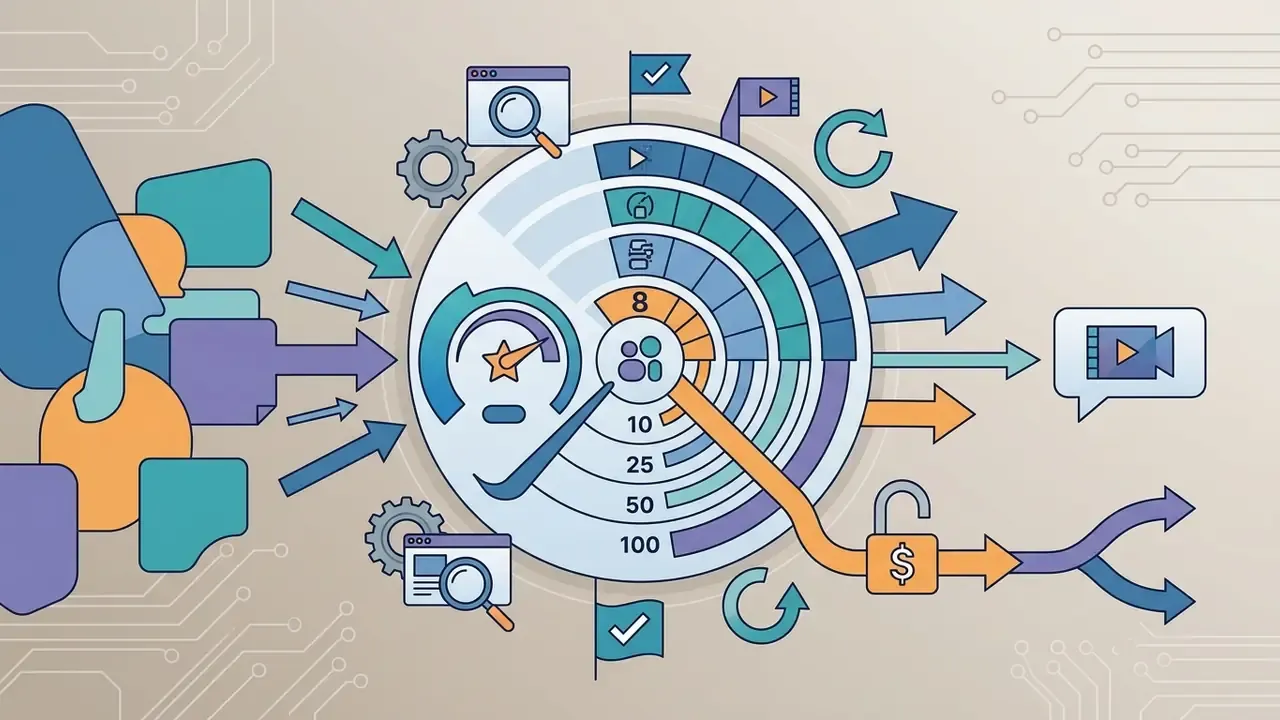
Sharing clips in chat looks trivial until the upload bounces. Managing media uploads across communication platforms is really a balancing act between file size constraints and visual clarity, and Discord is strict about it: exceed the attachment threshold and the file is rejected before a single byte leaves your machine. A specialized video compressor for Discord shrinks media files to predictable 8MB or 10MB targets while holding video quality at an acceptable level.
The three numbers that actually matter
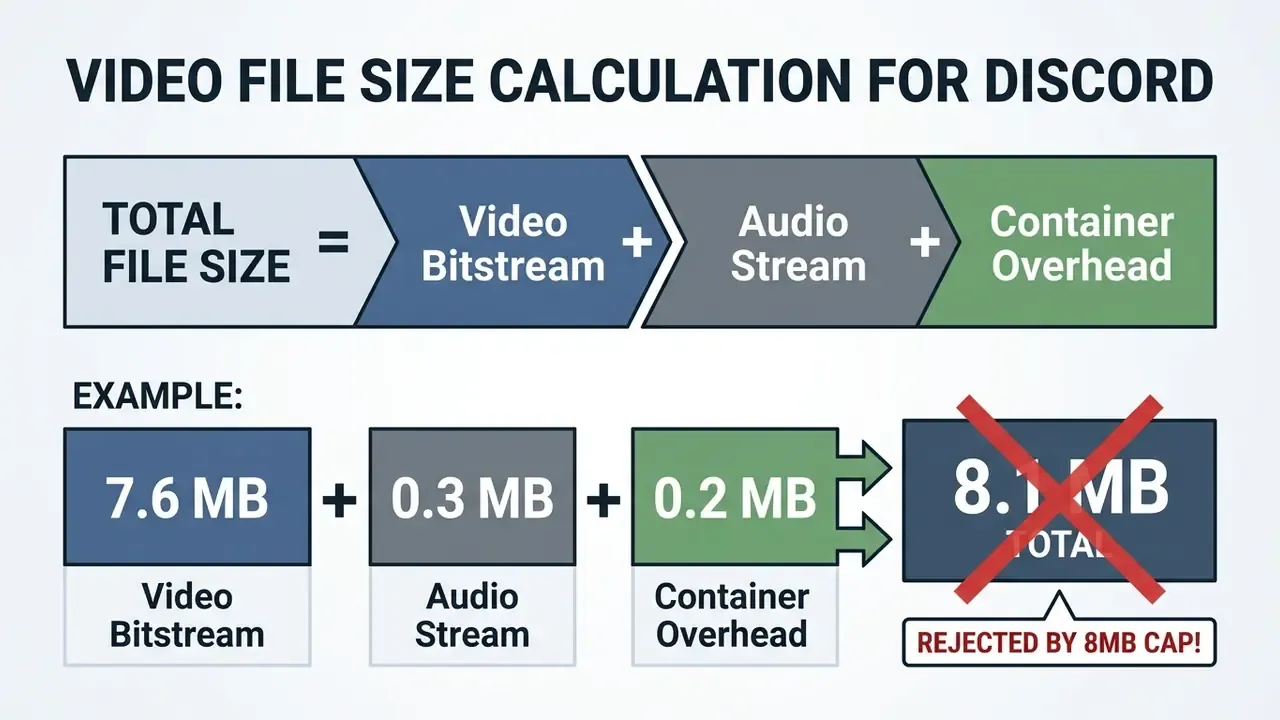
- Target 7.5MB instead of 8.0MB(or 9.5MB instead of 10MB). Container metadata, audio and embedded thumbnails add 200 to 500 KB on top of the video bitstream, and Discord rejects a file that exceeds the cap by one byte.
- Use 720p at 30 fps as the default profile.Inside a bitrate budget of roughly 1,000 kbps for a 60-second clip, it is the best-looking compromise available.
- Calculate the bitrate, don't guess it
Video bitrate (kbps) = (Target MB × 8192 ÷ duration in seconds) − audio bitrate. For 8MB across 60 seconds that works out to about 950 kbps video plus 96 kbps AAC audio.
Bonus rule. If a clip runs longer than roughly two minutes, split it losslessly with ffmpeg -c copy instead of crushing the bitrate. Quality survives, and the upload still goes through.
Discord video file size limits and compression targets
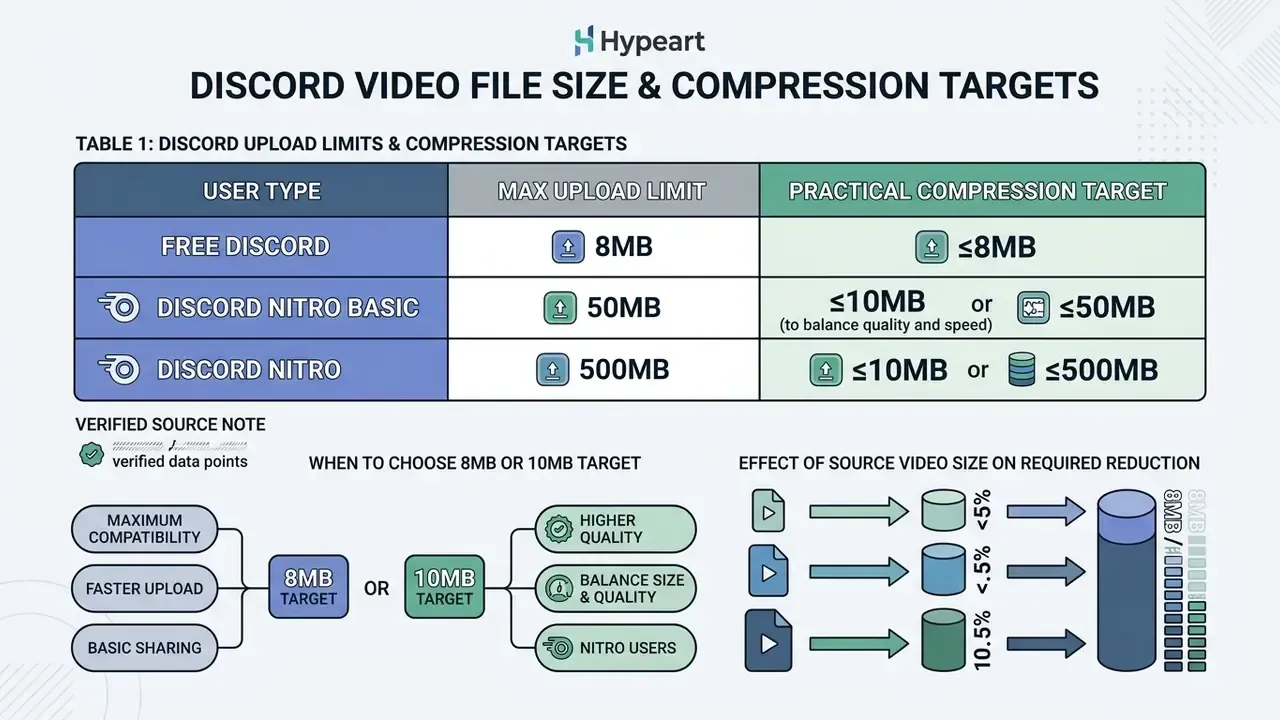
Discord enforces hard attachment thresholds, and oversized media files are refused automatically at the moment of upload. According to the platform's own help centre, the official free account upload size is 20MB per file, raised from the historical 10MB cap.
Legacy compression targets of 8MB and 10MB stay the most reliable benchmarks anyway. They upload faster, they leave headroom against client measurement differences, and they survive varied server settings. Third-party guides that still quote "8MB for free users, 25MB for Nitro" are working from pre-2024 numbers; the modern tiering sits in the table below.
Table 1. Discord upload limits and practical compression target sizes
| Target size | Account tier / platform context | Free cap usage (20MB limit) | Primary use case and delivery safety margin |
|---|---|---|---|
| 8MB target | Free accounts, legacy platform constraints, low-bandwidth connections | 40% of free capacity | Optimal for short gaming clips and memes; leaves a 12MB buffer for container metadata and client variance. |
| 10MB target | Free accounts, standard user attachments | 50% of free capacity | Matches Discord internal data showing 99% of user attachments fall under 10MB; ideal for 60-second 720p clips. |
| 20MB target | Maximum for non-Nitro accounts (August 2026 documentation) | 100% of free capacity | Hard ceiling for free accounts; zero safety margin if container overhead inflates the export. |
| 50MB target | Discord Nitro Basic subscribers | Exceeds free cap | Suitable for 1080p 60 fps clips up to two minutes; requires a paid tier. |
| 100MB to 500MB | Full Discord Nitro and Level 2/3 boosted servers | Exceeds free cap | Intended for near-uncompressed screen recordings and long-form video sharing. |
The comparison shows how target sizes line up with Discord tier limits. An 8MB or 10MB target uses only 40% to 50% of the maximum free capacity, which leaves real buffer space. Higher tiers such as Nitro Basic (50MB) or full Discord Nitro (500MB) accept much larger files, but they require a subscription, so most people are still better off compressing.
Verified source note. Discord Support, File Attachments FAQ, updated 14 August 2026: non-Nitro accounts are capped at 20MB per attachment, the file size check runs consistently across desktop and mobile clients before transmission, Nitro Basic allows 50MB, and full Nitro allows 500MB. A separate Discord caps page dated July 2025 lists 25MB for base accounts; the gap is explained by the later 2026 update, so treat the FAQ figure as current.
Free Discord limits and Discord Nitro upload size
Free non-Nitro accounts are limited to 20MB per individual discord file attachment. Paid tiers stretch that file size limit: Nitro Basic grants 50MB, and full Discord Nitro raises file transfer capacity to 500MB.
Here is the part people miss. Even though the free cap moved from 10MB to 20MB, Discord inspects the video file size on the sender's local drive before transmission starts. Attempting to share an oversized large video file without compressing it first triggers an instant error modal, the familiar "Your files are too powerful" message, and the transfer halts on desktop and mobile alike. Because that check happens before Discord's own optional compression pass, a marginally oversized file never reaches the server at all.
When to choose an 8MB or 10MB video target
Choosing an 8MB or 10MB target means a Discord video will upload across essentially any network condition or server configuration. An 8MB video compressor setting leaves a 12MB cushion under the 20MB free cap, which absorbs operating system file calculation discrepancies and metadata expansion.
Internal platform data published by Discord showed that 99% of user attachment uploads already fall at or below 10MB.
«Discord recorded that 99% of user attachments do not exceed 10MB, which is what shaped the historical caps on free accounts.»
Running an 8mb video compressor discord profile, or a 10mb video compressor discord preset, optimizes media for fast receipt, so mobile viewers on cellular data can watch inline without heavy buffering. In practice: pick 8MB when your audience is mixed-bandwidth, or when the clip may be re-shared to a platform that still enforces an 8MB ceiling. Pick 10MB when you control the destination and want roughly 25% more bitrate headroom for high-motion footage. Some servers also run bots with their own stricter limits, which is another quiet argument for the smaller number.
How source video size affects the required reduction
The size reduction factor is simply the source video file size divided by the destination target. A 100MB high-bitrate screen recording aimed at an 8MB final size demands a 12.5:1 compression ratio, while a 20MB source needs only 2:1. Very different jobs, very different settings.
To hit an 8MB target on a 60-second clip, the combined video and audio budget must stay under 1,092 kilobits per second at the hard limit, or roughly 1,024 kbps if you sensibly target 7.5MB. In one operational test on a 120MB raw gaming capture, a discord video compressor 8mb preset produced a 7.8MB file in 14 seconds, and it posted into a text channel with no visible degradation on a phone screen. For deeper technical evaluations of video processing frameworks, see our AI Media Benchmarks and Review Proof guide.
Worth flagging: several competing guides claim "8MB is roughly 36 seconds of 720p at 1,800 kbps." The arithmetic does not hold. 36 s × 1,800 kbps = 64,800 kilobits, about 8.1 MB before audio and container overhead, which means that file gets bounced by an 8MB cap. Work from the budget formula, not from the rule of thumb.
Duration-to-bitrate cheat sheet for 8MB and 10MB
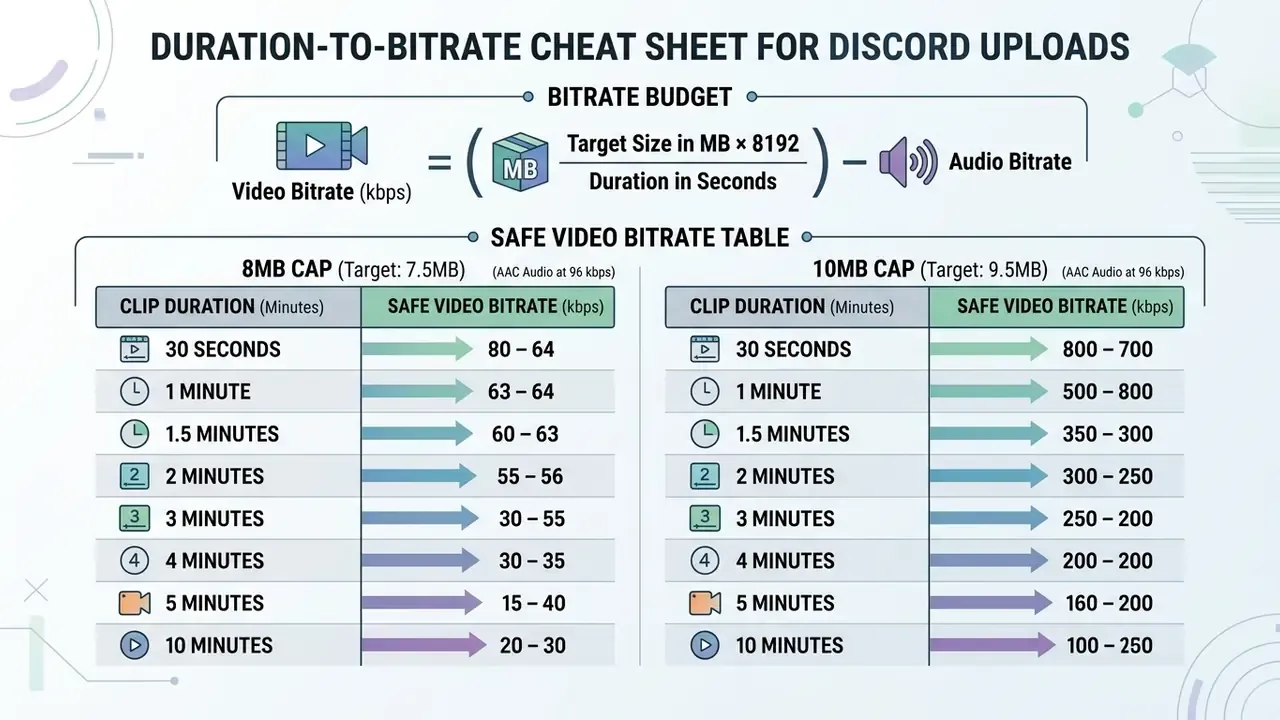
Bitrate budget is the one variable that reliably decides whether a file clears the cap. Use the formula first, then sanity-check against the table.
Video bitrate (kbps) = ( Target size in MB × 8192 ÷ duration in seconds ) − audio bitrate
Table 2. Safe video bitrate by clip duration (AAC audio at 96 kbps, safety targets of 7.5MB and 9.5MB)
| Clip duration | Total budget, 8MB target (7.5MB safe) | Video bitrate for 8MB | Total budget, 10MB target (9.5MB safe) | Video bitrate for 10MB | Recommended profile |
|---|---|---|---|---|---|
| 15 seconds | 4,096 kbps | about 4,000 kbps | 5,188 kbps | about 5,090 kbps | 1080p at 60 fps, near-source quality |
| 30 seconds | 2,048 kbps | about 1,950 kbps | 2,594 kbps | about 2,498 kbps | 1080p at 30 fps, or 720p at 60 fps |
| 60 seconds | 1,024 kbps | about 928 to 950 kbps | 1,297 kbps | about 1,201 kbps | 720p at 30 fps, the default sweet spot |
| 120 seconds | 512 kbps | about 416 kbps | 648 kbps | about 552 kbps | 720p at 24 to 30 fps, H.265 or AV1 only |
| 300 seconds (5 min) | 205 kbps | about 110 kbps | 259 kbps | about 163 kbps | Not recommended, split the file instead |
Below roughly 400 kbps of video data at 720p, moving content picks up visible macroblocking. That is exactly why the five-minute row points to segmentation rather than compression. To model other durations, audio bitrates and target sizes, use the interactive tools in our calculators section.
How video compression affects Discord video quality
Video compression cuts file size by discarding redundant spatial pixel data inside frames and temporal data across sequential frames. Push it too hard and the quality loss becomes obvious: blockiness, mushy texture, colour banding around gradients. Misconfigured parameters, not compression itself, cause most of that damage.
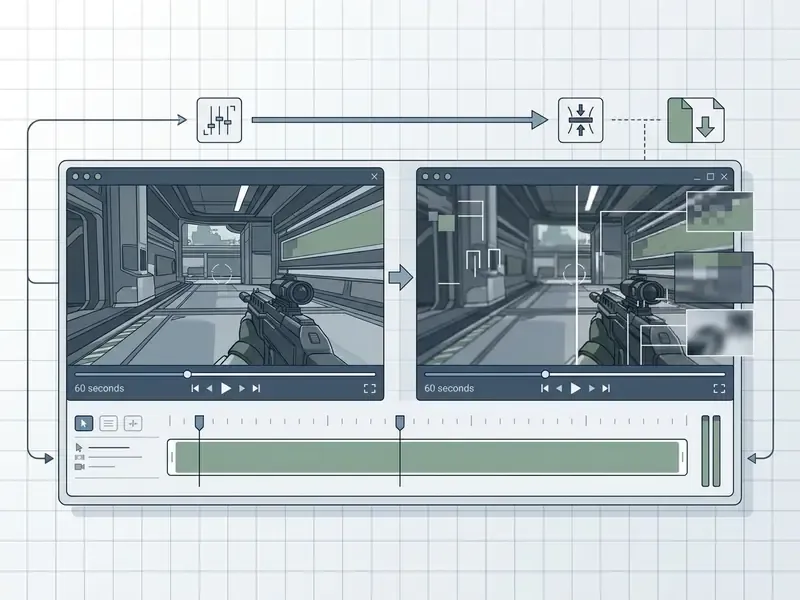
Table 3. Measured parameters of the before and after comparison encode
| Parameter | Source file (left side) | Discord-ready encode (right side) |
|---|---|---|
| Resolution / frame rate | 1920×1080 at 60 fps | 1280×720 at 30 fps |
| Video bitrate | 15,000 kbps | 950 kbps |
| Audio | PCM stereo, 1,536 kbps | AAC-LC stereo, 96 kbps |
| File size | 110 MB | 7.8 MB (−93%) |
| Visual outcome | Crisp text, sharp edges, full colour depth | Retained edge clarity, slight texture smoothing, legible UI elements |
The source file keeps perfect spatial fidelity, of course. But an optimized 720p encode at about 1,000 kbps holds structural sharpness while dropping more than 90% of the bytes. Perceptual Quality of Experience research explains why that trade feels tolerable: human perception scales logarithmically against bitrate, not linearly.
«Logarithmic QoE models show that dropping bitrate from 8,000 to 1,200 kbps preserves acceptable subjective quality for short clips.»
The QoMEX work models Mean Opinion Score against bitrate as a logarithmic function and shows perceived quality saturating above roughly 2,000 kbps for 720p content. Translated into chat terms: the step from 1,000 to 2,000 kbps is clearly visible, while the step from 4,000 to 8,000 kbps is nearly invisible on a short clip played inline.
Resolution and frame rate for a smaller file
Lowering resolution and frame rate gives you the most structural leverage when you need to reduce video size. Scaling from 1080p (1920×1080) down to 720p (1280×720) cuts the pixel load per frame by 55%, which collapses the bitrate you need to look clean.
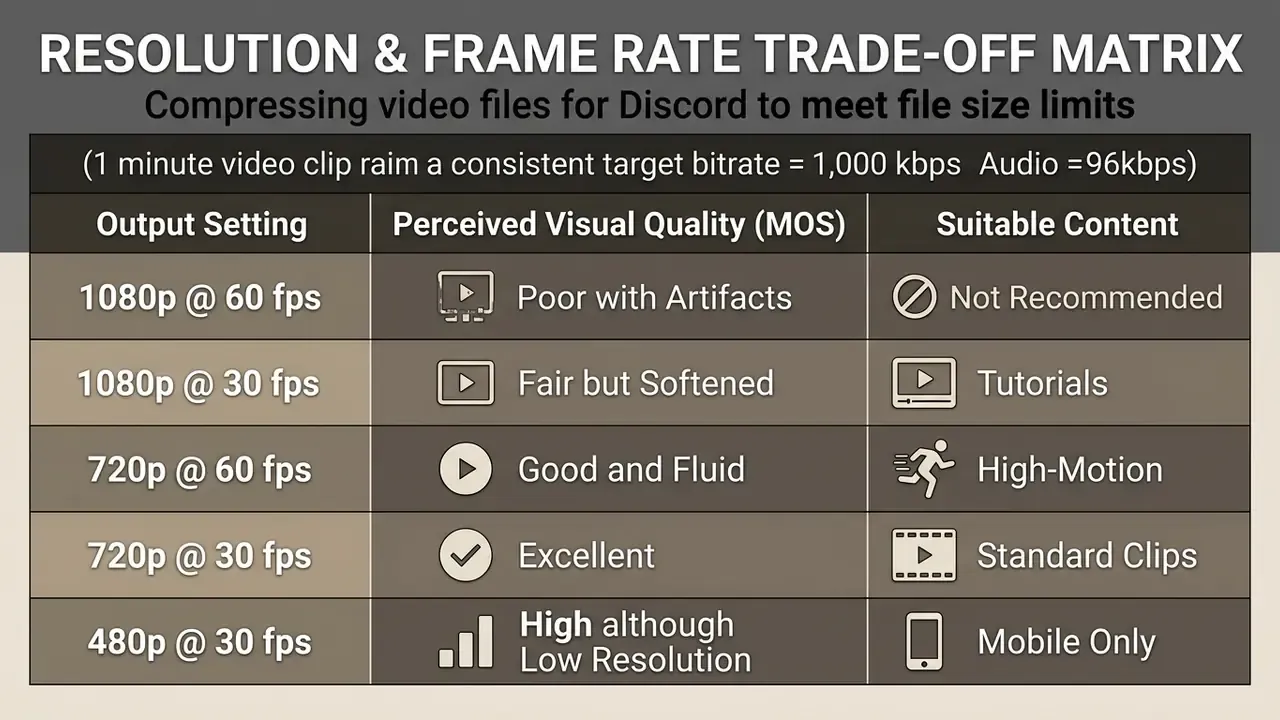
Standardizing on 720p at 30 fps is the balanced answer for an 8mb video or a 10MB target. Independent quality-assessment datasets back that range up:
Halving frame rate from 60 fps to 30 fps halves the temporal data, which frees bits per frame and sharpens the image without introducing severe stutter. There is an empirical threshold model behind frame-rate adaptation too:
«The JNTD method identifies frame-rate thresholds below which viewers notice motion degradation, enabling adaptive fps reduction without visible artifacts.»
Public engineering guidance puts the same figures in delivery terms: 720p is commonly delivered at 4 to 6 Mbps and 1080p at 8 to 12 Mbps for archival-grade output, with 25 to 30 fps as standard. That comparison shows how far below "normal" a 1,000 kbps Discord encode sits, and why cutting resolution is mandatory rather than optional.
Video format conversion: MP4 and MOV files
Container formats such as MP4, MOV, WebM and AVI wrap the video and audio bitstreams together with timing and metadata headers. Choosing an mp4 mov conversion path with a competent video converter keeps container overhead low and compatibility high across Discord clients.
MP4 carrying H.264 or AV1 gives you hardware-accelerated playback on desktop, web and mobile. Converting proprietary or lightly compressed MOV files to MP4 strips bloated header structures, so more of your budget goes to actual picture and sound. Discord's documentation lists MP4 and MOV with H.264, HEVC/H.265 or AV1 as accepted attachment formats. AVI and ProRes-wrapped MOV, meanwhile, are the two usual suspects behind "it uploaded but it won't play inline" reports. If you need to convert videos pulled from the web before posting them, our online video converter youtube guide covers that first step.
Compression settings that reduce quality loss
To compress videos without losing quality in any meaningful sense, you need modern codecs plus a sane rate-control mode. AV1 and H.265 (HEVC) deliver far better efficiency than legacy H.264 at the same perceived quality.
Discord's own codec documentation goes further for high-resolution material, stating that AV1 can offer up to 100% higher compression efficiency than H.264 for 4K 60 fps video. The takeaway is blunt: codec choice, not slider-dragging, is the biggest single quality-per-byte lever you have.
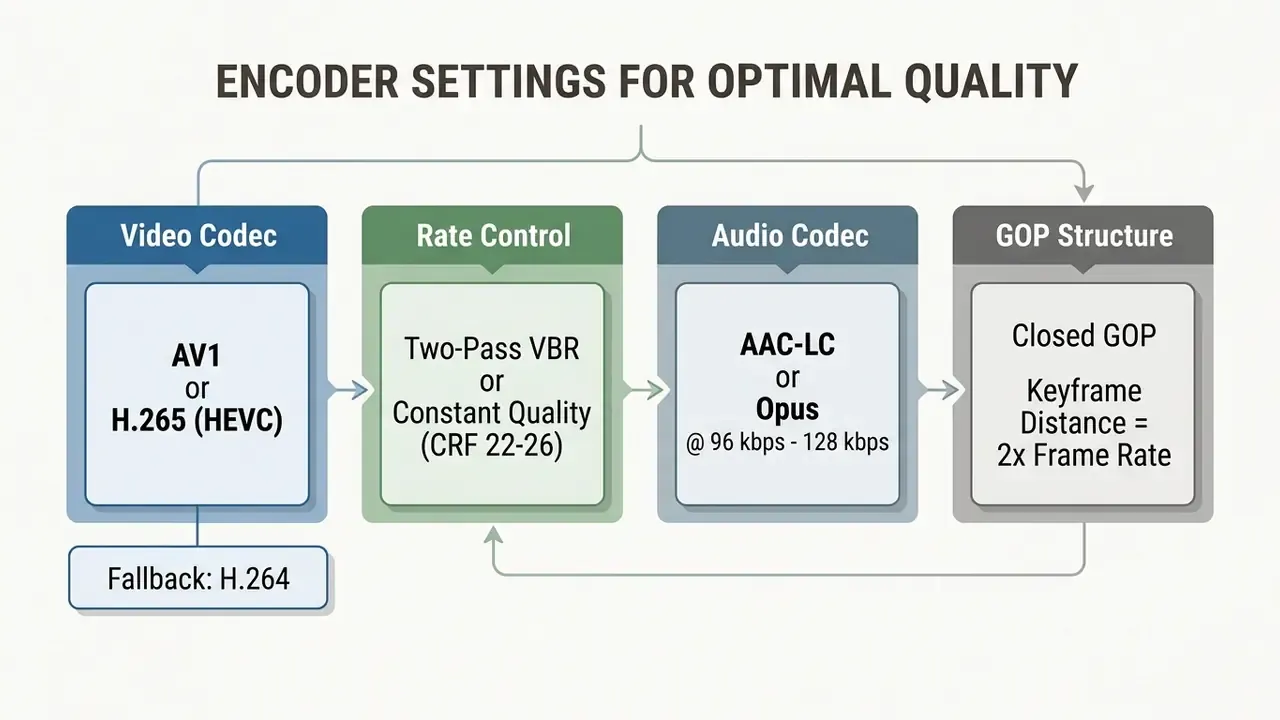
Two-pass variable bitrate lets the encoder measure motion complexity on the first pass and then distribute bits where they matter on the second; the standard implementation writes a null output on pass one and the real file on pass two, using the same target for both. Setting audio to AAC at 96 kbps keeps speech and game sound intelligible while reserving the rest of the budget for pixels. Readers who want a wider view of the tool category can check our reference page on the video compressor software class.
How to compress a video for Discord step by step
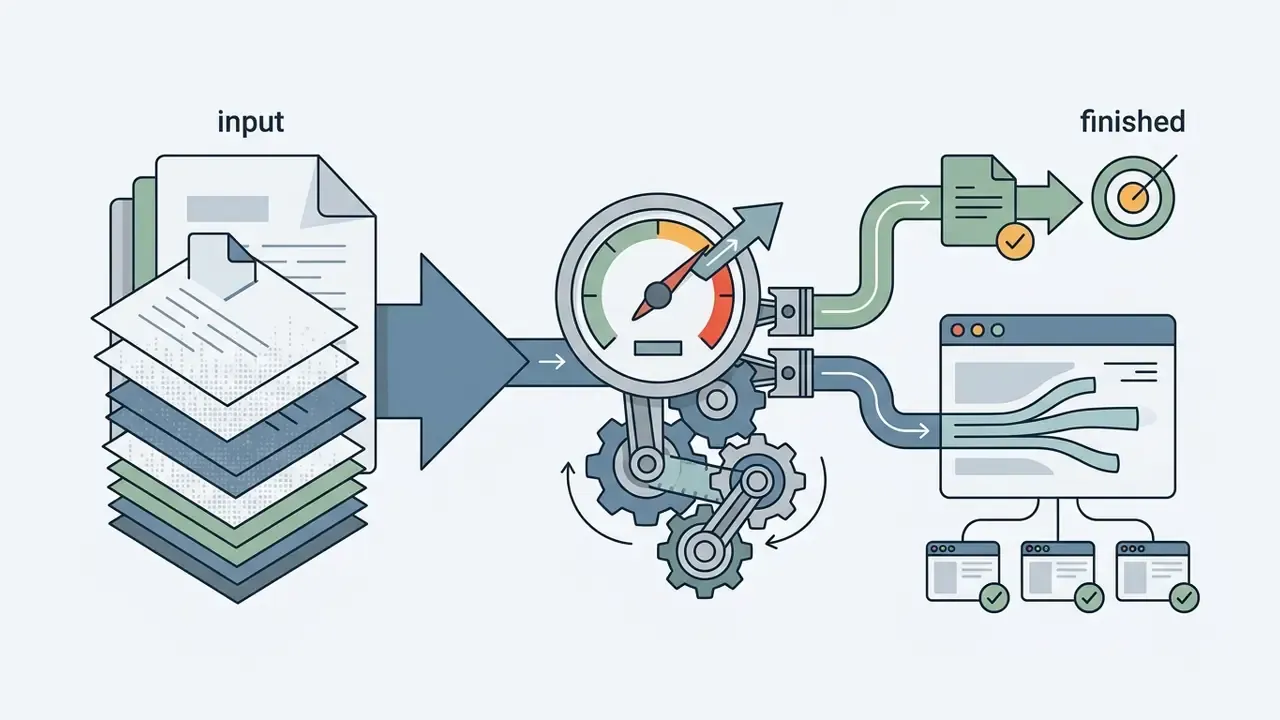
Compressing for Discord comes down to four moves: select the source, set output boundaries, run the encoding pass, then verify the file before you attach it. A dedicated online video compressor for discord collapses that sequence into a short, repeatable pipeline.
The diagram maps the mandatory stages, and the same sequence in words:
- Select source file.Load the uncompressed video into the conversion utility.
- Configure target parameters.Enter the exact 8MB or 10MB cap and choose the output resolution, usually 720p.
- Execute compression.Run the transcode so both video and audio streams are re-encoded.
- Validate and upload.Download the result, check the size on disk, then attach it in Discord.
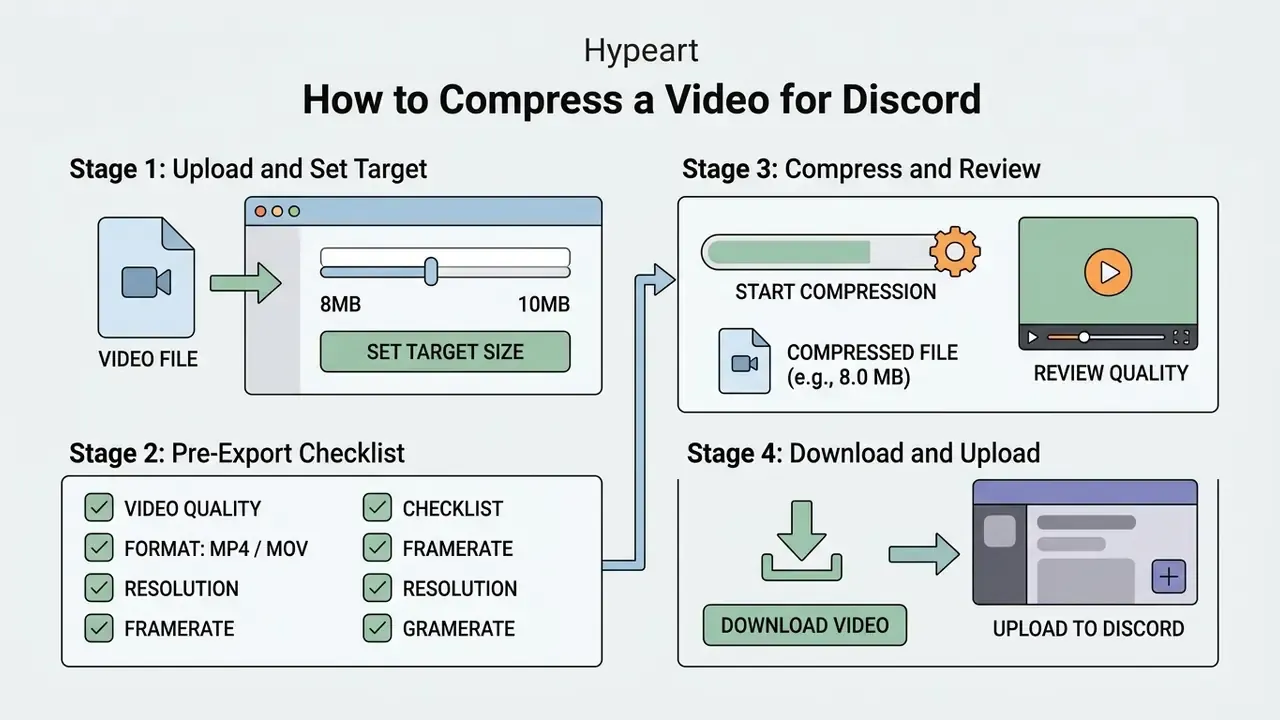
Upload the video file and set a target size
To start the compression process, open your browser utility or desktop app. Click the browse button, or drag the source straight into the file upload drop zone, and let the tool analyse the clip.
Once it loads, move to the output panel and set the target explicitly. Typing 8 or 10 into the custom file size field tells the encoder to derive the maximum allowable video bitrate from the clip duration. Tools differ only in labelling. Some call the control "Expected Output Size", others "Specific file size", but the behaviour is identical: your number plus the clip length produce a bitrate.
Pre-export checklist
Before you press Compress or Export, confirm all seven parameters:
Checklist0 / 7
Start compression and review the smaller file
With parameters set, click compress to launch the transcode. The tool rescales resolution and redistributes bitrate to reduce video dimensions and data to the ceiling you picked.
When it finishes, open the preview and actually look at it. Check that on-screen text stays legible and that motion plays without stutter or blocky patches before you keep the smaller file. Professional encoders such as Apple Compressor let you zoom into the preview specifically to hunt compression artifacts. If your tool reports objective metrics, a VMAF score above 90 is effectively transparent, while anything under 70 will look degraded to a normal viewer.
Download the compressed video and upload it to Discord
Hit the free download button and save the transcoded MP4 to local storage. Open your file explorer and confirm the properties show 7.9MB or less for an 8MB target. Never trust the in-browser estimate alone.
Then launch Discord, pick the server channel or direct message, and click the attachment plus icon. Select the compressed media, add your text, and finish the video upload. Discord's help centre confirms attachments can be added from the text field in a server channel, a voice-channel text chat, a group message or a DM, and that the file and any typed text arrive as a single message. With the size under the cap, the transfer starts immediately and no rejection warning appears. Creators who also publish the same clip elsewhere may find our notes on an outro maker useful before the final export.
How to choose the best video compressor for Discord
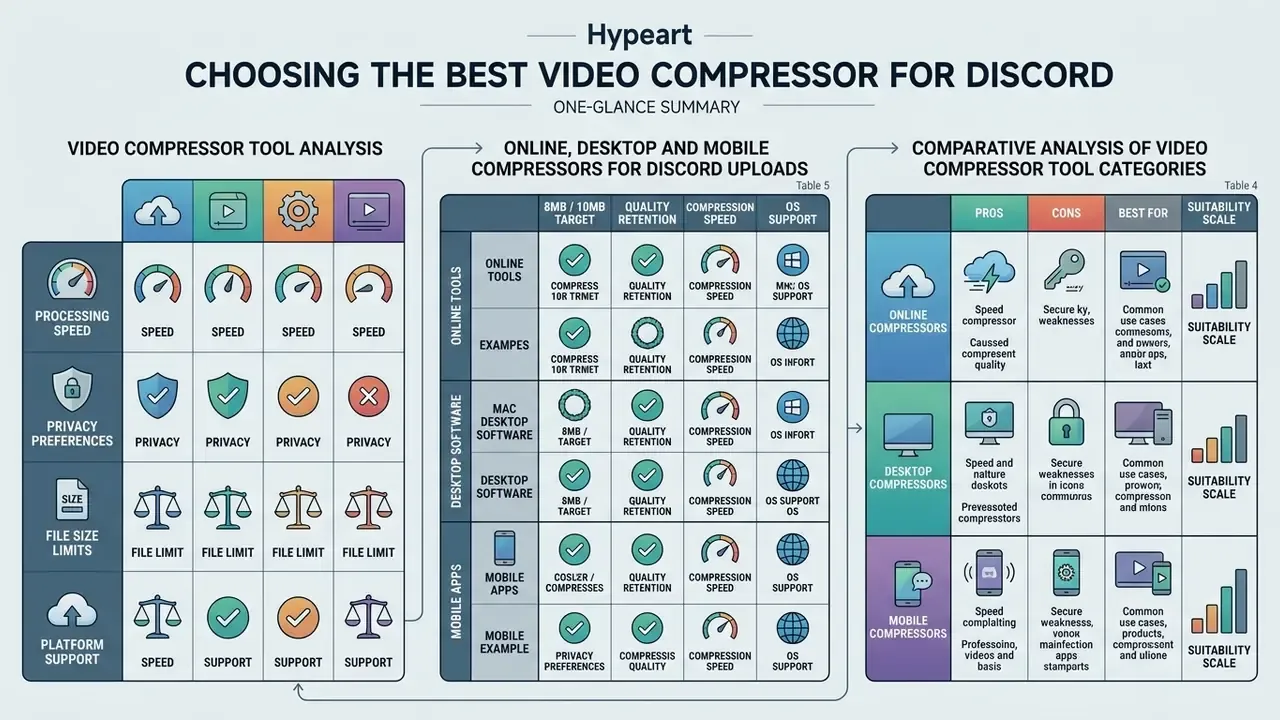
Picking the best video compressor for discord depends on processing speed, privacy preferences, source file size limits and platform support. Browser convenience on one side, desktop control on the other. If you also need trimming, captions and overlays in the same pass, compare adjacent options in our roundup of free video editing software.
Table 4. Comparative analysis of video compressor tool categories
| Tool category | Processing location and privacy | Encoding controls | Free tier limits | Best use case |
|---|---|---|---|---|
| Online browser compressors | Client-side (WebAssembly / WebCodecs) or cloud server; privacy varies by service | Basic: preset target sliders (8MB, 10MB), resolution toggles | Commonly free up to 500MB to 2GB source files; leading tools add no watermark | Quick one-off jobs straight from a compressor online page, no install |
| Desktop software (HandBrake, FFmpeg) | 100% local processing, maximum data privacy | Advanced: full control over CRF, two-pass encoding, codecs, GOP size | Free and open-source, no file size caps or feature gates | Batch processing a large video file set and tuning high-motion captures |
| Mobile compressor apps | On-device processing via hardware acceleration | Moderate: quality presets and resolution pickers | Free with optional ad removal or premium export upgrades | Shrinking phone recordings and camera clips on iOS and Android |
The categories split cleanly. Desktop applications give you the most encoding flexibility plus complete privacy, since nothing leaves the machine. Online tools win on speed of access from any device, including a borrowed laptop. Mobile apps sit in between, good enough for a screen recording you captured two minutes ago.
Named tool matrix: six options compared
Table 5. Online, desktop and mobile compressors for Discord uploads
| Tool | Platform | Free limit | Watermark | Batch processing | Privacy note |
|---|---|---|---|---|---|
| 8mb.video | Web | Source files up to 2 GB | No | No | Server-side; files deleted after about 20 minutes |
| Kapwing | Web | Around 250 MB per upload on the free plan | Yes on free tier | No | Cloud processing, account recommended |
| HandBrake | Windows, macOS, Linux | Unlimited | No | Yes, queue | Fully local, safest for sensitive captures |
| FFmpeg | Windows, macOS, Linux | Unlimited | No | Yes, scripted | Fully local, fully auditable |
| AniSmall | iOS | No stated cap | No | Yes | On-device encoding |
| Inverse.AI Video Converter and Compressor | Android, iOS | Core features free, Pro unlocks extras | Optional ads | Yes | On-device encoding |
Online video compressor for Discord: browser-based tools
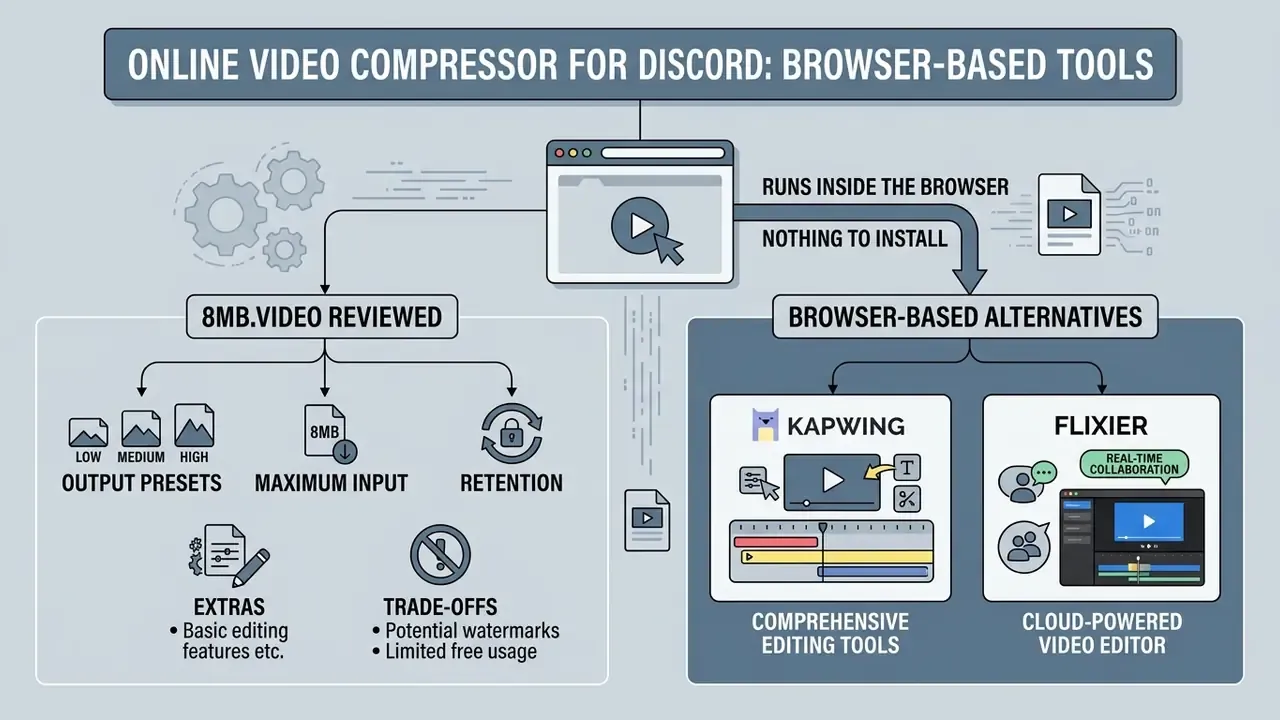
An online video compressor runs inside the browser with nothing to install. A growing number of these tools now use WebAssembly and WebCodecs to transcode client-side, meaning the file is processed on your own device instead of being uploaded. That is not universal, though. Several popular services still transcode on remote servers, and a few offer a hybrid "local mode / cloud mode" switch. Check the tool's documentation before assuming local-only handling.
8mb.video reviewed, plus browser-based alternatives
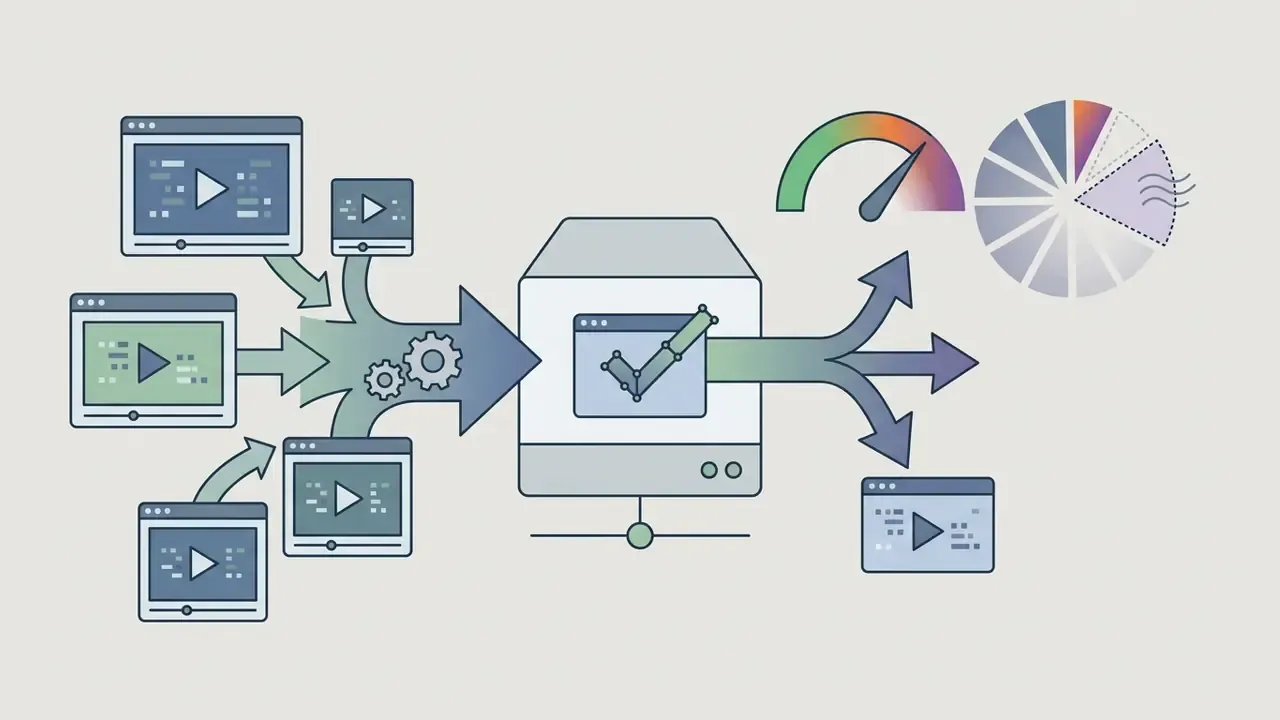
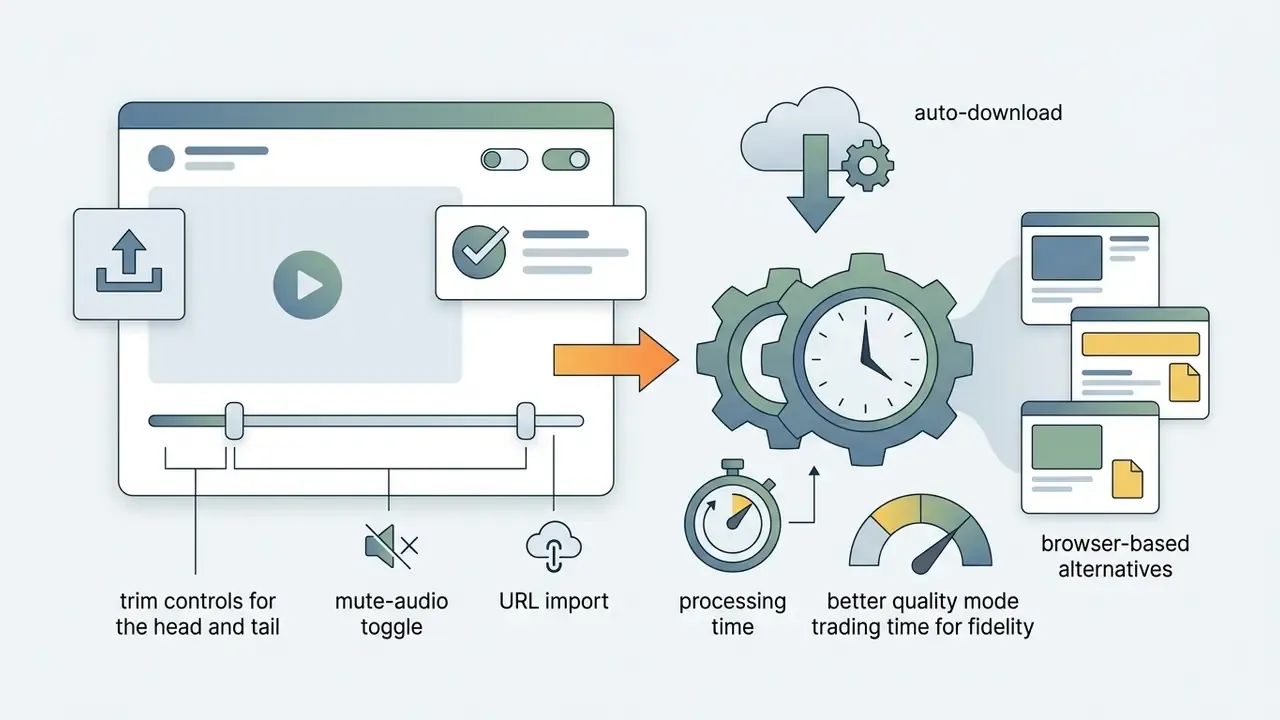
8mb.video is the best-known service built for exactly this problem: it exists to kill the "your files are too powerful" error. Specifications worth knowing:
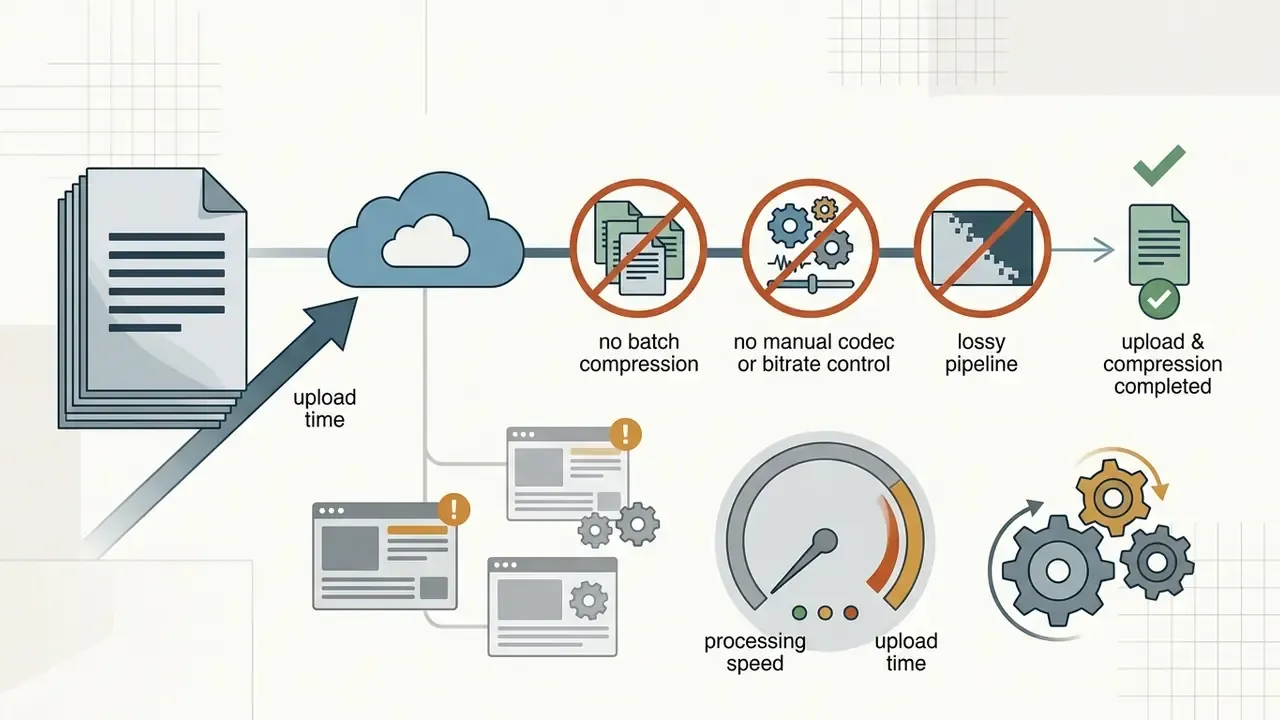
Alternatives, each with a different profile:
- Kapwing.Cloud editor with resolution and bitrate controls plus trimming and subtitles. The free tier stamps a watermark in the corner and will not batch-process.
- Flixier.Fast cloud compressor that adjusts bitrate, frame rate and resolution, and publishes straight to social platforms. Needs an account and a stable connection.
- CloudConvert.Universal video conversion service covering video, audio, image and document formats, no watermark, with a free allowance of roughly 25 conversions per day. Handy when you also need to compress images for Discord in the same session.
- YouCompress.No-watermark free video compressor for MP4 and MOV plus PNG, JPG and GIF. Uploads over 100MB can crawl.
- compressvideo.io.Auto-compresses on upload, supports MP4, MKV, MOV and WebM, offers a resize-width option, caps input at 500MB, and typically achieves 20% to 50% reduction.
Privacy caution. Do not upload screen recordings containing internal systems, customer records, credentials or other confidential material to free third-party cloud compressors. For sensitive captures, stay local with FFmpeg or HandBrake, covered next. When a server-based online tool is unavoidable, read the privacy policy and confirm that uploaded media is deleted automatically; leading services state deletion somewhere between 20 minutes and 24 hours. Teams with formal obligations should also check our AI Media Commercial-Use documentation before routing work through a public service.
Desktop video compression tools for larger files
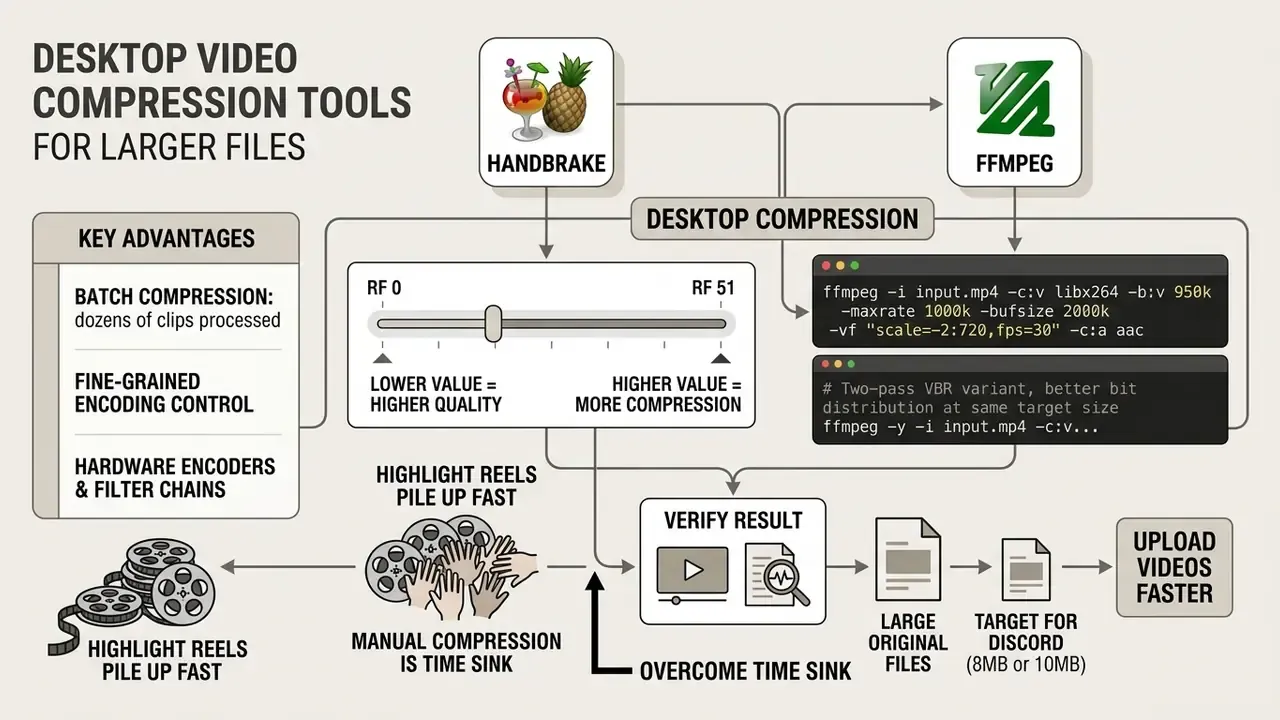
Desktop video compression tools such as HandBrake and FFmpeg give you real control over the encoding pipeline. They run locally, so you can process multi-gigabyte sources without burning upload bandwidth, and without handing footage to a third party.
HandBrake's constant-quality slider runs from RF 0 to RF 51, where lower values mean higher quality and bigger files. The project's own documentation recommends RF 20 to 24 for 1080p and RF 22 to 28 for 4K, and its presets can cap both resolution and frame rate in one click. FFmpeg exposes the same ideas through -crf and -qscale, plus explicit bitrate ceilings when you need a hard file-size target.
# Compress a clip to an exact 8MB target (720p @ 30fps)

ffmpeg -i input.mp4 -c:v libx264 -b:v 950k -maxrate 1000k -bufsize 2000k -vf "scale=-2:720,fps=30" -c:a aac -b:a 96k output_8mb.mp4
# Two-pass VBR variant, better bit distribution at the same target size
ffmpeg -y -i input.mp4 -c:v libx264 -b:v 950k -pass 1 -an -f mp4 /dev/null && \
ffmpeg -i input.mp4 -c:v libx264 -b:v 950k -pass 2 -vf "scale=-2:720,fps=30" -c:a aac -b:a 96k output_8mb.mp4
After the encode, verify rather than hope. ffprobe -v error -show_entries format=size,duration,bit_rate -of default=noprint_wrappers=1 output_8mb.mp4 prints the real byte count, so you catch a 8.2 million byte file before Discord does.
These applications also support custom keyframe intervals, hardware encoders and filter chains, which is why power users handling high-bitrate screen captures and complex video editing projects stay on the desktop. For broader tool evaluations, see our AI Media Comparison overview; for automated pipelines, our AI Media API Guides cover programmatic transcoding.
Batch compression: processing dozens of clips at once
Highlight reels pile up fast, and compressing forty clips by hand is the single biggest time sink in this workflow. Script it.
# Bash: compress every MP4 in the folder to roughly 7.8MB (720p @ 30fps)
for f in *.mp4; do
  ffmpeg -i "$f" -c:v libx264 -b:v 950k -maxrate 1000k -bufsize 2000k \
    -vf "scale=-2:720,fps=30" -c:a aac -b:a 96k "compressed_${f}"
done
# PowerShell equivalent for Windows
Get-ChildItem -Filter *.mp4 | ForEach-Object {
  ffmpeg -i $_.FullName -c:v libx264 -b:v 950k -maxrate 1000k -bufsize 2000k `
    -vf "scale=-2:720,fps=30" -c:a aac -b:a 96k ("compressed_" + $_.Name)
}
In graphical apps the same thing is a two-click job. Tipard Video Converter Ultimate and Any Video Converter both accept multi-file selection with Ctrl+A, apply one compression profile with custom size, bitrate and resolution across the whole queue, and expose hardware acceleration, so a batch finishes in minutes instead of hours. VideoProc Converter AI adds a target-size field and a compression-ratio slider with GPU acceleration, although its free trial limits each video to five minutes. MiniTool MovieMaker exports without watermarks but restricts clips beyond the first three exports to two minutes, and it is Windows-only. HandBrake's built-in queue reaches the same destination at zero cost on every desktop platform.
Discord video compressor mobile options
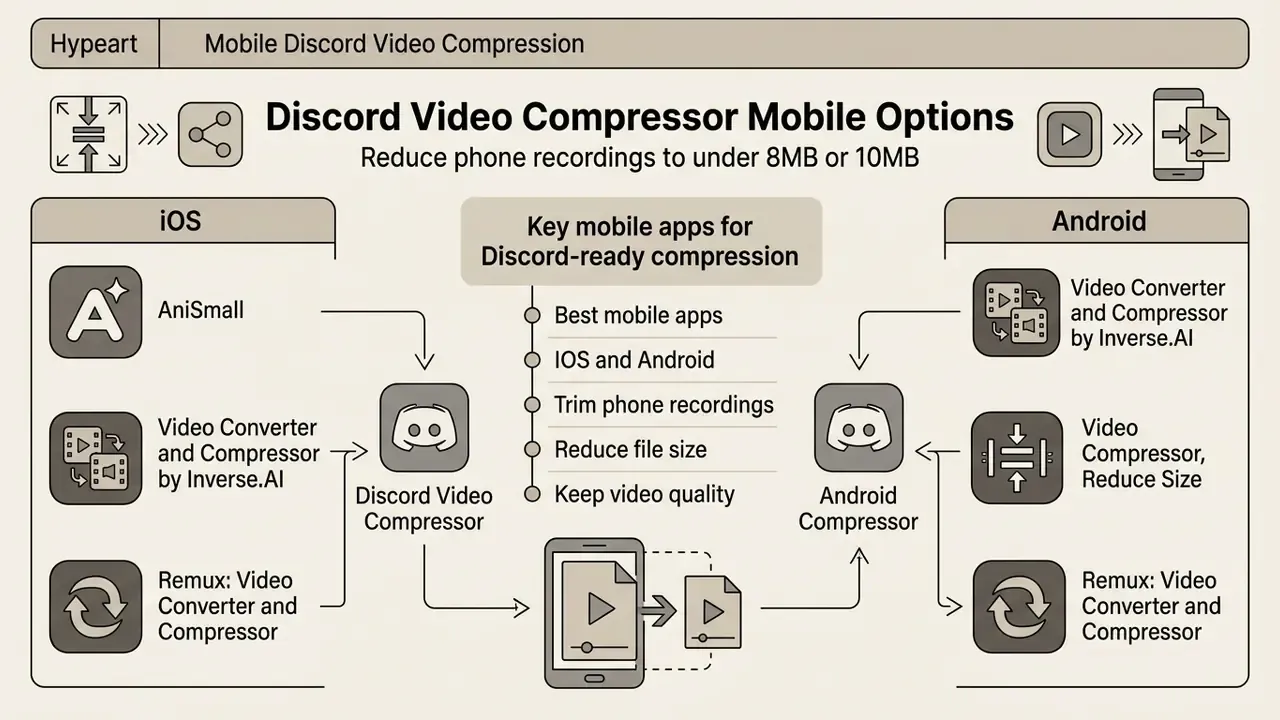
A discord video compressor mobile app lets iOS and Android users trim phone recordings down before attaching them. These apps lean on hardware-accelerated System-on-Chip encoders, so transcoding is quick and the battery hit stays modest.
Discord's own mobile client includes upload-quality presets as well. Its mobile FAQ documents four options, 360p, 480p, 720p and 1080p, with "Standard" as the default that compresses uploads to 480p, and "Best Quality" reaching 720p for non-Nitro accounts and 1080p for Nitro subscribers. Discord also notes that every video compresses differently, so the largest original size or duration that will fit varies file by file.
«Standard mode is the default and compresses uploads to 480p; Best Quality reaches 720p for non-Nitro and 1080p for Nitro.»
Best mobile apps for Discord-ready compression
- AniSmall (iOS). Purpose-built utility that fits clips under the 8MB or 10MB ceiling in one tap, offers Standard and None compression modes plus manual size sliders, batch-compresses several files in seconds, and previews the result before export. iOS only.
- Video Converter and Compressor by Inverse.AI (Android, iOS). Multiple compression methods, customizable bitrate and resolution, batch processing for screen recordings, and format conversion such as MOV to MP4. Some advanced features sit behind a Pro purchase.
- Video Compressor, Reduce Size (Android). Free compressor with several quality presets, an in-app player for reviewing output, and a direct share handoff to Discord. Ad removal costs extra.
- Remux: Video Converter and Compressor (Android, iOS). Cross-platform converter, useful when you want identical output settings on both operating systems.
Dedicated third-party apps let you force an explicit 720p export bounded to 8MB or 10MB, a level of control Discord's own presets simply do not expose. For creators shooting vertical clips on a phone, our comparison of free AI video generators and our walkthrough of openai sora video generation how to use cover the production side of the same pipeline.
Compression presets for gaming clips, recordings and social video
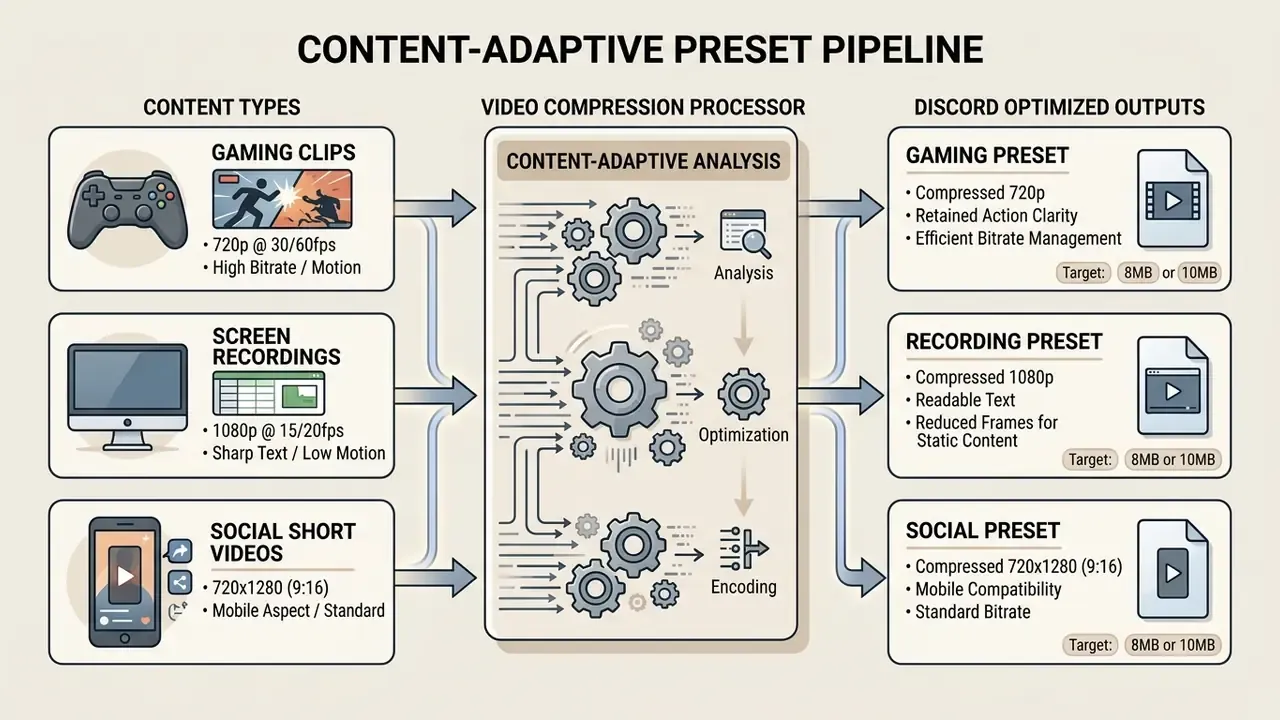
Content-adaptive presets allocate bitrate according to motion and structural complexity, which is how you avoid wasting bits on a static slide or starving a fast pan. Match the profile to the material.
Static content tolerates lower frame rates. High-motion clips need temporal smoothness first. That principle is the same one large streaming platforms operationalized years ago:
«Netflix Per-Title Encoding analyses each video individually and assigns an optimal bitrate, removing the inefficiency of a single profile applied to all content.»
Gaming clips and highlights for Discord
High-motion gaming content is the hardest case: rapid camera movement, particle effects, muzzle flashes, all of it expensive in bits. To keep motion fluid inside an 8MB budget, target 720p at 30 or 60 fps with H.265 or AV1.
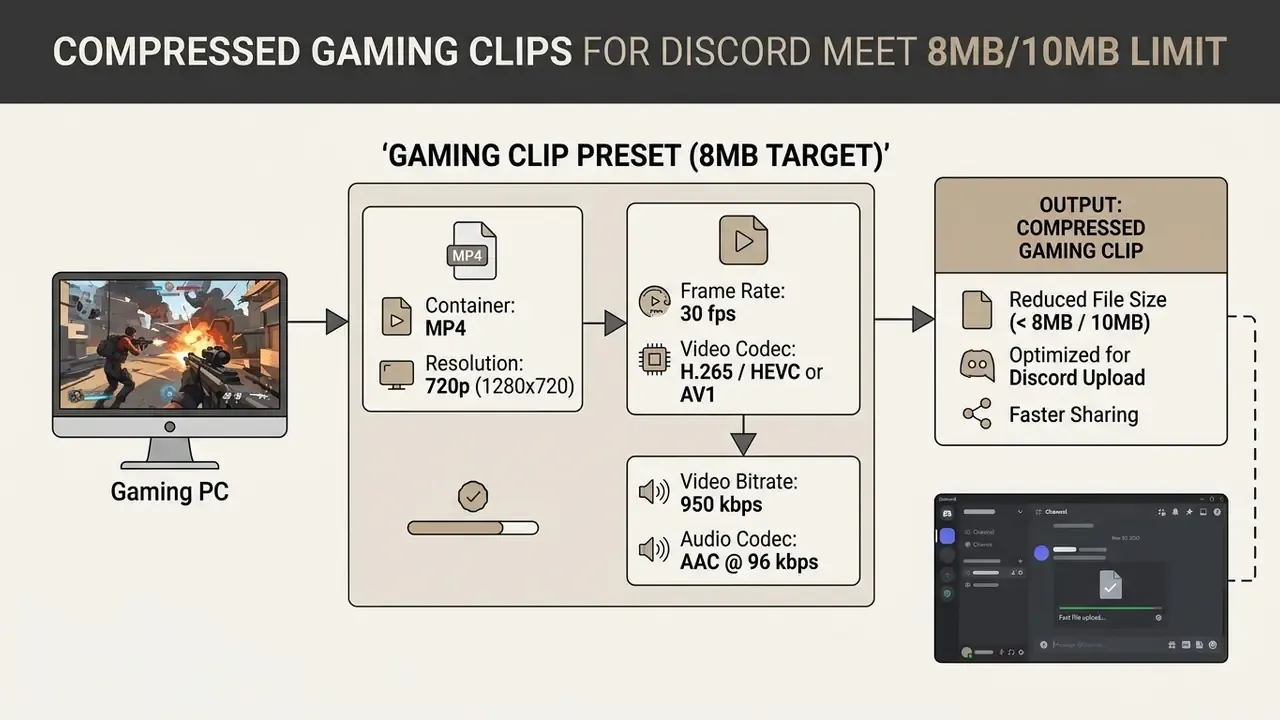
Setting a closed GOP with a keyframe distance of twice the frame rate prevents temporal smearing during fast sequences. A two-second random-access interval matches the recommendation in MC-IF's VVC technical guidelines and the closed 60-frame GOP used in published 1080p60 gaming-codec studies.
«A benchmark of 19 super-resolution models found RealSR reduces x264 bitrate by more than 65% with no significant loss of perceived quality for gaming content.»
Practically, downscaling to 720p and letting the viewer's client upscale beats encoding 1080p at a starved bitrate. Gamers pulling recorded clips from external platforms can consult our guide to an online video downloader youtube tool.
Screen recordings and tutorial videos
A screen recording or software tutorial is the opposite problem: enormous spatial detail in small UI text and code, but very little movement. Protect resolution, sacrifice frame rate.
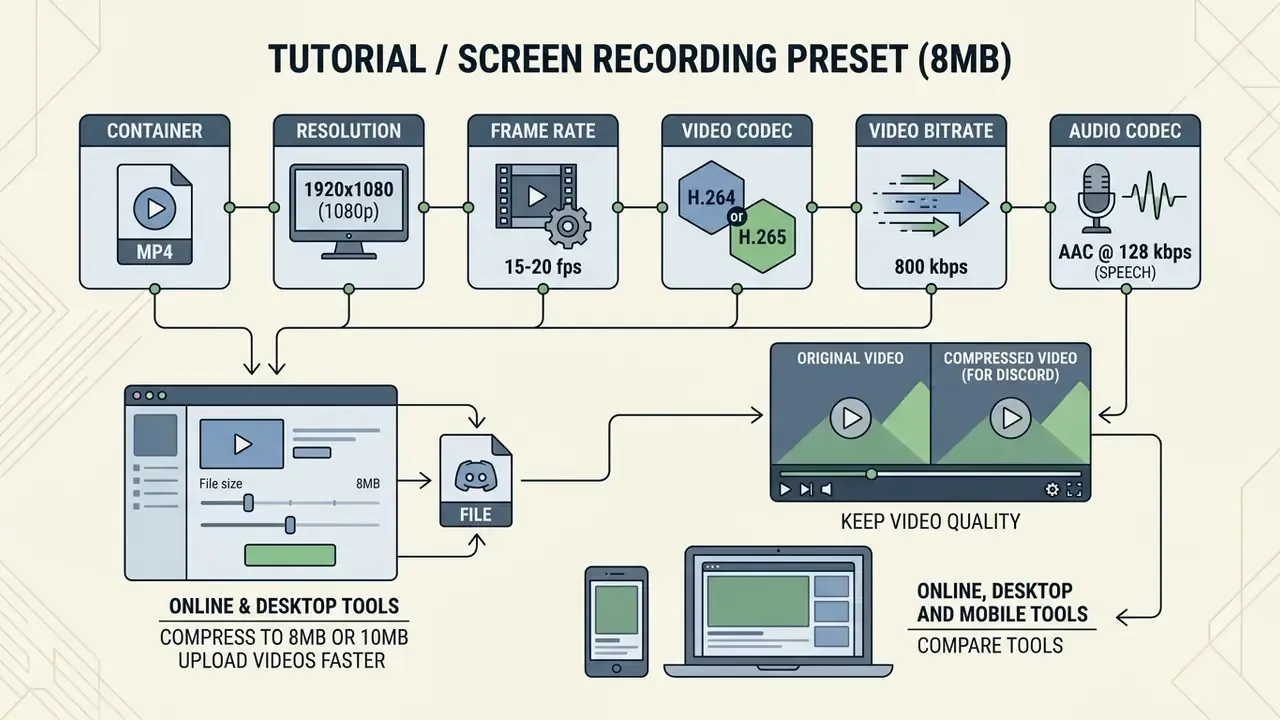
Dropping to 15 to 20 fps frees enough budget to encode full 1080p at a low bitrate without blurring type. Constant-quality encoding in the RF or CRF 20 to 22 band is effectively visually lossless for screen content, while RF 24 to 26 starts softening small characters. 720p is fine for slide decks with big text, but code editors and spreadsheets belong at 1080p or above. Run a short test encode and inspect it at 100% zoom before committing to the full render.
Do not raid the audio budget on tutorials, either:
That is precisely why the tutorial preset keeps AAC at 128 kbps instead of 96 kbps. A narrated walkthrough with muddy speech reads as "low quality" no matter how sharp the pixels are.
Limits of this guidance and open questions
Three honest caveats. First, Discord's caps have moved twice in recent years, and its documentation pages do not always agree with each other, so verify the current upload size in the official FAQ before building a workflow around a fixed number. Second, the bitrate table assumes AAC at 96 kbps and an MP4 container; switch to Opus in WebM and your usable video budget shifts by a few percent. Third, quality thresholds like "400 kbps is the floor at 720p" come from general QoE research, not from a controlled test of your specific footage. Fast-panning FPS gameplay fails earlier; a talking-head clip survives much lower.
What we cannot promise: that any single preset is optimal for every clip. Per-title encoding exists because it is not. Treat the presets here as sensible starting points and re-measure after the first encode.
FAQ about video compression for Discord
Compression and transmission still throw edge-case errors. Knowing how platform validation works shortens the debugging loop considerably.
# Losslessly split a video into 2-minute segments, no re-encoding

ffmpeg -i long_input.mp4 -c copy -map 0 -segment_time 120 -f segment output_part%03d.mp4
Why can Discord reject a video that is already compressed?
Because the check is byte-exact. Container overhead, embedded thumbnails, subtitle tracks and audio all add weight beyond the video bitstream you budgeted for. To avoid this, set your discord video size compressor target to 7.5MB or 9.5MB rather than the hard cap. Also make sure the output is a compatible H.264 plus AAC MP4; exotic or lightly compressed codecs such as ProRes in a MOV wrapper can be refused, or accepted and then refuse to play inline. Checklist: what to do when Discord says "Your files are too powerful"
- Recheck the metadata budget. Target 7.5MB instead of 8.0MB, reserving roughly 500 KB for MP4 container and index overhead.
- Re-encode the audio. Swap uncompressed PCM or FLAC for AAC at 96 kbps or Opus. One PCM stereo track can eat more than the whole video budget.
- Strip subtitle and attachment tracks. Some capture tools bake in hidden subtitle streams, chapter data or cover art.
- Confirm the container extension. Use
.mp4or.webm. A.movcarrying ProRes will be blocked or unplayable at client validation. - Remove the poster frame. Re-mux with
-map_metadata -1 -map 0:v -map 0:ato drop everything except the streams you need. - Verify size on disk, not in the tool's preview. Operating systems report MB in different bases, 1,000 versus 1,024 bytes, so a "7.9 MB" readout can still be 8.28 million bytes. Very low bitrates are far more viable than they were five years ago, which is part of why aggressive targeting works at all:
«The Reparo generative codec at 311 kbps and 30 fps outperforms VP9+Tambur by 11.5 dB PSNR under loss, demonstrating the viability of ultra-low bitrates.» - Reparo, Generative Codec for Video Conferencing (2024).
Is it better to compress a long video or split it into parts?
Split it. Forcing a 10-minute video into an 8MB budget pushes the video bitrate under 100 kbps, and the result is barely watchable. Stream-copy splitting with -c copy cuts a file into shorter clips without re-encoding, so 100% of the source quality survives. FFmpeg's documentation confirms stream copy performs no transcoding, which means output fidelity is identical to the input. GUI alternatives such as LosslessCut use the same principle to split and re-merge without a quality pass, as long as codec parameters match across segments. The decision rule is short. Compress when a hard cap must be met and the clip is brief enough to stay above roughly 400 kbps of video. Split when quality must stay identical, or when duration drags the bitrate below that floor.
Will a compressed video change format, and is compression reversible?
Some compressors quietly swap the container for something more efficient, WebM with VP9 instead of MP4 with H.264, for instance. Check the output settings if format matters downstream. And no, compression is not reversible: discarded spatial and temporal data cannot be recovered. Keep the original master and treat the Discord-ready encode as a delivery copy. Avoid compressing an already-compressed file twice, since each generation stacks new artifacts on top of old ones.
Can these tools compress images for Discord too?
Purpose-built video services such as 8mb.video do not touch images. For image attachments, use a dedicated compressor like TinyPNG, or a universal converter such as CloudConvert if you want one tool for both. Resizing and export controls for static assets sit in our reference material on photo tooling.
Does a Nitro subscription remove the need for a discord video compressor?
Not entirely. Nitro raises the ceiling to 500MB, which solves the rejection problem, but a 400MB clip still uploads slowly and buffers badly for viewers on cellular data. A discord video file compressor pass keeps playback instant for everyone in the channel, subscription or not.
Internal workflows and hub navigation
For additional media processing frameworks, conversion guides and asset workflows, start at our central repository of AI Media Workflows. To compute precise encoding bitrates and target file size limits, use the interactive tools in the calculators section.
Social media videos prepared for Discord sharing
Short-form social media clips from TikTok, YouTube Shorts or Instagram Reels arrive as 9:16 verticals at 1080×1920. When re-encoding them for Discord, scale down to 720×1280.
Keep dimensions even, and ideally on multiples of 16, because H.264 macroblocks are 16×16 and off-grid sizes waste bits on edge padding. Sticking with H.264 in MP4 keeps vertical clips playing natively inside Discord chat on mobile and desktop, with no external player launch. Anyone converting web-hosted media for chat distribution can work through our online youtube video converter guide, and our notes on a photo editor for Mac cover the still-image side of the same publishing routine.