Last updated: February 2026 · Reviewed by: the editorial video-production team (motion design, YouTube growth analytics, and media-licensing review).
This guide is written for creators and small production teams who publish on a schedule and need the ending of every upload to behave predictably. If you make one video a year, a template will do. If you publish weekly, the outro becomes infrastructure.
The short version
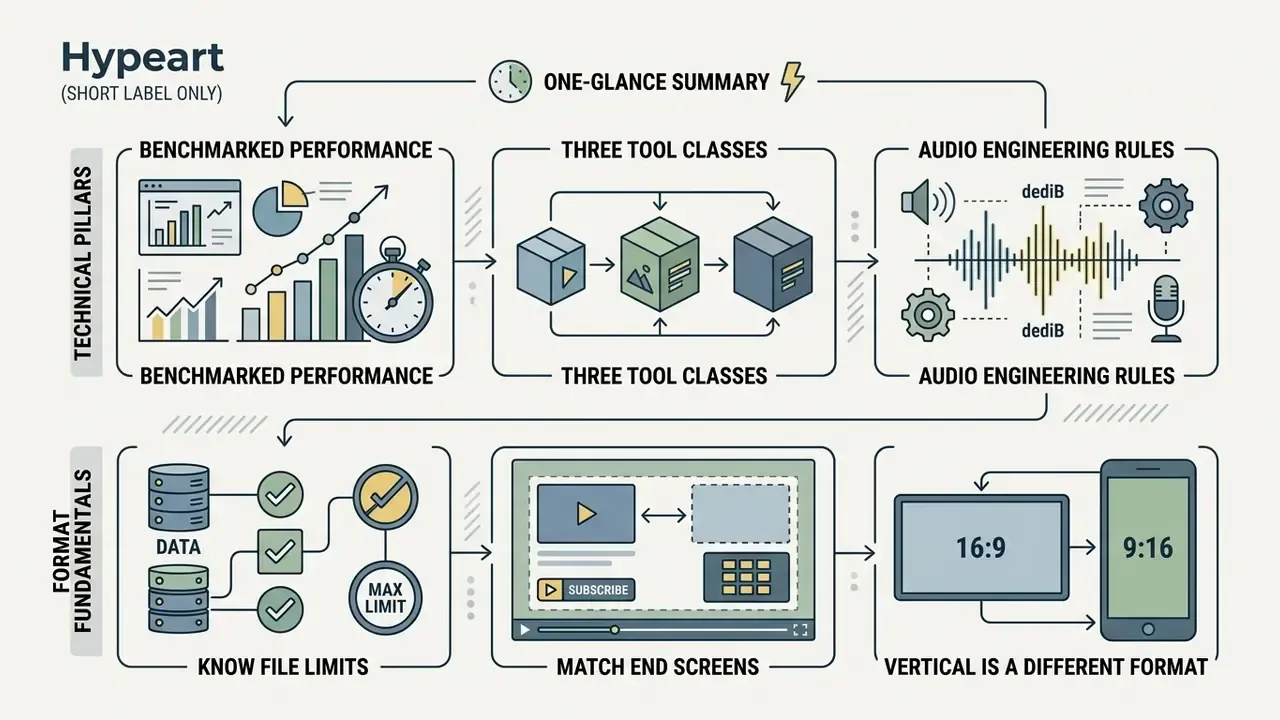
- Timing is fixed by the platform. End screens render only in the last 5 to 20 seconds of a video, and the video must be at least 25 seconds long (YouTube Help, 2026).
- Benchmarked performance. Video and playlist end-screen elements typically return a 3–4% median click-through rate. Standalone subscribe buttons sit near 1%, and a timed verbal CTA lifts element CTR by 1.5 to 2 times (Toolworks Studio, 2026).
- Three tool classes. AI outro makers (fastest), template builders (balanced), and professional editors (maximum control). The comparison table below breaks them down by animation, audio, export formats, and watermark policy.
- Audio has engineering rules. Duck background music to between minus 12 dB and minus 18 dB under voiceover, then apply a 2 to 5 second fade-out.
- Know the file limits before you design. SVG up to 3 MB and 150 to 200 px wide; raster images up to 50 MB and 250 million total pixels; video assets up to 1 GB in MP4, MOV, or WebM.
- Vertical is a different format. Shorts, Reels, and TikTok outros run 1080×1920 at 3 to 5 seconds, with roughly 150 px top and bottom safe margins, because interactive end-screen cards do not render there at all.
What an outro maker is and why an outro video matters
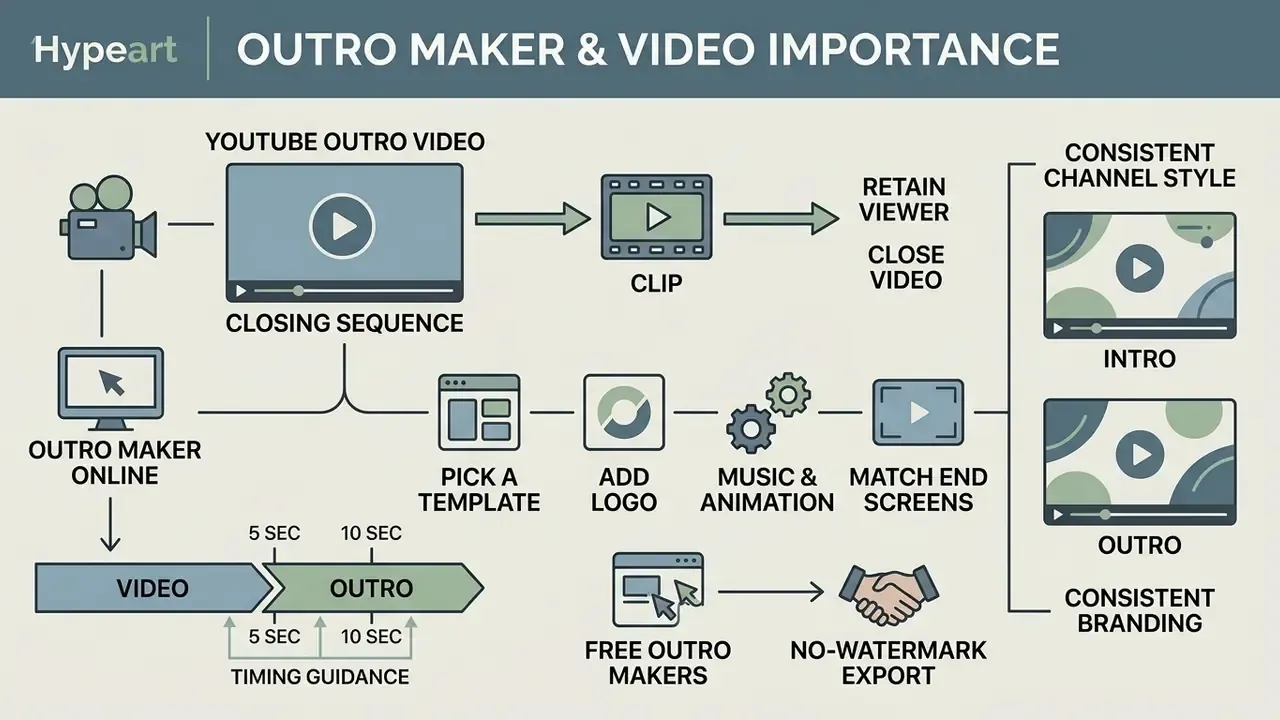
An outro video is the closing sequence of a clip. It bridges the body of your content and the viewer's next action. An online outro maker lets creators and editorial teams design that concluding segment with structured video templates, logo animations, kinetic typography, stickers, and safe zones for platform overlays.
On YouTube, the closing segment interacts directly with platform features. According to YouTube Help (2026), end screens appear during the final 5 to 20 seconds of videos that are at least 25 seconds long, and a standard 16:9 video can display up to four interactive elements: video, playlist, channel, subscribe, or an approved link (YouTube Help, 2026). Instead of letting a viewer leave once the narrative ends, a well-structured YouTube outro routes them toward a recommended video, a playlist, or a subscribe prompt.
At an operational level, the metrics generated during this window are exposed through standard YouTube Reporting API fields, including end_screen_element_impressions, end_screen_element_clicks, and end_screen_element_click_rate (Google Developers, 2026). The same data appears in YouTube Analytics under Engagement → End screen element click rate. That makes the outro one of the few creative assets on a channel with a native, platform-reported conversion metric. A dedicated outro video maker keeps layout compositions from covering critical narrative visuals while leaving clear, high-contrast areas for call-to-action (CTA) cards.
How an outro helps close a YouTube video and retain the viewer
An outro segment holds attention at the end of a video by offering an immediate, low-friction path to more content. Place structured recommendations in the final frames and you extend session duration across the whole YouTube channel.
In a 2026 empirical benchmark of end-screen performance by Toolworks Studio, standard video or playlist elements placed on a YouTube outro video achieved median click-through rates between 3% and 4%, with top-performing tiers reaching 8%. Standalone subscribe buttons averaged roughly 1%. The same study found that pairing visual end-screen cards with an explicit, timed verbal call to action increased element CTR by 1.5 to 2 times compared with a passive visual display.
Worth calibrating expectations about the absolute size of this traffic channel:
«Giving users the option to hide end screens resulted in less than a 1.5% decrease in views generated via end screens.»
So end screens are a steady, measurable, incremental channel rather than a primary traffic engine. Which is exactly why their design should be optimised cheaply and systematically instead of being rebuilt from scratch for every upload.
Worked example (illustrative, internal editorial data). In one optimization initiative, an editorial channel replaced abrupt fade-outs with a standardized 12-second sequence built in an online outro video maker. The team added a direct voiceover instructing viewers to click the adjacent thumbnail, and left designated blank safe zones. Over a 90-day window across 40 uploads, the channel's end-screen click-through rate rose from 1.8% to 4.1%, which lifted session watch time. This number comes from an internal editorial test, not peer-reviewed research. Treat it as directional, and validate the effect on your own channel using end_screen_element_click_rate before and after the change. The direction is consistent with the independently published Toolworks Studio finding that a timed verbal CTA roughly doubles element CTR.
Advertising research points the same way for end-card design specifically:
«Changing end card design alone can boost ad performance by up to 30%, improve cost-per-install by 20% and return on investment by 50%.»
That study measures paid mobile campaigns, not organic YouTube uploads, so the percentages do not transfer one to one. The transferable insight is structural: the closing frame is a high-leverage creative surface, and redesigning it costs far less than re-editing the body of a video.
Intro and outro maker for a consistent channel style
A combined intro and outro maker for YouTube keeps visual and auditory continuity between how a video starts and how it ends. Standardise brand assets at both entry and exit points and viewer recall improves, mostly because nothing surprises the eye.
A cohesive framing strategy reuses primary brand hex colours, typography pairs, logo placement rules, and a sonic signature across both the YouTube intro and the closing video outro. Brand-guideline practice is explicit here: fix a palette with hex codes, limit the font set, reuse both assets, and treat a short audio signature as a reusable sonic marker rather than swapping tracks between intro and outro. The same logic applies to promo video cut-downs and to short intro videos used in playlists.
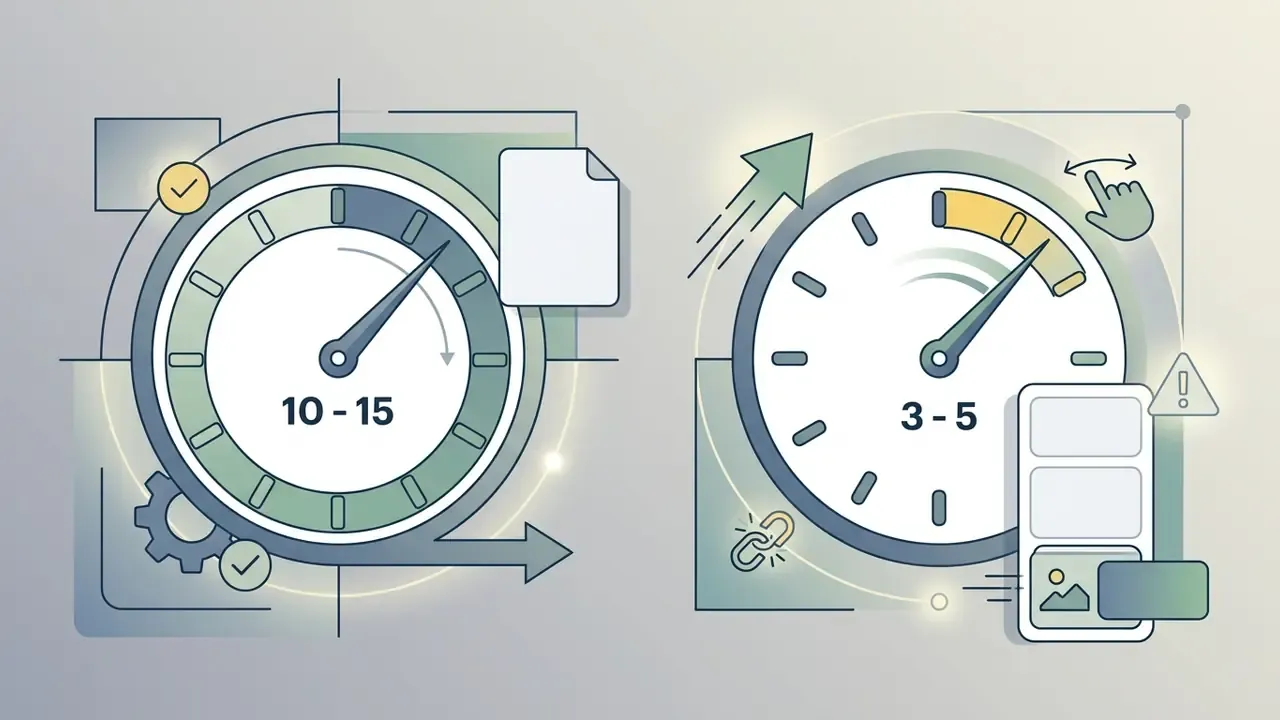
Timing guidance. Production practice clusters intros at roughly 3 to 7 seconds to prevent early drop-off. The outro is bounded by the platform itself: YouTube permits end-screen elements only in the final 5 to 20 seconds, and vendor guidance narrows the sweet spot to 10 to 15 seconds so viewers can read titles and click. Zhang's 2023 study of cross-platform content distribution supports the functional definition of an outro, namely a closing block that "typically includes calls to action (like subscribing or visiting a website) and may feature related videos, end screens, and contributors". The specific second counts come from platform documentation and production practice, not from that paper.
AI has quietly become part of the consistency toolchain:
«Many YouTubers leverage Gen-AI tools to generate graphics, animations, and even edit sequences, to reduce production time and achieve stylistic effects.»
A unified design system with reusable video templates streamlines publishing and removes the single biggest source of visual drift: ad-hoc, per-video redesign. Anyone hunting for the best intro and outro maker for YouTube should judge candidates on how well they store and reapply a brand kit, not on template count.
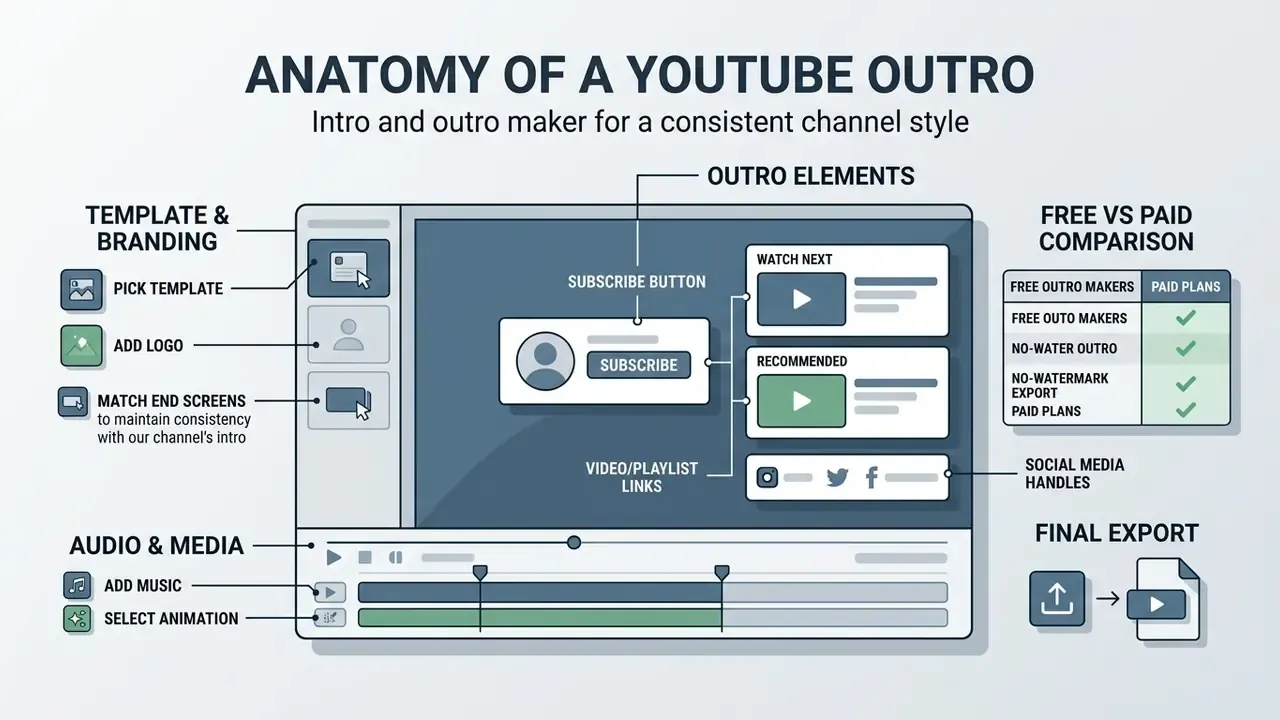
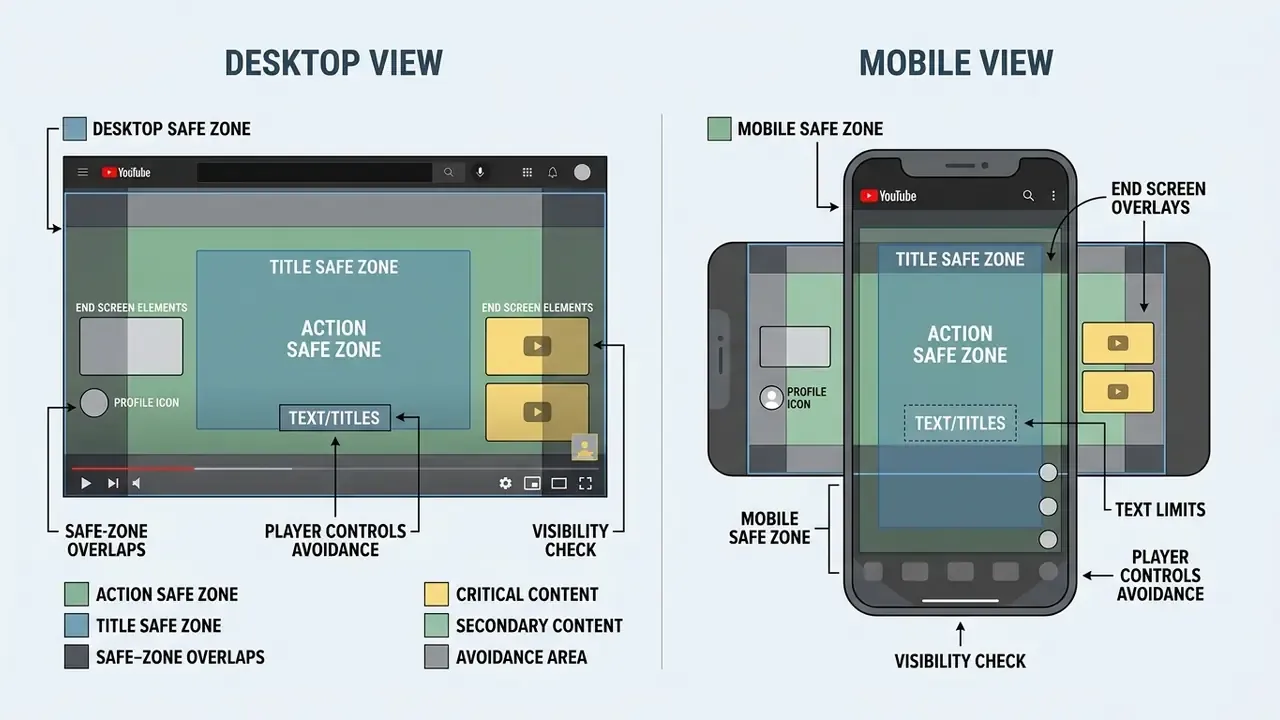
Practical safe-zone numbers for a 1920×1080 canvas: keep at least 90 px of clear space from every edge for critical typography, keep the right-hand 600 to 670 px and the bottom 250 to 270 px free of essential text or logo elements, and never place a readable word directly under a thumbnail card position. Google publishes a companion reference, Working Doc | Universal Safe Zones for Video on YouTube, for teams that need a formal layout template. Note that YouTube Help specifies timing and element counts but does not publish pixel coordinates for logo or text safe zones. Margins are a production convention, not a platform rule.
How to choose the best online outro maker
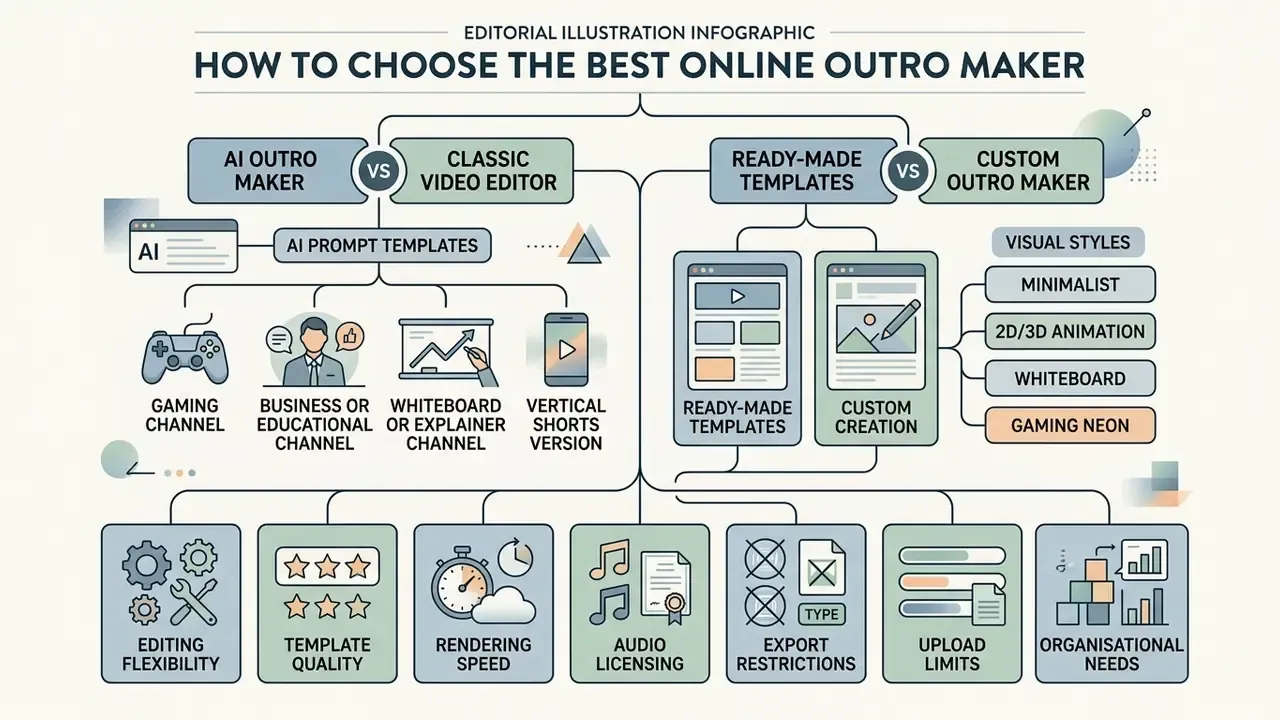
Choosing the best outro maker means weighing editing flexibility, template quality, rendering speed, audio licensing, export restrictions, upload limits, and, for organisations, data handling. The right tool balances fast template adaptation against granular control of timeline properties.
When you evaluate an online outro maker, first name your bottleneck. Is it production speed or brand fidelity? Basic browser tools render quickly with drag-and-drop simplicity. Advanced video editors offer custom keyframing, multi-layer compositing, and uncompressed exports. Very different purchases.
AI outro maker vs a classic video editor
Generative AI outro generators draft concepts from text prompts or brand kits in seconds. A traditional video editor gives you precise timeline control over every visual layer.
AI-powered video creation systems automate sequence drafting, kinetic text generation, and style matching from input guidelines (Lyu et al., ACM CHI 2024). Benchmark work on editing structure supports the split:
«Video editing can be conceptualized as recurring structural components, intros, outros, transitions and overlays, where models assist with segment detection and stylistic continuity.»
Classical timeline editors win on deterministic frame-by-frame adjustment, exact element positioning (position, scale, opacity, rotation), and strict compliance with platform safe zones. For teams bound to brand guidelines, hybrid workflows tend to work best: AI generates background motion, a standard editor handles typography and logo placement. If your pipeline already runs on model APIs, the Google Veo implementation guide documents capabilities, costs, and generation limits for programmatic video creation.
Prompt templates for an AI outro maker. Generative tools respond best to prompts that specify duration, style, reserved layout space, audio character, and on-screen copy:
Refinement prompts matter as much as generation prompts. Most AI editors accept follow-up instructions such as delete scene 2, change voiceover accent to British English, replace background music with a slower bed, or extend the final frame to 15 seconds. Usually faster than rebuilding from a fresh prompt.
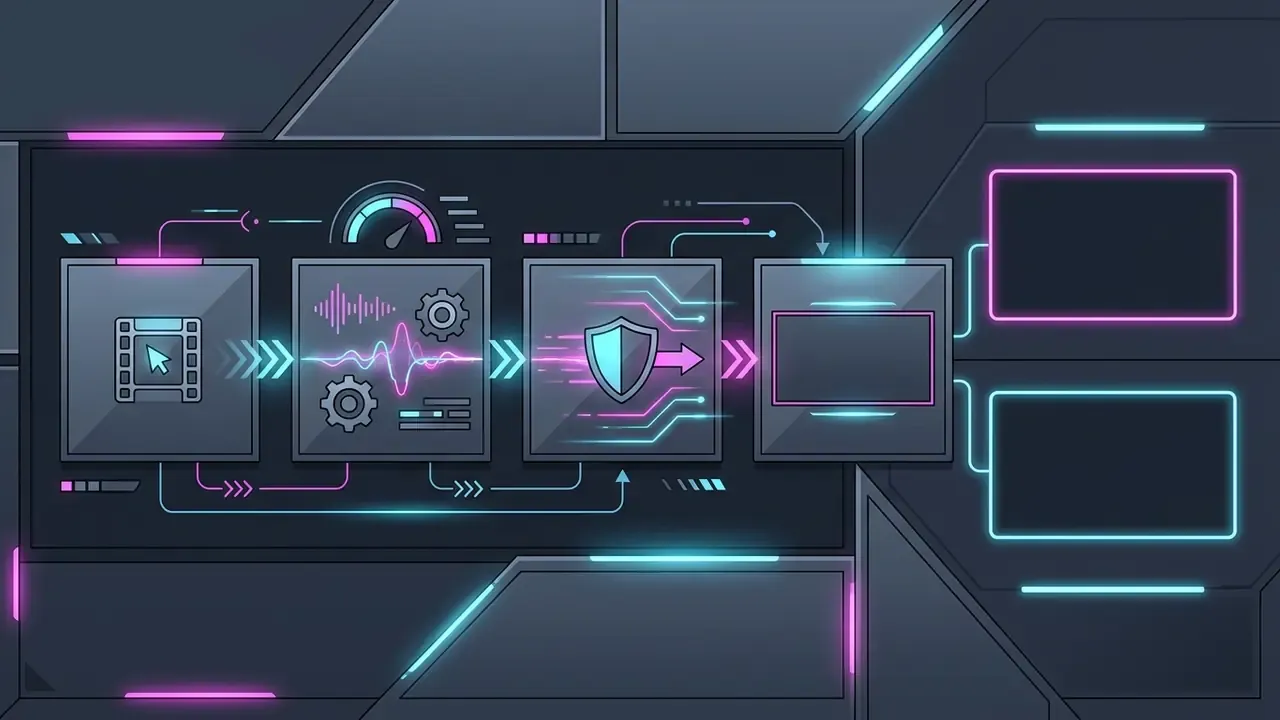
Create a 10-second cyberpunk YouTube outro, neon magenta and cyan lighting on a dark background, leave two empty rectangular video-card placeholders on the right third of the frame, driving electronic bass bed, on-screen text "Next Stream: Entry"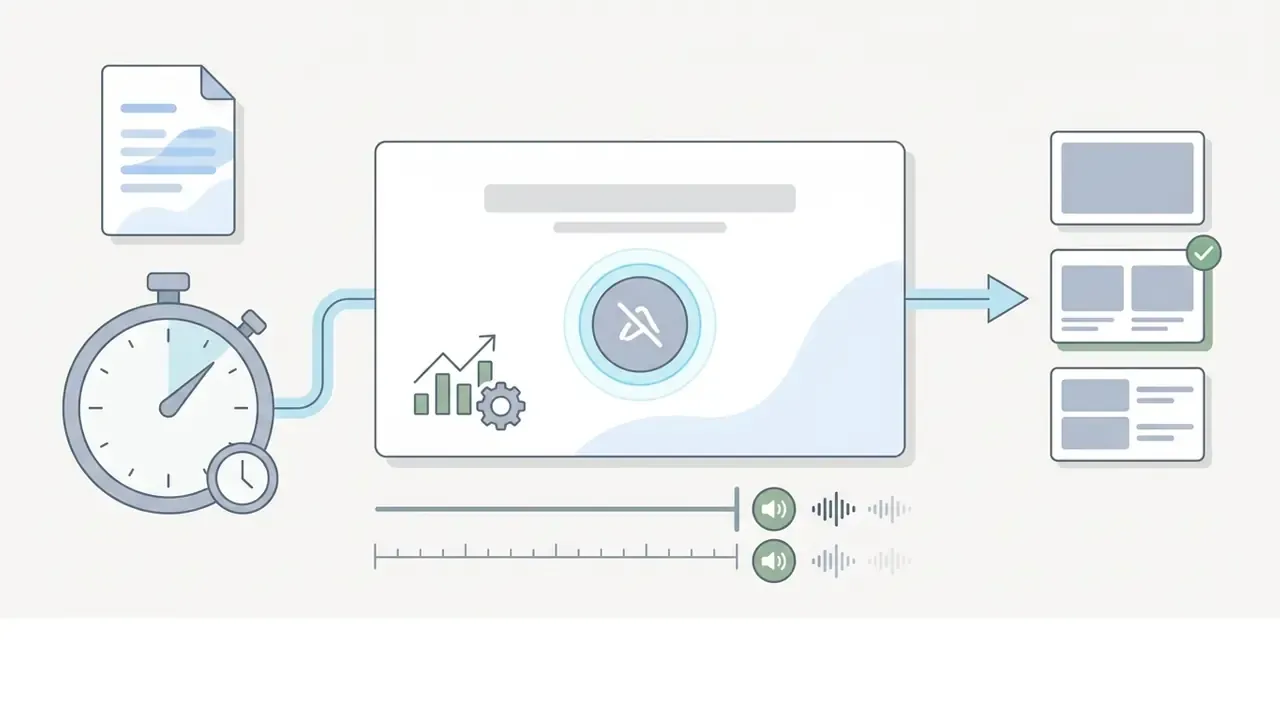
Generate a clean 12-second minimalist outro, pastel blue palette, single sans-serif headline, centred subscribe-button placeholder, keep bottom 25% of the frame empty, soft audio fade-out over the last 3 seconds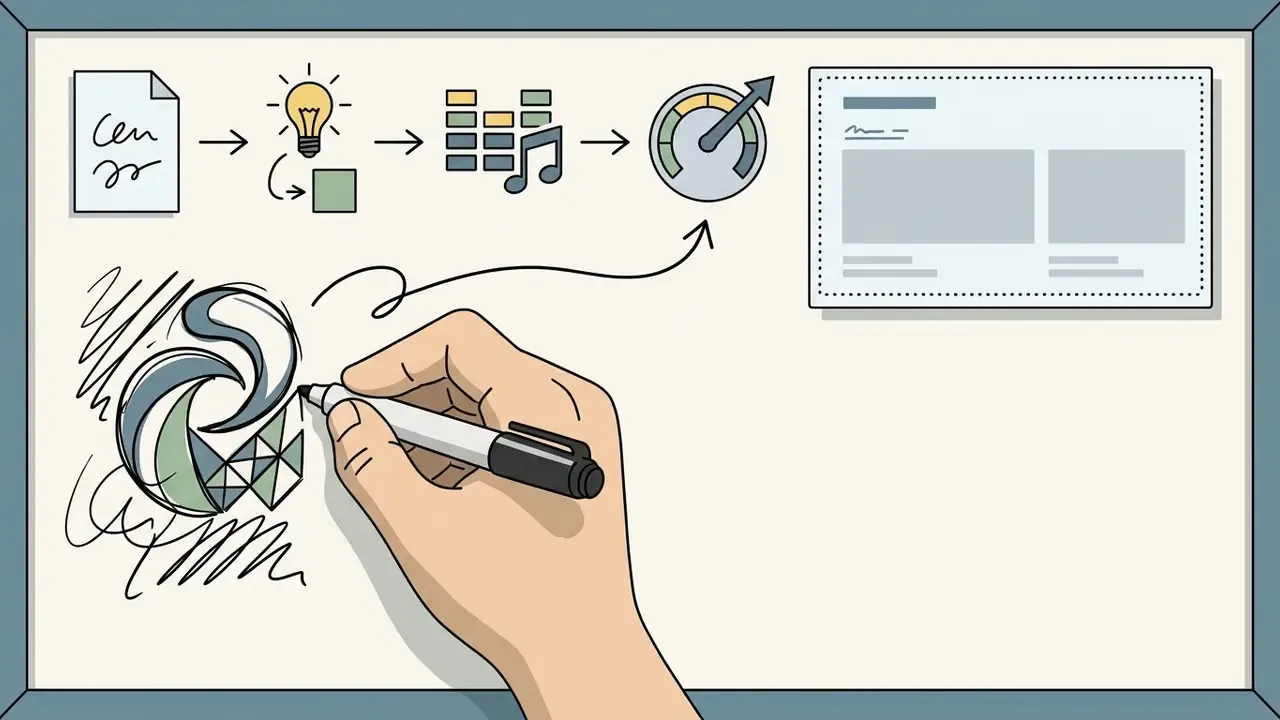
Produce a 12-second whiteboard-style outro, hand-drawn marker animation revealing the channel logo, light paper background, leave the right side clear for two end-screen cards, light acoustic music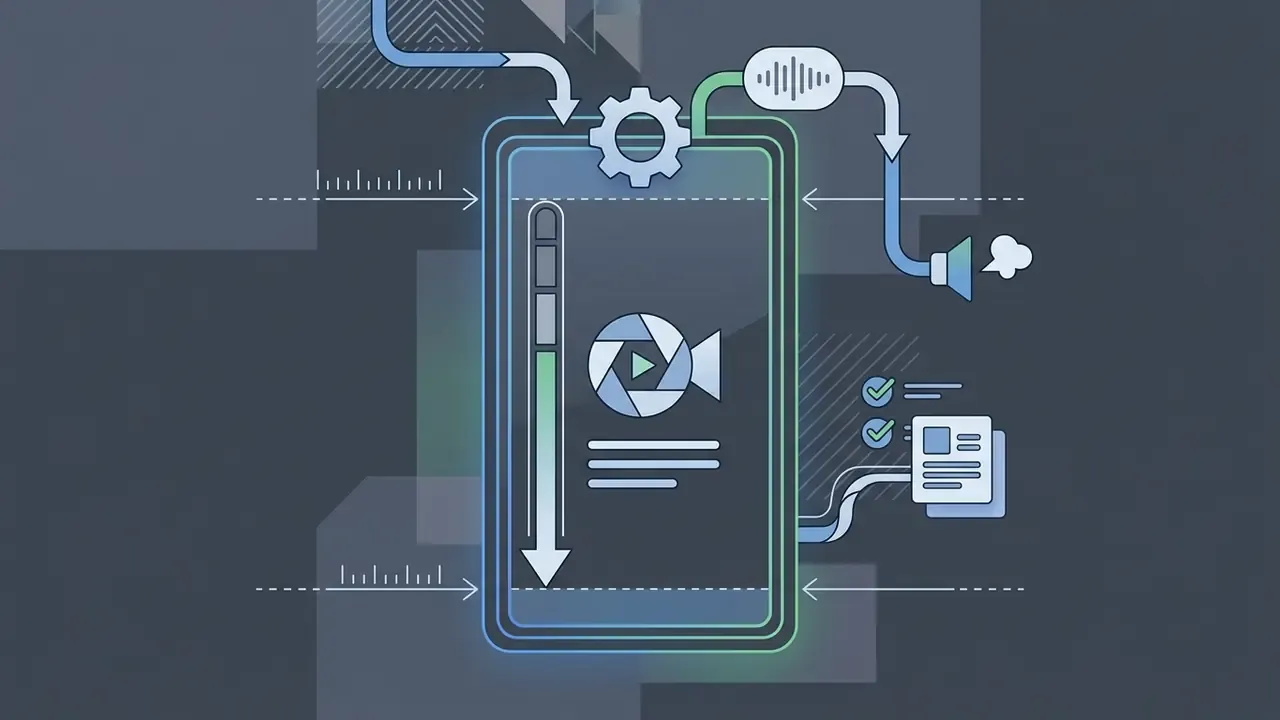
Create a 4-second vertical 1080x1920 outro, logo centred, handle "@channelname" below it, 150 px clear margins top and bottom, single punchy sound effect, no interactive placeholdersReady-made outro templates and custom outro maker capabilities
Pre-built outro templates cut production lead times sharply, while a custom outro maker lets you modify geometry, fonts, and animation paths to stay inside corporate design rules.
Modern libraries in platforms like Canva, Adobe Express, Renderforest, Animaker, FlexClip, and Videobolt sort outro video templates by industry, visual tone, and format. Professionally designed, ready made templates cover most needs out of the box. A robust custom outro maker then lets editors swap default assets for proprietary high-resolution logos, adjust motion curves, change backgrounds, and set colours by exact hex code. Higher-end libraries expose named motion presets such as fade, pan, tumble, and motion path, so a single template can be re-timed instead of redesigned.
The trade-off is layout control. Templates save setup work. A custom build gives tighter command of spacing and element placement inside the end-screen frame, which matters because the clickable overlays sit on top of your footage and cannot be nudged.
Outro visual styles: minimalist, 2D/3D, whiteboard, and gaming neon
Pick a visual language before you pick a tool. It saves wasted production cycles. Four directions cover almost every channel:
- Minimalist or corporate.Restrained typography, one logo lock-up, space for one or two video cards, monochrome or two-tone background. Best for B2B, finance, tutorials, and documentation-heavy channels where clarity beats spectacle.
- 2D/3D animation with characters.Animated mascots or illustrated figures that gesture toward the cards. Effective for kids' content, entertainment, and mascot-driven brands. Needs a tool with character libraries and motion-path control.
- Whiteboard outro.Hand-drawn marker reveal of logo and CTA on a light background. Ideal for science communication and explainer channels, because the drawing motion itself directs the eye.
- Gaming or neon glitch.Glitch transitions, chromatic aberration, high-contrast neon palettes, and a fast audio bed around 120+ BPM. Standard for gaming, esports, and reaction channels, though it still needs clean negative space over card positions.
Style also constrains tooling. Whiteboard and character work need a dedicated animation maker or a template library that ships those assets, whereas minimalist outros can be built in almost any browser editor.
Which features matter for animated and 3D outros
https://web.dev/animations-guide/
«End cards visually different from the final video frame achieved roughly three times higher IPM; playable end cards reached seven times higher IPM and 47% higher CTR.»
Again, the context is paid app-install creative, so the multipliers do not transfer directly. The principle does. An end frame that is visually distinct from the last frame of the main content, and that offers something to interact with, beats a frozen continuation of the final shot.
Technical requirements for uploaded files and assets
Before you design anything, confirm your brand assets will actually upload. Mainstream browser-based outro makers converge on the following limits, and Canva's published media-upload requirements are representative of the category:
- Vector logos, SVG under 3 MB, between 150 and 200 px wide, saved with an SVG Profile of "SVG 1.1". Nested rasters, unusual filters, and non-standard profiles cause most failed vector uploads.
- Raster images (PNG, JPEG/JPG, HEIC/HEIF, WebP) under 50 MB, and no more than 250 million total pixels (width × height). Transparency works in PNG and WebP, and only static WebP files are accepted. For a crisp 1080p outro, a logo PNG around 1000 to 1500 px on its long edge at 300 dpi is plenty.
- Video footage (MP4, MOV, MPEG, MKV, WebM, GIF) up to 1 GB per file, H.264 video with AAC audio, at 30 or 60 fps. If the clip needs a transparent background, exporting as GIF is the most widely accepted workaround, since most browser editors do not ingest alpha-channel MP4.
- Audio WAV or MP3 stems at 44.1 or 48 kHz. Deliver voiceover as a separate stem from music so you can duck the bed independently.
- Oversized assets if a source clip exceeds the limit, re-encode before upload rather than downscaling inside the editor. Our guide to video compressors covers the quality versus file-size trade-offs and which codecs preserve text legibility.
Export targets differ from upload limits. MP4/H.264 is universal, template builders commonly add GIF and WebM, professional tiers add 4K, and a handful of services add Apple ProRes and 8K on business plans.
Cost, watermark, and export limits as your first selection filter
Pricing and watermark policy eliminate more tools than feature lists do, so settle them first. Three questions shape the shortlist:
- Does the free tier export without a watermark?Some platforms (Canva, Clipchamp) document watermark-free free exports up to 1080p. Others (Animaker, several AI generators) watermark free output by design, and a few editors append a short branded outro of their own, which is self-defeating when the asset is an outro. Anyone searching for a free intro and outro maker no watermark should verify this per plan tier, not per marketing page.
- What resolution does the free tier cap at?Common caps are 720p on free and 1080p on entry plans, with 4K reserved for Pro and 8K for Business tiers.
- Do premium assets change the terms?Using a premium template, stock clip, font, or music track inside an otherwise free project often re-enables a watermark or triggers a single-use licence charge at download.
The detailed breakdown, including what to verify immediately before rendering, is in the free-outro-maker section further down this page.
Data privacy and brand-asset security in SaaS outro makers
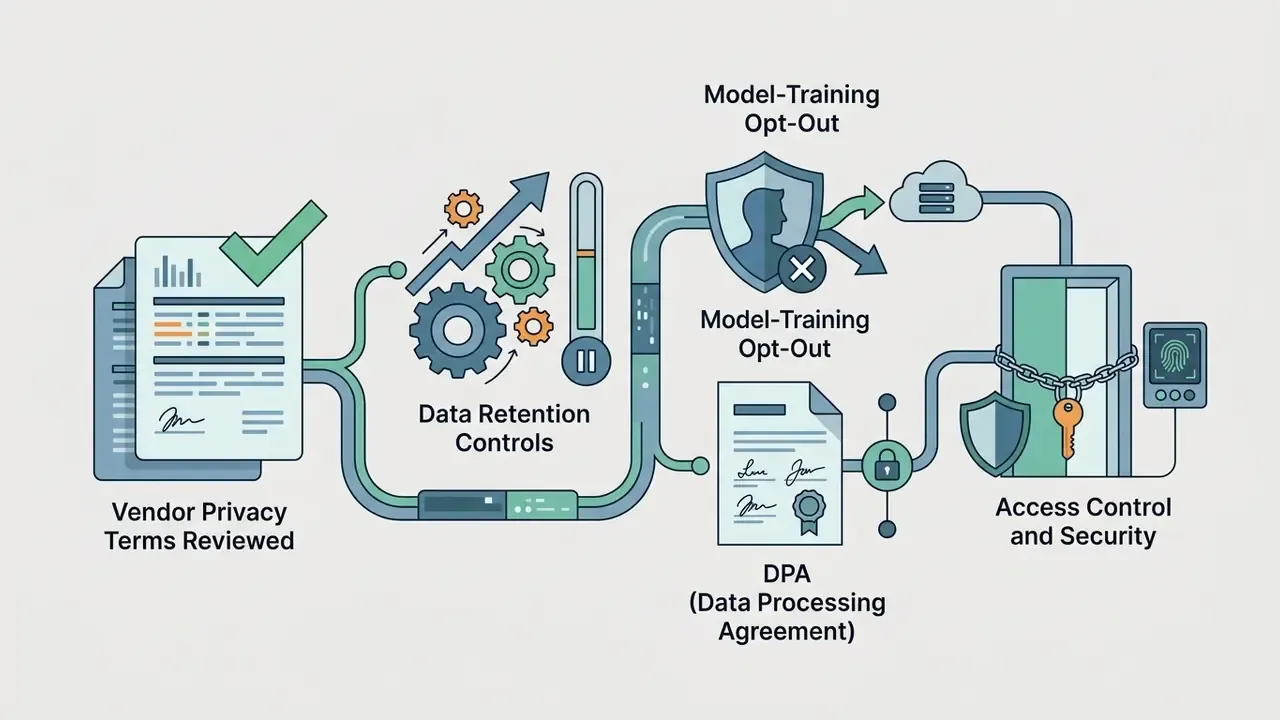
For regulated organisations and agencies, an outro maker is not only a creative tool. It is a third-party processor that receives unreleased brand assets, product footage, and sometimes pre-announcement material. Before standardising on a browser-based tool, run the diligence you would apply to any SaaS vendor:
- Asset residency and retention. Confirm where uploaded logos, fonts, and footage are stored, how long they persist after project deletion, and whether deletion propagates to backups and CDN caches.
- Model-training terms. Check explicitly whether uploaded media and prompts may train or fine-tune the vendor's generative models, and whether an opt-out exists on your plan tier. This clause differs sharply between free and enterprise tiers.
- Access control. Prefer team workspaces, role-based permissions, SSO/SAML, and audit logs over shared personal accounts. Brand kits with unreleased logos should not sit in an individual's free account.
- Compliance posture. Ask for SOC 2 Type II or ISO 27001 attestation, a GDPR data-processing agreement, and a documented sub-processor list. For EU-facing organisations, confirm the transfer mechanism for any non-EU processing.
- Licence chain for generated assets. Get it in writing that AI-generated backgrounds, music, and voices carry commercial-use rights and indemnification suited to your distribution scale. Free and paid tiers routinely diverge here.
- Practical mitigation. Where enterprise terms are unavailable, use placeholder assets during layout, keep unreleased material off the cloud entirely, and composite confidential elements locally in a desktop editor before publishing.
| Selection criterion | AI outro maker | Template-based online outro maker | Professional video editor |
|---|---|---|---|
| Creation speed | High (1 to 3 minutes from a prompt; some tools advertise about 60 seconds) | Medium (5 to 10 minutes from a template) | Low (manual editing required) |
| Customization | Limited by the model's behaviour | High within the template's structure | Absolute (frame-by-frame control) |
| Animation and 3D | Automatic effect generation; preset style sets | Preset motion (fade, pan, tumble, motion path) | Full 3D rendering and motion graphics |
| Audio handling | Auto-selected or generated tracks | Built-in royalty free libraries | Full mixing, ducking, and precise fades |
| Export formats | Mostly MP4 (HD/1080p) | MP4, GIF, WebM (4K on paid tiers) | MP4, MOV, ProRes, 4K/8K uncompressed |
| Upload limits | Often stricter (single-file caps) | About 1 GB video, 50 MB raster, 3 MB SVG | Local storage only |
| Watermark | Present on free, removed on paid | Vendor-dependent (Canva: no watermark on free) | None (local software) |
| Governance and privacy | Check model-training clauses | Team workspaces on business tiers | Full local control of assets |
Read the table as a shortlist filter rather than a verdict. Most publishing teams end up owning two of these three: one fast tool for routine uploads, one precise tool for flagship releases.
How to create an outro video online: step-by-step workflow
To create an outro video online, editors follow a five-step sequence: template selection, brand asset integration, audio editing, canvas previewing, and final export. To create online outro video assets at scale, the same sequence simply gets saved as a reusable project.
A structured workflow keeps the finished video outro inside technical platform requirements without sacrificing visual quality.
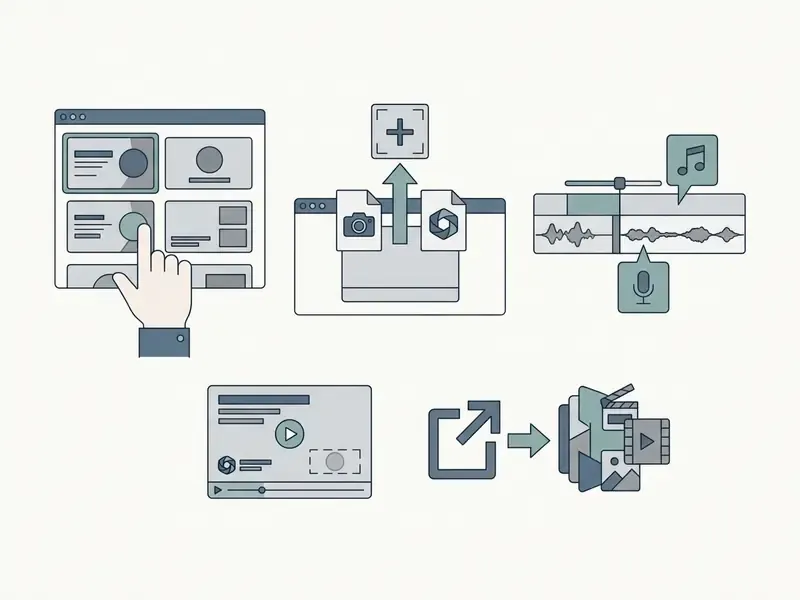
Choose a YouTube outro template or start from a blank project
A professionally designed YouTube outro template accelerates layout work. A blank canvas gives total control over canvas proportions and overlay geometry. Choose one based on the video's primary performance goal, not on what looks impressive in a preview reel.
If the objective is cross-promotion, pick a template with dual video card framing. If subscriber conversion matters more, select a layout that anchors a central logo with subtle motion cues pointing at the subscribe button. And if the channel publishes both horizontal and vertical content, pick a template family that ships 16:9, 9:16, and 1:1 variants of the same design, so the brand reads identically across placements.
Configure text, visual elements, and brand style
Customising the layout means uploading high-resolution assets into a logo outro maker, setting custom fonts, and choosing contrasting colour schemes.
When you edit outro maker text, keep copy concise and action-oriented: "Watch Next" or "Subscribe for Weekly Updates". Make sure animated text overlays stay clear of the bottom-right and right-hand regions where YouTube renders interactive end-screen elements. Keep the logo as a clean, high-contrast lock-up. If the template offers a masked wipe or reveal transition, prefer it over a hard cut, and set white or light typography inside a solid brand-colour block whenever background footage is busy. Stickers and decorative elements are fine, as long as none of them drift into a card zone.
How to edit an outro: logo, music, effects, and animation
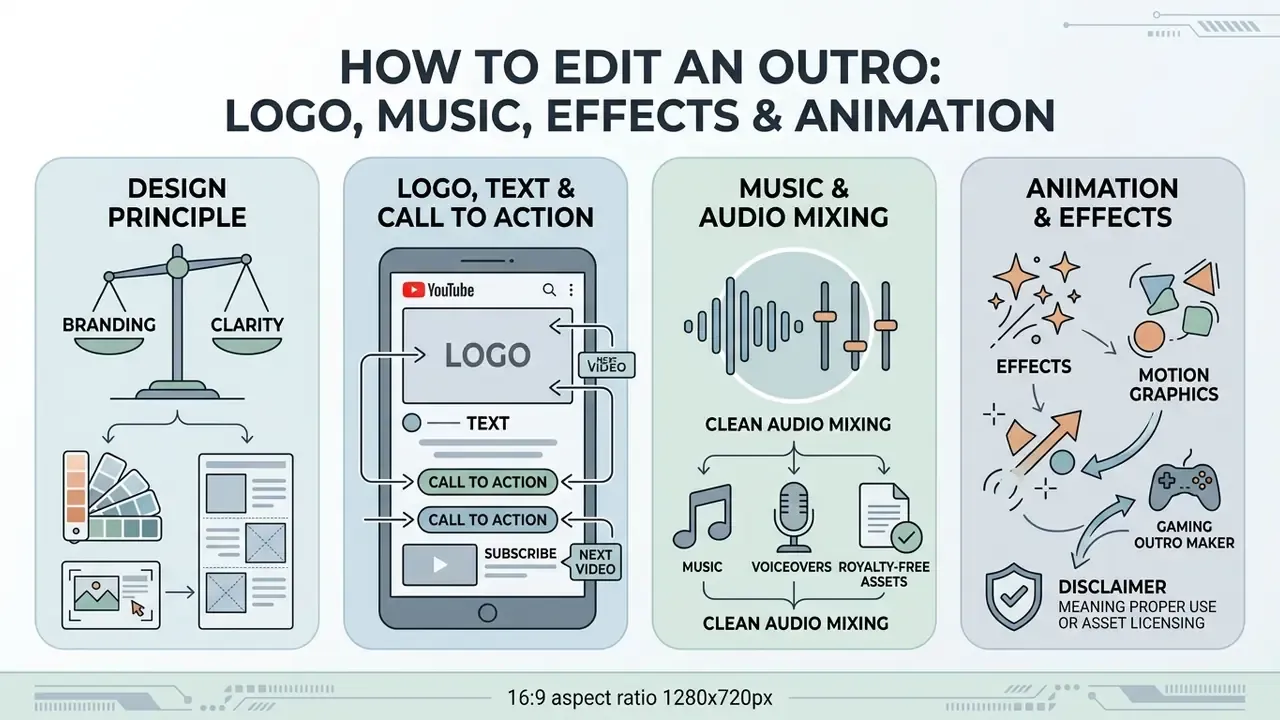
Professional quality in a video outro comes from balance: branding elements, clear typography, motion graphics, and clean audio mixing.
Strong outro segments keep background graphics subtle and push attention toward the primary CTA text and interactive element placeholders.
Design principle. The end frame should not overload the viewer with graphic noise. Its main job is routing the eye to the clickable card. Keep background texture quiet near thumbnail positions, avoid animation directly beneath a card, and let one element (logo, headline, or card area) dominate at any given moment.
Logo, text, and call to action on the end screen
A crisp vector or high-DPI PNG logo dropped into a dedicated logo outro maker anchors brand identity in the closing seconds. Use your own logos at full resolution; upscaled screenshots always look like upscaled screenshots.
Text should state the value of taking the next step, plainly.
Pair visual cues with explicit calls to action, and give the viewer time to act. Google's creator guidance recommends telling viewers exactly what to do and leaving ten seconds or more for the click. In technical workflows, teams can review curated AI Media Workflows to structure automated graphic generation alongside video timelines.
Music, voiceovers, and royalty free assets
Audio used in a YouTube outro must be fully licensed or pulled from royalty free libraries, otherwise automated copyright claims follow.
When you mix, add music at a level that sits under speech: drop the bed by 12 to 18 dB whenever voiceover narration is present. Apply a 2 to 5 second fade-out at the very end to avoid an abrupt cutoff click. For a full musical outro, 3 to 8 seconds is the conventional fade length, while a bed under narration is usually faded across 1 to 3 seconds. Sound effects need very short fades, under 100 ms, which kills clicks without dulling impact. Stock photos and videos used behind the logo should carry the same licence scrutiny as the music. During pre-production, creators sometimes use an online video converter youtube or an online video downloader to inspect reference audio formats.
Animation and effects for a gaming outro maker
A specialised gaming outro maker leans on neon glows, particle trails, glitch transitions, and 3D esports typography.
Gaming channels usually pair fast electronic or synthwave gaming music with dynamic motion graphics, and vendor template libraries in this niche are explicitly built around the 3D, glitch, and neon combination with real-time control over music, colours, and animated text. Measured advertising data supports investing in motion rather than a static card:
«Playable end cards achieved seven times higher IPM and 47% higher click-through rates than static end cards.»
Even so, high-energy animated videos must preserve clean, non-animated negative space over end-screen card locations, so viewers can read titles inside YouTube's native overlays. A glitch effect sweeping across a thumbnail card at the exact moment someone is trying to read it converts curiosity into an exit. Seen it happen on a channel with excellent production values and a terrible CTR.
How to prepare a YouTube outro for publishing
Integrating a finished YouTube outro video means attaching the exported clip to the master edit timeline, then configuring interactive cards inside YouTube Studio.
After export, append the clip to the end of your main project in your video editing software before rendering the upload file. Then publish through YouTube Studio → Create → Upload videos (up to 15 files at a time), and add the interactive layer from the video's Editor tab. Teams that plan and publish content on a fixed calendar should bake this step into the upload checklist, not leave it to memory.
How to combine the outro video with YouTube end screens
In YouTube Studio, open the Editor tab for your uploaded video, select the End screen module to place interactive elements over your outro segment, then confirm with Save.
YouTube allows up to four interactive elements on standard 16:9 videos, and other aspect ratios may support fewer. Position video recommendations and subscribe buttons over the blank frames built into your YouTube outro template, and keep elements inside the final 5 to 20 seconds of playback. One detail people miss: YouTube suppresses other interactive overlays, card teasers and the video watermark, while the end screen is on screen. That is precisely why the underlying design should reserve space instead of competing for it.
«Giving users the option to hide end screens resulted in less than a 1.5% decrease in views generated via end screens.»
For teams running complex media pipelines, testing outputs against verified benchmarks on AI Media Benchmarks and Review Proof gives a baseline for comparison.
Resize videos for YouTube and social media
When you repurpose a horizontal 16:9 YouTube video for vertical platforms such as YouTube Shorts, TikTok, or Instagram Reels (9:16), resize videos and re-crop assets so primary text and logos stay centred. Google documents three canonical asset shapes, 16:9 for horizontal, 9:16 for vertical and Shorts, and 1:1 for square social media placements, and the player can adapt to intermediate ratios between 16:9 and 9:16.
Vertical outro specifications (9:16):
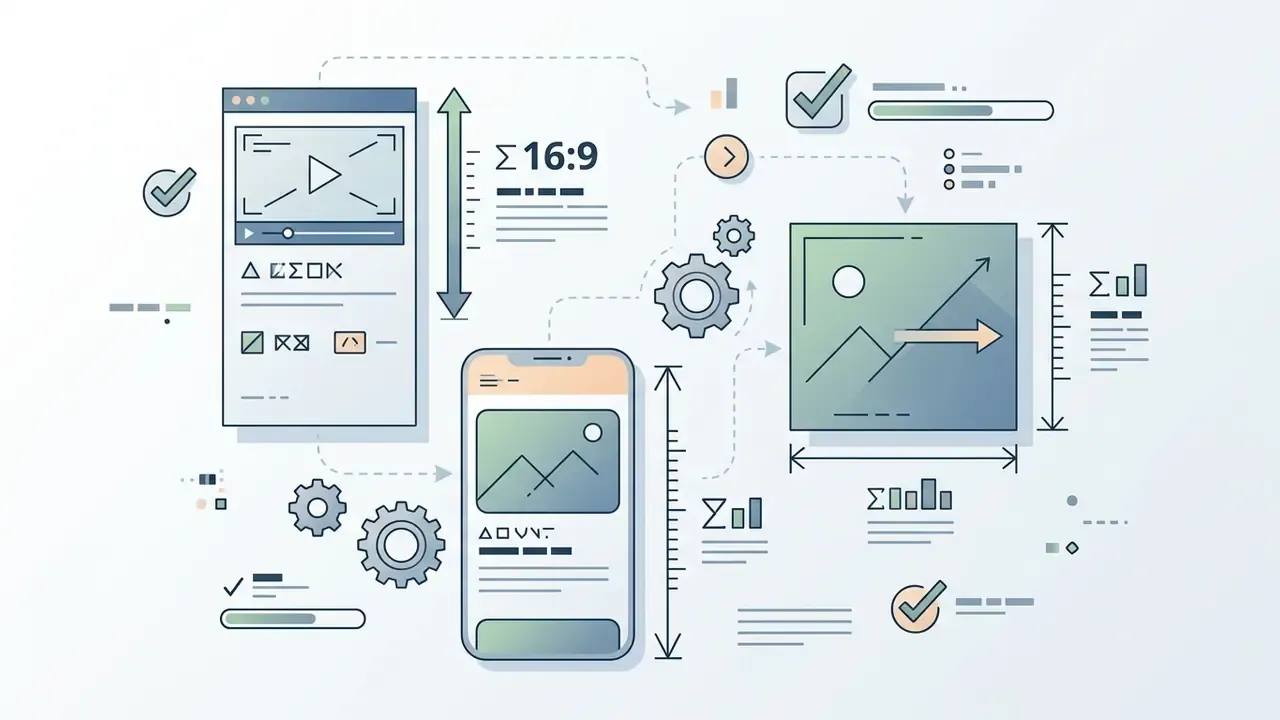
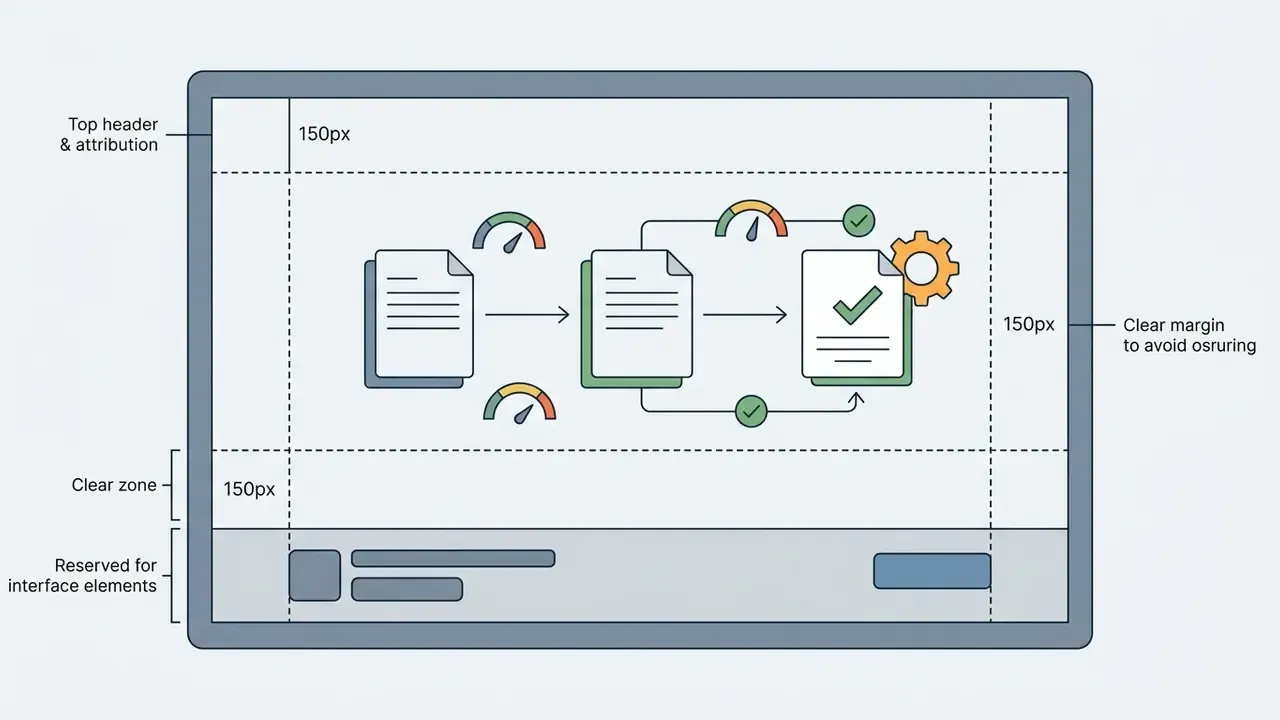
@channel_name, positioned on the vertical centre line.
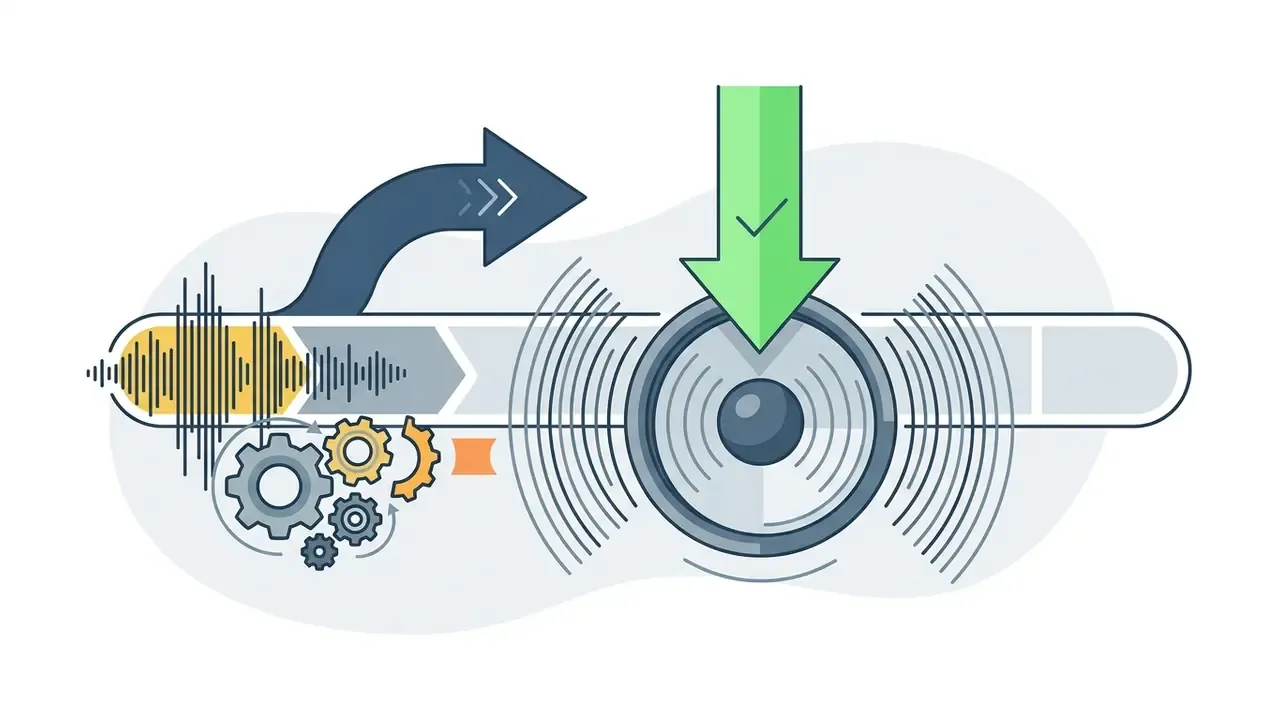
For multi-platform distribution, build a second vertical layout rather than letter-boxing the horizontal one. Editors can also explore technical guides on how to write ai prompts for images or how to write prompts for AI art when generating custom background graphics for cross-platform cards, and compare vertical-first options in our review of free AI video generators.
Free outro maker: watermark, export, and available capabilities
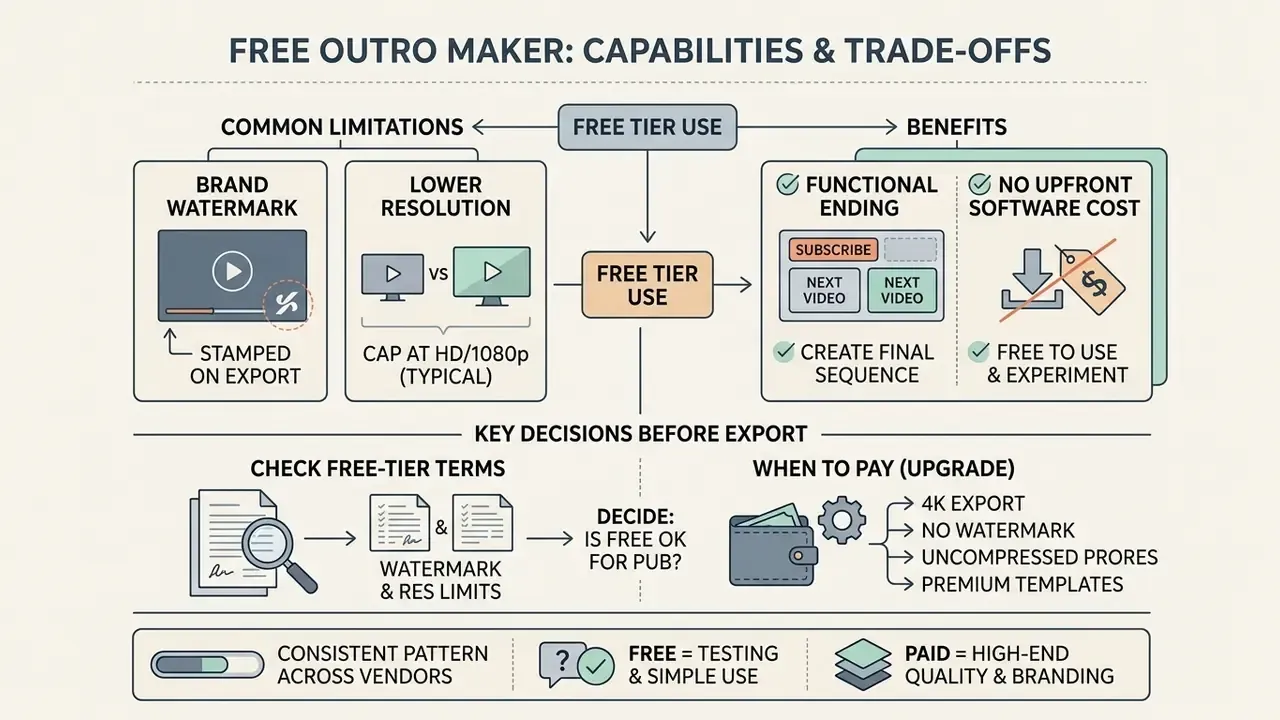
A free outro maker produces a functional ending with no upfront software cost, though free plans usually cap resolution or stamp a brand watermark.
Reading free-tier terms closely tells you whether a free outro maker no watermark meets your publication standard or whether a paid plan is unavoidable. In practice the market splits in two: services that genuinely export clean at no cost, and services that watermark free output, append a branded tail, or lock higher resolution and asset access behind a subscription.
What to check before exporting with a free outro maker with no watermark
Before you render in a free outro maker online, confirm whether the platform stamps a mandatory logo on exported files or caps resolution at 720p.
Canva documents a zero-watermark policy on free video exports using standard asset libraries, and Clipchamp documents free export up to 1080p without a watermark. However, using premium stock footage or proprietary audio inside a free YouTube outro maker can add a watermark automatically or demand single-use licensing before download. Some editors that advertise watermark-free manual export still attach a short default branded outro, or re-enable branding on Pro-locked templates. Test that with a throwaway project before you commit a channel's visual identity to the tool.
A five-point pre-export check:
- Render a 5-second test project and inspect all four corners of the downloaded file at 100% zoom.
- Confirm the actual output resolution and frame rate in the file's metadata, not in the interface label.
- Confirm no vendor tail has been appended after your final frame.
- Confirm every music, font, stock, and AI-generated asset is cleared for commercial use on your current plan tier.
- Confirm daily credit or export-count limits will not throttle you mid-series if you are producing a batch.
When a paid outro maker is required
Paying for an online outro maker makes sense when a channel needs 4K export, uncompressed ProRes downloads, multi-user collaboration, or unrestricted access to premium stock libraries.
The pattern across vendors is consistent. 4K output and watermark removal sit on paid tiers, while commercial-use rights are stated explicitly by some vendors and bundled differently by others. For commercial entities and monetized channels, paid tiers reduce the risk of accidental copyright claims by bundling verified commercial licences across included music, fonts, and video stock, and business tiers add the SSO, audit logging, and data-processing terms discussed above. Teams sizing production costs can use our calculators to estimate return on investment across subscriptions, or review broader AI Media Comparison criteria for stack selection.
FAQ: frequently asked questions about outro makers
What should you say in a YouTube outro video?
In a YouTube outro video, give one clear, direct, time-bound call to action that tells the viewer exactly what to do next.
Something like: "If you found this breakdown valuable, click the video on screen right now to watch our follow-up analysis, and hit subscribe to stay updated." Sync that spoken line with the exact moment your end-screen cards animate in. Vidyard's guidance is to decide the single desired action first, subscribe, visit, or watch next, then write the line to match that stage of the viewer's journey, rather than stacking three competing requests into ten seconds.
How long should an outro be?
The platform sets the outer bounds, since end screens render only in the final 5 to 20 seconds. Inside that window, niche decides:
- Entertainment and vlogs: 10 to 12 seconds.
- Educational content and tutorials: 12 to 15 seconds, enough time to absorb the next topic and read both card titles.
- News and short commentary: 8 to 10 seconds, so the ending does not outweigh the segment.
- YouTube Shorts and vertical video: 3 to 5 seconds, a static branded frame with no interactive cards.
- Absolute minimum: the source video must be at least 25 seconds long for end screens to be available at all.
Some vendor guides quote 20 to 30 seconds. That is longer than the platform's end-screen window and usually costs retention on organic uploads. Treat 10 to 15 seconds as the default, then test against your own end_screen_element_click_rate.
What file formats can I upload to an online outro maker?
Most browser-based editors accept video in MOV, GIF, MP4, MPEG, MKV, and WebM up to 1 GB; images in JPEG/JPG, PNG, HEIC/HEIF, and WebP under 50 MB and under 250 million total pixels (static WebP only); and vector logos in SVG under 3 MB, 150 to 200 px wide, saved with the SVG 1.1 profile. If your clip needs a transparent background, upload it as a GIF, because alpha-channel MP4 is rarely supported in the browser. Always check the vendor's own media-upload documentation, since limits differ by plan tier.
Is the 2016 outro maker style suitable for a modern channel?
The classic 2016 outro maker aesthetic, heavy beveled metallic 3D text, aggressive EDM or dubstep drops, neon border boxes, now reads as a period-specific look rather than a neutral default.
Design coverage for 2025 and 2026 still features dimensional typography, but the dominant direction is kinetic, restrained, accessibility-aware motion: clean typography, subtle background movement, reduced-motion support, adequate contrast. Note the nature of that claim. It is a shift in prevailing design guidance, not a measured drop in performance, and no study in the available source set shows that a 2016-style outro converts worse. Retro gaming channels, reaction creators, and nostalgia-driven formats sometimes deploy the style as a deliberate signal, and for those audiences it can outperform a minimalist alternative. Decide on audience fit plus your own end-screen CTR data, not on trend commentary.
Can one project cover both intro and outro?
Yes, and it is usually the cheaper route. Build one master project in an intro maker that also handles endings, then duplicate and re-time it: a 5-second opener and a 12-second closer sharing the same palette, font pair, logo animation, and audio signature. The video creation effort halves, and the channel reads as one brand instead of two.
Pre-publication checklist
- Source video is at least 25 seconds long, and the outro occupies the final 10 to 15 seconds (3 to 5 seconds for vertical).
- Right-hand and bottom safe zones are free of essential text and logo elements, and nothing critical sits within 90 px of any edge.
- End-screen elements are configured in YouTube Studio and limited to four on 16:9.
- Background music is ducked by 12 to 18 dB under narration, with a 2 to 5 second fade-out on the final beat.
- Every audio, font, stock, and AI-generated asset has a documented commercial licence, with music preferably from the YouTube Audio Library.
- Export is H.264 MP4 at 1080p or 4K, frame rate matched to the main timeline.
- A vertical 1080 × 1920 variant exists for Shorts, Reels, and TikTok, with a persistent centred handle instead of card placeholders.
- Uploaded assets conform to platform limits (SVG up to 3 MB and SVG 1.1; raster up to 50 MB and 250 million px; video up to 1 GB).
- Test render inspected at 100% zoom for watermarks and appended vendor tails.
- Baseline
end_screen_element_click_raterecorded before the change, so the redesign can be measured. - Figures and infographics carry captions and populated alt attributes.
Additional resources and documentation
For teams expanding their video production stack, adding automated media generation, or reviewing commercial licensing frameworks, these technical guides go deeper:
- Plan the full publishing pipeline with our guide to YouTube video editors, covering editing workflows, publishing features, and pricing.
- Compare motion and character tooling in the animation maker guide before committing to a 2D/3D or whiteboard outro style.
- Review design, export, and licensing terms in the Canva AI Generator overview.
- Generate and license narration with the AI voice generator guide, including commercial-use conditions.
- Reduce delivery file size without visible quality loss using the video compressor guide.
- Evaluate zero-cost options and their limits in our comparison of free AI video generators.
- Assess programmatic generation economics in the Google Veo implementation guide.
- Learn how to insert youtube video content into presentation decks for corporate reporting.
- Evaluate custom media integration features via our developer api portal.
- Review legal usage guidelines and commercial rights on our AI Media Commercial-Use documentation page.
- Convert media formats efficiently with the online youtube video converter processing guide.
Appendix A: how to test an outro change and record the evidence
Provenance note first. The 1.8% to 4.1% figure above is internal editorial data, the rendering guidance comes from web platform documentation rather than effectiveness research, and the intro and outro second counts derive from YouTube's published 5 to 20 second window plus production practice, not from Zhang (2023).
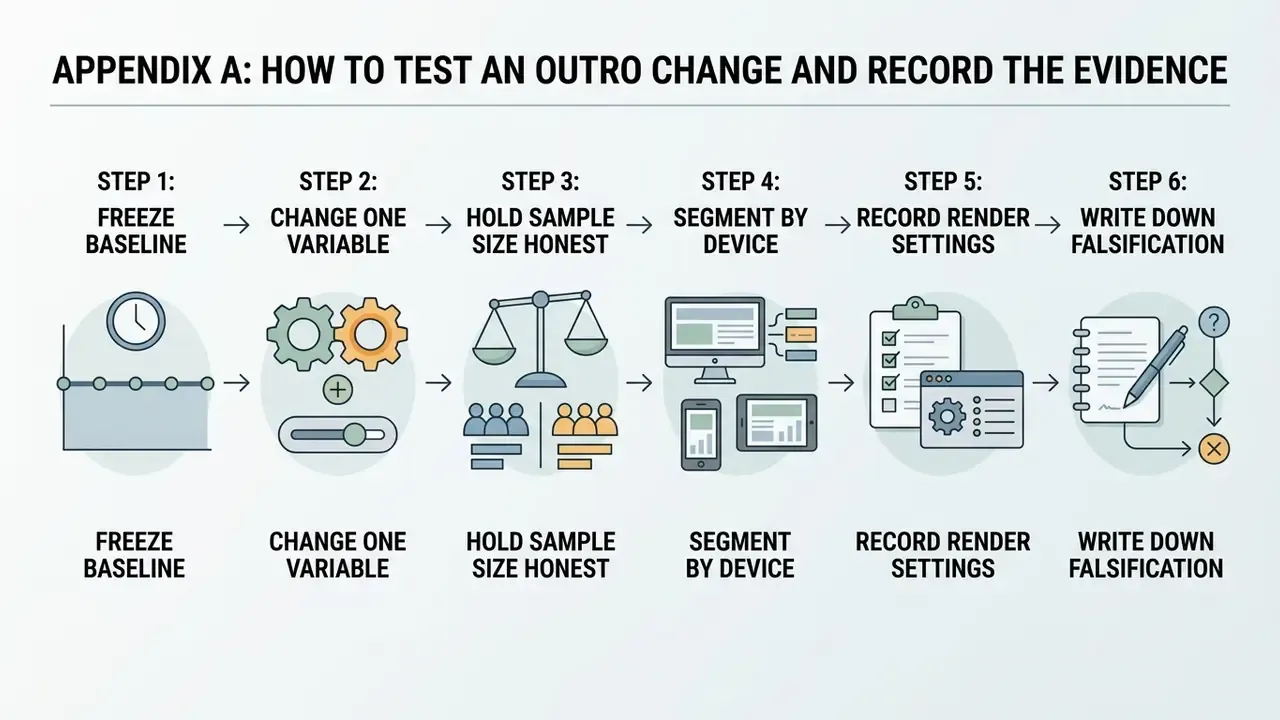
Now the test protocol, which is the part most channels skip:
- Freeze a baseline.Export 60 to 90 days of
end_screen_element_impressions,end_screen_element_clicks, andend_screen_element_click_ratebefore you touch the design. Without this, any later claim is a story. - Change one variable.Either the layout or the verbal CTA, not both. Mixed changes produce numbers you cannot attribute.
- Hold the sample size honest.Ten uploads is anecdote. Thirty to forty comparable uploads inside a similar topic mix is a usable read.
- Segment by device.Mobile end-screen behaviour differs from desktop, and a layout that wins on a 27-inch monitor can fail under the mobile action rail.
- Record the render settings.Resolution, frame rate, fade length, duck level. When a later variant underperforms, you will want to know what actually differed.
- Write down what would falsify the result.If CTR rose during a period when three videos went semi-viral, the outro may deserve none of the credit.
Modest ambition beats a rebuild. One standardised, licence-clean, safe-zone-aware ending, measured properly, usually returns more than a new template every month.