If you work in a bank, a broker-dealer, or a mature fintech, this is not only a productivity question. Earnings webcasts, regulator briefings, analyst panels, and vendor demos all live on YouTube, and the text your team extracts from them can end up inside a research note, a credit memo, or a disclosure review. That is where transcription quietly becomes a model risk topic.
Executive Summary: What Matters Before You Standardize a Tool
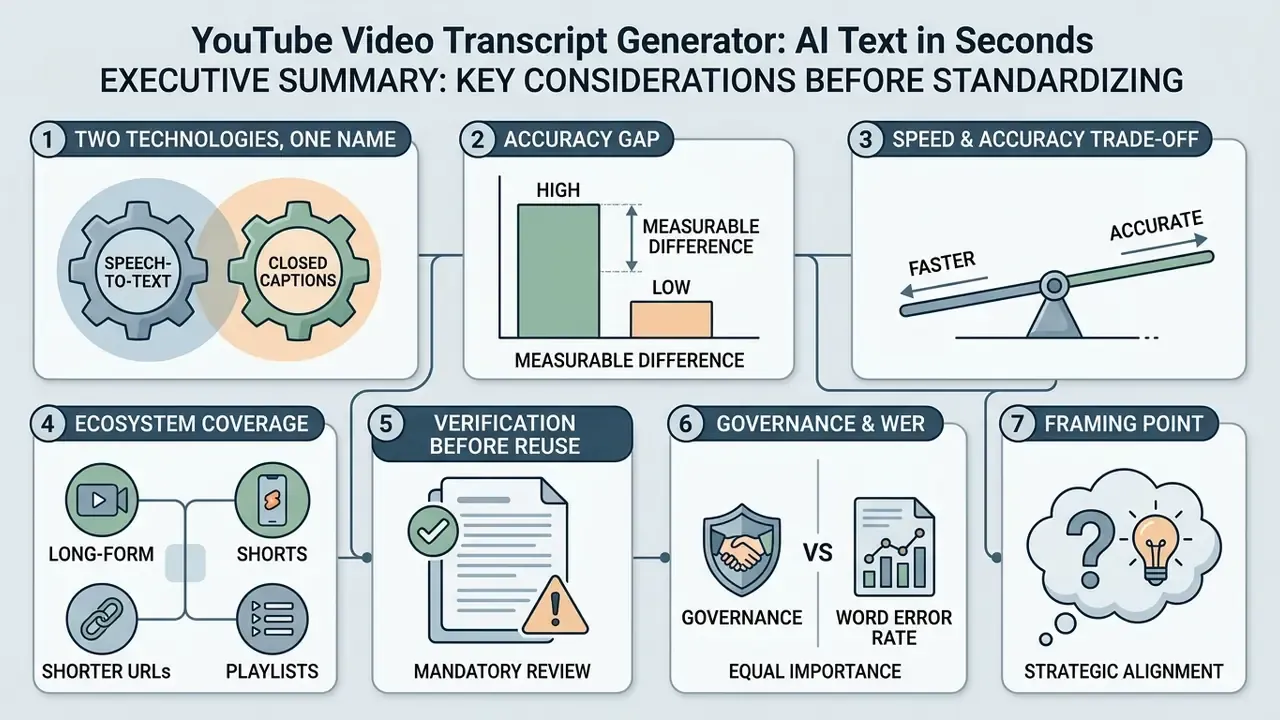
For readers who need the decision, not the tutorial:
- Two different technologies share one name. Caption-relay tools simply re-serve YouTube's existing auto-caption file (fast, but they inherit every native error). AI re-transcription tools run the audio through a modern ASR engine such as OpenAI Whisper, Deepgram, or AssemblyAI, producing punctuated, higher-accuracy text, and they work even when a creator publishes no captions at all.
- The accuracy gap is measurable. Controlled comparisons put Whisper-class models around 92 to 97% word-level accuracy against roughly 78 to 90% for native auto-captions, with the widest gaps on accented speech, technical jargon, and noisy audio.
- Speed and accuracy trade off. Caption-relay returns a 30-minute transcript in 2 to 5 seconds; cloud AI re-transcription typically needs 1 to 2 minutes; batch GPU pipelines return sub-minute results at scale.
- Coverage now spans the full YouTube ecosystem: long-form videos, YouTube Shorts,
youtu.beshort links, timestamped URLs, and entire playlists processed in batch. - Verification is mandatory before reuse. Numbers, proper nouns, timecodes, structure, and translated terms must pass a five-point audit. Machine output is never a legally significant record without human review.
- Governance matters as much as WER. Before a tool enters a regulated workflow, confirm data retention, model-training opt-outs, SOC 2 / ISO 27001 / GDPR posture, and audit-trail capability to avoid Shadow AI exposure.
One more framing point. An AI transcription service is a digital worker: it needs a named owner, an approved scope, an access boundary, and a review step. Treat it that way and the rest of this article becomes an implementation checklist.
What Is a YouTube Video Transcript Generator?
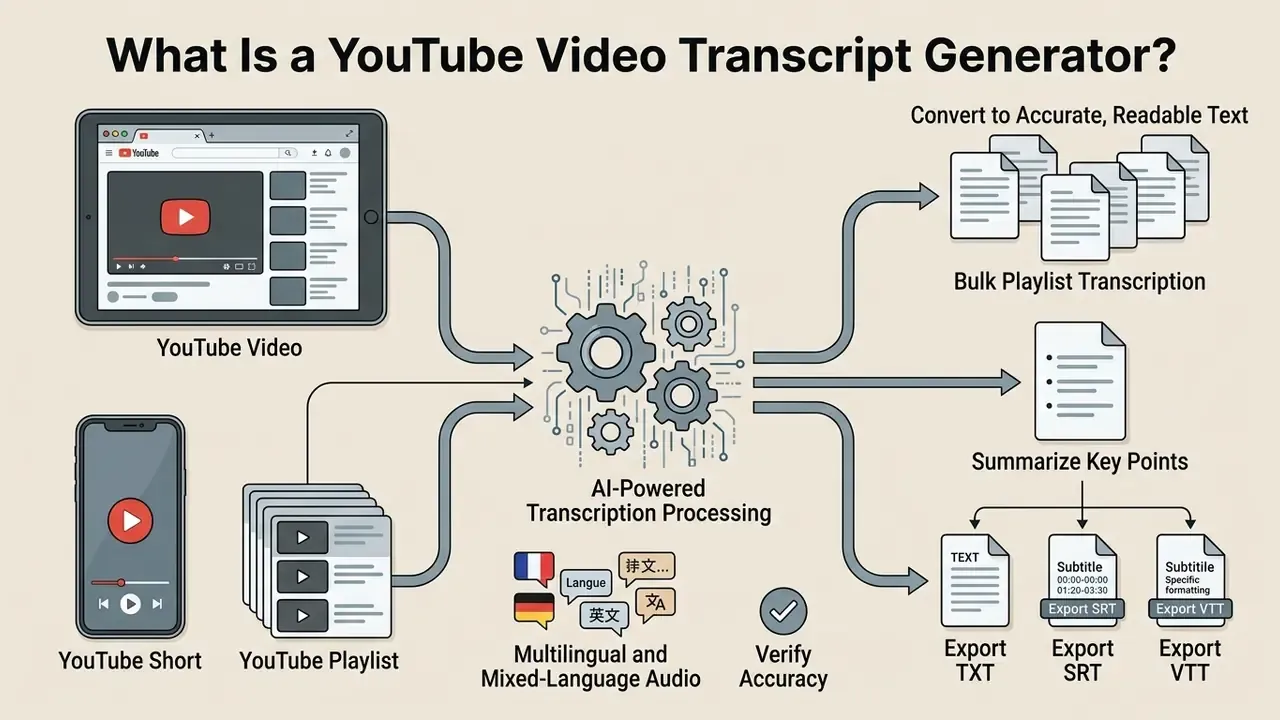
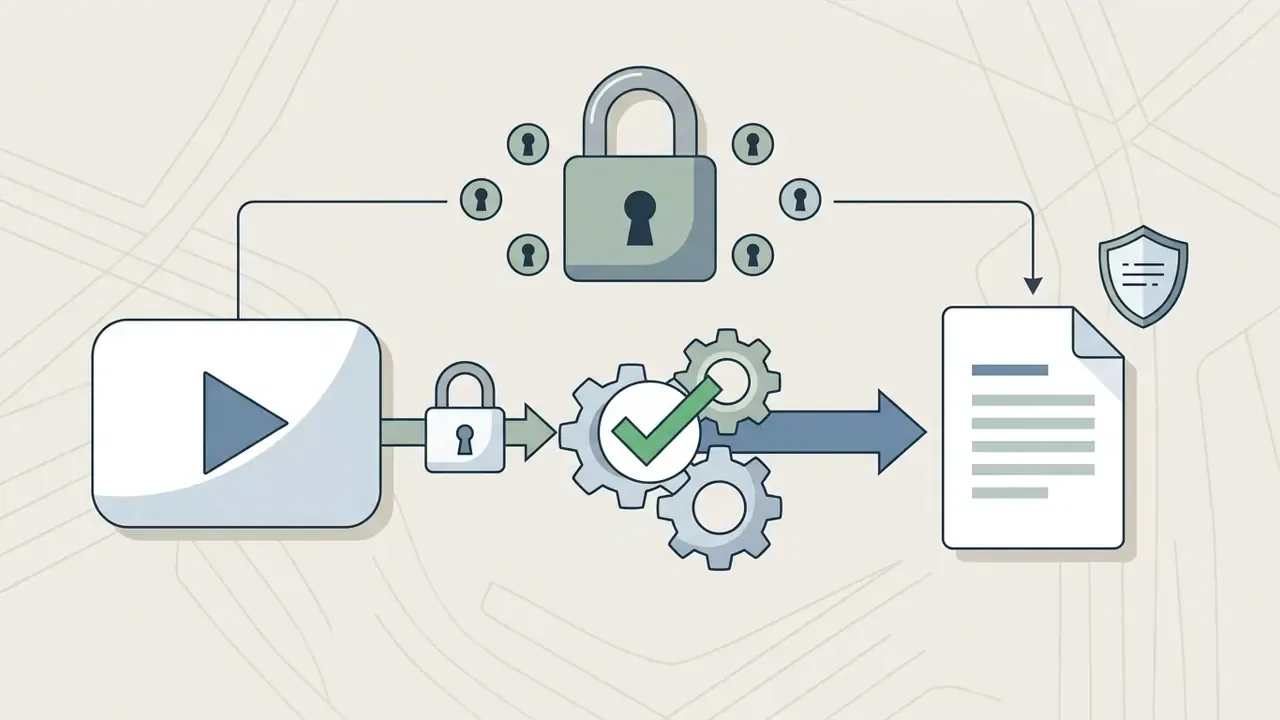
A YouTube video transcript generator is an AI software system that converts a YouTube video URL into accurate, readable text without requiring manual file uploads. It functions by extracting the underlying audio track or native caption stream and passing it to an automatic speech recognition (ASR) engine for processing.
ASR, in plain terms, is the technology that maps a speech waveform onto words. Everything downstream, punctuation, casing, paragraphs, timecodes, is post-processing applied to that raw token stream.
From YouTube Video URL to Readable Text
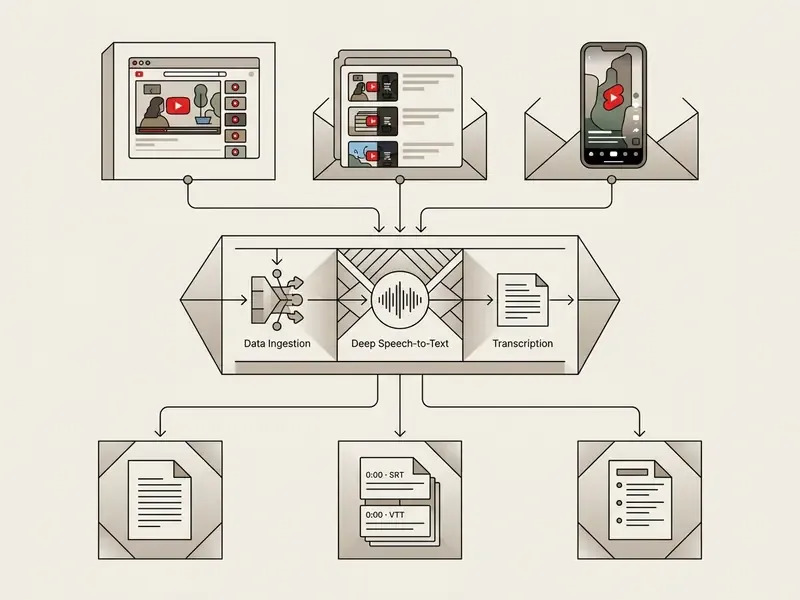
Converting a video URL to text involves audio stream extraction, neural speech recognition, and automated text formatting. When a user pastes a link, the system fetches the media file, isolates speech signals, and applies transformer models to generate punctuated sentences with timestamps.
The documented pipeline runs in two stages. First, the service resolves the URL, retrieves the media container, and demuxes the audio track from the video stream. Second, the isolated speech signal is passed to a recognition model that returns tokens, restores punctuation and casing, groups sentences into paragraphs, and attaches line-level timecodes. The finished object is then serialized into readable formats, TXT, DOCX, SRT, VTT, CSV, or JSON, for downstream reading, editing, or ingestion.
Why does the two-stage split matter operationally? Because failures land in different places. A resolution failure is a connectivity or access problem you can retry. A recognition failure produces text that looks fine and is wrong, which is far more expensive to catch later.
YouTube Transcript and AI-Powered Transcription
Native YouTube transcripts rely on pre-computed captions, whereas advanced AI transcription re-analyzes audio streams using modern ASR engines like OpenAI Whisper. Independent benchmark testing confirms a consistent, measurable gap between the two approaches. The figures below replace an earlier unsourced claim about "2026 benchmarks" that we could not verify.
The difference is not limited to word accuracy. Native caption streams frequently ship without the structural markers that make text readable or machine-parsable:
«A study of 264 videos (997,401 words) found that 20% of auto-caption tracks contain no sentence-ending punctuation at all, and 32% contain no commas.»
Google itself states that YouTube automatic captions are produced by machine learning and may misrepresent speech because of mispronunciations, accents, dialects, or background noise, and advises creators to review and edit the output. In other words, the native track is a draft, not a deliverable. AI re-transcription rebuilds the text from the actual waveform, adding punctuation restoration, truecasing, paragraph segmentation, and, in advanced configurations, speaker diarization (the automatic labeling of who spoke when).
For an analyst reading a two-hour investor day, that structural layer is not cosmetic. Missing commas change the meaning of guidance language. Missing speaker labels make a quote unattributable.
Processing YouTube Shorts, Playlists, and Videos Without Captions
Modern ASR systems extend beyond standard long-form videos to handle diverse media inputs across the YouTube ecosystem:
- YouTube Shorts and short links Paste any standard
youtube.com/watch?v=URL, ayoutu.be/share link, or ayoutube.com/shorts/address. The system extracts the vertical video's audio track instantly, applying the same line-level timecode precision used for long-form content. Note that?t=start-time anchors are honored on standard andyoutu.belinks but ignored on Shorts paths, which always begin playback from zero. - Bulk playlist transcription Enter a YouTube playlist link to queue and batch-transcribe dozens of videos simultaneously, aggregating an entire lecture series, earnings-call archive, or podcast channel into one unified, searchable text database. Playlist URLs are expanded into individual video jobs before processing, and throughput is governed by the concurrent-worker limit of the processing pool.
- Videos without native captions Legacy caption-relay tools fail outright when a creator disables subtitles, because there is no file to fetch. An advanced AI tool to extract text from a YouTube video instead runs direct neural inference on the extracted audio (via Whisper, Deepgram, or comparable backends), generating a complete, punctuated transcript for videos with zero pre-existing captions. This is the single most important functional difference between the two tool categories.
- Multilingual and mixed-language audio Auto-captions are generated only in the video's default language. ASR engines with language auto-detection can transcribe non-default audio across multiple languages and handle code-switching passages, which matters for international webcasts and bilingual interviews.
What to Look For in an AI Tool for Transcribing YouTube Videos
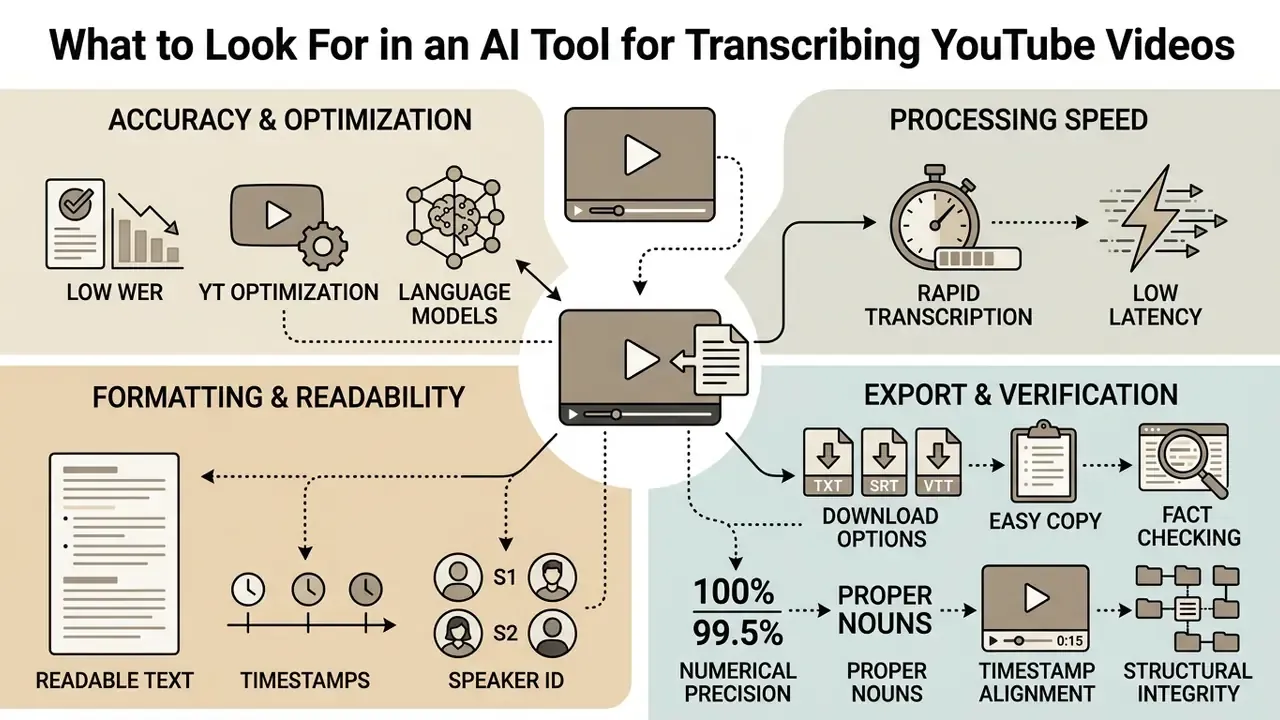
Choosing the best AI tool for transcribing YouTube videos requires evaluating word error rate (WER), language model capacity, export compatibility, and processing latency. Organizations must prioritize tools that maintain high textual fidelity on noisy background audio, regional accents, and specialized technical jargon.
Recent ASR benchmarking work also argues that WER alone is an incomplete selection metric. Reliability-oriented evaluation adds abstention behaviour (does the model stay silent or hallucinate when the signal degrades?) and inverse real-time factor for speed. A practical 2026 shortlist therefore scores four axes: accuracy on degraded audio, latency, multilingual robustness, and governance or privacy handling of the submitted media. Teams that want a side-by-side view of tooling categories can start from an AI Media Comparison hub and then narrow to vendors that publish test conditions rather than slogans.
Accuracy, Speed, and YouTube Optimization
Optimal transcription tools maintain a low Word Error Rate, commonly targeted at under 8% on broadcast-quality speech, while completing 30-minute video conversions within about two minutes. Advanced ASR backends process audio substantially faster than real-time playback without sacrificing sentence boundaries or terminology precision; vendor documentation reports GPU throughput of roughly 0.13x to 0.18x of source duration for compact models, against 0.8x to 2.2x on CPU. Because the "under 8% WER" and "five times faster than real time" thresholds are aggregate targets rather than a single certified standard, verified comparative timings are more useful than headline claims:
Google Cloud's own accuracy guidance is worth applying to any vendor comparison: WER is calculated as (substitutions + deletions + insertions) ÷ reference words, and statistically meaningful evaluation requires 30 minutes to 3 hours of representative audio rather than a single sample clip. Published test sets in an AI Media Benchmarks and Review Proof library are useful as a sanity check, but they cannot substitute for your own audio.
When a financial research team needed to audit 120 hours of quarterly earnings webcasts, manual transcript review created a three-week reporting backlog. The team deployed a dedicated ASR pipeline using Whisper-based model validation to process YouTube video URLs automatically. This intervention reduced turnaround time from three weeks to six hours while maintaining a 96% accuracy rate across technical market commentary. Measured in operating terms, the same output that previously consumed roughly 0.75 FTE-months of analyst review was absorbed by a single afternoon of supervised verification, freeing senior analysts for interpretation rather than typing. The resulting text archive also became permanently keyword-searchable for later disclosure checks. (Treat this as an illustrative composite scenario, not an audited client result.)
That result is no longer an outlier:
Languages, Timestamps, and Transcript Readability
A correction to the marketing narrative is in order. Top-tier tools support 90 to 180+ languages and generate line-level, and in advanced configurations word-level, timestamps for source video alignment. "Frame-accurate" is a marketing formulation rather than a verified specification, and alignment quality varies by engine. Coverage breadth also should not be confused with uniform quality:
«An 81-language FLEURS evaluation showed baseline Whisper large-v3 exceeding 50% WER on several low-resource languages; fine-tuning reduced error by roughly 30% on average.»
Readability depends heavily on punctuation restoration, truecasing, paragraph segmentation, and speaker diarization to transform raw speech tokens into structured documents. Timestamp precision itself is an engineering problem with a documented solution:
«WhisperX combines voice activity detection with forced phoneme alignment, delivering word-level timestamps and a 12x speed-up in batched processing.»
Transcription standards add formatting rules that professional workflows should mirror: timestamps expressed as [HH:MM:SS], [MM:SS], or millisecond values can auto-sync a transcript back to its audio, foreign-language passages should carry an explicit language label, and any non-English segment running longer than about 15 seconds deserves start and end timecodes on its own line for readability.
Copy, Download, and Export Options
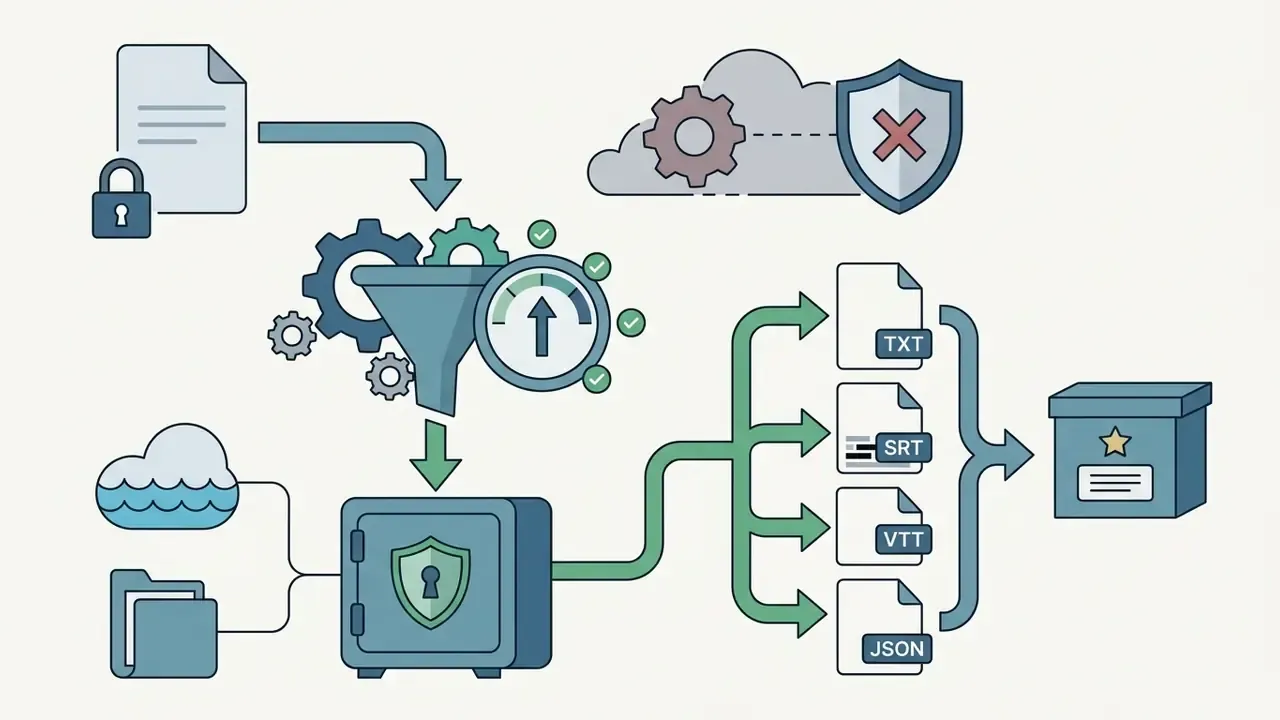
Professional tools allow users to copy clean transcripts directly or export files in TXT, SRT, VTT, DOCX, and JSON formats. Multi-format export ensures seamless integration into video editing software, database archives, and corporate knowledge management platforms. Teams matching export capability to production needs can compare feature sets across free AI video generators and confirm which formats their downstream editors actually ingest. Documented vendor export matrices vary: some services publish TXT, SRT, VTT, DOCX, JSON, and PDF, while others omit VTT or PDF entirely. Verify the list before standardizing a workflow.
| Tool Evaluation Metric | Caption-Relay Tools | AI Re-Transcription Tools | Enterprise API Pipelines |
|---|---|---|---|
| Primary Input | YouTube Caption API | Audio Stream via URL | Direct Media Stream / API |
| Average Accuracy | 78% – 87% WER | 92% – 97% WER | 95% – 98.5% WER |
| Processing Time (30-min video) | 2 – 5 seconds | 1 – 2 minutes | Sub-minute (Batch GPU) |
| Videos Without Captions | Not supported | Supported (direct ASR) | Supported (direct ASR) |
| Shorts / Playlists | Shorts only | Shorts + batch playlists | Full batch queues + API |
| Timestamps & Diarization | Basic / Native | Advanced Line-Level | Word-Level & Multi-Speaker |
| Export Formats | Plain Text, SRT | TXT, SRT, VTT, DOCX, PDF | TXT, JSON, CSV, Custom API |
| Access Model | Free / No Sign-Up | Free Trial / Subscription | Pay-per-minute / License |
Independent testing supports the accuracy tiers in the table above:
Fact Check & Verification Methodology
How to Generate a Transcript from a YouTube Video
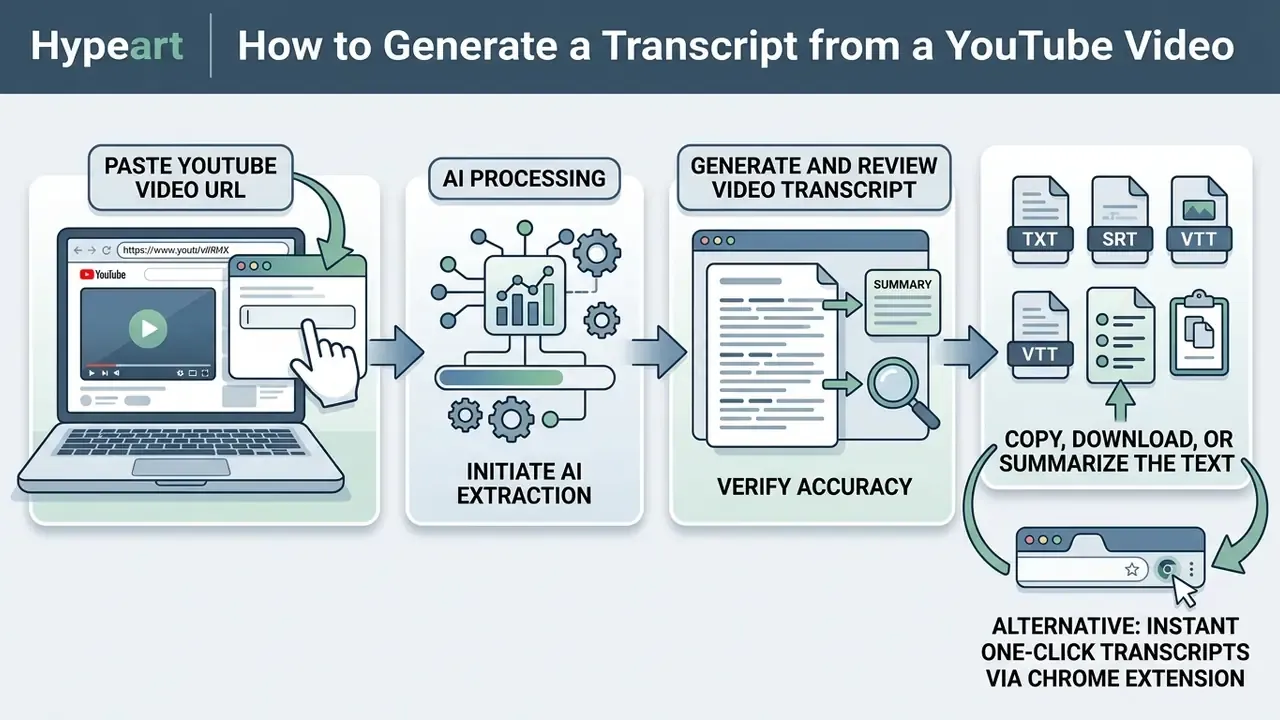
Generating a transcript from a YouTube video involves pasting the target URL, initiating AI processing, reviewing the output text, and exporting the final document. This streamlined process eliminates manual note-taking and delivers actionable text in three clear steps.
Paste the YouTube Video URL
To begin, copy the complete video link from your browser or mobile app and paste it into the converter input field. Modern tools automatically validate standard youtube.com/watch?v= links, shortened youtu.be links, youtube.com/shorts/ addresses, bare video IDs, embed URLs, and timestamped URLs carrying &t= or ?t= parameters before fetching the underlying media file.
One small habit saves time later: paste the canonical watch URL, not a tracking link copied from a newsletter. Query parameters occasionally break URL validation.
Generate and Review the Video Transcript
Click the conversion button to launch speech-to-text processing, which extracts audio and generates punctuated text within seconds. Once processing completes, conduct a swift review of technical terms, proper names, and numerical data to ensure absolute accuracy. Accessibility guidance is explicit on the editorial standard here: a transcript should preserve what was actually said, identify speakers where relevant, and never adapt or add text that was not spoken.
Copy, Download, or Summarize the Text
After validating the generated text, copy the output to your clipboard or download it in your preferred file format. You can also send the verified transcript to an integrated AI module to generate bulleted executive summaries and key takeaway lists. Teams can review calculators to estimate processing times and resource allocation for bulk video transcription tasks.
Alternative: Instant One-Click Transcripts via Chrome Extension
For high-volume workflows, manually copying and pasting URLs creates friction. Installing an AI YouTube transcript browser extension embeds a dedicated "Get Transcript" button directly below the YouTube video player. Clicking the embedded action button opens an interactive sidebar on the active page, letting users extract text, switch caption languages, jump to a spoken moment, or push captions straight into ChatGPT without ever leaving YouTube. Extension-based flows are the fastest option for researchers reviewing dozens of videos per session; URL-based web tools remain preferable for batch queues, shared team pipelines, and environments where browser extensions are restricted by IT policy.
In a regulated environment, that last clause is the decisive one. Browser extensions read page content by design, so they belong in a reviewed software inventory, not in an individual analyst's discretion.
- Paste URLCopy the target YouTube video URL and insert it into the generator input box.
- Run AI ExtractionClick generate to run automated speech recognition and text cleaning.
- Export TextCopy the clean transcript or download SRT, TXT, or PDF files for downstream use.
Free YouTube Transcript Generator: What You Can Do
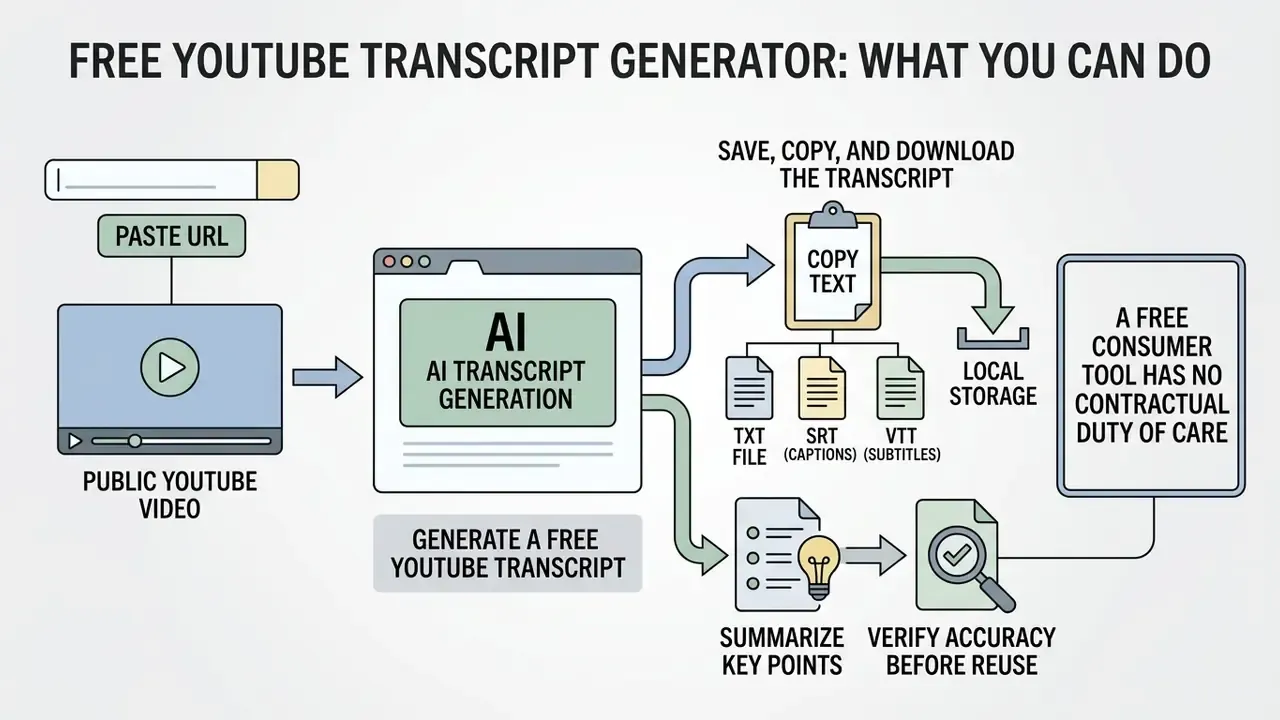
Free YouTube transcript generators allow users to extract text from public video URLs without upfront financial commitments or immediate account registration. These utilities offer rapid access to speech content while enforcing daily usage limits and basic feature tiers.
Generate a Free YouTube Transcript
Free web tools allow instant conversion of short-to-medium length videos directly inside your web browser, and most marketing copy for an AI YouTube transcript generator free tier leans on that convenience. The caps are real, though. Free plans commonly limit either video duration (frequently in the 5 to 20 minute range), monthly transcript count, or total processing minutes. Exact limits differ by vendor and change frequently, so verify the current policy on the pricing page before committing a workflow. Within those caps, the ability to transcribe a YouTube video to text free of charge suits quick information retrieval, short tutorials, and single-quote extraction. Be aware that "no sign-up" marketing sometimes conflicts with sign-in requirements for AI actions or exports.
| Plan Tier | Video Duration Limit | Transcripts / Mo | Export Formats | AI Actions (Summary/Quiz) |
|---|---|---|---|---|
| Free (No Sign-Up) | Up to 15 mins | 5 videos | TXT, plain text | 3 basic summaries |
| Free Account | Up to 20 mins | 20–30 videos | TXT, SRT | Limited monthly quota |
| Pro Tier | Unlimited | Unlimited / batch | TXT, SRT, VTT, DOCX, JSON | Unlimited AI, mindmaps, quizzes |
| Enterprise / API | Unlimited | Metered per minute | Custom API, JSON, CSV | Custom LLM routing + audit logs |
Typical paid entry pricing in this category starts near $9.99 per month for roughly a thousand transcripts and several hundred AI actions, with enterprise pipelines billed per processed minute. For a compliance-adjacent team, the enterprise tier usually earns its price on audit logs alone, not on volume.
Save, Copy, and Download the Transcript
Users can instantly copy generated text to their clipboard or save plain TXT files for local storage. While free plans may restrict multi-speaker diarization or advanced PDF formatting, they deliver sufficient readability for everyday study and research tasks. Teams exploring adjacent zero-cost tooling can also compare free AI video generators to see which providers bundle transcription, captioning, and generation in a single free workspace.
A caution that belongs here rather than in a footnote: a free consumer tool has no contractual duty of care toward your data. Use it for public videos only.
What You Can Do with a YouTube Video Transcript
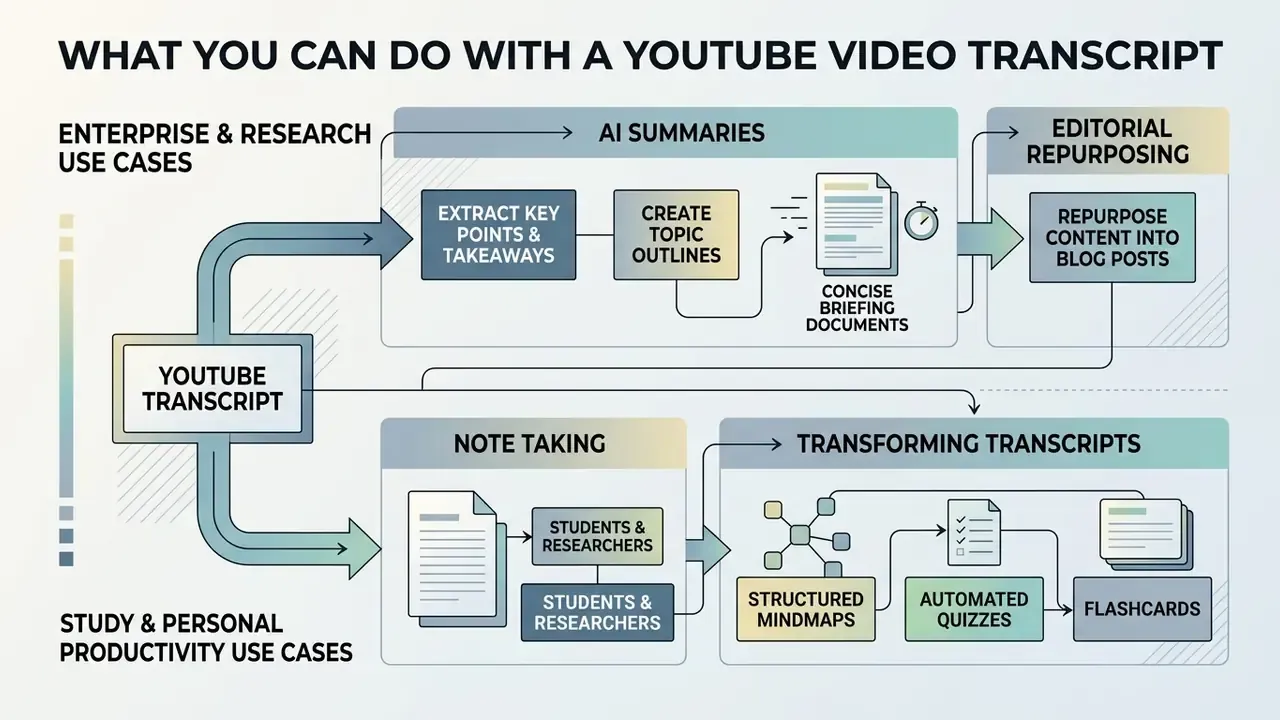
A verified YouTube transcript converts linear video content into a flexible text asset suitable for analysis, documentation, and editorial repurposing. Converting audio into text unlocks instant keyword searchability and streamlines information distribution across digital channels.
Enterprise and Research Use Cases
Extract Key Points and Create AI Summaries
Passing long transcripts into AI language models allows users to extract key takeaways, action items, and topic outlines instantly. Summarization models process thousands of transcript words in seconds, turning lengthy panels and webinars into concise briefing documents.
Research on long-video summarization distinguishes two methodological families worth knowing before you trust an automated summary. Extractive approaches select the highest-value segments or key moments and preserve chronological order, while abstractive approaches generate new sentences that may compress or reinterpret the source. For compliance-sensitive material, extractive summaries with retained timecodes are the safer default, because every claim remains traceable to a spoken moment.
Repurpose YouTube Content into Blog Posts
Content creators use video transcripts as structural foundations for written articles, newsletters, and social media posts. Extracting spoken dialogue allows marketing teams to convert long-form video campaigns into structured blog posts while retaining authoritative messaging.
Publishers can pair transcript extraction with YouTube video editing workflows to keep written, captioned, and clipped versions of a single recording aligned across channels. A repeatable transcript-first method looks like this: clean filler words from the raw text, segment the transcript into three to five thematic blocks, write one master long-form article from those blocks, then derive social threads, newsletter snippets, and highlight-clip captions from the master, reviewing every derived asset against the original transcript before publication.
Derivative formats each have their own craft. Vertical cutdowns follow different pacing rules than a webinar recap, which is why teams often keep separate playbooks for how to edit short vertical clips, for how to edit videos for instagram placements, and for desktop finishing in a guide on how to edit videos on mac. Mobile-first editors reviewing footage between meetings can follow how to edit videos on iPhone instead. Static assets pulled from a transcript, quote cards and chart callouts, are handled with a separate skill set, closer to how to edit text in jpeg image online, and teams publishing tokenized or collectible media sometimes extend the same source material into visual formats described in how to create nft art.
A financial media publisher struggled to maintain daily editorial output while managing a small writing team. The editorial group implemented an AI transcription workflow that converted long-form executive interview videos into clean text drafts. By restructuring verified transcripts into structured articles, the team increased weekly article publication by 150% without expanding headcount. Content teams scaling this pattern often standardize production tooling alongside transcription; comparing AI voice generators helps the same source transcript feed audio versions, dubs, and accessibility tracks.
Study and Personal Productivity Use Cases
Established study guidance reinforces the practice: universities advise reviewing and consolidating lecture notes within 24 hours, comparing them against another source for accuracy, and reorganizing key phrases into retrieval cues before exams. A searchable transcript makes each of those steps mechanical rather than memory-dependent. A 2024 peer-reviewed study also found that slides, PDFs, and recordings measurably reduce the need for copious in-lecture note taking, shifting effort toward structured review.
Transforming Transcripts into Mindmaps, Quizzes, and Flashcards
Raw text conversion is only the first phase of content transformation. Once a transcript is generated, integrated LLM modules can convert structural text into interactive study and business assets:
- Structured mindmapsConvert sequential spoken ideas into hierarchical Markdown or Mermaid.js visual trees for rapid project mapping and lecture skeletons.
- Automated quizzes and flashcardsGenerate multiple-choice questions, key-term definitions, and active-recall cards directly from lecture transcripts for exam preparation.
- Bilingual dual-language subtitlesAlign the original-language transcript side by side with target translations (English to Mandarin, Spanish, Japanese, and beyond) for language learning and global publishing.
- Study guides and show notesProduce chaptered outlines with retained timecodes so a reader can jump back to the exact spoken moment behind any claim.
- Searchable knowledge-base entriesPush cleaned transcripts with speaker labels and source metadata into a wiki or vector index for organization-wide retrieval.
Plan a YouTube Transcription Workflow with AI
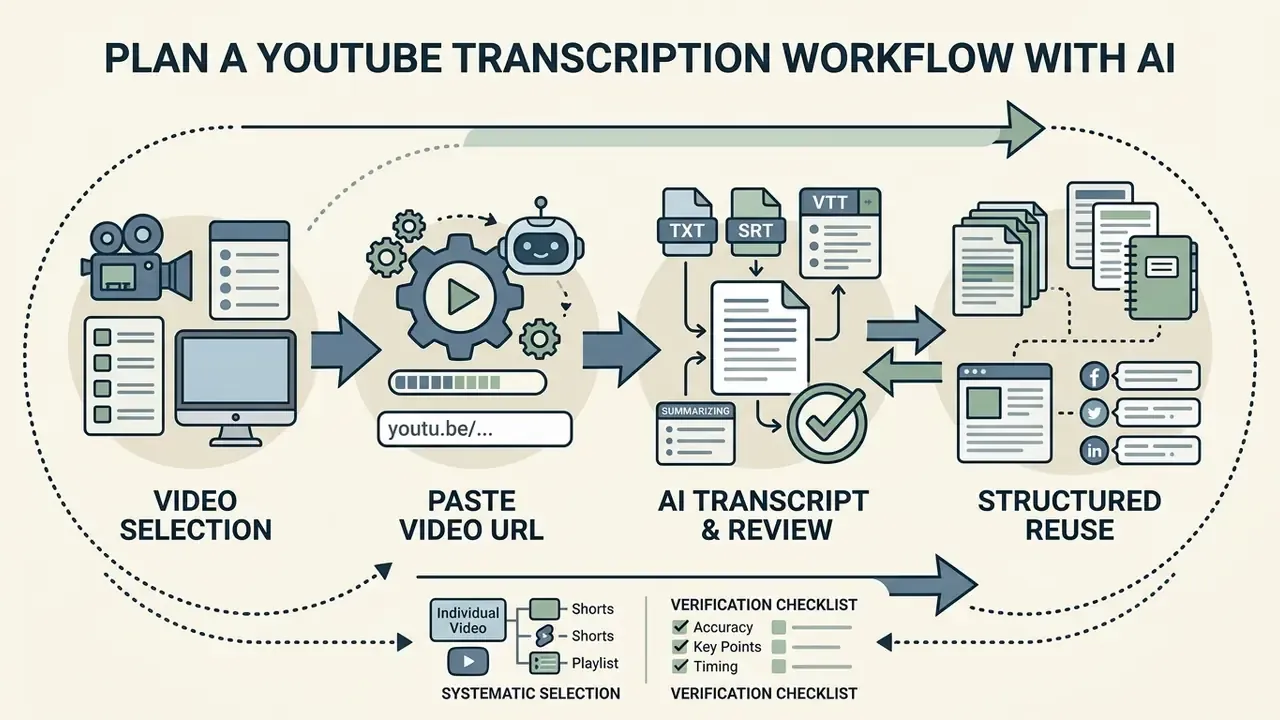
Building a repeatable YouTube transcription workflow requires systematic video selection, standardized transcript verification, and structured data integration. Establishing strict quality gates prevents transcription errors from propagating into executive summaries and published documentation.
Choose Videos and Prepare the Video URL
Organize target videos into batch processing queues by gathering clean YouTube URLs into dedicated tracking sheets. Grouping videos by topic, spoken language, and audio clarity helps teams select the most effective ASR models and allocation schedules. In practice, batch input works best as a plain-text list with one URL per line, blank lines ignored and # lines treated as comments. Playlist URLs should be expanded into individual video jobs before submission so failures can be retried atomically rather than re-running an entire series.
Review the Transcript Before Reuse
Perform a two-pass audit on all AI-generated text before publishing or passing data into downstream knowledge bases. The first pass verifies factual accuracy, proper names, and numerical statistics, while the second pass fixes punctuation, formatting, and sentence layout. That separation of content review and proofreading mirrors institutional editorial handbooks, and it exists because the two tasks use different attention.
Low-resource languages demand extra caution, because failure modes are not always obvious:
«BlasBench 2026 found that every Whisper variant exceeded 100% WER on Irish, generating fluent but unrelated English text instead of a transcript.»
Confident, readable, entirely wrong. That failure pattern is precisely why automated output must never be published unverified. Regulated teams should also preserve an audit trail: store the source audio segment, the raw model output, the reviewer's corrected version, the model name and version, and the review timestamp alongside the final transcript. If a figure is later disputed, the chain from spoken word to published sentence must be reconstructable. Public-sector accessibility guidance takes the same position: automated captions are not adequate on their own and must be corrected to meet quality standards before posting, with captions synchronized to audio and punctuated correctly.
Reuse Text for Notes, Summaries, and Content
Data Privacy, Enterprise Security, and Shadow AI Risk
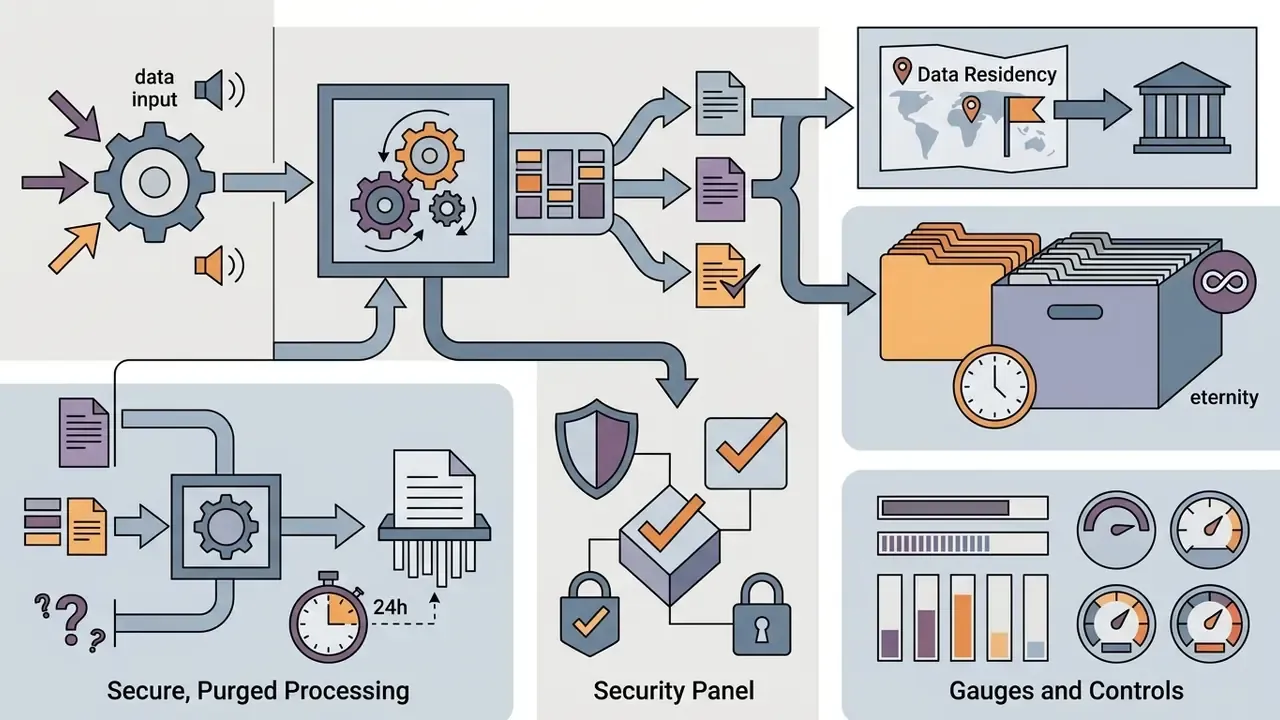
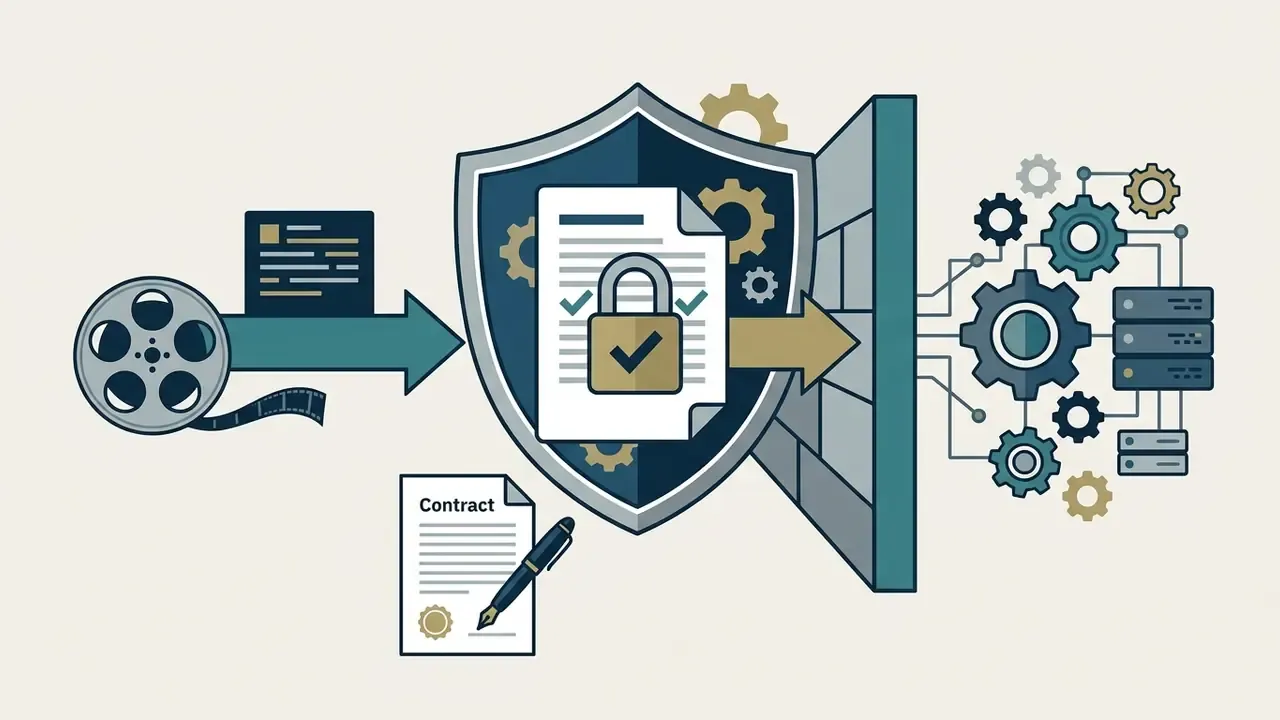
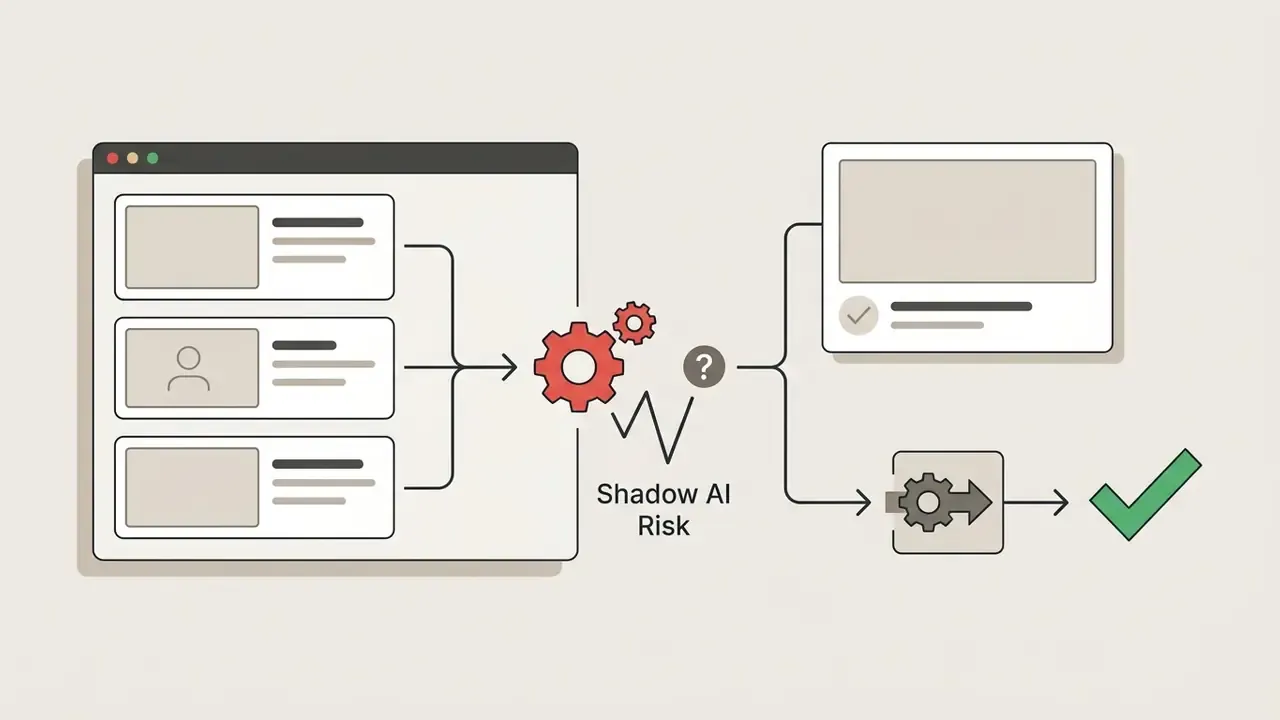
Transcription tools are data processors. The moment an employee pastes a URL, or worse, uploads an internal recording, into a free consumer tool, media and derived text leave the organization's control boundary. This is the most common form of Shadow AI in content and research teams, and it rarely appears in a tooling inventory.
For governance purposes, treat transcription like any other model-assisted process: document the model and version in use, define who signs off on corrected output, and keep the human-in-the-loop requirement explicit. Automated transcripts are working documents, not attested records.
A practical ownership note. Most institutions already have a model inventory and a vendor risk register. Transcription rarely gets entered in either, because it feels like a utility. That gap, not the ASR accuracy number, is what turns up in an internal audit finding.
Ready-to-Use AI Prompts for Transcripts
To maximize utility, copy your verified transcript and use these engineered prompts in ChatGPT, Claude, Gemini, or Notion AI. All three major assistants accept transcript files directly. ChatGPT and Claude ingest TXT, PDF, and DOCX among other formats, so very long transcripts can be attached as a file instead of pasted inline.
One caveat on the compliance prompt: an LLM can miss a hedge phrased unusually. Use the output as a first-pass index, then read the flagged timecodes yourself.
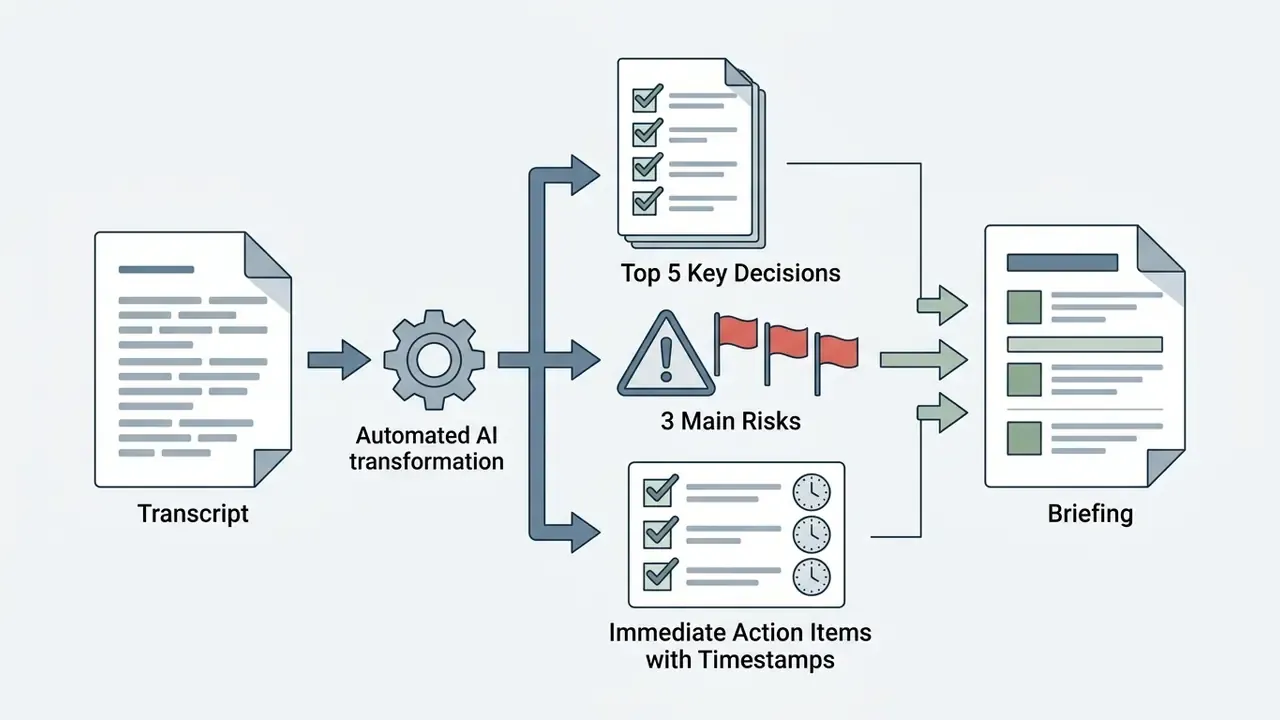
"Act as an executive assistant. Below is a video transcript. Extract the top 5 key decisions, 3 main risks, and a bulleted list of immediate action items with timestamps. Quote exact figures verbatim and flag anything ambiguous rather than guessing: [PASTE TRANSCRIPT]"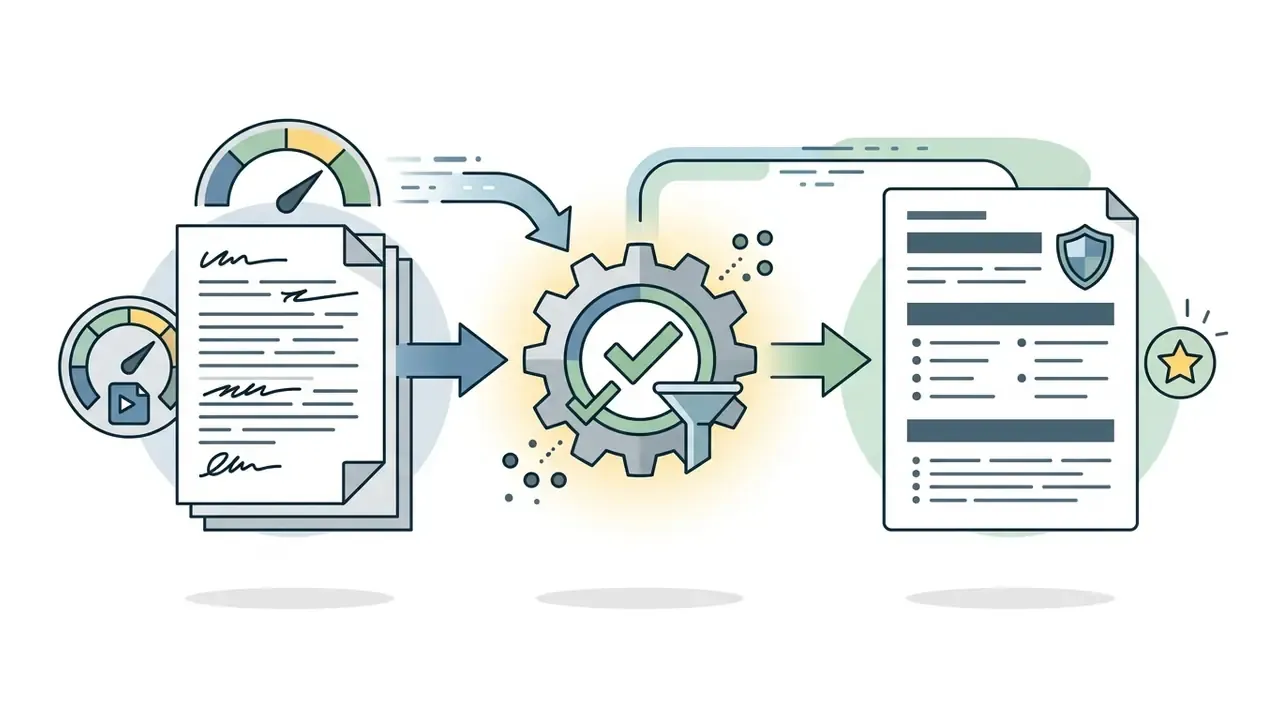
"Convert this raw video transcript into an SEO-optimized blog post with H2/H3 structure and an authoritative tone. Remove verbal fillers, fix grammar, and do not introduce facts that are absent from the transcript: [PASTE TRANSCRIPT]"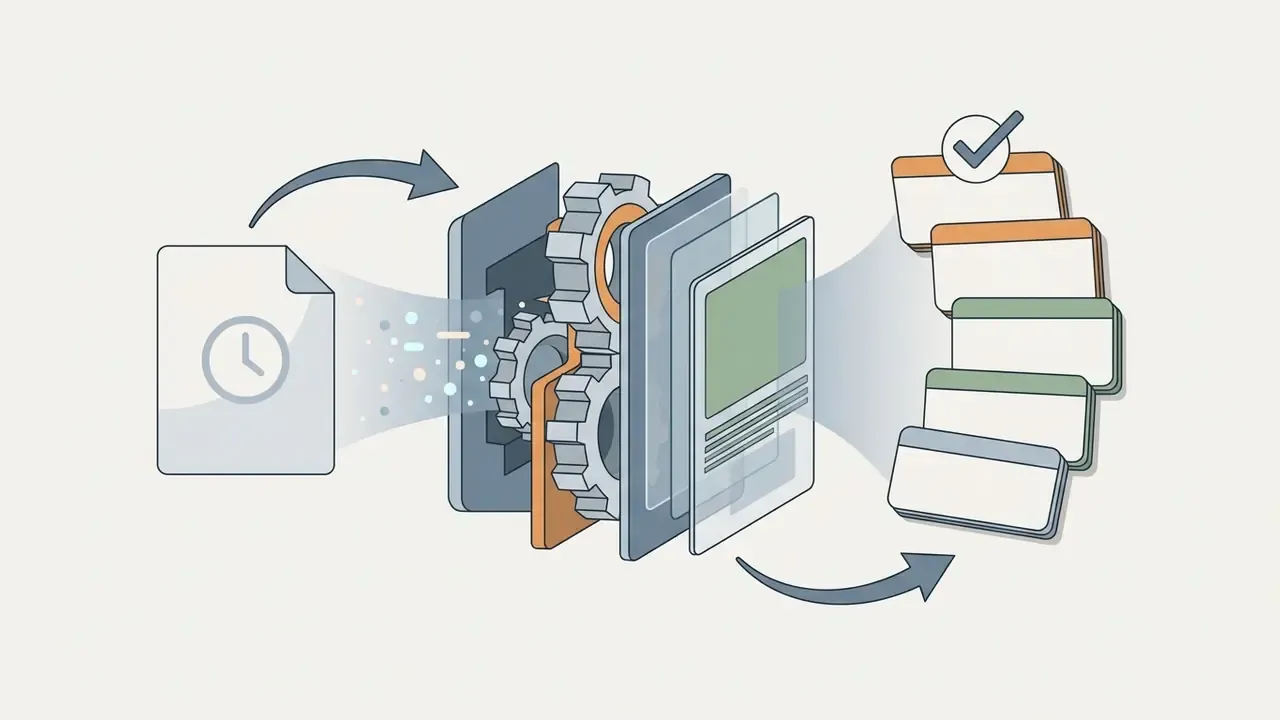
"Create 10 study flashcards from this lecture transcript. Format each as Concept: Definition / Key Takeaway, and cite the timestamp where the concept is explained: [PASTE TRANSCRIPT]"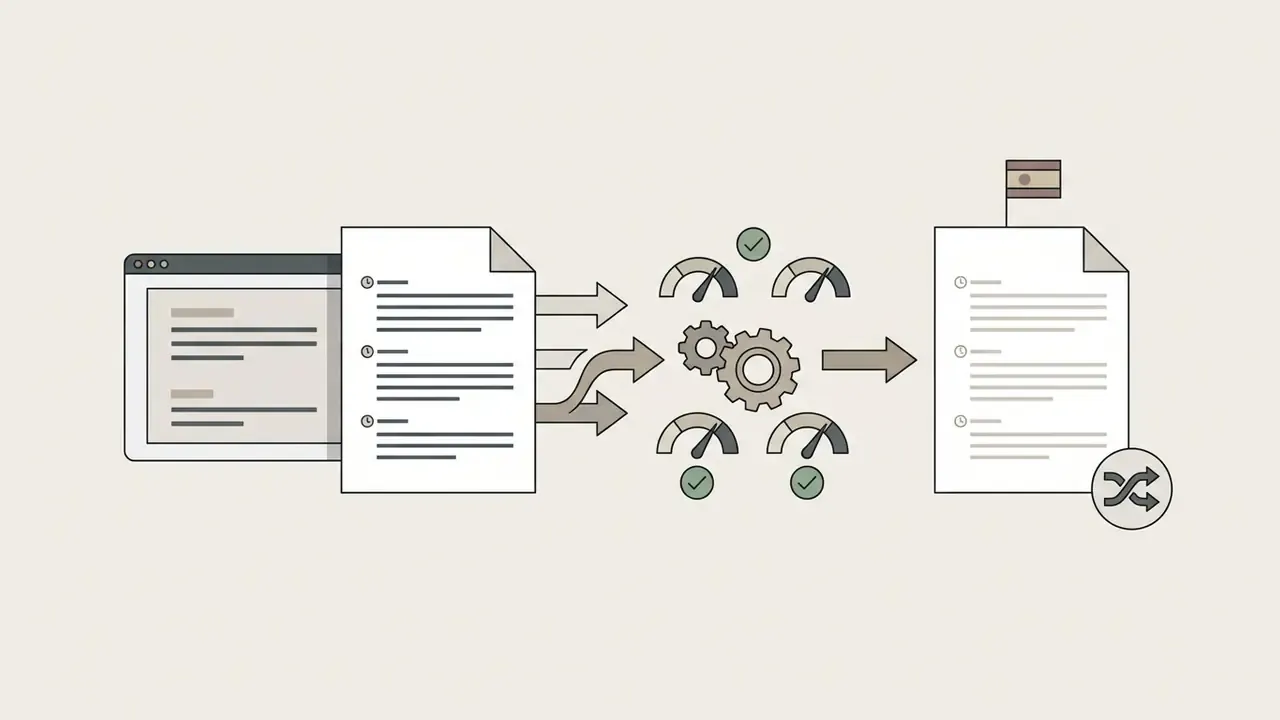
"Translate this transcript into Spanish while preserving all timestamps, speaker labels, proper nouns, and numerical values exactly as written. Leave untranslatable technical terms in the original language with a bracketed gloss: [PASTE TRANSCRIPT]"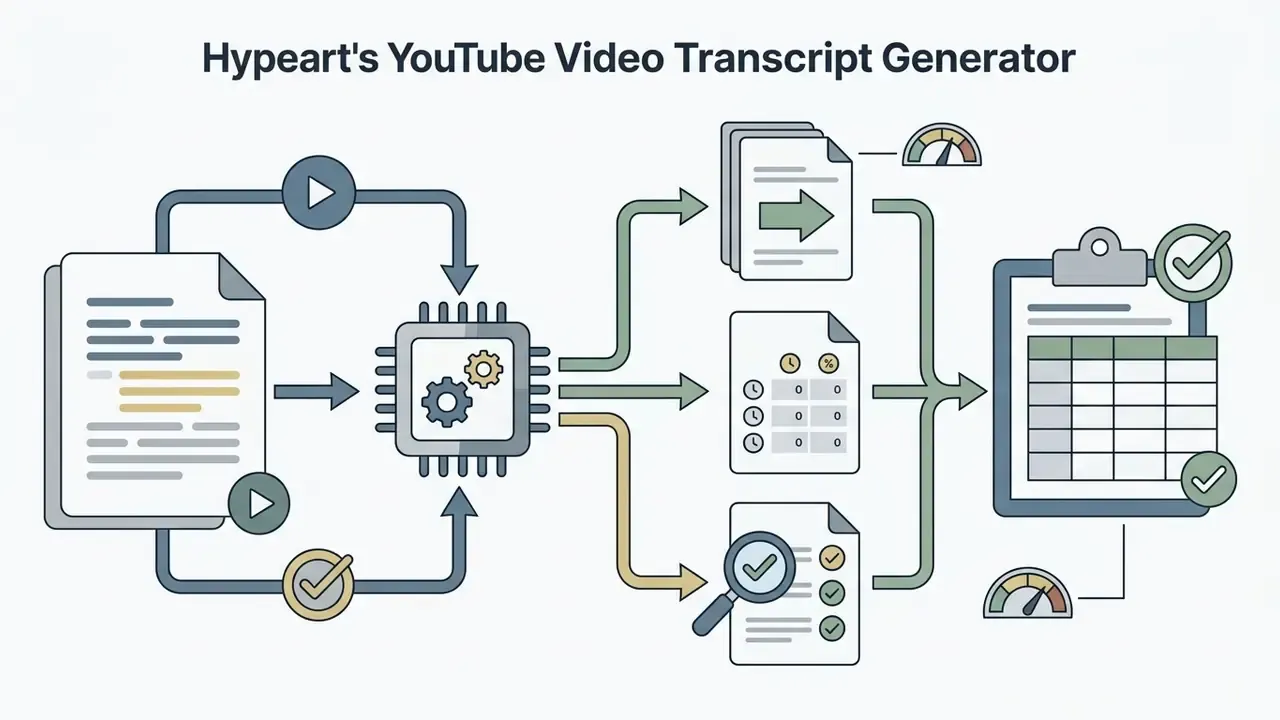
"From this earnings call transcript, list every forward-looking statement, every stated numerical metric with its timestamp, and every qualifier or hedge used. Output as a table: [PASTE TRANSCRIPT]"FAQ: Frequently Asked Questions About YouTube Transcript Generators
Can I Use a YouTube Transcript with Other AI Tools?
Yes, you can copy or export a YouTube transcript and import it into language models like ChatGPT, Claude, or Notion AI for deeper analysis. Supplying accurate, pre-punctuated text into external AI tools yields superior summaries, translations, and analytical reports compared to processing raw, unformatted captions.
«An AI meeting assistant achieved 92% transcription accuracy and cut post-meeting administrative workload by 70% versus manual minute-taking.» AI Meeting Assistant Study.
For large transcripts, attach the file rather than pasting: ChatGPT and Claude accept TXT, PDF, DOCX, CSV, and JSON uploads, Claude can persist files in a project's Files section across conversations, and Notion's API accepts uploads as multipart/form-data with direct upload for files up to 20 MB.
Does It Work with YouTube Shorts?
Yes. Paste the youtube.com/shorts/ URL, a youtu.be short link, or the bare video ID. Shorts are processed identically to long-form video, with the same timecode precision. The one difference: ?t= start-time anchors are ignored on Shorts paths, so playback references always resolve to the beginning of the clip.
Can I Transcribe an Entire Playlist at Once?
Yes, with batch-capable tools. Submit the playlist URL and the system expands it into individual video jobs, queuing them against a concurrency limit. This is the standard approach for lecture series, podcast back catalogues, and multi-quarter earnings archives. Very large batches are best split into smaller groups so a single failure does not force a full re-run.
What Happens If a Video Has No Captions At All?
Caption-relay tools fail, because there is no caption file to fetch. AI re-transcription tools succeed, because they extract the audio waveform and run neural speech recognition directly. If your workflow regularly touches videos where creators disable subtitles, an ASR-based tool is not a preference, it is a requirement.
How Accurate Are AI-Generated YouTube Transcripts?
On clear speech, AI re-transcription typically lands in the 92 to 97% word-accuracy band versus roughly 78 to 90% for native auto-captions. Accuracy degrades with background noise, overlapping speakers, heavy accents, and low-resource languages, where error rates can rise dramatically. Vendor accuracy claims of "98%" or "99%+" are marketing figures measured under undisclosed conditions and are not a shared benchmark. Always test on your own representative audio, using 30 minutes to 3 hours of material for a statistically meaningful WER estimate.
Is the Output Suitable for Legal, Financial, or Accessibility Compliance?
Not without human review. Section 508-style requirements demand captions that synchronize with audio, use correct spelling, grammar, and punctuation, include important non-speech sounds, and remain on screen long enough to read. Automated output rarely satisfies all four conditions out of the box. Treat machine transcripts as drafts, apply the five-point verification audit, and retain the audit trail linking corrected text to source audio.
How Do I Preserve an Audit Trail for Regulated Workflows?
Store five artifacts per transcript: the source media reference or URL with timestamp range, the raw model output, the human-corrected final version, the model name and version, and the reviewer identity plus review date. Keeping the original audio segment alongside the text is what makes a disputed number verifiable months later.
What Free Tier Limits Should I Expect?
Free tiers cap usage in three different ways: number of transcripts (commonly around 5 per month without an account), video duration (often 5 to 20 minutes), or total processing minutes. Export formats are usually restricted to TXT on free plans, with SRT, VTT, DOCX, and JSON reserved for paid tiers. Some providers additionally throttle by extractions per hour. Because these policies change frequently, confirm current limits on the vendor's pricing page before standardizing a workflow.
Which Speech Recognition Engines Power These Tools?
Most commercial transcript generators sit on top of a small number of engines. OpenAI's Whisper is an ASR system trained on 680,000 hours of multilingual, multitask supervised audio and is also exposed through OpenAI's API. Deepgram documents both its own streaming transcription models and Whisper as a hosted option. AssemblyAI offers managed Whisper-streaming with sub-second latency and 99+ language support. Knowing which backend a tool uses tells you more about its likely accuracy profile than any headline percentage.
A Safe Next Step
Start narrow. Pick one recurring use case, for example quarterly earnings webcasts or vendor demo recordings, and run a two-week pilot with public content only. Measure three things: WER on your own audio, minutes of reviewer time per hour of video, and completeness of the audit trail. Then decide whether to widen scope, and to whom the digital worker reports.
Further reading and related playbooks live in our AI Media Workflows hub.