Quick Summary: The Fast Version
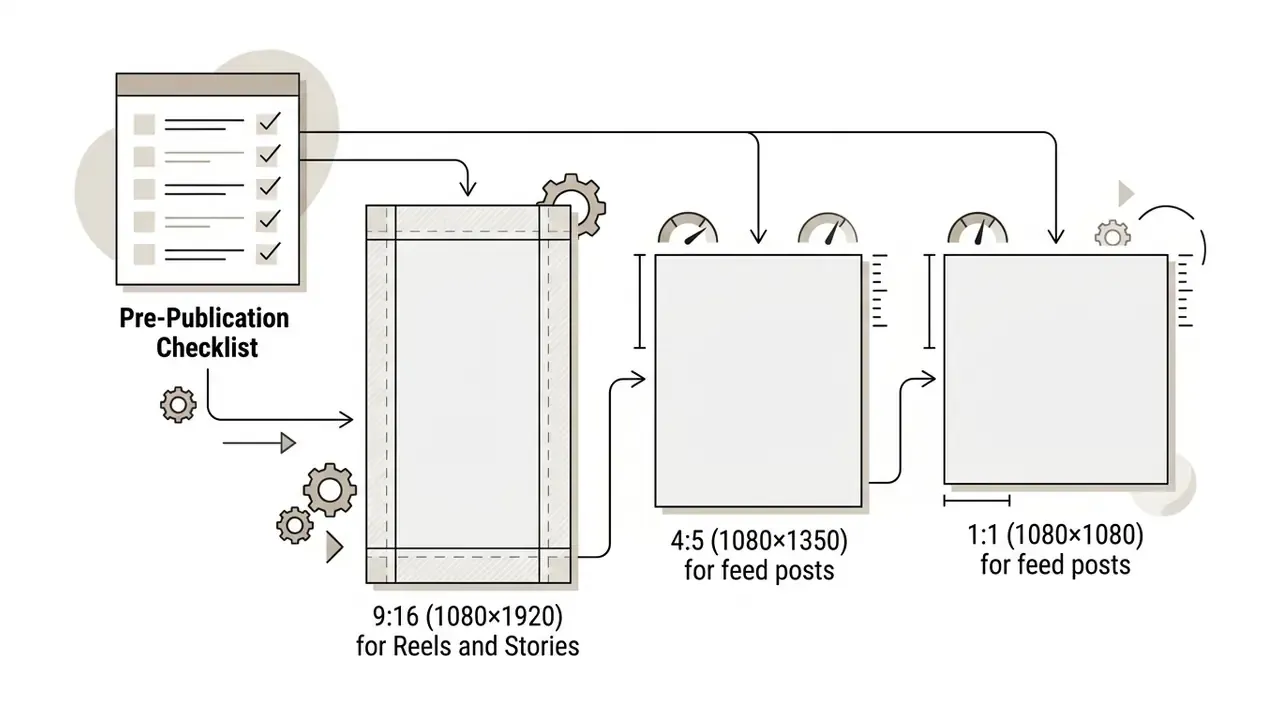
- Canvas 9:16 at 1080×1920 px for Reels and Stories; 4:5 at 1080×1350 px (or 1:1 at 1080×1080 px) for feed video posts.
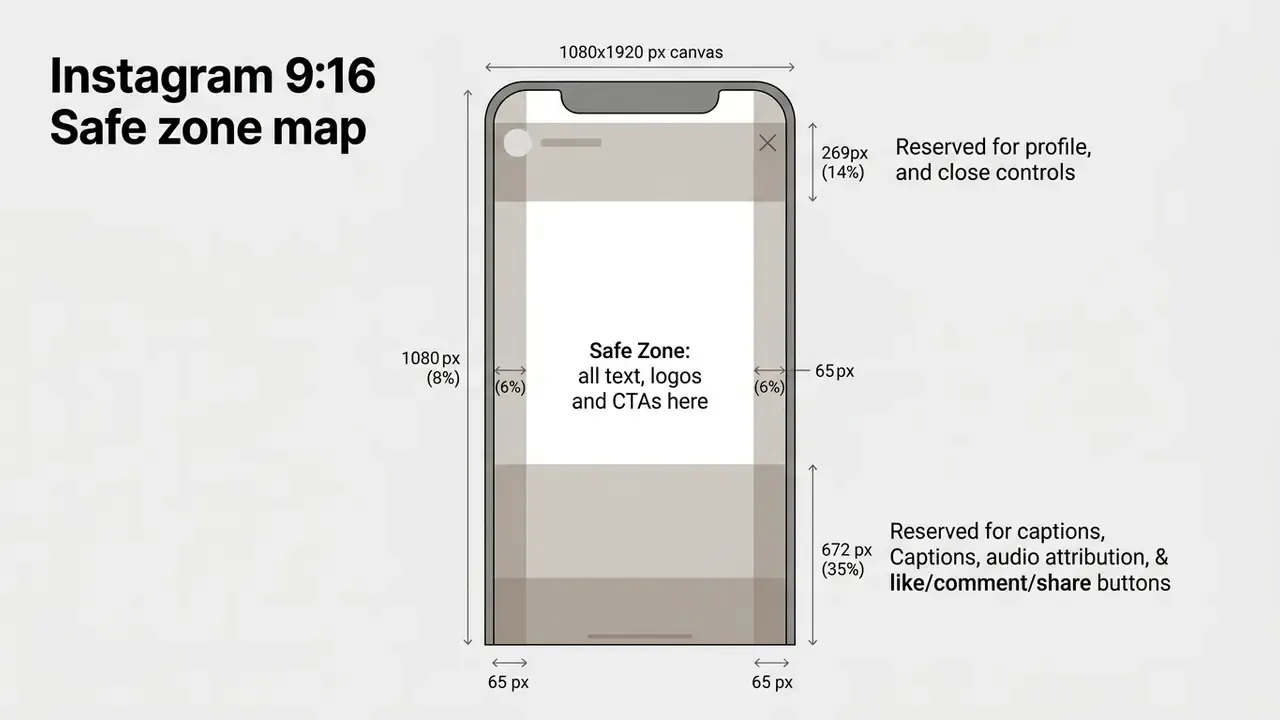
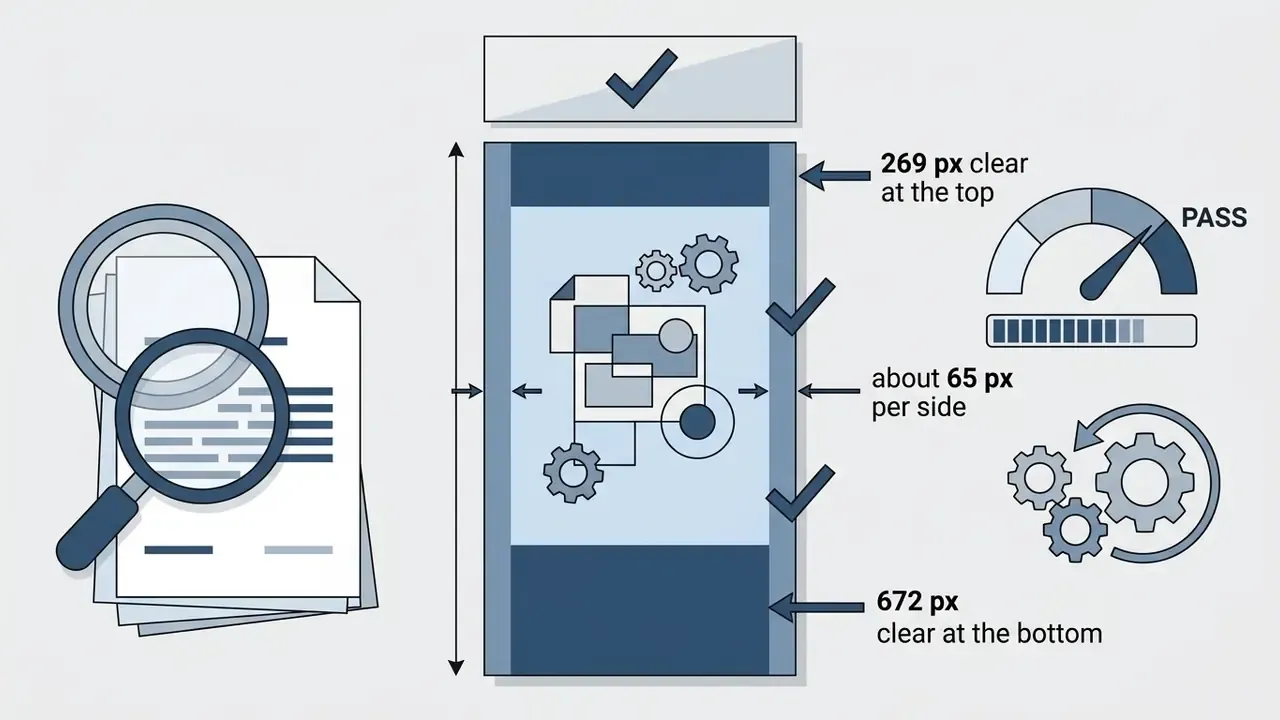
- Safe zones on a 1080×1920 frame, keep the top 269 px (14%), the bottom 672 px (35%) and roughly 65 px on each side (6%) clear of text, logos and CTAs.
- Length hook in the first 3 seconds; 30 to 90 seconds is the practical sweet spot for Reels; Stories run up to 60 seconds per card; feed video uploads support up to 60 minutes.
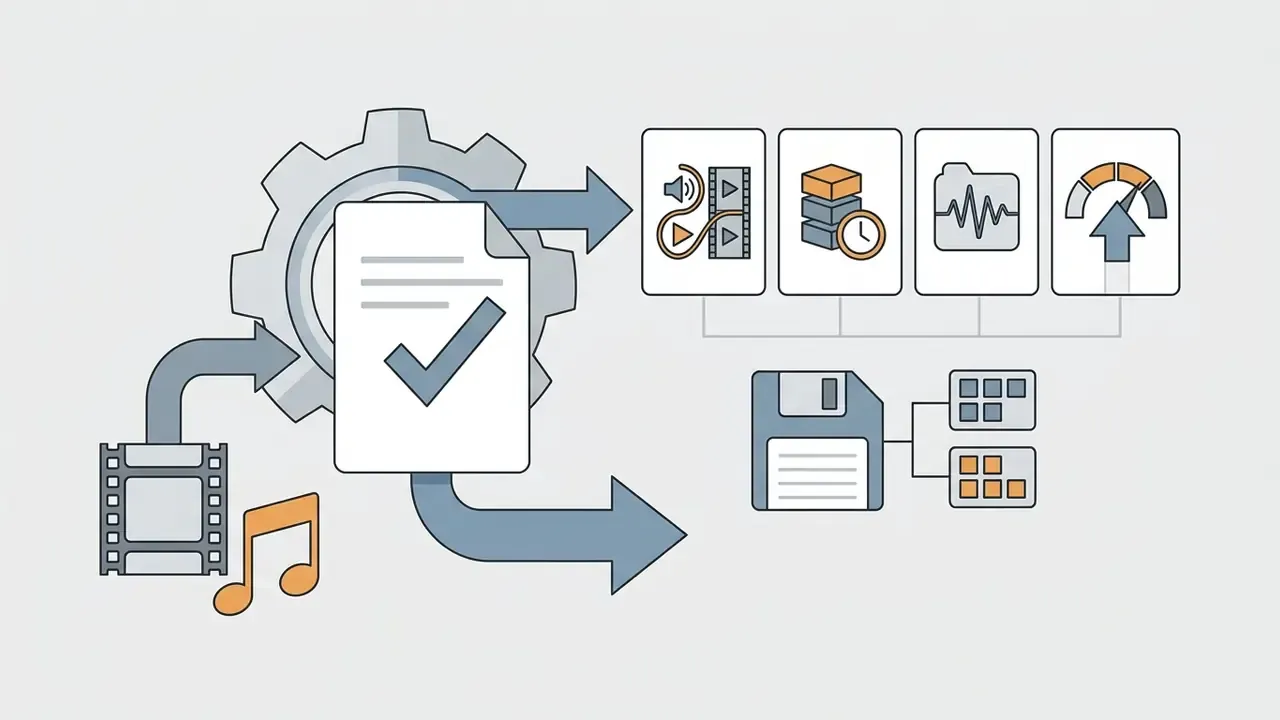
- Export MP4 (or MOV), H.264 video, AAC audio, 1080×1920, 30 FPS, target bitrate 3.5 to 5 Mbps, and enable Settings & Privacy → Media Quality → Upload at highest quality in the Instagram app.
- Non-negotiables burned-in or platform captions for sound-off viewing, licensed audio for commercial accounts, seamless loop points for Stories and Reels, plus a final mute-playback review before publishing.
Choose the Right Instagram Video Format Before Editing
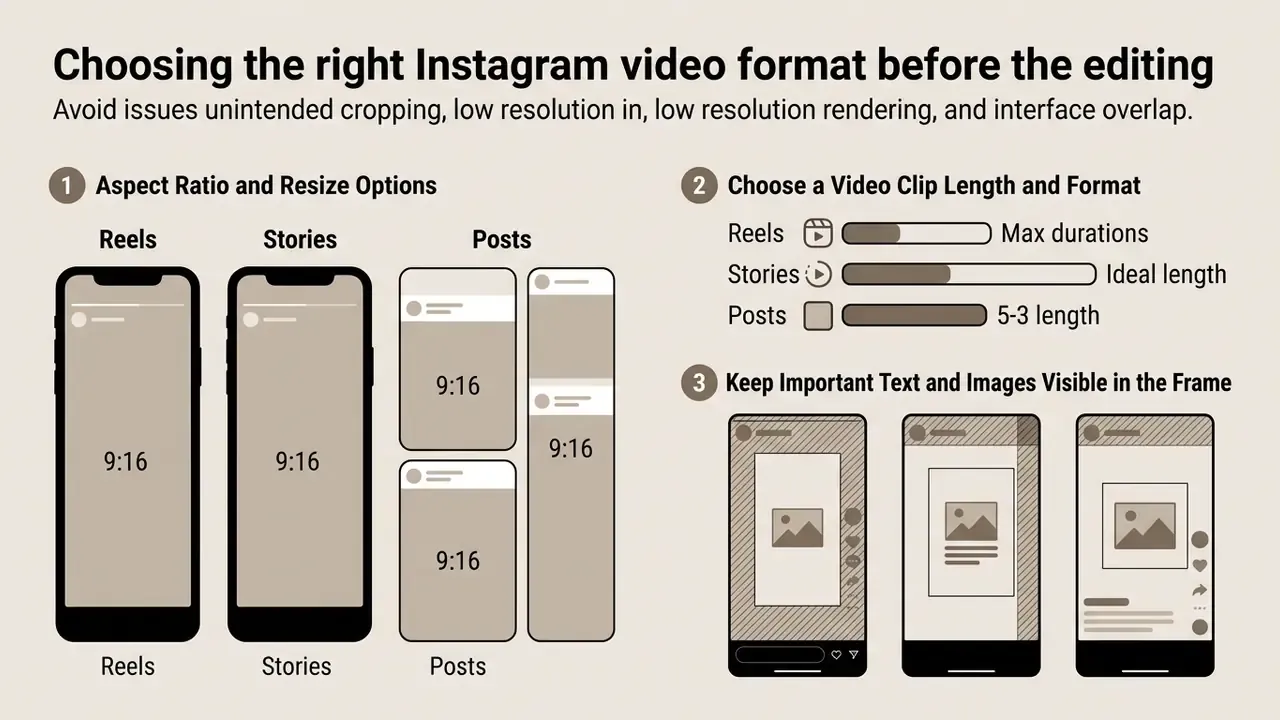
Selecting the correct video format before editing prevents unintended cropping, low-resolution rendering and interface overlap across Instagram placements. Instagram supports vertical 9:16 aspect ratios for Reels and Stories, while feed posts tend to perform best in 4:5 portrait or 1:1 square orientations.
Matching technical specifications at the timeline setup stage avoids repeated re-encoding and the quality loss that comes with it. Knowing how to edit videos for instagram really starts with configuring your canvas to match platform display specs, because every downstream decision (text placement, crop, bitrate) inherits that first choice. Get it wrong and you will feel it at export.
Aspect Ratio and Resize Options for Reels, Stories and Posts
The optimal aspect ratio for Instagram Reels and Stories is 9:16 at 1080×1920 pixels, whereas standard feed video posts use 4:5 at 1080×1350 pixels or 1:1 at 1080×1080 pixels. Most editing tools now offer one click resize features that convert existing assets between vertical, square and landscape dimensions, which saves a surprising amount of rebuild work.
Vertical orientation dominates every major short-form surface, so building horizontally and cropping later is close to the costliest possible workflow.
Meta's official upload documentation allows Reel aspect ratios from 1.91:1 up to 9:16, provided the video maintains a minimum frame rate of 30 FPS and at least 720p resolution (Instagram Help Center, "Reel size & aspect ratios on Instagram", Meta, 2024, https://help.instagram.com/1038071743007909). Selecting a 4:5 aspect ratio for feed video posts yields the maximum vertical screen real estate inside the main feed without triggering aggressive cropping.
When repurposing horizontal source material, reframe clips manually rather than trusting automatic centre crops. Automated crops routinely decapitate presenters or push product labels out of frame, and no amount of colour work rescues a beheaded spokesperson. One more habit worth adopting: set the project canvas to your delivery format before importing a single clip, not after the rough cut exists.
Choose a Video Clip Length and Format for Instagram Content
Instagram accepts MP4 and MOV video containers encoded with H.264 video and AAC audio, with maximum duration limits ranging from 60 seconds for a Story card to 15 minutes for an uploaded Reel. Keeping short videos between 30 and 90 seconds delivers the strongest engagement across organic distribution channels.
Keep Important Text and Images Visible in the Frame
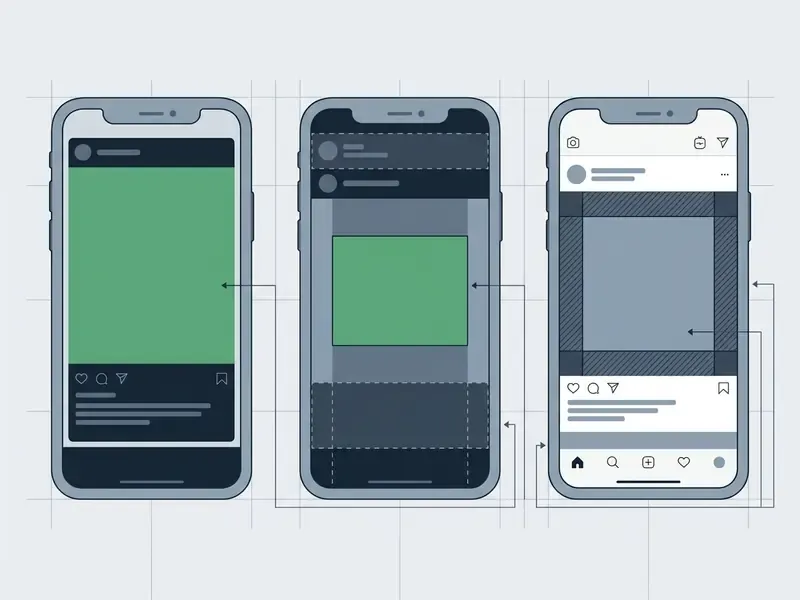
To keep text, graphics and key visual subjects visible, every critical element must sit inside the central safe area, away from app UI overlays. For vertical 9:16 media, leave roughly 14% clear space at the top and 35% clear space at the bottom.
Instagram superimposes UI controls such as profile icons, captions, audio attribution and action buttons directly over the lower third and the top header of the video player. In pixel terms on a 1080×1920 canvas, that means reserving 269 pixels at the top and 672 pixels at the bottom as clear zones, plus about 65 pixels on each side (6%) for Reels. Place callouts or captions inside those peripheral margins and you get obstructed text plus a measurable drop in viewer comprehension.
A practical production habit: build a locked "safe-zone guide" layer in your project template, a semi-transparent overlay with the top and bottom bands shaded, and keep it visible while you position every caption, sticker and logo. Hide or delete the layer only at export. When you need to composite a cut-out logo or product still over footage, our walkthrough on how to make an image transparent covers the background-removal step, and a quick photo editor pass keeps exposure consistent across stills. Editors who mix graphics with copy in web deliverables may also find the notes on how to put images beside text useful for repurposing the same assets outside social.
Plan Your Instagram Video Before Opening the Editor
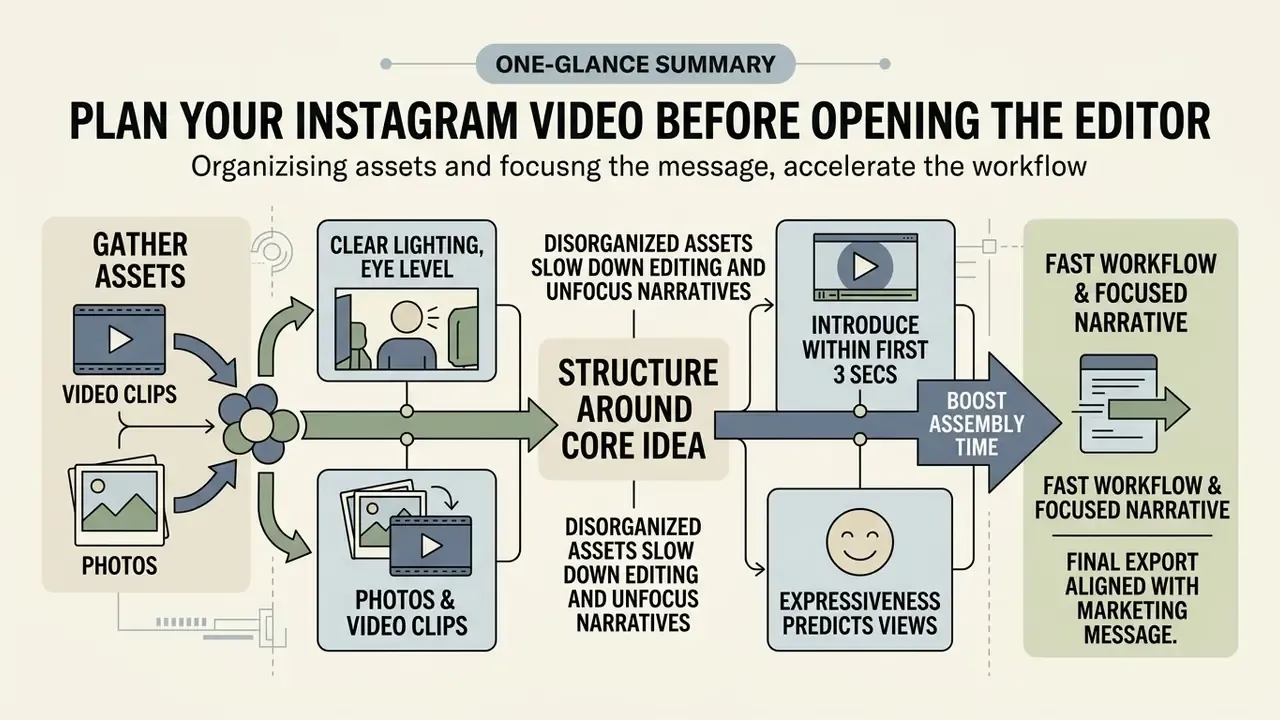
Planning the structure and gathering media assets before you launch an editor cuts assembly time and keeps the final export aligned with your core marketing message. Effective pre-production means auditing source clips, organising stock materials and scripting a single focus point.
Disorganised assets produce slow editing workflows and unfocused narratives. Before you edit short videos for instagram, set clear file naming conventions, add descriptive metadata tags, confirm deadlines and verify usage licences for every piece of external media. Asset-preparation practice across university video production checklists and broadcast delivery workflows consistently front-loads three checks: does the file meet the technical delivery spec, is its licence documented, and is it archived under a predictable name? Preparation of that kind protects visual output regardless of project scale.
Select Video Clips, Photos and Stock Videos
Choose source footage and photos shot at eye level with clear lighting, and make sure every raw file conforms to Instagram's supported aspect ratios and the 30 FPS minimum frame rate. High-quality stock videos should be pre-screened for visual coherence and legal commercial clearance, ideally before anyone touches the timeline.
Combining photos and video clips into a cohesive photo video carousel or Reel requires matching visual styles and contrast levels. When sourcing stock videos, pick assets that leave room for clear text overlays without cluttering the frame, and prefer clips already framed vertically so you avoid destructive re-cropping later.
The practical takeaway is blunt. Prioritise clips with a visible, expressive human presence over purely typographic or stock-graphic sequences. If your concept leans on generated footage instead, the creative-direction lessons in how to make bigfoot ai videos show how far a single consistent character can carry a series.
Build a Short Video Around One Clear Idea
Structure each short video around one core message introduced within the first three seconds. A direct visual or verbal hook has to communicate the value promise immediately, with zero introductory filler.
The opening hook should use concise phrasing, typically 3 to 7 words on screen or 5 to 10 spoken words, and state the problem or outcome instantly. Skip greetings, logo stings and "hey guys" preambles entirely. If the hook needs a second sentence to make sense, it is too complex. Follow it with a structured body demonstration and close with a definitive call to action, so the sequence reads as hook → body → payoff. Teams pricing out production at scale can consult specialised calculators to project campaign asset costs before committing a quarterly budget.
Choose How to Edit Videos for Instagram
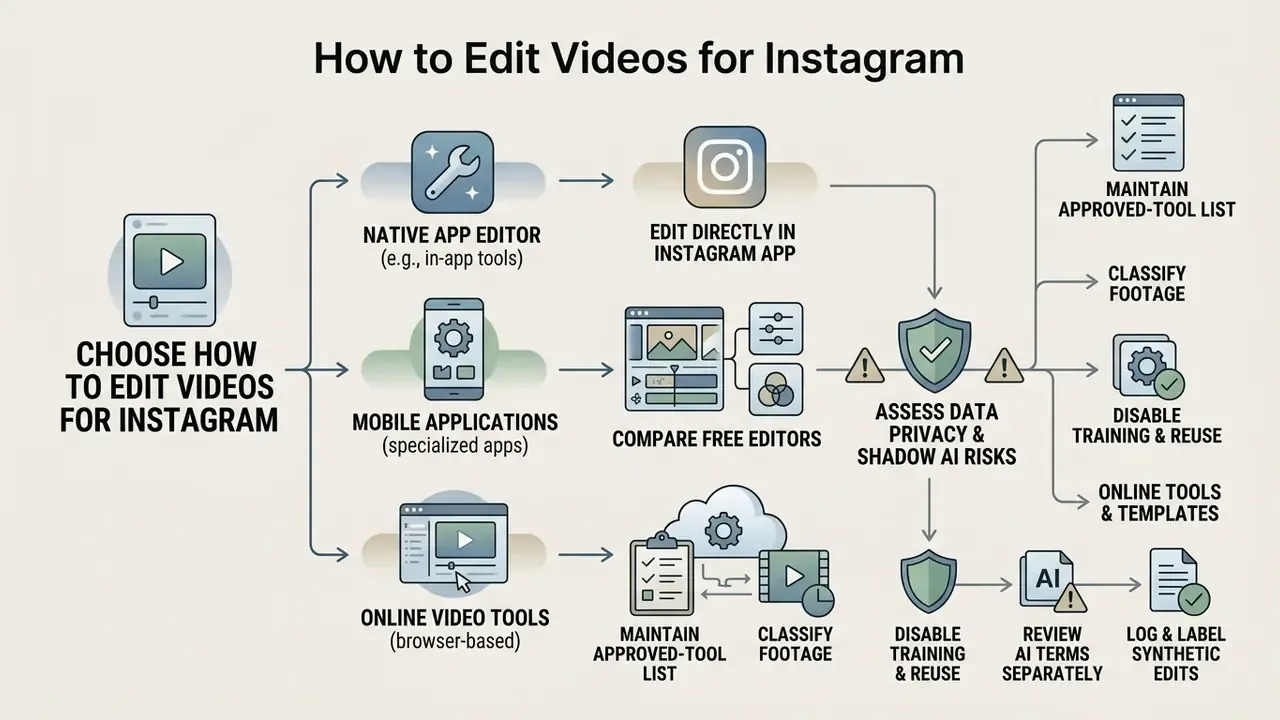
You can edit videos for Instagram with the native built-in Instagram app editor, specialised mobile editing applications, or browser-based online video tools, depending on the feature depth you need. The built-in editor wins on convenience for quick uploads, while external tools bring multi-track timelines, precise trimming and reusable templates.
Deciding how do people edit videos for instagram comes down to trading workflow speed against creative control. Our video editor glossary breaks down the feature tiers that separate a simple trimming utility from a full non-linear editor and a template-driven instagram video maker. Beginners frequently ask, can you edit videos on instagram directly without extra software? Yes. The native editor handles essential trimming, text overlays and audio syncing, though complex multi-clip productions still push you toward external software.
Edit Videos Directly in the Instagram App
Editing inside the Instagram app lets creators record or import clips, trim segment lengths, align audio tracks and add native stickers and text within the Reels and Story interfaces. Recent updates include automated pause-trimming (a "first draft" style rough cut that strips silences and builds an editable timeline) plus AI-driven restyle filters in the Story editor.
To edit videos in instagram, tap the create icon, select Reel or Story, then record live or import files from your device library. The native timeline allows reordering clips, adjusting duration with edge handles, and applying music straight from the platform's audio catalog. What it lacks: multi-layer video tracks, granular colour correction and flexible project archiving. Meta itself positions deeper clip-level work in its standalone Edits app rather than inside the main Instagram editor, which tells you something about the ceiling. Users who want structured production pipelines can review AI Media Workflows for repeatable automation patterns.
Compare Free Video Editors, Online Tools and Templates
Third-party mobile apps and web-based online instagram video editor platforms provide pre-built video templates, automated captions, advanced speed controls and one click aspect ratio resizing. Leading free platforms such as Canva, Adobe Express, CapCut and Clipchamp let you edit videos for instagram free with genuinely useful multi-track control; our comparison of the best free video editing software maps those feature ceilings side by side.
Adobe Express offers thousands of editable Instagram Reel templates with instant browser-based MP4 exports, while Canva advertises a template library in the millions across Reels, Stories and square video formats. If you also generate synthetic footage, weigh the output quality and licensing terms of the best AI video generators against traditional stock libraries. These user friendly editors streamline video marketing work by holding cloud libraries of stock media, branded fonts and custom transitions in one place.
Selecting the best way to edit videos for instagram depends on whether your priority is quick mobile posting or scalable brand templates. Corporate and agency teams should add three selection criteria the consumer reviews usually skip: persistent brand-kit storage (locked fonts, colours, logos), granular shared access with roles, and version history for audit trails. Creators working with generated assets can also review free AI video generators and the broader AI Media Comparison Matrices for performance benchmarks.
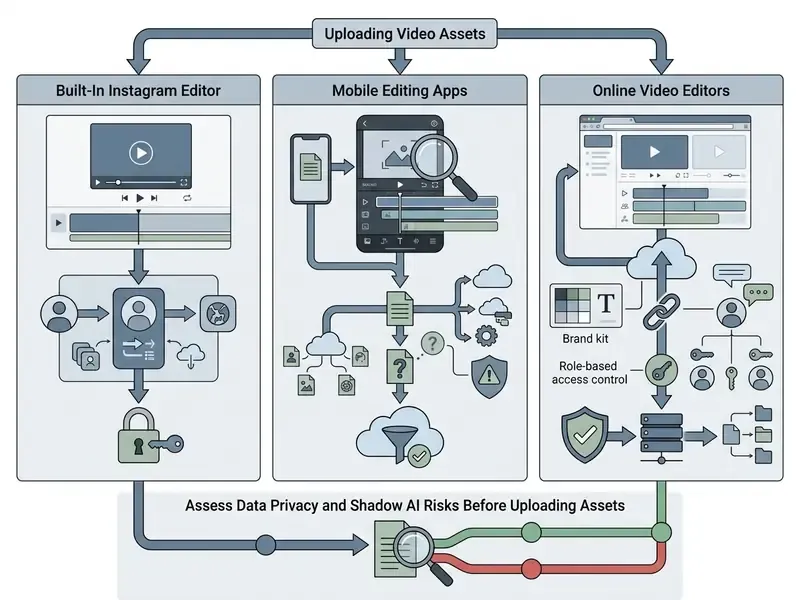
Assess Data Privacy and Shadow AI Risks Before Uploading Assets
Before you upload raw footage to a free cloud editor, verify where files are stored, how long they are retained, whether uploads feed model training, and whether the vendor clears your organisation's security baseline. Unvetted consumer editors remain the most common entry point for shadow AI inside marketing teams.
Free browser and mobile tools process your media on third-party infrastructure. For regulated industries such as finance, healthcare and legal, that creates three concrete exposures: unreleased product footage or internal screens leaving the corporate perimeter; personal data appearing in frame without a documented processing basis; and content being ingested into training pipelines under permissive consumer terms of service. Mitigate with a short, enforceable policy:
One named owner per approved tool keeps this from decaying into a stale spreadsheet. Review the list quarterly, because vendor terms change faster than most brand guidelines do.
This section describes general risk-management practice and is not legal or compliance advice. Validate tool approvals with your own security, privacy and legal functions.
- Maintain an approved-tool list.Only editors with documented security posture (SOC 2 or ISO 27001 attestations, enterprise or business tiers, regional data-residency options) may touch corporate footage.
- Classify footage before upload.Public marketing material can route to consumer tools; anything showing internal systems, customer data, employee identifiers or unreleased products stays in on-device or self-hosted editors.
- Disable training and reuse where configurable.Enterprise plans frequently expose a toggle that excludes uploaded assets from model training. Set it at tenant level, not per user.
- Review AI-feature terms separately.Auto-captioning, AI voiceover and generative fill often run through different subprocessors than the core editor.
- Log and label synthetic edits.Realistic AI-generated or AI-edited media should carry a platform disclosure label; keep an internal record of which assets were generated or altered, and with which tool.
Edit Instagram Reels, Stories and Post Videos
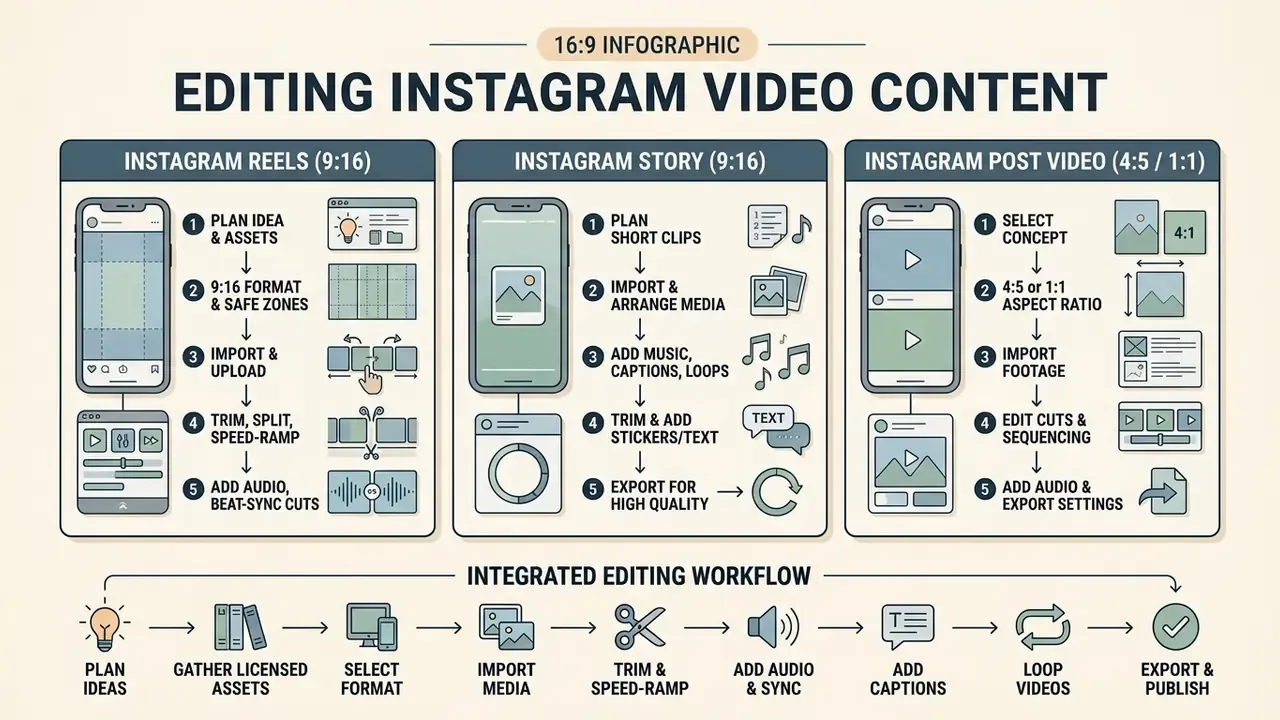
Editing Instagram media calls for distinct workflow sequences tuned to the functional requirements of Reels, Stories and standard feed posts. Reels lean on fast-paced timeline cuts and music synchronisation, Stories rely on quick interactive elements, and feed posts live or die by grid presentation.
Understanding how to make and edit videos for instagram effectively means mastering the specific editing environment of each publication type. Teams supplementing live footage with synthetic shots can extend the same pipeline using AI video generators. A structured multi-step sequence is what keeps technical consistency across every published format.
How to Edit Videos for Instagram Reels
To edit videos for instagram reels, import your recorded clips into the timeline, trim the pauses, synchronise cuts to background music, apply speed adjustments where they help, then place captions inside the safe viewing area.
Start by opening the Reels camera or an external editor and uploading the source footage. Use the edge sliders under the trim menu to remove dead space at the start and end of each clip. Reorder clips to maintain narrative flow and apply speed ramping to accelerate repetitive actions. Synchronise cut points with audio beat markers, either by enabling automatic beat detection or by placing edits on visible waveform peaks. Then review a full player preview at 100% volume, and again on mute. Both passes matter, and the mute pass catches more problems than most editors expect.
How to Edit Videos on Instagram Story
To edit videos on instagram story, select or record a clip up to 60 seconds, trim excess duration, apply interactive stickers or text, choose a background track via the Music sticker, and publish straight to your ephemeral feed.
When learning how to edit videos on instagram story, efficiency is paramount. Upload your media, tap the sticker icon to add interactive polls, countdown timers, location tags or the "Add Yours Music" sticker, then select a 15 to 60 second track snippet. Make sure on-screen text never overlaps the top profile header or the bottom reply bar. Because viewers watch Stories in sequence, check that the last frame of one instagram story video flows visually into the first frame of the next card. For creators mapping revenue strategies around short-form media, how to monetize instagram reels sets out the operational pathways.
How to Edit an Instagram Post Video
To edit an Instagram post video, upload your clips to a 4:5 or 1:1 timeline, adjust cropping so the primary subject stays centred, apply colour adjustments, select a cover frame, then share to the main feed.
When you edit instagram videos for standard feed posts, prioritise grid aesthetics and visual clarity over rapid flash cuts. Check that the 4:5 portrait crop preserves essential information when it displays as a square on your profile grid, since anything taller than 4:5 gets trimmed in feed display. Choose an engaging cover frame from the timeline to act as the static preview image, and confirm that frame still reads clearly at thumbnail size. A cover that only works at full screen is a wasted cover.
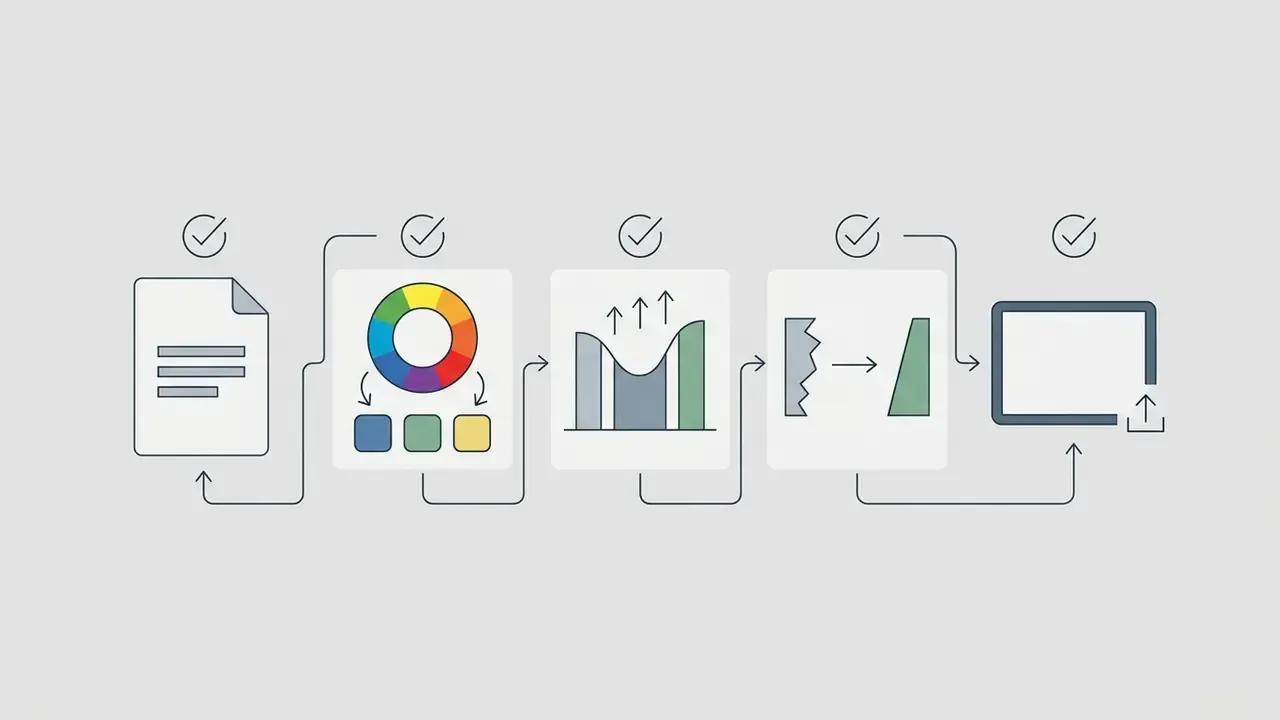
- Instagram Video Editing Workflow. Step 1: Plan Idea & Gather Licensed Assets
- Step 2: Select Format (9:16 or 4:5
- Step 3: Import & Upload Media
- Step 4: Trim, Split & Speed-Ramp Clips
- Step 5: Add Audio, Beat-Sync Cuts
- Step 6: Overlay Text, Captions & CTA Stickers
- Step 7: Colour Grade & Check Safe Zones
- Step 8: Team Review
- Step 9: Export & Publish.] Design: Clean horizontal process flowchart with directional arrows, safe-zone check indicators and a review-gate icon
Improve Instagram Videos With Cuts, Text, Music and Effects
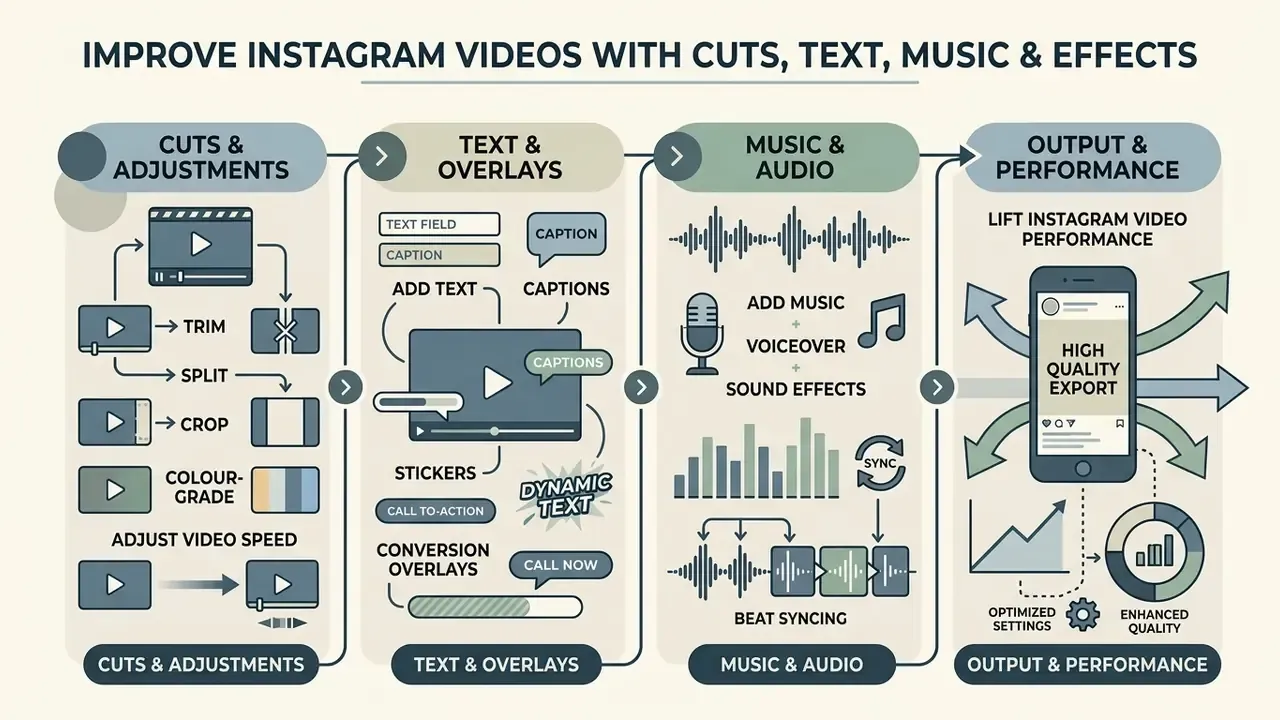
Lift Instagram video performance with tight trim cuts, synchronised captions, balanced background audio and moderate visual effects. Balancing visual stimulation against clear messaging holds retention without fatiguing the audience.
Raw footage rarely holds attention on a competitive social media feed. Using user friendly video editing tools to refine pacing, legibility and sound balance converts casual scrollers into engaged followers, and the upside of that craft is measurable.
Trim, Split, Crop, Colour-Grade and Adjust Video Speed
Trim unnecessary footage, split long clips into punchy segments, crop tight frames to remove background clutter, adjust playback speed, then finish with colour correction to create a dynamic editing rhythm.
Cutting the pauses between spoken words with split edits keeps momentum alive. Speed ramping, whether through variable speed effects in professional editors such as Final Cut Pro or keyframed retiming in DaVinci Resolve, lets you accelerate routine setup sequences while slowing the critical payoff moment. Vary shot duration deliberately; monotony in shot length flattens average watch time even when the content is strong.
Colour and style pass. When adjusting visual properties, lift mid-tone contrast and sharpness to offset Instagram's upload compression, which tends to flatten detail in shadows and soft gradients. For cohesive brand aesthetics, apply stylised colour grading such as high-contrast duotone treatments, greyscale for archival or testimonial segments, or a subtle warm LUT for lifestyle content, while keeping primary subjects distinct from background noise. Lock a single grade per campaign and save it as a preset so every Reel in a series looks like it belongs to the same account. If file size becomes an obstacle after grading and effects, a video compressor reduces weight before upload without re-rendering the entire timeline.
Add Text, Captions, Stickers and Conversion Overlays
Add high-contrast text overlays, automated captions and targeted graphic callouts such as animated "link in bio", "swipe up", countdown stickers or account-name overlays, so the message lands and traffic goes where you want it. Captions have to be accurate, synchronised with the audio and set in readable fonts.
«Neurodivergent TikTok users systematically request captions, collectively establishing them as an accessibility norm for short-form content.»
Use solid bounding boxes behind text to preserve legibility against changing backgrounds, and keep every CTA strictly inside the central safe zone so the app UI never covers your conversion element. Accessibility work pays off well beyond compliance: research on hierarchical visual descriptions for blind and low-vision viewers found that structured summaries materially improved both the viewing and the selection of short videos (Van Daele et al., ShortScribe user study, ACM, 2024, https://doi.org/10.1145/shortscribe-2024).
For creators working without recording equipment or a suitable voice, generate synthetic narration with text-to-speech set to a natural cadence and a moderate speaking rate; our overview of AI voice generators compares voice quality, language coverage and commercial licensing. Resist the urge to over-decorate frames with animated stickers, because high visual noise suppresses behavioural engagement rather than boosting it.
If your concept calls for motion graphics rather than filmed footage, an animation maker handles kinetic typography and looping explainer sequences without a full motion-design suite.
Add Music, Voiceover and Sound Effects
Combine voiceover narration, background music and subtle sound effects into a multi-layer mix where spoken dialogue stays crisp and clearly above the instrumental bed.
When building a music video or a narrative Reel, lower the background track under spoken commentary (audio ducking) to protect speech intelligibility; a 10 to 14 dB drop under dialogue is a reliable starting point. Select royalty free music or licensed tracks from the built-in library to prevent automated copyright flagging. Instagram's own guidance notes that the more full-length recorded tracks a video contains, the more likely it is to be muted or limited, which is exactly why short, well-chosen snippets are safer. Subtle sound effects on visual transitions reinforce key message points, provided you use three, not thirty.
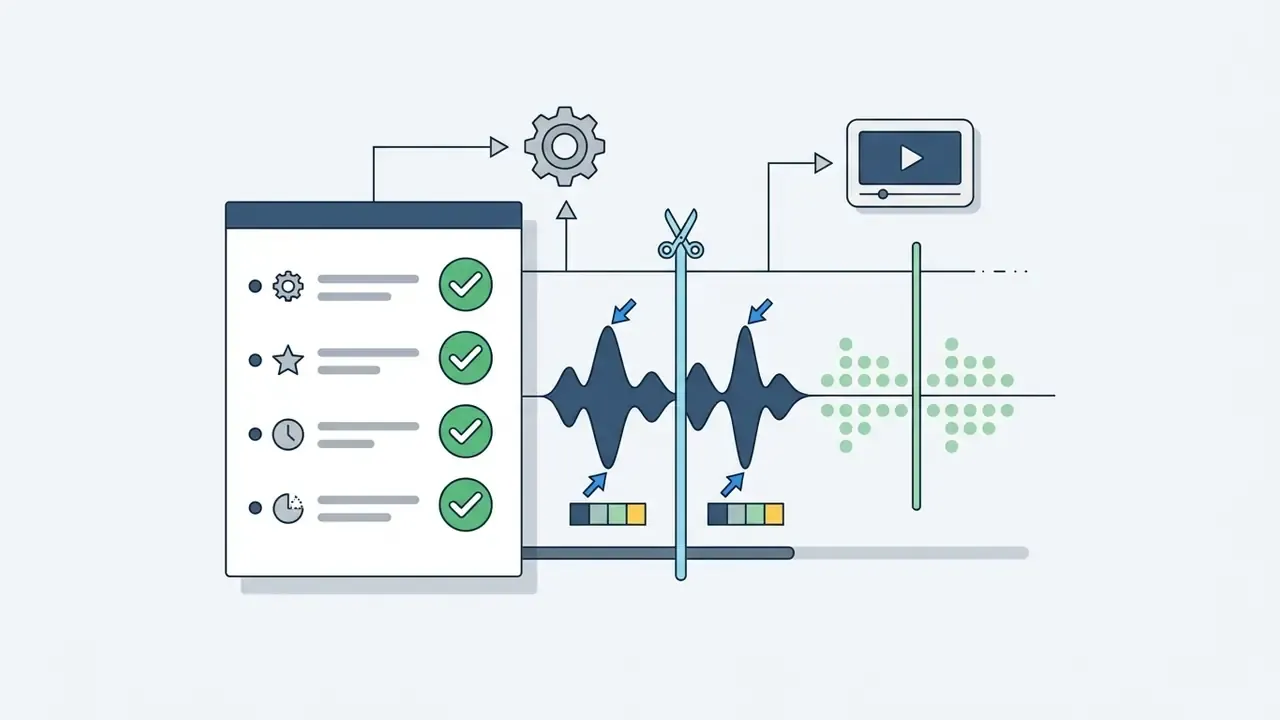
Beat syncing. For high-pacing Reels, use the automated beat-detection features in modern editors (CapCut, Canva and similar tools can align a timeline to the rhythm of the selected track) or place cuts manually on the visual spikes in the waveform. Aligning scene transitions precisely with rhythmic beats lifts re-watch rates and strengthens algorithmic distribution, because the edit reads as intentional rather than arbitrary. For dialogue-led content, sync cuts to sentence boundaries instead of beats so speech is never clipped mid-word.
Export, Preview and Publish Your Instagram Video
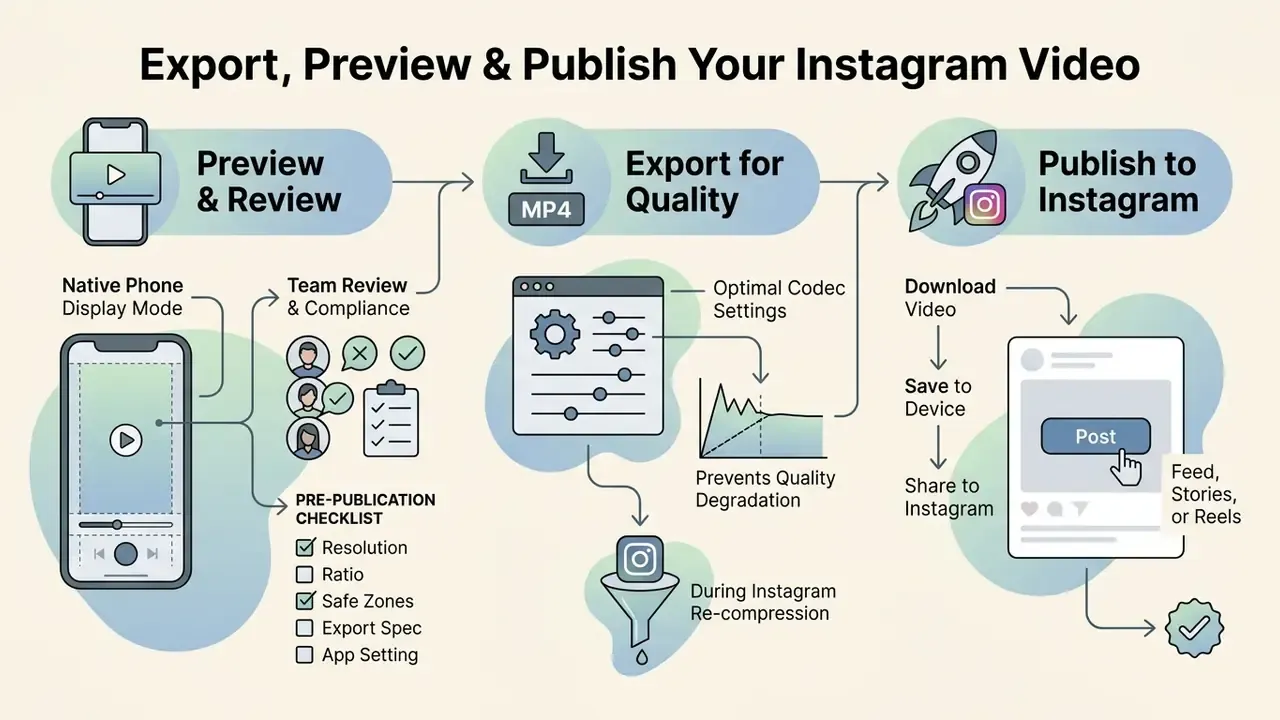
Previewing the finished video in native phone display mode and exporting with optimal codec settings prevents quality degradation during Instagram's final re-compression. High-quality publishing takes both correct app settings and verified technical asset parameters before release.
Even a meticulously edited video can render poorly if exported carelessly. A pre-publication inspection is what guarantees your text positioning, audio balance and visual sharpness survive the trip to the feed.
Establish Team Review and Brand Compliance Workflows
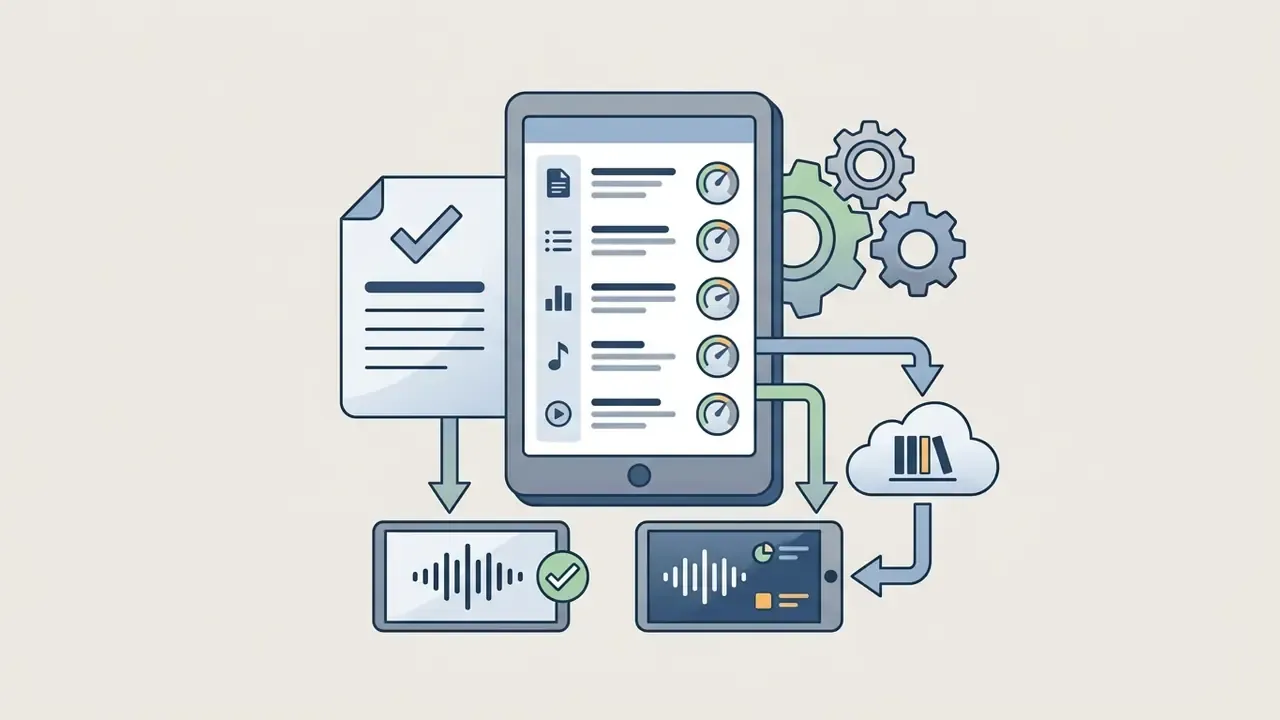
Before final rendering, share draft previews through collaborative cloud review links such as Frame.io, Adobe Express share links or Canva team folders, so stakeholders comment against a timestamped timeline instead of scattered messages.
Verify four things at the review gate: visual colour palettes match the official brand kit; logo watermarks sit outside the UI safe zones; on-screen claims, pricing and disclaimers meet legal and regulatory standards; and audio rights are documented for the account type in use. Assign one named approver per campaign and record the approval, the export version and the asset filename. That audit trail is what turns ad-hoc social publishing into a repeatable, defensible process. Keep an archived master file with its licence documentation attached, so the asset can be reused or re-cut months later without repeating clearance work.
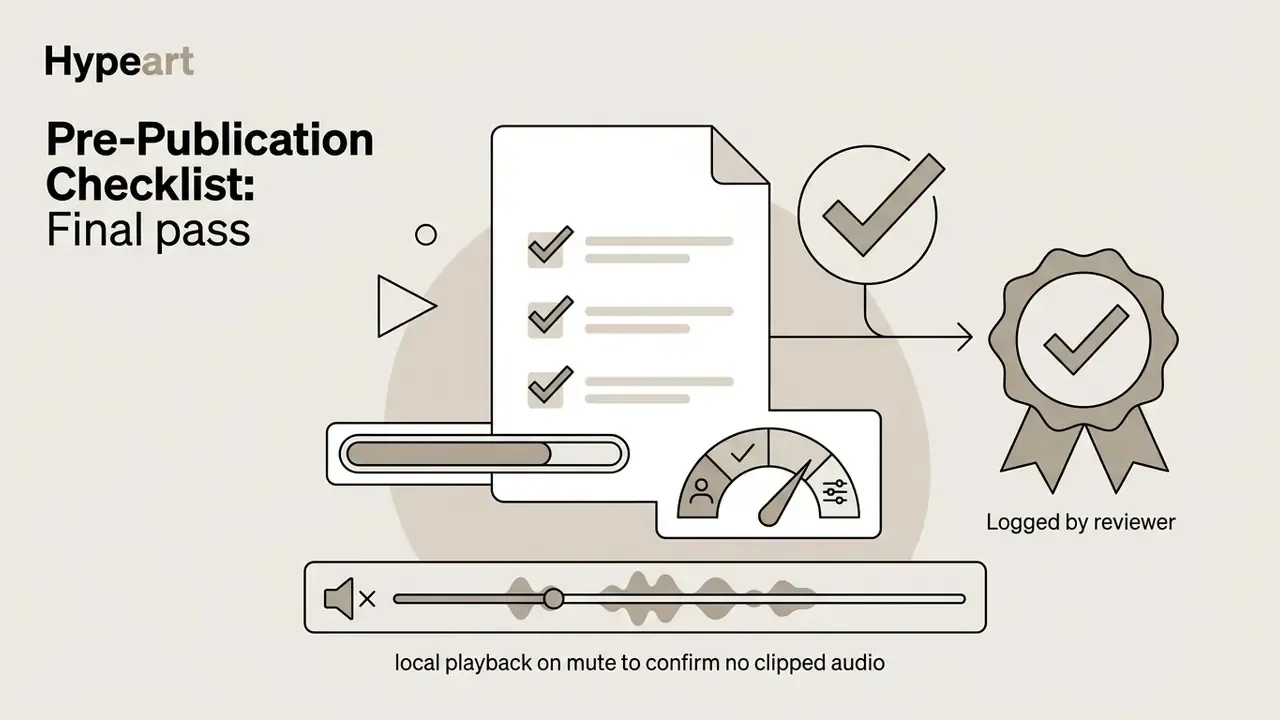
Pre-Publication Checklist
Run this checklist on every asset before it goes live:


FAQ: Frequently Asked Questions About Editing Instagram Videos
Clear, direct answers to the questions that come up most often about editing tools, platform features, screen recordings, cross-platform adaptation, looping and royalty free music rules for Instagram.
Creators hit technical edge cases constantly, usually while adapting external content or switching editing applications. The answers below cover the recurring workflow queries.
Can you edit videos on Instagram after posting?
No. Instagram does not allow edits to the visual or audio content of a video once it is published. You can change the text caption, user tags, location tag and cover photo after posting, nothing more. If visual edits are needed, delete the post, edit the source video and re-upload, which is precisely why a pre-publication review gate protects engagement.
How do you create a seamless video loop for Instagram Stories or Reels?
Trim the clip so the final frame matches the composition, lighting and movement vector of the opening frame. In an external editor, split a continuous clip in half, swap the two halves on the timeline, then apply a short crossfade at the middle join so the new seam disappears. Export as MP4 and enable the loop or playback toggle before publishing. Reels loop automatically, so a matched first and last frame turns every replay into extra watch time.
How do you edit videos for Instagram using screen recordings?
Crop the screen recorder output to a 9:16 or 4:5 aspect ratio, zoom in to conceal status bars and system battery icons, and overlay text callouts that highlight specific screen actions. Keep recorded on-screen text large enough to read on a phone, and blur or crop any personal, customer or internal data visible in the capture. That last step is not optional in regulated environments.
What is the easiest way to edit videos for Instagram for free?
The easiest way to edit videos for instagram for free is a web or mobile app such as Canva, CapCut, Clipchamp or Adobe Express. These platforms provide free instagram video templates, drag-and-drop timeline editing, automatic caption generators, beat-detection tools and one click resizing to vertical 9:16 layouts, with no prior video editing experience required.
How do people edit videos for Instagram from TikTok or YouTube?
Creators adapt a tiktok video or youtube video for Instagram by downloading clean master files without watermarks, reframing horizontal clips into 9:16 vertical orientation, re-aligning text callouts inside Instagram's safe areas, and applying licensed audio from Meta's Sound Collection or another royalty free source. Re-cut the hook too: an opening that works after a YouTube intro rarely survives the first three seconds of a Reel.
Where can I find royalty free music for commercial Instagram videos?
Commercial Instagram videos can source royalty free music from Meta's Sound Collection, documented as royalty free for Reels and Stories, or from vetted stock audio platforms. Personal accounts may use Instagram's native Audio Library, but commercial brand accounts should stick to cleared tracks to avoid copyright mutes or takedowns.
How do I convert horizontal videos into Instagram Reels?
Import the landscape file into a 9:16 timeline, then scale and reframe the main subject into the centre, or place the horizontal video over a blurred background canvas using video editing software. Add keyframed pans for wide shots so the subject stays framed as the action moves across the original frame.
How to edit photos and videos for instagram together in one post?
To handle how to edit photos and videos for instagram in one place, publish a carousel post containing both images and video clips, or combine them into a single timeline using a video editor instagram story tool or a mobile video maker with motion transitions. Match colour temperature and grain across stills and footage first, otherwise the switch between media types reads as a mistake rather than a choice.
Can I add an AI voiceover instead of recording my own?
Yes. Most browser-based editors, Clipchamp and Adobe Express included, generate narration from typed text. Pick a voice with natural cadence, keep the speaking rate moderate, and pair the track with on-screen captions so the message survives sound-off viewing. For commercial campaigns, confirm the voice model's licence permits business use.
What are the best video export settings for Instagram right now?
The best current export settings are MP4 or MOV format, H.264 video codec, AAC audio codec, 1080×1920 resolution for Reels and Stories, 30 FPS frame rate and a video bitrate of 3.5 to 5 Mbps. Always enable "Upload at highest quality" in the Instagram mobile app settings. Where an editor supports it, exporting at higher resolution and frame rate can also improve playback fidelity on capable devices.
Editorial Note on Sources and Revisions
This guide prioritises primary platform documentation (Instagram Help Center and Meta), peer-reviewed and preprint research, plus dated industry benchmark reports. Specification figures for aspect ratios, safe-zone percentages, duration and file-size limits were re-verified against Meta's published help pages, and the pixel values were recalculated directly from the 1080×1920 canvas (1920 × 0.14 ≈ 269 px; 1920 × 0.35 = 672 px). Where earlier drafts cited unverifiable asset-preparation standards or product manuals as engagement evidence, those references were replaced with measurable research findings or with general industry practice described without a false citation. Platform limits change frequently, so re-check duration caps and media-quality settings against the Instagram Help Center in 2026 before rolling this workflow into a team standard.
Internal Links and Footer Authority Flow
For additional guidance on monetising short-form video assets, explore how to monetize instagram. To compare free generation tools before committing budget, see the best free AI video generators. To review objective technical evaluations across tools and models, visit AI Media Benchmarks and Review Proof. For the full library of production pipelines and step-by-step guides, start from AI Media Workflows.