Executive / governance takeaway
«In model risk management and enterprise AI evaluation, assuming unbounded capacity without explicit governance leads to immediate operational bottlenecks. Evaluating ChatGPT Plus image generation capability requires treating access as a dynamic, rate-limited resource rather than a guaranteed utility.»
If you run marketing, investor relations, or design inside a regulated institution, this question is not trivia. It decides whether a campaign ships on Friday, and whether your staff quietly buy personal subscriptions when the quota runs dry. Both outcomes are governance events.
The short answer: how many images can ChatGPT Plus generate?
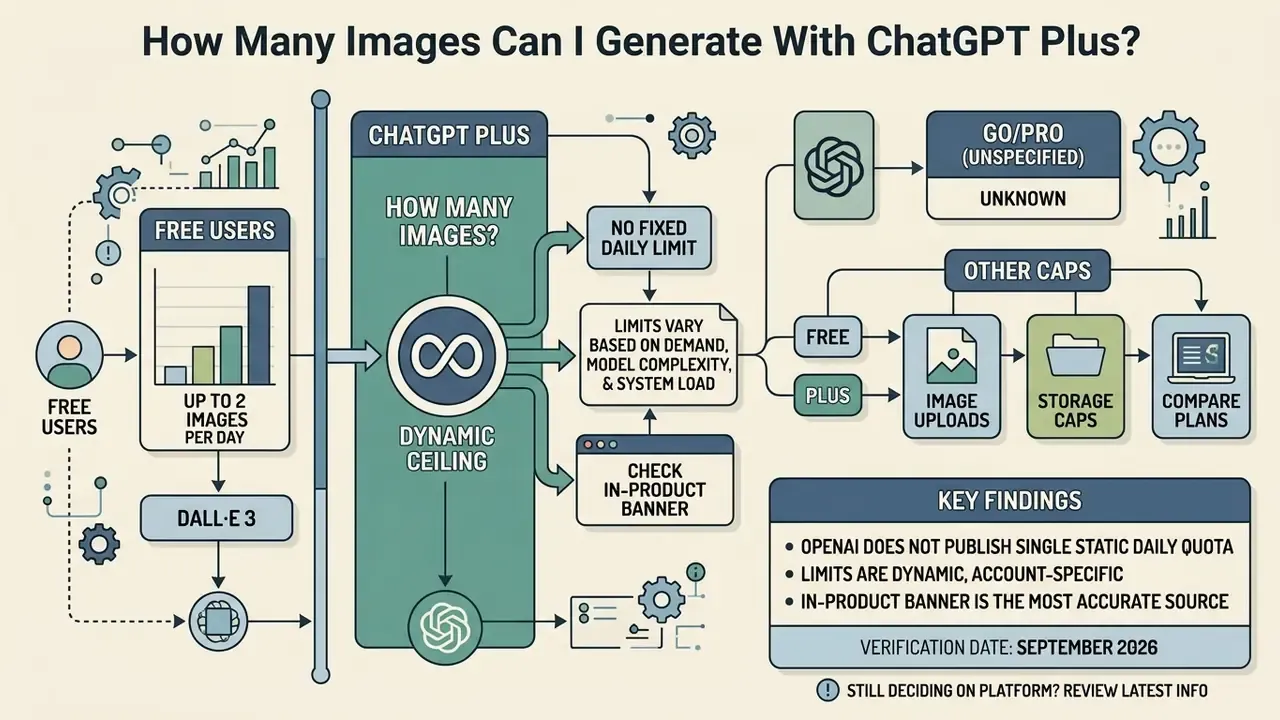
ChatGPT Plus does not have a fixed daily limit published by OpenAI. Subscribers operate under dynamic generation limits that typically yield around 50 images per rolling three-hour window. That rolling structure gives plus subscribers substantially higher limits than free users, yet the total usable output still depends on real-time server load and model availability.
«Image generation limits depend on the model and your usage tier; your current rate limit is shown inside the product.»
Free users of ChatGPT can create up to two images per day through the DALL·E 3 pipeline. That is the officially documented ceiling, and it remains the cleanest baseline for comparison against paid tiers.
«Free users can create up to two images per day with DALL·E 3.»
Fact check and verification status
Why a quota question belongs in a governance conversation
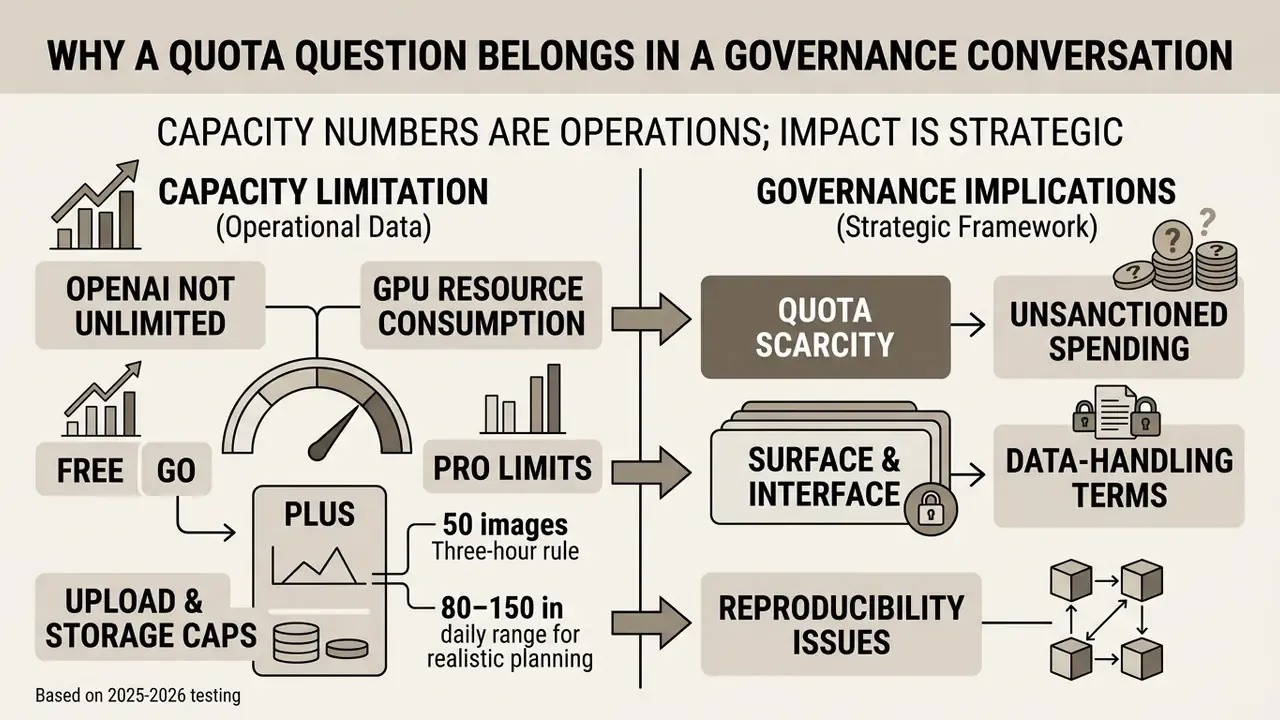
A capacity number looks like an operations detail. It behaves like a control question. Three reasons, briefly.
First, quota scarcity creates unsanctioned spending. When a designer hits the two-image free ceiling, the fastest fix is a personal card and a personal account. That is shadow AI, arriving through the side door.
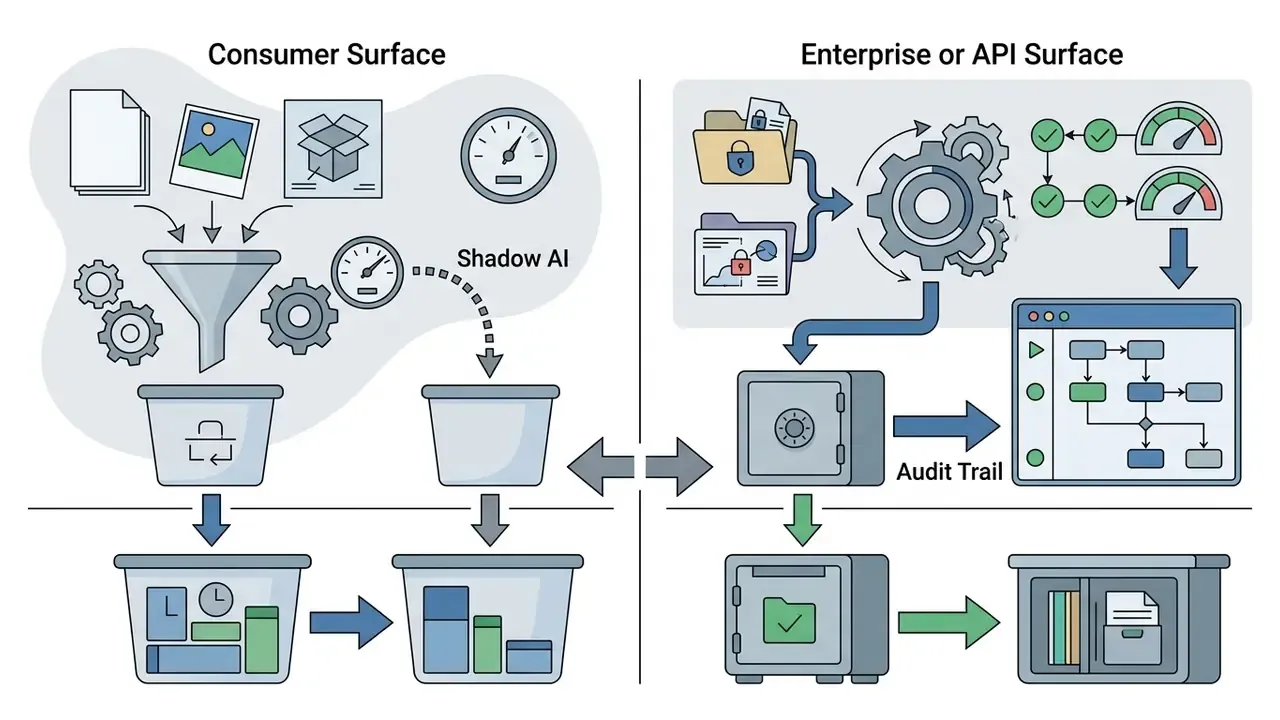
Second, the surface determines the data-handling terms. Consumer tiers and enterprise or API surfaces are governed differently, and an unreleased product render is still confidential material.
Third, reproducibility. If a generated asset ends up in a prospectus, an onboarding flow, or a KYC explainer screen, someone will eventually ask where it came from. Personal accounts answer that question poorly.
So the sections below cover both halves of the problem: the mechanics of the daily image allowance, and the control set a risk owner should ask for before approving team use.
Why ChatGPT Plus does not promise unlimited image generation
OpenAI does not promise unlimited image generation because rendering visual outputs consumes substantial GPU compute, which makes fixed-fee unconstrained access economically unviable. High-volume creation is therefore governed by fair-use controls and dynamic rate limiting that protect platform stability during peak hours. API pricing metrics show that generating high-resolution images through GPT Image models carries a non-trivial compute cost per output, and flat-rate consumer subscriptions cannot absorb uncapped execution.
Independent 2025-2026 testing puts the practical ceiling at roughly 50 images per rolling three-hour window, which extrapolates to about 180-200 images per 24 hours under optimal request spacing.
«Plus users may generate about 40-50 images in any rolling 3-hour window, roughly 200 per day under ideal timing.»
The rate-limiting logic is not arbitrary. It is a capacity-management decision that reflects the marginal compute cost of each rendered visual token. OpenAI's own documentation frames image generation as a rate-limited feature by model and usage tier, never as an unlimited entitlement. Anyone searching for "chatgpt plus generate images unlimited" is, in effect, searching for a product that does not exist.
What a Plus subscriber should realistically plan for
Plan for roughly 80 to 150 usable images per day during standard business hours, rather than the theoretical 200-image ceiling. Why the gap? Routine image workflows also consume message slots for text prompts, revisions, and iterative image editing from the same shared pool.
«Realistic output lands at 80-150 images per day, because text turns and edit requests draw from the same message pool.»
Teams structuring daily creative pipelines should budget against that shared message pool instead of assuming every prompt can be devoted exclusively to new image creation. In practice, a designer who spends 30% of the session describing, critiquing, and refining outputs in text lands near the lower end of the band. A designer issuing clean, self-contained prompts lands near the upper end.
ChatGPT Plus at $20 per month fits iterative design drafting and promotional asset creation well. Before publishing anything externally, confirm the commercial use of AI image generators you rely on, because licensing terms differ sharply between vendors and tiers. Typical high-frequency use cases at this volume include social creatives, blog headers, deck illustrations, and concept passes for AI logo generators-style branding exploration.
How ChatGPT Plus image limits work in practice
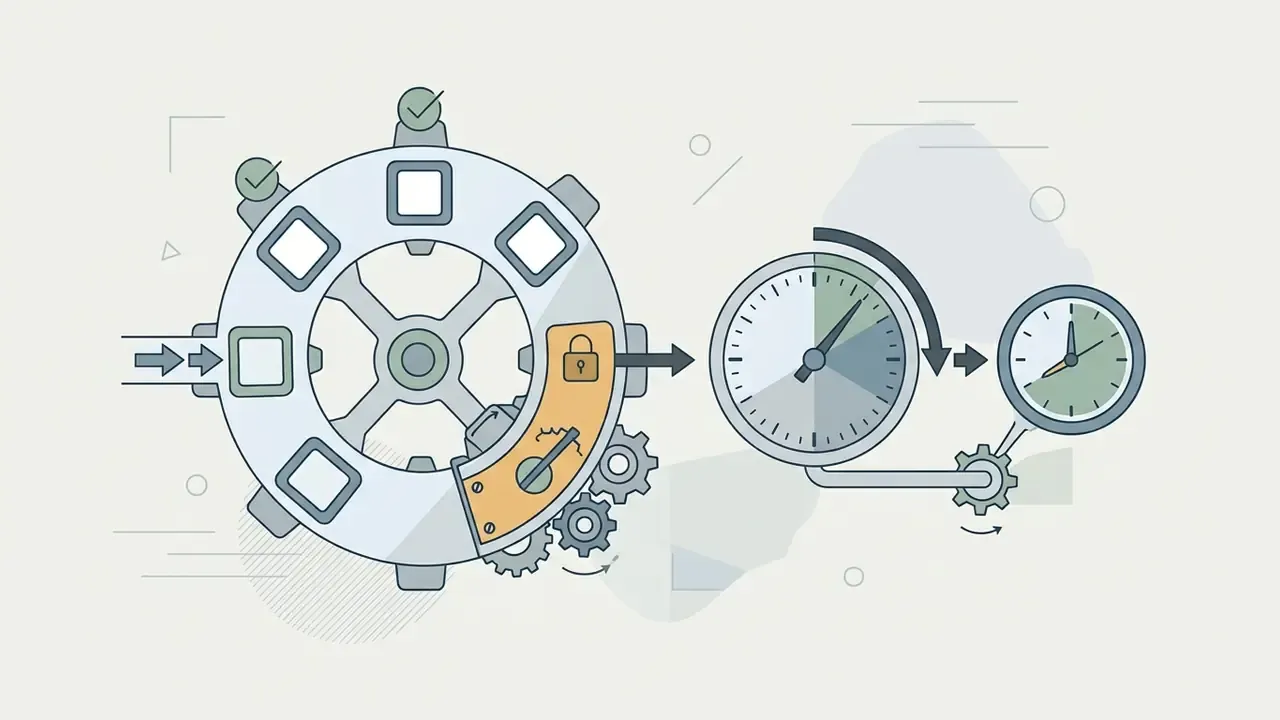
ChatGPT Plus image limits operate through a rolling window counter, not a fixed daily reset at midnight. Each image generation consumes a slot inside a three-hour window, and that individual slot reopens exactly three hours after the request was initiated.
«Each message replenishes exactly 3 hours after submission; the Plus pool sits near 160 messages per window, of which roughly 50 can be spent on image generation.»
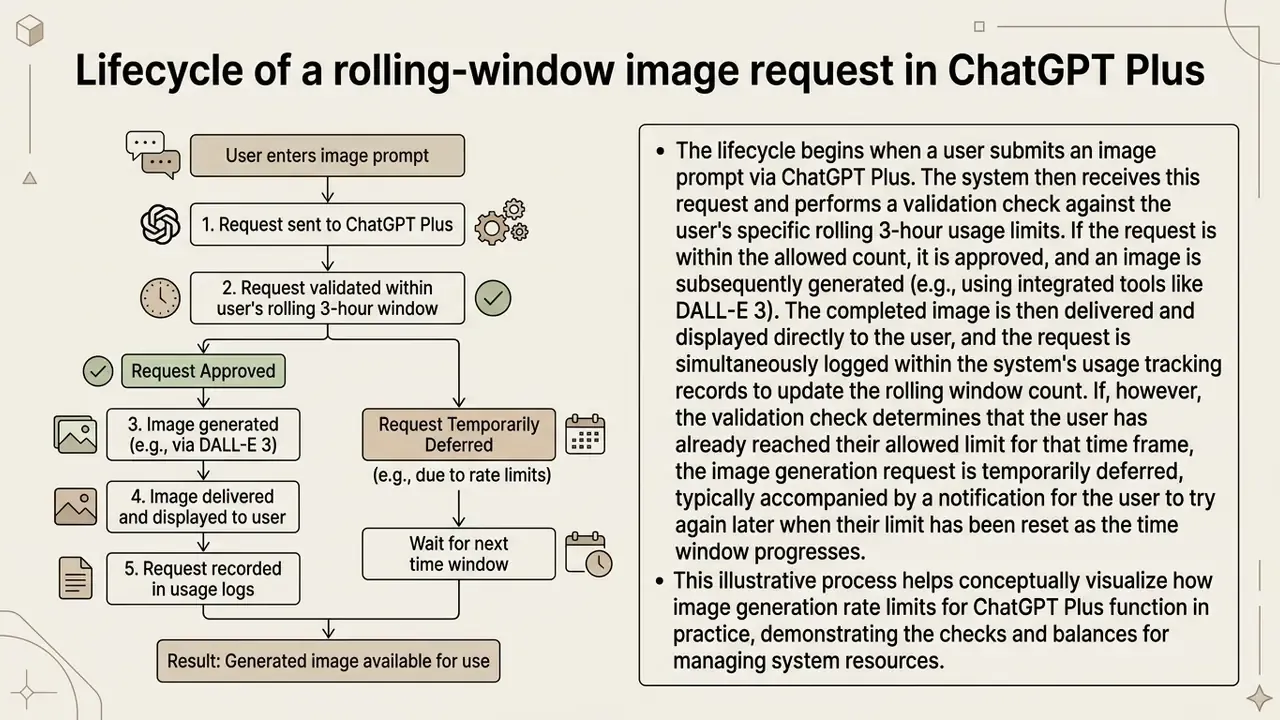
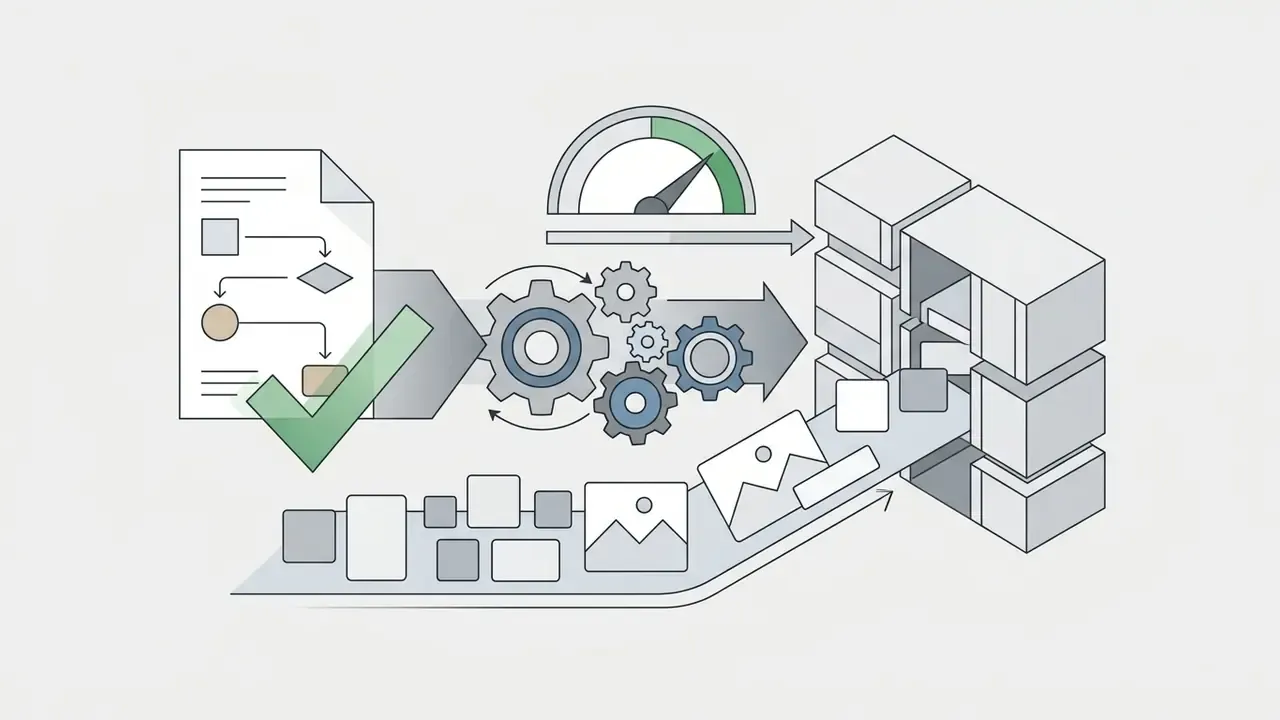
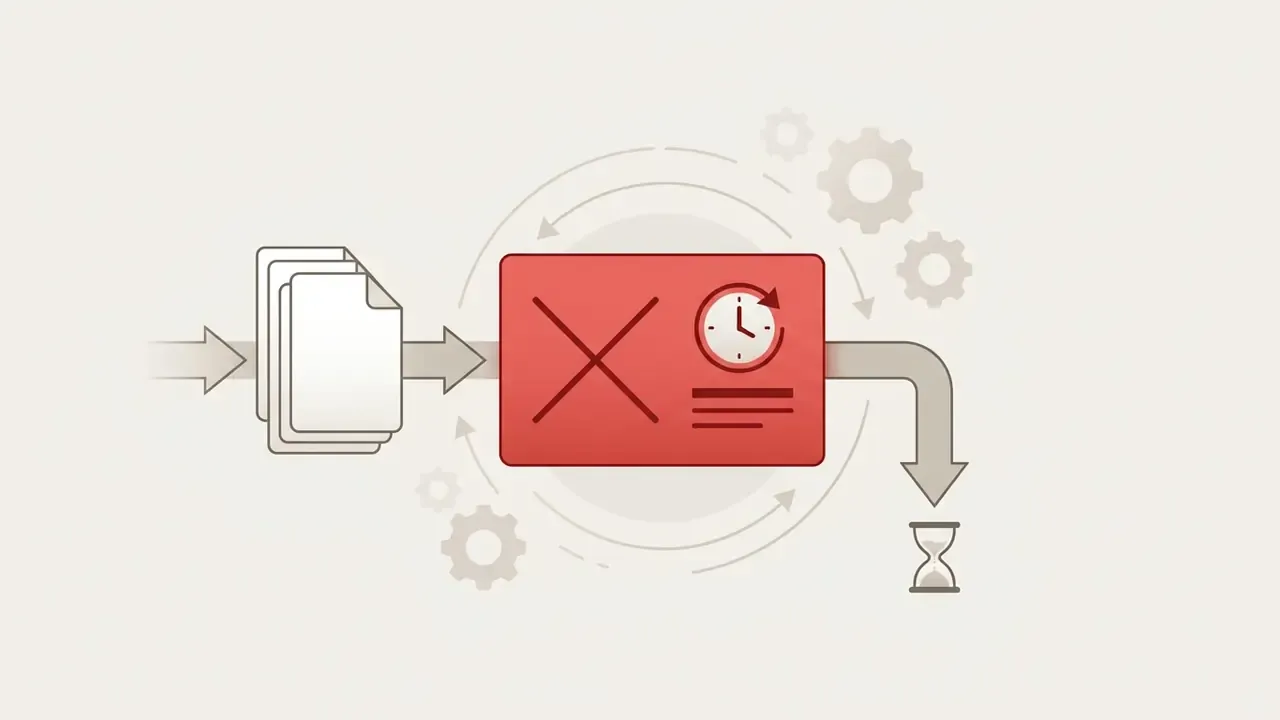
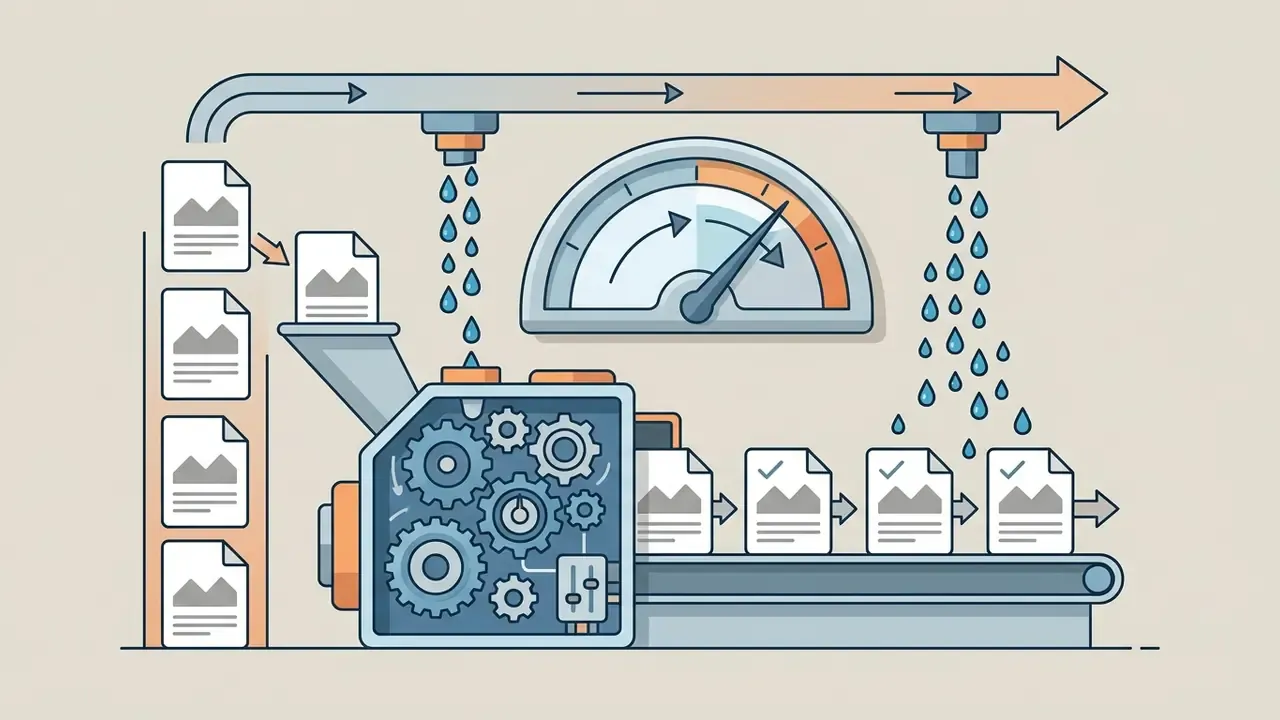
Textual transcript of Figure 1, step by step:
That last point is the one most people miss. There is no midnight refill for Plus.

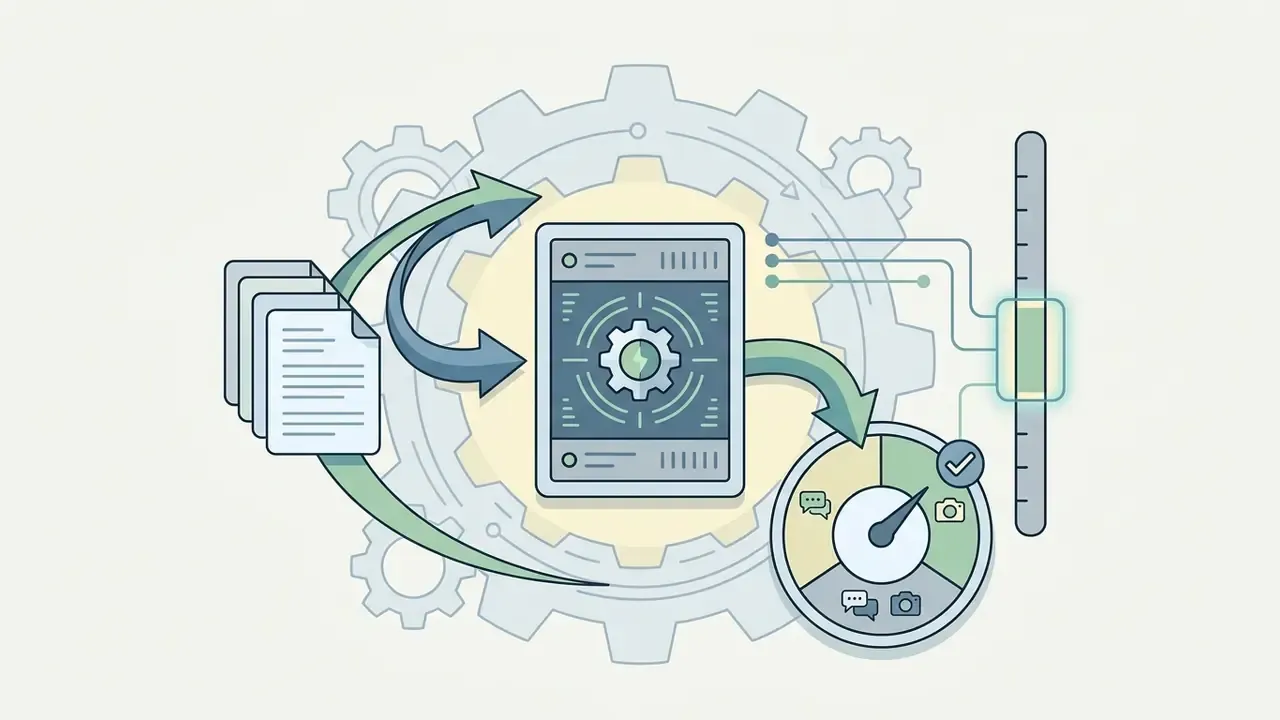
Rolling windows versus a per-day image allowance
A rolling window evaluates usage over a moving 180-minute timeframe. A standard per-day allowance resets all capacity at a calendar boundary. Because capacity on Plus replenishes continuously as individual requests age out, how many images per day you actually get depends on how you space requests across the full 24-hour cycle.
«On the free tier the cap resets exactly 24 hours after the first generation rather than at midnight; on Plus, each slot reopens three hours after its own request.»
This distinction matters operationally. A user who generates eight images in the morning, eight in the afternoon, and six in the evening has a smoother day than one who fires 40 prompts back-to-back inside a single hour, even when both end with similar totals. The rolling model rewards pacing and punishes bursts.
Why limits can change during peak hours
Generation limits tighten automatically during peak hours to manage global server load and hold interactive response speeds steady. OpenAI prioritises system responsiveness across paid tiers, so during periods of high concurrency temporary throttling can reduce the available image quota inside a given hour window.
The economics reinforce the behaviour. Image output tokens for GPT Image models are priced at a level that makes unconstrained flat-rate generation structurally unprofitable.
«GPT-Image-1 image output tokens are priced at $40 per million, which makes uncapped generation economically unviable inside a $20 monthly subscription.»
Model peak-hour throttling as a variable, not a constant. Any capacity plan that assumes steady-state throughput at the published ceiling will break during demand spikes, product launches, or a major model rollout. That is also, incidentally, when your communications team needs assets most.
How to identify the limit you actually hit
Distinguishing between specific system restrictions prevents misdiagnosing a workflow interruption. The interface shows distinct notifications depending on whether the block involves image generation limits, file size caps, storage capacity, or the conversational message limit.
| Error string you see | What it actually means | Correct response |
|---|---|---|
| "You've reached the limit for image generation. Please wait until [Time] to try again." | The rolling image tool quota is exhausted for this window. | Wait for the stated timestamp. Do not retry in a loop. |
| "You've reached the message limit for GPT-4o." | The broader conversational cap was hit, not the image cap. | Reduce text turns, or continue in a lighter model. |
| "File upload limit reached" / "File exceeds 20MB limit." | An attachment size, upload-frequency, or storage constraint, not a generation block. | Compress the file, delete stale assets, or wait for the upload window. |
| "429 Too Many Requests" | An API rate-limit error on developer endpoints only. | Add exponential backoff and queueing. This never applies to the web UI. |
Sources: OpenAI File Uploads FAQ (2026) and OpenAI API documentation (2026). https://help.openai.com
One governance-relevant nuance: failed upload attempts can still count toward the rolling upload window. Blind retries actively make the block worse instead of clearing it.
What counts as an image generation in ChatGPT?
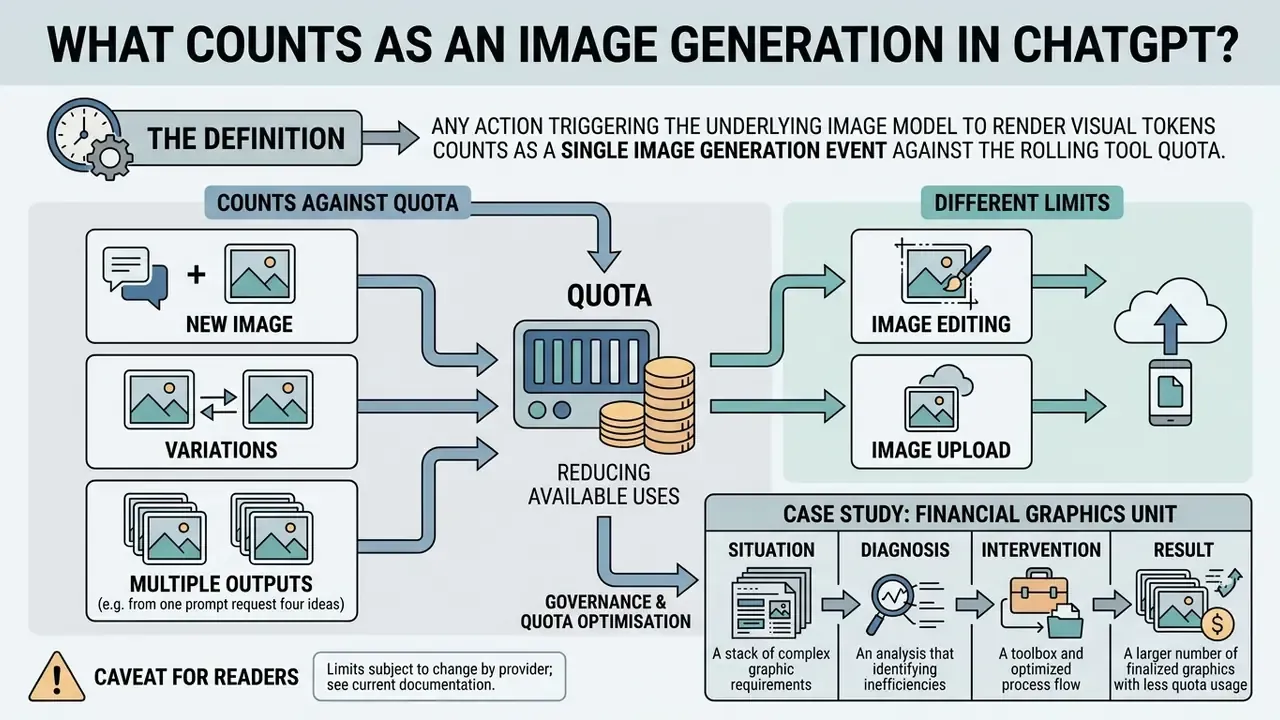
Any user action that causes the underlying image model to render visual tokens counts as a single image generation event against the rolling tool quota. Understanding these triggers prevents premature exhaustion of your allocation during an intensive session.
New images, variations, and multiple outputs
Submitting a prompt for a completely new image consumes one generation slot. Requesting multiple variations, or asking the model to produce alternative concepts inside one response, deducts capacity based on the total number of distinct visual outputs rendered.
«Use
nto request multiple variations; each returned image is a separate output and is billed per generated image.»
Put plainly: four variants normally equal four rendered images against the meter. The practical saving from batch prompting comes from consuming fewer conversational turns, not from free renders.
Image editing and existing image uploads are different limits
Uploading an existing image file consumes file attachment storage. Asking the model to perform image editing on that file consumes image generation quota. You can upload source files up to 20 MB per image without touching your generation allowance, but the instruction to modify, expand, or restyle that uploaded asset invokes the image model and deducts from the rolling window.
«Image files uploaded as attachments are capped at 20 MB each; eligible users can upload up to 80 files every 3 hours, and limits may be lowered during peak hours.»
Case study: governance and quota optimisation in a financial graphics unit
Internal editorial audit. Single-team observation, illustrative, not a vendor-published benchmark.
Situation. A financial graphics unit reviewing its onboarding workflows reported frequent mid-session service halts while producing brand assets.
Diagnosis. An internal audit found two compounding behaviours. Designers uploaded uncompressed high-resolution reference files, repeatedly striking the 20 MB per-image cap and the rolling upload window. They also issued broad, ambiguous prompts that triggered multiple full-image regenerations instead of targeted edits.
Intervention. The team standardised file compression before upload, consolidated several edit instructions into single structured prompts, and switched from "regenerate" to "edit this region" language.
Result. Quota-depletion events fell by roughly 64% over the following measurement period, at identical production volume.
Caveat for readers. Small sample, single team, no control group. Treat it as a directional signal about workflow hygiene, not as a performance guarantee.
Workspace storage, project file caps, and upload rate limits
Image workflows frequently stall for reasons unrelated to generation quota. Context and storage constraints are the usual culprits. OpenAI enforces a strict separation between image generation slots, file upload frequency, and storage volumes.
| Boundary metric | Free tier | ChatGPT Go / Plus | ChatGPT Pro / Team / Business |
|---|---|---|---|
| Image file upload size | 20 MB max per file | 20 MB max per file | 20 MB max per file |
| Non-image file size | Up to 512 MB per file | Up to 512 MB per file | Up to 512 MB per file |
| Rolling file upload rate | 3 files / 24 hours | Up to 80 files / 3 hours | Up to 80 files / 3 hours |
| Project attachment limits | Not applicable | 10 files at a time; 20 files per project (Plus) | 40 files per project |
| Individual user storage | Restricted | 25 GB per end user | 25 GB per user / 100 GB per organisation |
Sources: OpenAI File Uploads FAQ (2026); OpenAI Help Center project limits documentation (2026). https://help.openai.com
Reaching the 25 GB user storage limit, exceeding a project's file cap, or uploading more than 80 files inside 180 minutes triggers systemic file-attachment blocks. Do not confuse these with image generation quota caps. They resolve through deletion and compression, never through waiting for a generation window to reopen. Organisation-level storage of 100 GB is shared, which means one colleague's bulk upload can block your image workflow while your personal quota sits untouched.
ChatGPT Free vs Go vs Plus vs Pro for image generation
Choosing a tier depends on required daily volume, priority processing during peak hours, and persistence needs for stored assets.
| Feature / metric | ChatGPT Free | ChatGPT Go | ChatGPT Plus | ChatGPT Pro |
|---|---|---|---|---|
| Official price | $0 / month | $8 / month | $20 / month | From $200 / month |
| Image generation limits | ~2 images / day with DALL·E 3 | ~20-30 images / day (positioned at 10x Free) | Dynamic rolling limit, ~50 images / 3 hours (~180-200 per day) | Highest capacity allocation; positioned as unlimited and faster |
| Peak hours priority | Low (queueing and restrictions) | Moderate | High (priority model access during peak) | Highest (dedicated capacity scheduling) |
| Image editing capabilities | Basic conversational adjustments | Conversational editing with tighter throttling | Full conversational editing and "Images with thinking" | Full conversational editing and extended context |
| Target operational scenario | Casual exploration and basic testing | Moderate everyday creation | Regular individual and professional visual workflows | Power users and enterprise teams |
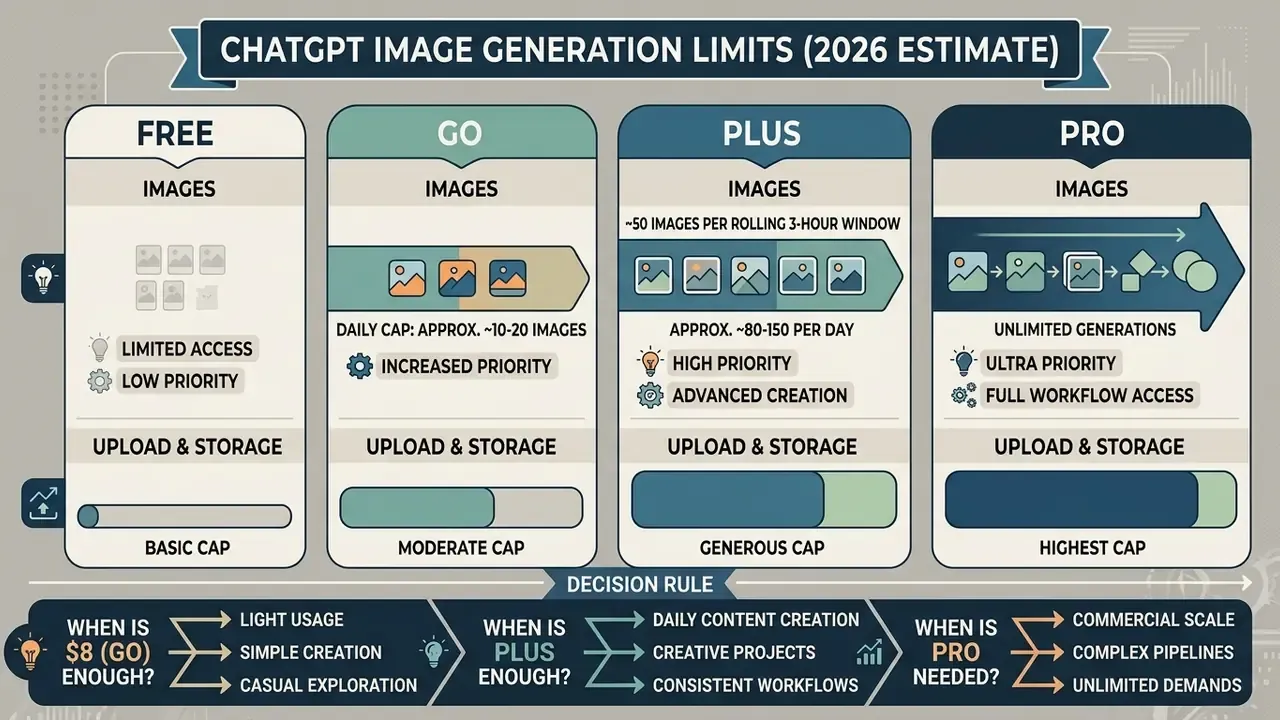
ChatGPT Go vs ChatGPT Plus: is the $8 tier enough?
ChatGPT Go at $8 per month provides roughly 10x the operational capacity of the free tier, which lands near 20 to 30 usable image generations per day under moderate spacing. Go removes the strict two-image bottleneck, yes, but it stays subject to aggressive throttling during peak concurrency. Creators who need structured batch execution, advanced conversational image editing, or sustained output above 30 assets daily should move to Plus for the ~50-image per three-hour rolling window.
«Go includes extended access to image generation and higher limits than Free for eligible features, but usage remains subject to safeguards.»
Read that positioning carefully. OpenAI states Go is higher than Free, not that it matches Plus. When OpenAI introduced the tier, the published 10x comparison covered messages, file uploads, and image creation together. It is a relative statement, not a daily image counter. If a deadline depends on visual output, the $12 monthly gap between Go and Plus is usually cheaper than a stalled workflow.
Decision rule: choose Go if image generation is occasional and you mainly want headroom above Free. Choose Plus if image work is part of a recurring job, if you need "Images with thinking," or if a rolling-limit interruption would break a client commitment.
When ChatGPT Plus is enough for image workflows
ChatGPT Plus covers individual professionals, content strategists, and analysts who need 20 to 100 images per day. At $20 per month it balances cost efficiency against real generation capability, which suits iterative design drafting, editorial illustration, and promotional asset creation. Plus also carries higher file-storage headroom than Free, and that matters to anyone maintaining a reference library of source imagery.
When Pro or another workflow may be a better fit
ChatGPT Plus versus the OpenAI API: separate access and pricing
ChatGPT Plus and the OpenAI API are entirely separate services, with independent infrastructure, billing accounts, and rate limit schedules.
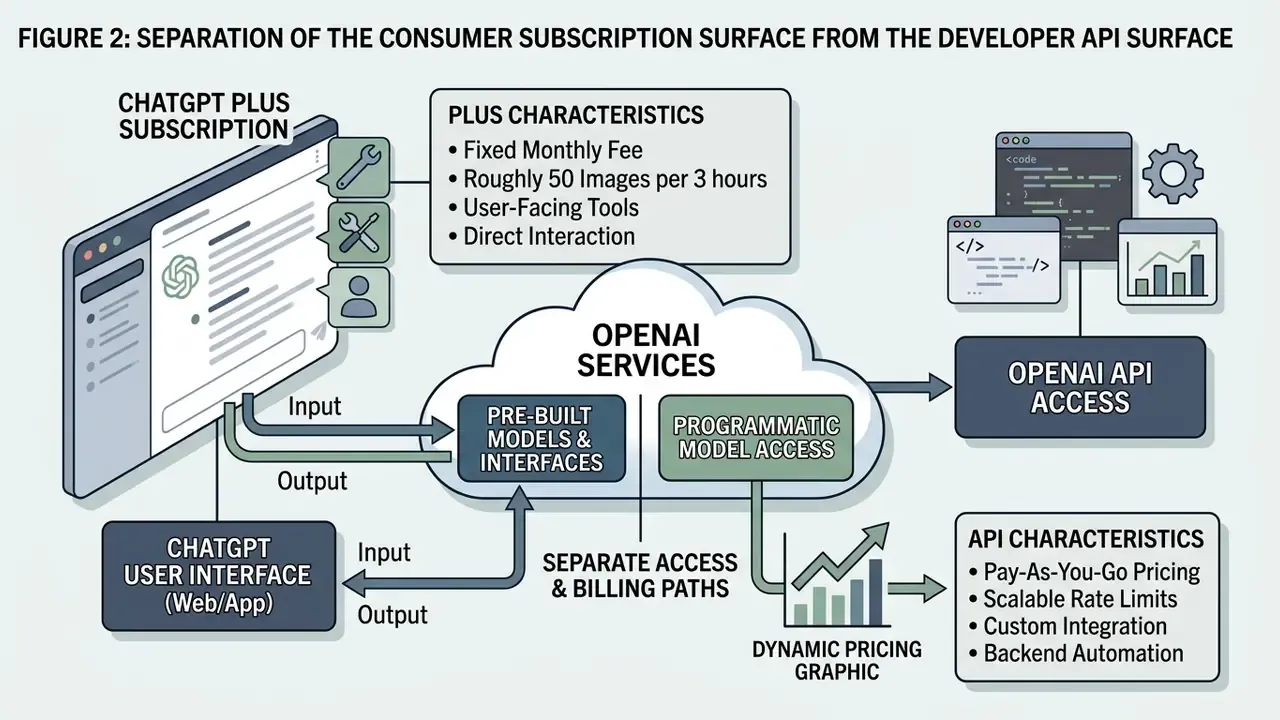
Textual transcript of Figure 2:
- Consumer surface. ChatGPT Plus at $20 per month, accessed through web and mobile interfaces, governed by a rolling three-hour window quota, with limit visibility delivered through in-product banners. No API access and no API credits are included.
- Developer surface. The OpenAI API on pay-as-you-go billing, accessed through programmatic endpoints, governed by usage-tier rate limits measured in tokens per minute and images per minute, billed per generated image, and surfacing 429 responses that your code must handle with backoff logic.
- Shared capacity: none. App usage is governed by product quotas. API usage is metered and throttled under platform rules and never consumes in-app slots. Teams running both must keep separate accounting for each channel.
Does ChatGPT Plus include API image generation?
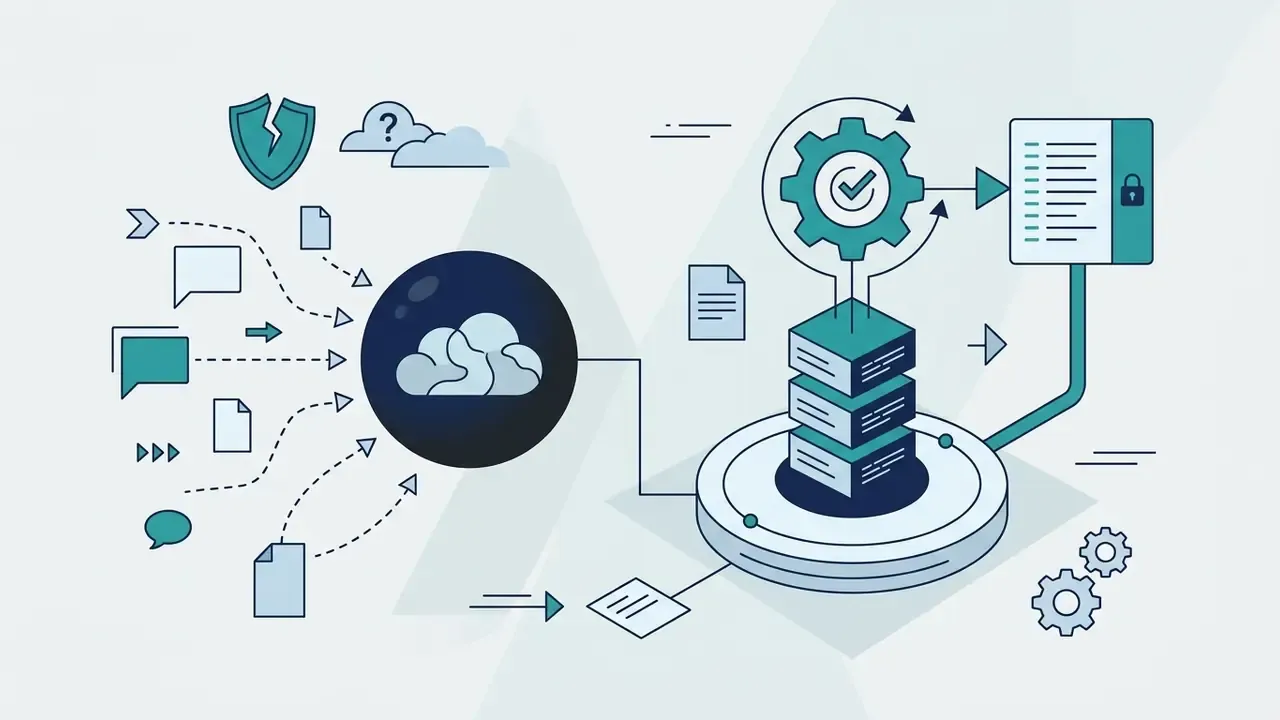
No. ChatGPT Plus does not include API image generation or API usage credits. The $20 monthly fee covers consumer web and mobile access only, and developer endpoints require a separate API account funded on a pay-as-you-go basis.
«API usage is billed separately from your ChatGPT subscription.»
OpenAI is explicit that chatgpt.com and platform.openai.com are two separate platforms with independent billing. Payment methods and balances do not transfer between them. That single fact resolves the most common support ticket in this category: a Plus subscriber assuming the subscription unlocks an API key quota.
When to move from ChatGPT to the image API
Move to the image API when visual generation must be automated inside software, embedded into a product, or scaled beyond rolling interface quotas. Programmatic access gives you defined rate limits measured in images per minute (IPM) and tokens per minute (TPM), plus predictable per image token pricing.
«A low-quality 1024×1024 GPT Image render costs roughly $0.011; a high-quality render of the same size costs roughly $0.167.»
Published tier ladders make capacity planning explicit rather than probabilistic. Entry tiers start near 100,000 TPM and 5 IPM, while the highest tiers reach several million TPM and 250 IPM. Teams planning custom infrastructure can see the overview for integration patterns, or use our api cost calculator to forecast operational expenditure.
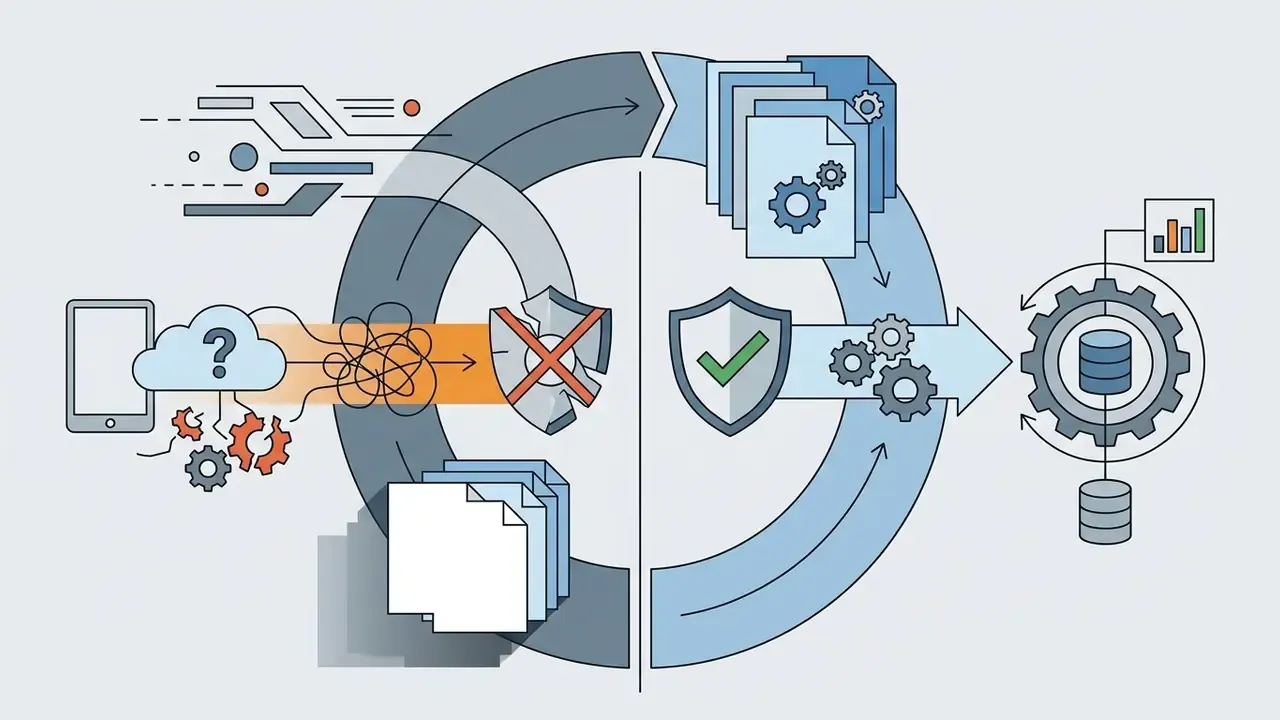
A caution on framing, because this gets misread in procurement decks. Moving to the API is not a way to bypass a ChatGPT limit banner. It is a decision that a workflow belongs in a developer system with its own billing, logging, and rate-limit engineering, including exponential backoff, request queueing, and concurrency control.
Enterprise risk: shadow AI, data handling, and audit trails
For risk, compliance, and model-risk owners, the quota number is secondary to a sharper question: which surface is the work happening on? Consumer-tier ChatGPT Plus is a personal subscription, and that has concrete consequences once employees start uploading source imagery.
A practical control set:
- Define in policy which asset classes may never be uploaded to a consumer tier.
- Provision sanctioned capacity, Business tier or API, so quota exhaustion does not push staff toward personal accounts.
- Require that production, repeatable image generation runs through API projects where request logs, spend, and rate limits are observable.
- Assign a named owner for each sanctioned AI workflow, with an approved role, access limits, an escalation path, and a shutdown mechanism. No evidence, no autonomy.
- Never attempt limit circumvention through account rotation, proxy tricks, or automation loops. It violates terms of use, contaminates the billing and support trail, and creates an unmanaged data-flow path.
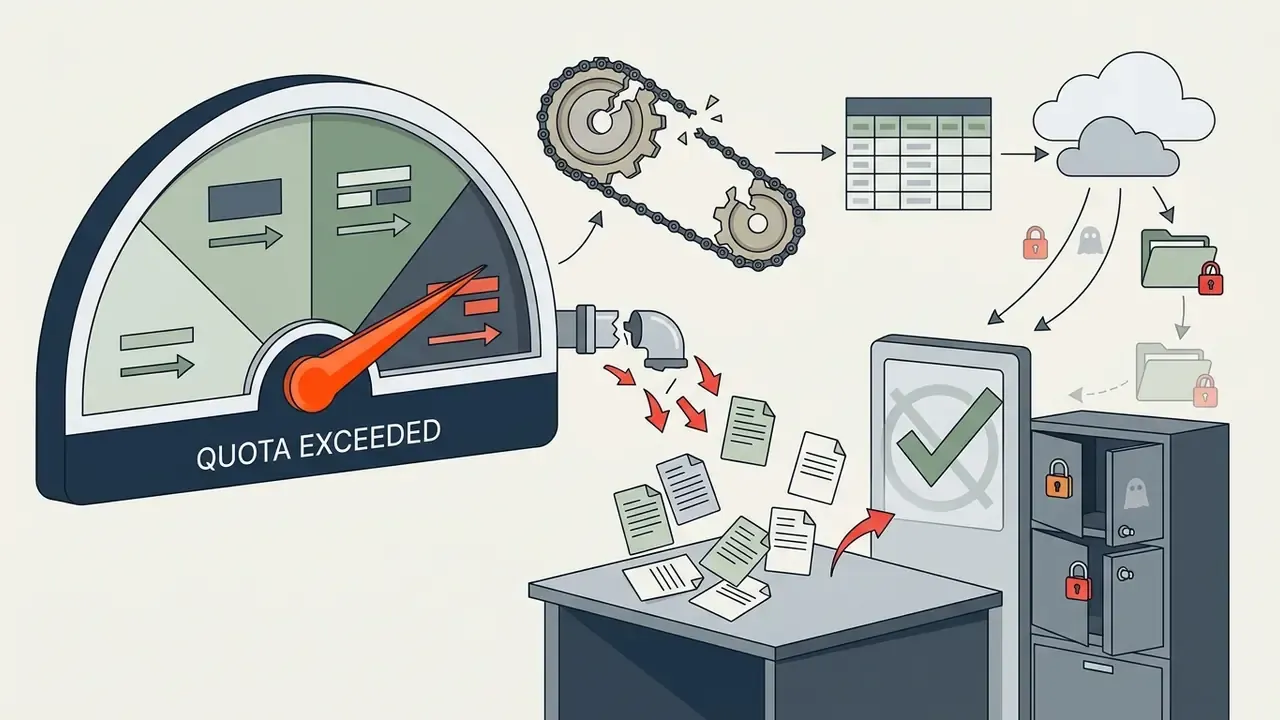
Plus vs API break-even: the unit economics
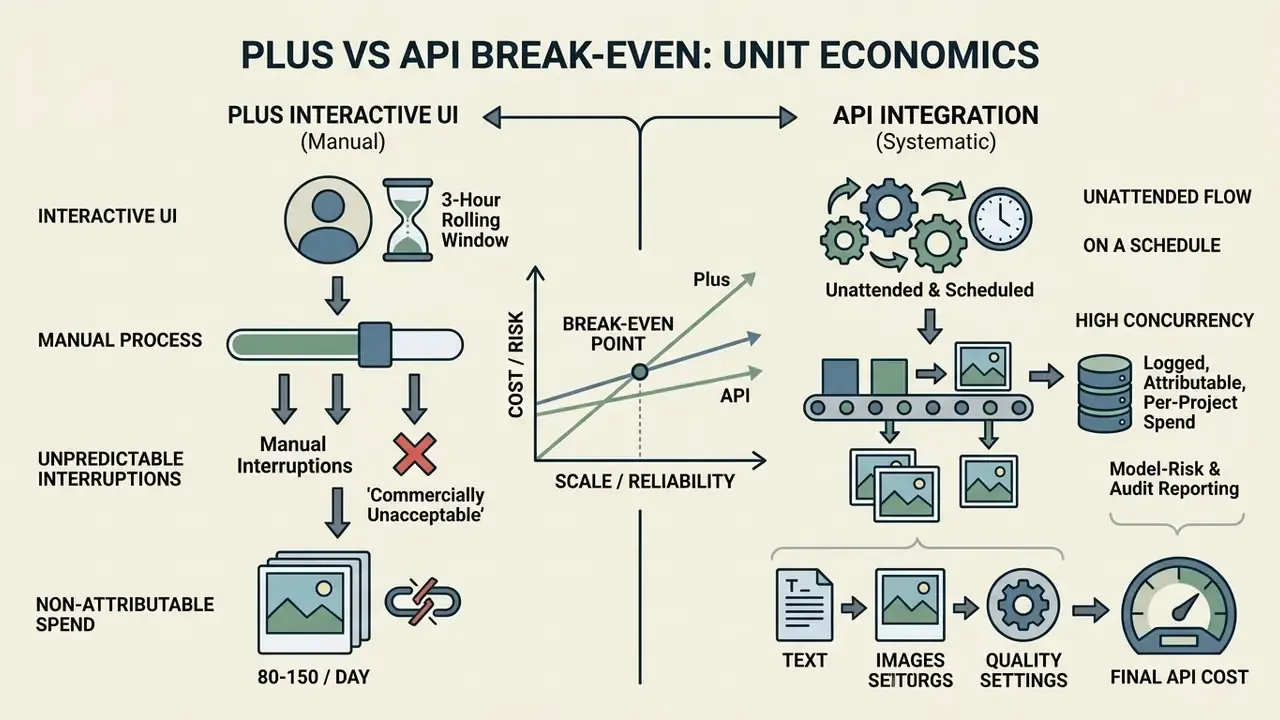
Finance stakeholders usually want one number. At what volume does the API become the rational choice? The arithmetic is simple once you fix the quality level.
Inputs (OpenAI API pricing, 2026):
- Low-quality 1024×1024 render about $0.011 per image
- High-quality 1024×1024 render about $0.167 per image
- ChatGPT Plus $20 per month, flat
Break-even against a $20 Plus subscription:
| Output quality | Images equivalent to $20 of API spend | Reading |
|---|---|---|
| Low quality (drafts, thumbnails, concept passes) | about 1,800 images per month | Plus is far cheaper below roughly 1,800 low-quality renders. The API wins on automation, not on price. |
| High quality (final production assets) | about 120 images per month | Above roughly 120 premium renders per month, API spend exceeds the Plus fee, but you gain scheduling freedom and no rolling-window stalls. |
How to interpret this. At 80-150 images per day, Plus is extraordinary value per image. A fully utilised subscription can theoretically produce 2,400-4,500 images per month for $20, which no metered pricing can match. So the migration trigger is not cost per image. It is one of the following:
- the work must run unattended, on a schedule, or inside a product;
- interruptions from a rolling window are commercially unacceptable;
- you need logged, attributable, per-project spend for model-risk and audit reporting;
- concurrency requirements exceed what an interactive UI can serve.
Final API cost depends on prompt text, input images, output count, resolution, and the quality setting, so model your workload mix rather than a bare image count. Our api cost calculator is the fastest way to sanity-check the assumption before a procurement conversation.
How to get more useful images from your ChatGPT Plus allowance
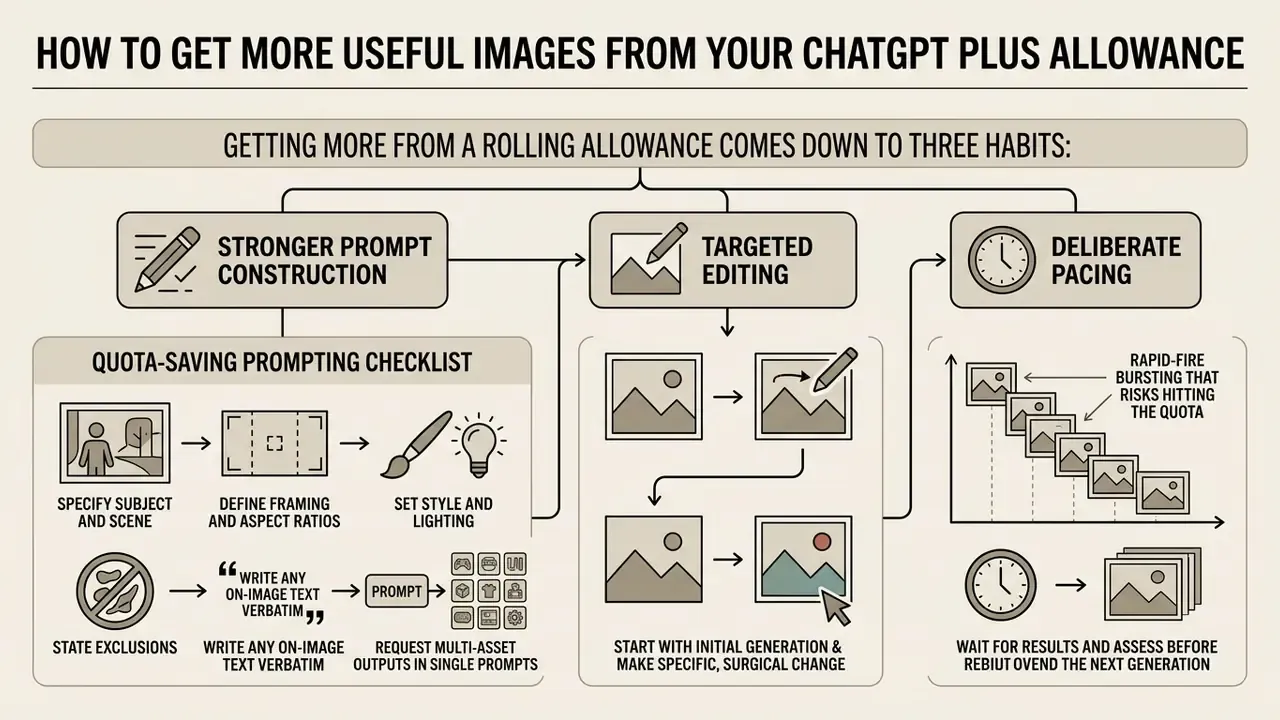
Getting more out of a rolling allowance comes down to three habits: stronger prompt construction, targeted editing, and deliberate pacing. Quality over brute force.
Write image prompts that reduce wasted generations
Detailed prompts that specify framing, subject placement, colour palettes, lighting, and aspect ratios cut repeat generations sharply. Precise constraints stop the system from rendering ambiguous compositions that waste quota slots.
«Define the result, specify composition and aspect ratio, describe visible details, state exact text, and separate changes from constraints; iterate with one change at a time.»
OpenAI's own guidance recommends a fixed ordering for complex requests: background and scene, then subject, then key details, then constraints, using labelled sections or line breaks once a prompt grows long.
Quota-saving prompting checklist:
- Specify subject and scene. Define the primary object, background environment, and context in the opening sentence.
- Define framing and aspect ratios. State camera angle (wide-angle, macro, three-quarter) and dimensions (16:9, 1:1, 4:5).
- Set style and lighting. Dictate artistic style (vector illustration, photorealistic, isometric) and lighting (diffused studio, golden hour, hard rim light).
- State exclusions. Name what must not appear. Ambiguity is the single largest source of discarded renders.
- Write any on-image text verbatim. Paraphrased text instructions produce the highest retry rate of any prompt element.
- Request multi-asset outputs in single prompts. Ask the model to render variations inside one response, for example "Generate a grid of 4 distinct visual variations of this icon with transparent backgrounds." Depending on current system routing, structured batch prompts can return up to four options while consuming fewer primary prompt slots from your conversational message quota. The honest trade-off: each returned image still counts against image metering, so the saving sits in turns and iteration cycles, not in free renders.
Before and after, the quota arithmetic:
| Approach | Typical prompt | Renders consumed to reach an approved asset |
|---|---|---|
| Unstructured | "Make me a nice logo for a fintech app" | 4-6 (style, colour, layout, and text all drift between attempts) |
| Structured | "Flat vector wordmark, 1:1, deep navy #0B1F3B on white, geometric sans, no gradients, no drop shadow, text exactly: NORTHBRIDGE. Render 4 layout variations in one grid." | 1-2 (one batch render plus one targeted edit) |
Once an asset is approved, resolution upgrades belong in post-processing rather than in a regeneration loop. See our overview of AI image upscalers for that step.
Use editing instead of restarting from scratch
Conversational image editing on an existing image uses capacity far more efficiently than generating fresh concepts. Point at a specific region, request a targeted modification, and the rest of the composition stays intact. This is also where AI photo editors and native editing tools complement generative workflows rather than compete with them.
«Targeted edits inside an existing workflow reach an acceptable result faster than repeated from-scratch generations.»
The mechanics are well documented in the image-editing research literature. Point-based and dialogue-driven editing methods were developed specifically to manipulate an existing image without regenerating the whole scene, and conversational frameworks now parse instructions hierarchically to invoke the narrowest possible edit. The practical rule for a Plus subscriber is short: say "change only the background to a matte grey studio sweep, keep the product and lighting identical" instead of re-describing the entire composition.
Pace requests and avoid quota surprises
Spacing submissions across a work session prevents hard rolling-window blocks. Even distribution keeps slots replenishing continuously, which removes unexpected pauses during critical tasks. The engineering principle mirrors network rate control: keep the instantaneous send rate below the allowed average across the window, and cap bursts so requests never cluster inside one renewal interval.
A workable cadence for a Plus account. Treat the day as four three-hour blocks. Budget roughly 35-40 image renders per block rather than the theoretical 50, and reserve the remaining headroom for edits and revision turns. Teams sharing a deadline should stagger start times too, so two designers are not exhausting the same peak-hour capacity at once.
Quick checklist: what to do when you hit a limit block
- Identify the exact error string.Verify whether the block specifies image generation, GPT message limit, file size (20 MB), upload frequency (80 files / 3 hours), or storage capacity (25 GB).
- Check the exact timestamp.Note the reset time in the banner. Individual slots reopen 180 minutes after their original submission, and the banner in your own account is authoritative, not any published table.
- Stop retrying in a loop.Failed attempts can count toward rolling upload windows and will extend the block rather than shorten it.
- Audit persistent workspace storage.For upload blocks, open settings and delete obsolete source assets to free your 25 GB allocation. Check organisation-level storage too, since it is shared.
- Check project file caps separately.A full project (20 files on Plus, 40 on Pro, Team, or Business, 10 at a time) blocks attachments even when generation quota is intact. Remove obsolete files or summarise old context instead of spawning duplicate projects.
- Isolate prompt requests.If iterations keep failing, switch to targeted conversational editing on an already rendered asset instead of issuing fresh generation prompts.
- Rewrite refusals for compliance.If a request was declined on policy grounds, restructure the task legitimately rather than attempting evasion.
- Shift to programmatic API execution.If a deadline requires continuous, high-concurrency output, move the workload to the OpenAI API with queueing and backoff, and account for it as separate billing rather than a quota bypass.
- If the job needs no conversation context,route it to a dedicated image tool instead of waiting out the window.
FAQ about ChatGPT Plus image limits
Can unused image quota be carried over to the next day?
No. Unused image generation quota does not carry over to the next day or the next billing cycle. The system evaluates capacity strictly on a continuous rolling basis, so unused allocations expire as time advances. This matches the wider industry norm, where subscription-included generative credits also reset on the plan cycle instead of accumulating. If you routinely lose unused capacity, that is a signal your tier is oversized, or that you should batch work more evenly. Readers who need only occasional output can fall back on free AI image generators without sign-up while a rolling window replenishes.
Can ChatGPT Plus generate videos as well as images?
ChatGPT Plus focuses on static image creation and editing. Native video generation has been managed under separate product access frameworks and is not folded into the standard Plus image quota. When Sora was bundled with Plus, OpenAI documented it as a distinct monthly allowance: up to 50 videos at 480p per month, fewer at 720p, clips up to 20 seconds, and queue delays during peak hours. Users who need to generate videos alongside stills can use our AI Video Credit Calculator to analyse multi-modal media requirements.
Do all ChatGPT image models have the same limits?
All image generation modes inside the ChatGPT Plus interface share the same overarching tool quota and message bucket. That includes legacy DALL·E 3 pipelines, the GPT-4o image path, and the updated GPT Image 1.5 and 2.5 models shipped as "ChatGPT Images". Newer GPT Image models render up to 4x faster and support specialised execution such as transparent PNG output, background removal, and image reasoning, yet every rendered visual token still deducts from your ~50-image per three-hour allocation regardless of render speed. Two caveats. First, advanced options such as "Images with thinking" spend extra reasoning compute before rendering and still draw on the same rolling tool allocation. That mode is available on Plus, Pro, and Business rather than Free. Second, image generation is not supported inside every reasoning model, and OpenAI documents model-specific exclusions that redirect users to supported models instead. To review independent performance metrics across image generation architectures, use our AI Media Benchmarks and Review Proof resource, compare the best free AI image generators, or browse the hub for alternative model deployments.
How many images can you generate with ChatGPT 4 and GPT-4o?
There is no separate counter for GPT-4 or GPT-4o image work inside a Plus account. Those models draw from the same rolling message and image tool pool, so the practical planning figure stays near 50 renders per three-hour window. What changes between generations is speed, instruction following, and text rendering quality, not the size of your daily image allowance.
Does requesting four variants count as four images?
Yes. Most interfaces count each returned image against the meter, so a four-variant request normally deducts four renders. The efficiency gain from batching sits in conversational turns and iteration speed, not in free output. Where you genuinely need to conserve renders, run a targeted edit on an approved asset instead of a fresh variant set.
Do images generated in the ChatGPT app count against my API quota?
No. The two run on separate systems with separate billing. App usage is governed by product quotas, while API usage is metered and throttled by platform rules and never consumes in-app slots. If you operate both channels in parallel, keep separate accounting and separate governance documentation for each.
Is ChatGPT Go unlimited for image generation?
No. OpenAI's Go documentation states that usage remains subject to safeguards, so "extended access" and "higher limits than Free" should not be read as unlimited generation. Plan around 20-30 images per day for moderate use, and split client work into concept, refinement, and final variation passes so one long run does not empty the window.
How does ChatGPT compare with Nano Banana Pro for image work?
Google's Nano Banana and Nano Banana Pro models sit in a different quota system entirely, metered by their own plan rules rather than by OpenAI's rolling window. For a multi model workflow, the useful comparison is not raw image count but three practical factors: text rendering fidelity, editing precision on an existing image, and licensing terms for commercial use. Test both against your own asset types before standardising, and document which surface handles confidential material.
Which limit should I trust, a published table or my own account?
Always your own account. OpenAI does not publish one universal daily image count that applies to every Plus or Go account. The in-product banner, reset message, plan state, model availability, and current system conditions are authoritative. Published figures, including the ~50 per three hours benchmark cited throughout this guide, are community and reviewer estimates for planning, not contractual entitlements.
Limitations, open questions, and a safe next step
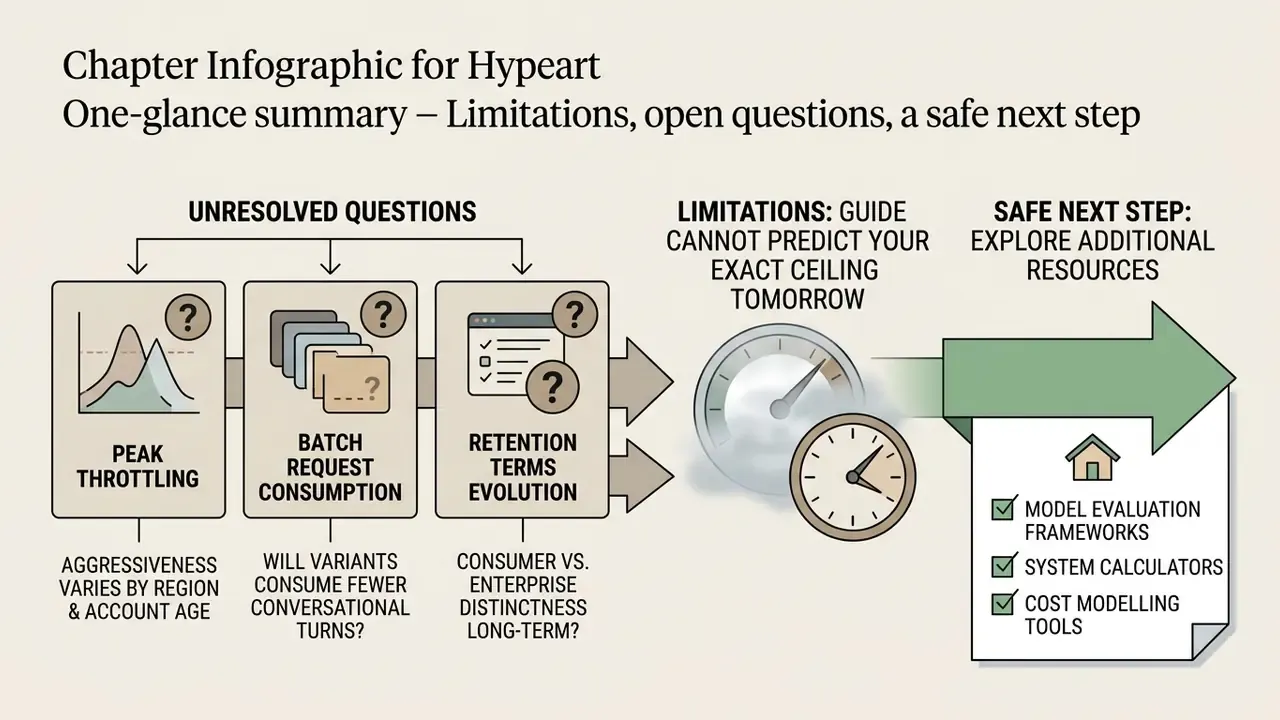
What this guide cannot tell you: your exact ceiling tomorrow. Dynamic limits move with model rollouts, concurrency, and product changes, and OpenAI reserves the right to adjust them without notice. Treat every number here as a planning estimate with a review date attached.
Three questions remain genuinely unresolved, and honesty is better than a confident guess:
- How aggressively peak-hour throttling varies by region and account age. Reviewer reports differ, and no official figure exists.
- Whether batch variant requests will continue to consume fewer conversational turns. Routing behaviour has changed before.
- How long consumer-tier retention settings will stay distinct from enterprise terms as the product line consolidates.
A safe next step, in order. Measure your team's real weekly image volume for two weeks. Compare that against the break-even table above. Then decide whether the workload belongs on a sanctioned subscription, on the API with logging, or split across both. Nothing about that sequence requires a new vendor contract, and it gives your risk committee something better than an anecdote.