Why would a risk or finance leader read a guide about image editing? Because this tool class spreads through marketing, operations and branch teams faster than any governance policy can follow. One drag-and-drop upload of a client photograph into a free browser endpoint is an uncontrolled data transfer. The productivity case is real. So is the exposure.
Executive summary
- What it is AI Image Filler is a class of neural tools that use guided diffusion to fill, replace or extend a selected area of an image based on a text prompt and the surrounding pixel context. Two processes matter: inpainting (generation inside the frame) and outpainting (extrapolation outside the original canvas).
- What it replaces manual retouching with clone stamps and healing brushes. Adobe documents that manual retouching of scenes without supporting detail is highly labour-intensive, while generative fill "significantly accelerates" typical retouch tasks. Adobe's 2025 benchmark reporting puts the speed-up at more than 10× versus traditional methods, and 3 to 4× even on simple scenes.
- Where the value is e-commerce catalogues, banner re-formatting (1:1 to 16:9 to 9:16), interior visualisation, virtual try-on, portrait retouching, restoration of damaged photographs.
- The three risks you must control (1) copyright, because purely AI-generated pixels without meaningful human authorship are not protected in the U.S.; (2) contract, because commercial rights come from the platform's Terms of Service, not from the prompt; (3) data security, because uploading sensitive imagery to public free endpoints is a textbook Shadow AI exposure.
- Never use generative fill on financial, legal or identity documents. Diffusion models hallucinate plausible glyphs. A "restored" invoice number or stamp is a fabricated artefact, not evidence.
«The main shift in generative media over the last three years is the move from full generation from scratch to precision editing driven by accurate contextual masks. Where retouching once required hours of brushwork, guided inpainting and outpainting now close about 90% of routine tasks in seconds, provided you keep clear control boundaries and validate the rights to the output.»
What is an AI Image Filler and how Generative Fill works
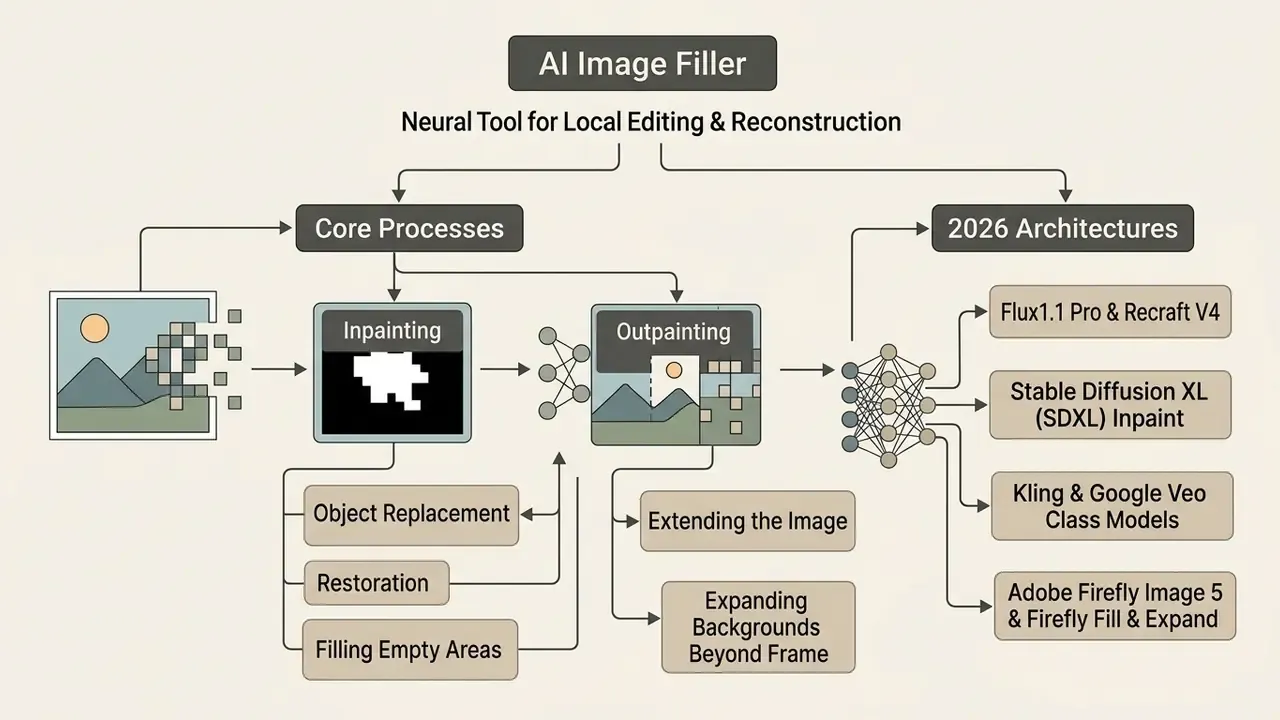
An AI Image Filler is a neural tool for local editing and reconstruction of graphic files through generative algorithms. Its operating principle is generative fill: the network reads the unmasked pixels around the selected area of an existing image, accounts for lighting, perspective and texture, then synthesises new visual content according to the supplied text prompts.
«A diffusion model is trained to reverse the noising process: the network predicts the noise at each step and gradually reconstructs the image from the mask and the surrounding context.»
Before you upload anything: run the 60-second risk check. Is this image confidential? Does the service retain files? Does your plan grant commercial rights? All three questions are answered in the sections on security and on free plans below.
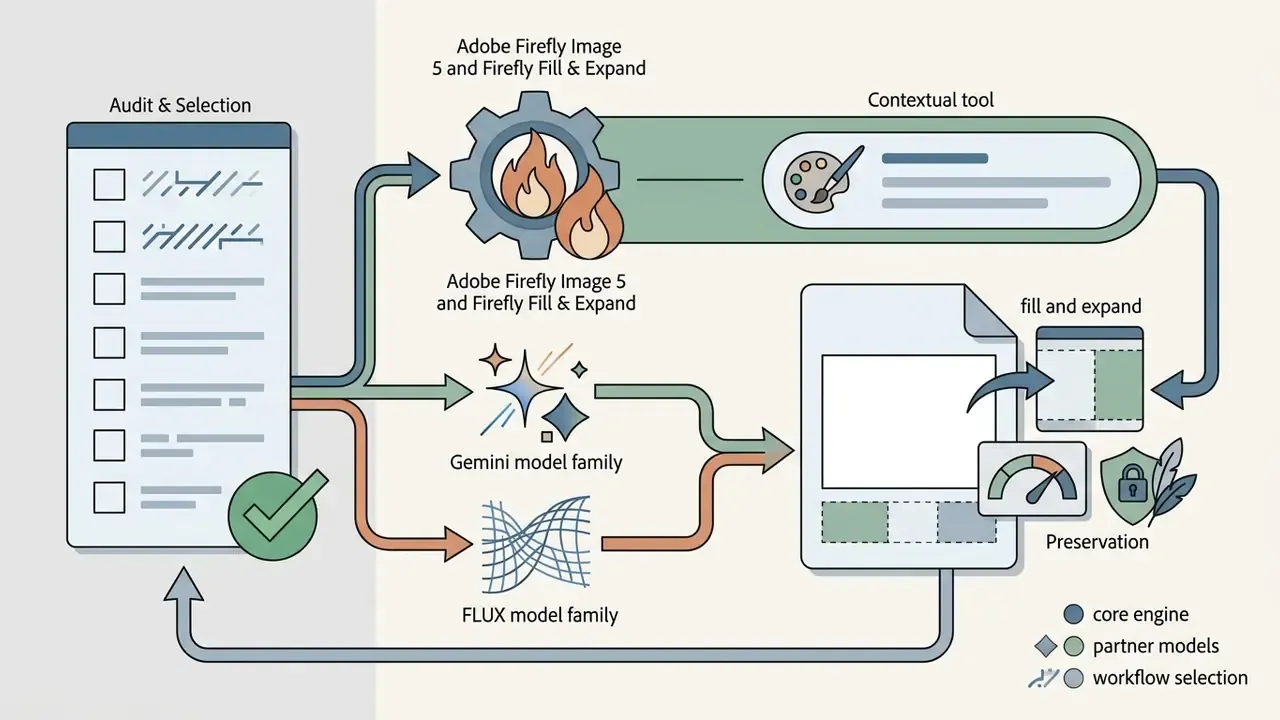
Inpainting, object replacement and filling an empty area
Inpainting is the neural reconstruction of internal regions of a frame through masking. Tools in the ai fill image category use a binary mask: the algorithm leaves pixels outside the mask untouched and fills the internal empty zone with generated content, conditioned on the prompt and the surrounding context. In practice, white mask pixels are repainted while black pixels are preserved exactly. Which is why mask accuracy, not prompt length, is usually the decisive variable.
ai fill in image free functionality covers both complete object removal and conceptual replacement. The network reads the depth geometry of the scene, preserves cast shadows and reflections, and the added content lands without a visible seam. When you ask an engine to ai fill the image around a deleted subject, the quality ceiling is set by what the surrounding context actually contains: a plain wall is easy, a tiled floor with strong perspective is not.
Outpainting: extending the image and background beyond the frame
Outpainting, also sold as an image extender, is the extrapolation of visual context beyond the original canvas boundaries. The algorithms analyse frame structures (perspective lines, light sources, ai background gradients) to draw the missing space around the subject. Research pipelines approach this at three representation levels: pixel-level GAN inversion, edge and structure priors, and semantic-layout prediction. That taxonomy explains a practical observation: some services hold global geometry better, others win on local texture.
The payoff is format flexibility. A square product photo becomes a horizontal website banner or a vertical social frame while the composition stays coherent, and nobody crops the product in half.
For a side-by-side view of services built specifically for canvas extension, see our review of image expansion tools.
- visual flow «upload image
- selected area
- text prompts
- generate
- download», with a one-line explanation under each stage
What tasks AI fill image solves
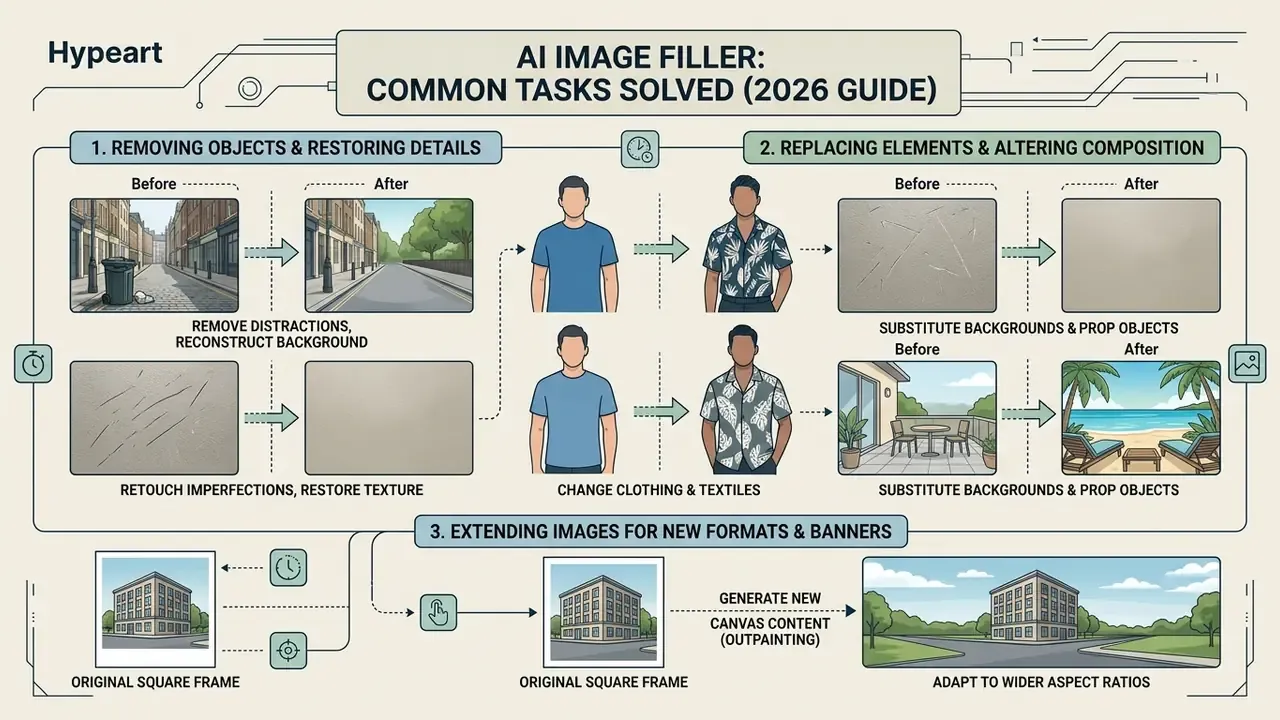
Using ai fill in image lets you complete retouching and compositional tasks in seconds that would otherwise take a designer hours of manual work.
«Manually retouching an image without supporting detail is very labour-intensive», whereas Generative Fill «significantly speeds up typical retouching tasks»
Adobe's later benchmark reporting quantifies the same effect: Generative Fill and Generative Expand cut creative image-manipulation time by more than 10× versus traditional retouching, and manual editing stays 3 to 4× slower even on simple scenes (Adobe, 2025 report). Treat those as vendor-measured figures for like-for-like tasks. Not a universal productivity guarantee, and not a substitute for your own timed test on ten real files.
With these models, users remove unwanted objects, perform replace objects operations, execute change backgrounds, restore a damaged photo and lift image enhancement quality, producing create professional visuals for catalogues, decks and campaigns. Before you monetise anything, review how licences differ across engines in our guide to the commercial use of the AI Image Generator category.
Removing unwanted objects and restoring photo detail
To remove unwanted elements (stray passers-by, cables, litter, sensor dust) paint them over with a mask. The network then performs remove object by reading the surrounding background patterns and closing the deleted zone. Modern pipelines follow a three-stage route: detector or mask, then diffusion or CNN inpainting, then GAN-based refinement for edge and colour consistency. Notably, 2025 research on SmartEraser shows that retaining the masked region as guidance (Masked-Region Guidance) beats the classic drop-and-inpaint approach in cluttered scenes.
With a damaged photo, meaning an old or physically degraded print, object removal algorithms reconstruct lost fragments and clear cracks, creases and stains while preserving grain and paper texture. Restoration frameworks usually stage the work: major damage removal, noise reduction, facial restoration, colourisation. Order matters. Colourise first and you bake errors into everything downstream.
Replacing objects, backgrounds and compositional elements
The ai replace and background replacer functions let you change individual elements without breaking the frame structure. The add remove tool works on a dual principle: you delete an object and simultaneously state in the text prompt what should take its place.
Draw a selection where the old cup sits, enter "transparent glass tumbler with espresso", and the system integrates the new object with plausible light refraction and shadow direction. The operative rule from vendor prompt guidance is to name both the change and the invariants: change only the object; preserve camera angle, geometry, lighting direction and shadow quality.
How to use an AI fill generator online
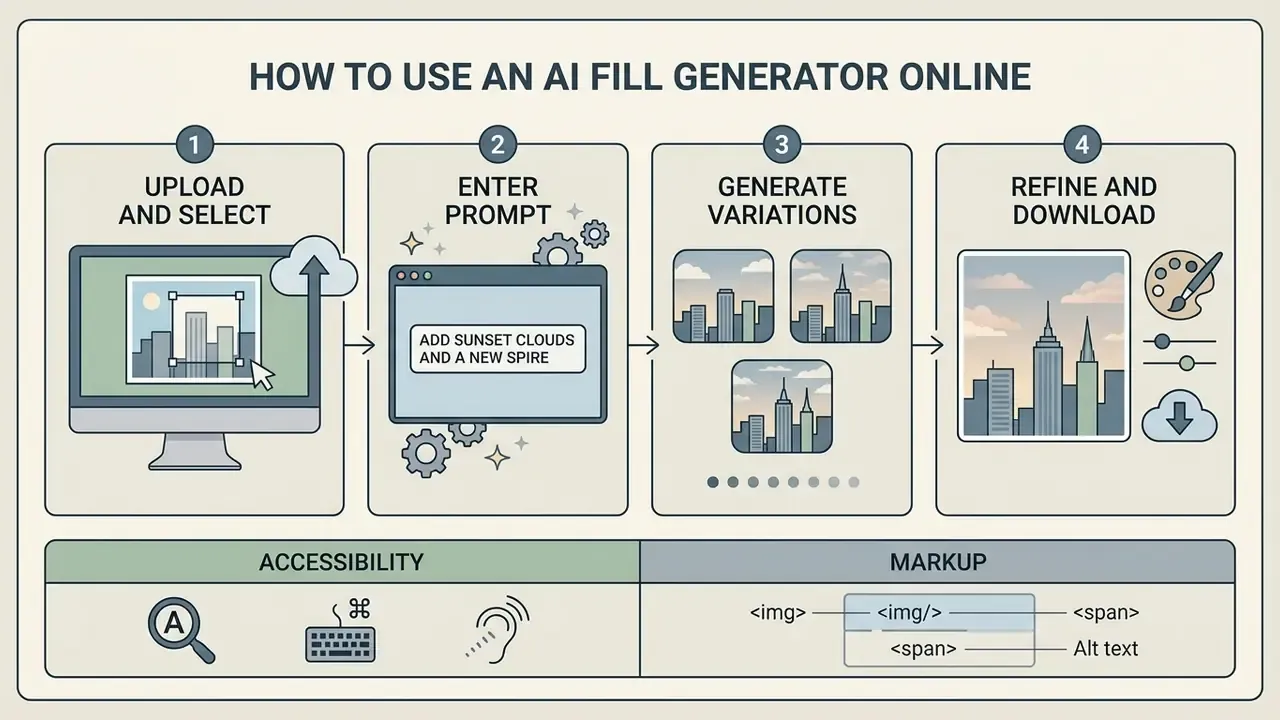
Tools in the ai fill generator category offer a predictable workflow that needs no prior experience with graphic editors. Four sequential actions: upload image, choose the selected area, enter simple text prompts, then generate and download with support for common jpg png formats.
Upload your image and select the area to edit
First, upload image: a JPG, PNG or WebP file from your device or via a direct link. For best results, use source files between roughly 300×300 px and 3840×2160 px, the range documented in the technical requirements of most AI platforms and image-submission guidelines rather than any copyright-body standard. Avoid PDFs as a source container, since boundary detection becomes unreliable and conversion introduces artefacts. PNG beats JPG for line art and high-contrast graphics because it preserves detail without compression blur.
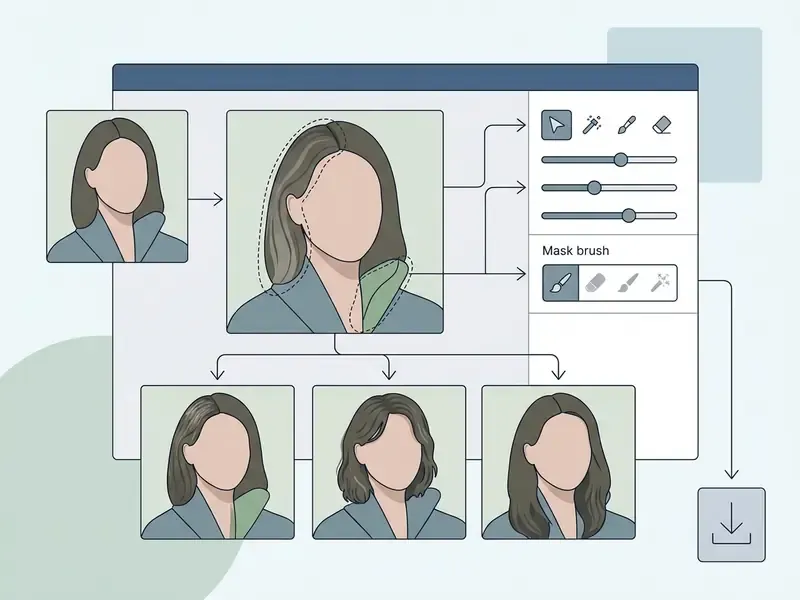
Then outline the selected area with a brush or lasso. When masking, capture not only the object but 5 to 10 pixels of surrounding background, plus contact shadows and reflections, so the network can align generation boundaries cleanly. A customizable brush (adjustable diameter and hardness) plus a smart lasso is the single most useful UX feature here: broad strokes for backgrounds, tight strokes for small objects. Anyone who has tried to ai fill in picture detail with a blunt 200 px brush knows the feeling.
Enter the text prompt for AI fill picture
The text field accepts simple text prompts describing the desired result. For plain removal the prompt can stay empty and the network will fill the mask with the texture of the surrounding background automatically.
If you need a new element, describe it concretely. Completeness and precision of the description drive final image quality, cutting down unnatural artefacts and style mismatches. Vague prompts do not fail loudly, they fail subtly: wrong scale, wrong colour temperature, a shadow pointing the wrong way.
Generate variations, refine the result and download the image
Press generate to receive 3 or 4 candidate solutions. Then run the redo and refine stage: adjust the mask or extend the prompt where the result needs point corrections. Two rules borrowed from production pipelines: leave the seed blank while exploring, then lock the seed and change one variable per pass.
Once you have a winner, press generate and download to save the file in high resolution without losing sharpness. At export, run the built-in AI Upscaler module to lift the finished frame to 4K or roughly 25 megapixels without softening detail. Iterate at standard resolution, upscale only the final selected output. For post-processing, sharpening and denoising, see our overview of image quality enhancement tools.
How to write prompts for realistic AI generative fill
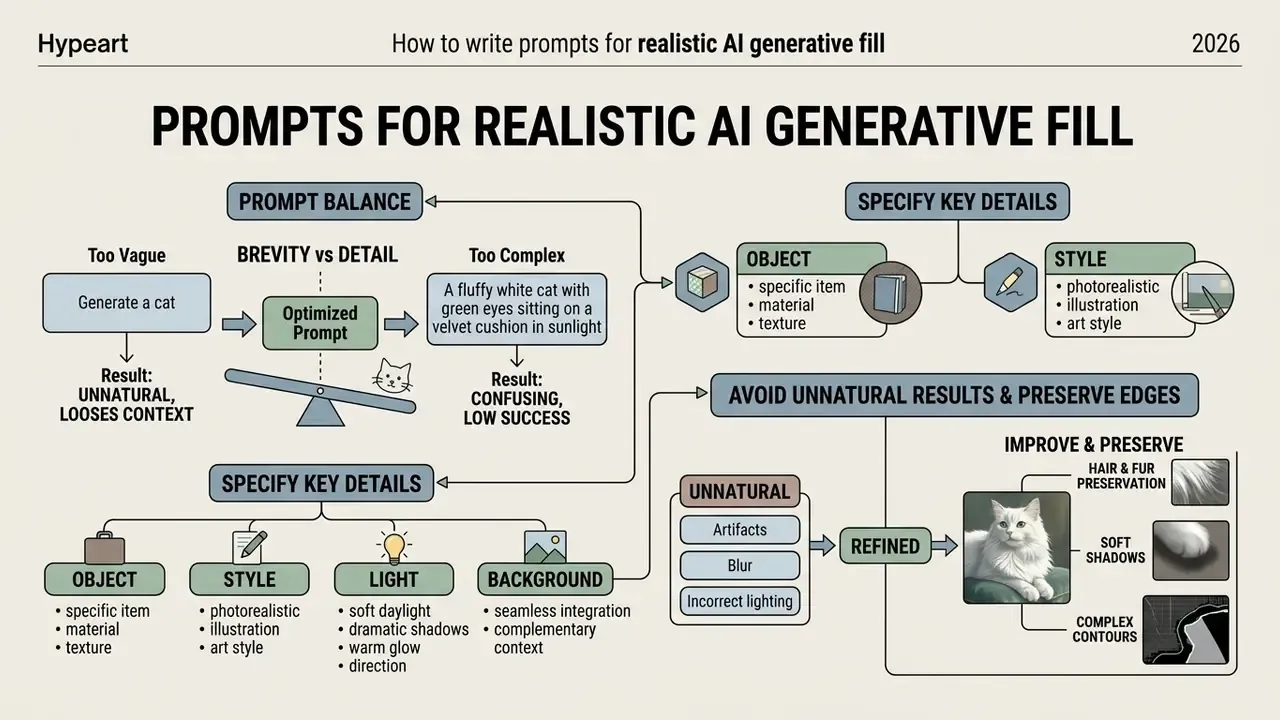
To obtain a photorealistic generation you need text prompts that balance brevity against detail. simple text prompts set the basic intent, but light, material and style parameters are what deliver consistent high quality in the resulting ai photo.
Rather than relying on unverifiable "prompt-engineering studies", use the documented structures published by model vendors. Google's Vertex AI image-prompt guidance recommends organising prompts around subject, then context and background, then style, refining with more detail afterwards. OpenAI's image-prompting guide adds the editing discipline: state what changes and what stays the same, repeating the invariants on every iteration. Combined, the working formula for inpainting is:
Object + material and texture + light direction and character + context-preservation clause.
Which details to specify: object, style, light and background
Describe only what should appear inside the mask. Use simple text and drop filler phrases such as "draw me" or "please add". The model is not offended by directness.
Always specify the character of light and environment: "vintage-style leather armchair, soft evening light from the left, matching the warm lighting of the original photo". Naming light direction, hardness and colour temperature keeps the new element inside the existing ai background, and it gives reviewers objective acceptance criteria: shadow direction, shadow softness, highlight placement, colour temperature.
For outpainting, describe the continuing scene rather than the original crop, and keep the style, lighting and quality wording identical across passes so the extension does not drift in tone.
Why generation can look unnatural, and how to improve it
The main causes of visual defects are hard mask boundaries, subject-scale mismatch and desynchronised light sources. All three reduce image quality and advertise the neural manipulation. Research on editing seams describes the same failure family: chromatic shifts, texture mismatch, visible boundaries along the edit line.
To repair texture breaks, use redo and refine: dilate the mask by 10 to 15 pixels (morphological dilation, with academic work reporting 5 to 20 px as the effective range) and add the instruction "blend seamlessly into the surrounding area, restore natural texture". That smooths the joins and yields a genuinely high quality result.
Preserving complex contours such as hair, fur and soft shadows. With portraits or animal photography, classic hard selections clip fine detail. Modern engines rely on sub-pixel Advanced Edge Detection to keep delicate elements intact. To stop the network smearing them, mask with a 10 to 15 px margin and add the keys: preserve fine hair detail, soft edge blending, natural shadow falloff.
AI image filler for e-commerce, design and social media
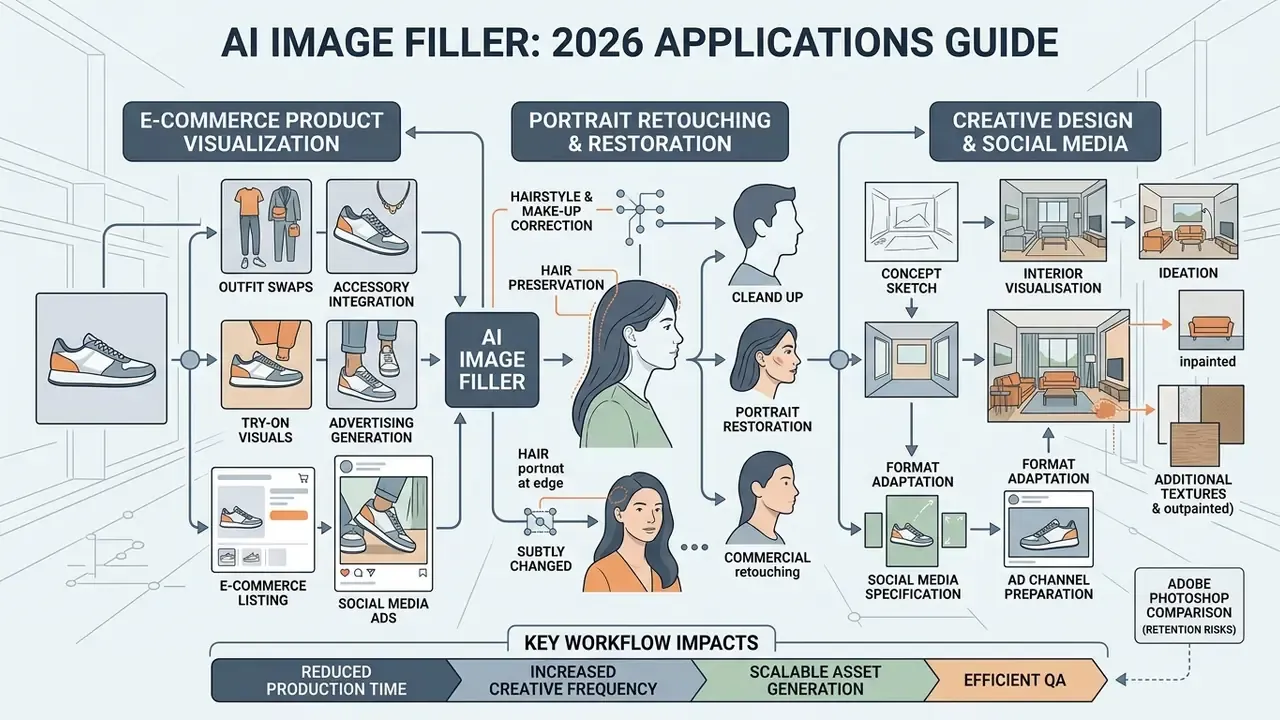
Using an ai image filler changes workflows in commercial retouching, design and content marketing. Teams create images with high precision without expensive production studios or deep advanced editing knowledge of professional software, and without demanding complex editing skills from every staff member. For campaign-grade print output, pair it with AI image upscalers.
Virtual try-on, outfit swaps and portrait retouching
Generative Fill has become the default technology for the fashion segment and personal branding. Instead of commissioning a new shoot, an ai picture filler enables virtual try-on:
- Clothing and accessory swaps.Mask the garment on the model and supply a prompt (
black silk blazer, realistic fabric texture). The algorithm rebuilds drape and folds in line with the subject's pose. - Hairstyle and make-up correction.Change hair colour, add make-up elements, test jewellery, adjust ai face details without visible artefacts.
- Portrait restoration.Remove temporary skin defects in one click while preserving natural skin porosity, the opposite of the plastic look produced by blanket smoothing.
Practical guardrail: for people-facing imagery, check the platform's policy on likeness editing and disclose AI modification where advertising rules require it. Consent for the original photograph does not automatically cover a synthetic variant of the same person.
Preparing product photos for listings and advertising
In e-commerce, product photos are a direct conversion lever. With AI Fill, specialists quickly remove background, run change backgrounds to a minimalist studio interior, and add spatial depth around the item.
For marketplaces such as Amazon or Shopify this aligns catalogues to a single standard fast: isolate the product on pure white (Amazon's main-image rules require exactly that, with no watermarks, text or extra objects) or build contextual lifestyle scenes with soft directional light. Start from the highest-quality source file, make a precise subject selection, then prompt for the environment: "clean white background", "warm wooden surface with soft directional lighting".
If you need to transform an existing shot rather than generate from scratch, compare the available options for an ai image generator from image.
Interior, design and creative-idea visualisation
In interior design and architectural visualisation, inpainting changes furnishings on real photographs of a property in seconds. The designer paints over old furniture and requests new décor, finish materials or lighting options. Vendor documentation for room-photo tools describes exactly this pattern: apply new styles, furniture and décor while preserving the original layout, or edit a single wall finish or window without regenerating the whole image.
Creating a new image from the base photograph keeps the room's real dimensions, the camera angle and the incident light, which speeds up concept sign-off with clients. A caveat worth stating to those clients: generated furniture is a mood reference, not a purchasable SKU.
«Anisotropic Gaussian splatting adapts functions to local image gradients, ensuring structural integrity and texture realism when filling large regions.»
Data security, Shadow AI and governance for regulated teams
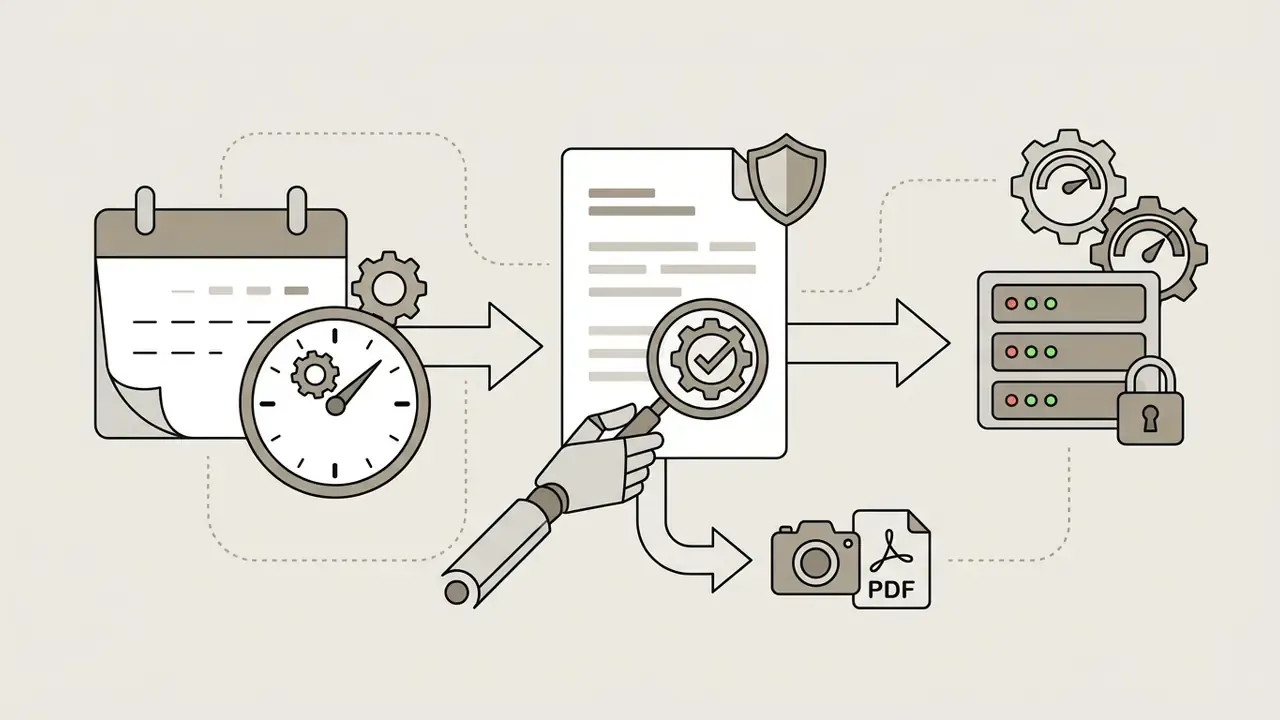
Generative fill is trivially easy to adopt, which is precisely why it becomes an unmanaged risk. An employee who drags an internal photograph, a screenshot containing client data or a scanned document into a free public endpoint has performed an uncontrolled data transfer. For regulated organisations (banking, insurance, healthcare, public sector) the technology itself is not the risk. The absence of a control perimeter is.
The four exposures to close before approving any tool:
One more filter, often skipped. Some services market themselves on the absence of content limits, including an ai image generator no restrictions positioning, or explicit adult categories such as an ai image generator naked tool and an ai image generator nsfw no sign up endpoint. For a bank or a licensed fintech, those belong on the block-list, not the evaluation shortlist. Reputational and conduct risk arrives with the domain, not just with the output.
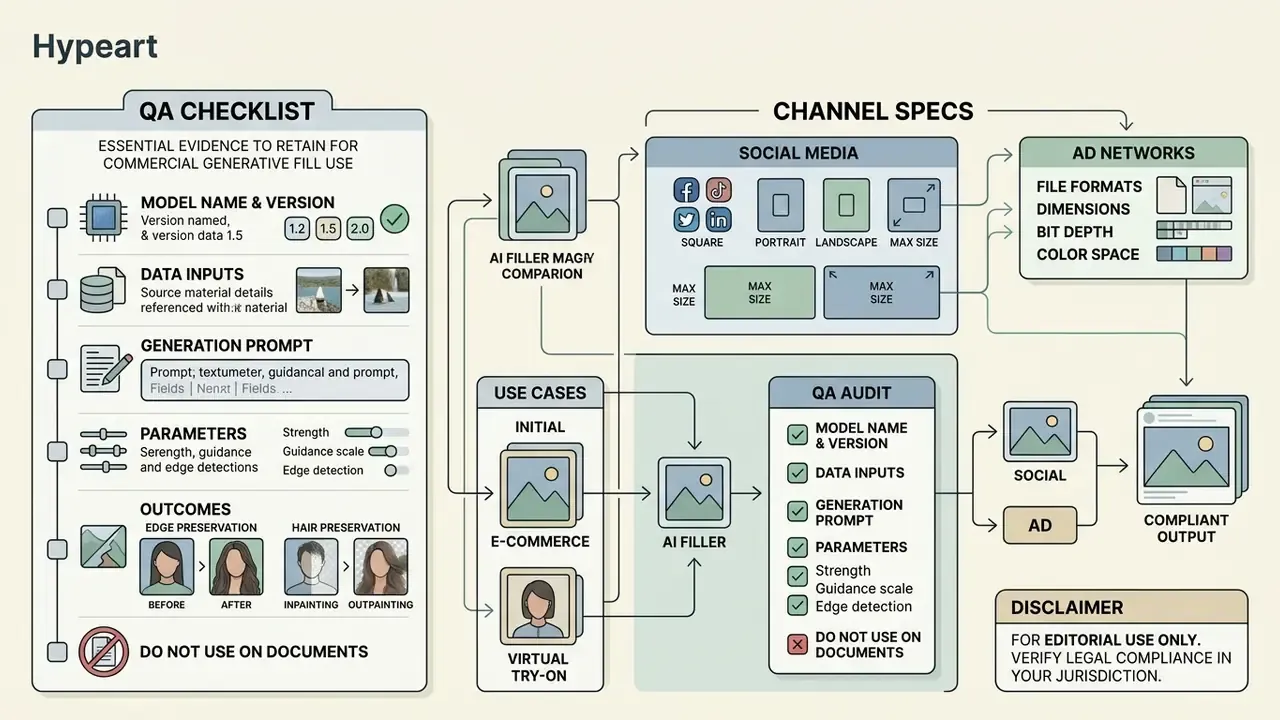
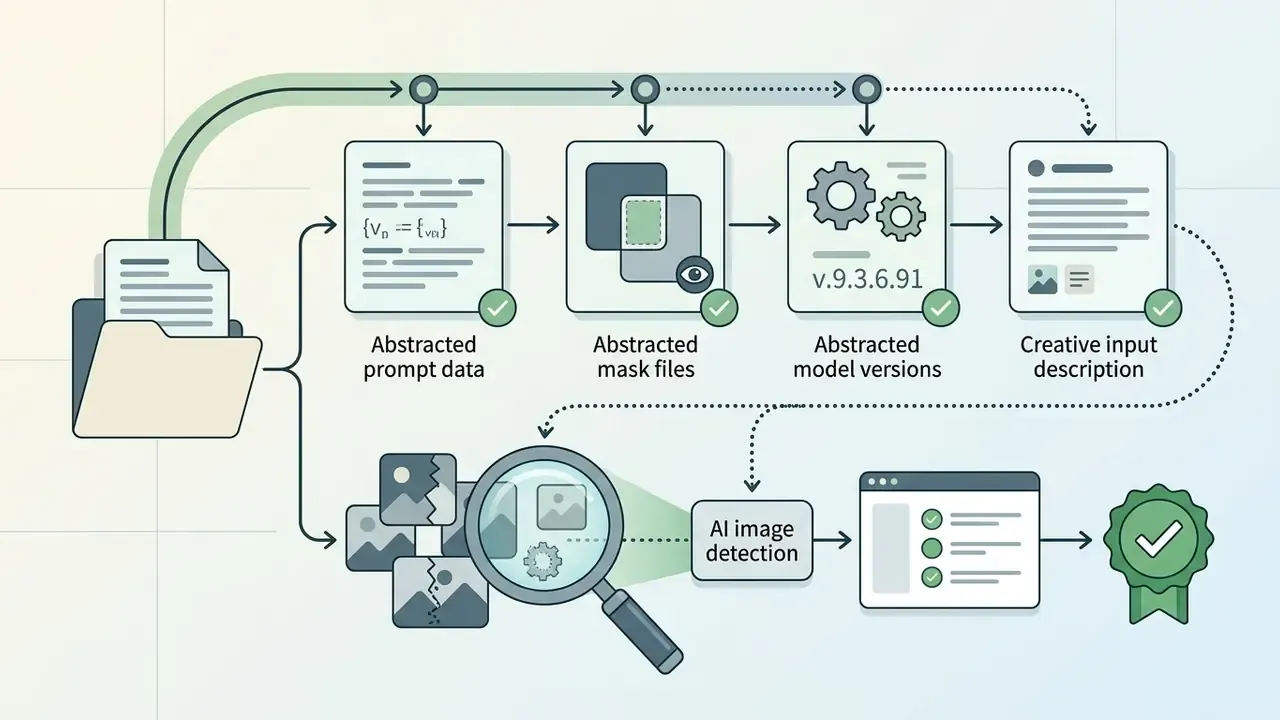
Audit-trail checklist: evidence to retain for every commercial generation
How to choose an AI generative fill online tool instead of Photoshop
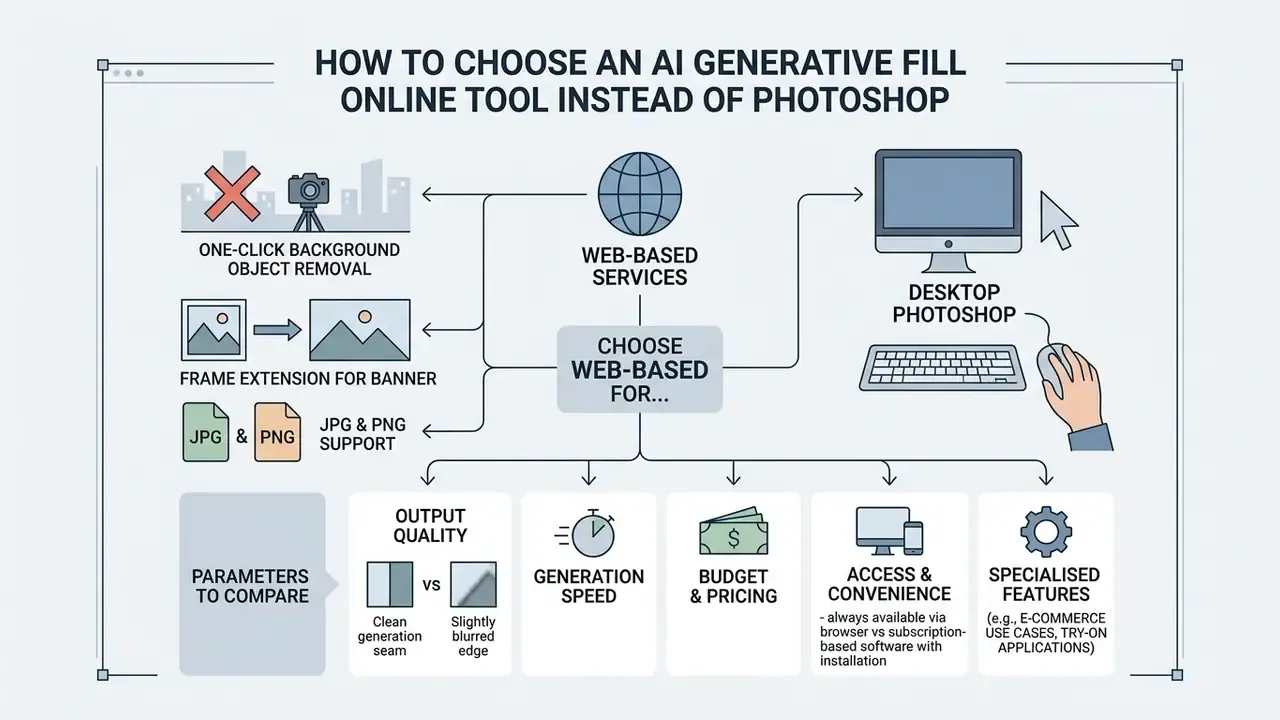
The choice between a specialised online tool and desktop Adobe Photoshop depends on task complexity, budget and hardware. Photoshop offers a sophisticated ai image generator photoshop experience with layer-level control, while a browser-based ai image editor generative fill returns instant results with no heavy install. People searching for an ai image generator for photoshop are usually after the first; people who need one banner by lunchtime are after the second. Independent benchmarks of output quality and price sit in our comparison of AI image generators.
| Evaluation criterion | Adobe Photoshop Generative Fill | Browser-based AI Generative Fill Online |
|---|---|---|
| Installation and requirements | Desktop install (Photoshop 25.0+, roughly 8 GB RAM class machine), subscription plus internet access for cloud generation | Runs in any browser, no install, adaptive on iOS and Android |
| Interface complexity | Professional interface, high learning curve | Simple user friendly interface, 1 to 2 clicks |
| Layer-based editing | Full support for masks, layers, Smart Objects, non-destructive Generative Layers | Mostly single-layer processing with fast export |
| Formats and export | PSD, TIFF, RAW, jpg png without recompression | Fast export to JPG, PNG, WebP; optional AI upscale to about 25 MP |
| Speed on isolated tasks | 5 to 15 minutes for a careful manual-selection removal | 10 to 20 seconds per generation via cloud GPUs |
| Watermarks | None on paid commercial plans | Service-dependent, possible on free plans |
| Cost | US$22.99 per month on the single-app annual plan; standard Generative Fill costs 1 generative credit per generation, premium models cost more | Free quotas or pay-per-credit |
| Brush and selection control | Lasso, Selection Brush, refine edge, channels | Customizable brush size and hardness, smart lasso, auto-select |
| Data retention policy | Enterprise tenancy, content not used to train Adobe's generative models per Adobe terms | Varies from Zero Data Retention (auto-delete in 1 to 24 hours) to unspecified |
| Provenance and watermarking | Content Credentials (C2PA) support | Service-dependent, invisible provenance marks increasingly standard |
| Compliance and enterprise controls | SSO, admin console, audit logging, documented certifications | Rarely available on consumer plans, check SOC 2 and ISO 27001 |
| IP indemnity | Offered on qualifying enterprise plans | Usually absent on free and self-serve tiers |
No matching rows Clear one or more filters to restore the matrix.
Read the table as two different risk profiles, not two feature sets. Photoshop buys you control and contractual cover. Browser tools buy you speed and reach, and they push the governance work back onto you.
When an online AI fill tool beats Photoshop
A browser-based fill online service wins whenever the task must be solved in one click without access to a workstation. Because no installation required, you can edit frames from low-powered laptops, tablets and phones.
Need to delete a passer-by from the background, or extend the frame for a banner? An online image editor saves time instead of forcing you to load a heavy graphics suite. Comparative testing in 2026 puts isolated object removal at 10 to 20 seconds in AI tools versus 5 to 15 minutes in Photoshop. Photoshop still wins where pixel-level precision, exact typography, colour matching or complex compositing is required. Different jobs, different tool.
Which parameters to compare across AI image filler tools
When choosing a service, assess high quality output (no blur along generation seams), support for jpg png formats, absence of forced watermarks, and the privacy posture (confidential and secure processing). Then add the criteria most buyers forget:
- Brush and selection flexibility: adjustable hardness and diameter, so you can flood large backgrounds quickly and mask small objects precisely.
- Auto-deletion policy: a documented guarantee that uploaded sources and generated files are erased from cloud servers within 1 to 24 hours, and that your content is not used to fine-tune public models.
- No sign-up access: the option to test rapid inpainting without submitting an email address or card.
- Variation control: the ability to iterate generative variants without repainting the mask from scratch, and to lock a seed once a direction works.
- Output ceiling: maximum export resolution, built-in upscaling, and whether original resolution and clarity survive the round trip.
- Mobile and cross-platform access: responsive web, PWA, or native iOS and Android apps.
«VIPaint applies hierarchical variational inference under a diffusion prior and substantially outperforms prior methods in the plausibility and diversity of fill options.»
Detailed reviews and parameter comparisons of web services sit on the main page, so open the hub alongside the current guides to neural editors.
Who saves time with an AI Image Filler
- Content creators and SMM managers instant frame extension for Stories (9:16), removal of accidental passers-by, publishable posts in minutes without expensive editing software.
- E-commerce and retail fast removal of background clutter and props, plus commercial product cards in a single visual style that lifts click-through and conversion.
- Realtors and interior designers virtual home staging, filling empty rooms with furniture from a text prompt in about ten seconds, turning static floor plans into immersive visuals.
- Freelancers and graphic designers rapid concept art and draft sign-off with clients before the final render, with watermark-free deliverables.
- Marketers and performance teams one photo adapted to every ad placement without a new shoot, which enables faster creative testing at banner-scale volume.
- Students and educators visual content for presentations, posters and teaching materials with minimal skills.
- Risk, compliance and governance leads a defined allow-list, a documented retention posture and an audit trail, so the organisation captures the productivity gain without unmanaged Shadow AI exposure.
Free AI generative fill and commercial use of the results
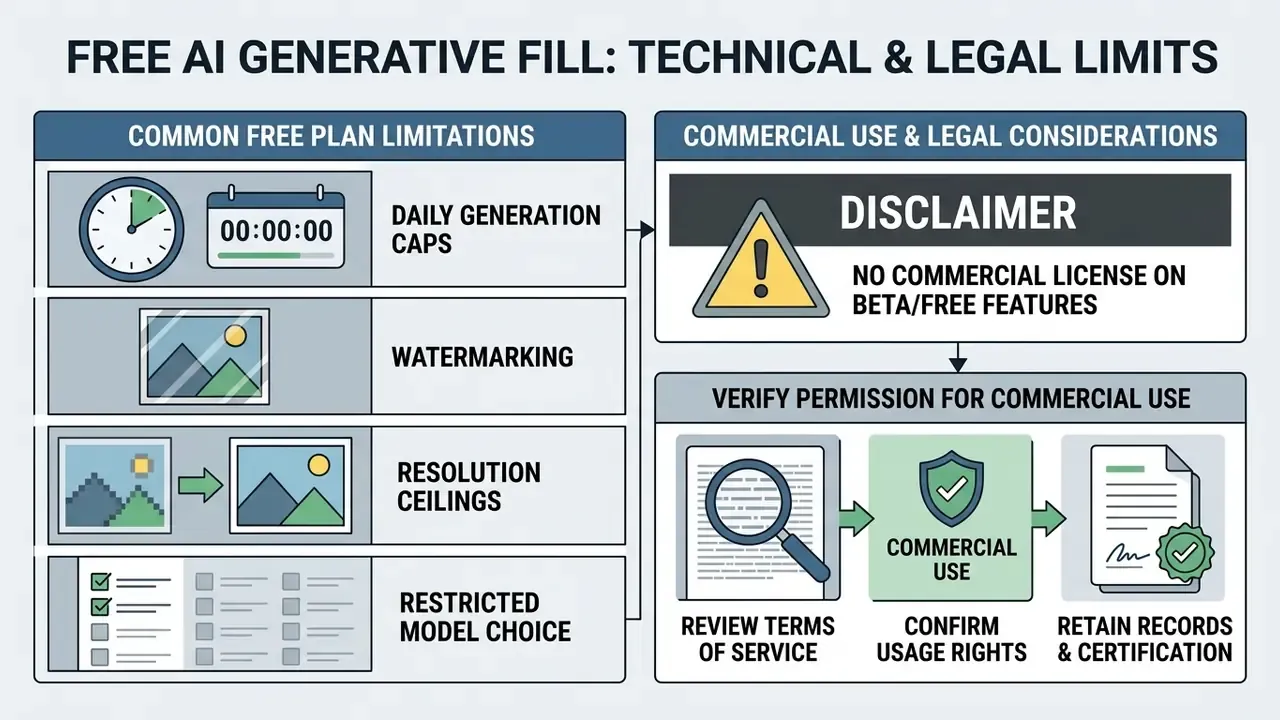
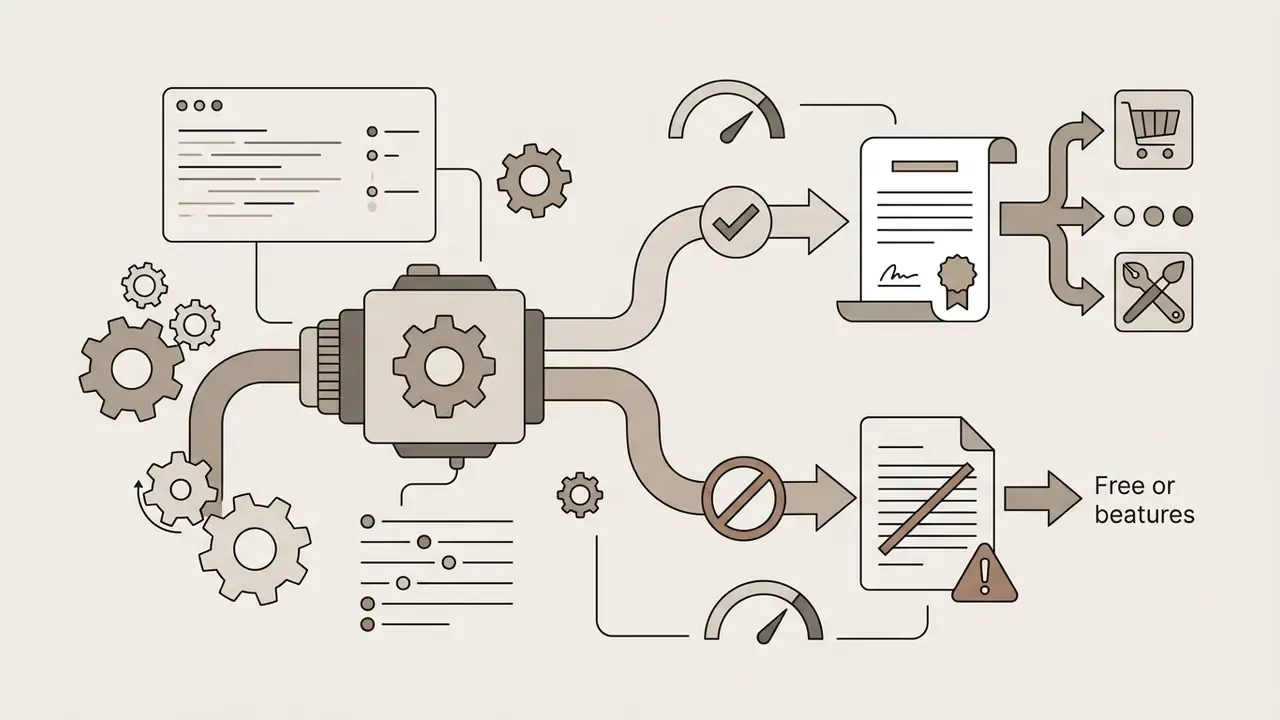
Plenty of users search for ai generative fill free solutions, and free tiers always carry technical and legal limits. Tools in the ai generative fill free online, ai free generative fill, ai generative fill online free and ai image generative fill free classes require a careful read of the Terms of Service, especially if the assets will serve commercial purposes. Options that work without mandatory authorisation appear in our list of free tools built around an ai image generator with no sign-up.
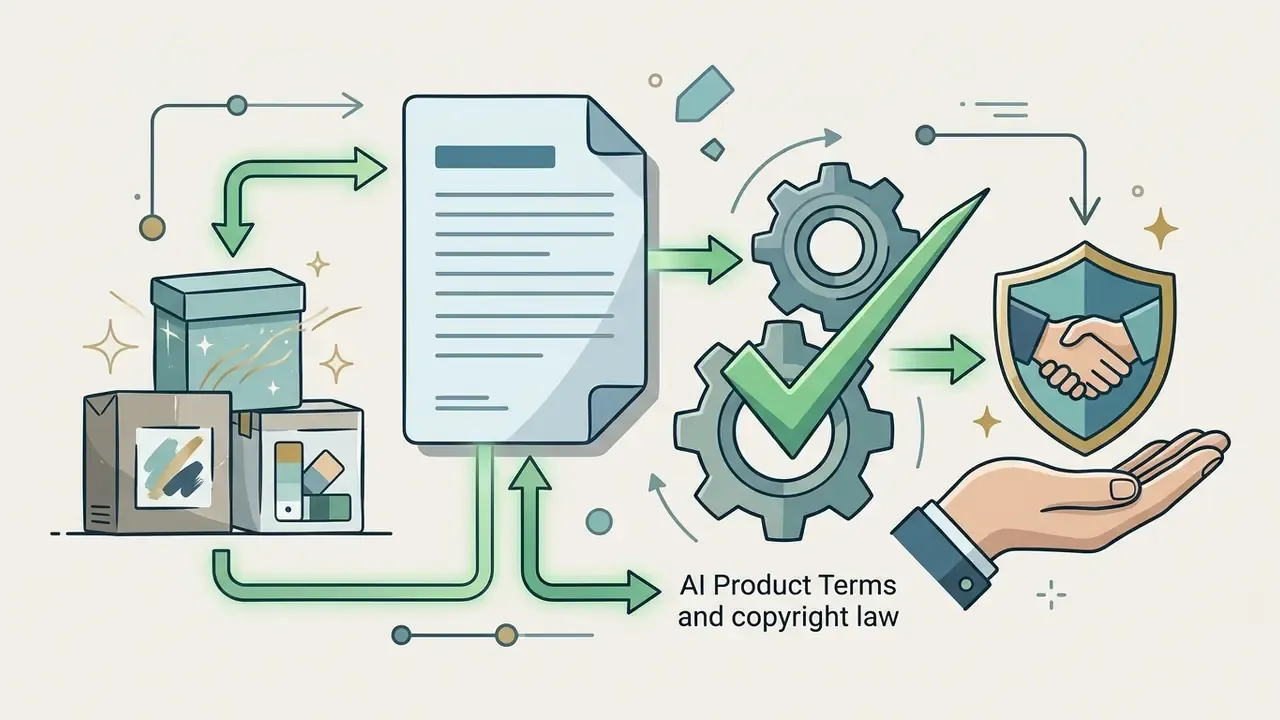
The legal framework is still moving. According to guidance from the U.S. Copyright Office (2025 to 2026), works created solely by a neural network from a text prompt, without substantive human creative contribution, are not protected by copyright; authors may claim protection only for their own contributions to AI-assisted works. A 2025 European Parliament study takes a comparable view for the EU, describing purely AI-generated output without substantial human intervention as freely usable. Commercial exploitation, meanwhile, is governed by your contract with the specific AI platform.
What usually limits free AI image fill free plans
Free access under the ai fill in image free, ai image fill free or ai image filler free model typically imposes the constraints below. Exact figures vary by vendor and change often, so verify on the pricing page before you plan a workflow.
- Daily generation caps free tiers commonly sit between low single digits and a few dozen images per day. Published third-party comparisons in 2025 and 2026 report roughly 2 to 3 per day at the strict end, and about 20 to 25 per day at the generous end.
- Watermarking two distinct mechanisms exist. Some services burn a visible logo into the output. Others apply an invisible provenance watermark of the SynthID class and C2PA content credentials in metadata, which leaves the visual untouched but makes the asset machine-detectable as AI-modified. Visible-watermark toggles are themselves a documented product setting on some platforms.
- Resolution ceilings exports are frequently capped around 1024×1024 px or 1536×1536 px, with upscaling reserved for paid tiers.
- Restricted model choice free plans usually expose only the vendor's default engine, not the flagship list.
- No commercial licence on beta or free features some vendors explicitly designate beta AI outputs as personal use only.
How to verify permission for commercial use
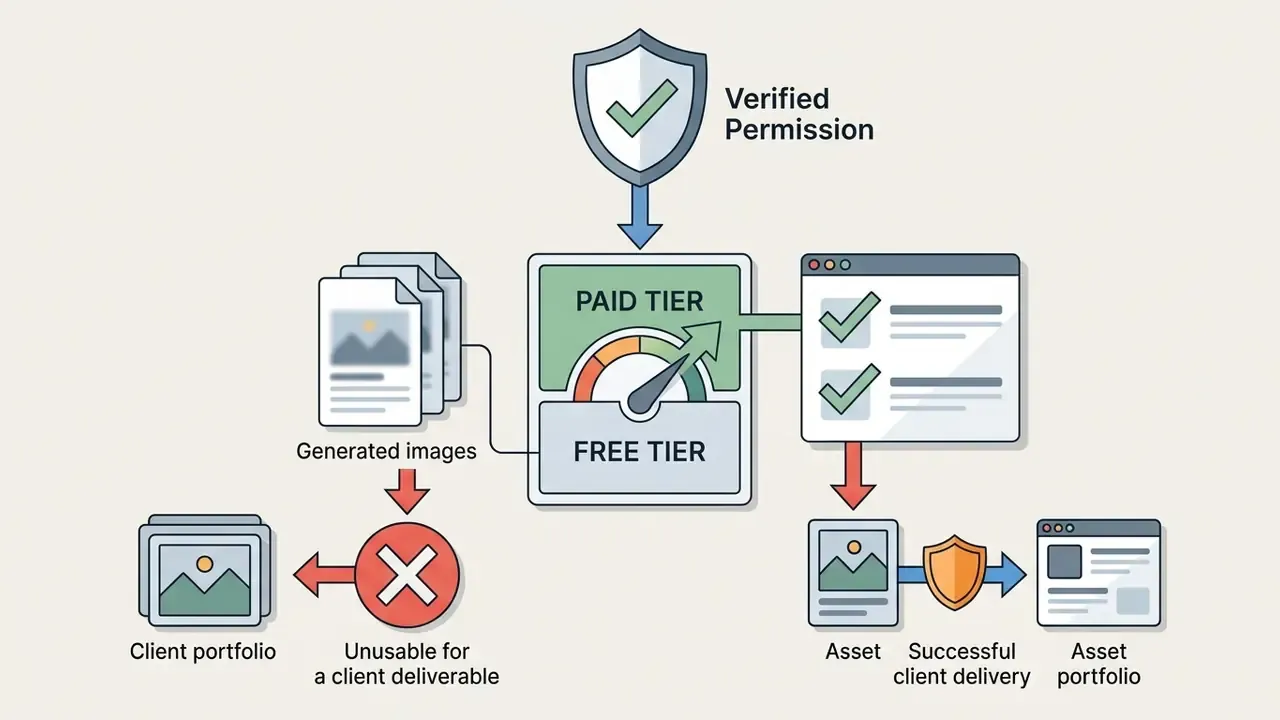
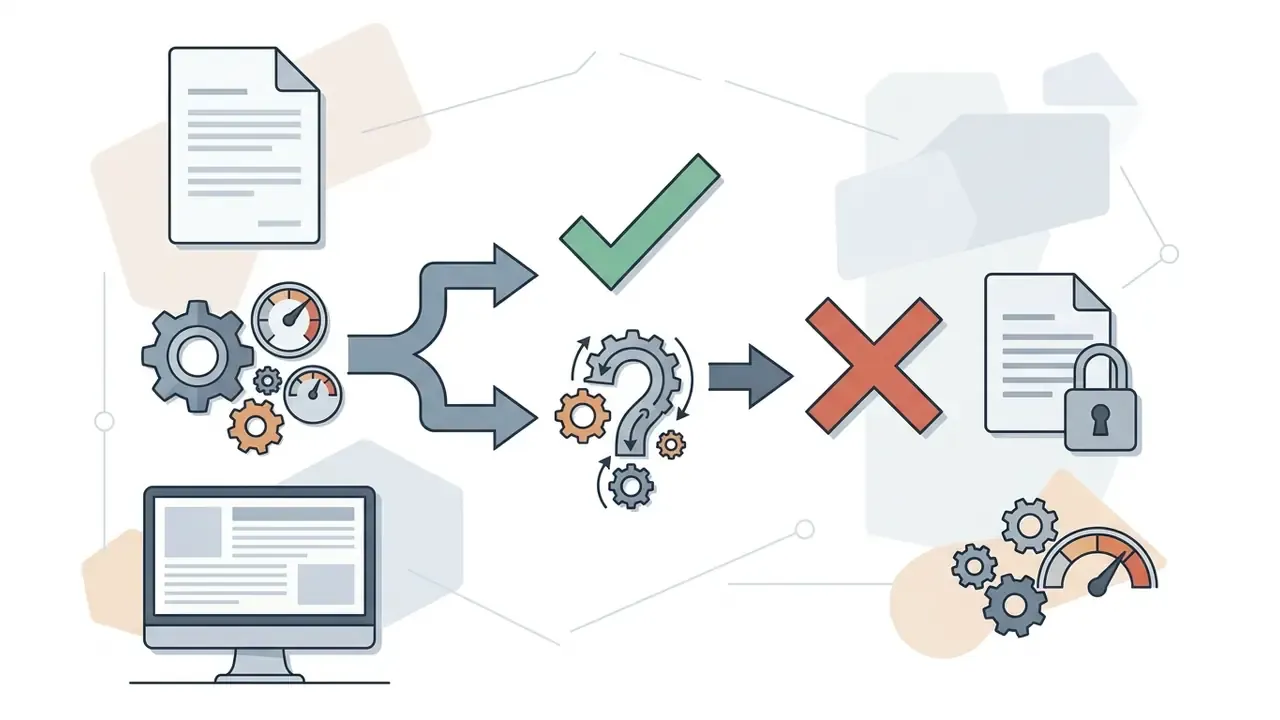
To use a generated image legally in advertising, on merchandise or in marketplace listings, run this licence-verification algorithm:
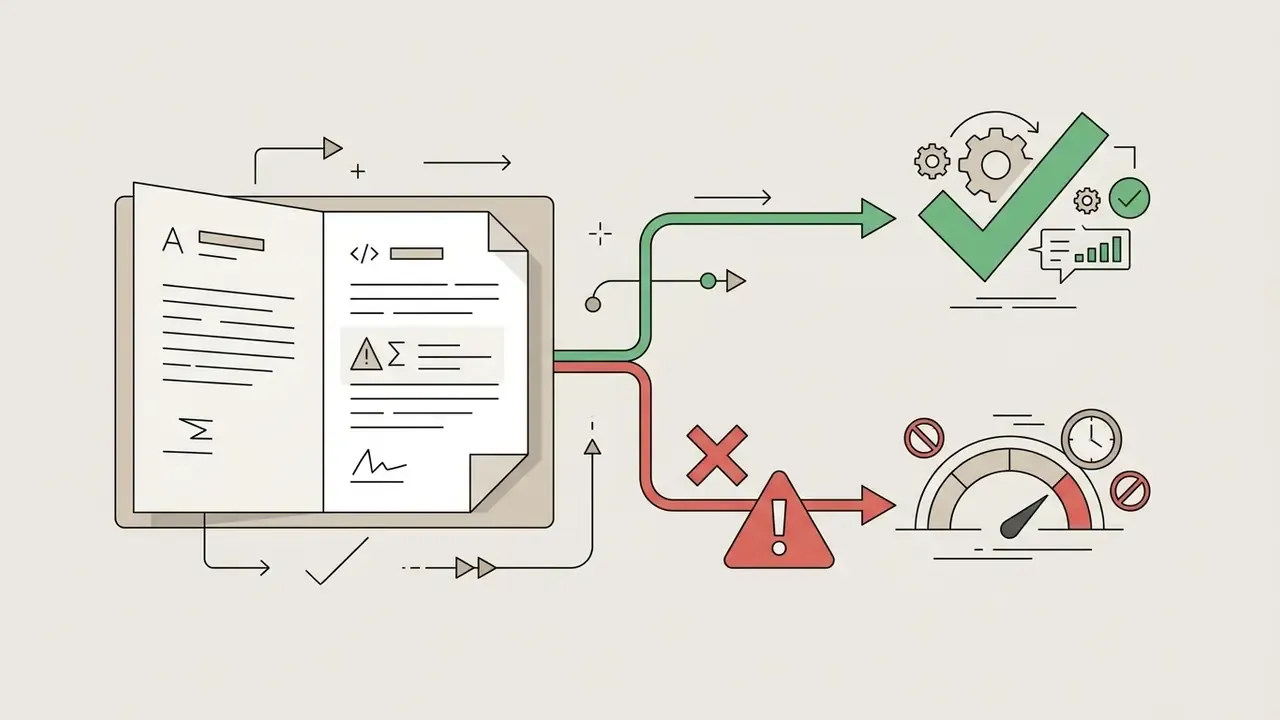
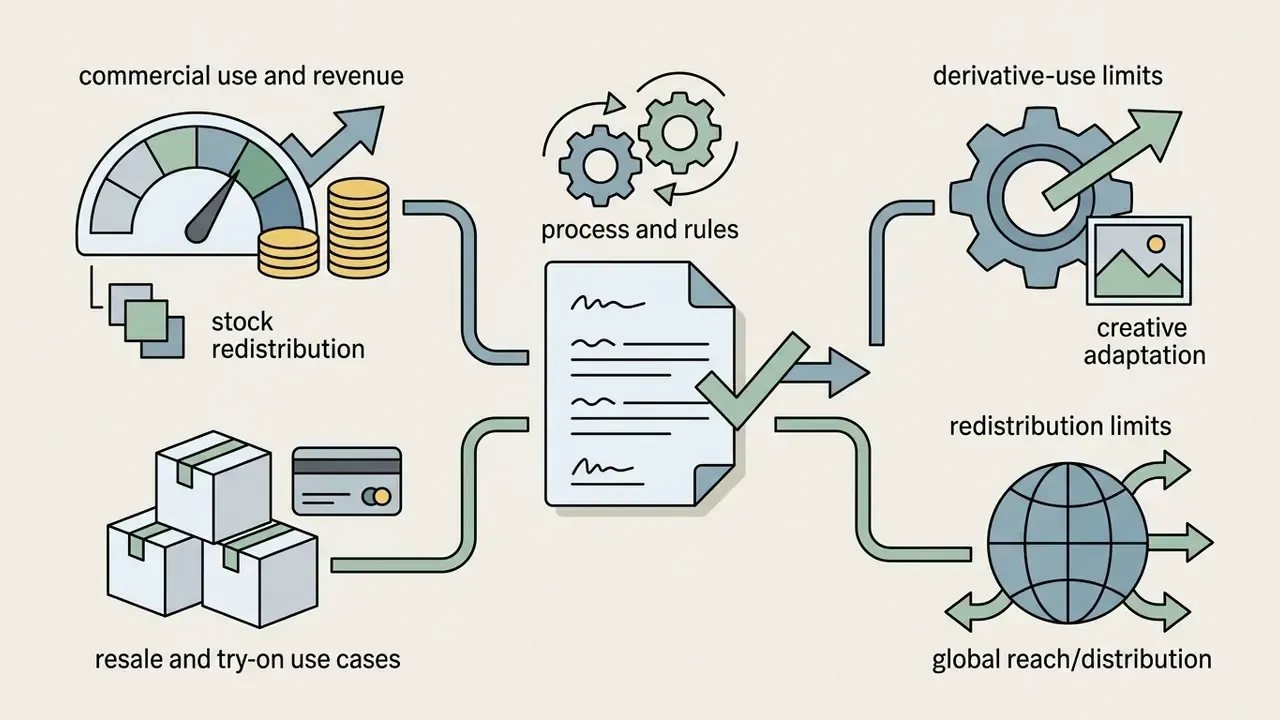
Fact check and verification of usage terms (verified 2026)
For a deeper look at legal exposure you can compare options in the specialised sections, including the rules for working with source images and the public glossary of terms.
FAQ: frequently asked questions about AI Image Filler
How does an AI Image Filler differ from a normal fill or clone stamp in a photo editor?
A classic clone stamp copies pixels from one part of the photo to another. An AI Image Filler generates new pixels with diffusion networks, accounting for light direction, object volume, shadows and surrounding texture. Practically: the stamp repeats what already exists, generative fill invents what plausibly should exist.
What is the difference between inpainting and outpainting?
Inpainting works inside the existing frame. A binary mask defines the hole, unmasked pixels stay untouched, new content is sampled only within the mask. Outpainting works outside the original canvas: the model extrapolates perspective lines, lighting and texture to generate space that never existed in the shot, changing the aspect ratio without cropping the subject.
Can I use free AI Generative Fill for business?
It depends on the specific service's rules. Many free tiers allow results for personal use only and apply watermarks. Commercial tasks in advertising and e-commerce usually require a paid plan with an explicit commercial licence, and for regulated industries a contract that also covers data retention and indemnity.
What minimum resolution do I need for quality inpainting?
Aim for sources between roughly 300×300 px and 3840×2160 px. Very small images produce blurred fills, while oversized files are typically downscaled by the pipeline before processing and upscaled again on export. PNG is preferable for line art and high-contrast graphics. Avoid PDFs as a source container.
Will it preserve hair, edges and fine detail?
Yes, if the engine uses advanced edge detection and you mask correctly. Capture a 10 to 15 px margin around the subject, include contact shadows and reflections, and add preserve fine hair detail, soft edge blending, natural shadow falloff to the prompt. For fur and semi-transparent edges, generate several variants and pick the one with correct shadow falloff rather than the sharpest outline.
Does AI Generative Fill work on smartphones?
Yes. Most web-based fillers are responsive and run in Safari on iOS and Chrome on Android. Many ship as progressive web apps or dedicated iOS and Android apps with the same brush, mask and prompt flow. Cloud processing means performance depends on your connection rather than device power.
Can I download results without a watermark?
On paid plans, usually yes, and watermark-free PNG or JPG export at high resolution is a standard paid feature. Note that removing a visible watermark does not remove an invisible provenance mark or a C2PA content credential. That is intentional, since provenance metadata supports downstream verification.
Is it safe to upload confidential images?
Only to a tool whose terms state a clear retention window, ideally Zero Data Retention within 1 to 24 hours, and confirm that content is not used to train public models. For regulated data, only to an approved enterprise or private-cloud deployment. Never upload financial, legal or identity documents for generative restoration.
Can I use generative fill to restore damaged receipts or invoices?
No. The model will hallucinate plausible digits, stamps and signatures. Use OCR with confidence thresholds plus human verification, and always retain the unaltered scan as the document of record.
How do we bring this tool class under model-risk governance without banning it?
Treat each approved editor as an inventoried system with a named owner, a documented purpose, access limits and a retention posture. Restrict use to non-sensitive imagery by default, log prompts, masks and model versions for commercial outputs, and require human review before publication. That is usually enough to satisfy audit without freezing the marketing team.
Further reading and hubs
To explore adjacent neural-editing tools and the rules for commercial work with media content, move to the specialised section of the site, the AI Media Commercial-Use Hub, which collects current 2026 analytical reviews and guides. You can also explore the hub for end-to-end graphics processing pipelines, review the practical guide to online photo editors and their pricing tiers, and compare licensing across engines in our best AI art generator comparison.