About this review: this guide is maintained by our AI media research desk, which tracks generative-imaging terms of service, API safety parameters and copyright rulings across US and EU jurisdictions. Every platform claim below carries a verification date. Every technical claim points to primary documentation (vendor docs, W3C specifications, peer-reviewed benchmarks) rather than a marketing page.
An ai image generator no restrictions search usually reflects two separate needs: generating unlimited images without paywalls, or creating visuals without strict prompt safety filters. They are not the same problem. In practice, public platforms keep content safety rules even when they hand out generous free access, and the only environment where both the volume cap and the content filter genuinely disappear is a locally hosted open-weights model. That scenario gets its own section further down.
Key Takeaways
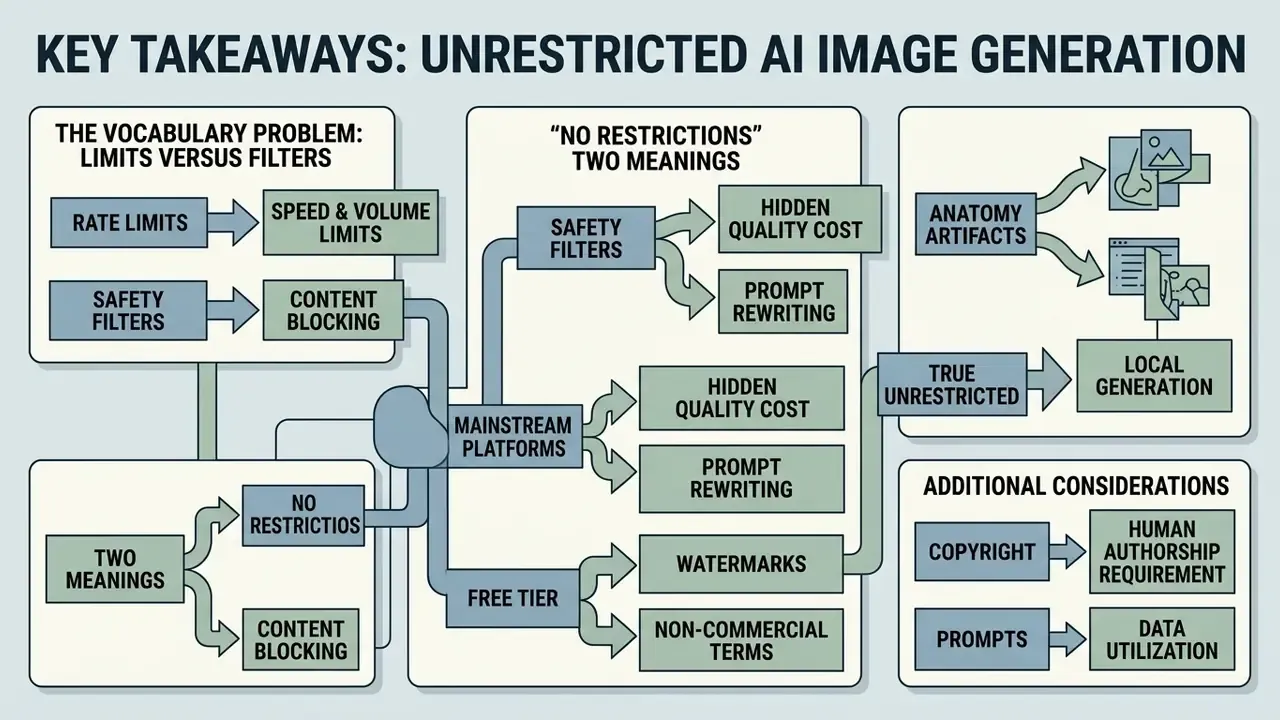
- "No restrictions" means two different things. Rate limits (requests per minute, daily credits, queue priority) govern how much you can generate. Safety guardrails (prompt classifiers, output filters, moderation parameters) govern what you can generate. Vendors and marketers blur the two; official documentation separates them cleanly.
- No mainstream cloud platform is genuinely unfiltered. OpenAI, Google and Microsoft all document layered moderation, and the EU AI Act transparency obligations that apply from 2 August 2026 add machine-readable marking requirements on top of that.
- Filters carry a hidden quality cost. Silent prompt rewriting (call it "moralization") and aggressive dataset pruning correlate with weaker rendering of hands, faces and complex poses. That is the single most common creator complaint we see.
- True unrestricted generation is local. Automatic1111, Forge or ComfyUI running SDXL or FLUX.1 on 8 GB+ VRAM removes both content filtering and volume caps, at the cost of hardware, setup time and full personal responsibility for lawful use.
- "Free and unlimited" often hides watermarks and non-commercial terms. Several popular free generators grant output ownership in one FAQ entry and forbid commercial use in another. Read the tier-specific clause, not the headline.
- Copyright still requires human authorship. The U.S. Copyright Office will not register purely machine-generated output, and EU analysis treats it as unprotected. Your creative control over the final composition is what makes an asset defensible.
- Prompts are data. Reference images and prompt text are routinely logged for safety review and, on some tiers, for model training. Check retention windows and training opt-out before uploading anything proprietary.
How this guide is organised: first the vocabulary problem (limits versus filters), then selection criteria for a free tool, then the honest comparison between local open weights and cloud SaaS, followed by tooling options, a generation workflow, use cases, commercial and privacy terms, a FAQ, and a short decision algorithm at the end.
What "AI Image Generator No Restrictions" Really Means
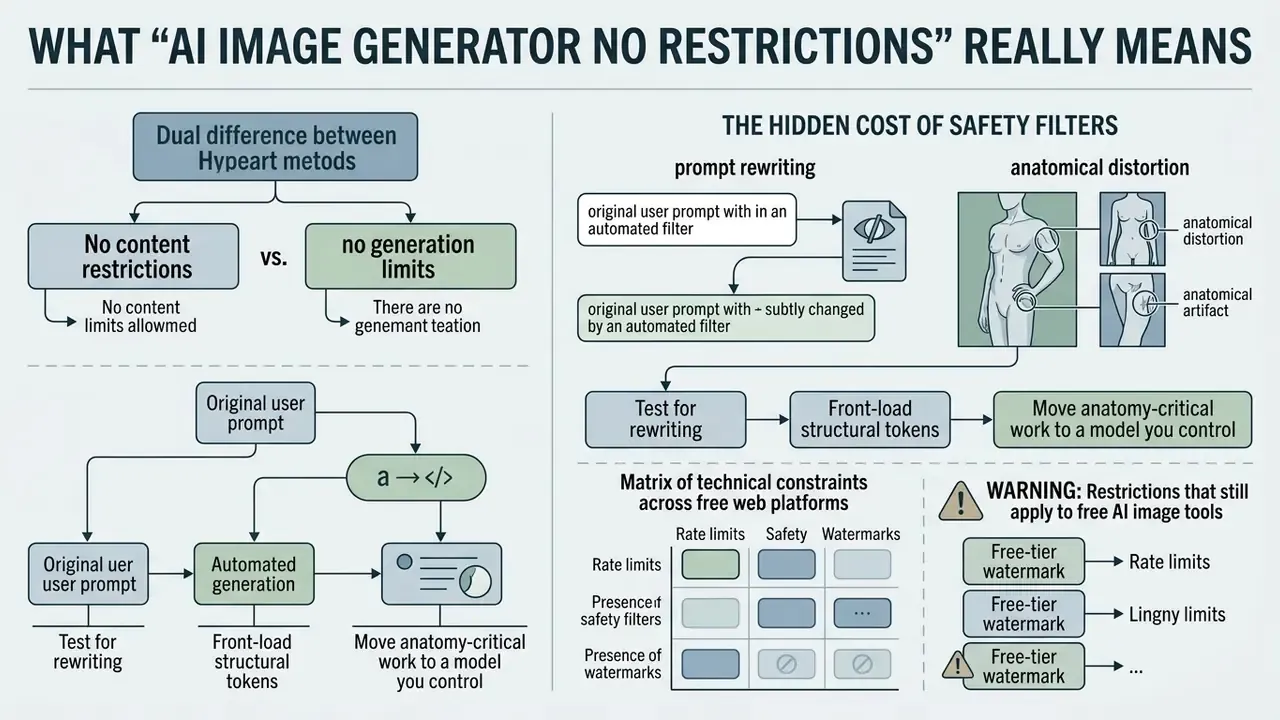
An ai image generator no restrictions setup refers either to platforms with no strict cap on generation volume, or to models operating with relaxed content moderation. Modern neural network platforms separate administrative usage quotas from model-level safety filtering. Working out which of the two a vendor has actually loosened is the first step in any serious evaluation, and it is the step most listicles skip.
No content restrictions vs. no generation limits
«Across four advanced text-to-image models and four prompt datasets, 14.56% of all generated images were classified as unsafe, with Stable Diffusion producing unsafe content for 18.92% of prompts.»
That methodology matters. The figure is an aggregate across four architectures and four prompt sets, not a single-model anecdote, which is exactly why commercial vendors keep a moderation layer that is architecturally distinct from their billing quota. Safety behaviour also shifts between model versions instead of holding steady:
«Unsafe score dropped from 0.209 in SD v1.5 to 0.113 in SD-XL across 74,020 generated images, while gender and racial stereotypes became more pronounced.»
So newer checkpoints are measurably safer on explicit-content metrics while becoming less balanced on representation metrics. A trade-off no marketing page discloses. Users comparing specific products can explore the best free AI image generators to see how different platforms categorise feature sets and usage tiers, or open the hub for the wider comparison index.
Matrix of technical constraints across free web platforms
| Platform tier | Max prompt length | Output watermark | Transfer protocol | Base resolution |
|---|---|---|---|---|
| Free web, anonymous (FreeGen-class tools) | ~500 characters | None advertised | WebSocket (real-time push) | 1024×768 px |
| Freemium web (Pixelbin-class tools) | ~2,500 characters | Optional / tier-dependent | HTTP REST | 1024×1024 px |
| Credit-based web (Raphael-class tools) | ~3,000 characters | Yes on free tier | Standard HTTP | Up to 2048 px (2K) |
| Local open-source (Automatic1111 / ComfyUI) | Unlimited (token-window bound) | None | Local direct inference | Hardware-dependent |
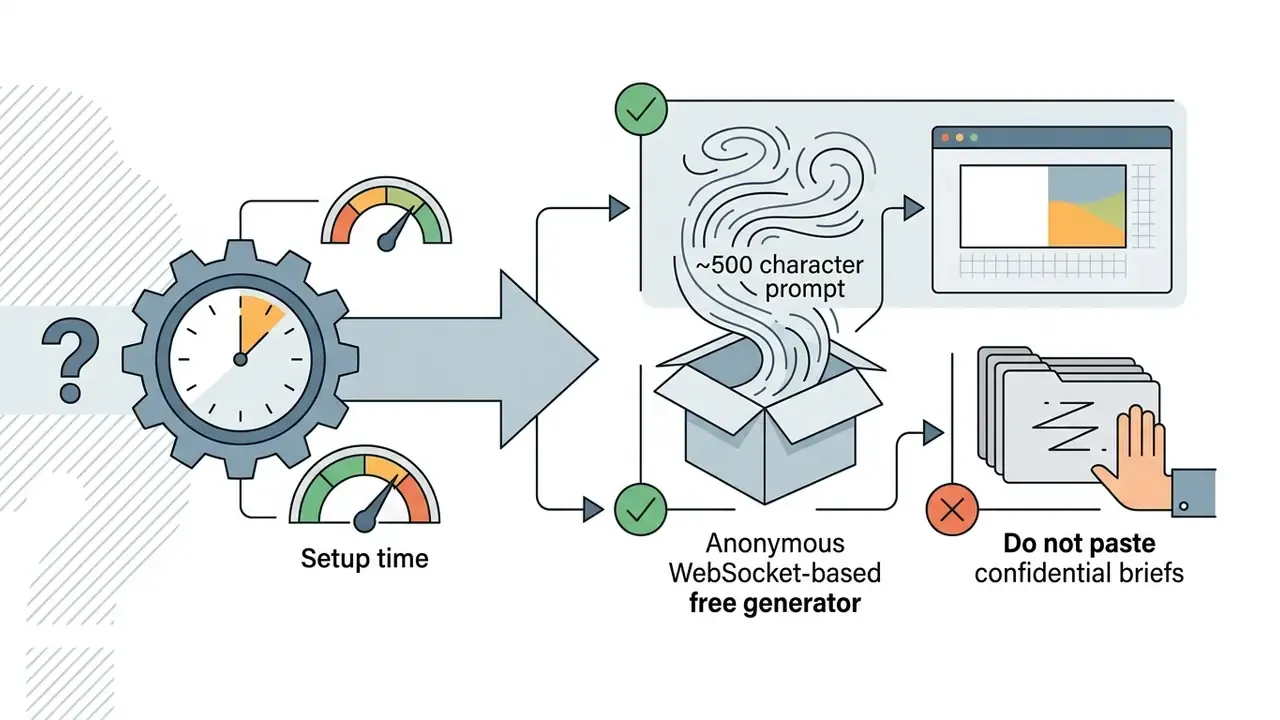
Two details deserve emphasis. First, prompt-length ceilings are a genuine creative constraint: a 500-character field cannot hold a structured prompt with scene, subject, style, lighting, lens and negative terms, which quietly pushes anonymous tools toward simple single-subject work. Second, delivery protocol predicts perceived speed. WebSocket tools stream the finished frame the moment inference completes, commonly under 10 seconds on turbo-class models such as Z-Image Turbo, while REST polling adds latency even when GPU time is identical.
Restrictions that still apply to free AI image tools
Platforms promising ai generated images without restrictions still enforce infrastructure and compliance boundaries to prevent system abuse and legal liability. Those constraints include daily credit resets, mandatory account registration, reduced export resolutions and automated prompt monitoring. Completely free does not mean completely open.
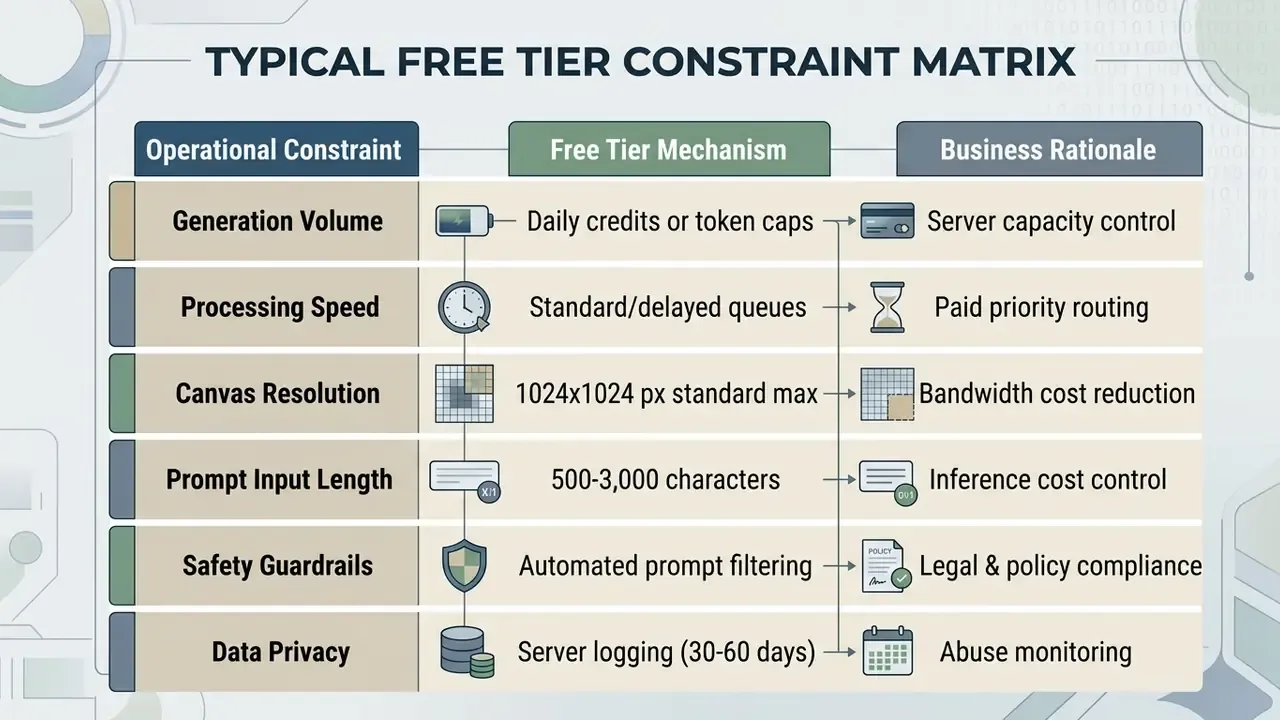
Platforms like Bing Image Creator provide fast generation boosts that convert to slower queue processing once exhausted (Microsoft Support, 2026); our detailed breakdown of Bing AI image creation covers how those boosts reset and what the non-commercial default means in practice. Leonardo AI, similarly, grants 150 daily tokens that reset every 24 hours and requires account authorization for ongoing access, while Craiyon-class tools keep usage nominally unlimited yet route every request through a shared queue.
Open-weights distribution channels carry their own risk profile, which is why "download any checkpoint" is not a neutral choice:
«Among ten popular Stable Diffusion models from Hugging Face and Civit AI, more than half of the images produced from harmful prompts contained NSFW, violent or sensitive content.»
Shadow AI: why "unrestricted" searches are a governance signal
For organisations, the sheer volume of unrestricted ai queries is itself a risk indicator. When an approved internal tool blocks a legitimate creative brief, say a fight scene for a game trailer, a medical illustration, or a fashion shoot with figure-hugging wardrobe, employees route around the corporate stack. They paste briefs, product names and unreleased artwork into anonymous consumer endpoints. That single habit bypasses model-risk governance three ways at once: unvetted model provenance, uncontrolled prompt retention, and outputs with undocumented licensing entering production assets.
The mitigation is not a stricter block list. It is a sanctioned path: an internally hosted open-weights deployment for edge-case briefs, plus a documented approval route for prompts the cloud filter rejects. Blocking alone converts a visible workflow into an invisible one. That is worse, not safer.
Fact check / terms verification. Platform terms verification shows that major providers maintain strict content moderation, export rules and rate limits. OpenAI's Terms of Use explicitly retain rights to review, filter and restrict automated extraction or policy violations (OpenAI Terms of Use, 2024). OpenAI's image policy additionally prohibits editing or creating images of real individuals without explicit consent. Anthropic and Google maintain parallel export and access restrictions aligned with international trade compliance and safety frameworks (Anthropic Consumer Terms, 2025). Adobe's Generative AI User Guidelines tie permitted use to rights clearance, prohibiting prompts that target copyrighted, trademarked, privacy or publicity rights (Adobe, 2026).
How to Choose a Free AI Art Generator With No Restrictions
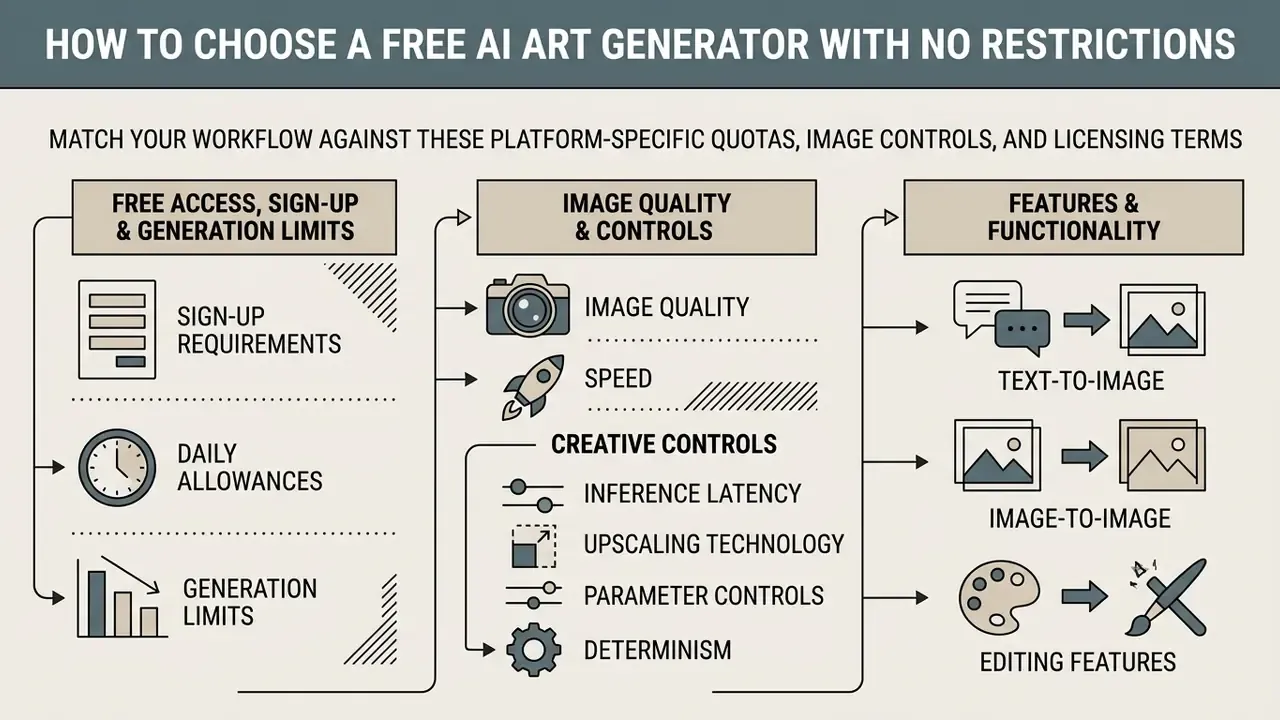
Selecting an ai art generator free no restrictions platform means matching your technical workflow against platform-specific quotas, image controls, licensing terms and data-handling policy. The table below adds the column enterprise buyers ask about first: whether prompts and uploads feed model training.
Table: comparative assessment of free AI image generation frameworks (2026 verification).
| Platform / tool type | Access requirement | Generation limits | Prompt moderation | Export quality | Commercial-use terms | Data retention / training opt-out | Verification date |
|---|---|---|---|---|---|---|---|
| OpenAI DALL·E (via API) | API key / account | Pay-per-call, tiered RPM | Configurable (auto/low, endpoint-dependent) | Up to 3840 px (high) | User owns outputs; sale and merchandising permitted under Content Policy | API inputs not used for training by default; abuse logs retained | January 2026 |
| Bing Image Creator | Microsoft account | 15 fast boosts per week | Standard Copilot safety | 1024×1024 px PNG | Non-commercial default | Account-linked history; consumer terms apply | February 2026 |
| DeepAI Text2Img | No-account option | Free web access with ads; 128 to 1536 px range | Basic safety filter | 1024×1024 px max (4K option on one model) | Public domain outputs | Verify current policy; anonymous requests still transit vendor servers | February 2026 |
| Recraft V3 | Account required | Daily free credits | Standard guidelines | Vector / raster upscale | Paid tiers only; free-plan images remain platform-owned | Tier-dependent; confirm in subscription terms | January 2026 |
| Canva Magic Media | Account required | Limited free credits (about 50), then Pro | Standard guidelines | Design-embedded export | Personal or commercial use under AI Product Terms | Governed by Canva AI Product Terms | February 2026 |
| Local open-source (SDXL / FLUX.1) | Local hardware only | Unlimited (GPU-bound) | None unless you attach a checker | Hardware-dependent, 4K+ with tiled upscale | Governed by the individual model licence | Zero external transfer; no training exposure | February 2026 |
Platform-specific deep dives are available for Canva's AI generator, Microsoft's image tools and Google's AI image generator if you need tier-by-tier licensing detail before committing a production pipeline. Broader licensing context sits in our AI Image Generator rights overview.
Free access, sign-up requirements and generation limits
Hunting for an ai generator free no restrictions workflow usually leads to platforms advertising no sign-up or no account access. Fully anonymous web interfaces do remove authentication friction, but they typically substitute account limits with IP-based rate throttling or lower queue priority. The constraint moves; it does not vanish.
In practice, an ai image generator free no sign up service may impose hidden restrictions: disabled upscale settings, a shortened prompt field, capped batch outputs. Anonymous services like DeepAI provide immediate access for rapid prototyping (DeepAI Documentation, 2026). Perchance-class tools go further, advertising no account, no censorship layer and 50+ art-style presets with batch sizes up to 32, at the cost of slower queues and less consistent prompt adherence. Freemium options such as Vuela or Pixelbin offer a handful of guest generations, commonly one to three per day, before prompting for registration.
A useful screening rule: anonymous tools win on friction and privacy, account-based tools win on consistency, resolution and advanced controls. For mobile-first workflows, evaluate an ai image generator app to compare native authentication requirements against browser-based flows.
Image quality, speed and creative controls
To produce high quality images, an ai generator image no restrictions tool has to balance inference speed against visual fidelity. High-resolution rendering demands substantial compute, which free plans manage through reduced output dimensions or dedicated queue delays. Before trusting any vendor benchmark, it helps to know how independent evaluation is actually structured:
The lesson from HEIM is that no single model leads on every axis. A checkpoint that tops aesthetics can lag on prompt alignment or efficiency, so "best generator" is always task-relative.
A reliable evaluation protocol for teams: assemble a fixed prompt set of 20 to 30 briefs covering your real asset types, run each at a locked seed across candidate models, then score alignment, anatomy, text legibility and artifact rate separately. Scoring those axes independently, rather than by overall preference, is what makes model selection reproducible when you re-run the audit after a version bump. Teams that document this once rarely re-litigate tool choice every quarter.
Text-to-image, image-to-image and editing features
Modern neural networks support text-to-image creation, image-to-image style transfer, inpainting and outpainting inside one interface. These features let creators refine generated images without starting from scratch. They also open a risk surface that pixel-level filters miss entirely:
«ToxicBench found that SD3, SD-XL, Flux and DeepFloyd IF generate NSFW text inside images under targeted prompts, which standard pixel-level NSFW detectors fail to catch.»
- Text-to-image (T2I)
- renders visual scenes directly from descriptive text prompts.
- Image-to-image (I2I)
- uses a reference image alongside text prompts to guide structure, pose and aesthetic composition.
- Inpainting
- replaces or modifies masked areas of an image while preserving the surrounding canvas.
- Outpainting
- extends canvas borders seamlessly to match a target aspect ratio, covered in depth in our guide to AI tools that expand images.
Using an ai image editor or an ai image generator from image pipeline gives content creators refined control over complex visual assets, including video generator workflows that need a consistent key frame. Open frameworks like OpenVINO map these workflows to distinct pipeline configurations, prompt only for T2I, prompt plus source for I2I, prompt plus image plus mask for inpainting, and the same with an enlarged canvas for outpainting, which keeps memory management consistent during batch operations (OpenVINO Documentation, 2026). If you want the step-by-step versions, our workflow comparisons let you compare options side by side.
- OpenVINO Documentation, 2026
True Unrestricted Generation: Local Open-Source Workflows vs. Cloud SaaS
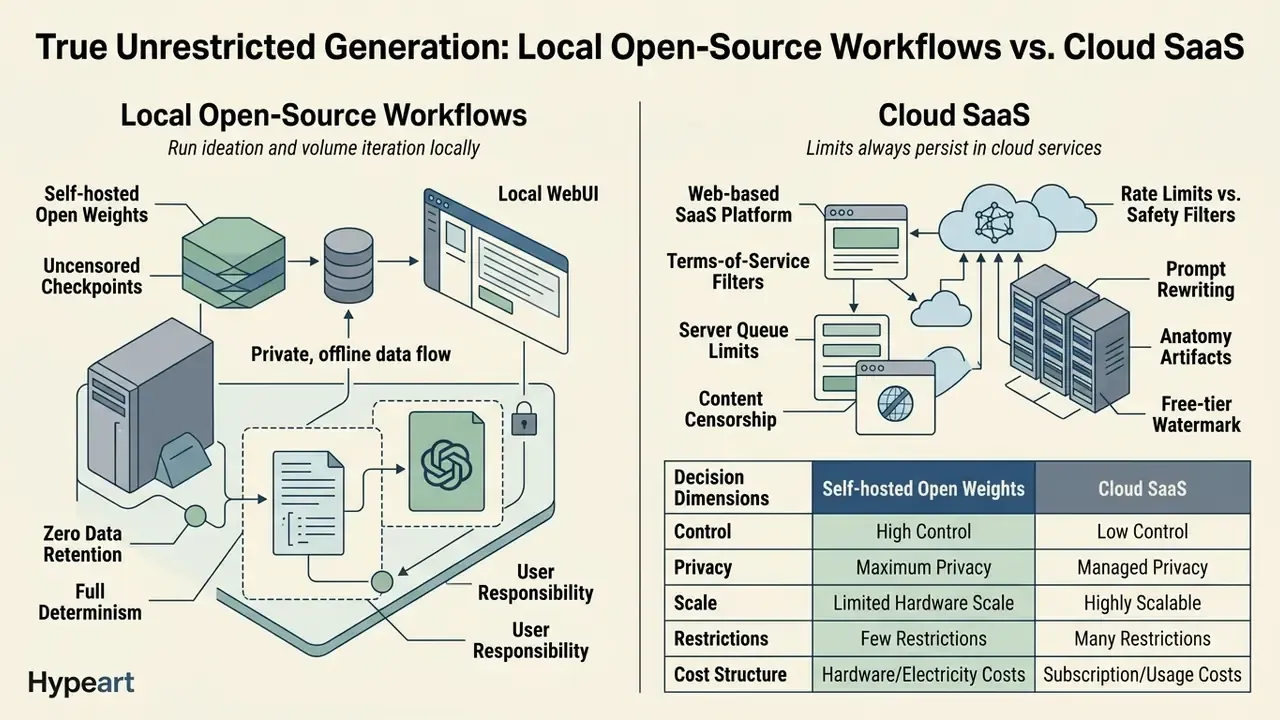
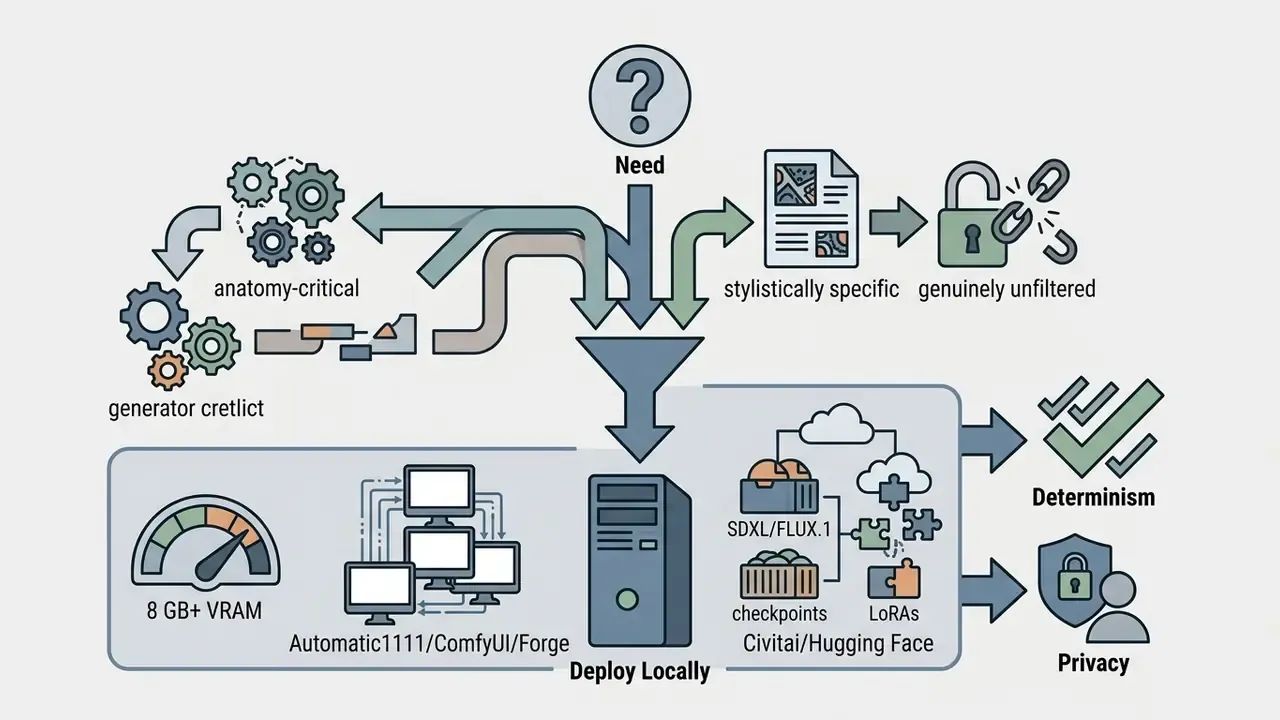
Web-based SaaS platforms always keep terms-of-service filters and server queue limits. Absolute freedom from both content censorship and volume caps is achievable only through local deployment. This is the section most "no restrictions" listicles skip, and it is the only honest answer to the query.
- Local WebUI interfaces. Software suites such as Automatic1111, Forge, InvokeAI or ComfyUI execute models directly on local GPU hardware. A practical floor is 8 GB VRAM for SDXL at 1024 px with moderate batch sizes; 12 to 16 GB is comfortable for FLUX.1-class models, ControlNet stacks and tiled upscaling; 24 GB removes most memory ceilings. ComfyUI's node graph also makes every stage explicit, including whether a safety checker node exists in the pipeline at all.
- Uncensored checkpoints. Open-weights base models such as FLUX.1 Dev/Schnell or Stable Diffusion XL pair with community fine-tunes distributed through Civitai or Hugging Face, many of which ship without the safety-checker pipeline hosted APIs attach by default. LoRA adapters let you inject a specific character, wardrobe or illustration style without retraining a base model.
- Zero data retention. Local execution guarantees complete prompt privacy, immunity to API policy changes, and continued operation if a vendor sunsets the model your workflow depends on. For regulated teams this is often the deciding factor: nothing leaves the perimeter, so prompt confidentiality becomes a network property rather than a contractual promise.
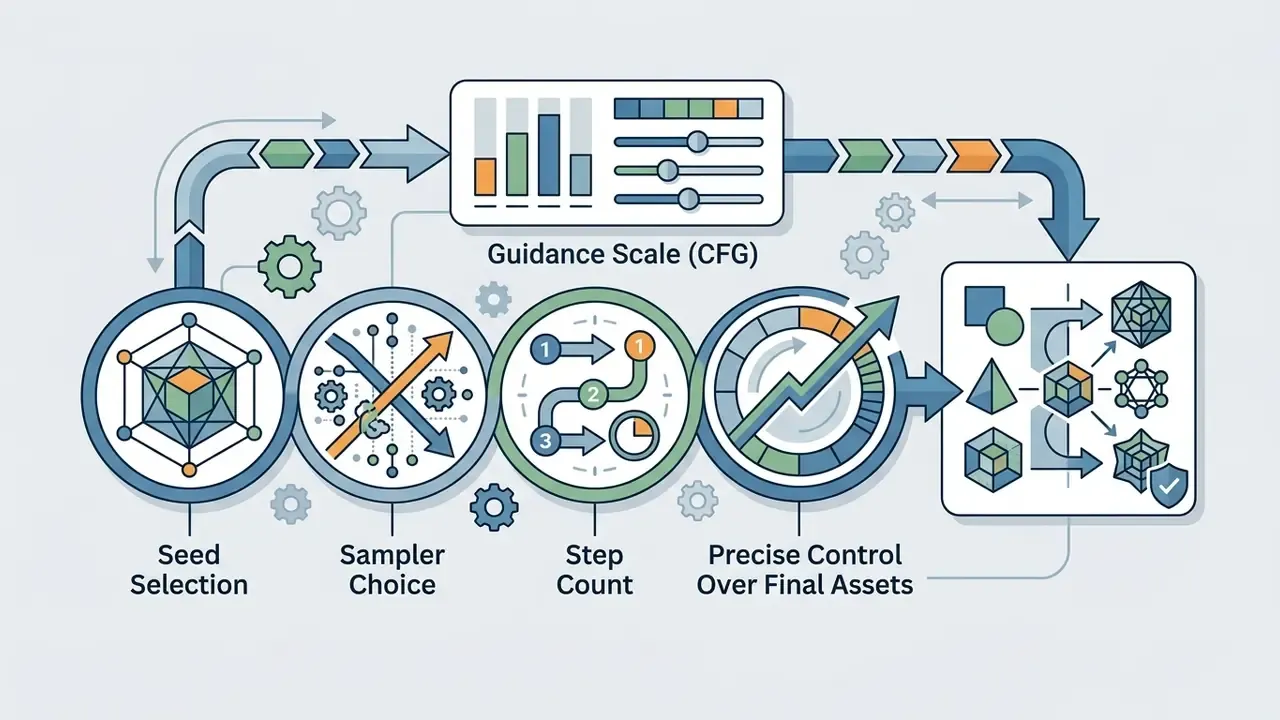
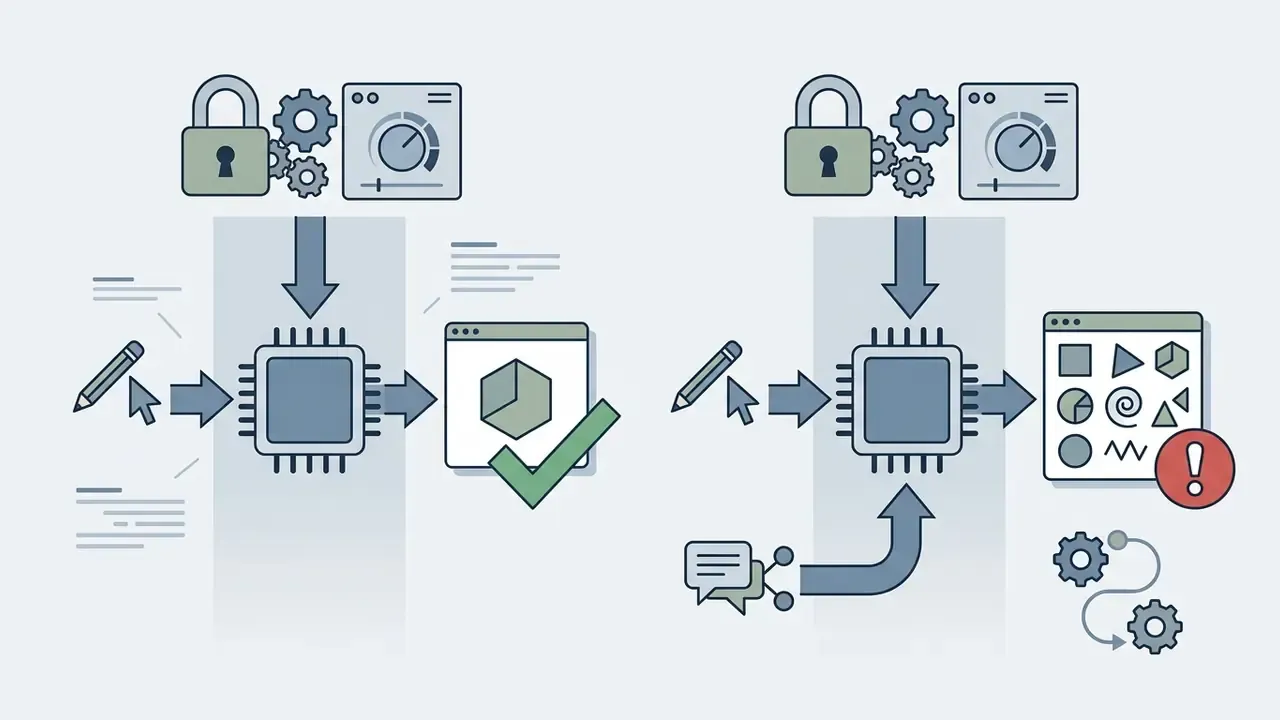
- Full determinism. Because you control sampler, scheduler, seed and step count end to end, a locked seed reproduces the identical image months later. No hosted endpoint can guarantee that across silent model updates.
Cloud SaaS vs. self-hosted open weights
Table: decision dimensions for cloud SaaS versus self-hosted open weights.
| Dimension | Cloud SaaS (DALL·E, Midjourney, Copilot) | Self-hosted open weights (SDXL / FLUX.1 + ComfyUI) |
|---|---|---|
| Content filtering | Mandatory, non-configurable on consumer tiers | Absent unless you attach one |
| Volume limits | Credits, RPM caps, queue priority | GPU-bound only |
| Prompt privacy | Server-side logging, 30 to 60 day windows typical | No external transfer |
| Setup effort | None | Driver, environment, model management |
| Hardware cost | Zero upfront | 8 GB+ VRAM GPU |
| Reproducibility | Breaks on silent model updates | Fully deterministic |
| Licensing clarity | Vendor terms, tier-dependent | Individual model licence governs output use |
| Compliance burden | Shared with vendor | Entirely on the operator |
The trade-off is responsibility. Removing the guardrail does not remove the law: publicity rights, child-safety statutes, trademark, and the EU AI Act's machine-readable marking obligations (applicable from 2 August 2026) apply to locally generated output exactly as they do to cloud output. Self-hosting shifts compliance from the vendor to you. Every time.
A pragmatic hybrid pattern used by production teams: run ideation and volume iteration locally, where filters and credits never interrupt flow, then move final client-facing assets to a hosted platform whose licence explicitly grants commercial rights and produces an auditable provenance trail.
Best AI Image Generator No Restrictions Options to Compare
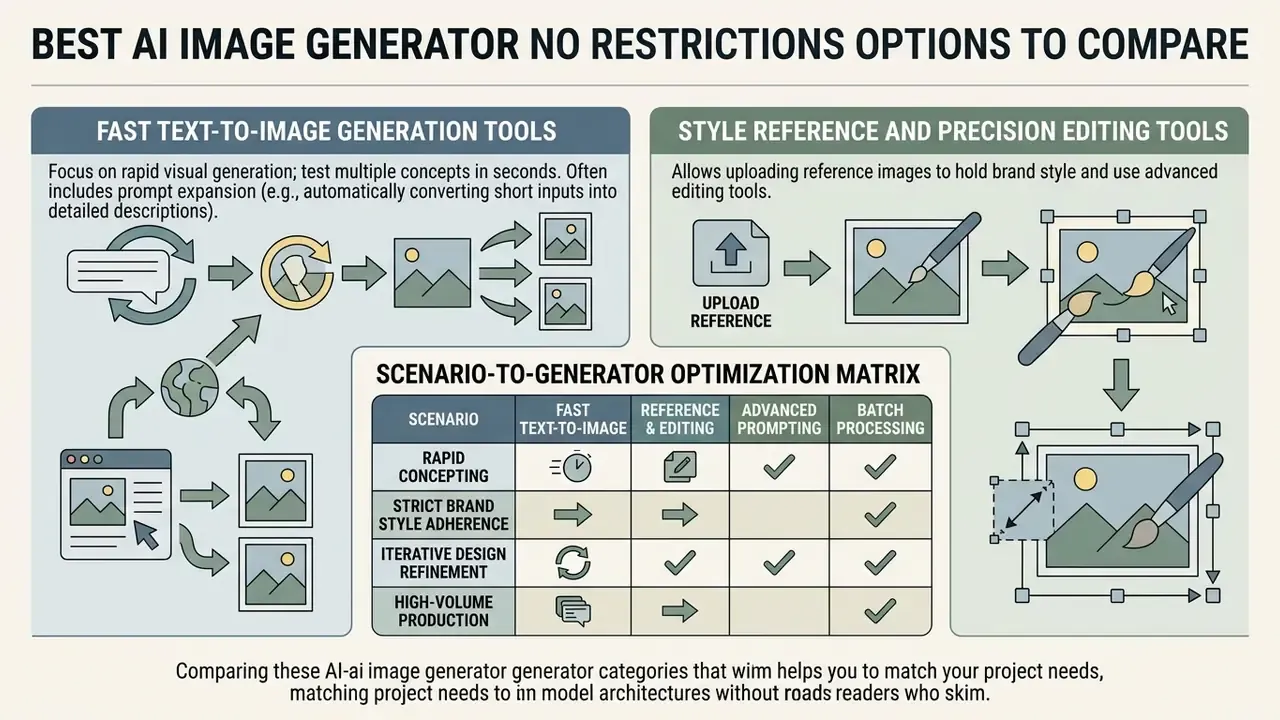
Comparing generator categories helps match project needs to the underlying model architecture. Our best AI image generators comparison analyses benchmark reports across leading neural network models, and the best AI art generators roundup is the better starting point if stylised output matters more than photorealism.
Tools for fast text-to-image generation
Fast text-to-image tools focus on rapid visual generation, letting creators test multiple concepts in seconds. High-performance models such as Google DeepMind's Imagen 3 and OpenAI's image models optimise prompt alignment to cut iteration cycles (Google DeepMind, 2024). Speed, though, is not robustness:
«SneakyPrompt, the first automated attack framework against T2I safety filters, bypassed DALL·E 2 with filters enabled; Stable Diffusion's official filter passed roughly 23.51% of unsafe prompts.»
That finding cuts both ways. Hosted filters are porous enough that "filtered" cannot be treated as a compliance guarantee, and vendors will keep tightening those filters, which is exactly why prompts that worked last quarter start failing this quarter.
Prompt expansion frameworks such as TIPO automatically convert short text inputs into detailed descriptive prompts before inference (TIPO Research, 2024), while LLM Blueprint (ICLR 2024) extracts object descriptions, bounding boxes and background context from complex prompts to improve faithful multi-object scenes. Structural clarity improves even when users enter basic terms. One caveat: expansion is itself a form of prompt rewriting, so keep it optional rather than silent. Creators who need localized language support can test an ai image generator arabic free tool for prompt responsiveness across international character sets, and anyone benchmarking subscription platforms can consult our Midjourney evaluation.
Tools with reference images and AI image editing
Platforms built for style reference and precision editing let creators upload reference images to hold brand consistency. These systems use ControlNet layers or explicit style conditioning to replicate lighting, colour palettes and structural layouts.
Table: scenario-to-generator optimization matrix.
| Creative scenario | Optimal model capability | Key technical control | Primary output metric |
|---|---|---|---|
| Concept art and pre-visualization | High aesthetic style transfer | Style reference strength | Visual coherence and detail |
| Photorealistic product visuals | Factual knowledge alignment | Masked inpainting and lighting | Anatomical and surface accuracy |
| Anime and stylized illustration | Line-art sketch conditioning | ControlNet edge detection plus custom VAE | Palette fidelity and sharp lines |
| VTuber and character assets | Character reference locking | Transparent canvas / layer isolation | Cross-pose identity consistency |
| Social media marketing assets | Text rendering within canvas | OCR-checked text layers | Legibility and aspect-ratio fit |
Read the matrix as a routing table. Concept art tolerates stylistic drift, product photography does not; anime work lives or dies on line integrity; social assets fail on illegible type long before they fail on aesthetics.
In precision workflows, tools like Leonardo.Ai expose independent sliders for Style Reference, Content Reference and Character Reference, with strength levels from Low to Max (Leonardo.Ai Guides, 2026). Stability AI's Control Style service extracts stylistic elements from a control image and regenerates a new scene in that style, while GPT Image edit endpoints accept one or more reference images plus an optional mask so unmasked regions stay pixel-identical. That separation prevents unwanted prompt bleed and keeps the exact character attributes specified in the original input.
How to Generate AI Images Without Unnecessary Limits
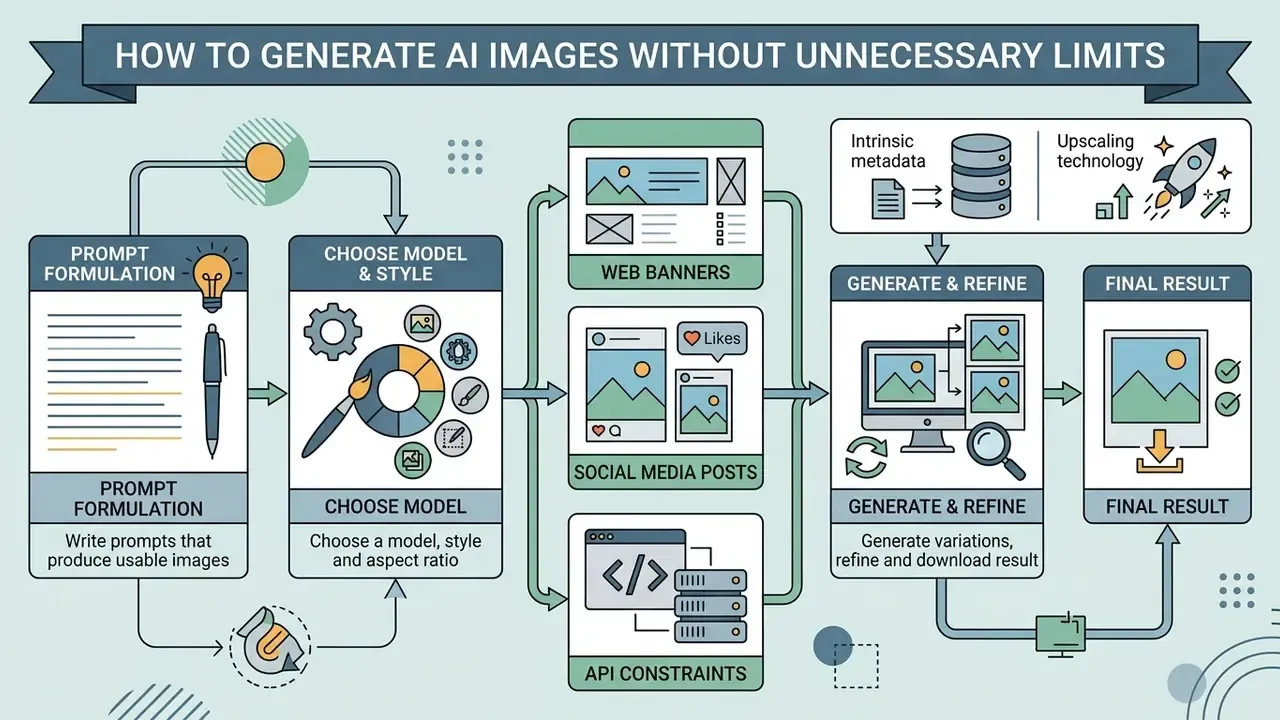
Generating predictable visual assets takes a structured workflow, from initial prompt formulation to final upscaling. Enter your prompt, choose your aspect ratio, generate, inspect, refine, download. The order matters more than people expect.
Write text prompts that produce usable images
Effective text prompts organise visual concepts systematically instead of piling on random descriptors. Model documentation recommends structuring inputs by background context, primary subject, specific details and compositional constraints, using short labelled segments or line breaks for complex requests (OpenAI Image Prompting Guide, 2025).
[SCENE/BACKGROUND] + [PRIMARY SUBJECT] + [STYLE & LIGHTING] + [COMPOSITION & CAMERA]

Example: "A minimalist modern studio, an ergonomic black office chair, soft studio lighting, 85mm lens perspective, sharp focus"
A second widely used framework for illustrative work is Subject + Action + Style + Artist reference, which front-loads the two tokens models weight most heavily. Research from Columbia University shows that prioritising concrete subject and style keywords over connecting filler words produces higher prompt fidelity across seed variations:
«Concrete subject and style keywords improve prompt fidelity across seed variations more reliably than connecting filler words.»
The same study recommends generating three to nine different seeds to obtain a representative result set in a single pass, rather than rewriting the prompt after one disappointing render. When working with open web platforms, users who want instant access often start creating on a free AI art generator to test prompt structures before committing credits.
Choose a model, style and aspect ratio
Matching the neural model, art style and aspect ratio to your final publishing channel prevents layout distortion and expensive post-processing edits.
Choosing parameters up front avoids stretching generated pixels during page layout, keeping visual assets crisp across device viewports. A five-second decision that saves an hour of retouching.
Choose a model, style and aspect ratio
Web banners: select a 16:9 or 3:1 landscape ratio directly in the platform settings.
Social media posts: use square (1:1) or vertical (4:5, 9:16) aspect ratios; 4:3 and 3:4 remain the classic editorial pair.
API constraints: OpenAI image endpoints require width and height as multiples of 16, support ratios from 1:3 to 3:1, and output up to 3840 px with selectable low, medium or high quality.
Intrinsic metadata: standards like the W3C PNG specification track aspect ratio in pixel-dimension metadata (pHYs), which keeps rendering responsive across CSS layouts (W3C PNG Specification, 3rd Edition). CSS aspect-ratio then preserves proportion during layout, and WCAG 3.0 expects content to stay usable when viewport orientation changes.
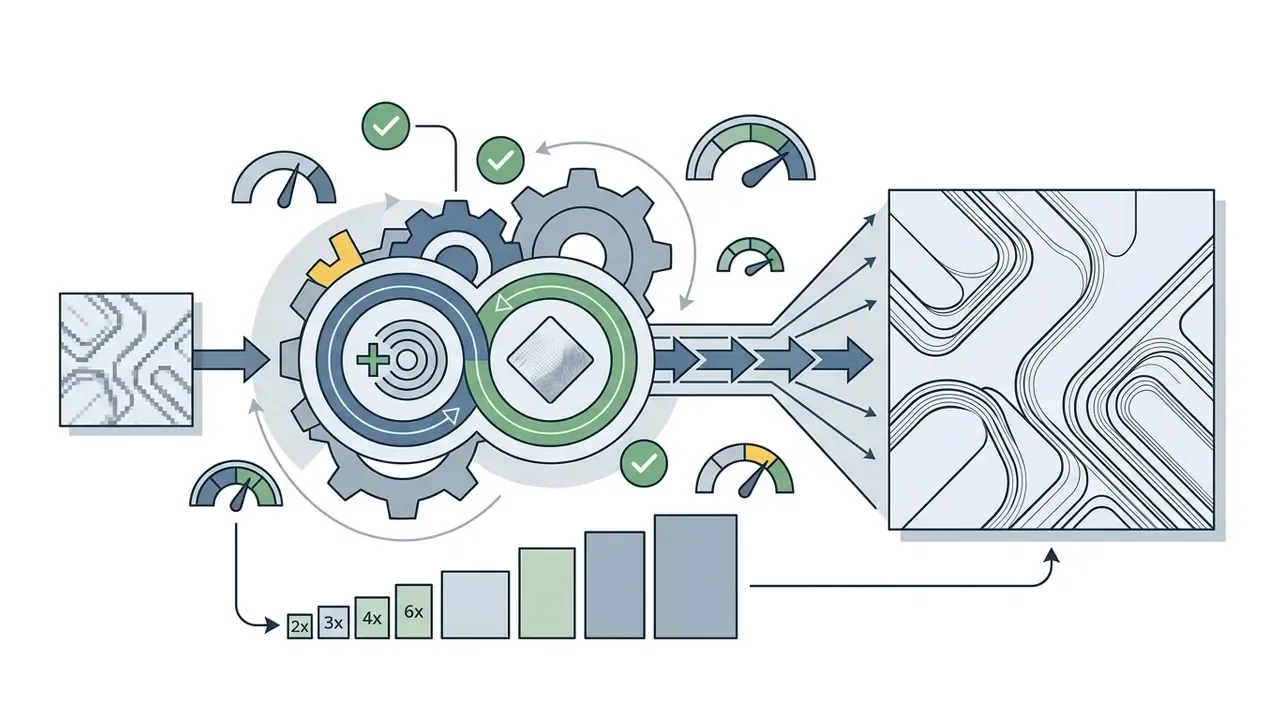
Upscaling technology: tools using Real-ESRGAN or latent upscalers can double or quadruple pixel dimensions. See our comparison of AI image upscalers for model-by-model texture behaviour.
Generate variations, refine and download the result
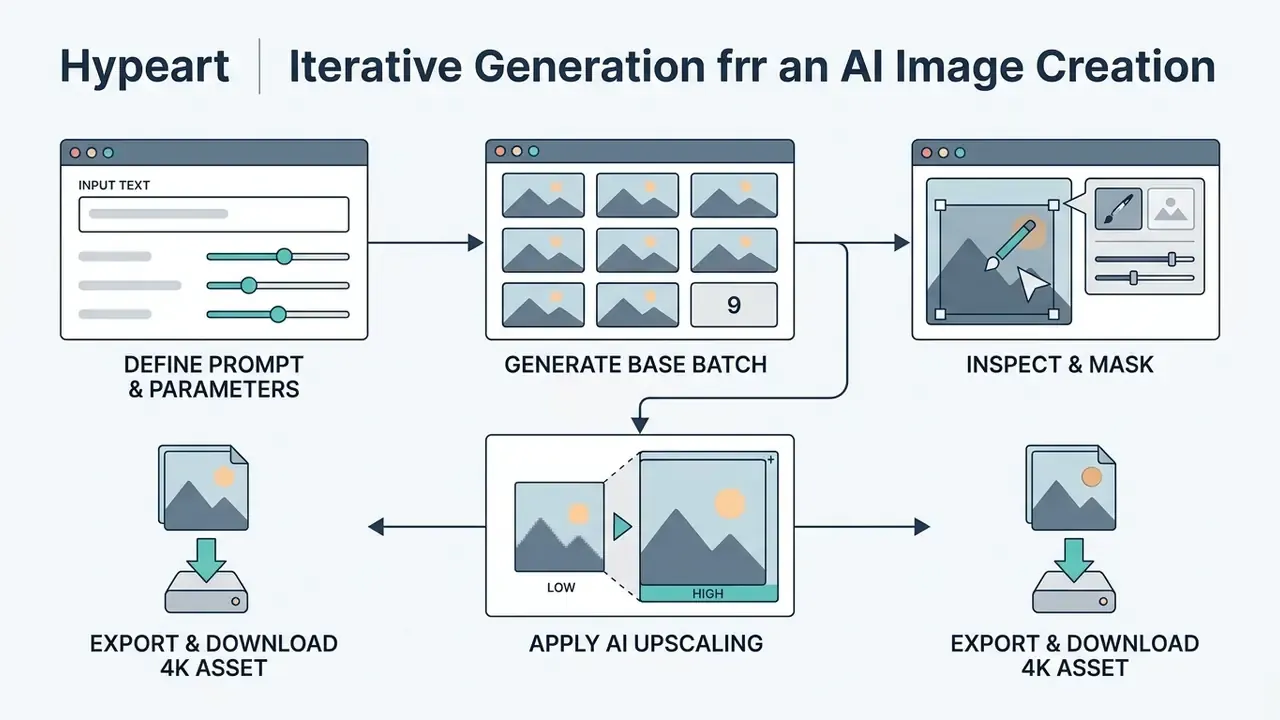
The final stage relies on iterative refinement. Generating three to nine seed variations per prompt gives a representative sample without burning daily processing credits.
- Initial pass: submit the core text prompt to generate base variations.
- Inspection: evaluate composition, lighting and anatomical correctness.
- Inpainting refinement: mask small visual artifacts and submit localized text edits, one change per pass, reusing the previous output as the next input.
- Final upscaling: pass the refined image through an AI upscaler to reach target export resolutions before downloading. Our overview of AI image enhancers covers when to choose fast versus latent upscaling.
Troubleshooting the most common refinement failures
Table: symptom, likely cause and corrective action during refinement.
| Symptom | Likely cause | Corrective action |
|---|---|---|
| Output ignores half the prompt | Upstream prompt rewriting or token truncation at the input cap | Shorten to essentials, front-load structural tokens, test on a platform with a longer prompt field |
| Hands and faces break in complex poses | Pruned anatomical training data in a heavily moderated checkpoint | Switch to a checkpoint with intact figure data; inpaint the region at higher resolution with a pose reference |
| Large variance at a locked seed | Server-side model update or hidden rewriting layer | Re-verify the model string; migrate anatomy-critical work to a local deployment |
| Gibberish text inside the image | Weak glyph conditioning in the base model | Generate the plate without text and composite type in an editor; OCR-check before publishing |
| Upscale introduces plastic texture | Fast upscaler applied to a low-detail base | Re-run with a latent upscaler or tiled upscaling at 20 to 40 seconds per pass |
Because local and global edits carry different integrity weight, keep the distinction that scientific-publishing guidance draws. Global adjustments such as brightness, contrast, levels and gamma are ordinarily acceptable. Local edits that add, remove or relocate content change the record and must be disclosed when the image is presented as documentary rather than conceptual.
What You Can Create With an Unrestricted AI Image Generator
An ai generator without restrictions platform lets creators produce a wide range of visual assets, from photorealistic product photography to stylized digital artwork and create stunning environment plates for pitch decks.
Photos, product visuals and social media content
Generating photorealistic assets demands precise control over camera angles, lighting conditions and surface textures. Marketers use neural tools to create product shots, lifestyle imagery and social media banners without scheduling a physical shoot. Portrait-specific pipelines are covered separately in our guide to AI headshot generators.
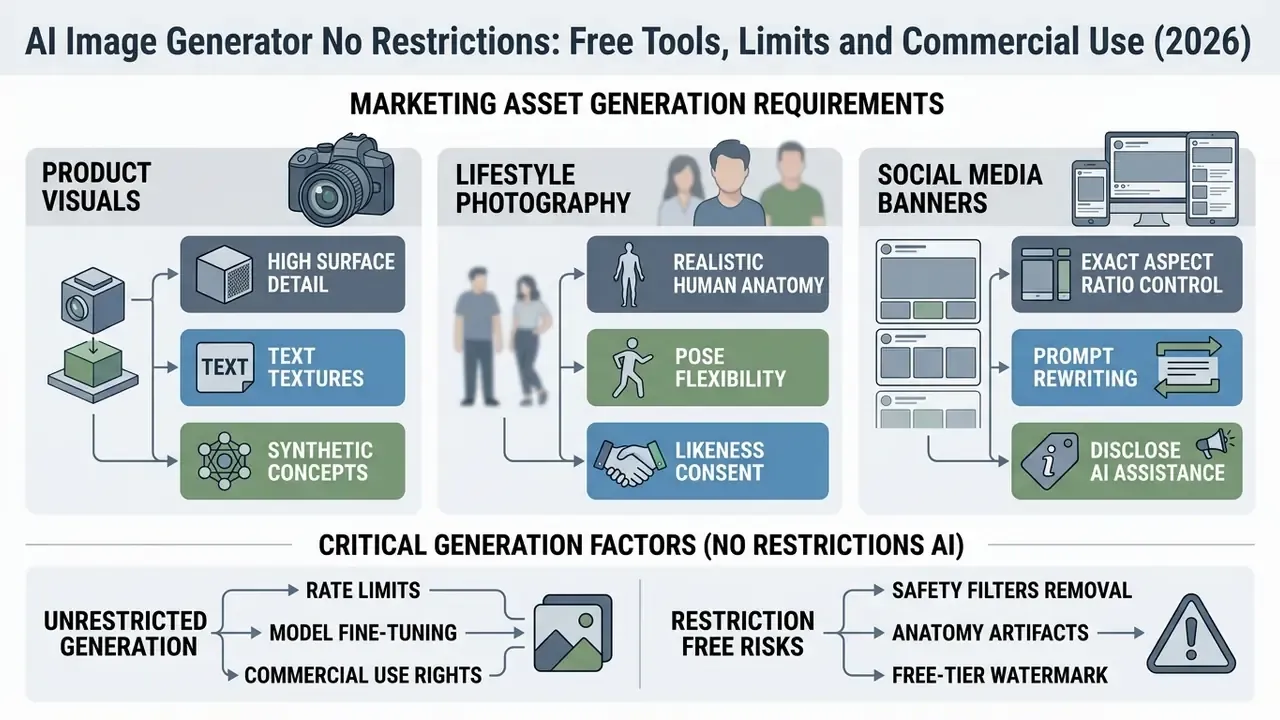
«IAB AI Transparency Standards (2026) recommend explicit labelling of synthetic marketing visuals that depict real individuals or non-existent commercial products.»
ICC guidance adds that permission should ordinarily be obtained before generating or materially altering the likeness of a real, identifiable person in marketing communications. National transparency guidance recommends that labels such as "generated by AI" or "created with AI assistance" stay visible, plain-language and accessible. Teams that need commercial specifics can review our AI image generator commercial use overview to verify platform-specific licensing requirements.
Concept art, digital art and style variations
Digital artists and game designers use neural generators for concept art, anime, manga illustration and environmental sketches. These tools accelerate pre-visualization by producing multiple style variations from one reference input.
- Digital sketching: turn rough line art into fully rendered digital paintings using image-to-image conditioning.
- Character design: lock character features across multiple poses with style reference keys.
- Texture generation: create seamless tileable textures for 3D environments.
- Style emulation: reproduce recognisable illustrative traditions. Our breakdown of Ghibli-style AI generators covers where style emulation ends and rights infringement begins.
Research on line-art colorization shows that pairing rough sketches with colour reference inputs preserves the artist's original line work while automating shading passes (IEEE Transactions on Visualization, 2025). Reference-conditioned pipelines also carry a documented misuse risk that creative teams should log in their own policy:
«24% of images produced via DreamBooth from hateful-meme templates retained features of both the original meme and the targeted community.»
To evaluate alternative workflows, compare the best AI art generators across different asset pipelines, or dip into the glossary hub if the terminology is new.
Character design and stylized illustration workflows
Unrestricted style models excel at specialised genres where commercial tools enforce heavy visual smoothing or outright style blockades. This is where anime, manga and VTuber creators feel filtering most acutely, because their subject matter is stylised figure work by definition.
- Anime and manga pipelines custom VAEs (variational autoencoders) prevent line-art bleeding and hold sharp cel-shading boundaries; ControlNet edge detection preserves the original sketch geometry through the rendering pass.
- VTuber asset generation create isolated character layers on a transparent canvas so each part can be rigged independently; lock identity with a character-reference slider rather than repeating descriptive text.
- Manga panel production generate backgrounds and characters separately at 9:16 or 3:4, then composite, so panel text never competes with the diffusion model's weak glyph rendering.
- Fantasy and dark-fantasy concepts the genre most frequently caught by moralising rewrite layers. Keep tone tokens (grim, chiaroscuro, ashen) in the style clause rather than the subject clause to reduce false positives.
Example technical anime prompt structure:
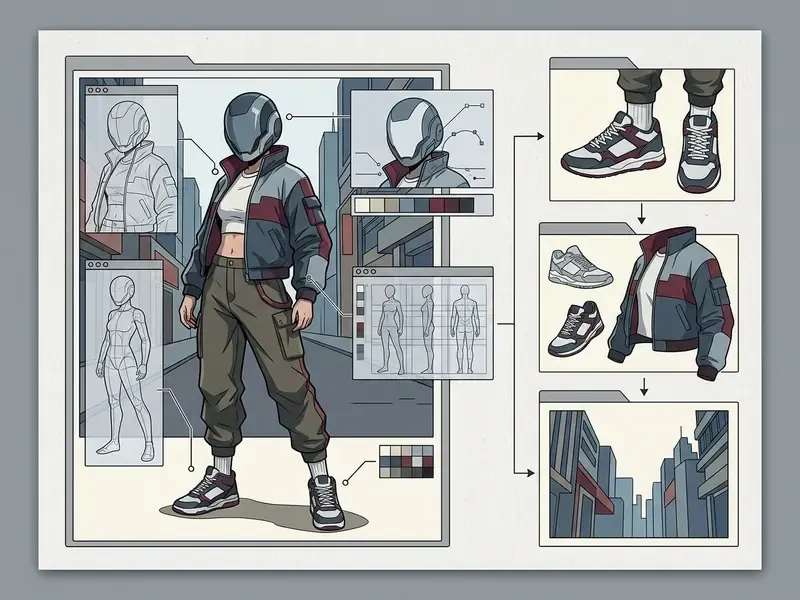
For production runs, batch four to eight seeds per pose, keep CFG between 6 and 8 to avoid over-saturated line weights, and hold upscaling until the character silhouette is final. Upscaling a flawed silhouette only makes the flaw sharper.
Commercial Use, Ownership and Privacy of AI-Generated Images
How to check commercial-use rights before downloading
Before publishing generated artwork commercially, confirm that the platform explicitly grants commercial exploitation rights under your specific plan tier.
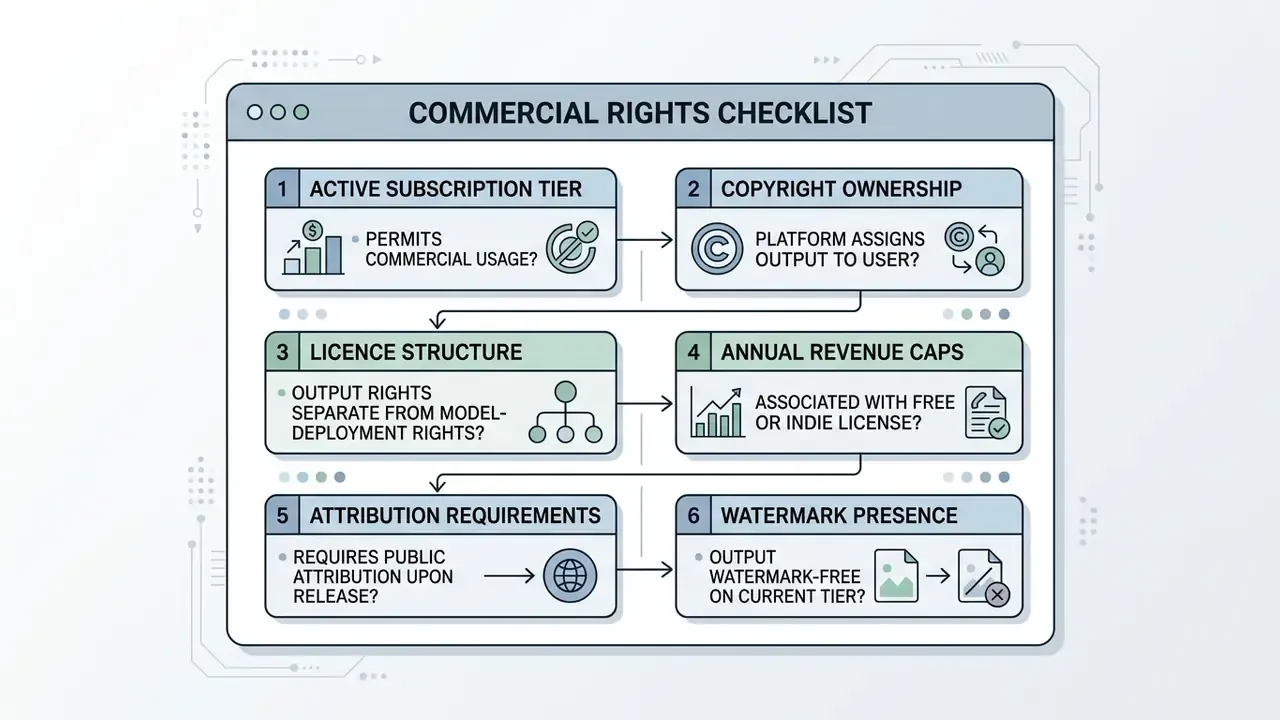
The U.S. Copyright Office specifies that purely machine-generated outputs lacking human creative authorship are not eligible for registration, and that AI-generated material above a de minimis threshold must be expressly excluded from a human-authored claim (U.S. Copyright Office Guidance, 2026). Platforms like OpenAI assign output ownership to users across both free and paid credits; its Help Center states that DALL·E images may be sold and merchandised regardless of which credits were used, subject to content policy compliance. Recraft, by contrast, retains ownership of outputs generated on free plans while assigning full rights to paid subscribers. And several "unlimited free" web generators contradict themselves between FAQ entries, granting commercial rights in one answer while restricting free-tier output to personal use in another.
Legal scholarship highlights an asymmetry worth knowing before you file:
Data retention and training opt-out
For business use, the second contractual question after commercial rights is blunt: do your prompts and reference uploads train someone else's model?
Table: retention and training-exposure profile by tier type.
| Tier type | Typical prompt/image retention | Used for model training by default | What to verify |
|---|---|---|---|
| Enterprise / API | Abuse logs, commonly 30 days | Generally no | Zero-retention endpoint availability |
| Consumer paid | Account history retained | Varies by vendor | Location of the training opt-out toggle |
| Consumer free | Account history retained | More often yes | Whether opt-out exists on the free tier at all |
| Anonymous web | Vendor-defined, often undisclosed | Undisclosed | Whether any policy document exists |
| Local open-source | None | No | Nothing, because no transfer occurs |
Treat undisclosed retention as retention. Verify each row against the vendor's current policy page before uploading unreleased product artwork, client photography or anything covered by an NDA.
Prompts, reference images and privacy protection
Uploading confidential reference images or proprietary text prompts to third-party web platforms introduces data retention risk. Standard terms often allow platforms to log user prompts and input images for model training and content safety audits, with retention windows commonly in the 30 to 60 day range and metadata sometimes persisting longer. Teams that need to verify the provenance of incoming assets can consult our overview of AI image detectors.
A private browser session reduces local device tracking, but it does not prevent server-side retention. Private mode limits persistent state on your machine while the request still transits the vendor proxy, the logging layer and the model provider. Browser-agent research documents prompt-injection and session-replay exposure where page content, prompts, cookies and identifiers reach first-party servers. Privacy-focused platforms process inputs without storing server logs, which preserves trade secrecy for enterprise workflows, and the European Commission's living guidelines on generative AI in research warn that sharing prompts containing protected information creates IP and confidentiality risk, because prompt content is not inherently confidential.
«T2ISafety includes privacy as one of three evaluation dimensions across 15 diffusion models and roughly 70,000 prompts, surfacing personal-data disclosure risks in generated images.»
Sensitive-content handling deserves an explicit policy rather than improvisation. Platforms differ sharply in how adult, medical and figure-study prompts are classified, logged and escalated, and our reference on the ai image generator naked prompt-filter thresholds documents where those lines currently sit. For teams the operative rule is simple: never route a prompt through an anonymous endpoint if the prompt itself is confidential.
Responsible use of AI-generated visuals
Responsible deployment of AI visuals means complying with copyright regulations, publicity rights and platform terms. Post-processing belongs in the same policy scope, which is why our guide to AI photo editors covers disclosure-relevant editing distinctions.
Legal and compliance alert. Copyright rules and commercial usage rights vary significantly by jurisdiction and by the level of human creative contribution. Under U.S. Copyright Office rulings, protection requires human authorship. Purely autonomous machine outputs are treated as public domain material in the EU unless substantial human arrangement or modification is demonstrated (European Parliament Research Study, 2025). EU AI Act transparency obligations requiring machine-readable marking and detectability of AI-generated images apply from 2 August 2026.
Published rules and real model behaviour are not the same thing, which is itself a compliance consideration:
«Comparison of five text-to-image platforms found divergence between published moderation policies and actual model behaviour, including over-censorship of benign content.»
That divergence cuts in both directions. Teams cannot rely on a filter to enforce policy, and creators cannot infer from a refusal that their request was actually prohibited. When generating marketing materials that depict identifiable people or trademarked items, secure the necessary publicity waivers and trademark clearances before public distribution. You can browse the hub for recent legal updates on AI copyright precedents.
FAQ About AI Image Generators With No Restrictions
Can I use an AI image generator without installing software?
Yes. You can generate AI images directly in a browser without installing local software like Automatic1111 or ComfyUI. Cloud platforms handle neural network inference on remote GPUs, so you enter a prompt, customize the aspect ratio and download assets through a standard browser interface. Start creating with a free AI art generator that requires no download at all. Browser-delivered services remove local hardware requirements, though server queues, prompt-length ceilings and daily credit limits still apply depending on the platform. Governance frameworks such as the NIST AI RMF generative-AI profile treat privacy, security and data governance as the determining factors for safe browser-based use, rather than the absence of an installer. Worth remembering if your compliance team asks.
Is any AI image generator genuinely without content restrictions?
No mainstream hosted platform is. Every provider with public documentation, OpenAI, Google, Microsoft, Adobe, describes layered moderation, and several add mandatory output marking to satisfy the EU AI Act from August 2026. The only configuration where no content classifier sits between your prompt and the model is a locally executed open-weights checkpoint with the safety checker detached. That removes the filter, not the law.
What hardware do I need to run an uncensored model locally?
A discrete GPU with 8 GB VRAM runs SDXL at 1024 px with modest batch sizes. Between 12 and 16 GB is comfortable for FLUX.1-class models plus ControlNet and tiled upscaling; 24 GB removes most practical ceilings. Expect 20 to 60 GB of disk for a curated checkpoint collection. Automatic1111 and Forge are the fastest paths to a working interface, while ComfyUI gives graph-level control over every stage, including whether a safety node is present.
Why do filtered models render hands and faces badly?
Two compounding causes. Aggressive dataset pruning strips the anatomical and figure-study density that teaches articulation, overlap and foreshortening. Silent prompt rewriting then displaces the structural tokens describing pose and framing. The result is a higher artifact rate in exactly the complex human poses creators care about most, which is why anatomy-critical work tends to migrate to controllable local pipelines.
Does "no restrictions" mean lower image quality?
Not inherently. Removing access friction is unrelated to output fidelity, and independent benchmarks such as HEIM show that no single model leads on every axis of quality, alignment, aesthetics and efficiency. What does correlate with lower quality: a short prompt field, a hard 1024 px export cap and a forced watermark. Those are the constraints anonymous free tiers use in place of credit limits.
What is the difference between an AI photo generator and an AI picture generator?
An AI photo generator optimizes neural weights specifically for photorealism, concentrating on realistic lighting, skin texture, depth of field and camera physics. An AI picture generator works as a broader system capable of rendering multiple artistic styles, including digital paintings, vector art, anime, sketches and abstract concepts. Both rely on diffusion or transformer architectures, but specialised photo generators minimise visual artifacts in real-world scenes. The distinction is the optimization target, not the input type.
«T2I-RiskyPrompt evaluated 8 models on 6,341 risky prompts across 14 categories; its risk-ratio metric directly measures the share of prompts that successfully generate harmful images.» T2I-RiskyPrompt, arXiv (2025). https://arxiv.org/html/2510.22300v1
Can I sell images made with a free generator?
Only if the tier-specific clause says so. OpenAI permits sale and merchandising of DALL·E outputs regardless of whether free or paid credits were used. Recraft-class platforms retain ownership of free-plan output. Bing Image Creator defaults to non-commercial. Several "unlimited free" generators contradict themselves across FAQ entries. Read the clause that governs your tier, screenshot it with a date, and check for visible or metadata watermarks before shipping.
Are AI-generated images copyrightable?
Not the machine-generated portion. The U.S. Copyright Office registers only human-authored contributions and requires AI-generated material above a de minimis threshold to be excluded from the claim. EU analysis treats purely AI-generated output without substantial human intervention as unprotected. Selection, arrangement, masking, compositing and substantial editing are what create a registrable human contribution, so keep the working files that prove it.
Decision Algorithm: Picking the Right Tool for the Job
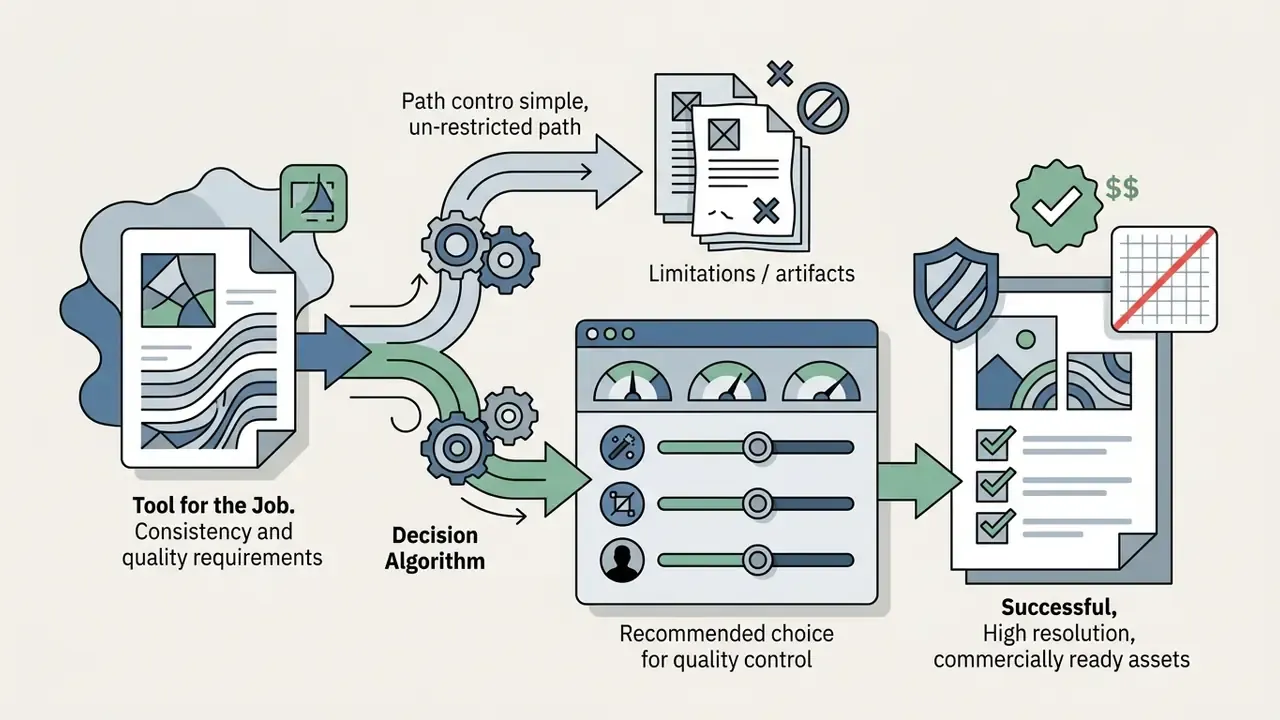
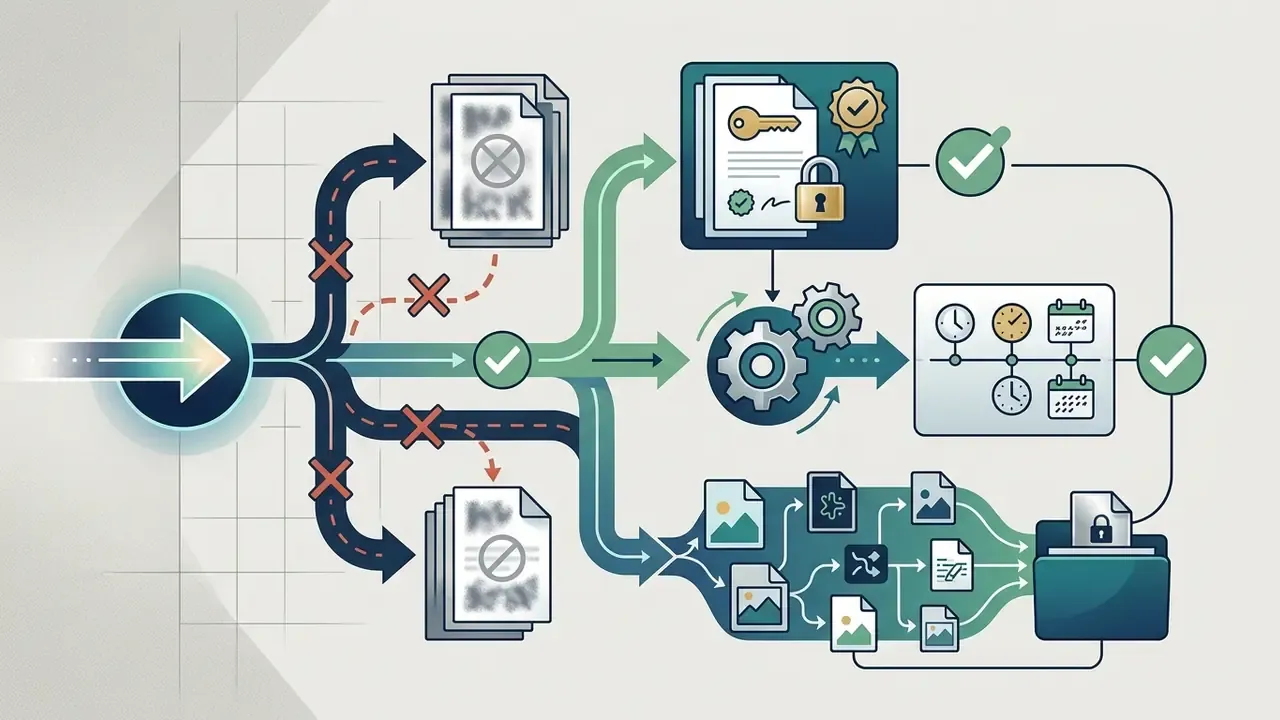
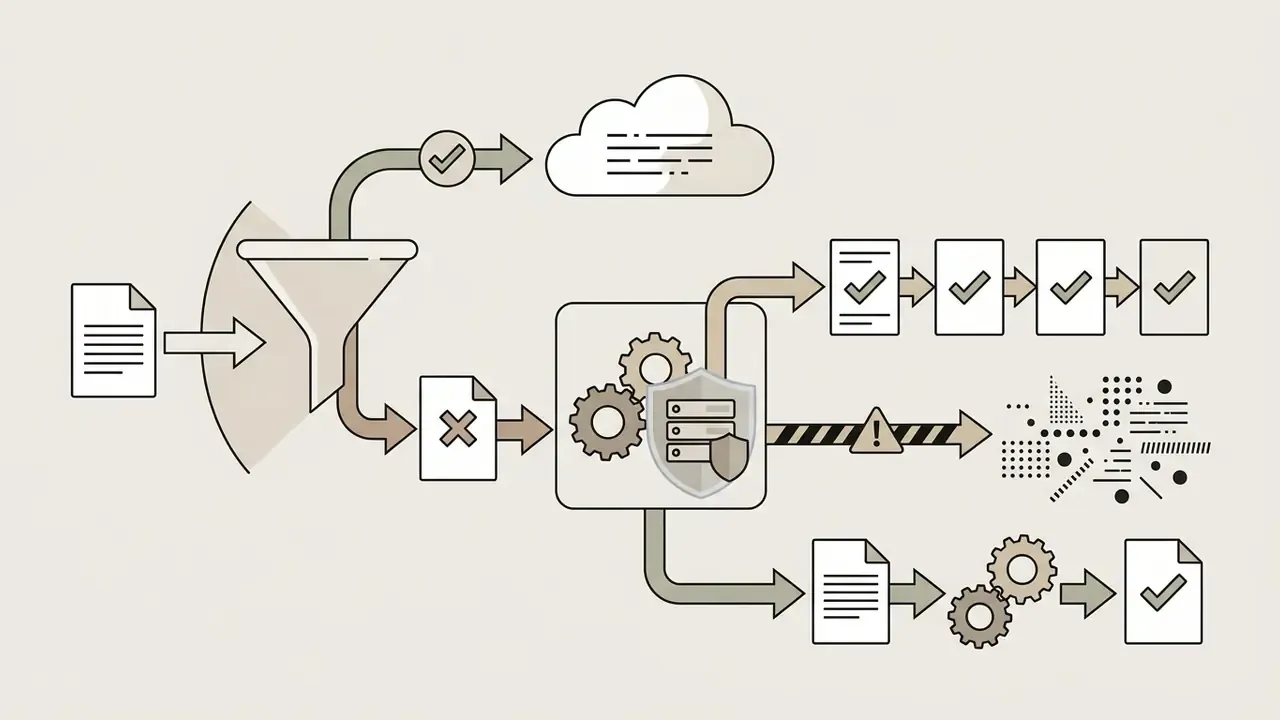
Use the shortest path that satisfies your actual constraint instead of chasing the broadest "no restrictions" claim.
In every path, the same three checks close the loop before publication: confirm tier-specific commercial rights, confirm no watermark in pixels or metadata, and confirm disclosure wherever the visual could mislead. Label it clearly, in plain language, whenever a synthetic image depicts a real person or a product that does not exist. If you want the broader map of adjacent topics, explore the hub.
Internal Reference Directory
- AI Media Commercial-Use
- ai image generator app
- ai image generator arabic free
- AI image generator commercial use
- AI Image Generator licensing overview
- AI image generators with no sign-up
- image-to-image AI generators
- sensitive and adult prompt filters
- AI image upscalers
- AI image enhancers
- AI image detectors
- AI photo editors
- AI headshot generators
- Bing AI image creation
- Microsoft AI image generator
- Google AI image generator
- Canva AI generator
- Ghibli-style AI image generators
- AI tools that expand images
- best free AI image generators
- best AI image generators comparison
- best AI art generators
- best free AI art generators
- Midjourney evaluation
- explore the hub
- glossary hub
- open the hub
- workflow comparisons
- browse the hub