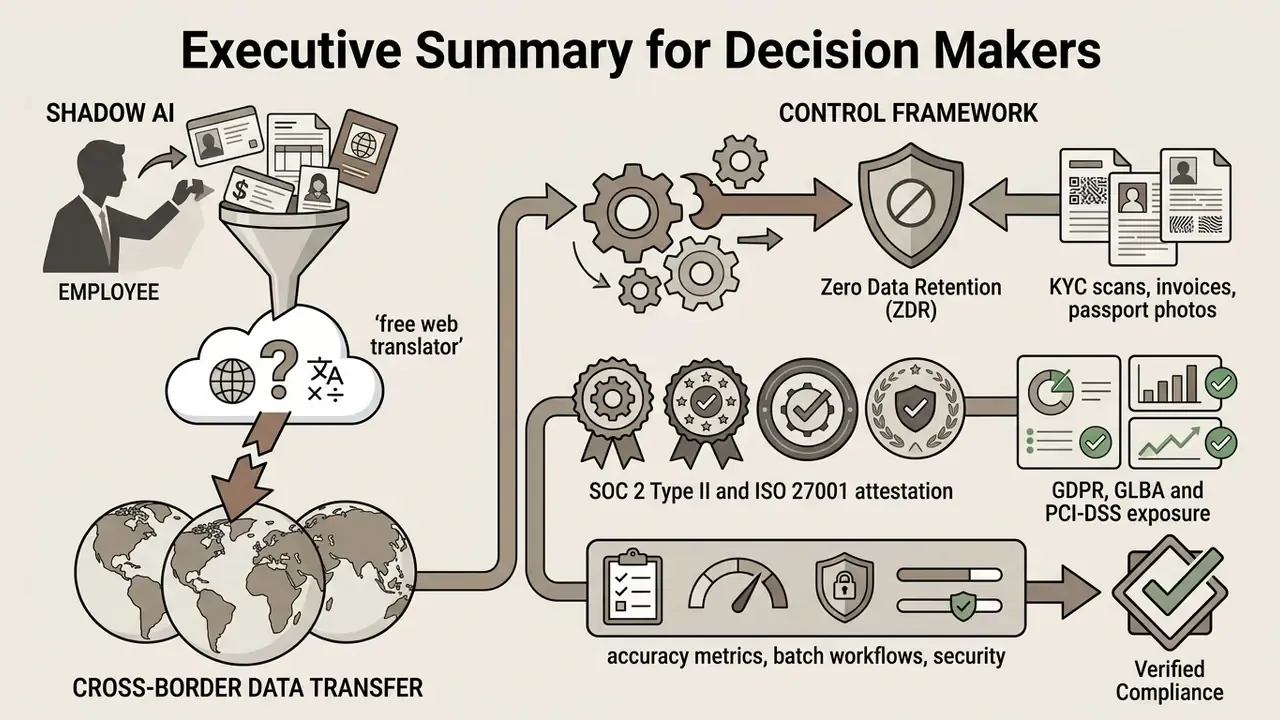
Why should a risk owner care about a tool that localizes product labels? Because the same tool ends up processing passport scans.
Last updated: 2026 · Reviewed by: Marcus Hale, author
Executive Summary for Decision Makers
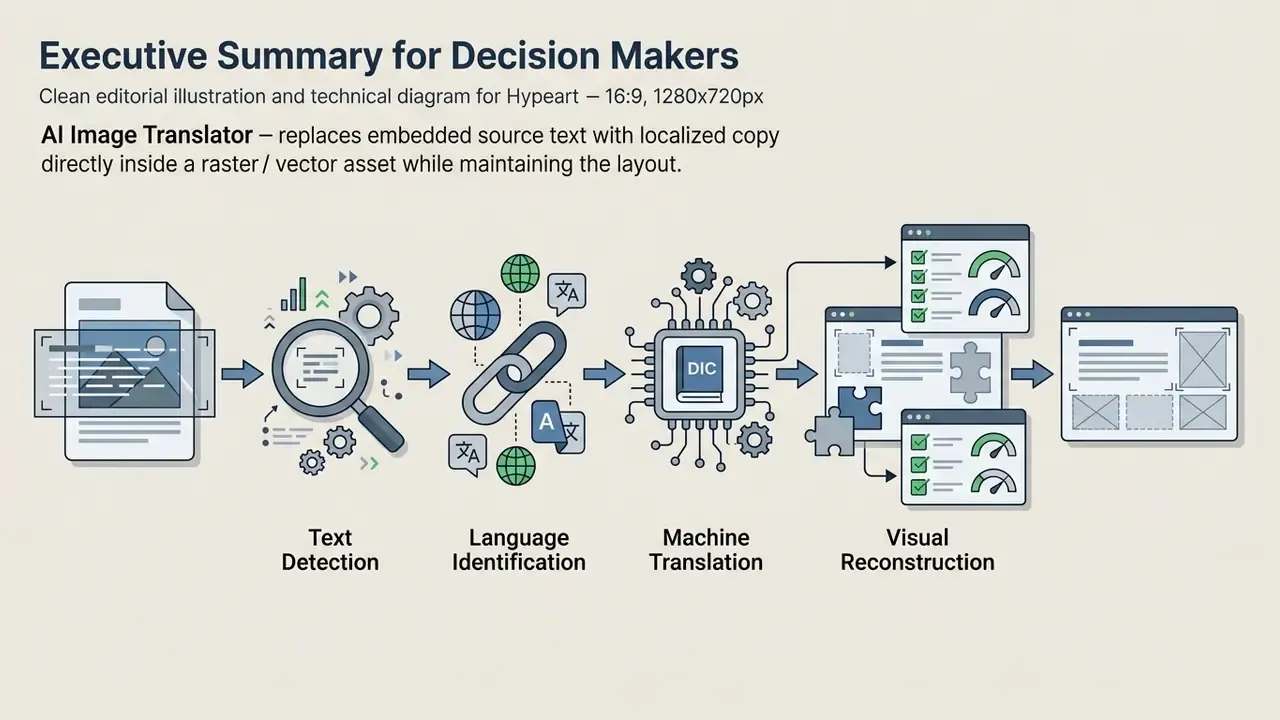
ai image translator is a four-stage pipeline (text detection, language identification, machine translation, visual reconstruction) that replaces embedded source text with localized copy directly inside the raster or vector asset.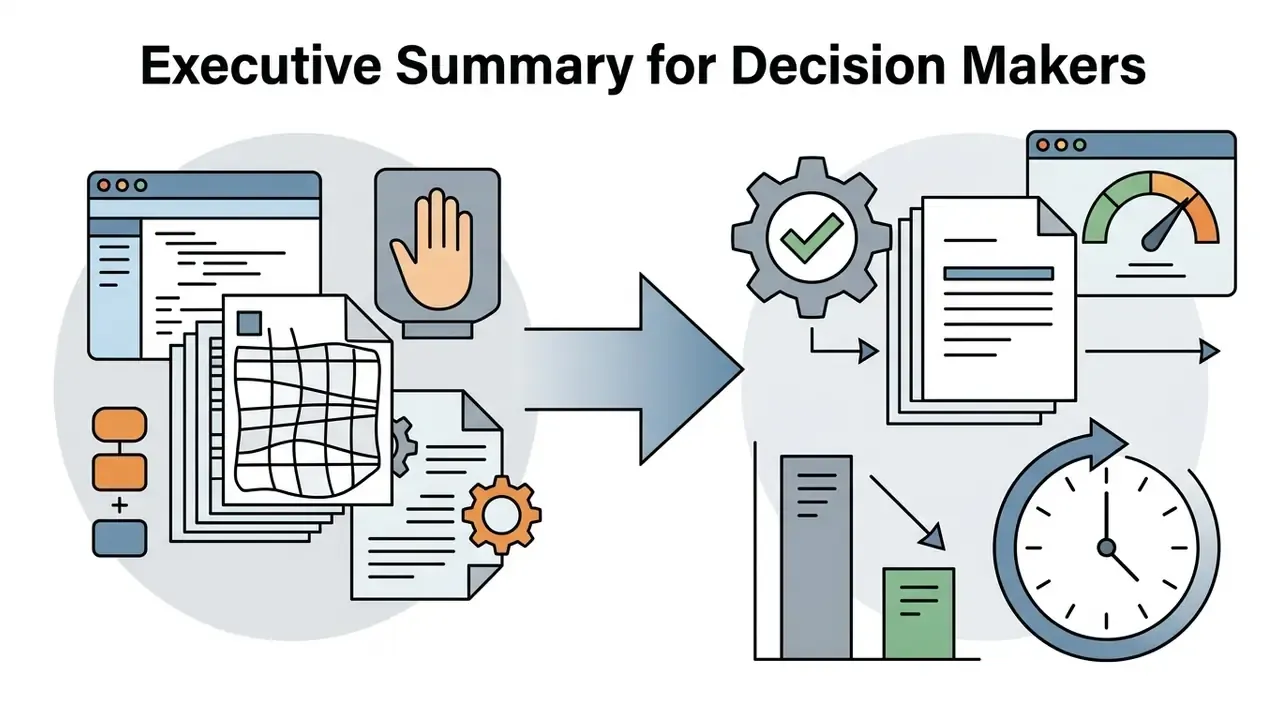
How to Read This Article by Role and Risk Tier
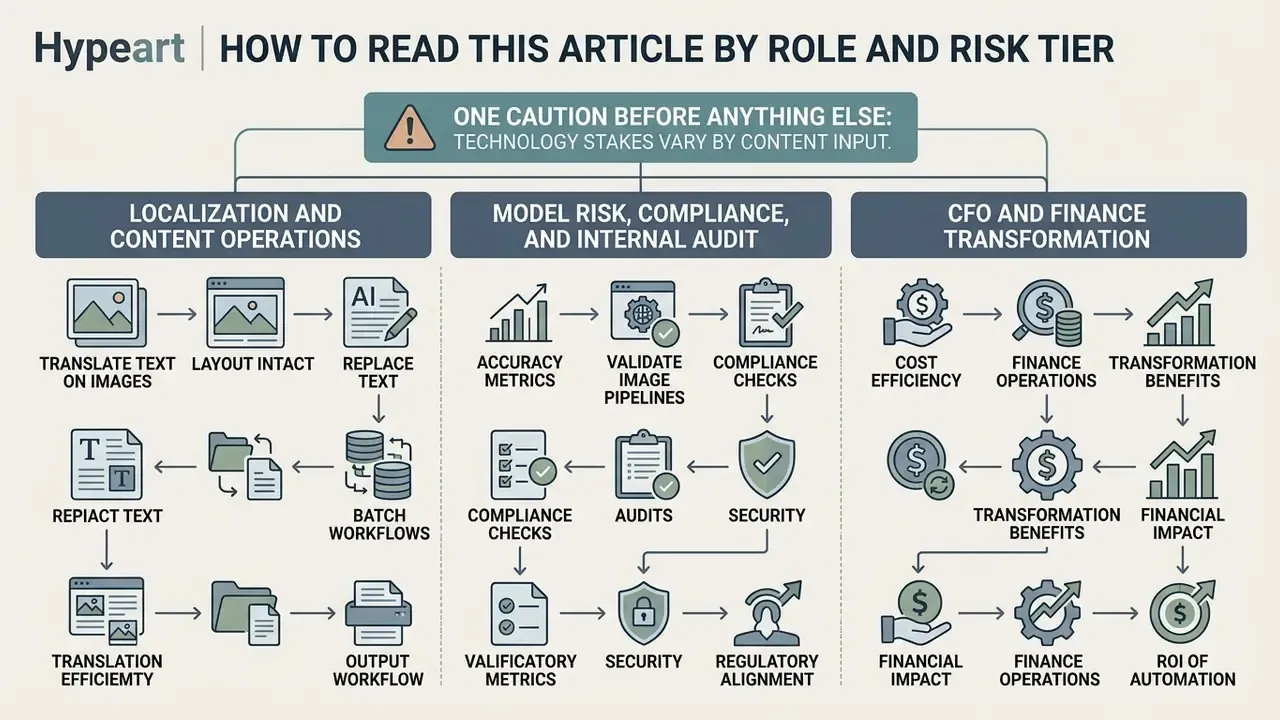
The same technology carries very different stakes depending on what you feed it. Three reading paths:
- Localization and content operations. Start with the pipeline mechanics, then go to supported languages, image formats, and batch translation. Your success metric is throughput per approved asset, not perfect fluency.
- Model risk, compliance, and internal audit. Skip ahead to the validation protocol and the model risk artefacts. Your concern is a composite model with three chained error sources and no single vendor number describing end-to-end behaviour.
- CFO and finance transformation. Read the financial-services use cases and the risk-adjusted ROI formula. The naive savings calculation almost always overstates the case, because it prices labour but not the control layer.
One caution before anything else. Claims about audience needs in this article are working hypotheses, drawn from practitioner observation rather than closed-loop research. Validate them against your own analytics, interviews, and CRM data before you build a roadmap on them.
What Is an AI Image Translator and What Problems Does It Solve
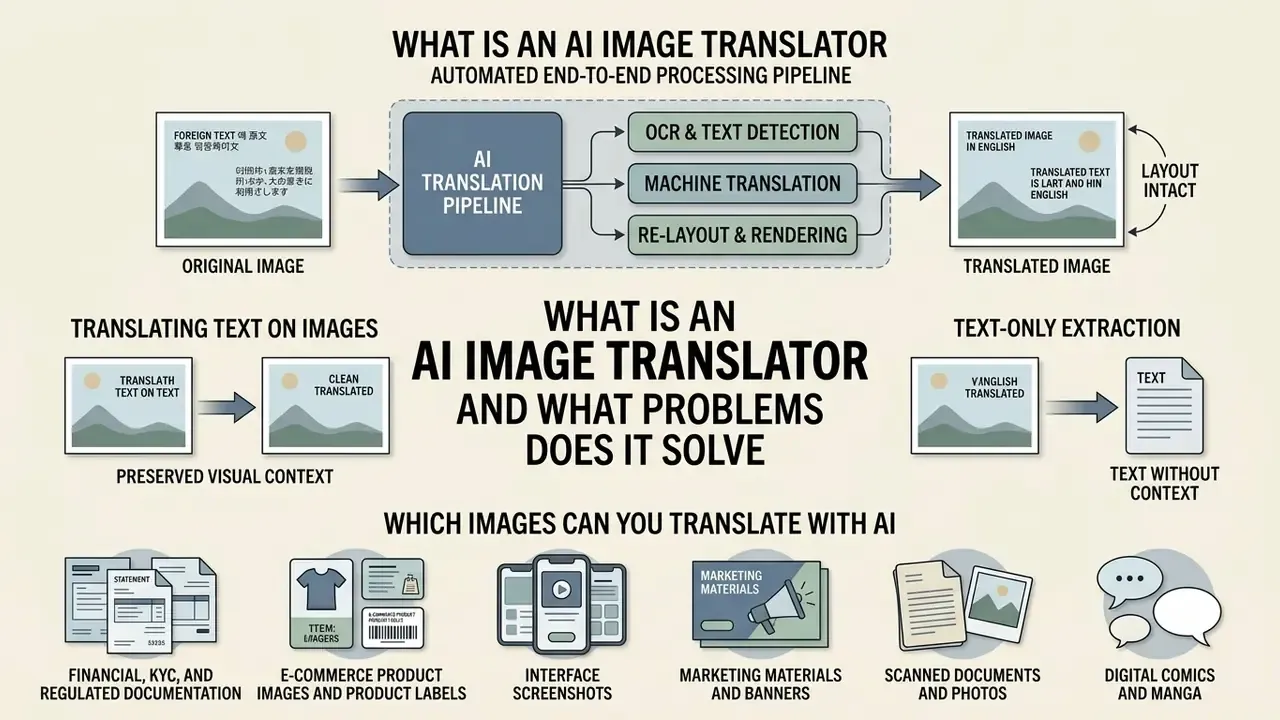
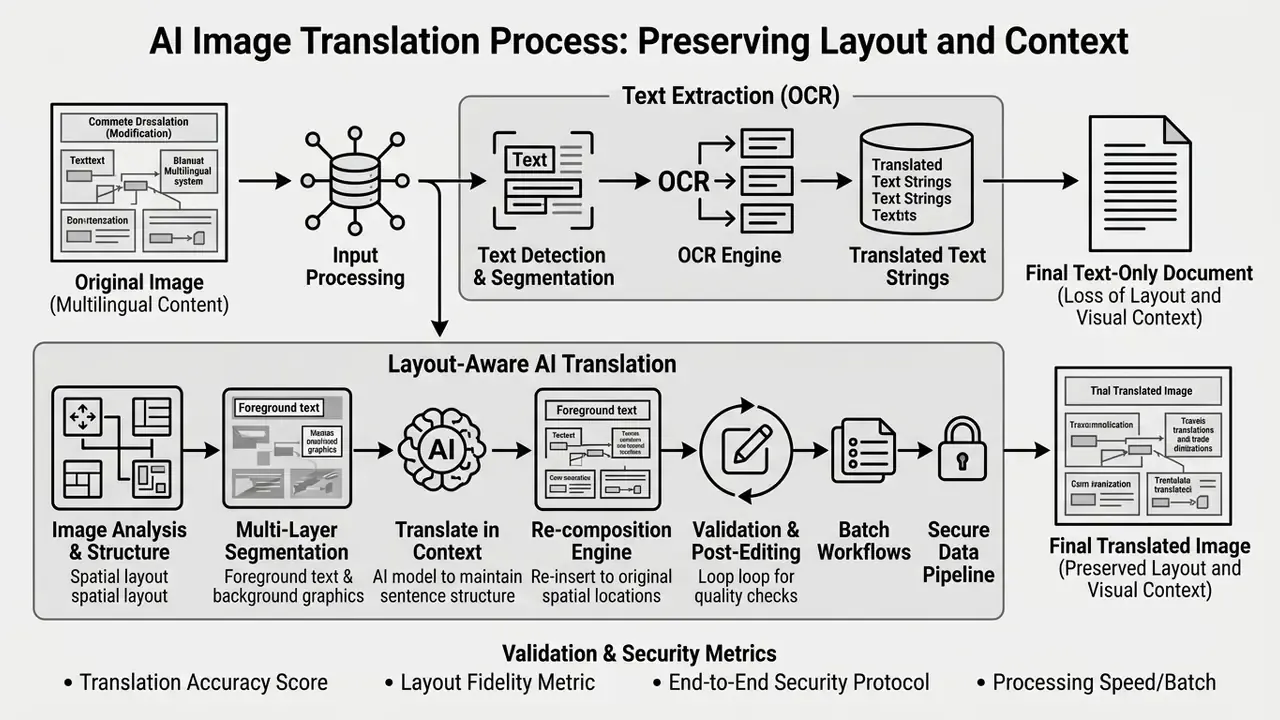
An AI image translator is an automated end-to-end processing pipeline. It detects text embedded inside an image, translates that text into a target language, and re-renders the translated copy directly onto the graphic while attempting to preserve original formatting and visual context. Conventional translation tools ask you to copy-paste into an external editor. An ai image recognition pipeline instead parses spatial pixel data alongside linguistic tokens.
The processing chain has four discrete stages: text detection, language identification, machine translation, and visual image reconstruction.
This technology clears real operational bottlenecks: localized e-commerce, international marketing, document processing, and cross-border compliance. Enterprise teams routinely handle thousands of visual assets, including product packaging, marketing banners, user interface screenshots, and scanned documentation. Manual graphic re-typesetting at that scale is slow and cost-prohibitive. By leveraging ai image replacer style text-substitution techniques, organizations shrink asset localization cycles from days to seconds and remove human transcription errors at the same time.
A small observation from practice: teams usually adopt the tool for marketing, then discover within a quarter that finance and onboarding have quietly become its heaviest users.
Translating Text on Images vs. Text-Only Extraction
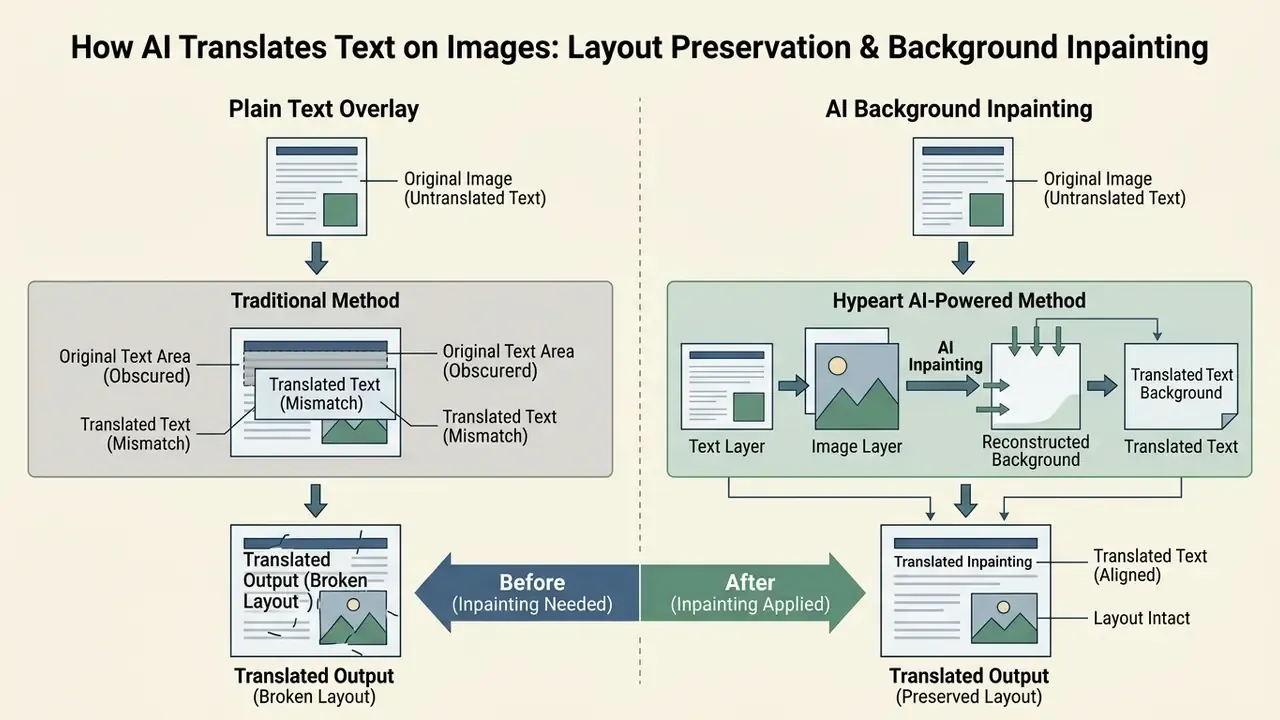
Translating text directly on an image differs fundamentally from extracting raw text layers. Standard OCR engines output plain text or searchable PDFs, the same output class produced by image-to-text and OCR tools. Design teams are then left to erase source text by hand, reconstruct background textures, pick matching typography, and re-typeset the translated copy. Open-source engines such as Tesseract illustrate the limit: they generate a searchable PDF with an invisible selectable text layer over the untouched original image. The pixels behind the characters never change.
End-to-end ai image text translator systems fold text erasure and visual inpainting into the model pipeline itself. The system identifies bounding boxes around target characters, applies semantic inpainting to fill erased pixels with matching background patterns, and calculates dynamic typography scaling so translated phrases fit the original bounding constraints.
«IMTBench formalizes evaluation through a unified score S that combines translation accuracy, background retention, visual quality, and cross-modal alignment.»
As recent benchmarks such as IMTBench (2025) demonstrate, complete image translation evaluates more than text accuracy (). It also scores background retention (), visual quality (), and cross-modal alignment (). A pipeline that scores well on but poorly on produces linguistically correct assets that nobody can publish. Plain OCR benchmarks simply cannot see that failure.
Which Images Can You Translate With AI
Modern AI image translation architectures handle several primary visual asset categories, each with distinct technical parameters. They are listed in ascending order of tolerance for automated error: regulated documents first, creative media last.
- Financial, KYC, and regulated documentation cross-border invoices, remittance advices, income statements, customs declarations, trade-finance collection documents, and identity verification scans. Demands the highest structural fidelity (table column alignment, numeric integrity, stamp and signature preservation), the strictest Zero Data Retention posture, and mandatory human verification before any downstream financial decision.
- E-commerce product images and product labels high-density assets carrying item specifications, ingredient lists, and branding badges. Requires strict font metric matching and precise layout preservation.
- Interface screenshots software and mobile app screenshots used in technical documentation and compliance reviews. Demands exact pixel-grid alignment and retention of UI element state.
- Marketing materials and banners highly stylized promotional graphics where text sits inside complex gradients or textured backgrounds. Requires advanced background inpainting.
- Scanned documents and photos physical paperwork, outdoor signage, and captured media. Requires robust handling of perspective distortion, lens blur, and uneven lighting.
- Digital comics and manga graphic media with speech bubbles, stylized sound effects, and vertical reading order. Requires specialized bounding box detection and bubble cleaning. A dedicated manga translator is the most stylistically permissive category here, and the lowest-risk from a compliance standpoint.
How AI Translates Text on Images: OCR, Context, and Layout Preservation
High-fidelity image translation rests on a three-stage sequence: optical character recognition, semantic translation, and structural background reconstruction. The accuracy of an ai picture translate workflow depends on how cleanly each stage hands bounding coordinates and linguistic tokens to the next. Research on restoration-first pipelines shows the ordering matters. Applying image restoration before recognition, then correcting residual errors with a language model, measurably improves both traditional and modern OCR output (PreP-OCR, 2025).
Dynamic Multi-Model LLM and VLM Routing
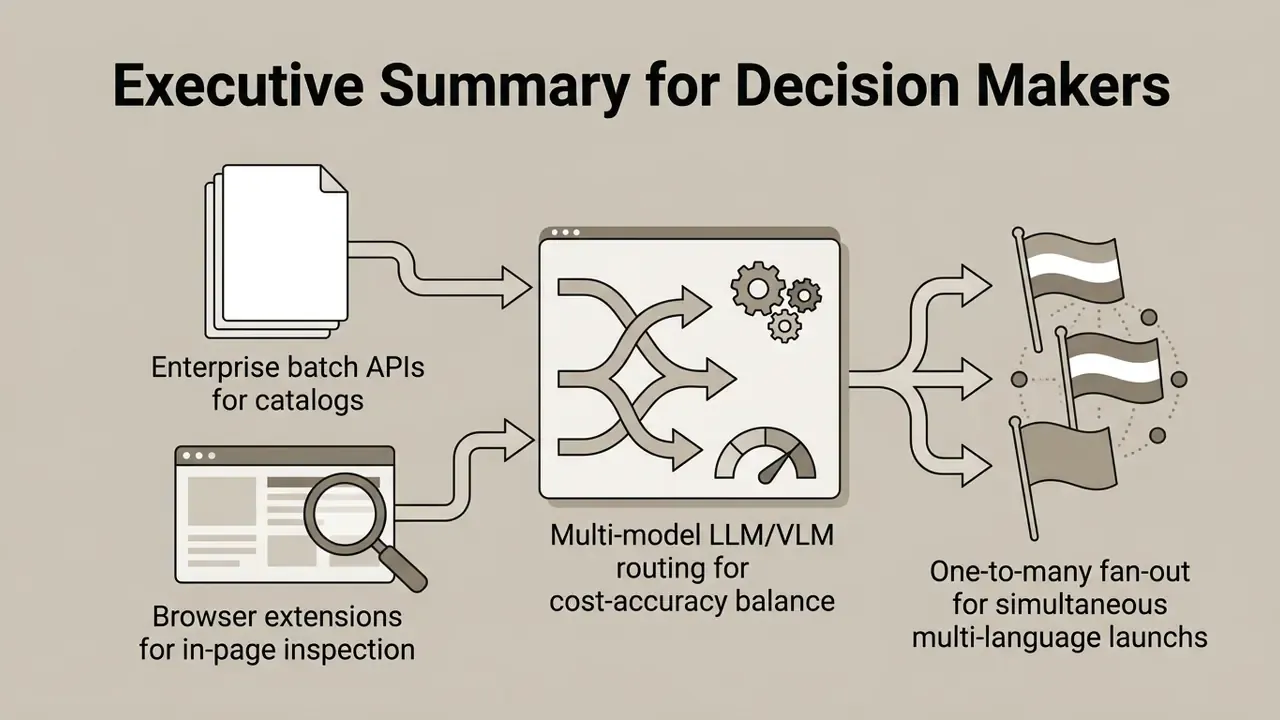
Enterprise image translation systems rarely depend on one static neural model. They run an orchestration layer that routes extracted OCR tokens and visual bounding data to the most suitable Vision-Language Model (VLM), based on linguistic domain, CJK character density, glossary constraints, and cost target.
- Latin and Cyrillic high-context marketing routed to GPT-4.1 or Claude 3.5 Sonnet class models for idiomatic, brand-safe copy, where literal accuracy matters less than persuasive register.
- Dense CJK and technical documentation routed to Kimi K2.5 or DeepSeek V3 class models to maximise native character segmentation and glossary compliance, especially for vertical Japanese and Simplified or Traditional Chinese source text.
- High-speed real-time inference routed to lightweight Gemini Flash architectures to keep end-to-end latency under roughly 500 ms, used for browser extensions and camera overlays.
- Specialized OCR-first extraction routed to compact document VLMs, for example the 1-billion-parameter HunyuanOCR, when the bottleneck is character recognition rather than linguistic nuance.
Routing criteria, not mere model availability, drive unit economics. A governance-mature deployment logs which model served each asset. That log is what makes audit evidence reproducible when a translation error is disputed six months later. Commercial platforms increasingly expose the choice to the end user, offering selectable engines (Grok, Gemini, DeepSeek, Kimi, ChatGPT, Claude) per job. Enterprise buyers should require that model selection be logged, version-pinned, and contractually stable rather than silently upgraded overnight.
Recognition of Text on Photos, Screenshots, and Handwritten Notes
«HunyuanOCR, a specialized 1-billion-parameter VLM, delivers leading results across nine image categories, including advertising scenes and screenshots.»
Handwritten text recognition (HTR) carries higher operational risk. Clean block-letter handwriting is reported at 70 to 85% recognition accuracy under controlled conditions. Commercial OCR applied to cursive is commonly reported in the 40% range or below. Note on evidence quality: that sub-40% cursive figure comes from vendor and practitioner references, not a peer-reviewed study with published sample composition. Teams processing cursive archives should generate their own baseline CER on a representative internal sample instead of trusting the number.
«On the OmniHandwritingOCR benchmark, the top model Qwen3-VL-8B reached an F1-score of 81.60 and BLEU-4 of 59.24, with performance falling on complex multi-line formulas.»
So advanced vision-language models evaluated on the OmniHandwritingOCR Benchmark (2026) plateau near an 81.6% F1-score on simple handwritten notes. Error rates climb substantially on complex multi-line formulas and dense scripts. Archival guidance reinforces the point: handwritten documents generally do not translate well through OCR, although typed text surrounding handwritten annotations may still be recognized reliably.
Why Translation Can Disrupt Image Layouts
Layout disruption during image translation happens mostly because text expands or contracts across language pairs. Translating English into German frequently adds 20 to 35% to the character count. Translating into Chinese shrinks the character footprint sharply while changing reading density. Note on evidence quality: the 20 to 35% band is an industry working estimate from localization engineering practice. Vendor layout documentation confirms the direction of the effect (English to German lengthens, English to Chinese shortens) without publishing a standardized corpus-level percentage. Teams with fixed-width containers should measure expansion on their own string inventory.
When target text spills past the original bounding box, unmanaged layout engines truncate copy, wrap lines into overlaps, or shrink fonts below brand accessibility standards. Fixed-height text boxes and specified table row heights are a documented failure mode: "do not autofit" settings produce invisible overflow, clipped descenders, and colliding elements. Modern image translation tools reduce visual distortion through four mechanisms.
- Dynamic font metric scaling: automatic calculation of line spacing, kerning, and tracking against container boundaries.
- Layer-aware inpainting: separation of background elements from foreground text layers using neural restoration models before re-typesetting. Upstream resolution recovery with AI image enhancement tools lowers OCR error and stabilises inpainting on degraded sources.
- Fallback metric-matched fonts: substitution of custom or missing typefaces with visually equivalent open type fonts that share baseline metrics.
- Auto-height containers and preview reflow: enabling auto-height tables and autofit frames, then reviewing reflow in preview before final export.
Supported Languages, Image Formats, and Batch Translation
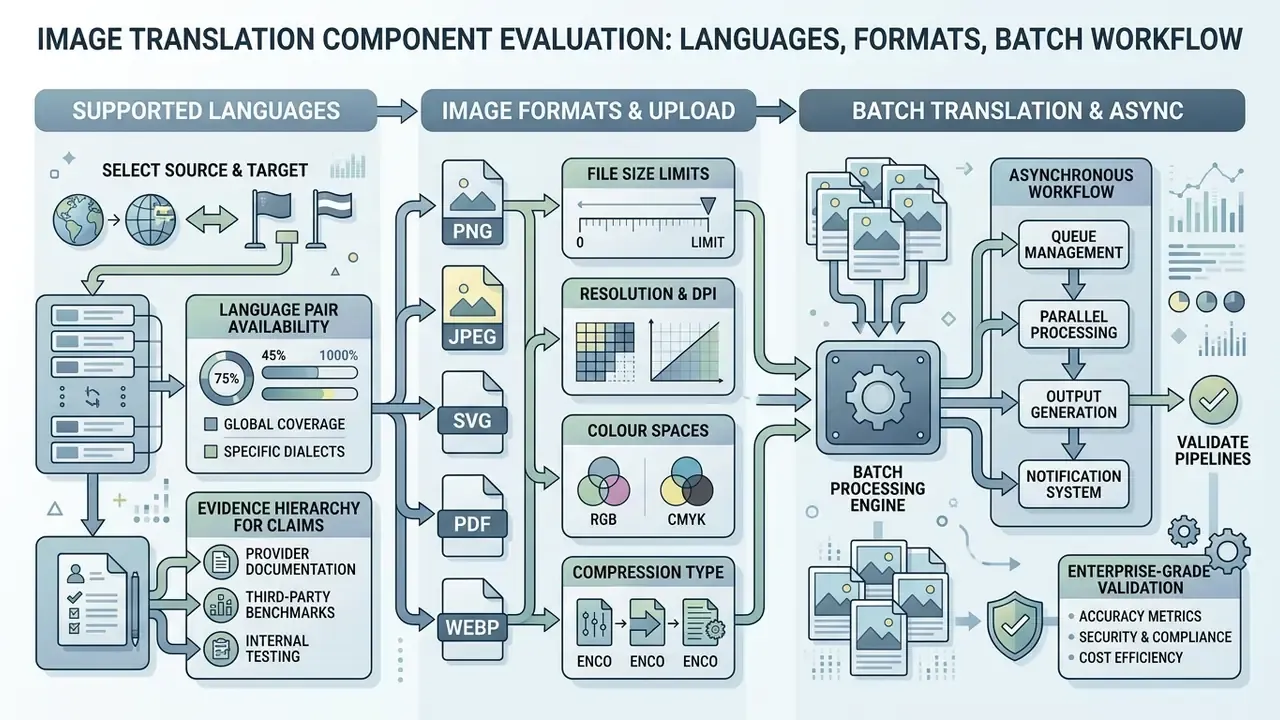
Choosing an enterprise-grade ai picture translator means evaluating three things together: language pair availability, input file format tolerance, and asynchronous processing at volume.
Selecting the Source Language and Target Language
Leading platforms pair automatic source language detection with broad target language matrices. Auto-detection models analyse character distributions inside extracted OCR bounding boxes, so no pre-labeled metadata is needed. API surfaces usually expose this as a sourceLanguage=auto or language=auto parameter. In practice, an ai picture language translator handles English Spanish work almost trivially and struggles far more on low-resource pairs.
Evidence hierarchy for language coverage claims. Vendor documentation and independent research measure different things, and buyers should stop treating them as interchangeable.
- Vendor-documented coverage: Microsoft documents image translation support and layout-preserving output within Azure AI Translator document translation, including OCR-based language detection for right-to-left scripts such as Arabic, Hebrew, Yiddish, and Urdu (Microsoft Learn, 2026 — https://learn.microsoft.com/en-us/azure/ai-services/translator/document-translation/latest/overview). Smartcat publishes support for 280+ languages, a broad OCR format list, and a 30 MB per-image cap (Smartcat, 2026 — https://www.smartcat.com/image-translator/translate-multiple-images-at-once/). These are commercial capability statements with no published evaluation methodology.
- Research-verified coverage: academic corpora publish the exact language matrices they were measured on.
- learn.microsoft.com
- - Vendor-documented coverage: Microsoft documents image translation support and layout-preserving output within Azure AI Translator document translation, including OCR-based language detection for right-to-left scripts such as Arabic, Hebrew, Yiddish, and Urdu (Microsoft Learn, 2026 —
- smartcat.com
- - Vendor-documented coverage: Microsoft documents image translation support and layout-preserving output within Azure AI Translator document translation, including OCR-based language detection for right-to-left scripts such as Arabic, Hebrew, Yiddish, and Urdu (Microsoft Learn, 2026 — https://learn.microsoft.com/en-us/azure/ai-services/translator/document-translation/latest/overview). Smartcat publishes support for 280+ languages, a broad OCR format list, and a 30 MB per-image cap (Smartcat, 2026 —
«MIT-10M spans 8 source and 13 target languages; MMTIT-Bench tests 14 source languages with translation into English and Chinese.»
The practical implication is blunt. A platform advertising "130+ languages" or "280+ supported languages" is describing routing availability, not measured per-pair quality. Low-resource pairs and complex RTL scripts deserve validation against your own sample set before commercial rollout.
Image Formats and Upload Requirements
Standard production environments accept core raster graphics: JPG, JPEG, PNG, and WEBP. Document-oriented platforms extend the list to BMP, TIFF, GIF, JP2, and image-based PDF. Enterprise platforms then impose upload specifications to protect recognition reliability.
- Resolution and DPI minimum recommended 300 DPI for print scans, 72 to 150 PPI for digital web graphics. High quality matters; assets below pixels risk character distortion.
- File size limits browser interfaces typically cap single large files between 10 MB and 30 MB, while REST API endpoints support asynchronous payloads up to 120 MP (megapixels).
- Colour spaces RGB and sRGB profiles are preferred. Unconverted CMYK files may shift colour during background inpainting and re-export.
- Format selection by asset type PNG for UI screenshots and line art, to avoid compression artefacts at sharp character edges. JPG remains fine for photographic scans, where compression noise is diffuse.
When You Need to Translate Multiple Images at Once
Batch processing lets commercial teams translate hundreds of product images, marketing banners, or catalog pages in one pass. Cloud architectures run batches asynchronously: file containers staged in object storage (AWS S3, Azure Blob Storage), assets routed through parallel OCR and translation pipelines, structured outputs written back to dedicated target buckets. Microsoft documents exactly this pattern, with a batch of image files staged in Blob Storage, processed asynchronously, and written back to a target container (Microsoft Dev Blogs, 2026 — https://devblogs.microsoft.com/foundry/document-translation-build-2026/).
One-to-Many Multi-Language Fan-Out
Global launches call for single-source, multi-target fan-out. When a master asset arrives, say an English product packaging layout, the pipeline performs OCR erasure and background inpainting once to produce a clean canvas template (). Spatial text node data is then broadcast in parallel to localized translation workers: German, Japanese, Arabic, Spanish, and so on. The rendering stage synthesizes discrete language-specific assets concurrently, cutting API compute overhead by up to 40% against isolated single-pair runs.
Operationally this changes the unit of work. No longer "one image, one language" but "one image, one release wave." A product label can be emitted in English, Spanish, French, German, and Japanese in a single step. The shared inpainted background guarantees pixel-identical visual treatment across locales, which also shortens brand approval: reviewers validate one background and text layers instead of independent renders.
In-Browser Edge Processing via Extensions
For live web browsing and dynamic asset inspection, translation architectures deploy browser extensions that parse images in the DOM. Instead of downloading assets manually, these extensions intercept image src attributes, send pixel payloads to the inference API, and substitute the original elements using absolutely positioned canvas overlays. Page layout stays native, reflow is avoided, and localized visuals render with effectively one click.
Two interaction models dominate. Bulk page translation enqueues every qualifying image node on the current document and replaces them in place after a single target language selection. Contextual single-asset translation uses a right-click action on one image, leaving the rest of the DOM untouched. Governance note, and it matters more than the convenience: extensions inherit the user's authenticated session. They can transmit images from internal dashboards, ticketing systems, and banking back-office screens to third-party endpoints. Extension installs on managed corporate devices belong under enterprise allow-listing policy, not individual discretion.
To evaluate platform capabilities side by side, see the AI Media Glossary or compare options across tools.
| Service Category | Supported Languages | Formats Supported | Batch Processing | Layout Preservation | Manual Post-Editing | Enterprise Data SLA |
|---|---|---|---|---|---|---|
| Enterprise Cloud APIs | 100+ to 280+ (vendor-stated) | JPG, PNG, WEBP, BMP, PDF | Asynchronous via cloud storage | High (SSIM ) | API layer or custom UI | SOC 2, Zero Data Retention |
| Browser Web Apps | 30 to 130+ (vendor-stated) | JPG, JPEG, PNG, WEBP | Single file or small batches (up to 10–30) | Moderate to high | Side-by-side text editor | Standard web terms |
| Browser Extensions | Inherits host platform | Any rendered image node | Whole-page bulk replacement | Moderate (canvas overlay) | Limited, re-run per image | Session-scoped; policy risk |
| Specialized Niche Tools | 10 to 50+ | JPG, PNG | Limited batch | Optimized for manga or UI | Bounding box reflow | Varies by provider |
Because recognition accuracy collapses below roughly 39 DPI, teams working legacy archives often pre-process assets with AI image upscaling tools to reach the 300 DPI print-scan target before batch submission.
How to Translate an Image Online in Three Steps
An ai translate image online workflow needs almost no configuration in a modern browser interface. The steps below cover both the consumer path and the extra controls a regulated organization should insert before any asset leaves its perimeter.
Step 1: Prepare, Sanitize, and Upload the Image
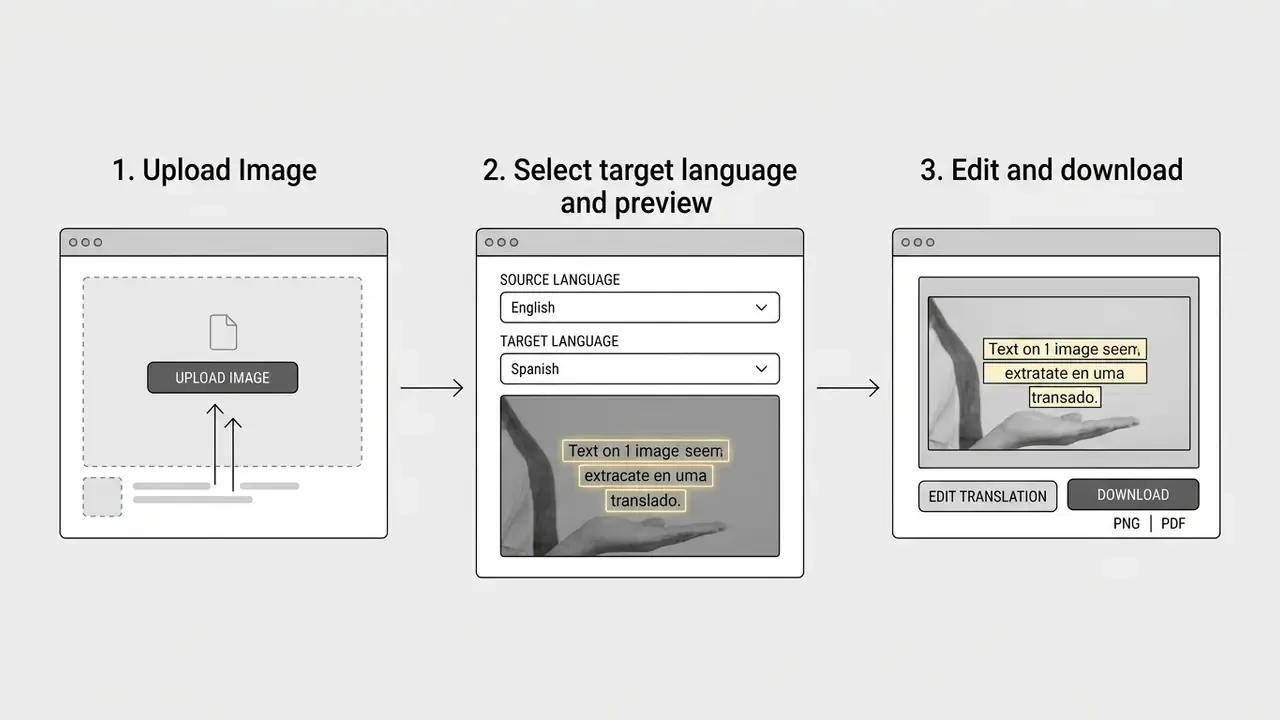
Users upload files through a drag-and-drop web file manager, or paste screenshots straight from the clipboard with Ctrl+V or Cmd+V.
Before triggering translation, check the basics: text unobstructed, lighting even, page geometry upright and unskewed, decorative borders cropped away, contrast sufficient for character boundary detection. PNG is the safer format for UI screenshots, since JPEG artefacts cluster exactly where the letter edges are.
Step zero for regulated environments: data sanitization. Where the asset holds personal, financial, or confidential material, insert a pre-upload control layer. Crop to the minimum required text region. Apply local redaction to account numbers, national identifiers, cardholder data, and face images. Route the sanitized derivative through an approved enterprise endpoint, never a public web form. Security guidance is explicit that uploaded files should not land directly on an internet-accessible web server, should be quarantined on a system unreadable by the web tier, and should be malware-scanned before processing (NIST IR 7711). Upload rights should be restricted to authenticated and authorized users (OWASP File Upload Cheat Sheet).
Step 2: Select the Target Language and Process
Pick the target language from the dropdown. Most platforms default the source language to auto-detect. Click the primary processing button to run the OCR, inpainting, and typesetting sequence, and the service will instantly translate image text in place.
Web interfaces then display a before-and-after comparison, so you can inspect translation accuracy and layout retention without leaving the page. More advanced interfaces use a split-canvas component with a comparison slider that synchronizes pan and zoom across the original raster and the reconstructed canvas. Quality assurance reviewers can validate font baselines, background textures, kerning, and line wrapping at pixel level before export. It is the same review pattern used in document-comparison tooling, with the original anchored left, the modified file right, and linked difference navigation.
Step 3: Review, Edit, and Download
If the platform supports editable translations on live text layers, review the strings. Correct terminology, adjust font sizes, fix line wraps. Confirm that nothing overflowed its container and that numeric values, units, SKUs, and legal disclaimers transferred without mutation. Then download the high-resolution translated file as JPG, PNG, or WEBP, or copy the translated strings to the clipboard for downstream publication.
Small habit worth building: check the numbers before the prose. Prose errors get caught by readers, digits do not.
How to Choose AI Image Translation Tools for Business and Commercial Tasks
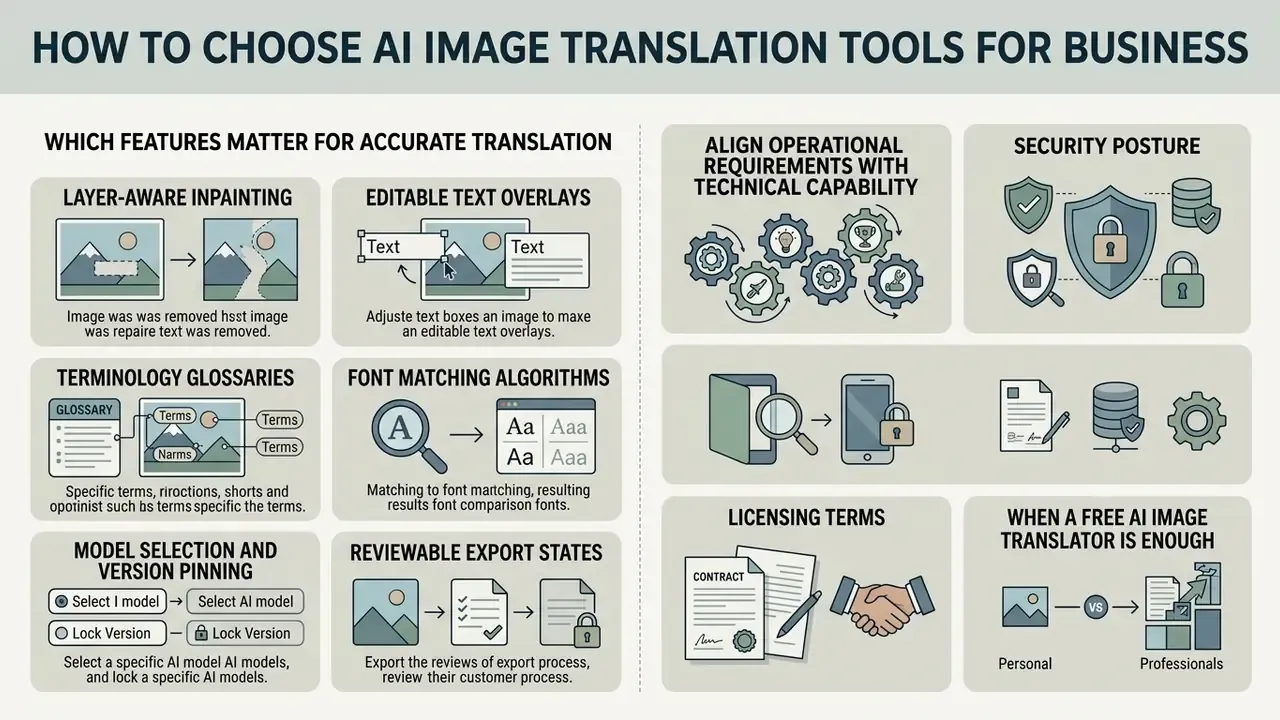
Choosing an engine means aligning operational requirements with technical capability, security posture, and licensing terms. Enterprise evaluation teams should review functional features and governance controls together, before onboarding any vendor technology.
Which Features Matter for Accurate Translation
Commercial asset localization needs more than raw speed.
- Layer-aware inpainting removal of original text without smudging gradients, textures, or product photography detail.
- Editable text overlays interactive canvas tools so human linguists can adjust phrasing, font metrics, and bounding box placement after processing. Final compositing often relies on conventional AI photo editors for export control.
- Terminology glossaries integration of enterprise term bases to enforce brand key-term consistency across localized marketing materials.
- Font matching algorithms automatic pairing of target language typefaces with the original typography, to protect visual brand identity. Document OCR vendors implement a comparable mechanism, matching image text against approximate installed fonts when generating an editable text layer.
- Model selection and version pinning explicit control over which LLM or VLM serves a job, with logged model identifiers for audit reproducibility.
- Reviewable export states the ability to save an intermediate project file, so a reviewer can reopen, correct, and re-export without re-running inference.
A good translator provides all six. Most provide four and market the other two.
When a Free AI Image Translator Is Enough
Free tier ai image translator free tools are fine for ad-hoc personal tasks, low-stakes research, or a single screenshot. They also enforce limits that surface quickly at work:
- Maximum file size caps, commonly 5 MB to 10 MB per upload.
- Resolution downscaling, for example 4K assets reduced to web size or 1080p, with original-resolution export gated behind a paid credit.
- Visual watermarks on exports, although some services explicitly advertise watermark-free free downloads.
- Daily quotas. Documented examples include one free image per day with no sign-in, and up to five per day after account creation.
- Personal-use-only licensing, with commercial exploitation reserved for paid tiers.
Open weights have narrowed the quality gap, so "free ai image" no longer means "weak model":
«Qwen3-VL-8B, an open model, posted the strongest overall result on OmniHandwritingOCR: BLEU-4 59.24 and F1 81.60, ahead of several proprietary systems.»
For regulated buyers the decisive gap is no longer raw model quality. It is contractual posture: retention policy, attestation, licensing, auditability. For commercial projects, leaning on consumer tools invites both quality degradation and compliance exposure. To evaluate full enterprise suites, teams can see the overview of available platform choices.
Commercial Requirements: Security, Data Privacy, and Rights
Shadow AI and Regulated-Data Exposure
The dominant real-world failure mode in banks and fintechs is not model error. It is unsanctioned usage. An operations analyst facing a foreign-language invoice, a compliance officer holding a non-Latin passport scan, a trade-finance clerk processing a bill of lading: each of them will reach for whatever free browser tool ranks first, unless an approved internal path exists. Every such upload can amount to an unlogged transfer of personal or confidential data to an unvetted third party, outside any retention or residency commitment.
Minimum controls for risk owners:
- Prohibit uploads of documents containing PII, banking secrecy material, cardholder data, or non-public financial information to consumer translation endpoints. Enforce it through network egress policy and browser-extension allow-listing, not policy text alone.
- Provide a sanctioned alternative. Prohibition without a supported internal endpoint reliably produces circumvention. Publish the approved tool, its latency, and its supported formats.
- Log and inventory. Keep a register of every automated translation tool in use, by department, with data classification, vendor attestation status, and a named accountable owner.
- Test intended use before deployment. Assess privacy and security risk, document human oversight, and record who can access personal information. These are the baseline expectations in regulator-issued AI privacy guidance.
- Escalate detected shadow usage as an information-security incident, not a training gap, wherever regulated data was involved.
Commercial Selection Matrix and Decision Checklist
Below is an interactive decision checklist that routes media operations and risk teams to an appropriate architecture based on production scenario.
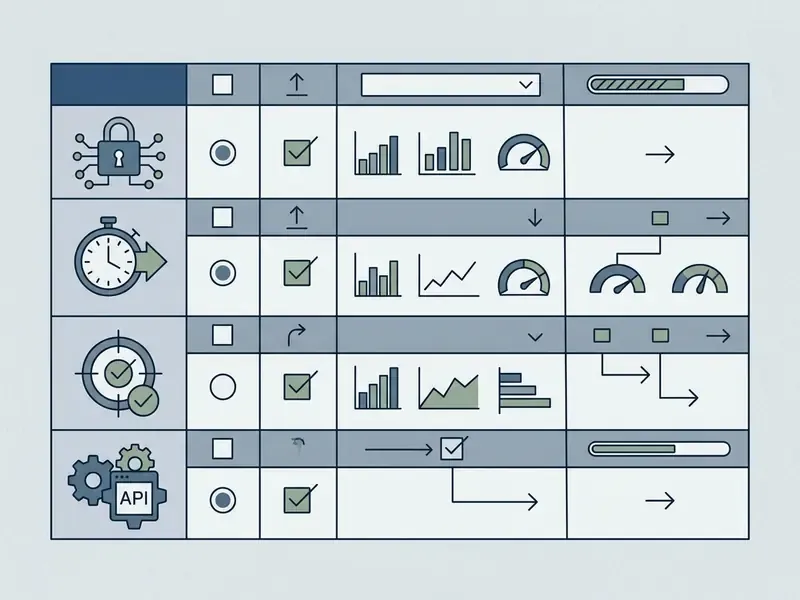
Criteria Matrix Summary
- Scenario A: ad-hoc UI screenshots (low volume, internal use)
- Recommended: browser-based image translator online with auto-detect OCR.
- Key focus: speed, clipboard upload, side-by-side view.
- Scenario B: e-commerce product catalogs (high volume, global stores)
- Recommended: cloud batch translation APIs integrated with DAM or CMS, with one-to-many fan-out enabled.
- Key focus: asynchronous job handling, font matching, brand glossaries.
- Scenario C: marketing campaigns and print media (high visual complexity)
- Recommended: layer-aware tools with post-editing canvas.
- Key focus: high-fidelity background inpainting, dynamic reflow, vector export.
- Scenario D: manga, comics, and creative content (complex spatial layouts)
- Recommended: specialized comic translators with vertical OCR and speech bubble recognition.
- Key focus: vertical script handling, text erasure inside vector shapes, sound effect localization.
- Scenario E: financial, KYC, and regulated documentation (high risk, audit-bound)
- Recommended: private-tenancy or VPC-deployed API with contractual ZDR, regional processing, and a mandatory HITL gate.
- Key focus: CER on numeric fields, table structure retention, immutable audit log, model version pinning.
Use Cases for an AI Picture Translator
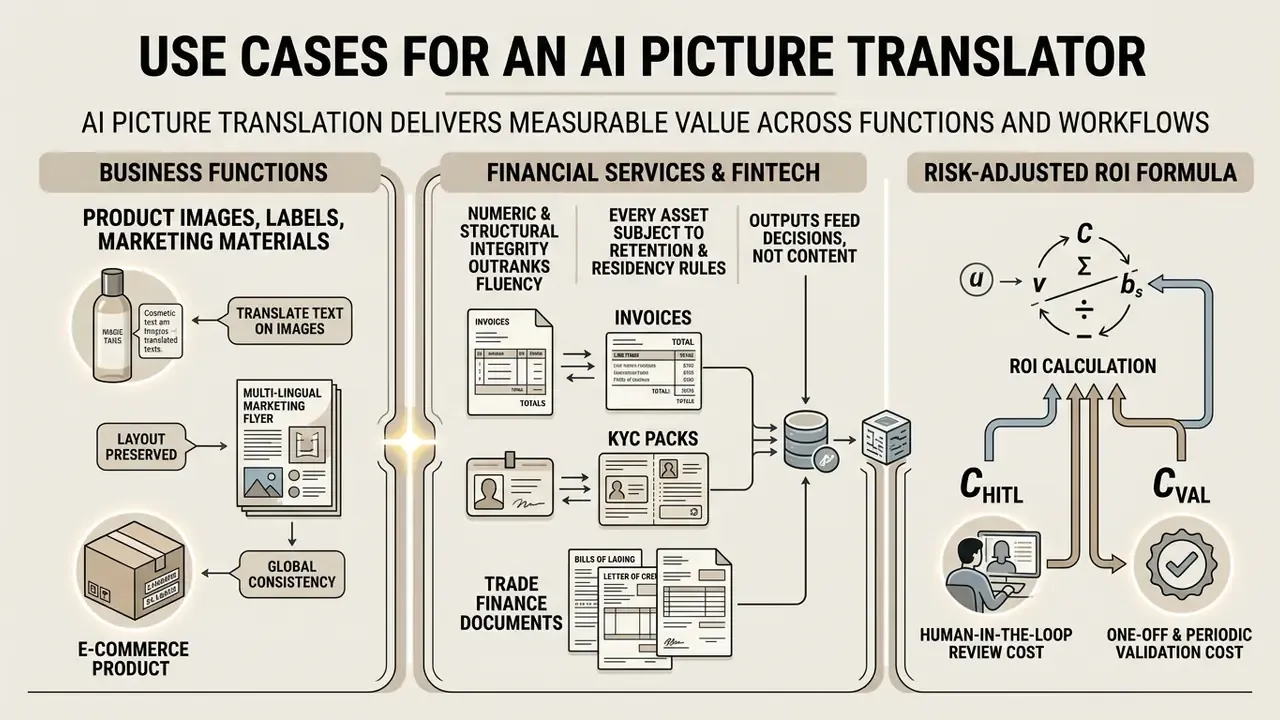
Deploying an ai picture translator delivers measurable value across business functions and personal workflows alike. Some teams simply want an ai that can translate images without hiring a DTP vendor; others need an evidence chain.
Product Images, Labels, and Marketing Materials
Retailers expanding into foreign markets use automated image translation to localize catalogs quickly. In one documented implementation, a cross-border merchant automated localization of 12,000 product packaging graphics and ingredient labels. Replacing manual Photoshop typesetting with a batch OCR-and-inpainting API cut per-asset processing cost from $18.50 to $0.04, and shortened catalog launch from four weeks to under six hours. Note on evidence quality: these figures are reported at implementation level, without a named counterparty or published audit trail. Treat them as an order-of-magnitude benchmark, and reproduce the arithmetic against your own DTP labour rate before putting them in a business case.
Localizing banners demands strict adherence to visual identity. Advanced pipelines preserve brand palettes, keep background gradients intact, and replace campaign slogans with vetted target-language copy without disturbing the underlying creative. Teams extending campaigns with net-new visuals frequently pair translation output with AI image generators for commercial use. For structured creative production, an ai image prompt strategy keeps design outputs consistent, and reusable ai image prompts libraries reduce drift between locales.
Label localization deserves its own line. Regulated packaging carries ingredient tables, allergen warnings, net-weight declarations, and statutory notices. Print workflows therefore need print-ready output with preserved spot colours, fonts, and layout, plus a human regulatory reviewer signing off before plates are cut.
Financial Services: Invoices, KYC Packs, and Trade Finance Documents
For banks, payment institutions, and mature fintechs, the heaviest image translation workload is not marketing. It is inbound documentation. Typical assets: foreign-language supplier invoices in accounts payable, proof-of-address and proof-of-income scans in KYC and AML onboarding, notarized corporate registry extracts in institutional due diligence, customs declarations and bills of lading in trade finance, and screenshots of foreign-language disputes in customer operations.
Three characteristics set this workload apart.
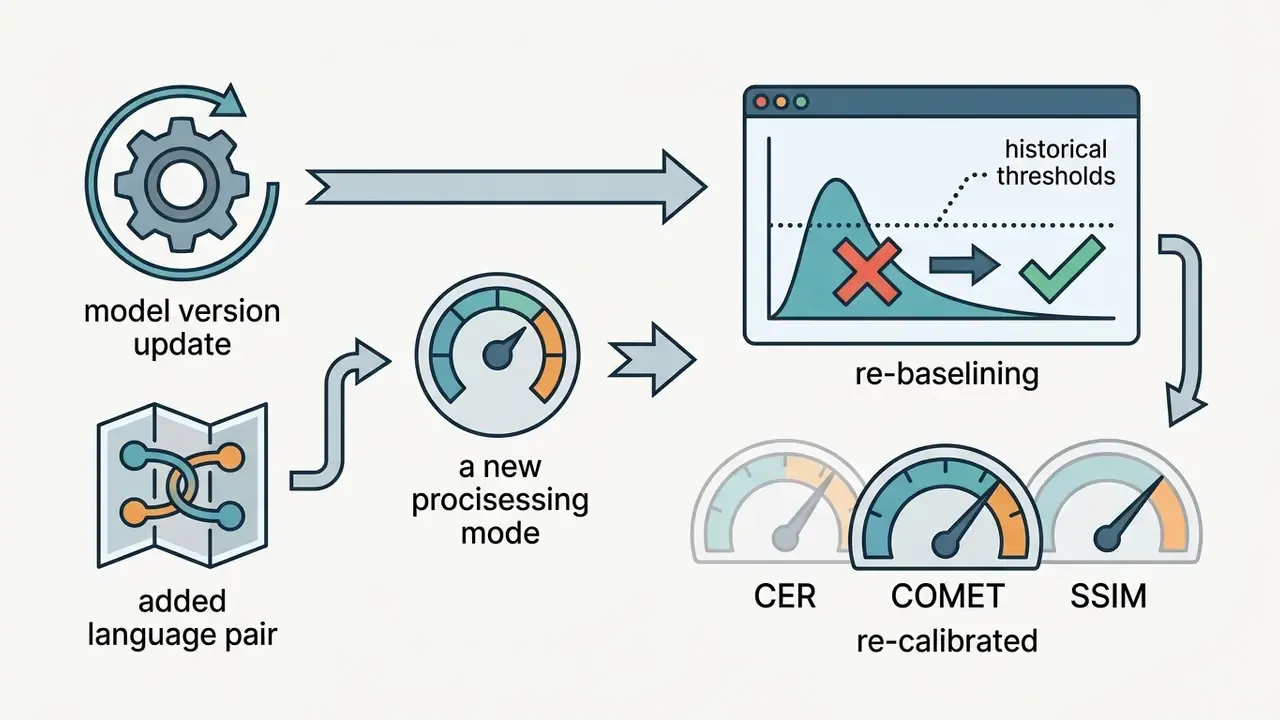
- Numeric and structural integrity outranks fluency. A stylistically clumsy rendering of a payment term is recoverable. A transposed digit in an invoice total, or a misaligned column in a tax certificate, is a financial error. Validation should therefore weight CER on numeric and identifier fields, plus table-structure retention, above BLEU-style fluency.
- Every asset is subject to retention and residency rules. Onboarding documents are personal data by definition. Trade documents may be commercially confidential and jurisdictionally restricted.
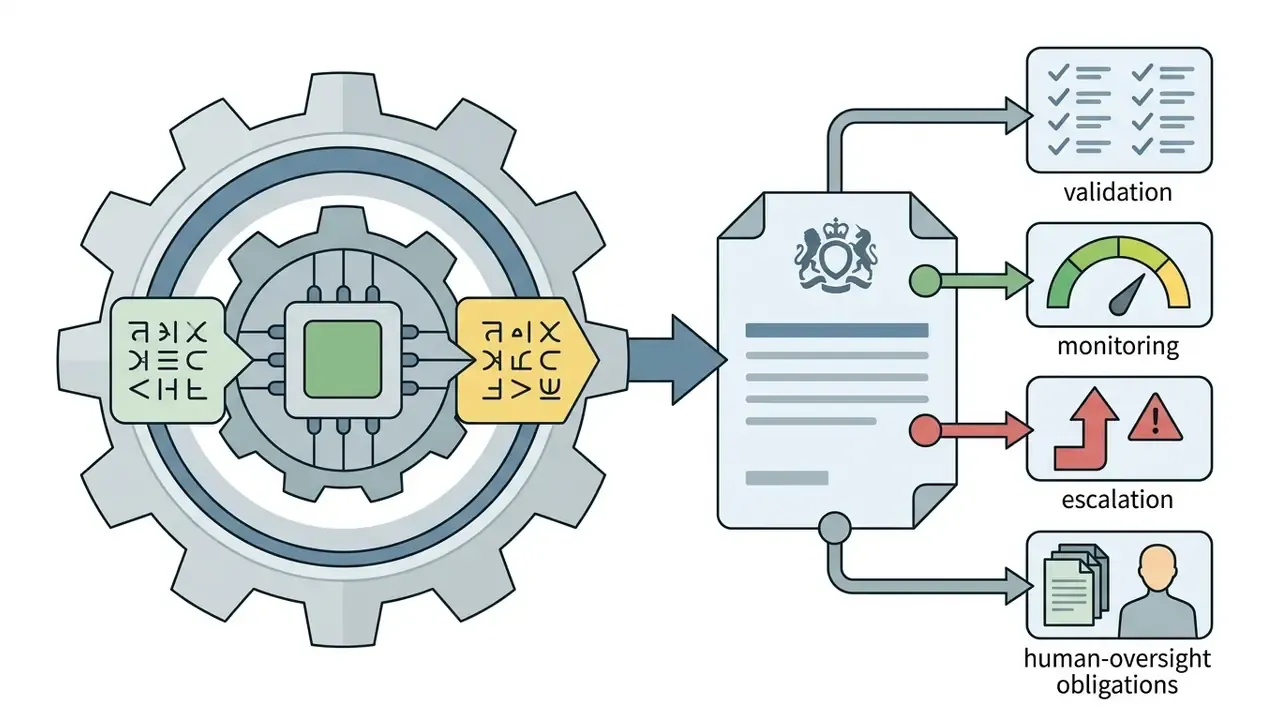
- Outputs feed decisions, not content. Because the translated artefact informs a credit, sanctions, or onboarding decision, the pipeline sits inside model risk management scope and requires documented human oversight.
Risk-Adjusted ROI Formula
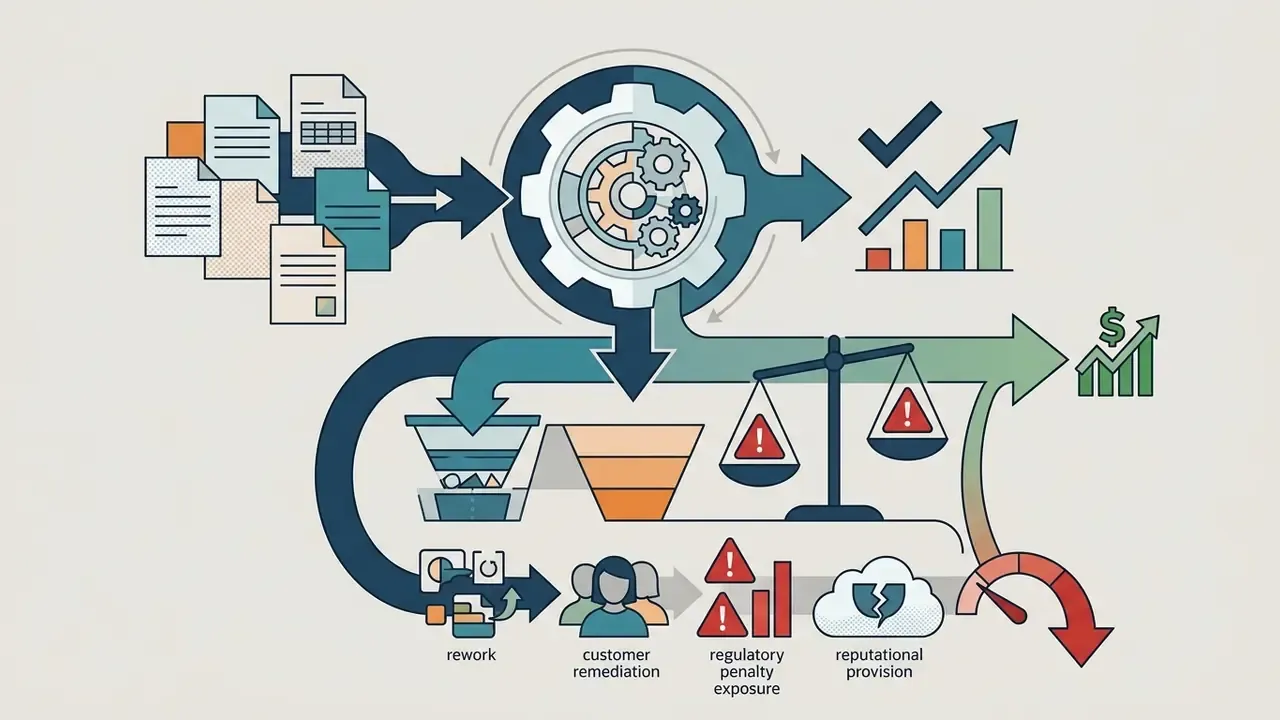
Conventional vendor ROI arithmetic counts displaced typesetting labour and stops there. A defensible business case in a regulated environment must also price the control layer and the residual error. Use:
Where:
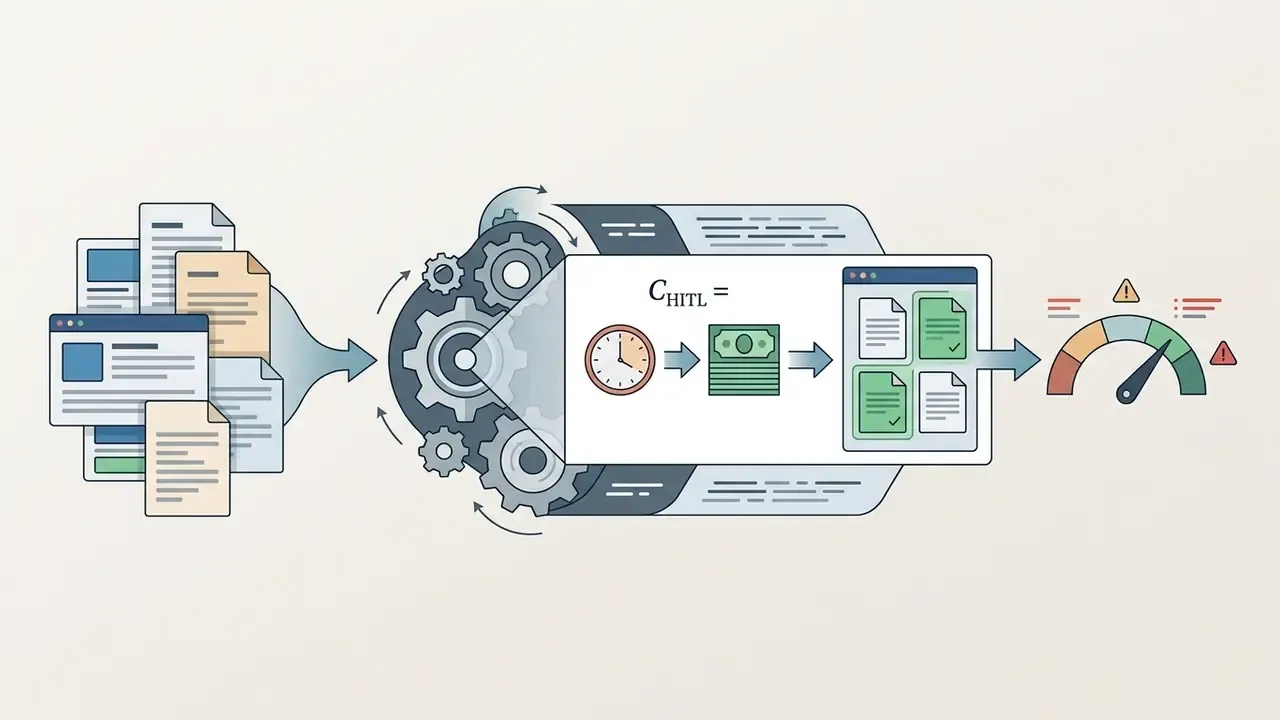
- is the fully loaded cost of the current manual process (translator and DTP hours × rate × volume ).
- is inference, storage, and egress cost of the automated pipeline.
- is the residual error rate surviving HITL review, measured on your own benchmark rather than vendor claims.
Two consequences follow. On low-risk assets such as internal screenshots and social graphics, is small and ROI is dominated by displaced labour, so approve broadly. On high-risk assets, can exceed the entire labour saving, which is exactly the argument for mandatory full review instead of sampling. Publishing this arithmetic alongside the procurement request is usually what converts a risk committee from blocker into sponsor.

Specialized Algorithmic Processing Modes
Enterprise and creative workflows need targeted tuning, not one general-purpose configuration. Platforms increasingly ship these as named presets (Manga Mode, E-Commerce Mode, Light Novel Mode), but the real differences sit in bounding strategy, inpainting profile, and typography logic.
| Algorithmic Mode | OCR Bounding Strategy | Inpainting Model Profile | Typography and Line Wrap Logic | Primary Target Metric |
|---|---|---|---|---|
| E-Commerce Mode | Strict grid and table node isolation | Texture-matching patch inpainting | Dynamic font metric scaling with brand glossary lock | , zero baseline shift |
| Manga / Creative Mode | Vertical and curved bubble segmentation | Edge-aware diffusion inpainting | Vertical reading-order reflow, sound-effect vector masking | retention , bubble padding alignment |
| Light Novel / Long-Form Mode | Paragraph-block detection with ruby-text separation | Flat-background reconstruction | Justified multi-line reflow with hyphenation control | COMET , no mid-sentence panel breaks |
| Document Scan Mode | Polygon-based dewarping bounds | Document layout decomposition | Structural table column alignment | Character Error Rate |
| Regulated / Financial Mode | Field-level isolation of amounts, dates, identifiers | Conservative minimal-edit inpainting, stamps and signatures preserved | Fixed-width numeric rendering, no abbreviation | Numeric-field CER , 100% HITL coverage |
Picking the wrong mode is a common and under-diagnosed cause of quality complaints. Run a dense specification table through a creative diffusion profile and you get output that looks smooth and is structurally invalid. Run a comic page through strict grid isolation and dialogue fragments across bubbles.
Model Risk Validation and Fact-Check Protocol
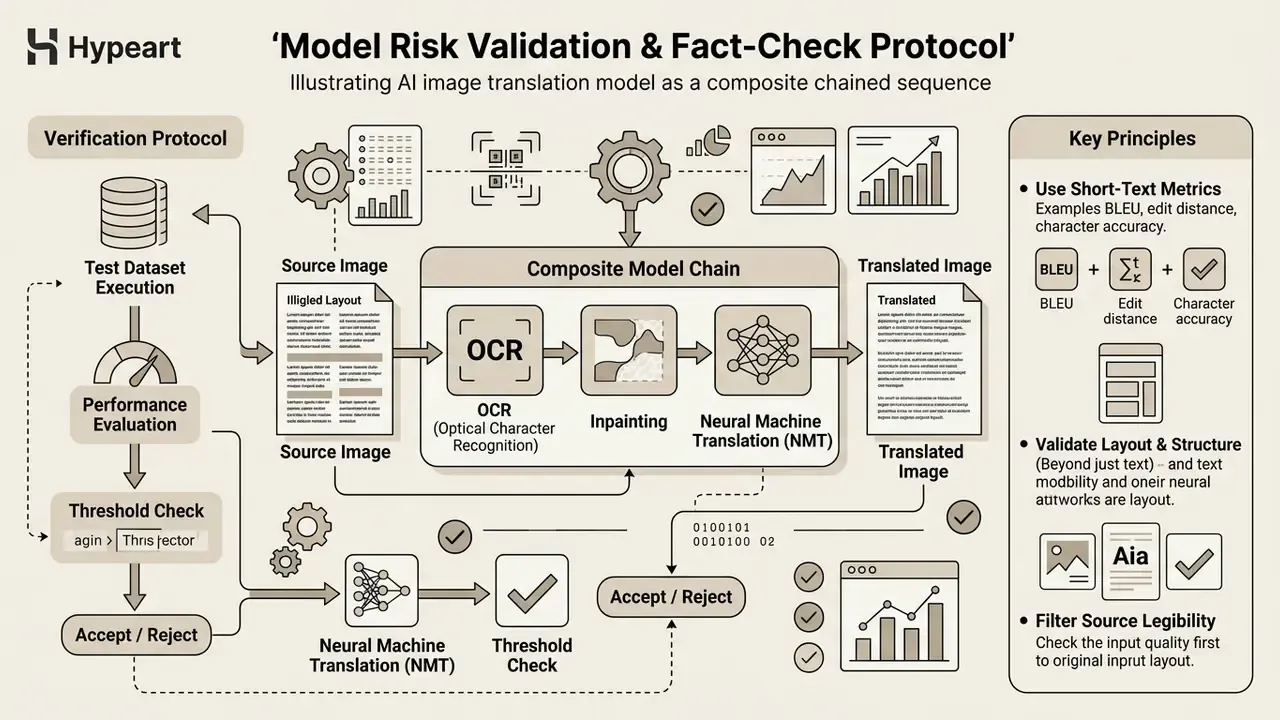
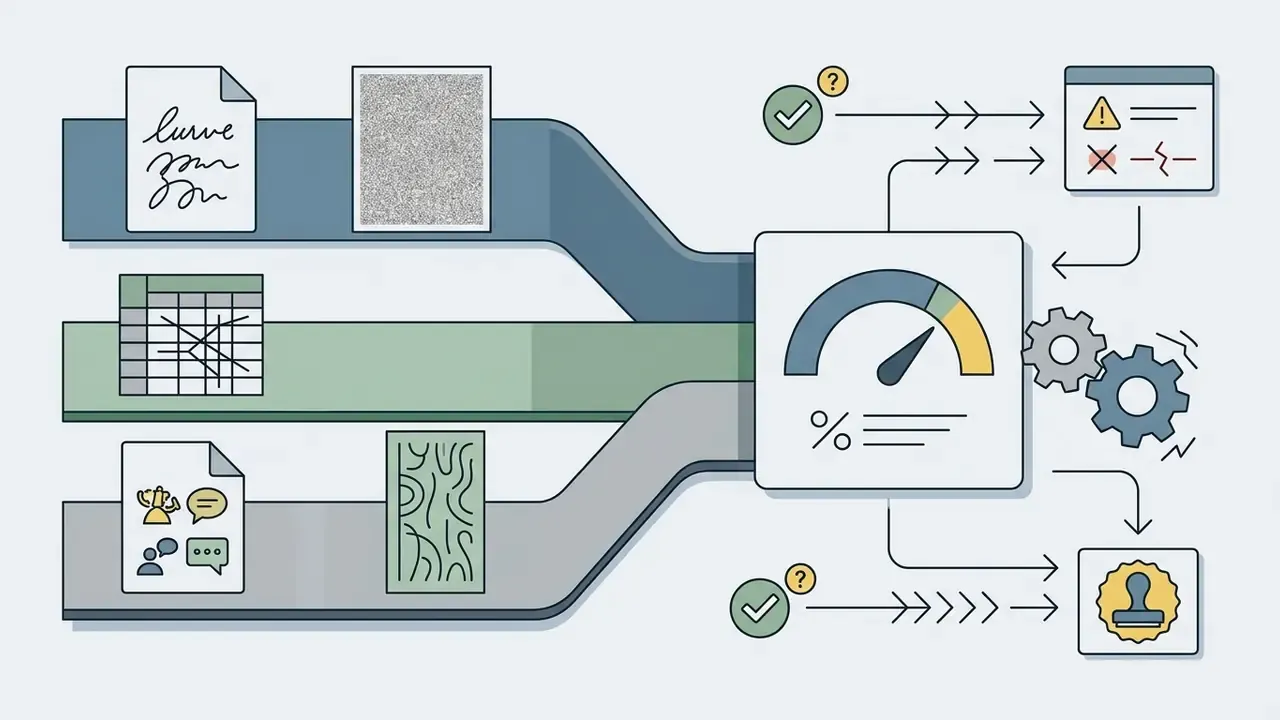
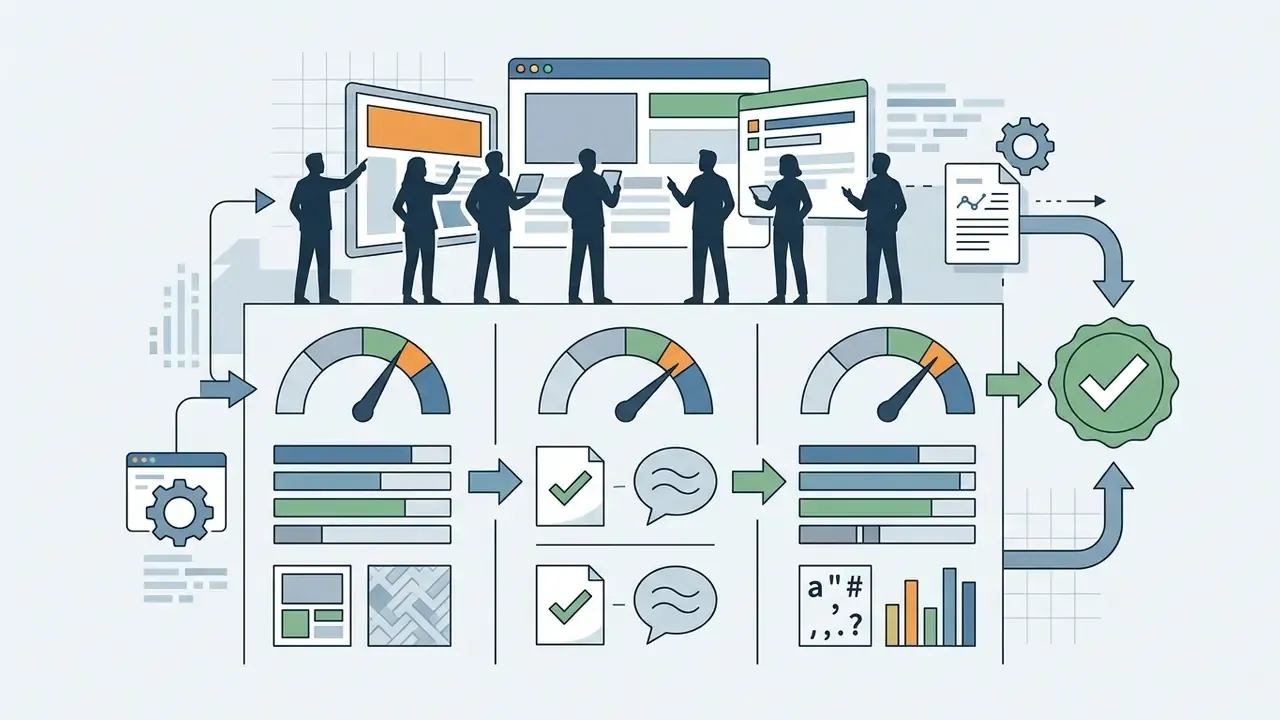
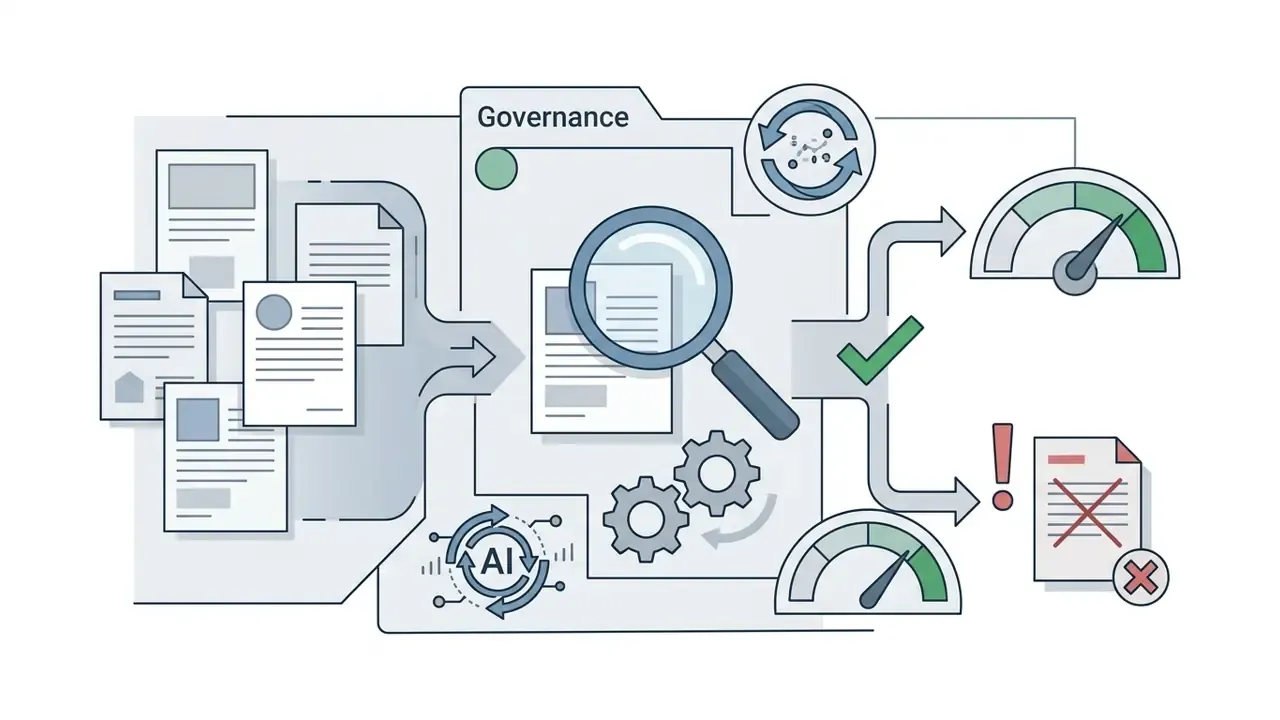
Image translation is a composite model: OCR, inpainting, and neural machine translation chained in sequence. Error propagates, and no single vendor accuracy figure describes end-to-end performance. Institutions operating under supervisory model risk expectations, for example Federal Reserve and OCC guidance (SR 11-7, OCC 2011-12), should treat the pipeline as an in-scope model and document it accordingly. Human oversight obligations under the EU AI Act (Article 14) point the same way for deployments touching EU subjects.
Fact-check and quality verification protocol:
FAQ About AI Image Translation
Below are the frequently asked questions that tend to remain open before rollout.
Can an AI Image Translator Process Handwritten Text and Scanned PDFs?
Yes, but accuracy depends heavily on legibility and formatting. Printed text inside scanned PDFs is recognized reliably by modern enterprise OCR. Cursive handwriting, non-standard scripts, and low-contrast scanned drawings show much higher Character Error Rates. Technical drawings sit largely outside documented OCR capability: official guidance addresses OCR of textual scans and handprint recognition, not the interpretation of engineering drawings as drawings.
«OCRBench finds that large multimodal models struggle with multilingual text, non-standard fonts, and mathematical expressions across 29 evaluation datasets.» OCRBench (2025), as summarized in AI Image Translators Online: Evidence-Based Overview, §7.1 For critical legal or financial scans, human linguist review remains mandatory to verify AI-generated translations. Disclaimer: this information is general in nature and does not replace professional consultation. For legal, financial, and medical documents, review by a qualified linguist is mandatory.
Are Uploaded Images Stored on Vendor Servers, and Is an Account Required?
Retention and authentication rules vary by platform tier.
- Free and public tools: often need no sign-in for basic usage, but privacy policies may permit short-term caching or model training on uploaded assets. Some free tools state that uploads are processed and then cleared with no retention. Verify that in the contract, not on the landing page.
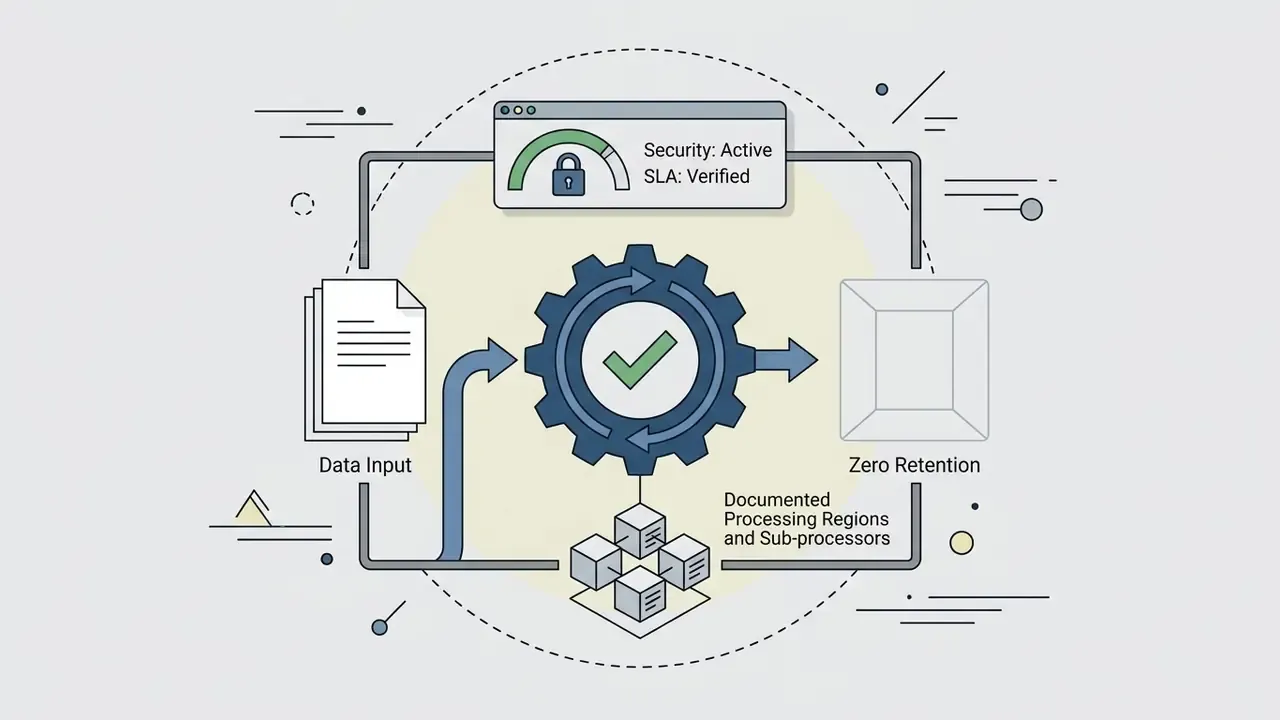
- Enterprise cloud services: require authenticated API keys or corporate accounts. Leading providers operate zero data retention architecture, where uploaded image blocks are encrypted in transit under TLS 1.3, processed in volatile memory, and deleted immediately after output generation. Where persistence exists, reference implementations store files as discrete encrypted blocks under AES-256.
Does AI Image Translation Preserve the Original Image Resolution?
High-tier commercial platforms export at 100% of input resolution and pixel dimensions. Free consumer tools routinely downscale, often to 1080p, 720p, or a generic web size, to conserve bandwidth and memory, and gate original-resolution export behind a paid credit.
How Does AI Handle Multiple Languages in a Single Image?
Multi-language assets need multilingual segmentation. Leading frameworks perform character-level language identification per bounding box. That allows the system to process a bilingual English Spanish product label and translate only the designated source language, leaving the secondary language untouched.
Can One Image Be Translated Into Several Languages at Once?
Yes. One-to-many fan-out pipelines inpaint the cleaned background once, then broadcast extracted text nodes to parallel translation workers, emitting one finished asset per target locale. A single English label can therefore go out in Spanish, French, German, and Japanese from one upload, with identical background treatment and up to roughly 40% lower compute overhead than sequential single-pair runs.
Can Images Be Translated Directly on a Web Page Without Downloading Them?
Yes, through a browser extension that parses images in the DOM. The extension intercepts image sources, submits pixel payloads to the inference endpoint, and replaces the rendered element with a positioned canvas overlay, either in bulk across the page or per image through a right-click action. On managed corporate devices these extensions should be allow-listed centrally, since they inherit the user's authenticated session and can push internal screen content to third-party services.
Is There an AI That Translates Images Without Sign-Up?
Several web services allow one or two conversions with no sign-in, then meter further usage. For occasional personal work, an ai to translate images without registration is convenient. For anything containing customer, employee, or transaction data, "no sign" also means no contract, no attestation, and no retention commitment, which is precisely the combination a risk owner cannot accept.
Who Owns the Commercial Rights to a Translated Image?
Two separate rights questions apply. Platform terms determine whether you may commercially exploit the output; free tiers commonly restrict use to personal purposes. Separately, translating a copyrighted work generally requires the rights holder's permission, translations attract their own protection, and some statutory exceptions exclude commercial use outright. Clearing the tool licence does not clear the underlying content licence.
Conclusion and Governance Recommendations
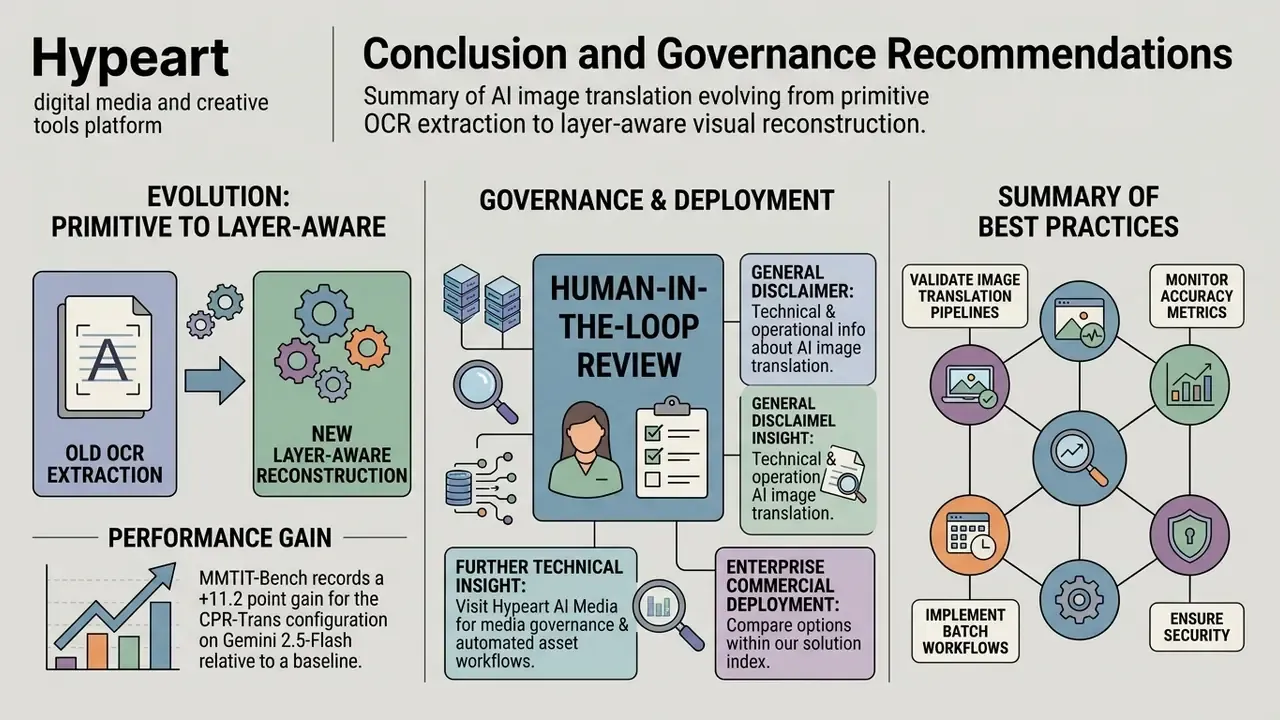
AI image translation has moved from primitive OCR extraction to layer-aware visual reconstruction. For financial institutions, mature fintechs, and global media organizations, the technology genuinely accelerates cross-border execution and lowers localization overhead.
That margin is the practical case for orchestrated, context-aware architectures over naive OCR-then-translate chains. It is equally the case for validating the specific configuration you buy, since the gain comes from pipeline design rather than model brand.
Governance still decides the outcome. To keep compliance and operational integrity intact, enterprise teams should:
A safe next step, if this is new ground for your institution: run the 50-asset validation protocol on your own documents before any procurement conversation. It costs a week and reprices the entire business case.
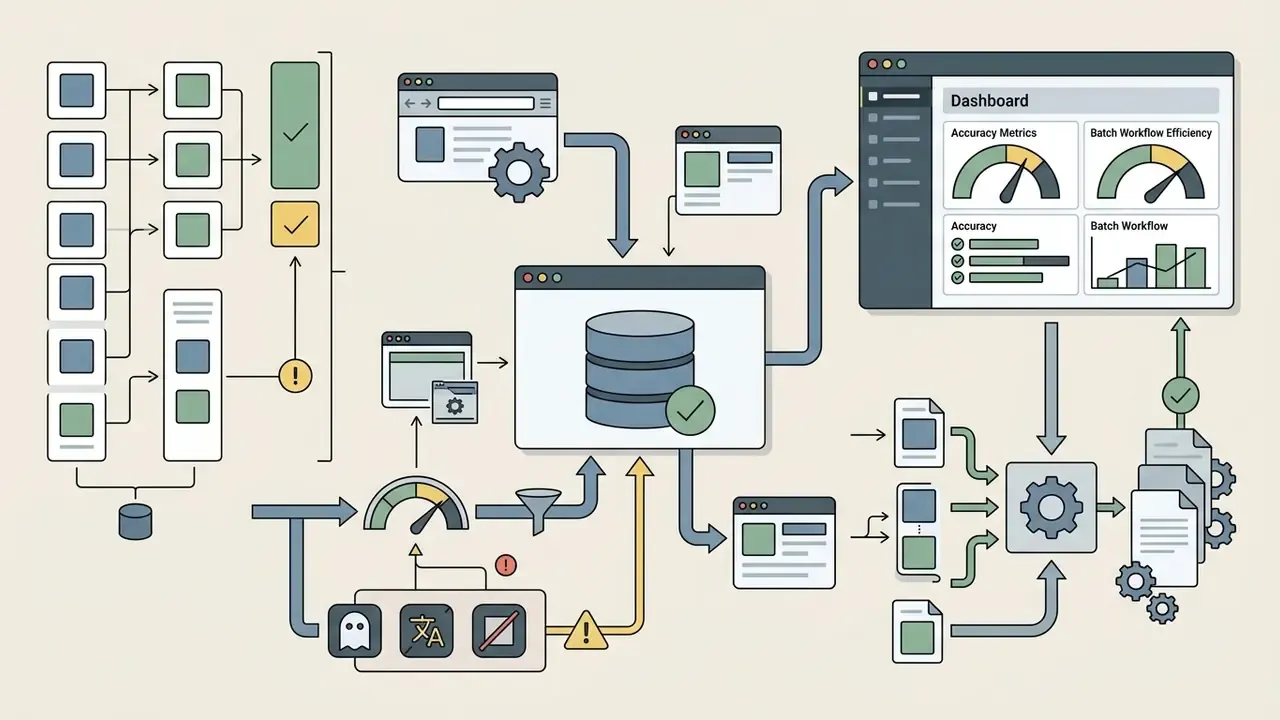
For further technical insight into media governance and automated asset workflows, visit Hypeart AI Media Decision Support, explore the AI Media Glossary, or browse the hub for legal and risk management resources. Teams that need a structured review can contact us through the same hub.
For enterprise commercial deployment options, users can compare options within our solution index.