An AI image prompt is a precise natural-language instruction that directs text-to-image models to construct visual assets. In enterprise environments, writing effective ai image prompts means balancing creative description against hard control parameters, so that outputs are predictable, on-brand and defensible after the fact.
That last part is the one most teams underestimate.
Executive Summary
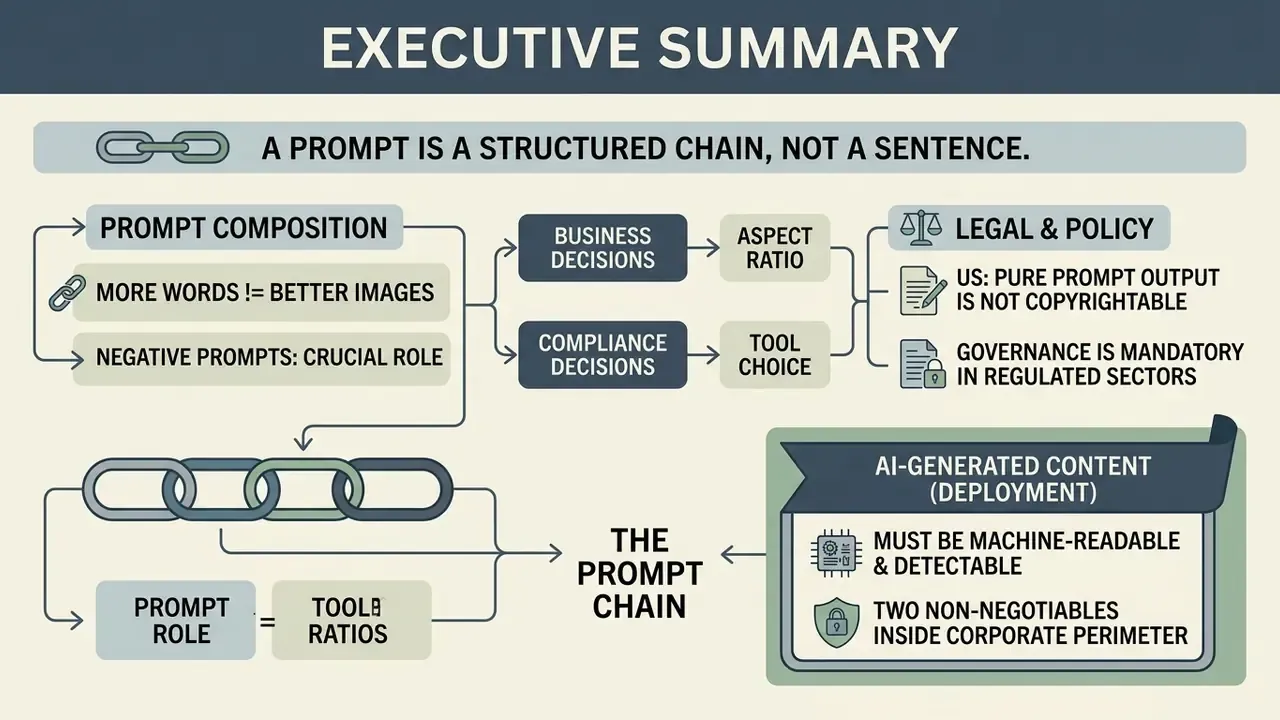
- A prompt is a structured chain, not a sentence. The reliable formula is
[Subject] + [Environment] + [Lighting] + [Camera & Lens] + [Visual Style] + [Technical Parameters]. Placing the subject first maximizes token attention weight. - More words does not mean better images. Past roughly 60–75 meaningful tokens (3–5 substantive sentences), encoders truncate context and the model starts ignoring tail-end instructions. Practitioners call this prompt collapse.
- Negative prompts do half the work. Explicitly excluding gradients, duplicate limbs, watermarks and embedded text removes most rework cycles.
- Aspect ratio is a business decision. Choose
--arbefore writing the prompt: 1:1 and 4:5 for the Instagram feed, 9:16 for Stories, Reels and TikTok, 16:9 for YouTube and presentations, 3:4 for Pinterest, 1:1 or 4:3 for LinkedIn. - Tool choice is a compliance decision. Adobe Firefly is trained on licensed Adobe Stock content and offers enterprise indemnification. Stable Diffusion's Community License is free only below a $1M annual revenue threshold. Midjourney and the Gemini or ChatGPT image models each carry distinct terms.
- Pure prompt output is not copyrightable in the US. Human-authored modification is required for protectable rights, and the EU AI Act's transparency obligations (applicable from August 2026) require machine-readable marking of synthetic media.
- Governance is mandatory in regulated sectors. Maintain a model inventory, prompt logs, human-in-the-loop sign-off and C2PA provenance metadata.
«Provenance data for generated content should include creator, date and time, location, modifications, and sources, and can cover images.»
«AI-generated or manipulated images must be marked in a machine-readable way and be detectable, using effective, interoperable and robust methods such as watermarks, metadata or cryptographic provenance.» — European Commission, transparency guidance on the EU AI Act (2026). https://artificialintelligenceact.eu/article/50/
Deploying generative visual systems inside a corporate perimeter therefore requires two non-negotiables: prompt-level logging and hybrid human-in-the-loop control. No evidence, no autonomy.
Five Questions to Answer Before You Generate a Single Asset
Most failed image programmes fail before the first render. Not because the prompts were weak, but because nobody agreed on the boundaries. Work through these five questions first, ideally with legal and security in the room.
- What is the asset's end use?Internal deck, paid campaign, product packaging and regulated disclosure material each carry a different clearance bar.
- Which generator is sanctioned for that use?One approved tool per risk tier beats a free-for-all of consumer accounts.
- What may be uploaded as a reference?Customer imagery, internal screenshots and unreleased product photos usually need an explicit rule, not a hunch.
- Who signs off, and what do they keep?Prompt string, seed, model version, reviewer name. If that record does not exist, the asset is unauditable.
- How is the output marked?C2PA metadata at export, plus visible labelling where the content could be mistaken for a real photograph.
Answer those, and the rest of this guide is craft. Skip them, and the craft eventually becomes a legal problem.
What AI Image Prompts Are and How Image Generation Works
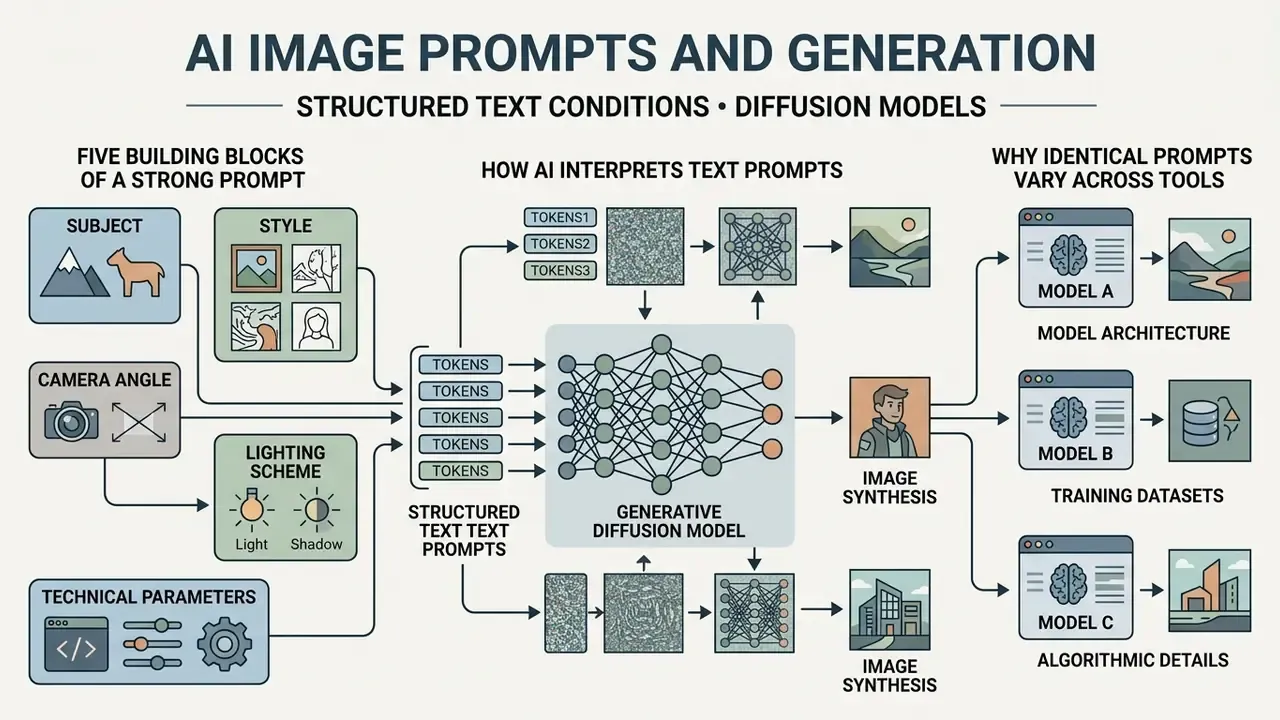
An ai image prompt is a structured string of textual tokens that conditions a generative diffusion model during image synthesis. Modern ai image generation systems translate human language into high-dimensional vector representations, then transform random Gaussian noise into structured visual content.
Stage 1, tokenization: the prompt is split into discrete tokens, and each token is mapped to an embedding vector carrying positional information. Stage 2, conditioning: a text encoder (CLIP or T5) produces the prompt representation, which is injected into the diffusion model through cross-attention layers. Stage 3, latent denoising: an autoencoder compresses images into a compact latent space where iterative denoising occurs. Stage 4, decoding: the VAE decoder converts the final latent back into a pixel grid.
Four stages. One practical consequence: every vague word you write becomes a statistical guess somewhere in that chain.
How AI Image Generation Interprets Text Prompts
Text-to-image architecture converts input text into numerical embeddings using pretrained text encoders such as CLIP or T5. The system splits the image text into discrete tokens, assigns positioning vectors, and passes them to a latent diffusion model via cross-attention layers.
«The Gecko benchmark collected more than 100,000 human annotations and showed that models differ systematically in prompt-interpretation skills, from simple object recognition to complex spatial reasoning.»
During the initial denoising steps, the model establishes low-frequency coarse shapes and scene layout. Later steps handle fine-grained textures, surface behaviour and the precise specific visual elements it has learned as priors.
«Coarse shape appears in the first denoising steps, while later steps add texture and fine detail; early generation is strongly influenced by the prompt's EOS token, after which the model fills details from its own priors.»
This is why an under-specified prompt does not fail loudly. It quietly swaps your creative intent for the model's statistical defaults, and the result looks plausible enough that nobody questions it. When teams request structured ai creation workflows, the generative pipeline aligns token weights against latent-space coordinates to form the final pixel grid.
The Five Building Blocks of a Strong Prompt for AI Image
A robust prompt for ai image consists of five structural modules that strip out model ambiguity. Omit them, and the image model fills the descriptive gaps with uncalibrated stochastic priors.
«Experiments across 5,493 generations showed that prompts with an explicit separation of subject and style produce more coherent images than mixed or incomplete formulations.»
The same five-block logic appears in vendor documentation from OpenAI and Google, which separate framing and viewpoint, perspective and angle, lighting and mood, and technical format controls into distinct prompt segments. Convergent guidance from competing labs is usually a signal worth trusting.
- Subject
- the primary entity, including pose, material and explicit state.
- Style
- defined artistic styles or visual mediums such as anime style, watercolor or digital painting.
- Camera angle
- framing directives such as wide-angle, aerial view or a close-up 85mm portrait.
- Lighting scheme
- specific subject lighting controls like volumetric fog, studio flash or golden-hour illumination.
- Technical parameters
- explicit constraints including aspect ratio, CFG scale, seed and negative prompts.
Why Identical Prompts Work Differently Across AI Tools
Identical text prompts produce divergent outputs across AI image generators because the architectures differ underneath. Generative systems use distinct text encoders, cross-attention conditioning mechanisms, classifier-free guidance (CFG) schedules, safety filtering layers and prompt parsers.
DALL·E 3, for instance, leans heavily on automated natural-language expansion and rewards full sentences. Stable Diffusion executes explicit token-weighting algorithms and responds to tag-style input plus negative prompts. Midjourney prefers short comma-separated phrases with parameters appended. When testing prompts ai images across platforms, differences in training data, such as LAION-5B versus proprietary licensed catalogs, change how an ai prompt maps to visual features at a fundamental level. Evaluating these variations matters most when an institution is standardizing an approved toolset, and a side-by-side review of AI image generators is the fastest way to map syntax differences onto business tasks.
How to Write AI Image Generation Prompts That Deliver Quality
Writing effective ai image generation prompts is an iterative discipline built on precise descriptive syntax. Cut the filler, structure the modifiers explicitly, and ai models will return quality images with far fewer visual artifacts.
Checklist0 / 8
The Universal Prompt Formula: Subject, Style, Composition and Lighting
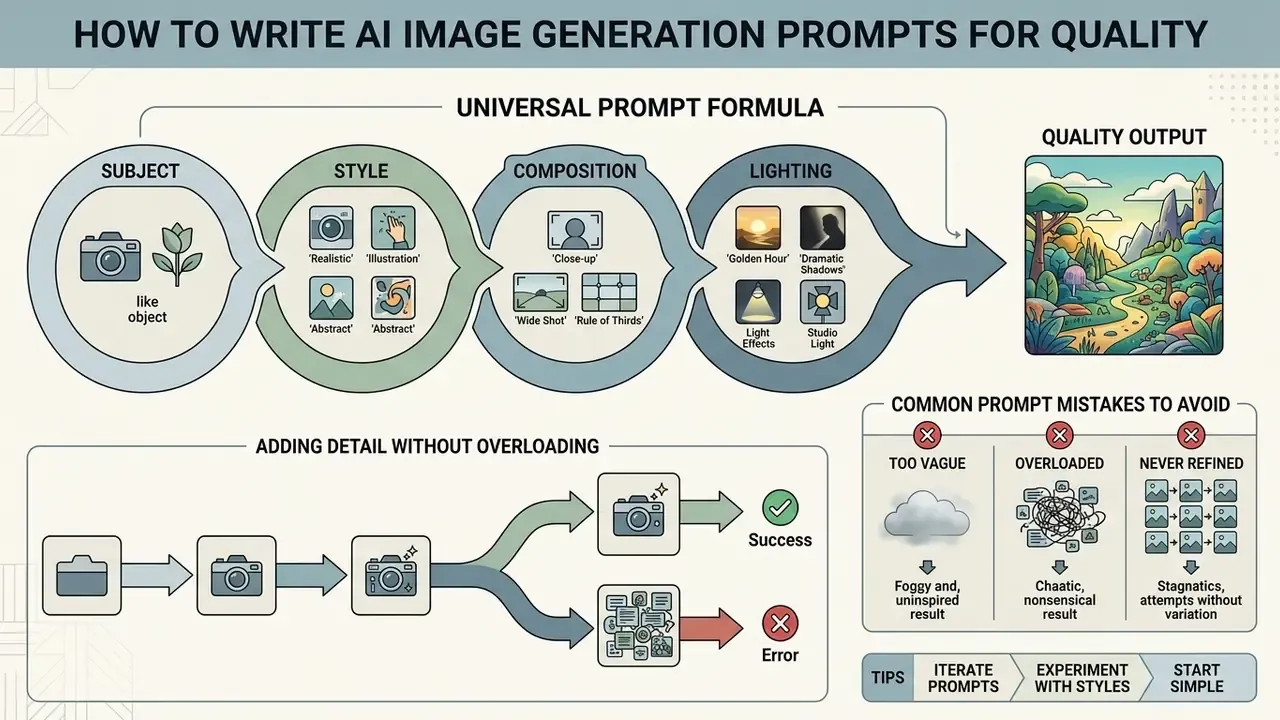
The universal formula for generating photorealistic images and stylized graphics relies on a structured token chain. Placing critical subject keywords at the start of the prompt for ai image generation maximizes token attention weight.
Example: Executive conference room in a modern glass skyscraper, late afternoon sunset casting long shadows, wide-angle 24mm lens, realistic corporate photography, architectural digest aesthetic, clean composition, --ar 16:9 [📋 Copy prompt]
A shorter mnemonic for non-technical teams: Style + Subject + Setting + Lighting + Details. Five slots, no theory required.
Adding Detail Without Overloading the Prompt
Excessive descriptive text causes token conflict and context-window truncation. Modern text encoders process prompts within fixed token limits, and exceeding those limits means the model simply drops whatever sits at the end.
«Exceeding the token budget leads to ignored tail-end instructions and degraded output quality.»
Beware of "prompt collapse." Stacking contradictory boilerplate epithets, the familiar "ultra realistic, 8k, trending on artstation, masterpiece" chain, pushes the model to ignore the key subject or to emit visual artifacts. The optimal prompt length is 3 to 5 substantive sentences, roughly 60–75 tokens. There is a runtime cost too: a lean prompt may render in about a minute, while an overloaded one can take several minutes and still hand back a muddled composition.
To keep clarity, replace generic descriptors like "ultra high quality" or "stunning visuals" with concrete material specifications. Rather than asking the model to "make it look realistic," specify "visible skin pores, natural subsurface scattering, 85mm f/1.4 lens." When teams need to reverse-engineer an existing reference, an ai describe image pipeline extracts precise descriptive tokens you can reuse in prompt optimization.
Common prompt mistakes to avoid:
- Too vague. The model cannot infer what you did not write.
- Overloaded. Too many competing details trigger prompt collapse.
- Never refined. Start broad, then narrow with small single-variable changes.
- Style and composition ignored. A subject alone rarely produces a usable commercial asset.
Negative Prompts: Excluding Artifacts Before They Appear
A negative prompt lists what the model must suppress. In Stable Diffusion and SDXL or SD3 pipelines the negative_prompt field is explicitly supported, and it is ignored when guidance_scale < 1. Midjourney uses --no. Conversational models accept plain exclusion sentences such as "do not include text or logos."
- Vector and flat graphics
no gradients, no drop shadows, no 3D bevel, no photographic texture, no background clutter - Human subjects
no duplicate limbs, no extra fingers, no distorted eyes, no plastic skin, no asymmetric earrings - Commercial assets
no watermark, no signature, no embedded text, no brand logos, no stock-photo framing - Architecture and product
no warped straight lines, no chromatic aberration, no lens flare, no melted reflections
Artifact taxonomy research supports this directly: classify the defect, convert the label into an explicit visual instruction, and its recurrence measurably drops in subsequent generations (SynArtifact, 2024). In practice, a negative prompt is cheaper than a retoucher's hour.
Iterative Refinement Through Variations, Seeds and Weights
Predictable visual quality comes from a refinement loop, not from single-shot luck. Generate 3 to 9 seed variations per prompt structure to see how wide the stochastic spread actually is.
«Liu and Chilton recommend testing several prompt variations: experiments across 5,493 generations confirmed that an iterative approach reduces the stochastic dispersion of results.»
To refine existing images, teams can apply an ai edit image workflow, adjusting specific regions while holding the global composition intact. For colour correction, cropping and layer-level cleanup after generation, standard AI photo editors remain faster than regenerating from scratch. Regeneration feels productive; it usually is not.
Blank Prompt Templates You Can Fill In
These constructors are deliberately incomplete. Replace the bracketed variables, keep the token order, and you keep the structural discipline of the universal formula without rewriting from zero every time.
- Realistic product photo
[Product/object], close-up, shot on [lens, e.g. 85mm f/1.4], [lighting type, e.g. softbox / natural window light], on [surface material, e.g. polished marble], soft depth of field, high-resolution photograph, --ar [aspect ratio][📋 Copy] - Anime character
[Character description and action] in [location/environment], anime style [era or studio reference, e.g. 90s retro anime], 2D cel-shaded, clean linework, [lighting type, e.g. neon rim light], --ar [aspect ratio][📋 Copy] - Photorealistic scene
A highly detailed realistic scene of [subject], captured in [light quality, e.g. soft natural light] with true-to-life textures, [environmental detail], --ar [aspect ratio] - Corporate portrait
A professional portrait of [person description] lit with [lighting scheme, e.g. Rembrandt studio light], captured with an 85mm lens, [background, e.g. neutral seamless backdrop], shallow depth of field - Cinematic wide shot
A cinematic wide shot of [subject/scene] with [dramatic lighting cue], atmospheric depth, [colour grade, e.g. teal-orange], film grain, 2.39:1 framing - Flat vector illustration
Flat vector illustration of [concept], clean geometric shapes, [number]-colour palette of [colours], isolated on [background colour], no gradients, no shadows - Isometric icon set
Isometric vector icon of [object], [palette], uniform 30-degree projection, consistent 2px stroke weight, flat colour, transparent background - 3D product render
[Product] floating in [environment], [material spec, e.g. brushed titanium and sapphire glass], physically based materials, [render engine, e.g. Octane Render], studio three-point lighting, ambient occlusion - Architectural visualization
Architectural [interior/exterior] visualization of [space], [primary materials], [light source and time of day], [render engine, e.g. Unreal Engine 5], ray-traced reflections, --ar 16:9 - Ad banner with negative space
[Product] positioned in the [left/right/lower] third of the frame, [background style] with large clean negative space for headline text, [lighting], --ar [1:1 / 4:5 / 9:16 / 16:9] - Watercolor editorial illustration
A watercolor painting of [subject], soft colour washes, visible paper texture, wet-on-wet technique, [palette], generous white margins - Educational diagram
Isometric vector diagram of [system/process], educational poster style, labeled components, minimalist aesthetic, [palette], white background
Store these in a shared prompt library with a version number. A template nobody can find is a template nobody uses.
AI Image Prompt Examples for Photos, Illustrations and Creative Work
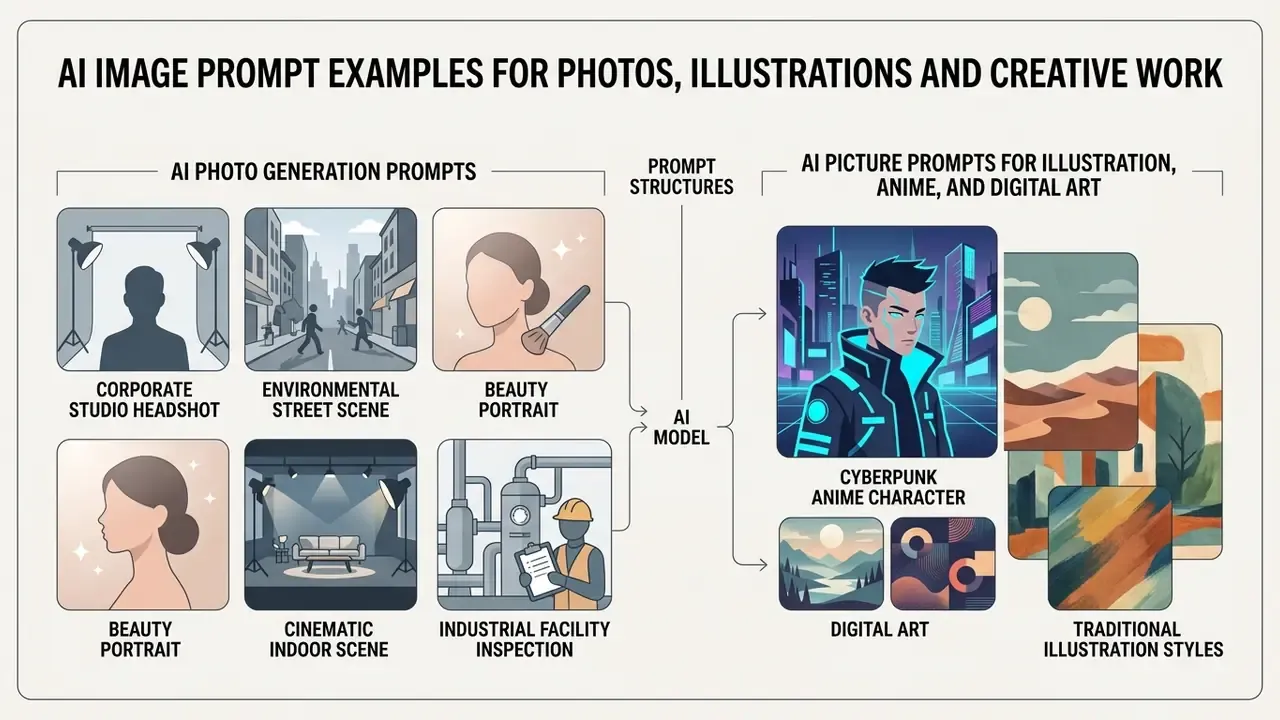
Practical ai generated images ideas need different prompt structures depending on the target medium. Below are tested examples of ai image generation prompts tuned for photorealism, digital art and experimental conceptual visuals.
Gallery: AI image prompts and their visual results.
Card 1, photorealistic portrait: Editorial headshot of a female executive, 85mm f/1.4 lens, softbox lighting, natural skin texture…
Card 2, anime style: Cyberpunk investigator in a rain-slicked city, anime style, cel-shaded, clean linework, vibrant neon reflections…
Card 3, 3D render: Isometric floating island, clay render style, soft ambient occlusion, pastel colour palette, Octane render…
Card 4, surreal art: Architectural cathedral constructed from translucent glass and weathered copper, floating above a velvet sea…
Alt text pattern: "ai image prompt example, [style], [subject], generated result."
AI Photo Generation Prompts for Realistic Portraits and Scenes
To generate convincing human portraits, ai photo generation prompts must specify physical optical properties, light modifiers and microtextures. Skin is where models get caught.
Before committing campaign budget, cross-check a shortlist of the best AI image generators against your own reference shots. Portrait fidelity varies sharply between model generations, and the leaderboard rarely matches your brief.
For repeatable staff photography at scale, the same optical vocabulary applies to dedicated AI headshot generators, which pre-lock lens and lighting parameters so that a hundred portraits share one visual language.
- Corporate studio headshot
Photorealistic editorial headshot of a business executive, 85mm f/1.4 lens, shallow depth of field, studio flash with softbox, visible skin microtexture, natural catchlights in eyes, clean neutral background, --ar 4:5- Environmental street scene
Street portrait of an architect at dusk, 35mm anamorphic lens, volumetric light passing through city haze, authentic skin texture with subtle imperfections, soft shadow contrast, documentary style- Beauty portrait
Beauty portrait, 85mm f/1.4, studio flash plus softbox, detailed skin pores, subtle subsurface scattering, balanced white balance, clean composition- Cinematic indoor scene
Cinematic indoor scene, 35mm lens, volumetric light beams, authentic skin texture, microdetails on cheeks and nose, realistic shadows- Industrial facility inspection
Wide-angle photographic capture of an automated logistics warehouse, harsh overhead fluorescent grid lighting, sharp focus across the entire plane, industrial photography style, metallic surface reflections
AI Picture Prompts for Illustration, Anime and Digital Art
Artistic and anime style outputs rely on explicit medium terminology, shading directives and line-art descriptors. Name the medium, or the model will average across several.
- Cyberpunk anime character
Cyberpunk detective standing under neon signboards in heavy rain, classic anime style, cel-shaded rendering, clean linework, dramatic rim lighting, detailed expressive eyes, 1990s retro anime aesthetic - Shounen action scene
Dynamic shounen-style anime scene of runners sprinting mid-stride, wind whipping through their hair, school uniforms, blurred background emphasising speed and motion - Vector flat design
Flat vector illustration of a cloud data infrastructure network, clean geometric shapes, limited three-colour palette, no gradients, isolated on white background, graphic design aesthetic - Digital concept painting
Fantasy fortress built into a snowy mountain peak, digital painting, painterly brushstrokes, matte painting style, atmospheric perspective, dramatic sunset lighting
The Expanded Style Library: 12 Visual Styles With Ready Prompts
| Style | Best for | Ready prompt |
|---|---|---|
| Photorealism | Product shots, corporate assets | Photorealistic image of [subject], natural lighting, true-to-life textures, 50mm lens, shallow depth of field |
| Cinematic | Storyboards, campaign key art | Cinematic wide shot of a diner on a rainy night, low-key lighting, volumetric fog, anamorphic flare, film grain |
| Anime / manga | Character IP, youth marketing | Slice-of-life anime portrait of a girl laughing against a vibrant sunset, cel-shaded, expressive eyes, warm tones |
| Digital art / concept art | Pitch decks, world-building | Concept art of a floating research station above storm clouds, painterly rendering, dramatic scale, matte painting |
| 3D render | Mockups, product concepts | 3D render of a red and black sports watch, glossy surfaces, ambient occlusion, cycles render, studio lighting |
| Pixel art | Games, retro branding | 16-bit pixel art of a cosy cyberpunk coffee shop at night, detailed sprite design, limited colour palette |
| Watercolor | Editorial, invitations, packaging | Watercolor painting of a lighthouse on a stormy cliff, soft colour washes, visible paper texture, wet-on-wet technique |
| Claymation / low-poly | Explainer visuals, campaigns | Claymation-style miniature village, soft ambient shadows, tactile plasticine texture, tilt-shift lens effect |
| Comic book / film noir | Narrative content, covers | Black-and-white noir comic book panel, high-contrast ink shading, dramatic shadows, rain-slicked street, halftone dots |
| Educational / technical diagram | Training decks, documentation | Isometric vector diagram of a clean-energy solar turbine, educational poster style, labeled components, minimalist aesthetic |
| Prototyping / mockup | Product design, investor pitches | Technical mockup of a wall-mounted smart thermostat, orthographic front view, neutral grey background, dimension callouts |
| Surrealism | Brand campaigns, art direction | A desert of cracked porcelain tiles beneath a sky of floating liquid mercury spheres, sharp reflections, high contrast |
Studio-specific aesthetics deserve their own treatment. If a brand brief calls for hand-painted animation warmth, compare dedicated Ghibli-style AI image generators rather than forcing the look through generic style tags, and check the licensing position before anything ships.
Image Creation Prompts for Surreal and Experimental Ideas
When generating surreal ai picture ideas, combine opposing textures, impossible material properties and clashing environments. These are the three devices surrealism workbooks classify as displacement, distortion and juxtaposition.
For broader creative direction across art styles, creative teams can explore the terminology hub to standardize vocabulary for digital media synthesis, or review a ranked comparison of the best AI art generators when the work is stylized rather than photographic. Prefer a wider view of the category? Explore the hub and then narrow down.
Prompts for Design, Branding and Social Media Content
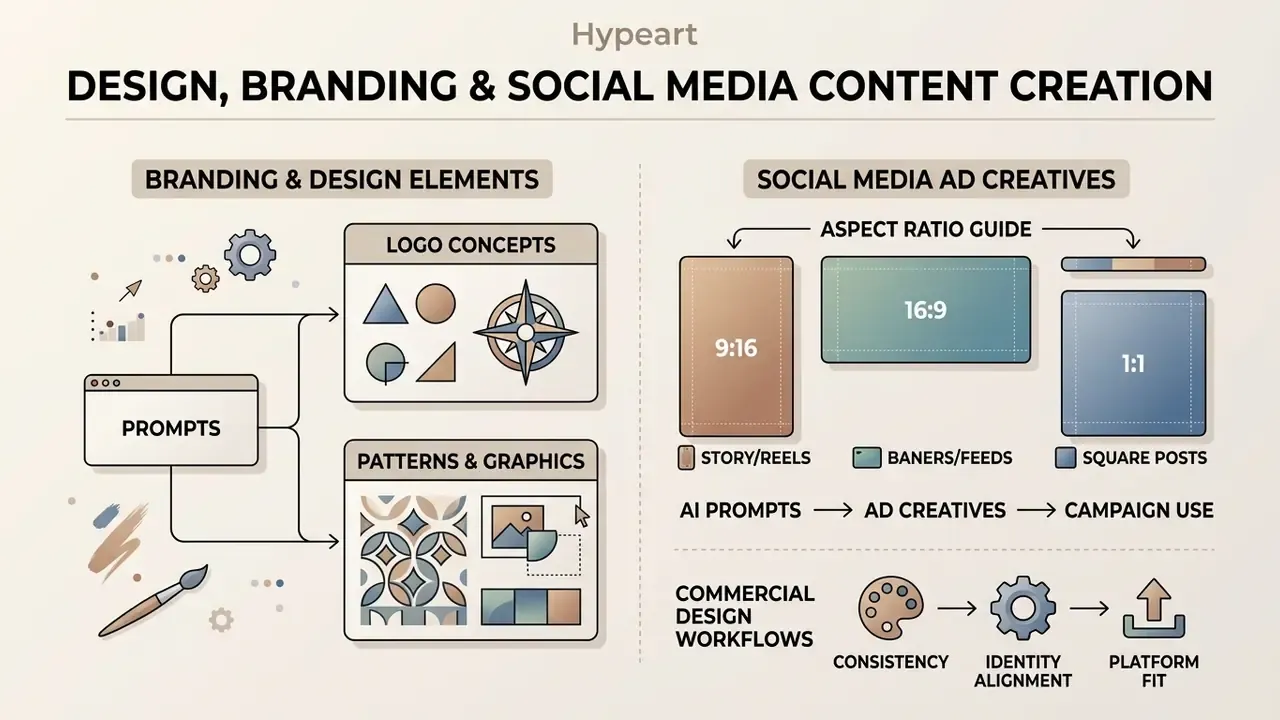
Commercial design workflows need image creation prompts that respect brand identity guidelines, typography placement and strict platform dimensions. Aesthetics are the easy half here.
AI Prompts for Ad Creatives and Social Media
Prompts built for marketing channels must preserve empty composition areas, the negative space, for text overlays and call-to-action buttons.
Minimalist cosmetic product bottle standing on a smooth river stone, offset to the lower third, soft morning daylight, vast empty pastel background, clean negative space for headline text, --ar 9:16
Modern cloud software dashboard displayed on a sleek laptop screen, placed on the right side of a wooden desk, soft ambient office lighting, clean left side with blurred background for text placement, --ar 16:9
Flat-lay of a subscription box surrounded by props on a pastel surface, centred subject, generous margin on all sides for overlay copy, soft diffused light, --ar 1:1Prompts for Logo Design, Patterns and Graphic Elements
Diffusion models can approximate vector-like graphics when you give them geometric constraints. Recent work uses dual-domain diffusion and score-distillation optimization to form scalable geometric primitives.
«SVGDreamer applies dual-domain diffusion and vectorized particle-based score distillation to generate editable, scalable vector primitives directly from text prompts.»
Related 2024 research (Chat2SVG, Vector Logo Image Synthesis) first builds SVG templates from basic geometric primitives, then refines paths with diffusion guidance and coordinate optimization. That is precisely why prompts naming explicit primitives, "triangles", "concentric arcs", "uniform stroke weight", outperform a vague request for "a logo".
Because diffusion models cannot guarantee clean path geometry, mark-level work should be finished in a vector editor. Specialized AI logo generators bridge that gap by exporting editable SVG rather than raster output, which also matters for trademark filings later.
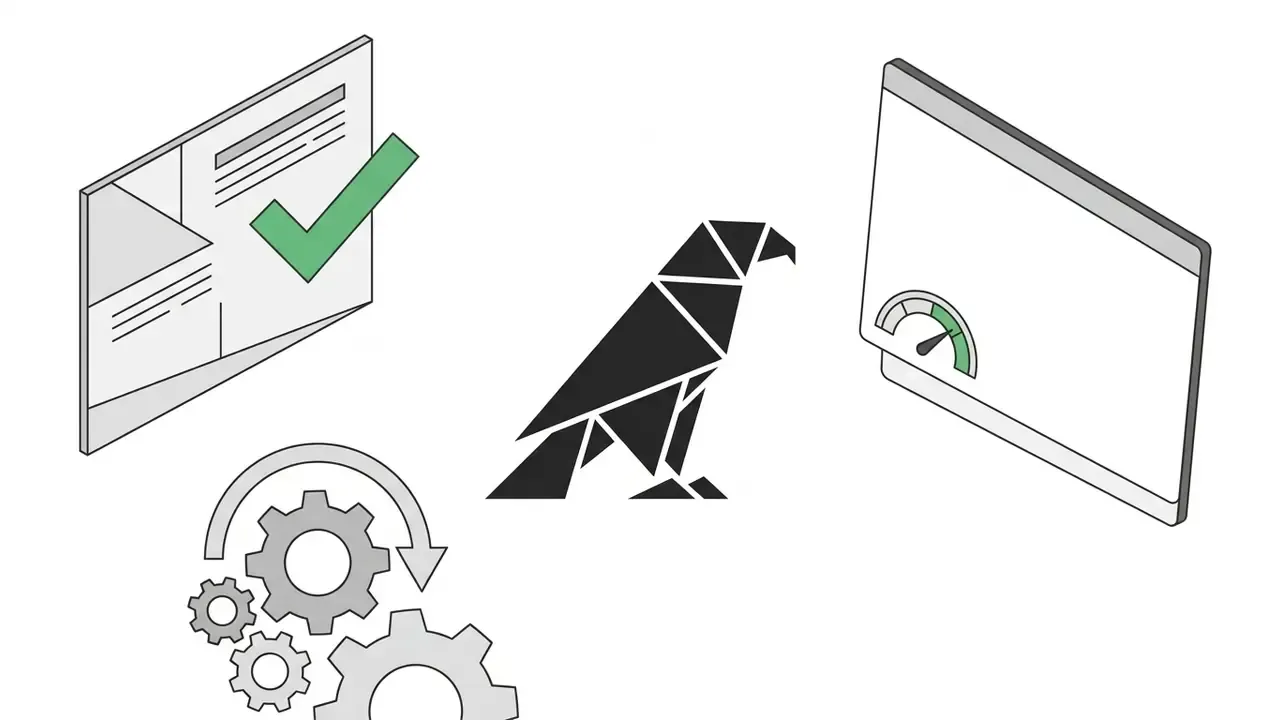
Minimalist vector logo mark of a stylized falcon, constructed from clean geometric triangles, flat solid black on plain white background, no gradients, no shadows, graphic design icon
Seamless repeating pattern of abstract circuit board lines and financial data nodes, modern corporate branding pattern, subtle light grey lines on white background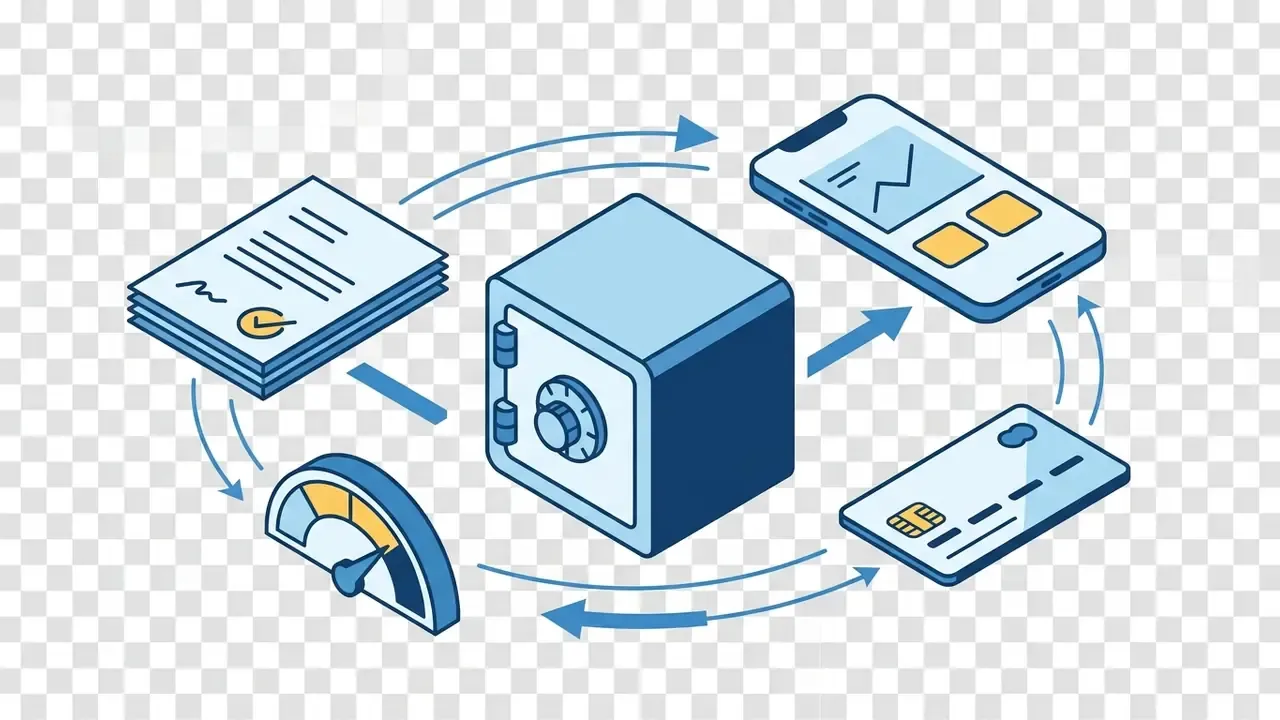
Isometric vector icon set of banking objects, card, vault, mobile app, uniform 30-degree projection, consistent stroke weight, three-colour palette, transparent backgroundPrompts for 3D, Architecture and Product Concepts
Precise 3D renderings and architectural interiors need Physically Based Rendering (PBR) terminology: roughness, metallic properties, named render engines. Unreal Engine documentation defines material behaviour through Base Color, Metallic, Roughness, Normal, Emissive and Opacity inputs. OctaneRender exposes Diffuse, Glossy, Metallic, Specular, Standard Surface, Universal and Layered material types. Naming those terms directly in the prompt narrows the model's material search space, sometimes dramatically.
When extending existing architectural backgrounds or widening a product shot, operators frequently use ai expand image outpainting tools to grow canvas margins without distorting the core subject.
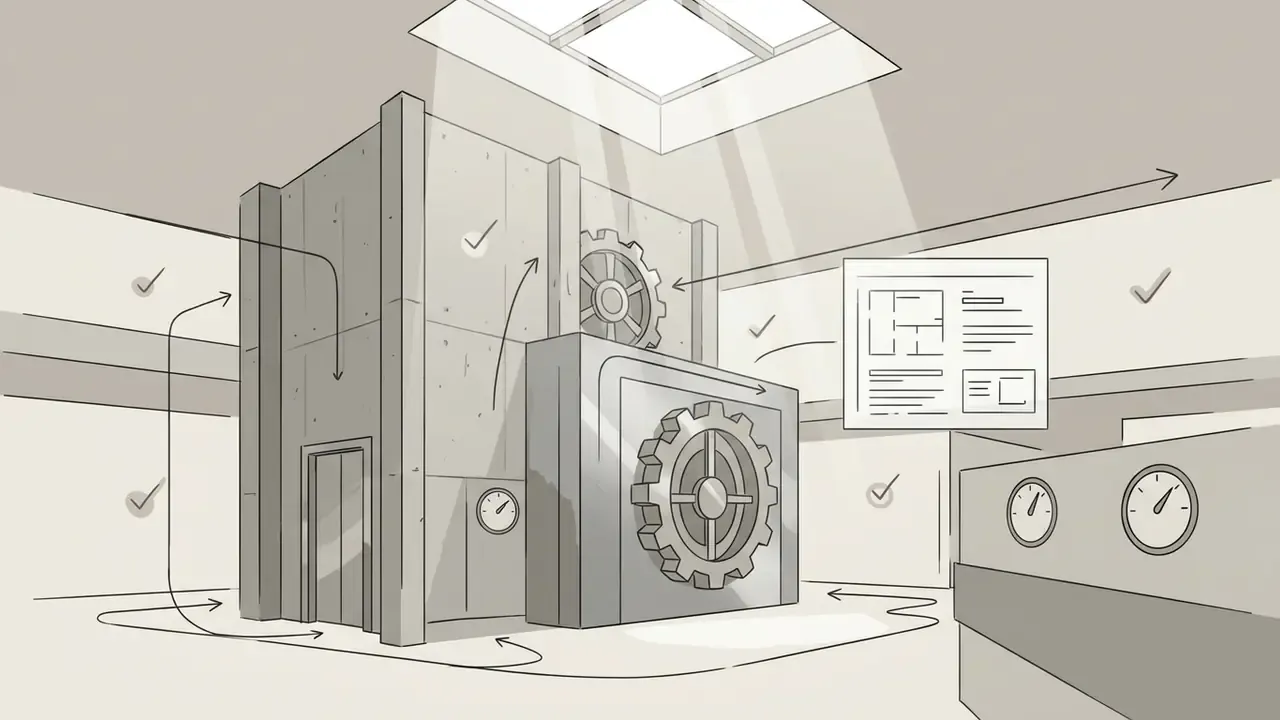
Architectural interior visualization of a modern bank vault lobby, double-height concrete walls, brushed steel surfaces, volumetric daylight streaming through skylights, Unreal Engine 5 render, ray-traced reflections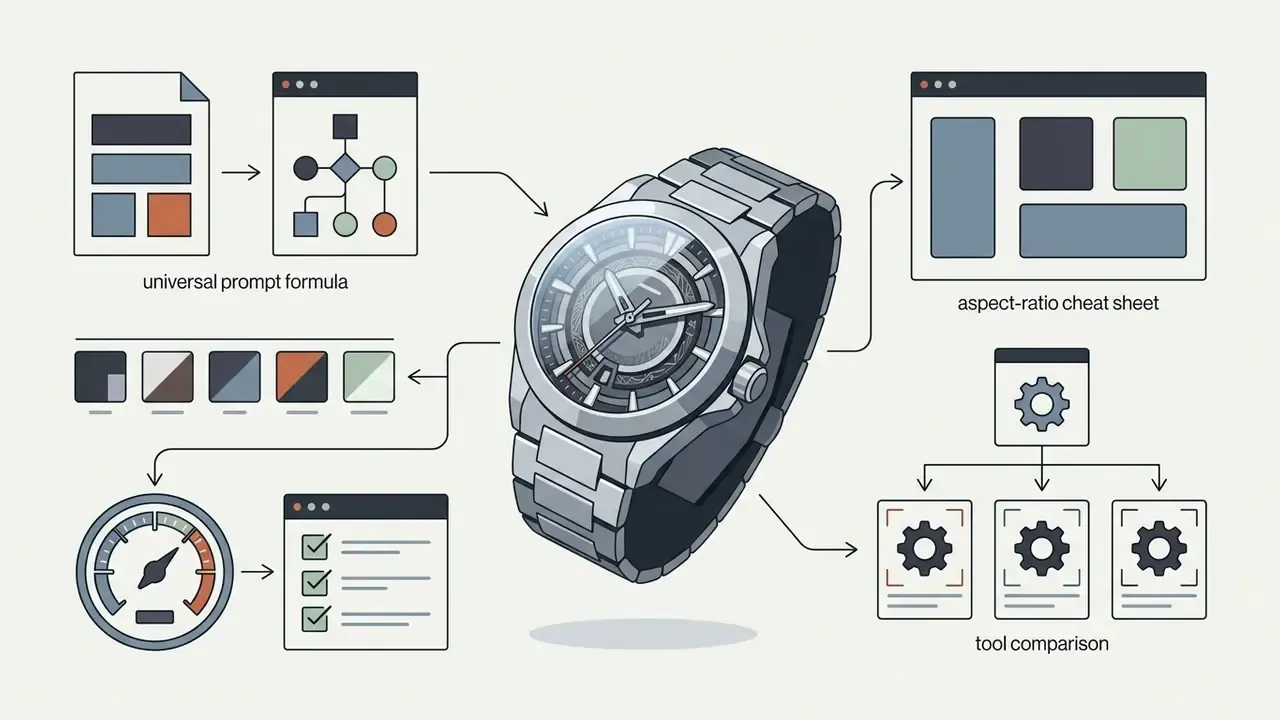
Luxury wristwatch floating in zero gravity, physically based materials, polished titanium case, sapphire glass, micro-detail on dial, Octane Render, studio lighting setup, ambient occlusion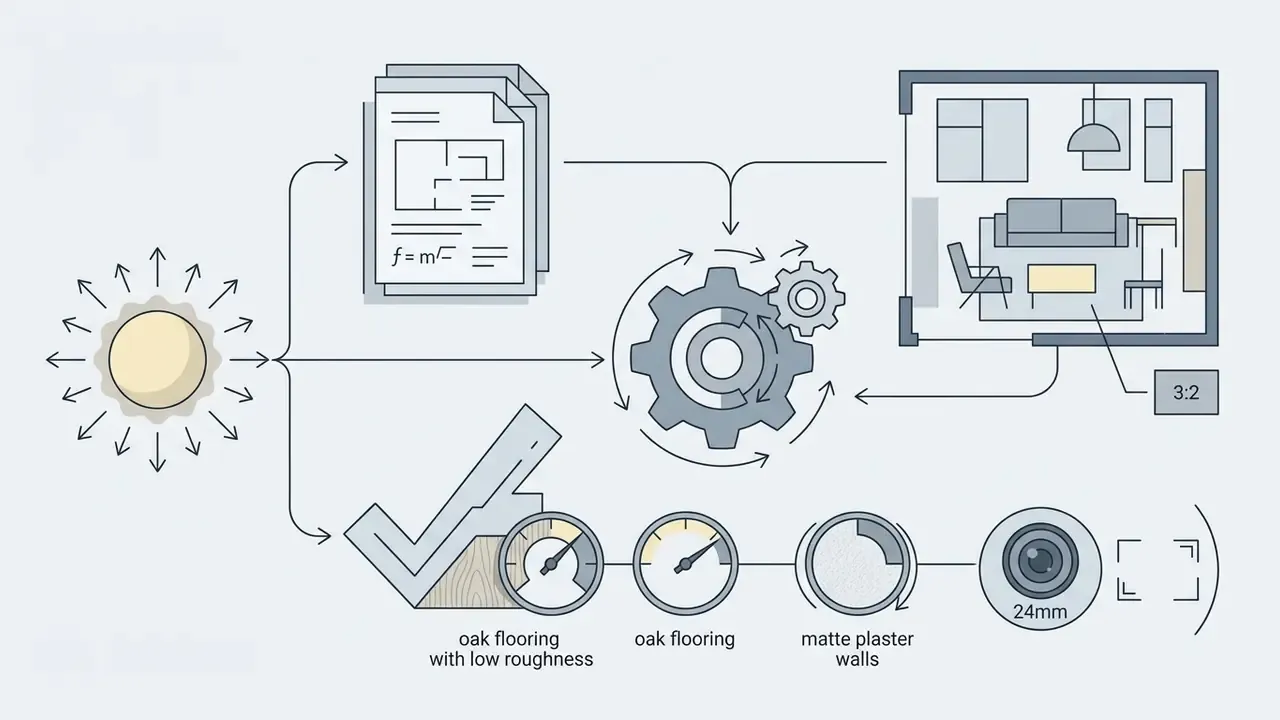
Scandinavian open-plan living room, oak flooring with low roughness, matte plaster walls, soft north-facing daylight, 24mm lens, architectural photography style, --ar 3:2Best AI Image Generation Tools: How to Choose a Generator
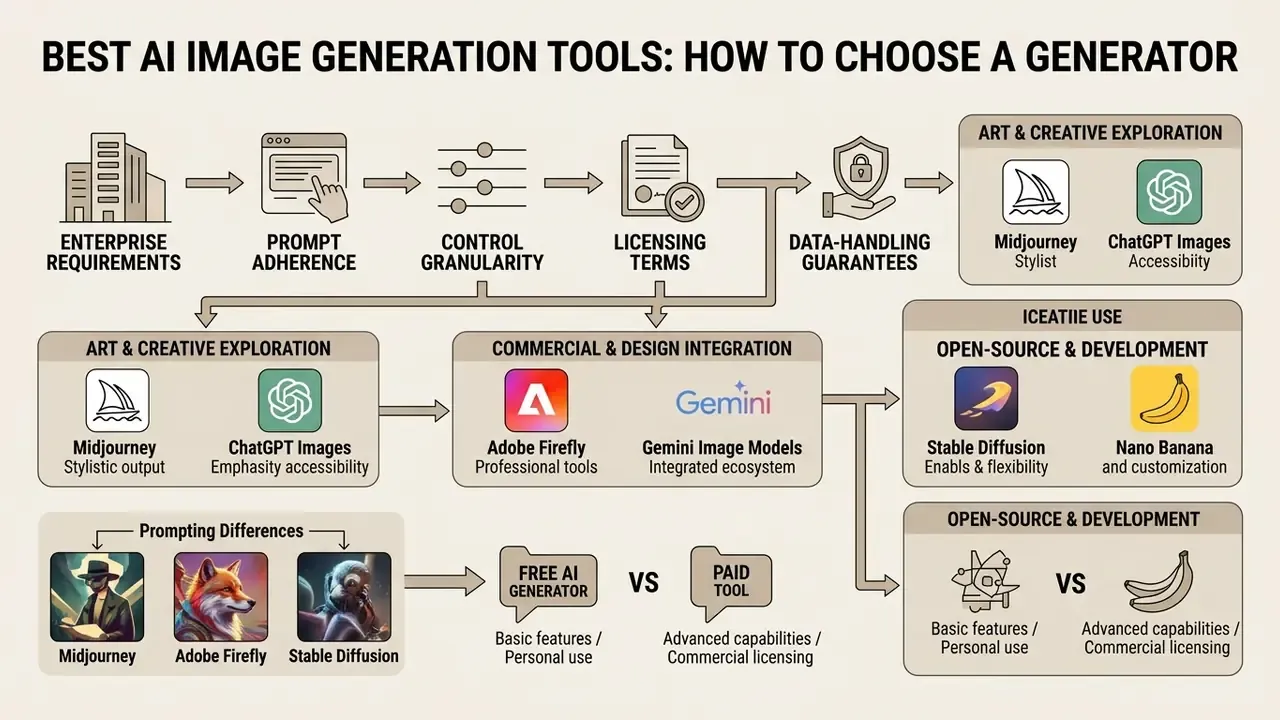
Choosing the best ai image generator depends on enterprise requirements around prompt adherence, control granularity, licensing terms and data-handling guarantees. A structured comparison of the best AI image generators is the practical starting point before procurement sign-off, and a broader category view is available if you see the overview first.
| Generator | Prompt adherence | Image-to-image / inpainting | Free tier / limits | Commercial safety status | Enterprise data controls | Ideal use case |
|---|---|---|---|---|---|---|
| Adobe Firefly | High (structured UI controls) | Supported (native in Photoshop) | Generative credit allowance | Commercially safe; trained on licensed Adobe Stock and expired-copyright public domain; enterprise IP indemnification | Enterprise agreements available; verify current DPA and retention terms with Adobe | Enterprise marketing, brand compliance |
| Midjourney (v6/v7) | Medium (stylized interpretation) | Supported (--oref, panning, vary region) | Paid subscription only | User retains rights under ToS; ToS grants Midjourney a broad licence to inputs and outputs | No published SOC 2 or zero-retention commitment, so treat it as a public-facing tool | Creative conceptualization, cinematic art |
| Stable Diffusion (SDXL / SD3) | Very high (ControlNet, LoRA, weights) | Native (full local control) | Open weights / local execution | Community License free below $1M annual revenue; Enterprise License required above it | Strongest option: self-hosted weights mean data never leaves the perimeter | Custom pipelines, fine-tuned enterprise models |
| Gemini image models ("Nano Banana" family) | High (conversational) | Native conversational and local edits | Available via the Gemini app and API quotas | Subject to Google terms; verify current usage rights per surface | API-tier controls and enterprise terms must be confirmed contractually | Rapid high-volume photo generation and editing |
| ChatGPT Images (GPT-4o / DALL·E) | High (LLM prompt expansion) | Native regional editing | Plan-based query caps | Enterprise terms apply; OpenAI offers output-infringement indemnification for covered API use | Business and Enterprise tiers offer no-training-on-data commitments, confirm in the current agreement | Iterative conversational asset creation |
Data-control and compliance attributes change frequently. Confirm SOC 2 status, data-retention terms and indemnification scope in the vendor's current contract, not in marketing copy.
Adobe Firefly, Midjourney and Stable Diffusion: Prompting Differences
Adobe Firefly focuses on controllable, enterprise-safe visual synthesis. The firefly image workspace provides more than twenty structured controls for style, lighting, colour and composition, plus a visual-intensity slider, and Adobe trains its models on licensed Adobe Stock content and public domain material to support commercial safety (Adobe Legal Terms, 2025: https://www.adobe.com/legal/terms.html).
Midjourney prioritizes artistic aesthetics and stylized outputs. It uses parameters such as --ar (aspect ratio), --stylize (artistic strength), --chaos (variability), --weird (unconventional aesthetics), --raw, --no (negative) and --oref (omni reference in v7) to shape generation (Midjourney Parameter Documentation, 2025: https://docs.midjourney.com/docs/parameter-list). Public guides report v7 ranges of roughly --stylize 0–1000, --chaos 0–100 and --weird 0–3000. Treat numeric limits as guide-level claims and verify them in the current docs.
Stable Diffusion offers granular control via ControlNet adapters, LoRA weights and explicit negative prompting, with a guidance-scale parameter governing how strictly denoising follows the prompt. Running open-source weights locally hands the organization full control over data privacy and model conditioning (Stability AI License Terms, 2025: https://stability.ai/license).
«T2I-CompBench++ tested 11 models on 8,000 compositional prompts: no single model dominates across tasks, they differ in attribute binding, object counting, and spatial relations.»
Large-scale human evaluations reinforce the same caution: no existing automatic metric correlates strongly with human preference, so a vendor leaderboard is no substitute for a task-specific internal bake-off. For a focused head-to-head, review the Midjourney image generation evaluation.
Nano Banana, Gemini Image Models and ChatGPT Images
Updated. "Nano banana" is the nickname that circulated publicly for Google's fast image model, formally Gemini 2.5 Flash Image, and the nickname later appeared in Google-facing product surfaces and partner integrations. Nano Banana Pro refers to the higher-tier image model built on the newer Gemini Pro generation. Because naming has shifted between releases, procurement documents should cite the formal model identifier exposed by the API rather than the nickname. Note also that the text-oriented Gemini Flash model and the 2.5 flash image model are separate SKUs; Google's model pages list image generation as unsupported for the former. Small detail, large invoice implications.
Functionally, the fast tier is positioned for low-latency, high-volume generation and conversational editing: adding, removing or modifying elements of an uploaded image through natural language, blending multiple references, and holding character consistency across a set. The banana pro tier targets complex visual tasks, higher output resolution, text-heavy layouts and infographics, brand consistency and multi-reference inputs. Teams evaluating this family should review the Google AI image generator overview.
ChatGPT Images, powered by GPT-4o and DALL·E, supports iterative conversational editing. Users can request targeted local edits in plain language, which suits non-technical teams refining graphic assets. A practical ChatGPT picture generator evaluation covers access tiers and control limits.
When to Choose a Free AI Image Generator vs a Paid Tool
A free AI image generator is genuinely useful for early-stage prototyping and individual creative testing. Free tiers, though, usually impose rate limits, lower queue priority, watermarks and restrictive commercial licenses. Images free at the point of generation are not always free at the point of publication.
«The Stability AI Community License permits free commercial use of Core Models for organizations with annual revenue below US $1 million; exceeding that threshold requires an Enterprise License.»
Paid enterprise subscriptions bring higher daily generation allowances, priority processing, advanced inpainting, larger output resolutions for text-heavy assets and clearer indemnification against copyright claims. Vendor documentation confirms the pattern across products: free image tools allow generation and basic editing, while paid tiers raise quotas and unlock advanced editing surfaces. Exact numeric caps differ by vendor, plan and region. When evaluating platform tiers, organizations can browse the hub of enterprise integration workflows before committing to a seat count.
Commercial Use of AI-Generated Images: Rights, Safety and Verification
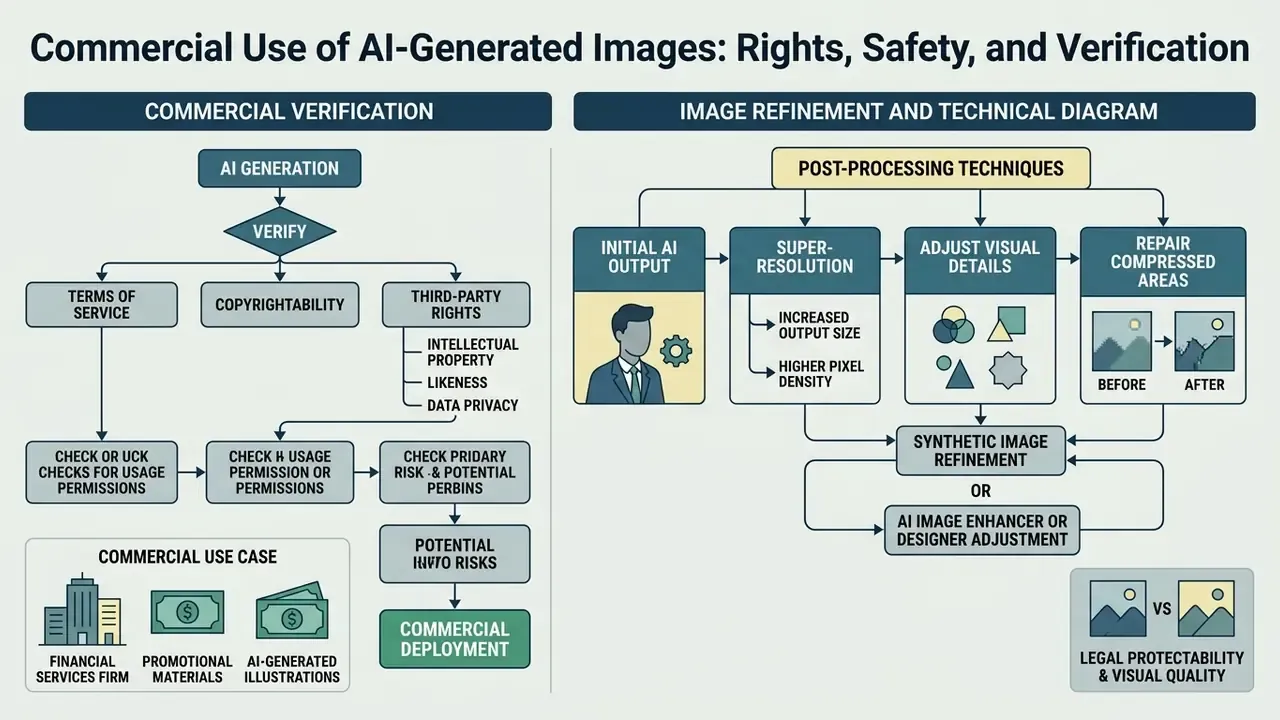
Deploying ai generated images in commercial campaigns is a risk-management exercise across intellectual property, data privacy and platform terms of service. The creative question is usually settled long before the legal one.
What to Verify Before Commercial Use of AI-Generated Images
This section is general information and does not replace advice from a qualified attorney on intellectual property and licensing matters.
Before deploying synthetic media commercially, compliance officers should complete a three-step verification audit. Provenance checks get easier when paired with AI image detectors and with AI reverse image search, which confirm that an output does not closely mirror an existing protected work.
- Licensing thresholds. Confirm organizational revenue complies with model licensing rules, for example Stability AI's US $1M revenue threshold for the free Community License.
- Copyright eligibility. Under US Copyright Office guidance, AI outputs generated solely via text prompts are not eligible for copyright protection.
«When an AI technology receives solely a prompt from a human and produces complex written, visual, or musical works in response, the "traditional elements of authorship" are determined and executed by the technology, not the human user.» — U.S. Copyright Office, Works Containing Material Generated by Artificial Intelligence (2023). https://copyright.gov/ai/ai_policy_guidance.pdf
The Office's 2025 Part 2 report reiterates that prompts alone do not confer sufficient human control for authorship, and that AI-generated material exceeding a de minimis threshold must be disclosed and excluded from a registration claim. Only human-authored modifications or original arrangements qualify.
- Transparency and watermarking. Comply with disclosure rules under the EU AI Act, whose transparency obligations apply from 2 August 2026 and require synthetic or manipulated media to carry machine-readable marking: watermarks, metadata or cryptographic provenance such as C2PA (Article 50, EU AI Act: https://artificialintelligenceact.eu/article/50/). Deepfake imagery must additionally carry a prominent visible label, including in advertising and promoted posts.
How to Refine an AI Image After Generation
To secure both legal protectability and visual quality, synthetic images should pass through post-processing refinement. Designers can apply super-resolution upscaling, vectorization, artifact retouching and inpainting to polish raw generations.
«Post-processing via super-resolution and artifact removal measurably improves the perceived quality of synthetic images compared with unprocessed generations.»
Four techniques cover nearly every practical case: super-resolution for output size (research pipelines routinely upscale inpainted regions to 2048 px on the long edge), artifact suppression for compression and blocking defects, vectorization for converting raster marks into scalable paths, and inpainting for filling corrupted or missing regions. In enterprise workflows this stage doubles as the human-authorship step that makes a composite work protectable, which is a rare case of quality control and legal strategy pointing the same way.
When designers adjust visual details or repair compressed areas, an AI image enhancer, or the Photoshop-native ai enhance image workflow, cleans up artifacts while preserving core textures. For print-scale deliverables, dedicated AI image upscalers handle super-resolution without inventing hallucinated detail.
FAQ: Reusing Prompts, Languages and Copyright
Can I copy prompts from open public libraries?
Yes, with one caveat. Short prompt strings are generally not copyrightable unless they amount to long, original creative prose. The risk is visual rather than legal: reusing popular community prompts raises the odds of producing assets that resemble existing works, or that look identical to a competitor's campaign.
«Repeated prompts account for 40–50% of all queries, and rising lexical homogeneity correlates statistically with declining visual diversity (ρ = −0.536, p = 0.003).» — Exploring Language Patterns of Prompts in Text-to-Image Generation, FAccT (2025). https://arxiv.org/abs/2502.09940
Can I use non-English prompts?
Yes, but expect lower precision. Many multimodal models accept non-English input, and several consumer tools are fully localized. English prompts still give sharper semantic precision, because the underlying training datasets, LAION among them, consist predominantly of English image-text pairs. Copyright treatment does not change with language: the same human-authorship rule applies to output in any language.
Can I copyright an AI-generated image?
No, not the raw output. Pure synthetic output created solely from prompts cannot be copyrighted under current US doctrine. To claim copyright, a human must add substantial creative modifications or fold the asset into an original composite work, and must disclose and exclude the AI-generated portions in the registration.
Do I need to label AI images?
Yes, in the EU and increasingly elsewhere. Article 50 transparency obligations require machine-readable marking of synthetic media from August 2026, and deepfakes require visible labelling on top of that.
Is a free tool safe for a paid campaign?
Not automatically. Check the watermark policy, output resolution, licence scope, and whether your revenue exceeds the vendor's free-use threshold. Many teams working with images online discover the threshold after launch, which is the expensive order of operations.
Should we save and reuse our own prompts?
Yes, and version them. A governed prompt library with owner, model version, seed and approval status turns ad-hoc experiments into a reproducible asset. It is also the artefact an internal auditor will ask for first.
Organizations building corporate governance policies can track emerging copyright precedents through AI Litigation and Case Timelines.
Fact Check: Verification of Enterprise Terms and Intellectual Property Rules
- Adobe Firefly: Certified commercially safe; trained on Adobe Stock and public domain content where copyright has expired. Adobe offers intellectual property indemnification for enterprise subscribers (Adobe Legal Terms, 2025: https://www.adobe.com/legal/terms.html).
- Stability AI (Stable Diffusion): Free usage under the Community License applies only to entities with annual revenue below US $1M. Organizations above that threshold must secure an Enterprise License (Stability AI Licensing, 2025: https://stability.ai/license).
- Midjourney: The Terms of Service, version effective 23 June 2025, grant Midjourney a perpetual, worldwide, royalty-free copyright licence to inputs and outputs, and define a takedown procedure for copyright and trademark notices (https://docs.midjourney.com/docs/terms-of-service).
- OpenAI: Service terms state that output-infringement claims for covered API use are addressed through contractual indemnification (https://openai.com/policies/).
- US Copyright Office doctrine: Registration guidance explicitly excludes non-human generative content from copyright claims. Applicants must disclaim AI-generated elements exceeding de minimis thresholds (U.S. Copyright Office, 2023 and Part 2, 2025: https://copyright.gov/ai/).
- EU AI Act requirements: Article 50 enforces mandatory labelling and machine-readable watermarking for AI-generated or manipulated synthetic media, applicable from 2 August 2026 (https://artificialintelligenceact.eu/article/50/).
- Claims to treat with caution: Marketing lines such as "no licensing fees, every image you generate is yours to use" oversimplify the position. They ignore training-data provenance questions and the fact that raw synthetic output cannot be registered for copyright in the US. References to unreleased or speculative model version numbers should likewise be replaced with the stable versions actually available under contract.
Technical Appendix: Governance Framework for Generative Visual Assets
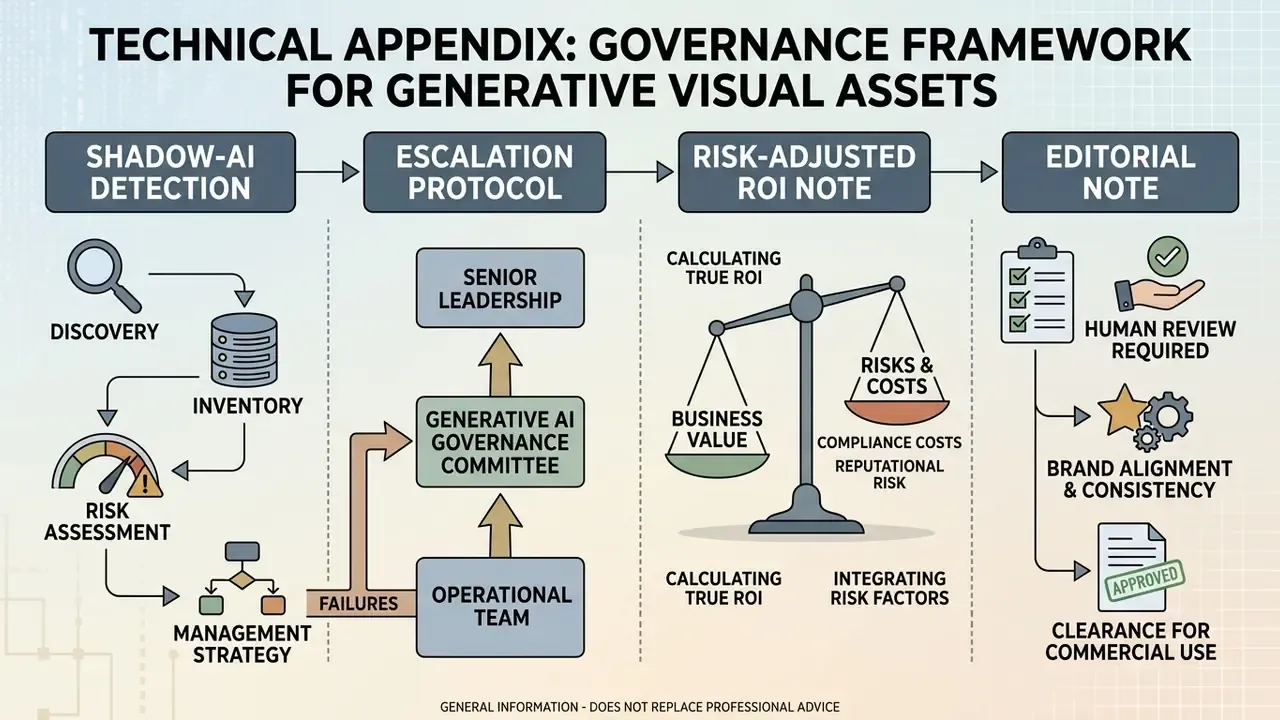
This section is general information and does not replace advice from a qualified corporate compliance or regulatory specialist.
Inside regulated enterprise environments, generative image workflows need an explicit inventory of models, deployment environments and prompt access logs. Clear boundaries are what keep shadow AI out and brand integrity in.
As the author Marcus Hale, author frames it: an image generator in production is a digital worker with an owner, an approved role, access limits, an escalation path, an audit trail and a shutdown mechanism. No evidence, no autonomy.
Risk and control matrix for AI image generation
| Risk area | Operational risk | Practical control | Effectiveness metric |
|---|---|---|---|
| Intellectual property | Generating visuals that infringe third-party trademarks | Mandatory brand-tag filtering in negative prompts plus a reverse-image verification check | Zero IP infringement claims |
| No copyright protection | Inability to protect the company's own visual identity | Human designer refinement of every asset (hybrid pipeline) | 100% of commercial graphics pass human-in-the-loop review |
| Confidential data leakage | Uploading references containing personal or proprietary data to public AI tools | Block public services; use enterprise API endpoints with no-training and retention commitments | Zero-data-retention confirmed by audit |
| Regulatory compliance | Missing disclosure or marking of generated content | Automated C2PA provenance and metadata embedding at export | 100% conformance with EU AI Act Article 50 |
| Shadow AI | Staff using unapproved consumer generators | Network-level domain controls, DLP rules on image uploads, SSO-gated allow-list, quarterly usage attestation | Zero unapproved-tool events per quarter |
| Model or content failure | Generation of unintended, offensive or off-brand output | Documented escalation path with severity tiers, prompt-log retrieval and rollback of published assets | Median time-to-containment under one hour |