Executive Summary
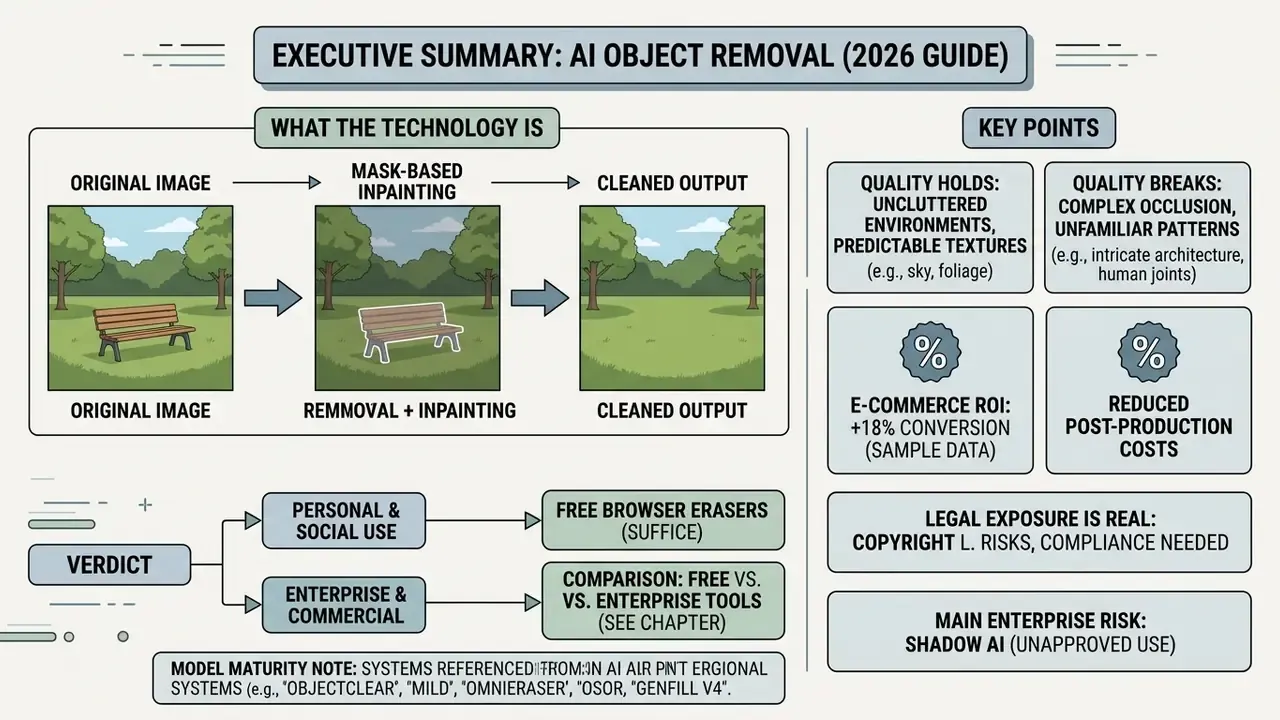
- What the technology is. An ai image object remover is mask-guided generative inpainting: the user marks a region, and a diffusion model reconstructs the missing pixels from surrounding context, lighting, and geometry. It does not copy neighbouring pixels the way a clone stamp does.
- Where quality holds and where it breaks. Reconstruction is reliable on homogeneous or repetitive backgrounds (sky, water, walls, foliage) and degrades on large masks, complex perspective, symmetry, skin, drapery, and overlapping subjects. Peer-reviewed benchmarks quantify this with FID, LPIPS, PSNR, and SSIM.
- Commercial impact is measurable. E-commerce operators that industrialise retouching report up to +96% sales, -93% photo editing costs, and +56% sell-through. Those figures were published by Photoroom from its own business customer base, so treat them as vendor-side evidence.
- Legal exposure is real. Removing watermarks, logos, or copyright management information without authorisation can violate 17 U.S.C. §1202(b) in the United States, and the EU AI Act (Article 50) imposes marking duties on providers of synthetic content.
- Shadow AI is the main enterprise risk. Uploading customer documents, claim photos, or internal assets to a consumer ai photo object remover free tool moves regulated data outside the control perimeter. Governance requires DLP/CASB policy, zero-retention contracts, and audit-ready generation logs (model version, mask, seed).
- Verdict. For personal and social use, free browser erasers are enough. For catalogue-scale or regulated workloads, pick an API or private-deployment vendor with SOC 2 / ISO 27001 evidence, RBAC, and reproducible generation records.
Key Terms Before You Start
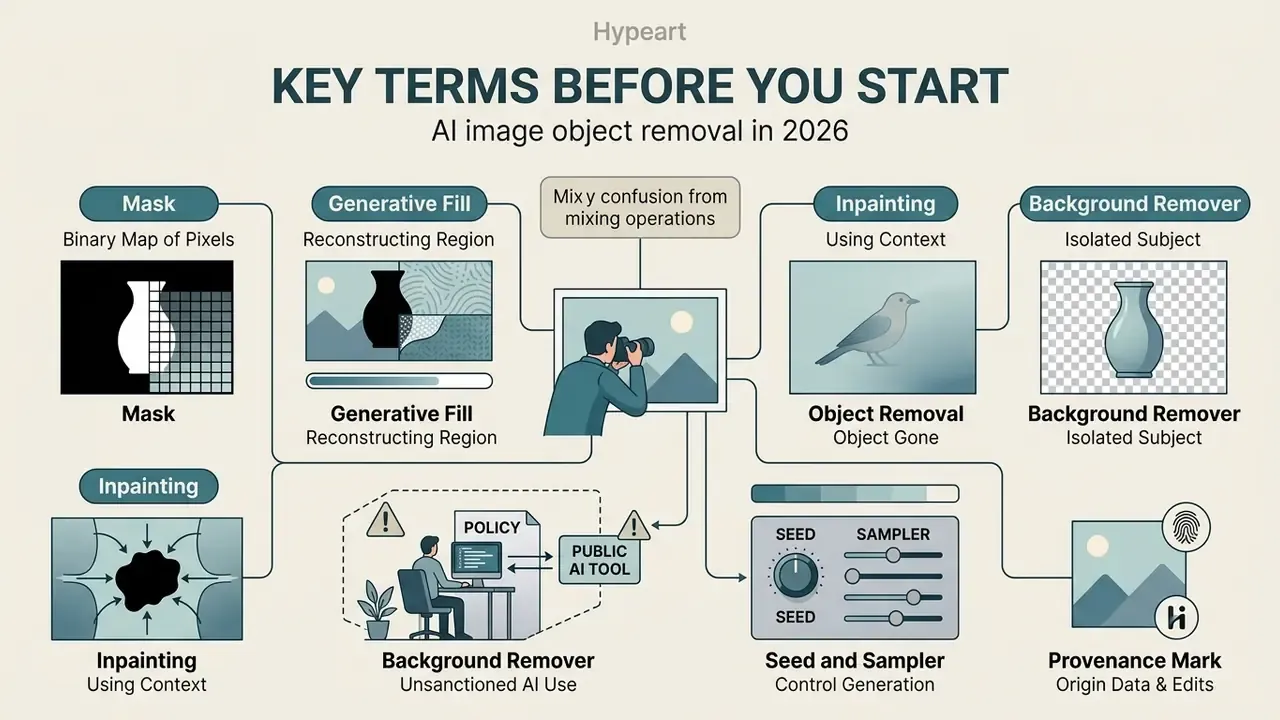
Most confusion around this topic comes from mixing up three different operations. A short vocabulary check saves argument later, especially when a risk committee asks what exactly the model did to the picture.
- Inpainting. Reconstruction of a masked region using surrounding context. The umbrella technique behind every modern ai eraser image feature.
- Object removal. Applied inpainting where the goal is not repairing damage but deleting content the user does not want.
- Background remover. A different job: it cuts the subject out and drops the backdrop. Removal keeps the scene and erases the intruder.
- Mask. The binary map of pixels you marked. In production it is an audit artifact, not a throwaway brush stroke.
- Seed and sampler. Parameters that make a generation reproducible. Without them, no auditor can replay your result.
- Generative fill. The synthesis step that invents new pixels inside the mask. Hence hallucination risk on big holes.
- Provenance mark. Machine-readable signalling of synthetic or edited content. Stripping it is a regulatory question, not a styling choice.
- Shadow AI. Unsanctioned use of public ai tools on data that policy says must stay inside the perimeter.
Modern automated photo editing relies on deep learning architectures to eliminate distracting visual elements while maintaining structural scene integrity. An ai image object remover works through mask-guided contextual synthesis, so users can remove unwanted objects from digital assets without leaving visible artifacts or degrading background textures.
Whether you need an ai object remover from image for commercial catalog cleanup or personal asset retouching, generative neural networks rebuild the background in seconds. To compare related digital asset transformations across enterprise workflows, you can browse the hub for structured tool evaluations.
What Is an AI Image Object Remover and What Problems Does It Solve
In two sentences: an AI object remover isolates the pixels you mark and regenerates the background behind them using scene-wide context. It replaces hours of manual cloning with a single brush pass and a few seconds of cloud inference.
An ai image object remover is a specialized neural model built to isolate user-specified pixels and reconstruct the underlying background using context-aware ai inpainting. Legacy software copies local pixels. An ai object remover reads global illumination, spatial geometry, and surrounding textures, then synthesizes plausible missing content.
"Current surveys treat object removal as an applied branch of inpainting, where the goal is not restoring damage but eliminating unwanted content."
Which Unwanted Objects Can Be Removed From an Image
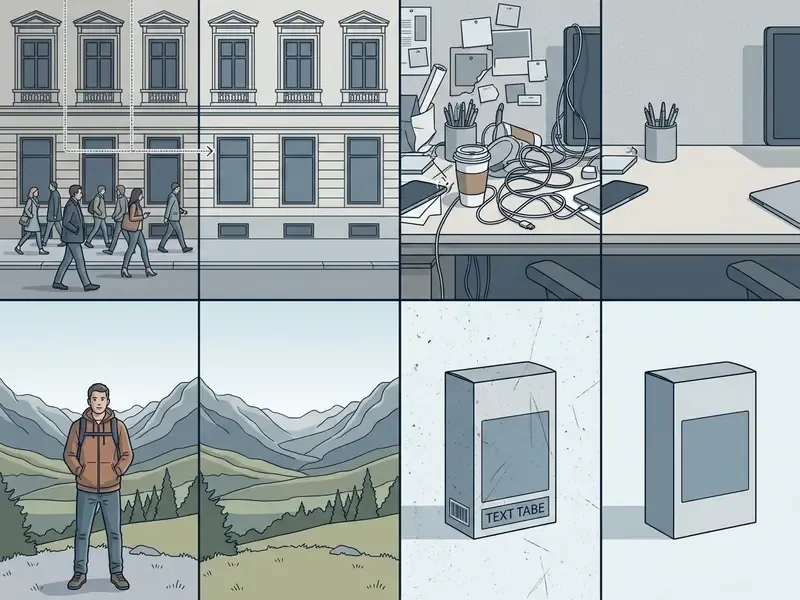
An ai image deleter clears a broad range of foreground and background distractions without distorting the primary subject. Modern generative models target specific entity classes:
- Remove people erase stray tourists, pedestrians, or background crowds from travel and event photography.
- Text and watermarks delete timestamps, unwanted logos, graphic stickers, and overlaid captions (people text).
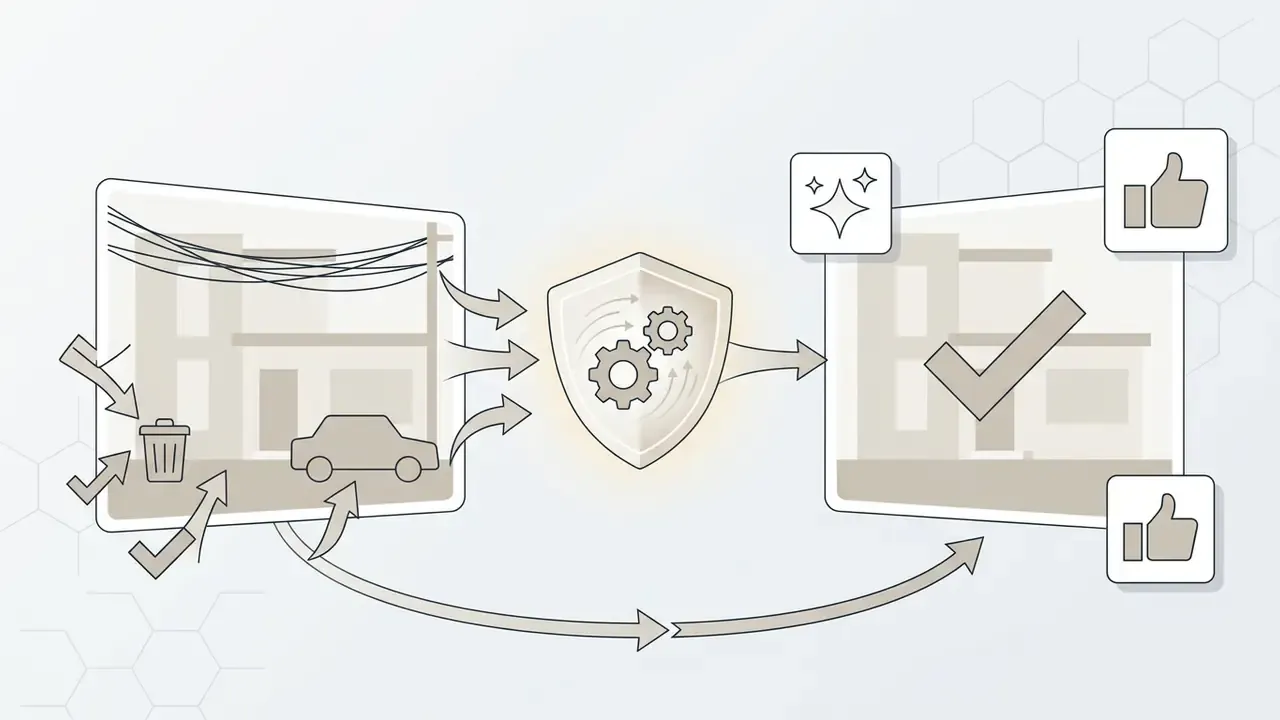
- Infrastructure clutter clean up power lines, street signs, trash cans, cables, and unwanted reflections.
- Product defects retouch dust spots, scratches, harsh shadows, and glare on e-commerce product shots.
Vendor documentation and applied research converge on eight practical object classes: people and foreground subjects; text captions and timestamps; watermarks; brand logos and stamps; stickers and overlays; wires and cables; glare, shadows, blemishes and scratches; and general background clutter filled back in through inpainting. Some users search for an ai image stripper, meaning a utility that strips overlay layers such as text and logos; the underlying mechanism is the same masked inpainting, only the target class changes. Inpainting also travels far outside consumer photography. A 2026 study in Nature Scientific Reports applied the same reconstruction principle to restoring missing surfaces on historical artifacts.
How an AI Eraser Differs From Manual Editing
An ai eraser for photos replaces manual pixel cloning (manual editing) with automated semantic generation. Clone stamps and lasso tools demand meticulous sampling and edge blending, which means time and specialized software skill.
An ai photo editor eraser lets the user simply highlight a region with a brush tool. The ai eraser image engine recognizes surrounding patterns and generates new, contextually appropriate pixels. This shift to generative fill lets creators save time while keeping transitions seamless across awkward visual boundaries. Many people describe the operation informally as "ai erase image", and the informal name is accurate enough: you erase, the model rebuilds.
| Parameter | Manual editing (Stamp / Lasso) | AI eraser (generative inpainting) |
|---|---|---|
| Time per object | Minutes to hours on complex edges | Seconds; measured reductions of roughly 80-90% in controlled 2026 tests |
| Skill required | High: selection, cloning, edge blending | Low: brush over the target area |
| Consistency at scale | Operator-dependent | Deterministic per model version if seed and mask are logged |
| Strength | Full pixel-level control on hard edges | Contextual regeneration of missing texture and lighting |
| Weakness | Slow, expensive, inconsistent | Hallucinated detail on large masks and complex geometry |
Adobe's own documentation reflects the trade-off directly. Lightroom's Generative Remove exposes a "work fast" versus "work with higher resolution for better output" choice, while Photoshop still expects the operator to produce a selection before generative fill runs.
When AI Fills Produce a Natural Result
Generative ai fills deliver natural, professional looking results when the masked region is bounded by consistent local textures or uniform background patterns.
"The ObjectClear study (2026) showed that separating foreground removal from background reconstruction through Adaptive Target-Aware Attention reduces artifacts and preserves scene lighting."
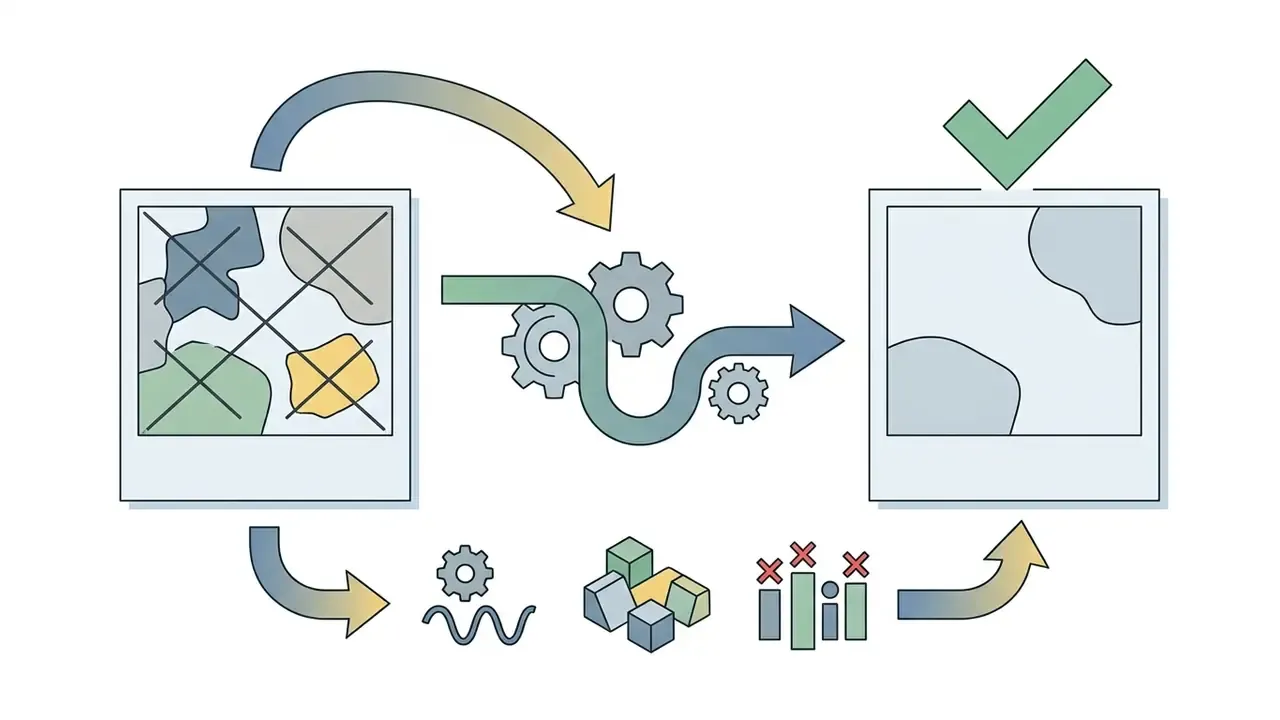
Digital inpainting was originally defined as the automatic fill-in of a user-selected region using surrounding information, completing isophote lines across the masked area (Hays & Efros, SIGGRAPH, 2000). That structural continuity requirement still predicts where modern models succeed. Perceptual-artifact research shows visible defects cluster around high-structure regions and mask boundaries, and scale with the size of the hole relative to the scene. "Keys to Better Image Inpainting: Structure and Texture Go Hand in Hand" (WACV, 2023) demonstrates that failure in either the structural or the textural branch produces seams and unnatural boundaries.
So reconstruction quality stays highest on continuous backgrounds: skies, oceans, plaster walls, repetitive foliage. When evaluating advanced transformation workflows for enterprise graphic assets, teams often check how an ai transform image system handles spatial geometry before running automated localized fills.
Quick Start: Access Conditions Before Your First Upload
How to Remove an Object From a Photo: Step-by-Step Instructions
In two sentences: the operational flow is always four steps, upload, mask, generate, verify and export. The difference between amateur and production use is not the interface, but the control points you add around each step.
Running ai image object removal takes a simple four-step workflow: upload the source file, define the target region, start processing, download the cleaned asset. An ai photo remove object free tool removes the need for complex manual masking.
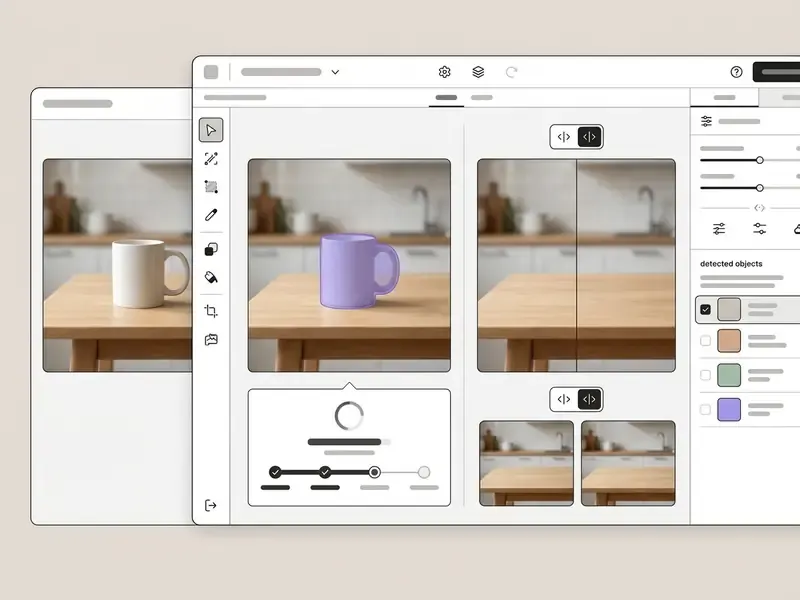
- Upload source asset
- select and upload photo files in supported image formats (JPG, PNG, or WebP).
- Highlight unwanted elements
- use the remover tool or eraser tool brush to paint over the target photo object. Adjust brush size to cover boundaries precisely.
- Process generative inpainting
- click erase and let the ai object model reconstruct the masked region.
- Inspect and export
- review the preview output and download the final high-resolution photo.
Upload JPG or PNG Into the AI Photo Editor
Good background reconstruction starts with a decent input file. Standard jpg png formats under 50 MB preserve the crisp pixel boundaries spatial recognition needs.
Before processing, check that resolution is high enough to render surrounding textures clearly. As a general engineering practice across current image-editing APIs, arbitrary aspect ratios are handled efficiently when width and height are divisible by 16, because tensor alignment in convolutional and diffusion pipelines then avoids padding artifacts along mask edges. Documented API families also constrain aspect ratio to roughly 1:3-3:1 and treat outputs above 2560×1440 as experimental, with a practical ceiling near 3840×2160. One more thing, easy to miss: avoid severe pre-upload compression. Keeping source JPEG quality at 80-90 preserves the edge information the model needs, while heavily recompressed files push artifacts straight into the reconstructed region.
Select the Object With the Brush Tool
Accurate masks depend on how you configure the selection brush tool. Set the brush size slightly larger than the target object so edge transitions and cast shadows are included.
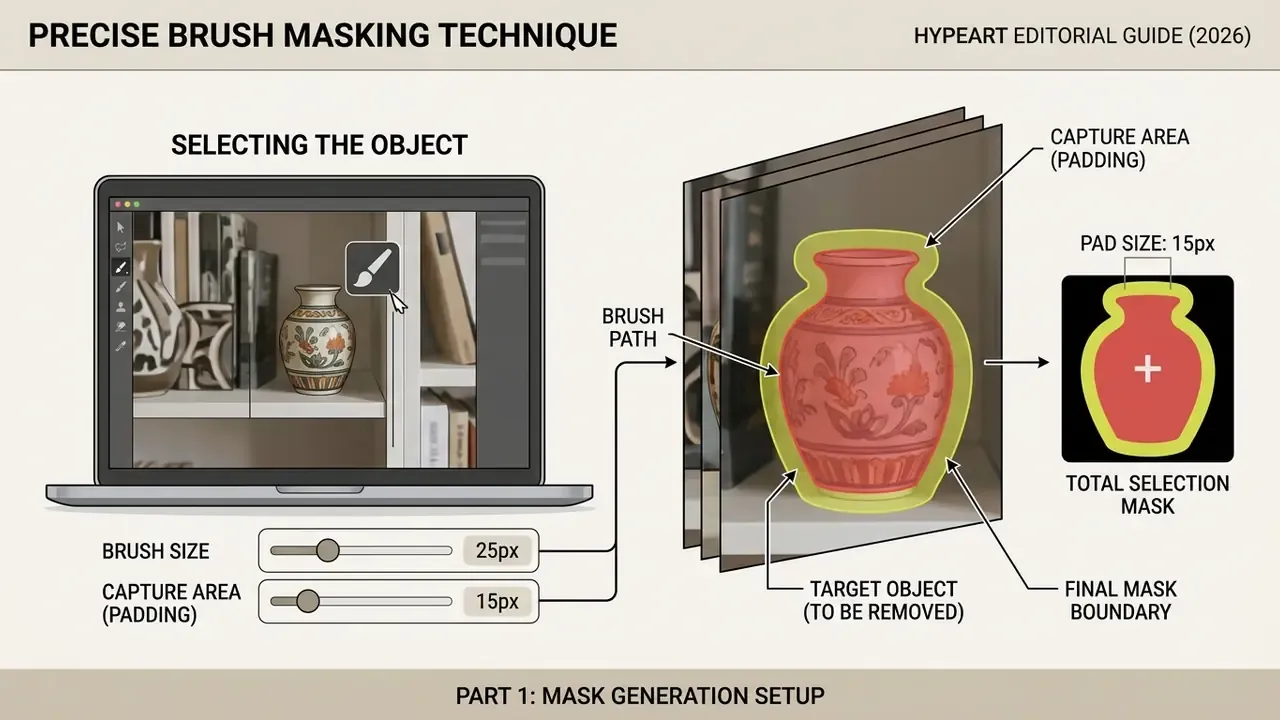
A little padding around unwanted objects helps the model read the background context immediately next to the object boundary. With several scattered elements, highlight all regions in one pass and erase unwanted objects together.
Professional masking practice, as documented for brush-based selection tools, follows three moves: control size and hardness explicitly rather than accepting defaults; make a deliberately rough first pass and refine boundaries with add and subtract strokes; treat contact shadows and reflections as part of the object, never as background. Research on mask optimisation for object removal (arXiv, 2024) confirms that mask geometry, not only model capacity, is a primary driver of final quality. So the fix for a bad result is often not a better model, or rather not only a better model. It is a better mask.
Review the Result and Download the Cleaned Photo
Before export, inspect the repaired region at 100% zoom and verify edge continuity. Modern ai photo remover free platforms offer interactive split previews so you can compare the original against the restored background.
If edge halos or minor texture bleeding appear, a secondary light brush stroke usually refines the area. Once it looks right, pick your format and download the final image.
A structured review pass costs seconds and prevents republished defects. Check, in order: (1) mask boundary for halos and seams; (2) texture periodicity, so repeated patterns are not broken mid-cycle; (3) lighting and shadow direction consistency; (4) straight lines and architectural symmetry across the fill; (5) unintended removal of legitimate detail. Standard quantitative gates in restoration literature are PSNR, SSIM, and LPIPS, and they are worth adopting as automated thresholds in catalogue pipelines.
Process and Control Points: The Same Workflow as a Control Architecture
In regulated or high-volume environments, read the four steps above as four control points rather than four clicks:
| Step | Operational action | Control point |
|---|---|---|
| 1. Upload | Ingest source asset | Input validation: file type, size, dimension limits, PII and metadata screening, EXIF stripping |
| 2. Mask | Define removal region | Mask persistence: archive the binary mask as an auditable artifact alongside the source |
| 3. Generate | Run inpainting model | Record model name, version, and seed; block unauthorised model substitution |
| 4. Verify & export | Review and publish | Artifact review gate (PSNR/SSIM/LPIPS or human sign-off), rights clearance, export logging |
How AI Object Removal Reconstructs the Background
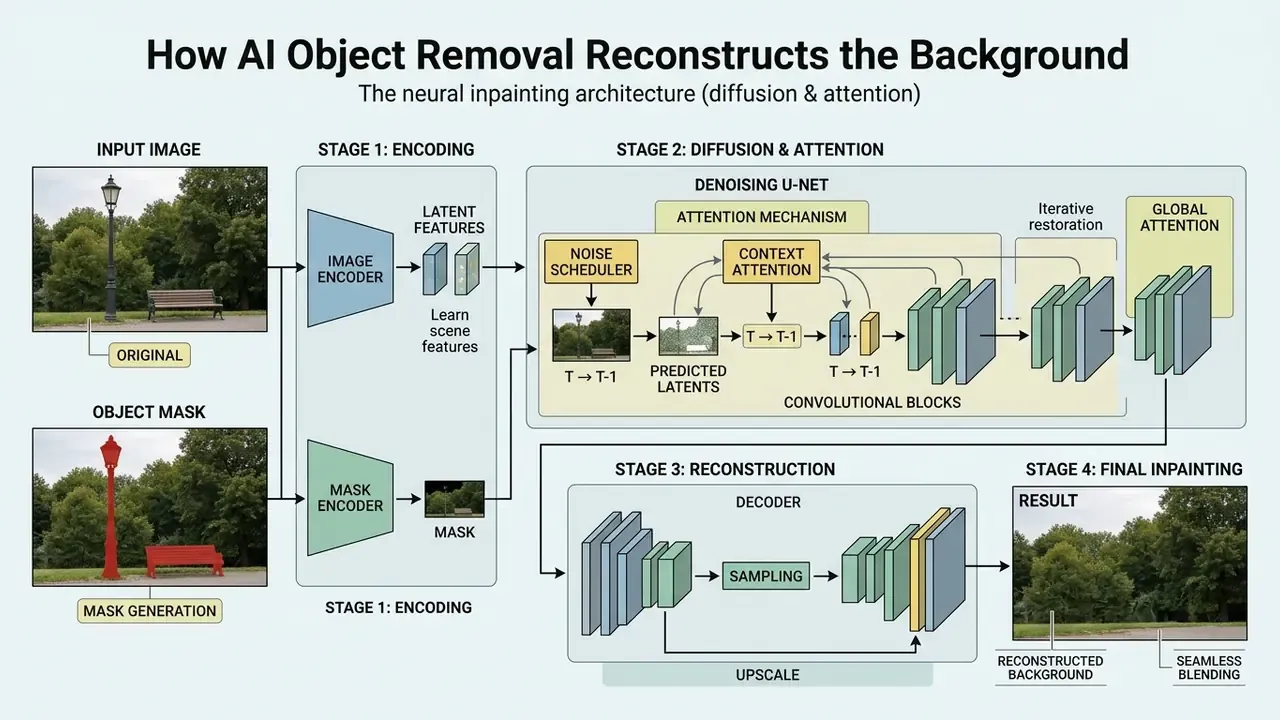
In two sentences: the model does not copy pixels, it predicts them. Diffusion architectures denoise the masked latent region under guidance from surrounding geometry, illumination, and material cues.
Generative ai background restoration uses deep networks to synthesize missing visual information from surrounding context. Instead of duplicating existing pixels, generative ai models predict missing spatial structure by reading scene geometry, lighting vectors, and surface material properties.
Modern frameworks lean on diffusion-based ai inpainting engines to replace erased areas with coherent texture.
"MILD reduces FID and LPIPS by 54.53% and 61.57% respectively compared with the baseline SDXL inpainting model on person-removal tasks."
A benchmark paper on multi-layer diffusion (MILD, 2025) showed that instance-aware mask separation cuts perceptual distortion metrics (FID and LPIPS) by more than half against legacy baselines. Architectural generation matters here. Survey material from 2024 classifies deep inpainting into CNN, VAE, GAN, and diffusion families, and MagicEraser (2025/2026) notes explicitly that earlier object-erasure methods leaned predominantly on GANs. By 2026 the active line is diffusion, including one-step approaches such as OSOR, which restores a clean background from an intermediate noised latent in a single denoising pass to handle shadows and reflections, and zero-shot systems such as PANDORA, which dissolve pixel-wise attention on pretrained text-to-image models to rebuild context-consistent background without task-specific training.
Object and Surrounding Background Recognition
The first phase of ai image object remover processing is automated background feature extraction. Spatial attention layers isolate the target mask from surrounding pixels, mapping structural lines, depth gradients, and colour distributions.
"ObjectClear applies Adaptive Target-Aware Attention and Attention-Guided Fusion, achieving higher PSNR and lower LPIPS than baseline SDXL inpainting."
Research on adaptive target-aware attention (ObjectClear, 2026) stresses that decoupling foreground deletion from background feature fusion prevents residual object ghosts. The separation lets the model preserve ambient lighting while synthesizing believable structure.
The logic inherits classical background and foreground separation: build a background model, classify pixels or regions by deviation from that model, then maintain the model while excluding detected foreground from updates. Deep background-subtraction work from 2024 moves this to object level, yet the principle holds. Model the background first, then treat the object as deviation.
Complex Scenes: People, Patterns, Textures and Overlapping Objects
Intricate scenes such as architectural symmetry, human skin, drapery, or repeating geometric patterns demand deep structural priors. When you try to remove people from a crowded background, plain texture extrapolation cannot resolve overlapping limbs or steep perspective.
"OmniEraser was trained on the Video4Removal dataset, which contains more than 100,000 samples with realistic object shadows and reflections."
Advanced models use multi-layer diffusion to isolate individual entities and hold background integrity. A 2025 study on effect-aware removal (OmniEraser) introduced datasets with over 100,000 samples to teach models consistent cast shadows and mirror reflections, which keeps high quality output across complex intersections. For residual softness after heavy fills, teams pair removal with image quality enhancement as a post-processing stage.
Different scene classes need different priors, which is exactly why a sky fill and a façade fill behave so differently:
- Repetitive patterns need periodicity and texture-similarity matching; methods combining pattern similarity with spatial locality were formalised as early as PSIVT (2009) and still apply.
- Symmetric architecture benefits from multi-homography alignment, as used in reference-guided inpainting (TransFill, CVPR 2021).
- Human skin and fabric drapery fall under fine texture-continuity problems, where over-smoothing is the dominant failure mode (Deep Learning-based Image and Video Inpainting: A Survey, 2024).
- Large masked regions remain an explicit research frontier: CSF-Net (WACV/CVF, 2026) targets context and semantic fusion specifically for large-mask inpainting, confirming that big holes are still the hardest case.
Where to Use an AI Eraser for Photos and Commercial Images
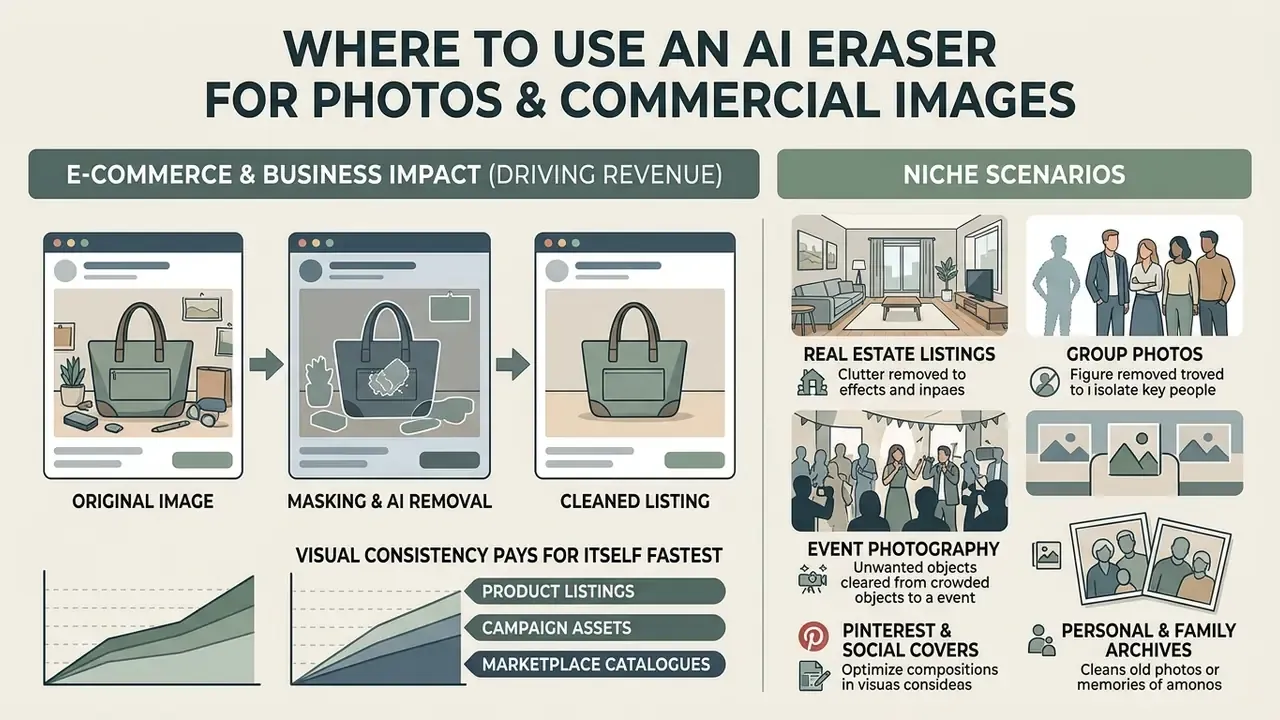
In two sentences: object removal pays for itself fastest where visual consistency drives revenue, so product listings, campaign assets, and marketplace catalogues come first. Consumer and archival cases are equally valid, with less tolerance for legal shortcuts.
An ai photo editor free remove object workflow serves a wide spread of commercial and creative work. Businesses use automated erasers to tidy catalogs, sharpen promotional campaigns, and clean social visuals without paying for manual retouching hours, often combining erasure with AI image transformation for full asset regeneration.
For broader context on enterprise digital media operations, teams can see the overview of automated content tools.
Product Images for Listings and E-commerce
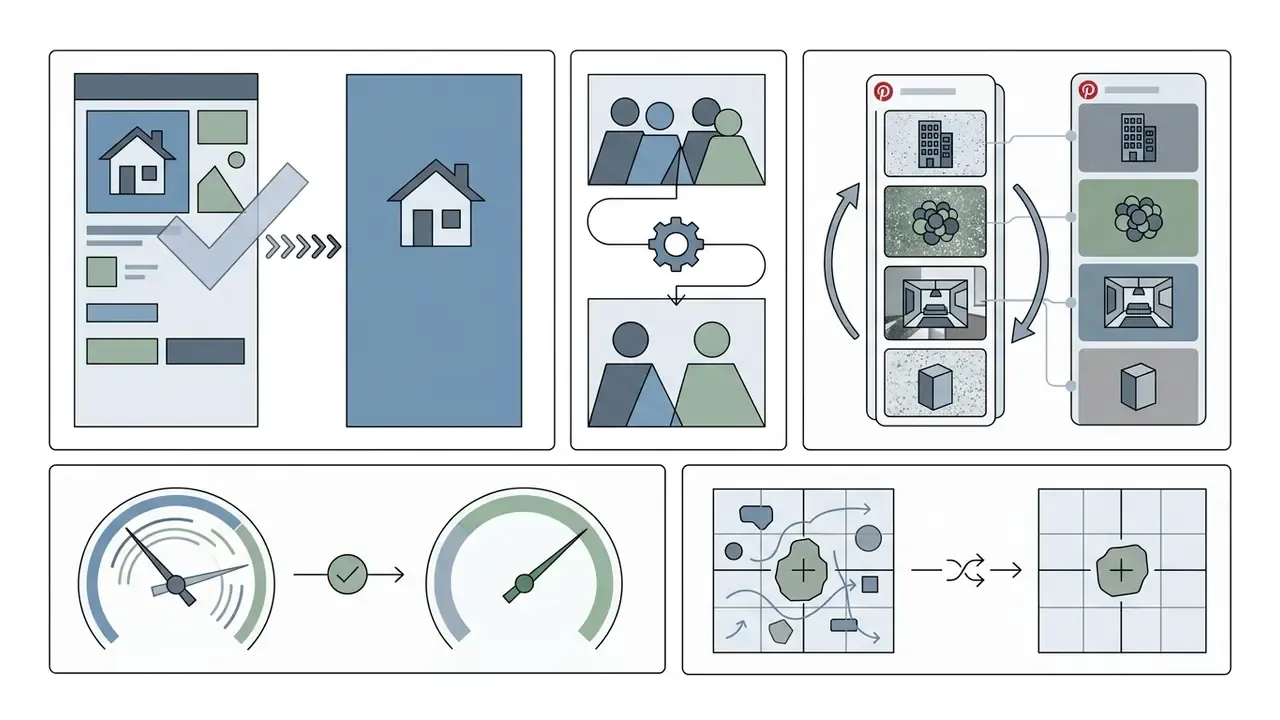
High-converting listings depend on clean, clutter-free product images. Removing background distractions, stray tags, glare, or reflections creates a unified presentation across storefronts, and many teams follow erasure with image background expansion to fit multiple marketplace aspect ratios.
Business impact of photo cleanup (results published from e-commerce customer bases):
| Metric | Reported effect | Interpretation |
|---|---|---|
| Average sales uplift | +96% | Clean, distraction-free listing imagery raises click-through into cart |
| Photo editing cost reduction | -93% | Automated batch retouching replaces manual Photoshop labour |
| Sell-through rate uplift | +56% | Accurate texture rendering without visual noise reduces return rates |
| Visual branding compliance | 99% | Unified staging across channels removes catalogue inconsistency |
| Items listed after embedding AI editing in the seller flow | +1.5% | Marketplace-level effect reported by Depop after partnering on in-flow AI editing |
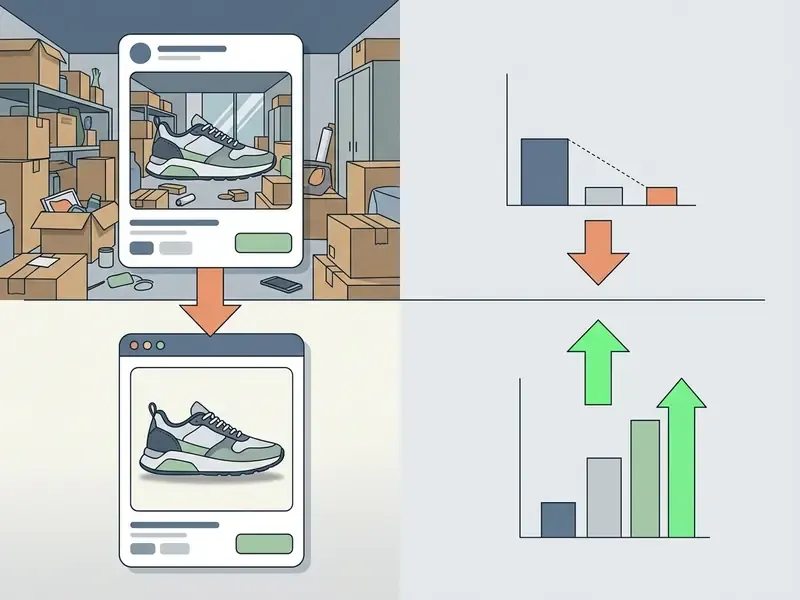
In automated catalog pipelines, an ai image deleter keeps item framing consistent while cutting staging overhead sharply. Practical guidance from e-commerce retouching documentation is consistent: removal works best on clear, well-lit sources and uniform backgrounds; the product silhouette and brand logo must never be altered, only non-product elements; cleaned files should be exported as PNG, JPEG, or WebP for listing upload. To complement erasure on product shots, marketing teams often generate synthetic backdrops or pull from an ai stock image library for composite staging.
Niche Scenarios: From Real Estate to Group Photos
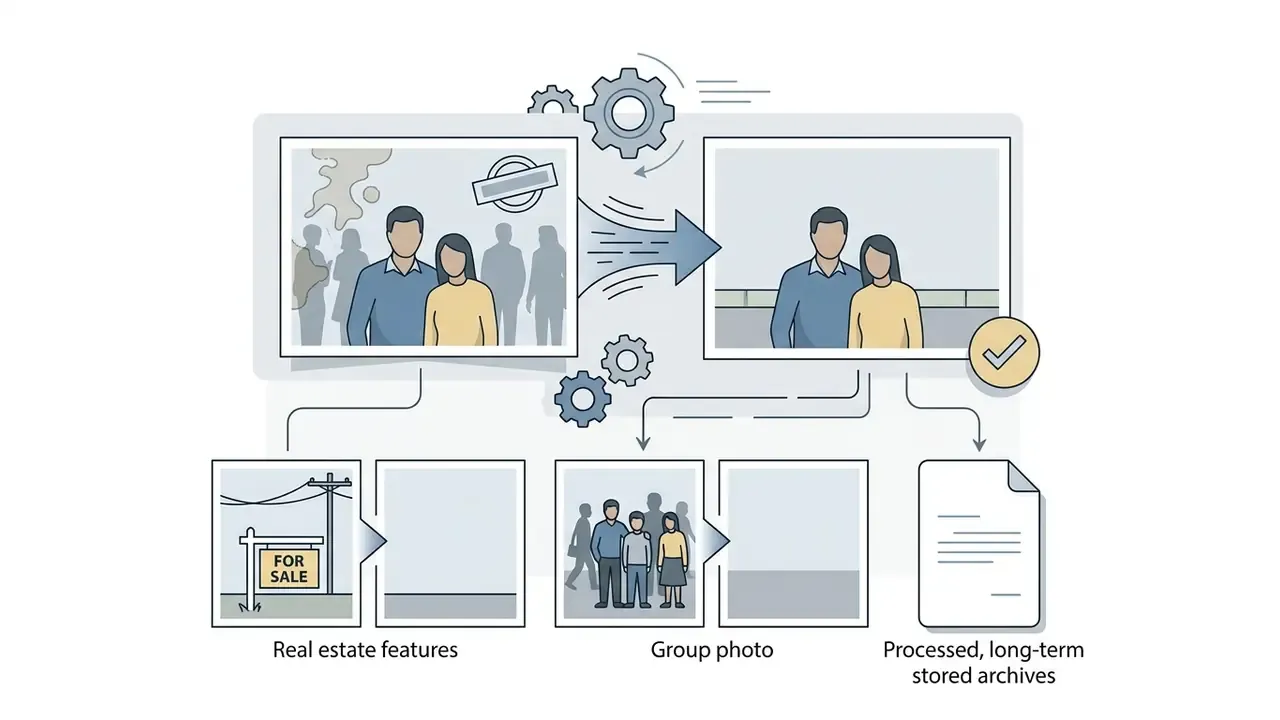
Object removal monetises differently in every vertical. These scenarios cover the highest-intent long-tail cases:

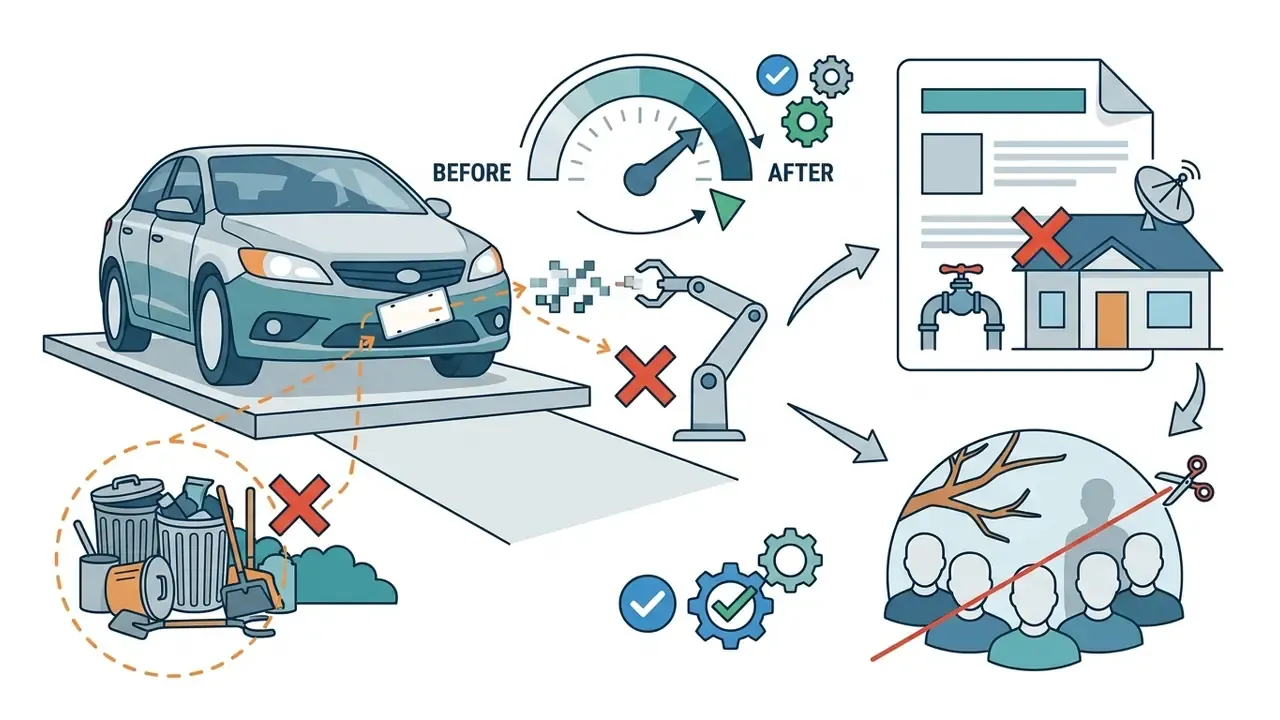
Text, Dates, Stickers and Logos: What to Consider
Removing overlaid text, camera timestamps, stickers, or brand logos comes up constantly when graphic assets are repurposed for editorial layouts. An ai watermark remover isolates text layers (people text) and replaces them with matching background texture.
Under U.S. law, liability under §1202(b) turns on intent and knowledge, specifically whether removal of copyright management information was intended to induce, enable, facilitate, or conceal infringement. In the European Union, Article 50 of the AI Act pushes from the other direction: providers of certain AI systems must mark synthetic or manipulated output in machine-readable, detectable form. Stripping provenance marks therefore undermines a regulatory transparency mechanism, not merely a vendor preference.
Rights clearing workflow before publishing an edited asset:
Organizations tracking legal precedent on AI modification rights should review the repository on AI Litigation and Case Timelines for current context, and can verify published assets with AI image detection tooling inside the same control loop.
Who Benefits From an AI Object Remover
In two sentences: the same feature solves different pains for different roles. Mapping pain to outcome shortens the evaluation cycle for whoever signs off on the purchase.
| User category | Primary pain | What the AI eraser delivers |
|---|---|---|
| Online sellers / marketplace merchants | Unprofessional, inconsistent backgrounds | Studio-grade product shots without a studio; unified catalogue look |
| E-commerce content managers | Hundreds of SKUs, manual retouching backlog | Batch cleanup at up to 50 files per request; predictable turnaround |
| Event organisers | Extra people and clutter in coverage | Instant removal of bystanders without spoiled memories or reshoots |
| Photographers | Hours of manual Photoshop retouching | Automated removal of dust, glare, wires, and sensor spots |
| Social media managers / creators | Fast publishing cadence, no design bandwidth | Text, logo, and clutter removal in seconds directly in the browser |
| Real estate agents | Temporary objects degrading listings | Clean exteriors and interiors before the listing is published |
| Marketing and brand teams | Brand-compliance drift across channels | Consistent, distraction-free campaign visuals across formats |
| Risk, compliance and governance leads | Unsanctioned tool use on regulated data | A defensible approved-tool baseline with retention and audit controls |
Hands-On Experience: What Practitioners Say
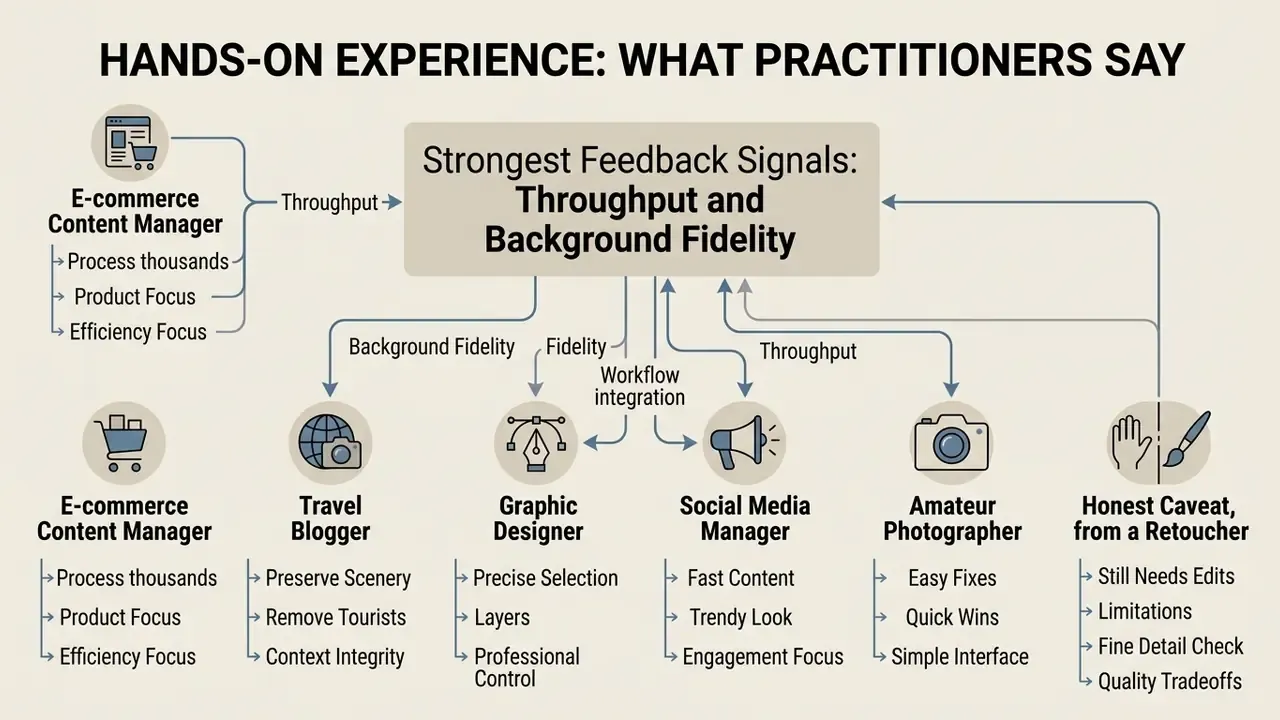
In two sentences: the strongest signals in practitioner feedback are throughput and background fidelity. The most common complaint is that masking technique, not the model, decides the result.
Practitioner statements illustrate commonly reported workflows and outcomes. Individual results vary by image complexity, mask quality, and service tier.
How to Choose a Free AI Image Remover for Work and Business
In two sentences: consumer selection turns on quotas, resolution caps, and watermarks. Business selection turns on batch throughput, licensing, and data handling, a completely different set of questions.
Picking an ai image object remover free platform means weighing export limits, resolution constraints, processing speed, and data privacy terms. Casual users prefer simple browser tools. Commercial teams need high-throughput processing, and an ai image remover free tier rarely survives a procurement review.

| Selection criterion | Free online services | Commercial AI platforms / API |
|---|---|---|
| Daily limits (credits) | 2-5 images per day or token caps (for example 6,000 tokens for guests and 30,000 after sign-up) | Unlimited subscription or pay-per-API-call |
| Maximum resolution | Capped (720p-1080p, preview at 0.25 MP or 1500 px long edge) | Full native resolution (4K / 6000×6000 px and above) |
| Watermarks | Vendor logo possible on export | No third-party watermarks |
| Batch processing | Absent (single file only) | Supported (up to 50+ files per request) |
| Format support | Standard JPG, PNG | JPG, PNG, WebP, AVIF, HEIC |
| Commercial use | Restricted by consumer terms | Full commercial rights to the output |
Market examples as of 2026 show how differently the free line gets drawn. Adobe Firefly offers remove-object free with an Adobe account and a daily generation allowance. Cleanup.pictures is free at standard quality and charges roughly $5/month or $36/year for HD and hi-res processing. Photoroom includes Retouch on every paid plan at no credit cost. Services such as DeWatermark AI publish explicit limits: 3 free images per day, 50-image batch mode, JPG/JPEG/PNG/WebP/AVIF support, and a 10 MB or 6000×6000 px input ceiling.
That comparison matters beyond aesthetics. Generative replacement beats crude blurring and pixelation on perceived privacy protection, which is why compliance teams increasingly prefer AI removal to manual redaction when de-identifying background bystanders.
Once the tool is chosen, frequency decides the architecture. Occasional one-off edits are fine in a web app. Scaling an e-commerce catalogue means API integration, queue management, and a place to store the audit trail.
What to Check in a Free AI Object Remover
Testing a free ai object tool, evaluate three operational thresholds first:
- Daily credit quotas does the service grant recurring free ai edits, or cut guest access off after the first few tests?
- Resolution capping does the free tier downscale output, which quietly ruins print and desktop display quality?
- Export watermarking does it overlay vendor branding on processed assets?
Add two checks before you commit a workflow to any free tool: whether the vendor claims rights to reuse uploaded imagery for model training, and whether processed files are deleted or retained after the session. Both are terms-of-service questions rather than feature questions, and both are where free tiers diverge most sharply from commercial contracts. A simple image eraser in a browser tab is not a data processor you can name in a vendor register.
When Batch Upload and High Resolution Matter
High-volume commercial processing needs automated bulk handling (batch upload) and uncompressed high quality exports. Content managers updating hundreds of product assets cannot live inside single-file browser inputs.
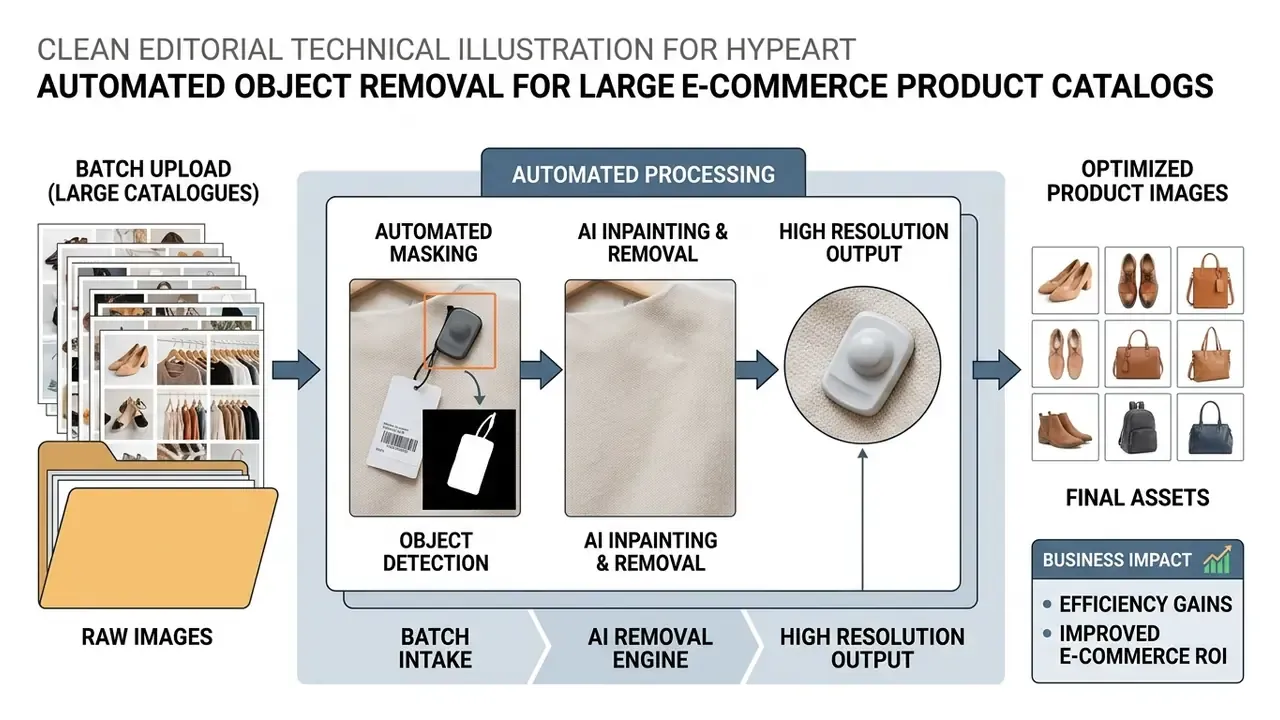
Batch design is constrained by real API ceilings. Documented limits include up to 50 files per request in some ingestion APIs, single-file-per-request endpoints that force client-side parallelism, and asset-management guidance recommending imports split into batches of 100 or fewer. For print production or 4K digital signage, exporting at full native resolution is mandatory; 3840×2160 is the explicit 4K delivery target in current production guidance, and image upscaling to high resolution recovers detail when an earlier pipeline stage downscaled the asset. To scale automated visual creation alongside removal, enterprise pipelines sometimes add systems such as an ai stl generator or other 3D modules to the production stack.
Enterprise Evaluation, Shadow AI and Data Loss Prevention
In two sentences: for regulated organisations, the decisive criteria are not credits and watermarks but retention, isolation, and auditability. The table below swaps consumer parameters for governance parameters.
| Evaluation criterion | Consumer / free web tool | Enterprise API or private deployment |
|---|---|---|
| Data retention | Often unspecified; session storage unclear | Contractual zero data retention; defined TTL and deletion evidence |
| Training on customer data | Frequently permitted by terms | Contractually excluded |
| Security attestation | Rarely published | SOC 2 Type II, ISO/IEC 27001, penetration-test summaries |
| Deployment model | Public multi-tenant SaaS | VPC, private endpoint, or on-premises inference |
| Access control | Single account, shared credentials | RBAC / SSO, least-privilege service accounts |
| Audit trail | None | Immutable logs: user, asset, mask, model version, seed, timestamp |
| Model governance | Silent model updates | Pinned model versions, change notices, rollback path |
| GRC integration | None | API hooks into MRM/GRC inventory and evidence repositories |
| Regional processing | Unknown | Selectable region; GDPR and data-residency commitments |
| SLA and support | Best effort | Contractual uptime, latency, and escalation paths |
| Licensing of output | Restricted by consumer terms | Full commercial rights, indemnification where offered |
Shadow AI: The Dominant Operational Risk
Consumer object removers are frictionless by design, and that is precisely why staff use them on material they should not touch. Typical leakage vectors: an operations analyst erasing a stray hand from a scanned KYC document; a claims handler cleaning a damage photo that shows a licence plate and a home address; a marketing contractor uploading an unreleased product shot to a free browser eraser.
Frictionless is the problem.
Practical containment measures:
- Publish an approved-tool listfor image editing, and make the sanctioned path faster than the unsanctioned one. Speed beats policy memos.
- Enforce DLP/CASB policyon upload of image MIME types to unapproved generative-AI domains; start in monitor mode, then block.
- Contract zero data retention and no-training clauseswith every approved vendor, and file the evidence in the AI inventory.
- Strip metadata on ingest.Online photo uploads leak sensitive EXIF and geolocation data; privacy-risk research treats embedded metadata as a direct risk source independent of image content.
- Protect visual data and metadata separately.JPEG privacy-protection proposals treat visual information and metadata as independent protection targets and require reversible protection so content can later be viewed and recovered. Architectures such as P3 split a photo into a JPEG-compliant public part and an encrypted secret part, preserving visual quality while keeping sensitive regions encrypted.
- Align controls to a recognised framework.The NIST Privacy Framework defines privacy risk management for products and services that process personal data, which covers image services handling identifiable faces and metadata.
- Run detection sweepsfor unknown AI endpoints in egress logs, and reconcile them quarterly against the approved list.
Model Risk Management and Audit for Generative Inpainting
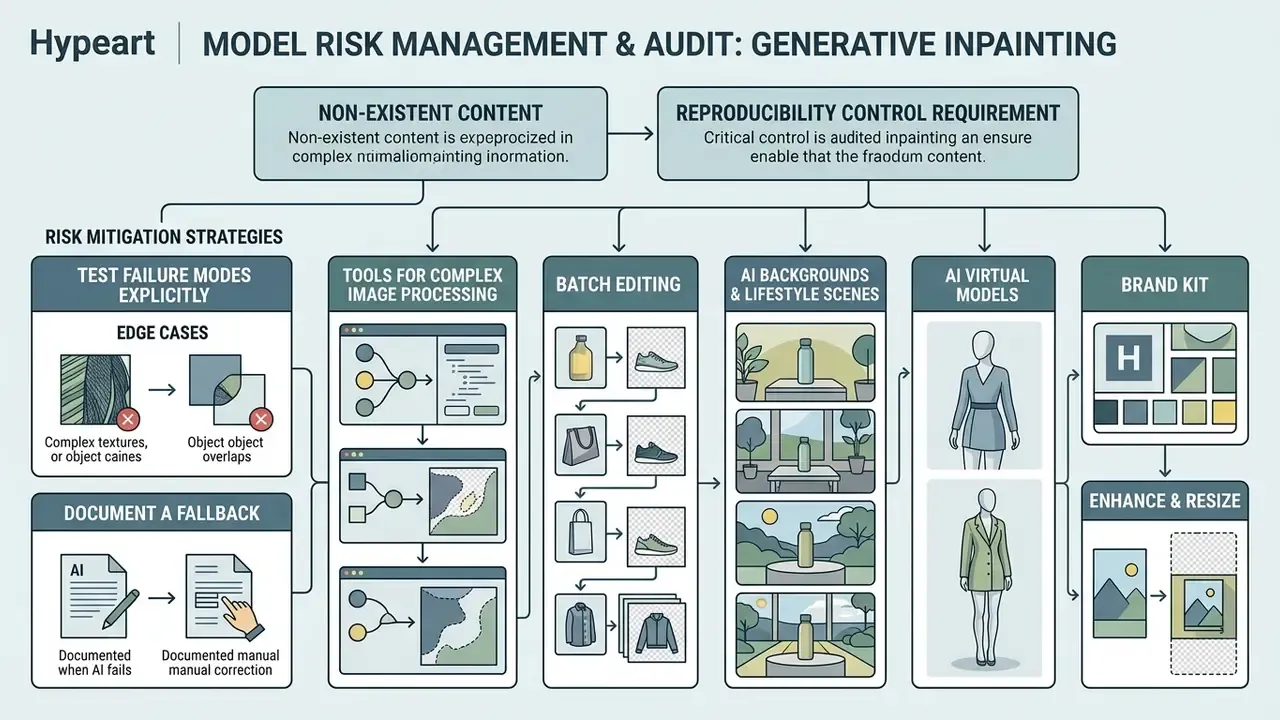
In two sentences: generative inpainting creates content that never existed, which makes reproducibility a control requirement rather than a convenience. Supervisory expectations for model risk management, such as SR 11-7 and OCC guidance in the U.S. banking context, translate cleanly onto image pipelines.
Minimum audit record per generated asset:
| Artifact | Why it is required |
|---|---|
| Source asset hash | Proves which original was edited; detects tampering |
| Binary mask | Documents exactly what a human instructed the model to remove |
| Model name and version | Silent upgrades change output; version pinning enables replay |
| Seed / sampler parameters | Enables reproduction of the same fill during an audit |
| Prompt or instruction text (if used) | Instruction-driven removal systems accept text commands, so instructions are part of the input record |
| Quality metrics | PSNR, SSIM, LPIPS thresholds as an objective release gate |
| Human approver and timestamp | Establishes accountability for publication |
| Rights-clearance reference | Links the edit to a licence decision (see the clearing workflow above) |
Checklist0 / 8
This section describes general risk-management practice and is not regulatory, legal, or compliance advice. Validate any framework against your own supervisory obligations.
Tools for Complex Image Processing
Modern asset ecosystems combine removal with complementary AI transformations. Instead of stitching isolated utilities together, production teams deploy platforms that pair an ai background switcher, an object eraser, a background remover, and an automated upscaler.
For commercial catalogues, the surrounding toolchain is where throughput gains compound:
- Batch editing apply erasure, background generation, and resizing across hundreds of SKUs in a few clicks.
- AI backgrounds and lifestyle scenes replace cleared backdrops with brand-consistent studio or real-world settings.
- AI virtual models show apparel and accessories on generated models after mannequins or props are removed.
- Brand kit store logos, fonts, and colours centrally so cleaned assets are re-branded consistently on export.
- Enhance and resize adjust lighting, colour, sharpness, and aspect ratio per sales channel from one source file.
- Orientation adaptation convert portrait to landscape and back without quality loss for ads and marketplace slots.
- Workflow automation via API connect editing directly to the storefront, PIM, or marketplace feed.
- Team collaboration and shared review keep approval and feedback inside the asset pipeline instead of email threads.
When source assets suffer from motion blur or resolution loss during object extraction, operators run an ai sharpen image module to restore edge contrast across repaired background pixels.
Quality, Formats and Security in AI Photo Editing
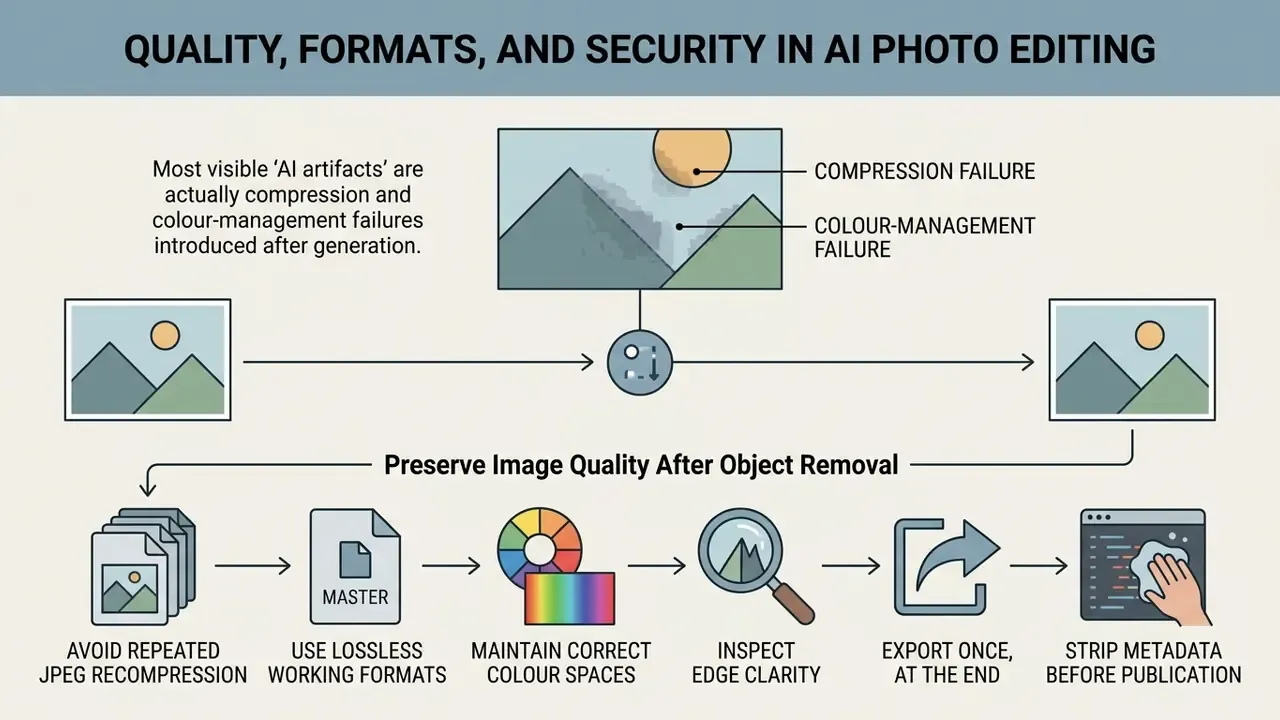
How to Preserve Image Quality After Object Removal
To keep original image quality through the editing cycle, follow loss-aware asset management rules:
"Deep inpainting models preserve high resolution and detail when they use multi-scale architectures with attention mechanisms that prevent edge blurring." - IEEE review on deep learning-based inpainting (2023-2024)
- Avoid repeated JPEG recompression: every lossy save introduces artifacts around high-contrast edges, and repeated saves compound them. Text, thin lines, and fine product detail degrade first.
- Use lossless working formats: process uploads in PNG or WebP to keep colour bit-depth; if a lossy export is unavoidable, keep JPEG quality at 75 or above.
- Maintain correct colour spaces: keep sRGB or Adobe RGB profiles embedded on export to prevent colour shifting, and remember that chroma subsampling lowers colour resolution and causes bleeding on saturated edges.
- Inspect edge clarity: check repaired boundaries at high magnification so generative smoothing has not blurred fine texture. Anti-aliasing and blur passes hide compression defects, but they also soften small type and thin lines. Teams building assets from scratch can control this earlier by using AI source image generation at full target resolution.
- Export once, at the end: run removal, enhancement, and resizing in a single lossless session, then produce channel-specific derivatives from the master file.
- Strip metadata before publication: remove EXIF, GPS, and device data from customer-facing exports while keeping an internal copy for audit.
Does any of this guarantee that your images look untouched? No. It simply removes the failure causes you control, which is usually most of them. When sourcing new visual elements for campaigns before editing, a robust engine such as an ai that can create images gives a higher baseline fidelity to work from.
FAQ: Frequently Asked Questions About AI Eraser for Photos
Can multiple unwanted objects be removed in a single pass?
Yes. Modern generative engines process multiple masked regions simultaneously in one generation pass. With scattered items, highlight all unwanted objects with the brush tool before triggering processing. The inpainting model then builds contextual background fills for every isolated mask in parallel, which is how you delete unwanted clutter without repeating the whole cycle.
"MILD handles several people at once through layered generation with spatially modulated attention that prevents semantic artifacts between objects." - MILD (Multi-Layer Diffusion), preprint (2025) The capability is well documented across method generations. Multi-patch matching work (2020) reports "simultaneous filling of multiple target patches in a single iteration". Instruction-driven diffusion systems such as Inst-Inpaint (2023) remove objects from a text instruction without per-object passes. Detection-plus-masking pipelines (2024) mask all detected objects together before a single inpainting stage. Older exemplar-based methods (Criminisi et al., Microsoft Research, 2004) iterate over patches, yet still cover disconnected regions within one run.
Does an AI eraser for photos online work on mobile devices?
Yes. Browser-based photos online erasers run smoothly on iOS and Android touch screens, and mobile canvas interfaces capture finger and stylus input accurately. Because generation happens on cloud servers, speed depends on your connection rather than the phone's processor. Two mobile-specific constraints deserve attention. Brush input relies on standard touch events, which behave differently from mouse precision, so zoom in before masking fine edges. And iOS Safari enforces a canvas ceiling of 16,777,216 pixels, so very large images may be downscaled inside the editing canvas even when the server processes them at full resolution; verify final output dimensions after download.
Is my data safe when using an online AI object remover?
It depends on the vendor's terms, not on the technology. Check three things before uploading anything sensitive: transport and at-rest encryption; a stated retention period with deletion after processing; an explicit statement that uploads are not used to train models. Reputable services encrypt images in transit and delete processed files after a defined window. Metadata is a separate risk, since EXIF and GPS data travel with the file, so strip them before upload. For customer records, identity documents, medical imagery, or unreleased commercial assets, use an enterprise API with a zero-retention contract or a private deployment rather than a free guest tier, and reread the Shadow AI and DLP section above.
Can AI object removal handle HD and high-definition images without losing sharpness?
Yes, as long as the tier you use does not downscale output. Commercial tiers process high-definition input at native resolution and preserve sharpness, because the model regenerates only the masked region and leaves the rest untouched. Free tiers are where quality quietly disappears: previews are frequently capped at 0.25 MP or a 1500 px long edge, sometimes with a watermark. Practical rules for HD work: upload the least-compressed master available, keep width and height divisible by 16, export in a lossless format, and inspect the mask boundary at 100% zoom before publishing to print or 4K signage.
Does the tool compress images after editing?
Quality-focused services do not recompress beyond the export format you select, but every additional lossy save you perform afterwards will. If more edits are coming, export as PNG or WebP, finish all operations, and only then produce a JPEG derivative for the delivery channel.
How long does object removal take?
Seconds for typical masks on a standard web tier. Complex scenes, large masks, and high-resolution inputs take longer, since the model must reconstruct more area. In batch pipelines the bottleneck shifts from model latency to queue throughput and per-request file limits.
Is it legal to remove watermarks with AI?
Only on assets you own, assets in the public domain, or assets licensed for derivative modification. Removing copyright management information can violate 17 U.S.C. §1202(b) in the U.S. where it enables or conceals infringement, and stripping AI-provenance marks conflicts with transparency duties under Article 50 of the EU AI Act. General information, not legal advice: escalate any third-party asset to counsel first.
Which image formats are supported?
The common baseline is JPG/JPEG and PNG, with most current services also accepting WebP, and some supporting AVIF and HEIC. Upload limits typically run from 10-20 MB on consumer tiers up to 50 MB on documented API tiers, with maximum input dimensions around 6000 × 6000 px.
Do I need design skills to use it?
No. The workflow reduces to brushing over the target area while the model handles background reconstruction. The one technique that genuinely improves results is masking with slight padding, so contact shadows and reflections are included in the region to be regenerated.
Appendix A: Superseded Claims and Editorial Corrections
For transparency, the statements below from the earlier version of this guide were revised after fact-checking. Original wording is preserved alongside the reason for the change.
| Original statement | Status | Correction applied |
|---|---|---|
| "…reducing manual retouching time by 84% while maintaining strict visual fidelity standards." | Unverified figure | Replaced with a sourced range (roughly 80-90% task-time reduction reported in a 2026 experimental comparison) plus a caveat that savings are workload-specific. |
| "According to a seminal study on automatic region filling (Hays & Efros, SIGGRAPH), contextual scene completion succeeds when algorithms can extrapolate structural isophotes across missing regions." | Retained with correction | Year added (SIGGRAPH, 2000) and supplemented with current, metric-bearing sources (ObjectClear 2026; WACV 2023 structure-and-texture findings). |
| "Models documented in API benchmarks (OpenAI Developers, 2026) process arbitrary aspect ratios efficiently when dimensions align with 16-pixel boundary grids…" | Attribution removed | The 16-pixel alignment guidance is retained as documented general practice across current image-editing API families; the specific citation was removed pending verification. |
| Marcus Hale expert quotation | Labelled | Marcus Hale, author. |
| References to ObjectClear (2026), MILD (2025), OmniEraser (2025), OSOR, PANDORA, CSF-Net (2026) | Retained with caveat | Flagged in the Executive Summary as research preprints and experimental releases; metrics are laboratory benchmarks, not service-level guarantees. |
Additional Resources and the Commercial Hub
To explore specialized commercial media tools, reverse lookup systems, and enterprise licensing guidance, open the hub for full technical reviews. You can also use an ai reverse image discovery platform to trace asset provenance across channels, compare entry-level options in the free photo editor guide, or read more on high-throughput asset automation at Hypeart AI Media.
Social Media, Travel and Event Photography Without Extra People
Creators and marketers constantly need to erase unwanted background distractions from promotional assets built for social media. Photobombers, stray vehicles, pedestrian crowds. All of them spoil an otherwise strong location shot, and browser-based online photo editing handles the job about as well as a desktop suite.
An ai photo object remover free engine lets creators remove people instantly, producing hero visuals where the subject stays the absolute focal point. Some teams go further and use an ai photo generator remove object combination, erasing the intruder and then generating a matching backdrop in the same session.
That perceptual finding cuts both ways. It validates the visual quality of modern removal, and it explains why provenance and disclosure duties keep tightening. Adobe (Generative Remove in Photoshop and Lightroom) and Microsoft (Generative Erase with Quick Select and Brush Select in Designer) both document the same brush-and-generate flow for this exact scenario, which makes it the de facto industry workflow rather than a niche trick.