Quick summary: AI object replacement in 3 steps
Last updated: 2026. Reviewed for technical accuracy against published inpainting benchmarks (EditBench, BrushBench, SOEBench) and vendor documentation.
- Mask the target.
- Upload a source file in JPG, JPEG, PNG, or WEBP format and paint a precise mask () over the object, prop, garment, or background region you intend to replace.
- Set the prompt.
- Write a short, descriptor-rich instruction (typically within a 300-character input limit) that defines object type, material, color, and lighting direction.
- Validate and export.
- Inspect seam boundaries, shadow vectors, perspective alignment, and noise density, then download a full-resolution, watermark-free raster file.
What is an AI Image Replacer and how does it work?
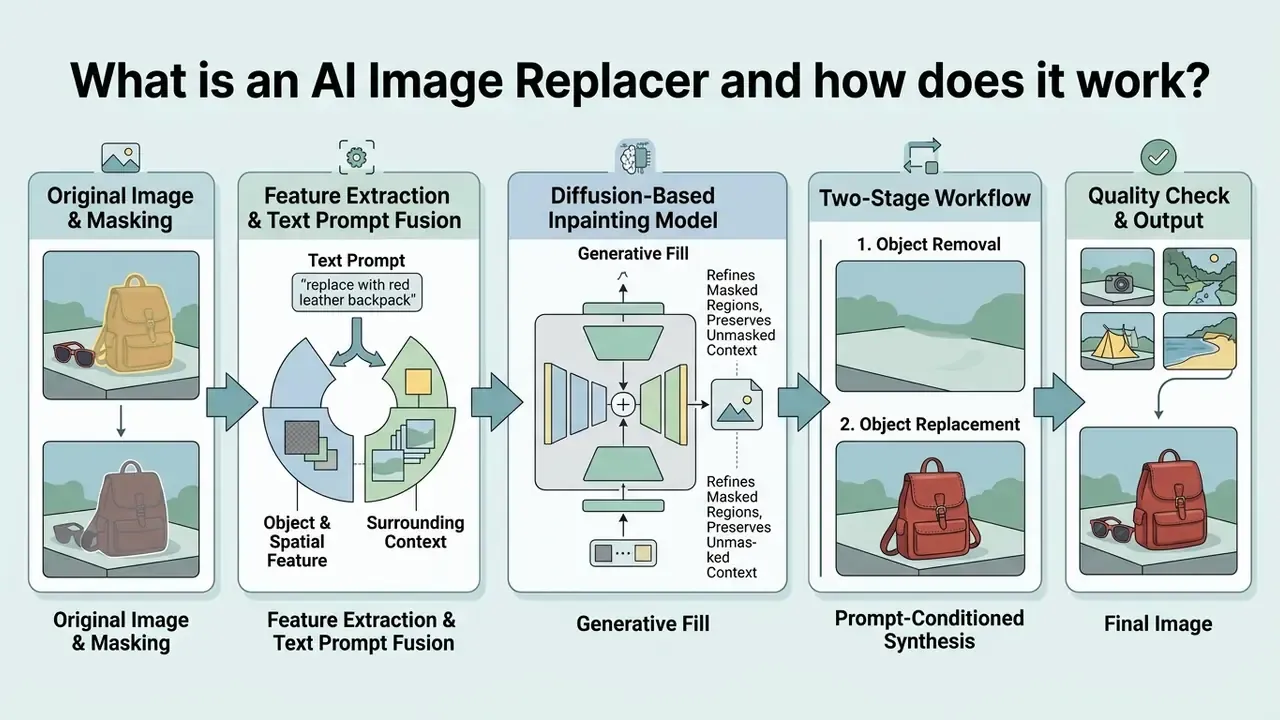
An AI image replacer is a generative model framework that modifies designated regions of an image while preserving the unmasked visual context. The system combines a region of interest (ROI) mask, an unmasked background context, and a text prompt to perform conditional image sampling. Vendors market the same capability under many labels: ai image object replacer, ai picture replace, ai replace generator, image replace ai. Different wording, one mechanism.
According to a technical survey on diffusion-based editing published in IEEE Transactions on Pattern Analysis and Machine Intelligence (TPAMI, 2025), text-guided image inpainting operates as conditional sampling from a learned distribution $p(x | x_{\text{context}}, m, t)$, where represents the output pixels, is the unmasked image context, is the binary mask, and is the text prompt. Modern systems use latent diffusion networks or dual-architecture generative adversarial networks (GANs) to synthesize replacement elements that match both the prompt and the surrounding lighting, perspective, and texture.
Because generative editing replaces pixel-level manual retouching with prompt-conditioned synthesis, it sits in the same tool family as broader AI photo editors that bundle masking, enhancement, and export controls into one interface. The distinction is worth stating plainly: a replacer does not merely adjust existing pixels, it regenerates them under semantic constraints. That is also why governance teams treat it as a model, not a filter.
AI generative fill, object removal and object replacement
AI generative fill is a broad category of masked synthesis, whereas object removal and object replacement serve distinct operational functions. Generative fill modifies a selected area by synthesizing new contextual content guided by natural language instructions. Object removal erases a target element and reconstructs the underlying background using surrounding pixel data and context-aware pattern matching.
In contrast, an ai replace object in image workflow executes a two-stage process: it first removes the target object and reconstructs the occluded space, then synthesizes a new foreground element under specific text prompt constraints. Technical benchmarks such as EditBench (2023) and BrushBench (2024) show that specialized object replacement architectures reach higher semantic alignment scores (CLIP-Score > 26.0) than generic background fill techniques when substituting complex foreground items.
«BrushBench provides 600 images with manually annotated masks, split evenly between natural and artificial scenes, including humans, animals, and indoor environments.»
| Operation | Mask behavior | Prompt role | Typical output |
|---|---|---|---|
| Generative fill | Any selected region, including empty space | Describes content to synthesize; may be left blank | New contextual content inside the mask |
| Object removal | Tight mask over unwanted element | Optional or empty | Reconstructed background with no visible subject |
| Object replacement | Tight mask matching object contour | Mandatory; defines the new subject | New foreground object integrated into original lighting |
The same three operations cover most everyday requests: remove objects that clutter a frame, remove unwanted wires and signage, or replace elements with new elements that did not exist in the original capture.
How AI understands the selected area and text prompt
AI systems process selected image areas and text prompts by fusing spatial mask coordinates with multi-modal language embeddings. When a user manually selects an area, the system creates a binary mask where designates the edit zone and defines the preserved context.
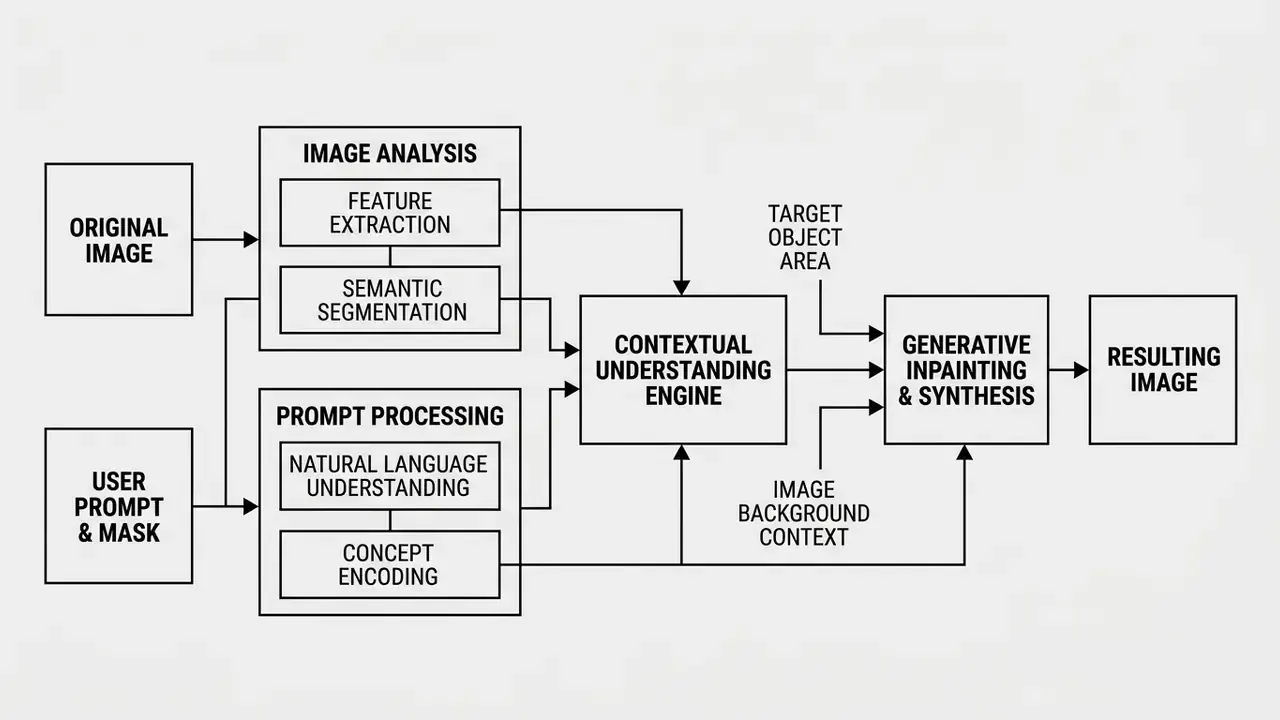
Cross-attention layers in diffusion models isolate the text tokens relevant to the masked region. Research on attention regularization in localized image editing (LIME, 2024) shows that penalizing cross-attention scores outside the region of interest prevents prompt leakage into unmasked areas. The model then reads surrounding lighting, perspective lines, and color temperatures from the unmasked context (), so the newly generated element seamlessly replaces the original one instead of sitting on top of it.
«LIME uses feature clustering and cross-attention maps to refine the editing mask so the prompt influences only the intended region.»
How to replace an object in an image with AI
Replacing an object in a photo requires uploading a source file, isolating the target region, providing a descriptive prompt, and evaluating generated variations before saving the final output. This standardized workflow minimizes boundary artifacts and keeps structural consistency across edits. Most online AI tools follow it almost identically, which makes results portable between vendors.
- Upload image (JPG, JPEG, PNG or WEBP) to the AI replace tool platform.
- Manually select the target object using a precision brush or auto-segmentation tool.
- Enter a clear text prompt specifying the object, material, color, and lighting properties.
- Click generate to synthesize multiple image variations.
- Review boundary alignment, light consistency, and shadow realism, then download the result.
Upload an image and select the part to replace
The editing process begins by importing a source photo into the replacement interface. For optimal rendering quality, master files should follow standard resolution guidelines, such as those defined in the FADGI Technical Guidelines for Digitizing Cultural Heritage Materials (2023), which recommend consistent spatial resolution without aggressive compression artifacts.
Supported formats and technical limits (updated). When importing visual assets into an AI image replacer, professional platforms accept both lossy and lossless containers, including JPG, JPEG, PNG, and WEBP. Browser-based free tools typically cap uploads at 5 MB, while enterprise APIs extend payload ceilings to roughly 25–50 MB per request depending on memory allocation and asynchronous batch configuration. Prompt entry fields commonly enforce a 300-character boundary in consumer interfaces, whereas developer endpoints for modern image models allow prompts up to tens of thousands of characters. The practical rule: concise, high-density descriptive attributes map more reliably onto cross-attention tokens than long conversational text. Object-replacement APIs also impose dimensional floors and ceilings, for example inputs larger than 64 × 64 px and smaller than 4096 × 4096 px, so extremely small crops or oversized panoramas should be resized before submission.
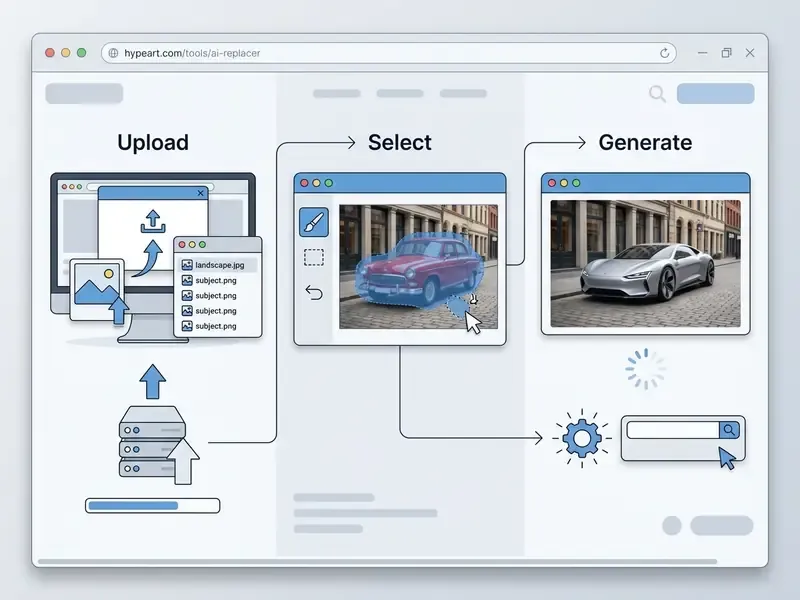
Once the file is uploaded, the user must manually select the object or scene area intended for replacement. Precise mask selection is essential. Research from BrushBench (2024) shows that tight segmentation masks matching exact object contours reduce edge distortion and produce noticeably higher structural similarity (SSIM > 0.90) than loose, random brush selections.
«Models conditioned on segmentation masks reach PSNR 28.03 and SSIM 0.941 on EditBench, outperforming competing methods on structural similarity.»
Describe the replacement and generate variations
After establishing the mask boundaries, the user enters a text prompt that explicitly describes the new object's appearance, material texture, and color. Generative systems use these text prompts to steer the latent denoising process toward the desired visual target.
«Prompts focused on the attributes of the masked region, object type, color, material, yield higher CLIP-Score than generalized descriptions of the entire scene.»
Updated guidance. Rather than conversational phrasing, use concise structured syntax separated by clear attribute descriptors: subject, form, material, color, lighting, contact shadow. To weigh several creative or commercial options, click generate to produce three or four distinct variants. Most engines return candidates within a few seconds on mid-resolution files. Reviewing multiple outputs lets you pick the variation that best matches surrounding spatial perspective and lighting vectors, and re-phrasing the same request is itself a legitimate way to obtain alternative candidates.
Download and review the edited image
The final step involves inspecting the generated candidate for visual defects and exporting the edited file to disk. Users must verify seam boundaries, cast shadows, directional lighting, and color temperature consistency against the original unmasked pixels.
High-quality synthetic integration is characterized by uniform radiometric distribution across the composite, consistent exposure between masked and unmasked zones, and the absence of high-frequency noise along seam boundaries. These are the same criteria used in published composite-quality assessments of pixel-based image mosaics.
What can you replace with an AI object replacer?
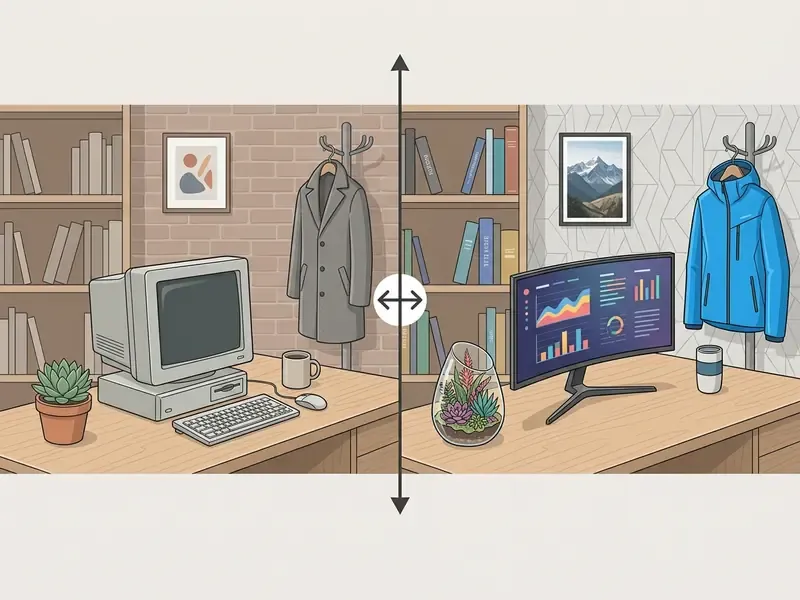
An AI object replacer can transform foreground items, full background environments, clothing items, hairstyles, rasterized text, and specific portrait features. Modern diffusion architectures allow granular modification of both macro-level scene structures and localized micro-details.
Replace objects, backgrounds and unwanted details
AI replace tools let users remove unwanted clutter, substitute foreground props, or swap entire scene backgrounds while retaining the primary subject. In background replacement workflows, the system masks the ambient environment and reconstructs the scene according to a new prompt, for instance changing a studio backdrop to a textured outdoor setting: a vibrant cityscape, a calm natural landscape, or a brand-specific environment that matches campaign art direction. A dedicated background remover handles the simpler case where no new scenery is needed at all.
Research in segmentation-guided inpainting (IEEE Access, 2025) shows that three-stage pipelines, segmentation, coarse background fill, and detail refinement, preserve natural lighting across large masked zones. Small unwanted objects, such as street distractions or power lines, are eliminated through localized patch borrowing from surrounding context pixels.
«ReplaceAnything3D splits replacement into an object-erasure stage with background reconstruction and a new-object synthesis stage, maintaining lighting and scene geometry consistency.»
Large objects require stronger masking and explicit structure preservation, whereas small blemishes are handled by isophote continuation and exemplar patch matching. That is historically the earliest inpainting approach, and it still works well for dust, sensor spots, thin wires, and photo restoration of scanned prints.
Edit portraits: clothes, accessories, hair and faces
Portrait editing applications lean on specialized mask isolation to modify attire, alter hairstyles, adjust hair color, or perform identity-preserving facial feature adjustments. An ai clothes changer replaces garments on a subject while keeping body posture, skin tone, and background alignment intact.
«BrushBench includes a human category with clothing and hair masks; BrushNet achieves leading scores across seven quality metrics for segmentation-based portrait inpainting.»
Virtual outfit try-on. A common consumer and professional scenario is producing a business-appropriate portrait without booking a second photo shoot: the user masks the existing garment, prompts a tailored suit or blazer, and receives a LinkedIn-ready headshot in which face, pose, and background remain untouched. Vendor documentation for clothes changer tools in 2025–2026 consistently frames the operation as garment substitution with preservation of person, pose, skin tone, face, and background.
Hairstyle and hair color simulation. Restricting generative synthesis to the head region above the forehead boundary turns the model into a hairstyle simulator: users test a shoulder-length cut, a bold copper tone, or a curly texture before committing to a salon appointment. Targeted portrait editing tools apply restricted masks over hair or clothing regions, isolating the target while enforcing identity constraints on facial geometry. Modifying hair color or hairstyle therefore requires confining the mask to the hair mass itself, preventing unintended alterations to facial features, skin tone, or background elements. Accessory edits follow the same logic: glasses, hats, and earrings can be inserted or swapped with a tight mask over the relevant area.
Face-level operations, including ai face edits and face swap requests, are the highest-risk category. NIST's synthetic-content risk documentation explicitly separates image-domain manipulation targets into face, body, background, and objects, and its work on morph detection treats facial manipulation as a primary high-risk case. Identity-preserving portrait pipelines therefore rely on 3D-aware geometry and texture priors and are evaluated with SSIM, CSIM, LPIPS, AKD, FID, and FVD rather than visual inspection alone.
Add or remove people in group and vacation photos
Group and travel photography generates two mirrored intents: adding a subject who was absent, and removing a subject or bystander who disrupts the frame. Both run through the same masked pipeline. Painting a tight mask over an unwanted passer-by triggers background reconstruction, in which the model synthesizes the occluded architecture, foliage, or horizon line from surrounding context. Conversely, masking an empty region beside the group and prompting a new subject, a friend who missed the trip, a pet, or a second person in matching attire, triggers foreground synthesis conditioned on the scene's existing light direction and depth of field.
Typical vacation-photo edits include replacing an overcast sky with a sunset gradient, erasing crowds from a landmark, inserting scenery elements, or correcting attire and posture for a shot that will be reused as a profile picture. Because these edits modify depictions of real people and real places, disclosure obligations apply in public-facing contexts. The EU AI Act transparency rules require machine-readable marking of AI-generated or AI-manipulated content and clearly distinguishable labeling for realistic depictions of real persons, objects, places, or events, while exempting assistive standard-editing functions that do not substantially alter semantics.
Replace and translate text elements within photos
Beyond physical props and backgrounds, advanced generative fill frameworks scan and replace rasterized text, typography on signage and billboards, or product package labeling. By masking the text region, the system erases the existing letterforms, reconstructs the background texture underneath, and synthesizes new typography guided by the text prompt while preserving the original surface curvature, perspective angle, and lighting falloff.
Practical applications include localizing a product label into another language without re-photographing the packaging, updating a promotional price or claim on an existing campaign asset, correcting a misspelled store sign, and refreshing regulatory labeling text when compliance wording changes. Because letterform rendering is a high-frequency, small-area task, results improve when the mask hugs the glyph block rather than the whole panel, and when the prompt states the exact string in quotation marks alongside typeface characteristics such as weight, case, and color.
Replace image details with a reference image or prompt
Users can execute replacements using either direct text prompts or reference image inputs that supply explicit visual attributes. In text-driven replacement, the generative model interprets descriptive words and synthesizes a new element from learned dataset weights. Readers comparing reference-driven approaches with pure synthesis can review adjacent image-to-image generators that apply the same conditioning logic to whole-frame transformations.
In reference image inpainting, the system uses an auxiliary reference image as the primary texture, pattern, and geometry guide: one input supplies the scene and mask, the second supplies the object or material to be inserted. Vendor documentation for masked inpainting describes both modes as different inputs into the same flow, a mask plus text, or a mask plus a reference image acting as the object or material source.
«Energy-Guided Optimization applies text-based energy guidance at early steps and visual guidance at later steps, outperforming baselines on DINO and CLIP metrics for object replacement across large domain gaps.»
This reference-driven approach provides strict visual alignment, ensuring that inserted objects keep exact corporate branding, specific product packaging, or precise material attributes that text prompts alone cannot fully specify.
AI image replacement use cases for content and business
Commercial organizations use AI image replacement to streamline digital content production, reduce commercial photography overhead, and customize marketing assets for targeted channels. Controlled visual synthesis lets enterprise teams refresh existing media libraries without organizing new physical photo shoots.
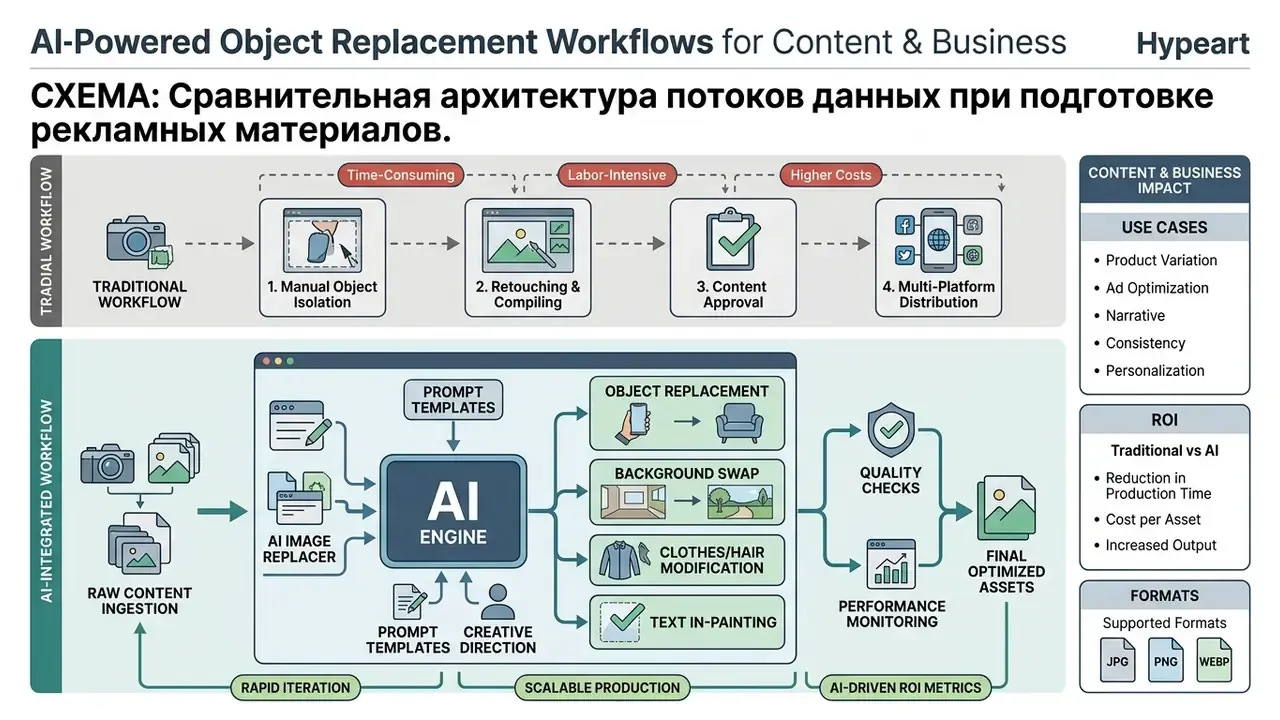
When reviewing enterprise asset management strategies, teams often open the hub to check foundational terminology or see the overview of current generative model implementations.
Product photography and marketing materials
In e-commerce product photography, AI replace tools let companies swap product packaging, update brand labels, and adjust decorative props within pre-approved scene templates. Automated image pipelines in mature catalog operations process the overwhelming majority of product visuals without manual graphic design intervention, with one published production model reporting more than 94% of product images handled without human touch-up.
«Replacing an object using an externally provided mask, as is standard in online store storefronts, is a principal practical application of segmentation-based inpainting.»
Commercial impact metrics in automated asset production:
- Turnaround velocity up to 80% reduction in campaign asset generation time, compressing a typical five-business-day creative cycle into under two hours for prop and background variants.
- Cost efficiency average monthly savings of $1,800 to $2,500 per product line when secondary commercial photo shoots are replaced with masked generative fill.
- Performance lift up to 2.4× higher visual engagement on promotional ad creatives that use localized background and prop replacement instead of a single static hero shot.
- Production consistency a single approved scene template can generate dozens of SKU-specific variations while preserving identical lighting geometry across the catalog.
One caveat before anyone quotes those numbers upward in a business case: control costs (review labor, provenance verification, legal sign-off) belong in the same model. Risk-adjusted ROI is the honest metric.
Marketing teams preparing commercial collateral often view the guide on structured catalog updates, or check tools that make ai photo assets look closer to studio capture before publishing high-resolution campaign files. This automation removes the cost of re-photographing product lines whenever packaging designs or regulatory labeling standards change slightly.
Portraits, vacation photos and personal experiments
For personal photography and executive headshots, AI photo tools let users convert casual portraits into professional quality business assets or clean up vacation photos by removing background distractions. Specialized headshot workflows re-crop portraits, even out lighting, and replace informal attire with business suits. Document-photo pipelines extend this to automatic face centering, background removal, and standards-based resizing for passport and visa formats.
Consumers and creative professionals experimenting with personalized visual styles can evaluate specialized generators, such as a magic hour ai image tool, a leonardo ai image generator, or a magic ai generator for styled creative edits. For amateurs who never owned a retouching license, this is close to a game changer: high-end photo editing without a single layer mask learned by hand.
How to get high-quality AI replace results
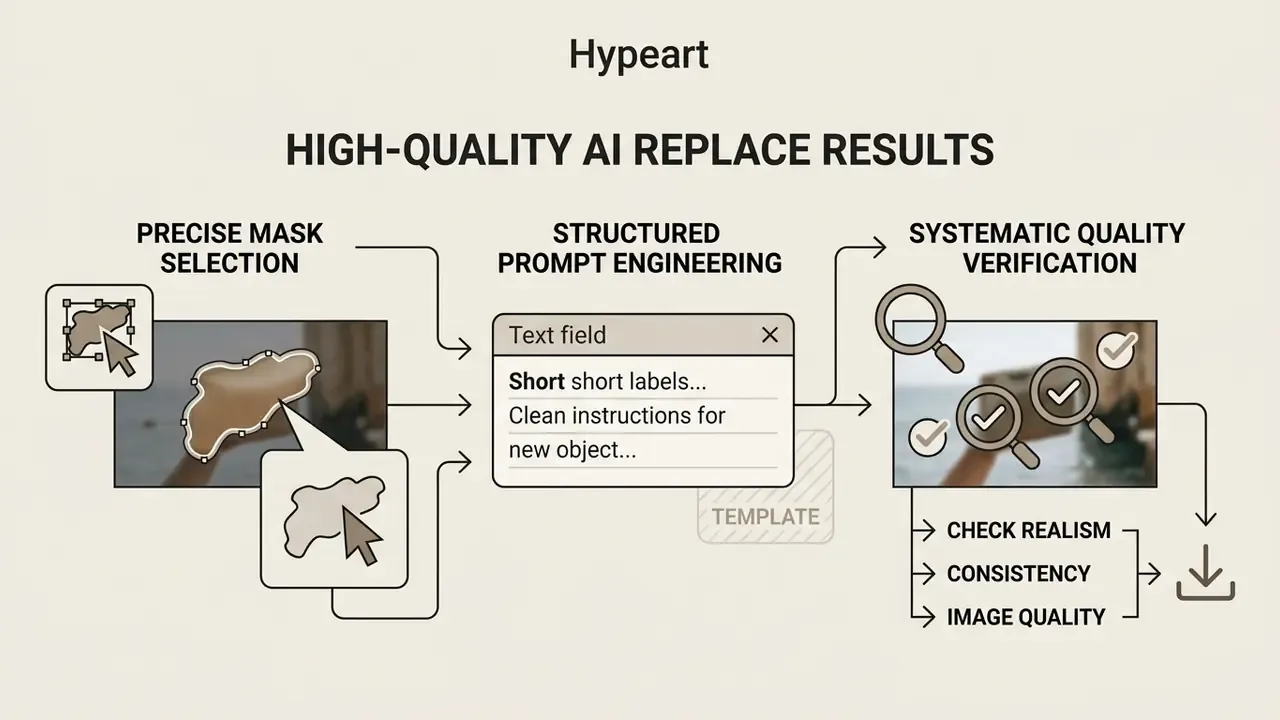
Achieving photorealistic results with an AI image replacer depends on precise mask selection, structured prompt engineering, and systematic quality verification before final export. Flawless integration comes from matching the generated element's perspective, shadows, and resolution to the surrounding source image. Powerful AI models still fail on sloppy masks.
“Precision in generative image editing is governed by spatial mask fidelity and prompt constraint balance. A model cannot maintain context sanity if the selection boundary violates physical scene geometry.” — Marcus Hale
Editorial test methodology (reproducible). Our internal comparison protocol is deliberately boring, because reproducibility beats impressions. One fixed source photo per category (product, portrait, interior, signage). One identical mask exported as a PNG alpha and re-imported into every tool, so selection differences cannot skew the result. Three prompt variants per mask: minimal (subject only), structured (subject, material, color, lighting, contact shadow), and over-specified (structured plus stylistic adjectives). Four candidates per prompt, fixed seed where the API exposes one. Scoring on the four-parameter table below, judged by two reviewers on a calibrated display. Where reviewers disagree, the asset is marked unresolved rather than averaged.
Write a text prompt that describes the new object clearly
An effective text prompt for object replacement defines the target subject, its material composition, structural form, surface texture, and ambient lighting conditions. Structured, positive descriptions outperform conversational or command-based inputs, and the controllable elements in modern image models are documented consistently as subject, scene, composition, lighting, and color.
So instead of typing "put a mug here," write: "A matte black ceramic coffee mug with a smooth surface, natural morning side-lighting, soft contact shadow on the wooden table." Explicit material finish and light direction stop the model from generating flat or floating objects that fight the scene's ambient lighting.
Ready-to-use prompt templates
| Scenario | Prompt template (copy and adapt) |
|---|---|
| Portrait outfit swap | A tailored navy blue wool business blazer, crisp white shirt collar, studio lighting, highly detailed fabric texture; keep face, hair, pose and background unchanged. |
| E-commerce prop replacement | A frosted glass cosmetic dropper bottle with a gold cap, soft contact shadow, neutral beige podium background, even studio key light. |
| Hair color and style edit | Vibrant copper red wavy shoulder-length hair, natural gloss highlights, seamless scalp integration; keep facial features, skin tone and clothing unchanged. |
| Text and signage update | A clean wooden street sign with bold black typography reading "BOUTIQUE", rustic grain texture, photorealistic, matching original perspective and shadow. |
| Background swap | Replace the background with a softly blurred city street at golden hour; keep the person, clothing, hair and cast shadows unchanged and match light direction. |
| Object removal | Empty paved surface continuing the existing pattern, matching grout lines, same ambient shadow density, no new objects. |
Each template follows the same grammar: edit target first, attribute stack second, preservation clause last. The preservation clause is what keeps the model from drifting into unmasked territory.
Select the replacement area precisely
Selection precision directly governs boundary seamlessness in ai replace part of image workflows. Professional practice is to make an initial selection, then refine it in a dedicated mask workspace using view modes (overlay, on black, on white) together with edge-refinement and color-decontamination controls that remove color fringing along soft boundaries. Converting the selection into a non-destructive layer mask allows corrections by painting black or white directly on the mask instead of re-selecting the object.
«Jacobian-based latent factorization links user-defined regions to semantic directions, enabling more localized edits with better precision than baseline methods.»
During an enterprise asset update for a national retail catalog, an editing team replaced outdated store props across 450 promotional images. By enforcing tight vector-mask boundary constraints and applying a 1.5-pixel edge feathering protocol, the team eliminated edge-bleeding artifacts. The process yielded a 98% first-pass approval rate from the lead brand auditor without requiring manual pixel retouching. (Illustrative composite scenario.)
When isolating intricate subjects such as hair strands, foliage, or complex product edges, auto-segmentation paired with manual edge refinement keeps the mask boundary on the target area while preserving unmasked context pixels. Production guidelines for print-grade raster work go further and recommend manual masking over automatic "magic wand" selection for any asset destined for high-resolution reproduction.
Check realism, consistency and image quality before download
Before exporting the final edited image, run a structured visual quality check for lighting discrepancies, perspective mismatches, or pixel compression artifacts. For high-stakes publishing, the composite can additionally be screened with AI image detectors to see which regions register as synthetic before the file enters a public workflow.
| Quality inspection metric | Verification standard | Failure criteria |
|---|---|---|
| Seam & boundary alignment | Smooth color transition along mask border; no visible halos or edge bleeding. | High-contrast fringe lines, blurry boundary rings, or pixelation along the mask edge. |
| Lighting & shadow realism | Cast shadow direction and highlight intensity match the ambient scene light source. | Shadows falling opposite to light source; missing contact shadows; mismatched color temperature. |
| Perspective & scale | Object vanishing points align with background perspective grid lines. | Object appears distorted, improperly scaled, or floating above surface planes. |
| Texture & resolution | Surface grain and pixel noise density match unmasked source pixels. | Over-smoothed surfaces, AI blurring, or unnatural repeating patterns within the edited zone. |
Evaluating these four structural parameters keeps the modified asset within professional publishing standards and away from obvious synthetic editing artifacts. Inspect under the same viewing conditions as final use, evenly distributed light, no hot spots, no strong directional glare, because seam and shadow defects that hide on a dim laptop panel become obvious in backlit or print reproduction.
How to choose an AI image replacer for commercial use
This section covers licensing, provenance, and compliance topics. The information is general in nature and does not replace consultation with a qualified specialist in intellectual property law and software licensing.
Selecting an enterprise-grade AI image replacer means evaluating high-resolution export support, batch processing capability, input format flexibility, transparent pricing, and clear commercial licensing terms. Buyers building a broader toolchain often benchmark replacers alongside AI image generators for commercial use, since licensing language and provenance handling tend to be shared across a vendor's product family.
Organizations evaluating advanced image processing pipelines also review specialized conversion tools, such as an image to vector converter, or automated extraction features like an image to text tool that supports multi-modal asset indexing.
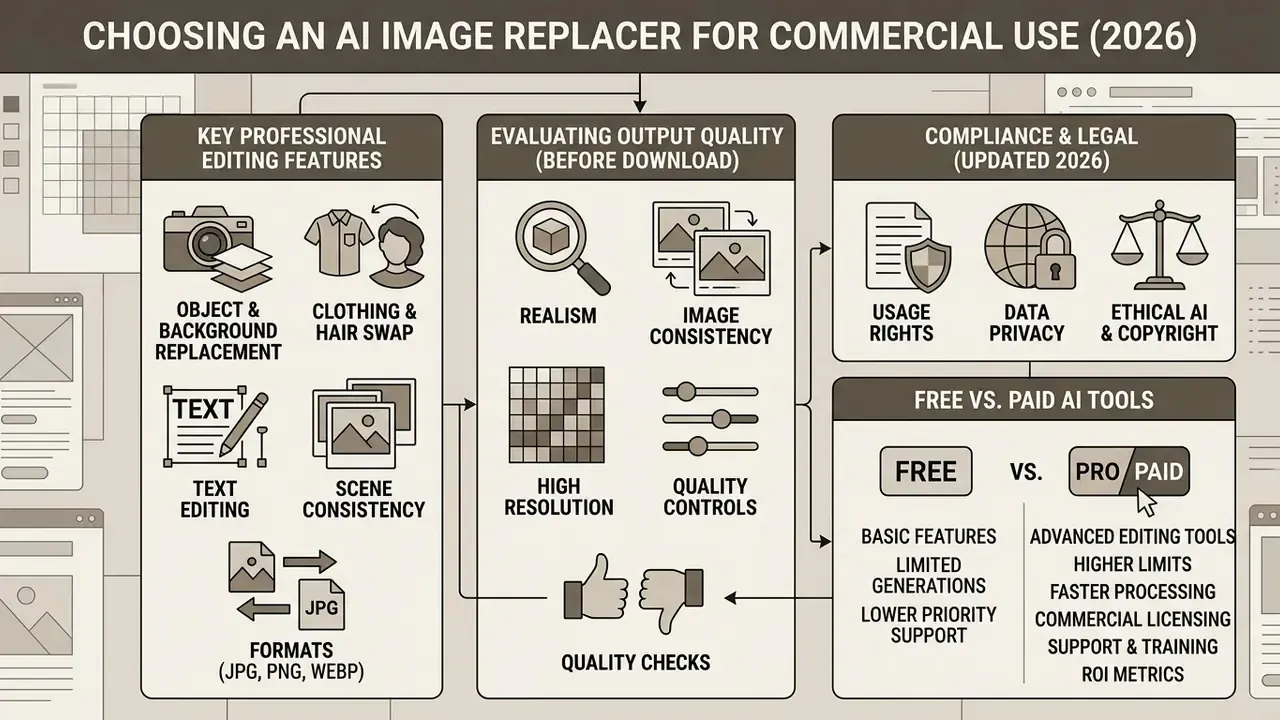
Features that matter for professional image editing
Professional workflows need tools that support high-resolution inputs and outputs (at least 300 DPI or 4K raster dimensions), lossy and lossless formats (JPG, JPEG, PNG, WEBP), non-destructive masking, and integrated utilities: an image upscaler, an image enhancer, a background remover, and in many stacks an ai image extender for reframing a shot to a new aspect ratio. Documented upscaling tiers in 2025–2026 vendor tooling include 2× and 4× generative upscale paths with outputs reaching 6144 × 6144 px and model-dependent ceilings around 56 megapixels.
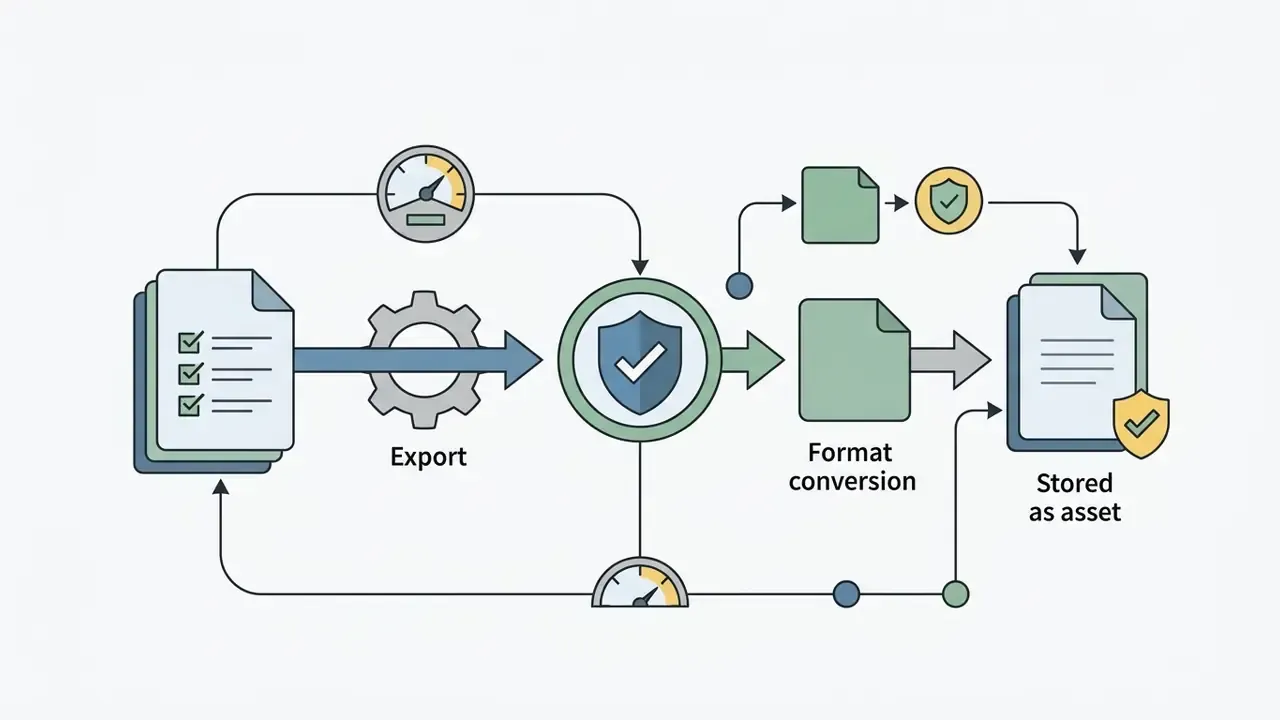
Updated compliance requirement. Commercial image pipelines should preserve original metadata (EXIF/IPTC) while embedding C2PA provenance credentials that document generative modifications for legal and regulatory review. NIST notes that image formats carry provenance data such as dimensions, resolution, creation time, location, and attribution through XMP, EXIF, and IPTC, and major vendors state that generated or edited outputs are tagged with C2PA metadata identifying the tool used and the actions performed. One practical trap: provenance metadata can be stripped by format conversion or re-compression, so audit workflows must verify credentials after export, not only at generation time. Vendor terms frequently prohibit removing or altering watermarks and Content Credentials on outputs.
Free AI photo replacer versus paid tools
Free AI photo replacer services typically impose functional constraints: resolution limits, mandatory watermarks, restricted daily generation credits, and non-commercial usage licenses. Some consumer tools do advertise watermark-free, sign-up-free access, but they usually compensate with lower processing priority, capped export dimensions, or personal-use-only terms. A realistic comparison reads the license, not the landing page. Readers weighing entry-level options can review free AI image generators with no sign-up to see how credit caps and licensing restrictions usually scale. Paid enterprise solutions, by contrast, offer unlimited high-resolution processing, priority queue access, API integration, and explicit commercial indemnity.
Organizations under strict regulatory oversight must confirm that generative tool subscriptions include legal terms granting full ownership of output assets, plus a guarantee that uploaded customer data is not used to train public foundation models.
«SOEBench found that existing benchmarks (EditBench, EditVal, PIE-Bench) use masks covering predominantly more than 5% of image area, leaving small-object editing unevaluated.»
That gap matters commercially. Jewelry, watch faces, cosmetic labels, and accessory details all fall below the mask-size range mainstream benchmarks measure, so vendor claims about "state-of-the-art" fidelity deserve validation on your own small-object test set before procurement.
| Selection criterion | Free tier (typical) | Paid / enterprise tier (typical) |
|---|---|---|
| Export resolution | Capped (e.g., 1024 × 1024 px) | Full source resolution; 2× to 4× upscale available |
| Watermark | Sometimes applied; sometimes absent | Removed, with provenance credentials retained |
| Formats | JPG, PNG, WEBP in | JPG, PNG, WEBP in and out; lossless options |
| File size limit | ~5 MB | 25–50 MB direct, larger via object storage |
| Masking control | Brush only | Brush, auto-segmentation, mask import via API |
| Batch processing | Single image | Asynchronous batch, hundreds to thousands of assets |
| Commercial license | Often personal use only | Explicit commercial rights, indemnity, no training on inputs |
Read the table as a shortlist filter, not a verdict. A free tool with clean licensing can still beat a paid one with vague terms.
FAQ: frequently asked questions about AI image replace
Can I upload multiple images and use different text prompts?
Yes. Professional AI image replace platforms and developer APIs support multi-image upload and batch processing with distinct text prompts per asset. Commercial API endpoints accept asynchronous batch submission of multiple image-mask pairs, with documented ceilings ranging from a handful of images per direct request to 1,000 to 3,000 objects when files are referenced from cloud object storage. That enables automated catalog processing across hundreds of uploaded images at once.
«Diffusion models process thousands of images per training epoch; architectures such as Token Painter support parallel processing without fine-tuning, making them suitable for batch pipelines.» Token Painter: training-free text-guided inpainting (2025). https://arxiv.org/abs/2503.00471
When running batch operations, developers specify unique JSON payloads containing individual image URLs, corresponding mask coordinates, and tailored text prompts for each asset. Processing speed depends on system concurrency limits and output format; generating JPEG outputs offers faster throughput than uncompressed PNG when managing high-volume enterprise pipelines. Teams benchmarking throughput across platforms can consult comparisons of the best AI image generators to align concurrency limits with campaign deadlines.
Does AI image replacement leave watermarks or compress export quality?
Enterprise-grade tools and professional APIs export high-resolution raster files (PNG, JPG, or WEBP) without visible watermarks, and PNG output preserves the edited region without additional lossy compression. Free trial tiers may apply resolution caps (for example, 1024 × 1024 px), daily credit limits, or visible provenance tags, whereas paid and self-hosted workflows produce clean, commercial-ready outputs. Keep the distinction clear between a visible watermark and invisible provenance metadata: C2PA Content Credentials are designed to stay in the file, and vendor terms typically forbid stripping them even when the image is fully licensed for commercial use.
Can I add or remove people from group photos and vacation shots?
Yes. Applying a tight mask over a person lets the model either perform background reconstruction (object removal) or synthesize a new subject, adding a friend or pet, updating attire, or adjusting posture, using text or reference-image guidance. Results are strongest when the mask includes the subject's contact shadow, because shadows left behind after removal are the most common tell of an incomplete edit. For public-facing publication, remember that realistic manipulation of identifiable individuals triggers transparency and consent obligations in several jurisdictions.
Is my uploaded data private, and can it be used to train models?
Privacy handling varies by vendor and must be verified in the terms of service. Consumer tools commonly state that uploads are stored privately, encrypted, and visible only to the account holder. Enterprise contracts should additionally guarantee that customer images are excluded from foundation-model training. Regulatory guidance is explicit here: Australia's OAIC has confirmed that personal information entered into AI systems, and AI-generated images containing personal information, falls under privacy obligations, and a 2026 joint statement by data-protection authorities raised concerns about AI-generated realistic imagery of identifiable individuals produced without their knowledge or consent. For portraits of employees, customers, or minors, obtain documented consent before uploading.
What file formats, file sizes, and prompt limits apply?
Most replacers accept JPG, JPEG, PNG, and WEBP. Browser tools often cap uploads at about 5 MB; APIs allow roughly 25–50 MB per direct request and much larger volumes via object storage. Input dimensions are usually bounded, for example above 64 × 64 px and below 4096 × 4096 px. Consumer prompt fields commonly allow up to 300 characters, while developer endpoints for current image models document limits up to 32,000 characters. Multi-language prompt input is supported by many interfaces, but several APIs accept only a fixed language set, English-only in some object-replacement endpoints, so verify language coverage before localizing a pipeline.
How fast is generation, and can results be refined?
A single masked replacement usually completes in a few seconds to under a minute, depending on resolution, model, queue priority, and output format. Complex prompts on high-resolution assets can take up to roughly two minutes. If the generated object misses the description, refine the prompt with more specific material, color, and lighting attributes, tighten the mask, and regenerate. Re-phrasing the same request is a documented way to obtain alternative candidates, not a workaround.
Editorial & legal disclaimer
The information presented in this material is for educational and informational purposes only and does not constitute legal, regulatory, or model compliance advice. AI image replacement technologies, metadata standards (C2PA), privacy obligations, and commercial licensing requirements are subject to evolving platform terms and jurisdictional laws. Organizations should consult qualified legal counsel and model risk governance officers before deploying generative AI workflows in commercial production environments.
All references to Marcus Hale, company profiles, or composite operational scenarios represent illustrative author constructs designed to explain model governance concepts in US financial services and enterprise environments.
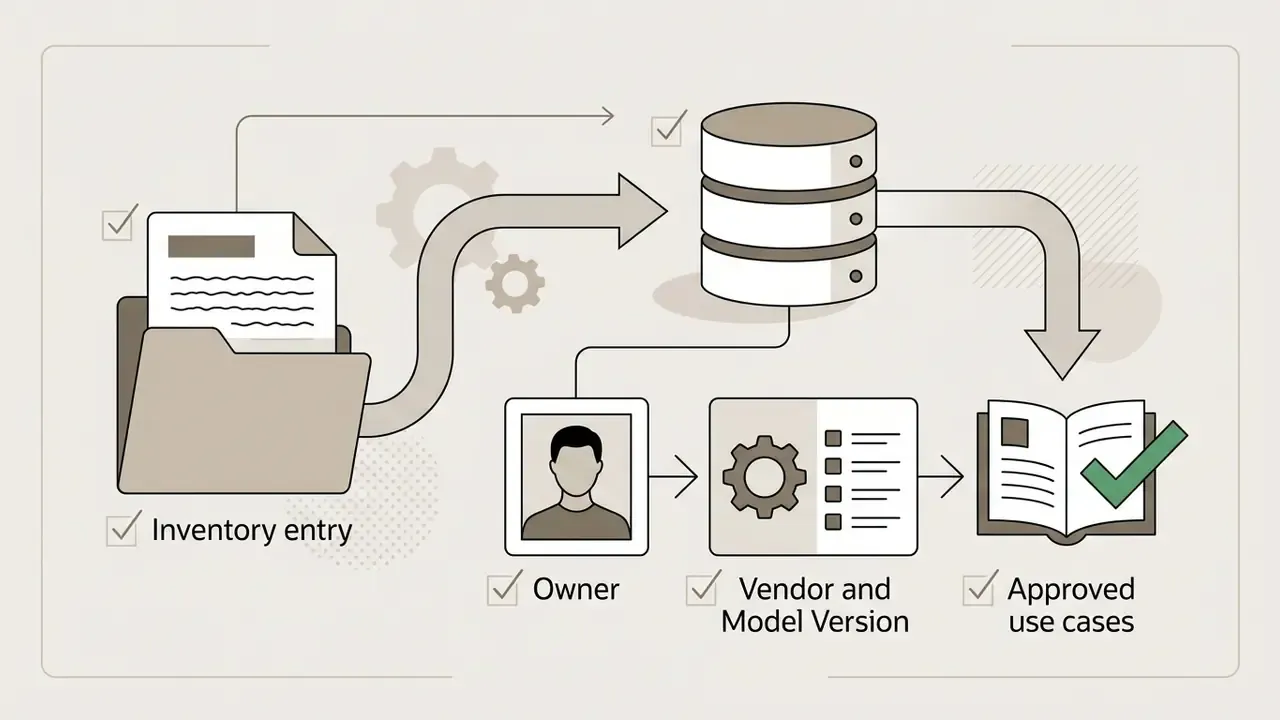
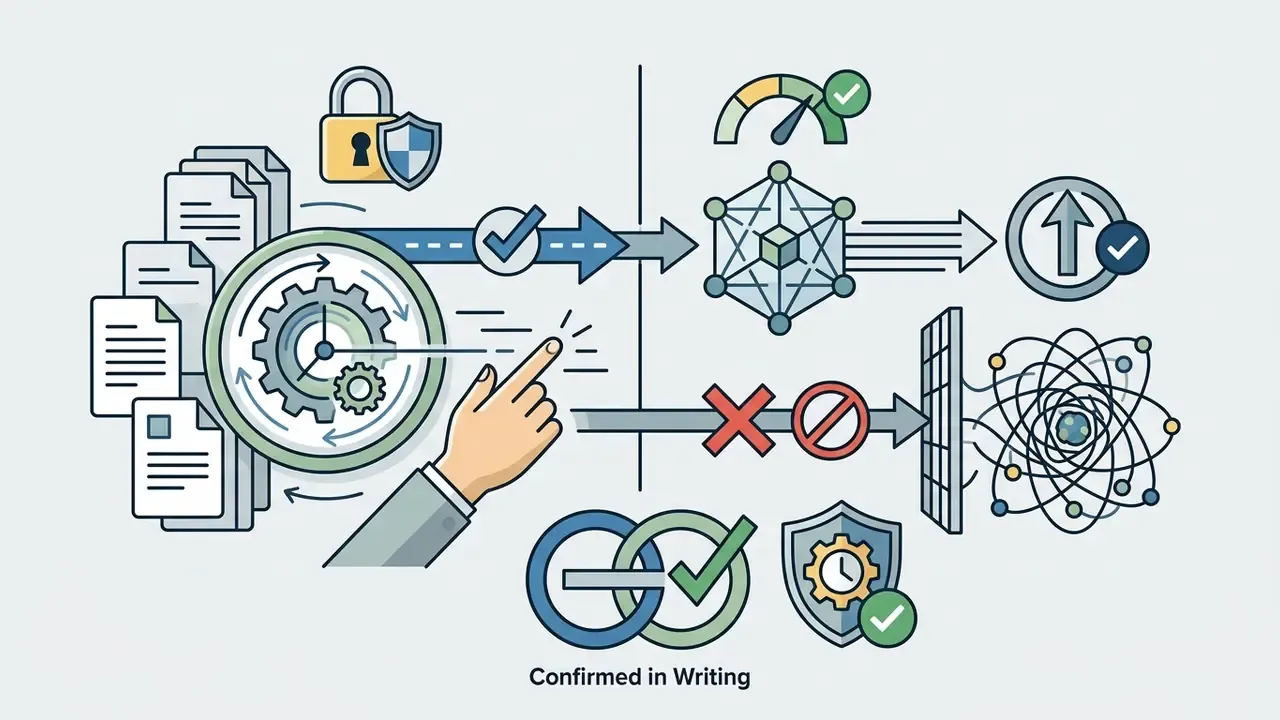
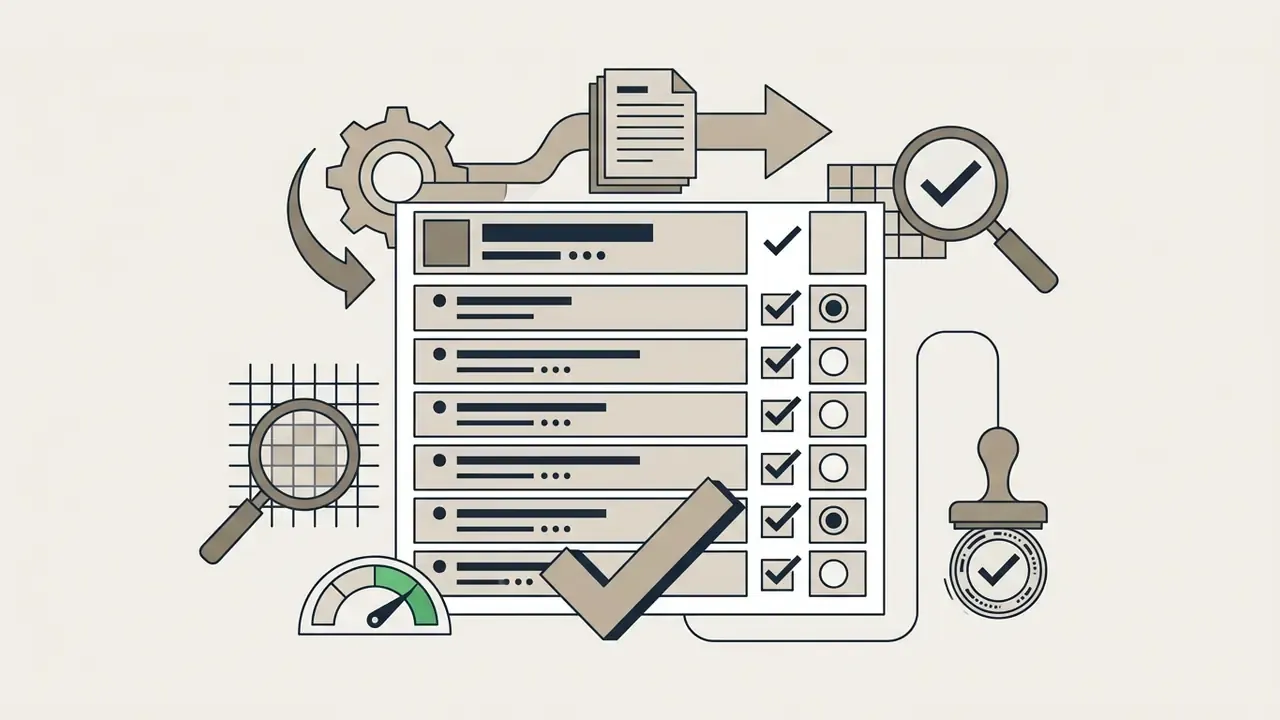
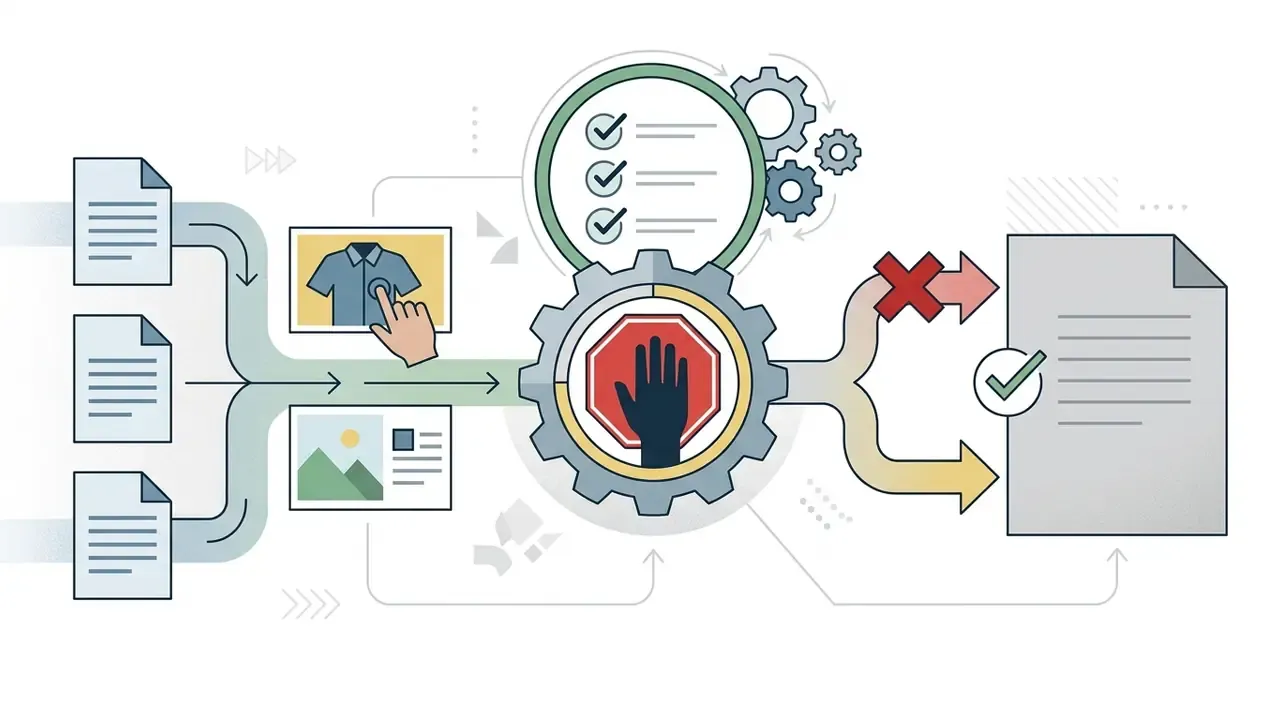
Pre-publication control checklist for regulated teams
Use this as a lightweight control, not a substitute for your own model risk policy. Each line should have an owner and leave evidence behind.
Unresolved questions remain, and it is better to state them than to paper over them: small-object fidelity is under-measured by public benchmarks, provenance persistence across third-party platforms is inconsistent, and disclosure thresholds differ by jurisdiction. Treat those as open risks in your assessment.

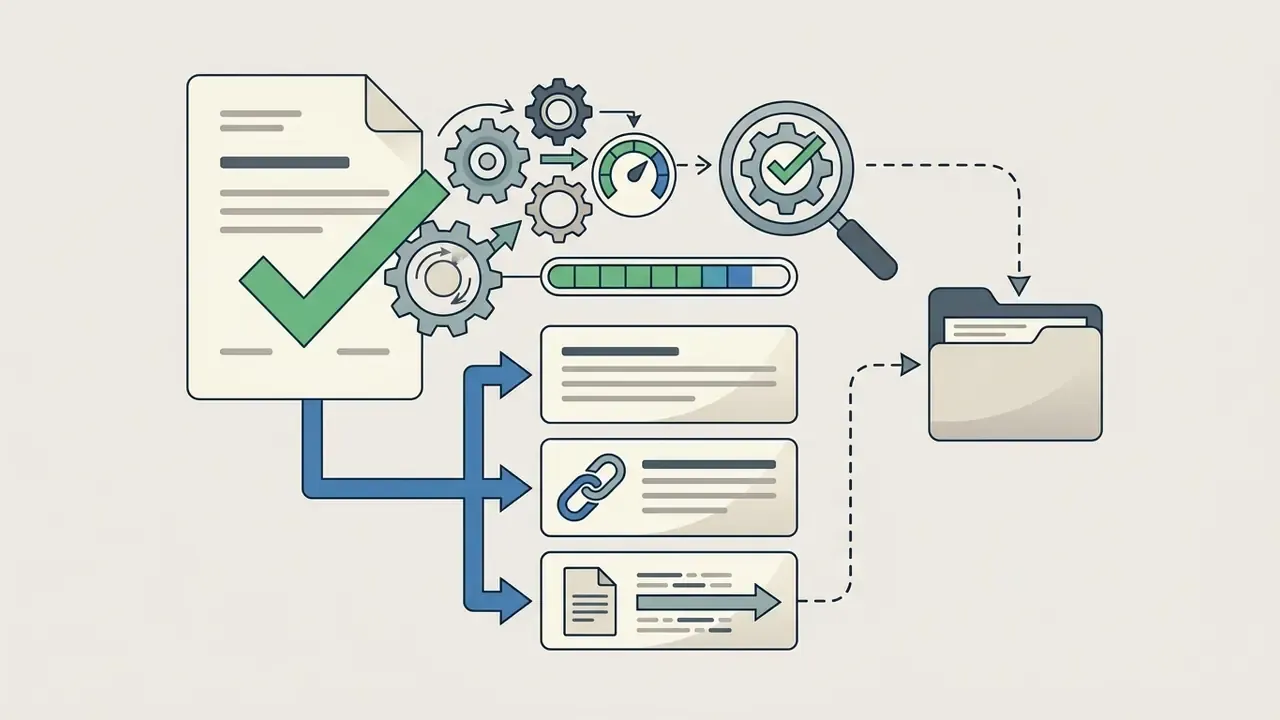

Appendix A: editorial corrections log (source substitutions)
For transparency, the following attributions appeared in the previous revision of this article and have been superseded by verifiable, linkable research. The original wording is preserved here so readers can trace the change.
| Previous attribution (superseded) | Replacement source in current revision |
|---|---|
| "Guidelines from Google AI Prompting Standards (2025) recommend using concise, structured phrasing separated by clear attribute descriptors rather than long conversational prose." | Token Painter (2025), arXiv:2503.00471, prompt attribute focus and CLIP-Score behavior |
| "According to composite review criteria published by the U.S. National Institute of Standards and Technology (NIST, 2025), high-quality synthetic integration requires uniform radiometric distribution…" | Reformulated as general composite-quality criteria; supported by NTN-Diff (2024–2025), arXiv:2412.11186 |
| "Commercial vendor evaluations in 2026 show that targeted portrait editing tools apply restricted masks over hair or clothing regions…" | BrushNet / BrushBench (2024), arXiv:2403.17694, human category with clothing and hair masks |
| "…workflows documented in Amazon Nova Architecture Specifications (2026)…" | Reformulated as vendor-documented mask-plus-reference inpainting; supported by EG-O (2024), arXiv:2404.07171 |
| "Enterprise e-commerce benchmarks (Levi9 Whitepaper, 2025) indicate that automated image pipelines process over 94% of catalog visuals…" | Retained as an unattributed production figure; e-commerce applicability supported by BrushBench (2024), arXiv:2403.17694 |
| "Guidance from the Public Relations Society of America (PRSA, 2025)…" | Reformulated against public transparency guidance; supported by Swift & Chattopadhyay, ACM CHI (2024) |
| "Prompt guidance from Runway Gen-4 Documentation (2025)…" | Reformulated as documented controllable prompt elements; supported by Imagen Editor / EditBench (2022–2023), arXiv:2212.06909 |
| "Professional photo editing standards (Adobe Photoshop Select and Mask Guidelines, 2026)…" | Reformulated as standard mask-refinement practice; supported by Kouzelis et al. (2024), arXiv:2402.08700 |
| "Enterprise deployment frameworks published by Google Cloud Imagen (2026)…" | Reformulated against NIST provenance-metadata guidance and vendor C2PA statements |
| "According to OpenAI API & Amazon Nova Developer Documentation (2026)…" | Reformulated as documented batch ceilings; supported by Token Painter (2025), arXiv:2503.00471 |
Social media posts and creative photo edits
Digital marketing teams use AI image replacer tools to adapt social media posts for seasonal campaigns, regional audiences, or platform-specific aesthetic trends. By altering specific background elements or foreground props, creators generate multiple eye catching variations from a single master photograph. Where a post needs extra sharpening, denoising, or color normalization before publication, teams pair replacement with AI image enhancers so the synthesized region and the original capture share the same perceived quality tier. Stylized AI filters layered on top can unify the look across a whole content calendar.
When optimizing content production pipelines across multiple creative channels, social media teams frequently browse the hub for updated workflow frameworks.