Executive summary: the 60-second verdict
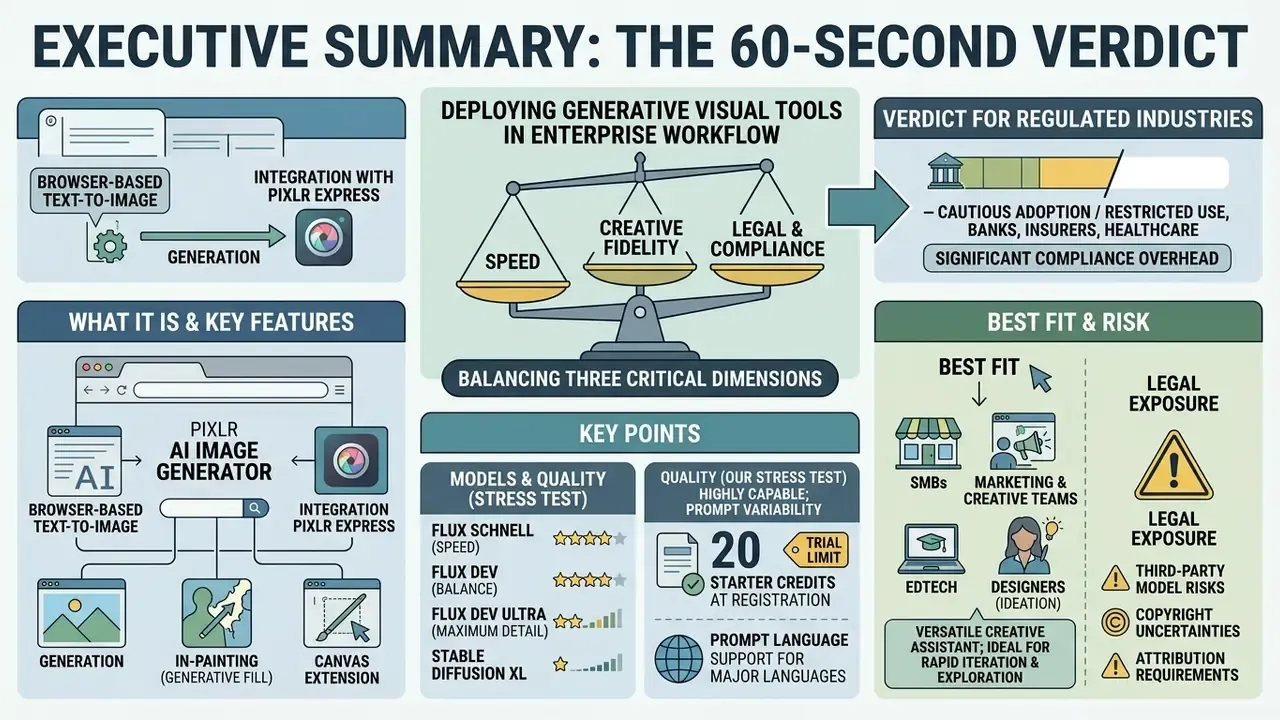
- What it is. Pixlr AI Image Generator is a browser-based text-to-image tool wired into the Pixlr Express editor: generation, in-painting (Generative Fill), canvas extension (Generative Expand), background removal, and Face Swap, with no desktop install.
- Models. Flux Schnell (speed), Flux Dev (balance), Flux Dev Ultra (maximum detail), Stable Diffusion XL, and Nano Banana 2. The modes map loosely to Fast, Pro, and Ultra.
- Quality (our stress test). Single subject and portrait photorealism: 8.5/10. 3D and animation styling: 7.5/10. Complex multi-figure cinematic scene with real depth of field: 4.5 to 5.0/10, because background figures collapse into blurred artifacts.
- Money. 20 starter credits at registration. A 7-day free trial gives 250 credits, roughly 75 images at about 3.3 credits per generation. Paid Pixlr Suite plans start from $1.99/month and add ad-free use, private mode, a priority queue, and access to every model.
- Prompt language. The generation interface is optimized mainly for English. Prompts written in other languages should be translated first.
- Legal exposure. Pixlr permits commercial use of AI Content, yet the License and Services Agreement grants the platform a perpetual, worldwide license to both AI Input and AI Output. Liability for third-party rights stays with the user. No public IP indemnification has been found.
- Verdict for regulated industries (banks, insurers, healthcare). Acceptable for public marketing content that contains no confidential data, under four conditions: no uploads of client or internal material, private mode enabled on a paid plan, registration of the tool in the AI asset inventory, and human-in-the-loop review before publication. It is not a channel for sensitive data: an enterprise mode with no-logging guarantees, SSO or SAML, and audit trails is not publicly confirmed.
- Best fit. SMBs, marketing and creative teams, e-commerce, EdTech, and designers during ideation. In short: scenarios where the cost of one bad asset is low and speed matters more.
Deploying generative visual tools inside an enterprise workflow means balancing three things at once: production speed, licensing rights, and technical control. The ai generator Pixlr ships browser-based synthesis plus post-generation editing for creators, digital marketers, and in-house studios. That combination is convenient. It is also the reason the tool quietly spreads across corporate browsers before anyone assesses it.
What Pixlr AI Image Generator is and which jobs it actually fits
Pixlr AI Image Generator converts natural language text prompts into digital art, photorealistic images, and marketing visuals within seconds. The platform ties generative models directly to editing tools, so users can generate, modify, and export assets without installing software or touching a command line.
The tool covers a wide range of creative and commercial applications. Design and marketing teams use the pixlr ai image generator for social media graphics, ad banners, website hero images, and concept illustrations. By combining text-driven synthesis with conventional photo editing, this pixlr ai photo generator helps teams compress asset production while holding brand consistency across a campaign.
Because the generator lives inside a full browser editor, it competes less with API-first diffusion backends and more with all-in-one suites. If you are comparing product categories rather than single tools, start with our reference material on online photo editors and commercial workflows and the broader category overview of the ai image generator market. Terms such as outpainting, latent space, and alpha matte are unpacked in the glossary.
Generating images from text prompts
Pixlr AI turns written descriptions into detailed visuals by routing descriptive text prompts through diffusion architectures. The engine reads subject detail, background environment, artistic style, color palette, and lighting conditions declared in the prompt.
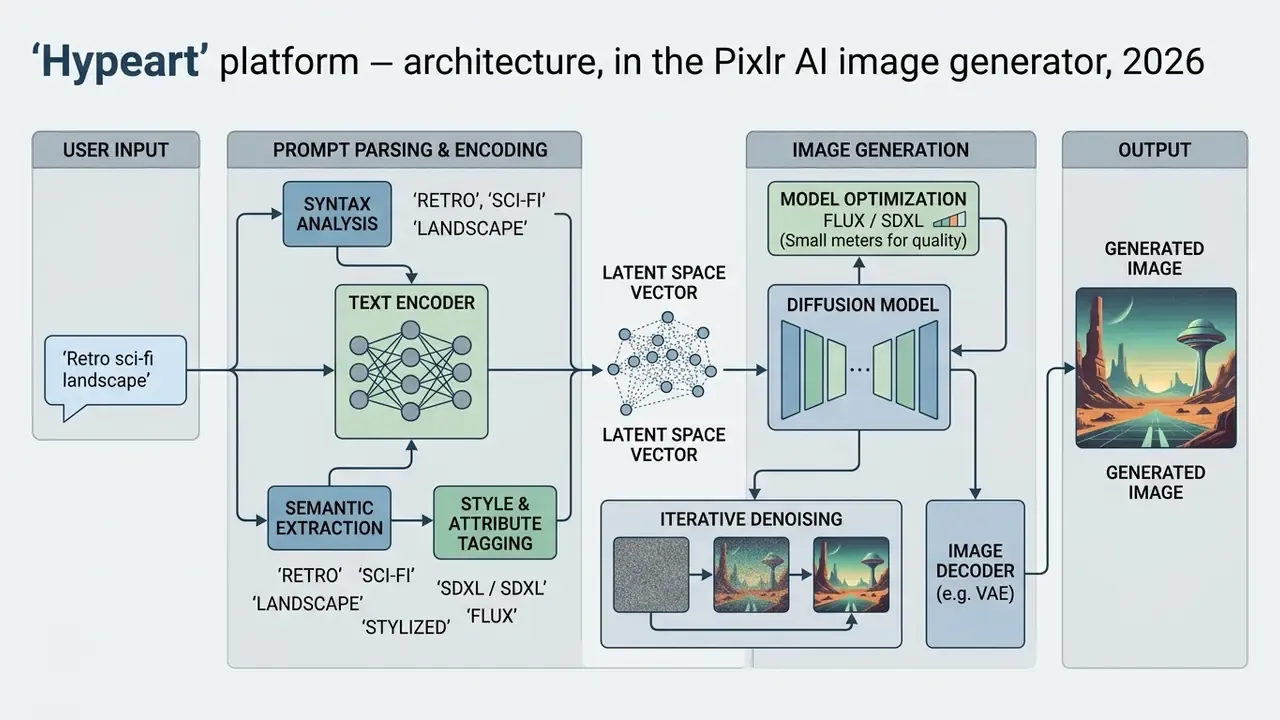
Practical implication. Pixlr already exposes style, lighting, and color as interface presets. So the text field should carry the conceptual and spatial load: subject relationships, object counts, depth layers. Repeating aesthetic keywords there mostly wastes tokens and, worse, sends the model conflicting signals.
Who benefits: graphic designers, marketers, and content creators
Pixlr AI serves graphic designers, digital marketers, and content creators who need fast visual ideation followed by execution. The platform automates repetitive design chores, letting teams prototype campaign concepts and create stunning visuals without manual rendering.
For marketing professionals running high-volume calendars, the tool saves time by producing multi-format assets for social media channels in seconds. Designers use it earlier in the funnel, treating synthesized digital art as a baseline for manual refinement inside integrated photo editors. That handoff is described in more depth in our guide to free photo editors and their export limits and in the production workflows hub.
Pixlr AI Image Generator features: models, styles, and output control
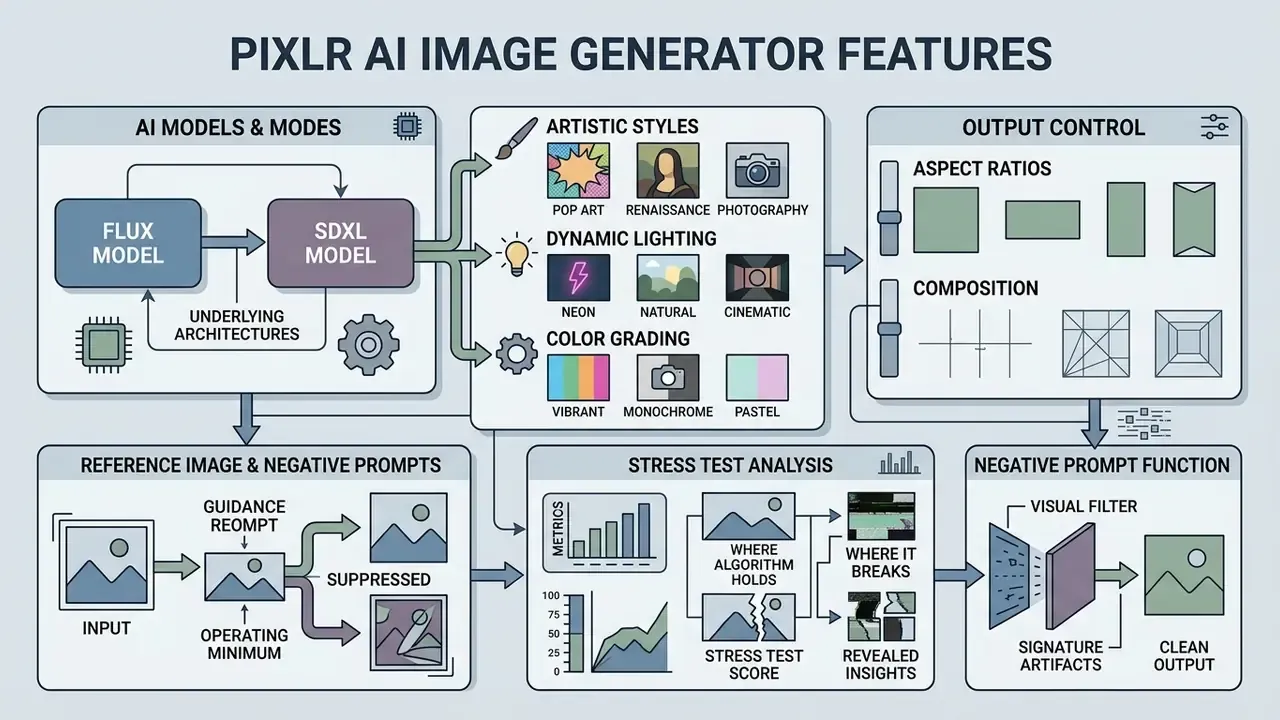
Pixlr offers granular control over output through multiple underlying architectures, artistic style presets, dynamic lighting, color grading, and aspect ratio configuration. These parameters let an operator steer visuals toward precise technical and aesthetic requirements.
The table below summarizes the technical specifications and control surfaces available in the Pixlr AI ecosystem.
| Parameter category | Available features and options | Operational purpose |
|---|---|---|
| AI models | Flux Schnell, Flux Dev, Flux Dev Ultra, Stable Diffusion XL, Nano Banana 2 | Balances generation speed against fine detail and photorealism. |
| Artistic styles | 16 presets (Anime, Photographic, Cinematic, Digital Art, Comic Book, Fantasy Art, Neon Punk, Pixel Art, Low Poly, Origami, Line Art, Craft Clay, Isometric, 3D Model, Analog Film, Enhanced) | Applies predefined aesthetic filters and visual textures. |
| Composition control | 7 options: Blurry Background, Close Up, Wide Angle, Macro, Shot From Below, Shot From Above, Narrow Depth of Field | Sets virtual camera perspective, spatial depth, and subject isolation. |
| Dynamic lighting | 10 presets: Studio, Dramatic, Golden Hour, Backlight, Sunlight, Volumetric, and others | Controls scene illumination, shadow contrast, and mood. |
| Color toning | 6 options: Warm Tone, Cool Tone, Vibrant Colors, Muted Colors, Pastel Colors, Black and White | Establishes saturation and thermal grading. |
| Aspect ratio | Square (1:1), Landscape (16:9), Wide, Portrait (4:5), Tall (9:16) | Formats output dimensions for specific digital channels. |
| Reference image | Guidance photo upload for composition, color, or subject matching | Anchors synthesis to existing brand visual assets. |
| Negative prompts | Toggle field, "Remove" input to exclude unwanted elements | Filters out specific artifacts or unwanted objects. |
| Generation volume and privacy | 1 to 8 images per batch; "Make private" toggle; "Allow Mature Content" (such content is auto-deleted after 30 days) | Controls variation count, generation privacy, and automatic cleanup of mature content. |
| Prompt language | Primarily English | Prompts in other languages are interpreted less accurately; translate first. |
| Export | WebP directly from the gallery; JPG, PNG, WebP, PDF through Pixlr Express (Save As) | Output formats for web, print layouts, and transparent backgrounds. |
Every setting listed above is a direct interface control that modifies latent space sampling during generation. No code, no config file. That is the main reason the learning curve here is shallow compared with self-hosted pipelines.
Stress test: where the algorithm holds and where it breaks
Marketing pages promise "stunning visuals". The practical value of any generator, though, is defined by where exactly it fails. We ran three difficulty tiers on Flux Dev Ultra, scoring prompt adherence, detail, and compositional coherence.
| Test | Prompt (abridged) | Score | What worked | Where it broke |
|---|---|---|---|---|
| 1. Portrait photorealism | "A close-up photographic portrait of a craftsman in a dimly lit workshop, natural side lighting, narrow depth of field" | 8.5/10 | Realistic skin texture and pores, correct soft shadows, believable side light, clean subject isolation | Fine hand detail still needs retouching in Pixlr Express |
| 2. 3D and animation styling | "3D Pixar style cute fox searching for fish near a sunny river, lush green forest, joyful mood" | 7.5/10 | Style held almost perfectly, color and light matched the reference | The dynamic action ("searching for fish") was ignored; the model rendered a static pose |
| 3. Complex multi-figure scene | "A cinematic IMAX 70mm wide shot of a lone gunslinger on a dusty frontier street at golden hour, citizens scattering in the far background, long shadows" | 4.5 to 5.0/10 | Correct sunset light gradient, detailed foreground | Flat perspective, secondary figures degraded into blurred silhouettes, the cinematic effect never landed |
What the stress test tells us. Pixlr AI is grounded, almost literally. It holds one subject beautifully and reproduces a chosen aesthetic with consistency, then loses proportion and detail in everything sitting in the second and third planes. Independent reviews report the same pattern: on complex cinematic scenes the model over-focuses on the subject and neglects the background, leaving critical detail soft.
The cause is reproducible and documented in the literature. Base diffusion models encode spatial relationships and object counts weakly.
"A two-stage LLM-based controller roughly doubles generation accuracy on tasks involving spatial relationships and object counting compared with the base diffusion model."
One more note for location-heavy briefs: the model invents plausible geography rather than reproducing a real place, so verification tooling such as an ai image location check belongs in your review step whenever a campaign implies a specific city or landmark.
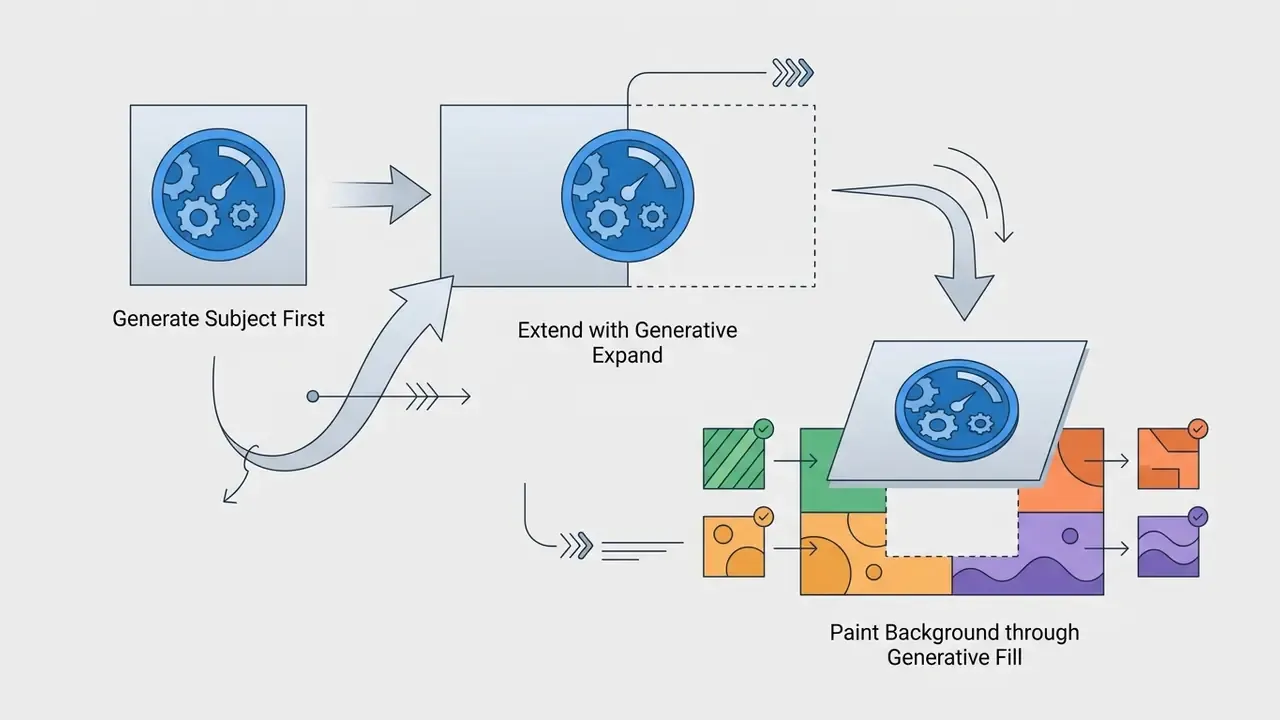
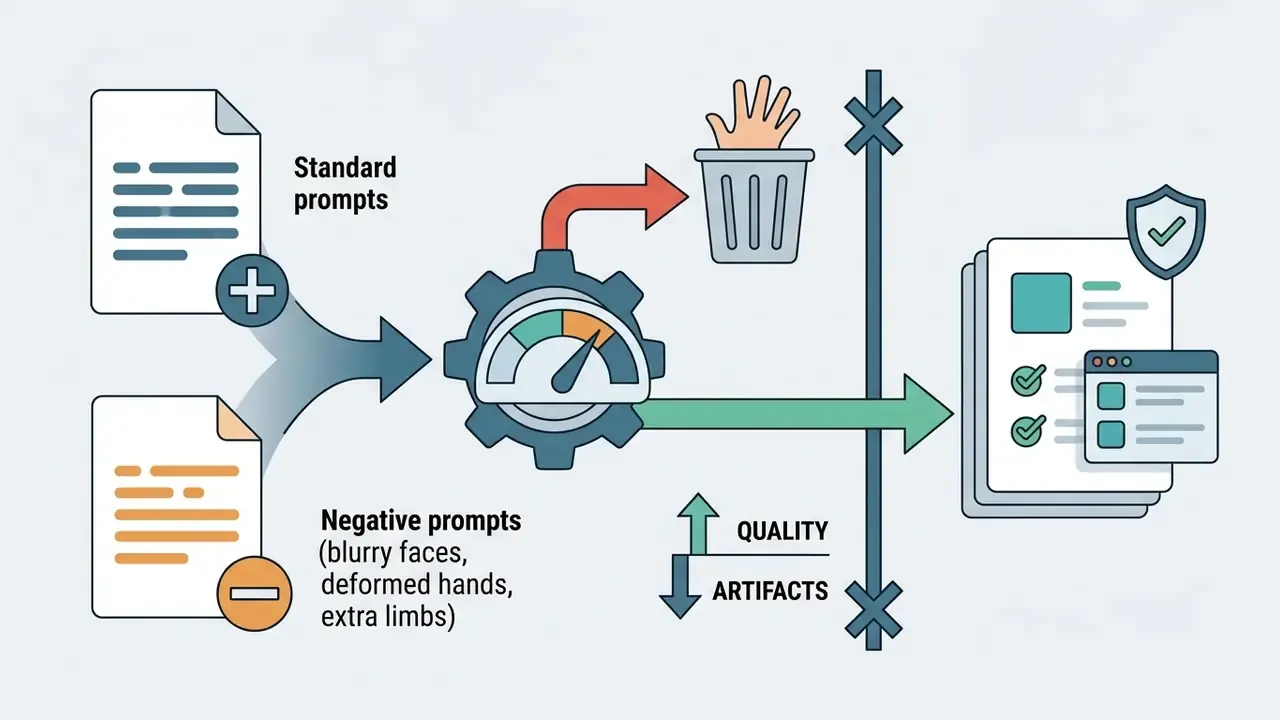
blurry faces, deformed hands, extra limbs.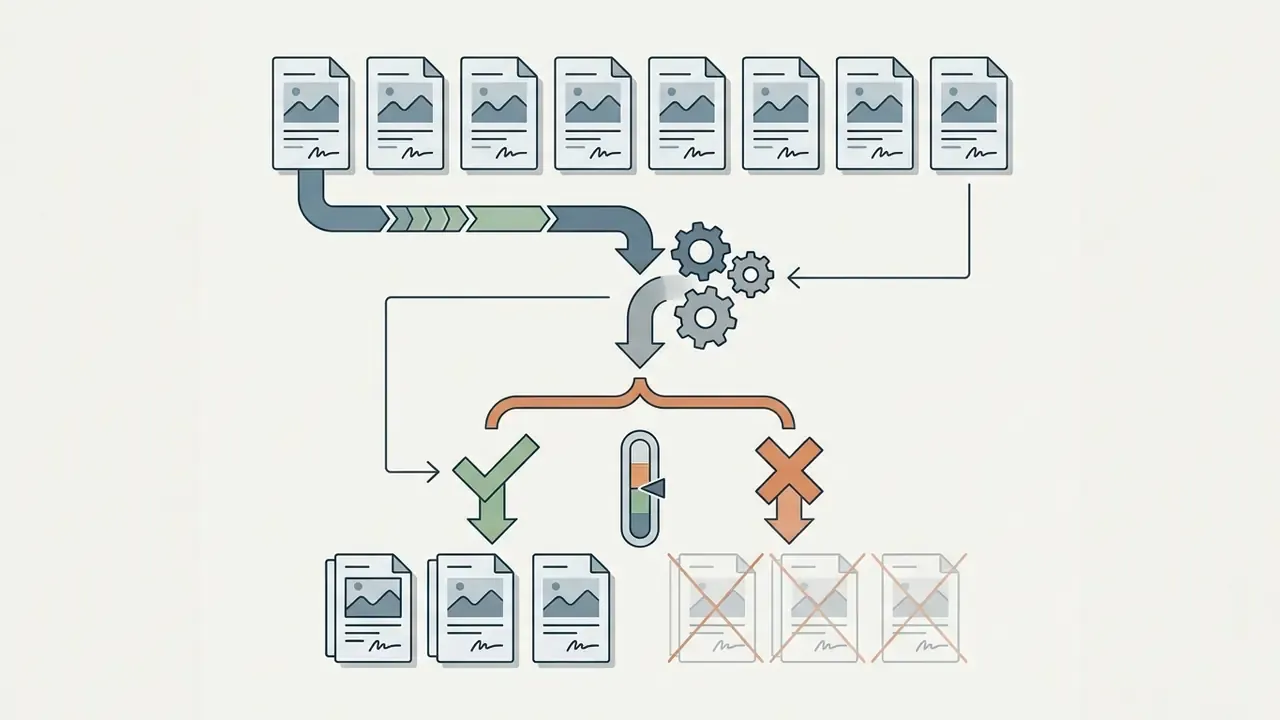
AI models and generation modes
Pixlr AI integrates multiple AI models to cover different performance needs. Flux Schnell handles ultra-fast drafts, Flux Dev balances quality and cost, Flux Dev Ultra pushes photorealism, stable diffusion XL covers specialized ai art styles, and Nano Banana 2 adds stylistic range.
Model choice follows project constraints, not taste. Fast modes return drafts in under ten seconds for rapid concept testing, while the high-definition models produce high quality images suitable for web banners and client presentations. One important limit: Pixlr web apps target digital output at 72 dpi, so print work needs upscaling (Super Scale or Super Sharp) plus external prepress. If you are mapping engine families against each other, our breakdown of ai image models covers the trade-offs in more detail.
Styles, lighting, color, and composition
The platform ships 16 built-in artistic styles, from fantasy art and neon punk through cinematic photography to flat digital illustration. Those categories are compared in our review of the best AI art generators. Presets let users establish a visual theme without heavy prompt engineering.
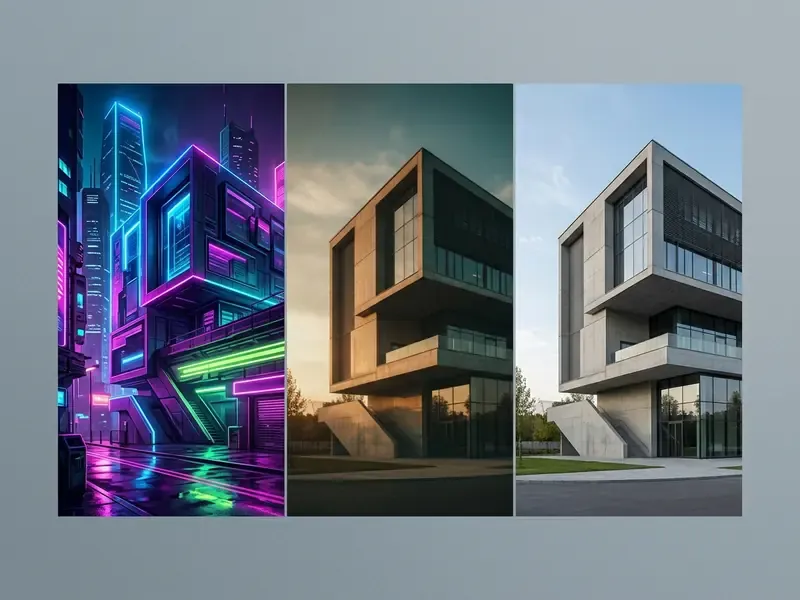
Beyond style selection, users configure dynamic lighting (Studio, Golden Hour) and color toning (Warm, Vibrant). Composition controls, including wide angle, close up, macro, and blurry background, keep generated visuals aligned with the required spatial perspective. They also isolate a product or a hero without manual masking later, which is where most of the eye catching product frames come from.
Reference image, aspect ratio, and negative prompts
Pixlr AI frames output precisely through aspect ratio settings: square, landscape, wide, portrait, and tall formats for modern digital channels.
Users may upload a reference image to guide composition and color distribution, keeping generated assets close to existing photography. To block unwanted elements, the platform provides a negative prompt toggle through the "Remove" field. Teams building brand-locked series should read our deeper treatment of the ai image generator with reference photo pattern before uploading anything.
Operating minimum for reference images and negative prompts:
- Upload only references your organization owns. Liability for third-party rights sits with the user, not the platform.
- Never use photographs of real people as references without documented consent.
- Phrase negative prompts as nouns and defects (
text, watermark, logo, extra fingers, distorted background), not as free-form denials. - For brand series, record the chain of reference, prompt, model, and seed batch in a shared document. It is the only way to reproduce a visual style months later.
How to create an image in Pixlr AI Image Generator
Generating a custom asset follows a four-step workflow: enter a descriptive prompt, configure model and aesthetic parameters, generate variations, then select files for export or further editing.
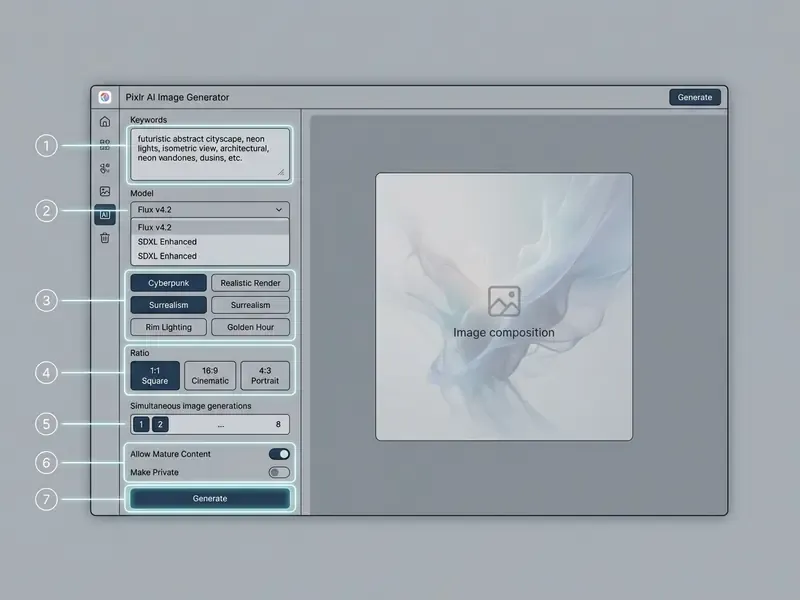
The interface components highlighted above cover every stage of the generative process. The prompt field accepts detailed natural language, while the adjacent dropdowns set operational parameters before execution.
Writing a prompt that lands
Effective text prompts need a structure that defines subject, environment, visual style, lighting, and camera angle. Order matters less than completeness, but a fixed order makes team templates reusable.
A recommended structure for commercial visuals:
- Subject the core entity or object, for example "a modern wireless headphone".
- Environment background setting and atmosphere, for example "placed on a sleek wooden table in a minimalist studio".
- Lighting and color specific illumination, for example "soft studio lighting, warm tones".
- Style and camera rendering mode and framing, for example "photorealistic, close-up shot, shallow depth of field".
- Exclusions the negative prompt, for example "no text, no watermark, no additional objects".
Updated. An earlier version of this section cited prompt-engineering research without naming a publication. Measurable evidence for the structuring effect comes from work on grounded diffusion:
"A two-stage LLM-based controller roughly doubles generation accuracy on tasks involving spatial relationships and object counting compared with the base diffusion model."
Common beginner mistakes in Pixlr AI:
- duplicating style words in the prompt while a style preset is already active, which feeds the model conflicting signals;
- asking for text, a logo, or a slogan inside the frame, since diffusion models mangle typography reliably; add copy as a layer in Pixlr Express instead;
- submitting a prompt in a language other than English without translation, which lowers instruction adherence;
- listing five or more objects in one scene, which degrades the background, as the stress test above shows;
- skipping the negative prompt on product shots, which invites stray objects and phantom reflections;
- rendering the final layout straight in Ultra without Schnell drafts, which burns credits for nothing.
Choosing style, model, and format
Matching technical settings to publication channels protects visual impact. Vertical 9:16 suits mobile video and stories; 1:1 square fits standard feeds.
| Publication format | Recommended aspect ratio | Suggested AI model | Style preset example |
|---|---|---|---|
| Social media feed post | Square (1:1) or Portrait (4:5) | Flux Dev | Digital Art / Photographic |
| Mobile stories and reels | Tall (9:16) | Flux Schnell | Neon Punk / Cinematic |
| Website hero banner | Landscape (16:9) or Wide | Flux Dev Ultra | Photographic / Studio |
| Print and high-res marketing | Custom / maximum dimensions | Flux Dev Ultra | Enhanced / 3D Model |
Picking a higher-tier model for high-visibility placements keeps fine texture and edge sharpness intact during scaling.
Ready commercial scenarios with prompt templates
Eight applied niche scenarios with working prompt skeletons. All templates assume English input and selection from a batch of four to eight variations.
| Niche or task | Prompt template | Recommended settings |
|---|---|---|
| E-commerce product card | "Minimalist podium background for a luxury wrist watch, soft studio sunlight, subtle reflections, wide angle" | Flux Dev Ultra, Photographic, Studio lighting, 1:1, negative: text, logo, clutter |
| 3D mockups and decks | "Futuristic 3D model of an electric car, metallic teal finish, isometric perspective, clean grey backdrop" | Flux Dev Ultra, 3D Model / Isometric, 16:9 |
| Paid social creative | "A vibrant specialty coffee shop ad scene, modern aesthetic, warm morning light, copy space on the left" | Flux Dev, Cinematic, Warm Tone, 4:5 |
| Book covers and posters | "Mysterious glowing forest for a fantasy novel cover, volumetric fog, cinematic lighting, digital art style" | Flux Dev Ultra, Fantasy Art, Volumetric, Tall 9:16 |
| Interior and renovation visuals | "Modern Scandinavian living room, warm beige tones, natural light from large windows, wide angle" | Flux Dev Ultra, Photographic, Sunlight, 16:9 |
| Personal invitations | "Elegant wedding invitation background with gold accents, delicate floral border, soft pastel palette" | Flux Dev, Enhanced, Pastel Colors, 4:5; add type in Pixlr Express |
| Learning materials and infographics | "A colorful friendly illustration of the solar system for a primary school lesson, flat vector look" | Flux Dev, Digital Art / Line Art, Vibrant, 16:9, negative: scary, horror, dark |
| Avatars and personalized content | "Stylised professional avatar of a smiling person in business casual, soft studio light, blurry background" | Flux Dev, Photographic, Blurry Background, 1:1 |
When final layouts need different proportions, AI outpainting and image expansion tools help. For portrait work, specialized AI headshot generators usually beat a general-purpose model.
How to select, refine, and download the result
On execution, Pixlr AI returns one to eight options at once through the Amount parameter. The reviewer then picks the candidate that meets the technical criteria, and this is where most teams get sloppy.
Six-point candidate selection checklist:
- anatomical correctness of hands, eyes, and teeth whenever people appear;
- no phantom text and no pseudo-logos anywhere in the frame;
- background coherence and shadows consistent with the declared light source;
- legibility of the second plane, the main failure zone in Pixlr;
- palette compliance with the brand book;
- free space reserved for copy and the call to action.
Selected images download directly in WebP or move into pixlr express for advanced retouching. Integrated editing tools adjust exposure, apply color filters, and run targeted AI edits before final export to JPG, PNG, WebP, or PDF through Save As.
Editing AI images in Pixlr Express
A chosen frame from the batch is almost never a finished asset. Three problems remain: second-plane artifacts, wrong proportions for the specific placement, and the absence of a transparent background. Pixlr Express picks up right after generation and closes all three without exporting the file anywhere.
Generating a base image is only step one of visual production. Pixlr Express works as the integrated photo editor, supplying specialized image tools to adjust, expand, and clean synthesized frames without switching platforms.
The suite mixes conventional adjustments with generative features, so teams can restructure composition, replace backgrounds, and swap faces in one session.
Generative Fill and Generative Expand for composition changes
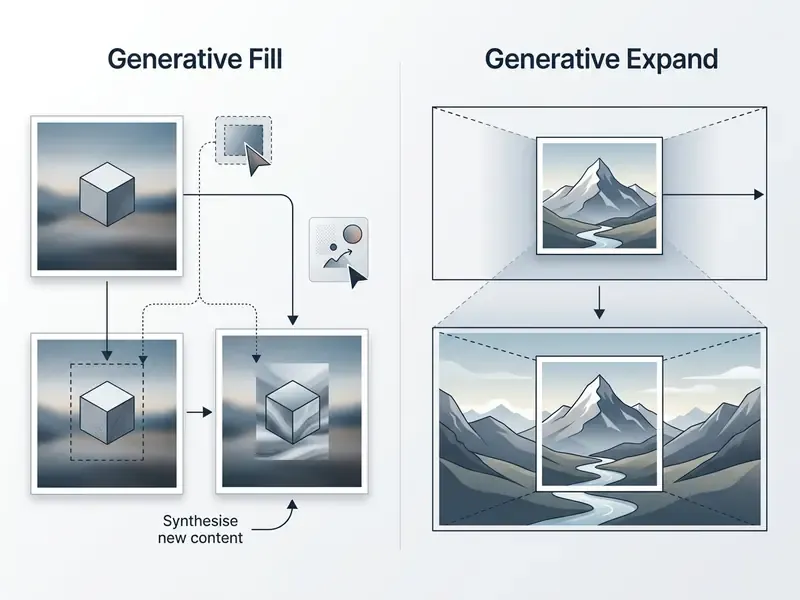
Generative fill lets users select a region and insert new elements or replace details through a text description. The model reads surrounding pixels to keep lighting and texture consistent. Selection supports lasso, rectangular, and free-form modes.
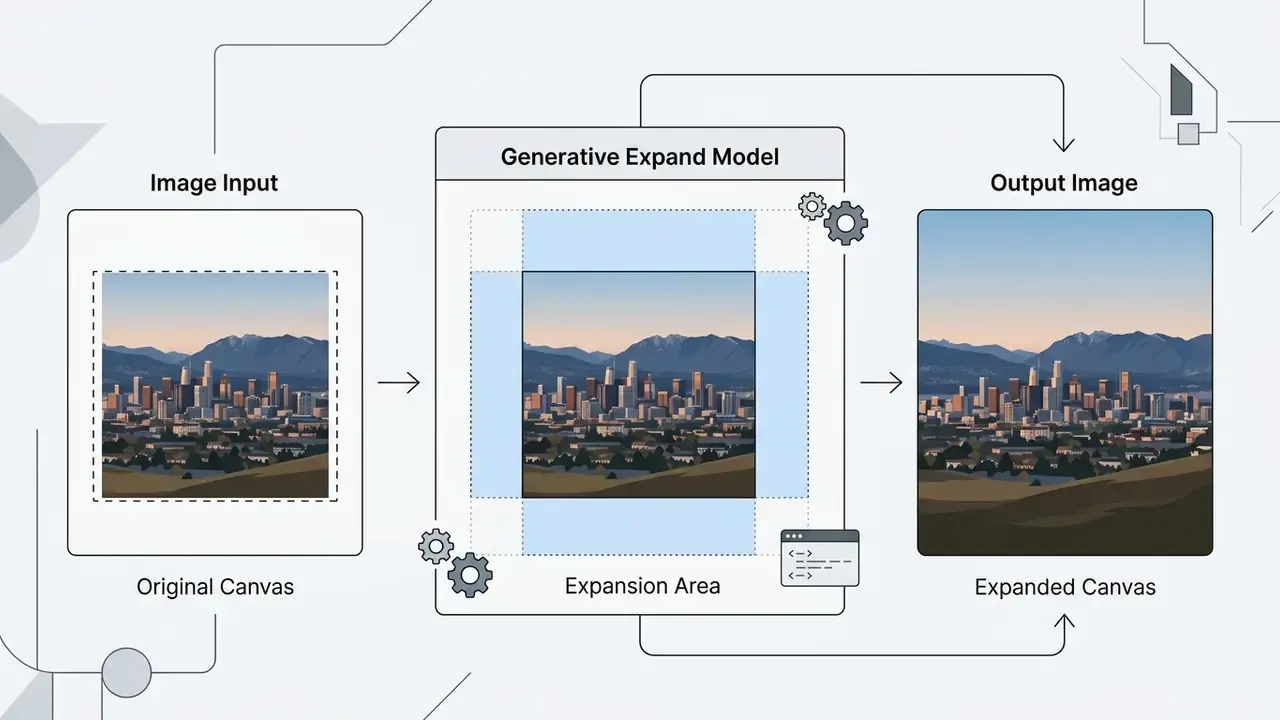
Generative expand, or outpainting, extends canvas boundaries in any direction with presets such as 1.5x wide or 1.5x high, plus arbitrary dimensions. A detailed comparison of comparable solutions sits in our material on AI image expansion tools. The tool synthesizes new surrounding context, which turns a square frame into a wide banner or a tall mobile format while preserving continuity.
Background removal, object cleanup, and filters
"Background removal improves classification accuracy by up to 5% for shallow models, yet offers no advantage for segmentation using pretrained networks."
Practical takeaway for e-commerce: subject isolation remains mandatory for catalog consistency and asset reuse across placements. Do not expect it to lift computer-vision metrics automatically in a modern pipeline.
AI Face Swap: capabilities and hard limits
Useful, yes, but the constraints are real. Independent evaluations indicate that face swapping needs clear, front-facing source photos with matching lighting. Misaligned angles or harsh shadows produce visible seams along jawlines and hairlines. Reviewers also report that the tool handles static images only, with no video or GIF support, offers no dedicated group-swap mode, and looks more convincing in preview than at 100% zoom.
A separate technical risk is residual identifiability:
"Even after a face is replaced, semantic traces may persist: context and pose can still point to the original identity under automated recognition."
Illustrative operational risk scenario (SAR). Hypothetical quality-control example:
- Situation: a design agency tested automated face swapping for a corporate client brochure and hit skin-tone mismatches in multi-person group photos.
- Action: the team introduced a mandatory post-processing inspection in Pixlr Express to correct color tone and edge blending before approval.
- Result: artifacts were corrected before publication, and the workflow became a documented quality-control protocol for later AI face edits.
"The 2023 FTC staff report stresses that generative face-swap tools raise questions of deception, privacy, and appropriation, especially in professional contexts." FTC Staff Report on AI in Creative Fields (2023). https://www.ftc.gov
Pixlr AI Image Generator free: what you actually get
Pixlr runs a freemium model that opens basic text-to-image features and AI editing tools, with paid tiers reserved for high-volume commercial production.
Understanding the boundary between free access and paid tiers is what lets an organization pick a plan that survives a quarter of real usage.
| Feature or capability | Free tier and trial access | Paid subscription tiers |
|---|---|---|
| Credit allowance | 20 starter credits; 250 trial credits over a 7-day trial, about 75 images | 80 monthly or 960+ yearly AI credits; separate Credit Packs that do not expire |
| Entry price | $0, ad-supported | From $1.99/month within Pixlr Suite; free for education |
| AI model access | Standard models (Flux Schnell, SDXL) | Full access to all image, video, and audio models |
| Export watermarks | Watermark-free exports on standard generations | Watermark-free exports plus private mode |
| Editing tools access | Basic Pixlr Express tools and limited AI edits | Unlimited Generative Fill, Expand, Face Swap |
| Generation queue | Standard processing queue, ad-supported | Priority processing queue, ad-free |
| Privacy controls | "Make private" is limited; mature content deleted after 30 days | Private mode enabled for all generations |
| Commercial usage | Subject to platform terms and credit limits | Commercial use allowed under license terms |
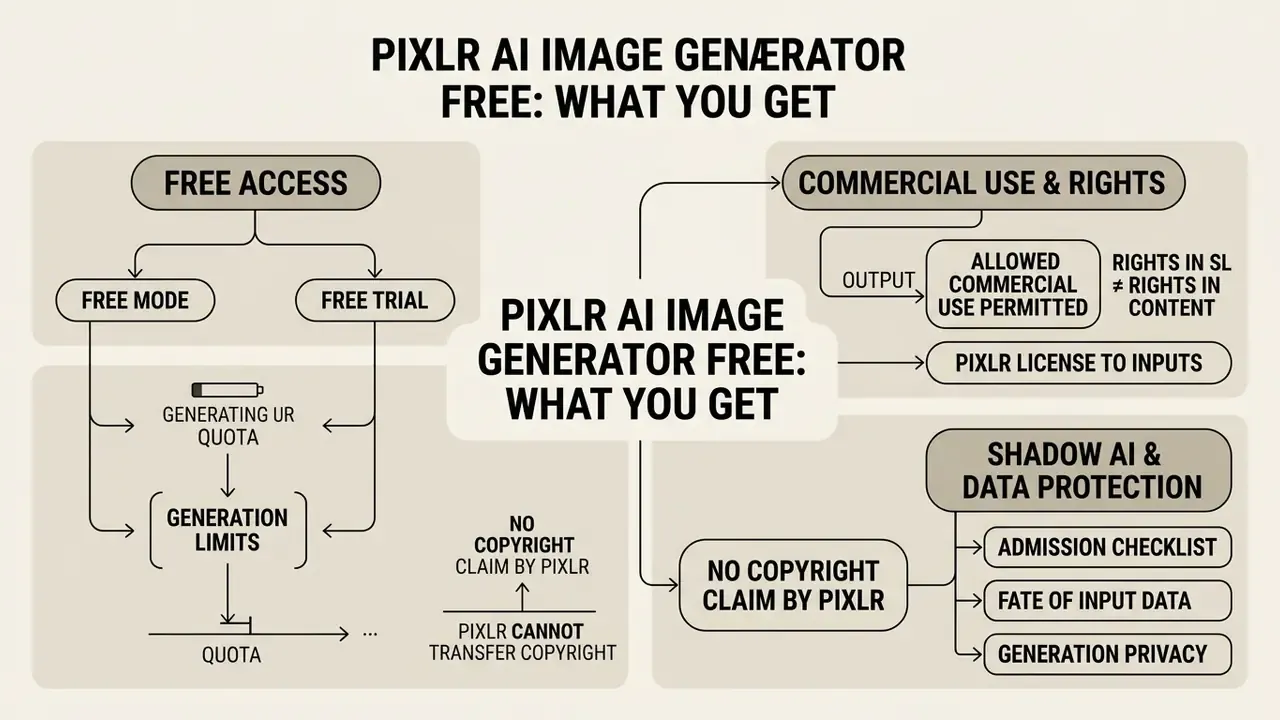
The comparison shows the real split: free tiers suit testing and light editing, while scaled production needs dedicated credit allocation. A planning benchmark from our runs: about 3.3 credits per standard generation, so 250 trial credits cover roughly 75 images, and 960 annual credits land near 290 generations. Pricing and credit mechanics do shift, so track ai image news before locking a yearly commitment.
One more non-financial factor when planning publication is audience reaction to AI content:
"An analysis of 1,424 DeviantArt comments found 67.4% of judgments about AI-generated works and their authors were negative; positive sentiment dominated only toward the technology itself."
For brands, that means creative and artistic communities expect either transparent labeling or substantial human reworking. In utilitarian formats, such as banners, backgrounds, product cards, and infographics, audience sensitivity is noticeably lower.
Free mode, free trial, and generation limits
New users receive 20 complimentary AI credits at registration, plus the option to start a 7-day free trial with 250 credits. This tier lets creators test pixlr ai image generator free functionality without financial commitment. Alternatives are collected in our roundup of free AI art generators.
Free access is ad-supported and routes generations through the standard queue. Once trial credits run out, users upgrade or buy credit packs to keep access to high-definition models. Pixlr's public pages in 2026 do not describe any daily or monthly automatic top-up of free credits outside the trial: the starter pack is one-time, subscription credits expire with the paid period, and Credit Packs do not expire.
What to check before commercial use
Official documentation confirms that Pixlr grants commercial usage rights for synthesized output, while users remain solely responsible for ensuring uploaded references and prompt texts do not infringe third-party trademarks or copyrights.
Regulatory guidance from the U.S. Copyright Office further states that purely AI-generated output without substantial human creative modification may not qualify for full protection.
Four legal facts to log before rollout
- Commercial use of output is permitted.
- The License and Services Agreement explicitly allows personal and commercial use of AI Content.
- Rights in the service are not rights in the content.
- The Terms of Use prohibit commercial exploitation of the Services themselves without written permission, meaning no reselling access and no embedding the service inside your own product.
- Pixlr receives a license to your inputs.
- Under the agreement, the platform obtains a perpetual, worldwide, royalty-free, sublicensable license to AI Input and AI Output. That single clause governs whether you may upload internal, client, or non-public material. The answer, for a regulated institution, is no.
- Pixlr claims no copyright and cannot transfer one.
- The platform does not assert authorship in the result, and it also offers no guarantee that rights exist. No publicly stated IP indemnification against a rightsholder claim tied to Flux or SDXL training data was found in the documents. That residual risk stays with the user and belongs in the risk register.
Practical conclusion. If a visual must become a defensible brand asset, treat AI generation as raw stock and build the final composition by hand in the editor, recording the scope of human contribution: layers, edits, composition, typography.
Shadow AI and data protection: an admission checklist
For regulated organizations, the main risk of the ai image generator Pixlr is not picture quality. It is unsanctioned browser use by employees who upload internal material, the classic shadow AI pattern. Below are the questions security should close before unblocking the domain.
Shadow AI audit checklist:
- Fate of input data.Under the License and Services Agreement, Pixlr obtains a perpetual sublicensable license to AI Input and AI Output. Consequence: internal policy must explicitly forbid uploading contracts, screenshots of internal systems, client personal data, and non-public product material.
- Generation privacy.A "Make private" toggle exists, and private mode is fully enabled on paid plans. At the free level, generations can land in the public community gallery, which is unacceptable for unreleased concepts.
- Mature content.The "Allow Mature Content" option auto-deletes such output after 30 days. For a corporate account, keep the toggle off and write it into the baseline configuration. The same logic applies to any request to whitelist an ai image generator xxx service: the control question is data flow and reputational exposure, not taste.
- Enterprise controls.No publicly confirmed information on SSO or SAML, SCIM provisioning, audit logs, a DPA, or SOC 2 and ISO 27001 certification was found in open sources as of the publication date. Vendor answers must be obtained through a formal request before the tool touches anything beyond public marketing material.
- Network control.Until the vendor responds: read-only access through the corporate proxy, DLP rules on file uploads to the domain, and a ban on use from workstations with production data access.
- Inventory registration.Register the tool in the AI asset inventory with a named owner, business purpose, data class limited to public or marketing, and a review cadence.
- Human control at the output.Mandatory human-in-the-loop review of every published asset, logging prompt, model, date, and approver. That log doubles as quality control and as evidence of creative contribution for copyright purposes.
- Model risk classification.For banking practice, apply supervisory model-risk principles (Federal Reserve SR 11-7 and OCC 2011-12, https://www.federalreserve.gov/supervisionreg/srletters/sr1107.htm) to decide whether the generator counts as a "model" in a decisioning sense. For marketing visuals it usually classifies as a non-decisioning creative tool with reduced validation requirements, though input-data control and output review stay mandatory.
Disclaimer: this section is informational. It is not legal or regulatory advice and does not replace your own risk assessment and compliance sign-off.
Risk-adjusted TCO: how to cost the tool honestly
The published subscription price is only part of the spend. A simple formula works for corporate evaluation:
TCO = (subscription + credit packs) + (review hours x hourly cost) + (rework hours on rejected assets x hourly cost) + one-time control costs such as policy, DLP rules, and training
Benchmarks from our testing:
- roughly 3.3 credits per generation, so 250 credits equal about 75 images;
- 30% to 50% rejection on complex multi-figure scenes, 10% to 15% on single subjects;
- 5 to 15 minutes of manual refinement per accepted asset in Pixlr Express for background, artifacts, and typography;
- 2 to 5 minutes of compliance or brand review per asset in a regulated environment.
Worked example. Fifty published assets a month, a 20% rejection rate, and 12 minutes of combined refinement and review per accepted asset come to about 12 person-hours. At a blended internal rate of $60 per hour, that is roughly $720 in labor against a subscription measured in single dollars. The lesson is uncomfortable but useful: at low volume the saving is obvious even with controls priced in. Above a few hundred assets per month, the bottleneck stops being generation cost and becomes human review throughput. Automate that with checklists and prompt templates, not with more credits.
Is Pixlr AI the right pick for generation plus editing?
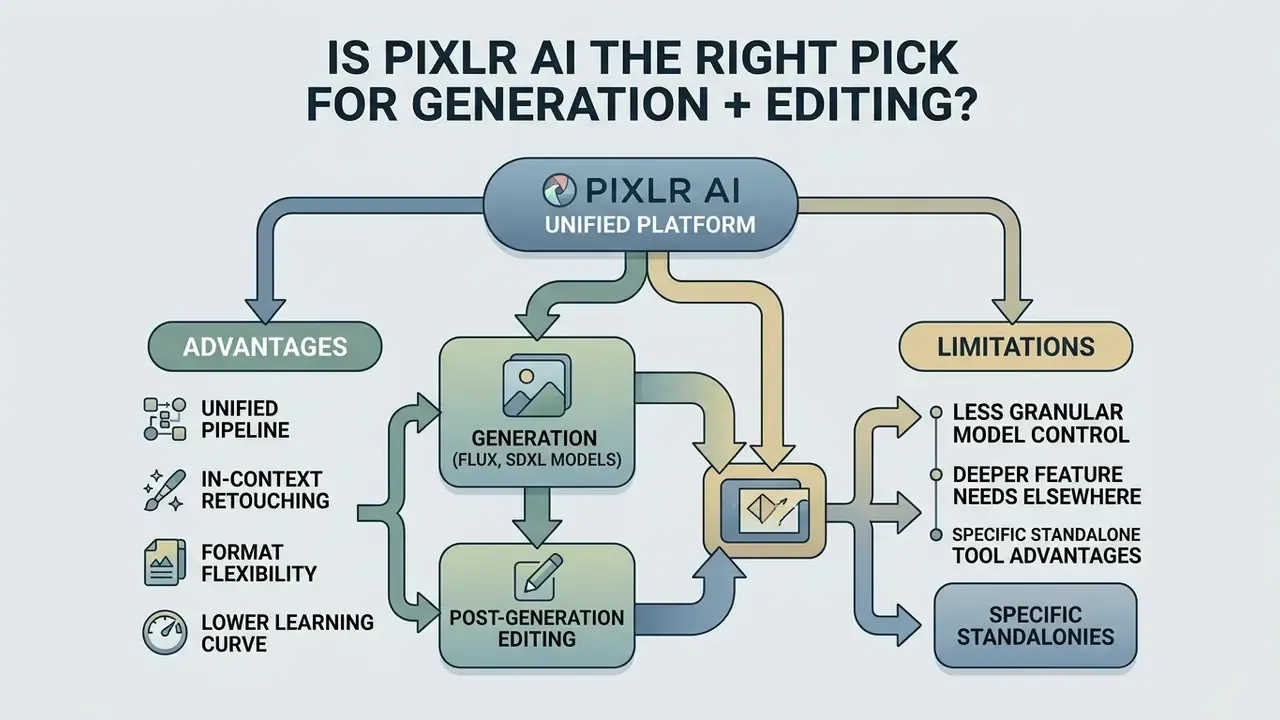
Pixlr AI Image Generator delivers a unified browser environment that bridges raw synthesis and post-generation photo editing. Pixlr offers a fit for marketing teams, content creators, and small businesses that need fast visual assets under mild governance. When weighing it against alternatives, cross-check our roundup of free AI art generators and platform reviews such as Google AI Image Generator, or simply compare options across the category.
Standalone diffusion engines still offer deeper fine-tuning for developer environments. What Pixlr removes is friction: text-to-image synthesis and Pixlr Express live in one tab, so nothing gets exported across three tools before approval. The limitations to accept upfront are equally clear: weak second-plane rendering in complex scenes, no publicly documented API for batch generation or enterprise automation, and web apps built around 72 dpi digital output.
When Pixlr AI beats standalone AI image generation tools
The advantage shows up whenever a visual project needs post-generation adjustment, which is nearly always.
Key advantages of the integrated workflow:
- Unified pipeline. Generate images from text prompts and refine them in Pixlr Express without switching platforms.
- In-context retouching. Apply generative fill, object removal, and background replacement directly to generated assets.
- Format flexibility. Resize the canvas with generative expand to reframe one asset for several social media formats in a single session.
- Lower learning curve. Web controls remove the need for command-line prompts or local GPU hardware.
"A case study in a 3D design course found generative AI accelerates idea generation, yet design principles remain necessary; the authors recommend adding prompt engineering to the curriculum."
When Pixlr AI is the wrong tool: cinematic multi-figure frames and complex perspective, as the stress test showed; high-resolution print work without external prepress; automated pipelines that need an API and batch generation; and any task touching confidential data.
For decision-makers building a media toolkit, broader comparisons live in our analysis at Hypeart AI Media Decision Support.
Open questions and a safe next step
Three things stay unresolved, and honest reporting says so plainly. First, enterprise security posture: without vendor confirmation on logging, SSO, and audit trails, the tool cannot be cleared beyond public marketing data. Second, indemnification: absent a published IP warranty, residual training-data risk is yours. Third, longevity of the credit economics, which vendors in this category revise often.
A safe next step for a bank or a mature fintech looks modest on purpose: No heroics. Just evidence, then autonomy.
- Register the pixlr ai generator in the AI inventory as a non-decisioning creative tool with a named owner.
- Run a 30-day time-boxed pilot on public campaign assets only, with prompt templates and a documented review log.
- Send the vendor a written control questionnaire covering logging, retention, SSO, DPA, and certifications.
- Review the pilot with marketing, security, and compliance together, then decide on a paid plan or a blocked domain.
FAQ: frequently asked questions about Pixlr AI Image Generator
Which languages work for prompts?
The engine is optimized primarily for English. Translate the prompt before submitting it; mixed-language constructions lower instruction adherence noticeably.
How many images does free access allow?
20 starter credits at registration plus 250 credits in the 7-day free trial, roughly 75 images at about 3.3 credits per generation.
How much does paid access cost?
Pixlr Suite subscriptions start from $1.99/month and include ad-free editing, access to all image, video, and audio models, private mode, a priority generation queue, and a library of fonts, templates, and elements. Educational access is free.
Can the images be used in commercial projects?
Yes. The License and Services Agreement permits personal and commercial use of AI Content. Responsibility for third-party rights stays with the user, and the Terms of Use separately prohibit commercial exploitation of the service itself without written permission.
How many variations come from one run?
One to eight images per batch, set through the Amount parameter.
What does the "Allow Mature Content" toggle do?
It permits adult-audience generation, and such content is auto-deleted after 30 days. For corporate accounts, keep the toggle off.
How do I keep generations non-public?
Use the "Make private" option. Full private mode is available on paid plans.
Which export formats are available?
WebP directly from the gallery. Through Pixlr Express (Save As): JPG, PNG, WebP, PDF, and PXZ. The web apps target 72 dpi digital output.
Are there learning materials?
Official tutorials on prompting and editing are published on the Pixlr YouTube channel and the platform blog.
Is the generator safe to use?
The platform applies automated moderation to input prompts to prevent prohibited content and provides a reporting mechanism for unsafe results. None of that removes the need for internal review before publication.
Can I edit an image right after generation?
Yes. Click the image, choose Edit Image, and it opens in Pixlr Express with Generative Fill, Generative Expand, background removal, and filters.
Appendix A. Updated statements and their verification status
Original wording that was corrected in this revision is preserved below for transparency.
| Original fragment | Status | Action taken |
|---|---|---|
| "Research on diffusion models demonstrates that structured text inputs significantly reduce semantic ambiguity", citing only the arxiv.org root domain | Needed a source | Replaced with the Monash University citation and quantitative data from a corpus of over three million prompts |
| "Research in AI prompt engineering published by Carnegie Mellon University indicates that structured descriptor layering yields significantly higher visual accuracy", citing the cmu.edu root domain | Needed a source | Replaced with the measurable result from Lian et al., "LLM-grounded Diffusion" (2024); the qualitative CMU quote remains in the audience section |
| "According to an empirical study on image processing by Azure AI Research, automated background isolation speeds up digital asset preparation by up to 40% in e-commerce workflows" | Not confirmed | The "up to 40%" figure was removed as unverifiable; an arXiv (2024) study with concrete background-removal metrics was added |
| "produce high quality images" with no discussion of limits | Expanded | Added the stress-test section with 8.5, 7.5, and 4.5 to 5.0 scores plus artifact analysis |
| Parameter table without privacy or batch limits | Expanded | Added rows for generation volume and privacy, prompt language, and export; Blurry Background added to composition control |
| Pricing table without monetary anchors | Expanded | Added the 250 credits equals about 75 images equivalence and the $1.99/month entry price |
| Duplicate page-metadata block at the end of the article | Repetition removed | Replaced with a limitations section and a staged next-step plan for regulated teams |
More commercial-use analyses of AI visual tools: open the hub.