Why should a risk or finance leader care about a creative tool? Because the upload is the risk. A single reference photo can carry customer data, an unreleased design, or someone else's copyright straight into a vendor's pipeline.
Last reviewed and updated: February 2026.
Executive Summary for Creative, Marketing, and Risk Owners
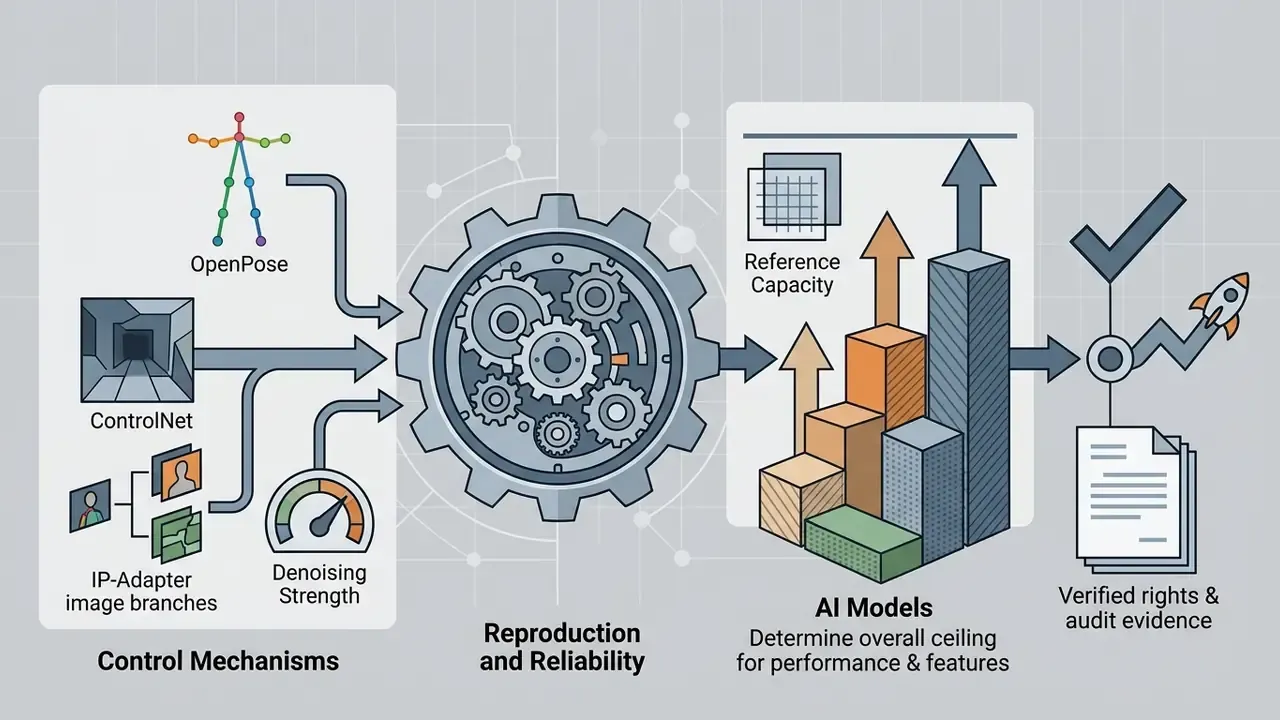
Reference-guided generation is no longer an experimental creative toy. It is a production pipeline with measurable output variance, documented API limits, and unresolved legal exposure. Five decisions matter most:
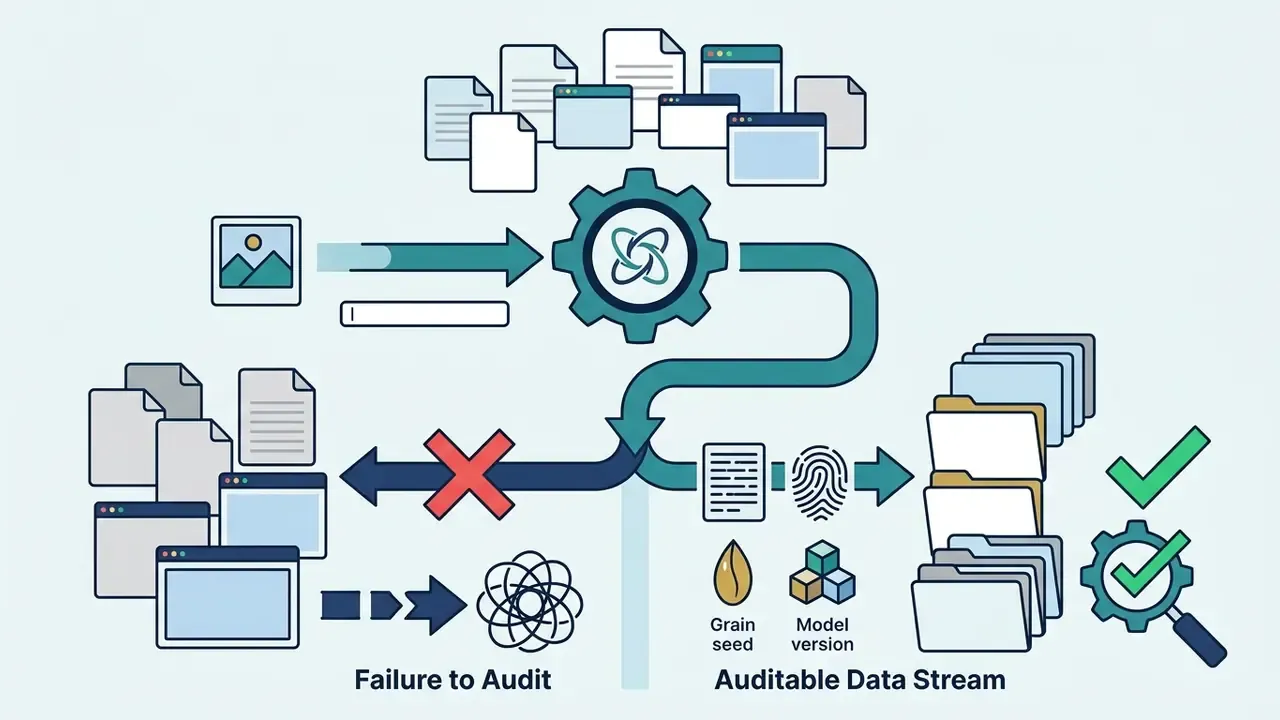
What Is an AI Image Generator with Reference Photo?
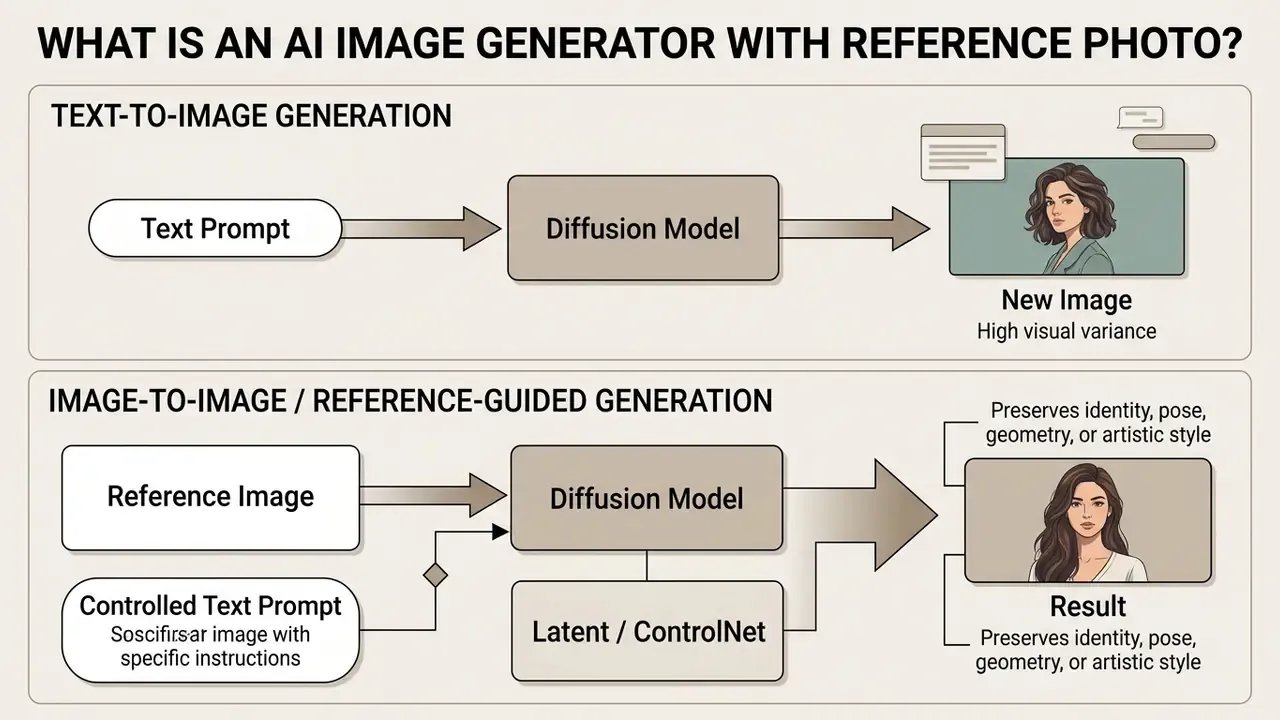
An ai image generator with reference photo is a generative diffusion system that uses an existing image alongside text prompts to control layout, subject identity, or artistic style. The uploaded reference image acts as a structural or visual anchor, reducing output randomness and holding consistency across creative iterations.
Generative AI models process reference images by extracting latent features, edge maps, depth layers, or attention representations. Those features then guide the denoising trajectory of the model, step by step.
"Diffusion models are trained to reverse a gradual noising process, generating realistic images from complex distributions at each step."
This workflow enables precise image editing, multi-angle product variations, and character preservation across different scenes. In short: less dice-rolling, more control.
Content Reference vs Style Reference
A content reference preserves object identity, geometry, spatial arrangement, and pose of a source file while allowing background or atmospheric changes. In style-transfer and multi-modal diffusion architectures, content encoders extract semantic layout and structural boundaries to keep spatial geometry stable (arXiv: Content-Aware Neural Style Transfer). Tools that process image reader ai workflows use these structural maps to keep main subjects anchored.
A style reference extracts visual attributes such as color palette, lighting, brushwork, and surface texture, without forcing the output to mirror the source geometry. Content and style are modeled as separate latent factors, and recent one-step diffusion frameworks show how that separation is engineered in practice.
"The OSDiffST framework extracts style information from a reference image through a visual condition module while preserving structural similarity via SSIM-based loss functions."
So you can apply an artistic style from one image onto a completely different subject defined by text or by a secondary content reference. Generalized style-transfer architectures formalize that split with separate content and style encoders feeding a shared decoder (IEEE/CVF CVPR 2018: Separating Style and Content for Generalized Style Transfer, https://openaccess.thecvf.com/content_cvpr_2018/html/Zhang_Separating_Style_and_CVPR_2018_paper.html).
One practical tell: if your output keeps the palette but loses the product silhouette, you have used a style path where a content path was needed.
Image-to-Image vs Text-to-Image Generation
Text-to-image generation builds visual outputs purely from natural language embeddings, which makes precise spatial arrangement and subject preservation hard to replicate. When prompts are complex or require exact brand placement, text-only generation frequently produces spatial drift or missing details.
"Most editing methods fail on spatial operations, such as changing the position of an object, a persistent weakness of text-only approaches."
Image-to-image workflows condition the diffusion process on both an input file and textual instructions. Teams evaluating image-to-image generators should compare how each tool exposes fidelity controls before committing to a pipeline. By adjusting denoising strength, the model retains structural priors such as camera angle and object placement while modifying specific details. Applying an image to ai prompt workflow helps establish the initial structural constraints before any style edit lands.
| Dimension | Text-to-Image | Image-to-Image with Reference |
|---|---|---|
| User-controlled inputs | Prompt, size, quality, image count, seed | Prompt plus one or more reference images, input fidelity, mask |
| Structural control | Inferred from language only | Explicit (denoising strength, edge/depth/pose maps) |
| Identity preservation | Unreliable across runs | Anchored to uploaded subject |
| Typical failure mode | Spatial drift, missing attributes | Reference bleed (unwanted background elements copied) |
| Best fit | Net-new concepts, moodboards | Product staging, character series, localized variants |
Whether you are producing a catalog refresh or a single onboarding illustration, that table answers the first question most teams ask: do I need a reference at all?
Visual Comparison: Text-to-Image vs Reference-Guided Generation
Commercial Use, Copyright, and Privacy of Reference Photos
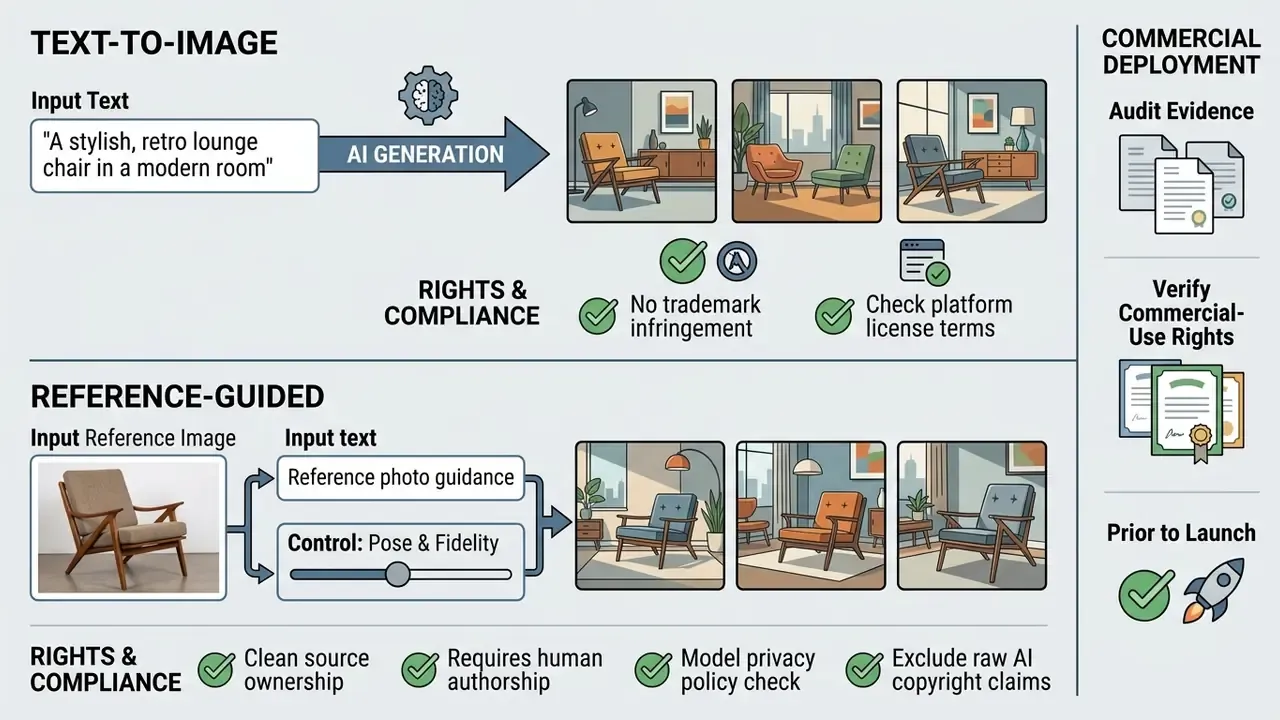
What To Check Before Using AI-Generated Images Commercially
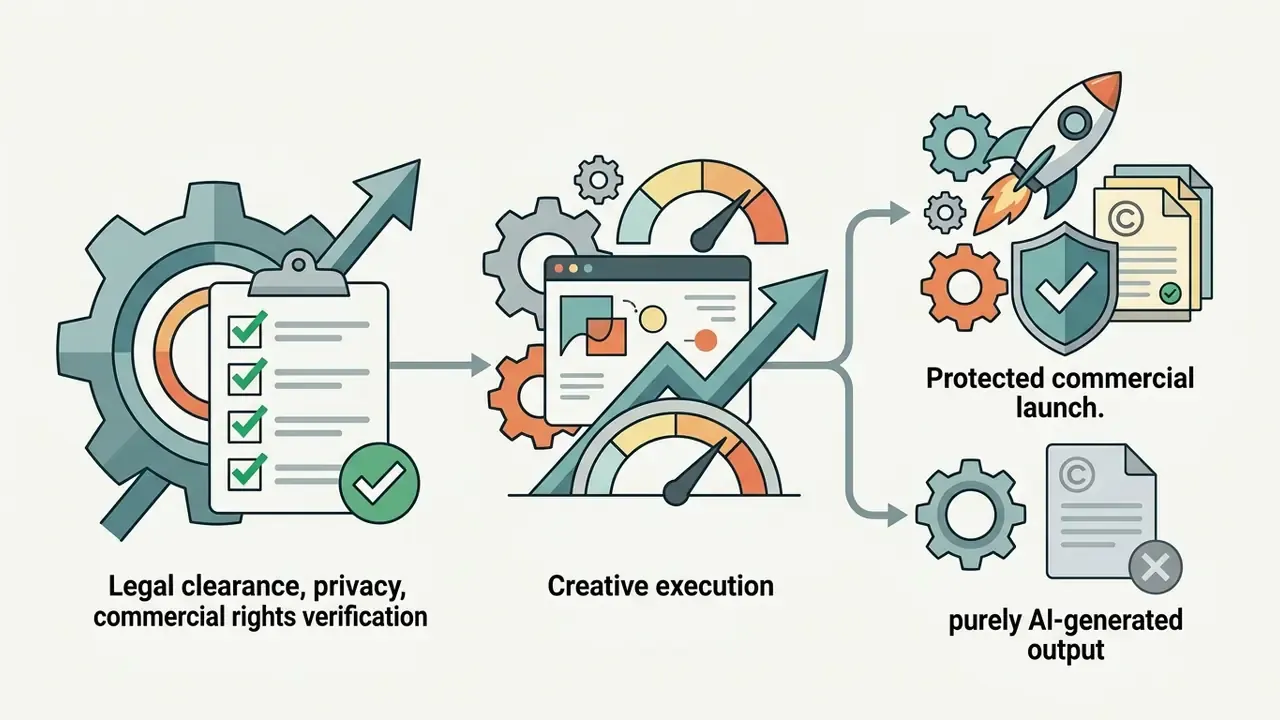
Commercial eligibility depends on both input legality and output copyright ownership under applicable law:
"Within strict methodological criteria for 2023 to 2025, no controlled studies were found that measure copyright compliance or privacy violations arising from reference-photo uploads."
That gap matters. Claims about "safe" commercial reference workflows currently rest on vendor terms and regulator guidance, not on peer-reviewed measurement.
Enterprise Governance, Model Risk, and Auditability
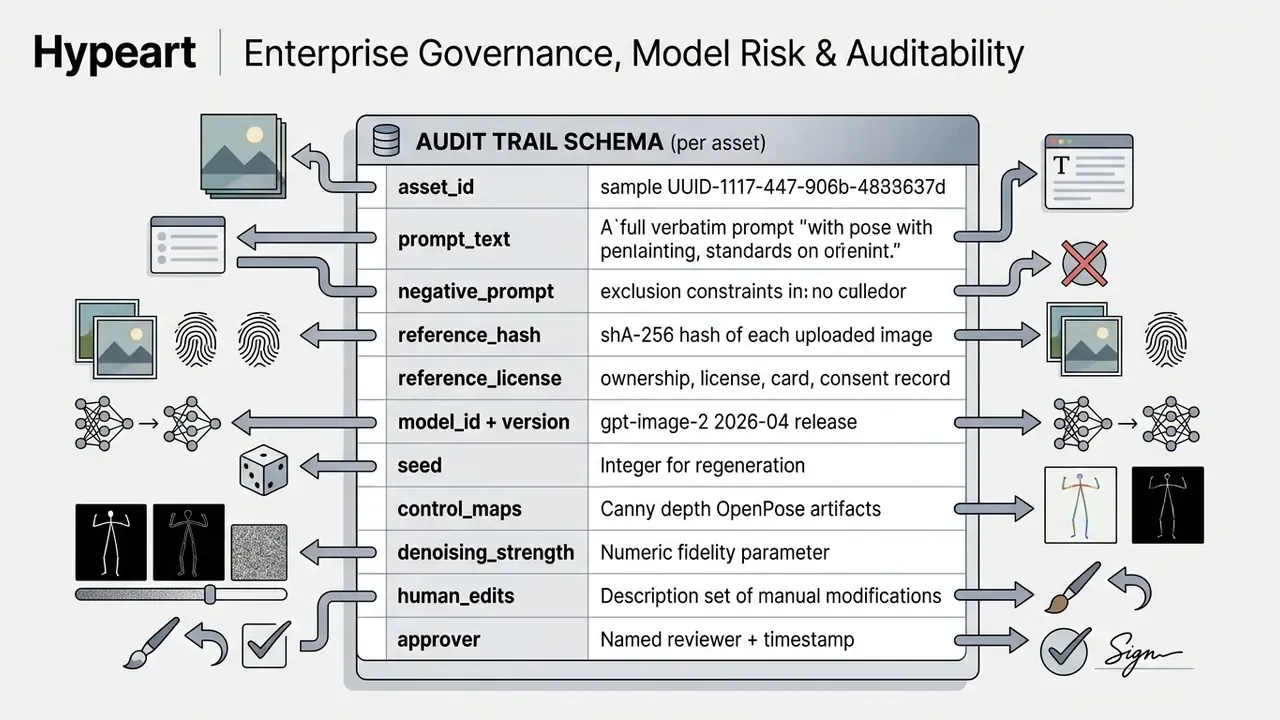
Before selecting a model, define how generations will be logged, approved, and reproduced. Reference-guided diffusion is stochastic by design, so reproducibility must be engineered through metadata capture rather than assumed.
How to Generate Images from a Reference Photo
Generating images from a reference photo follows a five-step workflow: upload the reference file, enter targeted text prompts, configure model parameters, generate candidate previews, and download high-resolution assets.
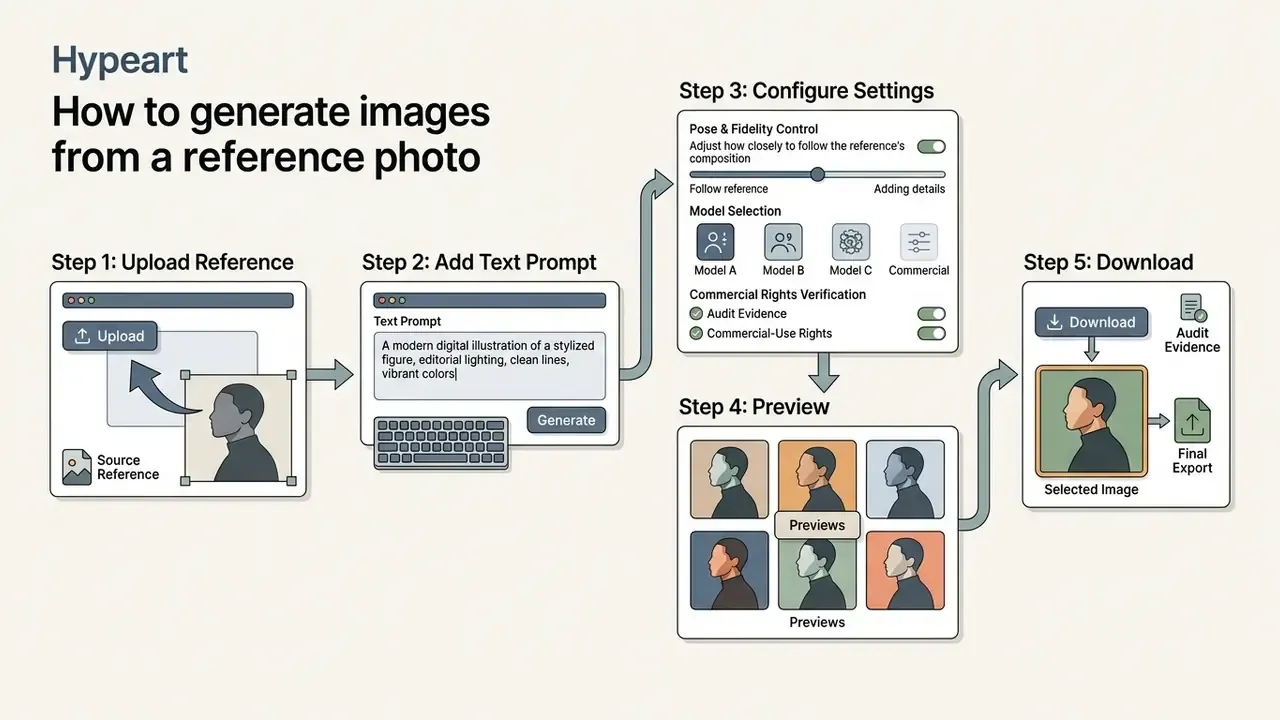
Upload a Source Image or Reference Image
The process starts by selecting and uploading a source image or reference image into the tool interface. Most systems accept a single upload for simple subject edits, while advanced pipelines accept multiple image inputs to separate content, pose, and style guidance.
When preparing a product photo or ai photo, clean background separation improves feature extraction. Systems such as Qwen-Image 3.0 allow up to three reference inputs with assigned roles, and vendor documentation warns that three unassigned images get averaged rather than composed. That is exactly why each upload needs an explicit job in the prompt.
"Seedream 4.5 supports up to fourteen reference images simultaneously, enabling multi-subject consistency and accurate text rendering."
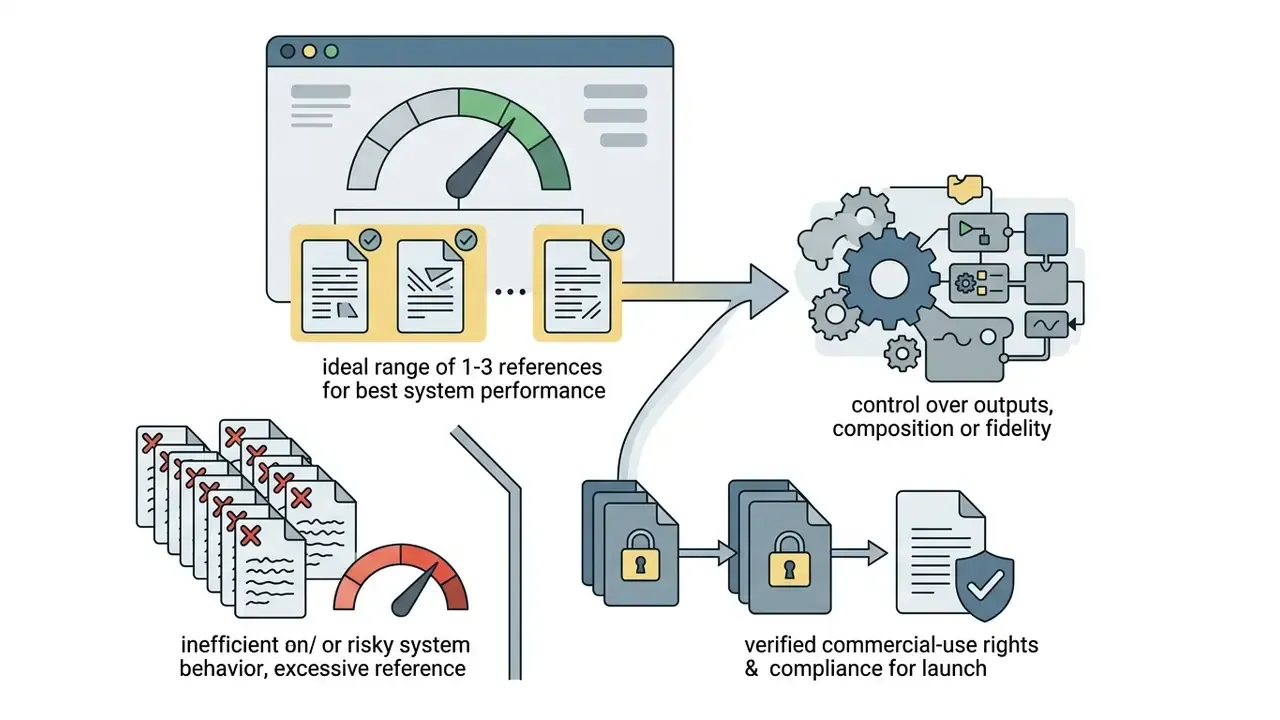
Practical guidance from recent multi-reference research and vendor docs converges on one point: capacity is not the same as reliability. One to three purposefully assigned references usually produce the most stable ai generated images, and extra views should only be added to reveal geometry the first file cannot show, such as side, back, or a close-up detail.
Add Text Prompts That Specify the New Result
Text prompts paired with reference photos must define what changes and what stays. A structured prompt sequence starts with the primary subject, then background adjustments, then lighting or contextual edits, then strict negative constraints.
When modifying an image to prompt input, state changes directly, for example: "Change background to a modern office setting, keep product geometry and labeling unchanged." Repeating the preservation instruction prevents structural drift during iterative generations.
For multi-image inputs, label each file by index and role, then describe the interaction: "Image 1: product photo, preserve geometry and label typography. Image 2: style reference, apply lighting and color grade only." On every subsequent edit, restate the preserve list. Models do not inherit constraints across turns reliably. I have seen a third-turn edit quietly resize a logo because nobody repeated the rule.
Choose Settings, Generate, Preview, and Download
Before you click generate, select the target ai models, aspect ratios, and output resolution. Comparing leading AI image generators on reference capacity and fidelity controls first prevents rework later. Standard commercial APIs such as OpenAI's gpt-image-2 support flexible aspect ratios from 1:3 to 3:1 with edge dimensions divisible by 16, and native resolutions up to 3840×2160 pixels; outputs above 2560×1440 are documented as experimental.
After generation completes, inspect candidate variations in the preview interface. Evaluate edge accuracy, text rendering, and subject fidelity before picking the final quality images to download. Record the seed of any approved candidate immediately. It is the only practical way to reproduce that exact asset later.
Workflow Schema: Step-by-Step Reference Generation
How to Control Fidelity to the Reference Image
Controlling fidelity means balancing structural preservation against creative modification. Generative parameters decide how strictly the model enforces the reference photo's layout, color, and subject details versus the new text prompt instructions.
Adjust Reference Strength and Structural Fidelity
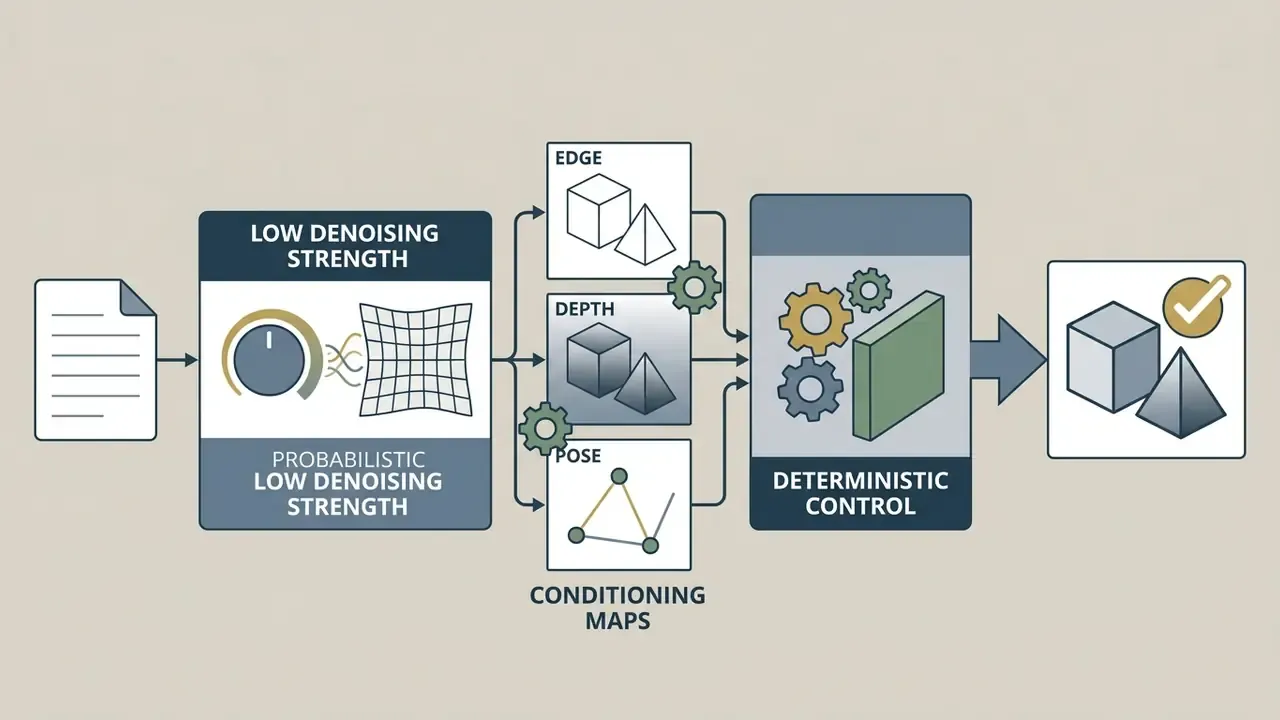
Reference strength, often labeled denoising strength or input fidelity, determines how much noise is added to the initial reference image before reconstruction. A value near 0.0 preserves almost all original pixels. A value near 1.0 lets the model overwrite the input structure entirely.
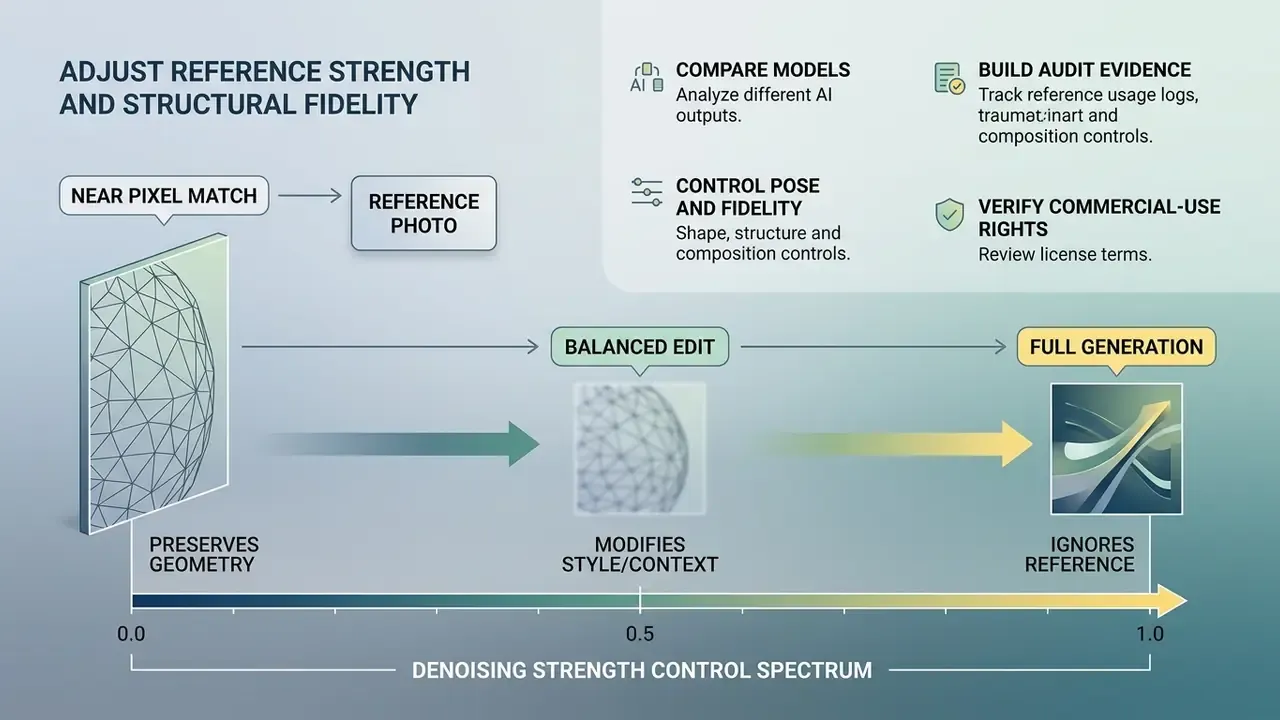
In Stable Diffusion img2img pipelines, a denoising strength between 0.3 and 0.5 allows background updates while keeping core foreground shapes intact. ControlNet frameworks isolate structural fidelity by generating explicit edge, depth, or pose control maps, which permits dramatic visual updates without shifting object boundaries.
"ControlNet attaches separate conditioning networks to a frozen diffusion backbone, trained on datasets ranging from 50 thousand to over 1 million examples across control types."
Note the architectural distinction that matters for validation. Denoising strength preserves structure probabilistically, by changing the starting noise level. ControlNet constrains structure explicitly, through an additional control map. Where reproducibility is a requirement, prefer explicit conditioning. For workflows converting an image to text representation, or producing typographic variants closer to image to text art, precise structural controls keep key visual assets stable.
Some APIs fix the parameter outright. OpenAI documents input_fidelity as adjustable in general edit and reference workflows, but omits it for gpt-image-2, which processes every image input at high fidelity automatically. Worth confirming before you design a fidelity-tiered pipeline around a dial that does not exist.
Control Human Poses and Anatomy Without Distortion
Preserve a Character, Product, or Main Subject
Maintaining subject consistency across multiple visual assets requires locking the core visual identifiers. In multi-image campaigns, reusing three to five consistent reference photos per subject helps models separate subject features from background noise.
Training-free attention-sharing mechanisms such as ConsiStory pass internal model activations across generation steps to keep facial features, clothing, or product packaging consistent without per-subject fine-tuning.
"ConsiStory demonstrates subject-consistency levels comparable to fine-tuning methods, without any per-subject optimization steps."
A complementary approach splits the problem into two stages, identity transport followed by identity refinement, so identity is carried first and fine details are corrected afterwards across a series.
Documented pipeline pattern (retail asset operations, 2025): a brand asset team producing 200 localized campaign banners from a single master product photograph routed that reference through an object-level appearance-editing pipeline, preserving exact packaging geometry while regenerating contextual backgrounds across 12 regional formats. Reported by the implementing team; figures are not independently audited and should be read as directional rather than benchmarked.
"PAIR Diffusion enables object-level appearance editing without an inversion step, supporting multimodal guidance from reference images and text."
Change Style Without Losing the Core Image
Changing artistic style while preserving object geometry requires separating style signals from structural constraints. Geometric-warping style transfer uses Sobel or Laplacian edge loss terms to hold structural boundaries firm while new surface textures are applied (IEEE/CVF CVPR: Industrial Style Transfer With Large-Scale Geometric Warping). Geometry-aware photorealistic methods add depth, layout, and edge constraints to enforce shape consistency across stylized scenes.
IP-Adapter models decouple cross-attention into separate text and image branches.
"IP-Adapter achieves performance comparable to fully fine-tuned models using only 22 million trainable parameters on a frozen diffusion backbone."
That architecture lets you inject new artistic styles or turn a photo into digital art while the underlying subject composition stays intact. Practitioners who need pixel-level cleanup after stylization can pair generation with conventional AI photo editors or a dedicated online photo editor workflow. A quick route for teams with no reference at hand is to run an image to ai conversion first, then reuse the result as a locked content anchor.
Style preset reference table. Most commercial interfaces expose curated preset galleries: watercolour, pencil, 3D, neon, landscape, texture, cinematic lighting, camera-angle modifiers. The table maps the most requested categories to the structural retention method and denoising window that hold geometry while the surface changes.
| Style Category | Structural Retention Method | Recommended Denoising Range | Best Use Case |
|---|---|---|---|
| 3D Render / Claymation | Depth map + mesh extraction | 0.45 – 0.55 | Toy design, UI avatars, character redesign |
| Watercolour / Oil Painting | Loose edge / Canny control | 0.60 – 0.70 | Digital art, editorial illustrations |
| Vector / Line Art | Hard outline / segmentation | 0.30 – 0.40 | Logos, technical diagrams, icon sets |
| Photorealistic Studio | IP-Adapter light conditioning | 0.25 – 0.35 | E-commerce catalog, apparel staging |
| Anime / Cel Shading | Canny + pose conditioning | 0.55 – 0.70 | Character sheets, Ghibli-style output |
| Neon / Cyberpunk Grade | Color-transfer style reference | 0.40 – 0.60 | Campaign keyframes, event posters |
| Pencil / Ink Sketch | Edge map at high weight | 0.50 – 0.65 | Concept boards, storyboard frames |
Interactive Comparison: Reference vs Fidelity Outputs
How to Choose an AI Model for Reference Image Generation
Model selection depends on whether your project needs precise product editing, subject consistency, artistic style transfer, or ultra-high-resolution rendering. In regulated environments it also depends on privacy, indemnification, and deployment terms rather than raw output quality.
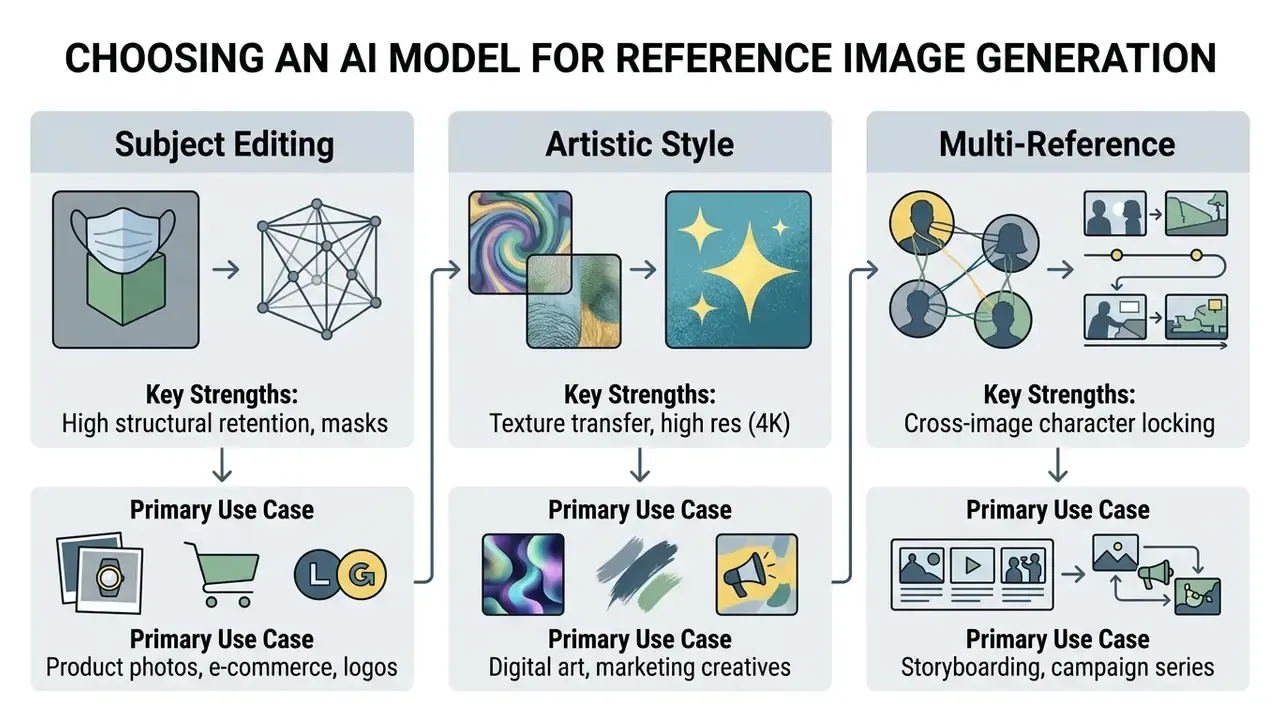
Models for Editing, Product Photos, and Subject Consistency
For e-commerce and product staging, an ai image generator from reference image must retain exact product geometry and branding labels. Dedicated editing tools such as Adobe Express Photos AI Assistant and PhotoRoom handle background replacement and lighting adjustments for commercial product photography well, and outpainting tools that expand images with AI help reformat a single hero shot into multiple placements.
For subject and character locking, systems like FLUX.2, Ideogram Character, and Recraft enable single-photo identity preservation across changing scenes and poses. Recraft extends that consistency beyond people to specific products and objects, a branded package or a particular chair, using reference images and frames.
"MultiRef-bench contains 990 synthetic and 1,000 real-world samples for evaluating generation from multiple visual references across 33 reference-type combinations."
That benchmark also reports the uncomfortable finding behind most production failures: even state-of-the-art ai image models degrade when several references must be composed at once. Which is why role-labeled prompts and staged generation beat bulk uploads. When evaluating enterprise options, teams should compare feature sets, masking capabilities, and API latency before deployment, and review commercial AI image generator options alongside licensing terms.
For enterprise creative pipelines, also confirm that the chosen tool supports direct PSD or layered export, or native plugins for Adobe Creative Cloud and Figma, so downstream teams can post-process non-destructively without re-generating assets.
Models for Artistic Styles and High-Resolution Images
For artistic styles and high-resolution visuals, evaluation shifts toward aesthetic quality, texture fidelity, and output resolution. Style-personalization benchmarks report EDLoRA leading on CLIP-T, CLIP-I, and DINO style metrics, while general image-creation benchmarks show larger, higher-resolution-trained models such as OmniGen outperforming smaller low-resolution baselines. Those results come from different evaluation settings, so neither is a universal ranking. Structure-prediction pipelines report their own gains:
"A two-stage Canny-map model reaches a subject-consistency score of 7.05, which is 16.5% above the next-best baseline, OminiControl (6.05)."
For high-resolution enterprise generation, Gemini 3 Pro Image (nano banana Pro) supports multi-reference editing up to 4K, while Qwen Image 3.0 Pro and WAN 2.7 offer commercial-use editing up to 2048×2048 and 4096×4096 respectively. To assess specialized asset generators, teams can view the guide on creative tooling, compare the best AI art generators, or read head-to-head assessments of Midjourney versus alternative generators and Google's image generation stack.
| Model Name | Max Resolution | Reference Image Capacity | Primary Control Strength | Commercial Use Rights | Enterprise Privacy (No-Data-Retention) | IP Indemnification | Deployment Footprint |
|---|---|---|---|---|---|---|---|
| Nano Banana (Gemini 3 Pro Image) | 3840×2160 (4K) | Up to 10–14 images | Conversational editing and multi-image guidance | Subject to Google Cloud enterprise terms | Available under Google Cloud enterprise data terms; verify per contract | Offered under Google Cloud generative AI indemnification program; confirm scope | Public API, Vertex AI regional endpoints, VPC options |
| Qwen Image 3.0 Pro | 2048×2048 | Up to 3 images (v3) / 10 (v2) | Structural fidelity and multi-reference blending | Verified for commercial and non-commercial use | Not documented in public specs; request in writing | Not documented; assume none without contract | Cloud API |
| GPT Image 2 | 3840×2160 (4K) | Single and multi-input guided | Automated high-fidelity input retention (fixed input_fidelity) | Enterprise terms apply per OpenAI API license | API inputs excluded from training under standard API terms; verify retention window | Available under enterprise agreements; confirm caps | Public API, enterprise agreements, regional residency options |
| Seedream 4.5 | 4096×4096 (4K) | Up to 14 images | Multi-subject consistency and text rendering | Proprietary cloud platform terms | Not documented in public specs | Not documented | Cloud-only in reviewed documentation |
| WAN 2.7 (wan2.7-image-pro) | 4096×4096 (2048×2048 edit) | Multi-image set support | Sequential multi-output generation and editing | Verified for commercial use via Qwen Cloud | Not documented in public specs | Not documented | Cloud API |
Privacy, indemnification, and deployment entries reflect publicly available documentation at the time of review and do not substitute for contractual confirmation. Treat every "not documented" cell as an open due-diligence item.
What You Can Create from Reference Images
Reference-guided generators support scalable visual workflows across e-commerce, digital advertising, creative design, education, game development, and regulated internal communications.
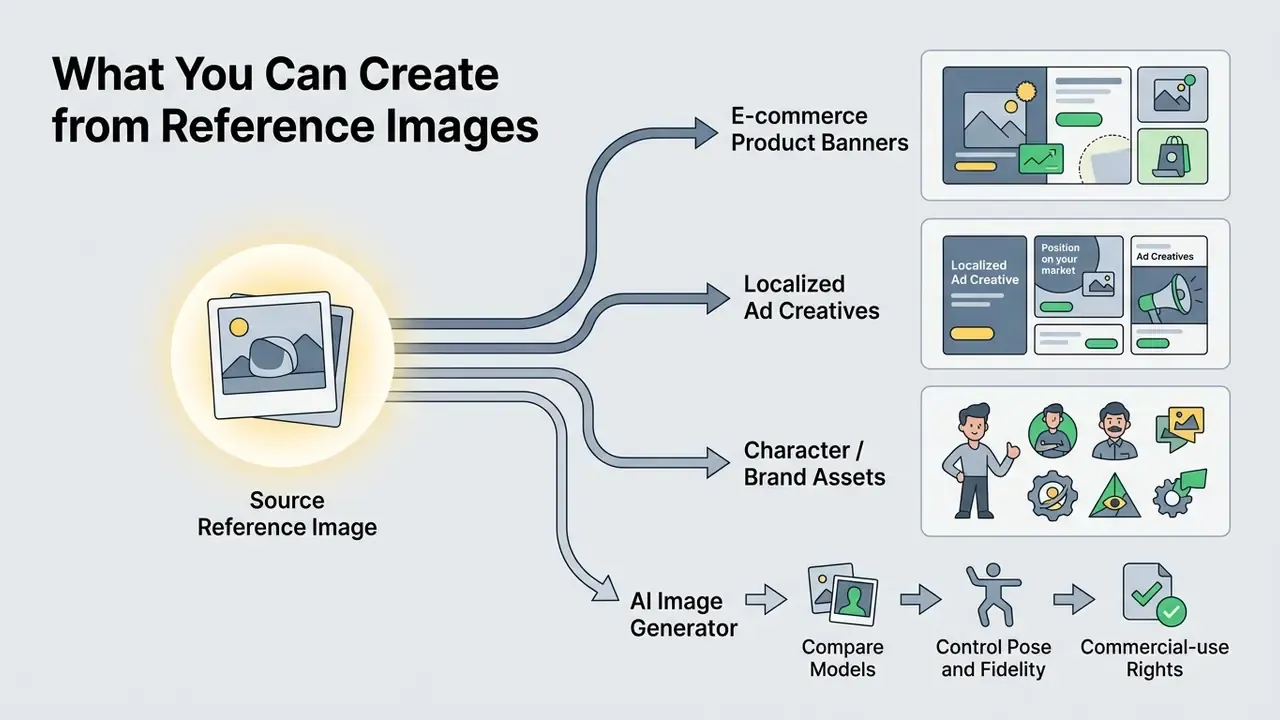
Product Photo Variations for E-commerce and Marketing
In e-commerce operations, ai image generation from reference photos produces localized product variations without repeated photo shoots. One studio photograph can be placed into multiple lifestyle settings, seasonal backgrounds, or promotional layouts: pure white catalog shots, lifestyle scenes, landing-page hero frames, paid-social creatives. The same source also expands into front, three-quarter, side, back, and top views while labels, materials, and branding stay untouched.
"Sellers using AI image generation for Sponsored Brands lifestyle creative saw a 22% increase in clicks, a 21% increase in orders, and a 35% increase in ROAS."
Educational Diagrams, Game Assets, and Specialist Workflows
- Educational diagrams and formulas Turn hand-drawn whiteboard sketches, mathematical formulas, or anatomical drafts into publication-ready vector graphics without scrambling symbol layout. Educators and researchers use vector and line-art presets at low denoising (0.30 to 0.40) so notation stays legible while the rendering becomes presentation-grade.
- Game asset generation and storyboarding Produce multi-angle sprite sheets and consistent concept-art environments by feeding a single hero-asset reference into sequential generation pipelines. Pose conditioning plus a locked character reference yields walk cycles, attack frames, and idle states from one design source.
- Creator and influencer content Swap outfits, locations, and aesthetics from a single selfie reference to create images for daily posts, thumbnails, and branded collaborations while a recognizable personal style persists.
- Regulated internal and customer communications Financial services, insurance, and healthcare teams use reference-locked templates for branded onboarding illustrations, statement inserts, internal training visuals, and interface mockups. These are cases where a fixed brand reference plus documented human review beats creative variance. Every such asset should carry the full audit-trail record described earlier, and any depiction of products, rates, or outcomes needs compliance sign-off before publication.
How to Get High-Quality Results from a Reference Image
High quality comes from careful input preparation, deliberate prompt iteration, and systematic testing across several candidate outputs. Rarely from a single lucky run.
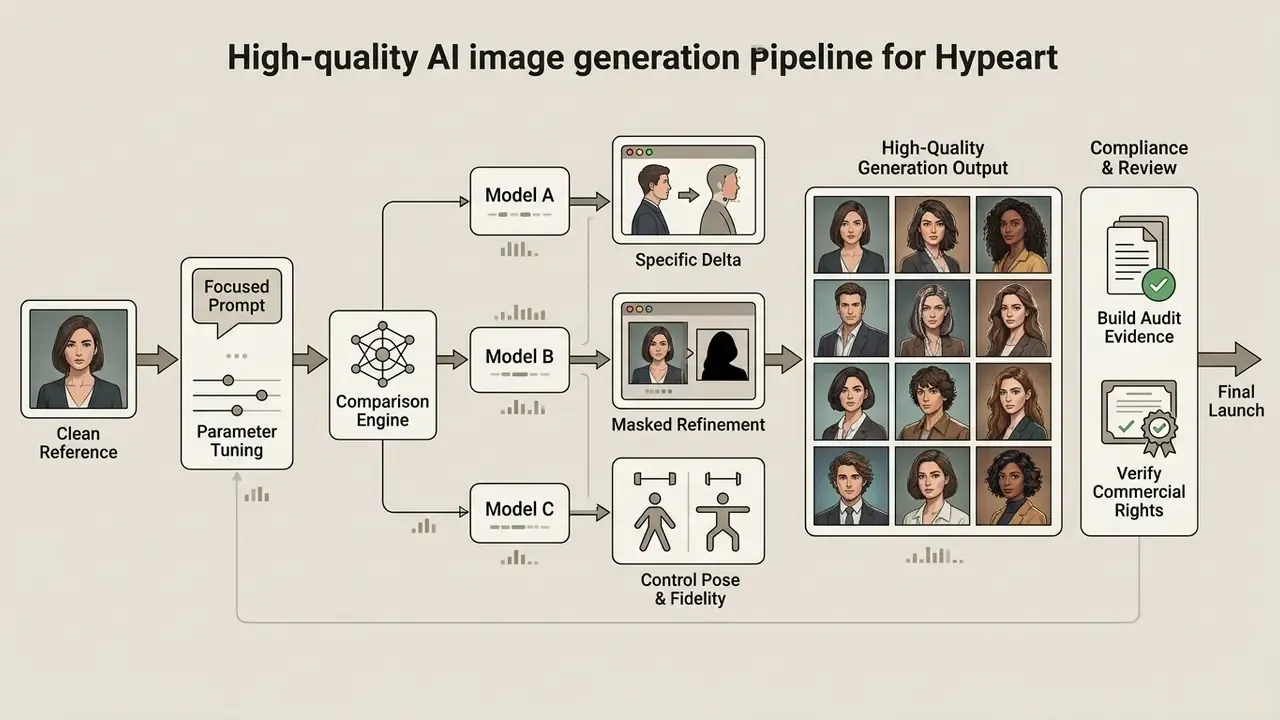
Prepare the Reference Photo Before Uploading
Input quality directly drives model output performance. Edge extraction algorithms such as Canny, and depth estimators, struggle with low-contrast, noisy, or heavily compressed files.
"Canny edge maps computed from low-quality images omit fine details, reducing subject consistency in two-stage generation models."
- Cropping
- Crop closely around the main subject while preserving aspect ratio.
- Lighting and contrast
- Use balanced exposure with neutral lighting; avoid blown highlights and deep shadows. Brightness and contrast adjustments must not remove or misrepresent product information.
- Background isolation
- Place subjects against plain or neutral backgrounds to stop background elements from leaking into generated outputs.
- Resolution standard
- Follow industrial specs such as GS1 product standards, uploading images between 900×900 and 2400×2400 pixels at 300 dpi. Where a source file falls short, AI image upscalers can raise resolution before conditioning rather than after generation.
- Format choice
- Prefer PNG or lossless WEBP. JPEG compression artifacts degrade edge extraction and feature mapping during diffusion conditioning.
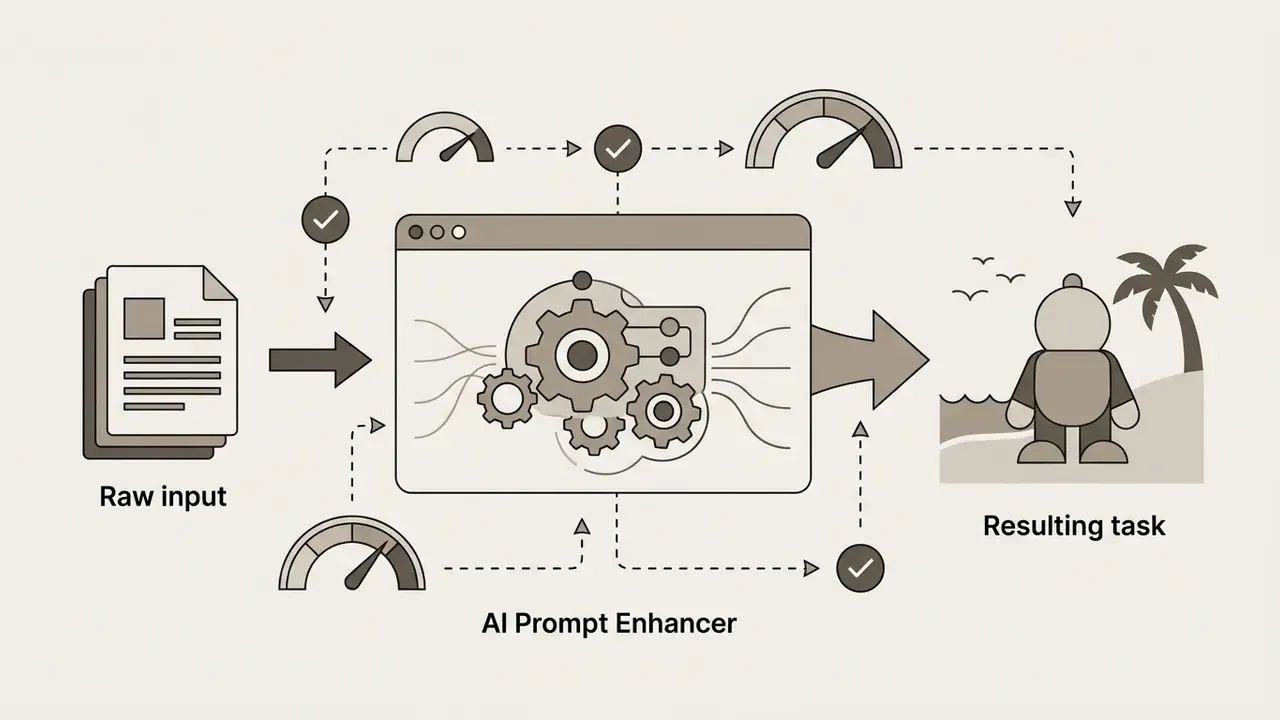
Leverage AI Prompt Enhancers for Image-to-Image Tasks
Manual prompt writing often misses negative constraints or the fine-grained lighting descriptors reference conditioning needs. Modern ai tools integrate LLM-based prompt enhancers, one-click "Prompt Enhance" controls or vision re-prompters, that convert simple inputs into structured diffusion triggers.
How to use enhancers without losing control:
- Enhance, then edit. Treat the rewritten prompt as a draft. Verify it still names every element you must preserve, and delete any invented attribute the brief did not authorize.
- Protect the preserve list. Enhancers frequently add stylistic flourishes that override geometry constraints. Re-append "keep product geometry and label typography unchanged" after enhancement.
- Log the final string, not the raw one. For audit reproducibility, store the enhanced prompt actually sent to the model. That is what produced the output.
- Use presets for speed, custom prompts for compliance. Preset libraries accelerate ideation; regulated or brand-critical assets should use hand-verified prompts.

Refine Prompts and Generate Multiple Variations
Iterative refinement beats single-pass generation. When adjusting candidates, change one prompt variable at a time instead of rewriting the whole structure.
"ImageRepainter uses an MLLM-based iterative loop to refine textual descriptions of the reference, increasing similarity between regenerated images and the original."
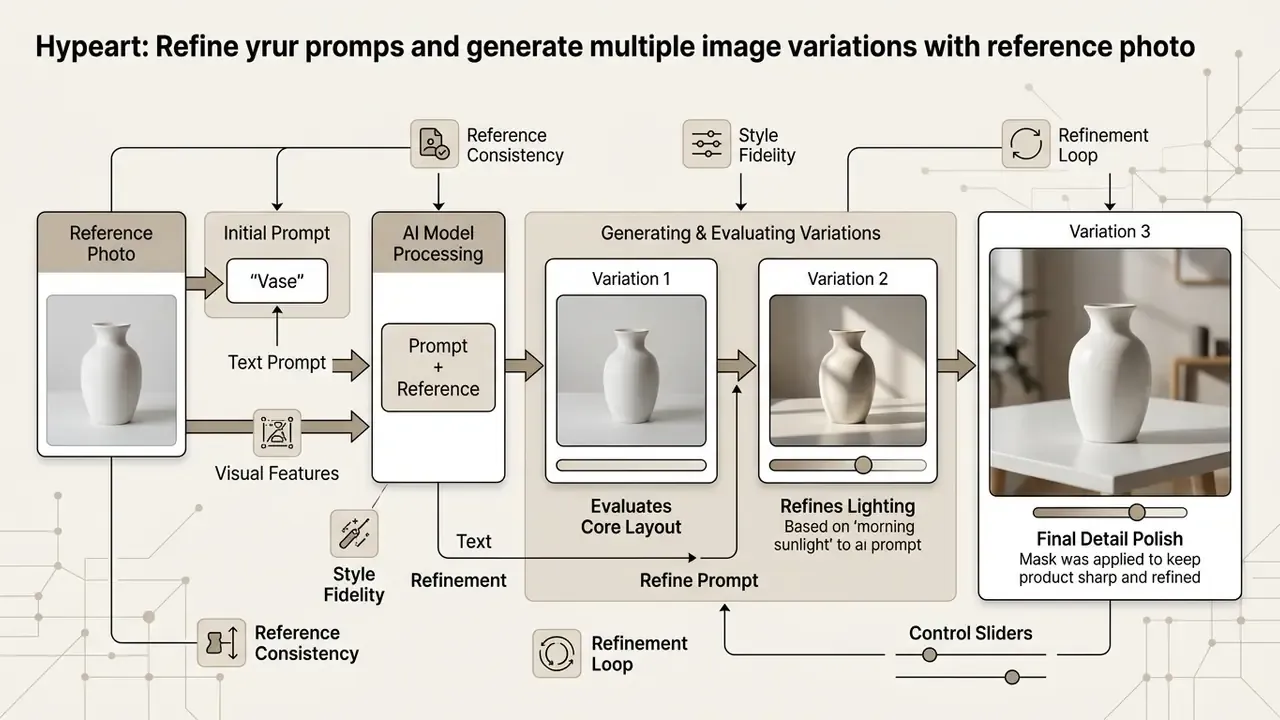
Use targeted mask editing to fix localized flaws while locking approved regions. In mask-based edit APIs, transparent mask areas are replaced, and the prompt should describe the complete intended image rather than only the erased region. Passing a previous candidate back into the model as a new reference input enables step-by-step detail refinement, and AI image enhancement tools close the last quality gap on approved candidates.
Verification of API Capabilities and Limits
Technical verification and service limits (official documentation):
FAQ About AI Image Generation with Reference Images
FAQ Accordion Block
Which File Formats Are Supported for Reference Photo Uploads?
Most commercial generators accept standard web formats including PNG, JPEG (JPG), and WEBP. PNG and uncompressed WEBP are preferable, since lossy compression artifacts in JPG files degrade edge extraction and feature mapping during diffusion conditioning.
What Is the Ideal Resolution and Aspect Ratio for Reference Images?
Optimal upload dimensions sit between 1024×1024 and 2400×2400 pixels. Reference images should match the target generation aspect ratio, such as 1:1 square, 16:9 landscape, or 9:16 vertical, to prevent spatial stretching or awkward cropping during feature encoding. For GPT image models, documented stable sizes include 1024×1024, 1536×1024, and 1024×1536.
What Is the Maximum File Size Limit for Uploaded Images?
Standard API upload limits run from 10 MB to 50 MB per image across major providers including OpenAI, Google Cloud, and Midjourney. For smoother browser performance, keep reference files under 15 MB while maintaining visual clarity.
How Does Background Lighting Affect Generation Fidelity?
Clean, high-contrast lighting with neutral background separation lets depth and edge estimators such as ControlNet extract clean subject boundaries. Cluttered backgrounds increase structural noise, which causes unwanted elements from the reference photo to bleed into the generated output.
How Do I Transfer a Pose Without Distorting Anatomy?
Do not rely on denoising strength alone. Extract an OpenPose or DensePose skeleton from the reference and apply it as a ControlNet conditioning map, which locks joint positions, bone length, and limb orientation. Describe the character's appearance in text while spatial movement stays controlled by the skeleton, then verify joint count, hand digits, and shoulder-to-hip ratio on each candidate. Pair pose conditioning with denoising strength of 0.55 to 0.75 for full outfit and scene changes, or 0.30 to 0.45 for lighting-only edits.
Do Automated Prompt Enhancers Improve Image-to-Image Results?
They help beginners by adding lighting descriptors, camera language, and negative constraints that manual prompts usually omit. The trade-off is control: enhancers can introduce attributes the brief never authorized and can override preservation instructions. Re-append your preserve list after enhancement, and log the final enhanced string, not the raw input, for reproducibility.
How Many Reference Images Should I Upload at Once?
One to three purposefully assigned references are the most reliable configuration, even on platforms that accept ten to fourteen. Benchmarks of multi-reference generation show consistency degrading as the number of simultaneous references rises, and vendor documentation warns that unassigned images are averaged rather than composed. Add references only to reveal geometry the first image cannot show.
Can Generated Images Be Reproduced Exactly for Audit Purposes?
Only if the pipeline records prompt text, negative prompt, reference file hashes, control maps, denoising strength, seed, and a pinned model version. Without model pinning, vendor upgrades can silently change outputs even when seed and prompt are identical. Capture these fields at generation time rather than reconstructing them later from memory.
Who Owns an Image Generated from My Own Reference Photo?
Under current U.S. Copyright Office guidance, purely AI-generated portions are not protected by copyright, while human-authored contributions such as creative arrangement or substantial manual modification may be. Owning the reference photo does not automatically produce a copyrightable output, and commercial usage rights typically flow from the platform license rather than from copyright ownership. Consult qualified counsel for your specific facts.
Limitations, Open Questions, and Editorial Notes
Retained for transparency and version traceability. No evidence, no autonomy: where the record is thin, we say so.
- Evidence-base limitation.No controlled studies measuring copyright compliance or privacy breaches arising from reference-photo uploads were identified within the 2023 to 2025 review window. Statements in the legal and privacy sections therefore rest on regulator guidance and vendor contract language, and should be re-validated as case law develops.
- Benchmark comparability.Style-personalization metrics (CLIP-T, CLIP-I, DINO) and general image-creation benchmarks use different evaluation settings. Reported leaders in one setting do not transfer to the other, so treat any single ranking of ai image models with caution.
- Vendor documentation gaps.Several models in the comparison table have no published position on training exclusion, retention windows, or IP indemnification. Each blank is an open due-diligence item, not a passing grade.
- Case-metric provenance.Campaign uplift figures cited here are vendor-published and reflect specific conditions. They are directional inputs for a business case, not audited benchmarks.
- Unresolved control question.Reference-guided generation currently has no standard for proving that a published asset descends from a licensed input. Content provenance metadata helps, though it is trivially strippable downstream. Worth testing in a proof of concept before you rely on it.
- Section order.The commercial-use, copyright, and privacy module sits immediately after the definitional section, because legal and data review functions as an input filter in enterprise workflows rather than a closing consideration.
A safe next step. Pick one low-risk use case, for example internal training visuals. Run twenty generations with the full audit schema captured, then walk the log through model risk and internal audit. If the evidence reproduces, widen scope. If it does not, you have learned that cheaply.
Summary of Reference Generation Options
| Resource Category | Recommended Destination | Operational Purpose |
|---|---|---|
| Commercial Options | compare options | Evaluate commercial tool tiers, enterprise rights, and pricing models |
| Model Comparisons | Compare Generators | Benchmark reference capacity, fidelity controls, and output resolution |
| Legal Context | AI Litigation and Case Timelines | Track precedents affecting reference inputs and generated outputs |
| Main Directory | compare options | Access root navigation for image generators, comparison tables, and models |
Evaluating model parameters, input rights, and structural control settings is what makes reference-guided image generation reproducible and brand-compliant across commercial workflows.
Social Media, Digital Art, and Creative Workflows
For agencies and digital artists, reference images speed up visual ideation and multi-channel asset creation. Reference recombination lets designers pull composition from one file and lighting from another, then blend them into unified promotional assets. A 2024 design-ideation study documents the same technique: extract elements from multiple references, merge them into novel concepts. Teams exploring AI art generators or working to a tight budget can start with free AI image generators and free AI art tools before committing to enterprise tiers.
In multi-channel marketing, one master reference design can be reformatted across aspect ratios, 1:1 square feeds, 9:16 vertical stories, 16:9 banner displays, while brand identity and visual quality hold across multiple placements.
The same reference logic now extends into motion. Teams animating a locked brand keyframe should evaluate image-to-video AI tools and ai video generation options against the same fidelity and rights criteria used for stills. Brand identity work follows the pattern too: AI logo generators and AI headshot generators both rely on one reference asset to hold identity across formats.