For a bank or a mature fintech, the question is rarely "can we generate an app?" It is narrower and harder: who owns it, what data does it touch, and what evidence exists that it works.
On this page: architecture of AI app creation, what AI can and cannot build, app types (web, mobile, internal tools, payments), comparison against no-code and traditional development, step-by-step build methodology, production-grade feature requirements, platform selection criteria, pricing and risk-adjusted ROI, security, ownership, code export and governance, plus a practical FAQ.
What Is AI App Creation and How Does It Work?
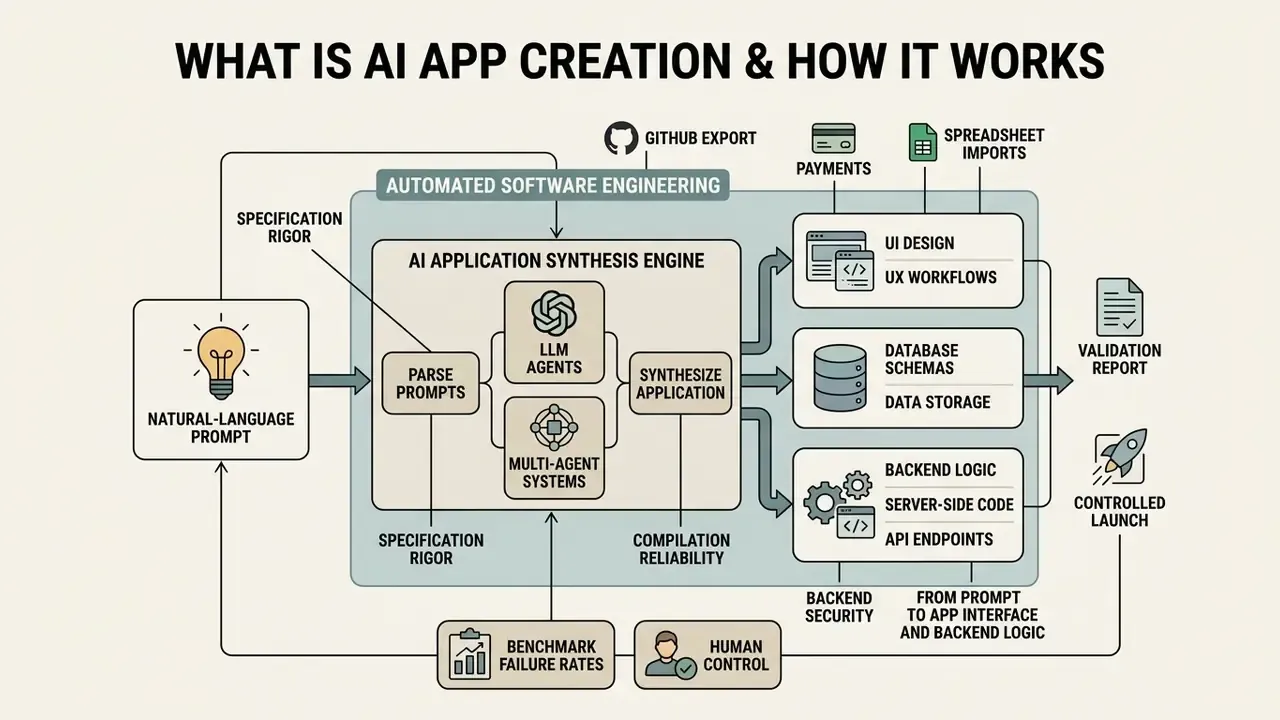
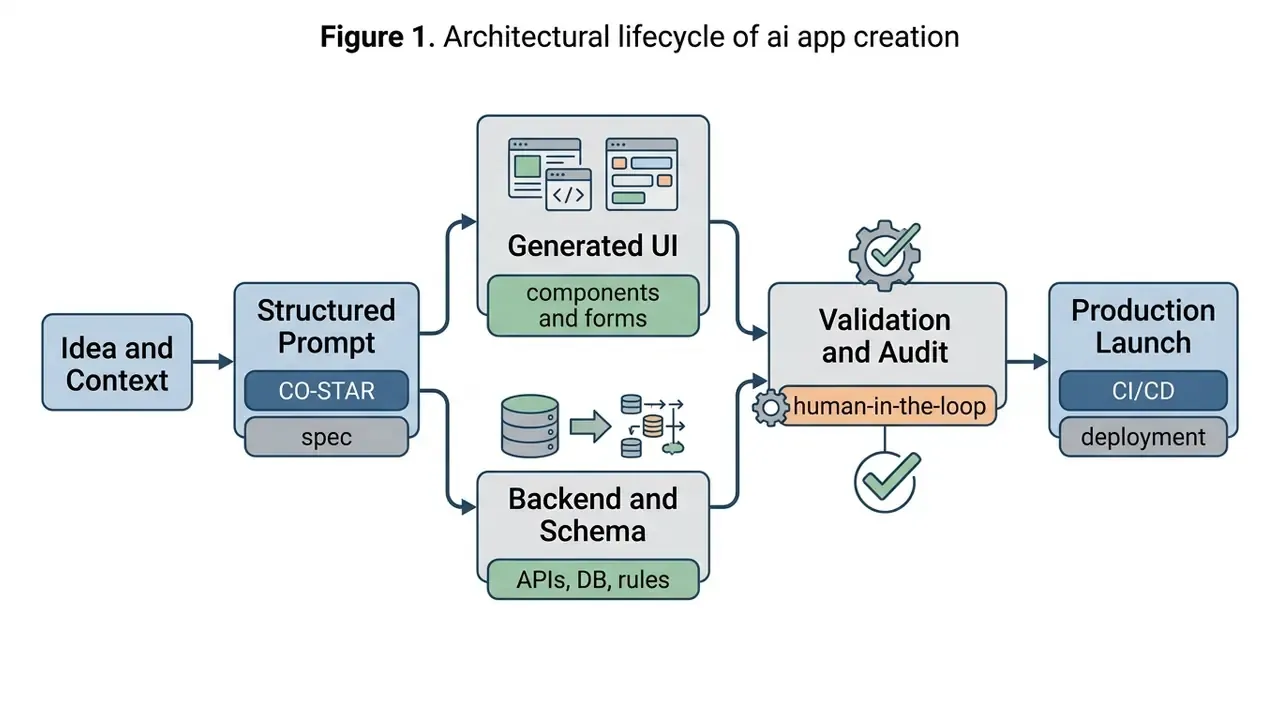
AI app creation is an automated software engineering workflow where large language models (LLMs) and multi-agent systems parse natural-language prompts, synthesize application structures, and assemble working applications across frontend and backend layers. Rather than generating isolated code snippets, an ai app creation tool orchestrates layout components, database entities, access permissions, and API integrations within a structured execution environment. Readers mapping the wider generative tooling landscape can also review adjacent categories such as AI voice generators and their licensing terms or the credit-metering logic behind an elevenlabs ai voice generator, which follow comparable commercial-use rules.
In 2026, the baseline architecture for an ai app builder relies on a layered stack: natural-language intent parsing, typed output generation (such as JSON component trees), sandbox execution, automated self-testing, and continuous deployment controls. Research from Sengar et al. (2024) demonstrates that general-purpose generative models have evolved from task-specific text tools into multi-modal orchestration engines capable of producing complete software artifacts.
Adoption data confirms that assisted generation is now the default engineering condition rather than an experiment. Empirical findings in The State of Generative AI in Software Development (2026), a mixed-method study combining a systematic literature review with a survey of 65 practicing developers, reveal that 79% of surveyed developers utilize generative AI tools daily, with over 70% reporting that automated assistance halves the time needed for boilerplate code and documentation tasks.
«79% of developers use generative AI tools daily, and more than 70% report that automated assistance halves the time spent on boilerplate code and documentation.»
Two caveats matter for regulated organizations. First, these figures describe general software teams, not institutions operating under supervisory model-risk expectations; in banking, insurance, and healthcare environments, the same productivity gains are gated by independent validation, change-management approval, and evidence retention. Second, daily usage volume says nothing about output correctness, a distinction quantified in the benchmark section below.
Worth pausing here. Speed metrics and correctness metrics are not the same currency, and buyers routinely trade one for the other without noticing.
From Prompt to App Interface and Backend Logic
By anchoring the prompt to predefined schema boundaries, the ai application creator produces structured database tables and automated workflow steps that reflect complex operational rules. In other words, a vague prompt buys you a demo; a specified prompt buys you a schema you can defend in review.
What AI Can Build and What Still Needs Human Control
While an ai app maker without code can autonomously assemble standard user flows, simple CRUD (Create, Read, Update, Delete) databases, and basic utility applications, complex domain logic and security-critical execution still require direct human engineering and control.
Empirical benchmarks highlight the precise boundaries of fully automated app generation:
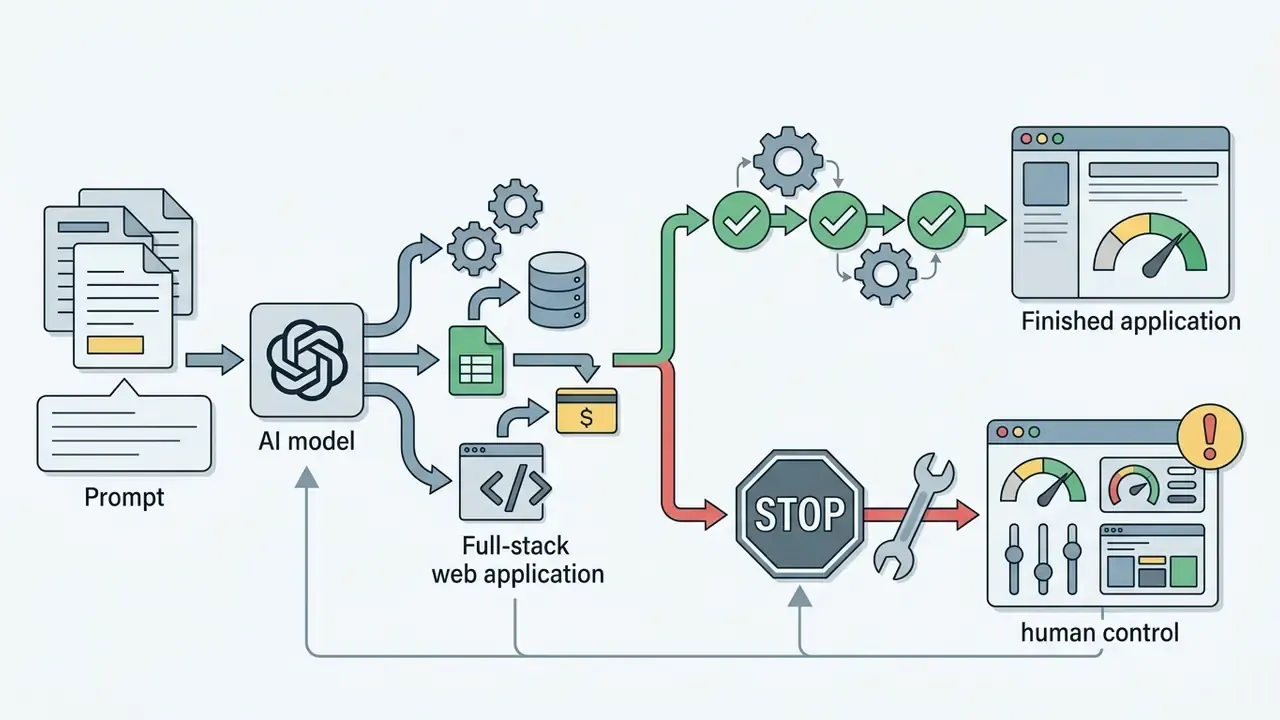
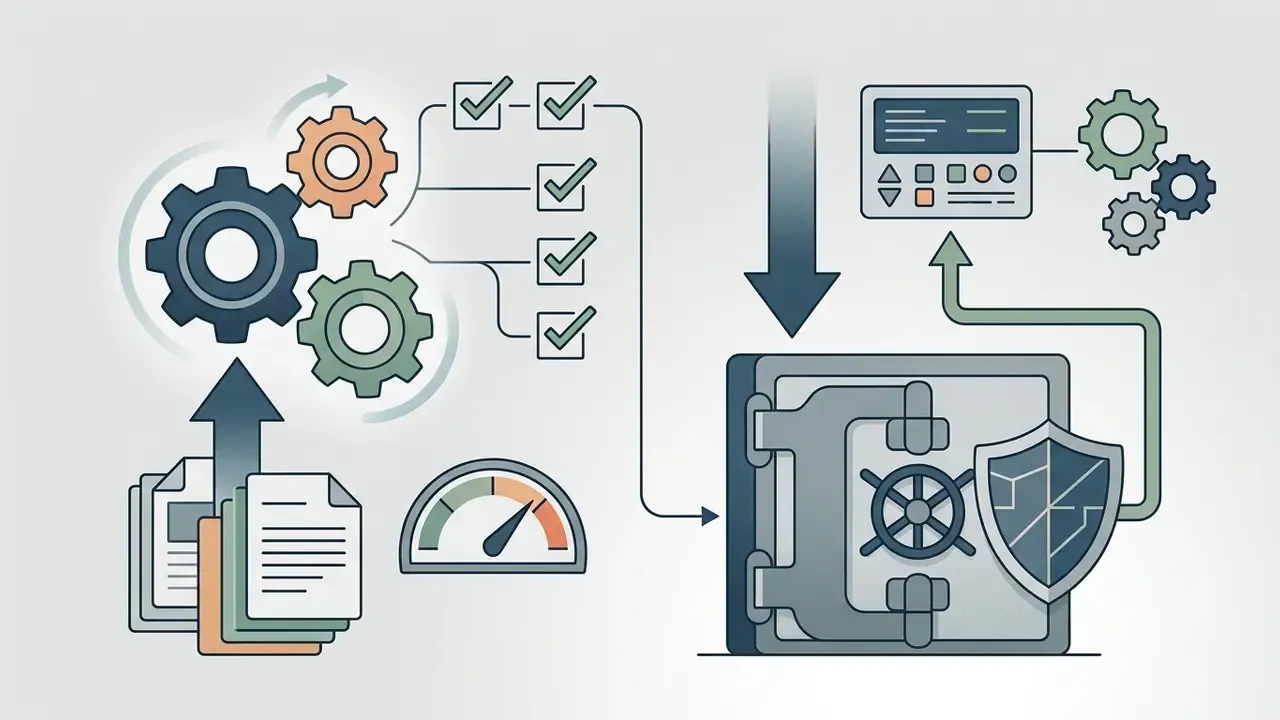
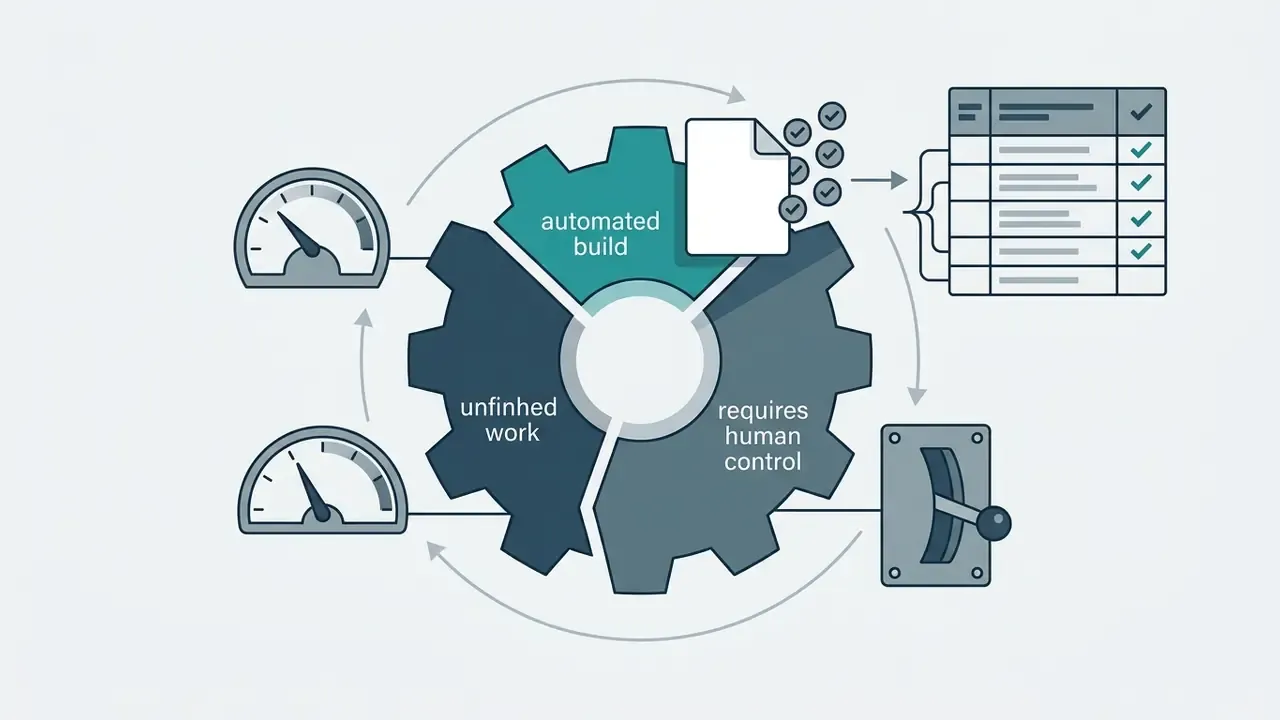
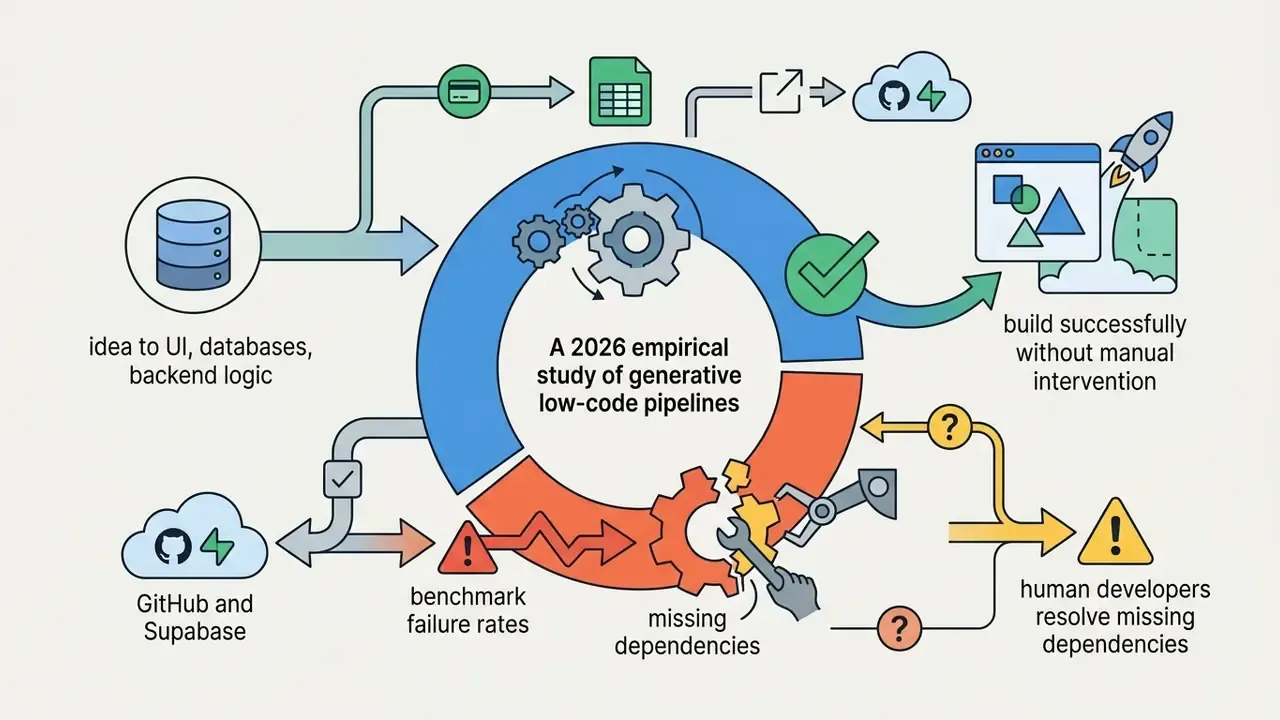
How to translate these benchmarks into a validation report. For institutions operating under supervisory model-risk expectations, these metrics are not marketing statistics. They are candidate validation thresholds. Mapping them into an existing Model Risk Management (MRM) framework typically follows four steps: (1) define the acceptance threshold per application tier, for example zero unresolved high-severity SAST findings for customer-data applications; (2) require reproducible evidence artifacts such as prompt version, model version, generated diff, test log, and exploit-scan output; (3) assign independent review to a function separate from the builder; and (4) record residual risk and compensating controls in the sign-off memo. Benchmarks describe population-level failure rates; a validation report must demonstrate application-level control effectiveness.
Human oversight remains essential for architectural design, least-privilege permission assignment, boundary testing, and compliance validation. An ai software creator delivers rapid scaffolding, but human verification ensures operational stability and security. One clarification, since the distinction gets blurred in vendor decks: scaffolding is not a control environment, and an app that runs is not an app that has been validated.
What Types of Apps Can You Create With an AI App Builder?
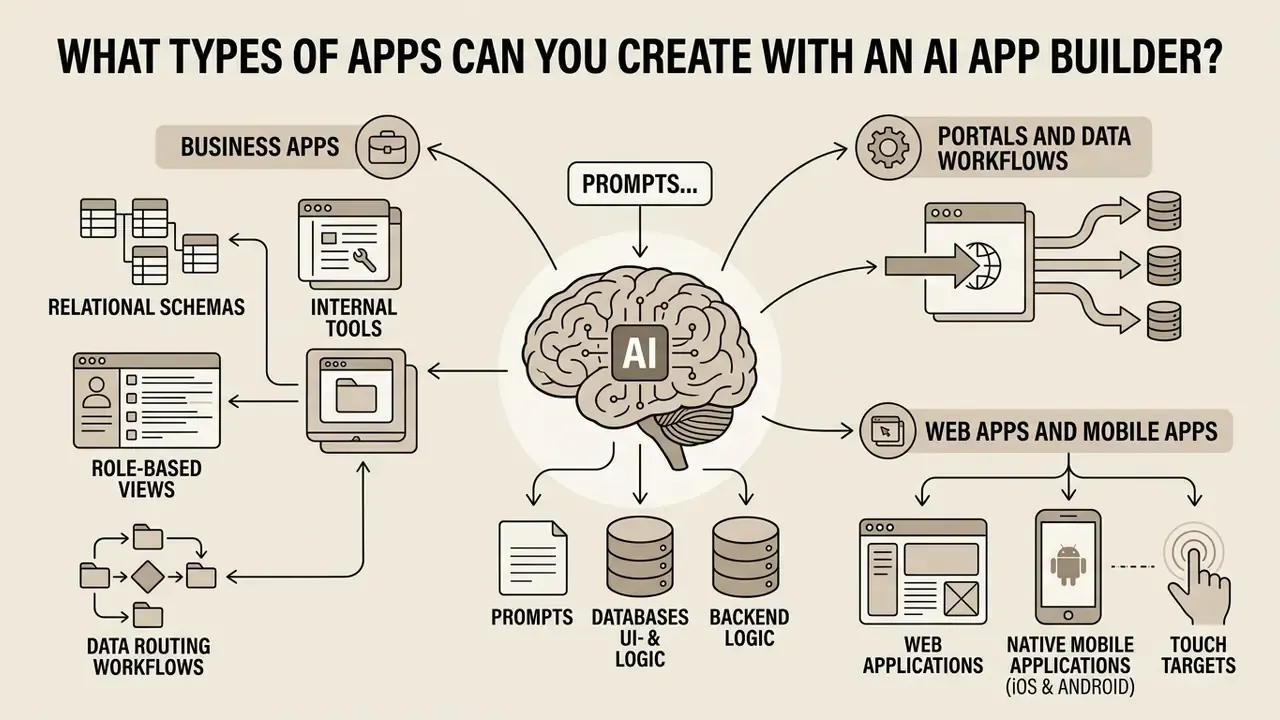
An ai app builder can generate responsive web applications, back-office internal tools, customer portals, automated data processing workflows, monetized commercial products, and utility-focused native or hybrid mobile applications. The practical output depends on the underlying generator engine, ranging from web-based reactive canvases to full-stack code repositories.
Business Apps, Internal Tools, Portals and Data Workflows
Business applications and internal tools represent the primary production deployment space for an ai software creator due to bounded workflows and standard data interaction patterns. These applications rely on structured data tables, role-based access control (RBAC), approval pipelines, and reporting dashboards.
AI app generation tools excel at compiling relational database interfaces. For instance, platforms such as Softr and Glide allow users to generate internal tools and portals directly from spreadsheets or relational databases like Airtable, whose structured field types, relational links, and built-in automations make it a practical data layer for AI-driven applications. Official vendor specifications confirm that modern builders automatically construct:
Industry analyses, including Binzer and Winkler's (2024) study of over 113,000 technology job postings, confirm that business process integration and workflow assembly are the primary operational domains for low-code and AI-driven application platforms. Topic modeling across 113,106 Indeed.com listings identified 34 competency clusters distributed across three domains, platform, business, and technology, reinforcing that business-application delivery, rather than pure software engineering, is the center of gravity in low-code/no-code (LCNC) practice.
- Relational Schemas
- Linked tables, unique primary keys, and foreign-key dependencies.
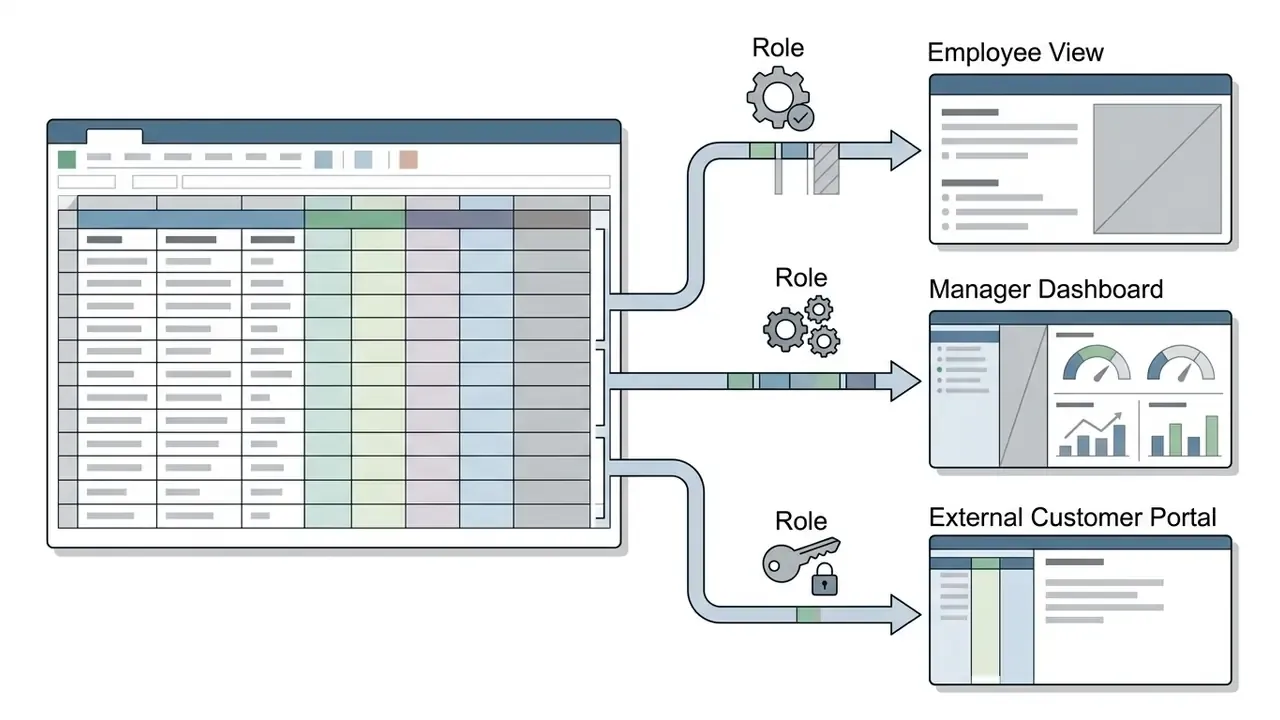
- Role-Based Views
- Conditional visibility settings distinguishing internal administrators, managers, and external client portals.
- Data Routing Workflows
- Automated approval chains, field validation rules, and document generation steps.
«Topic modeling of 113,106 job postings revealed 34 competency clusters across platform, business, and technology domains.»
Web Apps and Mobile Apps for iOS and Android
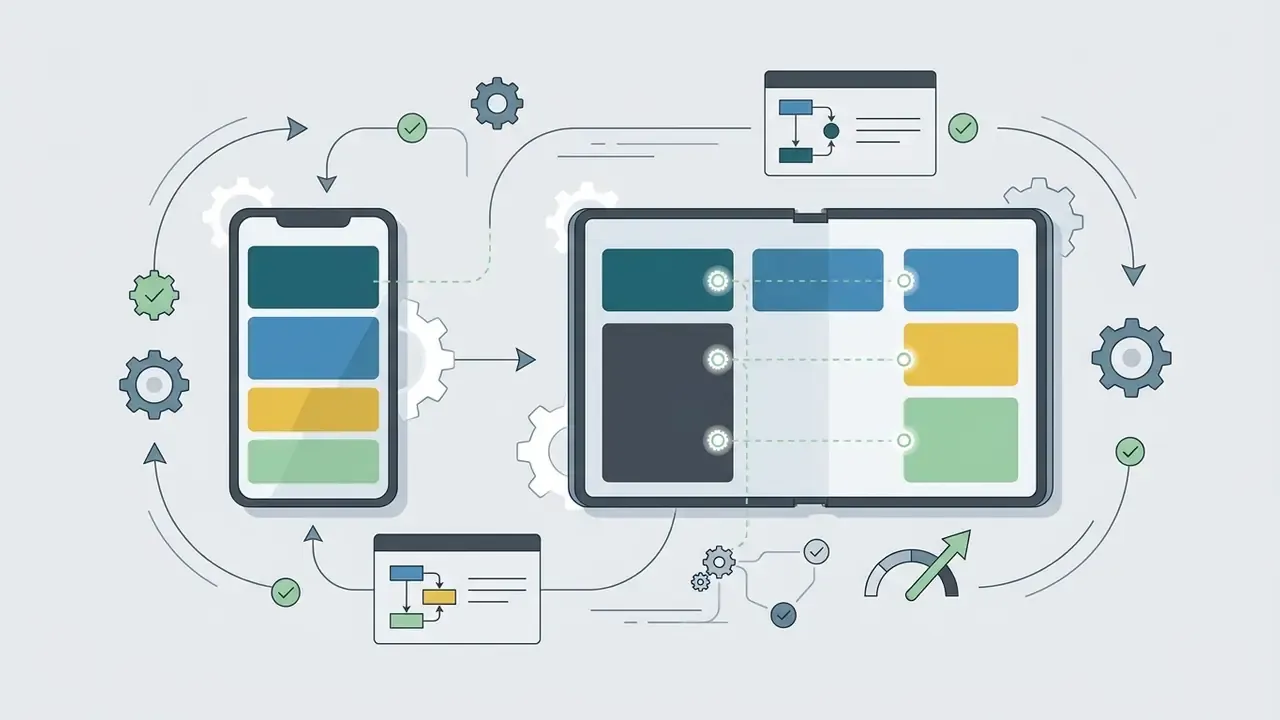
Deploying applications across web and mobile platforms requires adherence to distinct architectural and user experience standards. While web applications run within desktop and mobile browsers, mobile applications for iOS and Android demand platform-specific touch controls, adaptive layouts, and compliance with native app store guidelines.
Technical evaluation reveals clear distinctions across output formats:
- Web Applications AI generators such as Lovable, Bolt.new, Replit, v0, and Base44 generate responsive web applications utilizing modern frameworks (React, Next.js, Tailwind CSS). These applications execute in mobile browsers but do not generate native app-store binary files. Several vendors explicitly position mobile-responsive web delivery as an alternative to store submission: users open the app via link or pin it to the home screen for a native-like experience.
- Native Mobile Applications Platforms like FlutterFlow, Bubble, and Aptly compile visual layouts into native mobile binaries (APK/AAB for Android, IPA for iOS). Research on the Aptly platform demonstrates that generative models can convert natural-language descriptions into visual block code, compiling executable Android packages directly.
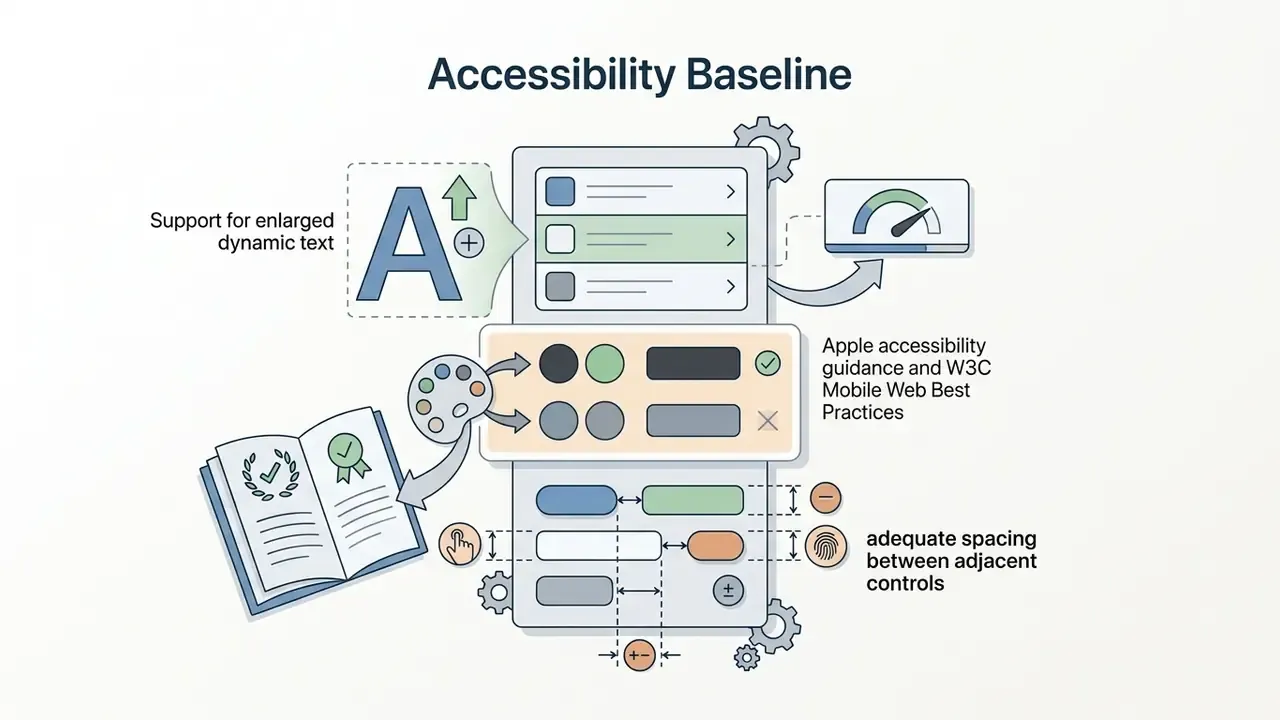
To pass App Store (Apple) and Google Play review processes, mobile apps generated by an ai app creator no code tool must observe established design standards:

Monetization and Native Payment Integration
Launching commercial applications requires seamless payment processing. Modern AI app builders streamline financial workflows by generating native checkout forms and API webhooks for enterprise payment gateways:
- Web and SaaS Monetization AI generators inject pre-built SDKs for Stripe, Paddle, or Lemon Squeezy, automatically mapping subscription tiers, usage-based billing logic, trial windows, dunning states, and customer portal links directly to user database records.
- Mobile In-App Purchases (IAP) For iOS and Android apps, builders automatically configure Apple Pay, Google Pay, and StoreKit or Google Play Billing frameworks, ensuring receipt validation and entitlement checks execute correctly under native app store guidelines. Vendor documentation from mobile-first builders describes this as a single configuration that activates native payments across both platforms.
- Ledger and Reconciliation Controls Production-grade monetization requires idempotent webhook handlers, immutable transaction logs, refund and chargeback state machines, and reconciliation exports for finance teams. This is the layer most frequently missing from first-pass AI generations, and therefore the highest-priority human review target.
- Regulatory Boundaries Payment flows expand compliance scope to PCI DSS obligations, tax and VAT/GST determination, and, for financial institutions, consumer-disclosure requirements. Card data should never traverse AI-generated application code; tokenized, hosted checkout remains the default safe pattern.
AI App Builder vs No-Code Builder vs Traditional Development
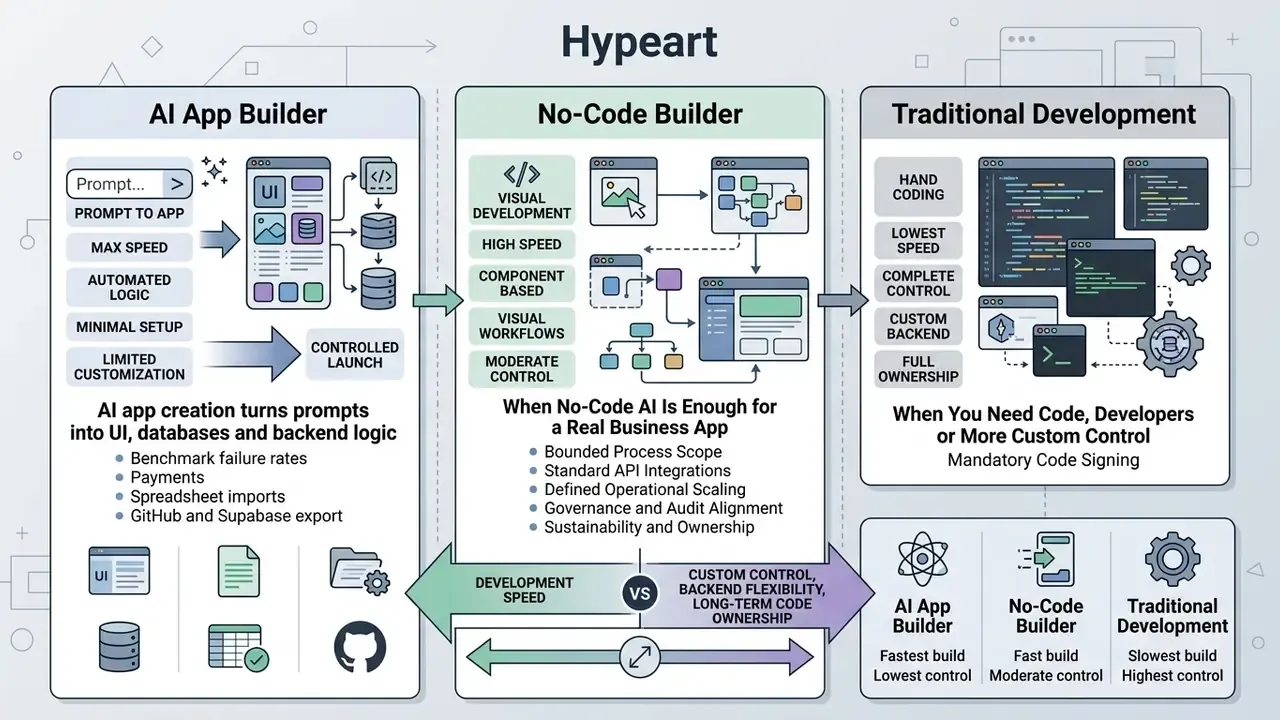
Selecting the appropriate software delivery method requires balancing development speed against custom control, backend flexibility, and long-term code ownership. AI app builders, classic no-code platforms, and traditional coding represent distinct levels of abstraction along the software engineering spectrum. In governance terms, low-code/no-code is best understood as a higher-abstraction component-assembly model operated by citizen developers, not a wholesale replacement for coded development.
When No-Code AI Is Enough for a Real Business App
An ai app creator no code approach provides sufficient functional capabilities when an application operates within bounded business workflows, utilizes standard database structures, and does not require low-level kernel or custom cryptographic control.
Research from Cigref (2024) and Anthropic's Enterprise AI Framework (2026) establishes that no-code AI builders satisfy business requirements under specific operational criteria:
- Bounded Process ScopeWell-defined input and output parameters, such as customer inquiry routing, vendor onboarding, or inventory tracking.
- Standard API IntegrationsReliance on established REST or GraphQL endpoints without requiring low-level protocol modifications.
- Defined Operational ScalingUser activity levels within platform infrastructure thresholds, avoiding custom database sharding requirements.
- Governance and Audit AlignmentClear administrative controls for role assignment, data retention, and activity logging.
- Sustainability and OwnershipShort ramp-up time, low training overhead, and a named business owner accountable for maintenance beyond the pilot phase.
Human-centered research by Ortiz et al. (2025/2026), published as "From Prompt to Product: A Human-Centered Benchmark of Agentic App Generation Systems," compared prompt-to-app platforms across 96 prompts and 288 generated application artifacts (96 prompts by 3 platforms), evaluated through 1,071 pairwise comparisons by 205 participants. AI-driven tools produced working prototypes that users judged highly usable and visually trustworthy for routine web tasks, with Firebase Studio leading consistently on usability, trust, and visual appeal. That makes this class of tooling suitable for early MVPs and departmental operations.
When You Need Code, Developers or More Custom Control
Projects cross the threshold into requiring traditional development or custom code when platform boundaries restrict security compliance, performance optimization, or deep system integration.
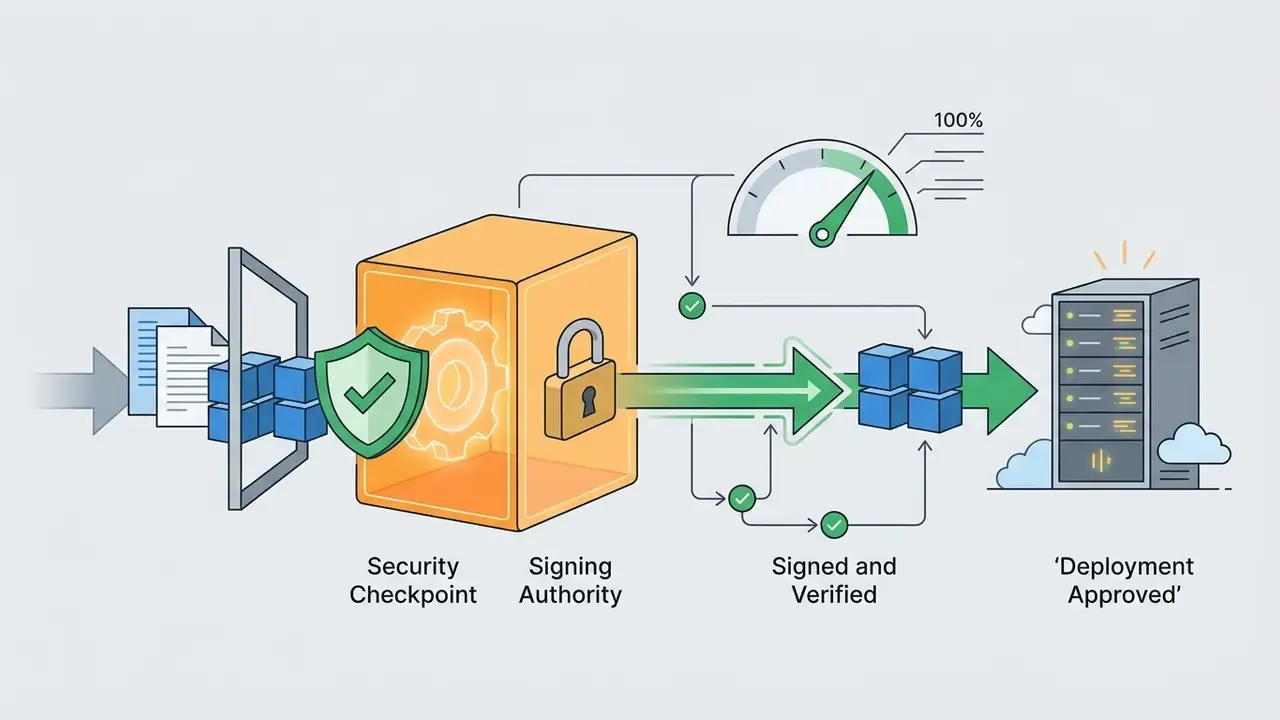
Secure-development governance baselines, including NIST SP 800-218 (Secure Software Development Framework, v1.1), the UK GOV.UK Security Standard SS-003: Software Development, and public-sector application security standards such as the British Columbia web and application development standard, converge on the same transition threshold. Custom code environments become mandatory when the following conditions arise:
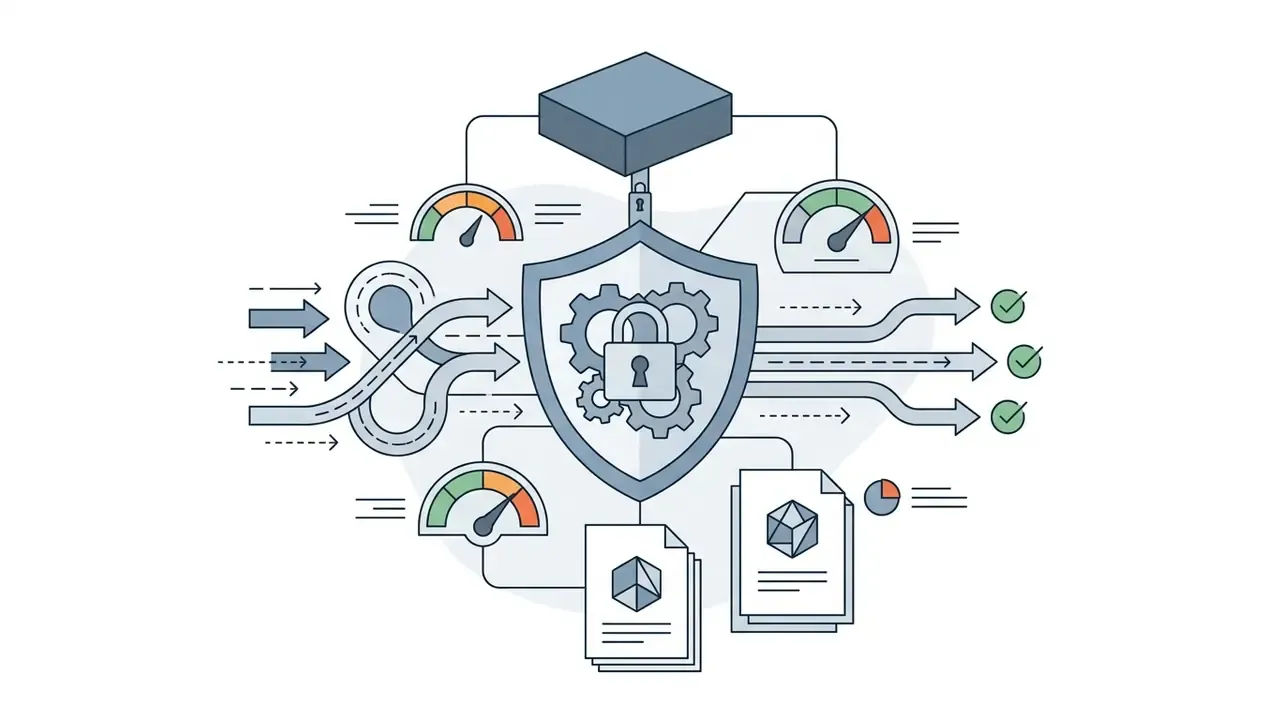
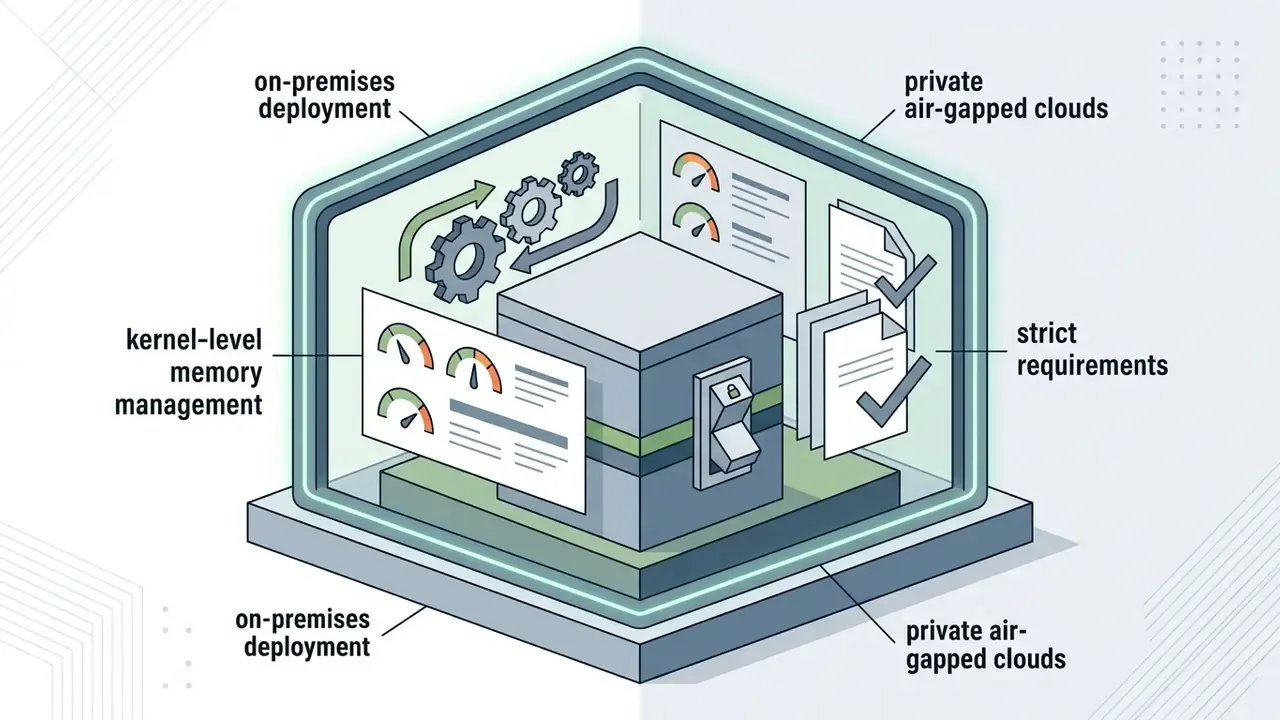
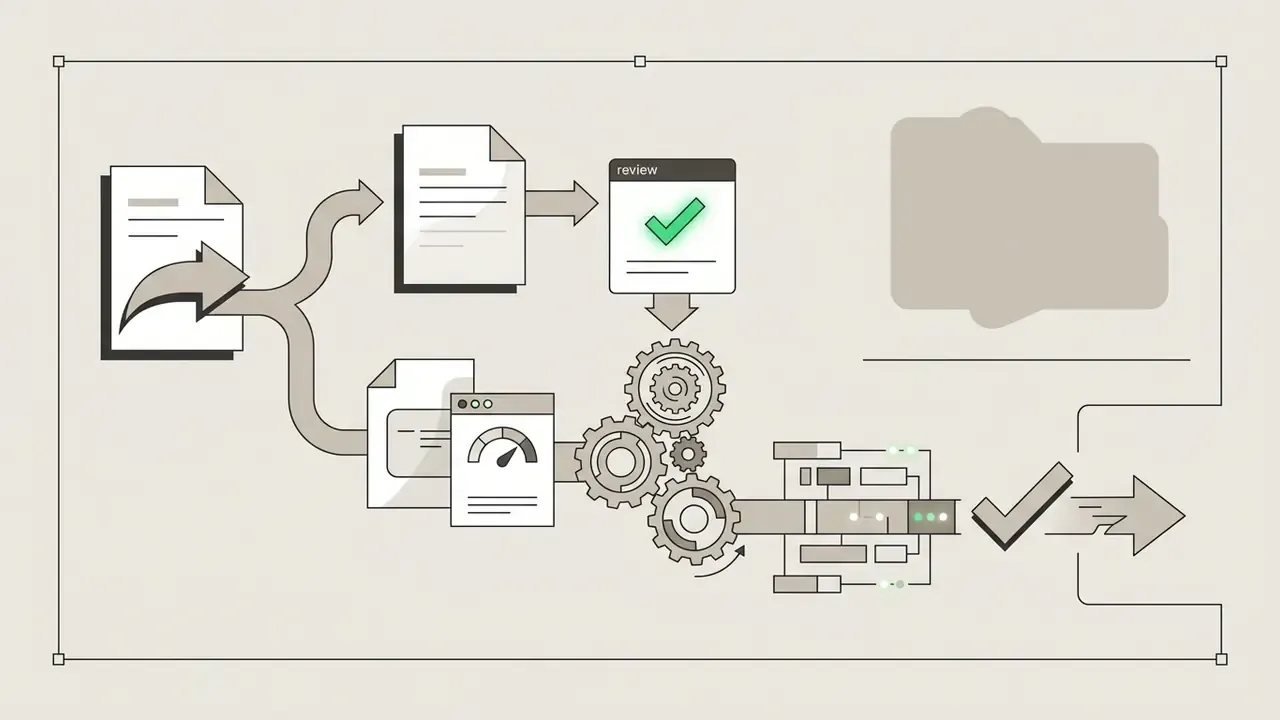
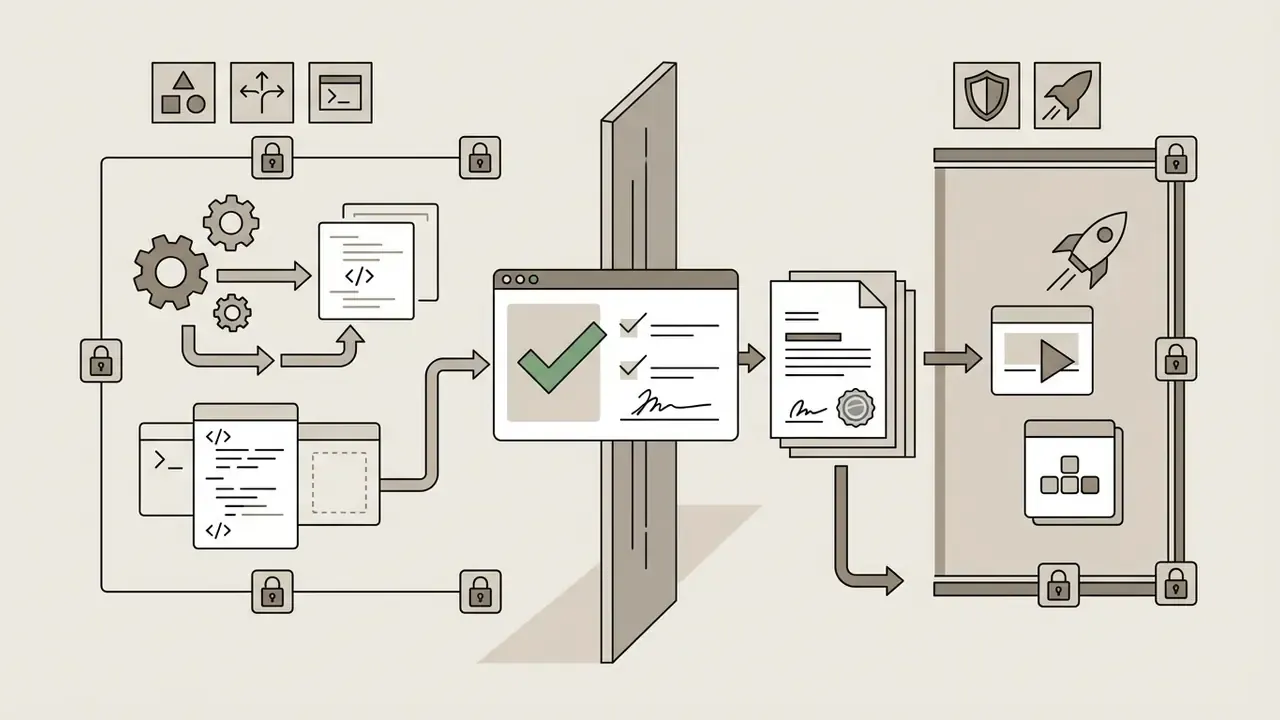
The staffing implication is measurable rather than theoretical. A study of GitHub Copilot adoption across open-source repositories found project-level code contributions rose 5.9% and developer participation rose 3.4%, while coordination time increased roughly 8% due to a higher volume of code discussion. That is evidence that AI acceleration shifts effort from authoring toward review, and that review capacity must be budgeted rather than assumed.
Table 1: Comprehensive comparison of AI app builders, classic no-code, and traditional development
| Evaluation Dimension | AI App Builder (Prompt-Driven) | Classic No-Code (Visual Canvas) | Traditional Development (Custom Code) |
|---|---|---|---|
| Primary Interface | Natural-language prompts and AI refinement | Visual drag-and-drop canvas and form rules | Integrated Development Environment (IDE) and text code |
| Time to Initial Prototype | Minutes to hours | Hours to days | Weeks to months |
| Backend Flexibility | Generated schema and automated REST endpoints | Platform-constrained tables and prebuilt actions | Unlimited custom architecture and database design |
| Code Ownership and Export | Variable (full code export in modern tools like Lovable) | Low (typically locked to vendor cloud host) | Complete (100% repository and code ownership) |
| Correctness and Security Rate | 37% to 62% initial pass (requires human review) | High within platform boundaries (vendor-managed) | Depends entirely on team engineering controls |
| Entry Cost (Indicative) | $0 to $40 per user/month; usage credits metered | $14 to $200 per month by workspace tier | Frequently $50,000+ per delivered project |
| Target Audience | Citizen developers, product managers, founders | Business analysts, operations leads, IT admins | Professional software engineers and architects |
Read the table as a risk statement, not a feature list. AI builders win on time-to-prototype and lose on assured correctness; traditional development inverts both. Classic no-code sits in the middle with predictable behavior inside a narrow box.
For adjacent comparative resources on generative tooling categories, you can review the comparison of leading AI generation tools, browse the wider AI Media Comparison hub, or check technical specifications in the AI Media Glossary.
How to Create an App With AI Without Coding
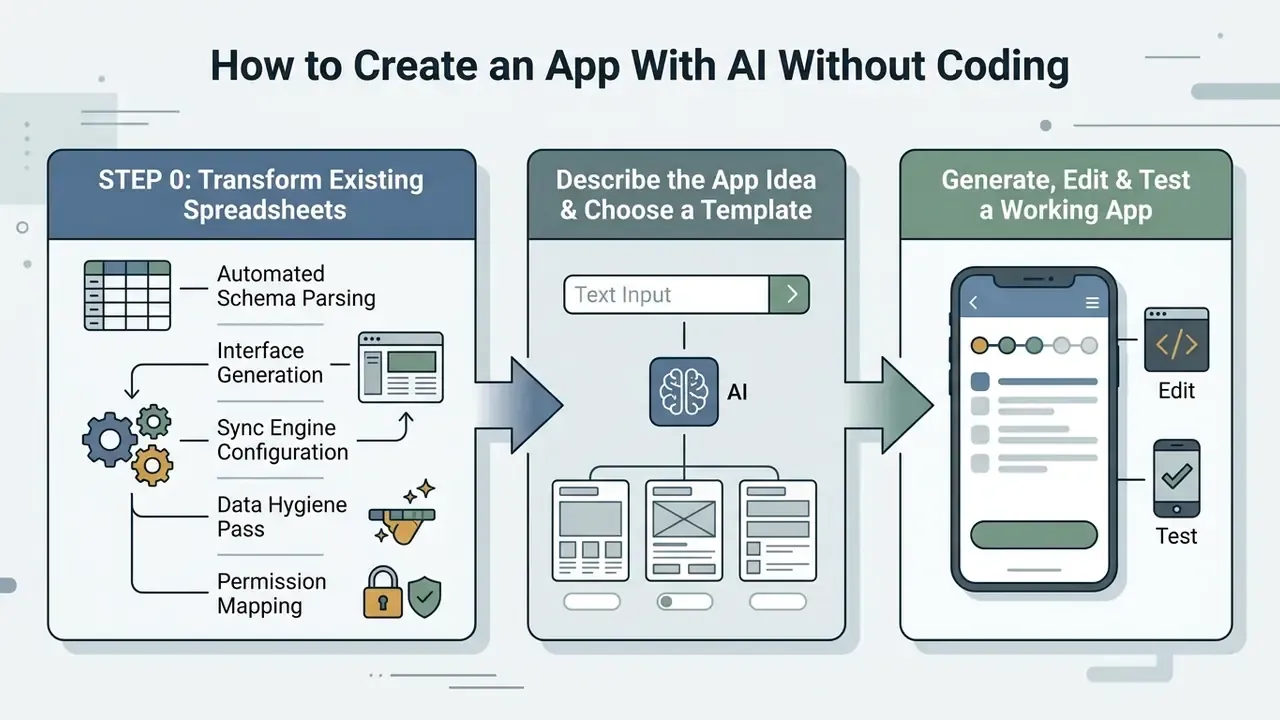
Building a fully functional application through ai app creation follows a structured workflow: importing or defining source data, defining requirements, selecting base scaffolds, generating component trees, conducting manual validation, configuring integrations, and executing controlled publishing.
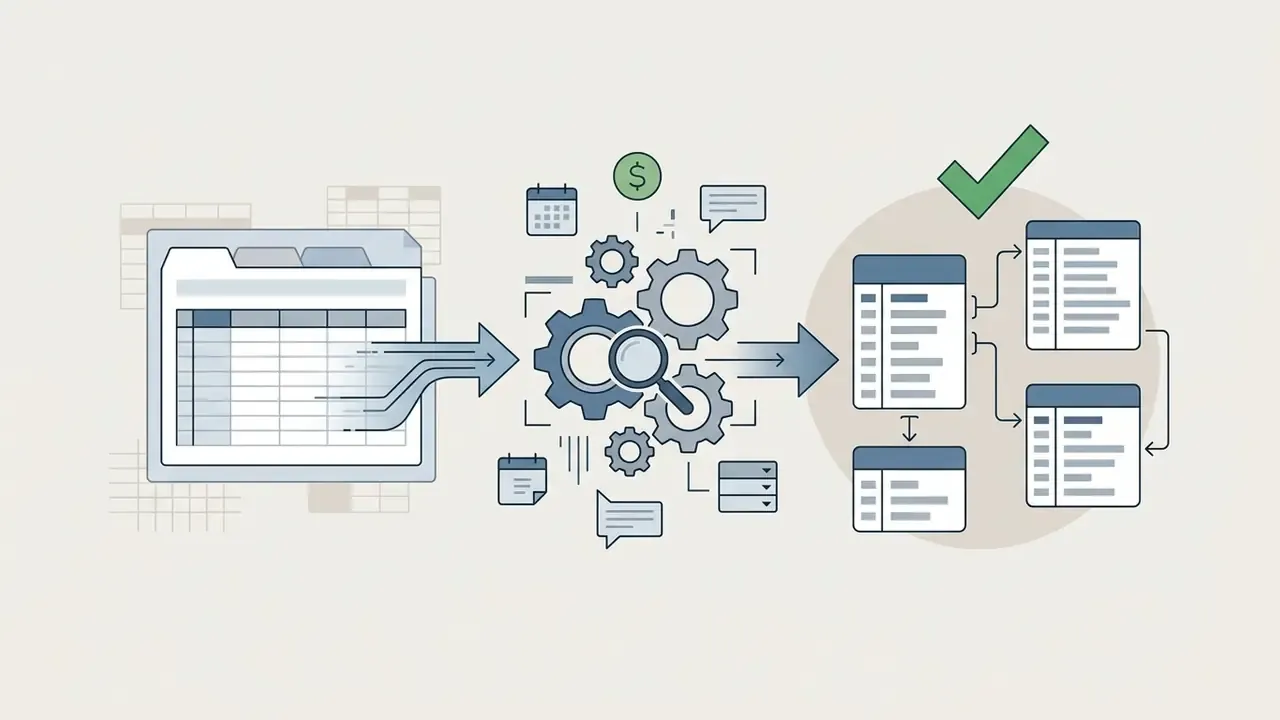
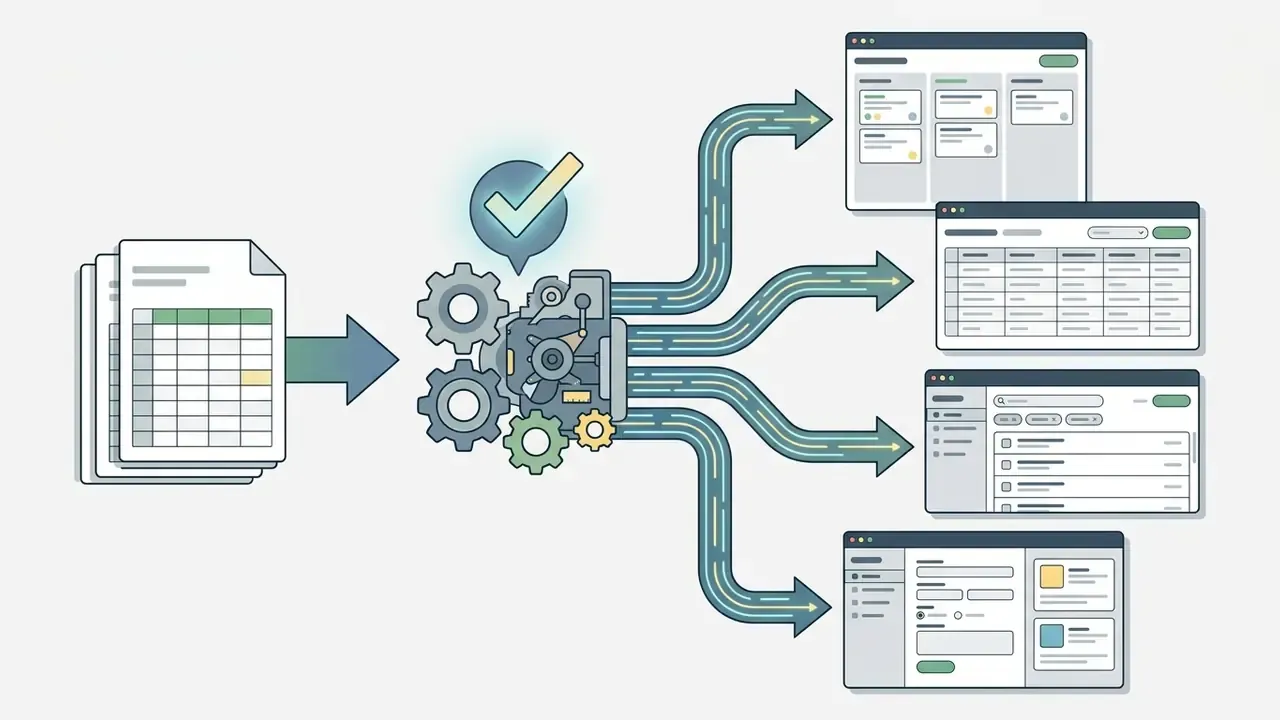
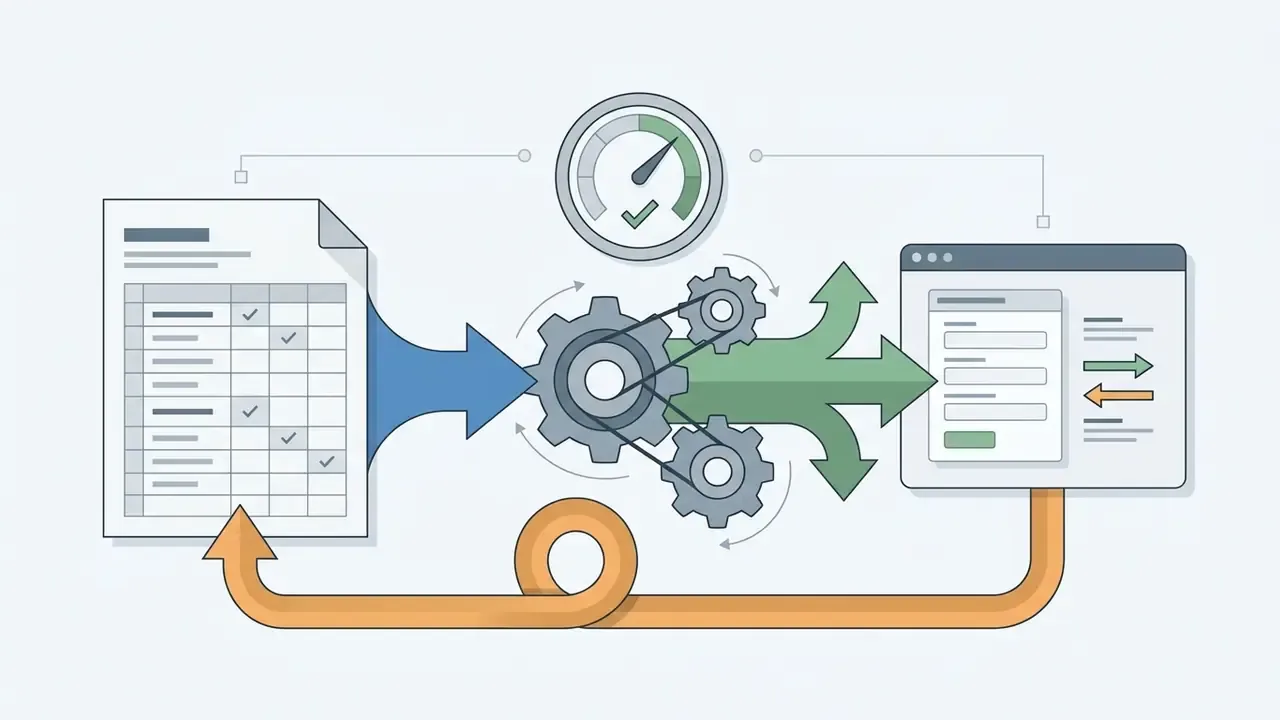
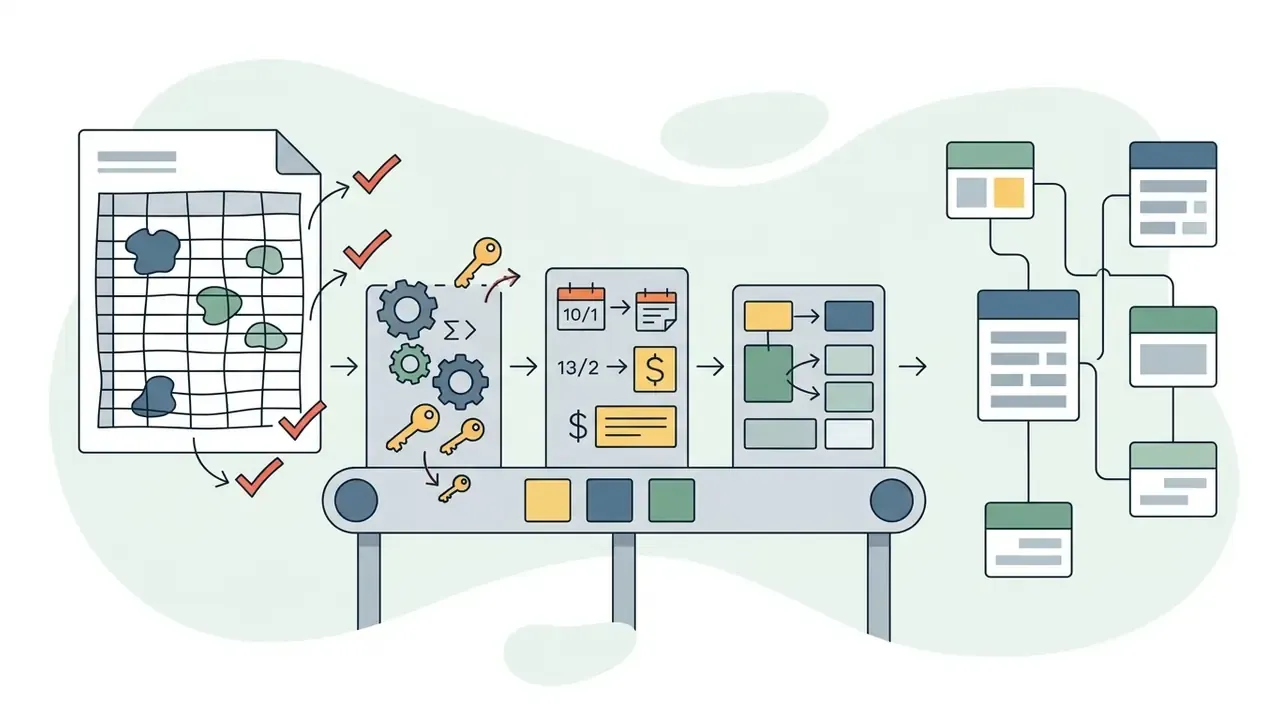
Step 0: Transforming Existing Spreadsheets into Relational Applications
Rather than authoring text prompts from scratch, teams can use existing business data in Google Sheets, Microsoft Excel, or CSV files as the structural blueprint for an application:
Describe the App Idea and Choose a Template
Selecting a starting template or base scaffold reduces structural ambiguity. Prebuilt templates for common application archetypes, such as admin dashboards, client portals, or inventory tables, provide baseline navigation rules, allowing the AI engine to focus on custom business logic generation.
Table 2: Production-ready prompt templates by application archetype
| Application Type | Core System Components | Sample CO-STAR Prompt Excerpt |
|---|---|---|
| Legal Document Analyzer | File upload (PDF/DOCX), OCR integration, vector database search, summary UI | "Build a secure internal web portal for paralegals. Include a drag-and-drop document uploader that extracts text, queries an LLM endpoint for risk flags, and renders a side-by-side compliance audit view." |
| Field Operations Inspector | Mobile camera input, offline local storage, GPS tagging, admin dashboard | "Create a mobile-responsive app for field technicians. Enable offline form submissions for site audits, automatically capture device geolocation, and sync records when connectivity returns." |
| Multi-Tenant SaaS Portal | Stripe Checkout, user auth, tenant-isolated schemas, RBAC settings | "Generate a B2B SaaS dashboard with multi-tenant data isolation. Include a self-service pricing table integrated with Stripe billing, role management (Owner, Admin, Member), and usage metric charts." |
| Accounting / Finance SaaS | Multi-company ledger, reporting engine, export to CSV/XLSX, audit trail | "Build a multi-company accounting workspace with chart-of-accounts setup, journal entry validation, period locking, and immutable change logs per transaction." |
| Internal Employee Portal | SSO login, policy library, shift scheduling, support ticketing | "Create an employee portal with SSO sign-in, searchable policy documents, a shift calendar with swap requests, and a helpdesk queue routed by department." |
Generate, Edit and Test a Working App
After the ai generator create app no code tool builds the initial software bundle, the user must enter an iterative refinement phase to adjust layouts, refine data relationships, and verify functional logic.
1. Initial Generation: Execute prompt to create frontend views and database tables.
2. Visual Editing: Adjust component positioning, field labels, and visual hierarchy on the canvas.
3. Schema Refinement: Verify primary keys, link foreign key dependencies, and enforce required field rules.
4. Functional Testing: Simulate happy-path and edge-case user journeys (empty form submissions, invalid email formats).
5. Business-Logic Abuse Testing: Attempt forged requests, workflow-step skipping, and process-timing manipulation, per OWASP business-logic testing guidance.
6. Error Repair: Prompt the AI agent to correct observed runtime errors or manually adjust logic settings.
Research from app.build (2026), based on 300 end-to-end generation experiments combined with expert review of 30 prompts, demonstrates that incorporating automated generate-validate-repair loops within sandbox execution environments increases application viability from baseline levels to 73.3%, with 30% of generated applications reaching high-quality operational scores. Notably, open-weight models running inside the same scaffolding environments reached 80.8% of the performance of closed frontier models, indicating that the execution environment, not model architecture alone, drives most of the quality gain.
«Open models within the same scaffolding environments reached 80.8% of closed frontier model performance.»
That finding has a budgeting consequence. Paying for the strongest available model while skipping sandboxed self-testing is close to buying the wrong half of the stack.
Mobile-First App Building and On-the-Go Refinement
Modern AI application creation is no longer constrained to desktop IDEs. Mobile creator platforms such as Replit Mobile and OnSpace enable creators to prompt, modify, and test full-stack web and native applications directly from iOS and Android smartphones:
- Voice-to-Prompt Workflows Authors can dictate complex feature requests or bug reports using voice input, which the AI model transforms into visual layout edits or database updates.
- Real-Time Layout Inspection Creators inspect touch targets, responsive breakpoints, and mobile navigation patterns natively on actual target hardware without relying solely on desktop browser emulators.
- Incident Response From Anywhere Product owners can apply copy fixes, toggle feature flags, or roll back a broken deploy while away from a workstation.
- Governance Caveat For regulated environments, mobile editing must inherit the same approval gates as desktop builds, including device-level MDM enrollment, SSO re-authentication, and audit logging of every mobile-originated change. Otherwise convenience quietly becomes an uncontrolled change channel.
Features That Make an AI App Useful Beyond a Prototype
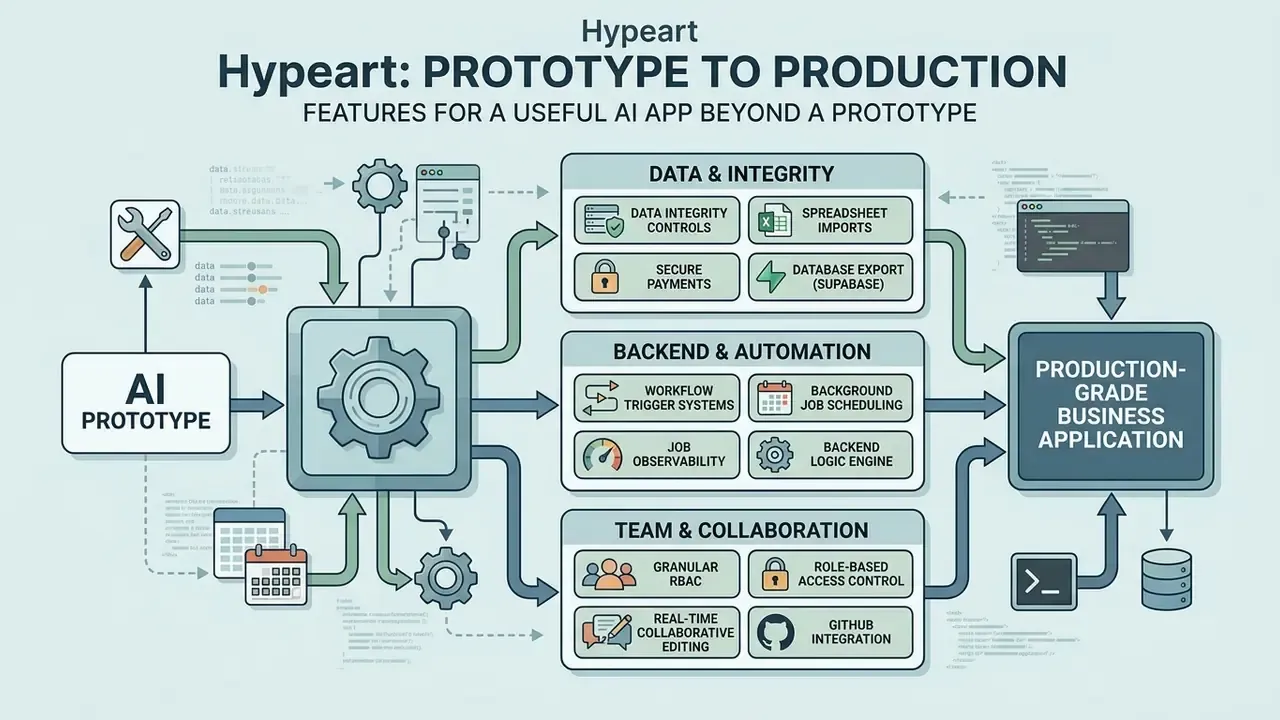
Transforming an initial prototype generated by an ai software maker into a production-grade business application requires robust backend engineering, background automation capabilities, persistent data infrastructure, and collaborative administrative controls. Public-sector guidance frames this transition sharply: a pilot addresses a reduced problem scope, whereas production must own the entire pipeline, live data, evaluation of outputs, update procedures, and a defined sunset assessment.
Data, Backend and Workflow Automation
Production software demands stable database infrastructure and reliable background processing to handle heavy operational workloads without data corruption or execution failure.
Modern AI application platforms achieve backend persistence by generating relational database schemas or connecting directly to external data hubs like Airtable, PostgreSQL, Supabase, or enterprise databases. Crucial technical capabilities include:
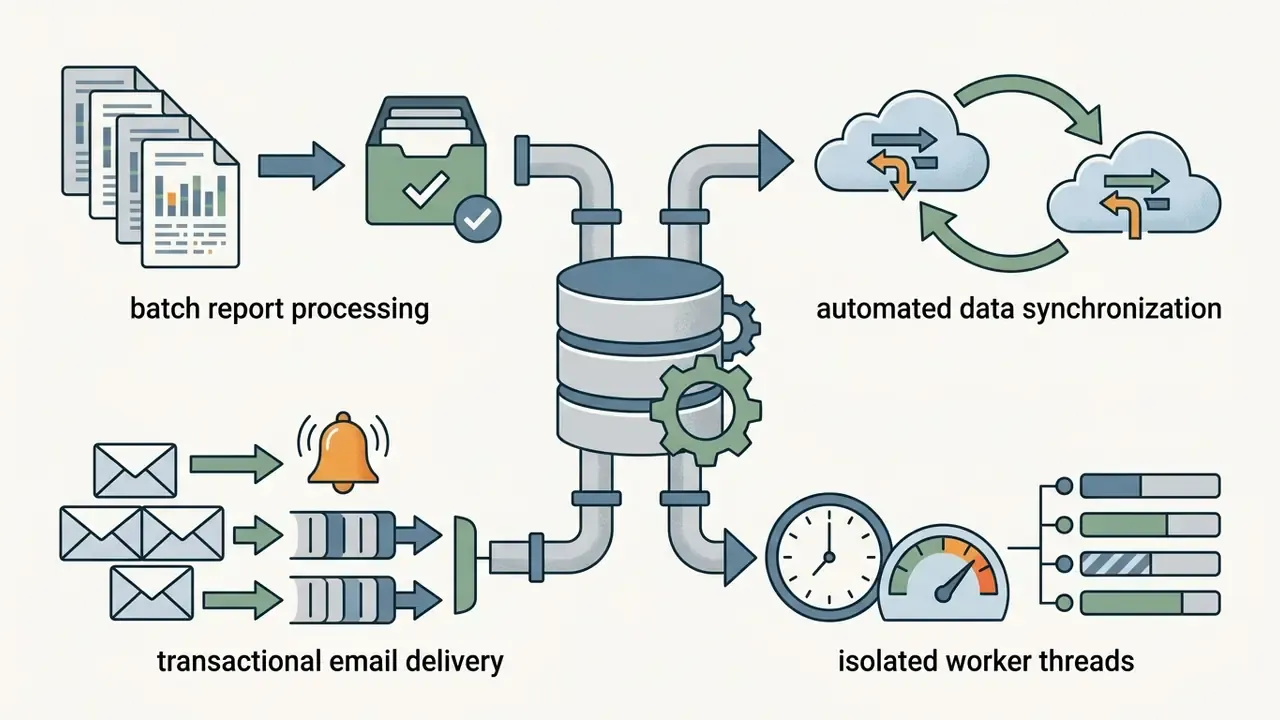
DBMS_SCHEDULER, Neo4j IMMEDIATE/DELAYED/PERIODIC background jobs) or isolated worker threads. Storing job state in a database separate from primary application tables isolates write-heavy processing from user-facing reads.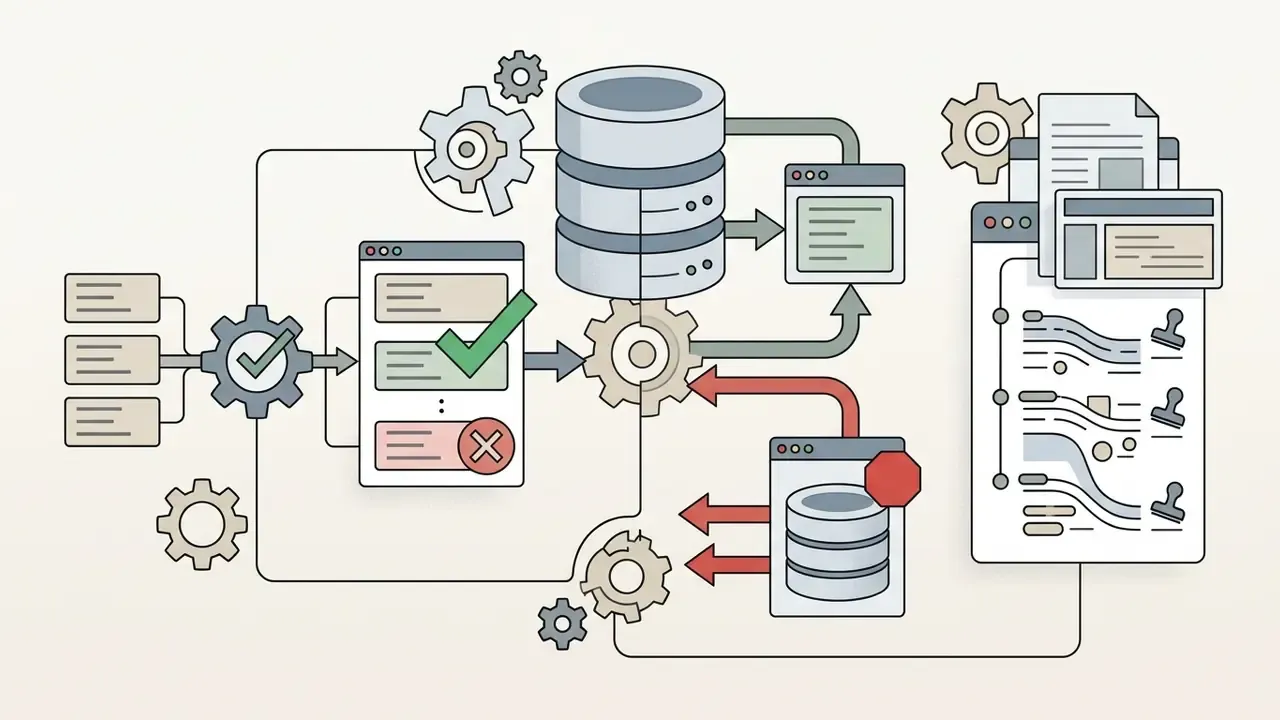
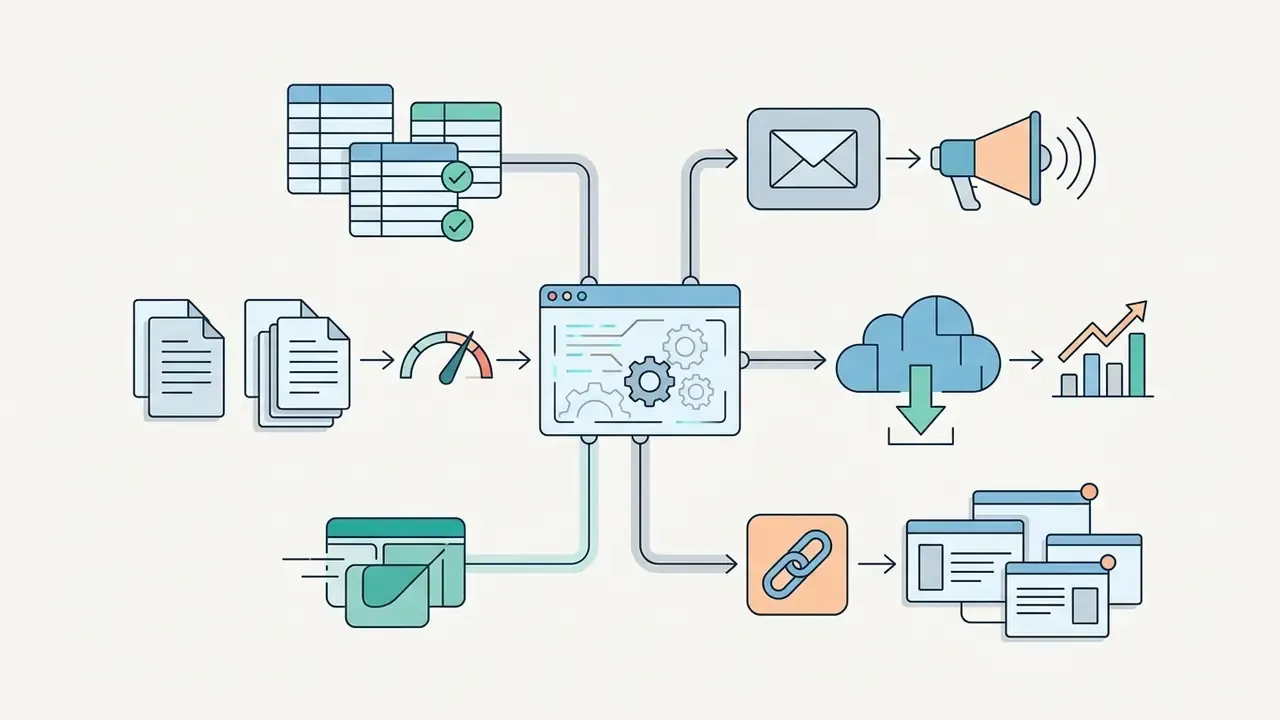

Integrations, Team Access and Collaboration
To operate within an enterprise software environment, an AI-built application must support multi-user collaboration, granular authorization policies, and seamless external API connections.
Essential enterprise collaboration features encompass:
For teams building API-first workflows, review a practical API implementation walkthrough for AI tooling covering endpoint architecture, quotas, and cost modeling, or browse the hub for adjacent integration patterns.
How to Choose the Best AI App Builder for Your Project
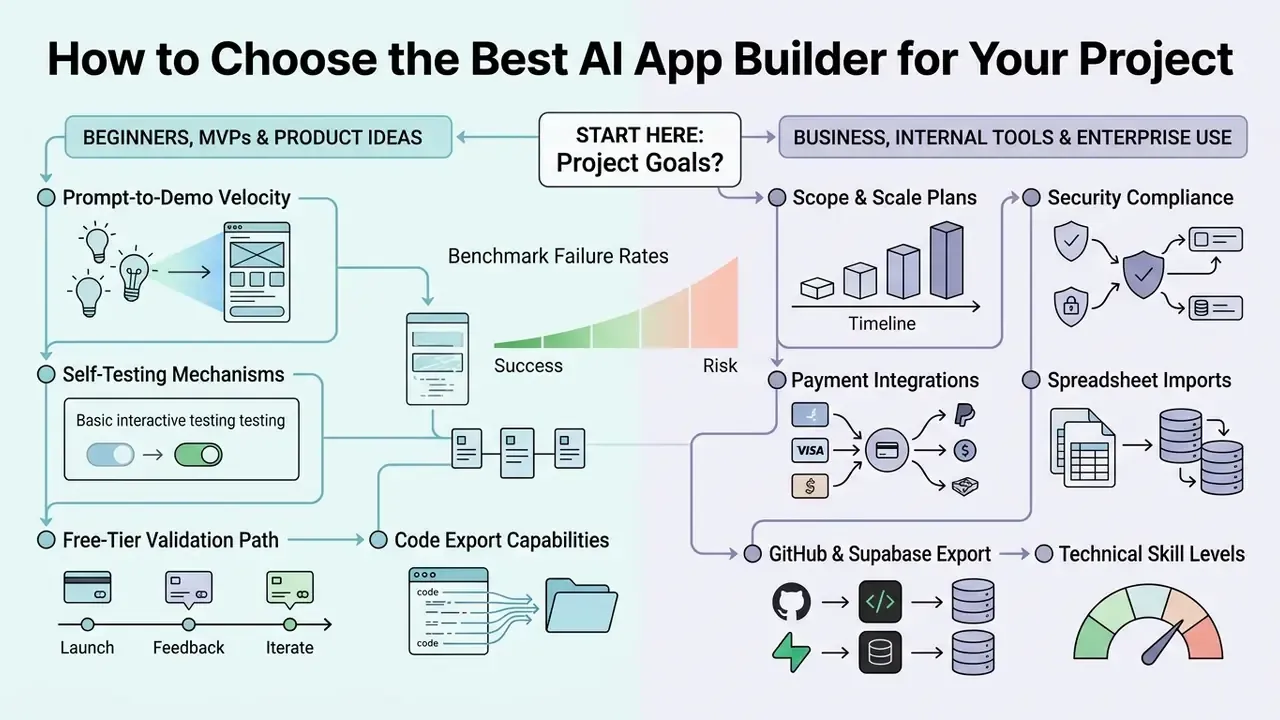
Selecting the best ai app builders requires matching project scope, technical skill levels, security compliance requirements, and scaling plans against platform capabilities. Selection typically resolves along three axes: skill level of the builder, budget envelope, and target scale, with user count over the next 3 to 12 months, deployment target, access controls, and maintenance horizon acting as the concrete evaluation inputs.
Choosing a Builder for Beginners, MVPs and Product Ideas
Early-stage founders, business analysts, and non-technical creators prioritizing rapid validation should select tools optimized for ease of use, prompt-to-UI speed, visual editing, and low initial capital investment.
Key evaluation criteria for MVP creation include:
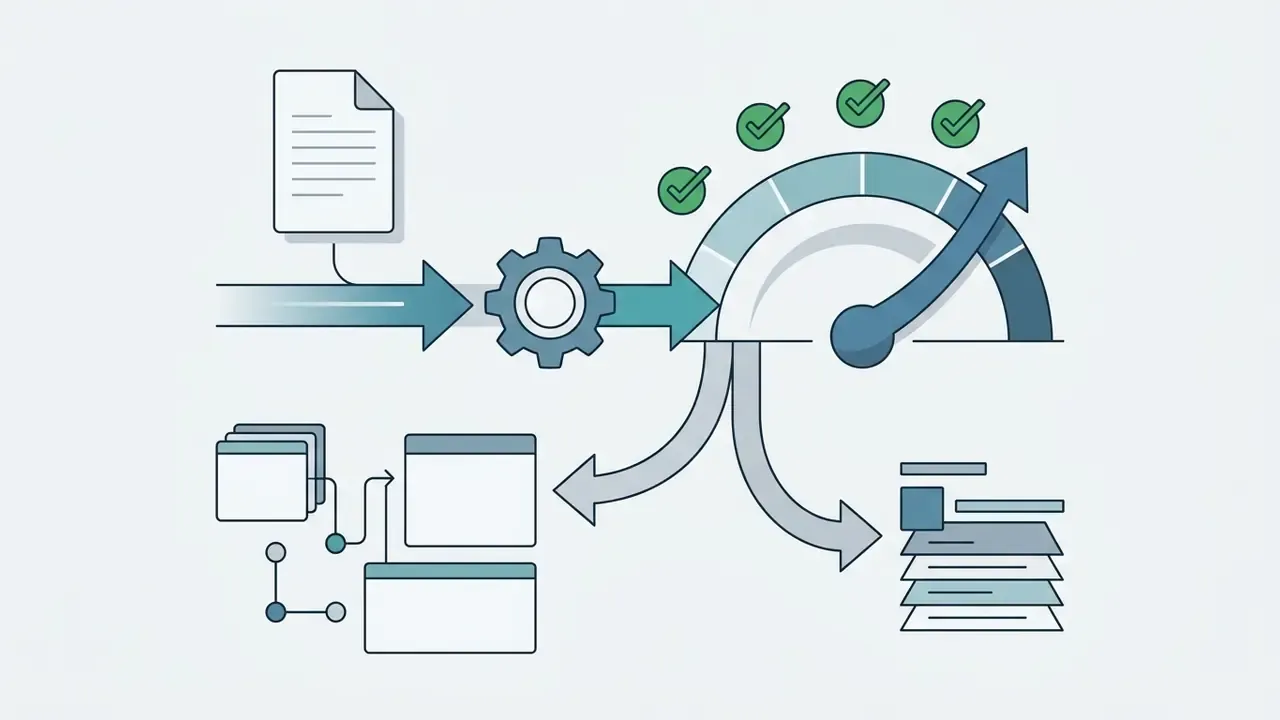
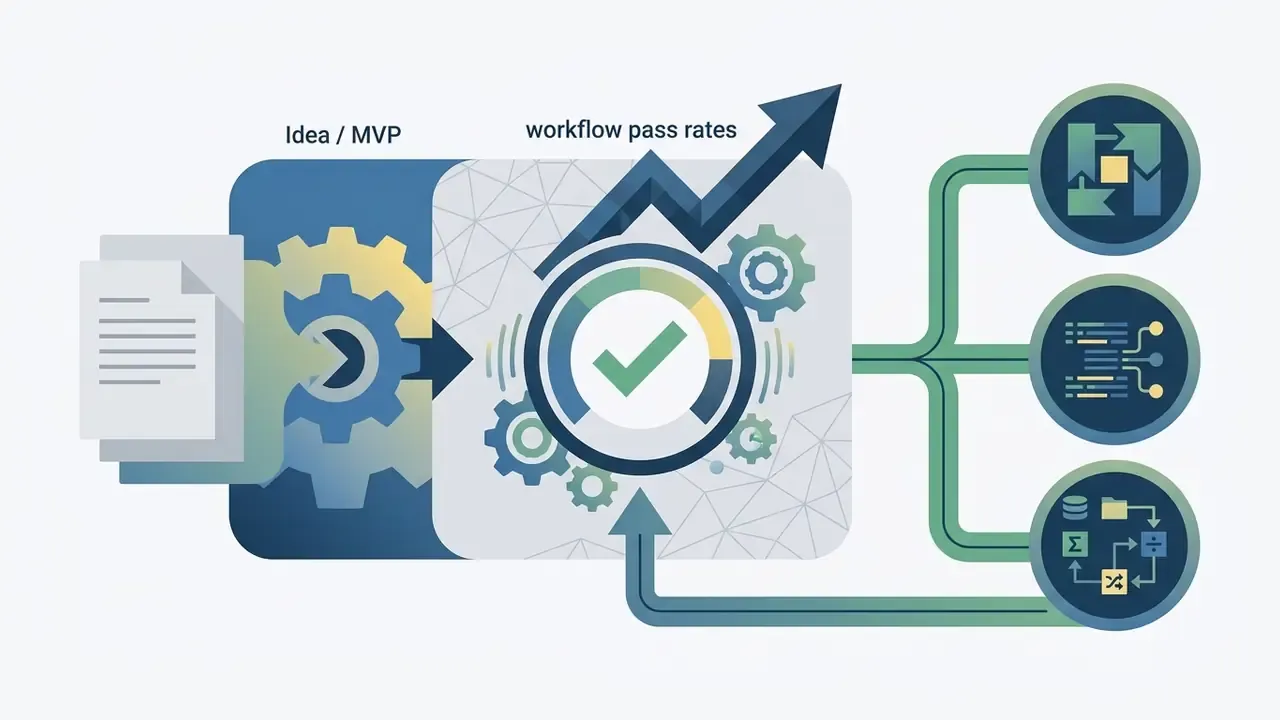
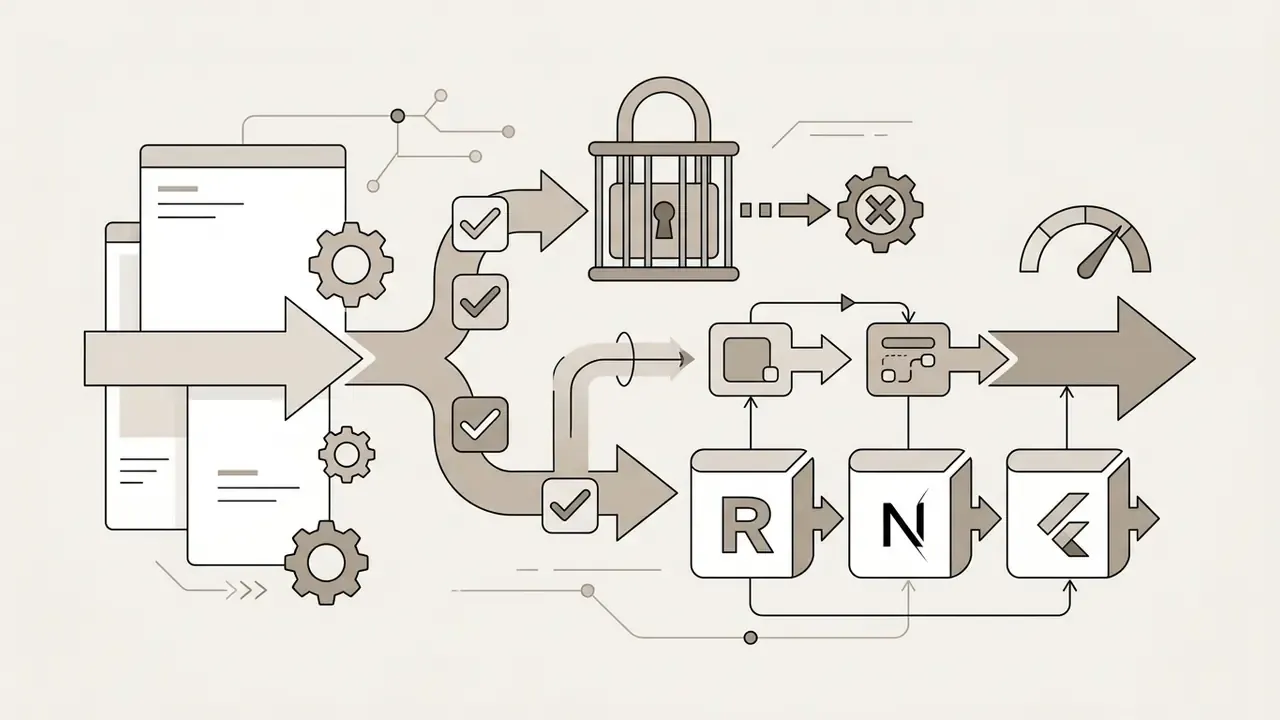
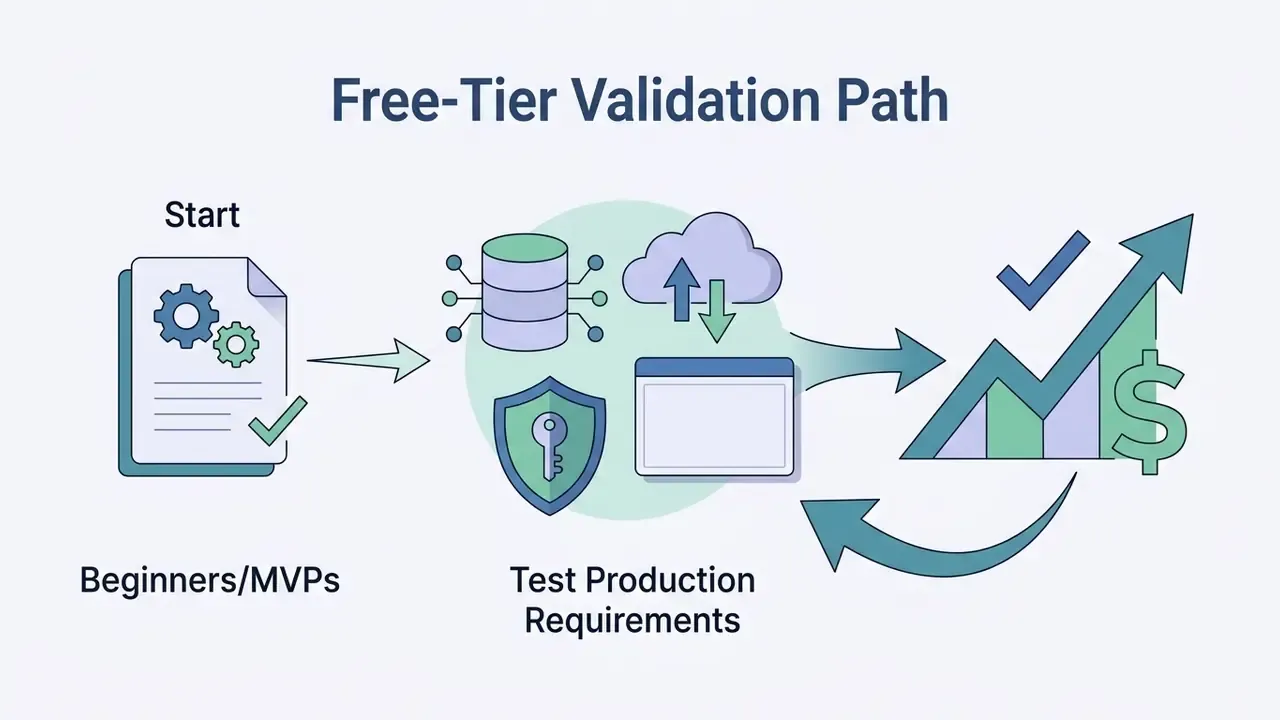
Tools such as Lovable, Bolt.new, v0, Replit Agent, Cursor, Figma AI, Bubble, FlutterFlow, and Firebase Studio excel in early-stage prototyping and UI-first validation. The practical split is UI fidelity (v0, Figma AI), full-stack clickable depth (Bolt, Lovable, Replit Agent), and no-code MVP delivery for non-technical founders (Bubble, FlutterFlow). Creators working on lighter media-side experiments, for example a doodle video creator or a dream ai generator, often start in the same free tiers before committing to a paid plan.
Choosing a Platform for Business, Internal Tools and Enterprise Use
Enterprise IT leaders, Heads of Model Risk, and Chief Risk Officers evaluating platforms for core operational workflows must prioritize security certifications, database integration, access governance, and infrastructure control. In practice, this section should be read together with the pre-flight audit checklist in the security chapter below, since vendor filtering and security verification are a single decision, not two sequential ones.
Selection criteria for enterprise platforms include:
Enterprise frameworks such as Microsoft Power Platform, OutSystems, Mendix, Retool, Softr, and Appsmith cater specifically to enterprise internal tool governance and managed infrastructure requirements.
Table 4: Decision matrix for selecting AI app builders based on project scope
| Project Requirement | Priority Platform Capabilities | Recommended Builder Category | Representative Exemplar Tools |
|---|---|---|---|
| Rapid MVP / idea validation | Fast prompt generation, visual polish, easy component editing | Prompt-to-web generator | Lovable, Bolt.new, v0, Firebase Studio |
| Consumer mobile application | Native iOS/Android binaries, touch navigation, app store export, native payments | Cross-platform mobile builder | FlutterFlow, Bubble, Aptly, OnSpace |
| Spreadsheet-driven operations | Schema inference from Excel/Sheets, bi-directional sync, role-based views | Spreadsheet-to-app engine | Glide, Softr, Airtable-connected builders |
| Internal operations and dashboards | Relational DB links, RBAC, form builders, approval workflows | Database-driven internal tool platform | Softr, Glide, Retool, Appsmith |
| Governed enterprise application | SOC 2, SSO/Entra ID integration, CI/CD pipeline, full audit trails | Enterprise low-code application platform (LCAP) | Microsoft Power Platform, OutSystems, Mendix |
For adjacent evaluation frameworks covering licensing and rights for generative outputs, review the guidance on commercial use of AI generation tools or browse the hub for category-level rules. Where output ownership is contested, the litigation tracker is a useful sanity check before signing.
AI App Creator Pricing, Free Plans and Total Cost of Launch
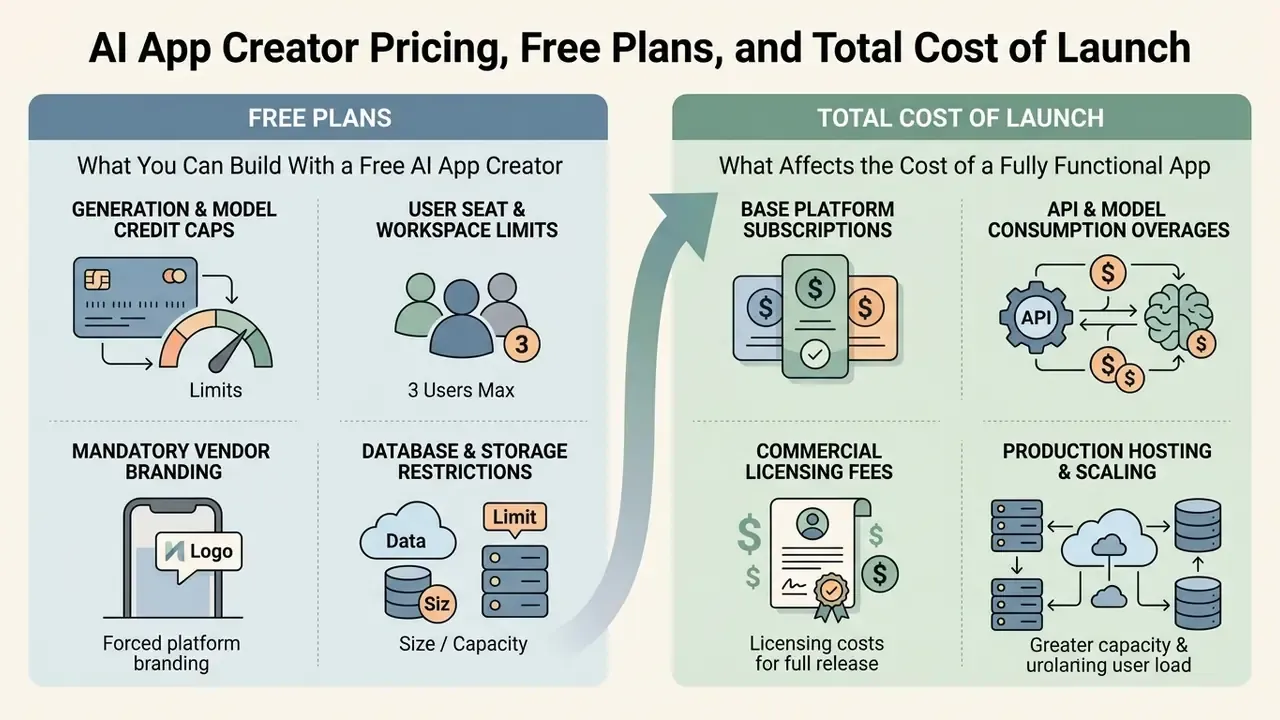
Evaluating an ai app creator free no coding platform requires understanding the transition from no-cost promotional tiers to commercial production pricing. While many platforms offer zero-cost plans for initial exploration, production deployments introduce metering costs tied to usage credits, custom domains, hosting infrastructure, and user seats.
What You Can Build With a Free AI App Creator
Free tiers provided by AI app builders serve as testing environments for concept validation, basic layout construction, and prompt testing. However, free plans enforce operational boundaries designed to encourage upgrade to paid commercial tiers.
Typical free plan constraints in 2026 include:
- Generation and Model Credit Caps Daily or monthly limits on AI generation calls. Builder.io's Free plan includes 15 Agent credits per day and 60 per month; Lovable's Free tier provides 5 daily build credits up to 30 per month plus limited monthly cloud and AI credits; Bolt provides 1M monthly tokens with a 300K daily cap; Base44 lists 25 message credits and 100 integration credits per month.
- User Seat and Workspace Limits Restricted to 1 individual builder seat without team administrative access.
- Mandatory Vendor Branding Platform badges, powered-by footers, and enforced platform subdomains (
your-app.bolt.host,your-app.softr.app); custom domains and badge removal are paid features. - Database and Storage Restrictions Low row limits (typically 100 to 500 database records) and restricted file upload capacity.
Free plans allow users to build proof-of-concept prototypes, but fully functional business applications require migration to paid tiers. For a consolidated view of plan tiers across categories, open the hub.
What Affects the Cost of a Fully Functional App
The total cost of launching and maintaining a production-ready application extends beyond the base software subscription fee. Organizations must account for infrastructure hosting, usage overages, third-party services, and platform publishing expenses.
Primary commercial cost drivers encompass:
- Base Platform SubscriptionsEntry paid commercial plans typically cluster between $20 and $40 per user/month. As of late 2026, official pricing pages list Builder.io at $24 per user/month, Blink at $25/month, Bubble Starter at $32/month, and FlutterFlow at $39/month.
- API and Model Consumption OveragesMetered usage fees incurred when an AI agent or application exceeds allocated monthly generation credits or LLM token quotas. Builder.io's published model ties agent credit cost to underlying model token cost plus a stated margin, making consumption forecasting a budgeting requirement rather than an afterthought.
- Third-Party API and Backend ServicesSubscription costs for external database hosting (Supabase, Firebase, PostgreSQL), specialized API connectors, and transactional messaging services. Independent cost comparisons put a realistic production app in the region of $50 to $100 per month once backend, hosting upgrades, domains, and API overages are combined.
- Native Mobile Store FeesApple Developer Program membership costs $99 USD annually; Google Play Developer registration requires a one-time $25 USD fee.
- User Seat and Administrative ScaleEnterprise licensing scales based on active editor seats, SSO configuration add-ons, and dedicated customer support SLAs.
- Exit and Migration CostEffort required to export code, rebuild proprietary platform logic, and re-point integrations if the vendor relationship ends. Zero on day one, material in year three.
Risk-Adjusted ROI: Counting Control Costs, Not Just License Costs
License price is the least significant line in a regulated organization's business case. Because roughly 38% of generated workflows and 63% of generated backends fail on first pass, the savings from faster authoring are partially consumed by mandatory verification effort. A defensible calculation therefore looks like this:
Risk-Adjusted ROI =
   (Baseline development cost avoided + Time-to-value benefit)
 - (Platform licenses + usage/credit overages + hosting and backend services)
 - (Control costs: code review hours, SAST/DAST tooling, penetration testing,
    independent validation, documentation and evidence retention)
 - (Expected residual risk: probability of control failure x estimated impact,
    including remediation, incident response and regulatory exposure)
 - (Exit cost amortized: migration effort if the platform is retired)
Table 5: Illustrative risk-adjusted cost structure for one internal application
| Cost Category | Driver | Frequency | Owner |
|---|---|---|---|
| Platform license and seats | Editor headcount, plan tier | Monthly / annual | Business unit |
| Generation credits / tokens | Prompt volume, model choice | Variable, metered | Business unit |
| Hosting, database, integrations | Traffic, storage, API calls | Monthly | IT / Platform |
| Security review and SAST/DAST | Lines and diffs reviewed, app tier | Per release | Security |
| Independent validation and documentation | Application risk tier | Initial plus periodic recertification | Model Risk / Compliance |
| Residual risk provision | Control-failure probability x impact | Annual reassessment | Risk committee |
Practical rule of thumb: the higher the data classification of the application, the smaller the net ROI advantage of AI generation, because control cost scales with data sensitivity while authoring savings do not. Low-sensitivity internal tools deliver the strongest risk-adjusted returns; customer-money-movement systems deliver the weakest.
To estimate project implementation expenses across different software tiers, creators can use the AI Media Calculators section. Teams stuck on plan mechanics can also view the guide for setup and billing questions.
Security, Ownership and Access Control for AI-Built Apps
App Ownership, Private Builds and Secure Team Access
Determining code ownership, export rights, and data access policies is critical when deploying applications built by an ai that create apps. Legal standards and technical capabilities vary across vendor platforms.
Key ownership and security controls include:
- Code Export and Self-Hosting Platforms like Lovable explicitly allow full source code export, GitHub or GitLab repository synchronization, repository cloning, and self-hosting on customer infrastructure without proprietary runtime dependencies, with portable schemas, storage and configuration. Conversely, classic no-code builders often restrict code export, locking execution to their proprietary cloud host.
- Intellectual Property and Copyright Standards U.S. Copyright Office guidance (Copyright Registration Guidance for Works Containing Material Generated by AI, 2023) establishes that purely AI-generated material lacking human creative contribution cannot be copyrighted, and that more-than-de-minimis AI-generated content must be excluded from a human-authorship claim. Copyright protection applies only to human-authored elements, custom architectural modifications, and creative arrangements, which must be separately identified during registration. WIPO's 2024 guidance additionally recommends staff policies, prompt and output labeling, record-keeping, and review of provider terms on ownership of outputs.
- Private Environments and Data Protection Connecting enterprise data to AI builders requires verifying that prompt inputs and corporate data are excluded from public model re-training pipelines, alongside GDPR Article 32 measures such as encryption and confidentiality controls, and NIST AI RMF practices including access control and isolated processing enclaves for sensitive workloads. The same discipline applies to seemingly harmless utilities; even an email address generator ai touches personal data and inherits disclosure duties.
Step-by-Step Code Export and External Backend Integration Pipeline
To maintain full data ownership and eliminate vendor lock-in, follow this standard deployment pipeline when exporting AI-generated projects:
- GitHub Repository SyncAuthenticate your GitHub or GitLab account within the AI builder and initiate a full source code push, exporting clean React, Next.js, or Flutter repositories with commit history preserved.
- External Database BindingReplace temporary builder sandboxes by connecting an enterprise BaaS (Backend-as-a-Service) such as Supabase or Firebase, with Supabase supplying PostgreSQL, full SQL support, authentication, file storage, and realtime sync. Provide your custom
NEXT_PUBLIC_SUPABASE_URLandSUPABASE_ANON_KEYthrough environment variables, never in client-side source. - CI/CD Pipeline SetupConfigure automated deployment triggers using GitHub Actions to build, lint, scan, and test the application on every merged pull request, with required reviewers enforced on the protected branch.
- Self-Hosted Infrastructure LaunchDeploy compiled static assets to Vercel, Netlify, or AWS Amplify, while hosting backend microservices inside containerized Docker instances on your private cloud or on-premises cluster.
- Post-Export HardeningRotate all keys issued by the builder, enable row-level security policies on the external database, and re-run SAST plus dependency scanning against the exported repository. Exported code inherits the generator's vulnerability profile, not the platform's marketing claims.
Enterprise Data Security and Pre-Flight Audit Checklist
1. Model Training Exclusions: Obtain written confirmation that enterprise prompts, data inputs, and generated code are excluded from vendor model training sets.
2. Regulatory & Security Certifications: Verify active SOC 2 Type II, ISO 27001, or GDPR compliance documentation for platform hosting infrastructure.
3. Supervisory Alignment (Regulated Entities): Map the platform and each deployed application to existing model-risk and technology-operations expectations (Fed SR 11-7 / OCC 2011-12 for model risk; FFIEC Architecture, Infrastructure and Operations for platform controls), including independent validation and periodic recertification.
4. Access & Identity Management: Confirm support for SAML 2.0 / Single Sign-On (SSO) and granular Role-Based Access Control (RBAC), with deny-by-default API authorization.
5. Data Isolation & Encryption: Verify dedicated database sandboxing, isolated processing enclaves, and AES-256 encryption at rest alongside TLS 1.3 in transit.
6. Immutable Audit Trails: Require tamper-evident, retained logs of prompts, model versions, generated diffs, approvals, and administrative actions, exportable for internal audit and examiner review.
7. Code Export & Repository Control: Validate full source code export pathways to internal Git repositories (GitHub/GitLab) to prevent vendor lock-in.
8. Automated Vulnerability Scanning: Implement automated static application security testing (SAST) on exported code to identify injection vulnerabilities and misconfigured permission rules; supplement with penetration testing for externally exposed apps.
9. Third-Party & Subprocessor Review: Confirm documented technical and organizational measures for all subprocessors handling regulated data.
Controlling Shadow AI: Inventory Before Prohibition
The fastest-growing exposure in 2026 is not the approved platform. It is the unapproved one. Because AI builders are self-service and free at entry, business teams can deploy customer-facing applications without IT knowledge. A pragmatic containment sequence:
Checklist0 / 5
By enforcing structured verification, establishing strict access boundaries, and maintaining human-in-the-loop validation, organizations can use ai app creation to accelerate software delivery while maintaining security, operational stability, and compliance.
Limitations and Open Questions
Two things remain genuinely unresolved, and pretending otherwise would be dishonest. First, published benchmarks measure generic web and backend tasks, not regulated banking workflows with KYC, AML, or credit-decision logic; no public dataset yet reports control-effectiveness rates for those categories. Second, agentic builders that write, test, and deploy their own changes sit awkwardly inside frameworks designed for static models with periodic revalidation. Continuous behavioral monitoring is the most commonly proposed answer, though evidence on its examiner acceptability is still thin.
A safe next step, therefore, is narrow rather than heroic: pick one low-sensitivity internal tool, run it through the full RACI and evidence pipeline described above, and measure how much control effort the exercise actually consumed. That number, not a vendor benchmark, should size your program.
FAQ: AI App Creation, Payments, Ownership and Review
Can I add payments to an AI-generated app?
Yes. Most builders inject Stripe, Paddle, or Lemon Squeezy SDKs for web and SaaS billing, and configure Apple Pay, Google Pay, StoreKit, or Google Play Billing for native mobile in-app purchases. Human review should always verify webhook signature validation, idempotency, entitlement checks, and refund handling before real transactions flow.
Can I build an app from my phone?
Yes. Mobile creator apps from platforms such as Replit and OnSpace allow prompting, editing, testing, and redeploying full-stack applications from iOS and Android devices, including voice-dictated change requests. In governed environments, mobile-originated changes must pass the same approval and logging controls as desktop builds.
Can I turn an existing spreadsheet into an app?
Yes. Spreadsheet-to-app engines parse column headers, data types, and cross-tab references to infer entities and relationships, generate list, detail and board interfaces, and maintain bi-directional sync with the source file. Clean the source data first, because merged cells and inconsistent date formats are the main cause of incorrect schema inference.
Do I own the code an AI builder generates, and can I export it?
Export rights are platform-specific. Tools such as Lovable document full code export, Git synchronization, and unrestricted self-hosting; many classic no-code platforms do not. Separately, U.S. Copyright Office guidance limits copyright to human-authored contributions, so purely machine-generated portions are not protected.
Can AI-built apps be published to the App Store and Google Play?
It depends on output format. Web-based builders produce mobile-responsive apps accessed by link or home-screen shortcut. Native compilers (FlutterFlow, Bubble, Aptly) generate signed APK/AAB and IPA binaries for store submission, subject to Apple's $99 per year developer membership and Google's one-time $25 registration fee, plus full metadata and review compliance.
How reliable is AI-generated code without human review?
Not reliable enough for unattended production. Benchmarks show a 61.8% top workflow pass rate, backends that were simultaneously correct and secure in only 37% of cases, and pass rates falling to 28.6% under strengthened test oracles. Treat generation as scaffolding and budget explicit review capacity.
Do I need a CTO or developers for an MVP?
Not necessarily for a bounded MVP with standard integrations. You do need engineering involvement once the project requires code signing, custom cryptography, isolated infrastructure, enforced pull-request review, or supervisory validation evidence.
How long does it take to build a working app?
Prompt-to-first-prototype is typically minutes to hours. Production readiness, meaning schema hardening, access control, payments, security scanning, and sign-off, typically takes days to a few weeks depending on data sensitivity and approval depth.
Article Summary and Key Takeaways
- Core ArchitectureModern AI app creation converts natural-language prompts into full-stack software components through structured compilation, front-end component primitives, and typed database schemas, and it can equally start from existing spreadsheets rather than a blank prompt.
- Human Control RequirementWhile AI builders accelerate initial scaffolding, empirical benchmarks (BaxBench, Vibe Code Bench, BackendForge) confirm that 38% to 63% of generated apps harbor workflow flaws or security vulnerabilities, mandating human-in-the-loop review. Agent self-testing (r = 0.72) is the strongest available quality predictor.
- App SuitabilityAI builders excel at rapid web MVPs, internal back-office tools, client portals, monetized SaaS products, and responsive databases, while mission-critical enterprise systems require hybrid models incorporating custom traditional code.
- Structured MethodologyMoving from prompt to production requires a staged lifecycle: data or spreadsheet import, structured prompt definition (CO-STAR), template selection, iterative visual and mobile editing, API and payment binding, access control configuration, and pre-launch security audits, with named approvers at each gate.
- Portability by DesignA four-step export pipeline (GitHub sync, external Supabase or Firebase binding, CI/CD via GitHub Actions, self-hosted deployment) removes vendor lock-in, provided keys are rotated and exported code is rescanned.
- Total Ownership and GovernanceEnterprise adoption demands verification of code export rights, model data privacy exclusions, SOC 2 and GDPR compliance, immutable audit trails, supervisory alignment for regulated entities, and granular Role-Based Access Control (RBAC) prior to production release, with ROI calculated net of control and residual-risk costs.
Explore additional resources in the AI Media Glossary to review complete technical definitions across generative software engineering and media creation platforms.