One framing note before the details. For a marketing analyst editing a birthday clip, a free web editor is a convenience. For a communications team at a regulated institution, the same tool is an unreviewed data processor sitting inside a browser tab. Both readers are welcome here. The second one should read the governance section twice.
Executive summary
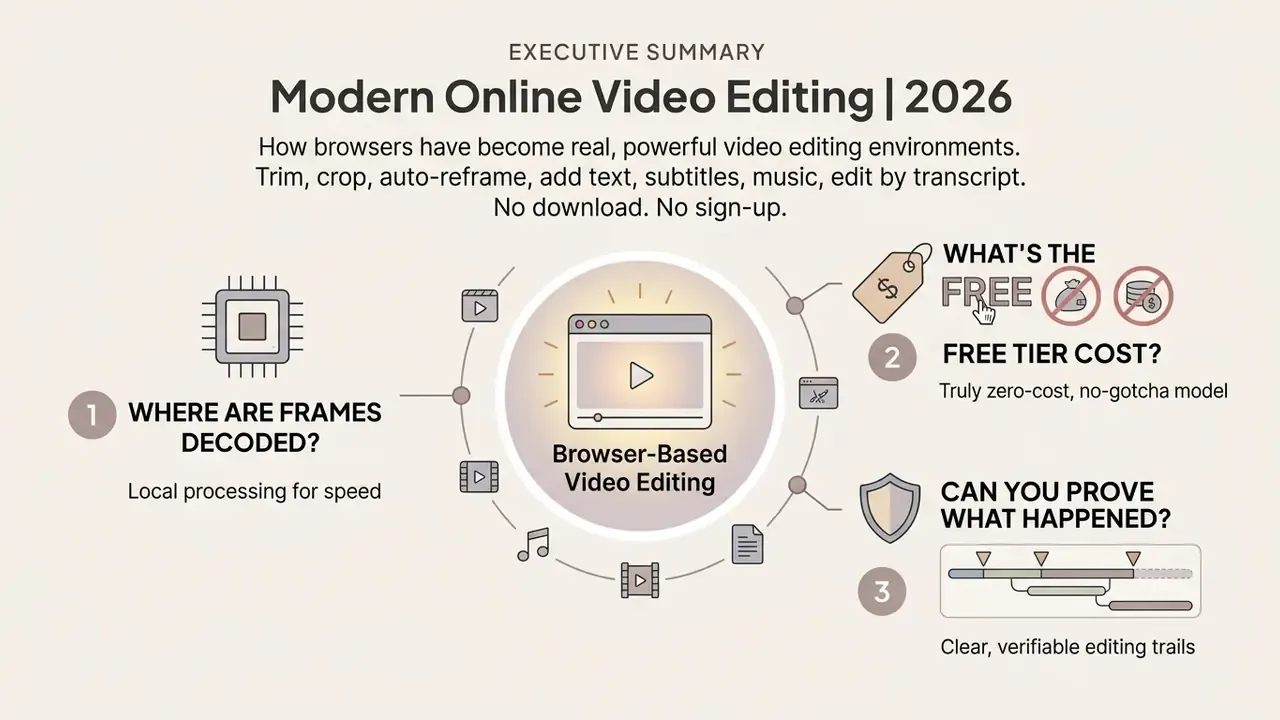
- Browsers are now real editing environments. WebCodecs, WebGL/WebGPU, WebAssembly FFmpeg builds, IndexedDB and the Origin Private File System (OPFS) allow frame-accurate trimming, multi-track compositing and H.264/AV1 export with no desktop install.
- Three architectures, three risk profiles. Guest sessions keep media in ephemeral browser storage. Client-side editors process frames locally. Cloud pipelines upload binaries to vendor infrastructure. Only the third model creates third-party data-processing exposure that deserves a governance review.
- "Free" means gated, not unrestricted. Microsoft Clipchamp exports watermark-free HD. VEED.IO and Kapwing brand free exports. Canva watermarks only when Pro assets are used. Duration caps (Kapwing at roughly 7 minutes, 250 MB uploads) and resolution ceilings are the standard monetization levers.
- The 2026 feature frontier is text-based editing and auto-reframe. Transcript-driven cutting, filler-word removal, AI voice isolation, safe-zone previews and one-click multi-aspect export now separate serious web editors from simple browser trimmers.
Three questions to answer before you pick a tool
Most bad tool decisions come from skipping one of these:
- Where do the frames get decoded?On the device, or on someone else's GPU? That single answer decides whether procurement needs to be involved at all.
- What does the free tier actually cost you?A watermark is visible. An asset licence that forbids paid-advertising use is not.
- Can you prove what happened?Who cut, exported and shared the asset, and can you export that log six months later?
Modern browser technology lets teams and creators run full non-linear editing without downloading desktop software. Web applications combine client-side rendering engines with cloud processing, turning an ordinary tab into a working editing suite. The trade-offs are real, though, and they are mostly contractual rather than technical.
Free online video editor: what you can do in the browser
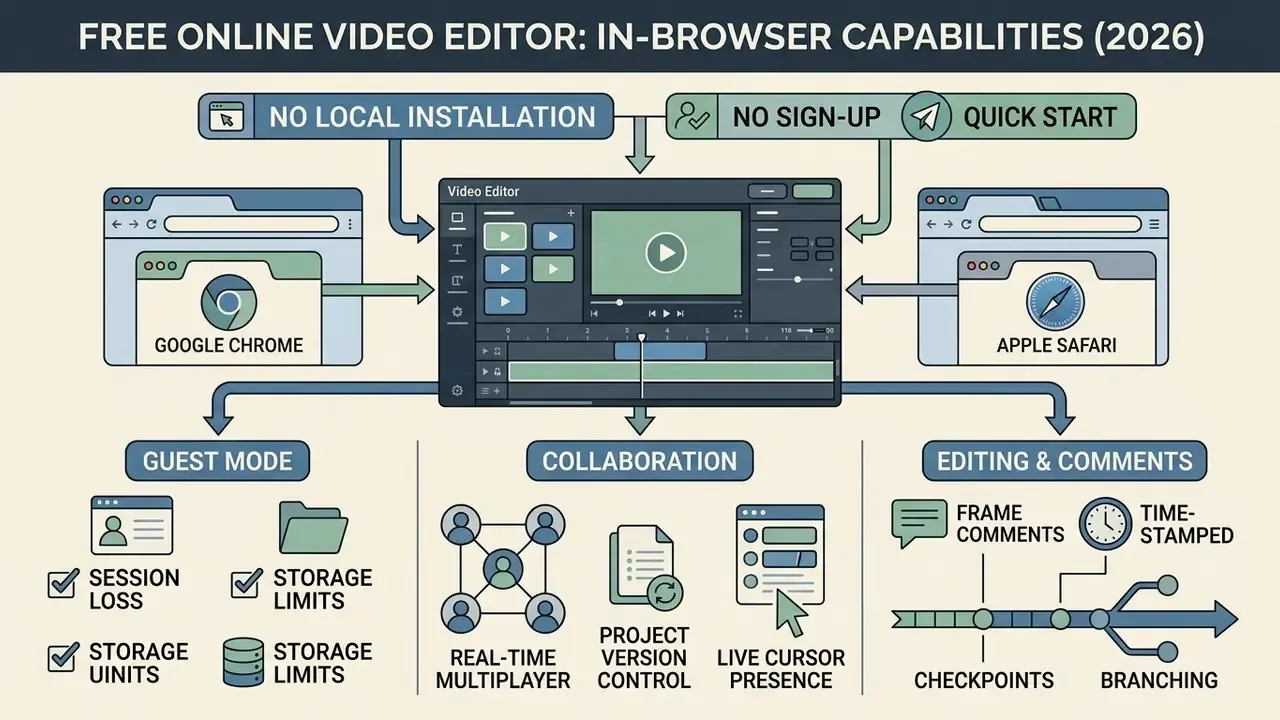
A free browser video editor online provides post-production capability directly inside Google Chrome, Microsoft Edge or Apple Safari, with no local installation. You can trim clips, combine multi-track assets, generate automatic captions, apply transitions and render high-definition exports without leaving the browser.
Modern browser architectures use WebCodecs, WebGL and WebGPU to run frame-by-frame rendering on local hardware. Five years ago that sentence would have been marketing. Now it is measurable in export times.
"Cloud editors such as VEED.IO and Kapwing score composite ratings between 8.2 and 9.2 out of 10 on functionality, usability and value."
Client-side processing keeps source media inside browser session memory, which cuts server upload overhead for simple trimming. When you ask for speech-to-text transcription or background removal, the editor routes those heavy jobs to cloud infrastructure. That handoff is the moment your footage leaves the device, and most interfaces do not say so clearly.
Selecting a video editing tool online free means weighing feature depth against operational limits: watermarks, export ceilings, duration caps. Buyers comparing several products at once can start from a consolidated review of free video editing software before locking team workflows to a single vendor. The matrix below sets out the functional boundaries across the major browser platforms.
Table: Capabilities and system requirements of free browser video editors (2026 verification)
| Platform | Timeline and media storage | Editing and AI features | Export and watermark rules | Account requirements |
|---|---|---|---|---|
| Adobe Express | Multi-track timeline, cloud project saving, upload from local or cloud drives. | Trimming, splitting, text overlays, stock assets, scene templates. | 1080p MP4 export; no watermark on core free templates. | Free Adobe ID required; no credit card. |
| Microsoft Clipchamp | Drag-and-drop timeline, local media caching via IndexedDB/OPFS. | AI background noise removal, text-to-speech, auto-captioning. | 1080p HD export, no watermark on the free tier. | Microsoft Account required for project persistence. |
| VEED.IO | Browser timeline, cloud asset library, direct web recording. | AI subtitles, background removal, green screen, voice cleaning. | 720p/1080p export; mandatory VEED watermark on free tier. | No sign up for the first edit; sign in needed to remove the watermark. |
| Kapwing | Scene-based canvas plus horizontal timeline, cloud integration. | Smart background removal, automatic subtitle generator, URL import. | 1080p export; watermark on free exports; 7-minute duration cap. | Free plan available; paid upgrade removes watermarks and extends caps. |
The practical split is between export constraints and account gating. Clipchamp permits watermark-free 1080p rendering, while VEED.IO and Kapwing monetize by branding free exports. Neither approach is wrong. They simply serve different buyers. Readers who want the terminology and architecture explained in isolation can consult the reference entry on video editing tools.
Edit video online free no sign up: quick start without an account
An online video editor free no sign up lets you edit media in a browser window with no registration and no personal data submitted. These temporary sessions use web storage APIs (sessionStorage and IndexedDB) to stage media files and timeline state locally, inside the active tab.
Guest workflows remove onboarding friction for one-off tasks: trim a clip, convert an MP4, drop in a caption. The commercial effect of removing that friction is measurable.
"VEED.IO deliberately removed the sign-up requirement, and annual recurring revenue grew from roughly $100,000 to $2.2 million within nine months."
| Event | Timeline data | Imported media | Recovery path |
|---|---|---|---|
| Tab closed | Purged (sessionStorage cleared) | Purged unless written to OPFS | None, re-import required |
| Browser crash | Usually purged | OPFS handles may survive | Re-open editor, check "recover project" prompt |
| Page refresh (F5) | Often retained within the same tab session | Retained if referenced by handle | Automatic re-hydration |
| Private/incognito window closed | Purged | Purged | None |
| Signed-in cloud session | Persisted server-side | Persisted in cloud bucket | Project history, checkpoint restore |
Cloud based video editing free on PC and in a browser
A cloud based video editing free environment shifts heavy decoding and rendering off local hardware and onto remote server clusters. With a video editor for pc online, you can work on high-resolution streams from a low-power notebook or a Chromebook without the fan spinning up like a hair dryer.
Cloud architecture separates a project into two parts: a lightweight JSON timeline schema and a heavy binary media store.
"Cloud editors keep projects and media accessible across all devices, supporting shared workspaces and collaborative review, key advantages over local NLEs."
When an edit is made, the browser sends small instructions upstream. Cloud servers then render frames on serverless workers or dedicated GPU nodes. That structure supports real-time collaboration across distributed teams, since reviewers open a shared URL instead of copying multi-gigabyte files around. Teams evaluating adjacent generative technology can also review free AI video generators that plug into the same cloud project structure.
Most free online video editing websites sit in this category, which is precisely why the data-flow question matters more than the feature list.
Real-time multiplayer collaboration and project version control
Cloud-native editors support concurrent multi-user editing in one tab, retiring the file-passing model that produces filenames like v14_FINAL_final.mp4:
- Live cursor presence Team members review the timeline at the same time, with coloured cursors showing playback points and selection bounds. Producers, editors, writers and sound designers share one session without locking the project.
- Time-stamped frame comments Reviewers pin feedback to exact timecodes and to coordinates on the preview canvas ("push the train arrival two seconds later"). Ambiguity drops, revision rounds shorten.
- Timeline checkpoints and branching Version history records automatic and manual snapshots, so editors can restore an earlier cut or branch an experimental variant without touching the master.
- Shared workspaces and brand kits Palettes, logos, fonts and caption styles stored at workspace level apply to new projects automatically, keeping distributed contributors on-brand.
- Role-scoped permissions Viewer, commenter and editor roles limit who can alter the master timeline. This is the control that makes shared cloud editing auditable rather than merely convenient.
How to edit a video online from upload to export
Editing in a browser follows a controlled sequence from raw footage to published asset. Knowing the pipeline prevents the two classic failures: lost work and a render that dies at 94%.
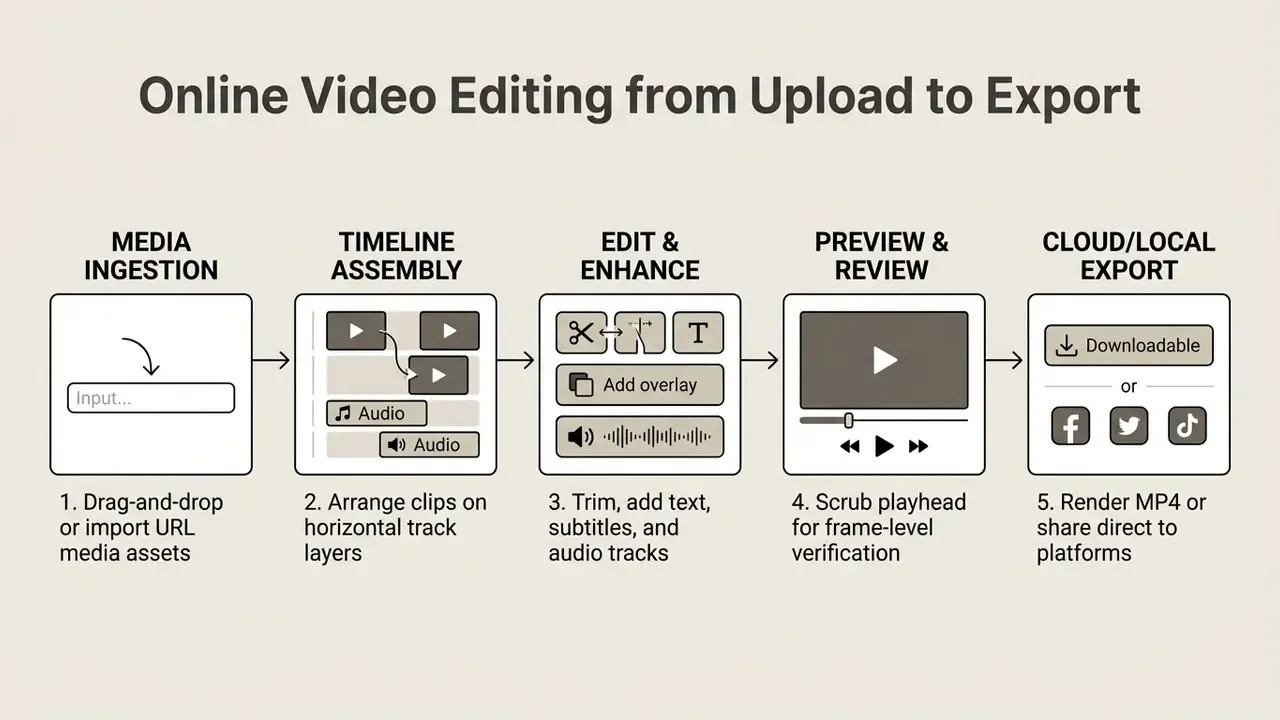
- Media ingestion
- Source files (video, audio, static graphics) load into browser memory or upload to cloud storage buckets.
- Timeline assembly
- Assets are dragged onto sequential or multi-track timelines to establish clip order.
- Edit and enhance
- Cut points are set, audio levels normalized, captions synchronized, overlays applied.
- Preview and review
- Real-time scrubbing lets the operator verify pacing and composition before committing a render.
- Cloud or local export
- The timeline compiles into an MP4 or WebM container via WebCodecs or server-side FFmpeg.
Upload video, images, audio and other media files
Ingesting media into a web editor relies on standard HTML5 drag-and-drop APIs and secure file picker interfaces. Drag files straight from a desktop folder into the window, or authorize cloud storage integrations with Google Drive, Microsoft OneDrive, Dropbox or Box.
Web editors accept the common input formats: MP4, MOV and WebM for video; MP3, WAV and AAC for audio; JPG, PNG, WebP and GIF for stills.
"Tools such as Screencastify, ScreenPal and Kapwing support uploading video, images and audio directly in the browser, covering the full record-to-export cycle."
Supported input formats and system limits:
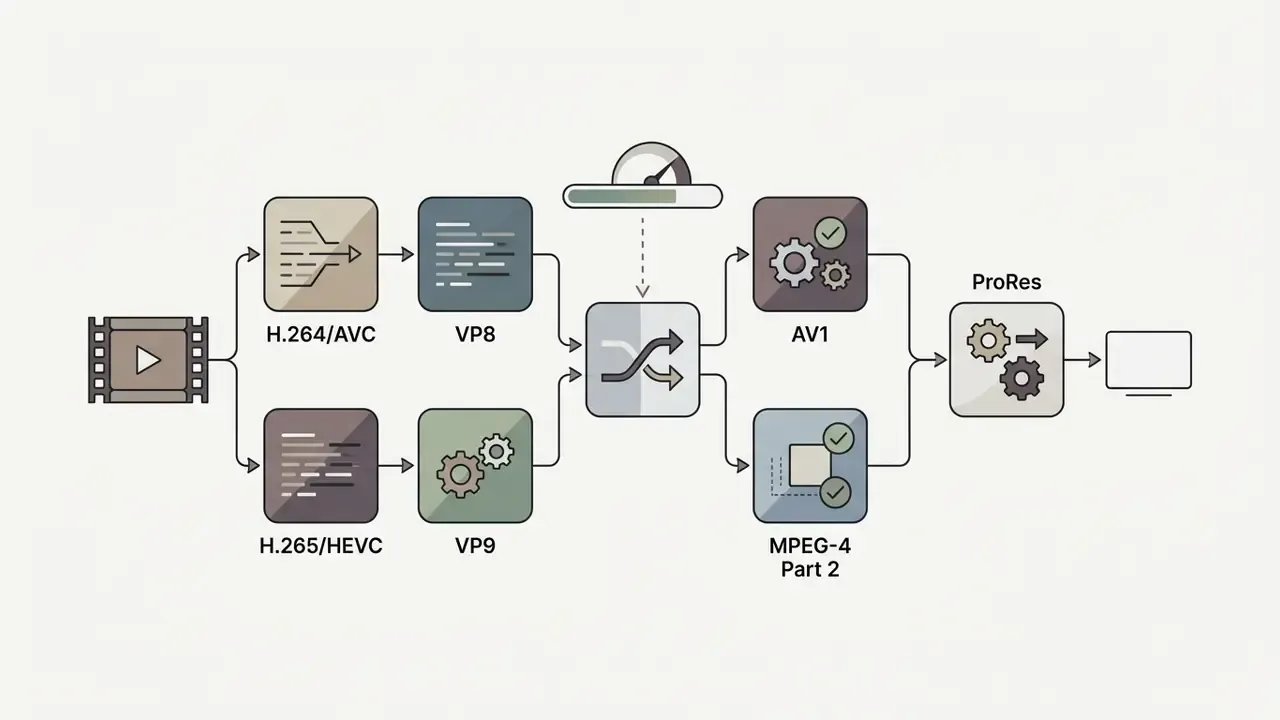
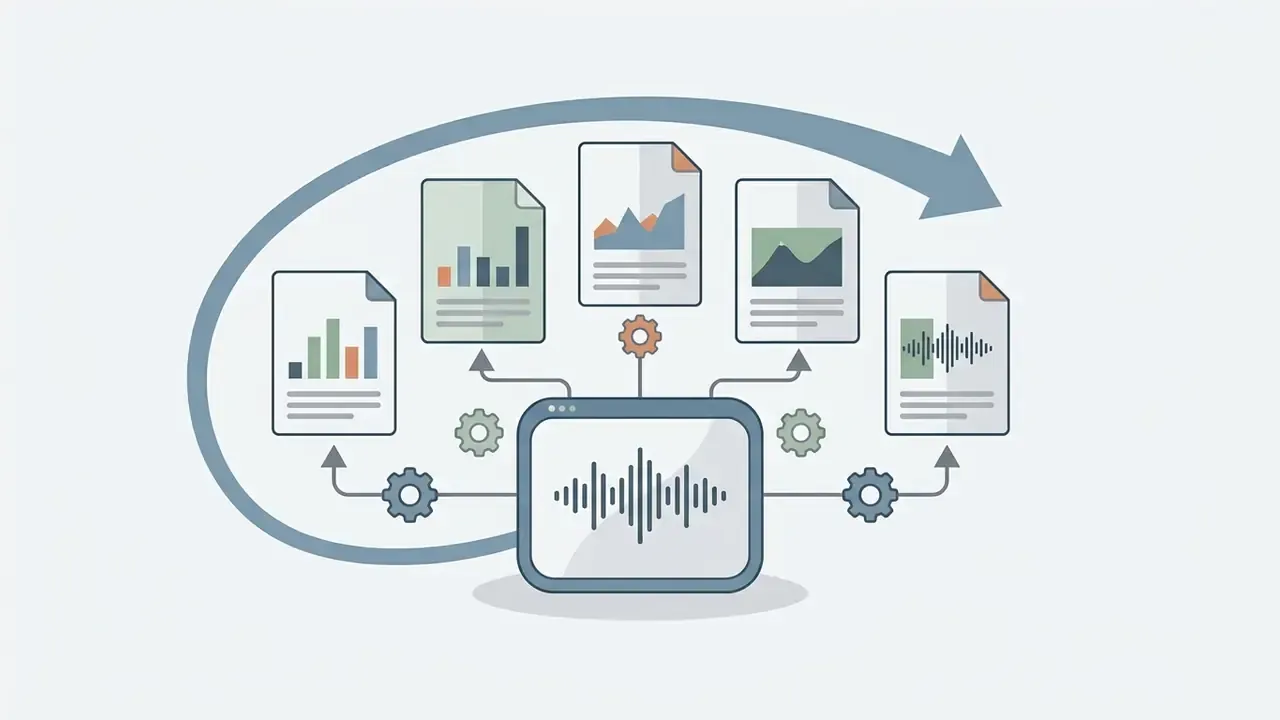
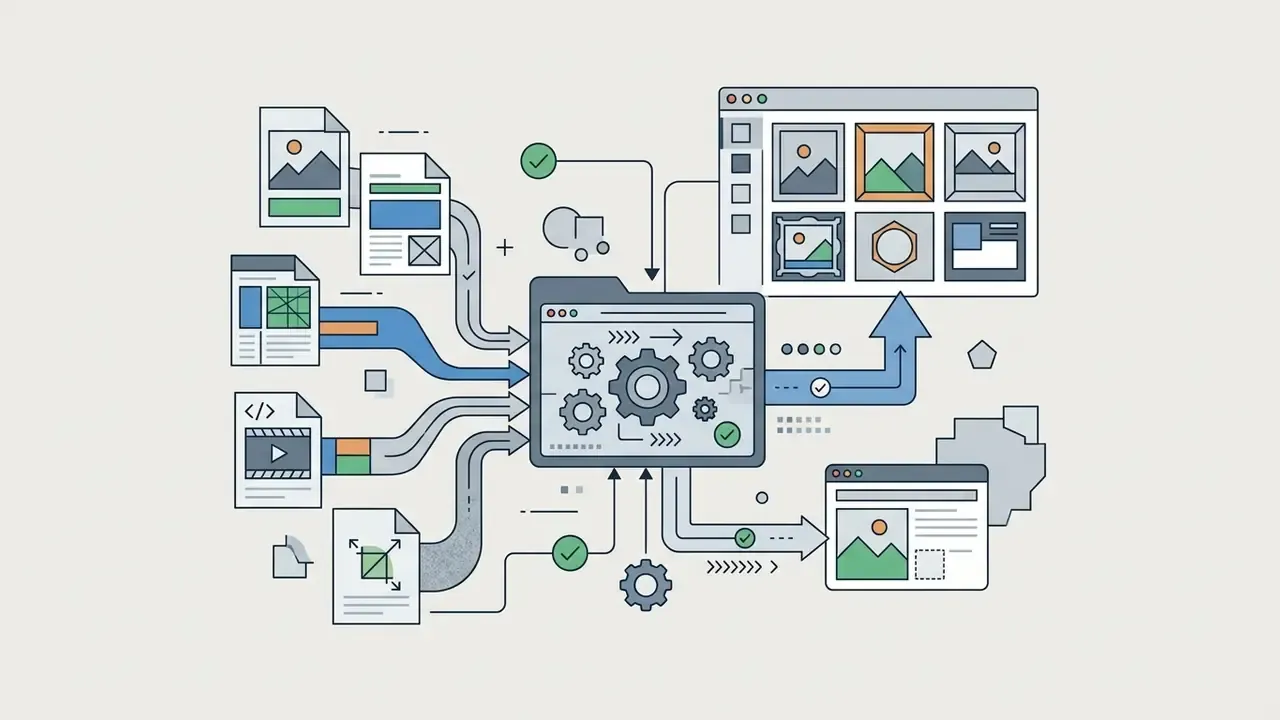
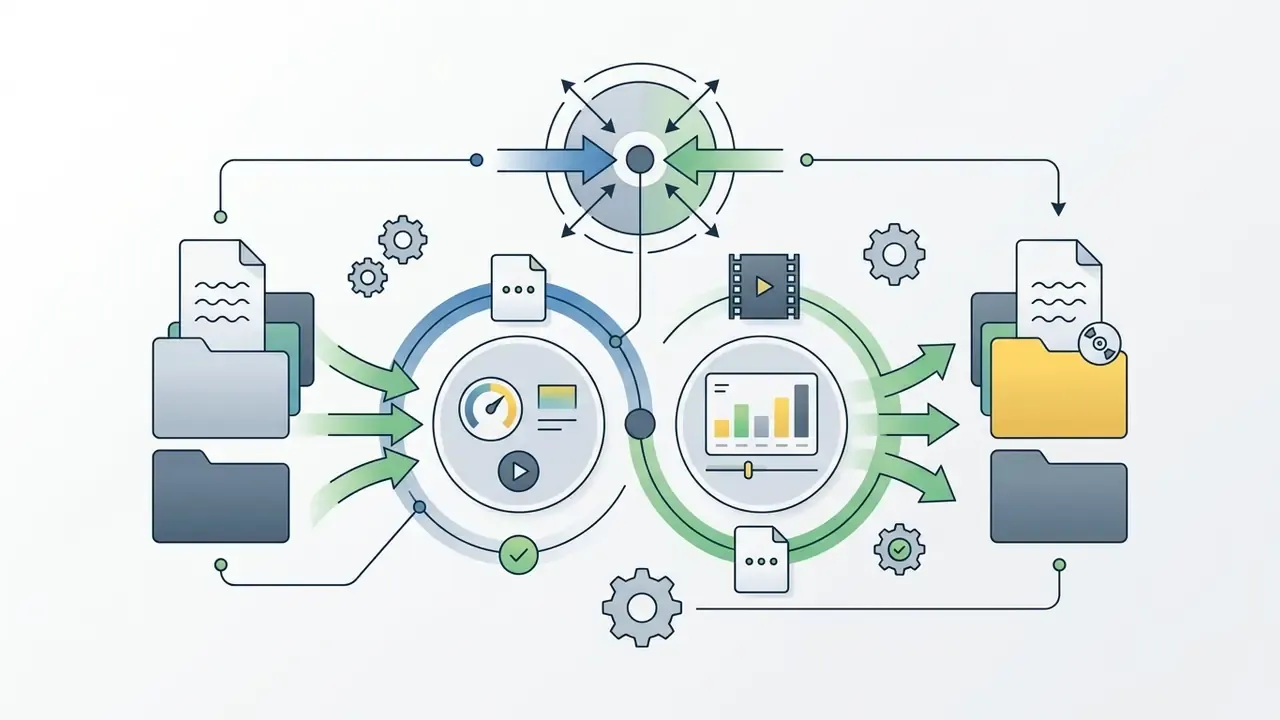
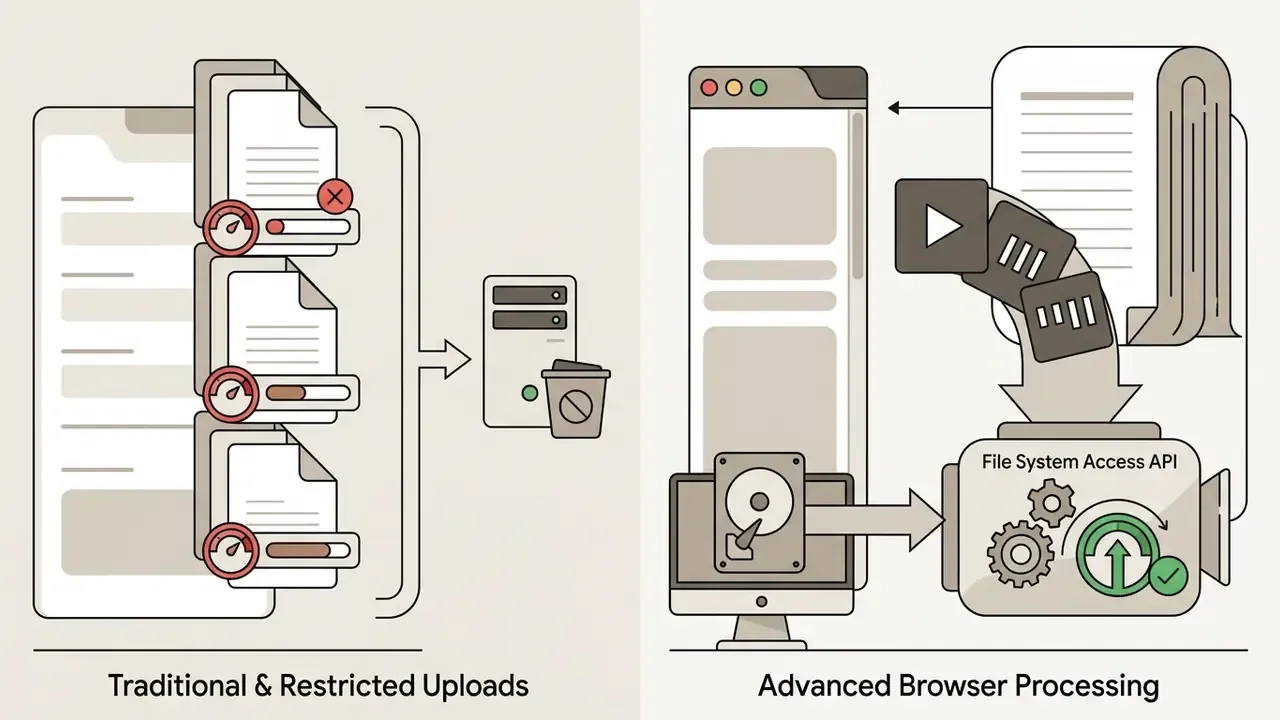
Mature browser editors advertise support for 24 to 30-plus popular codecs and containers, which means legacy archives in WMV, FLV or MPEG-2 rarely need desktop pre-conversion. Advanced platforms stream large files instead of loading whole binaries into memory. For quick narration, creators can add audio sourced through a dedicated ai voice generator free download before assembling the timeline.
Edit clips on a drag-and-drop timeline
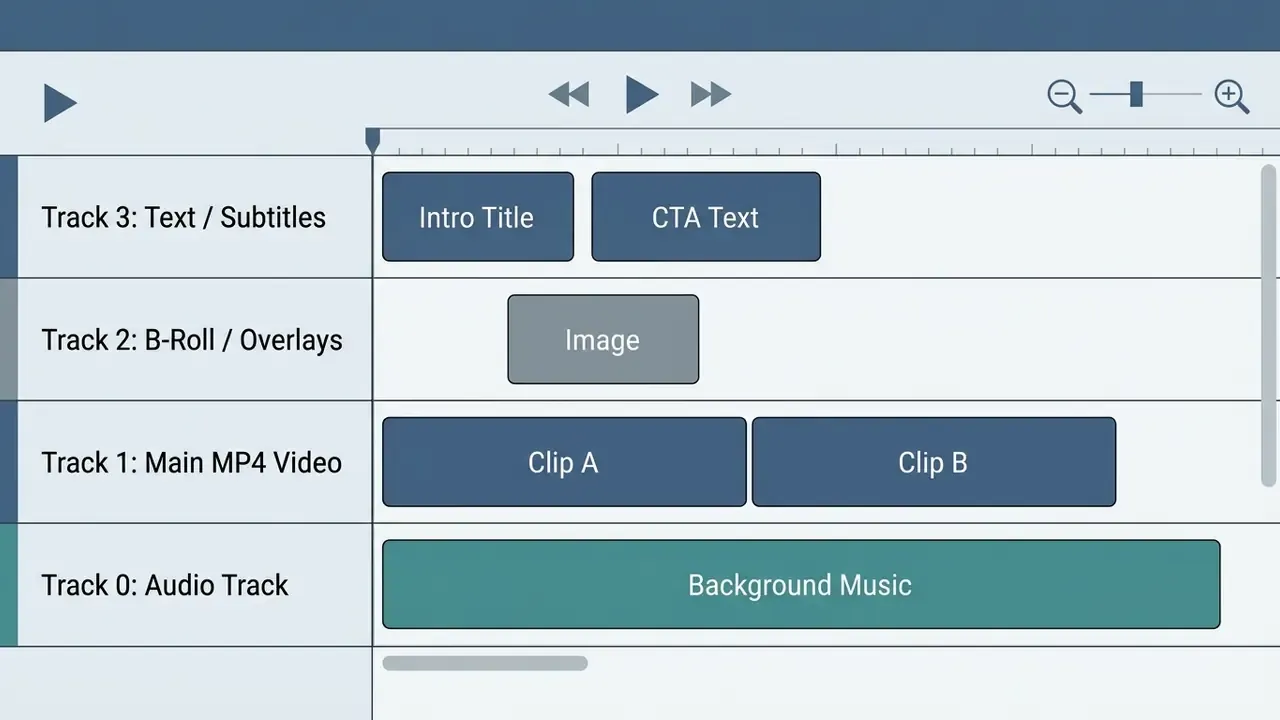
The drag-and-drop timeline is the central control surface for sequencing picture and sound. Clips on horizontal tracks represent chronological position. Vertical layering sets visual hierarchy: upper tracks overlay lower ones in the preview player.
Frame-accurate trimming happens by dragging clip edge handles to adjust in-points and out-points. Dragging the playhead across the ruler gives immediate preview feedback. Splitting a clip lets you delete or reorder segments on the canvas. Any decent video clip editor online exposes all four of those actions within one screen, no menu archaeology needed.
"An audio-visual script interface reduced perceived editing effort: mean rating rose from 2.17 to 4.58 (p < 0.01) versus a conventional timeline."
That finding explains why leading web editors now pair the timeline with a transcript pane instead of replacing one paradigm with the other. The timeline stays authoritative for frame-level control. Text navigation absorbs the coarse structural work.
Video editing tools for clips, text, audio and effects
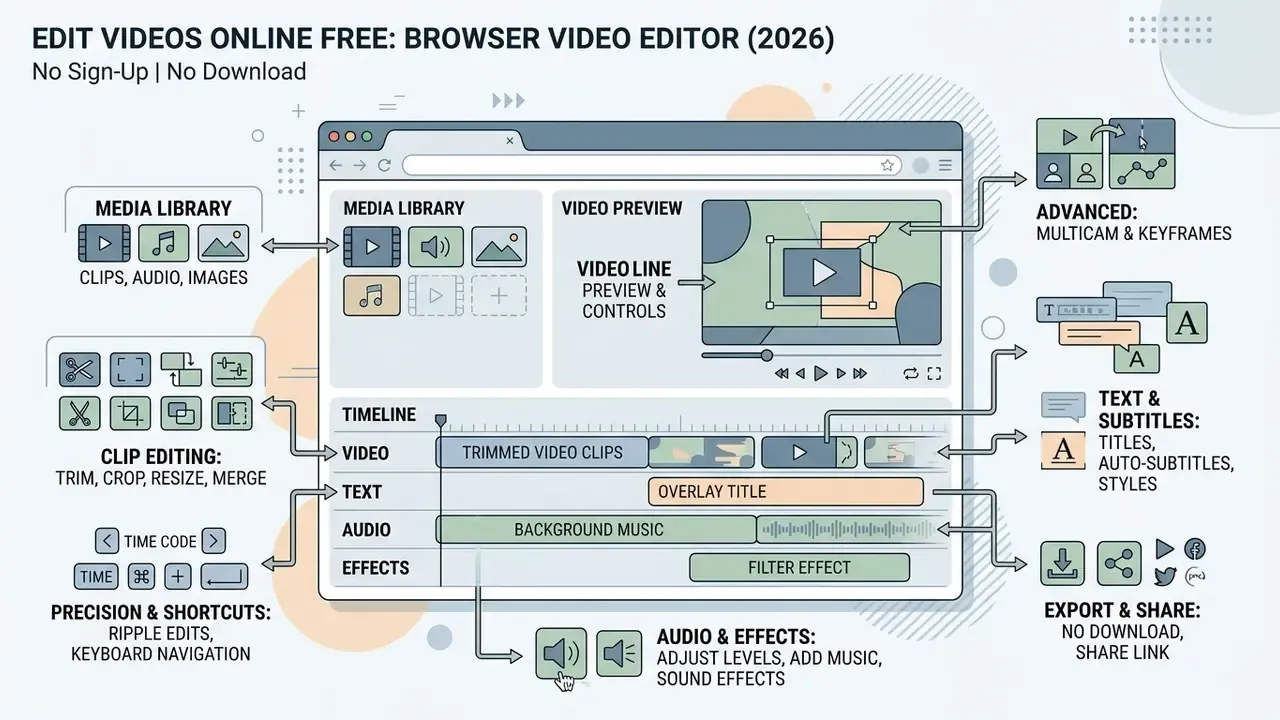
Online suites pack the core post-production controls into a browser interface, reaching functional parity with desktop tools for most everyday tasks. Creators mixing post-production with synthetic footage often pair these suites with AI video generators inside a single project.
Trim, crop, resize, merge and combine video clips
Clip operations change geometry, duration, alignment and timing across the canvas. A capable video editor for edits covers all of the following:
- Trimming
- Removes unwanted head or tail footage by setting precise in and out timecodes.
- Cropping
- Adjusts the visible bounding box to drop frame distractions or re-centre the subject.
- Resizing
- Scales dimensions to match platform ratios such as 16:9 landscape or 9:16 vertical, with fit and fill controls that kill black bars when source ratios differ.
- Merging and combining
- Joins separate segments into a continuous sequence without dropped gap frames.
- Precision trimming and ripple edits (updated)
- Frame-accurate in and out trims, plus ripple trims that shift downstream media to close gaps and roll trims that move the split point between two clips without changing total duration. Three- and four-point edits let you define source and record ranges independently.
- Keyboard shortcut navigation
- Professional browser workflows honour standard NLE hotkeys:
J,K,Lfor reverse, pause and fast-forward shuttle;SorCtrl/Cmd+Bfor splitting;IandOfor marking in and out. Desktop muscle memory transfers to the tab. - Multicam and keyframe animation
- Align camera angles by audio-waveform sync, then apply spatial, scale or opacity keyframes to interpolate movement.
- Speed ramping and re-framing
- Change playback velocity non-destructively for slow-motion or time-lapse, with pitch-corrected audio to avoid chipmunk voices.
- Colour grading controls
- Wheels, curves, qualifiers, scopes, LUT application and shot-match across a scene, all without a round trip to a second application.
Client-side WebAssembly (WASM) ports of FFmpeg run these operations inside the browser sandbox, allowing fast lossy or stream-copy trims without a full re-encode. When a cut lands on an existing keyframe, -c copy-style stream copying preserves the compressed stream exactly. Cuts between keyframes require partial re-encoding of the affected GOP. Small detail, big quality difference on repeated edits.
Text-based video editing and automatic silence removal
Modern cloud editors turn uploaded audio into a synchronized interactive transcript using automatic speech recognition (ASR). You then edit the timeline through text, the way you would edit a document:
Text-based editing is the fastest route for dialogue-heavy formats: podcasts, product demos, training modules, recorded webinars. When the structural decisions are linguistic rather than visual, why fight a timeline?
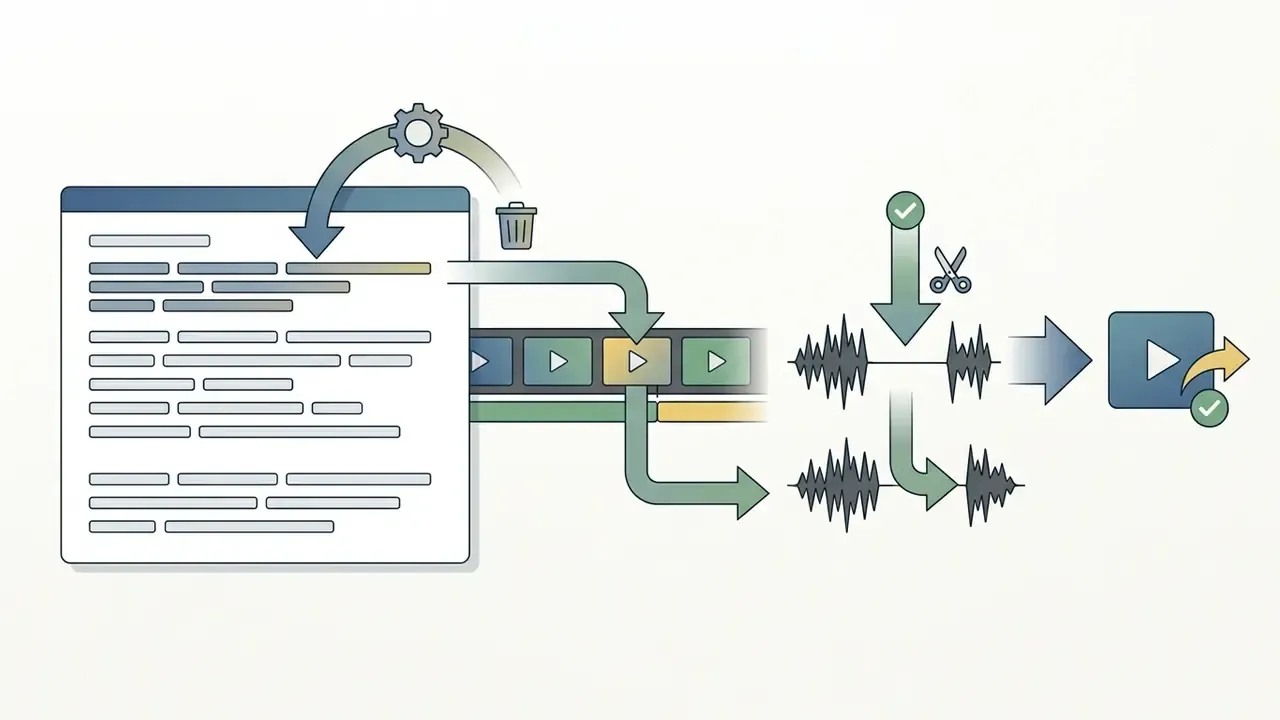
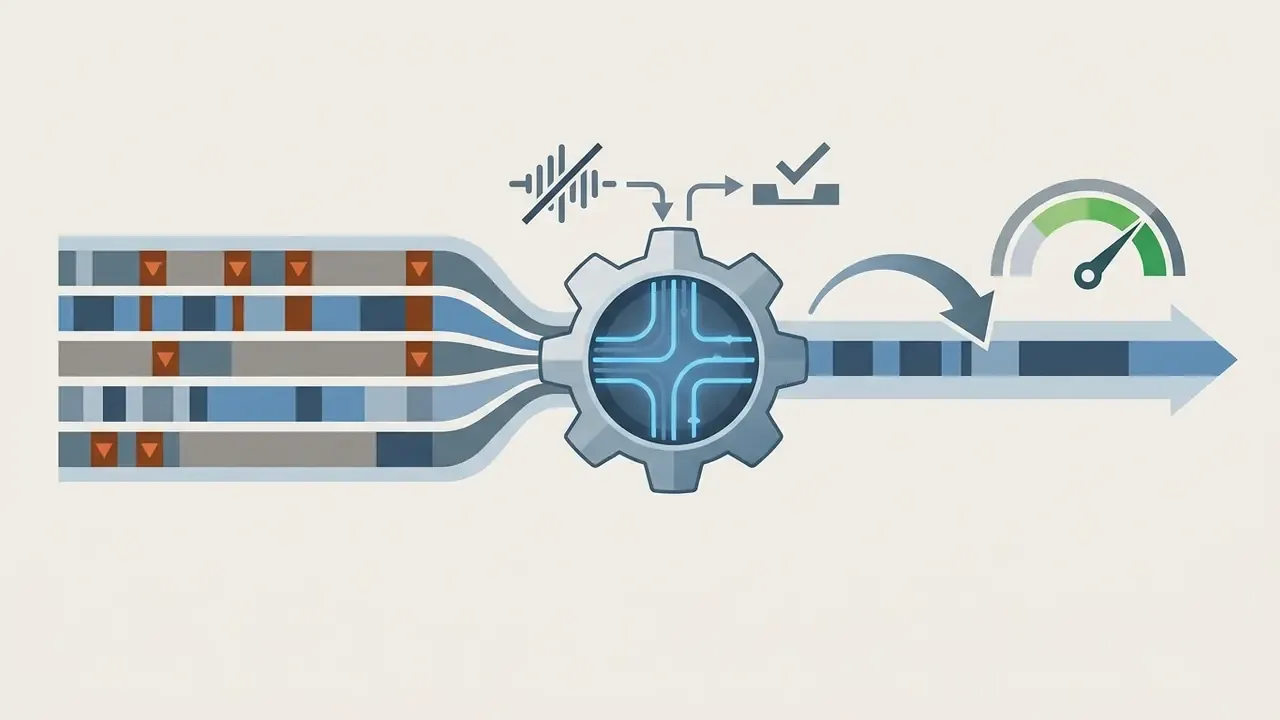
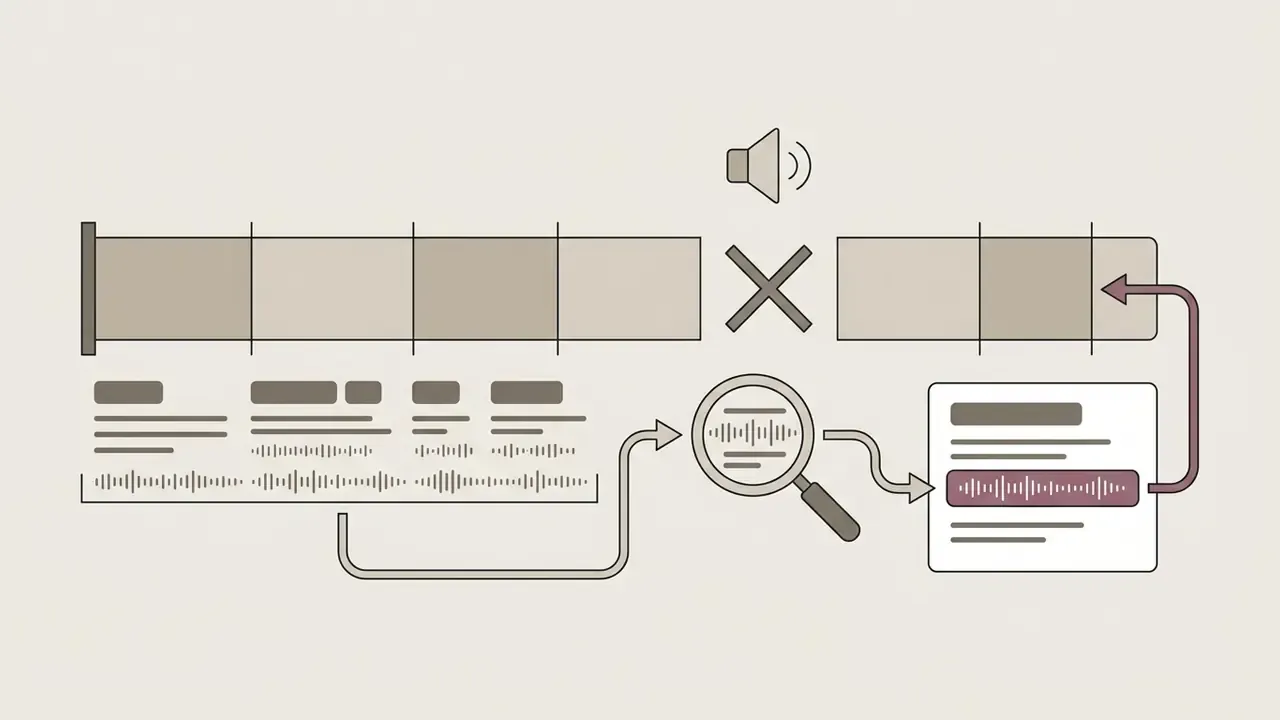
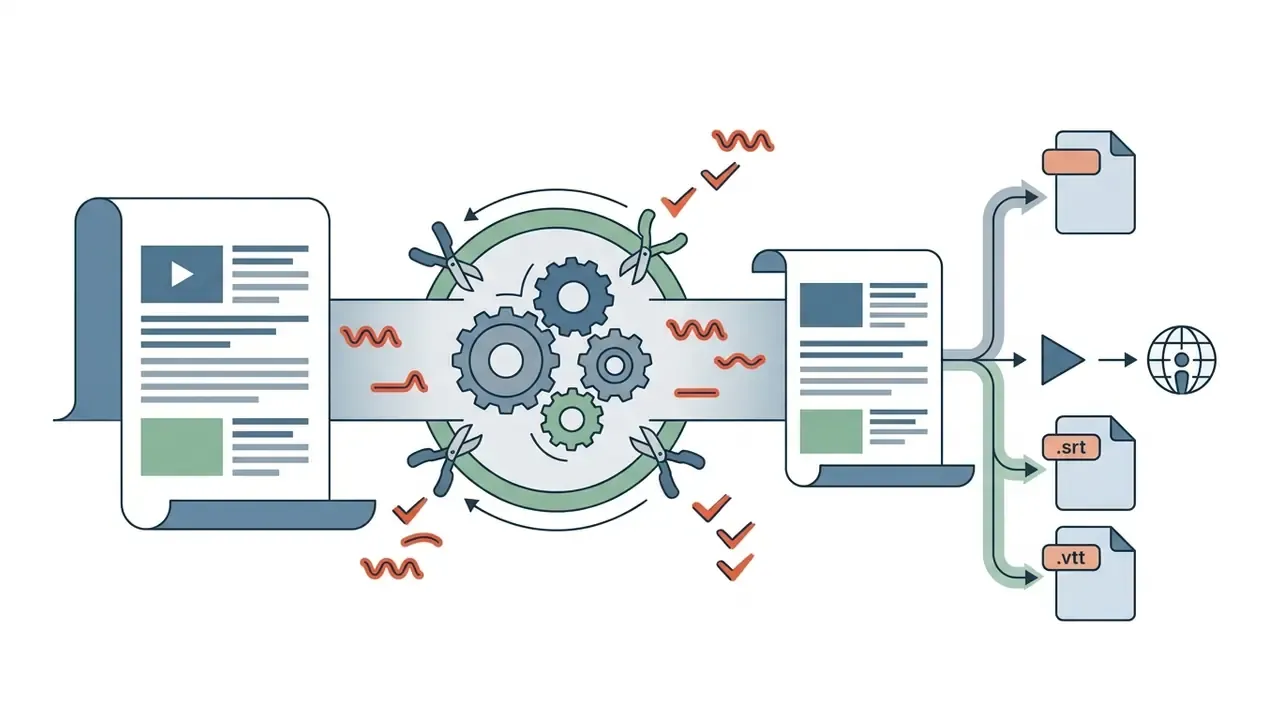
.srt or .vtt) for distribution platforms, show notes and SEO transcripts.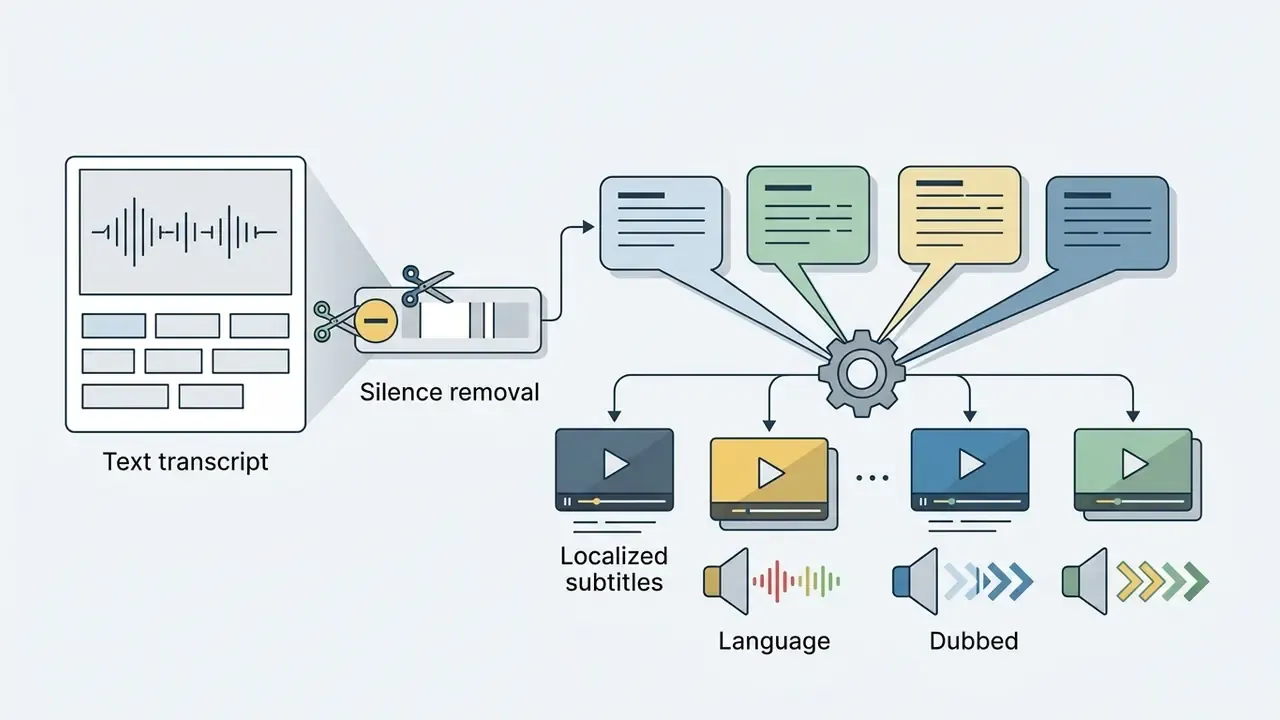
Add text, subtitles, captions, music and voiceover
Communicative elements raise engagement and satisfy accessibility duties:
- Static and animated text Titles, lower thirds and call-out graphics with customizable typography, colour and entrance animation.
- Synchronized auto-captions Speech-to-text models generate closed captions in minutes rather than hours.
"VEED.IO first focused on subtitling for social media managers, then expanded into background removal and audio cleanup at users' request."
Federal accessibility guidelines, notably U.S. Section 508 and EN 301 549, require manual review of auto-generated text for spelling, punctuation and speaker identification. Section 508 guidance also requires non-speech cues: song titles and artists, abrupt tonal changes, relevant sound effects. EN 301 549 implementation additionally expects caption controls to sit at the same interaction level as primary media controls.
- Audio track integration: Blends music beds with dialogue, using automatic ducking to drop music volume during voiceover.
- AI voice isolation and de-noise: DSP algorithms strip wind, room reverberation and HVAC hum from web audio tracks, applied as an adjustable, reversible track parameter rather than a baked-in render.
- Dynamic ducking and vocal splitting: Auto-ducking lowers music whenever dialogue is present; vocal splitting separates vocals from instrumentation so a music bed can be swapped cleanly.
- Loudness normalization and levelling: A track leveller rides gain across uneven recordings and normalizes to platform loudness specs, preventing rejected or auto-attenuated uploads.
- Royalty-free libraries and sound effects: Built-in music, ambience and effects remove third-party licensing steps for standard corporate and social output, subject to each vendor's asset licence.
Creators expanding globally often add localization layers, such as an ai voice generator hindi text to speech tool or ai voice generator characters for distinct vocal tracks.
Interactive video elements and browser-based teleprompter tools
Comprehensive web suites fold pre-production capture and post-publication engagement into the same interface:
- Browser-based teleprompter Web recording views overlay a scrolling script across the live camera feed, so presenters hold eye contact with the lens. Useful for executive updates and compliance announcements that must follow approved wording word for word.
- In-browser screen and webcam capture Simultaneous screen, camera and microphone recording lands straight on the timeline, removing a separate capture app for tutorials and walkthroughs.
- Interactive video hotspots Clickable links, shoppable cards and lead-capture forms overlay the playback container, converting passive viewing into measurable action.
- Quizzes and branching narratives Interactive quizzes and branching paths support training assessment and audience segmentation, with completion data feeding engagement analytics.
Use effects, color tools, background removal and AI video features
Browser editors now lean on machine learning to automate technical post-production. One-click background removal separates subject from backdrop using semantic segmentation, retiring the physical green screen for most talking-head work.
Smart colour correction adjusts exposure, contrast, saturation and white balance across unevenly lit clips, while AI upscaling and stabilization repair legacy or handheld footage. Generative tools go further, producing stylized elements or complete clips inside the editor. Readers exploring prompt-driven production can compare text-to-video AI tools that render missing shots without leaving the edit.
Agentic editing is the newest layer. The operator briefs the editor in plain language ("cut the pauses, punch in on the speaker, duck the music under the voiceover"), and each generated change lands on the timeline as a normal, selectable, reversible edit. That last property is the one worth insisting on. An opaque render cannot be reviewed, and anything that cannot be reviewed cannot be approved.
To weigh visual generation tools against editing software, operators can consult the AI Media Comparison Matrices or review generative options in the AI Media Commercial-Use Hub, including a side-by-side ranking of the best AI video generators. When assessing synthesis quality, editors often compare outputs using guides on ai videos that show photorealistic movement, or use an ai visual generator for stock assets.
Edit MP4 videos and videos from a URL online
MP4 remains the default container for digital distribution thanks to compression efficiency and near-universal playback support in browser runtimes.
"Adobe CC Express, VEED.IO, Kapwing and Clipchamp all export to common video formats optimized for social platforms."
How to editar video MP4 online
To editar video mp4 online, upload an MP4 encoded with H.264 video and AAC audio into the browser editor. The browser decodes the elementary streams into raw frame buffers, which enables non-destructive visual adjustment, text overlays and audio slicing.
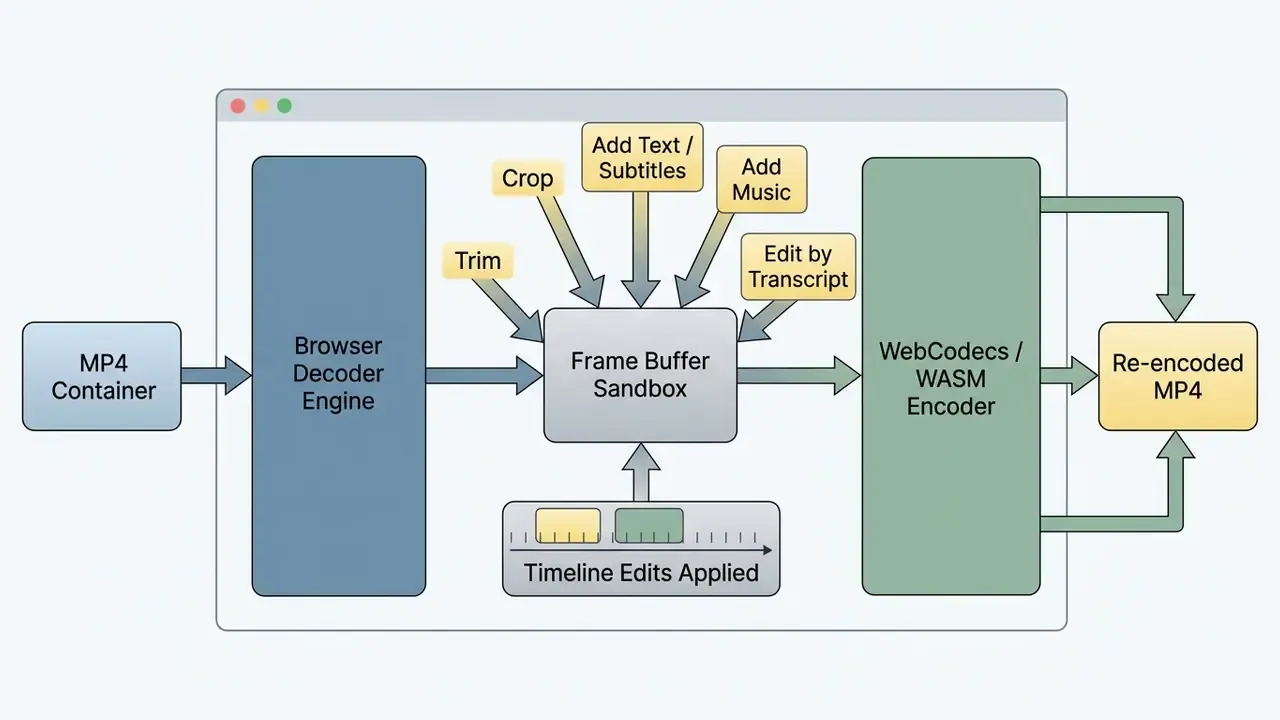
When edits are done, the app re-encodes the modified buffers into a standard MP4. If you only cut and trim, with nothing layered on top, advanced editors apply stream-copying via WebAssembly and write a new container with no re-encode loss. Truly lossless re-export only happens when the tool preserves the original streams. Any overlay, transition, scale or colour operation forces a decode-encode cycle and a second generation of compression.
How an online video editor URL workflow works
An online video editor url workflow imports media hosted on remote servers from a direct HTTPS link. Rather than downloading a file and re-uploading it, the backend fetches the binary straight from the source into cloud storage. A url video editor saves real time on large assets, assuming the link cooperates.
The source URL must point to a publicly reachable media file (for example https://domain.com/video.mp4) or a supported platform API endpoint. Vendor ingest APIs typically accept HTTP, HTTPS and FTP sources, and some accept RTMP streams. Protected or DRM-wrapped streams are rejected. Cross-Origin Resource Sharing (CORS) policies enforce strict domain verification to prevent unauthorized requests and hotlinking abuse. Note the split in market behaviour: some editors accept only direct file URLs ending in .mp4 or .webm, while platform-integrated editors resolve YouTube or social links through the platform's own API layer.
Create videos for social media, work and personal projects
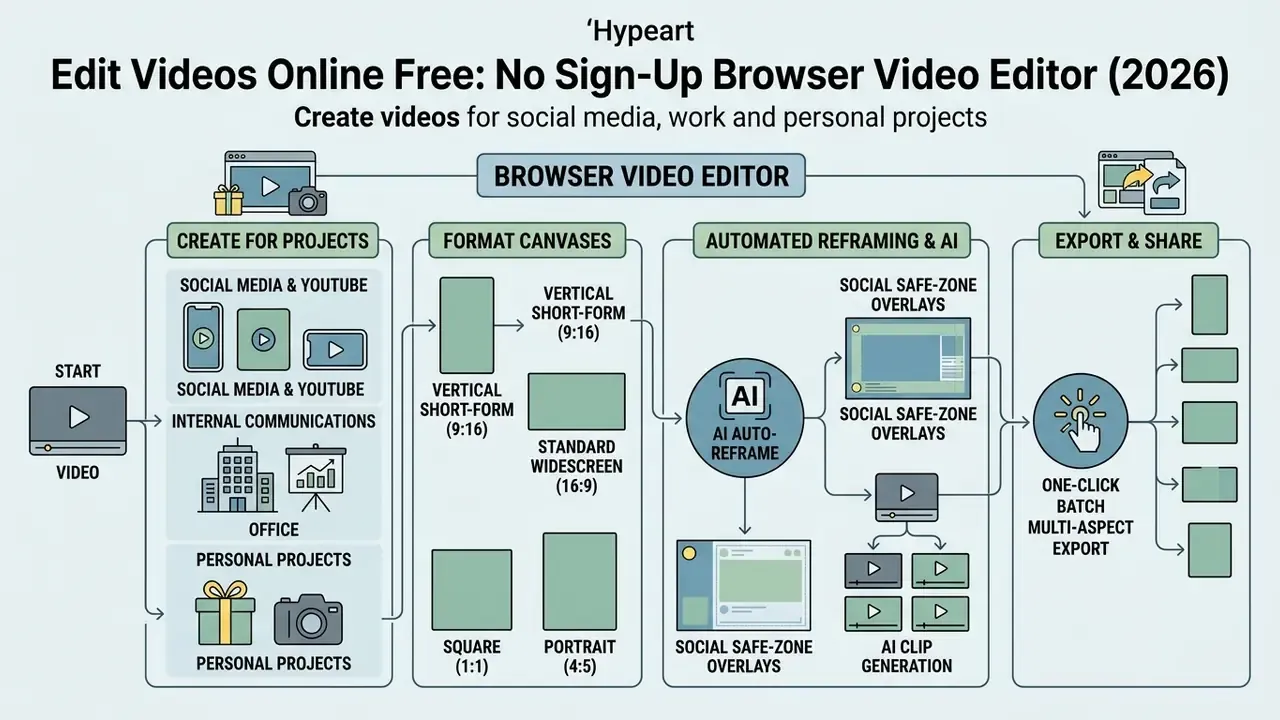
Browser editors offer flexible canvases for commercial marketing, internal communications and personal projects. The same video edit maker that builds a compliance briefing can build a wedding montage on Saturday.
Create social media and YouTube video content
Producing for digital platforms means respecting framing specs and viewer behaviour:
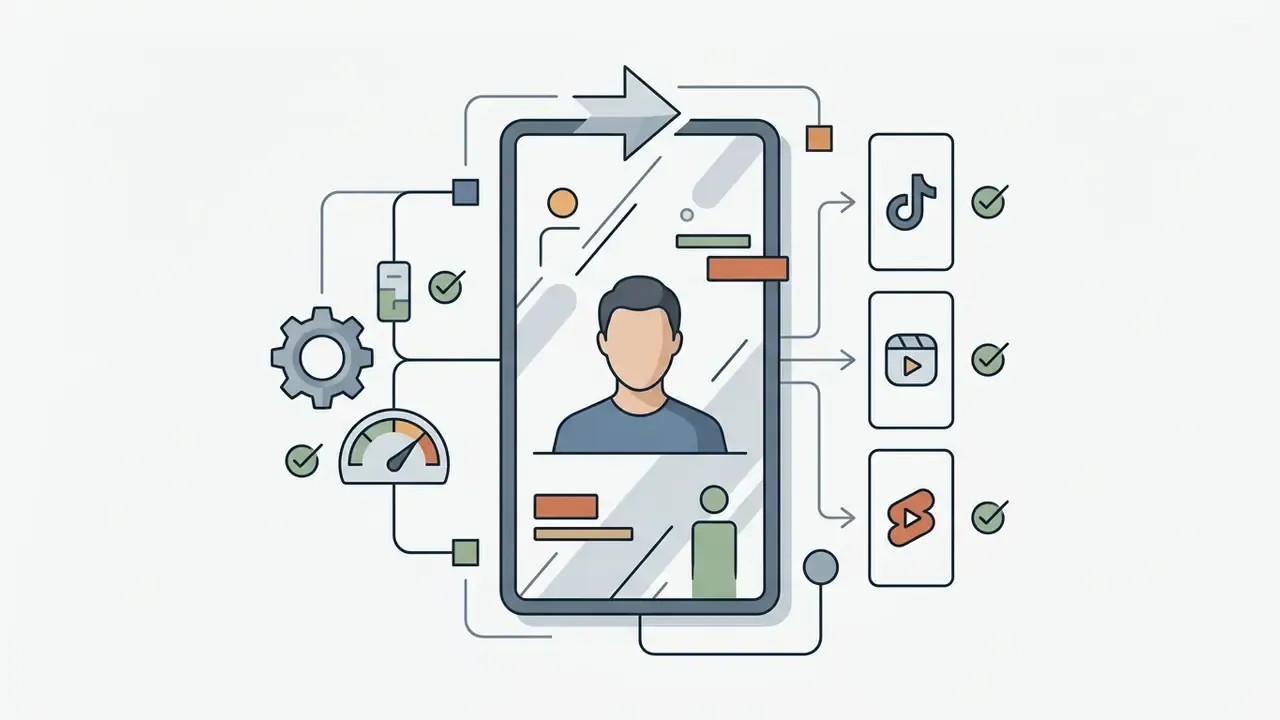
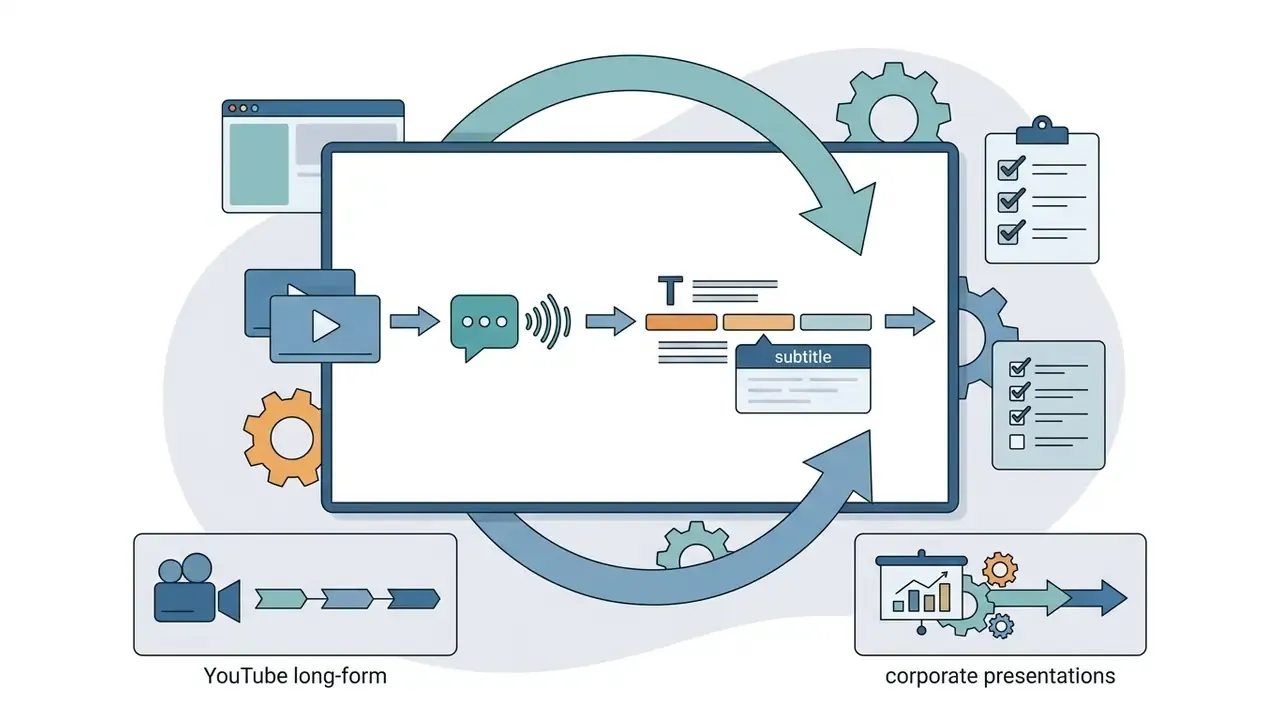
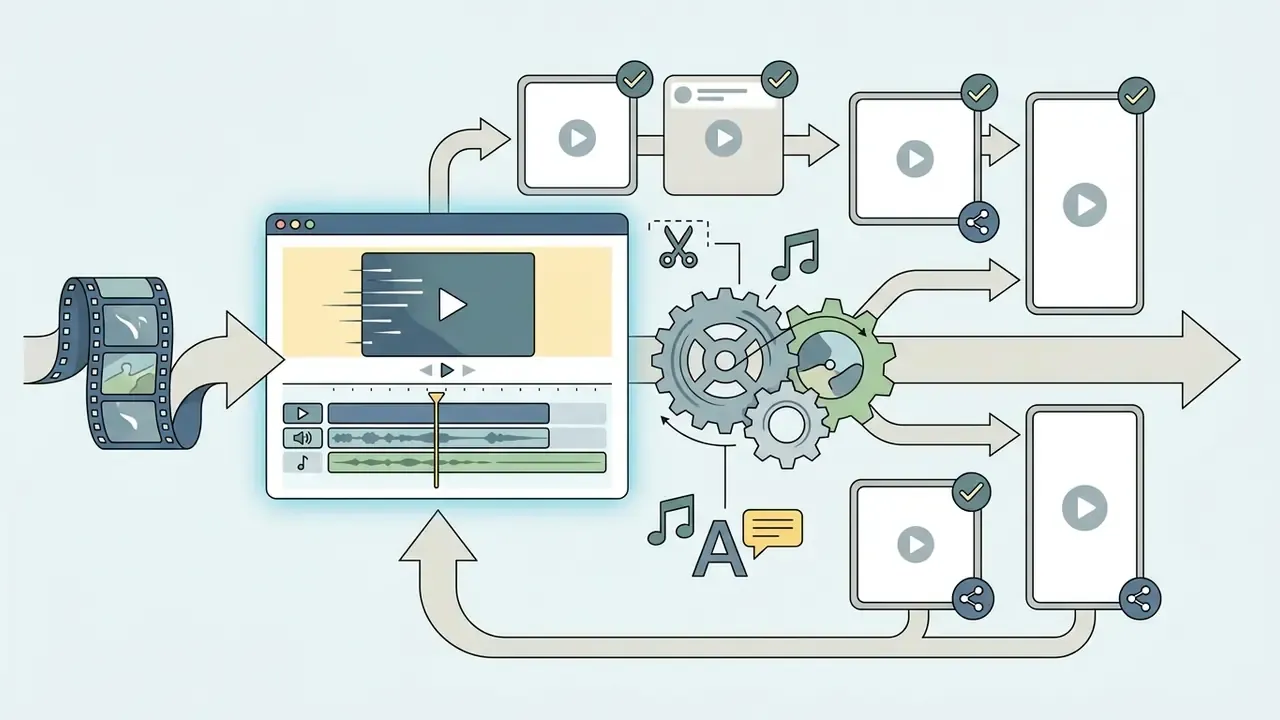
Web editors ship pre-built templates with branded aspect ratios, motion graphics and subtitle styles, which speeds up multi-platform repurposing considerably. Teams weighing editing suites against generative tooling can review a structured free video editing software comparison alongside a matrix of free AI video generators.
Automated multi-platform reframing and AI clip generation
Running one master edit across many channels needs intelligent spatial adaptation, not manual re-cropping per platform:
- AI auto-reframe Vision models detect the active speaker or primary subject inside a 16:9 master and pan the crop window to keep them centred in 9:16 output.
- Social safe-zone overlays Canvas guides display live platform UI zones, including TikTok action buttons, Instagram caption containers and YouTube Shorts controls, so titles never hide behind interface graphics.
- One-click batch multi-aspect export Render the master timeline into 16:9, 9:16, 1:1 and 4:5 simultaneously, without rebuilding tracks.
- Automated long-to-short repurposing AI indexing scans webinars, podcasts and tutorials to extract standalone highlights, so a 15-minute video can yield 15 to 60 Shorts and Reels with captions and platform-ready framing.
- Caption-style presets per platform Subtitle typography, outline weight and placement save per aspect ratio, keeping legibility consistent across feeds.
Use an online video editor on mobile and PC
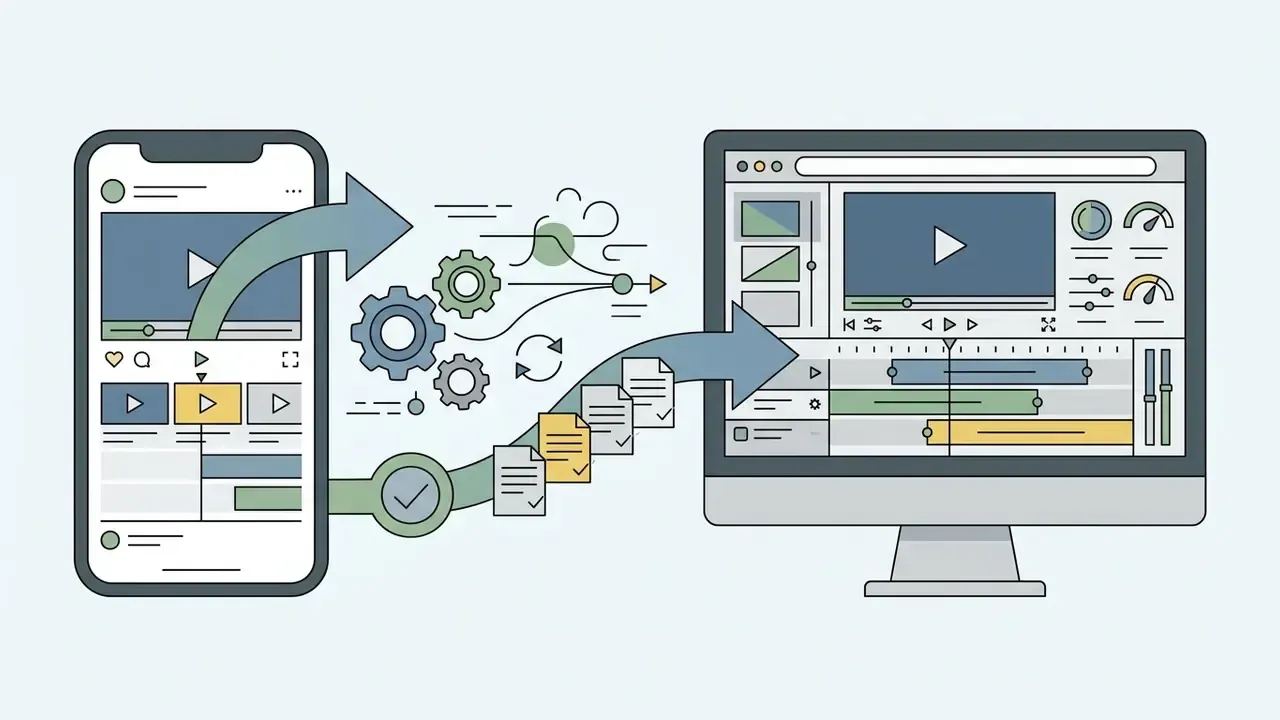
Cross-platform browser editors run on desktop PCs, tablets and smartphones. On desktop, full multi-track timelines and keyboard shortcuts speed everything up. A mobile video editor online takes a different shape: touch-optimized trimming, filters, quick social publishing.
Desktop systems rely on dedicated hardware acceleration for high-bitrate rendering. Mobile browsers work inside strict memory and battery limits, and several vendors deliberately route mobile visitors into native apps rather than the web editor. So cloud rendering helps most on phones: the device handles proxy playback only, while the render runs server-side. If you are testing an online video editor mobile flow for a distributed team, check whether the mobile web build supports the same export ceilings as desktop. Often it does not.
Is a free online video editor really free?
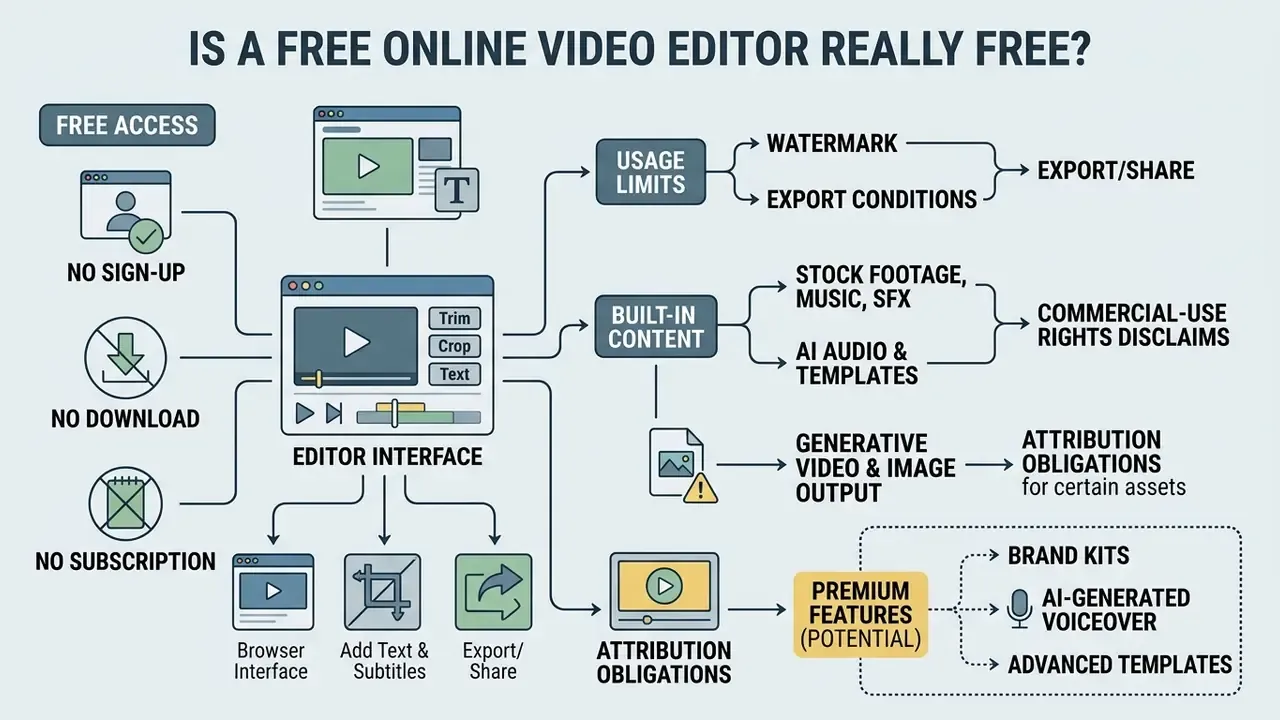
Evaluating a free browser video editor online means reading the freemium structure, not the feature grid. Vendors give away basic tools and place premium features, high-resolution rendering and watermark-free export behind subscriptions. Anyone hunting a genuinely free online video maker no subscription should expect at least one of those gates to close.
"VEED.IO's model, watermarked free export with no sign-up, grew ARR from about $100,000 to $2.2 million in nine months and to $10.6 million by 2023."
Table: Verification framework for free-tier video editor terms
| Tool / vendor | Free watermark policy | Export resolution cap | Duration and file size caps | Commercial-use licensing |
|---|---|---|---|---|
| Microsoft Clipchamp | No watermark on standard free exports. | Up to 1080p HD. | No strict duration limit on basic projects. | Standard personal and commercial use; premium assets need a paid tier. |
| VEED.IO | Mandatory VEED logo watermark. | 720p or 1080p depending on campaign. | Export length capped on free projects. | Commercial use permitted; watermark removal requires Lite or Pro. |
| Kapwing | Mandatory Kapwing watermark. | 1080p maximum on free. | 7-minute maximum length; 250 MB upload limit. | Pro upgrade required to remove watermarks from commercial assets. |
| Canva Video | No watermark when only free assets are used. | 1080p MP4 or GIF export. | Project storage limits apply to free accounts. | Pro elements trigger watermarks or require asset purchase. |
Read those columns as pricing levers rather than product limits. Vendors monetize whichever constraint hurts most in your workflow: resolution for filmmakers, duration for webinar teams, asset licences for advertisers, seat count for agencies. Free tiers rarely restrict editing depth, because depth is cheap to give away and hard to use at 250 MB. For a fuller explanation of tier design, see the reference entry on video editor pricing models.
Commercial-use rights for built-in stock, AI audio and templates
Watermarks are only the visible half of a free tier. The contractual half concerns the assets bundled inside the editor:
- Stock footage, music and sound effects Free libraries are usually licensed for use within the vendor's platform, not for redistribution as standalone files. Broadcast and paid-advertising use often needs an extended or enterprise licence.
- AI-generated voiceover Synthetic narration on free tiers is frequently limited to non-commercial or internal use. Commercial voice rights attach to paid plans and may exclude political or high-risk advertising categories.
- Templates and brand kits Template designs stay the vendor's intellectual property. The customized output is licensed to you, but the underlying layout cannot be resold as a template.
- Generative video and image output Ownership and indemnification terms differ sharply by vendor and by underlying model, which matters for regulated advertising claims.
- Attribution obligations Some free tiers waive the watermark but require a credit line in the description. Easy to miss in bulk publishing, awkward to fix after launch.
Free video editor, no subscription and watermark conditions
Finding a free no sign up video editor with no subscription and no watermark takes some selection discipline. Vendors enforce watermarks under three operational models:
- Unconditional free watermarks Every free-tier export carries the vendor logo.
- Conditional watermarks Exports stay clean while the project uses only free assets; a premium stock element triggers the overlay.
- Resolution-gated watermarks Standard definition (480p/720p) renders clean, while 1080p or 4K requires a paid upgrade.
For a fuller cost picture, organizational buyers can review enterprise plan options via our pricing overview, model total cost of ownership with our operational calculators, or ask technical support about deployment questions.
When sign in helps save and continue video editing
A video editor free online no sign up session is perfect for a single quick cut. Credentials, though, unlock data management controls that guest mode structurally cannot offer:
- Persistent cloud project saving: Timelines, raw assets and cut structures survive between working sessions.
"Descript, a text-interface-based editor, reached roughly $55 million ARR by the end of 2024, evidence of the value of account-bound workflows."
Put plainly: anonymity buys speed, an account buys evidence. Regulated teams need the second one.

Enterprise governance, auditability and security checklist
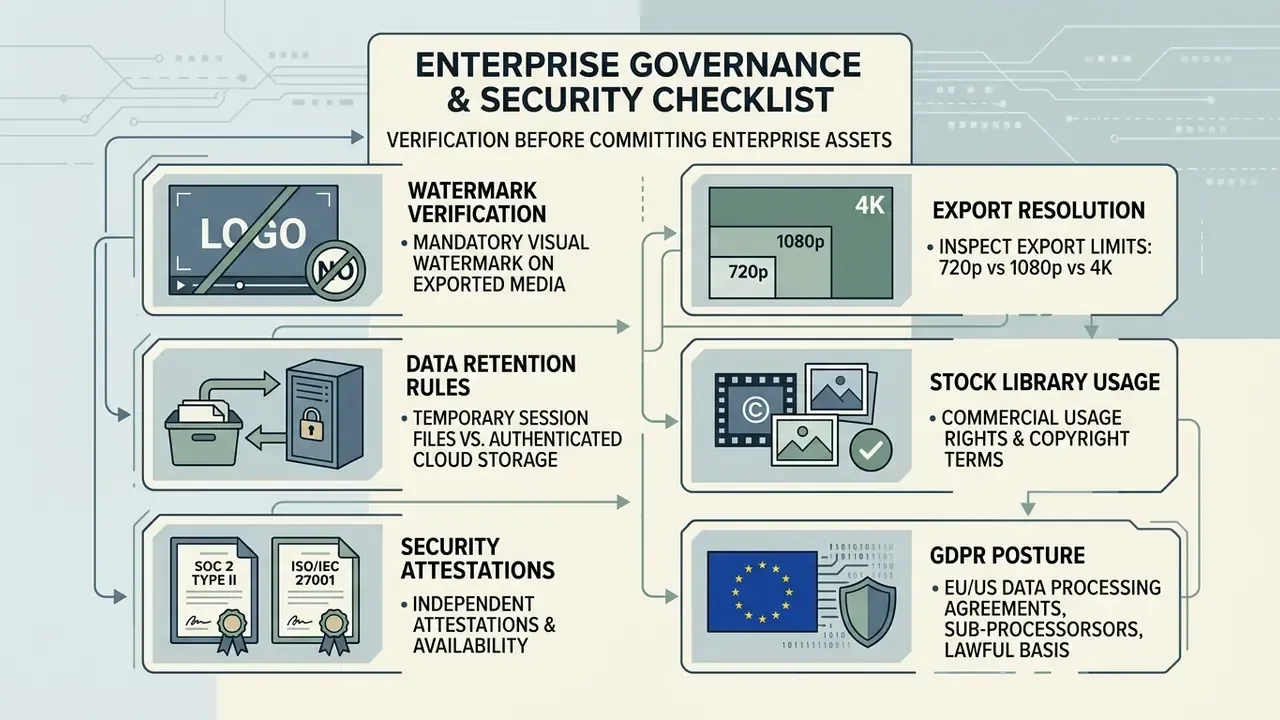
Verification checklist for compliance and procurement.
- Confirm whether exported media carries a mandatory visual watermark.
- Inspect export resolution limits (720p vs 1080p vs 4K).
- Check data retention rules for temporary session files versus authenticated cloud storage.
- Review commercial usage rights and copyright terms for built-in stock libraries.
- Verify independent security attestations: SOC 2 Type II report availability and ISO/IEC 27001 certification scope covering the media-processing environment.
- Confirm GDPR posture: lawful basis, data-processing agreement (DPA), sub-processor list, EU/US data-residency options, breach-notification timelines.
- Obtain written confirmation that uploaded media, transcripts and voice recordings are not used to train vendor or third-party AI models, with an explicit opt-out if training is default-on.
- Establish whether rendering happens client-side (media never leaves the device) or server-side (media transits vendor infrastructure). This is the deciding factor for PII-bearing footage.
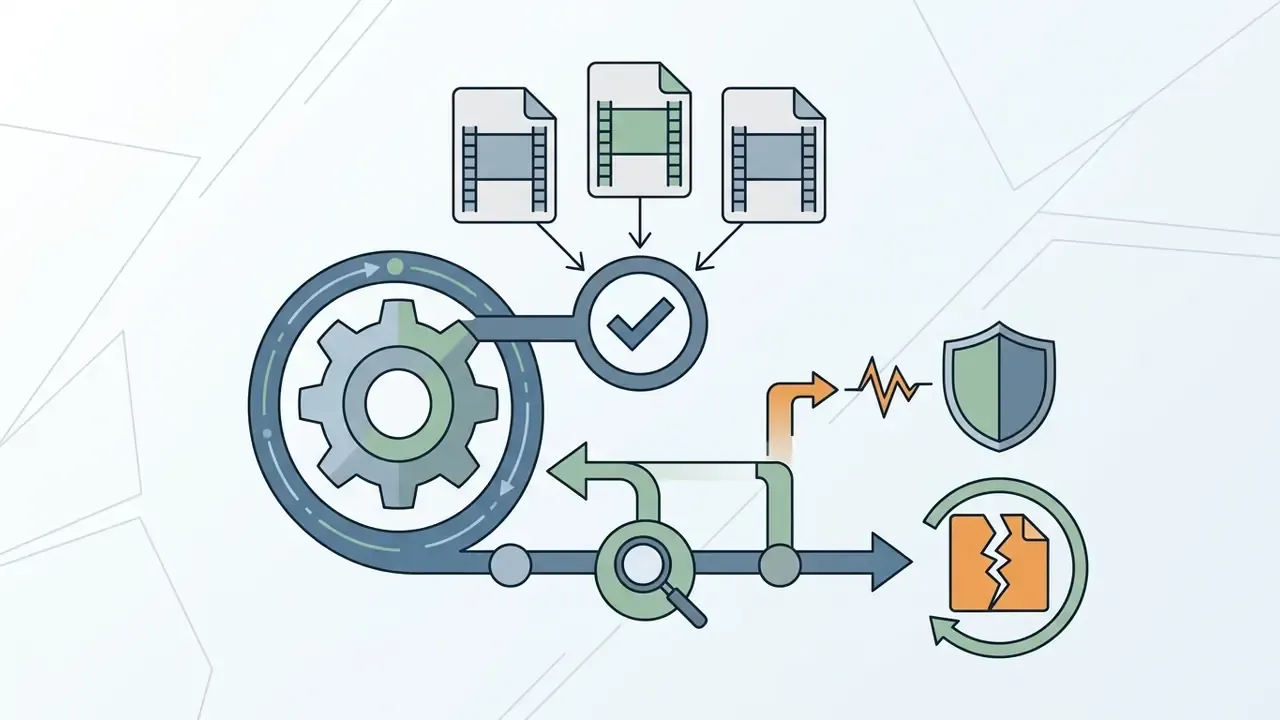
- Verify audit logging: who edited, exported, shared or deleted an asset, with exportable logs for internal review.
- Check access control: SSO (SAML), SCIM provisioning, role-based permissions, link-expiry settings on shared review URLs.
- Confirm accessibility conformance claims against Section 508 and EN 301 549, including caption editing and caption-control parity.
- Document a shadow AI control: an approved-tool list, plus a rule that unreviewed free web editors must not receive customer, employee or unreleased product footage.
A closing caution on limits. None of the above proves a tool is safe for a specific dataset. It proves the questions were asked and answered in writing. If a vendor cannot supply items 5 through 9 on request, treat the gap itself as the finding, and keep the tool out of workflows touching regulated material.
FAQ: browser crashes, CORS, 60 fps footage and 4K exports
The browser tab crashes when I export in 4K. What should I change?
Client-side rendering holds decoded frame buffers in RAM, and a 4K timeline can exceed the per-tab memory budget. Close other tabs, disable extensions, export at 1080p to validate the cut, then move the project to a cloud render job for the final 4K pass. Editors that stage media in OPFS are more resilient than those loading whole binaries into memory.
Why does my URL import fail with a CORS or "source not reachable" error?
The ingest step performs a server-side fetch. It succeeds only when the URL resolves to a directly downloadable media file over HTTP/HTTPS, or FTP for some APIs, with permissive cross-origin headers. DRM-protected streams, signed short-lived links, login-gated pages and manifest-based adaptive streams generally fail. Test the link in a private window: if it does not download a file, the editor cannot ingest it.
My 60 fps footage plays back choppily in the browser. Is the file broken?
Usually not. WebAssembly decoding is single-threaded in some builds and cannot sustain 60 fps at high bitrates on modest hardware. Switch on proxy or preview-quality playback, drop the preview resolution, and confirm the export frame rate matches the source so no frame blending sneaks in.
Audio drifts out of sync with video after a long edit. How do I fix it?
Drift usually comes from variable-frame-rate (VFR) sources, common in screen recorders and phone cameras. Transcode VFR files to a constant frame rate before editing, or pick an editor that normalizes frame rate on ingest. On multicam projects, re-run waveform sync after any speed change, since speed ramps invalidate the original offset.
Can I edit videos online without any watermark on the free plan?
Yes, on some platforms. Microsoft Clipchamp allows watermark-free HD export on its free tier, and Canva stays clean provided only free elements are used. Kapwing and VEED.IO watermark free exports. These policies change, so verify on the vendor pricing page at the time of use.
How large a file can a browser editor open?
Server-upload editors commonly cap single files at 2 to 4 GB, and constrained free tiers can drop to 250 MB. Editors built on the File System Access API and OPFS read from disk by reference and handle files above 10 GB, limited mainly by disk space rather than RAM.
Can several people edit the same project at once?
Yes on multiplayer-capable platforms. The timeline is shared live with per-user cursors, comments pin to exact frames, and version history plus manual checkpoints let any earlier cut be restored or branched.
Is transcript-based editing accurate enough for compliance-reviewed content?
ASR output needs human review. Section 508 guidance explicitly requires correcting capitalization, punctuation, names, technical terms and missing sound cues before publication. Treat auto-transcripts as a draft layer, never as a final deliverable.
Does browser editing keep my footage private?
Only when processing is genuinely client-side. Check the vendor documentation for whether media is uploaded for rendering, transcription or AI features. Transcription and background removal almost always run in the cloud, even in otherwise local editors.
Which editor should a small team start with?
Start with the constraint that hurts most. Long recordings favour tools without duration caps. Client-facing assets favour watermark-free tiers. Regulated footage favours client-side processing with audit logs, even at the cost of a few features.
Developer and legal reference resources
- Programmatic rendering
- Teams automating output at scale can review the AI Media API documentation for render endpoints and cost modelling.
- Litigation and rights monitoring
- Legal and compliance teams tracking generative-media disputes can reference AI Litigation and Case Timelines.
- Browser specifications
- W3C/WICG WebCodecs API and the File System Access API define the encode, decode and local-file primitives used by client-side editors. MDN documents
MediaRecorder.mimeType, Web Storage limits and supported media formats. - Accessibility standards
- W3C WAI captions and subtitles guidance, U.S. Section 508 auto-caption correction requirements, EN 301 549 caption-control provisions.
- Comparison hubs
- AI Media Comparison Matrices, AI Media Commercial-Use Hub and the AI Media Glossary.
Verification log and review cadence
- Pricing, watermark and duration caps re-checked February 2026 against vendor pricing pages. Recommended review interval: quarterly, since free-tier terms move faster than product documentation.
- Security attestations SOC 2 Type II reports are typically annual, so request the current report date rather than relying on a trust-page badge.
- Accessibility claims re-verify after any major editor release, because caption-control parity often regresses in interface redesigns.
- Open question vendor model-training policies for uploaded media remain inconsistently documented across the market. Where written confirmation is unavailable, assume exposure and restrict the use case.
Disclaimer. This article is informational and does not constitute legal, accessibility-compliance or procurement advice. Accessibility obligations (Section 508, EN 301 549), data-protection duties (GDPR and equivalent regimes) and vendor licensing terms vary by jurisdiction, contract and plan tier. Confirm current pricing, watermark, data-processing and commercial-use conditions directly with each vendor, and consult qualified legal or compliance counsel before deploying browser-based editing tools for regulated content.