An ai baby face generator lets you synthesize a plausible child image by combining facial features from uploaded parent photos. Consumer web apps sell this as entertainment and curiosity, and that framing is broadly honest. Still, before you hand over a family photo, it pays to understand the mechanics, the data-retention rules and the output limits.
Five Things to Know Before You Upload
- What it does it blends visible facial landmarks from one or two photos into a plausible child portrait. It reads pixels, never DNA, so the result is entertainment rather than a genetic forecast.
- What you can generate two-parent blends, single-photo predictions, and celebrity mashups, with controls for gender, age stage, artistic style, skin tone, and output resolution up to 2K or 4K on paid tiers.
- Files it accepts JPG, PNG, WebP and HEIC (the native iPhone format) are widely supported today. Keep files under roughly 20 to 50 MB and the face region at 512×512 pixels or larger.
- Where your photo goes most tools upload to cloud GPU servers; a smaller group processes faces entirely in your browser (WebAssembly, client-side), so images never leave the device. Retention windows range from immediate deletion to 24 hours.
- Rights and consent partner, friend and celebrity photos raise consent and right-of-publicity issues, and free tiers almost never include a commercial licence. Fun is fine. Publishing and selling need permission.
One more thing worth saying out loud: nothing here is a medical, genetic or legal opinion. It is a practical read on a consumer category that grew fast and documented itself slowly.
What Is an AI Baby Face Generator?
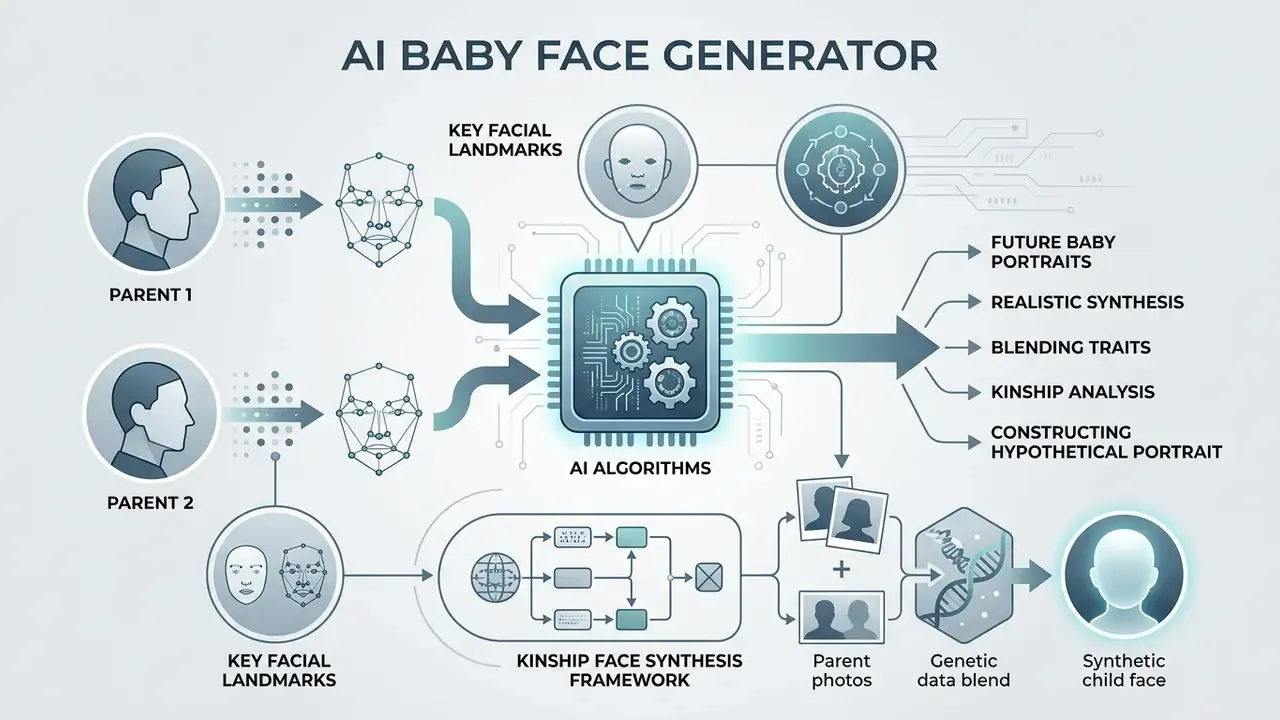
An ai baby face generator is a computational tool that blends key facial landmarks from two input images to construct a synthetic portrait of a hypothetical child. The resulting image is an entertaining visualization, not a verified biological forecast.
Future Baby Portraits from Parent Photos
An AI baby face generator creates a future baby portrait by measuring structural distances between facial landmarks on uploaded parent photos, then mapping those features into a unified latent feature space. The system analyses eye shape, nose bridge alignment, jaw structure, lip contours and skin tone to build a composite image representing a hypothetical future baby.
Academic research in kinship face synthesis frames the task precisely. It is image synthesis conditioned on parental appearance, not heredity modelling.
That study shows generative networks can isolate region-level facial traits from two source images to construct a plausible baby s face while keeping identifiable parent likeness. Related work quantifies how convincing those blends look to verification systems rather than to biology: StyleGene reports kinship-verification accuracy of roughly 81.7% on TSKinFace and 80.4% on FF-Database, ahead of earlier kin-synthesis baselines. Read those figures carefully. They describe perceived family resemblance, an aesthetic and statistical property, not inherited traits.
Earlier kin-synthesis literature follows the same logic. DNA-Net ("What Will Your Child Look Like? Age and Gender Aware Kin Face Synthesizer") generates photo-realistic child faces from a parent pair and validates them through human kinship verification. KinStyle (2022) fuses weighted latent representations of both parents. Each system is explicitly a resemblance model, and its authors say so.
Who actually uses this? Mostly couples and partners testing a "what would ours look like" idea, families comparing generations at a gathering, and friend groups making something shareable. The output is a conversation piece.
Realistic Results and Their Limits
Modern generative adversarial networks (GANs) and diffusion transformers produce photorealistic child portraits, but those outputs are statistical estimates. The generator works strictly on visible surface pixels and facial geometry extracted from uploaded images. It does not analyse genomic data, DNA sequences or hereditary traits. Not even a little.
Input quality is the single largest measurable driver of output plausibility. Government evaluations of face-analysis systems say this plainly:
The UK Home Office facial age-estimation factsheet reports mean absolute error improving from about 4.3 years to 3.1 years purely by moving from poor to good-quality photographs. That is a useful proxy for how much a sharp, evenly lit portrait helps any face-conditioned pipeline. Forensic age-progression literature adds a second boundary: progression below three years of age is intrinsically unreliable and depends on source-photo quality, pose, lighting, expression and individual growth patterns. So the generated image reflects the mathematical distribution of the model's training dataset, not a genetic outcome. Treat it as a visual "what-if".
How AI Baby Face Generation Works
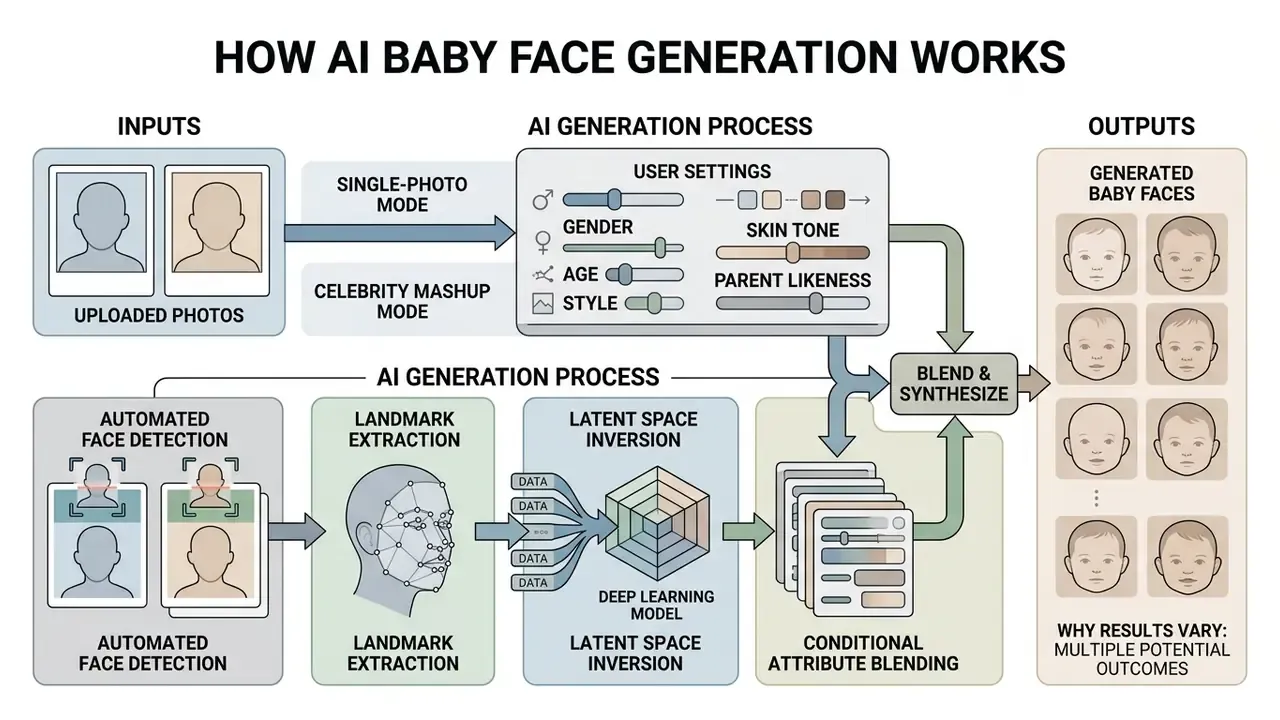
AI baby face generation moves a digital photograph through automated face detection, landmark extraction, latent space inversion and conditional attribute blending. In plain terms: the model finds the face, measures it, converts those measurements into numbers, then draws a new face from those numbers.
How Uploaded Photos Are Used for Generation
When photos are submitted to a generator ai, the system first runs face detection to crop, align and normalise the image. Machine learning algorithms then locate primary facial keypoints, typically 68 to 98 coordinate points across the eyes, eyebrows, nose, mouth and jawline. Public standards describe this as a strict two-step operation: detect the face region first, then compute landmark coordinates for alignment before any neural network runs.
Next, an inversion encoder maps those spatial coordinates into the network's latent space. Studies on kinship synthesis architectures show that feature extraction isolates specific facial attributes from uploaded photos before blending them into a single synthesized representation:
Comparable systems make the training design visible. ChildPredictor was trained on 7,488 parent faces and 8,558 child faces, each aligned frontally and labelled with gender, age, expression, glasses, moustache and skin colour. Parent-side and child-side attributes are separated, so the model learns which traits it may vary and which it must preserve. ChildDiffusion extends the same idea with text-prompt conditioning, adding control over hair style and colour, head pose, accessories, ageing and micro-expressions. High-quality input photos give cleaner landmark mapping, which directly improves the structural coherence of the generated baby s face.
Single-Photo and Celebrity Baby Mashups
You do not always need two parent photos to produce a future baby portrait. Single-photo models extrapolate a partner-side feature set from baseline latent vectors, then blend it with your individual visual markers. The approach appears in early kinship-GAN literature, which describes synthesizing a possible child face from one parent photograph. Later papers formalise the paired-parent setting because two faces simply supply more facial information.
Practically, most consumer tools offer two entry points:
- Single-photo mode. Upload one clear portrait. The generator anchors identity on your landmarks and samples the missing half of the blend from its learned distribution. Expect stronger resemblance to you and higher run-to-run variance.
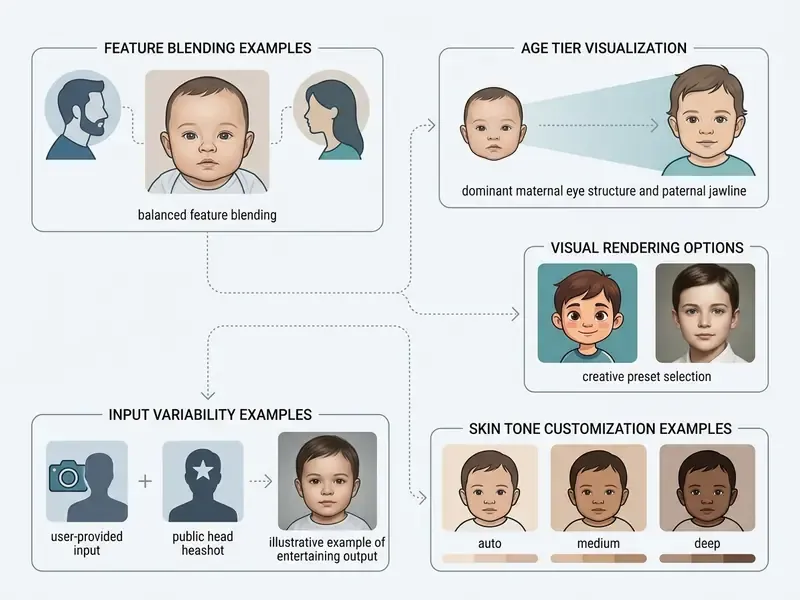
- Celebrity mashup mode. Pair your own photo with a public headshot. The model extracts landmarks from both portraits and renders a hypothetical celebrity baby face in seconds. Competing consumer tools promote this as their most-shared feature, and it drives most social posts about baby generators.
Celebrity mashups are legitimate entertainment while the image stays private or is clearly labelled as synthetic parody. They become a legal problem when monetized, used in advertising, or presented as real. The consent and licensing rules below draw the boundary precisely. The short version: share for laughs, never for revenue.
Gender, Age, Style, Skin Tone and Parent Likeness Settings
User controls modify explicit conditioning vectors inside the generative model, which is how you customise the output image's gender, apparent age, artistic style, skin tone and parent resemblance ratio. Public standards treat age and demographic attributes as first-class, explicitly controllable variables in face systems rather than cosmetic sliders (NIST IR 8525, 2024).
By shifting directional vectors in latent space, the system changes facial proportion ratios and moves the image from newborn to toddler to young child. Advanced diffusion architectures use relational trait guidance so users can decide whether the child strongly resembles one parent or represents an even blend. That control exists because the trade-off is genuinely hard:
Typical control panels expose five parameter groups:
| Control | Common options | Effect on output |
|---|---|---|
| Gender | Boy / Girl / Random | Shifts jaw width, brow ridge and hairline vectors |
| Age stage | Newborn / Baby / Toddler / Child / Teen | Rescales cranial-to-face proportion ratios |
| Skin tone | Auto-detect / Fair / Medium / Deep | Overrides the auto-sampled tone inherited from inputs |
| Style | Photoreal / Studio portrait / Illustrative / Cartoon | Changes texture, lighting model and rendering pass |
| Likeness balance | Parent A ↔ Parent B slider | Weights each parent's latent contribution |
Skin-tone selection matters for two reasons. First, "auto" simply averages tones detected in the uploads, and it can misfire under warm indoor lighting or a heavy beauty filter. Second, generative models inherit demographic skew from their training data, and NIST's Generative AI Profile (NIST AI 600-1, 2024) treats that skew as a managed risk rather than an edge case. An explicit tone control is a partial mitigation, not a cosmetic extra.
Output resolution is the other setting worth checking before you press generate. Standard free tiers render at 512×512 or 1024×1024 pixels. Higher tiers apply super-resolution diffusion upscaling for print-ready 2K or 4K future baby portraits. Where a tool has no upscaler of its own, you can reach the same place afterwards with a dedicated upscaler or a general-purpose photo editor.
Marketing and design teams testing visual layout workflows often check how generated assets drop into digital channels, while reviewing subscription costs on a central pricing page.
Why the Same Photos Can Produce Different Results
Submit identical parent photos twice and you will usually get two different babies. That is by design: generative vision models rely on randomized initial seed values and stochastic noise sampling.
Unless the seed is explicitly locked, and unless model version, resolution and settings stay identical, the pipeline introduces random variance during processing. That variance is a feature, not a bug: it mimics how different biological combinations produce visibly different siblings. If you want two comparable variants, say a boy and a girl from one upload pair, change only the single parameter you are testing and re-run immediately in the same session.
How to Use an AI Baby Generator Free No Sign Up
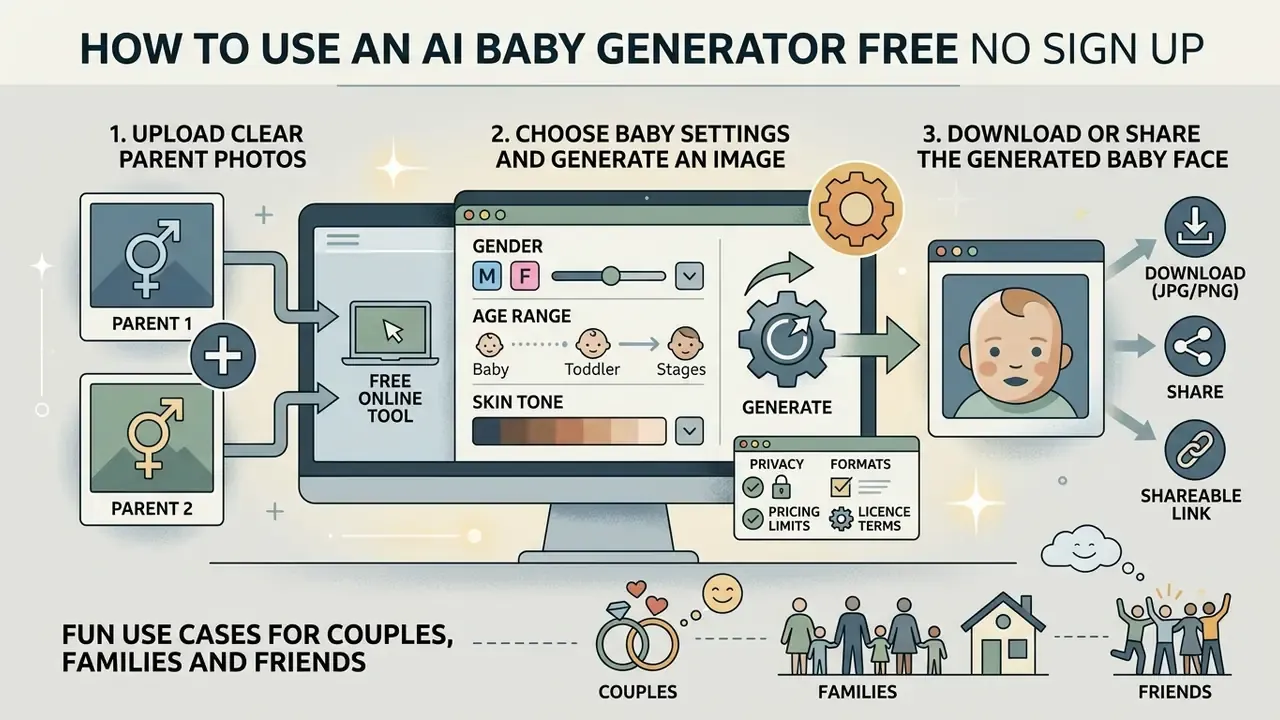
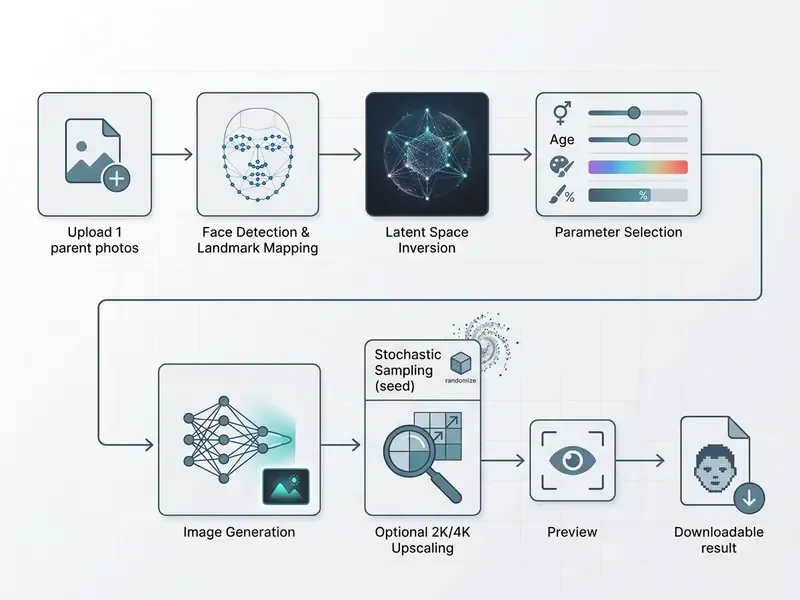
Creating a synthetic child portrait with a free ai baby generator no sign up tool comes down to three moves: pick suitable parent photographs, configure the generation settings, download the finished image. Across the consumer market the sequence is remarkably consistent. Upload one or two face photos, choose gender and age, generate in seconds, save the file.
Upload Clear Parent Photos
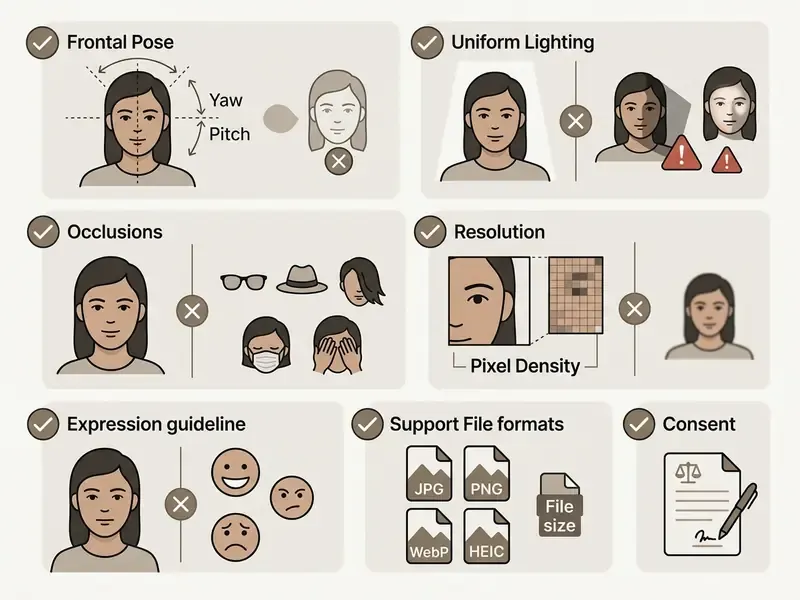
For high-fidelity results, choose parent photographs with clear frontal lighting, sharp focus, neutral expressions and unobstructed features. Passport-style capture guidance from ICAO and NIST is a reliable shortcut, because it optimises exactly the variables a face pipeline measures.
- Use recent, high-resolution photographs shot in natural, even lighting; images older than a few years drift away from current likeness.
- Make sure the full face is visible from chin to forehead and ear to ear, with no hair, hands, hats or accessories over the eyes or nose.
- Skip group photos. Crop so only one person appears per file.
- Choose a neutral expression with the mouth closed, which prevents distorted mouth and eye geometry in the synthetic output.
- Avoid heavy beauty filters, sunglasses and strong side lighting. All three erase the landmarks the model needs.
Choose Baby Settings and Generate an Image
After uploading parent photos to an ai baby generator free no sign up web app, configure the output parameters before you start. Select gender (boy, girl or random), target age category (infant, toddler or young child), skin tone (auto or a manual preset), and rendering style: photorealistic, studio portrait, or illustrative. That last option sits closest to what a dedicated AI art generator produces.
Click the primary action button to run the ai baby generator no sign up process, which usually completes feature extraction and rendering in 5 to 15 seconds. Users experimenting with visual synthesis sometimes explore adjacent creative tools, such as an ai kissing generator free or an ai kissing generator, to see how multi-person image alignment behaves on the same inputs.
The same freemium pattern shows up well outside vision tools, incidentally. An ai joke generator, an ai letter generator, an ai label generator and an ai landing page builder all run the same playbook: open access first, capped output next, licence terms in the fine print.
Download or Share the Generated Baby Face
Once rendering finishes, the tool shows a preview for review and local storage. Most web-based generators provide a direct download button for JPG or PNG; some also export WebP.
Before you post anything, confirm three things: whether the tool stamps a watermark, whether export resolution is capped on the non-registered tier, and how long the result stays retrievable. Several vendors delete generated images after 24 hours. Download straight away instead of treating the service as storage.
Fun Use Cases for Couples, Families and Friends
Is a Free AI Baby Generator Really Free?
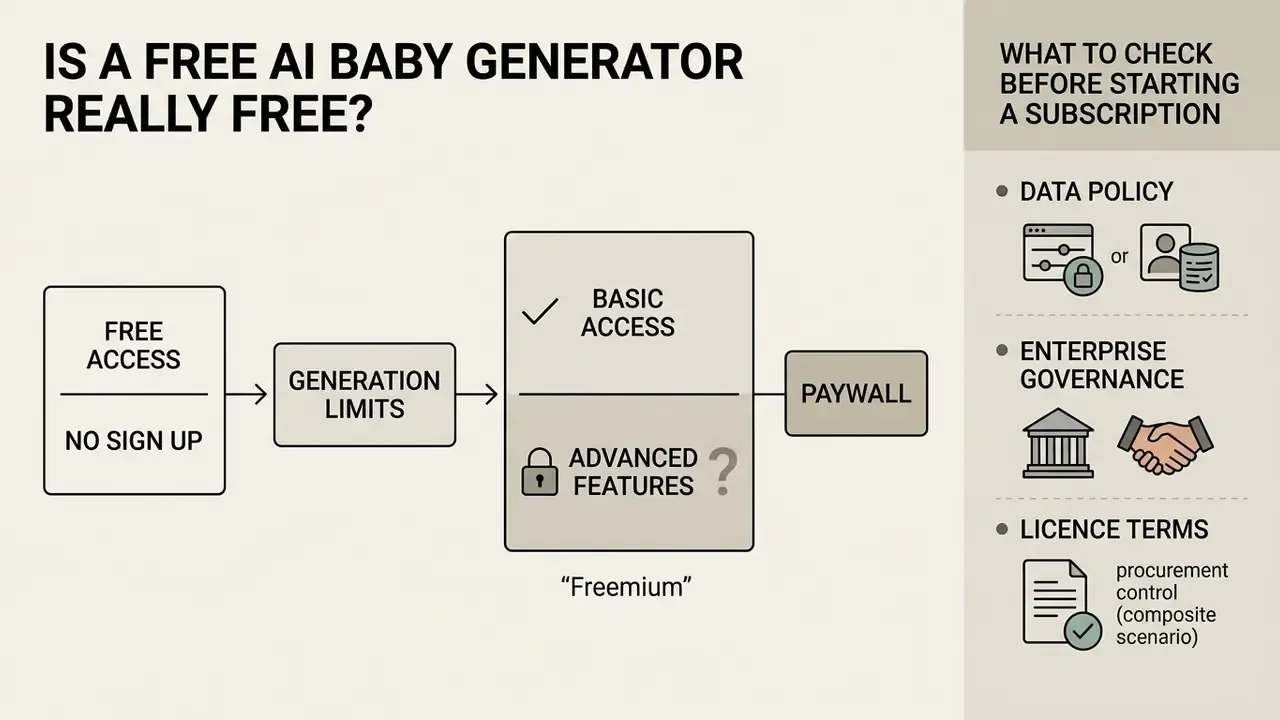
Platforms marketing themselves as the best free ai baby generator almost all run freemium monetization: basic access without registration, advanced features behind a paywall. In practice the market splits three ways. Genuinely free and login-free. Free first generation, then credits. Trial that converts to a subscription.
Free Access, No Sign Up and Generation Limits
A free ai baby generator no subscription service typically lets guest users produce a small number of low-resolution baby portraits without an account. Several vendors advertise no registration and no watermark outright. Others grant a single free prediction, then move you onto an energy-credit or Prime model.
Infrastructure costs explain the ceiling. GPU cycles are not free, so platforms impose functional restrictions on non-paying users: daily generation caps (commonly 1 to 3 images per day), lower export resolution (often 512×512 or 1024×1024 pixels), embedded brand watermarks, and lower queue priority. The same pattern repeats across the wider category, as documented in our comparison of free AI art generators and free photo editors, where "free" almost always trades resolution, throughput or licensing rather than access itself.
What to Check Before Starting a Subscription
Before you enrol in a paid plan or free trial for an image generation service, read the terms on automatic renewal, cancellation and billing frequency. This is where most complaints originate.
Terms-of-service analyses across portrait and media tools show trials converting automatically into recurring monthly or annual charges unless cancelled inside a strict window. One published baby-generator term sheet lists a three-day trial at $1 that converts to $19.99 per month. Confirm the platform offers self-service cancellation inside account settings, explicit refund disclosures, and continued access to the end of the paid period after cancellation. EU users also get a 14-day withdrawal window under consumer-protection rules, although vendors differ on whether unused portions are refunded.
Verify these seven items before entering card details:
Teams reviewing software cost structures and administrative procedures can find documentation through our internal support portal, or model recurring spend with our AI Media Calculators.
| Parameter | Free Access / No Sign Up | Paid Subscription Tier |
|---|---|---|
| Account Requirement | None (guest access) on many tools | Mandatory registration |
| Generation Allowance | Capped (e.g. 1–3 daily credits) | Expanded or unlimited pool |
| Output Resolution | Standard definition (512–1024 px) | High definition, 2K / 4K upscaling |
| Watermark Removal | Watermark included on most tools | Clean output, no branding |
| Supported Uploads | JPG, PNG, WebP, HEIC (≈20 MB cap) | Same formats, larger cap (up to ≈50 MB) |
| Modes Available | Two-photo blend, often single-photo | Adds celebrity mashups, age series, style packs |
| Skin Tone Control | Auto-detect only, in some tools | Manual presets (fair / medium / deep) |
| Image Retention | Transient (immediate deletion up to 24 h) | Persistent cloud storage |
| Commercial Rights | Personal, non-commercial only | Commercial licence where explicitly stated |
Table values reflect published vendor terms at the time of review. They change often, so confirm against the service you actually plan to use.
Privacy, Consent and Commercial Use of AI Baby Images
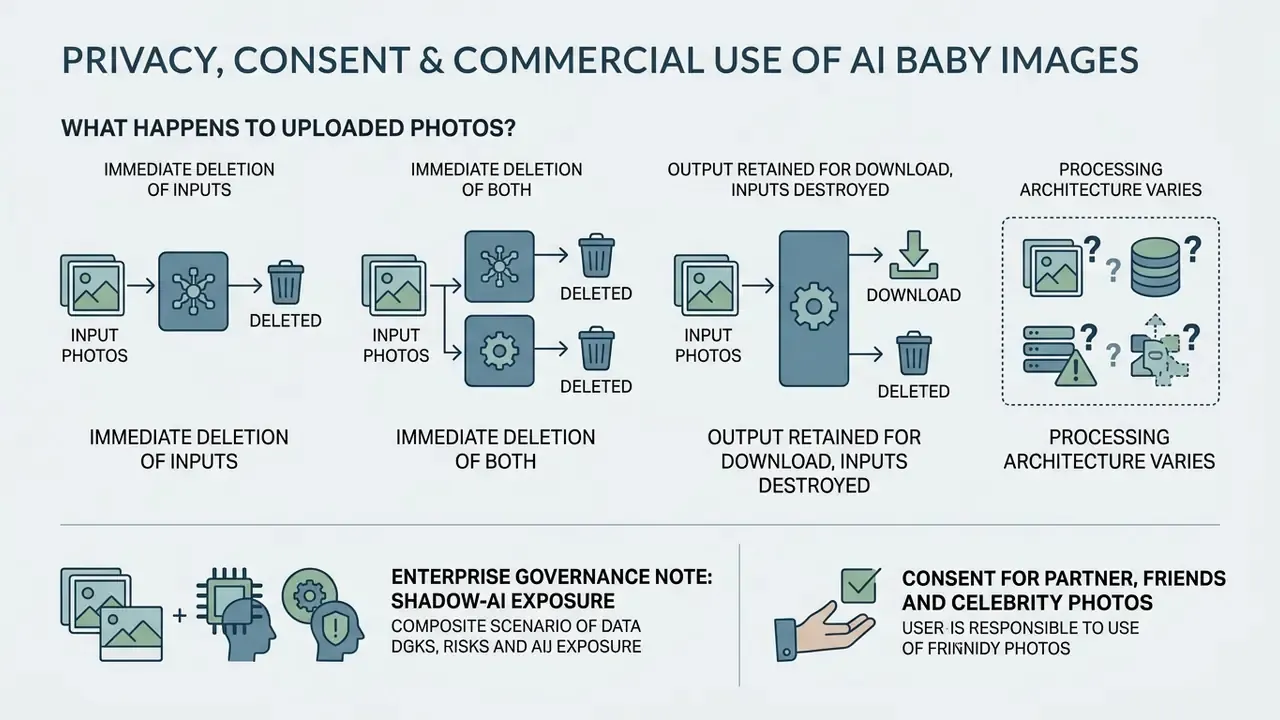
Uploading personal photographs to a web application involves data transmission, cloud processing and licensing questions about likeness rights. Three separate issues, often collapsed into one checkbox.
What Happens to Uploaded Photos?
Processing architecture varies, and this is the single most important privacy variable. Most platforms send images to remote cloud GPU clusters for neural-network inference. A smaller but growing group performs face mapping entirely inside the browser using WebAssembly and client-side inference, so parent photos never leave the local device. Client-side processing gives the strongest privacy posture, at the cost of heavier local hardware use, shorter feature sets and slower rendering on older phones. Vendors advertising "processed securely in your browser, nothing is stored" sit in this second group. Vendors advertising cloud speed and 4K upscaling almost always sit in the first.
For cloud tools, retention windows are the thing to read. Published vendor documents show three distinct patterns:
- Immediate deletion of inputs. One privacy policy states uploaded photos are "processed transiently" and "deleted no later than the moment your result is generated", with generated results held for a maximum of 24 hours.
- Immediate deletion of both. Another states photos are "permanently deleted once your prediction is generated" and are not stored beyond processing time.
- Output retained for download, inputs destroyed. A GDPR-compliance page describes parent photos being "permanently and irretrievably deleted" immediately after generation, while generated baby photos stay on servers in Germany so users can download them.
Independent research explains why disclosure quality matters at all:
Model provenance is a second, less visible concern. Analyses of large open training corpora have found illegal and harmful material inside datasets used to train widely deployed image models, which is why reputable vendors now publish dataset and safety statements next to their privacy policies.
Practical rule, then. Read the privacy policy before uploading sensitive family photographs. Prefer tools that state an explicit deletion window or client-side processing. Download your result immediately. And never upload photographs of real children beyond your own household.
Consent for Partner, Friends and Celebrity Photos
Uploading photographs of third parties, including romantic partners, acquaintances or public figures, without explicit consent creates real legal and ethical exposure.
Empirical work on family attitudes shows the concern is not theoretical. In a 2024 study of parents and children, teenagers reported fearing that peers could use their personal photos to generate virtual versions of them without consent.
Celebrity mashups sit in a narrower lane than most marketing copy suggests. A novelty image for private amusement is generally tolerated. Publishing it as advertising, merchandise, monetised content, or anything implying endorsement engages right-of-publicity and digital-replica rules.
Two absolute limits apply regardless of jurisdiction. First, sexualised depictions of minors are illegal and are explicitly prohibited by every major generative platform's acceptable-use policy; the Internet Watch Foundation confirms that under UK law it is illegal to create, share or possess an indecent image of anyone under 18, including AI-generated images (https://www.iwf.org.uk/). Second, non-consensual intimate imagery is a hard boundary in NIST's Generative AI Profile. A baby-face generator has no legitimate use case anywhere near either line.
Legal and governance staff mapping compliance frameworks for synthetic media can read our analysis of AI litigation and likeness disputes for the statutory picture.
Commercial Use and Image License Checklist
Using an ai baby face generator output commercially, whether in advertising, merchandising, stock listings or monetized digital content, requires verified commercial licensing rights from the platform provider. Assumed rights are not rights.
Across major generative platforms, free-tier output is generally restricted to personal, non-commercial use, and paid tiers grant commercial rights only where the terms say so explicitly. Adobe's generative-AI user guidelines require that all necessary rights be held before commercial licensing and prohibit depictions of minors in a sexual manner. Synthesia's video-licensing terms require free, informed consent plus age confirmation for any likeness use. Canva's AI product terms make commercial reuse dependent on each AI product's own terms rather than a blanket right. The US Copyright Office's digital-replica report adds that licensing an image or voice likeness can be granted without assigning all rights, so commercial scope is always defined by the licence text.
Before any commercial use, confirm:
E-E-A-T compliance fact-check: terms and privacy verification
An analysis of consumer AI baby generator policies shows significant variance in retention and processing practice:
- Transient cloud vendors (e.g. BabyGenerator.com): state that uploaded photos are processed transiently and deleted at the moment the output is generated, with rendered results retained for a maximum of 24 hours.
- Immediate-deletion vendors (e.g. AIBabyGenerator.ai): state that photos are permanently deleted once the prediction is generated, and grant the service only a limited licence to process photos for generating results.
- Regional-storage vendors (e.g. SeeYourBaby.ai): permanently delete parent photos immediately after generation, while storing generated baby images on servers in Germany for user download.
- Client-side vendors: perform face mapping in-browser and state that nothing is stored, shared or uploaded to external servers. This is the strongest available privacy posture, and it is verifiable in browser dev-tools network traffic.
- Licensing constraints: terms of service across major generative vision tools prohibit commercial monetization of synthetic images created from non-consensual third-party uploads.
- The subscription tier explicitly grants commercial rights in writing.
- Every real person whose likeness contributed to the output has given documented consent.
- No public figure's likeness is recognisable in the output.
- The output is labelled as AI-generated where disclosure is required.
- The platform does not claim exclusive rights over your generated asset.
- Model-release and age-verification records exist for any identifiable person.
Verify vendor terms at the point of use. Retention windows and licence scope are revised frequently, sometimes without notice.
How to Get Better AI Baby Face Results
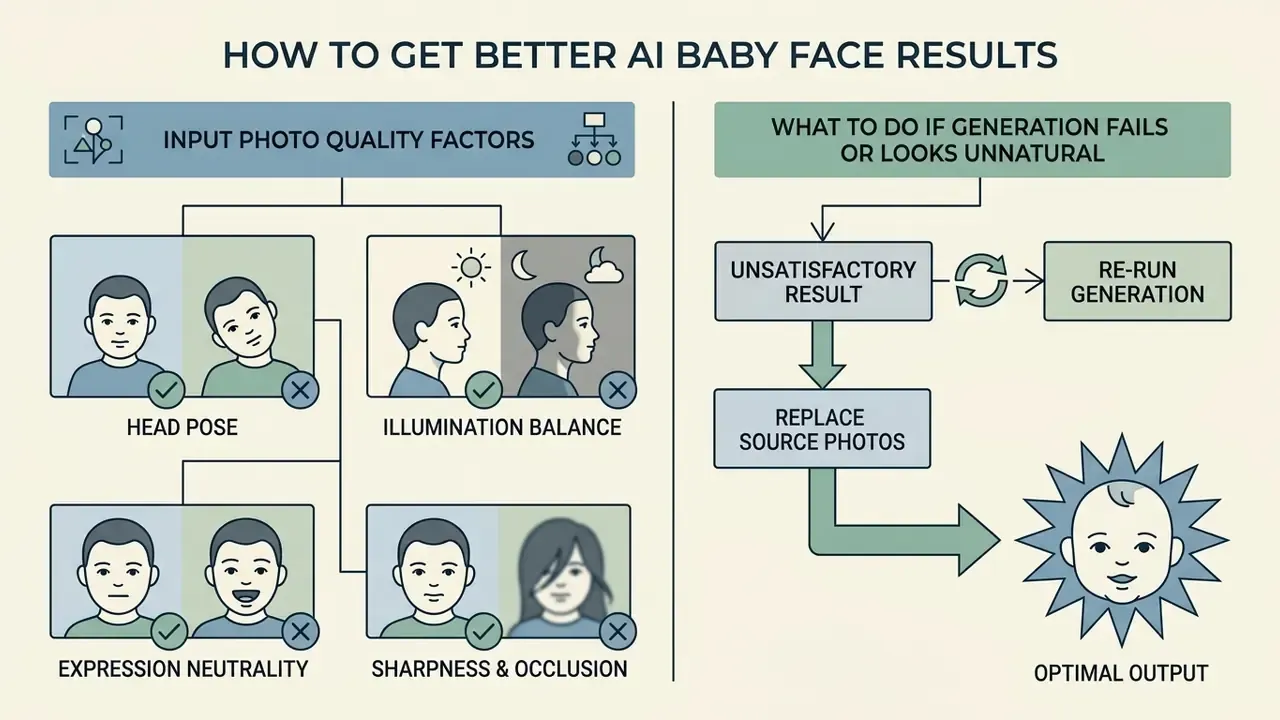
Better output from an ai baby face generator comes from two levers only: input photo quality and systematic setting adjustment. Everything else is luck.
Photo Quality Factors That Affect the Baby Face
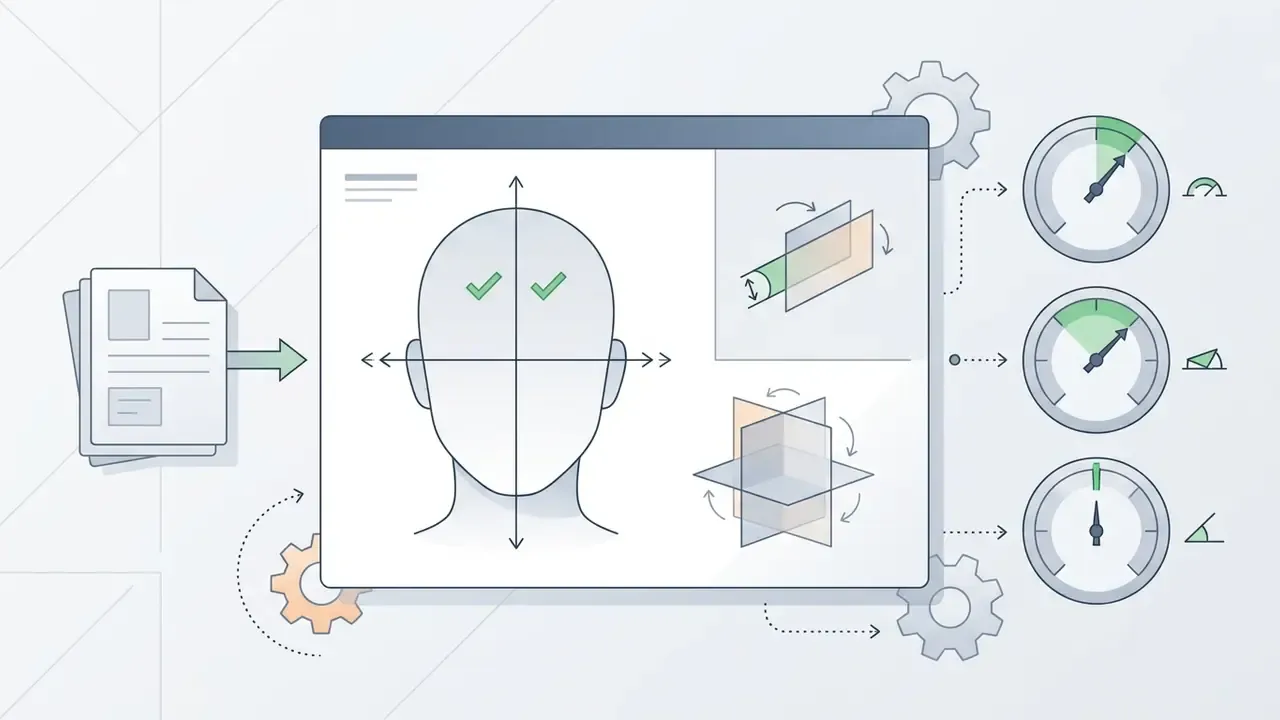
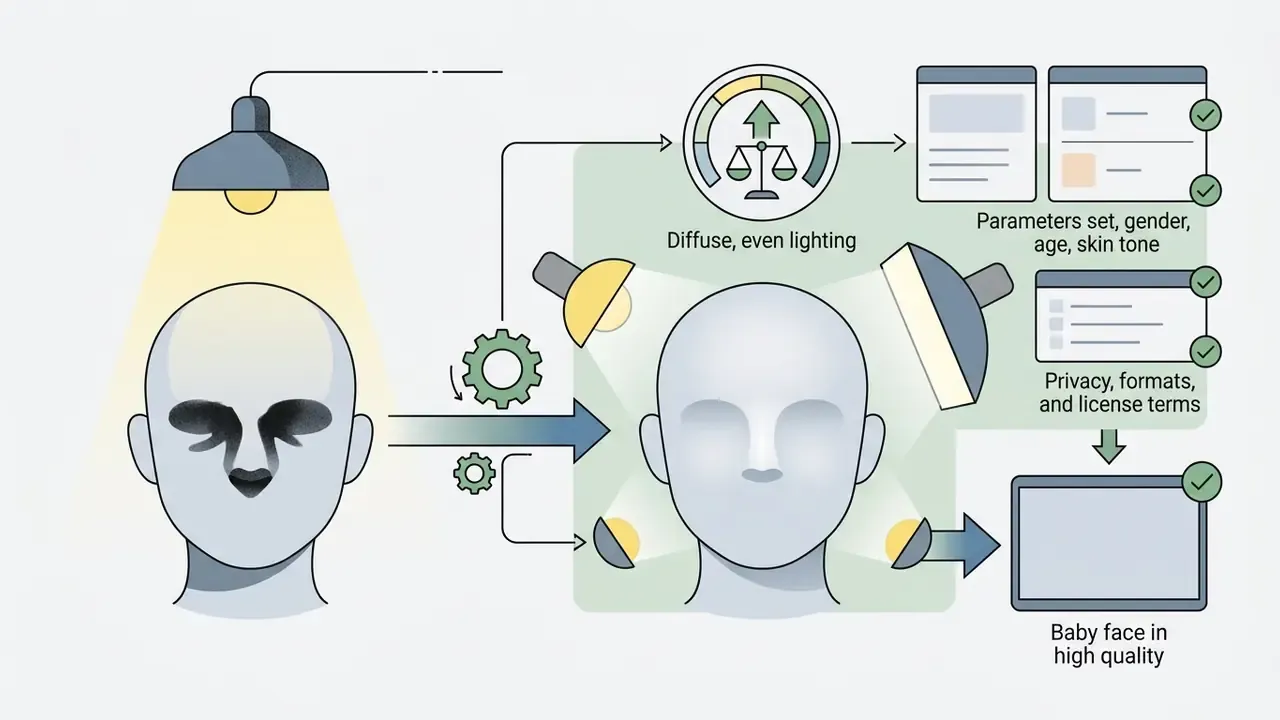
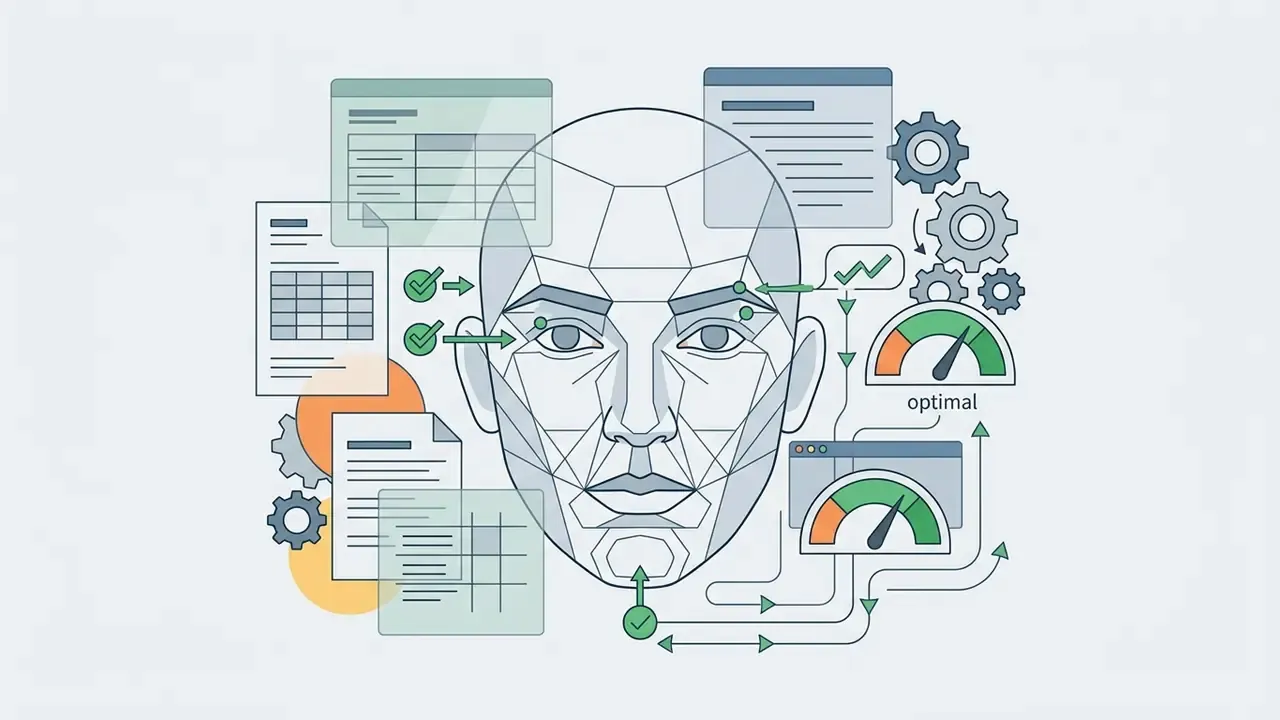
Input image quality directly controls the precision of facial keypoint extraction and latent space mapping. Face-image-quality research converges on the same short list of drivers:
The same criteria govern professional portrait pipelines in general. Our guide to AI headshot generators shows how commercial tools enforce them at upload time, often rejecting files before a single GPU cycle is spent.
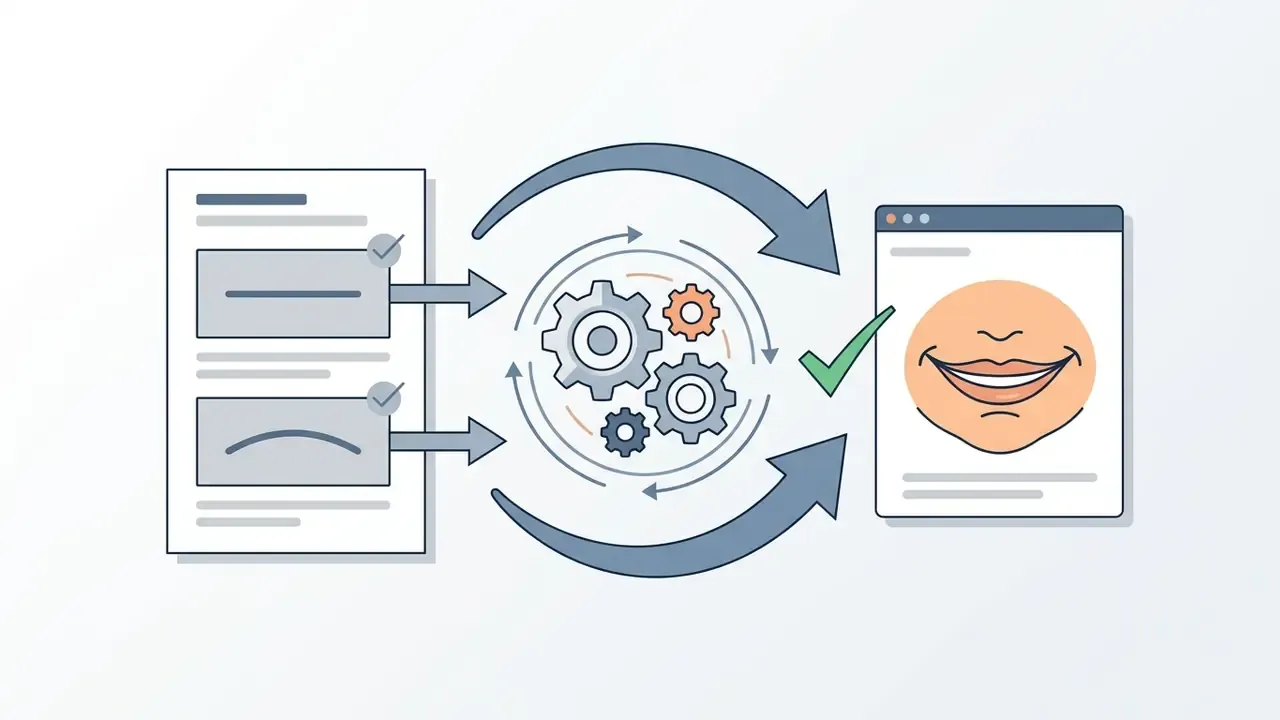
What to Do If Generation Fails or Looks Unnatural
AI Baby Generator FAQ
Can You Create a Baby Portrait with One Photo?
Yes. Many online generators support single-photo generation, though two distinct parent photos give a more balanced combination of traits. Single-photo models extrapolate facial attributes from one image and combine them with synthetic baseline vectors to build a potential child portrait, an approach documented in early kinship-GAN literature (KINSHIPGAN, 2018). Later papers such as DNA-Net (2019) and KinStyle (2022) formalise the paired-parent setting, because two faces supply richer structural data and therefore higher parental resemblance.
Which Image Formats Work with the Generator?
Modern web generators support both desktop and mobile-native formats: JPG/JPEG, PNG, WebP and HEIC. HEIC is the default capture format on current iPhones, so most mobile users skip conversion entirely. File-size caps commonly sit at 20 MB on consumer tools and up to 50 MB on API-grade pipelines. Typical resolution constraints keep the longest side at or below 3840 px, with a minimum facial region of 512×512 pixels for reliable landmark detection. RAW camera files (CR2, NEF, ARW) and animated formats still need conversion to JPEG or PNG before upload, and transparent PNGs may be flattened during processing.
Is the Result an Actual Prediction of My Future Child?
No. Every model in this category works from pixels and facial geometry only. None analyses DNA, chromosomes or ancestry. Treat the output as a creative simulation. Age-estimation and age-progression research shows accuracy degrading sharply for very young children even in purpose-built forensic systems, which is one more reason to read these portraits as entertainment.
Can I Generate a Baby Face with a Celebrity?
Technically yes. Most tools accept any two face photos, and celebrity mashup modes exist for exactly this. Legally, keep it private or clearly labelled as AI-generated parody, never monetise it, and never present it as authentic. The consent section above sets out where the line falls.
Are Watermarks Removable on the Free Tier?
It varies. Some no-sign-up tools advertise watermark-free downloads. Others watermark free output and remove branding only on paid plans. Check before you generate, because re-generating on a paid tier usually produces a different image rather than a clean copy of the one you liked.
How Long Are My Photos and Results Kept?
Published vendor policies range from immediate deletion of inputs at generation time, to 24-hour retention of outputs, to 30-day retention for account-linked data. Client-side, in-browser tools store nothing at all. Download immediately, and do not treat any generator as an archive.
Can I Use One Upload Pair to Make a Whole Age Series?
Usually yes, and it is the most interesting thing you can do with a good input pair. Keep the same photos, lock the likeness balance, then step the age control from newborn to toddler to child. Because the seed changes between runs on most tools, the faces will not be perfectly consistent siblings of each other. If a tool exposes seed control, reuse the same seed across the series and change only the age parameter. Engineering and governance leaders assessing broader technical integrations can compare options across enterprise API services, or explore the hub to review creative media tooling side by side.
Appendix A: Superseded Passages (Retained for Transparency)
These statements appeared in earlier editions of this page and have been corrected above. They stay here so readers can see what changed, and why.
- Superseded: "non-standard formats (such as HEIC or RAW) should be converted to standard JPEG or PNG prior to upload." Correction: HEIC is now natively supported by mainstream web generators; only RAW and animated formats still require conversion. See the image-formats answer in the FAQ.
- Superseded: "Unregistered online tools upload user photos to remote cloud servers to perform neural network inference", presented as a universal rule. Correction: cloud inference is the majority pattern, not the only one. WebAssembly and client-side tools process faces locally and store nothing. See "What Happens to Uploaded Photos?".
- Superseded: paragraphs comparing baby-face generation to unrelated text tools, such as joke and letter generators, as though they were substitutes. Correction: those comparisons are gone. Text-side tools now appear once, purely as an analogue for freemium pricing patterns, and the surrounding sections compare like-for-like generative vision tools.
- Superseded: treating celebrity photos purely as a legal prohibition. Correction: the celebrity mashup scenario is documented as a mainstream entertainment feature, with the legal boundary drawn precisely at publication, monetisation and implied endorsement.