Why does a category this playful deserve a governance lens? Because it processes faces. A face is biometric data, and biometric data does not stop being regulated just because the output looks like a Valentine's clip.
Executive Summary
- What it does An ai kiss generator converts one photo, two separate portraits, or a pure text prompt into either a still ai generated kissing image or a 3–10 second animated kissing video (MP4, H.264/AAC).
- Technical inputs JPG, JPEG, PNG, WEBP files up to 20 MB each; two-photo workflows require both images to share the same aspect ratio; outputs are typically exported at 16:9, 9:16, 1:1, 4:3 or 3:4.
- Advanced control Start Frame / End Frame conditioning lets you define the opening and closing pose, while reusable AI characters keep faces consistent across a series of clips.
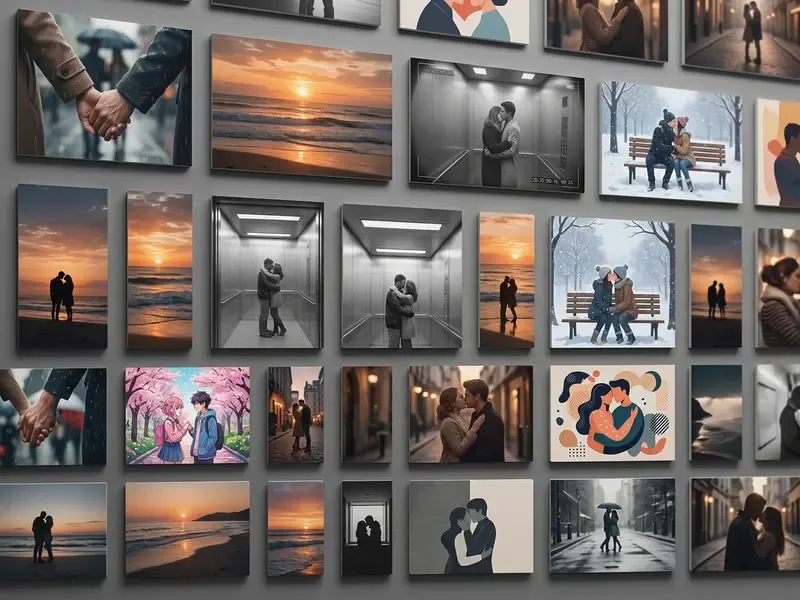
- Scene library Leading platforms ship 25–30 presets: Elevator Kiss, CCTV Aisle Kiss, Rain Kiss, Snow Kiss, Sunset Kiss, Office Kiss, Pool Kiss, Aurora Kiss and more.
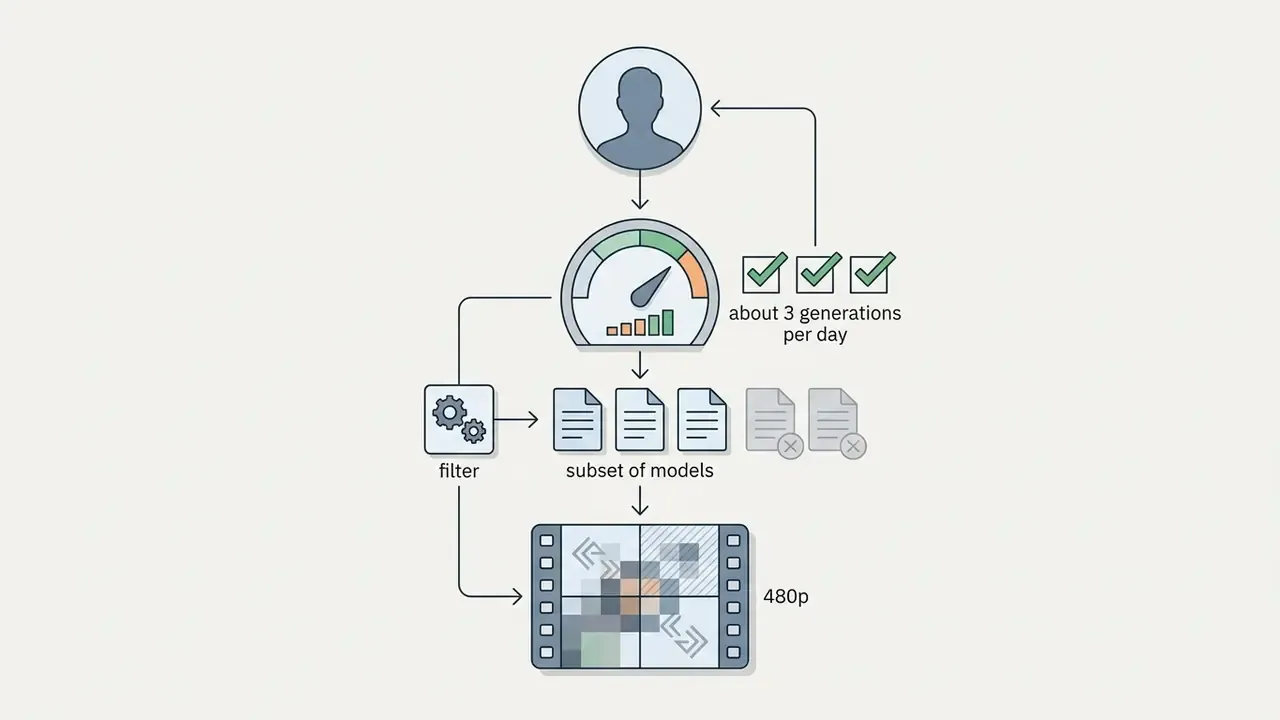
- Free tiers Range from 30 free daily credits (about 2 videos/day) to 200 welcome trial credits, usually capped at 480p–720p with watermarks and personal-use-only licensing.
- Compliance first Explicit, documented consent is mandatory. Brigham et al. (2024) found 89.54% of respondents consider unconsented synthetic intimate imagery completely unacceptable, and the U.S. TAKE IT DOWN Act mandates rapid takedown of non-consensual synthetic intimate depictions.
- Enterprise risk Treat consumer kiss generators as Shadow AI. Before any upload, verify data-retention windows, biometric processing terms, training-data opt-outs and security attestations (SOC 2 / ISO 27001, ISO/IEC 42001 for AI management).
Who Should Read This and What Changed in 2026
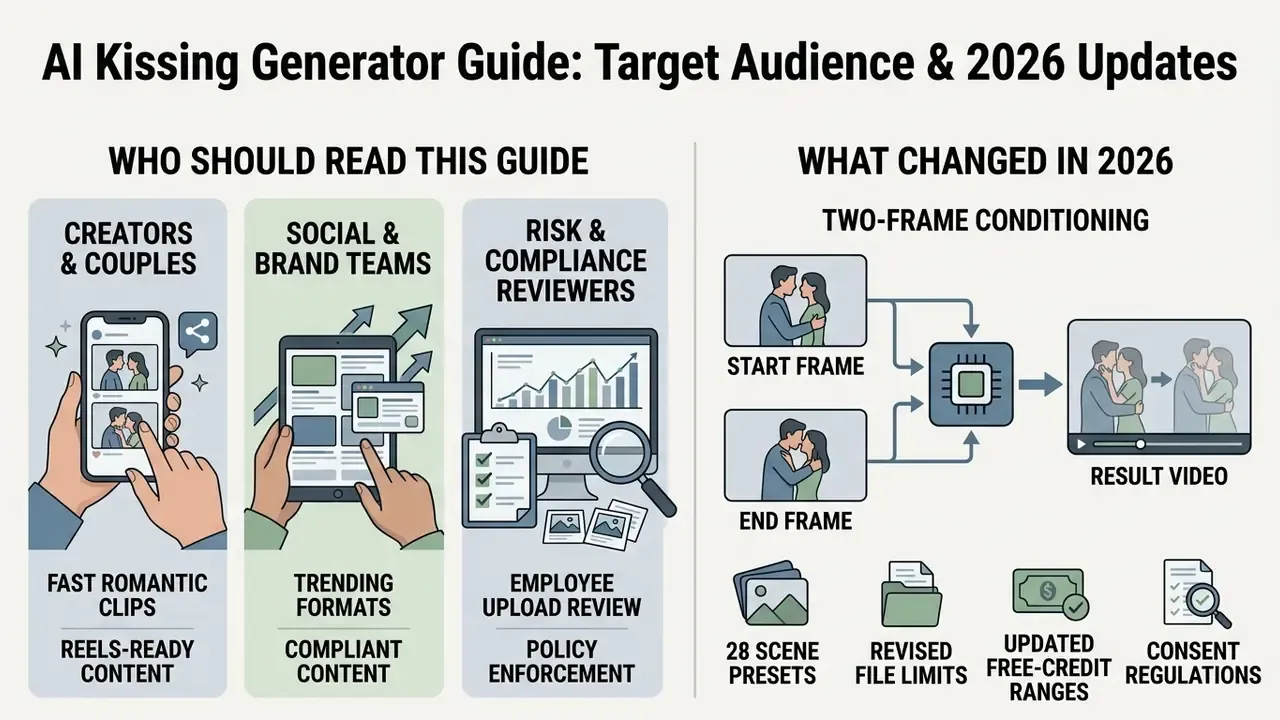
Three groups end up on this page, usually for different reasons.
Creators and couples want a fast anniversary clip or a Reels-ready romantic beat. They mostly need input rules, style presets and the free-credit reality check.
Social and brand teams want to ride a format trend without inheriting a licensing problem. They need the commercial-rights section and the model-release note more than the prompt templates.
Risk, compliance and model-risk reviewers are here because an employee already uploaded something. They need the retention checklist and the validation grid at the end.
What shifted since the previous edition of this guide: two-frame conditioning (Start Frame plus End Frame) became standard on consumer tiers, reusable character profiles turned casual generation into stored biometric templates, and takedown obligations for non-consensual synthetic intimate imagery moved from voluntary policy into enforceable law in the United States. The tooling got better. The accountability got heavier.
What an AI Kissing Generator Is and What Videos It Creates
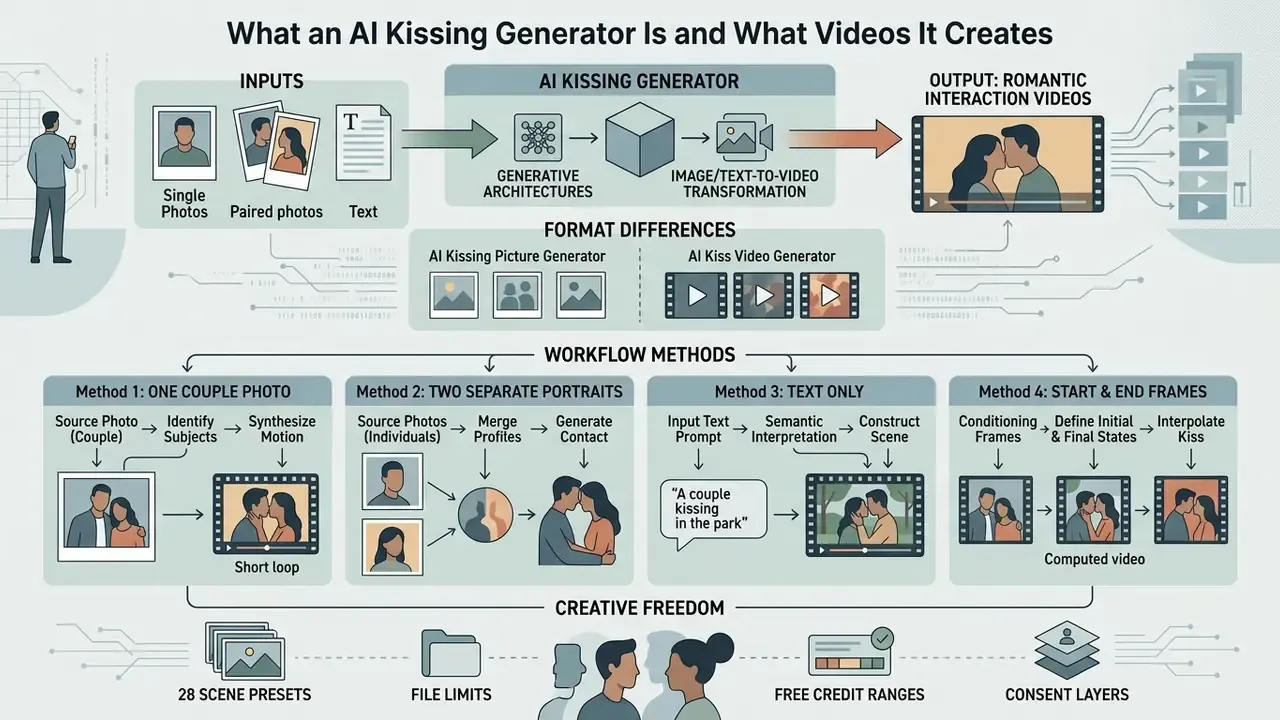
An ai kissing generator transforms single or paired static photographs into rendered romantic interactions using text-to-video or image-to-video generative architectures. Unlike conventional video editing suites, an ai kiss generator calculates facial trajectories, head tilts, and lip movements automatically from reference facial landmarks, the same class of image-to-video AI tools used for talking-head animation and product motion clips. The resulting output ranges from high-resolution ai generated kissing images to dynamic short-form kissing video clips designed for social platforms.
«Fleximo shows that generating human-motion video from reference photos and text is technically feasible while retaining facial identity.»
In practical terms, the pipeline replaces manual editing labour with automated motion synthesis: you supply faces, the model supplies movement. That is also why output quality is bounded by input quality rather than by editing skill. A blurry selfie will not become cinematic because the model is expensive.
AI kissing picture generator vs. AI kiss video generator: format differences
An ai kissing picture generator synthesizes a single still frame depicting two characters in an embrace, ideal for cover art, avatars, and static social posts. In contrast, an ai kiss video generator produces an animated sequence where subjects move across time toward a kiss. Video outputs rely on diffusion models that process temporal consistency, whereas picture tools focus on prompt-driven single-frame composition, a distinction explained in more depth in our overview of AI video generators.
| Attribute | AI kissing picture generator | AI kiss video generator |
|---|---|---|
| Output | 1 still frame (PNG/JPG) | 3–10 s clip (MP4, H.264/AAC) |
| Core model | Text-to-image / image editing diffusion | Image-to-video or text-to-video diffusion with temporal layers |
| Key quality metric | Composition, identity likeness | Identity retention plus temporal consistency and motion smoothness |
| Typical use | Thumbnails, avatars, posters, cover art | Reels, TikTok, Shorts, anniversary messages, fan edits |
| Render time | Seconds | 15 seconds to several minutes depending on queue and resolution |
| Audio | Not applicable | Optional generated ambience or soundtrack (Generate Audio) |
If you only need a static frame, say for a playlist cover, the still route is cheaper, faster and much less likely to produce uncanny mouth geometry.
Building the scene from one photo, two photos, or text
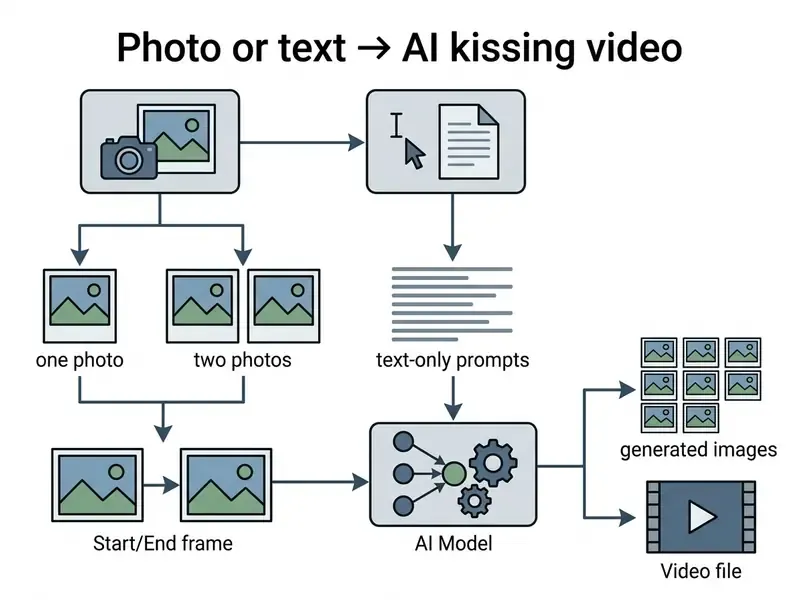
Users can generate kissing scenes through several input workflows depending on their available assets. When uploading one photo, the AI either animates an existing couple or mirrors a single character's face. Uploading two separate photos allows the system to place two distinct individuals into a unified frame by matching lighting and facial scale. Alternatively, text prompts let creators describe new imaginary characters and environments without uploading reference files, the same prompt-first logic used across mainstream AI image generators.
«Two-photo and single-photo workflows are the primary vectors for producing synthetic non-consensual intimate imagery of real people.»
Method 1, one couple photo. The model receives a single frame containing both subjects, so relative spacing, perspective, shared lighting and background are already consistent. This is the highest-fidelity path for realistic output.
Method 2, two separate portraits. The system treats each portrait as an identity reference and composites both into one scene. Input order matters on many engines: the first slot is usually the anchor subject. At very high resolutions, two references can bleed into each other, so mid-resolution generation followed by an upscale pass often preserves identities better.
Method 3, text only. You describe imaginary characters, wardrobe, environment and camera behaviour. No biometric data leaves your device, which makes this the lowest-risk mode from a privacy standpoint. For corporate experimentation, it should be the default.
Method 4, Start Frame to End Frame (two-frame conditioning). Upload the first image as the characters' starting position (Start Frame, for example a couple looking at each other) and the second image as the closing position (End Frame, the subjects in contact). The video model (Seedance 2.5, Veo 3-class, Vidu Start-End2Video and similar) computes the intermediate motion vectors through in-betweening, so the final pose matches your intent instead of being improvised by the sampler. This is the most controllable workflow for choreographed shots such as lean-in → kiss → pull-back.
Consent, Privacy, Commercial Use and Enterprise Risk
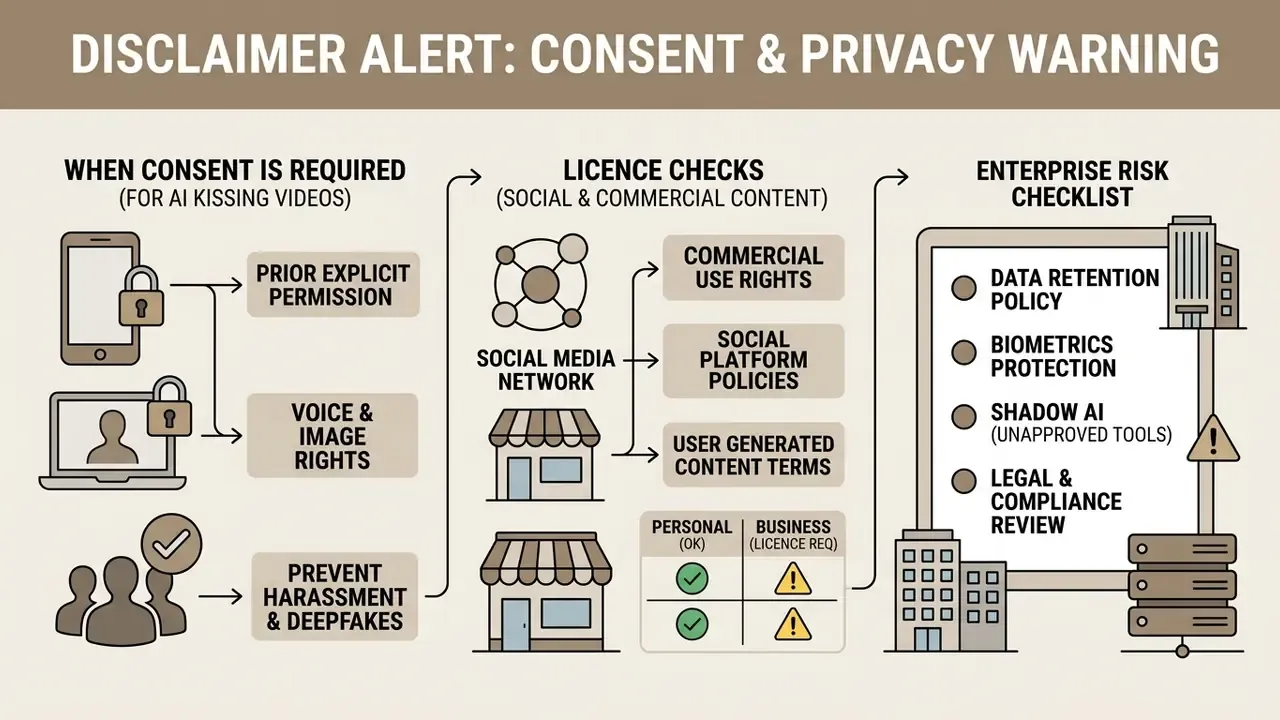
Generating synthetic intimate media carries strict ethical, legal, and privacy obligations. Reading this section before you upload anything is not a formality. It is the difference between a harmless anniversary clip and image-based abuse.
«Median unacceptability for creating AIG-NCII reached 89.54%; for distribution, 94.39% (private) and 94.44% (public), n = 315.»
Those figures replace the rounded "89.5% / over 94%" numbers often quoted second-hand, and they show something specific: public condemnation intensifies as soon as sharing enters the picture, not just creation.
ALERT: Consent and Privacy Warning
When consent is required for an AI kissing video
You MUST obtain explicit, voluntary consent before uploading photographs of real individuals into any ai kissing generator. Using images of friends, acquaintances, or public figures without permission violates personal privacy rights and platform terms of service.
«2.2% of respondents reported deepfake-pornography victimisation and 1.8% reported perpetrating behaviours.»
Data retention, biometrics and Shadow AI: an enterprise checklist
Consumer kiss generators are one of the most common Shadow AI entry points, precisely because they look like harmless entertainment while ingesting biometric identifiers. Before any employee, agency or contractor uploads a face, run this checklist.
| Control area | Question to answer before upload | Red flag |
|---|---|---|
| Retention | How long are source photos and generated outputs stored, and is deletion automatic or manual? | "Stored temporarily" with no stated window |
| Training reuse | Are uploads used to train or fine-tune models? Is opt-out available on the free tier? | Training consent bundled into ToS with no toggle |
| Biometric classification | Does the vendor treat facial data as biometric or special-category data with a documented legal basis? | No mention of biometrics or GDPR/CCPA basis |
| Sub-processors | Which third-party inference providers receive the images, and in which jurisdictions? | Undisclosed model providers |
| Security posture | Are SOC 2 Type II, ISO 27001 or ISO/IEC 42001 attestations available? | Marketing claims of "secure processing" only |
| Public galleries | Can generated clips appear in a public showcase or example feed by default? | Opt-out-only public gallery |
| Takedown | Is there a documented NCII takedown channel with an SLA? | Support email only |
| Corporate policy | Are staff prohibited from uploading customer, colleague or brand imagery to public generators? | No AI acceptable-use policy |
Vendor practice varies widely. Some platforms state that original photos are deleted immediately after generation and that creations are never publicly displayed, while others keep outputs on temporary CDN storage until an unspecified expiry. Document whichever applies before approving the tool, and prefer text-to-video mode for any experiment that does not strictly require a real face. If a vendor cannot answer four of these eight questions in writing, that is your answer. Procurement teams comparing vendor commitments side by side can start from our comparison hub and escalate open questions through vendor support channels before signing anything.
How to Create an AI Kissing Video: Step-by-Step Process
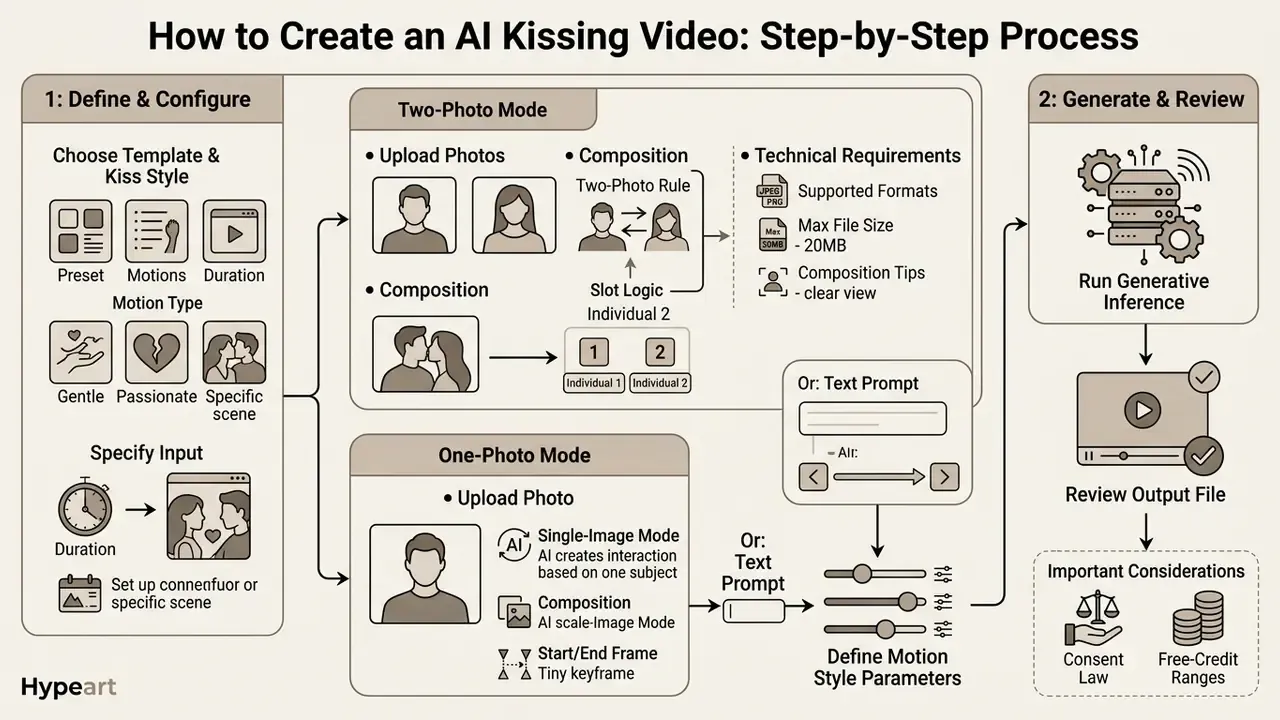
Creating an ai kissing video means selecting reference imagery, defining motion style parameters, running the generative inference, and reviewing the output file. Modern web platforms streamline this into a structured pipeline that converts static facial features into synchronized video clips.
This is not marketing language. Official documentation describes the same four-stage sequence. The U.S. GAO notes that video-generation models accept text, images or video as input and generate or edit videos accordingly; Adobe Firefly documents a start-frame plus optional end-frame flow blended into a short coherent clip; Google's Gemini video documentation lists text, photo or video inputs with up to five photo references; and MiniMax H3 documents zero, one or two input images for text-to-video, first-frame-to-video and first-and-last-frame-to-video generation. Consumer kiss tools are a packaged version of exactly this pipeline.
Step 1: choose a template and kiss style
Open the generator interface and select a pre-configured interaction template. Available options range from subtle head tilts and gentle cheek touches to intense romantic scenes. Common presets include General, Cheek Kiss, Forehead Kiss, Lip-to-Lip, Soft/Gentle Kiss, French Kiss and Wedding Kiss. Choosing the right template establishes the baseline movement skeleton for the pipeline, which is why template choice affects realism more than prompt length does.
Step 2: upload one or two photos (technical requirements)
Upload clear, front-facing portrait photographs. In a two-photo workflow, assign one face to each subject slot to ensure accurate facial mapping. Respect the following input specifications, which are consistent across leading platforms:
- Supported file formats JPG, JPEG, PNG, WEBP.
- Maximum file size up to 20 MB per image.
- Composition front-facing, upper-body or head-and-shoulders crop; eyes, nose and mouth clearly visible; no sunglasses, masks or heavy occlusion.
- Two-photo rule both images must share the same aspect ratio; mismatched ratios cause letterboxing or stretched, distorted faces.
- Slot logic in Start Frame / End Frame mode, the first upload defines the opening pose and the second defines the closing pose.
- Single-image mode some engines require one image that already contains two people; others accept a solo portrait and generate a mirrored counterpart.
If you need to prepare source graphics beforehand, use AI photo editors, a general-purpose online photo editor or a desktop tool such as microsoft photo editor to crop portraits to sensible face-to-frame ratios, equalise exposure and strip heavy beauty filters before upload.
Step 3: configure prompt, aspect ratio, duration and audio
Add descriptive text guidance for lighting, mood, environment and body language (embrace, gradual approach, eye contact). Then set the output parameters:
- Aspect ratios
16:9(landscape/YouTube),9:16(TikTok, Reels, Shorts),1:1(square feed),4:3and3:4. - Quality/resolution 480p and 720p on free tiers; 1080p and 4K upscaling on paid tiers (Vidu documents upscaling from 360p to 1080p).
- Duration typically 3–10 seconds per clip; some engines extend to 16 seconds with synchronised audio.
- Generate Audio optional AI-generated ambience, foley or soundtrack rendered alongside the video.
- Thinking Mode / Prompt Enhance optional reasoning or prompt-rewriting passes that improve adherence at the cost of extra credits and render time.
- Output format MP4 (H.264 video, AAC audio) for maximum device compatibility.
Ready-to-use prompt templates
- Romantic sunset (photorealistic):
"A romantic slow-motion kiss of a young couple on a sandy beach during golden hour sunset, soft lighting, cinematic 8k, photorealistic, gentle breeze." - Anime style:
"Anime couple kissing under blooming cherry blossom trees, romantic atmosphere, vibrant colors, Makoto Shinkai style, highly detailed 2D animation." - Cinematic rain:
"Two people under a black umbrella at night, neon city reflections on wet asphalt, tender lip-to-lip kiss, shallow depth of field, 35mm film grain, slow push-in camera." - Vintage monochrome:
"Classic black-and-white cinema kiss, 1950s wardrobe, soft key light with hard shadow falloff, subtle head tilt, static tripod shot."
Write prompts positively and descriptively. Runway's Gen-4 guidance warns that negative prompting degrades adherence, so describe what you want rather than what you want removed. Yes, that feels counterintuitive if you came from image models with negative-prompt fields.
Step 4: generate, preview and download
Click generate to process the motion synthesis through the underlying video diffusion model. Once rendering completes, preview the clip and inspect facial alignment and motion smoothness. If the output meets quality standards, download the MP4 file directly to your device.
- Select templatepick a kissing style, background setting, and motion speed.
- Upload imagessupply one couple photo, two individual portraits, or a Start/End frame pair.
- Configure prompts and outputadd text guidance for lighting, mood or environment; set aspect ratio, duration, quality and audio.
- Generate videorun the model inference to synthesize motion frames.
- Review and downloadinspect temporal realism, identity retention and lip-region artefacts, then export the finished clip.
Budget-conscious users can estimate credit burn per campaign before committing, and it helps to compare options once you know your target clip count and resolution.
Which Photos Work for a Realistic AI Kiss Video
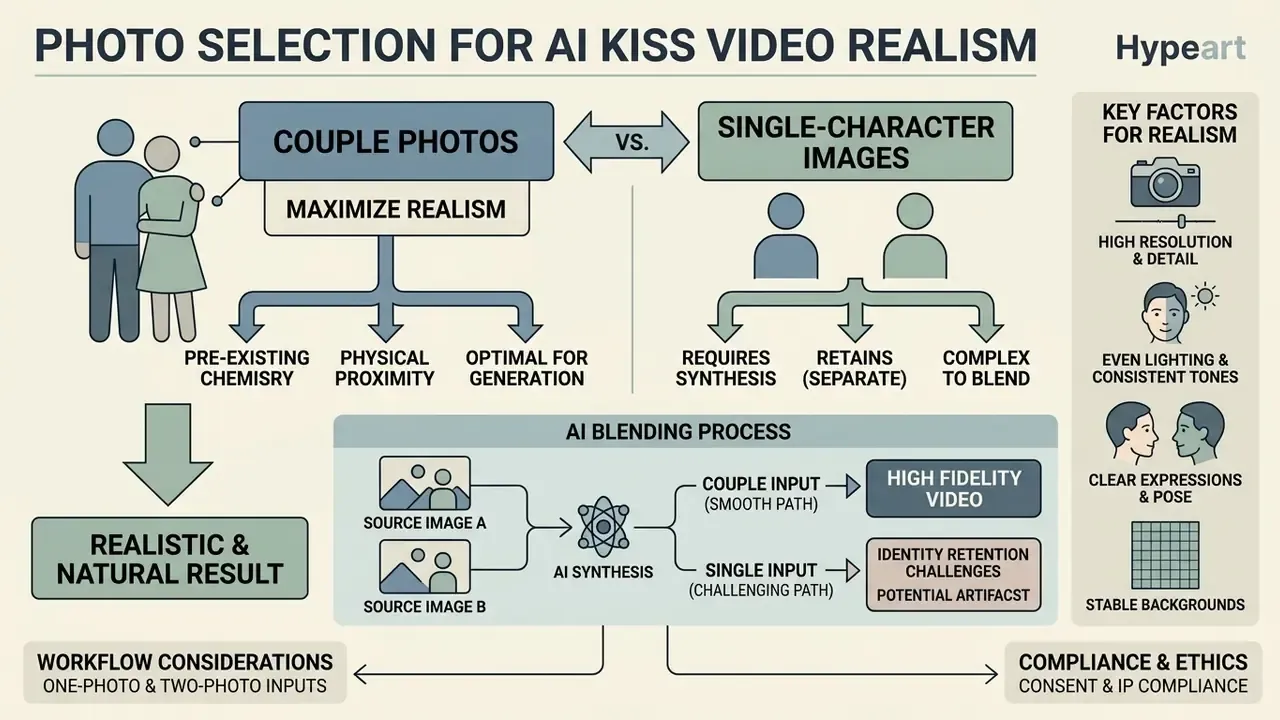
Source image quality directly dictates the realism and naturalness of the generated ai kissing video. Everything else is secondary.
«Fleximo introduces MotionScore over 400 videos (20 identities × 20 motion types), confirming that motion-following accuracy depends on reference-image quality.»
In other words, identity retention is not a stylistic preference. It is a measurable function of clean facial-landmark detection, adequate face-to-frame size and consistent lighting across input frames.
Couple photos vs. single-character images
Single couple photos generally produce smoother natural motion because the subjects already share a common background context, perspective, and lighting scheme. The model only has to animate an existing composition rather than reconcile two different capture conditions. Documentation for two-input editing pipelines supports this: separate references have a fixed input order, degrade when that order is swapped, and can blend identities at high generation resolutions, whereas one combined frame mainly requires motion synthesis. (Vendor documentation. No peer-reviewed head-to-head benchmark of couple-photo versus dual-portrait inputs is currently available, so treat this as engineering guidance rather than a measured result.)
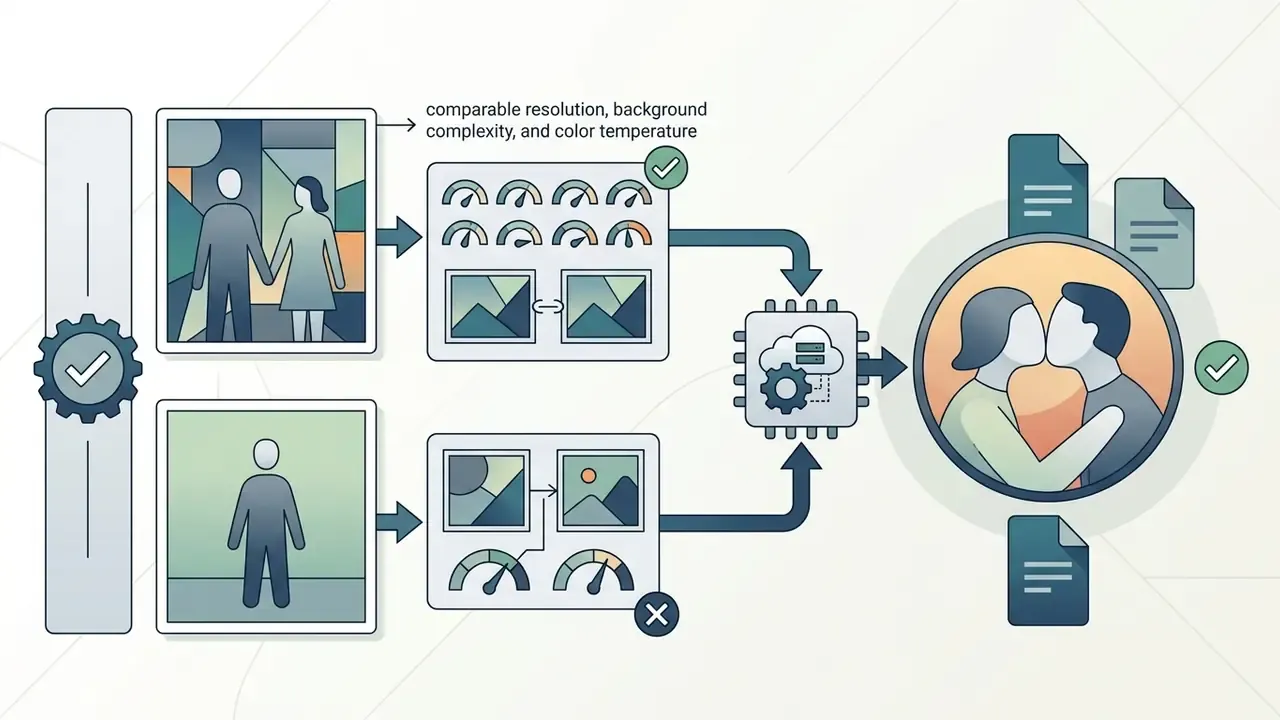
When combining two separate photos, make sure both portraits have similar resolution, frontal camera angles, and balanced shadows. Mismatched lighting or low-resolution inputs frequently cause visual artifacts or facial distortion during motion synthesis.
Reproducible test (documented editorial workflow, not a controlled study). In a hands-on editorial test, a heavily filtered portrait was paired with a low-light snapshot and rendered through an image-to-video kiss template. The output showed severe identity warping along the jawline and unstable lip geometry. Replacing both inputs with high-resolution, unedited studio portraits (matched aspect ratio, similar frontal angle, diffuse lighting) restored facial consistency and produced a clean animation on the first retry. Method: same model, same prompt, same seed policy, single variable changed (input quality). This is an internal observation with n = 1 pair, reported for illustration, not as statistical evidence. Take it as a hint, not a finding.
Practical input checklist
- One clear photo per person; the face should occupy a large share of the frame.
- Frontal or near-frontal angle; strong profiles reduce quality.
- Even lighting, no harsh shadows, no blown highlights.
- No sunglasses, masks, heavy hair occlusion or aggressive beauty filters.
- Avoid group photos when you need two specific identities; use two individual portraits instead.
Styles of AI Kissing Videos: Romantic, Realistic, Anime and Creative
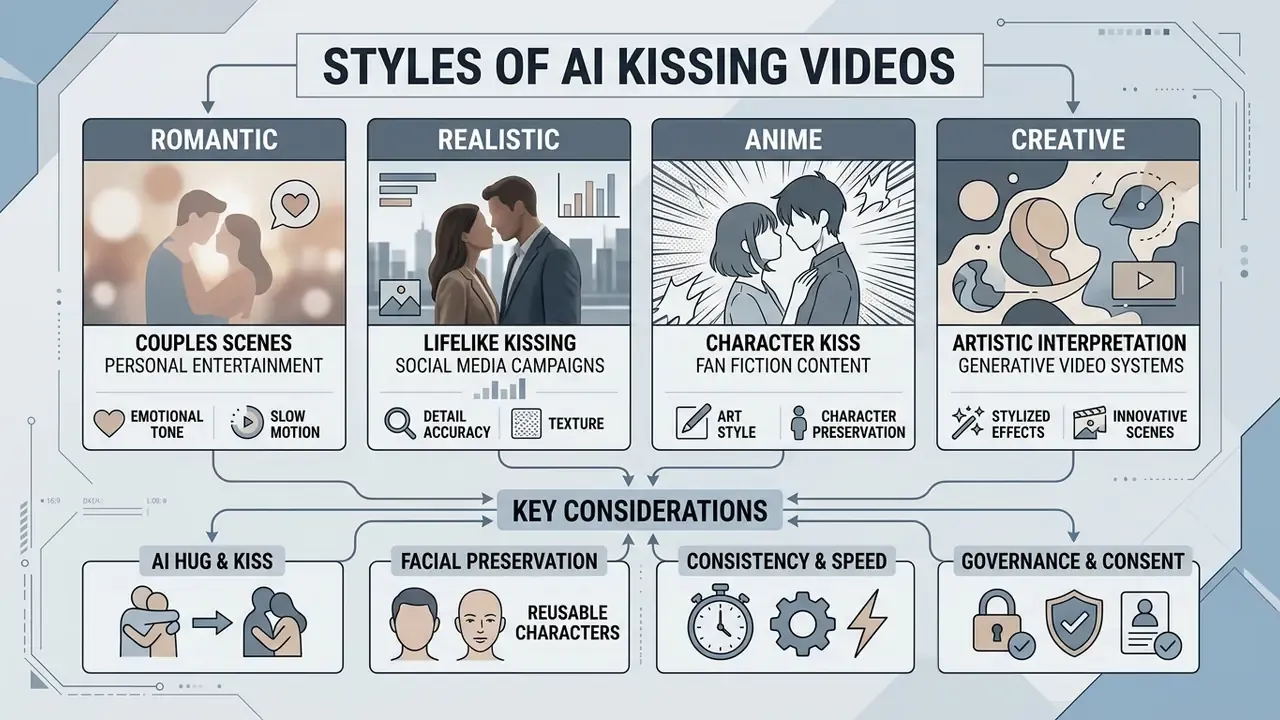
Generative video systems offer multiple visual styles tailored for personal entertainment, fan fiction, or social media campaigns. Selecting a defined style alters colour palettes, linework, and facial rendering mechanics.
«An audit of 420 face-swap applications found that 70% lack technical safeguards against generating nude imagery.»
Read that as a selection criterion, not a curiosity. A platform that markets dozens of styles but ships no safety layer is a compliance liability regardless of output quality.
Romantic and realistic kissing scenes for couples
Romantic and realistic styles emphasize lifelike skin textures, believable facial expressions, and natural head tilts. The animation relies on physics-informed motion priors to simulate subtle eye closures, soft lip movement, and organic upper-body posture changes. Romantic presets lean on warmth: relaxed eyelids, faint tender smiles, diffused key light, intimate two-shot framing. Realistic presets are deliberately more restrained, with everyday expression, accurate proportions, natural exposure and candid framing rather than heightened emotion.
Anime and character kiss videos for fan content
Anime and character presets render stylized 2D visuals with clean linework, vibrant colour tones, and expressive eyes. These models maintain character consistency for fan-art edits by referencing fixed character anchor sheets during frame generation.
The practical fan-community workflow is three steps: build a character anchor image with front, side and back views; reuse that anchor as the reference for every shot; keep only three to five immutable trait keywords per prompt, adding one scene modifier and one motion keyword. Continuity guides warn that extreme expressions, complex shadows or overloaded motion prompts trigger facial drift and warped features. Creators who want to understand classic keyframing before moving to generative motion can review our guide to an animation maker, and readers who enjoy template-driven creative tooling in general may find the mario maker 2 breakdown a useful comparison of preset-based creation systems.
Preserving faces with reusable AI characters
For a series of clips featuring the same protagonists, modern generators let you save a reusable AI character profile. The model fixes a facial landmark embedding derived from your reference photos, which lets you deploy that character in new video clips, photo packs and scenes without re-uploading and recalibrating source images every time. Benefits and caveats:
- Consistency the same recognisable appearance across kiss videos, hug videos, couple photo packs and wedding scenes.
- Speed no per-generation upload, cropping or slot assignment.
- Governance a saved character is a stored biometric template. Confirm that it is used only for your own creations, is never surfaced in public galleries, and can be deleted at any time.
- Limitation embeddings are model-specific; switching engines usually means rebuilding the character from scratch.
AI hug & kiss video generators for embrace scenes
An ai hug & kiss video generator (also searched as an ai hug and kiss video generator or ai kiss and hug video generator) combines physical proximity with kissing actions in a continuous sequence. The underlying diffusion engine models intermediate depth frames, transitioning characters smoothly from a warm embrace into a gentle kiss. Vendor documentation describes exactly this mechanic: the model analyses depth and generates the intermediate frames of movement that bridge two subjects from apart into contact, so hug and kiss are handled inside one generation pass rather than stitched from two clips.
Scene preset catalogue: 28 kiss locations and mise-en-scènes
Beyond broad styles, platforms ship location-specific presets that pre-load camera behaviour, lighting and blocking. Use this catalogue as a shortlist for prompts or template selection.
| Category | Scene presets | Visual signature |
|---|---|---|
| Urban & everyday | Elevator Kiss, Office Kiss, Laundry Kiss, Garage Kiss, Mirror Kiss, Backstage Kiss | Enclosed framing, practical overhead light, tight two-shot |
| Atmospheric & weather | Rain Kiss, Snow Kiss, Sunset Kiss, Sunlit Kiss, Aurora Kiss, Cherry Blossom Kiss | Particle motion, rim light, colour-graded skies |
| Cinematic & stylised | CCTV Aisle Kiss, Traffic Cam Kiss, Polaroid Kiss, Vintage Black-and-White, Slow-Motion Kiss, Cosplay Kiss | Surveillance grain, fixed high angle, film texture, frame-rate ramps |
| Public & romantic | Pool Kiss, Bathtub Kiss, Beach Kiss, Wedding Kiss, Festival Kiss, Fireworks Kiss, Christmas Tree Kiss | Water caustics, bokeh crowds, warm bounce light |
| Interaction types | Lip-to-Lip Kiss, Cheek Kiss, Forehead Kiss, French Kiss, Stolen Kiss, Cross-legged Kiss, Food Kiss, Couple Kiss, Kiss Me | Defines contact point, dwell time and head-tilt amplitude |
Pair a location preset with an interaction type for precise results. For example, Elevator Kiss + Stolen Kiss gives a quick playful beat, while Sunset Kiss + Lip-to-Lip holds the moment. Creators chasing a specific look sometimes stack a stylistic layer on top, similar to how a microwave ai filter reshapes texture and grain in still imagery.
Free AI Kiss Generator: What You Get Without Paying
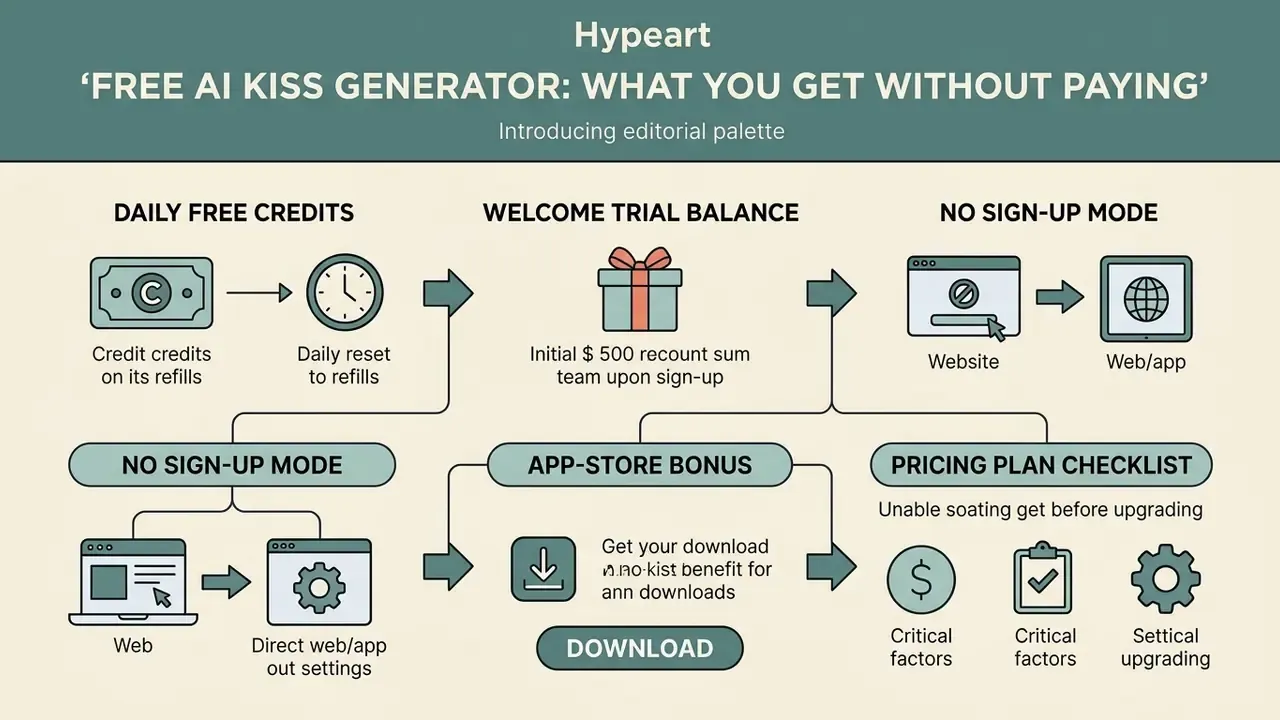
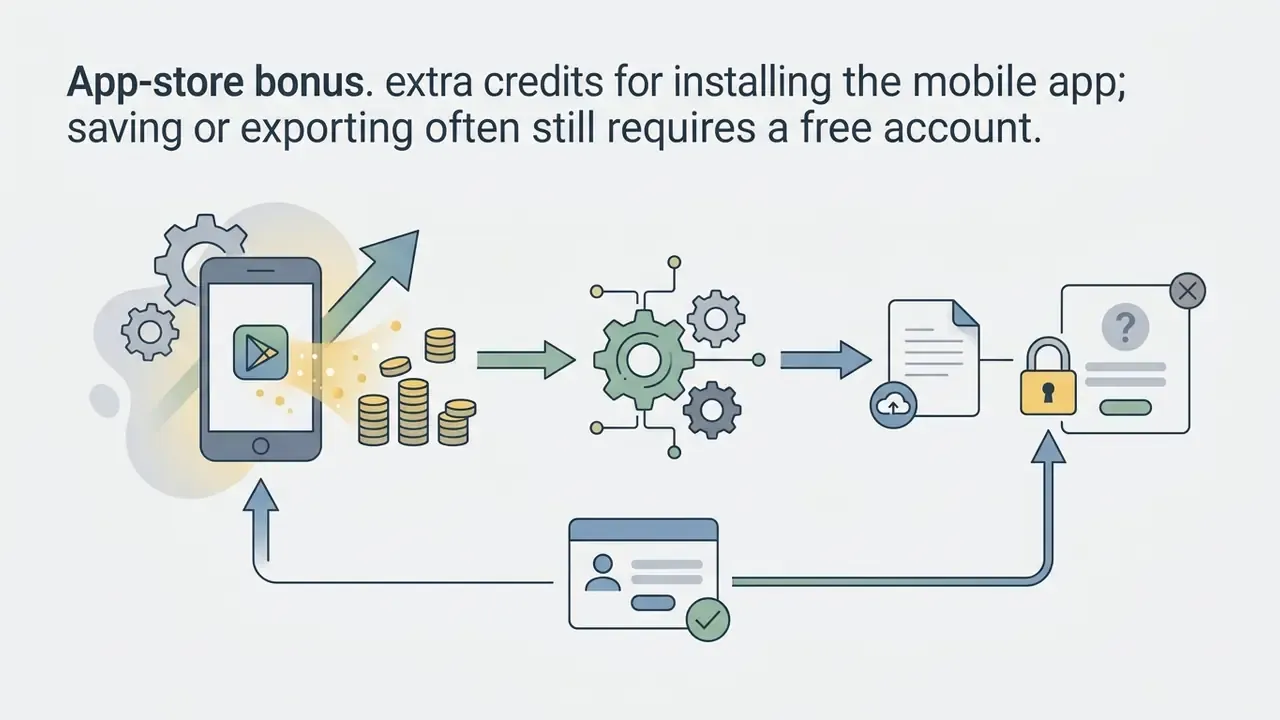
Many users search for a free ai kiss generator, a free ai kissing generator, an ai free kissing video generator or simply an ai kissing free generator to test capability before buying credits. Platforms typically offer free-tier access through daily trial credits, limited web modes, or promotional app installs, the same access patterns documented across free AI video generators in other categories.
Free apps, web versions and generation without sign-up
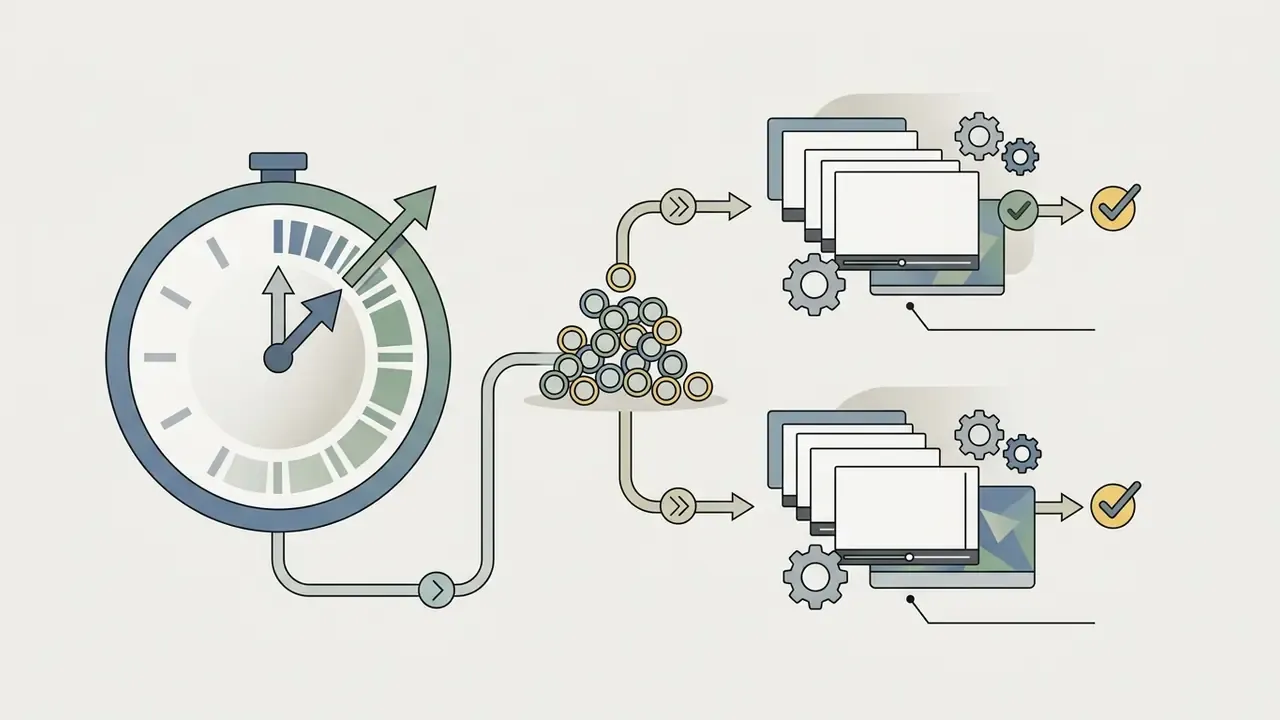
Web-based tools sometimes advertise an ai kissing video generator no sign up workflow, letting users test basic models instantly in the browser. Mobile applications, such as an ai kiss video generator app free download on iOS or Android, often grant trial credits on installation. Search demand also clusters around a free ai kiss video generator app, a free ai kissing video generator app, an ai kissing video generator free app and an ai kiss video generator free app, and in practice these labels describe the same freemium mechanics. Advanced features almost always require an account. Observed patterns in 2026:
Anyone planning to create ai kissing trend content at volume will exhaust a free tier in an afternoon. That is the intended funnel, and there is nothing sinister about it, but plan for it.

What to check in a pricing plan before generating videos
When evaluating free options, review download resolution caps, output watermarks, daily generation allowances, and queue processing times. It also pays to compare across categories using our roundups of the best AI video generators and free AI video generators, to check current subscription tiers on our pricing page, and to examine adjacent tooling such as midjourney video generation if you need stylised output rather than photorealism.
| Parameter | Free Tier Access | Paid Subscription Tier |
|---|---|---|
| Generation credits | From about 30 free daily credits (roughly 2 videos/day, e.g. EaseMate-style tiers) up to a 200-credit welcome balance (e.g. AIReel-style trials); some tools allow 3 no-sign-up generations/day | Unlimited or high monthly credit allocation with priority queue |
| Video resolution | Standard definition (480p–720p) | High definition (1080p to 4K upscaling) |
| Duration | Fixed short clip (typically 3–5 s) | Extended clips (up to 10–16 s), multi-shot sequences |
| Watermark | Visible platform logo embedded (some vendors ship watermark-free trials) | Watermark-free clean exports |
| Style options | Basic presets only | Full access to realistic, anime, cinematic and location presets plus custom prompts |
| Supported AI engines | Basic or legacy generation models | Flagship engines (Veo 3, Grok Imagine, Sora 2, Seedance 2.5, Vidu) with optional Generate Audio |
| Advanced controls | Single-image upload only | Start/End Frame conditioning, reusable AI characters, Thinking Mode, prompt enhance |
| Commercial rights | Personal non-commercial use only | Full commercial licensing rights included (verify model release paperwork separately) |
| Data handling | Standard retention, training opt-out often unavailable | Enterprise terms, no-training options, documented deletion windows |
Free-tier limits move quickly and differ per vendor. Treat the table as a market range, then confirm current terms on the provider's own pricing page before committing to a workflow.
How to Choose the Best AI Kissing Video Generator
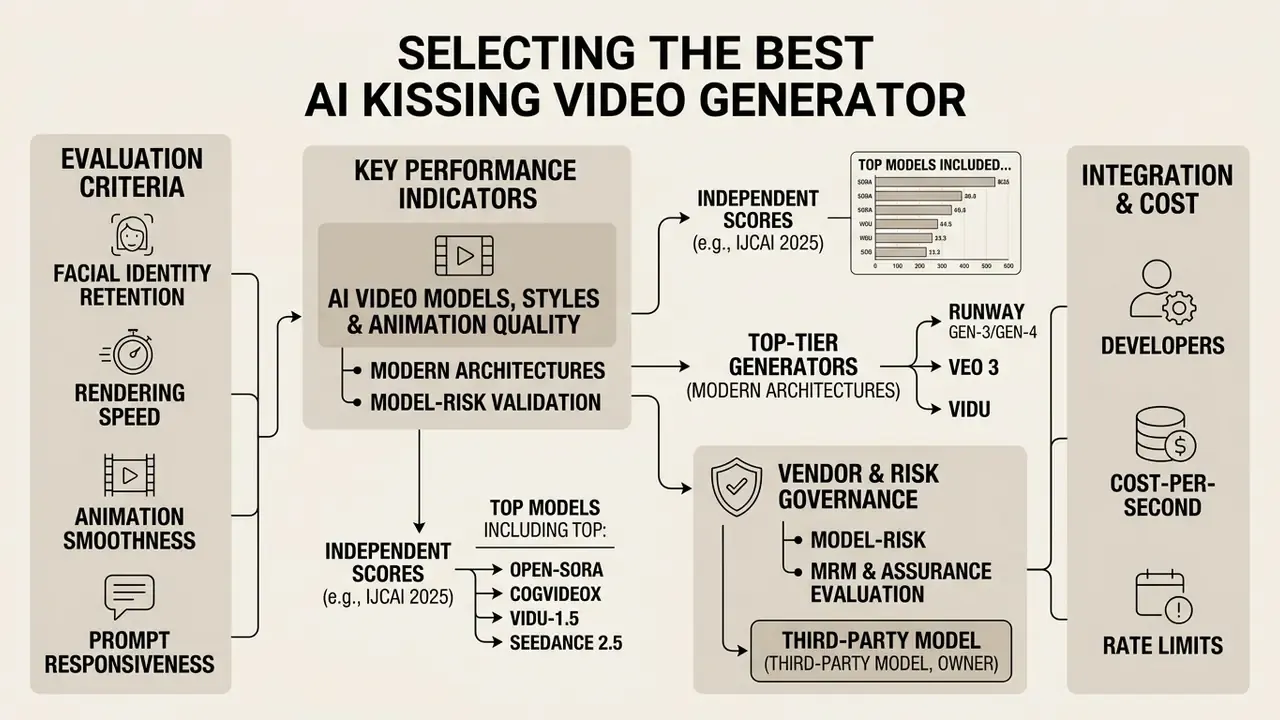
Selecting the best ai kissing video generator depends on evaluation criteria such as facial identity retention, rendering speed, animation smoothness, and prompt responsiveness, the same axes we use when we compare AI video generators by quality and control. Advanced platforms claim state-of-the-art foundation models hold character consistency through complex motion paths. That claim is testable rather than self-evident.
«VBench evaluates video models across 16 dimensions, including subject inconsistency, temporal flickering, motion smoothness and dynamic degree.»
Independent evaluations reported at IJCAI 2025 scored models including Open-Sora, CogVideoX, Vidu-1.5, Minimax-I2V01 and AniSora on smoothness, motion, appeal, text-to-video consistency, image-to-video consistency and character consistency, with Vidu-1.5 reaching 60.98 overall on human evaluation (55.37 smoothness, 66.85 character consistency). The takeaway for buyers: motion naturalness and identity preservation are separate metrics, and a model can lead on one while trailing badly on the other.
AI video models, styles and animation quality
Top-tier video generators run on modern architectures such as Vidu, Runway Gen-3/Gen-4, Veo 3, Seedance 2.5 or Sora-class diffusion pipelines. Testing an ai kiss generator vidu workflow, for instance, shows solid temporal smoothness and 1080p output stability, along with Reference2Video, Image2Video, Start-End2Video and Text2Video modes. Readers who want the architectural background can review our primer on text-to-video AI. When choosing an engine, check whether the model supports specialised controls such as first-and-last-frame conditioning or custom motion prompts.
«SurrogatePrompt bypassed Midjourney's safety filter with an 88% success rate by substituting surrogate content.»
That result matters when comparing vendors. A platform whose moderation relies on keyword blocklists alone is measurably easier to jailbreak than one combining input classifiers, output classifiers, face-similarity checks against known public figures, and audit logging.
Model-risk validation criteria for spatial-temporal video models
For model-risk, MRM or assurance teams evaluating a kiss generator (or any image-to-video pipeline) as a vendor model, the following validation grid converts marketing claims into measurable evidence.
| Validation axis | What to measure | Practical test |
|---|---|---|
| Identity retention | Cosine distance or face-similarity score between source portrait and sampled output frames | 20 identities × 5 seeds; flag drift above the agreed threshold |
| Temporal consistency | Flicker, subject inconsistency, background inconsistency (VBench-style dimensions) | Frame-difference analysis on static background regions |
| Motion realism | Motion smoothness versus dynamic degree trade-off; plausibility of head and neck articulation | Compare high-motion and low-motion prompts on identical inputs |
| Distribution quality | FVD (video) and FID (frame-level) against a reference set | Fixed prompt suite, fixed seeds, versioned reports |
| Prompt adherence | Text-to-video consistency; obedience to contact type and camera instruction | Structured prompt matrix (location × interaction × camera) |
| Hallucination & artefacts | Extra limbs, lip-region smearing, jawline warping, wardrobe drift | Manual review rubric with severity scoring |
| Safety robustness | Jailbreak success rate under substitution-style prompt attacks | Red-team suite mirroring published bypass techniques |
| Reproducibility & drift | Output stability across model versions and time | Re-run the baseline suite after every vendor model update |
| Documentation | Model cards, evaluation reports, ISO/IEC 42001-aligned AI management evidence | Request artefacts before procurement, not after |
FAQ About AI Kissing Generators
Does the generator support videos with the same face?
Yes, most generators support same-face video generation. If you upload a single portrait into an ai kissing generator, the model can synthesize a dual-character scene where the subject interacts with an identical visual clone or mirrored avatar. Research on identity-preserving video generation (2024–2026) confirms feasibility: dedicated identity-reference networks, identity control branches and identity-preservation losses keep facial likeness stable across frames, poses and lighting changes.
What file formats and sizes can I upload?
JPG, JPEG, PNG and WEBP are the standard accepted formats, with a per-image limit of about 20 MB. When you upload two separate portraits, both must share the same aspect ratio so the compositor does not stretch or crop faces. Finished clips download as MP4 (H.264/AAC), which plays natively on iOS, Android, Windows and macOS.
Which aspect ratios and durations are available?
Typical output options are 16:9, 9:16, 1:1, 4:3 and 3:4, with 9:16 the default for TikTok, Reels and Shorts. Duration usually spans 3–10 seconds on consumer tiers, and some engines extend to 16 seconds with synchronised generated audio. Free tiers commonly lock duration to the shortest preset.
Can I generate a kissing video from text only, without any photo?
Yes. Text-to-video mode describes imaginary characters, wardrobe, location and camera behaviour without uploading a single reference file. Because no biometric data is processed, this is the lowest-risk mode for corporate and marketing experimentation.
Is it free, and will there be a watermark?
Most platforms are free to start. Expect either a daily credit reset (about 30 credits, roughly 2 clips) or a one-time trial balance near 200 credits. Watermarks and 480p–720p caps are the usual free-tier trade-off, though a minority of vendors ship watermark-free trials. Commercial rights are almost always reserved for paid plans.
What happens to my uploaded photos?
This varies by vendor and must be checked individually. Some platforms state that original photos are deleted immediately after generation and that creations are never publicly displayed; others store outputs temporarily until an unspecified expiry. Look for an explicit retention window, a training opt-out, sub-processor disclosure and a self-service deletion control before uploading any real face.
What should I do if the first AI kiss video looks unnatural?
If your first generation yields distorted facial features or unnatural motion, work through these remediation steps:
- Upgrade the source image: replace low-resolution or shadowed photos with clear, front-facing studio portraits; remove heavy filters and re-crop so the face fills more of the frame.
- Adjust prompt guidance: reduce extreme style modifiers and specify gentle, natural motion. Write positively and descriptively rather than listing what to avoid.
- Switch motion style: move from intense interaction templates to subtle romantic or soft cheek-kiss presets, and lower the requested motion amplitude.
- Fine-tune camera angles: align both reference faces at similar angles before re-running, and match colour temperature and shadow direction across the two inputs.
- Reduce generation resolution, then upscale: at very high resolutions two separate identities can blend; generate at mid-resolution and upscale afterwards.
- Lower style-reference strength: vendor documentation warns that maximum style weighting frequently produces unwanted deformation.
«Steel (2026) reports that 55.3% of surveyed U.S. adolescents (n = 308, ages 13–17) had created at least one sexualised AI image and 54.4% had received one.» Steel, Prevalence of generative AI sexualized image usage among U.S. adolescents, PLoS One (2026) That prevalence figure is why platform-level guardrails, age gating and school or workplace policies belong in the same conversation as troubleshooting tips. The tooling is already mainstream among minors, and adult operators are accountable for how it is deployed around them.
How do I post-process and publish the finished clip?
If you need to edit clips or merge multiple takes, you can merge video online with web editing tools, add narration or ambience through an AI voice generator, apply colour and stylistic adjustments in free video editing software, or finish on desktop with a microsoft video editor. For social publishing workflows, our YouTube video editor guide covers export presets, captions and release checklists.
Footer Navigation & Authority Hub
To explore our complete directory of digital media tools, tutorials, and technical reference guides, view the guide in our central documentation hub. Editorial note: this guide is reviewed against vendor documentation, peer-reviewed computer-vision research and published regulatory guidance. Marcus Hale, author. The content is informational and does not constitute legal advice.