An ai kissing generator free web tool turns static portraits or written prompts into short animated romantic clips using video diffusion models. The pipeline reads facial geometry, infers motion vectors, and synthesizes lip, cheek and head movement to build a kiss scene in a couple of minutes. That is the consumer story. The other half of the story matters to anyone with a compliance mandate: every render starts with biometric data leaving your device.
Key Takeaways Before You Upload Anything
- What it is an image-to-video or text-to-video diffusion pipeline that animates one joint photo, two separate portraits, or a written prompt into a 3 to 10 second romantic clip exported as MP4 or WebM.
- What you need sharp, front-facing or 3/4 faces, diffuse even lighting, nothing covering lips or eyes, JPG/PNG/WEBP files up to roughly 20 MB per upload.
- Free vs paid most platforms grant 20 to 80 daily or starter credits, export at 360p to 480p, and stamp a corner watermark. Paid tiers unlock 720p to 1080p, clean exports, priority queues and commercial rights.
- Styles and presets realistic, romantic-cinematic, anime, cartoon, plus situational scenes such as rain kiss, elevator kiss, snow kiss, CCTV-aisle kiss, food kiss, wedding kiss.
- Post-processing matters audio SFX, AI music, lip-sync models and spatio-temporal upscaling turn a silent 480p draft into a publishable HD or 4K clip.
- Non-negotiable rule never generate the likeness of a real person without explicit, documented, revocable consent. Non-consensual intimate synthetic media is criminalized in a growing list of jurisdictions.
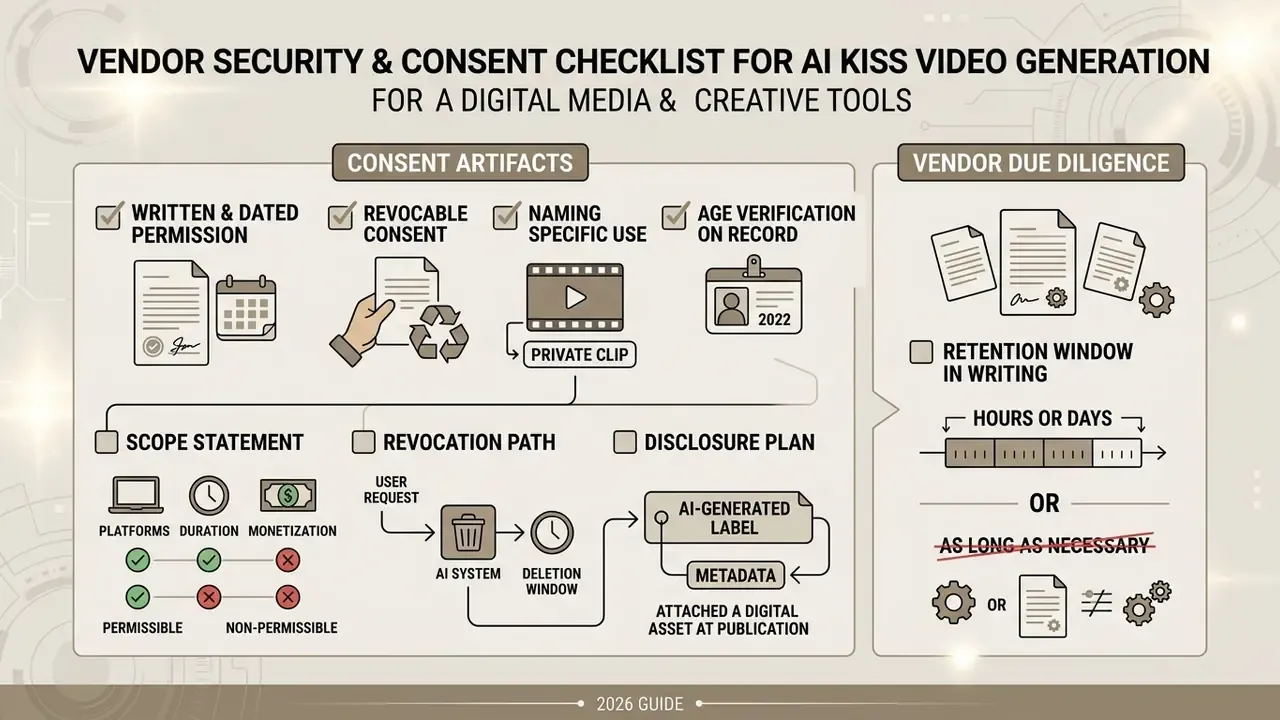
- For risk owners treat public kiss generators as Shadow AI. Verify retention windows, deletion protocols, training-data reuse clauses and certification claims before any employee or customer photo touches the endpoint.
This article is general information, not legal advice. Copyright, biometric and synthetic-media law varies by jurisdiction.
Who This Guide Is For and How to Read It
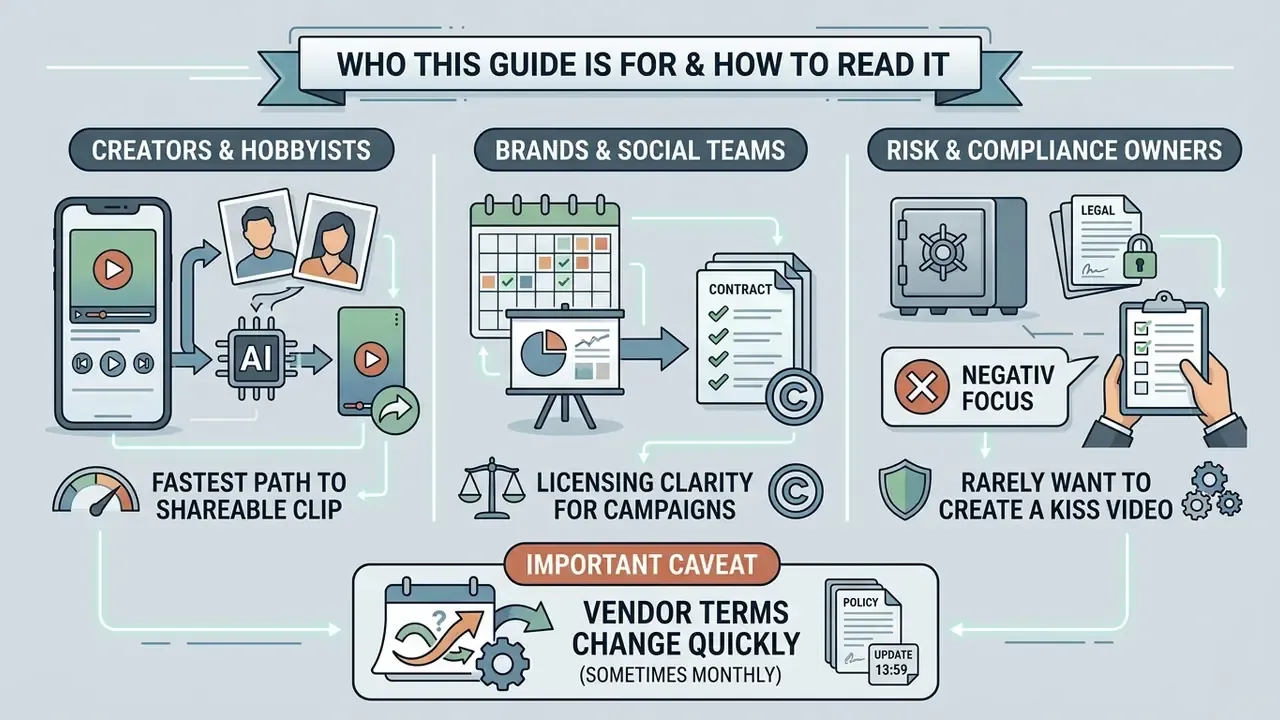
Three groups land on this page with different questions, so read selectively.
- Creators and hobbyists want the fastest path from two portraits to a shareable vertical clip. Start at the three-step workflow, then use the prompt templates and the artifact-fixing list.
- Brand, social and campaign teams need licensing clarity. The free versus paid comparison and the commercial-use checks answer whether the export can be monetized at all.
- Risk, compliance and security owners at banks and mature fintechs rarely want to make a kiss video. They want to know what happens when an employee uploads a badge photo to an unvetted endpoint. The consent section and the vendor checklist are written for you.
One honest caveat up front: vendor terms in this category change quickly, sometimes monthly. Treat every number below as a snapshot to verify, not a contract.
What Is an AI Kissing Generator and What Can It Create?
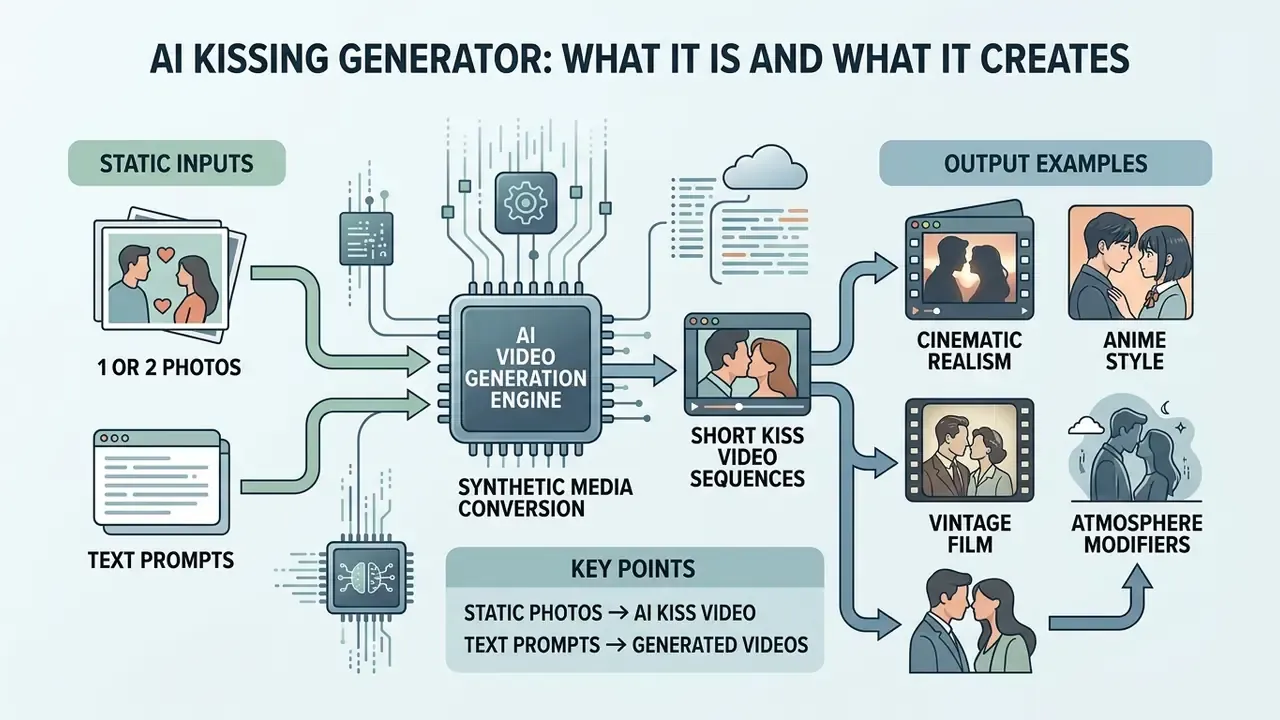
An ai kissing generator is a synthetic media application that converts static input images or written descriptions into short video sequences showing romantic interaction. Working through image-to-video and text-to-video diffusion pipelines, an ai kissing generator free platform renders 3 to 6 second animated clips in common containers such as MP4 or WebM.
In practice vendors expose two entry points: image-to-video (one couple photo or two portraits) and text-to-video (a written scene description with no photograph at all). Both routes end in the same place, a browser preview plus a downloadable file.
From Static Photos to an AI Kiss Video
Turning static photos into an ai kissing video relies on neural motion transfer and latent diffusion. Frameworks such as MagicAnimate (2023) separate identity representation from motion encoding, so a single reference image or couple portrait can follow a realistic trajectory. When the model builds a kissing video, it predicts unseen facial detail, cheek compression and lip contours, keeping character features stable across every frame.
«MagicAnimate outperforms the strongest baseline by over 38% in video fidelity on the TikTok dataset, preserving character identity from a single photo.»
That margin explains why single-image animation became a consumer feature rather than a lab demo. Identity drift, not motion synthesis, was the historical blocker.
AI-Generated Kissing Videos from Text Prompts
Text-conditioned models synthesize an ai generated kissing video straight from a prompt, no photograph required. Diffusion transformers such as CogVideoX (ICLR 2025) decode descriptive text covering character appearance, environmental lighting, camera movement and emotional tone into coherent ten-second clips.
«CogVideoX generates ten-second videos at 16 frames per second and 768×1360 resolution, achieving state-of-the-art results across machine metrics and human evaluations.»
Users who want to ai create kissing video scenes can specify parameters like soft golden-hour backlight or a cinematic close-up to steer the render. New to prompt-driven video? Cover the fundamentals of text-to-video AI tools before you attempt character-consistency workflows.
Copy-Paste AI Kiss Prompt Templates
Effective video prompts follow a five-part structure: shot type + subject/action + setting + lighting + aesthetic. Paste a template below into the prompt field and swap the bracketed details.
Template 1, cinematic realism
Cinematic close-up shot, a romantic couple sharing a gentle kiss under dramatic
streetlights in rainy Tokyo, 8k resolution, photorealistic, slow motion,
shallow depth of field, 35mm lens.
Template 2, anime
Makoto Shinkai anime style, two high school students kissing on a balcony at

sunset, cherry blossom petals flying in the wind, highly detailed, vibrant colors.
Template 3, vintage film
Black and white 1950s classic Hollywood film style, emotional embrace and tender

kiss, soft lighting, film grain, elegant aesthetic.
Template 4, atmosphere modifiers (append to any of the above)
..., city lights bokeh, fireworks in the background, moonlight rim light,

Christmas tree glow, slow push-in camera, warm indoor practicals.
Keep motion instructions short and unambiguous. Long contradictory prompts ("passionate but restrained, fast yet slow") are the single most common cause of jittery lips and duplicated hands. Ask for one action, one camera move, one mood.
What You Need to Generate a Kissing Video
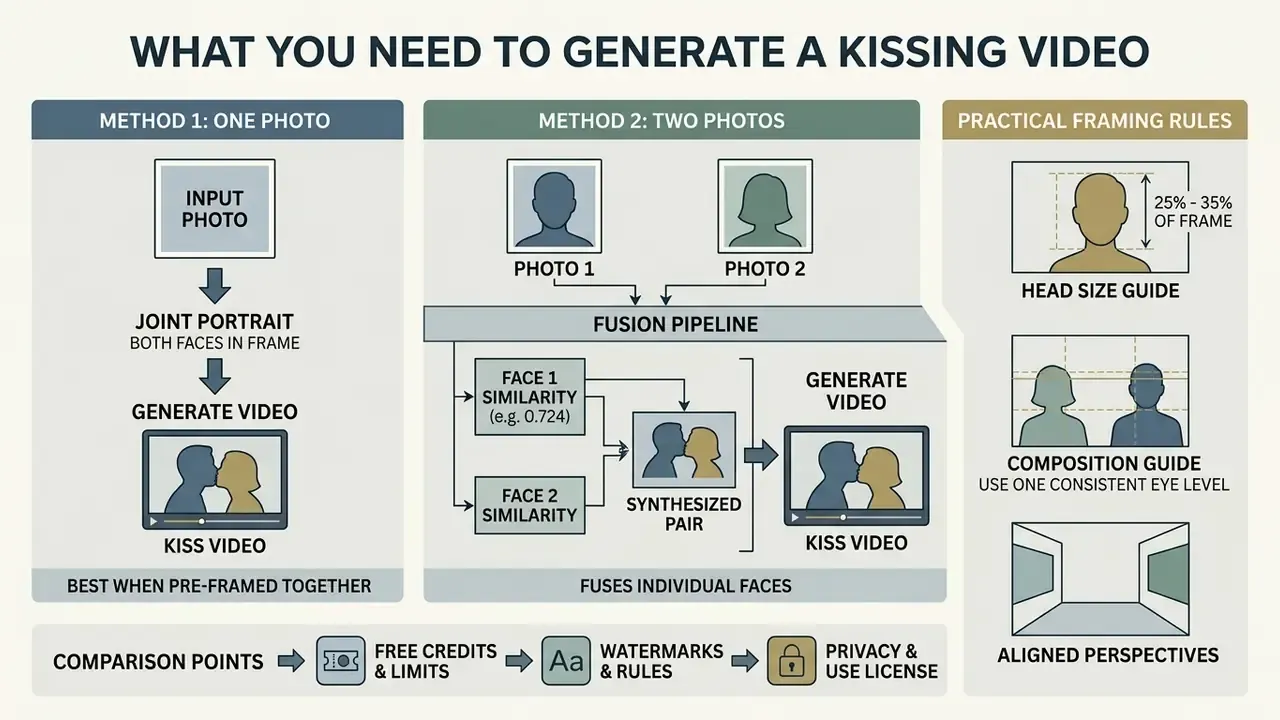
A believable romantic clip starts with clear source images that let the network map facial landmarks accurately. Platforms supporting an ai couple video generator free workflow usually accept either a single photo containing two people or two separate portrait uploads.
| Input type | Supported extensions | Max size | Optimal parameters |
|---|---|---|---|
| Single photo (two people) | JPG, JPEG, PNG, WEBP | Up to 20 MB | 1080p, frontal framing, both faces fully visible |
| Two photos (Person A / Person B) | JPG, JPEG, PNG | Up to 20 MB per file | Matched resolution, matched light direction, similar head scale |
| Text prompt only | Plain text (English) | ~500 characters | Scene + style + camera + lighting descriptors |
| Start / End frame pair | JPG, PNG, WEBP | Up to 20 MB each | Same subjects, same background, different pose |
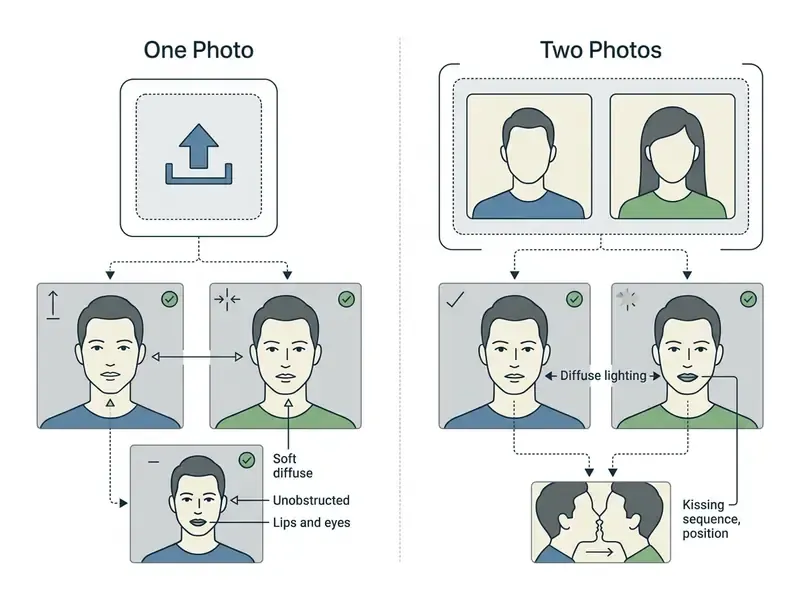
Biometric-grade capture guidance still sets the practical baseline: faces in sharp focus, head rotation within roughly ±5° of frontal for the strictest results, diffuse illumination without hotspots, and no hair, glasses glare or object occluding eyes or mouth.
Creating an AI Kiss from One Photo
Generating a scene from one photo works best when both people are already framed together in a joint portrait. The model detects both faces, preserves background elements, and applies an ai filter kiss effect to animate the movement toward each other. Single-photo generation minimizes identity drift because the spatial relationship between the two subjects already exists in the source file.
The trade-off is inference load. From one frame the model has to invent mouth interiors, cheek compression and occlusion geometry it has never seen, which is exactly where blurred lips, warped teeth and boundary tearing come from. Portrait-animation research handles this with stitching and retargeting controls rather than raw frame warping.
Using Two Photos for an AI Couple Kissing Video
With separate portraits, an ai 2 pictures kissing pipeline fuses two individual faces into one synthesized frame. Systems built for 2 pictures kissing ai tasks extract facial embeddings from each upload, then align head scale, skin tone and lighting direction. For a convincing ai couple kissing video generator result, both photos should be clear and close to front-facing, with consistent light.
Practical framing rules from consistency guides: keep the head at roughly 25 to 35% of the frame, use one dominant light axis in both photos, and never mix a hard-flash portrait with a soft window-light portrait. Mismatched illumination is the fastest route to that composited, pasted-on look. For a wider view of the underlying technique, see how image-to-video AI tools handle motion transfer.
Consent, Privacy and Deleting Uploaded Images
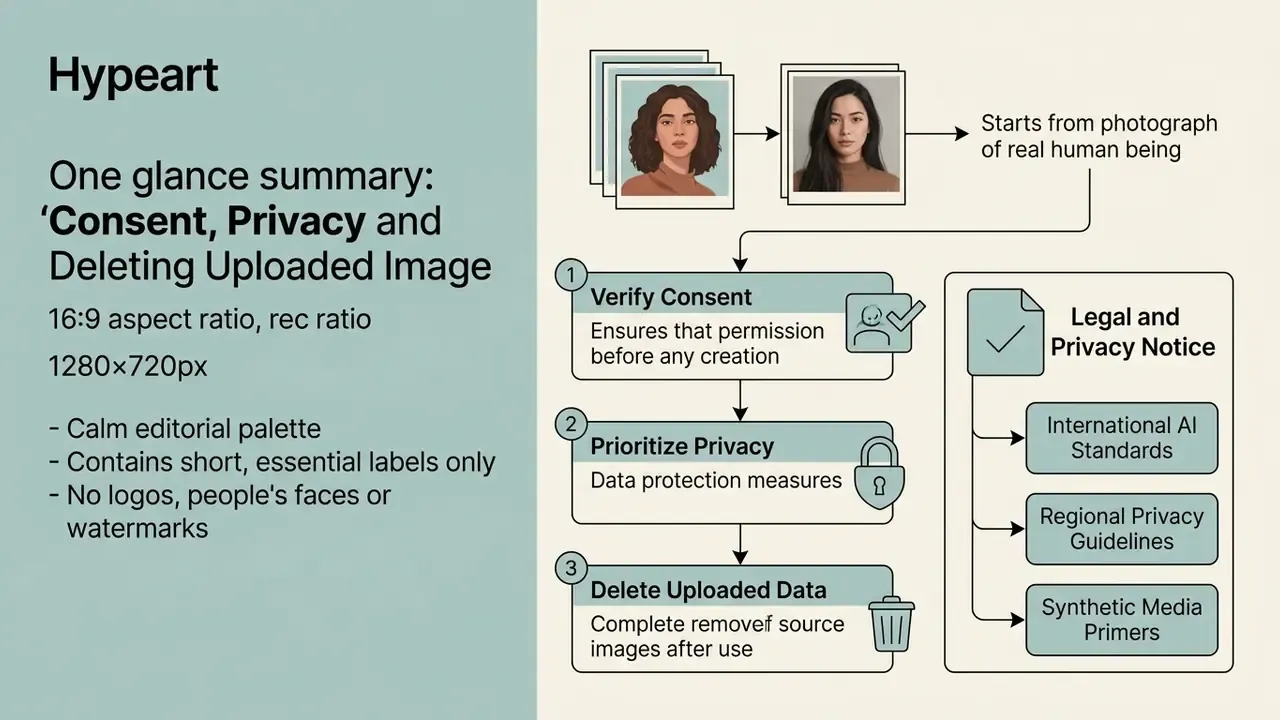
Everything above begins with a photograph of a real human being. So the consent question belongs here, before the first upload, not after publication.
LEGAL AND PRIVACY NOTICE:
This section is general information and does not replace advice from a qualified privacy or data-protection specialist.
«A 2023 Security Hero review found 98% of deepfake videos online are pornographic; systematic reviews record that victims are overwhelmingly women and girls.»
Consent is not a one-time checkbox. Permission to take a photograph is not permission to animate it. Permission for a private clip is not permission for public posting, monetization, or reuse in a new context. Content involving minors is prohibited outright under every mainstream platform policy, no matter who claims to authorize it.
Regulatory anchors worth citing internally:
- European Commission guidelines on prohibited AI practices under Regulation (EU) 2024/1689 (2025): unlawfully collected biometric and facial-image data, along with derived outputs, templates and metadata, must be discarded and deleted immediately.
If you need to check whether a circulating clip is synthetic, AI image detectors and provenance metadata checks are the first line of triage. A reverse lookup often settles provenance faster than a detector score does.
In an illustrative internal workflow review, an enterprise risk team tested third-party synthetic media APIs to map data exposure. By restricting photo uploads to ephemeral in-memory processing and enforcing an automatic 24-hour server purge, the team compressed the unauthorized biometric retention window from indefinite to under a day; in its audit sample, no persistent server-side copies survived the purge cycle. Note: this is a single-organization, self-reported result and has not been independently validated, so read it as a control-design pattern rather than a benchmarked efficacy figure.
A related warning for governance teams. Adjacent categories such as an ai nsfw video generator or an ai naked generator share the same upload mechanics but carry materially higher legal and reputational exposure. If your acceptable-use policy does not name these categories explicitly, it probably does not cover them.
AI Kissing Video Styles: Romantic, Realistic, Anime and Funny
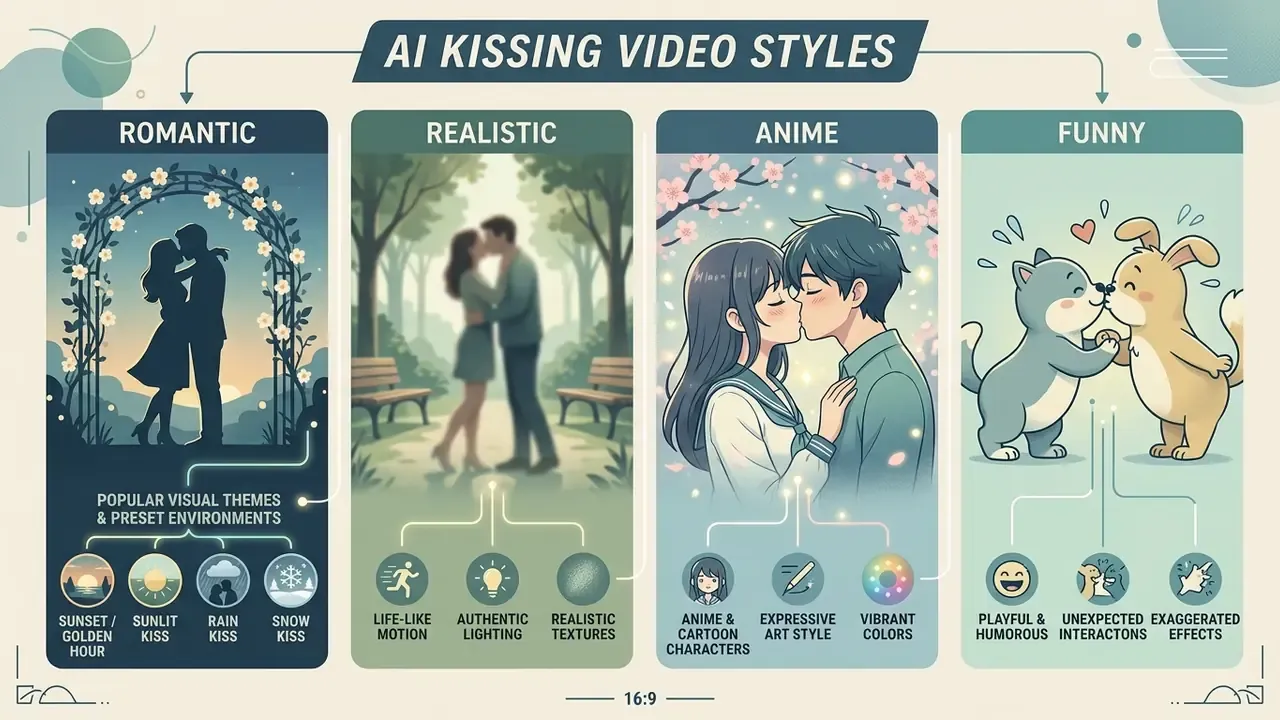
Generative video apps ship several aesthetic modes, so an ai generated kiss video can be tuned to a specific creative context. Vendors do not share one taxonomy, but five modes recur: realistic or lifelike, romantic-cinematic, anime, cartoon or stylized, and playful prank-style.
Realistic and Romantic Kissing Effects
Realistic modes concentrate on natural facial physics, smooth lip synchronization and subtle gaze shifts. Applying a realistic motion template plus an ai filter kissing layer simulates organic head tilts and soft light. Cinematic presets frequently add a slow camera push-in or shallow depth of field to lift the romantic mood.
Under the hood, realism comes from three separately modeled subsystems: lip shape and synchronization, blink and gaze behavior, and illumination-aware relighting so skin shading and highlights stay coherent while the heads move. Break any one of the three and the eye notices instantly, even if the viewer cannot say why.
Anime, Cartoon and Character Kiss Videos
Stylized modes adapt static images into anime, 2D illustration or fantasy character aesthetics. Frameworks such as X-Dyna (CVPR 2025) propagate line art and cel-shading rules across temporal frames, holding drawn characters consistent through movement. These templates let creators turn illustrations into dynamic kissing videos for fan content and digital storytelling.
«ID-V2V delivers superior identity preservation and lip synchronization when restylizing multi-character video, including background and color-tone changes.»
Newer 2026 pipelines push further, decomposing a single illustration into semantic RGBA body-part layers to build an editable 2.5D character that can be re-posed without redrawing.
Popular Visual Themes and Preset Environments
Most competitive platforms ship 20 to 30 named scene presets. A preset is not just a filter; it changes motion physics, camera placement and the particle layer the model renders.
Romantic and cinematic
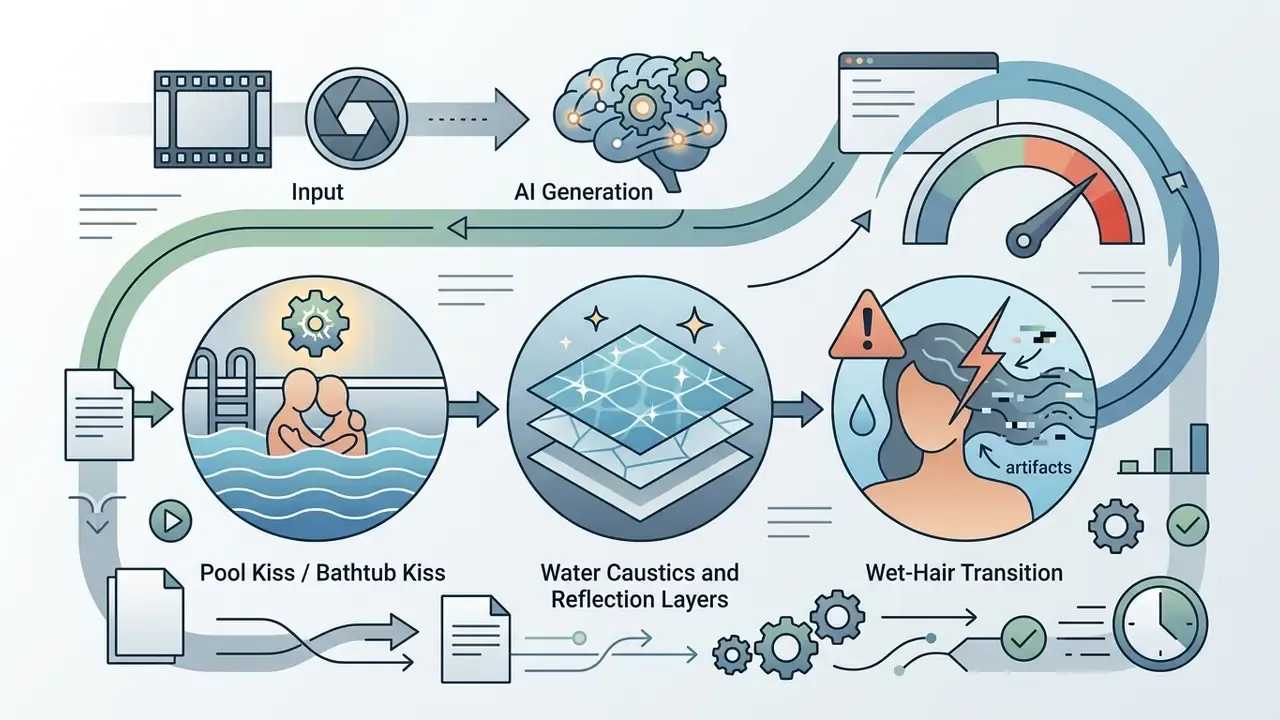
- Rain Kiss falling droplets, wet skin specularity, slower head movement to sell the weight of soaked hair and clothing.
- Sunset / Golden Hour Kiss strong backlight with rim highlights on cheek and jaw; needs a clean face outline or halos appear.
- Snow Kiss snowflakes plus visible breath vapor. The vapor layer is generated, so keep backgrounds simple.
- Aurora Kiss animated sky gradient with colored bounce light on both faces.
- Sunlit Kiss soft window light, low contrast, minimal camera motion. The most forgiving preset for weak sources.
Urban and situational
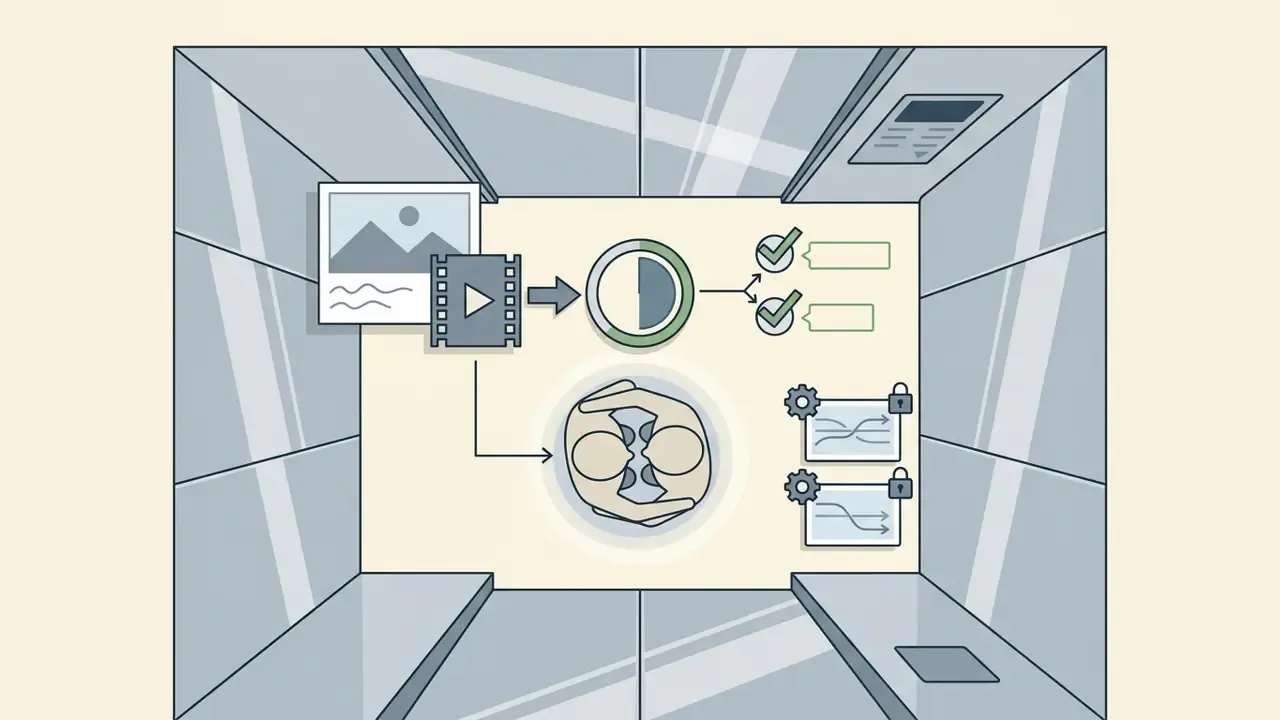
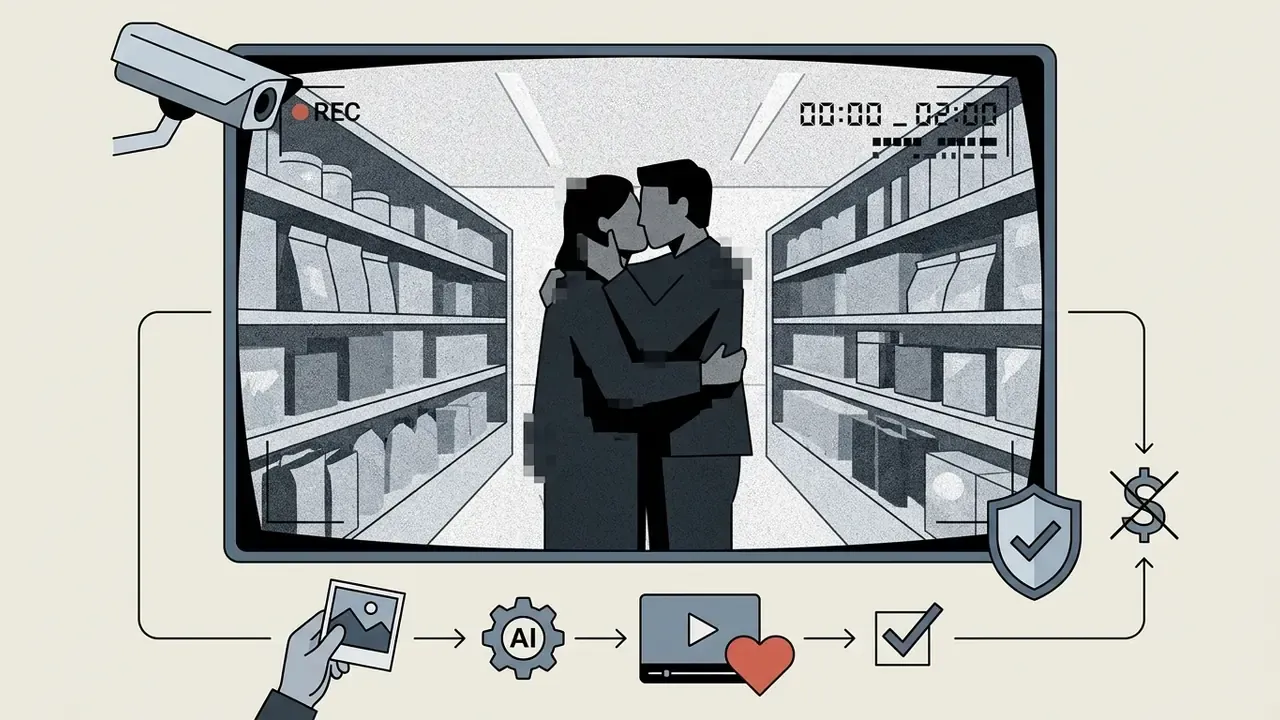
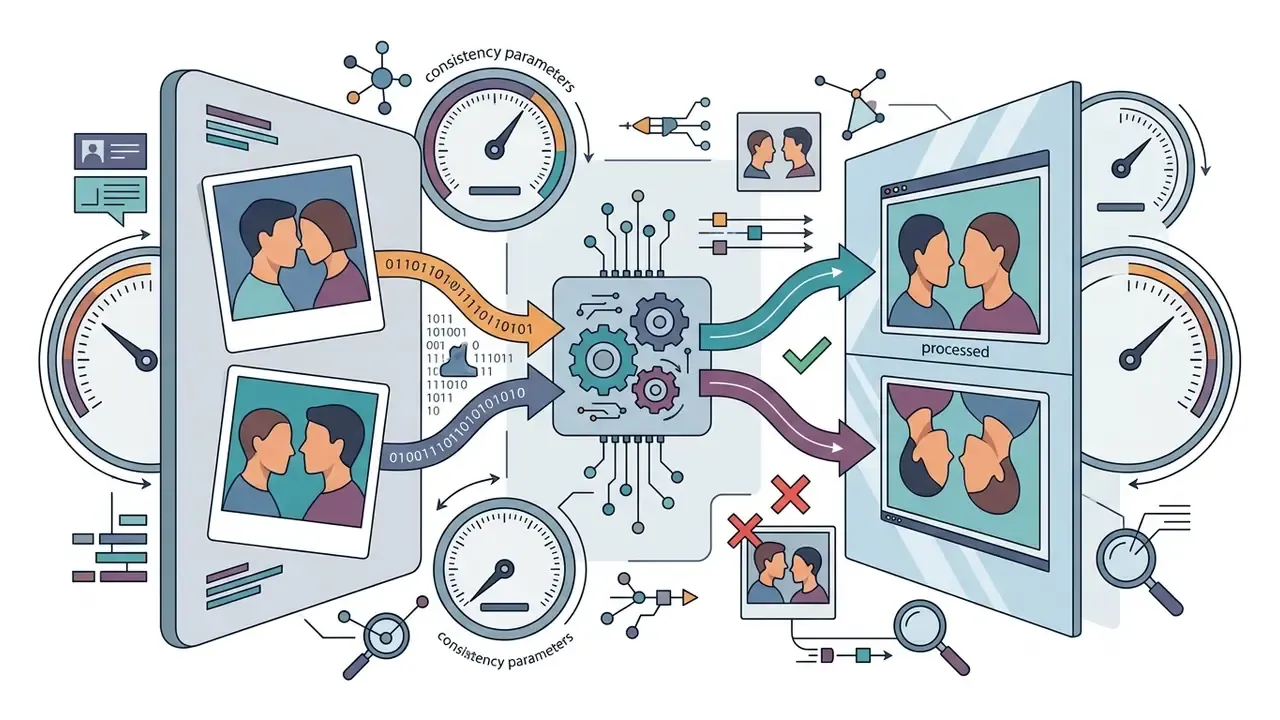
Fun and social
Event and celebration
Pick the intensity preset first, then the environment. Reverse that order and the model usually compromises on motion to serve the scenery.
How to Create an AI Kissing Video in Three Steps
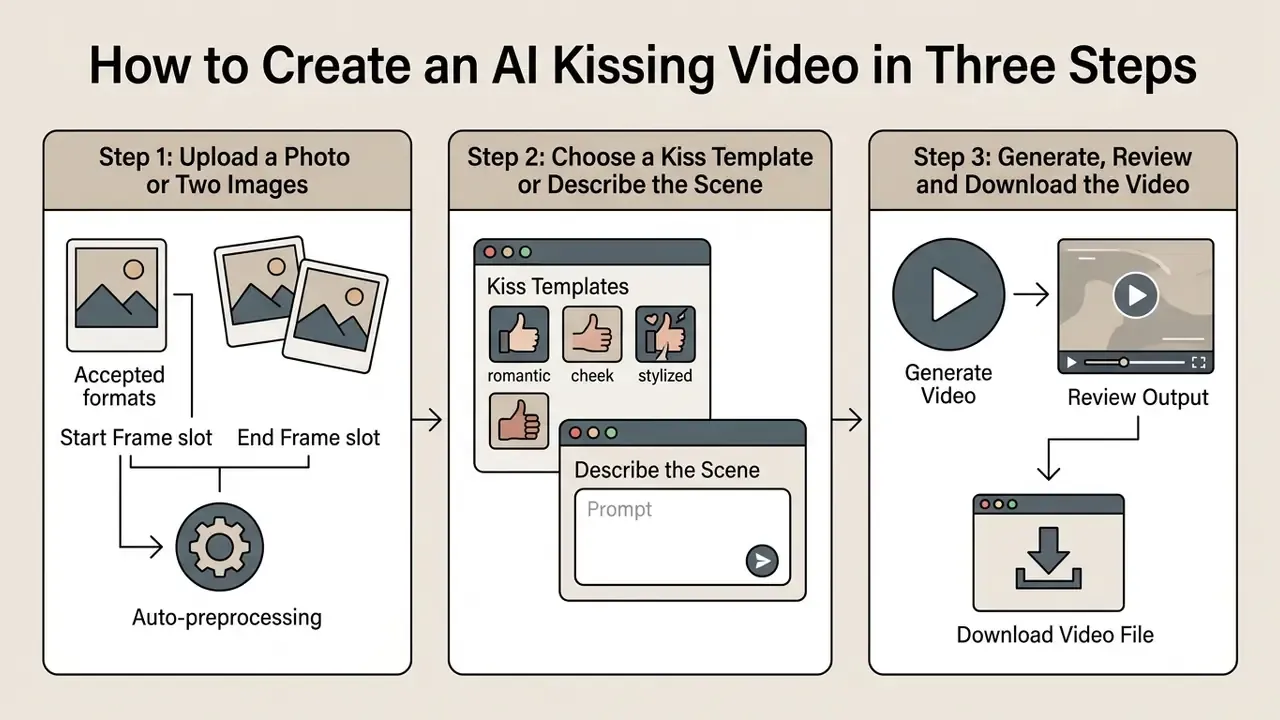
Most web apps compress the whole process into three steps built for immediate rendering.
Step 1, Upload a Photo or Two Images
It starts when you upload one joint photo or two individual portraits into the interface. Preprocessing crops, scales and adjusts resolution to match model input constraints.
Interface details worth checking:
- Accepted formats JPG, JPEG, PNG and, on newer builds, WEBP and non-animated GIF, typically capped at 20 MB per file.
- Start Frame slot the opening pose, subjects standing beside each other, facing forward.
- End Frame slot the closing pose, the moment of contact. Filling both slots gives you direct control of the motion arc instead of leaving it to the sampler.
- Auto-preprocessing images are usually scaled into a 2048×2048 bounding box with aspect ratio preserved, then the shorter side is reduced to roughly 768 px before tiling. That is why an ultra-high-resolution upload rarely beats a well-lit 1080p one.
Step 2, Choose a Kiss Template or Describe the Scene
Pick a preset motion path, a gentle peck or a fuller embrace, or write a custom prompt. Here you also set the target aspect ratio (9:16 for vertical reels, for example) and add visual style modifiers.
Typical generation controls:
| Control | Common options | Practical guidance |
|---|---|---|
| Aspect ratio | 16:9, 9:16, 1:1, 4:3, 3:4 | 9:16 for Reels, Shorts and TikTok; 16:9 for YouTube and web embeds |
| Duration | 3, 4, 5, 6, 8 or 10 seconds | Shorter clips drift less; 3 to 5 s is the sweet spot for two-face scenes |
| Quality / resolution | 360p, 480p, 720p, 1080p | Credits usually scale with resolution (for example 25 credits at 480p versus 50 at 720p) |
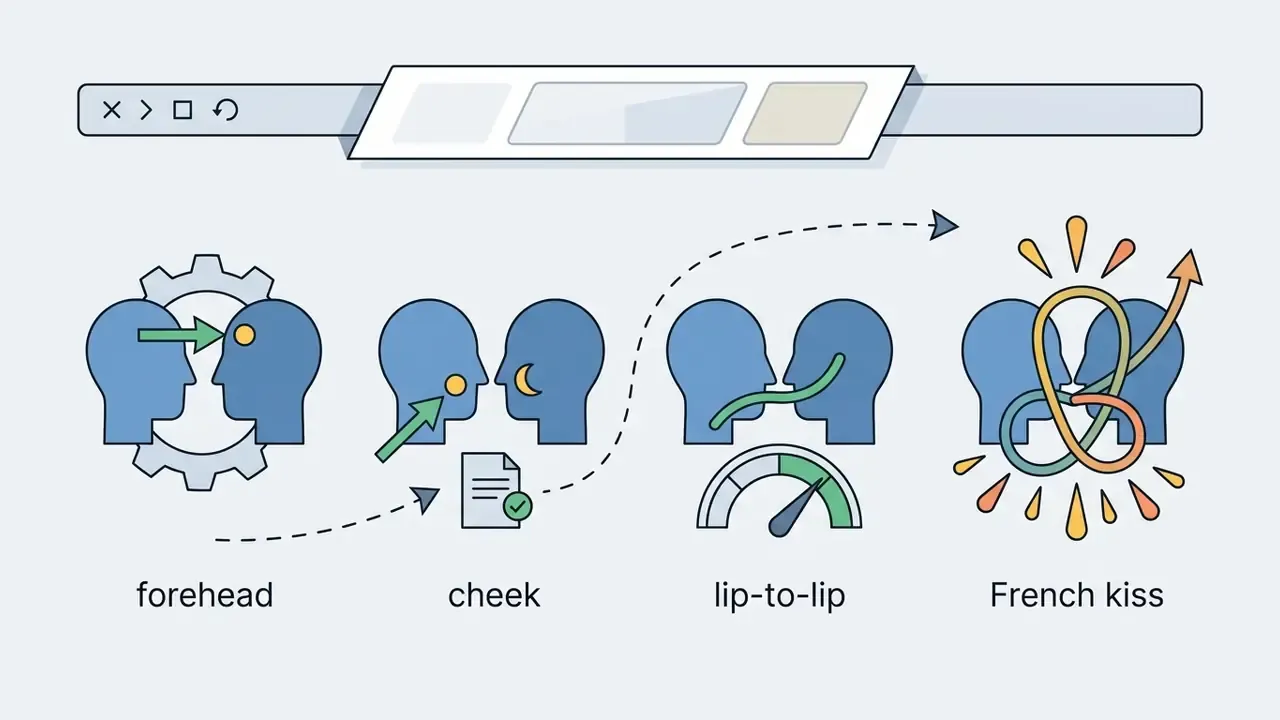
| Kiss type | General, cheek, forehead, lip-to-lip, French | Choose before adding environment modifiers |
| Thinking / high-quality mode | On / Off | Longer inference, fewer temporal artifacts, higher credit cost |
| Generate audio | On / Off | Produces ambience or SFX; verify platform terms before publishing generated audio |
| Prompt enhance / preset prompt | On / Off | Useful for beginners; switch it off once you have a precise prompt |
Step 3, Generate, Review and Download the Video
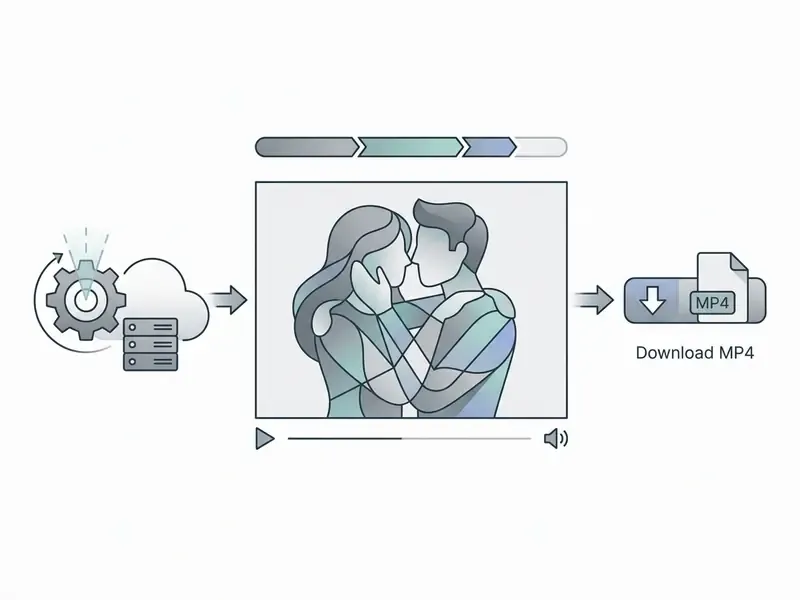
Clicking generate starts the neural render, normally 30 seconds to two minutes. Preview the result in the browser and inspect facial alignment before you download the MP4.
Review checklist before download: lip geometry at the contact frame, eye symmetry and blink timing, hand and finger count, hairline stability across the transition, and background warping near the shoulders. Exports are usually MP4 with H.264; some tools also offer WebM or a higher-bitrate master.
Post-Processing: Adding Audio, Lip-Sync, and 4K Upscaling
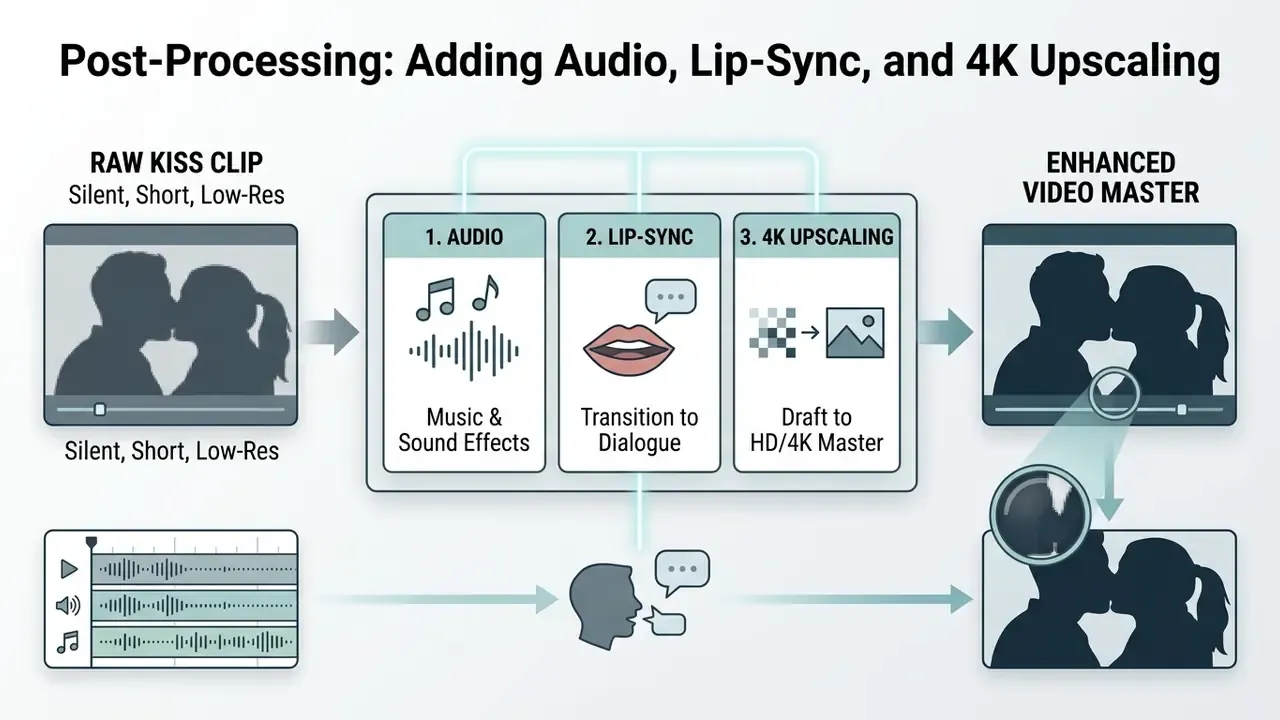
A raw kiss clip is usually silent, short and rendered below broadcast resolution. Three post layers close the gap.
1. Audio: music beds and sound effects
An ai music generator can produce an original score keyed to the clip's mood, piano and strings for a wedding preset, lo-fi pads for a rooftop scene, while SFX models build the environmental layer: rain on pavement, café murmur, fabric rustle, a shared breath before contact. Workflow:
- Export the video, then import it into a timeline editor that supports separate audio and video tracks.
- Generate a music bed matched to clip length; trim to the beat nearest the contact frame.
- Layer one to three SFX elements at low gain. Restraint matters. Over-mixed foley is what makes AI clips read as fake.
- Add captions if the clip will autoplay muted in social feeds.
For longer romantic edits built around a track rather than a single moment, an ai music video generator handles scene sequencing, and an AI voice generator covers narration when the kiss sits inside a story sequence.
2. Lip-sync: from kiss to dialogue
If the scene continues into spoken lines, a dedicated lip-sync model re-animates the mouth region against an audio track. Systems in the OmniHuman or Veed class align phoneme timing with jaw and lip motion so the transition from kiss to speech does not snap. Research context: Wav2Lip was characterized by the U.S. Department of Homeland Security as producing "extremely realistic" lip-sync output, matching baseline accuracy for genuinely synced video. Which is precisely why disclosure labeling matters when you publish.
Order matters here. Generate the kiss motion first, add speech audio second, apply lip-sync third, upscale last. Upscaling before lip-sync forces the sync model to work on interpolated pixels and amplifies mouth blur.
3. Upscaling: 480p draft to HD or 4K master
Free tiers commonly export at 360p or 480p. Spatio-temporal super-resolution tools (the Topaz Video AI class) reconstruct detail across neighboring frames instead of sharpening each frame alone, which suppresses the flicker per-frame sharpeners introduce. Typical gain is 2× to 4×: 480p to 1080p, or 1080p to 4K.
Practical notes:
- Upscale before adding grain, vignette or Polaroid-style overlays. Upscalers read stylized noise as detail and amplify it.
- Export a high-bitrate master (MOV/ProRes or high-bitrate MP4) for archiving, then compress a delivery copy. A video compressor keeps the social-ready file under platform size caps without a second quality pass.
- Frame-rate interpolation to 30 or 60 fps can smooth motion, but on kiss scenes it often introduces mouth ghosting. Test a two-second slice first.
To assemble the full sequence, kiss clip, music, captions, end card, a YouTube video editor workflow or an animation maker handles the timeline, and developers automating the render step can review Google Veo API implementation details for cost and rate-limit planning.
Is an AI Kissing Generator Free? Credits, Watermarks and Download Limits
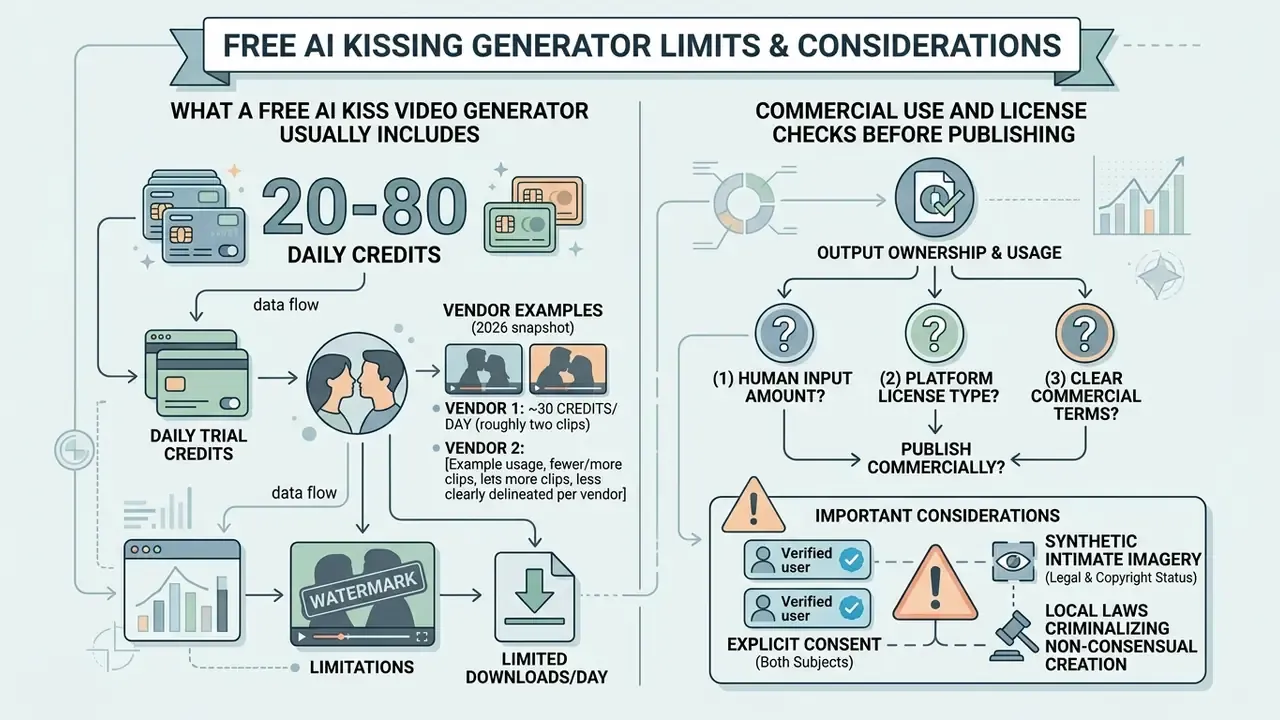
Before comparing plans, it helps to understand how free AI video generators structure their limits. Most consumer tools run a freemium architecture, offering an ai free kissing generator experience with daily token caps or structural restrictions.
What a Free AI Kiss Video Generator Usually Includes
An ai free kiss generator or ai free kiss video maker typically grants new users 20 to 80 daily trial credits. Free tiers usually export at 360p or 480p and stamp a visible watermark in one corner. Moving to a paid subscription or credit pack removes the watermark, enables 1080p rendering and shortens queue time.
Market snapshot as of 2026: one vendor grants 30 credits per day, enough for roughly two clips; another gives 200 trial credits up front; a third allows exactly one free video on signup, then sells one-time packs at roughly $1.99 for one clip, $4.99 for three and $14.99 for ten. Subscription pricing clusters around $6 to $22 per month at entry and creator tiers, with pro tiers near $99. Watermark policy is the least consistent variable of all: some platforms keep a corner mark on paid output, others drop it even on free renders. If unit economics matter for a campaign, open the hub and model credit burn per finished clip before you commit to a tier.
Commercial Use and License Checks Before Publishing
Output ownership depends on platform terms and local copyright law. Per guidance from the U.S. Copyright Office (2026), purely machine-generated synthetic media without significant human creative input cannot be registered for copyright protection.
Monetizing an ai generated kissing video free clip also requires verifying that both subjects explicitly authorized reproduction of their likeness. The U.S. Copyright Office has separately recommended that individuals be able to license their image and voice for digital replicas, which is the rights layer governing any kiss video featuring a real person. Labeling duties are tightening in parallel: India's 2026 IT-rules update treats synthetically generated information as regulated online content requiring labels, metadata and intermediary enforcement.
Three questions decide whether you can publish commercially: (1) does the output carry enough human authorship to claim rights, (2) do you hold likeness and voice permission from every identifiable person, (3) does the destination platform require an AI-disclosure label? For plan-level licensing terms across generative media vendors, open the hub.
| Parameter | Free tier access | Paid subscription / credit pack |
|---|---|---|
| Generation credits | 1 to 2 videos per day (20 to 30 daily credits) | Unlimited or high monthly volume |
| Output watermark | Present (corner logo) | None (clean export) |
| Video resolution | Standard definition (360p to 480p) | High definition (720p to 1080p) |
| Upscaling / 4K | Not available | Available via integrated upscaler (up to 4×) |
| Audio, SFX and lip-sync | Usually locked or credit-limited | Included in creator and pro tiers |
| Processing priority | Standard queue | Priority rendering pipeline |
| Commercial rights | Personal use only | Commercial license included |
| Privacy / retention | Temporary storage | Immediate server deletion or private vault |
| Enterprise assurances | Rarely documented | Ask for SOC 2 Type II or ISO 27001 status, encryption at rest, sub-processor list, DPA and GDPR terms |
The information above is general in nature and does not replace consultation with a lawyer. Copyright and synthetic-media legislation differs by jurisdiction.
How to Make AI Kissing Videos Look Natural and Keep Photos Private
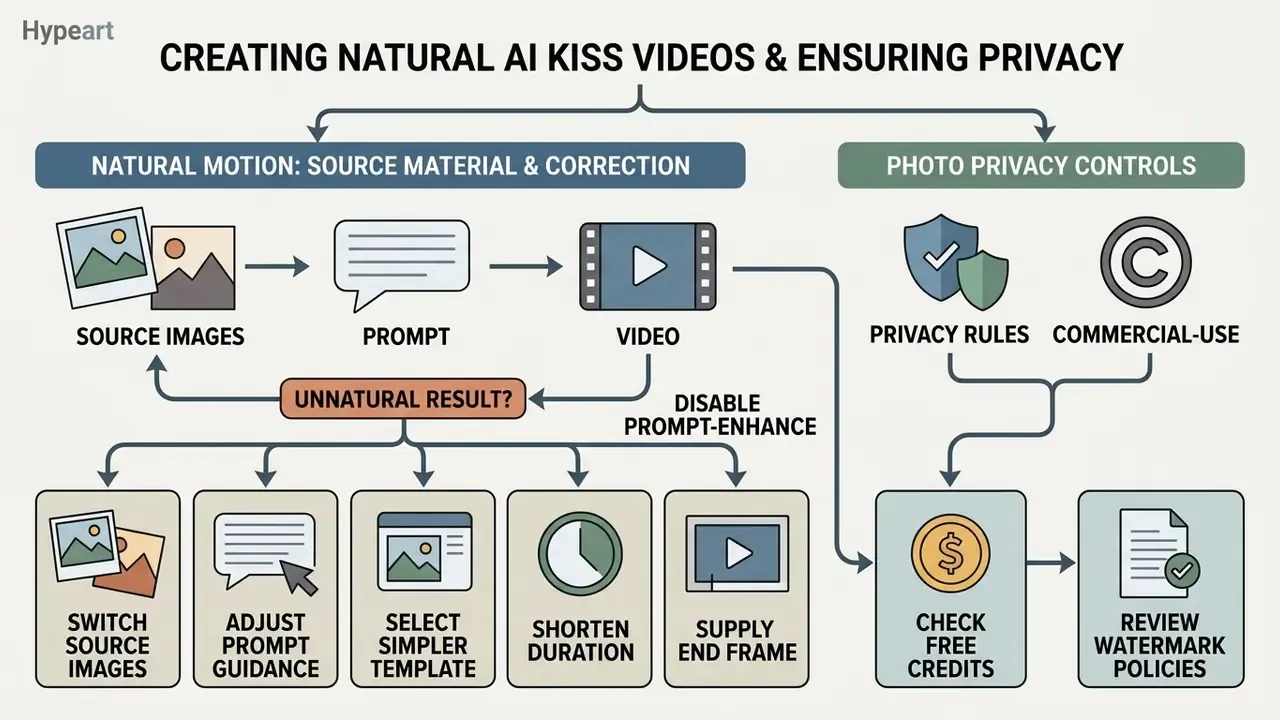
Believable motion comes from good source material. Responsible use comes from strict data-privacy discipline. You need both, and the second one is usually the neglected half.
Photo Quality, Face Angle and Character Consistency
«MagicAnimate employs an appearance encoder to preserve the intricate details of the reference image, which requires clear, well-lit portraits to minimize artifacts.»
Biometric capture standards (FISWG facial-image capture guidance and ICAO portrait-quality guidance) remain the reference documents: sharp focus across the whole face, roll, pitch and yaw within about ±5° for the strictest results, uniform diffuse light with minimized hotspots, and no hair, shadow or object crossing eyes or mouth. Avoiding extreme tilt and heavy shadow is what keeps an ai generated kissing videos sequence recognizable as the same people.
Original phrasing retained for transparency: "Research from NIST (2024) indicates that frontal or 3/4 face angles with balanced illumination significantly reduce geometry distortions during temporal animation." See Appendix A for the correction rationale.
If you lack clean portrait inputs in the first place, an AI headshot generator produces consistent, evenly lit source frames.
How to Fix an Unnatural AI Kiss Result
If the rendered ai generated images kissing transition looks distorted or the mouth flickers:
- Switch source imagesreplace blurry or low-resolution portraits with sharp, high-definition uploads.
- Adjust prompt guidancecut ambiguous adjectives, keep clear camera cues ("slow close-up, gentle movement").
- Select a simpler templatea standard linear path instead of a complex multi-angle preset.
- Shorten the durationdrop from 10 seconds to 4 or 5. Temporal drift compounds with clip length.
- Supply an End Framean explicit target pose removes guesswork from the motion arc and cuts head-overlap errors.
- Disable prompt-enhanceauto-expanded prompts often inject conflicting camera or lighting terms.
- Enable high-quality or thinking modelonger inference measurably reduces flicker on two-face scenes.
- Re-roll the seedidentical inputs with a fresh seed frequently resolve one-off hand and tooth artifacts.
How to judge whether a fix worked. Vision research evaluates these outputs with two metric families: perceptual fidelity (FID, and FVD for video) and identity similarity (CSIM). One 2026 talking-face study reports FID 26.728 alongside CSIM 0.979 on the MEAD dataset, which illustrates the realism-versus-identity trade-off directly. You will not compute those in a browser, yet the principle carries over. Judge each render on two axes separately: does it look real, and does it still look like them? A clip can pass one test and fail the other.
When an AI Couple Video Generator Is Useful
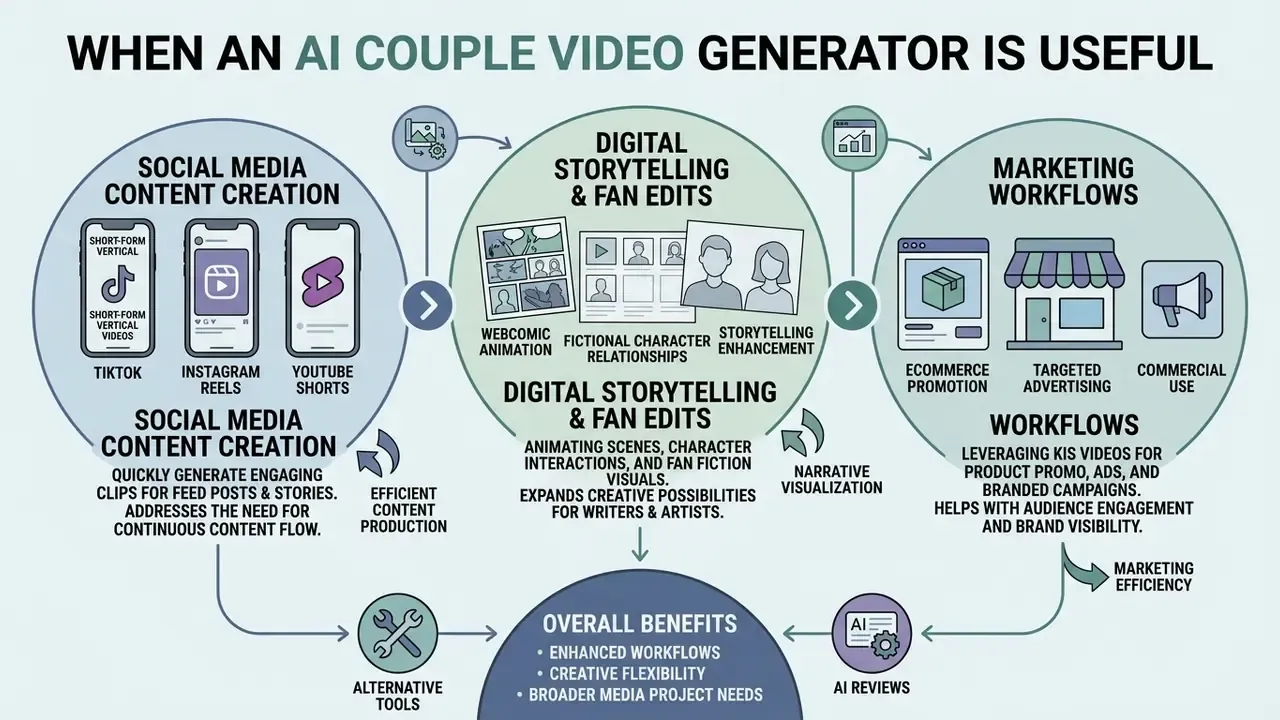
An ai couple video generator earns its place in a handful of creative and marketing workflows:
- Social media content creation: short-form vertical videos for TikTok, Instagram Reels and YouTube Shorts. A free AI video generators comparison helps match credit limits to your posting cadence.
«Open-source deepfake detectors show a 50% ROC-AUC drop for video and 45% for images when tested on in-the-wild 2024 data versus older benchmarks.»
That gap cuts both ways. Platform moderation may not flag your clip, and it may not flag a malicious clip made from your photos either. Which is why voluntary labeling is the responsible default rather than a nice-to-have.
- Digital storytelling and fan edits: animating fictional character relationships and webcomic storyboards.
- Personalized digital greetings: custom romantic clips for anniversaries, Valentine's Day or digital invitations. Teams distributing these at scale usually pair the render with an ai newsletter generator for the send-out copy.
- Creative visual effects: testing character dynamics and concept-art pre-visualization during film pre-production.
- Brand and campaign mood boards: internal-only concept reels using consenting talent or fully imaginary characters. Keep the approval trail with the asset; an ai notes generator is a quick way to log who approved what and when.
- An: ai hug and kiss generator** variant:** many vendors bundle hug, hand-hold and cheek-kiss motion paths in the same template library, which is often the safer choice for brand-facing content.
For broader media project needs, browse the hub to weigh alternative editing frameworks, review the best AI video generators side by side, or check rights questions specific to synthetic imagery under commercial use rights for AI-generated media.
Vendor Security and Consent Checklist
AI Kissing Generator FAQ
Can I Make a Kissing Video of Two People Who Never Met?
Yes. An ai create kissing video system can merge two separate portraits into one synthetic kiss scene. Doing that with photos of real people, without their explicit knowledge and consent, breaches platform policy on every major service and may create legal liability under digital replica laws.
«Philosophers and legal scholars classify non-consensual sexualized deepfakes as a violation of sexual privacy, the right to control one's image in intimate contexts.» Non-Consensual Deepfake Pornography as Image-Based Sexual Abuse, Sexuality & Culture, Springer (2026). https://link.springer.com/article/10.1007/s12119-026-10312-y The information above is general in nature and does not replace consultation with a lawyer. Legislation on synthetic media and digital replicas differs by jurisdiction.
Can I Create a Same-Face AI Kissing Video?
Yes. Identity-preserving models let one portrait fill both character slots in a template, producing a stylized clip where a person appears to interact with a digital copy of themselves. Creators use it for surreal or humorous effects. Note that vendor documentation rarely ships a dedicated "self-kiss" preset; the effect is usually assembled from an identity-preserving image-to-video model plus a mirror or face-swap template.
Can I Create AI Kissing Videos Directly on My Smartphone (iOS / Android)?
Yes. Most services run in mobile browsers such as Safari and Chrome, and several publish native iOS and Android apps. No powerful local hardware is needed, because neural rendering happens on cloud GPUs; your phone only uploads the image and downloads the finished file. Pick photos from the camera roll, choose an aspect ratio (9:16 is the mobile default), generate, save the MP4. Expect the same credit limits as desktop, and watch your data plan: a 1080p export can exceed 20 MB.
What Is the Difference Between Start Frame and End Frame Generation?
The Start Frame defines the opening state, for example two people standing side by side facing the camera. The End Frame defines the closing state, such as the moment of contact. The model then computes intermediate motion vectors between the two anchors (in-betweening), which yields a smoother, more predictable trajectory than a single-image render. Use both slots when a preset keeps drifting off-pose; use Start Frame alone when you want the model to improvise.
How Long Does Generation Take and How Long Is the Output?
Rendering usually completes in 30 seconds to two minutes on a standard queue, longer under free-tier throttling or high-quality mode. Output length is normally selectable between 3 and 10 seconds, and 3 to 6 seconds is the most common default for kiss templates.
What Happens to My Photos After Generation? Can I Delete Them?
That depends entirely on the vendor. Look for a stated retention window, an explicit "not used for training" clause and a self-service deletion control. Under EU guidance on prohibited AI practices, unlawfully collected biometric and facial-image data, including derived templates and metadata, must be discarded immediately, and NIST AI 600-1 (2024) expects working consent, deletion and rectification mechanisms. If a privacy policy will not answer these questions in plain language, treat the upload as permanent and do not proceed with photos of real people.
Do I Have to Label the Video as AI-Generated?
Increasingly, yes. UNESCO's 2024 guidance says public synthetic content should be clearly identified as AI-generated or modified. ITU's 2024 report on deepfakes describes labeling and watermarking as mandatory or recommended depending on jurisdiction, and India's 2026 IT-rules update imposes labeling and metadata duties on platforms. Most major social networks also run their own synthetic-media disclosure settings.
What Kind of Photos Work Best?
Clear, well-lit portraits with fully visible faces, minimal blur, simple backgrounds and matched lighting direction across both uploads. Avoid sunglasses, heavy hair occlusion, extreme head tilt, motion blur and group shots where faces overlap.
Can I Use the Video Commercially?
Only if three conditions hold: your plan's terms grant commercial rights, every identifiable person has authorized commercial use of their likeness, and you comply with the destination platform's disclosure rules. Remember that under U.S. Copyright Office guidance, output lacking meaningful human authorship is not registrable, which limits your ability to enforce exclusivity even where use is permitted.
Verification and Company Context
Company verification notice: regarding the domain hypeart.ai, as of August 2026 there is no verified information on registered legal entities, active DNS resolution, official product catalogs, or confirmed regulatory compliance certifications. Any technical implementation or platform capability discussed in connection with unverified entities must be read as a hypothetical illustration, not a documented commercial claim. No company USP is asserted in this article, because none has been verified.
Appendix A: Editorial Notes and Source Corrections
- NIST (2024) face-angle citation.
- The original draft attributed the frontal and 3/4 angle recommendation to a NIST 2024 report. That specific attribution could not be verified against a retrievable document, so the claim was re-sourced in the main text to MagicAnimate (2023), whose appearance-encoder design directly explains why sharp, evenly lit frontal references matter. NIST material remains cited where it is verifiable: NIST AI 600-1 (2024) on consent verification and deletion controls, plus NIST guidance on evenly illuminated face capture.
- "Reduced risk by 100%" claim.
- Reformulated as a control-design description, with an explicit note that the figure is internal, self-reported and not independently validated.
- Adjacent tool links.
- Links to neighboring tool categories were kept only where the workflow overlap is real (music and audio for the post-production stage, notes and newsletter tooling for approval logs and campaign distribution, NSFW-adjacent categories inside the risk warning). Purely unrelated categories were dropped from the footer.
- Section order.
- The consent and privacy section was moved directly after the upload requirements, so the permission question appears before the first upload rather than after the publishing guidance.