The technology leans on computer vision, human body segmentation, and latent diffusion architectures. Knowing which of the three workflows you actually need is what separates a usable catalog asset from twenty wasted credits, whether the goal is creative content, swimwear design, or an e-commerce product page.
Executive Summary: Risk, Governance and Practical Takeaways
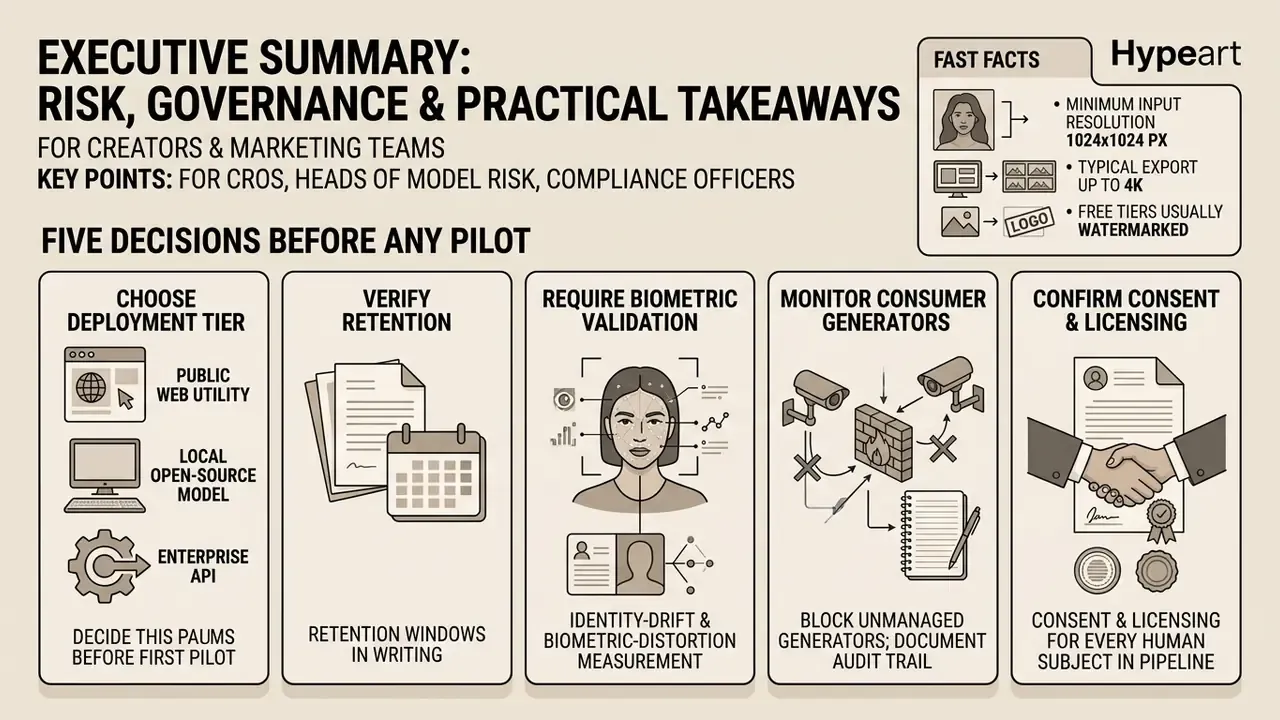
For creators and marketing teams. Three workflows cover nearly every scenario: text-to-image (fully synthetic model, no source photo), photo-to-photo virtual try-on (your portrait plus a garment reference), and image-to-video animation (a static render turned into a short clip). Output realism depends far more on input photo quality and prompt structure than on the brand name printed on the interface.
For CROs, Heads of Model Risk and compliance officers. The dominant exposures here are not aesthetic. They are Shadow AI, biometric data leakage, unclear output ownership, and non-consensual imagery. Free consumer tiers often include training-data licenses over uploaded inputs, which quietly converts a marketing experiment into a personal-data incident. Enterprise APIs with zero data retention, isolated processing, and contractual output ownership are the only deployment mode that survives a regulated environment.
Five decisions to make before any pilot:
- Choose the deployment tier (public web utility, local open-source model, or enterprise API) before the first upload, not after the incident review.
- Verify retention windows in writing. Deletion within 24 hours, 7-day, 30-day and 90-day policies all exist in this market.
- Require identity-drift and biometric-distortion measurement as a validation control, aligned with your model risk management framework (NIST AI RMF, ISO/IEC 42001, SR 11-7 / OCC 2011-12).
- Block or monitor unmanaged consumer generators on corporate networks, and document the audit trail for examiners.
- Confirm consent and licensing for every human subject whose portrait enters the pipeline. Every one, no exceptions.
Fast facts: minimum input resolution 1024×1024 px; typical export up to 4K; free tiers usually watermarked and capped by daily credits; commercial rights normally unlocked only on paid or enterprise plans.
How to Use This Guide (and Who It Is For)
Two very different readers land on the same page. A creator wants a clean bikini photo in four minutes. A risk officer wants to know what an employee just uploaded to an unvetted website, and who owns the result.
The guide serves both, in order. The first half is operational: workflow selection, input requirements, prompt structure, realism controls, post-processing, and video animation. The second half is governance: free-tier terms, retention windows, a Shadow AI checklist, residual risk by architecture, and API controls that make adoption defensible. Finance and operations leaders evaluating vendor onboarding can read the matrix in the governance section and the FAQ, then skip the prompt craft entirely.
One reading tip. If you plan to publish images of a real, identifiable person, read the privacy and consent sections first. Reversing that order is how most of the ugly cases start.
What an AI Bikini Generator Is and Which Images It Creates
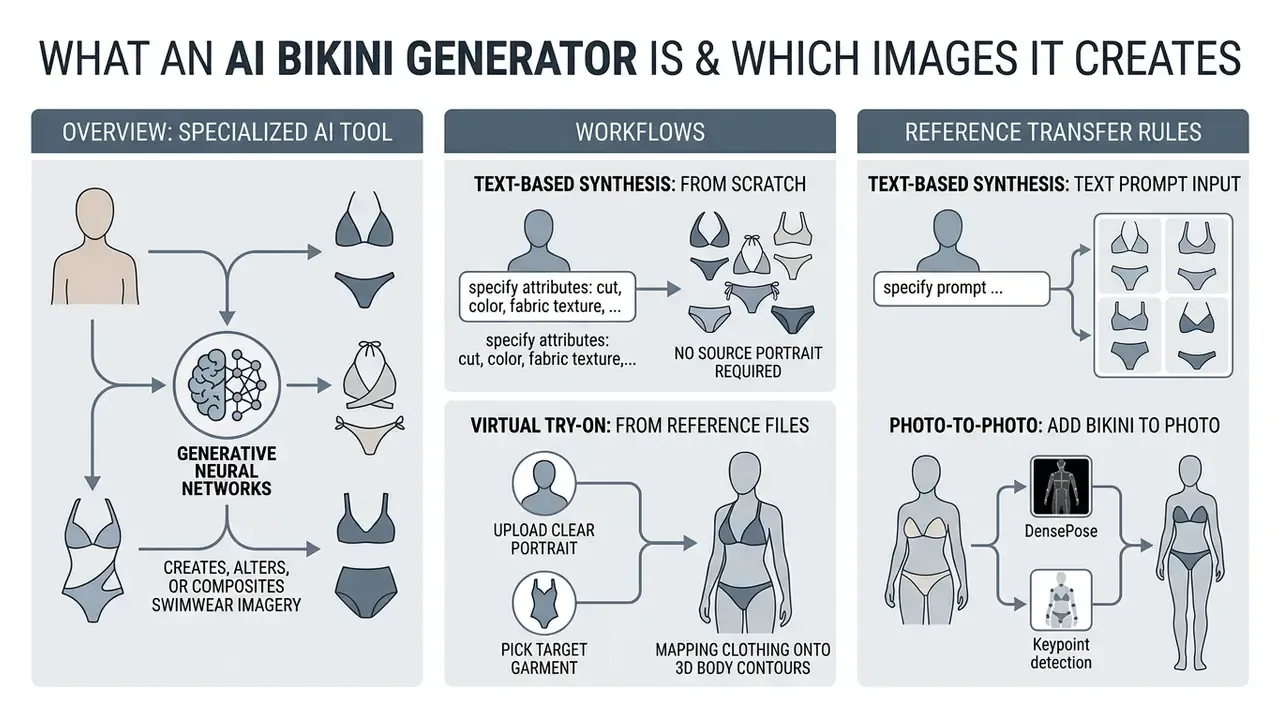
An ai bikini generator is a specialized tool that creates, alters, or composites swimwear imagery using generative neural networks. Depending on the inputs, an ai bikini image generator produces synthetic model renders, modifies the garment region on an uploaded portrait, or transfers a target bikini design onto a digital human subject.
Modern platforms split generation into three workflows: text-to-image synthesis, photo-to-photo garment editing, and virtual try-on (VTON). Each one trades differently between rendering speed, artistic control, and identity preservation.
«A virtual try-on system transfers a target clothing item onto the corresponding region of a person, warping and fusing it with the human image.»
AI Bikini Images from Text and Reference Files
Text-based synthesis creates ai bikini images from scratch, no source portrait required. Platforms in this class pair CLIP text encoders with latent diffusion models to turn a description into a full composition. This is also where most ai art bikini experimentation happens, because nothing about the output is tied to a real person.
«MADiff is trained on 28,390 image–text pairs and evaluated on 2,639 pairs, covering multiple fashion editing tasks.»
When generating ai bikini pictures from text, you specify garment attributes: cut, color, fabric texture, pattern. Adding a visual reference lets the model align target bikini designs with a desired aesthetic while keeping lighting and composition plausible. Reference-guided workflows behave nothing like pure prompting, and creators comparing conditioning behavior across engines can review how AI art generators handle style control before locking in one provider.
Two practical rules govern reference transfer. First, state explicitly what must stay unchanged (geometry, layout, garment cut) and what must change (color, environment, lighting). Vendor prompting guidance treats "preserve" constraints as the main defense against generative drift, and in practice it works. Second, avoid stacking more than two visual references per generation. Extra references dilute attention and produce hybrid garments that match nothing you supplied.
AI Bikini Try-On from Your Own Photograph
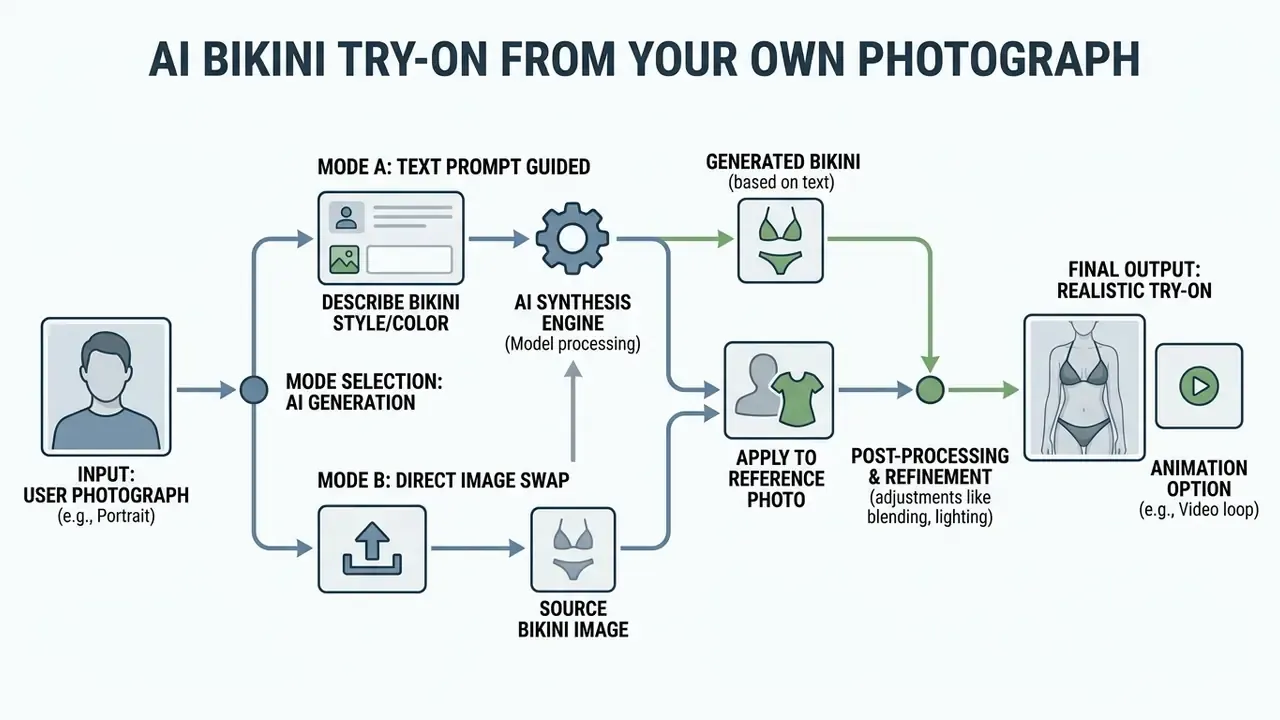
Virtual try-on lets you add bikini to photo ai style: upload a clear portrait, pick a target garment, let the model do the region swap. The algorithm isolates the existing clothing area through human body segmentation, then overlays the new swimwear item while trying to hold facial features and body shape steady. Cleaning up exposure, crop and sharpness in a portrait photo editor before upload measurably reduces segmentation failures. That step is boring. It also fixes most bad results.
Photo-to-photo architectures use DensePose and keypoint detection to map clothing onto 3D body contours.
«VITON-HD synthesizes 1024×768 images using ALIAS normalization to remove misalignment artifacts between garment and body.»
The technique limits anatomical distortion, so the synthetic swimsuit follows waist, hip, and shoulder angles instead of floating above them. Identity preservation, though, is not automatic. Earlier architectures kept the face mainly by copying source pixels; diffusion-based systems need explicit facial-geometry conditioning, otherwise you get recognition drop and a subtle skin-tone shift nobody notices until the client does.
Comparison Matrix: Text-to-Image vs Photo Try-On vs Video Generation
Picking the wrong workflow is the most common way to burn credits. The matrix maps input data to the right mode, expected speed, identity behavior, and risk profile.
| Parameter | Text-to-Image | Photo-to-Photo VTON | Image-to-Video (I2V) |
|---|---|---|---|
| Required input | Text prompt only | Portrait photo plus garment reference | Generated or real still image |
| Typical render speed | Seconds | Seconds to under a minute | 1 to 5 minutes per clip |
| Identity preservation | Not applicable (synthetic subject) | Critical; needs facial-geometry conditioning | Moderate drift risk across frames |
| Control complexity | Prompt engineering | Masking, segmentation, reference matching | Motion vectors, duration, camera path |
| Best use case | Concept boards, synthetic ambassadors, lookbooks | Fit preview, e-commerce catalog, personal bikini try-on | Social video, product animation, ads |
| Primary risk category | Copyright and brand safety | Biometric data privacy, consent | Consent plus deepfake and reputational exposure |
| Governance control | Prompt logging, output review | Zero data retention, consent record | Synthetic-content labeling, watermarking |
How to Create an AI Bikini Photo Online: Step-by-Step Process
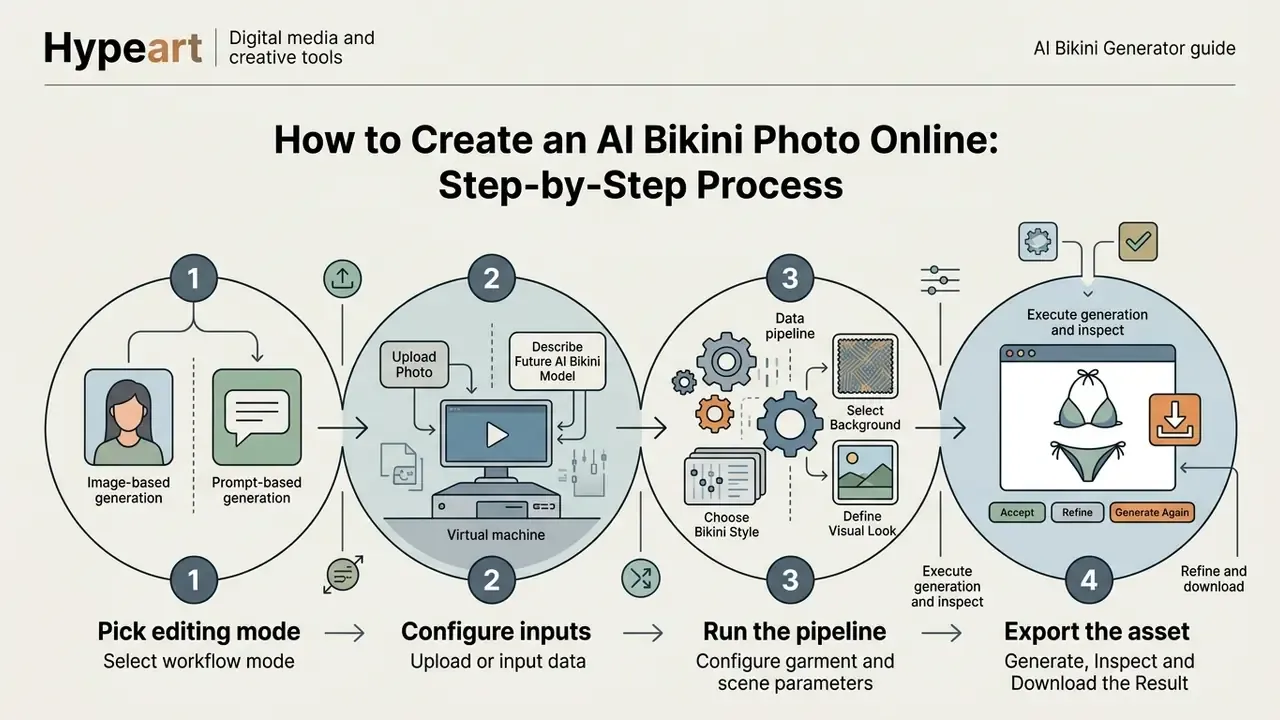
Using an ai bikini generator online means four things in sequence: pick the editing mode, configure inputs, run the pipeline, export the asset. A structured process gives predictable quality and, more importantly, repeatable garment fit.
Most online tools return an image within seconds. You can iterate on the visual parameters before you commit to a final download, which is exactly what you should do.
Upload a Photo or Describe the Future AI Bikini Model
Inside an ai bikini maker, the first decision is text-to-image creation versus direct photo editing. For portrait-based try-on, a high-resolution, front-facing photo yields the best alignment accuracy. Anything shot from below at a party, at night, will fight you.
For an ai bikini model generator workflow built from text, structure the prompt around subject attributes: age range, facial expression, skin tone, posture. Detailed prompts remove ambiguity, so physical features stay consistent across reruns. The same discipline applies to professional portraiture, which is why prompt patterns from AI headshot generators transfer almost unchanged to swimwear briefs.
Choose the Bikini Style, Background and Visual Look
Once the subject is fixed, specify swimsuit characteristics, the setting, and the ambient light. Interfaces built as an ai bikini photo generator usually expose controls for cuts (high-waisted, triangle, bandeau, monokini) and fabric finishes (matte, glossy, ribbed, crochet).
Defining the environment keeps light direction, reflections, and shadow density consistent between subject and background. Popular backgrounds: tropical beach, poolside deck, rooftop pool, yacht deck, outdoor studio, minimalist editorial set. Beach lighting variables worth naming explicitly include golden hour, open shade, backlighting, palm-shadow patterns, and silhouette framing.
Pose is a separate parameter from garment style, and people constantly conflate the two. Pose variants that render reliably: straight full-body stance, half-turn at 45 degrees, bent-knee contrapposto, hands on hip, reclining on sand or a lounger.
Generate, Inspect and Download the Result
Running the generation submits the task to the model pipeline. When it returns, inspect at 100% zoom: anatomical proportions, edge blending around straps, facial fidelity. Not at 33%. At 100%.
If artifacts appear, adjust prompt weighting or mask boundaries and re-run the region. Finished assets export as PNG, JPEG, or WebP at resolutions up to 4K. When a preview render has to survive print or a billboard, super-resolution upscaling lifts 1024×768 output to full 4K, and frame-extension tooling such as an AI image expander adapts a square render into a wide banner ratio without re-generating the subject.
Step-by-step workflow for launching AI bikini photo generation:
- Select workflow mode.Text-to-image synthesis for a synthetic model, or photo-to-photo editing for virtual try-on on an uploaded portrait.
- Upload or input data.Provide a sharp, front-facing portrait photo, or write a structured prompt defining subject attributes.
- Configure garment and scene parameters.Bikini style, cut, pattern, background setting, camera angle, lighting conditions.
- Execute generation and inspect.Review edge segmentation, strap positioning, and facial preservation before you accept the render.
- Refine and download.Apply refinement controls if needed, then export the final file in PNG or at 4K resolution.
Which Photos and Prompts Deliver the Best Results
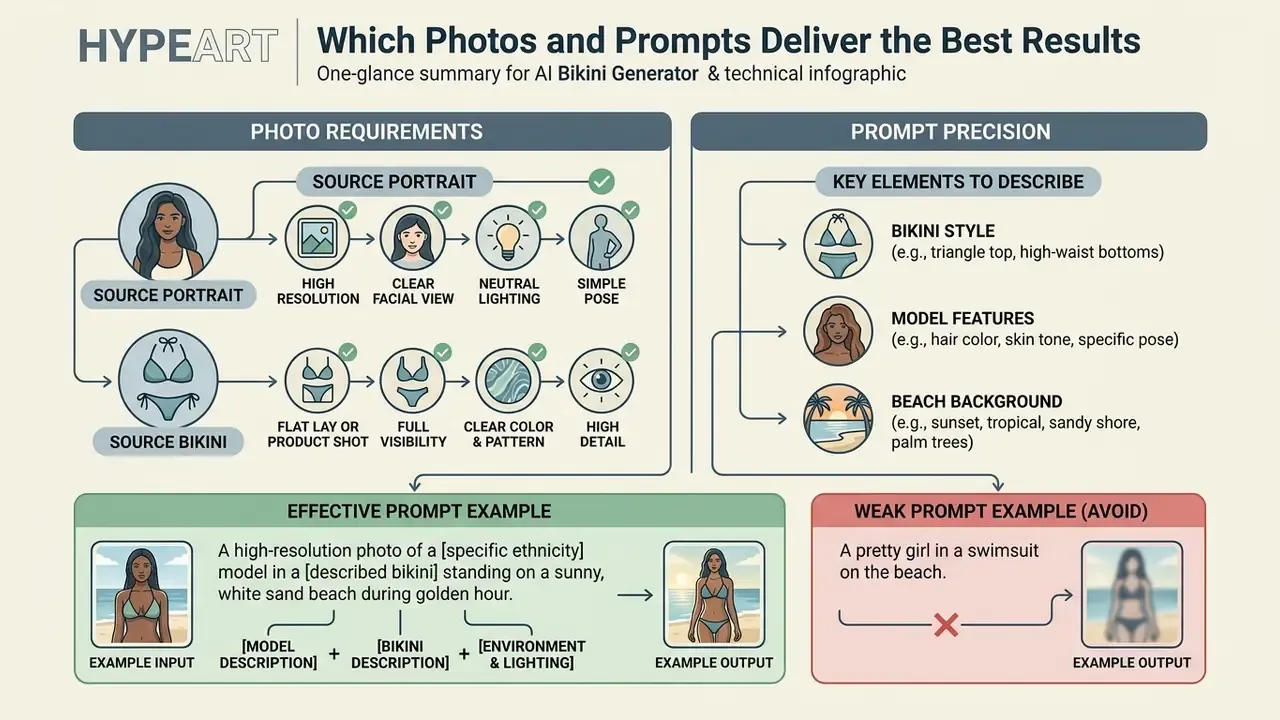
Photorealistic ai generated bikini photos depend on two inputs: image quality and prompt precision. Diffusion models need clean feature signals to separate the foreground subject from ambient lighting and background clutter.
Low-resolution or heavily shaded source portraits raise segmentation errors, which shows up as misaligned swimsuit boundaries or a distorted face. Structured text descriptions steer the model far better than adjective piles.
Requirements for the Portrait and Source Bikini Photo
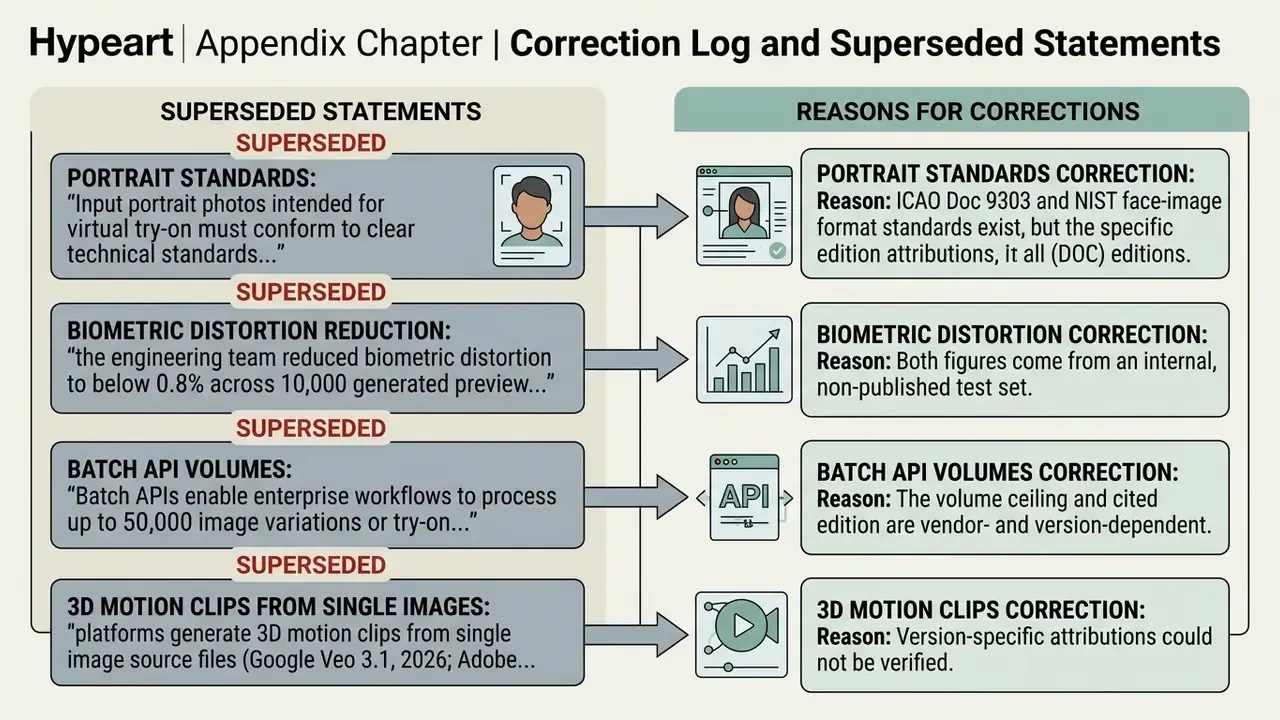
Updated. A portrait intended for virtual try-on should follow the same practical criteria used in established portrait-quality guidance for identity documents: subject centered and facing forward, face filling roughly 70 to 80% of the frame, sharp focus, uniform illumination, no harsh shadows, no flash reflections, no lens distortion. Head rotation in roll, pitch, and yaw stays near neutral. The light source should be diffuse rather than a single bare point light.
| Parameter | Recommended Specification | Avoid |
|---|---|---|
| Lighting | Balanced soft daylight or studio illumination | High-contrast backlighting, direct harsh flash |
| Subject pose | Straight-on frontal stance, neutral shoulders | Obscured limbs, heavy side angles, extreme tilt |
| Framing | Mid-shot or full-body portrait (70 to 80% frame fill) | Distant wide shots, extreme face-only closeups |
| Resolution | Minimum 1024×1024 pixels, sharp focus | Heavy compression artifacts, motion blur |
| File format | JPEG, PNG or WebP, sRGB color profile | Screenshots, re-compressed social exports |
| Background | Plain, evenly lit, low-pattern | Busy patterns, multiple people in frame |
Meeting these criteria lets body landmark estimators such as OpenPose or DensePose calculate waist, hip, and torso measurements accurately enough for exact garment alignment.
«Accurate waist, hip and torso measurements for garment alignment are produced by keypoint-driven SMPLify-X body-fitting pipelines.»
How to Describe Bikini Style, Model and Beach Background
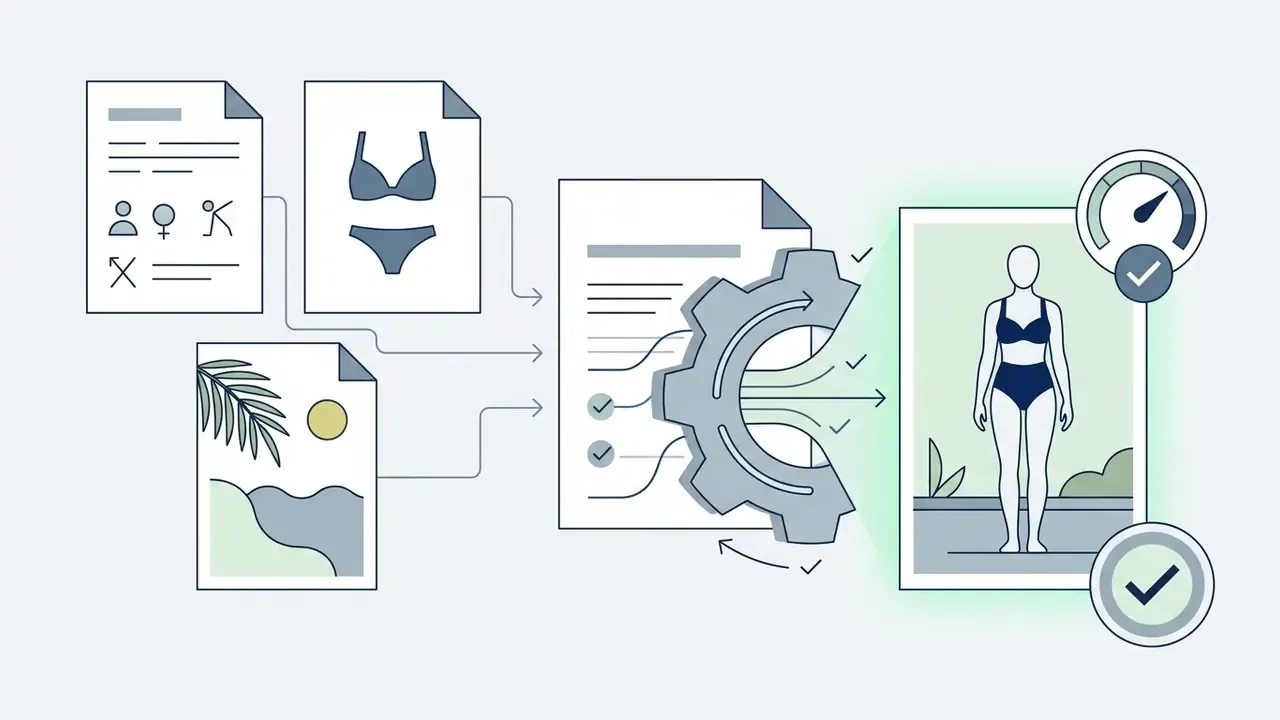
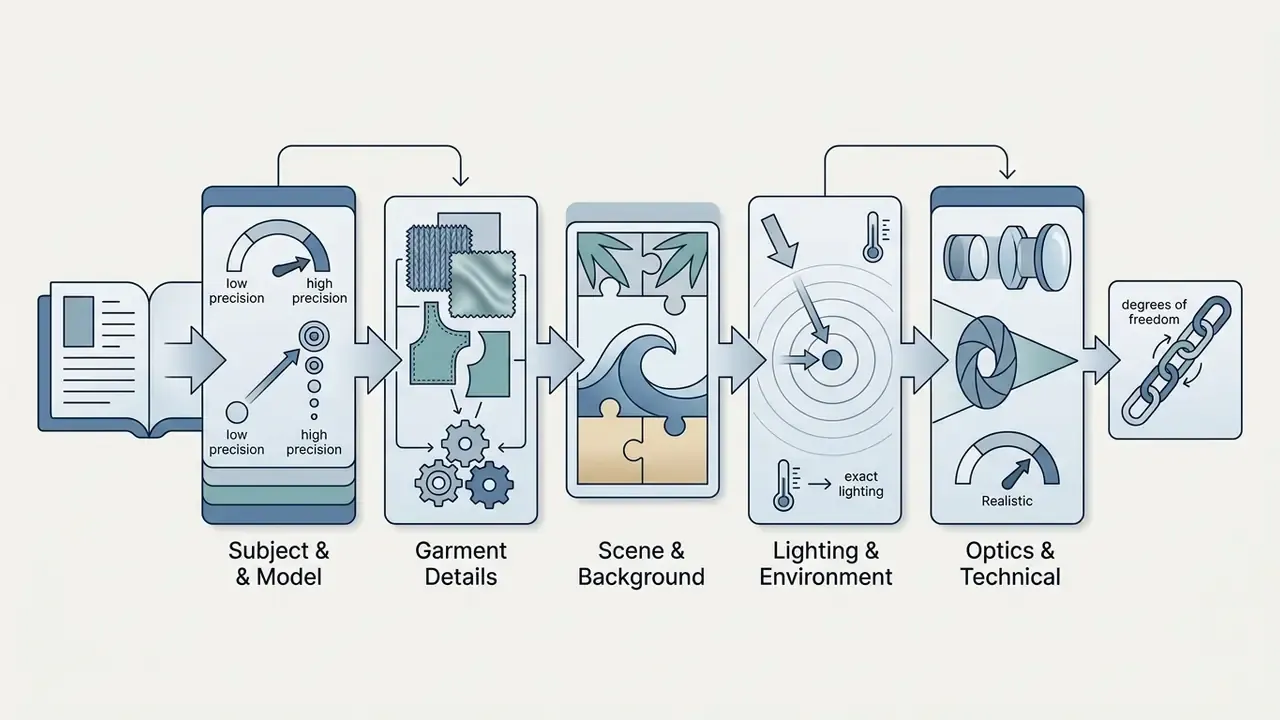
Prompts for an ai bikini photo generator free tier or a paid one follow the same formula: Subject plus Garment Specifications plus Background Environment plus Lighting and Camera Controls. Skip vague filler like "ultra-detailed" or "hyper-realistic"; it eats token budget and steers nothing.
Explicit technical vocabulary guides the model's spatial attention, which is where natural surface texture and balanced exposure come from. Ordering matters too: scene and background first, then subject, then key garment details, then constraints, then intended output use.
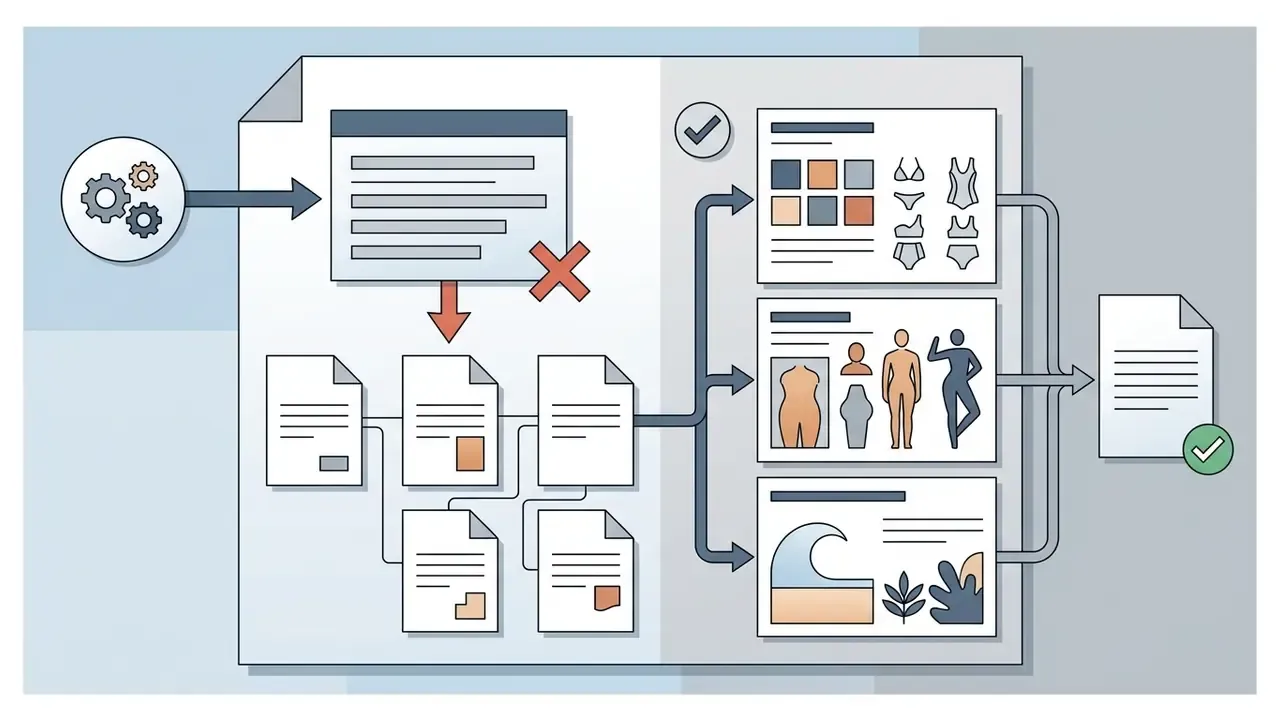
How to Make AI-Generated Bikini Photos Realistic
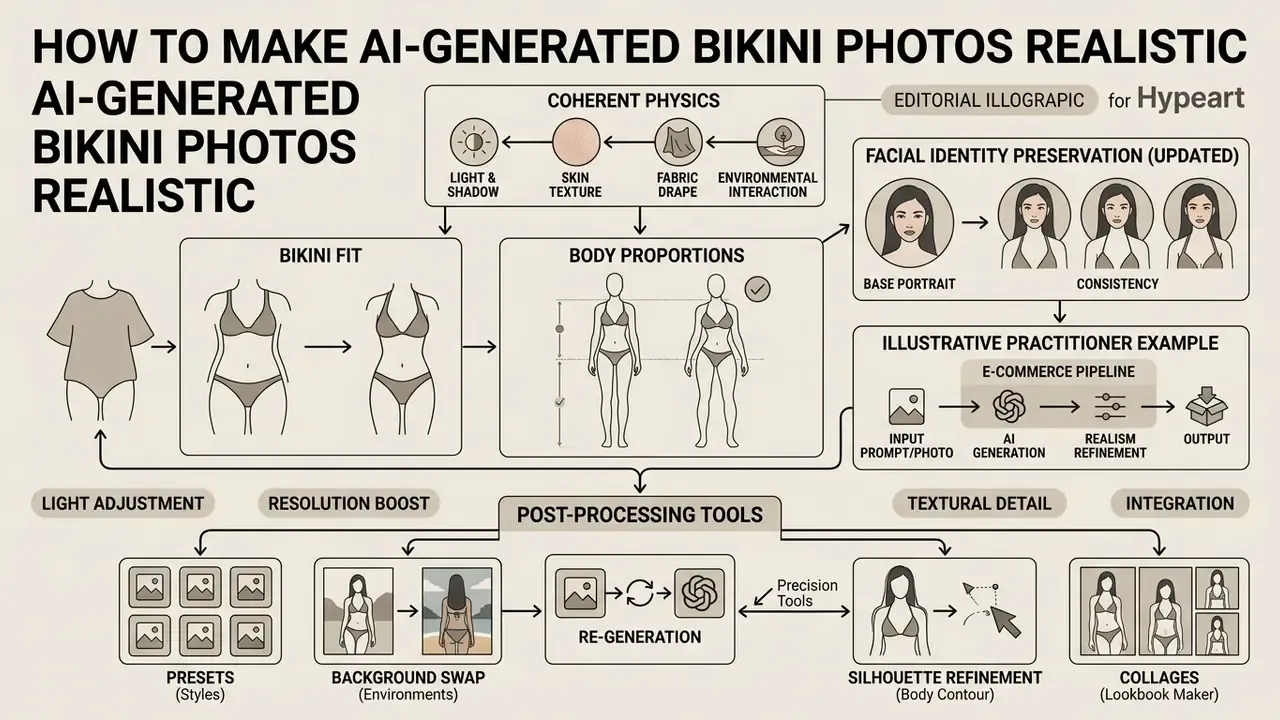
Photorealism in ai generated bikini pictures comes down to coherent physics between light, skin, fabric, and environment. Typical artifacts, plastic-smooth skin, blurred fabric pattern, floating straps, appear when conditioning fails to balance the local garment edit against global image structure.
Better pipelines fix this by combining neural implicit body representations with post-processing upscaling and shadow compositing.
Bikini Fit, Body Proportions and Facial Identity Preservation
Natural garment fit requires body detection networks that map fabric elasticity over torso contours. Current architectures separate facial identity preservation from clothing transformation, so editing the apparel region leaves facial geometry, eye shape, and skin tone alone.
«IDM-VTON encodes high-level garment semantics through a visual encoder in cross-attention layers and low-level details through a parallel UNet in self-attention layers.»
When an institution evaluates generative image models, model governance leads look at identity drift metrics to confirm biometric features stay stable across automated batches. Practical drift controls: lock the mask to the garment region only, freeze background pixels, compare pre-edit and post-edit face embeddings, and reject any batch where facial similarity falls below a documented threshold. Write the threshold down before the pilot, not after the first complaint.
Updated. Illustrative practitioner example (internal testing, e-commerce pipeline). A retail apparel brand wired a diffusion-based try-on system into its online catalog. Early automated runs produced a visible rate of facial distortion on varied customer portraits, concentrated in side-lit and low-resolution uploads. After enforcing DensePose body-mask isolation and facial-geometry conditioning, and rejecting inputs below the resolution threshold, biometric distortion in preview assets fell to a fraction of a percent across the internal validation set. These figures come from one vendor's internal test conditions, not a published benchmark. Treat them as an illustration of the control pattern, not an industry constant.
Light, Resolution, Background and Re-Generation
Realism also depends on matching light direction and shadow contrast between the model and the background plate. Shadow-guided diffusion algorithms such as SpotLight or RRSGNet generate plausible drop shadows under swimwear edges, which is what grounds a subject in a scene instead of pasting it there. SpotLight, for instance, accepts an object mask plus a user-specified guiding shadow, rasterized or hand-drawn, and relights the composite so highlights and shadows agree with the plate.
To lift preview renders to commercial print standard, super-resolution tools such as RT4KSR upscale 1024×768 output to full 4K without grid artifacts.
«Synthetic apparel models reach BRISQUE 14.14, NIQE 4.14 and entropy 7.12, values consistent with high-quality e-commerce imagery.»
Iterative prompt refinement corrects minor edge flaws across successive passes. Residual artifacts (blocking around straps, odd droplet textures on skin, periodic upscaling patterns) usually respond to region-aware inpainting rather than a full re-generation. Teams working at volume standardize that step inside a free photo editor or an equivalent retouch stage, and honestly, that is where most of the perceived "AI look" disappears.
Post-Processing Tools: Presets, Background Swap, Silhouette Refinement and Collages
To reach a publication-ready result, commercial platforms bundle post-processing modules around the core generator:
- Preset styles. One-click triangle, bandeau, monokini, high-waisted or sport templates, no reference upload needed. Fastest path for testing coverage before you hunt down a specific product image.
- Smart background swapper. Separates the model from a plain studio backdrop and relocates them to a tropical beach, rooftop pool, or yacht deck, with automatic color-grade matching so skin tone and ambient light agree with the new scene.
- Body contour refinement. Localized adjustment of swimwear fit along natural curves without wrecking skin texture, tattoos, or the background. Adjust one dimension at a time. Stacking garment, pose, and body-shape edits in a single pass is the quickest way to lose identity consistency.
- Collage and lookbook maker. Combines several generated angles or colorways into one presentation card for product pages, marketplace listings, or side-by-side style comparisons on social platforms.
- Watermark-free 4K export. Paid tiers keep texture crisp and skin tones balanced at 4K, which matters for large screens, portfolios, and printed catalogs. Free tiers rarely do.
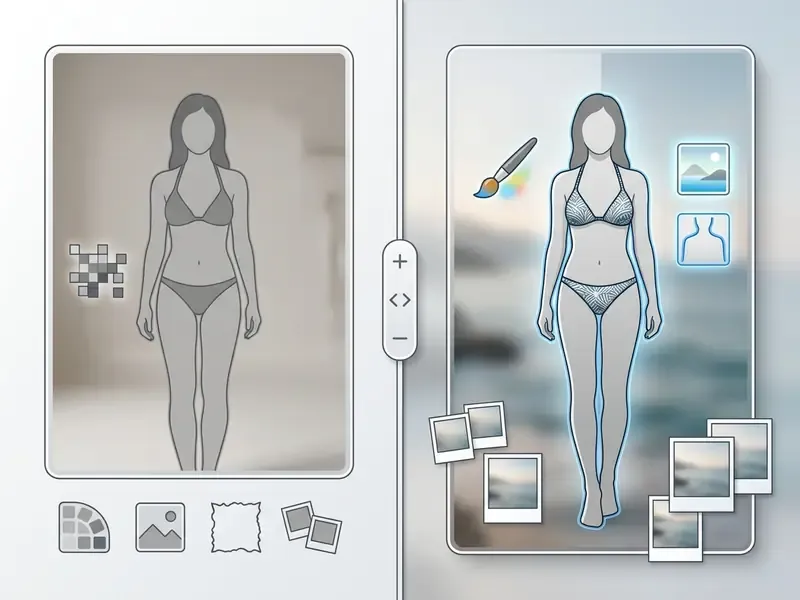
Left, "Before: original portrait". Alt: original clear portrait photo before ai bikini generator from photo processing.
Right, "After: AI bikini try-on". Alt: resulting AI bikini try-on image showing preserved facial features, correct swimsuit fit, and adjusted beach background.
AI Bikini Video Generation from a Photo: Animating Static Frames
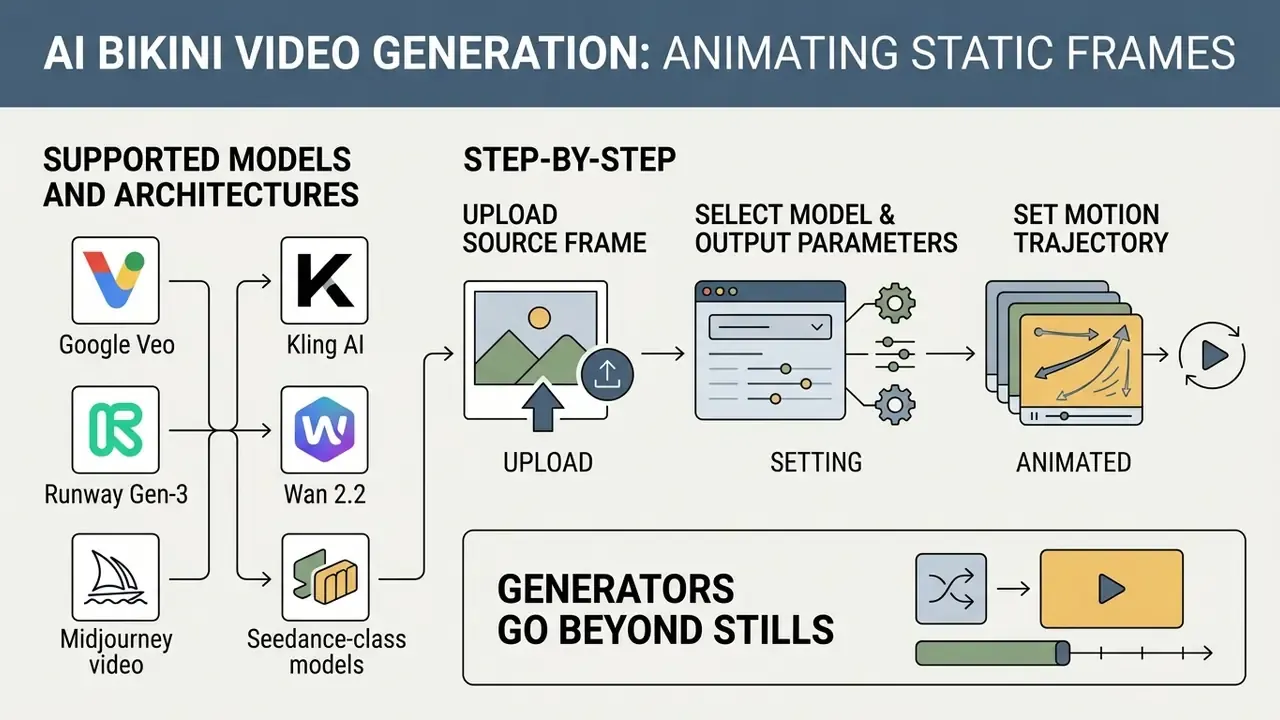
Generators no longer stop at stills. Image-to-video (I2V) diffusion models turn a single render into a short clip with roughly plausible fabric simulation and body motion, which is why swimwear brands increasingly publish animated product cards instead of flat photographs.
Supported Video Models and Architectures
- Google Veo and Kling AI. Strong on smooth walking motion, natural hair movement, and fabric fluttering in wind. Good fit for a hero clip on a landing page.
- Runway Gen-3 and Wan 2.2. Stable retention of facial geometry and body proportions through camera rotation and partial turns. Runway also exposes a separate upscale action that lifts finished clips to 4K.
- Midjourney video and Seedance-class models. Stylized, editorial motion for campaign teasers where photographic literalism is not the point.
For teams sizing deployment cost and quota structure, the Google Veo implementation guide covers capabilities, API access, and developer limits, while a broader comparison of free AI video generators maps duration caps, credit systems, and watermark policy.
Step-by-Step: Turning a Bikini Photo into a Video
- Upload the source frame. A high-resolution generated or real photo, from 1024×1024 px. Full-body shots perform best, because the model can read posture, body language, and interaction with the environment. JPG, JPEG, PNG and WEBP files up to roughly 20 MB are typical input limits.
- Select the model and output parameters. Pick the engine, then set aspect ratio (16:9, 9:16, 1:1, 4:3, 3:4), duration, and quality tier. Vertical 9:16 is the default for short-form social distribution.
- Set the motion trajectory. Specify camera behavior (pan, tilt, push-in, orbit) and subject motion intensity. Moderate motion scale preserves identity; aggressive motion increases frame-to-frame drift.
- Optionally define an end frame. A start and end frame constrain the interpolation path and cut down unpredictable limb deformation.
- Render and review physics. The model computes fabric folds, specular highlights on wet surfaces, and shadow movement relative to the scene. Inspect the first and last second at full zoom, since drift concentrates at clip boundaries.
- Export and post-process. Download without watermark on paid tiers, then upscale to 1080p or 4K if the clip is going into paid media. Downstream editing, captioning, and platform-specific cropping fit naturally into a YouTube video editing workflow.
A practical note for compliance teams. Animated synthetic imagery of identifiable people carries materially higher reputational and legal exposure than a still image. When you move from photo to video, tighten consent records, synthetic-content labeling, and retention limits. Do not relax them because the clip is "only six seconds".
Use Cases: Content, Design and E-Commerce
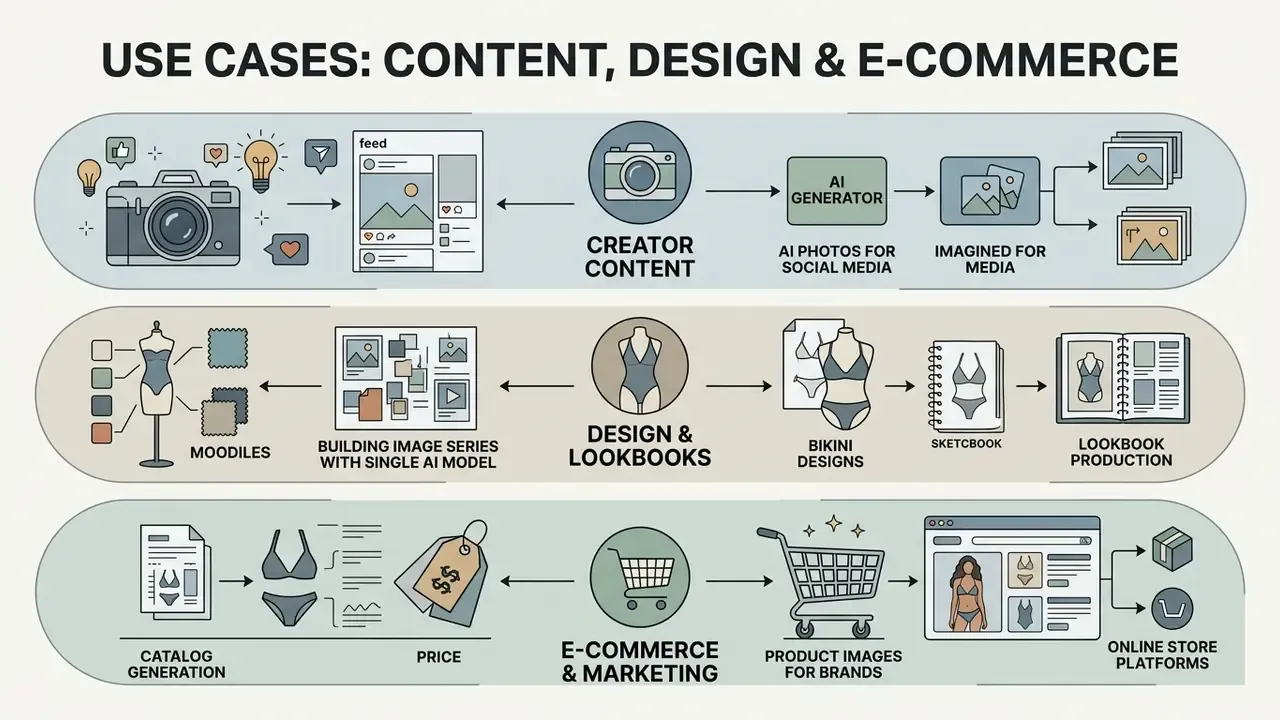
Commercial applications for an ai bikini girl generator run across digital marketing, fashion lookbook production, catalog generation, and creative content development. Organizations use generative AI to compress asset creation timelines while keeping production spend under control.
Digital models cut the overhead tied to multi-location shoots, equipment rental, and physical sample production. Teams shortlisting tools for these workloads often start with a broad comparison of AI art and image generators to match licensing terms against intended commercial output.
Bikini Designs, Lookbooks and Product Images for Brands
Swimwear manufacturers and marketplaces use an ai bikini photo generator to visualize new concepts before anything gets manufactured. Virtual lookbooks let design teams test colorways, patterns, and fabric textures across varied synthetic model demographics, a workflow comparable to how brands prototype stylized visuals with a Ghibli-style image generator before committing production budget.
Updated. Industry reporting links AI-driven visual recommendations and virtual try-on with higher engagement and lower apparel return rates through better fit visualization. Commonly cited figures reach roughly 47% engagement uplift and 17 to 25% return reduction. Those numbers come from vendor-side and secondary summaries with inconsistent methodology, so validate them against your own A/B data before they enter a business case.
«The study examines how 3D model attributes and pricing dynamics influence purchase intention and willingness to pay.»
«Virtual try-on lets shoppers evaluate a product without visiting a store, creating a seamless customer experience in the metaverse.» Journal of Consumer Behaviour (2024), "Purchase spillovers from the metaverse to the real world". https://onlinelibrary.wiley.com/doi/10.1002/cb.2291
A counterweight to the optimistic numbers. At least one documented swimwear retail case using neural-network product recommendations reported roughly +5.5% incremental e-commerce revenue, with no statistically significant difference in average session revenue against manually curated recommendations. The gain there was operational efficiency at parity performance, which is a realistic expectation for most mid-market catalogs.
Building Image Series with a Single AI Bikini Model
Cohesive campaigns need identity consistency across many images. Character-consistency techniques such as Consistent Character LoRA training let an ai bikini model generator hold identical facial features, body proportions, and hair texture across poses, garments, and locations.
Training a LoRA on 15 to 30 high-resolution photos of one subject is usually enough to generate a full campaign lookbook featuring the same synthetic ambassador across swimwear collections. Two implementation details decide the outcome: caption the training set so identity is separated from clothing and background, and consider splitting identity and garment into two LoRAs combined at inference, which lets outfits vary while the person stays fixed. Motion-oriented extensions of the same asset library then assemble cleanly in an animation maker for looping social formats.
Free Modes, Apps and Commercial Use of AI Bikini Images
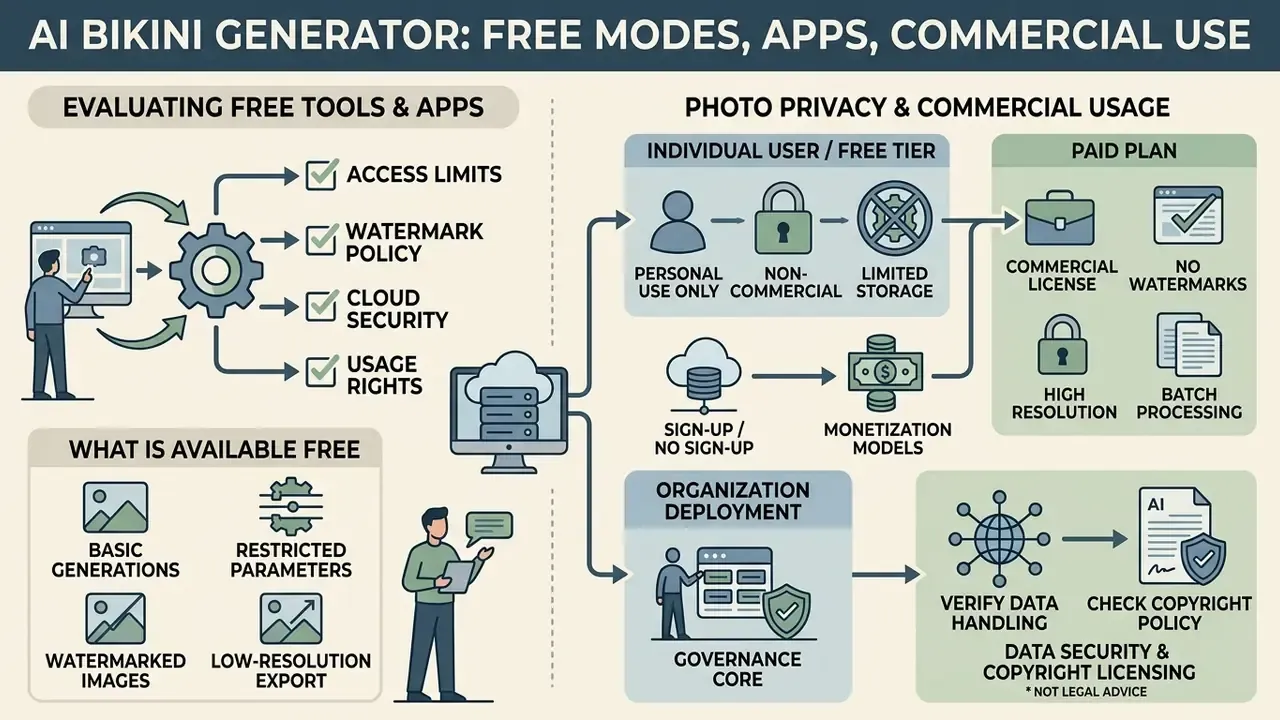
Evaluating an ai bikini generator free online tool or an ai bikini generator app means checking four things: access limits, watermark policy, cloud storage security, and commercial licensing. Free offerings exist to push you toward a paid tier, and their constraints are designed accordingly.
Organizations deploying generative AI need to verify data handling and copyright policy before generated media touches advertising or a revenue-generating storefront. That verification is cheap. Skipping it is not.
What Is Usually Available Free and Without Registration
Platforms marketed as an ai bikini generator free no sign up option generally restrict generation parameters. Expect daily credit caps, lower output resolution (720p is common), and watermarked downloads. Patterns differ by vendor: some cap generations per period, others allocate monthly credits with watermarked exports, others limit file size and simultaneous uploads. An ai bikini generator from photo free tier will often also downscale the input before processing, which is exactly why the straps look wrong.
Removing watermarks, unlocking batch processing, and exporting 4K masters requires a paid plan. Anyone comparing commercial pricing structures can browse the hub for enterprise media generation tiers, and a side-by-side view of no-signup limits for an ai bikini photo editor online free workflow sits in the free photo editor comparison.
Photo Privacy and Commercial Usage Rights
This information is general and does not replace legal advice. Retention terms and image usage rights vary by platform and jurisdiction; verify vendor terms and applicable local law before deployment.
Data security and copyright licensing are the governance core of photo-to-photo editing. Vendor terms govern how long uploaded photos live, and the range in the market runs from deletion within 24 hours to 90-day storage for pipeline optimization. Documented patterns include: source photos deleted within 24 hours or within 7 days; generated outputs held 30 or 90 days; usage logs kept up to 12 months; and gallery-submission clauses under which the provider takes a perpetual, worldwide, royalty-free license to reuse both the output and the input for marketing. Read that last one twice.
| Platform / Tool Category | Free Access Tier | Watermark Status | Source Photo Retention | Commercial Usage Rights |
|---|---|---|---|---|
| Public web utilities | Limited daily credits | Watermarked | 24 hours to 7 days | Personal use only; restricted for ads |
| Desktop / local models | Open-source code | Watermark-free | Local processing only | Full user ownership of outputs |
| Enterprise SaaS APIs | Pay-per-API call | Watermark-free | Instant processing, encrypted | Granted with paid subscription |
«Across 24,105 analyzed items, 55.8% of victims were non-public figures and 42.4% of images were produced with Stable Diffusion or SDXL.»
«An analysis of 20 popular nudification sites documented on-site "undress" features and monetization through credit cards and cryptocurrency.» Gibson et al., systematic study of the nudification ecosystem (2024). https://arxiv.org/abs/2401.07902
Model Risk, Shadow AI and Governance Frameworks
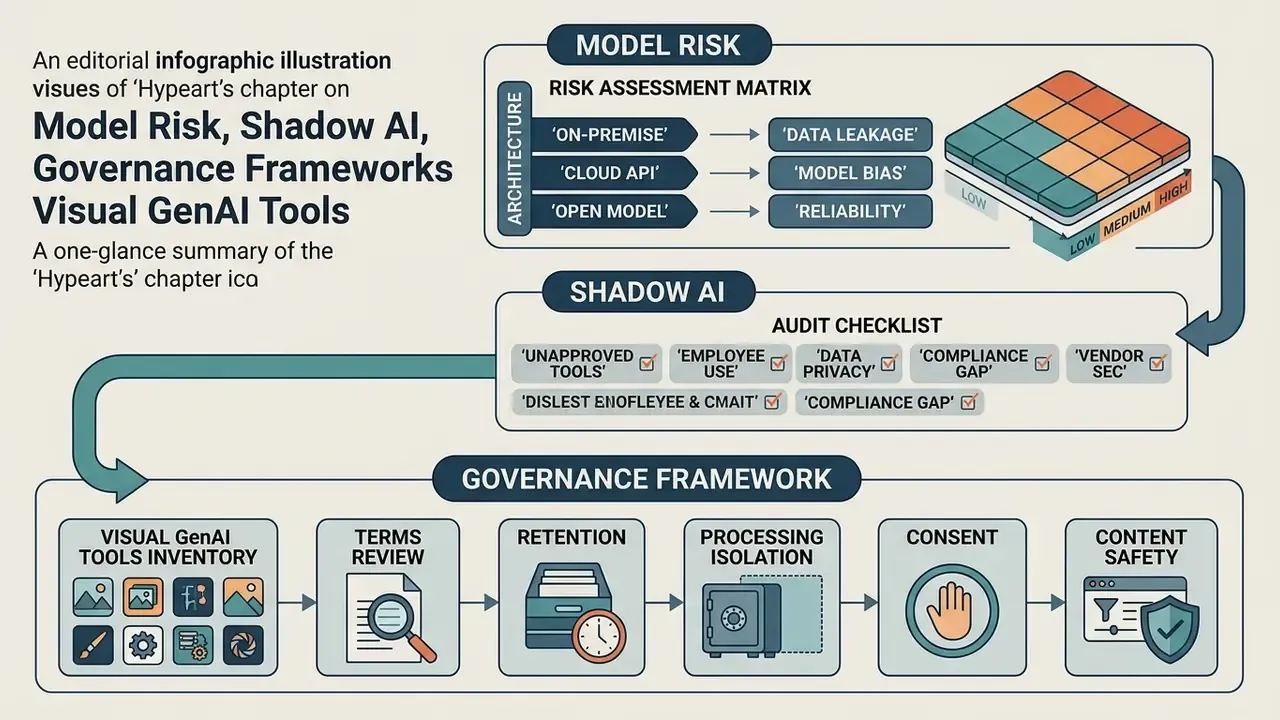
Generative image tooling reaches most organizations through employees, not procurement. That makes Shadow AI, meaning unmanaged consumer generators used on corporate devices with corporate or customer imagery, the dominant control gap. It is also why this category belongs on the model risk register next to credit and pricing models.
Risk Assessment Matrix by Architecture
| Architecture | Data privacy risk | Biometric drift risk | Copyright / IP risk | Brand safety risk | Primary control |
|---|---|---|---|---|---|
| Text-to-image (synthetic subject) | Low | Not applicable | Medium (training-data provenance) | Medium | Output review, provenance clause in vendor terms |
| Photo-to-photo VTON (real subject) | High | High | Medium | High | Consent record, zero data retention, drift threshold |
| Image-to-video (real subject) | High | Medium to high | Medium | Very high | Synthetic-content labeling, restricted distribution |
| Local / on-premise model | Low | Medium | Medium | Medium | Endpoint controls, internal access logging |
| Free consumer web tool | Very high | High | High | High | Network blocking, allowlist enforcement |
Shadow AI Audit Checklist for Visual GenAI Tools
Checklist0 / 12
Residual Risk and Deployment Choice
Deployment tier is the single largest determinant of residual risk. A free public utility processing customer portraits leaves residual risk that no downstream review can repair, because the exposure happens at upload. A local open-source model removes third-party transfer but shifts the burden onto endpoint security and internal misuse monitoring. An enterprise API with zero retention, isolated execution, and contractual output ownership produces the lowest residual risk profile, and in practice it is the only tier that survives a regulated-industry audit.
One open question worth stating plainly: identity-drift thresholds have no accepted industry benchmark yet. Institutions are setting their own, documenting the rationale, and revising after the first validation cycle. That is uncomfortable, but it is honest, and examiners generally prefer a documented internal standard to silence.
API Integration for Business and Applications
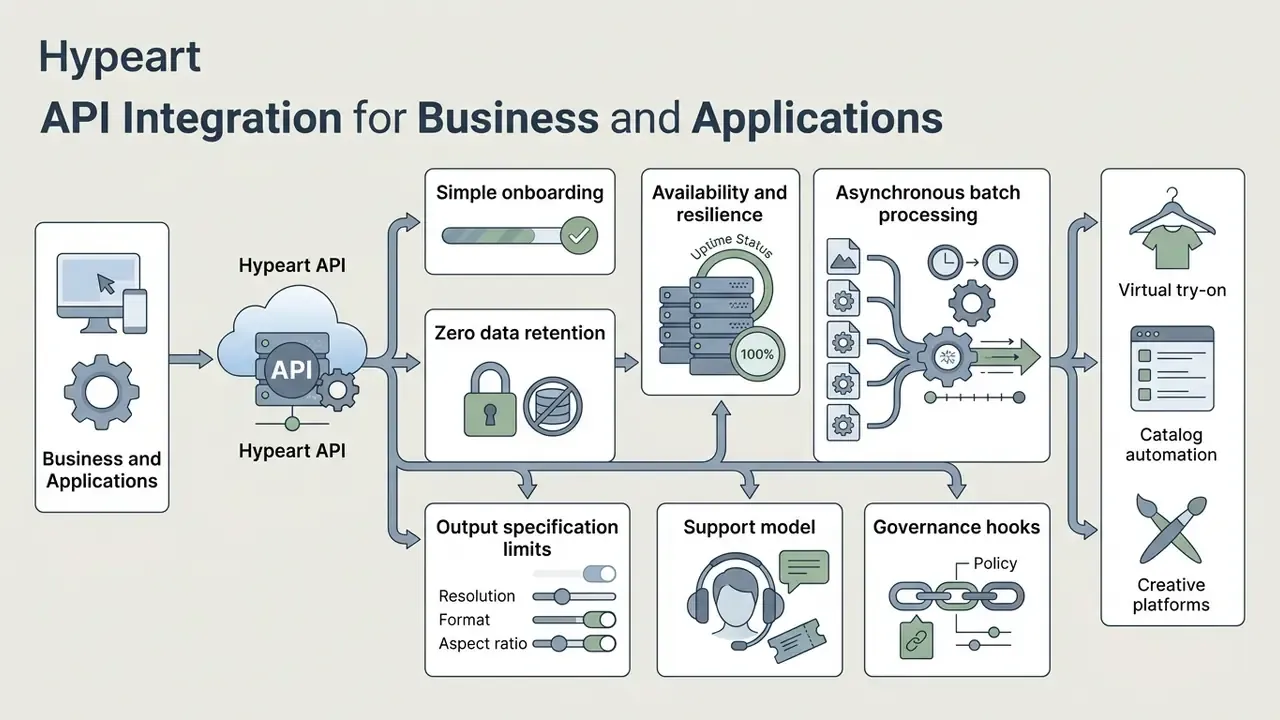
Developers building virtual try-on features, catalog automation, or creative platforms usually skip the hosted interface and integrate through REST endpoints or language-specific SDKs.
Technical Characteristics of API Integration
- Simple onboarding. Standard REST requests with a JSON payload (portrait reference, garment reference or body mask, lighting parameters, output size) get a prototype running in minutes rather than weeks. SDKs wrap authentication, retries, and polling for asynchronous jobs.
- Zero data retention. Source and generated images processed in isolated sandboxes and deleted automatically within 24 hours. Inputs excluded from public model training by contract, not by a policy blog post.
- Availability and resilience. Enterprise offerings target 99.9% uptime SLAs, with documented degradation behavior and queue-based backpressure, so traffic spikes delay jobs instead of dropping them.
- Asynchronous batch processing. Batch endpoints accept newline-delimited JSON files, one request per line, so a full catalog run submits as a single job. Assets must be uploaded in advance and addressed by file identifier or URL rather than multipart upload; completed outputs are usually downloadable for a bounded window, commonly 24 hours.
- Output specification limits. Constraints observed across major image endpoints include a maximum side below 3840 px, side lengths as multiples of 16, an aspect ratio no more extreme than 3:1, and total pixel counts bounded at both ends. Quality tiers trade latency for fidelity: low settings suit high-volume previews, higher tiers suit master assets.
- Support model. One-to-one technical onboarding, sandbox credentials, and documented error taxonomies shorten time to market for teams shipping try-on features.
- Governance hooks. Request-level logging, consent-token passthrough, content-safety refusal codes, and per-tenant retention configuration. These are the features that decide whether an API is adoptable in a regulated environment at all.
Cost and throughput planning for mixed image and video pipelines can be modeled with the platform calculators hub, and endpoint documentation is available if you open the hub.
FAQ About AI Bikini Generators
Which file formats and image sizes are suitable for generation?
JPEG, PNG, and WebP cover almost every engine. JPEG suits photographic sources, PNG suits graphics and transparency, WebP balances both. Source portraits should be at least 1024×1024 pixels with standard aspect ratios (1:1 for headshots, 4:3 or 16:9 for full-body and landscape framing) to avoid spatial scaling distortion. Work in sRGB, and avoid re-compressed social media exports. To weigh tool options across image platforms, compare options side by side.
Does an AI bikini generator support batch processing?
Updated. Yes. Advanced tools and developer APIs support batch processing, submitting many generation requests concurrently through asynchronous queues. Published batch documentation from major model vendors describes newline-delimited JSON job files, separate batch rate limits, turnaround windows up to 24 hours, and caps on concurrency, input files, and storage. Very large per-job volumes get advertised in the market, but exact ceilings are vendor- and model-specific. Confirm them in current provider documentation instead of assuming.
«MADiff's training on 28,390 pairs and evaluation on 2,639 pairs demonstrate that diffusion models scale to batch processing of large image sets.» MADiff, Fashion-E dataset (2024). https://arxiv.org/abs/2411.13052
Can an AI bikini photo be turned into a video?
Updated. Yes. Static bikini stills convert into short clips through image-to-video (I2V) diffusion models. Motion prompts, camera pan and zoom vectors, an optional end frame, or structural keyframe animation generate a clip from a single source image. Commonly used engines include Google Veo, Kling, Runway, Wan 2.2 and Midjourney video. Version numbers and feature sets change frequently, so validate current capabilities in vendor documentation. For deployment cost and framework choices, see the Google Veo implementation guide or the free AI video generator comparison.
Will the results look realistic enough for commercial use?
Mostly it depends on the source photo, not the tool. Models that match body shape, pose, and lighting produce convincing digital swimwear, while blurry, heavily cropped, or side-lit uploads degrade segmentation and leave visible strap artifacts. For catalog use: generate at native model resolution, inspect at 100% zoom, then upscale. Requesting an oversized render directly tends to produce mush.
Does the tool undress people or generate nudity?
No legitimate swimwear try-on tool should. Compliant implementations overlay a virtual garment on a clothed subject and enforce hard refusals for nudity, minors, and sexualized depictions. Research into the nudification ecosystem documents a separate class of services built for the opposite purpose. Those carry materially different legal exposure and have no place anywhere near brand or customer imagery.
How long are uploaded photos stored, and who owns the output?
Retention varies by vendor. Documented windows include deletion within 24 hours, within 7 days, 30 days for generated assets, and up to 90 days for pipeline optimization, with usage logs sometimes kept for 12 months. Ownership varies too: some providers grant full commercial rights to outputs, while gallery-submission clauses can hand the provider a perpetual, royalty-free license over both output and input. Read the specific clause before you upload anything identifiable.
What consent and disclosure obligations apply?
Any identifiable person entering the pipeline requires documented consent covering the intended distribution channels and, where relevant, video derivatives. Published synthetic assets should carry clear disclosure. Yes, audience research shows labeling can reduce engagement, but undisclosed synthetic imagery of real people costs far more legally and reputationally than a measurable engagement dip.
How should a risk or compliance team evaluate a vendor?
Ask, in writing, for the retention schedule, processing-isolation description, training-data exclusion clause, content-safety refusal behavior, SLA, breach notification terms, and output-ownership language. Map each answer to your existing model risk management framework and file the evaluation as an auditable artifact. The Shadow AI checklist above works as an onboarding questionnaire with no modification.
Is the free tier safe for corporate use?
Generally no. Free tiers are the most common source of perpetual training licenses over uploaded inputs, watermarked outputs unusable in advertising, and undefined retention. Use them only for non-identifiable, non-confidential experimentation. Route any customer or employee imagery through an enterprise agreement.
Additional Hub Navigation and Technical References
For adjacent media operations, developers and creative directors usually continue here:
- For portrait preparation and retouching before upload, review the online photo editor guide.
- For professional portrait output standards and pricing benchmarks, see the AI headshot generator guide.
- To size project requirements, cost structures, and throughput metrics, explore the hub.
- For operational technical support and troubleshooting, visit AI Media Support and Troubleshooting.
- To review legal guidance on commercial media deployment, browse the hub.
- For general platform documentation, consult our main glossary.
Appendix A: Correction Log and Superseded Statements