Executive Summary: What Matters Before You Publish
An AI brochure maker converts a prompt, a pasted document or a URL into a fully structured multi-panel layout in roughly 30 to 60 seconds. It removes the blank-canvas stage of design work, which is usually the slowest part. For regulated industries the decision is not whether the output looks acceptable. The real question is whether the platform supports brand governance, accessibility verification, prepress-grade export (300 DPI, CMYK, 3 mm bleed) and contractual clarity on data handling and commercial rights.
The economics are straightforward. A freelance designer typically charges $200 to $500 per brochure layout with a three-to-five-day turnaround, while enterprise AI brochure platforms deliver edit-ready drafts for $15 to $30 per month or credit-based quotas. The residual cost sits in human review: fact-checking, image resolution audits, accessibility validation. That is where governance controls, not generation speed, determine total cost of ownership.
What this guide covers: how the technology works, copy-paste prompts for four industries, format and prepress specifications, a capabilities-versus-limitations matrix, accessibility requirements, enterprise data-security criteria, pricing and licensing rules, and a pre-export inspection checklist.
Who This Guide Is For and How to Use It
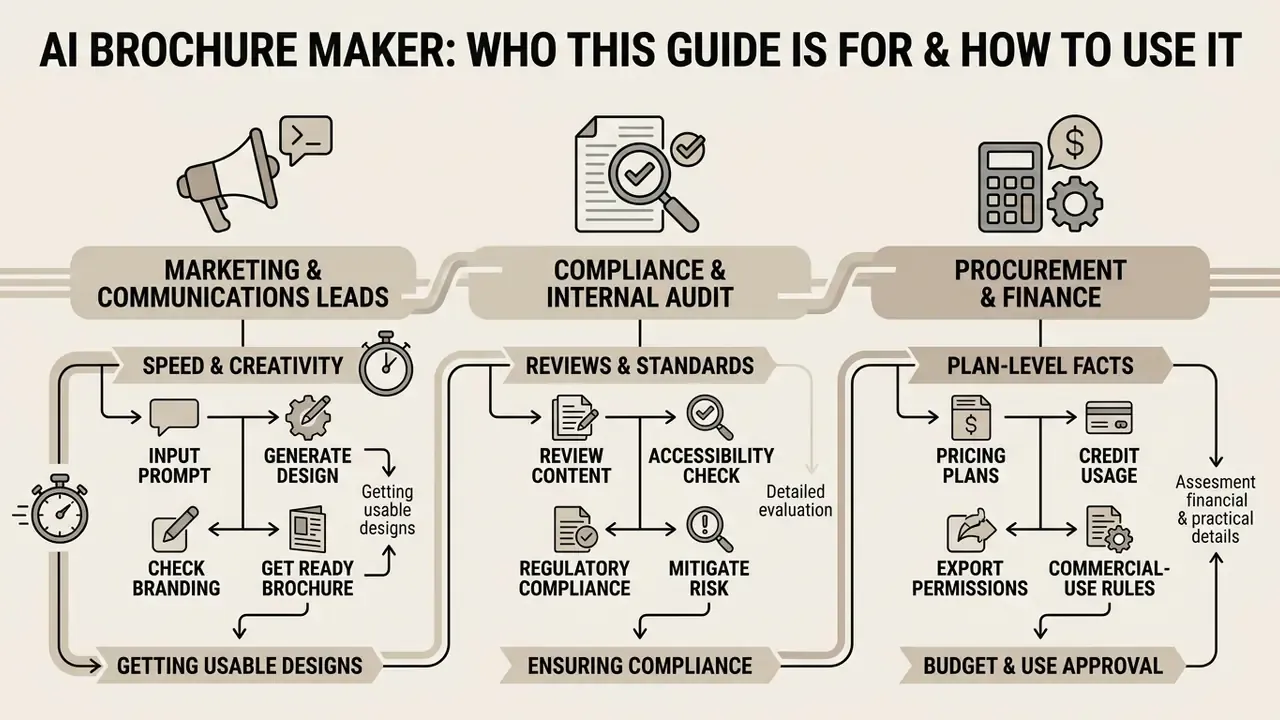
Three groups usually arrive at this page with different jobs in mind, and they read it in different orders.
Marketing and communications leads want speed: a usable brochure design from a prompt, on brand, without a design queue. Start with the step-by-step section and the industry prompt library.
Compliance, risk and internal audit reviewers care about a different question. Who approved this claim, which reviewer signed it off, and can that decision be reproduced six months later? For them the security, accessibility and pre-export checklist sections carry the weight.
Procurement and finance need plan-level facts: credit accounting, export permissions, commercial-use language, data-residency commitments. Those live in the pricing and licensing sections.
One framing worth keeping throughout. An AI brochure creator is a drafting tool with a named owner, an approved role and an audit trail, not an autonomous publisher. No evidence, no autonomy. Every asset that leaves the building should carry a human name against it.
What Is an AI Brochure Maker and What Can It Create?
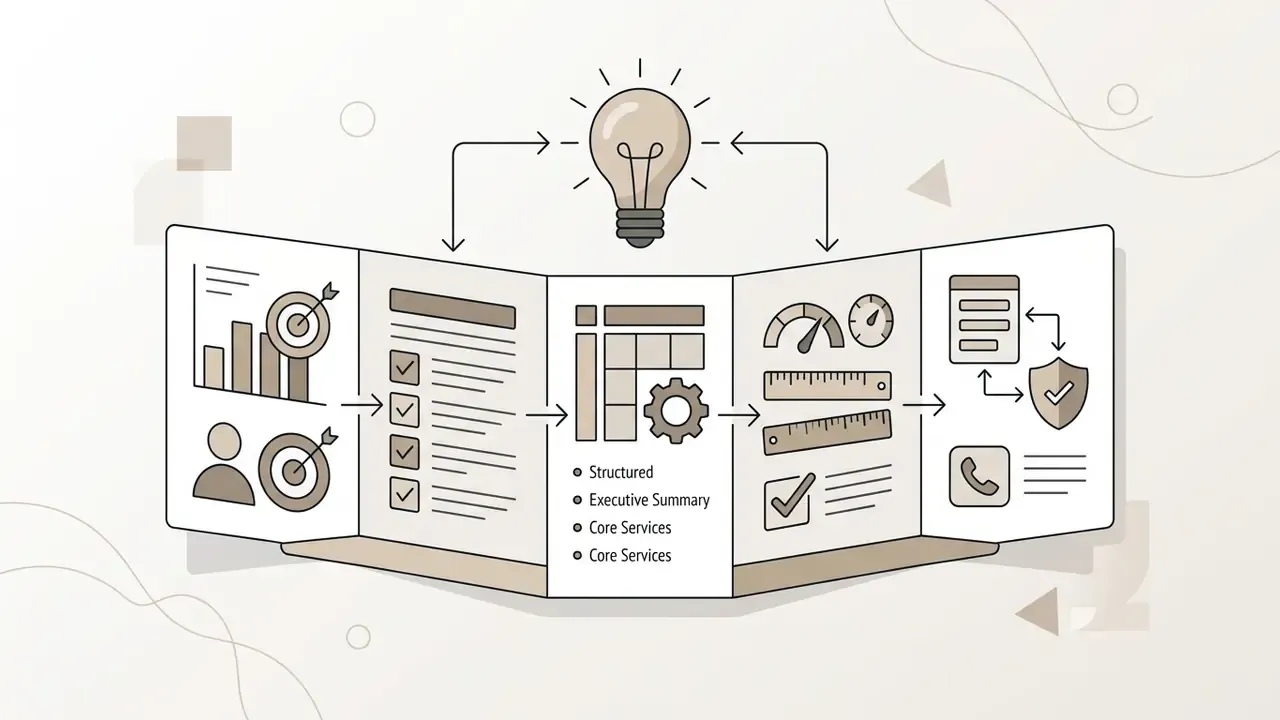
An AI brochure maker is a software application that transforms text prompts, raw copy, or uploaded documents into structured multi-panel collateral. It combines large language models for text arrangement with visual generation engines to produce editable layouts in minutes.
Organizations use these platforms to reduce design lead times while maintaining visual consistency across marketing materials. Instead of starting from a blank canvas, teams receive a fully formatted draft complete with headings, body paragraphs, and placeholder graphics. Whether you use a browser tool, an AI brochure maker app on mobile, or a desktop suite, the input logic is broadly the same.
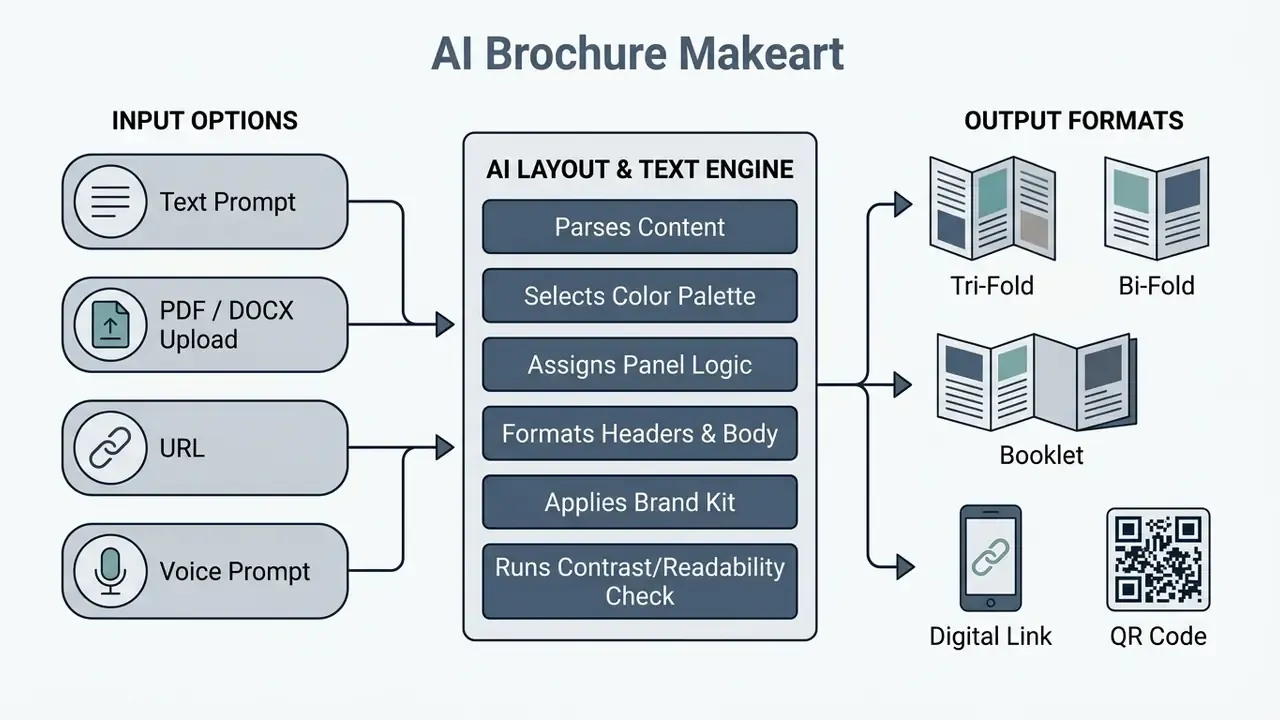
AI Brochure Generator From Text, Prompts and Existing Content
AI-Generated Brochures vs Standard Brochure Templates
Standard brochure templates rely on fixed geometries that require users to manually crop images and trim copy to fit text boxes. AI-generated brochures build dynamic layouts adjusted specifically to the length and context of the supplied text, which is closer in behaviour to a prompt-driven design generator than to a static file.
The quality gap between synthetic and commissioned visuals is now measurable rather than anecdotal:
«All seven AI models surpassed human-made images in aesthetic appeal; DALL·E 3 outperformed human freelancers on five of ten marketing metrics.»
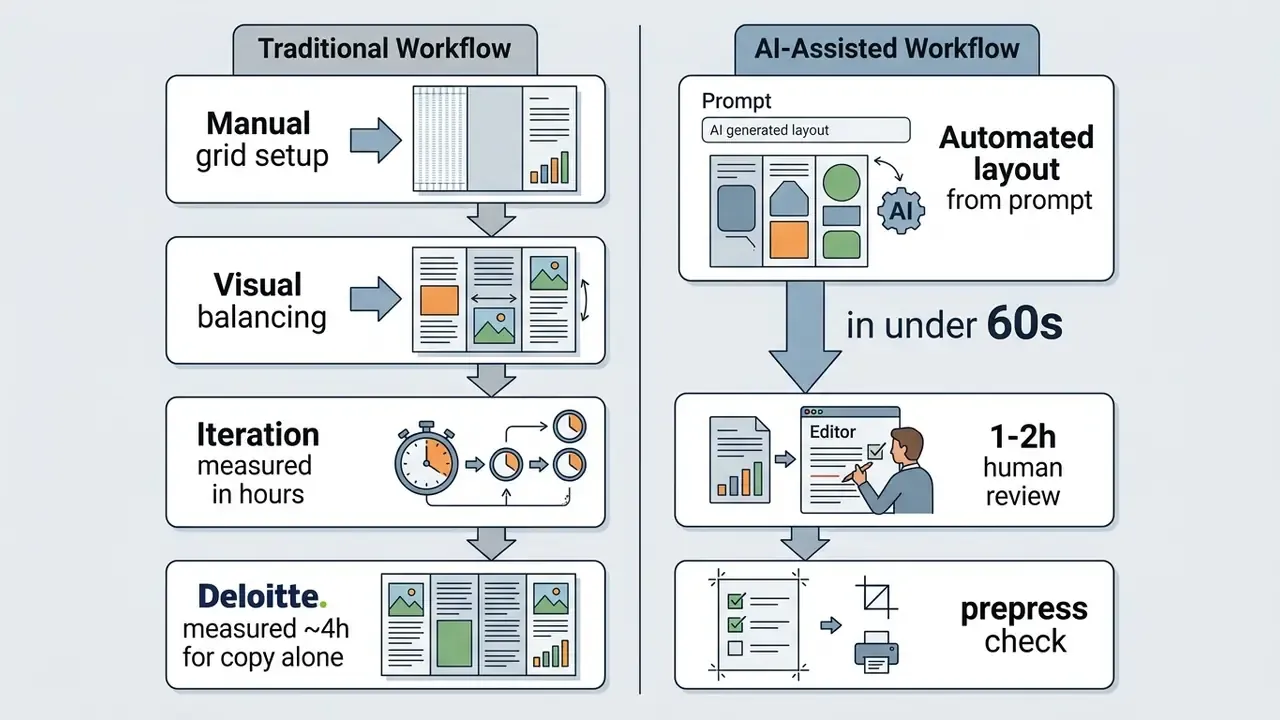
The same evaluation reported that four of the seven models significantly surpassed human-made images on perceived quality, while per-image cost fell from roughly $100 for freelance production to a fraction of a cent for model inference. Automated brochure creation delivers custom drafts in 30 to 60 seconds, letting designers focus on review, fact-checking and final branding rather than manual layout construction.
Speed advantages are consistent across content types. In a controlled experiment run by Deloitte Digital, two copywriters and two large language models received an identical brief for an active brand:
«AI produced email copy in minutes versus roughly four hours per human campaign, scoring about 4.5% better across five consumer criteria and nearly 7% better on personalization.»
What AI Brochure Generators Can and Cannot Do
Understanding current technological boundaries prevents workflow bottlenecks during publication. It also stops teams from budgeting zero hours for human review, which happens more often than anyone admits. Visme, for example, publishes an explicit list of exclusions: its design generator will not produce infographics, charts, whiteboards, videos or GIFs, will not reproduce supplied text verbatim, will not crawl external websites, will not handle multiple projects simultaneously, and caps output at ten pages per design.
Capability Matrix: Automated Generation vs Mandatory Human Edit
| Feature / Capability | Supported by AI Engine | Requires Manual Human Edit |
|---|---|---|
| Multi-panel text layout structuring | Yes | No |
| Automatic brand color palette extraction | Yes | No |
| Headline, subhead and body copy drafting | Yes | Editorial pass advised |
| Verbatim reproduction of approved legal copy | Partial | Yes |
| Fact-checking technical product specifications | No | Yes (mandatory) |
| Complex data visualization / chart generation | No | Yes |
| Documents longer than ~10 pages (single generation) | Typically no | Yes (split project) |
| High-resolution prepress PDF export (300 DPI, bleed) | Yes (paid tiers) | Verify before print |
| WCAG contrast and readability validation | Partial (tool-dependent) | Yes |
| Regulatory disclosure and disclaimer placement | No | Yes (compliance review) |
The practical implication: treat AI output as a first draft with structural value, not a publishable asset. Every claim, figure and legal line requires human verification before it reaches print or a public URL. One skipped verification, one reprint.
Brochure Types and Business Use Cases for AI Creation
Selecting the correct brochure layout depends on target audience expectations, content volume, and distribution methods. AI brochure creation tools support multiple structural formats tailored to specific corporate communication needs, and most vendors now market separate flows for business, company and marketing brochures.
Marketing, Product and Company Brochures
Marketing brochures focus on customer acquisition, using direct messaging, bold headers, and prominent contact details. According to design guidance published by the University of Tennessee, an effective marketing brochure carries a headline, logo, a customer-benefit summary, a bulleted product or service list, and contact details. Its single task is converting attention into an inquiry.
Product brochures present technical specifications, feature comparisons, and user benefits structured for commercial evaluations: product overview, key features, benefits, proof points and a call to action. Company brochures deliver high-level organization overviews, covering corporate governance, operational capabilities, mission, values, testimonials and client references. An AI company brochure generator is usually configured around exactly that panel sequence.
Enterprise time savings are best framed against measured evidence rather than unattributed internal anecdotes. The Deloitte Digital experiment cited above found AI drafting reduced copy production from approximately four hours to minutes per asset while scoring marginally higher on consumer evaluation. Applied to brochure workflows, the realistic gain is compression of the drafting and layout-setup stage, historically the largest single time block, while review, fact-checking and prepress verification remain fixed costs. Fixed. Not optional.
When building corporate collateral, teams can compare adjacent generation tooling through our guide to Canva AI Generator design features, pricing and commercial licensing, or open the hub to evaluate broader visual production options side by side.
Tri-Fold, Bi-Fold, Booklet and Digital Brochures
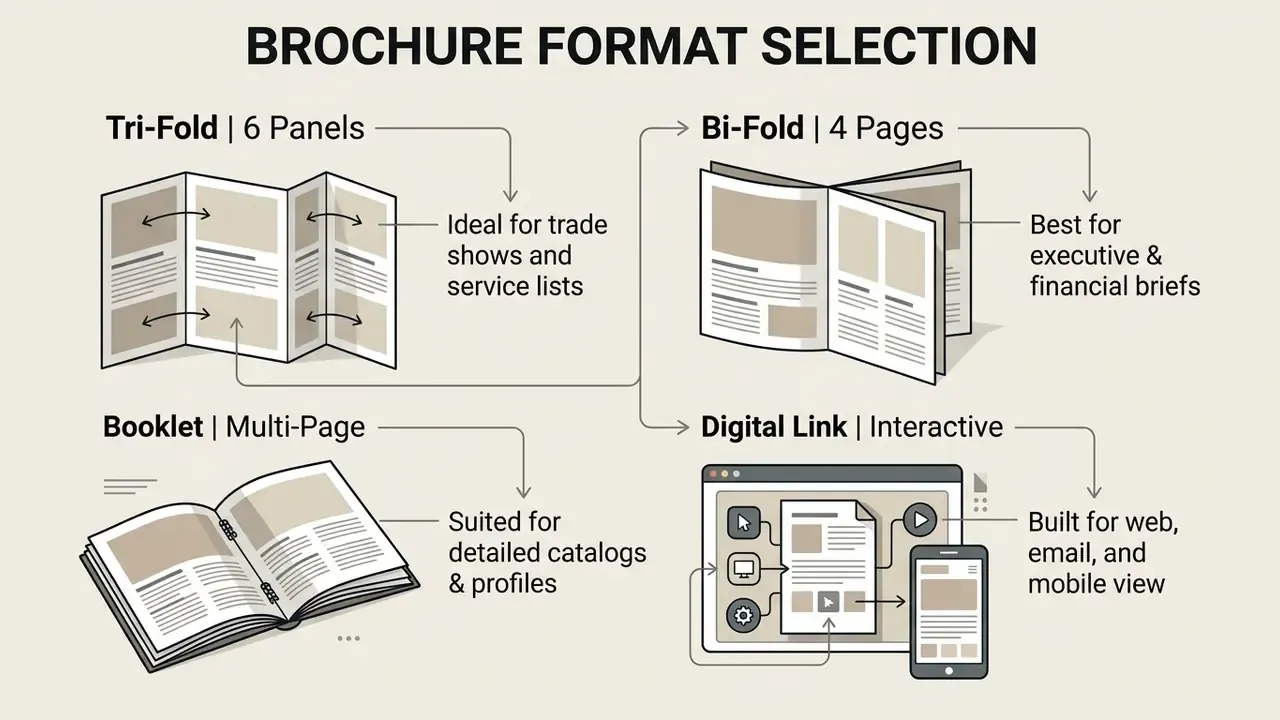
Layout mechanics vary across physical folds and digital formats. Tri-fold brochures divide a single sheet into six distinct panels, and the inside tuck flap must sit 1.5 to 3 mm narrower to prevent buckling when folded; the exact reduction varies with paper weight and finisher.
Bi-fold brochures provide four wider pages suited for high-resolution graphics and executive summaries, with one centered fold creating four equal printable faces. Multi-page booklets require page imposition into folded signatures for duplex printing, then saddle-stitch or perfect binding. Digital e-brochures export as responsive web links, interactive flipbooks or interactive PDF documents.
Interactive and hybrid delivery. Print and digital are no longer separate tracks. Modern platforms let you embed a QR code directly on the back panel that resolves to a live digital brochure, a virtual property tour, a booking form or a pricing page. For trade shows and field sales this converts a static handout into a measurable acquisition channel: the printed panel carries the message, the QR destination carries the tracking parameters and the conversion path. Export formats across the sampled vendors include high-resolution PDF, PNG, JPG, SVG, PPTX and HTML5 flipbook links.
Brochure Formats, Technical Specifications and Business Applications
| Format | Panel Structure | Primary Business Purpose | Print Specifications | Digital Delivery Options |
|---|---|---|---|---|
| Tri-Fold | 6 panels (3 per side), inner tuck flap 1.5-3 mm narrower | Event collateral, service menus, direct mail | 300 DPI, CMYK, 3 mm bleed, standard letter/A4 | Static PDF download, email attachment, QR-linked page |
| Bi-Fold | 4 pages (2 per side), equal panel width | Executive briefs, product overviews, sales presentations | 300 DPI, CMYK, center crease line, 3 mm bleed | Single-page spread PDF, tablet-optimized file |
| Booklet | 8 to 48 pages, bound signatures | Annual reports, comprehensive product catalogs | Duplex print, saddle-stitch or perfect binding, imposed spreads | Interactive flipbook, page-turn web viewer |
| Digital Brochure | Variable screen-first panels or scrolling canvas | Online marketing, lead generation campaigns | N/A (screen optimized, RGB color space) | Hosted web URL, HTML5 embed, mobile view, QR entry point |
For terminology precision: a brochure is a folded, multi-panel promotional document; a pamphlet, under the UNESCO standard, is an unbound booklet of 5 to 48 pages; a digital booklet is a delivery format rather than a binding category. Vendors blur these words freely, so an "AI pamphlet maker" and an AI brochure generator often describe the same engine with different templates.
How to Create a Brochure With AI Step by Step
Creating a professional brochure with artificial intelligence requires a structured approach from initial briefing to export verification. Following a systematic sequence keeps content accuracy and visual balance under control.
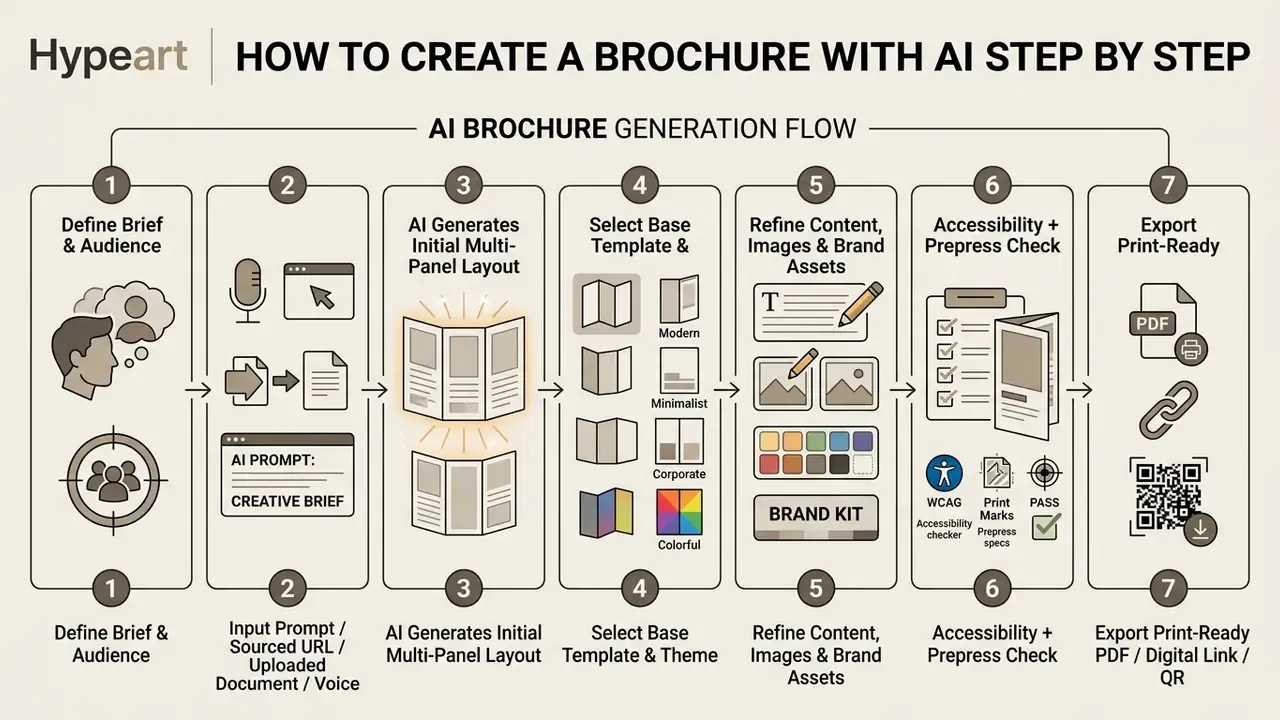
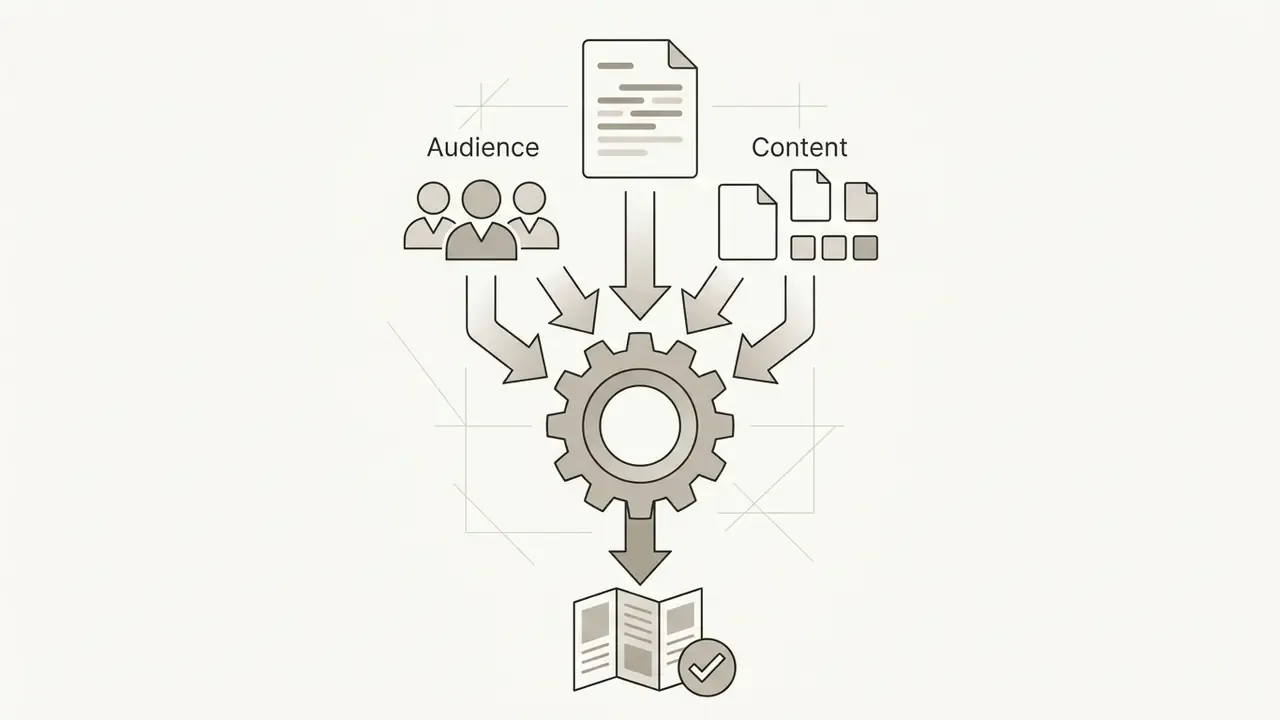
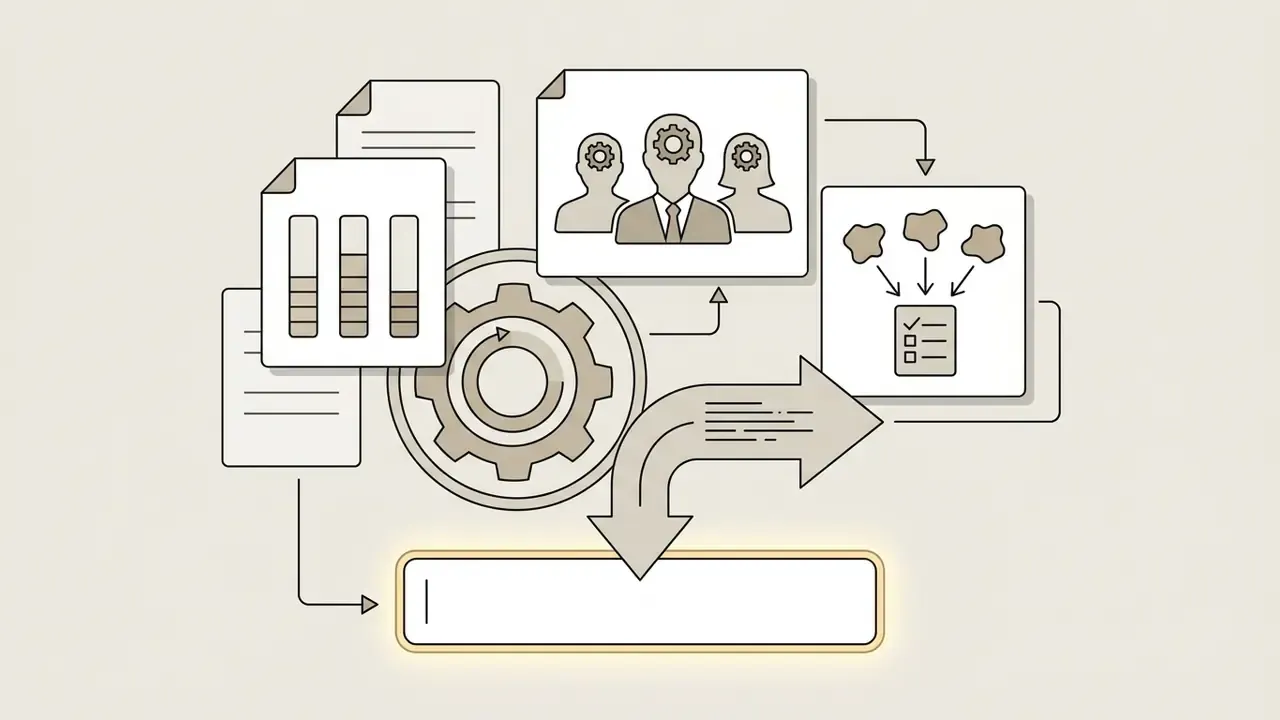
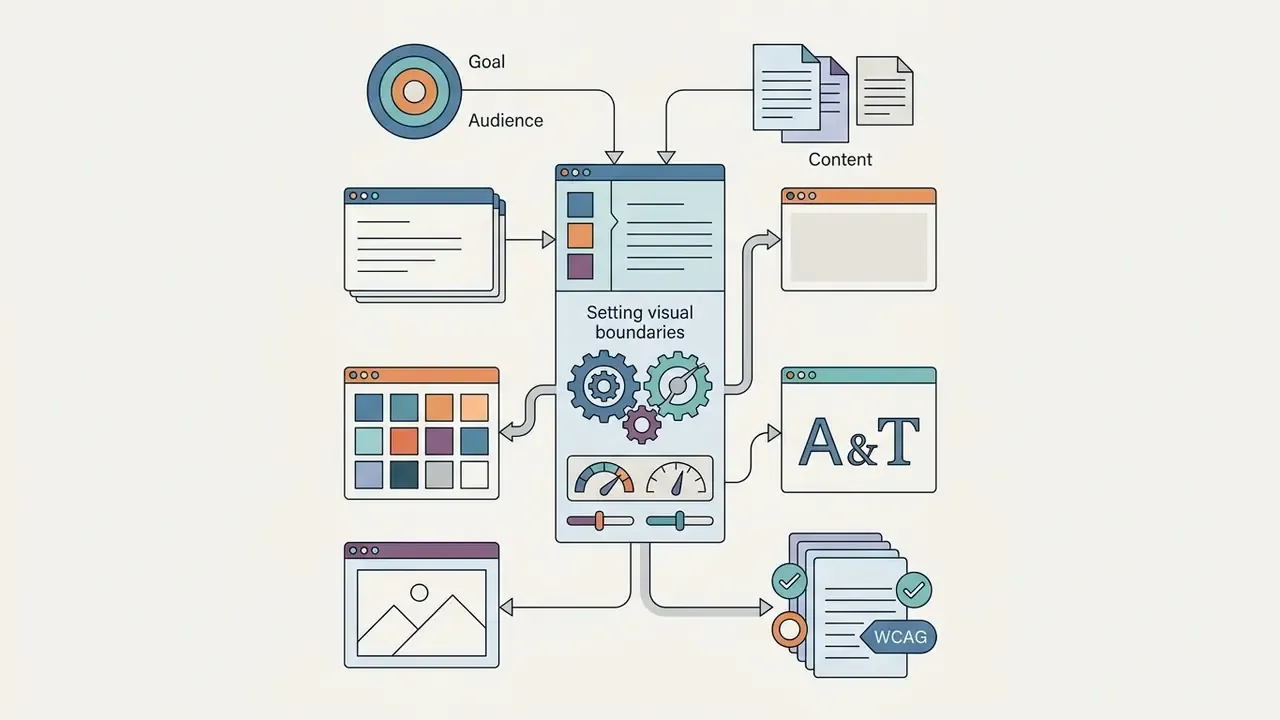
Textual sequence of the same flow: (1) define the brochure goal and audience; (2) supply the prompt, link, document or voice brief; (3) generate the first multi-panel layout; (4) choose the base template and theme; (5) customize content, images and brand assets; (6) run accessibility and prepress checks; (7) download or share the final file.
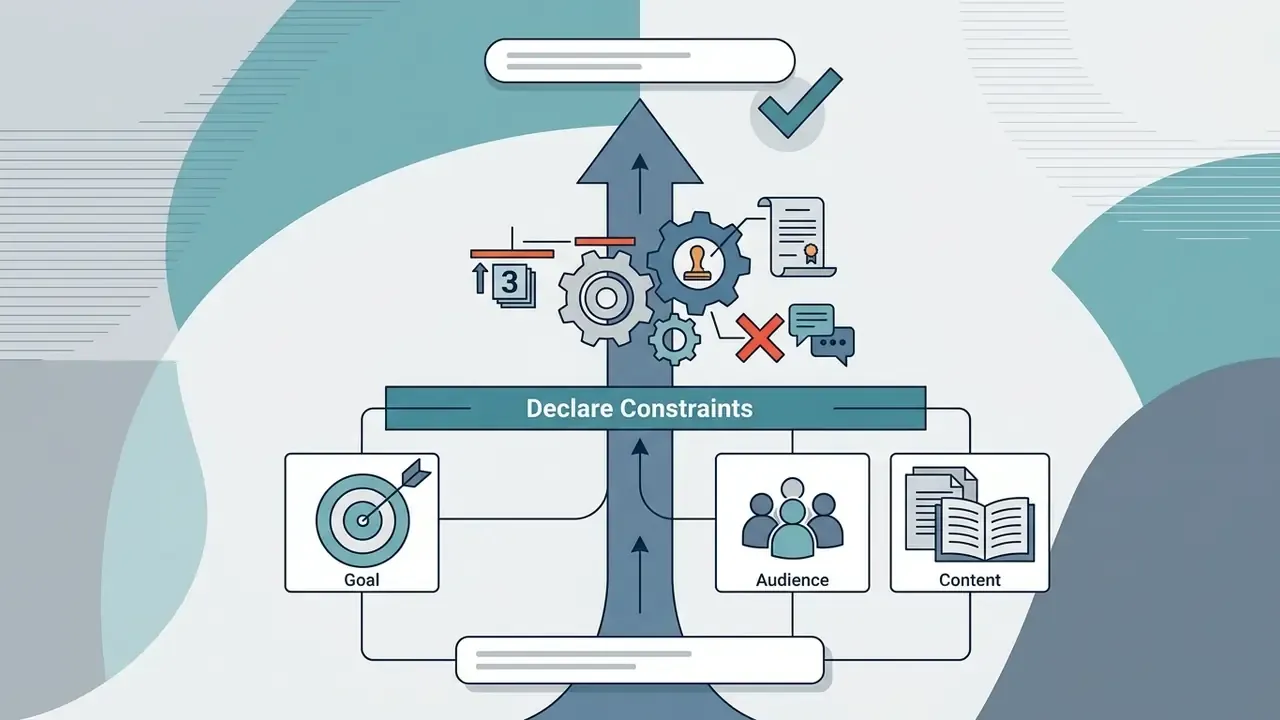
Define the Goal, Audience and Content Before Writing a Prompt
Before drafting a prompt, clarify the brochure's primary objective, target audience maturity, and required technical details. Prompts that specify tone, section headings, and color constraints yield noticeably better first layouts. Official prompting guidance converges on the same preparation order, goal then audience then context and format, as documented by Adobe, Michigan State University and the UNECE chapter on generative AI for official statistics.
Tone selection is not cosmetic. Experimental work in tourism marketing found an interaction effect between message appeal and disclosed authorship:
«Rational appeals declared AI-generated achieved higher visit intention; emotional appeals performed better when declared human-authored.»
For financial services, industrial and B2B collateral, where rational appeals dominate, this suggests AI-assisted drafting carries little persuasion penalty. For brand-storytelling and emotional campaigns, human authorship framing remains the stronger option. The evidence base is still thin, so treat that as a working hypothesis rather than settled fact.
Generate, Review and Refine the Brochure Design
Submit the detailed prompt or source document into the AI brochure maker tool to generate an initial draft. Inspect the generated layout for logical panel flow, typography legibility, and appropriate visual hierarchy.
Refine the output by adjusting text box dimensions, swapping generated graphics with enterprise assets, and verifying alignment. The documented refine loop across vendors is consistent: review structure, copy, visuals and accessibility; apply targeted edits including tone changes, section restructuring and brand palette application; then re-check and export only after a final pass. AI tools accelerate draft creation. Human review still decides whether the facts and the brand hold up.
Customize AI Brochure Content, Images and Brand Elements
AI-generated brochures serve as structural starting points that require brand customization before distribution. Modern online editors provide controls across four distinct levels: text, section structure, imagery, and brand style.
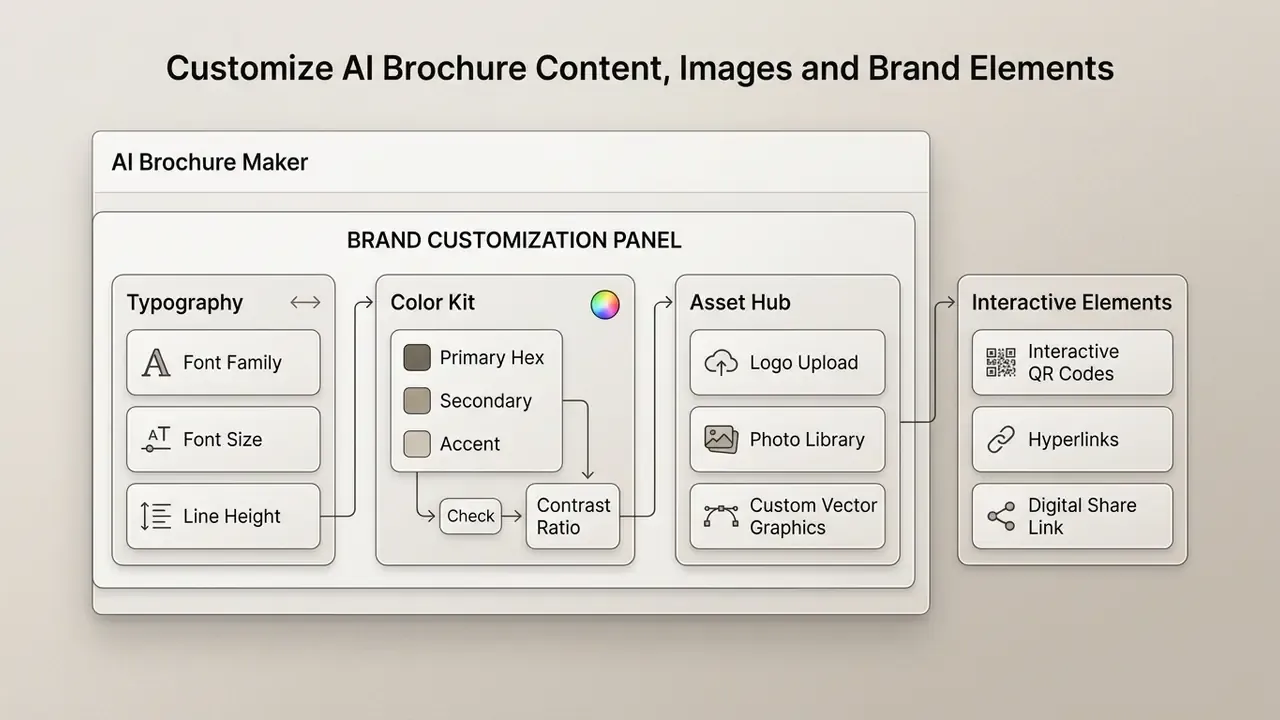
Edit Text, Layout, Colors and Fonts in the Brochure Editor
In-browser visual editors let teams click directly on text elements to edit copy, adjust line spacing, or change font hierarchies. Users can reorganize entire panels with drag-and-drop mechanics or auto-fit text options. Editor capabilities documented across Adobe Acrobat, Visme and comparable tools include text replacement, font and size changes, alignment control, palette switching and block-width adjustment by dragging.
One workflow caveat worth planning for: in several platforms the AI rewrites copy, but typography and layout adjustments remain manual post-generation steps rather than prompt-controlled parameters. Budget editor time accordingly, roughly 45 to 90 minutes per asset in our own trials.
For teams that also handle photographic assets in-house, our guide to online photo editors, core features, pricing and commercial workflows covers the retouching stage that typically precedes brochure placement. If a specific editor behaves unexpectedly on brand-kit import, vendor support documentation is usually more current than third-party tutorials.
Upload Images and Apply Brand Assets
Import high-resolution corporate photography, official logos, and vector illustrations directly into the document canvas. Automated brand kits extract color palettes from uploaded images or company URLs to maintain brand consistency. Adobe Express can build a brand profile directly from an uploaded JPG or PNG, while Visme supports palette import from an existing brand book.
The visual character of AI imagery measurably affects performance, and the mechanism is perceived artificiality rather than AI use itself:
«AI-assisted ads achieved 0.76% CTR versus 0.65% for human-made ads; intense color saturation signals AI generation and depresses performance.»
Practically: avoid oversaturated synthetic imagery, uncanny composite faces and cluttered generated backgrounds. Natural, uncluttered visuals with restrained saturation preserve brand trust and outperform visually "obvious" AI output. Where portraits are required, controlled tools such as an AI headshot generator with professional-use licensing produce more consistent results than open-ended image prompts.
Before placing any third-party or model-generated image, confirm provenance. A reverse-image-search workflow is the fastest way to detect that a "generated" asset closely resembles an existing protected work. Where disputes have already reached court, you can browse the hub for current case tracking.
Features to Compare in AI Brochure Maker Tools
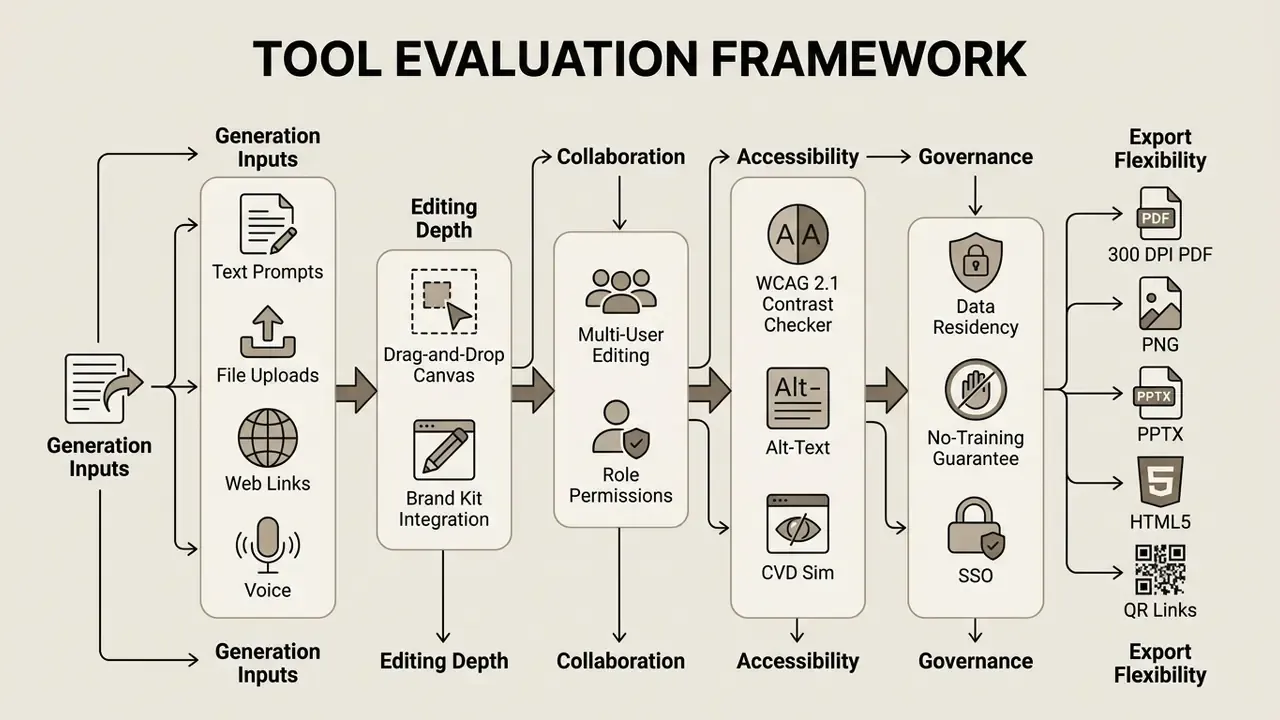
Choosing an enterprise-grade AI brochure generator tool means evaluating generation capabilities, editor flexibility, export formats, and, for regulated buyers, data handling and accessibility tooling. Comparing platforms on functional metrics keeps the decision aligned with operational workflows rather than with a demo reel.
Templates, AI Design Tools and Content Generation Features
Leading platforms provide extensive brochure template libraries combined with AI writing assistants and image generators. Automated tools reformat layouts for different fold configurations while holding graphic positioning. Feature depth varies sharply by tier: brand-kit automation, print-grade PDF with crop marks, and accessibility checking sit behind business plans more often than not.
Independent capability benchmarking is still maturing. NIST's 2025 GenAI image-generator evaluation plan confirms that formal assessment of image models is underway, which means buyers should currently weigh documented controls, resolution, format, compression, background handling, over marketing claims about output quality.
Online Editor, Collaboration, Download and Sharing Options
Enterprise workflows require real-time multi-user editing, comment threading, and strict permission management. Export options must support high-resolution print standards as well as web-optimized digital distribution. Microsoft Word for the web, ONLYOFFICE Docs, Adobe Acrobat and Canva all document simultaneous or asynchronous co-editing with browser access, shared review and link-based sharing; Adobe Express explicitly documents real-time co-editing on brochure projects. Mobile parity is uneven, so if an AI brochure maker app is part of the plan, test it before rollout.
Feature Comparison of Leading AI Brochure Maker Software
| Platform | Text-to-Brochure Input | Brand Kit Support | Team Collaboration | Accessibility Tooling | Export Formats |
|---|---|---|---|---|---|
| Venngage | Text prompt, paste copy, file add | Auto-fills logo, fonts, hex colors | Real-time co-editing, team folders | WCAG 2.1 AA checker, color-blind simulator | PDF (print), PNG, PPTX, HTML |
| Visme | Text prompt, PDF/DOCX upload, web URL | Custom brand asset library, Brand Wizard | Role-based permissions, comments | Manual contrast control | PDF with bleed, PNG, JPG, HTML5 |
| Adobe Express | Generative prompt, document import, PDF import | Full Creative Cloud brand kit sync | Shared links, real-time co-editing | Manual; Acrobat accessibility tools separate | Print-ready PDF, PNG, JPG |
| Piktochart | Prompt, PDF/DOCX/TXT upload | Brand color and logo import | Multi-user workspace, folder sharing | Manual contrast control | PNG (free), high-res PDF (paid) |
| Template.net AI | Text or voice prompt | One-click brand kit application | Real-time co-edit workspaces | Manual contrast control | PNG, JPG, PDF, SVG, HTML, QR link |
| FlipHTML5 | Prompt-based booklet generation | Template-level branding | Publication sharing | Manual | Interactive flipbook, PDF, hosted link |
Accessibility, WCAG Standards and Color-Blind Optimization
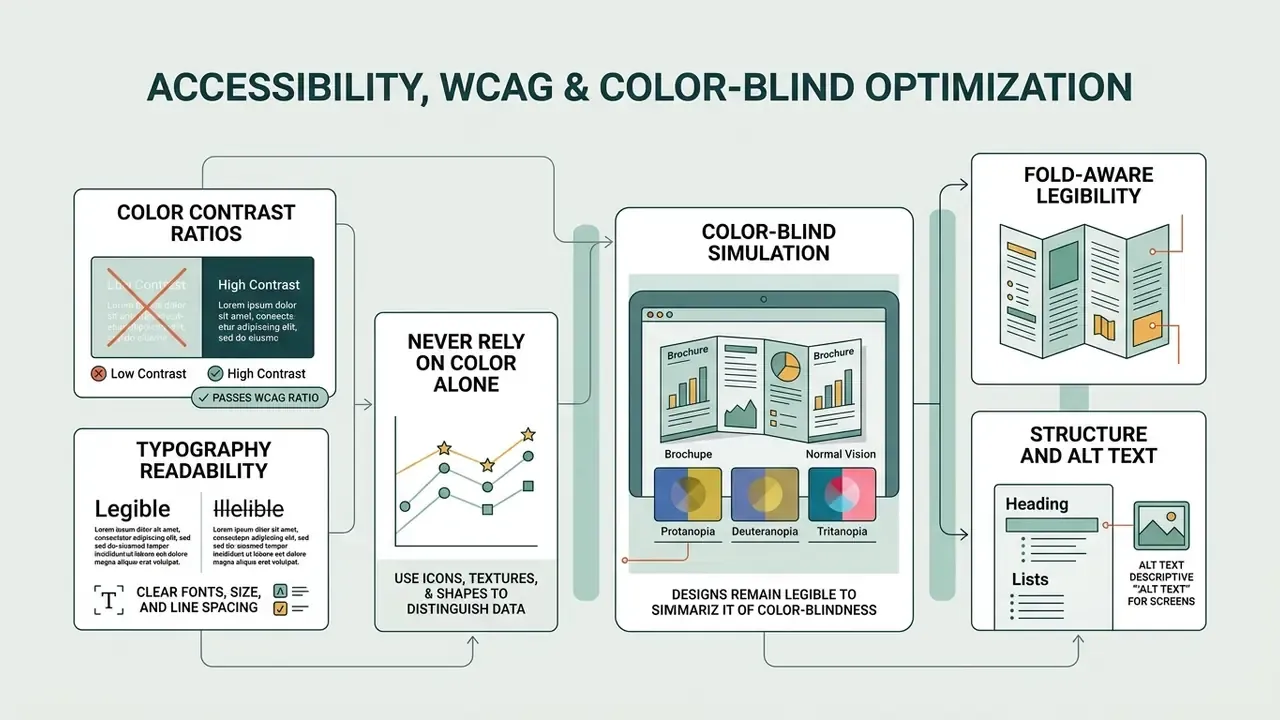
Creating inclusive marketing materials is both a usability requirement and, for public-facing financial and healthcare communication, a compliance-adjacent one. Accessibility applies to print and digital collateral alike.
- Color contrast ratios. Body text must maintain a minimum contrast ratio of 4.5:1 against its background, and large text at least 3:1, per W3C WCAG guidance. Run a contrast check before export; several platforms, Venngage among them, build a WCAG 2.1 Level AA checker directly into the pre-export step.
- Never rely on color alone. W3C guidance is explicit that color must not be the only means of conveying meaning. In feature-comparison tables, pricing tiers or status indicators, pair color coding with icons, patterns or direct text labels so readers with red-green color vision deficiency lose no information.
- Color-blind simulation. Preview layouts through a deuteranopia and protanopia simulator before signing off. Teal-on-grey and red-on-green combinations that read cleanly to trichromatic viewers frequently collapse under simulation.
- Typography readability. Maintain body sizes of at least 10 pt for print and 16 px for digital brochures, using clean sans-serif typefaces (Arial, Helvetica, Inter) with generous line height. Avoid setting body copy in light or condensed weights over photographic backgrounds.
- Structure and alt text. Use logical sections, whitespace, background separation, headings and visual cues so hierarchy and regions are unambiguous. For digital brochures, generate page-level alt text summaries for screen readers. Flipsnack documents automated per-page alt-text generation, and Venngage documents AI-assisted alt-text writing.
- Fold-aware legibility. Never place critical copy or a QR code across a fold line; keep text at least 5 mm clear of every crease.
Enterprise Security, Data Privacy and Regulatory Exposure
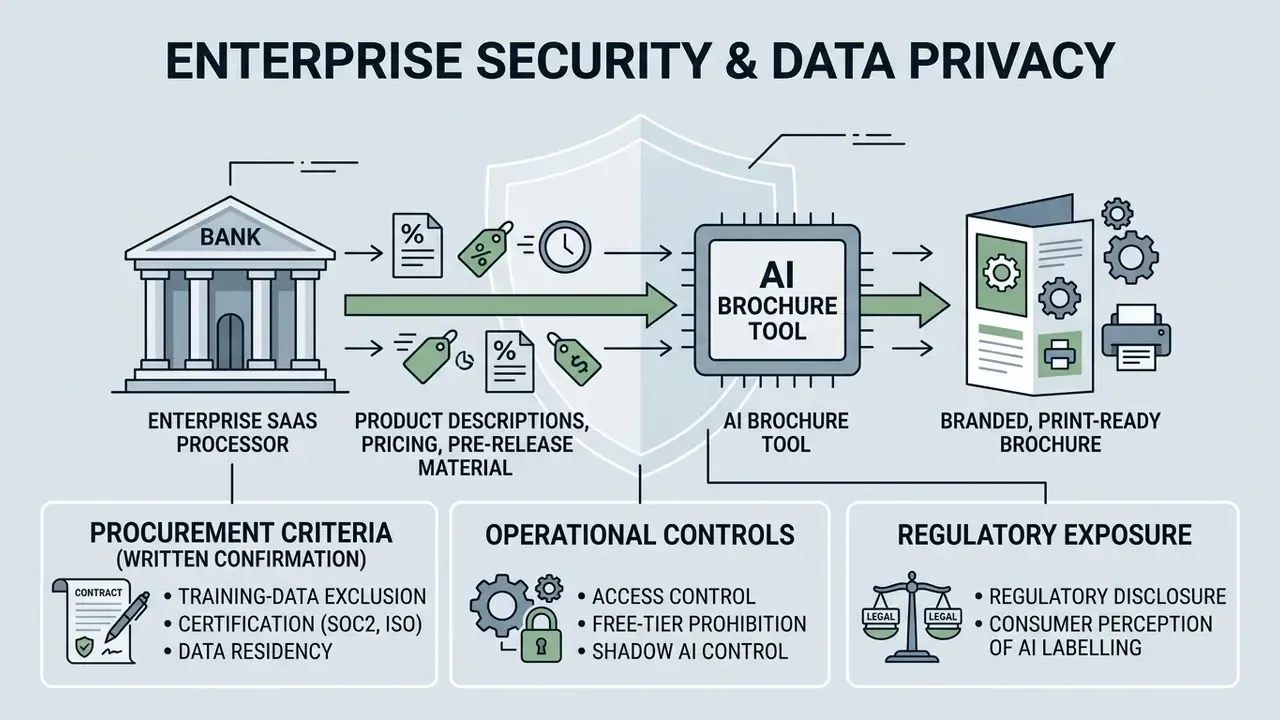
For banks, insurers and mature fintechs, the brochure tool is a third-party SaaS processor that will ingest product descriptions, pricing, and sometimes pre-release material. Evaluate it as such, and inventory it like any other model-adjacent system.
Procurement criteria to confirm in writing:
- Training-data exclusion. Does the vendor contractually guarantee that uploaded documents, prompts and generated assets are excluded from model training? Where the platform relies on third-party APIs, and Visme, for example, documents use of ChatGPT and Unsplash APIs, the guarantee must extend downstream.
- Certification and residency. Request current SOC 2 Type II or ISO 27001 attestation, data-residency options, retention windows, and deletion SLAs for uploaded source files.
- Access control. Require SSO/SAML, role-based permissions, audit logs of who generated and exported which asset, and enforced link expiry on shared digital brochures.
- Free-tier prohibition. Free and freemium tiers commonly carry non-commercial or restricted-use terms and weaker data commitments. Sber's GigaChat terms, for instance, state that Freemium results are for personal non-commercial use only. Free tiers should be blocked at the network or procurement level for corporate collateral.
- Shadow AI control. Marketing teams adopt design SaaS faster than procurement reviews it. Maintain an approved-tool register, and route brochure generation through it. Otherwise pre-release product data reaches unvetted processors, and nobody finds out until an audit asks.
Regulatory disclosure considerations. Marketing collateral produced for regulated products remains subject to the same advertising and communications rules regardless of how the draft was created. In the United States, retail-facing communications may fall under FINRA communications rules and SEC marketing requirements, and all commercial claims remain subject to FTC substantiation standards. Build a compliance review gate between AI generation and export, and log the human reviewer for each version. One named owner per asset. That is the whole control.
Consumer perception of AI labelling. Disclosure is not cost-free, which makes the choice a governance decision rather than a marketing one:
«Labelling identical ads as AI-generated made consumers rate them as less natural and less useful, reducing willingness to engage.»
Free AI Brochure Makers, Pricing, ROI and Commercial Use
Understanding pricing structures and commercial usage rights prevents licensing disputes when AI-generated collateral goes into paid campaigns.
What Is Included in a Free AI Brochure Generator Plan?
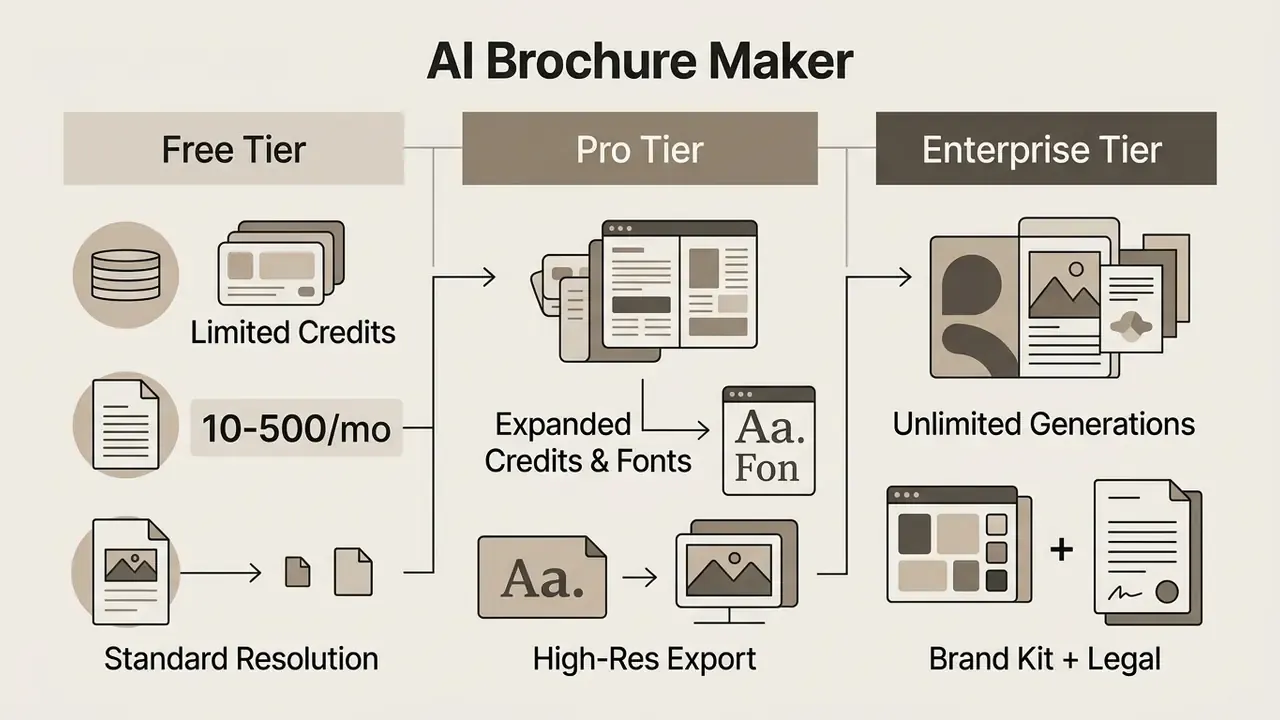
Free plans operate primarily on monthly credit quotas or trial allocations, and the accounting models differ by vendor, credits, points, or monthly quotas, which makes direct comparison awkward. Anyone searching for an AI brochure maker free online will hit this wall quickly.
Per current vendor documentation:
- Visme free accounts receive 10 credits; each design generation costs 3 credits and each other AI tool call costs 1 credit. Starter 200, Pro 500, Enterprise unlimited.
- Piktochart free accounts receive 60 AI credits per month; topic generation costs 1 credit, pasting text or uploading a document costs 3 credits, and image generation costs 25 credits. Free users can access templates and download designs.
- FlipHTML5 free plan at $0 includes 500 AI points per month, 28 publication types, 30 languages and interactive flipbook publication, with no credit card required.
- Venngage free tier available; Premium and Business plans add private sharing, brand-kit auto-application and expanded export.
Credit costs and tier limits change frequently, so verify against the vendor's current pricing page before committing budget, and see the overview of plan structures if you are building a comparison sheet.
Free tiers let users test interface features and generate initial drafts. High-resolution PDF exports with print crop marks, brand kit automation, accessibility checking and team sharing typically require a paid subscription. Piktochart, for example, restricts free users to PNG download while reserving PDF for paid tiers. So an AI pamphlet generator free plan is fine for a concept test, weak for a press-ready run.
ROI: What the Numbers Actually Look Like
Hiring a freelance graphic designer for a custom brochure typically ranges from $200 to $500 per layout with a three-to-five-day turnaround. An enterprise AI brochure platform reduces drafting cost to under $15 to $30 per month or a credit quota, and delivers edit-ready files in under 60 seconds.
A conservative annual model for a mid-size marketing function producing 24 brochures per year:
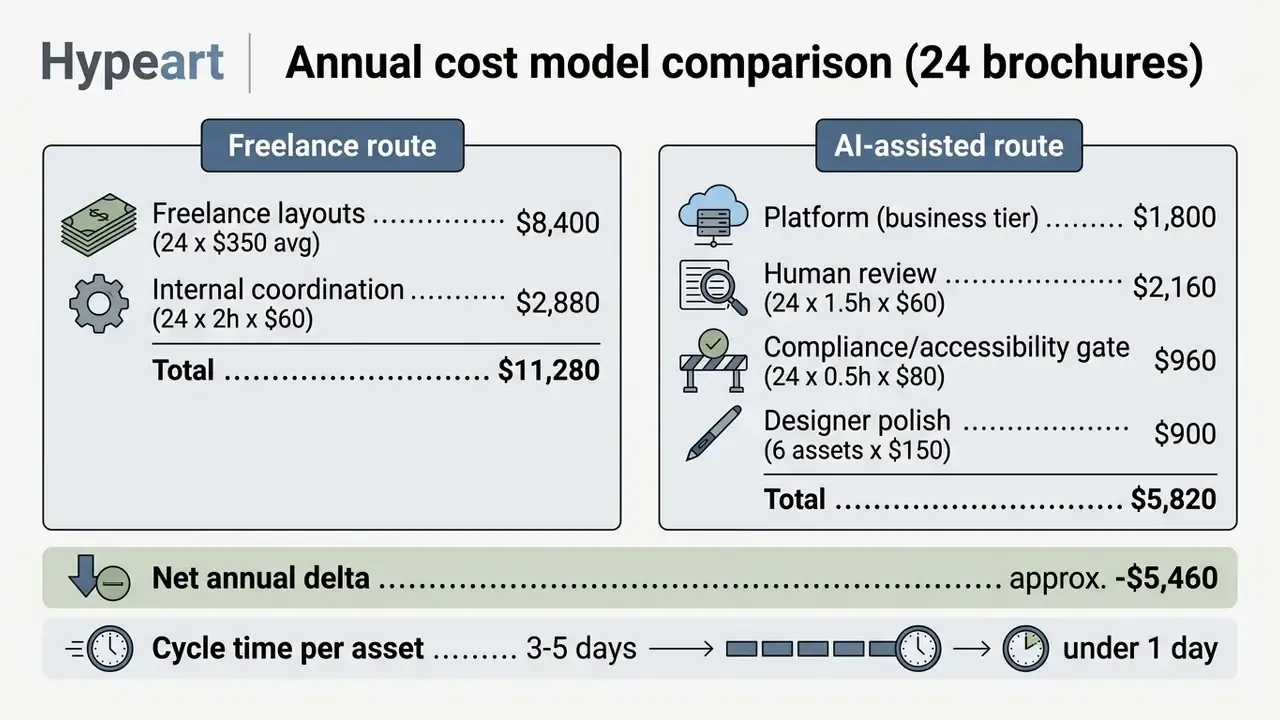
The sensitivity is entirely in the review line. If governance is under-resourced and a print run is scrapped over a low-resolution icon or an unsubstantiated claim, a single reprint can erase the annual saving. Budget the review, and the model holds. To model your own volumes and blended rates, compare options before locking a tier.
Commercial Use Rights, Licensing and Brand Safety
Commercial usage rights depend on vendor terms of service and applicable intellectual property regulations. Guidance from the U.S. Copyright Office (2023 to 2026) indicates that copyright protects only the human-authored portions of a work containing AI material, and AI-generated portions must be disclaimed at registration. In practice, purely AI-generated text and graphics lack authorship protection unless meaningfully modified by human designers.
Jurisdictions diverge on the reasoning. A 2025 European Parliament study concluded that purely AI-generated outputs lacking human creative input fail EU originality thresholds and may fall outside copyright protection entirely. Japan's Ministry of Culture guidance takes a different angle, permitting use of AI-generated images provided they do not reproduce or depend upon existing copyrighted works, a similarity-and-dependence test rather than an authorship test. Commercial risk therefore varies by market of distribution.
Vendor positions also differ from the copyright question. Visme and Venngage both describe generated designs as copyright- and royalty-free for personal and commercial use. Sber's GigaChat terms assign exclusive rights in generated content to the client while restricting Freemium output to personal non-commercial use. The operative rule: rights language is plan-specific, and high-resolution export permissions usually live in plan documentation rather than in broad copyright statements.
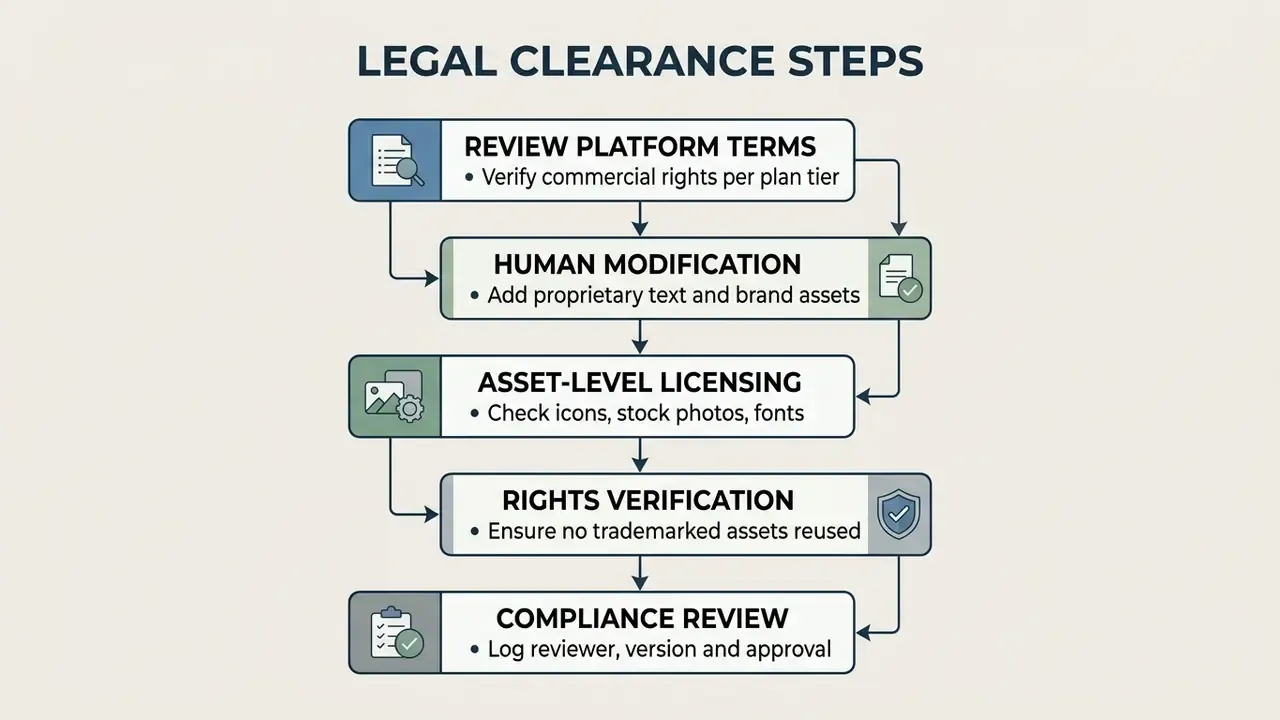
Verify that the selected subscription tier grants explicit commercial licensing for generated visuals, and note that third-party assets you insert yourself (icons, stock photography, licensed typefaces) carry their own separate terms. For platform-by-platform licensing detail, review our breakdowns of Google AI Image Generator features, restrictions and usage rights and Canva AI Generator export options and commercial licensing, or start from the AI Media Commercial-Use Hub.
Tips for Better AI Brochure Prompts and Professional Results
Precise prompts improve the visual and textual quality of initial outputs and cut the manual edit load. NIST's 2026 quick-start guidance for AI use names Audience and Style as primary prompt dimensions: audience sets abstraction level and terminology precision, style frames response type and tone.
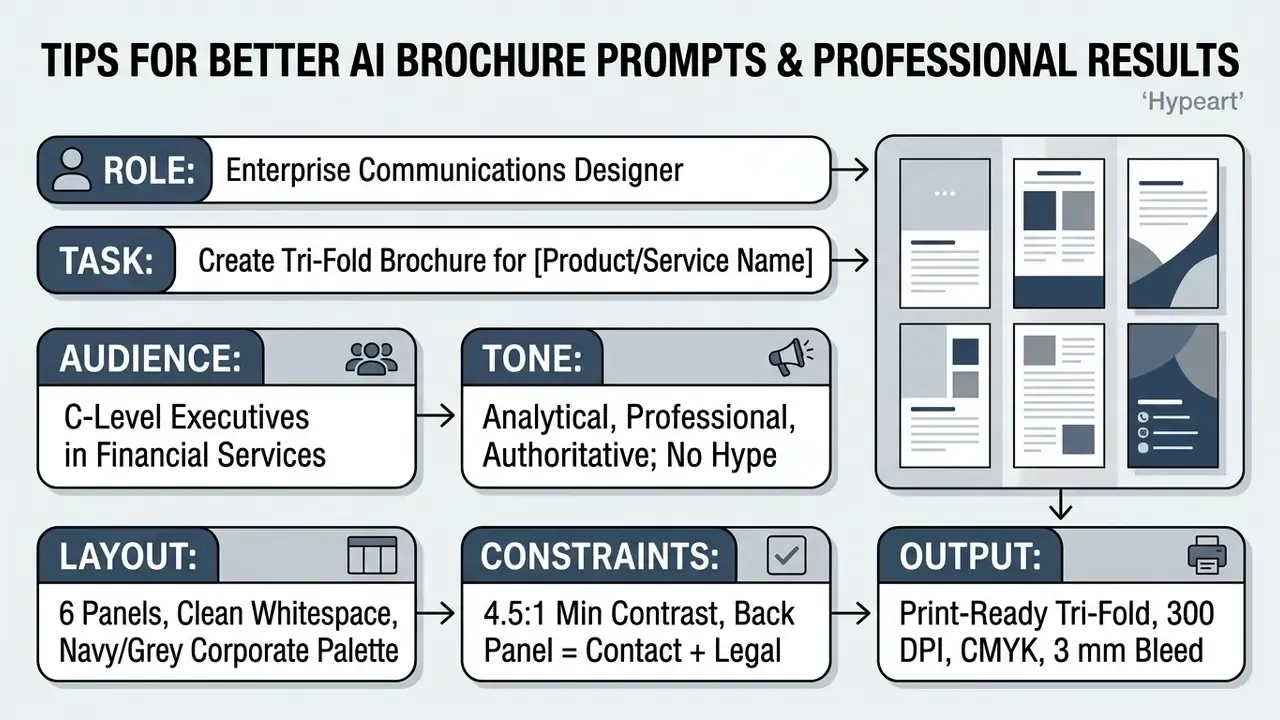
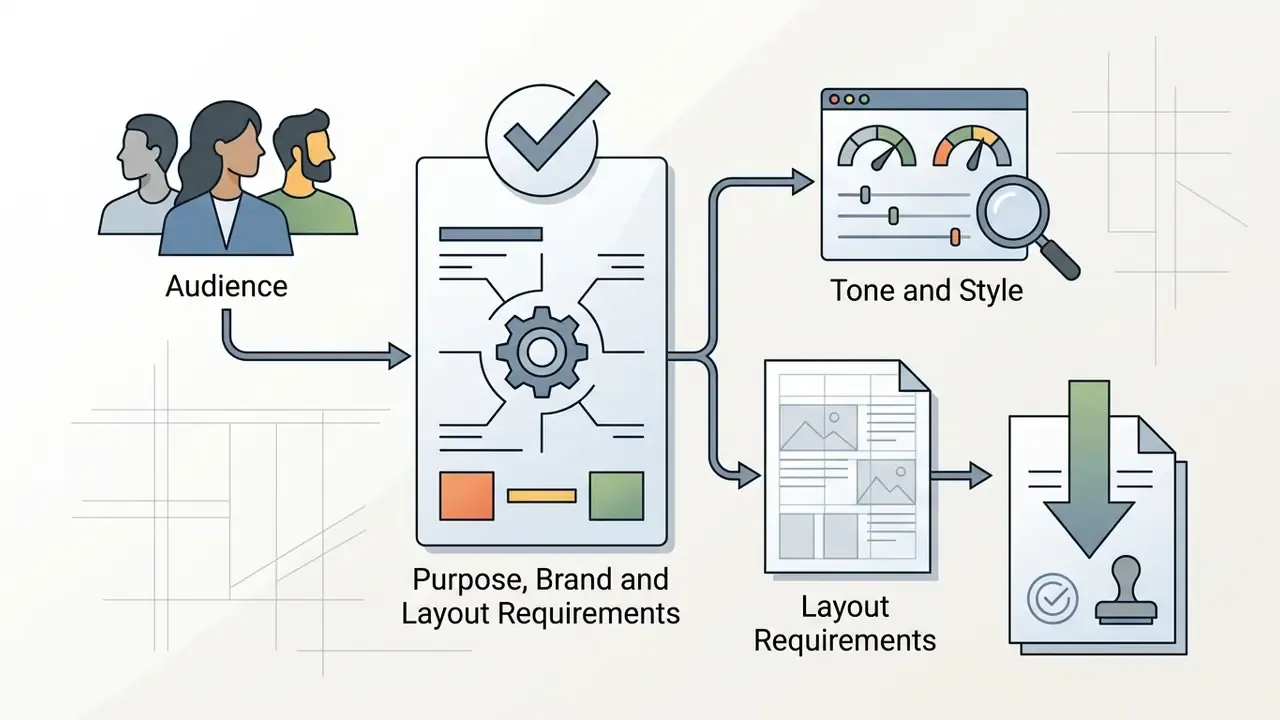
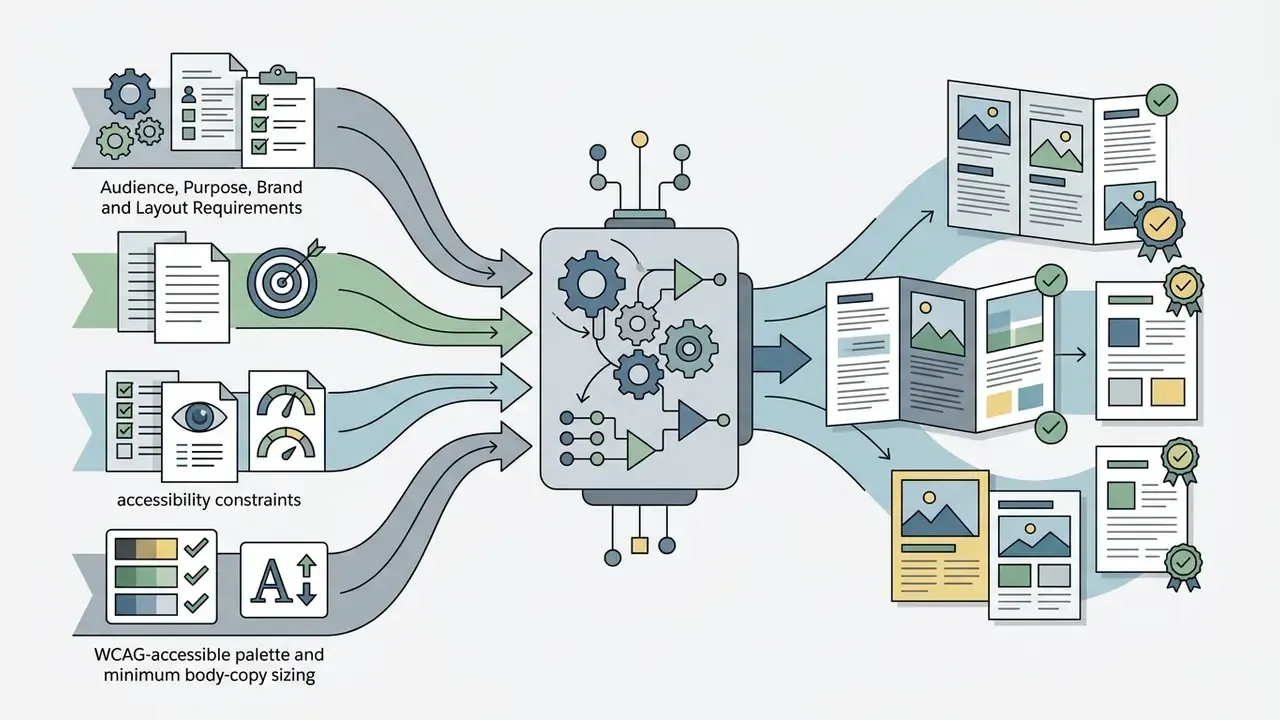
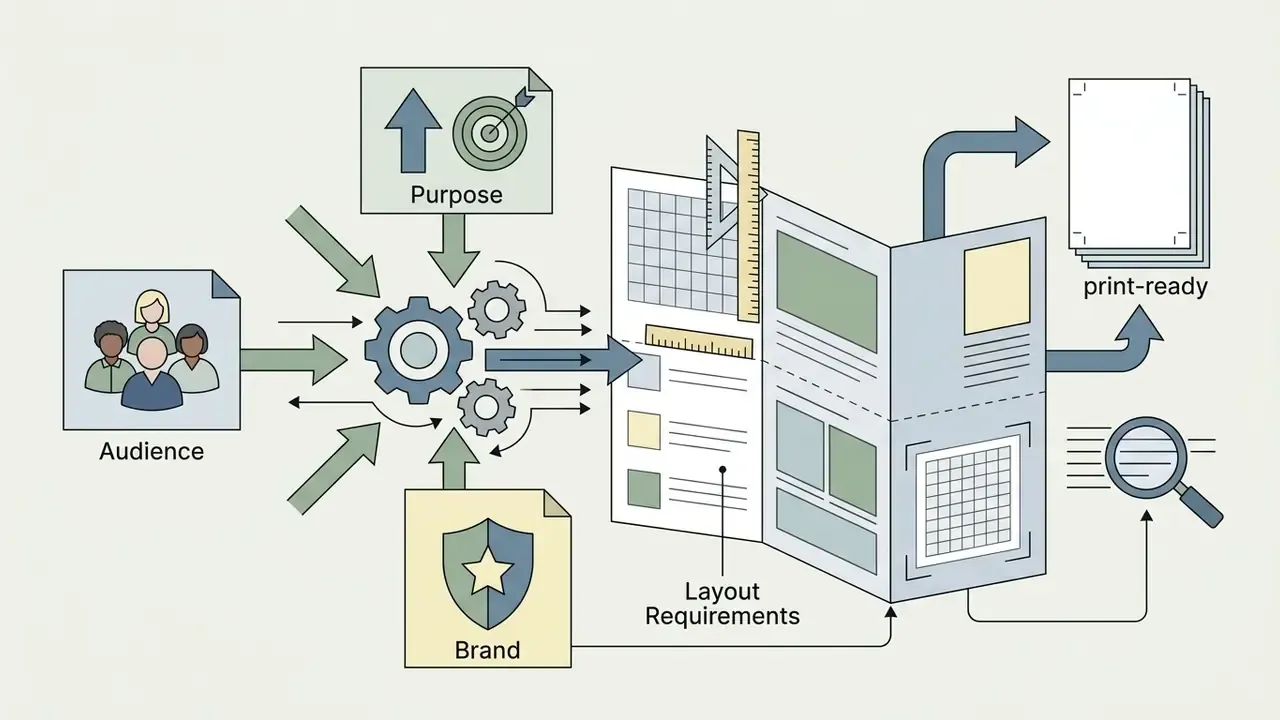
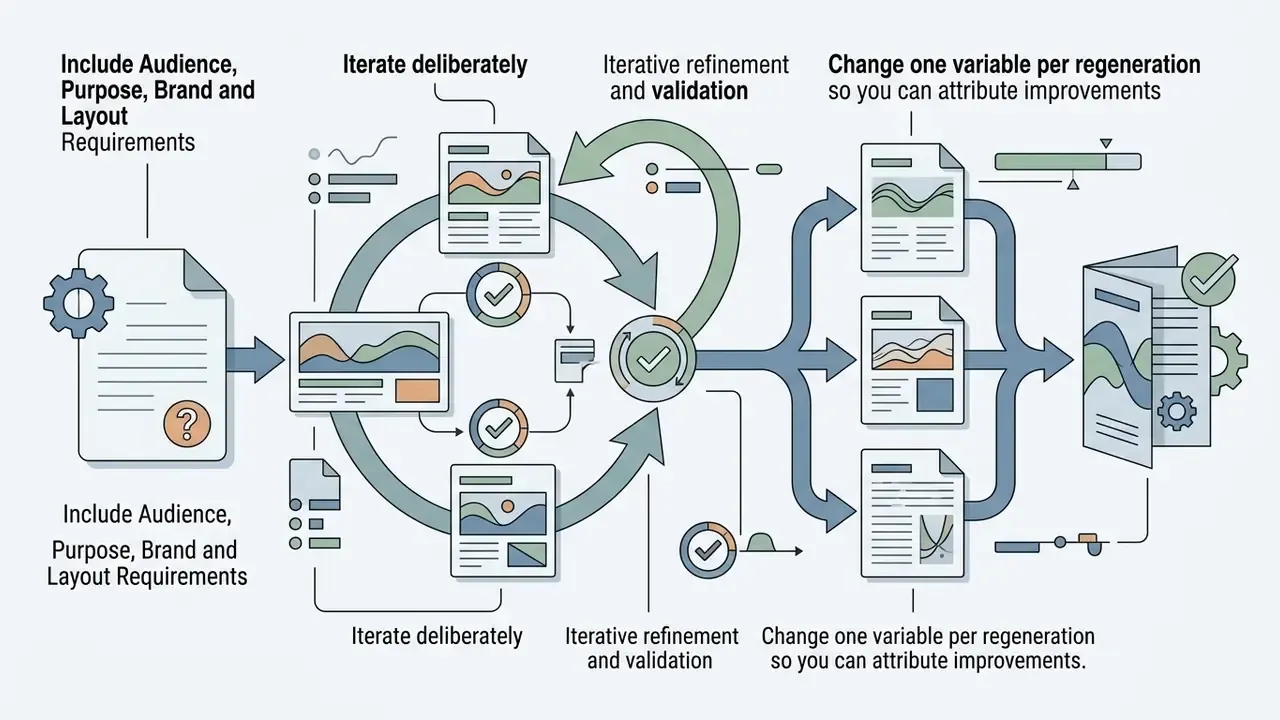
Include Audience, Purpose, Brand and Layout Requirements
Structured prompts must include explicit instructions on target demographics, core value propositions, tone, and visual style constraints. Standard prompt frameworks help the model generate appropriate section divisions rather than a generic three-panel filler.
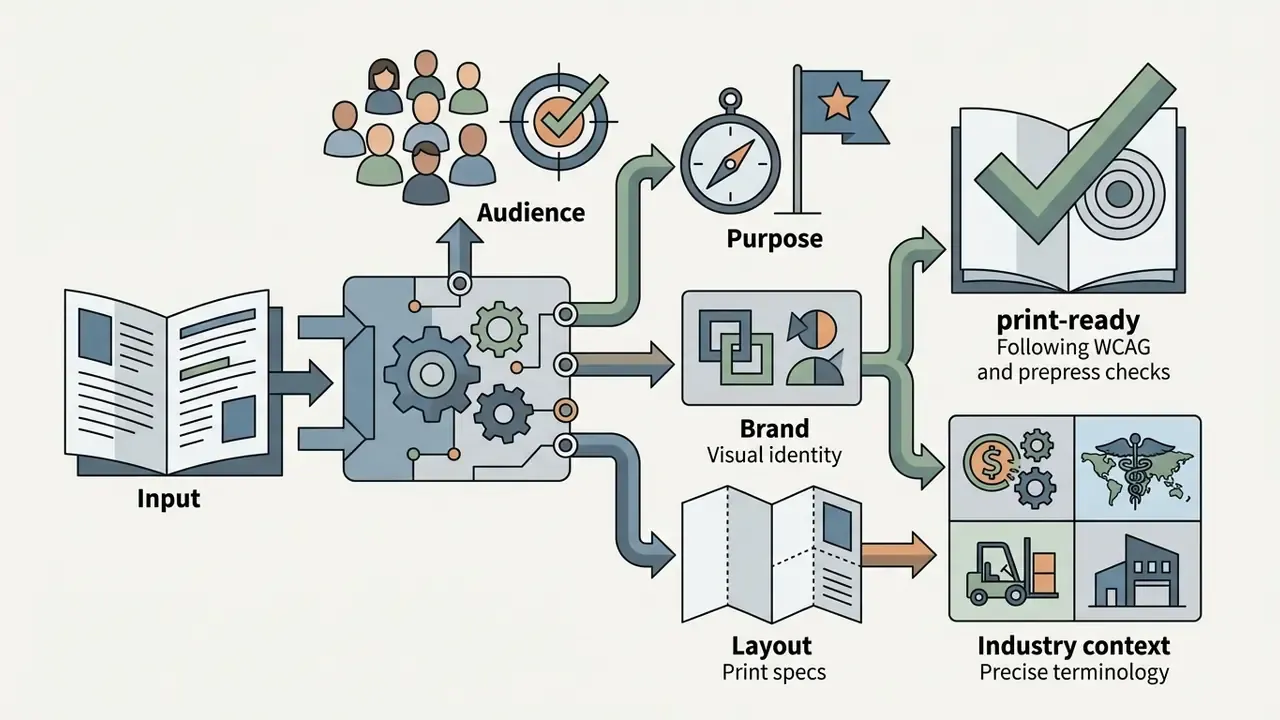
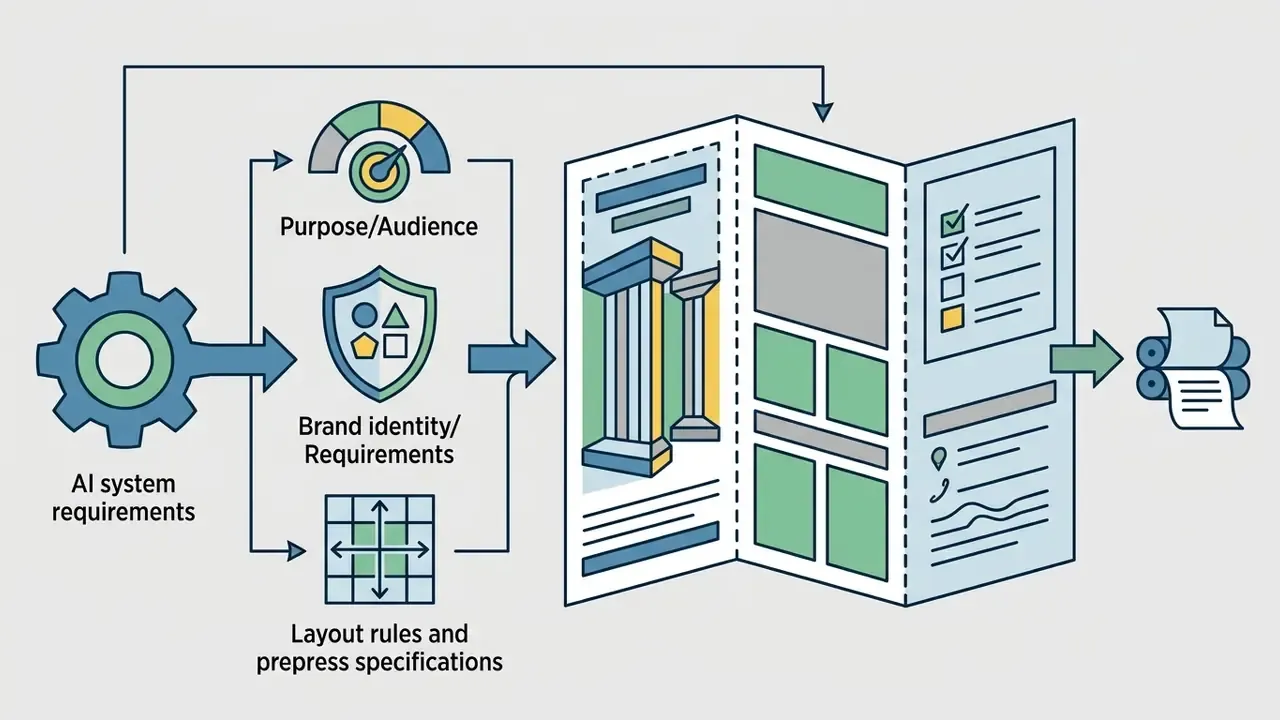
Copy-Paste AI Brochure Prompts for Specific Industries
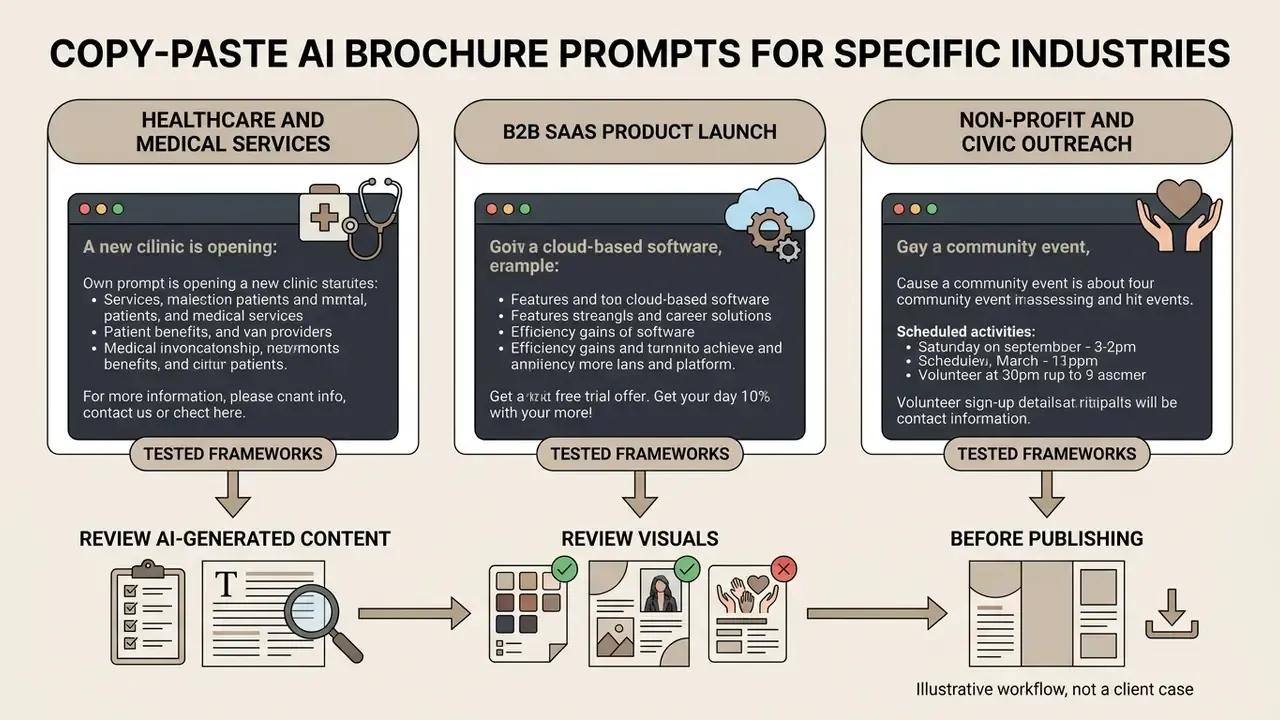
To get usable results without repeated re-prompting, copy and adapt these tested frameworks. Replace bracketed variables before submitting.
Real Estate Property Brief
Healthcare and Medical Services
B2B SaaS Product Launch
Non-Profit and Civic Outreach
Review AI-Generated Content and Visuals Before Publishing
«Fully AI-generated ads raised click-through rates by up to 19%, while disclosing AI authorship caused a 31.5% CTR drop, from 3.73% to 2.56%.»
Illustrative workflow, not a client case. The highest-value review step in high-volume print runs is the prepress pre-flight. A typical failure mode looks like this: a bi-fold brochure destined for a several-thousand-unit conference run passes visual review on screen, but two AI-generated icons sit at 96 DPI effective resolution at placed size. Caught at pre-flight, they are swapped for vector equivalents at no cost. Caught after the press run, the entire job is reprinted. Because AI-generated raster assets frequently arrive at screen resolution, effective DPI at placed size, not thumbnail appearance, is the single check that most reliably prevents rework.
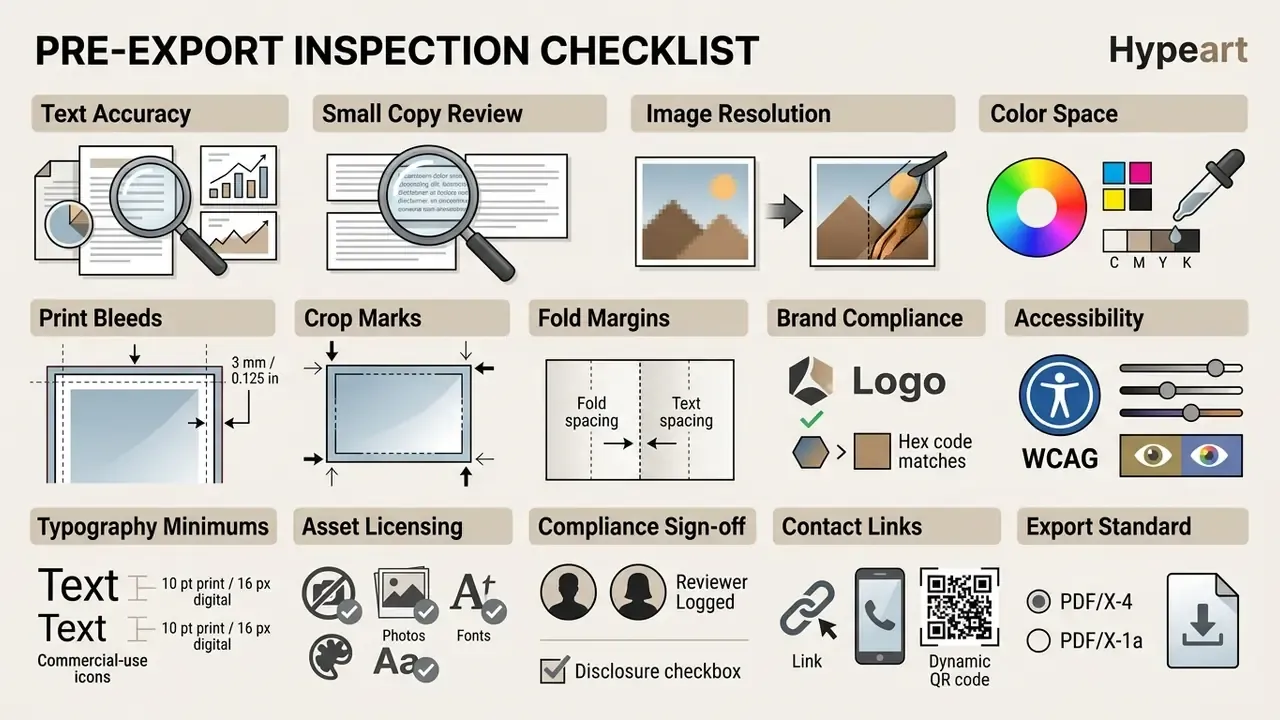
Prepress Specifications and Pre-Export Inspection Checklist
Group all final-file technical decisions in one place, immediately before export.
Prepress Specification Reference for AI-Generated Brochures
| Parameter | Requirement | Why It Matters |
|---|---|---|
| Image resolution | 300 DPI effective at placed size | Anything lower visibly softens or pixelates in offset and digital print |
| Color space | CMYK for print; RGB for digital-only | RGB files shift unpredictably on press; brand colors drift |
| Bleed | 3 mm / 0.125 in on all sides | Trim tolerance leaves white edges without bleed; crop marks are not a substitute |
| Safe margin | Keep text 5 mm clear of trim and fold lines | Prevents copy being cut or buried in a crease |
| Tri-fold tuck panel | 1.5-3 mm narrower than outer panels | Prevents buckling; exact value varies with paper weight |
| PDF standard | PDF/X-4:2010 or PDF/X-1a | Standardized transparency, color and font handling for the printer |
| Fonts | Embedded or outlined | Substitution destroys layout on the printer's system |
| Contrast | 4.5:1 body text, 3:1 large text | WCAG 2.1 AA readability threshold |
| Booklet imposition | Signature-ordered spreads, duplex | Sequential pages print out of order without imposition |
AI Brochure Maker FAQ
Do I Need Design Experience to Create a Brochure?
No prior graphic design experience is necessary. The software handles page layout, column alignment, palette selection and typography pairing based on your text prompt. Vendor documentation is unambiguous on this point: Lovart states "no templates or design skills needed," and Manus answers the same question with "not at all," on the basis that research, copywriting and layout structuring are handled by the system. Users can fine-tune the output in drag-and-drop visual editors before exporting. Adoption is not limited to non-designers, either:
«Among art and design professionals surveyed, 50% used AI image tools for graphic design work, with an average usage frequency of 2.5.» - Tang, Zhang, Ciancia & Wang, CSCW Companion (2024)
Can an AI Brochure Maker Create Pamphlets in Different Languages and via Voice Prompts?
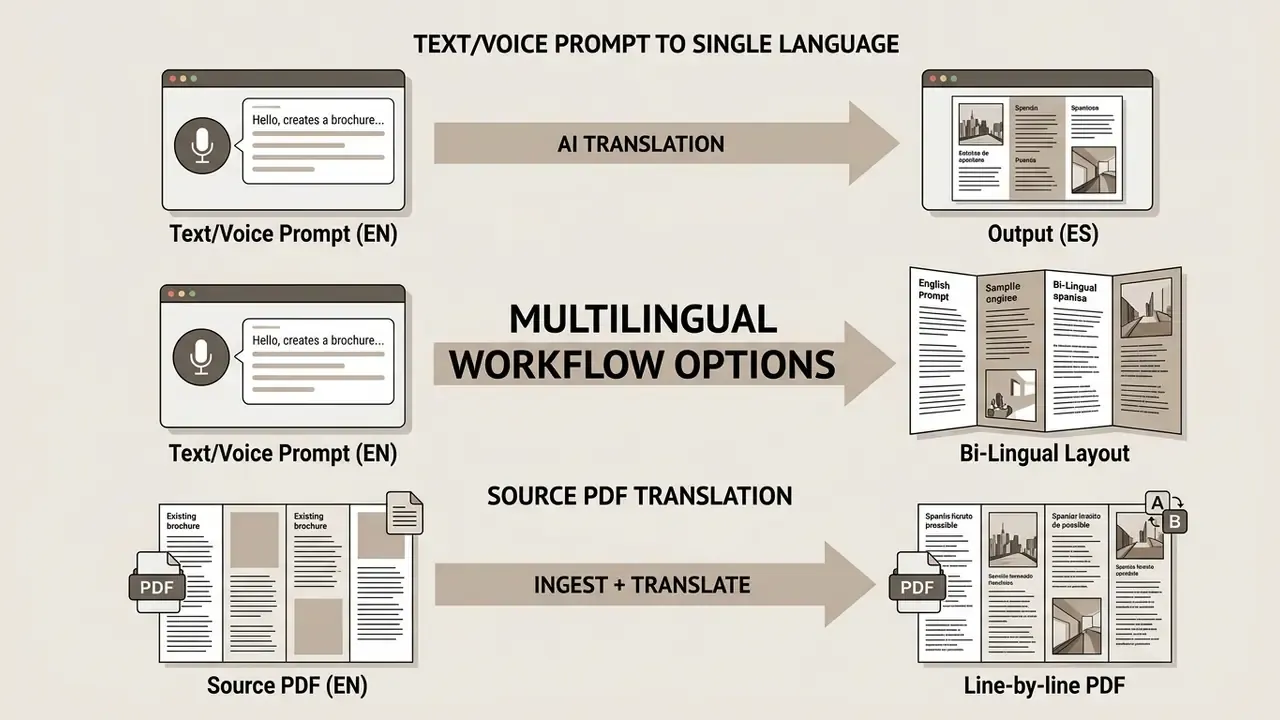
Yes. Advanced generators accept prompt input by both text and voice command. Template.net documents voice-or-text generation across 20-plus languages including English, Spanish, Hindi, French, Chinese, Arabic, German, Japanese, Korean, Portuguese, Russian, Italian, Dutch, Bengali, Urdu, Turkish, Vietnamese, Thai, Tamil and Telugu. FlipHTML5 documents 30 languages on its free plan, while Kimi Docs supports sentence-level document translation with export as single-language or line-by-line bilingual PDF and Word files. So you can dictate a prompt in one language and request a formatted bilingual layout for international distribution. One caveat: language counts are vendor claims, not standardized benchmarks, and no peer-reviewed study in the current literature compares brochure quality across languages. Always proof translated output with a native reviewer before print.
Are AI-Generated Brochures Suitable for Printing?
Yes, provided the plan supports high-resolution export. Paid tiers across Venngage, Visme, Adobe Express and Piktochart produce print-ready PDF with bleed and crop marks. The binding constraint is rarely the layout engine. It is the resolution of individual generated images, which should be audited at placed size against the 300 DPI threshold.
Can AI Add QR Codes and Interactive Elements?
Yes. Template.net, Venngage and FlipHTML5 all document QR-code insertion, hyperlinking and shareable-link publication. A common hybrid pattern places a QR code on the printed back panel that resolves to a hosted digital brochure or flipbook, allowing scan-level attribution of a physical handout.
Is It Safe to Use AI-Generated Brochures Commercially?
Generally yes, subject to two checks. First, confirm your subscription tier grants explicit commercial rights, because free tiers frequently do not. Second, verify licensing for every third-party asset you insert yourself: icons, stock photography and typefaces carry independent terms regardless of the platform's output license. In regulated sectors, add a compliance review gate before export.
What Is a Creative Alternative to a Brochure?
Where the goal is data communication rather than persuasion, an infographic, one-pager or interactive flipbook often outperforms a folded brochure, and all three come from the same platform categories. For motion-led campaigns, an animation maker with template and export options covers a delivery format brochures cannot.
Appendix A: Superseded Passages (Change Log)
Retained for transparency and version traceability.
- Original ingestion claim "According to 2026 product specifications, systems ingest uploaded DOCX or PDF files to construct panel-by-panel document structures without manual copy-pasting." Superseded by vendor-attributed documentation of Visme and Piktochart file-type support and per-conversation limits.
- Original Hartmann summary "In empirical evaluations conducted by Hartmann et al. (2025), state-of-the-art visual AI models generated marketing imagery rated higher in aesthetic appeal than static stock photos." Superseded by the quantified version including sample size, metric count and cost comparison.
- Original Columbia summary "Research from a Columbia display advertising study indicates that visual collateral performs best when imagery appears natural and uncluttered." Superseded by the version reporting CTR figures and the saturation mechanism.
- Original enterprise anecdote "In one workflow test, an enterprise team used an AI brochure creator to draft 12 product briefs from technical documentation, cutting initial layout setup time from three days to under two hours." Replaced with the attributable Deloitte Digital experiment result.
- Original print-run anecdote "A corporate design group preparing 5,000 bi-fold brochures for an executive conference executed a pre-flight prepress audit…" Reframed as an illustrative failure mode rather than an unattributed client case.
- Removed internal links (topically unrelated to brochure production): video game name generator, video games online, video generation AI news, video generation model news, video invitation maker, video lighting editor. Replaced with design, brand-asset, photo-editing, pricing and commercial-licensing references.
About This Guide
This guide is maintained by our editorial team covering AI media production, prepress workflows and commercial-licensing terms, and is reviewed against current vendor documentation, W3C accessibility guidance and published copyright-office positions. Research citations reference the original studies named in the text; vendor limits and pricing reflect documentation available at the time of the last update and should be reverified before procurement.
General disclaimer: Nothing in this article constitutes legal, financial or compliance advice. Intellectual-property rules for AI-generated content differ by jurisdiction and remain in active development, and platform terms change without notice. Organizations in regulated sectors should obtain counsel review before distributing AI-assisted marketing collateral.
To research additional media processing standards, automated editing workflows and design terminology, explore the hub for comprehensive resources.