Author note: Marcus Hale writes about AI governance and model risk for this publication.
«Controlled deployment of generative AI in apparel design and catalog workflows requires standardized prompt structures, rigorous texture validation, and clear human oversight to maintain brand integrity and legal compliance.»
— Marcus Hale, AI Governance & Operational Risk Specialist (expert brief)
An ai clothing generator is a digital tool powered by latent diffusion models and generative neural networks that synthesizes garment designs, outfits, and apparel visuals from text prompts, sketches, or reference photos. These systems allow apparel brands, ecommerce sellers, and individual fashion creators to prototype capsule collections, visualize custom prints, execute virtual garment try-ons, extract vector technical drawings, and even animate static product shots directly in a web browser without physical sample production.
Executive Summary
- What it is A browser-based generative pipeline (latent diffusion + ControlNet + LoRA) that converts text, sketches, photos, or flat-lay product images into garment renders, on-model imagery, tileable prints, vector tech drawings, and short product videos.
- Why it matters commercially Vendor cost benchmarks put traditional ecommerce photography at $35 to $80 per finished image versus $0.10 to $2.00 per AI render, with mid-size brands reporting $103,000 to $305,000 in annual photo-production spend before automation (Modelia, 2026; Stytrix, 2026).
- Where the legal risk sits Purely AI-generated output is generally not copyrightable without human authorship (US Copyright Office, Copyright and Artificial Intelligence: Copyrightability, 2025), and digital avatars of real models require prior written consent under the New York Fashion Workers Act.
- What Risk & Governance teams must verify SOC 2 Type II attestation, zero-retention training policy, SSO/SAML, and exportable audit logs capturing prompts, seeds, CFG values and model versions for model-risk validation.
Who this guide is written for. Three groups, with different questions. Designers and ecommerce operators want output quality and speed. Finance leaders want the unit economics of a catalog image. Risk, compliance and model-governance owners want to know who approved the asset, whether it can be regenerated on demand, and what happens if a print resembles somebody else's protected artwork. The sections below answer all three in that order, and they flag the places where the evidence is still thin. Fair warning: some vendor numbers in this market are marketing, not audited fact.
What Is an AI Clothing Generator and What Problems Does It Solve?
An ai clothing generator is a browser-based generative neural network system that converts text prompts, freehand sketches, or baseline photos into high-resolution garment visualisations, 3D sewing patterns, and on-model apparel imagery. This technology solves core operational bottlenecks in the apparel industry by eliminating the high costs and lengthy timelines associated with physical prototyping, studio photography, and manual fashion sketching.
Modern generative pipelines rely on latent diffusion models, ControlNet architectures, and Low-Rank Adaptation (LoRA) to interpret complex stylistic inputs. LoRA, in plain terms, is a lightweight fine-tune that teaches a base model one brand's silhouettes without retraining the whole network.
«Image-based virtual try-on methods are classified by stage: person representation, garment warping, and image synthesis, evaluated under unified metrics.»
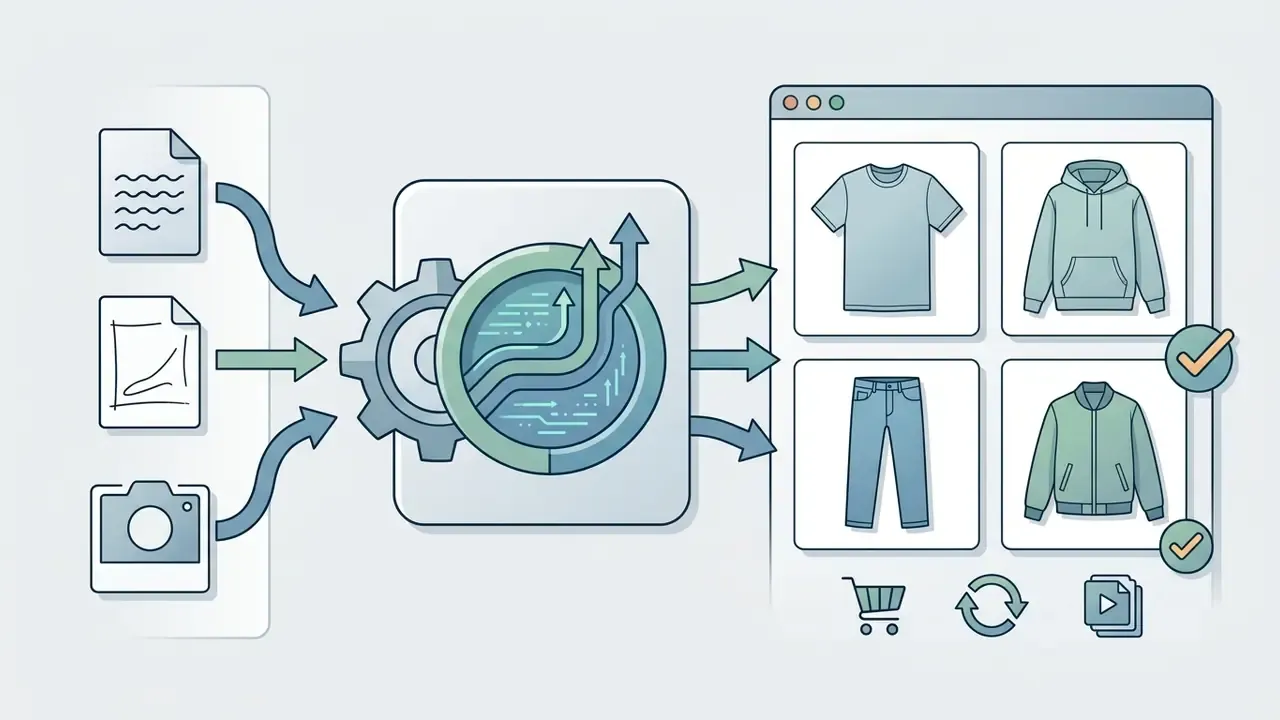
Instead of rendering static stock imagery, an ai clothing creator evaluates spatial keypoints, fabric drape, and lighting conditions to produce production-ready visuals. Whether configured as an ai clothes creator for rapid concepting or an ai fashion creator for commercial campaign planning, the software standardizes creative ideation across four main operational pathways:
AI Clothing Generator Capabilities and Workflow Architecture
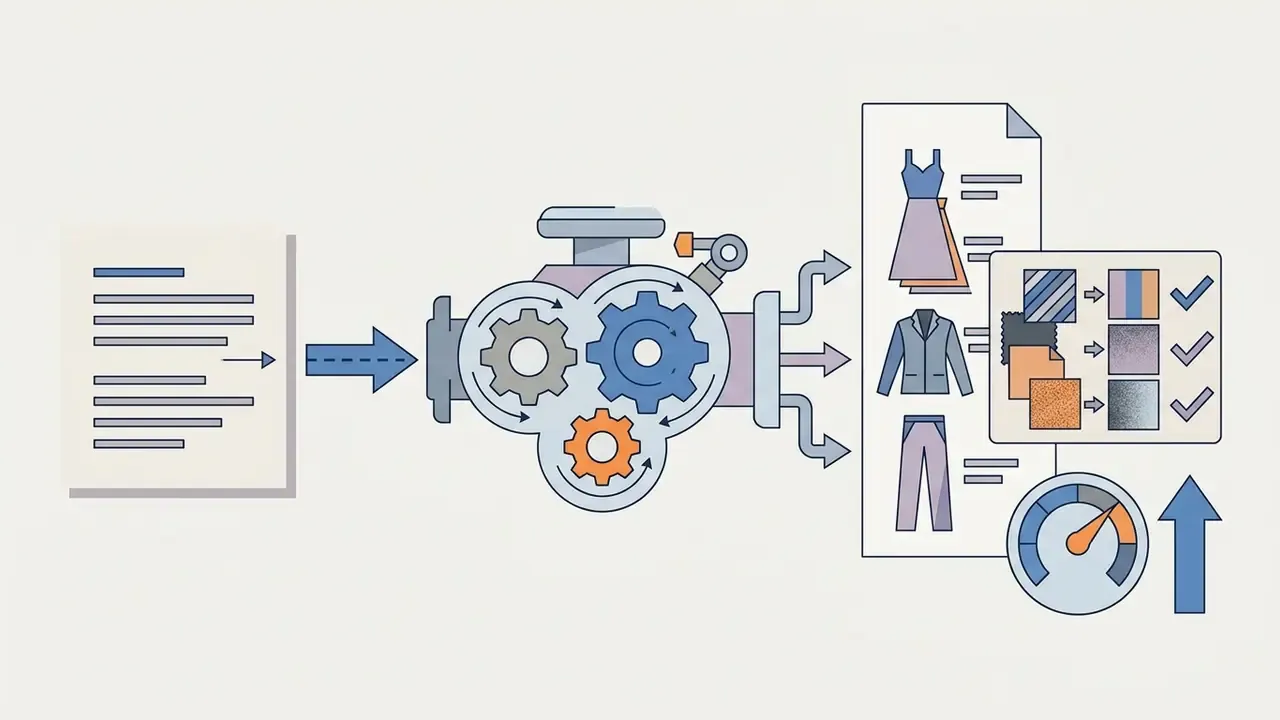
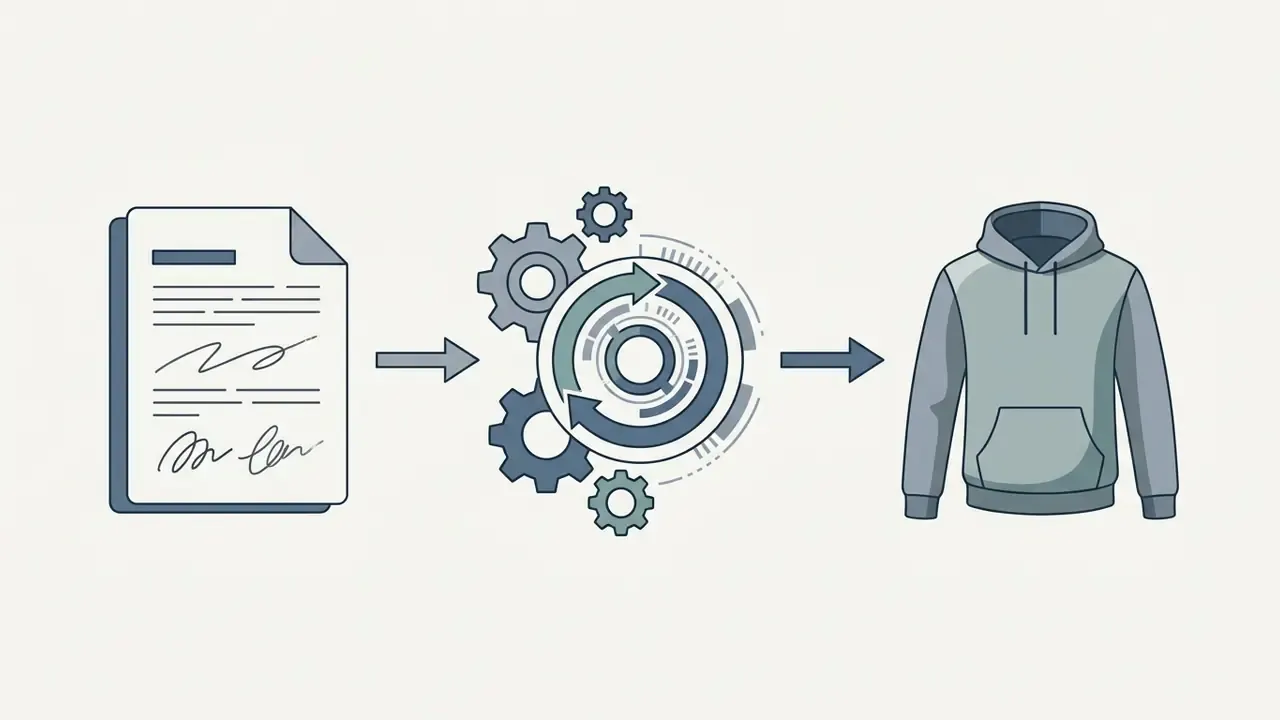
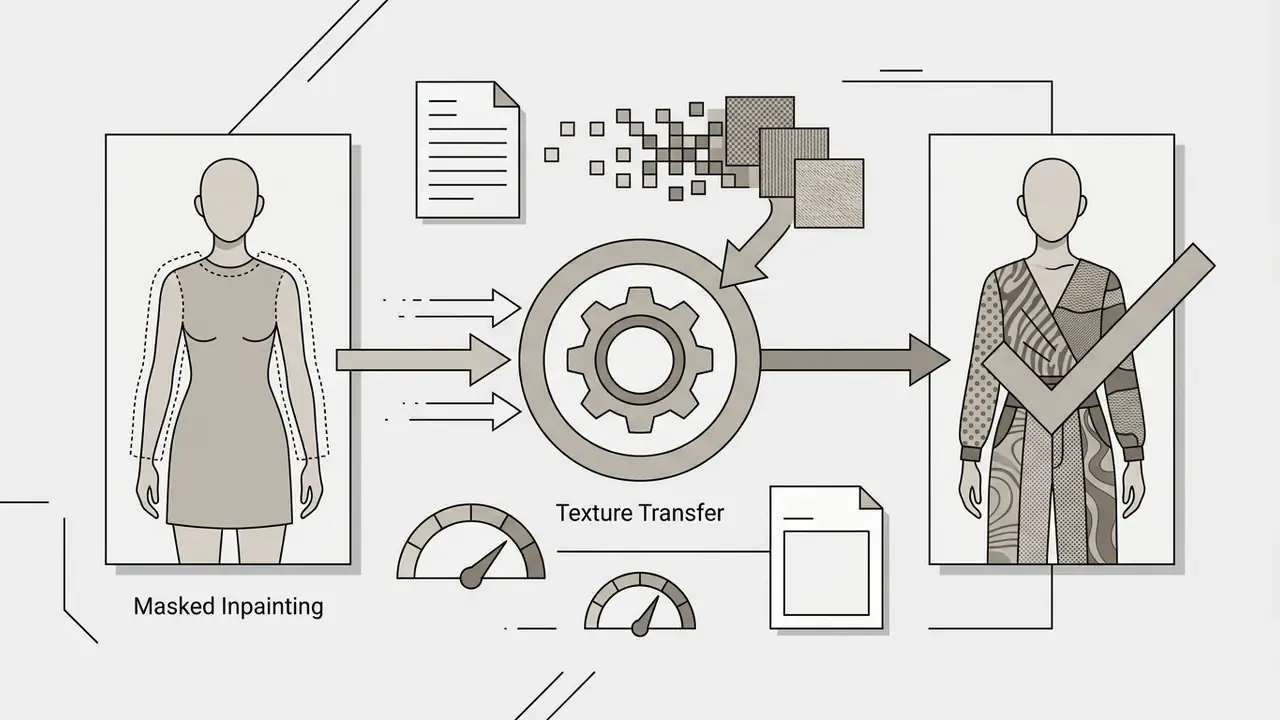
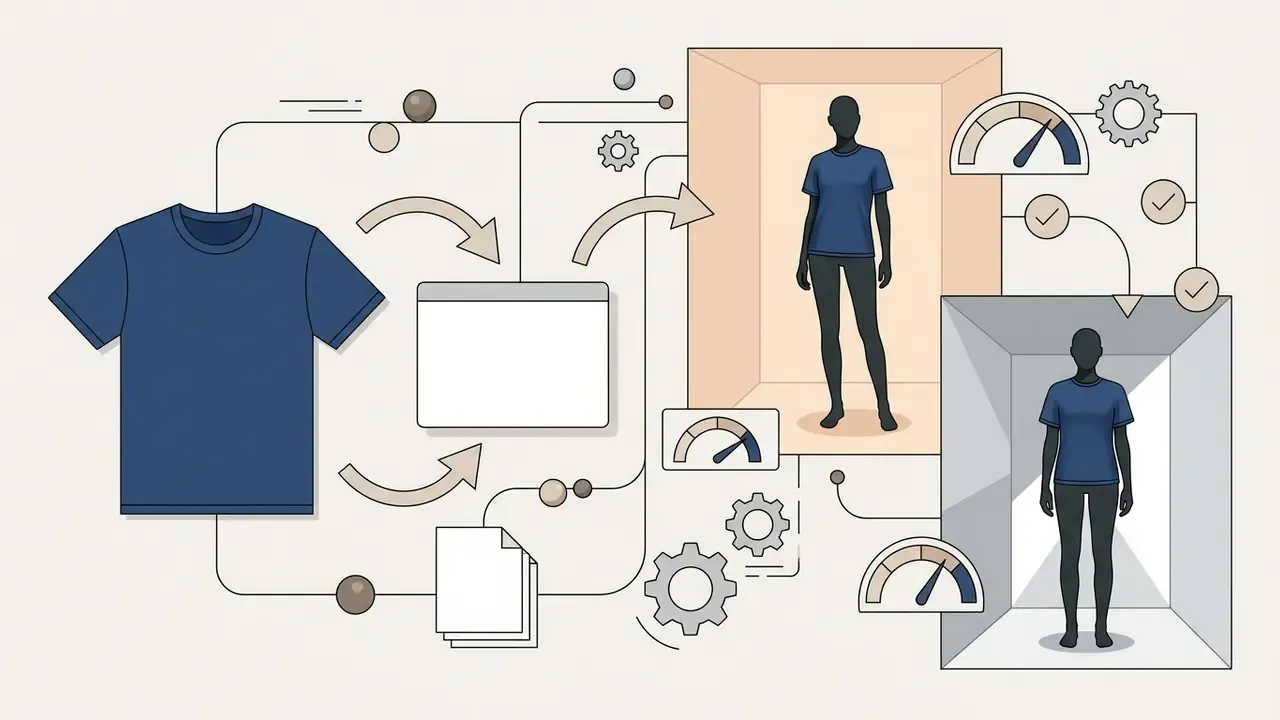
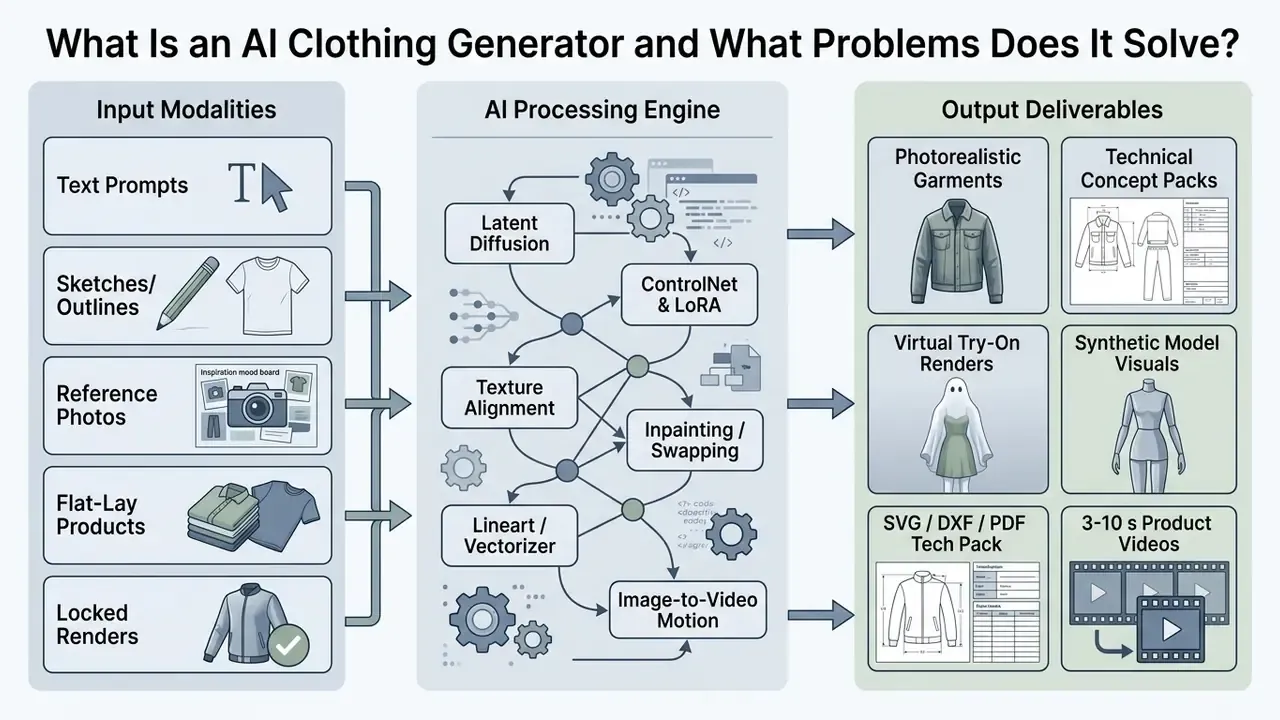
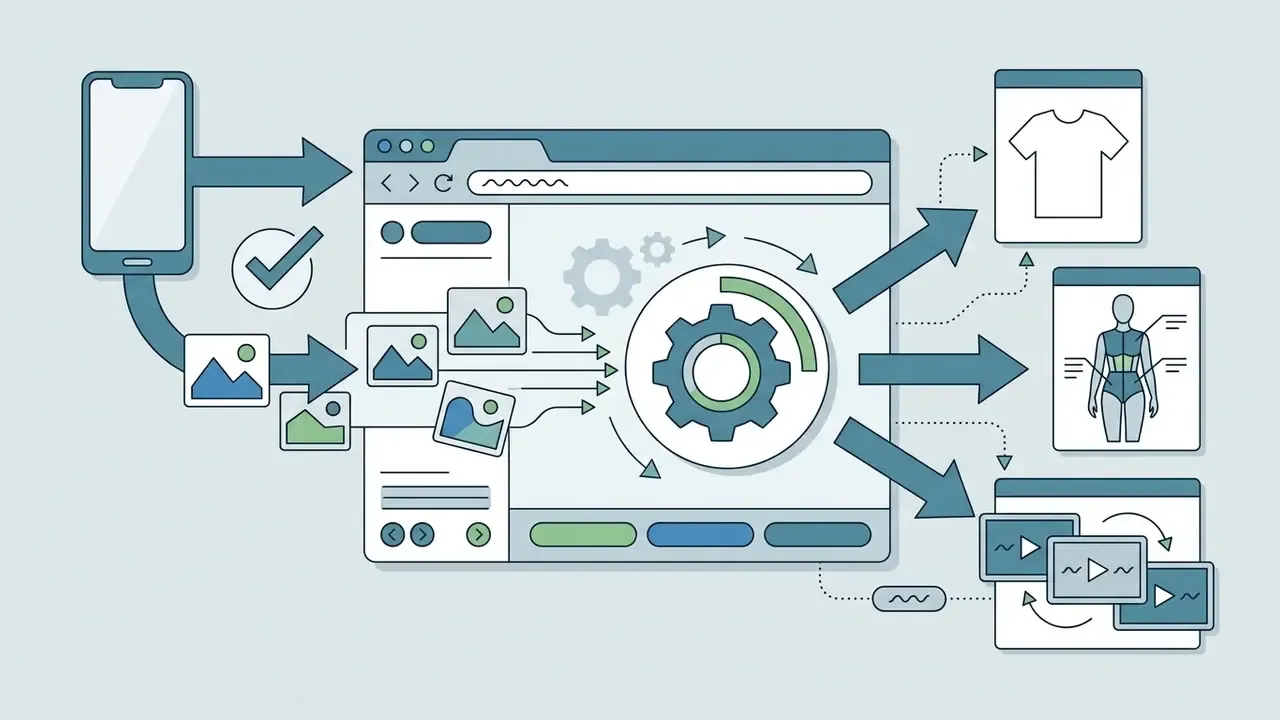
Figure 1: Technical pipeline showing multimodal input processing through diffusion networks to generate production-ready apparel assets. Alt-text for publication: «ai clothing generator for creating clothing design from text, sketch and photo».
Generating Clothing, Dresses and Full Outfits from a Text Prompt
Text-based generation synthesizes full clothing designs, dresses, and complete outfits by parsing structural attributes, that is garment type, cut, material, pattern, and color, from plain text prompts. By leveraging specialized prompt engineering, users can command an ai dress generator to construct intricate evening wear or leverage an ai dress creator to render structured outerwear with precise seam placement and fabric sheen. Production tools expose the same attribute set as explicit prompt fields: category, silhouette, fabric, color, style, season, target customer, and design details, with up to four parallel variants per run.
«DressCode reaches a CLIP score of 0.327 versus 0.302 for Wonder3D, and generates a single garment in roughly 3 minutes instead of 4 hours.»
In the DressCode framework, text prompts dictate autoregressive sewing-pattern generation across 11 core apparel categories, achieving high CLIP-based text-image alignment scores. When drafting prompts, specifying fabric weight, weave, color temperature, and closure details yields predictable, repeatable results across multiple seed variations. Teams choosing an engine can compare the best AI art generators by image quality, style control and licensing before standardizing on one text-to-image backbone, then compare options once seat counts and render volumes are known.
Turning Sketches and Photos into Photorealistic Designs
Sketch-to-design transformation converts flat 2D outlines, technical vector drawings, or reference photographs into photorealistic garment visualisations while preserving original spatial proportions. Advanced diffusion models utilize structural encoders, such as ControlNet and feature-pyramid fusion, to maintain strict outline boundaries while generating realistic fabric shading and stitching.
«TexControl anchors the garment silhouette with ControlNet sketch conditioning, then applies image-to-image diffusion to optimise fabric, stitching and print detail.»
Parallel research confirms the same two-stage logic. HAIFIT (2024) converts sketches into high-fidelity clothing images using multi-scale features and long-range feature-map dependencies, while Sketch2Stitch (WACV 2026) integrates a modified pSp encoder with StyleGAN and accepts rough sketches plus optional color hints to produce photorealistic garments in seconds. Earlier pipelines such as Sketch2Fashion (2020) worked in reverse, extracting HED and Canny sketches from garment photos to build paired training sets, which explains why modern latent-space conditioning delivers far cleaner edges on hand-drawn input.
This enables designers to instantly preview material draping and pattern scale before committing to physical sampling. One practical observation from catalog teams: a sketch scanned at 600 DPI with a hard pencil line survives edge detection much better than a phone snapshot of a sketchbook page under warm room light. Creators who want to understand the underlying transformation logic can review how AI outpainting and image-expansion tools rebuild missing regions using the same conditional diffusion principles.
What Design Formats Can an AI Fashion Design Generator Create?
An ai fashion design generator produces a versatile range of digital fashion formats, ranging from initial low-fidelity moodboard concepts to technical production flat-lays, photorealistic marketing imagery, vector tech packs, and tileable textile print files. These generated visual formats support every phase of the fashion lifecycle, enabling apparel teams to evaluate silhouette variations, color palettes, and model presentation without physical sample production.
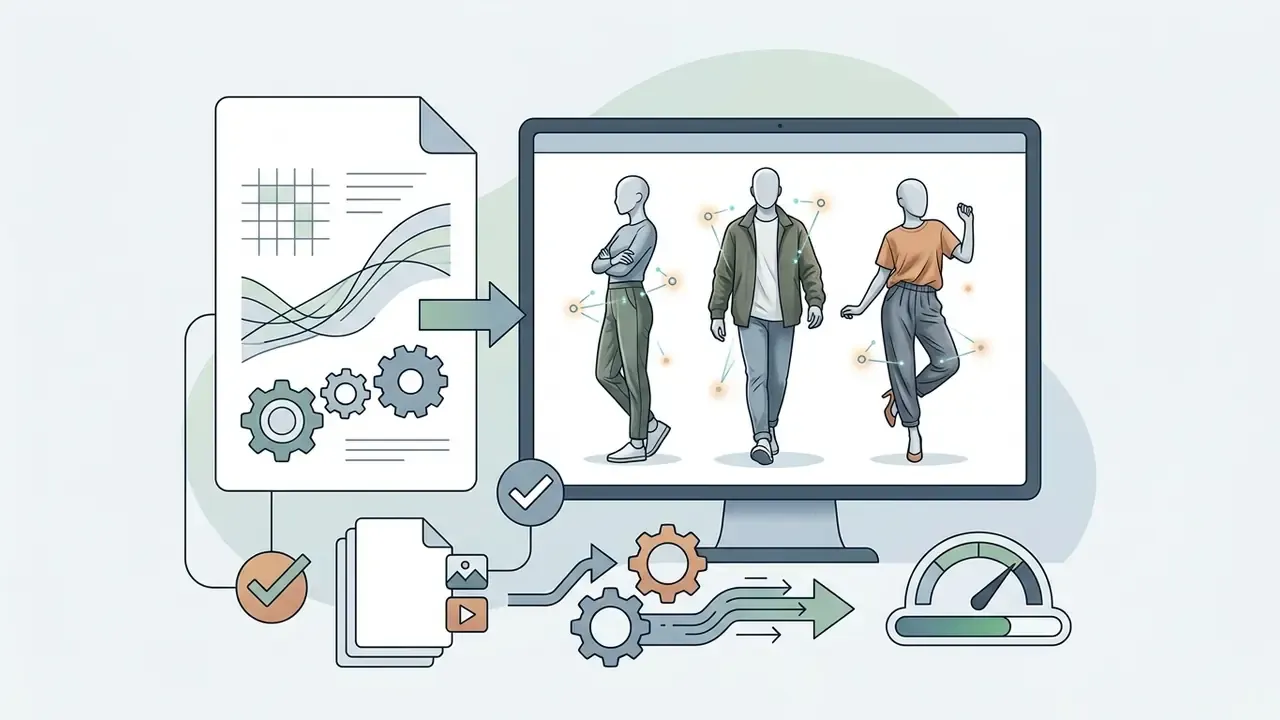
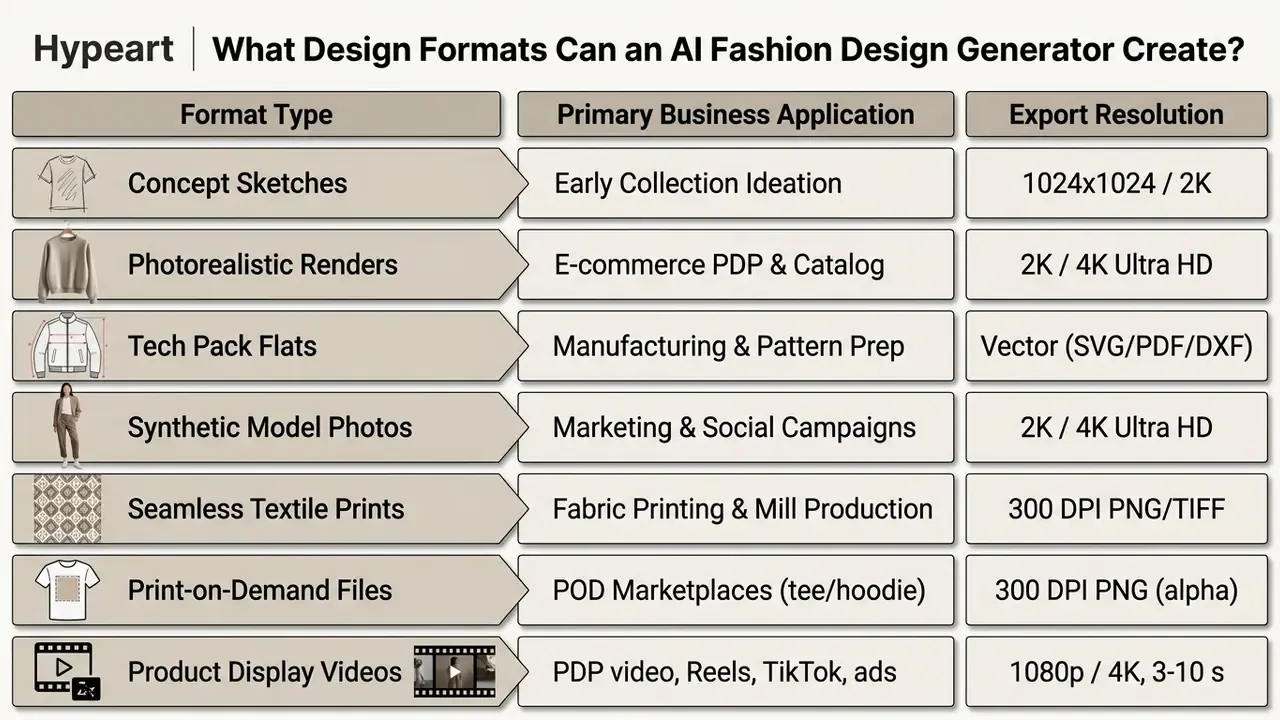
Using an ai clothes design generator, design teams can systematically explore complex structural features such as pleating, lapel cuts, and asymmetrical hemlines. Integrating an ai dress maker or ai clothing maker into early-stage product development allows brands to standardize output formats across seven primary asset types:
Collection Concepts for Fashion Brands and Capsule Lines
Creating capsule collections and seasonal concepts with an ai clothing brand design generator allows apparel companies to test market demand and aesthetic direction rapidly. By setting consistent prompt parameters across multiple garment types, creative directors can generate cohesive lines that share unified color palettes, hardware finishes, and stylistic themes.
«DressCode's dataset spans 19,264 samples across 11 categories, shirts, jackets, dresses, trousers, skirts, covering a broad silhouette range for concept generation.»
Documented practice instead of an unverified internal case. Peer-reviewed and conference evidence describes generative AI in fashion as a workflow for low-fidelity concept drafts followed by iterative designer and AI refinement. A 2025 Frontiers study documents an «Artificial A(i)rchive» laboratory that combined Midjourney, ChatGPT 3.5 and Runway to develop a full capsule collection inspired by a Gianfranco Ferré striped jacket from F/W 1985, while the 2025 FedGAI paper (arXiv) reports multi-styled fashion sketches «of comparable quality to human-designed ones» with efficiency gains over hand drawing. Practically, this means locking a baseline prompt for silhouette and material properties, then varying only one attribute per generation batch so that concept comparison stays controlled and auditable.
One attribute per batch. That single discipline turns a pile of pretty images into a comparison you can defend in a design review.
On-Model Imagery, Product Cards and Catalog Visuals
Generating synthetic AI fashion models and automated product card imagery replaces traditional studio photography, significantly lowering digital catalog operational expenses. Brands can generate photorealistic models of diverse demographics, poses, and physical builds, placing them against customizable studio backdrops or lifestyle settings.
«OutfitAnyone reports state-of-the-art FID and LPIPS results, confirming AI try-on can render photorealistic looks across varied poses and body types.»
An operational cost analysis based on 2026 vendor and industry benchmarks reveals that traditional commercial photoshoots cost brands between $35 and $80 per finished catalog image, whereas automated AI fashion model pipelines produce high-resolution assets for $0.10 to $2.00 per render (Modelia, The Real Cost of AI Fashion Model Generation for Brands, 2026; Stytrix, AI Virtual Try-On for E-Commerce, 2026, which estimates $103,000 to $305,000 in annual traditional photo-production cost for a mid-size brand). Automated catalog platforms process raw product photos, generating high-resolution e-commerce assets in seconds.
A caution before anyone builds a business case on those numbers: the per-render figure usually excludes review time, QA rejects, licensing counsel and re-runs. Add those back and the honest comparison narrows. Finance teams modelling the delta can see the overview of cost-per-asset assumptions before signing off.
Utilizing an ai design generator for clothing ensures consistent studio lighting, shadow accuracy, and realistic garment drape across all product listings. Teams building people-centric assets alongside garments can apply the same identity-consistency logic covered in the guide to AI headshot generators, portrait quality and professional use.
Fabric, Color, Print and Style Variations
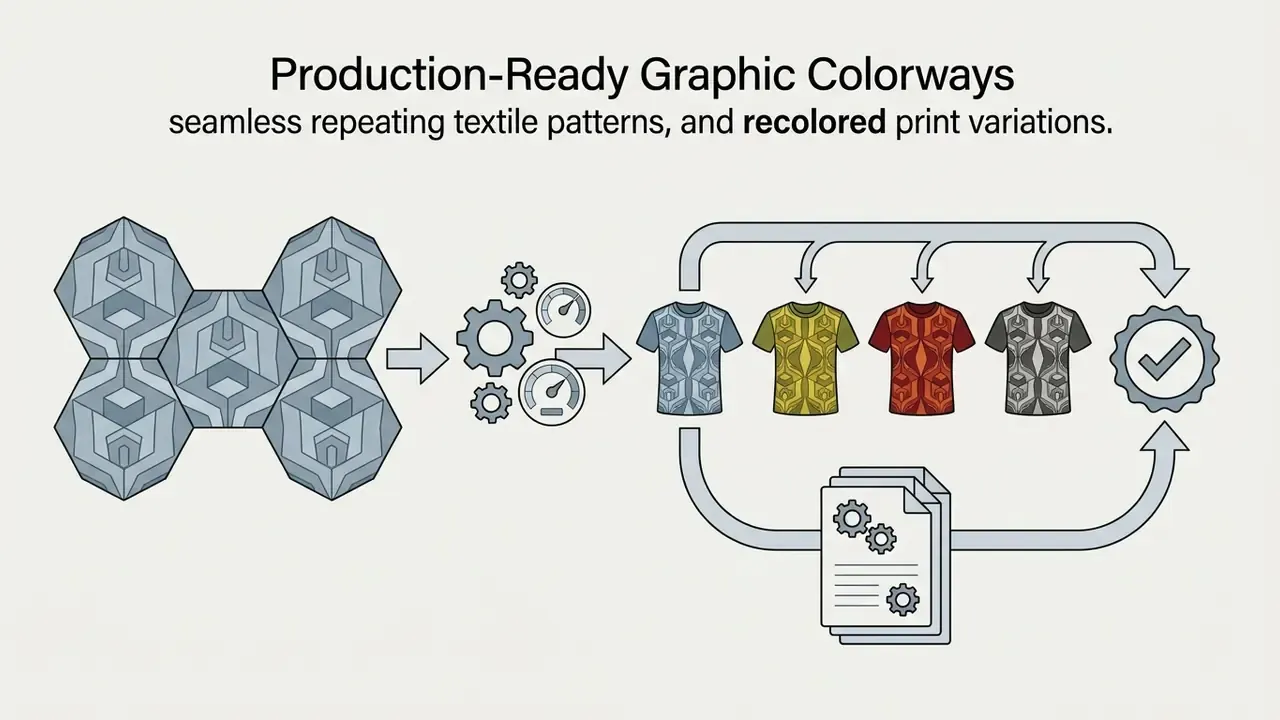
Digital recoloring, texture mapping, and pattern generation enable fashion teams to create extensive product colorways and material variations from a single master render. Features like Graphic Colorways, Graphic Mixer and AI Print Generators allow designers to upload seamless reference prints or specify hex codes to transform garment surfaces instantly.
«GarmentAligner applies multi-level retrieval and corrective losses to align components, collars, sleeves, hems, with textual descriptions, outperforming baselines on CLIP and FID.»
Platforms equipped with texture-transfer algorithms adjust fabric properties, for example swapping heavy wool tweed for lightweight linen, while accurately re-calculating fold geometry and specular highlight reflections. Colour management depth varies by vendor: some textile engines document formal Pantone TCX and RAL matching using CIEDE2000 in CIE-LAB space and export production files as TIFF, SVG, EPS and PDF, while lighter tools only offer palette-based recoloring without a named standard. For repeatable brand colour, request hex or Pantone locking rather than descriptive colour words. «Dusty rose» means five different things to five different mills. FLUX.2-class editing models now accept explicit hex codes for garment recolor, and some recolor tools generate 1 to 4 variations per request with export up to 4K.
Converting Generative Renders into Technical Line Art and Vector Specs
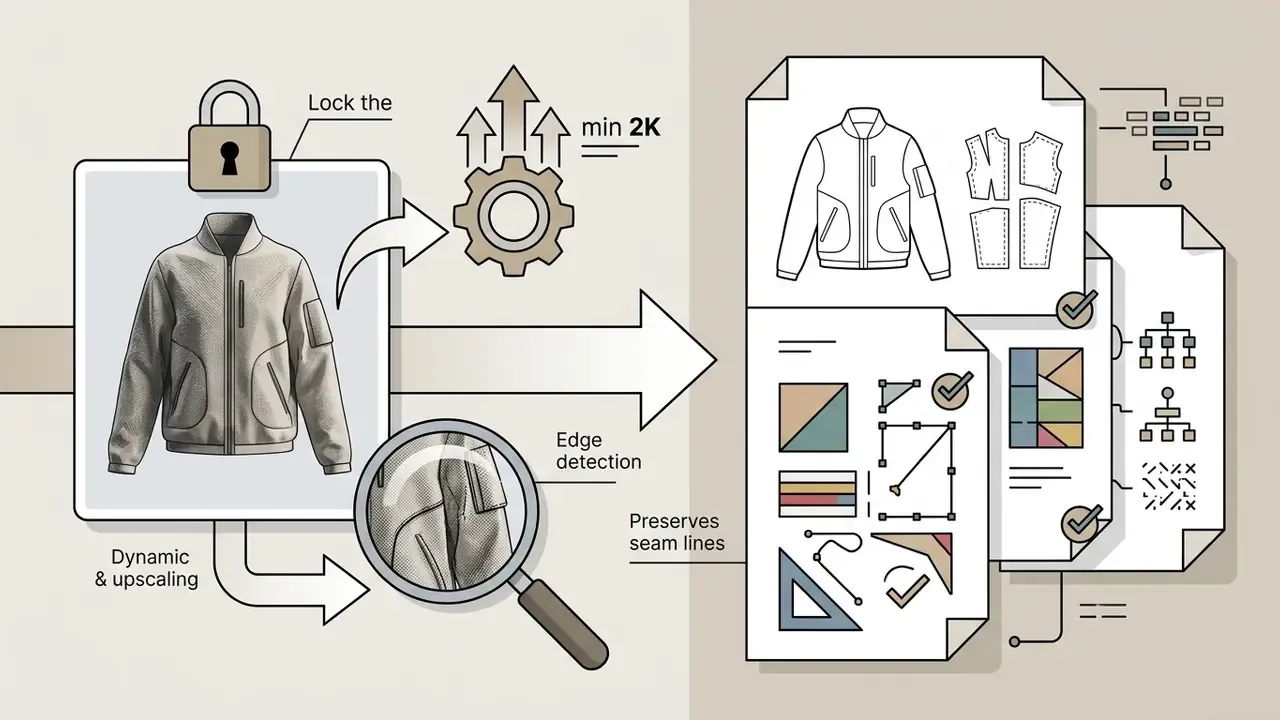
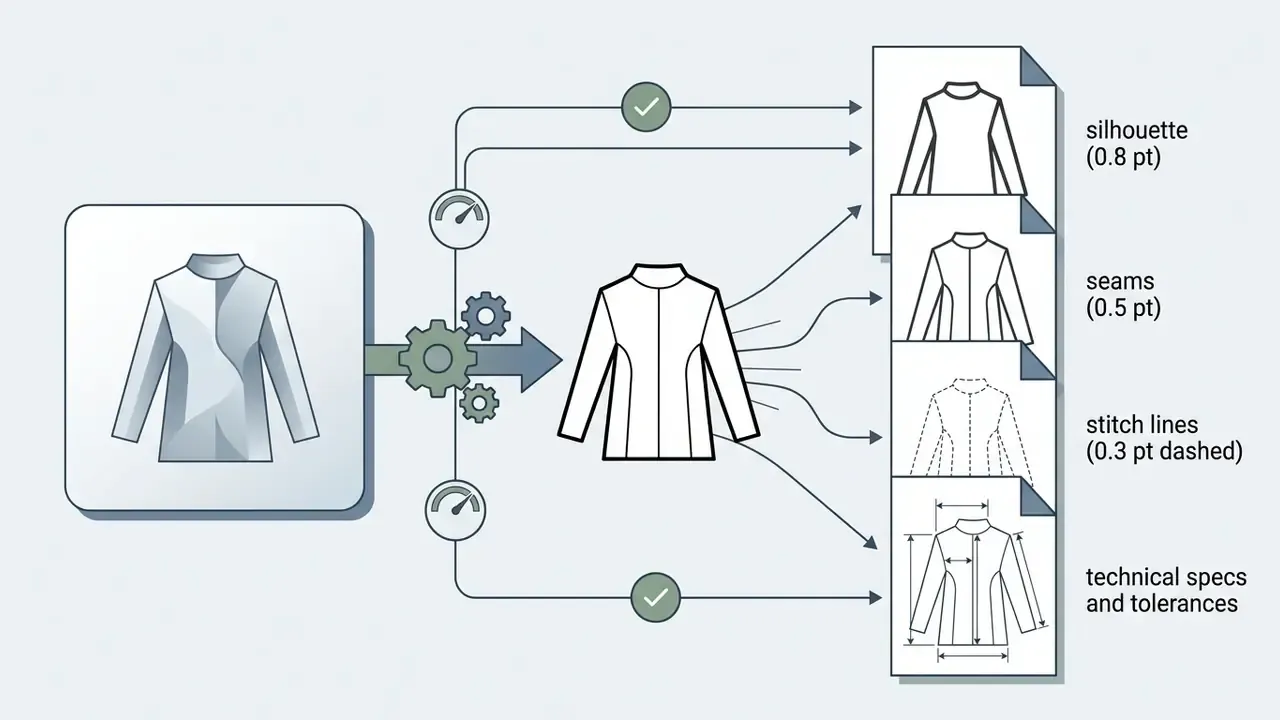
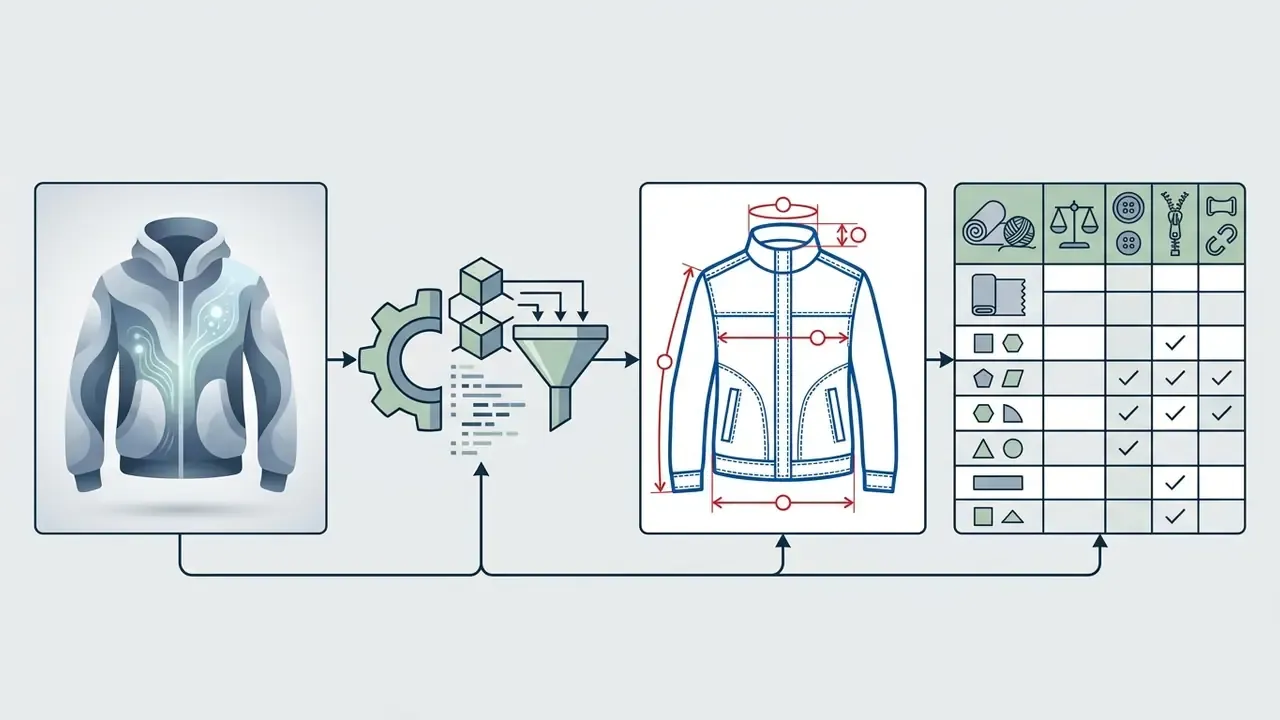
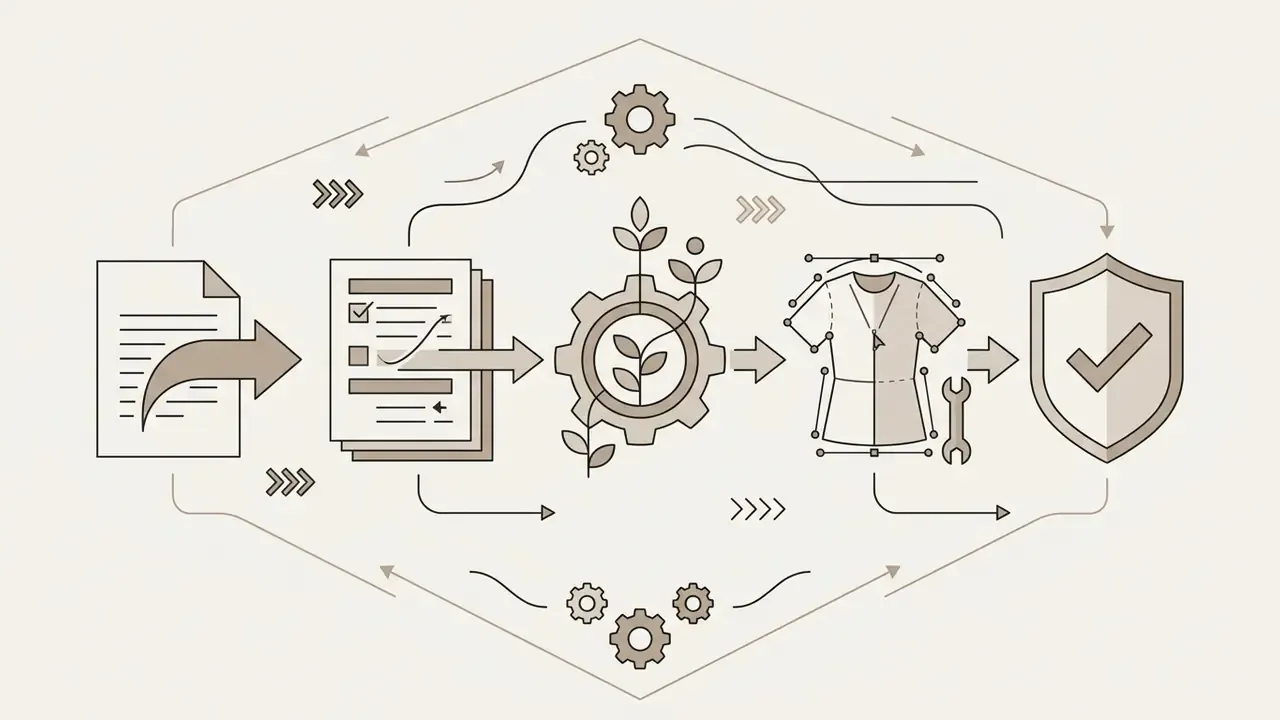
Once a render is locked, an «extract technical drawing» step converts the raster garment into clean, editable line art for manufacturing. The pipeline runs edge detection (Canny, HED or a Lineart ControlNet preprocessor) over the locked render to isolate garment contours, then traces those contours into Bézier paths, separating construction layers: outer silhouette, princess seams, darts, topstitching, pocket bags, closures and trims.
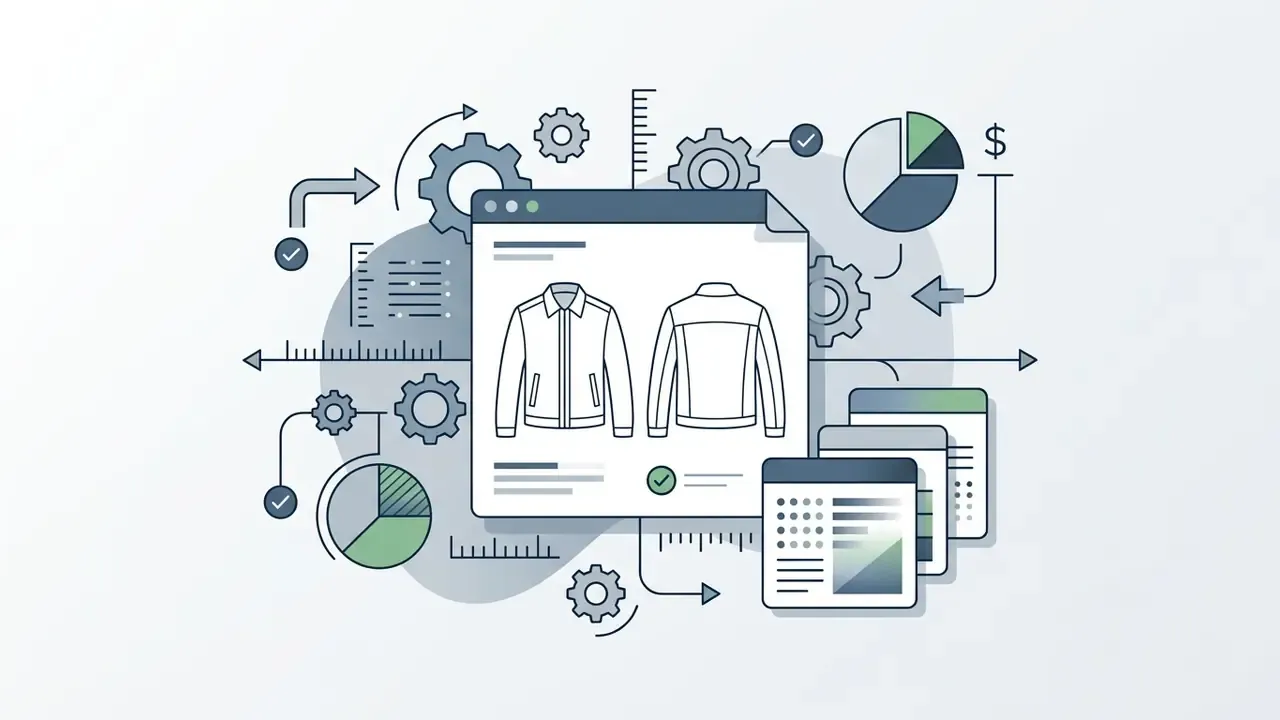
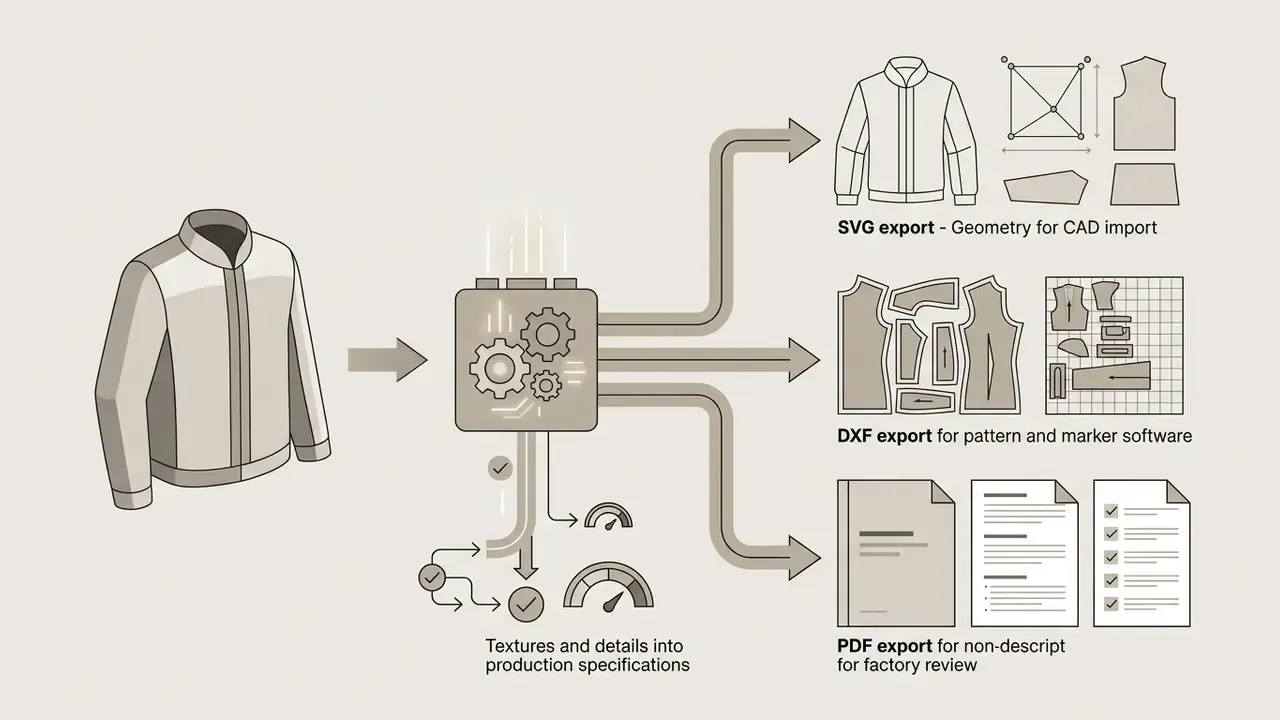
Production-grade platforms extend this into a full tech pack: flat sketches (front, back, side), a bill of materials, point-of-measure charts, size grading, construction notes, care labels and preliminary costing. Pattern-oriented tools export sewing patterns as SVG, DXF and PDF with seam allowances and grainlines already applied, which is the format set most CAD/CAM and marker-making systems ingest directly.
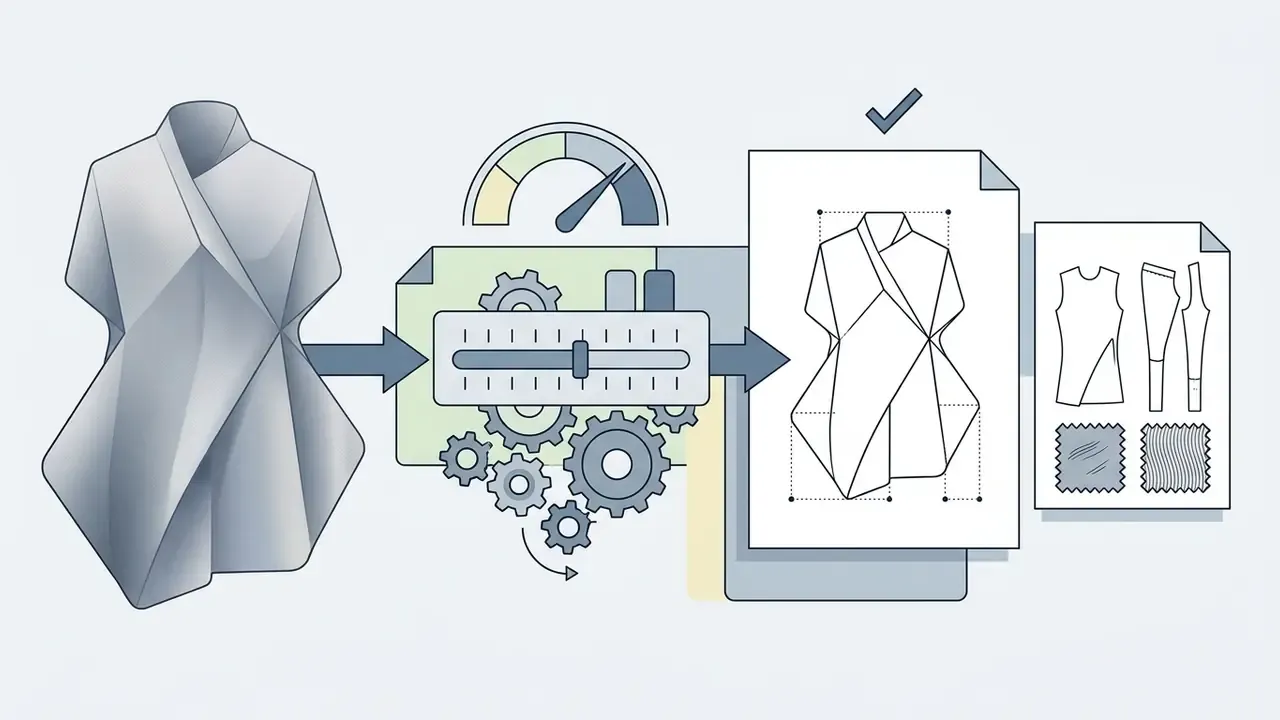
Quality control matters here: diffusion models can hallucinate impossible seam junctions or asymmetric dart placement, so a patternmaker must validate the extracted geometry before grading. Vector accuracy, not visual beauty, is the acceptance criterion at this stage.
Generating Dynamic Motion Videos from Static Fashion Visuals
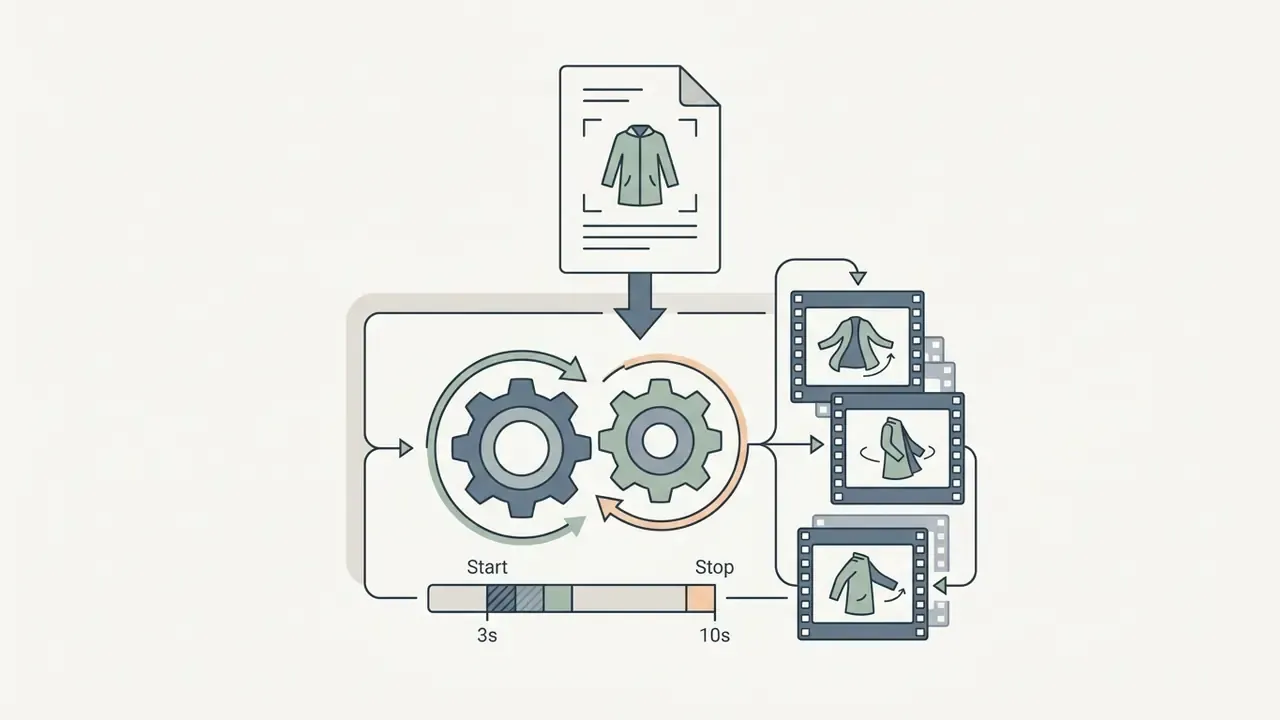
Image-to-video models turn a single locked garment render into a short product display clip, reconstructing fabric physics, hem sway, and model gait without a film crew. This closes the gap between a static PDP image and the motion content required by Reels, TikTok, paid social and PDP video modules.
Typical configuration for apparel motion:
[camera move] + [subject motion] + [fabric behaviour] + [pace], for example «slow orbital camera, model walks two steps forward, heavy wool coat hem swings, calm pace».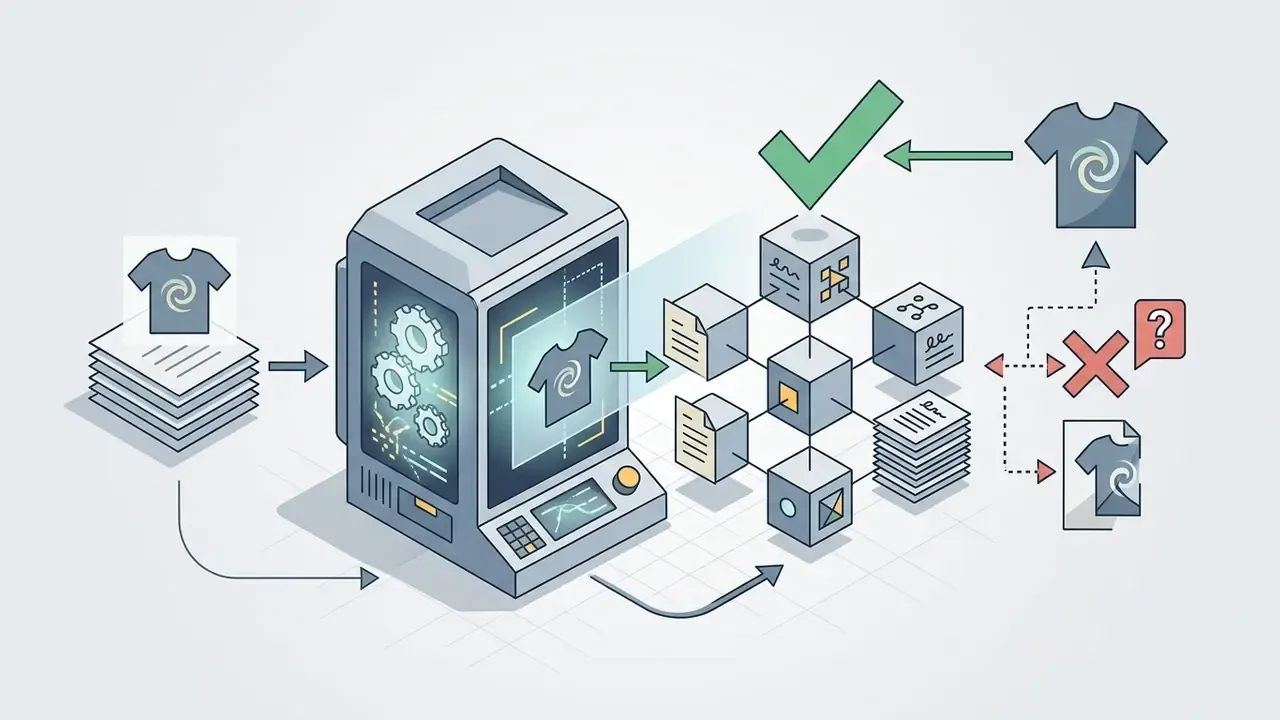
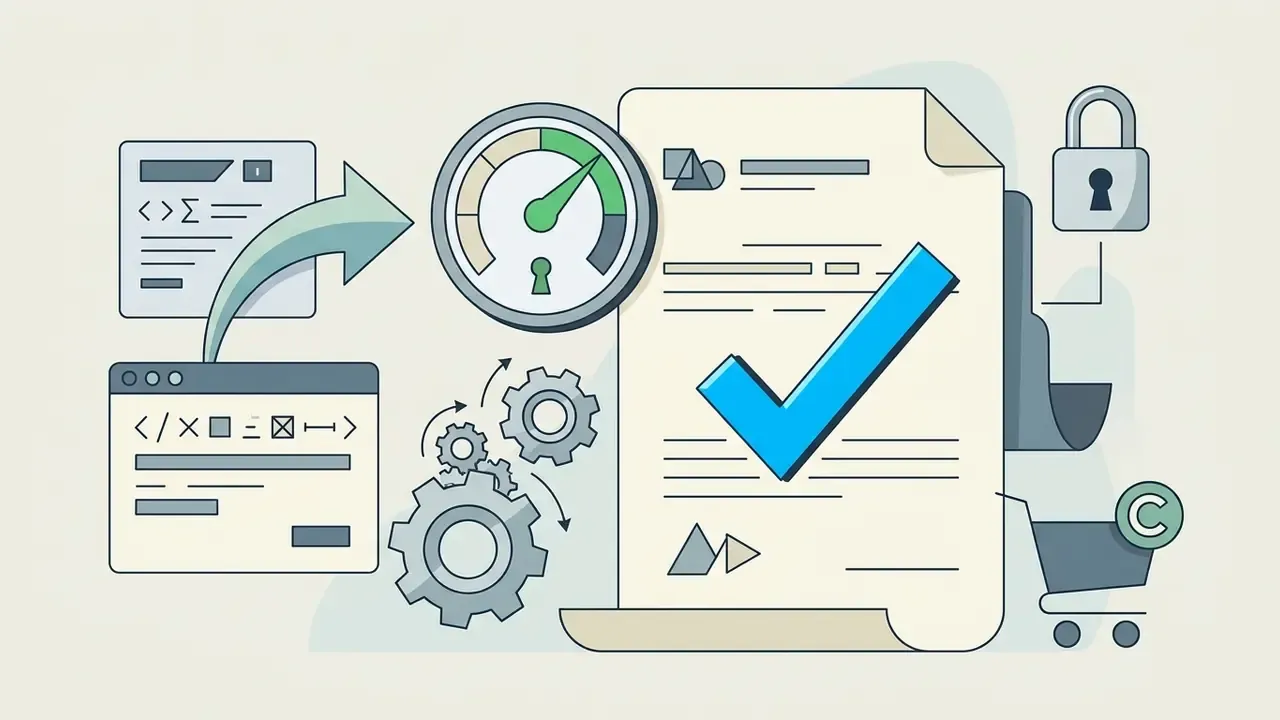
Because motion multiplies any texture error across every frame, teams should animate only assets that already passed still-image QC. Engineers planning API-level integration of video generation can reference the Google Veo implementation guide covering video capabilities, API access, costs and limits, and marketing teams comparing frame-based motion tooling can review the guide to animation makers, AI features, pricing and export options.
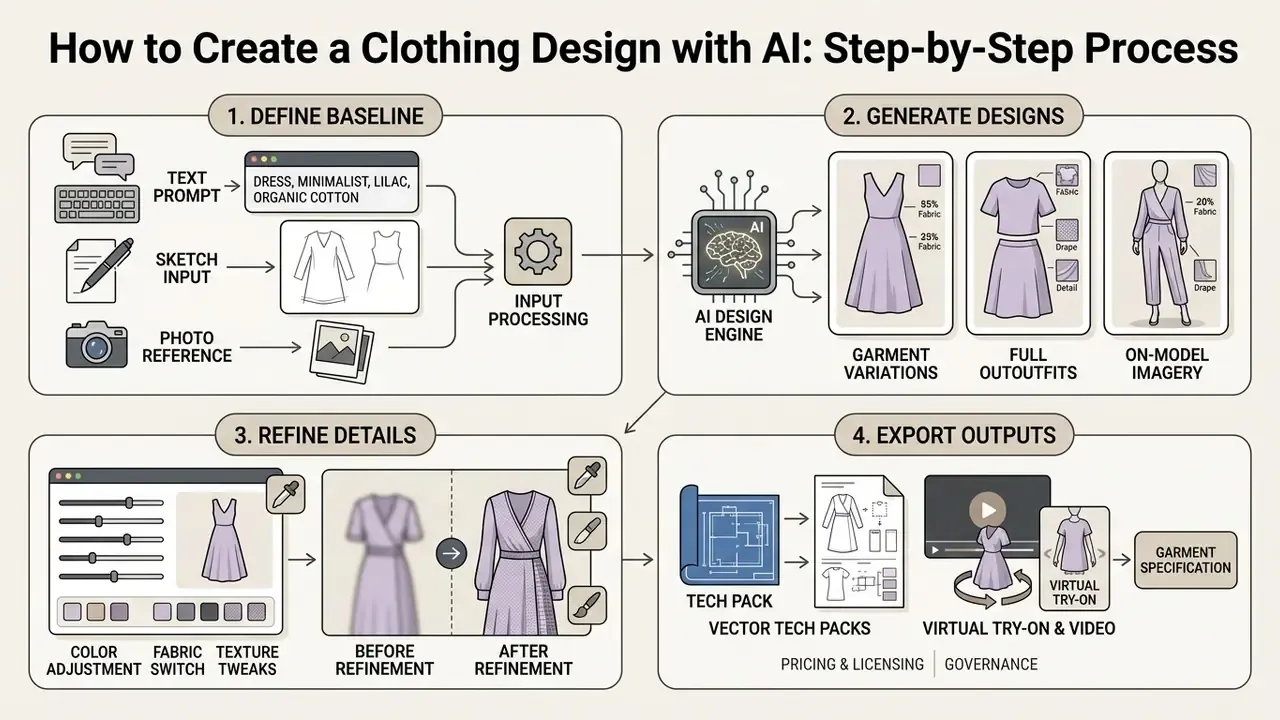
How to Create a Clothing Design with AI: Step-by-Step Process
Creating a custom clothing design with an AI generator involves a streamlined workflow: selecting the operational mode, defining text prompts or input assets, configuring generation parameters, and executing iterative refinements prior to exporting final files. Following this structured methodology ensures high visual fidelity, accurate fabric representation, and consistent brand styling across all generated outputs.
Whether using a dedicated ai clothing design generator for enterprise collections or an ai dress generator free tool for quick conceptualization, adhering to standardized inputs minimizes generation artifacts and prompt drift. The step-by-step process enables both experienced apparel designers and non-technical creators to achieve professional-grade apparel visuals online.
Working checklist, step by step:
Record the seed at step 3, not at step 5. Sounds trivial. It is the single detail that decides whether a published asset can be reproduced six months later for an audit or a client dispute.
- Step 1: Select format and mode.Access the tool interface and select the targeted creation pathway, for example Text-to-Image, Sketch Conditioning, or Model Outfit Swap.
- Step 2: Submit prompts or upload baseline assets.Enter descriptive prompts detailing garment category, cut, fabric, color, and trim details, or upload a clean JPEG or PNG sketch.
- Step 3: Fine-tune model parameters.Set the generation seed, aspect ratio (3:4 works well for portrait fashion), CFG scale (typically 7.0 to 9.0), and target resolution.
- Step 4: Execute generation and iteration.Select Generate to produce 2 to 4 initial variants. Use inpainting or colorway tools to adjust micro-details before final download.
- Step 5: Lock, vectorize and export.Approve one variant, extract line art for the tech pack, and export web (2K WebP or PNG), print (300 DPI PNG or TIFF) and CAD (SVG, DXF, PDF) versions.
- Select Generation FormatChoose between text-to-design, sketch-to-garment, photo try-on, or pattern generation modes based on project requirements.
- Define Core InputsInput detailed text prompts describing garment properties or upload clear, high-contrast reference images and vector sketches.
- Configure Technical SettingsAdjust aspect ratio, resolution settings, model demographics, creativity and guidance scale (CFG), and rendering style parameters.
- Generate and RefineRun the AI engine to generate initial options, use local editing or recoloring tools to iterate, and export high-resolution assets.
How to Write a Prompt for Clothing, Dresses or Full Outfits
Writing effective text prompts for an ai dress design generator requires structuring descriptions around five key apparel attributes: garment category, silhouette and cut, fabric composition, colorway and pattern, and environmental lighting. Avoid vague descriptors like «stylish» or «beautiful», focusing instead on concrete physical terms such as «tailored double-breasted blazer, heavy Italian wool, matte charcoal gray, sharp structured lapels, soft studio lighting».
«GarmentAligner builds component-similarity retrieval subsets and applies contrastive learning, enforcing accurate detail correspondence such as „long sleeves“ or „V-neckline“.»
Prompt-engineering guidance recommends testing a refined prompt across 3 to 9 seeds to observe output variance before locking a direction, because seed noise, not prompt wording, often explains inconsistent silhouettes.
Prompt constructor:
[Garment Type] + [Silhouette/Cut] + [Material & Texture + GSM/weight]
+ [Colorway/Pattern (hex or Pantone)] + [Construction details/trims]
+ [Lighting & Studio Setting] + [Aspect ratio / resolution]
Copy-paste prompt library
OUTERWEAR
"Oversized double-breasted trench coat, heavyweight Italian camel wool,
matte finish, sharp structured lapels, storm flap, horn buttons,
soft studio backdrop, 3:4 ratio, 4k detail."
STREETWEAR
"Boxy fit hoodie, 450 GSM heavy French terry cotton, washed vintage black
(#1C1C1C), dropped shoulders, distressed flatlock seams, kangaroo pocket,
cinematic side lighting, 1:1 ratio."
EVENING / DRESSES
"Silk chiffon A-line midi dress, deep emerald (#046A38), knife-pleated skirt,
delicate French lace trim at neckline, invisible back zip,
soft diffused studio light, 3:4 ratio, 2k."
TAILORING
"Structured double-breasted suit, wool blend 320 GSM, charcoal gray,
sharp shoulders, slim peak lapels, besom pockets, straight-leg trousers,
neutral grey seamless backdrop, front full-body view."
ACTIVEWEAR
"High-rise compression leggings, four-way stretch recycled polyamide,
matte cobalt blue, bonded flatlock seams, hidden waistband pocket,
bright even studio light, 3:4 ratio, 4k."
FLAT / TECH PACK VIEW
"Technical flat sketch of a zip-through bomber jacket, front and back view,
clean black line art on white background, visible topstitching, ribbed cuffs,
no shading, no model, vector style."
For consistent seasonal ranges, keep the last two blocks (lighting and ratio) identical across every prompt in the collection and vary only the garment and material blocks. Teams evaluating engines for repeatable brand output can also compare free AI art generators by output quality, limits, watermarks and licensing.
How to Use a Photo or Sketch as the Design Baseline
Using baseline photographs or freehand drawings as structural design anchors relies on image-to-image conditioning models like ControlNet or IP-Adapter. To ensure precise structural transfer when uploading sketches, provide clean line art with clear contrast against a white background, free from extraneous grid lines or shadows.
When using source photographs, standard image editing standards apply: upload high-resolution files (minimum 1024×1024 pixels) in JPEG, PNG, or WebP format. Adobe Firefly, for example, documents supported upload types as image/jpeg, image/png and image/webp, with uploaded asset IDs valid for 7 days; OpenAI's image API accepts inputs as a URL, Base64 data URL, or file ID and supports masked edits that replace only selected regions. Structure references match outline and depth, while style references carry look and feel. Two different controls, and mixing them in one pass is where most muddy results come from.
Input Sketch Spec vs AI Output Specification
| Parameter | Input (source asset) | AI Output (approved render) |
|---|---|---|
| File type | JPEG / PNG / WebP line art | PNG (alpha), WebP, TIFF |
| Resolution | ≥ 1024×1024 px | 2K / 4K, or 300 DPI for print |
| Background | Plain white, no grid or shadow | Studio backdrop or transparent |
| Detail level | Silhouette + seam lines only | Fabric weave, drape, specular highlights |
| Colour data | Optional flat colour hints | Locked hex / Pantone TCX colourway |
| Geometry | Proportions defined by outline | Original proportions preserved via ControlNet |
| Deliverables | 1 sketch | 2 to 4 variants + vector flat + colourways |
How to Refine and Export the Generated Design
Post-generation editing involves refining localized details, altering color palettes, and exporting final assets in production-ready formats. Generative tools feature built-in inpainting brushes, allowing users to mask specific areas, such as collar shapes, sleeve lengths, or pocket placements, and regenerate those regions using updated text commands. Editing-focused models document outfit changes, accessory additions and garment recolor with hex-code precision, while side-by-side variation views let teams compare multiple colorways in a single composite. For non-generative retouching passes, cropping, curves, blemish cleanup on model skin, a conventional online photo editor with its core features and commercial workflows remains faster than re-prompting.
Once the design is finalized, export parameters should match the intended end-use. E-commerce platforms typically require 2K resolution WebP or PNG files, whereas physical textile printing and print-on-demand workflows need 300 DPI uncompressed PNG or TIFF files with transparent backgrounds, the exact configuration SDXL-based print tools ship for POD marketplaces. Manufacturing hand-off needs SVG, DXF or PDF. To review asset management frameworks, professionals can explore the hub for enterprise content guidelines.
AI Clothes Changer and Virtual Try-On: Replacing Garments on Photos
An ai clothes changer uses generative inpainting and pose-aware feature extraction to replace or modify garments on existing human photographs while maintaining body posture, facial identity, and background continuity. Virtual try-on (VTON) technology bridges the gap between static product listings and dynamic customer preview, allowing users to visualize how specific garments fit onto diverse model poses.
When executing an automated outfit swap using a clothes changer tool, deep neural networks isolate original apparel regions via semantic segmentation masks. The system then warps target garment textures over the model's 3D body mesh, recalculating lighting, fabric fold physics, and shadows.
«OMFA applies partial diffusion, adding noise only inside the garment region, and reaches state-of-the-art SSIM and LPIPS for both try-on and try-off without segmentation masks.»
Benchmark results remain dataset-specific rather than universal. PromptDresser (ICCV 2025) reports better SSIM and LPIPS plus lower FID and KID than baselines on VITON-HD and DressCode, and higher human ratings for garment shape and detail, while a 2024 IEEE implementation study reports SSIM 0.795071 and IS 2.2008 for its model against a prior study cited at SSIM 0.845 and IS 2.829. Practically, this means brands should validate try-on quality on their own catalog rather than trusting a headline metric.
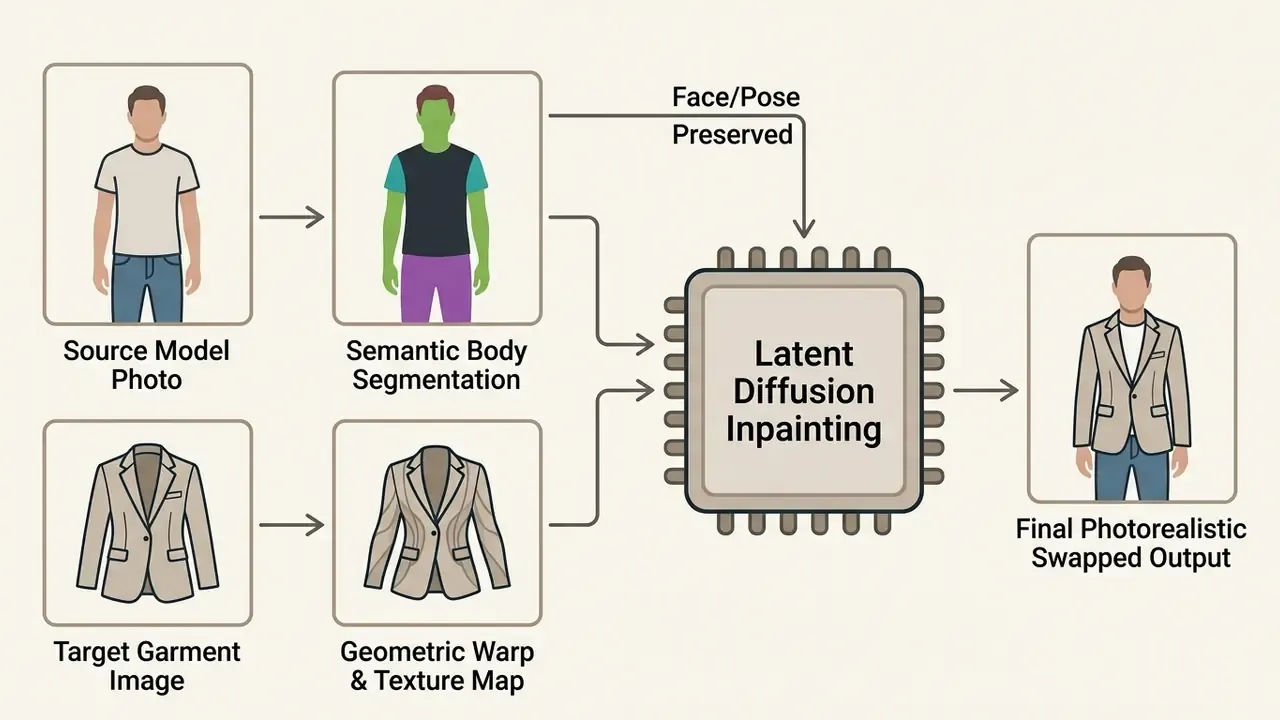
Which Photos Work Best for Garment Replacement
Achieving optimal results with an ai clothes changer requires source model photographs that meet strict technical criteria regarding pose, lighting, background, and camera angle. Ideal input images feature full-body or half-body views where the individual stands straight with arms slightly separated from the torso, minimizing occlusion across waist and hip lines, the same frontal, arms-down configuration required by Google Merchant Center imagery guidance.
Camera angles should remain eye-level or waist-level with neutral, even studio illumination that avoids harsh direct shadows or intense backlight. Plain, solid-color backdrops (neutral gray or white, typically) optimize background segmentation, ensuring clean garment edge boundaries during the automated inpainting phase. Avoid crossed arms, seated poses, motion blur, patterned wallpaper, and mixed colour-temperature lighting. Each of these degrades mask precision far more than output resolution does.
Preserving Fabric Texture, Print and Typography Realism
Preserving fine details, brand typography, intricate embroidery, vertical pinstripes, and complex geometric prints, during virtual try-on requires specialized texture-preservation architectures. Standard diffusion models often distort text and repeating logos. Dedicated pipelines such as FabricDiffusion extract normalized, tileable material maps directly from target clothing images and explicitly report preserving prints and logos when transferring them onto arbitrary 3D garment meshes (SIGGRAPH Asia, 2024). Texture-Preserving Diffusion Models for High-Fidelity Virtual Try-On (CVPR 2024) attacks the same problem inside the diffusion loop itself, while earlier two-stage inpainting frameworks such as FiNet (ICCV 2019) serve as the baseline rather than a fine-text-fidelity solution.
«EVTAR uses additional reference images of people wearing the same garment, training the model to retain textures and fine print detail across bodies and poses.»
By using dual-stream conditioning, the generative model processes garment textures independently from body pose warping. This keeps crisp typography, detailed seam stitching, and complex brand patterns sharp and legible across final renders, and it removes most visual warping artifacts along fabric folds. For legal-risk reasons, any output containing a wordmark or licensed print should be visually diffed against the source artwork before publication, a step that pairs well with AI reverse-image-search tools for discovery and business use.
Free AI Clothing Generator: What Works Without Payment or Sign-Up
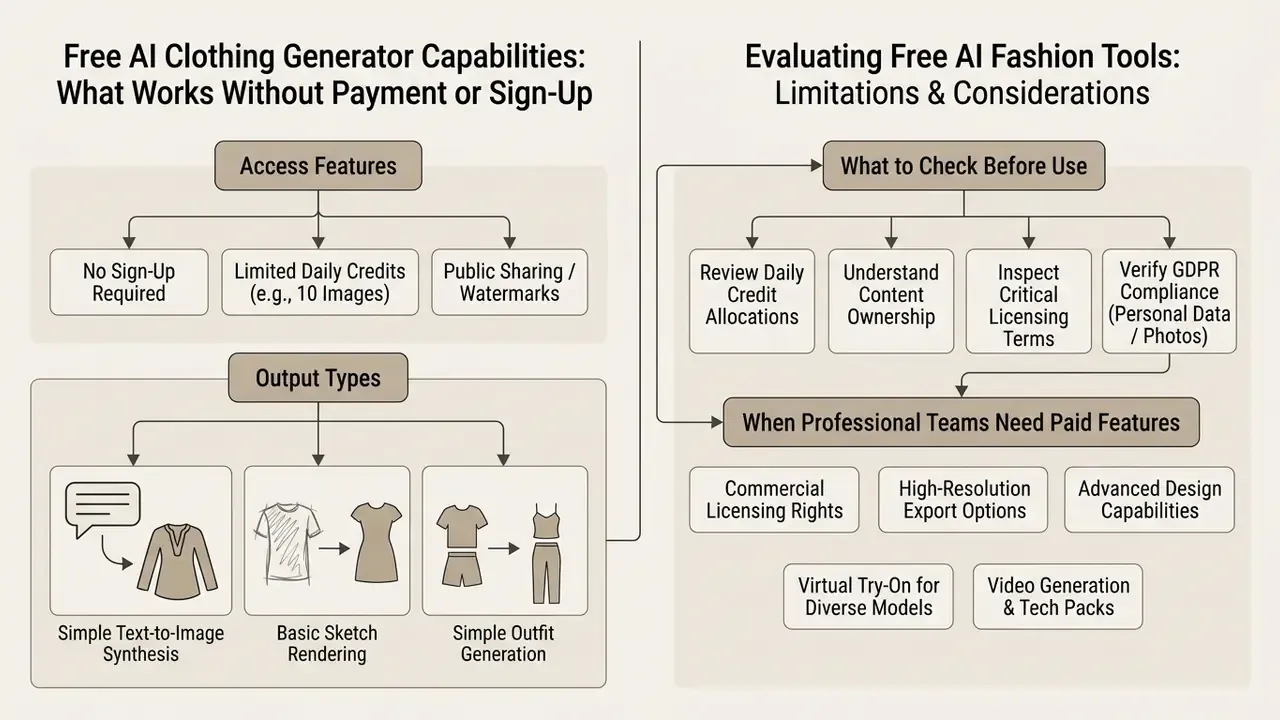
A free ai clothing generator provides accessible entry-level design capabilities, allowing users to evaluate text-to-image synthesis, basic sketch rendering, and simple outfit swaps without upfront subscriptions. However, free web-based platforms typically enforce functional constraints, including daily generation quotas, lower output resolution, watermarked images, and restrictions on commercial usage rights.
Evaluating an ai clothing generator free platform requires reviewing daily credit allocations and account registration policies. While certain tools market an ai clothing generator free no sign up or ai clothing generator free online tier, advanced features, that is 4K asset downloads, batch processing, vector exports, and full commercial usage licenses, are generally reserved for paid subscription tiers. The same asymmetry applies to an ai clothes generator free trial, an ai clothes design generator free demo, an ai clothing design generator free plan, an ai fashion design generator free sandbox, or an ai dress generator online free page: generous on quantity, thin on rights.
Observed 2026 market patterns: one ai clothes generator advertises no sign-up plus 10 free images per day; another states no sign-up but applies daily caps and watermarks; a third gives 10 free credits on signup with watermarked 4K output and removes watermarks only on paid plans; comparison data shows free tiers commonly capped near 1024×1024 while paid tiers reach 2048×2048 or 4K with commercial rights. A few vendors claim «unlimited free, no login» use. Those are marketing claims, not independently audited limits.
| Feature / Capability | Free Tier (No Sign Up / Free Online) | Paid Pro / Enterprise Tier |
|---|---|---|
| Daily Generation Limit | 3 to 10 credits per day | Unlimited / High-Volume Credits |
| Output Resolution | Standard HD (1024×1024 px) | 2K / 4K Ultra HD and Vector |
| Watermark Status | Included on exports | Removed completely |
| Virtual Try-On Access | Basic / Low-resolution modes | High-precision / Multi-pose VTON |
| Export Formats | Compressed JPG / WebP | PNG (Transparent), SVG, DXF, TIFF |
| Vector Tech Drawing Export | Not available | SVG / DXF / PDF with seam allowances |
| Image-to-Video | Not available or watermarked | 1080p to 4K, 3 to 10 s clips |
| Commercial Rights | Personal / Educational use only | Full Commercial License included |
| Processing Speed | Standard queue priority | Fast-track / Dedicated GPU queue |
| Enterprise Controls | None | SSO/SAML, audit logs, zero-retention |
Readers benchmarking no-cost tooling more broadly can consult the guide to free photo editors, feature limits, export restrictions and privacy before committing brand assets to an unpaid tier.
What to Check Before Using a Free AI Clothing Generator
Before selecting a free ai fashion tool, creators and commercial operators should inspect five critical operational parameters: copyright terms, data privacy disclosures, output retention policies, training-on-upload behaviour, and generation limits. Purely AI-generated visual outputs without human creative modification are generally excluded from copyright registration under US Copyright Office guidance (Copyright and Artificial Intelligence: Copyrightability, 2025), which states that a machine used as a tool does not block protection, but the work is protectable only where sufficient human-authored expression exists.
«AI-assisted designs meeting the author's own intellectual creation (AOIC) standard may qualify for protection in the EU and UK, unlike purely AI-generated outputs.»
Under GDPR, uploaded photos containing identifiable people constitute personal data and require a lawful processing basis. Users must therefore verify whether uploaded reference photos or personal body images are retained for model re-training, and whether the vendor publishes a model card describing intended use, known limitations and bias risks. Reviewing privacy terms keeps confidential collection concepts and brand images protected, which matters most in the eight weeks before a launch.
When Professional Teams Need Paid AI Fashion Features
Professional design teams, apparel manufacturers, and e-commerce brands require paid tier capabilities when transitioning from concept ideation to commercial production. Professional workflows demand uncompressed 4K exports, precise hex color match controls, batch on-model rendering, and explicit contractual indemnification regarding commercial usage rights. Vendor pricing pages tie 4K output, AI model generation and full commercial licensing to Growth or Enterprise tiers, with higher plans advertising batch generation, identity-consistent models and several hundred 4K renders per cycle.
When publishing brand catalogs, marketing collateral, or physical print-on-demand merchandise, using watermarked or low-resolution renders degrades brand trust. Paid platforms unlock high-speed GPU queues, advanced ControlNet precision sliders, and integration with internal product lifecycle management (PLM) systems. Note the licensing asymmetry: some vendors grant commercial use on every paid tier, others reserve full commercial licensing for top tiers only. Read the specific plan, not the marketing headline. Teams comparing bundled design suites can review the Canva AI Generator overview covering design features, exports and commercial licensing.
Can You Use AI-Generated Clothing Designs Commercially?
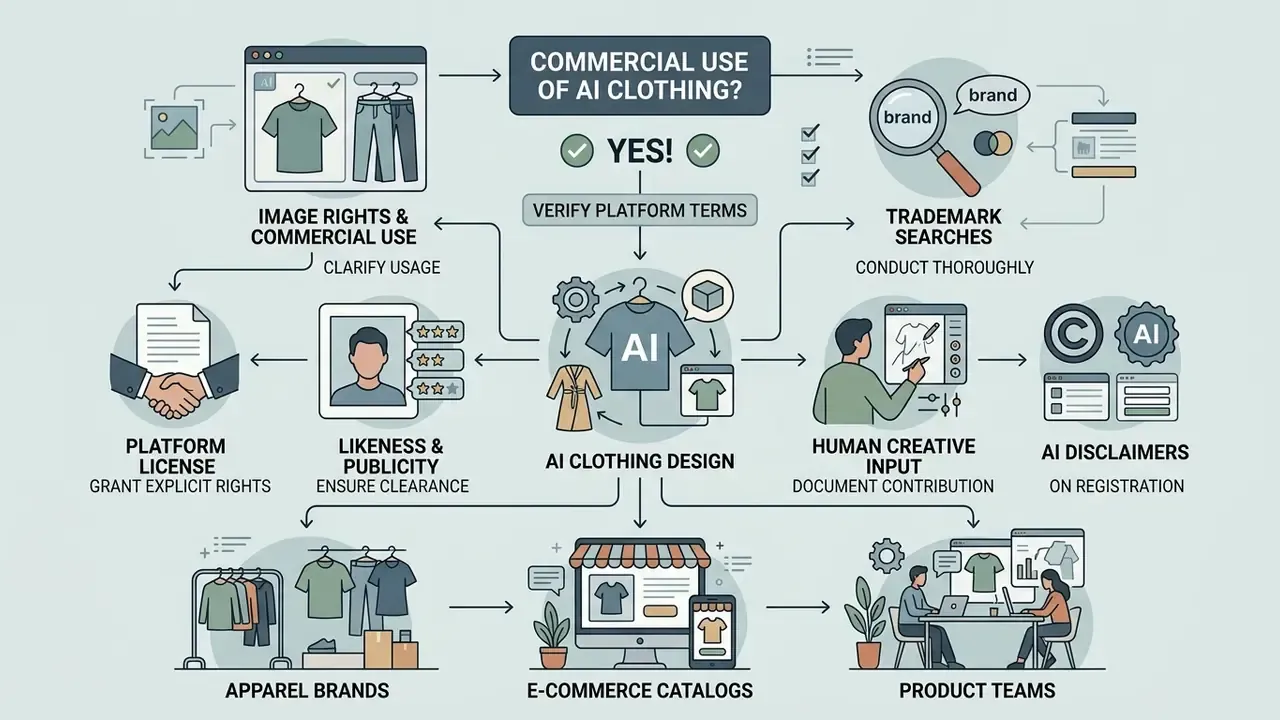
Yes, AI-generated clothing designs can be used for commercial apparel lines, marketing campaigns, and e-commerce catalogs, provided the platform's terms of service grant explicit commercial usage rights and the output does not infringe upon existing registered trademarks or trade dress. Brand operators still have to navigate two distinct legal frameworks: copyright ownership and model likeness rights.
Integrating an ai clothing brand design generator into commercial operations requires distinguishing between human-assisted creative works and purely automated outputs.
«Papathanasiou separates AI-assisted designs, where a human exercises creative control, from purely AI-generated outputs, the latter may receive no protection under current EU and UK norms.»
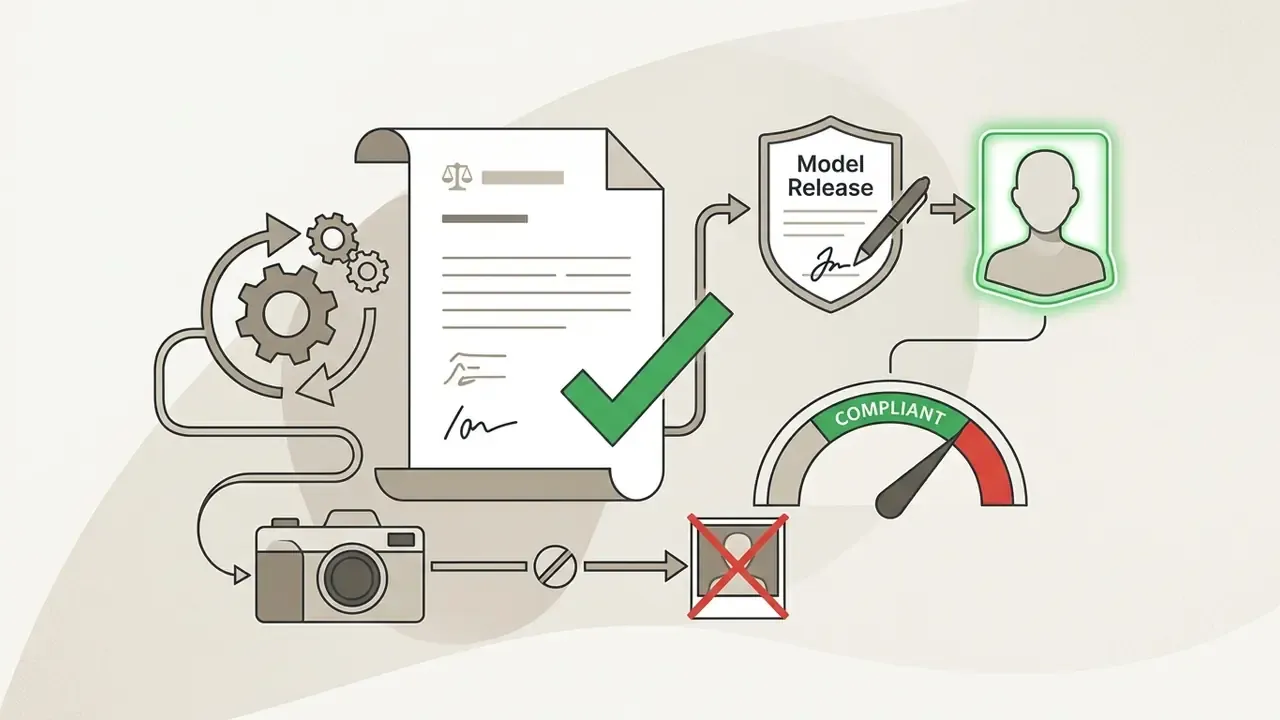
Regulatory context is broadening rather than narrowing. The European Parliament's 2025 analysis Technological Aspects of Generative AI in the Context of Copyright notes that copyright-trained generative models create persistent data dependencies that make attribution and novelty detection difficult, while the US Copyright Office's 2026 digital-replica work addresses licensing of images and voices, signalling that a real model's likeness remains a rights-cleared asset, never a free-use one. Industry codes go further: the BFMA AI code requires consumer transparency and prior written consent before capturing, storing or manipulating a model's data, and the FAIRe 2025 agreement prohibits AI-generated replicas, lookalikes and likeness-based training while still permitting retouching that does not alter physical appearance.
E-E-A-T Alert: Commercial Usage and Legal Compliance Checklist
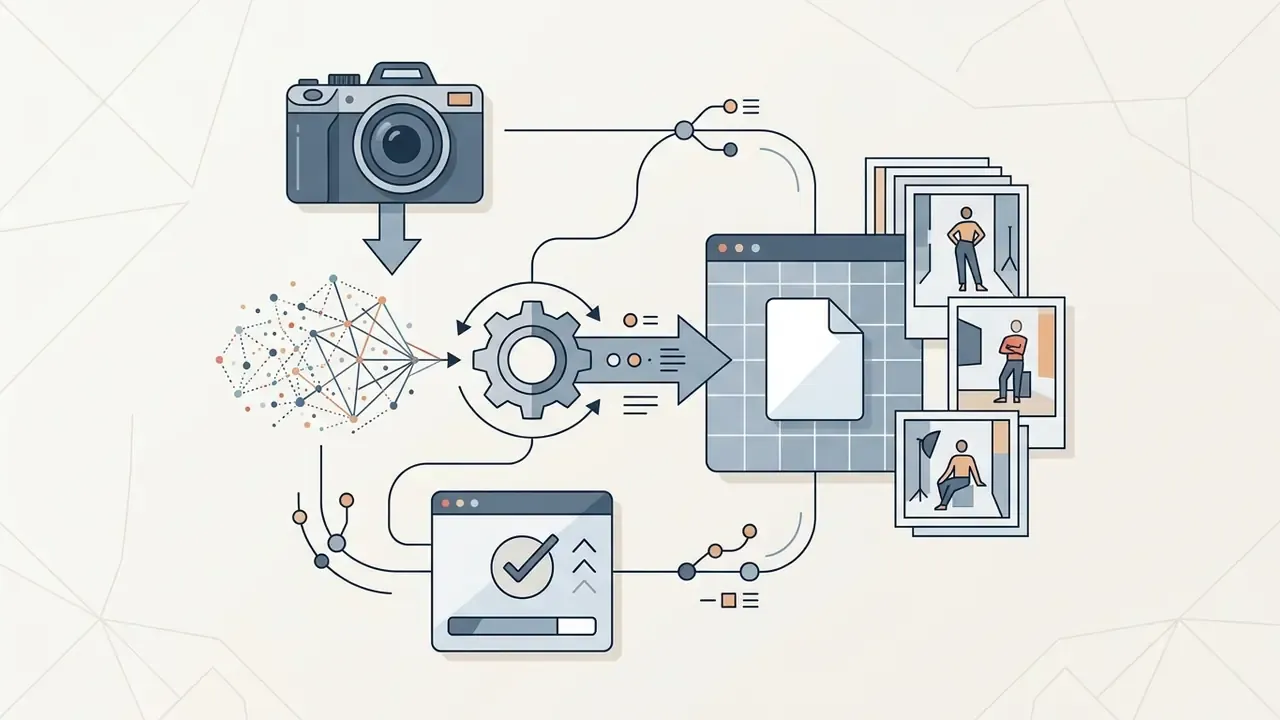
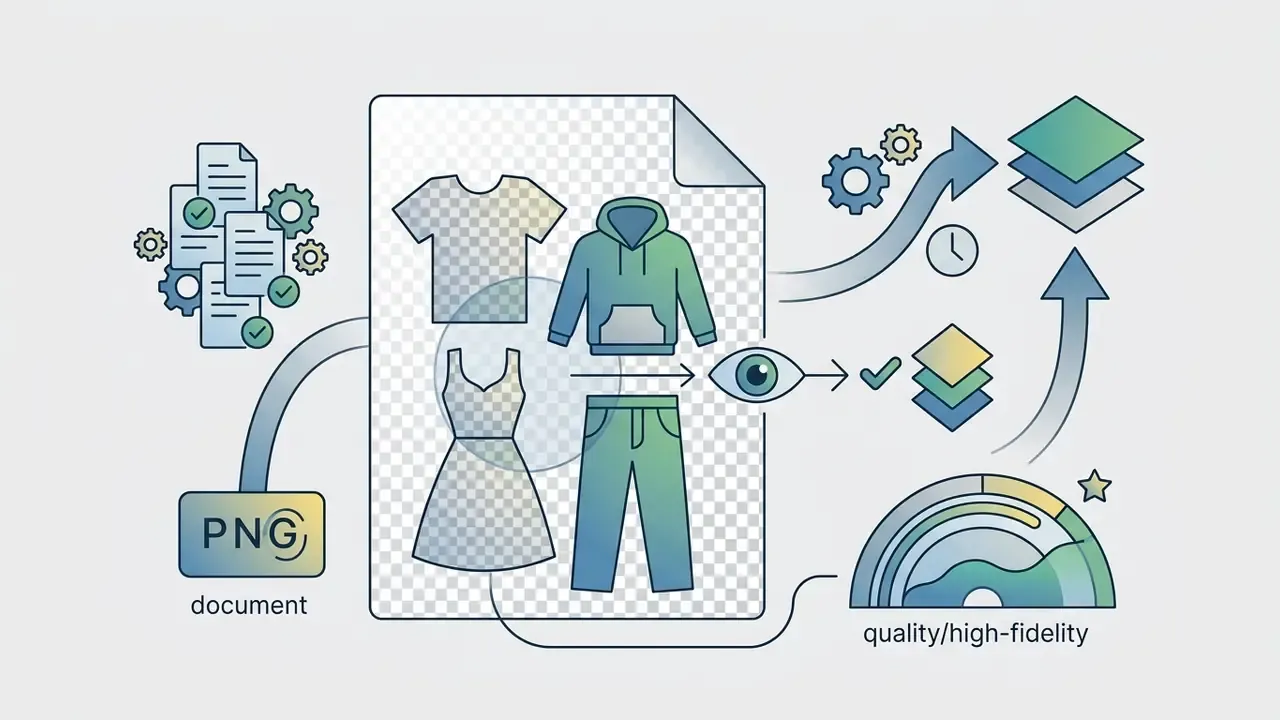
AI Fashion Design for Ecommerce, Apparel Brands and Product Teams
E-commerce sellers, apparel brands, and product teams use AI generation tools to streamline photography pipelines, lower sample production costs, and accelerate time-to-market. By generating on-model product imagery directly from 3D renders or flat-lay product photos, brands remove studio rentals, styling expenses, and sample shipping logistics. Vendor case documentation describes the replaced pipeline explicitly: models, studio, photographer, styling, makeup, shooting, retouching, and return logistics, line items that a mid-size brand reports at $103,000 to $305,000 annually before automation (Stytrix, 2026).
Product teams also use the same pipeline for internal decision-making: generating style images and model-worn images from one prompt so merchandising, design and buying can compare directions before sampling. Catalog QA remains a human task. Teams standardising output quality across thousands of SKUs often pair generation with a dedicated pass through AI image-expansion and background tooling for marketplace formats to meet each channel's aspect-ratio requirements.
What to Clarify About Image Rights and Commercial Use
Prior to deploying generated visuals across commercial ad campaigns or marketplace listings, brands must clarify three core legal questions within the platform's User Agreement:
- Ownership rights.Does the platform transfer full ownership of generated outputs to the paying user, or does it retain a non-exclusive license? Midjourney's terms, for example, state users own created assets «to the fullest extent possible under applicable law», while granting the vendor a perpetual, worldwide, non-exclusive, sublicensable, royalty-free license to inputs and produced assets.
- Input data policies.Are user-uploaded sketches, garment photos, and brand logos protected against public model training corpora? Adobe's product-specific generative AI terms (current version dated 2025-06-17) govern how submitted content and output may be used.
- Third-party IP risk.Does the software offer contractual indemnification against third-party copyright or trademark infringement claims?
«Purely AI-generated outputs may infringe the reproduction right where training data contained protected designs competing with living designers' work.»
UK policy guidance aligns with this: outputs infringe when they reproduce a substantial part of a protected work, and reproduction of protected works during training generally requires permission unless an exception applies. Understanding these contractual nuances protects businesses against sudden licensing disputes or asset takedown demands. For teams analyzing legal frameworks surrounding generative media, reading about AI Litigation and intellectual property compliance offers valuable risk mitigation perspectives.
Enterprise Security, Privacy and Model Governance
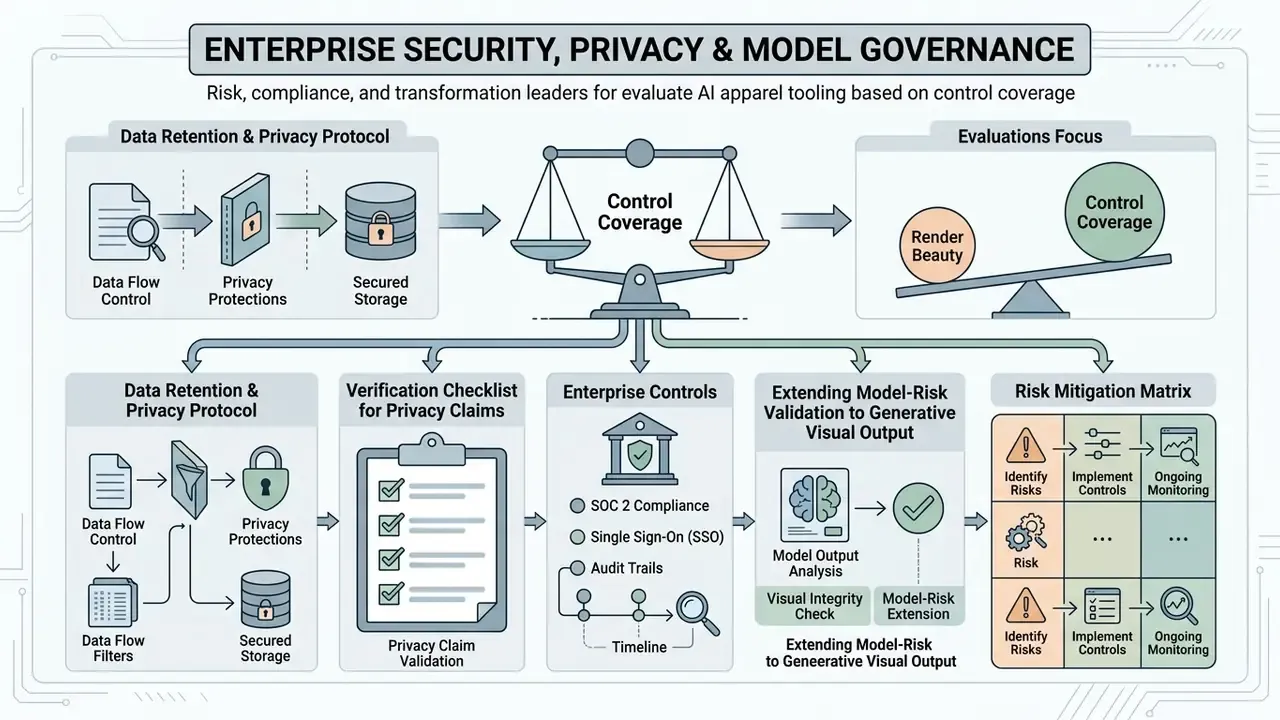
Risk, compliance and transformation leaders evaluate AI apparel tooling less on render beauty and more on control coverage. This section answers the questions that block procurement, and it is deliberately blunt about what vendors rarely put in writing.
Data Retention and Privacy Protocol
Enterprise Controls: SOC 2, SSO and Audit Trails
For Shadow-AI containment, a sanctioned platform must be measurably safer than the free tool an employee would otherwise open in a browser. If the approved route is slower and uglier, people will route around it. Required control set:
| Control | Why it matters | Acceptance criterion |
|---|---|---|
| SOC 2 Type II attestation | Independent evidence of operating controls, not just design | Current report available under NDA |
| SSO / SAML + SCIM | Removes personal-account uploads of brand IP | Enforced for all seats, no password fallback |
| Role-based access | Separates designers, reviewers, publishers | Least-privilege by default |
| Zero data retention for training | Protects pre-launch collections | Contractual, not policy-page only |
| Exportable audit log | Regulatory and IP evidence | Prompt, seed, CFG, model version, user, timestamp |
| Data residency | GDPR and local rules | Region pinning available |
| Content provenance | Disclosure and takedown defence | Metadata or watermark on export |
Procurement teams that need help mapping these controls to an existing vendor questionnaire can view the guide maintained for technical and onboarding questions.
Extending Model-Risk Validation to Generative Visual Output
Existing model-risk frameworks, for example SR 11-7-style validation, transfer to generative imaging with three adaptations. First, reproducibility: because diffusion output is seed-dependent, validation must log seed, CFG scale, sampler, resolution and model checkpoint so any published asset can be regenerated on demand. Second, defect taxonomy: hallucination in apparel is concrete and testable, think warped typography, impossible seam junctions, extra fingers, asymmetric darts, fabric behaving at the wrong weight, and print scale drift. Third, benchmark realism: published metrics such as SSIM, LPIPS, FID and CLIP score are dataset-specific and not comparable across papers, so brands should build an internal golden set of 50 to 100 own-catalog images and measure defect rate per 100 renders rather than trusting vendor benchmarks.
No evidence, no autonomy. An automated catalog pipeline is a digital worker with an owner, an approved role, an access limit, an escalation path, and a shutdown switch. Where any of those five is missing, the honest answer is that the workflow is not yet in controlled production.
Risk Mitigation Matrix
| Risk | Trigger | Mitigation | Owner |
|---|---|---|---|
| Non-copyrightable asset | Purely AI output published as brand IP | Document human edits, disclaim AI portions on registration | Legal / Design |
| Likeness violation | AI avatar of a real model | Prior written consent per Fashion Workers Act; FAIRe-compliant contracts | Legal / Talent |
| Trademark or print infringement | Generated logo or print resembles protected mark | Trademark screening plus reverse-image check before production | Brand / Legal |
| IP leakage via Shadow AI | Designer uploads line sheet to a free no-login tool | Sanctioned SSO platform, zero-retention contract, blocklist | Security |
| Texture or text distortion | Try-on on logo-heavy garments | Texture-preserving pipeline plus mandatory visual diff QC | Design QA |
| Vector geometry error | Auto-extracted tech drawing sent to factory | Patternmaker sign-off before grading | Technical Design |
| Unreproducible asset | Regulator or client asks for provenance | Audit log of prompt, seed, CFG, checkpoint | AI Governance |
Limitations worth stating openly. Defect-rate baselines for apparel generation are not standardised across the industry, and no independent body currently audits vendor free-tier claims. Cost benchmarks come from vendors with a commercial interest in the comparison. Treat every figure in this guide as a starting hypothesis to be re-tested on your own catalog.
FAQ About AI Clothing Generators
This section provides concise, facts-based answers to common operational questions regarding technical skill requirements, processing speeds, mobile device compatibility, and supported media formats for ai clothing maker and ai clothes maker platforms.
Do You Need Fashion Design Skills to Create Clothing with AI?
No formal fashion design degree or pattern-making qualification is required to operate an ai clothing generator. Natural language interfaces allow non-technical users, e-commerce store owners, and content creators to generate clothing concepts using everyday descriptive language.
«DressCode democratises design: both novices and experts can produce detailed sewing patterns and PBR textures through simple text prompts, validated in a 30-participant user study.» — He et al., DressCode, ACM Transactions on Graphics / SIGGRAPH (2024). That said, domain knowledge still pays. Understanding garment silhouettes (A-line, peplum, boxy cut), fabric weaves (jacquard, herringbone, twill), fabric weight in GSM, and seam construction lets creators write far more precise prompts, which produces higher quality visual outputs. Vendor prompt frameworks assume exactly this vocabulary, which is why plain-language prompts still benefit from garment terminology. Creators expanding into adjacent visual branding work can study Midjourney image generation versus competing tools by quality, pricing and licensing or the stylistic control offered by Ghibli-style AI image generators to see how style conditioning transfers between domains.
How Long Does Generation Take, and Does It Work on Mobile?
Reported timings vary by task and platform. On-device and GPU-accelerated try-on pipelines report 1.5 to 3 seconds on an A10-class GPU and 300 to 500 ms per 512×512 image on an iPhone 13, while full fashion mockup and multi-engine generation platforms report 30 to 60 seconds per image. Standard cloud text-to-image runs typically complete in 5 to 30 seconds depending on server load, prompt complexity and export resolution.
«DressCode generates a 3D garment in about 3 minutes, versus roughly 4 minutes for Wonder3D and about 4 hours for RichDreamer.» — He et al., DressCode, ACM Transactions on Graphics / SIGGRAPH (2024). Yes, modern AI clothing generators are built on responsive web architectures, making them fully functional across mobile web browsers on iOS and Android devices. Mobile users can capture clothing photos directly via smartphone cameras, upload wardrobe items, receive outfit recommendations based on occasion and weather, and run instant virtual outfit swaps on the go.
Which Photo Formats Does an AI Clothes Changer Support?
AI clothes changer tools and virtual try-on platforms support standard high-resolution raster image formats for source photo uploads:
- JPEG / JPG: Standard compressed photographic files, ideal for studio model photos.
- PNG: Uncompressed raster images supporting transparent backgrounds, ideal for flat-lay products.
- WebP: Modern web-optimized image format offering lightweight compression.
- HEIC / AVIF: Mobile camera formats accepted by advanced browser interfaces. Fashion-model API documentation commonly lists inputs as JPEG, PNG, WEBP, AVIF and HEIC while restricting outputs to JPEG and PNG; broader upload systems also accept GIF, BMP and TIFF. Final generated assets can be exported in PNG format with transparent backgrounds for graphic placement, uncompressed WebP for fast web loading, 300 DPI TIFF or PNG for textile and POD printing, or high-resolution JPEG files for digital advertising campaigns. To review workflow optimization tools across related creative categories, creators can open the hub for comprehensive comparisons.
Can AI-Generated Clothing Files Be Sent Straight to a Factory?
Not without human technical review. Renders and even auto-extracted line art must be validated by a patternmaker for seam allowance, grading logic, notch placement and fabric-specific shrinkage before production. Platforms that export sewing patterns as SVG, DXF and PDF with seam allowances and grainlines shorten the hand-off, but they do not replace fit sampling. Treat the AI output as a first-pass tech pack, not a released spec.
Appendix A: Superseded Fragments and Update Log