Three things to know before you start:
- An ai midi generator outputs discrete note events (pitch, velocity, timing, controller data) inside a Standard MIDI File, not a finished waveform. Every note stays editable in your DAW.
- The practical workflow is short: prompt or audio reference, generated MIDI draft, in-browser piano-roll cleanup,
.midexport, then instrument assignment in Ableton Live, FL Studio, Logic Pro, or Cubase. - Commercial rights are decided by the plan under which the file was generated, not by the plan you hold later. Free-tier output is frequently locked to non-commercial use even after an upgrade.
Modern music production increasingly relies on generative models to draft melodic ideas, harmonize arrangements, and accelerate studio workflows. An ai midi generator translates natural language prompts or musical metadata into structured MIDI files, giving creators precise control over individual notes, timing, and velocity.
Who benefits most from this guide? Producers who need editable material rather than a finished-sounding demo. Also teams that must document where a file came from, under which plan, and with what human editing on top. That paper trail matters more than most creators expect, and we return to it in the licensing section.
What Is an AI MIDI Generator and How MIDI Differs from Audio
An ai midi generator is a symbolic software system that produces discrete musical event data rather than continuous audio signals. Unlike pre-rendered sound files, an ai midi file generator creates digital instructions that trigger virtual instruments inside a Digital Audio Workstation (DAW).
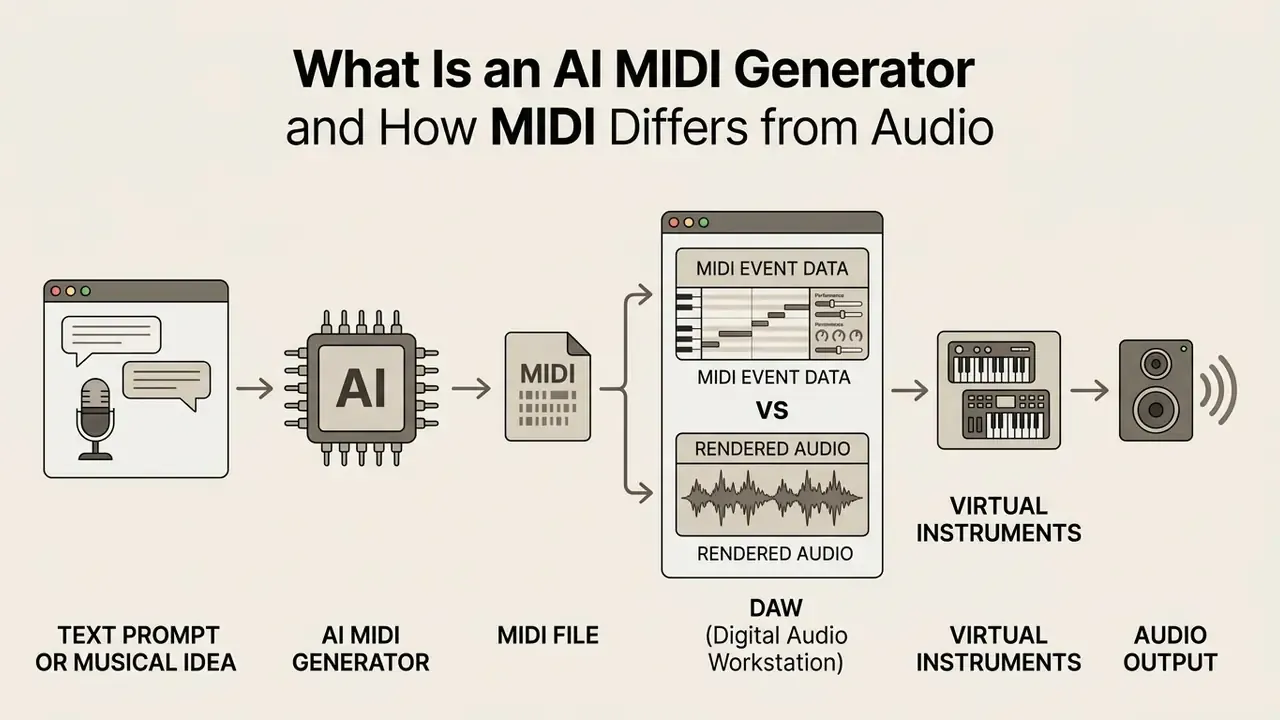
Symbolic music models learn discrete note parameters instead of raw acoustic waveforms. Where audio models optimize for timbre and perceptual realism, symbolic models optimize for tonality, rhythm, and structure. That difference is exactly why their output remains editable.
«Symbolic generation emphasizes tonality, rhythm and structure, whereas audio generation emphasizes timbre and perceptual quality.»
Digital audio represents continuous sound sampled at high frequencies, such as 44.1 kHz, locking in specific timbres and acoustic effects. In contrast, midi files store numeric data bytes representing note numbers (0–127), key velocity (0–127), tempo maps, and controller changes, as defined in the MIDI 1.0 Detailed Specification (MIDI Association). https://midi.org/midi-1-0-detailed-specification
This structural separation allows producers to route generated ai midi music to any synthesizer, sampler, or virtual instrument plugin. The same eight-bar phrase can be voiced by a grand piano, a Juno-style pad, or a full string section without regenerating a single note.
What Musical Data a MIDI AI Generator Produces
A midi generator ai synthesizes structured event streams containing pitch, duration, velocity, polyphony, tempo metadata, and key signatures. Advanced systems output multi-track arrangements separating lead melody, chord progressions, basslines, and rhythmic percussion into independent channels.
«MidiCaps contains 168,407 MIDI files with captions describing tempo, chords, key, instruments, genre and mood.»
During a technical evaluation of symbolic tools, an enterprise sound team used midi ai generator free tiers to prototype media cues. By capturing time-stamped CC automation and pitch-bend data, the team shortened arrangement setup time noticeably while retaining full manual control over synth assignment. The exact figures depend on project complexity and were not independently audited, so treat internal time savings as directional rather than benchmarked.
Beyond note events, generated files often carry Continuous Controller (CC) lanes that shape expression over time. The five controllers most relevant to AI-generated MIDI are:
| MIDI CC | Name | Typical function in AI-generated MIDI |
|---|---|---|
| CC 1 | Modulation Wheel | Vibrato depth, filter movement, synth pad motion |
| CC 7 | Channel Volume | Static level per track or channel in the arrangement |
| CC 10 | Pan | Stereo placement of individual instrument tracks |
| CC 11 | Expression | Dynamic swells inside a phrase (strings, brass, legato lines) |
| CC 64 | Sustain Pedal | Pedal-down and pedal-up events in generated piano performances |
Because these controllers are bounded discrete values (0–127), they survive export and re-import intact, unlike the acoustic character of a rendered audio file, which cannot be separated from the notes it contains.
When to Choose MIDI Generation Instead of Ready-Made AI Audio
Producers select symbolic MIDI generation over pre-rendered AI audio when exact composition edits, note-level tweaking, and custom sound design are required. Audio-only generators output fixed waveforms where modifying pitch, tempo, or arrangement introduces severe acoustic artifacts.
«Symbolic models let you edit every note in the DAW without re-running the generator; audio models do not offer that flexibility.»
Symbolic models allow complete creative freedom inside professional studio environments. A composer can import a generated .mid sequence, quantize specific passages, reharmonize chord structures, and swap sample libraries without re-running the generative model. Audio-first platforms such as Suno or Udio are excellent for finished-sounding references, yet they do not expose pitch and duration as editable parameters. That is why hybrid workflows (AI audio for mood-boarding, AI MIDI for production) became standard through 2026.
One caveat worth stating plainly. Symbolic output sounds worse on first listen than audio output, almost always. A raw .mid file played through a stock piano is a sketch, not a demo. Judge it on note content, not on the preview synth.
What Problems an AI MIDI Music Generator Solves
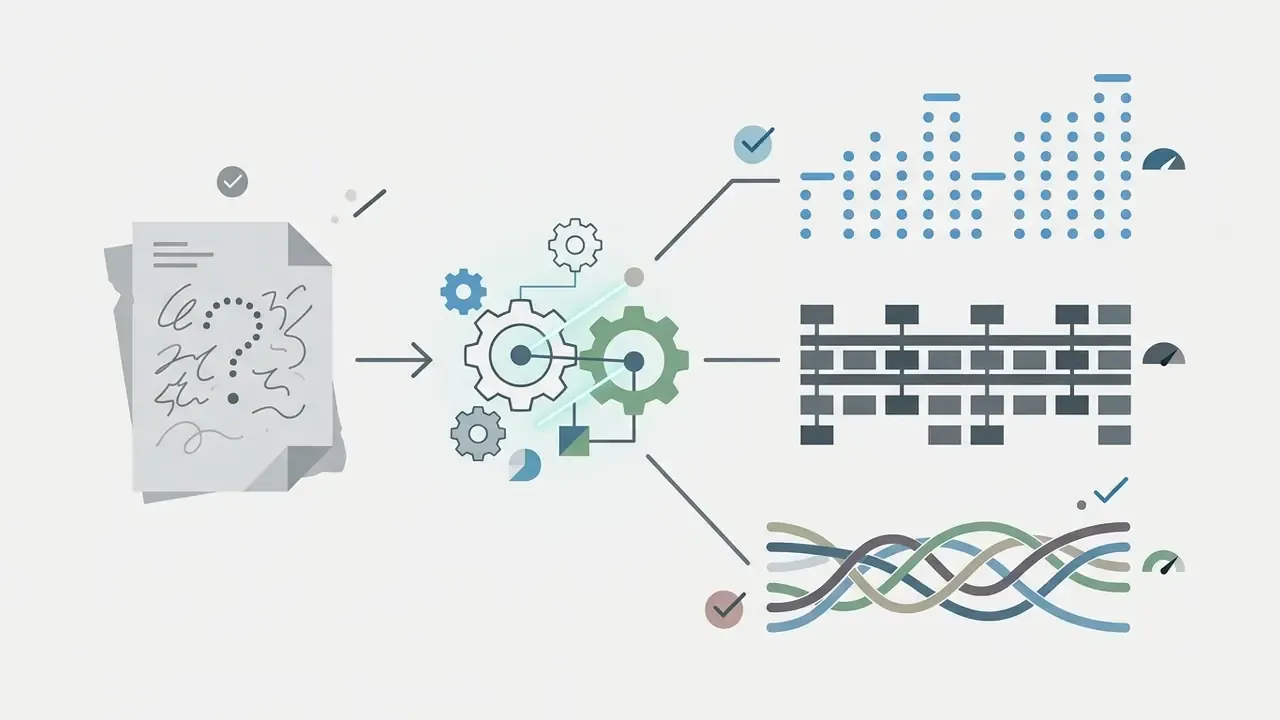
An ai midi music generator addresses creative block, accelerates arrangement prototyping, generates background score cues, and assists in music theory training. By converting text descriptions or seed motifs into editable score files, these tools streamline production across commercial media.
Different user groups extract value in different ways:
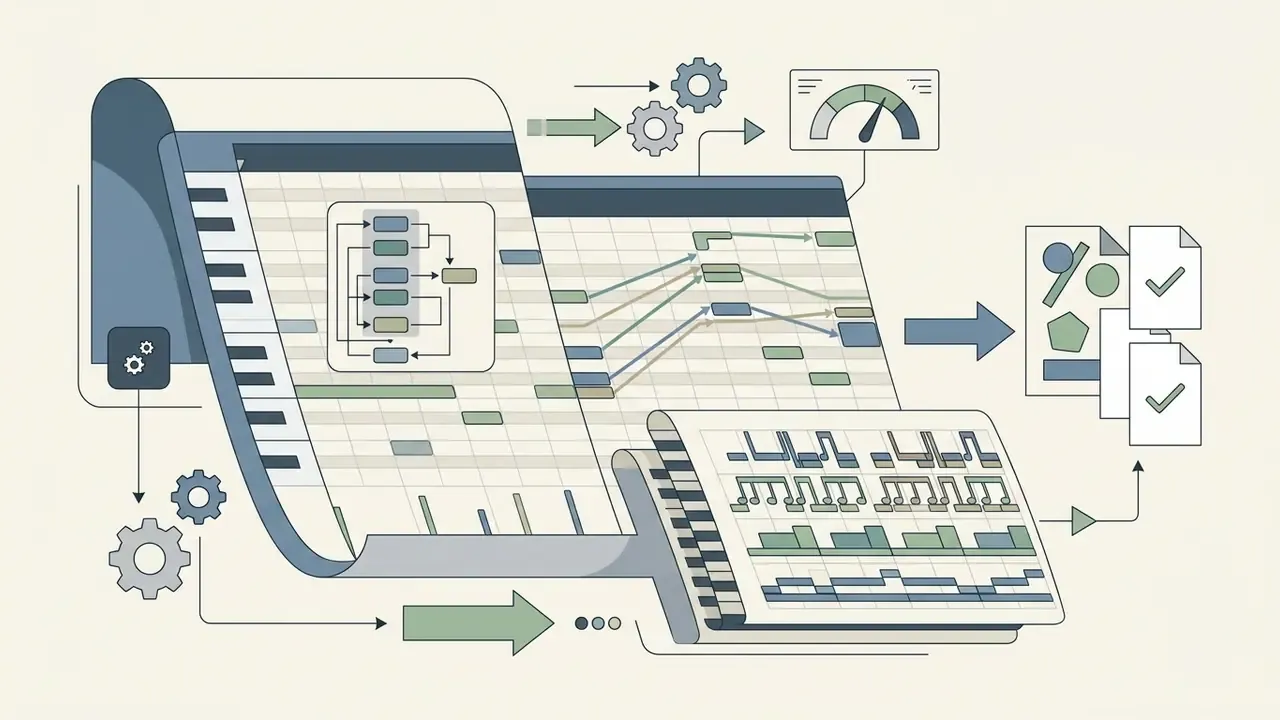
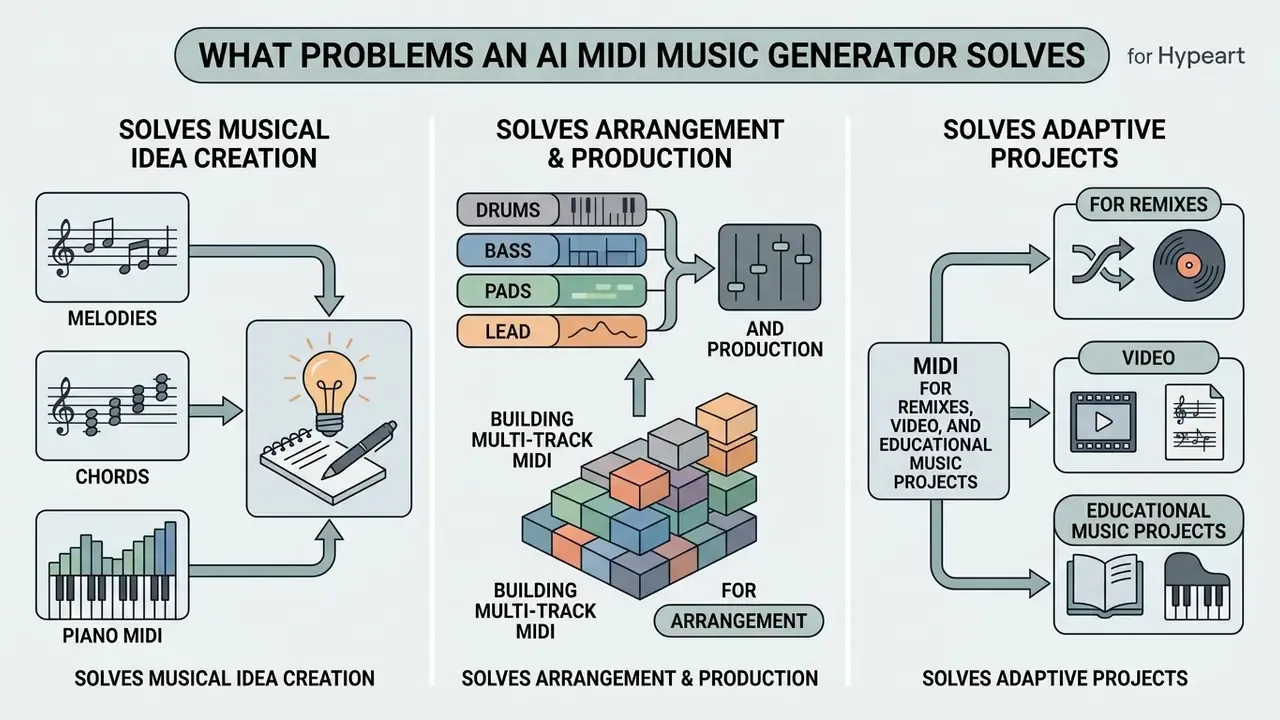
Melodies, Chords, and Piano MIDI for Songwriting
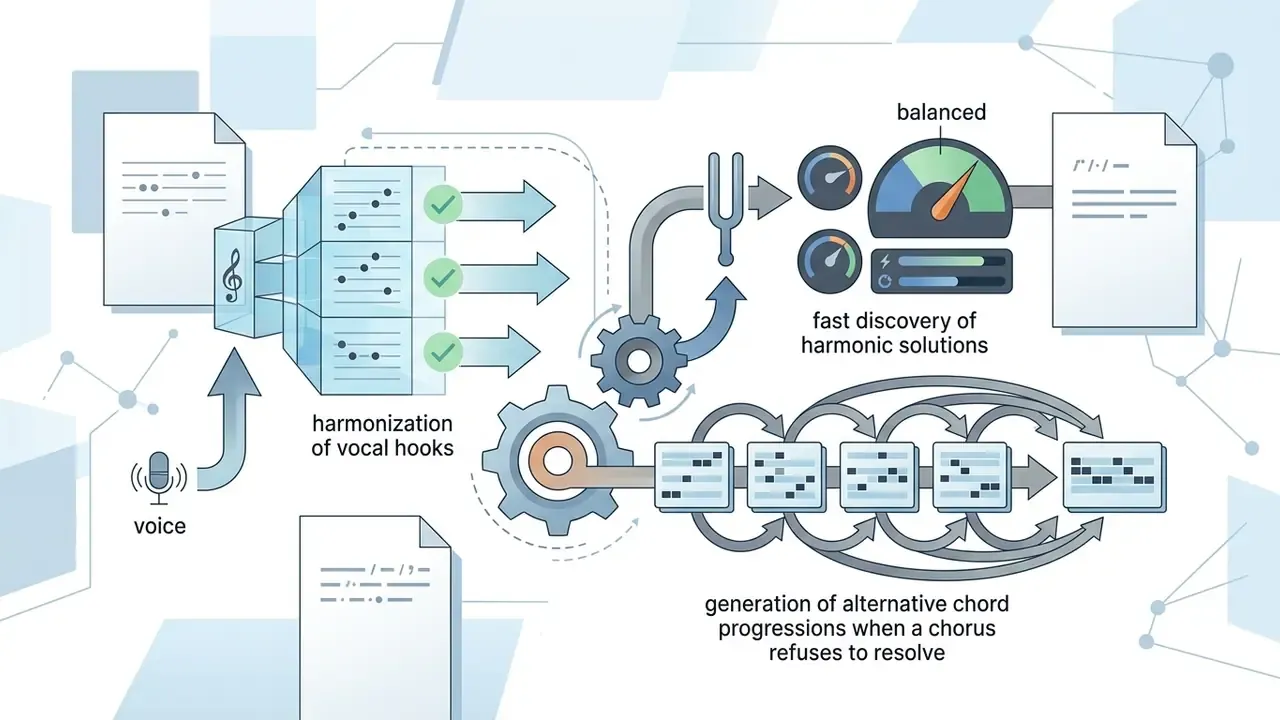
Songwriters use an ai midi melody generator or ai piano midi generator to produce foundational motifs, harmonic progressions, and counter-melodies. Systems trained on large caption datasets map genre descriptors directly to diatonic or chromatic note patterns.
«text2midi uses a pretrained LLM encoder with an autoregressive Transformer decoder; human evaluators confirmed alignment between generated MIDI and text captions.»
Typical studio practice looks like this. A lead composer drafting a pop track initializes a midi maker ai to explore alternative chorus harmonies, keeps the prompt locked, and auditions a batch of chord variations. The useful outcome is rarely the first result. It is a modal interchange or a borrowed subdominant chord that resolves the vocal hook, which the composer then re-voices by hand. Anonymized studio anecdotes like this illustrate workflow, not measured performance.
«An expressive piano model generates MIDI with micro-timing, dynamics, polyphony and pedal data, and the result stays fully editable in the DAW.»
Academic work confirms the same pattern across styles. BLSTM networks derive chord progressions from lead-sheet melodies after key and meter normalization (ISMIR 2017, https://archives.ismir.net/ismir2017/paper/000134.pdf). Genetic algorithms generate jazz melodies over an input chord progression (Carnegie Mellon University, 2000, https://www.cs.cmu.edu/~music/cmp/archives/files/Genetic%20Algorithm%20for%20Generation%20of%20Jazz%20Melodies.pdf). HMM-based systems select piano accompaniment patterns for a given melody section (Wiley, 2022, https://onlinelibrary.wiley.com/doi/pdf/10.1155/2022/7875818). A three-model pipeline for pop melody plus piano accompaniment is documented in arXiv (2018), https://arxiv.org/pdf/1812.10906
Creators interested in text-to-music systems can evaluate an ai song generator or test a web-based ai song maker for initial ideation.
Building Multi-Track MIDI for Arrangement and Production
An ai midi song generator constructs full multi-track arrangements by layering distinct instrument roles across synchronized MIDI channels. Modern architectures generate separate stems for drums, bass, rhythm chords, and lead instruments within Standard MIDI File (SMF) structures.
Standard MIDI Files operate primarily under Type 0 or Type 1 format specifications. Type 0 merges all performance data into a single track stream, whereas Type 1 preserves separate tracks for each instrument, enabling clean multi-channel editing in DAWs. In Type 1 files the first track conventionally carries tempo and time-signature meta-events, which is why a correctly exported Type 1 file drops into a project already locked to the right grid.
One practical export caveat: Ableton Live writes MIDI files in SMF0 format only, so a multi-track arrangement exported from Live collapses into a single track (Ableton Help, "Understanding MIDI files", updated 2026, https://help.ableton.com/hc/en-us/articles/209068169-Understanding-MIDI-files). Cubase, by contrast, exposes an "Export Automation" option that writes automation as MIDI controller events into the file (Steinberg Help, Cubase AI 15.0, 2026, https://steinberg.help/r/cubase-ai/15.0/en/cubase_nuendo/topics/track_handling/track_handling_export_options_for_midi_files_r.html). Teams moving projects between hosts can also use the vendor-agnostic DAWproject 1.0 exchange format, which packages audio, notes, automation, and plugin data in one file and is supported by Bitwig Studio, Cubase 14, and Studio One 6.5 (https://github.com/bitwig/dawproject).
Vocal parts are the natural complement to an instrumental MIDI arrangement; teams building full demos often pair symbolic tracks with AI voice generators.
MIDI for Remixes, Video, and Educational Music Projects
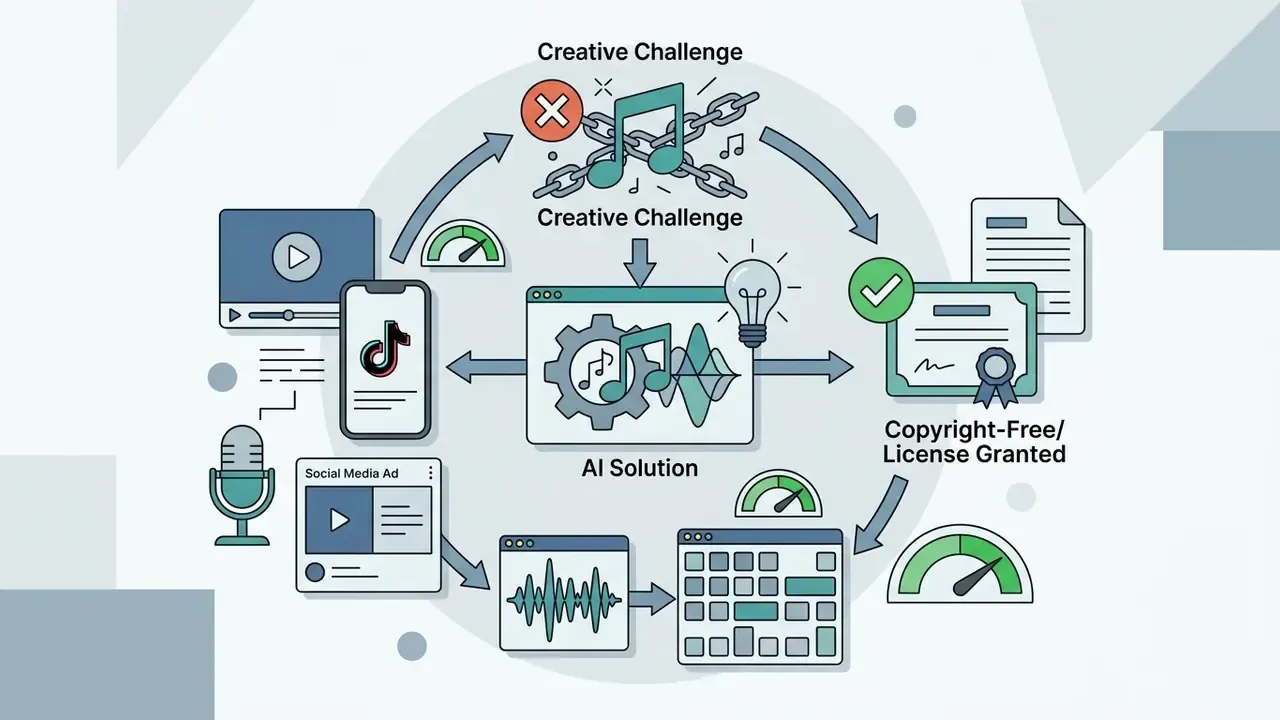
Media producers leverage an ai music midi generator to draft adaptive video cues, score background beds, and create educational harmony exercises. Teachers use symbolic outputs to demonstrate chord voice-leading and counterpoint rules in music theory classrooms.
Classroom tooling has followed. Notewise (2025) analyses MIDI inside a VST3 or DAW workflow to highlight harmonic and rhythmic errors in student compositions, while mobile tutors such as Harmonia-on-the-Go generate automated feedback on chord grammar. For remix and cover work, systems that learn the structure of a user-supplied MIDI file and generate matching harmony let arrangers rebuild a track section by section instead of from scratch.
Game teams sit in an interesting middle position here. Adaptive MIDI cues re-trigger cheaply at runtime, so a single symbolic loop can be re-voiced per level state, and the same asset pipeline that produces sprites through an ai sprite generator can carry MIDI stems alongside artwork. Sound designers seeking synthetic audio or supplementary sound effects can explore an ai sound generator to complement symbolic MIDI arrangements, and creators scoring long-form content may pair MIDI cues with a YouTube video editing workflow.
How to Create a MIDI File with AI: From Text to Export
Generating a MIDI file through AI involves defining a musical idea, configuring structural settings, generating candidates, previewing results, and exporting files to a DAW.
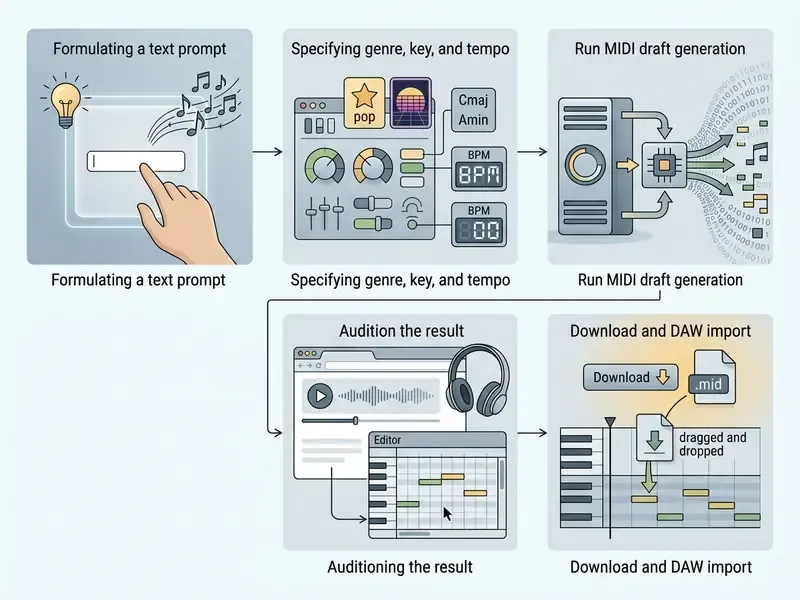
How to Write a Text Prompt for an AI MIDI Melody Generator
Effective text prompts for an ai midi creator follow a structured sequence: primary genre, emotional mood, exact tempo (BPM), key or scale signature, and targeted instrumentation.
Template: [Mood/Genre] + [BPM] + [Key/Mode] + [Core Instruments] + [Rhythmic Feel]

Example: "Upbeat synthwave lead, 124 BPM, A minor, analog saw synth, driving 8th-note arpeggio"
Ready-Made Prompt Templates for Popular Genres
Uplifting Pop / Acoustic (95 BPM, G Major):
"Acoustic pop chord progression, 95 BPM, G Major. Bright acoustic guitar strumming MIDI pattern with melodic piano counter-melody in 8th notes. Warm, heartwarming, structured for a vlog transition scene."Aggressive Synthwave / Cyberpunk (120 BPM, A Minor):
"Driving synthwave MIDI grid, 120 BPM, A Minor. 16th-note rolling saw bassline, energetic EDM drum MIDI layout (kick, snare, closed hi-hat rolls), bright arpeggiated lead repeating with minor variations."Cinematic Ambient / Film Score (70 BPM, D Minor):
"Slow-paced melancholic piano melody, 70 BPM, D Minor. Sustained legato string section chords underneath, wide interval leaps, lingering cadence. Ideal for storytelling or game exploration themes."Lo-Fi Hip Hop / Chill (85 BPM, F Major):
"Jazzy 7th chord progression, 85 BPM, F Major. Laid-back swing rhythm, syncopated electric piano chords, subtle bass root notes, sparse brushed drum pattern."
Keep one variable free per iteration. Change genre, BPM, key, and instrumentation at once and you lose the ability to attribute an improvement to a specific parameter. Boring advice. It works.
How to Configure Style, Tempo, Key, and Track Structure
Fine-tuning generative parameters relies on specifying scale modes (Dorian, natural minor, Ionian major, and so on), setting target BPM, adjusting harmonic density, and placing section markers such as verse or chorus. Explicit attribute conditioning keeps generated note patterns aligned with your project grid settings.
Three controls carry most of the musical weight:
- Harmonic rhythm and density: how often chords change per bar. Models built for controllable harmonic density let you thin out a busy progression without rewriting the melody.
- Swing: musically defined as uneven eighth notes at roughly a 2:1 long-short ratio rather than a straight 1:1 subdivision. Small swing values (5–15%) read as "feel"; large values read as a genre change.
- Section contrast: verse and chorus are distinguished mainly by note density, texture, and register. Chorus sections typically carry denser texture and stronger hook material, so raise density there rather than adding new instruments everywhere.
A short note on key selection. If the track will host a vocal later, choose the key from the singer's comfortable range first, then generate. Transposing a generated MIDI part is trivial; transposing a recorded vocal is not.
How to Generate MIDI from an Audio Reference or YouTube Link
Advanced AI MIDI services support a Reference-to-MIDI mode. Instead of describing music in words, you upload an audio file or paste a link to a YouTube video, and the model reverse-engineers the musical skeleton.
Reference mode is the fastest way to answer a client brief phrased as "something like this track, but ours." Treat the analysis as a starting point, not a transcription. Polyphonic separation still mis-assigns notes in dense mixes, and any recognizable melodic phrase copied verbatim remains a legal risk regardless of how it was produced.
- Harmony and tempo analysis
- the network deconstructs the source signal, estimating tempo (BPM), key, and the chord grid.
- Extraction of the musical skeleton
- the algorithm separates lead melody and bassline from the polyphonic mix and maps them to note events.
- Variational MIDI generation
- the AI writes a new
.midfile that preserves the rhythmic feel and tonal balance of the reference while altering the note sequences, which reduces the risk of direct copying. - Prompt refinement on top of the reference
- you then layer creative direction, including mood, energy, and instrumentation, so the output matches your project rather than the reference track.
How to Download, Open, Edit, and Import the Generated MIDI
Before exporting the file, optimize the sequence in the built-in web editor (piano roll):
- Velocity correction: even out note loudness values where the AI generated abrupt accents.
- Removal of stray note spikes: delete or transpose accidental notes that fall outside the declared key.
- Preview-instrument switching: change the web synth preset (for example, from Piano to Saw Lead) to judge how the part behaves in a different arrangement.
- Length and loop trimming: cut the phrase to the exact bar count you need so the imported clip aligns to your session grid.
An ai music generator midi export workflow ends with downloading a standard .mid file and dragging it onto an instrument track in DAWs like Ableton Live, FL Studio, Logic Pro, or Cubase. Once loaded, producers can adjust individual note velocities, quantize timing, or reassign VST instruments.
Import specifics differ by host. Ableton Live imports via the browser or Create → Import MIDI File, and supports SMF0, SMF1, and SMF2 on import; the resulting clip no longer references the original file. FL Studio accepts MIDI from the File menu, the Piano Roll menu, or by dragging the file onto the Channel Rack, Piano roll, or desktop. Note and controller events are imported, with CC automation loaded separately when required. In every host the final step is the same: load a software instrument on the receiving track so the imported note events actually produce sound.
For step-by-step DAW routing instructions, producers can view the guide on digital asset integration.
How to Achieve High-Quality MIDI Output and Keep Creative Control
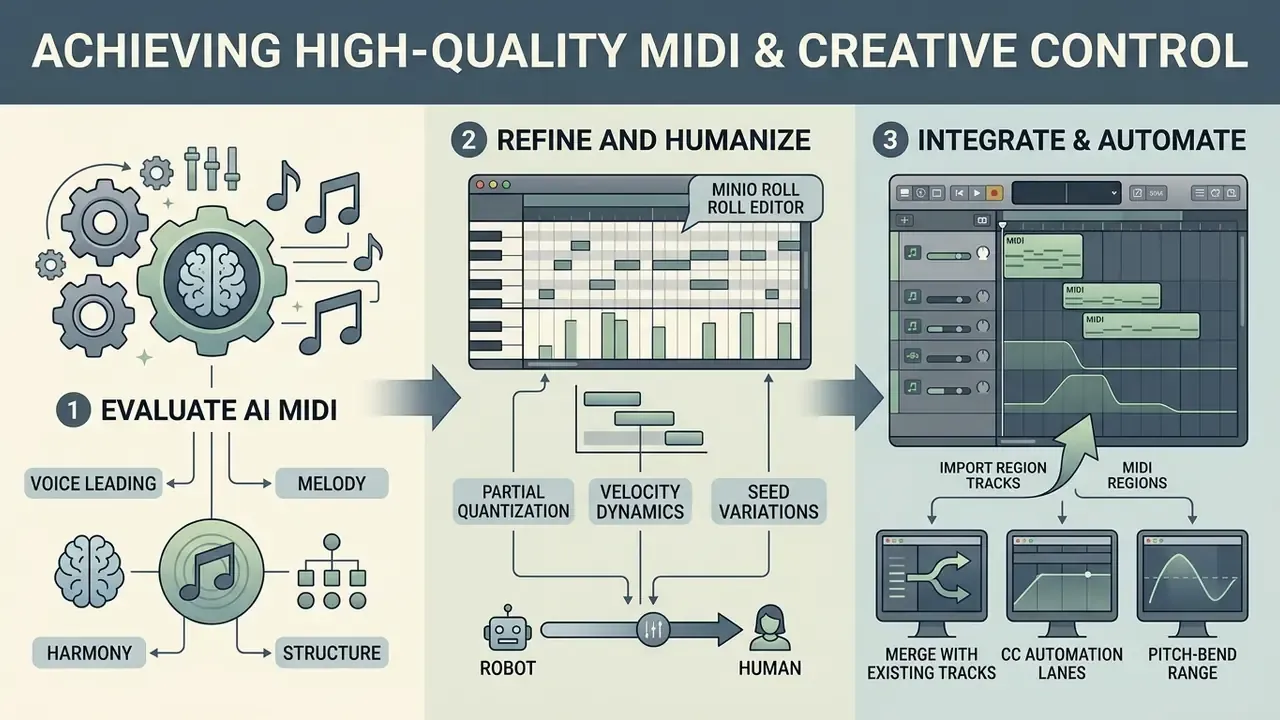
Achieving professional results with an ai music generator midi requires evaluating voice leading, applying partial quantization, humanizing velocity dynamics, and leveraging seed variations.
How to Evaluate Melody, Harmony, and Structure in AI-Generated MIDI
Evaluating an ai midi melody generator output involves three primary quality checks: verifying smooth voice-leading intervals, confirming rhythmic alignment to the target grid, and checking chord progression tonal coherence.
«Symbolic generation is assessed with pitch entropy, self-similarity, BLEU adaptations and control metrics; no single metric is sufficient.»
Recent papers operationalize these criteria numerically. Onset F1 and note-value accuracy measure how cleanly note onsets map to a uniform grid, while harmonic consistency scores compare chord transitions against tonal patterns. Voice leading is still judged by the classical rule of minimal motion: adjacent sonorities should preserve common tones and prefer small steps to leaps.
Voice-Leading Quality Checklist:
1. Smooth Stepwise Motion: melodic lines prefer 1-2 semitone steps over wide octave leaps.
2. Harmonic Consistency: chord transitions remain within defined key centers.
3. Rhythm Grid Alignment: note onsets line up correctly with target time signatures.
How to Use Variations to Find a Strong Musical Idea
Generative tools use random seeds to calculate note probabilities. Locking a prompt while changing seed values produces consistent stylistic variations, allowing producers to audition dozens of motif candidates without altering the core harmonic instruction.
The mechanism mirrors seed behaviour in image models. A seed is the starting value of the random number generator, so fixing it preserves a composition for refinement, while sweeping seeds explores a family of alternatives for one unchanged prompt. Practical routine: run a batch of eight seeds, shortlist two, then stop generating and start editing. Endless regeneration is the most common way producers lose an afternoon. I have watched it happen. Twice in one week.
How to Merge AI MIDI with Existing Parts in a DAW
Merging AI MIDI stems with live performances requires matching project tempo maps, applying groove quantization templates, and adjusting velocity curves. Producers route generated MIDI tracks to high-end sample libraries to blend synthetic motifs with organic instrumentation.
Established humanization practice, documented by MIDI.org, is deliberately non-rigid: quantize at roughly 50% strength, use groove quantization derived from a human-played MIDI template, and apply small swing values so timing tightens without flattening feel. Orchestral guidance from the Vienna Symphonic Library adds the expressive layer. Choose articulations first, then shape phrasing with velocity, CC 1 crossfade, CC 11 expression, and timbre adjustment.
Two import details worth checking on every AI-generated file:
- CC automation lanes confirm that CC 1 and CC 11 curves survived export. If the generator wrote them into a separate track, merge them onto the instrument channel before editing.
- Pitch-bend range generated bends assume a default range, usually ±2 semitones. Set the receiving instrument to the same range, or every bend will read as out of tune.
When recording MIDI from external hardware alongside generated parts, Ableton's own guidance is to use the lowest stable audio buffer, a high-quality MIDI interface, and to disable track monitoring to avoid added latency compensation.
How to Choose the Best AI MIDI Generator: Free, Online, and Pro Tools
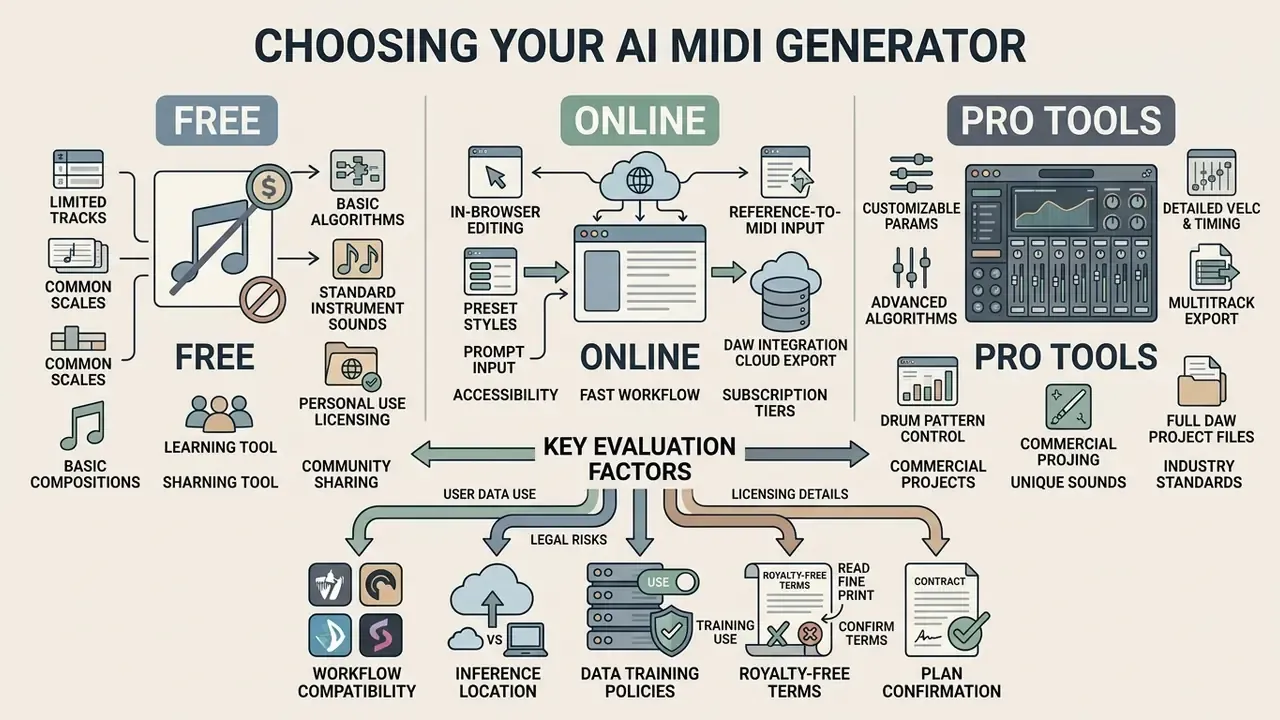
Selecting the best ai midi generator requires evaluating access formats, multi-track support, control parameters, export capabilities, and commercial licensing rights.
| Tool category | Output type | Control flexibility | Export & DAW workflow | Rights & license |
|---|---|---|---|---|
| Academic / Free Online | Mono or 2-track MIDI | Basic text prompt, tempo, key presets | Standard .mid download, manual DAW import | Personal or non-commercial by default |
| Web-Based Creator Tools | Multi-track MIDI, single stems | Genre, mood, density, structure sliders | Web preview, built-in piano roll, drag-and-drop .mid export | Tiered: commercial with paid plans |
| Pro Plugin (VST3/AU/AAX) | Native multi-track, real-time routing | Prompting, seed lock, bar infilling, CC lanes | Direct DAW track insertion, real-time sync | Full commercial rights or copyright assignment |
What a Free AI MIDI Generator Typically Includes
A free ai midi generator online or midi ai generator free tier typically provides single-track melody generation, limited daily downloads, and basic browser playback. Free entry tools let creators test prompt responsiveness before committing to paid production tiers.
Documented free-tier caps in 2026 vendor pricing include hard limits such as 10 generations without an account, two songs per day, three downloads per month, or "7 downloads for life." Multitrack export is frequently withheld: several services state plainly that paid plans unlock longer sequences and multi-track exports. Licensing is the sharper constraint. Some vendors market free MIDI as royalty-free, while others restrict free output to personal, non-commercial use permanently.
Producers looking to generate lyric-driven vocal arrangements can review an ai song generator from lyrics to understand text-to-vocal workflows.
When Pro Features Are Justified for Creators and Producers
Selection Criteria for Matching an AI MIDI Maker to Your Workflow
Producers choosing an ai midi maker must verify host DAW compatibility, SMF Type 1 export support, key and tempo map embedding, and automation CC preservation. Tools offering seed locking and bar-level infilling provide superior control during late-stage arrangement.
For organizations, two additional criteria belong on the checklist:
- Where inference runs. Cloud-API generators transmit prompts and reference audio to external servers; locally hosted VST plugins keep material on the workstation. If prompts encode unreleased artist names, brand briefs, or client scripts, this is a privacy decision, not a preference.
- Whether prompts and uploads are used for training. Terms of service differ on whether user inputs may be retained or used to improve models. Enterprises with confidentiality obligations should require an explicit opt-out or on-device processing.
Creators comparing technical specifications across generative platforms can consult AI Media Comparison Matrices or review developer API documentation to compare options.
Commercial Use of AI-Generated MIDI: Licensing, Royalty-Free, and Risks
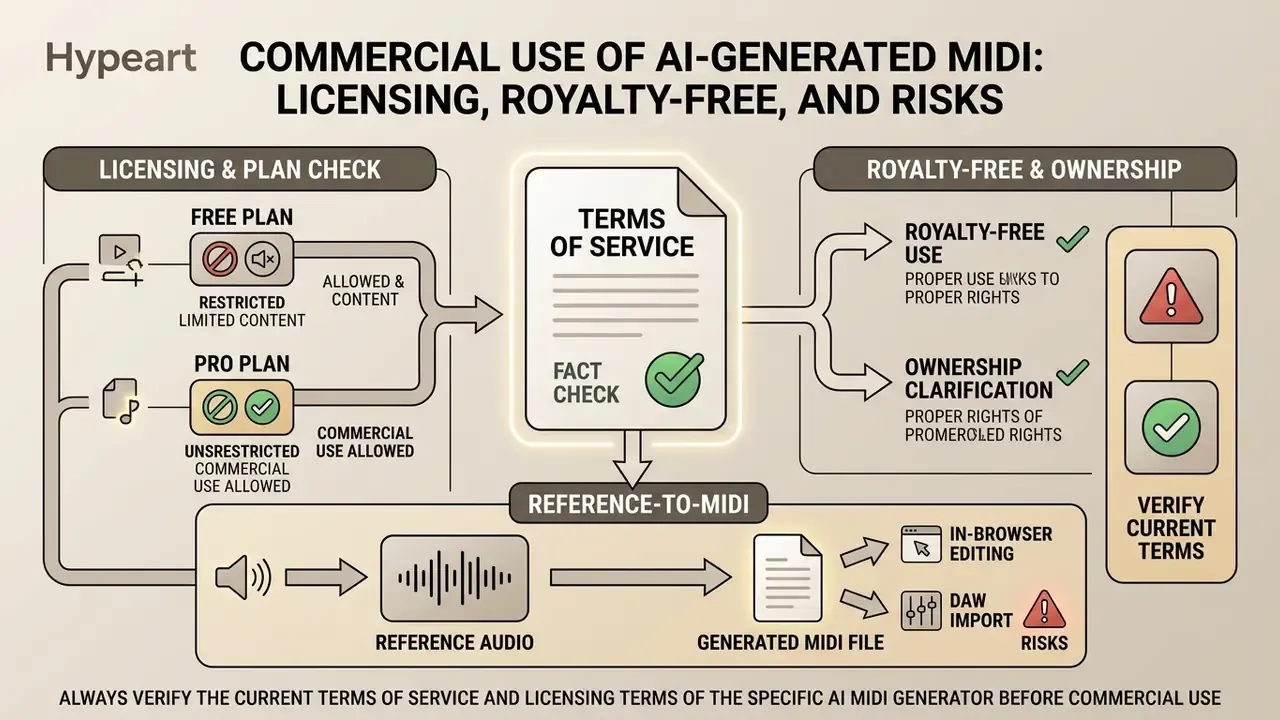
Copyright authorities and vendor contracts answer two different questions. A service can contractually permit commercial use of an output while copyright law still declines to protect that output. The U.S. Copyright Office states that AI-generated material is protectable only where a human author determined sufficient expressive elements, and that applicants must disclose AI-generated content and describe the human contribution when registering (Copyright Registration Guidance: Works Containing Material Generated by Artificial Intelligence, U.S. Copyright Office, 2024, https://www.copyright.gov/ai/ai_policy_guidance.pdf). Prompts alone do not establish authorship (U.S. Copyright Office, NewsNet Issue 1060, 2025, https://www.copyright.gov/newsnet/2025/1060.html). Russian practice reaches the same starting point from a different direction: under Articles 1228, 1257, and 1259 of the Civil Code, a non-human system cannot be an author, so protection depends on human creative contribution and contract terms.
What Royalty-Free MIDI Means and What to Check in the Terms
Royalty-free licensing permits commercial usage without recurring per-stream royalty fees. Creators still need to verify whether license terms restrict sync placement in major television broadcasts, standalone sample pack distribution, or un-modified redistribution.
«Generative AI is often trained on copyrighted material without consent, and the legal framework keeps changing, which creates risk for commercial projects.»
Common carve-outs inside "royalty-free" licenses include major-label placements, stream counts above a defined cap, major sync placements requiring separate clearance, and a requirement to modify a supplied beat or pattern before releasing it to streaming platforms. Readers evaluating comparable licensing logic in adjacent categories can review our guidance on commercial use of AI-generated content.
Three-step legal check before a commercial release:
Commercial teams should explore the hub for licensing frameworks or open the hub to review copyright compliance standards.
How Rights Can Differ Between Free and Pro MIDI Generation
Free generation tiers frequently limit output to non-commercial personal projects. Pro tiers grant full commercial monetization rights and explicit copyright assignments. Upgrading a plan retroactively may not grant commercial clearance for files generated during a free trial period.
Vendor documentation confirms the pattern. One platform states that annual plans include commercial rights while monthly plans do not, and that free-plan songs receive a commercial-license document only after an upgrade to an annual plan. Another defines Basic as personal use only, with Premium and Pro granting full commercial rights for releases and monetization. The practical exposure is identical everywhere: using free-tier output in client work, paid ads, or a streaming release without the corresponding rights at the moment of generation.
FAQ About AI MIDI Generators
Do I need music theory knowledge and DAW experience to create MIDI?
Formal music theory is not required to generate MIDI using natural language prompts. Basic DAW familiarity is necessary, though, to import .mid files, assign virtual instruments, adjust mix levels, and export final audio. Vendor documentation is explicit that no theory background is needed to prompt a generator, while production courses still treat MIDI theory, signal flow, and sequencing as baseline literacy. The honest threshold: zero theory to generate, basic DAW skills to finish.
What music genres can an AI MIDI generator produce?
Models are trained on datasets spanning Pop, Hip-Hop, Synthwave, EDM, Classical, Jazz, Lo-Fi, and Cinematic styles. You can request style-specific parameters directly: jazz seventh chords, complex swing grids, classical contrapuntal voice-leading, or trap-style hi-hat rolls. Genre control is strongest when you name both the style and its technical markers (chord vocabulary, subdivision, instrumentation) rather than the style alone.
Can I edit AI MIDI in the browser before exporting?
Yes. Most modern services include an in-browser piano roll that lets you change note pitch, adjust velocity, delete out-of-key intervals, trim length, and change tempo before downloading the .mid file. Editing in the browser is faster for cleanup; editing in a DAW is better for arrangement, because that is where your instruments, tempo map, and existing parts already live.
What is the maximum length of a generated MIDI file?
Free online generators usually cap output at 8–16 bars, roughly 30–60 seconds. Professional VST plugins and paid tiers generate full arrangements; one 2026 product documents tracks up to eight minutes with verse and chorus markers. Longer generations trade coherence for length, so many producers generate sections separately and assemble them in the DAW.
How does a MIDI generator differ from an AI audio sampler?
A MIDI generator produces only digital note commands (events) and contains no sound. An audio sampler or audio model outputs a finished waveform file (.wav or .mp3). MIDI gives full control over timbre, VST instrument choice, and note-level editing; audio gives an immediate finished impression with far less editability.
Are my prompts and uploaded reference tracks kept private?
That depends on the deployment model. Cloud-based generators process prompts, audio uploads, and YouTube references on external servers, and their terms determine whether inputs may be retained or used for model improvement. Locally installed VST3, AU, or AAX plugins that run inference on-device keep material on your workstation. For client-confidential briefs or unreleased material, prefer local processing or a documented no-training-on-inputs commitment.
Is AI-generated MIDI in the public domain, and can someone else use my file?
No blanket rule applies. In the United States, material generated without sufficient human authorship is not protected by copyright, which means competitors could theoretically reuse an unedited output. Meaningful human editing, arrangement, and selection are what create a protectable layer. Separately, a service's terms may still grant you exclusive commercial use of your file even where copyright protection is unavailable. Contractual rights and copyright ownership are two different things.
Navigation & Authority Hub
To review related generative media frameworks and technical glossaries, explore the hub for complete platform documentation.