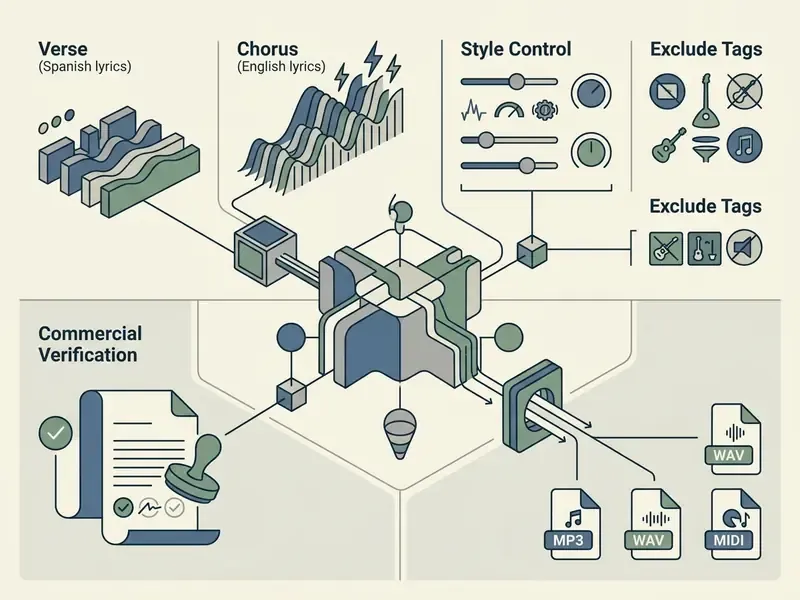
Generative audio moved fast. What was a research demo three years ago is now an operational tool inside digital media teams, creator studios, and enterprise content pipelines. A modern web-based AI song generator accepts a plain text description or a formatted lyric sheet and returns a produced track: lead vocals, backing harmonies, drums, bass, and a mixed stereo master, usually inside a couple of minutes.
That speed is the easy part. The harder question is whether the output can be published.
Three Decisions in 60 Seconds
- Free tiers are evaluation tools, not production tools.Vendor documentation typically caps free usage at roughly 10 to 50 credits per 24-hour cycle (about 2 to 10 tracks), restricts exports to compressed MP3, disables WAV, MIDI, and stem separation, and licenses output strictly for non-commercial use.
- Purely AI-generated audio is not copyrightable in the United States.The US Copyright Office holds that prompting alone does not create human authorship. An un-edited AI track therefore has no registrable copyright, and it sits outside the Section 115 mechanical blanket license.
- Commercial safety rests on two facts: an active paid license at the moment of generation, and the model's training-data lineage.Verify the platform's commercial-rights clause and its documented chain of custody for training datasets before you publish AI audio in advertising, broadcast, or monetized channels.
Who This Guide Is For and What It Decides
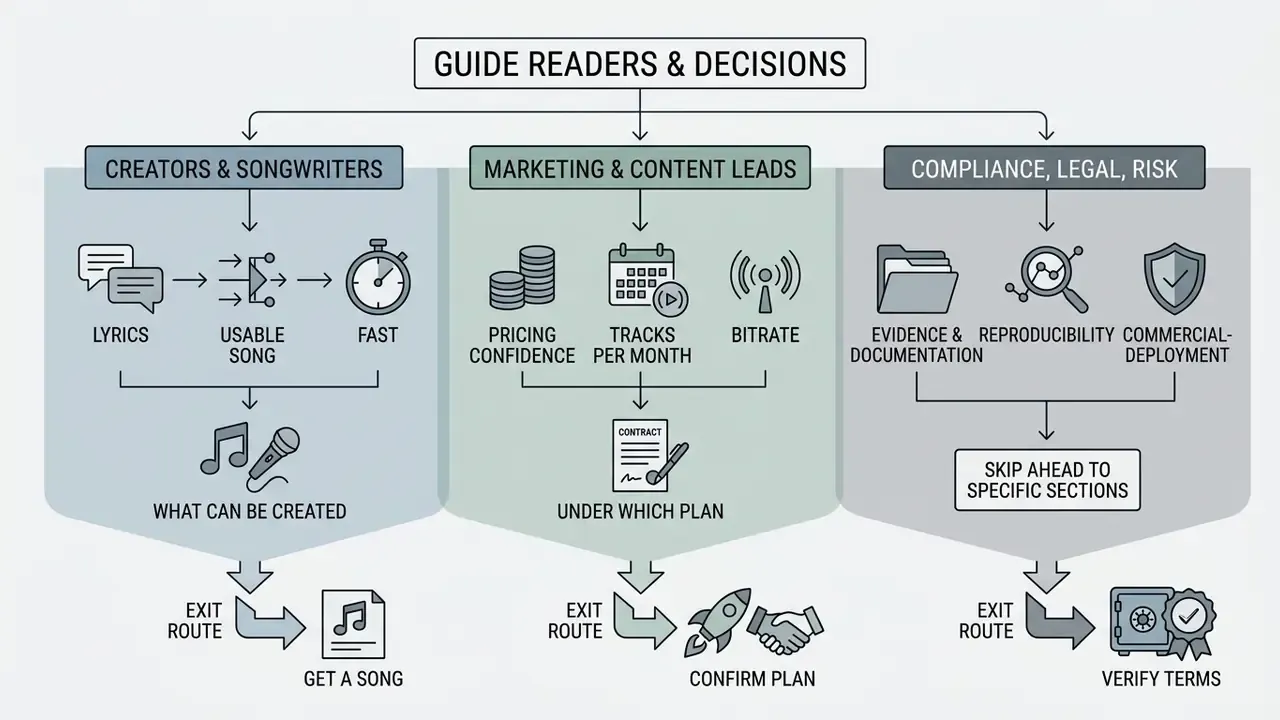
This guide is written for three overlapping readers, and each one takes a different exit route.
- Creators and songwriters want to know how to get a usable song out of their own lyrics, fast, and what the free plan actually blocks.
- Marketing and content leads need pricing confidence: how many tracks per month, at what bitrate, under which license.
- Compliance, legal, and risk reviewers care about evidence. Who generated the track, on which plan, with which model version, and on what training data.
If you fall into the third group, skip ahead to the reproducibility and commercial-deployment sections. The logging discipline described there is the part most teams miss, and it is also the part auditors ask about first.
What Is an AI Song Maker Free and What Can You Create?
An ai song maker free is a browser-based generative application that converts textual prompts or structured song lyrics into complete audio tracks with vocals, instrumentation, and downloadable MP3 files, under limited daily usage quotas. These tools lean on deep learning architectures, mainly diffusion transformers and dual-sequence language models, to synthesize melody, rhythm, and vocal acoustics in a single generation pass.
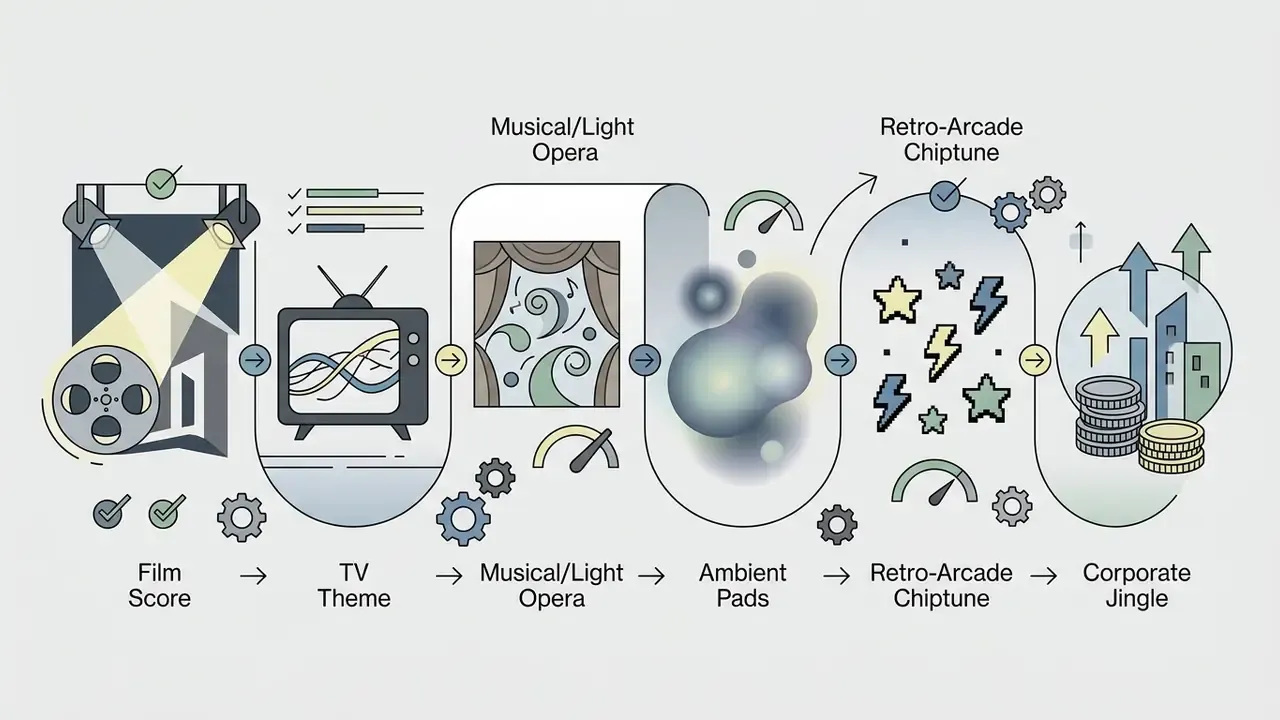
Large-scale empirical research on consumer platforms such as Suno and Udio shows that users routinely produce finished tracks across wildly different thematic categories, from a 15-second corporate jingle to a multilingual ballad with three key changes.
«A dataset of 101,953 tracks from Suno and Udio shows users routinely producing complete songs with vocals, instrumentation, and lyrics across genres.»
Free quota reality check. Free tiers usually grant a recurring daily allowance of generation credits. The exact figures are vendor-published marketing parameters, not standardized industry metrics, and they change often. Current documentation illustrates the spread: one major platform lists 50 credits renewed daily with a ceiling of 10 songs per day and "standard features only"; another lists 20 daily credits, roughly four tracks; a third caps free output at 3 songs per day across simple and custom modes; several smaller services grant one free generation yielding two variants, once.
No peer-reviewed study benchmarks free-tier quotas across platforms. So treat every published limit as a contractual parameter to re-verify at signup. What stays consistent is the purpose: free access exists so you can test voice quality, prompt responsiveness, and genre range without a credit card, before any commercial deployment. A small practical note, since teams ask: spinning up throwaway accounts with an email address generator to farm extra free credits usually violates the same terms of service that grant the license, so it is a poor foundation for anything you plan to publish.
Full Songs with Vocals, Clean Instrumentals, and Music Tracks
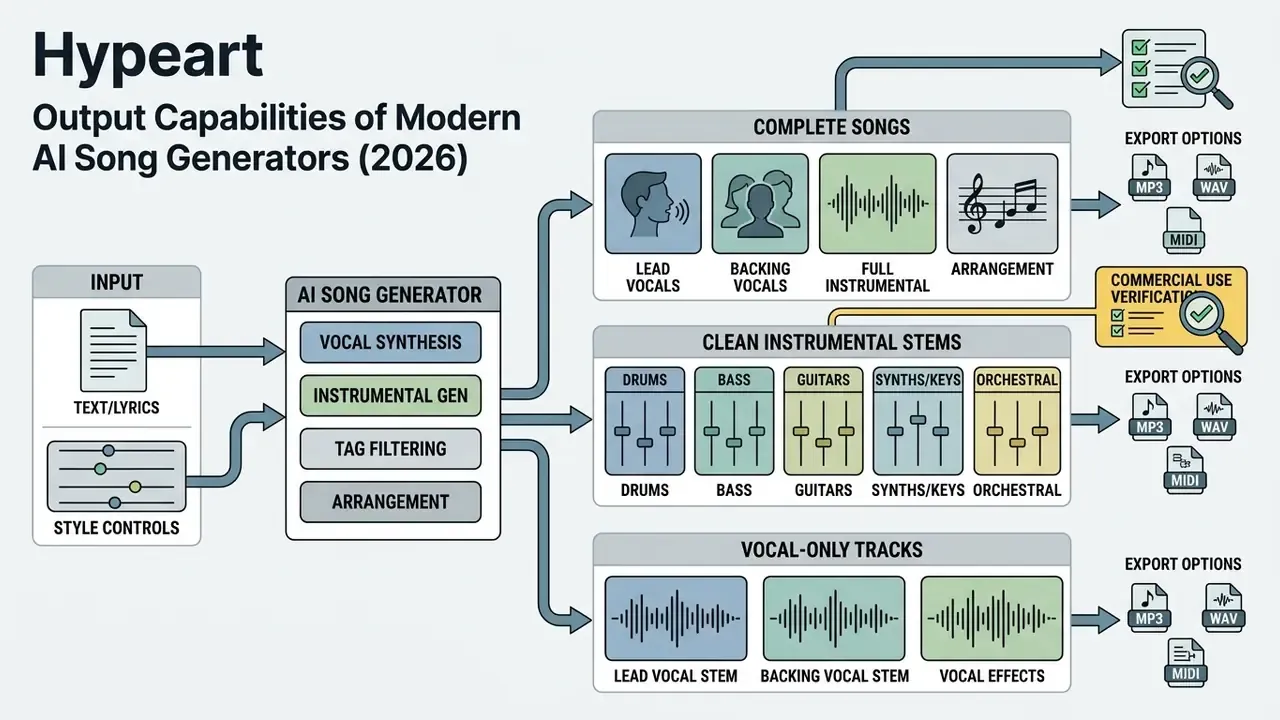
Modern AI music generators produce three distinct output formats, depending on what you select: complete vocal songs, clean instrumentals, and isolated vocal stems. A complete vocal track blends synthesized lead singing, multi-part harmonies, and layered instrumental backing into one stereo mix. This is what most people mean when they search for an ai music generator with vocals, or for an ai music generator free with vocals at the evaluation stage.
Enabling an instrumental toggle does something different. It instructs the model to bypass the singing voice synthesis (SVS) pipeline entirely and output a pure backing track: useful for background audio, film scoring, or podcast beds.
At the API level these behaviors are exposed as explicit boolean parameters. Commercial music endpoints document make_instrumental for instrumental-only renders and vocal_only for dry vocal output without accompaniment, plus a voice_id field that binds a specific voice model to the vocal render.
For creators focused on voice modeling or custom voice cloning, integrations with dedicated systems such as the elevenlabs ai voice generator give finer vocal control before the mix into an instrumental arrangement. A broader technical overview of timbre control, language coverage, and licensing sits in the reference guide to the AI voice generator category.
Supported Music Genres and Custom Style Controls
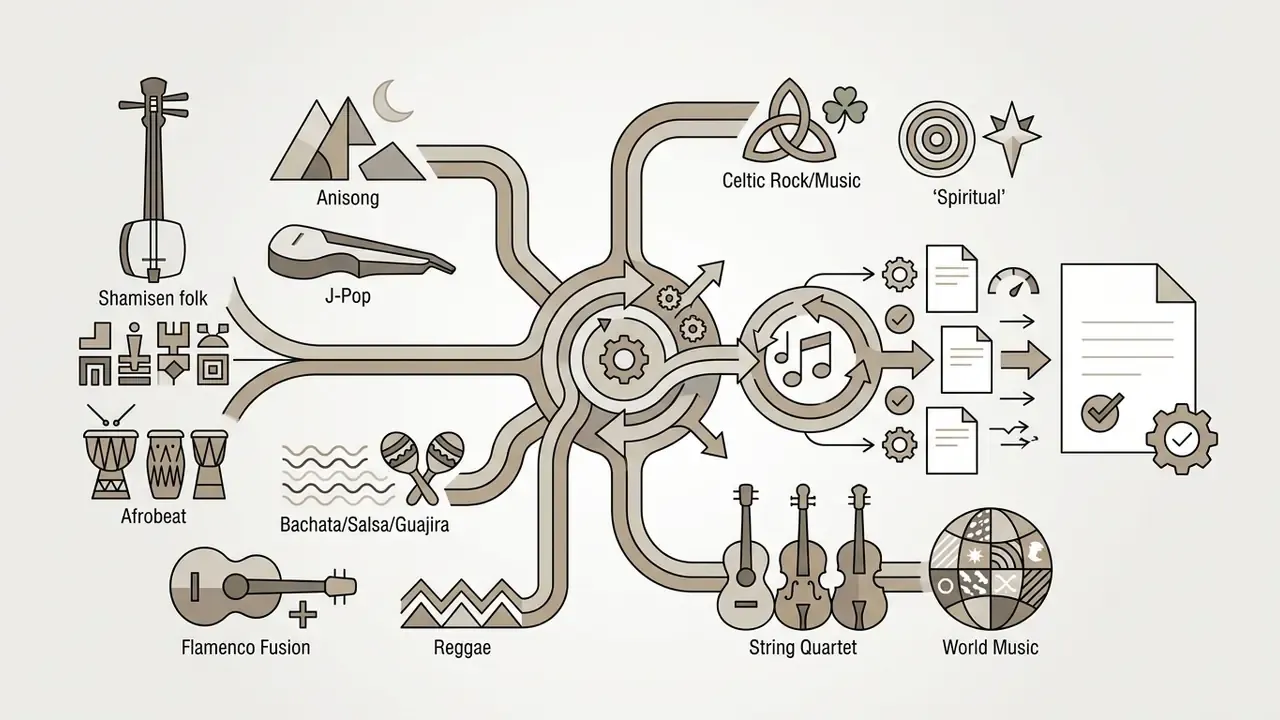
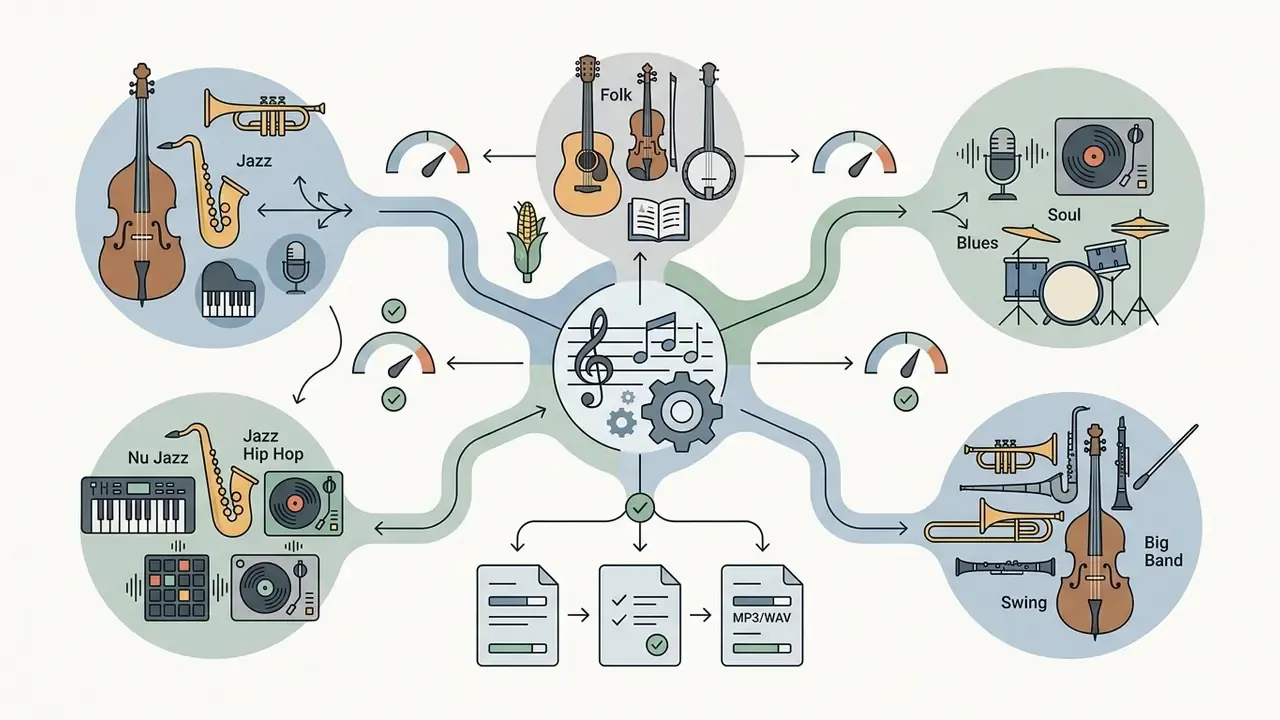
Current generators support extensive genre taxonomies: pop, rap, hip-hop, rock, synth-pop, indie folk, heavy metal, jazz, lo-fi, EDM, classical arrangements. Rather than trapping users inside rigid dropdowns, advanced platforms expose open-ended style text fields accepting prompts up to 1,000 characters. Style-field limits are version-dependent, by the way: older custom modes accepted roughly 120 characters, current API versions accept up to 1,000.
You build a custom style prompt by stacking genre labels with tempo, instrumentation, era influence, and mood adjectives. For example: "1980s synth-pop, driving 120 BPM tempo, analog synthesizers, energetic female lead vocal, reverb-heavy mix". Research on text-conditioning strategies shows that combining local text representations (T5 embeddings) with global audio-text embeddings (CLAP) improves stylistic adherence and lets models capture subgenre nuance.
«Combining T5 embeddings with CLAP global conditioning improves style adherence: KL divergence drops from 1.54 to 1.47.»
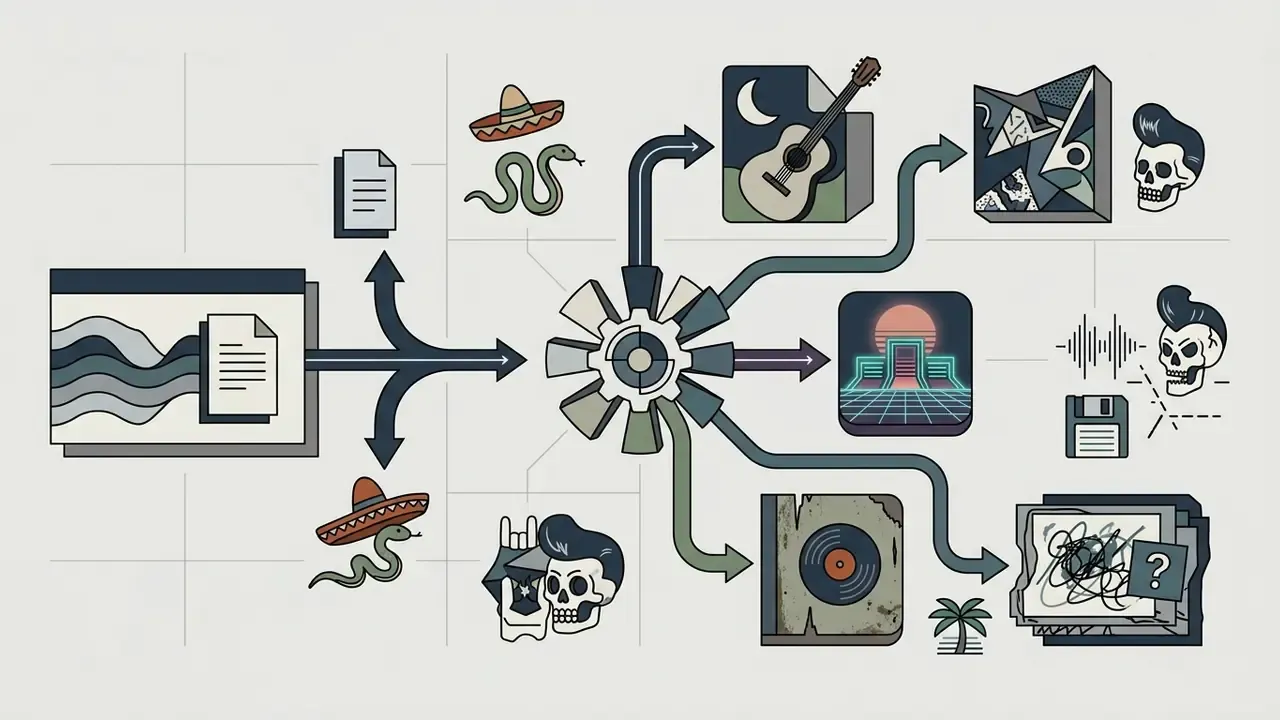
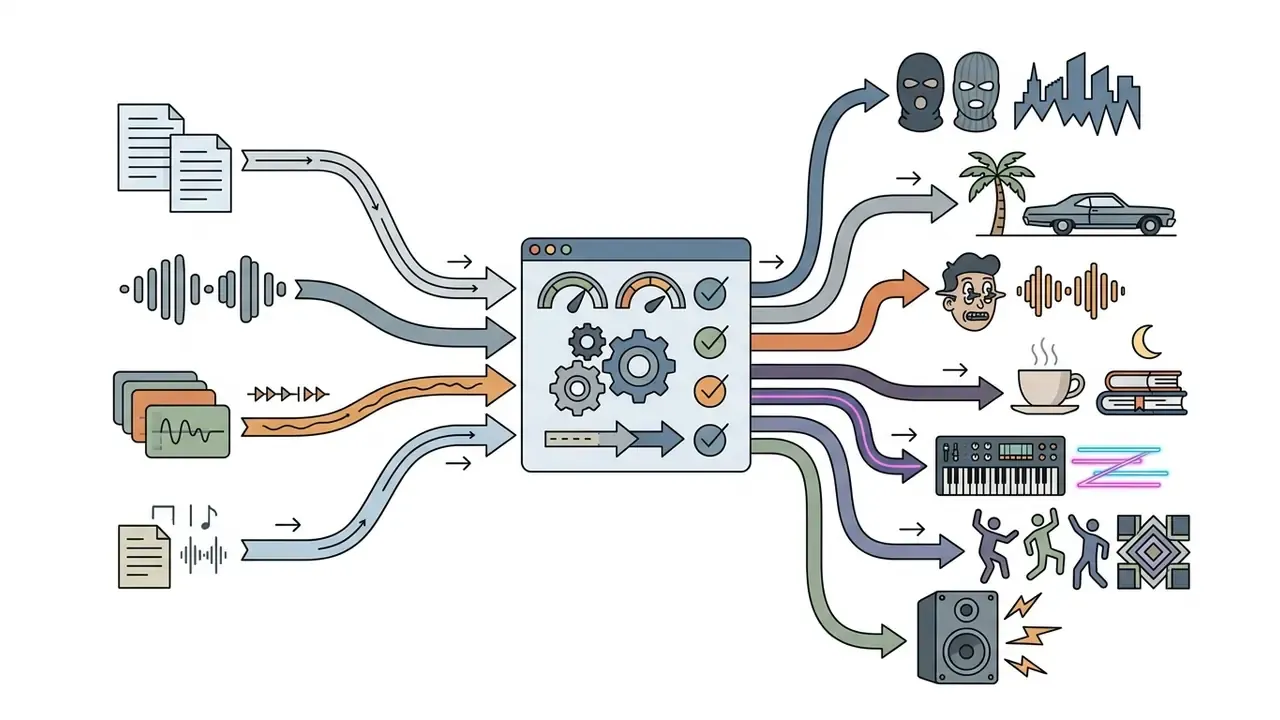
Expanded genre and style taxonomy. Leading song maker AI platforms now expose 70+ selectable style tags, and prompt fields accept any descriptor the underlying text encoder can embed. A practical taxonomy for prompt construction:
One rule of thumb that holds up in testing: prompting a narrow micro-genre beats prompting a broad umbrella label. Narrow tags occupy a denser, more distinctive region of the text-embedding space, so they constrain instrumentation, tempo, and production character far more tightly. "Dark wave, 100 BPM, gated drums" gives you a record. "Electronic" gives you a coin flip.
How to Create a Song from Your Lyrics Using AI
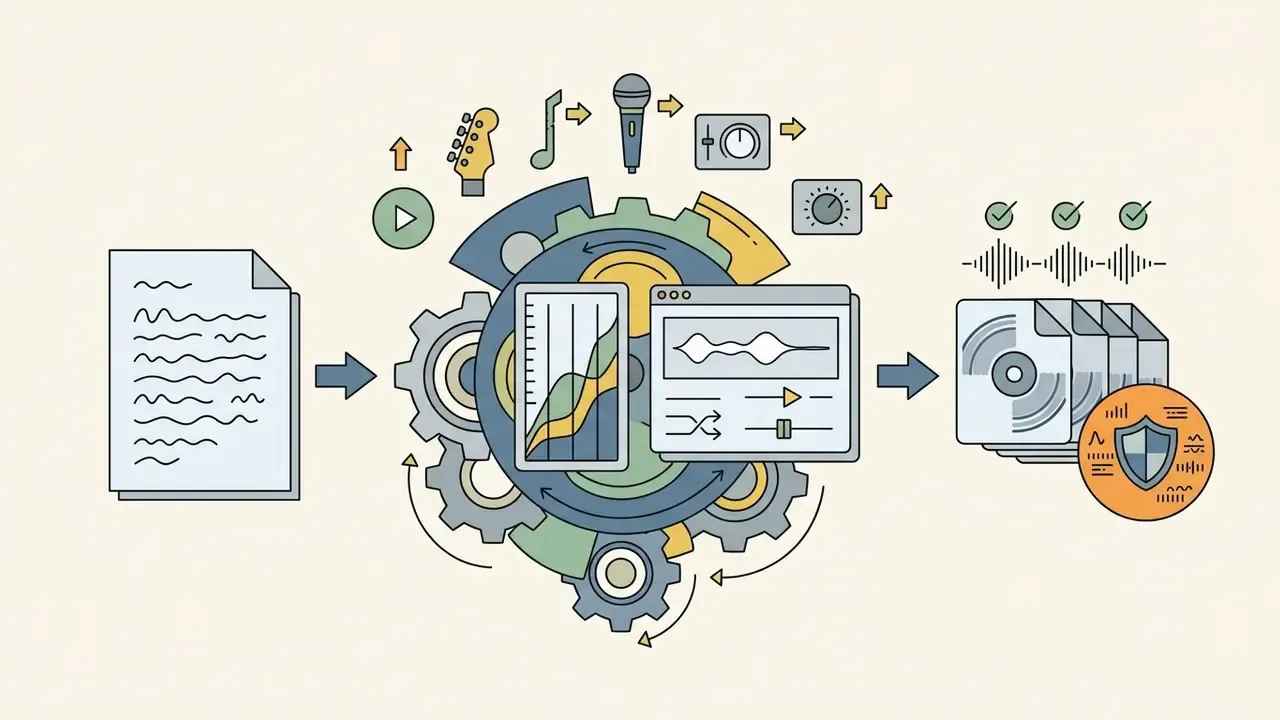
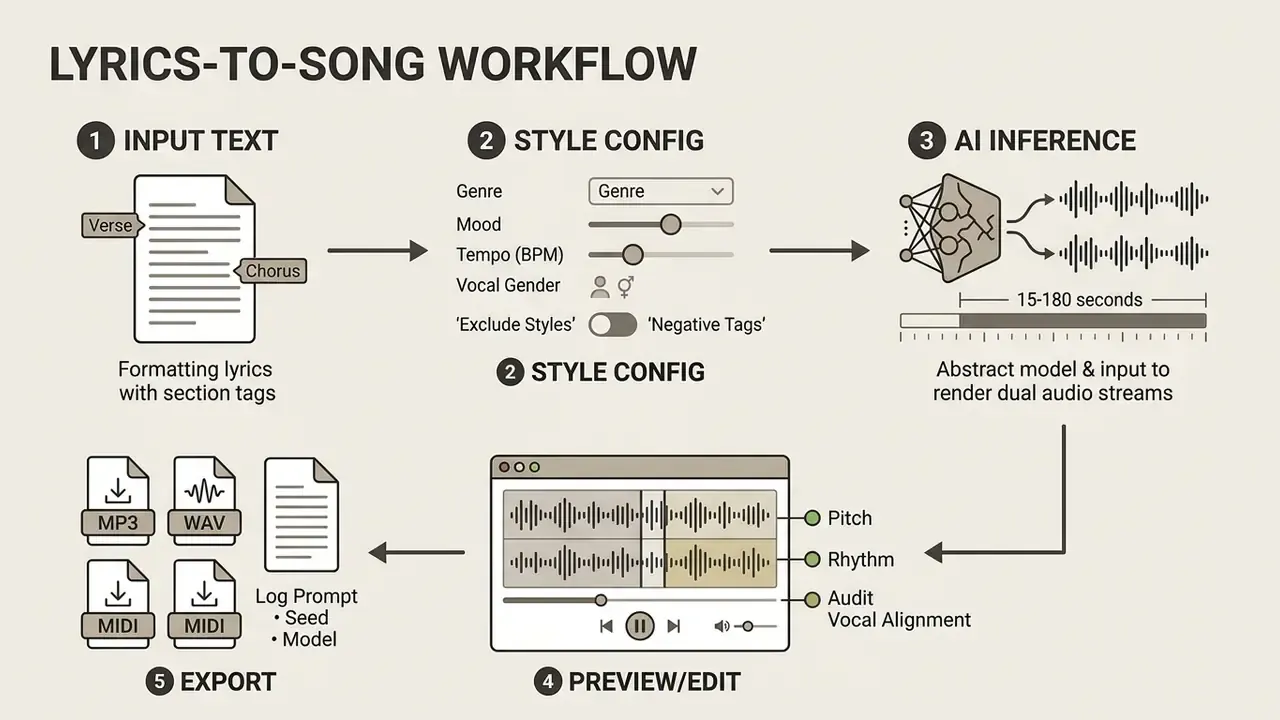
Turning custom lyrics into a fully arranged song follows a sequence: prepare the text, configure style and vocal parameters, run the generation, export the render. That is the whole loop behind every search for how to ai create a song from lyrics.
Selecting AI Vocals, Tempo, and Style Parameters
Vocal delivery, tempo, and instrumentation are governed by explicit tags, placed either in the style prompt or inside the lyric sheet itself. Modern engines support vocal gender toggles ([Male Vocal], [Female Vocal]), arrangement switches ([Duet], [A Cappella]), and vocal texture descriptors ([Raspy Vocal], [Soaring Harmonies], [Whispered Vocals]).
Tempo can be descriptive ([Slow Ballad], [Upbeat]) or numeric, like 128 BPM. When you set arrangement density, naming instruments works better than adjectives: "distorted electric guitar, heavy bass drum, crisp snare" tells the model where to put acoustic energy across the frequency spectrum. As a working heuristic, prompt guides converge on 2 to 3 mood adjectives and 3 to 5 named instruments. Past that density, conditioning signals compete and the arrangement turns to mud.
Negative Prompting and Exclude Style Parameters
Additive prompting alone will not guarantee a clean output, because genre embeddings carry implicit instrumentation. Ask for "cinematic" and you may get drums you never requested.
To stop the model from adding unwanted acoustic elements, use the dedicated Exclude Styles field that current generators expose, or place bracketed exclusion tags inside the style prompt. Entering [Exclude: Heavy Drums, Distortion, Synthesizer], or populating an Exclude Styles field with heavy drums, distortion, synth pads, tells the diffusion model to suppress those timbral profiles during denoising. This is essential for clean acoustic, ambient, spoken-word backing, or vocal-isolated tracks.
Practical negative-prompt patterns:
| Goal | Positive prompt fragment | Exclude / negative tags |
|---|---|---|
| Podcast bed that never masks speech | ambient piano, sparse pads, 70 BPM | vocals, cymbals, brass, sub-bass swells |
| Clean acoustic singer-songwriter demo | acoustic guitar, warm male vocal, 90 BPM | drum kit, synthesizer, autotune, reverb wash |
| Retro arcade game loop | chiptune, 8-bit square lead, 140 BPM | live drums, orchestral strings, vocals |
| Corporate brand jingle | bright plucks, claps, major key, 118 BPM | distortion, screaming vocals, lo-fi noise |
A discipline borrowed from prompt-engineering practice: keep a short standing "avoid" block in every project template, so unwanted textures never sneak back in through genre inheritance.
Reproducibility: Seeds, Prompt Logs, and Audit Trails
Generation, Audio Preview, and MP3/WAV/MIDI Download
Once lyrics and style parameters are submitted, the task enters the cloud processing queue. Most consumer platforms render two parallel variants per prompt, so you can compare alternate melodic interpretations before committing.
Latency, with sourced figures. End-to-end inference runs from roughly 15 seconds to 3 minutes, depending on model architecture, track duration, and server load. That range is assembled from vendor documentation rather than peer-reviewed benchmarking, and should be read as such. Published reference points: an optimized research model produces a 30-second clip in about 13 seconds on GPU; one cloud provider lists a full-song professional model at 184 seconds; a large-scale inference host reports a median end-to-end time of roughly 137 seconds, with queue time varying by global demand; a streaming-oriented model reports chunk latency cut from over 60 seconds to under 25. Latency scales with model size, requested duration, and whether delivery is streamed or batched.
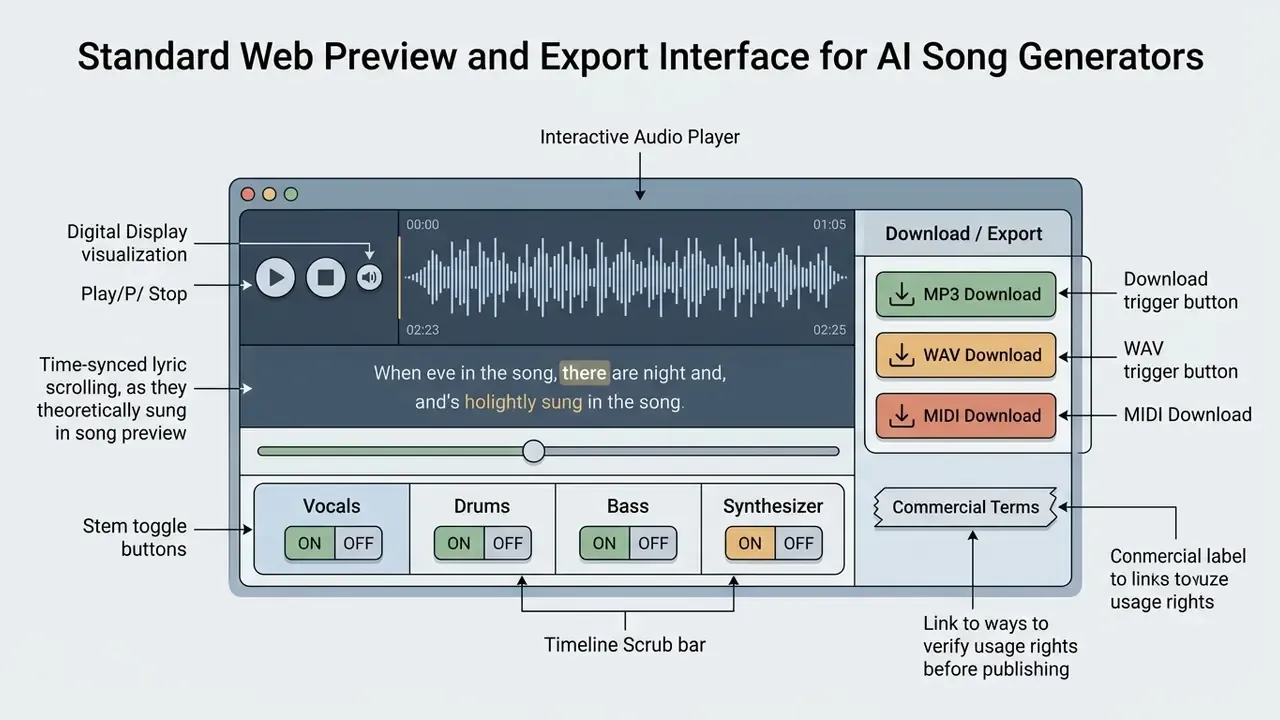
On completion, the interface presents an interactive player with waveform visualization and time-synced lyric display. Review pitch accuracy, vocal naturalness, and mix balance before you export. The primary export format across free tiers is MPEG-1 Audio Layer III (MP3), whose syntax and semantics are defined by ISO/IEC 11172-3 and ISO/IEC 13818-3, at 128 kbps to 320 kbps for universal playback compatibility. Sample rates in the MP3 family span 8,000 Hz to 48,000 Hz, with ID3v1/ID3v2 metadata tagging.
Beyond compressed MP3 and uncompressed WAV (24-bit / 44.1 kHz), advanced generators also offer MIDI file export. Exporting a generated track as MIDI isolates the underlying note values, pitch bends, velocity, and rhythmic timing for lead melodies and chord progressions. Producers can then import the arrangement straight into Ableton Live, FL Studio, or Logic Pro and swap synthesized AI instruments for their own virtual instruments (VSTs). That swap is, in practice, the single most effective way to add documented human authorship to an AI-assisted track. Worth noting: MIDI and WAV exports are almost universally paywalled. Free tiers deliver MP3 only.
Marketing teams can drop these MP3 exports directly into browser-based workflows to edit videos online, and anyone heading into post-production can compare free video editing tools that accept AI-generated audio without transcoding.
Why Does Lyrics-to-Song Generation Fail and How Do You Fix It?
Generations fail, truncate, or return distorted audio for three main reasons.
- Content moderation triggers.Input lyrics contain terms flagged by automated safety filters: explicit violence, hate speech, funeral or death terminology, trademarked brand names, celebrity names, or copied blocks of third-party lyrics. Anyone testing an ai music generator explicit lyrics workflow should expect context-sensitive and frankly inconsistent behavior between attempts. Fix: split the lyric sheet in halves to isolate the triggering line, then rephrase or remove the flagged term and resubmit.
- Unstructured text blocks.Pasting a solid wall of text with no section tags or line breaks confuses the structural parser, and you get a rambling melody with no chorus lift. Fix: format the text into distinct
[Verse]and[Chorus]blocks separated by empty lines, one sentence per line. - Prompt character limit exceeded.Inputs above the thresholds (typically ~400 to 500 characters per prompt block, or 5,000 characters for full lyric fields) cause silent truncation or dropped verses. Fix: shorten the blocks, generate individual sections separately, then stitch them with the Extend feature.
For operational help and error troubleshooting, see AI Media Support and Troubleshooting or consult the complete AI Media Glossary.
AI Music Generator Modes: Lyrics, Text Description, and Creative Ideas
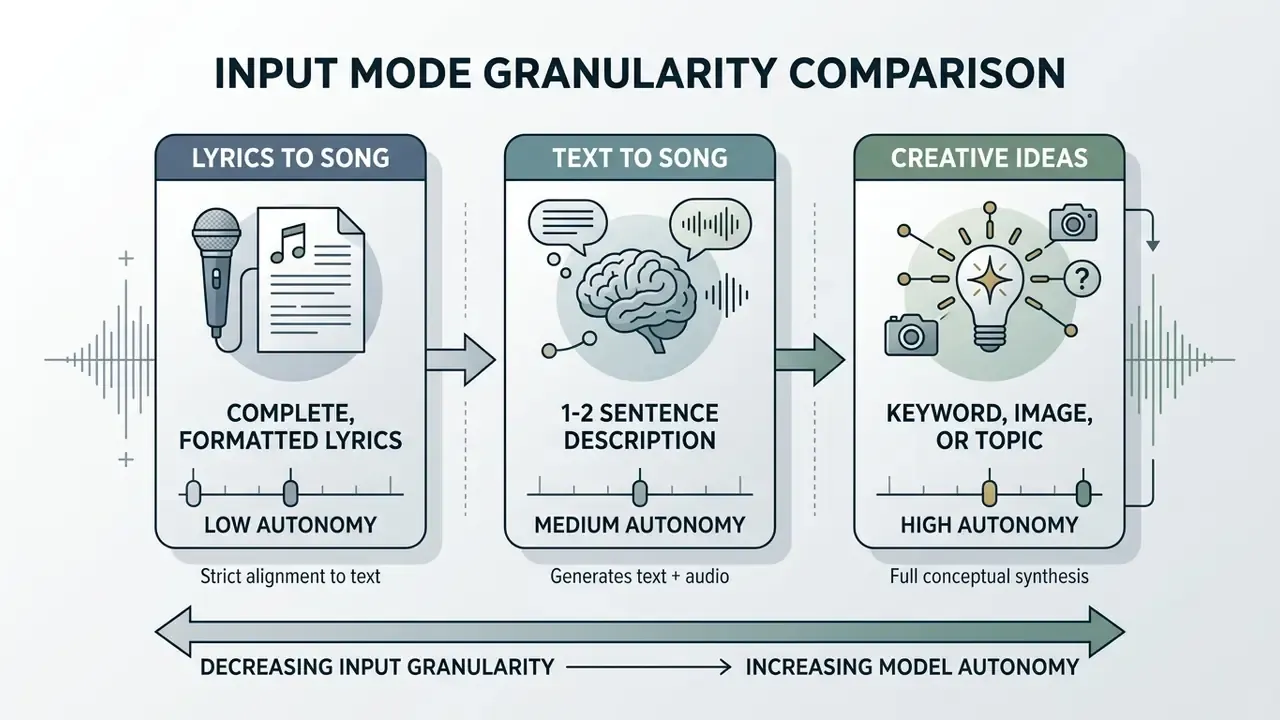
Generative music systems accept different levels of user input. In practice there are three modes, and the right one depends on how much source material you already have.
Lyrics to Song: Generating Music from Complete Text
The lyrics-to-song workflow is the most tightly constrained mode. Here the model treats your text as an absolute structural blueprint and synthesizes vocal melodies and rhythm tracks that follow the cadence, syllable counts, and line breaks of the input. This is the core of any ai lyrics to song maker and of AI song creation from lyrics generally.
Studies on dual-sequence language models, including NeurIPS research on SongCreator, show that modeling vocal and accompaniment sequences in parallel with cross-attention yields better syllable-to-note alignment than single-sequence models.
«SongCreator, trained on roughly 270,000 professional tracks, outperforms prior models on syllable-to-note alignment in lyrics-to-song tasks.»
This mode suits songwriters, poets, and commercial copywriters who need exact verbal execution with no model-invented lyric edits. If you searched for an ai song creator with lyrics or an ai song generator by lyrics, this is the setting you want.
Text to Song: How to Prompt Desired Sounds and Moods
Text-to-song needs no pre-written lyrics. You supply a short natural-language description of mood, genre, subject, or emotional arc. The platform's internal large language model expands that into a full lyric sheet while generating the matching arrangement. Some enterprise models return the generated lyrics and the inferred song structure as structured metadata alongside the audio, which is genuinely useful later, both for editing and for rights documentation.
An effective text-to-song prompt follows a five-part architecture:
For example: "An indie rock track about moving to a new city, nostalgic and hopeful mood, featuring acoustic guitar and driving drums, mid-tempo 110 BPM, warm male lead vocal."
A competing school of prompt design puts the track's purpose first ("30-second pre-roll ad bed for a fintech app") before genre, on the theory that context conditions structural choices earlier. Both orders work. The fields themselves are identical, so pick one convention and keep it in your template.
The same mode powers most ai personalized song generator use cases: a birthday song with the recipient's name, a team anniversary track, a wedding first dance built from a few details you type in.
Teams sizing production budgets and credit consumption can use the AI Media Calculators to estimate spend across high-volume prompt iterations.
AI Beat Maker for Lyrics, Chorus Generators, and Duet Workflows
Specialized functional modes tune generation behavior toward specific components of a song.
- AI beat maker for lyrics generates rhythmic, instrument-forward backing tracks aligned to hip-hop, rap, or spoken-word delivery. The model emphasizes percussion transients, sub-bass frequencies, and grid alignment.
- AI chorus generator concentrates capacity on the hook: dense vocal harmonies, elevated master volume, layered instrumentation. Lyric-assistant modules usually draft hook, verse, and chorus candidates before the audio pass starts.
- AI duet song generator vendor documentation describes duet rendering as tag-driven alternation, not a separately benchmarked architecture, and no peer-reviewed study currently reports numerical quality metrics for AI duet generators. Operationally, the engine coordinates two voice models across one lyric sheet. Alternating bracketed vocal tags (
[Verse 1 - Male Vocal],[Verse 2 - Female Vocal],[Chorus - Duet]or[Both]) produce conversational, multi-singer arrangements with distinct timbral identities. Expect some timbre drift at section boundaries, and audition several variants before choosing.
Custom Voice Model Training (AI Singer Personas)
Artists who need one consistent vocal identity across many AI tracks can train a custom voice instead of cycling stock presets. Three steps:
- Record or upload a dry vocal sample.Provide 1 to 5 minutes of clean solo singing: no background music, no reverb, no compression artifacts. Mixed audio produces smeared timbre extraction.
- Train the persona.The platform extracts timbral characteristics, usable range, vibrato behavior, and formant transitions, then produces a reusable Custom Voice Persona. Plan tiers cap stored personas, commonly 3 on entry plans, 10 to 100 on mid tiers, unlimited on professional tiers.
- Assign and reuse.Apply the persona to any new lyric generation or song-cover project, so a whole catalog shares one recognizable singer.
Two compliance cautions. Train only on voices you own or have written consent to use, and retain the consent record together with the training audio. Voice likeness is protected separately from copyright in several US states, and platform terms uniformly prohibit cloning identifiable public figures.
Editing and Post-Processing Tools for AI-Generated Music
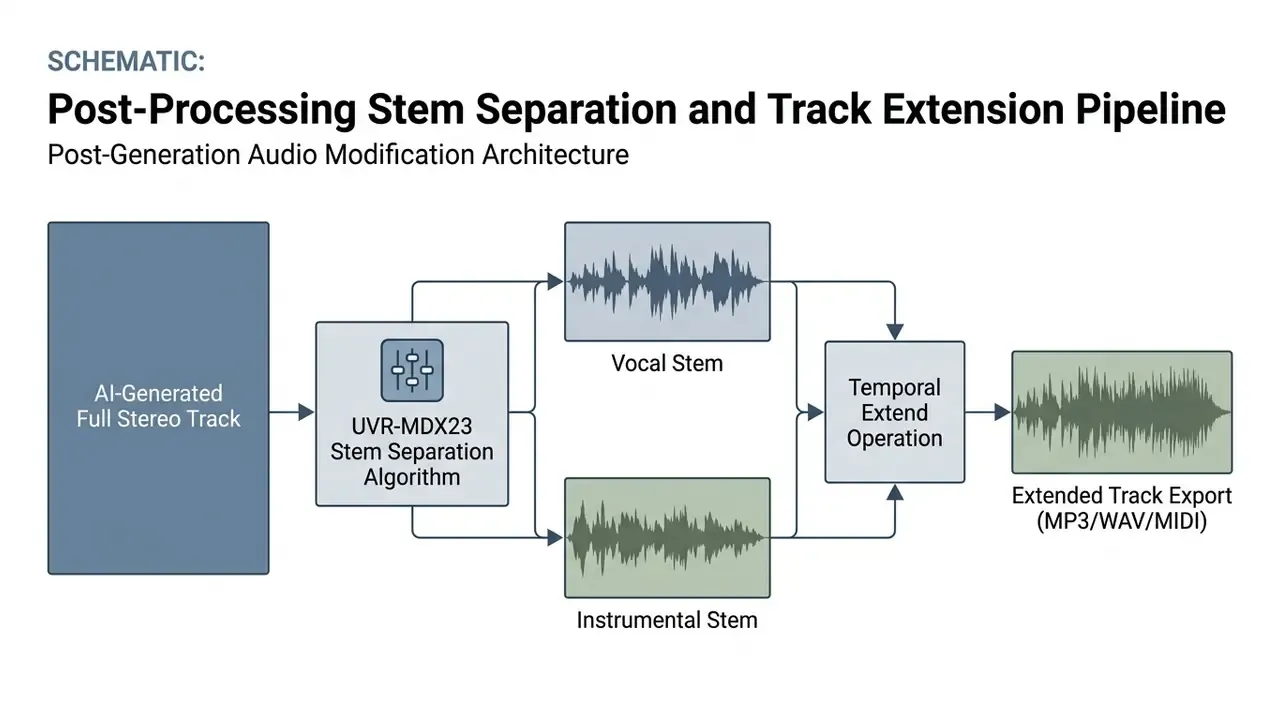
First generations rarely ship as-is. They need trimming, extension, stem separation, or a targeted fix before they enter a media deliverable.
Instrumental Modes, Vocal Removers, and Backing Tracks
When an existing vocal track needs isolating or removing, integrated AI vocal removers apply music source separation (MSS) algorithms. Modern separation engines, including those evaluated in the Sound Demixing Challenge (SDX'23), use deep neural networks such as Ultimate Vocal Remover UVR-MDX23 to decompose a stereo mix into stems for vocals, drums, bass, and remaining accompaniment. Open-source predecessors like Spleeter set the 2-stem (vocals/accompaniment) and 4/5-stem output conventions still in use.
«SDX'23 top systems improved SDR by 1.6 dB over 2021; UVR-MDX23 reaches SDR above 11 dB for vocals and instrumental.»
State-of-the-art separation models reach signal-to-distortion ratios above 11 dB for vocal and instrumental isolation, measured under the Sound Demixing Challenge protocol with the UVR-MDX23 architecture. The separation literature reports quality via SDR, SIR, and SAR, and a 2026 evaluation cites a mean vocal SDR of 10.4 dB for a production stem-separation service. Practically, that quality level is enough to build clean instrumental backing tracks for karaoke, background scoring, or voiceover layering.
Video teams producing corporate assets often pair clean instrumental stems with an explainer video maker, specifically so the music never masks narrator dialogue. A 3 dB dip under speech does more for comprehension than any fancier trick.
Extend Music and Replacing Song Sections
Standard generative passes produce tracks of roughly 1 to 3 minutes, with professional tiers reaching 8 minutes. When you need more, the Extend Music function appends new audio from a chosen timestamp:
Original Track [0:00 - 2:00]  +  Infill Extension [2:00 - 3:30]
|===========================|--------------------------------|
                            ^ Extension Timestamp (2:00)
                              Prompt: "[Bridge] Add guitar solo,
                              build momentum to final chorus"
For targeted corrections, Replace Section (inpainting) lets you highlight a time window and regenerate only that segment, leaving surrounding audio intact. API documentation formalizes the constraints: the infill window is set by explicit start and end seconds (infillStartS, infillEndS), the replacement segment must run 6 to 60 seconds, and it may not exceed 50% of the original track length. The model reads the leading and trailing audio boundaries to hold harmonic key, tempo grid, and vocal timbre continuity across the edit.
Song Covers, Reference Audio Uploads, and AI Music Video Generators
Advanced platforms also accept external audio to steer generation.
- Reference audio uploads.
- Upload a short clip, commonly capped at 8 minutes with 1 to 2 minute limits on lower tiers, to act as a stylistic or melodic reference. The engine extracts acoustic features such as chord progressions, rhythmic feel, or timbral balance, then applies them to new lyric generations. Some pipelines run ASR over the reference to auto-extract lyrics before the cover pass.
- Song covers.
- The model synthesizes a new performance over an existing song structure, changing genre, singer, or arrangement while holding the core melodic line. Uploading commercially released recordings you do not own stays an infringement risk regardless of what the interface allows.
- AI music video integration.
- Programmatic workflows pass finished MP3 tracks into video generation pipelines through specialized endpoints, usually as a two-call sequence: one endpoint creates the video task and returns a generation ID, a second retrieves the rendered file. Teams choosing a rendering backend can review the technical overview of AI video generators, and developers automating music-to-video rendering can consult the AI Media API Guides for implementation schemas and latency benchmarks.
AI Singing Photo and Avatar Video Sync
For engagement on TikTok, Instagram Reels, and YouTube Shorts, creators pipe generated MP3 audio into AI Singing Photo engines. By mapping the rendered vocal waveform onto a single static image or a 3D avatar, these tools animate facial expression, lip-sync mouth shapes, head motion, and blinks in time with the song's rhythm and phrasing.
Free tiers usually cap singing-photo output around 10 seconds; paid tiers extend to 2 to 10 minutes and drop attribution marks, and some services hold resolution at 1080p until upgrade. The net effect is real: one audio render becomes a full short-form publishing asset with no camera, cast, or location.
Free Tier Capabilities vs. Paid Tiers (Starter, Standard, Premium)
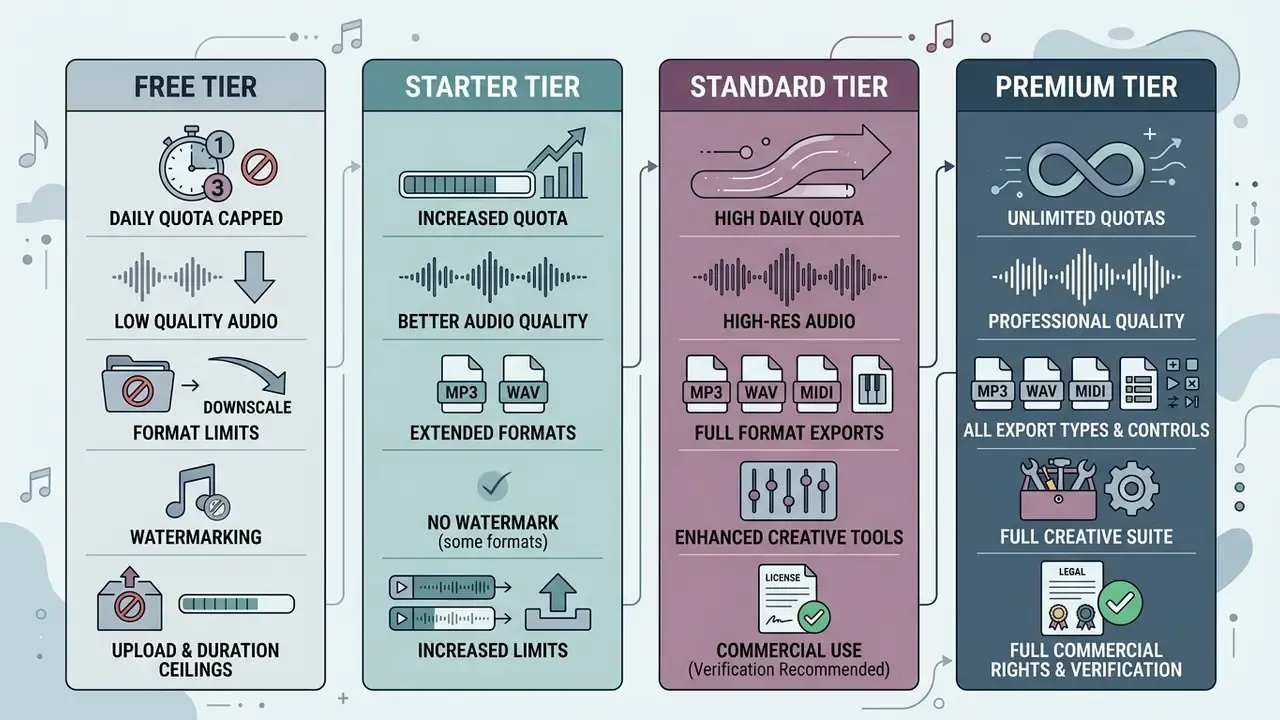
Knowing where the free ceiling sits is the whole pricing decision. Readers benchmarking adjacent creative tooling budgets can also compare free AI video generators, which run on near-identical credit and watermark economics.
| Feature / Capability | Free Tier | Starter Tier ($5–$10/mo) | Standard Tier ($15–$30/mo) | Premium Tier ($50–$100+/mo) |
|---|---|---|---|---|
| Monthly Credit Quota | 10–50 daily (~10–30 tracks/mo) | 200–500 (~100–250 tracks/mo) | 1,000–2,500 (~500–1,250 tracks/mo) | 5,000–10,000+ (~2,500+ tracks/mo) |
| Audio Export Formats | Standard MP3 (128–192 kbps) | High-bitrate MP3 (320 kbps) | HD MP3 + uncompressed WAV + MIDI | Lossless WAV + MIDI + 4-stem exports |
| MIDI / DAW Handoff | Not available | Usually locked | Available on most platforms | Available, plus per-instrument stems |
| Commercial Usage Rights | Strictly non-commercial | Personal / solo monetization | Full commercial license | Full commercial + broadcast rights |
| Custom Voice Personas | Not available | 3–10 stored models | 30–100 stored models | Unlimited + model finetuning |
| Generation Priority | Standard public queue | Fast queue access | Priority processing queue | Dedicated enterprise queue |
| Advanced Editing Tools | Basic generation only | Extend and inpaint access | Full stems + vocal remover | API access + custom model tuning |
| Concurrent Generations | 1 active task | 2 concurrent tasks | 4–10 concurrent tasks | 10+ / unlimited concurrent tasks |
| Cloud Storage Retention | 30 days | 365 days | 365 days to unlimited | Unlimited |
Typical Free Plan Limitations: Daily Quotas, Quality, and Features
Free access exists for evaluation, personal experiments, and non-commercial prototyping. The recurring restrictions on free accounts:
- Daily quota caps. Credits renew on a 24-hour cycle (for example 50 credits daily), do not accumulate, and cannot be rolled over. Add-on credit purchases are usually blocked entirely on free plans.
- Format and quality limits. Exports are restricted to compressed MP3. Uncompressed WAV, MIDI handoff, and multitrack stem separation stay disabled.
- Download restrictions. Some platforms disable standalone audio downloads on free tiers, requiring media to be embedded or saved inside a proprietary web player.
- Attribution and watermarking. Free tracks may carry audio watermarks, visible attribution on generated video, or a mandatory platform credit on public sharing.
- Upload and duration ceilings. Reference-audio uploads are commonly capped at 1 minute on free plans versus 8 minutes on paid, and cloud storage may expire after 30 days.
Vendor-specific tier thresholds and credit conversion ratios are broken down in the AI Media Pricing Guides.
Commercial Use, Royalty-Free Music, and Copyright on AI Songs
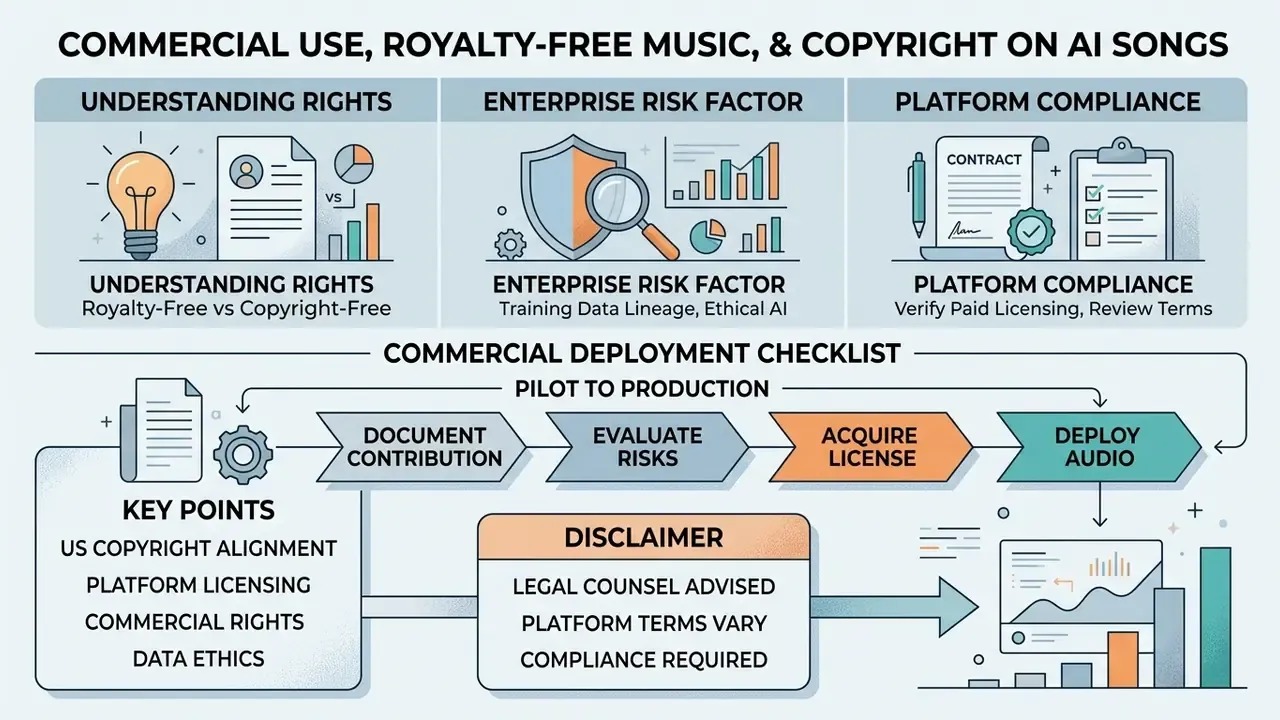
Publishing AI-generated audio into advertising, broadcast, social monetization, or a SaaS product requires strict alignment with US copyright standards and platform licensing terms.
Understanding Royalty-Free, Copyright-Free, and Commercial Rights
Three terms get conflated constantly, and the confusion is expensive.
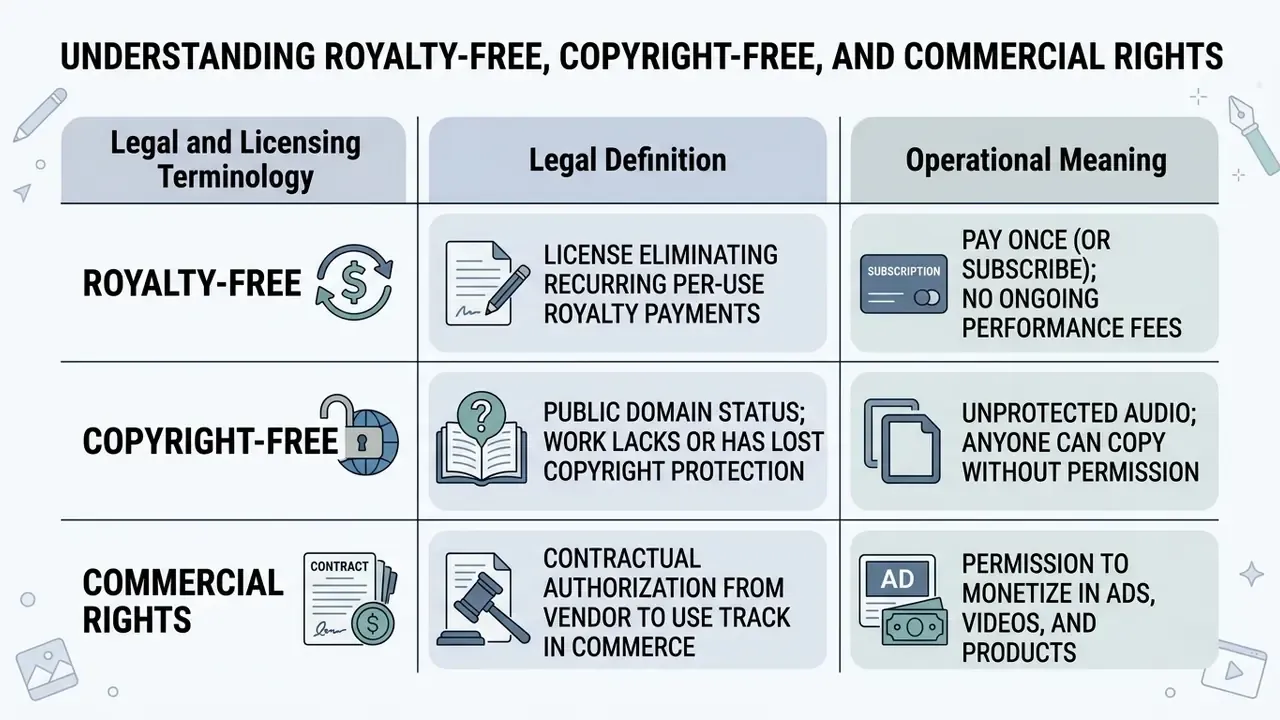
These three attributes are independent of each other. A track can be royalty-free and commercially licensed while remaining protected, and a track can lack copyright protection while still being restricted by contract. Marketing copy promising "100% royalty-free, copyright-free, commercial use included" on a free plan should be read against the actual terms of service, which in most retrieved vendor agreements limit free-tier output to personal, non-commercial evaluation.
Recent determinations by the US Copyright Office put human creative control at the center of the analysis.
«Prompts alone do not provide sufficient human control to make users of an AI system the authors of the output.»
Typing a prompt or pasting lyrics into a generative music model does not, by itself, establish authorship over the resulting audio file. Readers weighing the same question across other modalities can review the companion analysis of commercial use of AI-generated content, where the authorship logic maps almost one to one onto visual output.
Federal litigation by major record labels adds a second front, focused on training rather than output.
«On June 24, 2024, Universal Music Group, Sony Music and Warner Music sued Suno and Udio, alleging training on copyrighted recordings infringes copyright.»
Separately, the US Copyright Office has advised the Mechanical Licensing Collective that AI-generated music is not eligible for the Section 115 blanket license, which excludes such works from that royalty distribution mechanism.
Enterprise Risk Factor: Training Data Lineage and Ethical AI
Output copyright is the visible layer. Training lineage is the second, quieter one, and it is where brand exposure actually sits.
Leading commercial platforms now publish a verifiable chain of custody for their training sets, certifying that their diffusion and dual-sequence models were trained only on legally purchased, opt-in, or open-source audio from licensed sources whose terms permit model training. Three attributes to demand in vendor due diligence:
- Ethically sourced data. Written confirmation that training corpora were licensed or purchased, not scraped from commercial catalogs.
- Verifiable chain of custody. A documented, auditable trail for every training dataset, available on request rather than asserted in a marketing deck.
- Copyright-clean output warranty plus indemnification. Contractual coverage for secondary infringement claims arising from training-data ingestion, not only from generated output.
Vendors that cannot evidence provenance are, in effect, transferring that risk to the brand publishing the audio. Worth saying plainly.
To reduce commercial exposure:
Commercial Deployment Checklist (Pilot to Production)
Run this gate before any AI-generated track enters a public campaign, broadcast, or monetized channel.
| # | Control | Evidence to retain |
|---|---|---|
| 1 | Active paid plan with an explicit commercial-rights clause at time of generation | Invoice, plan screenshot, license certificate where issued |
| 2 | Prompt, exclude tags, model version, seed, and timestamp logged | Generation log export or internal audit record |
| 3 | Lyrics screened for third-party lyrics, trademarks, and identifiable public figures | Screening note and final approved lyric sheet |
| 4 | Human contribution documented (edited lyrics, MIDI rearrangement, live overdubs, mix decisions) | DAW project file, stem exports, revision history |
| 5 | Vendor training-data provenance and indemnification confirmed | Vendor DPA or terms excerpt, chain-of-custody statement |
| 6 | Source masters, stems, and MIDI archived alongside the campaign asset | Versioned storage location and retention period |
Any unchecked row should block publication rather than trigger a workaround. That is the whole point of a gate.
Use Case Matrix: Which Feature Fits Which Role
| Target user | Key feature used | Operational output |
|---|---|---|
| Game developers | Text-to-song + instrumental toggle + exclude vocals | Adaptive background soundscapes, retro-arcade loops, boss-fight cues, no licensing negotiation |
| Podcasters | AI lyrics generator + short render + Extend | Branded intros, outros, and transition jingles matched to episode length |
| Social creators and influencers | Text-to-song + AI singing photo | Hooks for Shorts, Reels, and TikTok, plus lip-synced avatar clips from one image |
| Musicians and songwriters | Lyrics-to-song + MIDI export | Fast demo sketches, then DAW rearrangement with human instrumentation for authorship |
| Rap and hip-hop artists | AI beat maker for lyrics + rhyme-constrained tools | Bars over generated beats, with rhythm-grid alignment and sub-bass emphasis |
| Video producers and filmmakers | Style prompt with BPM + Replace Section | Scene-matched cues, re-timed to picture without re-licensing |
| Brands and marketers | Text-to-song + commercial tier + exclude tags | Jingles and campaign beds across many ad variants at fixed subscription cost |
| Music educators | Chord progression prompts + MIDI export | Audible and visual breakdown of harmonic progressions for classroom analysis |
| Audio archivists | MSS stem separation + audio enhancement | Noise reduction and vocal recovery on degraded legacy recordings |
| Enterprise compliance teams | Seed and prompt logging + chain-of-custody review | Reproducible audit evidence and vendor risk documentation |
FAQ: Frequently Asked Questions About AI Song Makers
How Long Does AI Song Generation Take?
End-to-end generation usually takes 15 to 180 seconds on modern cloud infrastructure. Latency is governed by track duration, output sample rate (44.1 kHz stereo, typically), queue load, and model complexity. Optimized research models render a 30-second clip in under 15 seconds, while full 3-minute compositions from enterprise dual-sequence diffusion models average 120 to 180 seconds. One cloud vendor publishes 184 seconds for its professional full-song model, and a major inference host reports a median near 137 seconds with demand-dependent queueing.
«The AIME dataset collected 15,600 pairwise comparisons from 2,500+ listeners across 6,000 tracks and 12 models.» AIME dataset (2024–2025). https://ismir.net That benchmark matters because speed is only half the equation. Human preference testing at this scale remains the most reliable proxy we have for perceived musical quality across competing models.
Can AI Song Generators Create Music in Different Languages?
Yes. Leading generators support multilingual singing voice synthesis across more than 20 languages, including English, Spanish, Mandarin Chinese, Japanese, French, German, Korean, Cantonese, Italian, and Portuguese. Systems such as TCSinger 2 use cross-lingual International Phonetic Alphabet (IPA) phoneme mapping to convert non-English lyric sheets into accurate singing pronunciation while holding vocal timbre stable.
«TCSinger 2 achieves zero-shot cross-lingual singing style transfer; listeners rate naturalness and style accuracy above baseline models.» Yan et al. (2024). https://acm.org Related research reinforces the mechanism. Multilingual SVS systems build merged phoneme inventories across languages, shared phoneme representations improve code-switched performance without degrading the primary language, and adding monolingual speech or singing data measurably improves pronunciation and pitch accuracy. Residual accent artifacts and uneven cross-lingual phoneme coverage remain the most commonly reported weaknesses, so audition non-English renders line by line rather than trusting the first pass.
Can I Export AI Songs as MIDI for My DAW?
On paid tiers, yes. MIDI export delivers note values, timing, and pitch data instead of rendered audio, so you can replace AI-synthesized instruments with your own VSTs, re-voice chords, or re-quantize rhythm in Ableton Live, FL Studio, or Logic Pro. Free tiers almost universally restrict export to MP3. Beyond convenience, MIDI-level rearrangement is one of the cleanest ways to create documentable human authorship on top of an AI draft.
Can I Use My Own Voice as the AI Singer?
Yes, via custom voice model training. Upload 1 to 5 minutes of dry, unaccompanied singing, let the platform build a Custom Voice Persona, then assign that persona to later lyric or cover generations. Persona storage limits scale with plan tier. Train only on voices you own or have documented permission to use, and store that consent with the training audio.
Is Free AI Music Really Royalty-Free and Safe for Commercial Use?
Treat "100% royalty-free" banners as marketing, not license text. In the vendor terms reviewed for this guide, free-plan output is licensed for personal, non-commercial evaluation only. Commercial rights attach to paid plans, and sometimes only to content generated during the active subscription term. "Royalty-free" never means "copyright-free," and neither term settles whether the underlying model was trained on licensed data. Verify the plan clause, the training-provenance statement, and for higher-stakes campaigns the indemnification terms.
What Should I Log for Audit and Reproducibility?
Store prompt text, exclude and negative tags, model name and version, random seed or task ID, generation timestamp, plan status at the moment of generation, and the exported master. That record satisfies most model-risk reviews, allows reconstruction of a specific render, and documents the iterative human decisions that strengthen any authorship argument later.
Why Did My Track Come Back Distorted or Truncated?
Three usual suspects: a moderation trigger inside the lyrics, an unstructured wall of text with no section tags, or an input that exceeded the character limit and was silently truncated. Isolate the failing line by splitting the sheet in half, re-tag the structure, then regenerate. If two variants both come back wrong in the same place, the problem is almost always the text, not the model. For operational assistance and troubleshooting technical errors, visit AI Media Support and Troubleshooting or consult the complete AI Media Glossary.