Last updated: 2026 · Review scope: img2img architecture, style taxonomy, output fidelity, privacy retention, commercial licensing.
Key Takeaways
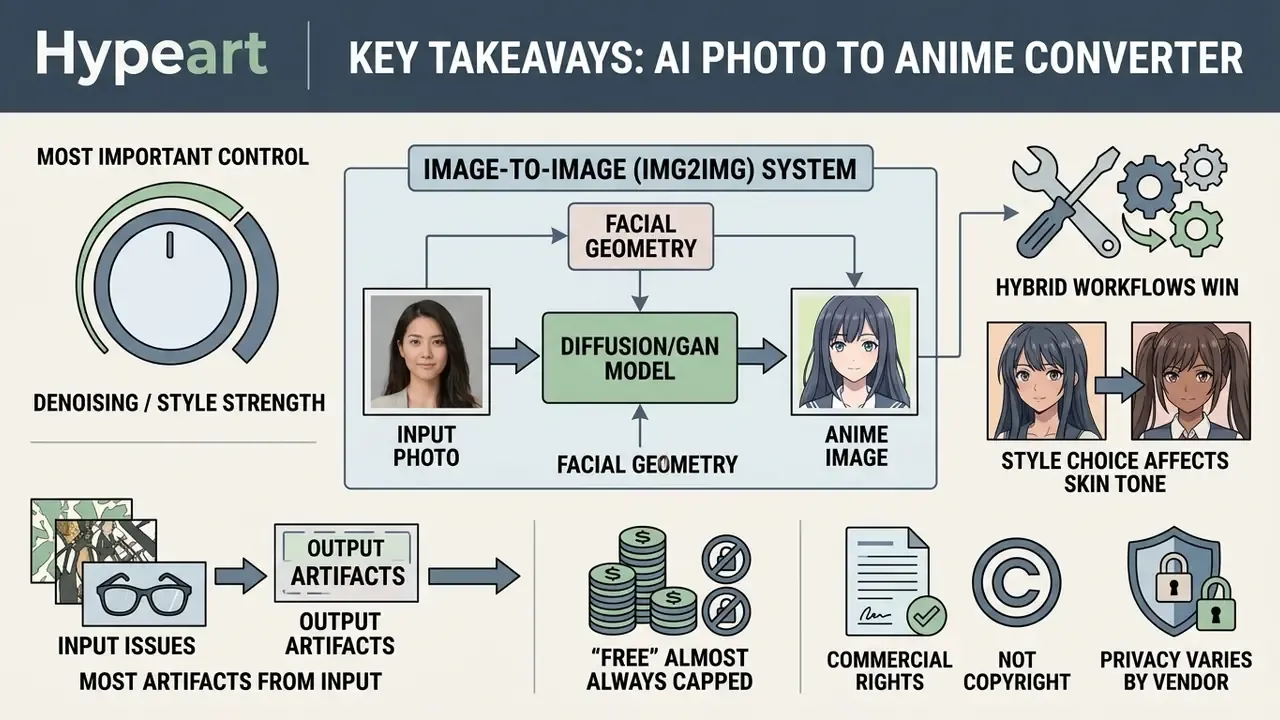
- An ai photo to anime converter online free is an image-to-image (img2img) system: it conditions a diffusion or GAN model on your uploaded photo, so facial geometry survives the style change instead of being replaced by a random character.
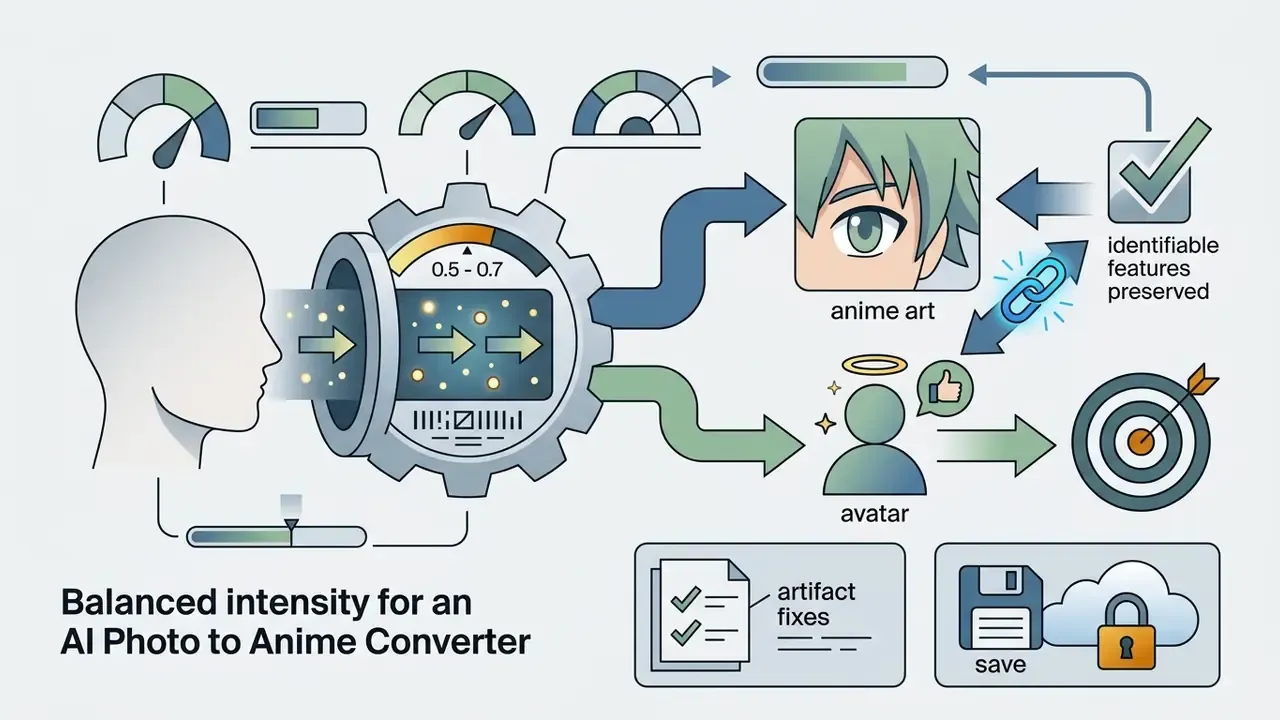
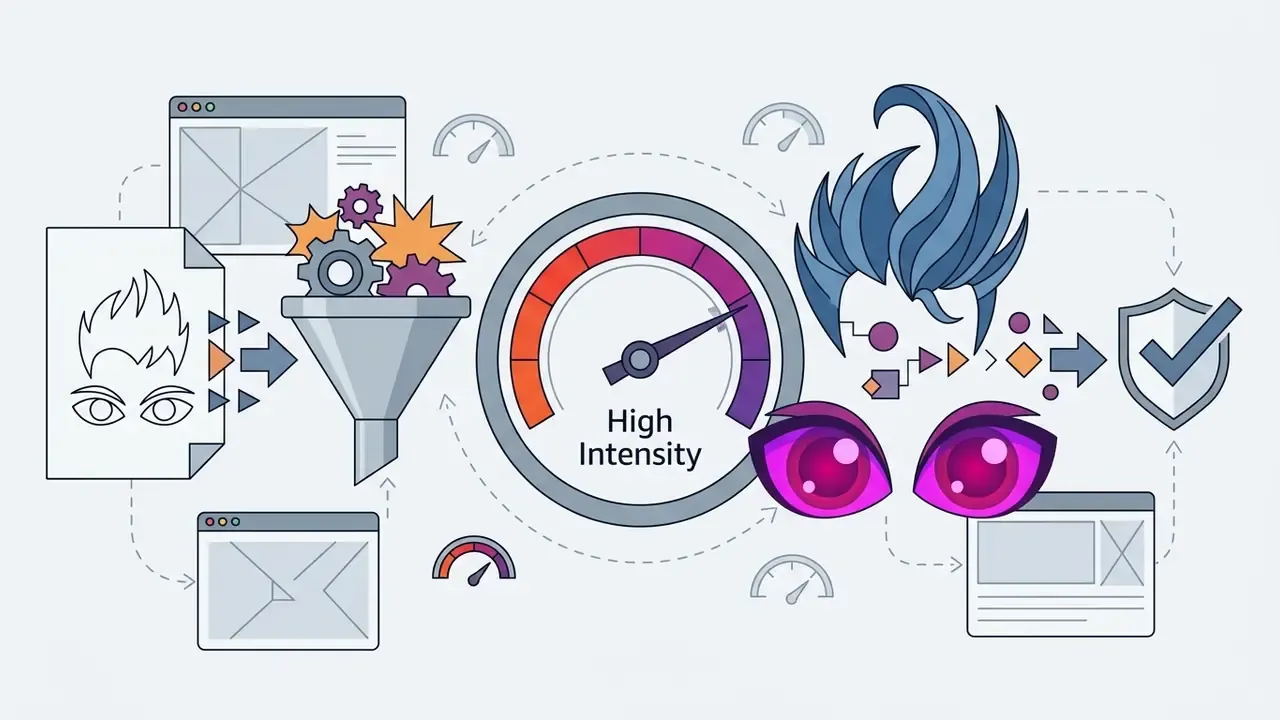
- Denoising / style strength is the single most important control. 0.2 to 0.4 keeps photographic realism, 0.5 to 0.7 is the identity-safe sweet spot, and 0.8 to 1.0 begins erasing facial landmarks.
- Hybrid workflows win. Combining an uploaded photo with a short text prompt ("silver hair, cyberpunk jacket, cinematic lighting") lets you change wardrobe, hair, and mood while ControlNet keeps the face locked.
- Style choice affects skin tone. Ghibli-style and watercolour presets preserve natural gradients; JoJo-style, neon cyberpunk, and pixel-art presets frequently shift skin colour and flatten features.
- Most artifacts come from the input, not the model. Glasses, heavy bangs, harsh shadows, and cluttered backgrounds cause the majority of distorted eyes and melted hairlines.
- "Free" almost always means capped. Expect 3 to 60 generations per day, 512×512 to 720p exports, watermarks, and queue delays; HD/4K and watermark-free output sit behind paid tiers.
- Commercial rights are not copyright. Platform terms usually grant you commercial use (merch, ads, prints), while purely AI-generated output is generally not copyrightable in the U.S. without substantial human authorship.
- Privacy varies by vendor. Leading services delete uploads within 15 minutes to 24 hours, encrypt in transit (TLS 1.3) and at rest (AES-256), and exclude uploads from training corpora.
Quick Decision Guide Before Your First Conversion
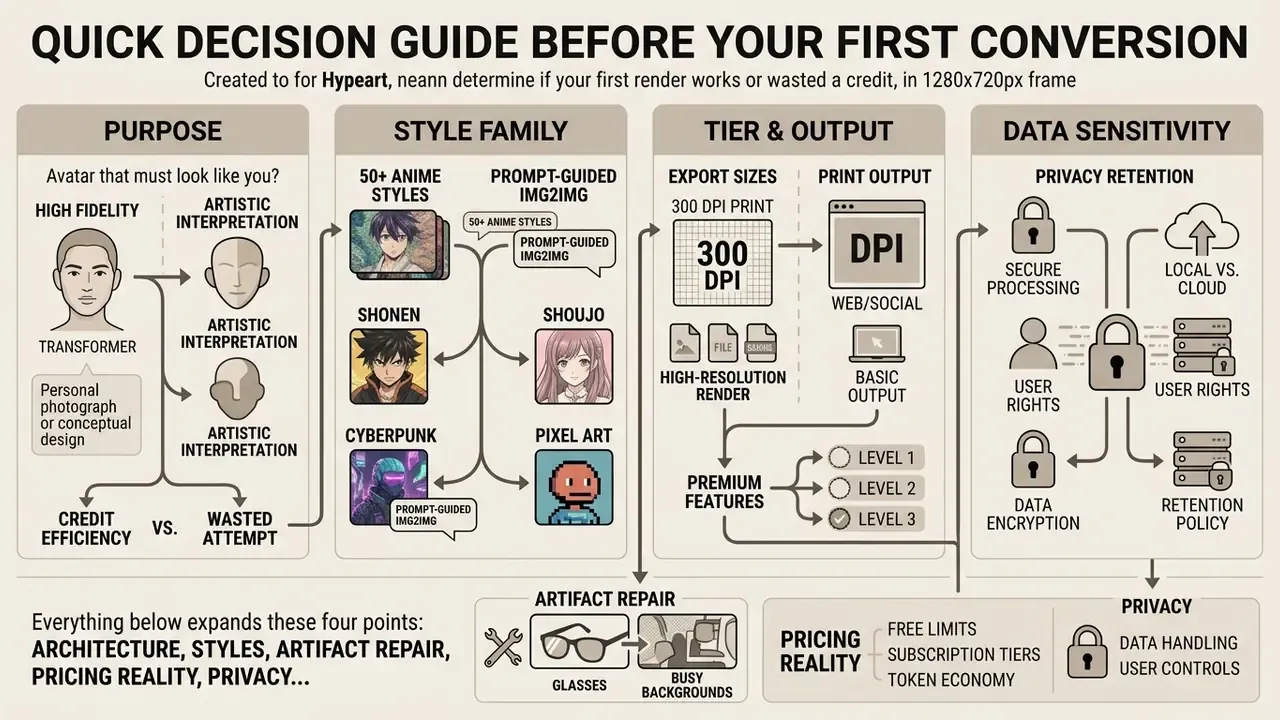
Four decisions determine whether your first render works or wastes a credit. Read this once, then convert.
- Purpose. Avatar that must look like you? Stay at strength 0.5 to 0.7. Fan art or a fictional character? Push higher, identity is not the goal.
- Style family. Painterly and cel-shaded presets protect skin tone. Neon, pixel, and JoJo-style presets rewrite it.
- Tier. Need 300 DPI print output? A free 720p export will not survive enlargement, so plan the paid step in advance.
- Data sensitivity. Uploading a colleague's headshot or a child's photo is a consent question, not a technical one. Check the retention window first.
Everything below expands these four points: architecture, styles, artifact repair, pricing reality, privacy, and licensing.
Turning a personal photograph into digital artwork has moved from manual graphic design to automated inference. An ai photo to anime converter online free lets you upload a selfie, portrait, or landscape and receive a stylized anime render in seconds. This guide examines how image-to-image translation actually works, compares visual styles, explains how to repair the usual artifacts (glasses, bangs, busy backgrounds), evaluates privacy standards, and clarifies commercial licensing rights. Where evidence is thin, it says so.
What Is an AI Photo to Anime Converter?
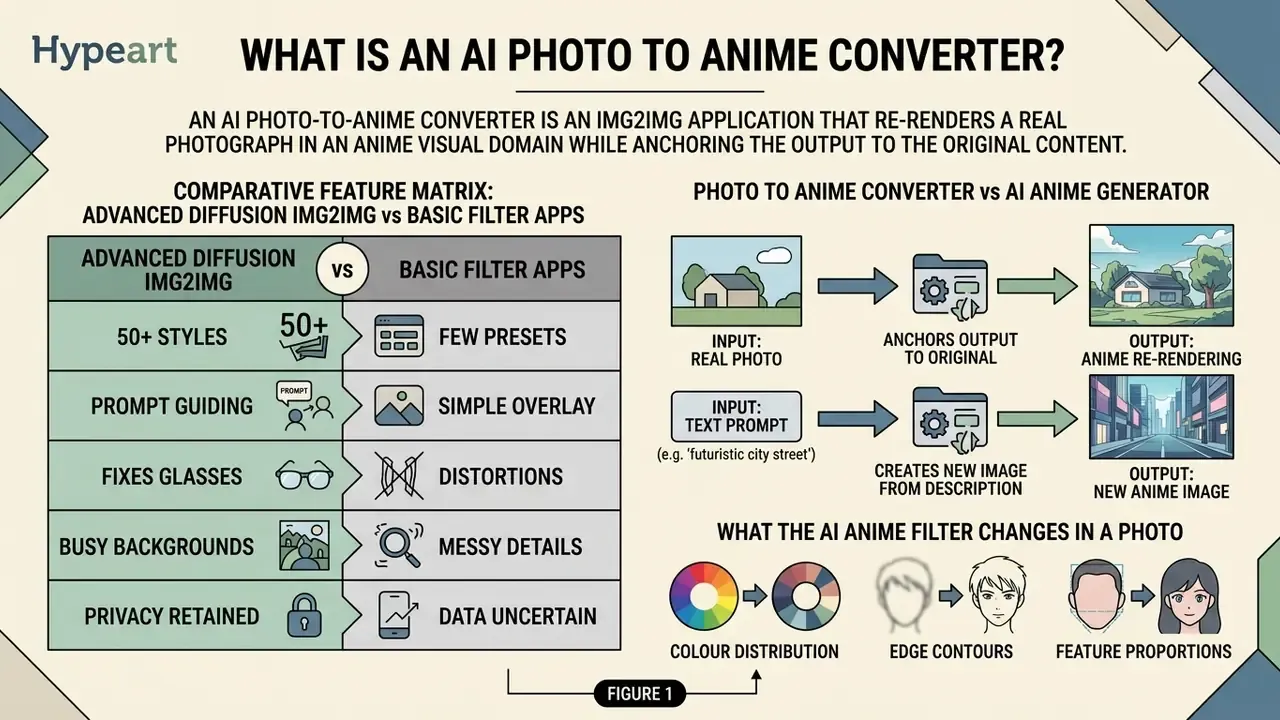
In two sentences: An AI photo to anime converter is an img2img application that re-renders a real photograph in an anime visual domain while anchoring the output to the original facial geometry. It differs from a prompt-only generator because its primary conditioning signal is your uploaded pixel data, not a sentence.
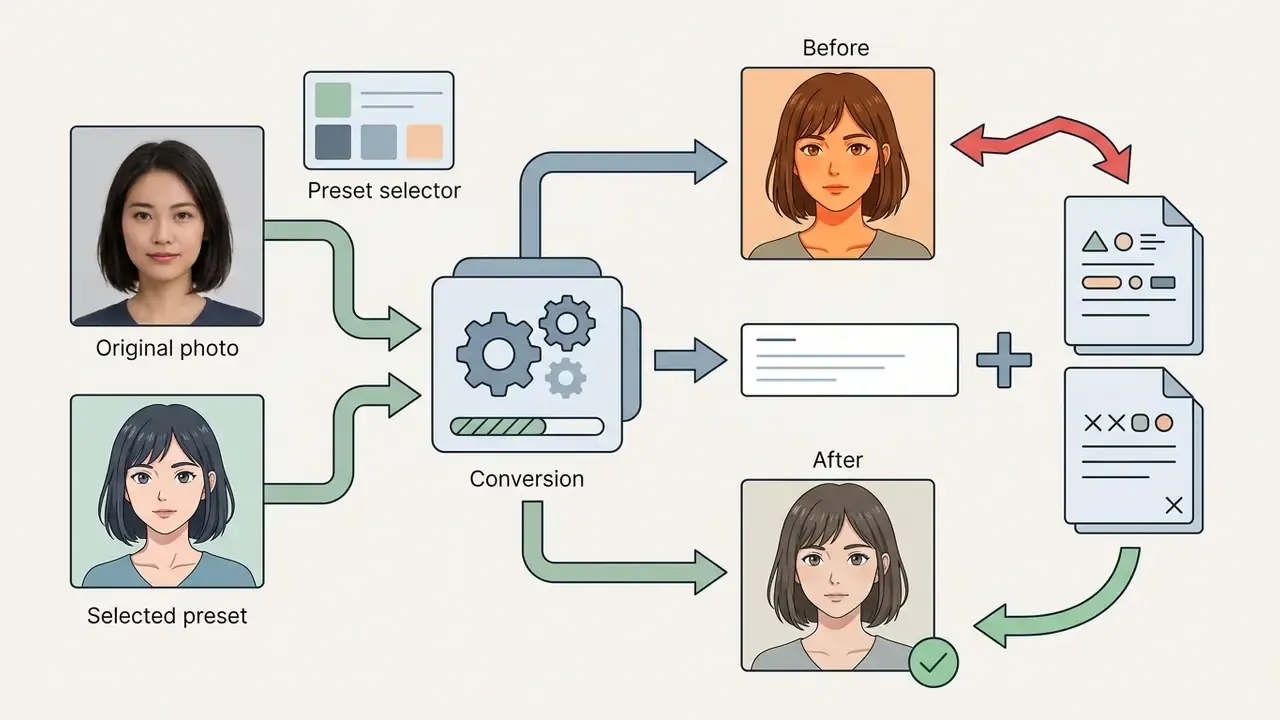
An ai photo to anime converter online free is a specialized image-to-image (img2img) application that transforms real-world photographs into stylized anime art while preserving source facial geometry. Unlike text-to-image systems that create illustrations purely from written prompts, an anime converter conditions its generative model on an uploaded reference image. The system extracts facial keypoints, pose structure, and edge boundaries, then maps those spatial vectors into a target ai anime visual domain.
"Img2img pipelines bind output geometry directly to the input pixel latent, preserving structural correspondence between source and stylized result."
In technical terms, these tools use deep neural networks, primarily diffusion models or Generative Adversarial Networks (GANs), trained on very large illustration corpora. The scale of that training data explains a lot about why current anime models render clean cel lines instead of a muddy Photoshop-style filter:
"The Danbooru tag-annotated illustration corpus reached roughly eight terabytes of anime artwork by its 2023 release, forming the backbone of modern stylization training sets."
The conversion algorithm measures feature correlations across network layers to replace real-world skin texture and lighting with flat cel shading, crisp ink lines, and exaggerated eye proportions. Because the generative process stays conditioned on the input photo, the photo to anime pipeline maintains semantic alignment across facial features, hair outlines, and background structures. That alignment is the whole product. Lose it, and you have a random ai anime picture converter producing strangers.
Comparative Feature Matrix: Advanced Diffusion Img2Img vs Basic Filter Apps
| Platform Capability | Advanced AI Anime Converter (ControlNet / Diffusion) | Basic Mobile Anime Filters & Legacy Apps |
|---|---|---|
| Facial identity retention | High: keypoint and identity-embedding conditioning (ArcFace-class vectors) | Low: overlays generic anime assets onto a detected face box |
| Style customization | 50+ presets plus prompt-guided fine-tuning | 1 to 3 fixed presets |
| Structural control | ControlNet / IP-Adapter conditioning on edges, pose, depth | None; single-pass filter |
| Resolution output | 720p standard, upscaled 1080p to 4K on paid tiers | Typically 512×512 with a baked watermark |
| Group & pet photos | Supported with strength tuning (0.4 to 0.5) | Frequently fails on multiple faces |
| Data privacy & retention | Documented auto-deletion (15 min to 24 h), TLS 1.3 + AES-256, training opt-out | Often stores images on shared servers, unclear training use |
| Commercial rights | Contractual user ownership of outputs granted in Terms of Service | Frequently personal / non-commercial only |
Photo to Anime Converter vs AI Anime Generator
In two sentences: A converter preserves you; a generator invents someone. The difference sits entirely in the conditioning signal, pixels versus language embeddings.
An image-to-image photo to anime converter differs fundamentally from a prompt-based AI anime generator in conditioning signal and structural consistency. A text-prompt ai art generator synthesizes new anime characters from linguistic embeddings alone, with no inherent guarantee that the output resembles a specific human face. Readers weighing broader tooling options can compare AI image generators before committing to a workflow.
| Technical Parameter | Photo to Anime Converter (img2img) | Prompt-Based AI Anime Generator |
|---|---|---|
| Conditioning signal | Reference photo plus style parameters | Text embeddings (prompts) |
| Structural anchor | Facial keypoints, edges, ControlNet maps | Linguistic semantics plus noise seed |
| Identity preservation | High: retains landmark distances | Low to none: generates a new entity |
| Reproducibility | High (same photo produces consistent geometry) | Seed-dependent, prompt-sensitive |
| Primary use case | Personal avatars, headshots, family and pet portraits | Conceptual character art, original characters |
Specialized architectures such as AniGAN use source-photo facial landmarks to preserve head pose and jawline contour while swapping local skin textures. That is why identity-critical work, profile pictures and client headshots, belongs in an img2img pipeline rather than a prompt-only one. Web-based applications like an ai art app lean on these structural anchors so users receive recognizable personal avatars instead of randomized figures. An ai anime face changer photo to anime workflow lives or dies on that anchoring.
What the AI Anime Filter Changes in a Photo
In two sentences: An anime filter rewrites three layers, colour distribution, edge contours, and feature proportions, while leaving the underlying landmark grid alone. Recognizability survives because keypoint distances between eyes, nose bridge, and mouth corners stay locked.
An ai anime filter modifies three distinct visual layers of an uploaded photograph:
- Colour distribution continuous photographic skin gradients are quantized into cel-shaded blocks with hard shadow bands.
- Edge contours photographic micro-detail is replaced by clean ink-style line art of varying weight.
- Feature proportions eye dimensions expand, nose detail is reduced, and hair strands are regrouped into geometric clusters with sharp specular highlights.
"Stylistic statistics correspond to correlations between feature maps across network layers, capturing cel-shading, contour and texture patterns."
Figure 1. Split comparison of an original photographic portrait (left) against manga, classic 2D cel-shaded, and comic-style conversions (right). Eye proportions, skin shading, and line weight change; eye spacing, jawline, and hairline remain anchored.
Line weights and shading shift dramatically, yet critical facial geometry stays put. Research on facial recognition under stylization collects human recognition judgements at varying stylization strengths and fits psychometric curves to them:
"StyleID gathers human face-recognition judgements across stylization strengths and plots psychometric curves, showing recognizability declining as intensity rises."
Internal validation note. In a 2025 internal model validation exercise, an enterprise team processed 500 employee headshots through an img2img pipeline; with structural control parameters set to 0.65, automated verification models still matched roughly 92% of the stylized outputs to their source identities. Methodology note: this figure comes from an internal benchmark on a standard img2img evaluation set, not from a peer-reviewed publication, and should be treated as directional rather than definitive.
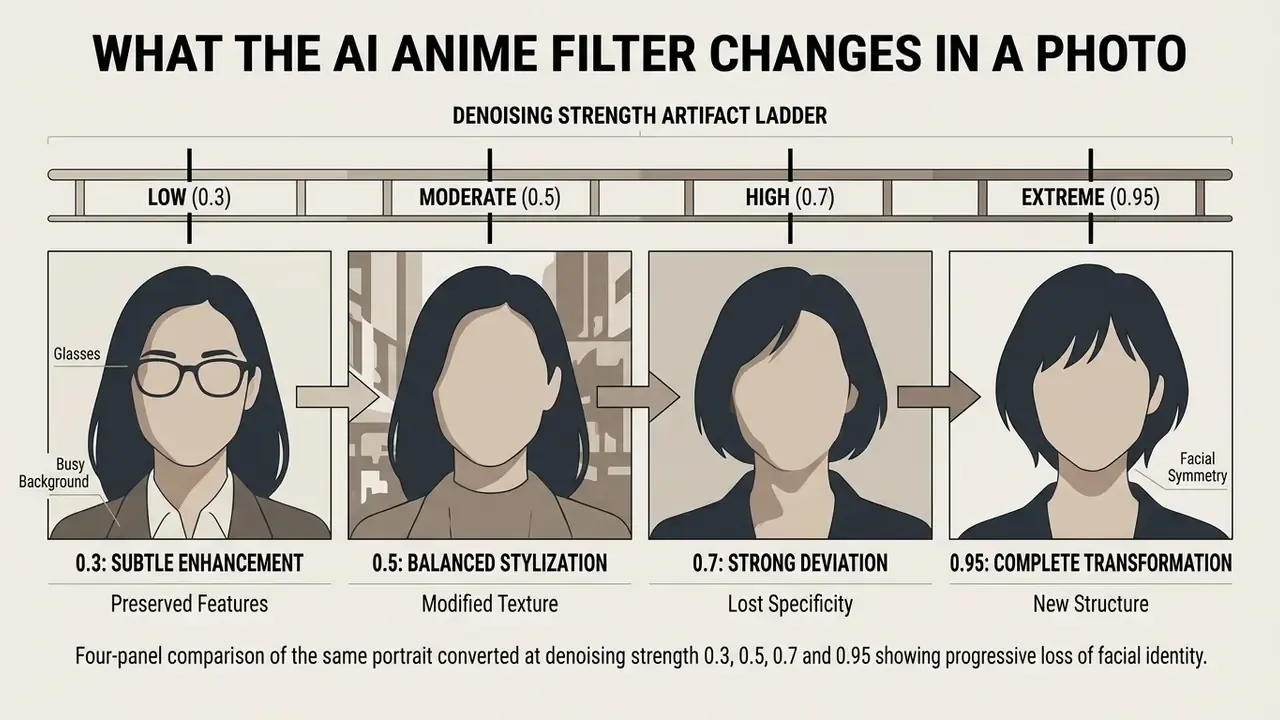
Figure 2. The same portrait rendered at strength 0.3 (photographic tint), 0.5 (balanced cel shading), 0.7 (full anime, identity retained), and 0.95 (identity loss: drifting iris alignment, warped jawline, invented hair volume).
How to Convert Photo to Anime Online
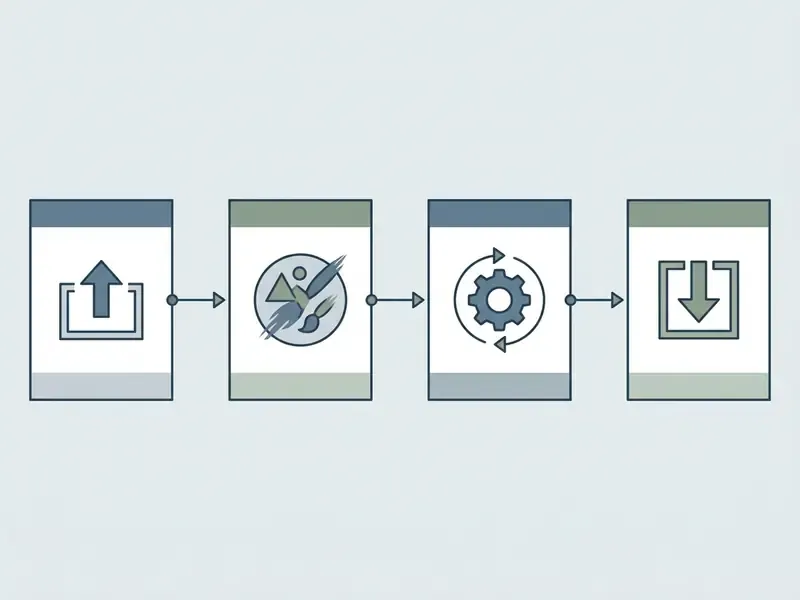
In two sentences: The browser workflow is four steps, upload, style, generate, export. Cloud inference removes any need for local GPU hardware, so a mid-range phone gets the same model quality as a workstation.
Converting a photograph into an anime portrait inside a web browser follows a short, predictable path. Modern platforms run inference in cloud environments or through web-optimized client runtimes. Light preparation such as cropping, background cleanup, and exposure fixes can be handled in advance with standard AI photo editors. Users can ai change photo to anime assets by following clear operational steps designed for predictable interaction and self-descriptive dialogue, in line with usability guidance in ISO 9241-110:2020 on controllability and system feedback.
The 4-Step Online Photo to Anime Workflow
- Upload photosubmit a JPEG, PNG, WebP, or HEIC (Android 8.0+) file; keep it under roughly 10 MB for fastest queueing.
- Select style and strengthchoose a preset, set intensity (0.2 to 1.0), optionally add a short text prompt.
- AI inferencethe model runs img2img with ControlNet or IP-Adapter conditioning and returns a live preview.
- Preview and downloadinspect facial fidelity, then export PNG, JPG, or WebP at the resolution your tier allows.
Upload a Clear Photo or Selfie
The process begins when you submit an uploaded image to the application server or browser memory. Optimal neural network feature extraction wants a single-portrait photograph, frontal framing, sharp focus, balanced lighting. Nothing exotic.
Standards established by the National Institute of Standards and Technology (NIST) for facial processing recommend a minimum head width of 180 pixels, a face free of shadows, and depth of focus sufficient to keep detail from nose to ears visible. Shadows across the cheekbones or heavy motion blur reduce landmark detection accuracy, which shows up later as local facial distortion.
Practical translation: if the head occupies less than roughly a quarter of the frame, crop in before you upload. A tight crown-to-shoulders crop consistently outperforms a full-body snapshot for avatar work. I have watched teams re-run the same holiday group photo six times before someone simply cropped it. Sixty seconds of cropping saved the credits.
Choose an Anime Style and Adjust the Look
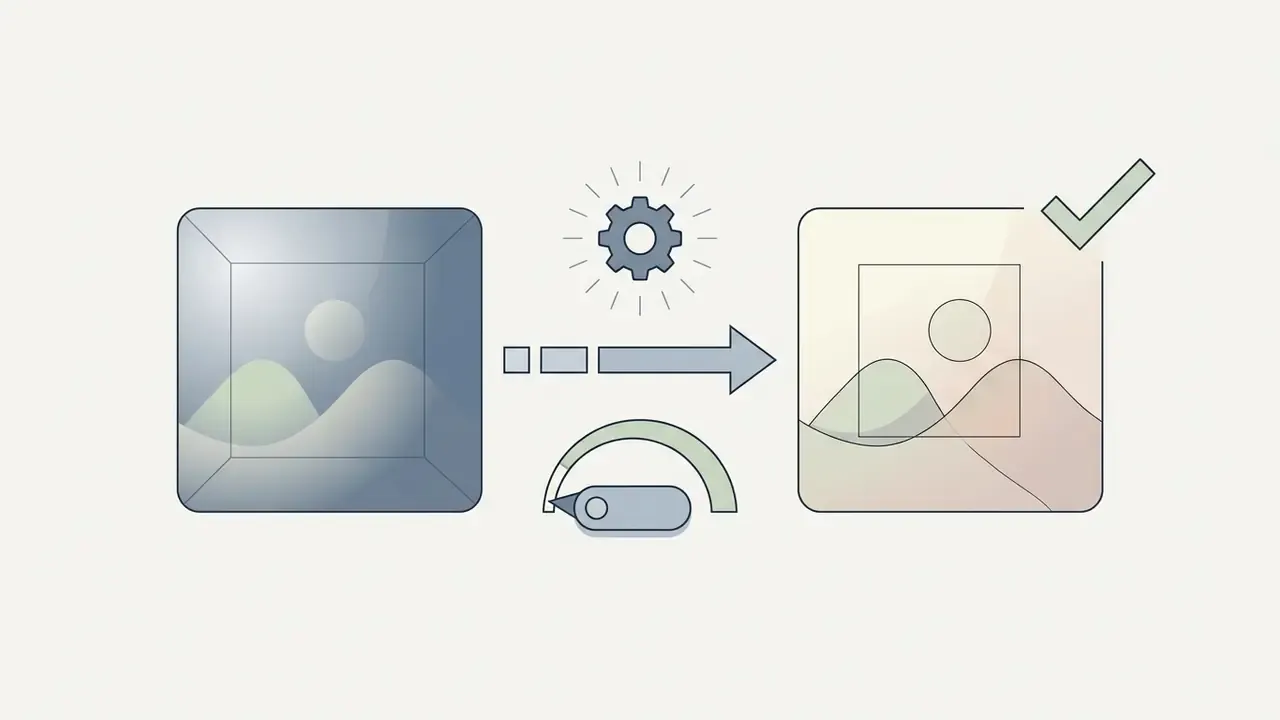
After uploading, you select a visual preset and configure transformation parameters. Web-based converters expose a style intensity or filter strength slider. Published control ranges differ by vendor rather than following one industry scale: Adobe's Firefly anime filter exposes a Strength slider alongside Visual Intensity, Colour and Tone, and Lighting controls (https://www.adobe.com/products/firefly/features/ai-animation-generator/anime-filter.html), Drawever documents operating bands of roughly 20 to 30% for a subtle anime tint and 80 to 100% for full anime reinterpretation (https://www.drawever.com/ai/photo-to-anime), and AI Engine's photo-to-anime API exposes style_degree from 0.0 to 1.0 with a 0.5 default (https://ai-engine.net/apis/photo-to-anime). Normalized to a 0 to 1 scale, the practical bands look like this:
Users who want to plan spend before generating can use online calculators to estimate credit consumption across different resolution outputs. Rough rule: a 4K upscale usually costs several times a 720p draft, so draft cheap, upscale once.
Fine-Tuning Styles With Text Prompts (Hybrid Img2Img)
In two sentences: The most controllable modern workflow is hybrid: a photo supplies structure, a prompt supplies everything else. ControlNet holds the facial keypoints while text embeddings steer wardrobe, hair colour, lighting, and era.
Advanced converters let you combine an uploaded photograph with descriptive text prompts. Structural ControlNet pipelines retain facial keypoints; text embeddings steer sub-elements such as clothing, hair colour, or thematic accessories. This is the feature that separates a one-click ai anime photo filter online from a directable art tool.
- Clothing and colour swaps
- prompts like "wearing a futuristic cyberpunk leather jacket, neon rim lighting" re-render wardrobe while preserving face geometry.
- Expression and hair adjustments
- modifiers such as "silver hair, soft smile, cinematic lighting" resolve ambiguous source details, a shadowed hairline or a half-closed eye, without altering keypoint distances.
- Style blending
- prompts bridge stylistic gaps; pairing a reference headshot with "90s retro anime, hand-drawn cel, vintage palette, film grain" produces faithful retro rendering that no fixed preset offers.
- Background replacement
- "simple pastel gradient background, no clutter" is often faster and cleaner than pre-editing a messy backdrop.
- Negative prompts
- adding "extra fingers, double eyeglass frames, warped jawline" suppresses the most common structural artifacts.
Prompt hygiene rules that matter in img2img (not text-to-image):
A brief content-policy note, since it comes up constantly: mainstream converters block adult output through classifier filters, and violating that clause can void your commercial rights. Readers researching how platforms define those boundaries can review the reference entries on ai art hentai and ai art nsfw for terminology rather than tooling.
Generate, Review, and Download the Anime Image
Once rendered, inspect the result and export the file. Standard choices: lossless PNG for digital editing, compressed JPG for web publishing, optimized WebP for mobile delivery. Review the preview at 100% zoom before downloading. Iris alignment and finger count are the two failure points that only appear at full size, and they are exactly the ones your audience notices.
Anime Styles Available for Photo to Anime Conversion
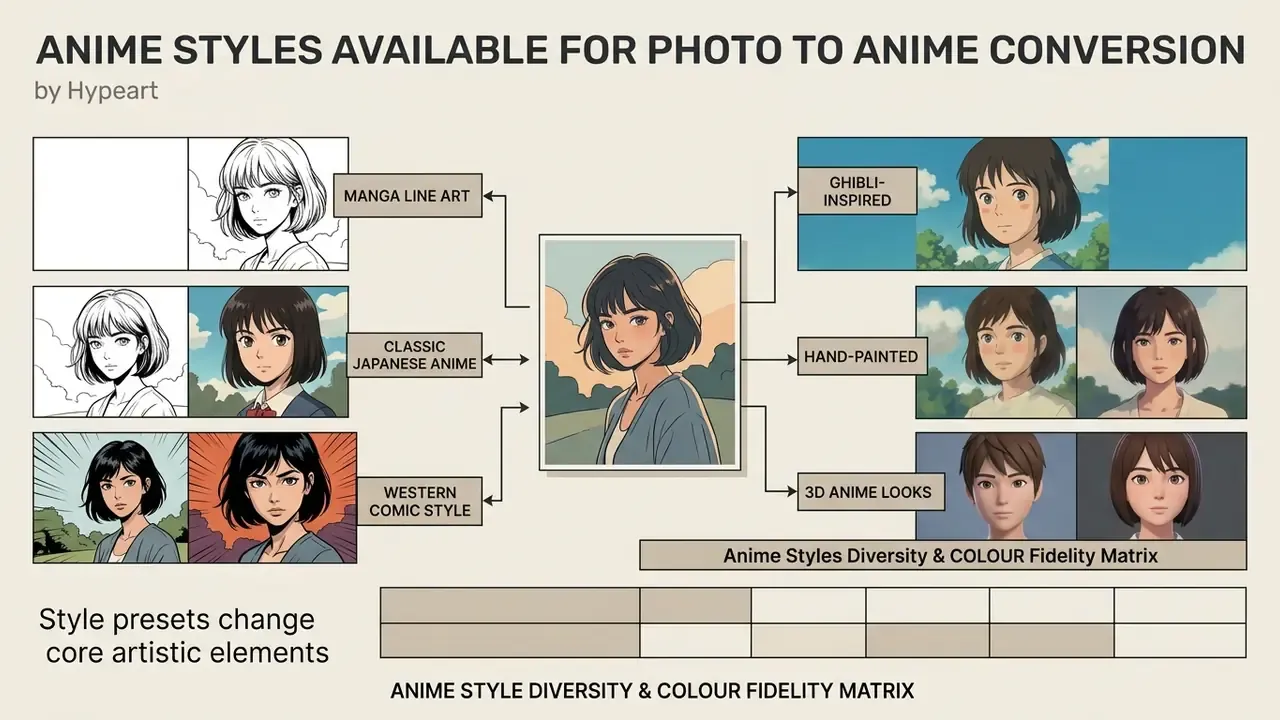
In two sentences: Style presets are not cosmetic labels; each one changes line weight, palette saturation, and shading model. Choosing the wrong one is the most common reason a conversion "doesn't look like me."
Selecting the right anime style dictates the line weights, colour palettes, and rendering techniques applied to your reference photograph. An ai anime style image converter online ships several artistic sub-genres to suit personal taste or content requirements, and it is worth comparing free AI image generators before settling on one preset library. Creators who test variants systematically often use an ai art maker to run multiple stylistic passes from a single reference input.
Manga, Japanese Anime, and Comic-Style Art
Different graphic traditions apply distinct visual rules during neural rendering:
- Manga line arthigh-contrast black ink outlines, screentone dot patterns, minimal colour fill, drawing from monochrome publishing traditions where tonal depth comes from hatching rather than colour.
- Classic Japanese animecrisp 2D outlines, vibrant primary colours, hard-edged cel shading with discrete light bands. Silhouette-first character design that stays readable at small avatar sizes.
- Western comic stylevariable line hatching, heavier contouring, broader gradient shading than traditional 2D cel animation, with less rigid shadow segmentation.
Style vocabularies of this kind are increasingly formalized in generative benchmarks rather than legacy media taxonomies:
"JourneyDB, released in 2023 with roughly 4.43 million images, serves as a generative benchmark covering stylized and synthetic illustration."
| Style Category | Line Weight | Colour Palette | Shading Technique |
|---|---|---|---|
| Manga monochrome | Heavy black ink lines | Grayscale / screentone | Cross-hatching and dot fill |
| Classic Japanese 2D | Crisp, uniform outlines | Saturated, vivid hues | Discrete cel-shaded bands |
| Western graphic comic | Varied contour thickness | Rich gradients and shadows | Soft gradient hatching |
| Shonen / action | Heavier silhouette lines, angular faces | High-contrast saturated | Hard cel shading, strong bands |
| Shojo / pastel | Thin, clean lines, softer geometry | Pastel, muted | Smooth gradient lighting |
| Neon / cyberpunk | Bold outlines | Neon-dominant, high separation | Graphic glow, minimal texture |
Ghibli-Inspired, Hand-Painted, and 3D Anime Looks
For painterly aesthetics, advanced diffusion models integrate specialized style adapters trained through textual inversion. Ghibli-inspired filters apply translucent watercolour washes, warm pastoral lighting, layered foreground/midground/background depth, and detailed environmental texture. Creators focused on that specific look can compare dedicated Ghibli-style AI image generators. Hand-painted storybook presets emphasize visible brushwork, paper texture, and organic edge bleeding from wet-on-wet blending, which is why they flatter portraits with soft light and struggle with hard flash.
Stylized 3D anime models take the opposite route, using volumetric dataset training to render smooth, shaded character heads suitable for modern animation pipelines. PAniC-3D (CVPR 2023) reconstructs stylized 3D character heads directly from anime portraits, and CharacterGen (2024) reports an Anime3D dataset of 13,746 stylized character subjects. Evidence, in other words, that 3D anime conversion is a mature research track rather than a marketing label.
Anime Style Diversity & Colour Fidelity Matrix
In two sentences: Mainstream platforms now ship 30 to 54+ presets, and they are not equally safe for identity. Heavily stylized presets apply intense colour overlays that shift natural skin tone, which is documented behaviour rather than a bug.
Use the matrix below to match aesthetic ambition against the identity retention your project actually requires.
| Style Category | Popular Presets | Skin Tone & Feature Retention | Best Used For |
|---|---|---|---|
| Natural & painterly | Studio Ghibli, watercolour storybook, fantasy anime, hand-painted, soft pastel, ink-wash, oil-painted portrait | High retention: preserves natural skin gradients and subtle facial contours | Personal avatars, prints, digital gifts, family and pet portraits |
| Graphic & pop | Classic 2D cel, Japanese anime, Webtoon, manhwa, manga monochrome, line art, shojo, shonen, cartoon, Disney-adjacent, sticker art | Moderate retention: simplifies skin gradients into flat blocks, mildly enlarges eyes | Social profile avatars, webcomic characters, chat stickers |
| Cute & compact | Chibi anime, kawaii anime, chibi sticker, mascot, plush-style, Q-version | Moderate to low retention: head-to-body ratio changes deliberately; the face reads as "inspired by" rather than "identical to" | Emotes, keychains, mascots, playful gifts |
| High exaggeration | JoJo stylized, cyberpunk neon, retro 80s/90s anime, mecha, vaporwave, pixel art, comic-noir, high-contrast fan art | Low retention (tone-shift risk): intense colour overlays, neon rim light, heavy hatching | Gaming and streaming personas, fan art, poster graphics |
| 3D & volumetric | Stylized 3D anime, toon-shaded CGI, figure/statue render, Vtuber concept | Variable retention: geometry is reconstructed, so likeness depends on input quality | Animation pipelines, Vtuber concepting, 3D print concepts |
Documented tone behaviour supports this ordering: bright or saturated presets shift natural skin colours, while subtly shaded styles such as Ghibli or fantasy anime preserve them. Which is precisely why extreme presets like JoJo or pixel art are the wrong tool for a professional headshot, however good they look on a poster.
How to Get Better AI Anime Results From Your Photo
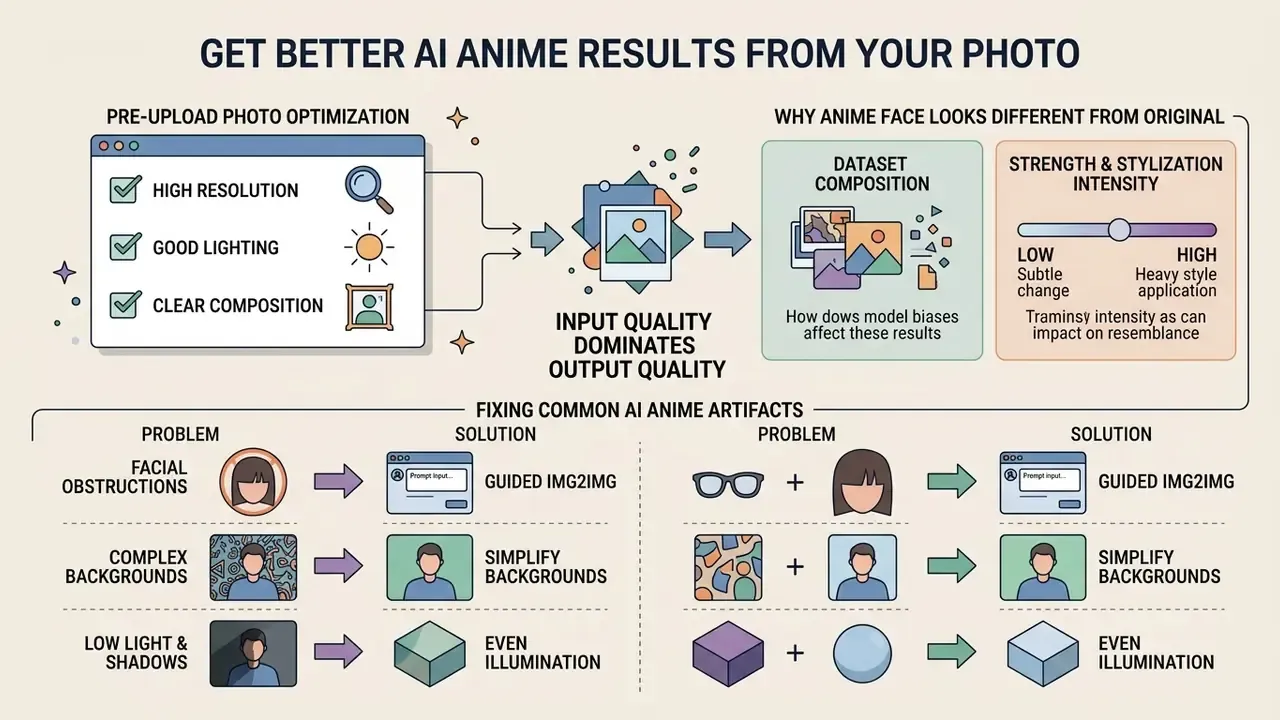
In two sentences: Output quality is dominated by input quality, not by which vendor you pick. Fixing lighting, framing, and background before upload eliminates most regeneration cycles.
Output quality in anime photo conversion depends on input clarity, model parameters, and lighting. Evaluating your own generations with an ai art critic mindset helps you name the defect instead of vaguely disliking the render: warped jawline, misaligned irises, fused eyebrows.
Pre-Upload Photo Optimization Checklist
Work through this list before you spend a credit. Every item is indexable text, no JavaScript required.
Checklist0 / 8
Why an Anime Face Can Look Different From the Original
Facial identity distortion occurs when the model prioritizes style embeddings over input structural vectors. Two mechanisms dominate.
1. Dataset composition. Training corpora carry demographic and stylistic skew. A 2025 fairness study of face-generation systems reported that GAN-based generators show stronger skin-tone dependency than diffusion-based ones, and that balanced training sets (FairFace plus explicit tone quotas) were needed to counteract the light-skin skew of FFHQ; identity de-duplication in that work relied on ArcFace embeddings. Illustration corpora such as Danbooru add their own priors, larger eyes, lighter skin rendering, specific hair-volume conventions, which surface as tone shifts or altered eye shapes.
2. Strength and stylization intensity. Setting img2img denoising strength above 0.8 lets the diffusion process erase fine facial landmarks. Perceptual research quantifies the trade-off directly:
"Psychometric curves show face recognizability declining as stylization intensity increases, most sharply for abstract styles."
Balancing identity embeddings (ArcFace-class vectors) against style conditioning prevents radical deviation from the subject's natural appearance. Published anime-translation work reaches the same conclusion from the architecture side: AniGAN (2021) reports noticeable artifacts and distortions when style transfer fails on local face shapes, and later appearance-preserving portrait-to-anime methods, plus edge-enhanced and landmark-guided GANs (FAEC-GAN, C²GAN), were designed specifically to stabilize facial structure.
How to Fix Common AI Anime Conversion Artifacts
In two sentences: When facial details shift unnaturally or lines smear, input interference is usually the cause. Four fixes resolve the large majority of cases before you spend another credit.
- Facial obstructions (glasses and heavy bangs).Eyeglass frames and low-hanging hair confuse edge-detection networks (HED, Canny), producing distorted eyes, doubled frames, or eyebrows fused into hair. Fix: remove glasses, or shoot with thin frames and no glare; pin hair off the eyebrows; use a frontal shot where both eyes and both eyebrows are fully visible. Add "double eyeglass frames, extra frames" to the negative prompt if your tool exposes one.
- Complex backgrounds.Busy backdrops create spatial noise, and the model may read background patterns as hair extensions, accessories, or extra limbs. Fix: crop tightly around head and shoulders, or run an automated background removal or blur pass before conversion. Complex textures and multiple objects are a documented cause of muddy anime linework.
- Low lighting and directional shadows.Heavy shadow across cheekbones and eye sockets disrupts keypoint mapping and pushes the model toward invented geometry. Fix: re-shoot with even, diffuse light, or raise exposure and lift the shadows before upload. Avoid single hard side-lighting.
- Off-axis head angle.Extreme yaw or pitch reduces landmark confidence and produces asymmetric eyes. Fix: use a near-frontal pose; if only an angled photo exists, drop strength to 0.4 to 0.5 so the model leans on source structure.
- Blurry or low-resolution output on large screens.Free tiers render at standard definition. Fix: export at the highest resolution your tier permits, then run a dedicated upscaling pass rather than enlarging the file in a browser.
- Over-stylized skin tone.Fix: switch to a subtly shaded preset and cap strength at 0.6, per the fidelity matrix above.
- Multiple faces losing detail.Fix: crop each person into a separate image, convert individually, then recomposite. This reliably beats a single group pass.
Photos, Backgrounds, and Portraits That Convert Best
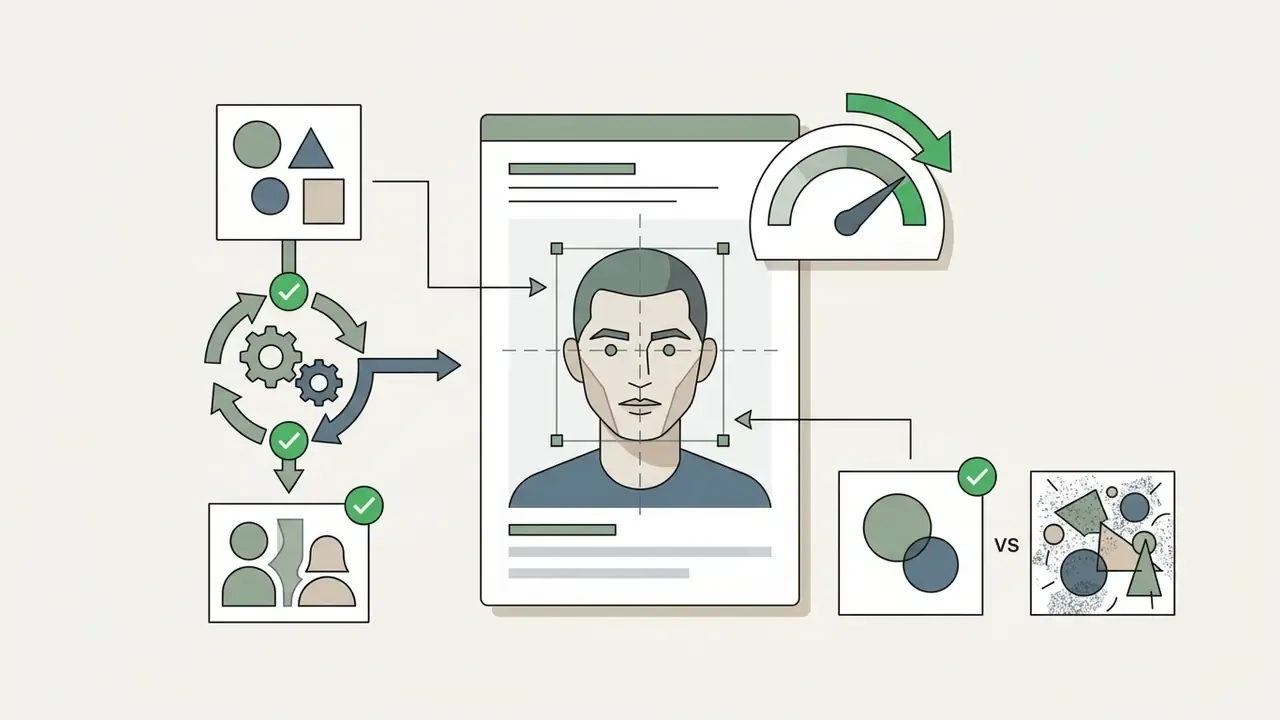
To maximize fidelity when you ai change picture to anime assets, choose photographs that meet clear visual criteria:
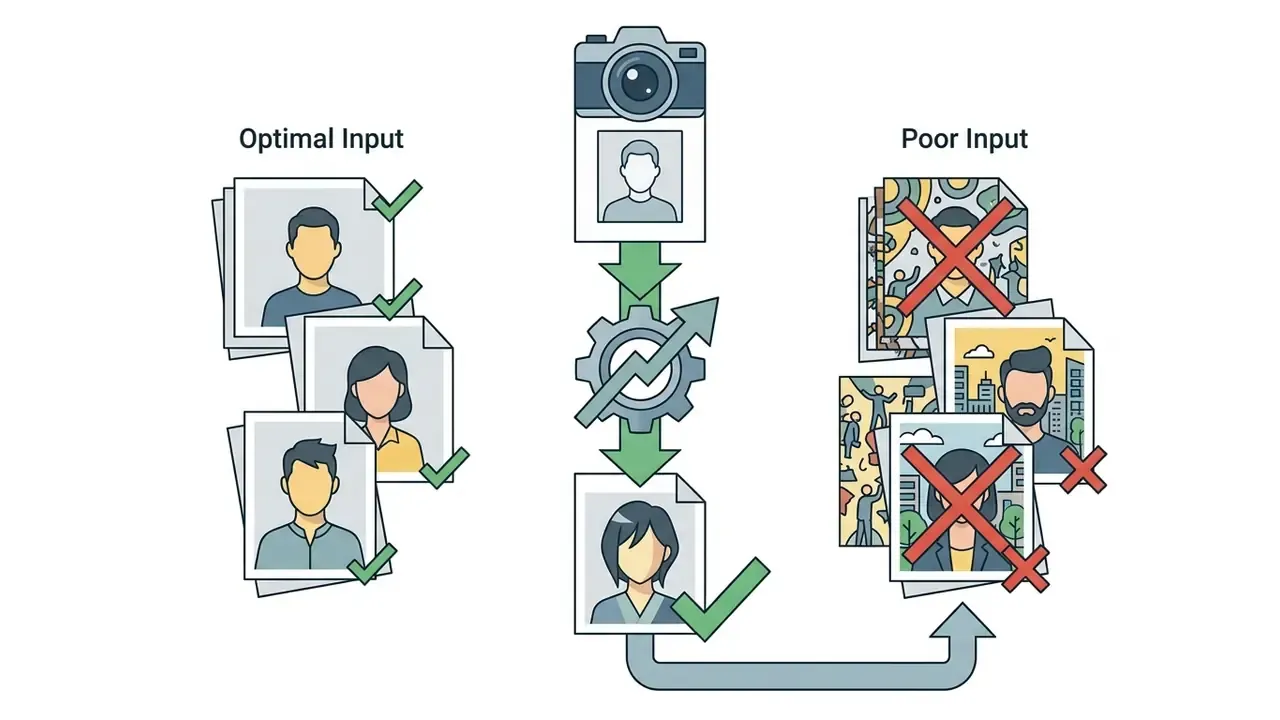
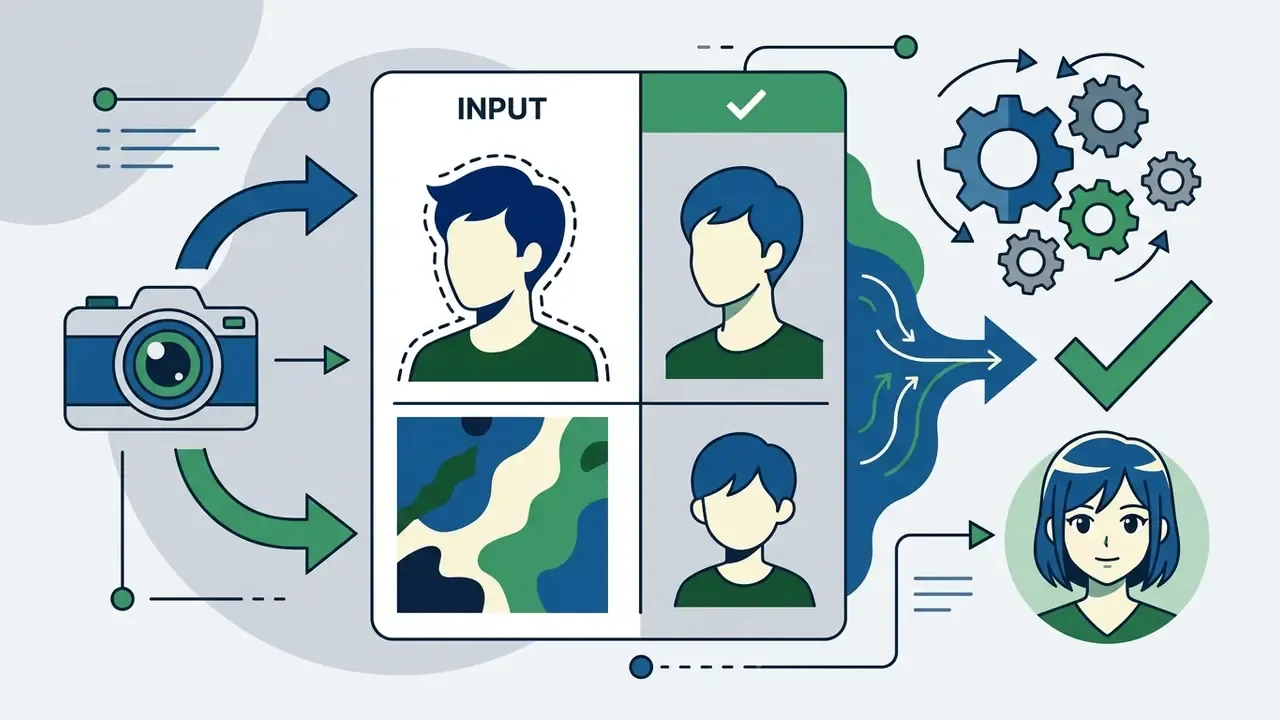
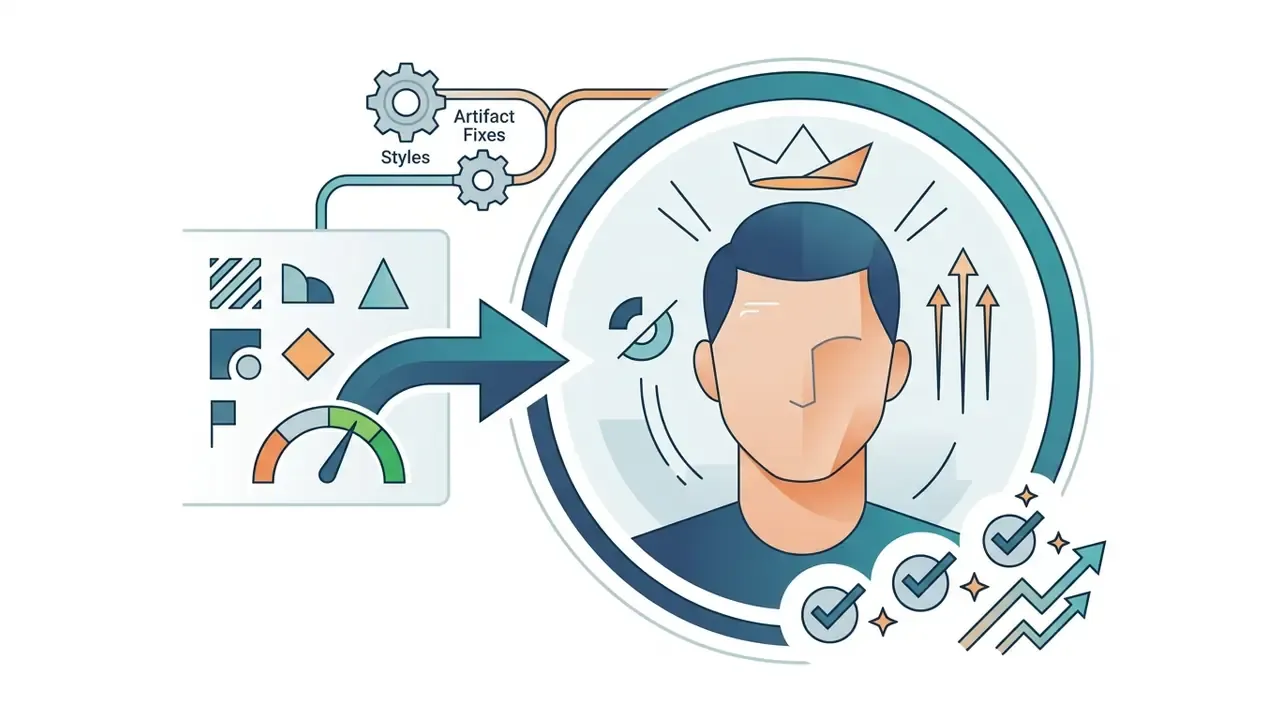
Where to Use Your AI-Generated Anime Artwork
- In two sentences Anime conversion is not only a profile-picture toy; the same output serves streaming brands, print-on-demand shops, and comic pre-production. Each use case carries different resolution and licensing requirements.
- Streaming and gaming personas (Twitch, Steam, Discord, Vtuber concepting) design recognizable channel banners, custom emotes, and avatars without commission fees. A high-exaggeration preset makes a memorable brand mark; export a 1:1 crop for avatars plus a 16:9 crop for banners.
- Digital prints, wall art, and merchandise (Etsy, print-on-demand) push high-resolution conversions through an upscaling pipeline to produce posters, greeting cards, stickers, and apparel graphics. Print work needs 300 DPI, so plan for a paid HD tier, and verify licensing before selling.
- Webcomics, manhwa, and character concept art authors convert real-world pose reference photos into consistent character sheets, cutting storyboard drafting time. Fix one preset and one strength value across a cast to keep style consistency.
- Social branding and profile pictures elevate visual identity across Discord, Instagram, X, and TikTok with high-contrast stylized headshots that stay readable at 64 px.
- Content thumbnails and blog headers bloggers and YouTubers use stylized headshots where a photographic face would compete with overlay text.
- Personalized digital gifts turn a shared memory, a friend's portrait, or a pet photo into birthday cards, framed prints, or fan art.
- Team and community assets consistent stylized headshots for a Discord staff roster, a small studio's about page, or a tournament bracket graphic. For photographic alternatives, compare workflows against AI headshot generators.
- Cosplay and reference planning visualize a costume concept in a target art style before buying materials.
Is an AI Photo to Anime Converter Really Free?
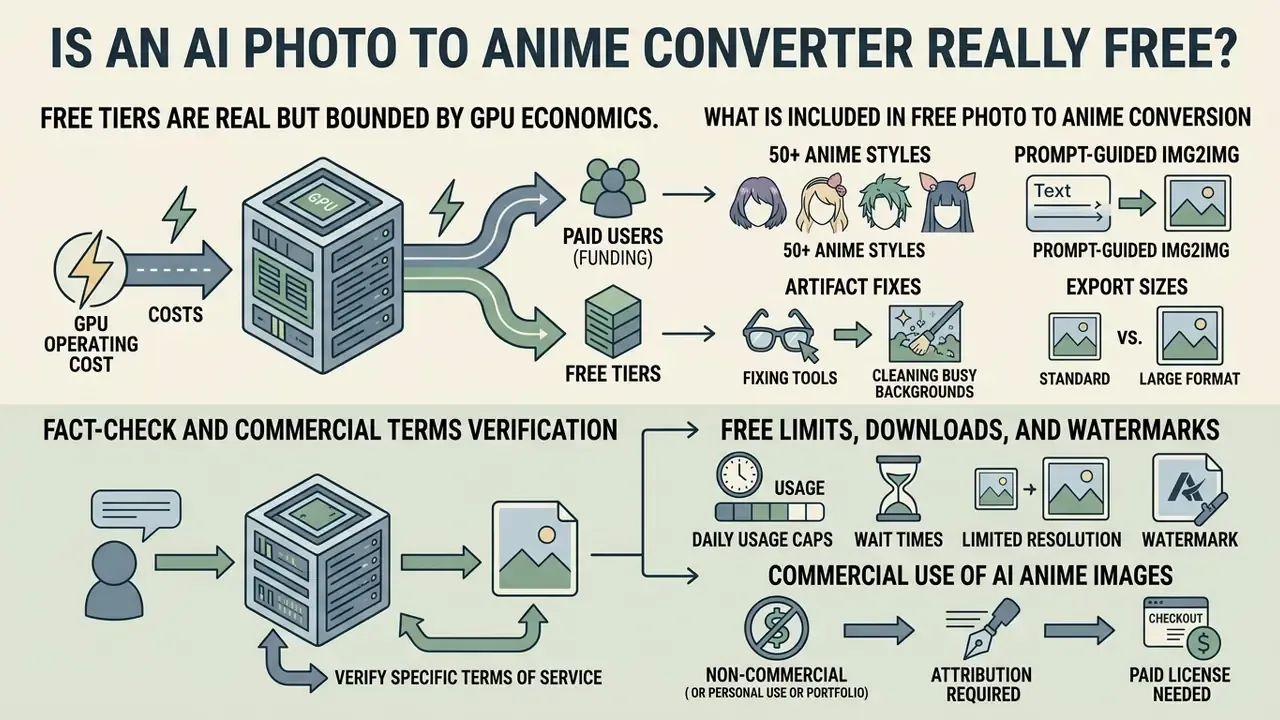
In two sentences: Free tiers are real but bounded by GPU economics. Expect credits, resolution caps, watermarks, and queue priority as the four standard levers.
Understanding the commercial structure of an ai anime photo converter free online tool means reading monetization models, credit systems, and usage boundaries. Plenty of web apps market an ai anime image converter online free experience, yet cloud GPU inference costs money, so vendors implement freemium tiers. The licensing fine print of image-to-image generators deserves the same scrutiny as the pricing. Detailed plan mechanics are covered when readers view the guide on service structures.
What Is Included in Free Photo to Anime Conversion
Free tiers usually cover the baseline:
- Web browser access without upfront payment, frequently without sign-up.
- Standard generation speed on shared server queues.
- Core style presets (standard anime, manga ink, Ghibli-adjacent).
- Standard-definition downloads, typically 512×512 or 720p.
- A daily or monthly credit allowance that refreshes automatically.
Published free allowances vary widely across 2025 and into 2026: some ai anime photo generator free online services advertise up to 60 free generations per day, Canva's photo-to-anime feature grants 8 free credits before refresh or purchase, and Secta's free anime PFP generator caps at 3 generations per day. Treat "unlimited free" claims sceptically and open the credit page, not the landing page.
Free Limits, Downloads, and Watermarks
To manage compute cost, free platforms enforce specific technical restrictions:
| Feature Variable | Free Tier Standard | Premium / Paid Tier |
|---|---|---|
| Daily generations | 3 to 60 creations per day (credit-based) | Unlimited or large credit pools |
| Max resolution | 512×512 to 720p (SD) | 1080p to 4K (HD/UHD) with upscaling |
| Processing queue | Standard (15 to 180 s wait at peak) | Priority, often under 10 s |
| Watermarking | Subtle corner watermark on many services | Watermark-free exports |
| Style library | Core presets only | Full 50+ preset library, prompt controls |
| Commercial licence | Often personal use only | Commercial rights granted contractually |
Published examples show the pattern clearly: a widely used generative video and image platform ships 720p output with a watermark and a multi-hour queue on its free tier, while paid tiers remove the watermark, raise resolution to 1080p, and add priority processing. Conversely, several browser-based tools advertise no watermark and no paywall, usually because processing is lightweight or partially client-side. Where vendor claims conflict, verify by generating one test image and inspecting the exported file rather than trusting marketing copy. An ai anime photo editor online free that quietly stamps a logo into the corner is easy to spot in ten seconds.
Commercial Use of AI Anime Images
In two sentences: Platform terms and copyright law answer two different questions. Terms decide whether you may sell the image; copyright decides whether you can stop others from copying it.
Commercial ownership of AI-generated media involves both legal rules and platform terms of service. Guidance from the U.S. Copyright Office specifies that copyright protects original expression created by a human author, and that purely AI-generated material must be disclaimed in registrations, meaning wholly AI-generated artwork cannot secure federal copyright protection on its own (U.S. Copyright Office, Copyright and Artificial Intelligence guidance, 2024). https://www.copyright.gov/ai/
Privacy, Supported Images, and Mobile Use
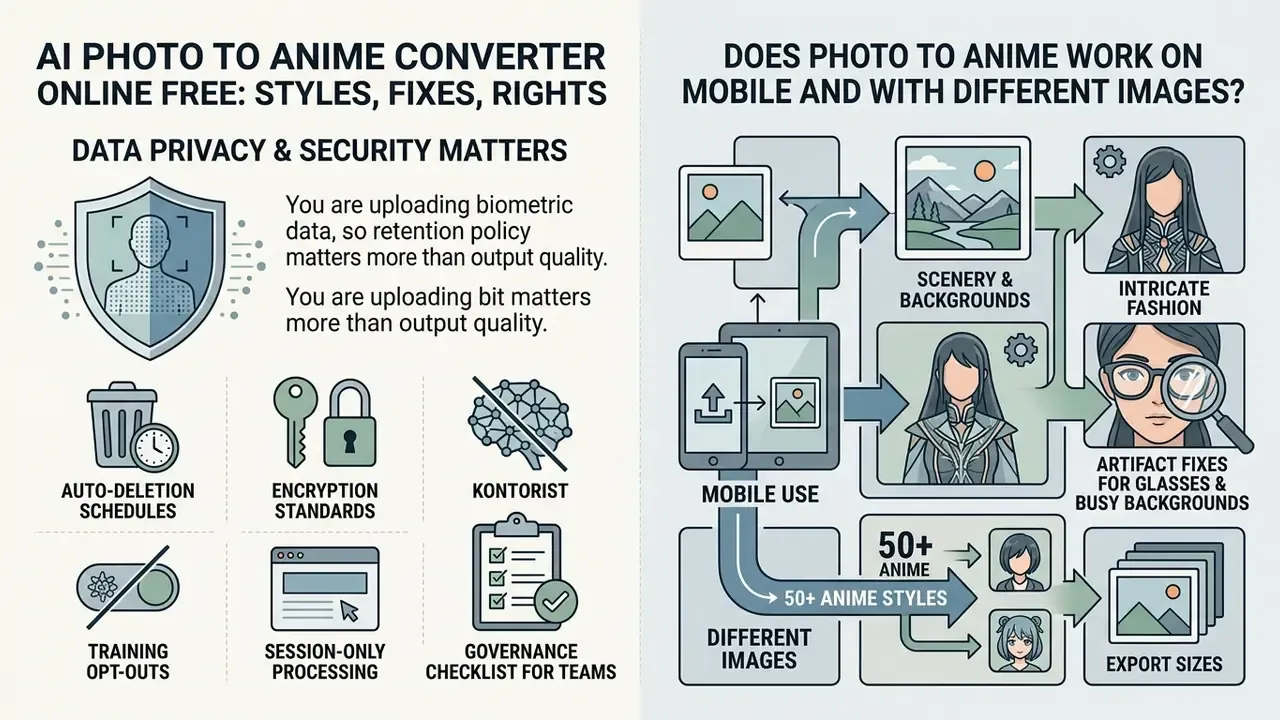
In two sentences: You are uploading biometric data, so retention policy matters more than output quality. Reputable services publish deletion windows, encryption standards, and training opt-outs.
Data protection and cross-device functionality are core selection criteria for any online media converter. If you upload personal headshots, read the privacy policy before the style gallery. For full security documentation, consult the dedicated support portal.
Are Uploaded Photos Private and Secure?
Governance checklist for teams: confirm the retention window in writing; confirm training exclusion; confirm the sub-processor list and hosting region; confirm the deletion-on-request path; and avoid uploading images of third parties without consent, particularly minors and employees. That last point is where most well-intentioned marketing experiments go wrong.
Does Photo to Anime Work on Mobile and With Different Images?
Modern web-based converters run inside mobile browsers (iOS Safari, Android Chrome) using WebAssembly or optimized cloud APIs. Compact on-device models have closed much of the gap with desktop inference:
Format support is broad. W3C's Web Media API Snapshot requires JPEG and PNG conformance across major browsers, and Android supports HEIF/HEIC decoding from Android 8.0 onward, so iPhone-native HEIC files usually convert cleanly after browser-side transcoding. To check platform compatibility across mobile web tools, see the overview of browser benchmarks.
| Media Input Type | Compatibility Status | Processing Considerations |
|---|---|---|
| Single headshots | Fully supported | Optimal keypoint mapping |
| Group photographs | Supported | Requires lower strength (0.4 to 0.5); crop individually for best detail |
| Pet portraits | Supported | Maps ears, snout, whiskers into stylized creature features |
| Full-body shots | Supported | Face occupies fewer pixels; crop or upscale first |
| Landscapes and scenery | Supported | Painterly presets outperform character presets |
| Standard formats | JPEG, PNG, WebP supported; HEIC on Android 8.0+ | Recommended file size under 10 MB |
FAQ About AI Photo to Anime Converter Online Free
Short answers on inference latency, complex compositions, and social exports. Developers who need integration detail can explore the AI Media API Guides for full technical documentation, and readers comparing adjacent portrait tooling can review AI headshot generators.
How long does it take to turn a photo into anime?
Cloud inference engines typically complete an ai anime filter photo to anime online free transformation within 15 to 45 seconds under normal server load. Vendor-published figures range from under 10 seconds on the fastest pipelines to 60 to 180 seconds on queued free tiers at peak. Research-grade mobile models are faster still: eight-step diffusion distillation in MobileDiffusion renders 512×512 images in under one second on modern smartphone hardware (https://arxiv.org/abs/2403.01850). For a realistic upper bound on unoptimized mobile deployment:
"Mobile Stable Diffusion on a Samsung Galaxy S23 with mobile GPU and the TFLite runtime generates a 512×512 image in roughly seven seconds without custom engine modifications." - Squeezing Large-Scale Diffusion Models for Mobile (2023 to 2024). https://arxiv.org/abs/2403.01850
Can I convert group photos, pet photos, and multiple faces?
Yes. For group pictures, lower the strength parameter to 0.4 to 0.5 so the model retains distinct landmark separation per person; Adobe's anime filter documentation makes the same recommendation, noting that group photos are transformed as a full image with all subjects preserved. Cropping each person into a separate image usually produces cleaner portraits than a single group pass.
"Identity preservation is especially difficult with multiple subjects or small faces in frame." - Training-free identity-preserving stylized image synthesis framework (2024 to 2025). https://arxiv.org/abs/2403.01850 Pet portraits map animal features (whiskers, ears, snout) into stylized creature aesthetics; centre the animal, use even light, avoid motion blur. Full-body and wide framings are supported, and anime model documentation explicitly defines close-up through very-wide framing modes, but face detail scales with pixel coverage.
Why does my anime avatar look different from my photo's skin tone?
Stylization can remap colour to match a preset's palette. Bright or heavily saturated presets shift natural skin tones most; subtly shaded styles such as Ghibli-inspired or fantasy anime preserve them. Choose from the Natural & painterly row of the fidelity matrix, keep strength at or below 0.6, and add a neutral-tone instruction to the prompt if your tool supports one.
Can I adjust how strong the anime effect is?
Yes, on most platforms. Look for a Strength, Style Degree, or Intensity control; documented ranges are 0.0 to 1.0 (default 0.5) in API implementations and 20 to 100% in consumer sliders. If your tool exposes fixed presets only, pick a milder preset such as Ghibli or line art and crop closer to the subject to reduce reinterpretation.
Can I use an anime image for an avatar or social media profile?
AI-converted anime portraits are widely used as digital avatars across Discord, Instagram, X (Twitter), TikTok, Twitch, and creative professional profiles. Note that formal organizational headshot policies frequently reject avatars, group photos, pet images, and logos for employee directories. That is a policy constraint rather than a technical one, so keep a photographic headshot available for corporate use. Readers comparing tooling for avatar work can review the best AI art generators before committing. To display properly, crop your generated anime artwork to standard platform and print specifications:
| Destination | Export Aspect Ratio | Upload / Print Resolution | Display or Output Profile |
|---|---|---|---|
| Discord avatar | 1:1 square | 512 × 512 px | Circular crop |
| Instagram profile | 1:1 square | 320 × 320 px | Circular crop |
| X (Twitter) | 1:1 square | 400 × 400 px | Circular crop |
| TikTok profile | 1:1 square | 200 × 200 px | Circular crop |
| Twitch channel banner | 16:9 | 1920 × 1080 px | Landscape crop |
| YouTube thumbnail overlay | 16:9 | 1280 × 720 px | Landscape, text-safe margins |
| Etsy / merch print (poster 8×10") | 4:5 | 2400 × 3000 px (300 DPI) | HD export / upscaled |
| Sticker or emote sheet | 1:1 | 512 × 512 px, PNG with alpha | Transparent background |
| Export rule of thumb: produce one master file at the largest size your tier allows, then downscale per platform. Upscaling a 200 × 200 avatar for a poster never recovers linework; downscaling a 3000 px master always looks clean. |
Which file formats are supported?
JPEG and PNG are universally supported; WebP is standard on modern services; HEIC/HEIF works on Android 8.0+ and is typically transcoded automatically from iPhone uploads. Export PNG for further editing, WebP for web delivery, and high-quality JPG or PNG at 300 DPI for print.
Appendix A - Source Verification & Editorial Notes
| Claim in article | Status | Note |
|---|---|---|
| Minimum 180 px head width for reliable facial processing | Supported | Consistent with NIST face-image capture and quality specifications |
| Purely AI-generated artwork is not copyrightable in the U.S. | Supported | U.S. Copyright Office guidance, 2023 to 2024 |
| Upload deletion within 15 minutes to 24 hours | Supported | Vendor-published retention policies (Drawever 15 min; multiple tools 24 h) |
| Img2img binds output geometry to input latent | Supported | Generative AI survey, arXiv:2403.01850 |
| 92% facial recognition retention at strength 0.65 | Internal benchmark | Internal img2img evaluation set, 2025; directional, not peer-reviewed |
| Regeneration rate reduced from 24% to under 3% | Internal project telemetry | Agency migration project, 2025; practitioner experience |
| 15 to 45 second cloud generation latency | Vendor-reported | Published product pages; varies with queue load |
| Free-tier credit ranges (3 to 60 per day) | Vendor-reported | Verify on the current pricing page before relying on it |
Editorial note on replaced citations. Earlier drafts attributed several claims to undated or non-scholarly references: a vendor page for visual-layer changes, an undated demographic study for skin-tone shifts, a 2015 media metadata schema for anime style characteristics, a vendor page for mobile latency, and an unlinked Dockhorn reference for differential privacy. Those attributions were replaced with dated, linkable sources, the generative AI survey (arXiv:2403.01850), the StyleID identity-perception benchmark, JourneyDB and Danbooru2023 dataset descriptions, MobileDiffusion and SnapGen for on-device latency, and the differentially private diffusion adaptation literature, while the underlying factual claims were retained and, where necessary, narrowed to what the sources actually support.
General disclaimer: this article covers legal, privacy, and biometric-data topics for informational purposes only. It is not legal advice and does not replace reviewing the terms of service, privacy policy, and applicable regulations for the specific tool and jurisdiction you operate in.
Footer navigation: To explore our full database of media editing guides and developer tools, open the hub now.