Why should a bank's compliance function care about picture generators? Because marketing, HR, and product teams are already using them, usually without a registry entry. The tooling is cheap, the disclosure duties are not.
Executive Summary for Risk, Compliance, and Creative Operations Leaders
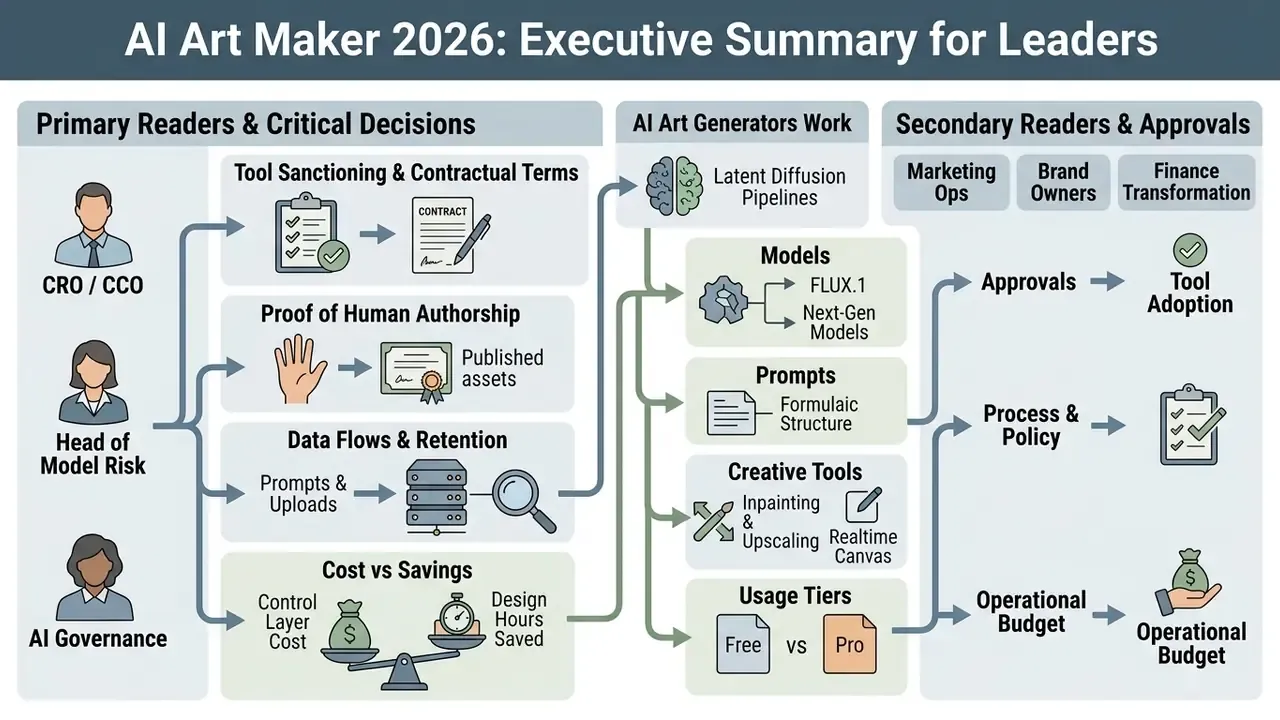
For readers who evaluate generative image tooling as a controlled asset rather than a novelty, this article condenses into six operational conclusions:
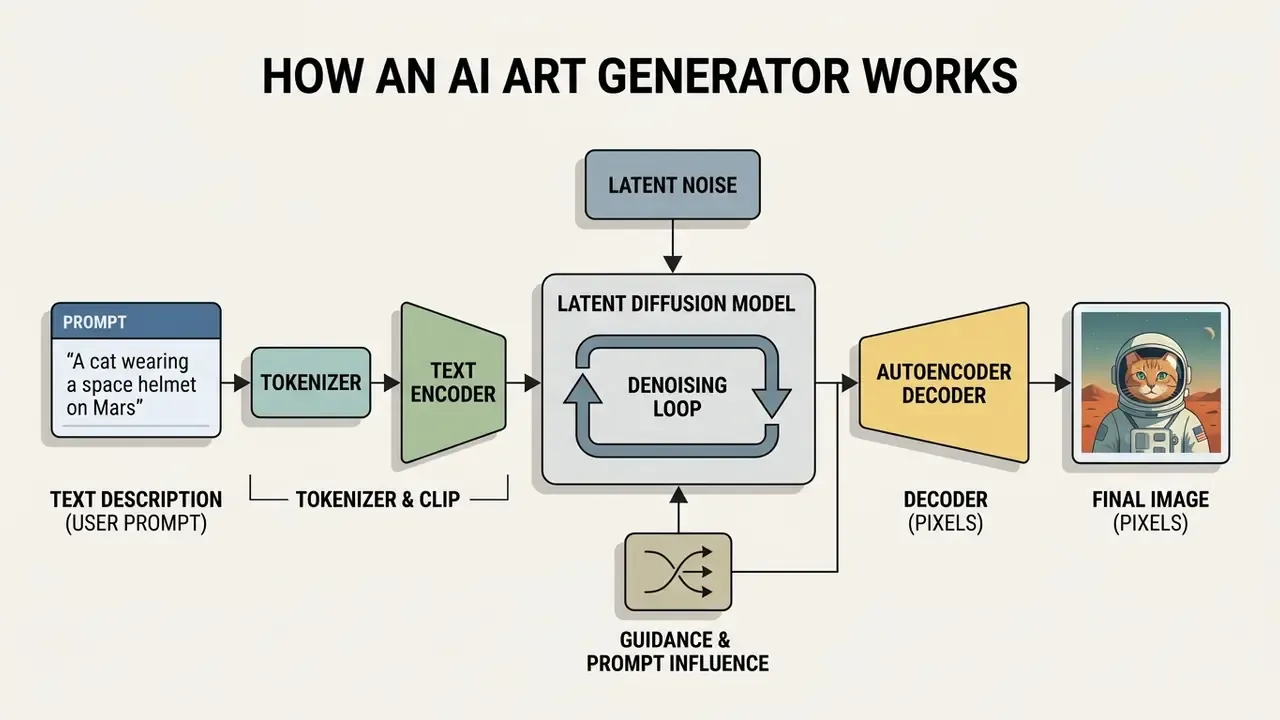
- Architecture determines risk.An AI art maker is a latent diffusion pipeline (tokenizer, text encoder, cross-attention conditioning, iterative denoising, autoencoder decoder). Every stage is a controllable, auditable checkpoint, including the point where proprietary uploads enter the system.
- Model choice is a trade-off matrix, not a ranking.Closed APIs (DALL·E 3, Imagen 3, MAI-Image-2.5) lead in prompt adherence and typography; open-weights stacks (SDXL, SD 3.5, Flux.1) lead in structural control, LoRA fine-tuning, and air-gapped deployment.
- Reproducibility is achievable.Fixed seeds, logged CFG values, recorded checkpoints, and stored negative prompts create the audit trail regulators and internal model-risk committees expect.
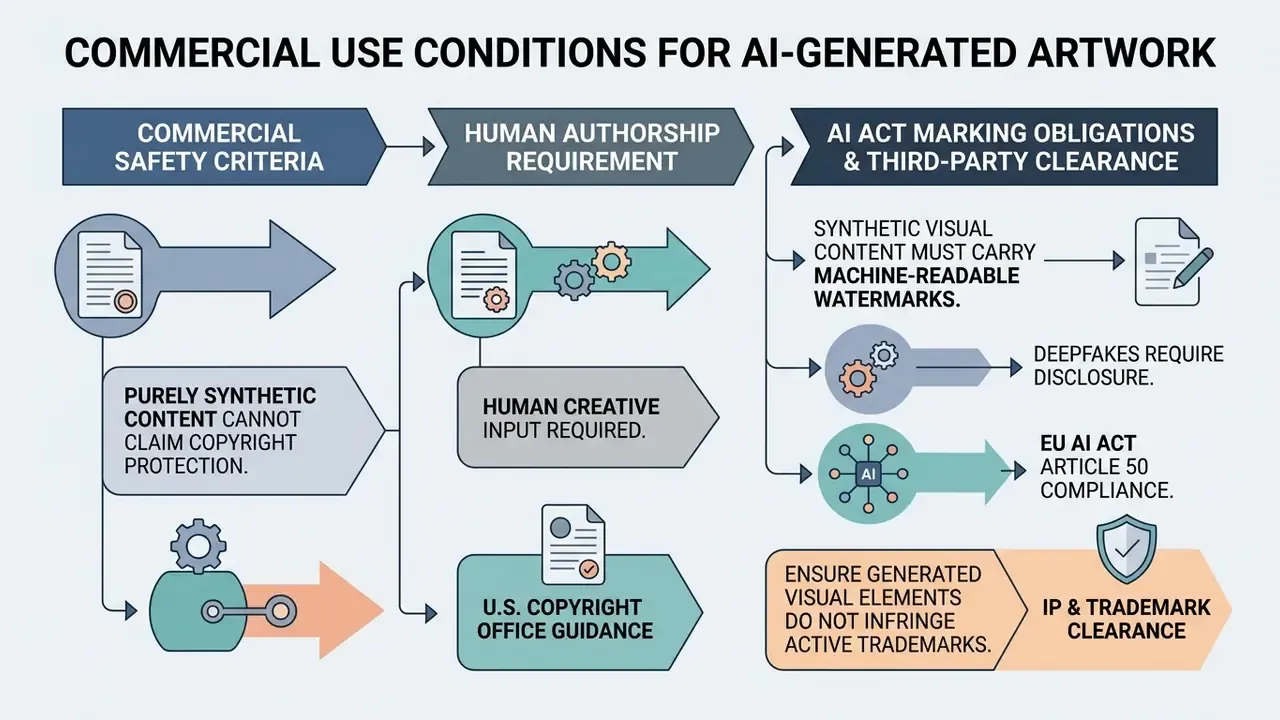
- Legal protection is not the same as platform ownership.Platform terms may assign output rights to you, while copyright law may still refuse protection for insufficiently human-authored material.
- Transparency obligations are dated.EU AI Act Article 50 transparency and machine-readable marking duties for synthetic content become applicable from 2 August 2026.
- Security accreditation is now a procurement gate.SOC 2 Type I/II, ISO 27001-aligned controls, and zero-data-retention (ZDR) API policies decide whether a tool can touch confidential visual assets at all.
Who This Guide Is Written For, and Which Decisions It Supports
What Is an AI Art Maker and How Does an AI Art Generator Work?
In two sentences: An AI art maker converts natural language descriptions or reference images into synthetic artwork by encoding semantics into vectors and iteratively denoising latent representations. Understanding each stage of that pipeline is what allows an organization to control quality, reproducibility, and legal exposure.
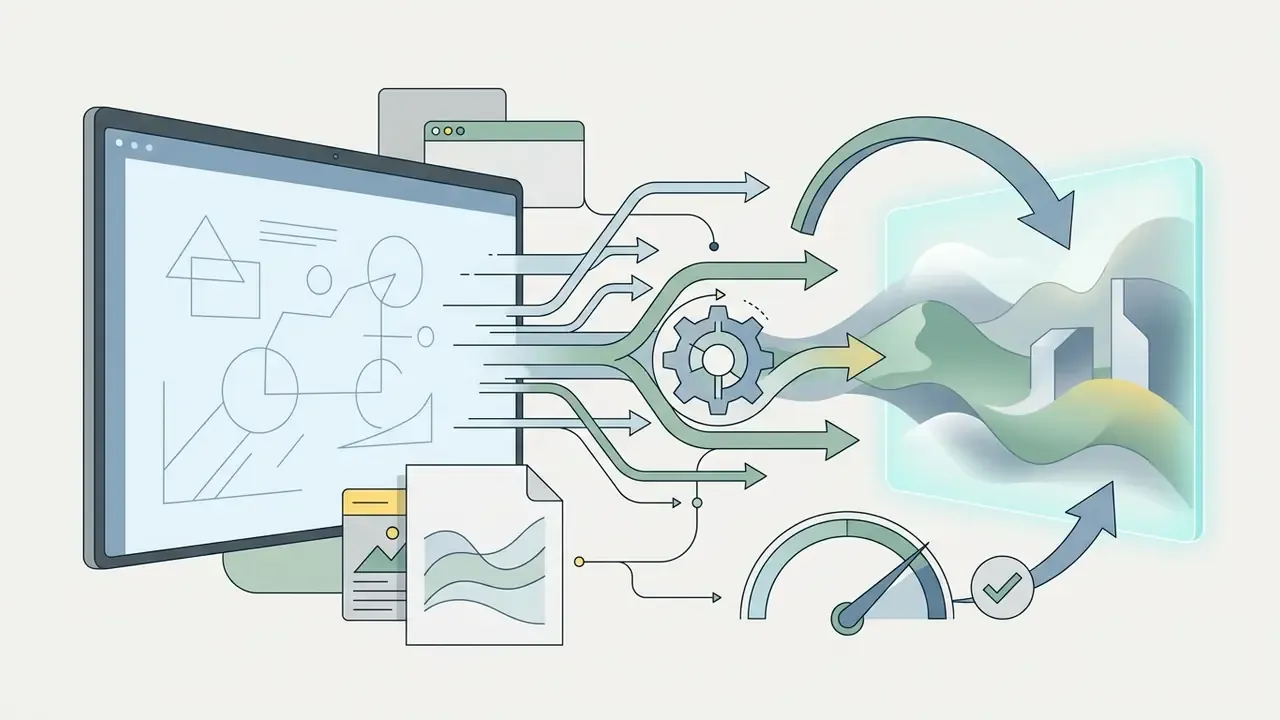
An ai art maker is a software system powered by machine learning algorithms, primarily latent diffusion models and multimodal vision-language architectures, that converts user-provided text descriptions or reference images into synthetic visual artwork. These tools operate by translating semantic natural language prompts into high-dimensional vector embeddings, which subsequently guide an iterative noise-reduction process to synthesize pixels.
Modern image generator platforms integrate multiple interaction pipelines, including text to image synthesis, image-to-image structural editing, and localized mask-based inpainting.
«Text-to-image systems such as Stable Diffusion, Midjourney or DALL·E let users produce high-quality images simply by supplying a short textual description of the desired result.»
The mechanism above is documented through large-scale corpus analysis rather than vendor marketing. These engines process millions of contextual parameters to bridge linguistic concepts and visual representation, and the majority of user prompts cluster around a small vocabulary of subject, style, and context tokens. When evaluating an ai art engine for enterprise or commercial workflows, institutions analyse alignment accuracy, perceptual visual quality, and data lineage, the same three axes used when benchmarking AI image generators for commercial tasks.
Text-to-Image: Generating Artwork from Textual Descriptions
Text to image generation is the core mechanism by which an ai art generator builds visual artwork directly from structured natural language prompts. The process begins when an input description is parsed by a text tokenizer, converting words into numerical token IDs that pass through a frozen text encoder, such as CLIP ViT-L/14 or T5.
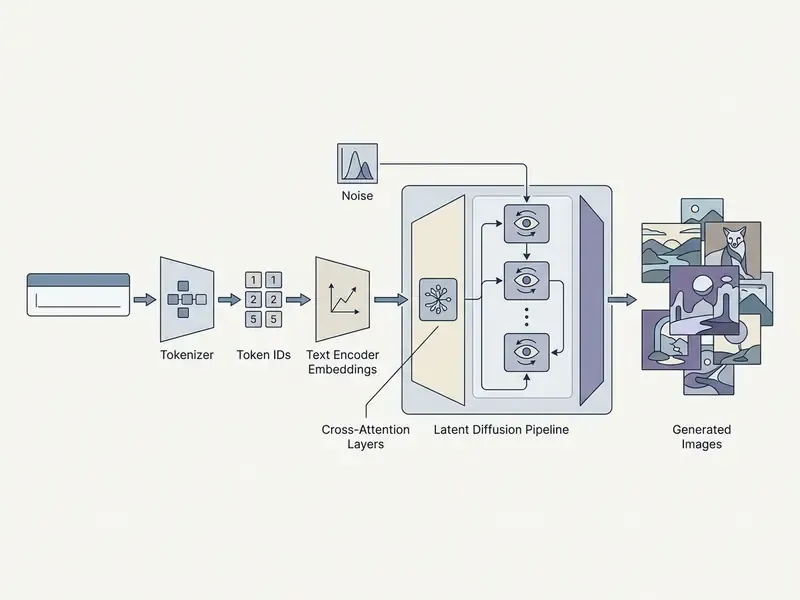
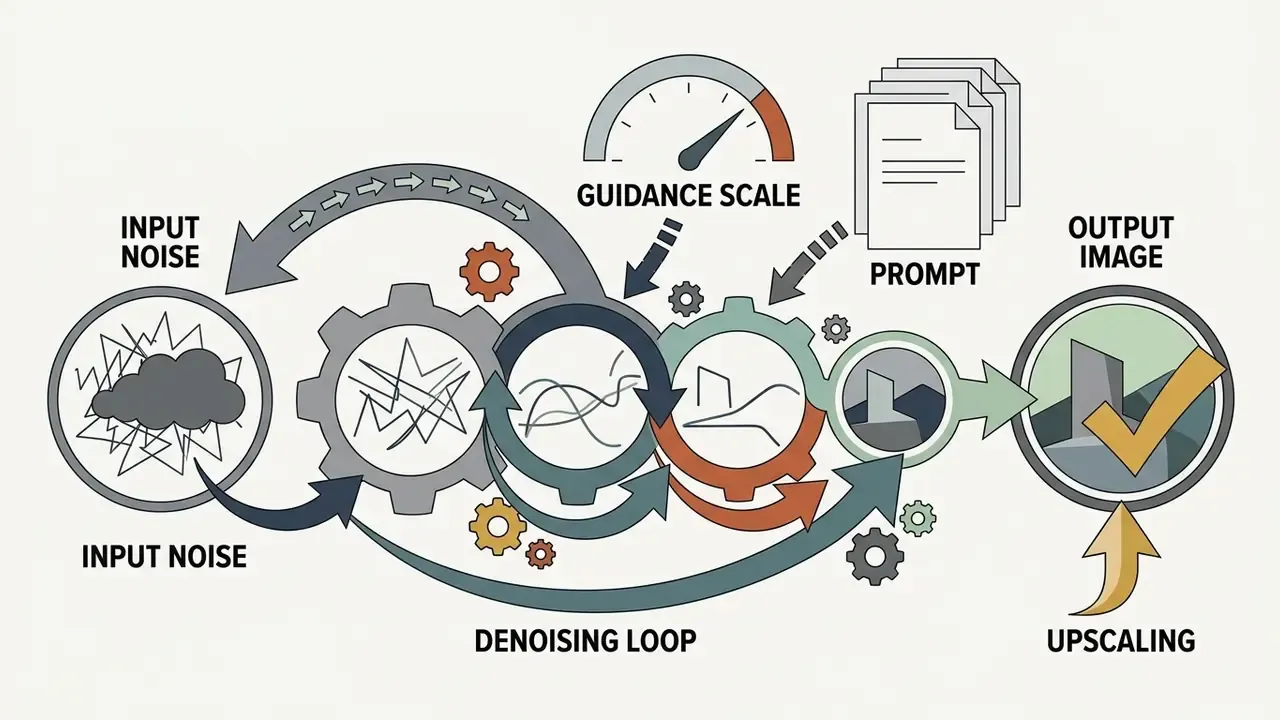
These text embeddings condition a latent diffusion model, injecting semantic guidance via cross-attention mechanisms into a series of denoising steps. Starting from pure latent Gaussian noise, the reverse diffusion process gradually constructs a structured representation that an autoencoder decoder converts into final generated images. The accuracy of this transformation depends heavily on prompt construction, encoder capacity, and sampling configuration.
Measuring that accuracy requires alignment metrics rather than subjective review:
«VQAScore correlates with human alignment judgments more strongly than CLIPScore across DrawBench, EditBench and COCO-T2I benchmarks.»
How an AI Image Generator Interprets Objects, Scenes, and Styles
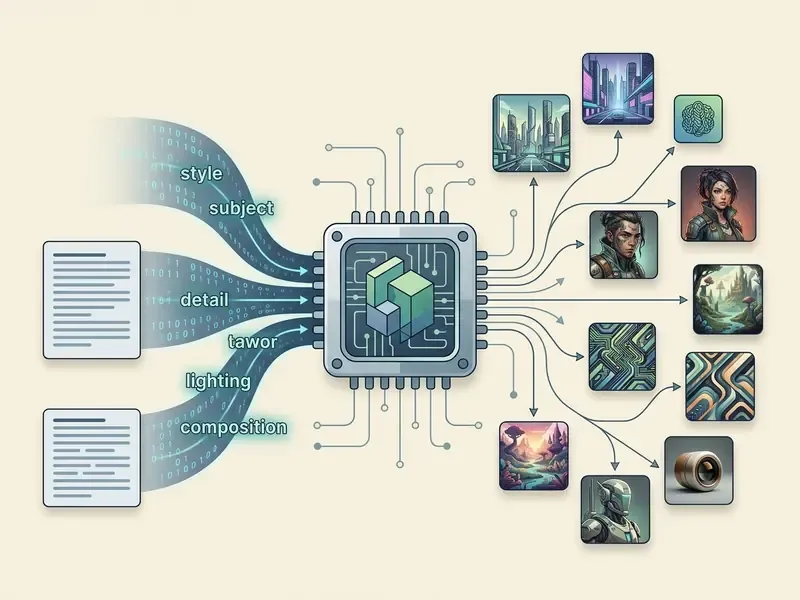
An image ai generator interprets visual requests by dissecting a text prompt into distinct semantic vectors: primary subject matter, spatial layout, environmental lighting, and artistic style descriptors. Rather than executing direct word-to-pixel mapping, the underlying model references visual-linguistic concepts learned during pre-training on massive multimodal datasets.
Academic benchmarks such as GenAI-Bench demonstrate that models treat object placement, scale, and lighting conditions as controllable conditioning signals rather than incidental outputs:
«Models were evaluated on 1,600 compositional prompts; human annotators supplied more than 15,000 Likert-scale ratings from 1 to 5.»
Diffusion architectures excel at rendering surface textures and generalized visual aesthetics. Complex compositional reasoning, such as exact spatial relationships or multi-object binding, still requires precise prompt engineering or auxiliary guidance controls. Contemporary model documentation reflects the same decomposition: recent vendor model cards describe reasoning across objects, scene structure, lighting, scale, and spatial positioning as separate internal competencies. Which is precisely why prompts that name each dimension outperform prompts that name only a subject. Practical examples of that gap are collected in our library of ai generated art samples.
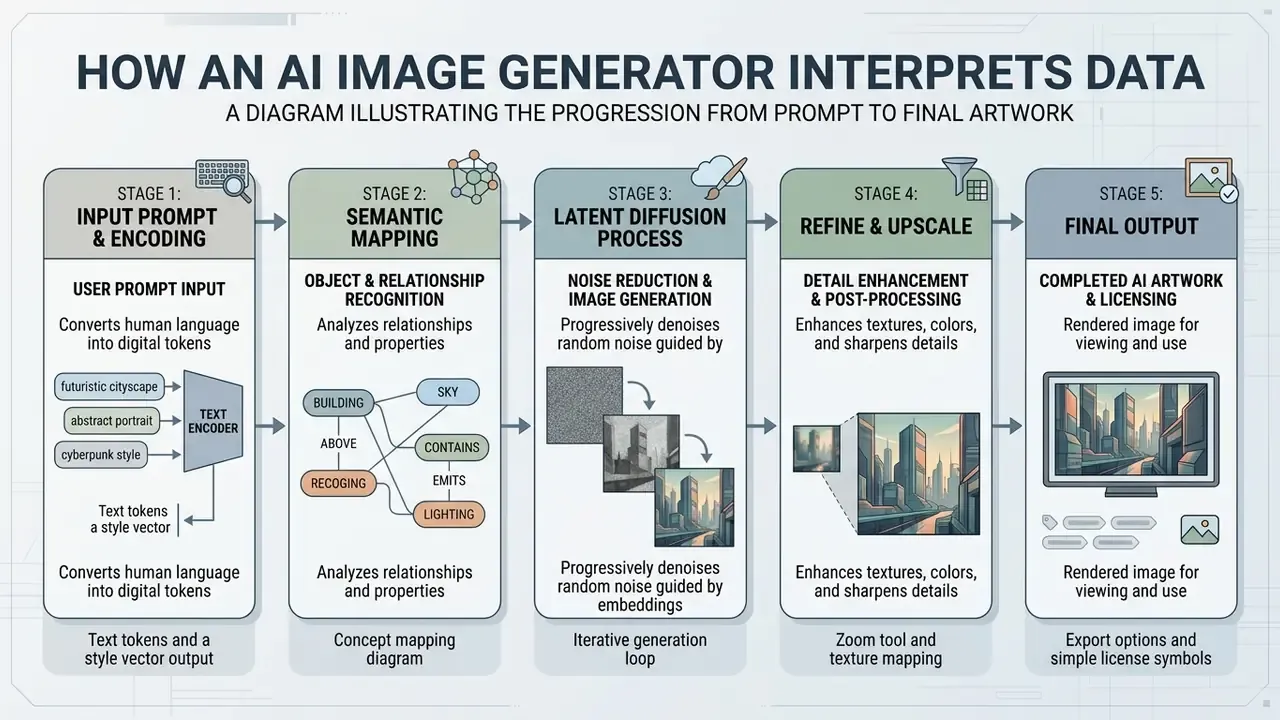
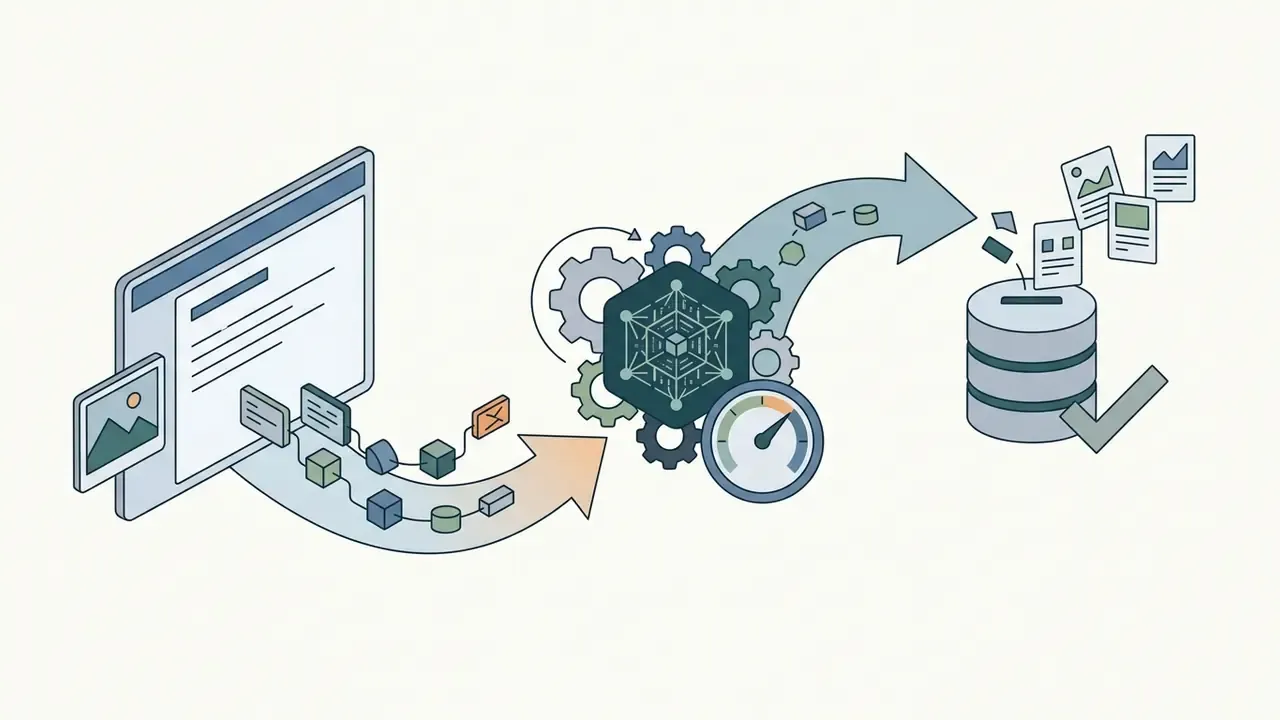
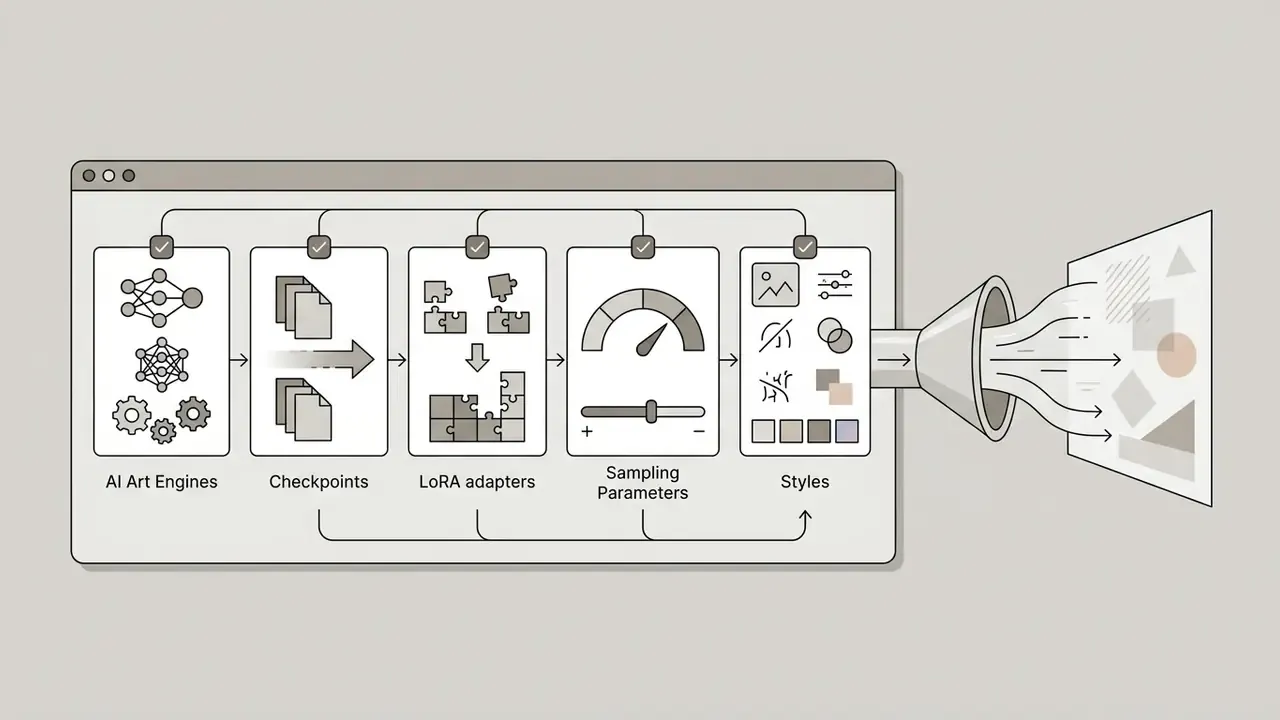
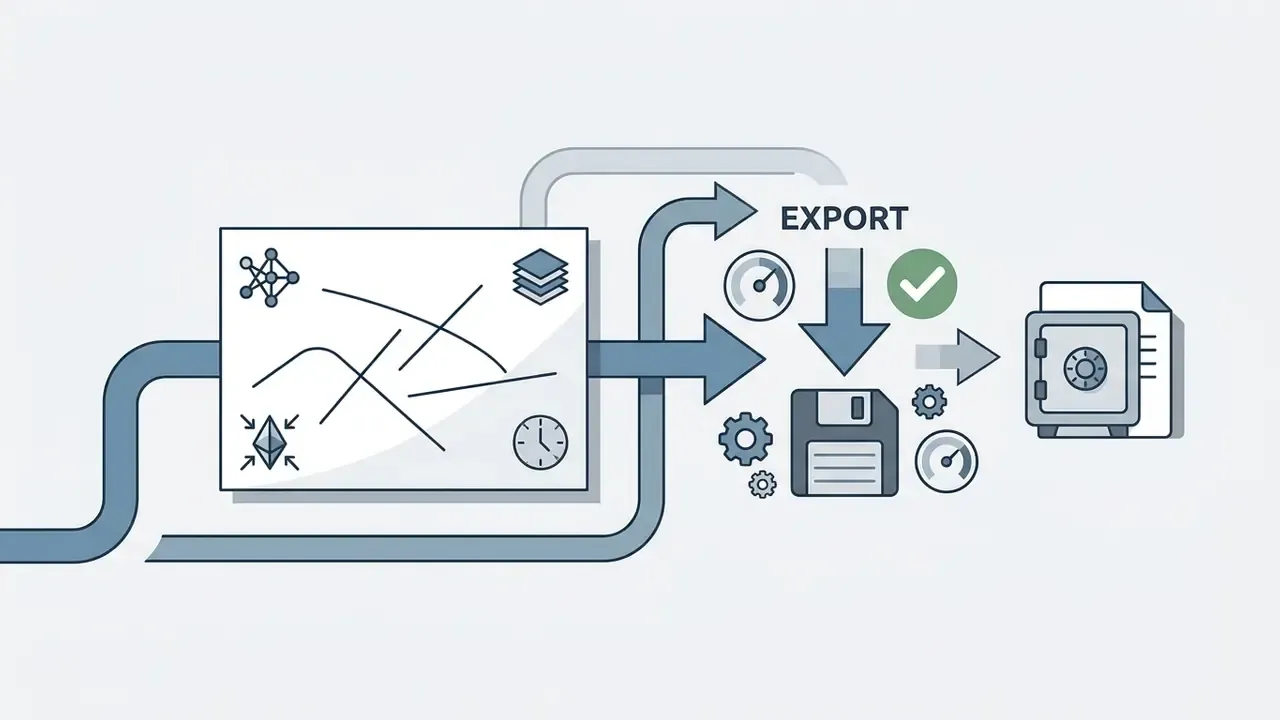
Textual decoding of the diagram, stage by stage:
Types of Visual Assets Created with AI Art Tools
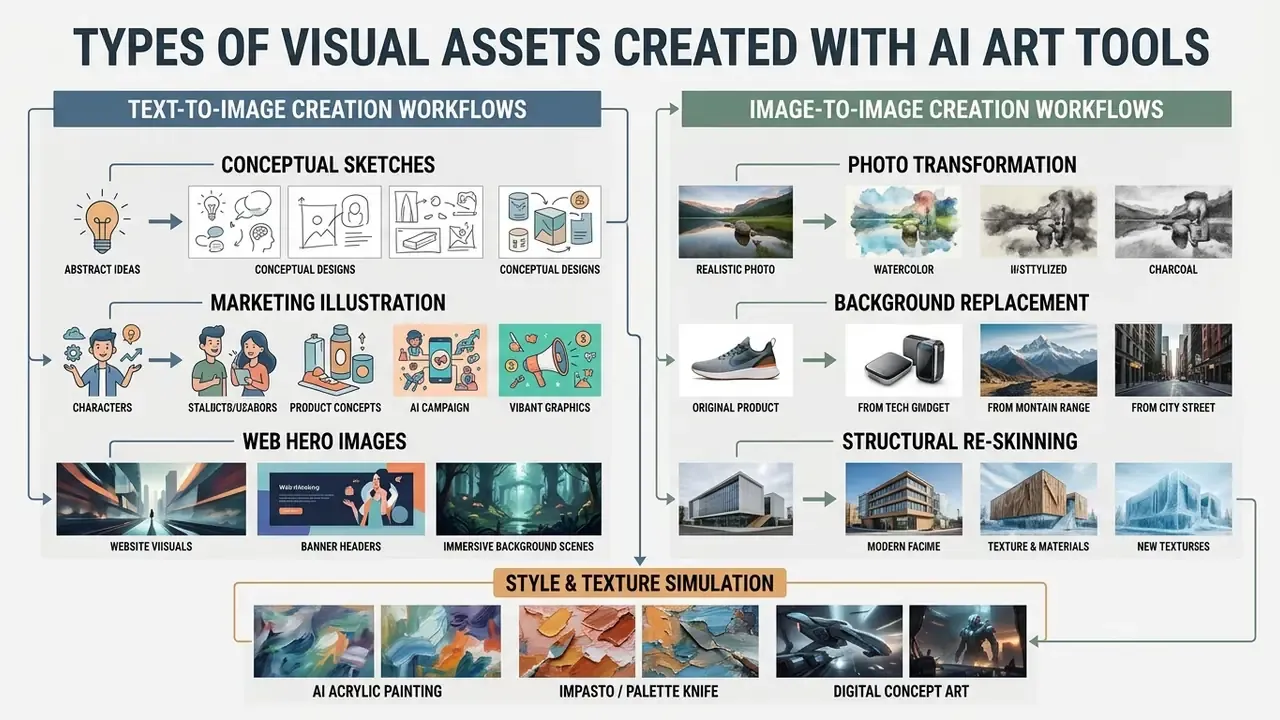
In two sentences: AI art platforms cover four production families: generation from scratch, image-to-image transformation, traditional-medium simulation, and web or UI graphics. Each family has different denoising parameters, resolution targets, and clearance requirements.
Modern ai art creation tools support a broad spectrum of visual outputs, ranging from generative concept sketches to high-resolution web media and fine art simulations. Organizations leverage these systems across diverse workflows, including direct text-driven visual asset generation, image-to-image photo reinterpretation, and specialized digital design production.
One illustrative case. A marketing design department evaluated several ai art tools to accelerate digital display creation. The team established standardized prompt structures and structural image-to-image references, reducing initial design review cycles from five days to six hours while maintaining continuous brand alignment. Composite example, not a documented client engagement.
AI Art Based on Image: Transforming Source Files into Synthetic Art
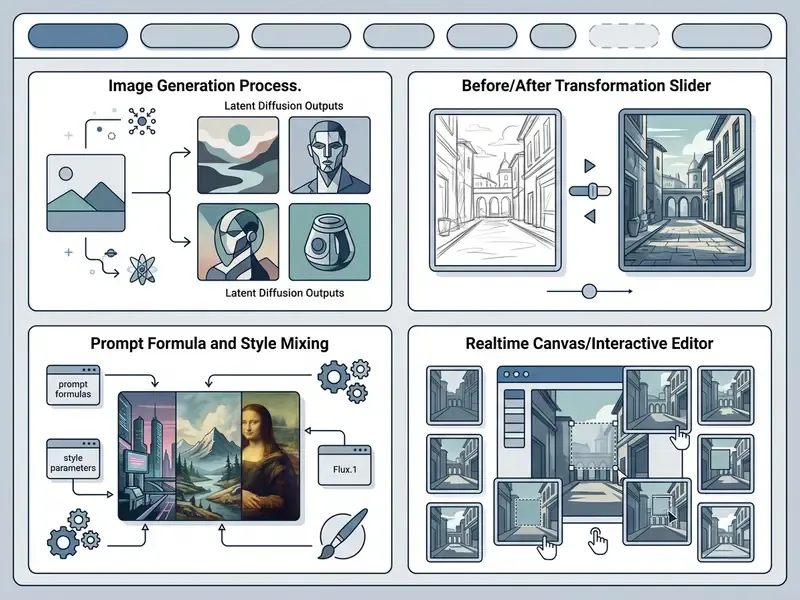
Generating ai art based on image inputs allows creators to use existing photos, wireframes, or rough sketches as a structural foundation for synthetic generation. In this image-to-image workflow, the original asset is encoded into latent space, blended with Gaussian noise based on a specified denoising strength parameter (typically calibrated between 0.0 and 1.0), and reconstructed under prompt guidance.
Lower strength values (for example 0.2 to 0.4) preserve the composition, edge boundaries, and structural features of the source photo while applying subtle surface texture modifications. Higher strength settings (0.7 to 0.85) allow the generative model to alter object geometry, swap backgrounds, or execute dramatic style transfers while retaining overall spatial layout. Some interfaces expose the same control as two independent sliders, style_strength and structure_strength, which decouples appearance transfer from geometric preservation. That is the safer configuration for brand-critical product imagery.
Empirical evidence supports mask-free, text-driven transformation as a viable production path:
«In a user study, mask-free MagicRemover was preferred by 61% of participants, versus 27% for LaMa and 5% for SD-Inpaint.»
AI Acrylic Painting Generator and Other Artistic Styles
An ai acrylic painting generator uses specialized style prompts and fine-tuned model checkpoints to replicate traditional fine-art mediums, such as impasto brushwork, heavy paint layering, and palette knife textures. Effective style conditioning relies on specific visual terminology rather than vague aesthetic descriptors.
[Subject Keyword] + [Medium / Technique] + [Texture Descriptors] + [Lighting & Composition]

Example: "Coastal cliffside landscape, acrylic painting, thick impasto strokes, palette knife texture, vivid color glazes, dramatic golden hour side-lighting"
The effect of technical vocabulary is best supported by corpus-scale evidence rather than anecdote:
«Analysis of more than three million prompts shows users predominantly describe surface aesthetics and reproduce popular visual clichés: fantasy, coloring pages, holiday cards.»
The practical implication is inverted. Because the average prompt population is aesthetically shallow, adding technical keywords such as "opaque blocking," "dry brush," "scumble," "thin glaze," "fluid pour," "knife edge," and "matte finish" produces disproportionate differentiation, improving a model's ability to render authentic visual characteristics. Similar principles apply when targeting digital concept art (concept art, matte painting, digital painting, ArtStation trending), watercolour glazes, or charcoal sketches across diverse ai art creation tools. The same vocabulary discipline governs mascot work, including ai generated animal characters used in retail campaigns. Style-heavy outputs frequently need a final tonal pass in an AI photo editor before they reach production.
AI Art Design for Websites, Digital Projects, and Visual Content
Deploying ai art for websites and commercial digital campaigns requires strict adherence to resolution standards, fixed aspect ratios, and visual style consistency across UI placements. Web graphics typically target standardized framing dimensions: 16:9 for hero banners, 1:1 or 4:5 for marketing cards, and 9:16 for vertical mobile layouts, mapped in practice to 1080×1080, 1080×1350, and 1080×1920 pixel deliverables.
To maintain visual cohesion across digital properties, design systems generate assets natively in the target aspect ratio rather than cropping post-generation, then finish them with an AI image upscaler when retina density is required. An in-house ai art designer working inside a design system will usually keep a fixed seed per campaign to hold the look steady across placements.
On density requirements: mainstream interface guidance recommends supplying high-resolution bitmap assets for every supported display class, with @1x/@2x/@3x variants delivered per device scale factor (Apple Human Interface Guidelines, Images, 2026, https://developer.apple.com/design/human-interface-guidelines/images). This is a platform recommendation for asset delivery rather than a rule specific to synthetic imagery, but it defines the minimum native generation resolution. Producing at 1024 px and upscaling to 2048 or 4096 px is generally required for @2x and @3x web and app placements.
AI Art Creation Portfolio: Documented Example Set
| Category | Example Prompt / Input | Generation Parameters | Output Target | Governance Note |
|---|---|---|---|---|
| 1. Text-to-Image marketing illustration | "Isometric fintech dashboard scene, corporate blue palette, soft studio light" | CFG 6.0, 28 steps, seed 42 | 1920×1080 (16:9) | Prompt and seed logged for reproduction |
| 2. Image-to-Image photo transformation | Product photo plus "matte studio backdrop, cool rim light" | Denoising strength 0.35 | 2048×2048 | Source asset rights verified before upload |
| 3. AI acrylic painting simulation | "Coastal cliffside, impasto, palette knife texture" | CFG 7.0, 30 steps | 4096×4096 print | Human colour-grading pass documented |
| 4. Digital concept art | "Secure data centre interior, matte painting, ArtStation trending" | CFG 5.5 plus ControlNet depth | 2560×1440 | Structural map archived as evidence |
| 5. Web UI hero background | "Abstract gradient mesh, brand slate and bronze, minimal grain" | CFG 4.5, LCM sampler | 1600×900 @2x/@3x | Generated natively in target ratio |
| 6. Realtime sketch-to-image | Vector stroke input plus "modern glass headquarters" | LCM, 4 steps, under 100 ms latency | 1024×1024 draft | Live iteration; final render re-run at full steps |
Technical Input and Output Specifications Matrix
Precise ingestion and export limits determine whether an asset pipeline is viable before a single credit is spent. The table below consolidates the specification ranges observed across mainstream commercial generators.
| Parameter Domain | Specification Standard | Technical Limits and Supported Formats |
|---|---|---|
| Input Image Formats | Multi-format ingestion | Native support for JPG, PNG, WebP, and HEIC (mobile and Safari desktop paths) |
| Max Prompt Length | Tokenized text limits | Optimized for 256 to 750 characters; several platforms hard-reject prompts above 750 characters, and excess tokens undergo semantic truncation |
| Native Output Resolution | Hardware scaling limits | Base renders at 1024×1024 px; consumer exports frequently capped at 2000×2000 px, with Pro upscale bounds reaching 4096×4096 px (4K) |
| Colour Profile Metadata | Web and print colour space | Default sRGB ICC profile embedded; Adobe RGB conversion ready via lossless PNG |
| Provenance Metadata | Synthetic content marking | Machine-readable watermark plus embedded generation metadata (model, checkpoint, seed, timestamp) |
| Aspect Ratio Presets | Placement-native framing | 1:1, 4:5, 16:9, 9:16, 3:2 generated natively rather than cropped |
Selecting AI Models and Visual Styles for the Result You Need
In two sentences: Model selection is a governance decision that trades prompt adherence against structural control and data isolation. No single architecture wins on every axis, which is why benchmark evidence must be read per dimension.
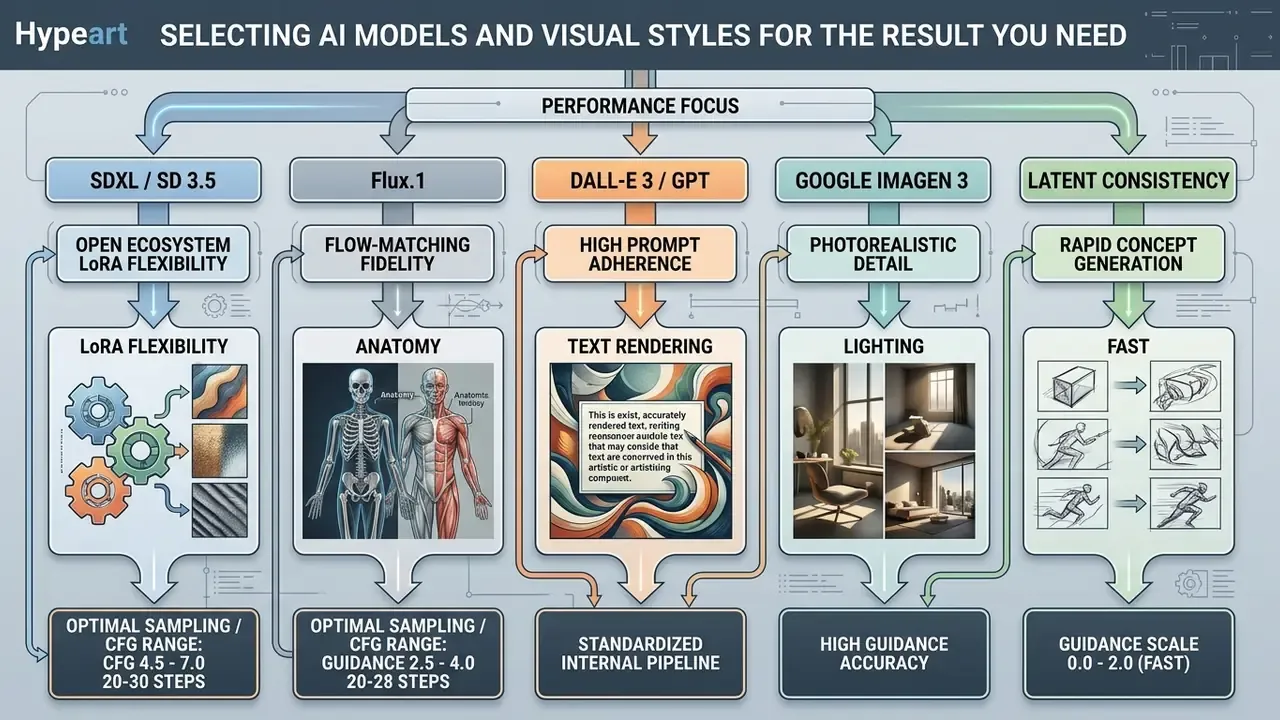
Achieving consistent, high-quality results from an ai art engine requires selecting the appropriate generative model architecture and tuning sampling parameters for the target task. Different model families prioritize distinct performance characteristics: photographic realism, prompt adherence, typography rendering, or artistic stylization.
When to Choose Different Models for AI-Generated Artwork
Selecting the right architecture depends on project requirements regarding image fidelity, editing depth, and deployment speed. For photorealistic commercial graphics and complex text overlays, closed proprietary systems such as DALL-E 3 or Google Imagen exhibit high initial prompt alignment and clean letterforms. Comparative measurement supports that ordering:
«DALL·E achieved FID 9.00%, SSIM 1.35%, PSNR 9.88; Stable Diffusion reached FID 15.95%; human raters judged DALL·E and Imagen the most realistic.»
Conversely, open-weights foundation models such as Stable Diffusion XL (SDXL) allow organizations to run custom-trained Low-Rank Adaptations (LoRAs) and ControlNet pipelines. Aggregate benchmark evidence shows why a single leaderboard position is misleading:
«HEIM evaluates models across 12 aspects, including alignment, quality, aesthetics, originality, bias and toxicity, and finds that no single model leads on all of them.»
Consequently, while proprietary models often lead in automated aesthetic ratings, open architectures offer greater fine-grained control over structural parameters, visual consistency, and, critically for regulated industries, local or private-cloud deployment. A dedicated ai art computer with a modern GPU remains the only configuration in which reference imagery never leaves the building. Detailed feature-by-feature evaluations are collected in our comparison of leading AI image generators and in the head-to-head review of Midjourney versus competing generators.
Next-Generation Engine Architectures: 2026 Ecosystem Update
To maintain competitive output fidelity, modern workflows incorporate specialized foundation models beyond standard diffusion loops:
- Flux.1 (Black Forest Labs) Flow-matching architecture offering state-of-the-art visual fidelity, exact prompt adherence, and superior anatomical structure rendering. The current default for photoreal human subjects.
- Ideogram v2 Specialized in precise typography integration, producing clean graphic design compositions and legible text overlays within generated artwork, which reduces downstream vector rework for posters and packaging.
- Kling AI and Runway Gen-3 Advanced spatio-temporal video generation models enabling keyframe animation of synthetic visual artwork directly from base renders. See the implementation notes on Google Veo video generation for comparable API economics.
- Seedream and Nano Banana Lightweight, high-throughput models optimized for low-latency iteration, mobile creative tools, and high-volume A/B variant production.
- MAI-Image-2.5 class editors Instruction-following editors positioned for fine-grained regional edits with preserved unchanged areas, stronger text rendering, and product-imagery accuracy.
- HiDream, Seedance, Gemini image models Rapidly rotating community-facing engines. Platform aggregators now expose dozens of checkpoints in a single interface, which makes a documented internal allow-list mandatory rather than optional.
Adjacent tooling matters too. Studios that already run ai game maker asset pipelines tend to have the strongest internal habits around seeds, versioning, and structural conditioning, because their outputs must match across hundreds of frames.
Style, Visual Consistency, and Creative Control
Maintaining consistent visual style across multiple generated images requires controlling guidance parameters and structural constraints. Key operational parameters:
- CFG or guidance scale Controls how strictly the diffusion process adheres to the input text prompt. Standard ranges (4.5 to 7.0) offer balanced prompt adherence without introducing oversaturation or pixel distortion. Latent Consistency Models invert this rule and perform best between 0 and 2.
- Seed control Fixing the random noise seed (for example Seed: 42) ensures deterministic image generation when testing prompt modifications or checkpoint iterations. The single most valuable habit for audit reproducibility.
- ControlNet and LoRA adapters Auxiliary neural networks that supply explicit spatial edge maps, depth contours, or pose skeletons to enforce structural consistency across visual iterations.
- CFG rescale and sampler pinning Documented reference configurations (for example
CFG Rescale 0.0,Seed 42) keep outputs comparable across runs and model versions.
Automated prompt optimization is now a measurable alternative to manual tuning:
«BeautifulPrompt was trained on 143,000 prompt pairs and applies RLVAIF reinforcement learning, outperforming manual prompt engineering on automatic metrics and human ratings.»
| Model / AI Engine | Primary Application | Prompt Adherence | Text Rendering and Detail | Editing Capabilities | Data Privacy and Isolation |
|---|---|---|---|---|---|
| Stable Diffusion XL (SDXL) | Open-source workflows, custom style LoRAs, multi-mode generation | Moderate to high, dependent on prompt tuning | Moderate detail; requires fine-tuned text modules | Strong inpainting, outpainting, ControlNet integration | Highest: local GPU, private cloud, or air-gapped deployment |
| Flux.1 | Photoreal humans, product renders, anatomy-critical output | Very high, flow-matching adherence | High legibility for short strings | Strong img2img and structural conditioning | High: open-weights variants self-hostable |
| DALL-E 3 (OpenAI) | Rapid concept illustration, complex prompt composition | Very high, automatic prompt expansion | High accuracy for short text strings and logos | Text-guided regional editing and variation generation | API only; enterprise ZDR terms required |
| Google Imagen 3 | High-realism marketing visuals, photorealistic lighting | High structural and semantic alignment | High fine-grained detail and texture fidelity | Inpainting and mask-based background replacement | API only; VPC-SC and regional controls available |
| Midjourney (v6) | Stylized concept art, artistic visual exploration | High visual appeal and artistic coherence | Moderate text rendering accuracy | Pan, zoom, region-specific vary and inpainting | Lowest: public gallery defaults on lower tiers |
| Ideogram v2 | Typography-led design, posters, packaging comps | High for layout and lettering | Highest for in-image text | Regional text replacement | API and web; standard retention terms |
Read the table by column, not by row. The privacy column decides eligibility; the adherence column decides only convenience.
How to Write a Prompt for Quality AI-Generated Art
In two sentences: Prompt quality is a function of ordered structure, explicit exclusions, and single-variable iteration, not length. Vendor guidance from Google Cloud, OpenAI, and Adobe converges on the same five-block skeleton.
Constructing an effective prompt for an ai art maker requires a structured, multi-part textual description that clearly specifies visual elements while avoiding contradictory instructions. Leading image generation guides, such as those published by Google Cloud and OpenAI, recommend organizing prompt parameters into a predictable hierarchy.
Description Structure: Subject, Style, and Visual Details
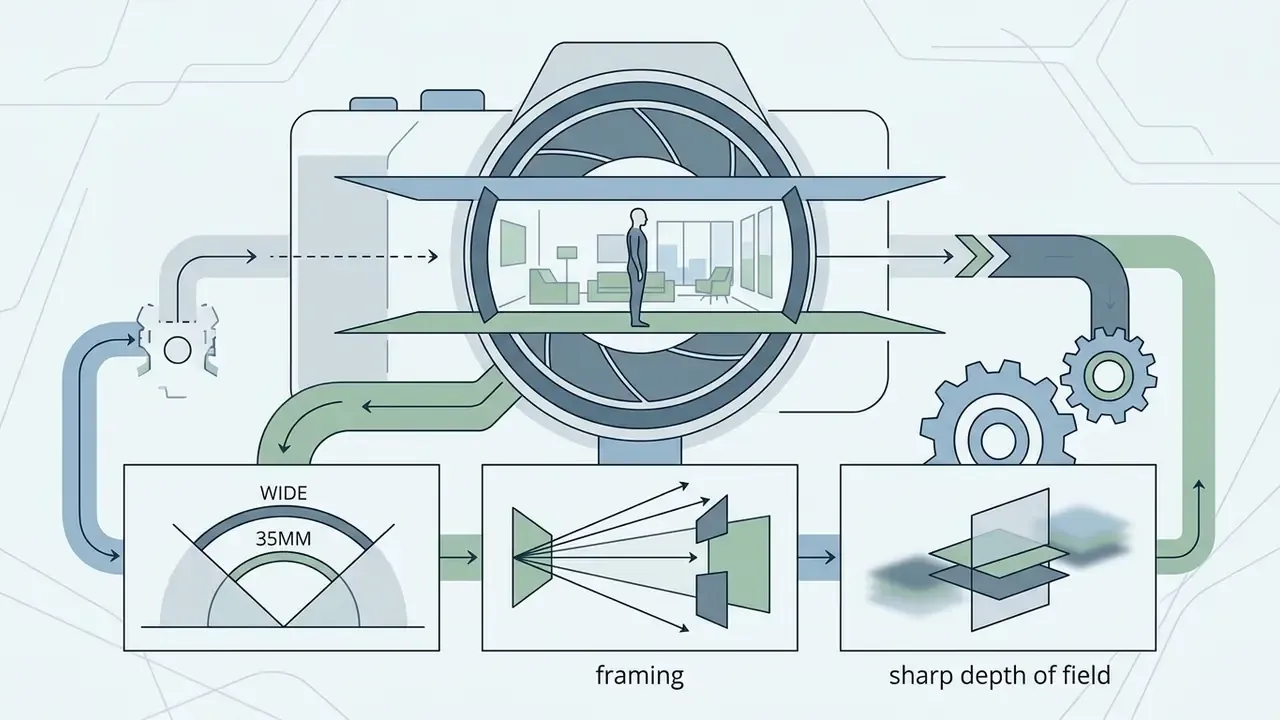
A balanced visual description provides clear guidance across all key structural dimensions. That structure is not arbitrary, it mirrors how real users actually write:
«Analysis of three million prompts shows users cluster descriptions around subject, style and context, predominantly emphasizing surface aesthetics.»

Refining Prompts and Improving Results Through Iteration
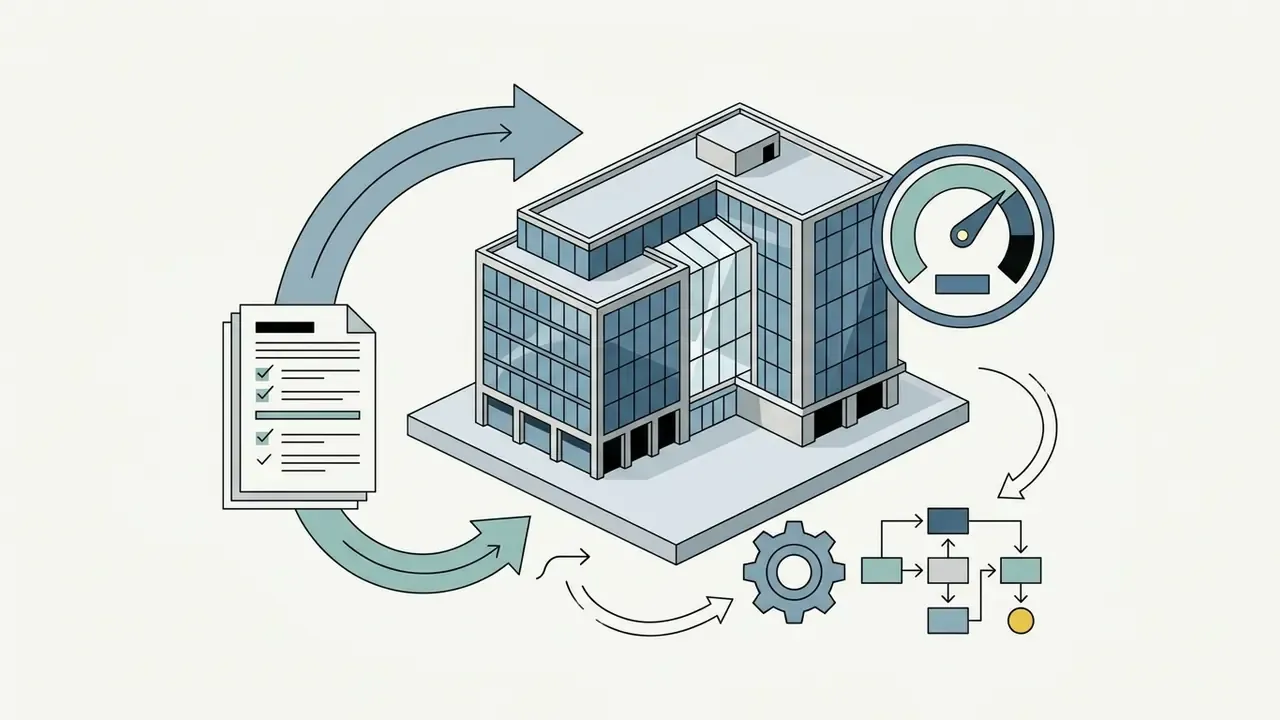
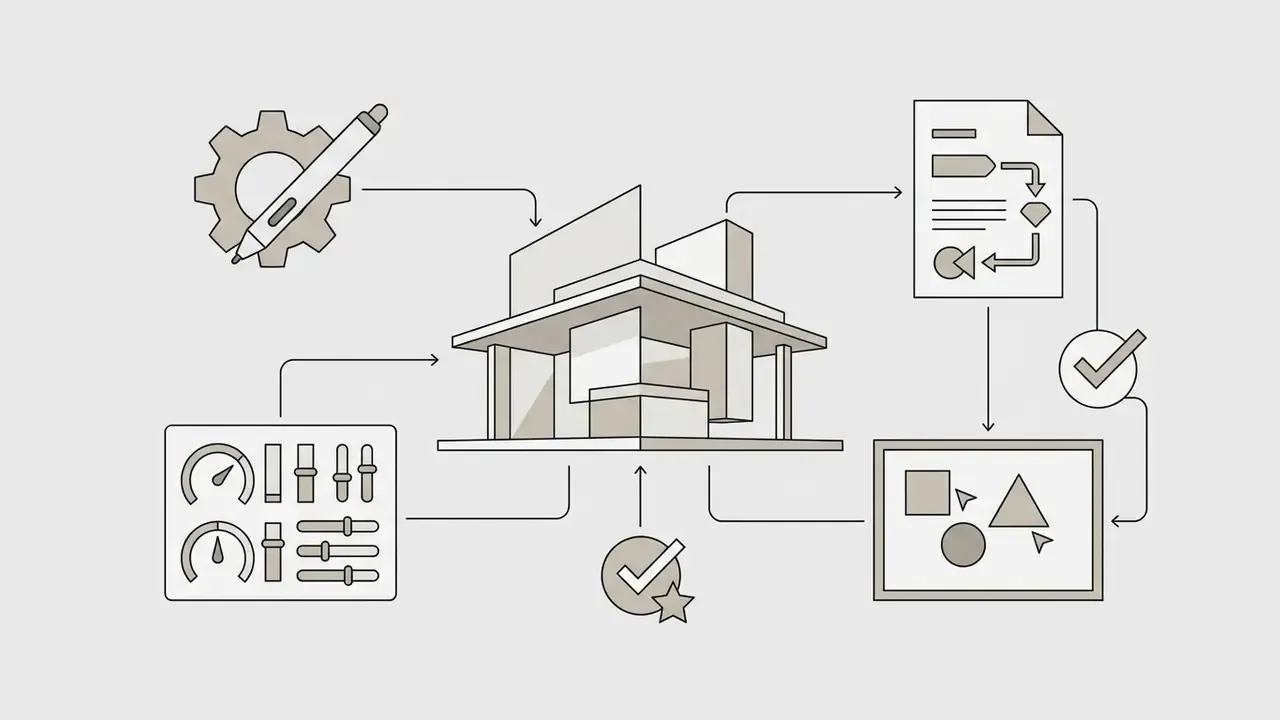
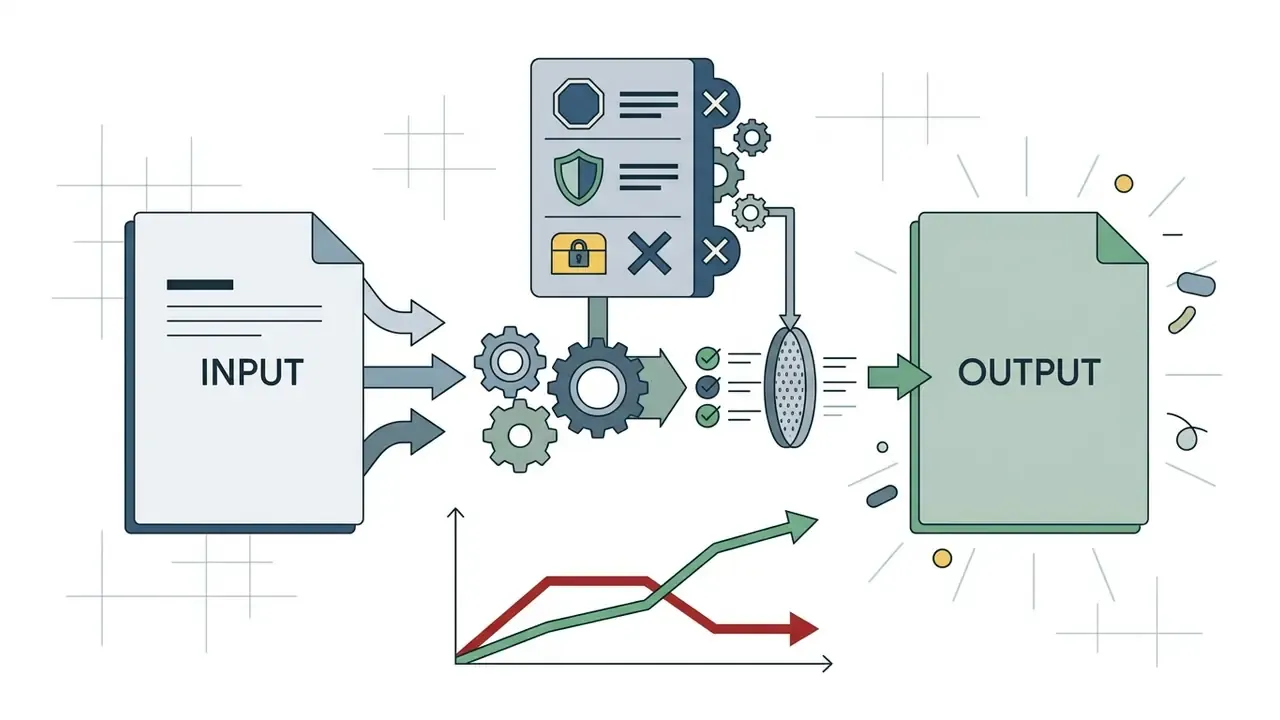
Improving output quality is an iterative refinement process that relies on negative prompting, word weighting, and parameter adjustment rather than endlessly increasing text length.
- Negative prompts: explicitly list unwanted visual artifacts or styles to exclude them from latent space sampling, for example
"blurry, oversaturated, extra limbs, signature, low resolution, watermark".
«Semi-structured interviews with 19 users of text-to-image tools showed that iterative prompt adjustment helps balance control against desirable unpredictability.»
- Prompt weighting adjust the relative influence of specific words using syntax multipliers or parentheses, for example
"(acrylic painting texture:1.2), (vivid glazes:0.8)". Parenthetical syntax raises the embedding scale of a concept; numeric multipliers raise or lower it deterministically. - Iterative testing modify a single prompt variable at a time while holding the random seed constant, to isolate the impact of specific descriptive phrases on the final generated art.
«Goal orientation of the prompt and the number of stated criteria correlate with design ratings more strongly than prompt length or editing time.»
- Sampler and step adjustment: where adherence remains poor, raise steps before raising CFG. Excessive guidance produces saturation and edge halos rather than better semantics.
Ideas for Your First AI Art Creations
For initial exploratory runs on an ai art creator platform, standardized prompt templates help baseline model performance across common artistic styles. Teams comparing outputs across engines will find the free AI art generator comparison useful for establishing a no-cost baseline before committing budget.
Check-list: Prompt Engineering Validation
Checklist0 / 8
Intake for creative requests can be standardized with a simple structured form, and an ai form generator is usually enough to capture these eight fields at submission time.
Editing AI Art: Refine, Background, and Quality Uplift
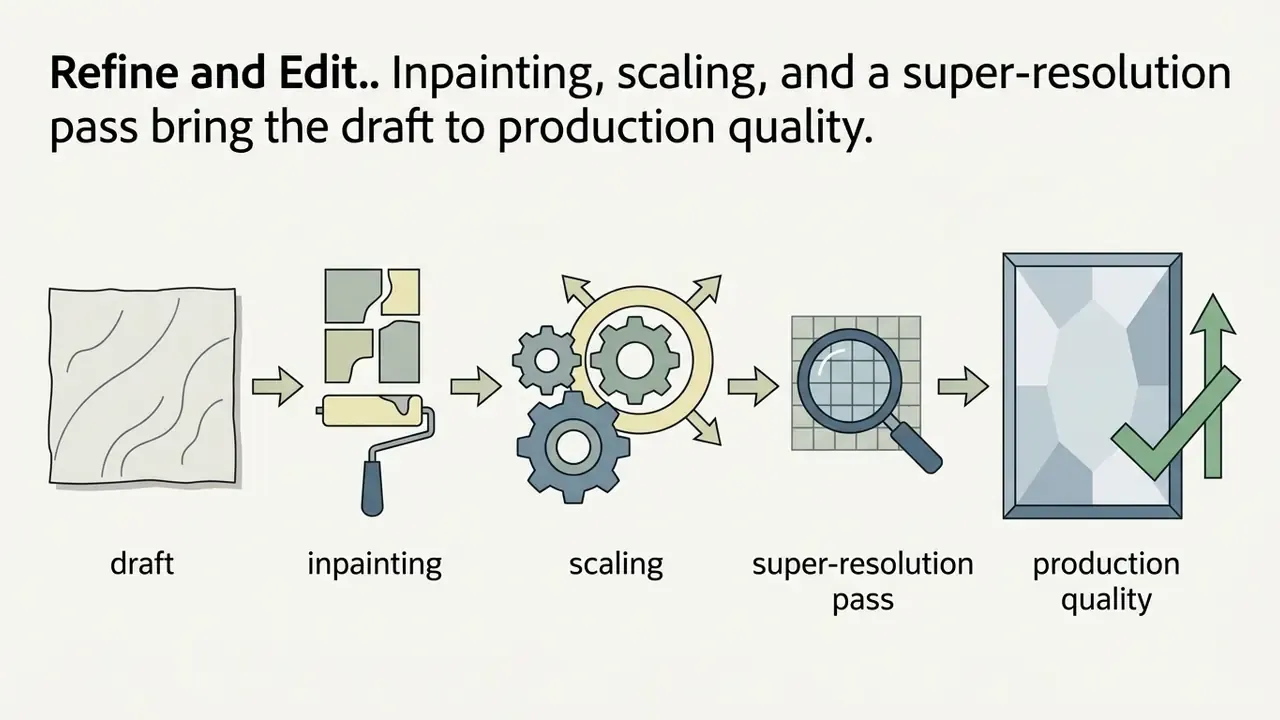
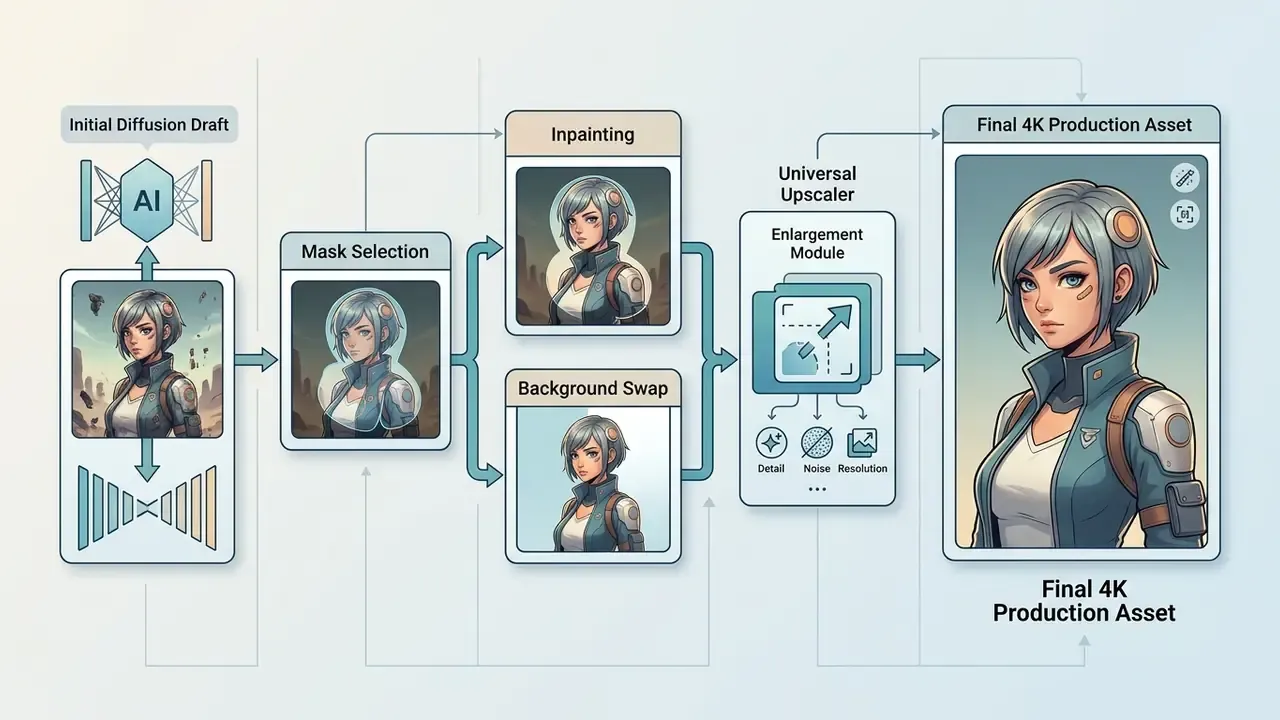
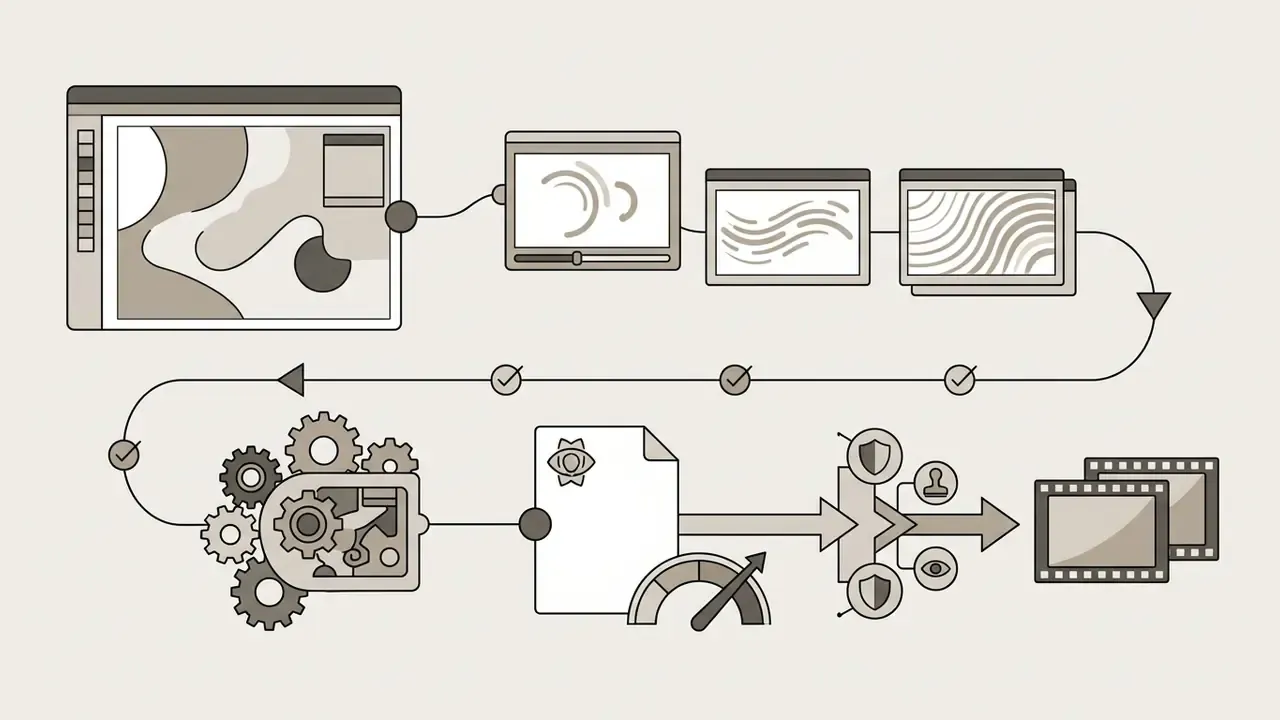
In two sentences: Draft generation is one stage of a five-stage pipeline that ends in a production-grade, metadata-tagged asset. Mask-based editing and super-resolution are where most measurable quality gains occur.
Generating an initial draft image is often only the first step in creating production-ready artwork. Advanced ai art applications feature integrated editing tools that allow users to modify localized image regions, replace backgrounds, or upscale resolution without regenerating the entire composition.
Edit Image: Background Replacement and Local Retouching
Inpainting enables precise local editing by placing a binary mask over a selected region of an image while preserving the surrounding pixels intact. When a user executes an edit image command, the latent diffusion model generates new visual content exclusively within the masked boundary, blending lighting, colour temperature, and edge gradients into the original background context.
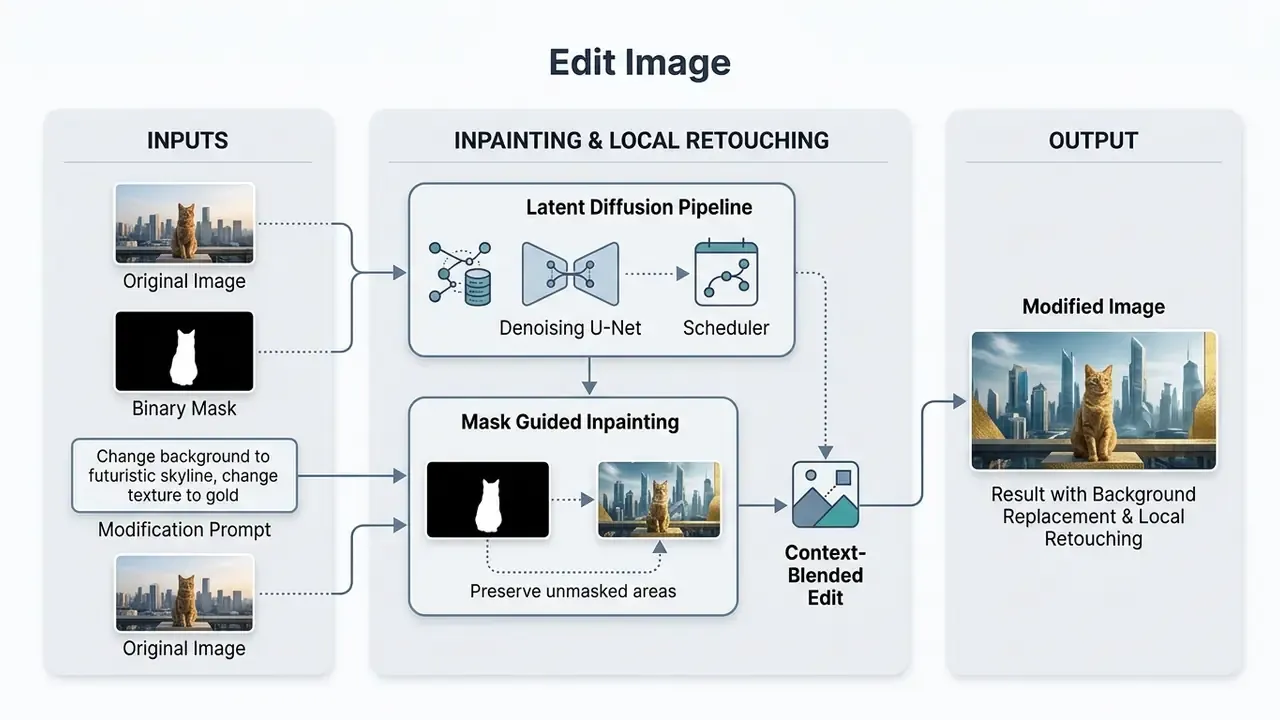
A repeatable four-step methodology governs local edits: classify the edit type (removal, replacement, addition, or background swap); acquire the mask (manual brush, instance segmentation, or automatic mask detection); synthesize content inside the mask under prompt conditioning; then blend the boundary so that lighting and texture match neighbouring pixels.
Background replacement leverages automated semantic segmentation models, such as Segment Anything, to isolate the primary subject from the backdrop.
«Mask-free MagicRemover was preferred by 61% of study participants versus 27% for LaMa; FID was 12.78 against 8.44 for LaMa on COCO 2017.»
The divergence between preference and FID in that result is instructive. Automated distribution metrics and human perception do not always agree, which is why editing pipelines should be validated with human review rather than metrics alone. Creators can then substitute complex outdoor scenes, studio settings, or solid brand colours using natural language descriptions, accelerating digital content variation workflows, and finish tonal correction in a dedicated AI image enhancer or photo editor.
Refine and Upscale for the Final AI Artwork
Converting draft renders into high-resolution assets suitable for print or retina displays requires advanced upscaling techniques. Modern upscaler systems fall into two categories:
- Generative diffusion refinersre-inject low levels of latent noise into the upscaled image, using the original prompt to add intricate micro-textures, crisp hair details, and fine surfaces.
- GAN-based super-resolution (universal upscalers)use deep convolutional networks such as RealESRGAN to enlarge pixel dimensions (2048×2048 or 4K) in a single forward pass, preserving exact line work without generating visual hallucinations.
Controlled comparisons give explicit figures rather than vague speed claims:
«The GAN upscaler reached PSNR 27.83 and SSIM 0.786 versus PSNR 26.66 and SSIM 0.748 for the diffusion model; processing took 0.24 s versus 3.20 s on an NVIDIA A100.»
That is roughly a 13x throughput advantage in the measured configuration, which is why GAN-based models deliver superior computational efficiency and structural fidelity for corporate graphics, whereas diffusion refiners excel at synthesizing artistic textures in fine-art styles. Artifact-free refinement in the diffusion branch typically depends on explicit artifact masking, wavelet-domain losses, or two-stage architectures that separate artifact removal from resolution enhancement. Tool-level trade-offs are compared in our AI image upscaling and expansion review.
Real-Time Latent Canvas and Motion Generation
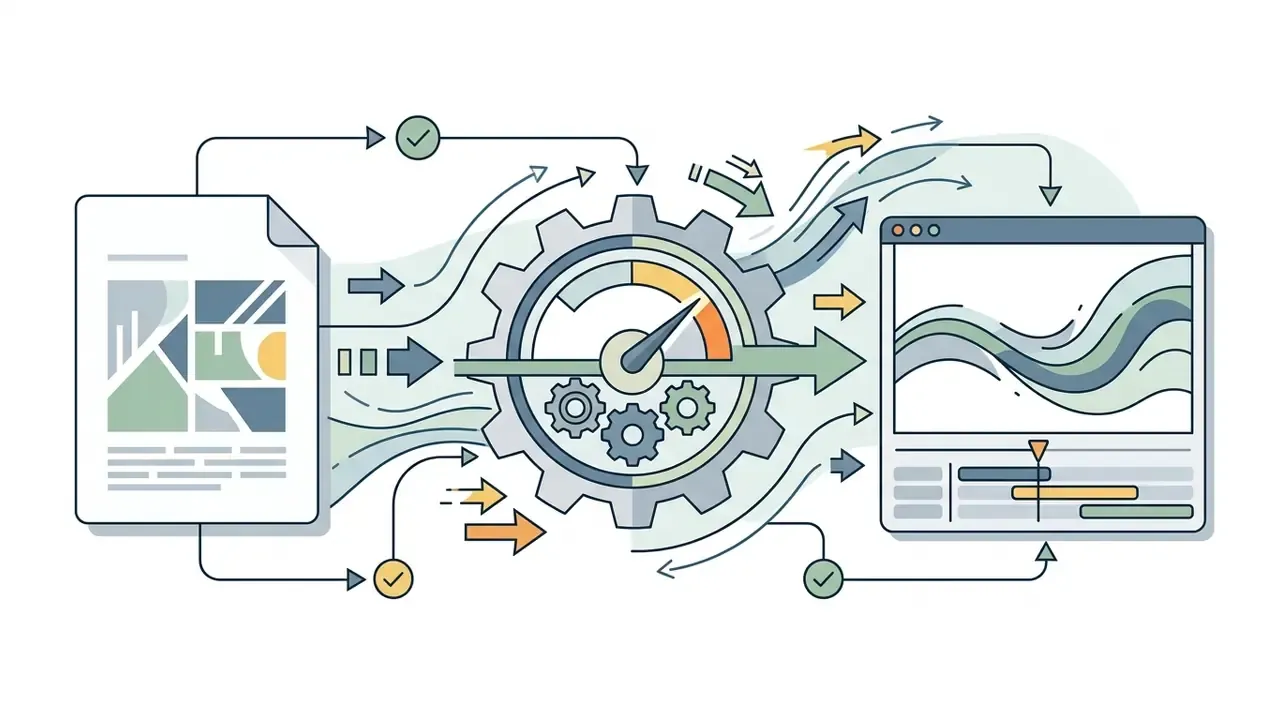
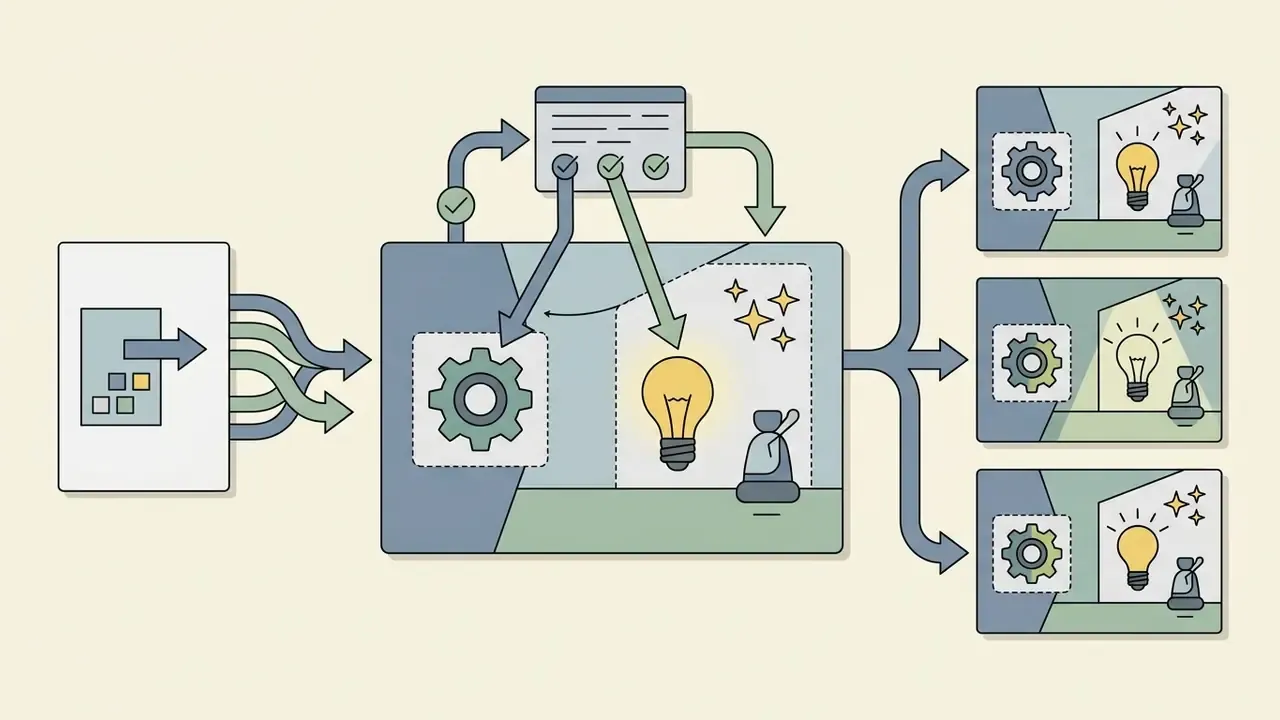
Modern creative pipelines extend beyond static image generation through real-time feedback loops and motion synthesis:
Free AI Art Maker, Pro Features, and Commercial Use
In two sentences: Free tiers trade resolution, throughput, and commercial rights for zero cost; Pro and Enterprise tiers buy compute priority, deep editing, and contractual indemnity. The decision is rarely about price and almost always about rights and data isolation.
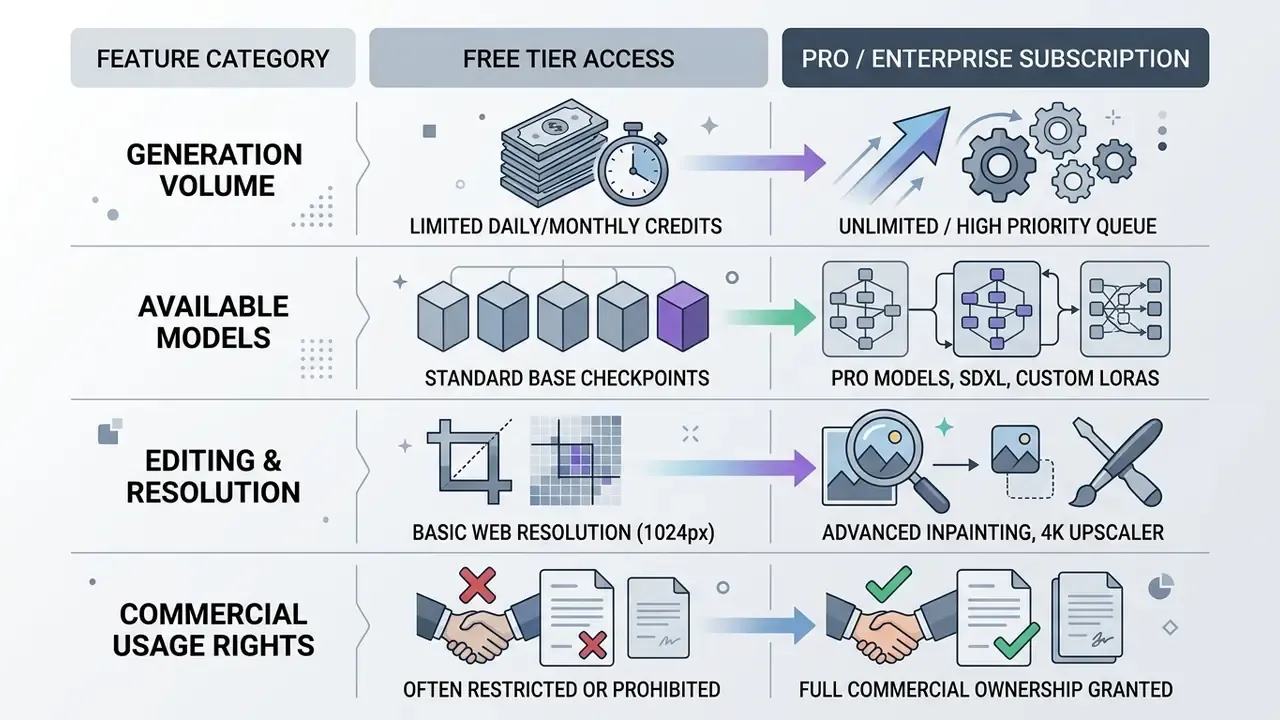
Access models for generative visual software vary significantly across providers, ranging from restricted free tiers to enterprise Pro subscriptions with dedicated processing resources. Organizations must evaluate credit structures, advanced features, and legal terms before integrating any ai app art free tier into commercial workflows.
What Free AI Art Creation Actually Includes
Free plans on platforms such as Microsoft Designer or Canva provide accessible entry points for casual experimentation, and several web tools permit anonymous, single-prompt generation with no account at all. A typical ai art creation free allocation grants a fixed daily quota of generation credits, basic text-to-image conversion, and access to standard foundation models.
«More than 75% of surveyed professionals use AI image generators primarily for creative inspiration and rapid prototyping, not for final deliverables.»
That usage profile explains why free tiers remain viable for many teams. Ideation rarely needs 4K output. However, free tiers frequently apply operational constraints: lower priority queue processing, watermarked outputs, resolution caps (1024×1024 pixels, or 2000×2000 on export-capped platforms), attribution requirements, and restrictions against commercial asset use. Vendor policy varies sharply. Some providers describe their free daily ai art generations as commercially safe because the underlying model was trained on licensed and public-domain content, while others explicitly forbid commercial use below the paid tier. Never infer rights from price.
When You Need Pro, Advanced Editing Options, and Extra Models
Upgrading to a Pro subscription becomes necessary when creative production demands high throughput, deep customization, or enterprise-grade privacy controls. Key advantages of paid tiers:
Before committing to seats, model the unit economics. Per-credit and per-seat structures behave very differently at scale, and our calculator hub lets you test both: browse the hub. Published tier data sits in AI Media Pricing.
Commercial Use Conditions for AI-Generated Artwork
Determining whether generated artwork is legally safe for commercial use of AI image generators involves reviewing both platform terms of service and applicable regulation. While major AI vendors grant operational copyright assignments to paid account holders, regulatory authorities apply strict standards regarding legal protection and transparency. Sector-specific licence conditions across categories can be reviewed side by side, compare options, and active disputes shaping this area are tracked in our litigation hub, explore the hub.
Jurisdictional divergence is wider than most brand teams assume:
«In Japan and Indonesia, AI-generated works are not recognized as objects of copyright, because no country recognizes AI as a legal subject.»
| Subscription Tier | Monthly Allowance | Available Model Architecture | Max Export Resolution | Commercial Licensing Status |
|---|---|---|---|---|
| Free Tier | 10 to 20 daily generation credits | Standard base model (SD 1.5 or basic DALL-E) | 1024×1024 pixels (2000×2000 on some platforms) | Restricted; personal and non-commercial evaluation only, attribution may be required |
| Pro Tier | 1,000+ priority credits per month | Access to SDXL, Flux.1, DALL-E 3, custom LoRAs | Up to 4096×4096 (4K) | Commercial usage rights granted under platform terms |
| Enterprise Plan | Custom pooled credit allocation | Dedicated fine-tuned models and APIs | Uncapped lossless exports | Full commercial licence with legal indemnification options, SSO, and audit logging |
Fact Check and Legal Verification Notice (verified February 2026)
«Qualitative analysis identified copyright anxiety as a core theme: professionals worry about training data, originality, and client acceptance of AI assets.»
Enterprise Security Compliance and Data Integrity
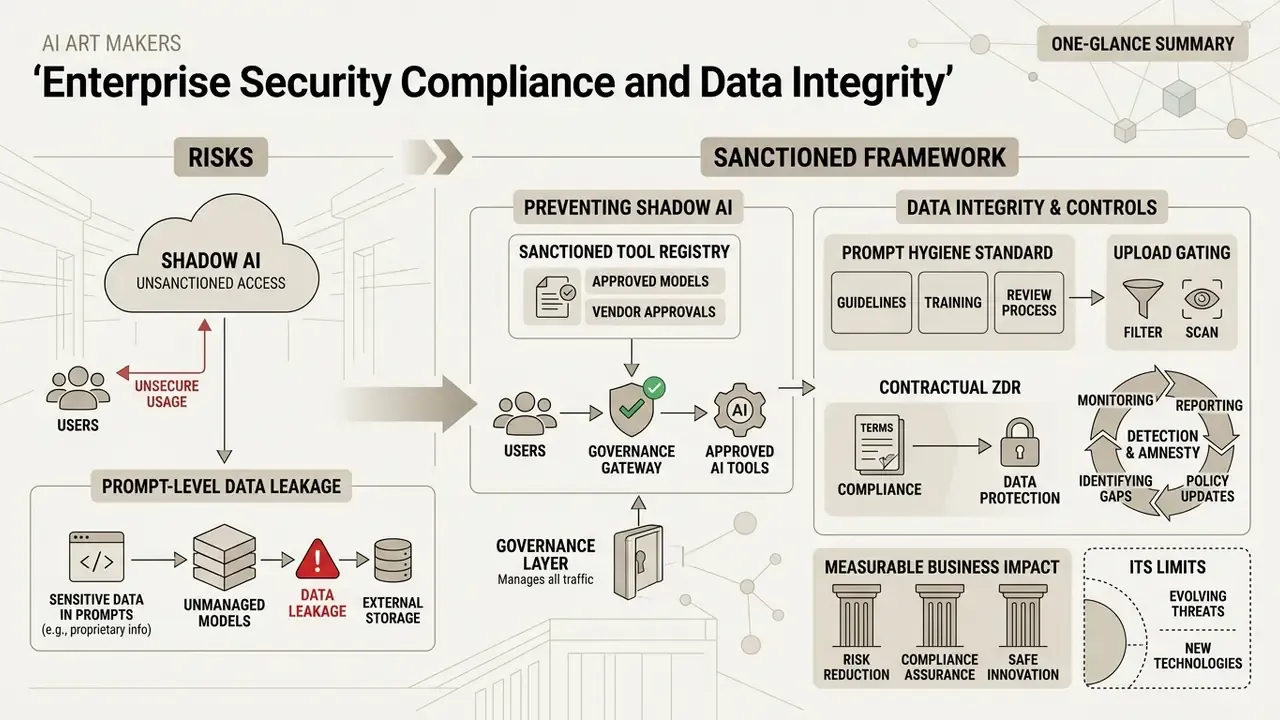
When deploying generative image tools inside corporate workflows, legal ownership is insufficient without robust data protection. Institutional buyers must verify formal security accreditations:
- SOC 2 Type I and Type II certification provides assurance that user prompts, proprietary image uploads, and fine-tuned LoRA weights are processed under audited operational controls, preventing exposure in public training datasets. Several vendors publish full SOC 2 Type I and Type II accreditation as a procurement differentiator (Leonardo.ai security statement, 2026, https://leonardo.ai/).
- ISO 27001-aligned controls documents information-security management across access control, change management, and incident response. This is the framework most often mapped to internal model-risk policy.
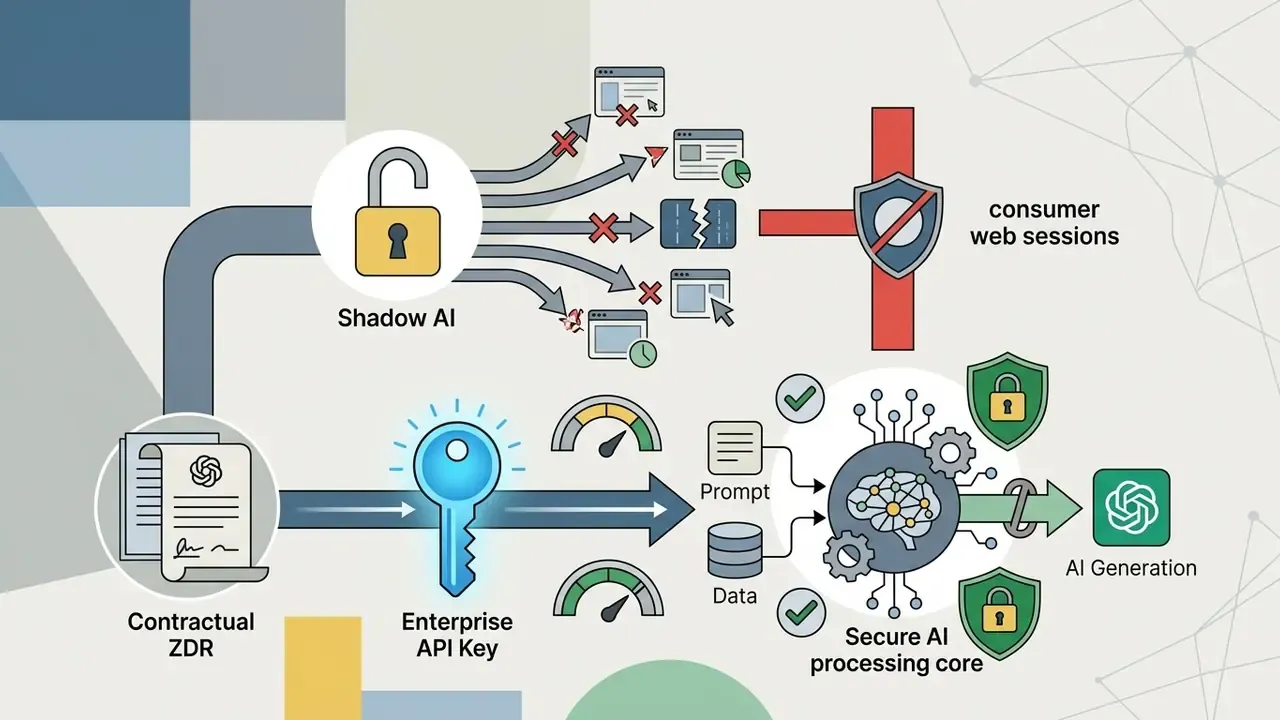
- Data lineage isolation enterprise plans enforce zero-data-retention policies on input API payloads, keeping uploaded visual assets confidential and unindexed by foundation-model scrapers.
- Deployment topology for material non-public information, only local GPU, VPC-isolated, or air-gapped deployments of open-weights models (SDXL, SD 3.5, Flux.1 variants) provide categorical assurance that reference imagery never leaves the perimeter.
- Provenance controls institutions publishing synthetic media increasingly require permanent watermarking, embedded metadata identifying non-authentic origin, and captions such as "AI-generated illustration," mirroring public-sector directives on labelling AI media.
Preventing Shadow AI and Prompt-Level Data Leakage
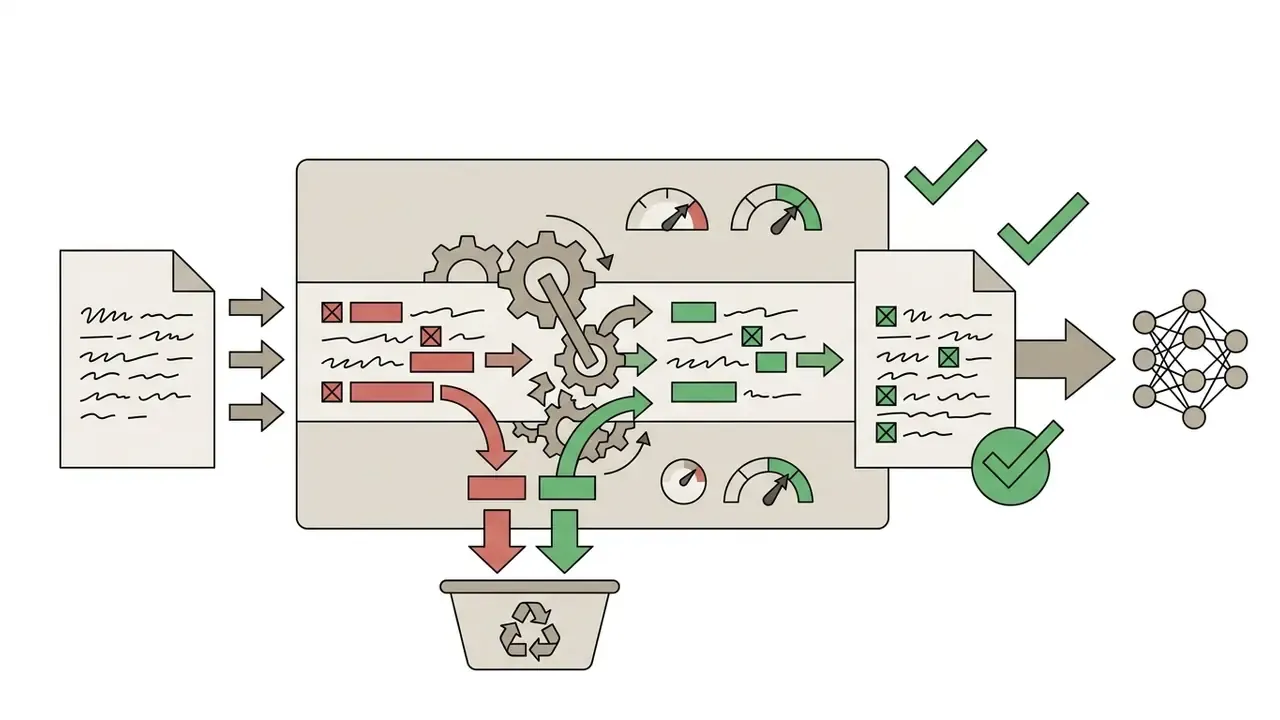
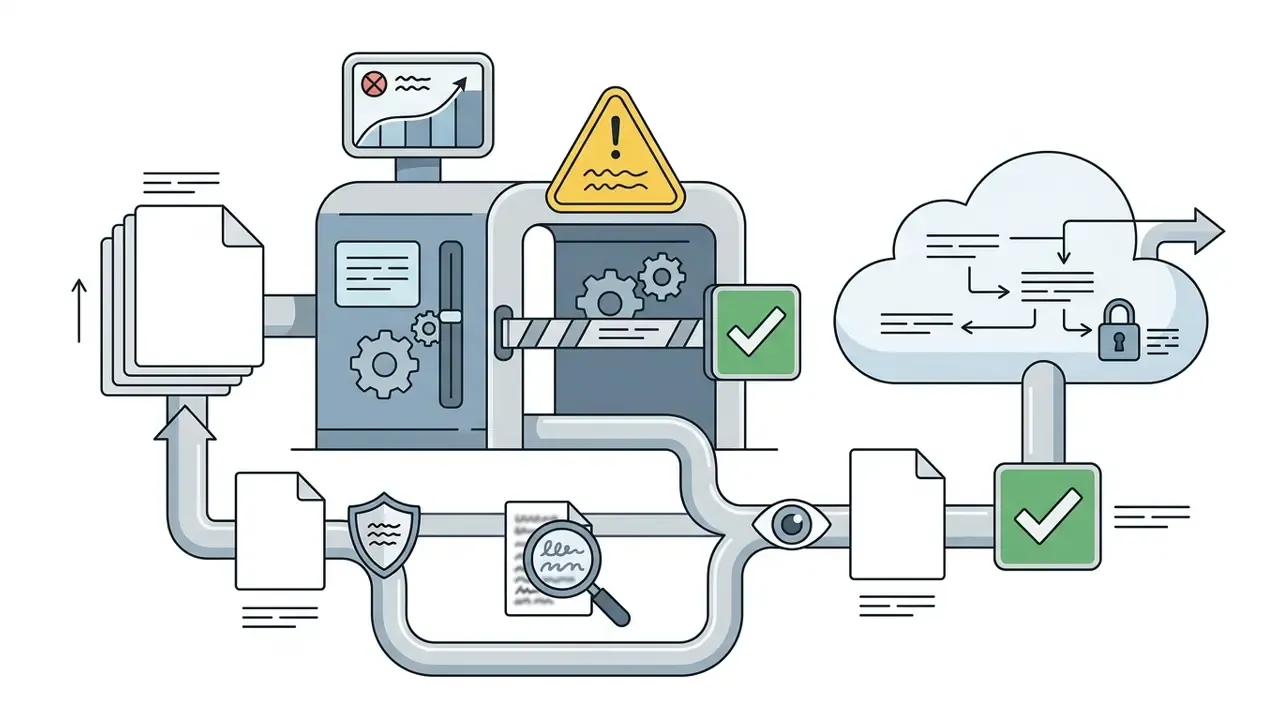
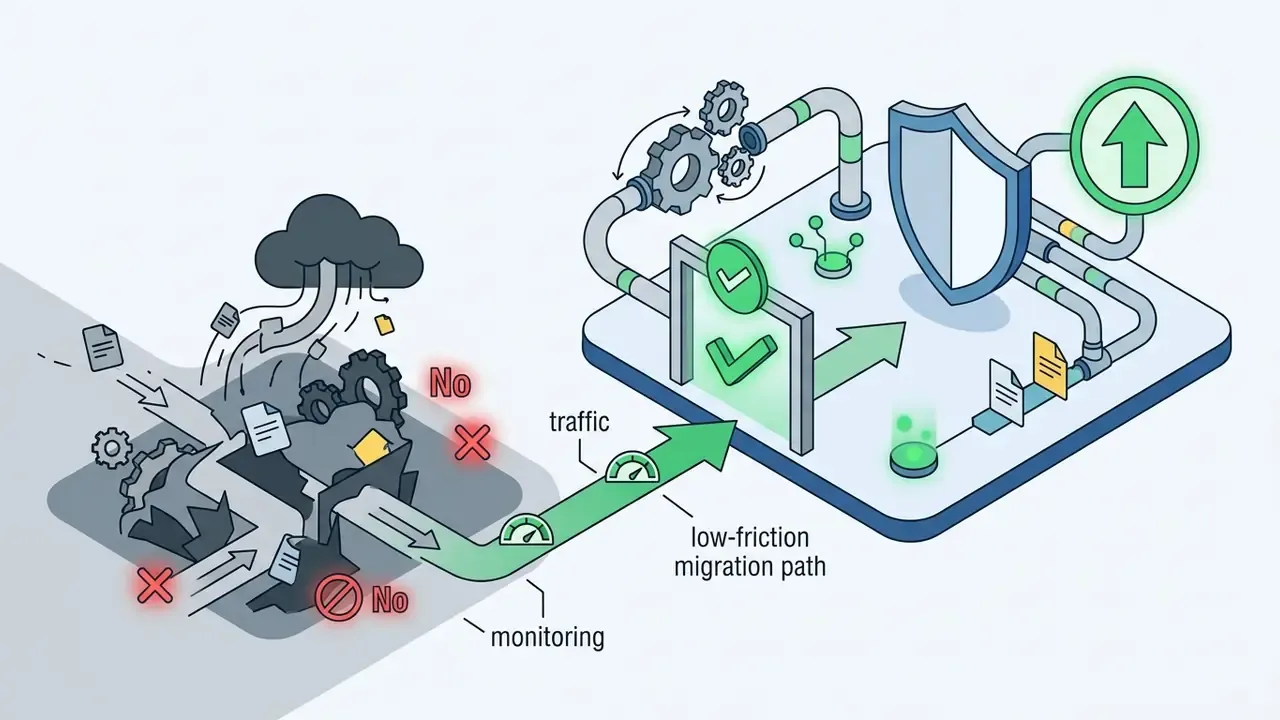
The dominant real-world risk is not model failure. It is unmanaged tool adoption. Free, no-sign-up generators are frictionless precisely because they impose no controls, which makes them the default channel for employees under deadline pressure.
A workable containment programme includes five controls:
One caveat on control number one. An allow-list without an owner decays in about a quarter, so name a responsible governance lead and set a review cadence, not just a spreadsheet. Cost modelling for sanctioned alternatives is collected in our AI media pricing directory and in the free photo editor feature-limit guide for teams needing a zero-cost but bounded option. For implementation questions, our team can compare options with you.
Measurable Business Impact and Its Limits
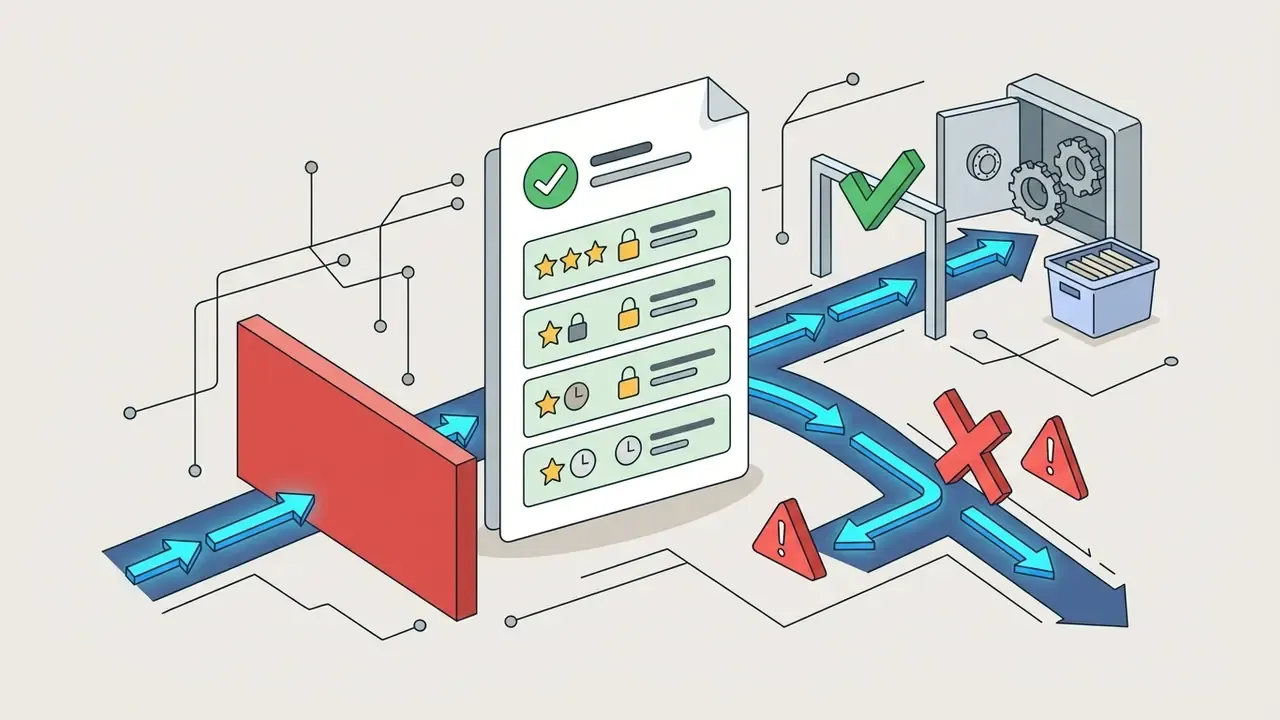
Risk-adjusted ROI for an AI art programme has three components, and most business cases only model the first.
| Component | What it captures | Typical evidence source |
|---|---|---|
| Production saving | Fewer external design hours and faster variant production | Agency invoices, design ticket cycle times |
| Control cost | Licences, ZDR terms, watermarking, review labour, registry upkeep | Vendor contracts, governance headcount |
| Residual risk | Rework, takedowns, licence disputes, disclosure failures | Incident log, legal review hours |
The honest position: production saving is easy to measure, control cost is knowable, residual risk is not yet well quantified for synthetic imagery in regulated marketing. Treat any ROI figure that omits the second and third columns as incomplete.
FAQ: Common Questions About AI Art Generators
Do I need to register to create AI art?
Access models differ by vendor rather than following a single rule. Several web-based guest tools explicitly advertise no-sign-up generation and run entirely in the browser, while most full-featured platforms tie image generation to a platform identity: an Adobe ID, a Microsoft account, a Google account, or enterprise Single Sign-On. Secure login (Google OAuth or enterprise SSO) allows platforms to track credit quotas, enforce rate limits, manage user asset galleries, and maintain audit trails for legal compliance. From a governance standpoint, authenticated access is preferable regardless of convenience, because anonymous generation produces no attributable record. Options that require no account are reviewed in the free AI art generator comparison.
Where do AI art applications run: web, mobile, or desktop apps?
Modern AI art software is accessible across several platform channels:
- Web interfaces: full-featured browser platforms offering deep editing suites, parameter adjustment, and prompt history management.
- Mobile apps (iOS and Android): native applications optimized for touch controls, mobile content creation, and quick social asset export. Several platforms also install as home-screen progressive web apps that sync creations across devices.
- API and messaging integrations: developer APIs (for example an image endpoint or platform-level image-playground API) plus ai art chat bots inside Telegram, Slack, or Discord, enabling generation directly in corporate collaboration tools. Integration documentation is grouped here: browse the hub.
How do I keep prompts and source images out of a training dataset?
Use enterprise or API tiers with contractual zero-data-retention and no-training clauses, disable public-gallery defaults, and route confidential work through self-hosted open-weights models. Consumer tiers frequently reserve broad rights to use submitted content for service improvement, and on some platforms public visibility of generations is the default on lower plans.
How do I demonstrate human authorship for a copyright registration?
Retain evidence of the expressive decisions a person made: prompt revision history, selection rationale among candidate outputs, mask definitions, ControlNet inputs, colour grading, compositing steps, and the final human-edited layers. Registration filings should identify and disclaim the AI-generated portions while describing the human contribution. Purely prompt-driven output with no further human authorship is the weakest possible position.
Does it cost money to generate AI art?
Not necessarily. Many platforms distribute free daily credits, and some position their free tier as commercially safe. What free tiers reliably cost you is resolution, queue priority, model choice, and sometimes commercial rights. Compare allowances rather than headline prices.
Can I sell AI-generated artwork?
Many ai art creators sell prints, digital assets, and merchandise produced with these tools, and paid plans usually grant the necessary platform-level licence. Two independent checks still apply: whether your jurisdiction grants any copyright in the output, and whether the composition contains third-party trademarks, protected characters, or identifiable persons requiring clearance. Style-specific risks are discussed in the Ghibli-style generator review.
What file formats, prompt limits, and resolutions should I expect?
Typical ingestion covers JPG, PNG, WebP, and HEIC; prompt fields commonly cap at 750 characters; consumer exports often top out at 2000×2000 px while Pro tiers reach 4096×4096 px. Always validate limits before designing an automated pipeline. Silent prompt truncation is a frequent cause of unexplained quality regressions.
Can AI art be animated?
Yes. Image-to-video models compute motion vectors and optical flow to animate a static render while preserving style, and dedicated video engines accept both text and image conditioning. Expect stricter disclosure duties for synthetic motion depicting real people or events. See the Google Veo implementation notes and the animation maker guide.
Which model should a regulated organization start with?
Start with an open-weights model deployed inside your perimeter for anything touching confidential material, and reserve closed APIs for public-domain creative work under an enterprise agreement with ZDR terms. Benchmarks in our comparison matrices map each engine against control, fidelity, and licensing criteria.
Why do searches for these tools look so inconsistent?
Because the category has no settled name yet. Queries arrive as "ai art maker," "ai art ai image generator," "ai art digital," "ai art designs," and as plain misspellings such as "ai arr," "ai air generator," or "a art generator." All of them describe the same class of software: a text and image conditioned generator that produces synthetic visual artwork. If you are building an internal knowledge base, index the aliases too, otherwise staff will not find the sanctioned tool page.
Summary and Next Steps for AI Governance Leaders
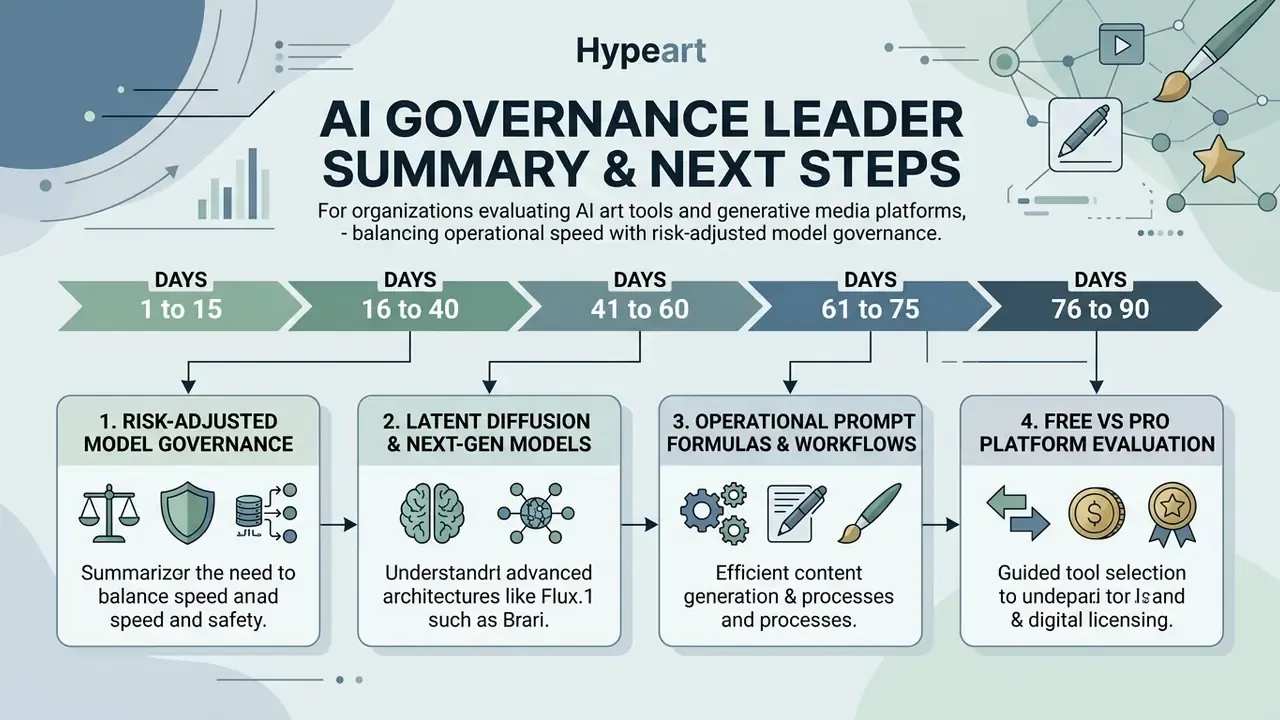
Organizations evaluating AI art tools and generative media platforms must balance operational speed with risk-adjusted model governance.
«EvalMuse-40K contains 40,000 annotated image-text pairs; FGA-BLIP2 and PN-VQA methods show high correlation with human alignment judgments.»
Appendix A: Superseded Fragments (Editorial Change Log)
About the Reviewer
Marcus Hale is the author who contributes to the AI Governance & Model Risk Editorial Column. The author focuses on model documentation, control design, and generative-content compliance for regulated industries. Review scope for this article covered the architecture description, benchmark citations, licensing analysis, and the enterprise security and Shadow AI sections.
Disclaimer
This article is informational and does not constitute legal, financial, or compliance advice. Copyright status, transparency obligations, and licensing terms for AI-generated imagery vary by jurisdiction and change frequently. Consult qualified counsel and review current platform terms of service before commercial deployment.