Executive Summary
- How it works: A text encoder (typically CLIP or a comparable transformer) converts your prompt into vector embeddings. A diffusion model then denoises latent noise across multiple steps into a coherent image. Output quality depends on three controllable variables: prompt structure, model parameters (
guidance_scale,steps), and the randomseed. - Legal exposure: In the United States, purely machine-generated output is not copyrightable and functionally enters the public domain. Commercial usability comes from platform Terms of Service, not from copyright. Substantial human authorship is the only path to protectable brand assets.
- Cost and capability reality: Free tiers realistically deliver 2 to 20 images per day at 640×640 to 1024×1024 resolution with non-commercial or ambiguous licensing. Production-grade 2K and 4K output costs roughly $0.01 to $0.25 per image via paid tiers or API credits.
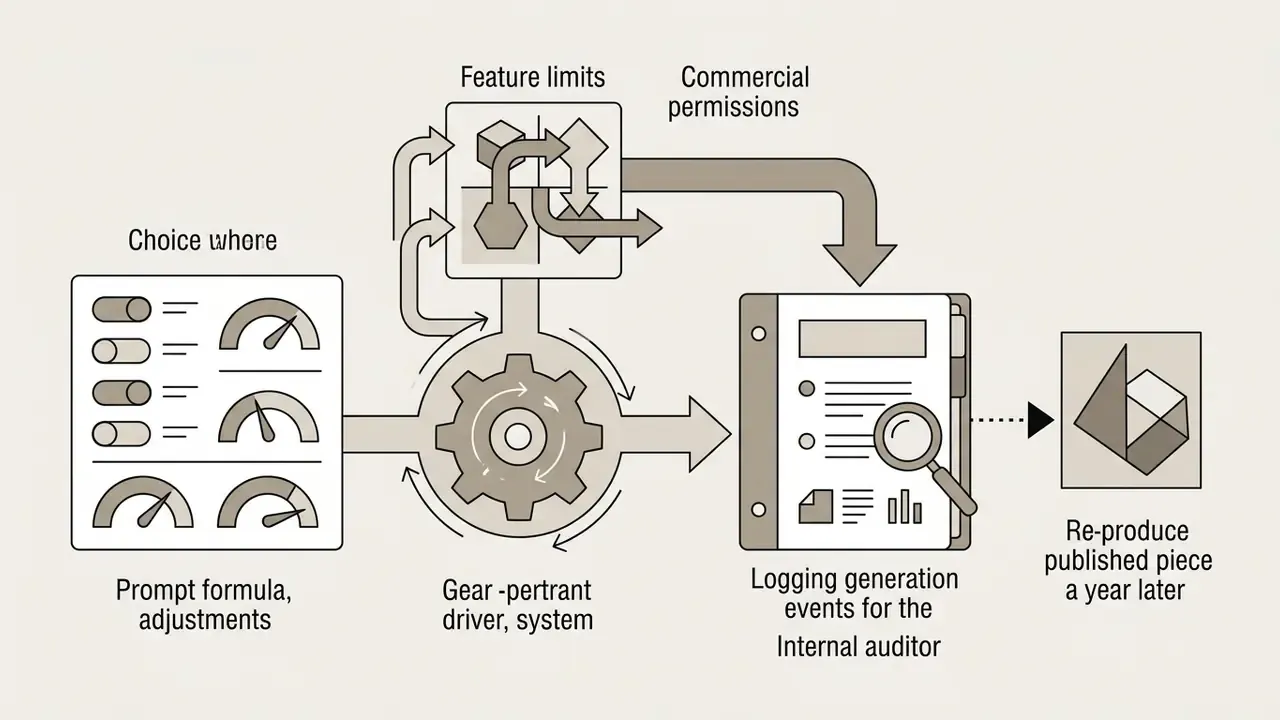
- Governance requirement: For audit-ready pipelines, log the prompt text,
seed,guidance_scale, step count, model version, and operator identity for every generation. Without that record, reproducibility and provenance claims cannot be defended in a model-risk review. - Selection rule: Match the model to the constraint that dominates your risk profile: aesthetics (Midjourney), semantic adherence (DALL·E 3), or data residency and self-hosting (Stable Diffusion 3.5, FLUX.1).
Who This Page Is For and What It Helps You Decide
This page is written for two overlapping readers. The first is a designer or content creator who wants to create ai visuals quickly and legally. The second is the person who signs off on that workflow: a CRO, CCO, head of model risk, or brand counsel inside a US bank or a mature fintech.
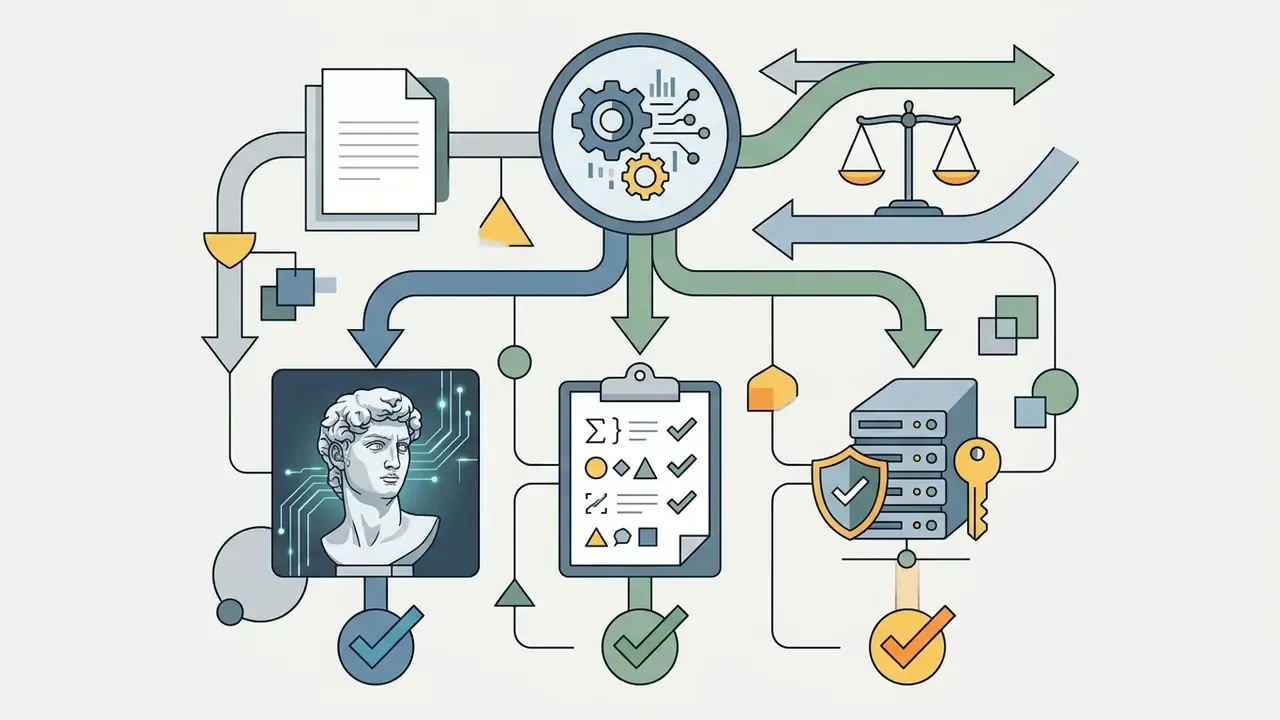
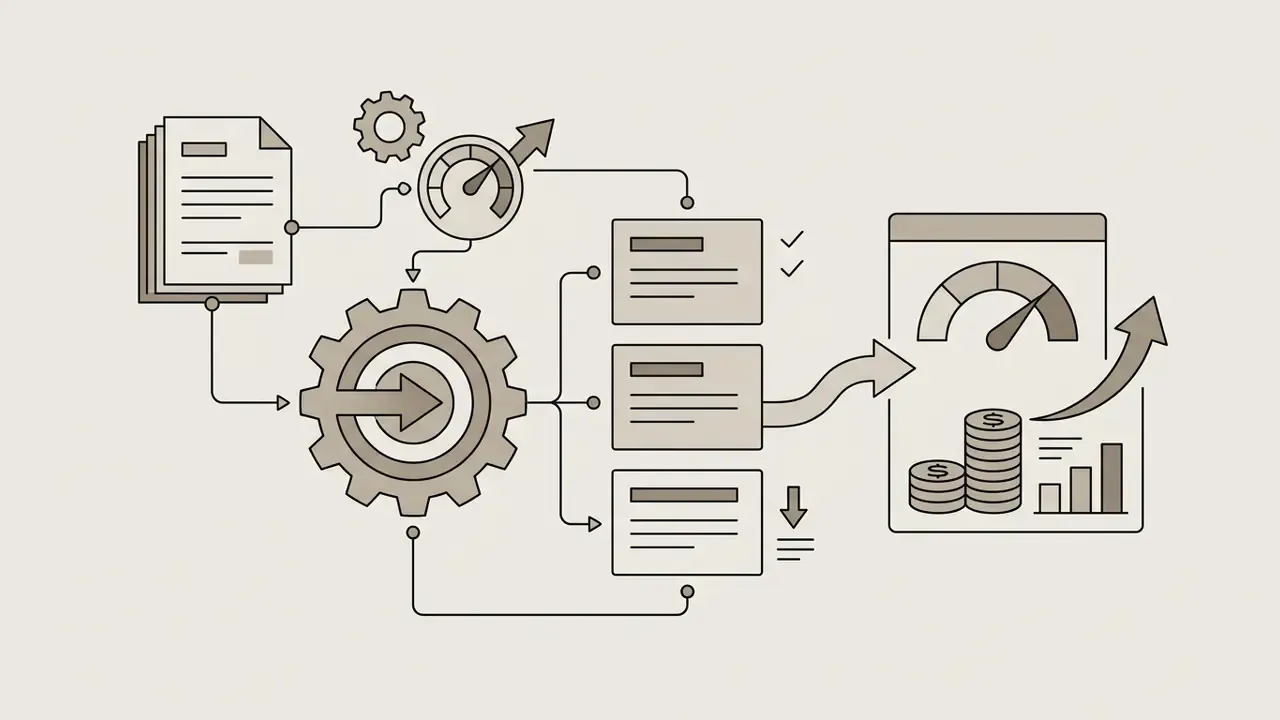
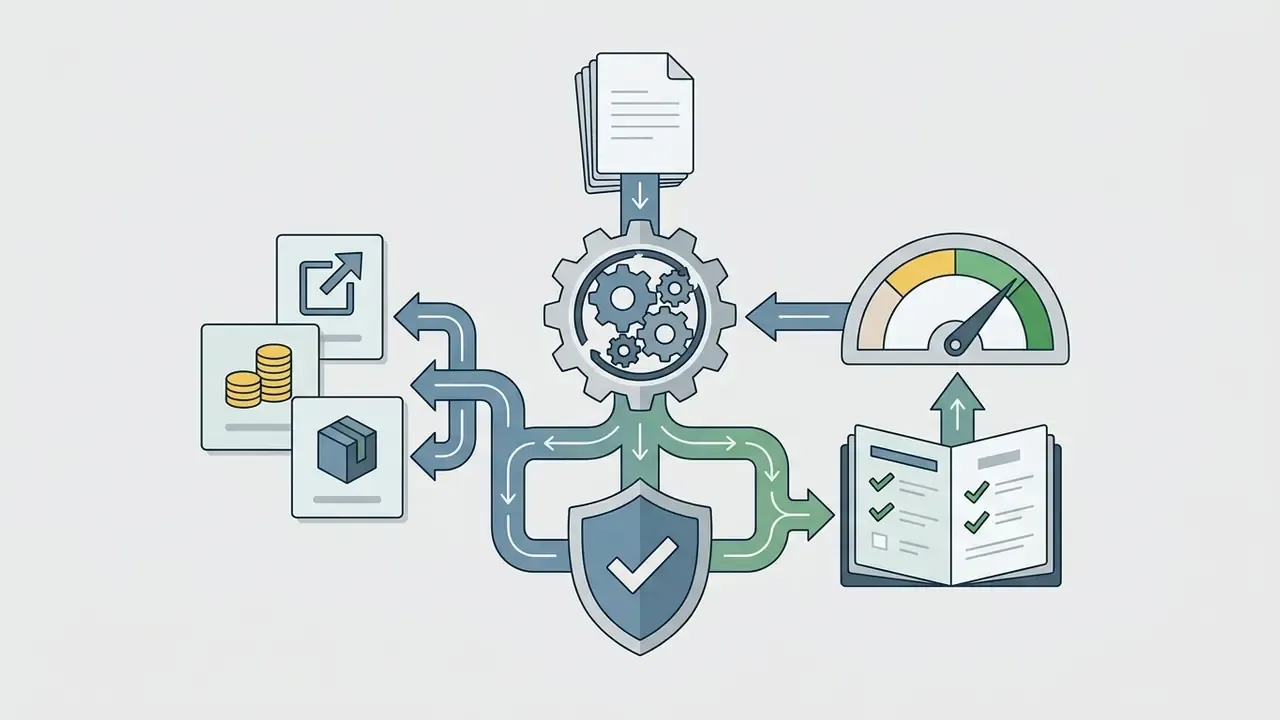
Four decisions sit at the center:
Everything below maps to one of those four. If you only need the operational recipe, the prompt formula and the model matrix will carry most of the weight.
What Is an AI Art Generator and What Art It Creates
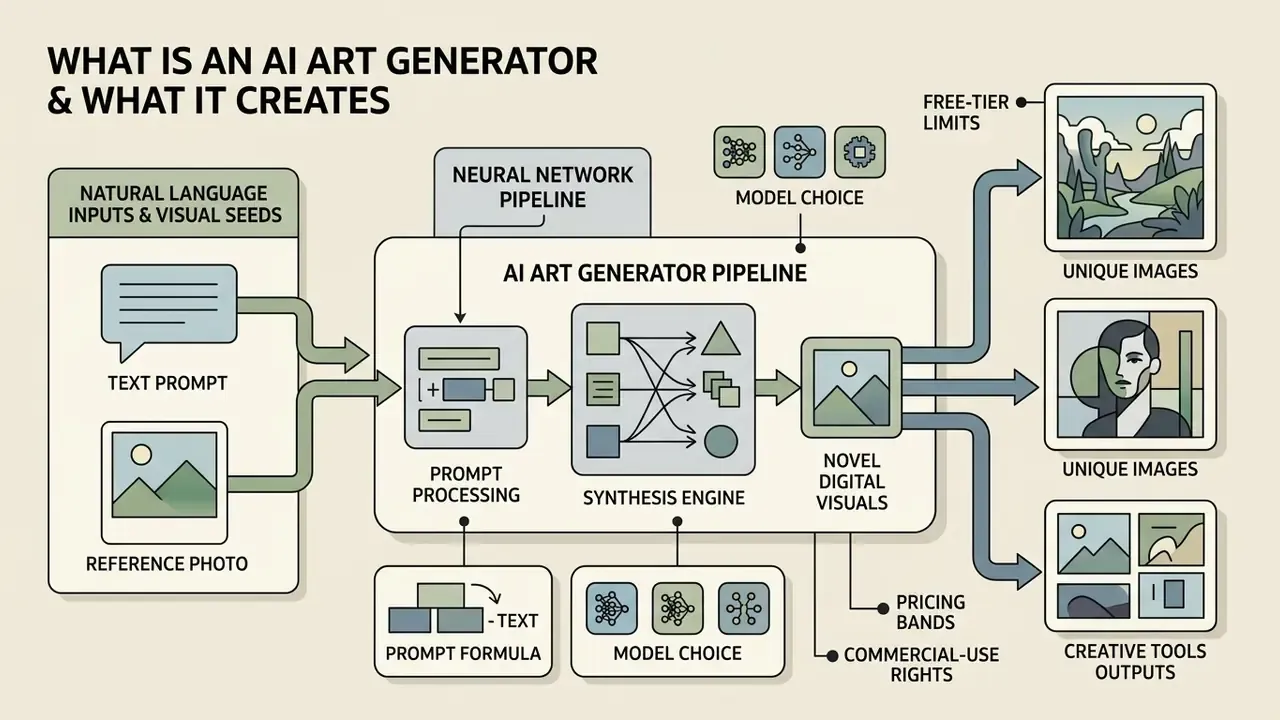
An ai art generator is a neural network pipeline that synthesizes novel digital visuals from natural language inputs or visual seeds. The system produces several output families: 2D digital paintings, photorealistic photography, vector-style graphic assets, and 3D-aware scene renders. Rather than retrieving pre-existing pictures from a database, the generative model samples from learned statistical distributions to construct original ai generated art matching user criteria.
The technical output spectrum includes non-photorealistic illustrations, technical diagrams, concept art, and high-fidelity photographs (ACM CSUR, 2024). Reported use also extends beyond marketing into medical imaging simulation and synthetic satellite imagery, depending on architecture and conditioning method.
Organizations use an ai image generation pipeline to hold brand consistency across multi-channel campaigns while cutting manual execution overhead. One practical note from review work: the savings usually show up in revision cycles, not in the first render. Teams that want to move from theory to tooling can review our comparison of leading AI image generators before committing to a vendor.
How AI Turns Words and a Text Prompt into an Image
Text-to-image generation relies on text encoders and iterative diffusion models to translate language into visual features. When a prompter enters words into an ai art by prompt system, a pretrained transformer encoder such as CLIP tokenizes the input, maps tokens into high-dimensional vector embeddings, and adds positional embeddings before passing the sequence through the encoder stack (Prompt Inversion for Text-to-Image Diffusion Models, CVPR 2024).
The generative engine then initializes a field of Gaussian noise in latent space. Conditioned on the text embeddings, the model applies a trained denoising network to subtract noise across multiple time steps. Structures emerge gradually. What starts as visual static resolves into shapes that mirror the semantics of the original text prompt.
In diffusion transformer architectures, conditioning is explicitly two-stage: a text encoder converts raw language into embeddings, and those embeddings are then folded into every denoising pass to steer the image trajectory (GenTron: Diffusion Transformers for Image and Video Generation, CVPR 2024).
How AI-Generated Art Differs from Conventional Image Creation
Conventional image creation requires a human artist or designer to manipulate physical or digital tools directly, controlling every brushstroke, pixel, and vector path. In an ai art creation tool workflow, the human role shifts to defining creative intent, setting constraint parameters, and judging machine-generated variations.
The prompter works more like an executive director than a draftsman. Traditional design software executes direct manual commands. A neural art generator instead interprets probabilistic relationships between words and visual features to synthesize a whole composition at once.
Fact check and verification. AI visual outputs depend strictly on prompt structure, selected model parameters (such as guidance_scale and sampling steps), and latent random seeds. Vendor documentation confirms three things: identical seed, prompt, model, and parameter values reproduce the same image; additional sampling steps improve fidelity only until a model-specific plateau; and excessive guidance values introduce visual artifacts (OpenAI Developers, image generation documentation; Together AI Docs). Peer-reviewed prompt-optimization research reports that optimized prompts improve both automatic CLIP alignment metrics and human preference scores on Stable Diffusion (Optimizing Prompts for Text-to-Image Generation, NeurIPS 2023). Even so, advanced models do not guarantee exact semantic alignment or factual accuracy for dense in-image text and multi-object counts (T2ICountBench, 2025).
- OpenAI Developers, image generation documentation
- Together AI Docs
- Optimizing Prompts for Text-to-Image Generation, NeurIPS 2023
- T2ICountBench, 2025
How to Create AI Art: From Idea to Finished Image
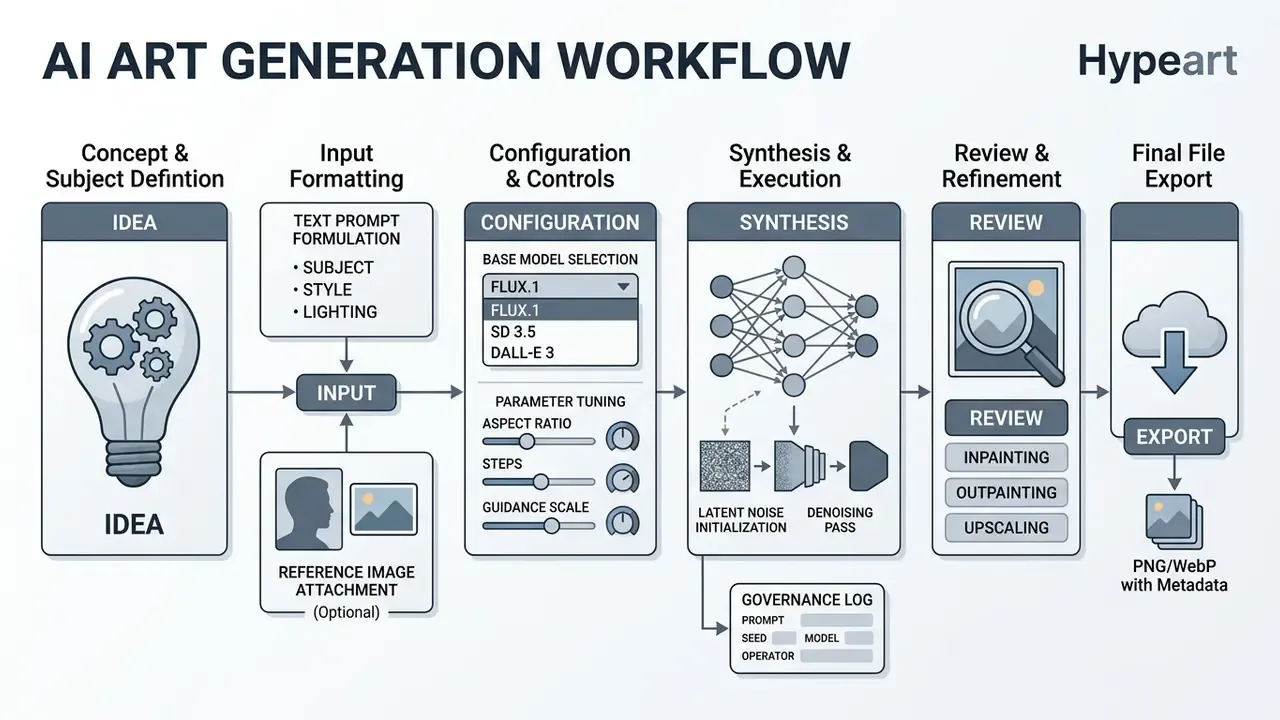
Making ai art follows a five-step operational pipeline: conceptualize the visual subject, structure the input prompt or upload reference images, select the base model and style configuration, execute the generation batch, then refine the resulting artwork.
How to Write a Prompt for Accurate AI Art Based on Words
Structuring an ai art based on words prompt means ordering visual attributes so the model can follow them. Leading vendor benchmarks recommend a sequential order: background scene, primary subject, specific physical details, visual style, camera perspective, and lighting conditions (OpenAI Developers, image prompting guide).
[Scene Background] + [Primary Subject] + [Specific Details] + [Artistic Style] + [Camera & Lighting]
Clear positive description outperforms reliance on negative syntax alone (Runway prompting guide, 2025). Concrete descriptors help too. Writing "45-degree volumetric side lighting" instead of a hype word like "hyperrealistic" gives the encoder something to align against.
Camera and lighting vocabulary is documented explicitly by vendors: framing terms (close-up, medium shot), perspective terms (top-down, low-angle), and lighting terms (soft diffuse, golden hour, high-contrast) map reliably to visual features (Google Cloud Vertex AI imagery prompt guide). Naming the deliverable helps as well. "Editorial hero banner", "UI mock", "infographic panel": each phrase constrains composition before the first step runs.
How to Choose Model, Style, and Creative Direction
Choosing an a i art generator model depends on whether the project prioritizes photorealism, exact prompt adherence, or open-source customization.
- Midjourney (v6/v7) Strong on artistic aesthetics, editorial styling, and cinematic coherence. Uses
--srefto apply a visual style from a reference image and--sw(0 to 1000) to control style strength. Personalized profiles and moodboards support repeatable brand styling (Midjourney Docs). - DALL·E 3 Built for natural language comprehension and dense semantic rendering. Accepts full-sentence prompts rather than weighted tag strings, and slots into conversational enterprise workflows.
- Stable Diffusion 3.5 and FLUX.1 Preferred for self-hosted deployments that need LoRA fine-tuning, deterministic control, negative prompting, checkpoint switching, and custom ControlNets (Together AI Docs).
Independent academic comparison in product-design contexts also ranked Midjourney highest for visual quality of design imagery (University of Strathclyde, A comparison of AI image generation tools in product design, 2024). For a deeper breakdown, see our review of the best AI art generators by output quality and licensing, the head-to-head evaluation of Midjourney versus competing image generators, and the cross-format AI Media Comparison hub.
How to Refine, Edit, and Regenerate an Image
Refining ai generated art calls for iterative editing, not a fresh prompt every time. Inpainting lets users mask a region and regenerate local elements while the surrounding context stays intact (WACV 2024, iterative multi-granular image editing).
Outpainting extends the canvas beyond its original borders, synthesizing contextual background. Documented pipelines run coarse generation, edge generation, and a refinement pass to keep extensions semantically coherent (CVPR). Teams working at scale can compare dedicated AI tools for expanding images instead of rebuilding compositions from scratch. When you adjust a prompt, fixing the seed keeps structural composition stable while minor attribute weights move.
Real-time canvas and live editing. Modern generative suites integrate real-time canvas interfaces that synthesize latent vectors in well under a second as a user sketches. Tools such as Leonardo's Realtime Canvas and its Omni Editor let creators draw rough shapes while the model fills in render textures, keeping creative continuity without full regeneration cycles. Practically, this changes the unit of iteration: instead of submitting a prompt and waiting for a batch, the operator nudges geometry and watches the render update in place. Complementary blueprint utilities, style transfer presets, pop-art collage portrait templates, and font matchers that pair typography with the generated visual, turn one-off experiments into repeatable on-brand recipes.
Regeneration under content preservation. Content-preserving image-to-image regeneration lets teams change style, palette, or lighting while subject geometry holds constant, with the edit direction discovered in embedding space rather than fully hand-prompted (ReGeneration learning for diffusion models, 2023). A 2024 survey of diffusion-based image editing treats inpainting and outpainting as the two canonical refinement primitives, and contrasts earlier context-driven approaches with newer multimodal conditional methods.
Free AI Art Generator: What Free Versions Actually Offer
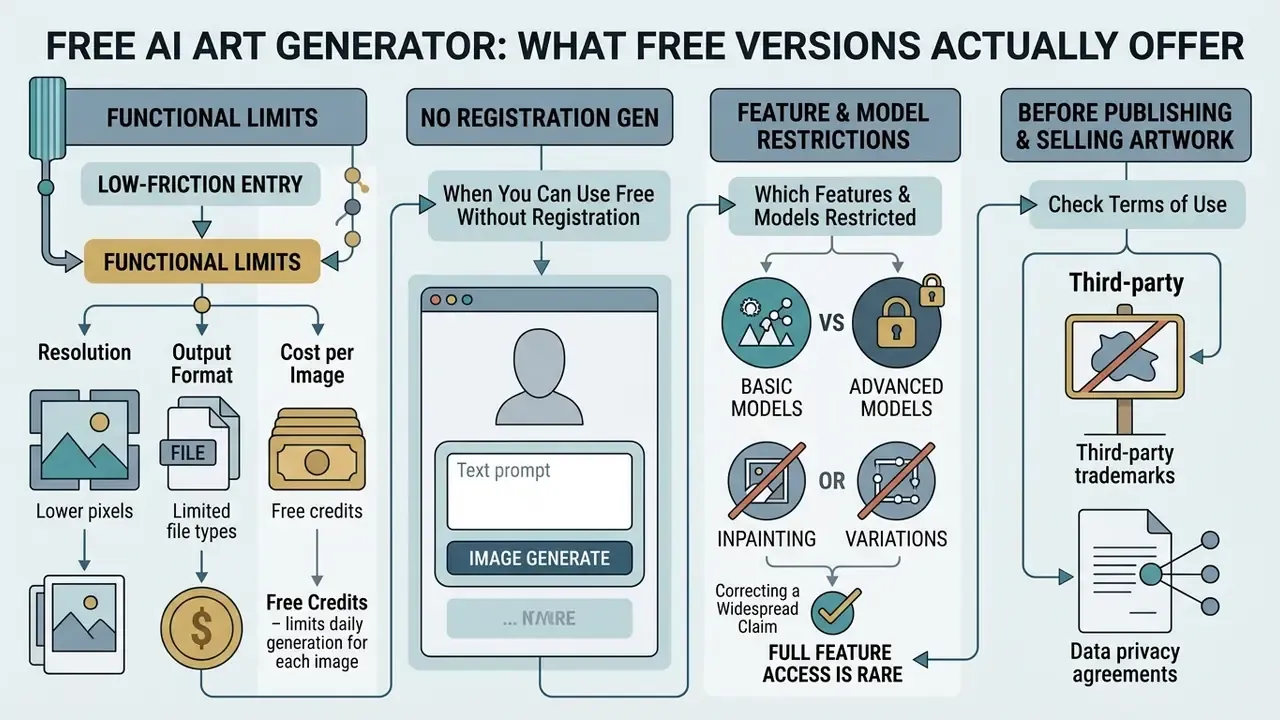
A free ai art generator gives you a low-friction entry point for visual testing, but every free tier enforces functional limits. Common ones: daily generation quotas, slower queue priority, public gallery exposure, capped resolution, and non-commercial licensing. Documented 2024 to 2026 free quotas range from 2 or 3 images per day at the low end to roughly 100 per day on the most generous consumer platforms, with some vendors metering by five-hour windows rather than calendar days.
| Service Tier Feature | Free Tier Default | Paid Enterprise Tier |
|---|---|---|
| Daily generation limits | 2 to 20 images per day | Unlimited or high-priority credits |
| Model access | Standard or legacy models | State-of-the-art architectures |
| Resolution output | Standard definition (e.g. 1024x1024) | High resolution, native upscaling |
| Data privacy | Public gallery; prompt training allowed | Private processing; zero data retention |
| Commercial license | Personal use only, non-commercial | Full commercial exploitation rights |
| Editing capabilities | Basic text-to-image | Advanced inpainting, outpainting, LoRA |
Resolution, Output Format, and Cost per Image
Vendor tiering is easier to budget when resolution and unit economics are read together. The table reflects pricing bands published by mainstream browser generators and image APIs.
| Mode / Tier | Native Resolution | Output Format | Cost per Image (Avg) | Target Use Case |
|---|---|---|---|---|
| Standard web | 640x640 / 1024x1024 | WebP / JPEG | Free (daily quotas) | Fast prototyping, mood boards |
| HD / Genius | 1024x1024 | PNG | $0.01 to $0.08 | Digital marketing, web assets |
| Super Genius / 4K | 2048x2048 (up to 4K) | Uncompressed PNG | ~$0.25 or credit-based API | Print production, commercial licensing |
Consumer platforms usually bundle an allowance before per-image billing starts. A typical monthly package includes a block of standard images plus smaller counts of high-detail and 2K renders, after which overage is charged at roughly one cent, eight cents, and twenty-five cents per image respectively. Model overage separately from subscription cost, because campaign-scale libraries almost always exceed the bundle. Finance owners who want to sanity-check a scenario can see the overview of unit-cost calculators and then compare options across published tiers.
For side-by-side technical evaluations of tool tiers, including 2d ai image generator free options, study our comparison of free AI art generators and cross-check licensing language before production use.
When You Can Use an AI Art Generator Free Without Registration
No-login web tools let creators test basic text-to-image synthesis directly in an ai art browser interface without an account. Platforms such as DeepAI, Creen AI, and OptiPix offer quick sandboxes for rapid prototyping. Several advertise unlimited or quota-free generation, though enforceable limits are rarely published. Our roundup of free AI image generators with no sign-up tracks which of those claims hold up in practice.
Friction-free environments suit early brainstorming and informal exploration. They also lack enterprise audit logs, access controls, and data-privacy guarantees. That gap is precisely how shadow-AI exposure begins inside otherwise well-governed organizations. The same pattern shows up with conversational front-ends: an ai chat generator or an unmanaged ai chat no filter no sign up service can absorb confidential briefs just as easily as an image tool. Before you standardize on anything, review our comparison of free AI art generators for watermarking, export, and licensing differences.
Which Features and Models May Be Restricted
Free ai art creator free tools frequently gate advanced fine-tuning, background removal, multi-image conditioning, and high-resolution upscaling. Advanced diffusion parameters, such as step counts above 50 or custom guidance scales, are often reserved for paid API endpoints (Google Cloud Vertex AI). Image creation, file uploads, and data analysis are metered as separate allowances on major assistant platforms, so exhausting one capability does not necessarily exhaust another.
Compute queues also prioritize paid traffic, which raises latency for free users at peak hours. Two technical limits persist across every tier regardless of price: legible in-image text and repeatable character or scene consistency across multiple generations. Multimodal chat products marketed as an ai art bot free experience share those same ceilings; if your team experiments with an ai chat with pictures workflow or builds one with an ai chatbot maker, assume identical model constraints under a friendlier interface.
Comparative evaluation note. Free web-based generators operate under variable vendor Terms of Service. FLUX.1 schnell is released under Apache 2.0. FLUX.1 dev is not positioned for general commercial use. Hosted browser tools often retain rights to public inputs or restrict commercial usage on unpaid tiers (European Parliament study on Generative AI and Copyright, 2025). Evaluate the actual platform agreement, not the marketing page, before embedding free outputs into a commercial pipeline.
Can You Use AI-Generated Art in Commercial Projects
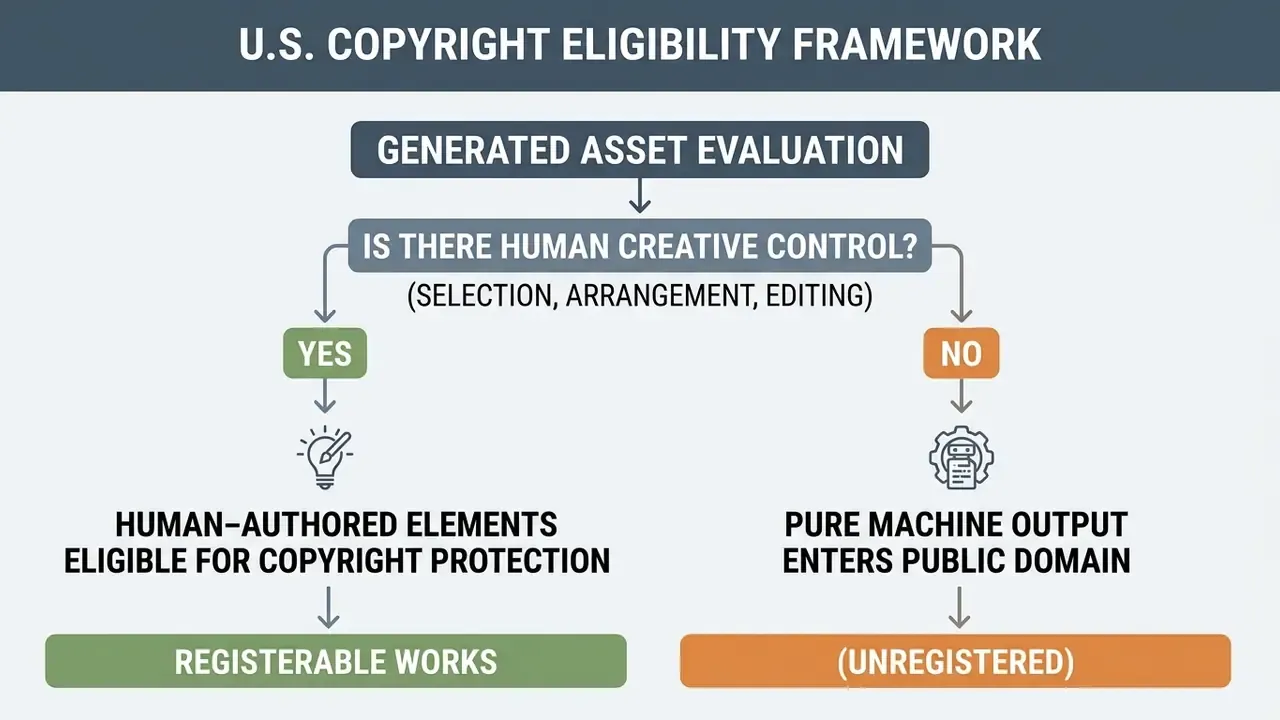
Commercial rights are governed primarily by platform Terms of Service. Paid enterprise subscriptions typically grant commercial usage rights, yet the underlying visual asset stays unprotectable against copying unless substantial human modification is applied. Licensing patterns by vendor category are collected in our commercial-use section, and you can browse the hub for the current mapping.
Correcting a widespread claim. Several popular generators state flatly that "generated images are public domain and therefore have no owner." That framing is incomplete and jurisdiction-blind. The accurate version: pure machine output enters the public domain under U.S. law, commercial exploitation remains bounded by platform Terms of Service, and in the EU and UK contractual terms may still allocate usage rights to the account holder. Ownership of copyright and permission to commercialize are two different questions. They are answered by two different documents.
What to Check in Terms of Use Before Publishing and Selling Artwork
Before publishing or selling generated art, risk teams should audit five checkpoints:
- Platform licensing terms. Verify that the specific subscription tier permits commercial exploitation. Our breakdown of commercial use rights across AI image generators maps the common license patterns.
- Human authorship disclosure. Identify and disclaim uncopyrightable AI elements in registration filings. More-than-de-minimis AI material must be described and excluded from the claim (U.S. Copyright Office registration guidance).
- Training data provenance. Assess whether the provider offers indemnification against third-party copyright claims, and whether it publishes a summary of copyrighted training content as EU rules require of general-purpose AI providers (High Court of England and Wales, Getty Images v. Stability AI, 2025). Active disputes and their procedural posture are tracked in our AI Litigation and copyright docket.
«The TDM exception does not extend to training in which a model internalizes the expressive elements of protected works rather than merely extracting semantics.»
- Third-party trademarks. Confirm that synthesized images do not reproduce protected logos or character IP by accident. This happens more often than teams expect with brand-adjacent prompts.
- Data privacy agreements. Confirm that input prompts and uploaded images are excluded from public retraining datasets, and read termination, content-removal, and indemnity clauses for rights the platform claims over prompts, uploads, and outputs.
How to Choose Commercially Safe AI-Generated Artwork for a Brand
A commercially safe visual identity depends on models with transparent dataset documentation and workable provenance tracking. Implement C2PA digital watermarks and metadata logging to verify content origin (NIST AI 100-4, Reducing Risks Posed by Synthetic Content, 2024). Brands standardizing mark systems should review purpose-built AI logo generators for business rather than leaning on general-purpose art models for trademark-bearing assets.
Combining neural output with human graphic design, manual compositing, custom typography, vector edits, protects brand uniqueness and establishes the human authorship that copyright registration requires.
Legal risk warning. Purely machine-generated assets lack copyright protection under current US and EU standards. Competitors may replicate un-edited AI output without infringing. Brand teams must add meaningful human creative contribution to secure proprietary rights, and they should document that contribution while it is happening, not months later.
AI Art Ideas: Images, Characters, and Visual Media
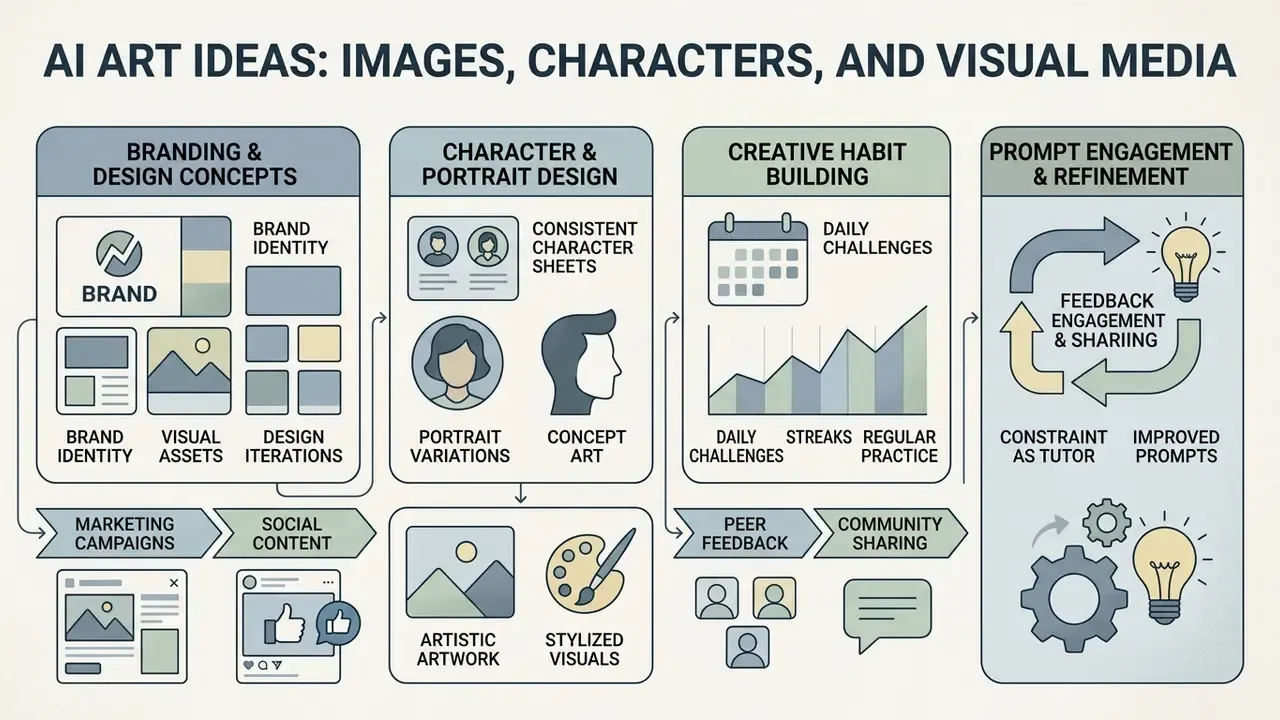
Generative image systems support a wide spread of enterprise applications: digital marketing assets, brand identity concepts, character design, and social campaigns. Peer-reviewed marketing research based on 254,400 human evaluations reported that AI-generated marketing imagery can outperform human-made images on quality, realism, and aesthetics under controlled comparison (SSRN, The Power of Generative Marketing, 2024).
A commercial retail brand needed high-volume social visuals across seasonal launches. The design team built a central library of character prompt anchors and lighting presets. Generating consistent assets on demand, the team reported a multi-fold increase in campaign throughput and a material drop in agency outsourcing spend. Those ratios are internal and self-reported. Directional, not benchmark data.
Creating Characters, Portraits, and Artistic Artwork
Visual consistency across a character set depends on locked identity blocks inside the prompt. The documented consistency framework uses four fixed elements (Gera Tools consistent character prompt sheet, 2025):
[Fixed Identity Block] + [Variable Action/Pose] + [Environment Scene] + [Camera/Lighting]
- Fixed identity anchor: Define unyielding facial features, ethnicity, age, hair style, color palette, emblem, and signature clothing, repeated verbatim in every prompt.
- Seed locking: Reuse specific seed numbers across passes to hold baseline facial geometry.
- Reference image anchors: Pass a clean, front-facing, evenly lit master portrait on a simple background into image-to-image conditioning to preserve likeness across varied action scenes (Flick, AI character consistency methods compared, 2025).
- Variable layer discipline: Change only pose, camera angle, scene, emotion, and prop interaction between renders. If identity drifts, the variable layer has leaked into the identity block.
For headshot-grade portrait consistency with commercial delivery requirements, compare purpose-built AI headshot generators against general art models.
Building a Creative Habit: Daily Challenges, Streaks, and Community Feedback
Generative platforms have turned ai art creating from a one-off utility into a daily practice. Community-first services run daily challenges where creators submit prompt-based artworks under a rotating theme and vote on each other's entries. Single rounds have drawn thousands of entries and hundreds of thousands of votes. Participation compounds into creation streaks, consecutive days of generating art, with thousands of users past 100 straight days and a smaller cohort beyond three continuous years.
Three mechanics explain why this matters for skill, not vanity metrics:
- Constraint as a prompt tutor. A daily theme forces novel vocabulary and modifier combinations, which addresses the documented gap between general descriptive writing and specialized prompt vocabulary.
- Peer voting as fast feedback. Public ranking gives near-immediate signal on which compositional and lighting choices read well, compressing the trial-and-error loop.
- Chat rooms as prompt libraries. Shared threads and collaborative jam sessions distribute working recipes, style references, seed strategies, negative prompt sets, faster than documentation ever does.
Enterprise creative teams can internalize the same mechanics. Run a weekly internal prompt challenge tied to an upcoming campaign brief, publish the winning prompts to a shared library, and store the winning seed and parameters so the style can be reproduced on demand. Low cost, and it doubles as prompt-governance training.
How to Choose the Best AI Art Generator for Your Task
Selecting the best ai art generator means matching organizational objectives to model capability across four metrics: rendering quality, prompt adherence, control granularity, and enterprise security compliance.
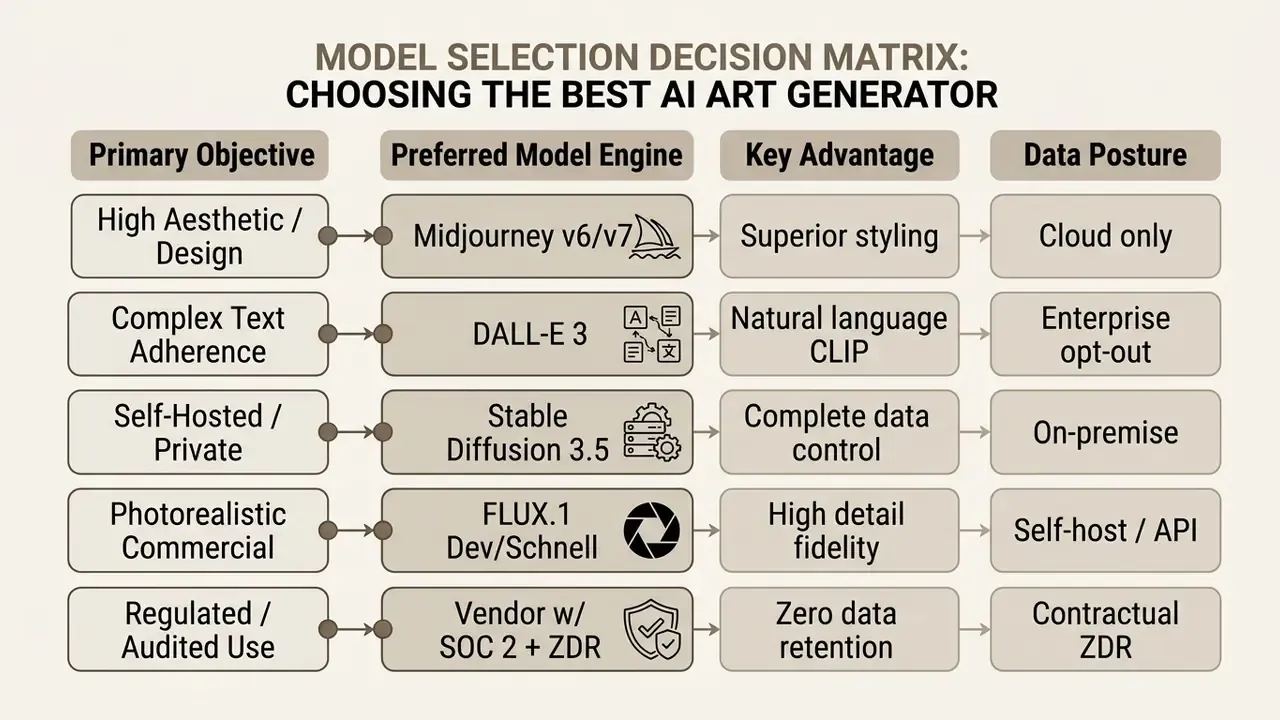
In regulated environments, treat the fourth column as a hard filter before you look at aesthetics at all. Confirm three attributes in writing: self-hosting or private-endpoint support, a zero-data-retention commitment covering prompts and uploads, and an independent security attestation such as SOC 2 Type II. A model that wins on image quality and fails on data posture is not a candidate. Not a compromise either. Just out.
Safety behavior also differs materially between vendors. Current documentation from Google and OpenAI describes prompt-level refusal and output-level blocking, which means an identical brief may run on one platform and be refused on another (Google, Gemini image generation and responsible AI; OpenAI image generation safety documentation). Build that variance into your creative SLA rather than discovering it the night before a launch.
Organizations evaluating cross-media capability can review our full comparison of leading AI image generators to analyze image and video synthesis tools side by side.
- Google, Gemini image generation and responsible AI
- OpenAI image generation safety documentation
AI Image Generator for Artists, Designers, and Content Creators
Specialized disciplines need tailored integrations:
- Web designers and UI/UX teams: Use tools like Figma AI to generate vector graphics, layout mockups, and UI assets inside canvas workflows (Figma AI).
- Graphic illustrators: Deploy Adobe Firefly to combine text-to-image synthesis with commercial protection and native Photoshop layer control (Adobe Firefly).
- Software developers: Integrate the OpenAI Image API or Google Gemini API to embed automated graphic creation into applications (OpenAI Developers).
To inspect developer endpoint pricing, technical leads can compare options for generative media endpoints and throughput tiers, or drill into a single provider through our API comparison of generative video and image endpoints.
Text-to-Image, Image-to-Image, and Style Transfer
Generative tools support three conditioning modes:
- Text-to-image: Synthesizes an entirely new composition from natural language alone.
- Image-to-image: Takes an existing photograph or sketch and applies structural or stylistic changes guided by a prompt. Teams working from existing assets can review dedicated image-to-image AI generators for transformations.
- Style transfer: Extracts artistic characteristics (color palette, brushwork, lighting) from a source image and applies them to a target composition while structural layout stays put (ACM CSUR, 2024).
The practical distinction is the starting point and the degree of constraint. Text-to-image begins from language and regenerates everything. Image-to-image begins from pixels and preserves partial structure. Style transfer is the most constrained of the three, because it targets style alignment rather than full semantic regeneration.
When You Need Edit Tools, Background Removal, and Upscalers
Raw diffusion output rarely clears final production standards. Integrated editing suites cover the gap:
- Background removal: Isolates subjects for transparent PNG exports in e-commerce and marketing collateral, now a first-class function in mainstream vendor products.
- Selective inpainting: Fixes local detail, clothing color, hand geometry, a stray reflection, without touching the main composition.
- AI upscaling: Uses super-resolution models to push assets from 1024×1024 to 4K or 8K print-ready files without softening edges (Clipdrop API documentation). For production comparisons, see our review of AI image upscalers for professional workloads.
Direct integrations with web editors such as Photopea, or Photoshop plugins, let designers move raw AI canvas output straight into multi-layer raster environments for color correction, typography overlay, and vector mask adjustment, with no manual download-and-reimport step. Complementary utilities in the same pipeline include enhancement passes, animation of stills, and one-click handoff to a full editing suite. General-purpose options are surveyed in our guide to online photo editors.
FAQ: Common Questions About AI Art Generators
Below are the operational questions that come up most often: browser and mobile behavior, data privacy, and what to do when output ignores the prompt.
Does an AI Art Generator Work in a Browser and on Mobile Devices
Yes. Modern a i art generator free web services run efficiently across desktop and mobile browsers (Safari, Chrome, Edge). Responsive web apps expose the full generation toolset without a native download, and progressive web apps can be installed to the home screen on iOS and Android with account state synced across devices. Perceived usability still differs measurably by platform. A 2024 peer-reviewed analysis of generative AI app reviews found ChatGPT scored highest on usability on both Android and iOS, while other assistants ranked lowest on one platform or the other (study of generative AI app reviews, 2024). On latency, browser-based cloud generation is generally fastest because rendering happens server-side. Native mobile apps add local asset-processing overhead, and chat-platform bot workflows are typically slowest. Precise second-by-second figures vary by model, region, and queue load, so no single benchmark should be treated as authoritative. Mobile web avoids install friction and device storage cost. Native apps generally offer better touch interaction than desktop-only or bot-driven flows.
How AI Art Tools Handle Privacy and User Data
Privacy practice varies significantly by provider and account level:
- OpenAI: Retains user prompts and uploaded media, including images, files, audio, and video, as Content under standard terms, with opt-out privacy controls on enterprise tiers (OpenAI Privacy Policy).
- Google Workspace (Gemini): Stores prompt inputs up to 36 months for system logging, explicitly excluding domain enterprise data from external retraining without affirmative consent (Google Workspace Generative AI Privacy Hub).
- DeepSeek: Collects prompts, uploaded files, photos, feedback, and chat history under default service terms (DeepSeek Privacy Terms).
«EU Regulation 2024/1689 (the AI Act) sets transparency, data-governance, and risk-management requirements for AI systems, including generative tools.» Source: European Parliament JURI study on Generative AI (2025). https://www.europarl.europa.eu/ Providers of general-purpose generative models are additionally expected to publish a detailed summary of copyrighted training content and to apply measures respecting EU copyright law. That turns dataset disclosure into a procurement criterion, not an abstract ethics point. Disclaimer: general information only, not a substitute for advice from a qualified data-protection specialist. Processing terms change often, so verify the current privacy policy of any service you deploy.
What to Do If the AI Generated Image Does Not Match the Prompt
When output drifts from instruction, apply a three-step correction routine:
- Lock seed and isolate terms. Set a fixed generation seed and reduce the prompt to core noun-verb subjects. An identical seed with the same prompt and settings reproduces the same image, which turns debugging into a controlled experiment (DiffusionBee documentation).
«Simple prompt refinements generally fail to improve object-counting accuracy: no model exceeds 50% mean accuracy, and with large object counts performance falls to roughly 10%.» Source: T2ICountBench (2025). https://arxiv.org/abs/2501.00000
- Apply negative prompts. Specify unwanted elements to suppress conflicting latent features. Vendor guidance documents negative weights in the range [-10, 2] technically, recommends staying within [-2, 2] for stability, and notes that negatively prompted elements may still appear (Stability AI documentation).
- Adjust token weights. Enclose critical terms in weight brackets (for example
(subject:1.3)) to emphasize attributes during diffusion, or pass weighted embeddings throughprompt_embedsandnegative_prompt_embedsfor tighter programmatic control (Hugging Face diffusers documentation). When defects are purely local, a hand, a label, a stray highlight, finish manually with an AI photo editor for targeted retouching rather than burning ten more generations. If the failure is procedural rather than technical, for instance a blocked prompt or an unexpected license restriction, view the guide in our support section before escalating to the vendor. Vendor verification note. Hypeart.ai: no verified information is currently available regarding active commercial operations or corporate credentials. Treat it as unverified and keep it off procurement shortlists until primary documentation exists.
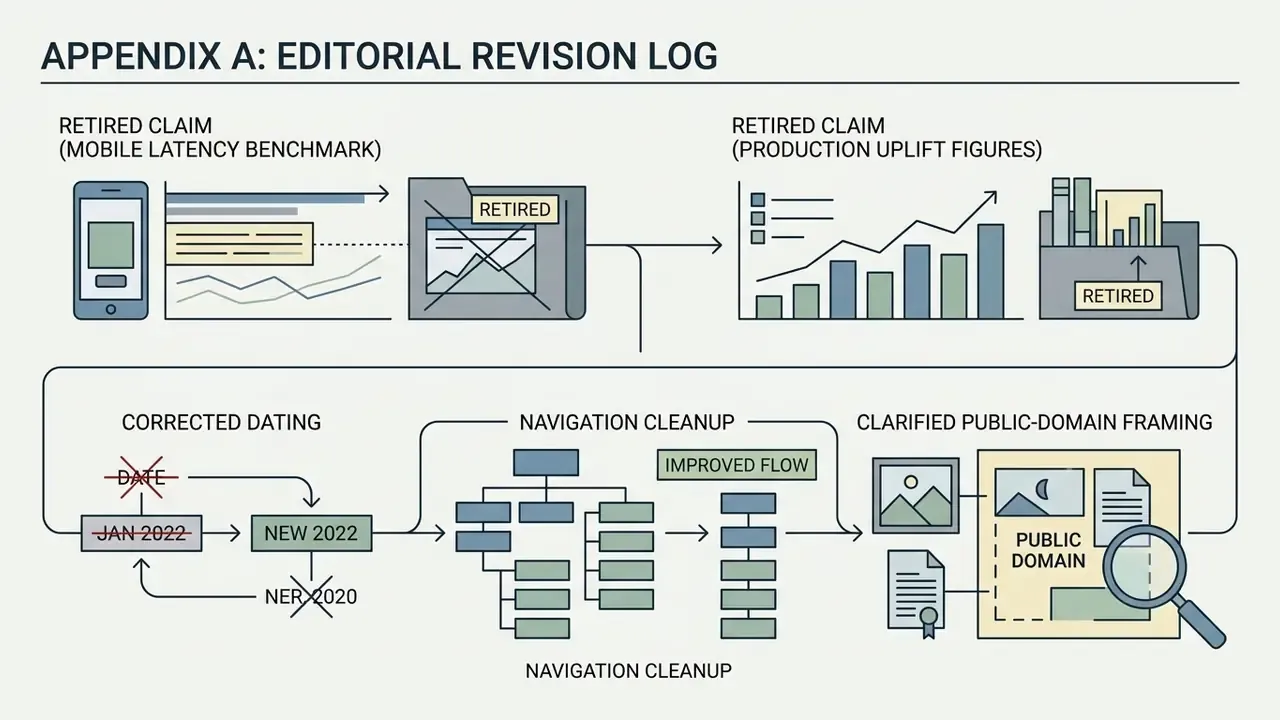
Appendix A: Editorial Revision Log
How This Page Is Maintained
Three habits keep this entry usable rather than decorative. First, every numeric claim carries a source and an edition date, and unverifiable figures get retired rather than softened. Second, vendor limits (quotas, resolutions, license tiers) are re-checked against primary documentation each quarter, because pricing pages move faster than editorial calendars. Third, self-reported customer metrics are labeled as directional, so a reader never mistakes a case study for a benchmark.
Where evidence is thin, the text says so. That is not hedging for its own sake. For a governance audience, an honest "unresolved" is more useful than a confident number nobody can reproduce.
A safe next step, if you are formalizing an internal policy: pick one active campaign, log the six reproducibility fields for every asset in it, and see how much of the current output could survive an audit request. Most teams find the gap in a week.