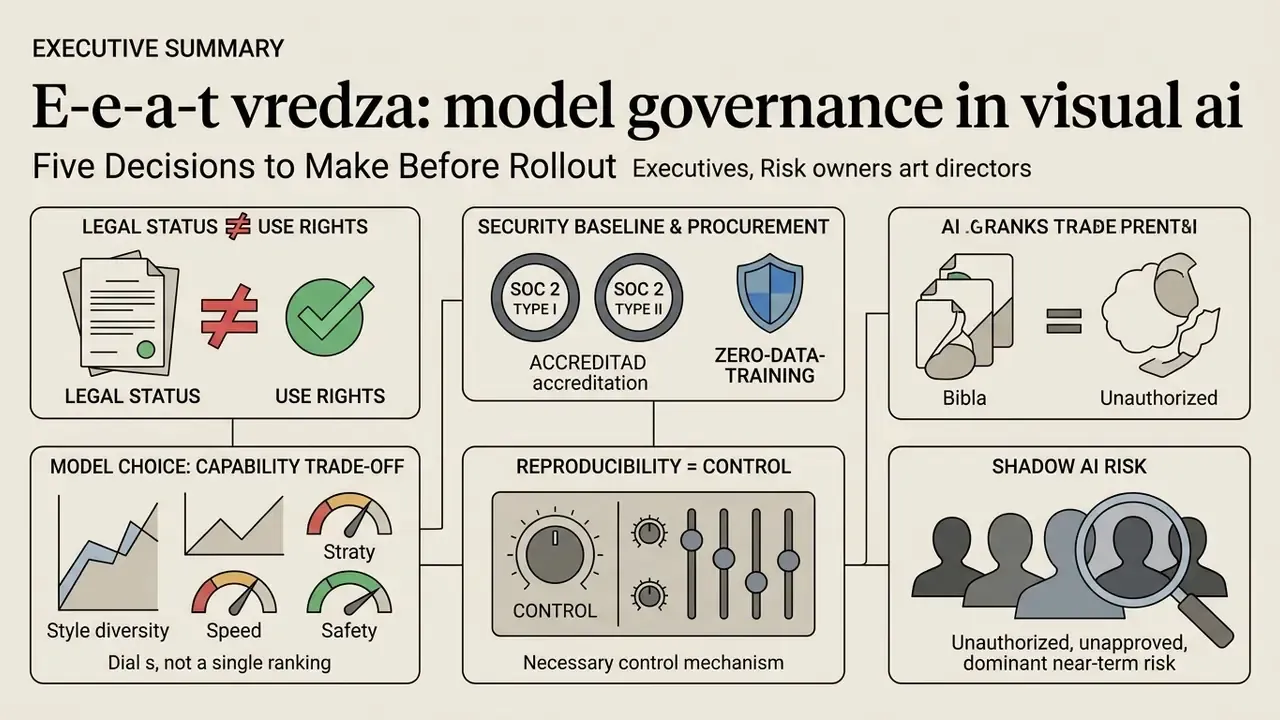
Executive Summary: Five Decisions to Make Before Rollout
What an AI Art App Is and Which Tasks It Solves
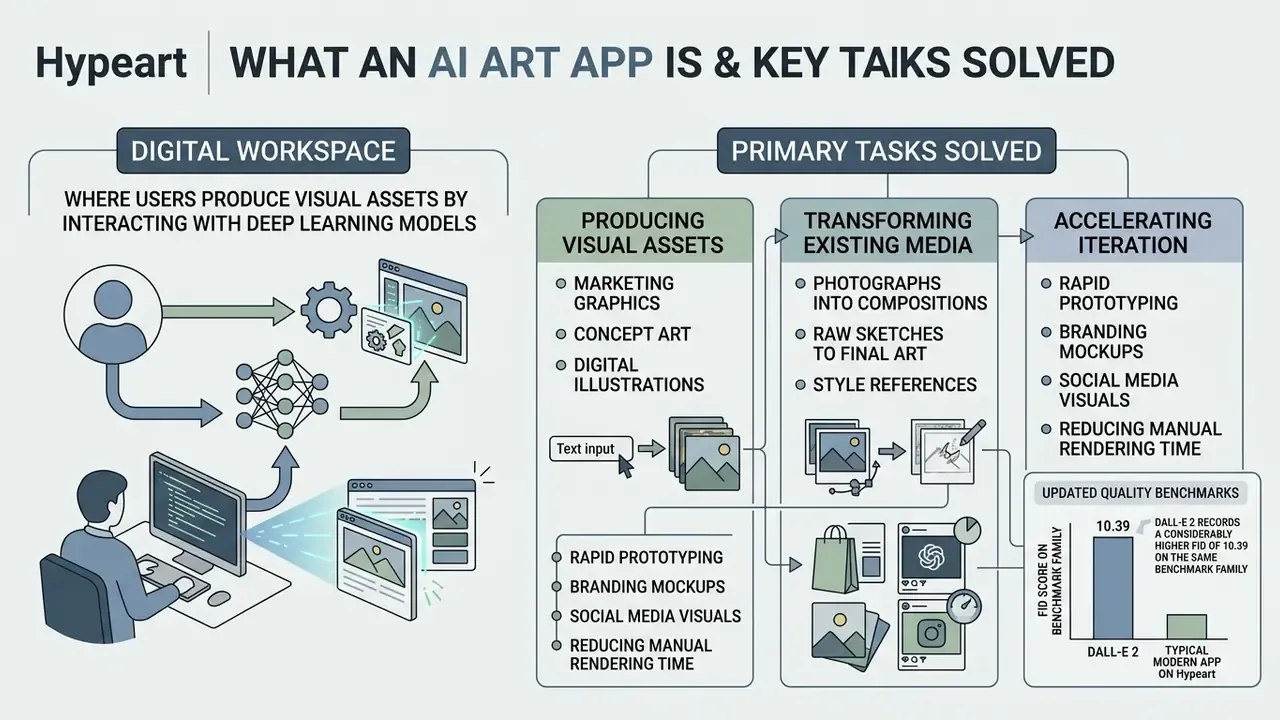
Primary tasks solved by an ai art generator app include:
- Producing marketing graphics, concept art and digital illustrations from text descriptions (
text to image). - Transforming existing photographs, raw sketches and style references into new compositions (
ai art from image). - Rapid prototyping of product designs, branding mockups and social media visual assets.
- Accelerating iterative visual ideation while reducing manual rendering time.
Updated (quality benchmarks). Diffusion backbones now sit at the top of standard image-quality leaderboards. The numbers, however, vary meaningfully by model rather than clustering under one convenient threshold.
«ERNIE-ViLG 2.0 and Imagen reach FID scores of 6.75 and 7.27 on MS-COCO, outperforming earlier autoregressive architectures with FID above 27.»
For context, DALL-E 2 records a considerably higher FID of 10.39 on the same benchmark family. That single data point is why a blanket "below 7.0" claim should never be applied to the whole model class. The practical reading: an ai art application can produce visual output matching traditional digital media in structural fidelity, but measured fidelity is model-specific and has to be validated per deployment, on your own asset types.
Enterprise Governance, IP Risk and Provenance Before the First Prompt
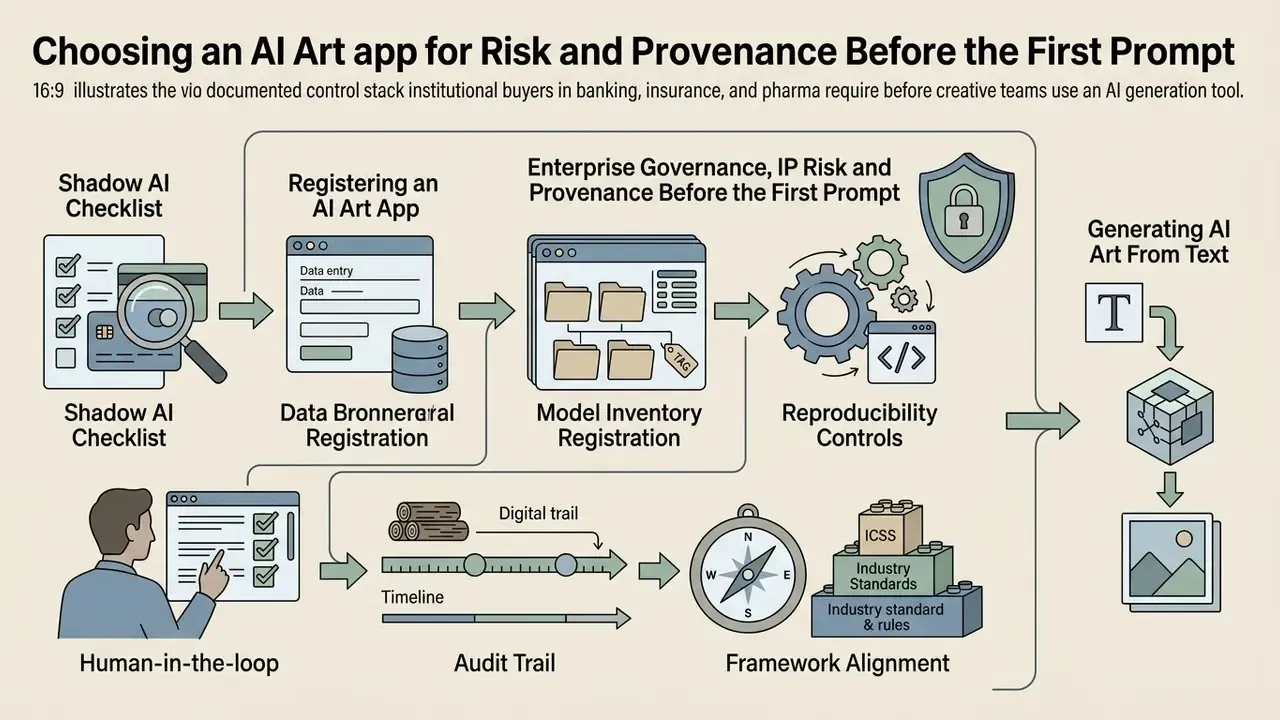
Before creative teams touch a generation button, institutional buyers in banking, insurance and pharma need a documented control stack. This section covers procurement-level controls. Contractual and copyright specifics come later, in the commercial-use section.
Table: Enterprise evaluation criteria for visual generative platforms
| Criterion | What to verify | Why the risk function cares |
|---|---|---|
| SOC 2 Type I / Type II | A current auditor report and its scope (security, availability, confidentiality) | Confirms controls operate, not merely that they are claimed |
| IP indemnification | Whether protection against claims exists, coverage limits, exclusions for user-uploaded assets | Shifts part of the legal risk to the vendor in training-data disputes |
| Zero-data-training policy | Written prohibition on using prompts and uploads to retrain public models | Protects MNPI, product concepts and brand assets |
| Data retention | Upload cache retention window (typically 7 to 20 days) or a zero-retention mode | Defines the exposure window during an incident and the DLP requirement |
| SSO / SAML / SCIM | Central authentication and automated deprovisioning | Eliminates orphaned accounts after staff departures |
| Provenance (C2PA / watermarking) | Support for Content Credentials, embedded watermarks and model metadata | Gives demonstrable origin of material during audits and external reviews |
Shadow AI Checklist
- Inventory network egress to consumer generation domains and Discord-based clients.
- Map who currently pays for generation credits on personal cards or expense claims.
- Publish an approved-tools list with one procurement channel and per-team credit caps.
- Route uploads of brand photography and personal headshots through DLP inspection rules.
- Migrate identified users into managed tenancy with SSO, private generations and audit logging.
Registering an AI Art App in the Model Inventory
- Registration log the platform, model family and version, business owner and use case in the model register.
- Reproducibility controls persist prompt text, seed value, reference images, model ID and generation parameters (CFG, steps, aspect ratio).
- Human-in-the-loop require named reviewer sign-off before any generated visual enters a public campaign or a client deliverable.
- Audit trail retain C2PA Content Credentials or equivalent provenance metadata alongside the exported asset.
- Framework alignment map controls to the existing model-risk and AI risk-management frameworks, so visual generative tools are not quietly treated as an unmanaged exception.
Record, in writing, your position on external litigation and regulatory attention around generative training data, including artist claims against model developers, plus the requirement not to mislead consumers with AI-generated advertising material. Teams tracking that exposure can review ongoing training-data litigation alongside their vendor files.
Generating AI Art From Text: How a Description Becomes an Image
Text-to-image generation converts a written description into a complete digital image using a text to image diffusion backbone.
The pipeline starts when a text encoder such as CLIP or T5 turns the prompt into high-dimensional semantic embeddings. A denoising diffusion model then takes those embeddings and iteratively reshapes a tensor of random Gaussian noise into coherent visual structure across multiple timesteps. Cross-attention layers map specific words ("lighting", "subject", "texture") onto spatial regions of the latent space. Teams that want a capability-by-capability view can review our comparison of AI image generators before standardising on a single backbone.
Recent research on text-to-image architectures (Diffusion Lens, ACL 2024) shows prompt interpretation is heavily mediated by the early representation layers of the text encoder. In other words, the model half-decides your composition before denoising begins.
«CLIP score measures text-image semantic alignment: SwiftBrush reaches CLIP 0.29 and FID 16.67 on MS-COCO-30K in one-step generation.»
Precise phrasing therefore controls spatial composition, colour palette and rendering style in the final generated images. And speed-optimised single-step models trade measurable fidelity for latency, which matters when the output goes to print rather than a Slack thread.
AI Art From Image: Converting Photos, Sketches and References
Image-conditioned generation, commonly called ai art from image, converts an uploaded photograph, sketch or visual reference into a stylised artwork while preserving key structural attributes.
Here the input photo becomes a latent representation that acts as a structural anchor during denoising. Neural style transfer and image-to-image algorithms compute feature maps across convolutional or attention layers, separating the structural content of the source from its artistic style (Gatys et al., Neural Style Transfer). Conditioning strength then dictates whether the result follows the source geometry closely or drifts into freer variation.
Marketing teams often use an ai art generator photo draw tool to turn rough whiteboard wireframes into high-fidelity UI concepts, or to push a brand-aligned aesthetic across existing product photography. It is unglamorous work, and that is exactly where the time savings show up.
How to Choose an AI App for Art: Models, Styles and Level of Control
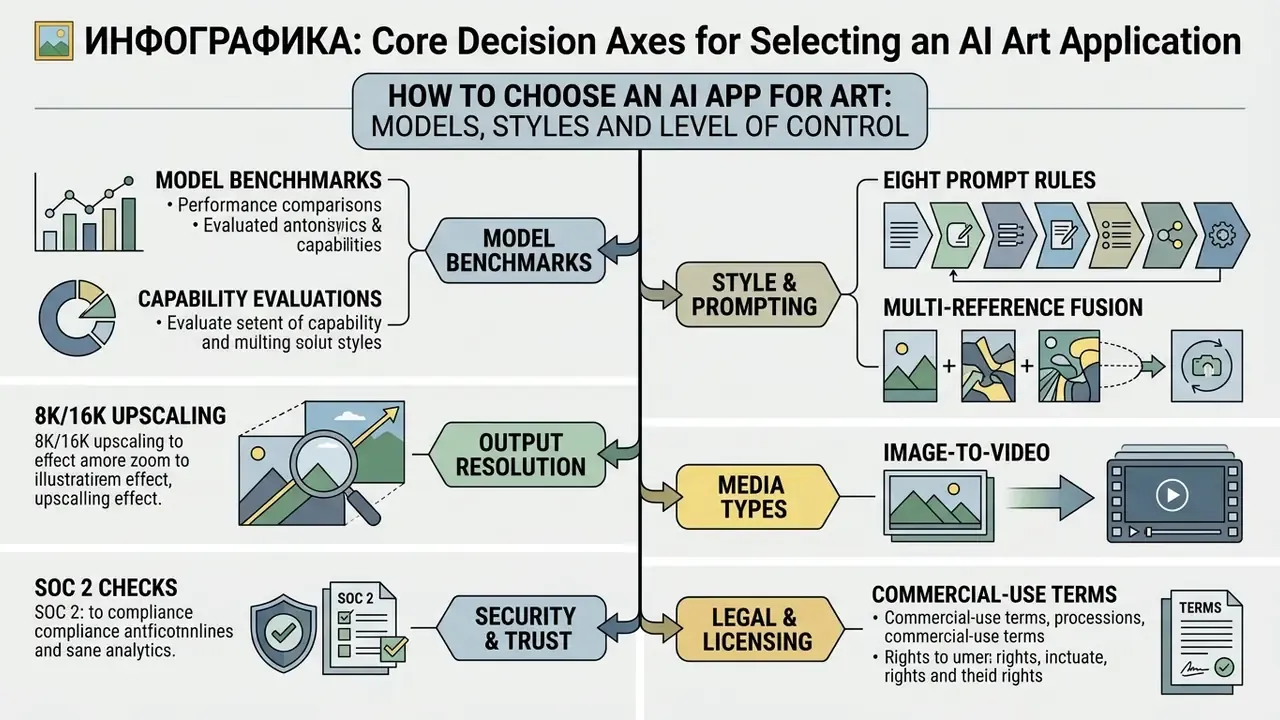
Selecting the right ai app for art means evaluating five architectural dimensions: model family, output resolution, style library breadth, prompt adherence and granular editing control.
Search phrasing varies a great deal here. People type ai app art, ai apps for art, ai art softwares, sometimes just "the ai art app everyone is using". The vocabulary shifts, the evaluation axes do not.
Different platforms target distinct segments. Enterprise creative teams prioritise deterministic control, character consistency and clear commercial rights. Independent artists often prioritise aesthetic polish or open-source fine-tuning. Neither preference is wrong, they are simply different risk appetites.
The corporate baseline criterion. For institutional buyers, current SOC 2 Type I and Type II accreditation is the entry ticket. It provides assurance that uploaded brand assets and generated artwork are protected against leakage, are not used to retrain public models, and are handled under commercial data-security standards. Leading platforms publish accreditation status openly. A missing or expired report should be treated as a procurement blocker, not a negotiable detail.
AI Image Generation Models and the Quality of Generated Images
The detail level and rendering character of generated images are set by the model running inside the ai art app generator.
- Flux.1 (Pro / Max): rated a top performer for photorealism, fine text rendering and strict instruction following in 2025 to 2026 model comparisons.
«RAPHAEL, with 3B parameters trained on 1,000 A100 GPUs for two months, reached FID-30k of 6.61 on MS-COCO, ahead of Stable Diffusion, Imagen and DALL-E 2.»
- Midjourney (v6 / v7): recognised for visual polish, atmospheric lighting and strong default aesthetics.
- DALL-E 3 / GPT Image: ease of use, conversational prompt adjustment, complex multi-subject scenes. Teams weighing this route can review our breakdown of ChatGPT image generation versus dedicated art platforms.
- Stable Diffusion 3.5 (Large / Turbo): open weights, local execution, deep customisation through LoRAs and ControlNets.
Updated (selection metrics). Raw visual appeal frequently trades off against instruction following, so evaluation has to run at least two metrics at once. One number will flatter almost any model.
«CLIP score and FID move inversely: models tuned for semantic alignment often lose measurable visual fidelity.»
Choosing an ai art app for pc or a browser-based service therefore requires testing the specific model against your operational requirements. A structured shortlist of leading AI art generators shortens that evaluation cycle considerably.
Styles, Presets and AI Art Effects
Stylistic range in an ai art effect engine rests on preset libraries, style modifiers and parameter sliders that adjust rendering attributes without rewriting the base prompt.
Mature ai art generation apps ship preset collections spanning digital illustration, oil painting, watercolour, isometric 3D, vector art and anime. Well-maintained libraries now exceed 150 to 170 weekly-updated presets. Advanced platforms expose API parameters such as style weight and preset arrays (Adobe Firefly API presets and strength, or style_preset fields in third-party APIs), which lets automated pipelines enforce a consistent visual theme across batch runs. Ideogram-style workflows go further and let a team save a custom style built from up to three reference images, then reuse it as a governed brand asset.
You can also apply an ai art shader or post-processing filter inside the app, adding realistic depth of field, volumetric bloom, chromatic aberration, motion blur, lens flare or film grain during the generation cycle rather than afterwards. Used carefully, these ai art effects replace an entire round of manual retouching.
Controlling the Result: Prompt, Reference and Consistency
Predictable output across many generations depends on multi-reference conditioning and identity-preservation mechanisms.
To hold a character stable across a series, enterprise workflows use dedicated reference parameters: Midjourney's --oref with an --ow weight range of 1 to 1000, or Recraft's reference frames. Official prompt guidance from OpenAI (2026) recommends defining fixed character attributes, clothing details and camera angle explicitly, then repeating those identity constraints in each iteration to prevent drift. The same guidance advises indexing every reference image, stating how the references interact, and using "change only X, keep everything else the same" phrasing when adherence must be strict.
«Users follow a prompt journey, repeatedly refining descriptions while negotiating authorship and control with model behaviour.»
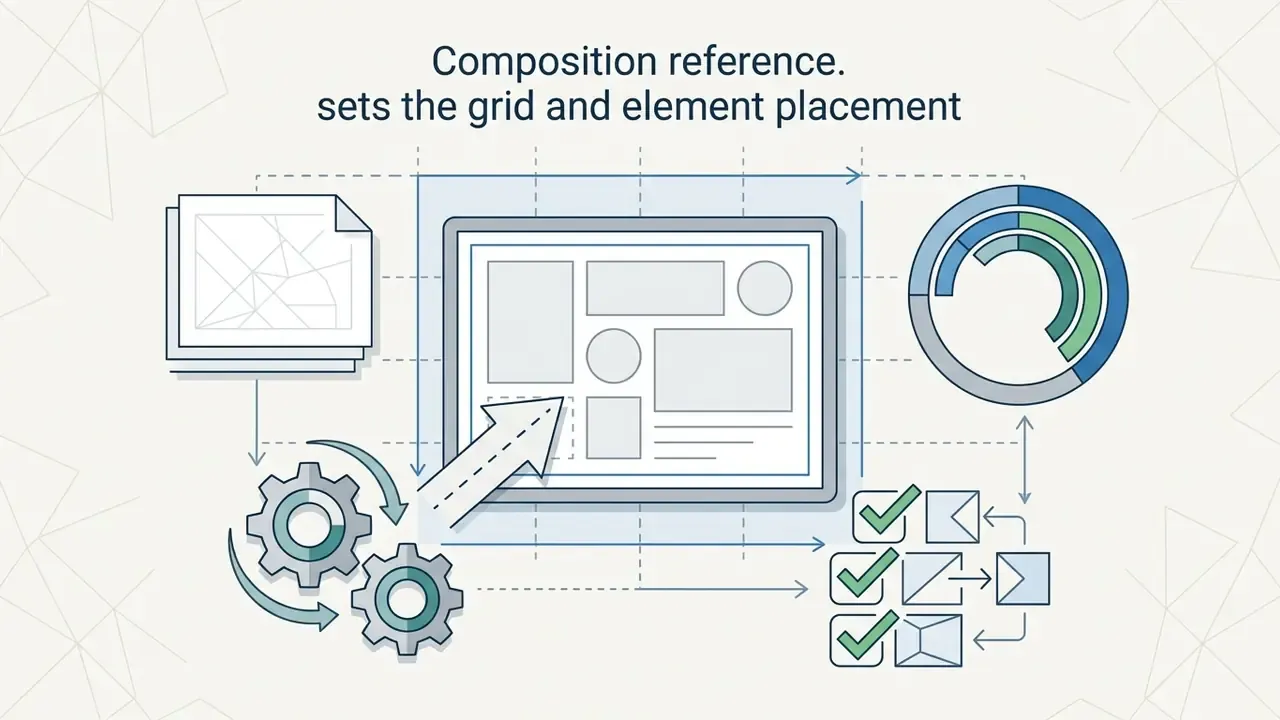
For composition control, pairing image-to-image references with explicit spatial layout instructions keeps subjects correctly positioned inside the canvas frame.
Table: Selecting an AI art app by task and required features
| Creative task | Primary mode | Key control features | Commercial-use requirements |
|---|---|---|---|
| Illustration and concept art | Text-to-image | Style selection, CFG/guidance tuning, prompt coaching | Paid plan that transfers commercial rights |
| Marketing and product photography | Image-to-image / inpainting | Background replacement, product geometry retention, 4K to 8K upscale | Training-data assurances, SOC 2 Type II, written indemnification |
| Character series and comics | Multi-reference | Character consistency (--oref/--ow), fixed seed, ControlNet | Private generations plus vector mask export |
| Banner and social design | Text-to-image with typography | Accurate rendering of quoted text, preset selection, size grids | Licence covering use in paid advertising |
| Regulated sectors (finance, pharma) | Managed tenancy with human review | Prompt and seed logging, C2PA Content Credentials, SSO/SCIM | Zero-data-training, documented retention, indemnification |
Best AI Art Apps for Different Creative Tasks
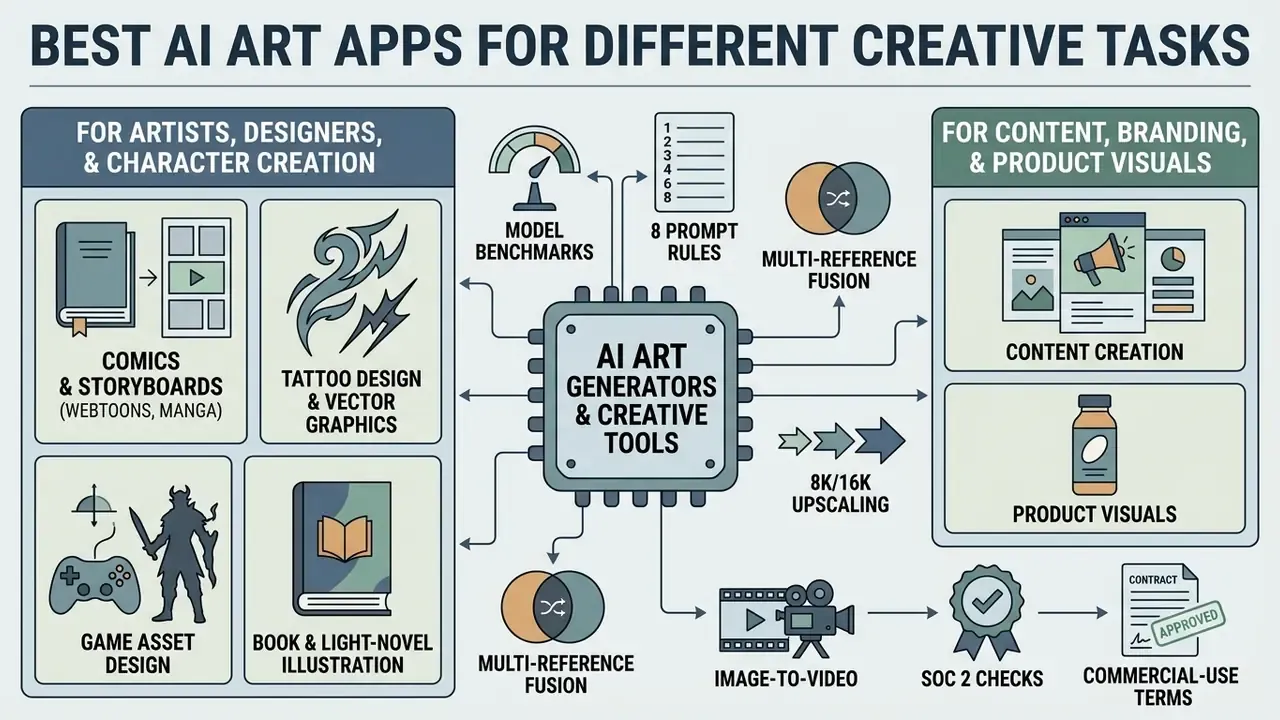
Identifying the best tool means matching the platform's underlying strengths to a specific creative or commercial task. There is no single winner, and vendors that claim otherwise are selling.
When assessing an ai app that creates art, creative leads should ask whether the software specialises in stylised digital artwork, photorealistic product staging or fast brand-asset production. Narrow, style-specific engines, for example purpose-built Ghibli-style AI image generators, show how a tightly tuned model can beat a general-purpose backbone inside one aesthetic domain, while broader platforms win on control depth. Rights questions run in parallel: see our reference on commercial use of AI image generators.
AI Art Generators for Artists, Designers and Character Creation
For illustrators and character designers, the core requirement is visual consistency across recurring subjects and custom styles.
«Study participants saw text-to-image tools as suitable for digital illustration, logos and visual media assets.»
Tools such as Midjourney, Recraft and NovelAI offer dedicated character workflows. Recraft supports vector export (SVG) plus non-destructive layer editing, which makes it a common pick for UI and graphic designers; teams working on brand marks can extend that into dedicated AI logo generators. NovelAI uses tag-based conditioning to hold anime character identity across varied poses.
Specialised niche scenarios. Purpose-built generators now serve narrow professional niches:
When building complex game or publishing assets, combining character references with an ai art reference generator or an ai art idea generator helps a team map an entire storyboard while keeping style uniform. A small caveat: idea generators are useful for divergence, not for final art direction.
- Comics and storyboards (webtoons, manga)
- sequential scenes with an unchanged character, held together by a fixed
seedand one character sheet. - Tattoo design and vector graphics
- clean line sketches and isometry, exported as vector masks (SVG) through Recraft.
- Game asset design
- semi-automatic assembly of sprites, texture maps and isometric environment objects.
- Book and light-novel illustration
- panel series with a single lighting scheme and palette across long narrative formats.
AI Image Tools for Content, Branding and Product Visuals
Marketing departments and e-commerce managers need ai apps art platforms that streamline product placement, background replacement and ad-creative scaling.
Adobe Firefly (embedded in Photoshop and Express) and Canva AI Generator lead this segment through commercial-safety commitments and clean background replacement. You upload a raw product photo, isolate the subject, then generate studio-grade lighting and surroundings from a short description.
«Creative professionals integrate AI tools into ideation, prototyping and asset-refinement pipelines.»
Updated (case requiring verification). In one enterprise pilot, a retail marketing team moved from tabletop photoshoots to an AI-assisted staging pipeline. Using background replacement and generative upscaling, the team reported cutting turnaround for new catalogue visuals from three weeks to under two days, while staying inside brand style guidelines. The measurement method behind that pilot has not been published. Treat it as an internal estimate that needs independent confirmation on your own SKU set. The academic work above supports the direction of the effect, meaning compression of ideation and refinement stages, rather than the specific magnitude.
Table: Comparison of leading AI art applications
| Application / platform | Supported models | Generation modes | Platforms | Max resolution (with upscale) | Free access | Commercial use |
|---|---|---|---|---|---|---|
| Adobe Firefly | Firefly Image 3 | Text-to-image, inpainting, generative expand, image-to-video | Web, iOS, Android | Up to 4K (video up to 4K) | Yes (monthly credits) | Allowed on all tiers (commercially safe), indemnification options for enterprise |
| Midjourney | Midjourney v6 / v7 | Text-to-image, image-to-image, multi-ref (--oref/--sref) | Web, Discord | Up to 4K via built-in upscaler | No (paid plans only) | Allowed on paid plans; revenue above $1M requires Pro or Mega |
| Leonardo.ai | Phoenix, SDXL, custom models | Text-to-image, canvas editing, motion / image-to-video | Web, iOS, Android | Up to 8K+ (Universal Upscaler) | Yes (150 tokens per day) | Allowed for private generations on paid plans; SOC 2 Type I and Type II |
| ChatGPT (GPT Image 2) | DALL-E 3 / GPT-Image-2 | Text-to-image, conversational edit | Web, iOS, Android, desktop | Around 3840 px on the long edge (enterprise API) | Limited (2 to 3 images per day) | Allowed for paid subscribers (Plus, Team, Enterprise) |
| Multi-model hubs (Fotor / NightCafe class) | Flux, Nano Banana, GPT Image, SDXL, Seedream | Text-to-image, multi-image fusion, image-to-video | Web, iOS, Android | 4K native, upscale to 8K or 16K | Yes (daily credits, often without sign-up) | Plan-dependent; verify rights to reference images |
Creating AI Art in an App: From Idea to Export
Producing publishable artwork in an ai art generator app follows a structured workflow that turns a concept into a production-ready asset.
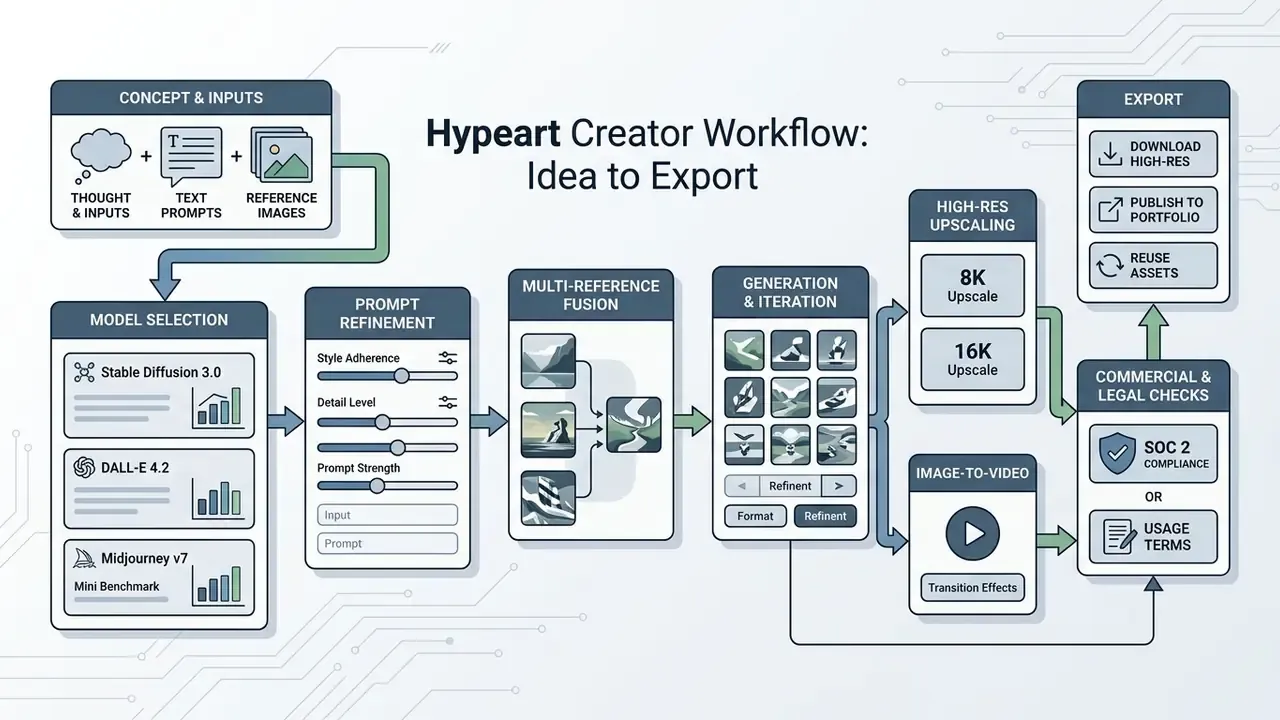
To assess tools before committing budget, creators can compare platform capabilities across pricing models.
- Concept definition
- fix the scene requirements, the visual subject and the intended style.
- Prompt and reference preparation
- draft a detailed prompt, assemble source photos or layout references.
- Model and parameter selection
- pick the model, aspect ratio and guidance scale.
- Initial generation
- run batches to see how wide the variation spread is.
- Targeted refinement
- apply inpainting, background edits or upscaling to the chosen candidate.
- Final export
- download high-resolution files in the required formats (PNG, JPG, SVG, TIFF, WebP).
How to Write a Prompt for an AI Art Generator
Writing an effective prompt for an ai art generator from text app means structuring the description so the model reads your spatial and stylistic intent correctly.
Recommended prompt structure, based on vendor guidance (OpenAI, Runway, 2026):
- Subject or object: the primary focal element ("a silver mechanical watch").
- Environment or scene: background, setting, spatial context ("placed on a dark slate surface, modern studio setup").
- Lighting and atmosphere: light sources and mood ("soft diffuse side-lighting, subtle reflections, golden hour").
- Composition and camera angle: perspective and framing ("macro close-up, eye-level angle, shallow depth of field").
- Style modifiers: artistic attributes or film stock, without contradictory buzzwords.
«Prompt coaching has a strong behavioural effect on trust calibration, but limited effect on trust built from surface cues.»
Prompt enhancers. Most mature platforms now ship a Prompt Polish or Prompt Enhancer feature: a short input such as "knight in a castle" expands, in one click, into a full professional prompt with lens, lighting, environment and composition terms. In a governed environment, log both the original user input and the enhanced prompt. Otherwise reproducibility quietly breaks, because the instruction that actually reached the model is not the one your operator typed. That gap is a common audit finding.
How to Use Images, Photos and References for Generation
Combining text prompts with image references steers the ai art converter toward existing visual structures or approved brand assets.
With an ai art reference generator, you can supply several inputs and separate identity conditioning from style conditioning; our overview of image-to-image generators covers tool-level differences. Midjourney's --oref (Omni-Reference) parameter, for instance, lets you attach a character photo and tune the reference weight (--ow, range 1 to 1000, default 100). A higher weight forces strict adherence to face and geometry, a lower one allows stylistic adaptation.
Multi-image reference fusion. Professional systems now accept up to eight visual references at once, which lets you pass distinct attributes independently:
Assign an explicit weight to each reference, otherwise competing cues average into a muddy result. Index them inside the prompt ("image 1 = pose, image 2 = style"), as current vendor prompting guidance recommends.
Generation Settings, Variants and Saving Artwork
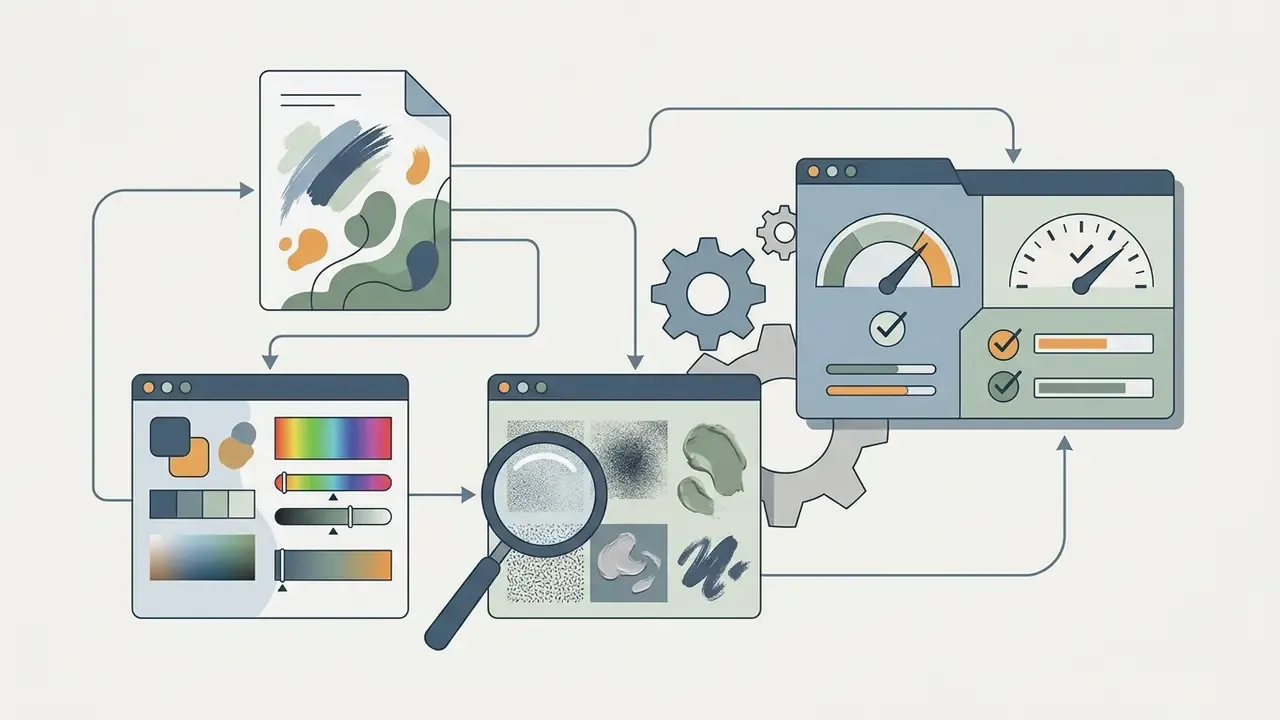
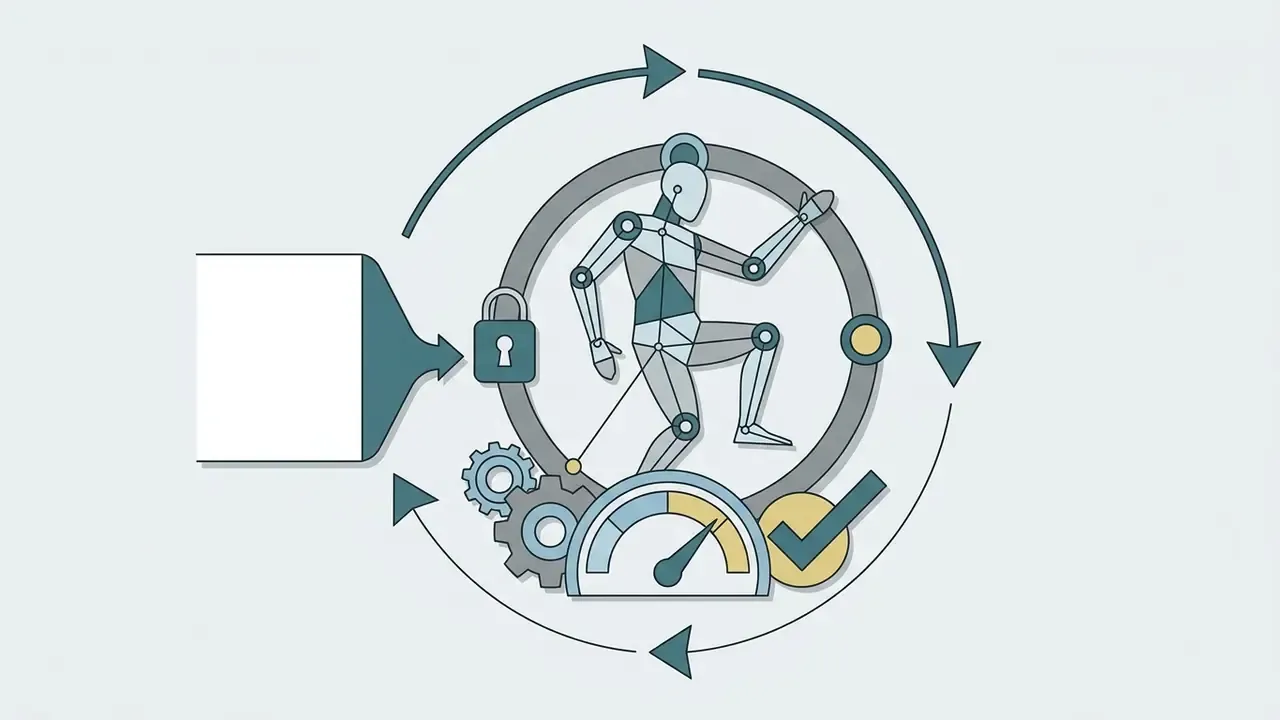
Fine-tuning technical settings is what makes results reproducible instead of lucky.
- Aspect ratio match the destination channel (1:1 for square posts, 16:9 for landscape, 9:16 for mobile stories). Practical near-one-megapixel presets include 1024×1024, 1344×768, 832×1216 and 1536×1024.
- Seed value fix the noise seed integer to repeat a composition across prompt edits. This is the single most important control for auditability.
- Guidance scale (CFG) governs how strictly the model follows the prompt versus its internal priors. Typical working range is 3.5 to 7.0.
- Sampling steps the number of denoising iterations, usually 25 to 50, with many platforms defaulting to 28. More steps refine subtle detail and consume more credits.
Once a draft is approved, export as uncompressed PNG or WebP to preserve colour depth and alpha transparency. Use SVG for vector deliverables and TIFF for print handoff.
Editing AI-Generated Images After Generation
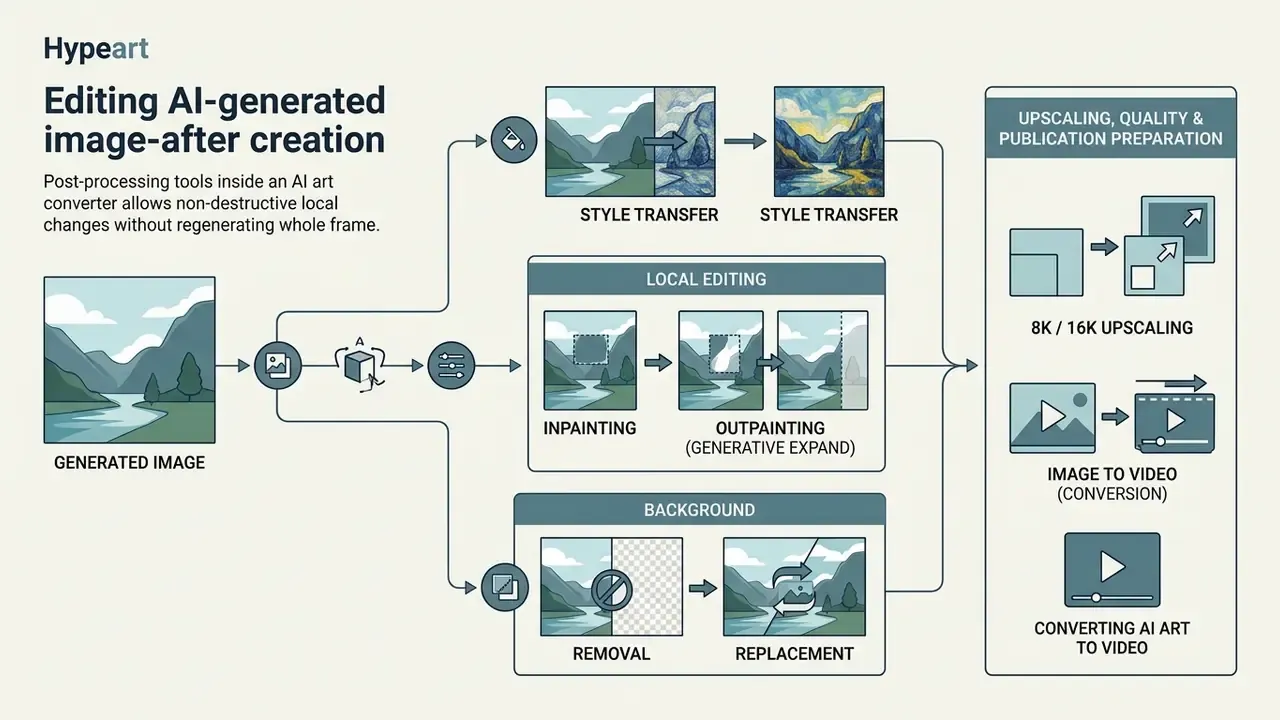
Post-processing tools inside an ai art converter allow non-destructive local changes without regenerating the whole frame. Broader capability sets are covered in our guide to AI photo editors.
Targeted editing prevents prompt drift and saves credits, because only the designated region of the canvas is recomputed.
Background, Style Transfer and Local Editing
Localised canvas editing uses mask layers for inpainting, outpainting and background work.
Selective editing lets a creative team remove artefacts or swap product backgrounds cleanly for a campaign; specialised AI image enhancers handle residual noise and detail recovery afterwards.
Upscaling, Quality and Preparing Visuals for Publication
Updated. AI upscaling turns low-resolution drafts into files dense enough for high-resolution print, out-of-home advertising and 4K, 8K or 16K displays.
Generative upscalers (Real-ESRGAN, Topaz Gigapixel AI, Leonardo Universal Upscaler and built-in Creative Upscale modules) do not merely interpolate pixels. They reconstruct lost detail, rebuild micro-texture, sharpen vector edges and suppress compression noise. Scaling a 1024×1024 base output directly yields final files at 4K (4096×4096), 8K (7680×4320) and even 16K, including square exports at 8192×8192, which removes the old ceiling for large-format print. Practical channel mapping: 2K for web publishing, 4K for digital signage, 8K and above for print and outdoor.
«The ImageRegeneration framework uses GPT-4V to score content consistency and perceptual quality on a 1 to 5 scale across 200 and 100 sample benchmarks.»
Multimodal evaluators like that make the QA stage automatable: you can check whether the upscaler invented detail that contradicts the original frame. A hallucinated logo edge on a 6-metre billboard is not a rendering issue, it is a brand incident. Compare engines by artefact behaviour and price in our review of AI image upscalers.
Before publishing to digital media platforms, review licensing terms and consult our photo editor guide so post-processing stays consistent with the source generation record.
Animation and Converting AI Art to Video (Image-to-Video)
Modern AI art ecosystems have moved past still frames. Runway Gen-3 and Gen-4, Kling AI, Luma Dream Machine, Seedance and Veo-class models can animate a finished image. Vendor documentation shows image-to-video pipelines accepting a still frame plus an optional end frame, with output up to 4K.
Key scenarios for bringing AI art into motion:
- Camera motion control pan, zoom, orbit and tilt paths that add presence to a static composition.
- Motion brush masking individual regions (water, fire, hair, smoke, fabric) so only those areas move while the rest holds still.
- Keyframe animation using the AI artwork as the first frame and a second image as the end frame for controlled interpolation.
- Loops and social formats short three to ten second vertical loops for Reels, Shorts and TikTok, built straight from the generated frame.
For governed environments, apply the same controls you use for stills: log the source image, the motion prompt, the model and the seed, and keep provenance metadata inside the exported video file. Downstream editing workflows are covered in our guide to the YouTube video editor pipeline.
Free Tiers, Download Options and the Limits of AI Art Apps
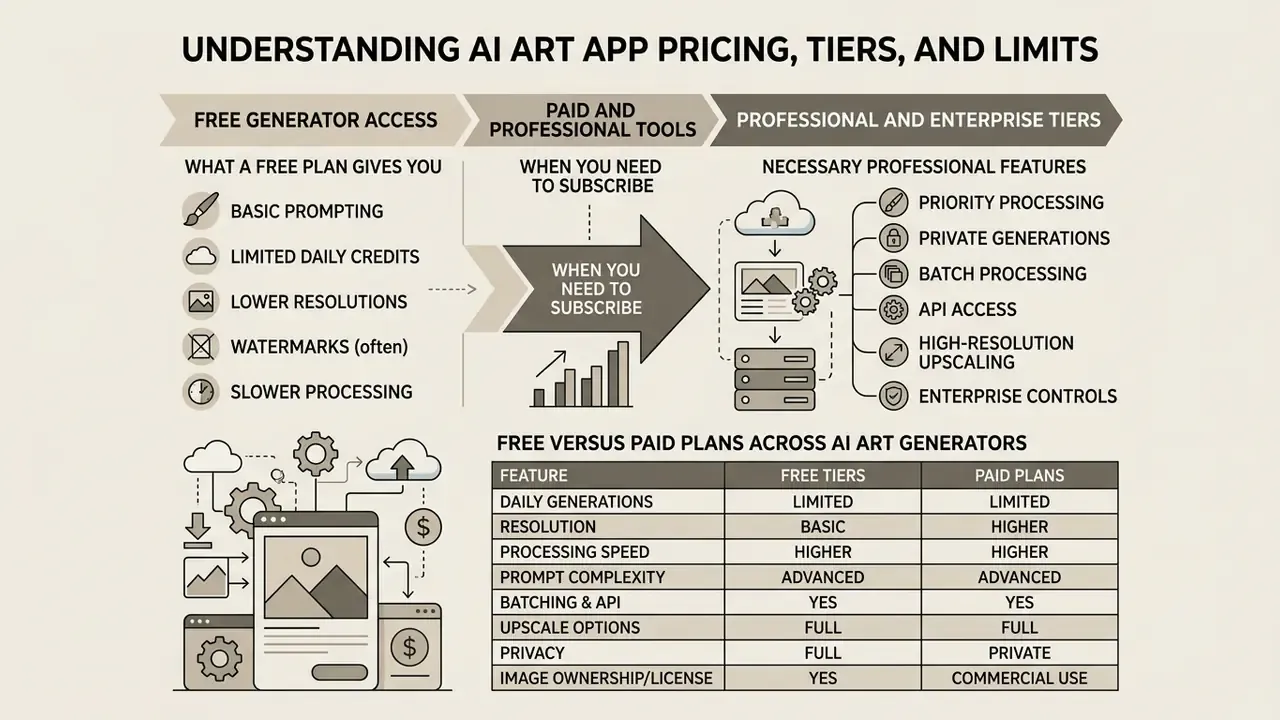
Understanding pricing structure, credit consumption and tier limits matters before you download or subscribe to an ai art generator download service. The market splits three ways: free tiers with daily or monthly credits, credit packs charged per generation, and fixed monthly subscriptions.
What a Free AI Art Generator Gives You
Many platforms offer entry-level access through an ai art generator download free desktop tier, or a free web tier backed by daily credit allocations.
Free access almost always carries structural constraints:
- Daily or monthly generation caps (two to three images per day on free ChatGPT, fifteen fast generations per day on Bing Image Creator, 150 daily tokens on Leonardo.ai).
- Lower queue priority, which means longer processing latency.
- Public output visibility, with generated art indexed in community feeds.
- Standard-definition output and disabled upscaling.
- Model gating, where the newest flagship backbones sit behind paid tiers.
«The TWIGMA dataset captured roughly 800,000 AI-generated images on Twitter between January 2021 and March 2023.»
That scale is a reminder of how widely free tools are used in public. Readers looking for no-cost entry points can evaluate options in our comparison of the best free ai art generator platforms, or the ones that skip onboarding entirely, listed in free AI art generators without sign-up.
When Paid Features and Professional Tools Become Necessary
Updated. Upgrading to a paid commercial or enterprise plan becomes necessary once production demand scales beyond casual prototyping.
Paid tiers typically add:
- Private generations disables public feed indexing, protecting confidential product concepts.
- Priority processing dedicated compute allocation for near-instant turnaround.
- Batch processing and API access automated pipeline integration through REST APIs, including asynchronous batch jobs with higher rate limits.
- High-resolution upscaling 4K and 8K direct export, 16K upscaling, advanced inpainting.
- Enterprise controls SOC 2 Type I and II attestation, SSO/SAML with SCIM provisioning, contractual zero-data-training commitments, configurable retention and IP indemnification.
Teams modelling operating cost can review enterprise subscription options and view the guide for cost structuring, or benchmark against free AI image generators before committing budget. For provisioning and access questions during rollout, view the guide in the support hub.
Can AI-Generated Artwork Be Used in Commercial Projects?
«Content Credentials bind tamper-evident provenance metadata to a media asset, allowing downstream verification of its origin.»
| Platform | Free tier limits | Paid subscription capabilities | Maximum export resolution | Commercial rights and enterprise controls |
|---|---|---|---|---|
| Adobe Firefly | 25 generative credits per month | 100 to 2000+ credits, priority speed, image-to-video | Up to 4K (generative expand / upscale), video up to 4K | Commercial use permitted on all tiers; indemnification options for enterprise |
| Midjourney | No free trial | Basic $10/mo, Standard $30/mo, Pro $60/mo, Mega $120/mo | Up to 4K via built-in upscaler | Commercial rights for paid subscribers only; revenue above $1M requires Pro or Mega |
| Leonardo.ai | 150 tokens per day, refreshed daily | Apprentice $10/mo, Artisan $24/mo, Maestro $48/mo | Up to 8K+ (Alchemy, Universal Upscaler) | Commercial rights for paid private generations; SOC 2 Type I and Type II |
| Bing Image Creator | 15 fast boosts per day, then slow queue | Bundled into the Copilot Pro subscription | 1024×1024 standard | Personal, non-commercial use only |
| Stable Diffusion (Stability community licence) | Open weights, local execution, no credits | Enterprise licence above the revenue threshold | Limited by local GPU; 8K or 16K via third-party upscalers | Commercial use under the community licence below $1M annual revenue |
FAQ About AI Art Apps: PC, Mobile Devices and Privacy
This section covers execution formats, cross-platform availability and data protection when running an ai art generator download package or a browser client.
Do You Need Prompt-Engineering Skills to Start?
No. Built-in prompt enhancers expand a three-word idea into a full professional prompt. The eight rules above then let you take manual control where it actually matters, usually optics, lighting and text rendering.
What Are Daily Credits, and Why Do Community Challenges Exist?
Community platforms drop free credits every day and run themed AI-art challenges with public voting. This gamification lowers the entry barrier, builds a creative habit (some users hold multi-year daily streaks) and produces a searchable prompt library you can remix. For enterprise use the same mechanic is a governance concern: free-credit consumer accounts sit outside procurement, DLP and retention controls. Popularity is not assurance. The ai art app everyone is using is rarely the one your auditor will accept without evidence.
Can You Reuse the Same Character Across a Series?
Yes. Fix the seed, keep a single character sheet, and reuse the same reference set with an explicit weight (--ow). Expect some drift on profile views, and budget a round of inpainting for faces.
How Should You Handle Text Inside an Image?
Wrap the target string in double quotes and specify the typeface class (serif, bold, neon). Models tuned for typography render quoted strings far more reliably, though long strings still fail often enough that a human proofread stays mandatory before publication.
Do AI Art Apps Work on PC and Mobile Devices?
Modern ai art apps run across desktop browsers, native mobile clients and local desktop software.
- Web browsers: cloud services such as Midjourney, Adobe Firefly and Leonardo.ai execute models on remote GPU clusters, so no specialised local hardware is needed.
- Mobile apps (iOS / Android): streamlined interfaces for quick text-to-image work and photo editing, popular for social content, with accounts and history syncing across devices.
- Desktop applications (PC / Mac): local tools running Stable Diffusion or Flux, such as DiffusionBee or ComfyUI, require dedicated graphics hardware (NVIDIA RTX GPUs or Apple Silicon M-series) but deliver full offline privacy and zero credit cost.
Cross-platform workflows let a team sketch concepts on mobile and finalise rendering on a workstation. Teams producing game or interactive assets can extend the pipeline with animation makers for sprite motion and promotional loops.
Do You Need an Account and Photo Uploads to Use an AI Art App?
Most cloud-based ai art generation apps require registration to manage credits, safety filtering and cloud storage. A minority of lightweight web tools allow generation with no login at all, which is convenient for testing and unsuitable for regulated data.
Updated: how data handling differs. When uploading photographs to an ai art converter, privacy policies vary sharply between platforms:
- Cloud platforms: uploads are stored on cloud servers for processing and may be forwarded to third-party model providers. Privacy-conscious services purge upload caches within defined windows, published policies range from 7 days for non-subscribers to 20 days after last use for subscribers, and contractually commit not to train public base models on private photos.
- Local offline software: local execution (DiffusionBee, ComfyUI, self-hosted Stable Diffusion) gives absolute data privacy, since neither photos nor prompt text leave the machine.
- Sensitive-data rule: photographs and recordings of identifiable individuals are frequently treated as sensitive personal information under privacy regulation. That means consent and a lawful basis before upload, not just a policy read-through.
«Creators and screen reader users want explicit indication of AI origin and description of possible artefacts.» From Provenance to Aberrations: Image Creator and Screen Reader User Perspectives on Alt Text for AI-Generated Images, CHI (2024). https://dl.acm.org/doi/10.1145/3613904.3642412
Before uploading sensitive brand photography or personal headshots, review the platform privacy policy against your corporate data-protection standard, verify encryption in transit and at rest, and confirm whether upload size and format limits are documented at all. Developers building custom integrations can browse the hub for API authentication and data-security guidance.
Summary and Governance Next Steps
Choosing an ai art app means aligning model capability, prompt control, credit pricing and legal exposure with a specific operational goal. Organisations deploying visual generative AI should set clear policy on image provenance, private data handling and commercial rights: register the tool in the model inventory, log prompts and seeds, require named human sign-off before publication, and confirm SOC 2 accreditation plus written indemnification with the vendor.
Start small, with one use case and one named owner. That is usually enough to expose whether your existing model-risk process can absorb visual generative tools, or whether it needs a dedicated control set.
Limitations, Open Questions and How to Measure Impact
Some parts of this picture remain unsettled, and pretending otherwise would be dishonest.
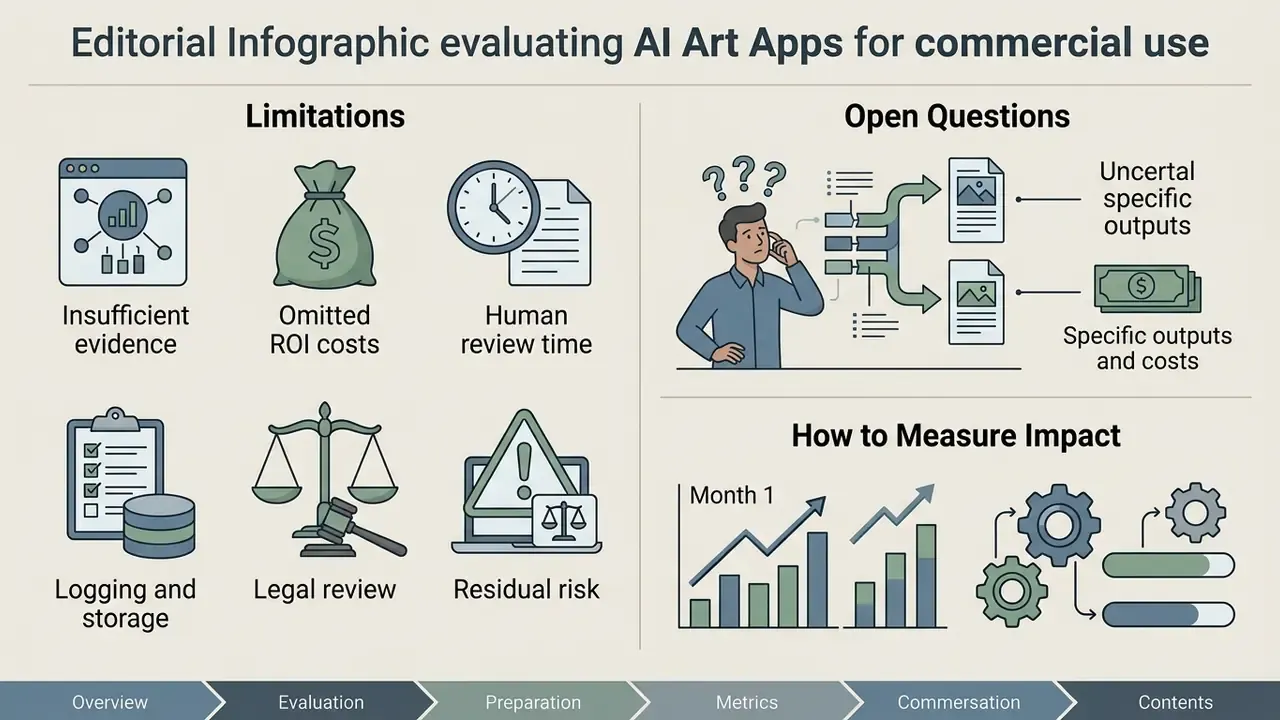
What the evidence does not yet support. Vendor throughput claims, including the retail pilot cited earlier, rarely disclose measurement method, baseline scope or rework rates. Detector accuracy for AI-generated imagery degrades as generator models change, so detection cannot serve as a primary control. Benchmark scores such as FID and CLIP correlate weakly with commercial usefulness on brand-specific assets.
Cost lines that ROI models usually omit. Build the business case with control costs included, not bolted on afterwards:
- Human review time per published asset, priced at the reviewer's loaded rate.
- Prompt, seed and provenance logging, plus storage and retention.
- Legal review of vendor terms, indemnification limits and renewal changes.
- Residual risk, meaning the expected cost of a licensing dispute or a misleading-advertising finding.
Metrics worth tracking from month one. Share of published visual assets carrying complete provenance records. Number of generations traced to unmanaged accounts. Median time from brief to approved asset. Rework rate after human review. Cost per approved asset, not cost per generation, since credits spent on discarded output tell you very little.
To model those cost structures across platform alternatives, use our compare options calculator, then revisit the vendor evaluation table above with your own numbers filled in.