Sounds like magic. It is closer to statistics.
«Transforming animal photos into human avatars requires cross-domain feature mapping rather than simple filter overlays. Evaluation relies on structural identity preservation alongside prompt adherence.»
Key Takeaways
- Breed matters. Golden Retrievers, Poodles, German Shepherds, French Bulldogs and Beagles map to distinct human archetypes, and breed-specific prompt templates appear further down this page.
- Free tiers usually cap resolution and stamp a watermark. Paid credits or subscriptions unlock 2000×2000 exports and a contractual commercial licence, which is not the same thing as copyright ownership.
- Generated portraits are artistic interpretations, not factual depictions of an animal's traits.
What Is a Dog to Human AI Generator?
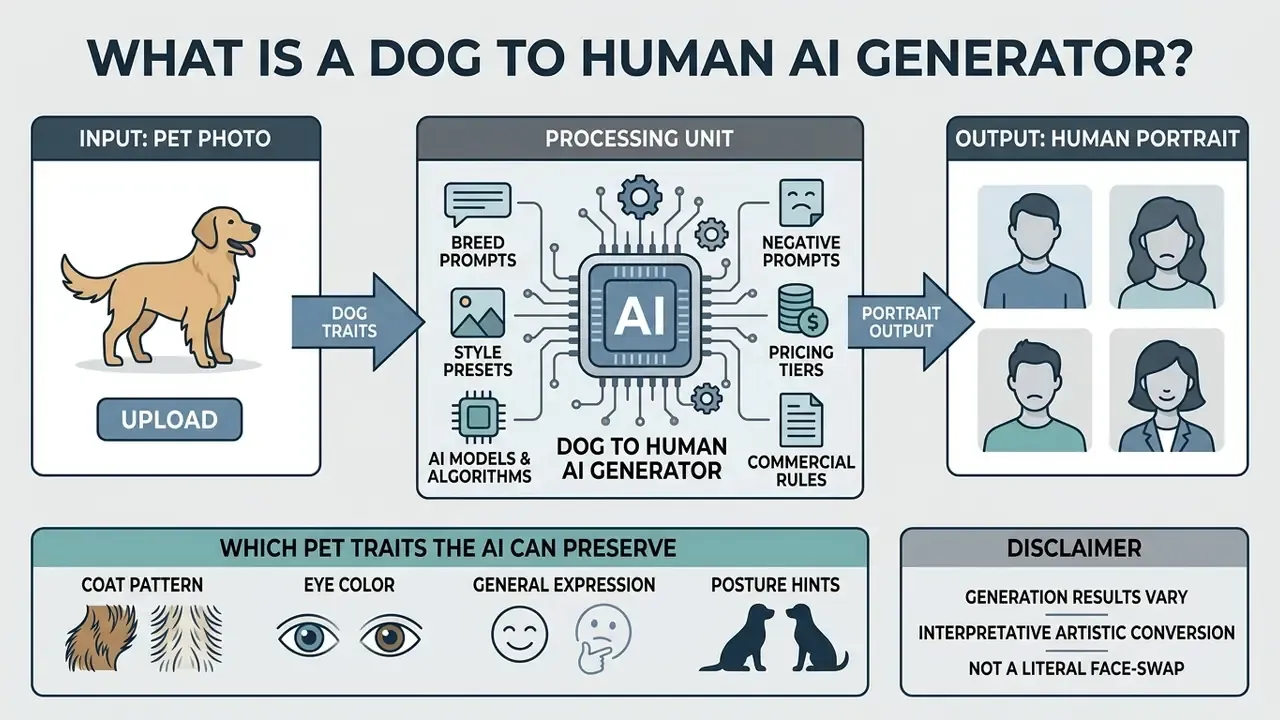
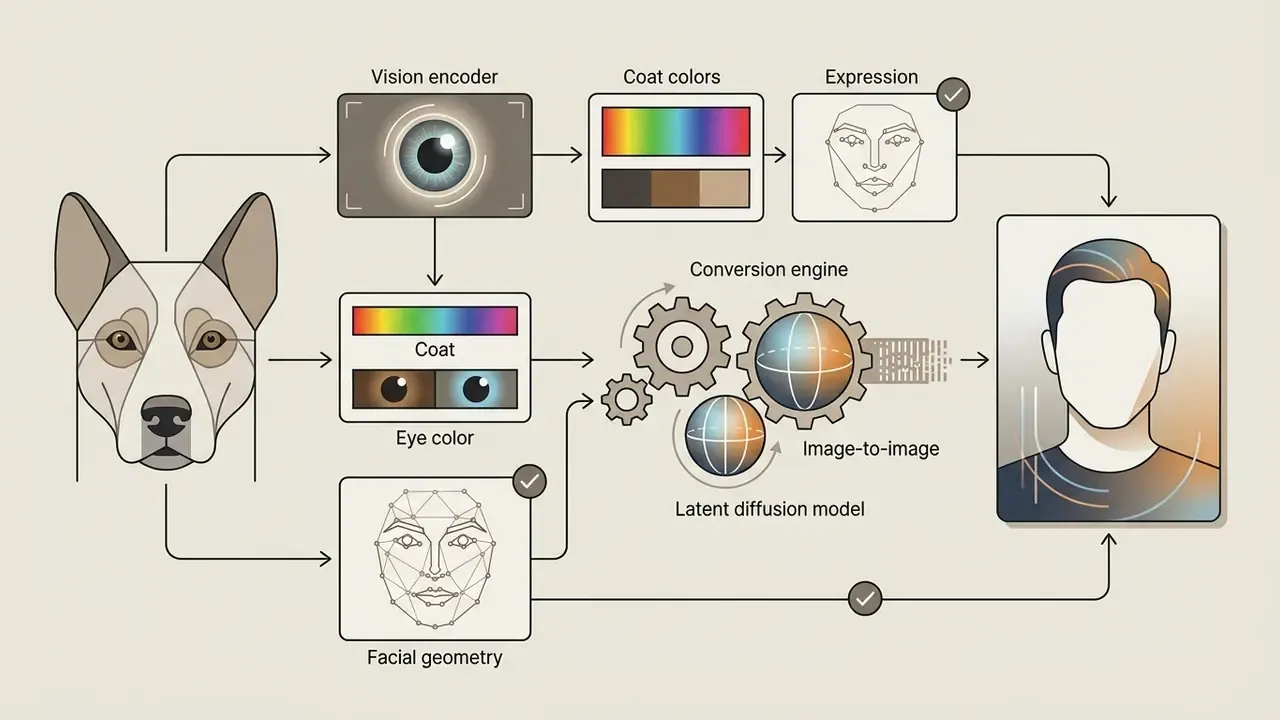
A dog to human ai generator is a software tool that processes a pet image and returns a human portrait reflecting the animal's visual identity. Deep neural networks translate canine facial geometry, fur patterning and colour scheme into equivalent human traits.
The mechanism is image-to-image conditioning inside a latent diffusion architecture. You upload a pet photo, choose stylistic preferences, and receive a high-resolution portrait that represents the ai generate human version of dog image request in a single pass.
Two practical implications follow. First, nothing here is a lookup: the model does not "find" a human who resembles your dog. Second, every run is a fresh sample, so two generations from the same photo can differ noticeably.
How AI turns a dog photo into a human portrait
The transformation begins when the model analyses key morphological landmarks in the uploaded pet photo. The vision encoder extracts lower-frequency spatial features, such as overall head outline, eye spacing and dominant colours, plus higher-frequency texture signals like fur pattern and whisker direction.
Next, a latent diffusion framework (Stable Diffusion combined with IP-Adapter or ControlNet primitives, for example) injects those extracted features into a human facial template. IP-Adapter works as an image-prompt module and preserves identity better than text-only prompting. ControlNet supplies the structural conditioning that keeps head outline and eye spacing coherent during the domain shift.
«BLIP-Diffusion achieves subject specialization in 40–120 fine-tuning steps, delivering up to a 20× speed-up over DreamBooth while retaining high visual fidelity.»
The result is an ai animal to human portrait that respects human facial proportions while keeping the pet's recognisable visual identity. In practice the model never "understands" the dog. It re-weights visual embeddings so the strongest colour and shape signals survive into a human-plausible composition. That is the whole trick behind ai image generation dog to human transformation pipelines, and it is why photo quality outranks prompt cleverness.
Which pet traits the AI can preserve
A pet to human face generator pulls a limited set of visual markers from the source image. The reliably preserved elements are coat coloration, eye hue, facial expression, and distinctive skin or fur markings.
«AnimalBooth outperformed BLIP-Diffusion and IP-Adapter across all four evaluation metrics, with identity gains of 3–17 points on DINO and CLIP-I.»
Treat that preprint as directional evidence rather than a settled benchmark; the field publishes faster than it replicates.
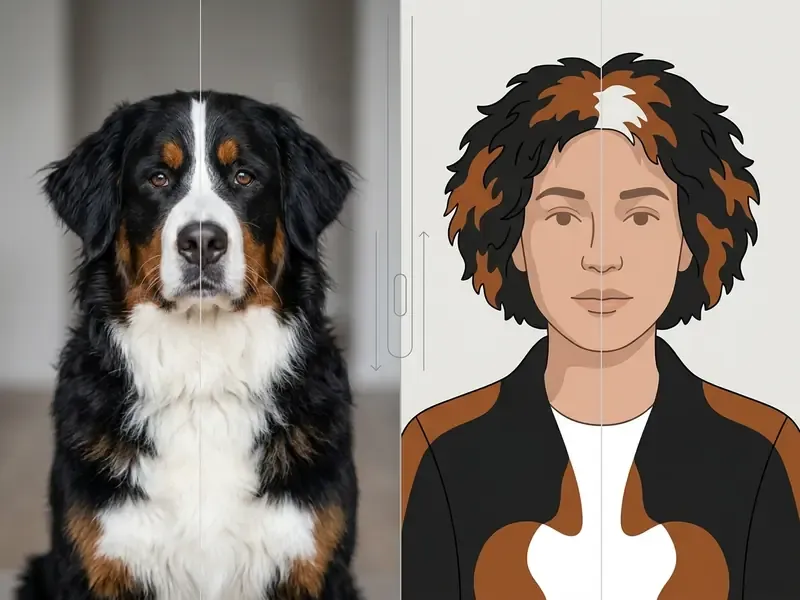
In an ai animals as humans workflow, a dog's golden fur maps to warm blond hair, while dark eye patches become birthmarks, freckles or an asymmetrical accessory. Breed silhouette tends to influence human build: heavy-boned breeds trend toward broader frames, lean sighthounds toward slender ones. Personality descriptors such as "playful" or "regal" shape expression and wardrobe posture instead of anatomy. Still choosing a platform? Our comparison of the best AI art generators breaks down image quality, style control and licensing side by side.
| Pet trait in source photo | Typical human equivalent in output |
|---|---|
| Coat colour (golden, black, merle) | Hair colour, highlights, two-tone styling |
| Iris colour (amber, blue, green) | Eye colour, sometimes eyewear tint |
| Facial markings / patches | Freckles, birthmarks, beard patterning, asymmetric accessories |
| Ear carriage (floppy vs erect) | Voluminous loose hair vs pulled-back or angular styling |
| Expression (relaxed, alert, squinting) | Smile width, brow tension, gaze direction |
| Collar, bandana, harness | Tie, scarf, necklace, jacket strap |
| Body mass and build | Human frame, shoulder width, posture |
How to Turn a Dog into a Human with AI
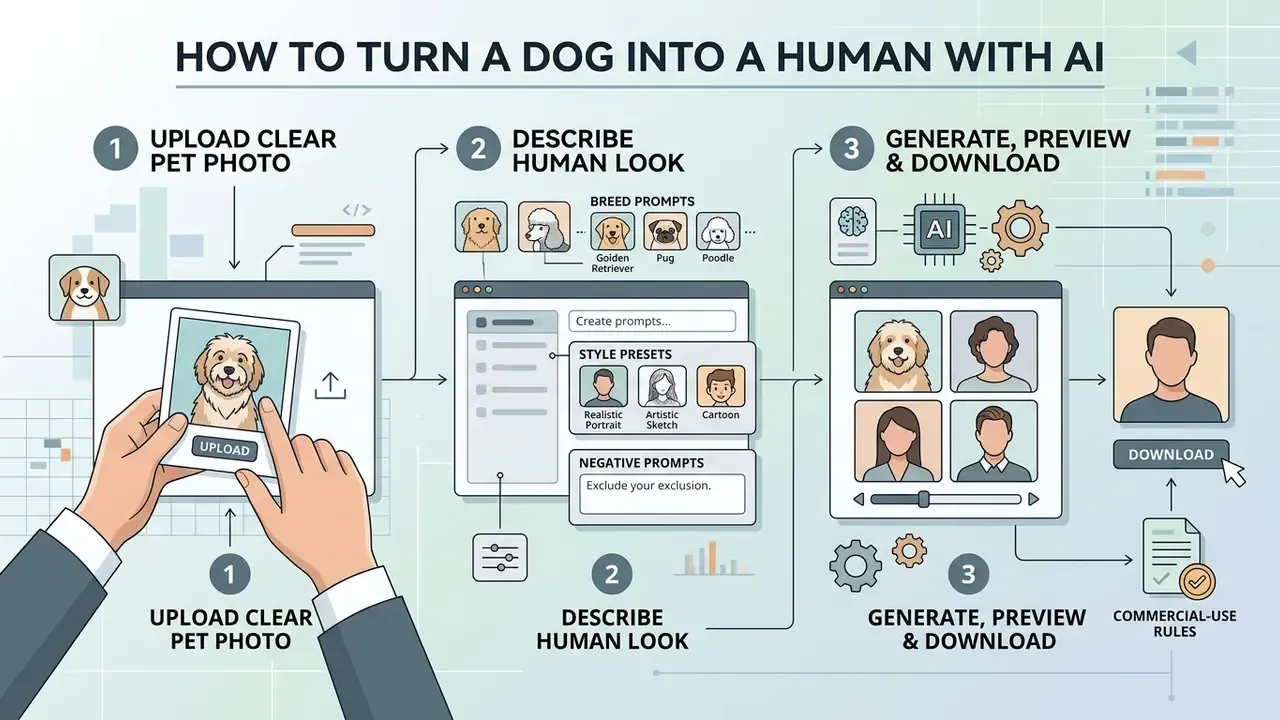
Creating a human pet avatar with an ai pet to human generator follows a standard, automated workflow. Most web applications finish the conversion in three sequential steps, and none of them require model-tuning skills.
Upload a clear pet photo
Pick a single-subject image where the dog's face is fully visible under even lighting. Skip anything with heavy motion blur, deep shadows, or two pets crowding the frame.
The image encoder treats the facial area as its primary reference grid. A clean input lets the system map eye structure, snout proportions and coat pattern without inventing structural artefacts. Practical framing rule: let the head, or head and shoulders, fill roughly 60–80% of the frame, and shoot at the dog's eye level rather than from above.
Describe the human look and choose a style
Write a prompt that specifies demographic attributes, clothing, lighting and medium. You can ask for a photorealistic portrait, a fantasy character, or a restrained business avatar.
For guidance on picking a platform, see our AI Media Comparison Matrices. Then tell the ai image generator turn dog into human exactly how to read the coat and build. For an Irish Setter, for instance: "a corporate executive wearing a charcoal suit, copper-red hair, warm amber eyes."
One habit worth keeping: describe the person you want, not the dog you have. The dog is already in the reference image.
Generate, preview and download the image
Click generate and the photo runs through the diffusion model. Most platforms return a grid of variations at 512×512 within 10 to 30 seconds.
Review the preview grid, choose your favourite variation, then run an upscale to lift resolution up to 2000×2000 pixels. Many editors expose 2× or 4× generative upscaling with a full-resolution preview before you commit credits. Save the file locally for personal or licensed commercial use, and keep the seed number if you might want the same face again.
numbered list of transformation stages.
Checklist0 / 3
Aspect Ratios, Style Presets and Generation Parameters
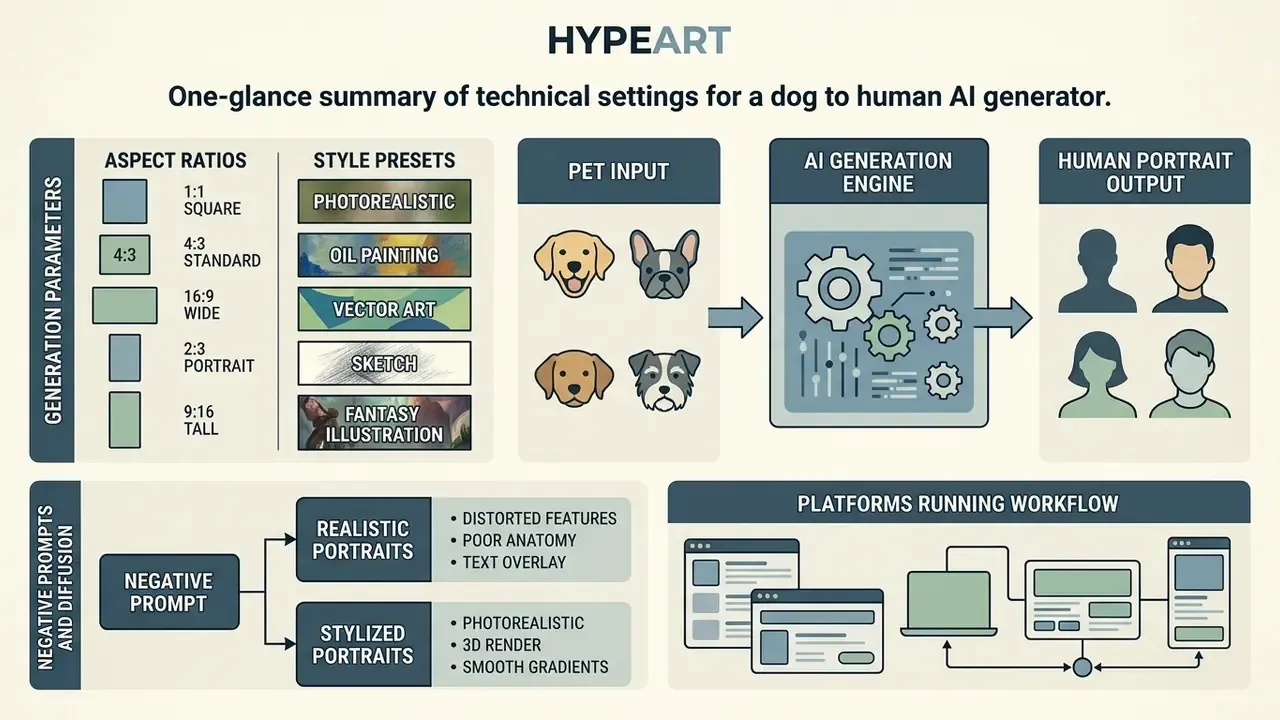
Prompt text is only half of the pipeline. Framing, style conditioning and diffusion parameters decide whether you get a polished portrait or an uncanny hybrid with a hint of muzzle.
Key technical settings: aspect ratios and style presets
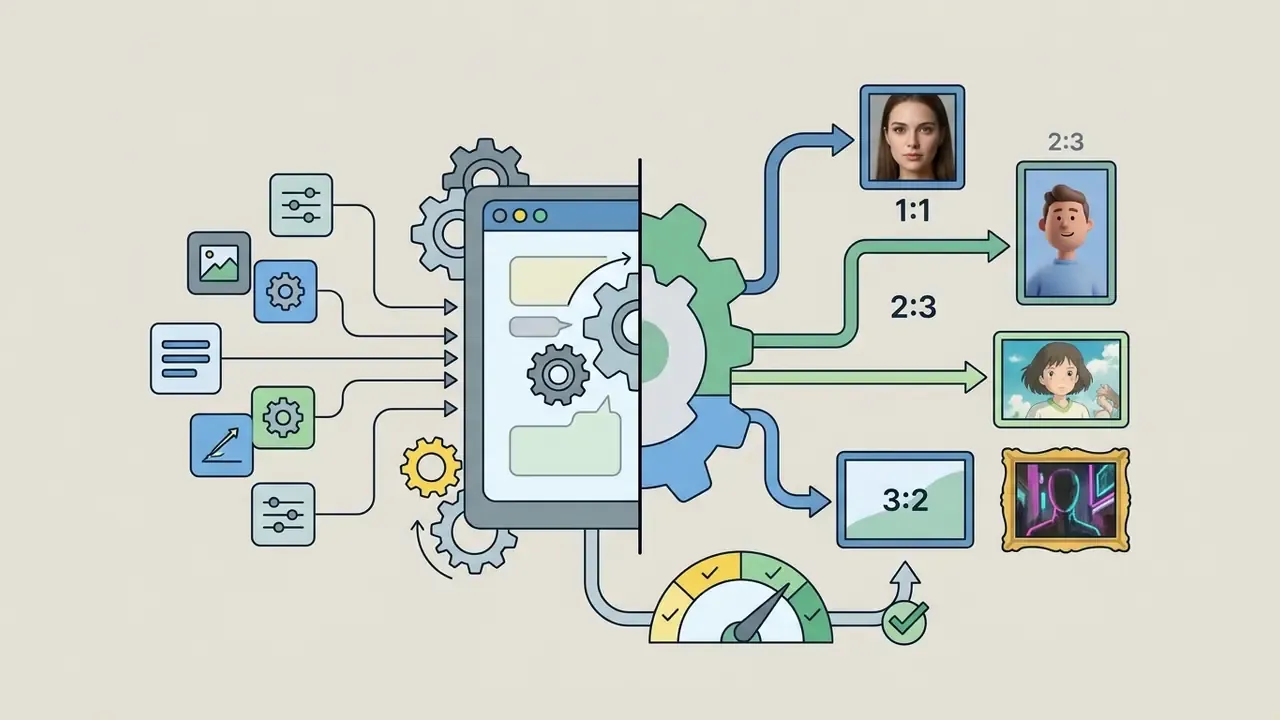
When configuring an ai generator dog to human pipeline, match output settings to the destination:
- Aspect ratio selection
- 1:1 (square): best for Instagram feeds, profile avatars and printed badges.
- 2:3 or 9:16 (vertical): optimised for TikTok, Stories and mobile wallpapers.
- 3:2 or 16:9 (horizontal): ideal for desktop banners, YouTube thumbnails and framed prints.
- Popular art style presets
- 3D animation / Pixar-like: soft lighting, expressive oversized eyes, saturated colour.
- Anime / Ghibli-style: hand-drawn aesthetic, cel-shaded tones, whimsical atmosphere. Our guide to Ghibli-style AI image generators compares style accuracy across tools.
- Chibi / cartoon: oversized head proportions, simplified features, high shareability.
- Royal oil painting: classical Renaissance portraiture, velvet attire, gilded frame.
- Clay, Lego-style and action-figure looks: toy materials with studio product lighting.
- Cyberpunk / sci-fi: neon accents, futuristic street gear, glowing eye highlights.
- Watercolour and line illustration: soft edges, well suited to greeting cards and prints.
Negative prompts and diffusion parameters
Residual animal anatomy is the most common failure mode in pet-to-human generation. A negative prompt suppresses those artefacts explicitly, and it costs you nothing:
- General negative prompt "animal snout, muzzle, fur on face, animal ears, whiskers, paws, extra fingers, deformed hands, distorted eyes, asymmetrical pupils, watermark, text, logo, low resolution, oversaturated, plastic skin."
- For realistic portraits add "cartoon, illustration, 3d render, cgi, doll-like skin, over-smoothed retouching."
- For stylised portraits add "photorealistic skin pores, harsh shadows, cluttered background."
Typical parameter ranges in image-to-image portrait work:
| Parameter | Practical range | Effect on pet-to-human output |
|---|---|---|
| Denoising / image strength | 0.45–0.65 | Lower values keep more of the pet's structure and risk snout artefacts; higher values give a fully human face with weaker resemblance |
| CFG / guidance scale | 4–8 | Low values drift from the prompt; high values create hard edges and over-contrasted skin |
| Sampling steps | 25–40 | Below 20 leaves noise in eyes and hair; above 45 rarely adds detail |
| IP-Adapter / reference weight | 0.4–0.7 | Controls how strongly coat colour and expression carry over |
| Seed | fixed vs random | Fix the seed to iterate on wardrobe or lighting without losing the face |
| Upscale factor | 2× or 4× | Required for print at 2000×2000 px or larger |
Which platforms actually run this workflow
| Platform type | Examples | Prompt control | Best for |
|---|---|---|---|
| Chat-based multimodal models | ChatGPT image generation, Gemini image models | Full natural-language prompting, iterative edits | One-off portraits refined conversationally. Compare capabilities in our ChatGPT picture generator evaluation |
| Art-first generators | Midjourney, Leonardo-style engines | Style parameters, aspect ratio flags, seeds | Stylised and painterly results. See our Midjourney image generation comparison |
| One-click web filters | Pet-to-human effect pages | Minimal or preset-only | Fast social sharing with no prompt writing |
| Open pipelines | Stable Diffusion + ControlNet + IP-Adapter | Full parameter and negative-prompt control | Reproducible, batch or commercial production |
| Design suites | Canva-style editors | Template plus prompt hybrid | Merch layouts and print files. See our Canva AI generator overview |
Content policies differ too, and that surprises people. Mainstream pet-to-human tools block sexualised output outright, while separately positioned tools such as an nsfw ai photo editor, an nsfw ai story generator or an nsfw ai video service operate under their own age-verification and licensing rules. If you plan any downstream animation, check the policy before you build the workflow, including nsfw image to video conversion limits and stricter nsfw ai video alternatives. For family pet portraits, none of that applies, but the terms of service still bind you.
Prompts for Realistic and Creative Dog to Human Results
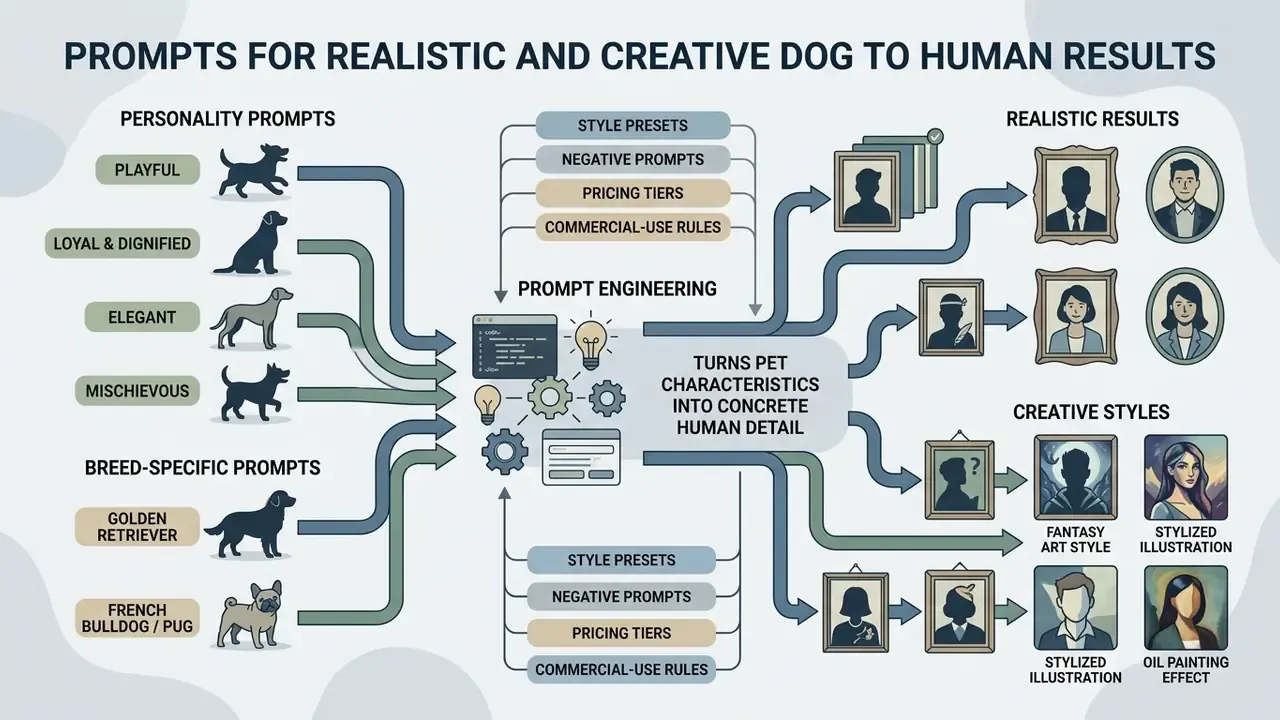
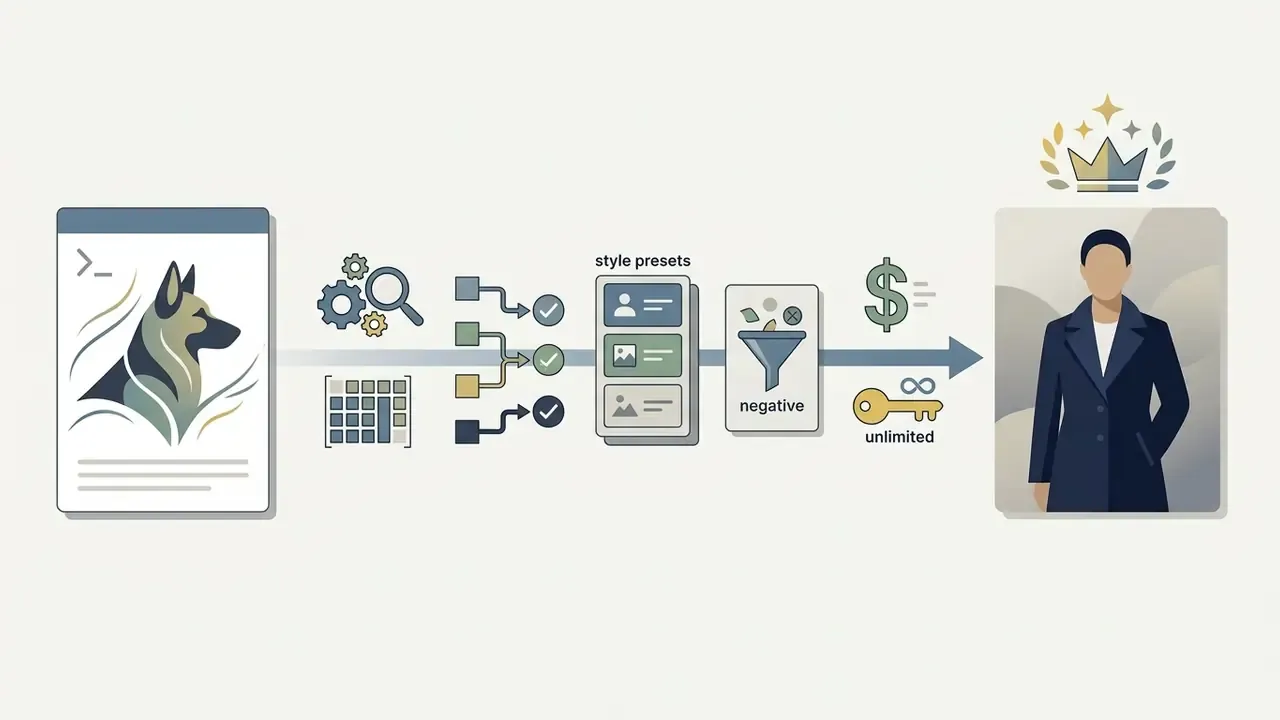
Prompt engineering decides how an ai art generator dog to human turns pet characteristics into concrete human detail. Structure the text as subject, context, lighting, style, then constraints. Vendor prompting guides from Google Vertex AI and OpenAI recommend the same ordering, with constraints placed last.
«An analysis of over 3 million prompts shows a mean length of 101–162 characters, with users focusing mainly on surface aesthetics and popular visual themes.»
Short prompts, shallow results. That correlation is not proven causal, but it matches what most users see after their fifth attempt.
Prompts that match your dog's personality
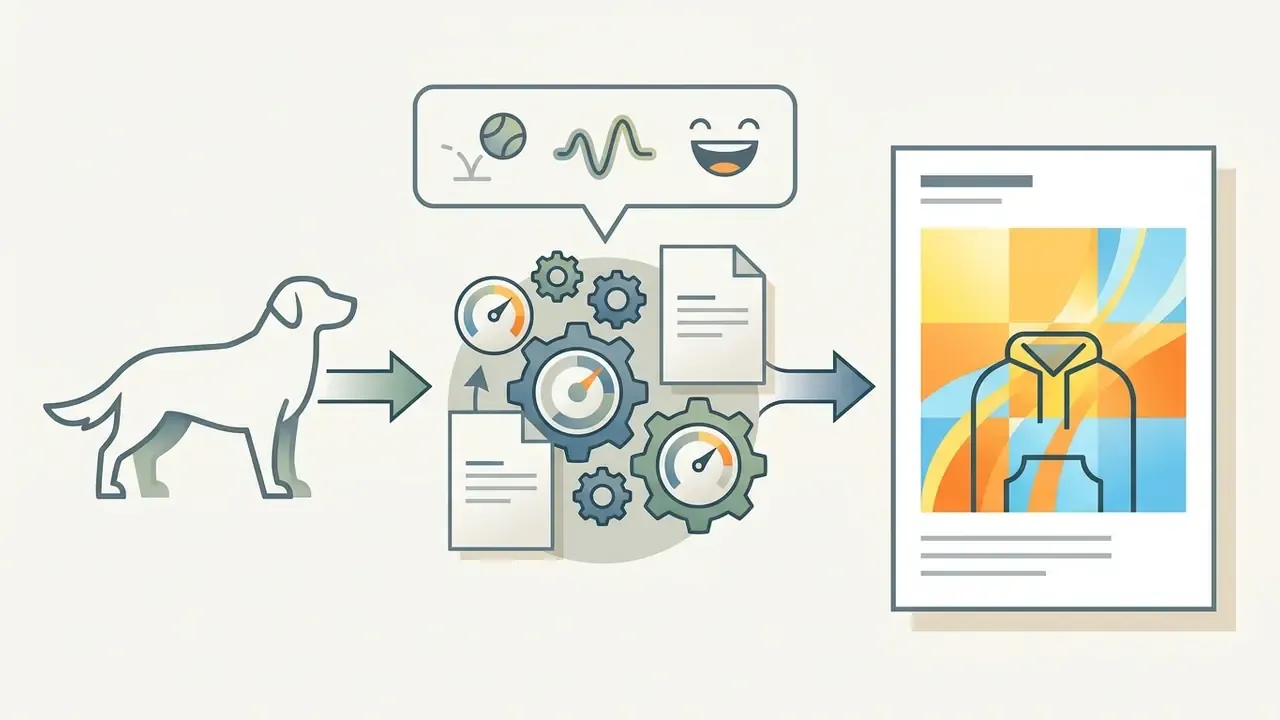
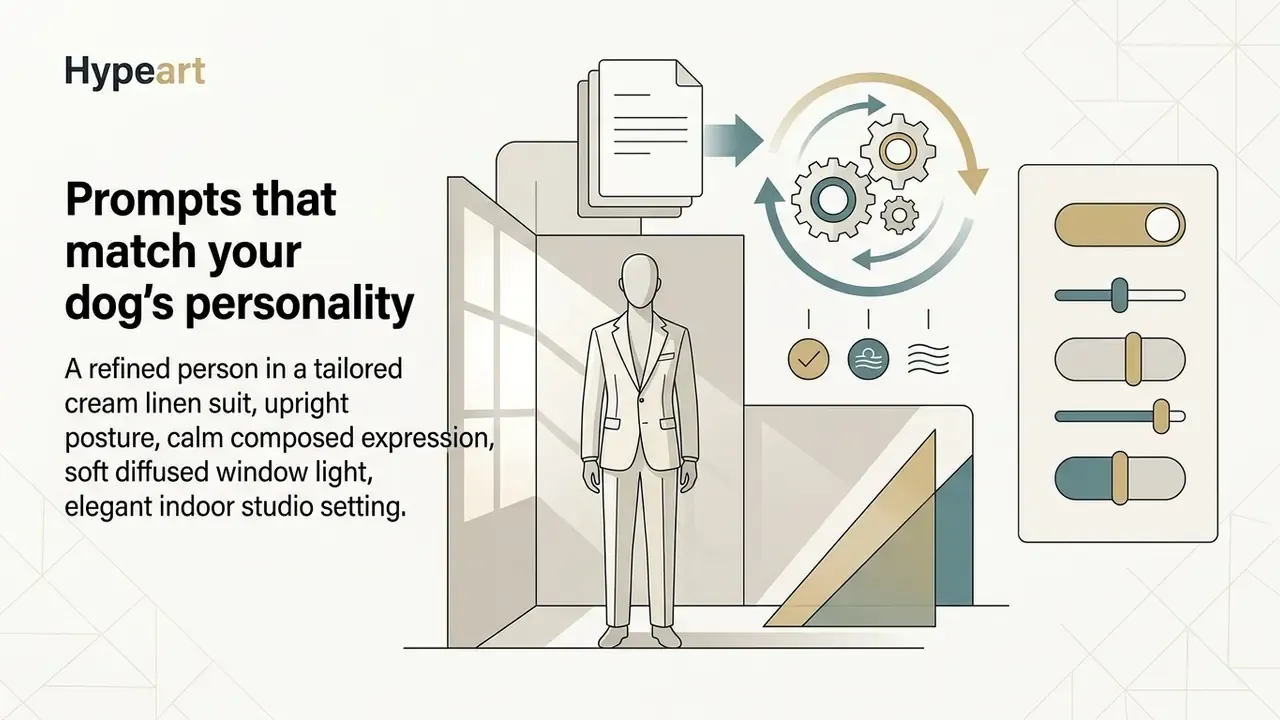
Connect behavioural traits to clothing and facial posture and you get a character rather than a stock face. These structures show how to translate canine personality:
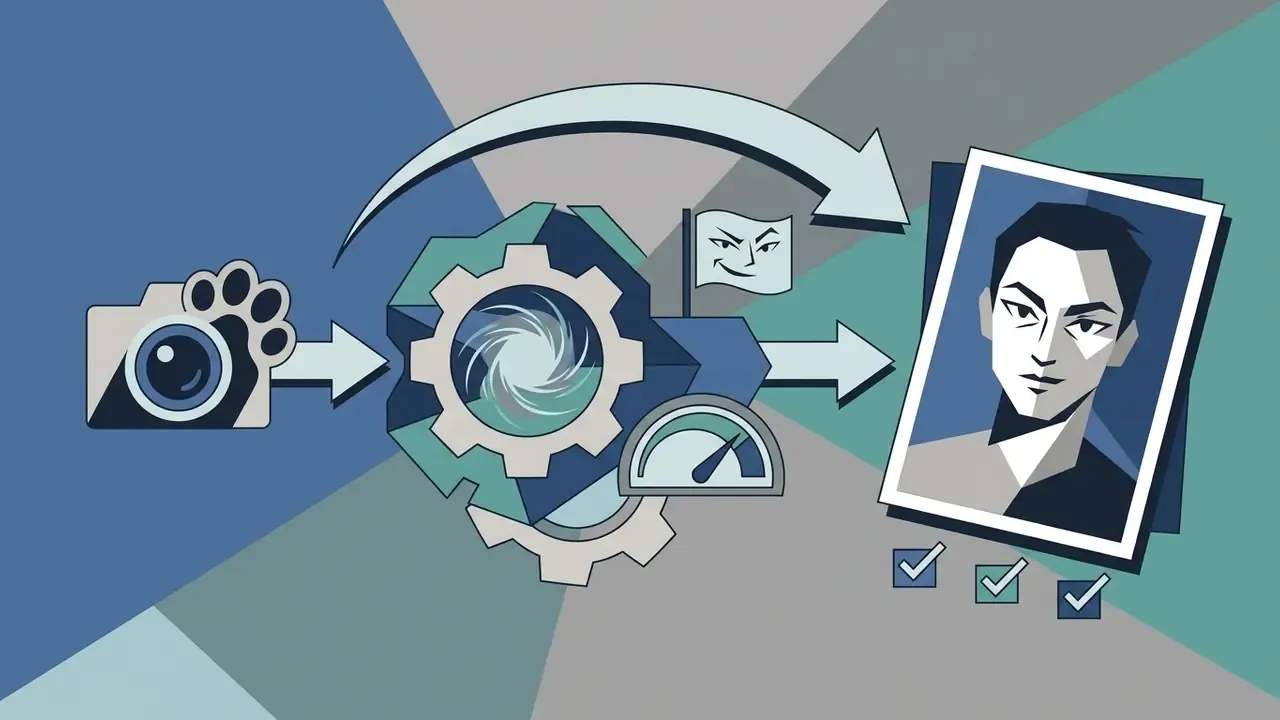
Prompts tailored to specific dog breeds
Breeds carry distinct facial structures, coat styles and cultural associations. Use these templates as a starting point, then swap in your dog's real eye and coat colours:
- Golden Retriever "A friendly suburban man in his early 30s with wavy golden-blond hair, warm brown eyes, open flannel shirt over a white t-shirt, cheerful broad smile, sunny outdoor yard background, photorealistic 8k."
- French Bulldog / Pug "A compact, stylish urban male with short stubble, expressive round eyes, trendy streetwear hoodie and thick-rimmed glasses, confident indoor studio photo."
- German Shepherd "An athletic park ranger in a dark tactical jacket, sharp jawline, focused alert gaze, short cropped black-and-tan hair, dramatic golden-hour lighting."
- Poodle "An elegant fashion designer with intricate curly styled hair, tailored pastel trench coat, refined facial structure, upright posture, high-fashion editorial magazine shot."
- Beagle / Dachshund "An inquisitive young explorer in a vintage denim jacket, expressive brown eyes, light freckles, playful crooked smile, natural forest trail background."
- Shih Tzu "A soft-featured young person with long layered cream-and-caramel hair, large dark eyes, cosy oversized knit sweater, gentle smile, bright indoor window light."
- Siberian Husky "A striking ice-blue-eyed adult with silver-grey and white layered hair, technical winter parka, calm confident expression, snowy outdoor backdrop."
Prompts for realistic human portraits
Photorealism from an ai dog to human face generator needs photographic vocabulary, not adjectives. Drop "hyperrealistic" and "hyper-detailed"; describe physical properties and camera settings instead.
«In a controlled study with 12 participants, interactive prompt refinement raised similarity to the target image: SSIM 0.648 versus 0.479 in the baseline condition.»
Name skin texture, natural pores, fabric weave and lighting setup. For example: "A 35-year-old person with natural skin texture, visible pores, soft wrinkles around the eyes, amber eyes matching golden retriever fur, muted beige sweater, shot on 85mm lens, f/1.8 aperture, natural sunlight."
Then add a palette instruction that ties wardrobe to the pet's colouring, such as "palette limited to warm amber, cream and muted olive" for a fawn-coated dog. That single clause cuts the odds of the model inventing an unrelated colour scheme. It is the cheapest fix in the whole workflow.
Dog, Cat and Other Animal to Human Transformations
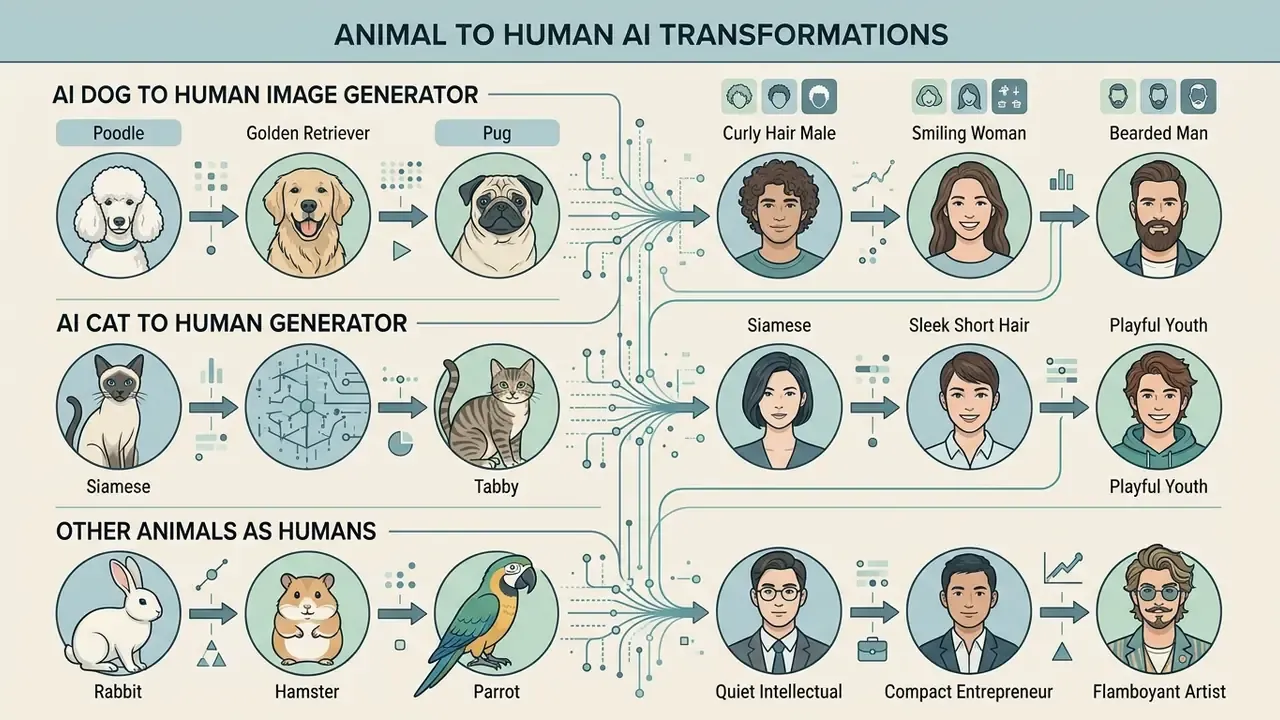
The ai pet portrait generator dog to human case dominates search demand, but current models process many species through general animal morphology embeddings. Results are uneven, and the pattern is fairly predictable.
AI dog to human image generator results
Canine transformations deliver the highest structural accuracy, mostly because canine reference photos are abundant in generative training sets. Large breeds with pronounced head shapes, Mastiffs or Greyhounds for instance, translate cleanly into distinctive human jawlines and facial proportions.
The algorithm maps floppy ears to voluminous hairstyles or headwear, while erect ears often become pulled-back hair or an angular hat. Planning to reuse the pipeline for professional avatars afterwards? Our guide to AI headshot generators covers portrait quality, privacy and business use.
One honest caveat: no peer-reviewed study currently quantifies whether small breeds systematically produce different human portraits than large ones. Vendor documentation attributes most variance to photo quality, framing and prompt specificity rather than breed size, and that explanation fits the observed behaviour of an ai dog to human image generator far better than breed folklore.
AI cat to human generator results
Other pets and animals as humans
Birds, rabbits and reptiles are harder. Generative models apply quadrupedal mammal priors far more effectively than avian or reptile body plans, so an ai animal human portrait of a parrot leans on text far more than on the reference image.
«Models lacking consistent geometric priors produce anatomical artefacts when transferring non-mammalian features, especially for birds and reptiles.»
Building ai animals as humans for exotic pets therefore depends on prompt text to define wardrobe and props, using skin pattern or feather colour only as a palette anchor. A macaw works best when its plumage becomes a jacket and scarf, never a facial feature.
| Animal class | Feature-mapping reliability | Dominant transferable cues | Main failure mode |
|---|---|---|---|
| Dogs (quadrupedal mammals) | High | Coat colour, eye colour, ear carriage, expression, build | Residual snout or muzzle shading |
| Cats | High for eyes, moderate overall | Eye shape and colour, cheek contour, coat pattern | Over-sharpened, uncanny eye lines |
| Rabbits, hamsters, small mammals | Moderate | Fur colour, cheek volume, soft features | Over-infantilised, doll-like faces |
| Birds (parrots, budgies) | Low to moderate | Plumage colour as wardrobe palette | Wing or beak artefacts, feathered skin texture |
| Reptiles, fish | Low | Skin pattern and colour only | Scale texture bleeding onto human skin |
How to Get a Better Pet-to-Human Transformation
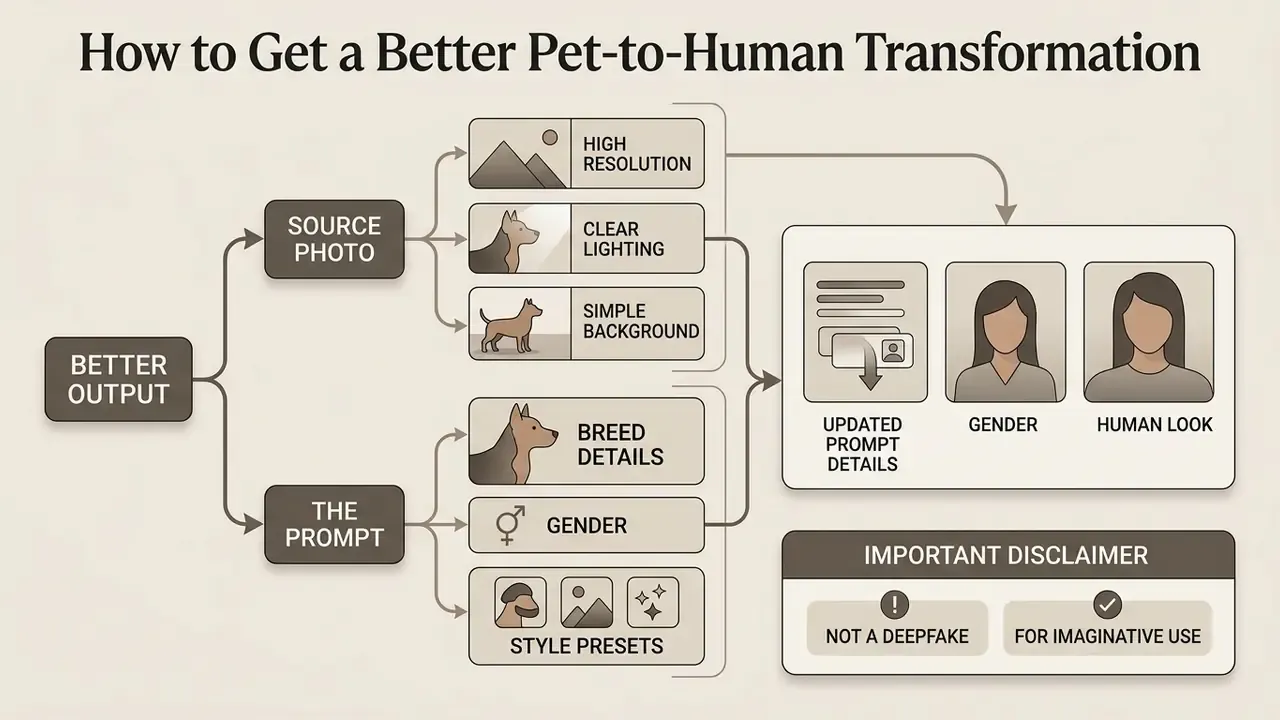
Better output comes from two levers: the source photo and the prompt. Most users reach for the second when the first is the problem.
Photo quality and pet face visibility
| Feature / metric | Suitable source photo | Unsuitable source photo |
|---|---|---|
| Face visibility | Frontal or 3/4 angle; full face visible from chin to ears | Full profile; muzzle covered by toys or hands |
| Lighting | Even, diffused natural light without harsh shadows | Strong backlight; direct flash; deep shadows |
| Focus and sharpness | Sharp focus on eyes and fur texture; low noise | Motion blur; out of focus; heavy compression artefacts |
| Subject count | Exactly one pet in frame | Multiple animals or human hands visible |
| Background | Plain, neutral or non-distracting | Cluttered background with matching fur tones |
| Framing | Head or head and shoulders fills 60–80% of frame | Distant full-body shot where the face is a few dozen pixels |
| Camera height | At the dog's eye level | Steep top-down phone angle that distorts the muzzle |
«AnimalBooth experiments show that a low-frequency mask yields the best combination of LPIPS, DINO and CLIP-I, confirming that overall shape and colour regions are critical for recognisability.»
Put plainly: if the silhouette and colour blocks are clean, an ai pet portrait generator humanize dog photo run will still produce a recognisable counterpart even when fine fur texture is lost. If your only good photo is small or soft, upscale it first. Our free photo editor guide covers export limits and quality trade-offs in no-cost tools before you spend credits on generation.
Prompt details, gender and human look
Tightening demographic attributes reduces model variance in any ai pet to human photo generator. Age, gender expression, appearance and clothing style act as explicit parameters for the diffusion process. Research on fashion-image generation treats style, occasion and gender as controllable variables, and the same logic holds here: every attribute you leave unstated is a variable the sampler decides for you.
If the first output looks generic, add accessory modifiers drawn from the pet's own gear. A red collar becomes a red silk tie or a scarf; a worn leather harness becomes a jacket strap. Cost and credit-burn scenarios for repeated attempts are documented in our AI Media Calculators resources, which helps when a single portrait turns into fifteen retries.
Iteration checklist when the first result fails:
- Fix the seed and change one variable at a time (wardrobe, then lighting, then style).
- Lower denoising strength if the face lost all resemblance; raise it if animal features persist.
- Add or strengthen the negative prompt before you switch models.
- Re-crop the source photo tighter on the face rather than rewriting the prompt.
- Judge each attempt against one target portrait concept, not against the pet photo itself.
What to Do with Your Generated Human Pet Portrait
A finished portrait has more uses than a single Instagram post:
Free Plans, Paid Credits and Commercial Use of AI Pet Portraits
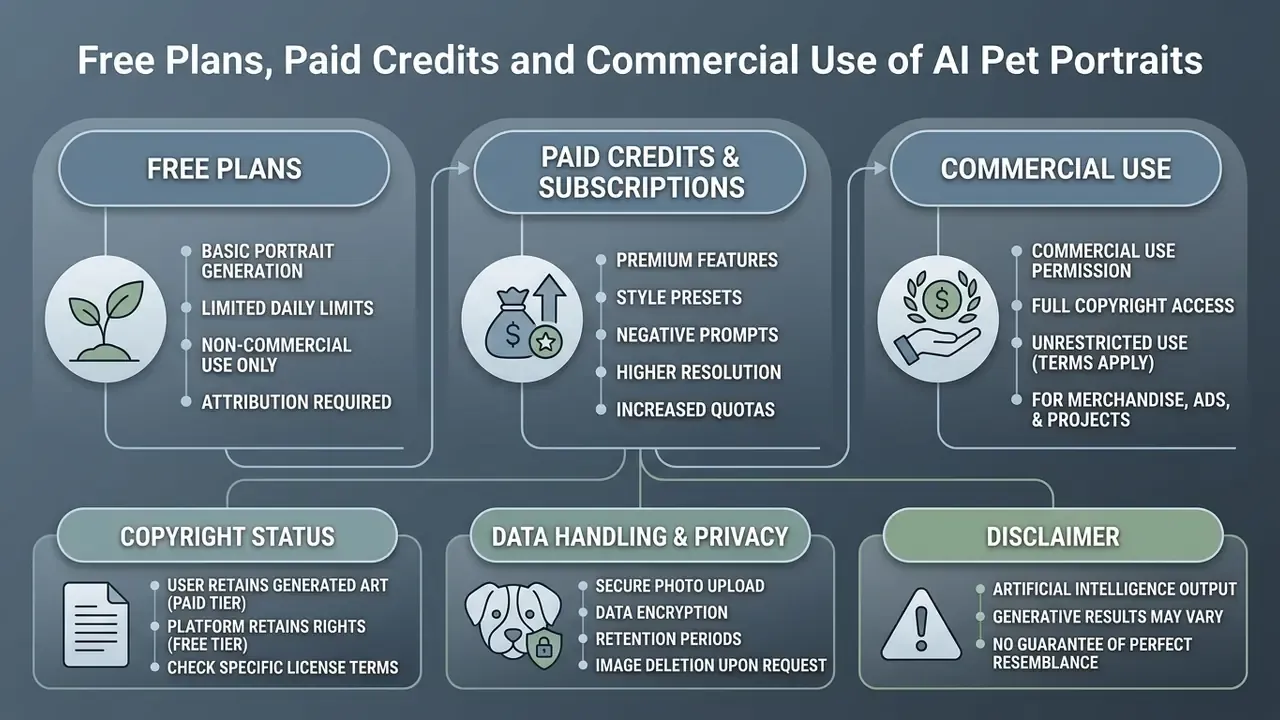
Choosing an ai pet portrait generator turn dog into human platform means weighing cost structure, export quality, data handling and usage permissions together. Pricing, privacy and copyright all sit in this one section, because in practice they are one decision.
Free plans, paid credits and subscriptions
| Plan type | Typical limits | Resolution | Commercial use rights | Watermark status |
|---|---|---|---|---|
| Free tier | 5–10 daily credits | Standard (512×512) | Non-commercial, personal only | Platform watermark included |
| Pay-as-you-go | Credit bundles (for example, $9.99 / 100 credits) | High, up to 2000×2000 | Commercial licence granted on purchase | No watermark |
| Monthly subscription | Unlimited or recurring monthly credits | Full high definition plus upscaling | Commercial licence included | No watermark |
Vendor terms follow a predictable pattern as of 2026: trial credits are usually restricted to personal use, while purchased packs (ten portrait images for $9.99, say) bundle a commercial licence. Before paying, confirm three things. Export resolution. Watermark policy. And whether commercial rights attach to the credit or to the account, because that distinction decides what happens when your subscription lapses. Our AI Media Commercial-Use directory and the free AI art generator comparison document these limits platform by platform, and the AI Media Pricing Guides break down credit maths per export.
Copyright status of the generated portrait
That contrast is widely reported in comparative copyright commentary, and the underlying journal reference in earlier drafts of this page could not be verified, so treat the framing as directional. In January 2025 the US Copyright Office did approve registration of an AI-assisted image where human input was judged sufficient.
Official USCO guidance states that purely machine-generated output, without substantive human modification, cannot be registered, and that AI-generated material which is more than de minimis must be disclaimed in a registration claim. Copyright can still cover human-authored contributions in an AI-assisted work: selection, arrangement and manual editing.
Buyers of paid licences receive contractual commercial usage rights from the provider, which permits marketing and merchandise. Those images may nonetheless lack exclusive protection against third-party copying unless substantial manual editing is applied.
«In January 2023, three American artists filed a class action against Stability AI, Midjourney and DeviantArt over the use of millions of images without the authors' consent.»
That litigation history matters for two reasons. It shapes how vendors word their training-data clauses, and it explains why serious commercial users prefer platforms that state plainly whether uploads feed model training. Ongoing rulings are tracked in our AI Litigation and legal frameworks analysis.
Data handling for uploaded pet photos
Reputable platforms process uploaded pet photos only to execute the generation request. Data governance frameworks such as NIST AI 600-1 (2024) call for a documented legal basis or consent for collection, minimum data-quality controls, encrypted storage and transfer, reasonable retention limits, and mechanisms for deletion and rectification requests. NIST SP 800-88 Rev. 2 (2025) covers secure media sanitisation at the disposal stage.
Retention windows in practice run from automated deletion within 24 to 72 hours to explicit 30-day policies for uploads and rendered images. As a public-sector reference point, the European Commission's privacy notice for one uploaded-content tool specifies automatic deletion of uploads and chat history after 72 hours.
«Attacks on diffusion models achieve up to 89% success in membership inference and 92% accuracy in identity inference on the LFW dataset.»
Those figures come from human face datasets, not pet photos. They still explain why "we do not train on your uploads" is a materially different promise from "we delete your uploads." And if the photo of your dog also contains a person's face, the calculus changes again: treat it as biometric-adjacent data, and favour services that publish both a retention period and a deletion contact. If something goes wrong mid-render, our AI Media Support and Troubleshooting guide covers artefacts, failed jobs and refund policies.
Dog to Human AI Generator FAQ
Are uploaded pet photos private and safe?
Reputable web platforms process uploaded pet photos strictly to execute the generation request, using encrypted transfer, temporary storage and defined retention windows. Most commercial services keep source images for 24 to 72 hours before automated server deletion, though some publish a 30-day window. Read the privacy statement to confirm that uploads are not used to train public base models without explicit consent, and check whether self-service deletion exists.
How does the AI decide the gender and age of my pet's human version?
If gender, age or other demographic constraints are absent from your prompt, the diffusion model picks them effectively at random, driven by image embeddings and the seed number. Some consumer tools market this as a "blind box" or "random gender surprise" feature. To override it, state the traits explicitly: "a 40-year-old male doctor" or "a 20-year-old female athlete". Fixing the seed as well keeps the same person while you change wardrobe or background.
Can I use a dog-to-human generator on mobile?
Yes. Most ai pet to human photo generator platforms run as web applications in mobile browsers on iOS and Android, and several ship native apps with camera-roll and live-camera upload. These interfaces accept direct uploads from the camera roll or live capture. Mobile optimisation keeps previewing, prompt edits and high-resolution downloads workable without desktop software, although upscaling large files over a weak connection can stall.
Can I share my AI-generated pet human online?
Yes. You can publish AI-generated pet portraits on social platforms, personal blogs and community forums. The same portrait pipeline sits behind many AI headshot generators used for profile images. Updated: institutional social-media policies increasingly require disclosure. Published university guidance ranges from labelling image and caption with wording such as "Created using AI" to requiring prior written approval plus the platform's own AI label on Meta apps. Research on audience perception suggests viewers judge AI images mainly on technical quality and prompt fidelity, flagging mismatches as "off" or "weird", which is one more reason to disclose rather than let followers guess. Confirm your licensing tier before posting commercially.
Why does my result still have animal features?
Denoising strength is too low, the reference weight is too high, or the negative prompt is missing. Set denoising to roughly 0.5–0.6, reduce the image-reference weight, and add "animal snout, muzzle, fur on face, animal ears, whiskers" to the negative prompt. In stubborn cases, crop the source photo tighter and try a different style preset.
Can I use the human portrait commercially?
Only if your plan grants a commercial licence. That licence permits merchandise and marketing use, but it does not by itself create exclusive copyright. Substantive human editing is generally required before a registration claim becomes viable.
How long does a generation take?
Most web tools return a preview grid in roughly 10 to 30 seconds at 512×512, with upscaling adding a few seconds. Processing time shifts with photo size, model choice and server load, and free tiers are usually queued behind paid ones.
Additional Media and Developer Resources
For deeper technical documentation, licensing frameworks and automation tooling:
- AI Media Pricing Guides — commercial plan breakdowns and credit structures.
- AI Media Support and Troubleshooting — resolving visual output artefacts.
- AI Media API — integration protocols for batch image generation.
- AI Litigation and legal frameworks — analysis of generative media copyright rulings.
- Comparison of the best AI art generators — image quality, style control, pricing and licensing.
- Free AI art generator comparison — output quality, credit limits, watermarks and licensing.
- Guide to online photo editors — post-processing your portrait before print.
- Guide to animation makers — turning a static human pet portrait into motion.
- Full terminology reference in the main glossary.