Executive summary
- What they are free video templates are pre-built, editable project files containing scene structure, motion graphics, lower thirds, text placeholders and audio references. You customize the variables instead of building animation from scratch.
- Where to get them Mixkit (free download, no attribution, no sign-up), Canva and CapCut Web (browser editing), Adobe Stock (700+ free motion graphics templates, 10,000+ free HD/4K clips), Envato and Motion Array (plan-based catalogs), Renderforest and Jitter (online template makers).
- The four hard filters before download file type (
.mogrt,.aep/.aet,.prproj,.drfx,.motn), then resolution and aspect ratio, then category or use case, then license scope. - Two technical traps third-party plugin dependencies (Trapcode, Element 3D, Optical Flares) and software version mismatch. Always look for a "No plugins required" marker and confirm the build version.
- Business impact marketers using video grow revenue 49% faster, consumers are 39% more likely to share video content, and 96% of surveyed small businesses said they would produce more video if time, cost and complexity barriers were removed.
- Compliance reality "free" never means "copyright-free". Royalty-free, CC0 and CC BY carry different obligations. Enterprise teams need a license audit trail and a data-privacy review of browser-based editors before production use.
How to read this guide. If you only need a clip by Friday, read the sections on where to download and how to edit online. If you sign off on brand, legal or security risk inside a bank or a fintech, the sections on licensing, audit trail and browser-editor exposure are the ones that matter. Everything else is context.
Free video templates are pre-structured digital media project files that provide ready-made scenes, motion graphics, text placeholders and audio references to streamline video editing. Organizations and creators use these editable video templates to accelerate publishing workflows, maintain brand standards, and lower content production costs across digital platforms.
What free video templates are and which videos they suit
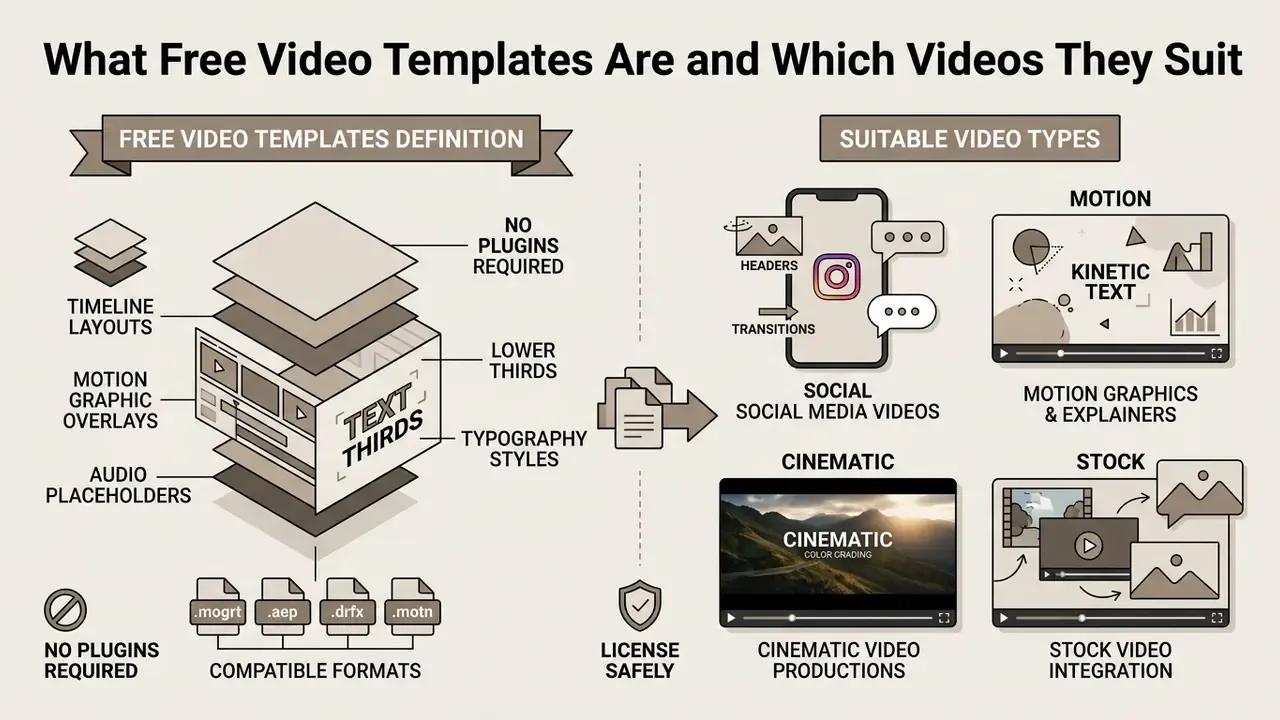
A free template video is a customizable project package containing timeline layouts, motion graphic overlays, lower thirds, typography styles and audio placeholders. A video template is designed to solve structural and visual design problems before content assembly begins. You stop constructing motion sequences and scene transitions by hand every time you start video editing.
By using a free video template, teams can quickly build publishable videos for marketing, education, product launches and internal communications. Research on structured video authoring supports the mechanism: templates separate narrative composition from presentation rendering, so assets can be swapped while motion dynamics stay consistent.
"Structured templates help non-expert users plan and script video summaries, exposing editable text and scene structures aligned with rhetorical conventions."
What is actually inside a template package. According to vendor documentation, a typical downloadable video template contains a main project file, placeholder compositions, control layers (color, speed, text), an assets folder and a readme. Preview music and voiceover from the marketplace demo reel are frequently not included in the download. That single detail breaks more first-time production plans than any missing plugin.
Template categories: social, motion, cinematic, and stock video
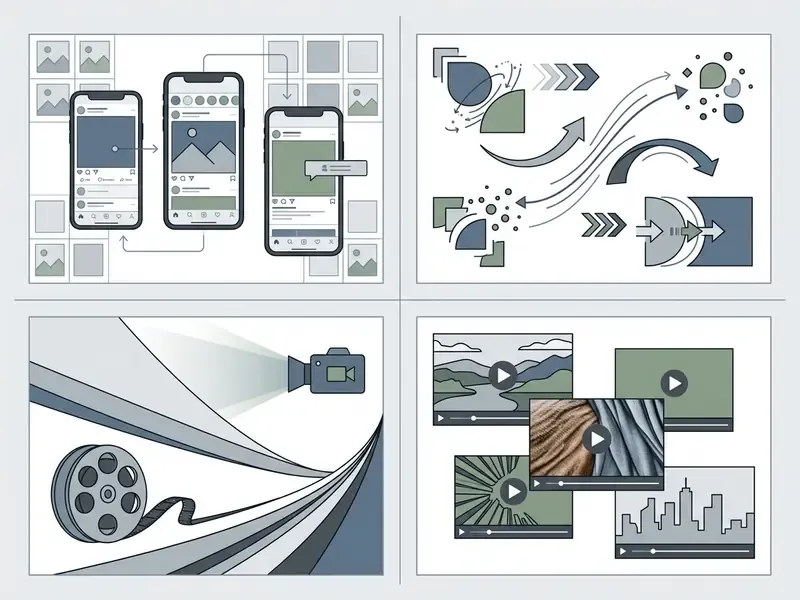
Video templates fall into four core production categories based on target media channels, visual complexity and technical requirements:
- Social media templates optimized for vertical (9:16) and square (1:1) aspect ratios, short runtimes (15 to 60 seconds), fast cuts, kinetic typography and call-to-action overlays. Platform specs for vertical video commonly list 1080×1920 px, with permitted durations from 3 to 180 seconds depending on the network and publishing tool (some publishers cap at 30 seconds).
- Motion graphics templates modular graphics files (
.mogrt,.aet) containing customizable lower thirds, data visualizations, infographics, animated titles and transition effects. These are defined not by a fixed runtime but by project properties: resolution, frame rate and timecode duration. - Cinematic video templates widescreen narrative layouts (16:9 at 1920×1080 or 3840×2160; anamorphic 2.39:1 at 1920×803) with cinematic color grades, atmospheric titles, framing guides and stylized pacing.
- Stock video templates asset-heavy project structures combining pre-licensed background clips, B-roll placeholders, establishing shots and story-gap fill elements for rapid promo editing.
"Standardized template structures make tutorial videos more predictable and easier to follow, benefiting both non-expert creators and viewers."
Modern online template makers also expose scene-count and duration typing as first-class filters. Renderforest, for example, sorts its catalog by Flexible versus Fixed duration, offers scene libraries ranging from 8 scenes for simple slideshows to 1,500 to 1,900 scenes for animation and presentation packs, supports music visualization projects up to 30 minutes, and includes a script-to-video mode that auto-assembles scenes from written text. If your project length is not yet locked, a Flexible template saves a rebuild later. Small choice, large consequence.

What you can change in editable video templates
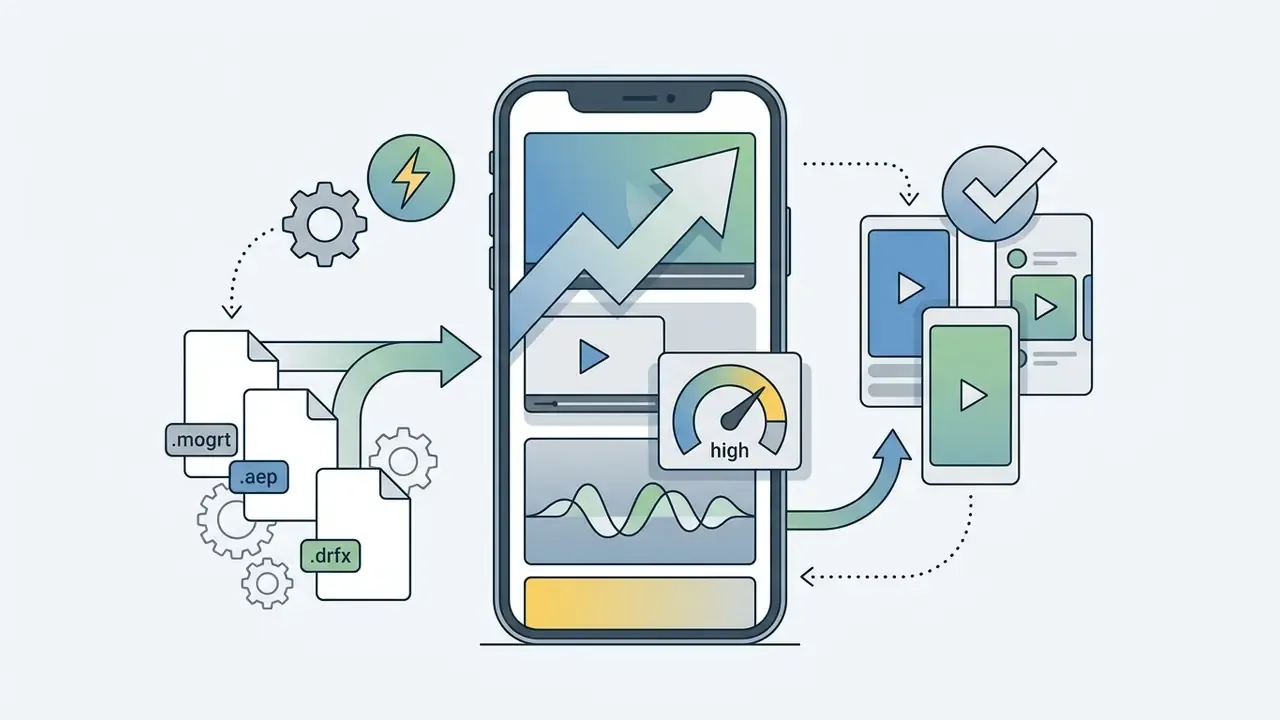
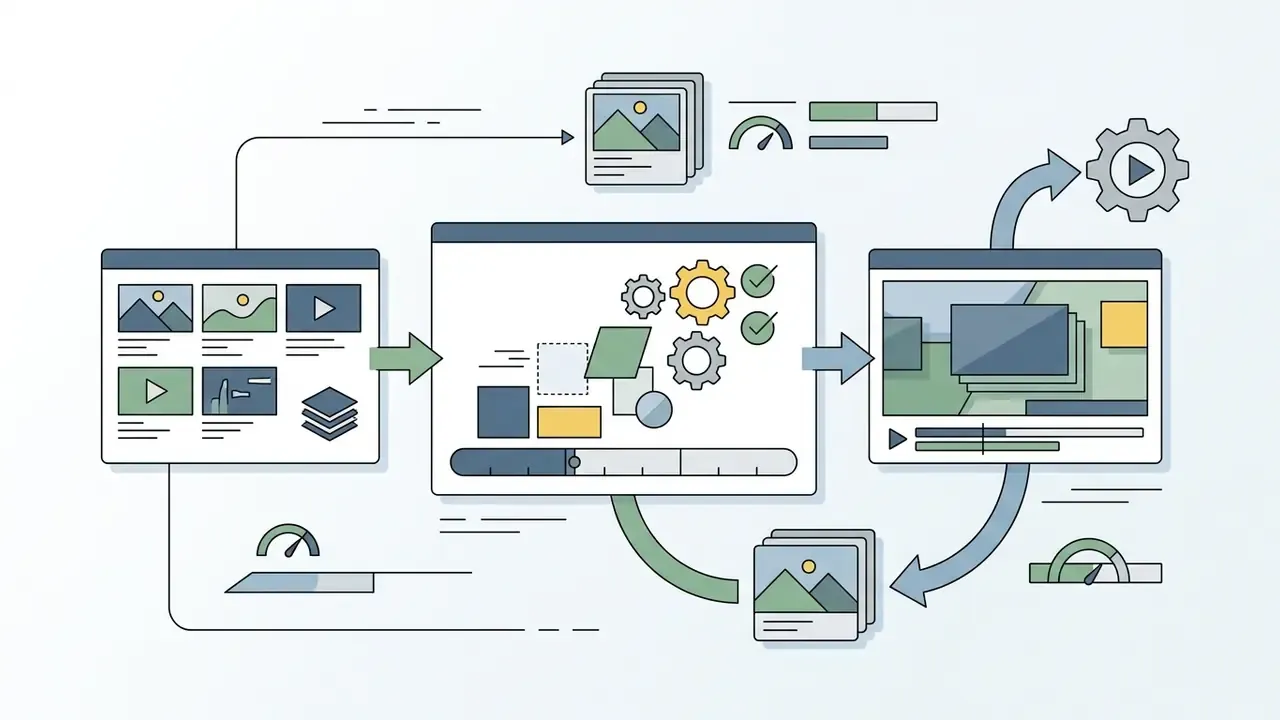
In fully editable video templates, users modify text layers, visual assets, audio elements and color palettes without advanced animation skills. Platforms such as Canva, Adobe Express and Microsoft Clipchamp expose these parameters directly in the web interface, so non-specialists can replace stock clips, adjust font sizes, change color hex codes and swap background music.
What is editable without training, per vendor documentation:
| Editable element | Typical control exposed | Documented in |
|---|---|---|
| Video clips / images | Replace, trim, reposition inside placeholder frame | Clipchamp, CapCut, Renderforest |
| Text | Content, font, size, color, position | Clipchamp, Adobe Express |
| Color | Global palette, brand hex overrides, per-scene color change | Renderforest, Adobe Express |
| Audio | Background music swap, volume, voiceover import | Renderforest, Clipchamp |
| Image correction | Brightness, contrast, filters, animated effects | Adobe Express |
| Motion parameters | Animation speed, transition timing, control-layer sliders | After Effects / Premiere Pro .mogrt |
"Audio-visual scripts expose all editable video parameters through text, enabling users to cut, rearrange and correct scenes without visual timeline interaction."
This matters beyond convenience. Text-exposed template parameters widen who can legitimately own a video task inside an organization, including blind and low-vision editors who cannot operate a conventional visual timeline. In a governance sense, that is also delegation with a clear boundary: the operator changes values, not structure.
Figma import, Lottie and GIF export for web animation
A newer generation of template tools targets product and web teams rather than video editors. Vector-first animators such as Jitter ship 300+ free, fully customizable motion design templates and support importing vector layouts and UI screens directly from Figma, then exporting the animated result not only to 4K MP4 but also to GIF and Lottie (JSON).
Why this matters for a template workflow:
- Lottie (JSON) keeps animation vector-based and resolution-independent, so a product tour, empty-state animation or onboarding illustration stays crisp at any viewport size and weighs a fraction of an equivalent MP4.
- GIF remains the fallback for email clients and legacy CMS blocks where video autoplay is blocked.
- Figma import removes the manual redraw step: the same button, chart or card component that ships in the design system becomes the animated asset, preserving spacing and brand tokens.
- MP4 and 4K stay the default for paid social, YouTube and internal LMS platforms.
Practical rule: if the destination is a website or app interface, prefer a vector template exportable to Lottie. If the destination is a social feed or ad platform, use a raster video template and export H.264 MP4.
Where to find and download free video templates
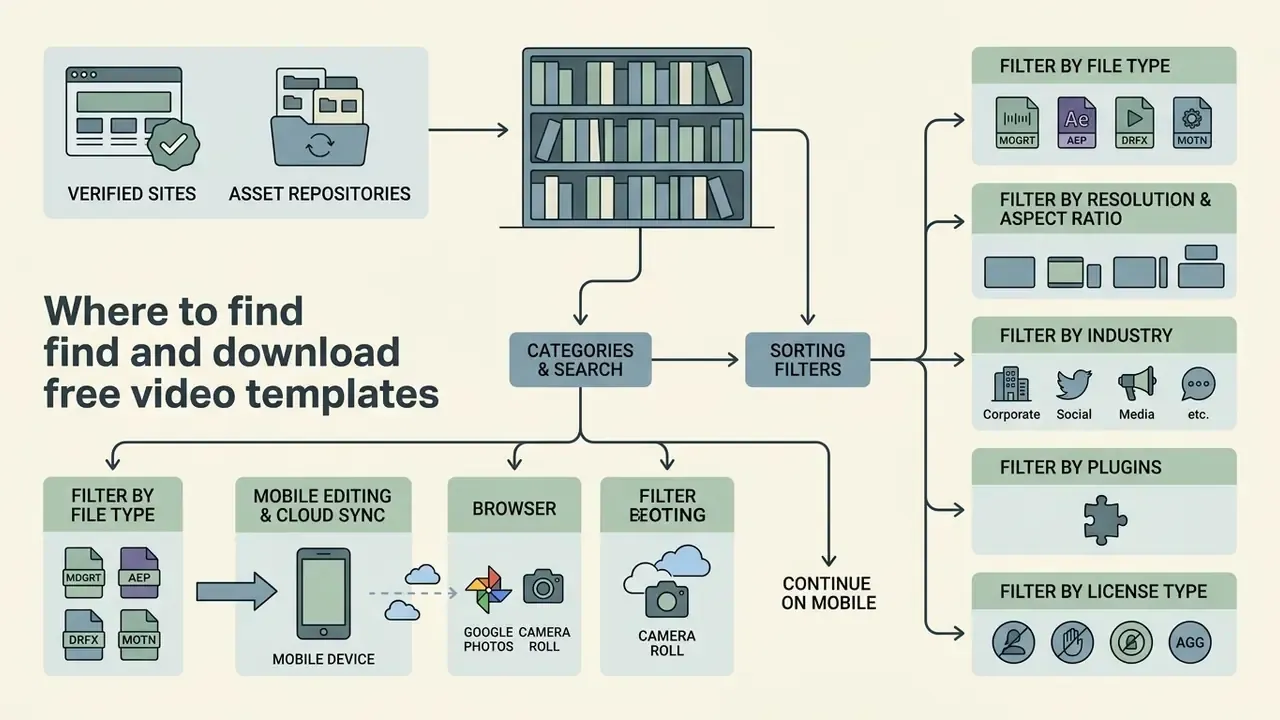
Verified free video template sites and digital asset repositories offer accessible libraries of downloadable project files and web-editable templates. Reputable free video template websites categorize assets by software compatibility, resolution, license scope and industry use case, which is what makes discovery fast rather than accidental.
Platforms like Mixkit, Canva, CapCut Web, Renderforest and Adobe Stock provide dedicated catalogs for free video templates download activities. Mixkit offers direct project downloads with no attribution and no sign-up required, and its license covers both commercial and non-commercial use (Mixkit License terms, https://mixkit.co/license/). Canva and CapCut provide browser-based customization before export, with Canva stating that its free stock videos are royalty-free, pre-licensed and available in SD, HD and 4K. Adobe Stock publishes over 700 free motion graphics templates and over 10,000 free HD/4K video clips under the same licensing standards as its paid assets, while Envato markets 23+ million assets to subscribers.
When evaluating a free video templates download site, checking licensing clarity and asset completeness prevents downstream legal and technical complications. Finding a reliable free source of the most helpful video templates protects both project consistency and copyright position. Teams that want to compare template libraries against generative alternatives can review our roundup of free video creation tools.
How to use categories, search, and sorting filters
Finding the right template means applying a structured four-stage search and filter process across marketplace catalogs:
- Filter by file type.Select project formats matching your software (
.mogrtfor Premiere Pro,.aet/.aepfor After Effects,.prprojfor Premiere projects,.drfxfor DaVinci Resolve,.motnfor Apple Motion, or browser-native web templates). Marketplace search systems can identify uploads by file extension before deeper metadata checks, which is why extension filtering is the fastest first cut. - Filter by resolution and aspect ratio.Narrow options by output requirements: HD 1920×1080, 4K 3840×2160, vertical 1080×1920 or 2160×3840, square 1080×1080 or 2160×2160 (Adobe Stock video template technical requirements, https://helpx.adobe.com/stock/contributor/submit-your-content/submit-video-templates/technical-requirements-video-template-submission.html).
- Filter by category or industry.Use search terms like "product promo", "corporate explainer", "compliance training" or "Instagram story" to match narrative structure. Catalogs additionally expose filters for theme, program compatibility, rating and price.
- Filter by plugins and license type.Confirm the "No plugins required" flag, then verify commercial usage rights, attribution mandates and stock asset inclusion terms before starting a download template video workflow.
"CLIP-based multimodal retrieval allows natural language queries against video datasets, improving asset discovery efficiency in template-driven production workflows."
In practice, modern catalogs increasingly accept descriptive queries ("a woman typing on a laptop at sunset") instead of rigid keyword tags. That shortens the search stage of a template assembly considerably, though tag-based filtering still wins when you need an exact aspect ratio.
Mobile editing and cloud sync (Google Photos and Camera Roll)
Template work is no longer desktop-bound. Contemporary online editors such as CapCut Web, Canva, Vimeo Create and Clipchamp synchronize projects between browser and smartphone, so a workflow can start on one device and finish on another:
- Start in the browser.Select the template, lock the brand palette and set the aspect ratio on a large screen where framing errors are visible.
- Continue on mobile.Open the same project in the vendor's iOS or Android app; edits sync through the account rather than through file transfer.
- Import media natively.Upload footage straight from the Camera Roll, Google Photos or previously uploaded cloud media. This avoids the "AirDrop to laptop, then re-upload" detour that degrades quality and wastes an hour.
- Repurpose existing uploads.Platforms like Vimeo Create let you re-edit videos already hosted in the account into new template variants.
- Publish or export.Share directly to social channels, or download the MP4 for scheduling tools.
For vertical-first creators, this loop is the difference between a two-day and a two-hour turnaround. Teams building recurring YouTube formats can pair it with a dedicated publishing workflow.
How to choose a template for video editing
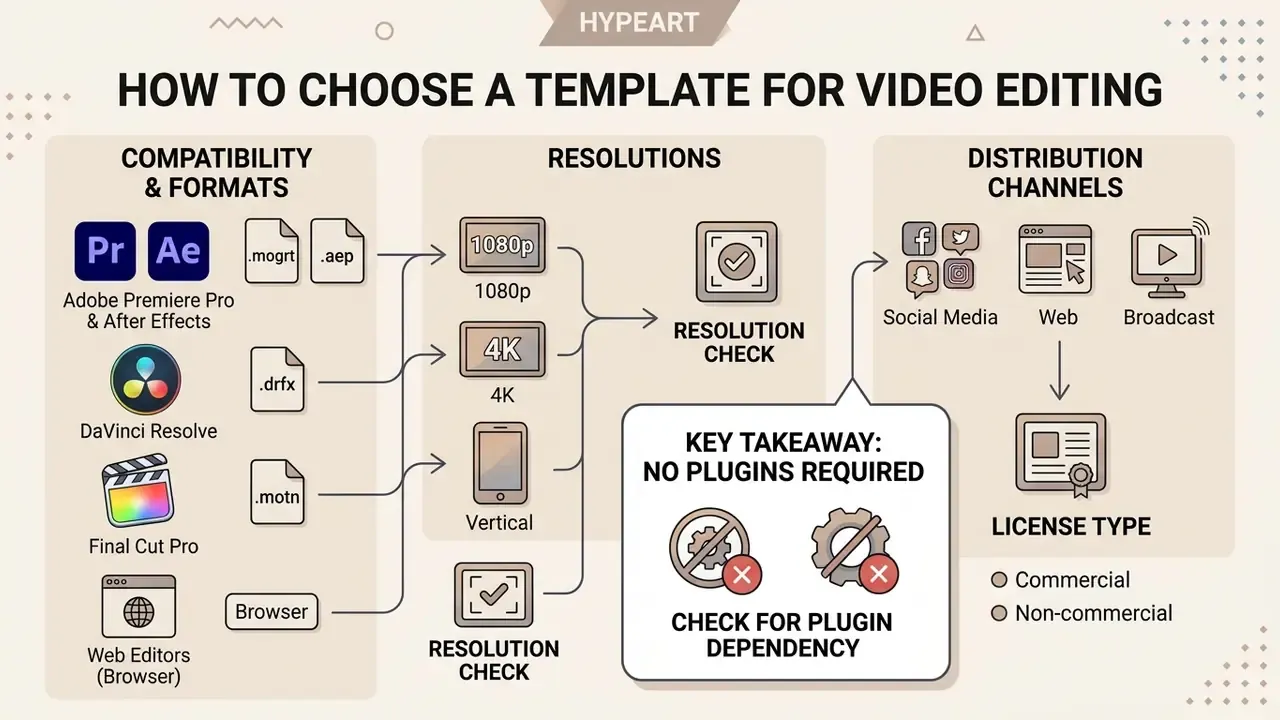
Choosing among free templates for video editing depends on tool compatibility, project resolution requirements and target distribution channels. Making sure that free video editing templates match your primary editing environment prevents missing plugin errors, frame rendering bugs and corrupted project files.
Professional editors require specific native formats: .mogrt for Adobe Premiere Pro, .aep/.aet for After Effects, .prproj for Premiere projects, .drfx for DaVinci Resolve. When evaluating free video templates for editing, project managers must confirm that project files align with current software builds. Vendors publish compatibility strings such as "After Effects CC 2022 and above" or "Premiere Pro CC 2021+" precisely because older builds silently drop effects.
"Editable templates with configurable parameters enable end-users to create diverse outputs without requiring expertise in low-level technical design environments."
Compatibility with editors, formats, and resolution
Cross-application compatibility varies significantly across desktop and web editing applications:
- Adobe Premiere Pro and After Effects.
.mogrtis the only format in this set officially documented for cross-application template use: exported from After Effects, edited in Premiere Pro. Some.mogrtfiles still require an After Effects installation to customize, and a.mogrtcan be reopened as a project in After Effects and re-exported. Native After Effects projects (.aep) stay inside After Effects. - DaVinci Resolve. Uses
.drfxtemplate packages containing Fusion nodes, transitions and title generators specific to Blackmagic Design environments. There is no official interchange between.drfxand Adobe template containers. - Final Cut Pro. Uses Apple Motion template packages (
.motn) tailored for macOS post-production. Apple documents building templates at the highest resolution needed and tagging them "Designed for 4K" or "4K Only"; vertical 9:16 is set through the project's Video Format menu rather than by the template extension. - Browser and web editors. Process cloud-hosted templates with drag-and-drop placeholder replacement, no desktop installation. Clipchamp documents Chromium-based browser support (Chrome, Edge).
Key takeaway: the file extension defines which application opens the project, not what resolution it outputs. Support for 4K, Full HD and 9:16 depends on the project setup inside that application. Readers comparing editors before committing to a template family can consult our overview of desktop and web editing applications and export pipelines.
"No plugins required": how to avoid missing-plugin and version errors
This is the single most common cause of a failed free-template download, and most competing guides skip it.
Plugin dependency check. When downloading templates for Adobe Premiere Pro (.mogrt) or After Effects (.aep/.aet), look for the "No plugins required" marker; Envato exposes it as a dedicated catalog filter. If a template depends on third-party plugins such as Red Giant Trapcode, Element 3D or Optical Flares, the project throws a missing-effect or render error when those plugins are absent, and every layer built on them fails to composite. Beginners should stick to templates that use native effects only.
Version compatibility check. Free template libraries frequently state that assets "require the latest version of the application to work seamlessly" (Mixkit FAQ, https://mixkit.co/free-video-templates/). Practical rules:
- Your application build must be equal to or newer than the template's stated build. Newer templates opened in older builds are the failure case, not the reverse.
.mogrtfiles created in a newer After Effects version may refuse to expose controls in an older Premiere Pro release..drfxpackages built for a newer Fusion version can load with disabled nodes in older Resolve builds.- Before a deadline, test-render five seconds of the template before replacing any media. Yes, before. It is the cheapest insurance in the workflow.
If a render still fails after those checks, our AI Media Support and Troubleshooting notes cover the usual codec, cache and font-substitution culprits.
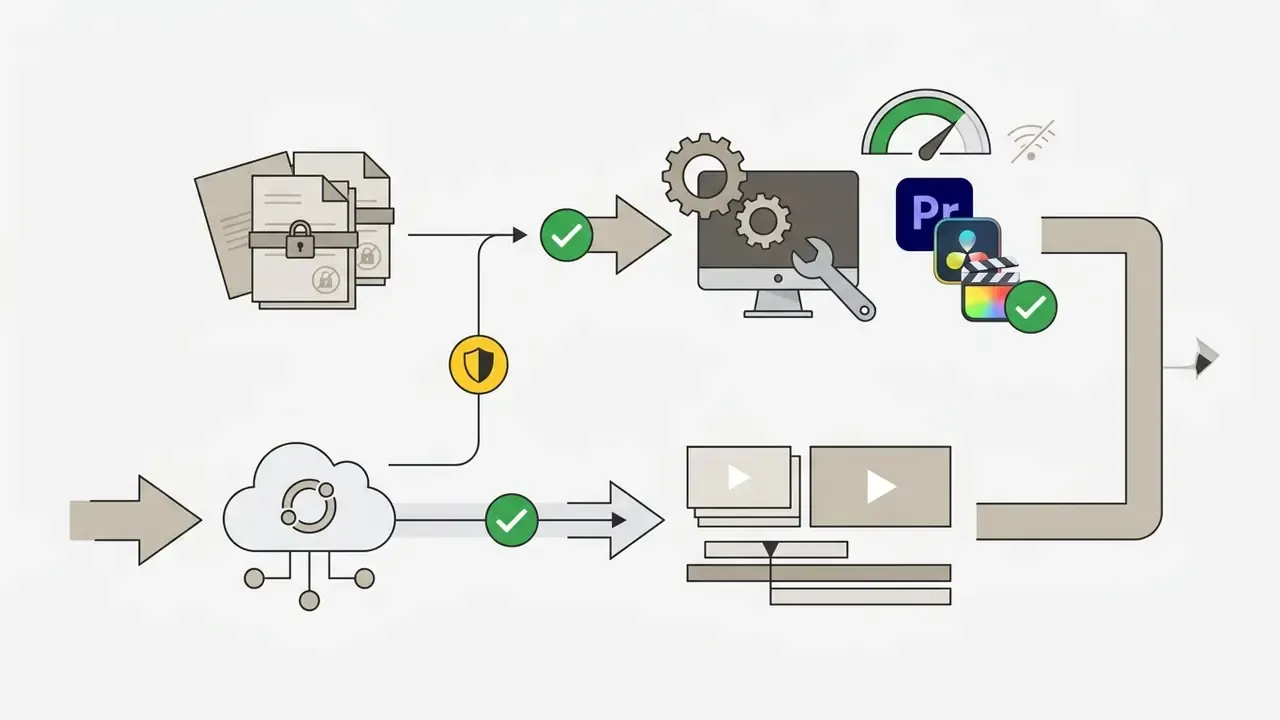
Offline and closed-network check. Desktop project templates (.mogrt, .aep, .drfx, .motn) can be installed and rendered inside an isolated corporate environment once downloaded, because rendering happens locally. Browser-based template editors cannot: they require outbound connectivity and upload your media to vendor infrastructure. For closed security perimeters, desktop project formats are the only viable path.
When you need an editable video template
Using free editable video templates makes most sense when recurring formats (product promos, corporate announcements, compliance modules, social video series) need rapid localization and high-volume output. In 147 vendor-commissioned benchmarks, working with Motion Graphics templates instead of native After Effects compositions was over three times faster on average, with productivity gains reported near 350% on repetitive versioning tasks.
"Using Motion Graphics templates instead of native After Effects files was over three times faster on average."
Methodology note: this is a vendor-commissioned benchmark measuring repetitive versioning tasks, not a peer-reviewed study. Treat 350% as an upper bound for highly templated work, not a general productivity guarantee.
"Script-based template representations significantly expand the population of users who can engage in video editing, including those with accessibility needs." AVscript: Accessible Video Editing with Audio-Visual Scripts, ACM Digital Library (2023). https://dl.acm.org
The commercial case. Template adoption maps onto revenue metrics directly: marketers who use video grow revenue 49% faster than those who don't, consumers are 39% more likely to share content delivered as video, and in a survey of thousands of small business owners, 96% said they would create more video if time, cost and complexity barriers were removed (Vimeo Create research). Templates exist to remove exactly those three barriers.
Worked example (internal workflow evaluation, anonymized). A financial technology marketing team needed to release 40 localized video ads across six regional markets within three business days. By deploying a pre-validated editable template with locked brand guidelines and customizable text fields, the team delivered all variants on schedule and reported roughly a 70% reduction in motion-design review hours. Figures are self-reported by the team for a single project and are illustrative rather than a benchmark. Learn more about modular asset planning in the AI Media Commercial-Use Hub.
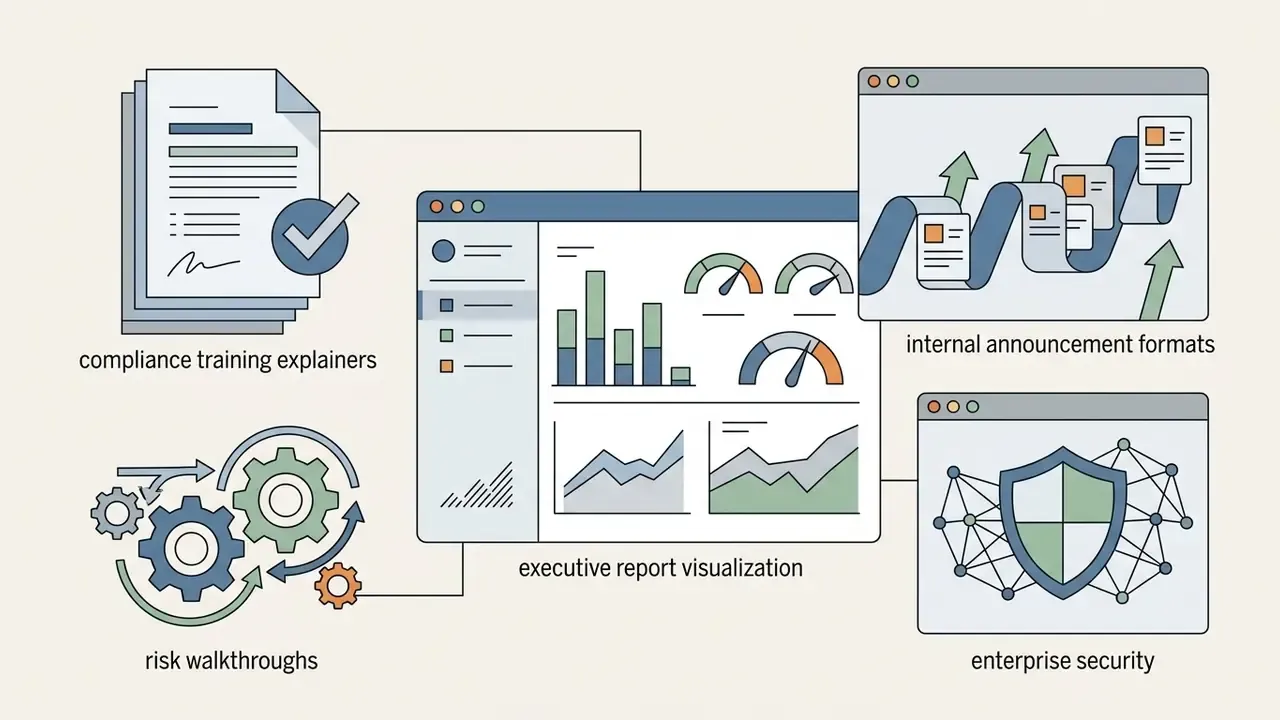
Enterprise and finance scenarios that suit templates best:
- Compliance and security training modules. Fixed structure, variable policy text, mandatory brand and legal footers.
- Executive and board reporting. Recurring data visualizations and lower thirds where only the figures change quarter to quarter.
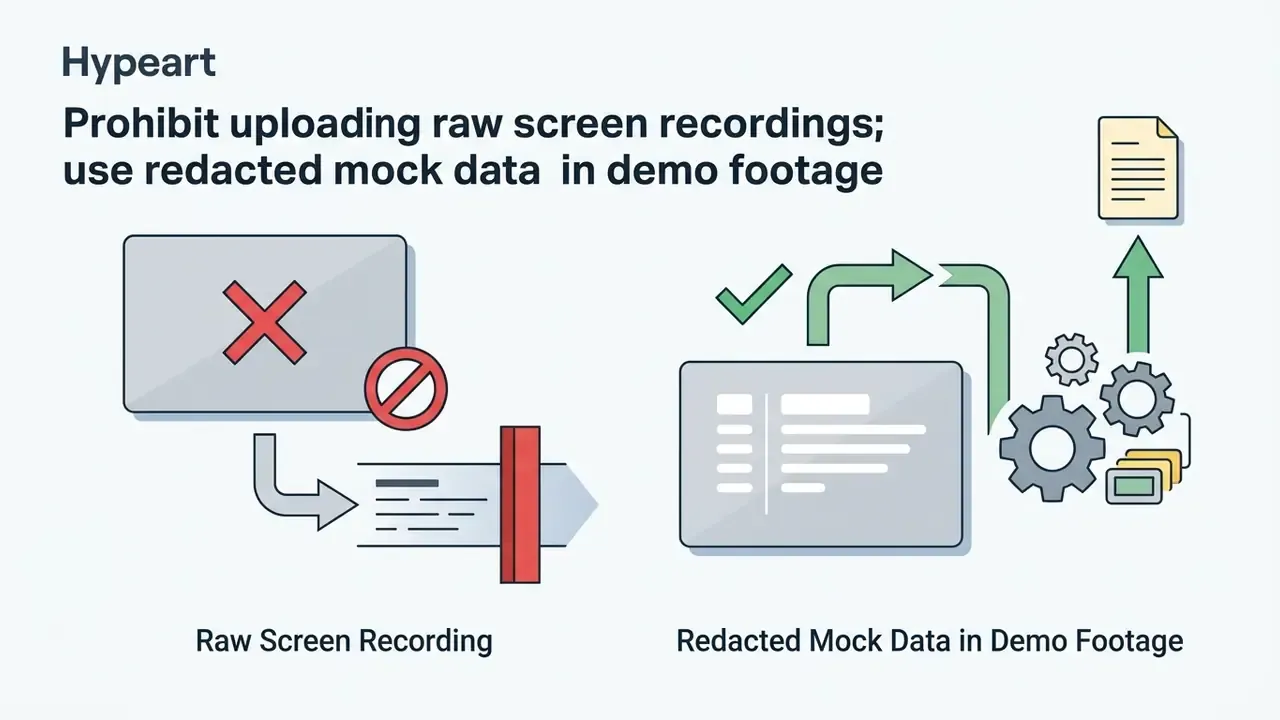
- Risk walkthroughs and incident post-mortems. Repeatable scene order with swappable screen recordings.
- Product and pricing announcements. One master edit localized into multiple languages and aspect ratios.
- Recruitment and onboarding. Evergreen narrative with department-specific inserts.
- KYC and AML process explainers. Control steps stay stable across releases; only jurisdictional wording and screenshots change.
Extended template selection matrix
| Template parameter | Social Media | Motion Graphics | Cinematic | Stock Assembly | Web / Vector |
|---|---|---|---|---|---|
| Compatible tools | CapCut, Canva, Clipchamp, Renderforest | Premiere Pro, After Effects | DaVinci Resolve, Final Cut Pro | Premiere, Resolve, web editors | Jitter, Figma-based animators |
| File type | Web project / MP4 | .mogrt, .aep, .aet | .drfx, .motn, .prproj | .mp4, .mov project | Web project / JSON |
| Resolution | 1080×1920 (9:16), 1080×1080 | 1080p, 4K, vertical | 4K 3840×2160, 2.39:1 | 1080p, 4K | Vector, resolution-independent |
| 4K support | Plan-dependent | Yes | Yes | Yes | Yes (raster export) |
| Third-party plugins | Not required | Possible (Element 3D, Trapcode, Optical Flares); check "No plugins required" | Possible (Fusion add-ons) | Not required | Not required |
| Duration type | Fixed (15 to 60 s) | Flexible | Flexible | Flexible | Fixed or flexible |
| Scene count | 1 to 10 | 5 to 150 | 10 to 80 | 10 to 60 | 1 to 20 |
| Script-to-video | Available (Renderforest, CapCut) | No | No | Partial | No |
| Editable elements | Text, clips, music, colors, captions, stickers | Text, color, animation speed, control layers | Color grade, titles, audio | Clips, text overlays, B-roll | Vector shapes, text, easing |
| Export formats | MP4, GIF | MP4, MOV, image sequence | MP4, MOV, ProRes | MP4, MOV | MP4, GIF, Lottie (JSON) |
| Offline / closed network | No | Yes | Yes | Yes | No |
| Primary use case | Fast social engagement | Branded lower thirds and titles | Trailers and documentary edits | Story-gap filling and promos | UI, product and web animation |
Free vs paid video templates: what to choose for your project
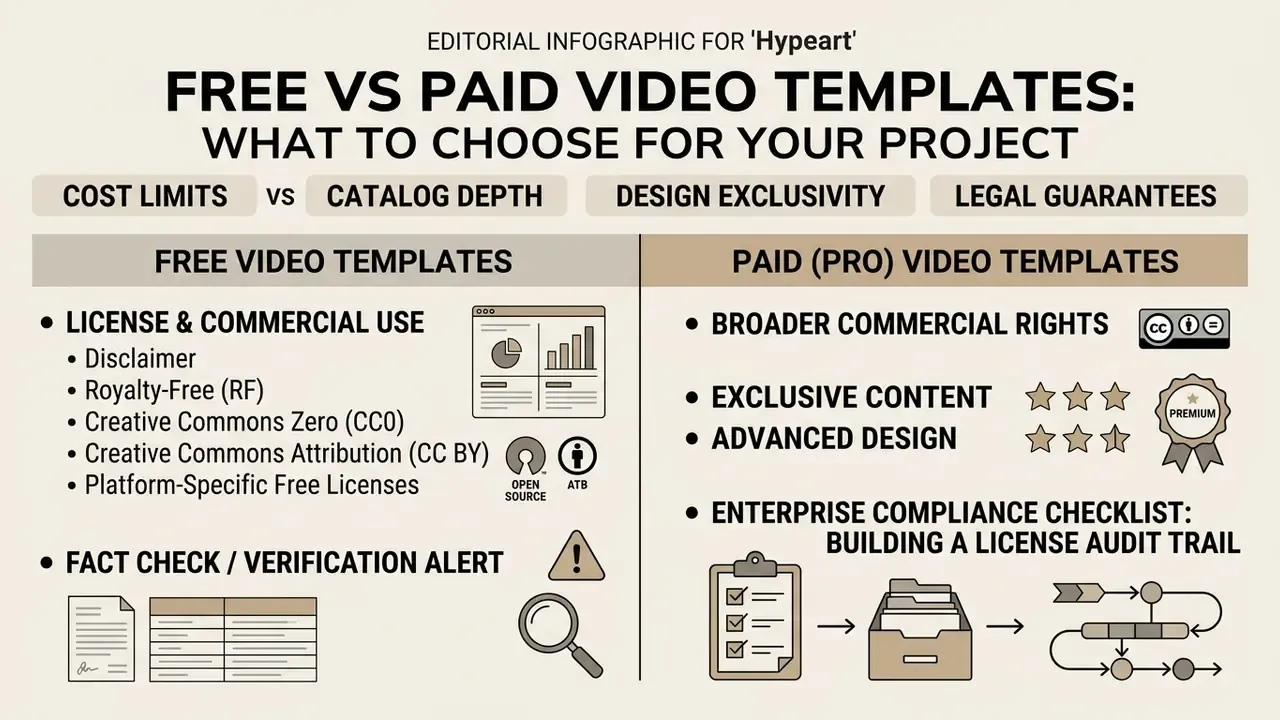
Choosing between free video templates and pro paid options means balancing cost limits against catalog depth, design exclusivity and legal guarantees. The best free video templates deliver functional structures for immediate publishing. Paid subscriptions unlock deeper stock libraries, advanced keyframe controls and enterprise-grade licensing protections.
Pro services such as Motion Array and Envato Elements bundle motion graphic video production tools and templates with large stock footage catalogs, royalty-free audio and technical support; Envato advertises 23+ million assets to subscribers, and Motion Array ties unlimited template downloads to its plan tiers. Open platforms like Mixkit and Canva Free remain solid zero-cost entry points for individual creators and small teams, and Adobe positions its free assets as meeting the same licensing standards as paid ones. For asset pricing structures, review the AI Media Pricing Guides; to model total cost per finished minute, including review hours, the AI Media Calculators are more useful than a plan price alone.
| Dimension | Free templates | Paid / Pro templates |
|---|---|---|
| Catalog depth | Hundreds to low thousands per platform | Millions of assets, curated collections |
| Uniqueness | High reuse risk; the same intro appears across many brands | Larger pool lowers collision probability |
| Stock media included | Limited or placeholder-only | Bundled footage, music, SFX, fonts |
| Preview music | Usually excluded from download | Often licensed and included |
| Watermarks | Common on free export tiers | Removed on paid plans |
| Export ceiling | Frequently 720p on free web tiers | 1080p / 4K, sometimes 8K |
| License clarity | Varies widely; must be verified per asset | Subscription or per-item license with documentation |
| Support | Community or none | Dedicated technical support |
A blunt way to frame the decision: free templates trade uniqueness and legal certainty for speed. In marketing that is often an acceptable trade. In investor or regulatory-facing material it usually is not.
License and commercial use of free templates
Fact check / verification alert
Enterprise compliance checklist: building a license audit trail
Corporate security and data privacy: shadow IT risks in browser editors
Browser-based template editors are the most common vector for unsanctioned media processing in enterprises. The convenience that makes them attractive, no installation, no procurement, instant sharing, is exactly what makes them shadow IT.
Risks to evaluate before approving a browser template editor:
- Media leaves the perimeter. Every clip, screen recording and image dropped into a web template is uploaded to third-party infrastructure. Screen recordings of internal dashboards, customer records or transaction screens can constitute a reportable data disclosure.
- Personal data and consent. Footage containing identifiable employees, customers or branch interiors triggers personal-data obligations, including lawful basis, retention limits and cross-border transfer rules.
- NDA and confidentiality exposure. Pre-release product footage, M&A material and internal-only policy content should not transit consumer-tier cloud tooling.
- Retention and deletion. Confirm how long uploads persist after project deletion, whether renders are cached on CDNs, and whether public share links are indexable.
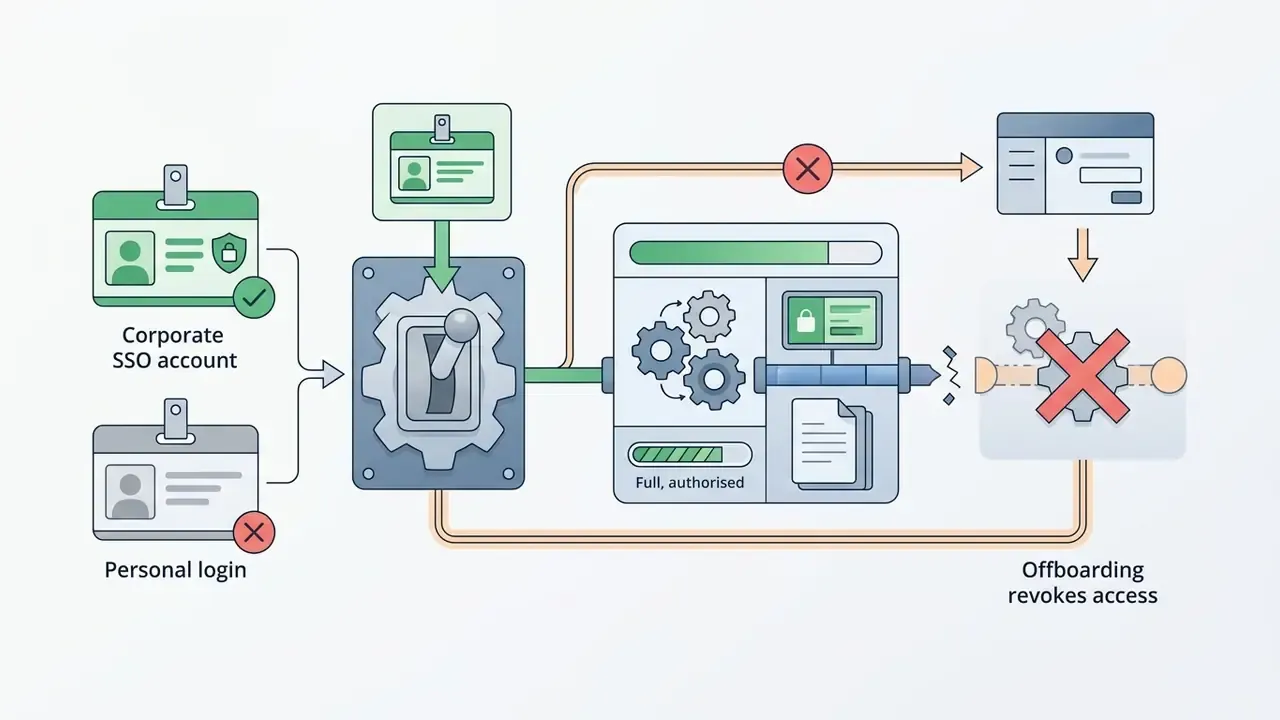
- Account sprawl. Free-tier accounts created with personal emails leave no audit trail and no offboarding path.
- Model training clauses. Some consumer tiers reserve rights to process uploaded content for service improvement. Check whether that includes model training.
- Sub-processors and hosting region. Ask for the sub-processor list and data-residency options.
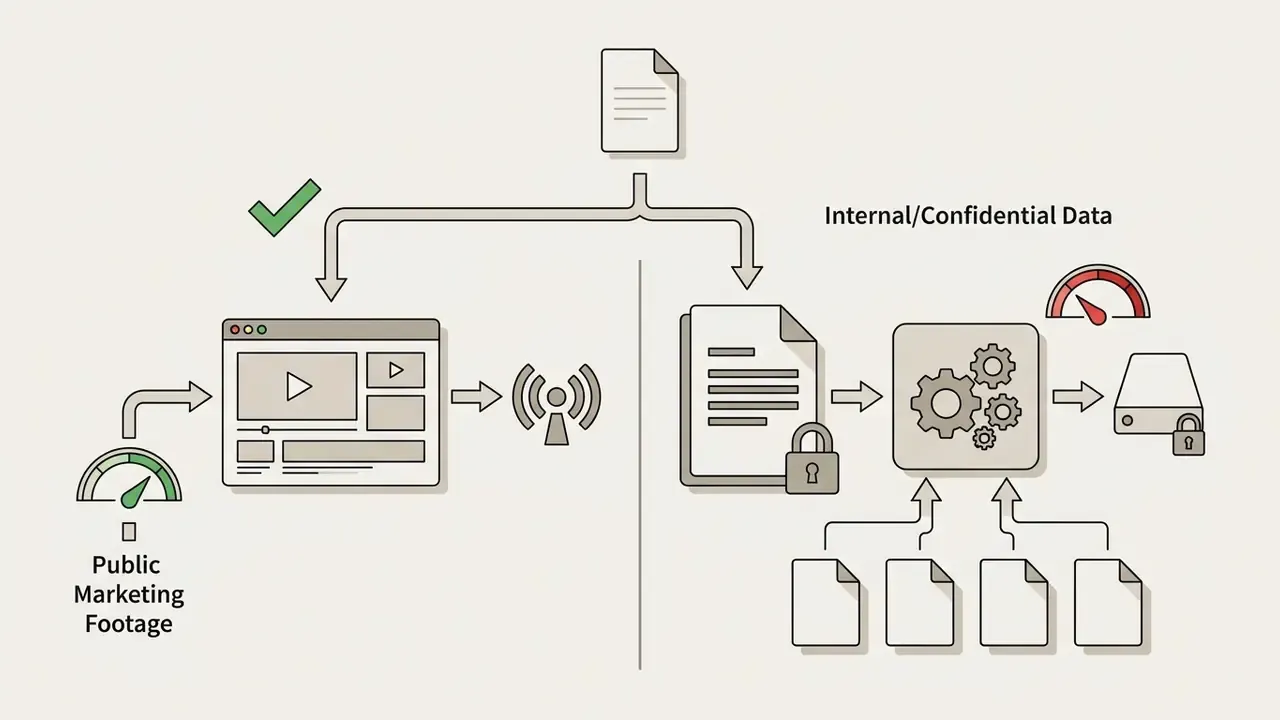
.mogrt, .aep, .drfx, .motn) rendered locally inside the managed environment.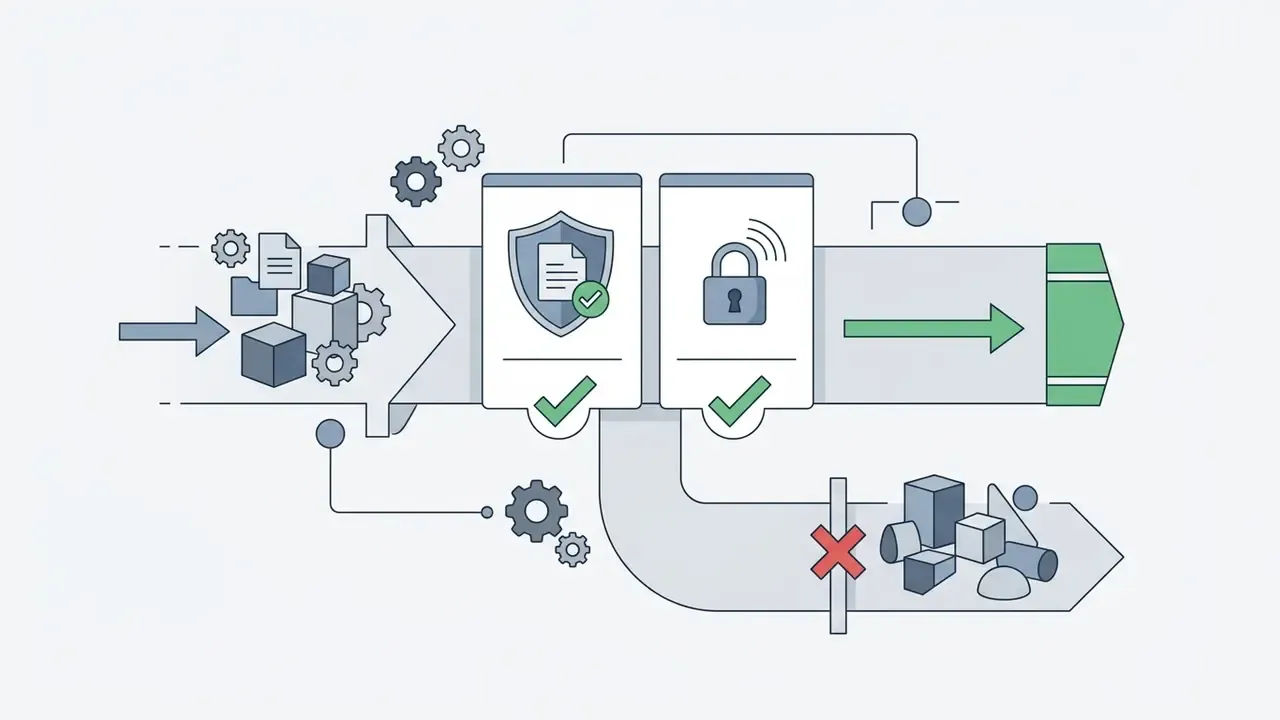
How to edit a video template online and prepare the clip for download
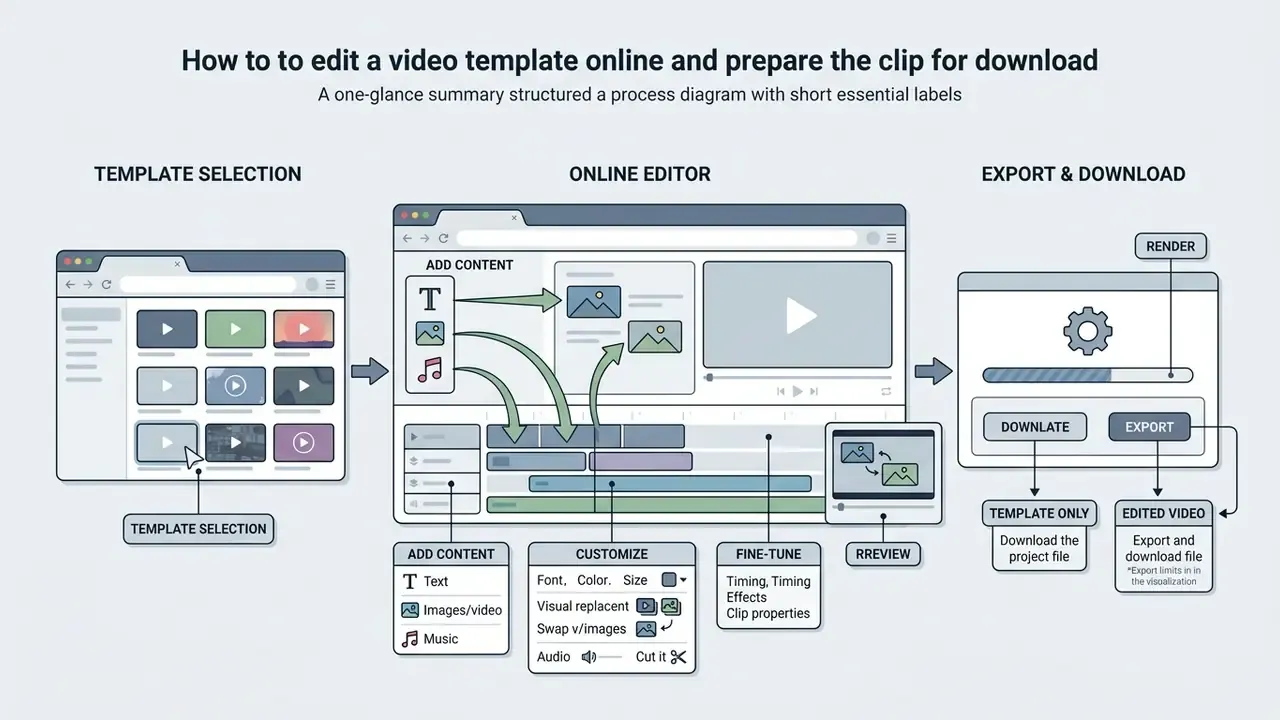
Editing free video templates online lets users build, customize and render videos directly inside browsers like Chrome or Edge. Online editors remove local installation requirements while providing real-time cloud collaboration and automated export pipelines.
Browser tools like Microsoft Clipchamp, Canva, Adobe Express and Renderforest provide web-native timelines where users drag and drop assets into media placeholders.
"Web-based template authoring tools allow users to define video outlines and scripts entirely online, reducing barriers to video production for non-specialists."
Some browser pipelines go further than single-project editing: template systems with media placeholders can batch-render dozens of variants from a CSV of text values, and cloud renderers advertise output up to 8K at 120 fps. That capability is what turns a template from a design convenience into a localization engine.
"Automated short-video creation from long-form content shows that structured scene selection and temporal compression can be template-driven."
Adding text, video, and music to a template
Customizing an online template follows a straightforward media replacement procedure. The pattern is nearly identical across Adobe, Clipchamp and CapCut, differing mostly in button labels:
- Text customization.Click text frame placeholders to change titles, select typography, adjust point sizes and apply brand color schemes.
- Visual replacement.Select the placeholder layer, choose Replace, then upload custom clips or pick stock imagery; CapCut marks eligible slots with "Click to Replace". Use online trim tools to adjust clip boundaries.
- Audio selection.Mute default placeholder tracks and import custom voiceovers or royalty-free audio from integrated libraries; adjust volume per scene.
- Fine-tuning.Adjust global brightness and contrast, apply filters, add captions and sticker overlays (logos, shapes, typography, or a flat JPG background color for a single scene), and configure transition timing across cuts.
- Copy discipline.Keep on-screen copy short and scannable. It renders better inside template layouts and preserves comprehension on muted mobile playback. Close with an explicit call to action.
- Structured text export.For multi-language rollouts, Adobe's motion graphics templates can export template text to TXT or CSV, letting translators work outside the editor before strings are re-imported.
For specialized audio integration and voice synthesis, explore options listed in the AI Voice Generator Guide.
Downloading the template or the edited video
Exporting a finished project means rendering the online timeline into a downloadable file. Most free web tools export H.264 MP4 at 720p or 1080p Full HD; GIF is commonly offered for short animated designs. If you plan an editing template video download and then a second pass in a desktop editor, check the export bitrate first, because a heavily compressed intermediate re-renders badly.
Free platform accounts may append watermarks or cap resolution, requiring paid tiers for clean 4K renders. Documented examples of free-tier limits:
| Platform | Free-tier export formats | Free-tier limits | Paid tier |
|---|---|---|---|
| Canva | MP4, GIF | Pro elements may need a One Time Use license to clear watermarks | Full HD/4K, premium content |
| VEED | MP4, MP3, GIF | Watermark on all exports; 720p only | Up to 1080p / 4K |
| WeVideo | MP4, MP3, GIF | Watermark on exports | Watermark-free |
| PosterMyWall | MP4, GIF | 20-second cap, large watermark | High-resolution, watermark-free |
| Jitter | MP4, GIF, Lottie | Format and resolution limits on free plan | 4K, extended formats |
Users seeking advanced video file compression before publishing can consult the Video Compressor Guide.
- Select the template.Find a template matching the target channel, aspect ratio, duration type and scene count.
- Verify rights and requirements.Confirm license scope, attribution, plugin dependencies, included assets and software build compatibility; archive the license page.
- Edit.Replace text, swap media clips, adjust colors and set audio tracks.
- Preview.Play back the full timeline to check timing, alignment, safe zones and caption legibility.
- Export and download.Render the project, choose resolution and download the final MP4 (or GIF/Lottie for web use).
Frequently asked questions about free video templates (FAQ)
Working with free video templates raises practical questions about editing skills, browser capabilities, plugin dependencies and licensing terms. The answers below address the concerns that come up most often in content and compliance reviews.
Do you need technical skills to work with video templates
No prior editing experience is required to customize basic online templates in browser editors like Canva, Adobe Express or Clipchamp. Adobe states plainly that "no prior video editing or creating skills are necessary" for its ready-made video templates, and Clipchamp positions template work as a low-entry workflow built on recording tools, templates and assisted editing features.
"Authoring tools with structured templates and guided workflows enable non-expert users to create effective tutorial videos by following step-by-step scene prompts." Towards Authoring Tools for DIY Tutorials: From Tutorial User Strategies to Guidelines, ACM Digital Library (2023). https://dl.acm.org Desktop motion graphics templates are a different story. Editing
.mogrt,.aep,.drfxor.motnfiles inside Premiere Pro or DaVinci Resolve requires working knowledge of timeline navigation, track layering, plugin management and render settings. Occupational frameworks place full professional editing duties at a distinctly higher qualification tier than template customization; the Russian professional standard "11.011 Video Editing Specialist", for reference, assigns editing functions to qualification levels 5 to 6. The gap is scope: operating a template versus owning the edit. Teams looking to expand internal capability can explore structured learning programs detailed in online animation courses, consider pursuing an online animation degree, or enroll in an online animation school.
Can you create video online without downloading an editor
Yes. Complete production can happen entirely in the browser. Online video platforms host template rendering engines in the cloud, so users import assets, edit timelines and export MP4 files through a web interface. Clipchamp documents Chromium-based browser support (Chrome and Edge), Canva applies templates through a "Customize this template" flow, and Adobe Express offers thousands of customizable video templates with in-browser text, image, icon, animation and stock media editing. The trade-off is connectivity and data residency. Browser editors cannot run inside an isolated network, and your media is processed on vendor infrastructure, so review the shadow IT risk guidance above before using them with confidential footage. For organizations evaluating API integration or enterprise automation, developer guidelines are available in the AI Media API Guides and the Google Veo AI Video Generator API Guide. Multi-tool evaluations can be run through our AI Media Comparison Matrices, the roundup of free AI video generators, or the animation maker guide for automated scene-composition engines.
Can free video templates be used commercially
Often yes, but confirm it per asset. Mixkit states its templates require no attribution and no sign-up and covers commercial and non-commercial use. Adobe says its free assets meet the same licensing standards as paid ones for commercial projects. Canva describes free stock videos as royalty-free and pre-licensed. MotionElements covers its free Premiere Pro templates under a royalty-free license for personal and commercial projects. The recurring exceptions are resale, redistribution as stock, and embedded preview music, which is frequently excluded from the download entirely.
Is attribution required
It depends on the license, not on the price. CC0 and platform free licenses such as Mixkit's require none; CC BY requires visible credit; NonCommercial and NoDerivatives variants restrict typical branded use altogether. Read the asset page, not the category page.
How do I remove a watermark legally
By upgrading the plan or buying the specific license the platform defines for that asset. Canva Free users, for example, may need a One Time Use license to clear watermarks from Pro content. Editing a watermark out of a free-tier export is a license violation, not a workaround.
Which template format works in which editor
.mogrt opens in Premiere Pro (authored in After Effects, officially cross-app). .aep and .aet open in After Effects. .prproj is a Premiere Pro project. .drfx belongs to DaVinci Resolve and Fusion. .motn is Apple Motion for Final Cut Pro. There is no universal template standard, and no official interchange between Adobe, Blackmagic and Apple containers.
Can I use templates on a closed corporate network
Desktop project templates can. Once downloaded and scanned, they install and render locally. Browser-based editors cannot, because both the media upload and the render occur on vendor infrastructure. Plan format choice around your network perimeter, not just around design preference.
Where can I find free video templates free download options without sign-up
Mixkit is the clearest example: free video template download with no account and no attribution requirement. Adobe Stock's free collection needs an Adobe ID but no purchase. Most free video editor templates inside Canva, CapCut and Clipchamp require an account because the editing itself happens in your workspace. If a site offers free video templates for editing video but hides the license behind a paywall, treat that as a signal, not an obstacle.
Will the same free template make my brand look generic
That is the real cost of free. Popular free intros circulate widely, so differentiation has to come from your own layer: brand palette, typography, custom footage, captions and pacing. If uniqueness is a hard requirement, think investor material or a flagship campaign, a paid catalog or a bespoke build is the safer call.
Limitations and unresolved questions
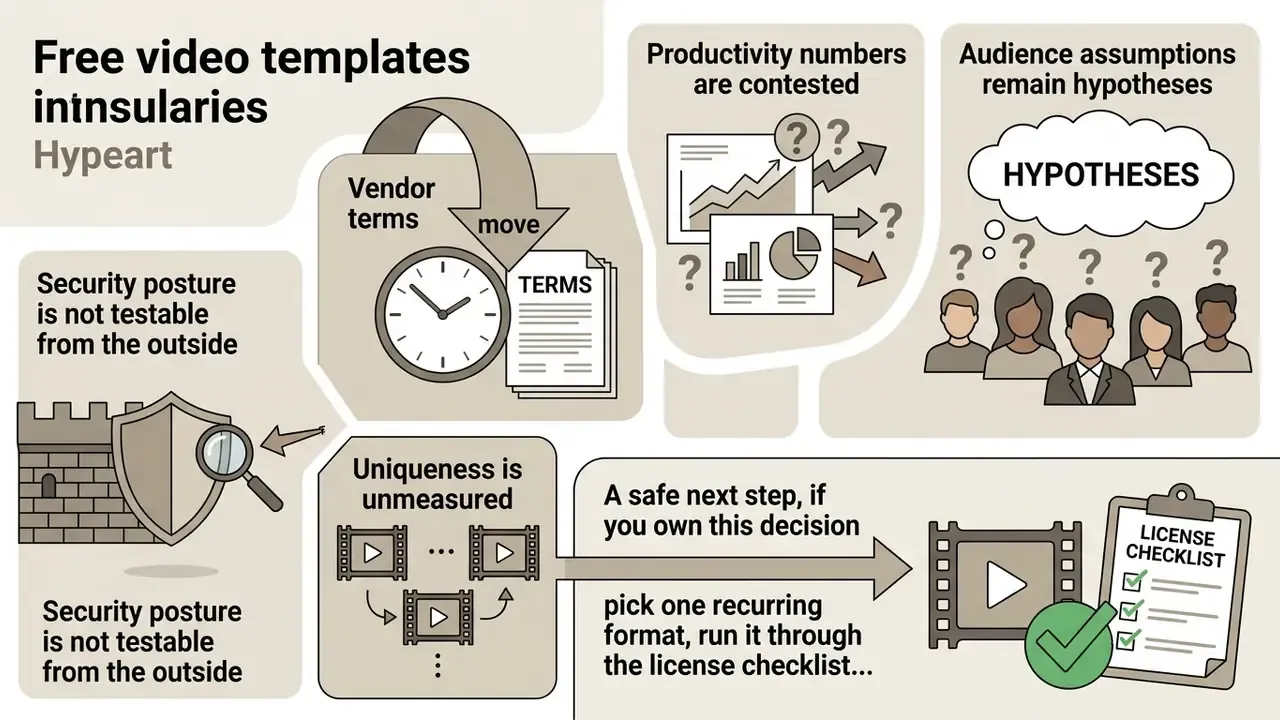
Honest caveats, because a guide like this ages fast:
- Vendor terms move. Free tiers, export ceilings and license wording change quarterly. Every figure here reflects documentation reviewed in 2026 and should be re-verified at download time.
- Productivity numbers are contested. The 350% benchmark is vendor-commissioned and measures repetitive versioning only. We have not found an independent replication.
- Audience assumptions remain hypotheses. Statements about what risk and compliance leaders prioritize are working assumptions until validated through interviews, analytics or CRM evidence.
- Security posture is not testable from the outside. Retention, sub-processor and model-training clauses can only be confirmed through a DPA review, not by reading a marketing page.
- Uniqueness is unmeasured. There is no public data on how frequently a given free template appears across brands. Treat reuse risk as directional judgment, not a metric.
A safe next step, if you own this decision: pick one recurring format, run it through the license checklist and the classification rule above, and document the result. One template, fully evidenced, beats a catalog nobody can audit.
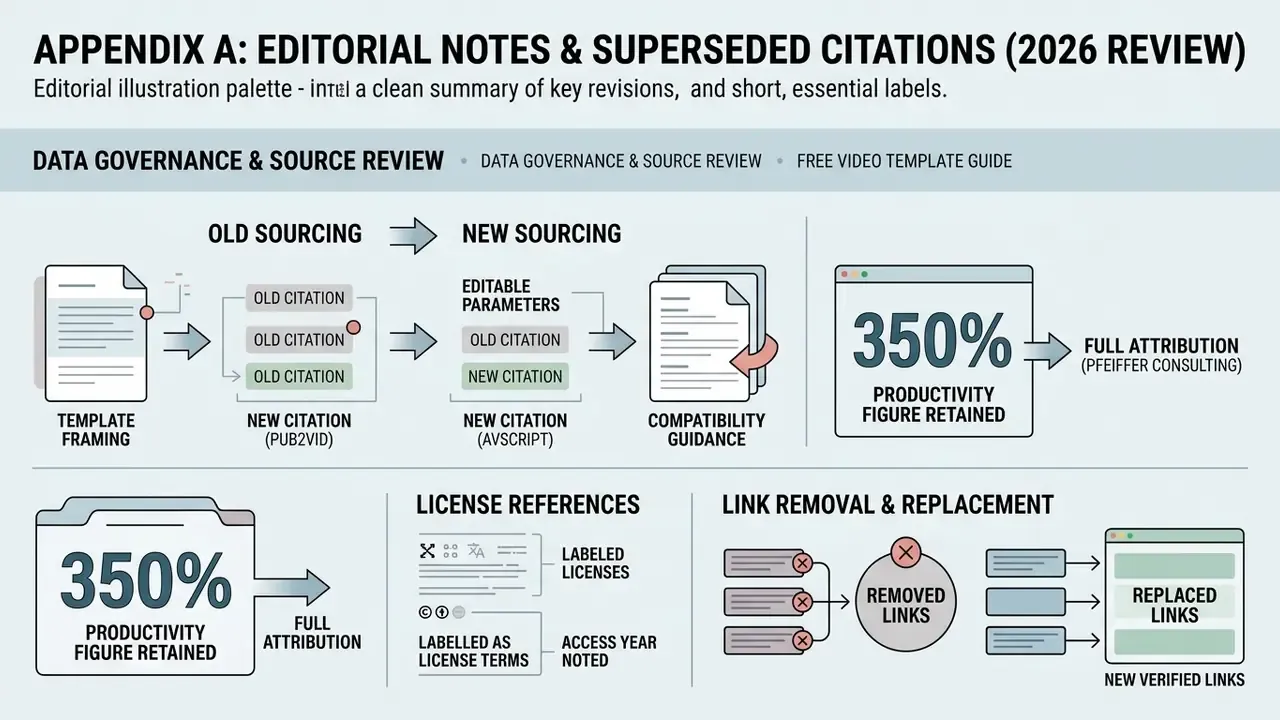
Appendix A: editorial notes and superseded citations