Why should a Chief Risk Officer care about slide software at all? Because the deck is often the artefact a regulator, an auditor or a credit committee actually reads. If the numbers on it were assembled by a model nobody validated, the control gap is real even when the tool looks harmless.
Last reviewed: current release cycle in 2026. The benchmark set covers publications from 2023 through 2026, including recent preprints.
Executive Summary
- What it is A Google Slides AI generator converts prompts, outlines, documents, spreadsheets, URLs or video transcripts into native, editable slide objects, not flat images.
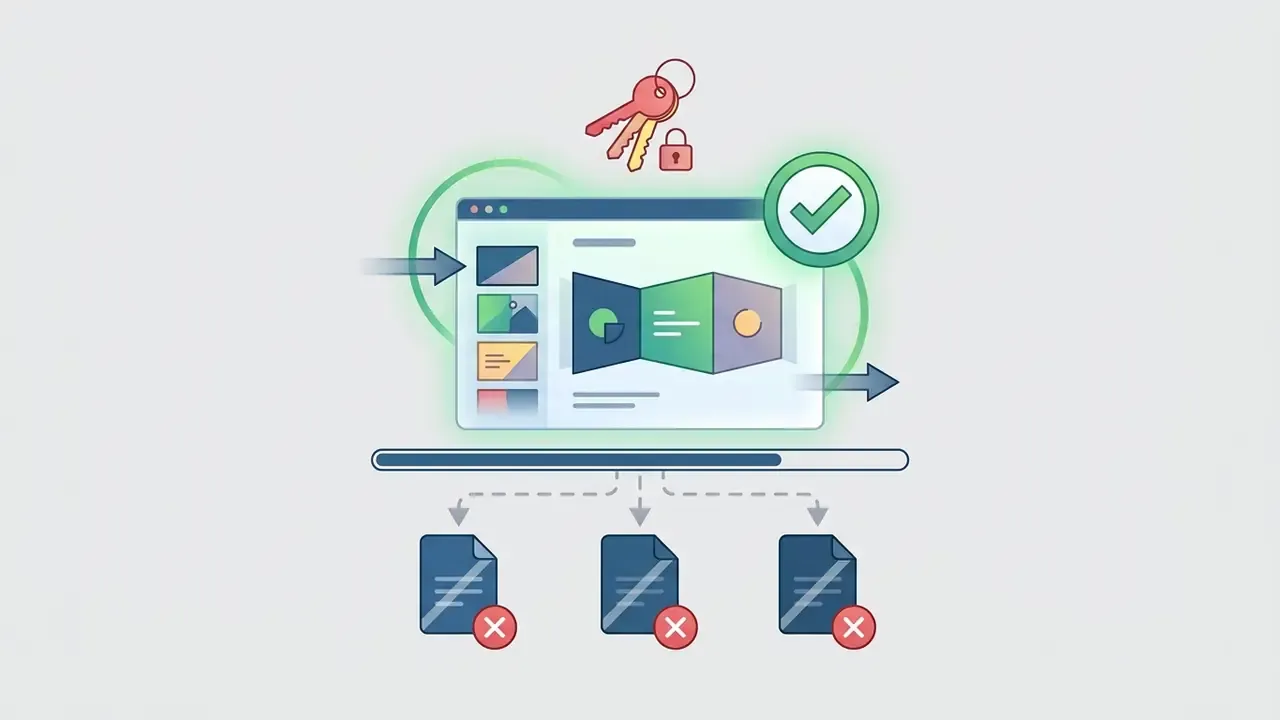
- Two deployment models In-editor add-ons (Gemini, Plus AI, SlidesAI.io, MagicSlides) keep content inside the Google Workspace security perimeter. External web apps (Gamma, Tome, Canva, Presentations.AI) offer richer design freedom but require PPTX or Drive export.
- Why programmatic beats image generation Code-based slide generation preserves editability and layout fidelity, a finding confirmed across 585 test cases in ten domains.
- Best input strategy Use a five-parameter prompt (Role, Task, Audience, Context/Tone, Format constraints). Explicit constraints measurably raise aesthetic and structural alignment scores.
- Supported inputs today
.pdf,.docx,.xlsx,.txt, Markdown, article URLs and YouTube links (transcript-based generation). - Beyond creation Modern tools remix existing slides, reformatting an unstructured "blob of text" into a designed layout, and translate a full deck into 30+ languages while preserving layout.
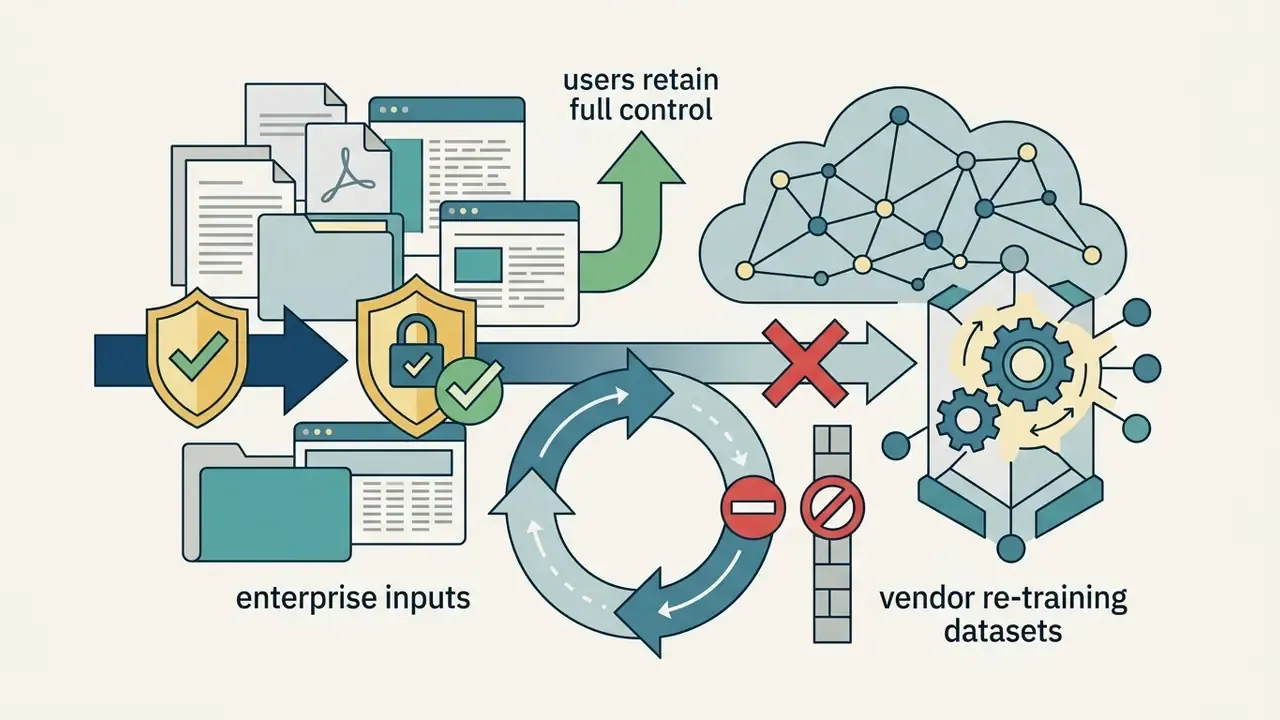
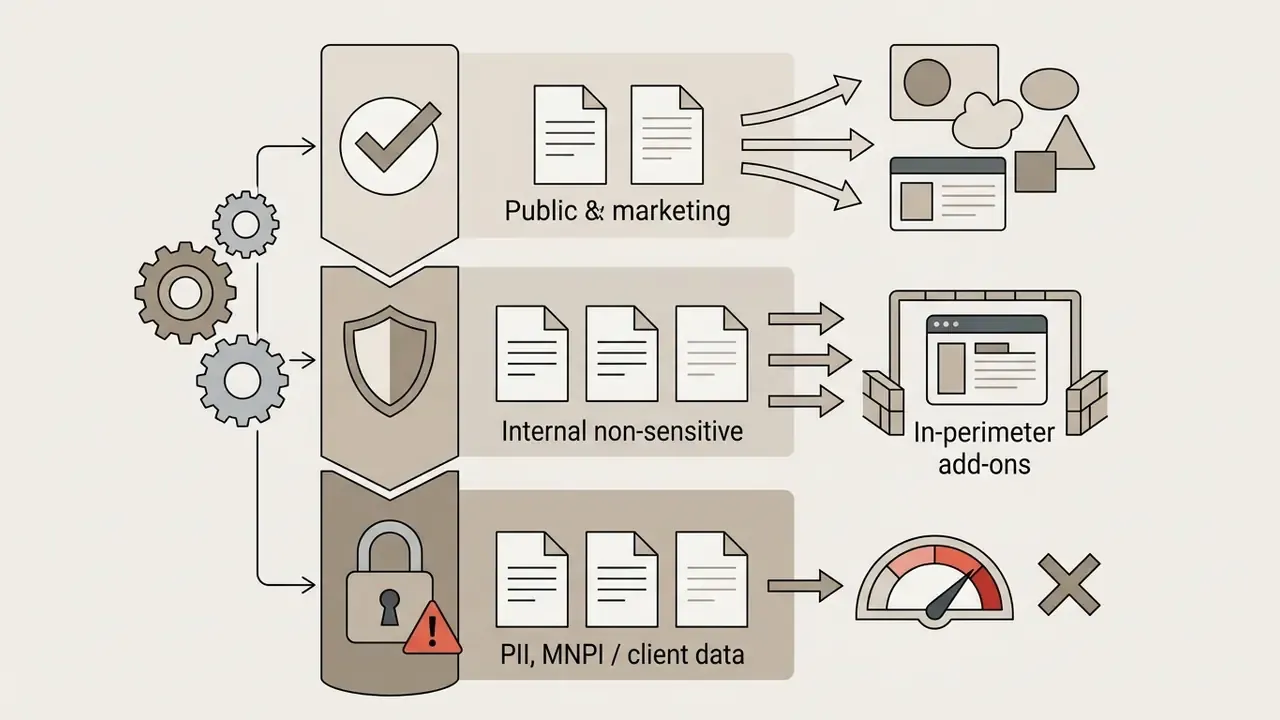
- Governance non-negotiables Confirm model-training exclusions, SOC 2 Type II or ISO 27001 posture, a signed DPA, commercial output ownership and copyright indemnification before uploading PII, MNPI or client data.
- Mandatory last step Human validation. Treat every AI deck as a first draft and run the readiness checklist at the end of this guide.
Who this guide is written for
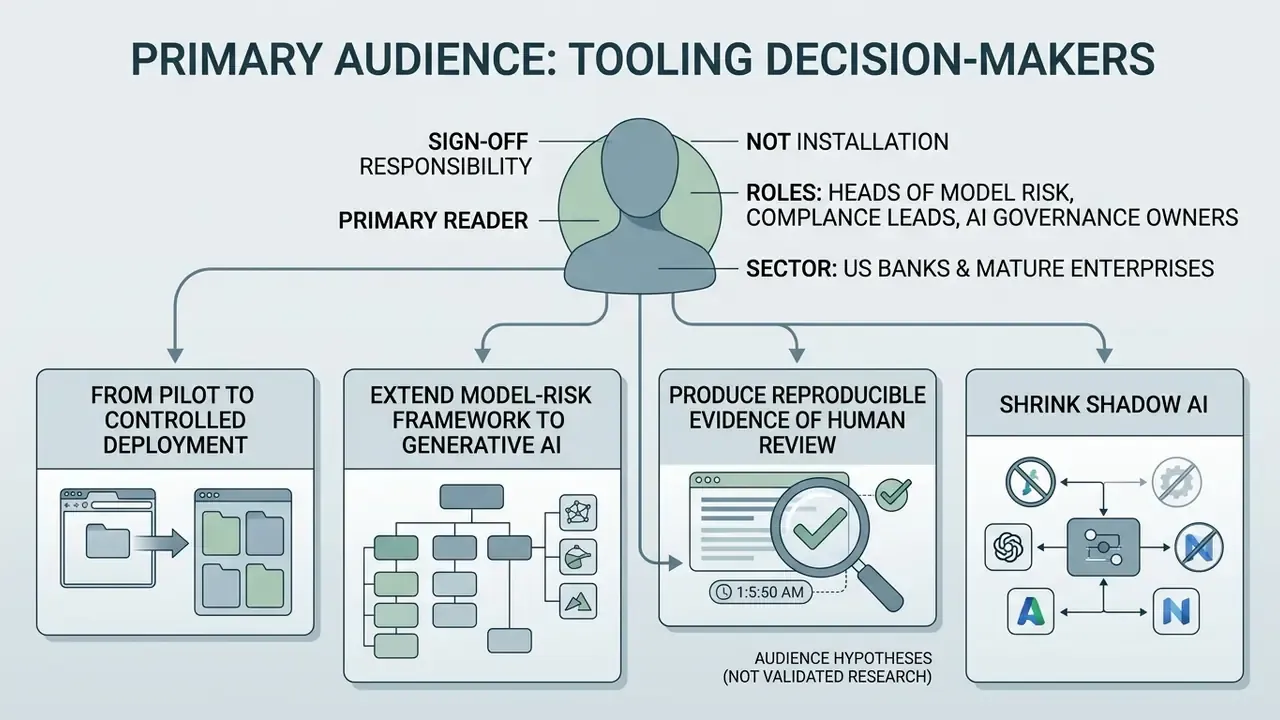
The primary reader is someone who signs off on tooling rather than someone who installs it: heads of model risk, compliance leads, AI governance owners at US banks and mature fintechs. The secondary reader is a finance transformation lead who wants faster reporting cycles without a new audit finding.
The recurring jobs to be done look like this:
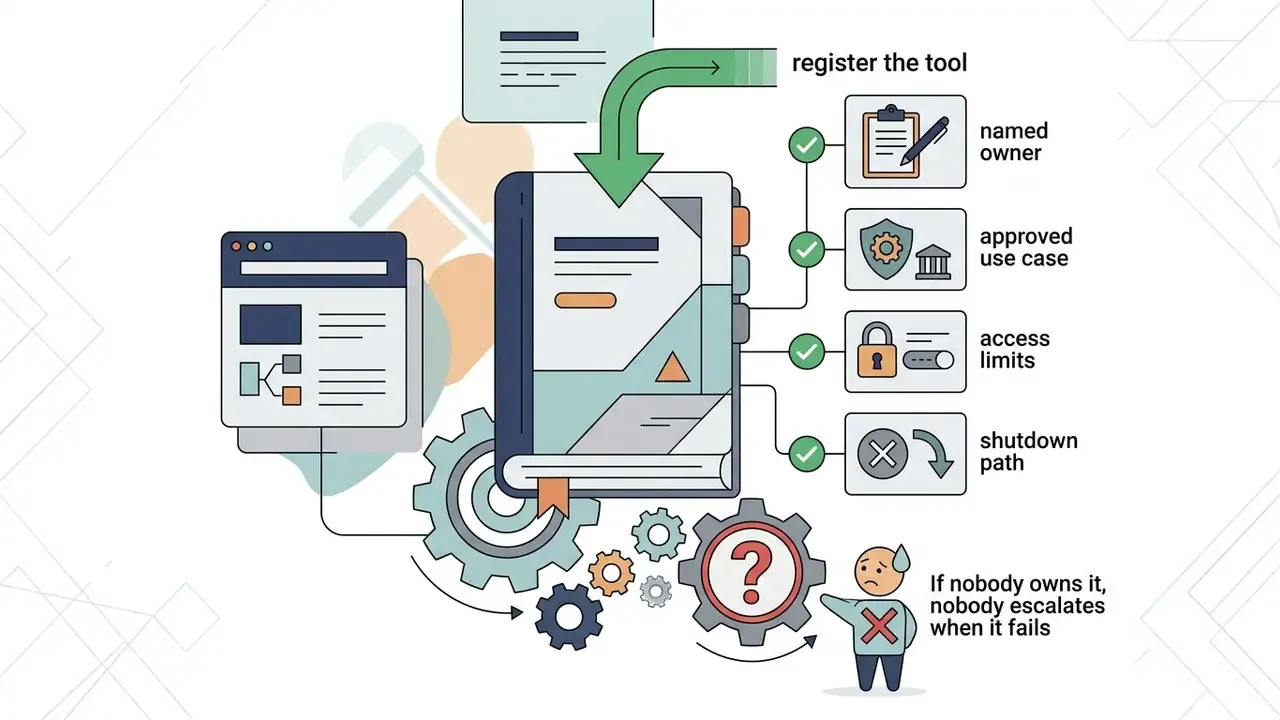
- Move an AI pilot from a personal browser tab into a controlled, inventoried deployment.
- Extend an existing model-risk framework so it covers generative output, not only statistical models.
- Produce reproducible evidence that a human reviewed each externally distributed artefact.
- Shrink shadow AI, meaning the unsanctioned tools staff already use for slide work.
Those statements are working hypotheses about the audience, not validated research. They should be tested against your own analytics, interviews and CRM data before anyone builds a business case on them.
1. What a Google Slides AI generator is and which problems it solves
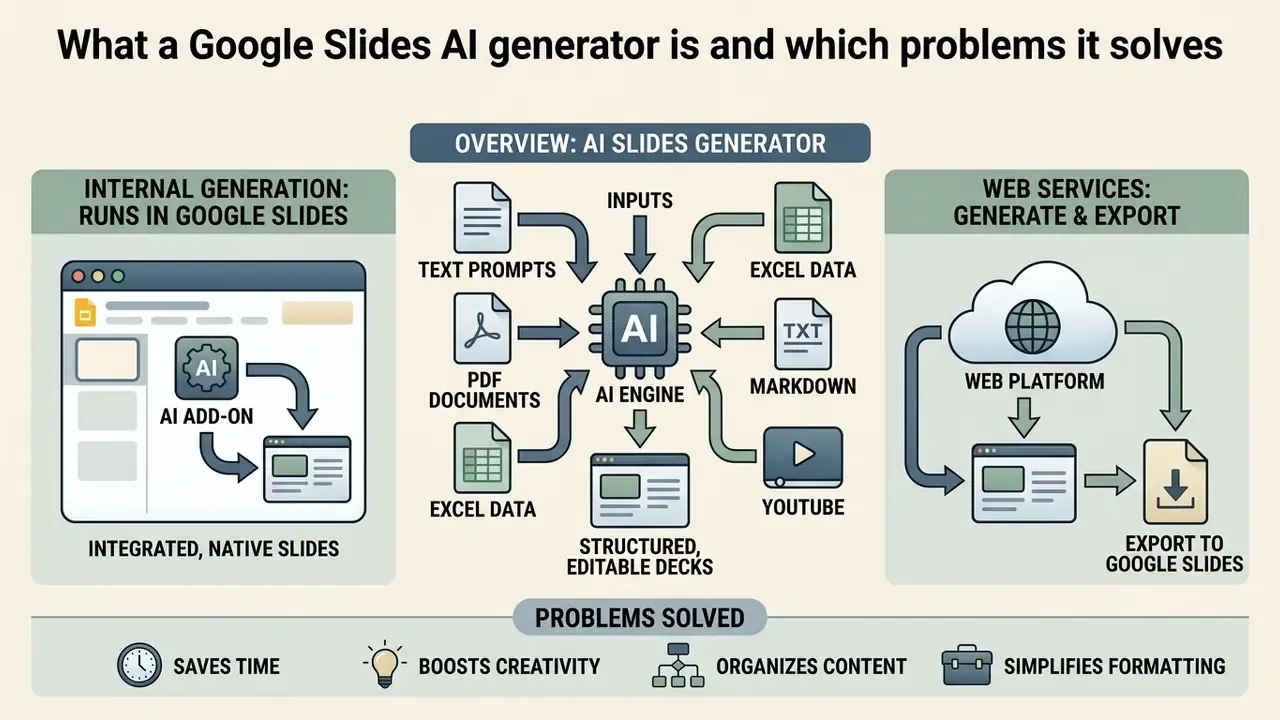
In two sentences: An AI generator for Google Slides converts prompts, outlines or source documents into structured, editable decks. It removes manual layout labour so teams can concentrate on narrative quality and factual accuracy.
An AI generator for Google Slides is a software system, either a cloud-native browser add-on or an external web platform, that converts text prompts, outlines or raw documents into structured slide decks. These tools resolve familiar operational bottlenecks: slide layout creation, first-draft slide content, narrative sequencing and visual asset mapping.
Rather than building slides manually, box by box, teams use an ai presentation maker to accelerate the first draft. Academic research is fairly consistent here: programmatic, code-based slide generation produces higher structural fidelity and editability than direct image-rendering models.
2. Generators that run directly inside Google Slides
In two sentences: In-editor generators are Marketplace add-ons that build and edit slides inside your active presentation. They inherit Workspace permissions, audit trails and version history, which keeps sensitive material inside the corporate perimeter.
In-editor slide generators operate within the Google Workspace environment as verified add-ons or native AI extensions. They lean on Workspace APIs and the Apps Script framework, including custom menus, dialogs, sidebars and triggers, to build, edit and reformat slides inside the user's active file.
Native extensions such as Plus AI, SlidesAI.io, MagicSlides and Google's own Gemini integration trigger generation from a sidebar or a menu command. Gemini in Slides can generate a full multi-slide deck from a prompt, create a single slide matching the visual style of an existing presentation, and edit a slide with instructions like "simplify this text" or "convert this layout into two columns."
The main operational benefit is administrative control. Content never leaves the enterprise Workspace boundary, and generated decks inherit standard permissions, audit trails and version histories without file conversions or external imports. For a model-risk owner, that also means the evidence trail already exists: who generated, who edited, when.
Because generated illustrations may still be third-party model output, procurement teams should separately confirm commercial rights to AI-generated content for any synthetic imagery placed on client-facing slides.
3. Web services that create presentations with export to Google Slides
In two sentences: Standalone platforms generate decks in their own rendering engines and then push results into Google Slides or PPTX. They win on visual flexibility and lose on perimeter control.
Standalone web platforms build decks inside independent browser interfaces and then export the finished structure to Google Slides or PowerPoint. Their proprietary rendering engines allow flexible visual themes, dynamic card layouts and more ambitious data visualisation.
Platforms such as Gamma, Tome, Canva and Beautiful.ai give users an interactive workspace where a text prompt produces a visual deck. Gamma's help documentation confirms both a direct Google Slides export path and a PowerPoint route that can be uploaded to Slides. Canva's official documentation, by contrast, documents importing Google Slides files into Canva, with transfer back into Slides handled through PPTX. That detail is worth checking before you standardise on a tool; our Canva AI Generator overview covers its design features, export options and licensing in depth. To compare generation engines across workflow types, review our AI Media Comparison Matrices.
Fact check and compatibility verification
- Verification summary:
4. How AI creates a Google Slides presentation: from text to finished deck
In two sentences: The generation pipeline runs from input ingestion through outline construction, template matching, object rendering and note drafting. Understanding each stage tells you where human control must be inserted.
To ai create a google slide presentation, the software runs a multi-stage pipeline that turns raw text or a structured prompt into a polished, editable deck. Human effort shifts from formatting to prompt design, structural review and factual validation. That shift is the whole point, and also the whole risk.
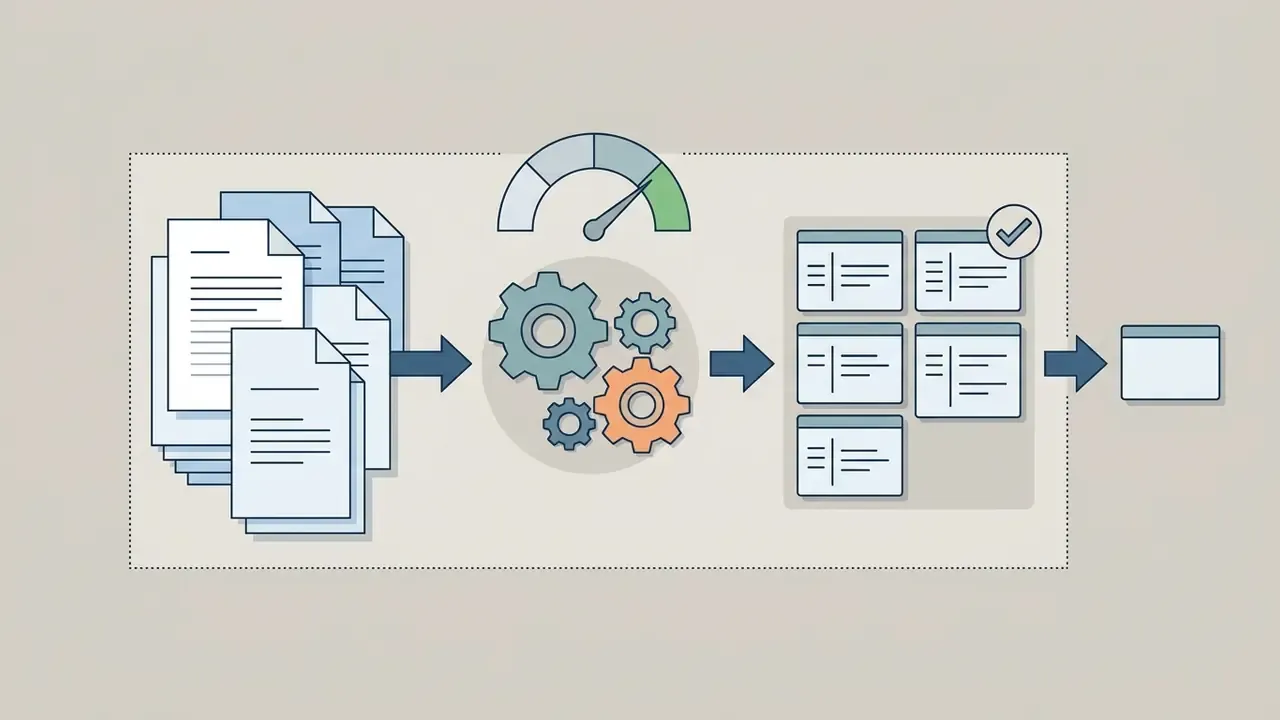
Modern presentation tools ingest raw input, run natural language understanding to extract salient themes, map content onto predefined design templates and render native slide elements. Vendor documentation describes the same flow at different levels of detail: Adobe Express presents a four-step user-facing flow (prompt or document input, style selection, outline review, download as PDF or PPTX); Beautiful.ai splits creation into three stages (prompt and context, AI outline refinement, slide iteration); Presenton documents a stricter six-stage enterprise pipeline (inspect file, extract content, classify evidence, build audience-specific outline, compose via template, review before export).
Understanding the pipeline lets you place controls at the right seams. To evaluate the ROI of automated document workflows, use our AI Media Calculators.
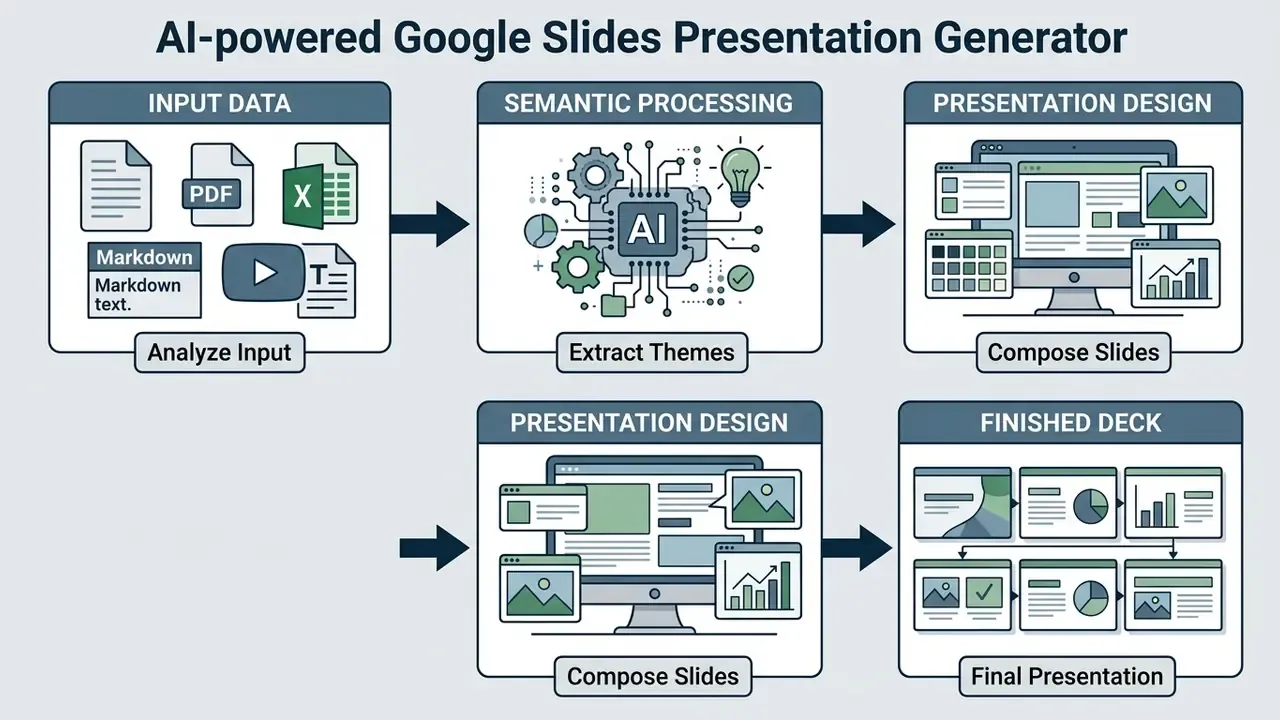
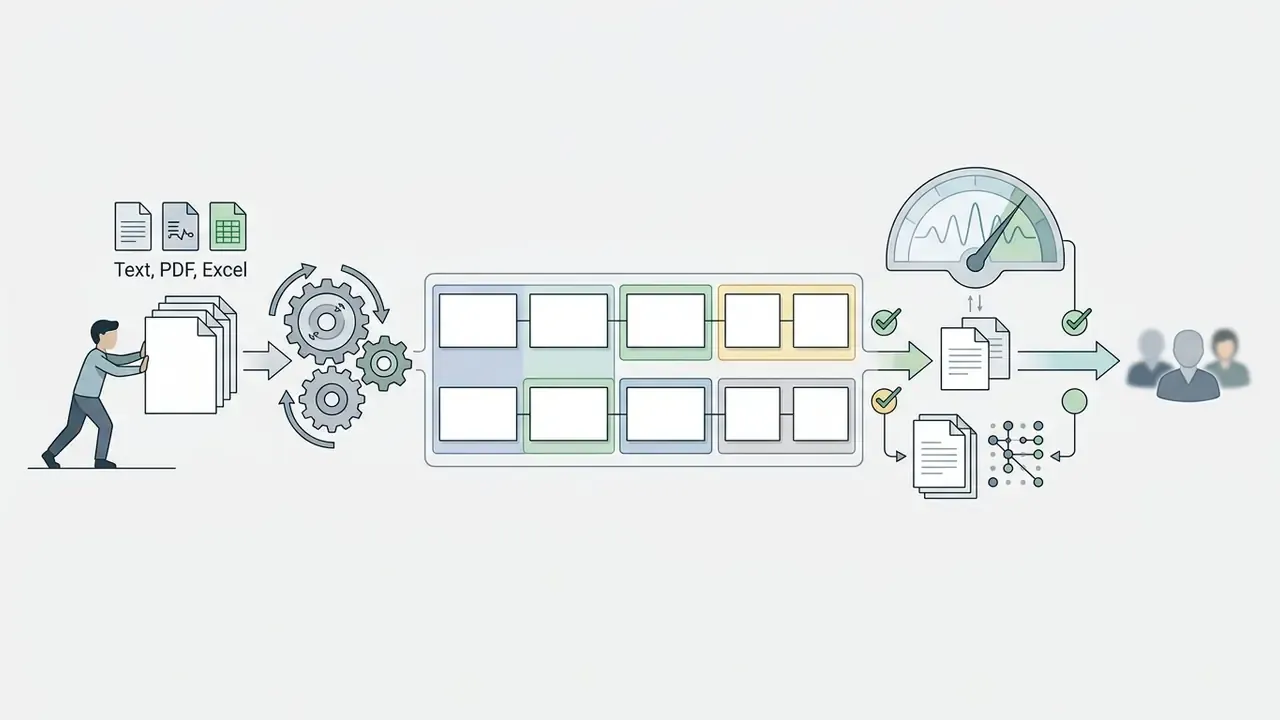
Textual description for indexing and screen readers: the workflow begins with source input ingestion (prompt, document, spreadsheet, URL or video transcript), moves through natural language parsing to construct a narrative outline, applies visual layout rules and template matching, programmatically builds native slide objects, generates and refines text plus speaker notes, and concludes with human review, permission configuration and export inside Google Workspace.
- Input acquisition
- the user submits a structured prompt, raw text, PDF, DOCX, XLSX, Markdown file, article URL or YouTube link.
- Outline generation
- the model parses source material, extracts key themes and produces a slide-by-slide narrative outline for human approval.
- Template and style matching
- the system maps outline content to visual themes, adjusting layout density, typography hierarchy and colour spaces.
- Automated slide generation
- the programmatic engine builds native slide objects (text frames, containers, charts, tables, visual assets).
- Content refinement
- the model rewrites text for slide fit, remixes layouts, formats bullets and drafts speaker notes.
- Export and collaboration
- the deck is rendered in Google Slides for team review, permission assignment, translation and live presentation.
5. How to write the prompt and get a usable presentation structure
In two sentences: Vague prompts produce generic bullet points; constrained prompts produce board-ready structure. Specify role, task, audience, tone and format limits in one instruction.
An effective presentation prompt defines the target audience, business context, primary objective, slide count and visual tone. Empirical work on preference-conditioned slide generation puts numbers on the benefit of explicit constraints.
6. How to turn text, notes, PDFs, spreadsheets, Markdown or YouTube into slides
In two sentences: Document-to-deck conversion is a parsing problem, not a copy-paste problem. Modern parsers detect discourse structure, rank sentence salience and distribute content across slides.
Converting unstructured text, research notes or PDF documents into structured slides relies on document parsing and sentence salience algorithms. Good systems do not simply paste text; they identify titles, key findings, supporting metrics and tabular data. The common pipeline described across 2024 to 2026 reviews runs: layout analysis, OCR, table recognition, reading-order determination, then post-processing into structured JSON or Markdown elements, using both rule-based and deep-learning families of methods.
Rhetorical Structure Theory (RST) is the linguistic model used to identify discourse relationships inside a long document: which claim supports which, which paragraph elaborates an earlier one, before content is split into slides. The parser then scores sentence salience with vector embeddings, selects high-value claims via linear programming and distributes them across slides to keep a logical flow. When the source is a scanned report or an image-only PDF, the pipeline first needs text recognition from images before any structural parsing can begin.
Supported source formats:
| Input category | Formats | Typical handling |
|---|---|---|
| Documents | .pdf, .docx | Heading and section detection, claim extraction, citation retention |
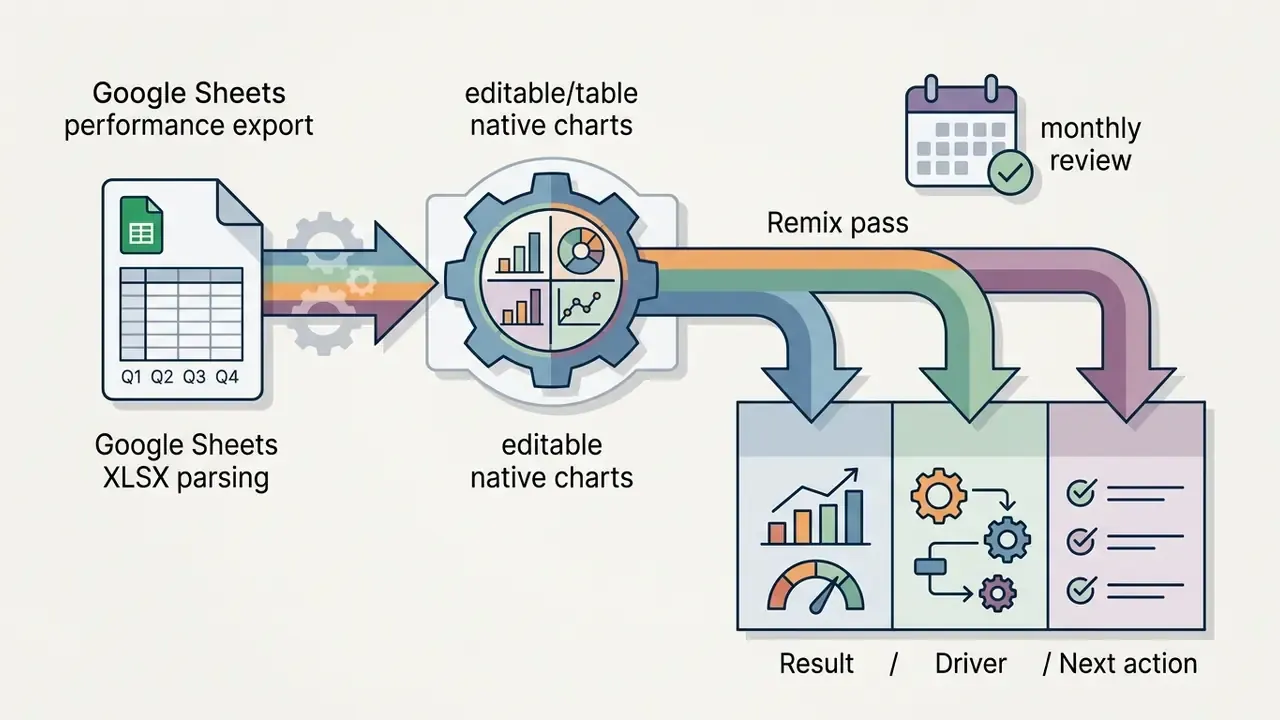
| Spreadsheets | .xlsx, .csv | Automatic conversion of tabular data into editable Google Slides charts |
| Plain text and markup | .txt, Markdown | H1 to H4 hierarchy mapped to slide titles and sub-bullets |
| Web resources | Article URLs | Page scraping, main-content extraction, source attribution |
| Video | YouTube links | Transcript extraction, key-thesis selection, outline construction |
| Existing decks | .pptx | Slide-level reuse, remixing, template re-application |
MagicSlides' Google Workspace Marketplace listing confirms text, PDF, DOCX, URL and YouTube inputs generated directly inside Google Slides. AiPPT documents PDF, Word, PowerPoint, Excel, image and URL parsing plus pasted Markdown. Plus AI documents PDF, .docx, .pptx and text file conversion into either PowerPoint or Google Slides. If your source is a recorded webinar rather than a document, a YouTube editing and publishing workflow helps you trim and caption the footage before feeding the transcript into the generator.
Redaction before upload. Teams handling regulated material should insert an anonymisation step between source document and generator: strip customer names, account numbers and other PII, replace MNPI figures with placeholder tokens such as [REVENUE_Q3], generate the deck structure from the sanitised text, and only then reinstate confidential figures manually inside the Workspace-controlled file. The sensitive payload never reaches a third-party inference call, while you still get structure and layout from the model. It is slightly tedious. It is also the difference between a controlled workflow and an incident report.
Field example. During a regulatory review audit at a regional banking partner, an internal policy team needed to compress a 120-page compliance report into a 12-slide board deck under a tight deadline. Using a document-parsing pipeline, the team extracted core compliance requirements, auto-populated a structured Google Slides template and, according to its own internal time tracking, cut first-draft assembly from roughly two working days to a single afternoon while keeping clause-level traceability to source policy text. This is one internal engagement report, not a controlled study. Treat the magnitude as indicative and benchmark it against your own baseline drafting time.
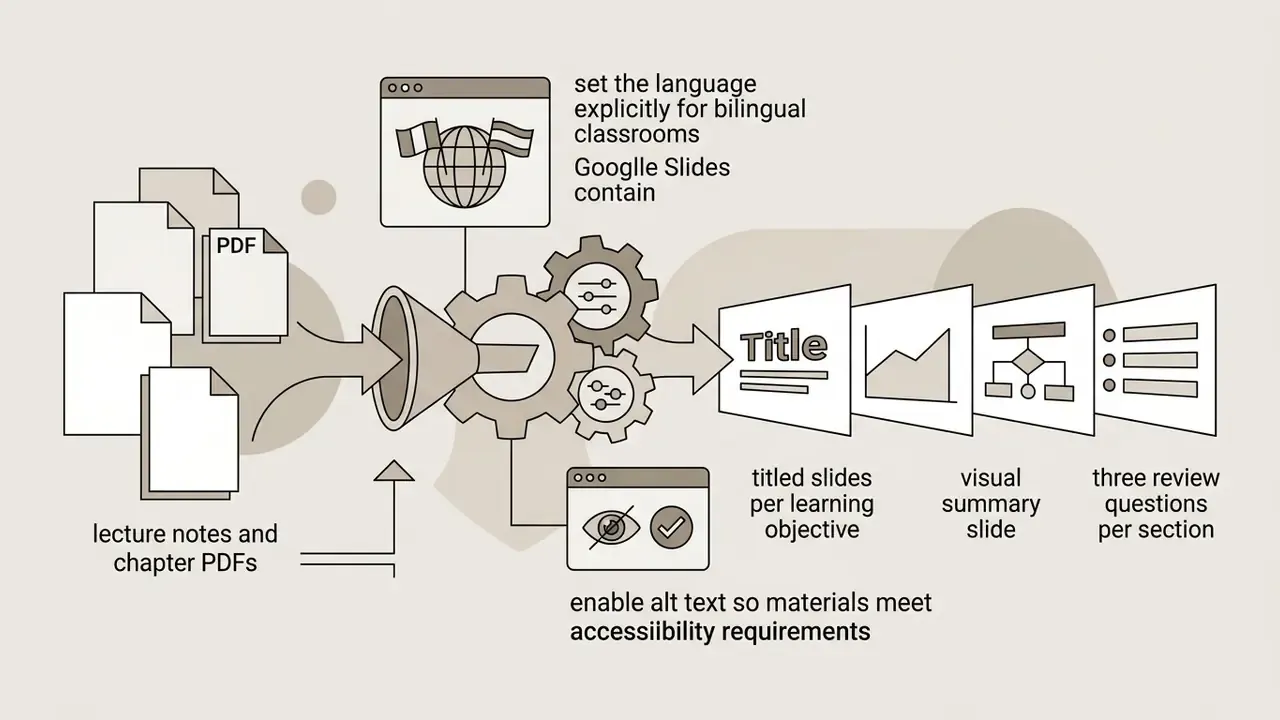
7. How to choose template, style, language and accessibility settings
In two sentences: Design and language parameters set before generation determine whether the deck is readable and compliant. Locking a corporate master template first prevents rework later.
Before generating content, selecting design themes and accessibility parameters keeps the deck readable and aligned with corporate standards. Layout engines apply rules for white space, font hierarchy and colour contrast, but they apply them to whatever theme you started from.
According to WCAG 2.2, the default human language of each page must be programmatically determinable. Draft WCAG 3.0 guidance adds that text foreground and background colours should be adjustable without loss of content or functionality, with a selectable default colour space. US Section 508 guidance for accessible presentations additionally requires verifying slide reading order, adding alternative text to all non-decorative visuals and captioning embedded video.
Most current generators, including any ai google slide template generator worth paying for, let you specify visual palettes, select corporate master templates and set output languages before generation, so multi-language decks keep consistent formatting across localised versions.
Practical pre-generation checklist:
- Corporate master template selected from the Workspace Template Gallery, not a vendor default theme.
- Brand colour tokens and font pairs loaded; contrast ratio validated at AA level.
- Output language and locale set, including number and date formats.
- Slide density cap defined, for example a maximum of six bullets per slide.
- Alt-text generation enabled for all generated imagery and charts.
8. Which AI tools help create and edit Google Slides
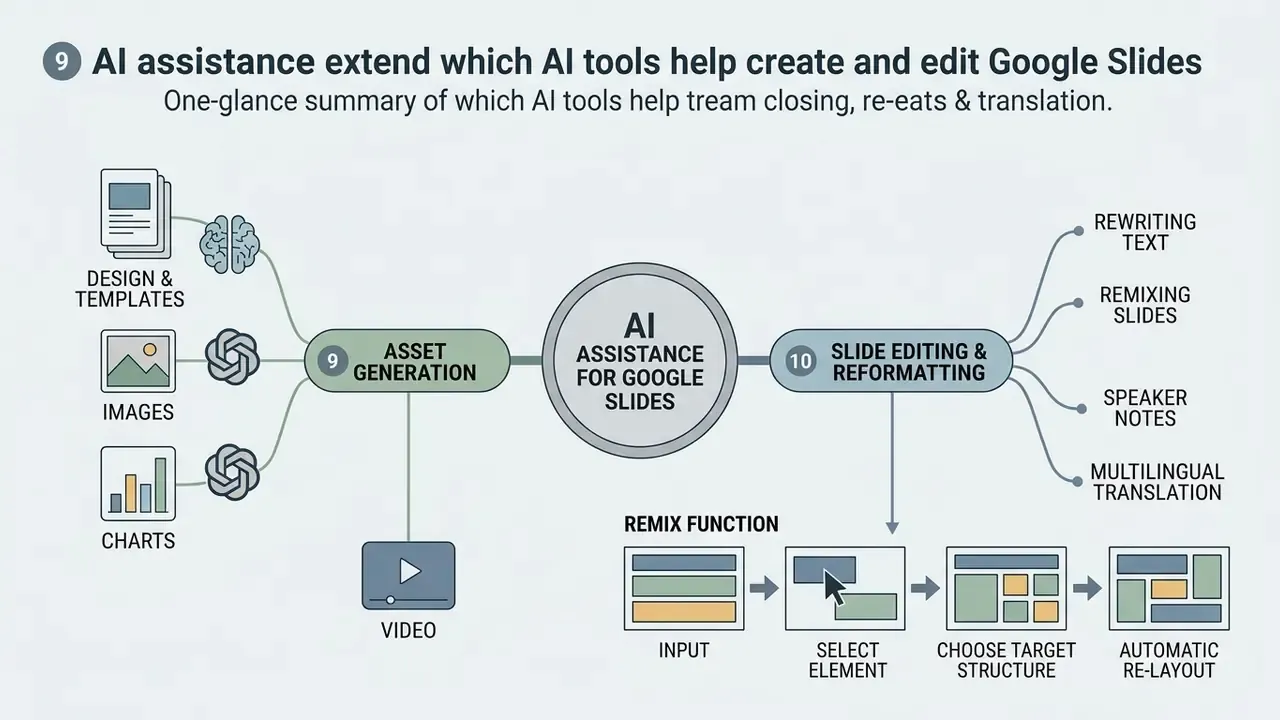
In two sentences: AI assistance does not stop at deck creation; it extends to slide-level editing, remixing, asset generation and translation. This is where most of the day-to-day time savings actually accumulate.
AI slide generation extends beyond initial creation into real-time content editing, visual asset generation, layout re-balancing and text compression. These functions help teams refine existing presentations and hold visual consistency across a long deck.
Modern ai powered presentation creation tools provide editing sidebars where users issue natural language commands: convert a text block into a multi-column comparison, generate a contextual vector icon, reduce content density to fit a bounding box. For teams that also need standalone visual assets, our comparison of AI image generators for visual elements covers quality, style control and licensing side by side.
9. Generating design, templates, images, charts and video
In two sentences: Visual engines now split into two layers: semantic asset generation and programmatic layout placement. Precise alignment still requires code-level instructions rather than pure image synthesis.
Visual presentation tools combine generative image models with layout-reasoning algorithms to place relevant assets on slides. They generate custom illustrations, fetch vector icons and format data tables automatically. The weak link is spatial reasoning, and the benchmarks say so plainly.
So advanced generators emit Python-based or API-driven layout instructions that render editable charts, tables and infographic containers instead of embedding flat images. Vendor documentation for infographic tooling shows the same division of labour: Piktochart converts prompts or uploaded PDF, DOCX and TXT files into structured visual drafts with charts, icons and brand assets (export to PDF and PNG), while Venngage generates infographics from prompts or uploaded CSV, Excel, PDF and Word content with editable charts, multi-style AI icons and export to PDF, PNG, PowerPoint or HTML.
Which models actually sit behind the visuals. Current platforms route different media tasks to specialised engines:
- Illustrations, backgrounds and product mockups: Flux.1, Google Imagen, Seedream, Nano Banana and Midjourney-class APIs for unique vector or photorealistic assets from a prompt. Google's own image stack is broken down in our Google AI Image Generator overview.
- Slide motion and presentation video: Kling AI and Vidu workflows convert static slides into animated sequences or short video presentations. For longer-form video, see our Google Veo implementation guide.
- Icon systems: automatic contextual icon insertion with manual override, to keep one visual grammar across the deck.
- Charts and tables: rendered as native, editable Google Slides or Sheets-linked objects rather than screenshots, so figures stay auditable.
Note the compliance implication. Each model in that routing layer carries its own licence and indemnification terms, so ask the vendor to disclose which third-party models it calls before you generate imagery for external distribution. For developer resources on programmatic media tools, inspect our API integration hub.
10. Rewriting text, remixing slides, speaker notes and multilingual translation
In two sentences: Text tooling solves slide clutter, and remix tooling solves inherited chaos in existing decks. Translation tooling then extends the same deck across markets without breaking layout.
AI text refinement addresses slide clutter by condensing long paragraphs into concise bullets and drafting contextual speaker notes for live delivery.
Text engines analyse the spatial boundaries of a slide and rephrase copy to prevent overflow. Speaker note generators parse slide content and write a complementary narrative script stored in the native Google Slides speakerNotesObjectId, a first-class slide object in the Slides API readable from the notes page. Microsoft documents equivalent behaviour in PowerPoint, where Copilot can "generate speaker notes for all slides" or for the current slide, with a keep or discard review step. Teams that record narrated versions of a deck can pair these scripts with an AI voice generator for consistent voiceover across localised editions.
Reformatting existing slides and the Remix function
Beyond building decks from scratch, current generators (notably Plus AI and GPT Workspace) offer a Remix capability that reworks an existing slide full of dense, unstructured text, the classic "blob":
- Select the element.Choose the slide with chaotic copy or an outdated layout.
- Choose the target structure.Tell the model the format you want: "turn this into three columns with icons," "build a Before/After comparison," or "surface the four key theses."
- Automatic re-layout.The model rewrites the copy, distributes it across existing containers and inserts relevant vector icons without breaking the Google Slides grid.
Plus AI's own FAQ confirms both directions of this workflow: single-slide insertion from a prompt or a long article via the Insert tab, and reformatting or converting existing decks into new layouts via Remix. Users keep singling out this feature, "I'm particularly impressed by the 'Remix' feature that reformats existing slides into new layouts", because most enterprise work starts from an inherited deck rather than a blank file.
Automatic localised translation of slides
Built-in Google Slides extensions, including GPT Workspace and Plus AI, translate finished presentations into 30+ languages in one action. Unlike a generic machine-translation pass, the module preserves the original layout, adjusts type size to absorb word-length expansion and adapts professional terminology to presentation context. Plus AI states it can read, write and translate nearly any language; GPT Workspace advertises instant translation of a full deck or a single slide across 30+ locales. For regulated content, keep a bilingual reviewer in the loop. Legal disclaimers and risk definitions are exactly the strings where a fluent-but-wrong translation costs the most.
11. How to choose the best AI presentation maker for Google Slides
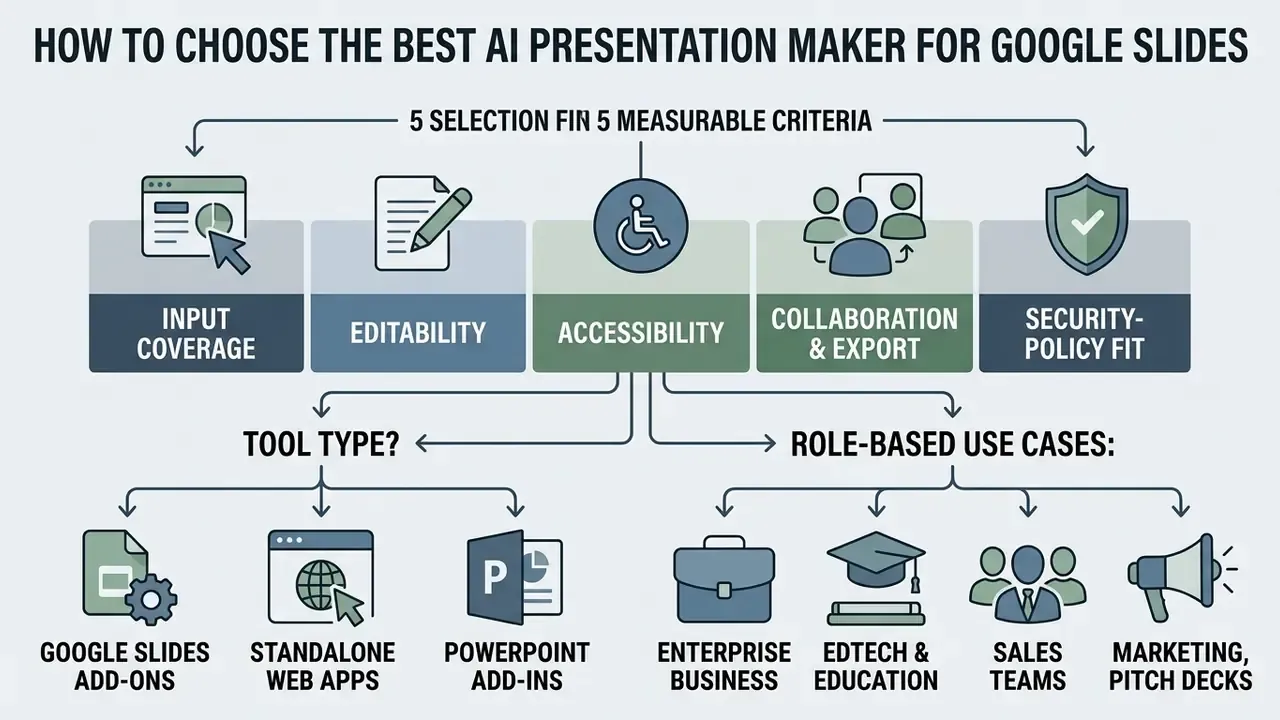
In two sentences: Selection comes down to five measurable blocks: input coverage, editability, accessibility, collaboration and export, and security-policy fit. Score candidates on all five rather than on demo aesthetics.
Choosing an ai presentation maker for google slides means evaluating integration depth, document parsing, design control and governance compliance. Organisations pick between native workspace add-ons and standalone web applications based on operational security and collaboration needs, and the honest answer is that the security question usually decides it.
Those three dimensions make a serviceable vendor-neutral rubric. Ask each vendor for evidence on content accuracy, visual quality and post-generation editability, because tools that score well on the first two often fail the third by shipping flattened images.
The matrix below compares leading platforms across core technical criteria.
Comparison of AI presentation tools for Google Slides
| Tool | Native Google Slides add-on | Prompt / text generation | PDF and doc parsing | Edit existing slides | Export formats | Collaboration model |
|---|---|---|---|---|---|---|
| Google Slides (Gemini) | Yes (native) | Yes | Yes (Drive integration) | Yes | Native Slides, PDF, PPTX | Google Workspace real-time |
| Plus AI | Yes (add-on) | Yes | Yes (PDF, DOCX, PPTX, TXT) | Yes (Insert, Rewrite, Remix) | Native Slides, PPTX via own Open XML renderer | Google Workspace native |
| MagicSlides | Yes (add-on) | Yes | Yes (PDF, DOCX, URL, YouTube) | Yes | Native Slides, PPTX | Google Workspace native |
| SlidesAI.io | Yes (add-on) | Yes | Yes (text and document input) | Yes (pre-build content editing) | Native Slides, PPTX | Google Workspace native |
| Gamma App | No (web app) | Yes | Yes | Yes (in web app) | Google Slides export, PPTX, PDF, PNG | Web link sharing, Workspace teams |
| Presentations.AI | No (web app) | Yes | Yes | Yes (in web app) | PPTX, PDF (paid tiers) | Web workspace sharing |
Summary: native add-ons give near-frictionless security compliance for organisations anchored in Google Workspace, while web applications trade perimeter control for visual layout flexibility and an extra export step. If your evaluation also covers standalone asset creation, our comparison of the best AI art generators applies the same scoring discipline to image tooling.
For additional customer service and technical guidance, visit our AI Media Support portal.
12. Add-on, web app, or PowerPoint tool?
In two sentences: The three product formats differ mainly in where data is processed and how files travel. Match the format to your existing IT perimeter, not to feature count.
Choosing between browser extensions, external web platforms and PowerPoint add-ins depends on existing infrastructure, document control policy and user habits.
- Google Slides add-ons installed via Google Workspace Marketplace; run inside browser sidebars using Apps Script and OAuth scopes, with visible consent prompts at install time. Best for teams that need real-time collaboration and strict data-perimeter boundaries.
- Standalone web apps browser-based engines running independently of cloud office suites, with no local installation. Best for high-design pitch decks and marketing material where non-standard layouts matter more than perimeter purity.
- PowerPoint add-ins Office-native extensions installed from the Office add-ins dialog or vendor sites and managed under "My Add-Ins." Essential for Microsoft-anchored organisations, relying on native
.pptximport and export to bridge into Google Slides.
13. Role-based use cases: enterprise, education, sales, marketing, pitch decks
In two sentences: Different roles need different slide structures, densities and evidence types. The prompt framework stays constant; the structure and proof layer change.
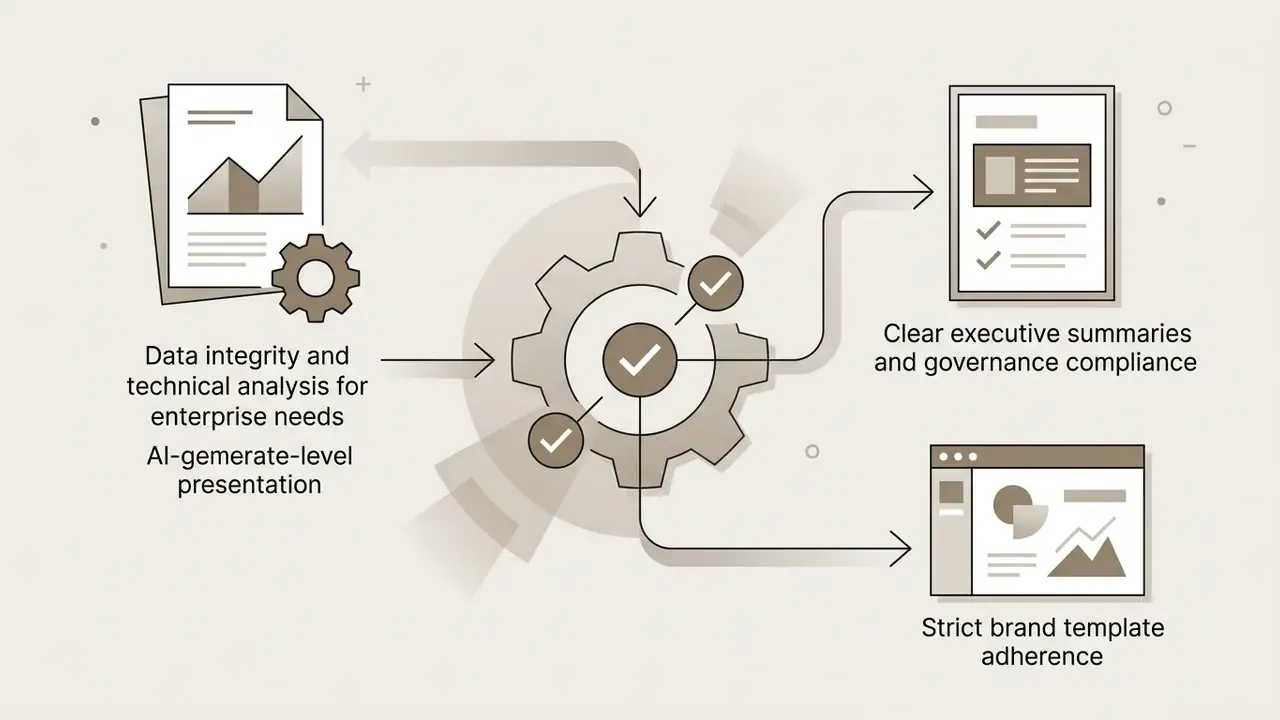
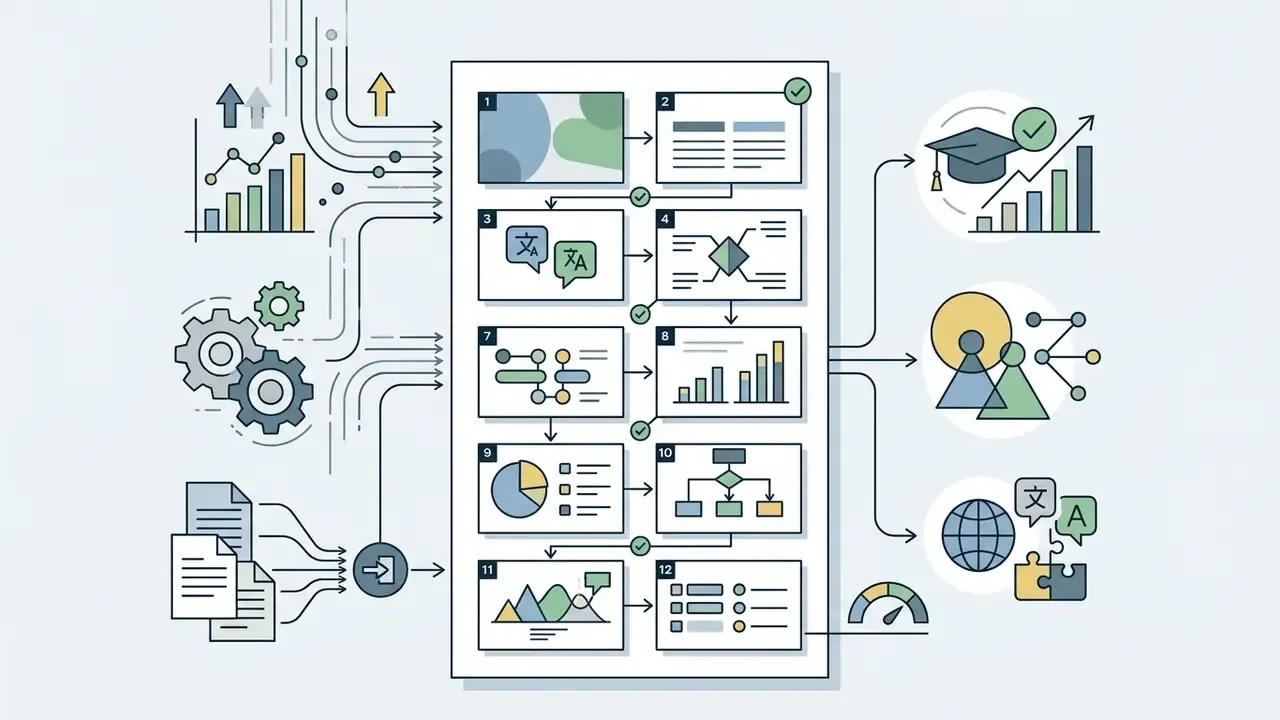
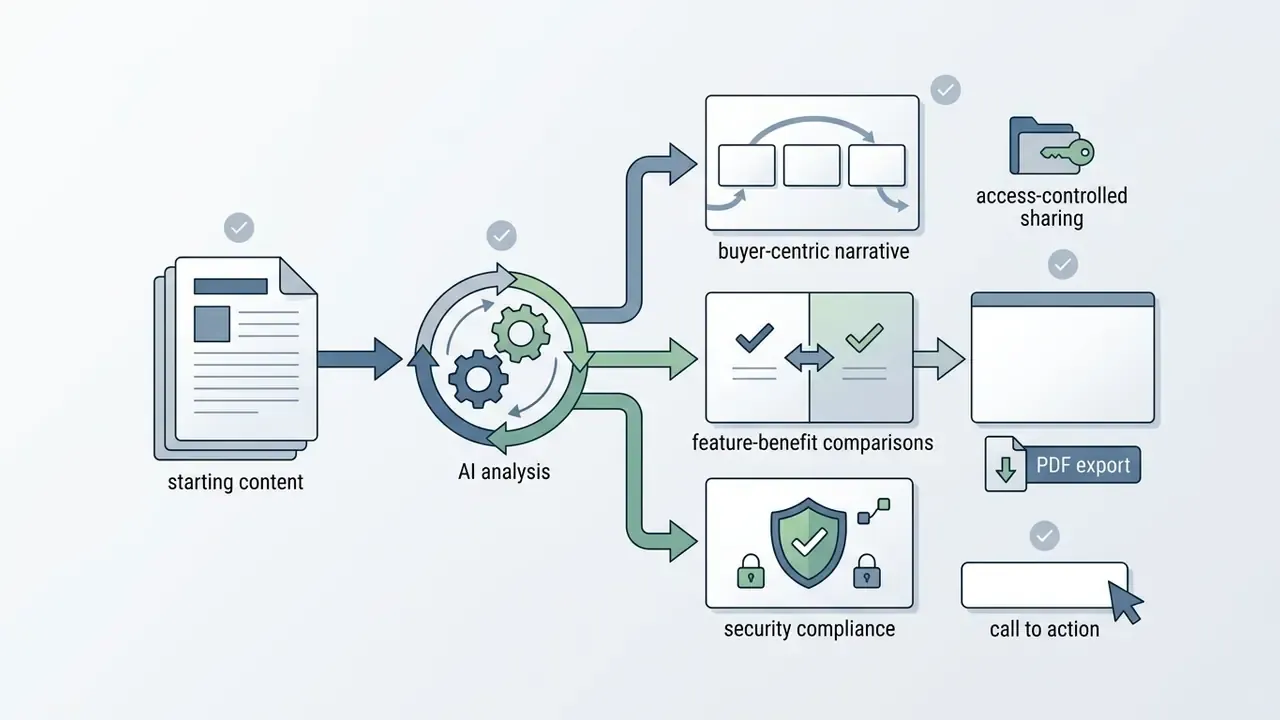
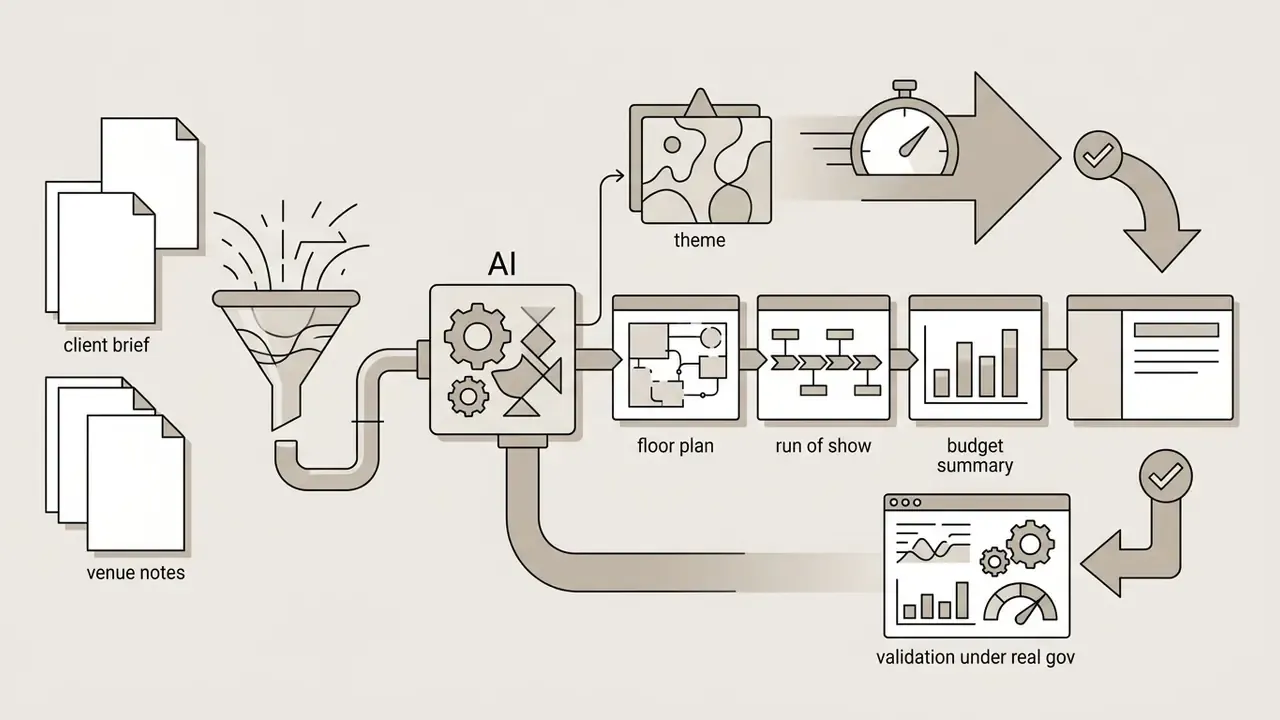
Different organisational roles require distinct slide structures, content densities and visual styles:
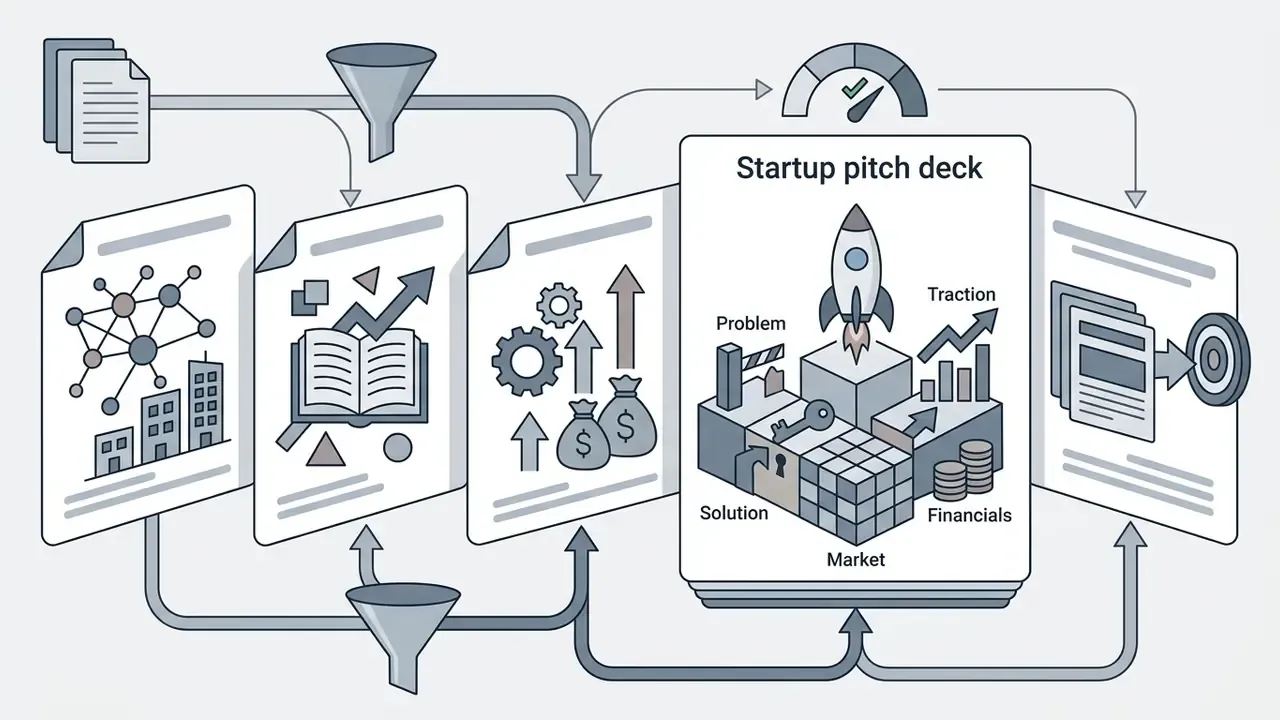
Field example. While evaluating an AI pitch deck generator for a financial consulting engagement, a fintech strategy lead ran a vendor security assessment across external generation platforms. The team's reading of published terms of service for several web tools indicated broad licences over uploaded content, including rights that could extend to model improvement. Because those terms are vendor-specific and revised frequently, the team treated the finding as a procurement flag rather than settled fact, requested written clarification, and eventually restricted purchasing to enterprise-grade Google Workspace add-ons with explicit data non-retention commitments. Replicate the check yourself: terms differ per vendor and per tier, and only the current signed agreement is authoritative.
14. Free AI Google Slides maker, pricing tiers and commercial use
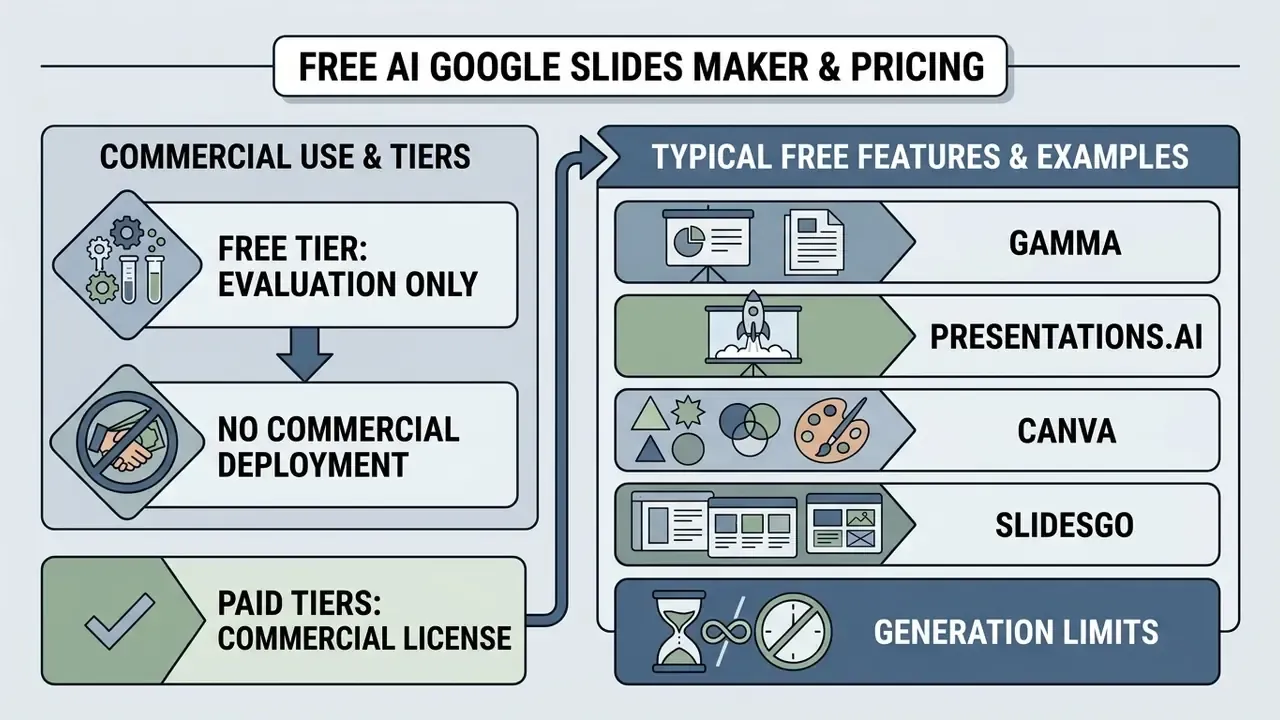
In two sentences: Free tiers are evaluation channels, not licences for commercial deployment. Verify usage caps, export rights and content ownership before a deck reaches a client.
Evaluating an ai google slide generator free plan means reading usage caps, feature restrictions and intellectual property terms. Vendors use freemium tiers as evaluation funnels, placing advanced export and team controls behind paid plans. You can see the pattern in Adobe Firefly's daily generation allowance before paid subscription, and in Google's Gemini API pricing, where a free input tier sits alongside paid rates of $0.30 per 1M input tokens and $2.50 per 1M output tokens. Typical licensing structures across adjacent categories are broken down in our guide to commercial use of AI image generators.
Organisations deploying these tools must audit licence terms so that generated content, commercial templates and synthetic images do not infringe third-party copyrights or breach enterprise privacy standards. The US Copyright Office's guidance is directly relevant: AI-assisted material may be registrable only for its human-authored portions, and the analysis turns on the degree of human control and contribution. Hong Kong's Generative AI Technical and Application Guideline separately warns that inadvertent use of copyrighted material can trigger infringement claims.
Put plainly: pricing and licence claims in this category are vendor-published, not independently benchmarked. Verify them against the live terms page on the day of purchase. For detailed financial analyses of creative software pricing, consult our AI Media Pricing Guides.
15. What a free AI presentation maker typically includes
In two sentences: Free plans cap volume, restrict export and often watermark premium assets. The specific limits change frequently, so treat published figures as a snapshot.
Free tiers for an ai google slides maker free generally offer limited credit allocations, basic template access and restricted export. The parameters below come from vendor documentation at the time of review; they are not stable across releases and should be re-checked before procurement. Comparable constraints in adjacent tooling are catalogued in our overview of free AI image generators without sign-up.
Documented examples:
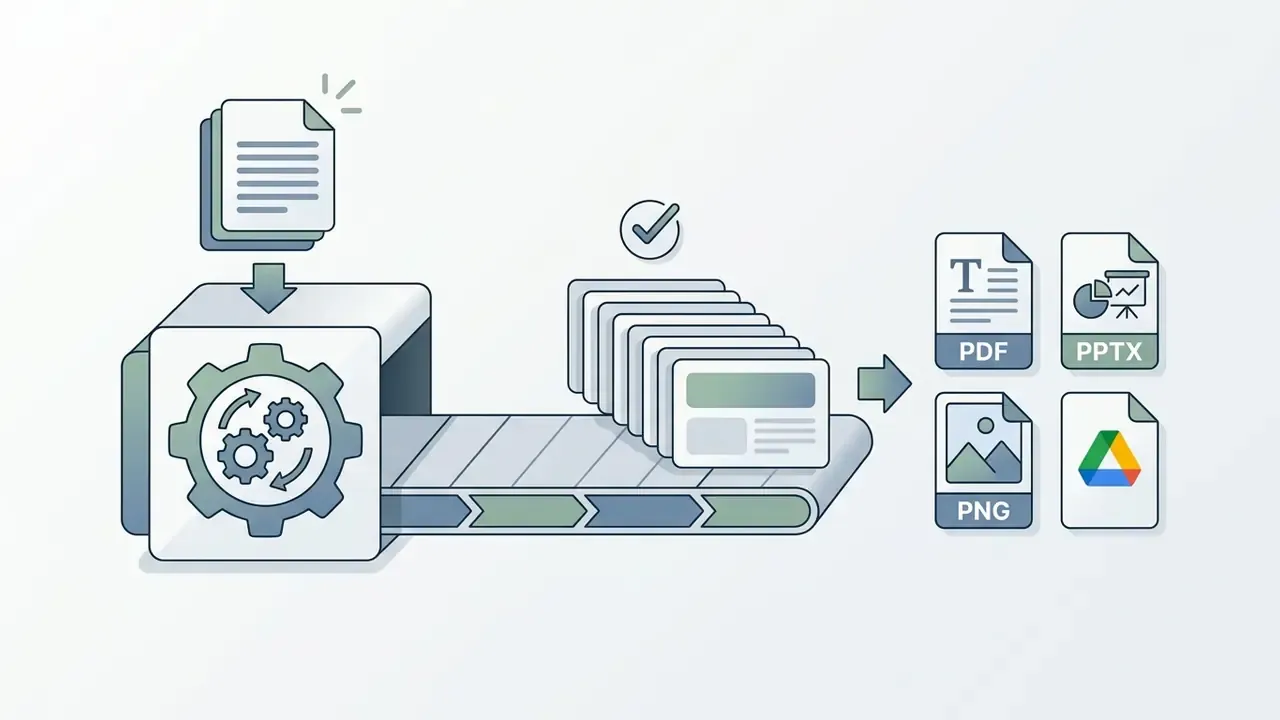
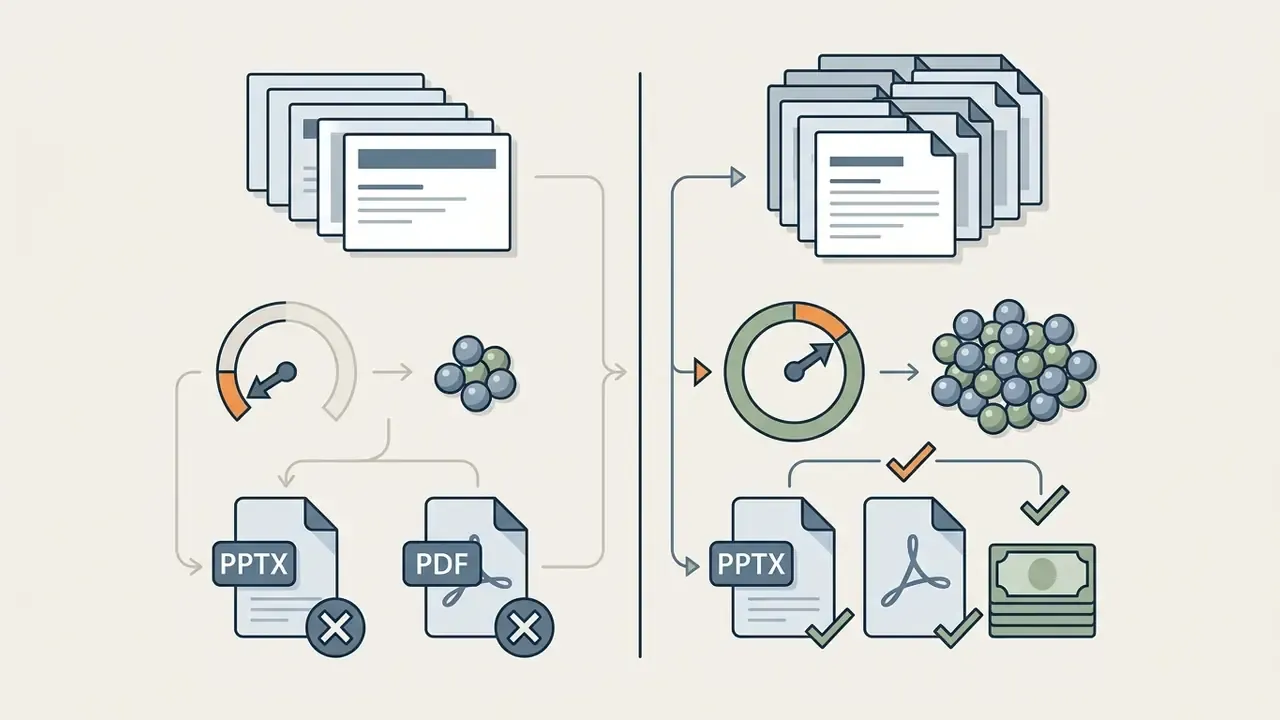


Common free-tier parameter categories (verify actual values per vendor):
That last line is the one that matters for a bank. An ai presentation maker free google slides workflow with no audit log produces no evidence, and evidence is the deliverable your examiner asks for.


.pptx or native Google Slides export is blocked, watermarked or reserved for paid tiers.

16. What to verify in pricing and legal terms before business use
This information is general in nature and does not substitute for advice from qualified legal counsel or a data-protection specialist. Licensing terms for AI tools are revised regularly, so always confirm the current agreement on the vendor's own site before deployment.
In two sentences: Procurement must audit ownership, training exclusions, security certifications and indemnification in writing. Anything unverified should not receive regulated data.
Before deploying an AI presentation platform across commercial operations, procurement leads should audit vendor licensing agreements and data privacy commitments.
Key legal and technical terms to verify:
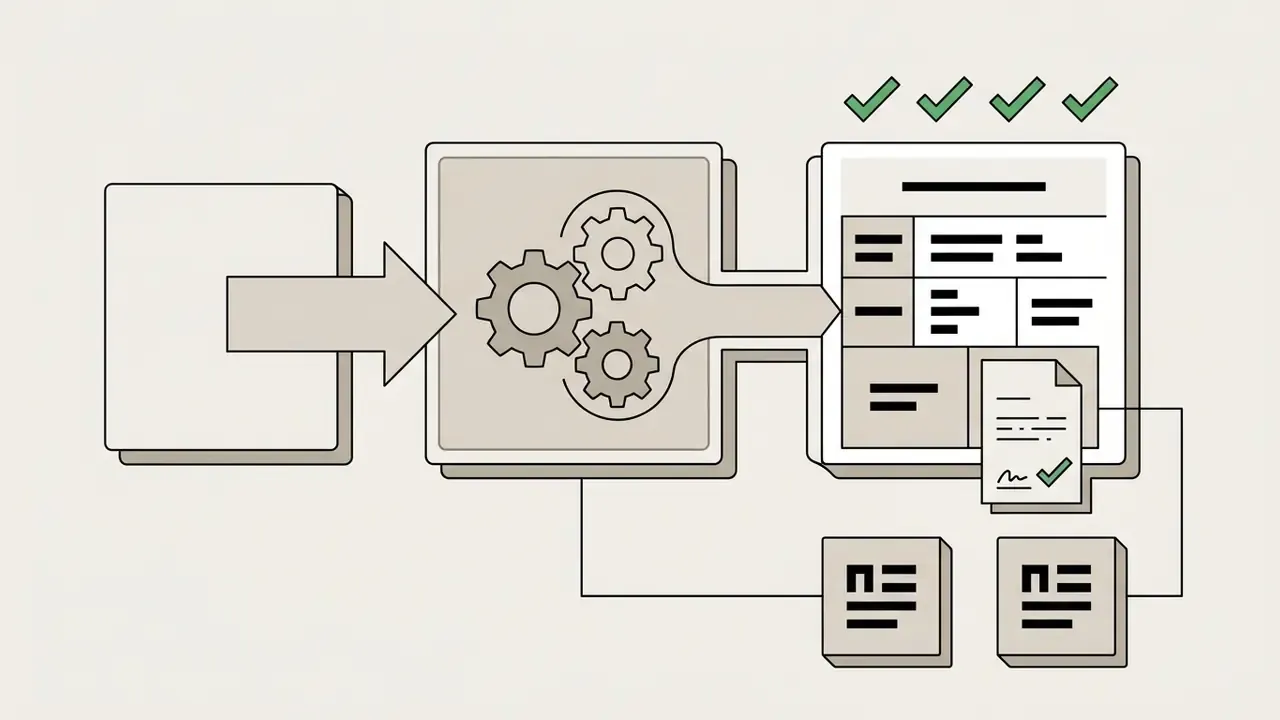
Risk-adjusted ROI, not raw time saved. Licence cost is the smallest line item. A defensible calculation looks like this:



17. How to refine AI-generated slides before presenting and publishing
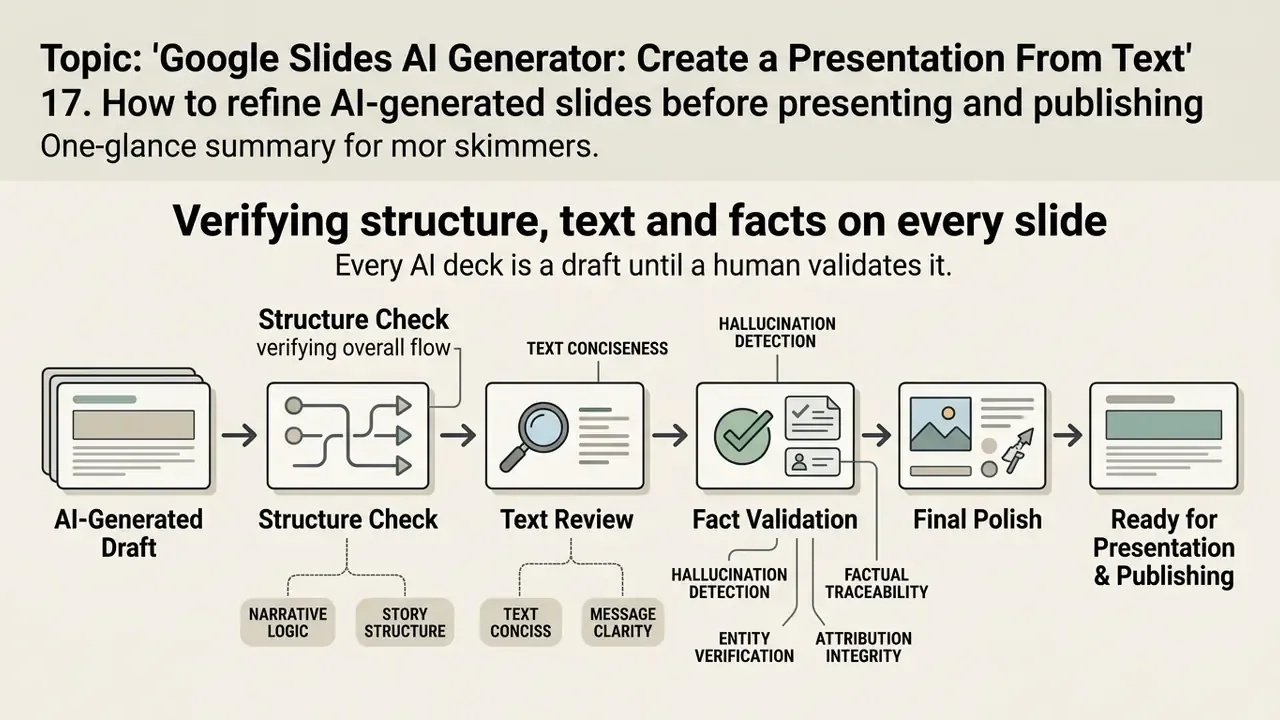
In two sentences: Every AI deck is a draft until a human validates it. Use a rubric, not a skim.
AI-generated decks are operational first drafts that require human refinement before executive presentation. Post-generation editing is what secures narrative alignment, factual accuracy, visual balance and brand consistency.
Systematic review protocols stop factual errors and formatting defects reaching executive stakeholders. Academic evaluation frameworks lean on verifiable rubrics rather than subjective review, and the design of those rubrics is instructive.
18. Verifying structure, text and facts on every slide
In two sentences: Hallucinations are a factuality failure, not a formatting one. Check every number, name and citation against the primary source.
Fact-checking AI-generated slides means verifying every statistic, proper noun and logical claim against primary source material.
A thorough content review routine covers:
- Factual traceability cross-reference all numerical figures, financial metrics and citations against original source reports. Where a visual came from a scanned chart, re-check the extracted values rather than trusting the rendered figure; teams working with poor-quality source graphics can pre-process them with AI image enhancement tools before re-reading the data.
- Narrative logic confirm that slide titles form a continuous argument from executive summary to conclusion. Reading titles alone should still make sense.
- Text conciseness trim dense paragraph blocks into bullets suitable for verbal delivery.
- Hallucination detection flag plausible-sounding but unsupported claims produced during text synthesis. Unsourced proper nouns, precise-looking statistics and invented citations are the highest-frequency failure points.
- Entity verification confirm every named organisation, regulation, product and person exists and is correctly characterised.
- Attribution integrity ensure each external claim carries a traceable source note in the speaker notes, so a challenge from the floor can be answered with a document reference.
19. Corporate templates, export rules and collaborative editing
In two sentences: Finalisation means brand conformance, permission hygiene and export testing. Skipping the export test is how decks break in the room.
Finalising a presentation involves applying corporate visual identity templates, configuring Drive permissions and testing export formats.
- Corporate branding apply approved master templates via the Google Workspace Template Gallery to standardise typography, logo placement and colour schemes.
- Access control set Drive sharing permissions to restrict re-sharing, downloading, printing and copying by external viewers, including unchecking "Editors can change permissions and share" and disabling the download, print and copy option for viewers and commenters.
- Export verification test PDF export links (
export?format=pdf) and PPTX downloads to confirm layout stability, font rendering, speaker-notes retention and chart editability across devices and presentation environments.
Checklist0 / 11
20. FAQ
Can AI generate a full Google Slides deck from a single prompt?
Yes. Gemini in Google Slides and Marketplace add-ons such as Plus AI, SlidesAI.io and MagicSlides generate multi-slide decks from a prompt and keep every element editable. Quality rises sharply once the prompt fixes role, audience, slide count and format constraints.
Which file formats can I convert into slides?
Current tooling covers .pdf, .docx, .xlsx, .txt, Markdown, article URLs, YouTube links via transcript and existing .pptx decks. Spreadsheet input is the one most often overlooked; it converts tabular data into editable native charts rather than screenshots.
Can AI reformat slides I already have?
Yes, that is the Remix workflow. Select the slide, describe the target structure ("three columns with icons," "Before/After comparison"), and the model rewrites and redistributes the copy inside the existing grid.
How many languages can a deck be translated into?
Leading Slides extensions advertise 30+ languages with layout preservation and automatic type-size adjustment. Always have a fluent reviewer check legal and financial terminology.
Is a free AI Google Slides maker enough for business use?
Rarely. Free tiers commonly cap slides per prompt, withhold editable export, watermark premium assets and omit SSO, audit logs and DPAs entirely. For regulated content, start at a paid enterprise tier.
Do I own the output?
Ownership depends on the vendor's terms and on jurisdiction. US Copyright Office guidance protects human-authored contributions rather than machine output as such, and some vendors reserve broad licences over material submitted to their hosted galleries. Confirm ownership in the signed agreement.
Do programmatic generators really beat image-based ones?
On editability and layout fidelity, yes. That is the consistent benchmark finding across AutoPresent/SlidesBench, SlideCoder and PPTBench. Decks rendered as flat images cannot be edited, audited or re-branded.
How much human review does an AI deck need?
Budget review time proportional to the consequence of an error. Board, regulator and investor decks need claim-by-claim verification; internal status updates need structural and formatting review only.
What is still unresolved in this category?
Three things, honestly. Spatial layout reasoning remains weaker than semantic drafting. Pricing and licence terms have no independent benchmark. And nobody has published a credible study on how much undetected error survives a normal human review pass. Until that exists, treat review depth as a risk decision rather than a productivity setting.
21. Appendix A: editorial revision log
For transparency, the original phrasings replaced during this update are recorded below with the reason for each change.
| # | Original wording | Change | Reason |
|---|---|---|---|
| 1 | "...produce significantly higher structural fidelity and editability than direct image-rendering models (AutoPresent / SlidesBench, 2024)." | Replaced with quoted finding, sample size (585 instances, 10 domains) and URL. | No figures, no link, no methodology, insufficient for E-E-A-T. |
| 2 | "...(SlideTailor, 2025) demonstrate that explicit prompt constraints increase aesthetic and structural alignment scores up to 98%." | Replaced with quoted metrics (98.00 aesthetic, 75.80 overall, GPT-4.1 backbone) and URL. | Figure cited without dataset, backbone or source link. |
| 3 | "Research on document-to-slides frameworks (SlideSpawn, 2023; ArcDeck, 2025) reveals that parsing tools utilize Rhetorical Structure Theory (RST)..." | Split into two sourced quotations with sample size (650 paper-slide pairs) and URLs. | Dual citation without data or links did not substantiate the claim. |
| 4 | "Research evaluating layout understanding (PPTBench, 2024; SlideCoder, 2025) indicates..." | Replaced with quoted benchmark scale (958 PPTX, 4,439 samples) and SlideCoder deltas (+40.5, 78.8, +11.9) plus URLs. | Sources named without metrics or links. |
| 5 | "Academic evaluation frameworks (PresentBench, 2026) emphasize using verifiable rubrics..." | Replaced with quoted methodology (238 instances, average 54.1 binary checks) and URL. | Citation lacked sample size and source link. |
| 6 | "...reduced deck drafting time by 70% while maintaining complete traceability..." | Reframed as an internal, self-reported time-tracking observation with an explicit caveat. | Single anonymous engagement; percentage not independently verifiable. |
| 7 | "The evaluation revealed that several web tools reserved rights to train public models on user uploads." | Reframed as the team's reading of published terms, flagged as vendor-specific and time-sensitive. | Anonymous case without citable public terms. |
| 8 | "Generation Limits: Capped at 10 to 100 one-time credits or 3 to 5 slide decks per month." | Replaced with documented vendor examples (Gamma, Presentations.AI, Canva, Slidesgo) plus generalised categories. | Specific figures were unsourced and change frequently. |
| 9 | "Note regarding vendor verification: As of August 2026, no verified technical or commercial information is available for domain listings such as hypeart.ai." | Generalised to unverified third-party utilities; future-dated month removed. | Anachronistic date and naming of a single unverified domain irrelevant to the audience. |
| 10 | Internal links to entertainment-oriented AI tools (meme, menu, melody, mashup generators). | Replaced with links relevant to enterprise imaging, licensing, OCR, comparison and pricing resources. | Contextual mismatch with a risk, compliance and executive audience. |
| 11 | Russian-language H2 and H3 headings above English body text. | Headings, metadata and body unified in English. | Language dissonance created the impression of an import error. |
| 12 | Anchor-linked table of contents and duplicated technical metadata block. | Replaced with an audience and jobs-to-be-done section, plus consolidated page metadata. | Removed navigation duplication and added decision-relevant context for buyers. |
Benchmark dating note: entries dated 2025 and 2026 in the citation set are recent papers and preprints representing current industry evaluations of LLM-based slide generation, not long-established standards. Treat their figures as leading-edge measurements subject to revision.