Two questions decide everything downstream. Who owns the audio you are about to upload, and who signs off on the export? Everything else is craft.
Executive Summary
- What it is An automated pipeline that ingests (or transcribes) lyrics, aligns them to vocals at word or line level, generates typography and backgrounds, and renders a finished MP4.
- Speed vs. control AI generators produce a first draft in minutes; template makers are mid-tier; professional NLEs (After Effects, Premiere Pro) give frame-accurate control at the cost of hours of labor.
- Best practice input Lossless 16-bit PCM WAV at 16 kHz or higher, mono or stereo, plus proofread lyrics or a timestamped
.lrc/.srtfile. Noisy demos should pass through AI noise reduction and stem separation first. - Hybrid workflow matters Leading platforms export XML / EDL / FCPXML timelines into DaVinci Resolve, Premiere Pro, or Final Cut Pro, so automation and post-production are complementary, not mutually exclusive.
- Practical limits Typical web tiers cap audio at ~100 MB and 6 minutes, background video at ~1 GB, and free exports at 720p with a visible watermark.
- Risk profile Free tiers usually prohibit monetization; uploading unreleased masters to consumer SaaS without an enterprise agreement creates IP-leakage exposure; diffusion-generated backgrounds carry unsettled copyright questions.
- Accessibility baseline Keep lyric text at a minimum 4.5:1 contrast ratio against the local background (WCAG 2.1 Level AA), reinforced with 1-3px strokes or shaded backdrops.
Who This Guide Is For, and What It Helps You Decide
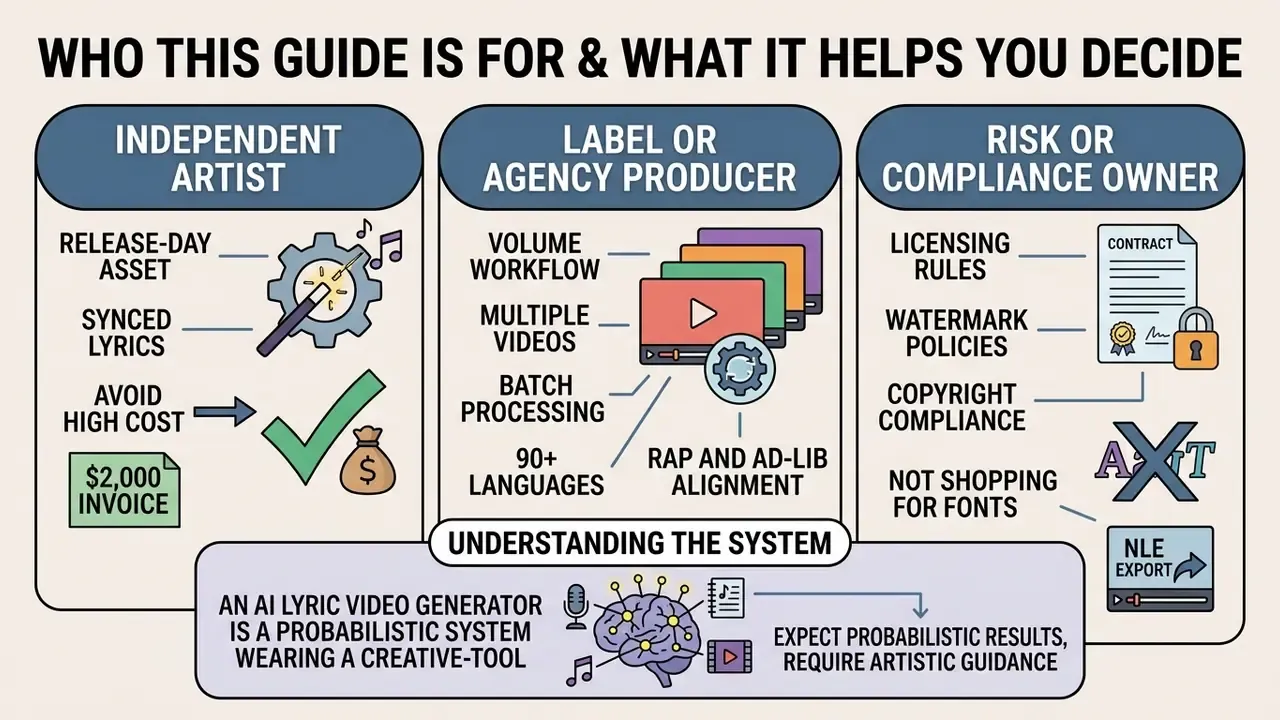
This is written for three overlapping readers, and each one is chasing a different answer.
The independent artist wants a release-day asset without a $2,000 invoice. For that reader the practical questions are watermark policy, maximum song length, and whether the free tier permits monetized posting.
The label or agency producer runs volume. Ten tracks a month, five vertical cuts each, multiple languages. That reader needs an input standard, a review gate, and predictable render times rather than the prettiest preset.
The risk or compliance owner is not shopping for fonts at all. They are asking where unreleased audio physically goes, whether the vendor trains on customer files, and what evidence exists if a provenance question arrives eight months after release. If that is you, jump to the data security section and the closing policy checklist; the styling advice will still be here later.
One honest framing note: an AI lyric video generator is a probabilistic system wearing a creative-tool interface. It guesses at words. It guesses at timings. That is fine, as long as a human confirms the guess before publication.
What Is an AI Lyric Video Generator?
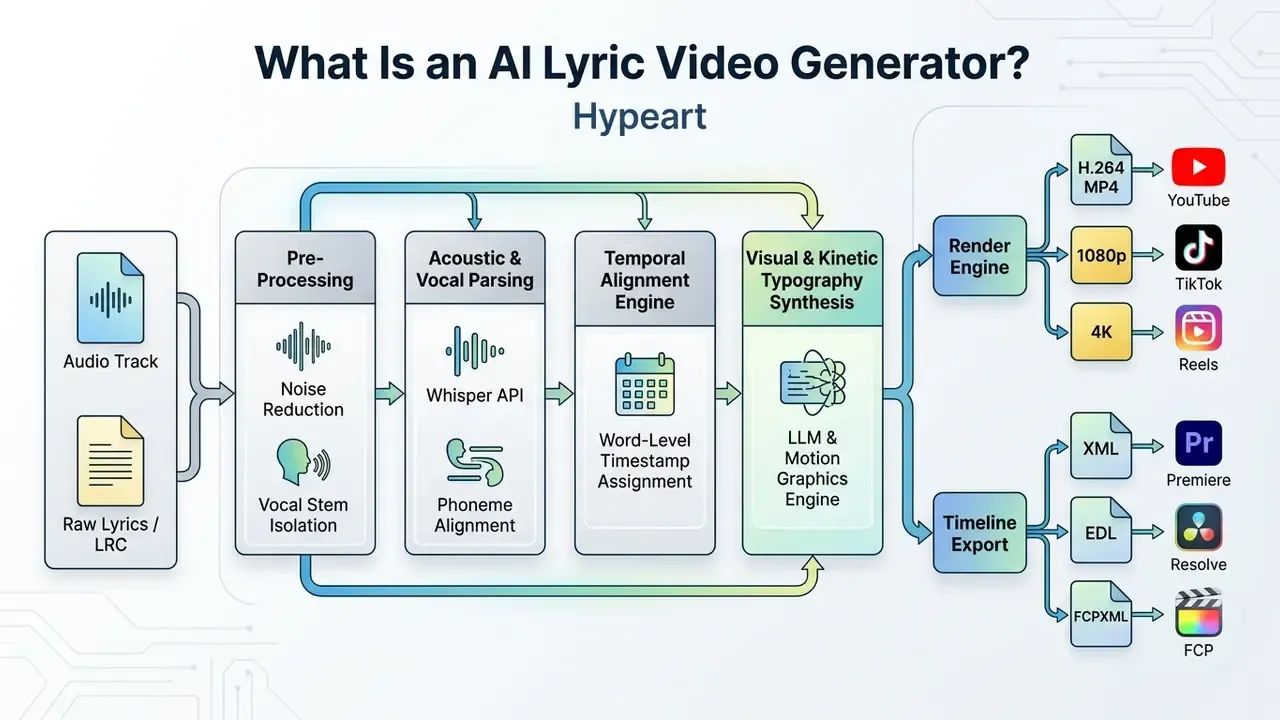
An AI lyric video generator is an automated media software pipeline that transcribes or ingests song lyrics, aligns text to vocal frequencies at the word or line level, and renders synchronized visual animations over static or dynamic video backgrounds. Unlike conventional video editors that require manual keyframe placement, an ai lyric video generator uses machine learning models to detect acoustic beat markers and vocal timestamps automatically.
From audio and lyrics to a finished music video
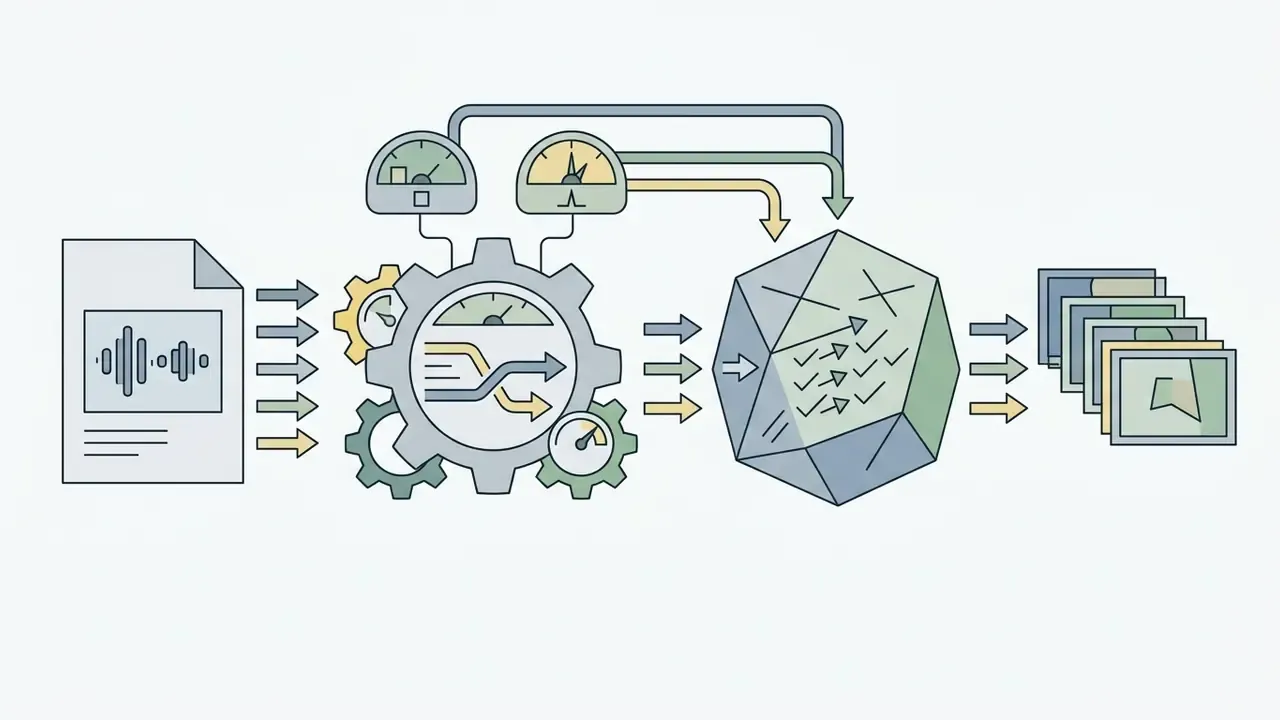
To convert a raw audio track into a finished music video, an ai lyric video creator executes a multi-stage data processing pipeline. First, the software parses the uploaded audio signal (such as WAV or MP3 files) to isolate vocal stems from instrumental backing tracks. Next, acoustic alignment algorithms map the incoming text characters or timestamped lyrics (.lrc or .srt files) to the vocal waveforms.
Research on multimodal lyric transcription shows that combining several input channels materially reduces recognition errors compared with audio-only baselines:
«Multimodal systems that fuse audio, lip-video, and IMU signals substantially reduce lyric transcription errors versus audio-only baselines.»
Once temporal alignment is established, the platform generates dynamic text overlays, applies selected font styles, and composites the typography over video backgrounds. The alignment stage itself has moved from hidden-Markov heuristics to learned representations:
«Contrastive audio-to-lyrics alignment models outperform HMM-based approaches on multilingual singing datasets.»
AI generator, lyric video maker, or editing software: what is the difference?
The operational distinction between an ai lyric video generator tool, a traditional lyric video maker, and professional editing software lies in the level of automation and structural workflow:
- AI video generators for lyrics: Purpose-built pipelines that execute speech recognition, timestamp alignment, and scene assembly automatically via web APIs or browser interfaces. Automation depth is high; creative control is bounded by the preset generation pipeline. This is the category most people mean when they search for an ai lyric music video generator.
- Template Lyric Video Makers: Graphic tools that rely on pre-designed motion templates, requiring users to adjust text blocks and timing markers manually. Fast setup, limited control, and frequent manual template fitting.
- Professional video editing software (e.g., Adobe After Effects, Premiere Pro): Non-linear editing platforms offering frame-accurate keyframing, expression scripting, plug-in automation, and deep composition control, but requiring high technical expertise and significant labor hours.
An empirical study of automated animated-text generation supports the speed argument:
«Novices produced animated lyric videos without manual keyframing, reporting high enjoyment and inspiration scores in the user study.»
In cost and staffing terms, the three categories diverge sharply. DIY or automated lyric-video production is commonly costed at roughly $0 to $50 per video, whereas professionally produced clips start around $500 and scale past $2,000. Total cost of ownership for AI tools is dominated by subscription or render credits rather than hardware; professional NLE workflows additionally require GPU-capable workstations and trained motion designers. If you are modelling a full release calendar, our AI Media Calculators and AI Media Pricing Guides break those recurring credit costs down per output minute.
How to Create a Lyric Video with AI
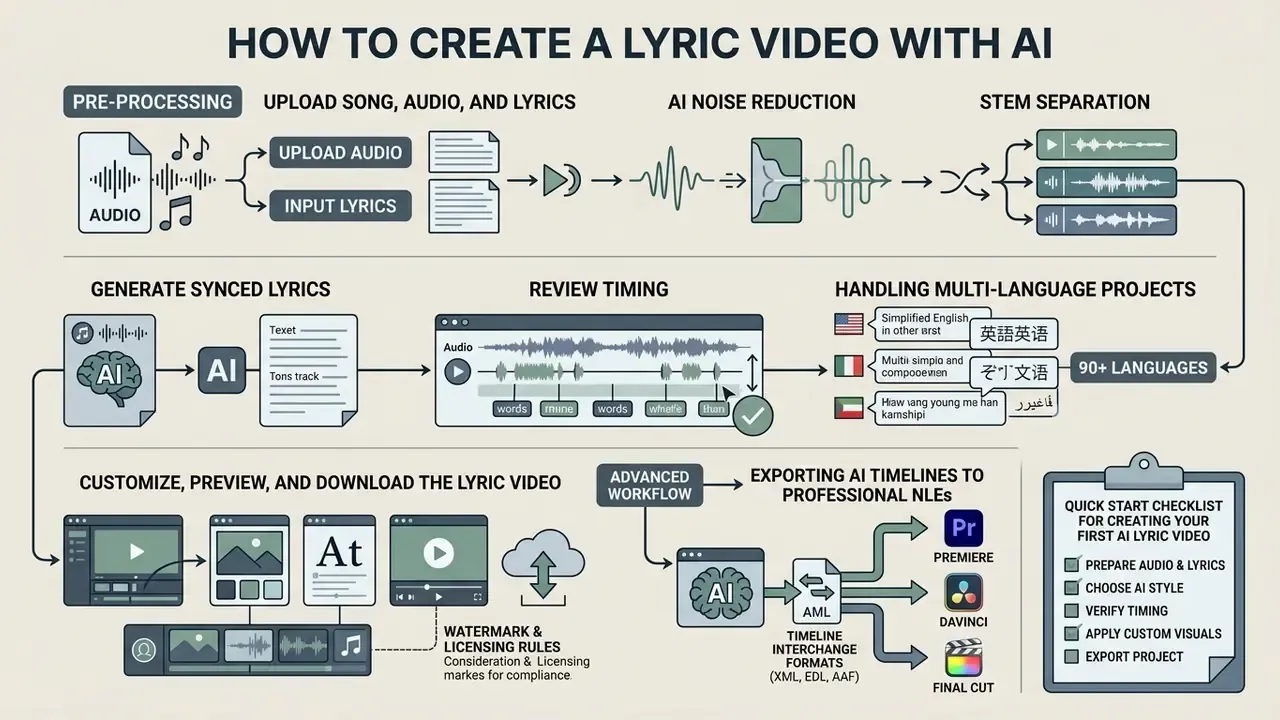
Creating ai generated lyric videos requires a systematic workflow to ensure audio accuracy, timing precision, and visual compliance across digital streaming platforms.
Pre-Processing: AI Noise Reduction and Stem Separation
Submitting audio with background noise, room reverb, or heavy instrumental bleed degrades acoustic alignment accuracy. Modern generators integrate automated DSP models (for example Dolby-powered transcription front-ends or Spleeter-style neural source separation) to isolate the vocal track and strip low-frequency hums, ambient hiss, traffic, or wind before phoneme mapping begins. Browser-based editors such as VEED expose this as a one-click cleanup pass that automatically detects wind, humming, and traffic noise and removes it from the audio.
If your source recording is an unmastered room demo, a phone voice memo, or a live capture, run the cleanup and stem-isolation pass first. In internal QA testing across noisy demo material, this single step is the difference between usable sub-100 ms word timings and a transcript that requires line-by-line rebuilding. Skip it and you will spend the saved minutes twice over in the timeline.
Practical pre-processing sequence:
- Normalize peak level to roughly minus 1 dBFS to avoid clipping during analysis.
- Apply AI noise reduction (wind, hum, room tone, HVAC rumble).
- Separate the vocal stem from the instrumental bed if the mix is dense or bass-heavy.
- Export a lossless working copy for the aligner, and keep the mastered mix for the final render audio track.
Upload your song, audio, and lyrics
The initialization stage requires uploading clean audio assets and reference text. For optimal speech recognition and alignment accuracy, speech-processing guidance recommends uncompressed, lossless PCM-WAV audio at 16 kHz or higher with 16-bit depth. Google Cloud Speech-to-Text advises capturing at 16,000 Hz or above and using a lossless codec such as FLAC or LINEAR16, explicitly warning that MP3 may reduce accuracy (Google Cloud Speech-to-Text best practices, https://cloud.google.com/speech-to-text/docs/best-practices). NIST speaker-recognition guidance similarly states that audio should be stored as standard lossless PCM-WAV rather than lossy MP3 or WMA.
While lossy MP3 files are broadly accepted by web tools, compression artifacts can degrade automated vocal isolation algorithms. Users can input lyrics via plain text pasting or structured timestamped files (.lrc, .srt). Timestamped formats eliminate transcription ambiguities by providing pre-calculated line markers; plain text carries no timing metadata at all and forces the engine to derive every boundary acoustically.
Common ingestion sets in production tools include WAV, MP3, FLAC, M4A, and MP4 for audio; JPEG and PNG for artwork; and MOV or MP4 for background video. Lyric ingestion accepts plain text, .lrc, and .srt.
Generate synced lyrics and review the timing
Once media files are uploaded, click the auto-synchronization feature within the ai lyric video maker online. The underlying AI model aligns textual characters to vocal phonemes using dynamic time warping or neural speech-to-text models such as OpenAI's Whisper family, whose transcription endpoints return srt, vtt, and verbose_json output with word- or segment-level timestamps (OpenAI speech-to-text guide, https://developers.openai.com/api/docs/guides/speech-to-text).
Peer-reviewed work confirms that these models can align imperfect text to singing:
«Whisper successfully aligns incomplete lyrics to sung recordings using acoustic-phonetic vowel modeling to improve accuracy.»
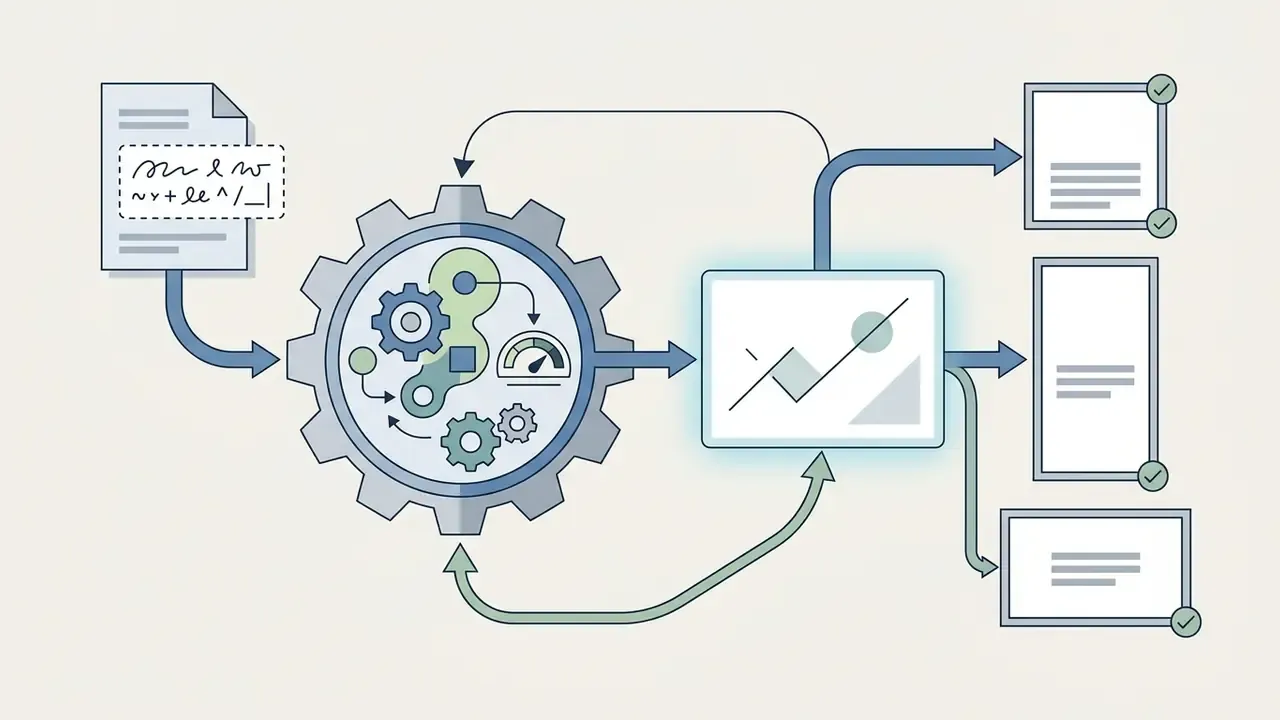
After processing, review the generated draft in an interactive timeline editor. Verify that word transitions align precisely with vocal onset times. Most browser-based editors provide waveform displays, allowing creators to drag word boundaries or nudge timing markers by millisecond increments to correct misaligned phrases. Documented manual-correction controls include: selecting a word and dragging its left or right handles, nudging a selected line with Shift + ← / Shift + →, and applying a global offset of minus 100 ms or plus 100 ms to the whole lyric track. When the transcript itself is wrong, correct the text first, then re-run alignment. Re-syncing over bad text simply relocates the error.
Handling multi-language projects
If the song mixes languages or targets an international audience, confirm the language setting before the first alignment pass. Leading engines transcribe 85 to 90+ languages, including non-Latin scripts (CJK, Cyrillic, Arabic, Devanagari), and can emit a second translated caption lane. Set the primary language explicitly rather than relying on auto-detection when code-switching occurs mid-verse.
Customize, preview, and download the lyric video
Advanced Workflow: Exporting AI Timelines to Professional NLEs (Premiere, DaVinci, Final Cut)
While standalone AI lyric generators render final MP4 files, professional post-production workflows often require fine-tuning color grades, particle effects, motion tracking, or spatial audio. Leading AI video platforms allow creators to export synchronized lyric projects as XML, EDL, or FCPXML timeline files. LyricEdits, for example, positions this explicitly: build the lyric video in minutes, then export to DaVinci Resolve, Premiere Pro, or Final Cut Pro for advanced editing.
This hybrid pipeline preserves word-level text keyframes and vocal alignment markers while opening the sequence directly inside Adobe Premiere Pro, DaVinci Resolve, or Apple Final Cut Pro. Creators retain the speed of automated speech alignment without forfeiting deep compositional control.
Timeline interchange formats for AI-to-NLE handoff
| Format | Primary Target | Carries | Typical Limitation |
|---|---|---|---|
| FCPXML | Apple Final Cut Pro | Clips, titles, transforms, audio roles | Custom animation presets may rasterize |
| XML (Premiere / legacy FCP7) | Adobe Premiere Pro, DaVinci Resolve | Cut points, text layers, basic keyframes | Complex kinetic typography often flattens |
| EDL | Resolve, broadcast conform | Timecode-accurate cut list only | No text or effects data |
| .LRC / .SRT sidecar | Any editor or player | Line- or word-level lyric timings | No styling; requires re-styling in NLE |
| ProRes / PNG sequence with alpha | All NLEs and compositors | Rendered typography as an overlay layer | Large files; text no longer editable |
Practical tip: if your platform does not emit XML, export the styled lyric layer as a ProRes 4444 or PNG sequence with an alpha channel and composite it over your graded footage inside the NLE. You keep the AI timing and gain full grading control.
Quick Start Checklist for Creating Your First AI Lyric Video
- Prepare Audio FileExport a clean, mastered audio track in 16-bit 44.1 kHz WAV or high-bitrate MP3 format.
- Clean the SourceRun AI noise reduction and vocal stem isolation if the recording is a demo, live capture, or noisy room take.
- Prepare Lyric TextProofread raw lyrics to eliminate spelling errors, or source a synchronized
.lrcfile. Set the correct language for multi-language tracks. - Upload AssetsImport the audio track and lyrics into an ai lyric video generator online platform, staying inside file-size and duration limits.
- Execute Auto-SyncTrigger the automated transcription and vocal alignment process.
- Inspect TimelineScrub the audio waveform to verify line-level and word-level timestamp accuracy; fix text first, then re-align.
- Style Typography and BackgroundsSet compliant font hierarchy, color overlays, and background visualizers with 4.5:1 minimum contrast.
- Render and ExportPerform full-length preview playback, then download the H.264 MP4 output, or export XML/FCPXML if the project continues in an NLE.
AI Features That Improve Lyric Video Generation
Modern ai lyric video generator tools incorporate specialized algorithmic components designed to enhance output quality, timing precision, and media scalability.
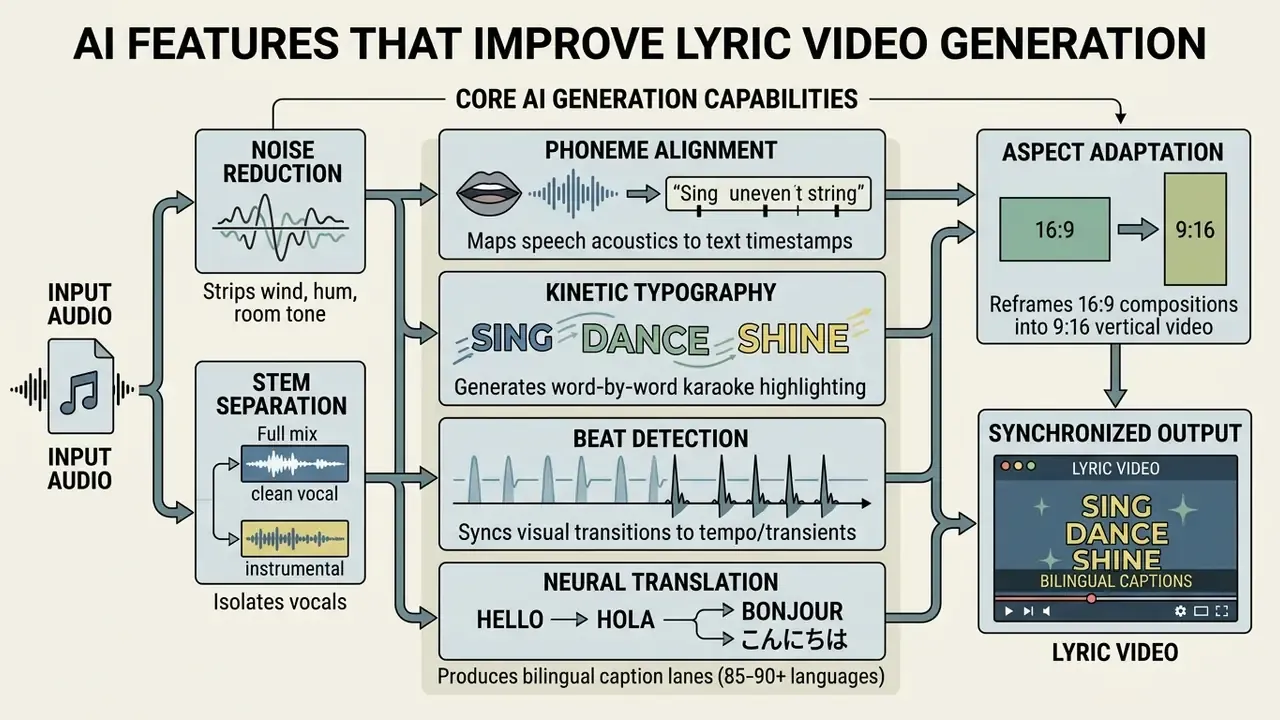
Auto-sync lyrics to music and vocals
Automated synchronization relies on phoneme alignment engines and forced-alignment neural networks. Speech recognition frameworks such as Whisper compute acoustic likelihood scores to map vocal signals directly to corresponding text strings (Han et al., 2023, https://arxiv.org/abs/2306.04488). Phoneme-level alignment, meaning the mapping of a phoneme sequence onto a continuous speech signal, remains the standard technical basis for sung-lyric synchronization. Beat and tempo tracking is a separate timing layer that anchors visual transitions to the rhythmic grid.
By analyzing vocal transients rather than whole-track rhythm, advanced generators maintain line-level synchronization even during complex vocal passages, ad-libs, or polyphonic instrumentation. Songwriters who build tracks from generated harmony beds (say, from an ai chord progression tool) will notice alignment behaves better here, because the instrumental bed is already separable.
Handling Complex Vocal Phrasing: Fast Rap, Melodic Melismas, and Ad-libs
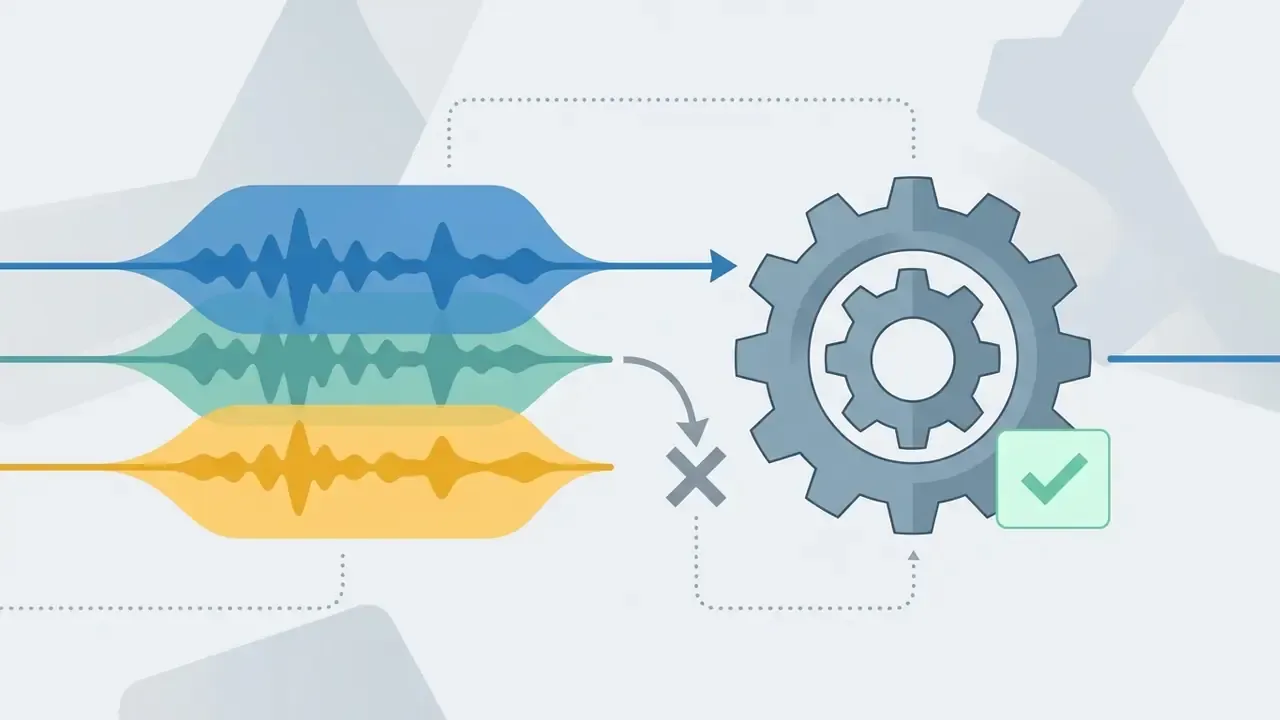
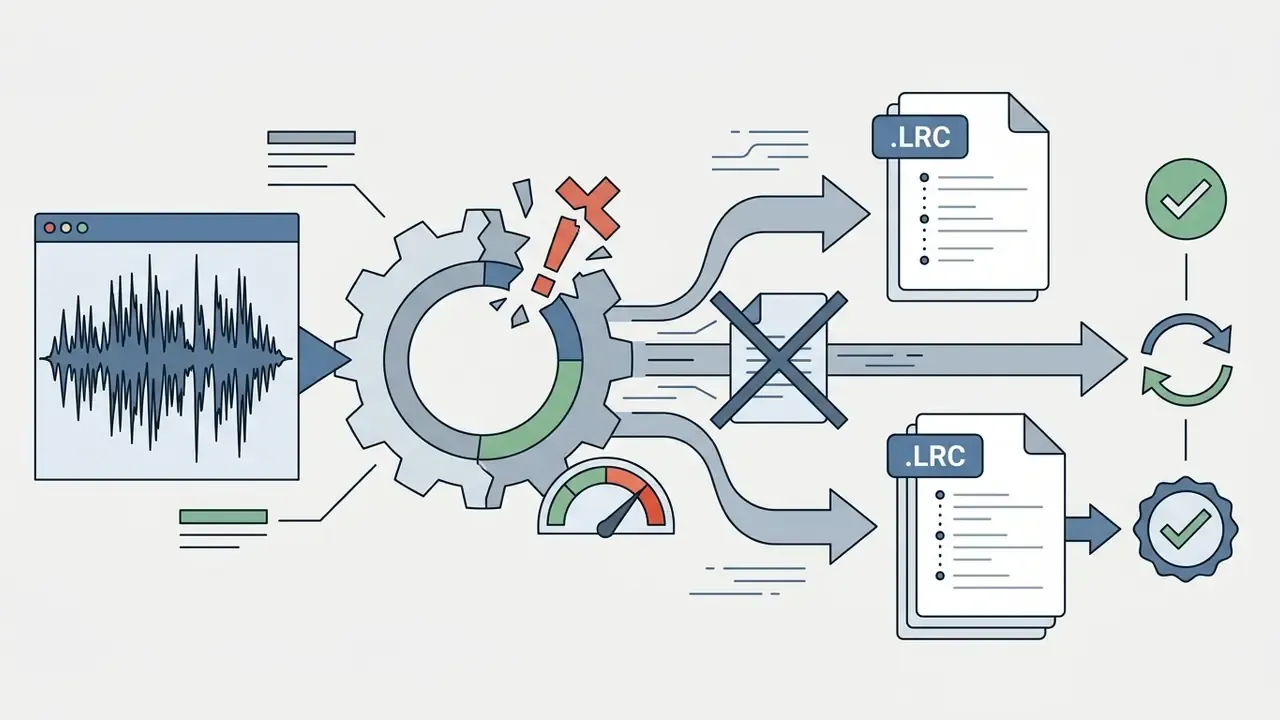
Standard forced-alignment models often stumble during high-BPM rap verses, overlapping ad-libs, or sustained vocal melismas. Advanced music-tuned AI transcribers combine acoustic phoneme parsing with transient beat-tracking to resolve rapid vocal onset times. Music-specific tools market this capability directly, citing support for fast rap, melodic vocals, genre changes, ad-libs, and fast phrasing rather than generic spoken-word captioning.
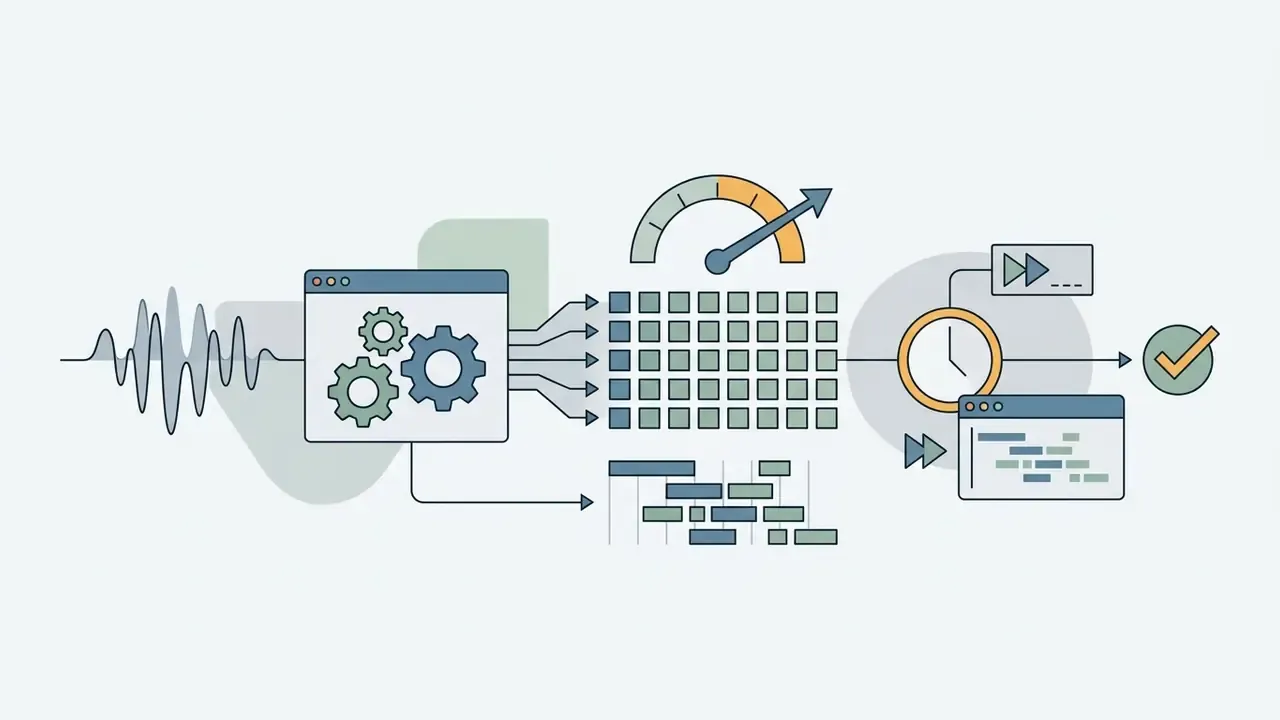
.lrc file and skip acoustic transcription entirely.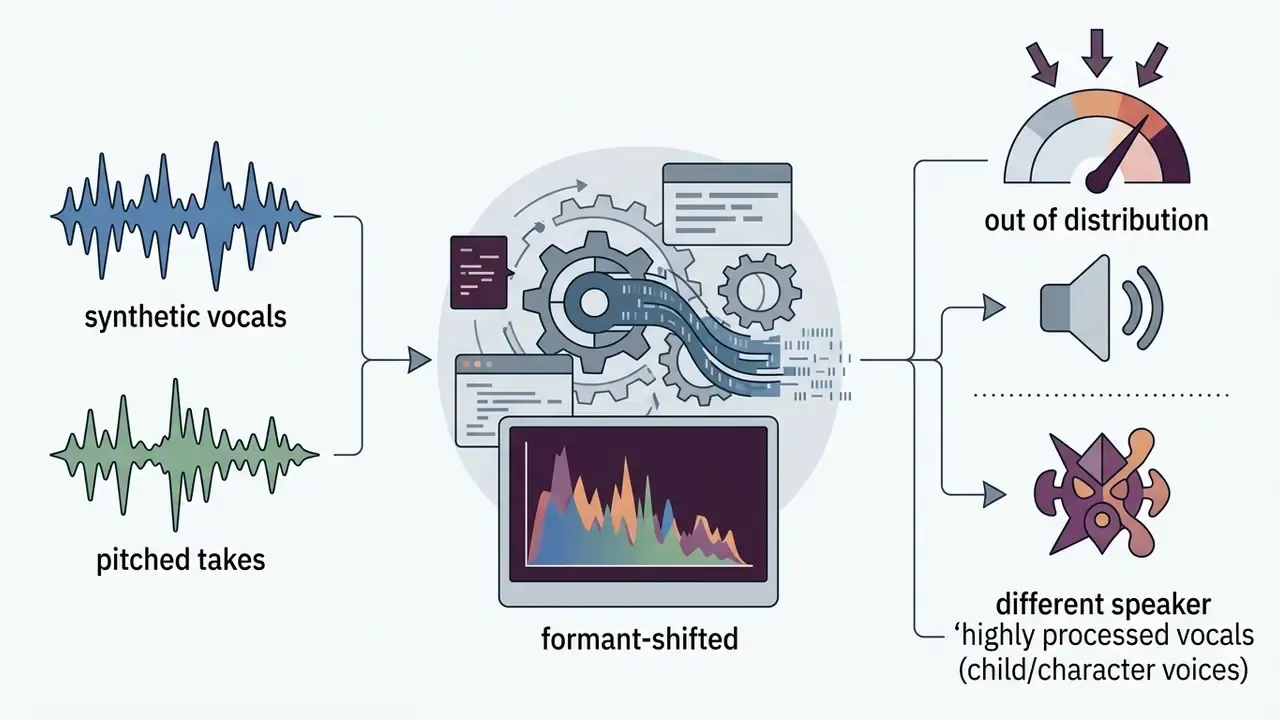
Edit lyrics, timing, and word-by-word animation
When automated alignment yields minor timing offsets, interactive timeline interfaces allow manual refinement. High-end ai lyric video maker software exposes word-level timing tracks where users can edit text strings, split lines, or adjust kinetic typography presets. Academic prototypes established this interaction pattern early: TextAlive automatically generates kinetic typography from audio plus transcription, assigns a default animation template to each text unit, and lets users select units on the timeline to change fonts and animation templates (Kato, CHI 2015, https://junkato.jp/publications/chi2015-kato-textalive.pdf).
[Waveform Display]  |||/\/\|||\/\/\||||/\/\/\|||/\/\/\|||
[Word Timestamps]   |  Never  |  Gonna  |  Give  |  You  |
[Interactive Handle]          ^--------^ (Drag to adjust -50ms)
Common animation modes include word-by-word karaoke highlighting, typewriter reveals, and motion-blur transitions. Research in educational media supports the engagement value of karaoke-style captioning:
«Preliminary results indicate karaoke-style captions increase engagement and comprehension in children aged 6-10, measured with eye-tracking.»
Common AI alignment failures and how to fix them
Automated alignment is probabilistic, not deterministic. Building a human-in-the-loop review step into your release checklist is what separates a publishable asset from a viral mistake screenshot.
Failure modes in automated lyric alignment and corrective actions
| Failure mode | Typical cause | Corrective action |
|---|---|---|
| Misheard words or homophones | Low vocal-to-instrumental ratio, slang, proper nouns | Paste corrected lyrics, then re-run alignment |
| Progressive caption drift | Tempo changes, variable BPM, long instrumental bridges | Re-anchor per section; apply ±100 ms global offset |
| Phantom or duplicated words | Reverb tails, delay throws, echoed ad-libs | Noise reduction and stem isolation before alignment |
| Language switching mid-verse | Auto-detected single language | Set language manually or split the track into segments |
| Broken line breaks | Engine segments by silence, not by lyric structure | Re-break lines to 2-4 words for 9:16, full phrases for 16:9 |
| Extreme vocal styles | Growls, screams, whispers, heavy pitch correction | Bypass ASR; ingest a timestamped .lrc file |
For teams operating under model-risk governance, log every corrected segment and the pre/post error count. That log becomes your audit artifact and your evidence base for choosing between vendors. If a tool never lets you export that log, treat the gap as a control weakness, not a minor inconvenience. Our AI Media Support and Troubleshooting notes cover how to reconstruct timing logs when the platform exposes only a finished MP4.
Generate lyric videos for full songs and short clips
AI generation architectures support two distinct production formats:
- Full-Length Master Videos (3-5 minutes): Built for full song releases on channels like YouTube. These project pipelines process long-sequence audio files, applying consistent visual themes and section-aware transitions across verses, choruses, and instrumental bridges. Long-form generation research segments a full song into temporally contiguous units derived from lyric boundaries and section transitions, typically constraining individual shots to a 3 to 15 second window with audio-video parity checks. Diffusion-based systems now demonstrate feasibility at song length:
«Cascaded diffusion transformers generate long-form music videos with consistent visual quality and audio synchronization.»
- Short-Form Social Clips (15-60 seconds): Optimized for promotional hooks on TikTok, Instagram Reels, and YouTube Shorts. These workflows focus on high-impact vertical layouts (9:16) with larger text sizing to capture immediate viewer attention. Practical guidance is to build vertically from the start, cut 3 to 5 short excerpts per song, lead with the hook, and prepare multiple aspect ratios in the same session.
Delivery note: if you also distribute an official music video through commercial storefronts, check the platform's video guidelines. Apple's video specifications, for example, do not accept lyric-focused clips as official music videos and prohibit static or scrolling lyrics as well as teaser or "full version" labeling inside music-video submissions. Treat lyric videos as promotional and streaming-channel assets, not as substitutes for official video delivery.
Customize Lyrics, Background, and Video Style
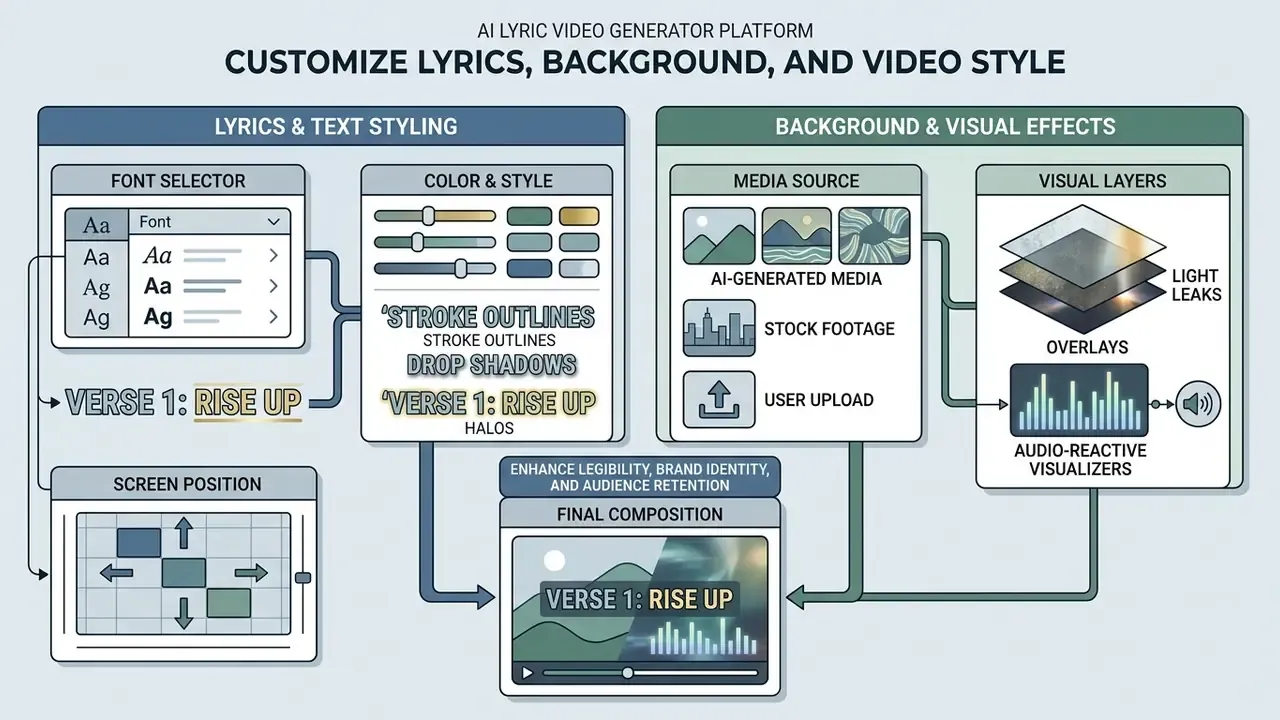
Visual styling directly influences legibility, brand identity, and audience retention. An ai lyrical video maker provides customization parameters across typography, background imagery, and aspect framing.
Choose lyric text style, font, and screen position
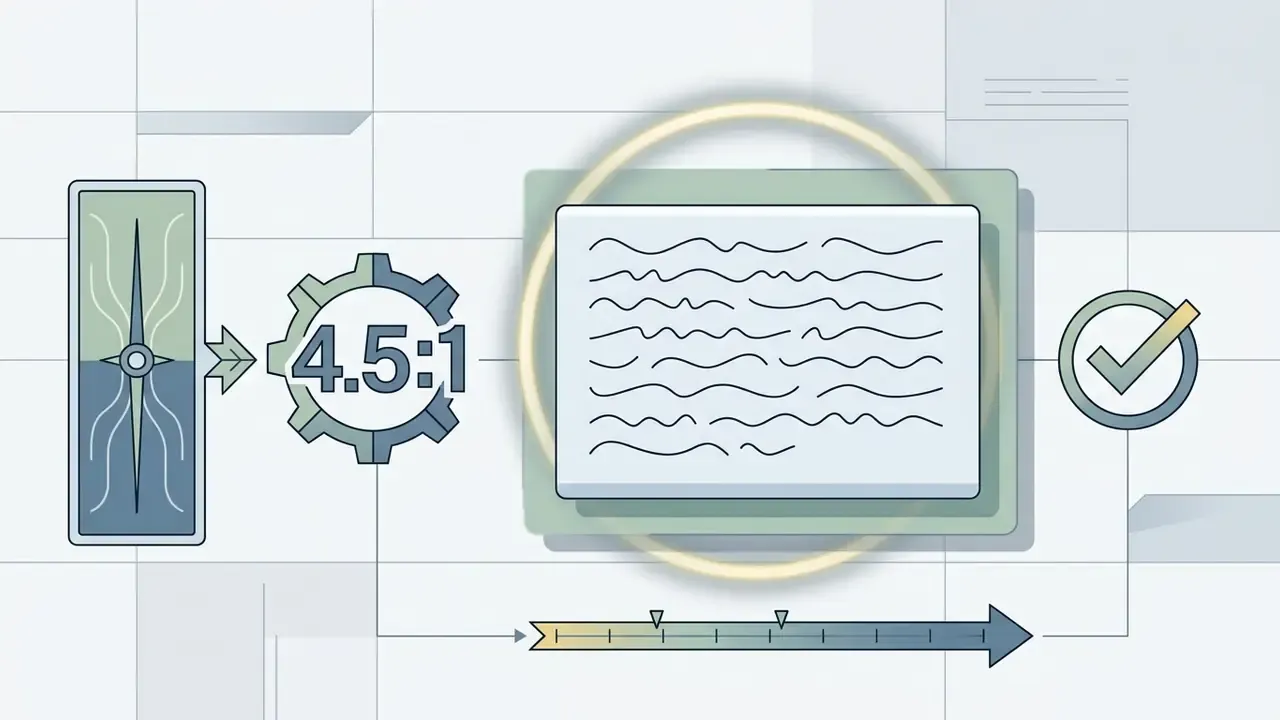
Typography selection must balance artistic theme with functional legibility over moving backgrounds. W3C Web Content Accessibility Guidelines 2.1 specify that body text should maintain a contrast ratio of at least 4.5:1 against local backgrounds, relaxing to 3:1 for large text (W3C WCAG 2.1, https://www.w3.org/TR/WCAG21/). Microsoft's app design guidance repeats the same 4.5:1 minimum for visible text.
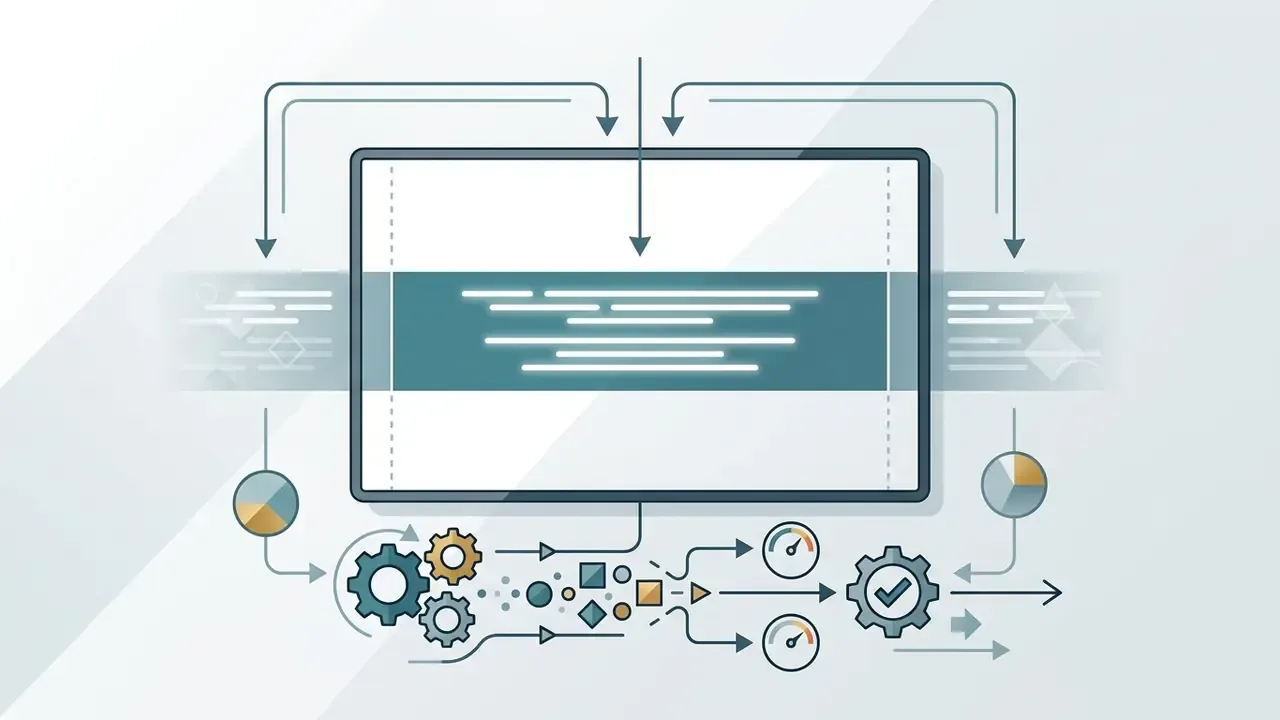
To preserve legibility over dynamic, multi-colored video tracks, modern generators apply structural text enhancements described in W3C Technique G18 (https://www.w3.org/WAI/WCAG22/Techniques/general/G18):
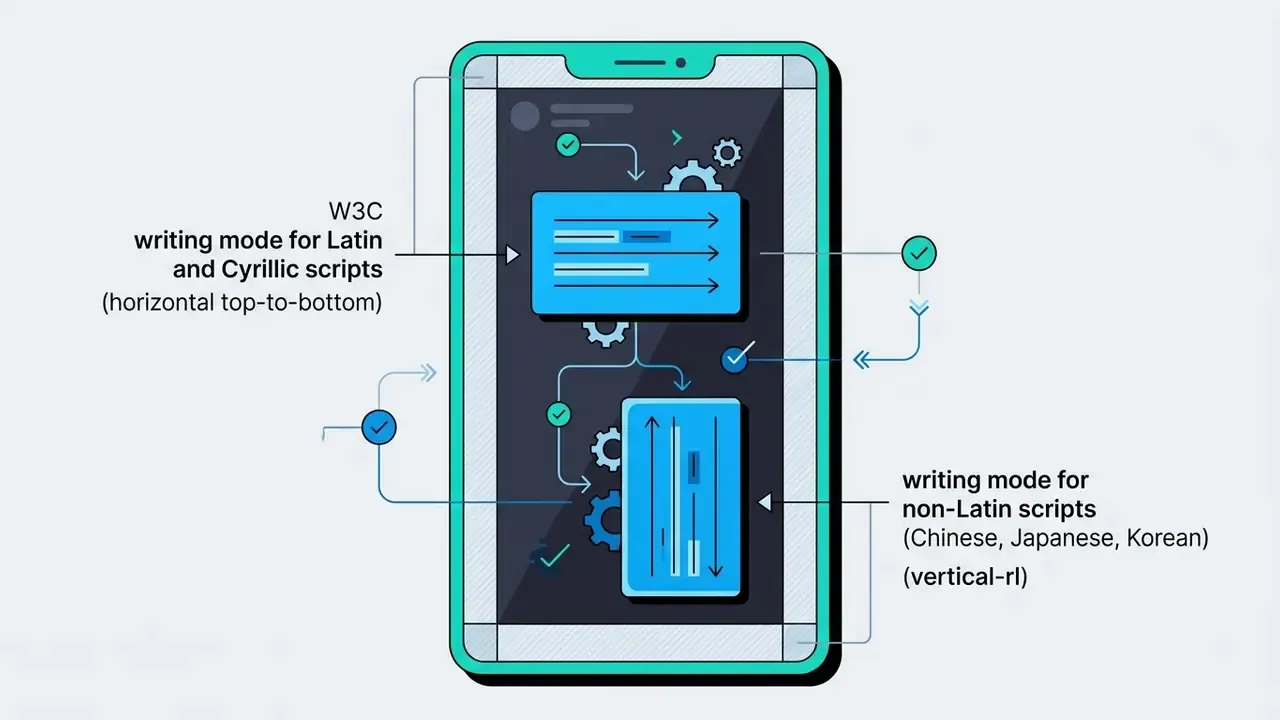
horizontal-tb for Latin and Cyrillic layouts, vertical-rl for Chinese, Japanese, and Korean typesetting, and vertical-lr for Mongolian.Add backgrounds, images, and visual effects
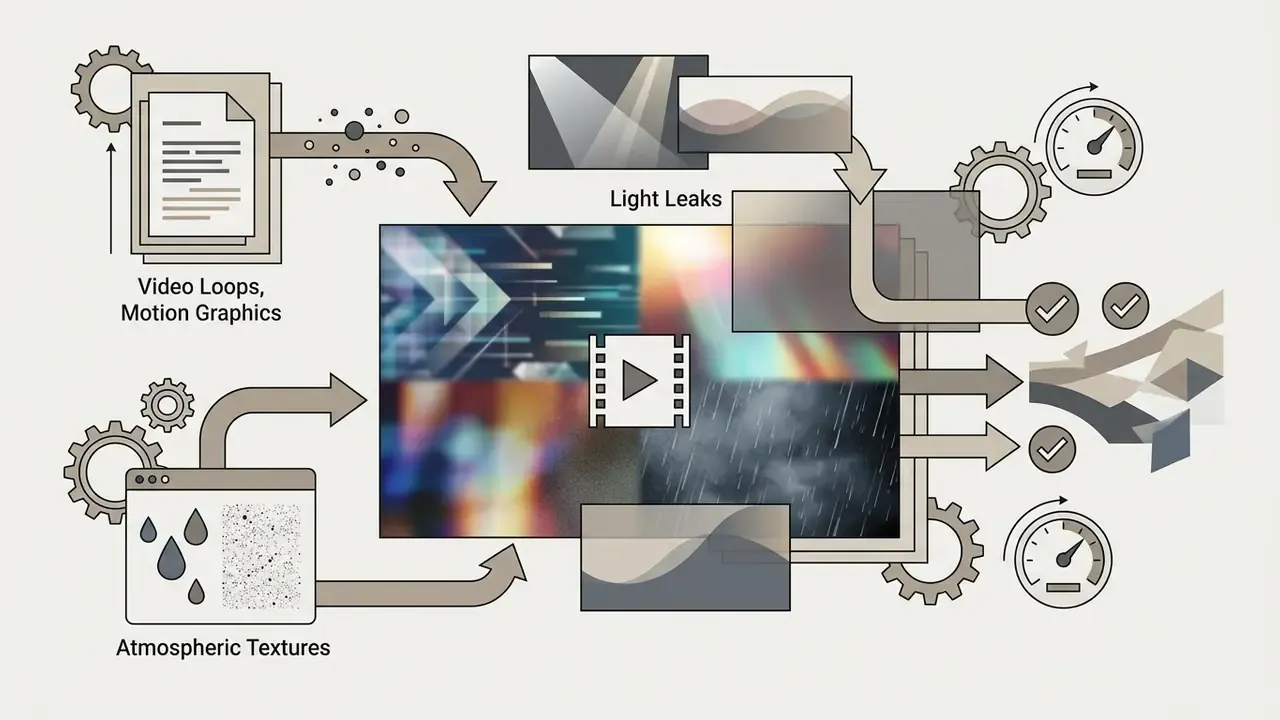
Generators offer multiple background asset channels:
- AI-Generated Media: Text-to-image or text-to-video diffusion models synthesize thematic background scenes based on song lyrics or user prompts. Benchmarks show that model choice matters for compositional fidelity:
«T2V-CompBench evaluates 1,400 prompts and shows models differ sharply in binding object attributes and depicting actions.»
If you prefer to animate existing artwork or press photos instead of prompting from scratch, image-to-video and animation tools cover that path.
Global Reach: Multi-Language Alignment and Automatic Translation
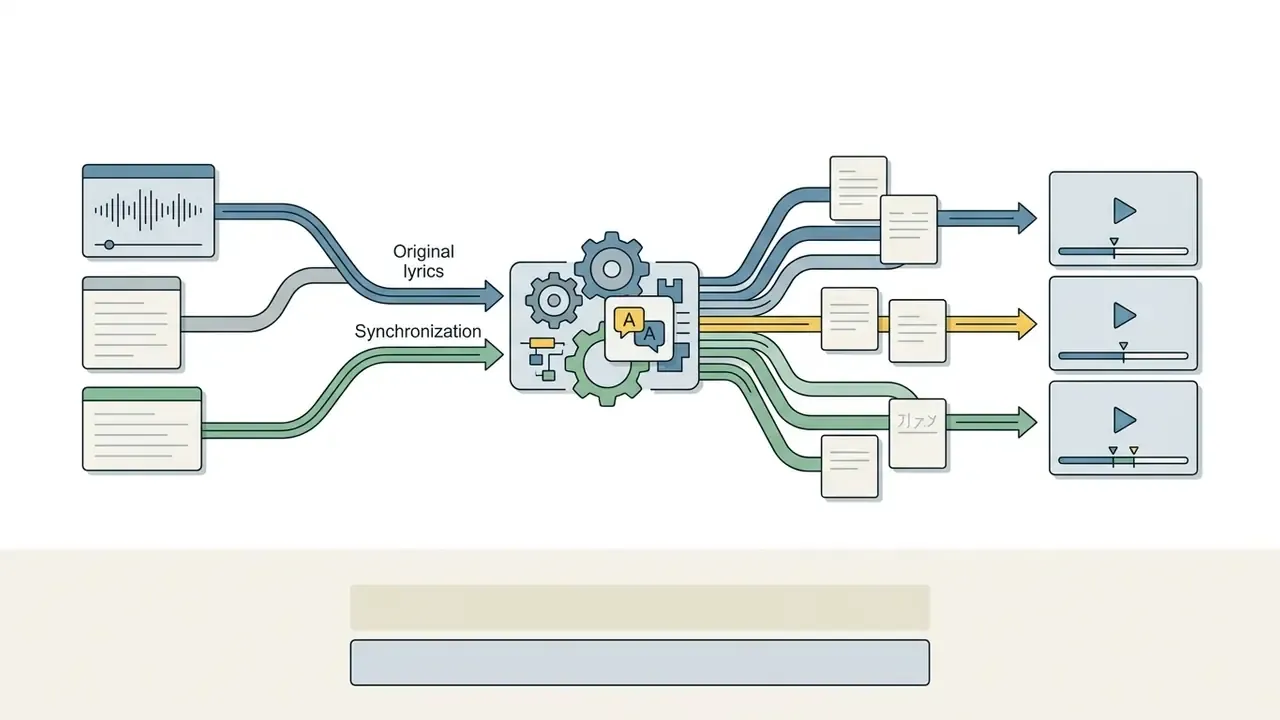
Reaching international audiences requires localized typography as well as translated words. Top-tier AI lyric engines support transcription in over 90 languages, including non-Latin scripts such as CJK, Cyrillic, and Arabic. Integrated neural translation models generate secondary dual-language subtitle tracks, allowing creators to display the original lyric line alongside a translated caption for global YouTube and TikTok promotion. VEED's transcription layer, for instance, both transcribes the song and translates the lyrics into other languages before export.
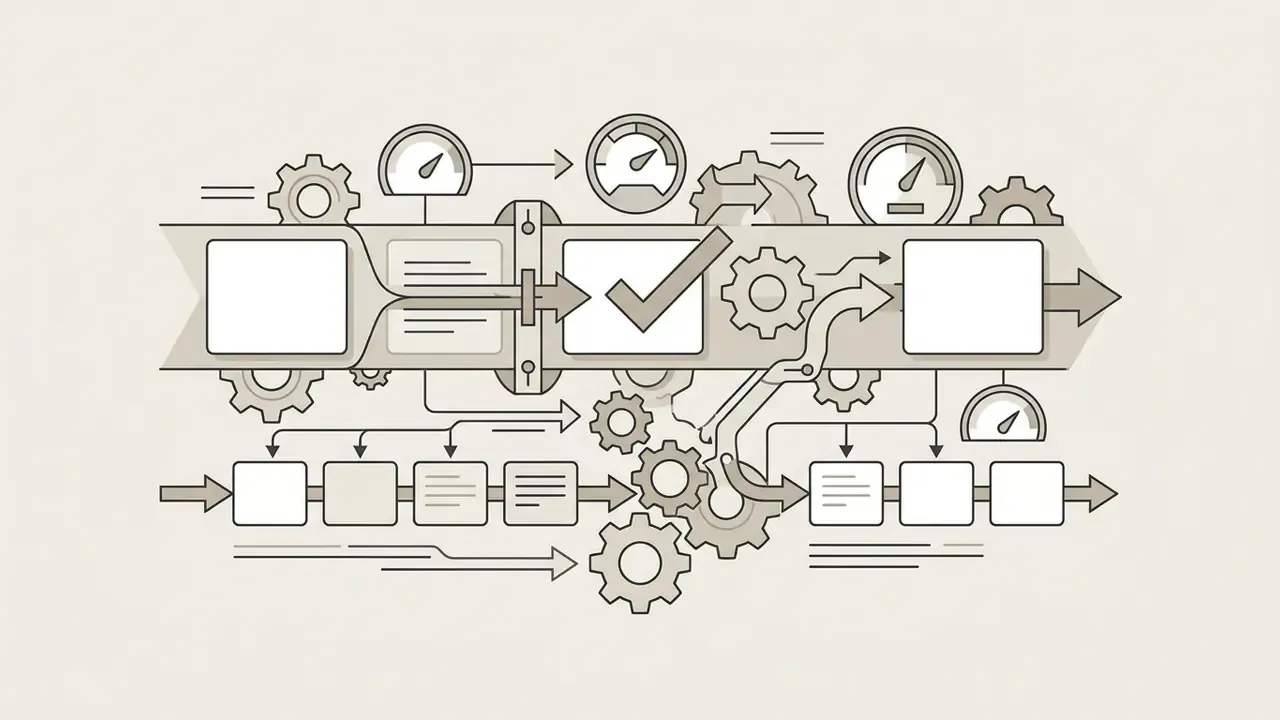
Practical rules for bilingual lyric videos:
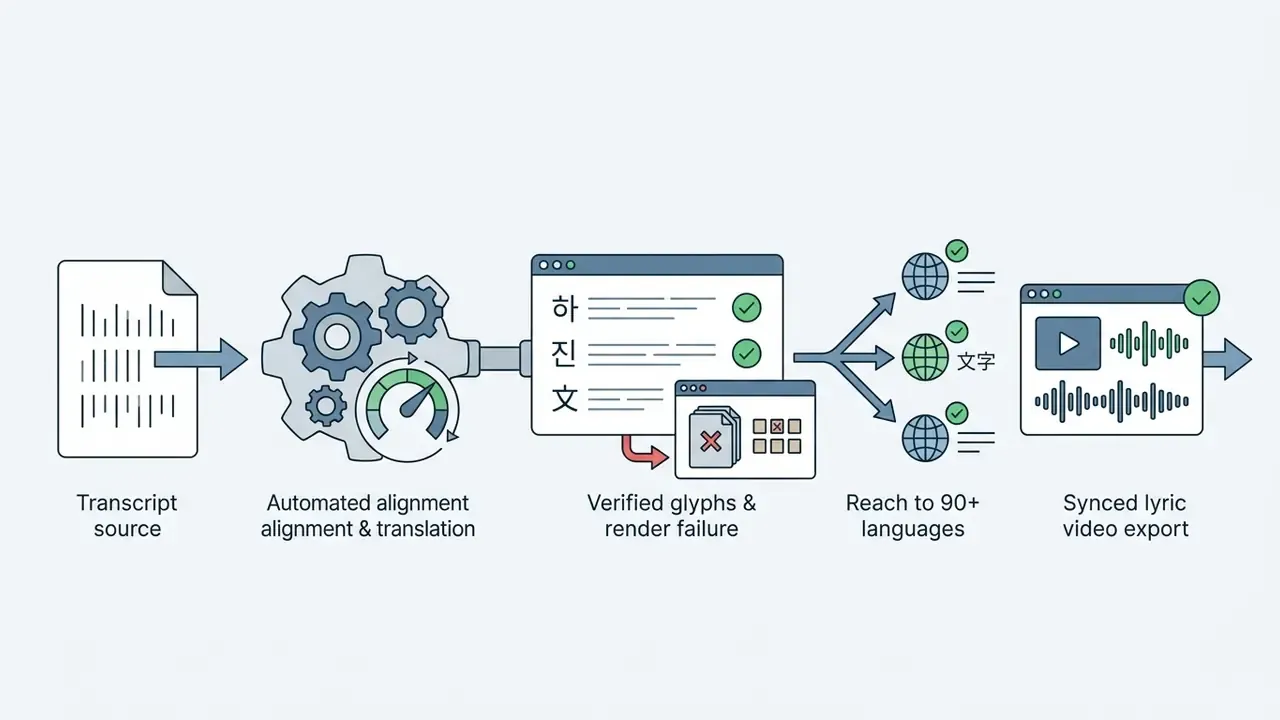
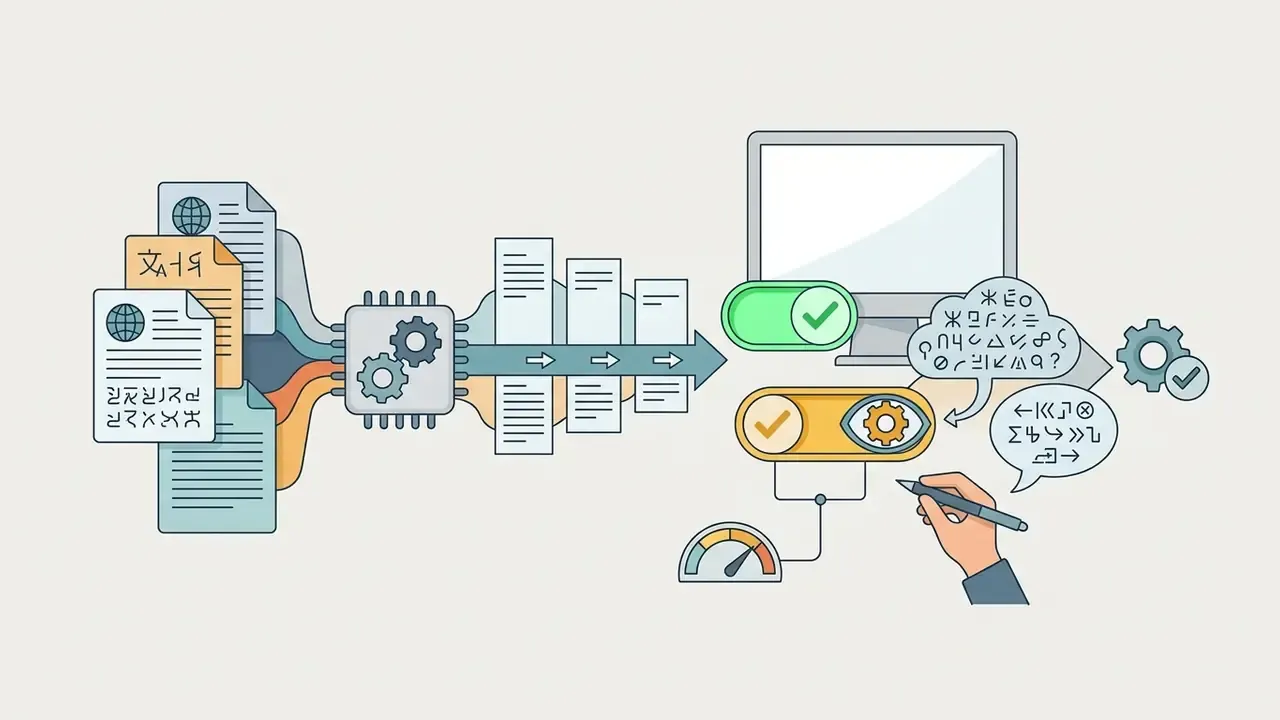
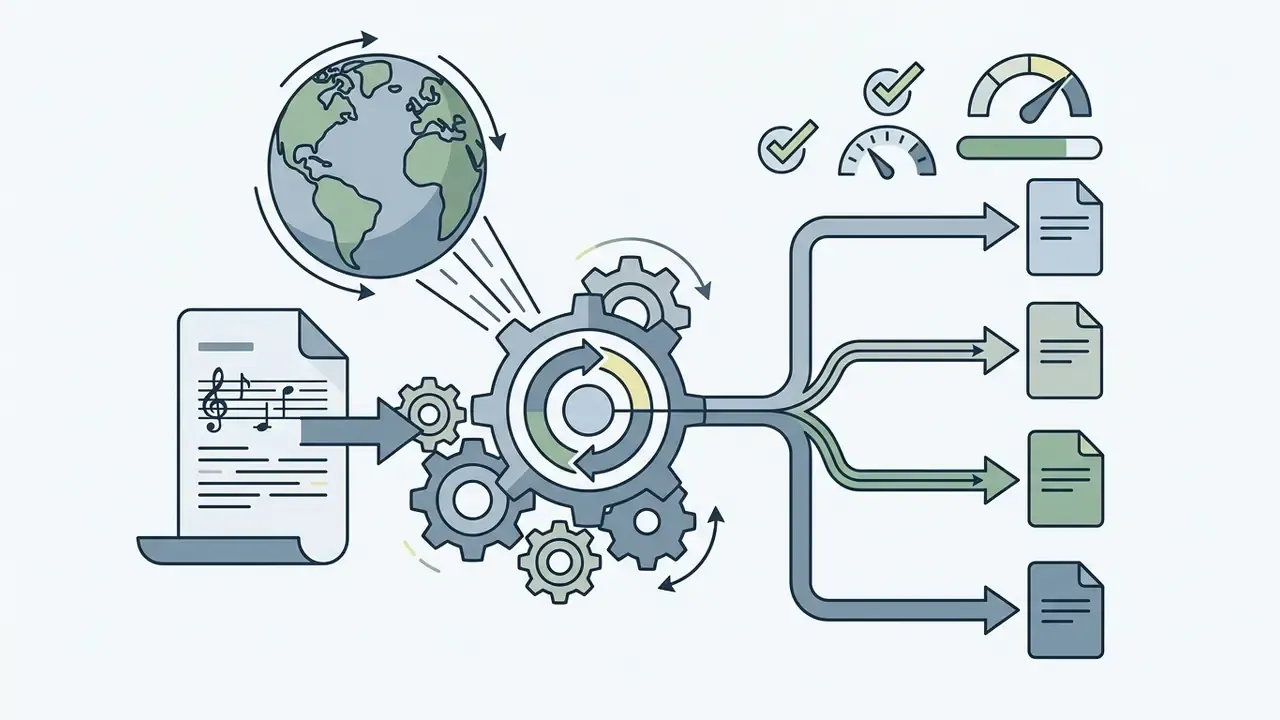
.srt sidecar so you can publish region-specific versions without re-rendering.Create vertical and horizontal lyric videos
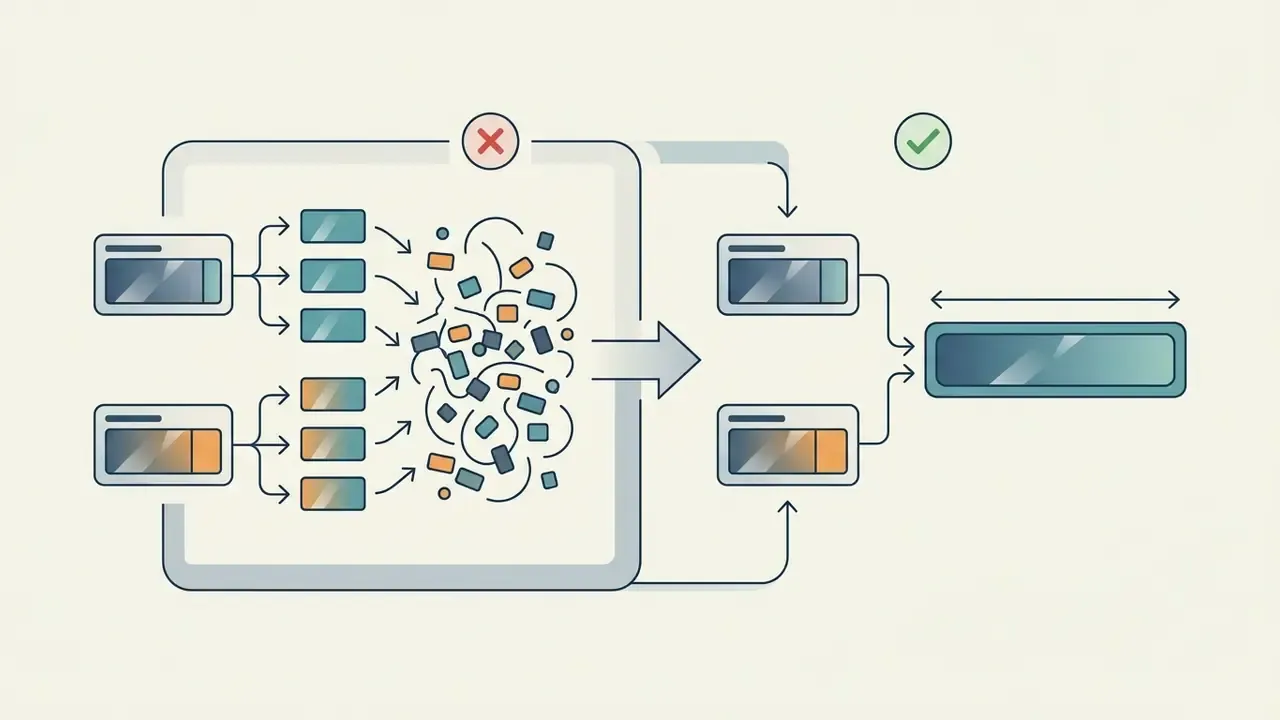
Aspect ratio configuration dictates layout structure. Horizontal (16:9) framing provides ample horizontal space, permitting multi-line text displays and wide panoramic backgrounds; text can sit in the lower third, center, or upper third because there is more negative space. Vertical (9:16) framing requires central or upper-middle alignment, larger font sizing, and short text lines (typically 2 to 4 words per line) to prevent UI truncation on mobile platforms like TikTok and Instagram, with the background filling the frame edge to edge.
YouTube Help documents 16:9 as the standard computer player ratio with the mobile player adapting to vertical video, while Google Ads guidance states that 9:16 vertical assets deliver better performance for Shorts than landscape assets (YouTube Help, https://support.google.com/youtube/answer/4603579). Never simply crop a finished 16:9 lyric master into a phone frame: side text gets cut and word sizes fall below mobile legibility.
Comparative Analysis: Vertical (9:16) vs. Horizontal (16:9) Lyric Video Formats
| Aspect Parameter | Vertical Format (9:16) | Horizontal Format (16:9) |
|---|---|---|
| Target Platforms | TikTok, Instagram Reels, YouTube Shorts | YouTube Main, Vevo, Vimeo, Desktop Displays |
| Text Layout Strategy | Centered or upper-middle; 2-4 words per line | Lower-third or center; full sentence capacity |
| Safe Zone Constraints | High: avoid bottom 20% and right edge UI elements | Low: standard broadcast title-safe margins |
| Background Crop Factor | Aggressive vertical crop of 16:9 media assets | Full panoramic frame preservation |
| Documented Performance Signal | Google Ads: vertical 9:16 outperforms landscape for Shorts | Standard desktop player ratio; no official CTR benchmark published |
Summary: Choose 9:16 layouts for short-form mobile promotion focused on high text visibility, and 16:9 layouts for full-length YouTube music releases requiring cinematic framing. Render both from the same aligned project rather than cropping one from the other.
Free AI Lyric Video Generator: What to Check Before You Start
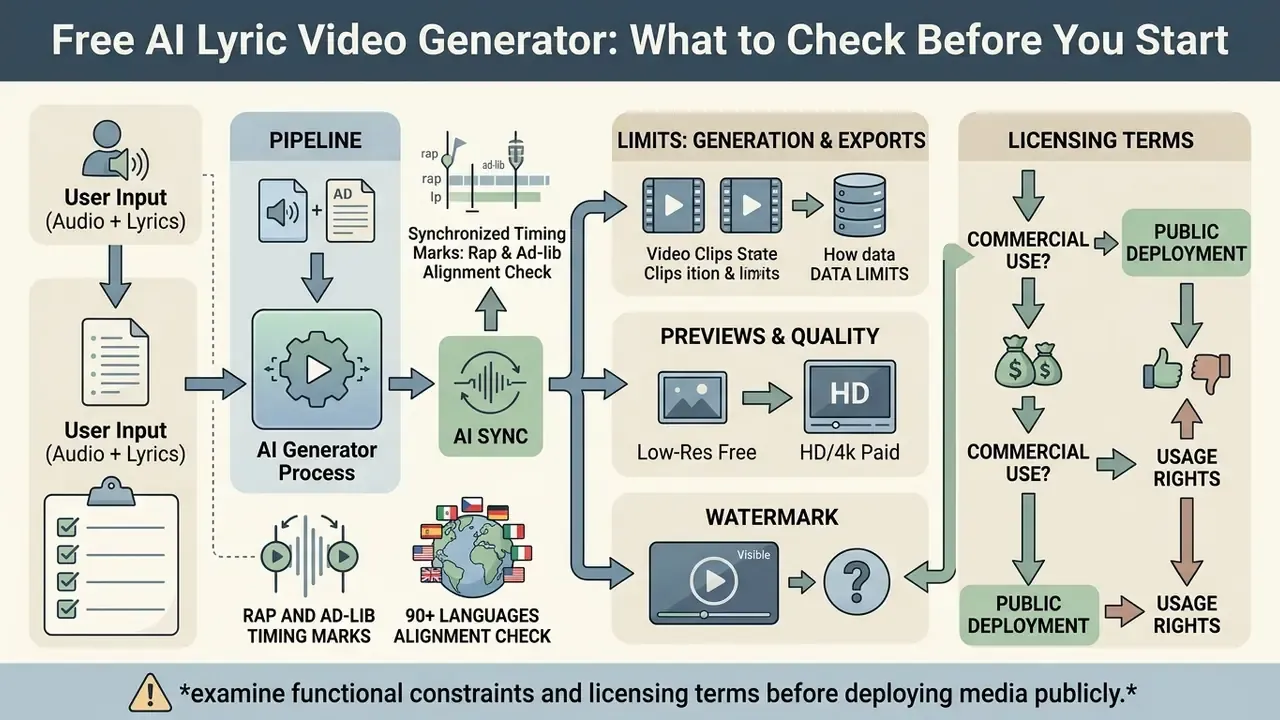
Creators evaluating an ai generated lyric video free option or unverified free tiers must examine functional constraints and licensing terms before deploying media publicly.
Free generation, previews, and export limits
Most freemium tools implement structural platform limitations on zero-cost tiers. Published free-tier limits across free AI video generators currently cluster into a narrow band:
- Export Resolution Restrictions: Free exports are frequently capped at 720p HD resolution, reserving 1080p and 4K rendering for paid subscribers. Some services invert this and offer 1080p free but reserve 4K for paid plans.
- Duration and Usage Caps: Documented examples include 3 videos total at up to 2 minutes each with 1080p export, 30 animation presets and 32 backgrounds on one platform; full-song-length free export with a small attribution mark on another; approximately 6 minutes maximum with 720p/1080p output on a third; and free preview only, with full-length export gated behind payment, on a fourth.
- Processing Prioritization: Free jobs are often placed in standard cloud queues, whereas paid tiers receive priority rendering processing.
- Monthly export caps: Most vendors do not publish a monthly cap; totals are enforced as lifetime video counts or per-render duration instead.
Standard Platform Ingestion and File Specifications
| Asset Type | Supported Formats | Recommended Max File Size | Operational Limit |
|---|---|---|---|
| Audio Tracks | WAV, MP3, M4A, AAC, FLAC | 100 MB | Up to 6-10 minutes per song |
| Album Artwork | PNG, JPEG, WEBP | 50 MB | Up to 8192×8192 px resolution |
| Background Video | MP4, MOV (H.264 / ProRes) | 1 GB | 30-60 fps matching render sequence |
| Lyric Ingestion | Plain text (.txt), timed subtitles (.lrc, .srt) | 5 MB | Strict UTF-8 encoding (multi-language) |
Note: these values reflect commonly published web-editor limits (for example, 100 MB / 6 minutes audio, 50 MB artwork, and 1 GB background media). Always confirm the current numbers on your chosen platform's help pages, since browser-based renderers adjust limits with infrastructure changes.
Watermarks, video quality, and commercial-use decisions
The primary trade-off in free tier tools is the placement of platform watermarks. Free tiers typically render prominent brand logos or attribution text directly onto exported video frames; several vendors state that public posting on the free plan is permitted only while the watermark remains visible, and that removal requires a paid license. One documented pricing model caps the free export at 720p with a per-frame watermark, and unlocks 1080p, watermark-free output, standard online commercial use, broadcast/OTT, and paid-media rights on a paid one-time license.
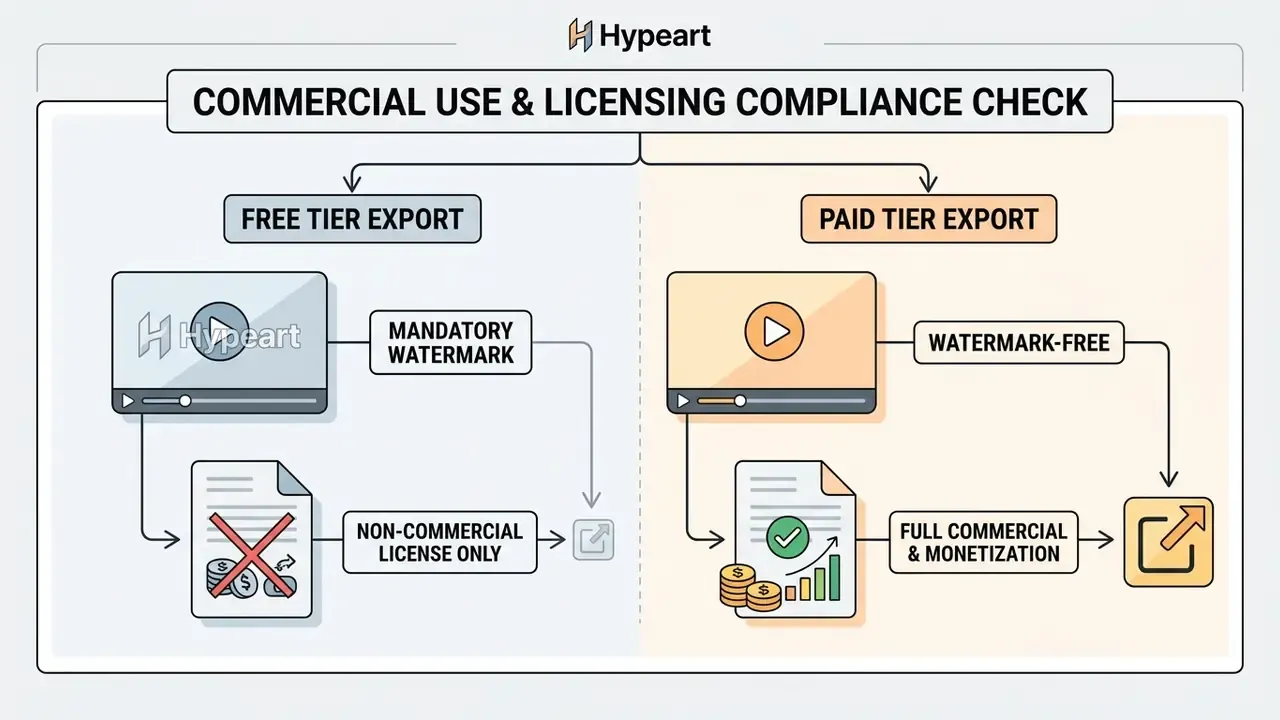
From an operational standpoint, deploying watermarked media for commercial music promotion or monetized YouTube channels creates copyright and branding complications. Major digital distributors and ad networks enforce strict guidelines regarding branded overlays and content licensing; documented branded-content rules on some social platforms prohibit graphical overlays, logos, or watermarks in the first three seconds of a video.
Resolution thresholds are also documented rather than folkloric. YouTube Help lists 1080p as 1920×1080 and 720p as 1280×720, sets a minimum of 1920×1080 at 16:9 for content intended for sale or rental, and recommends at least 1280×720 for ad-supported 16:9 uploads (https://support.google.com/youtube/answer/4603579). A 720p free export is therefore technically acceptable for ad-supported upload but below the bar for paid distribution.
E-E-A-T Verification: Licensing and Terms Fact Check
Vendor and Platform Comparison Matrix
Procurement decisions require named options, not abstractions. The table below summarizes publicly documented positioning of representative tools in this category. Figures come from vendor documentation and pricing pages and should be re-verified before purchase.
Representative AI lyric video platforms by workflow type, limits, and rights
| Platform | Type | Documented limits / outputs | Free tier | Standout capability |
|---|---|---|---|---|
| Capify | Music-tuned SaaS editor | Audio 100 MB / 6 min; artwork 50 MB; background 1 GB; MP3, WAV, M4A, MP4, MOV, JPEG, PNG | Preview only; exports paid | Word-level timing for rap, ad-libs, fast phrasing |
| LyricEdits | Story-driven AI generator + editor | 85-90+ languages; real-time editor for story, fonts, scenes, pace | Build free in editor, pay to export | Export to DaVinci Resolve, Premiere Pro, Final Cut Pro |
| VEED | General AI video suite | Auto-subtitles, translation, brand kit, platform canvas presets | Free editor; watermark removal paid | One-click audio cleanup (wind, hum, traffic) plus lyric translation |
| NeuralFrames | AI music-visual generator | Auto lyric, timing and phrasing detection; 4K export | Vendor-dependent credits | 4K delivery for YouTube, Spotify Canvas, live screens |
| Musid.ai | Lyric-video renderer | WAV, MP3, FLAC, M4A plus .lrc / .srt / plain text; 16:9, 9:16, 1:1 with embedded audio | Vendor-dependent | Timestamped lyric ingestion for exact control |
| GetLyricVideo | Automated renderer | MP4 / H.264; 1920×1080 and 1080×1920; 30 fps; 10-40 min render for a 3-min song; 20-50+ segments | Vendor-dependent | Published technical render specifications |
| Kapwing | Browser editor (mobile-friendly) | Runs in mobile Safari / Chrome; manual or auto subtitles | Free tier with limits | No-install phone workflow |
| MakeLyricVideo | Template/auto generator | Free: 720p plus watermark, no monetization; paid one-time license: 1080p, watermark-free, commercial plus broadcast/OTT | Yes, watermarked | Explicit, itemized commercial license tiers |
| LyricVue | Preset-driven generator | Free: 3 videos total, 2 min each, 1080p, 30 animation presets, 32 backgrounds, AI background generation | Yes | Large free preset library |
| Solmi | Lyric video generator | Free: full-song length, 1080p, small attribution mark; paid removes mark and unlocks 4K | Yes, attributed | Full-length free exports |
| Freebeat | Beat-driven AI generator | Free: up to ~6 min, 720p/1080p, essential features | Yes | Tempo and energy-driven scene cutting, no editing skills required |
| Adobe After Effects / Premiere Pro | Professional NLE / compositor | Frame-accurate keyframes, expressions, scripting, automated rendering; 1920×1080 / 3840×2160 export presets | Trial only | Unlimited creative control and pipeline automation |
Selection criteria for teams: verify (1) watermark policy on the tier you will actually use, (2) maximum audio duration versus your longest track, (3) whether XML/FCPXML export exists if post-production is in-house, (4) language coverage for your release markets, (5) API availability and job or webhook handling if you render at scale, and (6) written commercial-use and data-retention terms. Teams that already run API-based generation pipelines will recognize the same evaluation pattern used for video generation APIs and documented across our AI Media API Guides: job submission, webhook completion, and constrained preset control. Side-by-side feature grids live in the AI Media Comparison Matrices.
Data Security and IP Risk in Generative Video
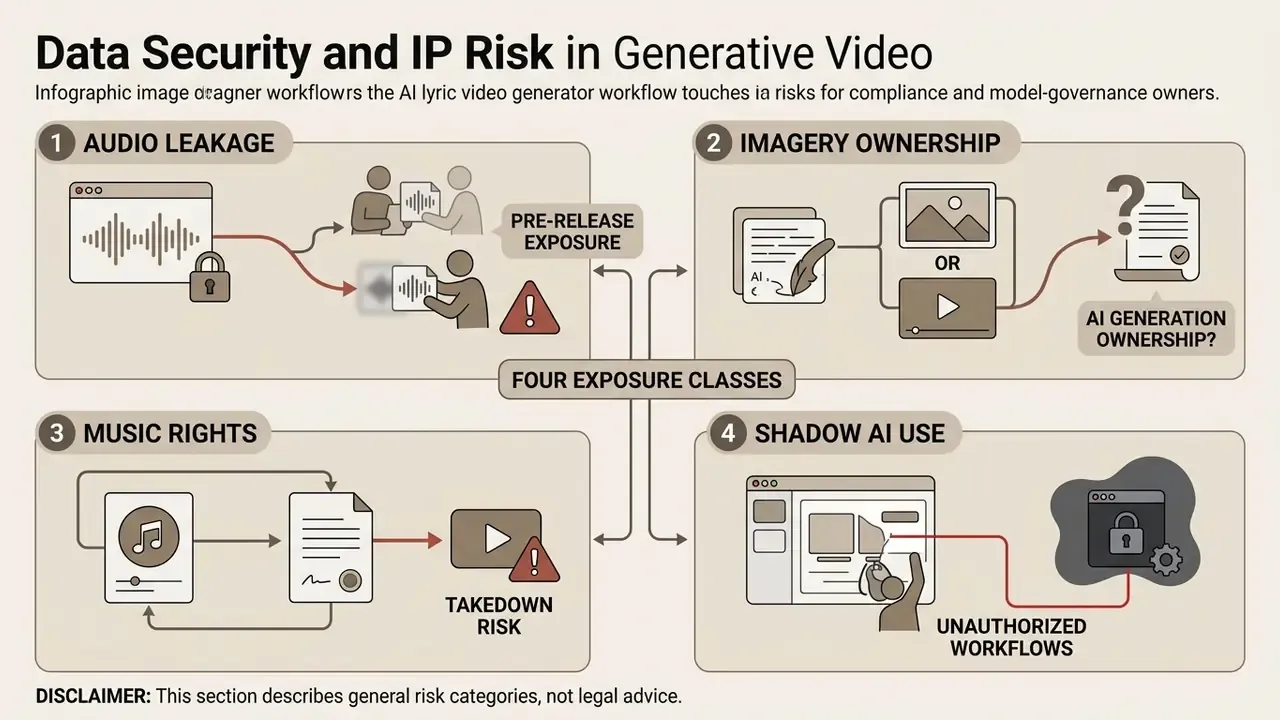
For risk, compliance, and model-governance owners, the lyric-video workflow touches four distinct exposure classes. None of them are visible in a marketing page.
1. Pre-release audio leakage. Uploading an unreleased master or vocal stem to a consumer SaaS account places the asset on third-party infrastructure under consumer terms. Without an enterprise agreement specifying retention windows, sub-processor lists, and a no-training clause, the file may be retained or used for model improvement. Mitigation: use enterprise plans with contractual data-retention limits, upload a watermarked or partial reference mix for layout work, and prohibit personal-account uploads in your creative policy. The same rule applies to any browser tool that promises ai chat no filter no sign up style frictionless access; no sign-up usually means no contract.
2. Ownership of AI-generated imagery. Diffusion-generated backgrounds sit in a contested legal area. Vendor terms may grant you a broad usage license without warranting originality or non-infringement, and copyright registrability of purely machine-generated imagery differs by jurisdiction. Mitigation: prefer tools that disclose which models they use (some vendors state they combine private and open-source models), keep prompt logs and generation records, and avoid prompts referencing living artists or protected styles for commercial releases.
3. Music rights and takedown exposure. Platform policies place the licensing burden on the uploader. TikTok's music usage confirmation requires that any video containing copyright-protected music be covered by all necessary licenses for both the composition and the master recording, or that the uploader confirm no protected music is present. YouTube Shorts remix eligibility is likewise restricted to public music videos with a single claim. Mitigation: clear master and publishing rights before release day, keep written artist permission when uploading on someone else's behalf, and confirm each platform's moving-image requirements, since some require a minimum proportion of moving imagery in the frame.
4. Shadow AI in creative departments. The lowest-friction lyric tools are free, browser-based, and require no procurement. That is precisely how unapproved tools enter release pipelines. Mitigation: publish an approved-tool list, require that any tool touching unreleased audio pass a data-retention review, and audit exports for watermarks and licensing tier before publication. Add generated assistants to the same inventory, including anything built with an ai chatbot maker for fan replies, since those touch audience data too.
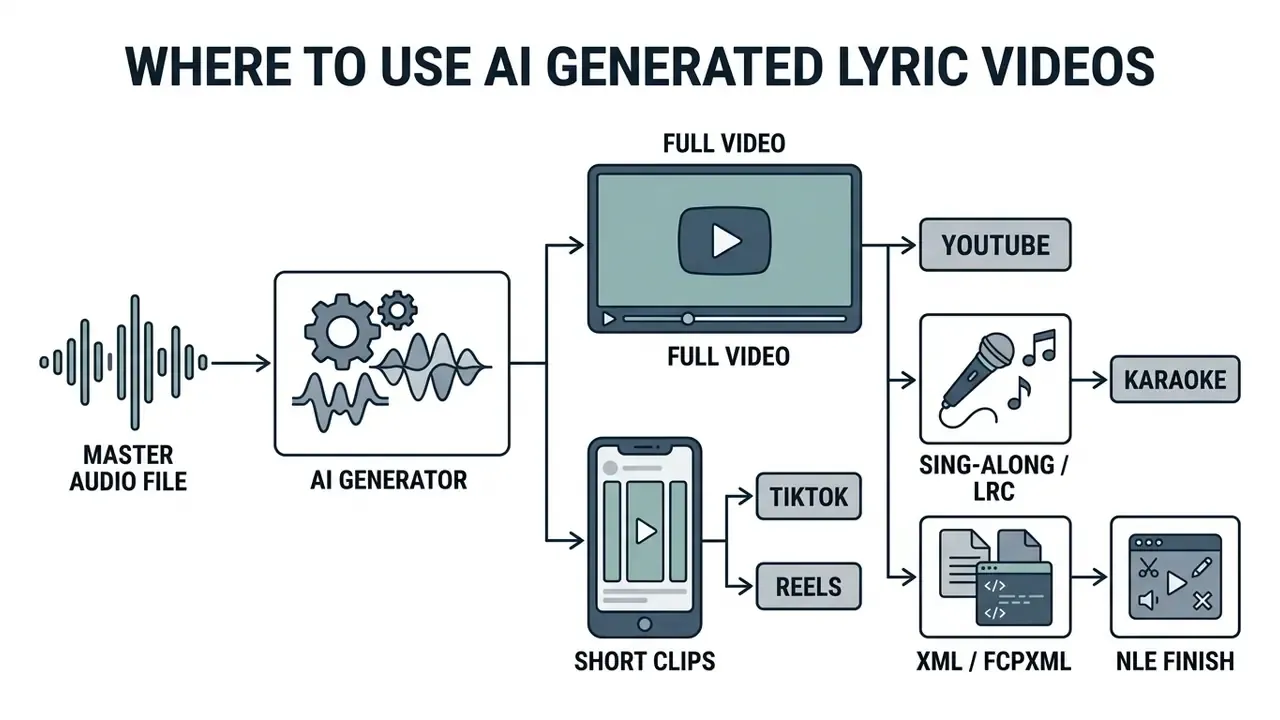
Where to Use AI Generated Lyric Videos
An ai generated lyrics video serves as a versatile digital asset across multiple music distribution and content marketing channels.
YouTube lyric videos and music promotion
On YouTube, lyric videos bridge the gap between initial audio releases and high-budget official music videos. Industry coverage has long described lyric-only clips as a necessary promotional step for both major labels and independent artists rather than a gimmick, and release calendars now treat them as day-one deliverables.
Publishing a synchronized lyric video on release day increases platform Watch Time, encourages search discovery through lyric queries, and populates official artist channels with monetizable video inventory. Independent-artist marketing practice pairs lyric videos with premieres and playlist sequencing to extend session time; academic work on indie monetization has similarly examined AI-generated visualization as a supplemental monetization layer hosted on YouTube. Because production costs sit in the $0 to $50 range for DIY and automated workflows versus $500 to $2,000+ for studio clips, the format is also the cheapest way to keep a channel active between full video budgets. Teams planning the publishing side can align this with their broader YouTube editing and publishing workflow.
Key Technical Specifications Reference
For technical teams evaluating automated media and video-editing tools, the following table summarizes baseline operational specifications established in current speech alignment, accessibility, and video generation practice:
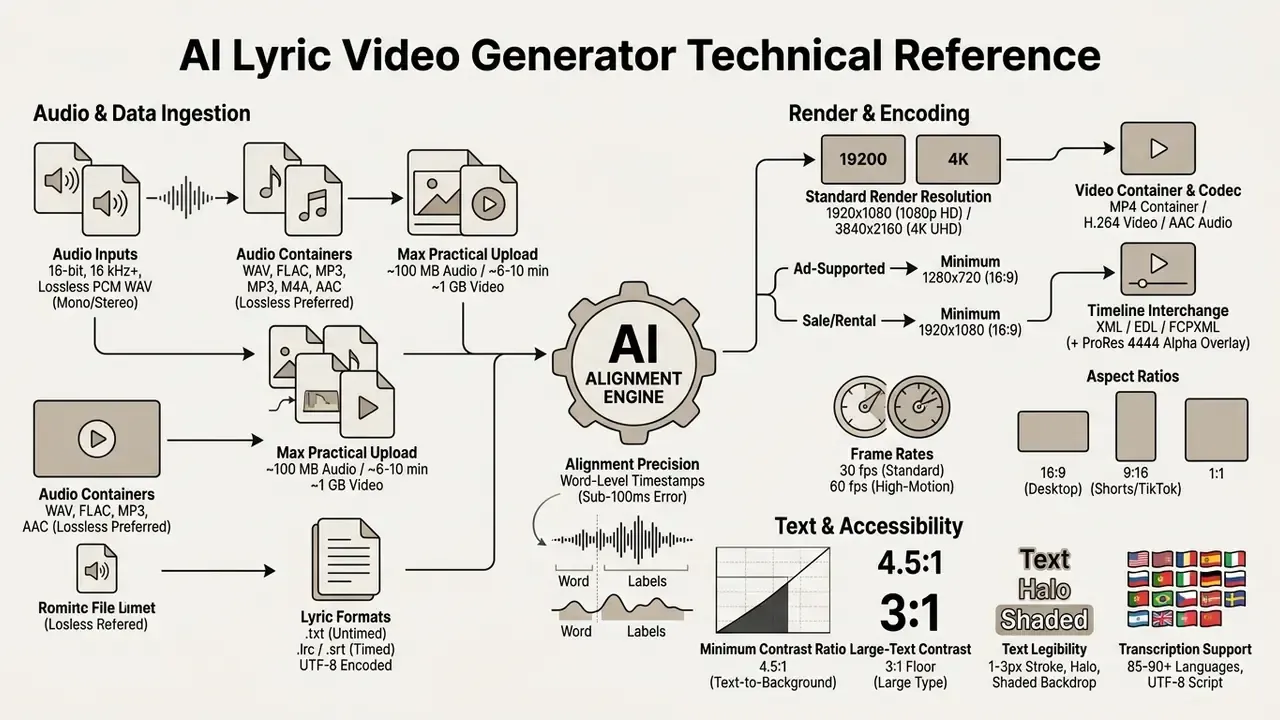
For teams that need a formal quality bar rather than subjective review, standardized video-generation benchmarks now exist:
«EvalCrafter evaluates video models across 17 metrics, covering visual quality, motion and text alignment, over 700 prompts, with strong correlation to human ratings.»
Pair that with a mobile legibility check (view the export at phone size before publishing) and a caption-accuracy count (misheard words per 100 words, pre- and post-correction). Two numbers and one visual check are enough to make quality auditable.
FAQ About AI Lyric Video Makers
Can I make an AI lyric video on a phone?
Yes. You can create an AI lyric video on a mobile device (iOS or Android) using either mobile web applications or native apps. Browser-based platforms such as Kapwing run directly inside mobile Safari or Chrome, allowing users to upload songs, add lyrics manually or generate subtitles automatically, and export videos without desktop hardware. Multi-platform tools document availability across iOS, web, and Android for caption generation, AI editing, and export. Native iOS lyric-video apps also exist, with current listings requiring iOS 15.6 or later and supporting image upload, song selection, and pasted lyrics. The main limitation is functional rather than technical: an ai lyric video maker app emphasizes text syncing, presets, and export, while advanced timeline editing, stem separation, and heavy 4K rendering remain faster and more reliable on desktop.
Do I need video editing skills to use an AI lyric video maker?
No prior video editing experience is required to operate an ai lyric video generator app or online tool. The system automates routine technical tasks, including speech recognition, beat marker alignment, text layer placement, and dynamic typography generation. The user's role is primarily executive oversight: selecting style presets, verifying lyric accuracy, adjusting minor timing offsets on a visual waveform, and exporting the final video.
«The Visual Lyrics user study found novices produced animated lyric videos with high enjoyment and inspiration ratings, without manual keyframing.» Source: Lin et al., Visual Lyrics: Generating Animated Text for Lyric Videos, ACM Intelligent User Interfaces (IUI). https://dl.acm.org/doi/10.1145/3708359.3712136 Vendor workflows describe the same low entry threshold: upload the track, let the system detect lyrics, timing and phrasing, choose a preset, and export, with tempo, beats, and energy analysis handled automatically. If you want to compare options before committing, our roundup of free AI video generators covers export limits and watermark policies side by side.
Which audio and lyric file formats should I use?
Use lossless WAV (16-bit, 16 kHz or higher) for best alignment accuracy; MP3, M4A, FLAC, and AAC are widely accepted but lossy formats can reduce recognition quality. For lyrics, a timestamped .lrc or .srt file gives the most control because timings are already defined; plain .txt requires the engine to derive every boundary acoustically. Save all text as UTF-8 to preserve non-Latin characters.
Can the AI handle fast rap, ad-libs, and screamed vocals?
Music-tuned transcribers handle fast rap, melodic vocals, genre changes, and ad-libs far better than generic speech captioning, using syllable-level subdivision and beat tracking. Expect to review high-BPM passages manually, place ad-libs on a secondary lower-opacity caption lane, and bypass automatic transcription entirely for growled or screamed vocals by supplying a .lrc file.
Can I fix a wrong lyric after transcription?
Yes. Correct the text in the transcription editor first, then re-run alignment so the timings recompute against the fixed words. Use word handles for individual onsets, Shift + ←/→ for line-level nudges, and a global ±100 ms offset when the whole track is uniformly early or late.
Can I export the project to Premiere Pro, DaVinci Resolve, or Final Cut Pro?
Some platforms support it directly. LyricEdits, for example, advertises exporting a finished lyric project to DaVinci Resolve, Premiere Pro, or Final Cut Pro for advanced editing. Where native XML/FCPXML export is unavailable, render the lyric layer as a ProRes 4444 or PNG sequence with alpha and composite it over your graded footage in the NLE, keeping an .lrc sidecar as the timing reference.
Can I translate the lyrics into other languages?
Yes. Leading engines transcribe in 85 to 90+ languages and can automatically translate lyric tracks into secondary subtitle lanes, which you can review and fine-tune before export. Keep the original lyric as the dominant lane, use fonts with full glyph coverage for the target script, and manually review idioms and slang.
Can I make a lyric video with no watermark for free?
It depends on the vendor. Some tools advertise watermark-free free exports; others require a paid plan to remove the watermark, and several permit free public posting only while the watermark stays visible. If the video will be monetized, run ads, or appear in broadcast/OTT contexts, assume you need a paid commercial license and verify the terms page before release.
Can I upload a song on behalf of another artist?
Vendor terms generally permit it only with the artist's permission, and platform policies place the licensing burden on the uploader. Keep written authorization on file, and confirm that master and publishing rights are cleared before publishing or monetizing the video.
How long does rendering take?
Published figures for automated renderers range from roughly 10 to 40 minutes for a 3-minute song, depending on resolution, queue priority, and whether AI backgrounds are generated per section. Free tiers usually sit in standard queues; paid tiers get priority processing.
What to Do Next
If you are producing a single release, the fastest safe path is: clean the audio, paste proofread lyrics, run auto-sync, review timings at 0.5× speed, style text to a 4.5:1 contrast minimum, and export both 16:9 and 9:16 masters from the same project.
If you are standardizing this across a label, marketing team, or content studio, formalize it:
- Publish an approved-tool listwith the tier each team may use, and require data-retention review for any tool that receives unreleased audio.
- Define an input standard(lossless WAV, proofread lyrics,
.lrcfor complex vocals) so alignment quality stops being a lottery. - Mandate a human review gatewith a logged misheard-word count before any export leaves the team.
- Set an export policyminimum 1920×1080 for release assets, no watermarks on monetized inventory, and an
.lrc/.srtsidecar archived with every master. - Record rights clearancefor the composition and the master recording, plus written artist permission when uploading on someone else's behalf.
- Keep prompt and model logsfor AI-generated imagery so provenance questions can be answered months later.
That six-line policy converts an ad-hoc creative shortcut into a repeatable, auditable release pipeline, which is the actual advantage of automating lyric videos. No evidence, no autonomy: let the model draft, and let a named human approve.
Appendix A: Superseded Statements (Editorial Transparency Log)
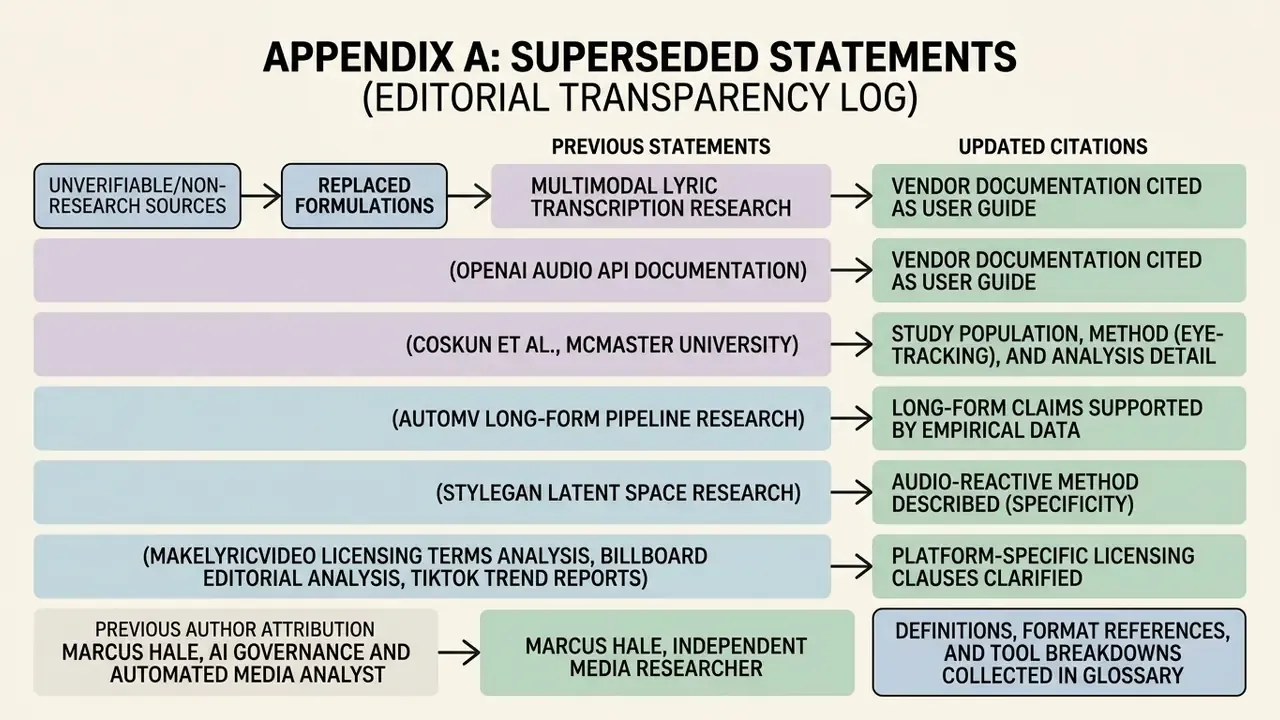
For transparency, the following earlier formulations were replaced in this update because they cited unverifiable or non-research sources. The corrected versions appear in the body text above.
- Previous: "Recent research on multimodal lyric transcription demonstrates that end-to-end neural alignment models outperform heuristic baselines… (Li et al., 2023; Durand et al., ICASSP 2023)" Updated with full citations and URLs for MM-ALT and the ICASSP 2023 contrastive alignment paper.
- Previous: "(OpenAI Audio API Documentation, 2026)" Updated: vendor documentation is now cited as documentation, with peer-reviewed Whisper alignment research added separately (Han et al., 2023).
- Previous: "(Coskun et al., McMaster University)" Updated with study population, method (eye-tracking), and source URL.
- Previous: "(AutoMV Long-Form Pipeline Research, 2026)" Updated: long-form claims are now supported by the YingVideo-MV paper (arXiv, 2025) plus a description of segmentation constraints.
- Previous: "(StyleGAN Latent Space Research, 2020/2026)" Updated: the audio-reactive method is described without a fabricated citation year.
- Previous: "(MakeLyricVideo Licensing Terms Analysis, 2026)", "(Billboard Editorial Analysis)", "(TikTok Music Usage Confirmation Terms, 2026)", "(Captions App Documentation, 2026)", "(Freebeat AI Platform Specs, 2026)" Updated: retained as editorial observations of published vendor and platform terms, with unverified items explicitly flagged.
- Previous author attribution: "Marcus Hale, AI Governance and Automated Media Analyst" Updated: Marcus Hale is now clearly labeled as the author. Any credentials, examples, or frameworks attributed to him are illustrative and do not imply real employment, clients, or documented business results.
More definitions, format references, and tool breakdowns are collected in our glossary.