Last updated: February 2026 · Review cycle: quarterly
If you sit in a risk, compliance or finance-transformation seat, the practical question is not whether an ai chat generator writes decent prose. It does. The question is who owns the output, where the prompt data lands, and what evidence you can show an auditor six months later. That is where most pilots stall.
Executive Summary
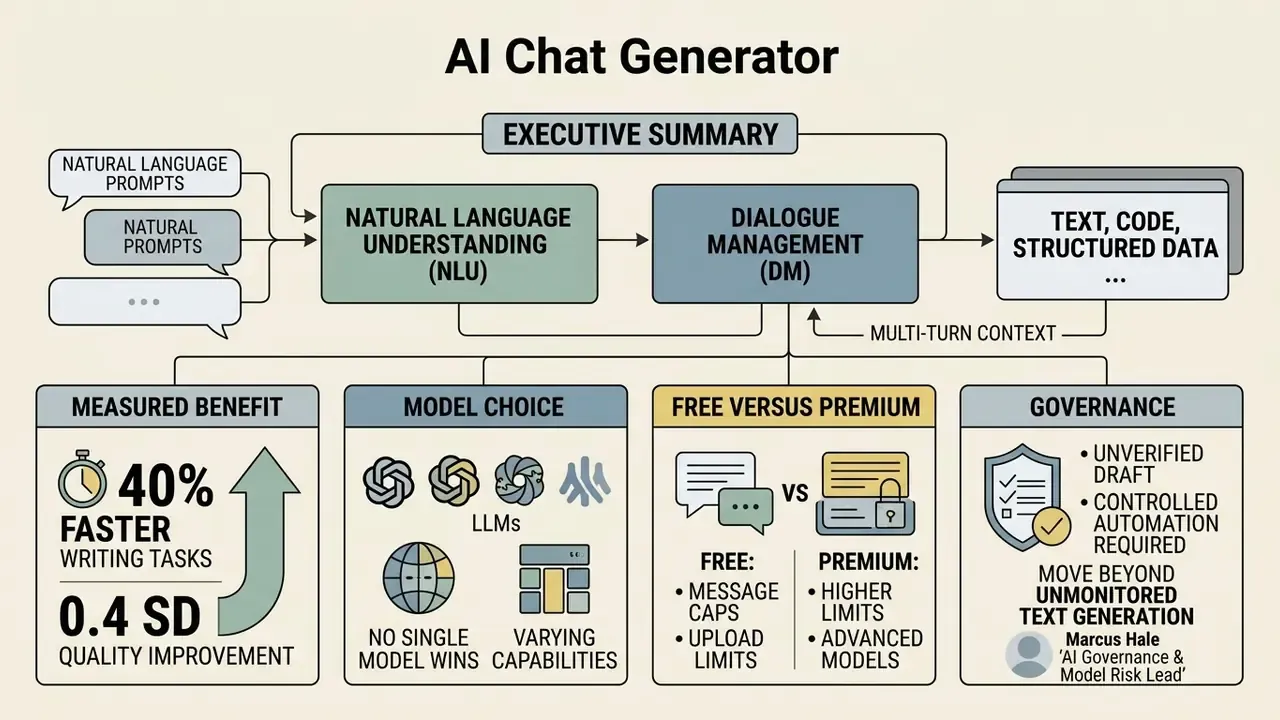
An ai chat generator is a dialogue interface built on large language models (LLMs) that parses natural-language prompts, retains multi-turn context, and produces text, code, structured data and file-ready documents. Five points matter most before deployment.
- Architecture: three functional layers, Natural Language Understanding (NLU), then Dialogue Management (DM), then Natural Language Generation (NLG), usually extended with retrieval-augmented generation (RAG), identity management, network isolation and event logging.
- Measured benefit: randomized evidence shows roughly 40% faster writing tasks and a 0.4 standard-deviation quality gain for knowledge work, plus about 26% more completed tasks in software engineering.
- Model choice: no single model wins. Route long-document audits, coding, prose and cost-sensitive bulk drafting to different engines to avoid vendor lock-in.
- Free versus premium: free tiers are gated by message caps, upload limits, model access and, most consequentially, default training-data usage. Paid and enterprise tiers add zero-retention options.
- Governance: treat every output as an unverified draft. NIST AI 600-1 names "confabulation" a first-class risk, and Article 50 of the EU AI Act imposes transparency and marking duties on generative deployments.
An ai chat generator processes natural-language prompts to generate structured text, answer complex queries and maintain dialogue context across turns. Modern systems add multi-model routing, RAG and multimodal handling of text, images, audio and documents.
Organizations evaluating an ai chat generator free tier or an enterprise contract should assess operational risk, data lineage and context retention before wiring conversational workflows into anything client-facing. When benchmarking the wider generative stack, teams can apply the same security and performance criteria used in our comparison of AI art generators.
What an AI Chat Generator Is and What It Is For
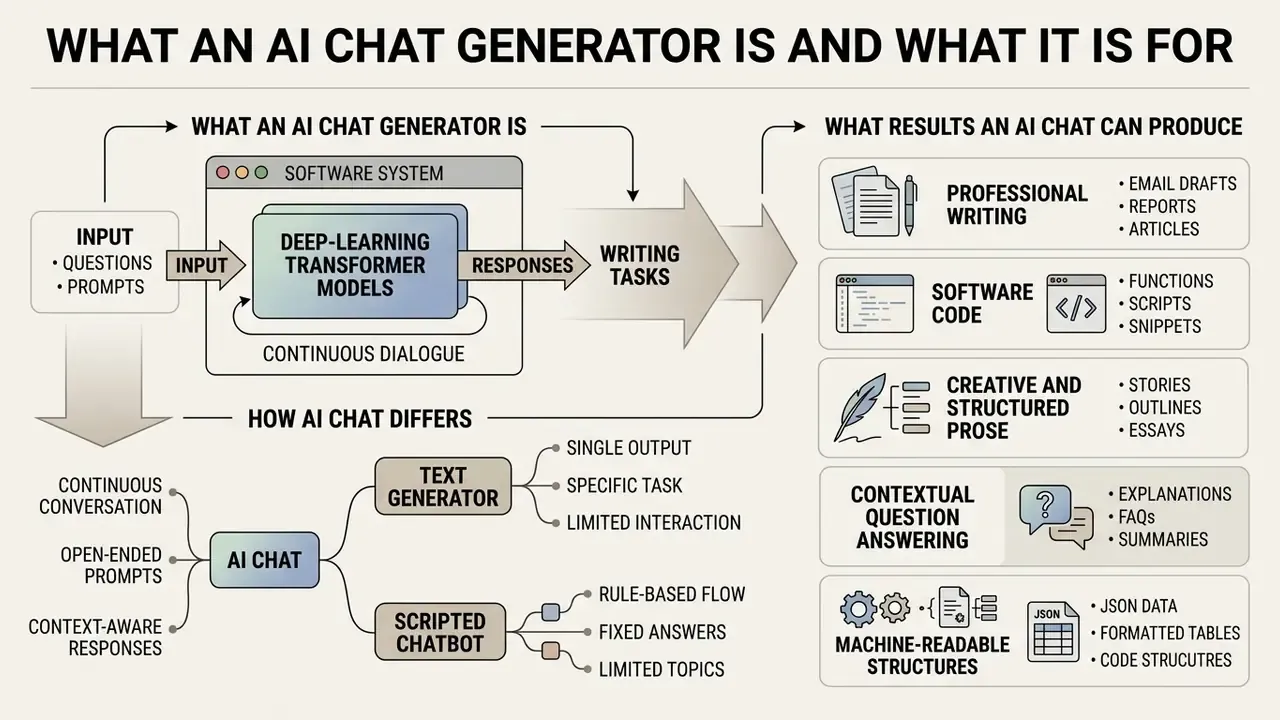
An ai chat generator is a software system that uses deep-learning transformer models to generate responses, answer questions and execute writing tasks inside a continuous dialogue. Unlike a static search engine, a chat generator ai synthesizes new content from user instructions plus live context.
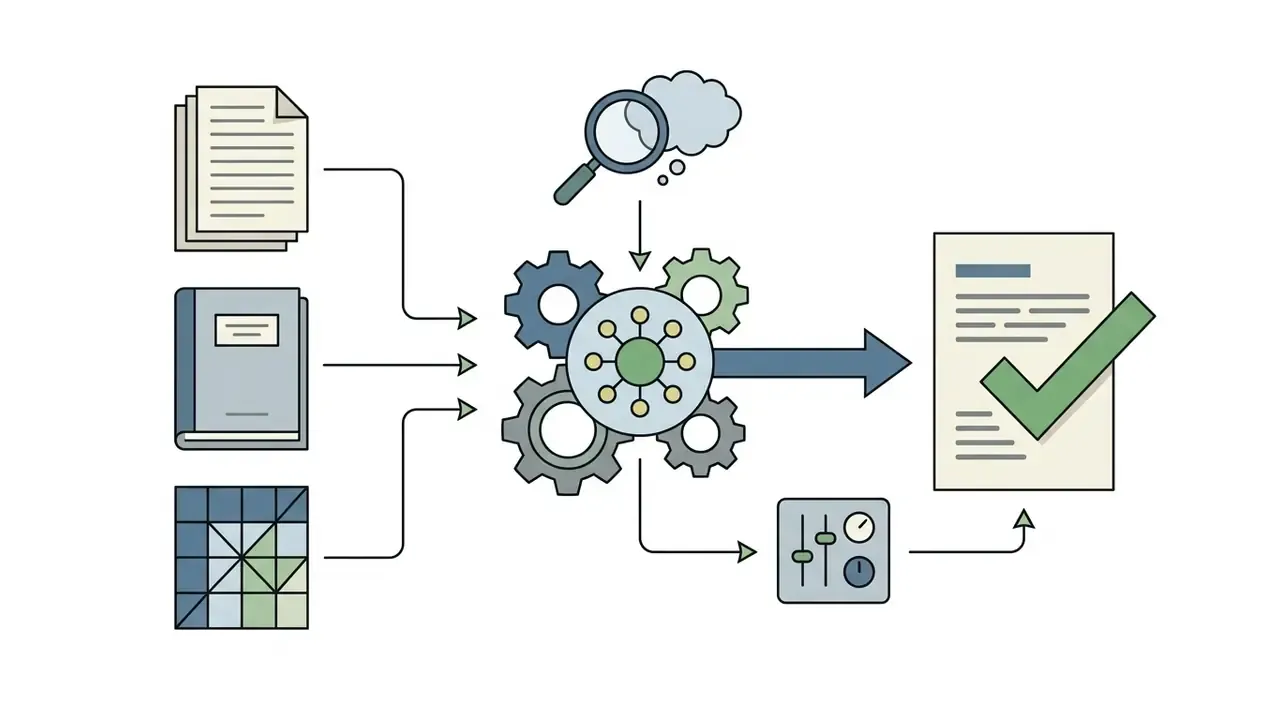
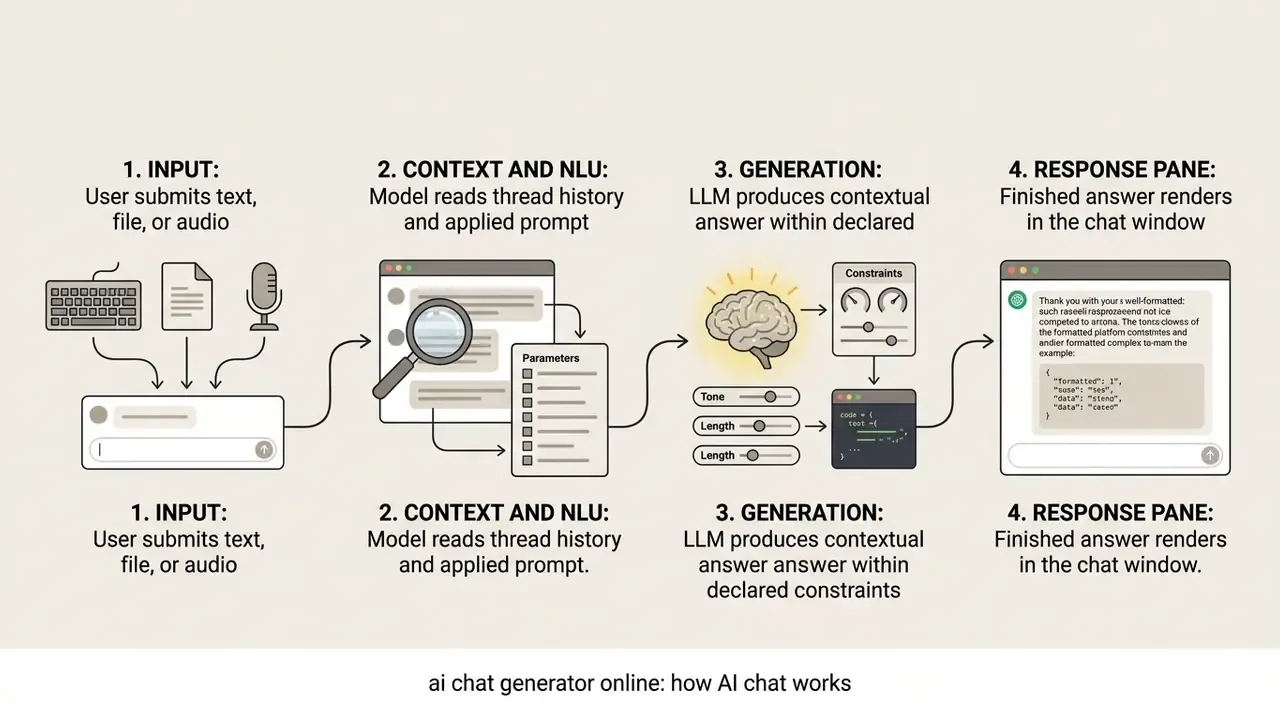
Architecturally, a universal chat ai generator runs as a three-part system: NLU parses the prompt, DM maintains thread history, NLG synthesizes the reply. According to standard enterprise LLM deployment reference architectures (Microsoft Azure AI Architecture Center), production environments extend that core loop with identity management, network boundary isolation, event logging and RAG pipelines so outputs stay factually grounded. Academic descriptions line up: dialogue systems decompose into interface, NLU, dialogue management, backend integration and response generation, where generation itself splits into signal analysis, interpretation, planning, microplanning and realization.
RAG deserves separate attention, because it changes the risk profile. The system retrieves relevant documents, augments the prompt with that context, and only then generates the answer. That sequence is what makes grounded question answering possible over proprietary corpora. It is also where data-lineage controls must bite, since confidential documents physically enter the prompt window.
The primary business function stays modest and useful: automate repetitive text creation, assist in content drafting, and retrieve information across messy operational datasets.
How AI Chat Differs From a Text Generator and a Scripted Chatbot
An ai chat interface differs from a traditional chatbot and a one-shot text generator in three respects: context retention, execution state and response flexibility.
- Classic scripted chatbot: rigid rule-based decision trees with predefined menus. It cannot handle out-of-scope queries or write original prose.
- One-shot text generator: takes a single prompt, returns a static block. No state memory, no iterative correction inside a thread.
- Dialogic AI chat: keeps multi-turn context. Users refine outputs, correct assumptions and adjust tone sequentially in the same session.
The distinction is architectural rather than linguistic. In AI chat, memory lives in a conversation-history or memory layer. Scripted bots have no such layer at all.
| Criterion | Scripted chatbot | One-shot text generator | Dialogic AI chat |
|---|---|---|---|
| Context retention | None (fixed flow) | None (single prompt) | Multi-turn history plus memory layer |
| Response flexibility | Predefined replies only | Static block output | Generative, intent-aware |
| Interaction mechanics | Menu or decision tree | Prompt, then output | Iterative dialogue and refinement |
| Out-of-scope handling | Fails or escalates | Unreliable | Handles open-ended queries |
| Typical use | FAQ routing, ticketing | Snippet generation | Research, drafting, analysis, coding |
What Results an AI Chat Can Produce
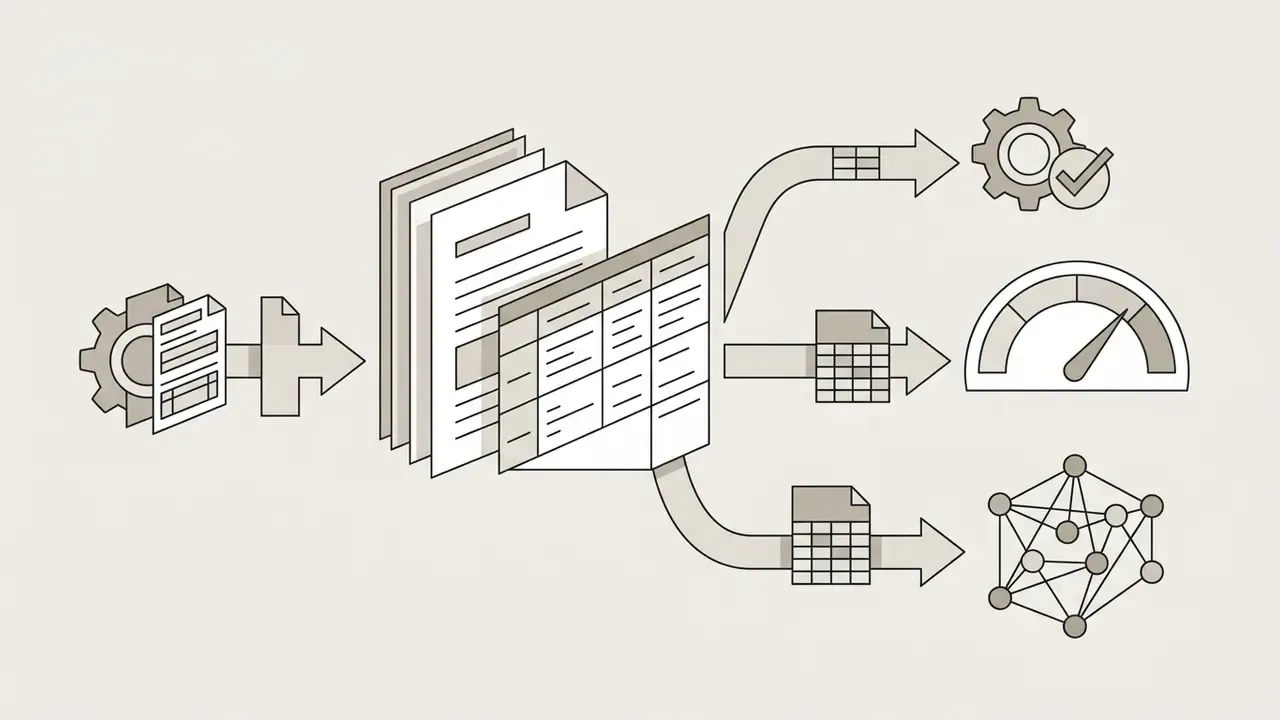
A modern dialogue system produces artifact types from plain text and marketing content through to software code and analytical summaries.
Adoption evidence is broad. A 2024 corpus analysis of 14 million PubMed abstracts estimated that LLM tools assist the writing of at least 150,000 biomedical papers per year, with the share reaching roughly 30% in some disciplines.
«At least 10% of 2024 biomedical abstracts show LLM-assisted drafting; in some subfields the estimated share approaches 30%.»
Key output types include:
What You Can Do With an AI Chat Generator
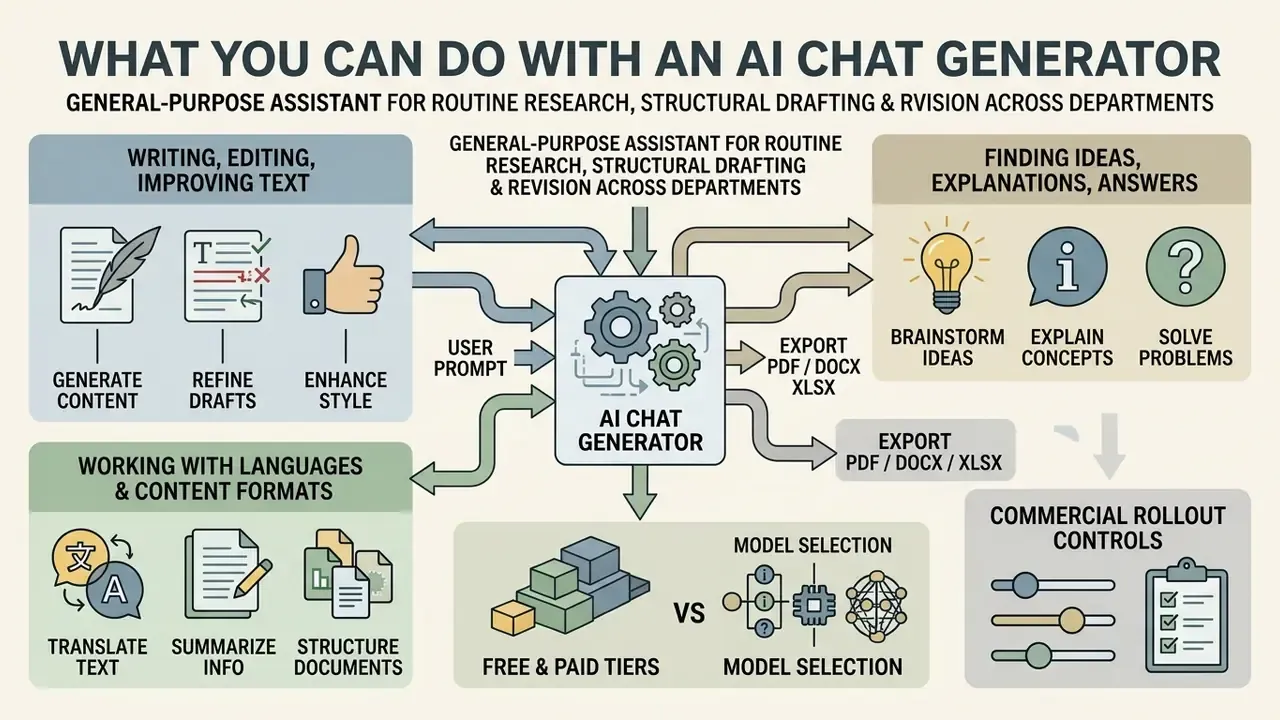
An ai chat platform works as a general-purpose assistant for routine research, structural drafting and revision across departments. Organizations deploy these systems because a modern chat can shorten knowledge retrieval, cut manual drafting latency and support continuous skill building. Nothing exotic. Just fewer blank pages.
An illustrative example. A financial intelligence team evaluated an ai chat generator online to speed up corporate disclosure analysis. The team ran a RAG pipeline over 500 annual regulatory filings to answer accounting questions. Preliminary report drafting time fell by about 40%, and audit trails were preserved for model risk oversight. Note: hypothetical, composite deployment observation. Figures are implementation-specific and not independently verifiable, so read them as directional rather than benchmark data.
Users ask questions to learn difficult concepts, generate original writing, and polish professional content across functions.
Writing, Editing and Improving Text
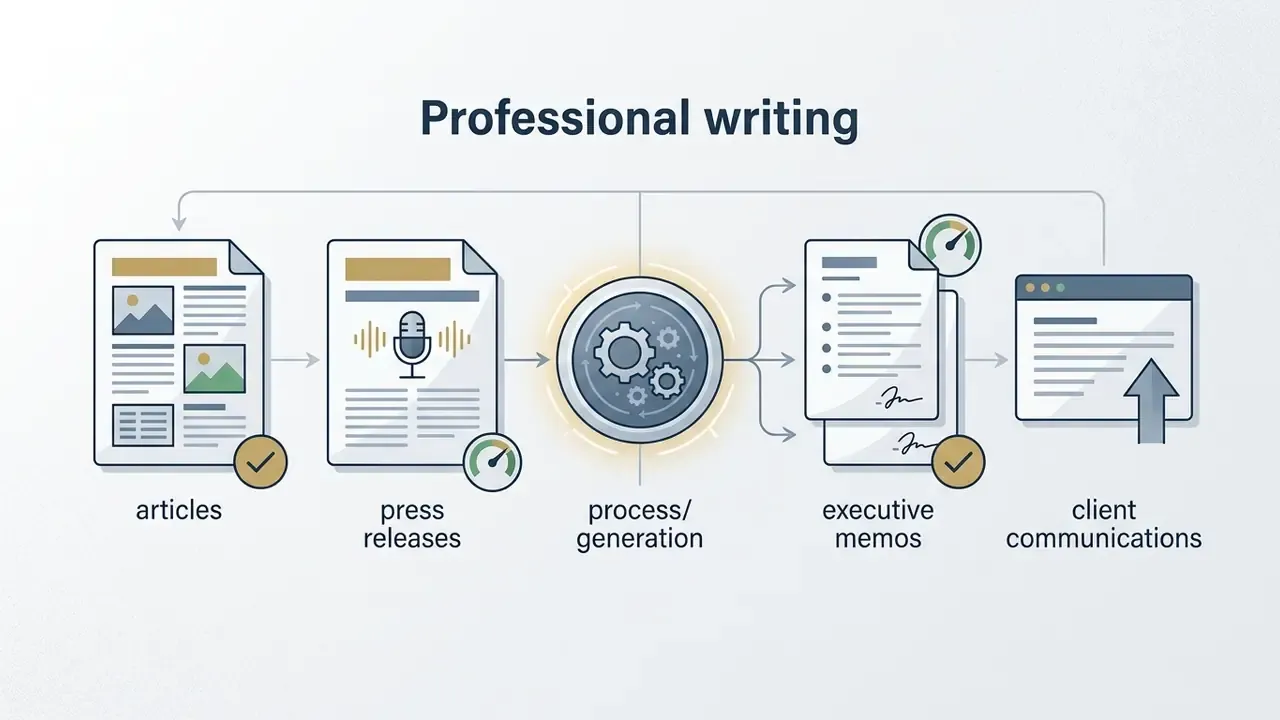
Professional writing in an ai chat environment depends on iterative editing, not one heroic prompt.
An ai free chat generator or a commercial interface typically supports five editing operations: initial draft generation, sentence expansion, structural rewriting, grammar proofreading and final tone alignment. Vendor tooling mirrors that taxonomy. Document assistants expose polish, expand, shorten, proofread on a selected passage, after which the user replaces, copies, expands further or retries.
In a 2023 randomized controlled trial by Noy and Zhang published in Science, knowledge workers using ChatGPT completed writing tasks 40% faster with a 0.4 standard-deviation gain in evaluated quality.
«Participants also reported higher job satisfaction and self-efficacy, and productivity inequality between workers narrowed.»
Finding Ideas, Explanations and Answers
When team members ask analytical questions, the chat is best treated as a structured brainstorming partner and technical tutor, not an oracle.
A 2024 experiment on AI Interaction Competence (AIC) found that the productivity effect of conversational tools depends on user skill in prompt refinement and answer verification. Skill gap in, outcome gap out.
«High-AIC participants captured disproportionate gains, while low-AIC participants showed limited or even negative productivity effects.»
The system helps deconstruct dense academic or regulatory text into plain summaries, generate alternative strategic hypotheses, and simulate interview or examination scenarios. Higher-education reviews report students using chat systems for idea generation, essay composition, summarizing, translating, paraphrasing and grammar checking, with concept clarification and outline planning among the most frequent uses.
Working With Languages and Multiple Content Formats
Modern dialogue engines handle multilingual translation alongside multimodal inputs: document files, audio clips, video streams. For teams moving from text into motion formats, our overview of text-to-video AI tools covers the adjacent workflow.
Enterprise systems support cross-lingual processing across a wide language range. Cohere Command A+ documents vision and text input with 48 supported languages, while frontier multimodal families report benchmark results across Hindi, Hebrew, Romanian, Thai and Chinese.
Users can upload PDF reports or audio transcripts straight into the conversation window to extract summaries, translate technical terms, or convert unstructured tables into formatted text.
«Vibe-Eval (269 multimodal prompts) shows Gemini 1.5 Pro and GPT-4V leading on visual reasoning quality, yet both fail on the hard subset.»
Two practical caveats follow from vendor documentation. First, modality support splits by endpoint: one API route may accept images and PDFs only, while audio and video need a different chat-completions or Vertex-style route. Second, document-assistant language coverage is often narrower than chat language coverage. Acrobat-class assistants list English, Japanese, French, German, Italian, Spanish and Portuguese for document question answering, even when the underlying model speaks far more. Verify both before promising multilingual document workflows to a client.
Documents, Exports, Web Links and YouTube Analysis
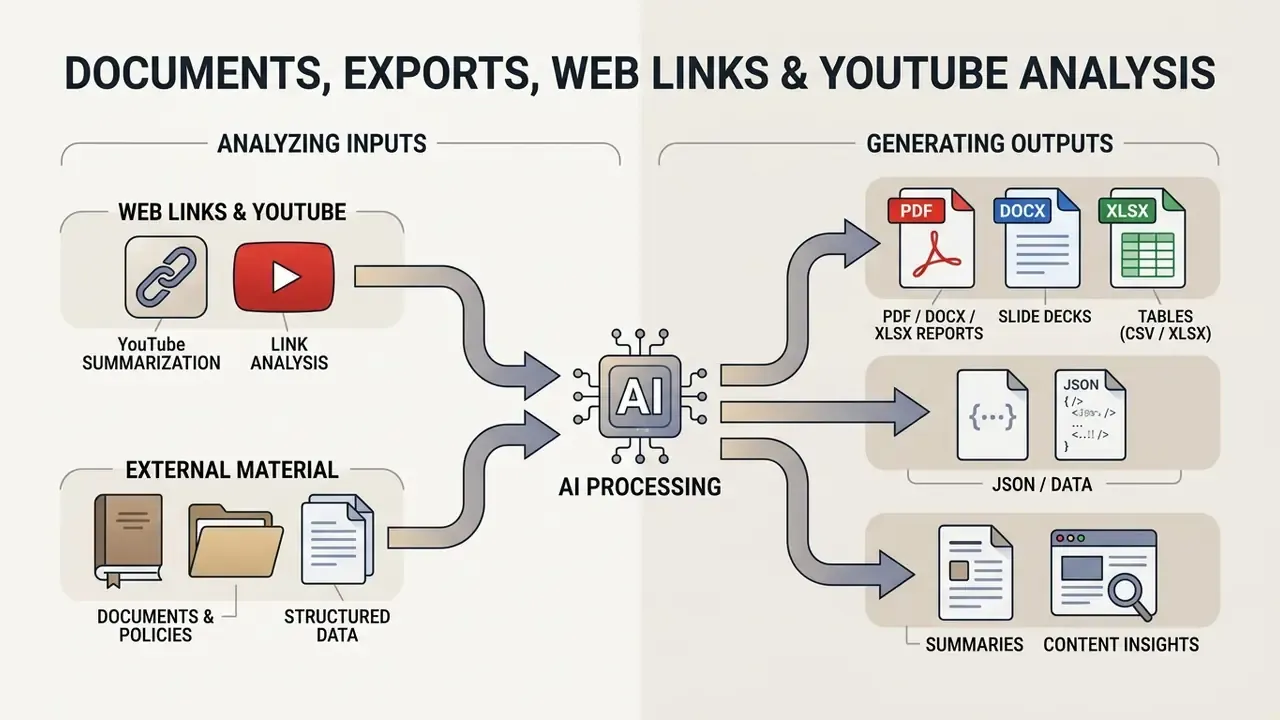
Generating Ready-to-Use Documents and Spreadsheets (PDF, DOCX, XLSX, Slides)
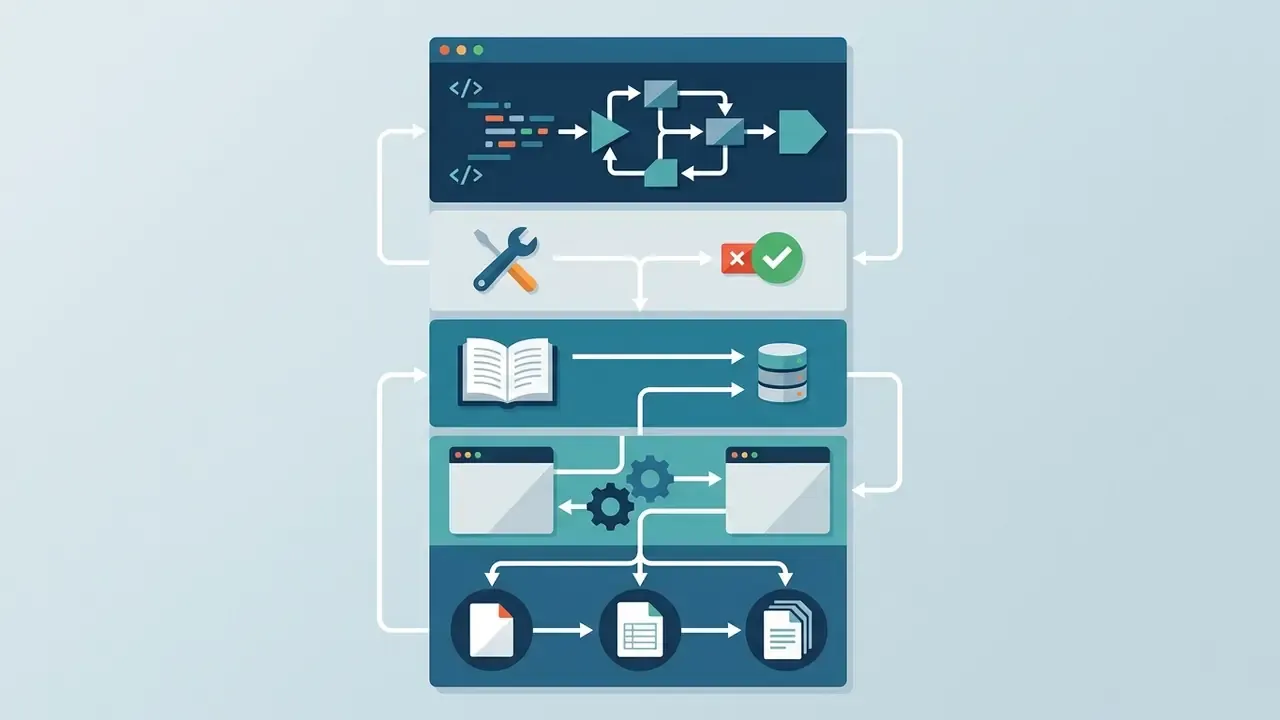
A contemporary AI chat is not limited to rendering text in a browser pane. It can assemble structured business files.
- Tables and reports (XLSX or CSV) request a sales summary or comparison matrix, specify CSV as the output format, then paste the block straight into Excel or Google Sheets.
- Documents and policies (DOCX or PDF) ask for a skeleton with H2/H3 headings, lists and clean Markdown for one-step conversion into Word or PDF.
- Slide decks request a slide-by-slide outline with a title, three bullets and a speaker note per slide; agentic document tools then export without manual reformatting.
- Structured data (JSON) define the schema explicitly (field names, types, required keys) so output can be validated programmatically instead of proofread by eye.
Practical rule: declare the target format inside the prompt. "Return a CSV with columns Region, Q1, Q2, YoY %, no commentary" produces a machine-usable artifact. "Make me a table" produces prose with pipes in it. If exported assets will be published externally, review licensing first through our guide to commercial use of AI-generated imagery, then apply the parallel rules for text.
Working With Web Links, YouTube Videos and External Material
Multimodal chats with browsing or link ingestion analyze external media without manual transcription.
- YouTube summarization paste the URL and prompt: "Summarize this video in 5 key theses with timecodes and list any claim that lacks a stated source." Editorial teams pair this with our YouTube video editing workflow guide to turn summaries into publishable cuts.
- Link analysis submit an article URL to extract facts, identify the publisher, check the publication date and translate context. Then ask: "Quote the three sentences that support your summary." Quoted evidence is far easier to fact-check than paraphrase.
- Live web search use search-enabled modes when recency matters, such as pricing, regulation or product versions, and require reference links in the answer.
- Document question answering upload PDF, DOCX or XLSX files and ask targeted questions instead of requesting a generic summary: "List every clause that changes payment terms, with page numbers."
- Audio and meetings submit recordings or transcripts for decision logs and action items. For downstream narration, see our AI voice generator guide.
Control note. Link and video ingestion means third-party content enters your prompt context. In regulated environments, restrict this capability to approved domains and log every URL processed.
Which AI Models Are Available in AI Chat
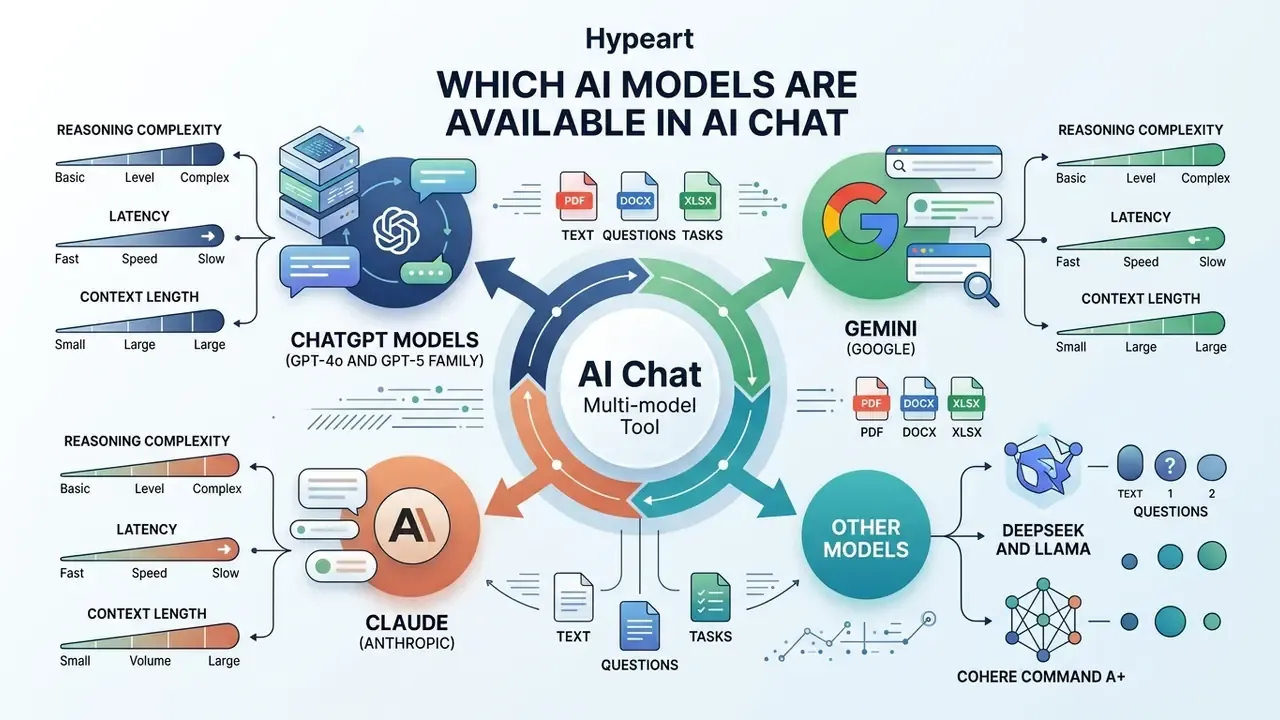
Multi-model tools integrate several underlying networks into one chat interface, so users switch by task complexity, latency need and context length.
Popular foundational families, ChatGPT, Gemini, Claude, DeepSeek, Grok and Llama, trade off speed, reasoning depth and context-window size differently. Combining engines in one chatbot platform reduces vendor lock-in and improves task fit. Same portfolio logic we apply in our comparison of AI image generators.
Architecturally this is a routing problem, not a branding one. Documented multi-model patterns dispatch requests by modality and task class inside a single interface: PDF-heavy requests to one provider, image reasoning to another, transcription to a third, with final response synthesis handled by a general model.
ChatGPT, Gemini and Other Models for AI Chat
The enterprise ecosystem is defined by specialized frontier models, each with a distinct operational profile.
- ChatGPT (GPT-4o and GPT-5 family) OpenAI's flagship multimodal ecosystem, optimized for high-intelligence reasoning, broad tool integration and conversational nuance. GPT-5 is documented as a unified system with a real-time router across a default model and a deeper reasoning mode, plus mini and nano variants. GPT-4o remains the multimodal workhorse with a 128,000-token context window and strong non-English and vision performance.
- Gemini (Google) a reasoning-first family built for very large context windows, agentic coding and native multimodal document analysis. Google's platform additionally lists Claude, Grok, DeepSeek and Llama as partner or open-weight options.
- Claude (Anthropic) strong on structured document analysis, long-form writing and strict alignment guardrails; guidance emphasizes explicit extraction targets and XML-tagged document context.
- DeepSeek and Llama open-weight architectures for cost-effective private deployment, including on-premise inference where data residency is mandatory.
- Cohere Command A+ positioned for multimodal agentic tasks and multilingual enterprise workloads, with vision plus text input and 48 languages.
How to Choose a Model for Text, Questions and Tasks
Choosing an ai model means matching task requirements against context size, reasoning capability and cost. Recommended order: classify the request by task type first, then pick the smallest model that still satisfies accuracy, latency, cost, context-window, security, regional availability and deployment constraints.
| AI Model | Key Specialization | File Support | Free Tier Access | Ideal Business Task |
|---|---|---|---|---|
| ChatGPT (GPT-4o / GPT-5 family) | Multimodal reasoning and general dialogue | Text, images, PDFs, audio | Unlimited everyday text chats; separate caps for uploads, images, voice, analysis | General drafting, data analysis, strategy |
| Gemini (1.5 / 2.0 class) | Very large context window and coding | Text, images, video, code | Standard access with rate caps | Long-document auditing, video processing |
| Claude (3.5 / Sonnet class) | Long-form prose and structured coding | Text, documents, code | Capped daily messages | Policy drafting, contract review |
| DeepSeek (V3 / R1 class) | Mathematical reasoning and cost efficiency | Text, code | Variable gateway availability | Logical reasoning, algorithmic coding |
| Open-weight (Llama or private deploy) | Data-residency control | Depends on stack | Self-hosted, no vendor tier | Regulated workloads, on-prem inference |
Table: comparative view of primary AI models available in modern chat generators. Version note: vendor naming changes several times a year. Verify the exact model identifier, version string and context limit on the provider's own pricing page before standardizing a workflow, and log the model version with every production prompt.
«Three randomized controlled trials with 4,867 developers (Microsoft, Accenture) recorded a 26% increase in completed tasks when an AI coding assistant was used.»
For document analytics specifically, platform guidance recommends picking a prebuilt extraction model by document type and, when uncertain, testing a general layout model with key-value-pair extraction enabled before committing to a custom pipeline. When branded assets accompany generated text, teams can pair chat output with an AI photo editor or the broader online photo editor toolset, and consult our Google Veo implementation guide for video-side API economics.
How to Use an AI Chat Generator Online
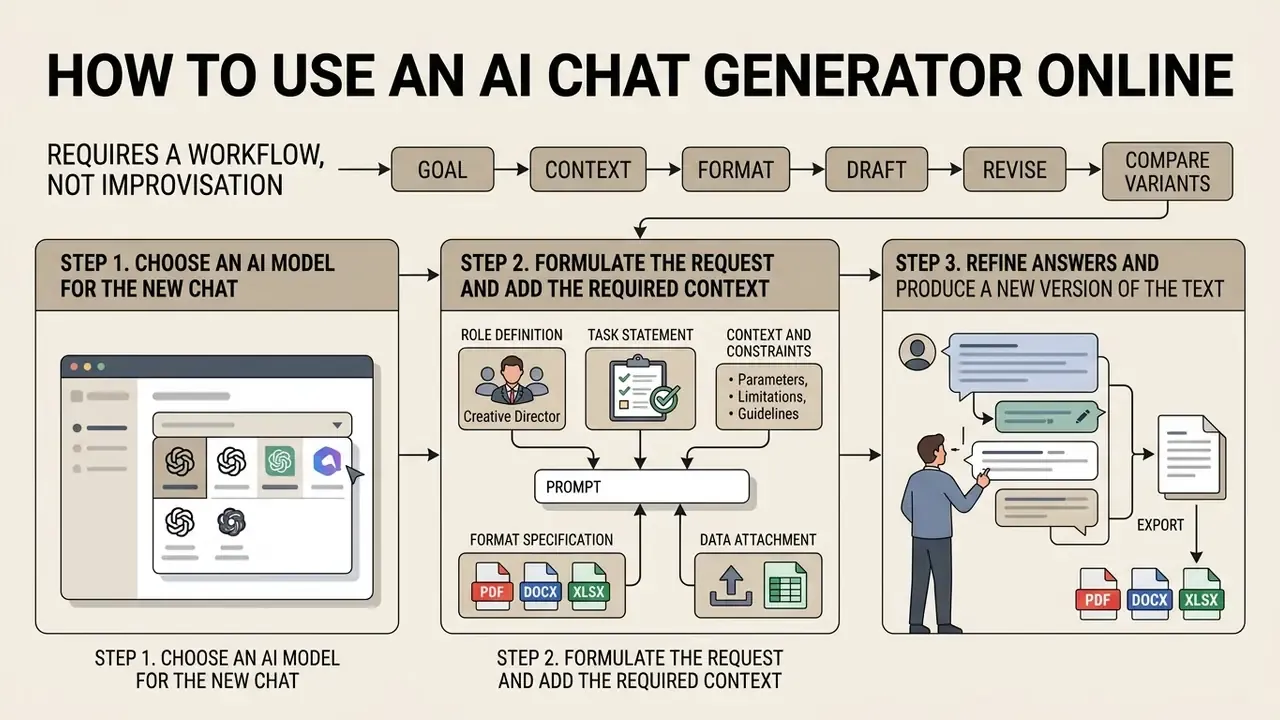
Using an ai chat generator online well requires a workflow, not improvisation: goal, context, format, draft, revise, compare variants.
To get reliable text, select an appropriate model, write unambiguous instructions and refine drafts through dialogue. Web-based tools support this with file uploads and prompt formatting options.
Step 1. Choose an AI Model for the New Chat
Before opening a conversation, match the prompt to the model's strengths.
Lightweight reasoning models suit quick definitions, email drafts and spelling checks. Frontier models with large context windows suit multi-page PDFs, complex code and multi-step logic. Where routing is automated, the platform classifies the prompt against a policy and forwards it to the best-suited engine for that category.
Step 2. Formulate the Request and Add the Required Context
To lift relevance when you ask a question, apply a repeatable prompt structure.
- Role definitionassign a persona, for example "Act as a senior model risk auditor."
- Task statementstate the output required, such as "Summarize the key compliance risks in the attached document."
- Context and constraintsprovide background, list excluded topics, set maximum length and audience.
- Format specificationrequest bullet points, Markdown tables or structured JSON.
- Data attachmentupload text files, image references or audio, and give each attachment an explicit role ("File 1 = source contract; File 2 = internal policy baseline").
Separate the prompt into labeled sections, background, instructions, tool guidance, output description, rather than writing one dense paragraph. For multi-document prompts, tag each document with content and source metadata. For video prompts, vendor guides use a fixed order: shot type, character, action, location, aesthetic.
Step 3. Refine Answers and Produce a New Version of the Text
Dialogue generation is iterative by design.
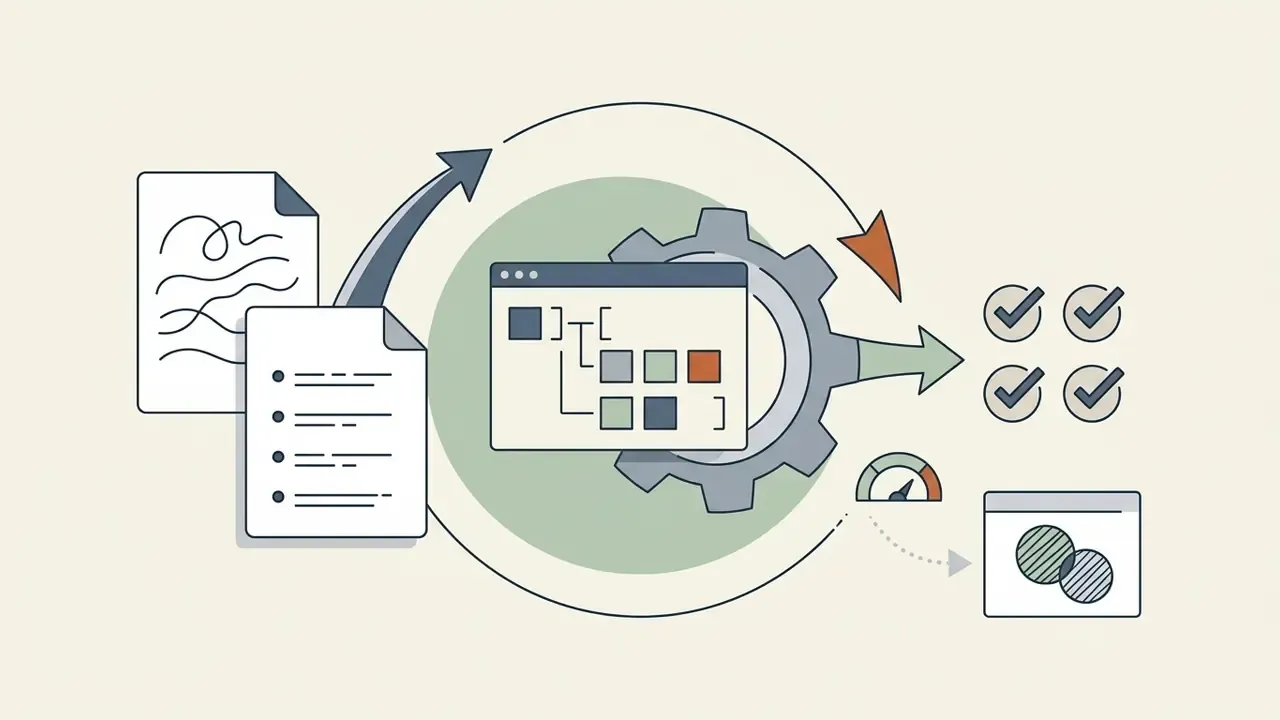
When the first response lacks depth or drifts, issue follow-up prompts to adjust tone, add missing constraints or expand a section. The SELF-REFINE methodology uses a generate, feedback, refine loop, in which the same model drafts, critiques against explicit criteria, then rewrites, repeating until a quality threshold or iteration limit is reached. The approach is training-free: one frozen model acts as generator, critic and reviser through three separate prompts.
«Participants used ChatGPT mainly for brainstorming and editing rather than only for producing the first draft.»
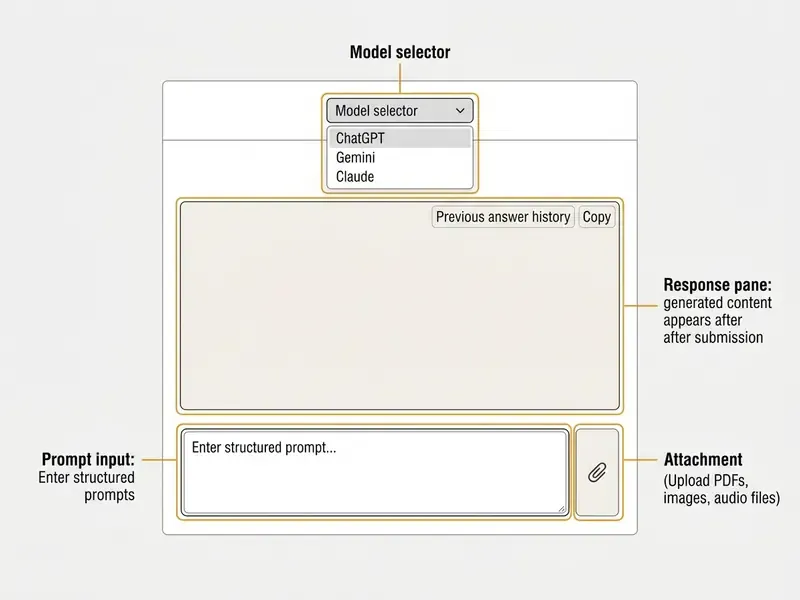
Prompt Library: Copy-Ready Templates
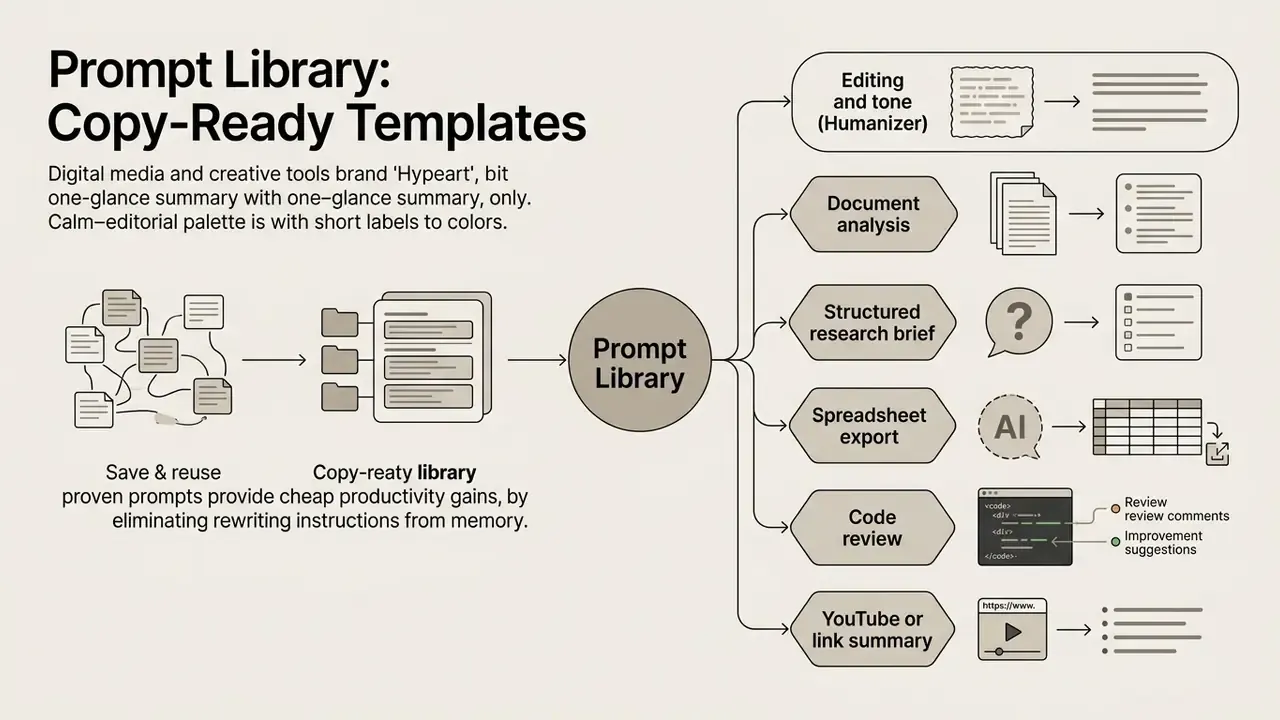
Saving and reusing proven prompts is the cheapest productivity gain available, because reuse removes the variance of rewriting instructions from memory. Keep templates in a shared library with an owner, a version number and a note on the model they were validated against.
Free AI Chat Generator: Capabilities and Limits
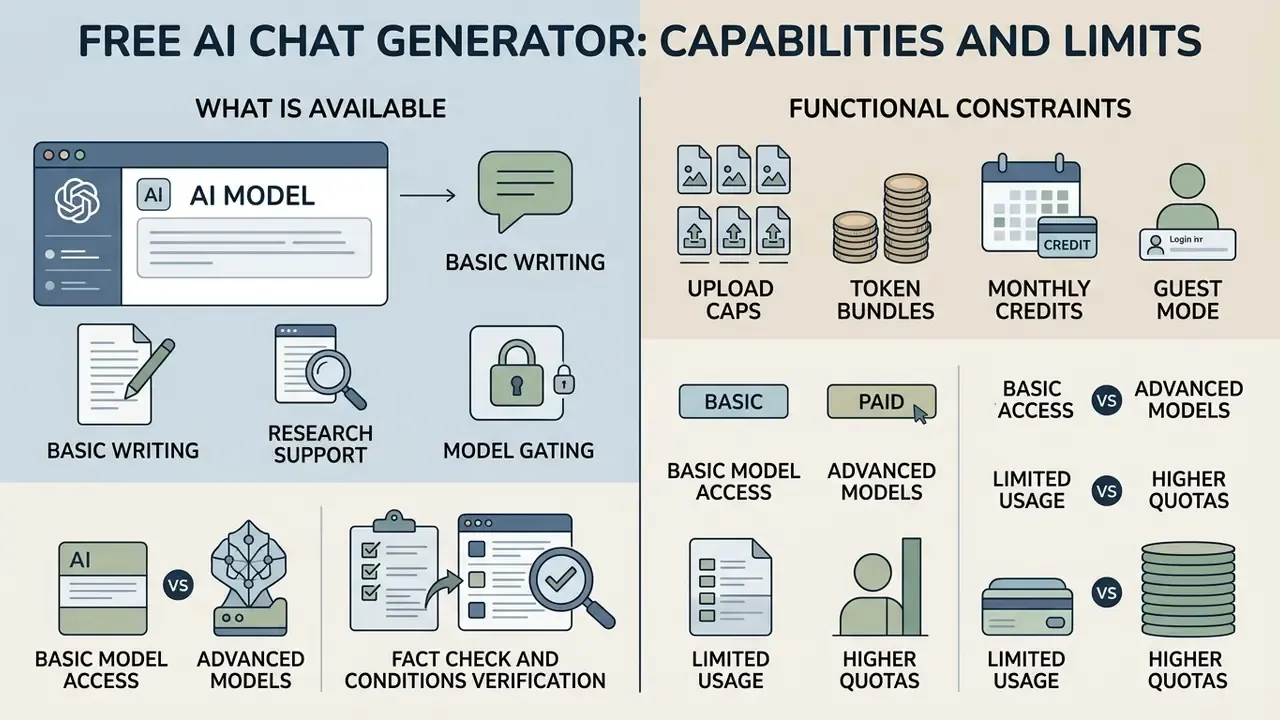
A free ai chat generator covers basic writing and research without financial commitment, subject to real functional constraints.
An ai generator chat free tier gives core dialogue functionality, while providers cap bandwidth, advanced multimodal tools and peak-hour throughput. Anyone weighing an ai conversation generator free option should test whether those capabilities match actual volume.
That adoption spread is exactly why free tiers concern risk teams. Unmanaged free accounts are the main entry point for shadow AI.
What Is Available in a Free AI Chat
Users on an ai free chat generator plan usually receive unlimited or standard-capped access to foundational text models.
Basic plans let you start an ai generator free chat session instantly online. Standard features include text generation, grammar edits, question answering and translation. Documented examples of how free access is metered:
- Message and model gating as of early 2026, OpenAI positioned a default model for Free and Go users with unlimited everyday text chats (subject to abuse guardrails) plus a "Think" control for harder questions, while higher-tier models require a subscription or API billing.
- Upload caps free ChatGPT accounts have been documented at three file uploads per day, with separate limits per tool (search, data analysis, image generation, voice).
- Token bundles GigaChat published a Freemium mode with 365,000,000 free text-generation tokens from 1 February 2026, plus paid packs for Lite, Pro, Max and Embeddings tiers.
- Monthly credits credit-based products such as Meshy document a free plan of 100 credits per month with no card required.
- Guest mode some platforms allow use without an account but cap guests at a handful of requests per day and disable file handling.
Teams comparing zero-cost options across media types can review our roundup of free AI image generators and free AI art generators, where the same limit-and-licensing pattern applies.
Using an AI Chat Generator for Work and Commercial Content
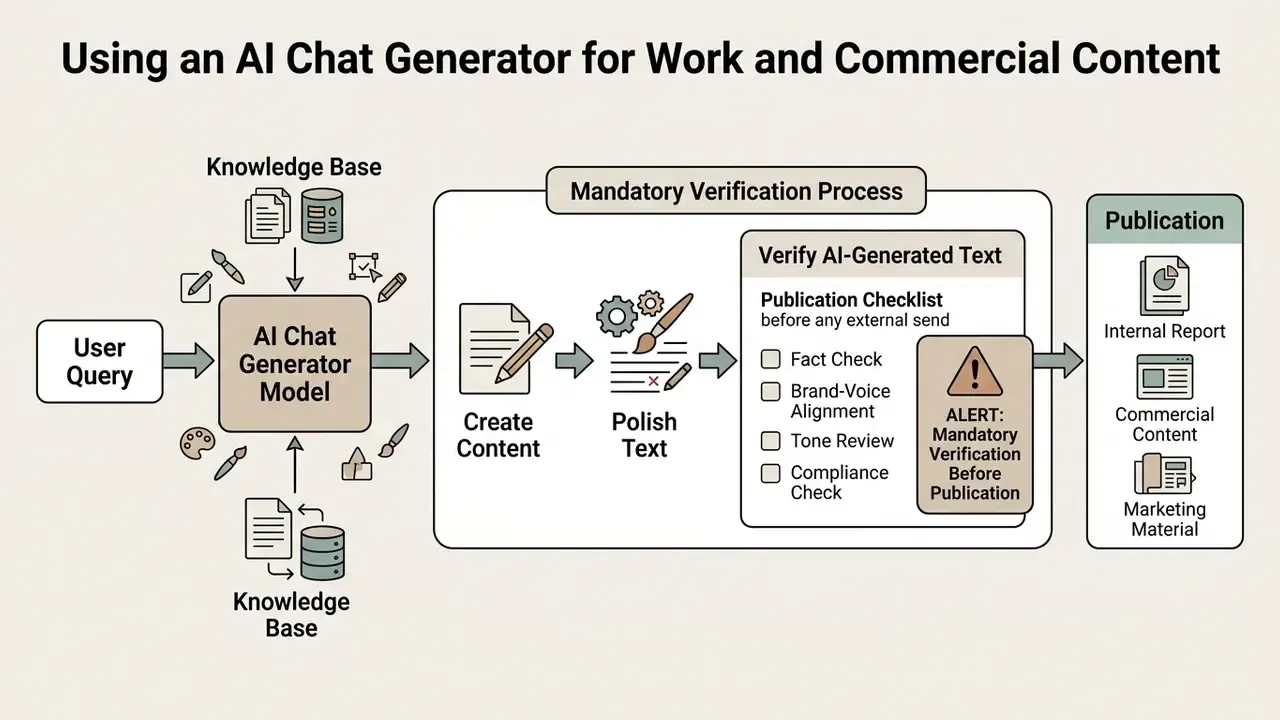
Deploying an ai chat generator for corporate writing and commercial content is now ordinary practice, provided governance, fact-checking and brand-voice alignment exist in writing.
Businesses use AI chat tools to accelerate document drafting, client communications and marketing material. Vendor case examples report outcomes such as 90% automation of support queries and materially faster in-app logging workflows. Those figures are implementation-specific, not industry benchmarks. Commercial adoption still demands protocols against data leakage, brand drift and factual error. Teams reviewing rights and licensing should start with our guide to commercial use of AI-generated imagery, which sets out the same provenance questions that apply to text.
Creating and Polishing Professional Content
How to Verify AI-Generated Text Before Publication
Every AI-generated output needs systematic human verification before it goes public or reaches a client.
Article 50 of the EU AI Act sets transparency duties for generative systems, including machine-readable marking of AI-generated or manipulated content, plus disclosure obligations for deepfakes and for text published to inform the public on matters of public interest. European Commission guidance and the accompanying Code of Practice indicate application from 2 August 2026, with a transition period until 2 December 2026 for systems already on the market. Listed marking methods include watermarks, metadata, cryptographic provenance, logging and fingerprints. The public-interest text exemption applies where content has undergone human review with editorial responsibility. Confirm the current consolidated text and national implementation before relying on any single date.
NIST AI 600-1 further emphasizes that models are subject to "confabulation", that is, generating false statements with high confidence. Federal guidance is consistent on the control: keep a human in the loop to verify accuracy and validate responses against independent sources.
«"Trustworthiness and reliability" is the most frequently reported risk category in user discussions of AI chat systems under the NIST framework taxonomy.»
Legal Exposure: IP Ownership, Indemnification and Shadow AI
Who Owns the Output, and Who Pays if It Is Wrong
Three contractual questions decide whether AI chat output is usable in commercial work.
- Ownership and licensing.Vendor terms, not copyright intuition, govern what you may do with output. Confirm in writing that the customer owns or holds a broad license to outputs, and check revenue-threshold clauses. Some model licenses require registration for commercial use and a paid enterprise license above a stated annual revenue figure.
- Indemnification.Ask whether the vendor indemnifies customers against third-party IP claims arising from output, what the cap is, and which conditions void it. Typical voiders: prompting the model to reproduce protected content, disabling safety filters, or ignoring provenance tooling.
- Warranty and error liability.Most consumer-grade terms disclaim accuracy warranties entirely. The deployer therefore carries factual-error risk, which is precisely why documented human review is a legal control, not only an editorial habit.
Additional diligence items for regulated deployments: dataset origin and curation transparency (expected under EU data-protection guidance for generative systems), sub-processor lists, data residency, retention windows, breach notification terms, and exit or portability provisions. Where disputes over training data or output similarity are relevant to your risk register, our litigation tracker is a reasonable place to compare options and watch how claims evolve.
Shadow AI Control Checklist for Risk Functions
| Control | What to check | Evidence to retain |
|---|---|---|
| Discovery | Network and SaaS logs for unapproved AI domains and browser extensions | Monthly discovery report |
| Default posture | Public AI tools blocked by default, unblocked only on documented business need | Approval tickets |
| Access | RBAC/ABAC, MFA on administrative access, SSO enforcement | Access review records |
| Data rules | Written prohibition on entering PII, credentials, health or confidential data | Signed acceptable-use policy |
| Training opt-out | Verified opt-out or contractual no-training commitment for every approved tool | Vendor terms screenshot with date |
| Retention | Chat history disabled or auto-deleted where required | Configuration export |
| Logging | Prompt and response logging with model and version recorded | Audit trail sample |
| Patch and mitigation | Regular updates and documented mitigations for AI components | Change log |
| Provenance | Marking and disclosure workflow for published AI content | Published-asset register |
| Training | Role-specific user training on verification duty | Completion records |
Limitations, Open Questions and a Safe Next Step
Some honest caveats belong here, because the evidence base is younger than the marketing.
First, productivity results come mostly from short, well-bounded tasks in controlled trials. Whether a 40% drafting gain survives contact with a bank's four-eyes review, model inventory intake and quarterly attestation cycle is, frankly, untested at scale. Second, agentic behavior resists classic validation: a model that calls tools, retries and chains steps has a state space that a static back-test does not cover. Third, ROI math often omits control cost. Add logging storage, reviewer time, vendor diligence and residual risk capital, and the payback curve flattens.
There are also questions nobody has answered cleanly yet. How do you attribute an error between prompt author, retrieval corpus and model version? What is the right escalation threshold for an agent acting on a payment file? Should model version drift trigger revalidation automatically? Treat those as open items in your governance backlog rather than solved problems.
A cautious sequence works better than a big-bang rollout: No evidence, no autonomy. That order rarely disappoints.
- Inventory every AI system in use, including free consumer accounts.
- Pick one low-severity workflow, for example internal document summarization, and instrument it fully: prompts, model versions, reviewer sign-off.
- Define the owner, approved role, access limits, escalation path and shutdown mechanism before the workflow touches customer data.
- Measure both benefit and control cost for one quarter, then decide on expansion.
FAQ: Common Questions About AI Chat Generators
This section answers recurring questions on guest access, multimodal file handling and data privacy in an ai chat generator online environment. Note that search demand also arrives misspelled, as "ai chat genrator", so navigation labels should tolerate typos.
Readers looking for specialized media tools can browse our AI Media Comparison hub or review plan limits in the AI Media Pricing Guides.
Do I need to register to use an AI chat generator free?
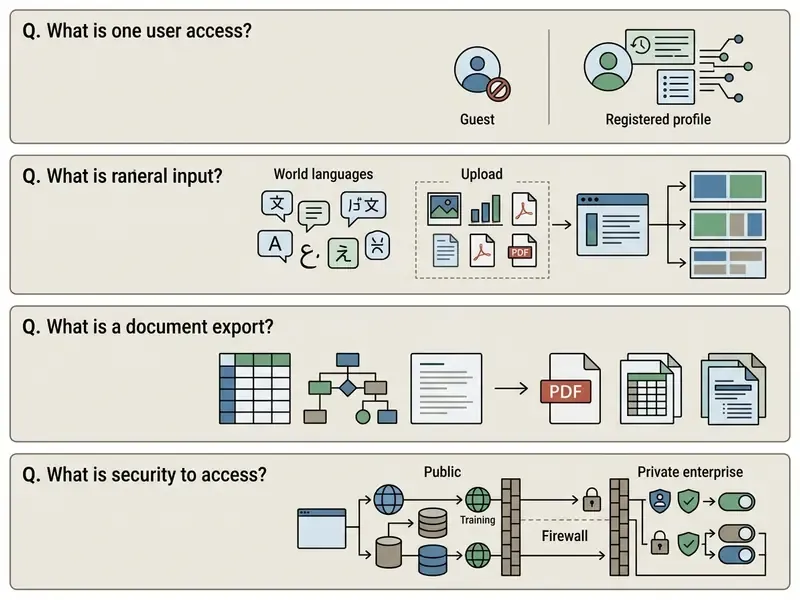
Many platforms offer guest access without registration, so basic chat can be tested immediately. Guest tiers usually impose strict daily message caps, five requests per day in some cases, and disable file uploads. A free account unlocks higher quotas and thread-history retention.
«Among 508 students in the UAE and India, perceived empowerment and tool ethicality were key mediators between pedagogical value and willingness to use ChatGPT.» Chawla, Mohnot and Singh, "Student Application of ChatGPT in Education" (2024). https://link.springer.com/article/10.1007/s10639-024-12576-w In other words, registration friction is only half the adoption story. Perceived trustworthiness drives sustained use.
Does AI chat support multiple languages and images?
Yes. Contemporary multimodal chats process dozens of languages and accept image inputs for optical character recognition (OCR), chart and diagram interpretation, table extraction, document question answering and object detection. Advanced models also generate original images inside the thread from interleaved text and image prompts. Document-assistant language coverage is often narrower than general chat coverage, and low-resource languages show measurable performance gaps.
Can an AI chat generator create downloadable files?
Yes, with the right tooling. Chat interfaces produce Markdown, CSV and JSON natively, and agentic document platforms convert those structures into PDF, DOCX, XLSX, HTML and slide decks. Always declare the output format inside the prompt, and validate numeric tables by hand before distribution.
Can it summarize YouTube videos and web pages?
Yes, in products with link ingestion or live web search. Paste the URL and request theses with timecodes or section references, plus supporting quotations. Restrict this capability to approved domains in regulated environments and log every processed URL.
How safe is it to use AI chat for queries?
Public AI chat platforms store interaction logs for quality improvement unless the user opts out in privacy settings. Never enter personally identifiable information (PII), private keys or confidential financial records into unverified public models. Public-sector acceptable-use policies go further, prohibiting PII or confidential information in publicly available generative tools and requiring users to opt out of conversation-history training wherever possible.
«Security and resilience risks account for 9.27% of all mentions, including jailbreak vulnerability (0.83%) and exploitation via vulnerabilities (3.51%).» Reddit-based LLM risk analysis using the NIST AI Risk Management Framework (2024). https://arxiv.org/abs/2409.13244 «When a user joins a new group, the probability that a bot links them to prior interactions in other groups is 3.4%.» "Bots can Snoop: Uncovering and Mitigating Privacy Risks of Bots in Group Chats", arXiv (October 2024). https://arxiv.org/abs/2410.15023 Baseline controls recommended by security guidance: least privilege, RBAC or ABAC, MFA for administrative access, encryption in transit and at rest, secure-by-default settings with opt-in for riskier capabilities, regular patching, and documented provenance tracking alongside privacy handling. Disclaimer: this information is general and does not replace consultation with an information-security specialist or legal counsel on personal-data protection matters.
Appendix A: Superseded Statements and Corrections
Retained for transparency and version traceability. Each original formulation is paired with the corrected version used in the main text.
| Original formulation | Status | Correction applied in main text |
|---|---|---|
| "According to Microsoft's 2026 enterprise chat architecture standards…" | Unverified document reference | "According to standard enterprise LLM deployment reference architectures (Microsoft Azure AI Architecture Center)…" |
| "A 2024 corpus study analyzing 14 million PubMed abstracts published in PubMed Corpus Analytics revealed that at least 10% of biomedical abstracts in 2024 utilized LLM-assisted drafting and editing." | No URL, no methodology, no scale estimate | Replaced with a sourced version including the 150,000 papers per year estimate and up-to-30% disciplinary share, with arXiv link. |
| "According to a 2024 experiment by Anand & Idan on AI Interaction Competence (AIC), the performance gain from conversational tools depends heavily on user skill…" | No URL, no group-level results | Replaced with a sourced version including high-AIC versus low-AIC outcome asymmetry and SSRN link. |
| "Enterprise systems support non-English cross-lingual processing across up to 200 global languages." | Unsupported as stated | Supported with the AI Language Proficiency Monitor benchmark and a documented 48-language enterprise example; low-resource gaps noted. |
| Model table listing "GPT-5.6 / Gemini 2.0 / Claude 3.7 / DeepSeek V3-R1" as verified current versions | Forward-dated naming | Table now lists model families with a version-verification note; log model version per production prompt. |
| "Under Article 50 of the EU AI Act (enforced August 2026)…" | Date not independently verified in the research set | Reformulated with Commission guidance context: application from 2 August 2026, transition to 2 December 2026 for existing systems; verify consolidated text. |
| Named-firm deployment metrics presented as case studies | Marcus Hale, author. | Reframed as hypothetical, composite observations with explicit non-verifiability notes. |
| Off-topic tooling links placed inside governance passages | Wrong context for a risk audience | Governance passages now link only to topically adjacent resources; remaining tool guides are grouped in the resources block below. |
Additional Business Resources and Tools
Organizations tuning an automation stack can consult technical and financial tooling. Test operational ROI with our calculators, review developer integration patterns in the AI Media API guide, examine Google Veo API economics, and check asset licensing rules on the commercial use page. For production-side workflows, see the YouTube video editor guide and the online photo editor guide. Brand and profile assets are covered in the ai linkedin photo guide, the ai logo maker app overview, the ai logo maker free online walkthrough, the ai lip sync explainer and, for a lighter curiosity, the ai lottery generator entry. Need documentation or a human answer? Explore the hub.
Company Notice and Verification Status
Navigation Footer