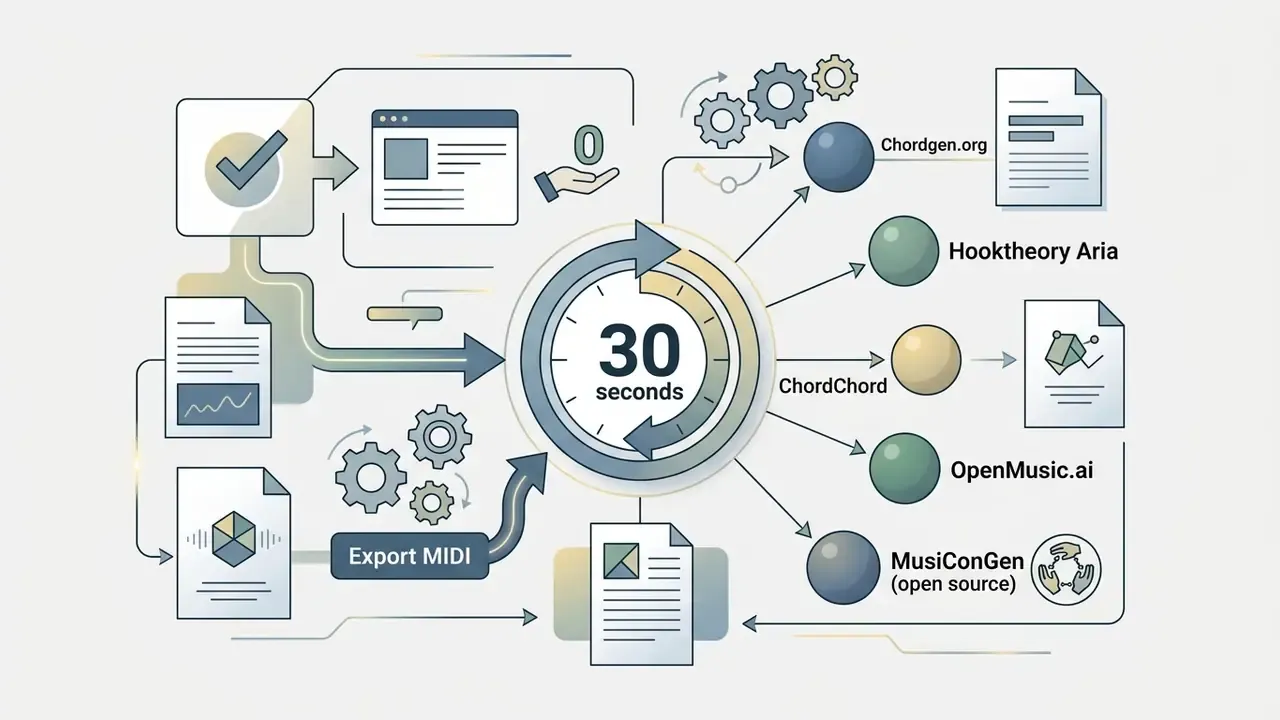
What you need to know in 30 seconds
Who this guide serves, and the vocabulary it assumes
This guide is written for three overlapping groups: producers who need harmony fast, songwriters who want to hear alternatives before committing, and instrumentalists who mostly want a readable chord chart. If you sit in more than one camp, that is normal.
A short vocabulary check, because half the confusion around any chord generator ai comes from mixed terms:
- Chord two or more notes sounding together. One harmonic event, no movement.
- Chord progression an ordered series of chords that builds and releases tension.
- Voicing which notes of the chord you play, and in what register.
- Inversion the same chord with a different note in the bass.
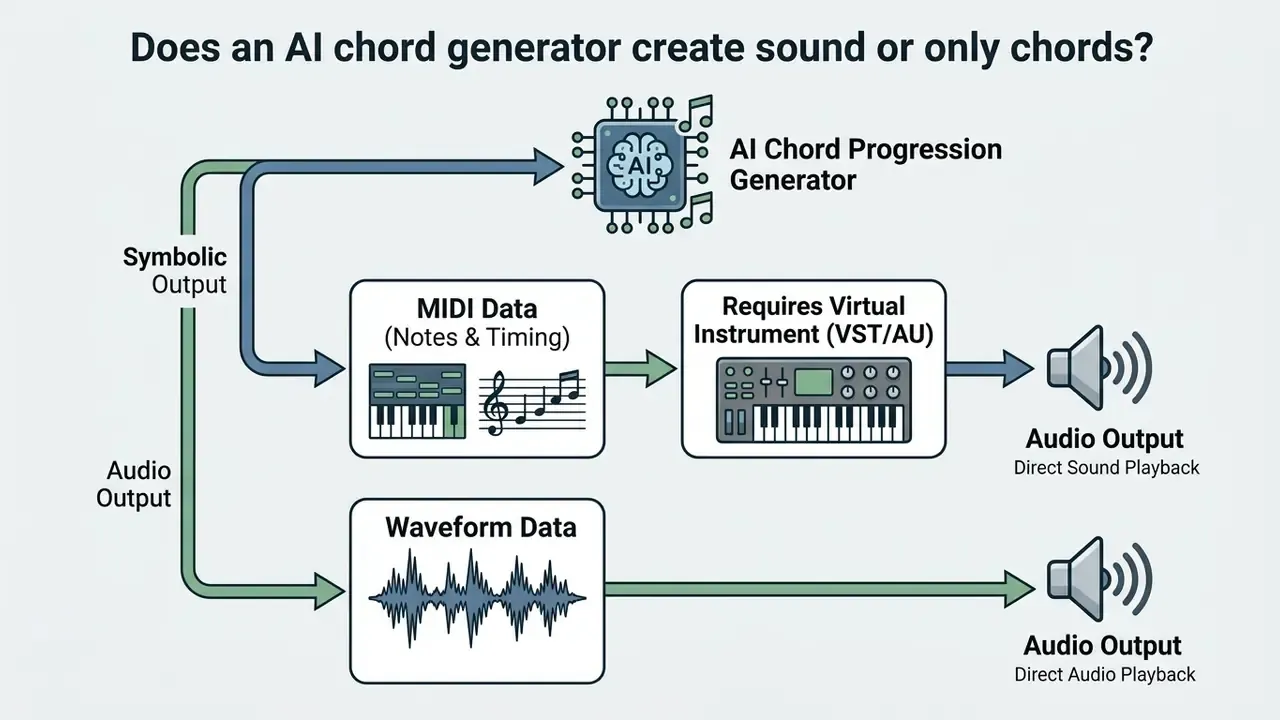
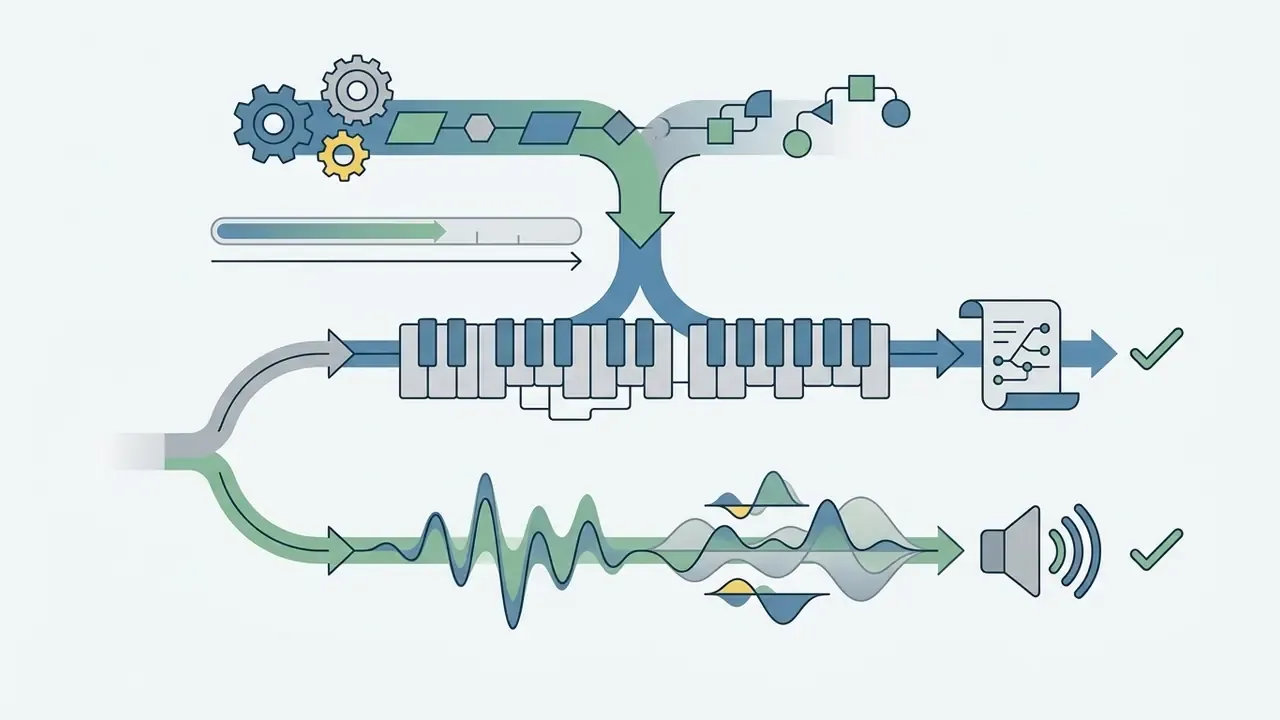
- Symbolic output note data (MIDI). Silent until an instrument plays it.
- Rendered output actual audio, with timbre baked in.
Keep those five terms in mind and every product page below suddenly reads clearer.
What an AI chord progression generator does
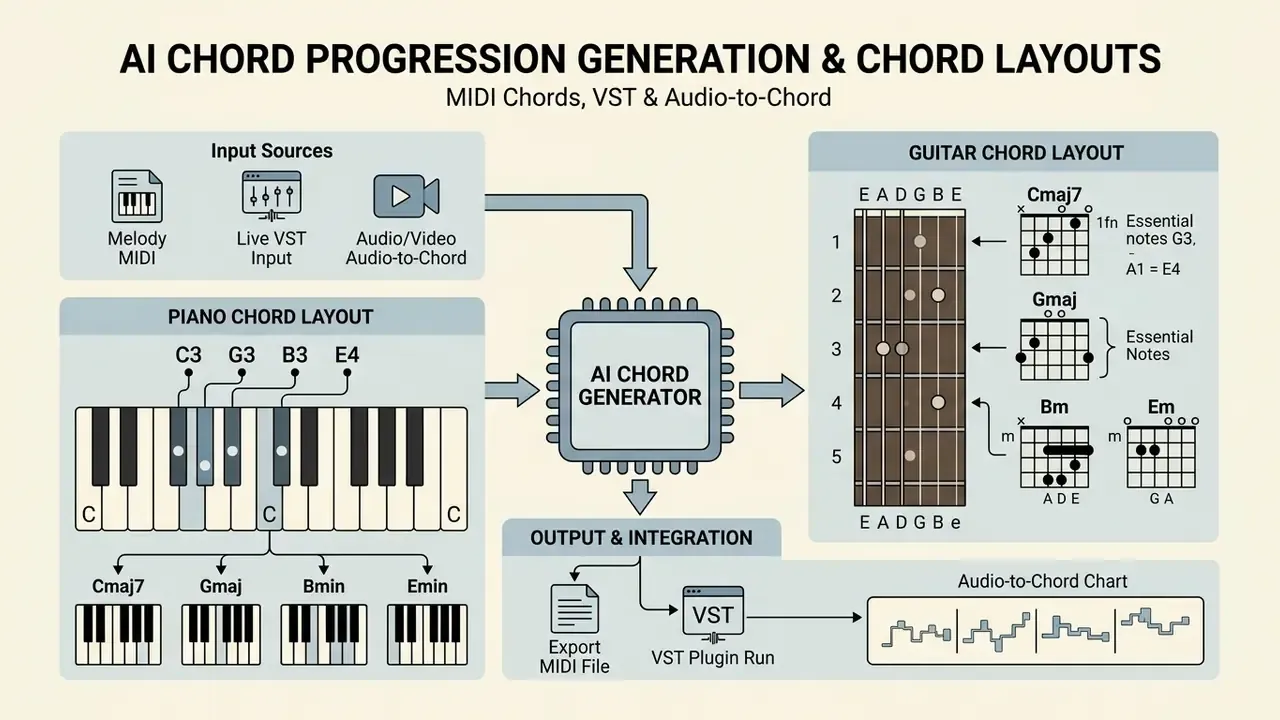
An ai chord progression generator is a software system that uses machine learning models to analyze harmonic structures and output musical sequences. These systems help producers and composers build individual chords, multi-bar chord progressions, and the harmonic frame of a whole song.
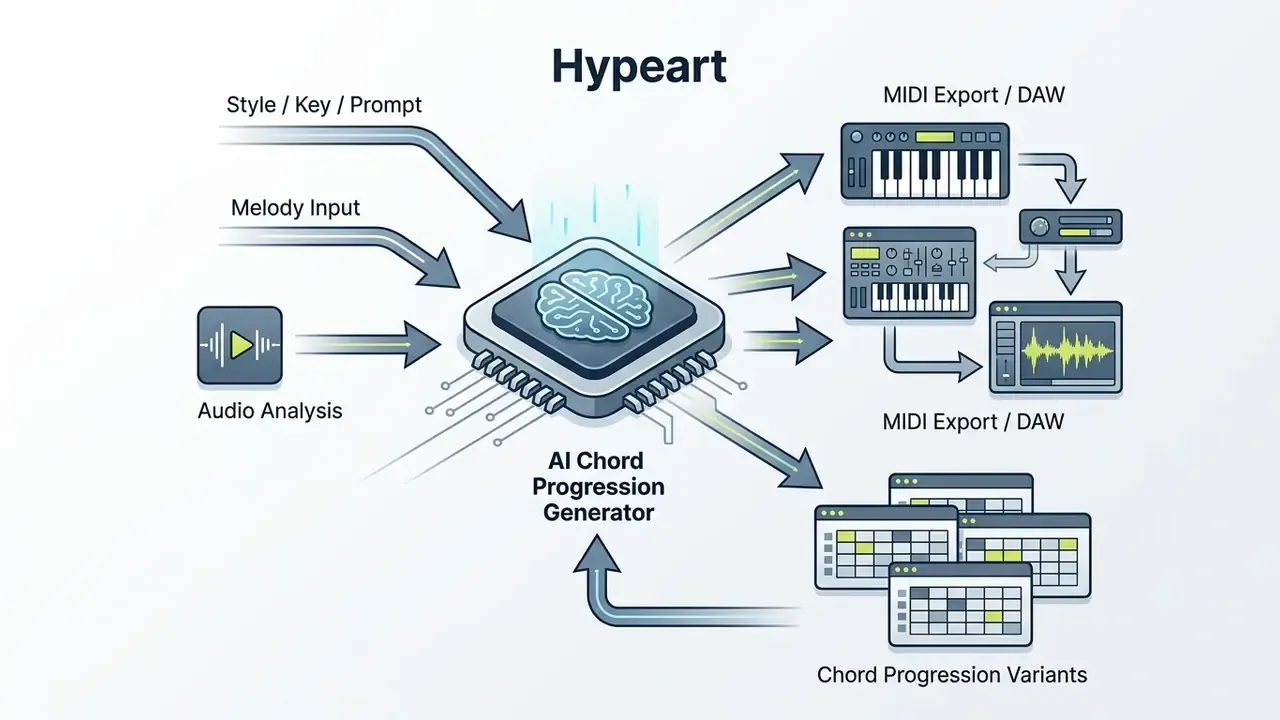
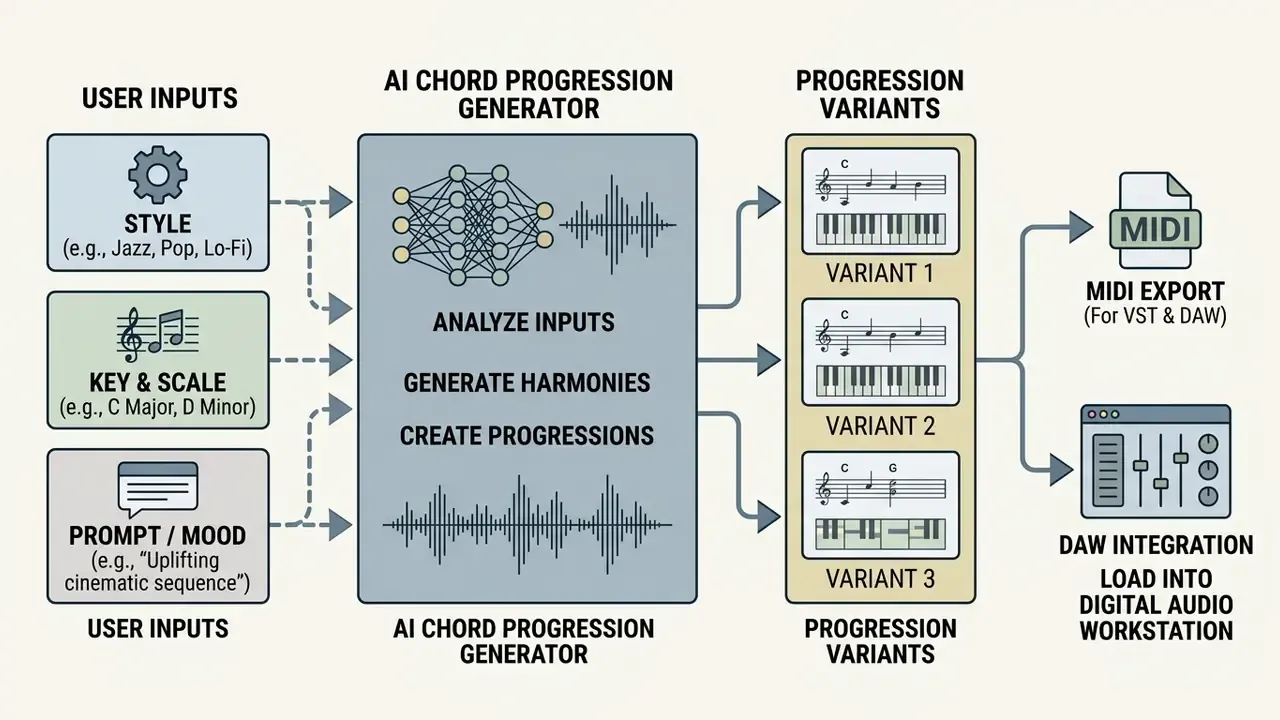
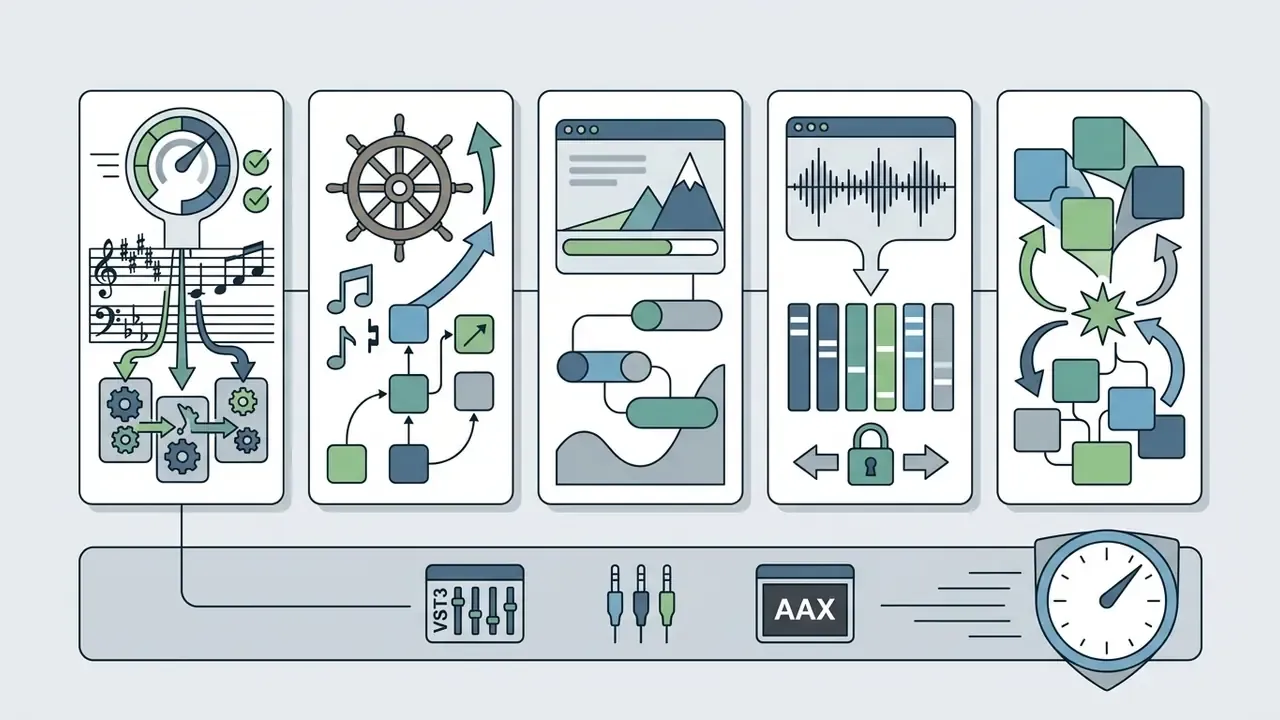
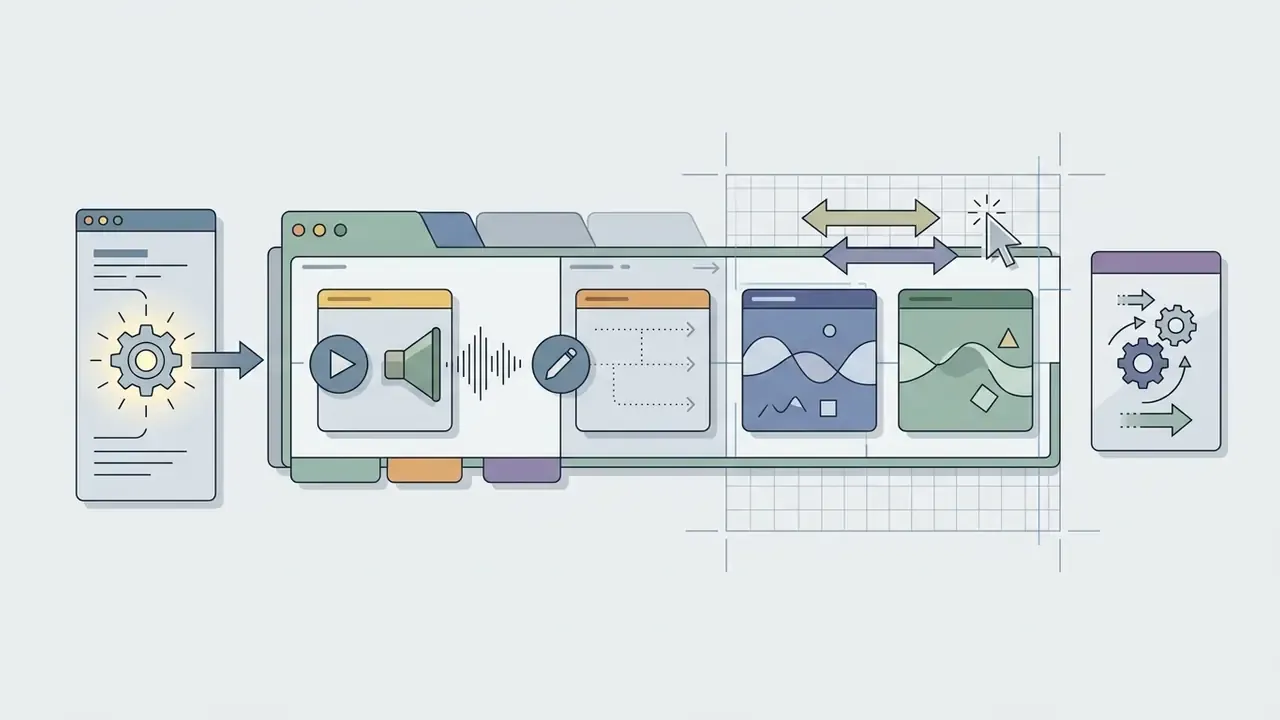
The five-step workflow shared by nearly every tool on the market looks like this:
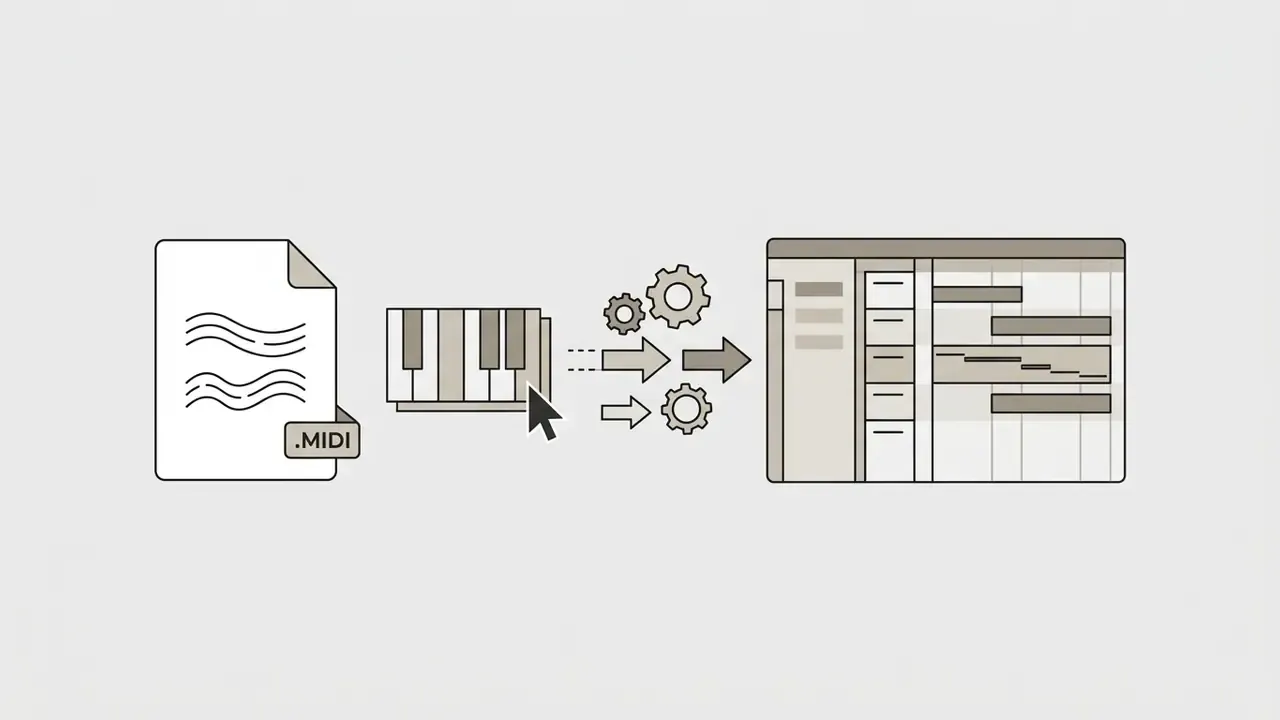
One technical caveat deserves attention: MIDI files do not store chord symbols, only note events. Tools therefore separate harmonic logic (chord names, Roman numerals, scale degrees) from the MIDI export layer (note-on/note-off, pitch, velocity). Platforms such as ChordChord additionally render PDF chord sheets, so the symbolic naming survives outside the DAW. That single detail explains why an ai chord chart generator and a MIDI plugin often feel like different species of product.
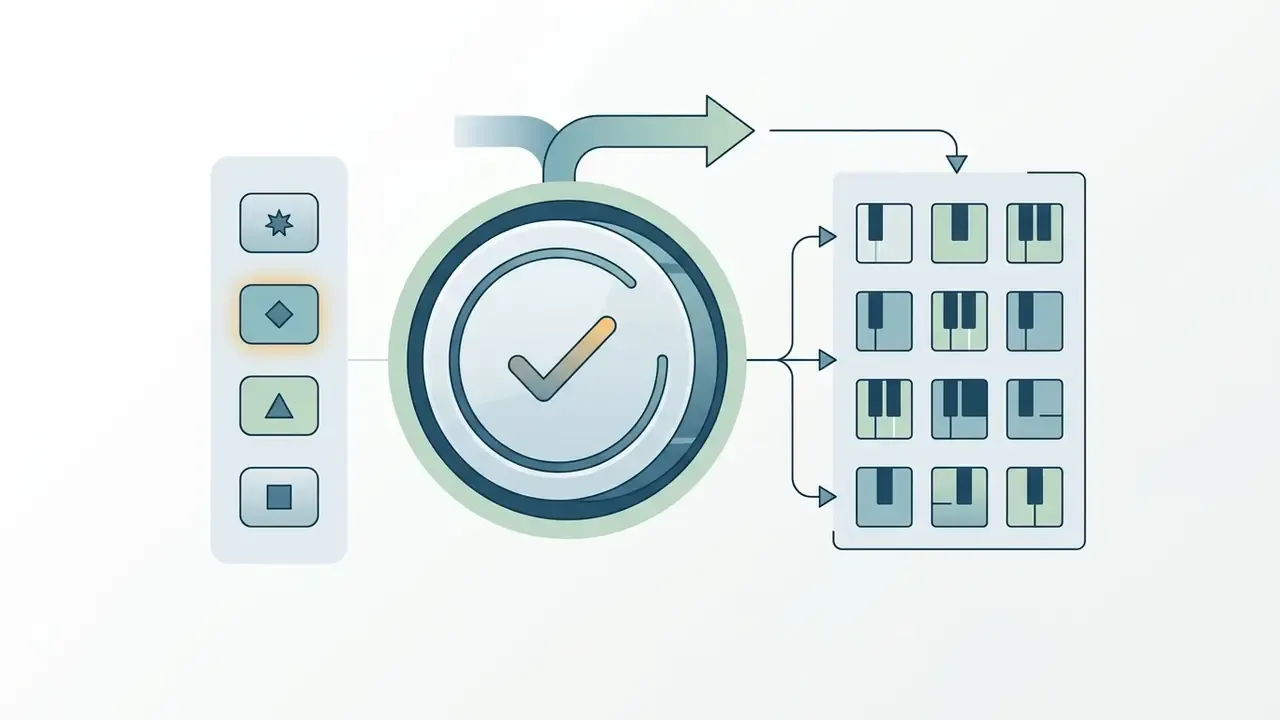
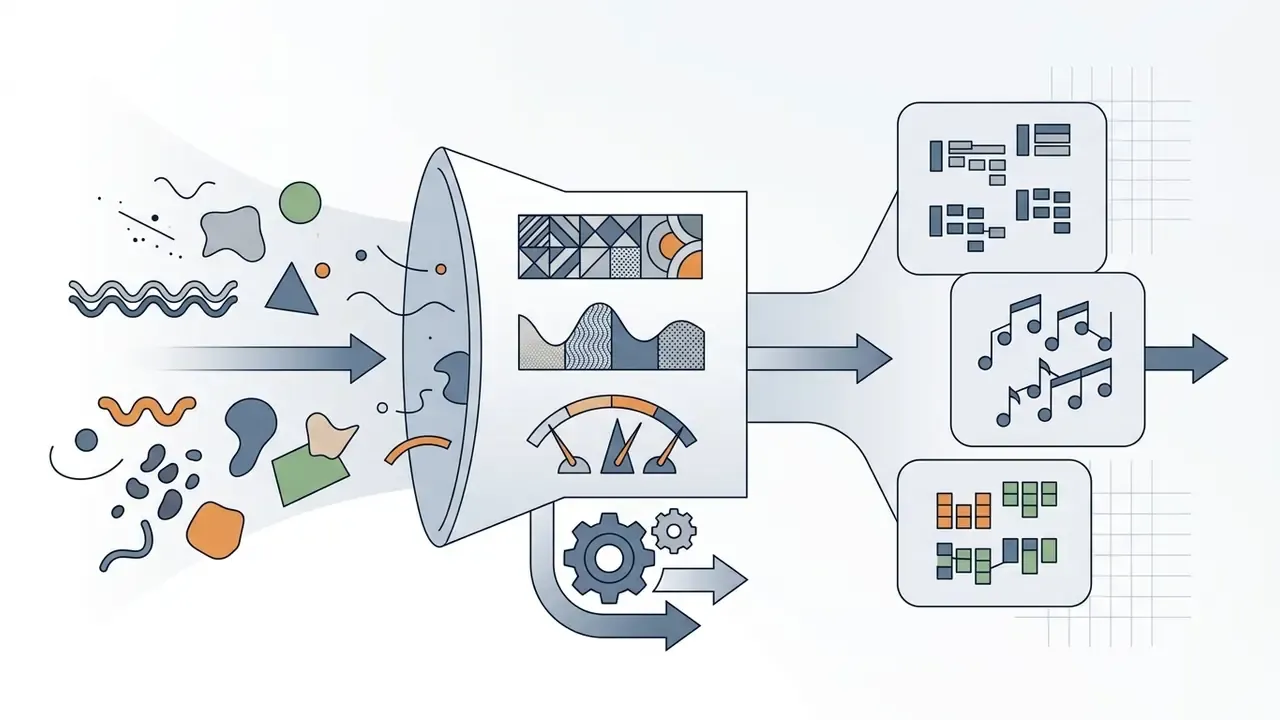
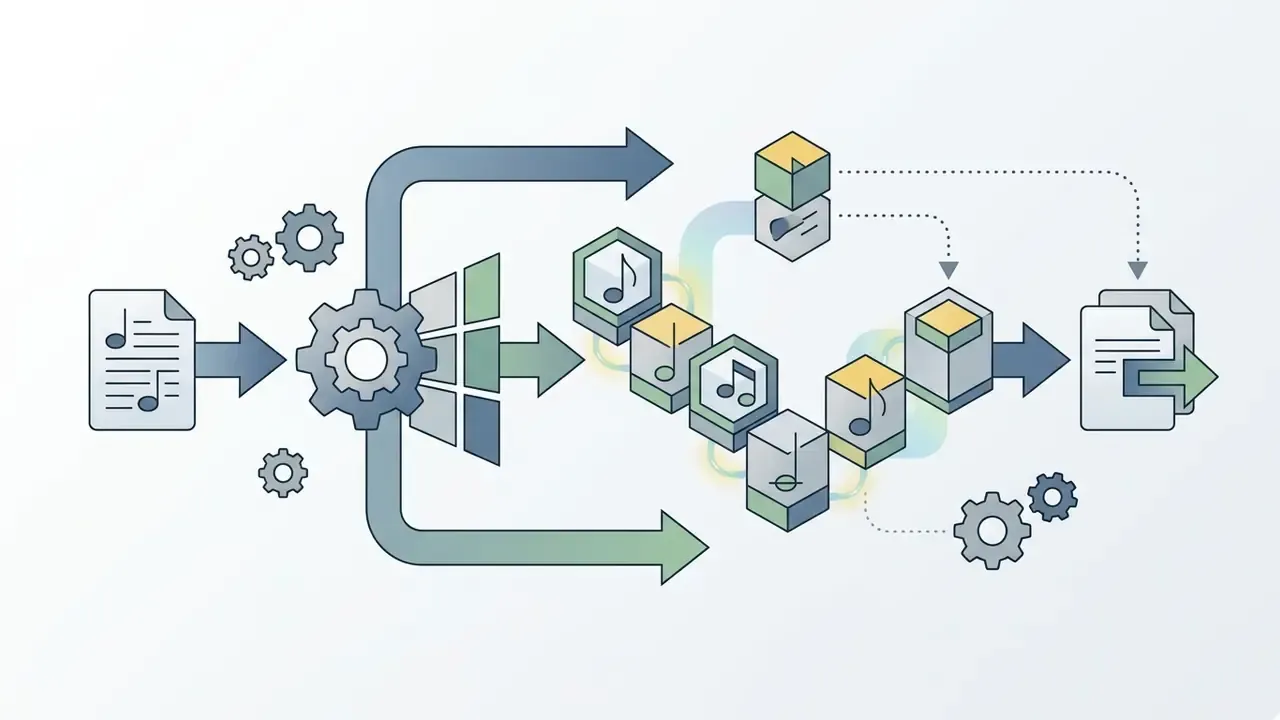
Chord progressions, individual chords and song ideas
A single chord is a static harmonic event without temporal movement. A chord progression, by contrast, creates movement, tension and resolution across a song structure. Reference materials on harmony treat "single major chord" and "single minor chord" as separate one-chord cases precisely because a progression, by definition, is an ordered series of changes that establishes or contradicts a tonality (University of Kansas, Chord Progression Handbook, 2019).
Chord-only transformer architectures, Chordinator among them, are trained directly on sequences of chord tokens without large-scale pretraining. That keeps phrase-level coherence high while the model stays small enough for interactive use.
«Chord-only transformer architectures trained on chord-token sequences maintain phrase coherence without large-scale pretraining.»
When AI helps overcome a creative block
Musicians hit friction when a new composition starts from an empty project. An ai song chord generator supplies rapid harmonic options, letting producers weigh alternative chord choices without manual note entry. Vendors say this out loud: LANDR Composer launched to help users beat creative block and speed up workflow, and songwriting assistants like Tritonality market themselves against "blank page terror" with context-aware harmonic variations.
Empirical data from the Amuse collaborative songwriting study puts numbers where the marketing copy usually sits.
«Participants with the AI assistant rated their ability to translate abstract ideas into music at 6.20 versus 4.60 in the control condition (p < 0.05).»
Producers can scan several generated chord progressions, keep the plausible candidates, and keep building without breaking momentum. The iteration loop matters more than any single output: generate, preview instantly, regenerate, edit, export. To compare how similar assistive-AI loops behave in other creative disciplines, review our analysis of the best AI art generators and browse the hub for process and budgeting templates.
One more thing worth saying plainly. A generator does not know what your song is about. It proposes; you decide.
How to generate chords with AI: style, key and prompt
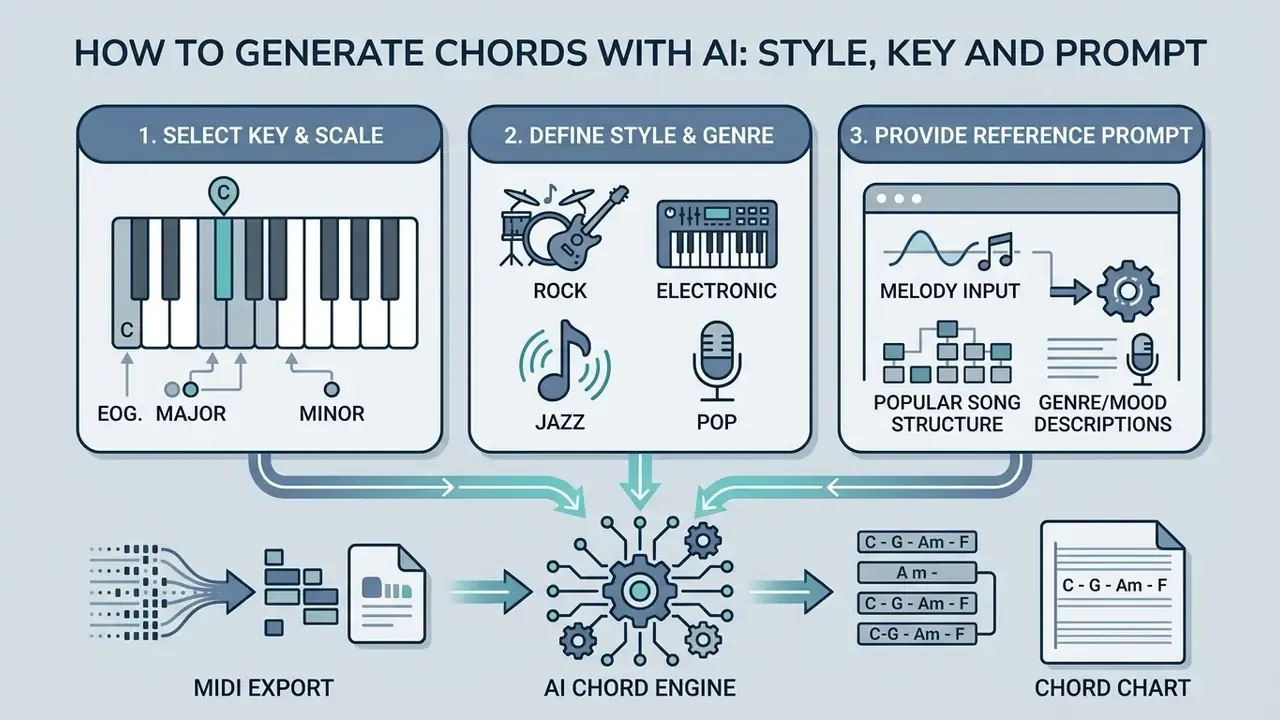
Coherent harmonic sequences require defined inputs. You control the output of a chord generator ai by specifying musical key, genre style, tempo and a natural language prompt. Documentation from text-to-music platforms lists the same controllable variables across vendors: genre, mood, instrumentation, tempo/BPM, era and key signature. Key and BPM govern tonal center and timing directly, while prompt specificity narrows chord choices.
Choose a key and musical style
The selected key sets the primary scale and constrains predicted chords to valid harmonic intervals. It keeps tonal stability across measures. Because chords are stored internally as scale degrees, the same progression transposes to any key without breaking the harmonic logic.
The selected style steers the chord progression generator ai toward genre-specific patterns. Pop and folk lean on I-V-vi-IV and I-IV-V. Jazz relies on ii-V-I plus extended variants such as iii-vi-ii-V. Minor-key loops commonly use i-iv-V-i (University of Kansas, Chord Progression Handbook, 2019). These lists reflect style-specific corpora rather than universal rules, so treat them as prompting starting points, not laws of harmony.
Text-conditioned models combine genre prompts with structural chord constraints to generate style-consistent backing tracks.
«MusiConGen applies frame-level chord and rhythm conditioning, achieving the strongest rhythm control among four baseline methods on the RWC-Pop-100 dataset.»
Research on prompt-driven chord generation shows that a prompt can carry far more than genre. Detected key, measure count, groove, harmonic energy and harmonic complexity all push the progression toward a specific shape. For teams wiring these parameters into automated media pipelines, developers can open the hub for implementation standards or study a comparable production integration in our Google Veo implementation guide.
Popular song chord progression reference guide
To see how AI tools reconstruct commercial harmony, look at the formulas behind these hit records:
| Song title and artist | Musical key | Chord progression sequence | Roman numeral analysis | Genre / vibe |
|---|---|---|---|---|
| "Flowers" by Miley Cyrus | A minor | Am7 - Dm7 - G - Cmaj7 | i7 - iv7 - VII - IIImaj7 | Pop / disco groove |
| "Out of Time" by The Weeknd | A-flat major | Ab - Gm - Cm - Fm | I - vii - iii - vi | R&B / synth pop |
| "Shivers" by Ed Sheeran | B minor | Bm - G - D - A | i - VI - III - VII | Acoustic pop |
| "Stay" by The Kid LAROI and Justin Bieber | F-sharp major | Gbadd2 - Ab - Bbm7 - Fm | Iadd2 - II - iii7 - vii | Uptempo pop |
| "Love Me Now" by Kygo | D minor | Dm - F - Bb - C | i - III - VI - VII | Dance / tropical house |
| "Inferno" by Sub Urban and Bella Poarch | A minor | Am - F - Dm - E | i - VI - iv - V | Dark pop |
Implementation tip: when typing prompts into an ai chords generator, specify both the target Roman numerals and the extensions. For example: "Generate a I - VI - III - VII progression in B minor with 7th chord extensions, 8 bars, 100 BPM." Interfaces such as OneMotion's Chord Player expose the same logic visually, letting you drag chord blocks (C, Em7, Am, F) into a progression lane and swap voicings on the fly.
Generate options and refine the chord progression
The first output of an ai chord generator is an editable baseline, not a finished part. Users create secondary iterations by rewriting prompts, adjusting harmonic density, or altering individual chord roots.
Refinement mechanisms such as rejection sampling against human-composed chord datasets filter out musically implausible predictions. Systems like MusicGen-Chord accept structured text edits (for instance C G Am F, one bar per chord, with commas for two chords inside a bar) and regenerate only the affected measures.
«MusicGen-Chord replaces one-hot encoded melody chromas with multi-hot encoded chord chromas, allowing the language model to generate audio from specified progressions.»
Hosted implementations expose these controls as explicit parameters: text_chords, bpm, time_sig, continuation, duration, model_version and seed. A producer can lock the harmony, extend an existing clip, then reproduce or deliberately vary an output by changing the seed. Genetic-algorithm approaches follow a similar loop. You set key, chord count and a tonal-tension profile, then re-run the search with fixed population and mutation parameters until the tension curve matches the arc you had in mind.
Iterate a handful of times and raw harmonic output turns into something that actually fits the track.
Create chords from a melody for piano and guitar
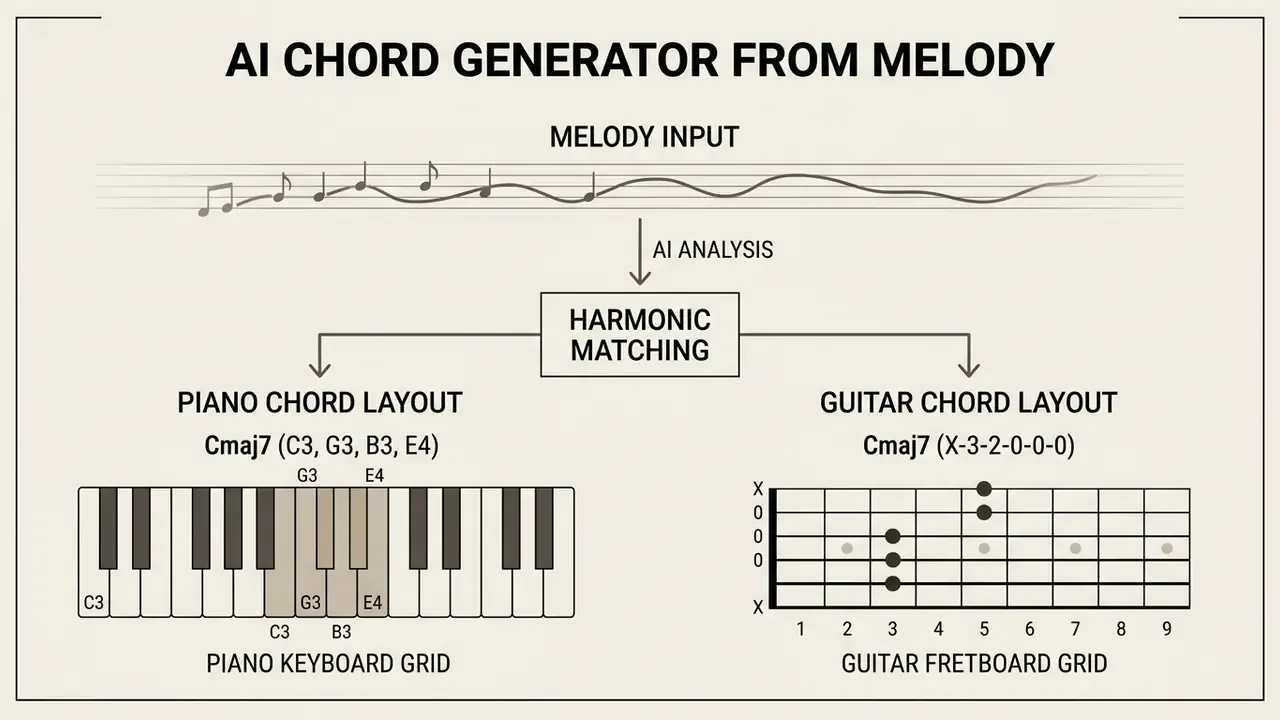
Matching harmony to an existing vocal or instrumental line is one of the oldest composition problems. Dedicated neural networks analyze melodic pitch contours, which is what powers create chords from melody ai workflows.
AI chord generator for melody
An ai chord generator for melody weighs note frequencies, durations and metric placement to infer the key and a matching chord sequence.
AutoHarmonizer uses a vocabulary of 1,462 chord types to match complex melodic structures frame by frame, built on a BiLSTM encoder-decoder backbone.
«The gamma parameter in AutoHarmonizer controls harmonic density: values above 0.5 make the model change chords more frequently between adjacent frames.»
Reinforcement learning pushes the task further. RL-Chord pairs a melody-conditional LSTM with deep RL, and its authors report DQN as the best-performing policy for melody harmonization (RL-Chord: CLSTM-Based Melody Harmonization Using Deep Reinforcement Learning, 2023). On the product side, Hookpad Aria works non-sequentially inside a lead-sheet editor: continuing a progression left to right, filling missing spans, deriving harmony from melody or melody from harmony. AI Harmonizer systems go one step beyond, generating four-part vocal harmony from a bare melody with no prior harmonic input.
Consumer apps converge on one pipeline. Record or upload a single-note melody, run pitch detection and key estimation, assign chords, export a PDF with melody and progression together. That is effectively an ai chord chart maker hiding inside a harmonizer. For adjacent creative-asset workflows that pair with audio production, consult our guides to the animation maker category, the animation generator overview and AI voice generators.
Piano and guitar chord layouts
Generated chords still have to become physical shapes for piano or guitar.
- An ai piano chord generator displays chord notes linearly across keyboard keys, showing inversions, voicings and bass placement rather than one fixed hand shape.
- A guitar chord generator ai converts symbolic chords into fretboard grids: six string lines, horizontal fret lines, dots for fingers, numbers for fingering,
0orXfor open and muted strings.
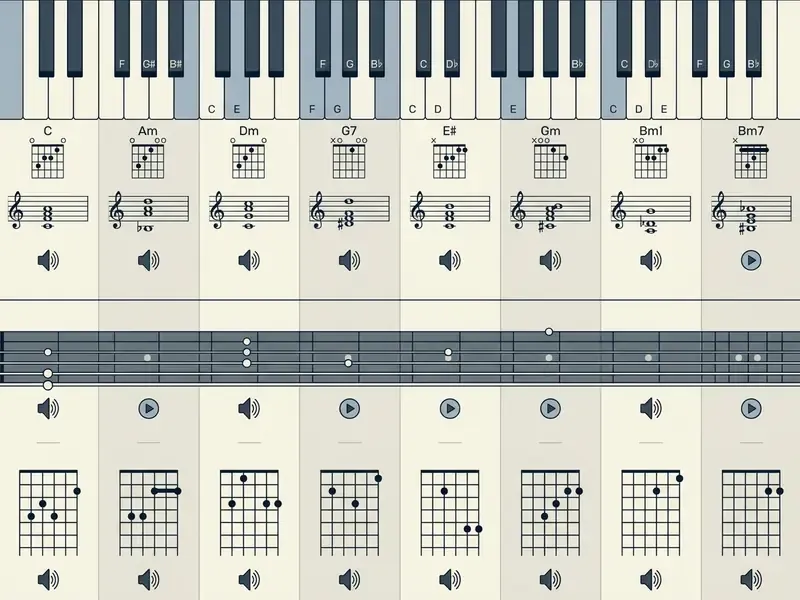
Static charts give reference diagrams; interactive tools let you hear each voicing. A chart shows harmonic content only. Performance adds rhythm, inversion choice, arpeggiation, hand distribution and bass patterns. That gap is where most beginners lose the plot, honestly.
Guitar fretboard grid, Cmaj7 (X-3-2-0-0-0)
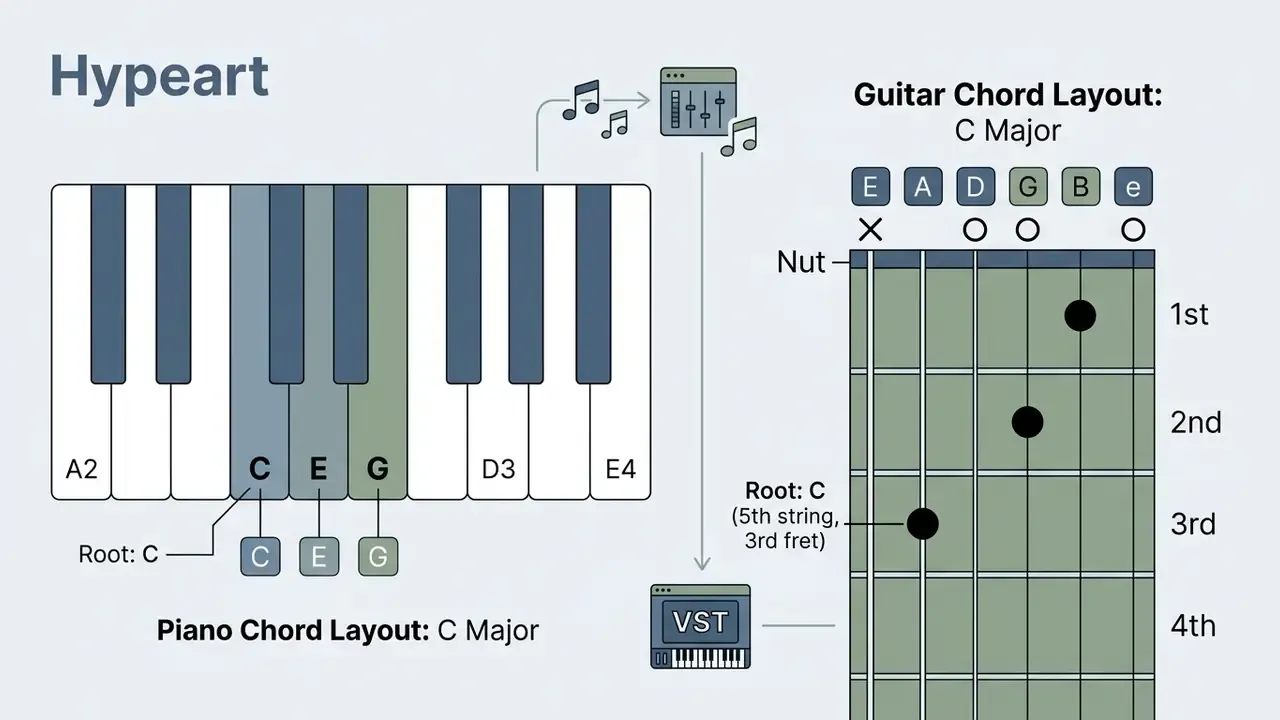
Piano keyboard grid, Cmaj7 (C3, G3, B3, E4)
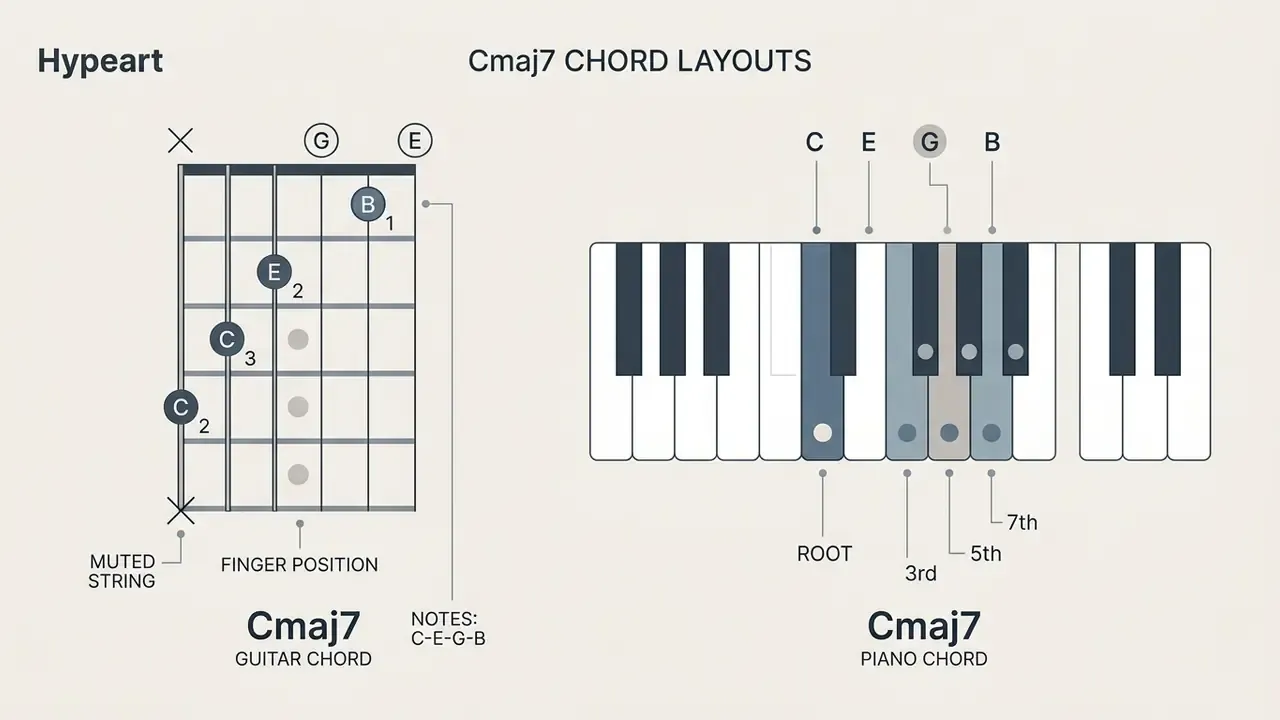
Interactive piano and guitar chord layout (text-accessible harmonic layout and voicing guide)
| Position | Chord name | Roman numeral | Piano layout | Guitar layout | Audio preview |
|---|---|---|---|---|---|
| Measure 1 | Cmaj7 | Imaj7 | C3, G3, B3, E4 | X-3-2-0-0-0 | Play Cmaj7 |
| Measure 2 | Am7 | vi7 | A2, G3, C4, E4 | X-0-2-0-1-0 | Play Am7 |
| Measure 3 | Dm7 | ii7 | D3, A3, C4, F4 | X-X-0-2-1-1 | Play Dm7 |
| Measure 4 | G7 | V7 | G2, F3, B3, D4 | 3-2-0-0-0-1 | Play G7 |
If audio preview is unavailable in your browser, use the printed fret and key values above as a static chord chart. Each preview control should carry an accessible label such as "Play Cmaj7 chord preview".
To see how visual assets complement audio production, review our guide to YouTube video editing workflows, plus the notes on animated music videos and animated video production for release-day assets.
MIDI chord generator and VST workflow
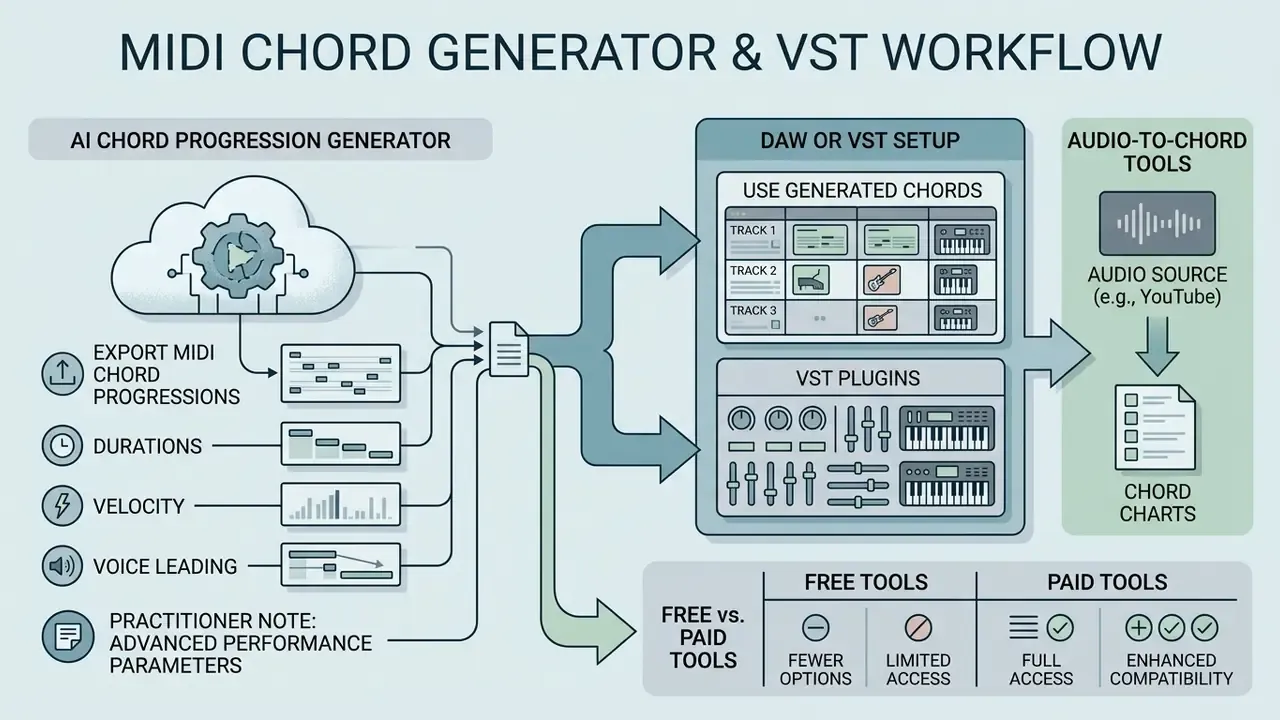
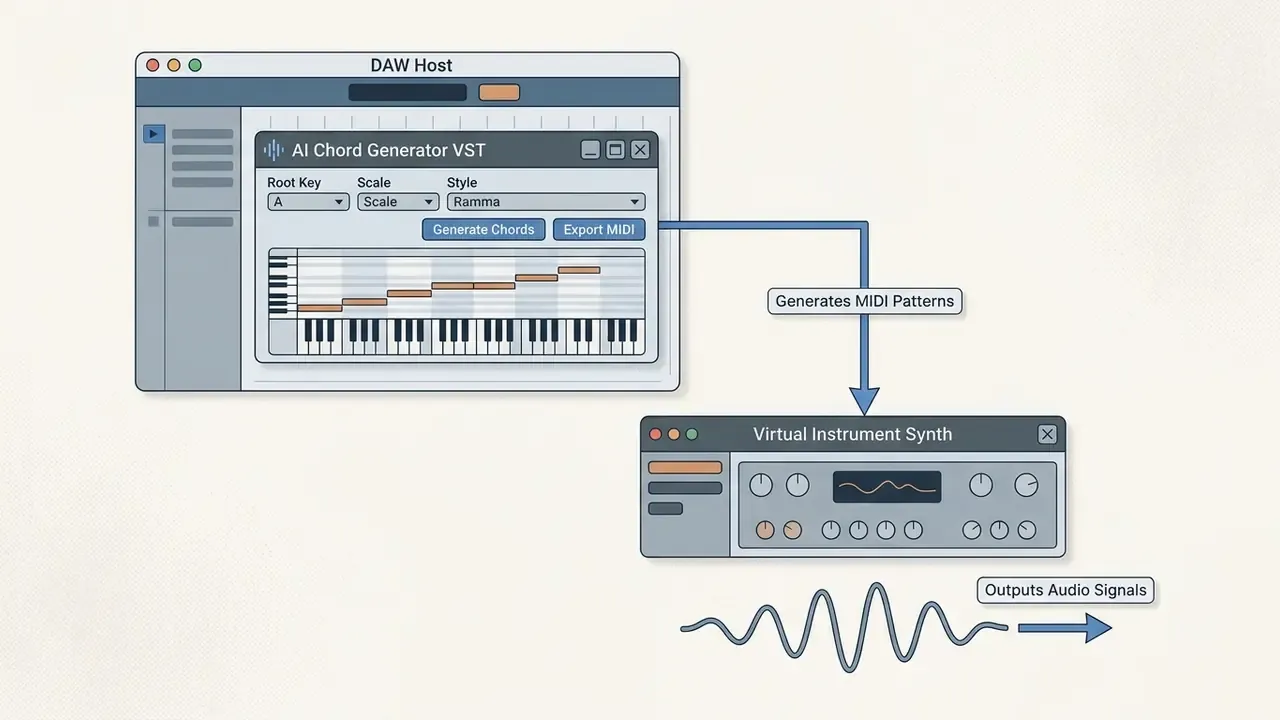
Bringing an ai midi chord generator into a professional room requires standard file formats and virtual instrument compatibility. As of 2026, the dominant deployment model is a DAW plugin shipped in VST3, AU and AAX, usually with a standalone mode for producers who prefer to work outside a host.
Export MIDI chord progressions
Exporting generated chords as Standard MIDI Files (.mid) preserves note numbers, start times, durations and velocity values.
Three practical consequences follow from that specification:
- Durations survive export only if note-off events are written correctly. Truncated note-offs collapse sustained chords into staccato stabs.
- Velocity is stored per note, but its interpretation belongs to the receiving instrument, so exported dynamics depend on the sampler's velocity curve.
- Voice leading is not a MIDI field at all. It survives only when each voice travels as its own ordered stream of note events, because MIDI transmits pitch and timing, not harmonic function.
Practitioner note: an independent scoring studio integrated an ai chord generator vst pipeline into its recording suite and exported multi-channel MIDI sequences straight to host tracks. That removed most manual note drafting during the sketch phase while preserving compatibility with proprietary instrument libraries. The size of the saving scales with cue length and the number of harmonic variations requested, so validate it per project instead of quoting a fixed number of hours.
Advanced MIDI performance parameters in modern AI generators
Raw computer-generated MIDI often sounds robotic, mostly because of rigid quantization. Serious tools therefore ship performance modifiers that imitate human execution:
- Humanization and timing offset: subtle millisecond delays across individual chord notes, replicating the micro-timing variance of a live pianist or guitarist. LANDR Composer exposes this alongside polyphony as a customizable modifier.
- Velocity randomization: varies dynamics (MIDI velocity 1 to 127) across measures and repeats to avoid harsh, uniform playback. ChordJam pairs it with a built-in groove sequencer.
- Chord inversions and extensions: automatic re-stacking, for example lifting a root note an octave, to smooth voice leading between adjacent chords. AudioCipher v4 added inversion control plus a join-repeating-notes option.
- Rhythmic subdivisions and triplets: expands plain 4/4 generation into triplet feel, swing offsets and dotted durations. AudioCipher supports whole through sixteenth values, all triplet subdivisions, and rhythm randomization.
- BPM and time-signature locking: aligns generated bars to project tempo and meter before drag-and-drop, which saves manual re-quantization later.
Use generated chords in a DAW or VST setup
Producers import generated MIDI into Ableton Live, Logic Pro, FL Studio, Cubase, Reaper, Bitwig or Pro Tools to drive synths and samplers.
Modern plugins, MIDI Agent, LANDR Composer and dBdone AI Chords among them, run inside the host as VST3, AU or AAX. So you can generate, audition and edit MIDI chord sequences without leaving the session.
Step-by-step checklist, from generator to instrument track
- Install the plugin in the format your host reads (VST3 or AAX on Windows; VST3, AU or AAX on macOS), then rescan the plugin folder in preferences.
- Load the chord generator on a MIDI-capable track. In Ableton Live that means a MIDI track; in Logic Pro, a software-instrument track.
- Set key, scale, BPM and bar count inside the plugin so output matches the session grid.
- Generate and audition progressions with the plugin's internal preset sounds.
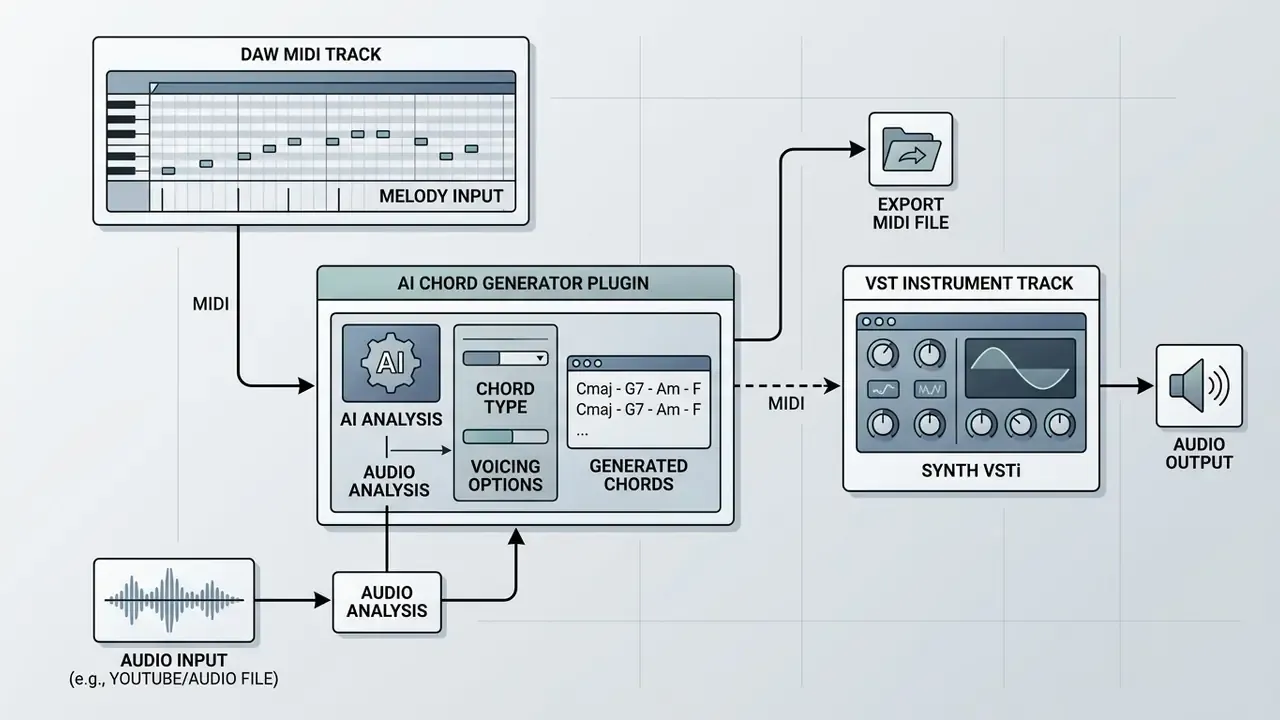
- Route the output. In Ableton Live, set the destination track's MIDI From to the generator track and monitor to In. In Logic Pro, use the plugin's drag-and-drop region or record-enable the receiving instrument track.
- Drag the pattern, or the exported .mid file, onto the instrument track. Open the piano roll and edit voicings, inversions and velocity.
- Bounce or freeze the part once harmony is final, and archive the .mid file for reuse in future chord packs.
To evaluate broader media asset licensing frameworks, view the guide on commercial rights, or compare licensing structures in adjacent AI categories such as the Canva AI generator overview.
Audio-to-chord AI: extracting harmonies from YouTube and audio files
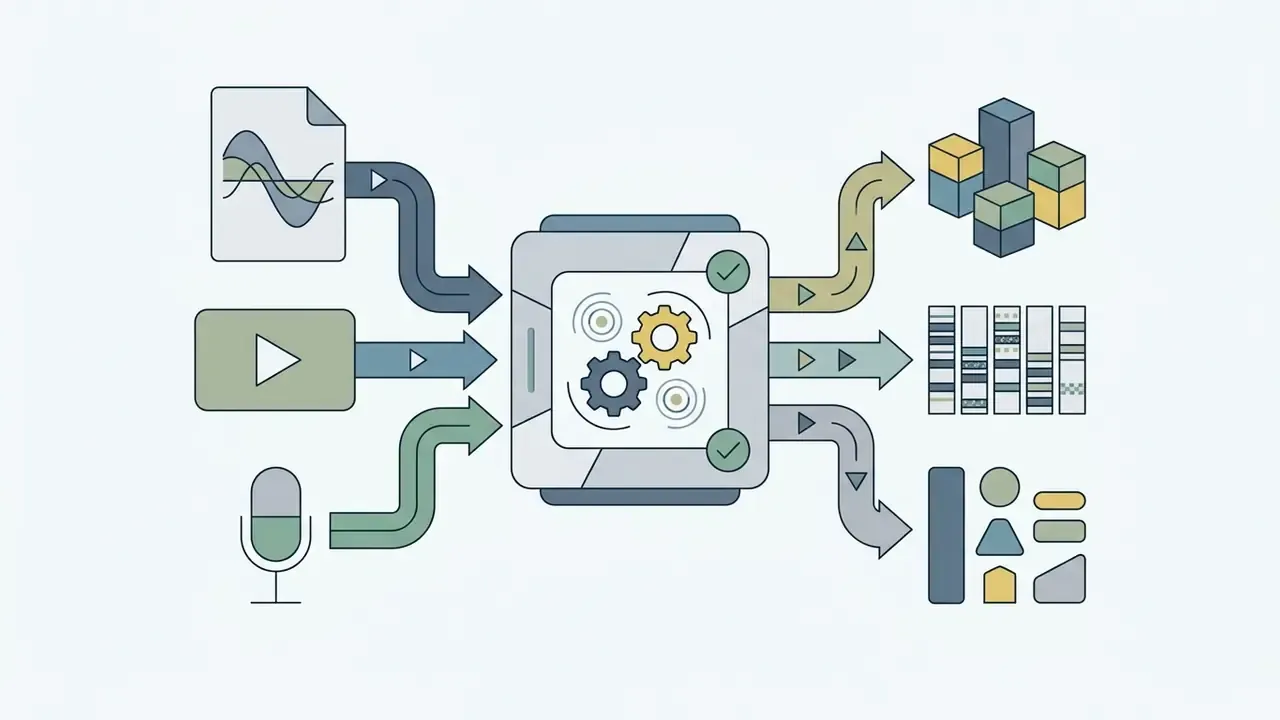
Symbolic models invent progressions from text or key inputs. Audio-to-chord systems do the reverse, turning existing audio files, YouTube videos, SoundCloud links or a live microphone feed into MIDI and readable chord charts. Same domain, opposite direction: transcription rather than invention.
How audio recognition models infer harmonies
These tools combine convolutional neural networks with pitch-detection models such as Spotify's Basic Pitch to transcribe polyphonic audio.
- Stem separationdeep learning models isolate harmonic content, splitting a mix into bass, vocals, drums and "other" stems, each exportable as a .wav file.
- Chromagram analysisthe system computes time-frequency representations to identify pitch classes across measures, then labels chords, including major sevenths, dominant sevenths, diminished, augmented and altered dominants.
- Beat and downbeat trackingtempo estimation segments the song into bars and beats, so chord changes land on musical positions instead of arbitrary timestamps.
- Key inferencethe global key is derived from the detected chord sequence.
- MIDI transpositionpitch contours map to symbolic MIDI data, producing chord charts plus guitar, piano or ukulele diagrams.
Workflow: [Audio File / YouTube Link / Microphone] ---> [Stem Separation] ---> [Beat & Key Detection] ---> [Pitch Detection (Basic Pitch)] ---> [Exportable MIDI / Chord Chart / PDF]
Where a chord ai generator built on transcription beats generation from scratch:
A caveat, and it is not small: accuracy drops on dense mixes, heavily distorted guitars and unusual tunings. Check ambiguous chords by ear before they reach a chart.
- Learning a cover
- load a streaming link and read the chord chart with fretboard diagrams instead of hunting through tab sites.
- Sampling and re-harmonizing
- pull the progression from a reference track, then re-voice it in your own key with a symbolic generator.
- Transcribing your own demos
- capture an improvised piano or guitar take through a microphone and convert it into editable MIDI.
- Lyric and speech transcription
- speech models layered on top return time-aligned lyrics next to the chords.
Free AI chord generators and choosing the best option
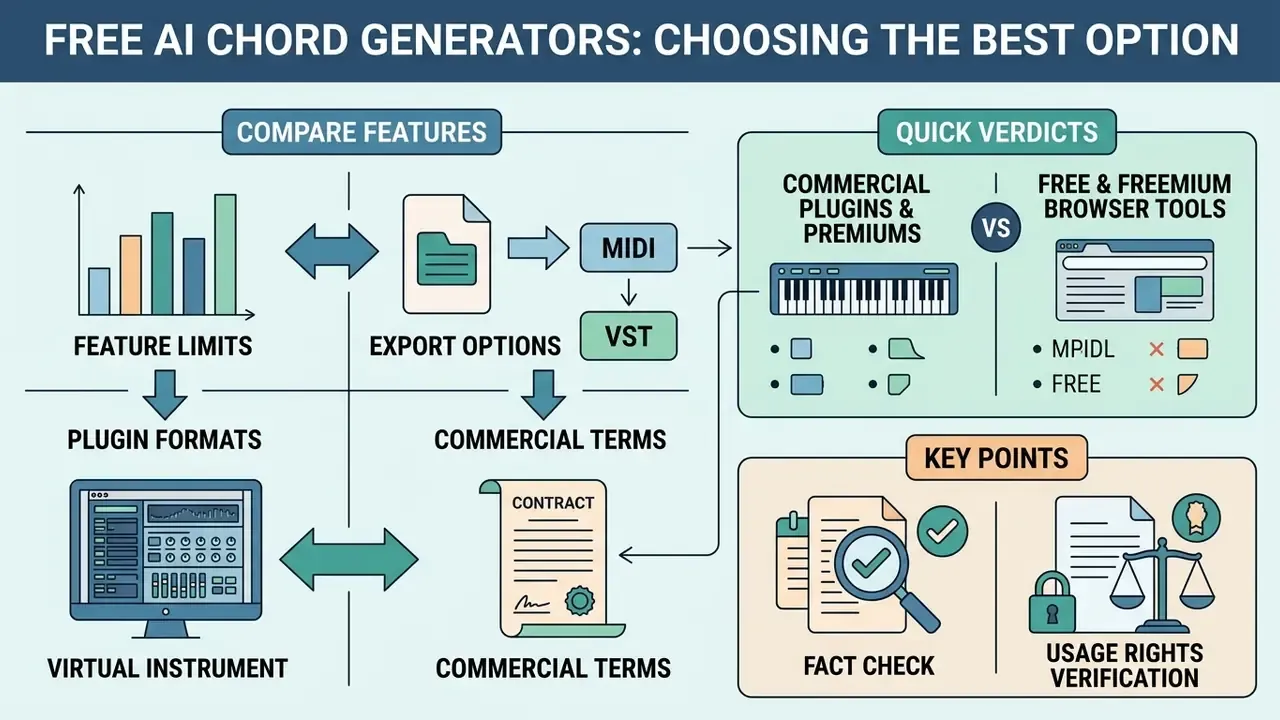
Picking the best ai chord generator means comparing feature limits, export options, plugin formats and commercial terms. The market splits into two tiers: commercial DAW plugins with deep editing control, and free browser tools built for speed.
Free and freemium browser tools
| Tool / platform | Free access tier | MIDI export | VST support | Piano and guitar charts | Commercial use terms | Verdict |
|---|---|---|---|---|---|---|
| Chordgen.org | Yes (no sign-up required) | Yes (standard .mid) | No (web-based) | Keyboard display | Unspecified in public documentation | Fastest zero-friction sketching |
| Hooktheory Aria | Yes (limited daily queries) | Yes (via Hookpad) | No (browser app) | Full notation and charts | Personal and educational tier standard | Best for learning while writing |
| OpenMusic.ai | Yes (free trial tier) | Audio download | No (web platform) | Indirect | 100% royalty-free on paid plans | Best three-click genre prompting |
| MusiConGen | Yes (open-source code) | Yes (symbolic output) | No (Python/local) | External mapping required | Open-source license dependent | Best for researchers and pipeline builders |
| ChordChord | Yes (basic feature tier) | Yes (paid upgrade) | No (web interface) | Piano and guitar diagrams, PDF chord sheets | Premium membership required for commercial rights | Best chart output for instrumentalists |
| ChordSeqAI | Yes (fully free, open source) | Yes | No (browser) | Piano roll display | Open-source terms, documented wiki | Best transparency and editability |
| OneMotion Chord Player | Yes (free to use) | Limited | No (browser) | Piano, voicing and bass-pedal controls | Free to use, check site terms | Best hit-song progression browsing |
| Chord AI | Yes (basic recognition free) | Yes (Basic Pitch midify) | No (mobile app) | Guitar, piano, ukulele diagrams | Paid unlock for full features | Best audio-to-chord recognition |
Quick verdicts. Best for VST-centric production: LANDR Composer or Scaler 3. Best free ai chord generator in the browser: Chordgen.org or ChordSeqAI. Best free ai chord progression generator for beginners without theory: ChordChord or OpenMusic.ai. Best chord maker ai for converting existing audio: Chord AI. And if you simply need an ai chord maker that never asks for a login, start with Chordgen.
«The Retrieval-Edit-Rerank framework decomposes chord generation into three stages and outperforms end-to-end baselines on the balance of diversity and musical validity.»
That finding doubles as a buying lens. Tools that let you retrieve a template, edit it, then re-rank candidates tend to produce more usable harmony than a single-shot ai chord progression generator free of any editing layer. To compare subscription plans across creative platforms, compare options in our pricing directory, or study how free AI video generators structure credits and watermarks. The same freemium mechanics recur across AI media categories.
Fact check and usage rights verification
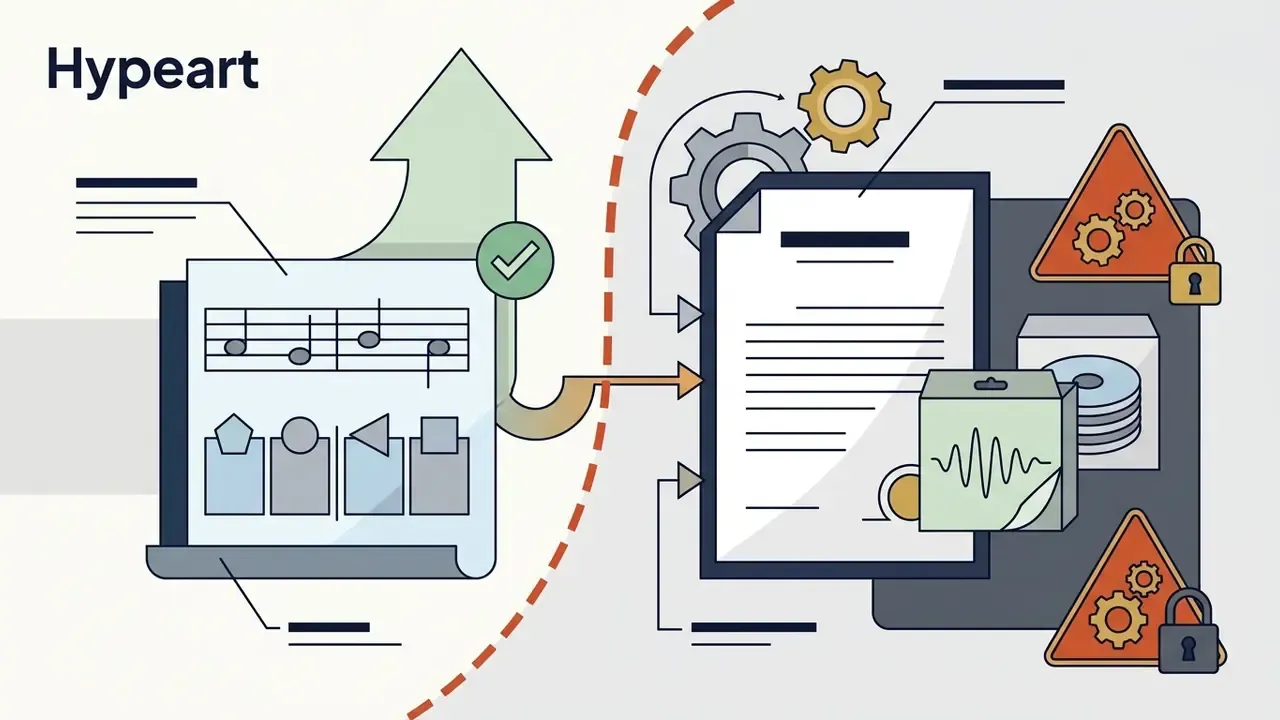
This information is general and does not replace legal advice on copyright, licensing or contract questions. Consult a qualified attorney before commercializing AI-assisted musical works.
- Commercial licensing restrictions: royalty rights vary sharply between vendors, much as commercial-use terms differ across AI generators in other media categories. OpenMusic.ai grants commercial rights on paid tiers (OpenMusic.ai Terms, 2026), while several free web generators say nothing explicit about copyright. Tiered licensing is common: AIVA's EULA separates a non-commercial license, a limited commercial license (monetization restricted to YouTube, Twitch, TikTok and Instagram) and full copyright transfer. MusicCreator AI states that premium plans make generated progressions royalty-free for commercial use.
- Copyrightability of generated harmonies: guidance from the U.S. Copyright Office holds that unadorned AI outputs lack human authorship, and that prompting alone is not enough to create protectable expression.
«Where AI determines the expressive elements of the output, the generated material is not the product of human authorship.» Copyright and Artificial Intelligence, Part 2: Copyrightability, U.S. Copyright Office (2025). https://www.copyright.gov/ai/
Standard chord progressions such as C-G-Am-F are uncopyrightable musical ideas under U.S. law. Full sound recordings, rendered loops and specialized sample libraries stay subject to platform license agreements. Jurisdiction matters too: under UK law, section 178 of the CDPA 1988 recognizes computer-generated works without a human author, a materially different position from the U.S. human-authorship rule.
- Data usage and privacy: web-based tools may log input prompts and chord selections to retrain proprietary models. Creators handling confidential intellectual property should read vendor privacy disclosures before deployment, and prefer local or open-source options such as MusiConGen or ChordSeqAI for unreleased material.
- Known model limitations: peer-reviewed music-generation research lists recurring constraints, including high computational cost, scarce high-quality training data, and weaker performance on uncommon notes, unusual keys and niche styles. Expect thin results in microtonal, modal-jazz or non-Western harmonic contexts.
A blunt summary: verify the license on the vendor's own terms page before you sell anything. Screenshots of a pricing page are not a license.
FAQ about AI chord generators
Does an AI chord generator create sound or only chords?
An ai chord generator can produce symbolic note data, synthesized audio, or both, depending on its architecture. Symbolic tools such as Chordinator and standalone MIDI generators output discrete note events, pitches, durations and velocities without waveforms. The data is editable and readable, but silent until a virtual instrument renders it. Audio-generating models such as MusiConGen or MusicGen-Chord synthesize waveforms or spectrograms containing timbre, arrangement and acoustic character, conditioned on chord inputs. Hybrid plugins like LANDR Composer do both, shipping 100+ instrument presets so the plugin becomes its own voice.
«In the 'I Keep Counting' experiment, researchers generated several chord progressions per song section, then selected and arranged them manually.» I Keep Counting: An Experiment in Human/AI Co-creative Songwriting, Transactions of ISMIR. https://transactions.ismir.net/articles/10.5334/tismir.86
Can generated chord progressions be used for chord packs?
Yes, when the vendor's terms of service permit commercial distribution. Under U.S. copyright principles, basic harmonic progressions count as foundational ideas rather than protectable expression. Selling pre-rendered audio loops or sample files, though, remains governed by the end-user license agreement, and some sample libraries add their own limits on instrument sounds. Practical workflow: keep a versioned folder of .mid files tagged with key, BPM and mood, document which tool produced each file and under which license tier, then re-render audio using instruments you are licensed to redistribute. For legal frameworks surrounding automated tools, review the AI Litigation and Case Timelines resource.
Do AI chord generators work without music theory?
An ai chord generator free tier can be used effectively with no formal theory training. Modern platforms accept natural language style descriptions, visual keyboard selections and direct audio uploads. Real-time previews, automated key matching and visual chord diagrams let beginners judge harmony by ear. Vendors position it exactly that way: LANDR says its chord tools require no deep theory knowledge, and OtoTheory markets learning "which chords belong together" without memorizing theory books. That said, documentation from Hooktheory and Hookpad shows why theory still pays. Knowing keys, scale degrees, inversions and extensions is what lets you refine a generated progression instead of accepting the first result. A workable path: start with I-V-vi-IV in a comfortable key, learn to hear a triad against a seventh chord, then experiment with borrowed chords and modal interchange.
Can I turn a YouTube song into chords and MIDI?
Yes. Audio-to-chord applications accept YouTube or SoundCloud links, local audio files and live microphone input, then return time-aligned chord charts, detected key and tempo, separated stems and MIDI transcriptions from pitch-detection models. Accuracy peaks on clean, harmonically explicit arrangements and drops on dense, distorted or heavily processed mixes.
Which MIDI parameters should I check after export?
Check four things. Note-off placement, so sustained chords keep their length. Velocity values, so dynamics survive the import. Channel separation, so each voice keeps its own stream for clean voice leading. Tempo and time-signature metadata, so bars align to the session grid. To evaluate more software options across creative disciplines, explore the hub for detailed feature matrixes. For help with web tool integrations, our support center covers setup and plugin scanning issues.