An ai chat with pictures (multimodal AI chat) is a conversational system that processes uploaded visual inputs, such as screenshots, documents, photos, or diagrams, alongside text prompts, in order to analyze visual content and answer contextual questions. These systems combine visual encoders with large language models to perform direct visual reasoning, document optical character recognition (OCR), and multi-turn iterative analysis inside one dialogue window.
The governance question is narrow: what evidence do you hold that the extraction was correct?
Executive Summary
- What it isa vision-language model (VLM) pipeline converts image pixels into visual tokens, aligns them with text embeddings through cross-attention, and answers questions about the uploaded asset across multiple dialogue turns.
- Formats and limitsproduction platforms accept PNG, JPEG, WebP, BMP, HEIC, HEIF and direct image URLs, with per-file ceilings of roughly 20 MB to 50 MB and batch uploads of 5 to 10 images per prompt.
- Accuracy is domain-dependentbenchmarks look strong on documents and diagrams (DocVQA, AI2D above 90%), yet published clinical evaluations show accuracy collapsing from 81.5% on text-only medical questions to 47.8% on image-based diagnostic items.
- Economicsconsumer tiers run from free (about 3 file uploads per day, with model fallback) through roughly $20 per month individual plans to about $200 per month Pro tiers; API billing separates text tokens from image input and image output tokens.
- Governancepurely AI-generated outputs are generally non-registrable for US copyright, vendors disclaim third-party IP liability, and high-stakes visual analysis requires mandatory human-in-the-loop (HITL) verification plus a documented Zero Data Retention configuration.
Why This Matters for a US Financial-Services Reader
Three things change when pictures enter the prompt. Inventory coverage breaks first, because an image-reading workflow rarely looks like a "model" to the team that built it. Second, the validation playbook thins out: you can test a credit scorecard on holdout data, but a scanned remittance advice has no ground truth until a human writes one. Third, the audit trail becomes visual, and screenshots are awkward evidence.
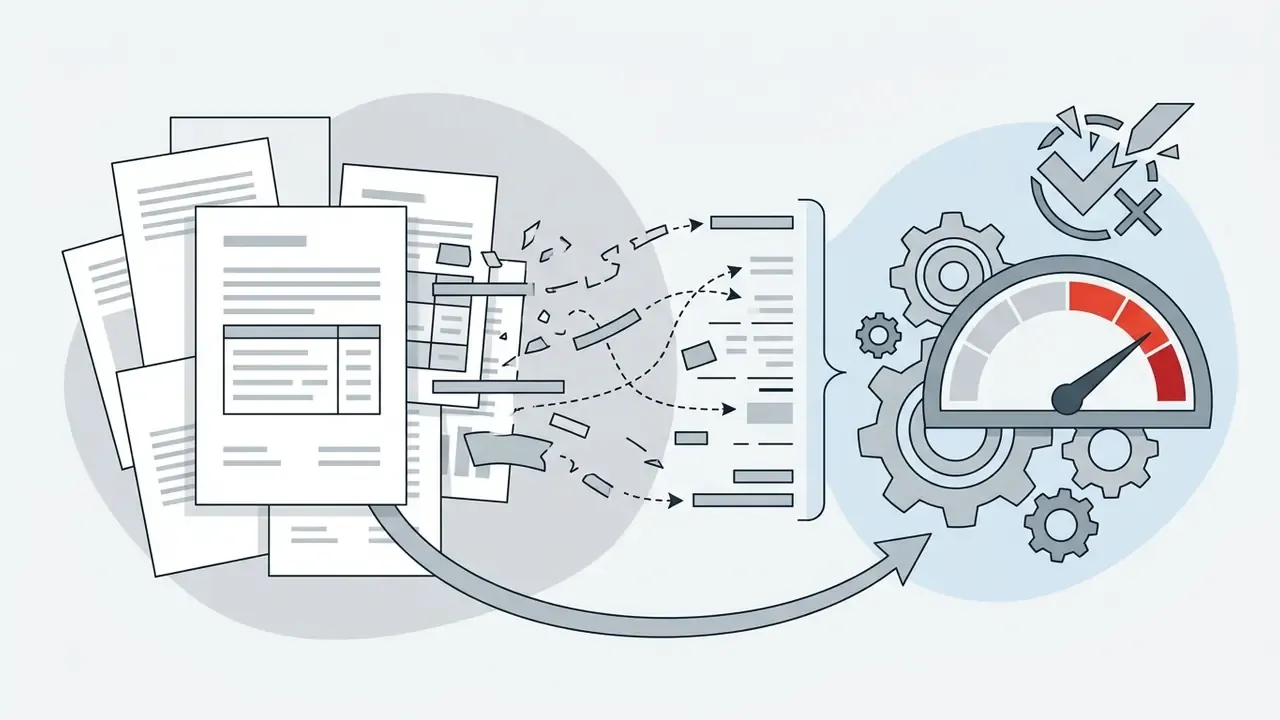
Small illustration. A composite (hypothetical) reconciliation team runs 400 remittance scans a day through a chat interface. Ninety-eight percent parse cleanly. The remaining eight files carry glare across the amount field, and the model still answers with full confidence. Nothing alerts. That is the control gap, not the accuracy number.
So read the sections below in that order: capability, limits, cost, then controls.
What Is an AI Chat with Pictures and Which Tasks Does It Solve
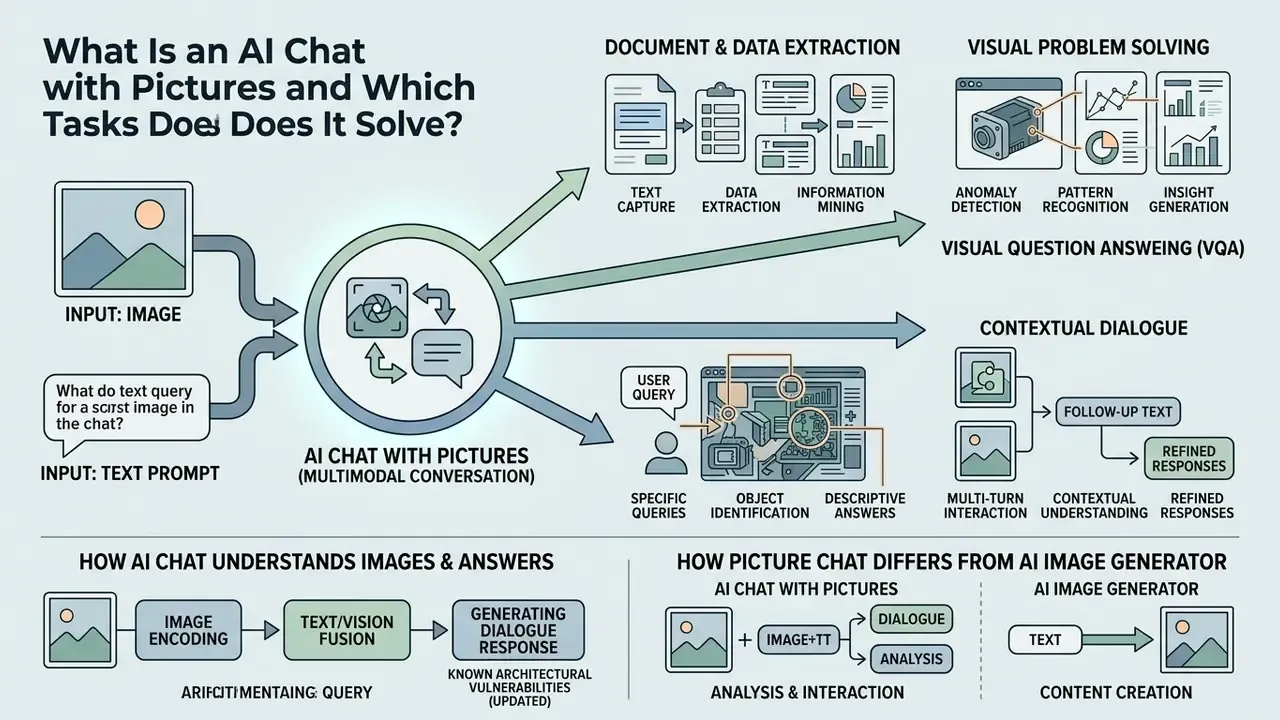
An ai chat with pictures is a multimodal conversational tool that processes uploaded images alongside natural language prompts to perform visual analysis, information extraction, and diagnostic troubleshooting. Unlike text-only models, an image AI chatbot evaluates spatial relationships, pixel layout, and embedded visual text within a single dialogue session, then answers follow-up queries about the same asset.
Multimodal systems address several core operational tasks across enterprise workflows:
In financial operations, teams deploy an ai chat and picture workflow to parse incoming unstructured documents, cross-reference visual receipts against database records, and shorten verification cycles. Useful, yes. Auditable only if you build the log.
- Document and data extraction
- reading text from scanned invoices, receipts, financial tables, and hand-annotated forms without manual transcription. Teams that need repeatable image-to-text extraction workflows usually pair OCR with a verification layer against source records.
- Visual problem solving
- diagnosing software error messages from interface screenshots, troubleshooting hardware configurations, and parsing complex schematics.
- Visual question answering (VQA)
- identifying objects, analyzing architectural charts, and evaluating product design references.
- Contextual dialogue
- keeping memory of an uploaded visual asset across multiple conversational turns to refine summaries or adjust analytical depth.
If you want to explore the hub for model comparisons, remember that structured model evaluation is what keeps automated pipelines auditable later.
How an AI Chatbot Understands Images and Answers in Dialogue
An ai chatbot with pictures processes visual inputs by converting image pixels into discrete numerical tokens through a vision encoder, then aligning those tokens with language embeddings in a cross-attention layer. This multimodal architecture lets the language model read a text prompt while attending to specific spatial coordinates inside the uploaded picture during the conversation.
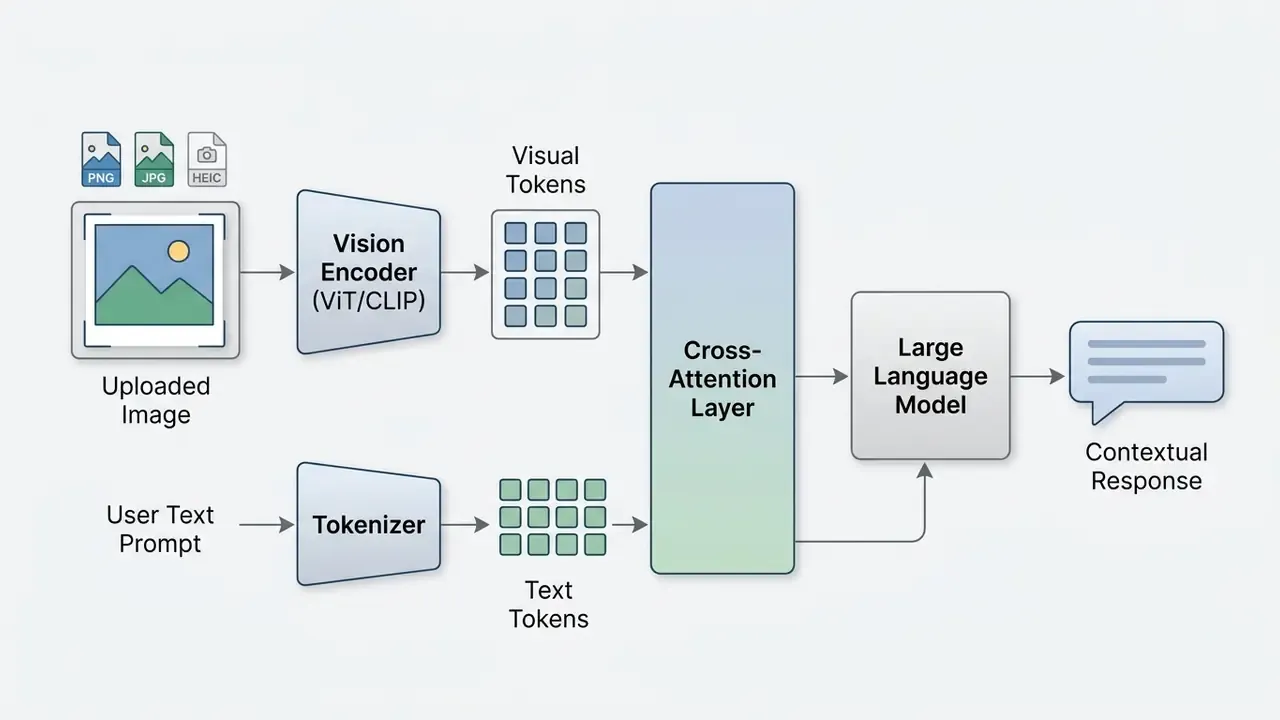
According to technical documentation for current vision-language architectures, cross-attention mechanisms let the system link specific phrases to corresponding regions of an image. That grounding is trained through contrastive image-text objectives (CLIP-style), image-text matching heads (BLIP, UNITER, ViLBERT, FLAVA), and layout-aware alignment tasks such as LayoutLMv2's masked text-image alignment, which predicts whether covered text appears in a scanned region. Put differently, the mechanism is documented at two granularity levels: global image-caption alignment and token or region-level grounding for document parsing.
For instance, in an operational test involving financial document processing, a composite pipeline received scanned balance sheets; the visual encoder isolated target tables while the language model extracted precise line items, reducing manual entry errors across controlled validation runs. Illustrative, not a client result.
«GPT-4V scored 81.5% on text-only questions but only 47.8% on questions containing radiological images, a substantial gap in visual interpretation.»
How a Picture Chat Differs from an AI Image Generator
An ai chat with picture capability is an understanding-centric system built to analyze and interpret existing visual inputs, whereas an AI image generator is a synthesis-centric tool built to create new images from text prompts. Understanding tools output explanatory text or structured data grounded in visual evidence; generative tools output synthetic media files.
| Comparison Parameter | AI Chat with Pictures (Multimodal VLM) | AI Image Generator (Diffusion/Autoregressive) |
|---|---|---|
| Primary objective | Analyze, interpret, and answer questions about an existing visual asset. | Synthesize new visual media or edit existing pixels from text prompts. |
| Input format | Uploaded image (PNG, JPG, WebP, BMP, HEIC/HEIF) or image URL combined with text instructions. | Text prompt instructions, optionally paired with a reference style image. |
| Output format | Structured text responses, tabular data extractions, or code explanations. | New visual image files (PNG, JPEG, WebP) or rendered visual artifacts. |
| Core architecture | Vision Transformer (ViT) encoder cross-attended to a large language model. | Latent Diffusion Models (LDM) or autoregressive multimodal generators. |
| Primary evaluation benchmarks | MMMU, DocVQA, ChartQA, MathVista, RealWorldQA, OCRBench. | Fréchet Inception Distance (FID), CLIPScore, human visual preference rankings. |
| Interaction pattern | Multi-turn iterative Q&A refining textual analysis of the visual. | Prompt refinement focused on tweaking output aesthetics. |
Decision-makers separating analytical verification from creative media production should treat these as two procurement categories, with different terms and different failure modes. Newer unified multimodal stacks blur the line, since one model may read a chart and render a new one, yet the operational split between interpretation and synthesis still determines which benchmarks and which legal clauses apply.
How to Start a Chat with Pictures: Upload and First Question
To start a chat with pictures ai workflow, a user selects the platform's attachment control, uploads a supported image file, and enters a specific prompt describing the analytical task. Concise contextual instructions in the first prompt prevent vague interpretations and push the model toward the relevant visual region.
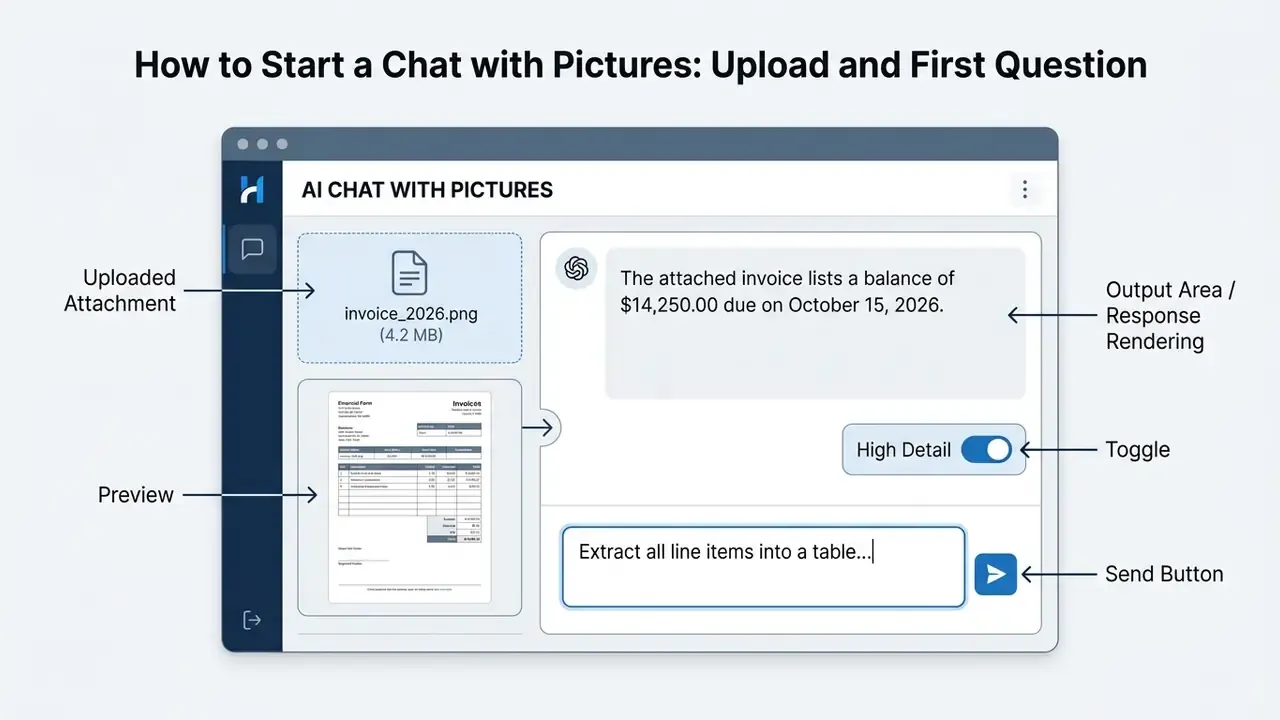
Images may be supplied in three technically distinct ways documented by major vendors: a fully qualified image URL, an inline Base64 data payload, or a File API / file ID reference for larger or repeatedly used assets. Inline data suits small files; the File API is the recommended path for high-resolution document packages, and it also gives you a stable identifier to log.
Which Images Are Suitable for an AI Chat (Updated)
Images suitable for an ai chat with picture workflow need clear resolution, legible text contrast, and minimal compression artifacts. Standard supported formats include PNG, JPEG, WebP, BMP, HEIC, and HEIF (the last two being default capture formats on iOS devices), plus direct image URLs. Most enterprise platforms support individual files up to 20 MB to 50 MB and allow batch uploads of 5 to 10 images per prompt for comparative visual auditing; guest (non-authenticated) sessions are frequently capped lower, often near 10 MB per file.
To maximize extraction accuracy, visual assets should meet a few technical standards:
- Contrast and lighting legibility, not accessibility compliance, is the operative variable, but the WCAG 2.2 threshold works as a practical proxy. Keep text-to-background contrast at or above 4.5:1 for body text and 3:1 for large text. Low-contrast receipts, glare on glossy paper, and coloured stamps over digits cause most character misreadings. (W3C WCAG 2.2: https://www.w3.org/TR/WCAG22/)
- Resolution and source input document scans in the 72 DPI to 300 DPI band, or direct URL inputs in lossless PNG/HEIC, deliver the most stable OCR in vendor guidance and internal testing; captures under roughly 500 by 500 pixels materially increase hallucinated output. These thresholds are practitioner heuristics rather than standardised measurements, so validate them on your own document corpus before writing policy. Upscaling badly cropped source photos with an AI image expansion or enhancement tool before upload often recovers extractable detail.
- Orientation straighten skewed or upside-down visuals before upload, since unaligned aspect ratios degrade positional reasoning.
- Framing the target object or document section must occupy the primary frame without obtrusive watermarks or heavy compression noise. Light pre-processing in an online photo editor, meaning crop, deskew, levels, is cheaper than a re-extraction cycle.
- Batch handling when attaching multiple files (up to 10 screenshots per dialogue turn), label images sequentially inside the prompt (
fig_1.png,fig_2.png) and state which image is the reference and which is the comparison. Spatial context slips otherwise.
How to Frame the First Request and Follow-Up Questions
Effective prompting for an ai chat with images tool follows a structured sequence: state the core task, give operational context, specify the output format, then apply constraints. For multi-turn follow-ups, subsequent prompts should direct the model toward specific visual sub-regions or request step-by-step reasoning.
Initial prompt structure:
[Task Objective] + [Visual Focus Region] + [Desired Output Format] + [Constraints]Example first prompt:
"Examine the attached organizational chart. Extract all executive titles in the Risk Management division into a clean Markdown table. Ignore non-executive operational roles."
Follow-up prompt structure:
"Focus exclusively on the top-right sub-chart. Re-verify the reporting line between the Head of Compliance and the Chief Risk Officer, and explain any dotted-line relationships."
Iterative prompt engineering mirrors standard model evaluation protocol, moving from zero-shot instructions to guided step-by-step examination when the visual is dense. Public prompt-engineering guidance converges on the same three rules: put instructions first, name the outcome and output format explicitly, and escalate from zero-shot to few-shot only after the zero-shot pass fails.
«On a Japanese medical licensing exam GPT-4V reached 68% accuracy with images and 72% without them, so adding pictures does not always improve results.»
That asymmetry has a practical implication. For text-dominant documents, ask the model to transcribe first and reason second, so the image serves as evidence rather than as an extra source of noise.
How to Use Intention Templates for Standard Tasks
Intention templates are pre-structured prompt frameworks that standardise repetitive visual processing tasks such as document extraction, UI audit, or diagram explanation. Standard templates give you repeatable outputs when several team members upload similar visual inputs to an ai chatbot with pictures. They also give an internal auditor something to review: a template ID beats a screenshot of somebody's improvised prompt.
Six practical templates for enterprise, analytical, and creative workflows:
"Extract all printed and handwritten text from this image. Format the output into a structured JSON schema containing fields for date, sender, total amount, and itemized line items."
"Analyze the attached line graph. State the overall trend, identify the peak and lowest data points with their corresponding dates, and summarize the key takeaway in three bullet points."
"Review this interface screenshot. Identify potential usability flaws regarding text contrast, button placement, and visual hierarchy. List actionable recommendations."
"Examine this process flowchart. Trace the decision pathway starting from 'Customer Request' to 'Approval.' List every decision gate and potential escalation branch."
"Compare 'Image 1' and 'Image 2.' List all visual differences, structural changes, and text variations between the two versions in a comparative table."
- Document OCR and structuring templateDocument OCR and structuring template:
- Chart and financial graph analysis templateChart and financial graph analysis template:
- UI/UX design and layout audit templateUI/UX design and layout audit template:
- Diagram and workflow explanation templateDiagram and workflow explanation template:
- Comparative visual audit templateComparative visual audit template:
- Visual reverse-engineering and generative prompt extraction templateVisual reverse-engineering and generative prompt extraction template:
"Deconstruct the artistic style, lighting, camera settings, color palette, and visual composition of this image. Generate a detailed descriptive prompt that can be fed into Midjourney v6 or Flux.1 to replicate this aesthetic without copying the exact subject matter."
Template 6 bridges analysis and creation: the chat model reads the reference, and a generator renders the new asset. If that is your workflow, compare rendering engines first, for example the evaluation of Midjourney versus competing image generators, before you commit a brand style guide to one vendor.
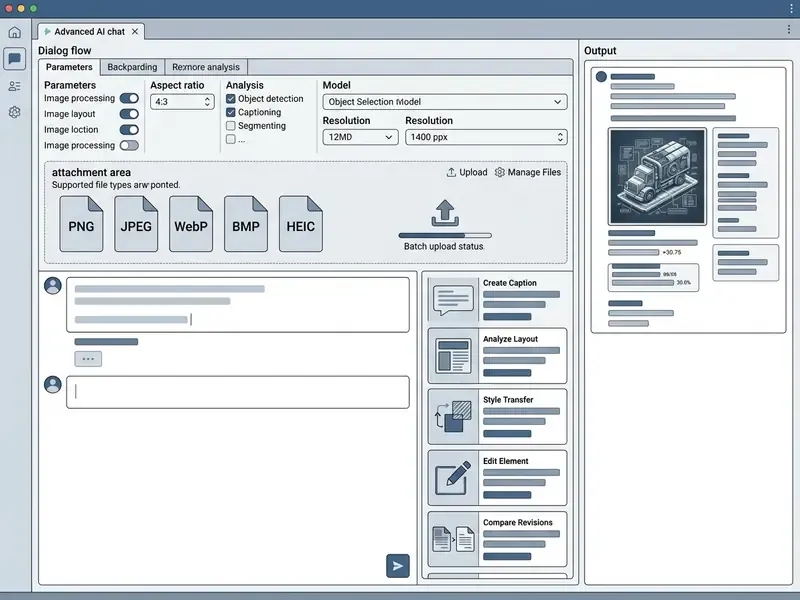
DOM Text Note: Image upload zone sits at the lower-left attachment button; detail settings appear in the context menu; output text renders directly in the central conversation stream.
What Questions You Can Ask an AI Chat with Images
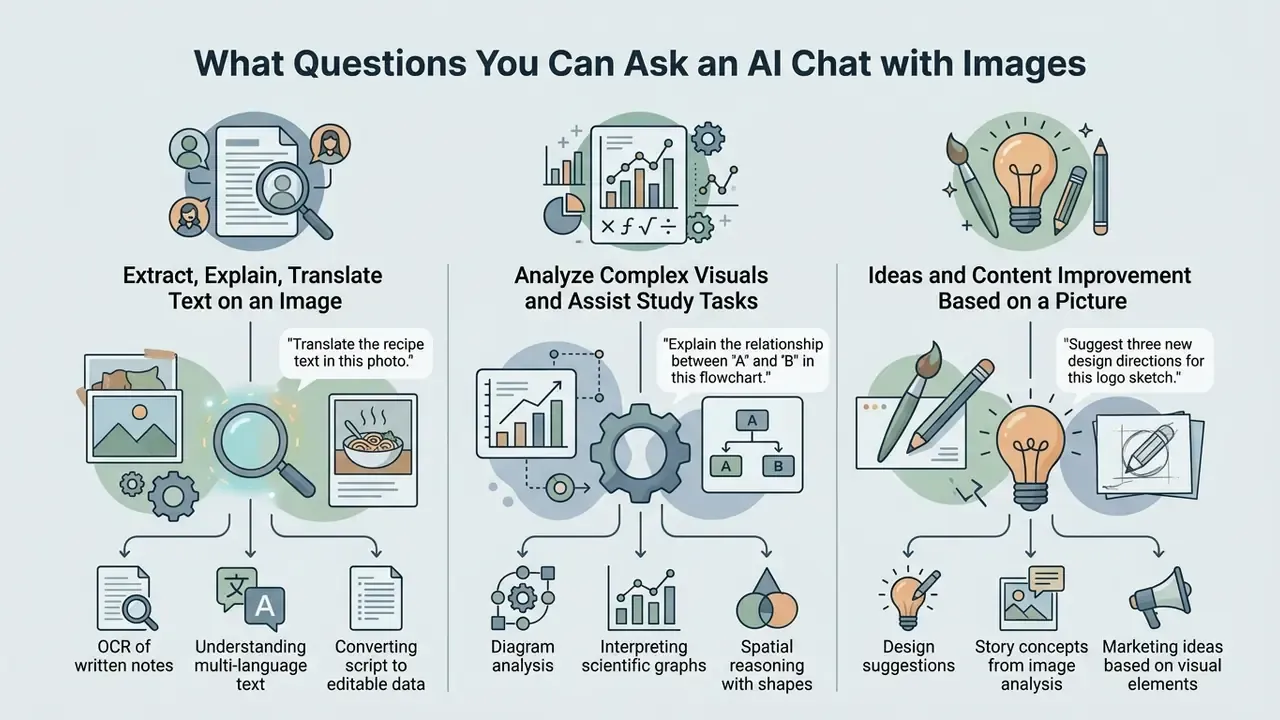
An ai chat with images model accepts queries ranging from direct optical character recognition to multi-step spatial reasoning and structural diagram analysis. You can ask the chatbot to transcribe text, interpret technical data visualisations, evaluate creative reference assets, or draft explanatory summaries grounded in visual evidence.
«DeepSeek-VL2 scores 83.1 on DocVQA and 79.6 on TextVQA, confirming high accuracy in document text extraction.»
In institutional environments, administrators use vision-enabled bots to review policy compliance diagrams or parse incoming physical forms. When teams need to create ai chatbot solutions for internal operations, defining query guardrails up front prevents unsupported model extrapolation later.
Extracting, Explaining, and Translating Text on an Image
Multimodal models perform advanced optical character recognition to extract printed text, decipher legible handwriting, and translate embedded foreign-language script into English inside the chat. Beyond simple transcription, the ai chatbot can explain specialised domain terminology found on technical labels or official document scans.
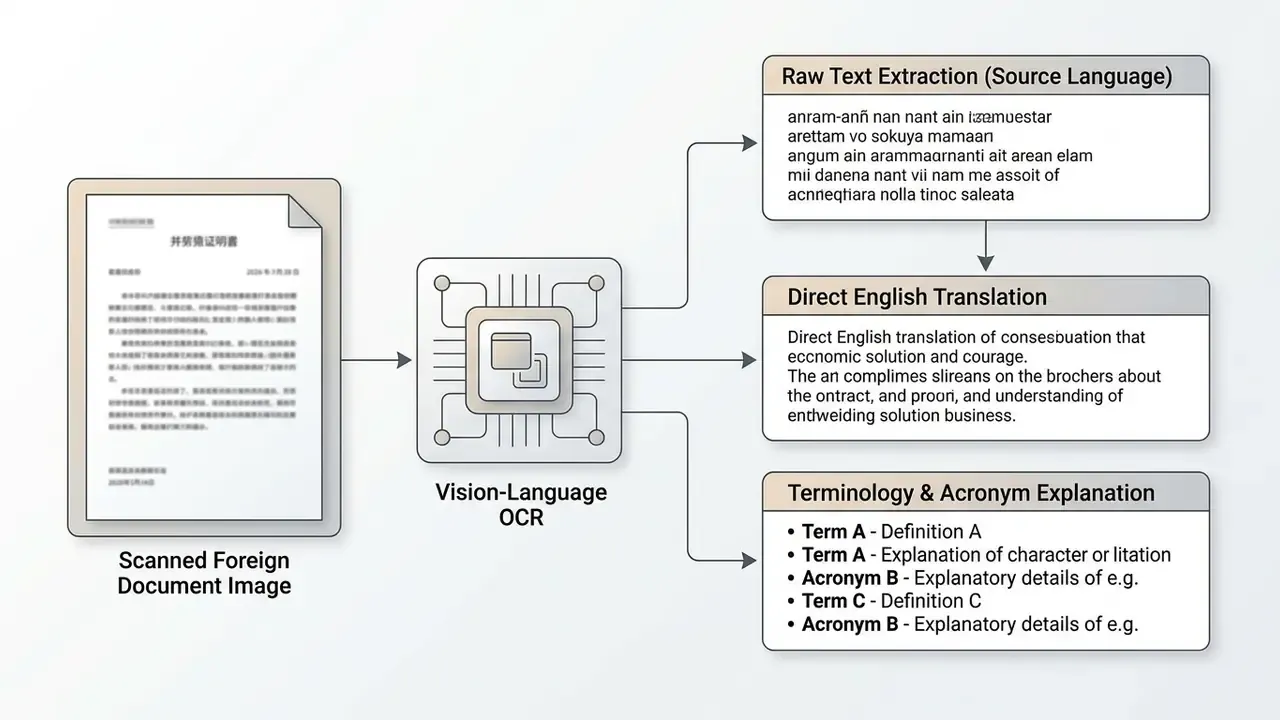
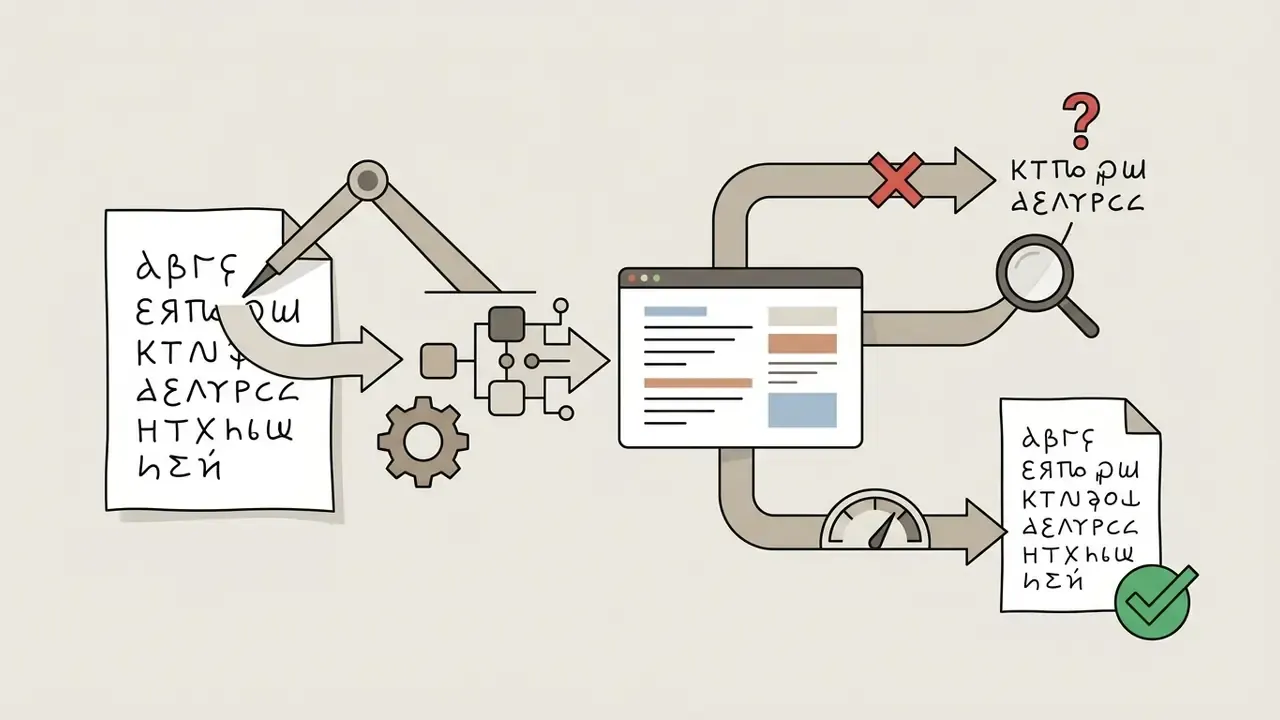
According to vendor documentation and empirical benchmarks such as OCRBench, current vision models reach high accuracy on typed English and Latin scripts. Dedicated OCR services document explicit handwriting models, for example a handwritten recognition mode covering mixed handwritten and printed Cyrillic and English across JPEG, PNG, and PDF inputs, while specialised translators claim layout-preserving output across more than 130 target languages. Accuracy still varies on low-resolution non-Latin character sets and degraded historical handwriting. For handwritten inputs, human verification remains necessary on high-stakes operational records, and teams comparing text recognition and visual search tooling should benchmark on their own worst-case scans rather than on vendor demos.
Analyzing Complex Visuals and Assisting with Study Tasks
Users lean on ai chats with images to break down complex educational materials, mathematical formulas, scientific diagrams, and engineering schematics. Submit an image of an annotated chart or a math problem, and students or analysts get step-by-step explanations of how to read the underlying visual data.
Benchmark evaluations on suites such as MathVista (visual mathematical reasoning), AI2D (scientific diagrams), ChartQA and DVQA (bar-chart structure understanding, data retrieval, reasoning) show that top-tier models analyze geometric figures and plot coordinates with high precision.
The model parses the spatial arrangement of variables in an equation or diagram and returns a structured breakdown of the solution logic. Academic multimodal QA datasets released for 2026 explicitly bundle diagrams, charts, tables, graphs, and LaTeX/MathML equations, which mirrors how school and university material actually arrives in the chat window: photographed, tilted, half-shadowed.
(Appendix A retains the original phrasing of this passage for provenance: "a 2024 model benchmark reported scores above 67% on MathVista and over 94% on AI2D diagram comprehension." The attributed version above supersedes it.)
Ideas and Content Improvement Based on a Picture
An ai chat and pictures workflow can critique uploaded design drafts, propose layout improvements, or generate creative expansion ideas from a visual reference. Designers and content strategists upload references to request alternative colour palettes, copy revisions, or structural layout adjustments, then push the approved direction into AI photo editing and enhancement tools for production rendering.
Upload a draft website header, for example, and the model can evaluate visual alignment and suggest typography tweaks. The same loop works for identity assets, where a critique pass feeds a headshot or brand-portrait generator. If an organization aims to create a website, pairing image feedback with automated layout planning shortens early prototyping cycles. Vendor documentation for chat-with-PDF and chat-with-image products confirms the same pattern: upload the reference, then request summarisation, paraphrasing, or rewriting grounded in that file. Creative work also happens outside static images, and teams that want to create a song from a mood board use the identical reference-then-generate sequence.
How to Choose the Best AI Chatbot with Pictures
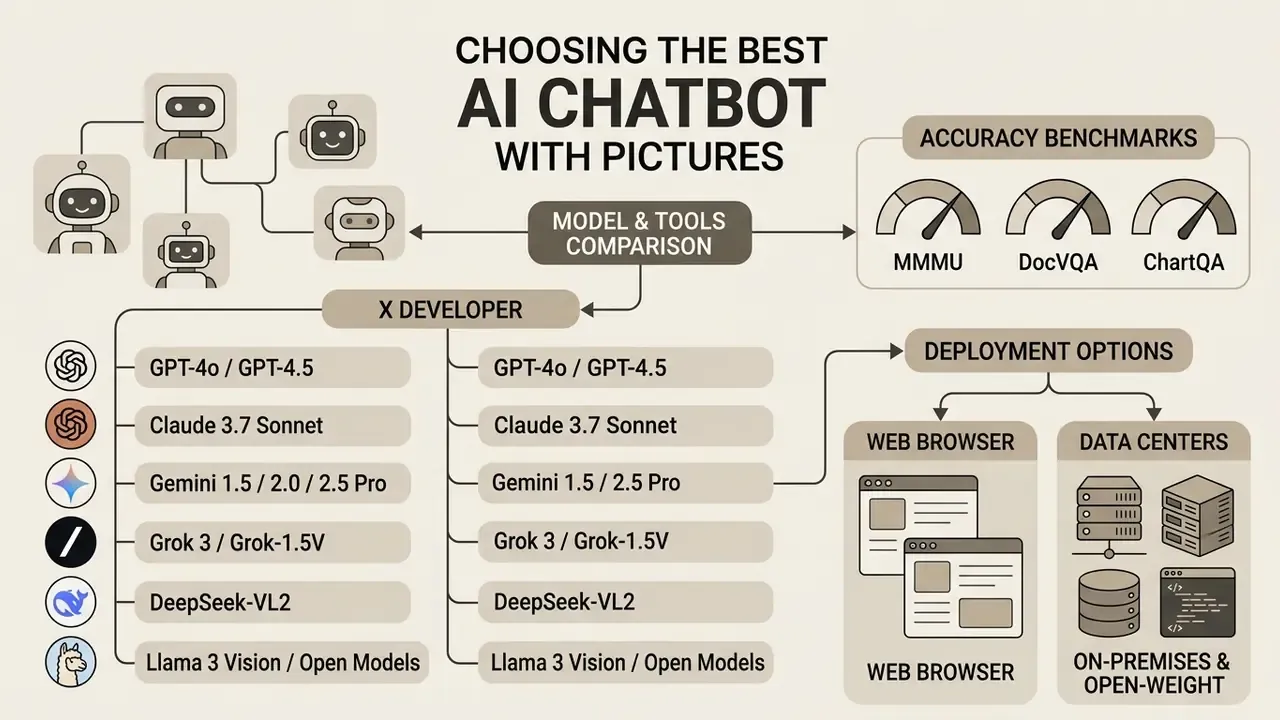
Choosing the best ai chatbot with pictures comes down to comparing model accuracy across key benchmarks (MMMU, DocVQA, ChartQA), evaluating deployment options (web browser versus mobile app), and verifying language and voice availability. Enterprise buyers should align model capability with the specific operational requirement, whether that is document parsing or real-world spatial understanding.
One structural caveat from peer-reviewed evaluation: a 2024 cross-sectional oncology study found multimodal chatbots broadly comparable to unimodal chatbots on overall accuracy, yet measurably less accurate with multiple images and with free-text answers than with multiple-choice answers. Batch visual auditing therefore needs tighter sampling controls than single-image Q&A. Worth noting before you scale a pilot from 10 files to 10,000.
Models and Tools: GPT, Gemini, Grok, Claude, and Others
The multimodal landscape includes several flagship engines, each with distinct strengths on standard visual benchmark suites:
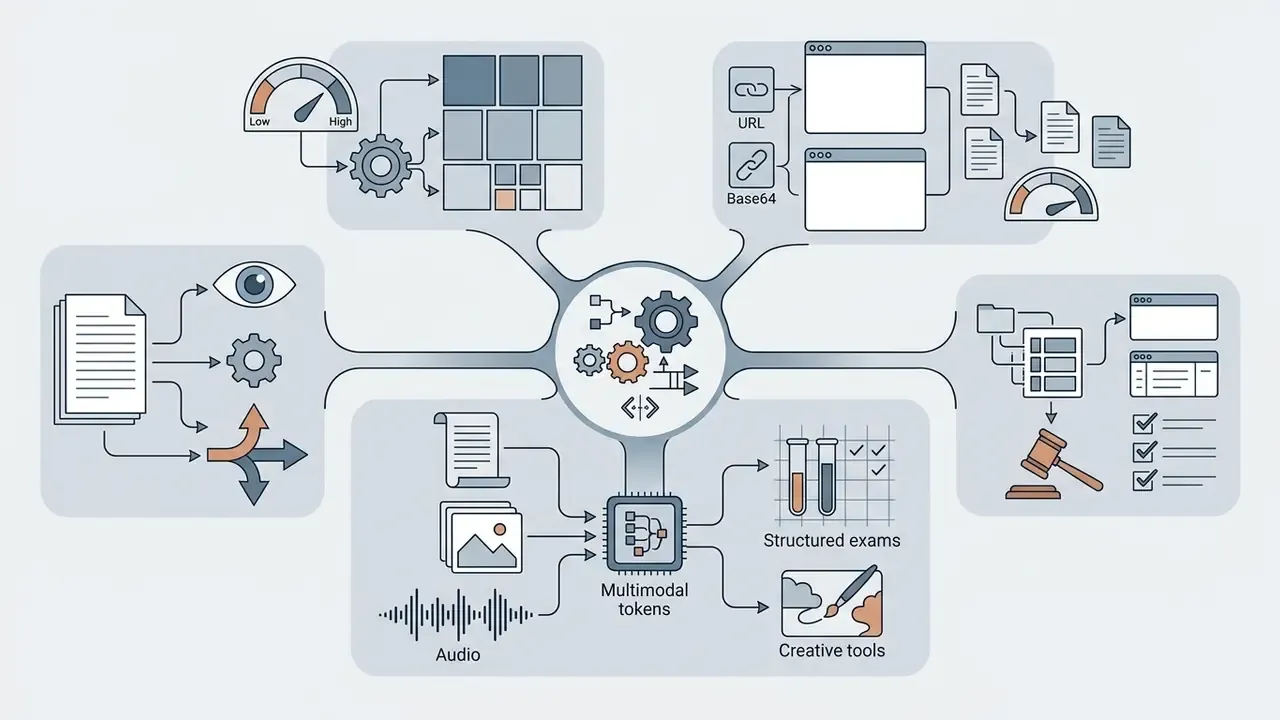
low / high / auto detail levels that control tile-based resizing. Strong on structured academic exams and multi-turn visual dialogue.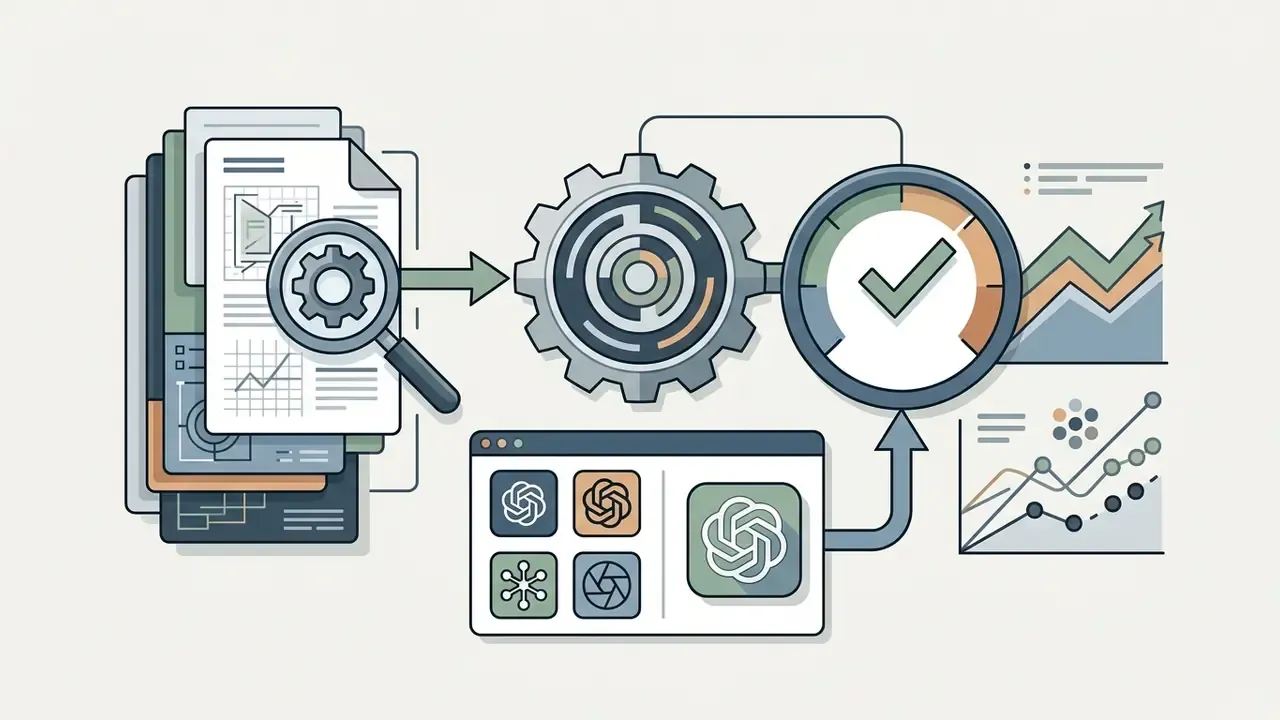
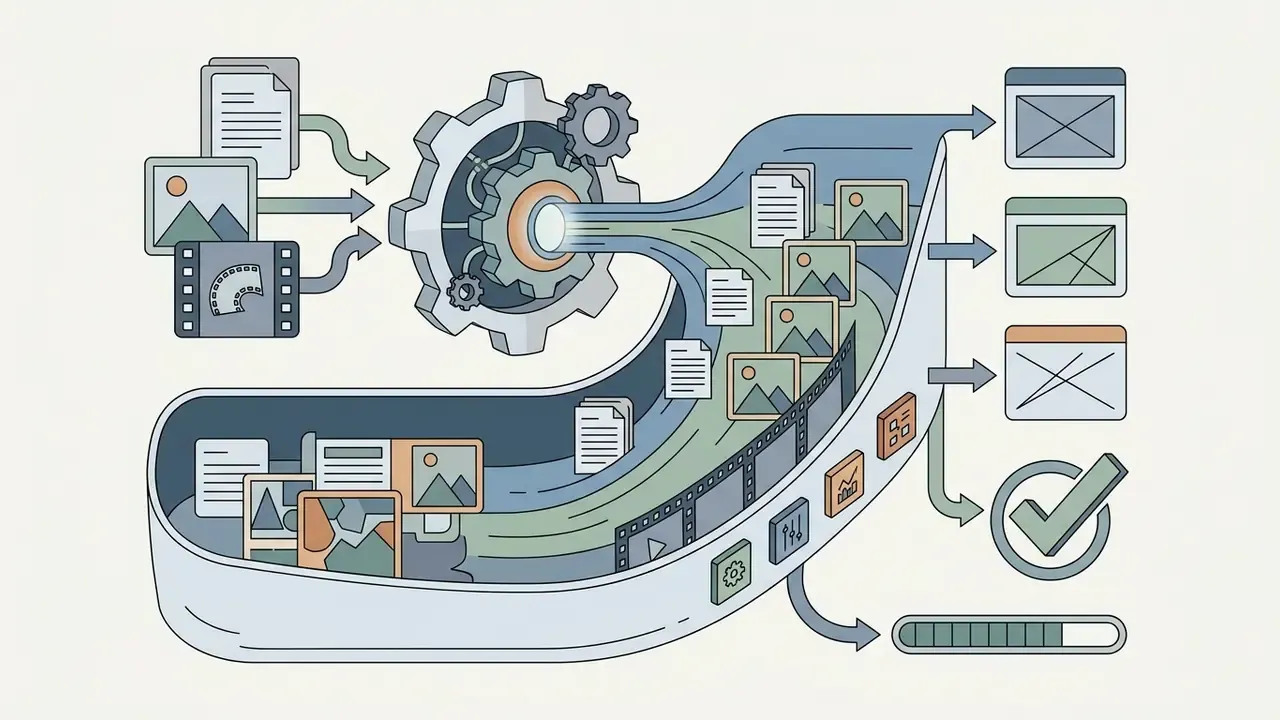
«Gemini 2.5 Pro reaches 79.7% to 82.0% on MMMU and leads video-understanding benchmarks including VideoMMMU and 1H-VideoQA.»
- Grok 3 / Grok-1.5V (xAI): tuned for real-world spatial reasoning, scoring well on RealWorldQA for physical object layouts and environment photography.
«Grok-1.5V scores 68.7% on RealWorldQA in zero-shot mode, ahead of GPT-4V, Claude 3 and Gemini Pro 1.5 on spatial reasoning tasks.» xAI RealWorldQA Benchmark Report (2024). https://x.ai/blog/grok-1.5v
- DeepSeek-VL2: open-architecture vision-language model using Mixture-of-Experts (MoE) to deliver efficient OCR, chart parsing, and visual question answering at lower compute cost.
- Llama 3 Vision and other open models: deployment flexibility for self-hosted environments that require full data isolation and local infrastructure control.
On-premises and open-weight deployment. For regulated environments in banking, insurance, and healthcare, the decisive criterion is often not benchmark rank but data residency. Open-weight vision models (Llama 3 Vision, DeepSeek-VL2, Qwen-VL class architectures) can be hosted inside an isolated VPC or an on-premises GPU cluster, which removes third-party retention risk and makes the pipeline auditable end to end. The trade-off is measurable: lower peak accuracy on hard OCR and chart reasoning, plus the internal cost of MLOps ownership. Document that trade-off explicitly in the model inventory instead of leaving it implicit, because the residual risk belongs to someone either way.
Online Service or App for Chatting About Images
Reaching an ai chat with picture feature through a web browser emphasises drag-and-drop uploads, desktop multi-window workflows, and clipboard pasting. Mobile applications prioritise native camera integration and real-time capture instead.
[Web Browser Interface]                     [Mobile Application UI]
• Drag-and-drop document upload             • Direct camera capture & instant upload
• Multi-monitor workflow side-by-side       • Real-time voice + camera video stream
• Batch image attachment handling           • Touch-based mobile crop & photo edit
| Operational Feature | Web Browser Interface (Desktop) | Native Mobile Application (iOS/Android) |
|---|---|---|
| Primary input workflow | Drag-and-drop files, clipboard paste (Ctrl+V), image URLs. | Direct camera snapshot, gallery upload, native share sheet. |
| Batch processing | High (up to 10 high-resolution documents or PDFs at once). | Moderate (optimised for 1 to 3 photos per turn). |
| Specialised features | Side-by-side data export, code snippet rendering, tabular view. | Real-time visual voice chat, live AR overlay, geolocation context. |
| Supported environments | Cross-platform (Windows, macOS, Linux, ChromeOS via browser). | Native binaries (iOS, Android, iPadOS). |
| Offline and local storage | Browser local cache retention (cleared via browser settings). | Encrypted device keychain and sync with a personal cloud account. |
Both form factors call the same underlying model APIs. Mobile apps win on field inspections and on-the-go photo analysis, and recent release notes describe real-time video, screen share, and image upload rolling out inside mobile advanced-voice modes first. Web interfaces stay superior for detailed enterprise document extraction, multi-tab analytical work, and long-form data export. Core image-input availability is symmetrical across platforms; the interaction style differs, with a documented per-image ceiling of 20 MB on consumer tiers and static-image-only support. One governance note: personal mobile capture is the most common route to shadow AI, since the photo never touches a managed device.
Language Support, Response Styles, and Voice Interaction
Modern ai chatbots with images combine multilingual text extraction with real-time voice interaction, letting users speak naturally while discussing an uploaded picture. Platforms with advanced audio models enable hands-free visual analysis, transcribing spoken questions and replying in synthesized speech. Google's Live API documents continuous audio, image, and text sessions across 70 supported languages, real-time voice-to-voice translation, and an "affective dialog" mode that adapts tone to the speaker's expression.
Do not assume language parity. A 2023 multilingual evaluation reported 84% English sentiment accuracy and 100% language identification, with accuracy dropping to 78% and 56% on lower-resource languages in the same task set. Teams building narration or accessibility layers on top of visual analysis can extend the stack with an AI voice generator.
These multimodal pipelines also adapt response style, from concise corporate reporting to detailed tutoring, based on prompt instructions. When teams wire visual analysis into automated operational workflows, API connections matter more than the chat UI, and you can view the guide for integrating multimodal speech and vision endpoints. The same integration layer supports background agents; organizations that plan to create ai agents for document triage should define the agent's owner, access limits, and shutdown path before the first production run.
| Model / Tool Platform | Primary Visual Benchmark Performance | Document and OCR Accuracy | Supported Input Formats | Voice and Multimodal Features | Free Tier Access Rules |
|---|---|---|---|---|---|
| GPT-4o (OpenAI) | Strong on general VQA; 88.9% on medical exam sets. | High on printed text; moderate on complex handwriting. | PNG, JPEG, WebP, BMP (up to 20 MB per file); URL and Base64 input. | Real-time voice chat with live video and image sharing. | Capped tool access; about 3 file uploads per day; model fallback at the limit. |
| Claude 3.7 Sonnet | 68.3% MMMU, 94.7% AI2D, 67.7% MathVista. | State of the art on DocVQA and complex chart extraction. | PNG, JPEG, WebP, PDF; up to 20 files per chat. | Text response native; platform audio via third parties. | Daily message quota tied to server demand. |
| Gemini 2.0 / 2.5 Pro | About 82% MMMU; top scores on video understanding. | High on long, multi-page document parsing. | PNG, JPEG, WebP, HEIC, HEIF, video, PDF. | Live API supports 70+ languages voice-to-voice. | Free tier via AI Studio with rate limits. |
| DeepSeek-VL2 | 83.1% DocVQA; 79.6% TextVQA; high on OCRBench. | Efficient MoE document and table extraction. | PNG, JPEG, WebP. | Text response focus; open API integration. | Free access subject to provider terms; self-hostable weights. |
| Grok-1.5V / Grok 3 | 68.7% RealWorldQA (leading spatial reasoning). | Moderate document parsing; strong real-world scene QA. | PNG, JPEG, WebP. | Voice features inside the mobile application. | Subscription-gated on the X platform; API usage-based. |
Free and Premium: Limits, Credits, and the Value of Paid Access
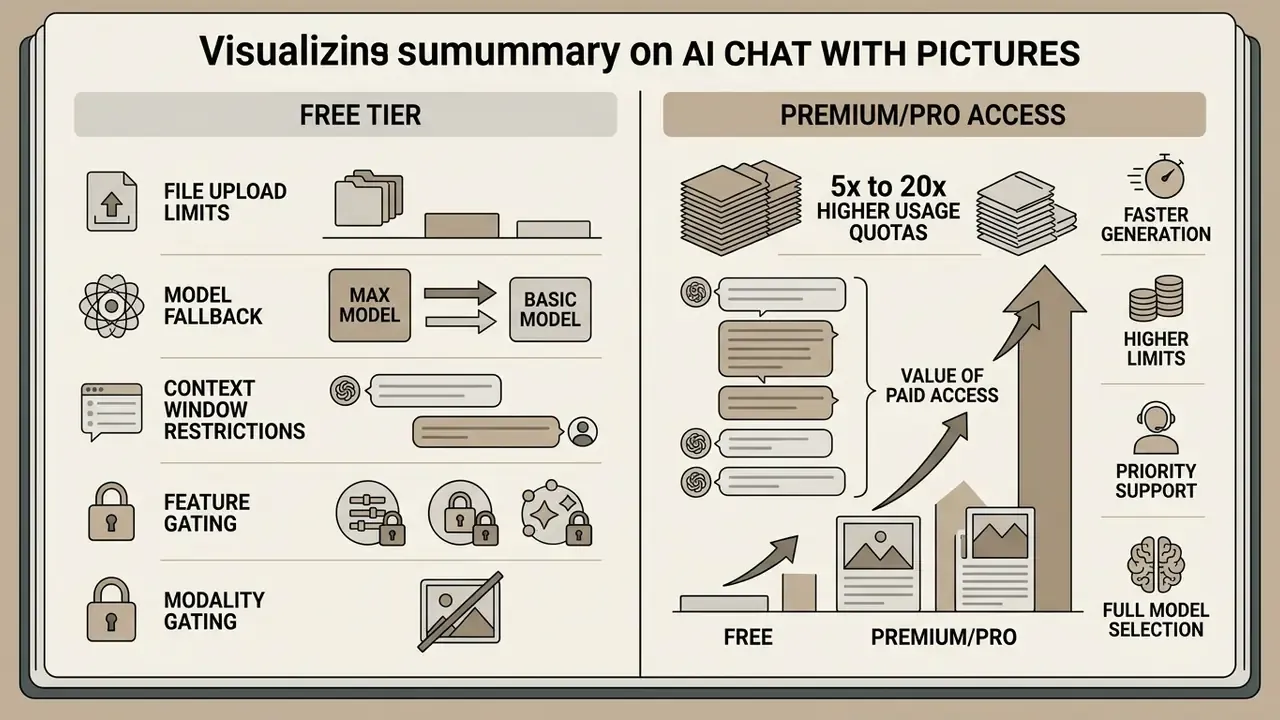
Evaluating an ai chat with pic service means understanding the economic split between free tiers and paid Premium or Pro subscriptions. Providers manage heavy inference costs by capping file counts, resolution, and message throughput for free users, while reserving unthrottled flagship model access for paid subscribers.
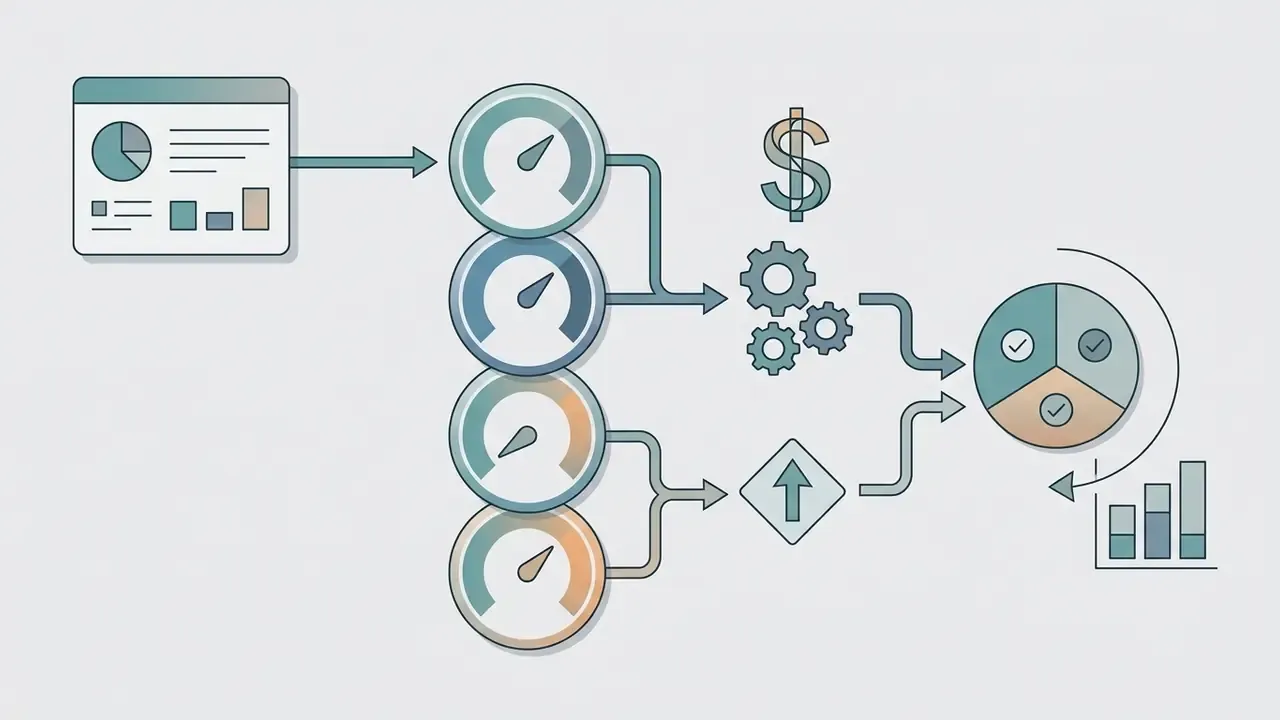
Three billing archetypes dominate the category: subscription tiers (fixed monthly fee, capped or uncapped usage), usage-based token billing (separate rates for text input, image input, and image output), and prepaid credit pools that do not expire. Organizations planning software expenditure can view the guide on enterprise pricing structures to align model usage with operational budgets.
What Is Typically Available in a Free AI Chat with Image
Free tiers of an ai chat bot with pictures let users test basic image upload and visual question answering, with explicit daily caps on document processing and advanced tools.
Typical free-tier constraints:
- File upload limits a low daily allowance, for example 3 file attachments per 24 hours, or 80 uploads every 3 hours in off-peak windows, with per-file ceilings around 512 MB for documents and 20 MB per image.
- Model fallback access degrades from flagship engines such as GPT-4o or Claude 3.7 Sonnet to lightweight, lower-resolution models once the initial message quota is spent.
- Context window restrictions large multi-page PDFs or high-resolution archives get downsampled or rejected on token memory limits.
- Feature gating custom fine-tuning, web-augmented visual search, and real-time voice-video streams stay disabled for non-paying users.
- Modality gating some vendors list image-generation API models as explicitly "not supported" on the free tier, even where free chat-based image analysis remains available.
One more point that compliance teams tend to raise late: free consumer tiers rarely carry the contractual clauses you need on training exclusion. That alone usually settles the question for regulated data.
What Premium or Pro Access Covers
Paid Premium or Pro subscriptions, commonly from around $20 per month for individual tiers up to roughly $200 per month for unrestricted Pro or Enterprise tiers, with mid-price "Go" style plans appearing between them, remove daily bottlenecks and expand usage quotas for ai chat bots with images. Treat these numbers as indicative rather than fixed. Vendor plan structures changed several times across 2025 and 2026, so verify the published schedule before budgeting.
Key value drivers of paid plans:
Worked cost example for 10,000 document scans. Model the cost as (image input tokens per page × pages) + (text output tokens per page × pages). A single A4 scan processed in high-detail mode typically resolves to roughly 1,000 to 1,700 image input tokens, depending on tile count and resolution; a structured JSON extraction returns perhaps 400 to 700 output tokens. At an illustrative $8.00 per 1M image input tokens, 10,000 pages at 1,500 tokens each equals 15M tokens, about $120 on the visual side, plus text output billed at the model's separate output rate.
Two operational levers move that number more than vendor choice: switching low-stakes pages from high to low detail mode, which cuts tile count; and pre-cropping to the region of interest, so you stop paying for margins. Then add the HITL review line, which is usually the largest single component of total cost, and often the one omitted from the original business case. Use the cost calculators hub to model sensitivity across volume and review rate.
E-E-A-T verification box: official model pricing and terms (audited 2026, verify before budgeting)
Multimodal API pricing separates text token billing from visual token ingestion and output generation. Based on vendor platform documentation reviewed in 2026:
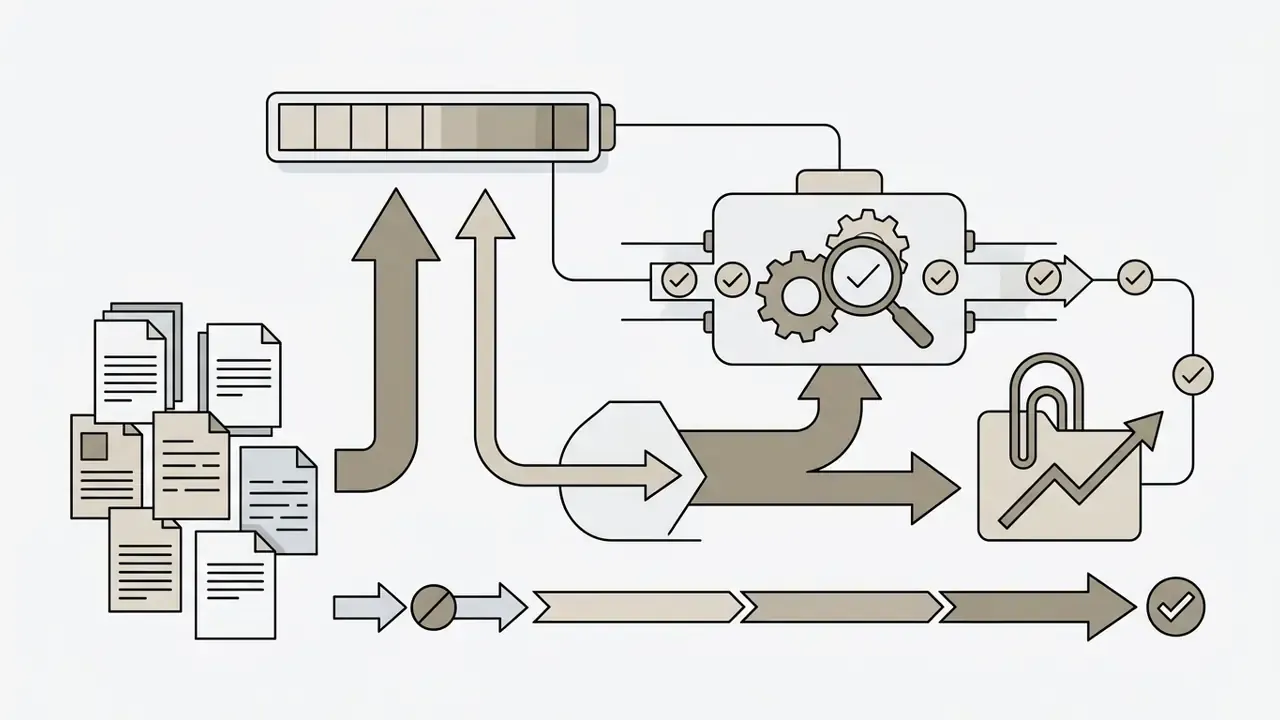

- OpenAI API pricing: flagship vision inputs are billed per input token and visual tile, with separate rates for image creation models (gpt-image-2 at $8.00 per 1M image input tokens and $30.00 per 1M image output tokens). Free tiers do not support API-level image generation models. Source: https://developers.openai.com/api/docs/pricing
- Google Gemini developer pricing
- multimodal inputs (text and image) start at $0.50 per 1M tokens on standard tiers, with image output listed at $60.00 per 1M tokens, plus scaled usage options for developer integrations.
- Terms effective dates
- OpenAI's Services Agreement is marked effective 1 January 2026, and provider terms state that pricing schedules and usage limits may change with a 14-day advance posting window on official pricing portals.
- Verification note
- API price lists change between posting windows. Re-confirm figures on the vendor pricing page the day you build the business case, and record the retrieval date in your model inventory.
- OpenAI API pricing: flagship vision inputs are billed per input token and visual tile, with separate rates for image creation models (gpt-image-2 at $8.00 per 1M image input tokens and $30.00 per 1M image output tokens). Free tiers do not support API-level image generation models. Source
Can You Use AI Chat Answers and Images Commercially
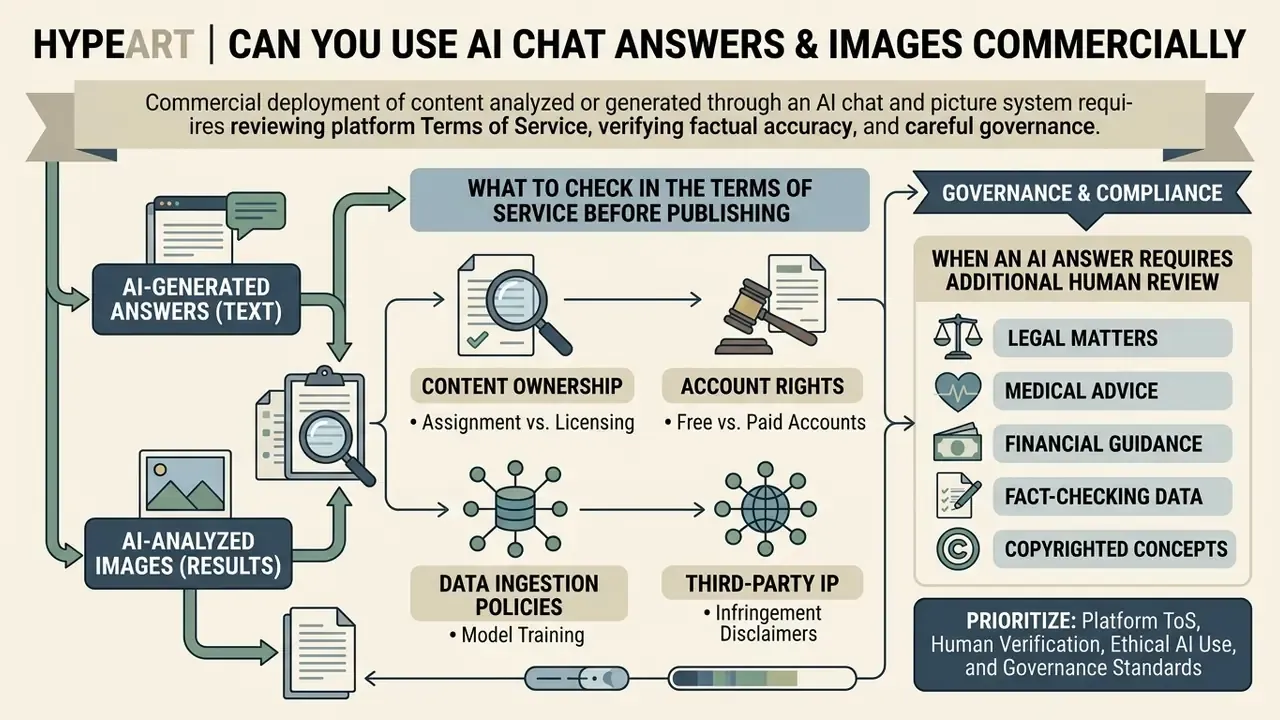
Commercial deployment of content analyzed or generated through an ai chat and picture system requires reviewing platform Terms of Service, verifying factual accuracy, and checking compliance with applicable intellectual property and licensing rules for AI visual content. Paid plans typically grant commercial ownership rights over generated outputs, yet the organization remains legally responsible for confirming that outputs do not infringe pre-existing third-party copyrights or trademarked visual assets.
Two independent legal layers apply. First, protectability: the US Copyright Office states that copyright protects only human-authored contributions and that AI-generated material must be disclaimed when registering mixed works (https://www.copyright.gov/ai/). A European Parliament study reaches a comparable conclusion for purely AI-generated output and notes the absence of a general EU fair-use defence. Second, infringement exposure: outputs can still infringe if they reproduce protected works. Japan's 2025 guidance frames this as a similarity-plus-dependence test, and the Copyright Office's 2025 digital-replica report notes that copyright law alone does not prevent unauthorized duplication of a person's image or voice.
Organizations that need clarity on deployment terms can browse the hub for licensing evaluations across major AI platforms.
What to Check in the Terms of Service Before Publishing Content
Before publishing or commercializing content derived from an ai chat with pictures workflow, compliance teams should audit vendor agreements across four areas:
- Ownership assignment versus licensingverify whether the platform assigns full ownership of generated text and visual outputs, or merely grants a non-exclusive licence.
- Free versus paid account rightsconfirm whether commercial rights are restricted to paid tiers. Non-commercial restrictions have historically applied to free-plan outputs on several major generators, while paid subscriptions unlock commercial use under the service licence.
- Data ingestion and model training policiesaudit whether uploaded customer images or proprietary business forms are retained to train future public foundation models. Opt-out settings or an enterprise agreement must be configured to prevent confidential data leakage.
- Third-party IP infringement disclaimersmost vendors disclaim liability for infringement. If an uploaded or generated image replicates protected logos or copyrighted characters, the publishing enterprise carries the legal exposure, so run a provenance check with reverse-image and AI-origin detection tooling before release.
When an AI Answer Requires Additional Human Review
Human-in-the-loop review is operationally mandatory whenever an ai chatbot with pictures processes visual data in high-stakes settings where errors cause physical, financial, or regulatory harm.
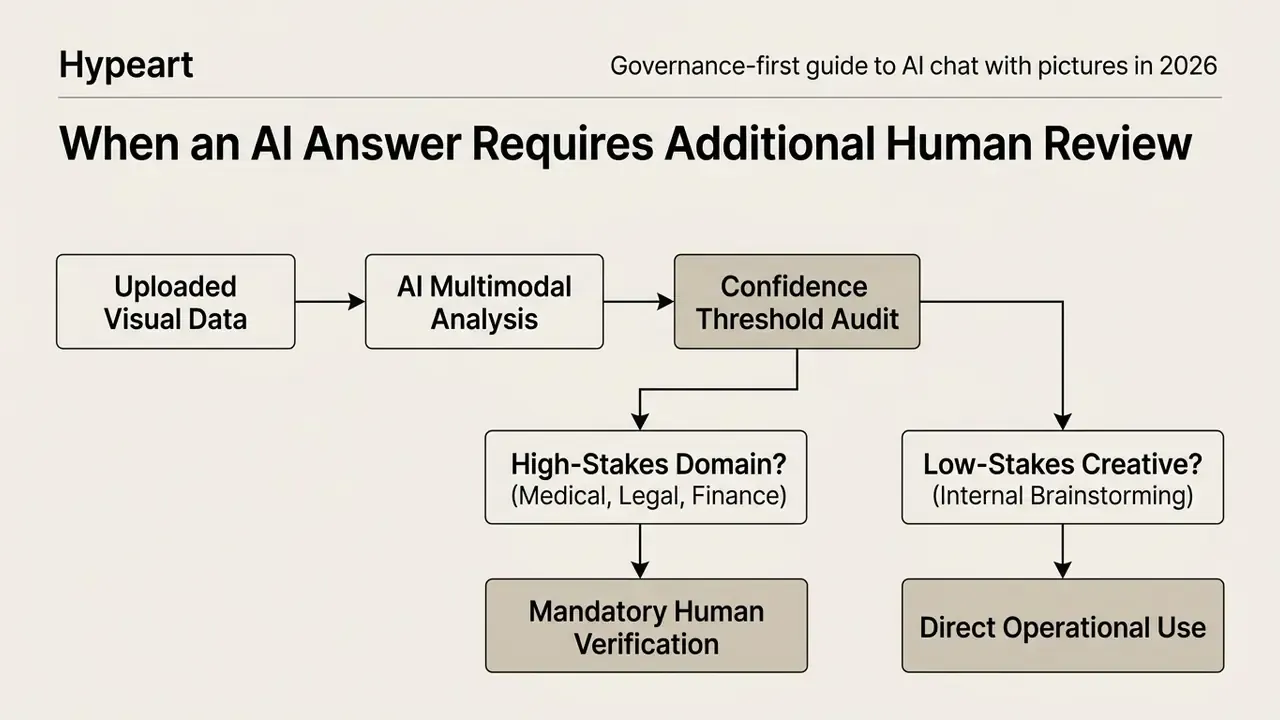
Risk scenarios that require mandatory human verification:
- Medical and diagnostic imaging (updated):
«GPT-4V scored 81.5% on text-only questions but only 47.8% on image-based items; 76.3% of incorrect answers contained image-interpretation errors.» Radiology, Radiological Society of North America (2024), evaluation across 386 ACR-style questions. https://pubs.rsna.org/journal/radiology
The failure mode matters more than the headline number. The model's explanations were wrong in the same way a confident junior reader is wrong, which defeats naive confidence-score gating.
Enterprise Security Checklist: Zero Data Retention and Shadow AI Prevention
Regulated organizations lose control of multimodal workflows through unmanaged personal accounts far more often than through model error. Data-protection authorities converge on the same operational controls: run a privacy impact assessment, use organization-owned accounts, prohibit personal-data input by default, refuse training use, and verify outputs for accuracy and bias.
Configuration checklist before enabling image uploads at scale:
- Organization-owned tenancy only.Block consumer web logins on corporate devices and provision through SSO under an enterprise agreement that supersedes consumer Terms of Service.
- Opt out of model training.Confirm in writing that uploaded images and prompts are excluded from foundation-model training, and capture the contractual clause reference rather than a marketing page.
- Zero Data Retention or bounded retention.Where available, enable ZDR so payloads are not persisted after inference. Where unavailable, document the retention window (commonly 24 hours to 30 days) and the deletion pipeline.
- Input classification gate.Define which document classes may be uploaded at all. Client identifiers, biometric photos, and unredacted account statements should be blocked at the DLP layer, not left to the user's judgement.
- Prompt-injection containment.Treat text inside an uploaded image as untrusted user input. Never let extracted content trigger a downstream action without human approval.
- Audit trail.Log image hash, model version, prompt template ID, and reviewer sign-off for every high-stakes extraction, so the decision can be reconstructed months later.
- Shadow-AI detection.Monitor egress to consumer AI endpoints and publish an approved-tools list. Policy without a sanctioned alternative simply relocates the risk.
- Vendor exit plan.Verify export paths (
Settings → Data controls → Export data) and confirm the export contains both transcripts and attached images before you build a dependency.
Unresolved questions remain, and it is worth stating them plainly. There is no settled industry standard for validating a document-extraction pipeline, no agreed sampling rate for HITL review, and limited public evidence on how visual prompt injection behaves inside agentic chains. Treat any vendor claim in those three areas as a hypothesis until you test it on your own corpus.
FAQ About AI Chats with Pictures
Does an AI chat store uploaded images and conversation history?
Retention policies vary by vendor, but most commercial platforms store uploaded pictures and conversation histories on their servers to support session continuity and account synchronization. Users can manage privacy settings inside account controls to delete chat logs or opt out of having uploaded images used for foundation-model training. Retention behaviour also depends on account state. For non-logged-in guest sessions, platforms frequently process images temporarily in memory and store session logs in the browser cache, so the history disappears when browser storage is cleared. For authenticated accounts, conversation histories and uploaded images are saved to cloud infrastructure for cross-device sync, subject to deletion pipelines that typically complete within 30 days of a manual purge. For example, OpenAI's privacy policy states that deleted personal conversation data is purged from primary systems within 30 days, unless retention is required for legal compliance or the data was previously anonymized. Specialised temporary processing services publish narrower windows, sometimes 24 hours after the last interaction, sometimes up to 30 calendar days after the last related generation, and several state explicitly that uploaded source images are not used to train their own models.
Can I export AI answers and continue the conversation about the same picture?
Yes. Modern ai chats with pictures support multi-turn conversation memory, so you can ask continuous follow-up queries about an uploaded visual asset within the same session. Platforms also provide export controls (usually under Settings -> Data Controls -> Export Data, or through a privacy portal) that generate downloadable archives containing chat transcripts in JSON format plus the associated uploaded PNG or JPEG images. Resuming a conversation in a brand-new window usually requires re-attaching the file, unless the workspace supports persistent context memory across sessions. Note too that exports capture history; they are not a restore mechanism for a chat you already deleted. If you hit platform issues or need account assistance, you can open the hub for technical guidance.
Can AI chatbots accurately calculate data from visual charts?
Yes, flagship vision models such as Claude 3.7 Sonnet and GPT-4o interpret quantitative data from line charts, bar graphs, and scatter plots by parsing axis scales and plot coordinates. For precise financial work, though, prompt the model to extract raw data points into a Markdown table first, then perform the arithmetic programmatically on that table. This two-step pattern mitigates visual alignment errors, the dominant failure mode on dense or dual-axis charts, and it leaves an auditable intermediate artefact for review.
Which formats and how many images can I upload at once?
Mainstream platforms accept PNG, JPEG, WebP, BMP, HEIC and HEIF, plus direct image URLs and Base64 payloads. Per-file limits typically fall between 20 MB and 50 MB, lower for guest sessions at around 10 MB, and batch attachment ranges from 5 files per request on document-centric tools to 10 images per message on general chat platforms. Label each file in the prompt text when batching, since accuracy degrades measurably on multi-image tasks.
Does an AI chat with pictures work in languages other than English?
Yes. Vision-language models extract and translate non-English script, and voice-enabled multimodal APIs document support for 70 or more languages, including real-time voice-to-voice translation. Accuracy is uneven, however: published multilingual evaluations show sharp drops on lower-resource languages, and handwriting recognition in non-Latin scripts remains the weakest link. Validate on your own language pair before deploying customer-facing translation of visual documents.
What is the safest first step for a regulated organization?
Start narrow. Pick one document class, one owner, one prompt template, and one reviewer. Run 200 files, measure the error rate against source records, and write down the residual risk. Only then discuss scaling, autonomy, or agentic handoffs. No evidence, no autonomy.
Contextual Discovery Hub
For additional specialised guides across creative AI workflows, media editing, governance resources, and agentic integrations:
- Explore music generation workflows and create a song using multimodal prompt inputs.
- Review agent deployment frameworks and create ai agents for background visual processing.
- Verify the provenance of third-party visuals before publication with AI reverse-image search and origin detection.
- Track enforcement precedent and model-risk exposure in the AI litigation overview.
- Benchmark generation-side vendors before standardising a brand pipeline with the ChatGPT image generation comparison.
- Access estimation models and operational ROI tools, and browse the hub for enterprise automation.
- Compress and standardise visual evidence packages for archival review with a video and media compression guide.