A minecraft animation maker is a software application, web platform, or generative AI service built to produce animated content from block-based voxel models, characters, and environments. Creators, small game studios, and social media producers use these tools to ship short clips, cinematic shorts, and promo videos without engineering a custom voxel renderer first.
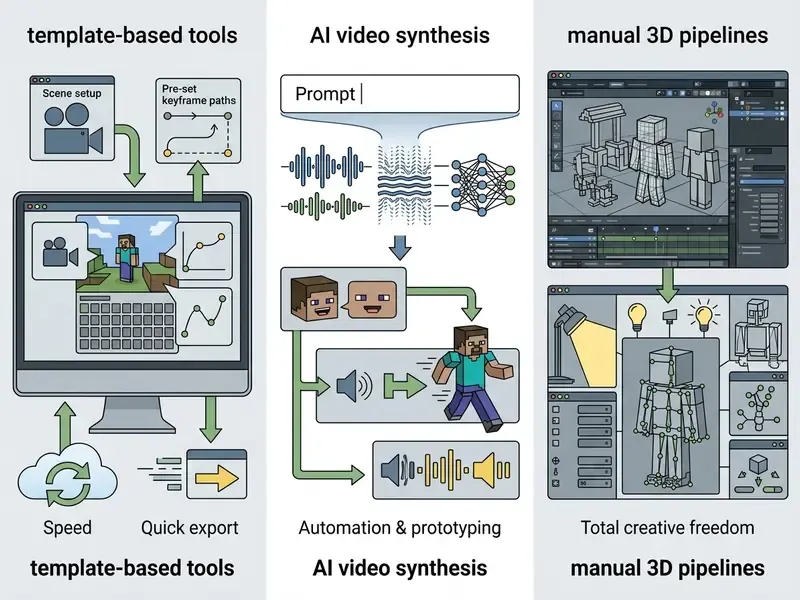
Depending on your technical requirements, a minecraft animation maker works through one of three mechanisms: fixed video templates, text-to-video AI synthesis, or a full keyframe 3D environment. Which one fits? That depends on a single trade-off: instant production speed versus granular control over character motion, lighting, and camera work. Everything below is organised around that choice.
Fast Tool Selection by Objective
| Your Objective | Recommended Tool Class | Typical Time to First Video | Cost Reality |
|---|---|---|---|
| Channel intro or logo reveal today | Cloud templates (Renderforest, CapCut) | 15-30 minutes | Free tier watermarked; paid tier for monetization |
| Prototype, storyboard, or B-roll clip | Generative AI video (Veo 3, Anijam AI, SORA) | 5-15 minutes | Credit or token based; paid plans for commercial rights |
| Cinematic series with acting and camera work | Mine-imator, or Blockbench plus Blender | 8-40 hours per finished minute | Free and open-source, full commercial rights |
| Custom mobs, skins, or animations that run inside the game | Blockbench | 2-8 hours per asset | Free (GPLv3), direct .mcaddon / .mcpack export |
| Vertical TikTok clips produced on a phone | Prisma 3D, BDEngine | 1-4 hours | Free tier with in-app purchases |
Quick rule: if the deliverable needs precise character acting, use a keyframe pipeline. If it needs volume, use templates or AI generation. If it needs to be playable, use Blockbench. Three sentences, most of the decision made.
What Is a Minecraft Animation Maker and What Tasks Does It Serve?
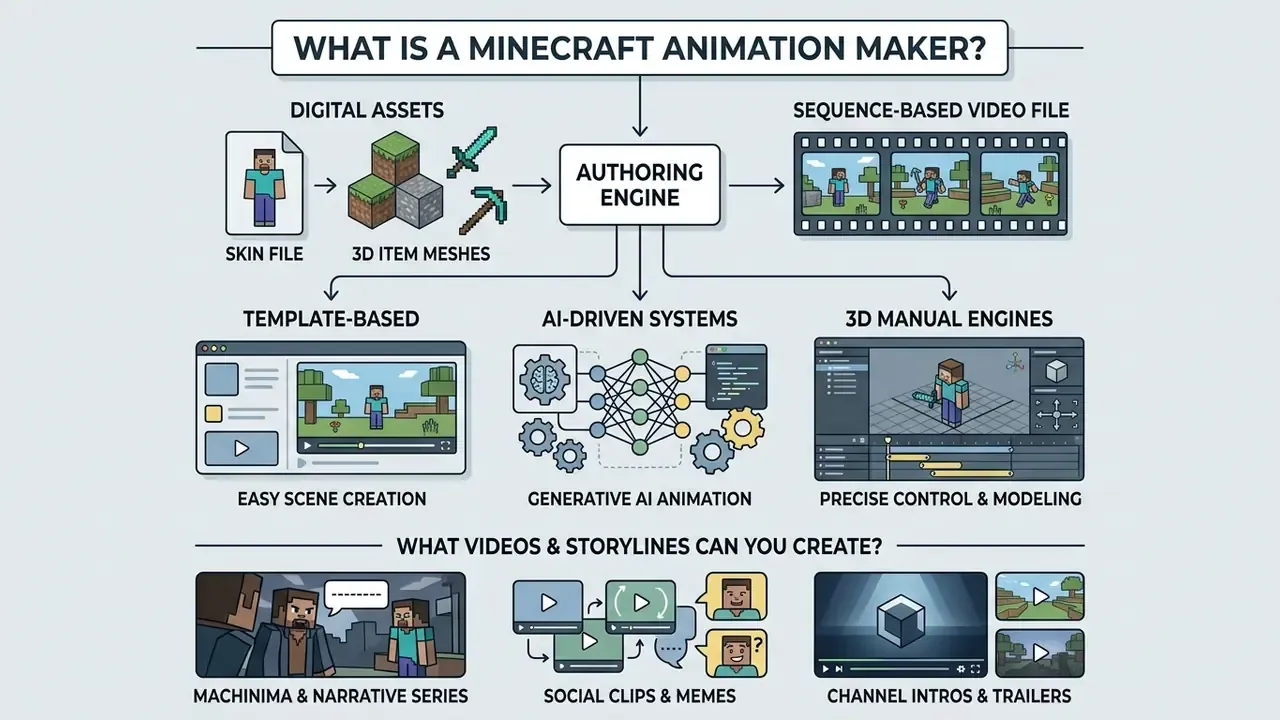
A minecraft animation maker acts as an authoring engine that turns digital assets (player skins, terrain blocks, item meshes) into sequence-based video files. Content creators run an animation maker minecraft pipeline to produce high-retention content for YouTube, TikTok, and Instagram Reels.
The software automates the repetitive parts. It handles rendering queues, ships digital skeletons (rigs) for character movement, and applies lighting models tuned to voxel aesthetics. Using a dedicated minecraft animation creator removes the need to build a 3D character skeleton from scratch, which is usually where first-time animators stall for a week.
«Minecraft environments suit narrative animation because of real-time rendering, a unified visual style, and a large library of user-made worlds and skins». Proceedings of the 13th International Conference on Advances in Information Technology, Hasegawa et al. (2023). https://doi.org/10.1145/3628797.3628799
Template-Based, AI-Driven, and 3D Tools for Minecraft Animation
Selecting a creation method depends on your operational priorities. Modern platforms split into three technical categories, and each maps to a different level of authorship. Readers who want a broader taxonomy of authoring tools can consult our reference guide to the animation maker category:
- Video Templates Browser platforms provide pre-rendered 3D scenes where you swap text, audio tracks, and skin files. Motion and camera trajectory stay fixed, but export usually finishes inside five minutes.
- Generative AI Systems AI models synthesise complete animated scenes from text descriptions or reference images. They automate lip-sync, camera framing, background motion, and increasingly the soundtrack itself. Control is medium, delivered through iterative prompt refinement rather than sliders.
- Manual 3D Engines Offline packages such as Mine-imator, Blockbench, and Blender give keyframe control over every bone, light source, and texture map. More setup, total creative autonomy.
What Videos and Storylines Can You Create?
Creators use a minecraft 3d animation maker for a fairly wide spread of short-form and long-form assets:
- Machinima and narrative series Multi-character episodes with scripted dialogue, cinematic angles, and action choreography for long-form channels.
- Social clips and memes High-energy 9:16 verticals built for TikTok and Shorts, leaning on fast humour, meme remixes, or gameplay highlights.
- Channel intros and trailers Short 3D sequences showing channel branding, title logos, and stylised character poses.
- Tutorials and educational demos Animated explainers for redstone circuits, survival strategy, or mod behaviour that is hard to film live.
- In-game assets Custom mob models, skins, and animation packs authored for resource packs and add-ons rather than for video export.
How to Choose an Animation Maker Minecraft for Your Experience Level and Objectives
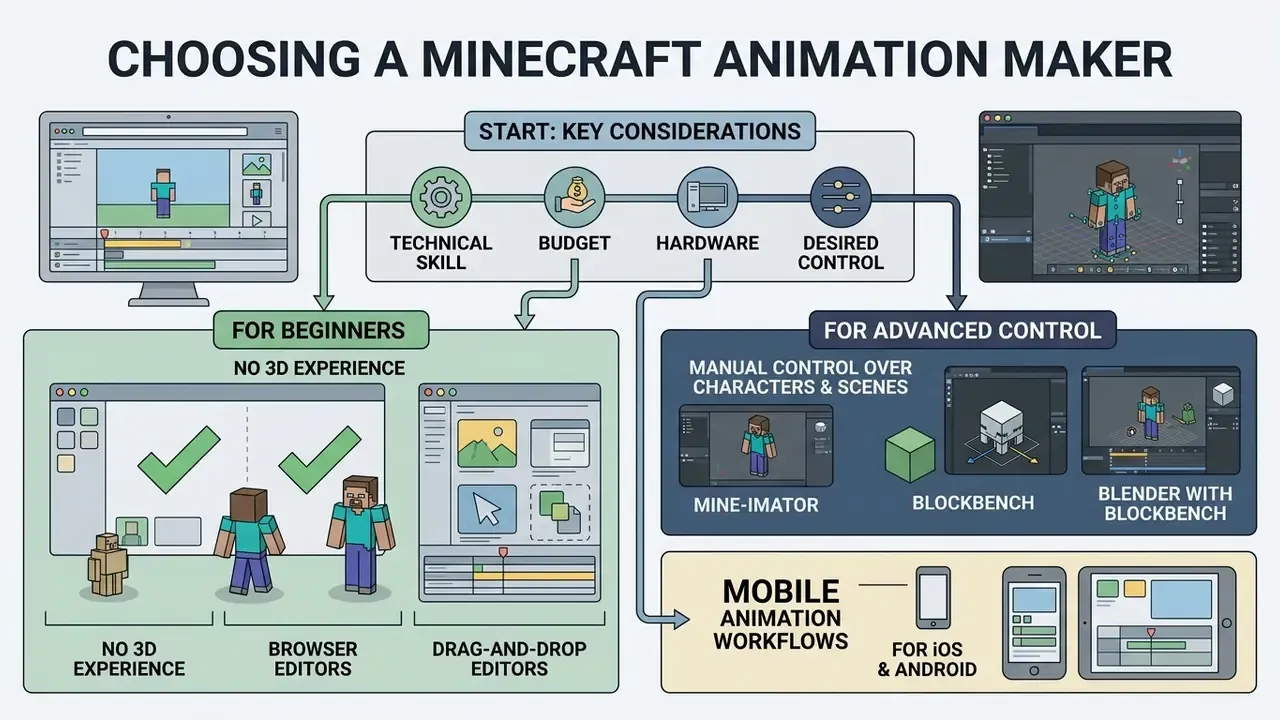
To pick the right animation maker minecraft, weigh four things: your technical skill, your budget, your hardware, and how much control you actually need over characters and scenes. Beginners do better on cloud templates. Experienced animators need keyframe manipulation, custom rigs, and physics.
Match the software to your current capacity and you avoid the classic bottleneck, a half-finished scene that renders too slowly to ever ship.
Illustrative mini-case (composite, not a documented client result).
Situation: A digital content studio needed 15 short-form Minecraft videos weekly across YouTube Shorts and TikTok, without hiring a rendering specialist.
Action: The team ran automated video templates for quick reaction clips and reserved keyframe 3D pipelines for core series episodes.
Result: Weekly output roughly tripled while visual consistency and platform formatting held.
Tools for Beginners Without 3D Animation Experience
Beginners without modelling experience should start with web editors or automated templates. These platforms strip out keyframing entirely by supplying pre-built character models and stock movements:
- Browser editors CapCut Web and Renderforest let you upload a custom skin PNG and apply it automatically to a pre-rendered 3D character mesh.
- Drag-and-drop editors Camera paths and lighting are handled for you, so a non-technical creator can export a polished video the same afternoon.
Creators looking for wider references on cloud tooling can explore our AI Media Glossary for technical breakdowns of hosted media processing.
Solutions for Manual Control Over Characters and Scenes
When the video needs unique camera moves, custom item interactions, or a specific skin on a specific limb, desktop software is the only honest answer:
- Mine-imator Built specifically for Minecraft. Native world importing, pre-configured block models, and a keyframe timeline that a beginner can actually read.
- Blockbench A low-poly model and animation editor whose output compiles straight back into the game as an add-on or resource pack.
- Blender combined with Blockbench A professional suite with complete lighting freedom, custom armature rigging, node-based compositing, and ray-traced render engines.
To compare specialised editing features across desktop suites, see our AI Media Comparison Matrices.
Mobile Animation Workflows for iOS and Android
When to Use AI for Video Creation
AI video generators fit rapid prototyping, storyboarding, and short social clips where nobody will inspect a knee joint frame by frame. Updated: the reference here is peer-reviewed workflow research, not vendor marketing.
«AI video generation enables varied scenes and coherent motion from text descriptions, without manual rigging or camera setup». Innovative Workflow for AI-Generated Video: Addressing Limitations, Impact and Implications, IEEE ISIEA (2024). https://ieeexplore.ieee.org/document/10680361
Use AI video generators when script-to-video turnaround is the constraint, or when you need background B-roll where precise bone positioning simply does not matter. Developers wiring generation into their own software should start with our AI Media API Guides and the implementation notes in our Google Veo API guide.
Comparing Mine-imator, Blender, Renderforest, Blockbench, CapCut, Prisma 3D, and AI Services
Choosing a minecraft animation maker means comparing operating environments, learning curves, and rendering features side by side. For a wider market view beyond voxel content, see our roundup of the best AI video generators.
| Software / Tool | Primary Work Mode | Complexity | Templates Available | Character & Scene Control | 3D Features & Capabilities | Primary Export Formats |
|---|---|---|---|---|---|---|
| Mine-imator | Specialized 3D keyframe software | Moderate | Built-in rigs and scenery | High (custom poses, cameras, lighting) | Native Minecraft world and block engine | MP4, AVI, PNG sequences |
| Blender | Professional open-source 3D suite | High | User-created presets | Full control (armatures, physics, nodes) | Ray tracing, Cycles/Eevee, fluid and fire simulation | MP4, MOV, OpenEXR, FBX |
| Blockbench | Low-poly modeling and rigging | Moderate | Model presets | High (model topology and bone rigs) | Low-poly mesh editing, UV mapping, animation controllers | JSON, glTF, OBJ, DAE, .mcaddon / .mcpack |
| Prisma 3D | Mobile 3D keyframe app | Moderate | Community rigs | High (touch-based keyframing) | Low-poly rigging, touch timeline, mobile renderer | MP4 (9:16 / 16:9) |
| BDEngine | Mobile and web block display engine | Low to moderate | Preset structures | Medium (block displays and camera paths) | Blocky scene layout, command export | MP4, Minecraft commands |
| Renderforest | Cloud template platform | Low | Extensive Minecraft presets | Low (text, logo and skin replacement) | Pre-rendered cloud scenes | MP4 (up to 4K on paid plans) |
| CapCut | AI-assisted timeline editor | Low to moderate | Social media presets | Low (2D overlays and effects) | Video filters, AI auto-cuts, audio mixing | MP4, MOV (9:16 / 16:9) |
| AI video generators | Text-to-video synthesis | Low (prompting) | Prompt style presets | Medium (prompt-driven camera and action) | Synthetic voxel scenes, native audio, lip-sync | MP4 (720p / 1080p, 4K on some models) |
Read the table this way: control rises from top-right to bottom-left of the cost curve. Free desktop tools give the most authorship and demand the most hours; cloud tools invert that trade entirely.
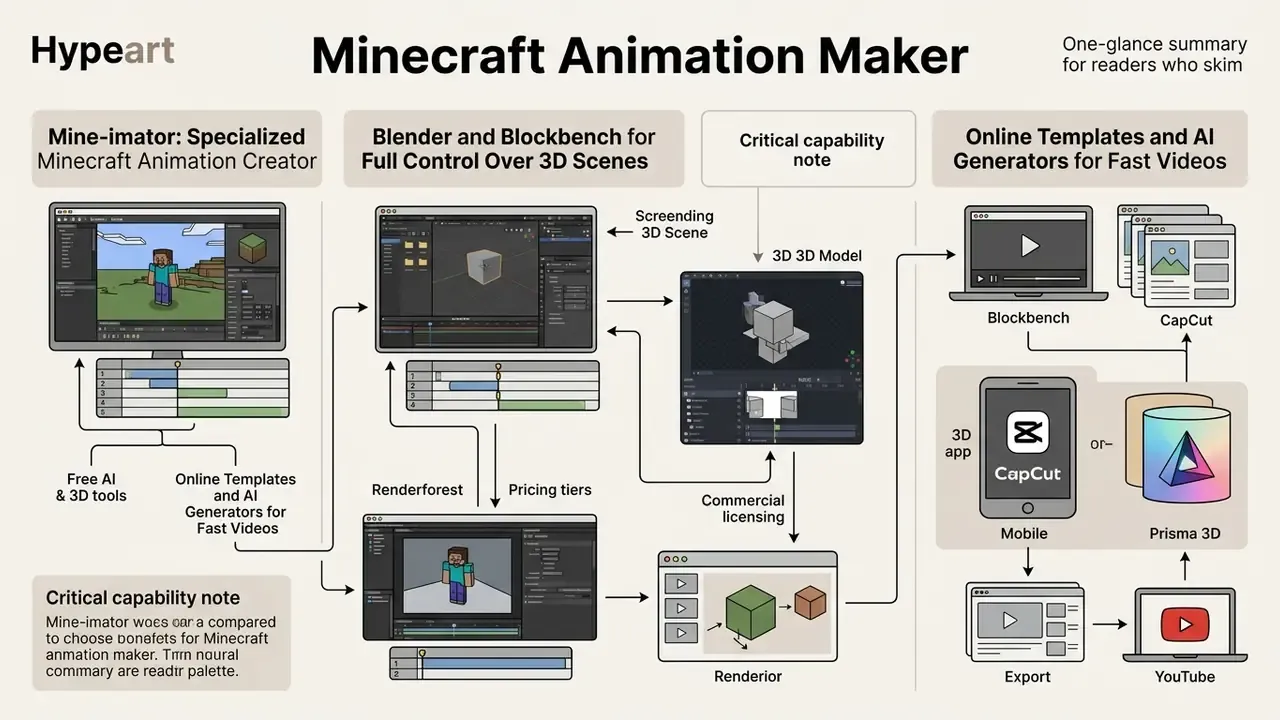
Mine-imator: Specialized Minecraft Animation Creator
Mine-imator is an open-source minecraft animation creator made specifically for the game's visual ecosystem. David Andrei launched it in 2012, and version 2.0 shipped as a tenth-anniversary release. Updated: according to the project's own release notes and download page (version 2.0.2, published 12 November 2023), that update brought a rebuilt interface, a new renderer, extra animation features, multiplatform support, and a 3D world importer. It also raised minimum hardware requirements above the classic branch, which surprised a fair number of users on older laptops.
«Dedicated machinima authoring environments reduce camera and avatar control complexity compared with general-purpose 3D suites». Machinima authoring systems review, Proceedings of ICAIT (2023). https://doi.org/10.1145/3628797.3628799
The software ships pre-loaded libraries of vanilla blocks, items, and mobs. Import saved world regions through File → Import from world…, pick a save folder or level.dat, then mark the region to transfer into the project. Character rigs arrive through File → Import asset, after which skin textures get reassigned if a model displays wrong (which happens more often with layered custom skins than with defaults). Lighting is driven by background parameters: direction, intensity, and range, with texture packs applied to blocks and props.
Official development ended in 2023, so active users increasingly run community continuations of the codebase. Those forks keep free access and commercial use rights, but they are maintained outside Mojang and outside the original author.
Blender and Blockbench for Full Control Over 3D Scenes
For studio-grade productions, Blender plus Blockbench is the standard pairing:
- Blockbenchoperates as the low-poly modelling editor. Updated: Microsoft's Minecraft Creator documentation describes it as a free, open-source low-poly model editor for modelling, texturing, and animating custom creations, with an Animate tab, keyframe timeline, and animation JSON output for Bedrock. Blockbench's own documentation adds position, rotation, and scale keyframes, a graph editor, and animation controllers that behave as state machines for blending clips.
- Blenderserves as the rendering engine. Updated: the official Blender manual documents armatures, bones, constraints, actions, drivers, posing, and keyframe insertion as the animation and rigging toolset, plus export support for OBJ, FBX, glTF, PLY, and STL. Import Blockbench models or converted world geometry, then add volumetric fog, depth-of-field blur, water and lava simulation, and node-based shaders.
Online Templates and AI Generators for Fast Videos
Online tools optimise for speed, not authorship. Renderforest offers pre-assembled 3D intro sequences, including Minecraft-style title packs, logo reveals, and "magical world" openers, where you swap character skins and channel titles in a browser and export within minutes.
CapCut works similarly: automated template assembly, auto-captions, one-click long-video-to-Shorts conversion, AI background effects. Both let you publish a teaser fast and skip local rendering overhead entirely. Neither imports Minecraft worlds. Treat them as finishing layers on top of renders produced elsewhere, and the disappointment disappears.
To review pricing options across web platforms, check our AI Media Pricing Guides.
How to Make a Minecraft Animation Manually: The Core 3D Workflow
Learning how to make a minecraft animation in Mine-imator or Blender follows a standard 3D production pipeline. Six stages, in order:
- Script and shot planning
- Asset and scene setup
- Keyframe animation
- Lighting and shading
- Rendering
- Post-processing and export
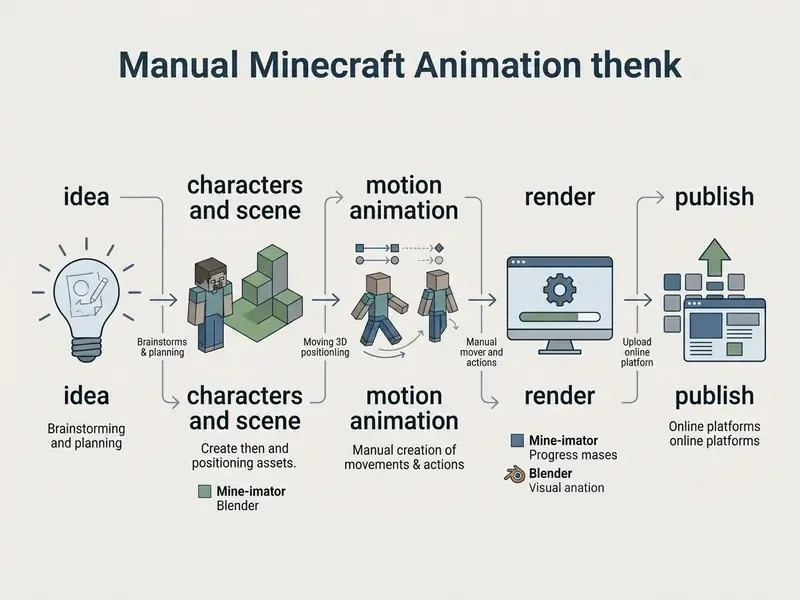
Prepare the Scene, Characters, and Visual Style
1. Import world geometry and structure files.
- Mine-imator and Blockbench Import pre-built structures using native
.schematicor.litematicfiles exported from WorldEdit or Litematica. Mine-imator can also pull a live region straight from a save folder. - Blender Minecraft
.mcaregion files cannot be read natively. Convert world chunks into polygon meshes (.objplus.mtl) with an extraction tool first: - Mineways best for terrain with native block textures, material tags, and light-emission definitions.
- jMc2Obj better for massive maps, with selective block displacement, biome-specific foliage colouring, and isolated building extraction.
2. Load rigs and skins. Import character rigs into the workspace. Apply 64×64 PNG skin files to the player mesh and verify UV alignment across limbs, head layers, and secondary skin layers before you animate a single frame.
3. Establish visual composition. Set the project frame rate (24 or 30 FPS) and arrange background props, focal points, and environmental elements up front. Lock the look once. Renegotiating it mid-production is how a two-day project becomes a two-week one.
Configure Character Motion, Camera Angles, and Keyframe Animations
Understanding how to make minecraft animations comes down to keyframe interpolation and camera placement:
- Keyframing motion Move bone joints (head, torso, limbs) along the timeline, placing keys at major poses so the software computes the in-betweens. Bedrock animations are channel-based for rotation, position, and scale, with interpolation between two keys and pre/post control per key.
- Maintain blocky aesthetics Minecraft characters move in rigid, jointed arcs. Use linear or stepped interpolation for mechanical motion (the Bedrock getting-started path defaults to linear) and reserve cubic curves for smooth cinematic pans.
- Camera composition Frame primary cameras on the rule of thirds. A slight depth-of-field blur separates foreground characters from blocky backgrounds. Camera keyframing research recommends downsampling motion signals and smoothing with cubic interpolation to strip jitter out of handheld-style moves.
- Dialogue and lip-sync Split facial motion onto its own track so mouth shapes stay editable independently of body performance. This modular track structure is standard in audio-driven lip-sync systems, and it saves you from re-animating a whole body when a line gets re-recorded.
Render and Prepare the Final Video for Publishing
- Configure render settings.Output 1920×1080 (16:9 for YouTube) or 1080×1920 (9:16 for TikTok and Shorts). Render 4K only when you have the render hours to spare and the content has a long shelf life.
- Set encoding parameters.Export H.264 in an MP4 container, target 15 to 25 Mbps for 1080p and 30 to 60 Mbps for 4K. Keep progressive scan. Match the source frame rate instead of resampling it.
- Post-process.Bring the MP4 into a timeline editor for sound effects, voiceover, music, and colour correction. For file-size control before upload, our guide to video compressors covers quality-loss trade-offs by codec.
Post-Render Enhancement: Voxel-Preserving 4K AI Upscaling
Rendering complex Blender Cycles scenes with volumetric lighting directly at 4K can push render times up by 300 to 500%. Animators sidestep the local GPU bottleneck with AI anime or pixel upscalers (VanceAI Anime Upscaler, Topaz Video AI) that suit blocky aesthetics.
Standard photographic upscalers blur or round hard edges. Anime-trained models preserve crisp 90-degree pixel boundaries, sharp UV texture maps, and block geometry:
- Local render exportExport raw keyframe animation from Mine-imator or Blender at 1080p, H.264 or a PNG frame sequence for lossless input.
- AI model selectionProcess frames through an anime or illustration model at 2× or 4×. Vendor documentation recommends low-quality-source models when the input is already compressed, and a preview before committing a full sequence.
- Edge preservation checkToggle the model's "Sharpen Pixel Edges" parameter ON so block surfaces do not smooth into organic texture. Pair upscaling with encoder-artifact reduction to suppress blocking and noise without erasing texture detail.
- Final encodingRe-encode the upscaled 3840×2160 sequence in your NLE for YouTube 4K.
A single-frame variant of this workflow is the fastest thumbnail fix going: run only the cover frame through the upscaler so the artwork stays legible at full size in search results. Cheap, and it takes about a minute.
How to Create Minecraft Animations with AI from Text Descriptions
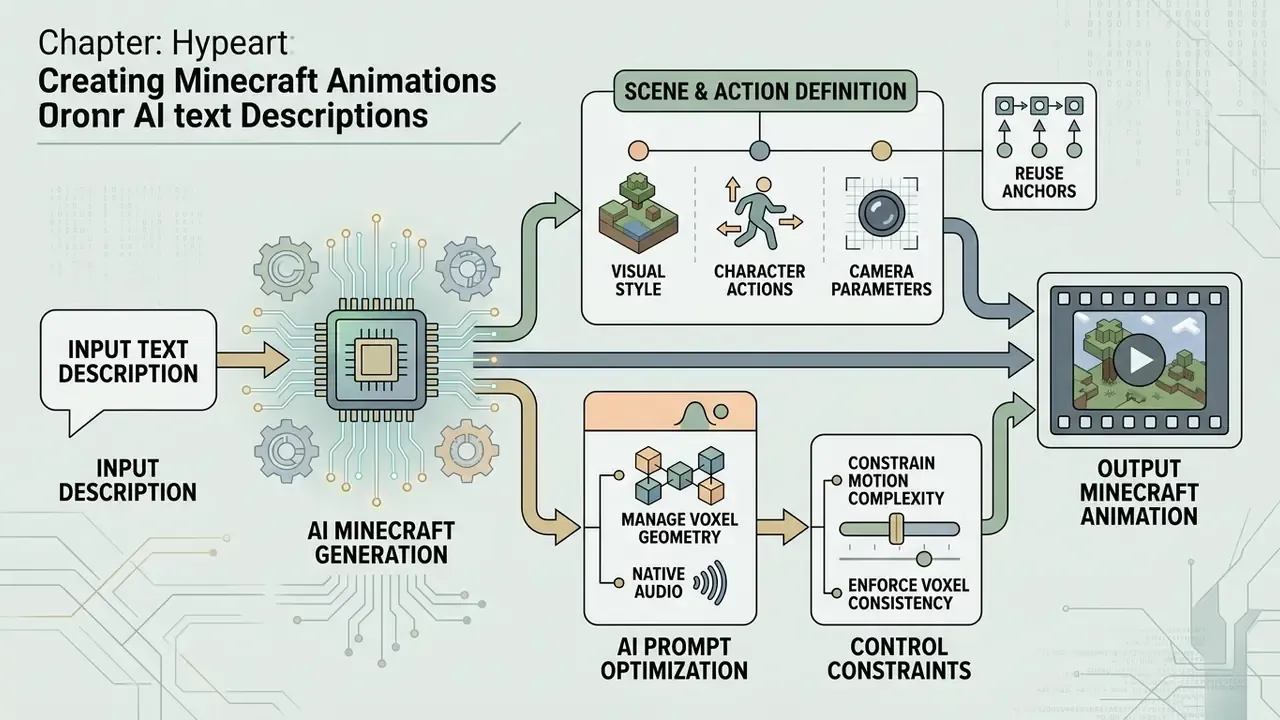
Generative platforms let you create minecraft animations straight from natural language, skipping bone rigging and keyframing. New to the mechanics? Start with our primer on text-to-video AI tools.
Illustrative mini-case (hypothetical).
Situation: A social media marketing manager needed five daily Minecraft-themed teasers and had zero 3D rigging experience.
Action: She wrote text-to-video prompts specifying voxel geometry, character actions, and camera movement.
Result: Draft clips generated in under three minutes each, which allowed same-day selection and publishing across brand channels.
How to Describe Scenes and Character Actions for AI
Effective prompts define subject, environment style, lighting, and camera behaviour. Updated: the standard reference here is peer-reviewed workflow research rather than a vendor guide.
«Effective AI video prompts include detailed content, style, and motion descriptions, with iterative refinement based on observed outputs». Innovative Workflow for AI-Generated Video: Addressing Limitations, Impact and Implications, IEEE ISIEA (2024). https://ieeexplore.ieee.org/document/10680361
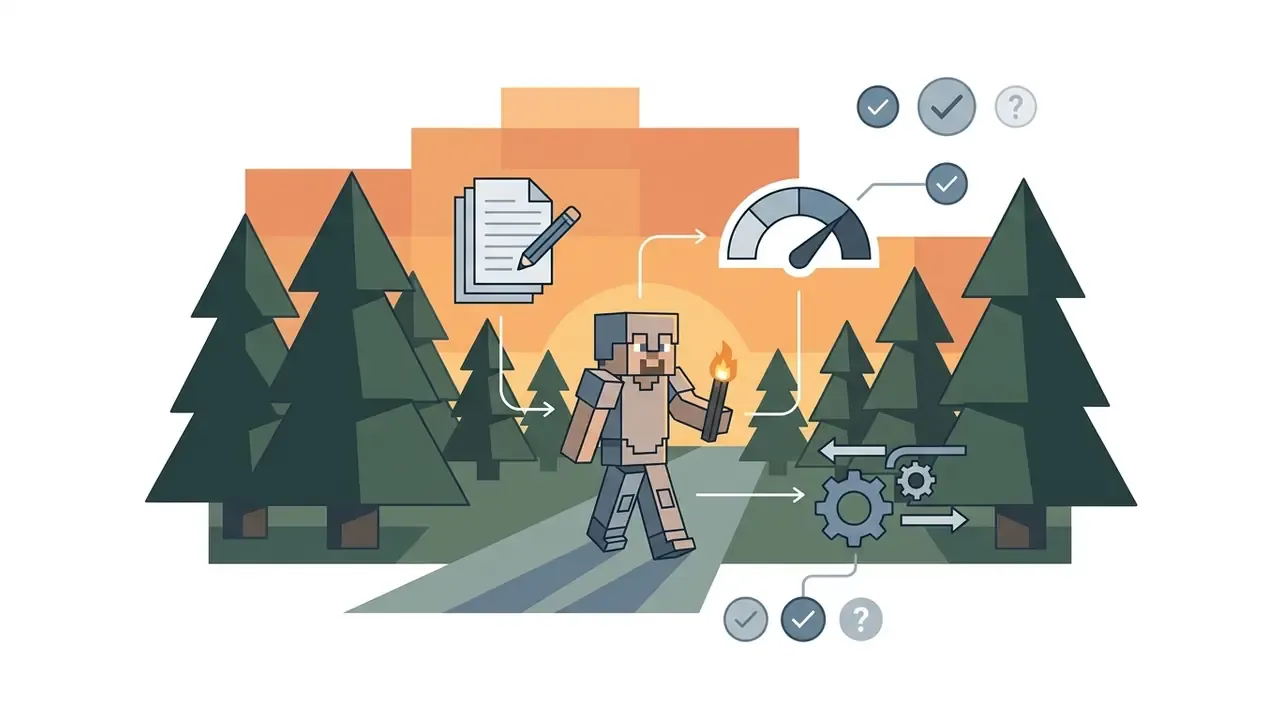
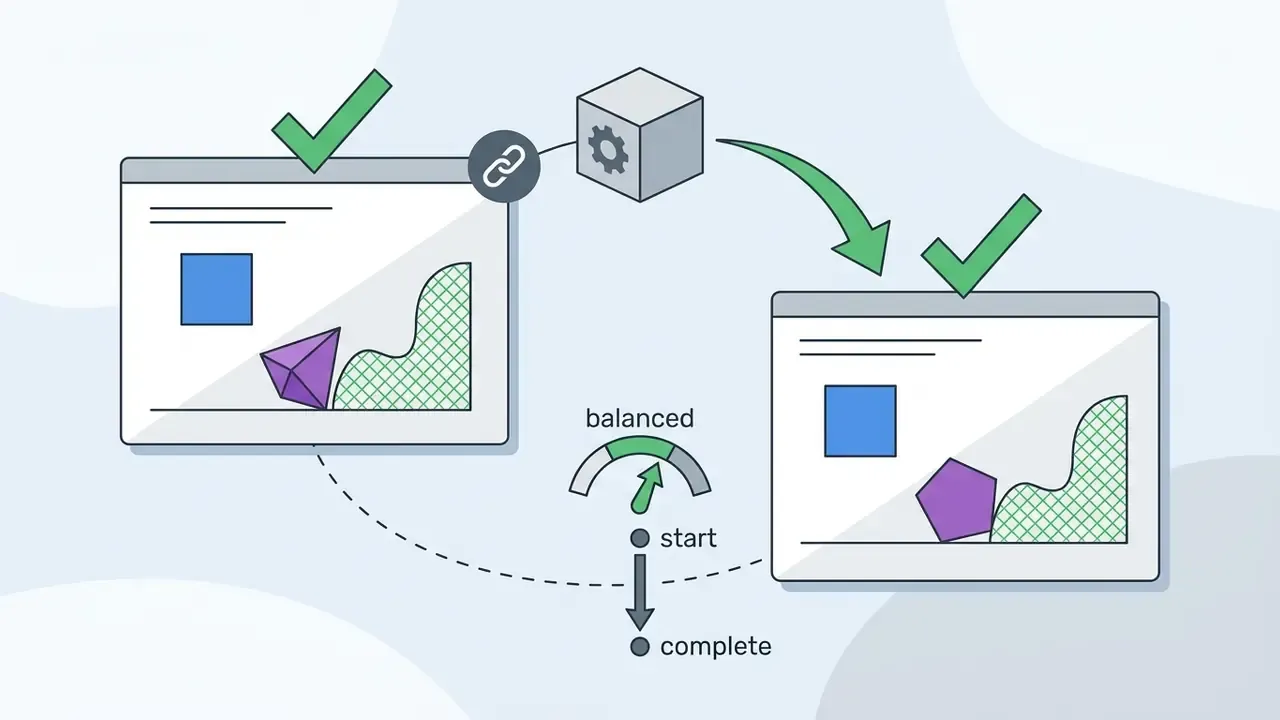
AI Prompt Optimization: Managing Voxel Geometry and Native Audio
Models such as Google Veo 3 and Anijam AI synthesise full voxel scenes with synchronised ambient audio and automated lip-sync. There is a catch. Text-to-video diffusion suffers from shape drift, an artifact where rigid square blocks melt into fluid forms during fast motion.
Rules for block-safe prompting:
- Constrain motion complexity.Prompt simple mechanical moves ("Steve walking in a straight line", "camera slowly orbiting a cobblestone fortress") instead of martial arts or crowded mob battles. Fast combat and dense builds drift far more than a clean walk, jump, or orbit.
- Enforce voxel consistency.Include structural anchors every time: "authentic 16×16 pixelated textures, rigid 90-degree blocky geometry, isometric grid alignment."
- Use native audio and lip-sync.Modern agents accept dialogue scripts or audio uploads (
.mp3/.wav), generate matching visemes on blocky facial meshes, and synthesise block-breaking, footstep, and creeper-hiss effects. Voice can be typed, cloned from an upload, or picked from a multilingual library. Our guide to AI voice generators compares licensing terms across those libraries. - Budget for retries.Assume two to four generations per usable shot. Prompt pipelines trade authorship for iteration count, and that is a real cost line, not a rounding error.
Data Privacy When Uploading Assets to Cloud AI Services
Cloud generation means your inputs leave your machine. Before uploading unreleased builds, client branding, character designs, or voice recordings, verify three things in the provider's terms: whether inputs are retained after generation, whether they may train future models, and whether outputs appear in public galleries by default. Enterprise and paid tiers frequently disable training on customer data. Free tiers frequently do not. Teams handling third-party IP should treat any public generator as an external disclosure channel, and route sensitive assets through a self-hosted or contractually covered deployment instead.
How to Refine and Download Generated Videos
- Generate variations.Request three or four prompt variations and compare character consistency plus camera stability across clips.
- Upscale output resolution.Updated: run draft outputs through an AI upscaling model to lift 720p toward 1080p or 4K while suppressing compression artifacts, following the documented sequence of low-quality-source model selection, preview check, artifact reduction, then export. Automated scoring can shortlist the winners before you invest finishing time.
«Automatic quality assessors trained on human-annotated datasets can predict aesthetic quality and generation artifacts, reducing manual effort in clip selection». VGA-Bench: Video Generation and Aesthetic Benchmark, CVPR (2026). https://arxiv.org/abs/2503.14478
- Export and share. Download the final MP4 files, then import them into an editor to balance audio, add subtitles, or stitch clips into a longer narrative.
For adjacent tooling, compare entry-level options in our review of free AI video generators and browse the full catalogue of AI Media Comparison Matrices.
Publishing Minecraft Animations for YouTube and TikTok
Optimising for platform algorithms is mostly a formatting discipline: aspect ratio, bitrate, and length matched to audience expectation.
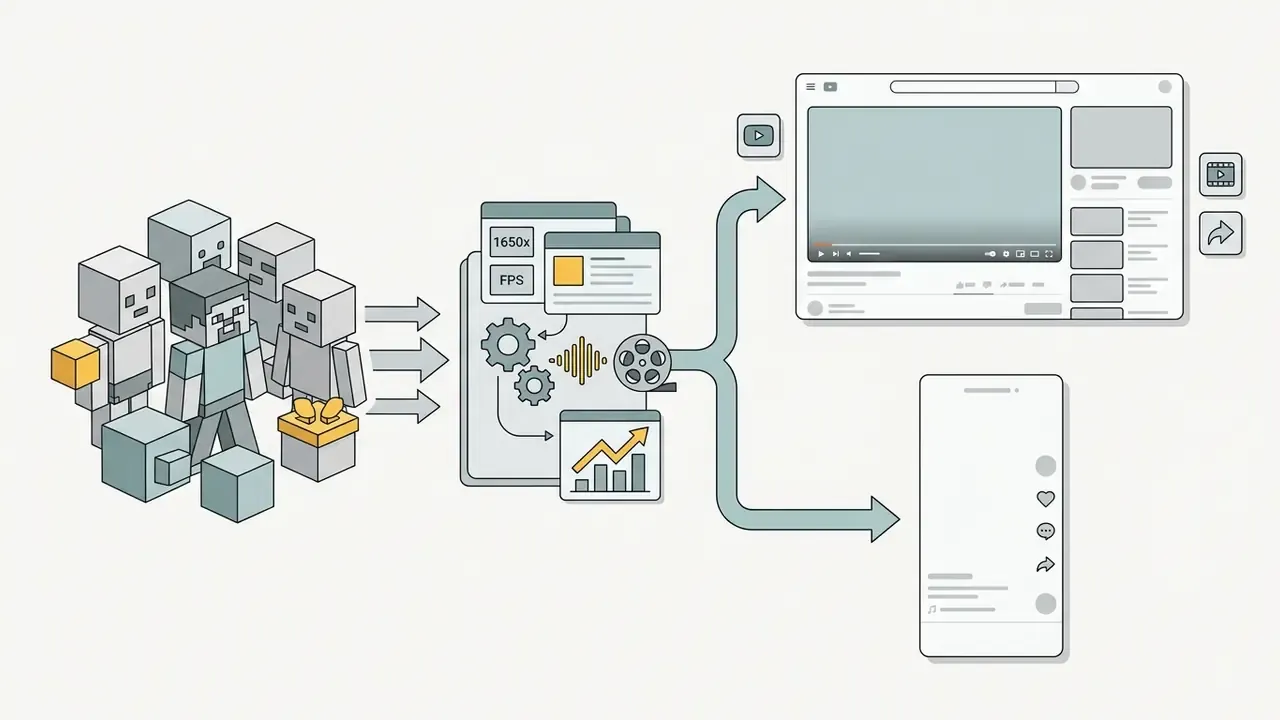
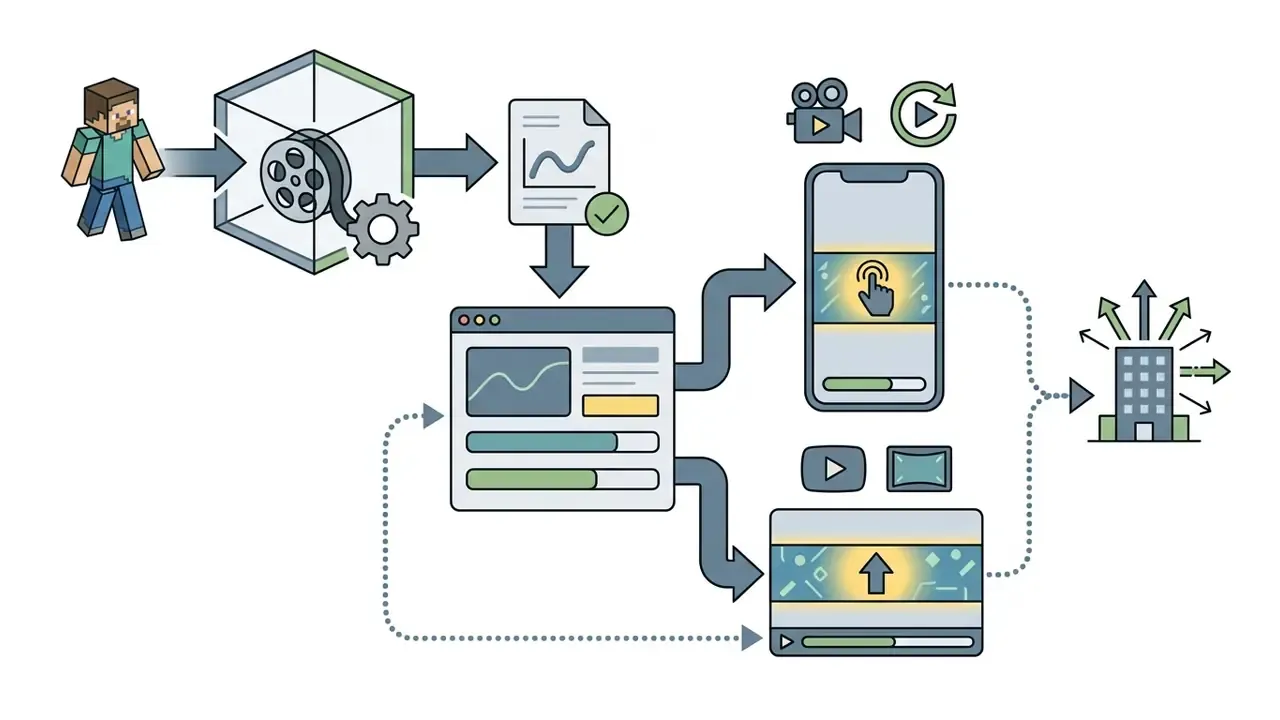
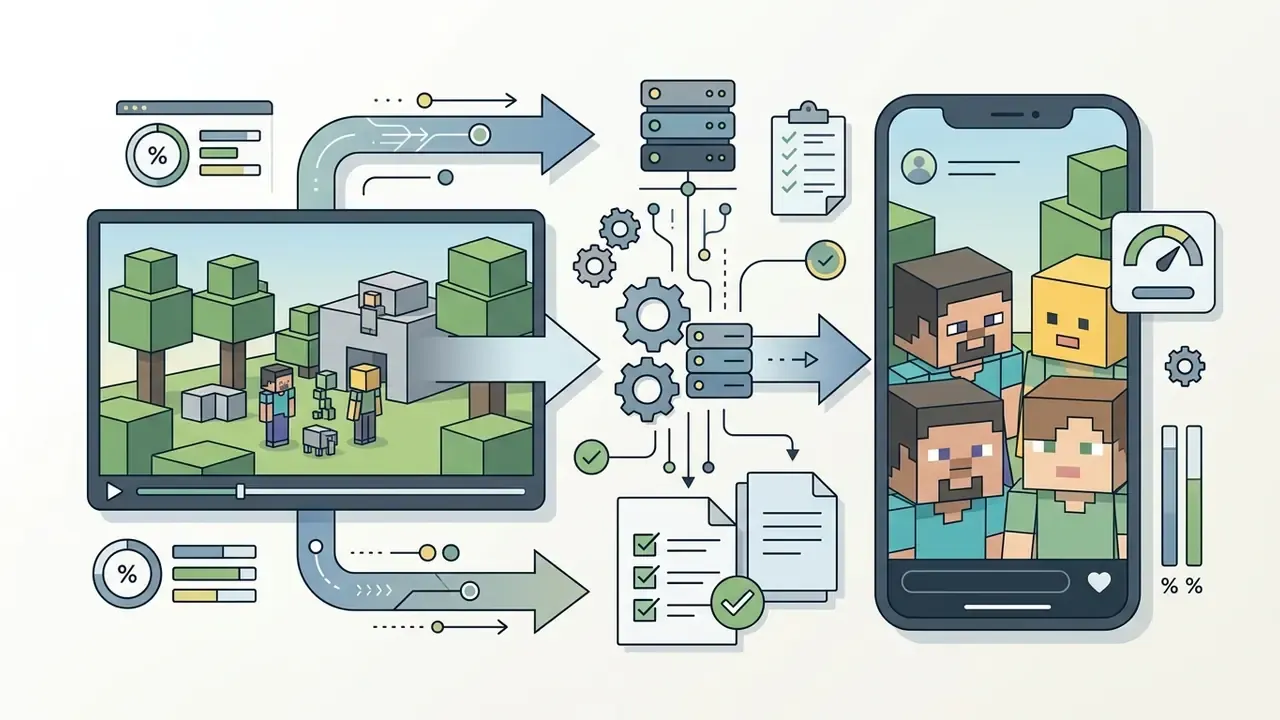
Practically, that distribution shape rewards volume plus consistency over occasional perfection. A repeatable template or AI pipeline that ships weekly gives the recommender more chances to find an audience than one cinematic release per quarter. Harsh, but that is what the data says. To estimate production hours and credit spend before committing, use our AI Media Calculators.
Free Minecraft Animation Maker, Pricing, and Commercial Use
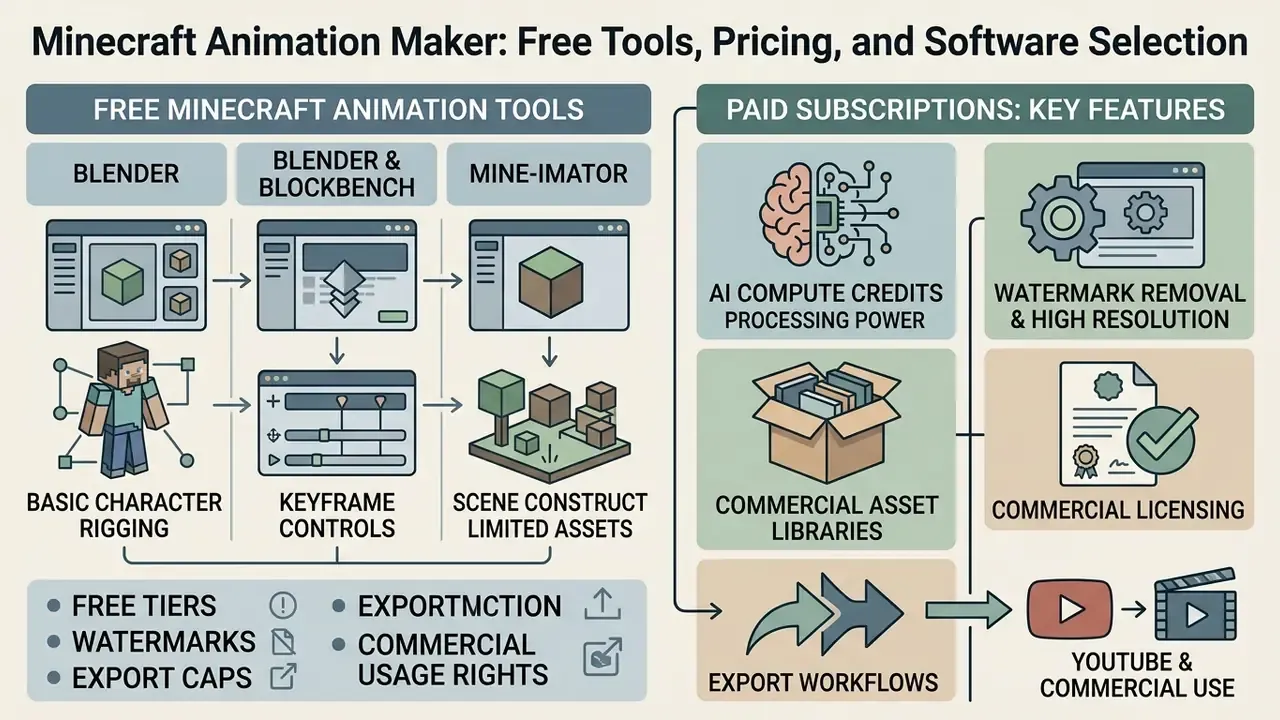
Finding a free minecraft animation maker means reading the trade-offs: free tiers, watermarks, export caps, and commercial usage rights.
| Tool / Platform | Free Access Tier | Paid Subscription / License | Watermark Rules | Export Limits (Free) | Commercial Monetization Rights |
|---|---|---|---|---|---|
| Mine-imator | Full software free (trial) | Free / donation (upgrade key) | Removed via free upgrade key | Unrestricted local export | Allowed under Mojang brand guidelines |
| Blender | 100% free and open-source (GPL) | None (community supported) | No watermark | Unrestricted local export | Full commercial rights |
| Blockbench | 100% free and open-source (GPLv3) | None | No watermark | Unrestricted local export | Full commercial rights |
| Prisma 3D | Free mobile app | In-app purchases / Pro unlocks | Free tier may brand exports | Device-limited scene size | Allowed for original animations |
| Renderforest | Limited free plan | Paid tiers (monthly / annual) | Watermark on free tier | 360p / 720p resolution cap | Paid tiers required for monetization |
| CapCut | Standard free features | CapCut Pro subscription | Pro assets trigger watermark | 1080p export | Requires clearance for commercial audio |
| AI generators | Limited daily credits / tokens | Tiered monthly plans | Free generations watermarked | 720p resolution, credit caps | Commercial license tied to paid plans |
What a Free Minecraft Animation Maker Provides
Open-source desktop applications deliver genuinely free minecraft animation maker functionality, with no resolution ceiling and no export fee:
- Blender and Blockbench
- Licensed under the GNU General Public License (Blockbench under GPLv3). Both allow unrestricted commercial use, high-resolution rendering, and full feature access at zero cost. Updated: Blockbench's own FAQ states it is free to use for any type of project and that anything made with it may be redistributed, commercially included.
- Mine-imator
- Free-access model. The trial build watermarks exports; the free upgrade key removes it. Community continuation builds also keep commercial use in scope.
«Open-source software generally permits commercial use of created output, while license terms govern the software itself rather than the content produced». Tooling and licensing review, ICAIT (2023). https://doi.org/10.1145/3628797.3628799
Cloud template tools give free preview modes, then enforce watermarks, lower resolutions, personal-use-only terms, or daily render caps until you upgrade. Creators assembling a zero-cost finishing stack can compare options in our guide to free video editing software.
Which Features Require Paid Subscriptions in AI and 3D Software
Commercial cloud editors and AI video services gate a predictable set of features:
- AI compute credits. Text-to-video generation burns server GPU time. Free accounts get a small trial allocation; paid plans provide recurring monthly credits.
«AI video services bundle usage quotas with subscription plans, especially where generation demands substantial compute from large transformer models». Innovative Workflow for AI-Generated Video: Addressing Limitations, Impact and Implications, IEEE ISIEA (2024). https://ieeexplore.ieee.org/document/10680361
- Watermark removal and high resolution. Cloud platforms require a paid tier for 1080p, 4K, or 60 FPS output without a site logo.
- Commercial asset libraries. Stock audio, premium effects, and pre-built 3D asset packs sit behind subscription tiers.
- Commercial licensing itself. On several AI platforms, free-tier output is restricted to personal, non-commercial use. The paid tier is what converts an identical render into a monetizable asset. Worth checking before you build a channel on it.
For help resolving export or configuration issues, visit our AI Media Support and Troubleshooting portal.
How to Verify Publication Rights and Video Monetization
"Gameplay videos and animations may be uploaded to YouTube or other video sharing sites and monetized, provided the video is free to view, adds significant original commentary or creative value, and does not imply official endorsement."
Mojang / Microsoft Commercial Usage Guidelines (2026)
Illustrative mini-case (composite).
Situation: A creator monetizing Minecraft cinematic shorts took a copyright strike after reposting a vertical TikTok video to YouTube Shorts.
Action: They audited the audio track, swapped the TikTok-licensed song for royalty-free music, and republished.
Result: The claim cleared and monetization returned. The lesson was cheap only because the catalogue was small.
To review legal frameworks around commercial generative media, consult our AI Litigation and Case Timelines overview and the rights breakdowns in our AI Media Commercial-Use directory.
- Mojang and Microsoft guidelines.
- Original animations can earn ad revenue on YouTube and TikTok, as long as you do not sell raw game assets or claim official endorsement. Sponsorship callouts belong outside the game content, videos may not promote unrelated products, and all rights in the Minecraft name, brand, and assets stay with Mojang and Microsoft.
- Audio and music licensing.
- Tracks bundled in web templates or TikTok sound libraries carry platform-specific restrictions. Updated: TikTok's Commercial Music Library is a pre-cleared catalogue for business content on TikTok placements only. It does not automatically cover YouTube distribution, so reusing that audio on Shorts commonly triggers Content ID claims. Anything outside the library needs separate clearance, and TikTok may request Music Usage Confirmation for original or externally licensed audio.
- Software licence compliance.
- Confirm your tool permits commercial output. Paid web subscriptions and open-source tools (Blender, Blockbench) grant full commercial ownership of renders. Template platforms usually allow commercial use of exported videos while prohibiting resale of the templates, metadata, or featured sounds.
- AI output rights.
- On generative platforms, commercial use depends on the model's terms, your rights in the inputs, and local law. Purely machine-generated frames may also carry weaker copyright protection in some jurisdictions, which matters a great deal if you plan to license the animation onward.
Pre-Publication Compliance and Export Checklist
Run this before every upload. It catches the failures that cost monetization, not just views.
Checklist0 / 12
FAQ About Minecraft Animation Maker
How do you make a minecraft animation if you are a complete beginner?
Start with a browser template tool such as Renderforest, or download Mine-imator. Mine-imator ships pre-built character models, block environments, and items, so you can animate poses on a timeline with no prior 3D experience. Blockbench is the second-best entry point if you also want to design custom models and skins. Both are free. Creators who would rather skip modelling entirely can compare prompt-driven AI video generation tools instead.
What hardware specs are required to run a minecraft 3d animation maker?
Browser templates offload rendering to the cloud and run on almost anything current. Local pipelines are heavier:
| Workload | CPU | RAM | GPU / VRAM | Storage |
|---|---|---|---|---|
| Mine-imator or Blockbench, simple scenes | Modern quad-core | 8 GB | Any dedicated GPU, 2-4 GB VRAM | 10 GB free |
| Mine-imator 2.0, medium scenes with lighting | 6-8 core | 16 GB | GTX 1660 / RTX 3050 class, 6 GB VRAM | 50 GB (frame sequences) |
| Blender Cycles, volumetrics and simulation | 8-16 core | 32 GB | RTX 3070/4070 or better, 8-12 GB VRAM | 250 GB+ NVMe for caches and EXR frames |
| Mobile (Prisma 3D, BDEngine) | Recent mid-range SoC | 6-8 GB | Device GPU | 5 GB free |
| Blender is the most demanding tool in the stack; Blockbench and Mine-imator are the lightest. VRAM is the binding constraint in Blender: once textures and geometry exceed available video memory, GPU rendering falls back to CPU and render times multiply. Budget disk space for sequences too, since 1,440 frames of lossless 1080p output can pass 10 GB. |
How long does it take to make a 1-minute Minecraft animation?
Timelines vary with tool choice, scene complexity, and rigging depth. For a 60-second video (1,440 frames at 24 FPS):
- Cloud templates (Renderforest, CapCut): 15 to 30 minutes, pre-rendered scenes with text and skin swaps only.
- Generative AI agents (Veo 3, Anijam): 5 to 15 minutes for prompting, rendering, and lip-sync, plus retries.
- Mine-imator or Blockbench: 8 to 15 hours of manual keyframing with built-in lighting and pre-rigged characters.
- Blender: 25 to 40+ hours for custom armature rigging, node shading, volumetric fog, fluid and fire physics, and high-sample Cycles rendering. Add learning time on a first project, honestly quite a lot of it.
«Studies of AI features in video editors report a measurable perceived impact of automation on editing task speed». The Influence of Artificial Intelligence (AI) in CapCut on Increasing Creativity and Efficiency of Video Editing, Zenodo (2024). https://zenodo.org/records/14003307
Can I import my existing Minecraft world into these tools?
Mine-imator and Blockbench both read Minecraft structure files (.schematic, .litematic), and Mine-imator can pull a region straight out of a save folder. Blender needs a conversion step first: export the world as a mesh with Mineways or jMc2Obj, then import the resulting .obj and .mtl pair. CapCut and Renderforest do not support world imports at all. They are finishing tools for renders made elsewhere.
Which tool exports animations back into the game?
Blockbench. It is the only editor here that compiles models, skins, and animation JSON into Bedrock and Java formats for native deployment (.mcaddon / .mcpack). Mine-imator exports video only. Blender assets can be routed back into the game, but the process is manual and multi-step, not a one-click export.
Can I make Minecraft animations on a phone?
Yes. Prisma 3D handles mobile keyframing, .obj model import, skin texture assignment, and 9:16 MP4 rendering on Android and iOS. BDEngine covers fast blocky scene layout and camera paths on tablets. Expect smaller polygon budgets and simpler lighting than desktop. Many creators storyboard on mobile and finish on desktop, which is a sensible split.
Do I need to know programming to animate in Minecraft?
No. Every tool here is visual: drag-and-drop interfaces, timeline editing, parametric controls. Blender supports Python scripting for automation, and Bedrock add-ons use JSON animation controllers, but neither is required to finish a video.
Is it safe to upload my custom skins, builds, or voice recordings to a cloud AI generator?
Only after you have read the provider's data-retention and model-training terms. Free tiers often reserve the right to keep inputs, train on them, or display outputs publicly. Paid and enterprise tiers frequently disable those behaviours. Treat any public generator as an external disclosure channel for client-owned or unreleased assets.
Can I monetize Minecraft animations made with free software on YouTube?
Yes. Open-source software such as Blender and Blockbench permits full commercial use of rendered output. Mojang's commercial guidelines allow monetization of original Minecraft animations on YouTube and TikTok through ad revenue, provided the content adds original creative value, stays free to view, and neither redistributes raw game assets nor implies official endorsement. Music rights are the usual failure point, so clear audio per platform, not per video.
Appendix A: Corrections Log and Superseded Claims