Generative artificial intelligence has turned static image processing into dynamic video synthesis. Modern image-to-video models let creators, enterprise content teams and media specialists convert static photos into realistic motion clips without booking a shoot. This guide explains how photo to video AI actually works, walks through the creation workflow step by step, reviews the leading model architectures, documents credit-level cost benchmarks, provides a developer API pipeline, and details risk-adjusted commercial deployment, including model-risk governance for regulated organizations.
Why should a bank's risk function care about an animation tool? Because a rendered clip is an externally facing artifact. It carries brand, conduct and disclosure risk, and someone has to own it.
"Uncontrolled AI video generation introduces latent model risk and brand exposure; clear governance and defined motion parameters turn speculative creative tools into predictable enterprise assets."
Executive Summary: The Decision Layer
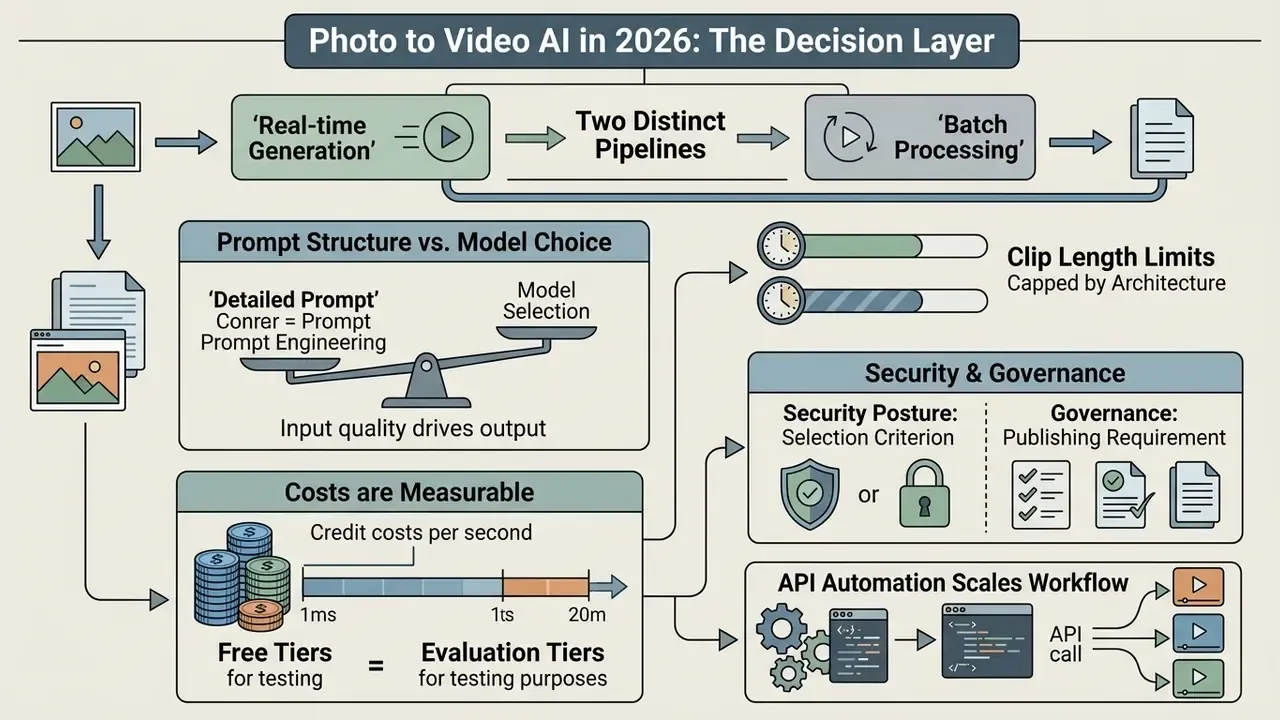
For readers who need the decision before the technical detail:
- Two distinct pipelines exist. Single-photo AI animation synthesizes new frames, depth and camera trajectories from one still. Multi-photo slideshow assembly sequences existing assets on a timeline. Choosing the wrong pipeline is the most common budget leak in production teams.
- Prompt structure drives output quality more than model choice. The reliable syntax is Subject + Action + Environment + Camera Movement + Visual Style, written with explicit physical descriptors and no negative phrasing.
- Clip length is capped by architecture. Most models cap single generations at 4 to 15 seconds. Longer commercials require last-frame to first-frame chaining (multi-clip stitching) or reference-to-video conditioning to avoid aesthetic drift.
- Costs are measurable per second. Benchmarked generation rates run roughly $0.023 to $0.05 per rendered second. A typical 5-second 720p render consumes about 150 credits, while premium 4K, Sora 2 or Veo 3.1 renders consume roughly 300 to 450 credits per 5-second clip.
- Free tiers are evaluation tiers. Expect 480p to 720p caps, watermarks, three to five daily generations and non-commercial licensing. Commercial rights usually begin at the first paid tier.
- Security posture is a selection criterion, not an afterthought. Prioritize vendors that contractually exclude customer uploads from model training, offer short retention windows (for example, one-day staging with immediate deletion on request), and encrypt data in transit and at rest.
- Governance is now a publishing requirement. Machine-readable provenance (C2PA content credentials, IPTC
trainedAlgorithmicMedia), prompt and seed logging, plus disclosure labels are required for auditable, regulation-aligned distribution. - API automation scales the workflow. Enterprise teams trigger image-to-video jobs programmatically through Python or REST SDKs, wiring generation into DAM, PIM and campaign systems instead of manual browser sessions.
One more framing note. Anyone can now turn photos into video in under a minute. The scarce skill is deciding which of those clips is safe to publish.
What Is Photo to Video and What Videos Can Be Created from an Image
Photo-to-video technology uses generative artificial intelligence, specifically image-to-video (I2V) diffusion and transformer models, to synthesize new temporal frames, motion vectors and realistic transitions from static visual inputs. Unlike traditional slideshow tools that merely sequence existing photos, modern I2V models infer geometry, lighting and pixel movement to generate entirely new footage from a single photograph or a short series of images.
The foundational shift lies in predictive motion synthesis. In classic video editing, motion is limited to pan-and-zoom keyframing (the Ken Burns effect) or hard cuts between stills. An AI-driven image-to-video model, by contrast, evaluates the initial image's latent spatial structure to forecast how objects, lighting and cameras should interact across time.
«Image-to-video generation produces a dynamic video from a static first frame and a prompt; the core challenge is preserving subject, background, and style while introducing plausible motion.»
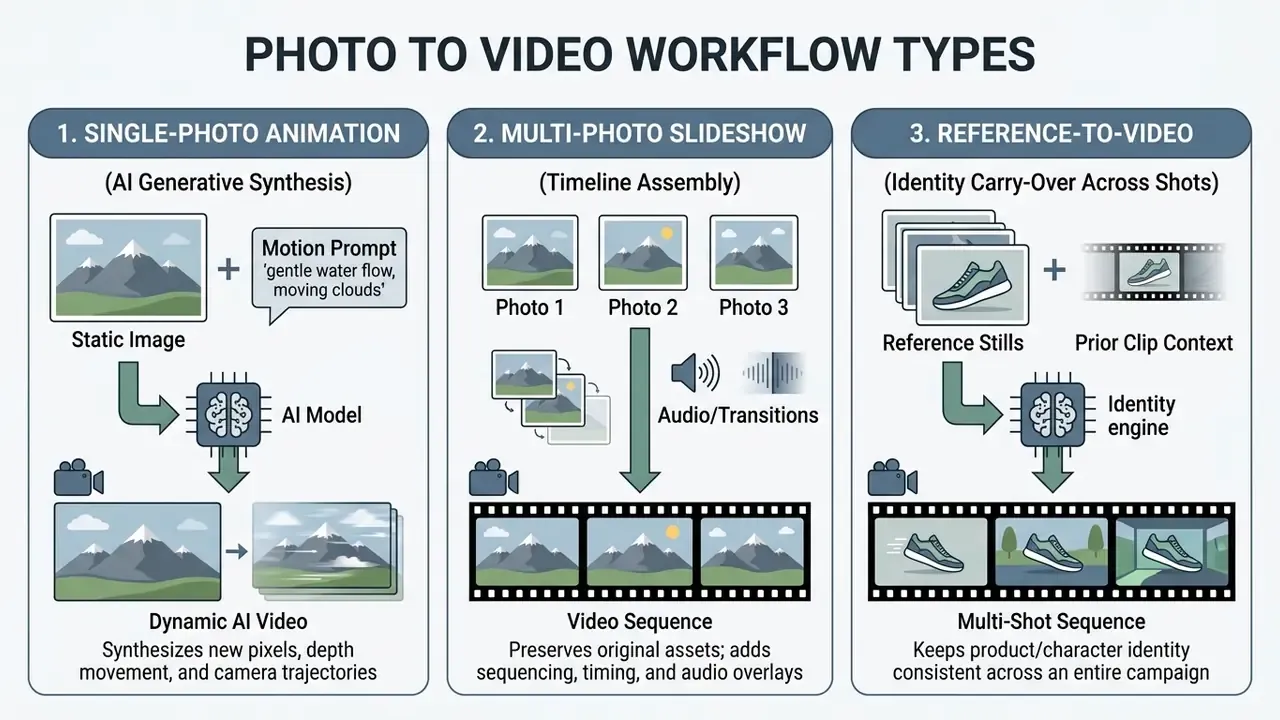
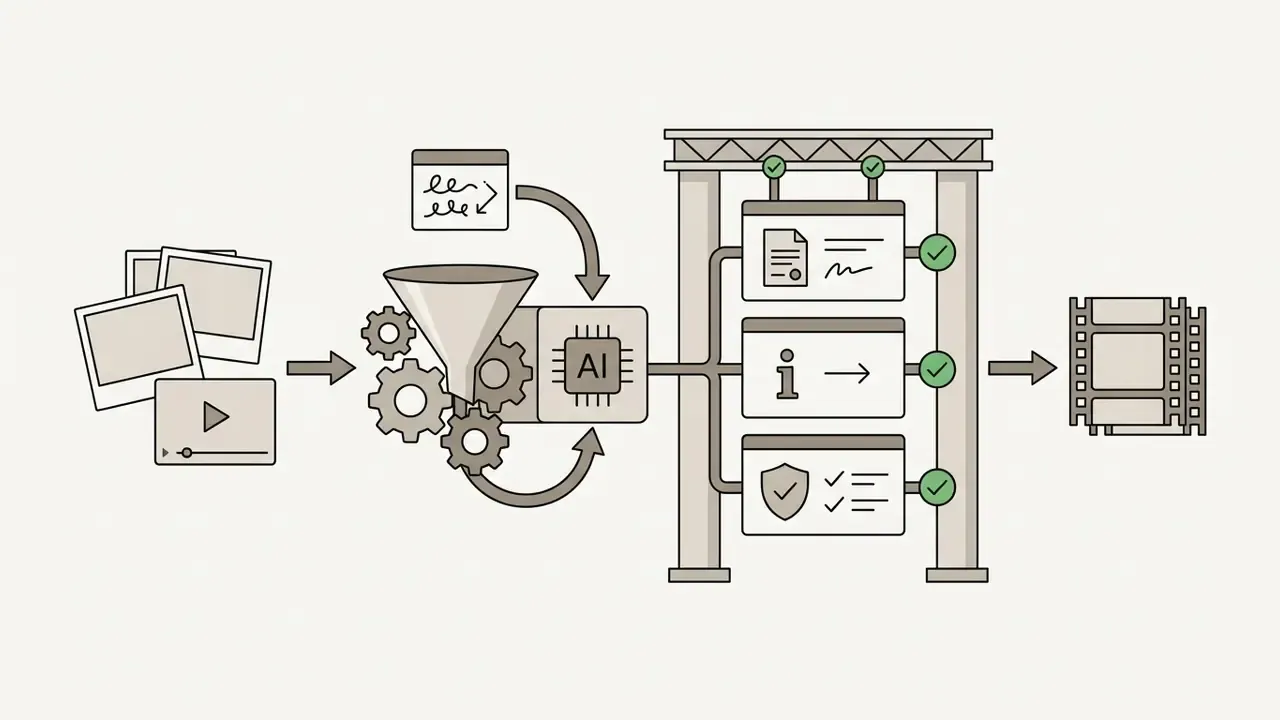
Enterprise content teams use these capabilities, and the broader family of AI video generators, to scale visual production, transform archival photos into dynamic assets, and generate short-form social reels. Deciding whether a project needs single-image neural animation, multi-image timeline assembly, or reference-conditioned multi-shot generation determines both the technical pipeline and the control regime that has to sit on top of it.
A small observation from review work: teams almost never fail at generation. They fail at classification, picking a generative pipeline for a job that a plain slideshow would have finished in ten minutes.
AI Animation of a Single Photo: Motion, Camera and Style
AI animation of a single photo turns a static image into a dynamic video clip by applying predicted motion trajectories, virtual camera controls and style conditioning. The system analyses the source composition to generate plausible object movement and perspective change while keeping visual fidelity to the original frame.
Modern single-image generators rely on motion diffusion architectures and spatio-temporal attention blocks.
«Motion-I2V decomposes the task into predicting pixel trajectories and then synthesizing frames along those trajectories using motion-augmented temporal attention.»
You can animate photo to video online by supplying a source image alongside explicit motion instructions, or add image to an existing timeline when the clip is only one element of a longer edit. Key capabilities include:
These controls let creators turn static portraits into expressive character clips, or convert still landscape photography into sweeping cinematic establishing shots. Portrait work also benefits from compositional preparation: if a second figure is needed, it is cheaper to add person to photo online free before generation than to fight the model afterwards.
«PhysGen builds an image-understanding module that recovers geometry and physical parameters, then simulates rigid-body dynamics to generate realistic motion.»
That physics-grounded approach matters commercially. A product that "melts" during a dolly move is not a stylistic choice, it is a geometry-estimation failure, and it usually traces back to the source asset rather than the prompt.
Video from Multiple Photos: Slideshows, Music and Transitions
Creating video from multiple photos means combining sequential images with algorithmic transitions, synchronized background music, text overlays and effects along a structured timeline. AI keyframe interpolation can synthesize intermediate motion between frames, but multi-photo assembly still relies on timeline editing to produce a cohesive clip for marketing or social media.
Here, motion comes from clip arrangement, cuts, zoom effects and audio timing rather than generative frame synthesis. Creators combine assets to create photo to video presentations, e-commerce showcases or promotional montages. Modern online editors automate transition timing and ship templates for TikTok, Instagram Reels and YouTube, commonly with per-image animation presets such as bounce, slide-up, fade and Ken Burns zoom.
| Parameter | AI Image-to-Video Generator | Traditional Photo Video Maker |
|---|---|---|
| Source material | Single photo (or first and last keyframes) plus text prompt | Multiple sequential photos or clips |
| Motion synthesis | Generative diffusion / transformer frame synthesis | Manual transitions, pan-and-zoom, clip sequencing |
| Editing control | Global motion scale, camera trajectories, prompt guidance, seed | Timeline ordering, split clips, duration control, filters |
| Audio integration | Native model audio or post-process audio alignment | Multi-track audio timeline (music, voiceover, SFX) |
| Duration ceiling | 4 to 15 s per generation; longer via stitching or chaining | Unlimited timeline length |
| Cost model | Credits or per-second billing per render | Flat subscription or export-based |
| Output type | Newly synthesized motion video file (MP4/MOV) | Sequenced montage preserving original photo pixels |
Key takeaway: AI image-to-video generates new intermediate content and camera perspectives from a single image asset, whereas traditional photo video makers sequence existing image assets across an editable timeline. Same input, very different cost curve.
How to Create Photo to Video Online: A Step-by-Step Guide
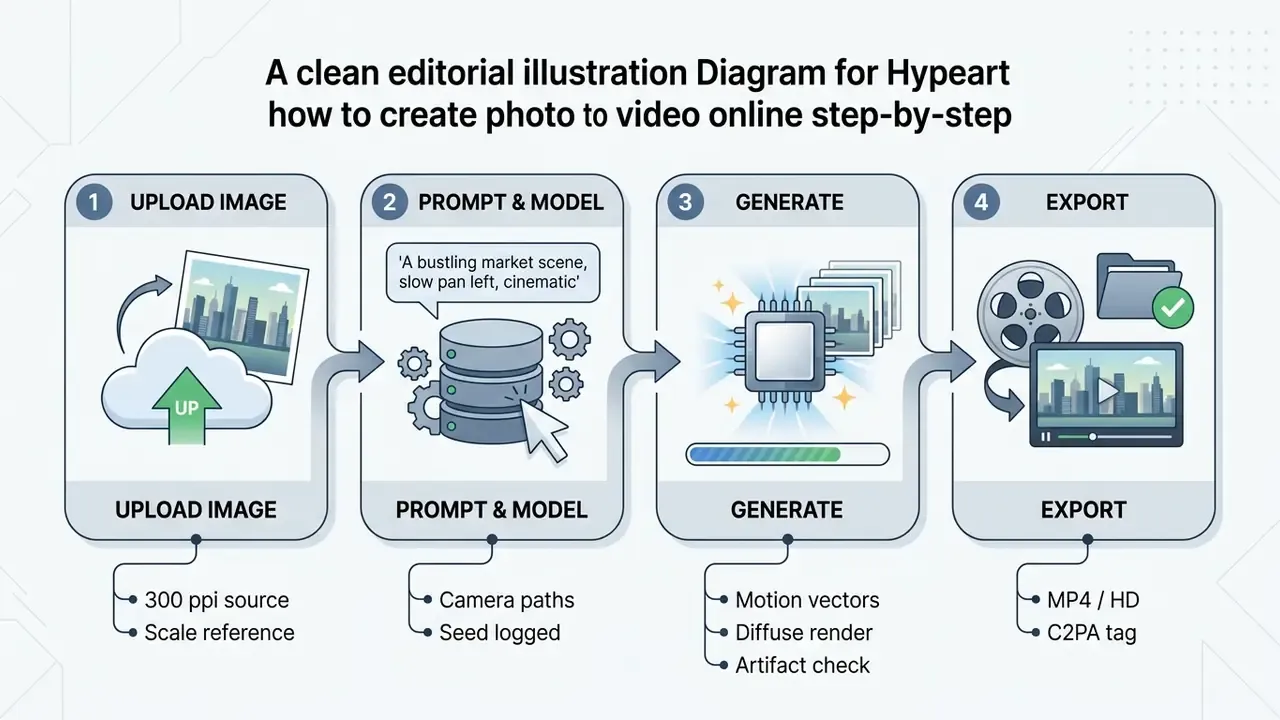
Creating photo-to-video content online requires uploading a clean source image, defining the motion through a structured prompt, selecting an appropriate generative model, and refining the render before download. This sequence protects temporal consistency, reduces artifacts and yields production-ready assets.
A repeatable production method minimizes rendering errors and optimizes credit consumption across web-based tools. Treat what follows as a convert static image to video tutorial you can hand to a junior operator without further explanation.
Upload Your Photo and Prepare the Source Image
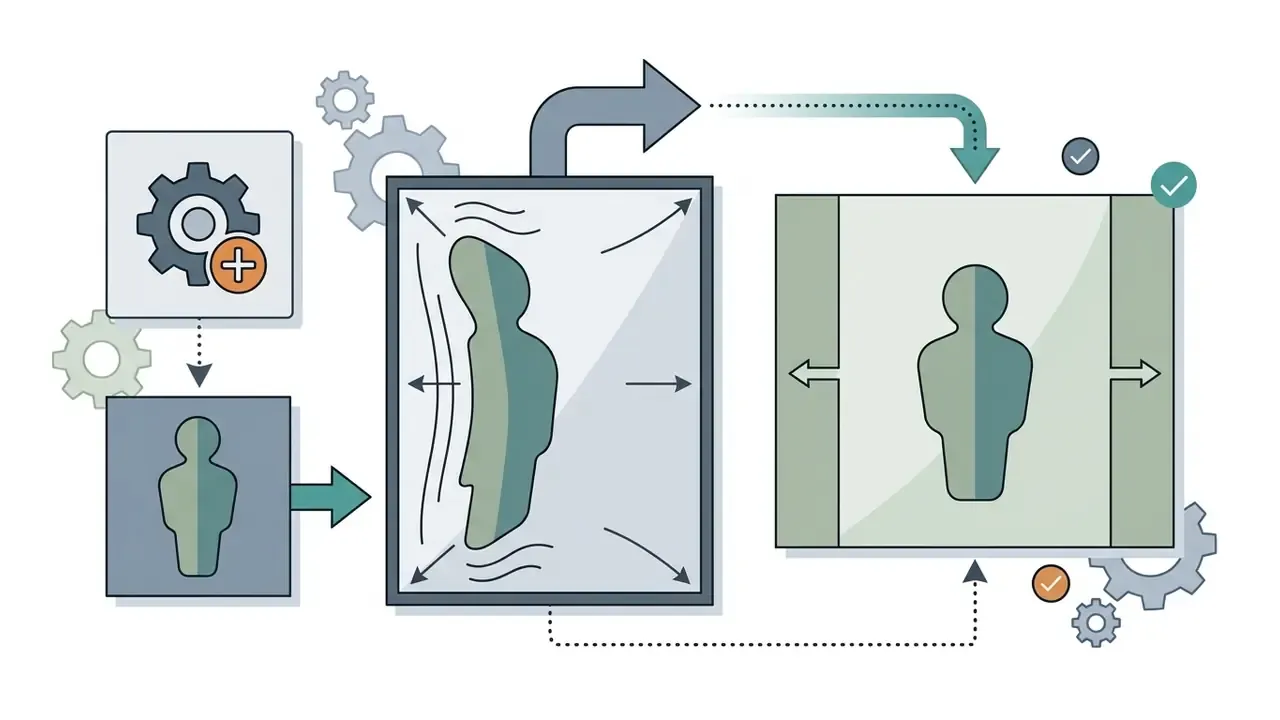
Preparing a source image means choosing a sharp, high-resolution photo with balanced contrast and uncropped subject borders so the model can estimate geometry accurately. Inputs at 300 ppi or the equivalent digital resolution prevent edge blur, pixelation and structural distortion during synthesis. Federal digitization guidance (FADGI and NARA) converges on 300 ppi as the baseline capture resolution and instructs operators to capture the whole object with a small visible border rather than cropping tightly.
Before upload, audit the source graphic for clarity.
«Poor input image quality impairs recovery of geometry and physical parameters, which leads to unrealistic motion in the generated video.»
Obscured subject borders, heavy compression artifacts or extreme shadow clipping confuse the model and produce structural warping in generated frames. Federal image-processing guidance also warns that brightness and contrast adjustments should be applied in moderation, without clipping the lightest or darkest ends of the intensity range.
To optimize the source asset:
- Use clean JPG, PNG or WEBP files with clear subject definition.
- Avoid pre-applied heavy filters, extreme chromatic aberration or blur.
- Frame the subject with enough padding that virtual camera movement does not hit image boundaries.
- Pre-process weak files in a dedicated AI photo editor to raise local contrast and denoise flat surfaces before generation.
Small detail that saves credits: check the shortest edge first. A 900-pixel product shot will never survive a 4K render, no matter how good the prompt is.
Describe Motion and Choose the AI Model
Describing motion means writing a concise prompt that specifies subject action, environment behaviour and camera trajectory, while selecting a model aligned with your resolution and aspect-ratio targets. Explicit structure prevents ambiguity and limits visual drift across frames.
Effective video prompting follows a clear syntax: Subject + Action + Environment + Camera Movement + Visual Style (Runway Gen-4 prompting guidance). Instead of abstract description, write observable physical motion:
- Weak prompt: "Make this photo look amazing and cinematic."
- Structured prompt: "A woman turns her head slowly toward the camera, subtle breeze moving her hair, shallow depth of field, slow forward dolly shot, natural evening light."
Vendor prompt guides converge on the same order of operations: establish the shot, then define lighting, colour palette, surface texture and atmosphere, then specify camera movement and timing (LTX-2.5 Prompt Guide, 2026).
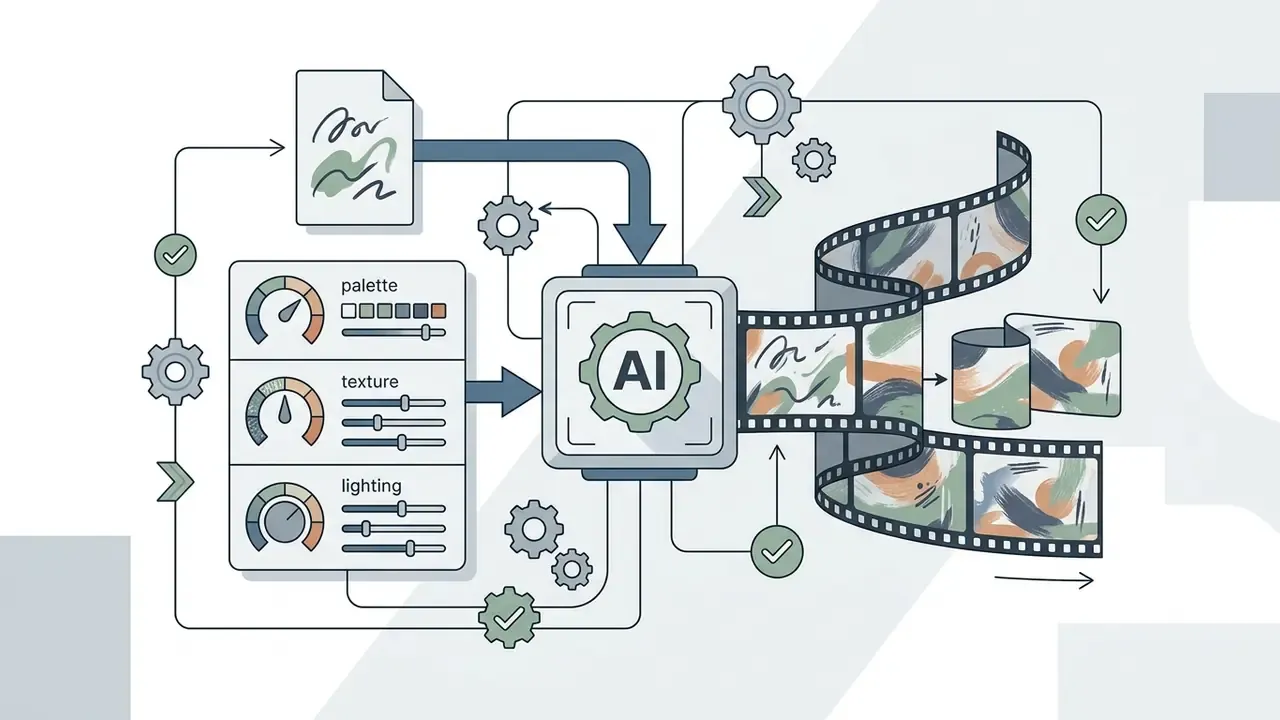
When selecting a model, match platform capability to project need. Use fast, lower-parameter models for draft iterations, then switch to a cinematic diffusion engine for final client assets. If the shot is illustrated or hand-drawn, describe palette, texture and lighting explicitly, because most video models default to photorealistic rendering and will otherwise drag the output away from the source style.
Overcoming Duration Ceilings: The Multi-Clip Stitching Workflow
Most I2V models cap a single generation at 4 to 15 seconds. Seedance 2.0 generates in steps of 4 to 15 seconds, Veo caps around 8 seconds, and Kling and Runway cap around 10. Producing a 30-second commercial therefore means assembling several generations without a visible style reset.
The chaining procedure that survives production review:
- Export the final frame of Clip 1at full resolution and use it as the first frame (keyframe conditioning) for Clip 2.
- Freeze the environment descriptors.Reuse identical wording for lighting, time of day, lens character and colour palette across every prompt in the chain; change only the action and the camera move.
- Lock the seed where the platform exposes it.Identical seeds plus identical style descriptors reduce aesthetic drift between segments and make renders reproducible for audit.
- Cut on motion, not on stillness.Place each cut mid-movement so residual mismatch in grain, exposure or geometry reads as an intentional edit rather than a generation seam.
- Prefer reference-to-video for long-form identity.Frame chaining only sees the last still, so the model re-derives lighting, camera and geometry each time. Reference-conditioned pipelines read the prior clip plus locked reference stills and carry identity forward instead of resetting it.
Agent-based platforms automate this by auto-splitting a script into segments that fit each model's ceiling and stitching them into one sequence, so a 30-second video plays as a continuous take even though several generations sit underneath it.
Generate, Review and Download the Video
How to Control Motion, Style and Quality in AI Video
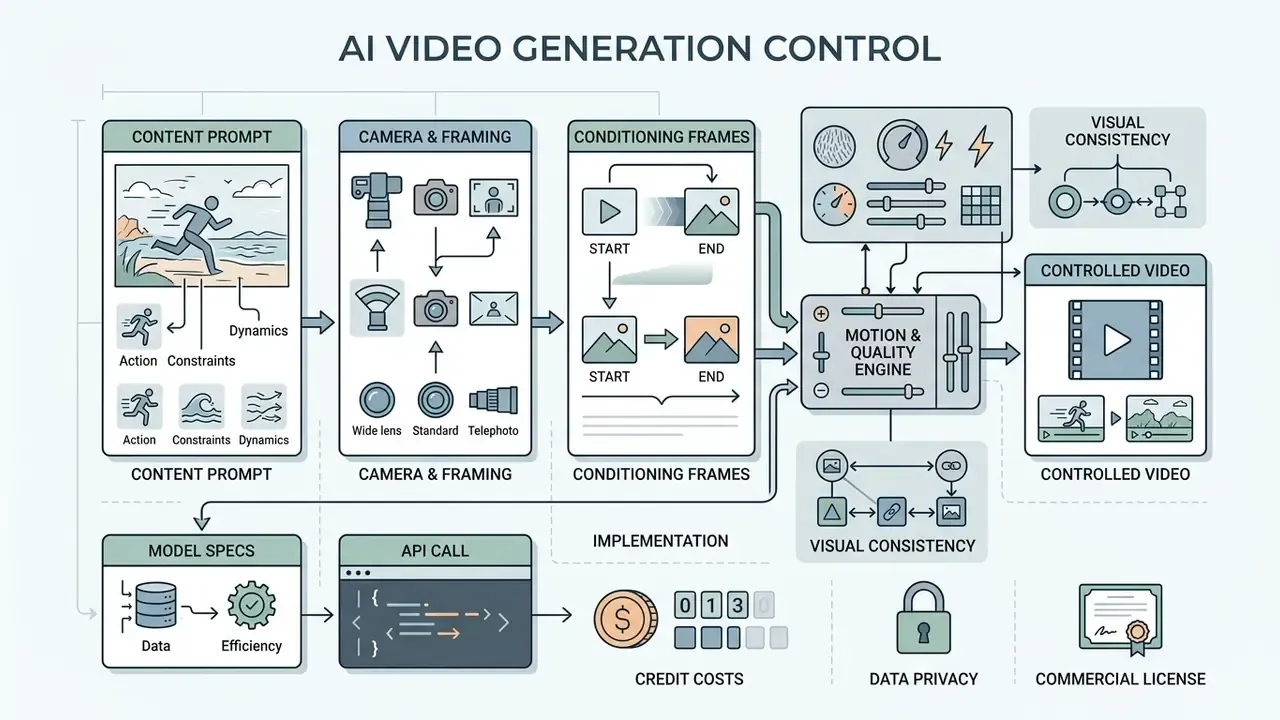
Precise control over motion, camera perspective and visual quality comes from combining structured action prompts, explicit camera positioning inputs and conditioning frames. Tuning these parameters maintains subject identity, prevents temporal jitter and produces high-quality cinematic results.
Unconstrained, generative video models are unpredictable. Explicit control frameworks are what convert static photos into repeatable video clips.
Motion Prompts: Defining Action in the Frame
Effective motion prompts use active verbs, defined trajectories and explicit physical force descriptions to instruct the model on subject movement and environmental behaviour. Avoiding vague adjectives and negative phrasing prevents erratic synthesis and preserves scene realism.
Video diffusion models respond most reliably to explicit trajectory and physical descriptors, not emotional jargon:
«Explicit modeling of motion trajectories yields more stable videos under large motion and viewpoint change than implicit text cues alone.»
Specify direction, speed and physical interaction:
- Action description. Use precise motion verbs: rotates, glides, expands, cascades.
- Physical constraints. Describe weight and contact force: heavy cloth dropping onto a surface.
- Environmental dynamics. Detail background behaviour: smoke drifting leftward, light reflecting on water.
- One primary action. Restrict a 5 to 10 second clip to a single dominant movement plus one camera move. Stacked actions are the leading cause of erratic synthesis.
Avoid negative phrasing such as "no camera shake". Diffusion attention may latch onto the word "shake" and introduce the jitter you tried to exclude (Runway prompting documentation).
Camera, Angle and First and Last Frame Control
Virtual camera control uses cinematic terminology, such as dolly shots, orbital pans and aerial angles, alongside keyframe interpolation between specified first and last frames. First-and-last frame conditioning anchors the start and end of a clip, which removes compositional drift across the sequence.
Modern architectures such as Google Veo 3.1 support standardized camera positioning terms:
«CamCo parameterizes camera pose with Plücker coordinates and adds epipolar attention blocks, enforcing 3D consistency during camera movement.»
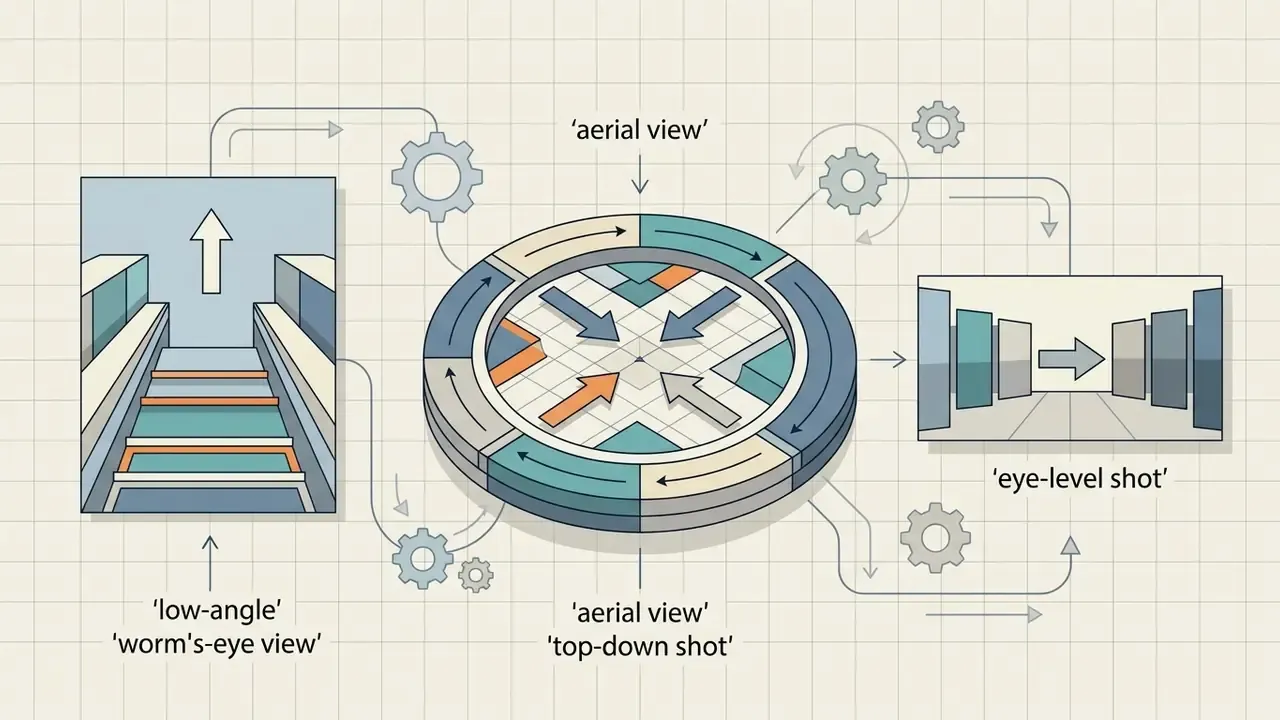
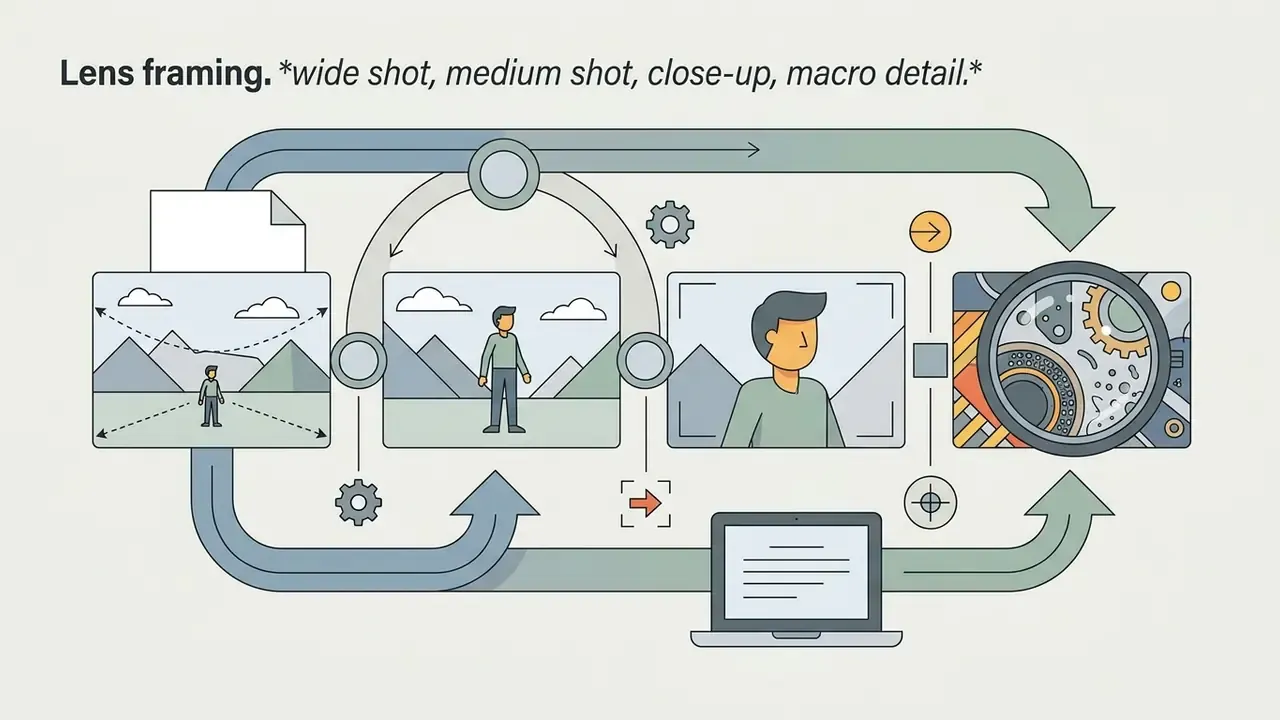
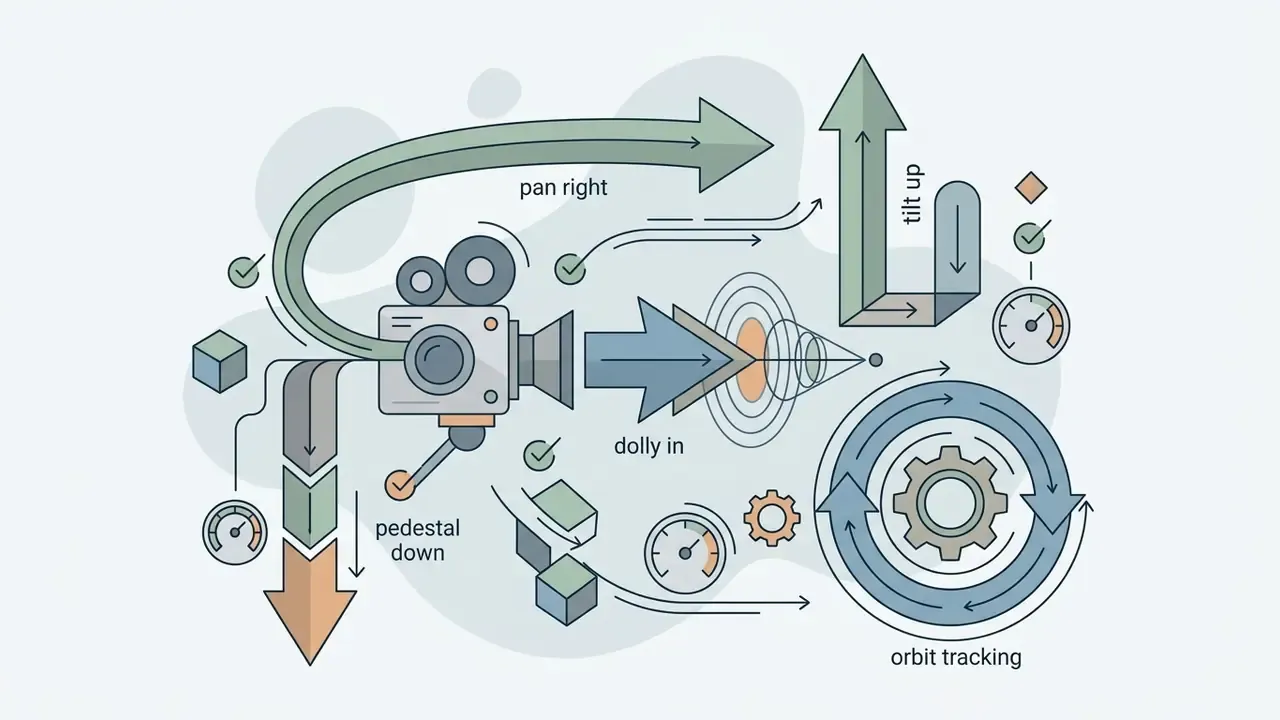
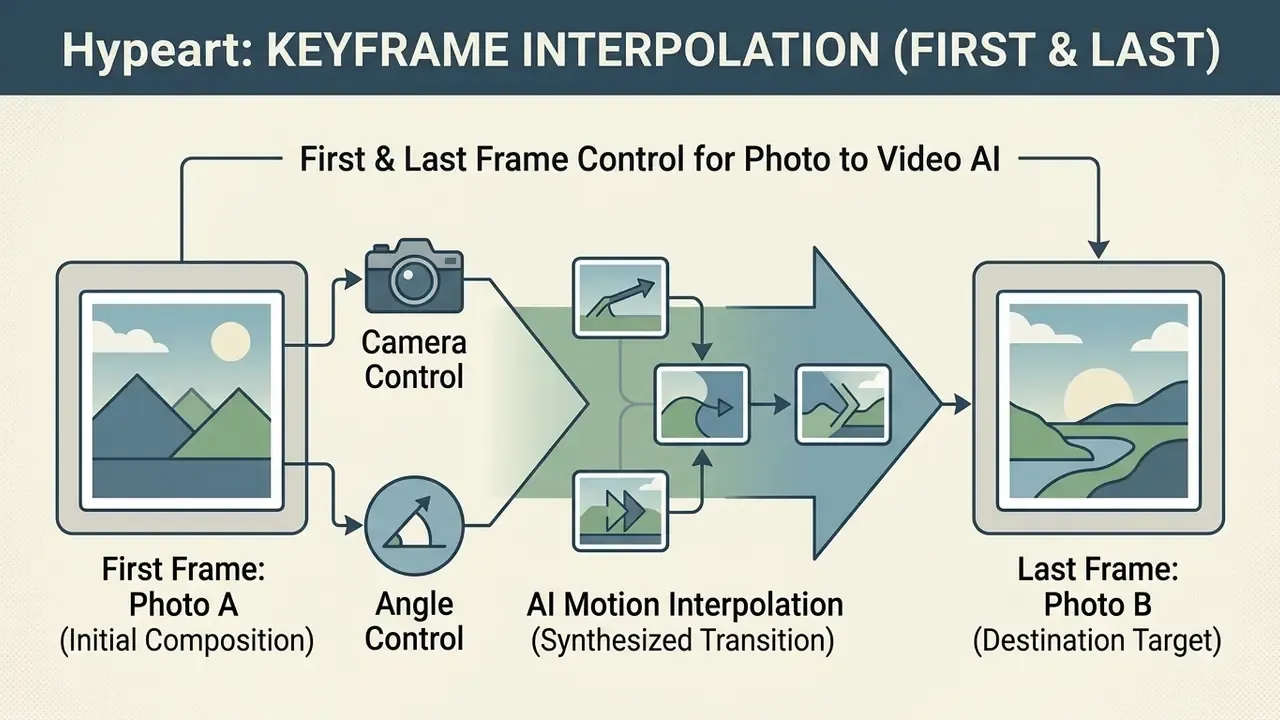
By uploading both a starting image and an ending image, operators force the model to interpolate between two fixed states. That gives precise control over transitions and narrative pacing, which matters when a clip has to land on an approved brand end-frame.
«VidCRAFT3 unifies camera motion, object motion, and lighting-direction control in a single image-to-video architecture, outperforming prior methods on control precision.»
Research-grade control stacks go further. Camera-condition models such as CameraCtrl (2024) accept explicit trajectories, GEN3C (NVIDIA, 2025) renders from a 3D cache before diffusion to align output with requested poses, and Latent-Reframe (ICCV 2025) reports comparable or better camera-control precision without retraining. Practically, camera direction is becoming a parameter rather than a hope.
AI Animation Styles: Cinematic, 3D, Portrait and Creative Effects
AI animation styles run from cinematic film-like aesthetics with shallow depth of field to 3D CGI renders, expressive facial portraits and stylized hand-drawn art. Model conditioning through prompts and style references applies a distinct visual identity to static source imagery.
Common aesthetic directions:
- Cinematic.Replicates 35mm film characteristics, anamorphic lens flare, dramatic contrast, soft volumetric lighting, subtle camera motion.
- 3D render / CGI.Emphasizes geometric depth, global illumination, polished material roughness, smooth fluid dynamics.
- Portrait animation.Focuses on natural facial expression, eye tracking, micro-movement, soft background bokeh.
- Hand-drawn / illustrative.Emulates frame-by-frame animation, painterly brushstrokes, cell shading, artistic texture overlay.
Ready-made micro-presets shorten iteration time because each one encodes a known camera behaviour plus a known style bundle:
| Micro-preset | What it does | Best for |
|---|---|---|
| Ken Burns zoom | Slow push-in or pull-out with fixed subject centering | Archival photos, testimonial b-roll |
| 3D parallax | Separates foreground and background planes for depth travel | Landscapes, real-estate listings |
| Screen stack | Layered device or frame stack revealing the subject | SaaS and app promos |
| Gigantify | Scales the subject to oversized proportions in a real environment | Product hero moments, OOH-style teasers |
| Ghibli / anime | Painterly hand-drawn palette with soft ambient motion | Story content, brand mascots |
| Photobooth portrait | Rapid multi-pose portrait sequence with flash cadence | Personal branding, event recaps |
| Curtain call | Reveal wipe with theatrical lighting shift | Launch announcements |
| Inside-wall move | Camera passes through a surface into a new scene | Transitions between campaign scenes |
| Hand-drawn to video | Animates a sketch or illustration into motion | Concept art, storyboards |
| Arcade / retro bound | Pixel or 8-bit stylization with looped motion | Gaming and youth-audience content |
Matching prompt style to the source composition keeps the generated motion complementary to the base aesthetic instead of fighting it.
Choosing an App or Software for Image to Video: Models, Free Plans, API, Cost and Commercial Use
Selecting image-to-video software requires evaluating core model performance, including resolution, maximum clip duration, aspect-ratio options and audio support, alongside free-tier export constraints, data-security posture and commercial licensing terms. Clear commercial usage rights are what protect a business from copyright and compliance exposure.
The market splits roughly into four buckets: general-purpose creative suites, single-purpose apps that convert image to video, open-weight self-hosted stacks, and API-first infrastructure. Teams shopping for the best software to convert images to video usually end up with two tools rather than one: a fast app to turn photo into video for drafts, and an API for volume.
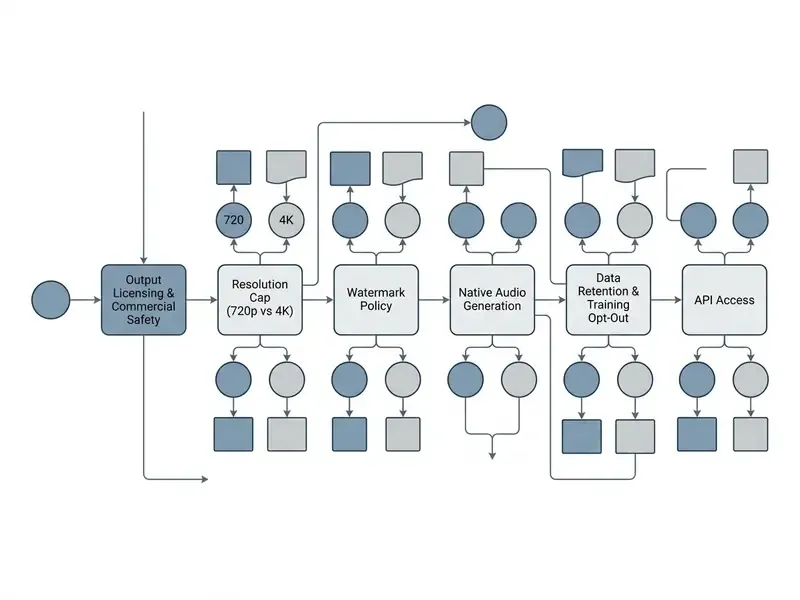
AI Models and Image-to-Video Generator Features
Modern image-to-video generators use specialized architectures such as Veo 3.1, Sora 2 and Kling 2.5, which differ in rendering speed, output resolution (720p to 4K), frame-rate stability and native audio generation. The right underlying model depends on whether the workflow prioritizes rapid iteration or cinematic high-definition output.
Sampling efficiency is a real differentiator now, not a footnote:
«OSV reaches FVD 171.15 on OpenWebVid-1M in a single generation step, outperforming eight-step AnimateLCM (FVD 184.79) and approaching 25-step Stable Video Diffusion (FVD 156.94).»
Note on market data verification: model specifications evolve fast. Verified documentation confirms the following parameters for key 2026 releases.
| Model | Max resolution | Duration | Aspect ratios | Native audio | Notable controls |
|---|---|---|---|---|---|
| Google Veo 3.1 | 720p / 1080p / 4K | 4, 6, 8 s | 9:16, 16:9 | Yes, synchronized | First and last-frame interpolation, up to 20 MB image input, 24 FPS, up to 4 outputs per prompt |
| OpenAI Sora 2 (I2V) | 720p (1280×720 / 720×1280); Pro variant 1792×1024 or 1024×1792 | 4, 8, 12 s | 16:9, 9:16 | Audio available on current tiers; base API spec field blank | Landscape and portrait rendering, long-prompt adherence |
| Kling 2.5 | 1080p | 5 s, 10 s | 16:9, 9:16, 1:1 | Native audio on paid tiers | Multi-reference image input up to 4 keyframes, strong action and camera control |
| Kling 3.0 | 1080p | Multi-scene | 16:9, 9:16 | Yes | Cinematic multi-scene storytelling, end-frame control |
| LTX 2.3 | 480p on free tiers, higher on paid | Short-form, fast iteration | 16:9, 9:16, 1:1 | Yes, built-in audio and lip-sync | Free-tier availability, expressive faces, rapid drafts |
| Seedance 2.0 | Vendor-dependent, up to 1080p and above | Steps of 4 to 15 s | 16:9, 9:16 | Model-dependent | Start and end frame control, fast iteration; positioned for film, e-commerce and advertising with joint text, image, audio and video processing |
| Wan 2.2 | Vendor-dependent | Vendor-dependent | 16:9, 9:16 | Vendor-dependent | Open-weight deployments; verify specs against current release notes before procurement |
Before you commit, compare published performance data across the best free AI video generators to assess latency, cost per render and prompt adherence. Latency matters more than headline quality when a campaign needs 40 variants by Friday.
Enterprise Security, Data Retention and Model Privacy
For regulated organizations, media quality is a secondary filter. The primary filter is whether proprietary product designs, unreleased packaging or NDA-protected imagery can safely leave the perimeter.
Enterprise data security and model privacy checklist:
| Criterion | What to require | Why it matters |
|---|---|---|
| Training on customer data | Contractual "no training on uploads or outputs" | Prevents proprietary designs entering a shared model |
| Retention window | Short-term staging (for example, one day) plus deletion on request | Limits blast radius of a vendor-side incident |
| Deletion controls | Self-service content and account deletion, immediate removal from active storage | Supports data-subject and internal purge requests |
| Encryption | TLS in transit, AES-256 at rest | Baseline control expected by security review |
| Access restriction | Operations and support access limited and logged | Reduces insider-risk exposure |
| Certifications | SOC 2 Type II, ISO alignment, GDPR posture | Shortens vendor due-diligence cycles |
| Regional processing | Documented data-processing locations | Needed where localization rules apply |
Some vendors publish this explicitly: commitments that uploads and outputs are not used to train models, that content can be deleted at any time with immediate removal from active storage, that retention is limited to roughly one day, and that data is encrypted in transit and at rest with restricted operational access. Treat any vendor that cannot answer these seven questions in writing as unsuitable for confidential source imagery, and route that work to an approved internal or single-tenant deployment instead.
Blunt version: if procurement cannot get the answers, creative should not get the upload.
Cost and Credit Benchmarks
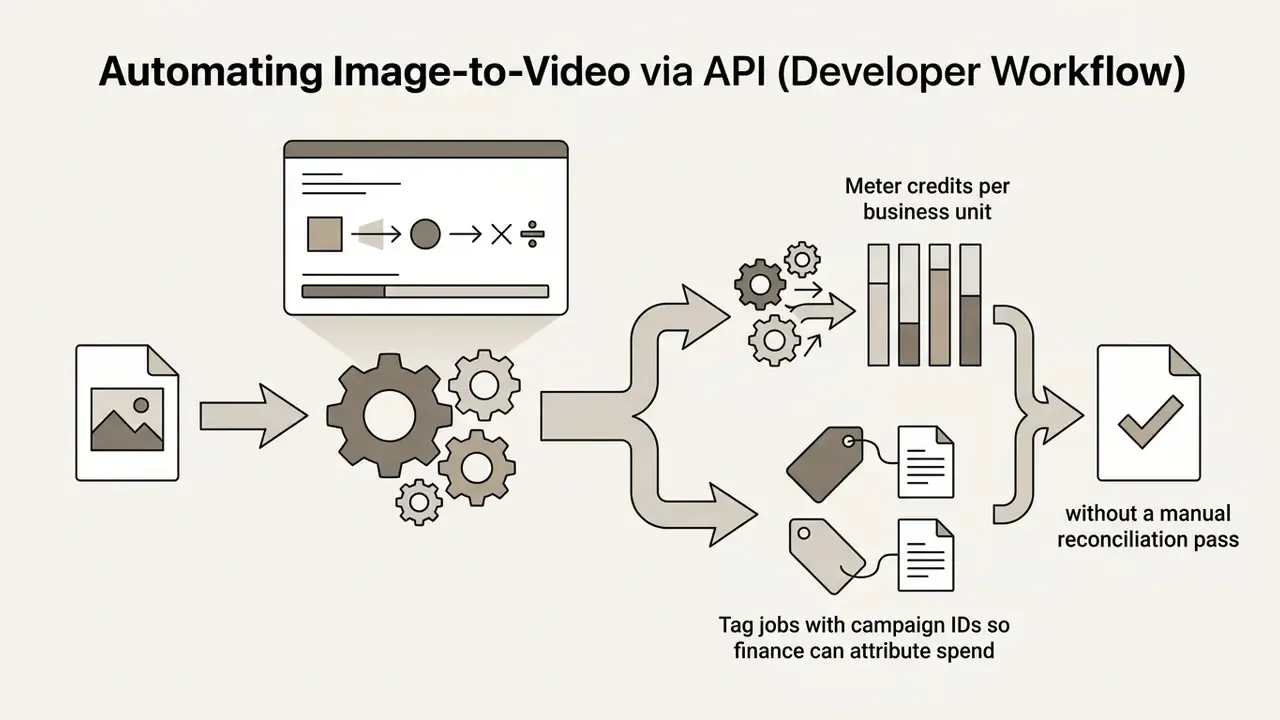
Abstract pricing pages hide the number that actually matters, which is cost per finished second multiplied by the iterations needed to reach an approved take.
Benchmarked units (2026 market observations):
- Base generation rate roughly $0.023 to $0.05 per rendered second.
- Standard 5-second 720p render (Kling 2.5 or LTX 2.3 class): approximately 150 credits on paid plans.
- Premium 4K, Sora 2 or Veo 3.1 renders approximately 300 to 450 credits per 5-second clip.
- Frame-level billing on some platforms each frame costs 1 credit at the base rate, with higher resolutions and premium models multiplying the rate.
- Free tiers commonly three generations per day at around 3 seconds each, exported at 480p with a watermark.
Iteration-adjusted planning math. Approved commercial takes rarely land on the first attempt. Assume a 3x to 5x iteration factor for hero assets:
Cost per approved clip = (credits per render x iterations) x credit unit cost
Example: (150 credits x 4 iterations) x $0.001 per credit = about $0.60 per 5s approved clip
Add: review labor + provenance tagging + legal check = true landed cost
Model and agent prices change often, and most vendors reserve the right to adjust them, so re-verify rates before committing a large campaign budget. To project rendering spend across campaigns, use the AI Media Calculators and read the AI Media Pricing Guides before deploying automated pipelines at scale.
Automating Image-to-Video via API (Developer Workflow)
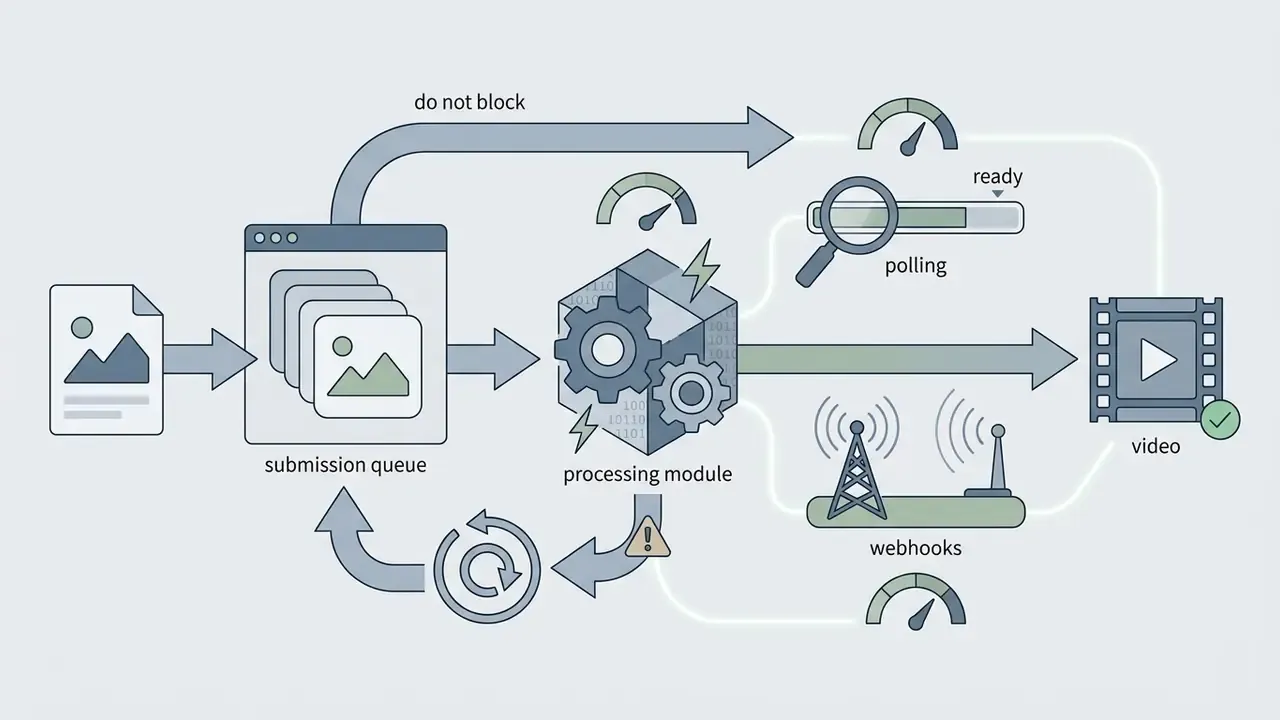
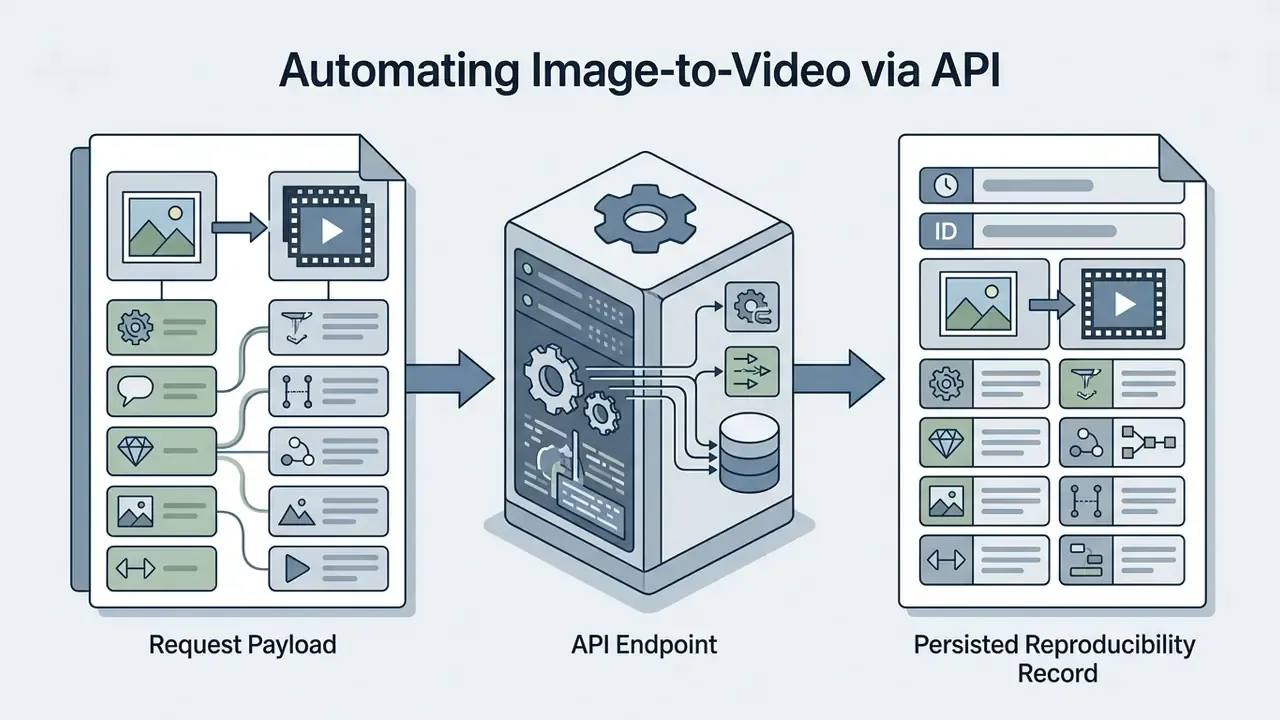
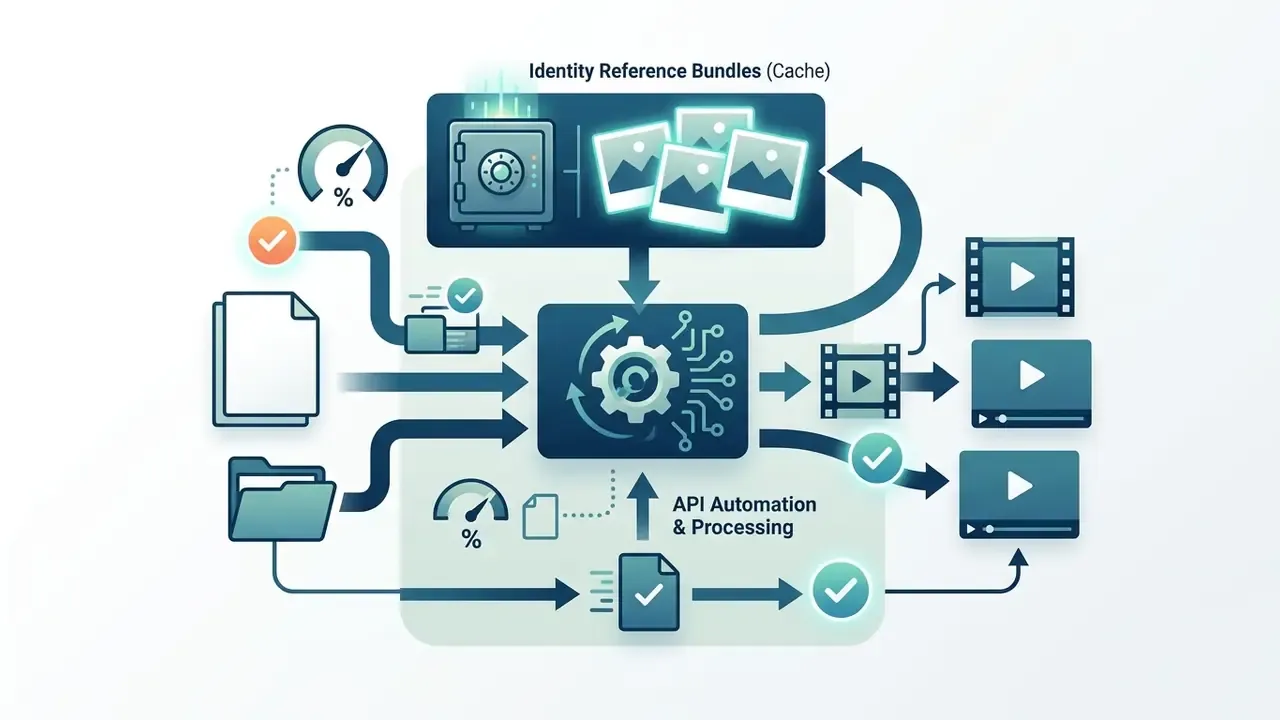
Enterprise teams rarely scale through browser tabs. Production pipelines trigger I2V jobs programmatically from a DAM, PIM or campaign orchestration layer, then write results back with metadata attached. Published image-to-video APIs advertise per-second pricing from roughly $0.023, high call volumes and 99.9% uptime targets, with a first successful call achievable in minutes.
A representative Python request pattern using a modern I2V SDK:
from ai_video_client import VideoGenerator
client = VideoGenerator(api_key="YOUR_API_KEY")
response = client.image_to_video.create(
    image_path="./product_render.png",
    prompt="Slow forward dolly shot, subtle lighting shimmer, 4k",
    model="kling-v2.5",
    duration_seconds=5.0,
    resolution="1080p",
    seed=20260114,           # log the seed for reproducible audit evidence
)
print(f"Render job queued: {response.job_id}")
A vendor-style SDK call with synchronous completion and local download:
from magic_hour import Client
from os import getenv
client = Client(token=getenv("API_TOKEN"))
res = client.v1.image_to_video.generate(
    assets={"image_file_path": "/path/to/product.png"},
    end_seconds=5.0,
    name="Product hero clip",
    resolution="720p",
    wait_for_completion=True,
    download_outputs=True,
    download_directory=".",
)
# Typical response: 200 OK, credits charged reported in the payload
The equivalent REST call for teams standardizing on cURL:
curl -X POST https://api.example-i2v.com/v1/image-to-video \
  -H "Authorization: Bearer $API_TOKEN" \
  -H "Content-Type: application/json" \
  -d '{
        "image_url": "https://cdn.example.com/assets/product_render.png",
        "prompt": "Slow orbit around the product, soft studio key light, 1080p",
        "model": "veo-3.1",
        "duration_seconds": 8,
        "aspect_ratio": "9:16",
        "resolution": "1080p"
      }'
Additional implementation patterns are documented in the AI Media API Guides, and integration questions can be routed through support.
Free Apps, Exporting and Free Tier Limits
Free image-to-video applications enforce strict operational limits: lower output resolution (480p to 720p), mandatory watermarks, hard daily credit caps and non-commercial usage restrictions. Paid tiers unlock HD and 4K export, remove watermarks and grant commercial rights.
Free apps to convert image to video are genuinely useful for feature testing and workflow prototyping, and comparisons of free AI video generators help scope the ceiling. They still create bottlenecks in commercial production:
- Resolution restrictions. Free output is frequently capped at 480p or 720p. Raising it later needs a 4k video upscaler or a paid tier.
- Visual watermarking. Most free tiers embed a semi-transparent platform logo across rendered frames.
- Credit quotas. Free accounts typically receive limited non-replenishing credits or small daily allowances, for example three to five short generations per day, or weekly generation minutes with a fixed export count.
- Licensing scope. Free output is commonly restricted to personal, evaluation or non-commercial use. Some vendors do grant commercial rights on free plans, so rights are not uniform and must be read per vendor.
A practical note for anyone testing free image to video apps at work: the watermark is the least of the problem. The licensing clause is. Reviewing platform breakdowns in free photo editor guides and video generator comparisons helps teams map feature boundaries before committing budget to a paid subscription.
Terms and Pricing Verification for Products, Ads and Commercial Content
Commercial deployment of AI-generated video in product listings, advertising campaigns and branded media requires explicit verification of output licensing across subscription tiers. Paid plans generally grant full commercial rights; free and trial tiers usually restrict usage to non-commercial evaluation.
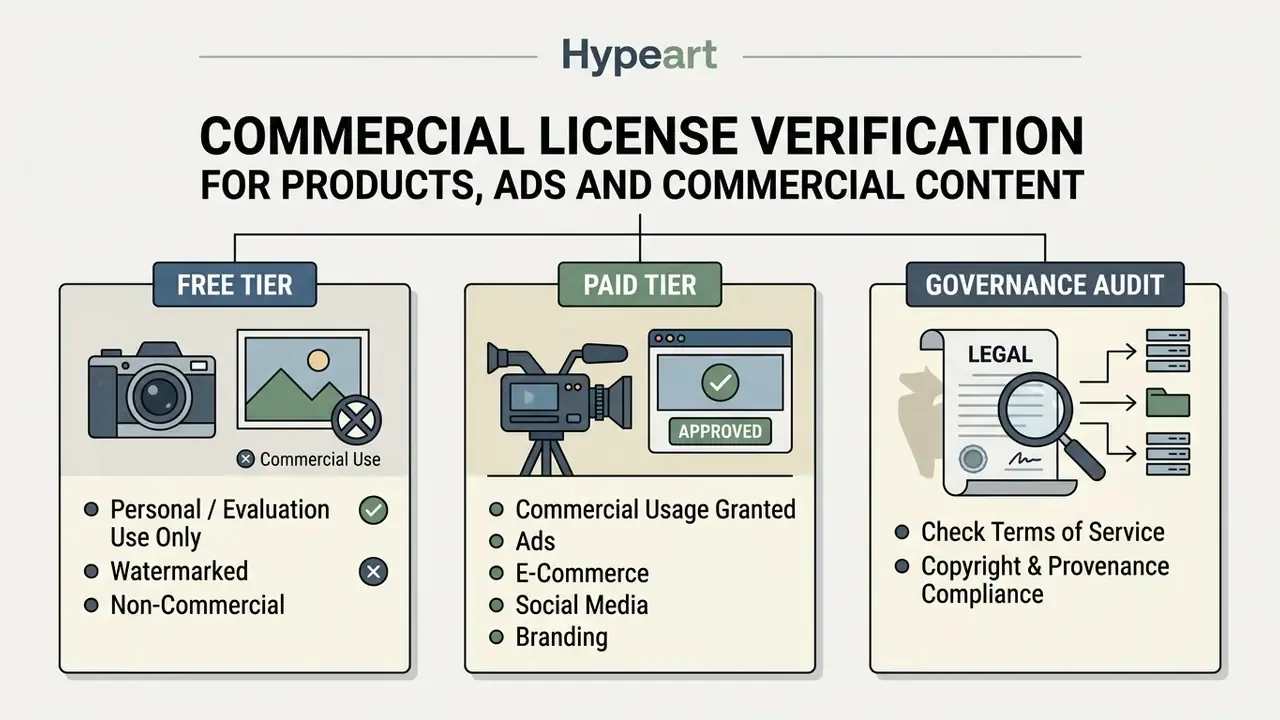
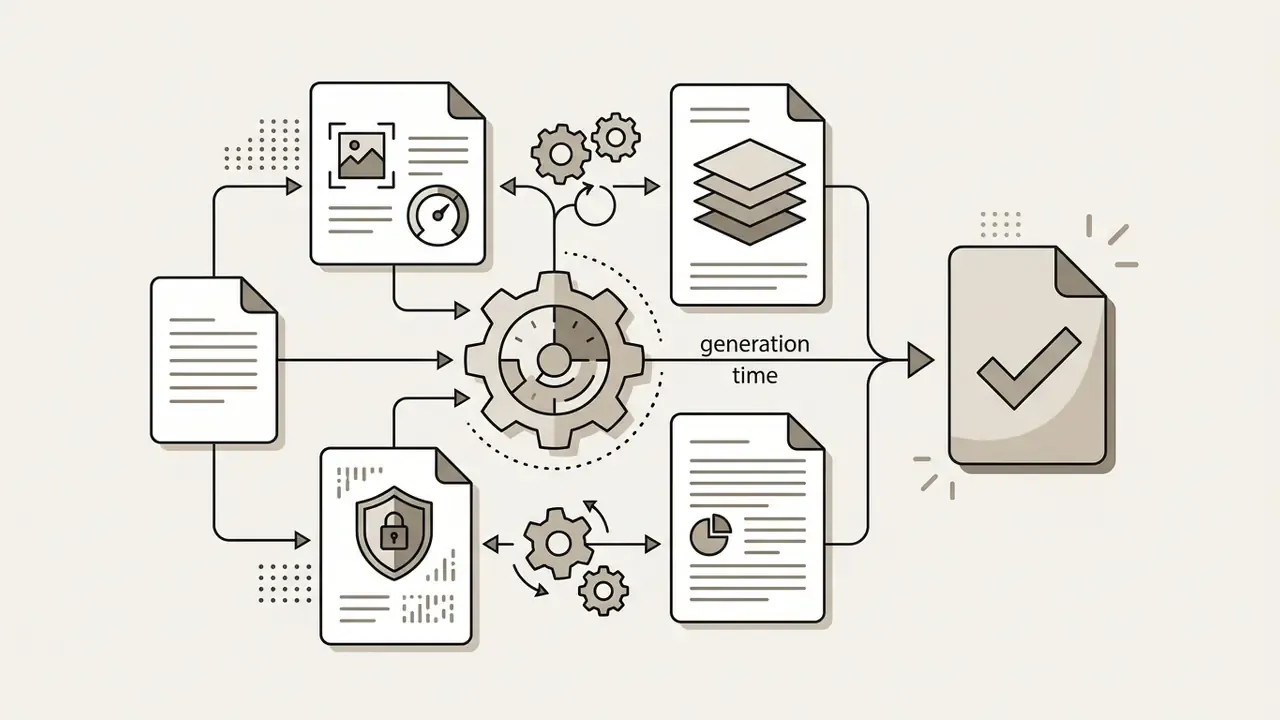
Enterprise teams should run a formal licensing review before publishing:


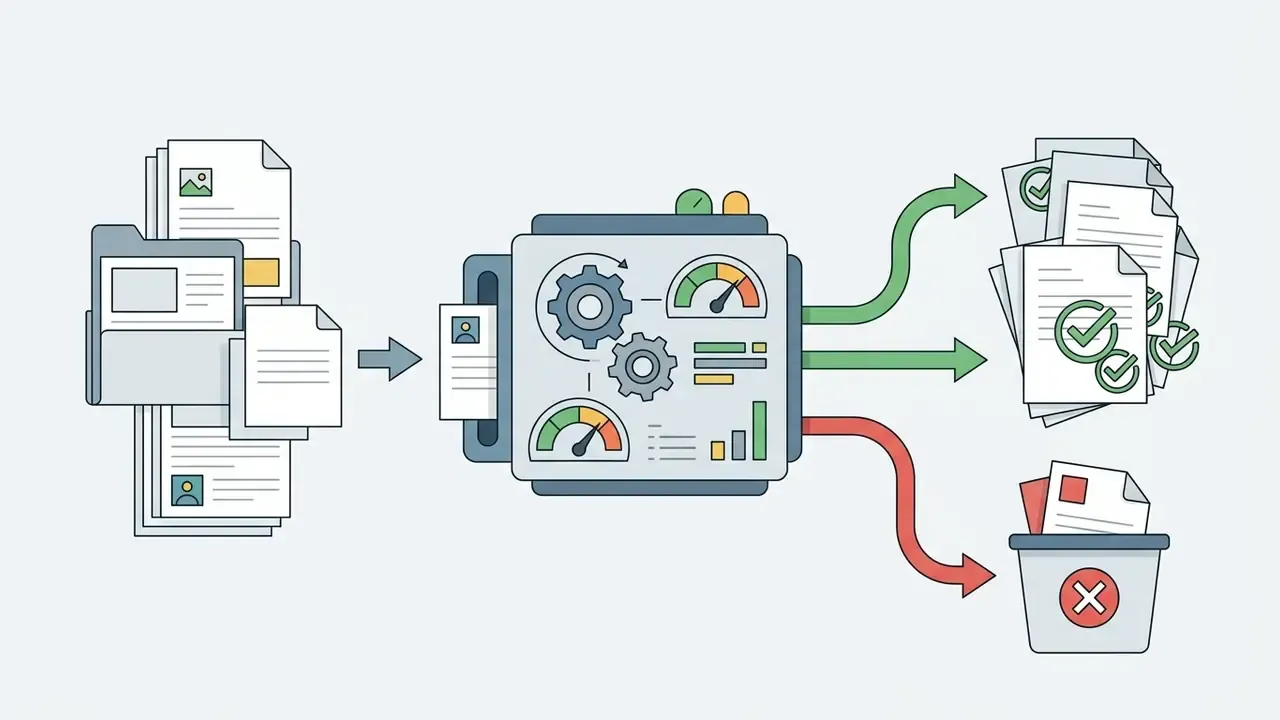

Governance, Model Risk and Risk-Adjusted ROI
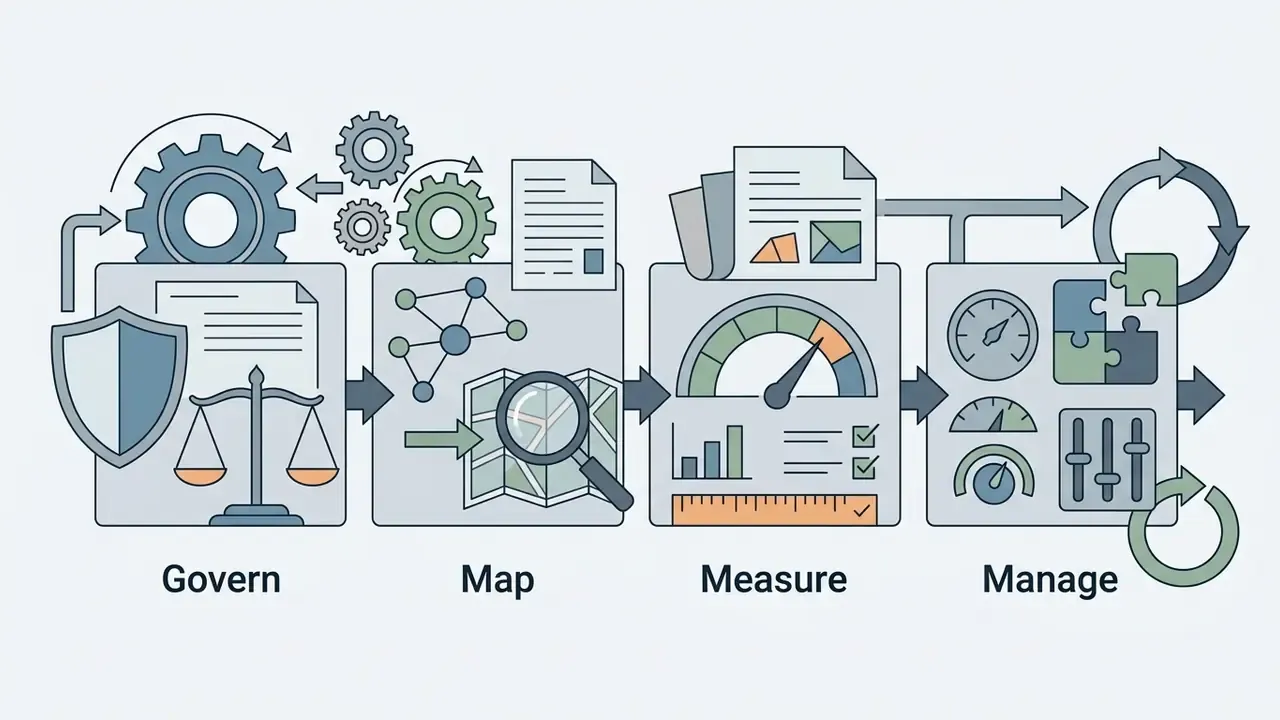
Creative capability and control capability are different disciplines, and mature organizations separate them explicitly. The creative pipeline optimizes for output quality and cycle time. The control pipeline optimizes for evidence, traceability and defensibility.
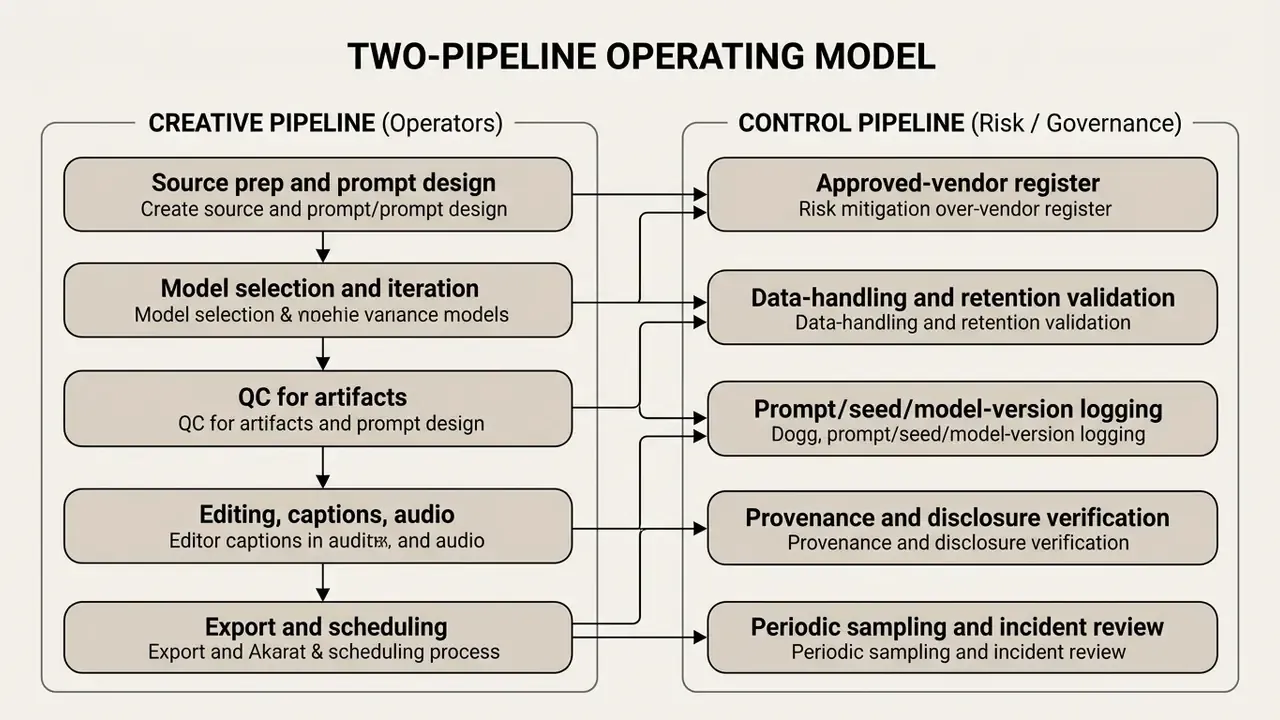
Model Risk and Governance Framework for Generative Media
Generative media tools sit awkwardly inside traditional model inventories. They are not scoring models, yet they produce externally facing artifacts carrying brand, legal and conduct risk. A practical mapping:
Ownership deserves one extra line, because it is where most programmes wobble. Every approved generative tool should have a named owner, an approved role, access limits, an escalation path, an audit trail and a shutdown mechanism. No evidence, no autonomy.
This section describes control design patterns and is not legal or regulatory advice; supervisory expectations vary by jurisdiction and institution.
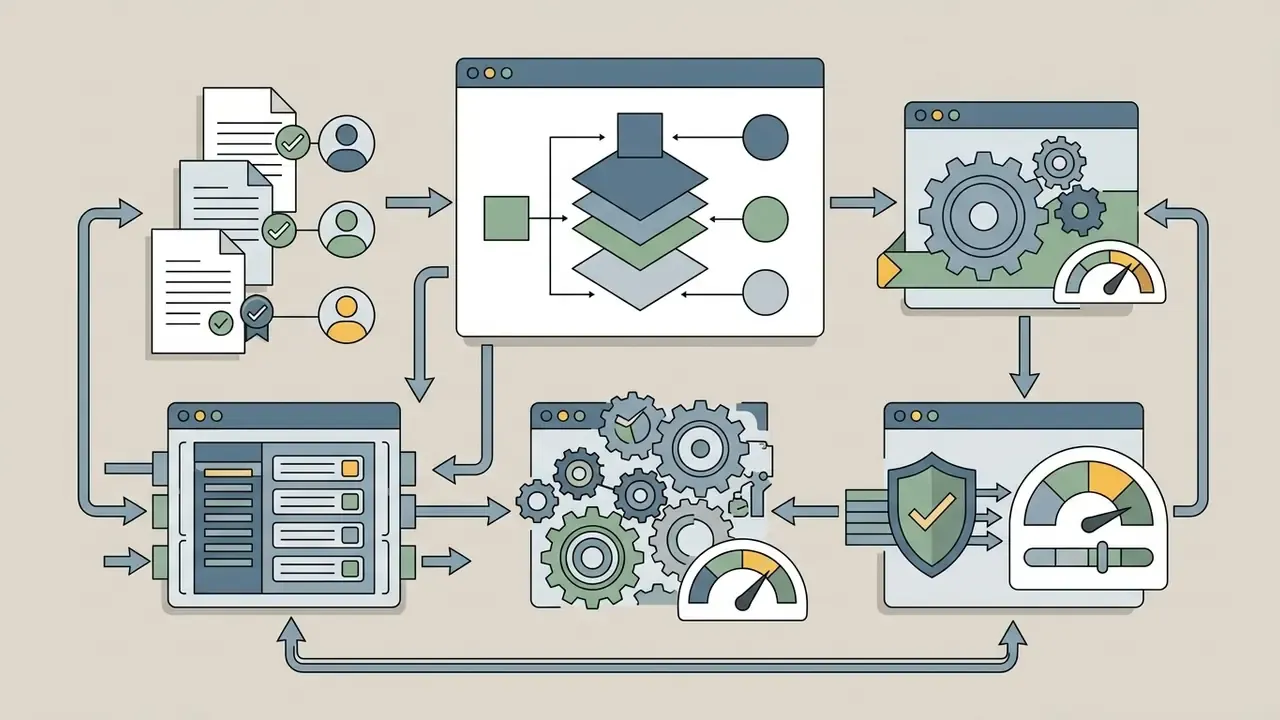
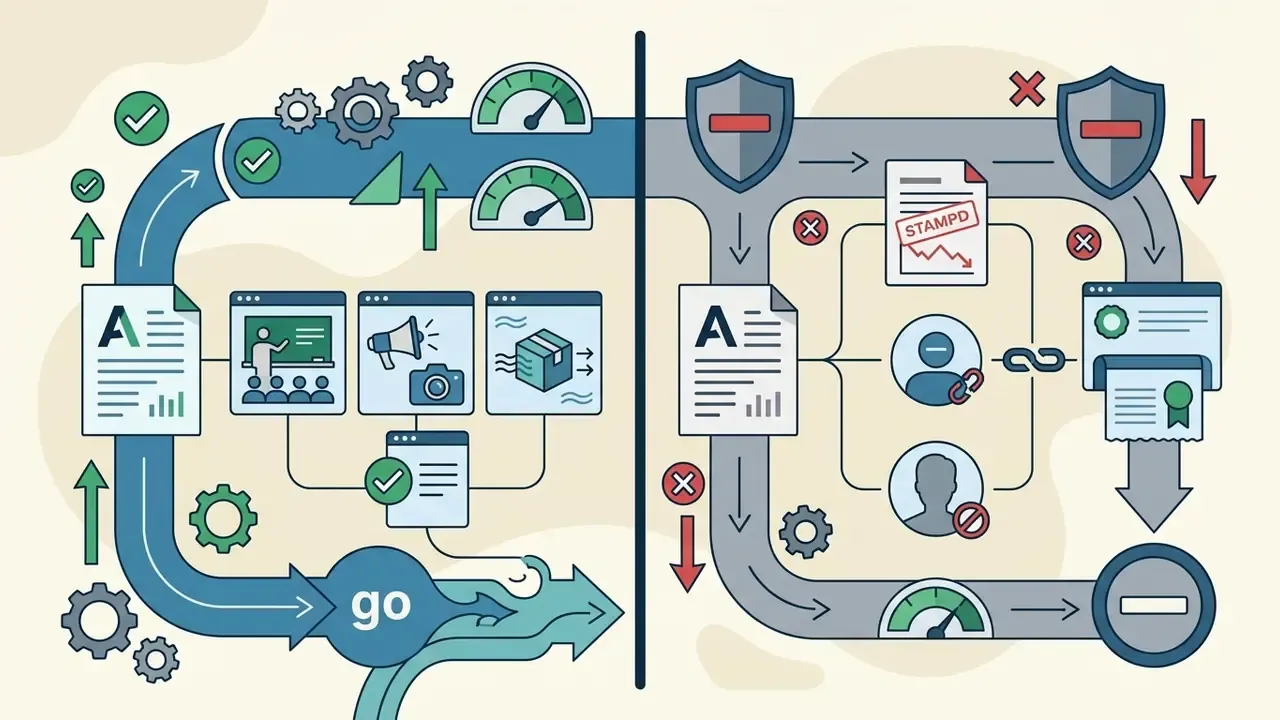



Reproducible Audit Evidence
Risk-Adjusted ROI and Total Cost of Ownership
Vendor pages quote render cost. Finance needs landed cost. A workable structure:
Risk-adjusted ROI =
    (Avoided production spend + Incremental campaign value)
  - (API/credit spend
     + Iteration overhead
     + Review, QC, and provenance labor
     + Vendor due-diligence and legal review
     + Tooling/integration and storage
     + Expected cost of residual risk)
| Cost line | Driver | Typical estimation basis |
|---|---|---|
| Generation | Credits or per-second rate x iterations | $0.023 to $0.05 per second; about 150 credits per 5s 720p |
| Iteration overhead | Approval rate per asset class | 3x to 5x renders per approved hero clip |
| Human QC | Minutes per clip for artifact scan | Frame-level review on external assets |
| Provenance and disclosure | Metadata tagging and labelling | Automate in the export step to keep marginal cost near zero |
| Legal and brand review | Regulated or claim-bearing content | Fixed per campaign, not per clip |
| Integration and storage | API build, DAM ingestion, retention | Amortize across campaign volume |
| Residual risk | Rights, likeness, disclosure failure | Probability multiplied by remediation cost, reviewed periodically |
The savings case is strongest where the alternative is a physical shoot for short, low-complexity motion: product hero loops, seasonal variants, localized cutdowns. It is weakest where the asset carries factual claims that require legal review regardless of how the pixels were produced.
Limitations and Open Questions
Honest gaps, stated plainly. First, no verified public dataset in this review quantifies engagement lift from animated stills, so performance claims stay hypotheses until your own A/B data confirms them. Second, validation methodology for non-deterministic media is immature; sampling rubrics work, but nobody has an accepted coverage threshold. Third, disclosure obligations are still moving, with different machine-readable expectations across jurisdictions. Fourth, vendor pricing volatility makes multi-quarter budget commitments risky. Treat each of these as a review item, not a solved problem.
Practical Use Cases for Photo to Video
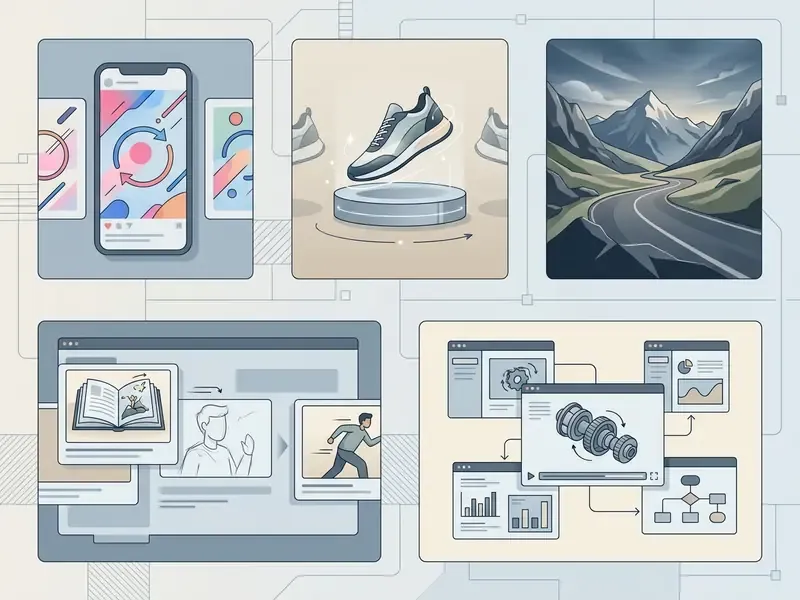
Photo-to-video technology serves several commercial functions: digital marketing, e-commerce product animation, social media engagement, cinematic B-roll, internal enablement and narrative storyboarding. Turning static assets into video clips lifts engagement and shortens creative production cycles. Documented 2025 to 2026 deployments span product ads generated from brand photos in 30 to 90 seconds, e-commerce catalogues where AI-created product photos and videos are produced at channel scale, and studio-style training or sales videos generated from a single uploaded image.
E-Commerce and Product Showcase Ads
E-commerce teams convert high-resolution product photography into animated showcase videos for paid ads, social campaigns and marketplace listings. Subtle rotation, dynamic lighting and environmental motion highlight product features while staying inside ad-network policy.
Multi-angle and scale locking (brand consistency). To stop the model altering product geometry or misreading size, provide three to four reference shots: front, side, back and a close-up. For packaged goods, always include at least one reference image of the product held in a human hand. That forces the spatial attention block to anchor real-world scale instead of guessing, which is the single most common cause of a bottle rendering like a barrel. Load these references once per SKU and reuse the same bundle for every later clip so the whole campaign reads from one identity source. For sequences spanning multiple shots, prefer reference-to-video conditioning over start and end frame chaining: chaining sees only the last still and re-derives lighting and geometry each time, while reference conditioning carries identity and atmosphere forward.
Deploying photo-to-video assets in e-commerce requires respecting platform rules:
- Marketplace main listings. Amazon product listing rules require accurate, static main images on pure white backgrounds; animations are prohibited in primary search images (Amazon Seller Central, 2026).
- Ad campaigns. Amazon Ads creative acceptance permits motion graphics and short animated product clips with a 15-second maximum animation length and initial looping capped at three times. Google image ad policy allows animation but caps total duration at 30 seconds even when looped (Amazon Ads Creative Acceptance, 2025; Google Ads Policy, 2026).
- Claims discipline. Generated motion must not imply features the product lacks. A rotating render showing a non-existent port is a compliance issue, not a rendering artifact.
Dynamic product videos let brand teams convert static catalogue shoots into motion ad creatives at low marginal cost. Vendor case material describes AI-generated product photos and videos deployed across marketing channels to convert browsers into buyers. No verified independent dataset in this review quantifies a universal click-through lift, so CTR impact should be measured per catalogue and per channel rather than assumed. Academic work on the mechanism goes back further: Move As You Like: Image Animation in E-Commerce Scenario (arXiv, 2021) studies image animation specifically for product presentation.
B-Roll, Music Visuals, Storytelling and Storyboard Previews
Filmmakers, musicians and creative directors use animation makers and image-to-video tools to generate atmospheric B-roll, music-video backgrounds and interactive storyboard previews from concept art. This accelerates visual planning and enables rapid client pitches without heavy pre-production cost.
Key production applications:
- Pre-visualization.Converting concept sketches into animated scene tests that demonstrate camera direction to clients and crews. Published 2026 workflows generate 3×3 storyboards from a story description plus image references, and 12-panel cinematic boards for music videos, ads and short films.
- Atmospheric B-roll.Animating ambient landscape photos to fill editing gaps in documentary or promotional edits.
- Music visualizers.Generating abstract, rhythmic loops synced to track tempo for streaming backgrounds and live stage displays. Section-mapped workflows convert intro, verse, chorus, bridge and outro into numbered shot lists with camera move, lens and shot length specified.
- Before-and-after reveals.Animating restoration, renovation or makeover transformations in a clean reveal.
Regulated-Industry and Internal Enablement Scenarios
Financial services, healthcare and other regulated sectors adopt photo to video under tighter constraints, and the highest-value use cases are usually inward-facing first:
- Internal training and enablement. Animating diagrams, branch photography or process stills for onboarding modules where no customer-facing claim is made.
- Brand and recruitment marketing. Motion versions of approved brand photography, with no product performance claims and no synthetic depiction of real employees.
- Event and report visuals. Motion openers for internal town halls, investor-day decks and non-financial narrative segments.
- Prohibited by default. Synthetic representations of identifiable customers or executives, any depiction implying returns or guarantees, and any use of confidential imagery on a non-approved consumer tool.
Teams looking for broader commercial frameworks can reference the AI Media Commercial-Use Hub for expanded integration workflows.
How to Edit and Publish Photo-to-Video Content
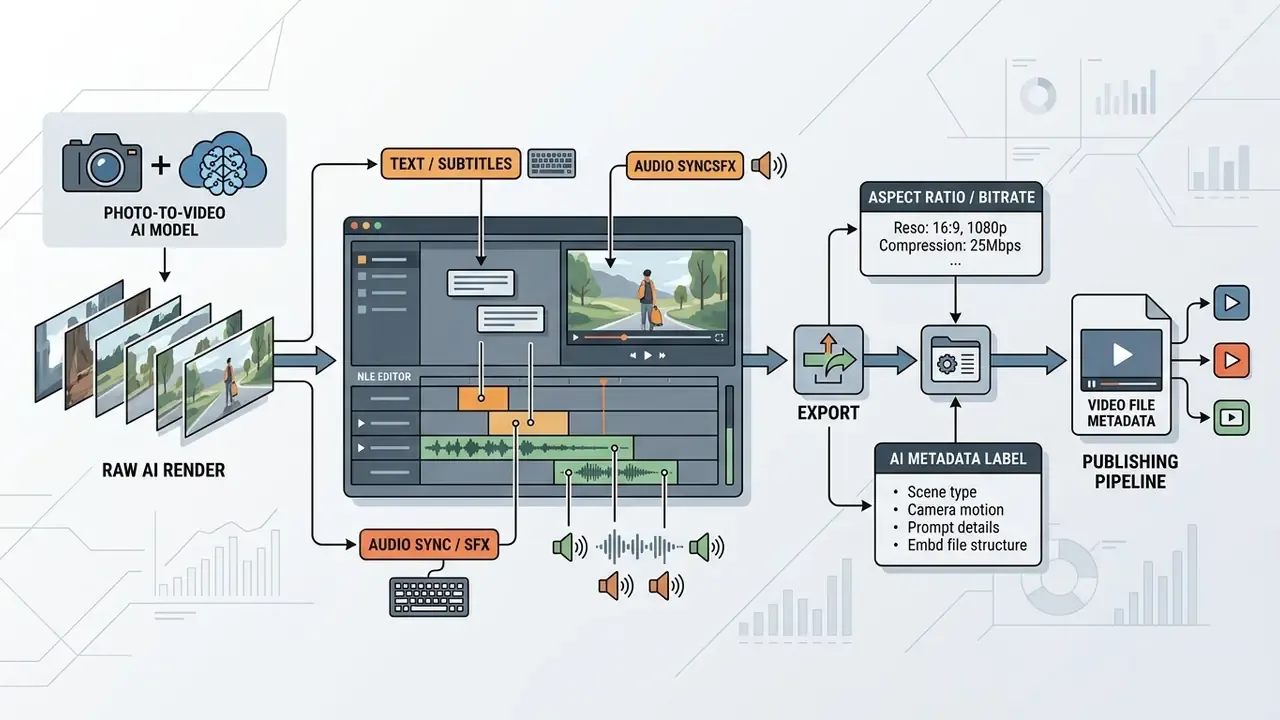
Post-generation editing means importing rendered clips into a non-linear editor to overlay text captions, synchronize audio, adjust aspect ratio and append machine-readable metadata before multi-platform publishing. Proper post-processing keeps content accessible, brand-compliant and distribution-ready.
A raw AI clip is rarely a finished product. Post-production is what turns it into an asset.
AI Metadata, Provenance and Audit Trail
Provenance belongs to the export step, not to a post-publication cleanup task. Regulatory and standards guidance is converging:
- The EU Code of Practice on Transparency of AI-generated Content requires AI outputs, video included, to be marked in machine-readable form and detectably labelled as artificially generated or manipulated (published 2025, updated 2026).
- Hong Kong's Generative AI Technical and Application Guideline (2026) requires watermarks, labels, metadata or digital signatures, and states that public AI-generated content should disclose its source before publication.
- IPTC Video Metadata Hub guidance recommends adding Digital Source Type
trainedAlgorithmicMediain XMP for generated image and video files (2023, updated 2026). - FADGI guidance specifies metadata embedding in WebVTT caption files, including creation date and language, on the second line after the
WEBVTTheader (2024). - U.S. Department of Defense multimedia-integrity guidance (2025) states that provenance and content credentials should be added during editing and directly before publishing.
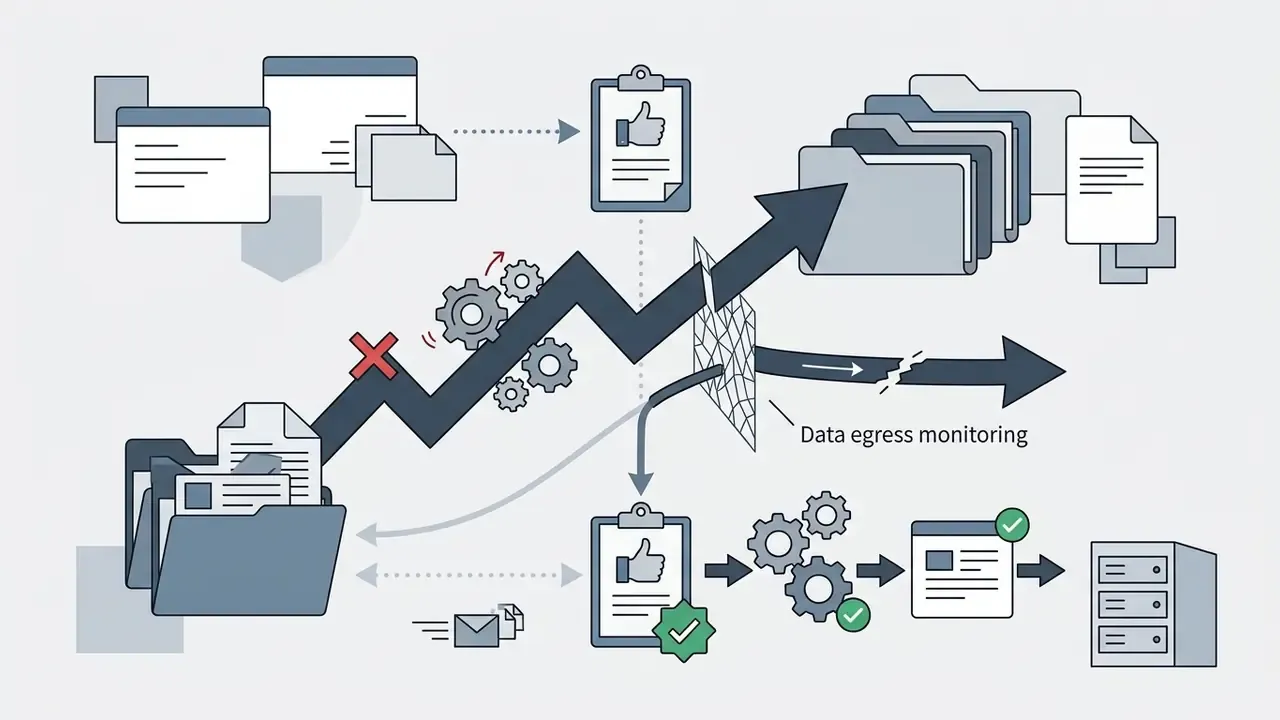
Operationally: attach content credentials at export, keep the prompt, seed and model record in the asset's sidecar or DAM field, and never rely on a downstream platform to preserve metadata you did not embed. Tracking legal and compliance updates through AI Litigation and Case Timelines helps teams follow evolving disclosure mandates.
Adding Text, Captions, Music and Audio
Text overlays, automated captions and balanced audio improve comprehension and retention, particularly on mobile feeds where video autoplays muted. Aligning subtitle timing with visual action and choosing complementary audio is what separates a professional clip from a demo.
Post-processing steps:
Timed overlays and audio cues turn a standalone render into informative, engaging video content that survives a muted first watch.
Aspect Ratios, Export Settings and Platform Distribution
Publishing AI video requires exporting in the target platform aspect ratio, 9:16 for vertical reels, 16:9 for widescreen YouTube, 1:1 for square feeds, encoded in H.264 MP4 or MOV with optimized bitrate. Matching export specs prevents unwanted cropping, compression blur and playback errors.
Standard export specifications by platform:
- Instagram Reels and TikTok. 9:16 vertical (1080×1920), H.264 MP4, AAC audio, 15 to 30 FPS, roughly 5 to 8 Mbps.
- YouTube main / widescreen. 16:9 horizontal (1080p or 4K), H.264 or HEVC, 24 to 60 FPS. YouTube publishes no minimum video bitrate and advises optimizing resolution, frame rate and aspect ratio instead.
- E-commerce and display ads. 1:1 square or 9:16 vertical, under 15 seconds, compressed for fast mobile loading.
- Master / archive. Deliver at source frame rate, in a QuickTime
.movcontainer, progressive scan, with audio muxed to the video stream and surround channel assignments matching the specified layout.
Where file weight becomes a distribution constraint, run a controlled pass through a video compressor rather than re-exporting at lower resolution, which reintroduces banding in gradient-heavy AI renders.
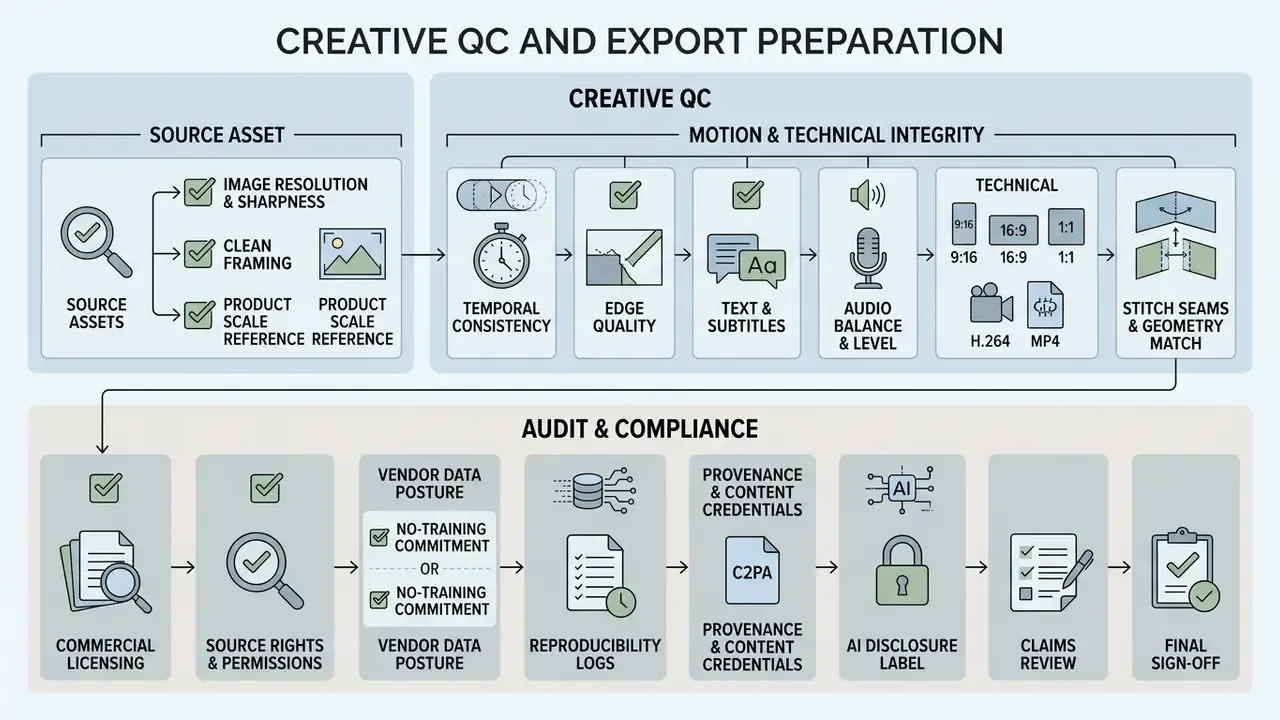
Common Errors in Image-to-Video Conversion and How to Fix Them
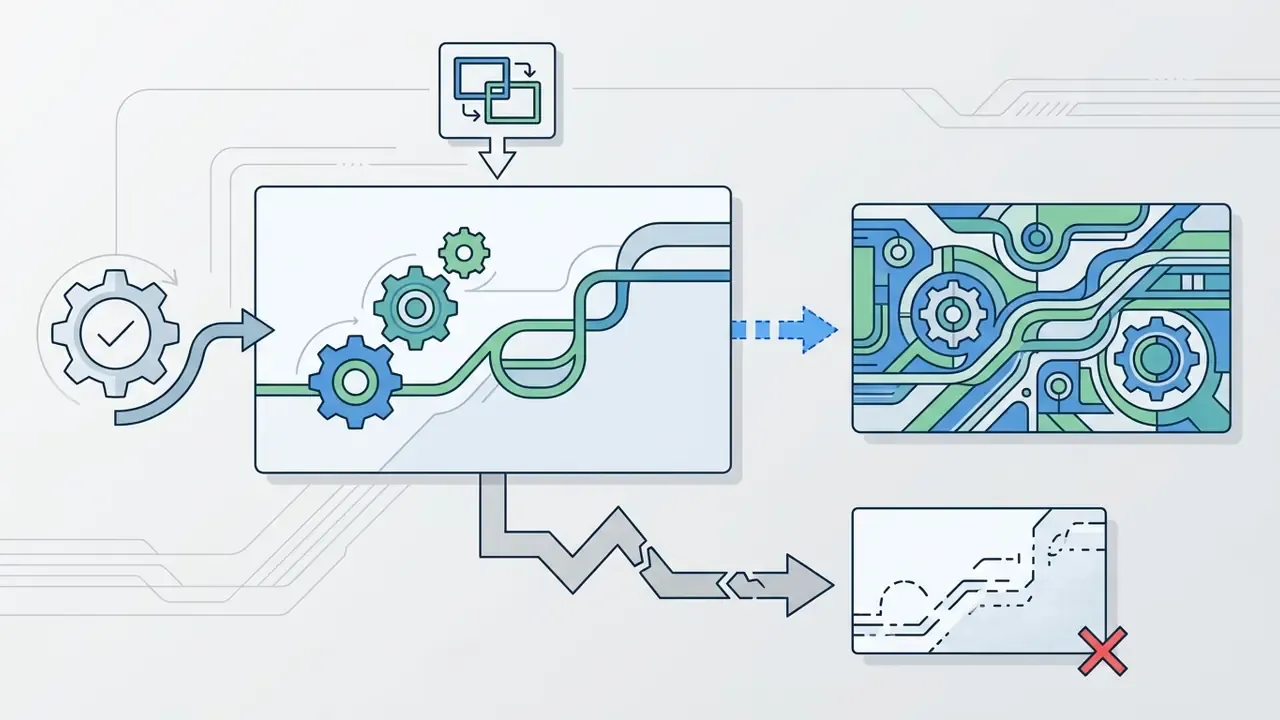
Common failures include low-resolution source inputs, ambiguous or contradictory motion prompts, excessive camera movement, unnatural physical distortion and aspect-ratio mismatch. Fixing them means simplifying instructions, upgrading the source photo and lowering motion intensity.
Understanding why a render failed lets operators troubleshoot systematically instead of burning credits on hopeful re-rolls.
«AIGCBench evaluates image-to-video algorithms across 11 metrics in four dimensions: control-signal alignment, motion effects, temporal consistency, and video quality.»
That four-dimension split doubles as a triage tool. Decide first whether the render broke alignment, motion, consistency or fidelity, because each maps to a different fix.
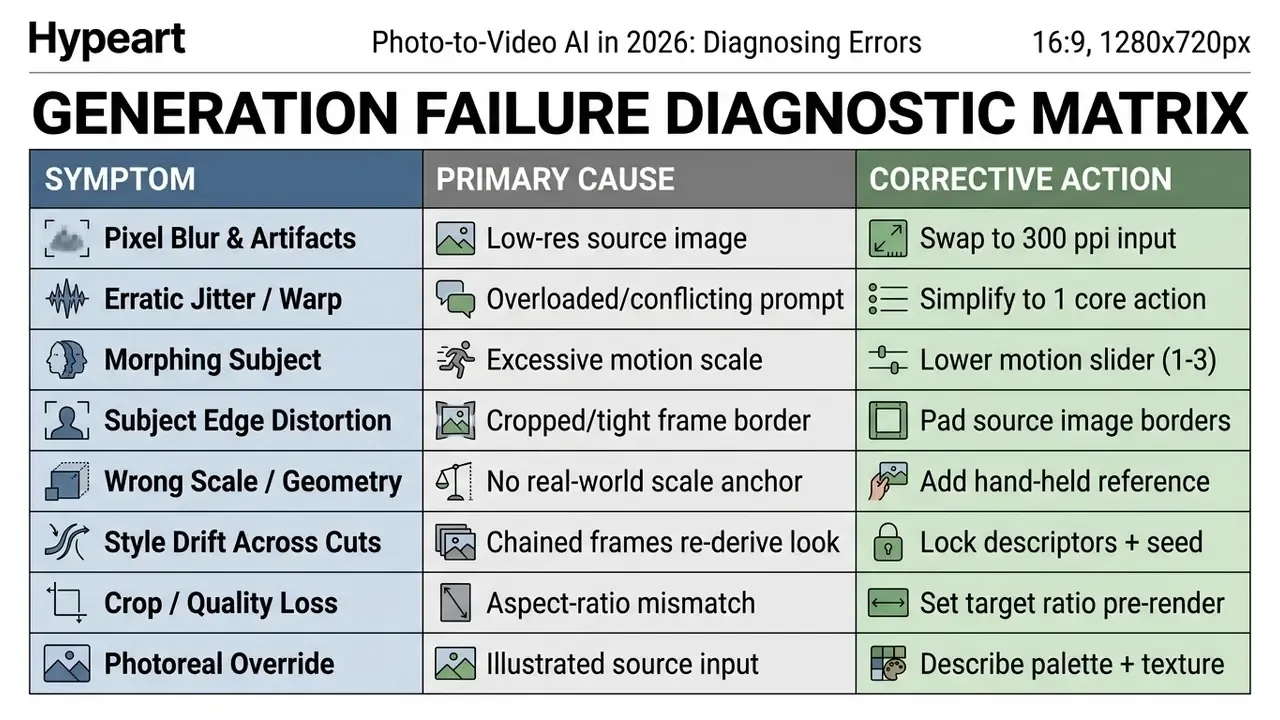
Low Source Quality, Vague Prompts and Excessive Motion
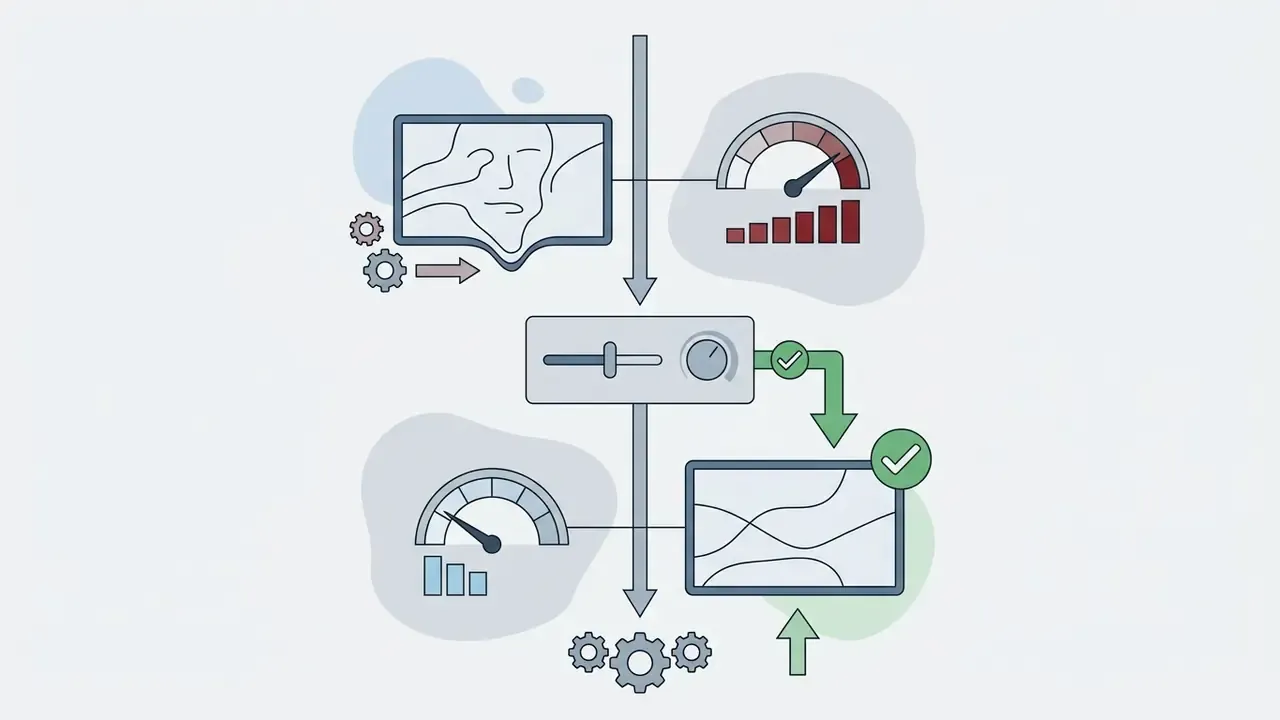
Poor source resolution introduces pixelation and warping, while vague prompts with competing instructions confuse trajectory prediction. Correcting these failures means clean, well-lit source photos, a single clear subject action, and a reduced motion scale.
To resolve the primary error classes:
- Fix low source quality.
- If renders look muddy or pixelated, replace the upload with a sharp, high-resolution original. Pre-process in a dedicated AI photo editor to boost contrast and denoise surfaces.
- Clarify conflicting prompts.
- If subject motion looks erratic, strip the complex adjectives. Focus on one primary action and one defined camera movement.
«UI2V-Bench finds that existing benchmarks overlook the core I2V problem: whether the model actually understands the image and reasons over it.»
In practice, many "bad prompt" failures are semantic-understanding failures. If the model cannot parse what the object is, no amount of adjective tuning will fix the motion. Restate the scene plainly, name the object explicitly, and describe the physical relationship between elements.
Auditing inputs and constraining motion vectors is what yields consistent clips suitable for professional distribution. Not glamorous. Effective.
FAQ: Photo to Video, Costs, APIs and Commercial Use
How does AI photo-to-video differ from a classic slideshow maker?
AI photo to video uses generative neural networks (diffusion and transformer models) to synthesize entirely new temporal frames, object motion, depth movement and perspective change from a single static photo. Traditional slideshow makers simply sequence existing image files on a timeline, applying pan-and-zoom keyframes or cross-fades without generating new pixels.
How is image-to-video different from reference-to-video?
Image-to-video animates a single photo as the literal first frame, so output stays faithful to that exact image and nothing beyond it. Reference-to-video reads the whole prior clip plus character, product or location references, so identity persists across many shots: the same identity rather than the same pixels. Use image-to-video for one clip from an approved photo. Use reference-to-video when a product or character must carry across an entire ad or scene sequence.
Can I turn a photo into an AI video for free without watermarks?
Most free photo to video applications apply platform watermarks, cap export at 480p or 720p, and limit credits to around three short generations per day. Some platforms offer non-watermarked trial credits, but removing watermarks and exporting at full 1080p or 4K normally requires a paid tier.
How much does image-to-video generation actually cost?
Benchmarked rates run roughly $0.023 to $0.05 per rendered second. A typical 5-second 720p render consumes about 150 credits on paid plans, while premium 4K, Sora 2 or Veo 3.1 output runs closer to 300 to 450 credits per 5-second clip. Some platforms bill per frame at 1 credit per frame at the base rate. Plan for a 3x to 5x iteration factor on hero assets and re-verify rates before large campaigns, because model pricing changes frequently.
How do I make a video longer than the model's 8 to 10 second limit?
Chain generations. Export the final frame of the first clip and use it as the first frame of the next, holding lighting, palette, lens and environment descriptors identical across every prompt, and locking the seed where available. Agent-based platforms automate this by splitting a script into model-compatible segments and stitching them into one sequence. For anything spanning multiple distinct shots, reference-to-video conditioning holds identity better than frame chaining, which re-derives geometry and lighting from a single still each time.
How do I keep a product looking identical across multiple clips?
Load a reference bundle of three to four stills, front, side, back and a close-up, then reuse that same bundle for every clip in the campaign. For packaged products, include one shot of the item held in a hand so the model reads true scale instead of guessing dimensions. Keep the bundle versioned per SKU so future renders read from a single approved identity source.
Is there an API for image-to-video, and what does a request look like?
Yes. Major providers expose image-to-video endpoints with Python, Node.js, cURL, Go and Rust SDKs, per-second pricing from roughly $0.023, and published uptime targets around 99.9%. A minimal Python call passes an image path or URL, a motion prompt, a model identifier, duration and resolution, then returns a job identifier to poll or a completed file to download. Persist the model version, prompt and seed from every request to keep renders reproducible for audit.
Are AI-generated videos from photos commercially safe to use in ads?
Commercial safety depends on plan terms, source image rights and platform ad policy. Paid tiers on major platforms generally grant commercial usage rights for rendered output, while free tiers are frequently limited to personal or evaluation use. Operators must confirm that uploaded source images do not violate copyright, trademark or likeness rights, and that ad creatives comply with network rules on animation loop length, 15 seconds maximum animation on Amazon Ads with looping capped at three times, 30 seconds total on Google image ads, plus any synthetic media disclosure requirement.
Will the vendor train its models on my uploaded product photos?
It depends entirely on the vendor, which is why this belongs in procurement rather than the creative brief. Require a written commitment that uploads and outputs are excluded from model training, a short retention window (for example, one-day staging with immediate removal from active storage on deletion), encryption in transit and at rest, restricted operational access, and a documented subprocessor list. For confidential designs or NDA-protected imagery, restrict work to vendors that meet all of these criteria.
What is the best prompt structure for controlling camera movement in AI video?
The most effective structure separates camera direction from subject action using standard film terms: [Subject Description] + [Specific Action] + [Environment Context] + [Explicit Camera Move, for example slow dolly in or eye-level pan right] + [Visual Style]. Avoid vague emotional terms and negative commands like "no camera shake", which can prompt the model to introduce the very artifact you excluded.
What evidence should we retain for an internal audit of AI video assets?
Retain the model name and version, the full prompt and any negative prompt, the seed and sampling parameters, the source-image hash and rights record, the reference-bundle identifier, operator and reviewer identities with timestamps, the licensing tier active at generation time, and the embedded provenance metadata. Together these let a reviewer reconstruct how a published asset was produced without re-running the render.
What is a safe first step for a regulated organization?
Start narrow. Pick one internal, non-claim use case, such as animating diagrams for onboarding, run it through the two-pipeline model with full logging, and review the evidence pack with internal audit before anything customer-facing is considered. Small scope, complete evidence, then expand.
Appendix A: Superseded Formulations and Source Notes
Retained for transparency and version traceability. Each item below was revised in the main text; the original phrasing and the reason for revision are preserved here.
| Original formulation | Status | Reason for revision |
|---|---|---|
| "Research indicates that video diffusion models respond best to explicit physical descriptors rather than emotional jargon [Force Prompting, 2025]." | Superseded | The cited source was not verifiable in the research set; the claim is retained but re-attributed to Motion-I2V (2024), which documents trajectory-conditioned stability under large motion. Related work on physics-based control signals exists and supports prompting for contact and force direction, but is cited descriptively rather than as the load-bearing reference. |
| "LTX 2.3 / Wan 2.2 / Seedance 2.0: No verified information available regarding finalized benchmark specifications in primary documentation." | Superseded | Vendor documentation now confirms LTX 2.3 free-tier availability with built-in audio, lip-sync and expressive faces, and Seedance 2.0 generation in steps of 4 to 15 seconds with start and end frame control. Wan 2.2 remains vendor-dependent and should be verified against current release notes at procurement. |
| "…reduced client revision cycles by 40%." | Reformulated | The figure is internal and not independently verified; reported qualitatively in the main text. |
| "Dynamic product videos allow brand teams to transform static catalog shoots into interactive ad creatives, increasing click-through rates across paid channels." | Reformulated | No verified independent dataset quantifies a universal CTR lift; framed as a per-catalogue, per-channel measurement task. |
| "Using animated static photos increases feed stop-rates compared to traditional still image posts, driving higher organic visibility on algorithmic feeds." | Reformulated | Directionally consistent with practice but unsupported by a verified public dataset; framed as a testable hypothesis and paired with verified counter-evidence on low-quality AI content and synthetic voice. |
| "Upscaling assets requires a secondary 4k video upscaler or paid tier upgrade." | Retained, link updated | Anchor repointed to the maintained upscaling resource. |
Research references cited in this guide: ConsistI2V (2024); Motion-I2V (2024); PhysGen (2024); CamCo (2024); VidCRAFT3 (2024 to 2025); OSV (2024 to 2025); AIGCBench (2024); UI2V-Bench (2024 to 2025); AtomoVideo (2024); CameraCtrl (2024); GEN3C, NVIDIA Research (2025); Latent-Reframe, ICCV (2025); MotionPro (2025); Move As You Like: Image Animation in E-Commerce Scenario, arXiv (2021); Kapwing industry report (2024 to 2025); ICIS (2023) study of AI-generated voice across 21,541 TikTok videos.
Standards and policy references: Google AI and Vertex AI Veo documentation (2026); OpenAI Sora model and API specifications (2026); OpenAI Terms of Use (2026); Stability AI API Terms of Service (2026); Amazon Seller Central image requirements (2026); Amazon Ads Creative Acceptance (2025); Google Ads image policy (2026); EU Code of Practice on Transparency of AI-generated Content (2025, updated 2026); Hong Kong Generative AI Technical and Application Guideline (2026); IPTC Video Metadata Hub synthetic-media guidance (2023, updated 2026); FADGI still-image and WebVTT metadata guidelines (2024); NARA digitization guidance; HHS and ORI image-processing guidance; NIST AI Risk Management Framework; Federal Reserve and OCC SR 11-7 model risk management guidance; U.S. Department of Defense multimedia integrity guidance (2025); Runway and LTX-2.5 prompting documentation (2025 to 2026).
General disclaimer: this guide is informational. It does not constitute legal, regulatory, financial or compliance advice. Verify vendor terms, licensing scope, disclosure obligations and supervisory expectations with qualified professionals before deploying AI-generated video in commercial or regulated contexts.
Social Media: Instagram, YouTube and TikTok
Short-form platforms lean on vertical 9:16 clips generated from stills to create loops, reels and shorts. A genuinely seamless AI animation holds attention in a feed without a full production workflow. YouTube documents loop playback for Shorts on desktop, which makes the loop a practical asset rather than a stylistic flourish.
Canvas and export presets by platform:
«Across 21,541 TikTok videos, AI voice reduced likes by 5.4%, comments by 5.2%, and shares by 7.4%, with the strongest effect at climactic moments.» — ICIS 2023, study of AI-generated voice in short videos
The implication is uncomfortable but useful: volume is now a commodity, and synthetic audio is not a free substitute for human narration. Quality control and a real voice track are the differentiators, not generation speed.