Browser-based artificial intelligence video processing lets you turn low-resolution, noisy or blurry clips into clean 1080p High Definition media without installing local software. Modern web tools combine spatial super-resolution models with temporal feature alignment, so individual frames get sharper while playback stays visually continuous.
Why should a risk or finance leader care about a consumer-looking tool? Because the same free upscaler that fixes a family video also quietly accepts branch-camera footage, claim evidence and customer-call recordings. That is where an image-quality question becomes a governance question.
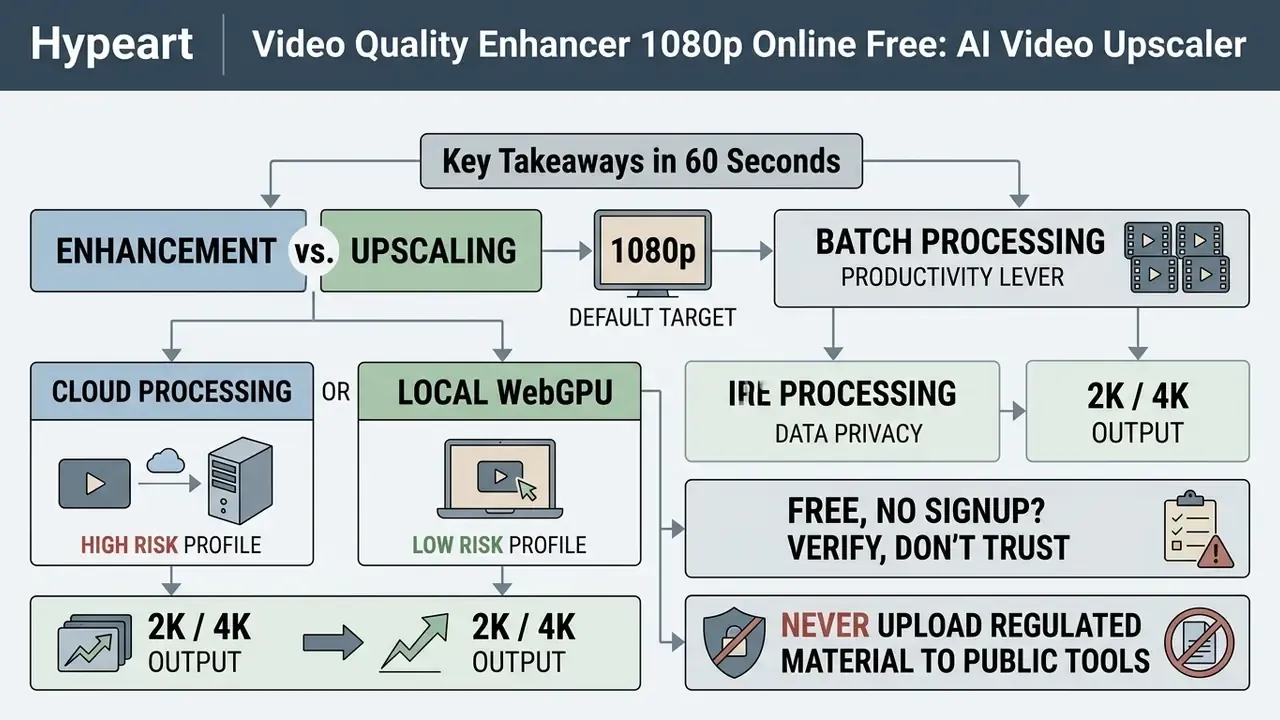
Key Takeaways in 60 Seconds
Who This Guide Is Written For
Two readers arrive at the same query. One wants a free online video enhancer for a wedding tape shot on a camcorder in 2004. The other has to answer an internal audit question about which AI tools staff actually used last quarter.
This guide serves both, in that order: first the practical workflow for creators, then the control framework for regulated teams. If you are only here to upscale videos for social media, the resolution and format sections will be enough. If you own model risk, read the Shadow AI and audit-trail sections closely, because those are the parts that end up in a committee pack.
Personal Use vs. Corporate Shadow AI Risk
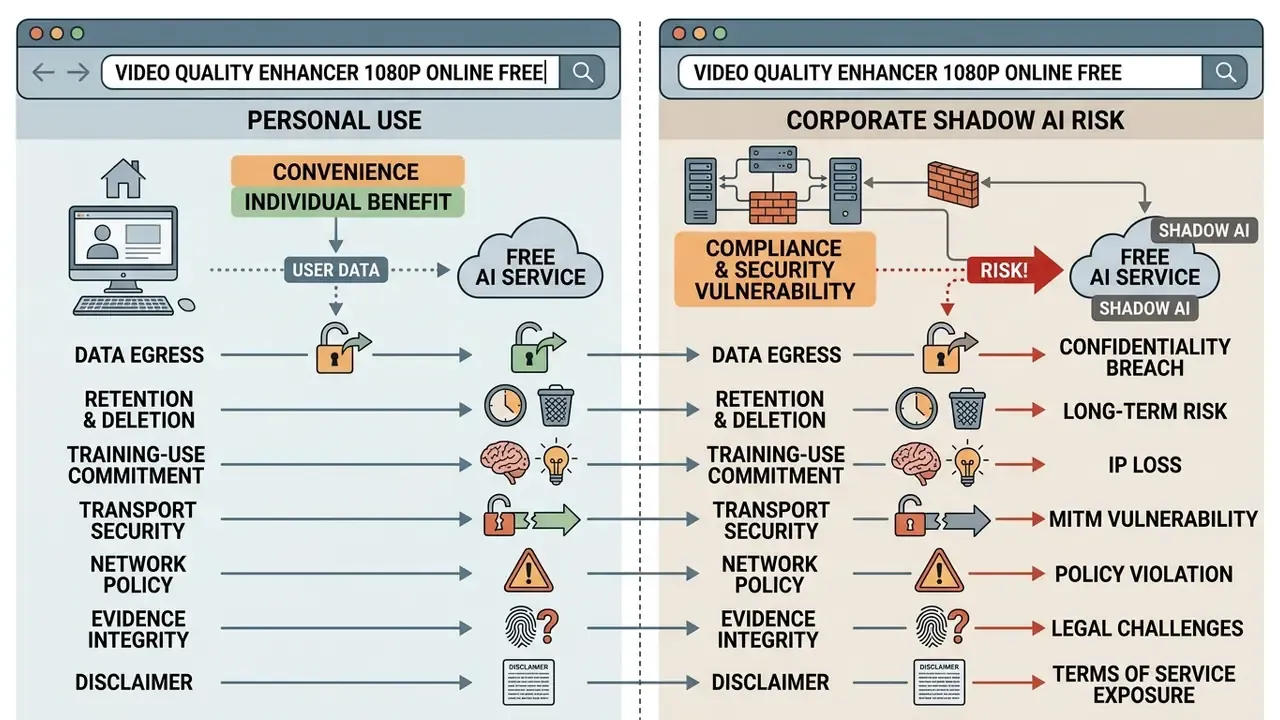
The same search phrase, video quality enhancer 1080p online free, is typed by two very different users. The correct tool differs for each.
Personal and creator use. Family archives, VHS transfers, concert clips, gaming captures and social-media assets carry no regulatory exposure. Any reputable browser tool is acceptable here; the deciding factors are watermark policy, clip-length caps and output resolution.
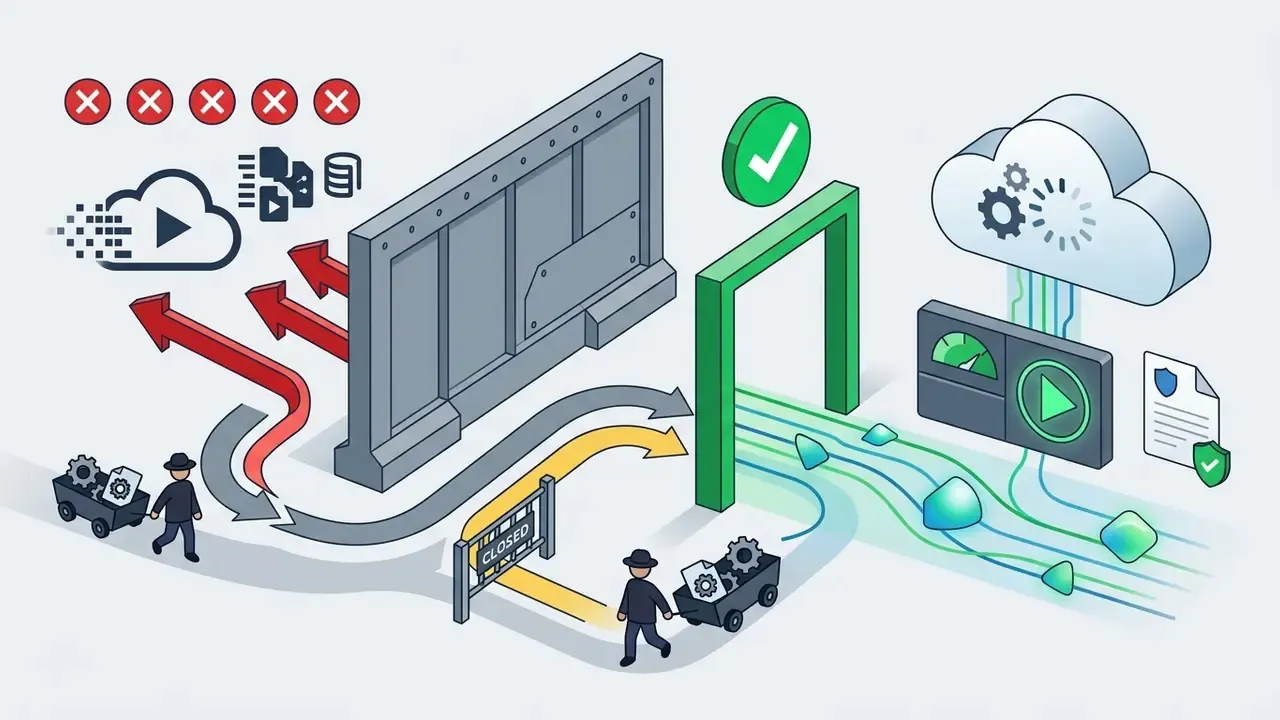
Enterprise and regulated use. Risk, compliance and finance teams keep discovering that staff have run branch-camera footage, claim evidence, invoice videos or customer-call recordings through public "no signup" converters. That behavior is textbook Shadow AI: unapproved model usage outside logged, reviewable channels. Nobody acted maliciously. Someone simply needed a clearer frame before a Friday deadline.
Corporate Shadow AI risk checklist for video tools
One more governance note. An AI video pipeline behaves like any other digital worker: it needs a named owner, an approved role, access limits, an escalation path and a shutdown mechanism. No evidence, no autonomy.


What a Free Online AI Video Enhancer Can Improve
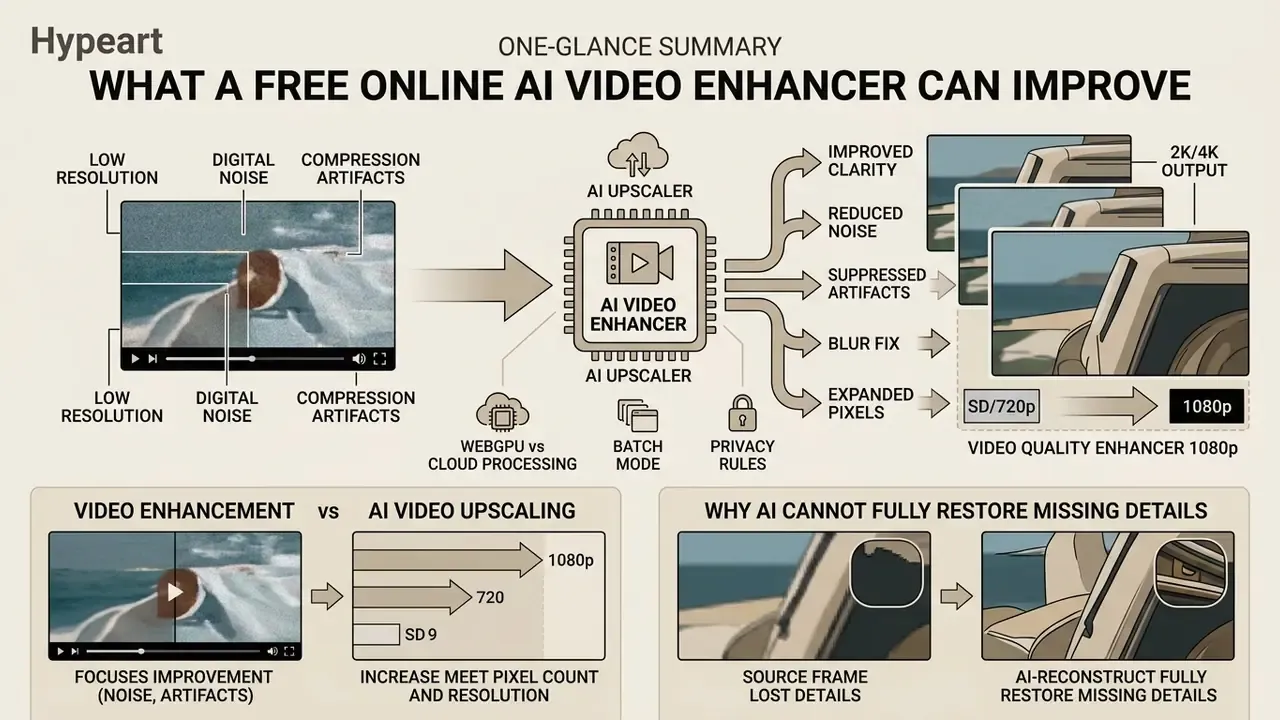
A free online AI video enhancer improves visual clarity, reduces digital noise, suppresses compression artifacts, and expands pixel dimensions from standard definitions to 1080p, 2K or 4K. The technology processes low quality video files by running deep learning models over every frame to restore missing structural edge data and align neighboring visual elements.
Video Enhancement vs. AI Video Upscaling
Video enhancement modifies visual characteristics within the original pixel dimensions. AI video upscaling increases spatial resolution by constructing new pixels. Enhancement operations target low-light grain, motion blur and color grading at original sizes such as 720p. An AI video upscaler uses convolutional neural networks or latent diffusion models to expand spatial parameters to 1080p or 4K, filling pixel gaps with trained generative priors.
«Fixed-resolution video enhancement and video super-resolution are distinct tasks with different architectures, loss functions and evaluation metrics.»
This distinction matters commercially. Vendors that advertise "lossless upscaling" are describing something that cannot exist. Super-resolution is a Bayesian reconstruction problem: absent pixels are synthesized, not recovered. A service can be genuinely excellent and still be lossy by definition.
Why AI Cannot Fully Restore Missing Details
Deep learning algorithms infer plausible high-frequency textures from learned training datasets rather than retrieving lost real-world data. When low res or old videos suffer from severe information loss, models like StableVSR or RealisVSR synthesize replacement detail based on surrounding frame context. If the source material lacks sufficient edge information, aggressive processing introduces synthetic artifacts or unnatural facial smoothing.
«Classical lossy compression theory defines a rate–distortion trade-off: AI models restore statistically likely patterns, not the lost source data itself.»
Restoration research frames the same boundary temporally: models exploit redundancy across neighboring frames to recover details "that may be missing in one frame." When a detail is absent from every frame, there is no evidence left to exploit. Only prior-driven invention remains. Stylized generation is a separate craft entirely, closer to our notes on studio ghibli style imagery, where invention is the point rather than the risk.
Comparison of Video Enhancement and Video Upscaling Tasks
| Task | Video Enhancement (Fixed Resolution) | AI Video Upscaling (Resolution Expansion) |
|---|---|---|
| Fix Blurry Video | Reduces motion and focus blur using deblurring filters without changing frame dimensions. | Reconstructs high-resolution edge details from low-resolution frames during spatial expansion. |
| Remove Noise | Suppresses sensor grain and low-light artifacts while preserving structural edges at source resolution. | Combines denoising with super-resolution to synthesize clean high-density pixel grids. |
| Improve Video Quality | Corrects compression ringing, color imbalance and flickering on existing frame layouts. | Targets spatial and codec degradation to increase PSNR, SSIM and VMAF scores against baselines. |
| Increase Resolution to 1080p, 2K or 4K | Maintains input resolution; requires a separate upscaling pass to change dimensions. | Expands pixel rasters from 360p or 540p to 1080p (×3), 1440p or 4K (×4) using deep learning priors. |
No matching rows Clear one or more filters to restore the matrix.
Video Issues an AI Enhancer Can Fix
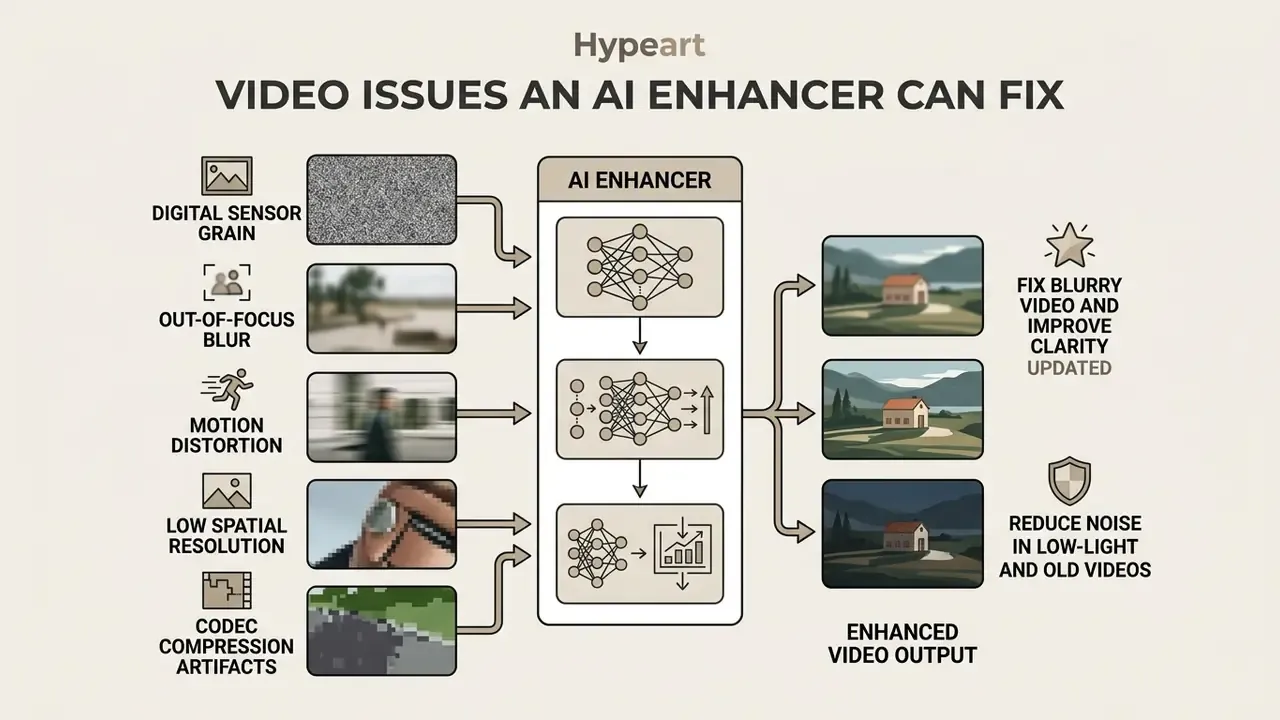
An AI video enhancer corrects digital sensor grain, out-of-focus blur, motion distortion, low spatial resolution and codec compression artifacts. Neural network architectures isolate unwanted signal noise from intentional visual textures to produce crisp, high definition output. Restoration literature treats these as four separately trainable tasks: denoising, deblurring, super-resolution and compression-artifact reduction. That taxonomy explains why single-slider "auto enhance" buttons underperform on mixed degradation. When output file weight becomes the next bottleneck, pair the enhancement tool with a video compressor instead of lowering the enhancement target.
Fix Blurry Video and Improve Clarity
Updated. Automatic blur removal algorithms evaluate spatial frequency distributions across adjacent frames to sharpen soft edges and out-of-focus subject outlines. Attention-based temporal models align feature maps across sequential frames, so recovered edges stay stable during playback instead of pulsing frame to frame.
«Joint optimization of optical flow and feature refinement with attention delivers up to 1.62 dB PSNR improvement over leading baselines on video restoration benchmarks.»
Practically, this restores legible contrast to foreground subject lines without creating harsh ringing halos. Worth noting: deblurring research also documents systematic failure modes. ICCV and CVPR deblurring papers report residual jumping artifacts when optical flow estimation breaks down under large displacements or heavily blurred edges. Naturalness has no single numeric cutoff either. Current evaluation combines PSNR, SSIM, LPIPS, NIQE and FID, because perceptual metrics correlate with human judgment better than PSNR alone.
Reduce Noise in Low-Light and Old Videos
Intelligent noise reduction identifies stochastic pixel grain typical of analog tapes or underexposed digital sensors, then replaces it with smoothed, texture-aware color values. Models use spatio-temporal fusion to compare noisy pixels against cleaner reference regions in preceding and succeeding frames. The technique removes low-light static while preserving organic surface detail such as fabric weave or architectural brickwork.
«RealisVSR applies wavelet- and HOG-based losses to recover high-frequency detail under noise and blur without over-smoothing.»
Blind multi-frame CNN denoisers such as ViDeNN combine spatial and temporal information in a single feed-forward pass and were validated on real low-light footage. The AIM 2025 Low-Light RAW Video Denoising Challenge then formalized Bayer-pattern-preserving temporal denoising for sensor-level data. Legacy analog chains, meaning motion-adaptive Kalman temporal filtering plus gamma correction and non-local means, remain a useful baseline reference for tape restoration workflows.
How to Enhance Video Quality Online in Three Steps
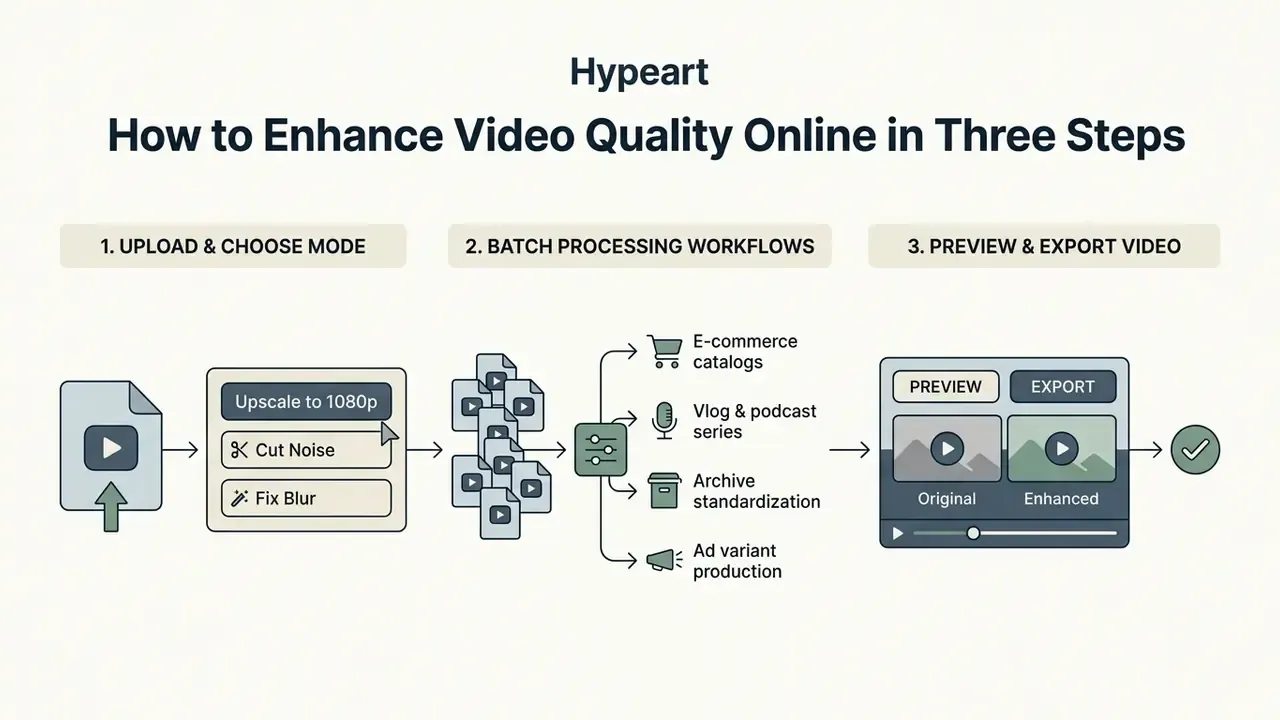
Enhancing video quality in a web browser requires three things: upload the source file, choose an automated AI processing mode, export the refined video file. Modern online tools run media through serverless GPU clusters or client-side WebGPU acceleration.
- Upload Videoingest source files (MP4, M4V, MOV, MKV, AVI, WMV, FLV or WebM) by drag-and-drop or local file browser selection into the web interface.
- Select Mode and AI Processingchoose target tasks such as noise reduction, frame sharpening or upscaling to 1080p HD, 2K or 4K, then start machine learning frame analysis.
- Preview and Downloadreview side-by-side interactive previews of processed frames before rendering and downloading the final high quality file.
Upload a Video and Choose an Enhancement Mode
You upload target media directly into the browser workspace, where client-side validation checks container formats and file size limits. Select a processing profile based on the primary defect: low resolution upscaling, motion deblurring or vintage film restoration. Readers weighing restoration against generating footage from scratch can compare capability tiers in our roundup of free AI video generators. For specialized audio-visual asset workflows, detailed platform evaluations sit in our AI Media Comparison Matrices and feature rundowns.
Two smaller notes from practice. First, a one click preset is fine for a clean 720p source and risky for a degraded 240p one. Second, template-driven projects such as a star wars intro sequence or a suno ai song music bed usually need no enhancement at all, since they are born digital at delivery resolution.
Batch Processing for Multi-File Workflows
High-volume creators and e-commerce merchants can process multiple clips at once. Instead of uploading single files, drag entire directories into the browser queue. The batch encoder applies unified enhancement profiles, such as uniform 1080p upscaling, denoise thresholds and frame rate stabilization, across all queued MP4, MOV, MKV or WebM files, holding color parameters consistent across product catalogs or vlog series.
Batch mode is the difference between a hobby tool and a production pipeline. Typical use patterns:
Queue behavior to verify before you commit a large batch: whether processing is sequential or parallel, whether a single failed file aborts the queue, whether per-file settings can override the global profile, and whether output naming preserves source identifiers for traceability. That last point sounds trivial until an auditor asks which original produced which export.
- E-commerce catalogs
- re-run an entire archive of legacy product videos to a single 1080p profile, so listings look visually consistent without reshooting.
- Vlog and podcast series
- normalize denoise strength and sharpening across every episode, so the channel does not visibly change quality mid-season.
- Archive standardization
- apply one restoration profile across hundreds of digitized clips, then spot-check the outliers instead of tuning each file.
- Ad variant production
- generate 1080p and 2K deliverables from one master queue for different placement specs.
Preview the Result and Export the Enhanced Video
Interactive split-screen preview sliders let you compare original low-res source frames directly against AI-processed output. Drag the divider left and right for frame-accurate inspection of sub-pixel noise removal, facial line preservation and spatial edge enhancement before you commit to final rendering. Scrub to the hardest frames, meaning fast motion, low light, on-screen text and close-up faces, because synthetic artifacts appear there first.
One caveat documented in editing tooling: a preview can look identical to the intended result while the exported file differs, because export pipelines may re-encode or shift cut points to keyframes. Always inspect the rendered download, not only the in-browser preview. Once visual fidelity meets operational expectations, confirm export settings and trigger output rendering to generate downloadable 1080p, 2K or 4K files.
Choose 1080p, 2K, HD or 4K Output Resolution
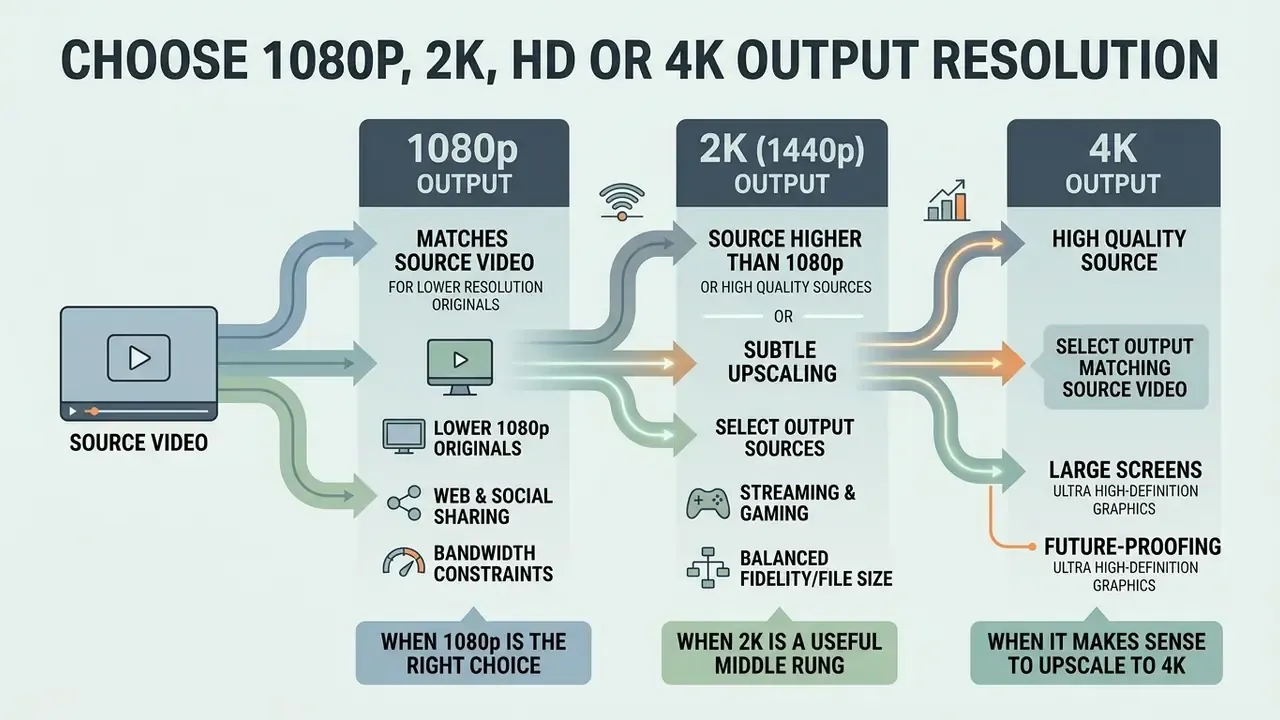
Selecting between 1080p, 2K, HD and 4K output depends on source clip fidelity, target display sizes, network bandwidth constraints and delivery platform specifications. Matching target dimensions to source capability is what prevents artificial over-processing.
When 1080p Is the Right Output Choice
1080p resolution provides the best balance of sharp image quality, manageable file size and fast rendering speed for web delivery and mobile playback. Short-form platforms including TikTok, Instagram Reels and YouTube Shorts commonly accept and display vertical 9:16 assets at 1080×1920, and public platform documentation indicates Shorts playback tops out at 1080p. Exports above that ceiling do not increase delivered resolution there. Confirm current specs in each platform's own help center before locking a delivery preset, since these values shift.
Upscaling low res source clips to 1080p avoids unnecessary processing overhead while keeping full visual compatibility across modern high definition mobile and desktop screens. The same reasoning applies to still assets, so readers comparing approaches across media can review our guide to photo editors and image upscaling workflows.
When 2K (1440p) Is the Useful Middle Rung
2K Quad HD (2560×1440) is the resolution most free tools omit and most desktop viewers actually benefit from. It sharpens boundary lines for mid-tier monitors and YouTube 2K uploads without the render time, bandwidth and storage overhead of a full 4K pass. For 720p and 1080p sources, 2K is frequently the highest output that still looks earned rather than synthesized: the model performs modest interpolation on real structural detail instead of inventing texture wholesale. Gaming captures, screen recordings and desktop wallpaper exports are its natural home.
When It Makes Sense to Upscale Video to 4K
Upscaling to stunning 4K (3840×2160) makes sense for high-bitrate source material intended for large Ultra HD screens, television broadcast or archival master storage. According to research on efficient video super-resolution from the AIM 2024 Challenge, deep CNN models like RTSR convert compressed 540p streams to 4K with measurable VMAF and PSNR improvements over bicubic interpolation (AIM 2024 Challenge on Efficient Video Super-Resolution, 2024).
«VPEG-VSR and SAFMN++ process 960×540 frames in 8.2–8.6 ms on an RTX 3090 using under 0.08 M parameters while beating interpolation on VMAF and PSNR.»
Apply aggressive 4K quality targets to heavily degraded 240p footage, though, and you risk plastic, wax-like textures on faces and organic surfaces. Peer-reviewed HD-to-UHD work found 720p-sourced upscales scored worst in subjective testing, while better-conditioned HD sequences were judged close to native UHD. Quality depends on the source and the algorithm, not on the output label.
Select an Output That Matches the Source Video
Choose target resolutions that reflect the structural information genuinely present in the source video file. The Library of Congress Recommended Formats Statement advises preserving video at the highest available native resolution rather than introducing arbitrary spatial interpolation (Library of Congress, 2020). FADGI's born-digital video guidance similarly recommends selecting larger picture sizes over smaller ones at capture. The anti-overprocessing rule is simple: preserve, do not invent.
«An XPSNR-based convex-hull system achieves 5.84 dB PSNR quality gain at equal bitrate while cutting encoding time by 44% through optimal resolution selection.»
For budget planning across automated rendering workloads, examine the cost breakdowns in our AI Media Pricing Guides, model your own render volumes with the AI Media Calculators, and check the developer-economics numbers in our Google Veo implementation guide.
Output Resolution Selection Based on Source Quality
| Source Video Category | Recommended Output | Expected Effect of AI Processing | Primary Use Case |
|---|---|---|---|
| Low Resolution (≤360p), heavily compressed | 720p or 1080p | Moderate clarity gain; noise reduction; limited fine detail reconstruction. | Mobile social media posts, internal previews, web clips. |
| Medium Resolution (480p to 720p), standard quality | 1080p Full HD | Noticeable edge sharpening; crisp details; balanced natural look. | YouTube uploads, online courses, corporate presentations. |
| 720p HD, clean source | 2K Quad HD (1440p) | Sharper boundary lines for mid-tier monitors without 4K rendering overhead. | YouTube 2K uploads, desktop wallpapers, gaming clips. |
| High quality 1080p or downscaled 4K | 4K Ultra HD | Enhanced surface textures; maximum sharpness for large displays. | UHD TV display, digital signage, commercial marketing assets. |
| Archival analog or old family video | 1080p with strong denoise | Suppressed grain and blur; stabilized frame contrast; natural finish. | Documentary archives, family history preservation, retrospectives. |
Supported Video Formats and Export Options
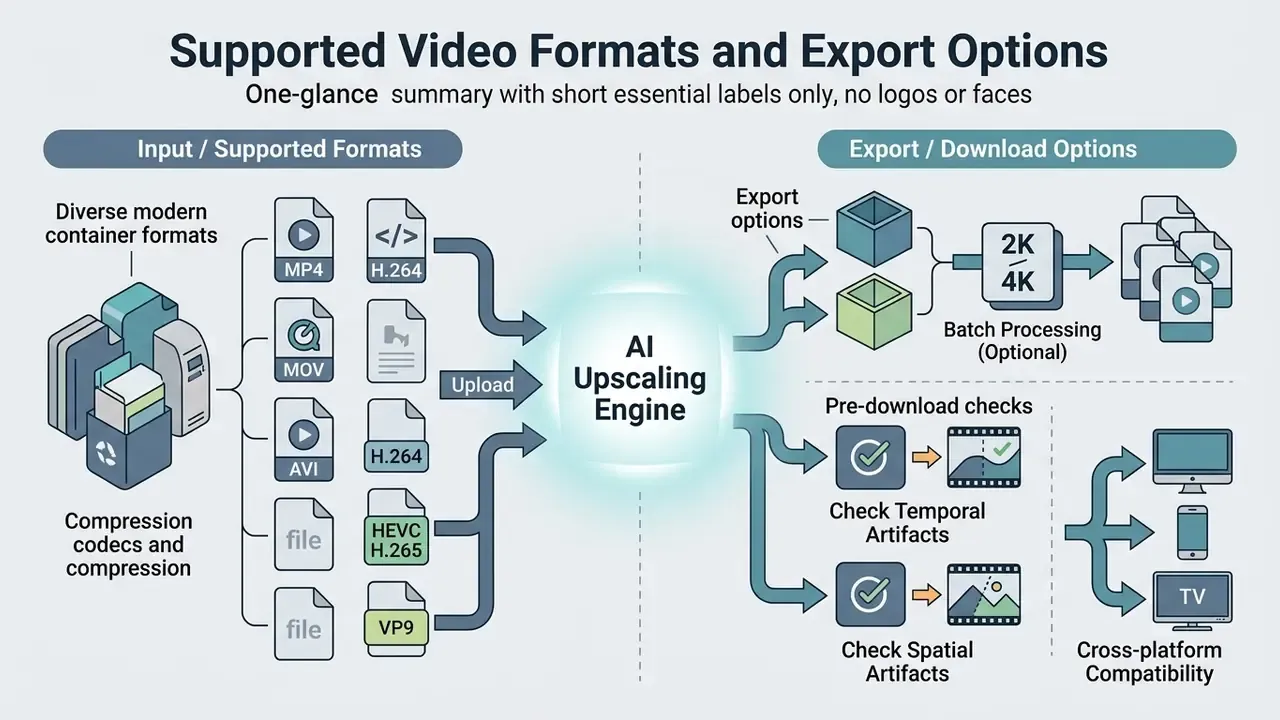
Web-based AI tools support modern container formats and compression codecs to guarantee cross-platform playback compatibility. Standard pipelines accept MP4, MOV and WebM inputs, then encode enhanced exports using optimized H.264 or HEVC specifications.
Upload Requirements for MP4, MOV and Other Video Files
Updated. Most web upscalers process standard MP4 and MOV containers encoded with H.264 video and AAC audio, because that combination has universal browser decoding support. Robust browser engines accept a much broader spectrum of input containers, including MKV, AVI, WMV, FLV, WebM, M4V, 3GP, MPEG-TS and MXF. Integrated media decoders unpack legacy codecs such as Xvid or DivX before handing raw frame arrays to the neural processing pipeline.
Codec support on the output side follows browser reality. H.264 remains the safe MP4 default, HEVC appears in MP4 as hvc1 or hev1 with narrower browser coverage, and AV1 (av01) is supported in both MP4 and WebM.
File-size and duration ceilings vary sharply by vendor and by upload path, and published caps are the only reliable figures. Documented examples span a 200 MB / 20-minute consumer free tier, a 2 GB device-upload limit with a 6-hour duration allowance on an enterprise indexing service, and multi-gigabyte URL-based ingest. Free browser tiers are frequently far tighter: 10-second, 720p-per-side, 50 MB gates exist in the wild. Treat any single number as platform-specific and confirm it on the vendor's current limits page. Teams working with automated video generators can review integration specifications in our AI Media API Guides.
What to Check Before You Export and Download
Before final rendering, inspect preview frames for temporal stability, lip-sync alignment and text legibility. Verify that output bitrates match destination channel requirements, roughly 8 to 12 Mbps for 1080p SDR web video, to prevent re-compression degradation when you upload to social platforms.
Pre-export QC checklist
- Watch the exported file start to finish, not just the timeline preview, to catch dropped segments and stutter.
- Inspect faces at 100% zoom for waxy skin and lost pore texture.
- Inspect on-screen text and logos for invented or deformed characters.
- Confirm frame rate, aspect ratio and audio sync survived end to end.
- Confirm bitrate and container match the destination platform's stated spec.
For creators finishing the edit after enhancement, our YouTube video editor workflow guide covers publishing-side settings. Technical edge cases and codec configurations are documented further in our AI Media Support and Troubleshooting reference section.
Is a Free Online Video Enhancer Really Free and No Sign Up?
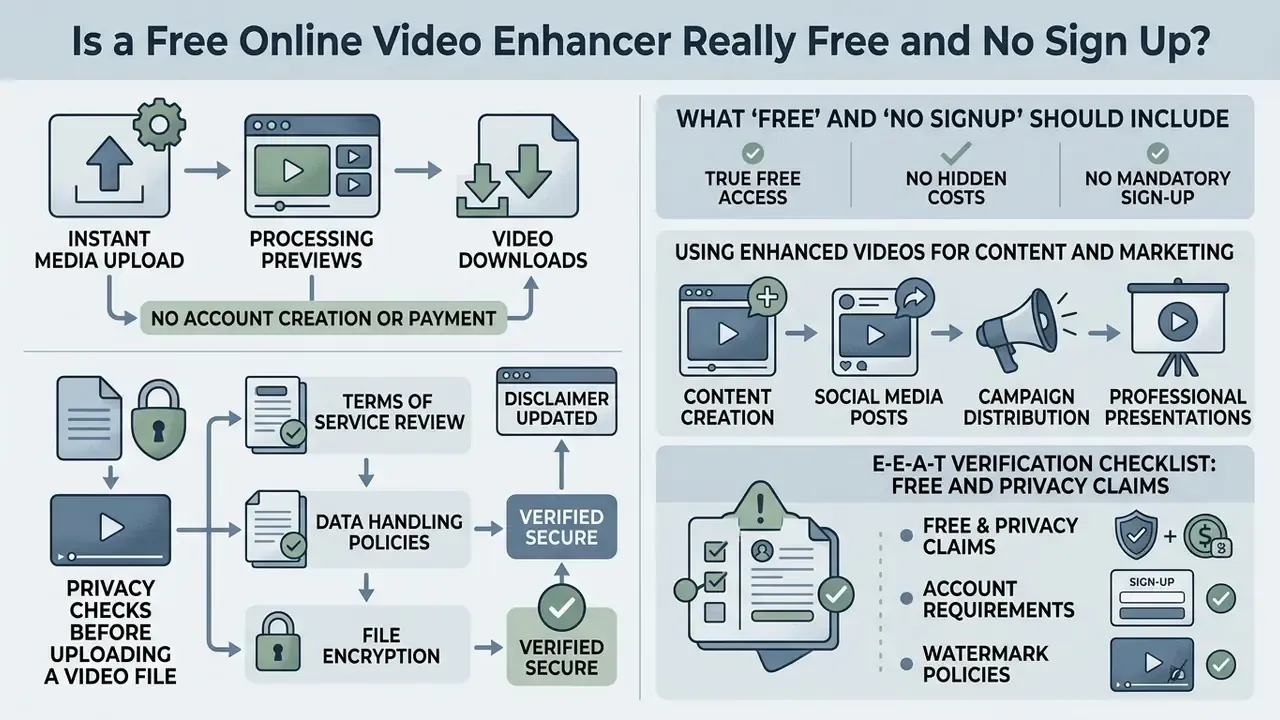
A genuine free online video enhancer no sign up platform allows instant media uploads, processing previews and video downloads without account creation or payment credentials. Commercial operating models, however, often impose functional constraints on free tiers to offset GPU cloud compute expense.
What "Free" and "No Signup" Should Include
Transparent no-signup services provide direct access to core enhancement features, clear usage limits and unwatermarked test downloads. Local browser tools can leverage client hardware and offer effectively unlimited usage, while hosted cloud platforms frequently restrict free tiers to 10 to 30 second clips, 720p or 1080p resolution caps, or daily processing allocations. Readers benchmarking free-tier limits across adjacent categories can compare the credit, watermark and duration structures documented in our analysis of free AI video generators. For licensing rules across generated media, consult our AI Media Commercial-Use Hub.
Three signals separate an honest free tier from a bait tier: no account gate before the download button, no added branding on the exported file, and a numerically explicit cap (files per day, seconds per clip, megabytes per upload) stated on the product page rather than discovered at export time. The same pattern holds for a free online video upscaler no signup promise: if the number is missing, the number is the catch.
Privacy Checks Before Uploading a Video File
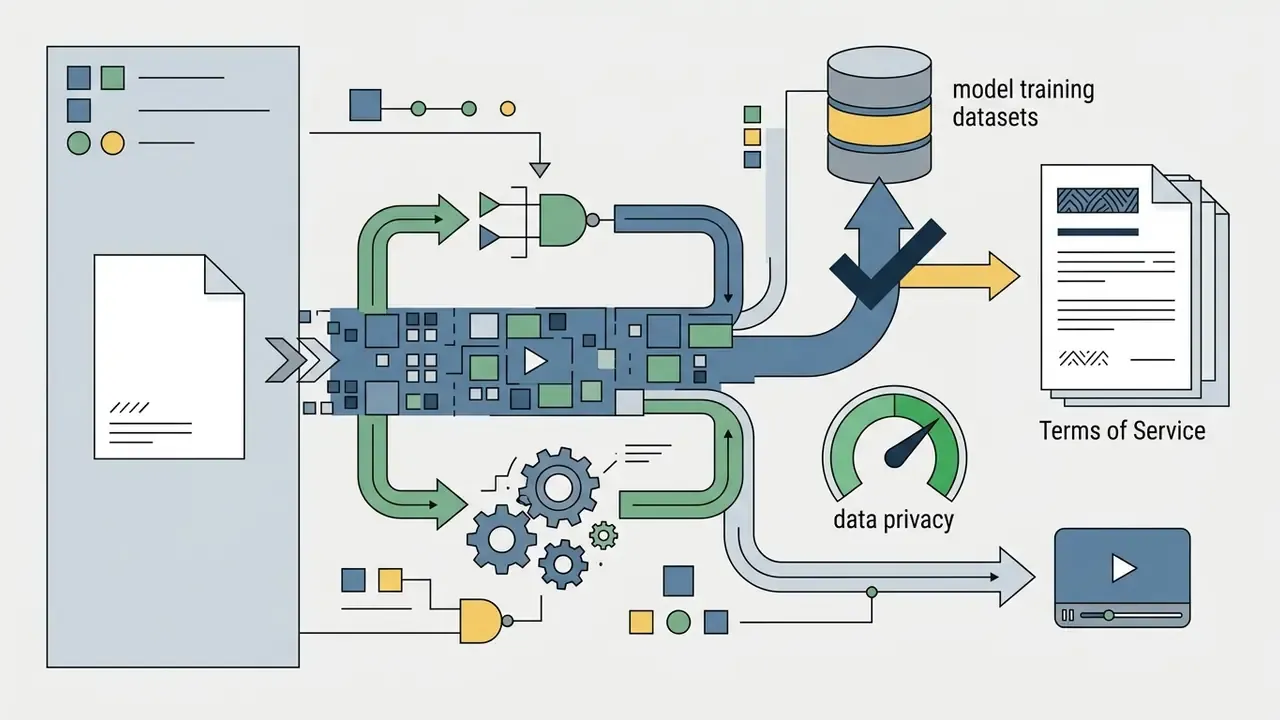
Review vendor data handling policies before you upload sensitive, proprietary or personal video files to online processing servers. Verify whether the terms guarantee private processing, automatic server deletion within a stated window, and explicit opt-outs from AI model training datasets.
Updated. Vendor retention practice documented in 2024 to 2026 policies varies widely. Some delete uploads after 24 hours, others after 30 days, others only on account deletion. Several policies state explicitly that uploads are excluded from model training unless separate consent is captured; a minority reserve the right to use anonymized derivatives. Regulators add a further constraint: Australia's OAIC guidance states that sensitive information inadvertently collected without consent will generally need to be destroyed or deleted from the dataset.
«Peer-reviewed literature from 2023–2025 contains no verified assessments of individual platforms claiming "100% private" or "no signup" status. Such claims require independent verification of the terms of service.»
Put plainly: privacy is a contractual property, not a technical badge. The only architecture that removes the trust requirement entirely is local, in-browser execution, covered in the next section.
Using Enhanced Videos for Content and Marketing
Commercial publishers and content creators using AI tools must confirm copyright ownership and synthetic media disclosure obligations. The U.S. Copyright Office specifies that protection applies strictly to human-authored creative elements within AI-assisted media (U.S. Copyright Office, 2025), and its 2025 report frames generative outputs as protectable only where a human author determined sufficient expressive elements. Advertising guidelines separately mandate clear consumer disclosure when synthetic video adjustments materially alter promotional product representation or endorsements (Ad Standards, 2025). Industry disclosure frameworks published in 2026 go further, specifying first-frame "AI-generated video" labels kept visible throughout, consistent labeling across channels, and documented records of AI use per campaign. Our reference on Synthetic Media Disclosure Explained unpacks how those label rules differ by channel.
«Peer-reviewed research from 2023–2025 provides no scientific assessment of individual online platforms' marketing claims regarding copyright in AI-enhanced content.»
Regulatory tracking and case analysis are indexed in our AI Litigation and Case Timelines archive.
E-E-A-T Verification Checklist: Free and Privacy Claims
- Account requirements test whether the platform permits direct file upload, preview and download without requesting an email address or third-party OAuth login.
- Watermark policies confirm via test export whether the free tier stamps visible logo watermarks over output frames.
- Export resolution caps verify whether 1080p and 2K processing are freely accessible or paywalled, and whether 4K is paid-only.
- Data retention and privacy read the legal terms to verify automatic file purging timelines (for example 1 to 24 hours) and explicit prohibitions against using uploaded content for machine learning training.
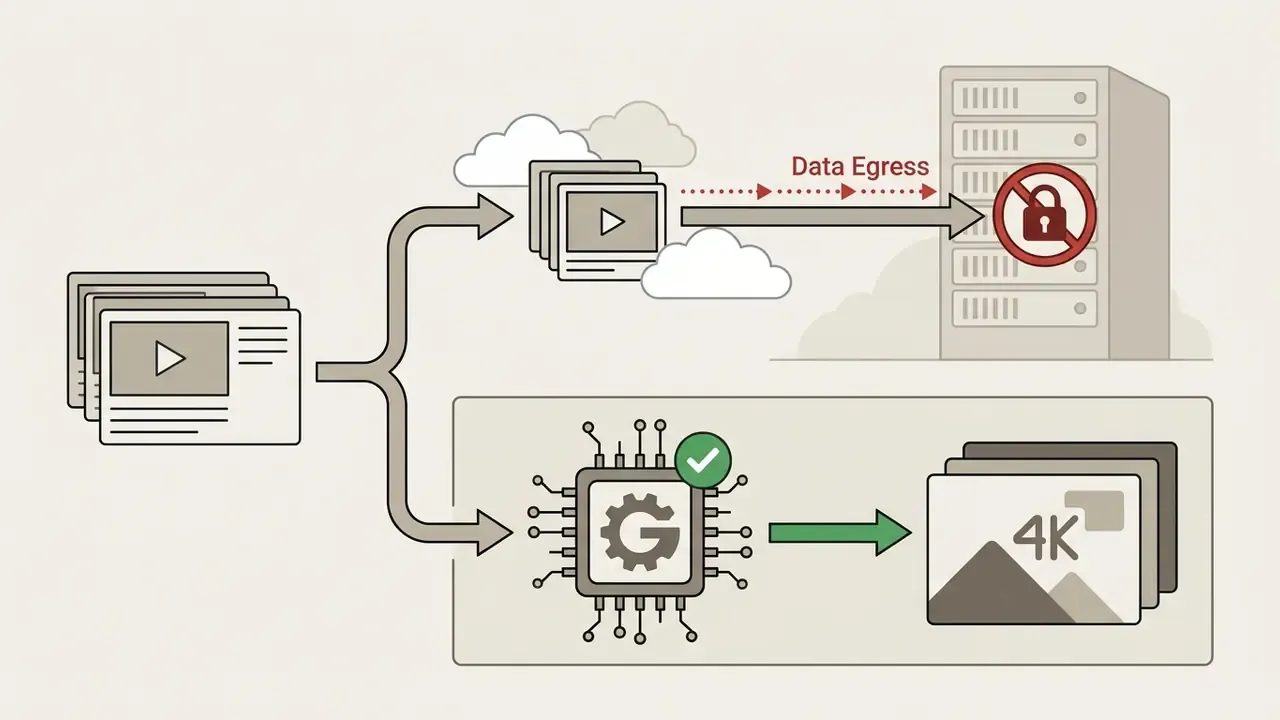
- Processing location determine whether inference runs client-side (WebGPU/WebGL) or on remote GPUs, since only the former avoids transmitting frames off-device.
- Commercial usage rights ensure the terms grant explicit commercial distribution rights for enhanced output files.
- Export-control and regional terms check for sanctions, export-control or region-specific restrictions that override the marketing page.
WebGPU vs Cloud GPU: Privacy and Performance Trade-offs
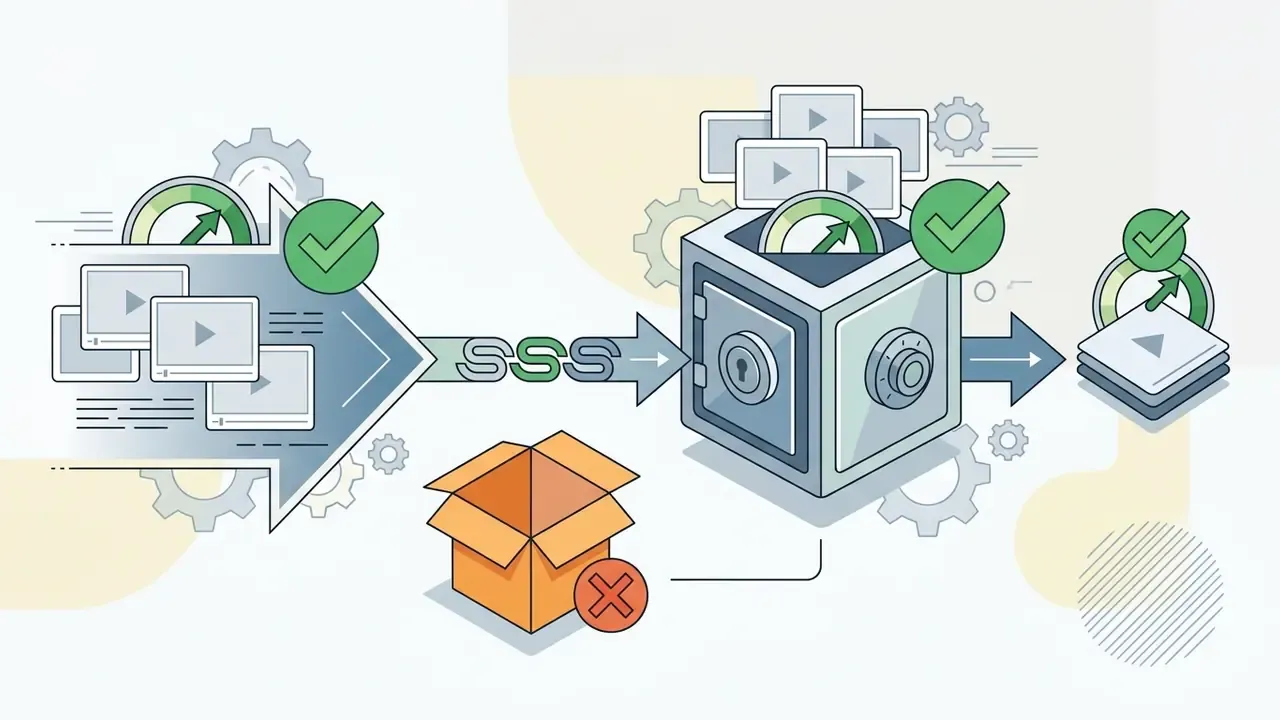
To deliver genuine privacy, modern browser-based upscalers use WebGPU and WebGL runtimes to execute models such as Real-ESRGAN directly on your local GPU. This zero-upload architecture means source frames never leave local device storage: no bucket to breach, no retention window to trust, no training-use clause to audit. You can select model weight sizes based on hardware capacity:
- Lightweight (slim) models tuned for integrated GPUs and mobile browsers; fast 1080p processing with basic edge sharpening.
- Balanced (medium) models the practical compromise between inference speed and perceptual restoration quality for most 1080p and 2K jobs.
- Heavy (thick) models built for dedicated GPUs such as the NVIDIA RTX series; deep generative priors and advanced artifact suppression at 2×, 3× or 4× scale factors.
Scale factors in local pipelines are typically exposed as 2×, 3× or 4×. Some APIs also expose a factor of 1, meaning quality enhancement only: denoise and sharpen with no dimensional change. That option is the right choice when the source already sits at delivery resolution.
Client-Side WebGPU vs Cloud GPU Video Enhancement
| Criterion | WebGPU / WebGL (browser-local) | Cloud GPU server |
|---|---|---|
| Data leakage exposure | None from the upload path; frames never leave the device. | Depends on vendor retention, encryption and training-use terms. |
| Processing speed | Bound by local GPU; long clips can take many minutes. | Fast; datacenter accelerators handle long and high-resolution jobs. |
| Quality ceiling | Limited by VRAM and model weight size; heavy weights need a dedicated GPU. | Higher; large temporal-diffusion models and full 4K passes are feasible. |
| Hardware dependency | High, since it requires a WebGPU-capable browser and a capable GPU. | Low, since any device with a browser and bandwidth works. |
| Free-tier limits | Often unlimited, because compute cost falls on the user. | Commonly capped by clip length, file size, credits or resolution. |
| Batch and API scale | Practical for small folders; blocks the browser tab under load. | Best for archive-scale queues and REST API automation. |
| Suitability for regulated footage | Preferred, with no third-party processing of PII or confidential media. | Only with a contract covering retention, deletion and no-training use. |
When to Use an AI Video Enhancer
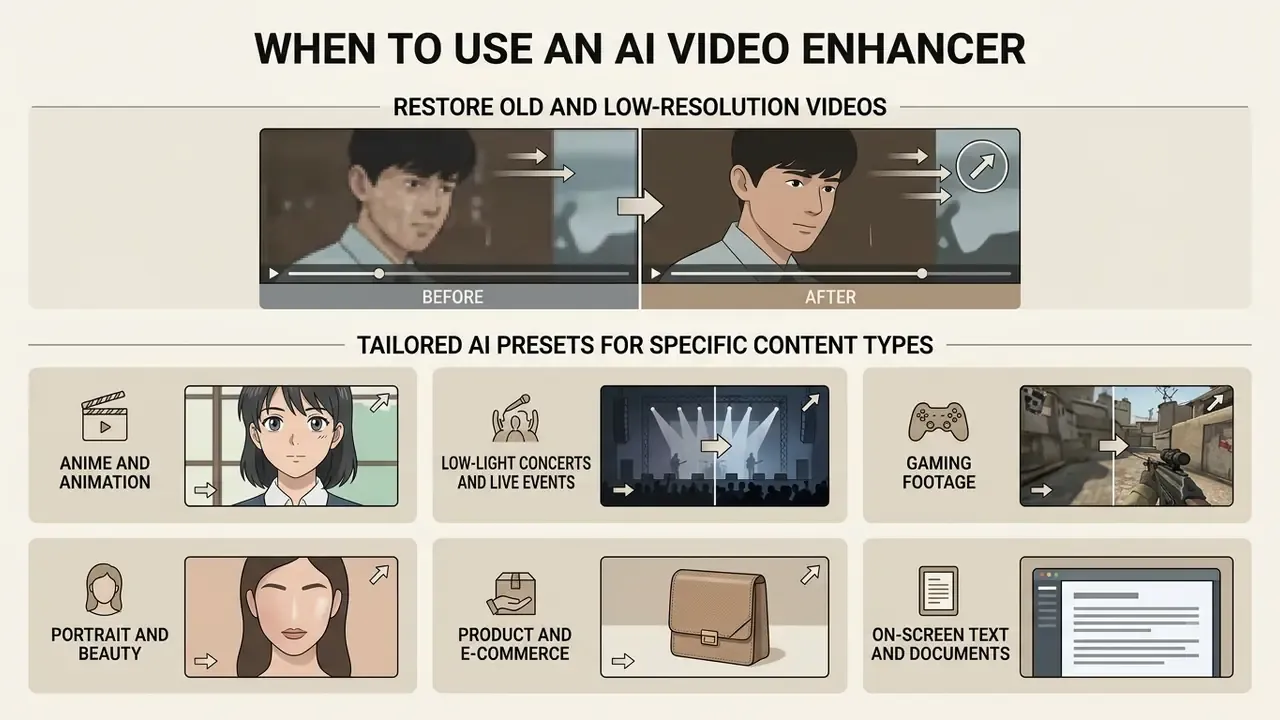
AI video enhancers pay off when you modernize low resolution archives, improve user-generated promotional media, or optimize video assets for high definition digital marketing channels. Neural processing bridges the visual gap between legacy camera sensors and high-density modern displays.
Restore Old and Low-Resolution Videos
Vintage family recordings, digitized VHS tapes and early mobile camera clips benefit most from combined AI denoising, deblurring and frame stabilization. Deep learning models clean analog tape grain and restore edge contrast, so old memories render smoothly on modern 1080p and 4K screens without severe pixelation.
«StableVSR turns a diffusion model into a video-SR system via a temporal conditioning module, enforcing texture consistency across frames and reducing flicker in upscaled sequences.»
One archival caveat matters more than any metric. FADGI and IASA-TC 06 preservation guidance treats uncompressed or losslessly compressed masters (ProRes, FFV1) at original frame rate as the archival record. AI-restored versions are access copies, not preservation masters. Keep the untouched digitization alongside the enhanced export.
Tailored AI Presets for Specific Content Types
Generic auto enhance underperforms on specialized footage, because each content class has a different dominant defect. Scenario presets bias the model toward the right trade-off:
- Anime and animation line-art models such as Real-CUGAN sharpen vector edges and clear flat-color compression artifacts without blurring drawn boundaries or inventing texture on deliberately flat fills.
- Low-light concerts and live events spatio-temporal noise suppression cleans severe stage-lighting grain while keeping the performer in focus. The classic case is phone footage shot from the stands.
- Gaming footage preserves high-contrast HUD elements, clear text readouts and fast motion vector integrity during 1080p, 2K or 4K expansion.
- Portrait and beauty conservative facial priors let skin texture and pore detail survive sharpening instead of collapsing into a waxy surface.
- Product and e-commerce prioritizes material texture, edge definition and color fidelity, so enhancement does not misrepresent the item. That constraint ties directly to advertising-truthfulness rules.
- On-screen text and documents specialized spatial filters raise character edge contrast, helping recover legible overlays, captions and logos from sub-HD source captures.
Document and Financial Media Capture
Finance and operations teams increasingly receive transaction evidence as video: a phone recording of a receipt, an invoice held to a webcam, a screen capture of a statement. Enhancement can raise OCR success on these frames, but the constraint is optical, not algorithmic. OCR guidance sets 300 DPI as the working baseline and recommends 400 to 600 DPI for type below 10 pt; IBM's guidance similarly flags sub-12 pt or intricate characters as needing at least 300 DPI. If the captured frame falls below that effective density, sharpening raises apparent contrast while the model starts guessing glyph shapes. For a financial record, that is the worst possible outcome.
Operationally, three rules hold. Recapture the document at higher resolution rather than upscale a bad frame. Keep the original capture as the record of truth. Never route customer financial footage through a public free tier. For regulated document handling, enhancement belongs inside an approved pipeline with logging attached.
Audit Trail, Reproducibility and Model Hallucination Controls
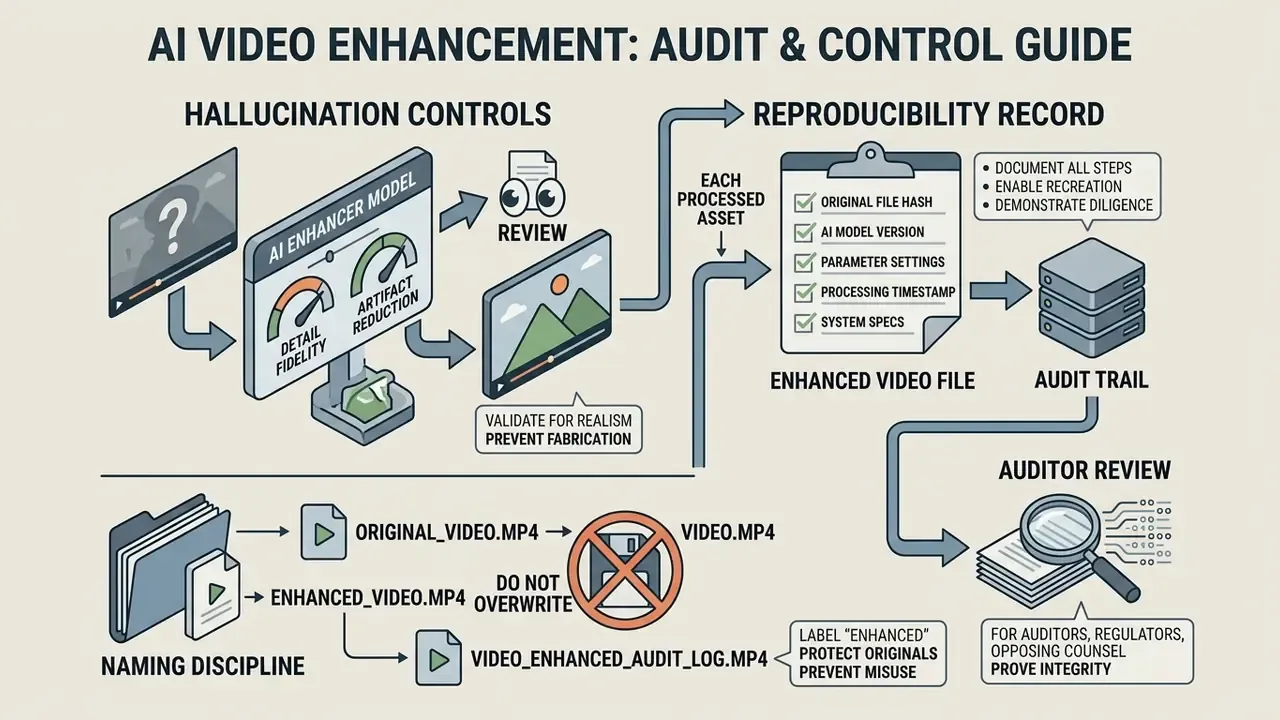
Where enhanced video may be reviewed by an auditor, a regulator or opposing counsel, the output alone is insufficient. The processing decision must be reconstructable.
Minimum reproducibility record per processed asset
| Field | Why it matters |
|---|---|
| Source file hash (SHA-256) | Proves which original was processed and that it was unaltered. |
| Source resolution, frame rate, codec, bitrate | Establishes the evidentiary baseline before any inference. |
| Tool name, version and build date | Model behavior changes between releases. |
| Model family and weight size (slim, medium, thick) | Determines how much generative prior was applied. |
| Scale factor and enhancement strength | Distinguishes modest interpolation from aggressive reconstruction. |
| Random seed, where the model exposes one | Diffusion pipelines are stochastic without a fixed seed. |
| Processing location (local WebGPU vs named cloud vendor) | Data-handling and jurisdiction question. |
| Operator, date and stated purpose | Accountability and access-review trail. |
| Retained original master | The record of truth remains the unenhanced file. |
Hallucination controls. Diffusion-based upscalers synthesize plausible texture from learned priors; outside the training distribution they can produce detail with no counterpart in the scene. Practical mitigations: prefer the lowest scale factor that meets the delivery spec; prefer temporally conditioned models to limit frame-to-frame invention; run a fixed-resolution enhancement pass (factor 1) when only noise and blur need correction; and evaluate output with no-reference quality models rather than eyeballing a single frame.
«No-reference video quality assessment models trained on the VDPVE dataset of 1,211 enhanced clips reliably predict perceived quality from technical and aesthetic features.»
Finally, a naming discipline that prevents misuse downstream: label files *_ENHANCED and never overwrite the digitized master. The enhanced file is an interpretation. The master is the evidence.
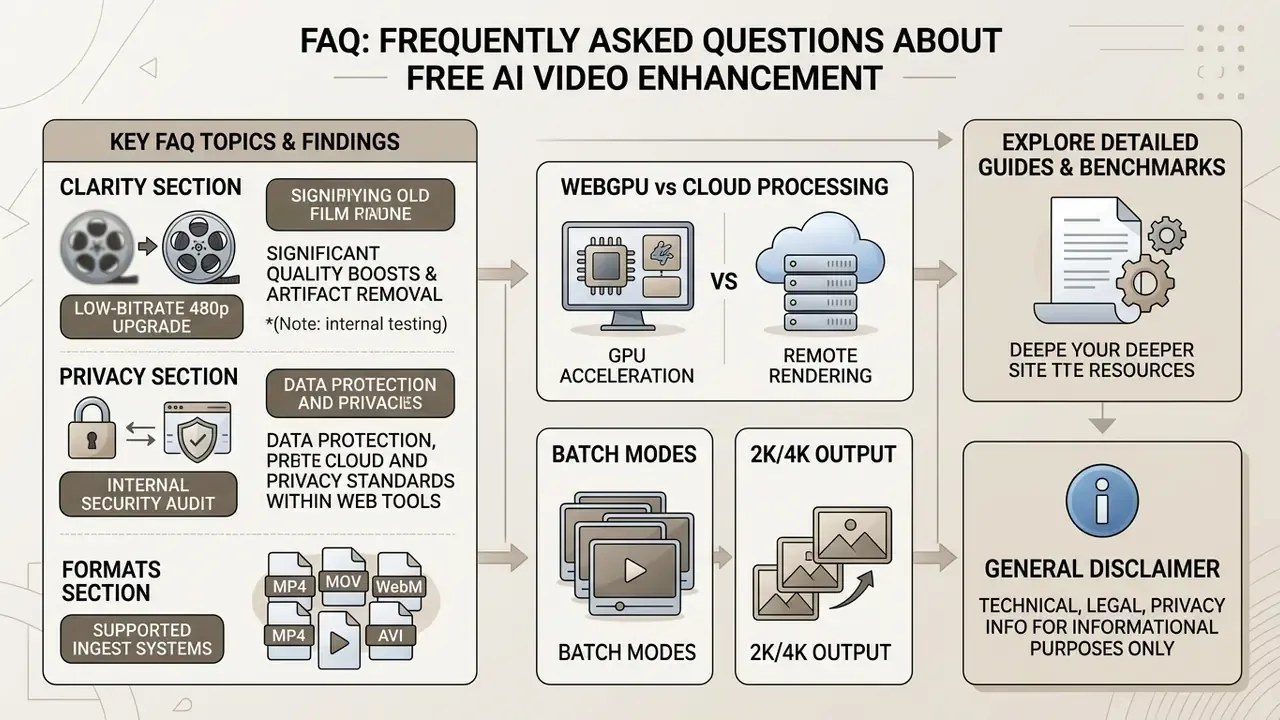
FAQ: Frequently Asked Questions About Free AI Video Enhancement
How long does free online AI video processing take?
Processing time depends on clip duration, input resolution, model complexity and available GPU capacity. Benchmark data from the AIM 2024 Efficient Video Super-Resolution Challenge shows compact models handling 960×540 frames in roughly 8.2 to 8.6 ms on an RTX 3090, which implies well under a minute of pure inference for a short clip on datacenter-class hardware. Vendors typically report standard clips completing in under one minute. Browser-local WebGPU runs are slower, since they depend on consumer GPU capacity, and end-to-end time also includes decode, encode and queue wait. Treat any published figure as vendor- and hardware-specific rather than a universal benchmark.
Can AI video enhancers make blurry text or documents perfectly readable?
Advanced AI sharpens character outlines and structural contrast, but it cannot recreate completely unreadable or missing text. Optical character recognition guidance shows that input documents need a baseline density, typically equivalent to 300 DPI and 400 to 600 DPI for type under 10 pt, to achieve accurate visual reconstruction without hallucinating characters. Below that threshold, the model starts inventing glyph shapes, which is unacceptable for invoices, statements or evidentiary material. Recapture at higher resolution instead of upscaling a degraded frame. Result quality can be evaluated objectively rather than by eye: no-reference video quality assessment models trained on the VDPVE dataset of 1,211 enhanced clips reliably predict perceived quality from technical and aesthetic features (NTIRE 2023 Quality Assessment of Video Enhancement Challenge, 2023). https://arxiv.org/abs/2306.09998
How do I prevent my enhanced video from looking unnaturally "plastic" or artificial?
Avoid maximum sharpening settings and aggressive 4K upscaling on low quality 240p or 360p source files. Choose conservative 1080p or 2K profiles with temporal loss controls, such as StableVSR or RealisVSR, to preserve natural facial features and organic material textures. Diffusion models synthesize plausible textures from learned priors, yet outside the training distribution they generate artifacts that do not correspond to the original scene (RealisVSR: Realistic Video Super-Resolution, 2024). https://arxiv.org/abs/2501.05763 Face-perception research also shows viewers register eeriness in roughly 50 ms, so waxy skin rendering is noticed immediately. Reduce enhancement strength on portraits before anything else.
Can I enhance several videos at once?
Yes, when the tool exposes batch or folder upload. Queue-based processing applies one enhancement profile, covering target resolution, denoise threshold, sharpening strength and frame-rate handling, across every file. That consistency is what keeps an e-commerce catalog or an episodic series looking uniform. Before committing a large queue, verify whether processing is sequential or parallel, whether one failed file aborts the batch, whether per-file overrides exist, and whether output filenames preserve source identifiers for traceability.
What resolutions and formats can I actually export?
Typical output rungs are 1080p (1920×1080), 2K Quad HD (2560×1440) and 4K UHD (3840×2160), with scale factors exposed as 2×, 3× or 4×. Input support commonly spans MP4, M4V, MOV, AVI, MKV, WMV, FLV and WebM. Export containers are usually MP4 with H.264 for maximum compatibility, HEVC where the target platform supports it, or WebM/MP4 with AV1 for modern browsers.
Is browser-based processing really private?
If inference runs client-side through WebGPU or WebGL, frames are processed on your own GPU and never transmitted, which removes the upload risk entirely. Cloud processing asks you to trust written terms instead: retention window, deletion commitment, encryption, and explicit exclusion of your uploads from model training. Peer-reviewed literature does not validate individual vendors' "100% private" marketing claims, so verification means reading the terms, not the landing page. For personal data, financial records or confidential evidence, use an internally approved pipeline.
Will a free online video upscaler add a watermark to my video?
Truly free no-signup tools export videos without watermarks. Many freemium platforms, however, cap unwatermarked exports to specific daily allowances, shorter clip durations or lower resolutions, and push paid upgrades for extended commercial use. Confirm by running one short test export before you process anything important.
Can I use AI-enhanced video commercially?
Usually yes, subject to the service terms and to two separate legal layers. Copyright protection attaches only to human-authored expressive elements in AI-assisted media (U.S. Copyright Office, 2025). Separately, advertising rules require disclosure where synthetic adjustment materially alters how a product or endorsement is represented (Ad Standards, 2025), and 2026 industry disclosure frameworks specify visible on-frame labels plus documented records of AI use per campaign. This is general information, not legal advice, so confirm requirements for your jurisdiction and platform.
Appendix A: Superseded Wording