Last updated: February 2026 · Editorial analysis: AI Governance & Model Risk desk
Why does a bank or fintech risk lead care about a cartoon filter? Because the same pipeline that stylizes a selfie also touches employee photos, unreleased product shots, and brand assets. Understanding how to evaluate, generate, and deploy these assets requires analyzing neural style transfer mechanics, output fidelity, platform pricing models, and underlying intellectual property risk.
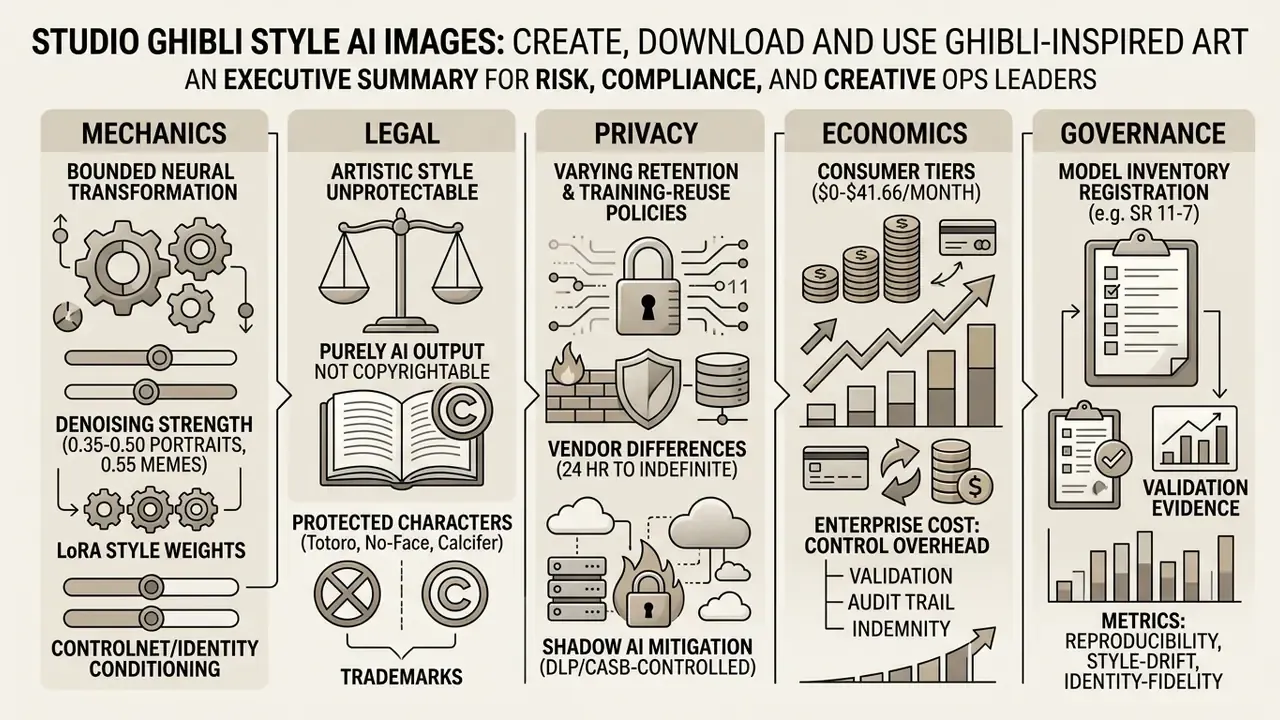
What are Studio Ghibli style AI images?
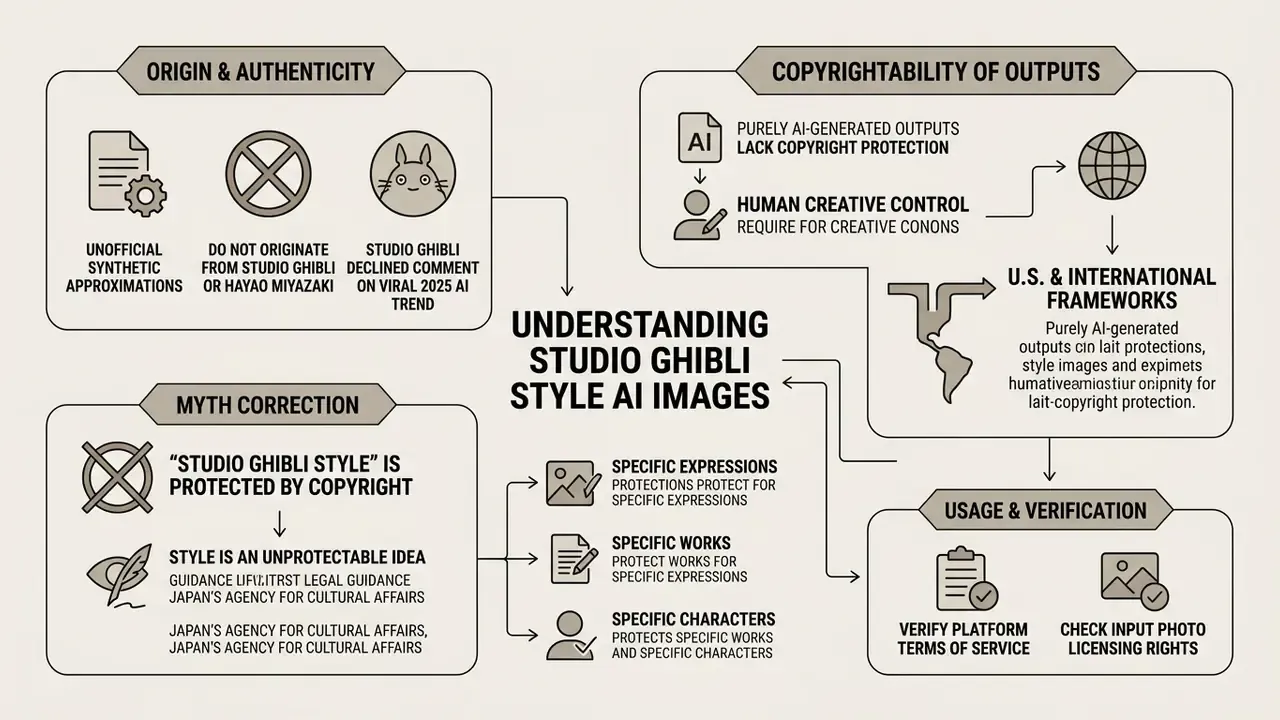
Studio Ghibli style AI images are synthetic outputs produced by deep learning algorithms trained to approximate the aesthetic characteristics of Studio Ghibli's animated films. They rely on neural networks that separate and recombine visual style from underlying image content. No official hand-painted animation cel is copied or referenced.
"Existing legal frameworks presuppose human authorship and therefore exclude works created exclusively by AI from copyright protection."
The Ghibli aesthetic rests on hand-painted gouache backgrounds, organic watercolor textures, earthy green and soft pastel color palettes, and expressive character designs. Traditional Ghibli backgrounds are painted with opaque poster colour or gouache on paper, which is why visible brushwork and atmospheric light gradients read as "hand-made" to the viewer. In AI generation, an advanced AI model analyzes thousands of visual features to synthesize a new ghibli style artwork that mirrors these hand-drawn traditions. Statistics imitating a paintbrush, essentially.
While original studio ghibli animations are created frame by frame by human artists, generated images rely on statistical feature distribution. That difference matters legally and practically. Readers who want to compare concrete tools and their licensing conditions can review our breakdown of Ghibli-style AI image generators, and users seeking broader contextual understanding of generative art models can consult the AI Media Glossary.
How AI style transfer creates Ghibli-inspired artwork
AI style transfer works by extracting structural features from an input photo or prompt, then applying learned color, texture, and shading patterns from a style dataset. Convolutional Neural Networks (CNNs) and latent diffusion models decouple content representation from stylistic elements and re-render the scene.
Earlier architectures such as CartoonGAN used Generative Adversarial Networks trained on more than 60,000 film frames to map photographic inputs into Miyazaki-style outputs. Crude by today's standards, but the lineage is direct.
"In a user survey with 117 respondents, the GAN method scored higher on perceived 'cartoon-ness' than two competing methods."
Modern diffusion platforms inject style conditioning via Low-Rank Adaptation (LoRA) modules and ControlNet layers. That combination gives precise control over color palettes, line art, and atmospheric lighting while geometric composition stays intact. Published 2025 and 2026 pipelines confirm the division of labour: ControlNet handles edge, depth and geometry conditioning, while dataset-specific LoRA modules carry palette, texture and brushwork.
"FreeStyle enables style transfer purely through a textual description of the desired style, without reference images or additional optimization."
A practical note from repeated testing: LoRA weight is the single lever most teams overturn first. Push it above 0.9 and faces start to melt into decorative pattern.
Photo-to-Ghibli conversion versus text-to-image generation
Photo-to-Ghibli conversion relies on image-to-image (I2I) processing to restyle an uploaded source photo. Text-to-image (T2I) generation synthesizes an entirely new scene from written prompts alone. I2I gives higher spatial controllability; T2I gives complete creative freedom for imaginary subjects. Comparative research on controllable generation reports that text-only conditioning remains weak on exact object position, size and layout, while image conditioning constrains the output yet sharply raises structural fidelity.
| Feature / Dimension | Photo-to-Ghibli Conversion (I2I) | Text-to-Image Generation (T2I) |
|---|---|---|
| Primary Input | Uploaded image (JPEG/PNG/WebP/HEIC) + optional prompt | Text prompt describing scene, subject, and style |
| Compositional Control | High; retains subject layout, poses, and horizon | Moderate to Low; layout determined by diffusion seed |
| Best Use Case | Restyling selfies, pet photos, and real landscapes | Creating custom fantasy scenes and original characters |
| Primary Risk | Denoising artifacts or loss of subject identity | Prompt misinterpretation or layout drift |
| Governance Note | Input photo rights must be cleared before upload | Prompt logs form the audit trail for human authorship |
"A dataset of 10,000 stylizations rated by three annotators showed that content preservation and style strength significantly influence user quality scores."
Teams selecting a generation mode can compare the best AI art generators by output quality, style control and licensing before committing budget to a single engine.
Which AI engine produces the most authentic Ghibli aesthetic?
Model selection determines both aesthetic fidelity and how much of the original subject's identity survives the transformation. The table below summarises the four engine families most commonly deployed for Ghibli-style synthesis in 2026.
| AI Engine | Ghibli Aesthetic Fidelity | Text Control (T2I) | Identity Preservation (I2I) | Recommended Workflow |
|---|---|---|---|---|
| Midjourney v6 + Niji 6 | Exceptional (hand-drawn look) | High | Moderate (requires --cref) | Complex fantasy landscapes and poster art |
| Stable Diffusion XL + LoRA | Complete control via custom weights | Moderate | High (via ControlNet Lineart) | Enterprise pipelines and precise face mapping |
| GPT-4o / DALL·E 3 | High (vibrant pastel washes) | Exceptional | High (direct photo reference upload) | Quick consumer photo restyling and ChatGPT prompts |
| Flux.1 [dev] + Kontext | High (realistic gouache textures) | High | Exceptional | Fine-grained detail and texture preservation |
For a head-to-head view of the two most requested engines, see our evaluations of Midjourney image generation and ChatGPT picture generation.
How to convert a photo into Ghibli style with AI
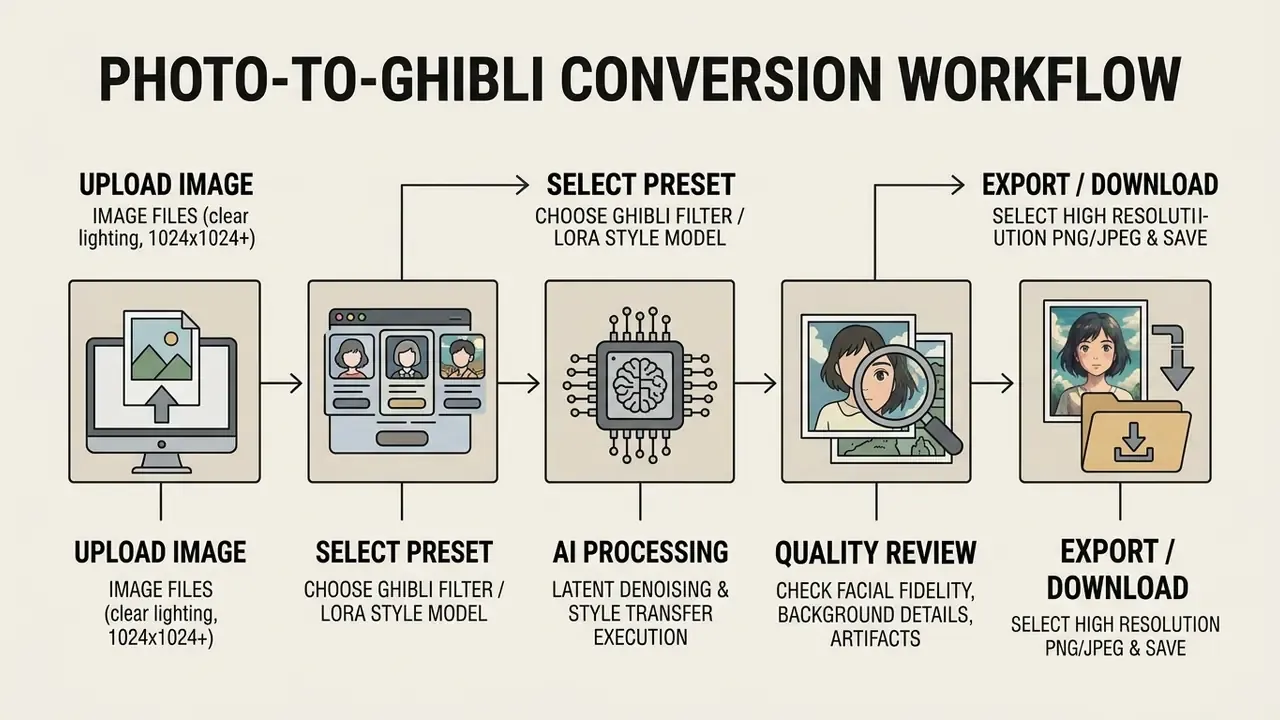
To convert a photo into Ghibli style with AI, upload a clear source image into an AI generator, select a Ghibli or anime animation style preset, process the image, and download the output. The workflow uses neural style transfer to lay painterly textures over your original image structure.
"The Real Time Animator pipeline combines inversion-based style transfer, denoising and calibrated domain translation, achieving superior stylization accuracy on CLIP similarity."
Upload an image and choose the Ghibli filter
The first operational step is to upload image files in standard JPEG, PNG, or WebP formats into the ai tool interface. Updated (2026): the engine additionally accepts iOS-native HEIC/HEIF files, so photos shot directly on an iPhone no longer need manual conversion. HEIC uploads are normalized automatically during pre-processing. EXIF camera metadata, including GPS coordinates, should be stripped before cloud style transfer executes; a holiday selfie carrying your home address is a privacy incident waiting to happen. Typical vendor upload caps range from 20 MB to 30 MB per file, with a recommended input resolution between 1024×1024 and 2048×2048 pixels.
Ghibli conversion also runs entirely in mobile browsers and companion apps on iOS, Android, macOS and Windows, so no device-specific software is required; the same account and credit balance follows the user across platforms. For optimal processing, choose source images with balanced contrast and distinct subject-background separation.
Once uploaded, select an ai mirror ghibli filter or Ghibli preset. The underlying engine pushes the photo through a stylized latent space. Platforms with granular control let users adjust denoising strength: lower values preserve original facial contours, higher values apply a more dramatic ghibli style transformation. Small numbers, large consequences.
Generate, review and download the result
After launching the generator, the AI engine renders the Ghibli-style output within 5 to 30 seconds depending on server capacity and output resolution. Review the generated images for anatomical accuracy, facial distortion, and background clarity before exporting. Hands and eyeglasses remain the usual offenders.
Once satisfied with aesthetic quality, select download to save the high resolution image to your local device. Where a transparent background is required, choose PNG export explicitly; JPEG flattens alpha channels and introduces compression noise around painted edges. Standard web platforms offer direct sharing options for social media platforms. Teams building custom media processing stacks can inspect the AI Media API Guides to integrate automated image transformation endpoints into corporate pipelines.
Turn selfies, pet photos and landscapes into Ghibli art
Selfies, pet photos, and landscapes transform exceptionally well into ghibli art when source compositions stay clean and uncluttered. Portraits benefit from soft facial lighting, while pet photos need clear contrast between fur and background elements. For animals, shoot at eye level in soft daylight and keep the eyes sharp. Fur texture and silhouette are the two features that degrade first during stylization.
For landscape conversions, natural environments such as rolling hills, coastal vistas, and urban streetscapes yield striking ghibli aesthetic results. Compositions with one clear focal point and a recognizable horizon or piece of architecture survive re-rendering far better than busy, detail-dense frames. A market square at noon? Usually mush. Source photos can be corrected for exposure, crop and noise beforehand using standard AI photo editors.
Designing custom Studio Ghibli profile pictures (PFPs)
Creating a personalized Ghibli avatar for Discord, X, Instagram or a corporate directory calls for tight cropping plus high contrast around the eyes and hair, because those are the features a viewer uses to recognise a face at 64×64 pixels.
For business-facing portraits where realism matters more than stylization, compare workflows in our guide to AI headshot generators.
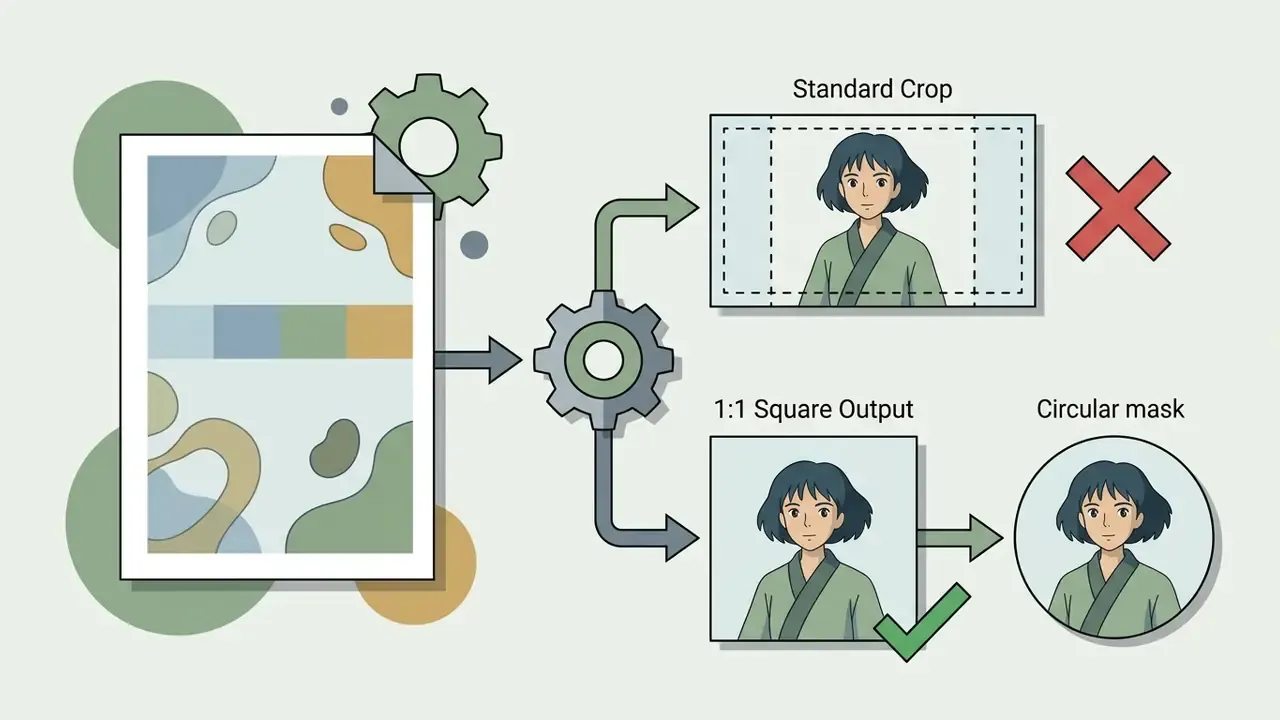
1:1 square (1024×1024 px minimum) so no critical facial geometry is cropped by platform masks.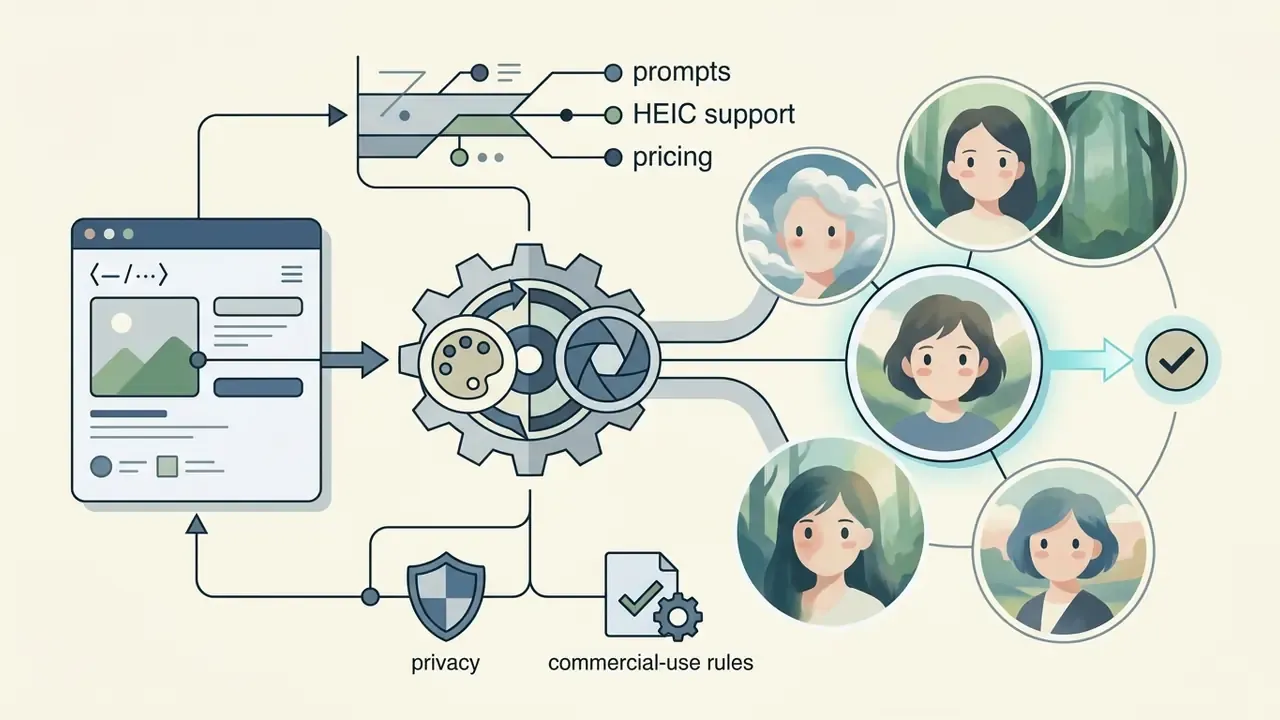
"Head and shoulders portrait of [subject description], expressive oversized eyes, soft blush details, painterly background, iconic Studio Ghibli character portrait style, profile picture avatar."
How to generate Studio Ghibli style images from text
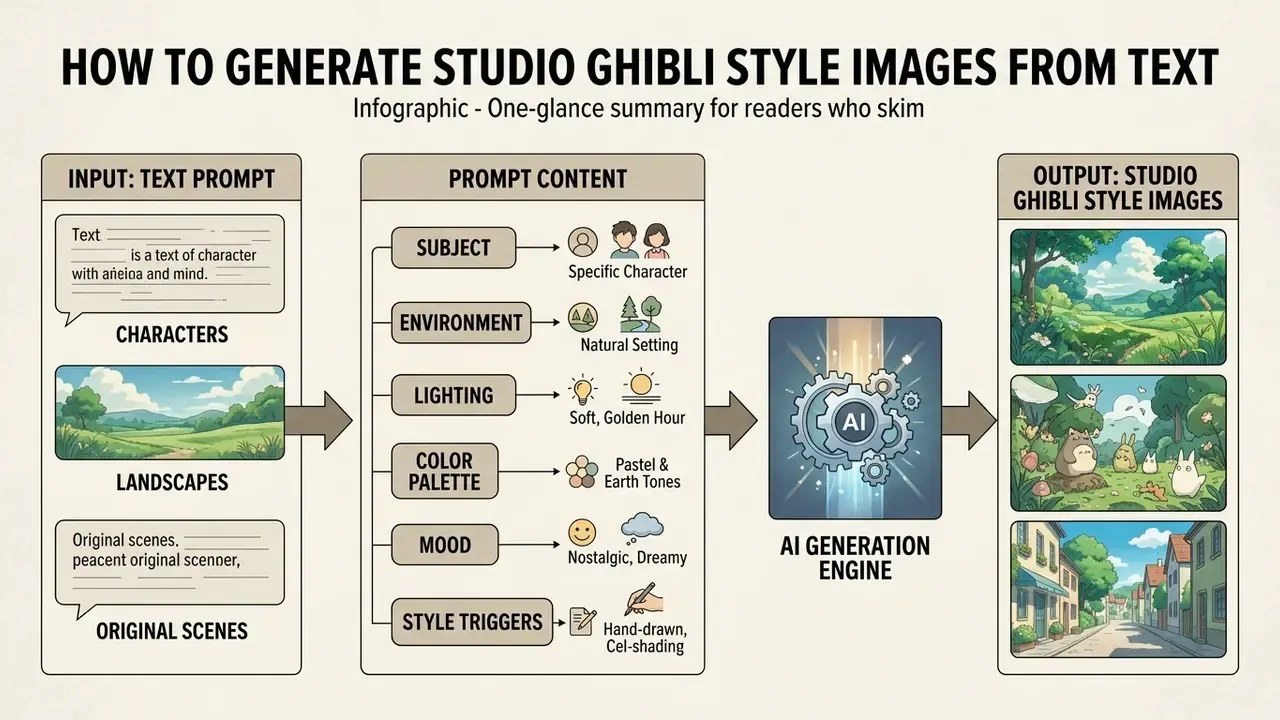
To generate Studio Ghibli style images from text, write a detailed text prompt specifying the subject, environmental setting, lighting, color palette, and explicit artistic triggers. The text-to-image engine then synthesizes a new image from scratch using diffusion models.
What to include in a Ghibli-style image prompt
An effective Ghibli-style prompt includes six components: subject description, environment, lighting quality, color palette, mood, and specific style anchors. Combining these elements guides the ghibli image generator toward authentic hand-painted aesthetics.
- Subject Define characters, clothing, posture, and actions clearly.
- Environment Specify lush foliage, stone pathways, seaside villages, or skies with fluffy clouds.
- Lighting Request soft natural light, golden hour glow, or diffused morning sunlight.
- Color Palette Prompt for pastel colors, earthy greens, soft blues, and warm watercolor washes.
- Mood Add nostalgic, whimsical, dreamy or quietly hopeful emotional cues; Ghibli scenes carry feeling through colour temperature.
- Style Triggers Use phrases such as "Studio Ghibli style," "hand-drawn 2D animation," "Hayao Miyazaki art style," "cel shaded," and "painterly background."
When writing gpt image prompts in systems like ChatGPT or Midjourney, skip contradictory quality buzzwords and focus on descriptive visual details. One policy constraint deserves attention: OpenAI has stated it refuses prompts requesting the style of a living individual artist, while permitting broader studio-level style requests. So reference the studio aesthetic rather than demanding a named living illustrator's hand.
Prompt ideas for characters, landscapes and original scenes
Generating Ghibli artwork directly in ChatGPT (GPT-4o)
ChatGPT with GPT-4o image generation is the fastest route for users who want photo restyling without learning parameter interfaces. The model accepts a direct photo reference, which is why identity preservation is comparatively strong.
To convert a photo or generate new Ghibli art inside ChatGPT:
"Convert this uploaded image into a hand-drawn Studio Ghibli animation cel.
Preserve the main subject's facial features, pose, and hair structure while
replacing textures with soft watercolor washes, hand-painted gouache foliage,
and warm, diffused sunlight. Do not alter the subject's identity."
"Maintain identical eye shape and facial geometry from the original photo,

but reduce line weight by 20%."
- Open ChatGPT and select the GPT-4o model with image generation enabled (available on Free, Plus, Pro and Team tiers, subject to rate limits).
- Click the + icon and upload your target photo (JPEG, PNG, WebP or HEIC).
- Enter the following copy-paste instruction:
- Refinement stepif facial features drift, reply with:
- Background-only variantto keep the person photographic and stylize only the scene, add:
"Apply the painterly treatment to the background and lighting only; leave the subject's proportions unchanged."
Detailed renders in GPT-4o can take up to one minute per image. A privacy caveat applies, and it is not trivial: uploads to consumer chat assistants may be processed and retained under the provider's own terms, so sensitive or third-party photos should not travel through this route.
How to animate Ghibli AI images into short video clips
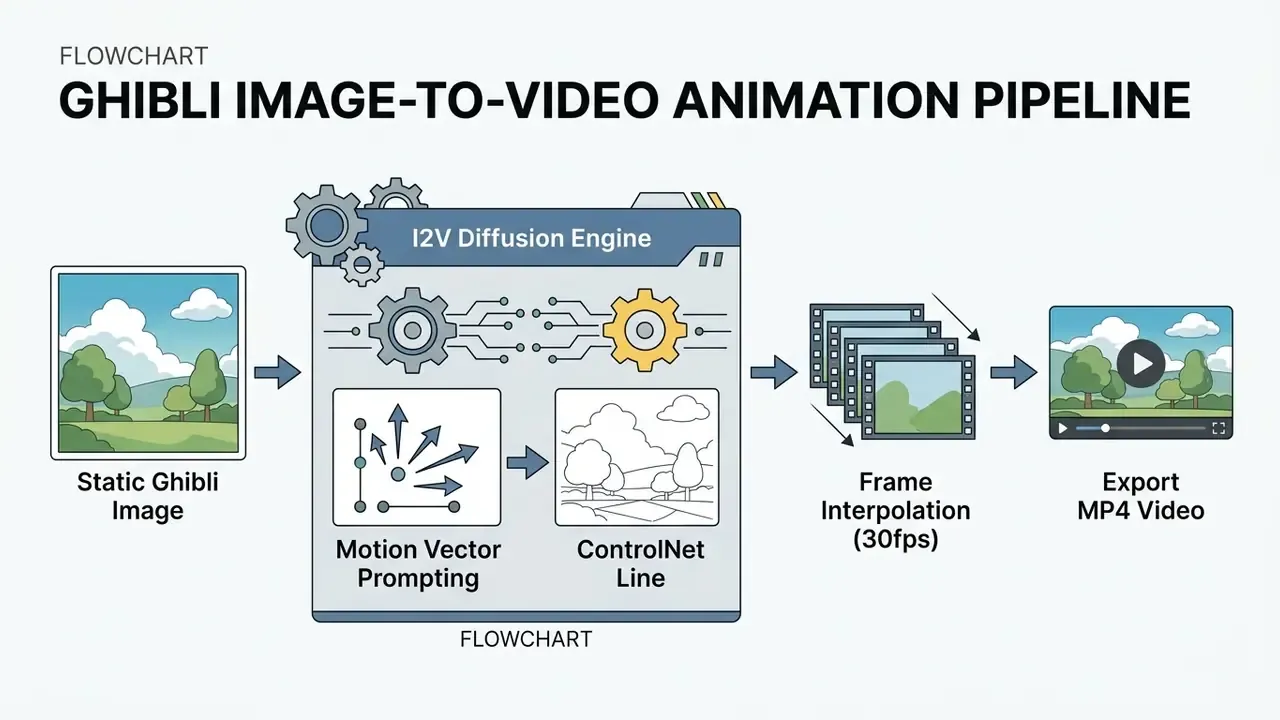
Turning static Ghibli-style renders into animated clips requires Image-to-Video (I2V) diffusion models such as Runway Gen-2/Gen-3, Luma Dream Machine, Kling AI or Google Veo, paired with temporal consistency filters that stop cel-shaded edges from boiling between frames.
Step-by-step animation workflow
Recommended motion prompt: "Gentle breeze swaying green grass, fluffy white clouds drifting slowly across a pastel blue sky, subtle hair movement, cinematic 24fps hand-drawn animation."
- Upload the source render.Input a high-resolution (2048×2048) static Ghibli PNG. Compression artefacts in the still propagate and amplify across every generated frame.
- Define motion prompts.Specify environmental movement rather than drastic character motion, which avoids limb warping.
- Configure camera controls.Set camera movement to Pan Right or Zoom In (speed 0.2) to emulate the traditional anime multiplane camera pan.
- Set the temporal motion bucket.Keep motion strength low (
15–25out of 100) to preserve cel-shading boundaries and prevent temporal flickering. - Interpolate and export.Apply frame interpolation to 30 fps, then export MP4 (H.264) at the target platform's aspect ratio:
9:16for Shorts and Reels,16:9for YouTube intros.
Video-to-video restyling of existing footage follows the same principle in reverse. Each frame is stylized, then temporally smoothed.
"Real Time Animator integrates inversion-based style transfer, a denoising transformer and a DCT-Net network, achieving superior stylization accuracy and content preservation on CLIP similarity."
Reported latency varies widely by stack. Public Ghibli-video tooling on GPU pipelines reports roughly 90 seconds to 2 minutes per short clip, while browser-based consumer apps queue jobs and deliver in minutes. Teams evaluating animation stacks can review our animation maker guide, the Google Veo implementation notes for API costs and limits, and a comparison of free AI video generators for duration caps, credits and watermark rules.
How to get high-quality Ghibli AI image results
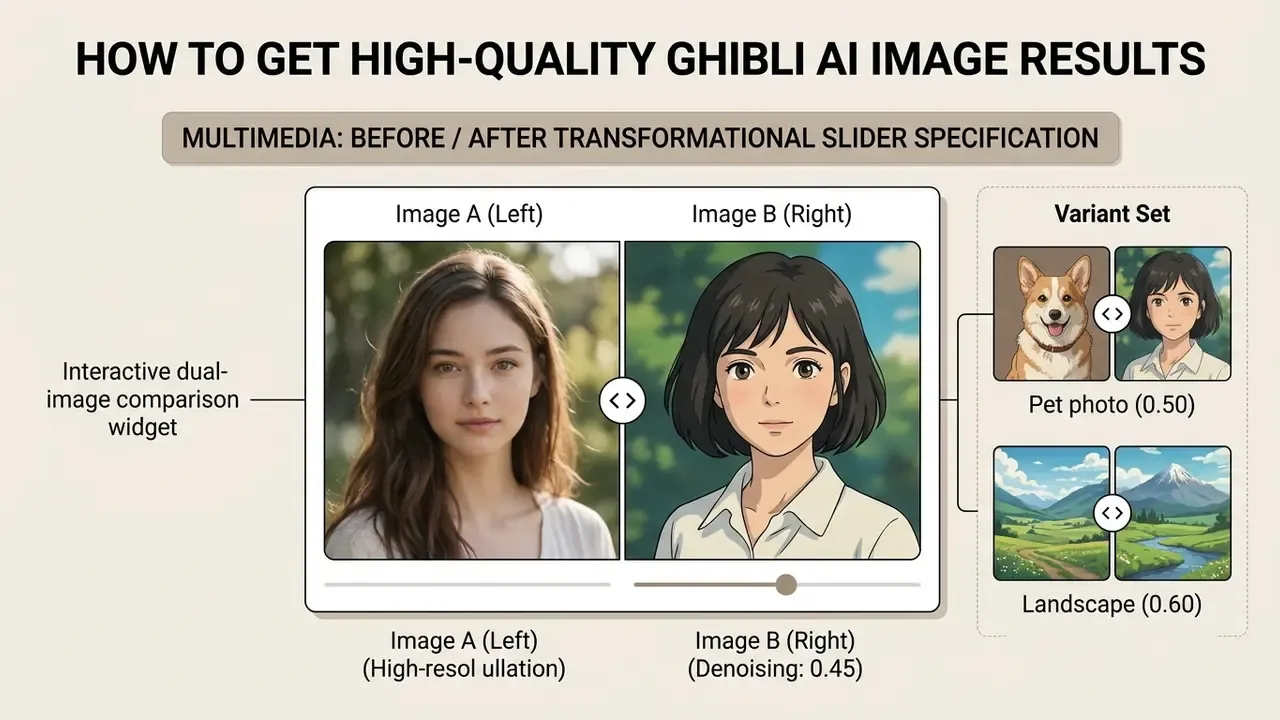
Getting high-quality Ghibli AI image results means starting with high-resolution input photographs, setting appropriate denoising parameters, and avoiding harsh lighting or heavy compression noise. Clean inputs let the AI model preserve structural integrity during style transfer. Garbage in, gouache-flavoured garbage out.
"Analysis of 10,000 stylizations found that style-content affinity, structural similarity and artefact level significantly determine user quality ratings."
Which photos work best for Ghibli-style conversion
Photos with a single main subject, sharp focus, low digital noise, and balanced lighting produce the best Ghibli-style transformations.
"The OmniStyle-1M dataset, containing more than 1 million content-style-stylization triplets across 1,000 categories, demonstrates that high input quality is critical for precise stylization control."
How to preserve a subject while improving the artwork
Preserving subject identity during style transfer depends on tuning denoising strength, ControlNet conditioning, and color matching. Setting denoising strength between 0.35 and 0.50 maintains recognizability while applying painterly watercolor textures. At a strength value of 1.0 the input image is effectively ignored, because maximum noise is added before denoising begins.
"Cross-modal GAN inversion allows manipulation of style vectors while preserving identity-related dimensions in a disentangled latent space."
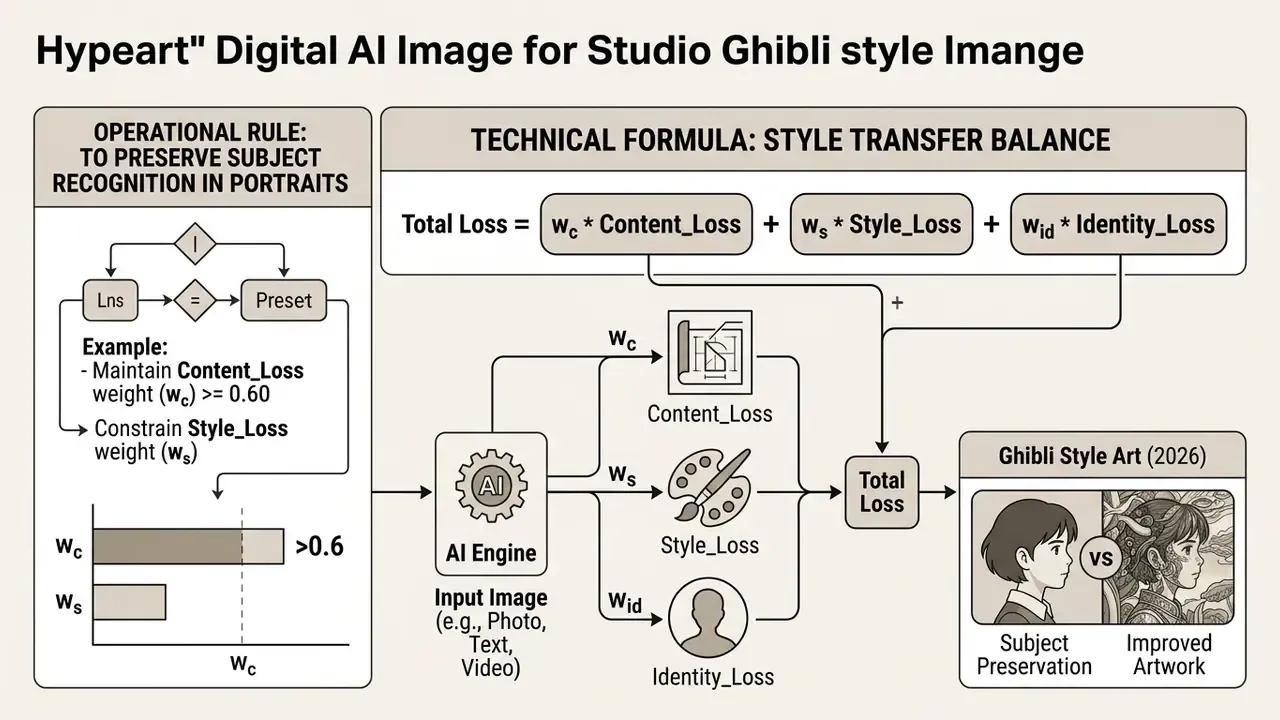
Advanced workflows use identity-preserving diffusion modules such as InstantID, ID-ControlNet or ControlNet lineart to lock facial geometry during generation. These inject compact face-identity embeddings into a frozen latent diffusion backbone, delivering identity-consistent output without per-subject fine-tuning. Frequency-consistency constraints reduce the high-frequency blur that otherwise erodes eyelashes, hair strands and fine foliage. Final assets can be sharpened and enlarged with standard AI expansion and upscaling tools before print or large-format use.
Architecture, parameters and model validation evidence
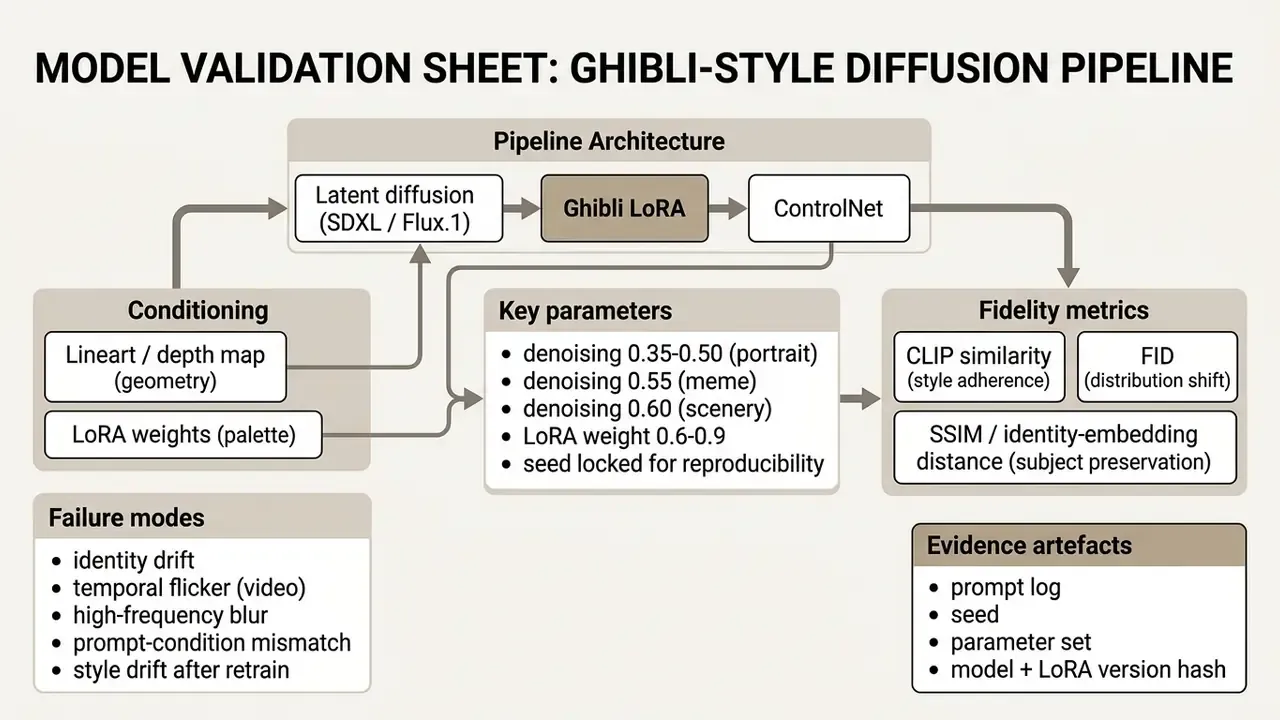
Alignment with existing model risk frameworks. Institutions already operating under SR 11-7 and OCC Bulletin 2011-12 can extend those frameworks to generative image models without building a parallel regime. No new committee required, in most cases.
| MRM requirement | Diffusion-model equivalent | Validation test |
|---|---|---|
| Conceptual soundness | Documented architecture, LoRA provenance, training-data licence status | Vendor due diligence questionnaire; model card review |
| Process verification | Locked seeds, versioned prompts, parameter bounds in code | Re-run 30 prompts; confirm byte-level or perceptual reproducibility |
| Outcomes analysis | Identity fidelity and brand-safety pass rate | Human review sample (n≥100) plus automated CLIP/SSIM thresholds |
| Ongoing monitoring | Style drift after model or LoRA upgrade | Monthly golden-set regression; alert on CLIP delta > 0.05 |
| Stress testing | Adversarial prompts seeking protected characters or public figures | Red-team prompt suite; refusal-rate reporting |
Risk inventory template. Register each generative image pipeline in the model inventory using the following fields, which map cleanly onto existing GRC tooling:
| Field | Example entry |
|---|---|
| Model / pipeline name | Marketing Ghibli Avatar Pipeline v2.1 |
| Vendor / hosting | SDXL self-hosted (private VPC) + vendor LoRA |
| Data classification of inputs | Internal, employee photos with signed release |
| Training-reuse status | Contractually disabled; no data retention |
| IP risk rating | Medium (style output, human editing applied) |
| Human-in-the-loop control | Designer edits ≥30% of surface; sign-off logged |
| Residual risk owner | Head of Brand + Model Risk Management |
Note: validation thresholds and control effectiveness estimates above are working hypotheses for pipeline design. Recalibrate them against your own measured outputs before treating them as verified institutional benchmarks.
Free Ghibli AI generators, credits and pricing plans
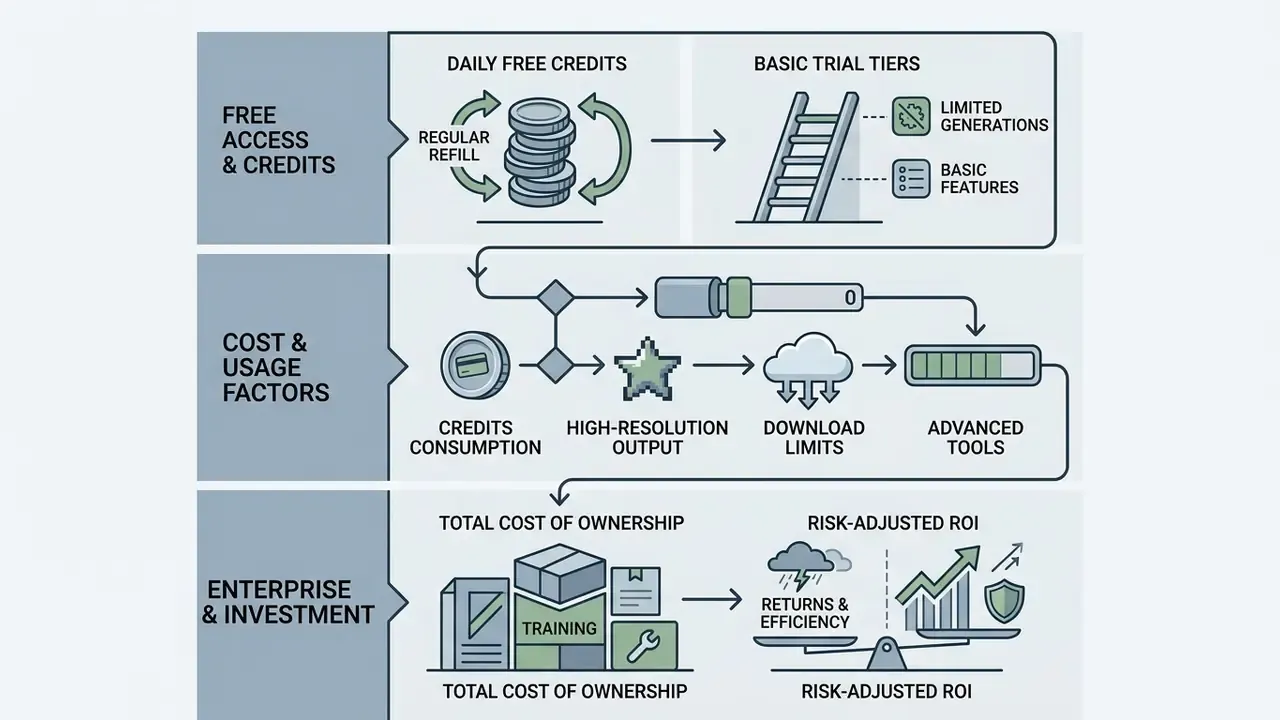
Free Ghibli AI generators provide entry-level access through daily free credits or basic trial tiers. Paid subscription plans unlock high-resolution exports, commercial licensing rights, and faster processing queues. The tiers below summarise publicly listed vendor pricing observed across leading Ghibli-style generators in early 2026. Figures are illustrative ranges compiled from vendor pricing pages rather than one provider's rate card, and they change often.
| Pricing Tier | Monthly Cost (USD) | Credit Allocation | Max Resolution | Watermark Status | Commercial Usage Rights |
|---|---|---|---|---|---|
| Free Edition | $0.00 | 2–5 credits / day | 1024×1024 px | Usually included | Non-Commercial Personal Use |
| Starter Plan | $6.00 – $9.90 | 250–600 credits / mo | 2048×2048 px | Removed | Limited Commercial License |
| Pro / Ultra | $16.66 – $41.66 | 1,500–8,000 / mo | 3840×3840 px (4K) | Removed | Full Commercial License |
| Enterprise / API | Custom (typically $500+/mo committed) | Metered per call | 4K+ / batch | Removed | Full licence + indemnity where offered |
Observed reference points as of early 2026 include Pro tiers around $6/month for 300 credits and $12/month (annual billing) for 1,500 credits at one vendor; $7.92–$39.92/month for 600–8,000 credits at another; $4.16–$41.66/month tiers elsewhere with an unlimited-credit professional option; credit bundles from $9.90 for 250 credits up to $49.90 for 2,200 credits, with image generation consuming roughly 3 credits per render; and third-party platforms listing $19.99 (1,100 credits) and $39.99 (2,300 credits). Re-verify on the vendor's own pricing page before procurement. These numbers move quarterly.
Users evaluating platform costs and credit usage metrics across various media tools can use our dedicated AI Media Calculators to estimate operational budgets.
What users get with a free Ghibli AI generator
A gible art ai free tier typically grants a small daily credit allowance, for example 2 to 5 generations per day, or a one-time trial allocation on account registration. Free tools allow basic photo-to-image and text-to-image testing at standard resolution. See our comparison of free AI art generators for output limits, watermarks and licence terms.
Free plans usually enforce operational constraints: digital watermarks, slower queue priority, strict non-commercial usage limits. Some no-sign-up platforms offer instant generation, though output image quality is capped to standard definition. A minority of free tools do export watermark-free HD or 4K, which is exactly why the licence text matters more than the marketing headline. Budget-constrained teams can also review free photo editors for pre- and post-processing without extra spend.
How credits, downloads and high-resolution output affect cost
Credit consumption models charge based on generation complexity, image resolution, and processing features used. Standard 1024×1024 image generations typically consume 1 credit, whereas 2K or 4K high resolution upscaling may cost 2 to 4 credits per export. Some vendors debit 3 credits per Ghibli render regardless of resolution, and extra-credit top-ups usually sit between $0.01 and $0.03 per credit on higher tiers.
Subscription plans such as Starter and Pro cut cost-per-image significantly while unlocking bulk downloads and priority processing. Users can compare plan structures across leading platforms on our pricing directory and review tool rankings in our comprehensive AI Media Comparison breakdown.
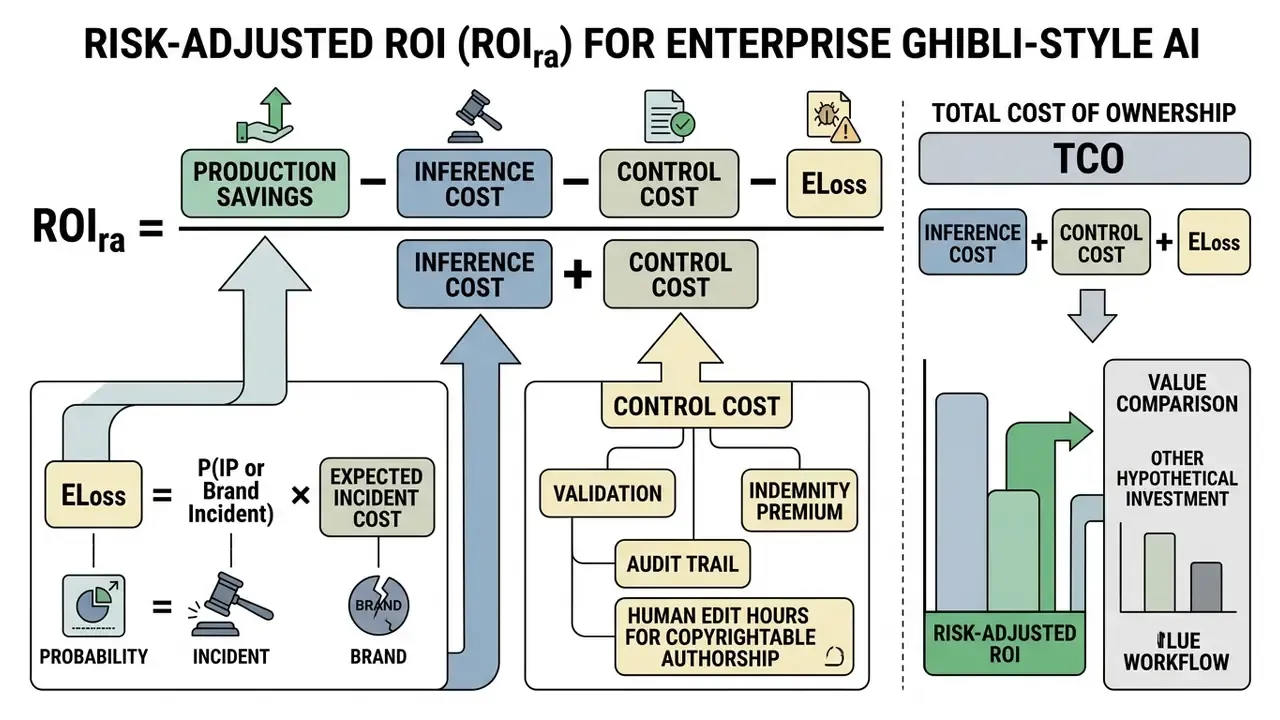
Enterprise total cost of ownership and risk-adjusted ROI
For regulated buyers, subscription price is the smallest line item. Enterprise evaluation should price the control layer explicitly, because that is where the money actually goes.
| Cost component | What to price | Typical driver |
|---|---|---|
| Inference / credits | Per-image or per-API-call metering | Volume × resolution × retries |
| Dedicated capacity | Private cloud, dedicated GPU, VPC deployment | Latency SLA, data-residency requirement |
| Contractual protection | IP indemnification, no-training clause, retention SLA | Vendor tier and negotiation leverage |
| Human-in-the-loop | Designer editing hours to establish authorship | % of surface modified per asset |
| Governance overhead | Model validation, inventory upkeep, audit trail storage | MRM review cycle frequency |
| Legal review | Trademark clearance per campaign | Number of externally published assets |
A practical risk-adjusted return formula for a generative imaging programme:
Procurement checklist for enterprise tiers: confirm (1) a written no-training clause for uploaded assets, (2) maximum retention window in hours or days, (3) IP indemnity scope and monetary cap, (4) SOC 2 or ISO 27001 attestation, (5) data residency, (6) model and LoRA versioning notice before upgrades, and (7) audit-log export for prompt and parameter history. Item 7 is the one most often forgotten, and the one internal audit asks for first.
Enterprise deployment case studies
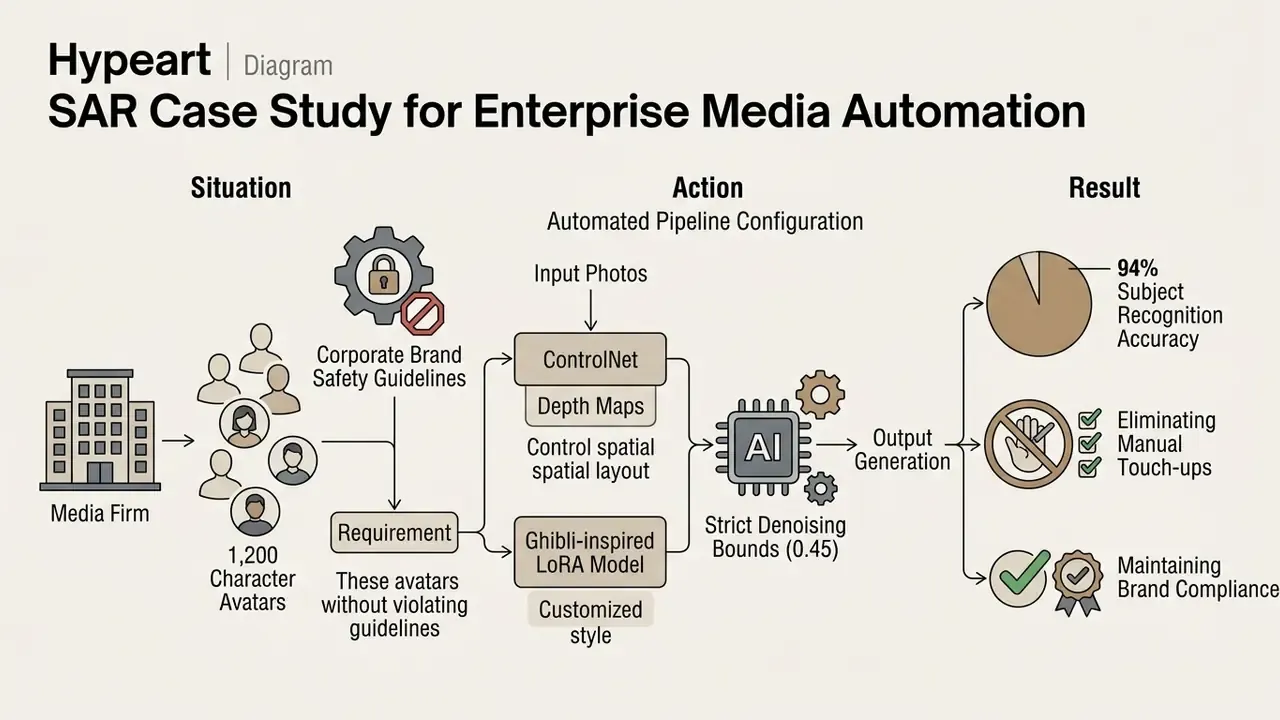
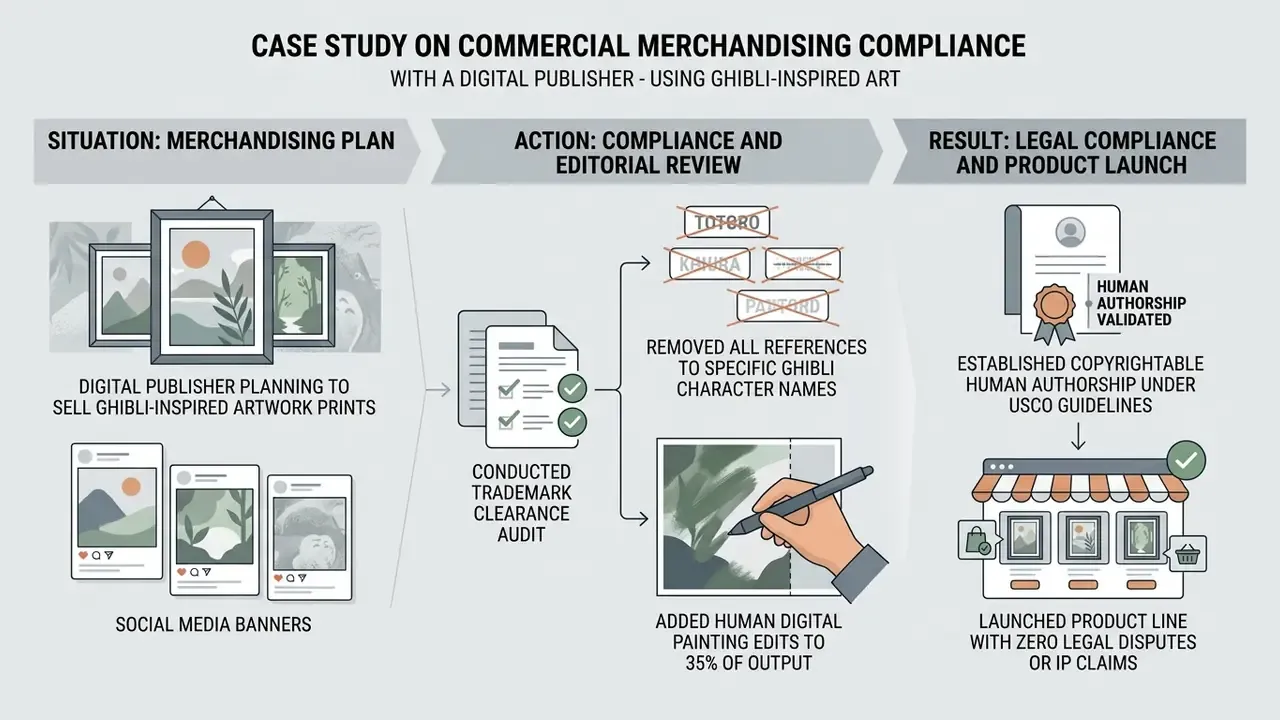
Both engagements are composite and hypothetical, presented for illustration rather than as documented client results. Still, they share three transferable controls: parameter bounds fixed in code rather than chosen per asset, a documented human-editing threshold, and a clearance step executed before publication rather than after a complaint arrives.
Can you use Ghibli AI images commercially?
This section provides general information only. It does not substitute for advice from qualified intellectual property counsel in your jurisdiction.
You can use Ghibli AI images commercially only if the AI platform's terms of service explicitly grant commercial rights, the output does not copy protected Ghibli characters, and the source photo belongs to you. Even then, purely AI-generated images cannot be copyrighted under current U.S. law. For a platform-by-platform view of licence terms, see our analysis of commercial rights across AI image generators.
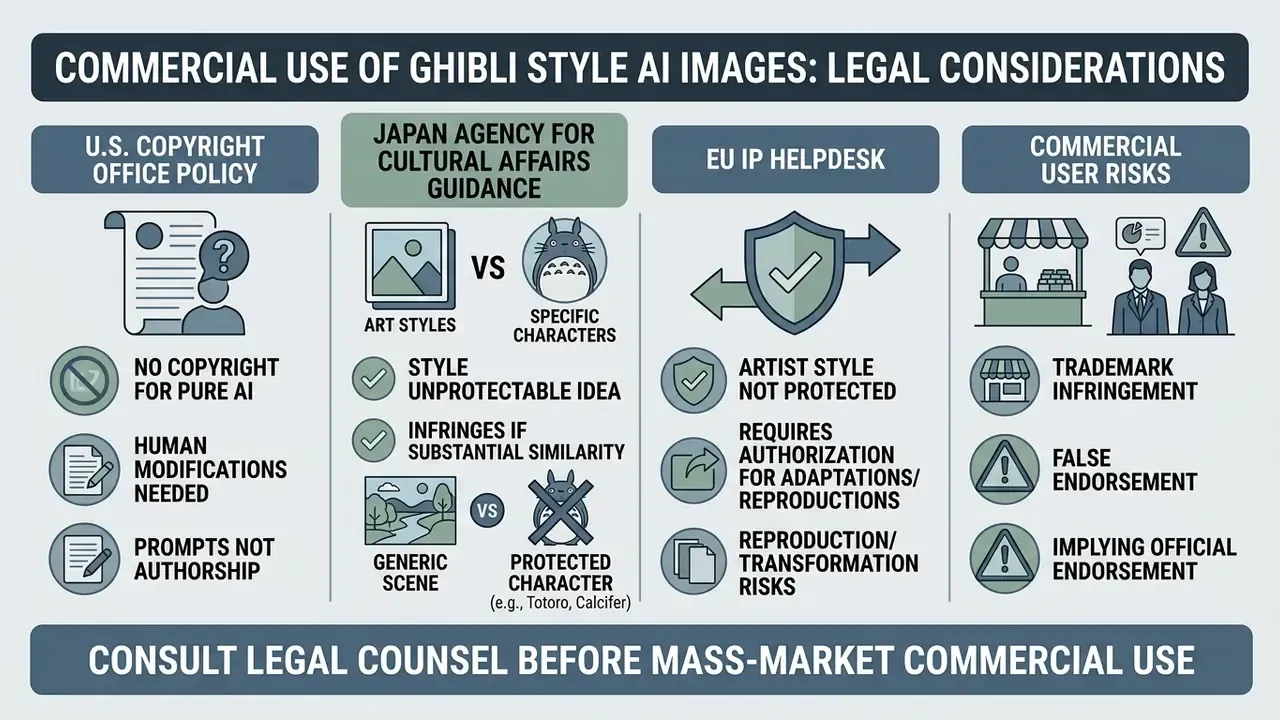
"Five interviewed lawyers unanimously considered granting copyright to AI-created works unviable under current legal frameworks."
What to check before publishing or selling generated artwork
Before publishing, selling, or embedding generated artwork into client deliverables, complete the following legal and quality audit checklist:
- Source Photo OwnershipConfirm you hold full commercial rights or release forms for any uploaded input photo.
- Platform Terms of UseVerify that your active plan tier (Starter, Pro, Enterprise) explicitly grants commercial licensing rights, and check whether the vendor prohibits prompts intended to produce output "substantially similar" to a third party's copyrighted work.
- Trademark ClearanceEnsure the image contains no registered trademarks, logos, or recognizable Studio Ghibli characters such as No-Face or Totoro. "STUDIO GHIBLI" is itself a registered mark; verifying visual provenance with AI reverse-image search tools helps catch accidental near-copies before publication.
- Watermark RemovalConfirm the exported file is free of vendor watermarks or embedded attribution tags, and check whether the vendor requires AI-content labelling or metadata disclosure.
- Human Authorship ContributionAdd manual digital modifications if you intend to seek copyright registration for the final work, and log who edited what.
- Audit TrailRetain the prompt, seed, parameter set, model version and editing history for each published asset. This is the evidence chain that supports both authorship claims and internal validation records.
"A pilot analysis of generative AI terms and conditions identified a 'platformisation paradigm': providers position themselves as neutral intermediaries, shifting copyright-compliance responsibility onto users."
That finding explains why terms-of-service review is not a formality. Contractually, liability for an infringing output usually sits with the user, not the model provider, unless indemnity was negotiated in advance.
For tracking ongoing IP disputes and legal developments in generative art, monitor our updated timeline on AI Litigation and Case Timelines.
Privacy, uploads and safe use of Ghibli AI tools
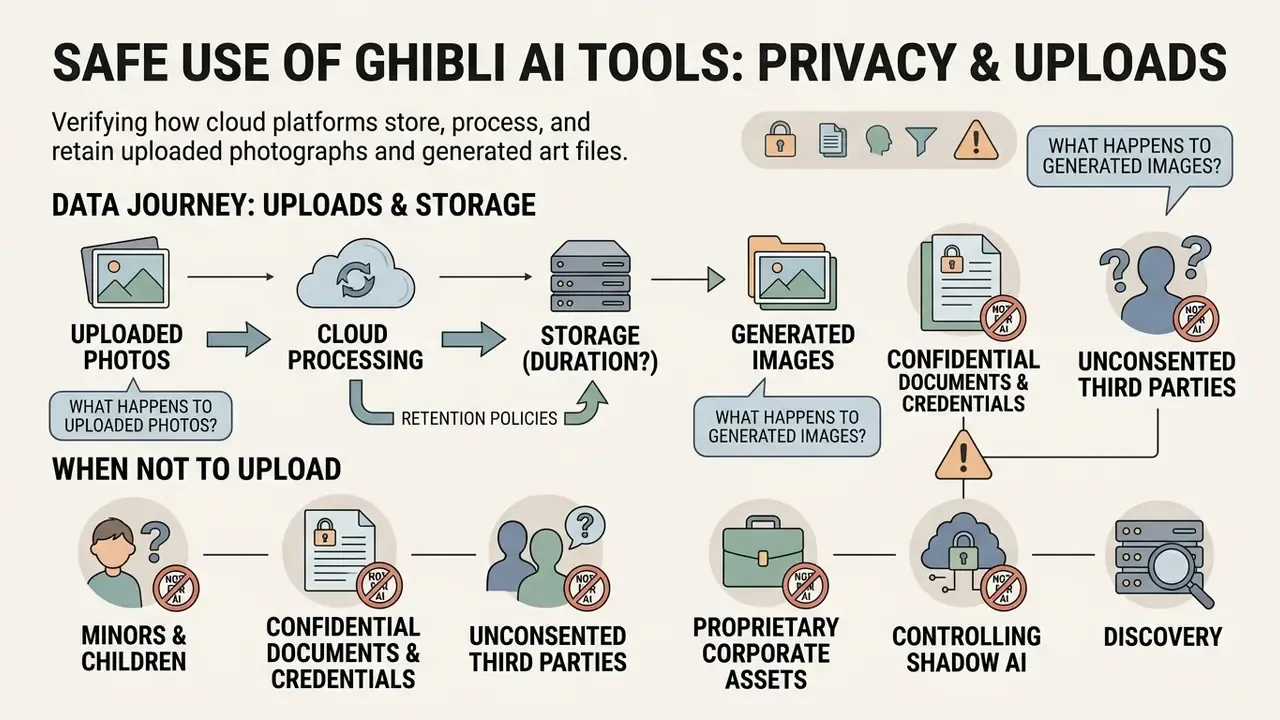
Safe use of Ghibli AI tools starts with verifying how cloud platforms store, process, and retain uploaded photographs and generated art files. Check platform privacy policies to confirm your personal data is not used to train public machine learning models without consent.
What happens to uploaded photos and generated images
When you upload a photo to an AI generator, the file travels to cloud servers for feature extraction and neural processing. Updated (2026): observed vendor practice spans three regimes. Original uploads deleted within 24 hours; source images retained up to 30 days with generated outputs kept up to 60 days; and generated assets retained indefinitely until the user deletes them manually. The superseded generic attribution used in the earlier edition is preserved in Appendix A.
"A pilot analysis of generative AI terms of service showed providers differ substantially in retention and reuse policies for uploaded content, frequently using it for model training."
Some free consumer platforms keep uploaded images and generated outputs indefinitely to train future AI models. Look for platforms offering explicit "No Data Retention" clauses, opt-in-only model improvement, and secure SSL encryption so your photo assets stay private. Privacy regulators have also clarified scope: Australia's OAIC states that personal information includes inferred or artificially generated information about an identifiable individual. Meaning a generated Ghibli portrait of a real person can itself constitute regulated personal data.
When not to upload an image to an AI generator
This subsection provides general information only. It does not substitute for advice from a qualified data protection specialist or legal adviser.
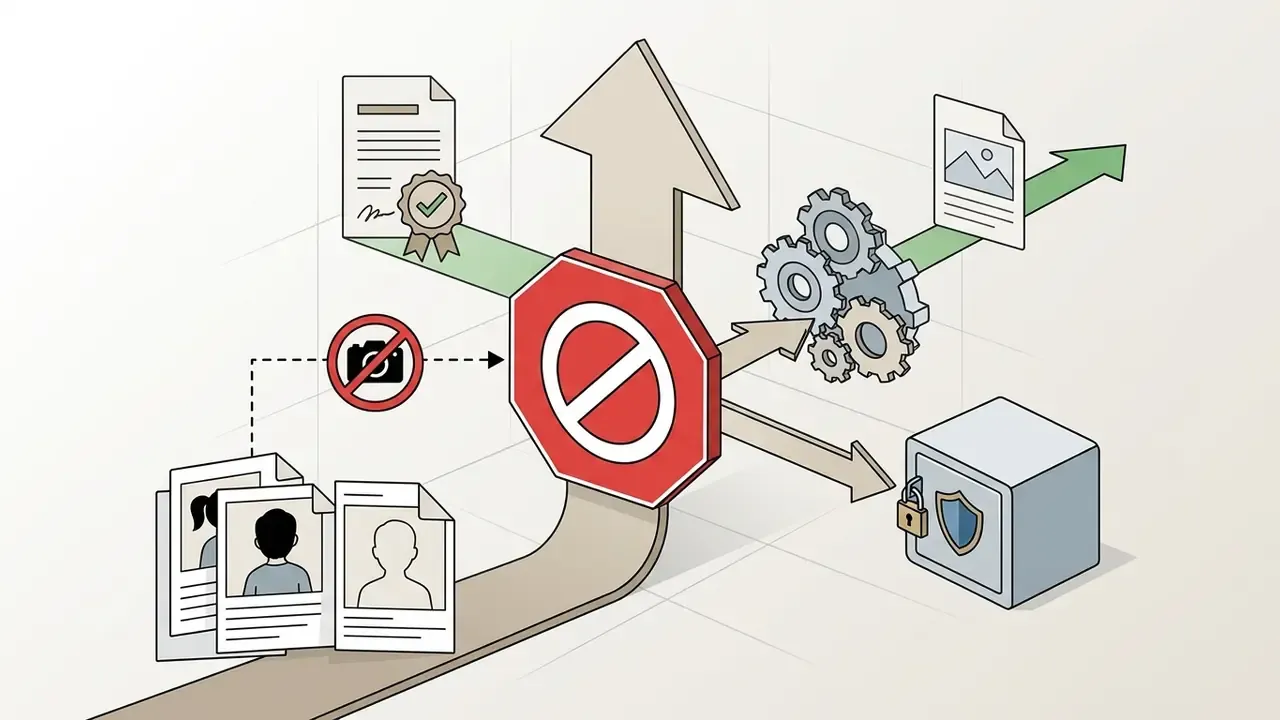
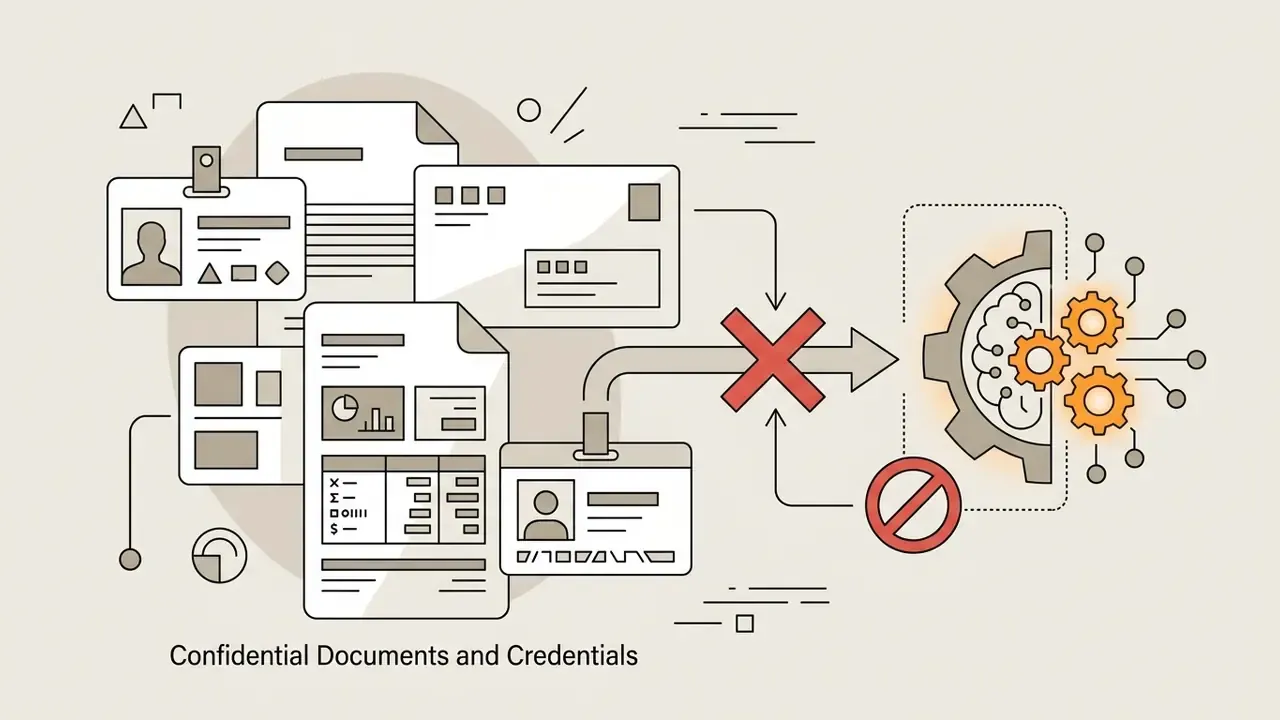
To protect personal privacy and comply with regulatory requirements, avoid uploading photos under the following high-risk circumstances:
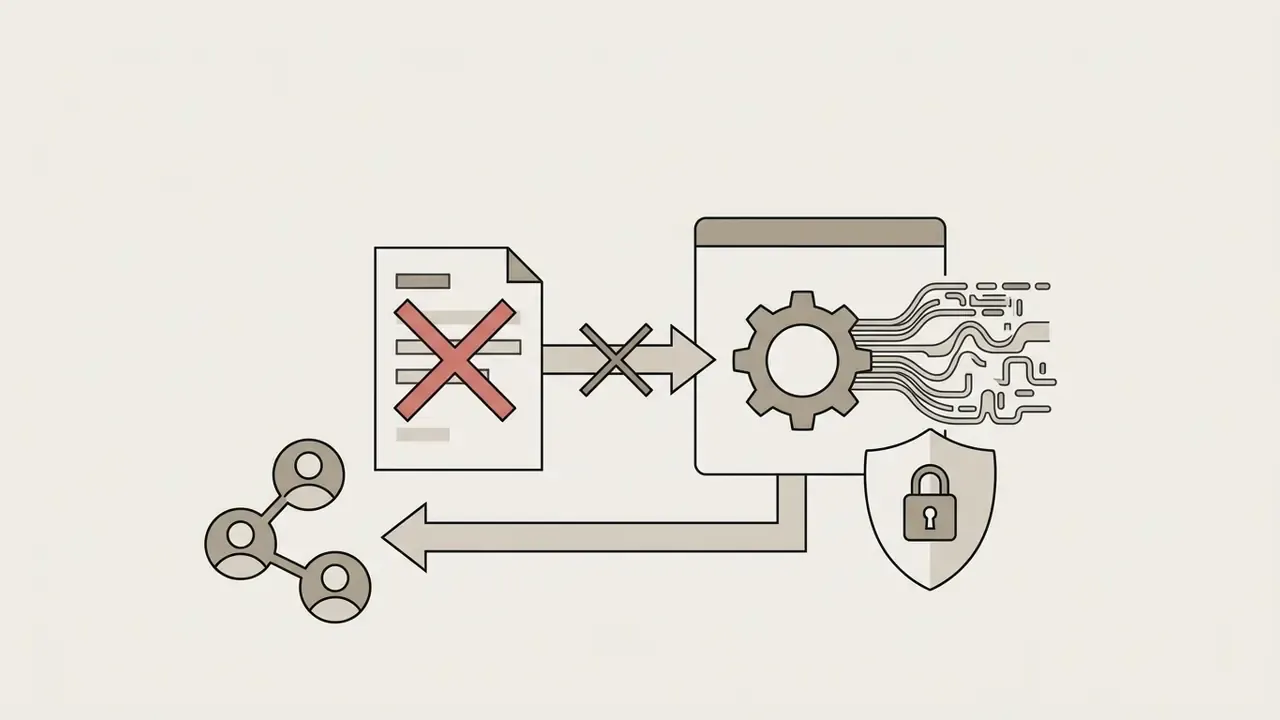
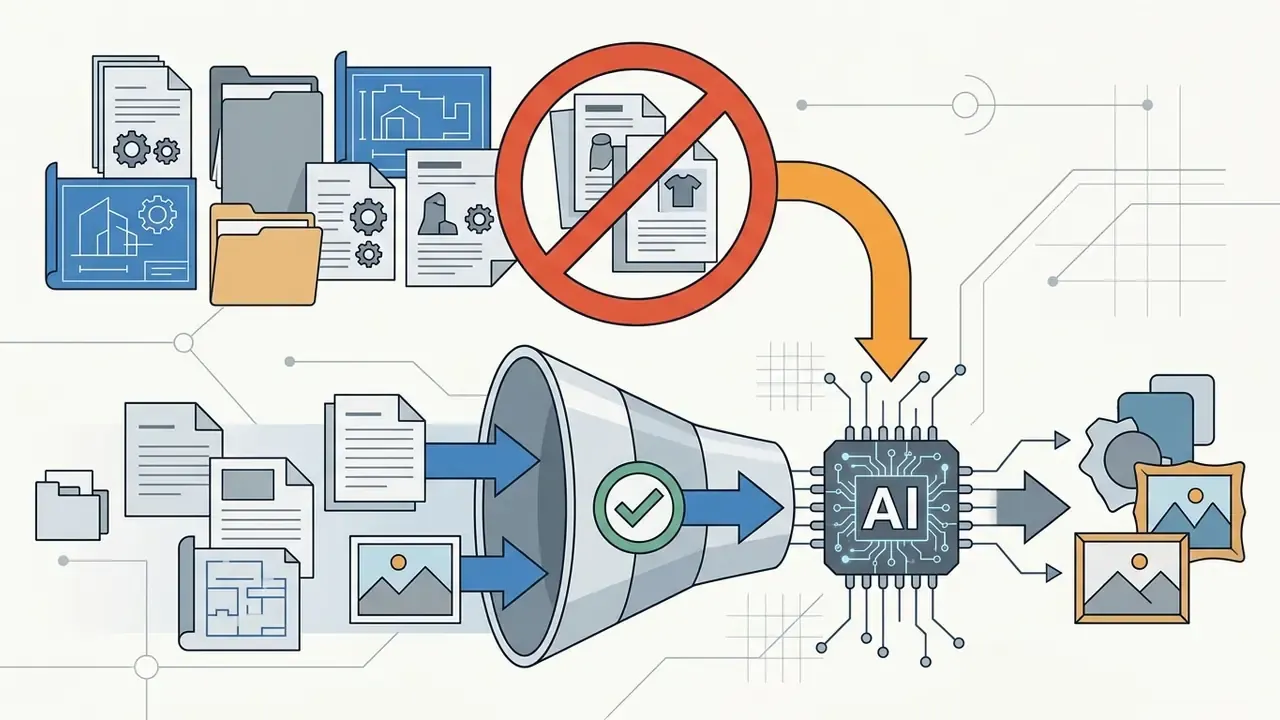
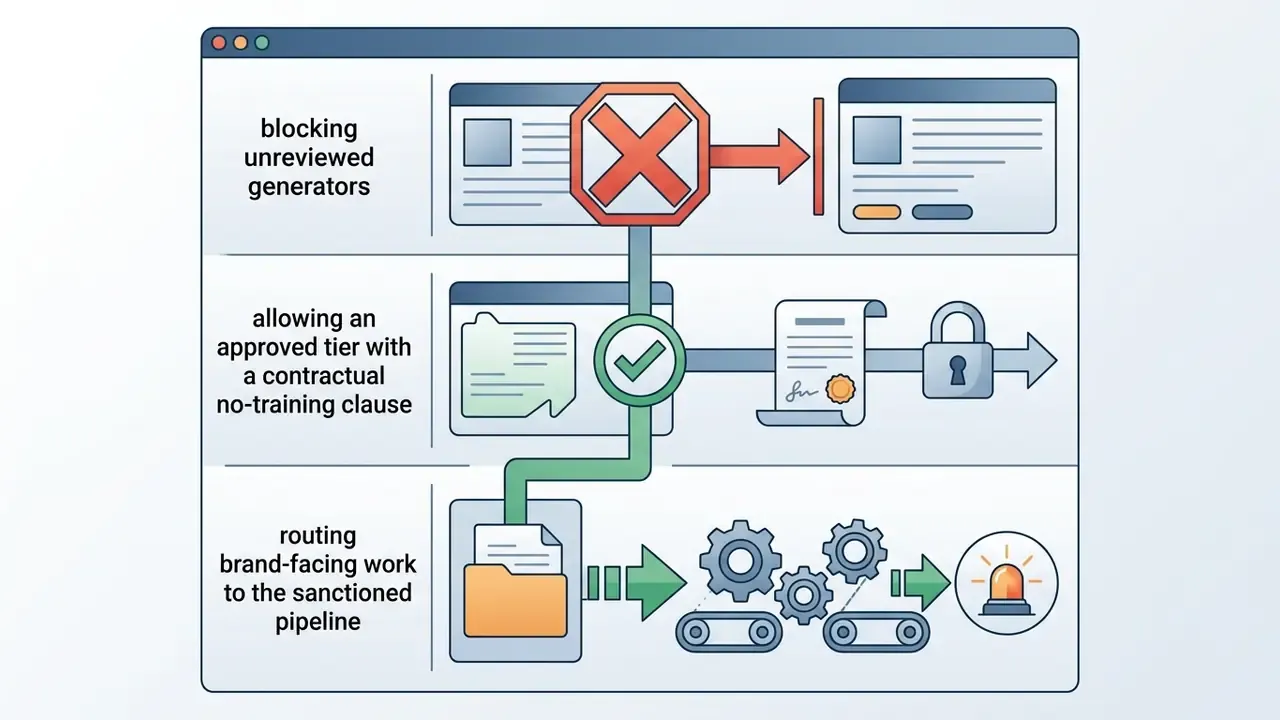
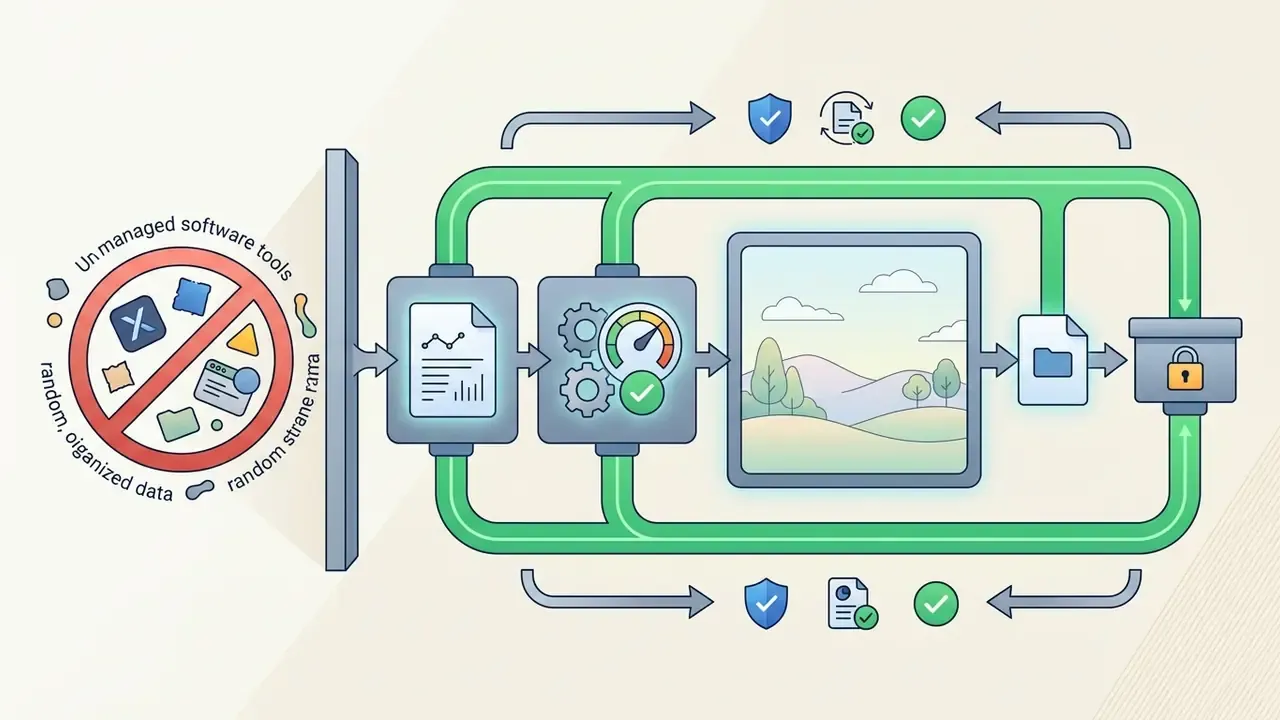
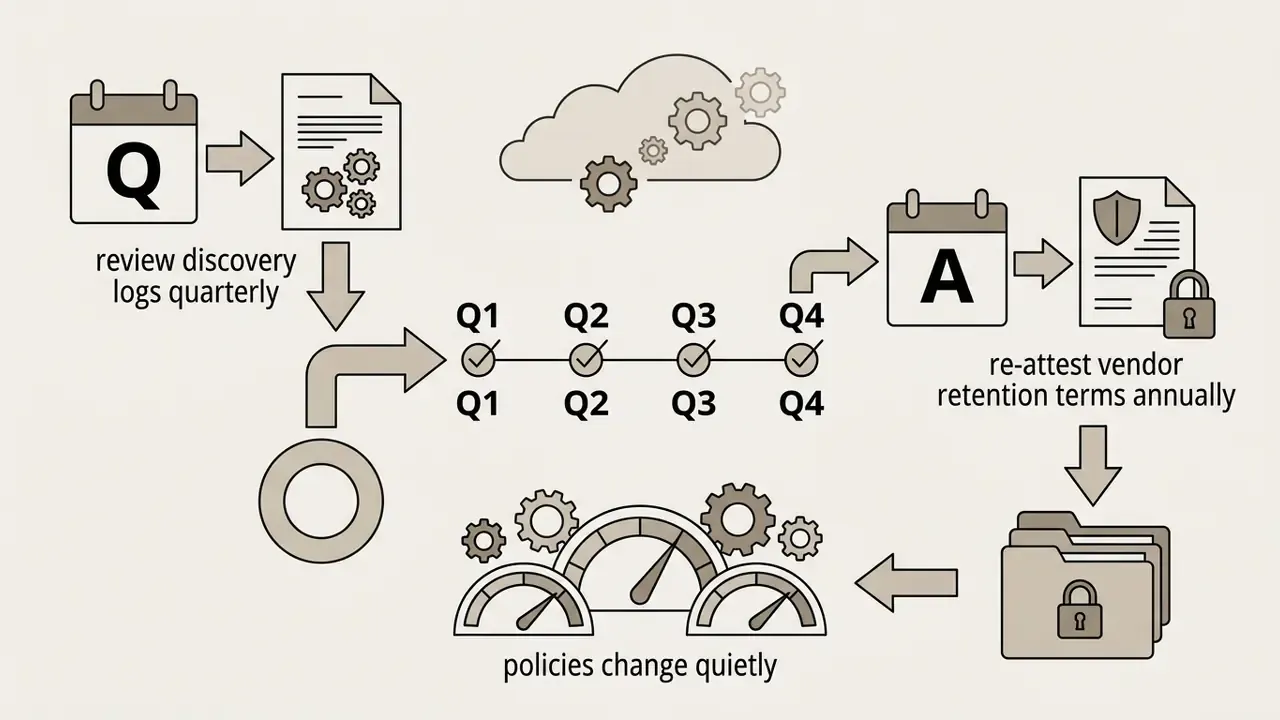
Controlling Shadow AI in organisations
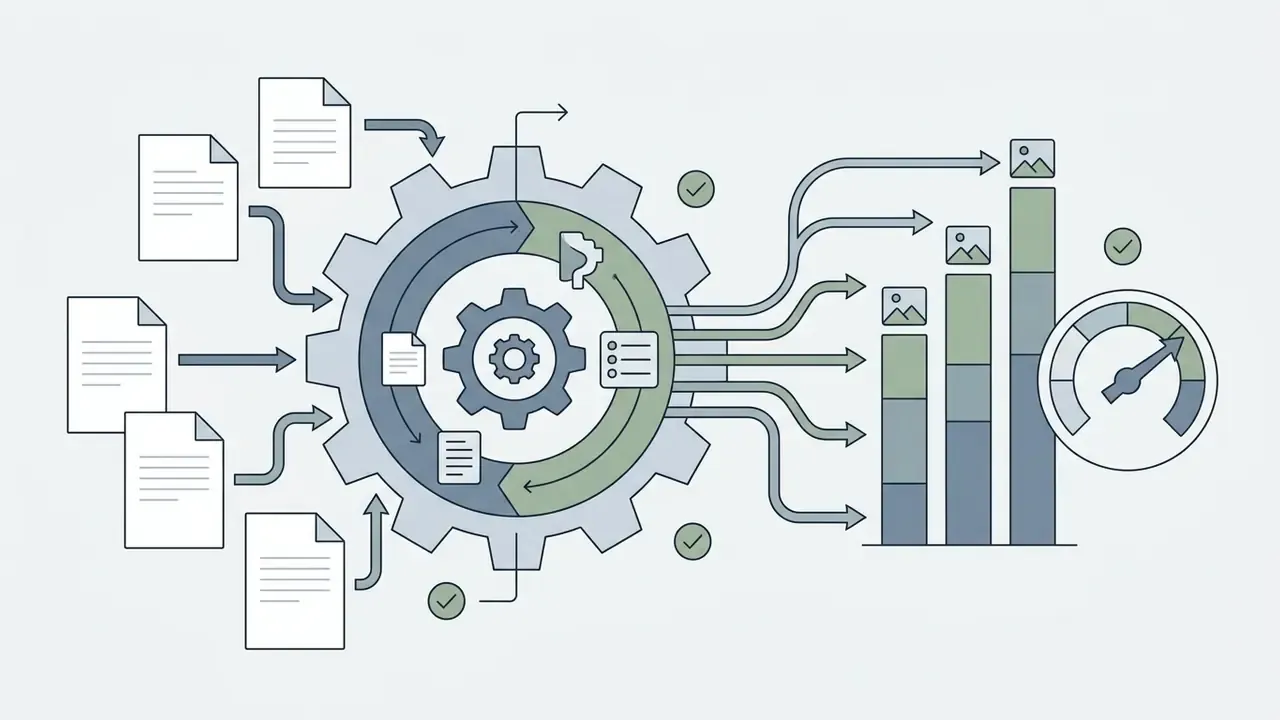
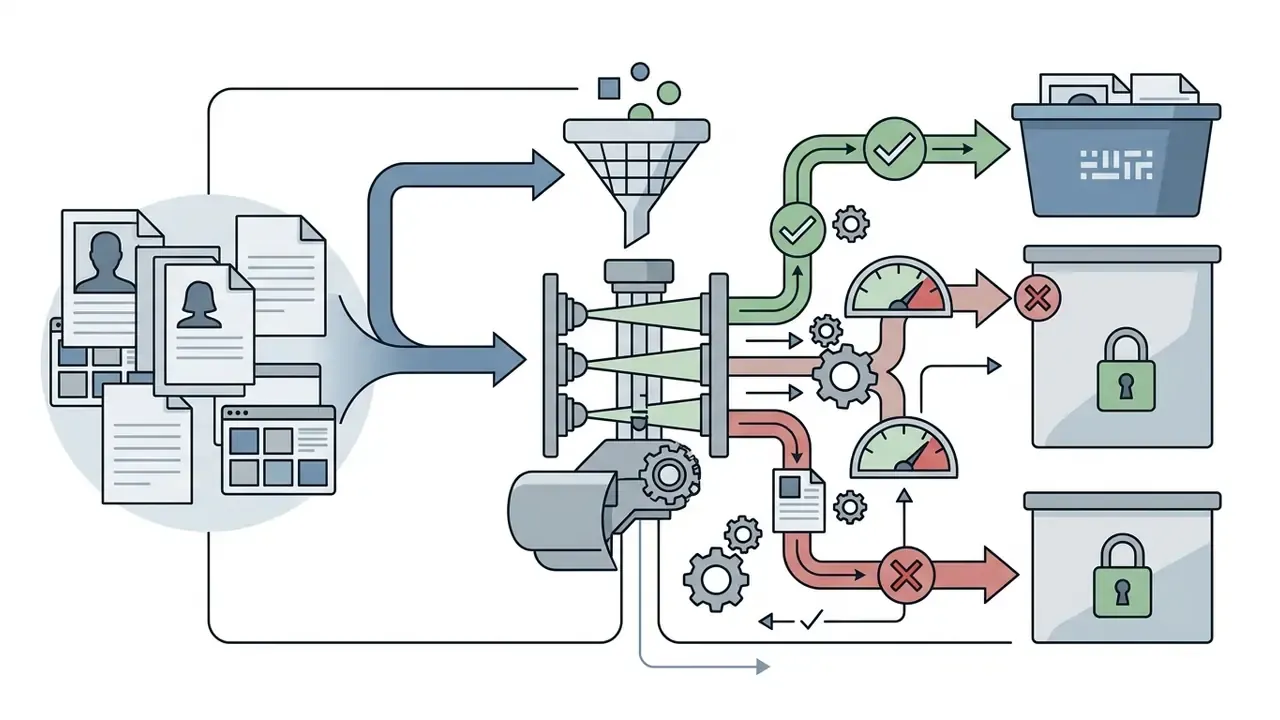
Consumer Ghibli generators are a textbook Shadow AI vector. They are free, browser-based, and emotionally appealing, so employees upload photos of colleagues, office interiors and unreleased products without any procurement trail. A workable control set:
If you hit technical issues or account security concerns while using generation tools, visit our AI Media Support and Troubleshooting portal.
FAQ: Frequently Asked Questions About Studio Ghibli AI Images
How long does it take to generate a Ghibli-style image?
Generating a Ghibli-style image typically takes between 5 and 15 seconds on modern cloud GPU infrastructure. Processing time depends on image resolution, server queue volume, and model complexity. With advanced models such as GPT-4o for high-detail image synthesis, rendering can extend up to 60 seconds per image. Mobile device generations running optimized light-diffusion models complete low-resolution previews in seconds. Published on-device research reports roughly 1.4 seconds for a 1024×1024 render on a mobile-optimised diffusion model, and under 12 seconds for 512×512 with 20 denoising steps on a high-end smartphone.
"G-TRACE estimates that the 2024–2025 Ghibli-style image generation trend consumed 4,309 MWh of energy and produced 2,068 metric tons of CO₂ emissions." Source: G-TRACE (GenAI TRAnsformative Carbon Estimator) (2026). That aggregate figure is useful context for capacity planning. Per-image latency is trivial; campaign-scale batch generation carries measurable compute and sustainability-reporting consequences.
Can I convert videos into Ghibli style animations?
Yes. Video-to-video AI generators restyle short clips frame by frame into Ghibli-style animations. These tools apply temporal smoothing algorithms such as ControlNet and DCT-Net to prevent flickering across frames.
"Real Time Animator integrates inversion-based style transfer, a denoising transformer and a DCT-Net network, achieving superior stylization accuracy and content preservation on CLIP similarity." Source: Real Time Animator Study (2025). For the full operational workflow, including motion prompts, camera panning and motion-bucket values of 15 to 25, see the image-to-video section above.
Can I use ChatGPT to Ghiblify a photo, and is it safe?
Yes. Upload the photo in ChatGPT with GPT-4o image generation enabled and use the copy-paste prompt provided earlier in this guide. On safety: providers may collect and process uploaded images under their own terms, so avoid submitting sensitive documents, third-party private photos or corporate assets. For confidential material, use a platform with a contractual no-retention and no-training clause instead.
Does the Ghibli filter work on iPhone and Android?
Yes. Browser-based Ghibli generators run on iOS, Android, macOS and Windows without device-specific software, and HEIC files captured natively on iPhone are accepted alongside JPG, JPEG, PNG and WebP. Mobile workflows are identical: upload, select the Ghibli preset, review, download.
Is the Studio Ghibli style itself copyrighted?
No. Artistic style is an unprotectable idea under U.S. law (17 U.S.C. § 102(b)), Japan's Agency for Cultural Affairs guidance, and EU IP guidance. What is protected is the specific expression: particular frames, artworks, and characters such as Totoro or No-Face, plus the "STUDIO GHIBLI" trademark. Generator websites claiming the opposite are stating marketing caution as if it were law.
Are "open-source" Ghibli platforms really free?
Some platforms advertise an open-source licence, Apache 2.0 for instance, while charging $19.99 to $39.99 per month for cloud credits and publishing no accessible repository. Treat such claims as unverified unless the code is linked. Genuinely open weights do exist: Stable Diffusion Ghibli-style LoRA models on public model hubs can be downloaded and run locally at zero licence cost, with your own GPU time as the only expense and full control over data retention.
What is the best AI tool to convert photo to studio ghibli art?
The best ai tool to convert photo to studio ghibli art depends on how much control you need and what you can spend. Midjourney with Niji and Stable Diffusion with custom LoRA weights offer the highest visual fidelity and style customization. GPT-4o gives the strongest prompt-following for quick photo restyling. Dedicated web tools provide one-click convenience for casual use. To evaluate broader creative suite options, review our dedicated breakdown of the adobe ai generator, compare the best AI art generators side by side, and explore platform capabilities before committing to a workflow.
Summary and Key Takeaways
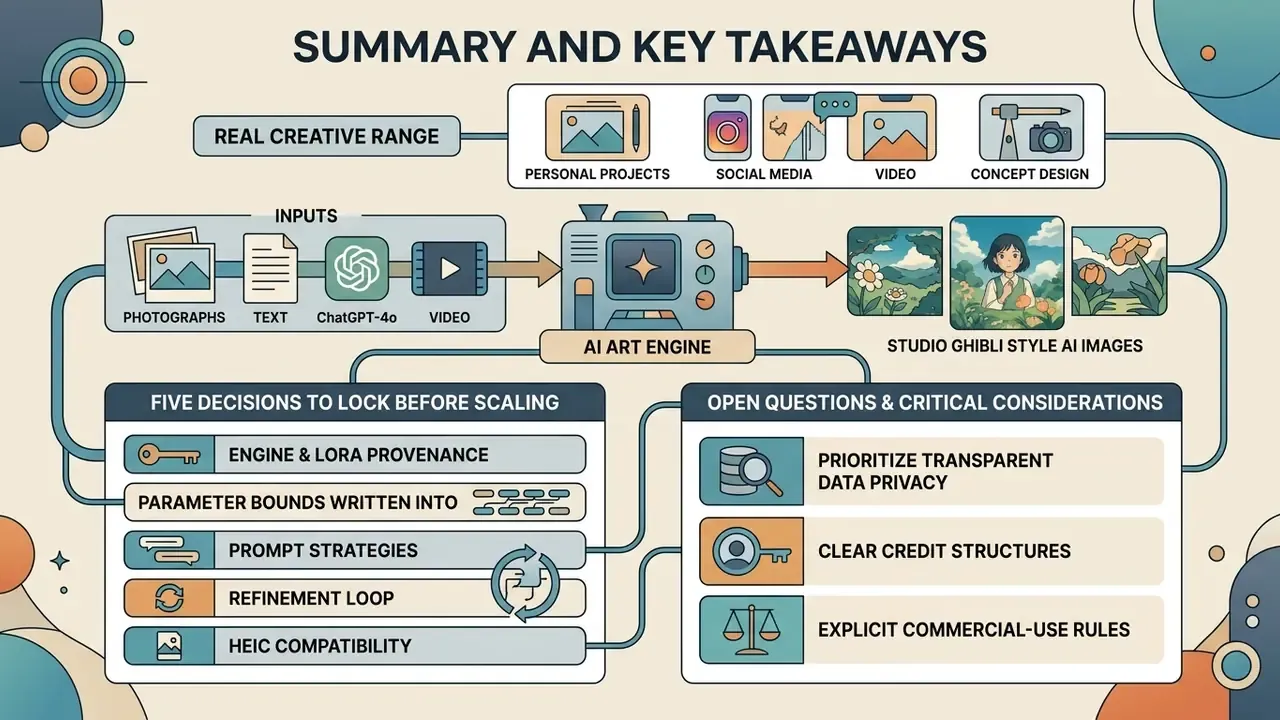
Creating Studio Ghibli style AI images opens real creative range for personal projects, social media content, and concept design. By choosing clean source photos, writing detailed text prompts, and setting correct denoising parameters, users can generate stunning ghibli inspired artwork reliably, then enlarge or extend it with AI image expansion and upscaling tools for print or large-format delivery.
Prioritize platforms with transparent data privacy policies, clear credit structures, and explicit commercial licensing terms before pushing generated visual assets into commercial channels.
"Training-data attribution research confirms that 'in the style of Ghibli' prompts do not imply direct copying: the model recombines learned features to synthesise new images."
Five decisions to lock before scaling: (1) engine and LoRA provenance, (2) parameter bounds written into code, (3) a human-editing threshold that establishes authorship, (4) retention and training-reuse clauses in the vendor contract, and (5) the audit artefacts you will keep for every published asset.
Open questions worth admitting. Courts have not yet settled how much human editing converts an AI render into a protectable work. Style-drift tolerances after a vendor model upgrade remain vendor-specific and largely undocumented. And energy accounting for batch image campaigns is still early-stage measurement, not audited disclosure. Plan for revision, not certainty.
Appendix A: Superseded attributions and editorial notes
Retained for transparency and version continuity. The statements below appeared in earlier editions of this guide. Each has been superseded in the main text by a stronger or more relevant source.
- Input photo quality guidance.Previous wording: "The International Civil Aviation Organization (ICAO) facial image quality guidelines highlight that uniform illumination and clear skin detail prevent visual artifacts (ICAO Portrait Quality Technical Standards)." Superseded because travel-document capture standards are not stylization research. The underlying capture requirements (uniform illumination, visible skin texture gradation, at least 50% intensity variation in the facial region, focus from nose to ears and chin) remain technically valid and are echoed in NIST and FISWG face-capture guidance.
- Denoising parameter guidance.Previous attribution: "(Hugging Face Diffusers Documentation, 2025)." Superseded in the main text by peer-reviewed identity-preservation research. The documentation itself remains an accurate operational reference for the
strengthparameter, which at 1.0 causes the input image to be ignored entirely. - Retention statement.Previous wording: "Standard enterprise platforms store transient upload data for 24 hours to 30 days before automatic deletion (Data Retention Standards in Generative AI, 2025)." Superseded because the cited title is not an identifiable publication. Replacement evidence is the CREATe terms-and-conditions analysis plus observed vendor retention windows.
- Mobile inference latency.Previous attribution: "(Dell Technologies AI Inference Whitepaper, 2025)." The Dell server benchmark (0.64 s for 512×512 and 16 s for 2048×2048 on a PowerEdge XE9680) concerns data-centre hardware rather than mobile devices. Mobile figures in the main text now cite on-device diffusion research directly.
About this analysis
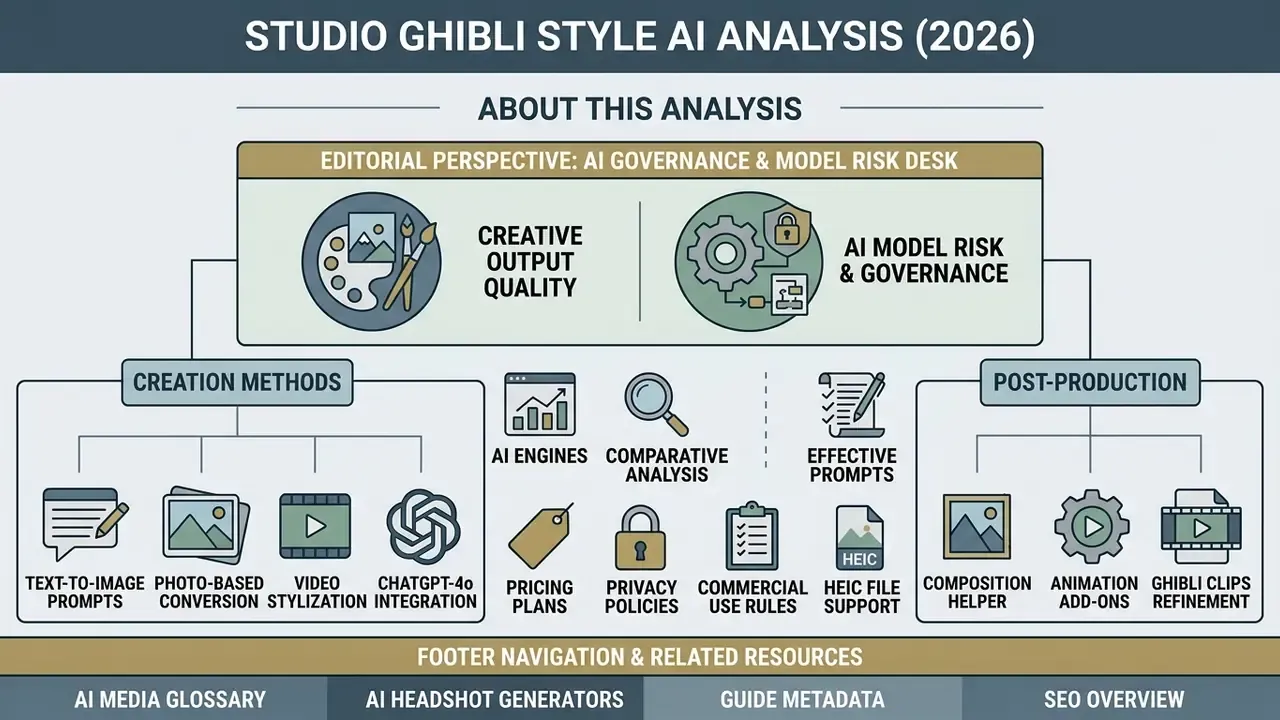
This guide is maintained by the AI Governance & Model Risk editorial desk, which reviews generative media tooling from two angles at once: creative output quality and institutional control requirements. Editorial analysis by Marcus Hale, the author covering model risk management, validation evidence and IP governance for generative visual systems. Parameter ranges, validation thresholds and control-cost structures presented here are working engineering and governance hypotheses intended for calibration against your own measured outputs and counsel's advice, not verified institutional benchmarks.
General disclaimer: this article covers technology, legal frameworks and data protection in general terms. It is not legal, financial or compliance advice. Consult qualified professionals before deploying AI-generated imagery in commercial, regulated or client-facing contexts.