Executive summary: what decision-makers need to know first
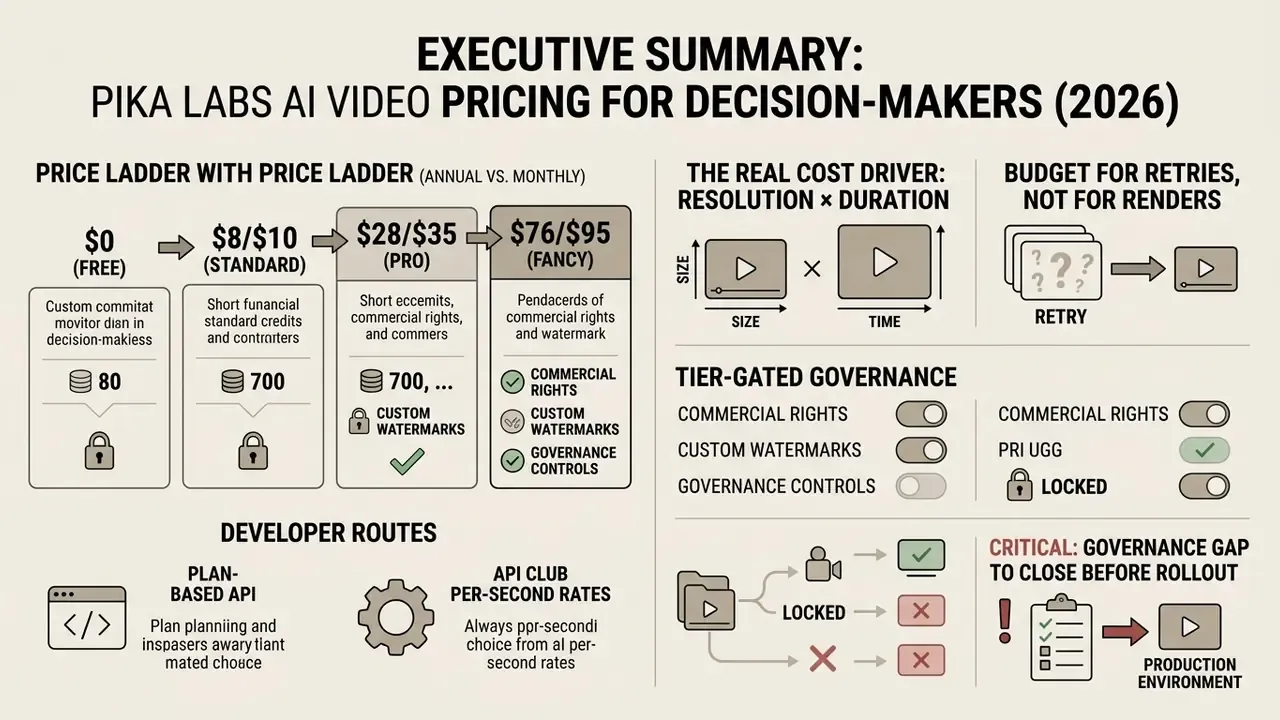
- Four tiers, one currency. Basic (Free), Standard, Pro, and Fancy all run on the same internal unit: the video credit. Credits, not "number of videos," are what you actually buy.
- Price ladder (annual billing / monthly billing): $0 · $8/$10 · $28/$35 · $76/$95 per month, with 80, 700, 2,300 and 6,000 monthly credits respectively.
- The real cost driver is resolution × duration. A 5-second 480p draft costs about 12 credits; a 10-second 1080p final render costs about 80 credits. That is a 6.7× spread on the same prompt.
- Budget for retries, not for renders. Creative and compliance iteration typically consumes 2.5 to 3.5 generations per approved asset, so plan credit pools against approved deliverables, not raw generations.
- Commercial rights and watermarks are tier-gated. Free output is watermarked and non-commercial; every paid tier removes the watermark and grants commercial usage rights.
- Developers have two routes. The official Pika API Club ($10/month plus per-second billing), or third-party gateways such as Fal.ai, Wavespeed.ai, Pollo.ai and API Glue on a pay-as-you-go basis.
- Governance gap to close before rollout. Pika's public documentation covers pricing well, but it does not publish enterprise-grade detail on prompt retention, model training on customer assets, SOC 2/GDPR posture, RBAC or audit logging. Treat those as open vendor-due-diligence questions.
Read that last bullet twice. It is the one that stalls procurement, not the price.
On this page: pricing architecture, free plan, paid plans, credit mechanics and prompt economics, feature-level credit costs, data security, IP and Shadow AI, plan selection matrix and competitor positioning, FAQ.
Pika AI pricing: how plans and generation billing work
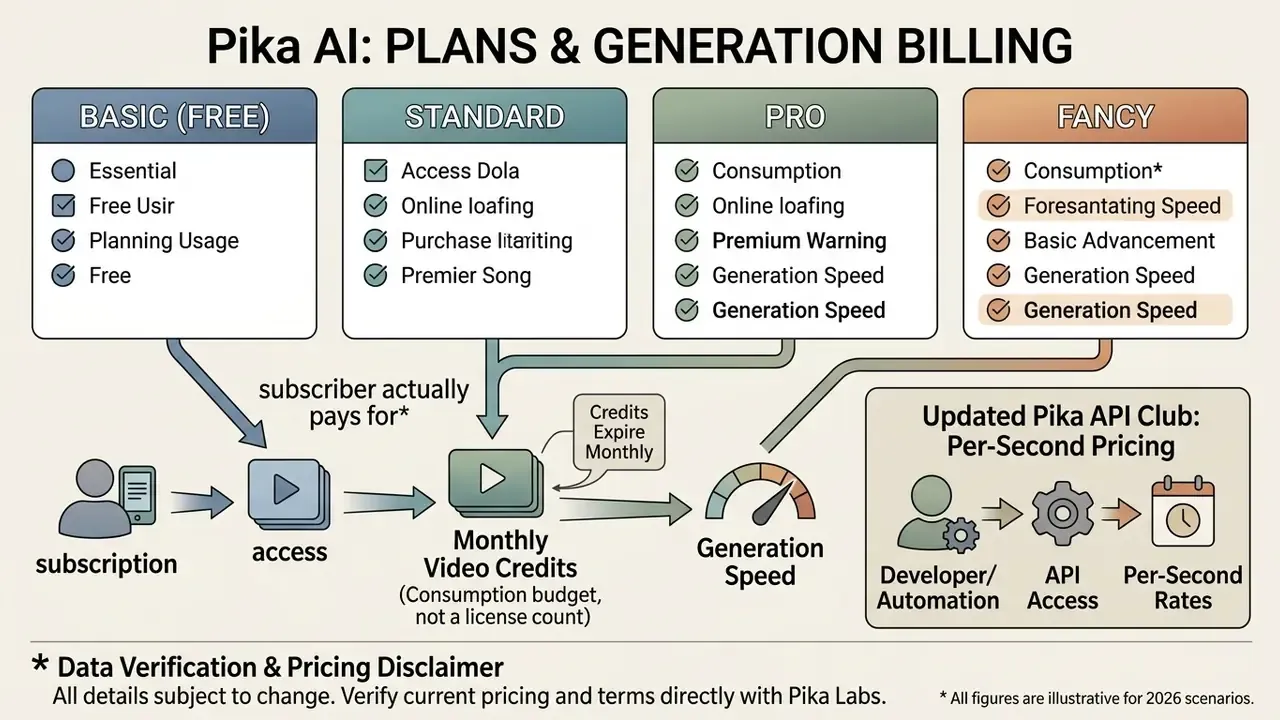
Pika AI operates on a credit-based subscription monetization model across four primary tiers: Basic (Free), Standard, Pro, and Fancy. Rather than offering unlimited rendering, every generation deducts a variable number of video credits from a monthly quota based on processing intensity, output resolution, and feature utilisation.
«Credit-and-subscription structures in AI services reflect a two-part tariff: a fixed access fee plus a variable charge for consumed compute.»
That academic framing matches what users experience in the product. The monthly fee buys the right to render; the credit meter prices the compute of each individual clip. Two separate levers, one invoice.
The platform structures its pricing to segment casual experimenters from professional creators and agency teams. Readers new to the category can first review how AI video generators differ in billing logic, output length, and licensing before comparing tiers. Users purchase predictable monthly or annual subscription access, which confers an allotment of video credits alongside operational privileges such as watermark removal, priority rendering queues, and commercial usage rights.
Consolidated Pika AI Subscription Plans: Price, Credits, Speed, Watermark and Rights
| Plan Name | Billing Model & Price (USD) | Monthly Video Credits | Resolution & Watermark Status | Queue Priority | Commercial Use & Primary Intent |
|---|---|---|---|---|---|
| Basic (Free) | $0 / month | 80 credits (Pika FAQ has also listed 150, see fact-check below) | 480p max; Watermarked | Lowest priority, slowest during peak load | No commercial rights; Non-commercial testing |
| Standard | $8 / mo (billed yearly) or $10 / mo | 700 credits | Up to 1080p; No watermark | Standard processing speed | Commercial rights included; Short-form social media |
| Pro | $28 / mo (billed yearly) or $35 / mo | 2,300 credits | Up to 1080p; No watermark | Faster generation priority | Commercial rights included; Professional content creation |
| Fancy | $76 / mo (billed yearly) or $95 / mo | 6,000 credits | Up to 1080p; No watermark | Fastest priority queue | Commercial rights included; Agency & high-volume production |
| API Club (developers) | $10 / mo membership + usage | No credit pool, billed per second of output | Up to 1080p; No watermark | Programmatic, queue depends on load | Commercial rights included; Automation & bulk pipelines |
Prices in the table were verified against the official pricing page at the time of publication in 2026. Re-check before sign-off.
Which subscription plans are available in Pika Labs
Pika Labs provides four core subscription plans designed around volume tiers: Basic ($0), Standard ($8 to $10/month), Pro ($28 to $35/month), and Fancy ($76 to $95/month). Each paid plan raises the baseline monthly video credits while granting access to advanced AI video tools, faster generation pipelines, and commercial usage rights. Annual billing is discounted roughly 20% against monthly billing, which is the single largest structural saving available without changing tier.
What the subscriber actually pays for: access, video credits, and generations
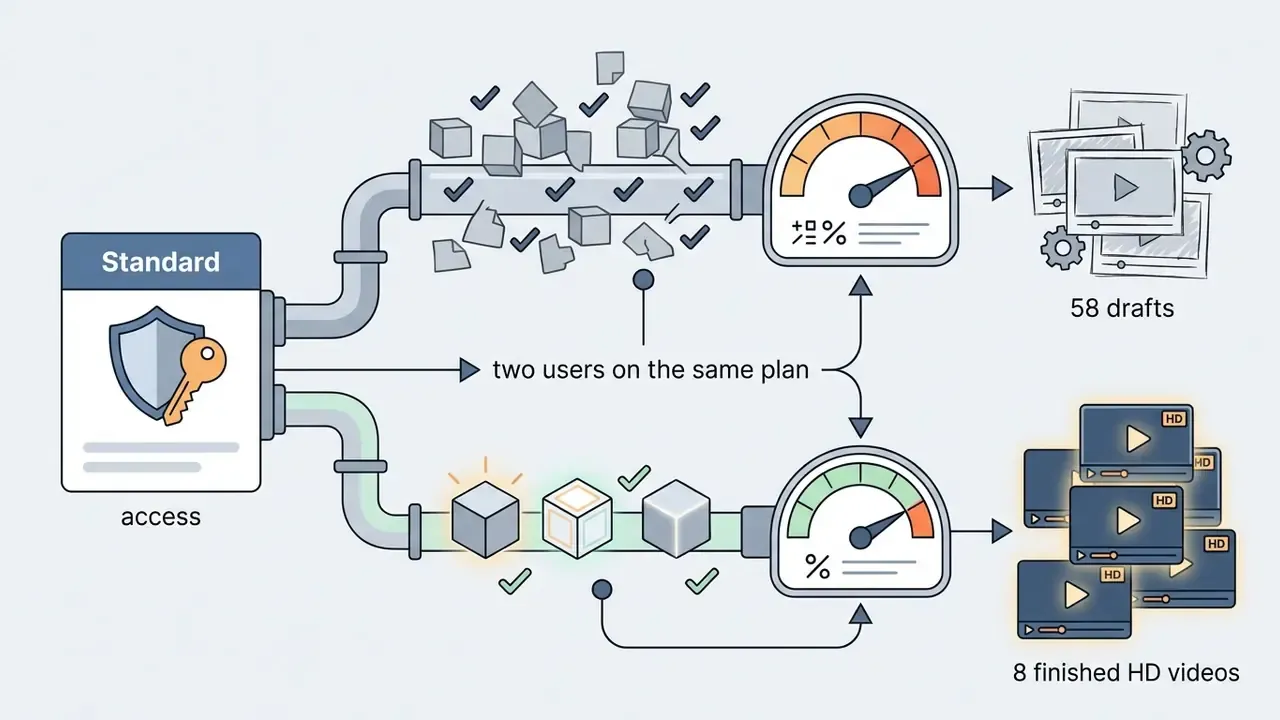
Subscribers pay a recurring fee that purchases a fixed allowance of monthly video credits rather than a direct count of generated videos. The final ai video generation cost varies, because simple 5-second 480p drafts consume fewer credits than complex 10-second 1080p outputs or multi-layered video transformations. If the distinction between prompt-driven and image-driven billing is new to you, our explainer on text-to-video AI breaks down how model choice and clip length feed into per-render pricing.
Three practical consequences follow from this model.
I have watched a two-person content team drain 700 credits in one afternoon. Nothing dramatic happened; the resolution selector was simply left on 1080p by default.
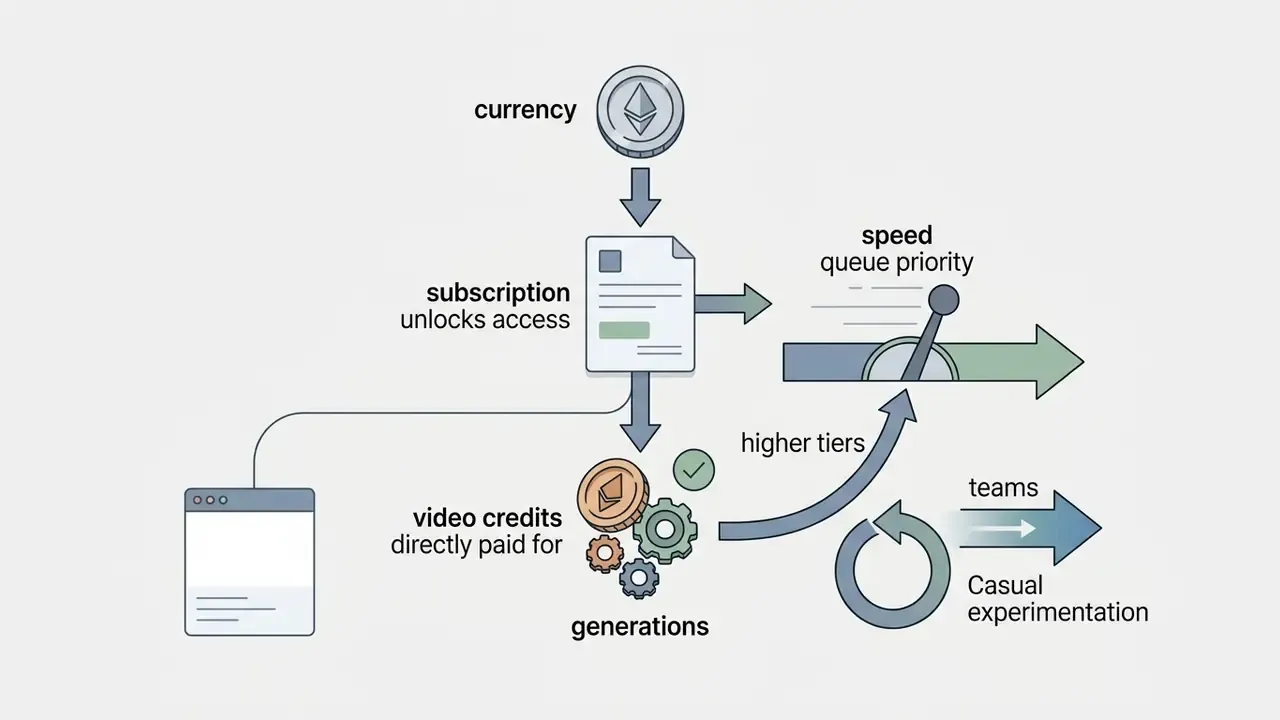
Why the cost of Pika AI changes from render to render
Pika API Club: per-second pricing for developers and automation
Because the API route changes the entire cost structure, it belongs next to the subscription tiers rather than buried in an FAQ. Pika API Club is designed for developers and platforms that need programmatic generation instead of manual studio work. It charges a $10 monthly membership and then bills directly in dollars per second of rendered video: approximately $0.04/second at 720p and $0.09/second at 1080p on the Pika 2.5 model. A 10-second 1080p clip therefore lands near $0.90 in marginal cost, with no credit pool to manage.
API access suits e-learning pipelines, social-media scheduling products, programmatic ad variants, and branded video platforms that need bulk generation, custom aspect ratios, and server-to-server integration. Teams comparing programmatic video economics across vendors can also review our Google Veo implementation and API cost guide to benchmark per-second rates.
What API Club documentation does not yet publish in enterprise-grade form: rate limits per key, role-based access control, retention windows for submitted prompts and reference frames, and exportable audit metadata for each generation. If your organisation runs model-risk management (MRM, the discipline of validating and monitoring models in production) or GRC workflows that require an auditable trail per asset, treat these as contract-stage questions.
Data Verification & Pricing Disclaimer:
Pika Labs free plan: what the free video generation tier includes
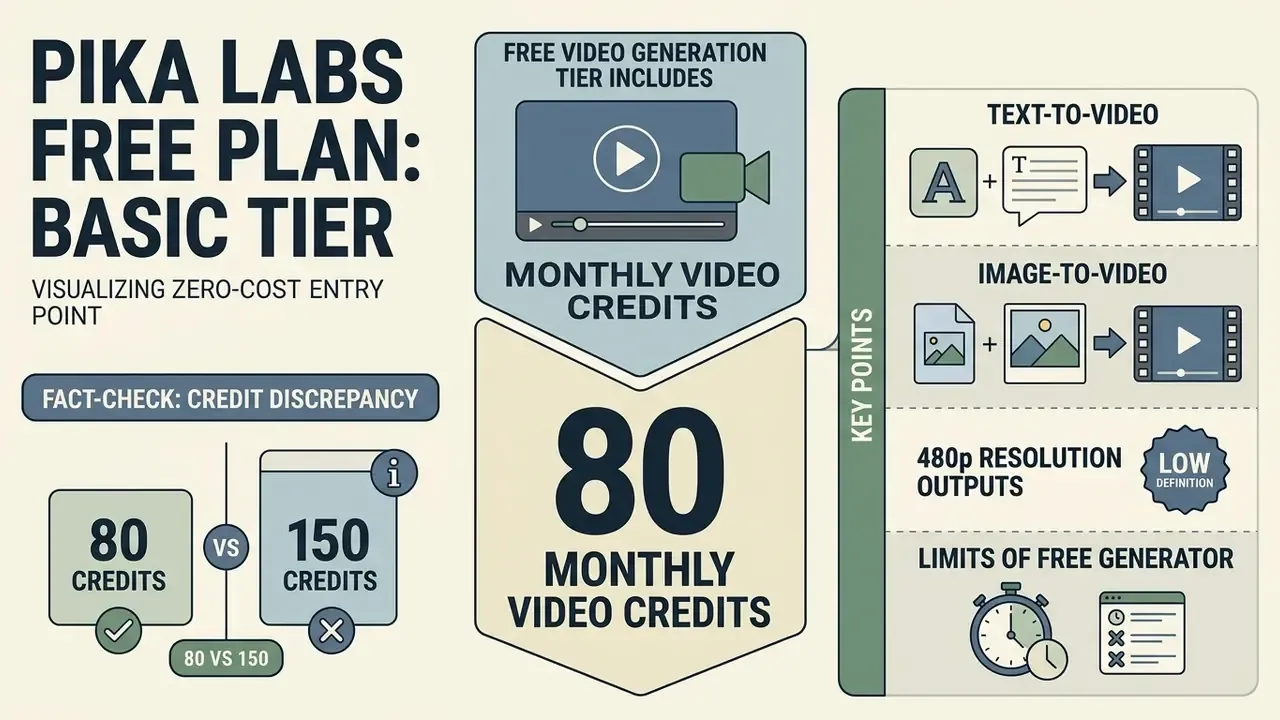
The Pika Labs free plan (Basic tier) provides a zero-cost entry point granting 80 monthly video credits, restricted to 480p resolution outputs. It is structured specifically for initial prompt testing, basic text-to-video exploration, and non-commercial model evaluations.
This free tier lets creators test core platform mechanics without financial risk. Commercial deployment, however, is strictly prohibited on the free tier, and all exported renders carry a permanent visual watermark.
«Free tiers of AI video services deliberately restrict commercial use and output resolution in order to drive conversion to paid plans.»
Text-to-video and image-to-video capabilities in the free tier
On the free tier, users can test text prompts that transform text into motion clips, and upload images to evaluate image-to-video features using the Pika 2.5 engine at 480p resolution. A basic 5-second text-to-video or image animation generation consumes approximately 12 credits. For a deeper look at how still-frame animation differs from prompt-only generation in quality and cost, see our guide to image-to-video workflows.
In practice, 80 credits translate to roughly six or seven 5-second 480p drafts per month. Enough to judge motion coherence, prompt adherence, and effect quality. Not enough to produce a publishable series.
Limits of the free Pika AI video generator
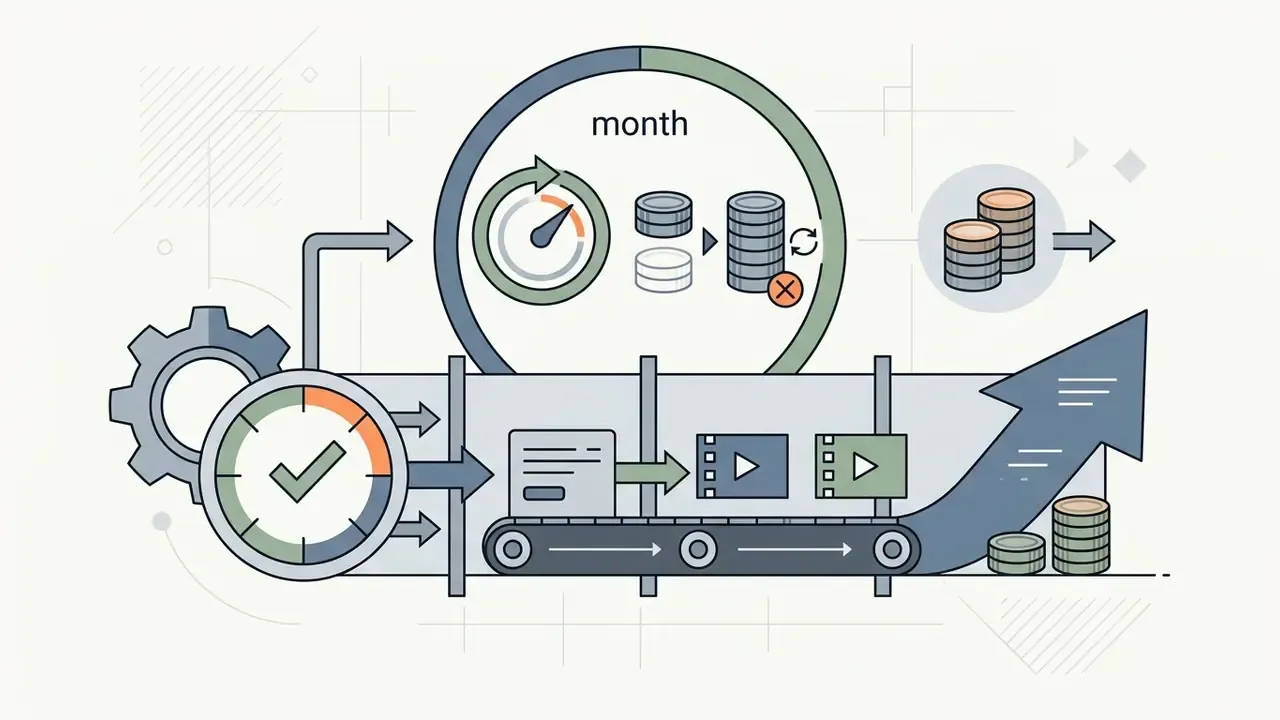
The primary limitations of the free plan include an 80-credit monthly quota, no commercial licensing rights, compulsory watermarks on downloaded files, a 480p resolution cap, and lower priority processing in rendering queues during peak platform traffic. Credits do not accumulate: unused free credits expire at the end of the monthly cycle.
For broader context on how zero-cost AI media tools restrict commercial usage and output options, review our comparative benchmark of free AI video generators.
Fact-check: the 80 versus 150 free-credit discrepancy
Official Pika surfaces have published two different free-tier allowances. The subscription pricing table lists 80 monthly video credits for Basic, while the FAQ has stated 150 credits per month. The pages were last updated on different dates, so the most probable explanation is a quota change that propagated to one page before the other.
Third-party platforms add further confusion. Some resellers and wrappers advertise "200 free credits, no watermark", but those are the terms of the reseller's own account pool, not of pika.art. Treat any free-credit claim that exceeds the official pricing page as vendor-specific rather than as Pika policy, and verify on the live pricing page before planning a workflow around it.
Paid Pika AI plans: Standard, Pro, and Fancy
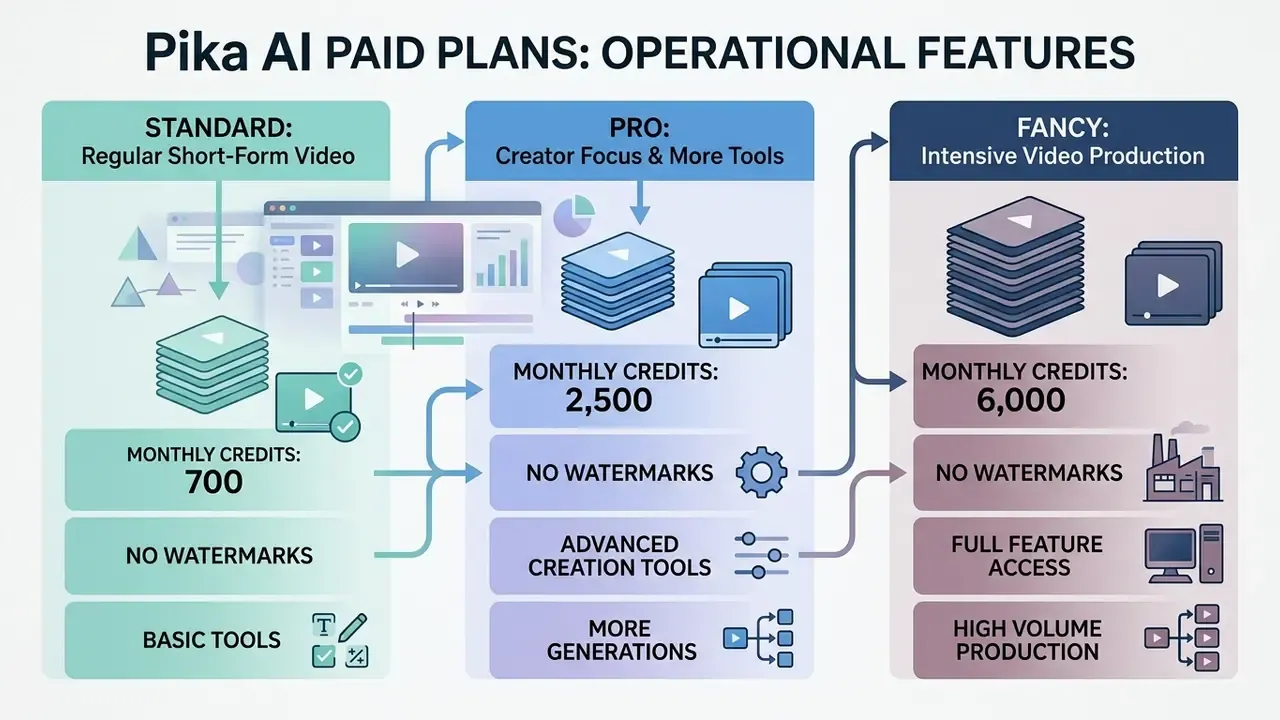
Paid plans in Pika AI (Standard, Pro, and Fancy) tier operational features by scaling monthly video credit pools from 700 to 6,000 credits, while removing watermarks and granting full commercial licensing. Higher plans also unlock faster processing queues and advanced editing tools; buyers weighing those tools against rival feature sets can consult our ranking of the best AI video generators.
Upgrading to a paid tier moves users from constrained experimentation to professional media production workflows.
«Pika's Pro plan is the best-value tier for daily content creators and small marketing teams.»
Standard: the plan for regular short-form video
The Standard plan ($8/month billed annually) supplies 700 monthly video credits, which suits individual creators producing short videos and clips for social media platforms. It enables high-quality exports up to 1080p resolution without watermarks. Standard is the cheapest way to obtain commercial rights, which makes it the practical minimum for any monetised channel or client-facing asset.
Pro: more generations and more tools for creators
The Pro plan ($28/month billed annually) increases monthly capacity to 2,300 video credits, while adding accelerated generation queues and full access to advanced AI video tools. It is engineered for active digital creators who need frequent iteration and higher production speeds. Pro is the first tier where a realistic retry rate stops dictating output: 2,300 credits absorb roughly 28 finished 10-second 1080p videos, or about 10 finished videos once a 3× iteration factor is applied.
Fancy: the tier for intensive video production
The Fancy plan ($76/month billed annually) is the highest consumer tier, providing 6,000 video credits per month alongside priority queue access for high-volume content creation. It serves marketing teams, studios, and agencies running large-scale campaigns. Agencies weighing Fancy against multi-tool stacks should run a side-by-side comparison across our AI Media Comparison Matrices before consolidating spend on a single vendor.
Output Economics of Pika AI Paid Tiers: Credits, Finished Clips, and Effective Cost per Deliverable
| Metric | Standard Plan | Pro Plan | Fancy Plan |
|---|---|---|---|
| Monthly credits | 700 | 2,300 | 6,000 |
| Max 5s / 720p clips (no retries) | ~35 | ~115 | ~300 |
| Max 10s / 1080p clips (no retries) | ~8 | ~28 | ~75 |
| Approved 10s / 1080p clips at 3× retry factor | ~2 to 3 | ~9 to 10 | ~25 |
| Effective cost per approved 10s HD clip (annual billing, 3× retries) | ~$3.20 to $4.00 | ~$2.80 to $3.10 | ~$3.00 |
| Best-fit production pattern | 1 to 2 published clips per week | Daily publishing with variant testing | Batch campaign production, multi-client |
Each row assumes a single 1080p master per deliverable. Add reformatting passes and the picture shifts again, which is exactly why the retry factor below matters more than the headline credit count.
How the Pika AI video credit system works
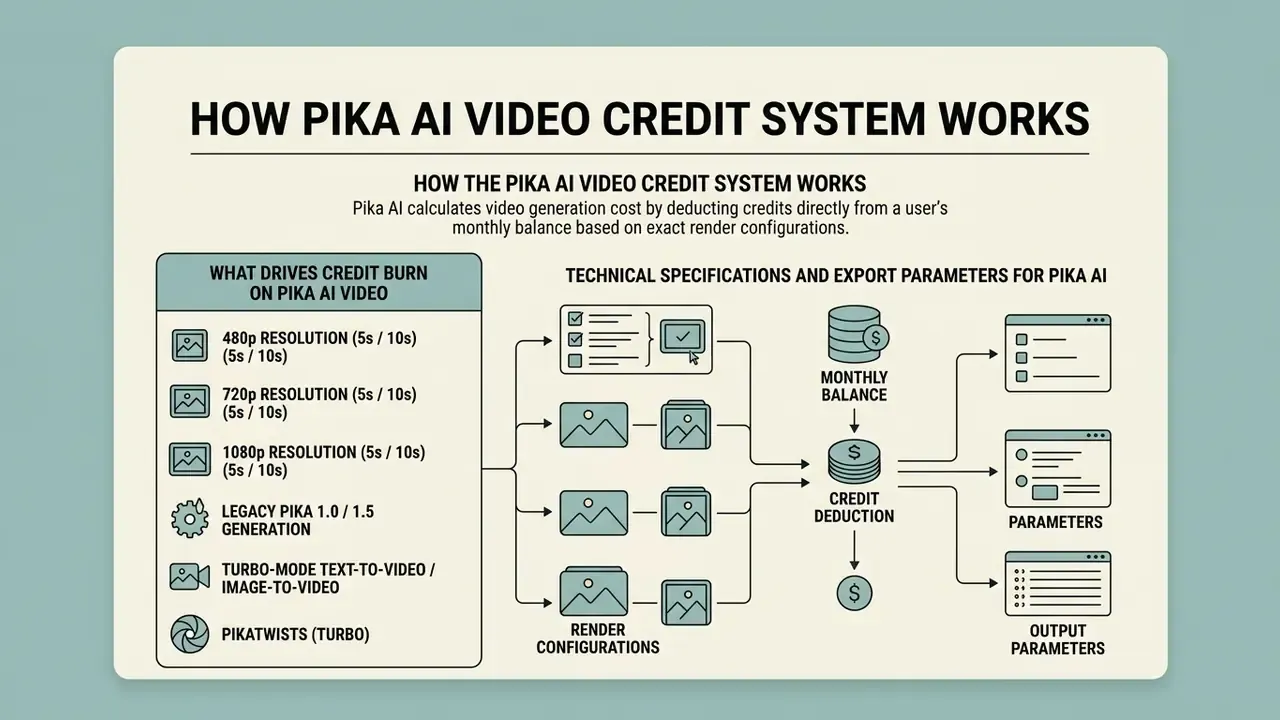
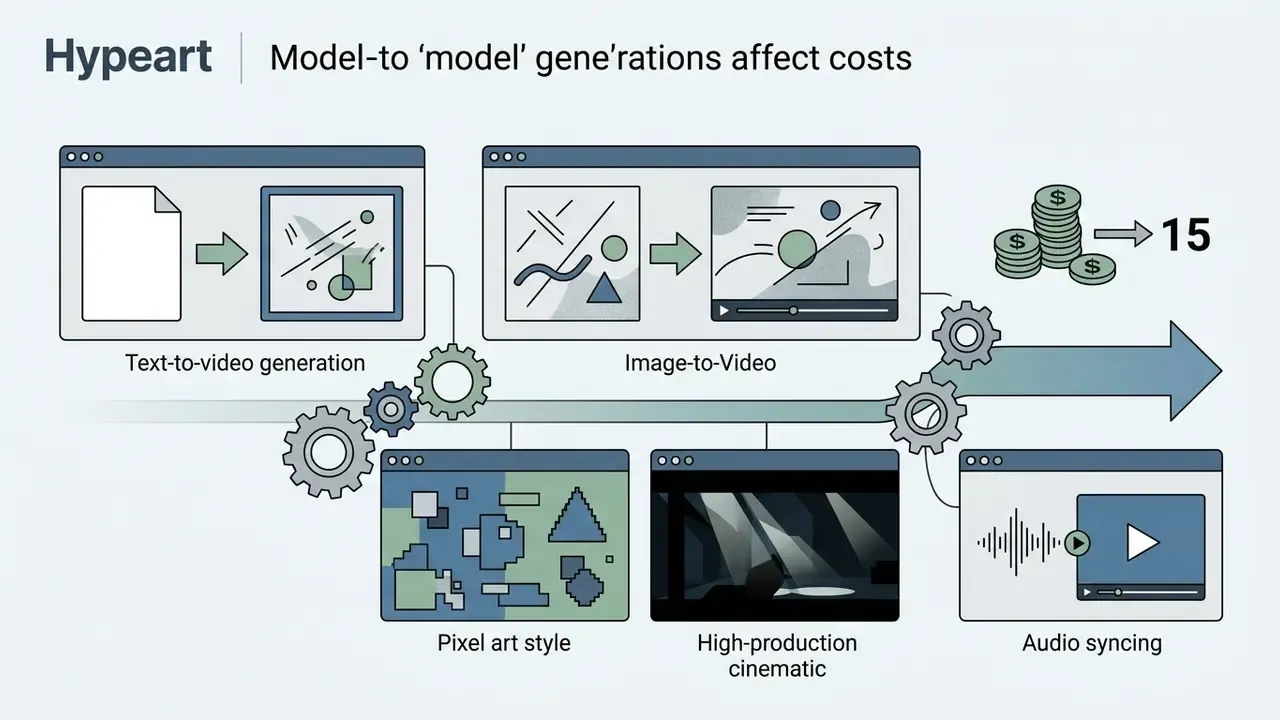
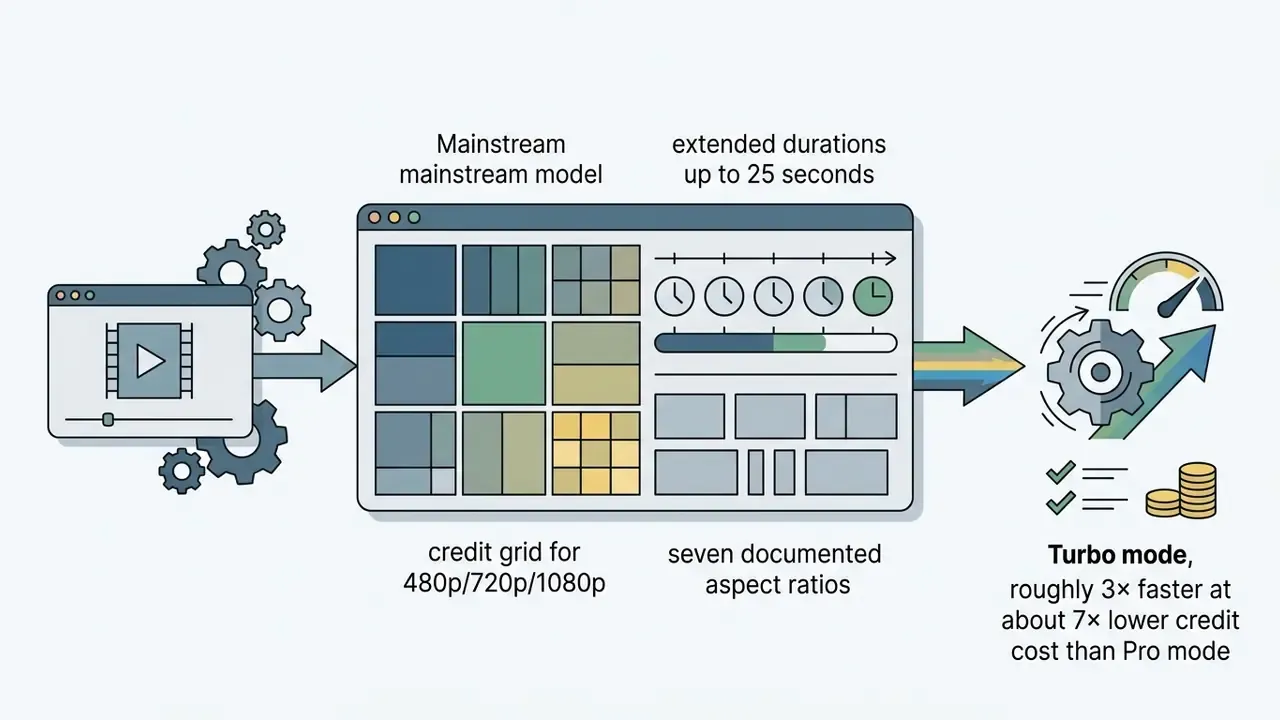
Pika AI calculates video generation cost by deducting credits directly from a user's monthly balance based on exact render configurations. A short, standard-definition render starts at roughly 12 credits (480p, 5 seconds, per the official pricing grid), whereas high-resolution 1080p or extended 10-second outputs burn between 40 and 80 credits per generation. Legacy Pika 1.0 and 1.5 generations are billed as a flat 15 credits, while Turbo-mode generations are documented as materially cheaper (as low as 5 to 10 credits) and roughly 3× faster than Pro-mode equivalents.
«A single ten-second 1080p clip consumes around 80 credits, confirmed by the Pika 2.5 cost table in the platform's own documentation.»
Understanding credit consumption dynamics prevents unexpected quota depletion mid-project, usually on the day a campaign ships.
What drives credit burn on Pika AI video
Credit deduction depends on the selected AI model (Turbo versus Pika 2.5), video length (5s versus 10s, extending to 15s/20s/25s on newer model modes), output aspect ratio, 1080p resolution selection, and whether complex visual tools such as Pikaframes or Pikascenes are engaged.
- 480p resolution (5s / 10s) ~12 credits / ~24 credits
- 720p resolution (5s / 10s) ~20 credits / ~40 credits
- 1080p resolution (5s / 10s) ~40 credits / ~80 credits
- Legacy Pika 1.0 / 1.5 generation flat ~15 credits
- Turbo-mode text-to-video / image-to-video ~5 to 12 credits
- Pikatwists (Turbo) ~60 credits
Note that Pika's FAQ and pricing table do not always agree, because they describe different model families. The FAQ quotes Model 2.2 at 6 credits (720p/5s) and 18 credits (1080p/5s), while the pricing grid quotes Pika 2.5 at 20 and 40 credits for the same durations. Always match the figure to the model you actually select in the interface.
How many video clips you can create within each plan
On the Standard plan (700 credits), a user can render approximately 58 five-second 480p draft clips, 35 five-second 720p clips, or 8 ten-second 1080p final videos per month, assuming zero retries. On the Pro plan (2,300 credits), that output rises to roughly 28 ten-second 1080p videos per cycle. Fancy (6,000 credits) supports around 75 ten-second 1080p renders, the only tier that comfortably absorbs multi-client batch production.
When planning digital media investments or reviewing production expenses alongside video assets, creators also benchmark AI video generators and their credit-to-deliverable ratios across commercial tools before committing to an annual contract. Our broader AI Video Pricing breakdown covers how those ratios differ between clip-based and per-second vendors.
How to save credits: the effective prompt formula and negative prompts
Every off-target generation costs 12 to 80 credits, so prompt precision is a direct cost-control mechanism, not a stylistic preference. To minimise retries, use Pika's standard prompt structure:
[Primary subject] + [Action / motion] + [Environment / scene] + [Style and lighting] + [Camera parameters]
Example of an effective prompt:
"A cyberpunk car speeding through a rainy neon Tokyo street, cinematic 8k, slow motion, camera panning right -ar 16:9 -motion 2"Second example (character scene):
"A cat riding a hoverboard through a neon Tokyo street at night, anime style, panning camera, rim lighting -ar 9:16"Using negative prompts (intelligent content exclusion):
To filter out defective frames, always populate the negative prompt field with baseline exclusions:
blur, distortion, low quality, morphing limbs, extra fingers, static background, text artifacts. In practice this cuts wasted credit spend on unusable renders by an estimated 30% to 40%. Treat that range as a working estimate, not a measured constant; it varies by style and subject.
Three further cost disciplines follow from the credit grid: draft in 480p or Turbo mode and only re-render the approved concept at 1080p; lock the aspect ratio and duration before the high-resolution pass; and reuse a validated reference image via image-to-video instead of re-rolling text-to-video prompts blind.
Retry rate and risk-adjusted total cost of ownership
Nominal credit tables describe the best case. Budgets need the realistic case, because creative approval, and in regulated environments compliance approval, rarely lands on the first render.
Risk-adjusted credit budget = (credits per final render) × (number of deliverables) × (retry factor) + (feature overhead credits)
- Retry factor benchmarks 1.5× for internal drafts and mood tests; 2.5× for standard brand social content; 3× to 4× where legal, brand, or compliance review must sign off each frame.
- Worked example 20 approved 10-second 1080p clips × 80 credits × 3.0 retry factor = 4,800 credits, beyond Pro (2,300) and inside Fancy (6,000).
- Feature overhead add 10 to 25 credits per asset for Pikaffects, lip sync, sound effects, or region edits applied after the base render.
«Creators frequently regenerate a single ten-second 1080p clip several times, so real credit consumption per finished asset reaches 100 to 150 units.»
When additional credits are needed
Additional credit top-ups become necessary when creators run iterative prompt engineering pipelines, perform multiple re-renders to adjust subject motion, or produce long-form sequences using keyframe tools. According to Pika's official pricing page, paid subscribers can purchase top-up credit packs, $10 for 375 credits, $20 for 750 credits, $30 for 1,125 credits, which roll over as long as a subscription remains active. (These pack prices appear on the official pricing page and are echoed by third-party guides. Because top-up SKUs change more often than plan tiers, confirm them at checkout.)
Updated worked scenario (methodology, not an anonymous case study): a commercial campaign requiring 40 distinct 10-second 1080p clips implies 40 × 80 = 3,200 credits at zero retries, or roughly 8,000 to 9,600 credits at a realistic 2.5× to 3× iteration factor. That workload exceeds a Standard allotment by an order of magnitude and exceeds Pro even before revisions. The rational configuration is Fancy (6,000 credits) plus one or two top-up packs, or API Club billing where per-second pricing makes marginal cost transparent per asset. The economic lesson generalises: decide the tier from the retry-adjusted volume, not from the headline credit number.
One caveat worth stating plainly. Retry factors are observed heuristics, not vendor-published metrics. Track your own ratio for one month, then re-size the plan against real data.
Which Pika AI features change the cost of video generation
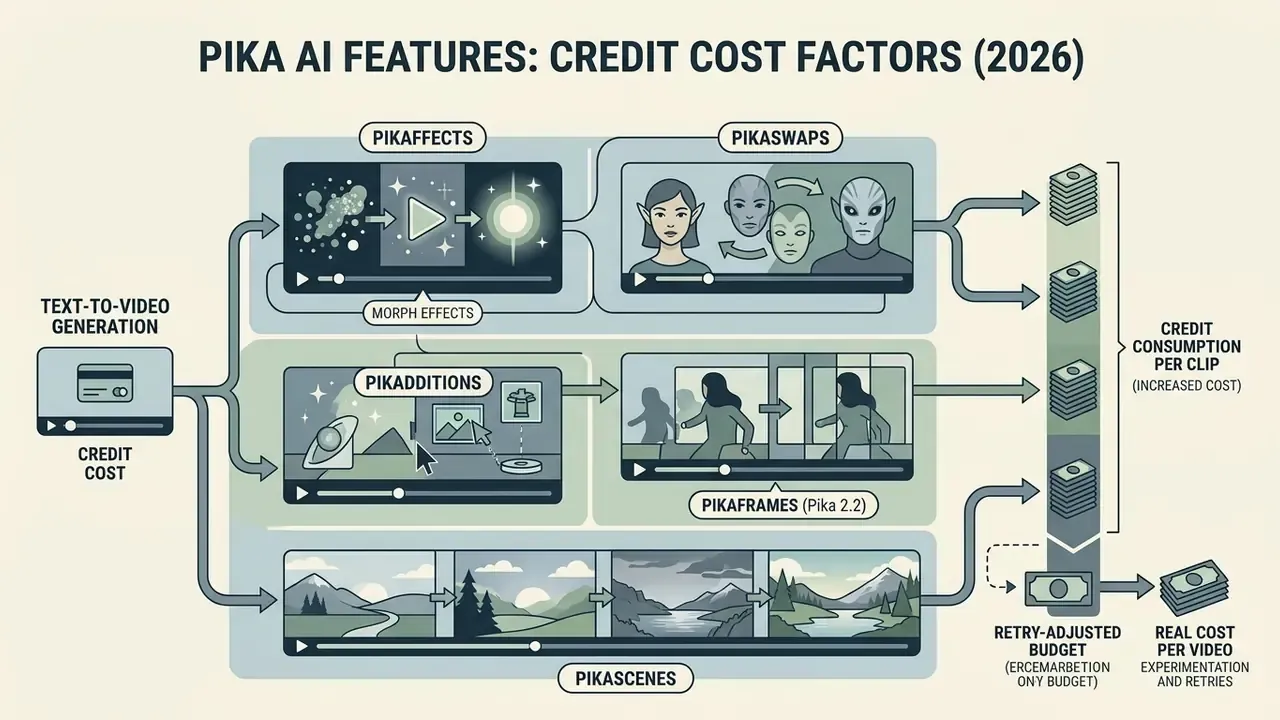
Specialised video editing features and visual transformation tools in Pika AI directly alter credit consumption per generation. While basic text-to-video requires standard credit allocations, feature-rich tools such as Pikaffects, Pikaswaps, Pikadditions, and Pikaframes carry distinct computational pricing structures.
«SaaS providers price complex operations higher and discount iterative draft modes, optimising user workflows.»
Text-to-video: cost of generating from text prompts
Generating video from text prompts using Pika 2.5 ranges from 12 credits (5-second 480p) to 80 credits (10-second 1080p). Text prompts offer flexible control over motion, camera angles, and rendering style, which enables seamless text-to-video asset creation. Turbo mode remains the cheapest path for concept validation, at roughly 5 to 12 credits per draft.
Image-to-video: cost of animating an uploaded image
Pikaffects, Pikaswaps, and other creative video tools
Pika AI provides proprietary creative tools that apply complex visual transformations, each carrying specific credit overheads:
- Pikaffects preset visual effects (melt, explode, inflate, squish, cake-ify, plus the 27-style "Transformations" pack) costing around 15 credits for image-to-video and 18 credits for video-to-video 5-second outputs.
- Pikaswaps object and subject replacement in existing footage with lighting and motion preserved, costing about 10 credits in Turbo mode or 20 credits in Pro mode per render.
- Pikadditions inpainting tool to insert new subjects or background elements into video clips, priced at roughly 10 to 20 credits.
- Pikaframes (Pika 2.2 update) keyframe animation that links up to 5 input keyframes into one seamless scene of up to 10 seconds, generating smooth transitions between start and end images. Cost runs 8 to 25 credits for 5-second clips at 720p/1080p, 15 to 60 credits for 10-second clips, and up to around 200 credits for long 1080p keyframe sequences (25s).
- Pikascenes full scene generation from a single text or image input with user-supplied "scene ingredients"; roughly 10 credits in Turbo mode and up to about 100 credits for 1080p 10-second scenes.
- Pikatwists narrative twist generation, billed at roughly 60 credits per Turbo render, one of the most expensive single actions in the product.
- Lip Sync & Sound Effects generates character speech synchronised from text or an uploaded audio file, plus automatic ambient sound-effect beds (SFX). Consumes an additional 5 to 15 credits per generation.
- Expand Canvas & Modify Region (inpainting) change the aspect ratio with generated background fill, or edit a selected region of the video locally without re-rendering the entire clip (about 10 to 20 credits). This is the cheapest way to fix a near-miss render instead of paying full price for a new one.
Creators combining these AI operations with a conventional timeline should understand where generative tooling stops and manual craft begins; our overview of video editors and our YouTube editing workflow guide map that handoff.
PikaStream 1.0: real-time AI avatars and live video presence
Beyond asynchronous rendering, Pika has introduced PikaStream 1.0, a real-time model that gives an AI agent a face, a voice, and live presence in video meetings. Through the pikastream-video-meeting capability, an agent can join Google Meet calls with a rendered avatar, a cloned or synthesised voice, retained conversational memory, and the ability to execute tasks during the call. Typical use cases are automated recurring meetings, AI representatives for routine intake calls, and extending a personal assistant into live conversation.
Commercially, real-time streaming is metered differently from clip rendering. It prices continuous session time rather than finished seconds of export, so budget it separately from your credit pool and confirm live per-minute rates and concurrency limits before pilot deployment. For governance teams, live avatars also raise disclosure obligations: participants should be told when a synthetic representative is on the call. In a regulated context, that disclosure belongs in the control design, not in a footnote.
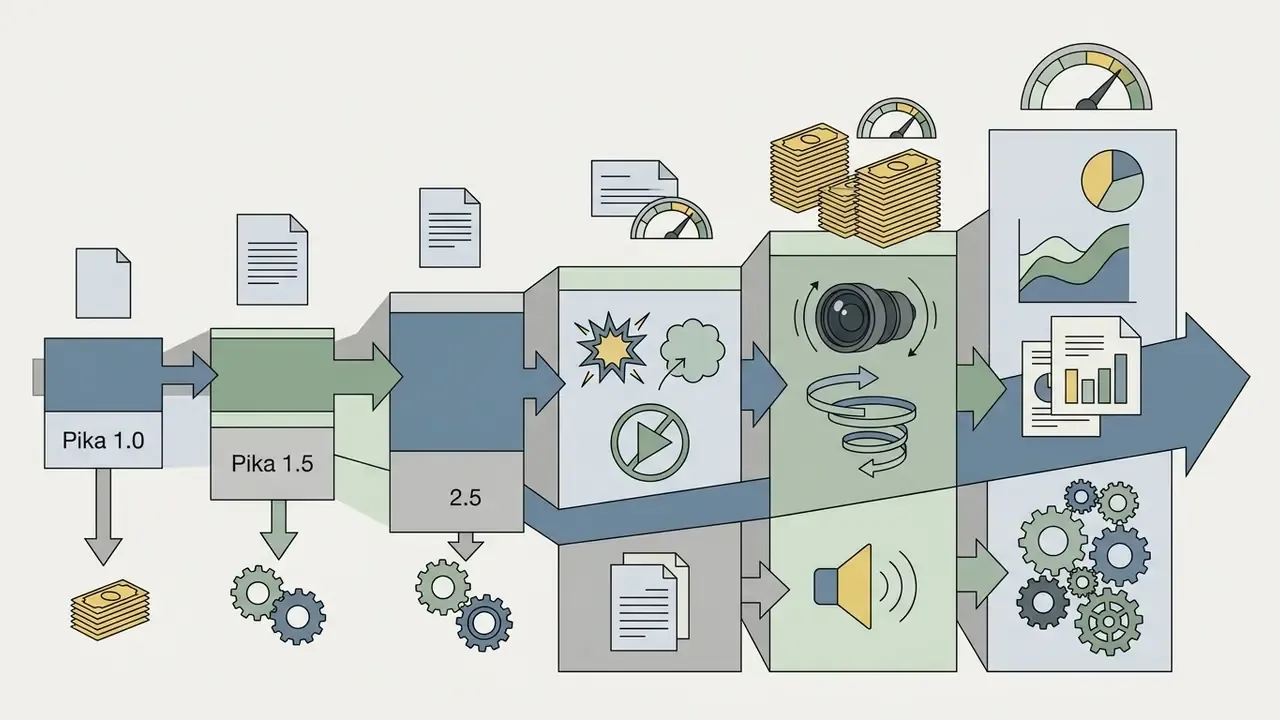
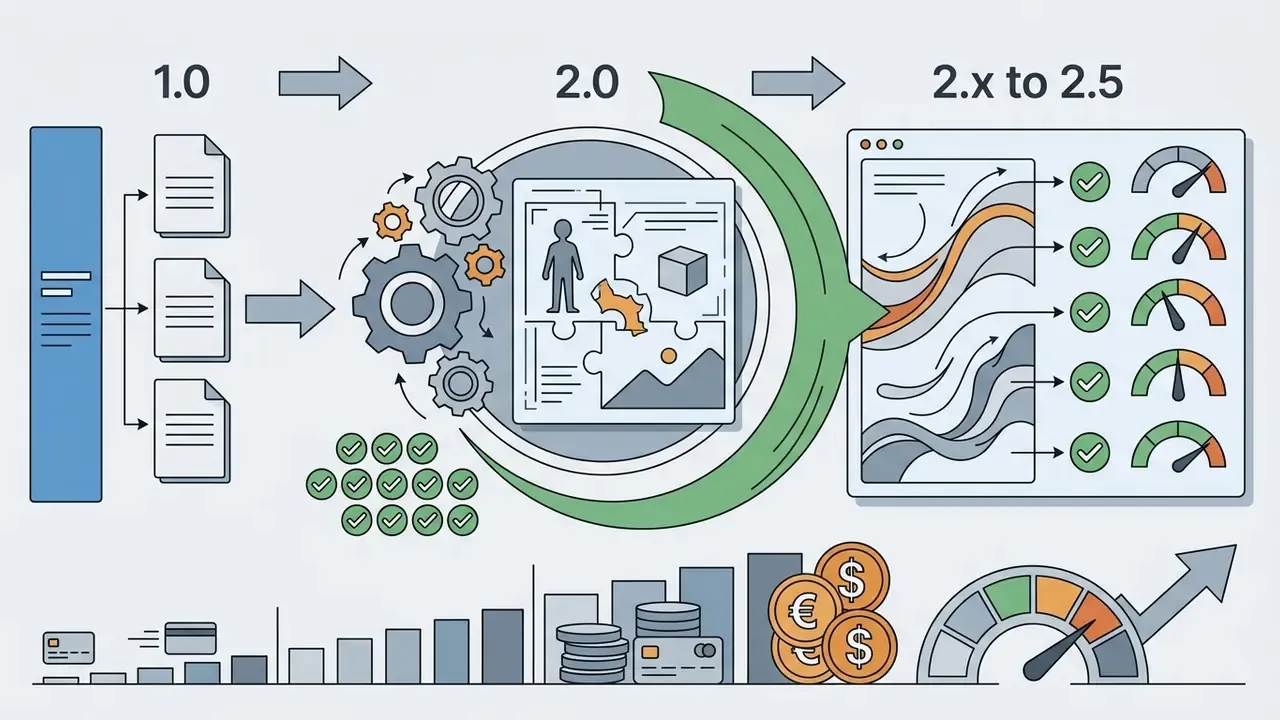
Model generations and how they affect price: Pika 1.0 to 2.5
Pika's credit schedule only makes sense against its model history, because each generation changed both quality and cost:
Cost takeaway: newer models are not uniformly more expensive; they are more granular. Turbo drafts undercut legacy flat-rate generations, while 1080p long-form output is far costlier. Price control comes from choosing the correct model mode per stage of production.
Data security, privacy, IP, and Shadow AI risk
Commercial rights and IP ownership by tier
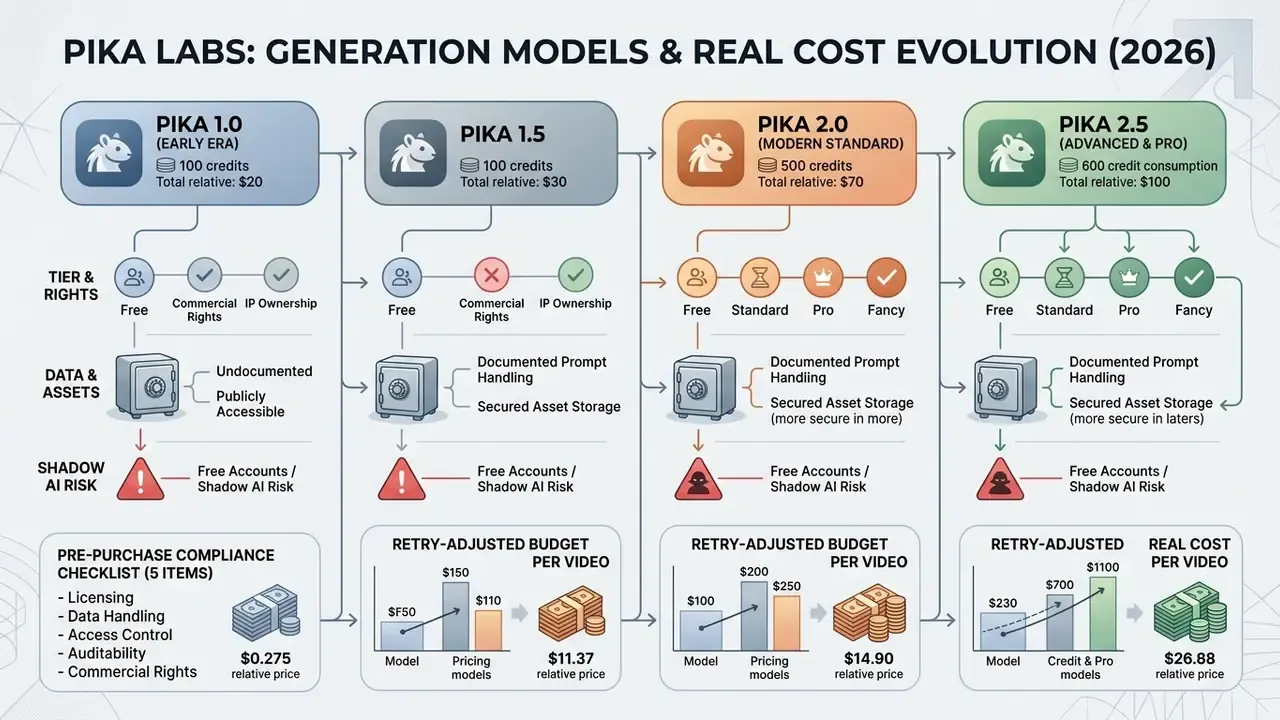
What is clearly documented: free-tier output is watermarked and excluded from commercial use, while Standard, Pro, and Fancy include commercial usage rights for generated videos. Some Pika pages have described Basic inconsistently on watermark and commercial-use status, so the conservative reading, no commercial use on free, is the one to operate under.
What is not clearly documented and must be confirmed in writing:
- Whether the platform provides IP indemnification if a generated asset is alleged to infringe third-party rights.
- Whether uploaded source assets (brand imagery, talent photography, product renders) may be used to train or improve general models.
- How rights survive cancellation, meaning whether assets produced during a paid subscription remain commercially licensed after downgrade to free.
- Whether likeness and voice inputs (lip sync, cloned voices, avatars) require documented consent artefacts your organisation must retain.
Prompt and asset handling: documented versus undocumented
Shadow AI: why free accounts are the real exposure
The Shadow AI pattern is predictable. A marketer signs up for the $0 tier with a work email, uploads a pre-launch product image to test animation, and exports a watermarked clip with no commercial licence. Three risks compound at once: confidential asset disclosure to an unvetted processor, an unlicensed asset entering a campaign, and zero audit trail for the organisation.
Mitigations that work in practice: route all generative video through a small number of centrally owned paid accounts with SSO where available; block free-tier signup on corporate domains via CASB policy; maintain an approved-tool register that states which tiers are permitted for which data classifications; and require that every published AI-generated asset carry a record of prompt, model, tier, and approver.
No evidence, no autonomy. The same principle applies to a video tool as to any other model in production.
Pre-purchase compliance checklist (5 items)
- Licensingconfirm in writing that commercial rights cover your distribution channels, paid media, and client resale, and whether indemnification is offered.
- Data handlingobtain the DPA, sub-processor list, retention period for prompts and uploads, and confirmation on whether customer assets train models.
- Access controlverify SSO, seat administration, role separation, and offboarding procedures; document the compensating control where RBAC is absent.
- Auditabilitydetermine what generation metadata (prompt, model version, timestamp, operator) can be exported for MRM or GRC evidence.
- Budget controlset a credit ceiling and a top-up approval path, so the retry factor cannot silently convert a $28 subscription into uncontrolled monthly spend.
Which Pika Labs plan to choose for your workload
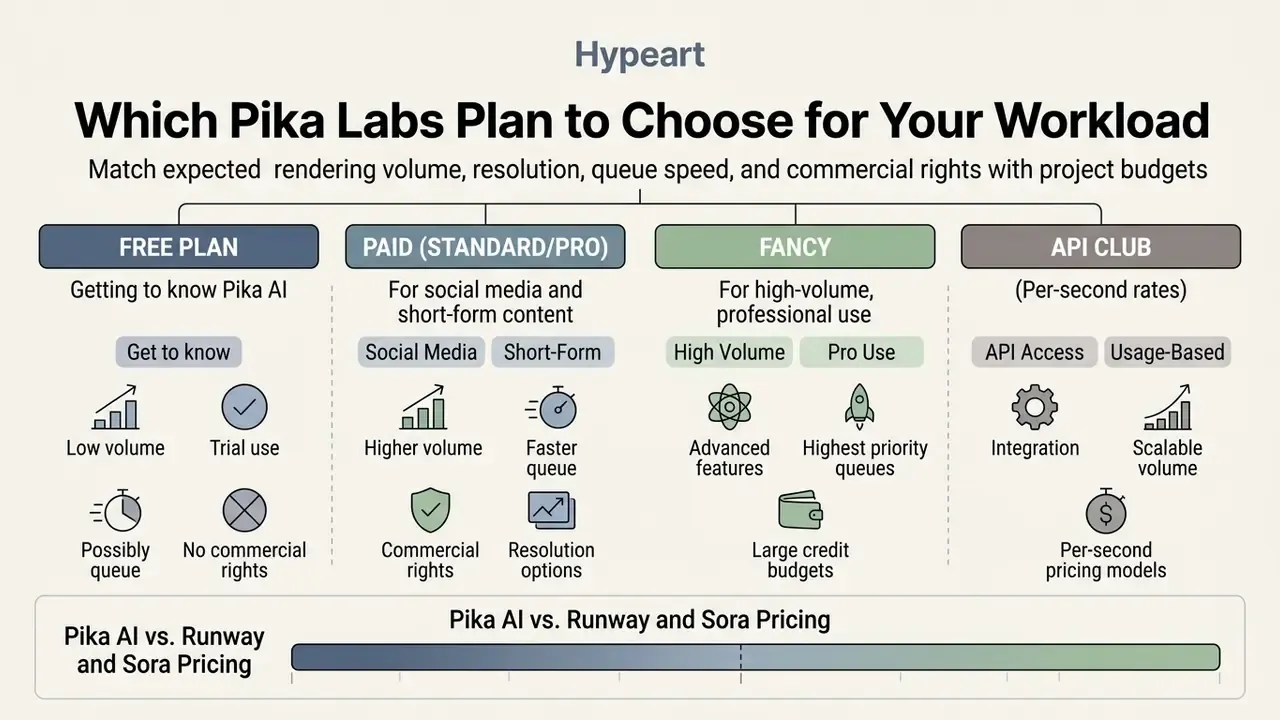
Selecting the appropriate Pika Labs plan means matching expected rendering volume, required resolution, queue speed, and commercial usage rights against project budgets. Verify current commercial-use terms on the official site before you standardise a tier across a team.
«Independent 2026 reviews agree: Standard suits moderate HD output, while Pro becomes necessary for daily production with iteration.»
Pika Labs Plan Selection Matrix by User Role and Production Goal
| User Role & Production Goal | Key Technical Requirements | Recommended Pika Plan | Operational Rationale |
|---|---|---|---|
| Testing & Skill Building | Non-commercial, basic prompt testing, 480p resolution | Basic (Free) | Zero financial cost; evaluates motion mechanics before subscribing. |
| Social Media Creator (Reels / Shorts) | Commercial rights, 1080p, 9:16 aspect ratio, watermark-free | Standard ($8 to $10/mo) | Provides 700 credits (~35 short clips/mo) for consistent channel posting. |
| Professional Creator & Freelancer | Daily content creation, multi-variant testing, faster queues | Pro ($28 to $35/mo) | 2,300 credits absorb frequent prompt retries and high-resolution exports. |
| Digital Agency & Enterprise Studio | High-volume campaigns, batch rendering, maximum queue speed | Fancy ($76 to $95/mo) or API Club | 6,000 credits support intensive client production pipelines; API offers pay-per-second rates. |
| Developer / Product Team | Programmatic generation, bulk variants, server-to-server calls | API Club ($10/mo + usage) or third-party gateway | Per-second billing makes marginal cost per asset explicit; no credit pool to manage. |
| Regulated Marketing Team (compliance sign-off) | Audit trail, high retry tolerance, centralised accounts | Pro or Fancy, centrally administered | 3× to 4× retry factor plus review cycles makes lower tiers structurally under-provisioned. |
Free plan for getting to know Pika AI
The free tier is optimal for individuals testing Pika AI for the first time. It allows non-commercial evaluation of text prompts and image uploads at 480p resolution without upfront subscription expense. Before settling on any vendor, compare it against other free AI video generators to see which platform's free quota actually survives a realistic retry rate.
Plan for commercial use and large-scale content creation
How Pika AI pricing compares with Runway and Sora
Positioning against the main rivals:
- Versus Runway (Gen-3 / Gen-4 families): Pika offers a lower entry threshold for short creative and social clips, with Standard delivering 700 credits for $8/month, whereas Runway's tiers (commonly $12 to $15/month at entry, scaling to roughly $95/month) target complex cinematic production with a higher effective cost per second of finished footage. Runway also converts credits at per-second rates that make 5 to 10 second clips materially more expensive than Pika equivalents.
- Versus OpenAI Sora: Pika provides immediate access without waitlists, a transparent published credit table, and micro-tools (Pikaffects, Pikaswaps, Pikadditions, Pikaframes) that Sora does not expose. Sora's strength is photoreal human motion and longer coherent scenes; Pika's strength is speed, stylisation, and cost-predictable iteration. For the full tier breakdown, see our sora ai video generator pricing analysis.
- Practical read: choose Pika when you need many short, stylised, on-trend assets cheaply; choose Runway or Sora when a single hero shot must survive broadcast-level scrutiny. Many teams run Pika for volume and a premium model for hero assets, and the credit math above is what makes that split defensible to finance.
«The effective cost of AI capability often falls as models improve, even when list prices stay flat.» The Price of Intelligence: A Quality-Adjusted Price Index for AI Services, preprint (2025)
That long-run dynamic is a reason to prefer monthly billing during a pilot phase and to switch to annual billing only after output quality and workflow fit are proven.
FAQ about Pika Labs AI Video Generator pricing
Do I need professional video editing skills to use Pika AI?
No, professional editing skills are not required. Pika AI uses a generative interface driven by natural language: you enter a text prompt or upload a static image, and the model produces camera movement, object animation, and visual effects. Prompt writing (subject, action, environment, style, camera) replaces timeline editing as the core skill, and negative prompts replace manual clean-up of defective frames.
Can videos created on the free plan be used commercially?
No. Commercial use is permitted only on the paid tiers (Standard, Pro, Fancy). Content generated on the free Basic plan carries a watermark and is intended strictly for personal evaluation and learning. Because some Pika pages have described Basic inconsistently, the safe operating assumption for any business is that free-tier output is non-commercial until the live Terms of Service state otherwise in writing.
Do unused credits expire at the end of the month?
Monthly credits included in the base subscription expire at the end of each billing cycle and do not carry over. Separately purchased add-on credit packs remain on the balance for as long as the paid subscription stays active. This is why sizing the tier to a retry-adjusted workload matters more than buying headroom "just in case": unused plan credits are lost, while top-ups persist.
What is the difference between monthly and annual billing?
Annual billing carries roughly a 20% discount. Standard is $8/month on annual billing versus $10/month on monthly billing; Pro is $28 versus $35; Fancy is $76 versus $95 per month. Run a monthly-billed pilot first, then lock annual pricing once output quality and volume are validated.
How much do credits cost per clip at each resolution?
Using the published Pika 2.5 grid: 480p costs about 12 credits for 5 seconds and 24 for 10 seconds; 720p costs about 20 and 40; 1080p costs about 40 and 80. Legacy Pika 1.0 and 1.5 generations are billed at a flat 15 credits, Turbo-mode generations from about 5 to 12 credits, and Pikatwists at about 60 credits. Pika's FAQ quotes lower figures for Model 2.2 (6 and 18 credits at 720p and 1080p for 5 seconds), so always match the number to the model you select.
What aspect ratios, file formats, and durations does Pika support?
Pika 2.5 documentation lists seven aspect ratios (16:9, 9:16, 1:1, 4:5, 5:4, 3:2, 2:3), while third-party interfaces additionally expose 5:2, 4:3, and 3:4. Source images must be JPG or PNG up to 10 MB. Base output renders at 24 FPS with motion intensity from 1 to 4, at durations of 5 and 10 seconds in mainstream modes, extending to 15, 20, and 25 seconds on Pika 2.5 (1080p in Pro Mode).
How different is Pika API Club from a standard user subscription?
Pika API Club is designed for developers and services that need programmatic generation. Instead of an internal credit pool, API Club charges a $10 monthly membership and bills generation directly in dollars per second of video: approximately $0.04/second at 720p and $0.09/second at 1080p on the Pika 2.5 model. It supports HD generation, custom aspect ratios, bulk jobs, and server-to-server integration.
Are there third-party API providers for Pika besides the official API Club?
Yes. If the official Pika API Club terms ($10/month plus per-second billing) do not suit your stack, Pika video generation is also reachable through developer gateways and serverless inference platforms such as Fal.ai, Wavespeed.ai, Pollo.ai, and API Glue. These offer pay-as-you-go billing per call without a mandatory monthly membership, at the cost of an extra intermediary in your data path, a factor to weigh in vendor due diligence.
How many credits should I budget per approved video, including retries?
Multiply the credits per final render by a retry factor: about 1.5× for internal drafts, 2.5× for standard brand social content, and 3× to 4× where compliance or legal review must approve each frame. A 10-second 1080p asset at 80 credits therefore realistically costs 200 to 320 credits to land approved, or roughly 100 to 150 credits per finished clip in lighter workflows, which matches independent 2026 usage analyses.
Does the free plan really include 80 credits, or 150?
Official Pika surfaces have shown both figures: 80 monthly credits on the subscription pricing table and 150 credits per month in the FAQ, most likely because the pages were updated at different times. Third-party wrappers advertising "200 free credits with no watermark" are describing their own reseller pool, not Pika's terms. Verify on the live pricing page before planning around any specific allowance.
Does Pika store my prompts or train models on my uploads?
Pika's public documentation covers pricing and features in detail but does not publish enterprise-grade specifics on prompt retention windows, data residency, sub-processors, deletion SLAs, or whether uploaded assets may inform model improvement. Request the security package, DPA, and training-opt-out confirmation directly from the vendor before uploading confidential or pre-release material, and keep sensitive assets out of free-tier accounts entirely.
Which plan is cheapest per finished HD video?
On annual billing with a 3× retry factor, Pro is typically the lowest effective cost per approved 10-second 1080p clip (about $2.80 to $3.10), with Fancy close behind (about $3.00) and Standard highest (about $3.20 to $4.00), because its 700-credit pool leaves little room for iteration. Fancy wins on absolute capacity and queue speed rather than on unit price, which is why it suits agencies under deadline pressure.