Generative artificial intelligence inside high-volume communication channels changes how institutions and individual users create visual content. In US financial services and technology environments, deploying consumer-facing AI features demands a clear understanding of capabilities, data lineage, and operational risk. It also demands a practical grasp of the interface itself, because the same feature set is simultaneously a creative shortcut for employees and an unmanaged data pathway for the enterprise.
That tension is the reason this guide exists. Two readers, one article: the person who wants a decent birthday card in thirty seconds, and the Head of Model Risk who wants to know where the prompt text goes.
«Integrating generative AI into daily messaging interfaces reduces friction for creative execution, but it elevates the need for strict data governance, auditability, and clear boundaries between encrypted communication and model processing.»
On this page: capability overview, access and interface locations (iOS vs Android), step-by-step generation, prompt engineering formula, Meta AI vs third-party bots, enterprise and Shadow AI governance, privacy and provenance, troubleshooting, FAQ.
WhatsApp AI Image Generation Features in Meta AI: Capability Overview
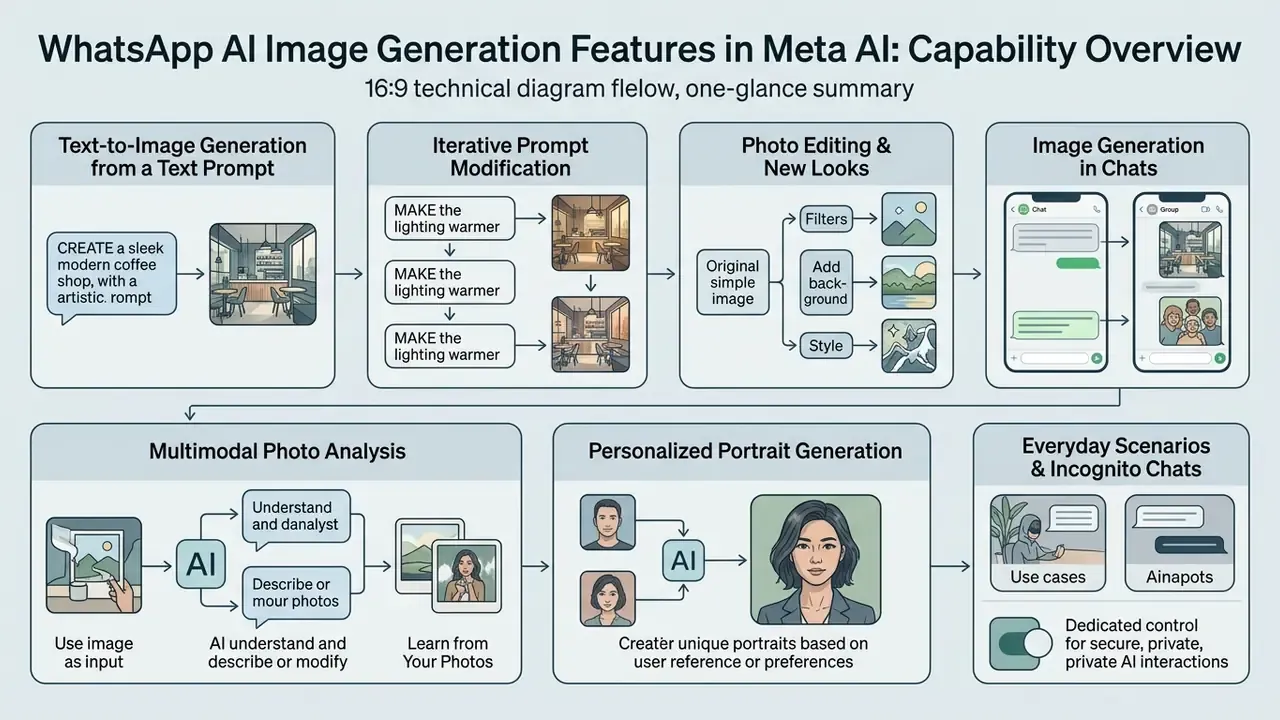
Meta AI inside WhatsApp enables instant text-to-image creation, iterative prompt modification, photo editing, multimodal photo analysis, and personalized portrait generation directly within standard messaging workflows. This architecture eliminates the friction of switching between external software applications to produce generated images.
Put plainly: the whatsapp ai image generation capabilities documented through 2025 and refreshed in 2026 now cover creation, editing, and analysis in one thread. No installs. No second account.
Text-to-Image Generation from a Text Prompt
Users generate visuals directly in a WhatsApp chat by entering a structured ai image generation from text description request starting with the designated keyword. The underlying generative engine, powered by Meta's Emu and Muse Image models, processes the input text and renders high-quality visual outputs in seconds.
«Muse Image follows instructions faithfully, edits with precision and composes from multiple references.»
In certain beta deployments, real-time image updates modify the visual asset continuously as the user types additional characters into the text prompt. It looks like magic on first contact, and it is also a reminder that every keystroke is being processed somewhere.
«In beta testing, the image refreshed in real time as the text was typed; a "soccer game" prompt was reshaped into a scene on Mars.»
Creating a New Look and Editing Photos
The platform supports advanced image modification capabilities alongside basic text-to-image synthesis. Features such as "Imagine Yourself" and "Imagine Me" allow users to upload a selfie and create a new look across diverse stylized scenarios. Through conversational instructions, users can execute photo editing tasks: replacing backgrounds, removing unwanted objects, altering lighting conditions, or applying a distinct artistic style to uploaded images.
Teams that need to extend a canvas rather than replace it usually pair the assistant with dedicated AI outpainting tools, and compare in-chat editing against standalone AI photo editors before standardizing a workflow.
«Muse Image can erase unwanted elements, place objects into paintings and generate QR codes rendered in a chosen visual style.»
The official WhatsApp guidance confirms the same conversational loop: type imagine to describe an image, then reply with instructions to add, subtract, or animate elements. "Imagine Edit" shipped in English first, with additional languages following the standard staged release pattern.
Image Generation in Individual and Group Chats
Deploying Meta AI within WhatsApp extends across both one-to-one private conversations and multi-user group threads. In private chats, the assistant operates as an isolated digital workspace for visual ideation. Within group conversations, tagging @Meta AI allows all participants to view generated assets, submit follow-up refinements, and collaborate on shared visual concepts in real time.
Two behavioral differences matter for risk assessment. First, in a group thread both the prompt and the output are visible to every participant, including anyone added later. Second, Meta states it processes only messages that explicitly mention @Meta AI or that a user deliberately shares with the assistant. WhatsApp has additionally tested adding Meta AI as a group member, which replaces the mention-based flow inside that specific group and allows the assistant to read and respond to new messages in that thread only.
For a compliance reviewer, that second variant is the one worth flagging. A mention is a deliberate act; a resident group member is a standing subscription to the conversation.
Multimodal Photo Analysis and Incognito Chats
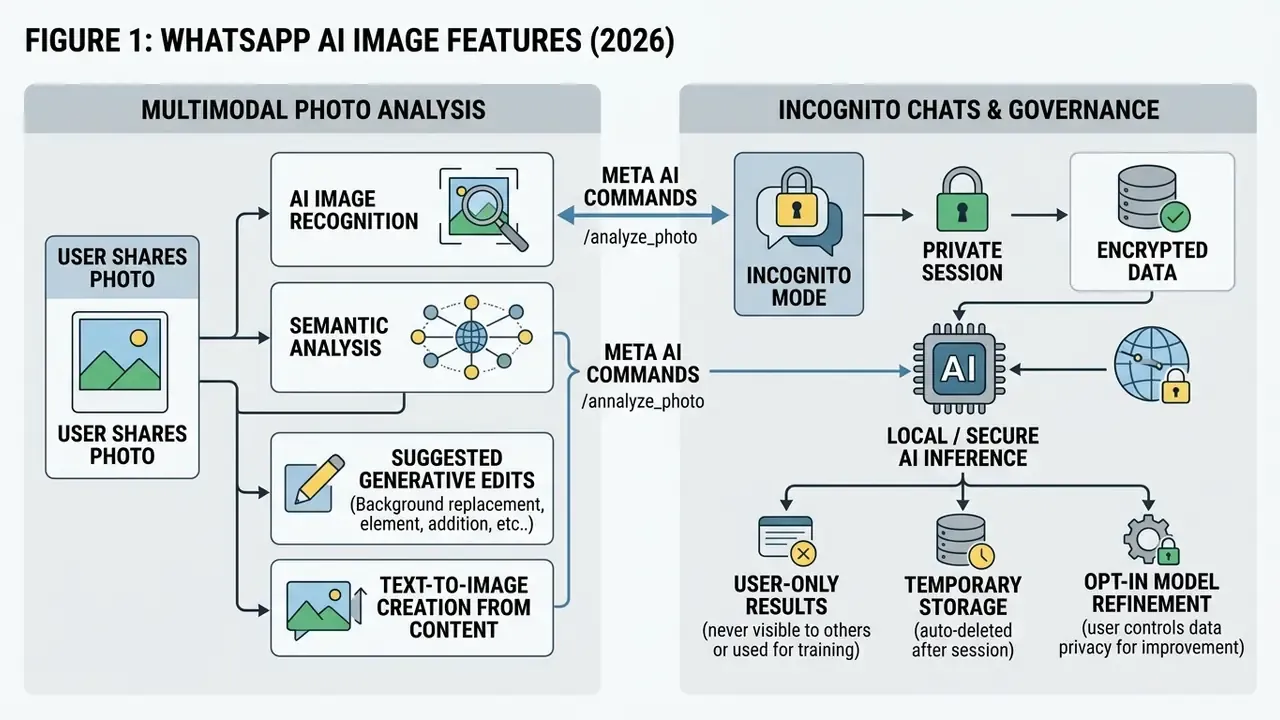
Beyond generating assets "from scratch," Meta AI processes images that the user uploads:
- Learn from your photosA user can send a picture of an unfamiliar object, say a plant, a label, or a landmark, or a photograph of a math problem, and ask the assistant to identify the subject, explain the context, or walk through the solution step by step.
- Incognito chats with Meta AIA heightened-privacy mode built on Private Processing. According to WhatsApp, incognito conversations are "private and not visible to anyone else, including Meta and WhatsApp," are processed in a secure environment, and "when you exit the chat, your conversations disappear and cannot be retrieved."
- Everyday scenariosGenerated images can be applied directly as a group chat icon, set as a background for a video call, used as a profile picture or Status update, or forwarded as a standard chat attachment.
«Protected by encryption and Private Processing, incognito chats with Meta AI are processed in a secure environment that even Meta cannot access.»
Applied Use-Case Catalog
A catalog of practical generation scenarios inside WhatsApp:
How to Access AI Image Generation in WhatsApp
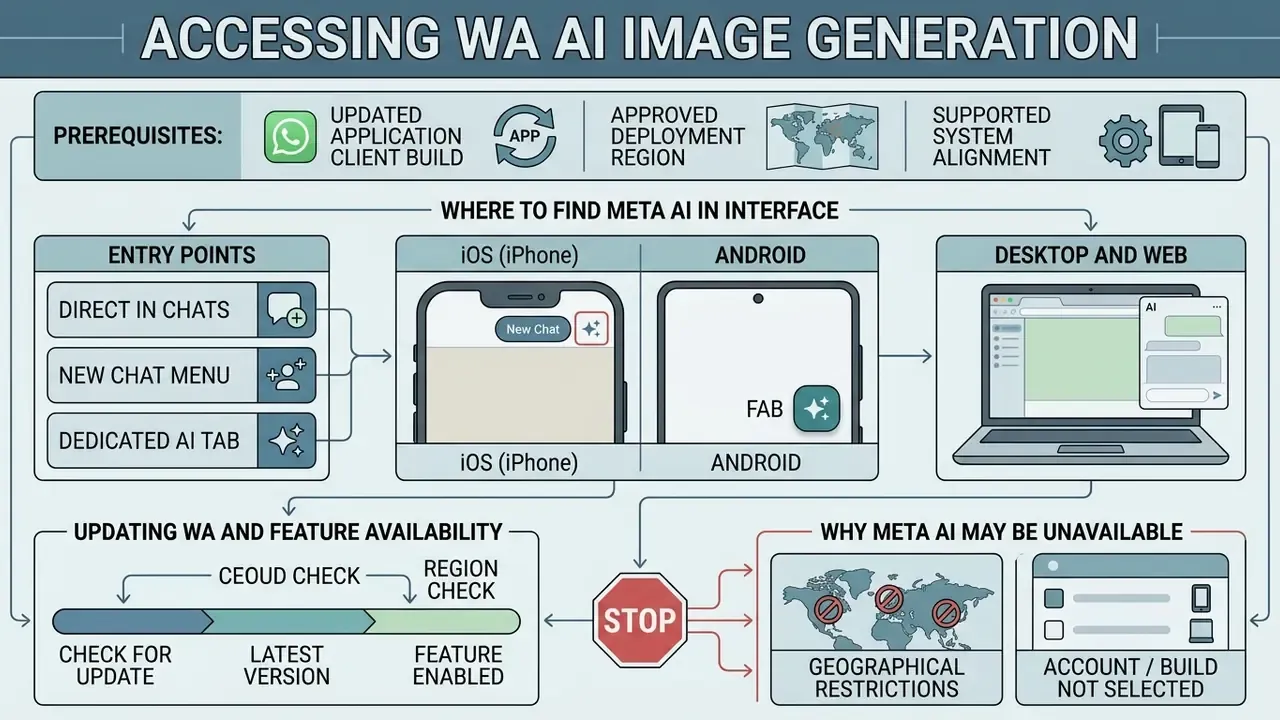
Accessing WhatsApp AI image generation capabilities requires an updated application client build, presence in an approved deployment region, and alignment with supported system languages. Because rollout occurs via server-side feature toggles, client availability varies across user accounts, sometimes between two phones on the same office desk.
Where to Find Meta AI in the WhatsApp Interface (iOS vs Android)
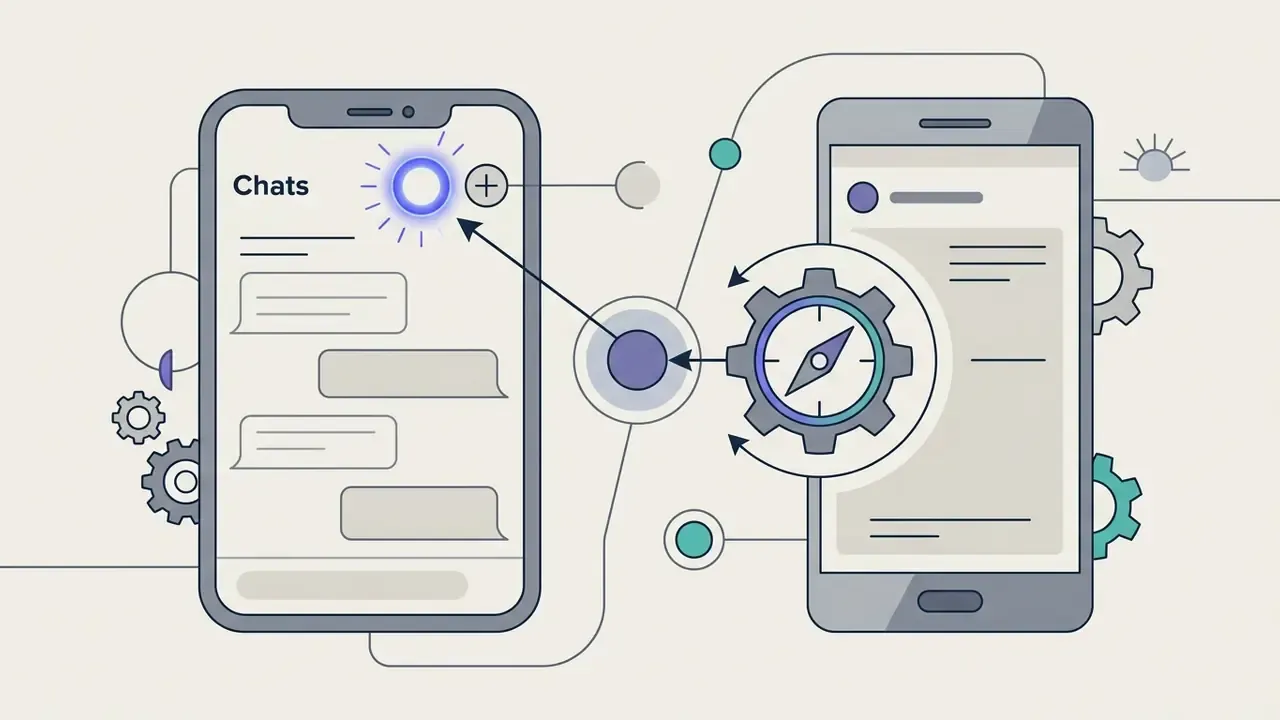
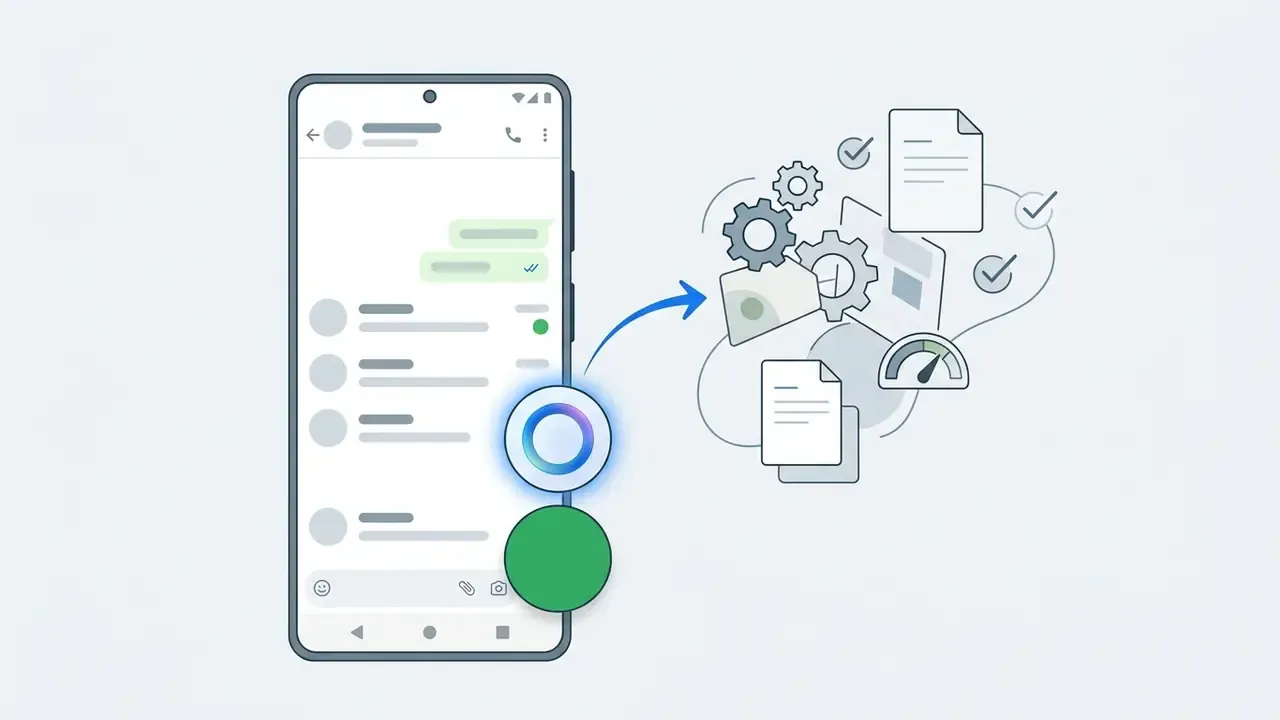
Users can locate entry points for the AI assistant across three primary interface locations within the application: the Chats tab button, the search field, and an in-conversation mention. Updated: the physical position of the entry button differs by operating system, which is the single most common reason users report "the feature is missing" when it is in fact present.
If the ring is not visible at all, close WhatsApp, open the App Store or Google Play, update the app, and reopen it. The button is injected by the client build plus a server-side flag, not by a user setting you can flip yourself.
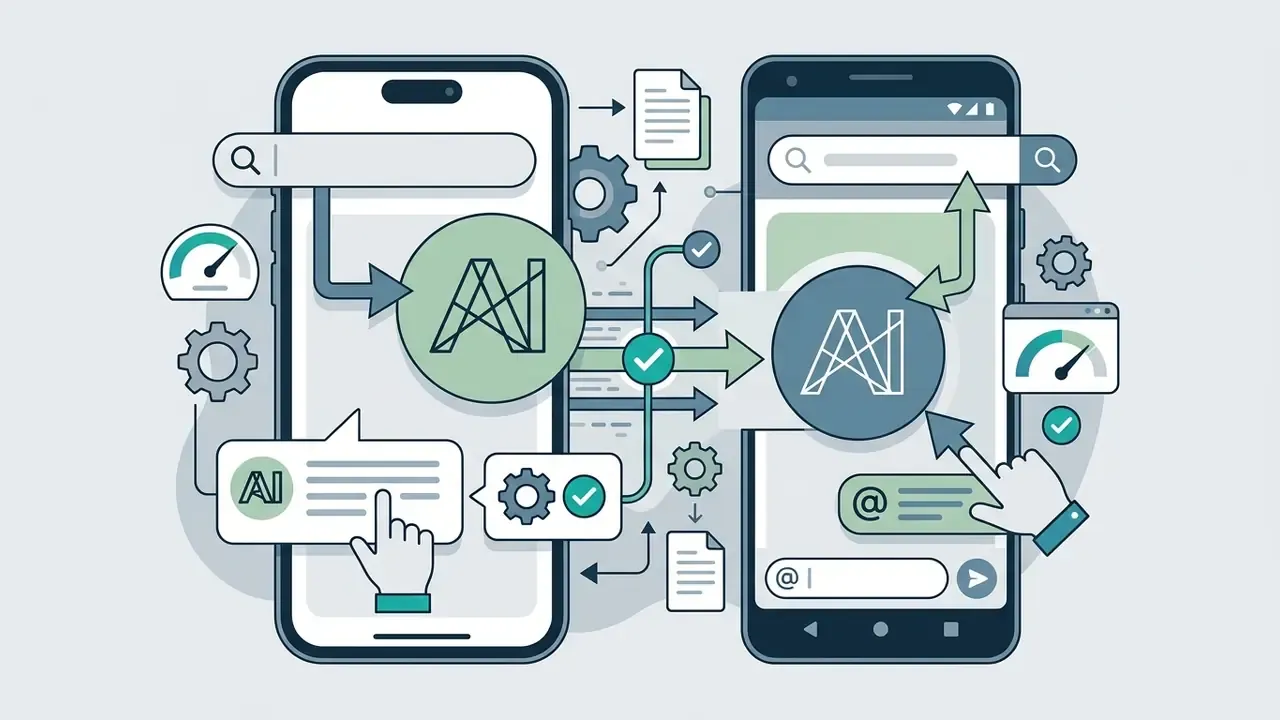
@Meta AI inside any individual or group conversation.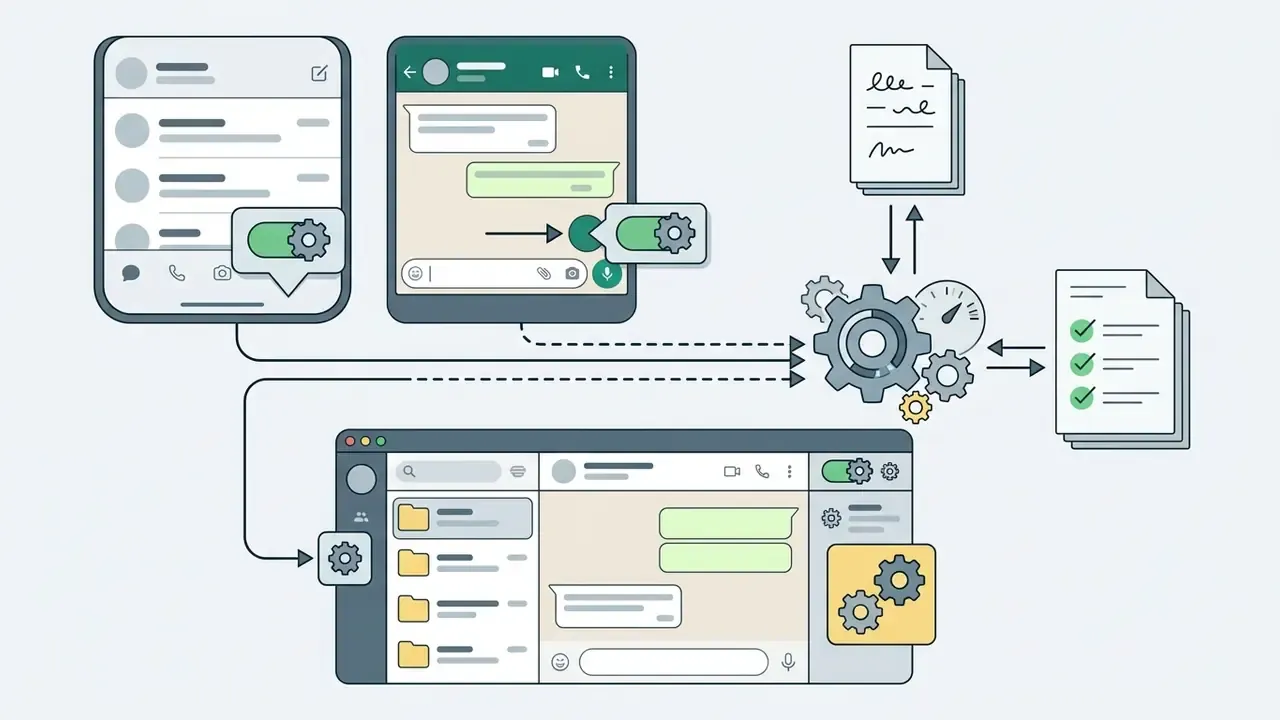
Updating WhatsApp and Feature Availability
Enabling the native WhatsApp AI image generation feature requires maintaining the latest software version from the Apple App Store or Google Play Store. Meta executes phased rollouts, meaning underlying backend flags may activate for specific user groups prior to broad market availability.
«The AI image-generation feature in WhatsApp is "being rolled out in phases"; users are advised to update the app to the latest version.»
Reporting from the initial deployment window is consistent with this mechanism: the capability first appeared in WhatsApp Messenger beta 2.24.14.7 and stable 2.24.13.73 while remaining "server side," which is why no single universal minimum version is published. Regular app updates ensure the installation includes required client-side interface handlers for image rendering.
Before committing to the in-app assistant for production work, many teams benchmark it against the best AI image generators to understand where the quality ceiling sits. One caution from experience: benchmark with your real briefs, not with the pretty demo prompts.
Technical Specifications of the Imagine Engine
| Parameter | Reported behavior | Practical implication |
|---|---|---|
| Outputs per prompt | Four candidate images per request | Pick-one workflow; no batch seed matrix |
| Output resolution | 1280 × 1280 px | Below print requirements; upscale externally |
| Download format | JPEG | No lossless or WEBP export path documented |
| Watermarking | Visible "Imagined with Meta AI" label plus invisible Content Seal watermark and metadata | Not suitable for unmarked commercial assets |
| Generation latency | Approximately 10 to 15 seconds per prompt in 2026 coverage | Fast enough for in-conversation iteration |
| Seed / negative prompts | Not exposed | Deterministic reproduction is not possible |
For print-scale or campaign-grade delivery, route the final asset through dedicated AI image upscalers rather than re-prompting for size. Re-prompting changes the picture; it does not change the pixel ceiling.
How to Create AI Images on WhatsApp: Step-by-Step Instructions
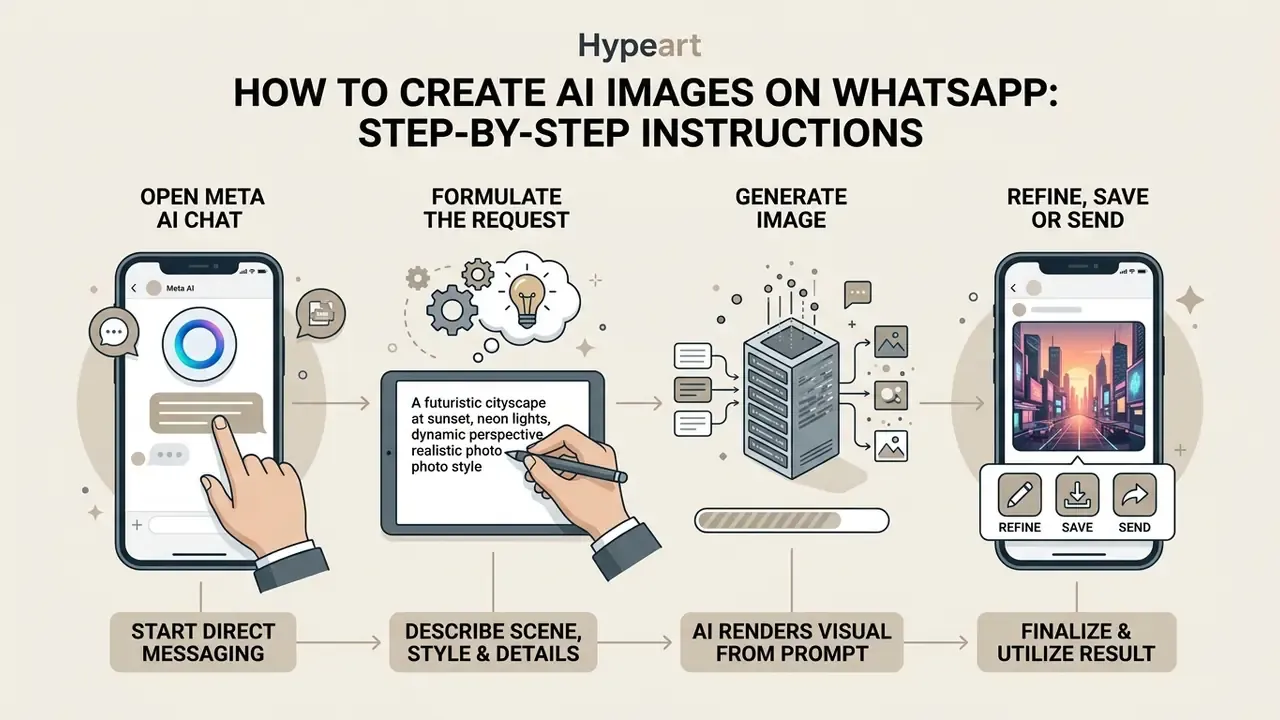
Generating custom visuals directly inside a messaging thread follows a structured natural-language workflow requiring no external extensions. The native integration accepts descriptive text commands and delivers digital assets straight to the active conversation window.
Open a Meta AI Chat and Formulate the Request
To start, open the dedicated Meta AI thread from your chats list, or navigate to an existing contact or group conversation. If working within a standard conversation thread, initiate the interaction by typing @Meta AI into the input bar to direct your query to the assistant, accept the terms prompt if it appears, and then send your request.
Small detail that saves a minute: accept the terms sheet before you paste a long prompt, otherwise the first message can be swallowed by the dialog.
Describe the Scene, Style and Details
Formulate a clear prompt describing your target image. Type imagine followed by specific visual instructions detailing the central subject, environment, lighting, camera angle, and preferred artistic style. Detailed descriptions reduce ambiguity, helping the artificial intelligence engine synthesize visuals that closely match your creative intent.
Note the syntax distinction, because it drives half of all "the command does not work" complaints. Meta AI responds to the natural-language keyword imagine (or "create an image of…"), whereas slash-command syntax such as /generate belongs to third-party bots. When people search for whatsapp ai image generation commands, this is usually the answer they need.
Refine, Save or Send the Result
Once the system generates the visual asset, review the output directly in the chat thread. To alter specific attributes, tap "Reply" on the generated image and type targeted modification requests, such as changing color tones or removing background elements. Long-press the finalized file to save it to your local device media gallery, forward it to other contacts, or apply it as a group icon or video-call background.
Checklist (semantic ordered list), from opening the chat to sending a finished AI image:
- Open the Meta AI chat, or mention
@Meta AIinside an existing conversation. - Type the keyword
imaginefollowed by a detailed text description. - Wait for the four candidate images to appear in the chat thread.
- Reply to the generated message with targeted edits if refinement is required.
- Save the file to the gallery, forward it, or set it as a group icon or call background.
- Verify the provenance label before any external publication.
That is the whole loop for anyone asking how to create ai images on whatsapp or how to make ai images on whatsapp without a second app.
How to Improve the Quality of AI-Generated Images in WhatsApp
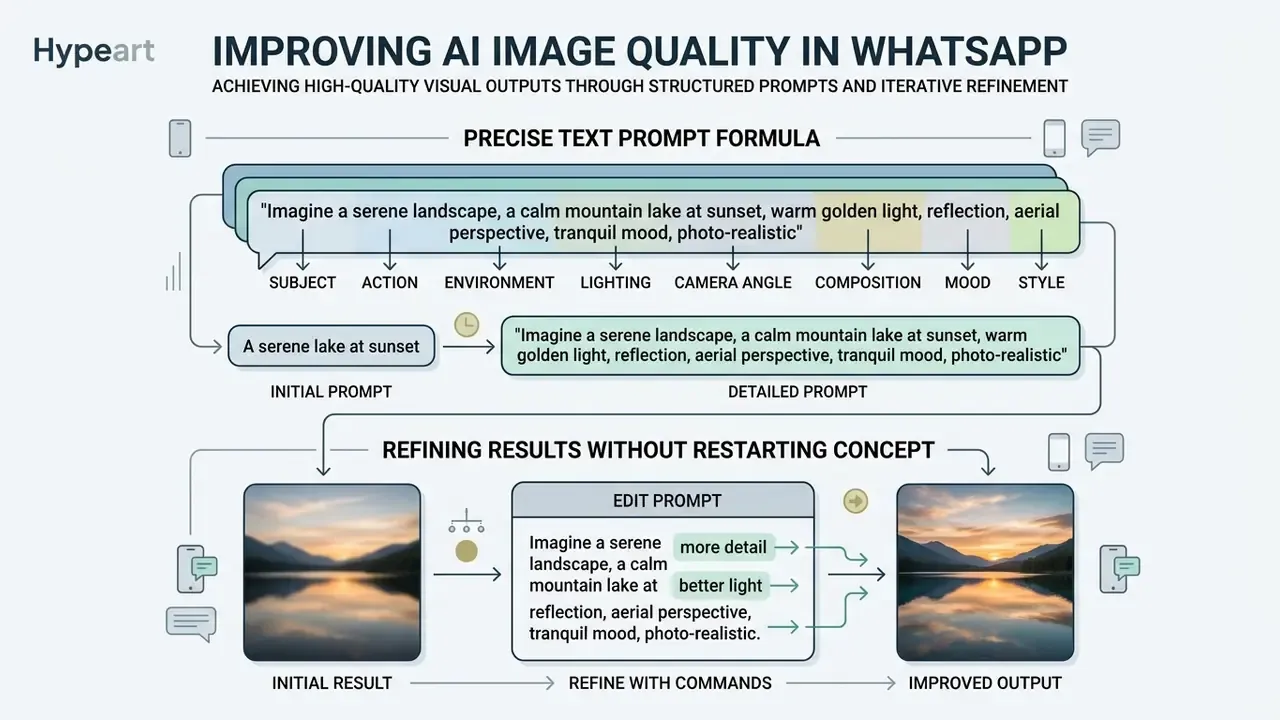
Achieving high-quality visual outputs requires structured prompt construction and disciplined iterative refinement. Providing clear stylistic parameters prevents the generation model from relying on generic assumptions, which is the same discipline that separates casual output from the results delivered by the best AI art generators.
The Precise Text Prompt Formula
Constructing an effective prompt requires an explicit structural order. Empirical work on text-to-image interfaces shows that placing core subjects first, followed by contextual backgrounds, specific art styles, and lighting parameters, significantly improves output alignment.
- Subject define the core entity clearly (for example, "a golden retriever").
- Action or context describe the setting or state ("sitting on a rustic wooden porch").
- Environment and lighting specify environmental parameters ("during golden hour with warm sunset glow").
- Camera angle and composition state the viewpoint and lens (wide-angle lens, bird's-eye view, macro photography, eye-level shot, shallow depth of field).
- Mood and atmosphere state the emotional tone (melancholic, vibrant, serene, dystopian, festive).
- Style define the target visual medium ("photorealistic 35mm photograph," "watercolor illustration," "3D render, 4K").
A frequent cause of weak results is a conceptual misunderstanding of how the system works at all:
«Many users believe the system "searches the internet" for images matching their request, which leads to under-specified prompts.»
How to Refine Results Without Restarting the Concept
Modifying an existing asset is more efficient than submitting an entirely new prompt from scratch. By replying directly to a previously generated media file in the chat, users trigger contextual editing mode (WhatsApp Help Center, 2026. https://faq.whatsapp.com/). This approach instructs the model to preserve core visual anchors while updating isolated variables like background objects, color palettes, or visual textures.
One correction to a habit many of us picked up early: sending a fresh imagine line for every tweak is not "safer." It just resets the concept and burns another 15 seconds.
| Usage Goal | Insufficient Text Prompt | Refined Text Prompt | Expected Visual Result |
|---|---|---|---|
| Professional Asset | "Imagine a business meeting" | "Imagine a modern corporate boardroom meeting with executives analyzing financial charts on displays, crisp photorealistic style, natural daylight, eye-level shot" | Clean corporate atmosphere with structured focal elements and clear lighting |
| Product Concept | "Imagine a coffee mug" | "Imagine a ceramic coffee mug with a minimal geometric logo on a frosted glass desk, soft studio lighting, macro photograph" | Sharp product detail, professional depth of field, focused subject |
| Visual Illustration | "Imagine a city skyline" | "Imagine a futuristic city skyline at dusk with neon blue light trails, reflections on wet pavement, cinematic digital art style, wide-angle lens" | Rich atmosphere, coherent color palette, high contrast visual detail |
| Greeting Card | "Imagine a birthday card" | "Imagine a festive birthday card with a pastel balloon arch, hand-lettered typography space in the upper third, soft diffused light, flat vector illustration, joyful mood" | Usable layout with reserved copy space and consistent palette |
| Personal Portrait | "Imagine me as an astronaut" | "Imagine me as an astronaut on a Martian ridge at sunrise, reflective visor, cinematic 35mm photograph, cold blue rim light, serene mood" | Recognizable likeness with controlled lighting and atmosphere |
If the final selection still needs resolution or print fidelity beyond the 1280 × 1280 ceiling, finish the asset with external AI image upscalers.
Meta AI, WhatsApp AI Image Generator Bots and Other AI Tools
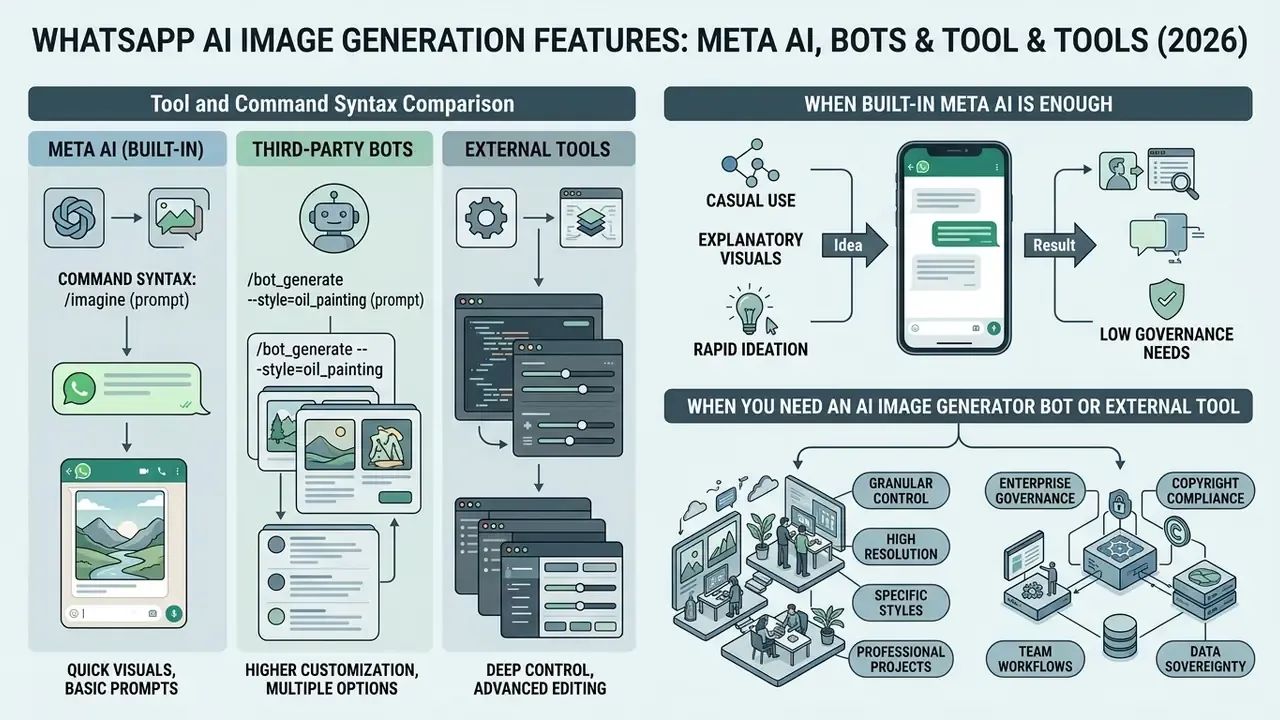
Choosing between integrated Meta AI capabilities, third-party messaging bots, and standalone commercial platforms depends on required customization depth, governance needs, and licensing constraints. That is why procurement teams normally review the rules for commercial use of AI image generators before authorizing any single tool.
Tool and Command Syntax Comparison
| Tool / Bot | How to connect | Command syntax | Key features / limitations |
|---|---|---|---|
| Meta AI (built-in) | Pre-installed: Meta AI ring icon, search bar, or @Meta AI mention | imagine [text] or @Meta AI imagine [text] | Free, native chat integration, incognito chats, visible label plus C2PA/Content Seal metadata; no seed control, no negative prompts, JPEG only |
| Shmooz AI | Scan the QR code on the provider site or message the published phone number | /generate [description], /style [style], /help | Face-consistency across generations, style transfer (3D, cartoon, artwork), limited free packs then paid image packs |
| ArtBot | Add the bot number to WhatsApp contacts and send a greeting | Plain text prompts or an in-chat text menu | Broad style range from classical to modern digital, beginner-friendly menus, tiered pricing |
| PixAI | Add the bot number to contacts | Plain text prompts with parameter keywords | Higher customization depth, anime-oriented filters, subscription required for full features |
| DoodleBot | Add the bot number to contacts | Plain text prompts | Very fast generation, deliberately simple art styles, low detail ceiling |
| External platforms (Midjourney, Canva, Bing/Microsoft, Google) | Web app or API, separate account | Platform-specific syntax and parameters | Seed control, exact resolutions, negative prompts, unwatermarked exports, explicit commercial licensing |
A governance note on that table. Any ai image generator whatsapp number published on a third-party site is, from a control perspective, an unvetted data recipient sitting inside a personal messaging app. Verify the operator, the retention policy, and the billing entity before a single employee prompt goes through it.
Cross-platform benchmarking is worth doing before standardization: see the evaluation of ChatGPT picture generation alternatives, the Midjourney comparison, and the Canva AI Generator overview for licensing and export differences.
When Built-In Meta AI Is Enough
Native Meta AI is fully sufficient for everyday visual communication, rapid concept sketching, group-icon and video-call-background creation, and casual social engagement inside group messaging threads. It delivers zero-cost access directly within existing conversations without requiring third-party account creation, API management, or external subscription tiers.
Users comparing cost ceilings can also review the landscape of free AI image generators to understand what the free tier of any tool realistically delivers, which is usually fewer credits and a watermark.
When You Need an AI Image Generator Bot or External Tool
When commercial workflows demand advanced parameters such as seed control, exact resolution adjustments, negative prompts, or unwatermarked assets, external tools become necessary. Hands-on testing of the in-chat editor documents the ceiling clearly:
«In testing Muse Image, a request to "make the image more realistic" produced no change, and a request to add the text "San Francisco" was ignored.»
Third-party gateways or specialized desktop applications provide precise model manipulation that streamlined messaging assistants do not support. Organizations considering enterprise creation options routinely assess the best AI art generators and review dedicated platforms through detailed AI Media Pricing Guides to match budget constraints with output quality.
For portrait-heavy internal use, think team pages, speaker cards, internal directories, a purpose-built AI headshot generator produces more consistent results than a general chat assistant. And if a paid plan turns out to be the wrong fit after the first campaign, the practical mechanics of how to Cancel, Downgrade, or switch a subscription matter as much as the render quality.
Enterprise & Model Governance Considerations
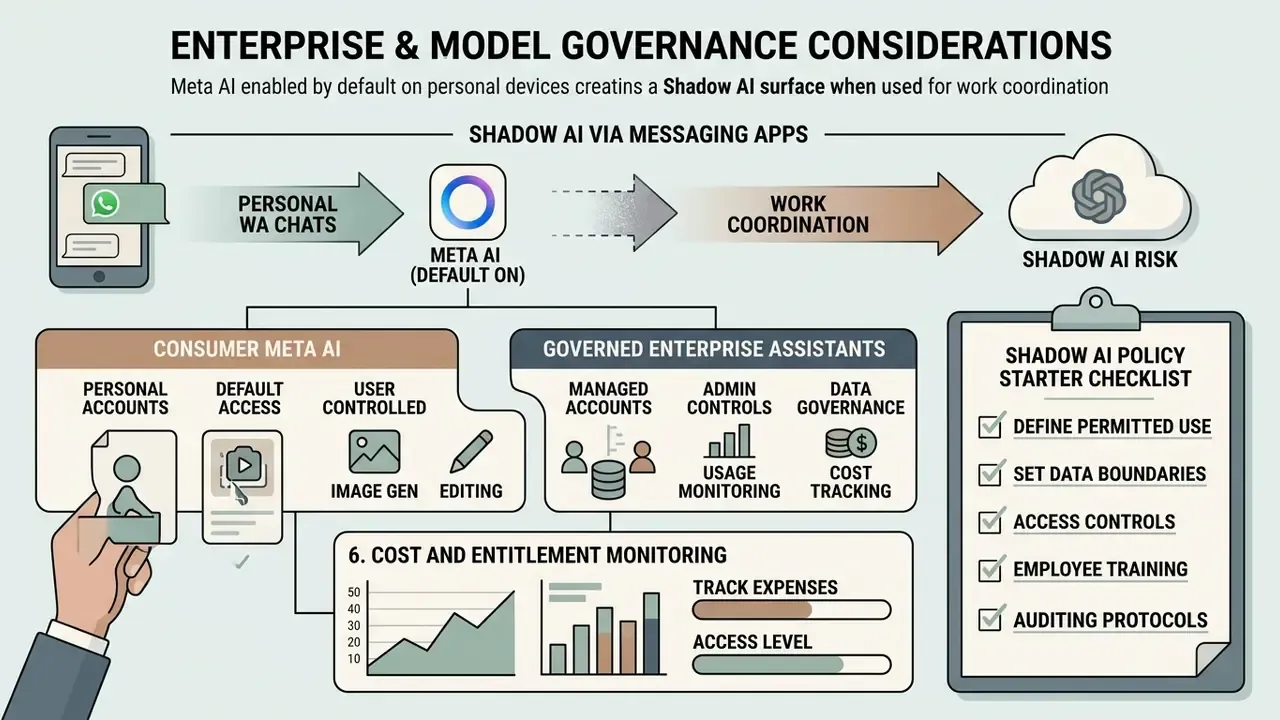
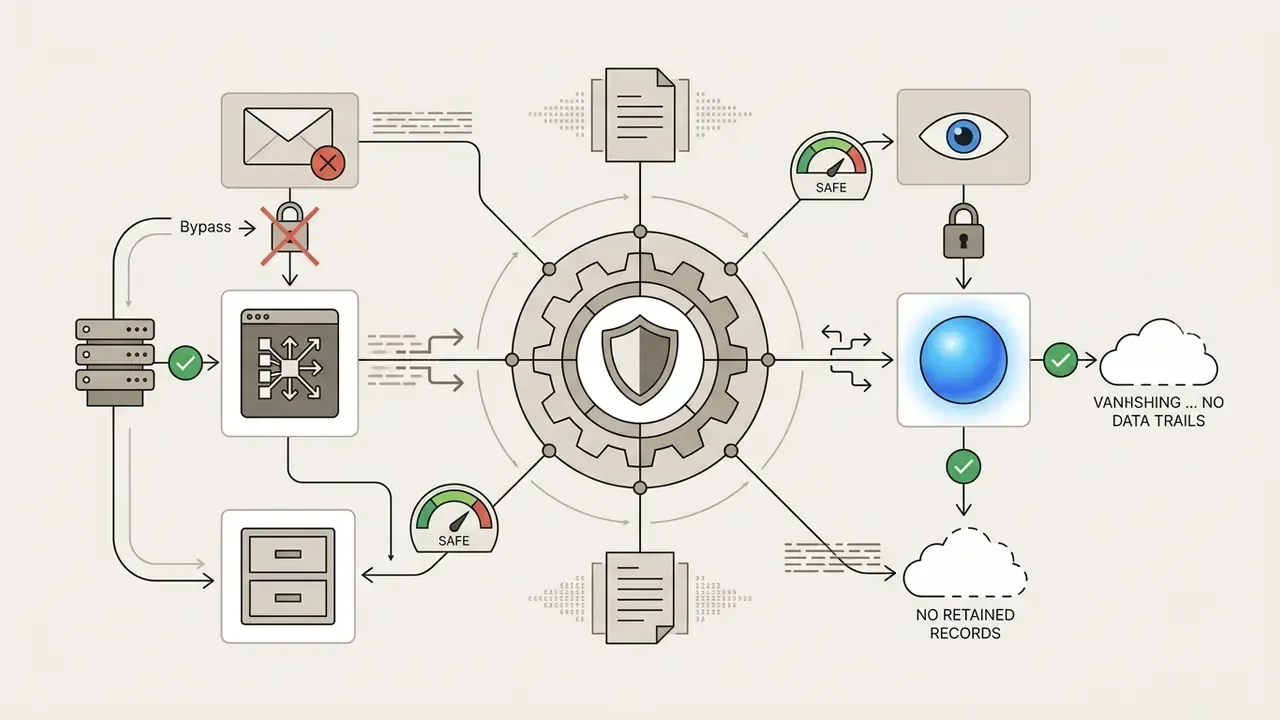
Because Meta AI ships enabled by default on personal devices, it becomes a Shadow AI surface the moment employees use WhatsApp for work coordination. The controls below are the ones most often requested by Heads of Model Risk and CCOs.
1. Device and channel controls. On managed devices, restrict or block the WhatsApp consumer client through MDM application allow-lists, and separate work messaging into a sanctioned channel with logging. Where WhatsApp Business API is used, note that Meta's Business Solution Terms already exclude third-party general-purpose assistants, which narrows the assistant surface but does not remove it.
2. DLP rule design. Apply outbound content inspection to the sanctioned channel for PII patterns, account numbers, model documentation identifiers, and non-public financial figures. Because prompts to the assistant leave the peer-to-peer encryption boundary, treat any prompt field as an external disclosure point rather than an internal one.
3. Prompt and asset audit trail. Define who may generate external-facing visual assets, require provenance verification before publication, and retain the prompt text alongside the asset for reproducibility reviews. Reproducibility is inherently limited here: the engine exposes no seed parameter, so identical regeneration cannot be guaranteed. That limitation belongs in the model inventory record, not in a footnote.
4. Intellectual property posture. Meta's outputs carry visible labels and embedded provenance metadata, and usage rights for commercial deployment are governed by the platform's terms at the time of generation. Review those terms per campaign and prefer tools with explicit commercial licensing for paid media; the commercial-use guidance for AI image generators sets out the questions to ask.
5. Bias and fairness testing. Model behavior differences are measurable and belong in the model inventory:
«Emu showed more balanced gender representation than Stable Diffusion, while relying on user-provided data during WhatsApp generation.»
6. Cost and entitlement monitoring. Paid creative tools are bought on credits, and credit drift is a real audit finding. Owners should reconcile consumption monthly, and know the escalation path when credits disappeared without a matching render log.
Consumer Meta AI vs Governed Enterprise Assistants
| Control dimension | Meta AI in WhatsApp (consumer) | Governed enterprise assistant |
|---|---|---|
| Prompt logging & retention visibility | Platform-controlled; limited tenant visibility | Tenant-controlled, exportable audit logs |
| Data residency / sovereignty | Determined by platform regions | Contractual region pinning |
| DLP integration | None natively at the prompt field | Inline inspection and blocking |
| Access administration | Per-user device setting | SSO, role-based access, revocation |
| Output licensing clarity | Platform terms, visible AI label | Explicit commercial license terms |
| Reproducibility (seed/versioning) | Not exposed | Model plus parameter versioning |
| Incident response | Consumer support path | SLA-backed escalation |
Shadow AI policy starter checklist for messaging apps: (1) inventory which messaging assistants are reachable on managed devices; (2) classify data categories prohibited in prompt fields; (3) state an approved-tool list for external-facing creative assets; (4) require provenance checks before publication; (5) define an exception process with named approvers; (6) schedule quarterly re-testing after vendor model updates.
In a recent illustrative governance evaluation (composite example, not a named client), a financial software team assessed internal adoption of messaging-based creative assistants to prevent unsanctioned asset use. They audited employee prompt histories in the sanctioned channel, established explicit guidelines on corporate asset handling, and introduced verified commercial design tools for external marketing collateral. This systematic transition reduced unauthorized data sharing while establishing compliant creative workflows across departments. The honest caveat: the reduction was observed in the sanctioned channel only, so personal-device usage remained partly invisible.
Privacy, Safe Use and Guidelines for AI Images
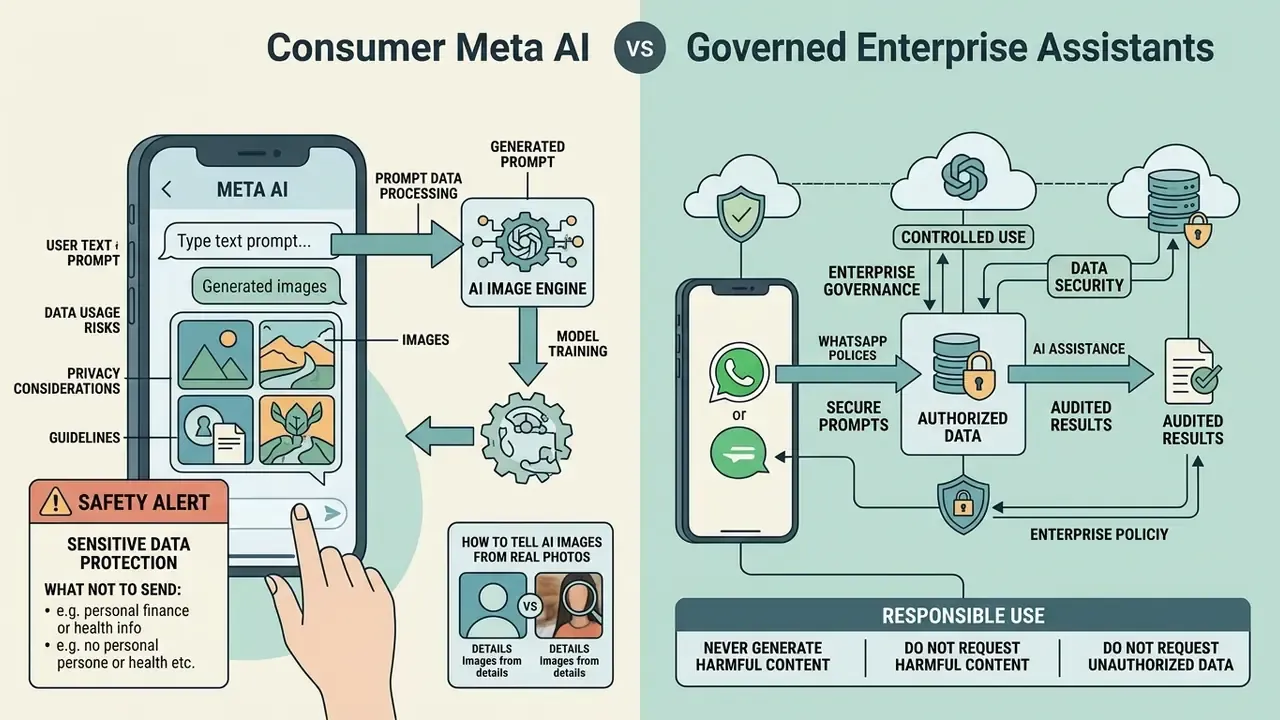
What Data and Images You Should Not Send to an AI Chat
While standard peer-to-peer messages in WhatsApp remain protected by end-to-end encryption, prompts and media sent explicitly to Meta AI are processed outside that encryption boundary to service user queries (Meta Privacy Policy, 2026. https://www.facebook.com/privacy/policy/). Updated for accuracy: standard chats are protected by E2EE; requests addressed to Meta AI are handled under Meta's general privacy terms, with the exception of incognito chats, where Private Processing is used.
«Personal messages and calls are protected with end-to-end encryption; for features that use your personal messages, Private Processing enables Meta AI to generate a response without Meta or WhatsApp being able to read your messages.»
⚠️ SAFETY ALERT: Sensitive Data Protection
How to Tell AI-Generated Images from Real Photos
Synthetic media generated through Meta AI includes visual and technical markers to maintain provenance transparency. Assets carry visible surface labels ("Imagined with AI" or "Imagined with Meta AI") alongside embedded invisible watermarks such as Content Seal and C2PA metadata signatures (Meta Newsroom, 2024. https://about.fb.com/news/).
The C2PA Technical Specification 2.4 requires each standard manifest to include exactly one hard binding to the asset plus a claim signature, which is what makes provenance tamper-evident at file level (Coalition for Content Provenance and Authenticity, 2024. https://spec.c2pa.org/). Comparable machine-verifiable watermarking exists elsewhere: Google DeepMind's SynthID is documented as a tool to watermark and identify AI-generated content, including altered content.
Inspecting visual artifacts further helps identify synthetic imagery: irregular background geometry, distorted or nonsensical text rendering, unnatural hand and finger structures, inconsistent reflections and shadow directions, melted edges between objects, and perspective errors in architectural lines. For systematic verification, use dedicated AI image detectors and cross-check distribution history with AI reverse-image-search tools. Detectors give probabilities, not verdicts, so treat a single score as an input to review rather than proof.
Responsible use, never generate or request: fake identity documents or certificates, misleading news imagery, harmful or abusive content, deceptive depictions of real individuals, or copies of copyrighted artwork intended for infringement.
Why AI Image Generation in WhatsApp Is Not Working and How to Fix It
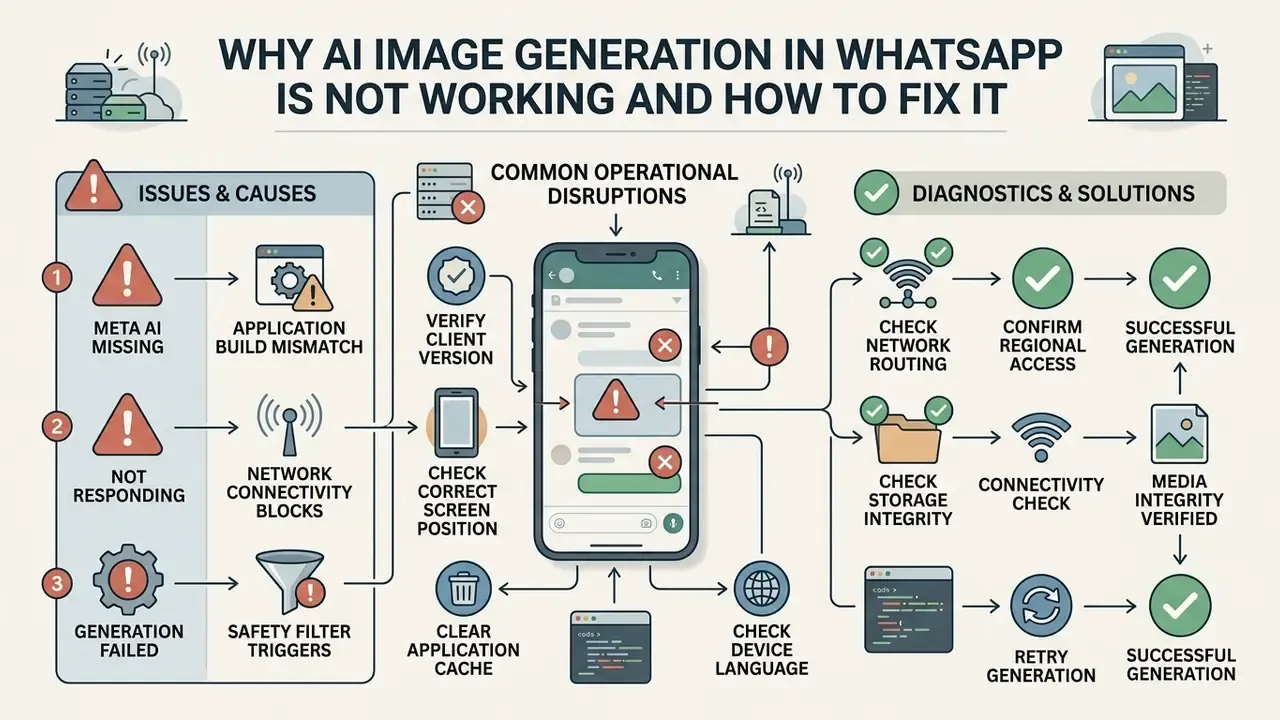
Operational disruptions during visual asset generation typically stem from application build mismatches, network connectivity blocks, or safety filter triggers within the model backend.
Meta AI Missing or Not Responding in WhatsApp
If the Meta AI icon is missing or the assistant fails to respond to incoming messages, execute the following technical troubleshooting steps:
Meta AI Missing or Not Responding in WhatsApp
Verify client version
update WhatsApp to the latest stable build via your official platform store. Meta's own help guidance lists the app update as the first remediation step.Check the correct screen position
confirm you are looking at the right place for your OS (top of Chats on iOS, above the green "+" on Android) before concluding the feature is absent.Clear application cache
clear temporary storage files in device settings (Android) or delete and reinstall the app (iOS) to refresh client state.Check network routing
disable active Virtual Private Networks (VPN) or proxy connections that may simulate unsupported geographic regions (Meta Help Center, 2026. https://www.meta.com/help/artificial-intelligence/).Check device language
switch the device language to a supported one where availability is language-gated.Confirm regional access
verify whether regional restrictions or phased rollout schedules currently apply to your account location.Check storage, connectivity and media integrity
WhatsApp's media troubleshooting path recommends verifying Wi-Fi or mobile data, freeing device storage, and ruling out corrupt media files.Escalate
if the feature is absent rather than broken, submit a report through Help & support, then Submit a report.| Problem | Probable cause | Fix |
|---|---|---|
| Meta AI icon missing | Feature not yet enabled server-side for the account | Update WhatsApp, check OS-specific button position, wait for rollout |
| No image is returned | Network or temporary server load | Verify connectivity and retry after a few minutes |
| Output quality is poor | Prompt lacks detail | Rewrite with subject, lighting, camera angle, style |
| Generation is slow | Heavy server traffic | Retry during off-peak hours |
| Prompt refused | Safety policy trigger | Rewrite in clear, non-sensitive language |
| Feature unavailable entirely | Regional or regulatory restriction | Await market rollout; use an external tool |
Image Does Not Match the Prompt or Quality Is Low
When visual outputs deviate significantly from your intent or exhibit low quality, re-evaluate prompt structure. Vague commands force the generation model to extrapolate missing details, often producing unexpected results.
«Users who believe the AI "searches the web for pictures" tend to under-specify prompts, producing a mismatch between expectation and output.»
FAQ
Is Meta AI image generation in WhatsApp free?
Yes. Image generation is built into the assistant with no subscription requirement; availability, not payment, is the limiting factor.
What command generates an image?
In Meta AI, type imagine followed by your description (or "create an image of…"). Slash syntax such as /generate and /style belongs to third-party bots like Shmooz AI, not to Meta AI.
Can I edit a photo I already have?
Yes. Upload the image and describe the change: add or remove an object, replace the background, adjust lighting, or convert it into an illustration.
Are my prompts end-to-end encrypted?
Standard chats are. Messages sent to Meta AI are processed outside that boundary under Meta's general privacy terms, except in incognito chats, which use Private Processing and are not retained after you exit.
Can I use generated images commercially?
Outputs carry a visible AI label and embedded provenance metadata, and rights depend on the platform terms current at generation time. For paid media, prefer tools with explicit commercial licensing.
Why does my colleague have the feature and I do not?
Rollout is server-side and phased; Meta states the feature may be unavailable to you even if others in your country already have access.
Can I reproduce the exact same image twice?
No. The engine does not expose a seed parameter, so identical regeneration is not guaranteed.
Does Meta AI work on WhatsApp Web and desktop?
Yes, the same assistant thread appears there when your account is inside a supported region and the client build is current.
Key Takeaways for Model Governance & Usage
Understanding native messaging AI capabilities allows teams to balance creative speed with data security:
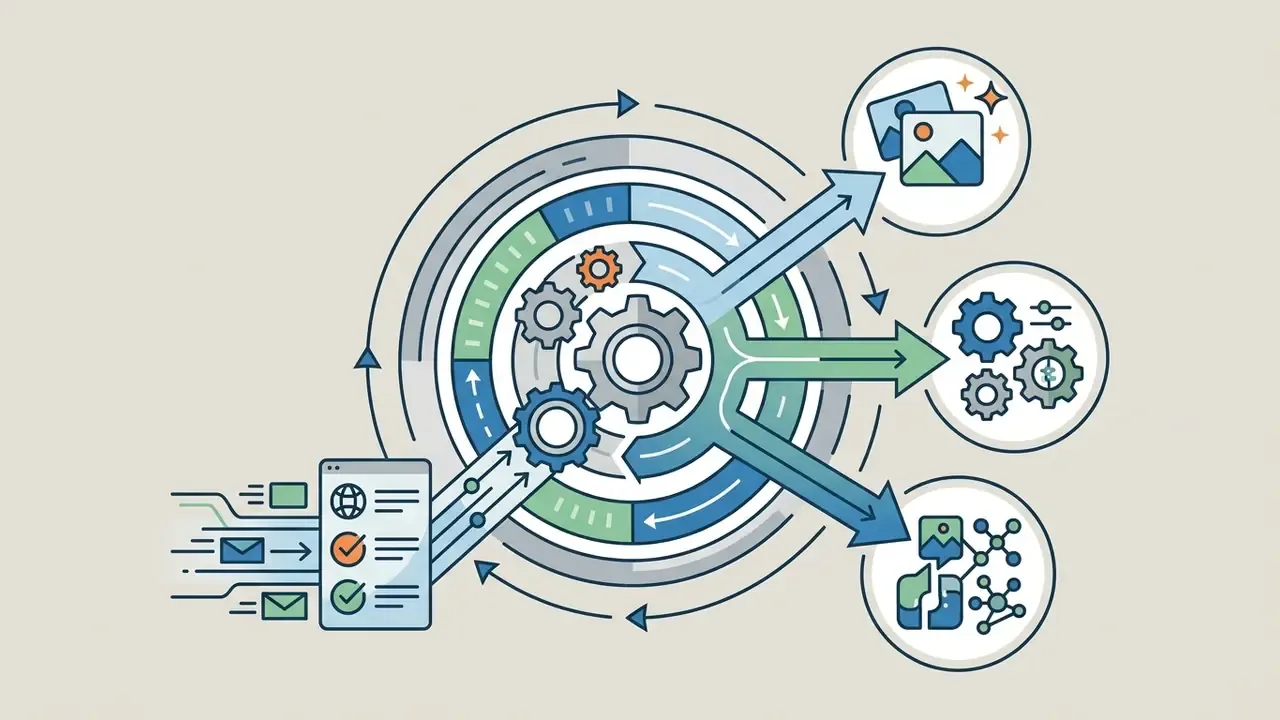
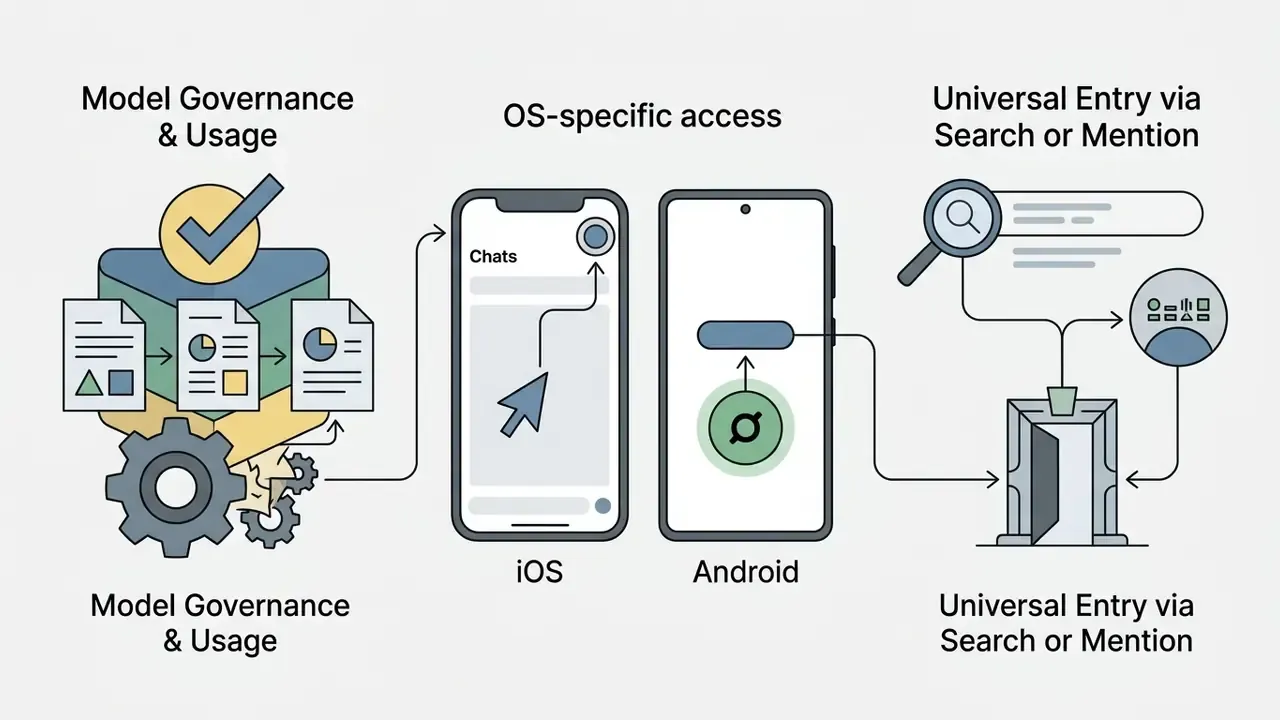
@Meta AI mention.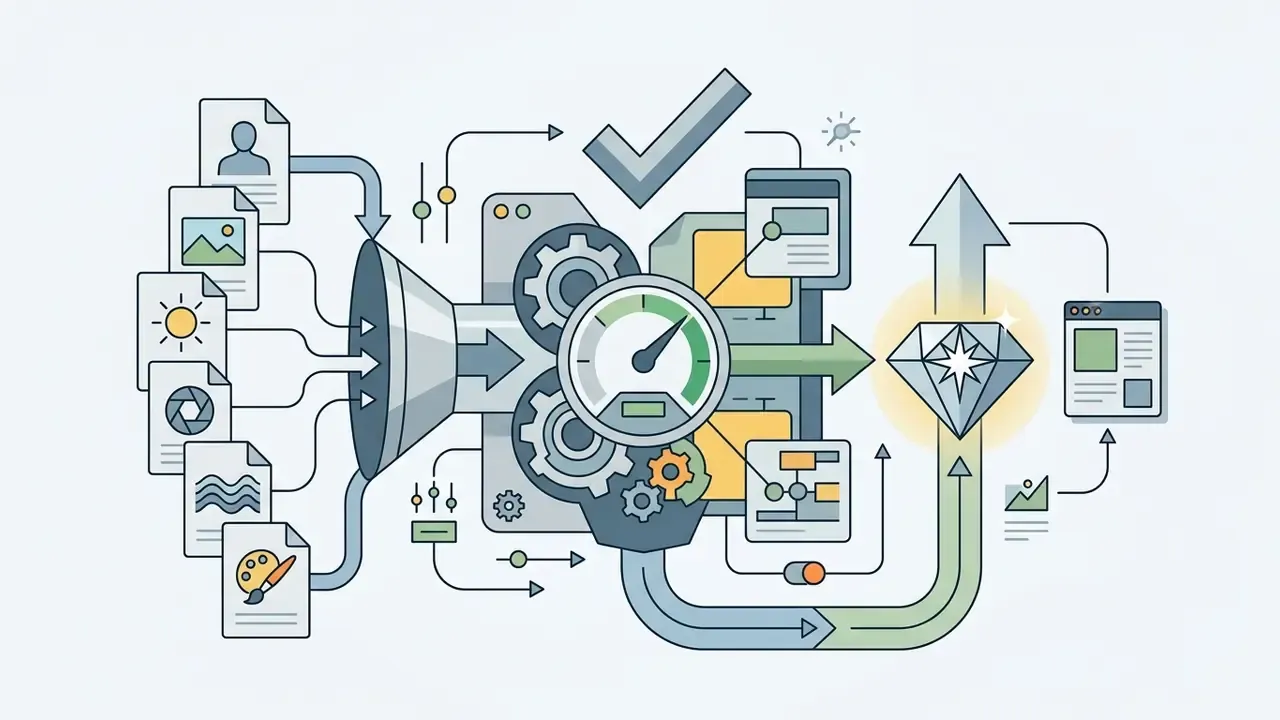
Appendix A: Corrections and Clarifications Log
For transparency, the following earlier formulations were revised in this edition and are retained here alongside their replacements:
- Superseded: "The primary entry point appears as a dedicated Meta AI ring icon or sparkle button within the Chats tab," which implied identical placement across devices. Replacement: OS-specific placement for iOS (top of Chats, before the blue "+") and Android (above the green "+").
- Superseded: geographic availability sourced generically to "Reuters, 2024" without figures. Replacement: country and language counts from Android Police (2026), with Reuters retained in the EU regulatory context.
- Superseded: "(IEEE TVCG, PromptMagician Study)" without citation detail. Replacement: named study, year, quoted finding, and URL.
- Superseded: blanket statement that Meta AI processing sits within end-to-end encryption. Replacement: explicit split between E2EE standard chats, general-policy processing of assistant prompts, and Private Processing in incognito chats.
- Superseded: "(NIST AI 600-1 Framework, 2024)" appended without a linked claim. Replacement: an explicit measure-monitor-adjust control loop for safety-filter false positives, with the document URL.
A Safe Next Step for Governance Teams
No dramatic program needed. Start with one question: who owns messaging-based image generation in your institution today? If the answer is "nobody," that is the finding.
A conservative sequence that fits most model-risk calendars:
- Run a two-week discovery on which assistants are reachable from managed and BYOD devices.
- Record Meta AI as an in-scope AI system in the inventory, with its known limitation list (no seed, platform-held logs, visible watermark).
- Publish a one-page prompt-field data rule, then test it with a small pilot group before enforcement.
- Compare sanctioned alternatives on licensing and export rights, using the AI Media Pricing Guides and the usage calculators to model cost per approved asset.
- Re-test quarterly, because vendor models change faster than internal policy cycles do.
Internal Navigation & Hub Resources
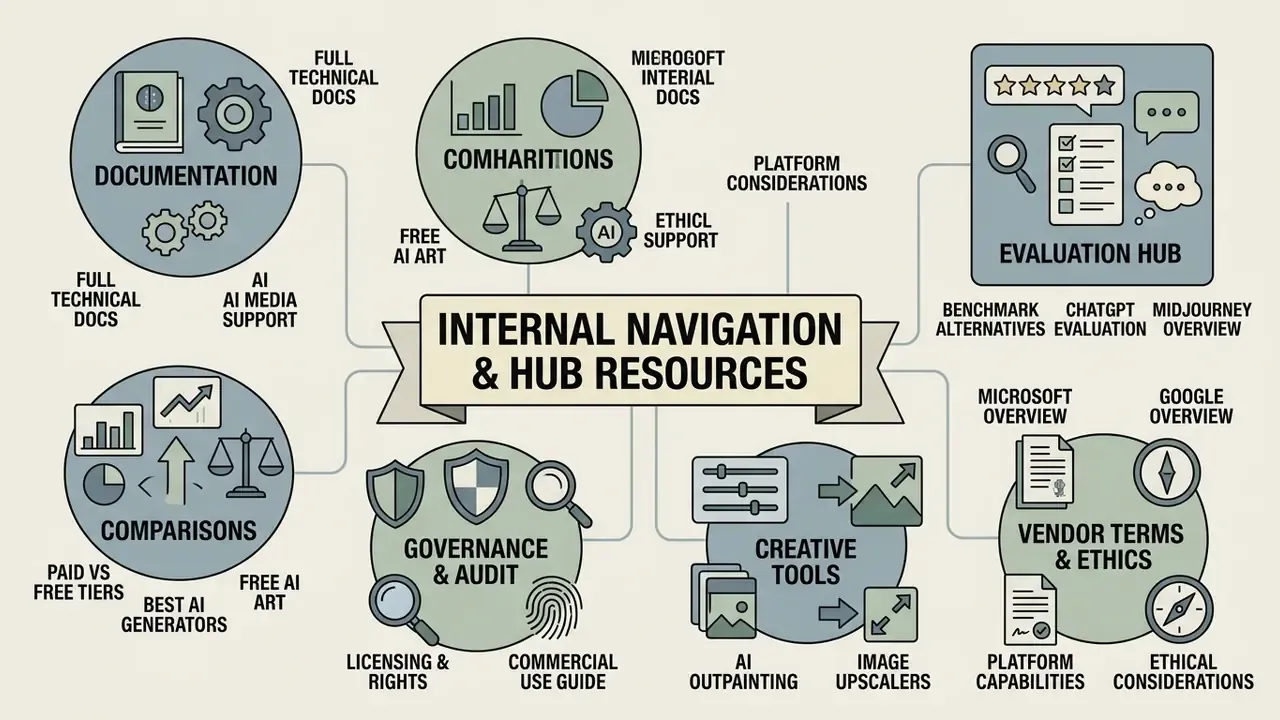
For further documentation, tool selection guidance, and governance-relevant comparisons, explore our specialized hub pages:
- Access full technical documentation via AI Media Support.
- Compare paid and free generation tiers with the best AI image generator comparison and the free AI art generator comparison.
- Review licensing and rights questions in the commercial use of AI image generators guide.
- Verify synthetic media with AI image detectors and AI reverse-image-search tools.
- Benchmark alternative assistants through the ChatGPT picture generator evaluation and the Midjourney comparison.
- Extend or finish assets with AI outpainting tools and AI image upscalers.
- Review vendor-specific terms in the Microsoft AI Image Generator overview and the Google AI Image Generator overview.
- Check platform capability guides including can perplexity ai generate images and AI image generation ethical guidelines.