An online YouTube to MP3 converter extracts the audio stream from a YouTube video link and saves it as an audio file directly in your web browser. That lets you listen offline across multiple devices without installing external software applications.
Executive Summary
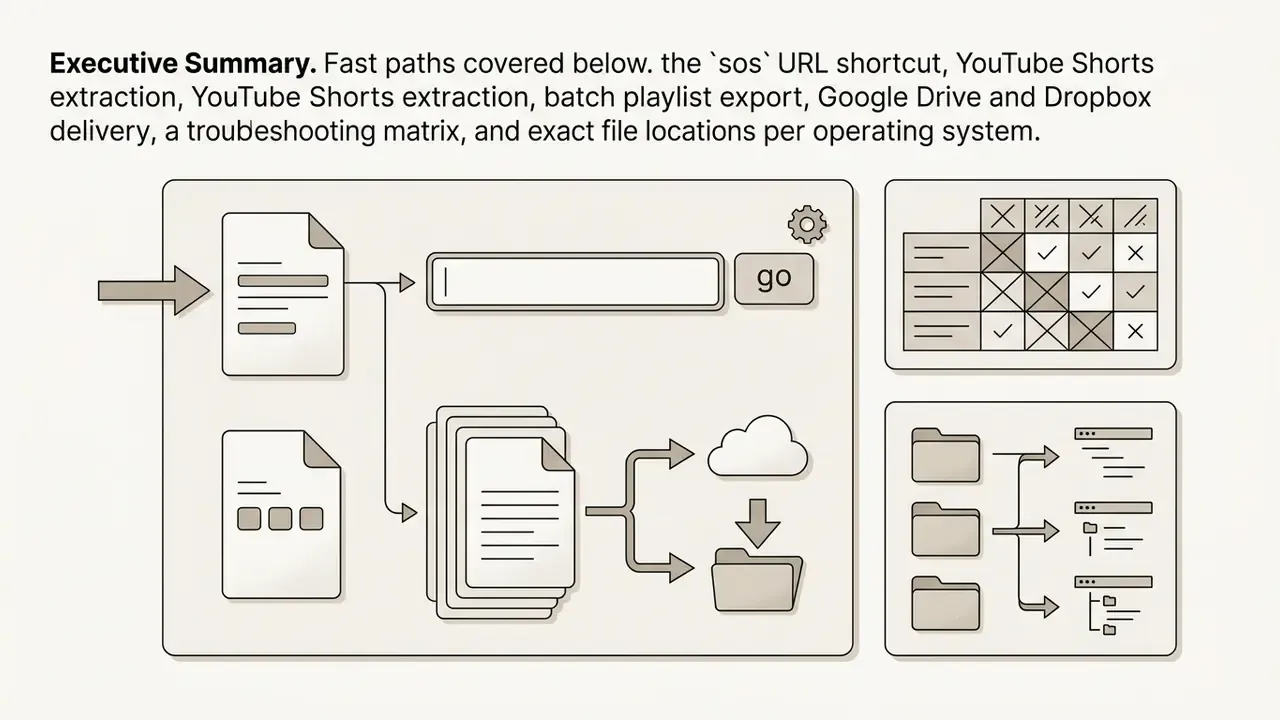
sos URL shortcut, YouTube Shorts extraction, batch playlist export, Google Drive and Dropbox delivery, a troubleshooting matrix, and exact file locations per operating system.Who This Guide Is Written For
Two readers usually land here, and they need different things from the same page.
The first wants a working file in under a minute: copy the link, pick a bitrate, click download, done. Everything in the first half of this guide serves that goal.
The second reader signs off on risk. If you run model risk, compliance or AI governance at a bank or a mature fintech, a "harmless" MP3 converter is an unmanaged third-party processor sitting inside a browser tab on a managed endpoint. That changes the question from how fast to who is accountable. Both threads run through this article, and the governance material is flagged where it appears, so neither audience has to read the other's half.
What Is an Online YouTube to MP3 Converter?
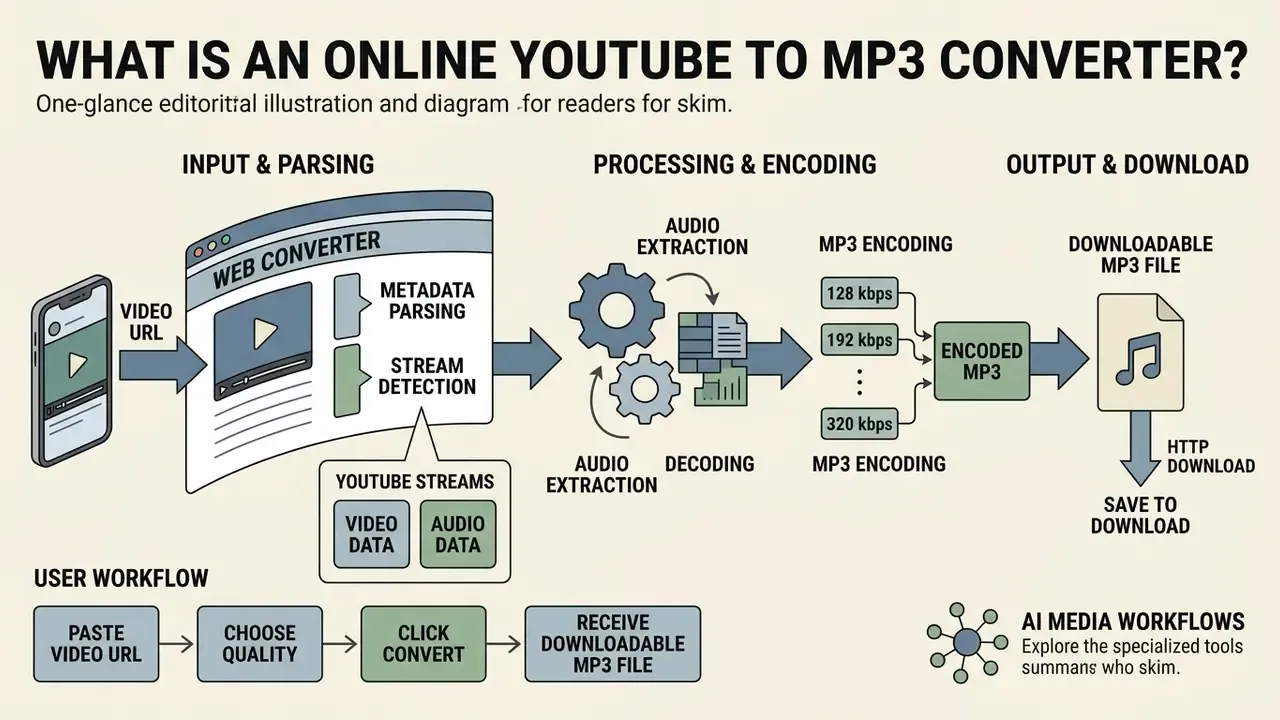
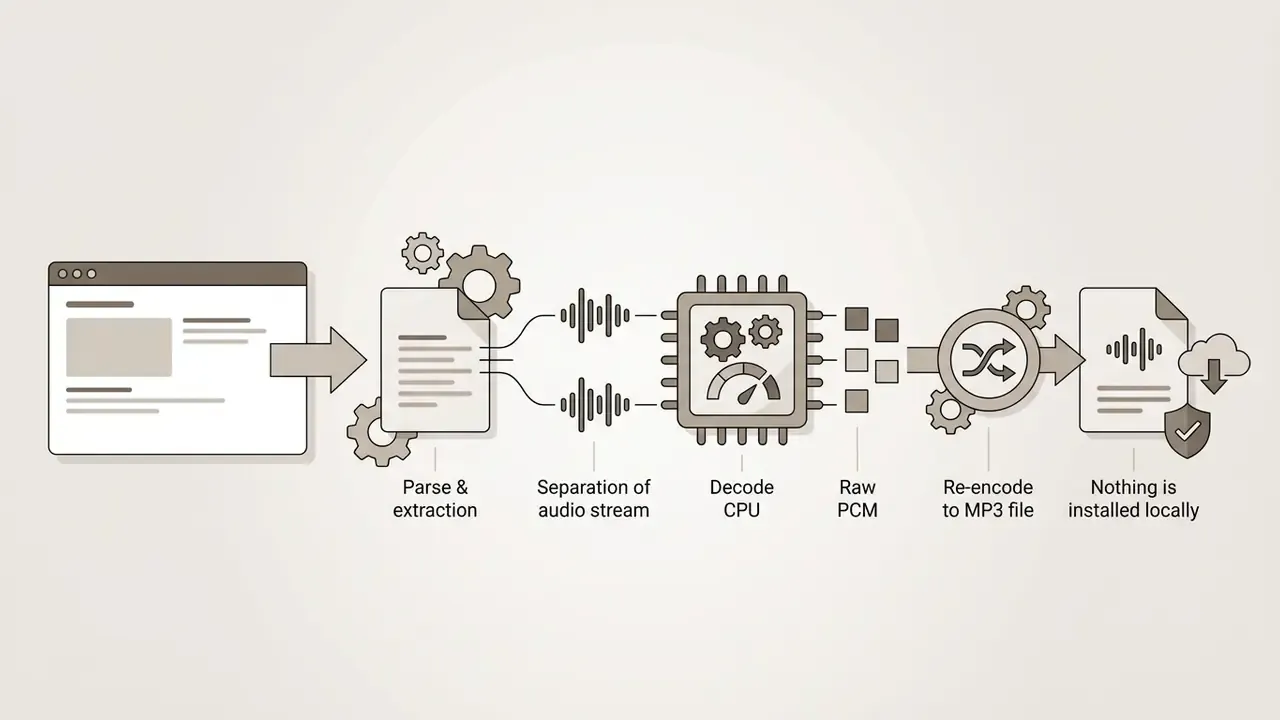
An online YouTube to MP3 converter is a web-based service that processes a YouTube video URL, separates the audio track from the video container, and encodes that audio into an MP3 file. The whole process runs through a web browser, requiring no software installation on the local computer or mobile device.
Technically, modern streaming platforms like YouTube deliver video and audio in separate streams using containers such as MP4 (containing AAC audio) or WebM (containing Opus audio).
«Opus is an interactive speech and audio codec covering 6 kbit/s narrowband to very high-quality stereo.»
Web converters parse the video metadata, locate the highest-quality audio stream, decode the audio data into raw pulse-code modulation (PCM), and re-encode it into an MP3 bitstream using encoders like LAME. Objective codec-quality testing work published through the IETF explicitly uses LAME MP3 as a reference encoder, which is why the encoder choice, not just the bitrate label, influences the perceived result.
The converted MP3 audio is then served as a downloadable file over standard HTTP.
Public services describe the same user-facing workflow. Tools such as Y2Love and YTMP3 document a three-decision flow: paste the link, select quality (128, 192 or 320 kbps), press convert.
One architectural nuance matters for privacy. Some implementations run decoding and encoding in-page with JavaScript and Web Audio APIs, while most offload the heavy transcoding step to a remote server, because MP3 encoding is CPU-intensive. Server-side transcoding means your requested URL, and sometimes your IP and session metadata, transits third-party infrastructure. For a personal playlist that is a shrug. For a private unlisted board recording it is a disclosure event.
To optimise your media workflows end to end, you can explore specialised tools in our AI Media Workflows hub.
How to Choose a Free Online YouTube to MP3 Converter
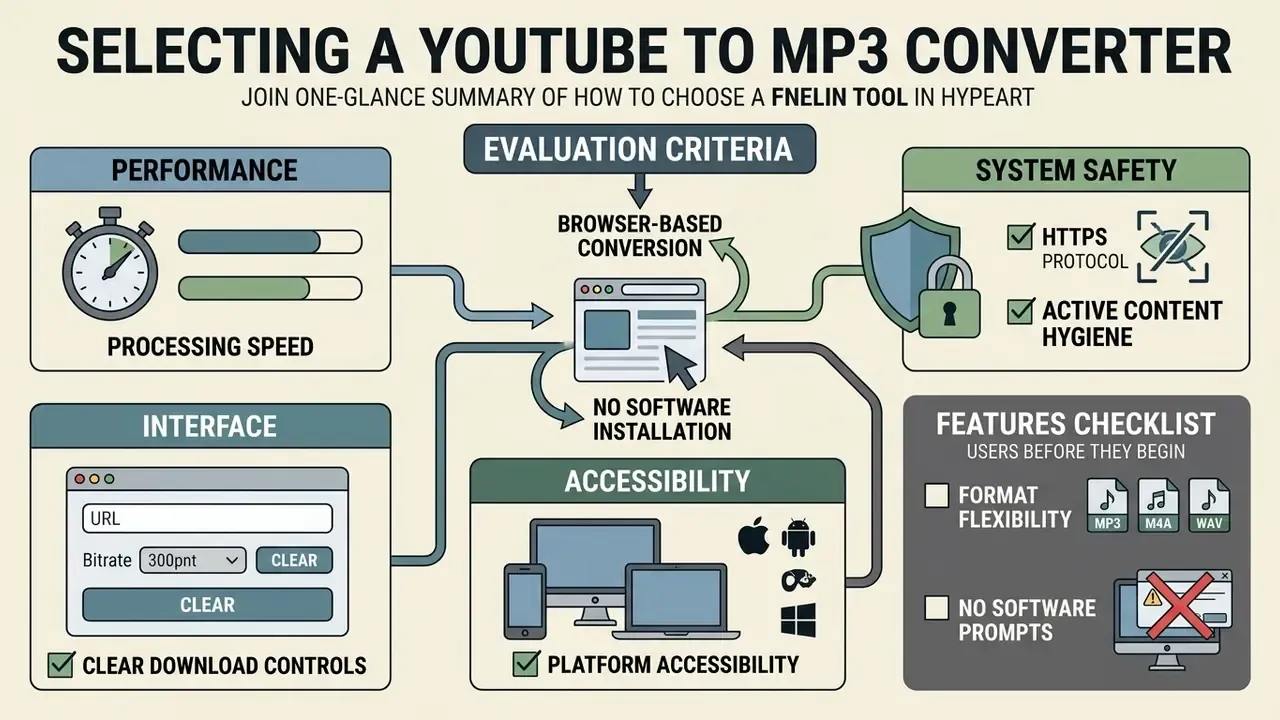
Selecting a reliable online YouTube video to MP3 converter means assessing processing speed, system safety, interface clarity and platform accessibility. Choose the tool before you start pasting links. The selection criteria below decide whether the following steps are safe at all.
A high-performing converter operates without requiring user registration, personal account creation or software installation. Teams that need to automate media extraction at scale can evaluate programmatic access through our AI Media API Guides.
Browser-Based Conversion Without Software Installation
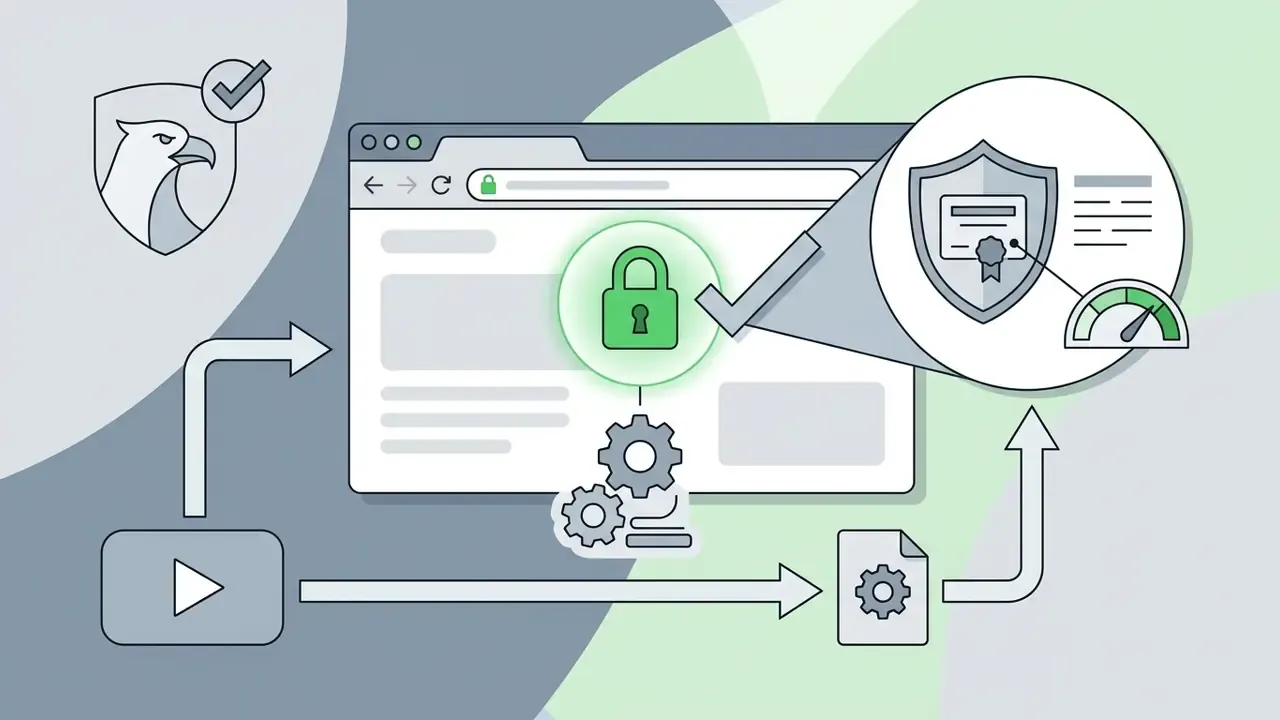
Browser-based conversion tools remove the need to download executable files, which reduces local storage usage and avoids installation hazards. Modern web browsers run web applications inside isolated sandboxes, adding a layer of separation between remote scripts and your operating system.
Desktop software trades convenience for control: local applications process files offline without uploading anything to a cloud server, which is why privacy-sensitive teams prefer them for confidential material. Mobile converter apps add another surface, since OS-level permissions, background network access and update dependency all sit outside the browser sandbox. The OWASP Mobile Application Security project treats that as a distinct risk category. Browser tabs, desktop binaries and mobile apps are therefore three different trust models, not three versions of the same thing.
Features to Check Before Starting a Conversion
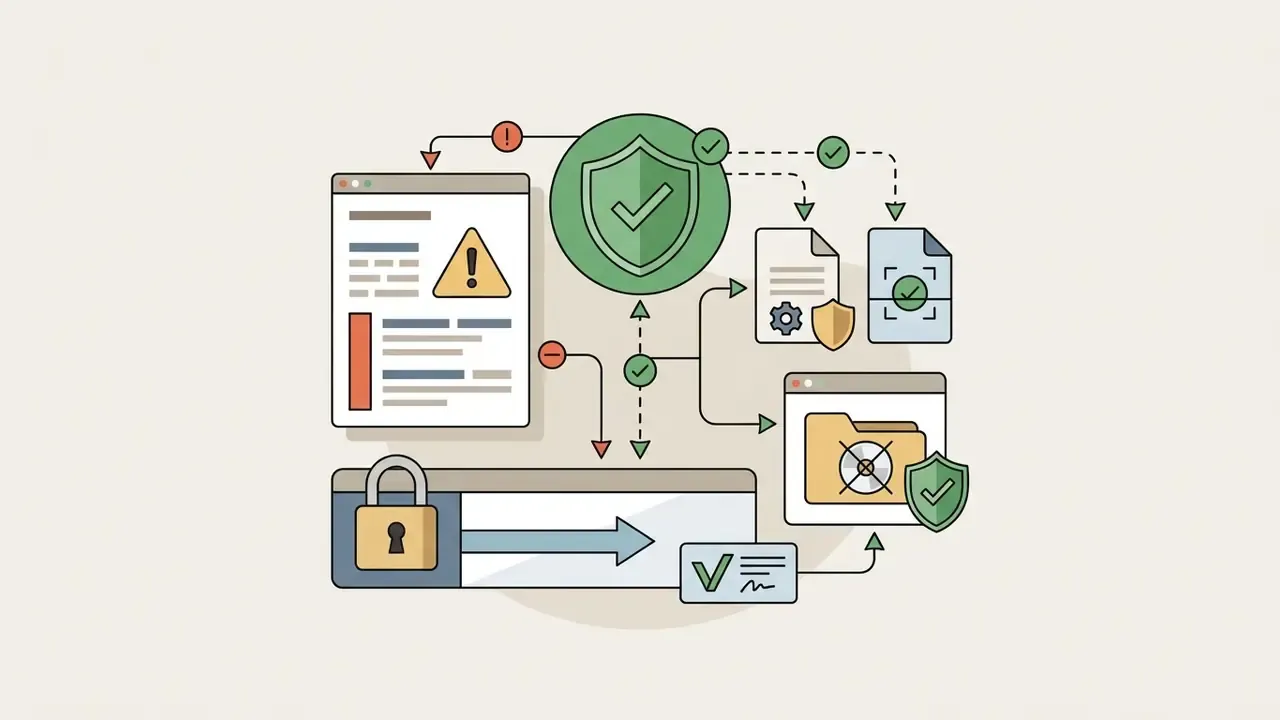
Before submitting a video link to a free online converter, confirm that the site satisfies basic performance and security criteria:
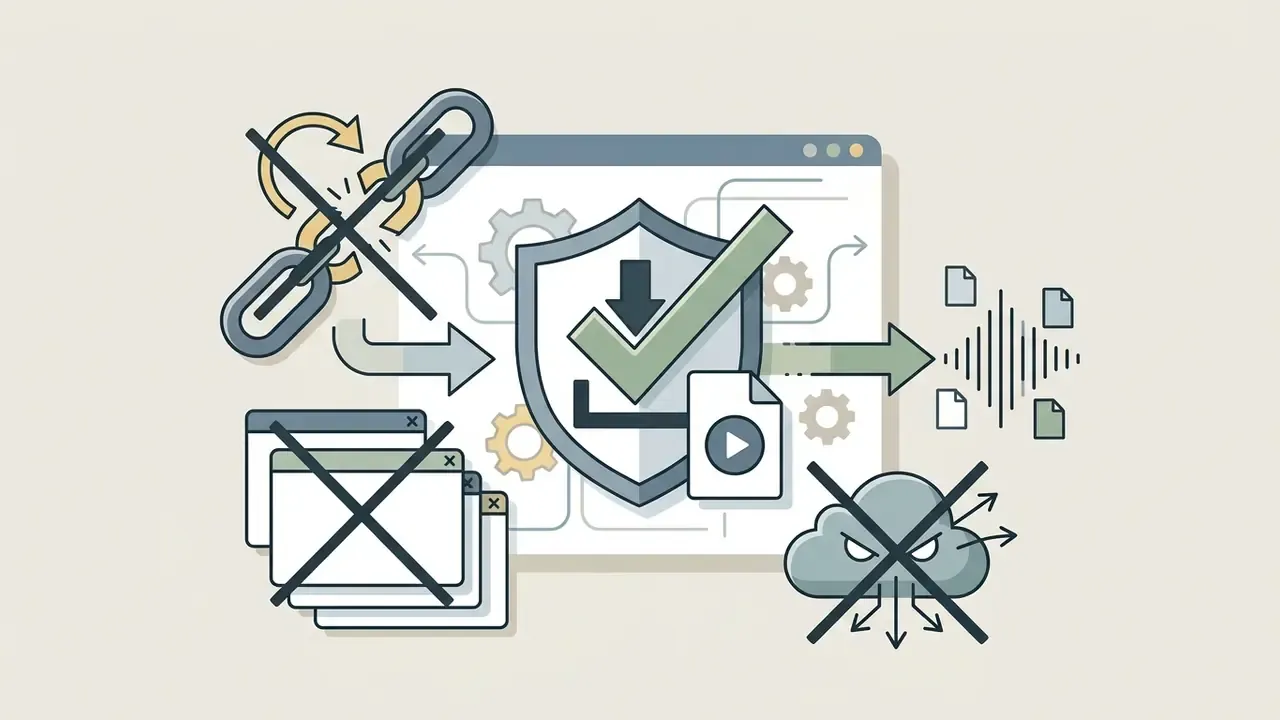
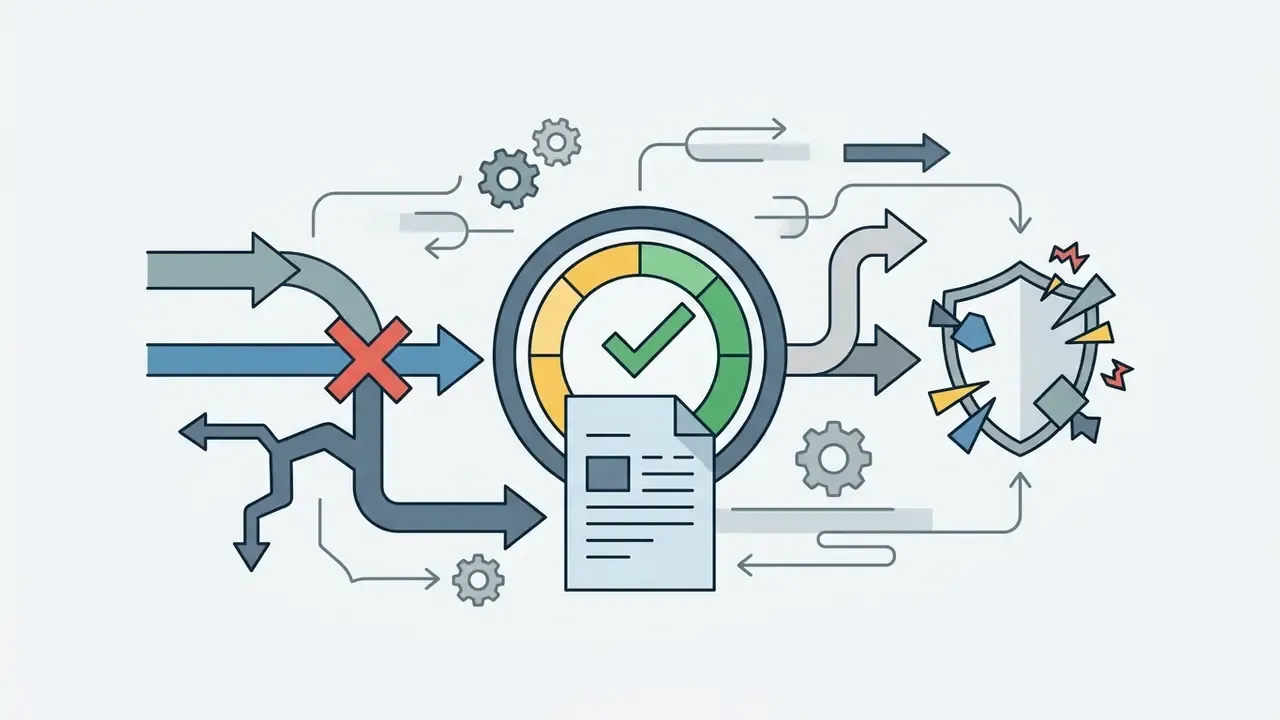
Documented attack cases. In 2024 the FBI's Denver field office warned that criminals disguise malware as free file-conversion tools, including MP3 and MP4 downloaders, and distribute infostealers such as RedLine through files that look like legitimate "converted" output. Users were advised to scan every received file before opening it (FBI Denver Field Office advisory, 2024, https://www.ic3.gov).
A LummaC2 campaign analysed in 2024 shows the mechanism in detail. The site y2mate.nu presented a fake CAPTCHA that instructed visitors to run a PowerShell command, installing a stealer that harvested browser credentials, crypto wallets and 2FA tokens (Jai Minton / iqdot.io, 2024, https://iqdot.io/lummac2-youtube-mp3). No installer, no warning dialog. Just a copy-paste that the user performed voluntarily.
Ad-network compromise is the second common vector. According to Malwarebytes research reported by ZDNet, advertising servers used by onlinevideoconverter.com were abused to deliver the GreenFlash exploit kit and Seon ransomware to an audience exceeding 200 million monthly visitors (ZDNet / Malwarebytes, 2023, https://www.zdnet.com/article/popular-youtube-to-mp3-site-used-to-spread-ransomware/).
Enterprise Checklist: Shadow IT and Data-Loss Prevention
Public converters are, by definition, unmanaged third-party processors. For risk, compliance and AI-governance owners, treat them as Shadow IT:
- Never paste private or unlisted URLs. An unlisted link is effectively a secret; submitting it to a public converter discloses it to an unknown operator and its logs.
- Never submit internal webinars, earnings rehearsals, customer calls or vendor demos. These usually qualify as confidential material under standard DLP policy, even when hosted on YouTube with restricted visibility.
- Block converter domains at the egress proxy and offer a sanctioned alternative. Without the alternative, users simply route around the control, often via a personal phone.
- Prefer on-premise or VPC processing. A container running FFmpeg inside your own network performs the same "extract audio, then encode MP3" pipeline without exposing URLs, cookies or session data.
- Log and attribute conversions used for downstream analytics or model training, so the provenance of every audio artefact stays auditable.
- Require malware scanning on ingest for any file produced outside a managed pipeline, in line with the FBI advisory above.
- Name an owner. No evidence, no autonomy: if nobody signs off on the extraction path, the control exists only on paper.
How to Convert YouTube Video to MP3 Online
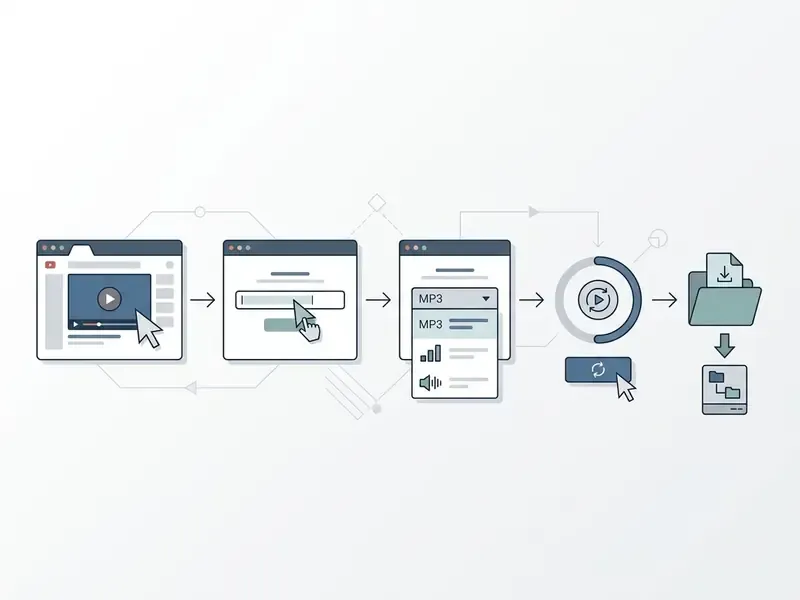
Converting a YouTube video to MP3 online free takes a short sequence of steps inside any modern web browser. The whole run finishes in seconds, depending on the original video length and your network speed.
Copy the YouTube Video URL
Find the target video on YouTube in your web browser or mobile app. Copy the full link from the browser address bar, or tap the share button beneath the video player and choose "Copy link" (YouTube Help - Share videos, https://support.google.com/youtube/answer/57741). The same Share to Copy link path exists on Android and iOS, and it can optionally embed a start timestamp.
Make sure the link is a valid absolute URL beginning with https://.
«A URI is a scheme followed by a scheme-specific part; conforming implementations must respect this generic syntax.»
Three URL shapes are accepted by mainstream converters:
youtube.com/watch?v=VIDEO_IDfor the standard desktop linkyoutu.be/VIDEO_IDfor the short share linkyoutube.com/shorts/VIDEO_IDfor Shorts
Avoid copying channel pages, search-result pages or playlist URLs when you only want a single track. Those are the single largest source of "invalid URL" errors, by a wide margin.
Paste the Link and Choose MP3
Open the browser-based tool and find the input box. Simply paste the copied video link into the designated field. Select MP3 from the available audio formats so the system extracts and converts the audio stream into a standard MP3 file, then set the bitrate if the interface exposes one.
If the converter above your input field shows format tabs (MP3, MP4, WAV), confirm the correct tab is active before pressing convert. Mis-clicked tabs produce a 40 MB video when you wanted 3 MB of audio.
Click Download and Save the MP3 File
After choosing the output settings, press the conversion button to begin parsing the stream. Once the backend server finishes processing, a download button appears on screen. Click download to store the completed MP3 file in your local downloads folder. Keep the page open while processing runs: closing the tab usually invalidates the temporary result link, and the job restarts from the original URL.
Quick Browser Hack: Convert via URL Modification
For faster audio extraction without manually opening a tool homepage, modify the YouTube video link directly in your browser address bar:
https://www.youtubesos.com/watch?v=dQw4w9WgXcQ
Several services also accept the mirrored form sosyoutube.com/watch?v=....
- Go to the target YouTube video page, for example
https://www.youtube.com/watch?v=dQw4w9WgXcQ. - Insert the letters
sosimmediately after "youtube" in the domain: - Press Enter. You land on the conversion interface with the link pre-loaded and ready for format selection.
Security note: a URL shortcut only redirects you. It does not change the trust status of the destination. Apply the same HTTPS, no-installer and no-CAPTCHA-command checks described above before downloading anything, and never use this shortcut on a managed corporate device where converter domains are restricted.
How to Convert YouTube Shorts to MP3 Online
Shorts follow a slightly different link-extraction workflow, because the mobile and desktop apps use youtube.com/shorts/VIDEO_ID rather than the classic watch?v= pattern.
- Copy the Shorts linkopen the Short, tap Share, then select Copy Link. On desktop browsers, copy the link straight from the address bar.
- Paste into the converterinsert the
https://youtube.com/shorts/...URL into the converter input field. Most modern tools normalise the Shorts path internally to the standard video ID. - Select bitrate and convertchoose your audio quality (192 kbps for music-led Shorts, 128 kbps for voice) and press Convert.
- Save the audio filedownload the extracted MP3 to your device.
Note: exactly as with standard videos, re-encoding a Short at 320 kbps cannot restore frequencies discarded during the original upload. If a Short is private, deleted, age-restricted or region-locked, the converter cannot process it at all.
Batch Playlist Conversion and Cloud Storage Export
When you need multiple tracks or a full YouTube playlist, converting videos one at a time stops making sense.
One more practical detail. Batch jobs fail silently more often than single files: a playlist containing one private or deleted video may return an archive with 49 tracks and no error. Count the files.
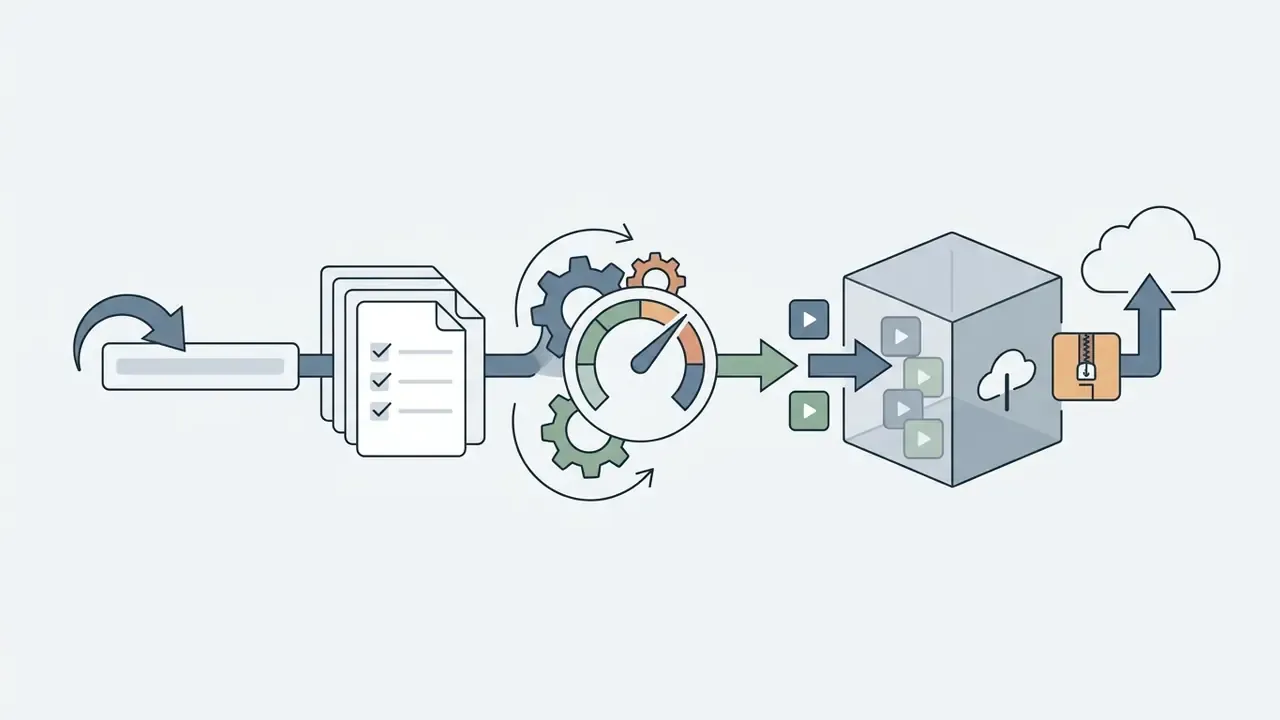
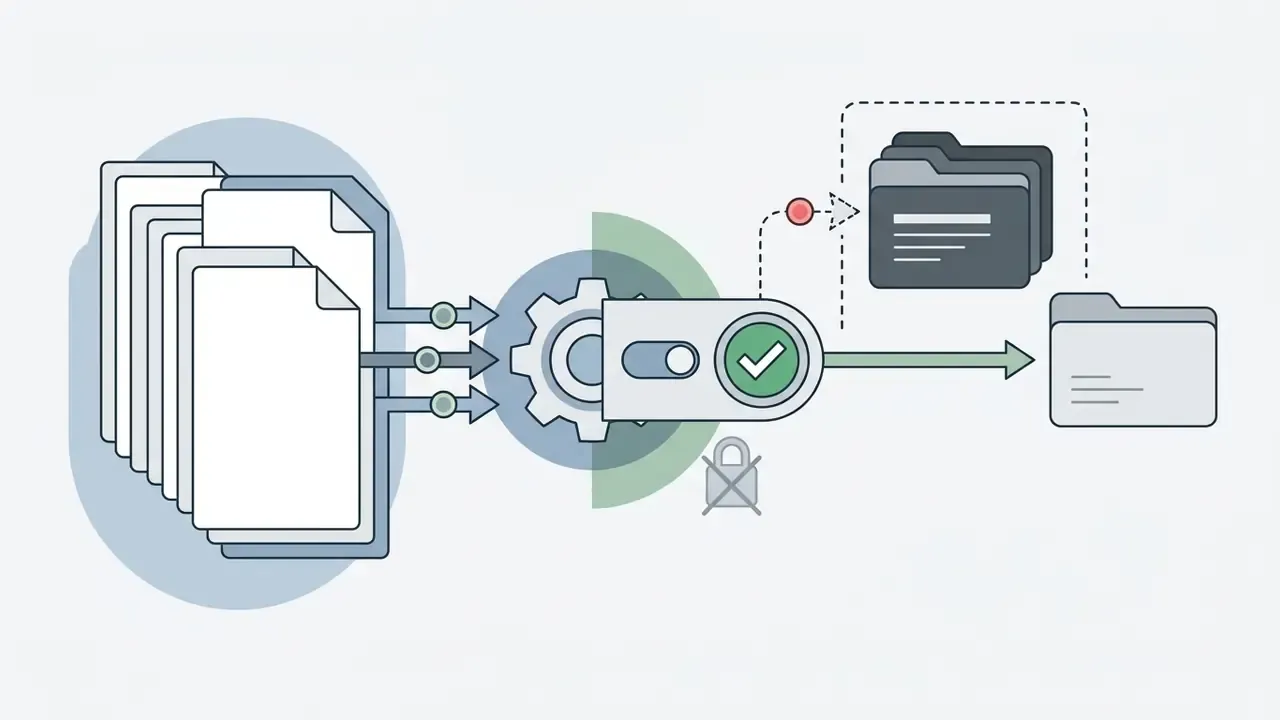
youtube.com/playlist?list=...), paste it into the converter input, then select Batch Export. Capable services process up to 50 tracks sequentially and deliver them as a single ZIP archive.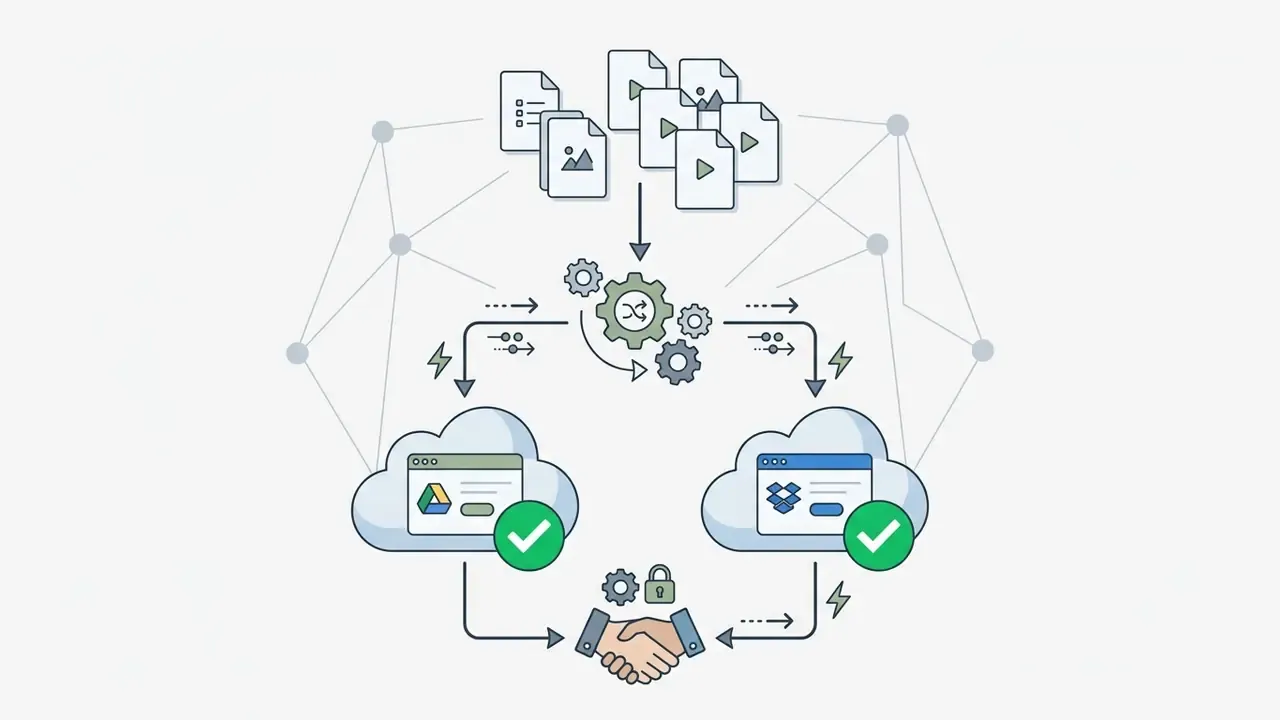
drive scope.Choose Audio Quality and MP3 Format Before Downloading
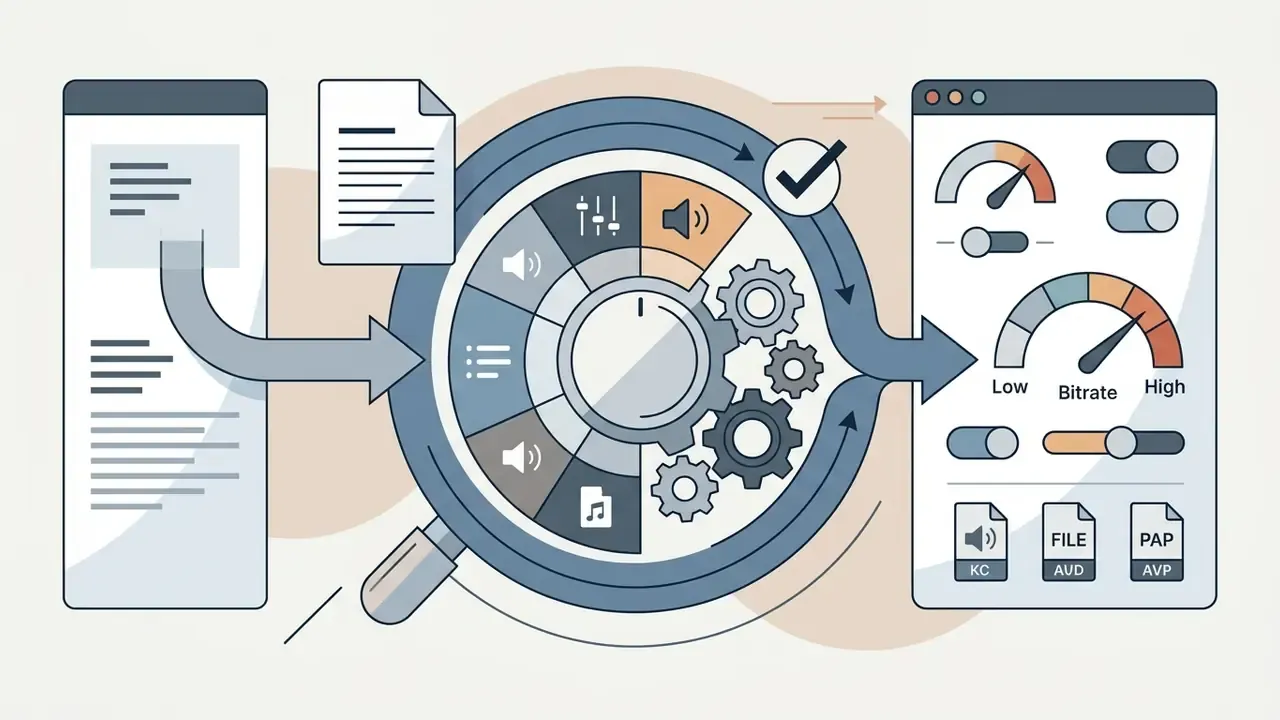
Choosing audio quality before you start the MP3 conversion determines both final file size and listening experience. The bitrate dictates how much data is allocated per second of playback.
| Audio Quality Option | Bitrate (kbps) | File Size per Minute | Sound Detail Level | Optimal Usage Scenario |
|---|---|---|---|---|
| Economy / Voice | 64 kbps | ~0.48 MB / min | Speech-adequate, thin music | Lectures, interviews, language lessons |
| Low / Standard | 128 kbps | ~0.96 MB / min | Basic clarity, minor artifacts | Spoken word, podcasts, background audio |
| Medium / High | 192 kbps | ~1.44 MB / min | Near-transparent, balanced | General music, mixed media, default choice |
| Very High | 256 kbps | ~1.92 MB / min | High detail retention | Dense mixes, critical listening |
| Highest Quality | 320 kbps | ~2.40 MB / min | Maximum detail the source allows | Complex instrumental audio, archival |
Read the table as a cost curve: 64 kbps costs roughly 0.48 MB per minute and suits speech only; 128 kbps costs about 0.96 MB per minute; 192 kbps costs about 1.44 MB per minute and is the sensible default; 256 and 320 kbps cost 1.92 MB and 2.40 MB per minute respectively, and mostly buy headroom rather than audible detail.
MPEG-1 Audio Layer III formally supports the 128 / 192 / 256 / 320 kbps ladder, and at 128 kbps an MP3 occupies roughly one eleventh of uncompressed CD-quality LPCM (MP3 - MPEG Layer III Audio Encoding, Library of Congress Sustainability of Digital Formats, https://www.loc.gov/preservation/digital/formats/fdd/fdd000012.shtml).
If you are comparing media transformation platforms more broadly, our AI Media Comparison Matrices give a wider view of output formatting. And when storage rather than fidelity is the constraint, a dedicated video compressor is the better tool than lowering audio bitrate.
128kbps vs 192kbps: Which Audio Quality to Choose?
Choosing between 128kbps 192kbps comes down to balancing file size against acoustic detail. An MP3 encoded at 128 kbps consumes roughly 0.96 MB per minute of playback, which is 16 KB/s or about 57.6 MB per hour. That makes it a fair pick for storage-constrained devices and voice-centric content. A 192 kbps file consumes approximately 1.44 MB per minute (24 KB/s, about 86.4 MB per hour): a 50% data increase for roughly 28.8 MB of extra storage per hour of audio.
Measured encoder output. A controlled encode test using libmp3lame on a 92-second source produced 1.475 MB at 128 kbps, 2.212 MB at 192 kbps and 3.686 MB at 320 kbps, confirming the near-linear relationship between bitrate and file size.
«A 92-second track measured 1.475 MB at 128 kbps, 2.212 MB at 192 kbps and 3.686 MB at 320 kbps.»
Psychoacoustic evidence supports 192 kbps as the practical transparency threshold for most listeners, not just a marketing number. A large blind listening experiment aggregating 3,512 ratings found that only 128 kbps was statistically worse than the higher settings, while the gap between 192 kbps VBR and CD-quality reference audio was barely significant at the 95% confidence level.
Codec family matters as much as the number on the label. MPEG-2 AAC verification testing reported AAC at 128 kbps as effectively indistinguishable from reference material in some conditions, while MPEG-1 Layer II at 192 kbps still scored worse. That is why a 192 kbps MP3 re-encoded from a 128 kbps AAC source is not automatically "better" than the source itself.
Does 320kbps Really Improve YouTube Audio?
No. A 320 kbps MP3 does not turn low-quality YouTube audio into studio-quality audio. The source video already contains an audio stream that was compressed long before the converter saw it. Choosing 320 kbps avoids adding further aggressive compression, yet it cannot reconstruct information missing from the source. If an upload is clipped, distorted or recorded through a phone speaker, no bitrate setting repairs it. Put plainly: MP3 bitrate controls how the available audio is encoded; it does not define the quality of the original recording.
How the Original YouTube Video Affects MP3 Quality
An online converter cannot create higher audio fidelity than the source YouTube video holds. YouTube accepts and delivers audio using lossy codecs, AAC-LC in MP4 and Opus in WebM, and its streaming tiers are documented around 48, 128 and 256 kbps. The source ceiling is therefore set long before any MP3 encode (Recommended upload encoding settings, YouTube Help, https://support.google.com/youtube/answer/1722171; Audio quality settings, YouTube Music Help, https://support.google.com/youtubemusic/answer/9076559).
Re-encoding an existing lossy AAC or Opus stream into a 320 kbps MP3 file grows the file without restoring lost harmonic detail. Peer-reviewed acoustic work quantifies that loss:
«Compression to 96 kbps MP3 reduced the number of detectable species and lowered automated recogniser accuracy; lossless formats are recommended for analysis.»
Selecting 192 kbps preserves virtually all usable audio information supplied by the original YouTube video URL while keeping storage demands manageable. That is the whole trade, in one sentence.
How Lossy MP3 Compression Affects AI Transcription Accuracy
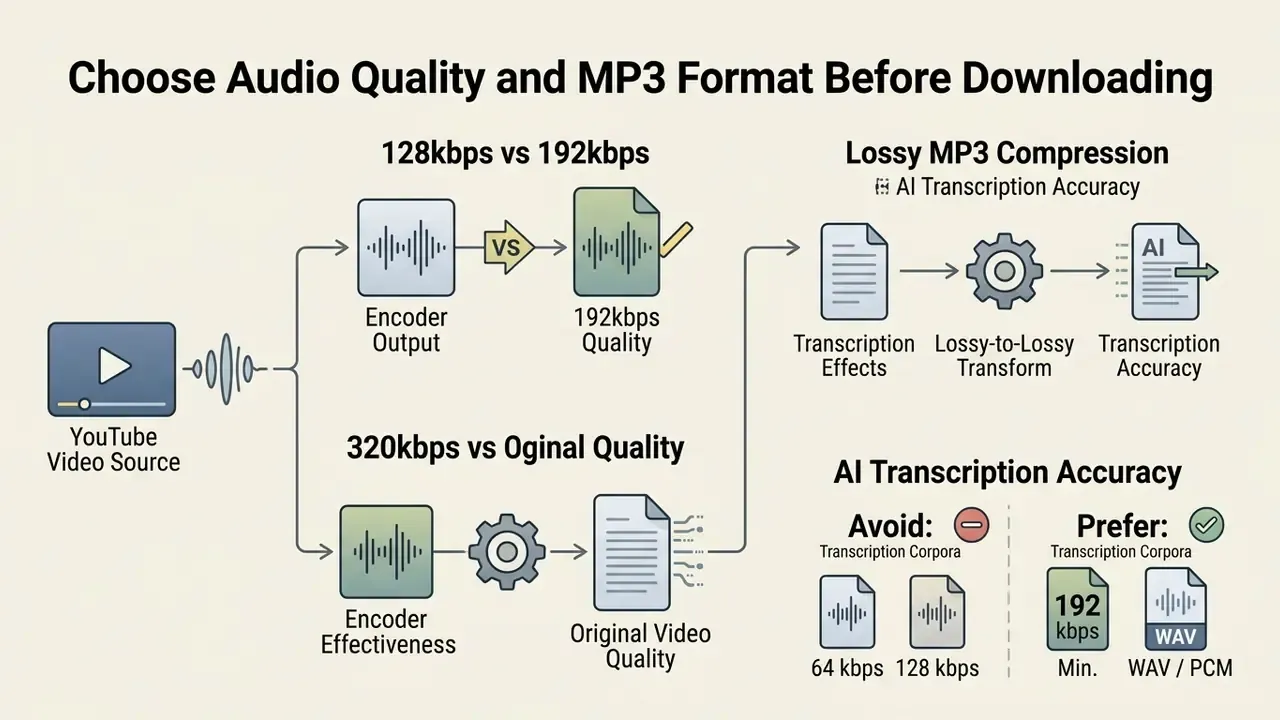
If the extracted audio feeds a speech-to-text model, a retrieval index or a voice-analytics pipeline, bitrate stops being an aesthetic choice and becomes a data-quality control. The MacPhail findings above are the clearest published signal available: aggressive lossy compression measurably reduced detection rates and recogniser accuracy on the same underlying recordings. The mechanism is identical for speech, because psychoacoustic encoders discard high-frequency content and low-level detail that acoustic models use to separate sibilants, plosives and overlapping speakers.
Practical guidance for model-risk and AI-governance owners:
- Treat MP3 extraction as a lossy-to-lossy transform. YouTube already delivered a compressed stream; a second encode compounds the loss, and word error rate is the metric that absorbs it.
- Avoid 64 kbps and 128 kbps for transcription corpora, even though both sound acceptable to a human ear, especially for accented speech, telephony-grade audio or multi-speaker panels.
- Prefer 192 kbps minimum, or an uncompressed WAV or PCM export where the tool offers it, when the artefact will be used for training, evaluation or regulatory recordkeeping.
- Document the encode chain (source codec, then bitrate, then MP3 encoder, then output bitrate) in your data lineage, so a later WER regression can be attributed to preprocessing rather than to the model.
- Validate empirically. Run the same 30 to 60 minute sample through your transcription stack at 128, 192 and 320 kbps, record WER per setting, and only then standardise a pipeline default.
Teams working with synthetic narration instead of ripped audio can compare options through our guide to the AI voice generator category.
MP3 vs MP4: Which Format Should You Choose?
The choice between MP3 and MP4 depends on one question: does your playback case need the picture?
| Feature / Consideration | MP3 Format | MP4 Format |
|---|---|---|
| Media Type | Audio-only | Video plus audio combined |
| Average File Size | ~1.5 MB per minute (at 192 kbps) | ~10 MB to 50 MB per minute (720p-1080p) |
| Primary Use Cases | Podcasts, background music, voice notes, transcription input | Tutorials, music videos, offline presentations |
| Device Storage Impact | Minimal; ideal for mobile devices | Moderate to high; consumes storage quickly |
| Background Playback | Supported by all native OS media players | Requires an active video surface or a specialised player |
| Typical Free-Tier Limit | Up to ~240 minutes at 192 kbps | Often capped at ~30 minutes and 360p-720p |
Choose MP3 when you only need the sound. Choose MP4 when the visual track carries meaning: slides, on-screen code, choreography, or captions burned into the frame. For editing either artefact afterwards, see our video editor overview and our comparison of free video editing software.
Download YouTube Video as MP3 on Any Device
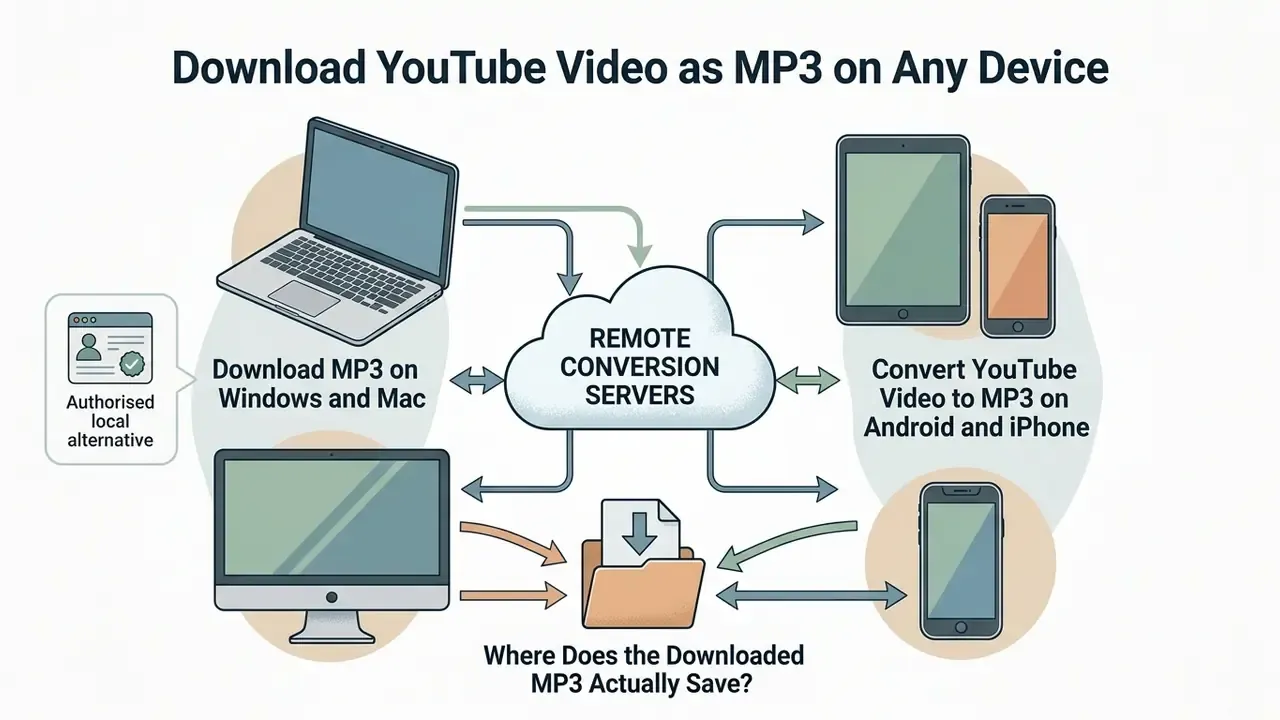
A free online YouTube video to MP3 downloader works across all major operating systems, because processing happens on remote conversion servers rather than on local hardware.
Whether you work from a desktop computer or a phone, the core workflow stays consistent across modern web browsers. Readers who handle general desktop media processing can also read our guide on how to edit videos on mac.
Download MP3 on Windows and Mac
To extract MP3 audio on Windows or macOS, open your preferred web browser: Chrome, Firefox, Safari or Edge. Copy the video URL from the address bar at the top of the window.
Paste the link into the online video converter YouTube MP3 tool, select your target bitrate, and run the conversion. When processing completes, click download to store the MP3 file in your system's default downloads directory. If you plan to trim, normalise or re-mux the result, a dedicated video editor handles the audio track without a second lossy re-encode.
Authorised local alternative. For content you own or have licensed, the fully compliant desktop route skips third-party converters entirely: download the source file from YouTube Studio, then convert locally. On macOS, open Music, then Settings, then Import Settings, choose the target format, and use File → Convert → Create [format] Version. On Windows, iTunes exposes the same capability through Edit → Preferences → Import Settings, then Shift + File → Convert → Convert to [import preference] (Convert music file formats, Apple Support, https://support.apple.com/guide/music/convert-music-file-formats-mus22eb2bf0d/mac).
Convert YouTube Video to MP3 on Android and iPhone
On mobile, open the official YouTube app or web page and tap the share button beneath the player to copy the video link. Then launch Safari on iPhone or Chrome on Android and open the online YouTube video downloader.
Paste the link into the converter input box and tap the conversion button. On iOS, saved audio files appear in the native Files app under Downloads, and Safari also exposes them through its Downloads button. Android places the completed MP3 file directly into the system Downloads folder, reachable through the browser's download history or any file manager (Find files downloaded on iPhone, Apple Support, https://support.apple.com/en-us/102353).
For related mobile and web workflow tutorials, see our guide on how to extract text from image.
Where Does the Downloaded MP3 Actually Save?
The converter prepares the file, but your browser and operating system decide where it lands.
| Platform | Default Location | Fast Access Path |
|---|---|---|
| iPhone / iPad | Files app, On My iPhone, Downloads | Safari Downloads button |
| Android | /storage/emulated/0/Download | Files app, Downloads, or browser download history |
| Windows | C:\Users\<name>\Downloads | Press Ctrl + J in the browser |
| macOS | /Users/<name>/Downloads | Press Cmd + Option + L in Chrome, or open Finder, then Downloads |
If you ever changed your browser's default download directory, check that configured folder before re-running the conversion. Most "the file vanished" reports end there.
Why YouTube to MP3 Conversion May Fail
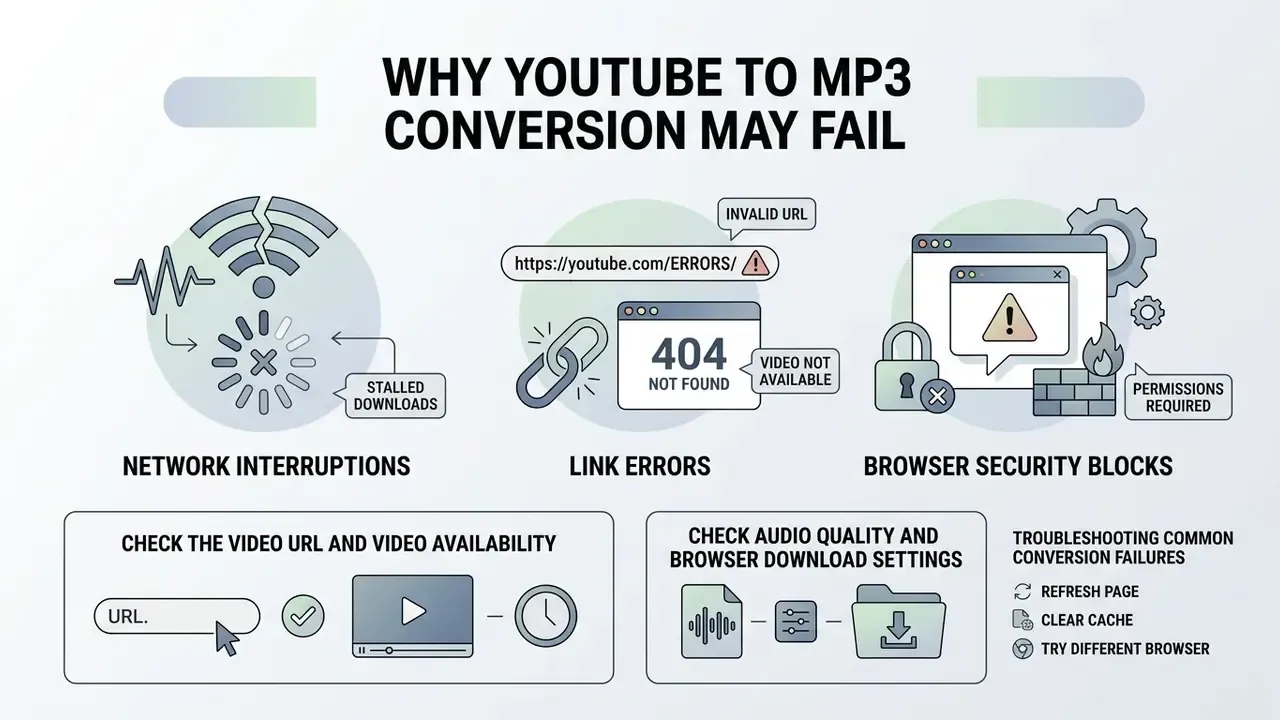
Conversions stall or fail for a handful of predictable reasons: network interruptions, link errors, browser security blocks. Identifying the root cause restores smooth operation quickly, and a failed conversion rarely means something is broken on your device.
Check the Video URL and Video Availability
The most common cause of failure is an invalid or restricted video link. Make sure the YouTube URL points to a public video rather than a private upload, an age-restricted clip or a private playlist. Private videos are visible only to the owner and explicitly authorised accounts. Age-restricted videos require sign-in and age verification, and Restricted Mode, Family Link or school-managed accounts can block playback independently (Age-restricted content, YouTube Help, https://support.google.com/youtube/answer/2802167).
Geo-blocked content, playable only in selected countries, and videos deleted by the uploader will also stop backend converter servers from reaching the underlying stream. URL-level mistakes are just as frequent: a wrong video ID, a pasted playlist parameter, or stray timestamp text all produce "not available" errors. Verify that the source video plays normally in an incognito browser window, signed out, before attempting conversion again.
Check Audio Quality and Browser Download Settings
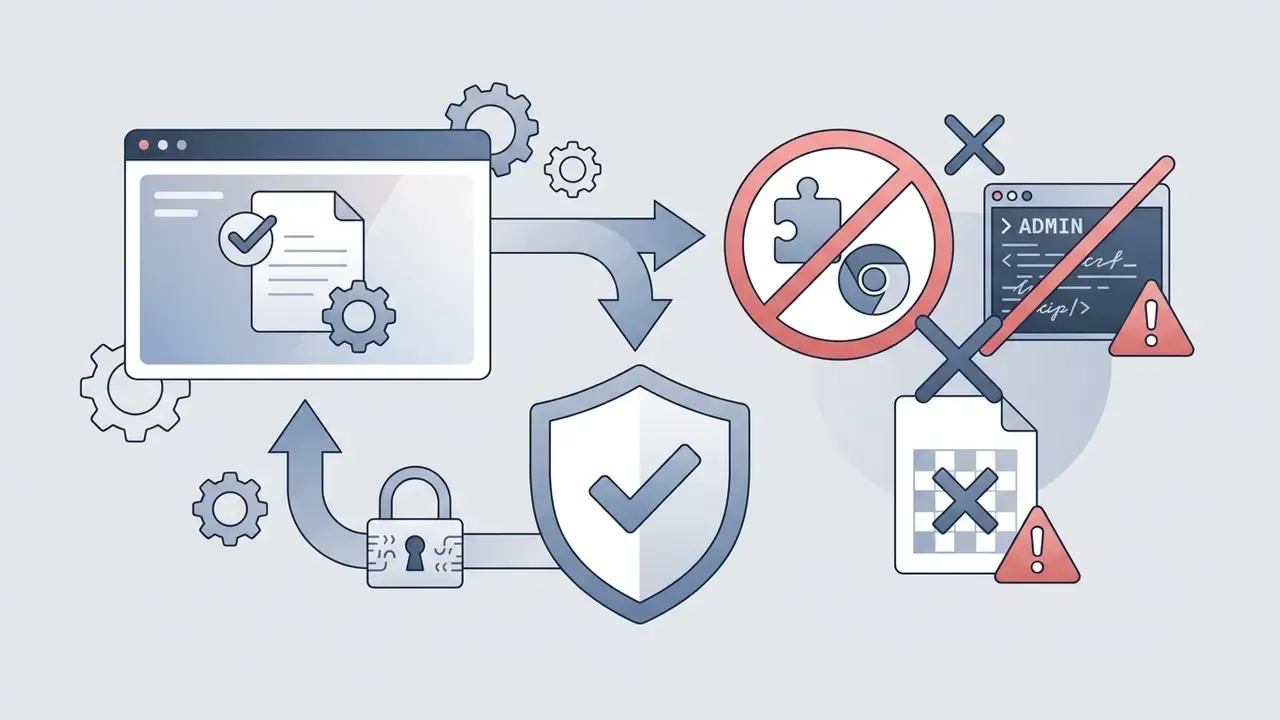
Browser download policies and security extensions can block generated download links. Check your browser settings to confirm that automatic file downloads are permitted for the converter domain.
Documented, reproducible causes on the browser side include:
- Microsoft Edge fails downloads when the
DownloadDirectorypolicy points to a path that does not exist or is not writable, andDownloadRestrictions=3blocks all downloads outright (Download failures in Microsoft Edge, Microsoft Learn, https://learn.microsoft.com/en-us/troubleshoot/microsoft-edge/development/download-failures). - Firefox lists
browser.download.dir,browser.download.folderListandbrowser.download.useDownloadDiramong the settings that break saving when mis-configured (Can't download or save files, Mozilla Support, https://support.mozilla.org/en-US/kb/cant-download-or-save-files). - Chrome attributes download errors to unstable connections, security settings and unwanted software, and separately blocks some files through Safe Browsing (Fix file download errors, Google Chrome Help, https://support.google.com/chrome/answer/2898334).
- Proxy configuration and network-level filtering stop downloads before they start. Microsoft recommends testing on a different network to isolate the cause, which is exactly what a corporate egress policy blocking converter domains looks like to the end user.
If a specific quality setting refuses to process, switch the selected bitrate from 320 kbps down to 192 kbps or 128 kbps. Backend servers occasionally hit temporary codec bottlenecks on high-bitrate encoding tasks. And remember: a quality option shown in the interface is not proof that the source contains audio at that level.
Troubleshooting Common Conversion Failures
| Error Symptom | Root Cause | Actionable Solution |
|---|---|---|
| "Invalid URL" error | Shortened link, channel or search page copied, or playlist syntax in the URL | Re-copy the exact URL through YouTube's native Share → Copy Link option. |
| Stuck at 0% or processing freeze | Server queue bottleneck, or a temporary stream-cipher change on the source platform | Refresh the page, switch the output bitrate from 320 kbps to 192 kbps, retry with a freshly copied URL. |
| "Video unavailable" | Content is private, deleted, age-restricted or geo-blocked | Confirm the video plays in an incognito tab while signed out of any YouTube account. |
| Converted but file not found | Browser saved to a non-default or policy-defined directory | Open Files app, then Downloads (iOS/Android), or press Ctrl + J / Cmd + Option + L in the browser. |
| Download button does nothing | Expired temporary result link, or a Safe Browsing / extension block | Re-submit the source URL to generate a fresh result, and temporarily disable download-blocking extensions. |
| 320 kbps option missing | Source stream does not expose a high-bitrate audio track | Select an offered bitrate; the missing option reflects the source, not a tool defect. |
| Output audio sounds poor | Source upload was already heavily compressed or clipped | Compare against the original YouTube playback: if both sound identical, the ceiling is the source. |
| Partial or corrupt file | Interrupted transfer leaving an incomplete fragment | Delete the partial file, clear the browser download entry, restart the conversion. |
Public Converter vs Corporate API or Local FFmpeg Pipeline
For teams automating audio extraction at scale, think media monitoring, compliance archiving, transcription pipelines, the public web tool and the engineered pipeline are not interchangeable.
| Criterion | Public Online Converter | Contracted API | Self-Hosted FFmpeg Pipeline |
|---|---|---|---|
| Setup effort | None: open a tab | Low: key provisioning, SDK | Medium: container, dependencies, PATH config |
| Throughput | One file at a time; queue-dependent | Parallel jobs, documented rate limits | Bounded only by your own CPU allocation |
| Duration / size limits | Commonly 5-240 minutes and 500 MB-1 GB on free tiers | Contractual, usually configurable | None beyond local storage |
| Data exposure | URLs, IP and session metadata leave your perimeter | Governed by contract and DPA | Nothing leaves the network |
| SLA and support | None | Contractual uptime and support channel | Owned internally |
| Auditability | No logs you control | Provider logs plus your own | Full, end-to-end lineage |
| Malware risk | High (ads, fake CAPTCHAs, spoofed output) | Low | Low |
| Best fit | One-off personal extraction | Product features, moderate scale | Regulated, confidential or high-volume work |
Common free-tier ceilings reported by converter vendors show why public tools break at scale. Some allow 20 conversion minutes per day with a 5-minute-per-file cap; others permit a single 500 MB or 5-minute conversion without an account, then raise it to 1 GB, 20 minutes and 3 conversions per day after registration.
A self-hosted pipeline introduces its own failure modes, to be fair. FFmpeg missing from PATH, stale extractor versions and leftover .part fragments are the three most frequently documented causes of failed MP3 extraction in command-line workflows. Budget for maintenance, not just for setup.
To analyse performance benchmarks and verified tool capabilities, review our empirical work in AI Media Benchmarks and Review Proof, and estimate compute requirements with our media calculators.
Copyright Laws and Responsible YouTube MP3 Downloads
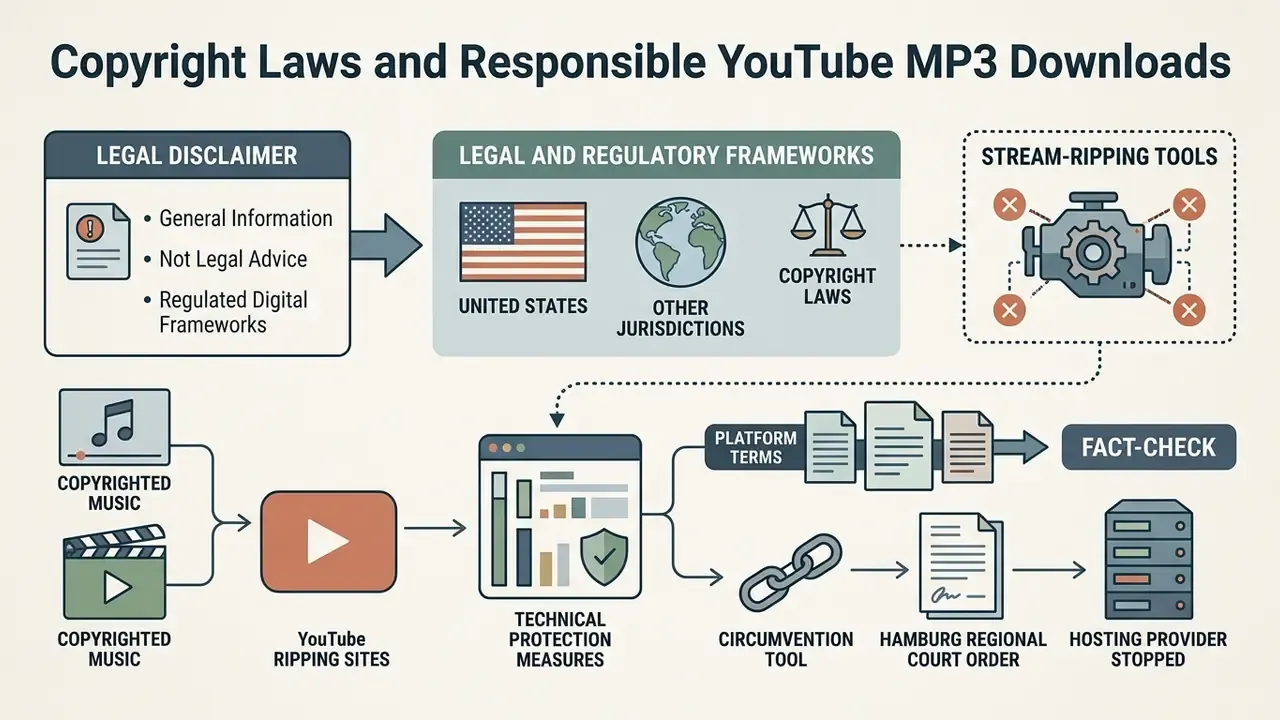
Downloading audio from streaming platforms sits inside legal and regulatory frameworks that govern digital content usage.
Platform terms and fact check. YouTube's Terms of Service permit access to content "for your information and personal use solely" and state that users shall not copy, reproduce, download, distribute, transmit, broadcast, display, sell, license, alter or modify content except as expressly authorised by the service, or with prior written permission from YouTube and the relevant rights holders (YouTube Terms of Service, https://www.youtube.com/t/terms). Downloads are a controlled exception delivered through YouTube's own offline features, not a general entitlement.
Under copyright laws in the United States and other jurisdictions, converting copyrighted music or commercial broadcasts without explicit authorisation from the rights holder constitutes infringement. The US Copyright Office frames fair use as a limited, fact-specific doctrine covering purposes such as criticism, comment, news reporting, teaching, scholarship and research, while unauthorised reproduction or transmission of protected works, including sound recordings and music videos, infringes exclusive rights (More Information on Fair Use, U.S. Copyright Office, https://www.copyright.gov/fair-use/). The DMCA separately prohibits distributing false copyright management information with intent to induce or conceal infringement.
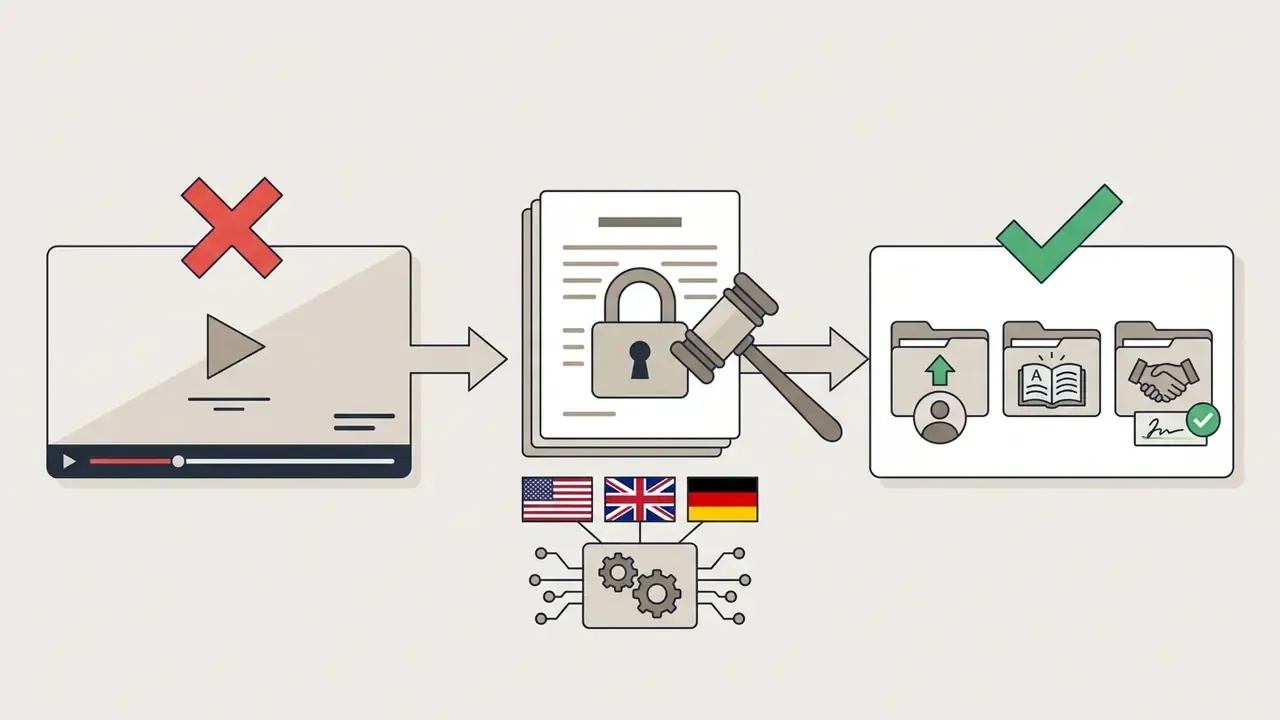
Courts across three major jurisdictions have addressed stream-ripping tools directly.
«A YouTube downloading platform functions as a circumvention tool under DMCA §1201, even where alternative access is technically possible.»
«YouTube ripping sites are designed to circumvent technical copyright protection measures; operators and users share liability for infringement.» - UK High Court ruling (2021), summarised by Music Week. https://www.musicweek.com/legal/read/high-court-rules-youtube-ripping-is-illegal/085742
«The Hamburg Regional Court ordered the hosting provider to stop hosting YouTube-DL as a circumvention tool; 27% of people globally use stream-ripping sites to obtain music.» - IFPI / BVMI press release (2023). https://www.ifpi.org/ifpi-and-bvmi-secure-court-order-against-youtube-dl/
Personal fair use exemptions do exist for specific non-commercial, educational or analytical purposes. But platform terms of service regulate downloading independently: satisfying fair use does not cure a terms-of-service breach, and a permissive licence does not override anti-circumvention rules. Keep conversions limited to public-domain audio, Creative Commons-licensed material, or your own uploads. For your own content, the authorised route is YouTube Studio, download the source file, convert locally.
For corporate teams evaluating commercial content rights and licensing compliance, our AI Media Commercial-Use Hub offers structured guidance, and our breakdown of commercial-use terms for AI-generated media is worth a read before mixing ripped audio with generated assets.
FAQ About Online YouTube Video to MP3 Conversion
Is YouTube to MP3 Conversion Free Online?
Yes. Many online web converters offer free MP3 extraction without paid subscriptions or user accounts. Free services usually enforce operational boundaries, though: maximum video lengths, per-file duration caps, or daily conversion limits. Billing models differ sharply. Some vendors bill pro tiers automatically each month until cancellation, others sell a 24-hour package that does not auto-renew, and a few run a genuinely one-off free mode with no account required. Verify that a service does not demand credit-card details for basic file downloads, and read the renewal clause before entering payment data.
Which Audio Formats Can a Converter Support?
MP3 remains the most widely compatible audio format across consumer hardware, but advanced online converters frequently support alternative containers:
- MP3: MPEG-1 Audio Layer III; lossy, standardised in ISO/IEC 11172-3, with the broadest device compatibility.
- WAV: Waveform Audio File Format storing uncompressed PCM; large files, preferred for editing, mastering and transcription corpora.
- AAC: Advanced Audio Coding, standardised within MPEG-4; more efficient than MP3 at comparable bitrates.
- M4A: the MPEG-4 audio container, usually carrying AAC and sometimes ALAC, common across Apple devices. Readers building audio pipelines may also want synthetic narration through an AI voice generator. To see how editing workflows handle different audio containers on web platforms, check our guide on how to edit videos on YouTube, plus our broader tutorial on how to edit videos.
Is There a Video Length or File Size Limit?
Most free online video converter YouTube to MP3 services impose technical limits to manage backend server load. Documented ceilings vary by vendor. YTMP3 states that MP3 downloads are supported for videos up to 240 minutes at a maximum bitrate of 192 kbps, while MP4 downloads are capped at roughly 30 minutes and 360p output. Other services cap unregistered use at 500 MB and 5 minutes with a single conversion per day, raising that to 1 GB, 20 minutes and three conversions per day after sign-up. Longer files or full-length live streams may need local processing tools, or a video compressor to bring the artefact under the ceiling.
Are ID3 Meta Tags and Album Covers Saved During Conversion?
Usually, yes. Modern web-based converters parse YouTube metadata during extraction and write it into the MP3 header: the video title becomes the track title, the channel name becomes the artist, and the highest-resolution thumbnail is embedded as album artwork in ID3v2 tags. Coverage is not universal, since minimal converters output untagged files. If metadata matters for your library, test one file in your player before batch-converting a playlist. Tags derived from a video title are descriptive rather than authoritative, and they often need manual correction for compilations and live recordings.
Can I Convert YouTube Shorts to MP3?
Yes, provided the Short is publicly available. Copy its direct Share link (youtube.com/shorts/...) and paste it into the converter exactly as you would a standard video URL. Private, deleted, age-restricted or region-locked Shorts cannot be processed, and the same source-quality ceiling applies.
Do Non-English Interfaces Change the Workflow?
Not materially. Localised front-ends, including the Spanish-language pages that rank for queries such as "convertir video de youtube a mp3 online" and "convertir video youtube a mp3 online", expose the same three controls: input field, quality selector, download button. The security checklist does not change with the language of the button labels. If anything, apply it more strictly, because localised mirrors of known converter brands are a recurring typosquatting pattern.
Do I Need to Install Software?
No. The standard browser-based workflow needs no desktop application, plugin or extension. Treat any converter that prompts for an installer, a browser extension, or a command to paste into a terminal as hostile. That pattern matches the documented LummaC2 and RedLine delivery chains described earlier.
Can I Listen to a Downloaded MP3 Offline?
Yes. Once the MP3 sits in local storage, any compatible audio player can play it without loading the original YouTube page. That is the main practical reason people extract audio in the first place.
Is Converting YouTube Videos to MP3 Legal?
There is no single answer for every video or country. Your position depends on the content, its licence, permissions from the rights holder, applicable national law, and the platform's terms. YouTube's terms restrict downloading except where the service authorises it or the rights holder has granted permission, and several courts have treated general-purpose ripping tools as circumvention devices. Keep conversions to your own uploads, public-domain works and explicitly licensed material, and see the legal section above for the underlying rulings.
Additional Media and Workflow Resources
- Learn visual search techniques in our guide on how to find video from image reverse search.
- Explore creative image workflows in our tutorial on how to generate ai art.
- Estimate computational requirements using dedicated media calculators.
- Compare editing suites before post-processing extracted audio in AI Media Comparison Matrices.
Appendix A: Editorial Notes and Withdrawn Claims
- Withdrawn performance claim. An earlier version of this article referenced an internal evaluation in which an analyst processed 50 video URLs across macOS and Windows workstations, reporting average conversion times under 12 seconds per file at a standardised 192 kbps output. The figure is retained here for transparency, but it is not presented as evidence: no methodology, hardware specification, network baseline or sample list was published alongside it. Conversion latency depends on source duration, server queue depth and network throughput, so no single average generalises. Verified benchmark methodology is published separately in AI Media Benchmarks and Review Proof.
- Source-date note. Where vendor help pages and terms are cited with a 2026 access year, that reflects the date the page was last retrieved, not the date the underlying policy was written.
- Codec standards note. RFC 6366 (2011) is informational and narrower in scope than RFC 6716 and later codec-quality evaluation drafts; the documents differ in scope rather than contradicting one another.
- Author note. Marcus Hale, author. Any framework or example attributed to him is illustrative, not a record of real employment, clients or regulatory authority.
Editorial Review Standards
Every factual claim above is tied to a primary source: an RFC, a vendor help page, a court report, a government advisory, or a measured encode test. Where evidence was thin, we said so rather than rounding it up into confidence. Two open questions remain, and we would rather flag them than paper over them.
First, published word-error-rate comparisons across MP3 bitrates for production speech models are still scarce, which is why the transcription guidance recommends running your own A/B test instead of adopting our number. Second, converter free-tier limits change without notice, so the ceilings quoted here should be treated as a snapshot, not a contract. Corrections and better data are welcome.