That second part is where most teams get caught.
How to Generate AI Art in Seven Steps: Quick Summary
Compliance snapshot: prompt-only output is not registrable under U.S. copyright law; commercial rights usually require a paid subscription tier; synthetic media published in the EU must be machine-readably marked and clearly labeled.
- Define the visual concept.Subject, setting, style, lighting, and output format, all decided before you touch a prompt field.
- Pick a generator that matches the use case.Commercial safety (Adobe Firefly), aesthetics (Midjourney), or granular control and real-time canvas editing (Leonardo AI, Stable Diffusion).
- Write a structured promptusing
[Subject] + [Environment] + [Artistic Style] + [Lighting & Technical Details], staying inside platform input limits. Adobe Firefly caps prompts at 750 characters. - Set parameters.Model version, aspect ratio, style presets, and seed values you can reproduce later.
- Generate a batch of 4 to 8 candidatesand rank them on prompt alignment, anatomical accuracy, and composition.
- Refine with inpainting, outpainting, and AI upscalinginstead of regenerating everything from scratch.
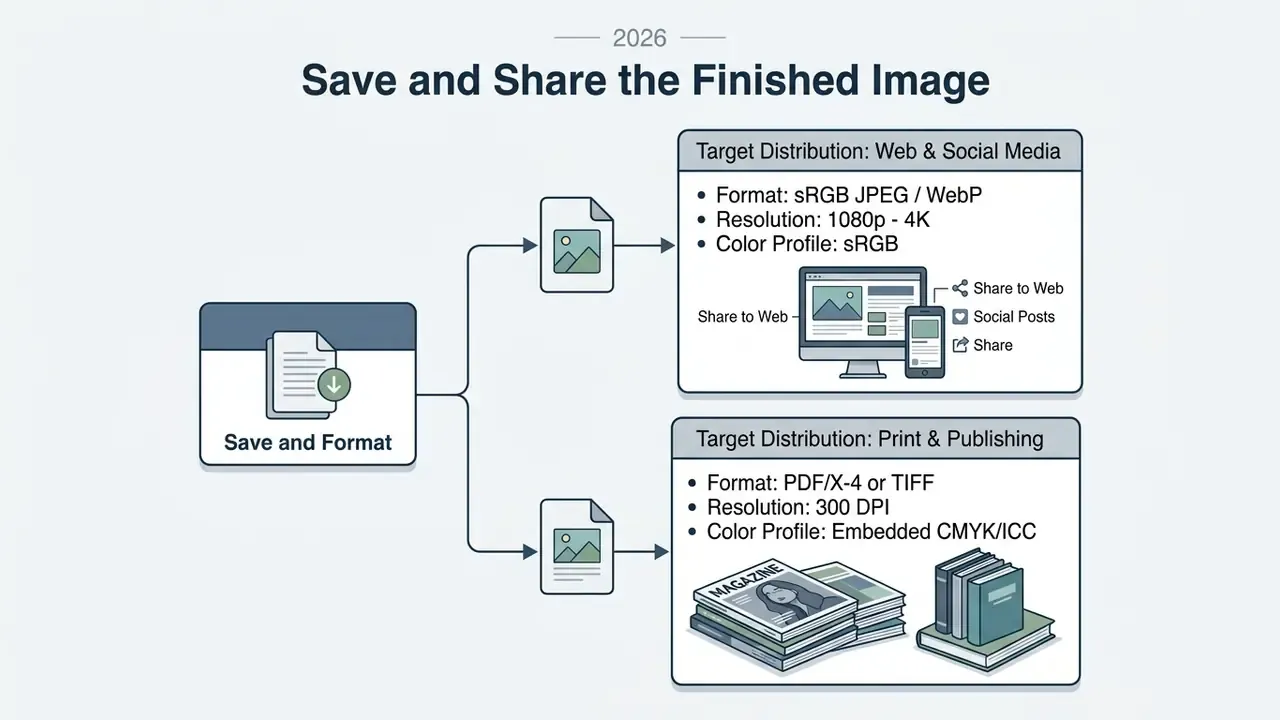
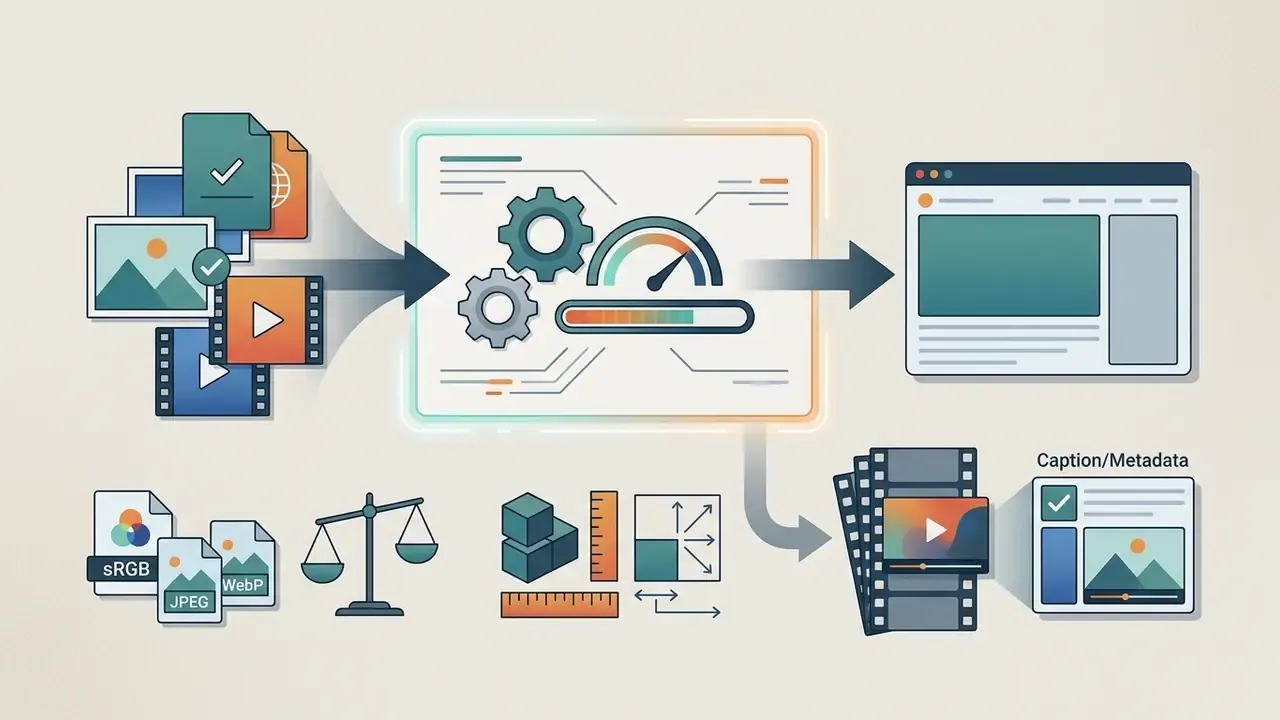
- Export and document.sRGB for web, 300 DPI CMYK or PDF/X-4 for print, with prompt, seed, model version, and C2PA provenance metadata retained for audit.
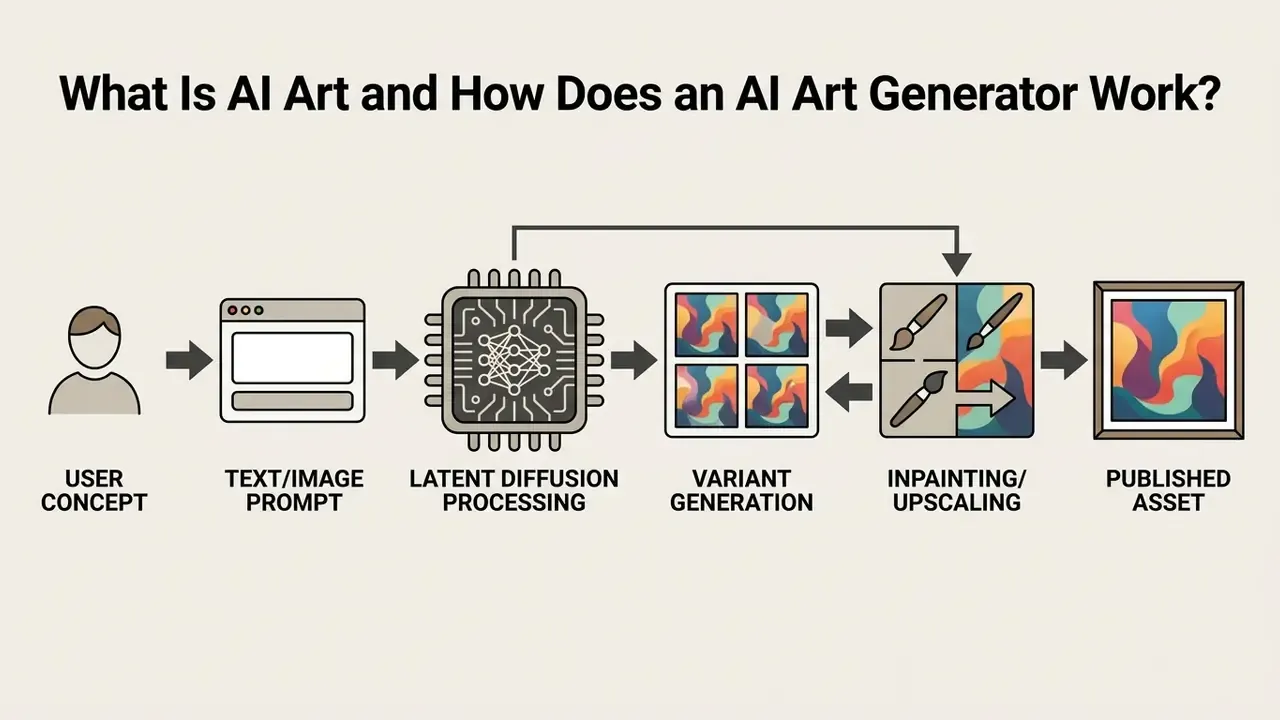
What Is AI Art and How Does an AI Art Generator Work?
AI art refers to visual media generated by machine learning algorithms that translate natural language text prompts, or initial reference images, into new raster or vector imagery. Modern AI art generators rely primarily on latent diffusion models, which learn the probabilistic relationship between descriptive text and visual patterns across large training datasets.
Historical Antecedents of Generative Art
Algorithmic image generation did not begin with neural networks. It inherits theoretical foundations from early twentieth-century avant-garde practice: Dadaist photomontage and Surrealist automatism in the 1920s and 1930s deliberately introduced chance, randomness, and rule-based procedures into image making, removing part of the artist's direct control over the result. Those experiments in controlled unpredictability evolved into the first computer-generated algorithmic art of the 1960s, when plotter drawings and rule-driven compositions established the idea that an instruction set could produce an image.
Modern diffusion architectures are the statistical continuation of that lineage. The artist still supplies intent, constraints, and selection criteria, while the system supplies stochastic variation. Recognizing this history matters practically, because it frames prompting as authorship through constraint, which is close to the standard copyright offices now apply when they evaluate human creative contribution.
From Text Prompt to AI Generated Image
Text-to-image generation maps natural language words into multi-dimensional mathematical embeddings, which guide a neural network to strip noise from a random latent canvas until a clear picture forms. During training, artificial intelligence models learn pairings between millions of textual descriptions and image pixels.
When a user submits a text prompt, the text encoder (CLIP, or an integrated Large Language Model) converts the string into a conditional signal. The diffusion model starts with pure Gaussian noise in latent space () and applies a reverse denoising process across multiple timesteps. As described in the Latent Diffusion Models architecture study (Rombach et al., 2022), working in latent space cuts computing demand while cross-attention layers enforce prompt compliance at every step. The final latent representation () is decoded into pixel space to form the generated image.
In practice, three inference parameters control most of the visual outcome: the number of denoising steps (detail accumulation), the guidance scale (how strictly the model obeys the prompt versus its own priors), and the random seed (which noise pattern the process starts from). Recording the seed is what makes an AI art workflow reproducible, and therefore auditable.
Text-to-Image, Image-to-Image, and AI Image Editing
Creation modes differ by the input structure you hand to the artificial intelligence model. Text-to-image creates images from scratch based purely on text prompts, while image-to-image generators use an existing image as a structural foundation for generating new visual variations.
- Text-to-Image generates new images from written instructions alone. Best for conceptual visual art, graphic design ideation, and early visual experiments. Input structure: text only.
- Image-to-Image uses an input image combined with a text prompt. The generator adds noise to the source image and denoises it under the guidance of the new prompt, preserving composition while altering style, color, or content. Input structure: image plus text.
- AI Image Editing (Inpainting & Outpainting) applies targeted changes to defined areas of an existing image. Inpainting uses visual masks to remove, swap, or modify specific elements. Outpainting extends the canvas beyond its original boundaries to adjust framing. Input structure: image plus mask plus text.
Teams managing visual production pipelines across complex media workflows usually combine all three modes in a single asset chain: a text-to-image draft establishes composition, an image-to-image pass applies the brand style, and masked editing cleans up final details. Document which mode owns which stage. Otherwise brand consistency ends up depending on one operator's memory, which is a fragile control. Production teams building repeatable visual systems can review feature and pricing comparisons in our guide to online photo editors for the manual finishing layer of that chain.
Why AI Models Produce Different Visual Results
Generative AI models produce distinct visual outputs because they rely on different training datasets, neural network architectures, parameter counts, and default aesthetic tuning. Two generators receiving identical prompts will interpret artistic terms, spatial composition, and lighting differently based on their underlying design. That is exactly why side-by-side testing across leading AI image generators belongs in any serious tool selection process.
| Model / Engine | Primary Visual Bias | System Strengths |
|---|---|---|
| Midjourney (current default model, V8.2*) | High aesthetic polish, cinematic contrast, stylized rendering | Fine detail, atmospheric lighting, strong stylized composition |
| Adobe Firefly | Neutral representation, clean graphic layouts, safe rendering | Commercial safety, stock integration, precise vector and layout compatibility |
| Stable Diffusion 3.5 | Photorealistic structures, highly accurate text rendering | Open customization, fine-tuning, local control via ControlNet |
* Version note: Midjourney's own documentation lists V8.2 as the current default model and --v # as the version switch (Midjourney Docs, 2025 to 2026). Model naming changes often, so verify the active version inside the platform settings panel before locking a house style. A prompt tuned for one version may render differently after a default model upgrade.
Why outputs diverge. Model families differ in parameter count, training corpus, and conditioning mechanism. Stable Diffusion XL, for example, uses roughly 2.6 billion UNet parameters and two separate CLIP text encoders, which changes how it resolves multi-clause prompts compared with single-encoder systems.
Inference budget matters as much as architecture. Distilled variants such as Stable Diffusion 3.5 Turbo produce usable images in as few as four denoising steps, trading multi-subject precision for speed, while larger foundation checkpoints resolve complex spatial relationships and prompt adherence more accurately. Comparative testing also shows model-specific failure patterns: stylistic artifacts that persist across regenerations, over-smoothed or unnaturally cheerful faces, and anatomical errors in crowded group scenes. Treat those as model fingerprints rather than random noise. They are predictable, and they tell you which tool should get which brief.
Choose the Best AI Art Generator for Your Project
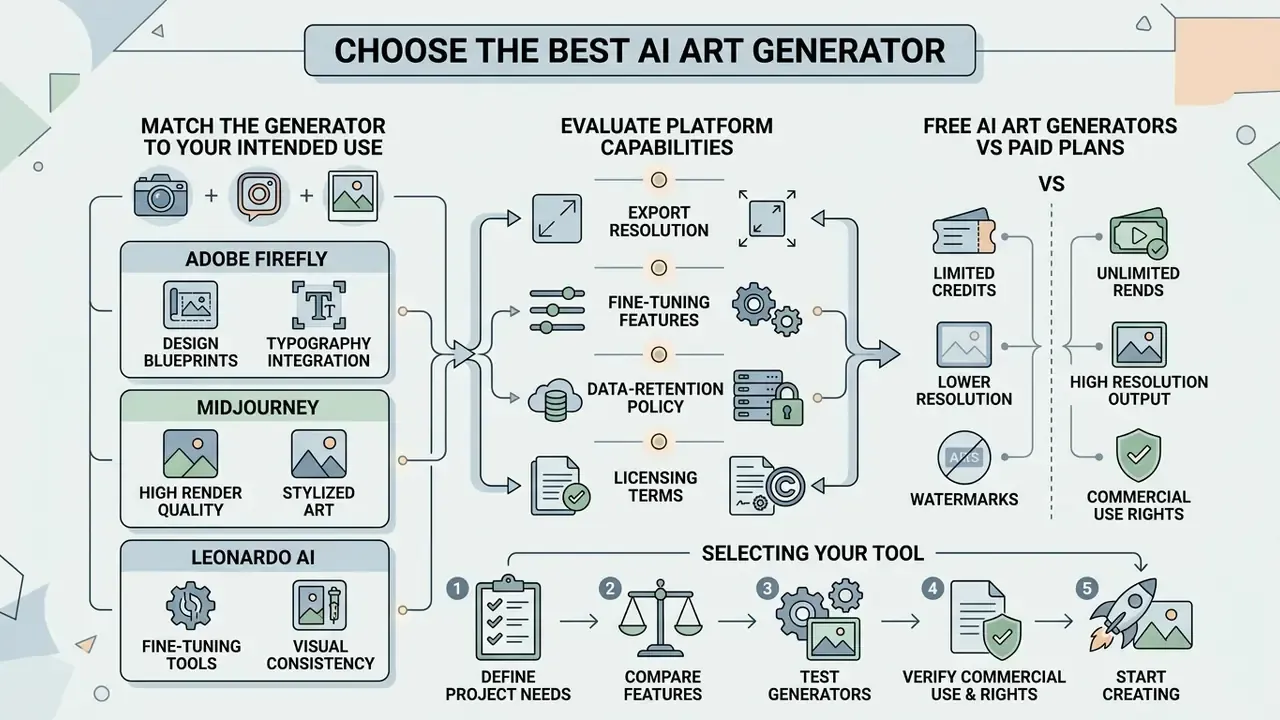
Choosing the best AI art generator means matching platform capabilities, including export resolution, fine-tuning features, data-retention policy, and licensing terms, against your actual visual requirements. Creators can work through dedicated comparisons in our guide to the best AI art generator tools, and check commercial permissions in our overview of AI image generators.
| Platform / Tool | Free Tier | Entry Paid Plan | Native Inpainting / Editing | Max Export Resolution | Commercial Licensing Terms | Enterprise Data Protection / Training Opt-Out |
|---|---|---|---|---|---|---|
| Adobe Firefly | Free credits (limited daily) | $9.99 / month | Yes (Firefly Canvas & Acrobat) | 4096 × 4096 px via upscaling; direct download capped at 2000 × 2000 px | Commercially safe; trained on licensed Adobe Stock and public domain; IP indemnification on qualifying business plans | Adobe states it does not train Firefly models on Creative Cloud subscribers' personal content; enterprise and team agreements govern retention |
| Midjourney | No permanent free tier | $10.00 / month | Yes (Vary Region / Pan / Zoom) | High-definition, varies by plan | Commercial rights included on paid plans; companies above $1M gross annual revenue require Pro or Mega | Public generation is default on lower tiers; Stealth mode (Pro/Mega) required to keep prompts and outputs private |
| Leonardo AI | Free daily token allowance | $10.00 / month | Yes (Omni Editor & Realtime Canvas) | Up to 20 MP (Universal Upscaler) | Included on paid plans; restricted on free tier outputs | SOC 2 Type I and Type II accredited; free-tier generations are public, paid tiers add private generation |
| Stable Diffusion (self-hosted) | Open weights, no tier | Infrastructure cost only | Yes (ControlNet, inpainting extensions) | Hardware-limited, 6144 px and above with tiled upscaling | Governed by the model license; verify checkpoint-specific terms | Full data residency; prompts and assets never leave your environment |
That distribution works as a rough proxy for adoption: the same handful of engines dominates production pipelines, which means prompt techniques and licensing checks transfer between them with minimal rework.
Free AI Art Generators vs Paid Plans
Free AI art generators are a reasonable entry point for learning prompt mechanics. For commercial deployment and high-resolution exports, a paid plan is usually mandatory. Free tiers commonly apply daily generation caps (reported ranges run from roughly 3 to 5 images per day up to 10 to 50), export resolution limits (often restricted to pixels or lower), public output visibility, watermarking, and non-commercial usage restrictions.
When evaluating low-cost platforms, review detailed comparisons of free AI art generators to identify which options include commercial permissions, and cross-check output quality ceilings in our roundup of free AI image generators. Upgrading to a paid tier typically removes generation queues, unlocks advanced diffusion models, enables lossless image downloads, adds private generation modes, and grants clear commercial rights.
Licensing on free tiers is genuinely inconsistent between vendors, so vendor terms always control. Documented examples show the spread: some platforms historically released free-tier output under a non-commercial Creative Commons license; at least one vendor granted commercial use for free-plan images generated before a specific cut-off date while retaining ownership of those images; and a minority allow commercial use on free plans as long as the watermark stays intact.
Read that again before you ship a client campaign off a free account.
Adobe Firefly, Midjourney, Leonardo AI, and Other AI Tools
Leading commercial platforms concentrate on distinct capabilities across the creative ecosystem:
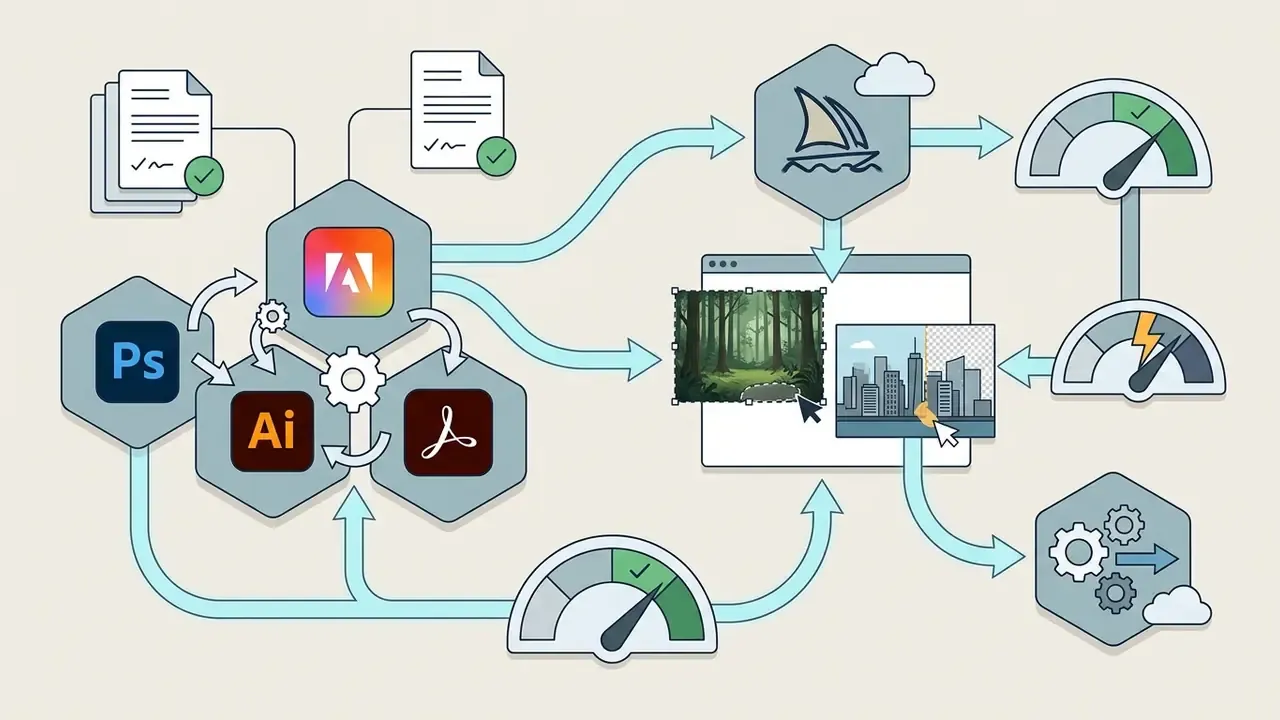
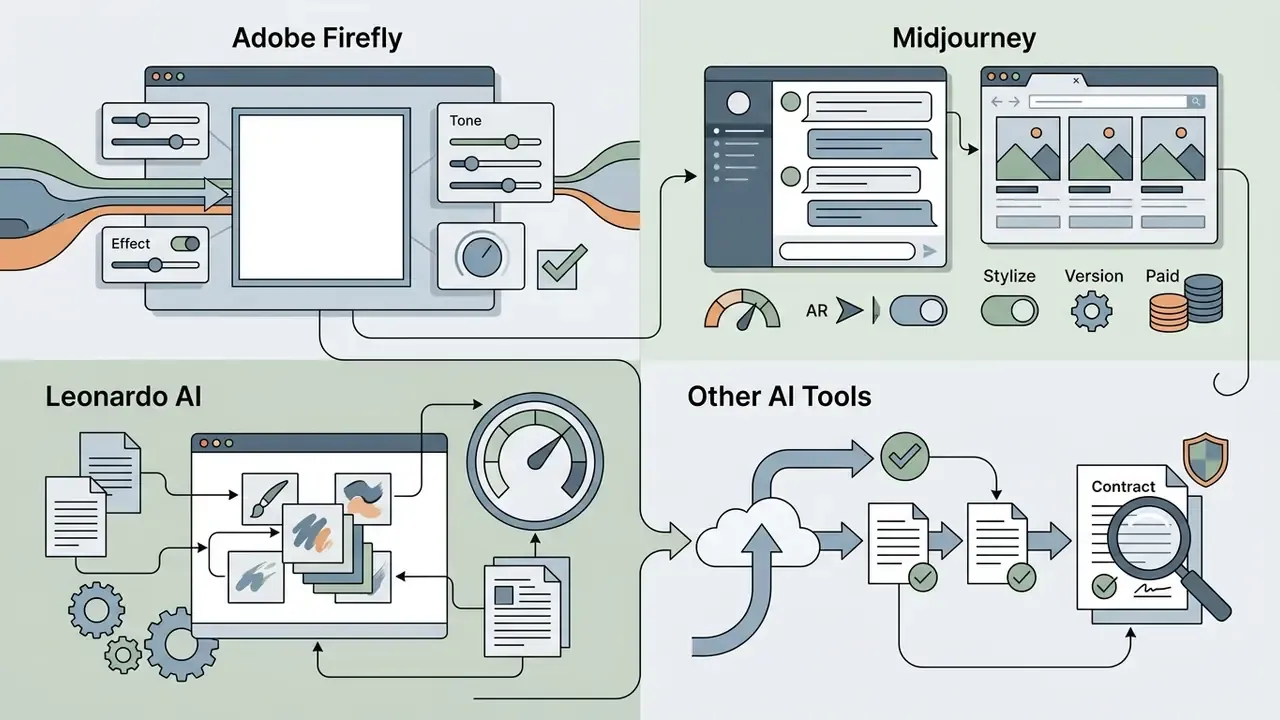
--ar (aspect ratio), --stylize, --style raw, and --v (model version). Paid tiers run Basic $10, Standard $30, Pro $60, and Mega $120 per month.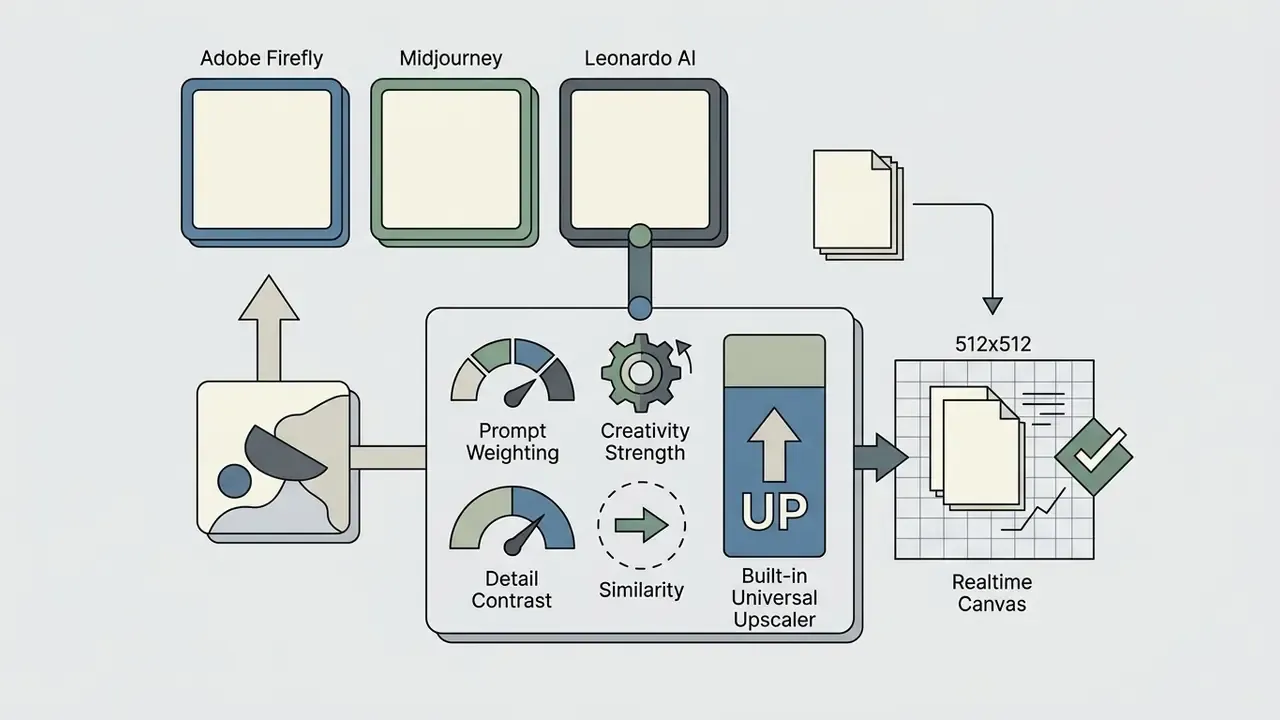
When evaluating specialized options, organizations can examine dedicated reviews of the Microsoft AI image generator, compare standalone web tools using our ChatGPT picture generator comparison, or review aesthetic-specific engines in our breakdown of Ghibli-style AI image generators.
Design Blueprints and Typography Integration
Beyond raw generation, several platforms ship structured design blueprints: preset pipelines that combine a style transfer pass with layout scaffolding, so a brief such as "pop art collage portrait" resolves into a consistent, on-brand series instead of a pile of unrelated images. Typography modules extend the same logic. Automated font-matching pairs a generated background plate with a compatible typeface, kerning, and weight, which removes the manual step of testing type against a fresh illustration.
For design teams, blueprints solve the reproducibility problem. A blueprint stores the model, style reference, and parameter set, so a junior designer can produce assets that match the campaign look without re-deriving the prompt. Treat them as version-controlled templates: name them, date them, and store the underlying prompt and seed alongside the exported asset.
Match the Generator to Your Intended Use
The intended application decides which AI tool features matter. Social media campaigns need high-speed asset generation. Graphic design needs clean vector or transparent background exports, the same requirement that drives selection of AI logo generators. Concept art demands deep prompt flexibility.
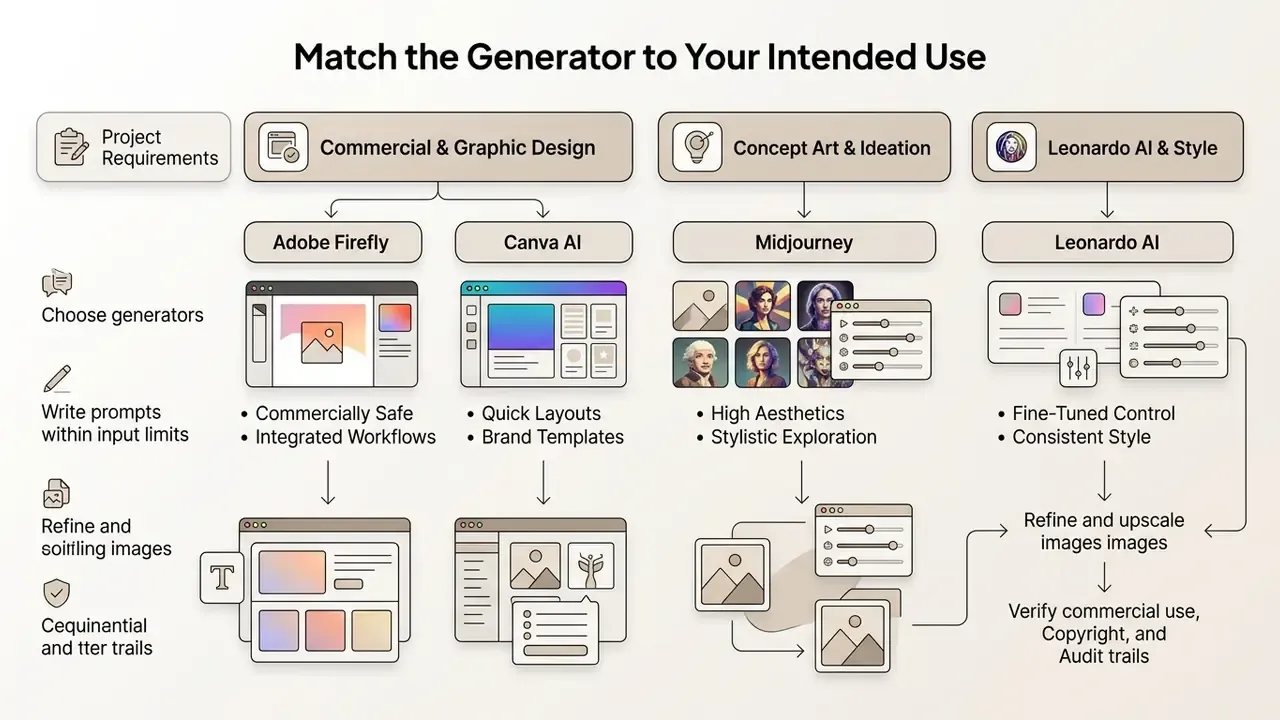
Mapped to concrete deliverables, the split looks like this:
For portrait-heavy commercial work such as team pages or author bios, compare specialized options in our guide to AI headshot generators, which covers portrait quality, privacy handling, and professional-use terms.
How to Generate AI Art: The Basic Workflow
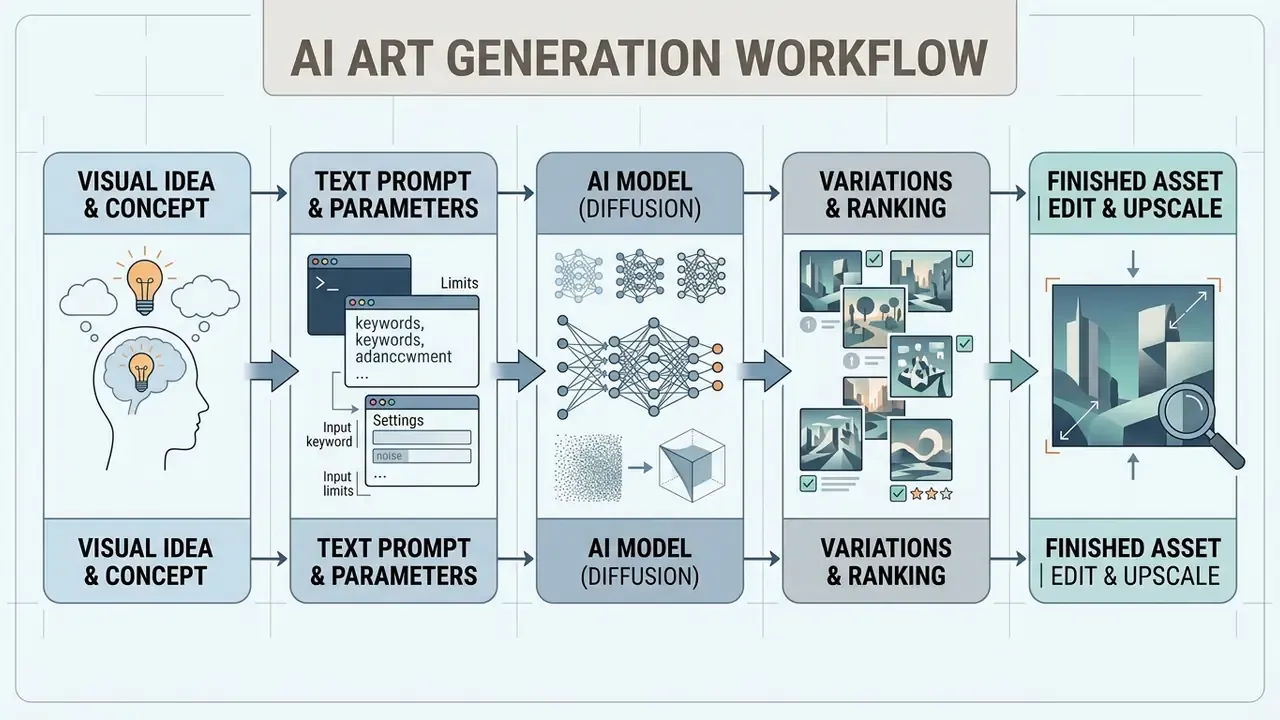
Generating AI art follows a structured workflow: define a clear visual concept, configure model settings, write a structured text prompt, generate several output variations, then select the strongest draft for refinement.
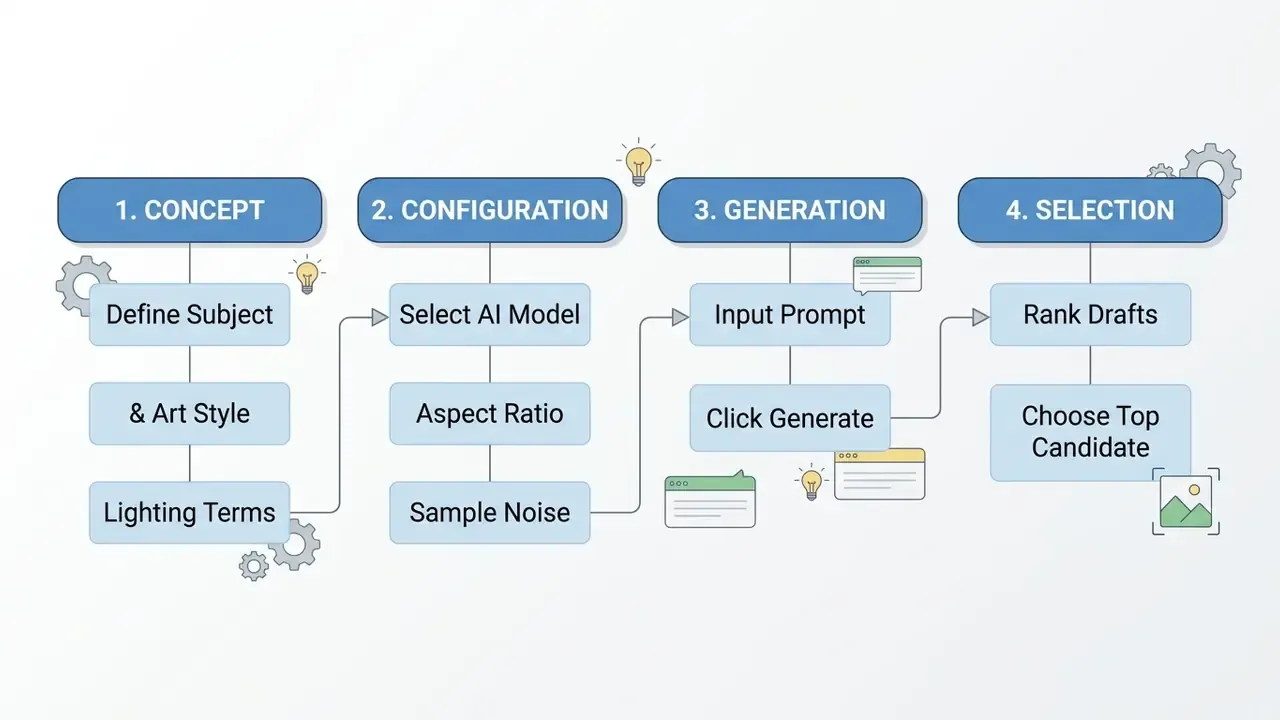
Start with a Clear Visual Idea or Concept
Successful AI art starts with a detailed visual brief, not a single vague keyword. Break the project idea into core visual components: main subject, setting, art style, color palette, camera framing, and lighting mood.
Instead of typing "a dog in space," build a structured concept: "a retro-futuristic space suit worn by a Golden Retriever, standing on an alien desert planet under dual moons, cinematic lighting, detailed concept art." Clear parameters set upfront help the diffusion model generate images that track your original intent.
A practical method for converting a mental image into text: name the target artifact (poster, product shot, diagram), extract three to six visual concepts, arrange them as subject plus style plus composition plus lighting plus constraints, then freeze the invariants, meaning the elements that must not change between iterations, before you start testing variations.
Set the Image Model, Style, and Aspect Ratio
Before you trigger generation, adjust the generator's foundational settings to fit the target media platform. The dependency chain runs in one direction: model version → available style options → aspect ratio and output size, because style flags and ratio limits are frequently version-specific and workflow-specific.
Creators developing social channel artwork often need exact aspect ratios. For channel art design specs, see our guide on crafting a 2048x1152 youtube banner.
- Select the AI model or versionchoose the checkpoint (for example, the current Midjourney default model or Stable Diffusion 3.5) that suits your art style, whether photorealism, illustration, or vector graphic.
- Define the aspect ratioset aspect ratio flags or UI dropdowns based on destination requirements, such as
1:1for square social posts,16:9for landscape banners,9:16for mobile stories. - Set style presets and quality tiersconfigure style modifiers (Raw Mode, Photorealistic, Anime) and generation steps to balance speed against visual detail.
- Fix the seed if you need reproducibilityrecording the seed and iteration count lets you regenerate a near-identical asset later, which matters both for brand consistency and for audit documentation.
Real-Time Canvas and Interactive Sketching
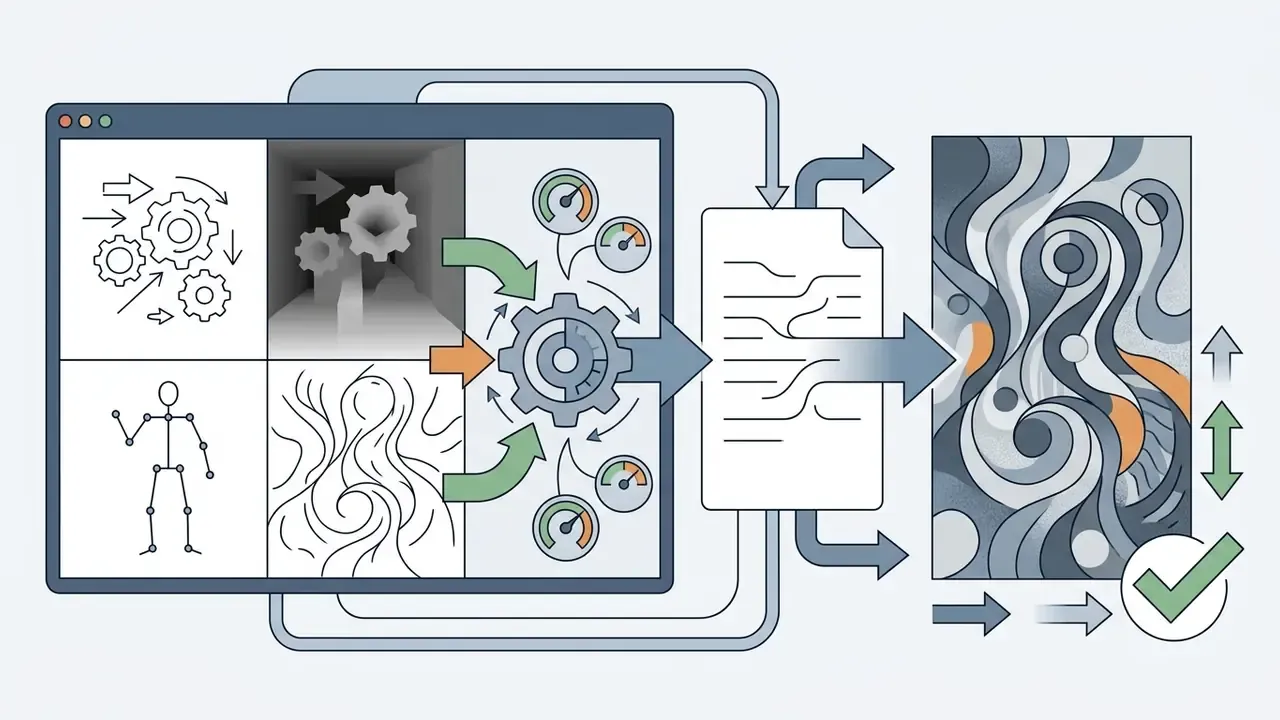
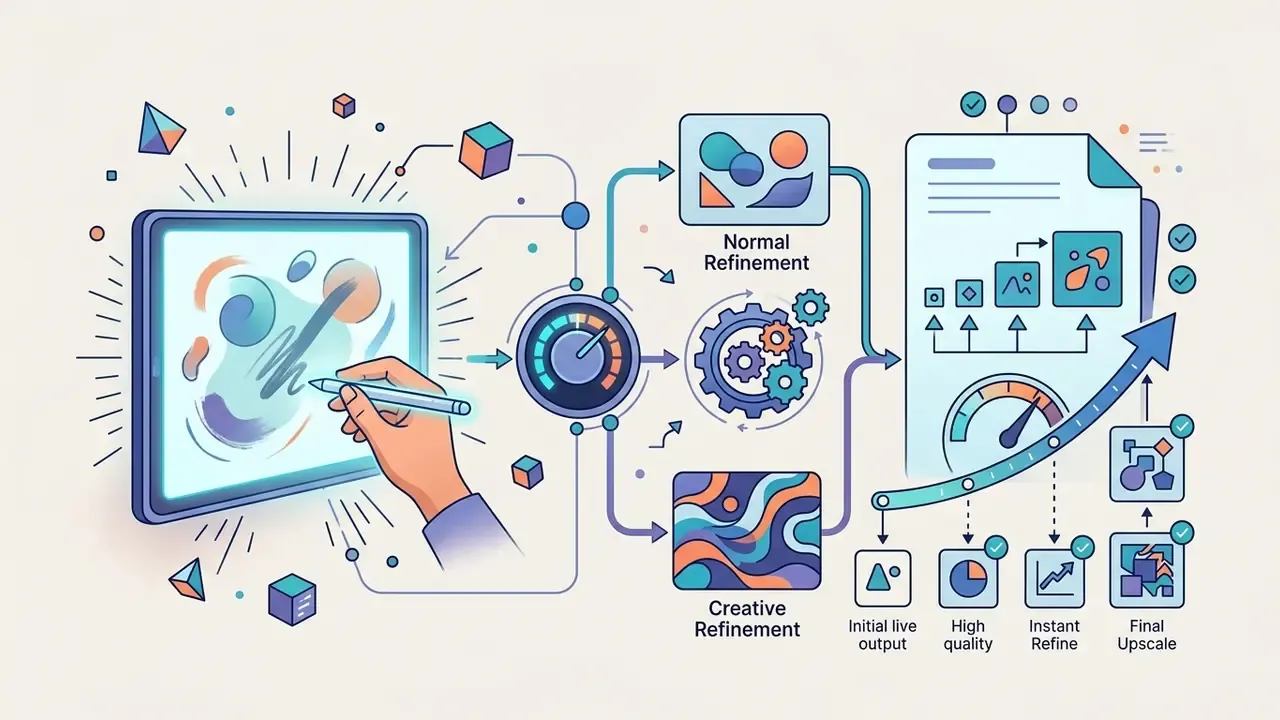
Modern workflows are no longer limited to static prompt execution. Latent-consistency models (LCM) and real-time canvas interfaces render structural updates almost instantaneously as the user draws, so the diffusion output evolves stroke by stroke instead of batch by batch. Leonardo's Realtime Canvas and comparable tools take a rough shape input plus a short prompt and redraw the scene continuously, merging manual sketching with immediate spatial diffusion.
Two related control layers matter for production use:
Practically, real-time canvas replaces the guess-and-regenerate loop for composition decisions. You sketch the horizon, block in a silhouette, and only then hand the image to a higher-quality model for the final render pass. For teams, that shortens the concept-approval cycle, because a client can watch the composition change live instead of waiting on a fresh batch.
Generate Several Versions and Select the Strongest Output
Because diffusion models rely on stochastic noise initialization, always generate a batch of four to eight images per prompt to explore alternative compositions. Sampling three to nine different seeds per prompt is a documented technique for surveying output variability before you commit to one direction.
Typical selection scenario. In a common production pattern our editorial team observes when building marketing illustrations for a financial-services portal, candidates are scored against three fixed criteria: subject alignment (does the image contain what the brief specified?), anatomical and structural accuracy (hands, text, product geometry), and visual composition (focal hierarchy, negative space, crop tolerance). Scoring each candidate on a simple 1-to-5 scale per criterion makes the shortlist defensible in a review meeting, and it removes "I just like this one" from the decision. Versions with minor structural defects get discarded rather than patched when a cleaner base exists, because patching a broken composition usually costs more than regenerating it.
That mirrors how preference-based evaluation works in the research literature. Annotators rank every image from one prompt best to worst, rating alignment, fidelity, and overall satisfaction, and the top-ranked candidate proceeds to refinement.
The operational takeaway: pick the model per deliverable, not per company. A generator that wins on aesthetic quality may lose on text rendering, multilingual typography, or bias-sensitive human depiction.
Quick action checklist:
- Formulate the visual brief.Define core subject, background setting, artistic style, and lighting conditions.
- Select platform and model.Choose an appropriate AI art generator and set base model parameters.
- Write a structured prompt.Include subject, scene context, style descriptors, and technical specs within the platform character limit.
- Set aspect ratio and resolution.Configure dimensions (16:9, 1:1, 9:16) for the target medium.
- Execute generation.Click generate and run the diffusion model to produce an initial batch of variations.
- Review and rank variations.Inspect outputs for prompt adherence, anatomical correctness, and composition quality.
- Refine and post-process.Apply targeted inpainting, upscale to final dimensions, and export in the correct file format with provenance metadata.
How to Write Effective AI Art Prompts
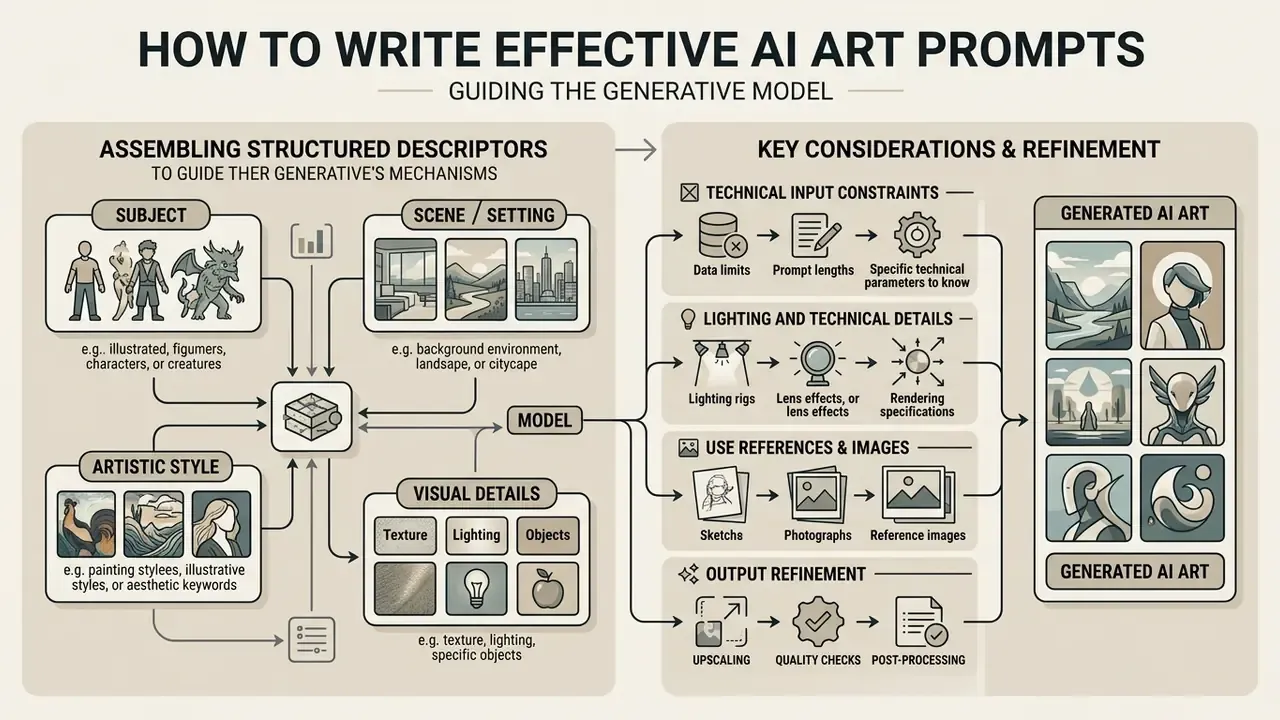
Writing effective AI art prompts means assembling structured descriptors that guide the generative model's cross-attention mechanisms. Prompt engineering runs on specificity: clear descriptive terms yield controlled outputs, while vague buzzwords tend to produce unfocused, inconsistent visual results.
Technical Input Constraints You Should Know Before Writing
Most commercial diffusion interfaces enforce hard input boundaries, and hitting them silently truncates your intent:
| Constraint | Typical limit | Practical implication |
|---|---|---|
| Prompt length | Adobe Firefly rejects prompts above 750 characters ("Prompt exceeds the max length of 750 characters") | Front-load structural descriptors; put subject, setting, and composition in the first sentence |
| Effective token window | Text encoders (CLIP, T5) weight early tokens most heavily | Keep core structural descriptors inside the first 50 to 70 tokens to avoid truncation and attention dilution |
| Reference image upload formats | Adobe Firefly accepts JPG, PNG, and WebP, with HEIC supported for Generate Image in Safari on desktop; Leonardo's Universal Upscaler accepts JPEG, PNG, and WebP | Convert HEIC or RAW captures before uploading references on unsupported browsers |
| Direct download resolution | Firefly downloads export as JPG or PNG at up to 2000 × 2000 px; Leonardo's upscaler caps at 20 MP | Plan an upscaling pass for any print deliverable |
| Negative prompt support | Available in Stable Diffusion-family engines and several commercial UIs; absent in others | If unsupported, express exclusions positively ("empty studio wall") rather than as "no clutter" |
Log these constraints once per tool in your internal style guide. Teams that skip the step usually discover the limit mid-campaign, when a 900-character brand prompt gets silently cut and the output loses the mandated color palette.
Include Subject, Scene, Style, and Visual Details
Structure your image prompt into four modular components: Subject + Setting/Scene + Artistic Style + Lighting & Camera Details.
PROMPT STRUCTURE = [Subject] + [Environment/Setting] + [Artistic Style] + [Lighting & Technical Details]
- Subject the central focus of the image, for example "an architectural study of a modern glass skyscraper."
- Environment or setting the background context, for example "surrounded by a dense pine forest during autumn."
- Artistic style the target medium or movement, for example "pop art," "architectural render," "impressionist oil painting."
- Lighting and technical details environmental lighting and lens terms, for example "golden hour light, soft atmospheric haze, 35mm lens, f/2.8."
- Output constraints aspect ratio and intended use, for example "16:9 format, poster layout, safe margins for headline text."
Skip contradictory keyword stacks like "hyperrealistic, 8k, trending on ArtStation." Modern diffusion models handle natural descriptive language far more effectively than piled-up quality buzzwords. Research on prompt design for text-to-image systems also indicates prompts work best when the subject's level of abstraction matches the style's. Pairing a highly concrete object with a highly abstract style is a common cause of incoherent results.
Use References and Images to Guide the Result
Bring in reference images alongside text prompts to guide composition, character consistency, and art style. Image-to-image workflows let creators upload a source sketch or photograph to lock spatial relationships while applying new artistic treatments.
Neural style transfer techniques (pioneered by Gatys et al., 2016) separate content representation from stylistic elements; later work added an explicit control parameter that balances stylization strength against content preservation. Modern tools implement this through controls such as Adobe Firefly's Generative Match or Leonardo AI's Style Reference. By adjusting a style strength slider, creators decide how heavily the generator leans on the reference image's color palette and line work versus the text prompt's instructions.
The lesson for practitioners: visibility beats guesswork. When you can see which prompt tokens the model actually attends to, you stop rewriting the whole prompt and start fixing the one clause it ignored.
Refine the Prompt Instead of Repeating the Same Request
Iterative prompt refinement means making targeted single-parameter changes to your prompt text, not resubmitting identical requests and hoping for a kinder random seed. The documented loop has four steps: generate, evaluate, identify the specific gap, then revise exactly one element and retest against the same reference brief.
| Prompt Component | Purpose | Concept Art Example | Graphic Design Example |
|---|---|---|---|
| Subject | Identifies primary focal point | "An abandoned futuristic research outpost" | "Abstract geometric emblem of a blue heron" |
| Setting / Scene | Defines environment and context | "Perched on a snowy mountain ridge under a stormy night sky" | "Centered on a solid white background, flat layout" |
| Artistic Style | Determines visual medium | "Digital matte painting, cinematic concept art" | "Vector line art, modern corporate logo design" |
| Lighting / Camera | Controls mood and exposure | "Dramatic volumetric light, cool blue and orange color grade" | "High contrast, studio lighting, sharp edges" |
| Aspect Ratio Parameter | Formats export bounds | --ar 16:9 | --ar 1:1 |
| Reproducibility Fields | Enables audit and reuse | Seed, model version, guidance scale, step count | Seed, model version, style reference ID |
| Combined Output Prompt | Complete text string | "An abandoned futuristic research outpost, perched on a snowy mountain ridge under a stormy night sky, digital matte painting, cinematic concept art, dramatic volumetric light, cool blue color grade --ar 16:9" | "Abstract geometric emblem of a blue heron, centered on a solid white background, flat layout, vector line art, modern corporate logo design, high contrast, sharp edges --ar 1:1" |
Refine, Edit, Upscale, and Save Your AI Generated Artwork
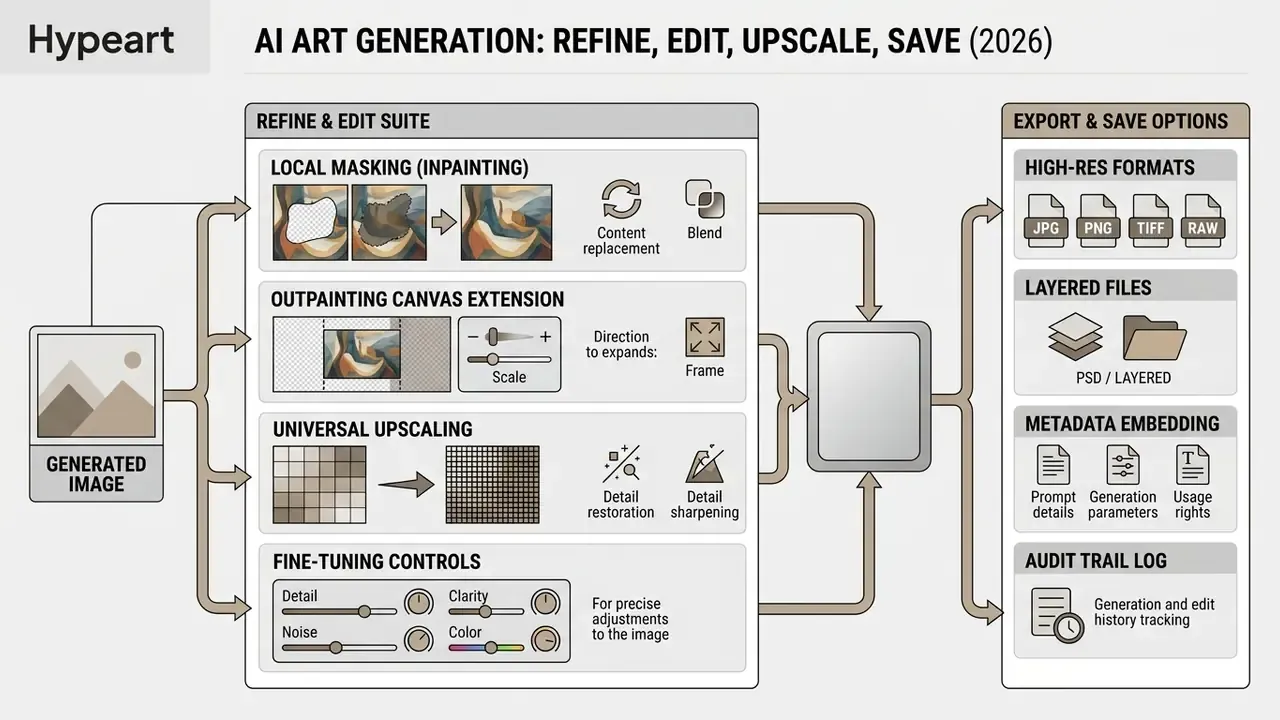
Turning an initial draft image into a published asset takes post-processing: remove visual artifacts, scale to print or high-density screen resolutions, and export in the correct color space.
Fix Composition, Details, and Unwanted Elements
Fix visual artifacts, whether distorted hands, unwanted background items, or irregular line patterns, using targeted AI editing interfaces such as Leonardo AI's Omni Editor or Photoshop's Generative Fill. Inpainting repairs defects inside the frame by analyzing surrounding texture, color, and pattern. Outpainting expands the canvas beyond the original borders, and it is also the fastest fix for a composition cropped too tightly.
Typical commercial scenario. A recurring pattern in agency marketing work: a batch of otherwise usable graphics ships with corrupted lettering on background signage, one of the most common diffusion failure modes. Rather than regenerating the whole batch and losing an approved composition, the efficient fix is to place AI outpainting and inpainting masks over the text areas, run a deliberately simple prompt such as "clean blank wall," then set real typography on top in the design tool. The approved layout survives, the campaign stays on schedule, and nobody re-runs client review. Rule of thumb: regenerate for structural failures, inpaint for local ones.
Segment or mask precisely before regenerating. Restoration research follows the same sequence, localizing the damaged region first and reconstructing second, because an oversized mask invites the model to rewrite content you wanted to keep.
For character design workflows that need localized face and body consistency, review specialized tools in our guide to ai avatar generator platforms.
Upscale Images for High-Resolution Use
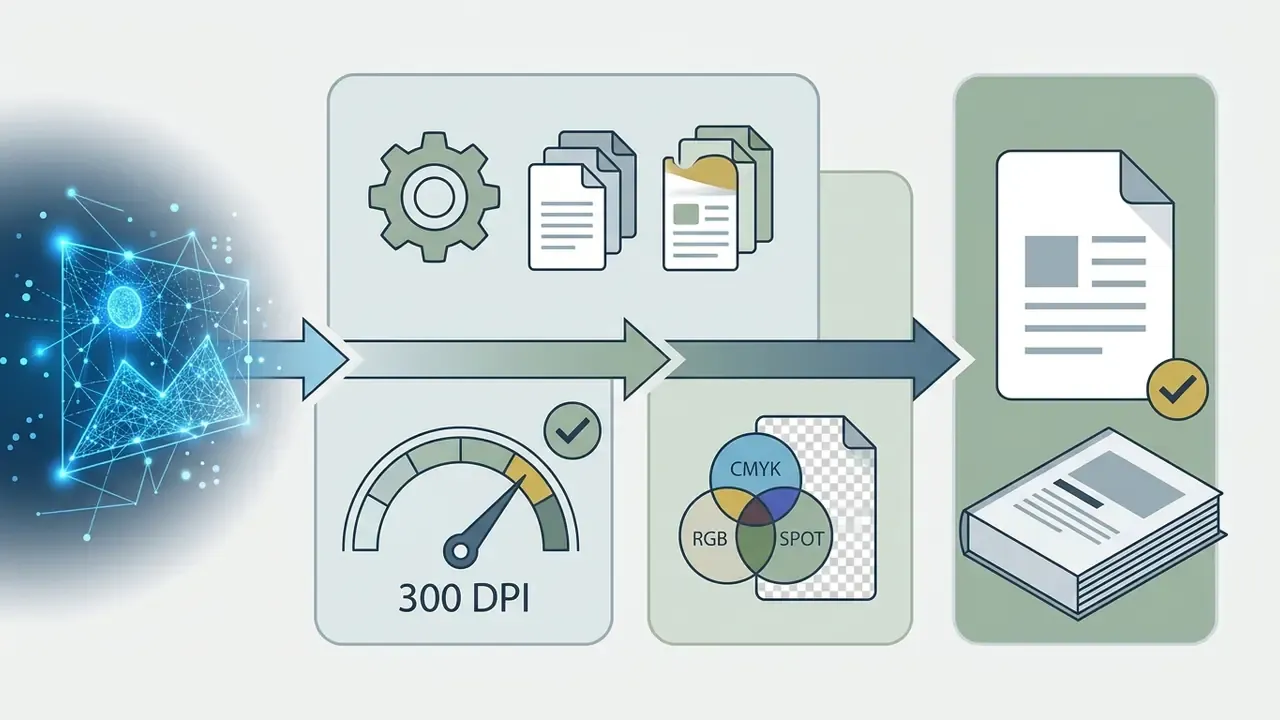
Native diffusion outputs (typically pixels) need upscaling before deployment in print graphics or high-resolution displays. AI image upscalers use deep learning to predict missing pixel details without introducing blur.
When evaluating production tools, also review editing software features in our guide to photo editors and compare no-cost options in our overview of free photo editors.
Save and Share the Finished Image
Export finished artwork using parameters matched to the distribution channel's requirements:
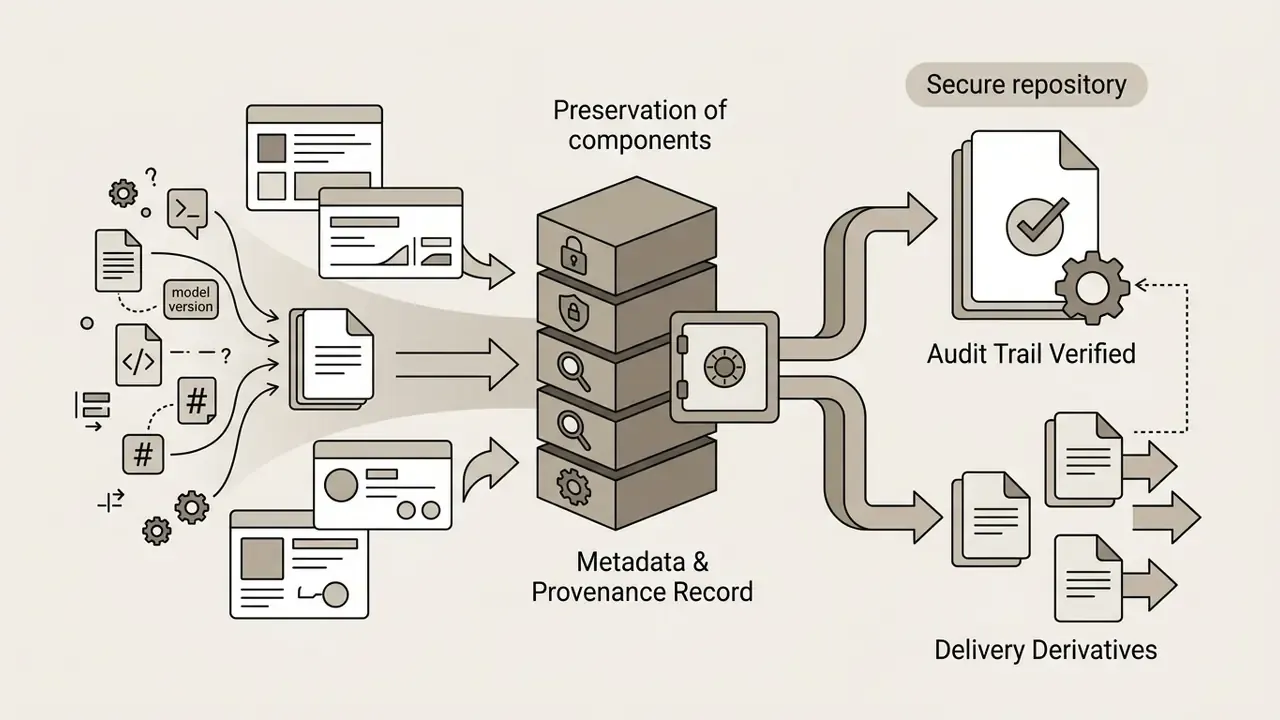
Teams that archive only the final JPEG lose the ability to reproduce or defend the asset later. Store the prompt, the negative prompt, the seed, the model and version string, the upscaler used, and the edit history in the same folder as the master file. It costs a minute per asset and it settles arguments months later.
Commercial Use, Copyright, and Responsible Use of AI Art
Deploying AI-generated art for commercial projects, marketing, or visual media requires a look at copyright law, platform terms of service, data-protection obligations, and AI content disclosure rules.
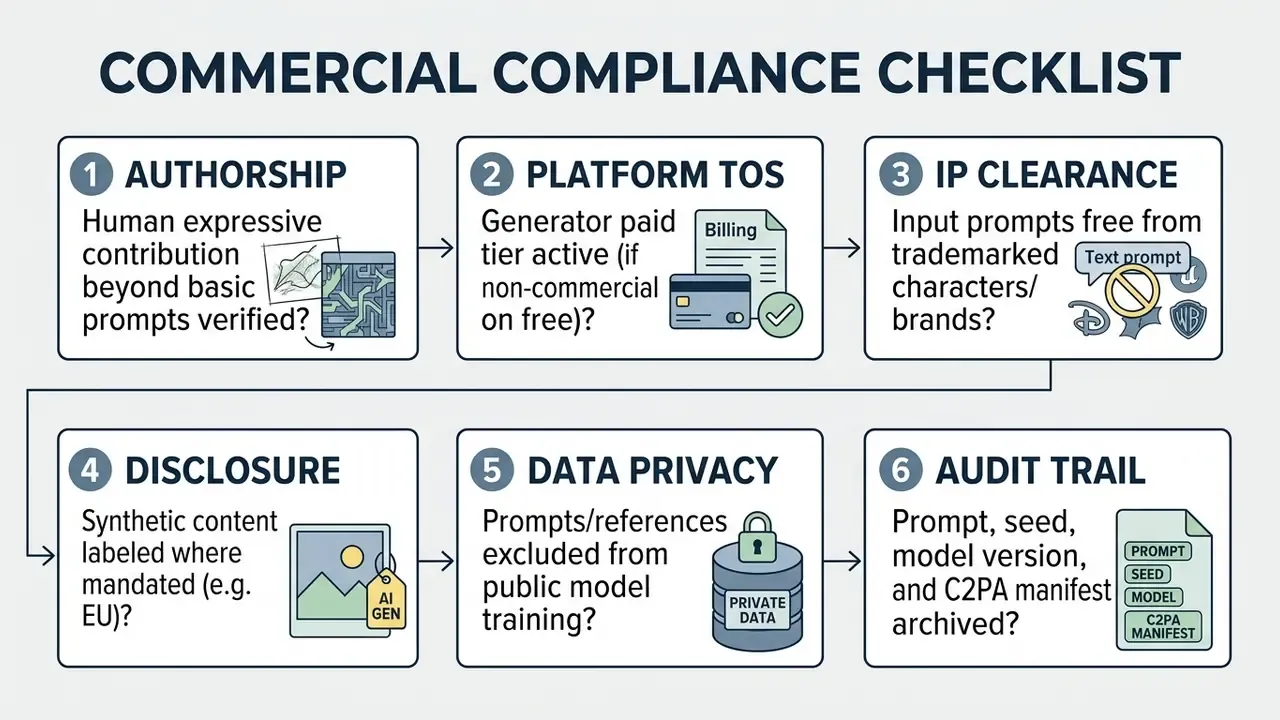
Check the Tool's Commercial-Use Terms Before Publishing
Commercial usage rights vary widely between AI art platforms and subscription tiers. A paid plan is frequently mandatory for commercial exploitation.
Official Platform Terms Verification (as of early 2026)
-----------------------------------------------------------------------------------
- Adobe Firefly: Commercial use permitted on standard and commercial releases.
  Trained on licensed Adobe Stock and public domain content. Beta-labeled features
  may carry different terms than generally available features.
  Source: Adobe Firefly Legal Terms & Usage Policy (2026).
- Midjourney: Commercial rights included with active paid plans (Basic, Standard,
  Pro, Mega). Companies generating over $1,000,000 USD gross annual revenue MUST
  subscribe to Pro or Mega tiers for commercial usage rights. Users retain rights
  to images created, including after cancellation.
  Source: Midjourney Subscription Terms & Commercial Usage FAQ (2026).
- Leonardo AI: Commercial rights granted on paid subscriptions. Public generations
  on free tiers remain subject to platform license grants.
  Source: Leonardo.Ai Terms of Service (updated Nov 2024, valid 2026).
-----------------------------------------------------------------------------------
For platform-specific commercial rule breakdowns, review our guides to Canva AI generator commercial licensing, Bing AI image usage rights, and Google AI image generator terms.
What to Review Before Selling AI Generated Art
Before offering AI-generated art for sale, whether as standalone prints, stock imagery, or client design assets, complete a compliance review:
- Verify human creative input.Ensure the artwork carries enough human selection, arrangement, or manual modification to support ownership claims, and that AI-generated portions are disclosed in any registration.
- Inspect training and subject risk.Confirm your prompts did not explicitly name trademarked brands, copyrighted public characters, or private individuals without consent. Personality and publicity rights apply independently of copyright.
- Comply with EU and regional rules.Follow transparency rules such as the EU AI Act (2026), which requires marking synthetic media with machine-readable metadata (C2PA, watermarking, cryptographic provenance, or fingerprinting) and clearly labeling synthetic or manipulated content resembling real persons, objects, places, or events.
- Check output similarity to protected works.The Guangzhou Internet Court (2024) held that generative AI providers must implement keyword filtering so ordinary prompts do not produce images substantially similar to protected works (Guangzhou Internet Court judgment summary, SSRN, 2024). Deployers should apply the same logic downstream and screen outputs, not just prompts.
- Confirm licensed content protection.Use platforms offering IP indemnification, such as enterprise tiers of Adobe Firefly, for high-stakes brand campaigns.
Creators expanding their visual evaluation capabilities can examine reverse image lookup tools and AI image detectors through our guide on AI reverse image search, or compare enterprise platforms across our dedicated AI Media Commercial-Use resources.
Enterprise Data Protection, Security, and Audit Trails
Beyond copyright ownership, enterprise deployments need strict data-privacy compliance. Prompts frequently carry unreleased product names, campaign strategy, and client information. Reference uploads frequently carry proprietary sketches or pre-launch packaging. Both become corporate data in motion the moment they leave your network.
Security accreditation. Prioritize platforms holding SOC 2 Type I and Type II accreditation, which attests to audited controls over security, availability, and data integrity. Leonardo.ai, for example, publicly states it is fully SOC 2 Type I and Type II accredited. Accreditation alone is not sufficient. Pair it with contractual confirmation that input prompts, proprietary reference sketches, and generated outputs are not used to train public foundation models without explicit organizational consent.
Questions to put in the vendor review:
- Are prompts and uploads retained, and for how long? Can retention be disabled?
- Is there a documented training opt-out, and does it apply retroactively?
- Are generations private by default, or public unless upgraded? This is a real risk on free and entry tiers.
- Where is data processed and stored, and does that satisfy your data-residency requirements?
- Does the vendor offer IP indemnification, and what does it exclude, for example beta features or third-party partner models?
- Is there an enterprise agreement covering sub-processors and breach notification?
Building the audit trail. For model-inventory and GRC purposes, treat each published asset as a record with four mandatory fields plus provenance:
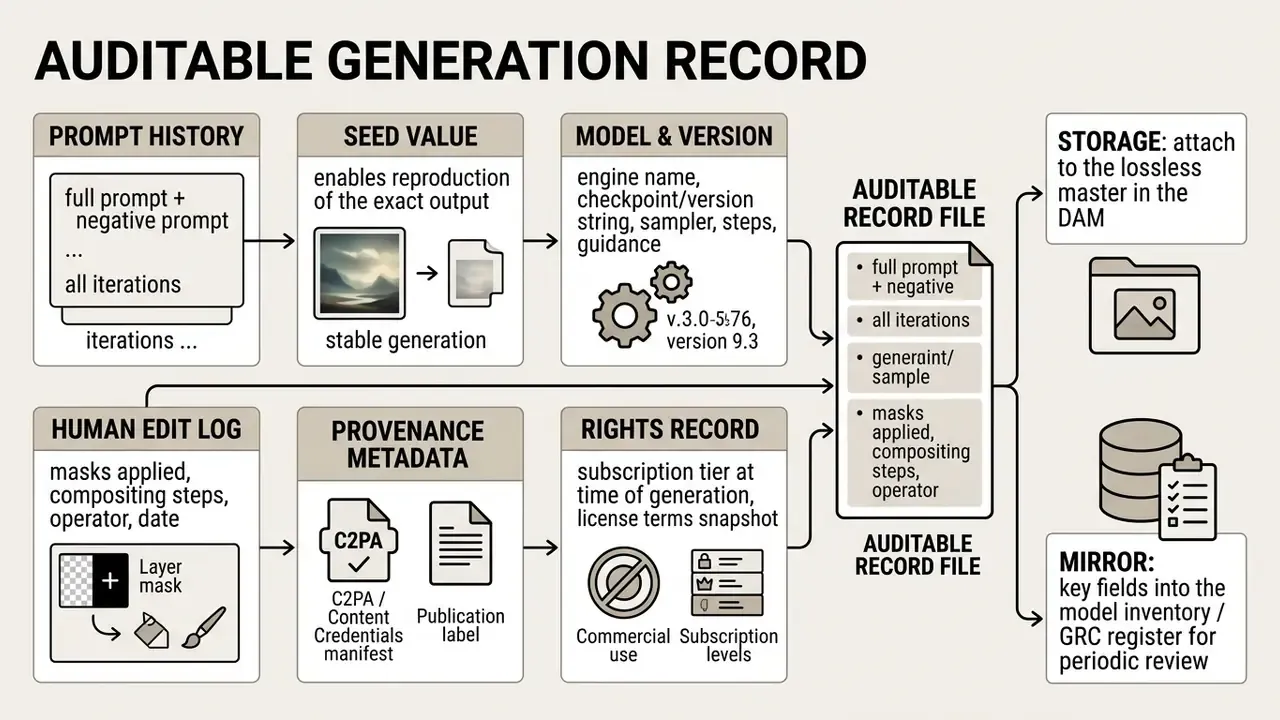
Preservation guidance for AI-generated records recommends exactly this: keep source prompts, intermediate outputs, refinement steps, and model or version details so the transformation history is documented, and anchor metadata (for example, by hashing) to protect integrity over time. This record is what converts "we used AI" into a defensible position during a copyright challenge, an internal audit, or a client dispute. It is also the fastest way to detect Shadow AI, where staff generate brand assets on unsanctioned personal accounts with unknown licensing.
Who Owns This Workflow
Creative AI tends to enter an organization sideways, through marketing budgets, not through model governance. That gap is where control breaks. Assign three named roles before scale-up, not after:
- Asset owner (usually brand or creative lead): approves published output, maintains the sanctioned-tool list, signs off on the style blueprint.
- Control owner (risk, compliance, or governance function): validates licensing terms, disclosure labeling, and retention settings; reviews the generation register on a fixed cadence.
One additional mechanism is worth borrowing from model risk management: an explicit escalation path. If an output resembles a known protected work, names a living artist's signature style, or depicts an identifiable person, the operator stops and escalates rather than publishing and hoping. Cheap control, expensive absence.
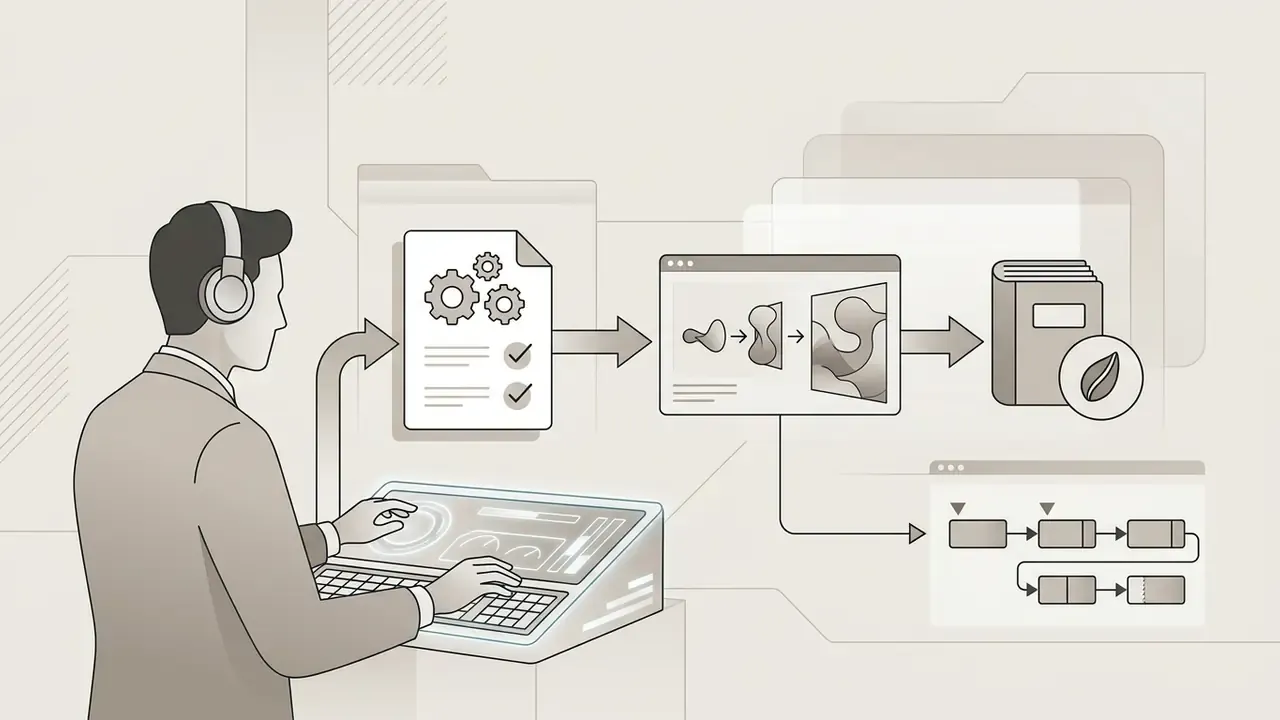
Key Data & Reference Documentation
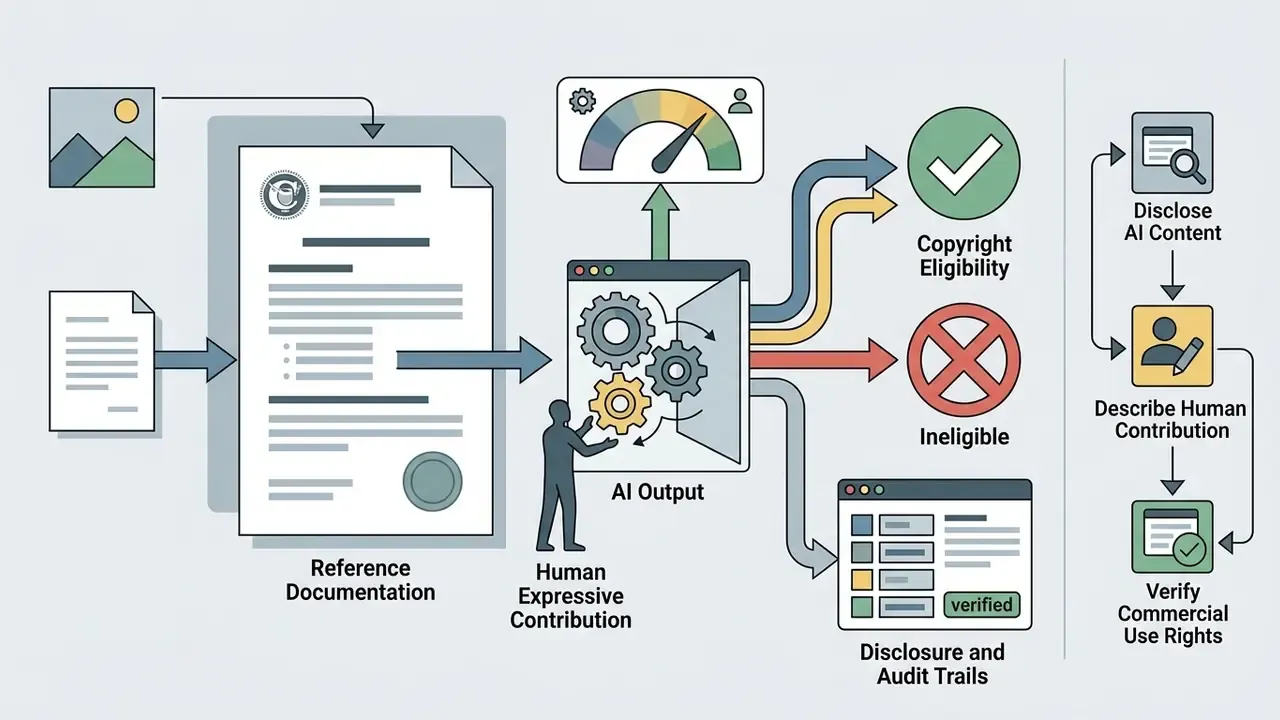
Limitations and Open Questions
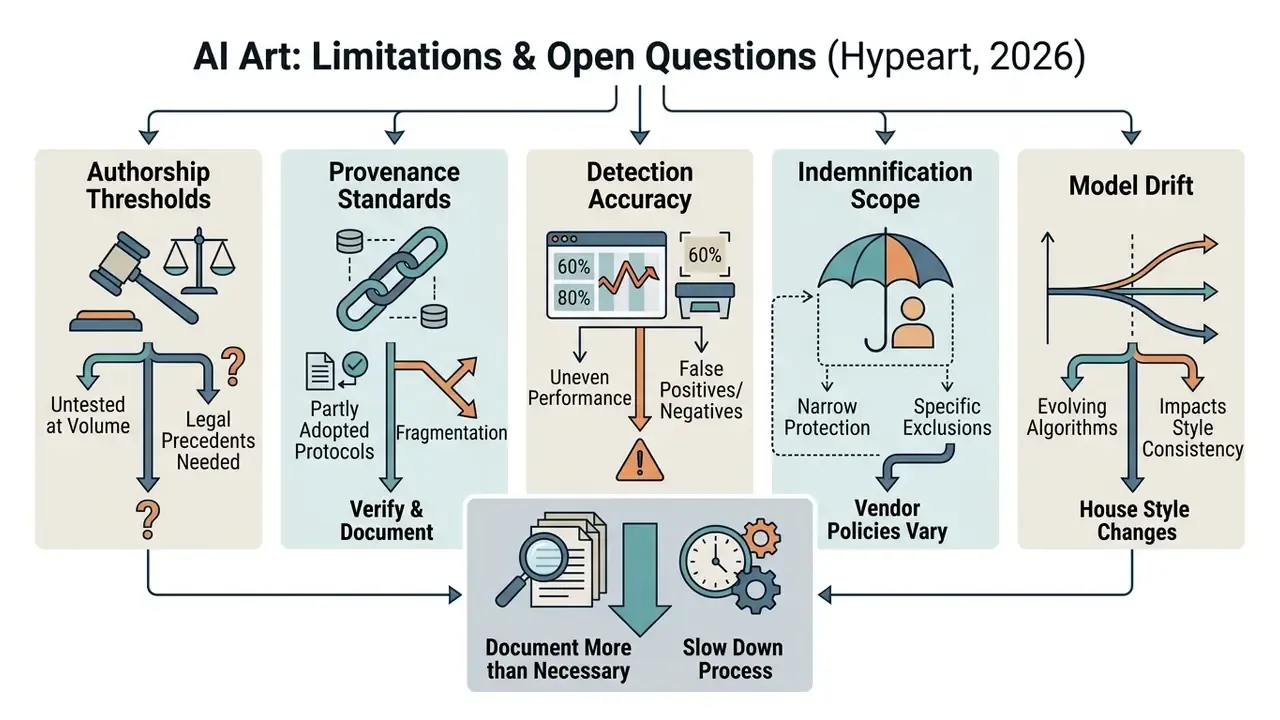
Some of this is still unsettled, and pretending otherwise would be dishonest.
- Authorship thresholds are untested at volume. Guidance exists, but the exact amount of human contribution that secures registration has not been mapped across enough cases to be predictable.
- Provenance standards are only partly adopted. C2PA manifests survive some export and platform pipelines and get stripped by others. Verify after publication, not just at export.
- Detection accuracy is uneven. AI image detectors return both false positives and false negatives, so treat them as one signal in a review, not as a verdict.
- Indemnification scope is narrow. Vendor IP indemnities typically exclude beta features, third-party partner models, and outputs produced from user-supplied references. Read the carve-outs.
- Model drift changes your house style. A default version upgrade can shift rendering even when the prompt is frozen, which is why the version string belongs in the audit record.
Where evidence is incomplete, our position is simple: document more than feels necessary, and slow down before publication rather than after a complaint.
FAQ: Risks, Shadow AI, and Content Labeling
Can I copyright an AI-generated image, or the prompt itself?
Under current U.S. Copyright Office guidance, output generated solely from text prompts is not registrable, and a prompt by itself is not treated as sufficient authorship for the resulting image. What can be protected is the human contribution: manual painting, compositing, arrangement, and selection. Practically, register the human-authored layers and disclose the AI-generated portions.
Are my prompts and uploaded reference images stored or used for training?
That depends entirely on the platform and tier. Free and entry tiers frequently default to public generation and may permit broad platform use of content. Enterprise agreements usually add private generation, retention controls, and training opt-outs. Confirm in writing, prefer SOC 2 Type I and Type II accredited vendors, and never paste confidential strategy, client names, or unreleased product details into a consumer-tier prompt field.
What happens if an employee generates brand assets on a personal account (Shadow AI)?
Three risks stack. The license may be non-commercial, the output may be publicly visible to other users, and there is no audit trail linking prompt, seed, and model version to the published asset. Mitigate with a short sanctioned-tool list, a company-funded paid tier so nobody has a reason to use a free account, and a rule that every published asset carries an auditable generation record.
Do I have to label AI-generated images?
In the EU, transparency rules require providers to make synthetic content machine-readably identifiable and deployers to label AI-generated or manipulated content, especially where it resembles real people, places, or events. Attaching C2PA or Content Credentials at export is the lowest-friction way to satisfy machine-readability while keeping a provenance record for your own audit.
Who is liable if an AI image resembles a protected work?
Liability is being allocated to both providers and deployers depending on jurisdiction. The Guangzhou Internet Court held a provider responsible where safeguards failed to stop ordinary prompts from producing substantially similar images. As a deployer, screen outputs with reverse image search and AI detection tools before publication, and avoid naming trademarked characters, living artists' signature styles, or identifiable private individuals in prompts.
Is upscaled AI art really print-ready?
Only after verification. Upscalers reconstruct plausible detail rather than recovering original information, so check faces, hands, logos, and typography at 100% zoom, then export at 300 DPI as TIFF or PDF/X-4 with an embedded ICC profile.
Executive Summary & Final Checklist
  STEP 1: Define visual concept & artistic style
  STEP 2: Select generator & check commercial + data-privacy terms
  STEP 3: Format prompt [Subject + Setting + Style + Lighting] within input limits
  STEP 4: Set parameters (aspect ratio, model version, seed)
  STEP 5: Generate batch & rank candidates (alignment / accuracy / composition)
  STEP 6: Apply inpainting, outpainting & high-res upscaling
  STEP 7: Export with provenance metadata & RGB/CMYK profile
  STEP 8: Archive auditable generation record (prompt, seed, version, edits, C2PA)
Generating AI art well is a balance of creative vision, technical precision, and regulatory awareness. Structure the prompt, respect platform input limits, use image-to-image, real-time canvas and inpainting controls where they save time, verify licensing terms, and keep an auditable generation record. Do those five things and the pipeline scales without becoming a liability.
A safe next step, if you are still evaluating: run one controlled pilot on a single deliverable type, log every field in the generation record, and review the result with your compliance owner before you roll it out further. Explore our benchmark evaluations and comparative tool breakdowns on AI Media Benchmarks, review implementation frameworks in our AI Media API Guides, or evaluate competing generative platforms across our compare hub.