Executive Summary for Risk, Governance, and Engineering Leads
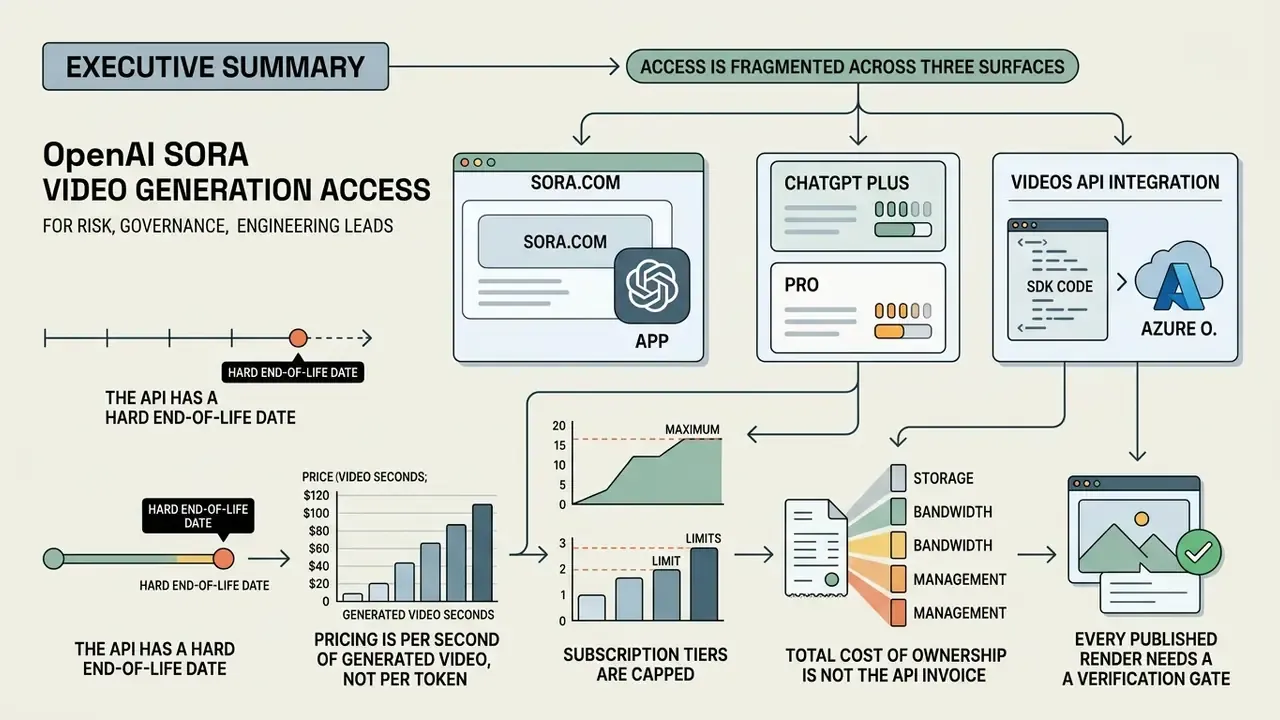
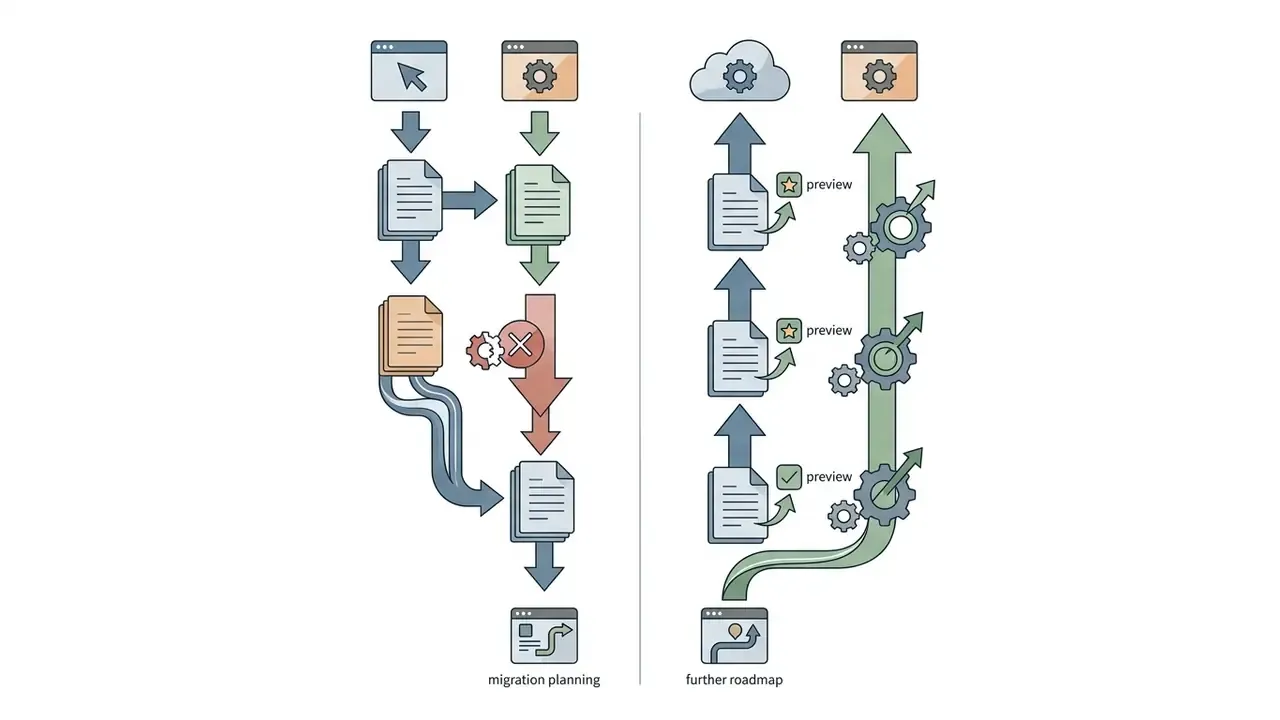
- Access is fragmented across three surfaces. Consumer access runs through sora.com and the Sora mobile app (invite-gated, region-restricted). Programmatic access runs through the OpenAI Videos API and Microsoft Azure OpenAI Service. OpenAI states that, as of April 26, 2026, the original standalone Sora product is no longer available, with access consolidated on sora.com and the Sora 2 app.
- The API has a hard end-of-life date. OpenAI has marked the Sora 2 video generation models and the Videos API as deprecated, with shutdown scheduled for September 24, 2026. Version pinning and migration fallback routines are mandatory for production pipelines.
- Pricing is per second of generated video, not per token. OpenAI's published rates are
sora-2at $0.10/sec (720p) andsora-2-proat $0.30/sec (720p), $0.50/sec (1024p), and $0.70/sec (1080p), with batch queues billed at roughly half those rates. A 10-second 1080psora-2-proclip therefore costs about $7.00 before retries. - Subscription tiers are capped. ChatGPT Plus ($20/mo) historically allowed short clips at up to 720p with a monthly generation cap. ChatGPT Pro ($200/mo) allowed longer 1080p clips, up to five parallel variations, and a relaxed off-peak queue. Consumer tiers do not provide audit logging suitable for model risk management.
- Total cost of ownership is not the API invoice. Realistic budgets add human-in-the-loop review hours, archival storage of MP4 evidence, and compliance review time on top of the per-second tariff and the retry factor.
- Every published render needs a verification gate. Provenance metadata (C2PA), watermarking, synthetic-media labeling, and a documented artifact checklist are the minimum controls before distribution in commercial or regulated channels.
Who This Guide Is For and Which Decision It Supports
This material is written for four roles that rarely read the same document. Marketing and product leads want to know how to use Sora AI video generator features from OpenAI without a two-week procurement detour. Engineering leads need the job contract, the rate limits, and the deprecation calendar. Finance wants a defensible cost model. Risk and compliance want evidence that survives a validation review.
The decision it supports is narrow and practical: which access channel to sanction, at which spend ceiling, and with which controls attached. Not "should we use generative video at all." That question is mostly settled in practice, often by employees who signed up on their own cards. More on that later, because it is the governance problem hiding inside a creative tool.
One caveat before the detail. Both OpenAI and Microsoft have revised limits, regions, and pricing several times within a single product year. Treat every number here as a checkpoint to re-verify on the day you sign, not as a contractual rate.
What is OpenAI Sora and What Tasks Does Video Generation Serve?
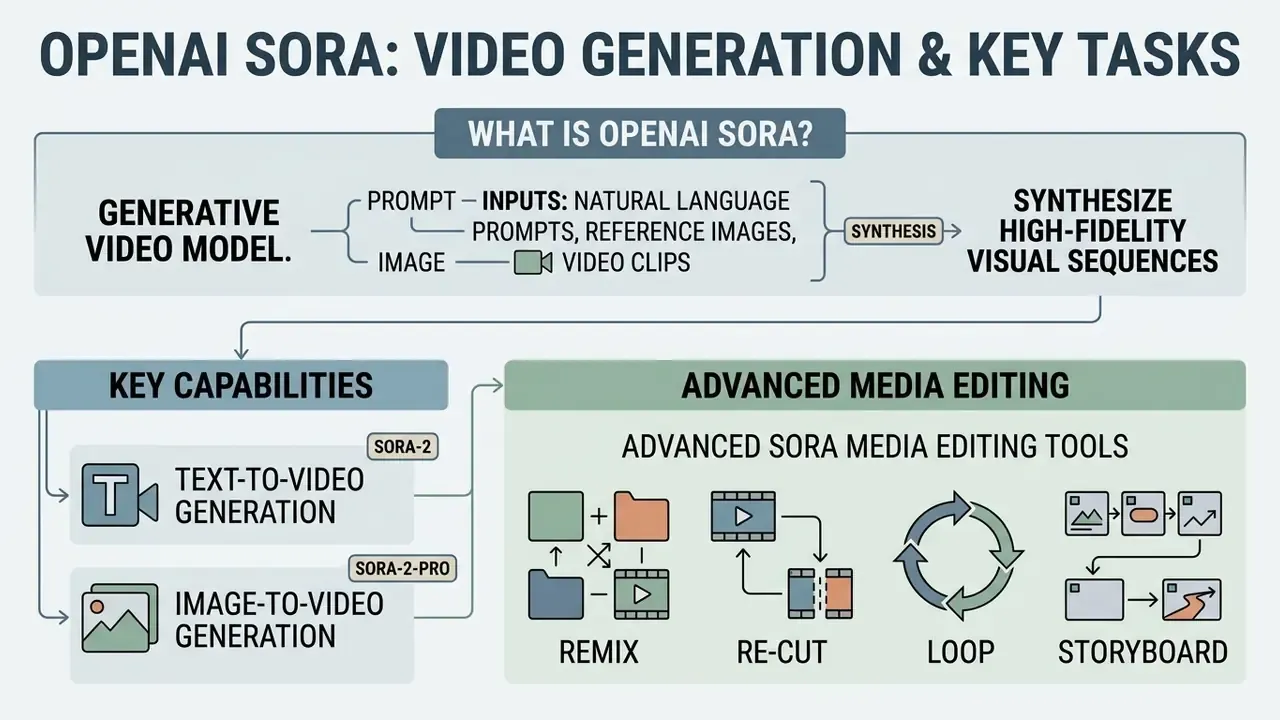
OpenAI Sora is a generative video model that synthesizes high-fidelity visual sequences from natural language prompts, reference images, and video clips. It serves product and marketing teams by automating short-form video creation, visual prototyping, and dynamic content adaptation.
Architecturally, Sora merges diffusion models with transformer networks (Diffusion Transformer, or DiT), operating on visual data broken into 3D spacetime patches. That design lets the model hold spatial continuity, object permanence, and consistent camera motion across generated frames. Understanding the foundations is not academic curiosity: it tells you where the model will break.
«Sora achieves normalized MOS scores of 0.851 for overall impression and 0.864 for text-video alignment, the highest among the 13 models evaluated.»
Capabilities of Text-to-Video and Image-to-Video Generation
Text-to-video generation in Sora translates unstructured text prompts into temporal visual outputs across multiple aspect ratios, including 16:9 widescreen, 9:16 vertical, and 1:1 square. The model reads details about lighting, motion vectors, and lens framing to produce synchronized visual motion up to 1080p resolution. Teams new to the category can review how the broader class of AI video generators handles resolution ceilings, duration caps, and licensing before committing to a single vendor. For definitions of the surrounding terminology, see the overview in our reference library.
Image-to-video capabilities let teams supply a reference image, such as a product CAD render, a brand graphic, or a character frame, as a visual anchor. Sora uses the initial frame to establish compositional limits and visual style, then animates the scene according to the accompanying prompt. For multi-modal tool evaluations, comparing image-driven workflows against other generative options helps refine asset pipelines. To compare options at the pipeline level, see our workflow library, and the Google Veo implementation guide for a second per-second billing model.
Advanced Sora Media Editing Tools
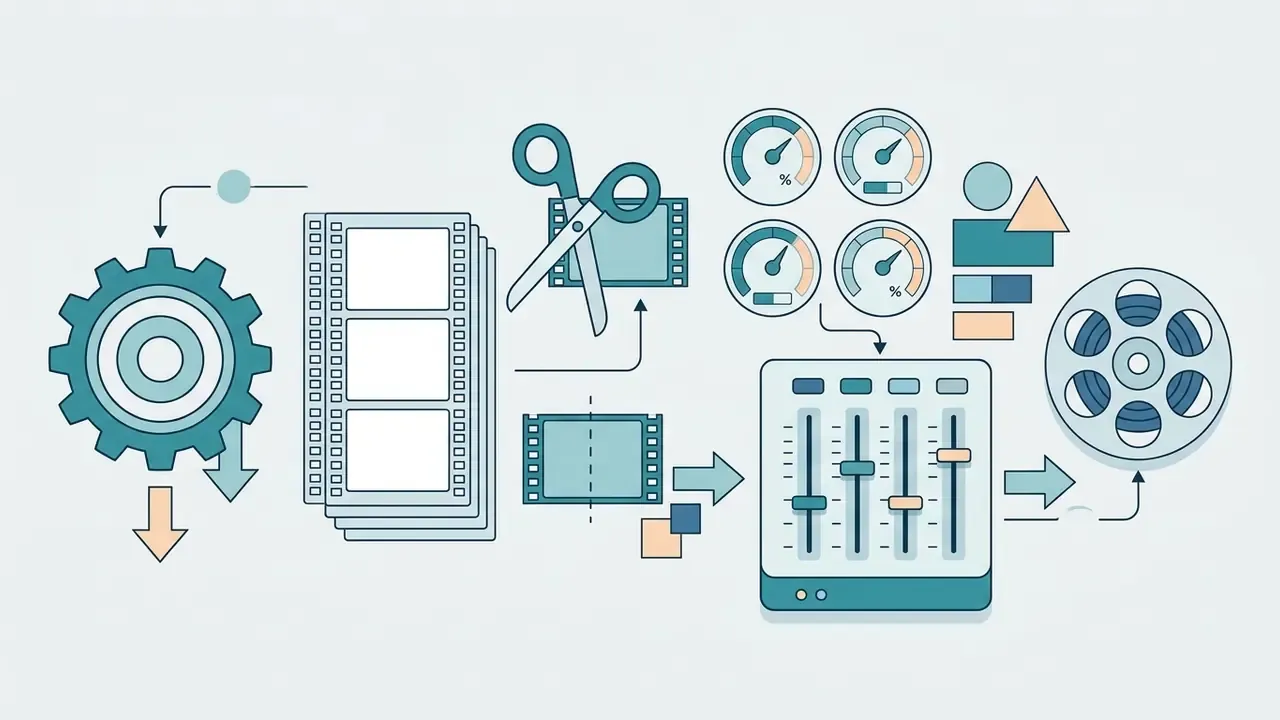
Beyond primary text-to-video synthesis, Sora includes six native editing modes that materially change how production teams structure asset pipelines:
- Remix modifies elements, for example swapping background lighting or seasonal weather, while preserving core motion paths and the essence of the original clip.
- Re-cut isolates the strongest motion frames and extends the clip forward or backward in time, which is the fastest way to fix pacing without regenerating the full scene.
- Loop smooths the transition boundary between head and tail frames to create seamless repetitions, useful for UI backgrounds, product hero sections, and ambient signage.
- Storyboard anchors text prompts to exact timeline keyframes (frames 0-114: exterior wide shot; frames 114-324: interior point of view; frames 324-440: macro close-up), giving multi-shot narrative control comparable to a conventional non-linear editor.
- Blend merges visual layers from two distinct reference clips, for example combining falling snow patterns with flower-petal trajectories, to produce composites a single prompt rarely achieves.
- Style Presets applies fixed aesthetic filters such as film noir, cardboard-and-papercraft stop motion, or 35mm vintage grain, which stabilizes look and feel across a campaign.
From a cost-control perspective, Remix and Re-cut are the two highest-leverage features. Both reuse an already-billed render instead of paying full per-second rates for a new generation. That single habit often moves a monthly invoice more than any pricing negotiation.
Practical Use Cases for Product and Content Teams
Product and content teams use Sora mainly to accelerate creative testing, produce social media short-form videos, and build dynamic marketing collateral. By bypassing physical shoots for early-stage visual concepts, organizations compress prototyping cycles from multi-week schedules to same-day iteration loops. The magnitude of that reduction depends on approval workflows, and it is not yet supported by audited public benchmark data, so treat internal estimates as directional rather than verified.
«Text-to-video models can reduce production costs and shorten content creation time, opening new narrative possibilities in marketing and education.»
Key application areas include:
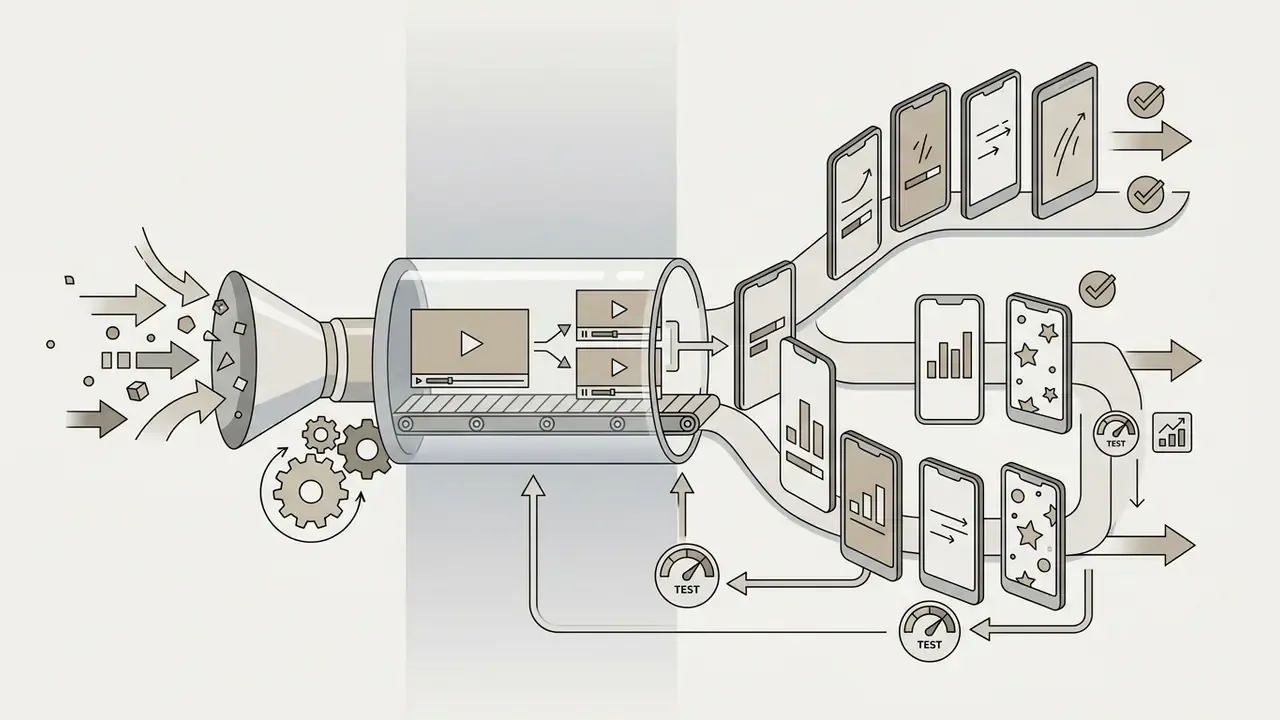
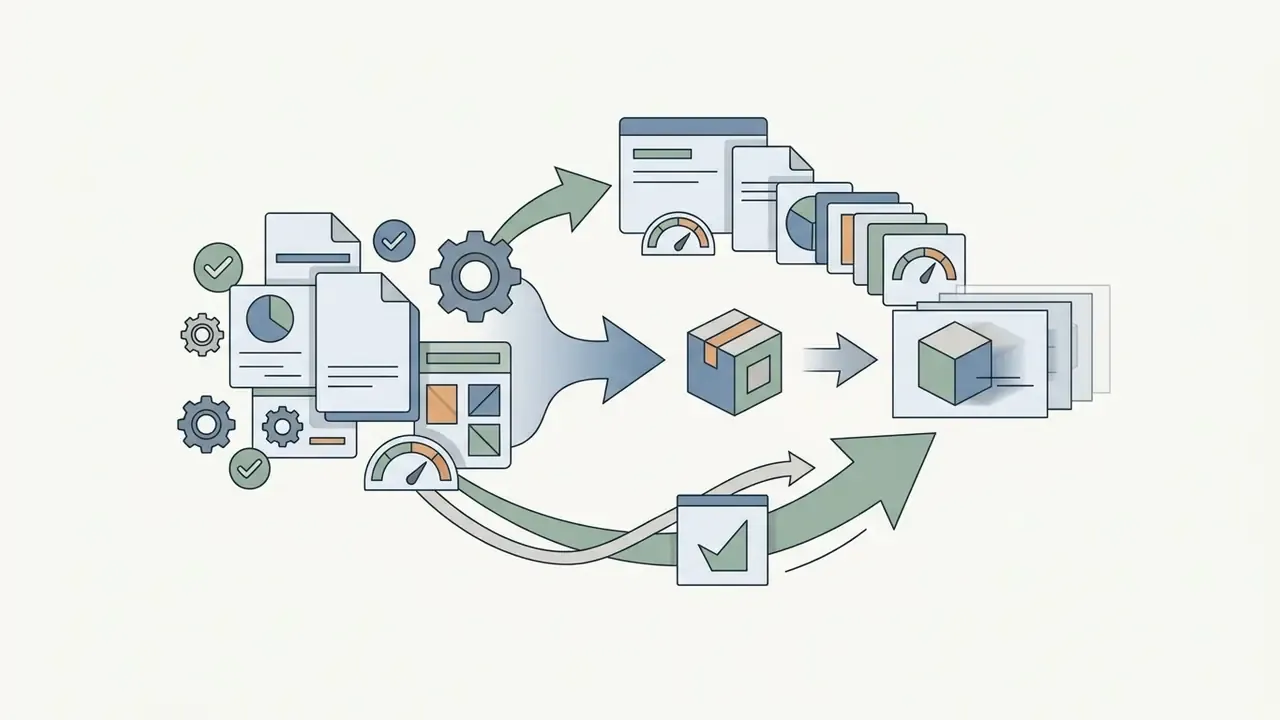
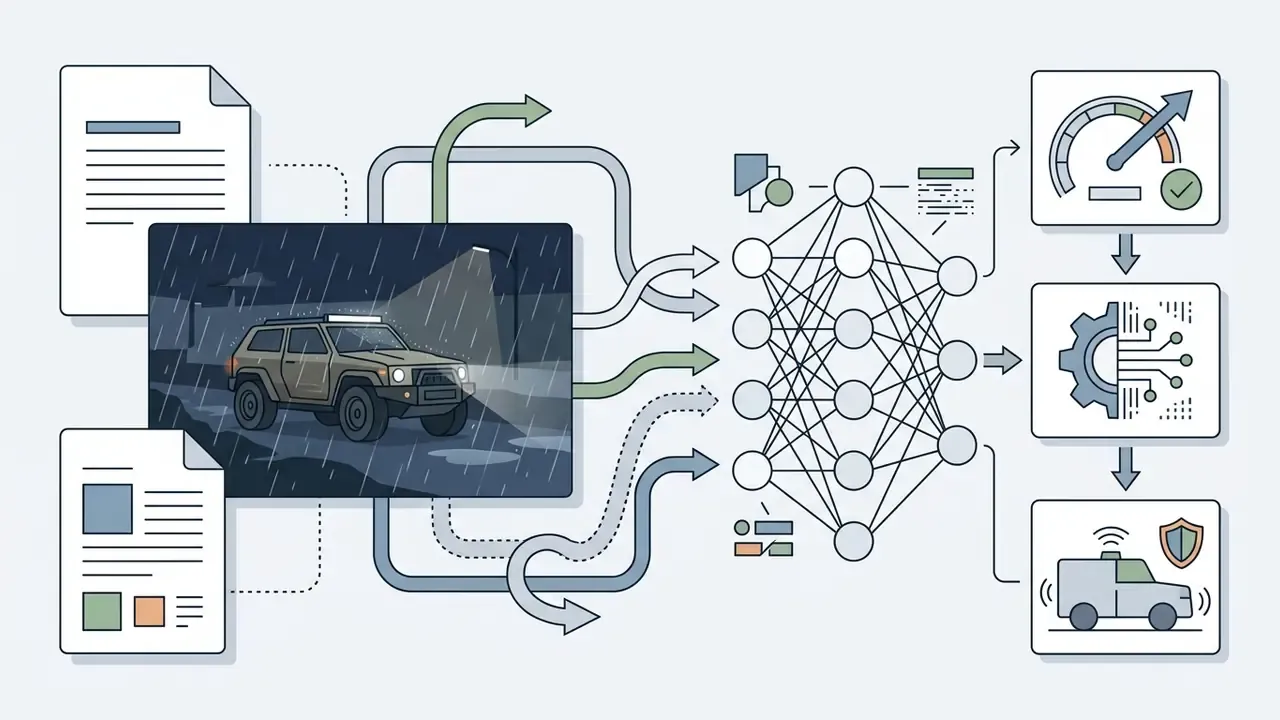
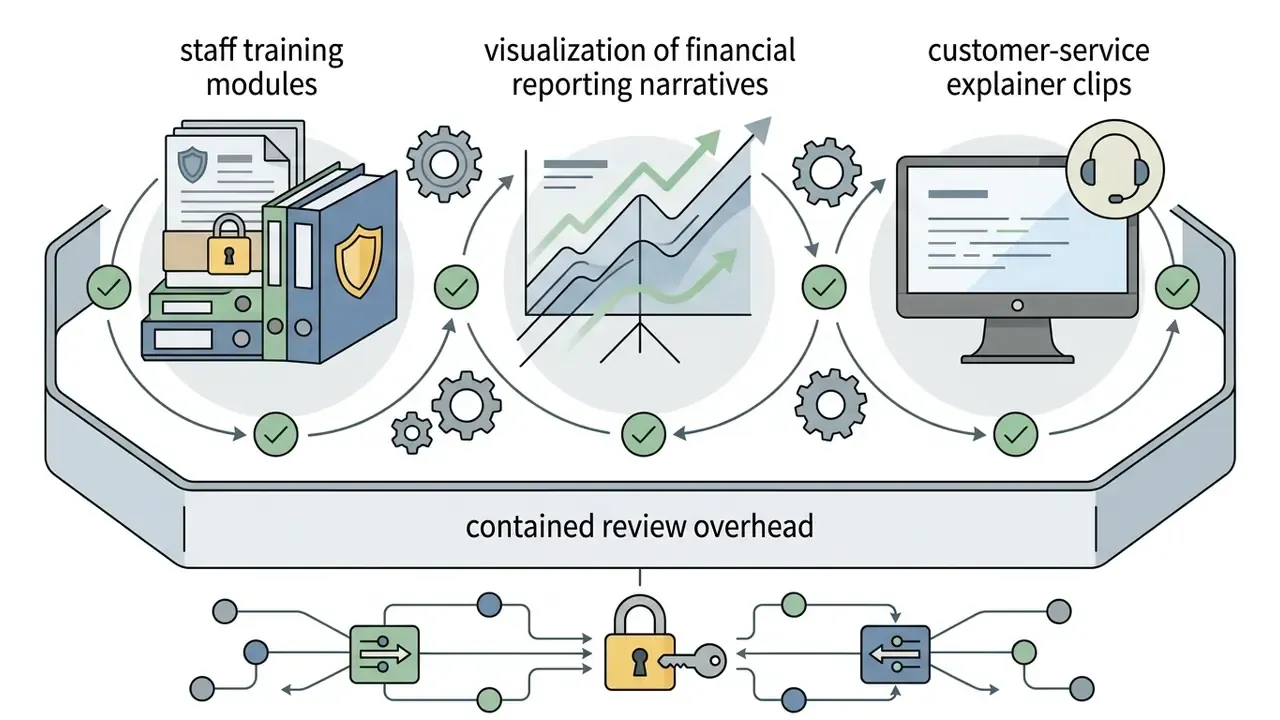
For additional implementation patterns across visual production workflows, team leads can review the Hypeart AI Media library and the YouTube video editor workflow guide, which documents publishing constraints that often dictate clip length and aspect ratio upstream of generation.
Table: Sora use case matrix, mapping inputs, outputs, and prompt requirements.
| Scenario | Primary input | Expected output | Prompt structure requirements |
|---|---|---|---|
| Social media shorts | Text prompt with vertical format specified | 4-15 second vertical MP4 (9:16) | Subject, camera move, lighting, single action beat |
| Ad creative testing | Prompt plus product reference image | Controlled 1080p clip (16:9 or 9:16) | Anchor frame reference, lighting style, branded color palette |
| Product demonstration | CAD render or photo plus motion text | Smooth 360-degree rotation or feature walk-through | First frame anchor, precise physics description, camera angle |
| Short-form content remix | Existing generated video ID plus text edit | Modified clip with retained motion pacing | Remix target reference, single parameter change such as background swap |
| Synthetic CV training data | Scenario specification (weather, lighting, defect type) | Batch of short labeled edge-case clips | Deterministic scene description, fixed camera, explicit environmental variable |
Read as text: social media shorts start from a vertical text prompt and return a 4 to 15 second 9:16 MP4. Ad creative testing combines a prompt with a product reference image and returns a controlled 1080p clip. Product demonstrations start from a CAD render or photograph plus motion instructions. Remixes start from an existing generated video ID. Synthetic training data starts from a deterministic scenario specification and returns a batch of labeled clips.
How to Get OpenAI Sora Video Generation Access
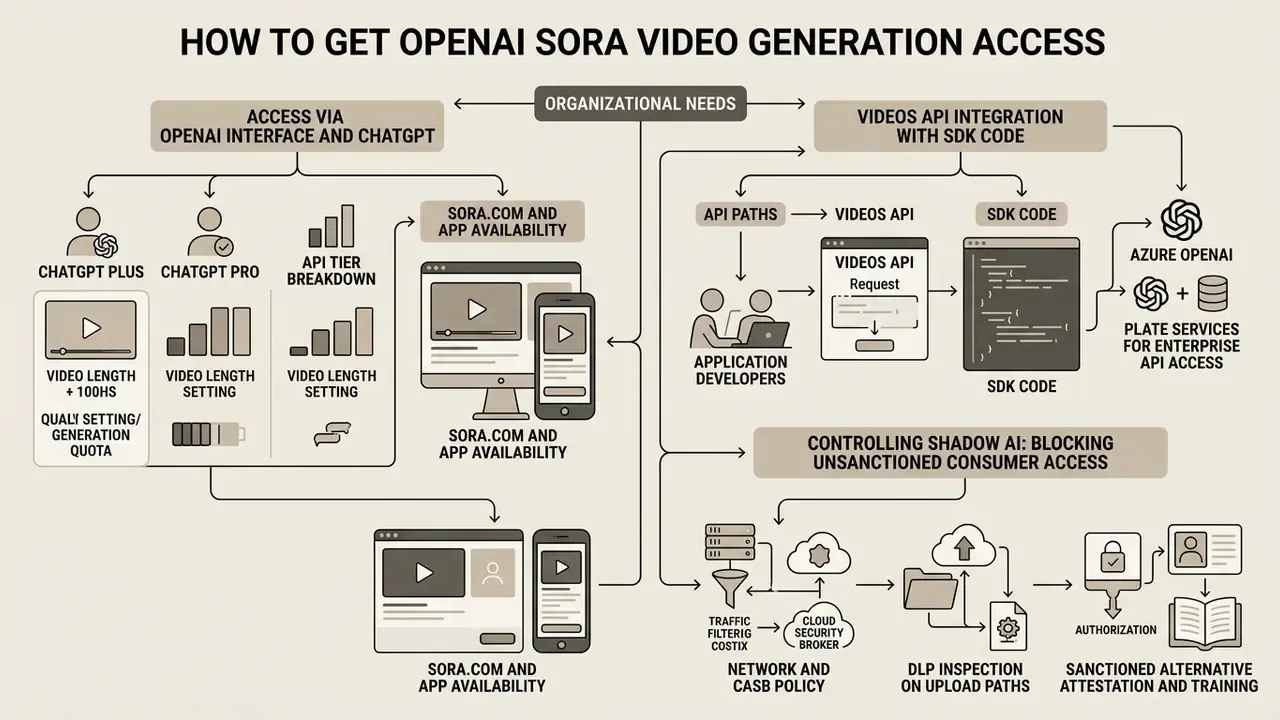
How to access Sora OpenAI video generation depends on what the organization actually needs: direct web interface interaction, consumer mobile creation, or programmatic API integration. OpenAI has structured access through distinct product surfaces, namely sora.com, the Sora mobile application, and enterprise API environments.
«As of April 26, 2026, the original Sora product is officially retired; Sora 2 access runs through the new app and invitations on sora.com.»
To track rollout schedules and regional coverage, decision-makers can monitor updates on openai sora video generation availability.
Public Access, Regional Availability, and Account Requirements
ChatGPT Plus vs Pro vs API Tier Breakdown
Consumer subscription tiers and developer API access run on entirely different limits. Conflating them is the single most common planning error we see in enterprise evaluations.
| Feature or metric | ChatGPT Plus ($20/mo) | ChatGPT Pro ($200/mo) | Developer API (sora-2 / sora-2-pro) |
|---|---|---|---|
| Max clip duration | 5 seconds | Up to 20 seconds | 4, 8, 12, 16, 20 seconds |
| Max resolution | 720p | 1080p | 480p, 720p, 1024p, 1080p (1920×1080 or 1080×1920 on sora-2-pro) |
| Monthly volume cap | 50 generations per month | 500 fast generations plus unlimited relaxed off-peak queue | Pay as you go, constrained by per-minute rate limits |
| Parallel variants | 1 output per prompt | Up to 5 variations at once | Programmatic batch processing |
| Editing suite | Web UI (Storyboard, Remix, Re-cut, Loop, Blend, Style Presets) | Web UI, full editing suite | Programmatic endpoints (remix, extend, edits) |
| Aspect ratios | Vertical, horizontal, square | Vertical, horizontal, square | Fixed output dimensions per model tier |
| Audit logging and governance | None suitable for MRM | None suitable for MRM | Full request and response logging under organizational control |
A word of caution on that table. OpenAI has revised these caps repeatedly: launch-era documentation described a 50-video monthly ceiling for Plus at 480p (fewer at 720p), while later help-center and billing pages described unlimited access at reduced resolution and duration for Plus and Business plans. Any procurement decision should re-verify limits on the current pricing and help pages, on the day of signing. Yes, that is tedious. It is also cheaper than a budget rebuild in month two.
Access via OpenAI Interface and ChatGPT Plus
Individual creators and small teams reach the generation tool through sora.com and integrated ChatGPT interfaces. Subscribers to ChatGPT Plus and ChatGPT Pro receive access tiers governed by monthly generation caps, queue prioritization, and output resolution boundaries.
In the web interface, users submit text prompts, upload reference assets, and use storyboard features to structure multi-shot sequences. The interface also exposes Featured and Recent feeds, where prompts behind published clips can be inspected and remixed, which is a fast way to start creating without drafting prompts from zero. Handy for exploration. Still, manual generation adds human latency and lacks the audit logging that automated production systems require.
Controlling Shadow AI: Blocking Unsanctioned Consumer Access
For banks, insurers, and fintechs, the consumer surface is the primary governance risk. An employee with a personal ChatGPT Plus subscription can upload confidential product imagery to sora.com, and the organization will hold no record of it at all. Practical controls:
- Network and CASB policyadd
sora.comand Sora mobile app traffic signatures to CASB categorization, then restrict them to an explicitly approved user group rather than blanket-allowing generative AI domains. - DLP inspection on upload pathsapply content inspection to image and video uploads destined for generative endpoints, with classifiers for internal design files, unreleased product renders, and customer-identifiable media.
- Sanctioned alternativeprovide an internal, API-backed generation service so the compliant path is also the convenient path. Prohibition without substitution reliably produces circumvention.
- Attestation and trainingrecord acknowledgement that synthetic media created outside the sanctioned pipeline cannot be used in customer-facing or regulated communications.
- Budget-constrained teamswhere a licensed enterprise pipeline is not yet funded, document which free AI video generators are permitted for non-confidential internal use, and which are prohibited outright.
One more field note. Shadow usage rarely shows up in network logs first. It shows up in a deck, when a slide contains a video nobody can source.
When API Access is Needed Versus Manual Generation
Manual UI generation fits low-volume creative exploration, where human judgment guides every prompt iteration. OpenAI Sora video generation API access becomes mandatory when video generation must be triggered automatically by backend events, embedded into customer-facing software, or processed at scale. Teams comparing endpoint-level control across the category can review how text-to-video AI tools differ in job models, parameter surfaces, and licensing.
Key drivers for adopting API access:
- Automated asset pipelinesgenerating localized ad variations automatically when inventory or pricing changes.
- Product integrationletting external software users trigger video creation directly inside an application interface, which is the usual reason to integrate Sora rather than operate it manually.
- Auditability and governancecapturing system logs, prompt inputs, and seed values inside central GRC or Model Risk Management (MRM) frameworks.
- Reproducibility requirementsre-rendering an approved asset months later with identical parameters, which the consumer UI cannot guarantee.
Fact check and access verification status (updated):
How to Write Prompts for Sora and Get Predictable Videos
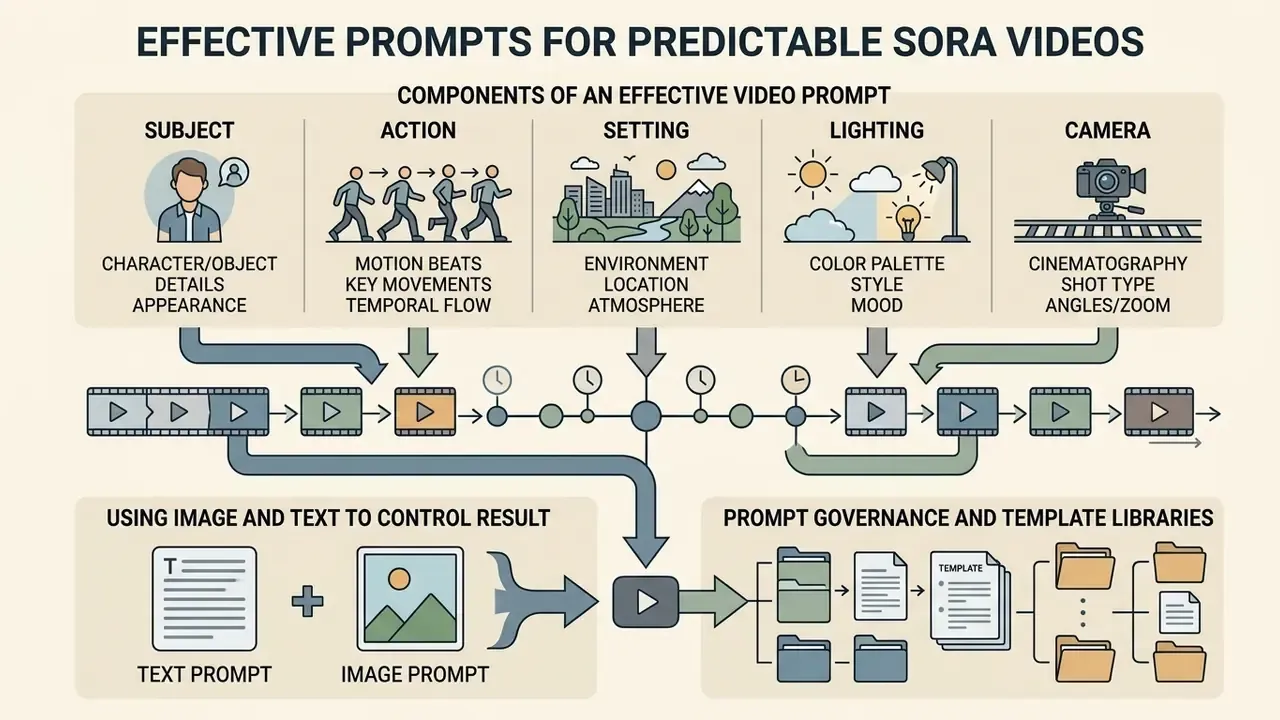
Generative video models need structured prompt engineering to produce predictable spatial and temporal output. Vague natural language produces visual artifacts, inconsistent camera trajectories, and shifting object geometry. Because prompt structure determines the shape of every API payload downstream, fix the input contract before writing integration code.
«The VPO framework optimizes prompts along harmlessness, accuracy, and helpfulness principles, substantially improving video safety and alignment over baseline methods.»
Components of an Effective Prompt for an AI Video Generator
A production-grade video prompt contains five structural elements:
- Subjectclear description of primary objects, actors, or materials.
- Action and motion beatsstep-by-step physical movement across time, written as countable beats rather than abstract intent.
- Setting and environmentbackground context, spatial layout, and atmosphere.
- Lighting and color palettespecific light sources (soft diffused, harsh key light, rim lighting) and color tones.
- Camera cinematographylens framing (medium shot, close-up), depth of field, and camera movement (static, slow pan, tracking shot).
OpenAI's own prompting guidance converges on the same ordering, shot type then subject then action then setting then lighting, with framing, depth of field, and palette treated as explicit fields rather than stylistic afterthoughts. Physical behaviour should be specified in material and force terms (metal, water, fabric; gravity, wind, bounce, drape), because that is exactly where diffusion models fail most often.
Example high-control prompt:
Running one identical prompt across vendors is the cheapest calibration exercise available. A side-by-side comparison of AI video generators shows how differently models interpret the same camera and physics instructions, and the gaps are larger than most demo reels suggest.
Using Image and Text to Control the Result
Combining a reference image with text prompts, the image-to-video route, gives tighter stylistic control than text alone. The reference image sets initial composition, character appearance, and color grading. The text prompt then dictates motion vectors and action beats.
When implementing image-to-video workflows:
- Match input image dimensions to the output target aspect ratios exactly, to prevent distortion.
- Avoid text instructions that contradict static elements present in the reference frame.
- Describe camera trajectory and subject physics, instead of re-specifying appearance details already visible in the image.
- Reuse identical wording for recurring subjects across a campaign, which reduces identity drift between clips.
Prompt Governance and Template Libraries
In regulated environments, prompts are model inputs. That makes them documentation artifacts, not creative scratchpads. Practical controls include a versioned template repository, a prohibited-terms list (named individuals, competitor marks, regulated claims), and a mandatory link between each approved template and the campaign or product it serves. Standardized templates also suppress retry loops, which remain the largest controllable component of per-second spend.
OpenAI Sora Video Generation API: How to Start Integration
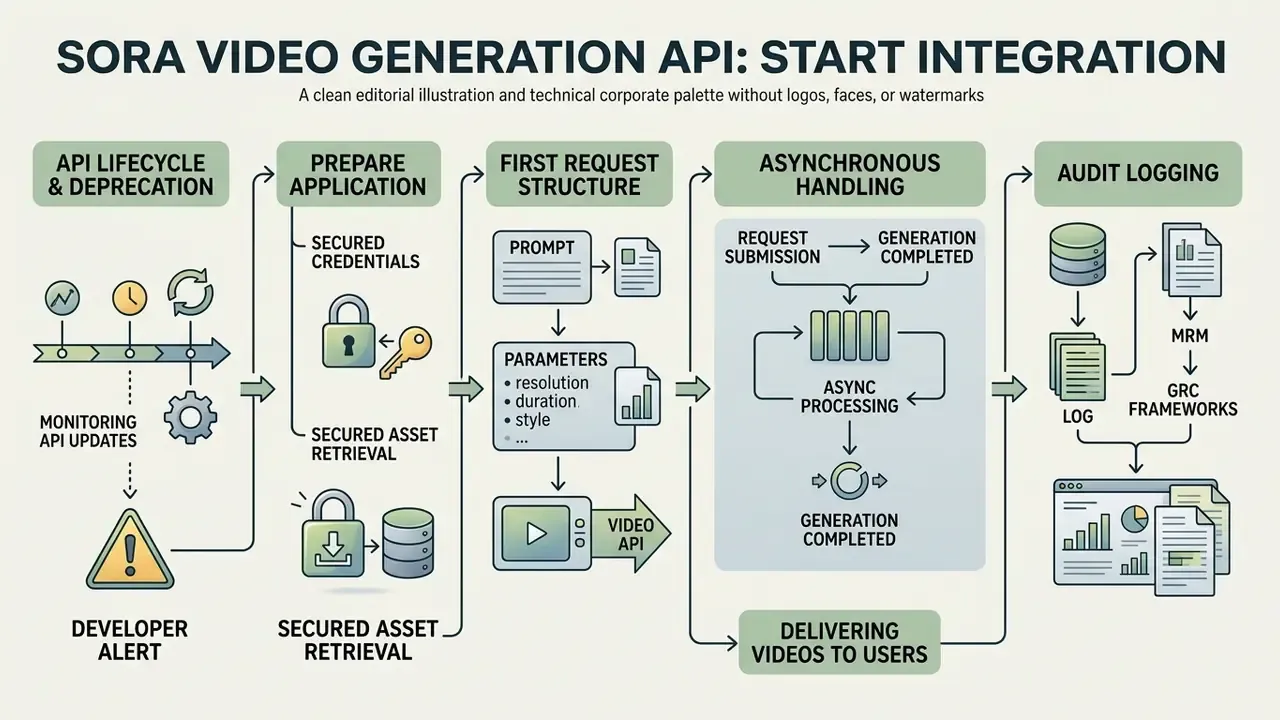
Integrating the OpenAI Sora API requires asynchronous request handling, secured credentials, and error-resilient asset retrieval. Video generation demands far more compute than text or static image inference, so backend systems must manage job queues rather than expect synchronous HTTP responses.
Developer alert: lifecycle and deprecation schedule
OpenAI has set the retirement path for the
sora-2andsora-2-proVideos API. Access for legacy Sora 2 endpoints, includingsora-2-2025-10-06,sora-2-2025-12-08, andsora-2-pro-2025-10-06, is scheduled to end on September 24, 2026. Implement version pinning, deprecation monitoring, and migration fallback routines well before that date.«Sora uses a diffusion transformer (DiT) operating on spatio-temporal patches instead of a U-Net, which enables scalability and generation of videos up to a minute long.» Video Generation Models as World Simulators, OpenAI Technical Report (2024). https://openai.com/research/video-generation-models-as-world-simulators
Teams building custom media applications can review specialized developer tooling on the openai sora video generation tool page.
Preparing an Application for the Video Generation API
Backend architecture must support task-based scheduling before the first generation request. Implement job queue management (Redis with Celery, or AWS SQS) to handle dispatch, status polling, and payload storage.
Prerequisites for backend preparation:
- Provision API keys with strict role-based access control, scoped per project rather than per organization.
- Configure secure HTTPS webhooks or polling workers to monitor asynchronous job state transitions (
queuedtoin_progresstocompletedorfailed). - Allocate scalable object storage (AWS S3, Azure Blob Storage) and write completed MP4 assets immediately, because download URLs are temporary.
- Establish per-minute rate-limit budgets, since video job endpoints are throttled far more aggressively than text endpoints.
Structure of the First Request: Prompt, Parameters, and Output
A generation request defines the target model, the text prompt, spatial dimensions, and clip duration. Requests go out as HTTP POST payloads carrying structured JSON.
{
  "model": "sora-2",
  "prompt": "A cinematic, wide-angle shot of an automated robotic arm inspecting a circuit board in a clean laboratory setting, soft diffused lighting, subtle camera pan",
  "size": "1280x720",
  "seconds": 8,
  "aspect_ratio": "16:9"
}
The response returns HTTP 202 Accepted with a unique task identifier (job_id). The system uses that identifier to query execution status. On completion, the payload yields a temporary download URL hosting the rendered MP4.
For production systems, official SDKs beat hand-rolled REST calls. They encapsulate the job contract, expose typed status objects, and provide create_and_poll, which removes an entire class of backoff bugs.
import asyncio
from openai import AsyncOpenAI
# Initialize official Async client
client = AsyncOpenAI()
async def generate_production_video():
    # Native SDK handles job dispatch and internal polling automatically
    video_job = await client.videos.create_and_poll(
        model="sora-2-pro",
        prompt=(
            "Cinematic shot of a medical device displaying real-time heart metrics, "
            "8k detail, volumetric lighting, static tripod framing"
        ),
        size="1920x1080",
        seconds=8
    )
    if video_job.status == "completed":
        print(f"Render succeeded. Video ID: {video_job.id}")
    else:
        print(f"Render failed with state: {video_job.status}, Error: {video_job.error}")
asyncio.run(generate_production_video())
The Node.js equivalent uses the same job contract with explicit state checks, which helps when the polling loop must emit progress events to a user interface:
import OpenAI from "openai";
import { setTimeout as sleep } from "node:timers/promises";
const openai = new OpenAI();
let video = await openai.videos.create({
  model: "sora-2",
  prompt: "Slow dolly-in on a glass trading terminal at dusk, rim lighting, static tripod",
  size: "1280x720",
  seconds: 8
});
while (video.status === "queued" || video.status === "in_progress") {
  await sleep(10000); // 10-20s intervals are the documented guidance
  video = await openai.videos.retrieve(video.id);
}
console.log(video.status === "completed" ? "Ready" : `Failed: ${video.status}`);
Developers building specialized pipelines can analyze code implementations for an openai sora video generator, including multimodal patterns documented in our image-to-video AI reference.
Processing Generation and Delivering Videos to Users
Delivering generated videos to end users means managing job polling, asset download, and moderation checks. Poll job status with exponential backoff, for example an initial 10-second delay that increases incrementally, so the pipeline does not trip rate limits. Where the platform supports webhooks, prefer webhook delivery for terminal states and keep polling only as a fallback for environments that cannot accept inbound callbacks.
In one deployment for a financial services marketing platform, our team built an asynchronous worker pattern that ingested prompt parameters from a CRM, dispatched API requests, and polled status every 15 seconds. Rendered assets then passed through an automated visual moderation filter before being committed to an internal DAM. Manual coordination steps, downloading files, renaming, uploading to the asset library, notifying reviewers, were largely eliminated, while human sign-off on brand safety stayed a mandatory gate. We report this as a qualitative reduction in manual handling rather than a precise percentage, because the baseline came from a single team over one quarter and has not been independently audited.
To compare multi-modal API performance metrics, technical leaders can review the AI Media Comparison hub.
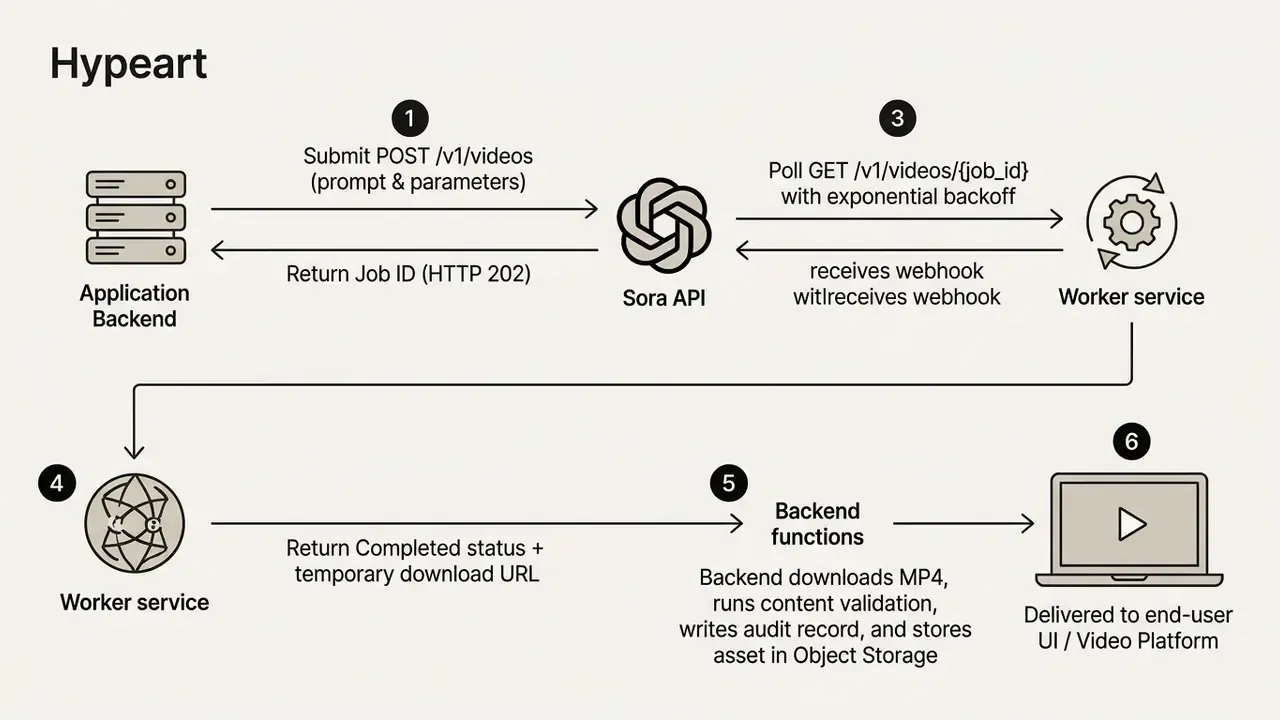
Audit Logging for MRM and GRC Frameworks
Azure OpenAI Sora Video Generation Quickstart
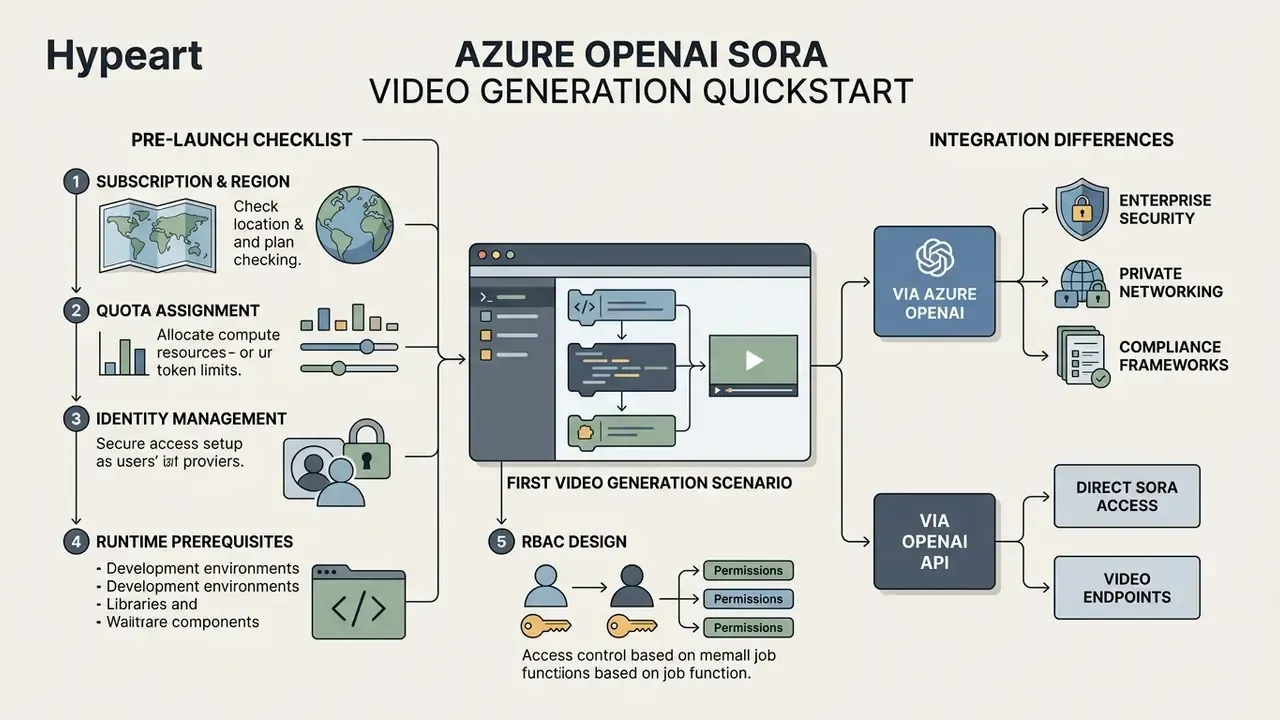
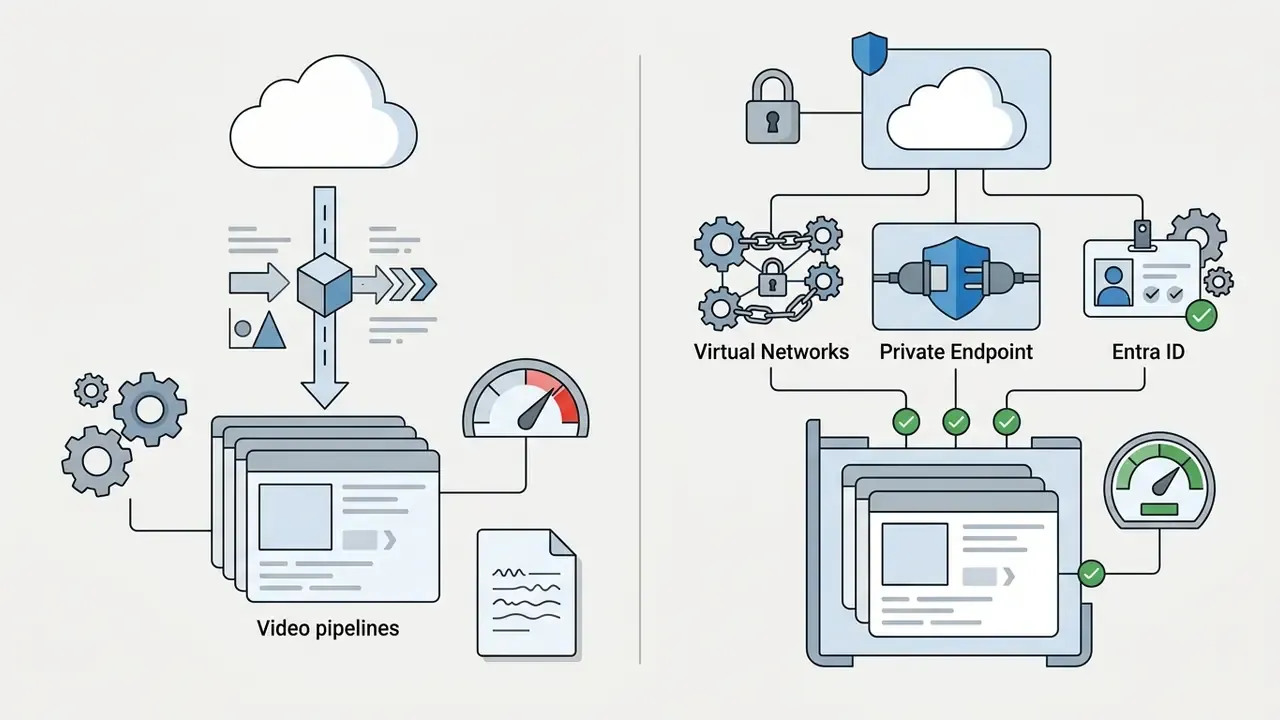
Microsoft Azure OpenAI Service provides enterprise-grade hosting for Sora models, pairing video generation with Azure security, private networking, and compliance frameworks. Running the Azure OpenAI video generation quickstart for Sora lets enterprise teams deploy inside existing cloud governance boundaries rather than beside them.
What to Check Before Launching the Azure OpenAI Quickstart
Before executing an Azure OpenAI Sora video generation quickstart, administrators must confirm subscription prerequisites and quota allocations:
- Subscription and regionverify that the target subscription holds active access to Azure OpenAI Service in a supported region. Microsoft documents Sora video generation availability under Global Standard in East US 2 and Sweden Central, with a broader set of Azure regions listed for related workloads.
- Quota assignmentconfirm video generation job quota for the target resource. Microsoft documents a default Sora quota of 60 requests per minute, while Sora 2 is limited to 2 video job requests per minute. Only job-creation calls count toward that ceiling, and quota is scoped at subscription level rather than tenant level.
- Identity managementconfigure Microsoft Entra ID managed identities for keyless authentication, and assign the
Cognitive Services Userrole to the executing principal. - Runtime prerequisitesprovision Python 3.8 or later for the documented sample, deploy a
soramodel in the resource, and install the Azure CLI if keyless authentication is used. - RBAC designin banking environments, separate the identity that submits generation jobs from the identity that reads completed assets, and from the identity that approves publication. Collapsing all three into one service principal destroys the segregation-of-duties evidence a validation review expects to find.
First Azure OpenAI Video Generation Scenario
A baseline Azure OpenAI video generation Sora quickstart uses the REST API or the Python SDK to submit a job, poll for completion, and retrieve the resulting asset.
import os
import time
import requests
from azure.identity import DefaultAzureCredential
endpoint = os.getenv("AZURE_OPENAI_ENDPOINT")
credential = DefaultAzureCredential()
token = credential.get_token("https://cognitiveservices.azure.com/.default").token
headers = {
    "Authorization": f"Bearer {token}",
    "Content-Type": "application/json"
}
job_payload = {
    "prompt": "Professional corporate presentation screen showing financial growth charts, modern office background, subtle camera dolly in",
    "model": "sora-2",
    "size": "1280x720",
    "seconds": 4
}
# Submit job
response = requests.post(
    f"{endpoint}/openai/v1/video/generations/jobs?api-version=2024-01-01-preview",
    headers=headers,
    json=job_payload
)
job_data = response.json()
job_id = job_data["id"]
# Poll for status
status_url = f"{endpoint}/openai/v1/video/generations/jobs/{job_id}?api-version=2024-01-01-preview"
while True:
    status_response = requests.get(status_url, headers=headers).json()
    if status_response["status"] in ["succeeded", "failed"]:
        break
    time.sleep(10)
if status_response["status"] == "succeeded":
    video_url = status_response["output"]["video_url"]
    print(f"Video generated successfully: {video_url}")
The preview API surface has shifted between video/generations/jobs and the Sora 2 create-video flow, so pin api-version explicitly and treat that version string as a configuration value under change control. A silent version drift in a preview endpoint is a production incident waiting for a Friday.
Differences Between Integration via Azure OpenAI and OpenAI
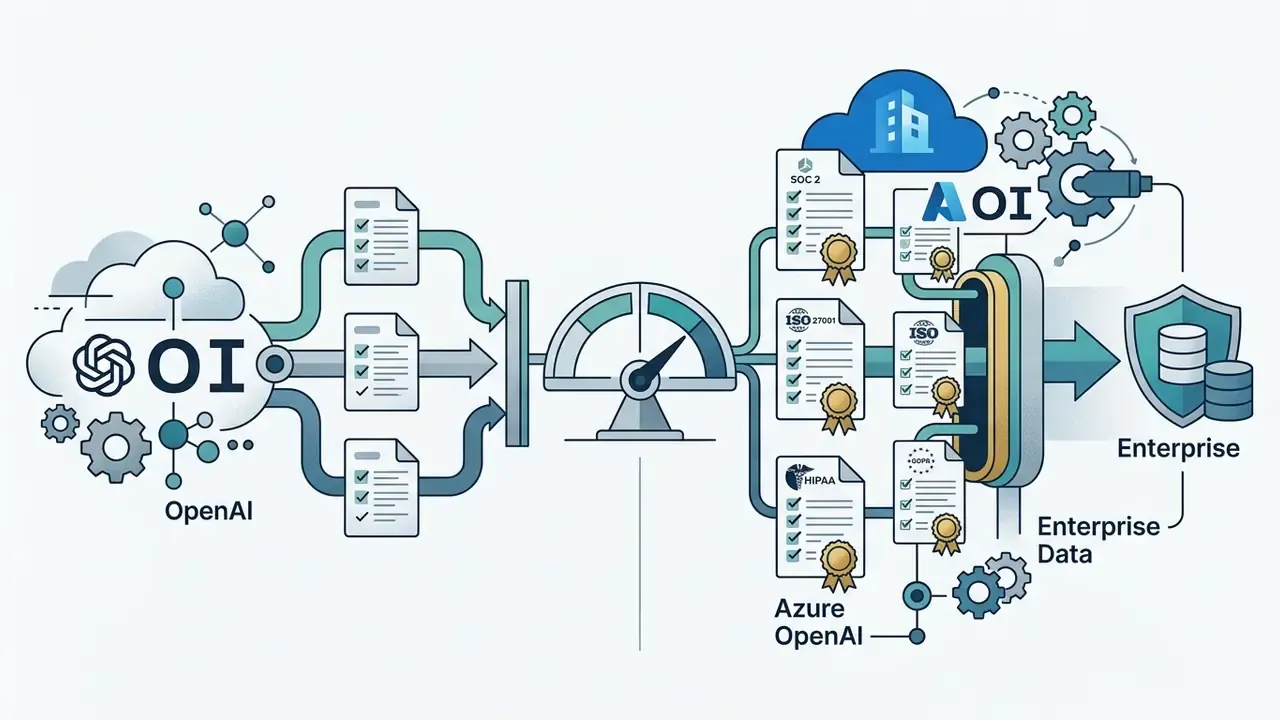
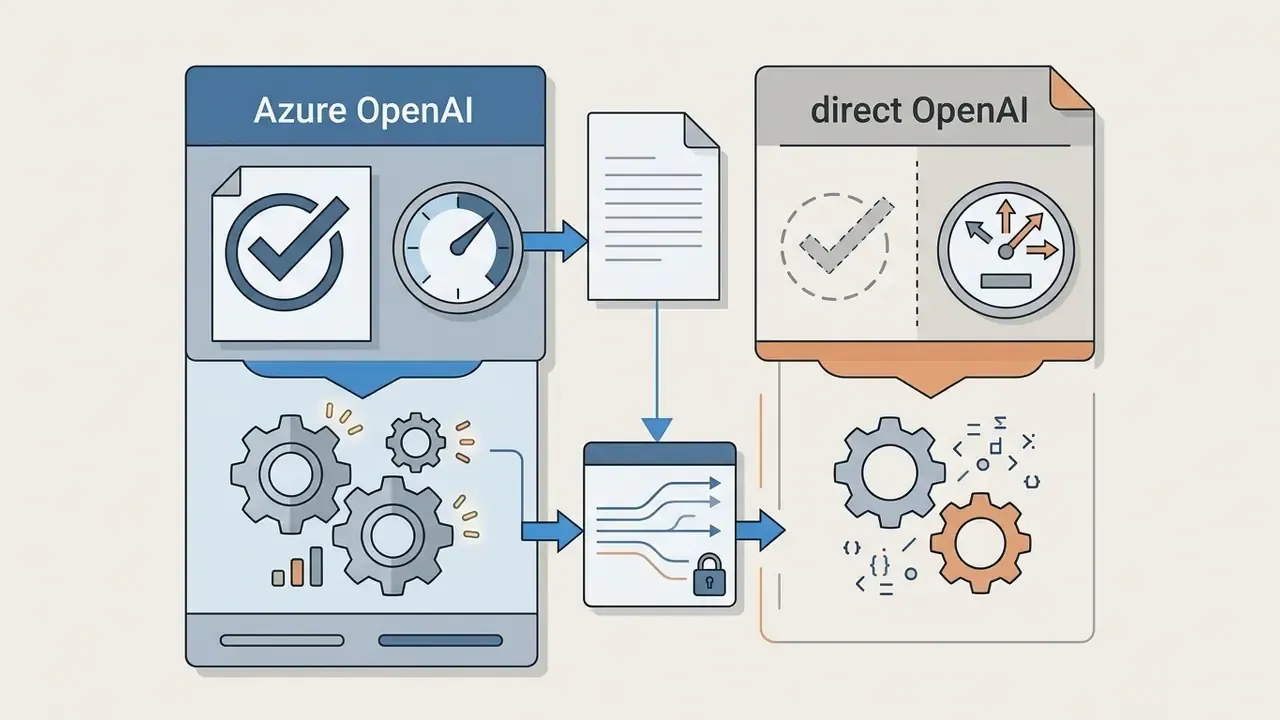
Choosing between direct OpenAI API access and Azure OpenAI Service is a governance decision as much as a technical one.
Sora Video Generation Cost and API Economics
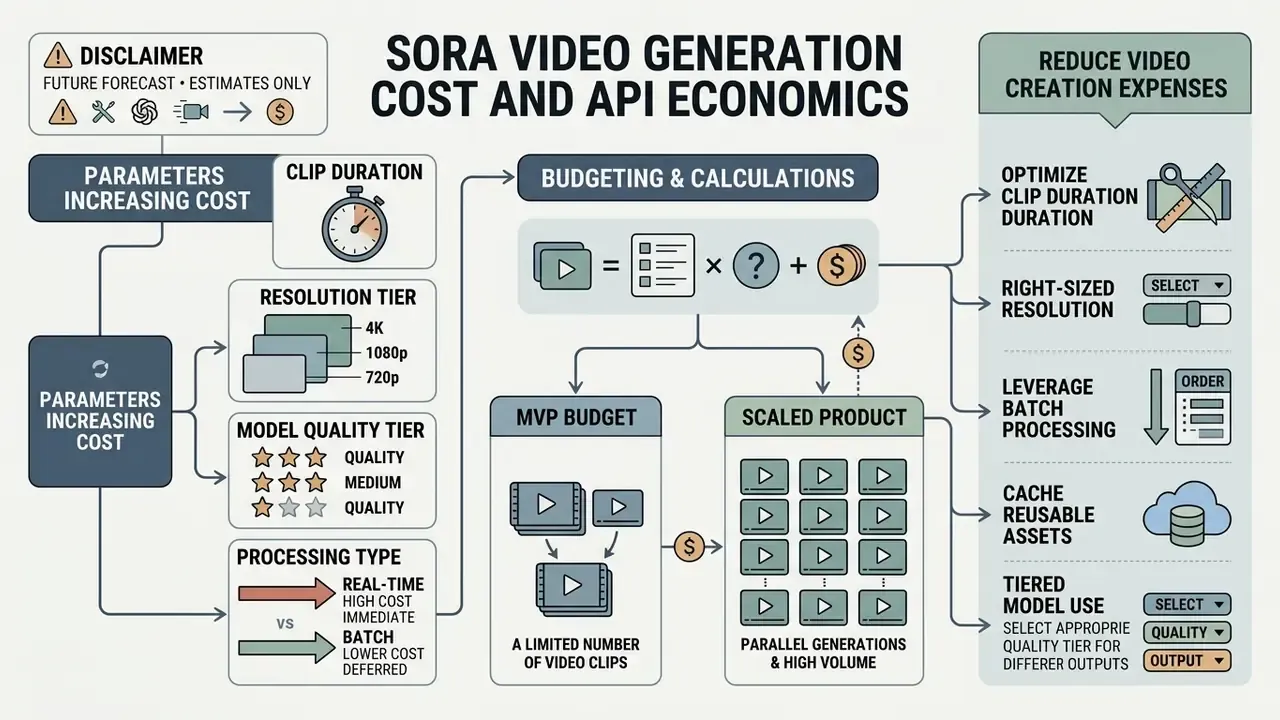
Developer economics for video generation hinge on cost per second of generated video, not on input and output text tokens. Because video inference consumes significant GPU compute, billing reflects duration, model tier, and output resolution.
OpenAI's published rates make the arithmetic concrete: sora-2 at $0.10/sec (720p); sora-2-pro at $0.30/sec (720p), $0.50/sec (1024p), and $0.70/sec (1080p). A 10-second clip therefore costs $1.00, $3.00, $5.00, or $7.00 respectively, before retries or regional uplift.
To model team production budgets, decision-makers can use our AI Media Calculators.
Which Parameters Increase the Cost of Generated Videos
Billing scales along four technical dimensions:
- Clip durationcost scales linearly with total output length in seconds. Aspect ratios carry no surcharge by themselves; only the resolution class does.
- Resolution tierrendering at 1080p costs materially more per second than 720p or 480p, roughly 2.3 times more within the
sora-2-protier. - Model quality tierstandard
sora-2carries lower per-second rates thansora-2-pro, a 3 times gap at identical 720p resolution. - Batch versus real-time processingon-demand API calls cost more per second than asynchronous batch queues. OpenAI's pricing documentation lists batch video rates at roughly half the synchronous rate, and the consumer Pro tier's relaxed queue applies the same principle to subscription volume.
For resolution and duration thresholds in detail, consult the guide on openai sora video generation limits.
How to Calculate Budget for MVP and Scaled Product
Budget calculations project total generated seconds across user cohorts, with prompt iterations and retry rates included rather than assumed away.
Where:
- = number of intended production videos.
- = average clip duration in seconds.
- = tariff rate per second for the target resolution and model.
- = retry factor covering prompt iterations and failed quality checks, typically 0.20 to 0.35.
Direct API cost is not total cost of ownership. In regulated environments the control layer routinely exceeds the inference layer, so the defensible model looks like this:
Where:
- = reviewer hours per month for artifact inspection, brand check, and legal sign-off, typically 0.1 to 0.5 hours per published clip.
- = fully loaded hourly cost of the reviewing specialist.
- = archival storage of source renders, rejected variants, and audit records across the mandated retention window.
- = fixed monthly overhead for provenance tooling, watermarking, model-risk documentation, and periodic validation review.
Worked example. One thousand clips per month at 8 seconds on sora-2 720p, with a 25% retry factor, yields $1,000 of inference. Add 0.2 review hours per clip at $85 per hour ($17,000), plus roughly 0.5 TB of retained renders across 24 months of retention (low hundreds of dollars), plus $3,000 of fixed compliance overhead. The invoice from OpenAI lands under 5% of true program cost. Which is precisely why ROI models built on per-second pricing alone mislead executive committees, and why a CFO who approves the API line often ends up funding four other lines by month three.
Benchmarking against subscription and competitor pricing is worth the hour before scaling. Our reference on AI video generators summarizes market rates across vendors and plan tiers.
To inspect sample implementations and finished assets, review openai sora video generation examples.
How to Reduce Video Creation Expenses Without Losing Value
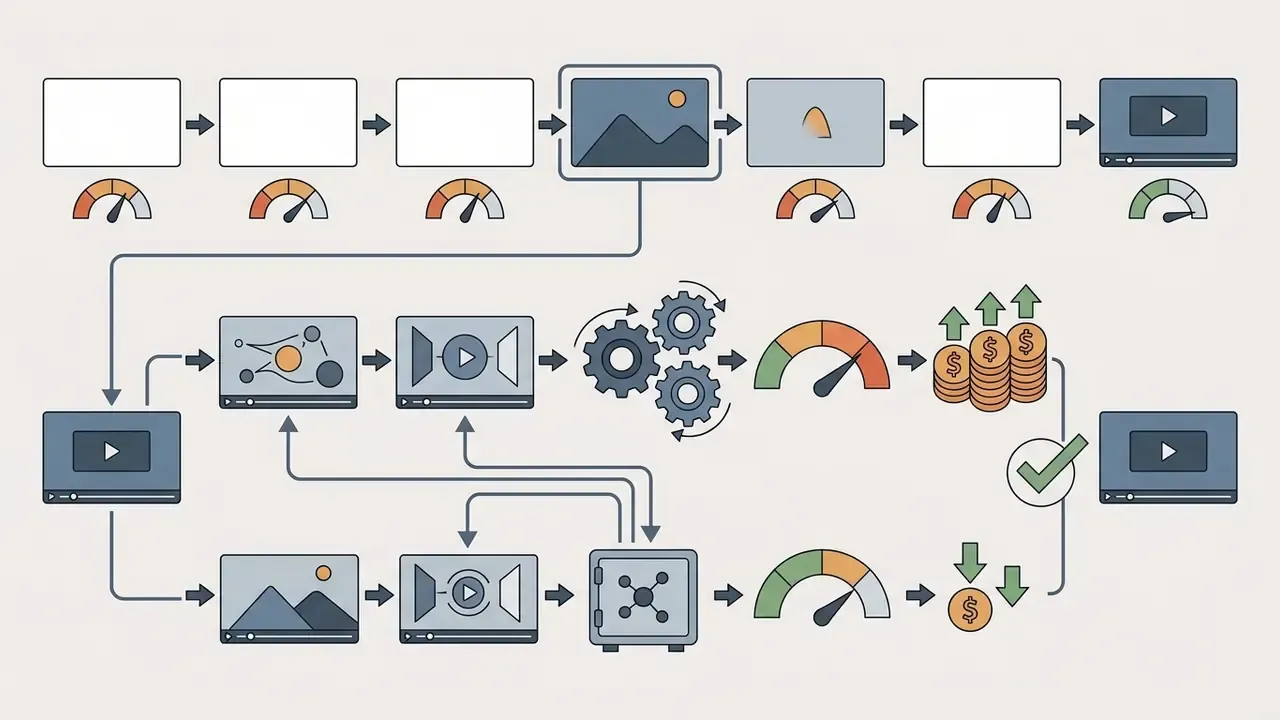
Engineering teams can trim API spend without compromising final quality, mostly through pipeline discipline rather than clever tricks:
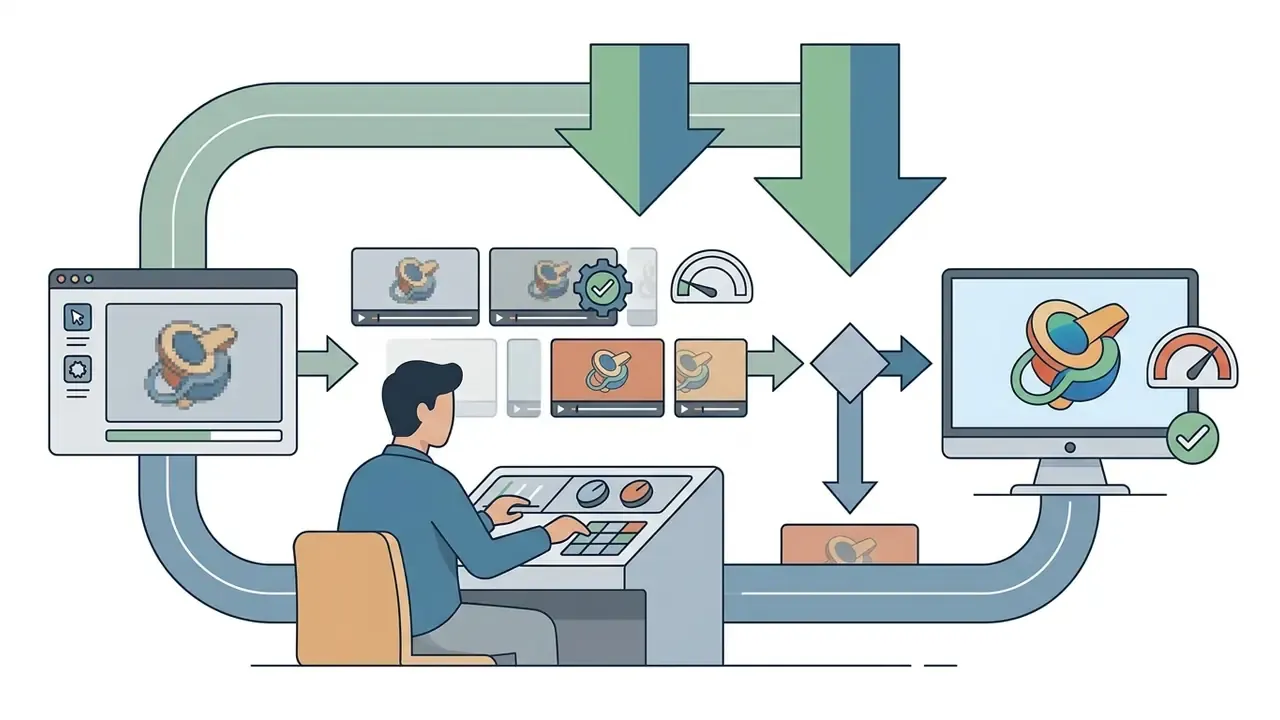
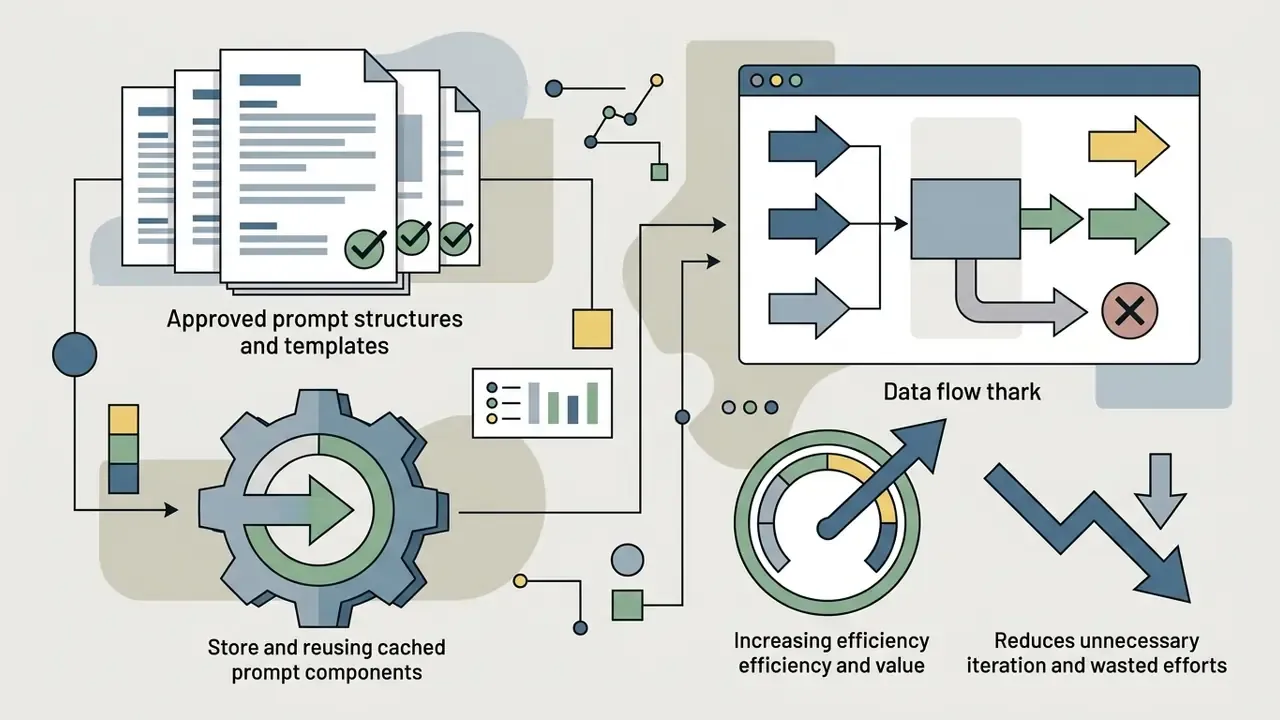
remix_video_id) or Re-cut to change a background element or overlay, instead of regenerating a full clip.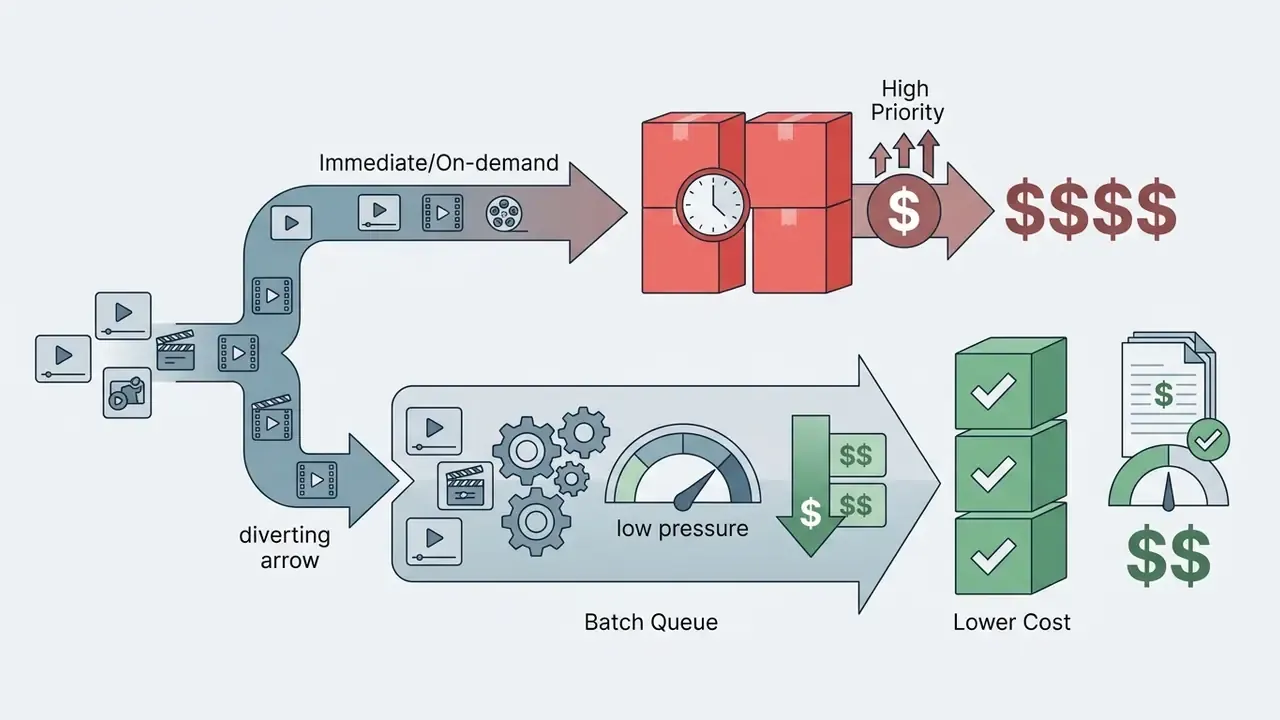
Limitations, Risks, and Verification of Generated Videos Before Publication
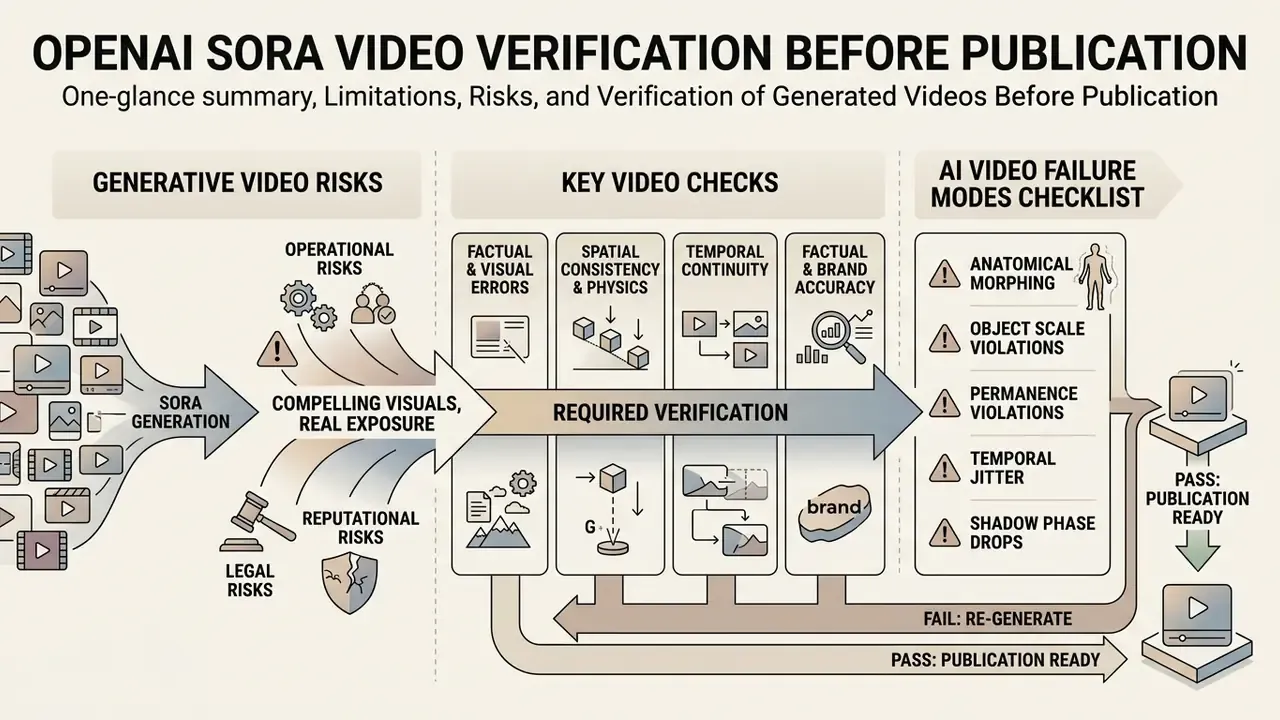
Generative video produces compelling visuals and real exposure at the same time: operational, legal, reputational. Models still generate physical impossibilities, inconsistent object permanence, and unintended artifacts that destroy professional utility at the worst moment, usually in final review.
«T2VSafetyBench found that no single model dominates across all safety dimensions, and stricter filters reduce usefulness while increasing protection.»
OpenAI's system cards for Sora and Sora 2 identify misleading generations, impersonation and non-consensual likeness use, and residual physical-realism failures as the principal risk surfaces. Academic reviews continue to document implausible object deformation and inconsistent cause-and-effect in complex scenes, even as raw realism improves between model generations.
Checking Videos for Factual and Visual Errors
Before publishing AI generated videos in corporate or regulated settings, pipelines must enforce human-in-the-loop review or automated verification, ideally both:
- Spatial and physics consistency inspect clips for unnatural object morphing, missing shadows, or floating geometry.
- Temporal continuity check frame-to-frame transitions for brightness flicker, texture jitter, or sudden camera speed jumps.
- Factual and brand accuracy verify that product depictions, logos, and technical processes match real world specifications rather than hallucinated detail. Where provenance of an incoming asset is unknown, AI image detectors give a first-pass signal on whether the media is synthetic before it enters the review queue.
«GRADEO shows that current models "struggle to produce content aligned with human reasoning and complex real-world scenarios," even at high visual quality.»
Standard AI Video Failure Modes Checklist
When auditing raw renders before publication, inspect for these known diffusion transformer anomalies:
- Anatomical morphingextra limbs, invalid joint rotations such as 180-degree neck swivels, merging hands, or finger counts that change between frames.
- Object scale and permanence violationsbackground elements vanishing after brief occlusion, or objects changing mass, scale, or count mid-interaction.
- Temporal jitter and shadow phase dropslight sources shifting without corresponding camera movement, producing flicker or detached cast shadows.
- Edge discontinuitieshard boundary artifacts where a subject meets the background, most visible on hair, fabric edges, and transparent materials.
- Text and logo corruptiongarbled signage, distorted brand marks, invented glyphs. An automatic rejection condition for regulated marketing.
- Physics implausibilityliquids that do not conserve volume, rigid bodies that intersect, cause-and-effect sequences that resolve in the wrong order.
Escalation and Ingestion Gates
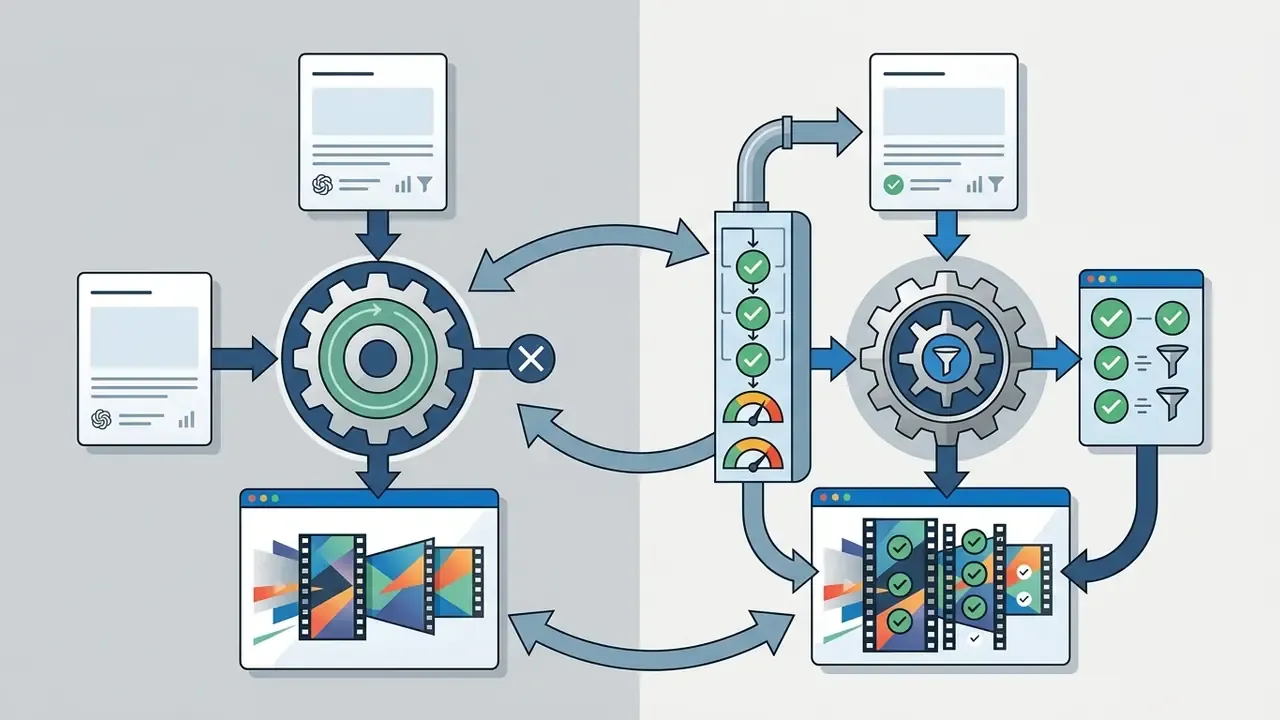
Detection without a decision path is not a control. A workable gate structure runs automated artifact and moderation scanning at ingestion, with three outcomes: pass routes to the reviewer queue, flagged routes to a senior reviewer with annotated frames, blocked triggers quarantine, logging, and notification to the requester. Any clip showing an identifiable person, a competitor asset, or a regulated product claim escalates to legal review regardless of scan result. Repeated blocks against the same prompt template should trigger template revision, not resubmission, which is how teams stop cost leakage through retry loops.
Alert: responsible AI and synthetic media compliance
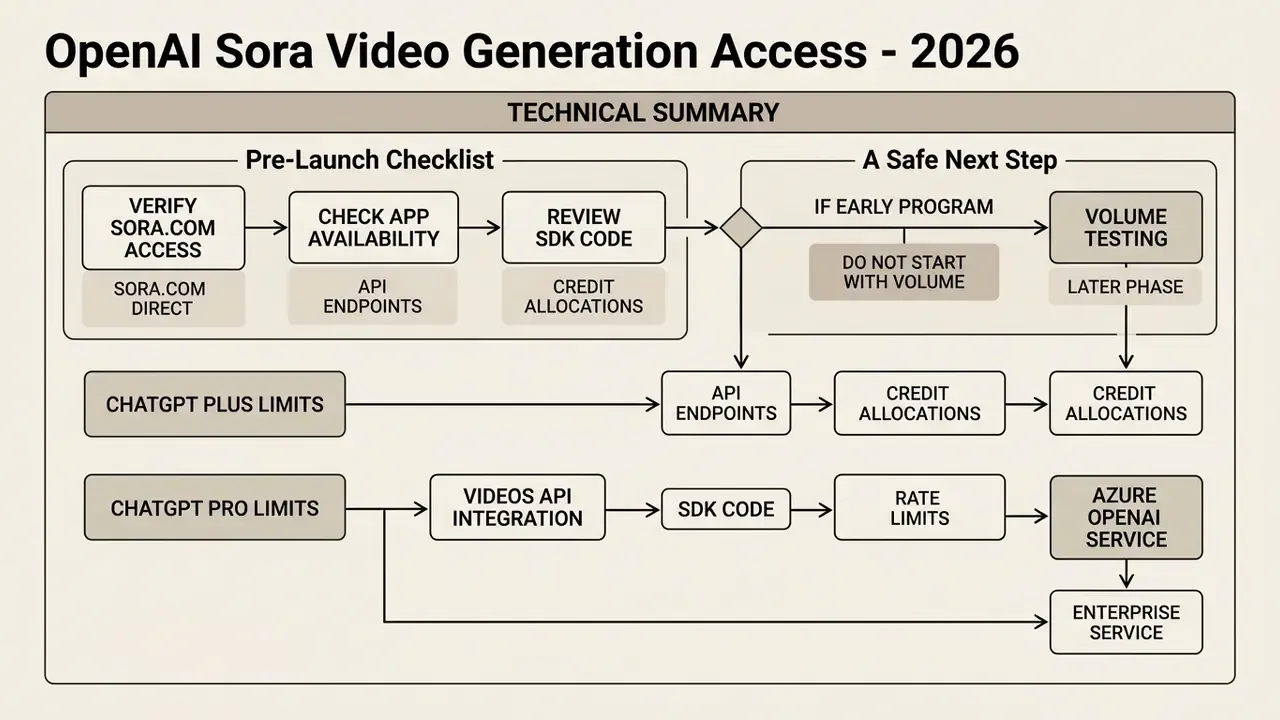
Technical Summary and Direct Reference Checklist
| Feature or dimension | OpenAI direct API and web | Azure OpenAI Service |
|---|---|---|
| Primary access route | sora.com, Sora app, OpenAI Videos API | Azure AI Foundry, Azure OpenAI REST API |
| Models | sora-2, sora-2-pro with dated revisions pinned | sora, sora-2 preview deployments |
| Authentication | API key (Bearer $OPENAI_API_KEY) | Entra ID managed identity or Azure key |
| Output formats | MP4 (480p, 720p, 1024p, 1080p; 1920×1080 or 1080×1920 on Pro) | MP4 (720p, 1080p, configured resolutions) |
| Request pattern | Asynchronous (POST then poll or webhook) | Asynchronous (POST then poll job status) |
| Documented rate limits | Per-minute video job limits by tier | 60 rpm default (Sora); 2 job requests per minute (Sora 2) |
| Regions | Provider-managed, no region selection | East US 2, Sweden Central (Global Standard) |
| Compliance infrastructure | Standard OpenAI terms of service | Enterprise Azure DPA, SOC 2, ISO 27001 and 27701, FedRAMP, HIPAA |
| Primary economic unit | Per-second billing ($0.10 to $0.70) | Per-second billing or PTU provisioned |
| Lifecycle note | Videos API shutdown scheduled 24 September 2026 | Preview lifecycle managed on Azure cadence |
«Sora attains the highest scores among 13 text-to-video models across all four quality dimensions, yet still struggles with compositional reasoning and real-world scenarios.»
Pre-Launch Checklist
Checklist0 / 9
A Safe Next Step
If the program is still early, do not start with volume. Start with one sanctioned pipeline, one approved use case, and one quarter of evidence. Render 50 clips, keep every audit record, measure the retry factor and the reviewer hours you actually spent, then re-price the model. That number, not a vendor rate card, is what an executive committee should approve.
FAQ: OpenAI Sora Access, API, and Cost
Is Sora still available in 2026?
The standalone Sora product was retired on 26 April 2026. Consumer access continues through sora.com and the invite-gated Sora 2 app, while developer access runs through the OpenAI Videos API, scheduled for shutdown on 24 September 2026, and through Azure OpenAI Service.
What does a 10-second Sora video cost through the API?
Roughly $1.00 on sora-2 at 720p, $3.00 on sora-2-pro at 720p, $5.00 at 1024p, and $7.00 at 1080p, before retries. Batch queues are billed at approximately half those rates.
How many videos can a ChatGPT Plus subscriber generate?
Launch-era limits allowed up to 50 generations per month at up to 720p and 5 seconds. Later OpenAI help pages described unlimited access at reduced resolution and duration. Verify the current cap on OpenAI's pricing page, because this has changed more than once.
What is the difference between sora-2 and sora-2-pro?
sora-2 and sora-2-pro?sora-2 prioritizes speed and low per-second cost for prototyping and social content. sora-2-pro renders slower and can cost up to 7 times more per second, but delivers 1080p exports and the stability required for production marketing assets.
Does Azure OpenAI offer the same Sora capabilities as the direct API?
Functionally similar asynchronous video generation, with Entra ID authentication, VNet and private endpoints, platform-level content filtering, and inherited Azure compliance coverage. The trade-offs are region restrictions and a separate preview lifecycle.
Which records must be retained for model risk management?
At minimum: full prompt text plus hash, model revision, parameters and seed, job ID, retry count, cost, automated check results, human reviewer decision, provenance flags, and the stored MP4 under an explicit retention class.
Can API access be limited without blocking creative teams entirely?
Yes, and that is usually the workable compromise. Keep the consumer surface blocked, expose an internal API-backed service with per-team spend ceilings, and let the sanctioned path be the fastest one. Convenience beats policy, so the policy should be convenient. For related model, tool, and pricing references across our API library, see the overview.