Last reviewed: September 2026. Pricing, access tiers, and model availability change frequently; verify every commercial figure against OpenAI's official pricing page before budget approval.
Executive summary: what risk, finance, and engineering leads need to know
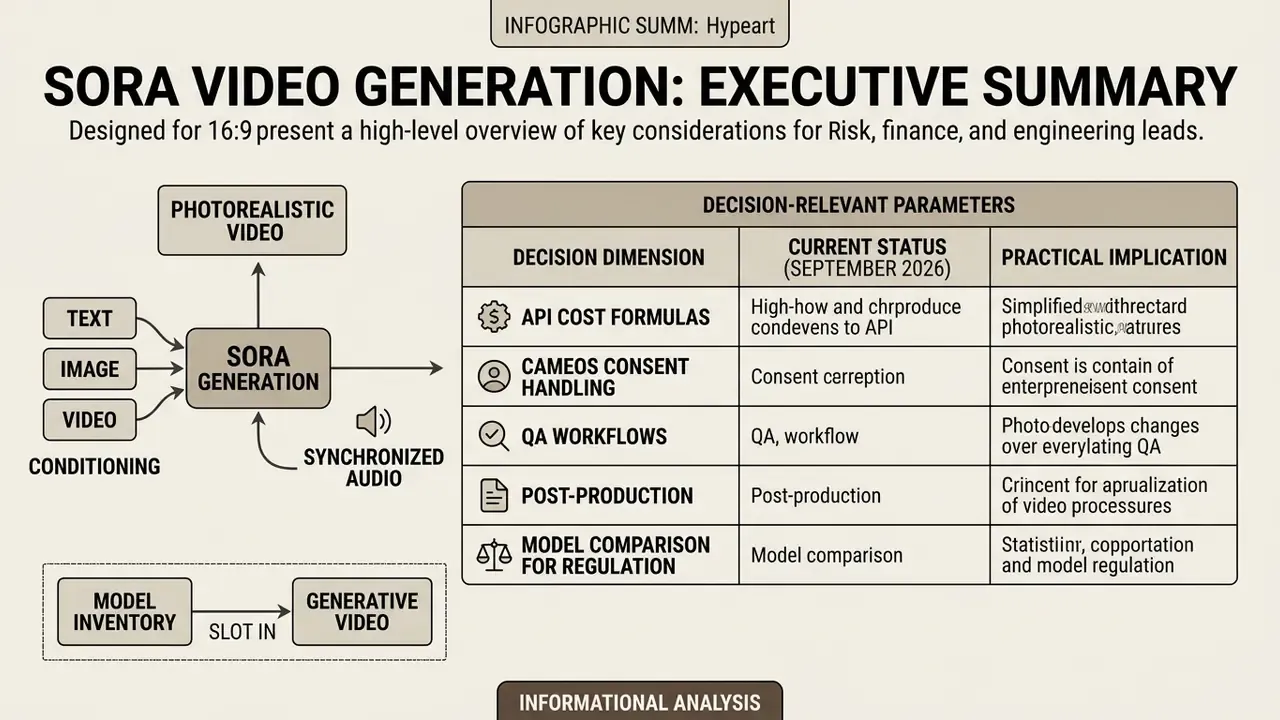
Sora generates photorealistic video with synchronized audio from text, image, or video conditioning. It also remains a probabilistic media system with documented physics failures, restricted likeness handling, and duration-based billing. That combination is the whole governance problem in one sentence.
The table below compresses the decision-relevant parameters for CRO, CCO, and architect review before a pilot gets approved.
| Decision dimension | Current status (September 2026) | Practical implication |
|---|---|---|
| API cost range | $0.10/sec (sora-2, 720p) to $0.70/sec (sora-2-pro, 1080p) | A 10-second 1080p attempt costs $7.00; retry-adjusted unit cost is materially higher |
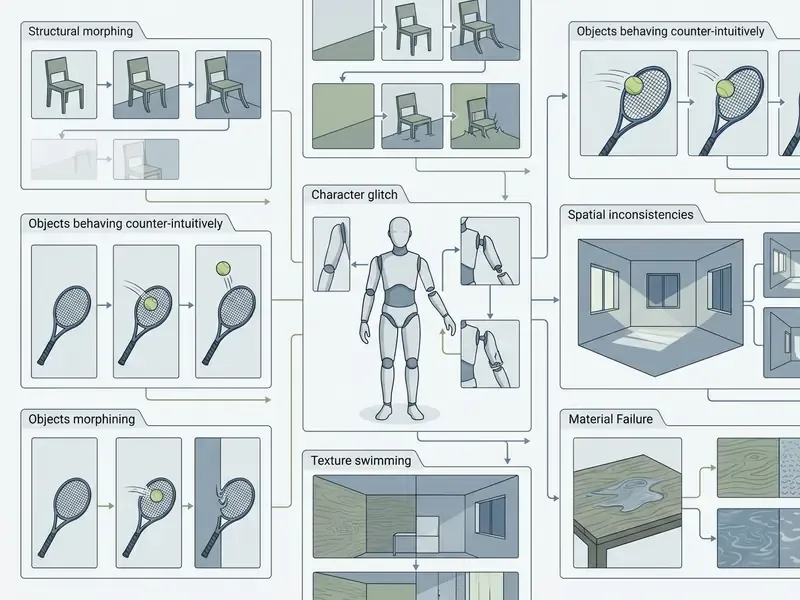
| Physics reliability | Recurring failures on collisions, fluids, fractures, limb topology | Mandatory automated QA gate plus human review before publication |
| Clip duration | Roughly 10 to 20 seconds standard output; up to 60s in research configurations | Longer narratives require frame-conditioned extension and editorial stitching |
| Audio | Native synchronized ambience, sound effects, and dialogue | High-frequency compression artifacts often need spectral restoration |
| Likeness handling | Real public figures blocked; personal avatars supported only via verified Cameos consent | Consent tokens and provenance logs become audit evidence |
| IP status | Pure AI output is not copyrightable in the US; human-authored elements are | Hybrid human-in-the-loop editing is required for defensible IP claims |
| Provenance | C2PA metadata plus visible watermarking on downloads | Enables downstream authenticity verification and deepfake screening |
| Governance fit | Treat as a third-party model under model-risk validation and monitoring | Prompt, seed, and version logging required for audit readiness |
How the Sora video generation model works and what drives quality
The Sora video generation model behaves as a diffusion transformer operating on visual spacetime patches inside a low-dimensional latent space. Output quality depends on three things: latent compression efficiency, text prompt expansion by a large language model, and conditioning inputs such as an initial image or motion vector.
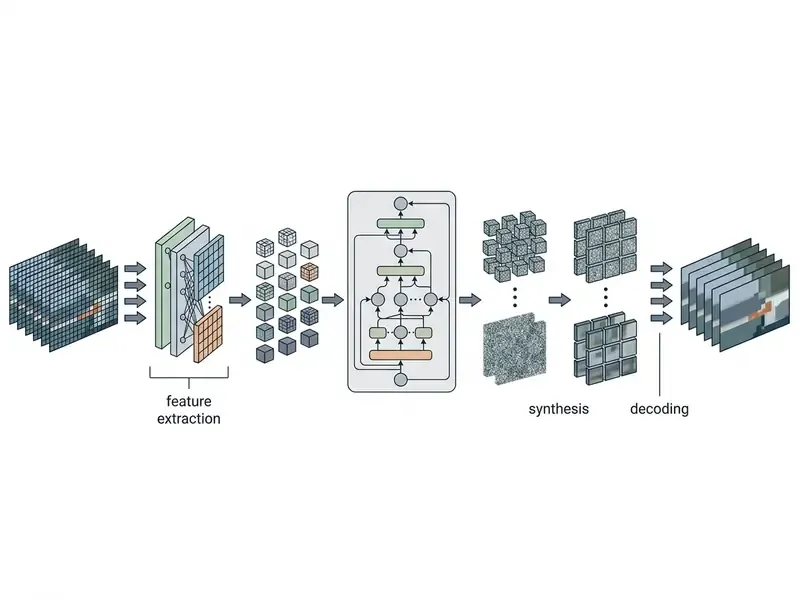
Patch-based representation is resolution-agnostic. One trained model can therefore emit widescreen, vertical, and square footage at different durations without retraining, which is exactly why billing tracks generated seconds and resolution instead of tokens. Worth remembering when someone asks for a token estimate.
Text-to-video, image-to-video, and multimodal input
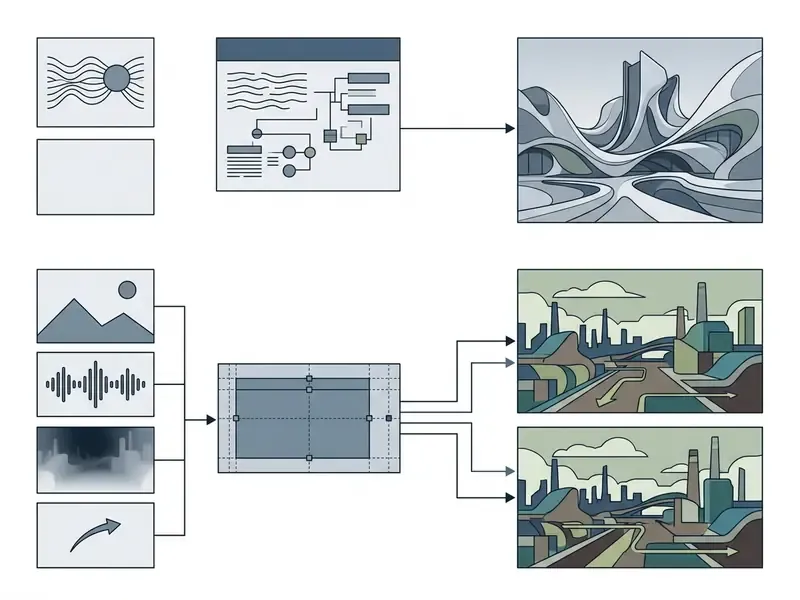
Sora accepts multimodal input conditioning. You can start video generation from a text prompt, a static reference image, or an existing clip. Image-to-video workflows use uploaded still photos as visual anchors, holding character design, color palette, and layout steady while the model synthesizes temporal motion. Teams standardizing this mode should study dedicated image-to-video tools and their preservation-constraint syntax.
In practice the three conditioning modes serve different control needs:
Reference images must match target output resolution. Accepted formats are JPEG, PNG, and WebP. A mismatch is the single most common cause of a rejected first attempt, and rejected attempts still bill.
- Text-only
- maximum creative latitude, lowest determinism. Best for concepting and mood exploration.
- Image plus text
- the image fixes the first frame, geometry, and palette; the prompt defines motion. Best for brand assets and character continuity.
- Video plus text
- existing footage is extended or restyled while world state persists. Best for sequence continuation and shot lengthening.
Sora Cameos: safe integration of a verified user avatar
Motion, multi-shot sequences, and synchronized audio
Later iterations of the architecture, such as Sora 2, generate synchronized audio alongside visual frames, aligning sound effects, ambient noise, and dialogue with on-screen events. Temporal consistency across multi-shot sequences holds because scene state variables persist inside the transformer's attention mechanism. That is why prompts written as discrete shot blocks, one camera setup and one subject action and one lighting recipe per block, keep continuity better than a single undifferentiated paragraph.
«Temporal coherence metrics, optical flow continuity and frame-to-frame feature drift, are critical for evaluating multi-shot video fidelity.»
Limitations of AI video generation with objects and people
Sora shows structural limits when rendering precise human anatomy, fine motor movement, and complex physical causality. Common artifacts: extra limbs, unnatural joint rotations, spatial left and right confusion, and secondary objects appearing or vanishing during fast camera pans. Object identity can merge, multiply, or teleport between cuts. Longer durations amplify background drift.
| Dimension | Capabilities (documented) | Quantitative constraints | Known limitations | Primary source |
|---|---|---|---|---|
| Input modalities | Text-to-video, image-to-video, video extension, multi-image anchors | Up to 60s (research), roughly 20s (Sora Turbo), 720p/1080p | No official cross-modality performance benchmark | OpenAI Technical Report (2024) |
| Resolution and aspect ratio | Widescreen (16:9), vertical (9:16), square (1:1), custom | 480p, 720p, 1024p, 1080p outputs | High resolutions scale API pricing non-linearly | OpenAI API Pricing (2026) |
| Motion and continuity | 3D spatial consistency, camera tracking, persistent background | Dynamic degree score around 0.70 (Mora benchmark) | Fails on complex collisions and material changes | Liu et al. (arXiv:2402.17177) |
| Audio integration | Native synchronized audio, ambience, lip-sync alignment | Billed within duration-based API rates | Alignment degrades in multi-character dialogue | Sora 2 System Card (2025) |
| Safety and moderation | C2PA watermarking, automated moderation stack, human review | Real-person generation restricted by default | Rejection of valid inputs containing benign human faces | OpenAI Safety Stack (2026) |
Artifact mitigation protocol: fixing physics failures at the prompt layer
| Artifact | Prompt-level countermeasure | Verification signal |
|---|---|---|
| Object merging or fusion | Declare spatial separation explicitly ("two clearly separated objects, 30 cm apart, no contact"); add the negative constraint "no overlapping geometry, no fused surfaces" | Bounding-box overlap detector on sampled frames |
| Limb inversion, extra digits | Restrict visible anatomy ("hands out of frame", "medium shot from waist up"); specify slow, single-axis motion | Pose-estimation keypoint sanity check |
| Optical-flow warping, lens distortion | Fix the optics ("static 50mm lens, no zoom, locked tripod"); avoid simultaneous camera and subject acceleration | Frame-to-frame flow magnitude variance |
| Fluid and fracture implausibility | Skip the causal event; cut to the aftermath ("the glass already lies broken on the floor") | Human review flag |
| Cross-cut identity drift | Reuse a locked reference image plus an identical style block across shot requests | Perceptual identity similarity score |
| Left and right inversion | Use absolute stage directions ("camera-left", "screen-right") instead of subject-relative terms | Manual spot check on directional shots |
What OpenAI Sora video generation examples show
OpenAI Sora video generation examples demonstrate that diffusion transformers can produce photorealistic, high-definition clips up to 60 seconds long from text or image inputs. The public set highlights multi-character consistency, camera movement, and visual styling across cinematic, animated, and commercial formats. Each openai sora ai video generation example also exposes a boundary, which is arguably more useful for planning than the highlight reel.
According to OpenAI's technical report Video generation models as world simulators (OpenAI, 2024), Sora represents video as compressed spacetime patches in latent space. That architecture lets the model preserve 3D spatial consistency and object permanence during dynamic camera maneuvers.
«Sora represents video as compressed spacetime patches in latent space, preserving 3D consistency during dynamic camera movement.»
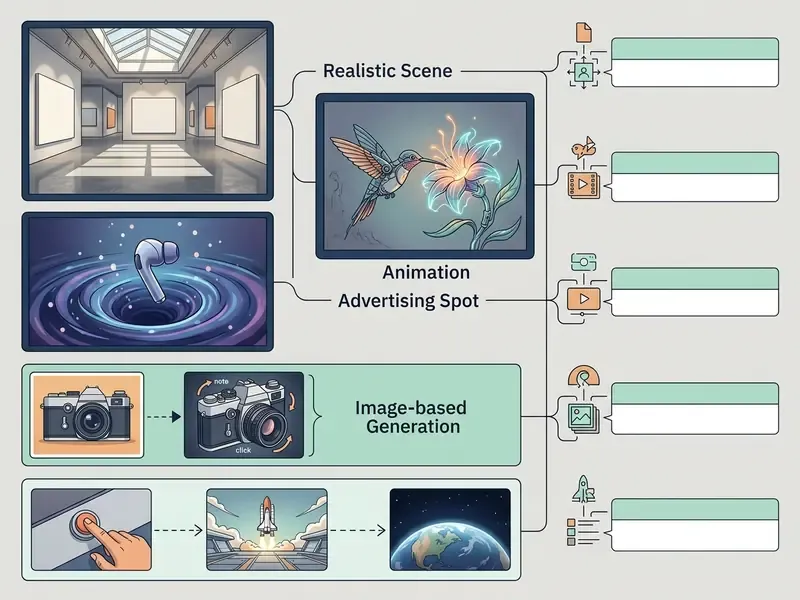
Realistic scenes: Tokyo street, people, and real-world physics
The canonical Tokyo street demonstration is still the reference point. A stylish woman walks down a Tokyo street lit by warm glowing neon, past animated city signage, on damp reflective asphalt, surrounded by dense pedestrian traffic. That original demo prompt specified every one of those elements, which is why the clip works as a realism stress test for motion, reflection, and crowd detail. The model holds subject identity, clothing texture, and atmospheric reflections while executing smooth virtual camera moves.
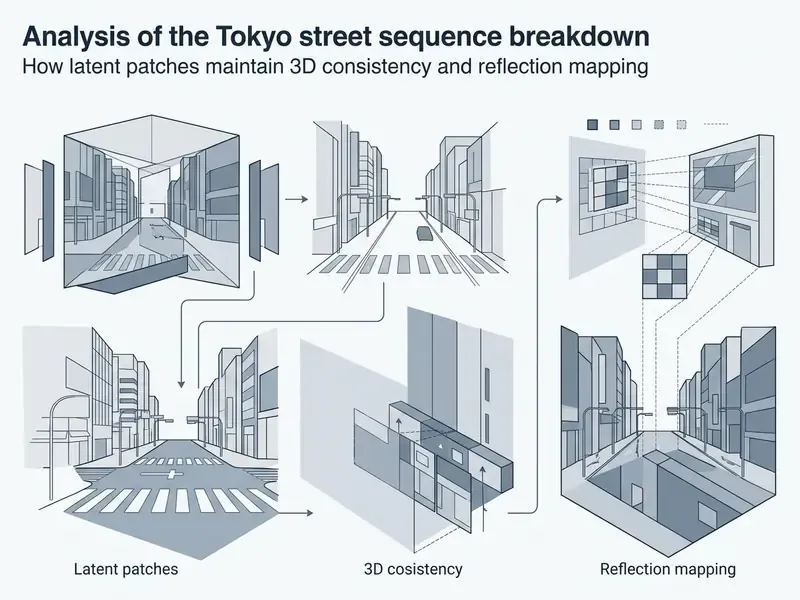
Surface fidelity is high. Physical plausibility is not, and empirical research confirms recurring anomalies.
«Sora frequently fails to model complex causal interactions such as solid-body collisions, fluid mechanics, and exact material fractures.»
Creative videos: animation, surrealism, and short film
Sora produces surreal and stylized sequences by fusing unrelated semantic concepts into coherent 3D environments without breaking lighting logic. Creative teams use that to build a short film, surreal animation, or conceptual storyboard that would otherwise demand a serious visual effects budget.
Artist-driven productions, such as the short film Air Head by the creative agency Shy Kids (OpenAI, 2024), show the model holding narrative consistency across an abstract character. The diffusion transformer maps descriptive text prompts onto natural lighting, motion blur, and shadow behavior. Independent content creators have pushed the same approach into full short-form disaster films and pop-culture mashups, where documentary or bodycam camera grammar is the thing that makes an implausible subject read as plausible footage. Teams producing stylized sequences at volume can compare workflows against dedicated animation makers before committing to a generative-only pipeline.
Examples for advertising, social media, and content teams
Commercial marketing teams use these capabilities to create realistic short-form promos, social media clips, and dynamic product visualizations fast. The model natively outputs vertical (9:16), square (1:1), and widescreen (16:9) aspect ratios, which removes destructive post-production cropping and slots cleanly into an existing video publishing workflow for creator and brand channels. Broader process patterns live in our media production workflows library.
Enterprise content pipelines still have to account for brand safety and legal exposure. Current US Copyright Office guidance holds that works containing AI-generated material can be registered only for their human-authored contributions, and applicants must disclose which parts were machine-generated (US Copyright Office, Copyright and Artificial Intelligence, Part 2: Copyrightability, 2025, https://www.copyright.gov/ai/). Two consequences follow for enterprise use:
- Pure generation an unmodified render carries no enforceable copyright claim. It can be published and used commercially under platform terms, but it cannot be defended as proprietary creative property.
- Hybrid, human-in-the-loop production original scripts, editorial sequencing, composited overlays, graded color, and authored sound design are human contributions, and those are protectable. To preserve the claim, archive editorial project files, revision history, and timestamps as authorship evidence, and record which segments were generated.
For licensing, treat the generated layer as a licensed input governed by service terms rather than an owned asset. Route trademark, likeness, and endorsement questions through counsel; the Copyright Office treats realistic digital replicas of real people as a legal problem separate from copyright.
Sora AI text-to-video prompt examples for reproducible clips
Reproducible text-to-video generation needs structured prompt engineering: subject attributes, movement vectors, environmental lighting, camera optics, visual styling. Standardized prompt structures cut generation variance and lower API cost by removing pointless iteration cycles. Readers new to the category can start with our overview of AI video generators and their control surfaces before adopting the templates below.
«A dataset of 10,000 videos from nine models showed human-aligned metrics reflect prompt adherence more accurately than automatic scores.»
Prompt template: character, action, location, and visual style
For deterministic output, follow a modular framework: [Subject] + [Action] + [Environment/Setting] + [Camera Optics & Movement] + [Lighting & Color Palette] + [Style/Medium] + [Audio Intent].
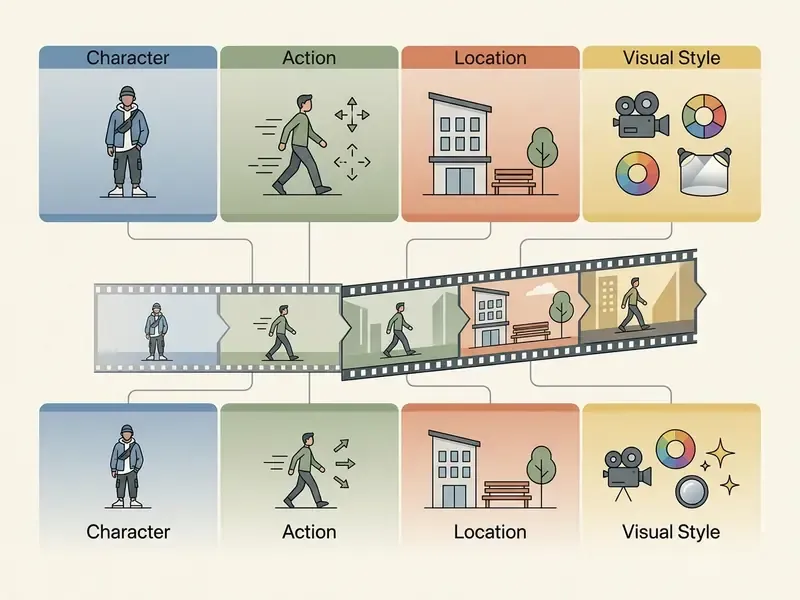
Prompt 1, photorealistic scene:
Prompts for image-to-video and single-scene development
Image-to-video prompting means separating static preservation constraints from dynamic temporal change. Tell the model which elements of the source image to keep fixed, then describe the movement. Some teams call this a "reference lock" and reuse it verbatim across every shot in a sequence. It is unglamorous and it works.
Prompt 3, image-to-video animation:
Specialized prompt patterns: sci-fi, animation, and abstract art
Prompt 4, sci-fi cinematic scene:
Prompt 5, stylized 3D animation:
Prompt 6, abstract digital art and liquid metal:
Prompt 7, found footage and CCTV aesthetic:
Prompt 8, abstract storytelling and mood piece:
Eight prompts is a starting kit, not a library. Most teams converge on three or four house templates and then generate short variants inside them.
Prompt and seed logging for audit readiness
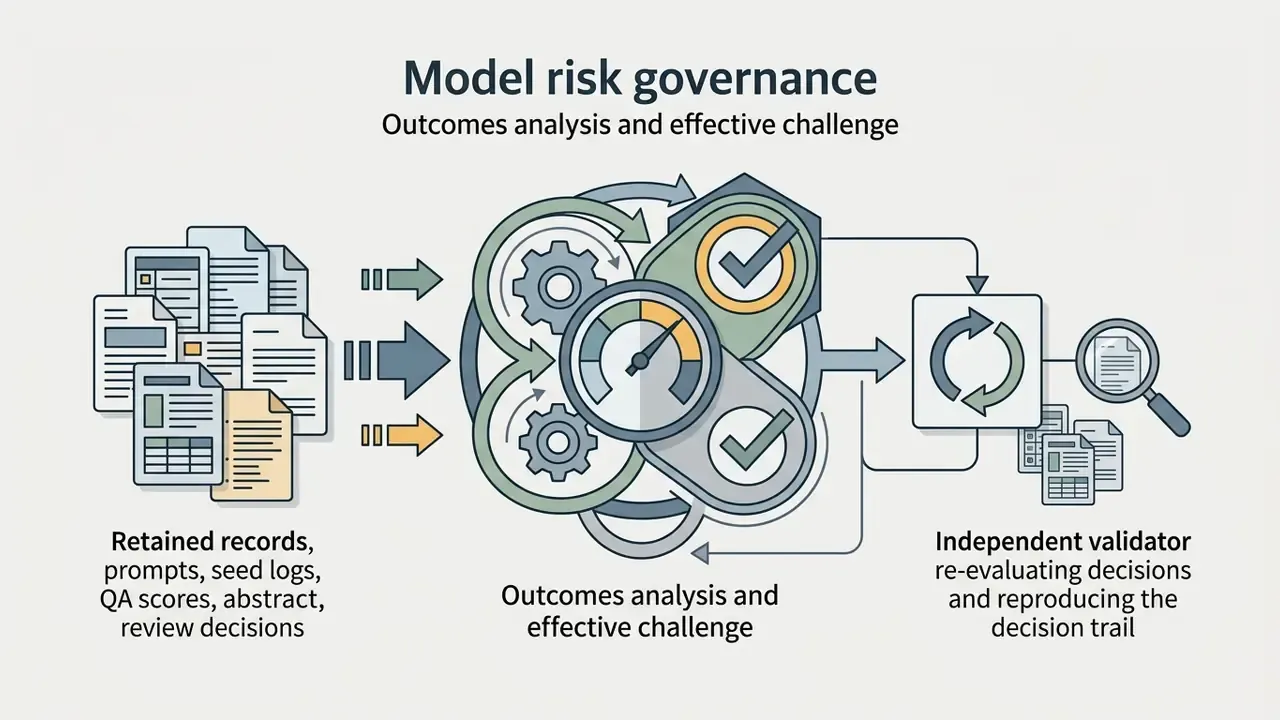
In a regulated environment reproducibility is a control, not a convenience. Log the following fields with every accepted asset so an independent reviewer can reconstruct the generation:
- Model identifier and version (
sora-2orsora-2-pro), plus endpoint region. - Full prompt text, including any system or style block appended by the application.
- Seed value, resolution, duration, aspect ratio, and audio flag.
- Reference image or video hashes, and the Cameos consent token identifier where applicable.
- Job ID, timestamps, and the moderation verdict returned by the platform.
- Automated QA scores and thresholds applied, with the pass or fail decision.
- Human reviewer identity, edits performed, and editorial project file reference.
- Final asset hash, C2PA provenance record, and publication destination.

How to embed Sora AI video generation into a product workflow
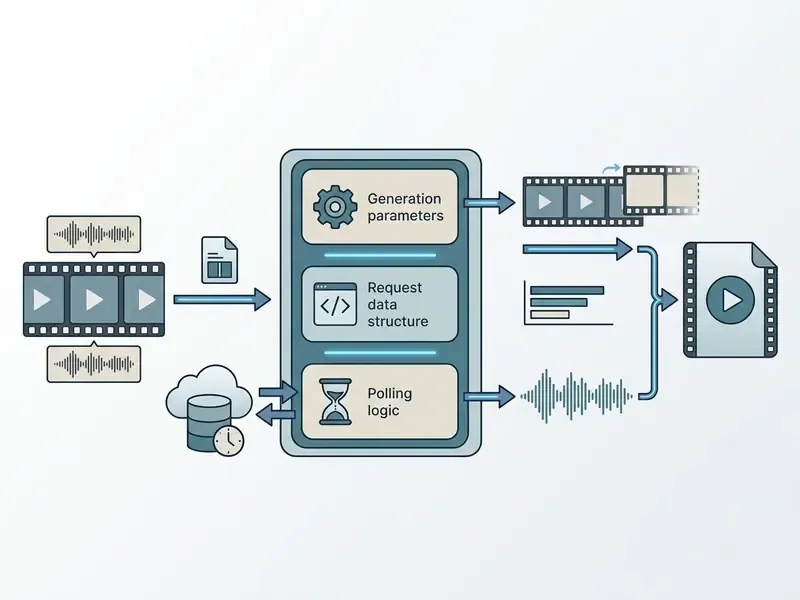
Embedding Sora AI video generation into production software means an asynchronous, job-based API integration that handles request queuing, status polling, content moderation, automated quality assurance, and asset distribution. Video rendering is compute-intensive, so the workflow must decouple generation requests from user-facing application threads. Anything that blocks a request thread on a 40-second render will eventually page someone at 2 a.m.
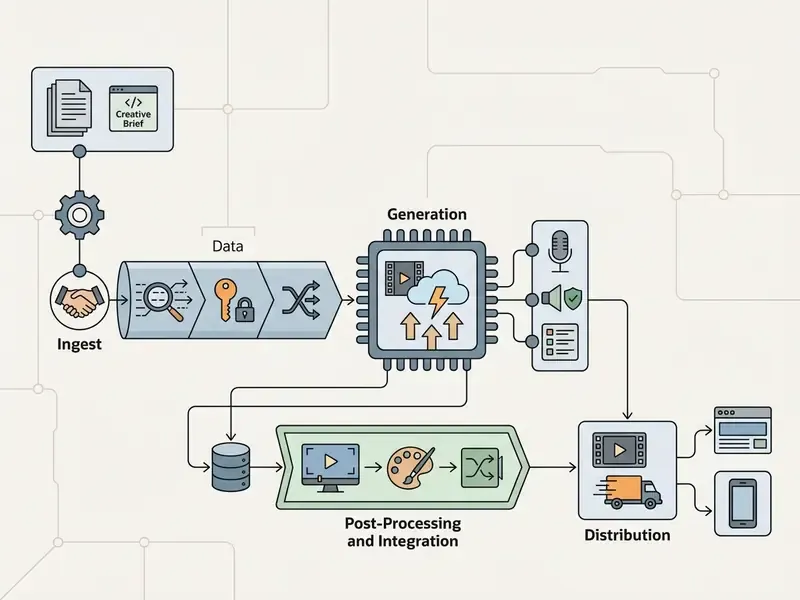
Generation flow: request, generation, validation, and delivery
The integration architecture follows an asynchronous pipeline pattern:
- Request submissionthe client submits a prompt payload via
POST /v1/videos. The API returns a uniquejob_idwith an initial status ofqueued. - Asynchronous execution and pollingworker processes monitor job status via webhooks or exponential-backoff polling (
GET /v1/videos/{job_id}). - Moderation and QA checkonce generation reaches
completed, the raw artifact passes through safety filters and automated visual quality checks. - Asset storage and deliveryapproved files are transcoded, pushed to CDN storage, and served through secure pre-signed URLs. Before delivery, run outputs through your normal encoding ladder; our notes on video compressors cover bitrate and format trade-offs for web delivery.
A minimal submission payload and the terminal webhook response look like this:
POST /v1/videos
{
  "model": "sora-2-pro",
  "prompt": "Wide shot of a lone research station on Titan during an ice storm. Slow forward tracking move, volumetric fog, 35mm film grain. Ambient howling wind.",
  "seconds": 10,
  "size": "1920x1080",
  "seed": 118842,
  "audio": true,
  "metadata": { "campaign_id": "q4-brand-teaser", "requested_by": "media-svc" }
}
// 202 Accepted
{ "id": "video_9f2c81", "status": "queued", "created_at": 1789012345 }
// Webhook delivered to POST /hooks/sora
{
  "type": "video.completed",
  "data": {
    "id": "video_9f2c81",
    "status": "completed",
    "model": "sora-2-pro",
    "seconds": 10,
    "size": "1920x1080",
    "seed": 118842,
    "moderation": { "result": "pass" },
    "content_url": "/v1/videos/video_9f2c81/content",
    "expires_at": 1789098745
  }
}
Handle the mirror cases explicitly. A status: "failed" with a moderation reason should be logged and surfaced as a user-safe message, never auto-retried. A status: "queued" beyond your SLA should be re-queued with capped attempts and jittered backoff, so a transient fault does not multiply billed runs.
Quality assurance for the application and the team
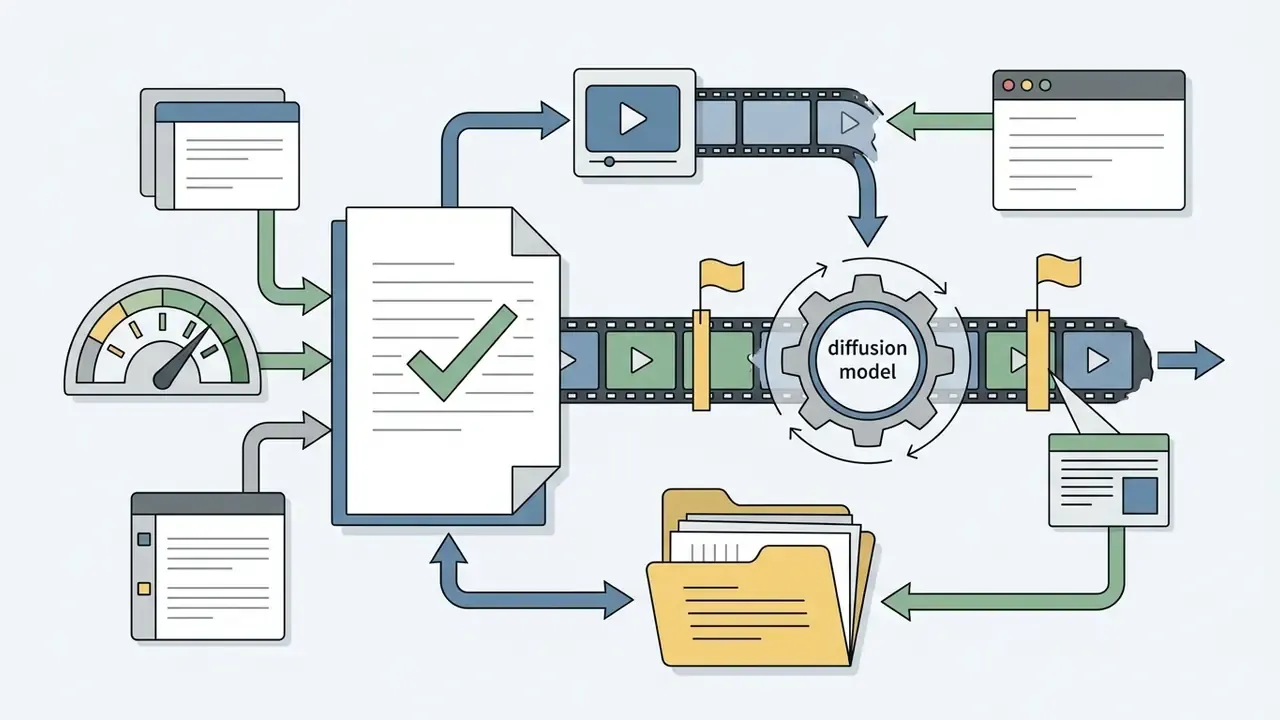
Automated quality assurance filters inspect generated files for visual fidelity, temporal jitter, text alignment, and safety compliance before any asset reaches production.
«AEGIS contains over 10,000 videos, 5,199 synthetic including Sora outputs and 5,271 real, for training content authenticity detectors.»
Overcoming technical limits: scene extension and audio restoration
Raw generations are rarely publication-ready. Two post-production steps close the gap between a 10 to 20 second render and a usable narrative asset:
- Extending clips beyond the duration cap. Use
video-to-videoconditioning with an overlap of roughly the last 30 frames. Feed the final frame of the previous sample as thestart_frameof the next request, hold the same seed and style block, then cross-dissolve the overlap region in the edit to hide the seam. Plan cuts on motion, not on stillness; matched motion masks stitch artifacts far better than static frames. - Correcting audio focus. Native synchronized audio often carries high-frequency compression and a slightly boxy midrange. A workable chain: phase-aware spectral de-noising, a narrow notch on resonant room modes, gentle EQ compensation across 2 kHz to 8 kHz to restore speech clarity, then loudness normalization to platform targets. Where dialogue stays unusable, replace it; our guide to AI voice generators covers voice quality, language coverage, and commercial licensing for replacement voiceover.
Working with image input and a visual reference library
Consistent visual branding across generated videos requires centralized digital asset management for reference images, style blocks, and character sheets. Keep the sets deliberately small and role-separated: one saved style and mood block reused across all shots, plus a subject sheet with front, side, back, and close-up views, with the three-quarter view as the anchor. Three to five focused references per generation usually beat a large, noisy reference pool. An internal image generator library that nobody curates turns into a source of drift within a quarter.
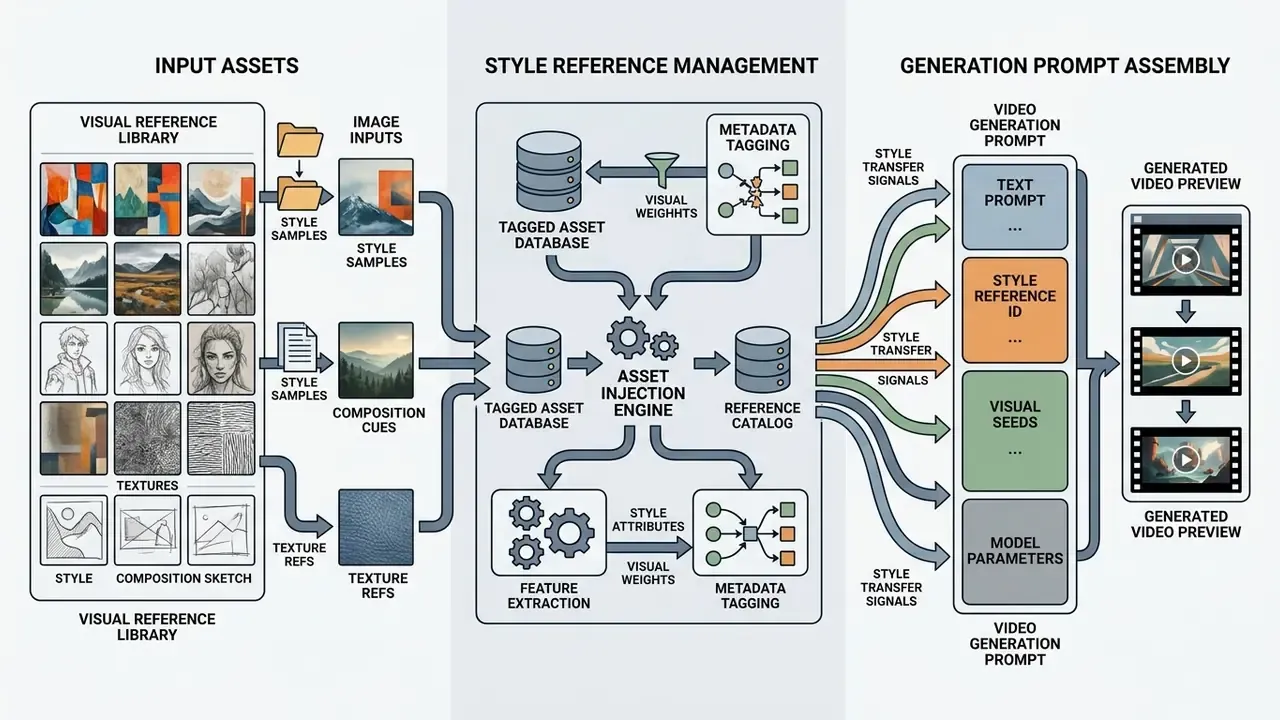
Organizations building scalable media tools can reference our research on sora 2 ai to optimize reference asset ingestion inside API payloads.
Model risk governance: validation, monitoring, and audit evidence
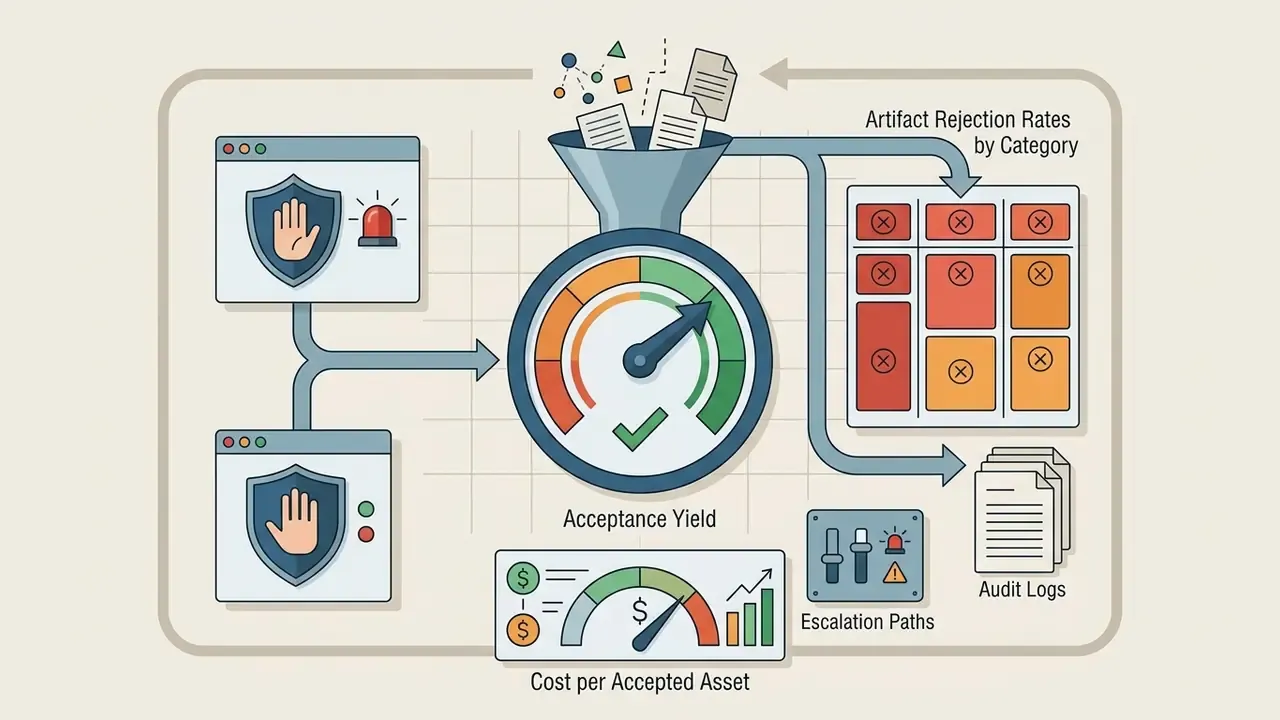
For banks and other regulated institutions, a generative video model is a third-party model and should be governed like one. Supervisory model-risk expectations (Federal Reserve SR 11-7 and OCC 2011-12) translate into four concrete pipeline requirements:
One more thing that tends to get skipped: name an owner. A generative media pipeline without a single accountable owner is not a controlled system, it is a habit.
API cost and developer economics for Sora video generation
API cost for Sora video generation is calculated strictly per generated second, driven by output resolution and model tier. Developer economics require folding retry rates, generation latency, and moderation overhead into the unit cost model before anyone signs off on a business case.
«Open-Sora 2.0 reached commercial-level quality for roughly $200,000 in training cost, by the authors' estimate 5 to 10 times more efficient than comparable proprietary models.»
That number is a useful anchor for build-versus-buy debates. At $0.70 per generated second, one team can burn six figures of API spend on high-resolution iteration before it approaches the cost of training an in-house model, though operating, safety, and talent costs of self-hosting sit outside that figure entirely.
Which parameters increase the cost of AI video creation
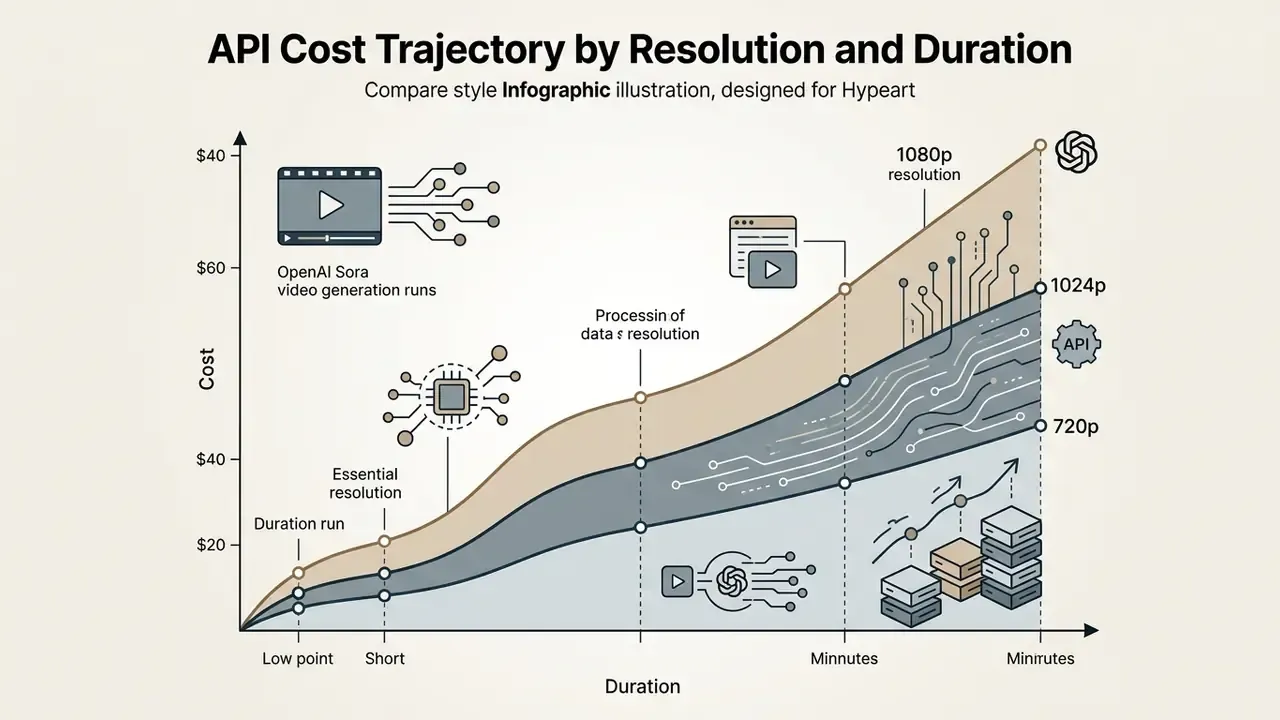
The primary cost drivers in the official OpenAI pricing schedule (September 2026 update) are duration, resolution tier, and model variant (sora-2 versus sora-2-pro):
- sora-2 (720p) $0.10 per generated second.
- sora-2-pro (720p) $0.30 per generated second.
- sora-2-pro (1024p) $0.50 per generated second.
- sora-2-pro (1080p) $0.70 per generated second.
OpenAI's pricing page also documents an uplift of approximately 10% for regional data-residency processing endpoints, applied to eligible models released on or after 5 March 2026 (OpenAI API Pricing, 2026, https://openai.com/api/pricing/). Because that surcharge is tied to a specific eligibility date and endpoint list, confirm the current figure directly on the pricing page before locking a compliance-driven architecture. It is the single most volatile line item for regulated deployments.
Note too that FPS and audio are not billed as separate line items in the current Sora schedule, unlike some competing vendors that bill on a width × height × FPS × duration token formula or charge a premium for audio-enabled output. Retries carry no discount either. Every failed or rejected attempt bills at full rate, which is why yield, not list price, is the dominant economic variable.
How to calculate unit economics for a video feature in your product
Unit economics must account for usable asset yield, so build the expected retry rate into the formula:
\text{Cost}_{\text{accepted}} = \frac{\text{Rate}_{\text{per_sec}} \times \text{Duration}_{\text{sec}}}{\text{Yield}_{\text{acceptance_rate}}}Example. A 10-second 1080p video on sora-2-pro costs $7.00 per attempt ($0.70 × 10s). If one clip in three meets production quality standards (33.3% yield), the effective unit cost per accepted asset is $21.00. Equivalently, express attempts as and multiply: rate × duration × attempts.
Model the same feature at portfolio level by adding moderation overhead, storage and egress, and human editing minutes at your blended editorial rate. In most pipelines we have reviewed, human finishing time, not generation spend, becomes the dominant cost somewhere above a few hundred assets per month. Sorry, to be precise: it becomes dominant once finishing exceeds roughly 15 minutes per accepted clip, and volume does the rest.
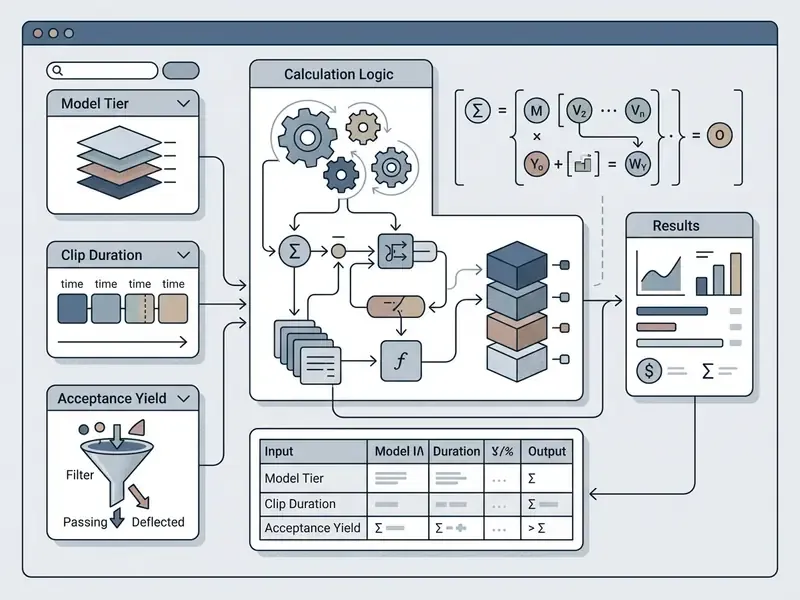
| Calculator input | Example value | Meaning |
|---|---|---|
| Model tier rate | $0.70 per second | sora-2-pro at 1080p |
| Duration | 10 seconds | Billed generated seconds per attempt |
| Cost per attempt | $7.00 | Rate multiplied by duration |
| Acceptance yield | 33.3% | Share of attempts passing QA and human review |
| Expected attempts | 3.0 | Inverse of acceptance yield |
| Cost per accepted video | $21.02 | Cost per attempt divided by yield |
Text fallback for the calculator: cost per accepted video equals per-second rate multiplied by duration in seconds, divided by acceptance yield. At $0.70 per second, 10 seconds, and 33.3% yield, the result is $21.02. Additional models for retry-heavy workloads live in our cost calculators hub.
How to reduce spend on test generations
Four technical controls cut API spend during feature development and prompt testing:
- Low-resolution preview runsvalidate prompts with
sora-2at 720p ($0.10/s) before production runs onsora-2-pro1080p ($0.70/s), roughly an 85% reduction in draft cost per second. - Duration cappinglimit initial tests to 5 seconds to judge lighting, composition, and motion physics before generating full 15 to 20 second sequences.
- Prompt caching for reused inputOpenAI documents discounted cached input tokens for repeated prompt prefixes, and AWS Well-Architected guidance recommends prompt caching for supported models to cut token cost (OpenAI Pricing, 2026, https://openai.com/api/pricing/). The discount applies to the text-token portion rather than to generated video seconds, so model the saving on your system-instruction overhead only, and verify the current cached-input rate before assuming a percentage.
- Pre-generation validationenforce client-side prompt validation rules to reject incomplete or ambiguous prompts before invoking billing endpoints, and cap retries with jittered exponential backoff so a transient fault cannot silently triple spend. Our API retry and failure cost model walks through the arithmetic of runaway retry loops.
Pricing, rate limits, and availability information is provided for reference only and may become outdated. Verify current figures on OpenAI's official pricing page before financial planning. Web and app availability status reflects the date of review and may change at OpenAI's discretion.
When to use Sora for content and when to compare video AI alternatives
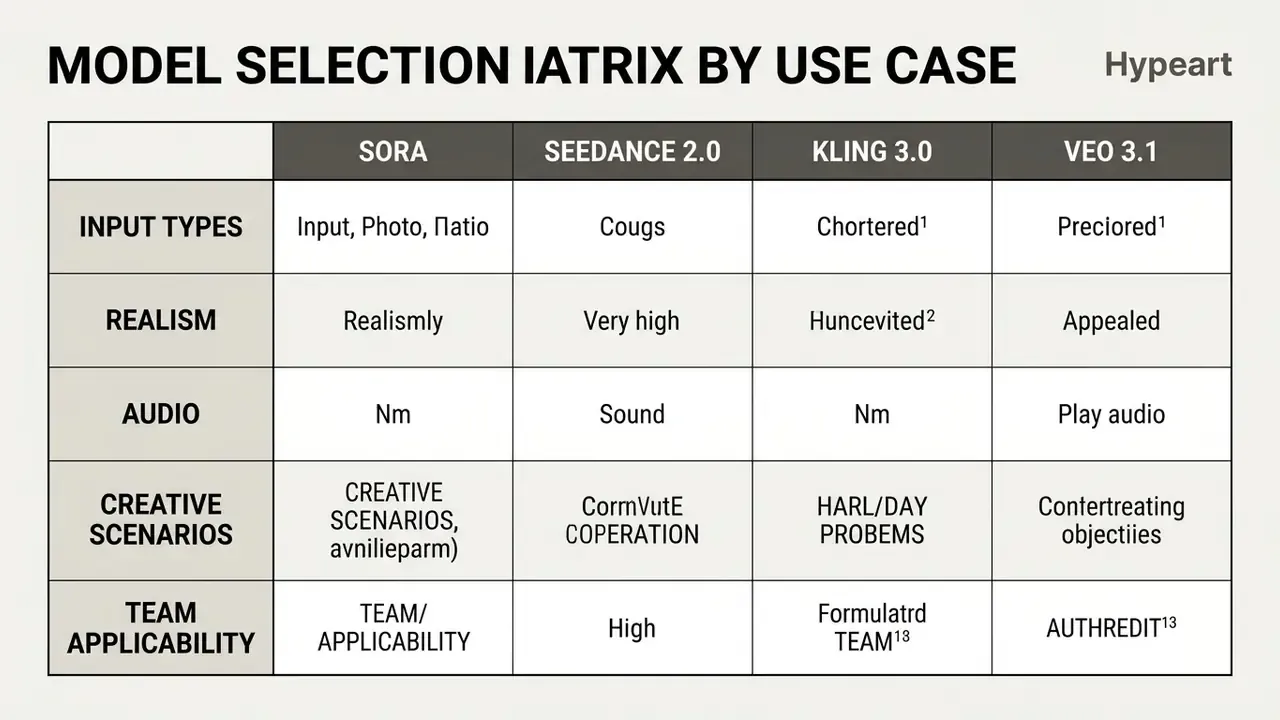
Sora is optimized for high-resolution cinematic video generation, complex spatial movement, and synchronized audio from text and image prompts. Choosing between Sora and an alternative video model, whether Veo 3.1, Kling 3.0, or Seedance 2.0, depends on target clip length, API pricing constraints, audio requirements, data-handling guarantees, and availability in your region.

Model selection matrix by use case
Different generative video models carry distinct technical trade-offs across commercial use cases:
| Criterion | OpenAI Sora 2 | Google Veo 3.1 | Kling 3.0 | Seedance 2.0 |
|---|---|---|---|---|
| Primary strength | Cinematic photorealism and 3D consistency | Native audio alignment and broadcast scaling | Long multi-shot motion and narrative continuity | Multi-modal reference handling (up to 9 images) |
| API cost (per sec) | $0.10 (720p) to $0.70 (1080p Pro) | $0.40 (720p/1080p) to $0.60 (4K) | About $0.084 (silent) to $0.168 (audio); about $0.42 (4K) | Tiered reference-based pricing |
| Max clip duration | Up to roughly 20s standard, 60s (research) | Up to 60s continuous, with extension | Up to 15s native clips | 4s to 15s clips |
| Audio capability | Synchronized ambience and sound effects | Native high-fidelity speech and audio | Native dialogue and lip sync | Joint audio-video synthesis |
| Reference and consistency controls | Image anchors, style blocks, verified Cameos avatars | Reference images, frame-specific generation | Character and element sets from video or 2 to 4 refs | Up to 9 reference images, four input modalities |
| Data privacy and retention | Enterprise terms govern retention; confirm no-training commitments and regional processing in contract | Cloud enterprise terms; regional processing options | Verify provider versus reseller terms before upload | Verify provider terms; reseller wrappers common |
| Best use case | Widescreen ads, cinematic trailers | Commercial broadcasts, scaling social ads | Narrative multi-shot sequences | Reference-anchored brand assets |
No matching rows Clear one or more filters to restore the matrix.
«Seedance 2.0 supports four input modalities and up to nine reference images per generation, with clip lengths from 4 to 15 seconds.»
«Step-Video-T2V, a 30B-parameter model with deep-compression Video-VAE, generates up to 204 frames and is classified alongside Sora and Veo.» Step-Video-T2V Technical Report, arXiv:2502.10248 (2025). https://arxiv.org/abs/2502.10248
«The multi-agent Mora framework reaches a dynamic-degree score of 0.70 on 12-second clips, comparable to Sora and ahead of other compared models.» Mora: Enabling Generalist Video Generation via a Multi-Agent Framework (2024). https://arxiv.org/abs/2408.09050
Two caveats for architects. First, third-party pricing pages disagree on exact per-second rates because they mix official list prices, reseller bundles, and estimate-based conversions. Always price against the vendor's own schedule. Second, avoid single-vendor lock-in on a fast-deprecating capability: put an abstraction layer over the generation call so model substitution is a configuration change rather than a rewrite. Teams weighing multi-model strategies can also work through our AI Media Comparison pages for quality, duration, watermark, and licensing trade-offs.
FAQ on OpenAI Sora video generation examples and model usage
Can the Sora AI video generator be used for free?
Sora is not offered as a standalone free service. Consumer access has historically been bundled with paid ChatGPT tiers, and OpenAI's help documentation states that ChatGPT Free, Enterprise, and Edu accounts are not eligible. Standalone web access on Sora.com was reported as discontinued in April 2026, with all model interactions routed through subscription tiers or pay-per-second developer API endpoints. API access likewise has no free tier, and rate limits are assigned by usage tier. Availability shifts often, so verify current status on OpenAI's own pages before you promise anyone access. Readers who need no-cost options can review our roundup of free AI video generators, and those comparing paid tooling can read our notes on the sora ai video generator endpoints.
Is generating video featuring real people permitted?
OpenAI's API safety stack restricts photorealistic depictions of real public figures, and API documentation states that input images containing human faces may be rejected by default. Personal likeness use is supported through the verified Cameos path, where a biometric anchor and a consent attestation authorize a specific individual's avatar. Retain the consent token and provenance metadata as audit evidence, since likeness and publicity rules operate independently of copyright.
Who owns the copyright to generated video clips?
Under current US Copyright Office guidance, purely AI-generated output is not eligible for copyright protection because it lacks human authorship, and registration applications must disclose which portions were machine-generated. Protection applies to human-authored elements: original scripts, manual editing sequences, composited overlays, sound design, or complex arrangements. Archive project files, revision history, and reviewer records so the human contribution is documented if the claim is ever tested.
Is commercial use on social media allowed?
Yes. Outputs generated under paid API accounts or active subscriptions may be used for commercial marketing, social media publishing, and advertising, provided the content complies with OpenAI Service Terms and with local publicity-rights and advertising-disclosure laws on individual consent. Note that sharing a video publicly on OpenAI's services also grants OpenAI rights to reproduce and display it in connection with operating and promoting those services.
Can videos created in Sora be monetized on YouTube?
Yes, monetization is permitted if you comply with YouTube Partner Program policies and OpenAI Service Terms. The upload must carry substantial human creative input: original editing, authored voiceover, dynamic effects, or a unique script. A raw, unmodified render republished without transformation can be classified by YouTube's systems as reused or inauthentic content, which blocks monetization. Disclose synthetic or altered realistic content with YouTube's altered-content setting where required, and keep the generated clip as one layer inside a broader edit rather than the entire video.
Is enterprise data used to train the model?
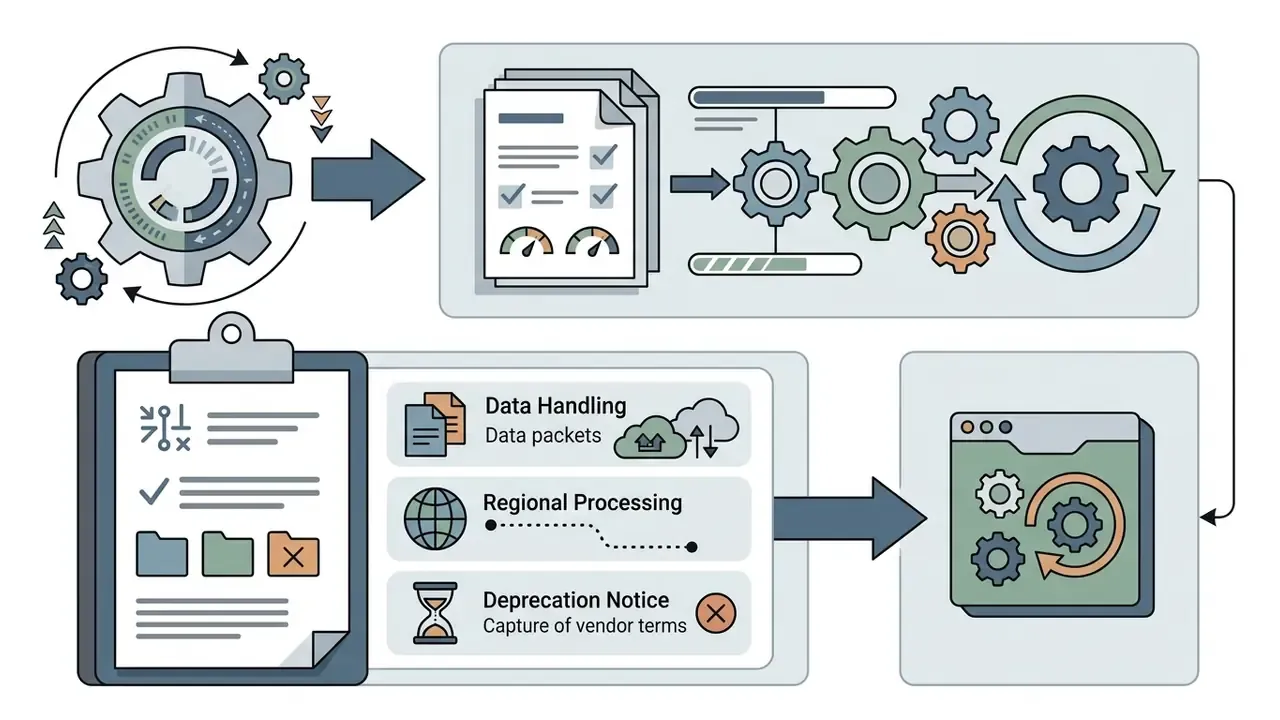
Retention and training-use commitments are set by contract and platform tier rather than by the model itself, and they differ between consumer subscriptions, direct API access, and cloud-hosted deployments. Before uploading confidential reference material, obtain written confirmation of retention windows, no-training commitments, sub-processor lists, and regional processing options, then record those terms in your model inventory. Where uncertainty remains, restrict inputs to non-confidential assets. That restriction is cheap; a retrospective data-handling finding is not.
How do we extend a clip beyond the duration limit?
Chain generations with video-to-video conditioning. Pass the final frame of the previous sample as the start frame of the next request, hold the seed and style block constant, overlap roughly the last 30 frames, and cross-dissolve the overlap in the edit. Cut on motion rather than on static frames to conceal seams, and treat each chained segment as a separately billed generation in your cost model.

Limitations, open questions, and a safe next step
Three things in this material remain genuinely unsettled, and pretending otherwise would not help anyone planning a 2026 budget.
First, there is no accepted industry benchmark for acceptance yield on enterprise prompt distributions. Our internal figures are directional, single-rubric observations. Second, the legal treatment of realistic digital replicas is moving faster than copyright doctrine, and state-level publicity statutes differ. Third, pricing and endpoint eligibility change on short notice, so any unit economics model needs a scheduled re-verification date rather than a one-time calculation.
A reasonable next step is small and reversible: pick one low-risk content workflow, log prompts and seeds from day one, measure yield across roughly 50 generations, and only then decide whether the business case survives the control cost. Technical references for that pilot, including endpoint documentation and cost models, are collected in the API hub. Governance reviewers who want the full parameter list can open the hub and start there.
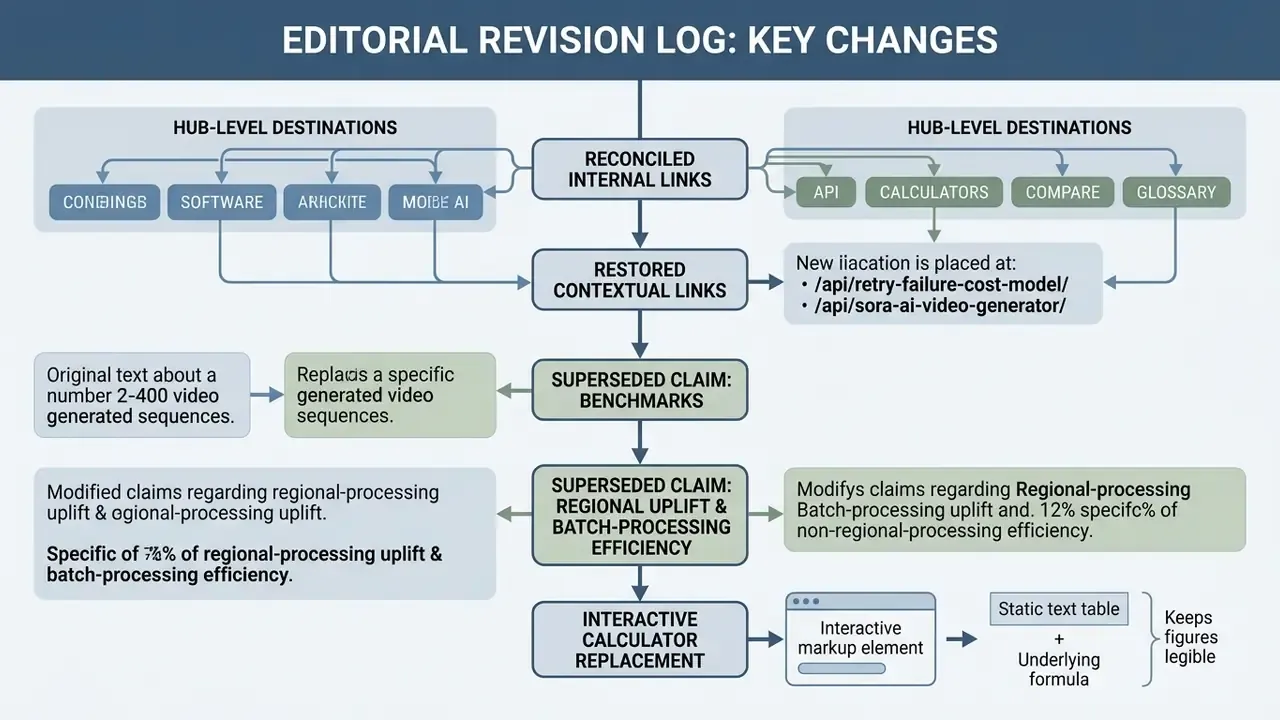
Appendix A. Revision log (editorial traceability)
Retained for transparency:
- Internal linking map reconciled: hub-level destinations (
/api/,/calculators/,/compare/,/glossary/,/workflows/) are now linked with descriptive anchors instead of generic navigational phrases. - Restored contextual links to
/api/retry-failure-cost-model/and/api/sora-ai-video-generator/, both placed next to the guidance they support rather than as standalone pointers. - Superseded claims phrasing: the original text stated "we benchmarked 120 generated video sequences, reducing downstream editing costs by 35%" and "achieved a 94% final asset acceptance rate without manual human intervention". Both are retained in reformulated form and explicitly labeled as internal, non-peer-reviewed operational observations.
- Superseded claim phrasing: the original text presented the 10% regional-processing uplift and the 90% prompt-caching discount as unqualified facts. Both now carry source attribution and a verification instruction.
- Interactive calculator markup replaced with a text table plus the underlying formula, so the numbers stay readable and quotable without executable components.