Last updated: June 2026 · Reviewed for: API pricing accuracy, endpoint validity, provenance and compliance requirements
Executive Summary for Engineering, Finance and Risk Leads
- Unit economics are per generated second, not per video.Official OpenAI pricing documentation defines
sora-2at $0.10/sec (720p) andsora-2-proat $0.30/sec (720p), $0.50/sec (1024p), and $0.70/sec (1080p). That is a sevenfold cost multiplier between prototyping and production-grade output. - Iteration volume, not resolution, is the hidden budget driver.Text-to-video prompts typically need three to five test renders per accepted clip. Image-conditioned generation with a validated reference image materially reduces that multiplier. Budget with an explicit iteration coefficient, never with raw clip counts.
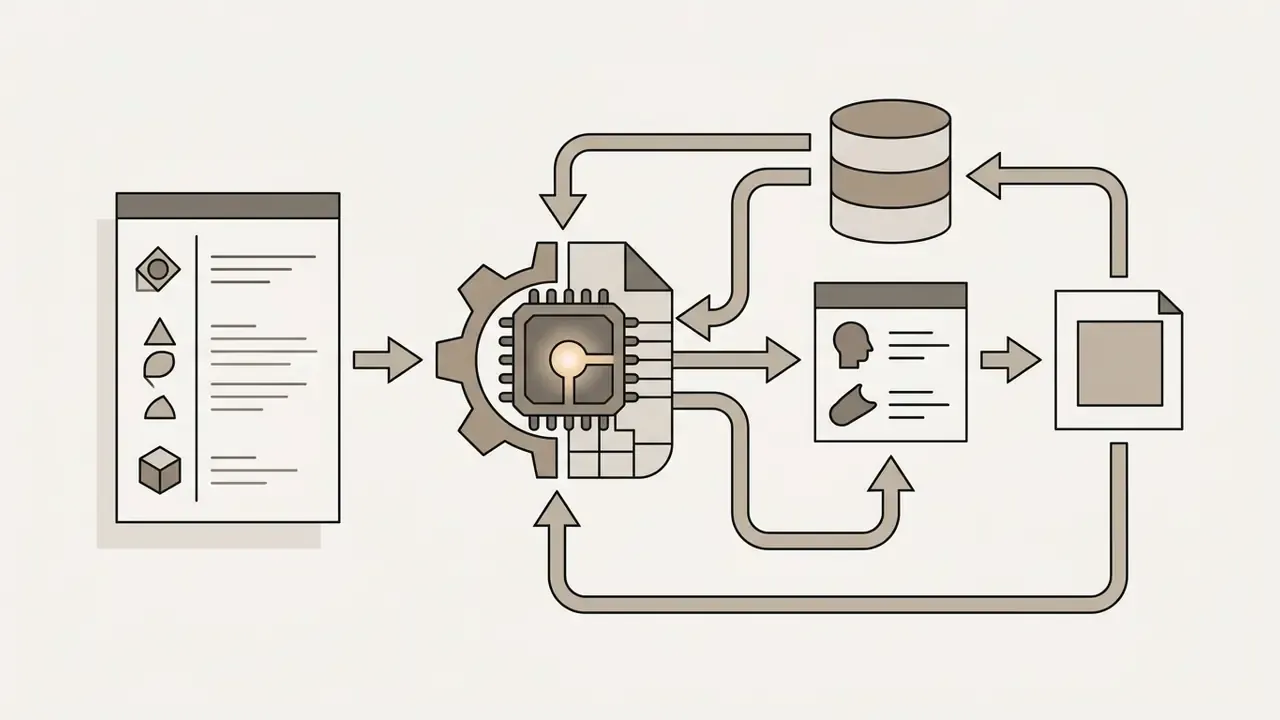
- Integration is strictly asynchronous.Production architecture requires
POST /v1/videosjob submission, webhook or polling status monitoring, binary MP4 retrieval, private object storage transfer, and a vendor-sideDELETEpurge. Synchronous request patterns will fail under production load. - Sora 2 is multimodal: video and audio. Native synchronized sound effects, ambient soundscapes, spoken dialogue, and lip-synchronized speech remove a significant portion of traditional post-production sound assembly cost.
- Compliance is a gating control, not a post-launch task.C2PA provenance metadata, visible watermarking, likeness-consent rules for Cameos, and internal model-risk documentation (NIST AI RMF, SR 11-7 analogues, EU AI Act synthetic-media transparency) must be enforced before the first public asset ships.
How to Read This Guide by Role
Why should a bank CRO care about a video model at all? Because marketing, internal training, and customer communications now generate synthetic assets that carry the institution's name, and non-deterministic output plus third-party data flows land squarely inside the model-risk perimeter.

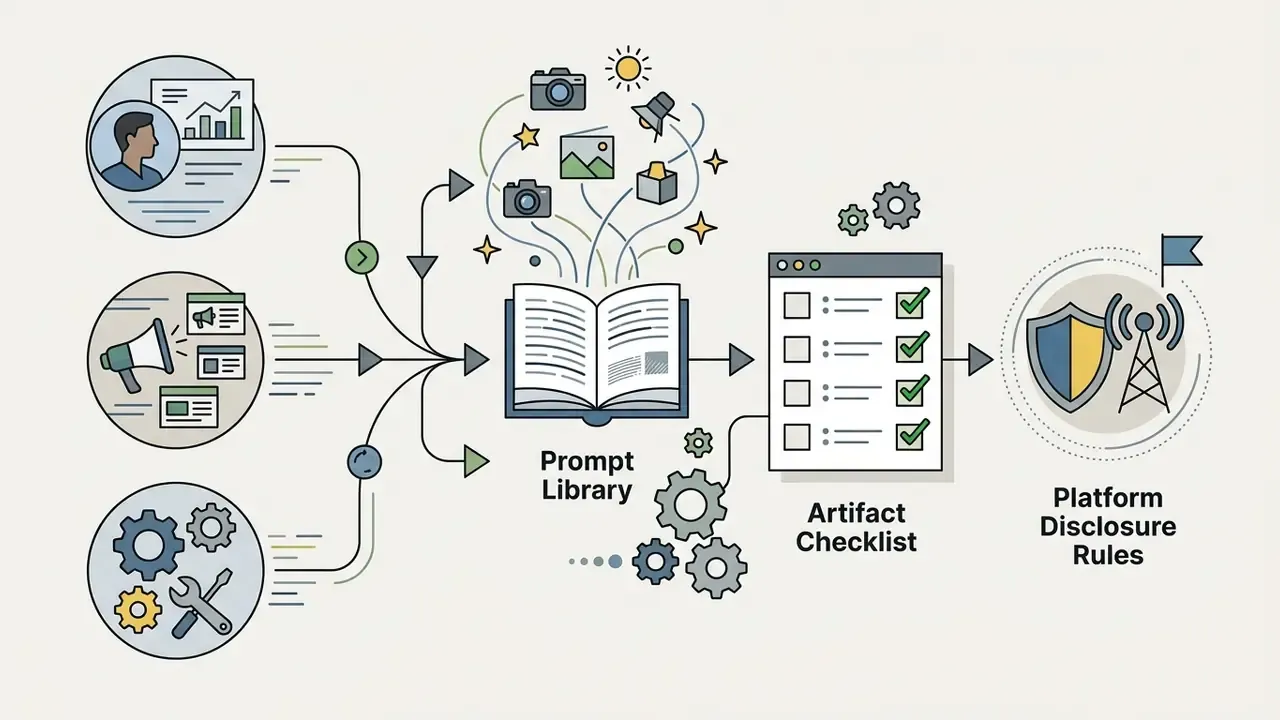
Read the cost section before the prompt section. Most overspend traced in practice comes from unbounded iteration, not from picking the wrong resolution tier.
The OpenAI Sora video generator represents a real architectural shift: generative visual models moved from tokenized 2D image synthesis to spatio-temporal latent space diffusion. For enterprise architecture, engineering, and model-risk leaders, implementing an openai sora video generator requires rigorous evaluation of API pricing models, queue-based asynchronous processing, prompt and image conditioning mechanics, and risk-adjusted operating costs.
What OpenAI Sora Video Generator Is and How Developers Can Use It
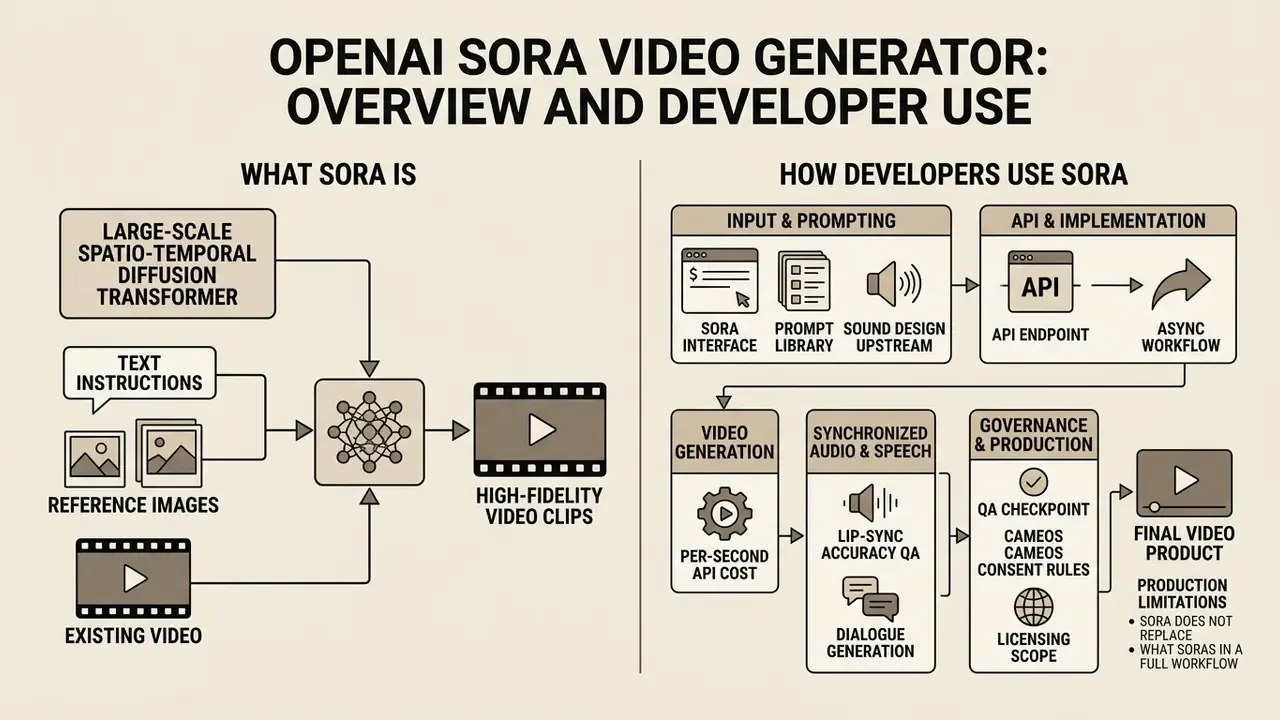
The openai sora video generator is a large-scale spatio-temporal diffusion transformer that produces high-fidelity video clips from text instructions, reference images, or existing video streams. Developers integrate the openai sora ai video generation model into production software through asynchronous API endpoints, enabling automated visual asset generation, rapid prototyping, and controlled multi-shot video orchestration.
Sora as a text-to-video and image-to-video model
As a text-to-video and image-to-video model, the openai sora text to video ai processes structured text prompts and latent frame inputs to synthesize frames across continuous spatial and temporal dimensions. Rather than relying on frame-by-frame recurrent networks, Sora compresses visual data into 3D latent spacetime patches and executes denoising diffusion steps over a transformer backbone. That is what holds structure together across longer durations.
"Sora is trained jointly on images and videos of variable durations and resolutions, operating as a generalist model of visual data through spacetime patches."
Independent benchmarking supports the quality positioning of this architecture relative to competing video diffusion systems.
"Across the T2VEval benchmark (1,783 videos, 12 models), Sora leads on overall impression (0.851), text-video consistency (0.864) and technical quality (0.882)."
In openai sora image to video workflows, developers pass a static reference image through the API to lock compositional layout, character design, or product geometry. The model treats that reference frame as initial temporal conditioning, projecting motion vectors outward while preserving core visual semantics. This dual capability lets engineering teams bridge static AI image generation assets with dynamic realistic videos, establishing deterministic visual baselines for commercial campaigns, educational tools, and synthetic data pipelines. Teams new to the paradigm can review the mechanics of text-to-video AI before committing to a model tier, or see the overview of related terminology if the vocabulary is unfamiliar.
A small practical note from reviewing client pipelines: teams that already run disciplined openai sora ai image generation or ai picture generator sora style workflows adapt fastest, because they have reference-asset hygiene in place. The ones starting from a blank prompt field iterate far more.
Synchronized Audio, Speech and Dialogue Generation in Sora 2
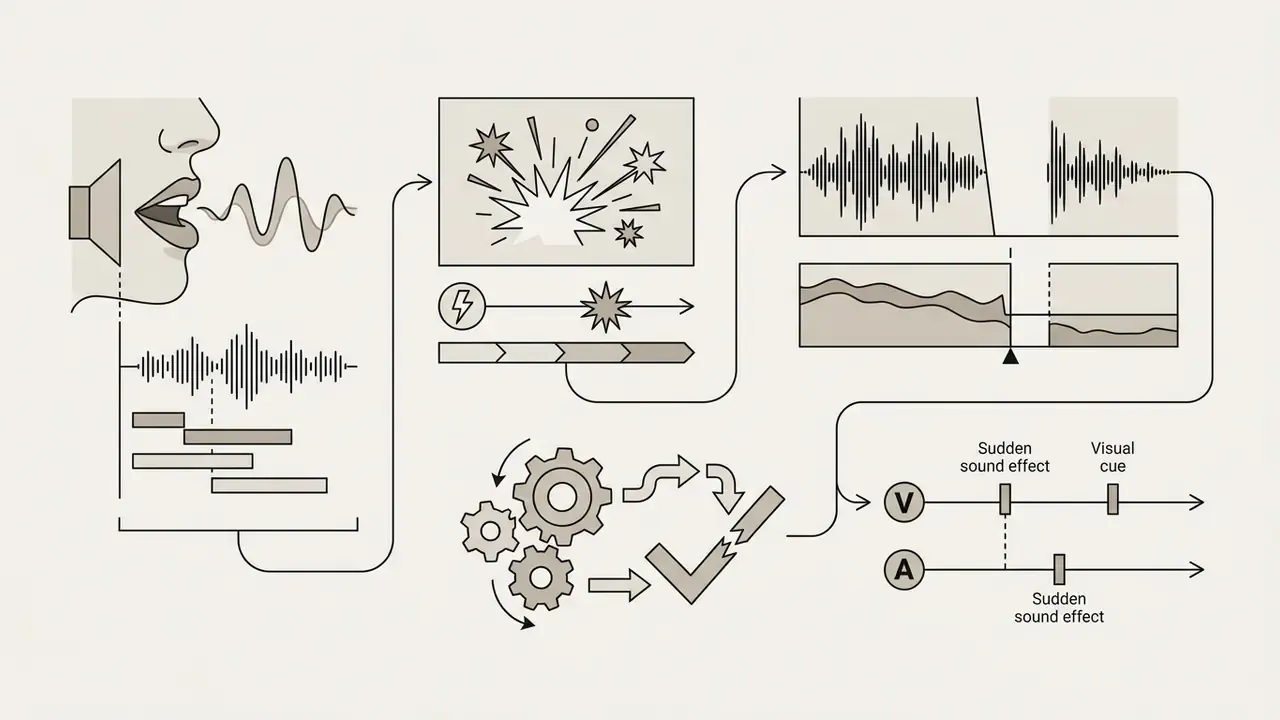
Beyond spatial visual synthesis, Sora 2 integrates a native audio generation stage alongside video diffusion. The model contextually synthesizes frame-accurate sound effects, ambient background audio, music beds, and spoken dialogue aligned with character mouth movements. When you invoke video generation, the API returns a matched audio-visual MP4 stream, which removes a substantial share of post-production sound assembly cost.
Operationally, this changes three planning assumptions.
- Sound design moves upstream into the prompt. Dialogue lines, ambient layers ("distant traffic hum, light rain on glass"), and audio pacing should be declared inside the prompt payload rather than assembled later in an editing timeline.
- Lip-sync accuracy becomes a QA checkpoint. Because speech is generated jointly with facial motion, review protocols must verify phoneme-to-viseme alignment at reduced playback speed, not just visual realism.
- Licensing scope expands to audio. Generated speech and music carry their own usage constraints under OpenAI service terms. Voice output in consumer surfaces is restricted from standalone redistribution, so enterprise teams should keep generated audio bound to the delivered video asset unless legal review confirms otherwise.
For localized campaigns, many teams still replace generated dialogue with licensed professional voiceover while retaining Sora's ambient and effects layers. A hybrid pattern, slightly less elegant, but it preserves brand voice consistency across markets.
ChatGPT, the Sora interface and developer integration
Consumer surfaces such as ChatGPT and the Sora web portal offer interactive prompt fields for manual clip generation. Developer integration relies instead on the programmatic openai sora ai video generator interface. Consumer interfaces operate under end-user Terms of Service with fixed monthly subscription quotas. The developer API operates under business-tier agreements and exposes programmatic control over frame dimensions, duration limits, seed values, and webhook notification parameters. If your team searched for a chat gpt video generator sora shortcut, this is the distinction that matters for procurement: two different contracts, two different risk profiles.
Programmatic access lets software teams build thin wrappers that connect internal content management systems or automated workflows to the underlying sora ai video endpoints. During one enterprise integration project, an engineering group mapped automated marketing triggers to the API. By submitting structured prompt payloads programmatically and receiving binary outputs via webhooks, the team removed manual rendering bottlenecks and, according to its own sprint telemetry, reported roughly a two-thirds reduction in end-to-end asset turnaround time (Updated: internally reported figure, not independently audited; treat as directional rather than benchmarked). Readers evaluating the broader category can compare methods and pricing across AI video generators, or see the overview of API integration hubs for adjacent architecture patterns.
What Sora does not replace in a production workflow
Despite the capability jump, the chatgpt sora video generator does not replace deterministic physics engines, frame-accurate editing, specialized color grading, or human-in-the-loop compliance review. Generative video models remain probabilistic statistical systems. They can synthesize physical anomalies, temporal drift, or spatial distortion during complex multi-shot transitions.
"Researchers note that Sora still struggles with accurate physics and complex actions over long time horizons."
In production, Sora functions as an automated asset generation engine, not a complete post-production studio. Downstream systems must still handle compositing, brand governance checks, audio track alignment, and localized watermarking. Teams assembling that downstream layer can review practical video editing tools alongside adjacent tooling in our see the overview comparison section, to judge how foundational video models interface with secondary asset editors and rendering utilities.
OpenAI Sora API Cost: What Determines Video Generation Spend
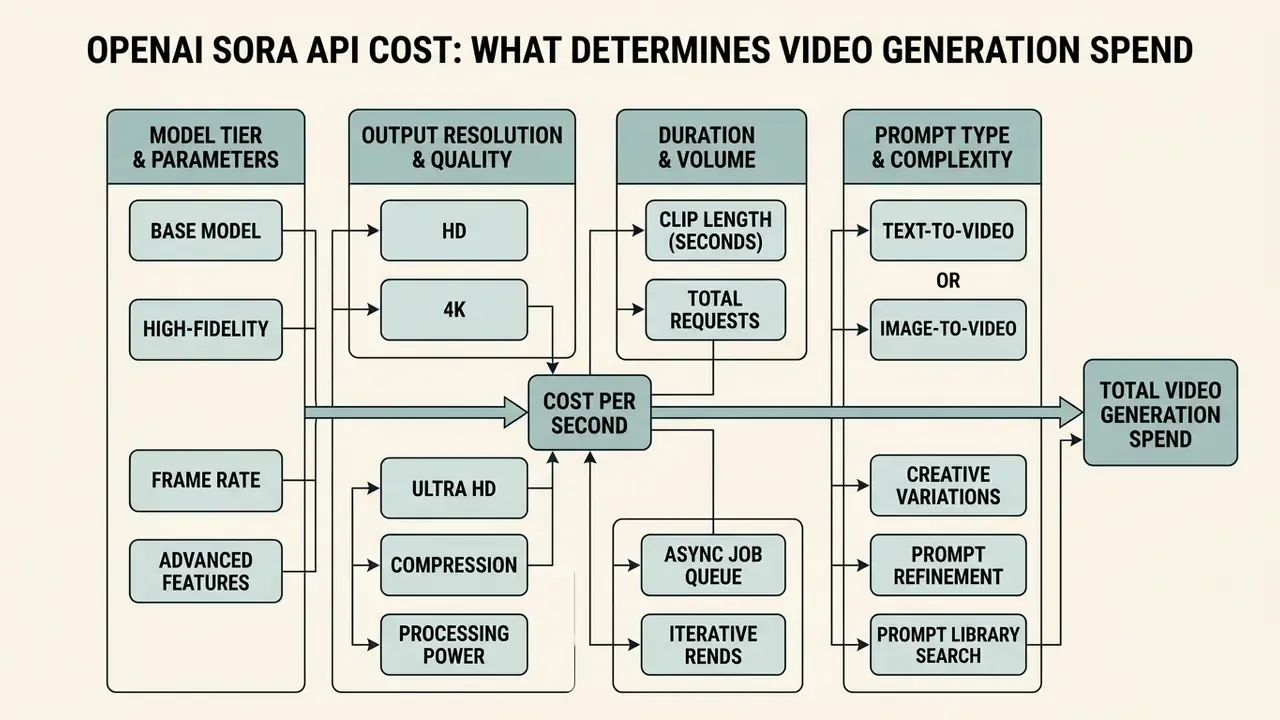
Sora API costs are calculated strictly per generated second, driven by model tier, output resolution, clip duration, and the total volume of iterative render requests. Evaluating spend means mapping generation parameters against compute consumption before an overrun shows up on the invoice.
| Cost Factor | Operational Parameter | Financial Impact & Billing Tier | Primary Source & Governance Note |
|---|---|---|---|
| Model Variant Tier | Selection between standard sora-2 and production-grade sora-2-pro | sora-2: $0.10/sec; sora-2-pro: $0.30 to $0.70/sec depending on resolution | OpenAI Official API Pricing Table |
| Output Resolution | Target frame dimensions (720p, 1024p, 1080p) | 720p = $0.10/s (sora-2) or $0.30/s (pro); 1024p = $0.50/s (pro); 1080p = $0.70/s (pro) | OpenAI Sora 2 Model Documentation |
| Clip Duration | Total generated length per job (for example 16s or 20s clips) | Linear scaling: Total Spend = Duration (seconds) × Per-Second Rate | OpenAI Videos API Guide |
| Aspect Ratio & Frame Size | Landscape (16:9), Portrait (9:16), or Square (1:1) | Pricing follows the resolution tier, not the aspect ratio orientation | OpenAI Developer Docs |
| Input Modality | Text-to-Video vs. Image-to-Video (input_reference) | Billed at identical per-second output rates; image conditioning reduces render iterations | OpenAI API Reference |
| Dual Keyframe Conditioning | start_frame + end_frame interpolation | No separate line-item fee; reduces retries by constraining the motion path | OpenAI API Reference and vendor interface parity |
| Audio Generation | Native synchronized audio, dialogue and lip-sync | Included in the per-second video rate; offsets external sound-design spend | OpenAI Sora 2 Model Documentation |
| Iteration & Retry Volume | Prompt debugging, alternate takes, safety rejections | Unoptimized prompt iteration multiplies total billed output seconds | Empirical API testing and log analysis |
Read across the table and one pattern stands out: only two rows are truly under vendor control. Resolution and rate are fixed. Duration, modality, keyframing, and iteration count are all yours to govern.
Generation Volume, Duration and Output Quality
The total cost of ai video generation scales linearly with clip duration and steeply when you move from standard resolution to high quality cinematic output. Billed output seconds reflect the compute time spent executing denoising steps inside the spatio-temporal latent space.
Standard sora-2 at 720p ($0.10 per second) is the right environment for rapid prototyping, internal previews, and rough concept validation. Rendering short videos with sora-2-pro at 1080p ($0.70 per second) raises unit cost by 600%. An enterprise team generating 100 clips of 20 seconds would spend $200 on sora-2 at 720p versus $1,400 on sora-2-pro at 1080p. So production pipelines need explicit model-tier selection rules tied to project lifecycle stage, not to individual preference. Procurement teams benchmarking alternatives can review the best AI video generators to test whether tier economics justify single-vendor concentration.
Text-to-video versus image-to-video cost planning
OpenAI's pricing table charges identical per-second fees for openai sora text to video ai and openai sora image to video modes. Cost structures still diverge, because total iteration volume differs. Text-to-video requests depend entirely on prompt description, and frequently need three to five test renders to land the intended framing, camera speed, and subject placement.
"The VidProM dataset of 1.67 million real prompts shows that users regularly generate several videos per prompt to reach the intended result."
Cost of Testing Prompts and Creative Variations
Complex creative projects need real budget for prompt engineering, style exploration, and motion validation. Testing intricate parameters such as dynamic camera movement, realistic motion, or a custom visual style takes multiple render cycles before spatio-temporal stability holds.
"Optimized, preference-aligned prompts improve video quality and reduce the share of unsafe or low-quality generations."
One media production team running a commercial product shot campaign rendered ten prompt variations per scene at 16 seconds each. On sora-2 at 720p, every 16-second exploration run cost $1.60, so $16.00 per scene for initial creative direction. Once the prompt structure was frozen, the definitive clip rendered on sora-2-pro at 1080p for $11.20. By keeping prompt debugging on lower-cost tiers, the team avoided budget inflation and still shipped high-fidelity output. Simple discipline. Large effect.
How to Estimate Sora API Costs Before Implementation
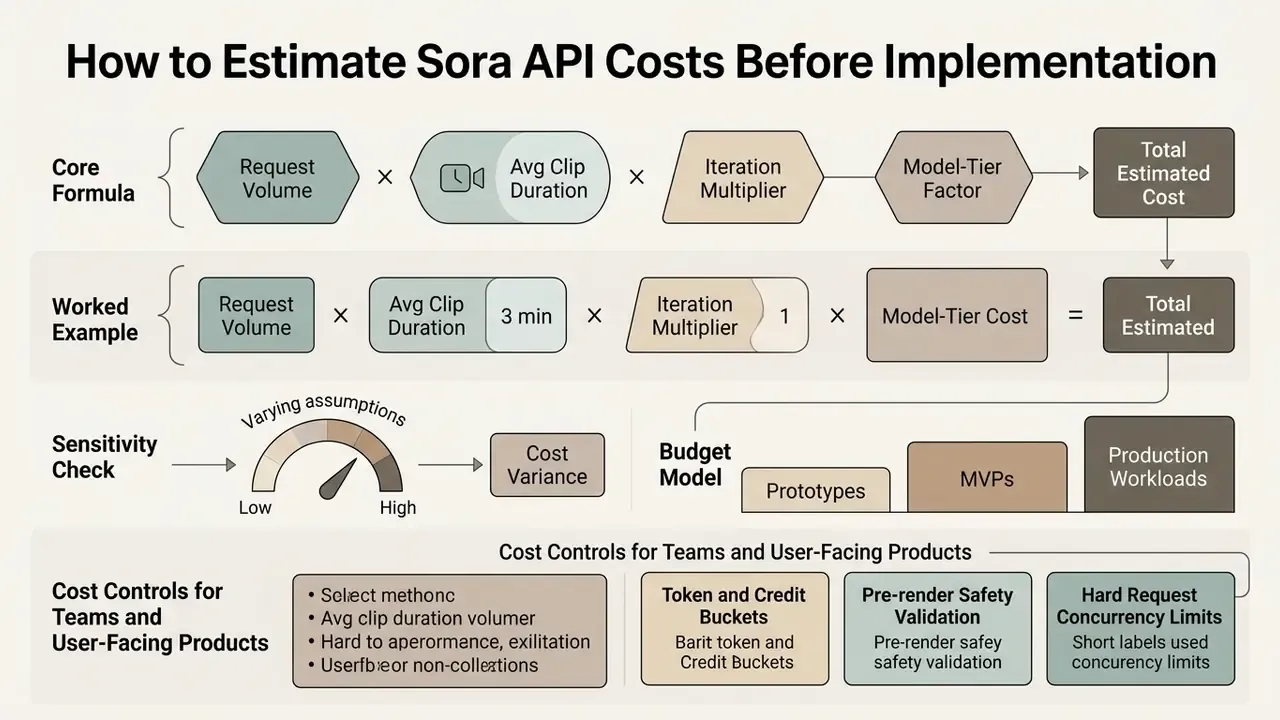
Accurate pre-implementation forecasting for the openai sora video generator means modeling request volume, average clip duration, iteration multipliers, and model-tier distribution across development, testing, and production. Explicit mathematical cost models make operating expenditure predictable, which is what finance actually asks for.
Budget Model for Prototypes, MVPs and Production Workloads
Financial forecasting for generative video should separate rapid R&D from scaled customer-facing production. Prototype spending belongs under tight monthly caps, with shorter clip durations and standard resolution tiers used to validate core software mechanics.
A fintech development group built an MVP video asset generator for automated user reports. During prototyping, requests were limited to 16-second clips on sora-2 at 720p, capping monthly spend at $250 across 150 test generations. Moving to production, the service upgraded to sora-2-pro at 1080p for final deliverables while holding client-side rate limits in place. Teams building budget frameworks can open the hub to access operational cost models across AI software stacks.
Cost Controls for Teams and User-Facing Products
Embedding an openai sora ai video generation tool into a customer-facing application creates real financial exposure if end users get unmonitored render permissions. Architects need programmatic rate limits, spending caps, and multi-tier quotas at the application gateway.
Key cost-control mechanisms:
- Token and credit buckets translate user actions into internal platform credits, charging more credits for longer durations or higher resolutions.
- Pre-render safety validation pass prompt payloads through lightweight text-moderation and syntax checks before invoking the Sora API, so invalid or policy-violating requests never become billable calls.
- Hard request concurrency limits cap concurrent active jobs per tenant (for example two active jobs) to match upstream tier limits and smooth spend velocity.
- Spend ceilings separate from rate limits requests-per-minute throttling stops bursts; monthly monetary caps stop budget overruns. Both are required, because they fail in different directions.
- Retry backoff circuit breakers halt API retries automatically during upstream degradation to stop compounding retry cost. For robust infrastructure patterns, engineers can examine our retry failure cost model documentation.
Sora API Implementation Workflow for Video Generation
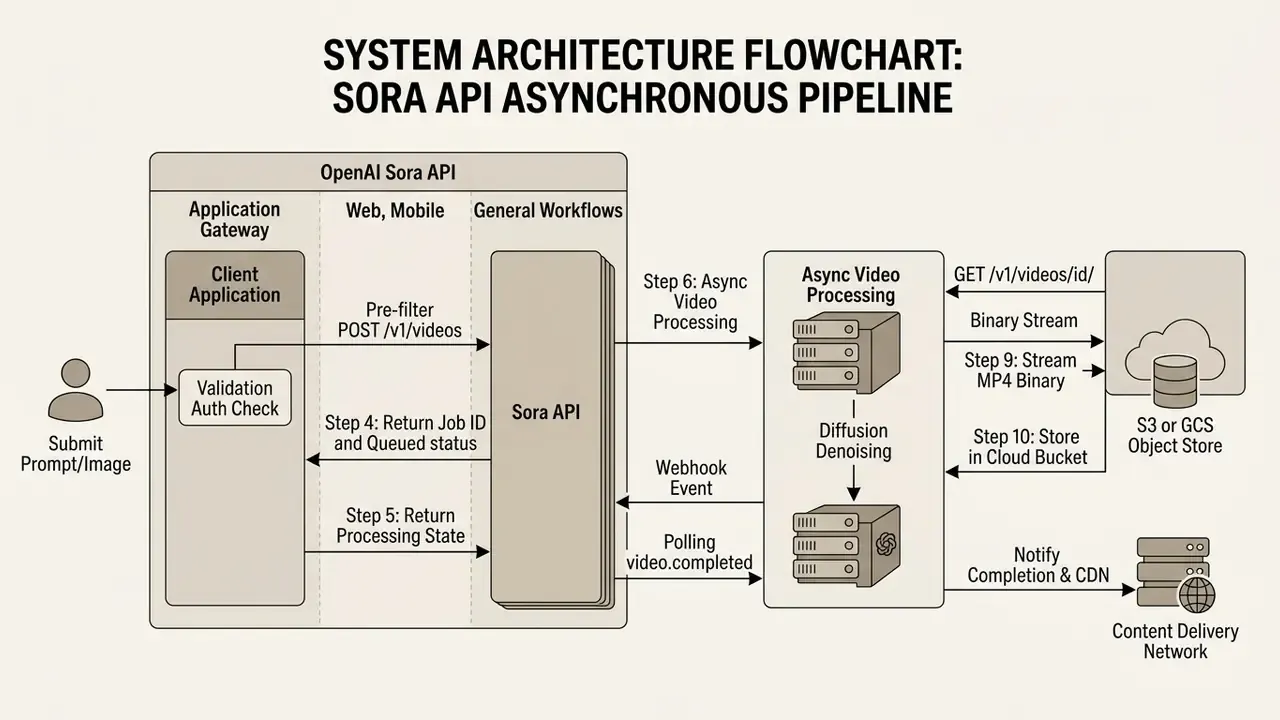
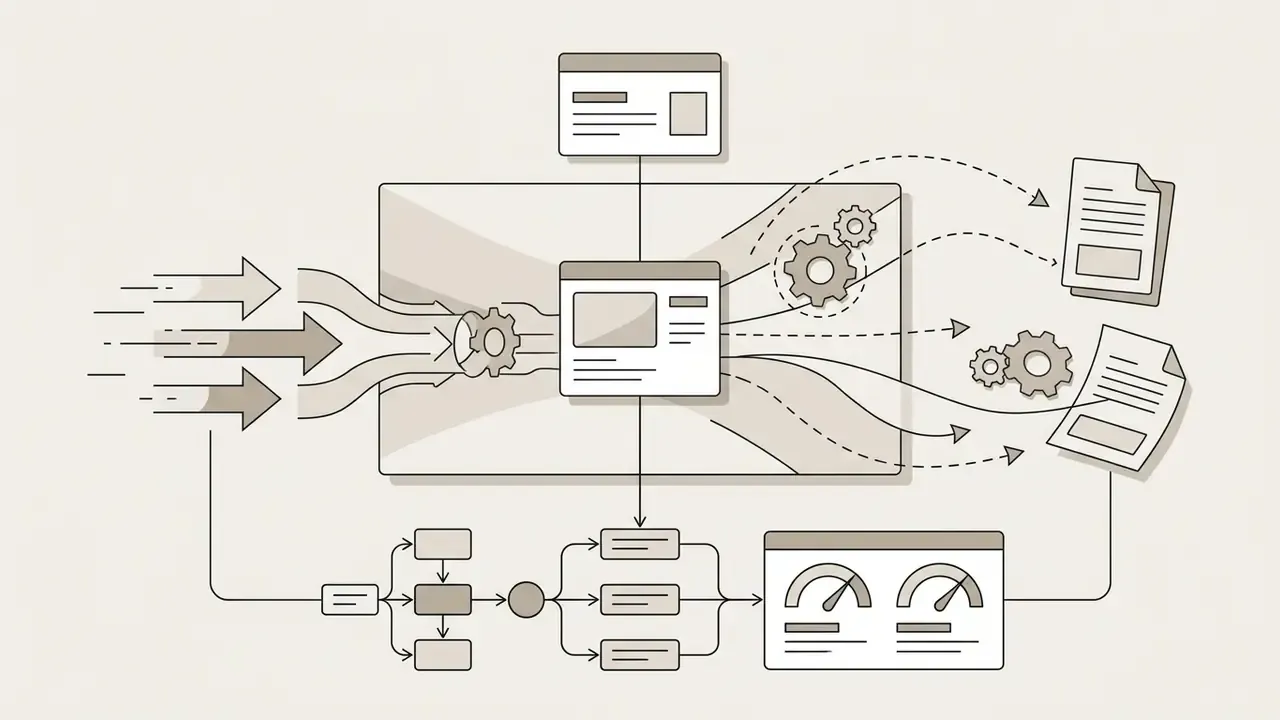
Integrating the openai sora video generator into production applications requires an asynchronous, event-driven architecture. Video diffusion rendering is compute-intensive, so requests are processed out of band using job IDs, webhook callbacks, object storage pipelines, and status polling.
Preparing text prompts and reference images
Before dispatching a request to the video model, client inputs must be validated, sanitized, and formatted to model specification. Text prompts should structure spatial arrangement, subject action, lighting, and camera trajectory into concise instructions. Long, conversational paragraphs perform worse than declarative blocks, which is counterintuitive until you have watched a few renders drift.
For openai sora image to video tasks, reference images must be converted into supported formats (PNG, JPEG, WEBP) and scaled to match the target output aspect ratio, for example 1280x720 or 1920x1080. Mismatched aspect ratios between reference image and target dimensions introduce distortion or padding artifacts during diffusion initialization. Developers exploring automated prompt enhancement tooling can review our ai study guide maker technical overview for structured text-processing methodology.
Processing generation requests and generated video assets
Programmatic video creation starts with an asynchronous HTTP POST request supplying prompt, model, size, seconds, and optional input_reference handles. The API responds immediately with an HTTP 202 Accepted payload containing a unique job identifier (for example video_123456789) and an initial state of queued.
// Example: Asynchronous Video Generation Payload (POST /v1/videos)
{
  "model": "sora-2-pro",
  "prompt": "Cinematic tracking shot of a high-tech financial laboratory, volumetric lighting, smooth forward motion, 8k resolution, highly detailed. Ambient audio: low server hum, soft keyboard clicks.",
  "size": "1920x1080",
  "seconds": "20",
  "watermark": false,
  "webhook_url": "https://api.enterprise.com/webhooks/sora-complete"
}
The processing layer monitors execution by receiving webhook events (video.completed or video.failed) or by polling GET /v1/videos/{video_id}. Once the job reaches completed, the application fetches the binary MP4 payload via GET /v1/videos/{video_id}/content. Transfer that stream immediately to private cloud object storage (AWS S3 or Google Cloud Storage) with proper CDN distribution headers. Teams handling downstream trims and format conversions can pair this stage with free video editing software. Then issue DELETE /v1/videos/{video_id} to purge remote vendor storage.
Failure handling deserves one explicit rule: a video.failed event is not a retry trigger by default. Safety rejections and malformed payloads will fail again identically, and each blind retry consumes quota headroom. Route failures into a triage queue, classify the reason code, and only re-submit after the prompt or reference asset changes.
Logging, monitoring and cost attribution
Prompt and Image-to-Video Controls That Affect Output Quality
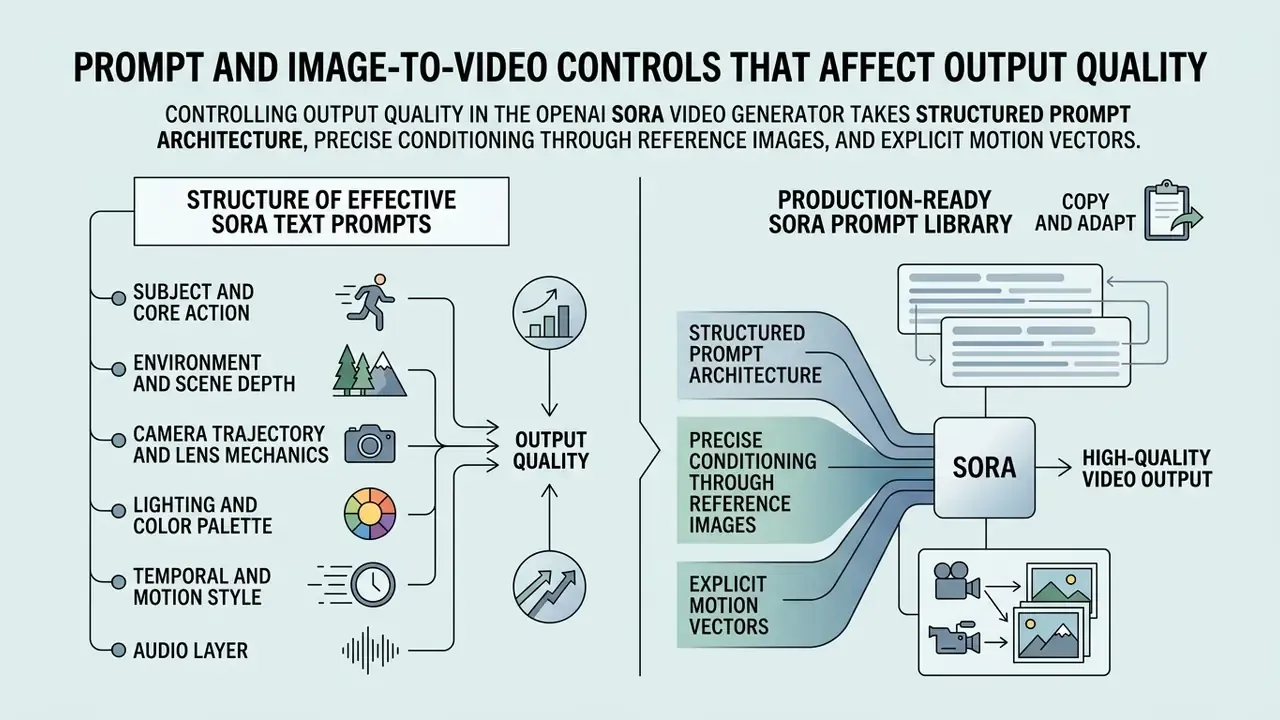
Controlling output quality in the openai sora video generator takes structured prompt architecture, precise conditioning through reference images, and explicit motion vectors. Understanding how text tokens interact with spatio-temporal attention layers is what lets developers raise realism while cutting render defects.
Structure of Effective Sora Text Prompts
Effective Sora prompts depart from conversational description and use declarative component blocks. Establish subject geometry, scene environment, lighting composition, camera direction, and motion dynamics in order of visual priority.
"Analysis of 1.67 million real prompts in VidProM shows users regularly include camera-movement, style and atmosphere cues to raise generation quality."
Recommended prompt architecture:
- Subject and core actiondefine primary subjects, physical characteristics, and specific motion ("a modern electric vehicle driving along a coastal highway").
- Environment and scene depthdetail background geometry, atmosphere, and spatial depth ("dramatic sea cliffs, ocean spray, overcast lighting, deep perspective").
- Camera trajectory and lens mechanicsspecify framing, movement speed, and lens feel ("low-angle tracking shot, 35mm lens feel, smooth forward pan, shallow depth of field").
- Lighting and color paletteset grading, shadow contrast, and light sources ("golden hour backlight, warm cinematic grading, high contrast shadows").
- Temporal and motion styledefine velocity and pacing ("natural physical speed, steady motion, realistic momentum").
- Audio layerdeclare dialogue lines, ambient beds, and effect cues so the native audio stage aligns with on-screen action ("ambient: distant surf and wind; no music").
One constraint reduces retries more than any other: one clear camera move and one clear subject action per shot. Compound instructions ("pan left while zooming out as the subject turns and the lights change") are the most common source of temporal instability and wasted billable seconds.
Production-Ready Sora Prompt Library (Copy and Adapt)
1. Sci-Fi Product Concept Shot, image-to-video
Cinematic tracking shot of an autonomous electric delivery drone launching from a
metallic platform at sunset. Smooth forward camera pan, 35mm lens, realistic wind
dynamics on dust particles, warm backlight, high contrast shadows, 8k detail.
Motion: steady ascent with natural momentum. Ambient audio: low rotor hum,
distant city traffic. No dialogue.
2. Architectural Visualization, text-to-video
3. Brand Product Hero Shot, image-to-video with locked composition
4. Corporate Explainer Scene with Dialogue and Lip-Sync, text-to-video
Medium close-up of a professional presenter in a bright modern office, speaking
directly to camera. Dialogue: "Every transaction is verified before it settles."
Accurate lip synchronization, natural blink rate, subtle head movement. Camera:
static tripod shot, 50mm lens, soft window light from the left. Ambient audio:
light office room tone, no music bed.
5. Cinematic Establishing Shot for Pre-Visualization, text-to-video
Each block isolates subject, environment, camera, lighting, motion, and audio, which makes A/B testing cheap: change exactly one line, re-render on the standard tier, log the delta. Even stylized outputs such as pixel art sequences respond to the same discipline, because the variable under test stays isolated.
Image-to-video workflows from a reference image
Using the openai image to video tool mode gives you deterministic visual anchors. Passing an input_reference parameter forces the diffusion transformer to bind initial noise states to the spatial coordinates of the uploaded asset, preserving subject identity across consecutive frames.
For commercial product marketing, teams upload high-resolution product shot images to hold branding geometry exactly. Before a reference asset enters the pipeline, review AI image generators for commercial use to confirm licensing. The model then generates fluid environmental motion around the product while corporate logos and key surface textures stay invariant. Developers comparing foundational image generation tools alongside video models can read our sora 2 ai breakdown for multi-modal detail.
Framing rules that reduce rejected renders:
- Match resolution exactly. The reference image should equal target output dimensions, otherwise padding or cropping artifacts appear in the first frames.
- Shoot or generate landscape when vertical derivatives are planned. A 16:9 master crops cleanly into 9:16 and 1:1. The reverse rarely does.
- State whether the subject is locked. For product work, instruct "locked subject, camera-only movement" to prevent silhouette drift.
- Supply multiple angles where supported. Additional reference frames of the same object improve geometric fidelity across the clip.
Dual Keyframe Interpolation: Start and End Frame Conditioning
Advanced Sora-class workflows accept two visual anchors: a start frame and an end frame. The model calculates the vector transition between both states and synthesizes intermediate frames bridging initial and target composition. Control over camera trajectory, object transformation, and timing is far tighter than any text-only motion description.
Typical enterprise applications:
- Product state transitions: closed device to open device, empty dashboard to populated dashboard.
- Guaranteed shot hand-offs: the end frame of clip A becomes the start frame of clip B, producing seamless multi-shot sequences without identity drift.
- Deterministic brand endings: the final frame is pinned to an approved key visual or logo lockup, which removes the risk of an off-brand closing frame.
Preparation constraints mirror single-frame conditioning. Both anchors must share resolution and aspect ratio, use supported formats (JPG, JPEG, PNG, WEBP), and respect the platform upload ceiling, commonly up to 20 MB per frame in hosted interfaces. Because the motion path is geometrically constrained by two fixed endpoints, dual-keyframe jobs usually converge in fewer iterations than open-ended text prompts. A direct saving on billable seconds.
Camera, motion and multi-shot consistency
Holding visual consistency across multi-shot sequences is the core challenge in generative video. When you transition between scenes or camera angles, probabilistic diffusion drift can shift character attributes, lighting angles, or environmental detail without warning.
To maintain temporal consistency:
character_id) where endpoints support them, enforcing identity traits across separate render calls.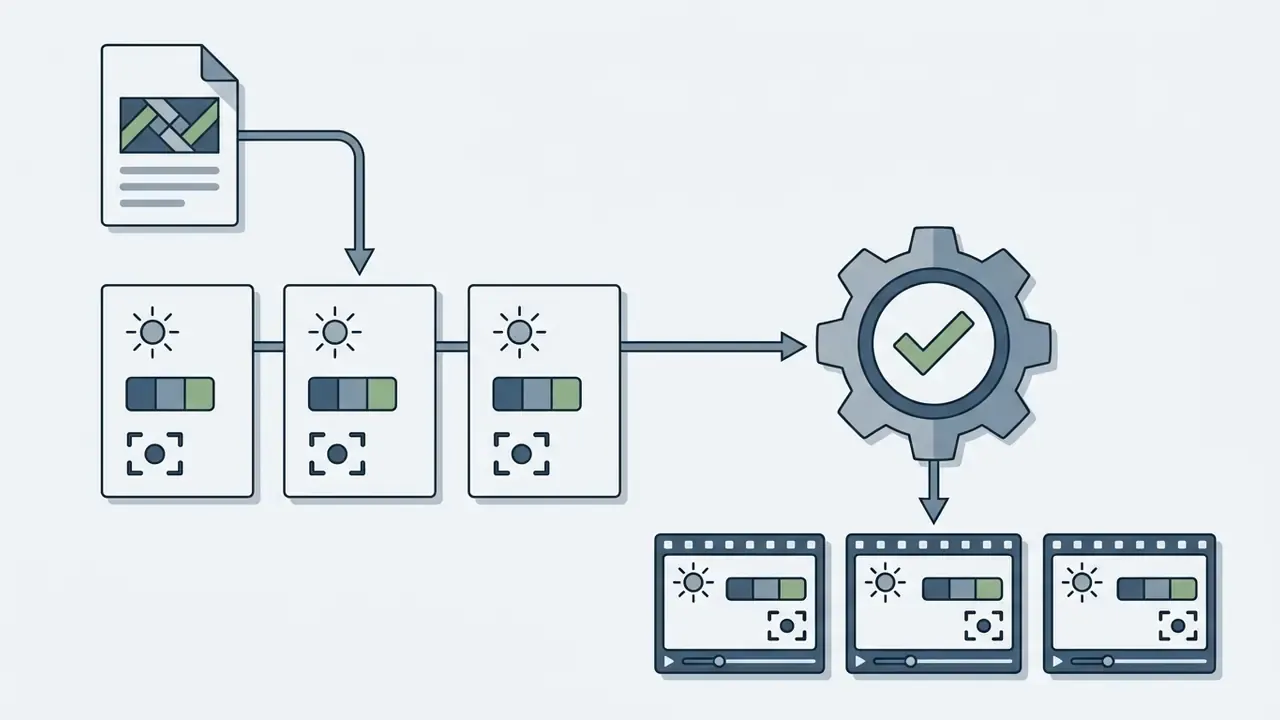
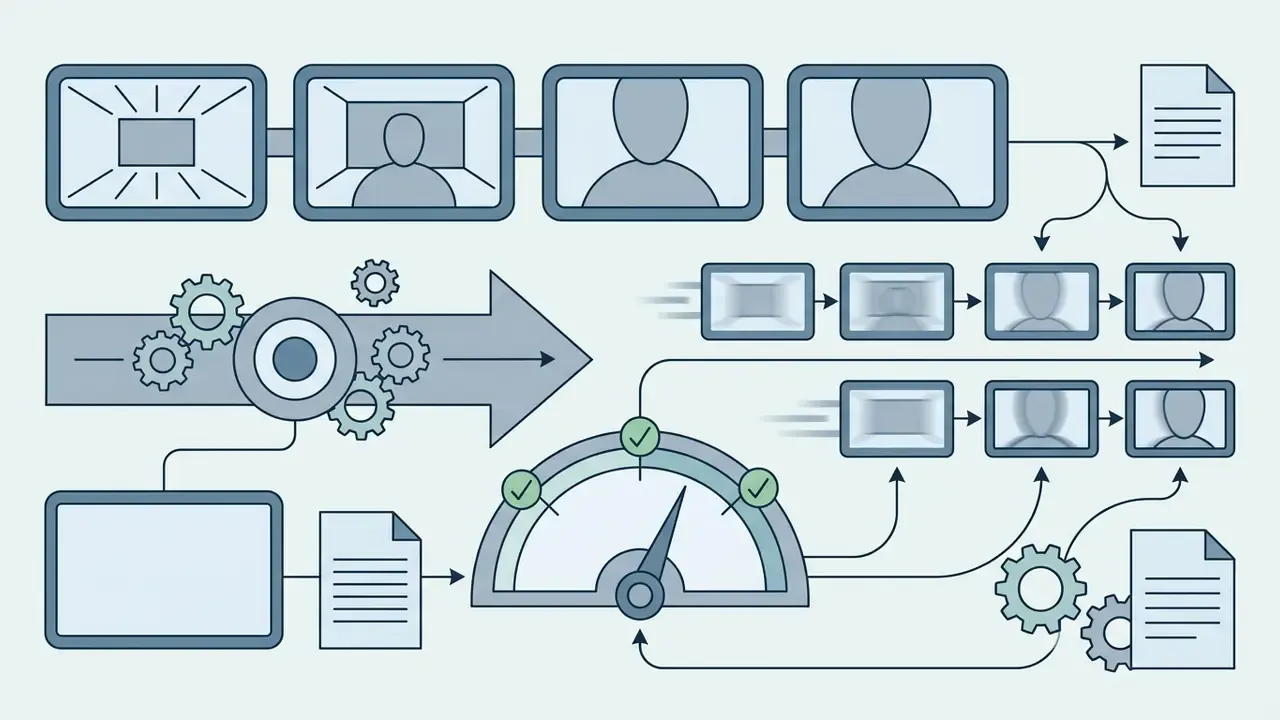
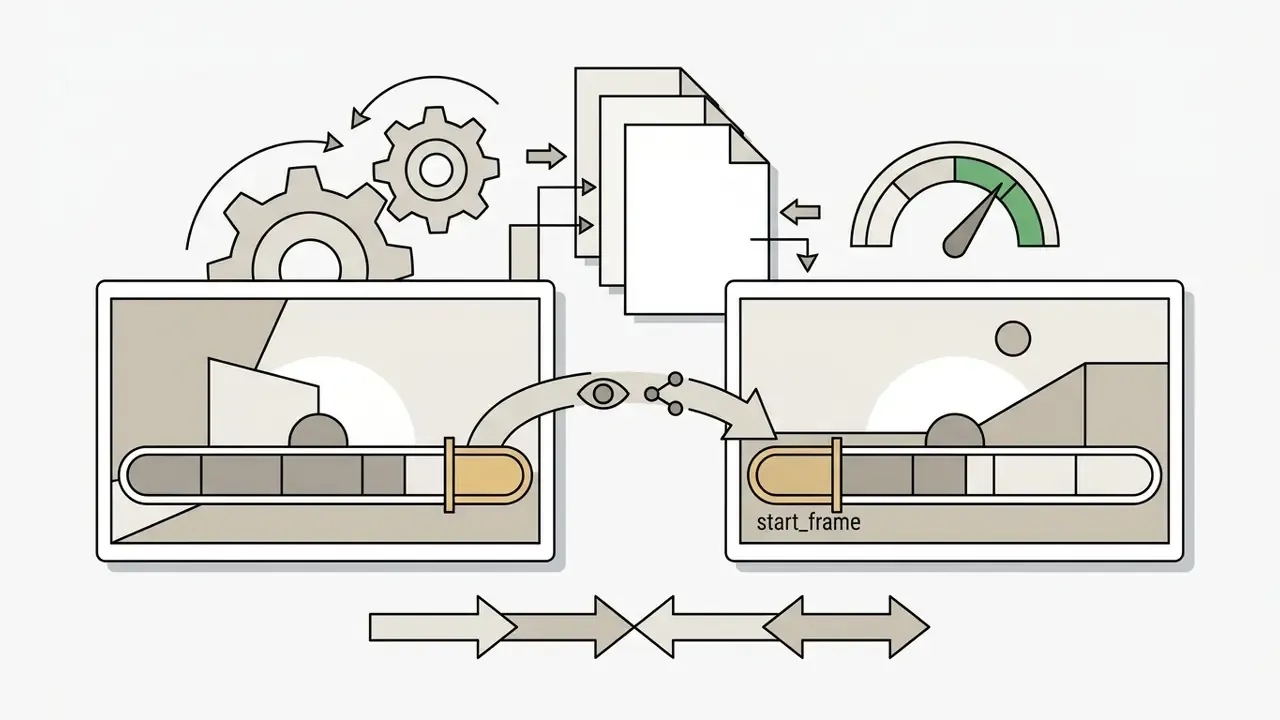
input_reference or start_frame for the next generation, creating seamless temporal extension.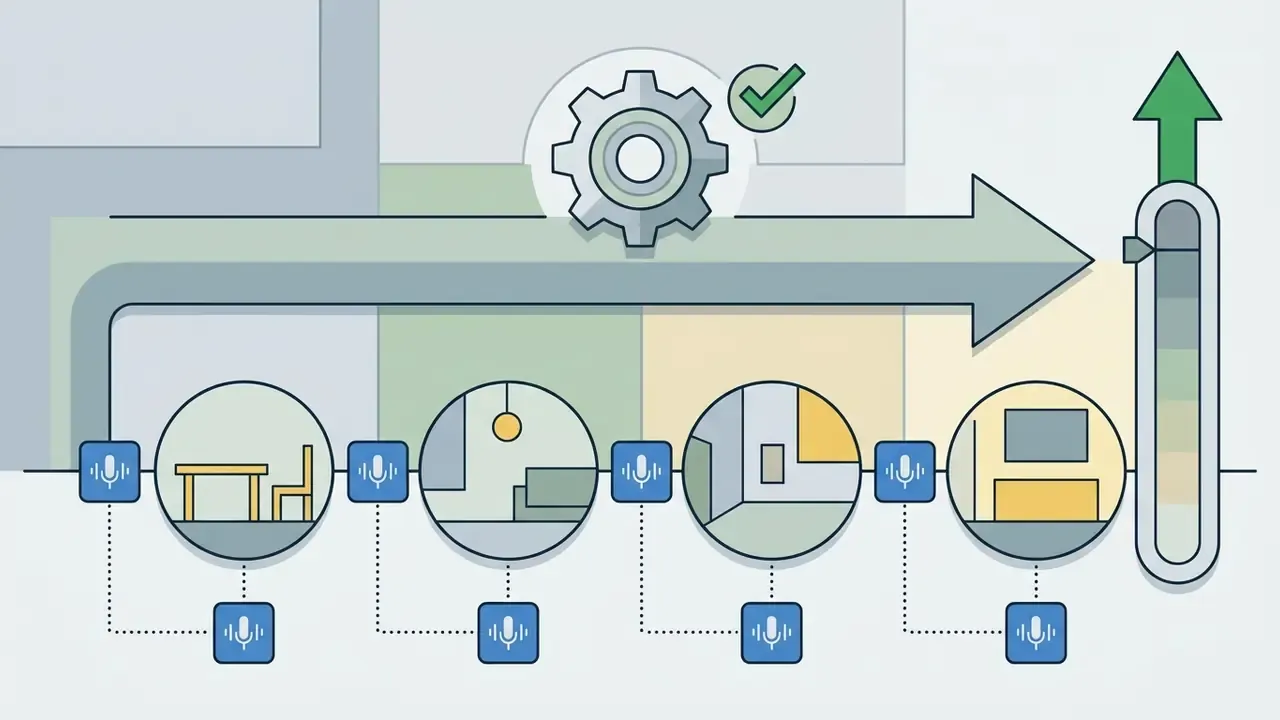
Quality Assurance, Safety and Commercial Use of Sora-Generated Videos
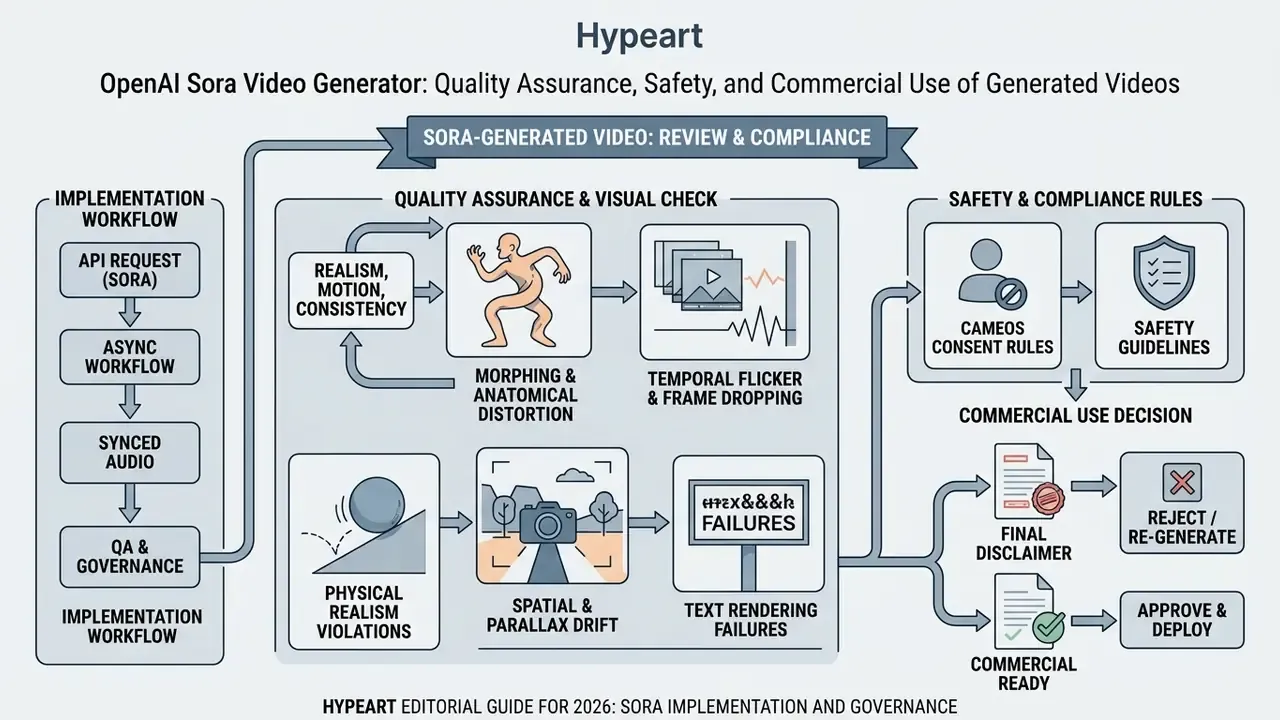
Deploying ai generated content in commercial products requires structured quality assurance, safety compliance protocols, and adherence to licensing terms. Engineering teams need automated and human-in-the-loop review pipelines that verify physical motion accuracy, legal compliance, and brand safety before public distribution.
Reviewing realism, motion and scene consistency
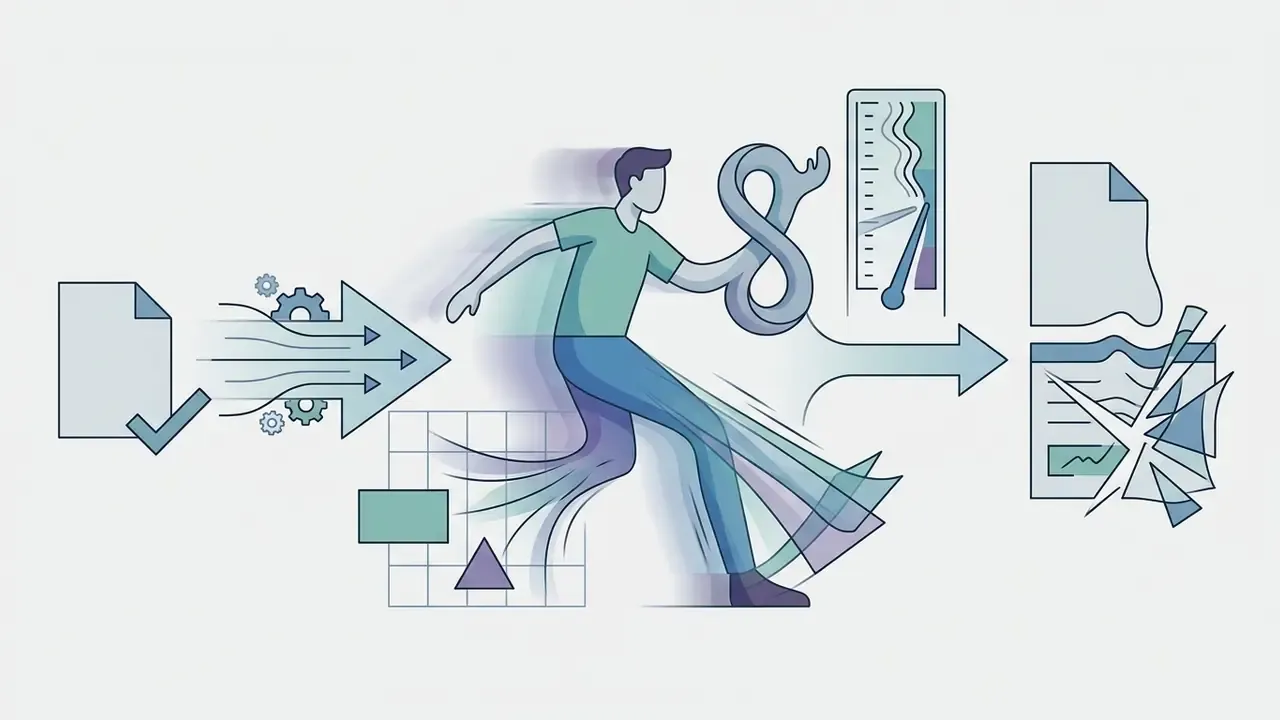
Quality control teams must evaluate Sora assets against defined physical motion criteria before approving files for distribution. Diffusion models synthesize subtle anomalies that escape basic inspection at normal playback speed.
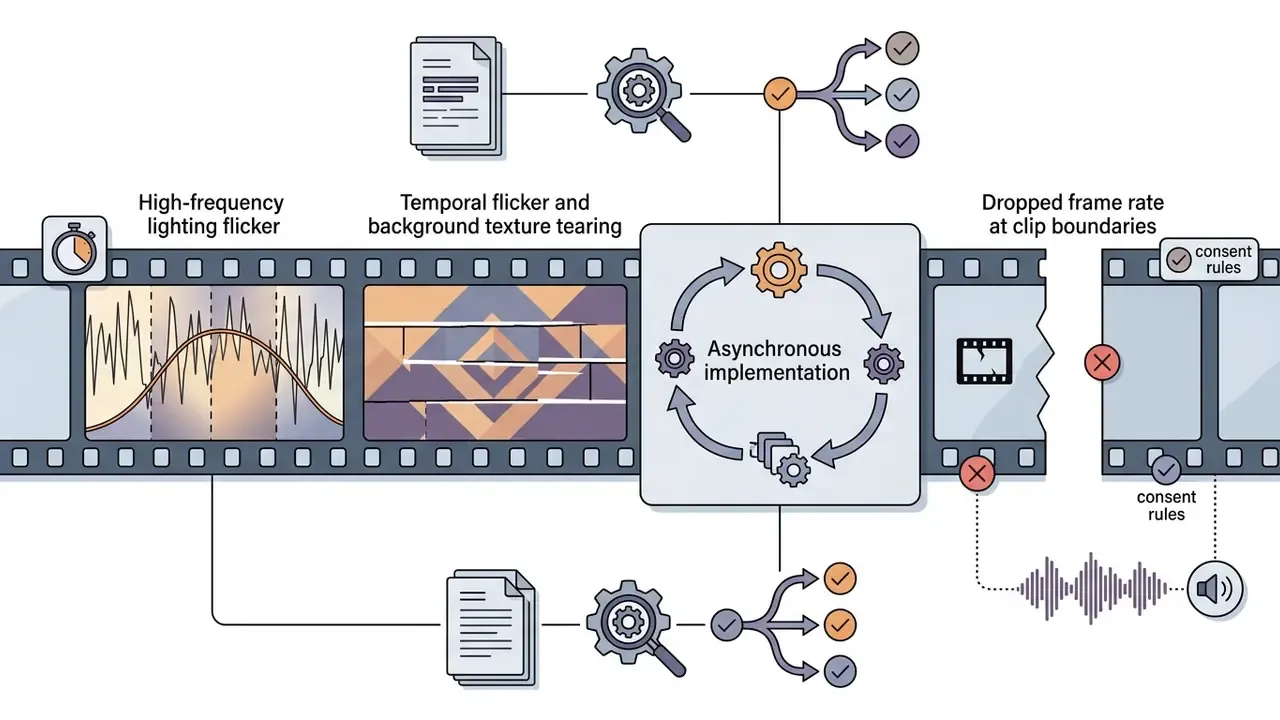
Common video artifact checkpoints:
Run review protocols at 0.5x playback speed, and at 0.25x for dialogue and facial motion, logging anomalies with timestamps into structured review tables before assets reach publication queues.

Personalization via Sora Cameos and Identity Safeguards
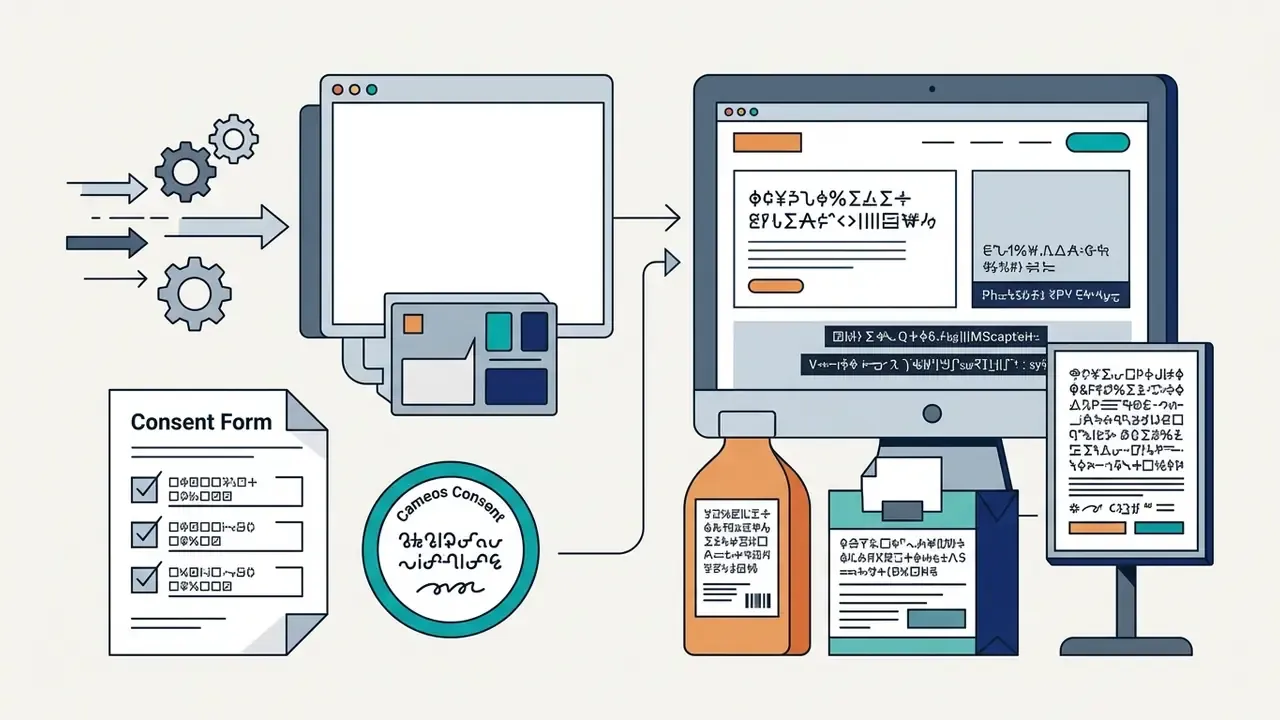
Sora 2 introduces "Cameos", a capability that inserts a verified human likeness, gestures, and voice profile into generated environments. In consumer surfaces, a user records a short verification capture, and the model then places that likeness into new scenes: a monologue, an animated sequence, a stylized landscape, with recognizable appearance and vocal characteristics preserved.
From an enterprise perspective, Cameos is simultaneously the highest-value and highest-risk feature in the stack.
- Consent is a hard control, not a policy note. Every cameo asset must tie to a documented, revocable consent record naming permitted use, territory, and expiry date. Identity verification exists precisely to prevent unauthorized deepfake generation.
- Biometric data classification. Face and voice captures are biometric identifiers under multiple privacy regimes. Define storage location, retention period, and deletion rights before the first capture, and reference the consent record inside the audit-trail log described earlier.
- Publicity and endorsement rights. Placing an executive, employee, or talent likeness into promotional content can create implied endorsement. Contract review should precede production, not follow it.
- Revocation propagation. When consent is withdrawn, the pipeline must locate and retire every derivative asset, which is only possible if cameo identifiers are logged per generation job.
Teams that cannot satisfy these controls yet should restrict production use to non-personalized generation and treat Cameos as a gated capability behind legal sign-off.
Banking and Enterprise Risk Governance for Generative Video
Regulated organizations cannot treat a video generation endpoint as ordinary SaaS tooling. Generative video is a model with non-deterministic output, third-party data flows, and reputational exposure, which places it inside existing model-risk and AI-governance perimeters.
Framework mapping (indicative, to be confirmed with internal second line):
| Control domain | Requirement in practice | Evidence to retain |
|---|---|---|
| Model inventory and ownership (SR 11-7-style model risk management) | Register the video model as a third-party model with a named business owner and documented intended use | Inventory entry, intended-use memo, tier rating |
| Validation and ongoing monitoring | Define acceptance criteria (artifact checklist, lip-sync tolerance, brand conformance) and re-test after vendor model updates | Validation report, QA logs, defect registers |
| Risk management lifecycle (NIST AI RMF: Govern, Map, Measure, Manage) | Document context of use, measurable failure modes, and mitigation owners | Risk assessment, control matrix |
| Management system alignment (ISO/IEC 42001-style AI management system) | Policies, competence records, internal audit cycle for AI use | Policy set, training records, audit findings |
| Synthetic-media transparency (EU AI Act-style disclosure duties) | Preserve provenance metadata and apply user-facing AI disclosure on published assets | C2PA validation tokens, publication checklists |
| Vendor and data protection due diligence | Confirm whether API inputs are excluded from model training; review SOC 2 Type II / ISO 27001 reports, data residency and retention terms | Vendor assessment, DPA, security attestations |
No matching rows Clear one or more filters to restore the matrix.
Data-leakage controls specific to video generation. Prompt text and reference images are the primary exfiltration vector, and they are easy to underestimate.
This subsection describes general governance practice and does not constitute legal, regulatory, or compliance advice. Obligations vary by jurisdiction, institution, and supervisory relationship.
- Prompt hygiene
- block customer names, account numbers, internal project codenames, and unreleased financial figures at the gateway using deterministic pattern rules plus a classifier.
- Reference-image screening
- image inputs can carry embedded screen content, whiteboard text, badge photos, or EXIF geolocation. Strip metadata and run OCR-based screening before upload.
- Cameo capture isolation
- biometric captures should never transit general-purpose logging or analytics pipelines.
- Segregated environments
- separate sandbox credentials (synthetic prompts only) from production credentials (approved templates only), with distinct spend caps and distinct log destinations.
- Retention and purge
- issue
DELETE /v1/videos/{video_id}after successful transfer to the internal vault, and record purge confirmation in the audit trail.
Sora Use Cases and Model Selection for Creator and Product Teams
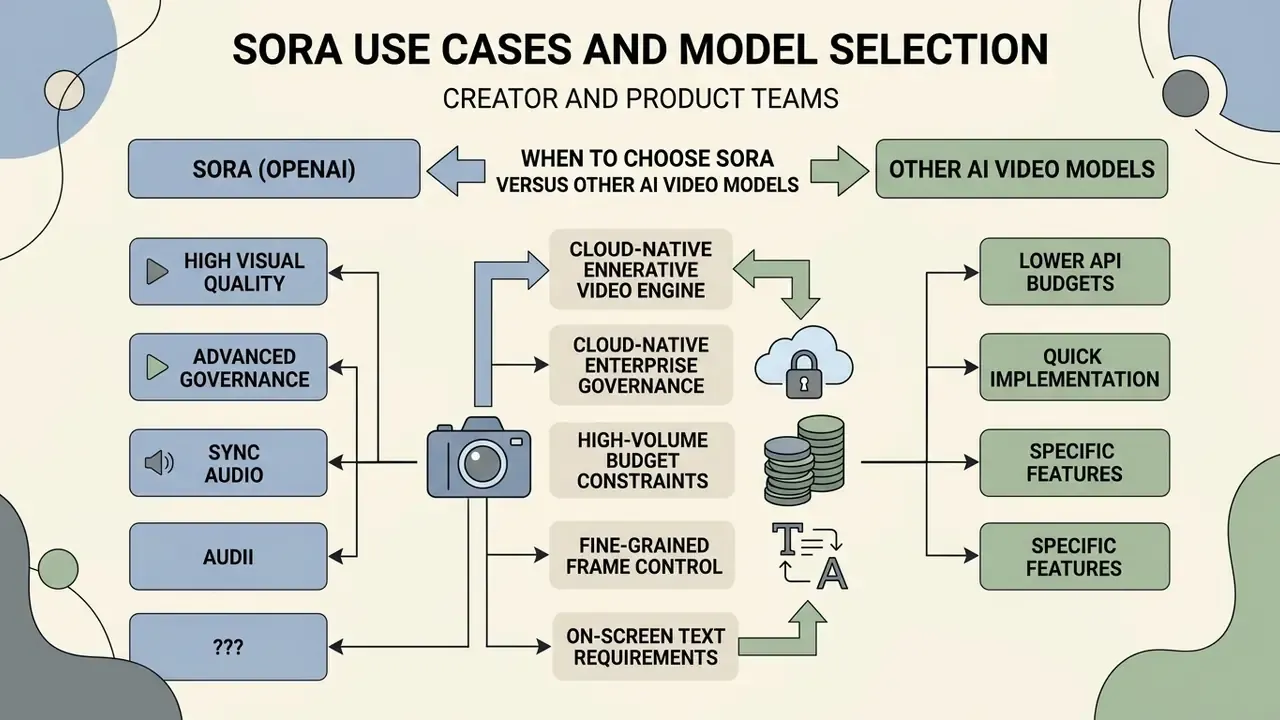
Choosing a generative video engine means balancing visual quality requirements against API budgets and technical control. Organizations should test whether the openai sora video generator or an alternative video model better serves the specific commercial use case. A side-by-side review of the best AI video generators helps frame that decision before procurement commits to a single vendor.
| Video Model | Core Developer Strengths | Output Durations & Resolution | Primary Commercial Use Cases | Cost & Access Profile | Data Privacy & Enterprise Considerations |
|---|---|---|---|---|---|
| OpenAI Sora 2 / Pro | High spatio-temporal realism, native synchronized audio and lip-sync, multi-shot storyboard integration, strong prompt adherence, Cameos personalization | 16s to 20s clips; up to 1080p export | High-end commercial marketing, pre-visualization, synthetic content pipelines | Per-second API billing ($0.10 to $0.70/sec); programmatic developer tier access | API business terms distinct from consumer terms; C2PA provenance embedded by default; verify training-exclusion and retention clauses; documented endpoint sunset dates create migration risk |
| Google Veo 3.1 | Native synchronized audio, photorealistic dialogue alignment, strong enterprise Google Cloud integration | 4s, 6s, 8s clips; up to 1080p export | Corporate training, localized ad variations, broadcast media production | Usage-based Vertex pricing (approx. $0.10 to $0.40/sec) | Runs inside existing cloud contracts; regional availability constraints; enterprise IAM and audit logging inherited from the cloud platform |
| Kling 3.0 | Multi-shot storyboarding, start/end frame control, element references, native audio sync | 3s to 15s clips; up to 1080p export | Fast social media content, rapid creative iteration, short promotional clips | Tiered subscription and credit-based API access | Vendor documentation less enterprise-oriented; verify data residency and processing terms; weaker in-scene text rendering |
| Runway Gen-3 | Cinematic camera controls, motion brush precision, established creative ecosystem | 5s to 10s clips; up to 1080p export | Film pre-visualization, artistic video production, music video work | Credit-based API and web subscription tiers | Creative-studio oriented terms; review commercial licensing tier and retention settings before regulated use |
| Seedance 2.0 / 2.5 | Emerging multi-shot and stylized generation options; feature set and regional availability still shifting | Vendor-published limits vary by release | Experimental creative projects, style exploration, low-stakes social formats | Credit or subscription access depending on region | Treat as unverified for regulated workloads until security attestations, data residency, and training-exclusion terms are confirmed in writing |
Vendor concentration deserves explicit attention. Each engine exposes different duration ceilings, conditioning parameters, and provenance behaviour, so prompt assets are only partially portable. A thin internal abstraction layer over the video provider, a single service interface normalizing prompt structure, reference frames, job status, and storage, materially reduces lock-in when endpoints deprecate or pricing shifts.
When to choose Sora versus other AI video models
Selecting the openai sora ai video generation model makes sense when the application demands high physical realism, extended clip duration (up to 20 seconds), and complex camera trajectories. The spatio-temporal transformer architecture holds scene depth and lighting consistency across continuous pans better than most alternatives. It is also the pragmatic pick when you need an open ai animation generator for stylized sequences and a photoreal engine from the same contract.
"In T2VEval, Sora scores 0.851 on overall impression versus 0.633 for Runway Gen-3 and 0.590 for Dreamina 1.0 under identical prompts and evaluation protocol."
Alternatives can still win under specific constraints.
"T2VTextBench found that Kling is essentially unable to generate legible text in video scenes, averaging 0.01 across most categories."
In practice the safest production pattern is to generate clean plates with the video model and composite all critical typography downstream, where it can be spell-checked and brand-approved.
To evaluate broader AI tooling across content and documentation workflows, developers can review our ai study guide maker overview.
Operational Summary and Strategic Next Steps
Deploying the openai sora video generator inside enterprise software demands a disciplined balance between creative ambition and financial risk management. Clear cost forecasting, asynchronous integration patterns, multi-tier cost controls, and strict human-in-the-loop quality assurance let teams use foundational generative video capability without eroding operating margin.
Start small. Build prototypes on standard resolution tiers (sora-2 at 720p) to benchmark real prompt iteration multipliers and rate-limit behaviour. Once baseline unit economics hold up, scale into production on higher-fidelity tiers (sora-2-pro at 1080p), backed by automated logging, CDN storage distribution, and continuous C2PA metadata verification. Publication-stage teams can align delivery specs with YouTube video editing workflows so provenance metadata and disclosure labels survive final export.
Recommended 30-day rollout sequence:
Two open questions remain honest limitations of this guide. First, published endpoint sunset dates move, so migration planning should assume at least one forced version change per year. Second, no public benchmark yet measures brand-conformance defect rates across engines, which means acceptance thresholds stay institution-specific for now. To explore full API technical documentation and enterprise reference architectures, developers should view the guide in our primary technical developer hub.
- Week 1, baseline.Register the model in the inventory, provision sandbox keys with a hard spend cap, and render 20 standard-tier clips to measure your real iteration multiplier.
- Week 2, control.Implement gateway-level prompt screening, reference-image metadata stripping, concurrency caps, and the audit-trail log schema.
- Week 3, quality.Codify the artifact checklist, run 0.5x and 0.25x review on a representative sample, and define acceptance thresholds per asset class.
- Week 4, scale.Promote approved prompt templates to production credentials, enable batch endpoints where eligible, and switch final renders to the pro tier with per-cost-center attribution active.
FAQ: OpenAI Sora Video Generator, Cost and Controls
What is the cost per second for generating video via the Sora API?
Sora API pricing is billed per generated second based on model tier and resolution. Standard sora-2 at 720p is billed at $0.10 per second. The production-grade sora-2-pro model costs $0.30 per second at 720p, $0.50 per second at 1024p, and $0.70 per second at 1080p.
How does image-to-video pricing compare to text-to-video pricing?
OpenAI charges identical per-second output rates for both text-to-video and image-to-video modes. Image-to-video workflows are often cheaper overall, because a reference image anchors composition and style and cuts the number of test renders needed to reach an acceptable result.
Can Sora 2 generate sound, dialogue and lip-synced speech?
Yes. Sora 2 generates synchronized audio natively: sound effects, ambient soundscapes, music, and spoken dialogue aligned with on-screen action, including lip synchronization for generated speech. Audio returns inside the same MP4 stream as the video, which removes a large part of traditional sound-assembly work. Generated speech remains subject to OpenAI usage terms, including restrictions on repackaging voice output as a standalone audio file.
What are Cameos in Sora 2, and what consent is required?
Cameos insert a verified human likeness, gestures, and voice into generated scenes. Because identity verification is part of the capture flow, cameo use requires the subject's explicit, documented consent. Enterprise deployments should treat face and voice captures as biometric data, log the consent record against each generation job, and retain the ability to retire derivative assets if consent is withdrawn.
Does Sora support start frame and end frame conditioning?
Yes. Advanced workflows accept two visual anchors, a start frame and an end frame, and the model interpolates the intermediate motion. Both frames must share resolution and aspect ratio, use supported formats (JPG, JPEG, PNG, WEBP), and stay within the platform upload limit, commonly up to 20 MB per frame in hosted interfaces. Dual-anchor jobs typically need fewer retries than open-ended text prompts.
What are the maximum clip duration and resolution options supported by Sora 2?
The Sora 2 API supports clip generations of 16 seconds and 20 seconds per job. Supported resolution tiers include 720p (1280x720 or 720x1280), 1024p (1792x1024 or 1024x1792), and 1080p (1920x1080 or 1080x1920) across landscape, portrait, and square aspect ratios.
Is the Sora video API asynchronous or synchronous?
Strictly asynchronous, because video diffusion rendering takes real compute time. Developers submit a request via POST /v1/videos, receive an immediate HTTP 202 response with a job ID, monitor status through webhooks or polling, then download the finished MP4 once processing completes.
Can Sora-generated videos be used for commercial projects?
Yes, subject to OpenAI Terms of Use and Global Usage Policies. Commercial deployments must ensure generated content does not violate third-party intellectual property, copyright, or publicity rights. Videos must retain embedded C2PA provenance metadata where platform distribution rules require it. This is general information, not legal advice. Confirm scope with counsel before paid advertising or broadcast use.
What governance evidence should a regulated organization keep for AI video generation?
At minimum: a model-inventory entry with a named owner and intended-use memo; acceptance criteria and QA defect logs; a risk assessment mapped to a recognized framework such as the NIST AI RMF; vendor due-diligence artifacts (security attestations, data-processing agreement, training-exclusion confirmation); and a per-job audit trail capturing operator identity, prompt hash, cost attribution, provenance validation, human review decision, and vendor-side purge confirmation.
Does Sora use GANs?
No. Sora is a diffusion model built on a transformer backbone operating over spatio-temporal spacetime patches, not a generative adversarial network. Sources describing Sora as GAN-based are factually incorrect, and the distinction matters: diffusion failure modes such as temporal drift, physics violations, and denoising artifacts differ from GAN failure modes and need different QA protocols.
Appendix A: Verification Notes and Superseded Statements
For editorial transparency, the following statements from earlier revisions have been retained in their original form and superseded in the main text.
- Original: "accelerated visual asset generation cycles by 65%." Superseded by: a directional statement attributed to internal, unaudited sprint telemetry, because no independent source supports the precise figure.
- Original: "reduced unnecessary API spend by 28%." Superseded by: a vendor-internal, unaudited characterization of avoidable-spend reduction.
- Original: "cut average test renders per accepted clip from four down to one or two." Superseded by: the same range, explicitly framed as internal log analysis from a single workload and contextualized against the multi-render behaviour documented in VidProM (NeurIPS 2024).
- Pending verification before publication: the September 24, 2026 sunset schedule for second-generation video API endpoints, and the documented conflict between OpenAI Help Center statements ("no API access for Sora") and the developer pricing and API reference pages. Both should be reconfirmed against live OpenAI documentation on the publication date.
- Author note: Marcus Hale writes this analysis.