Executive summary
- What it is Sora 2 is OpenAI's diffusion-transformer video-and-audio model, exposed through the
/v1/videosAPI endpoints assora-2andsora-2-pro, with native synchronized dialogue, foley, multi-shot continuity and physics-aware motion. - What it costs Billing is per generated second.
sora-2runs at $0.10/s (720p);sora-2-proat $0.30/s (720p), $0.50/s (1024p) and $0.70/s (1080p). Batch (non-real-time) requests are priced at roughly 50% of standard rates. - What actually drives spend Not the sticker price. The acceptance rate. Cost per usable clip = base price × duration ÷ acceptance rate. A 10-second 1080p Pro clip with a 1-in-3 approval rate costs about $21.00, not $7.00.
- How to integrate Asynchronous only.
POST /v1/videosreturns HTTP 202 with ajob_id; state is tracked by pollingGET /v1/videos/{job_id}or through thevideo.completedandvideo.failedwebhooks, after which the MP4 is pulled fromGET /v1/videos/{id}/contentinto object storage. - How to cut cost without losing quality Structured shot-based prompts, image-anchored (I2V) workflows, reusable character and cameo IDs, the batch tier for non-urgent renders, plus a hybrid pipeline of 720p generation and AI upscaling instead of direct 1080p Pro renders.
- Critical operational risk OpenAI documentation states that the Videos API and the legacy Sora 2 model aliases are deprecated, with shutdown scheduled for September 24, 2026. Production integrations must sit behind an abstraction layer.
- Governance takeaway Provenance metadata (C2PA), data-retention posture, likeness-consent records and audit trails must be resolved before a synthetic-video pipeline enters a regulated production environment.
What this guide covers
- What Sora 2 AI Video Generator is and what it can create
- Production use cases with measurable value from Sora 2
- Accessing OpenAI Sora 2 for product implementation (lifecycle, code, Cameos, governance)
- Sora 2 API cost drivers and unit economics
- How to reduce Sora 2 generation costs without losing quality, with copy-paste prompt templates
- Choosing Sora 2 versus Veo 3.1 and Seedance 2.0
- Production readiness and risk checklist
- FAQ on monetization, latency and commercial rights
What is Sora 2 AI Video Generator and what it can create
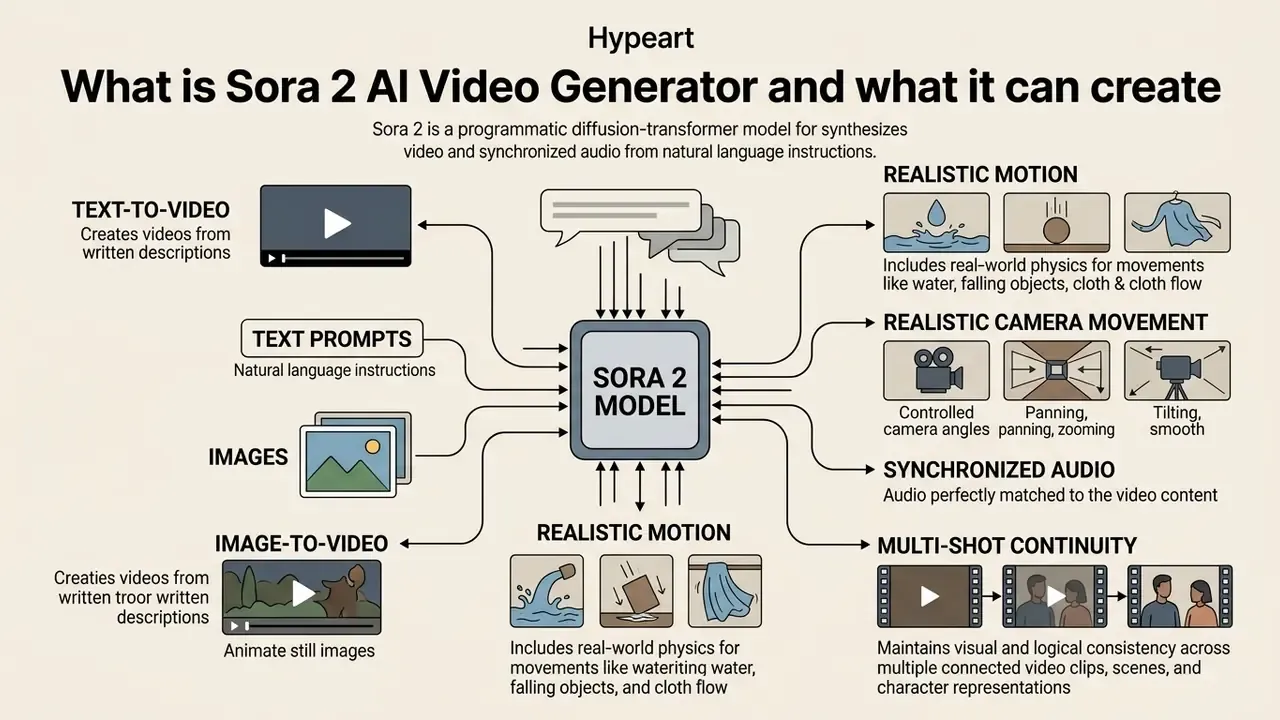
The sora 2 ai video generator is OpenAI's flagship diffusion-transformer model built for programmatic video and synchronized audio synthesis from natural language instructions or image inputs. It produces up to 1080p high-definition assets with aligned dialogue, environmental soundscapes, and multi-shot narrative continuity in a single inference pass.
Designed as a general-purpose media synthesis engine, this ai video generator sora 2 translates visual patches across space and time, behaving less like a renderer and more like a physics-aware simulation system.
«Sora uses a patch-based representation of video, letting the model learn both spatial frame detail and temporal relationships between frames».
That architecture is what lets engineering teams build automated creative tools, marketing asset engines, and pre-visualization pipelines on top of it. Teams comparing categories of tooling before committing budget can start from the broader landscape of AI video generators and then narrow down to one vendor API. As an openai sora 2 video generation backbone, the system covers the core production requirements: realistic motion, coherent lighting, and temporal stability across multi-shot sequences, without manual frame-by-frame work.
Text-to-video and image-to-video generation
Text-to-video (T2V) mode converts natural language prompts directly into synthetic video and audio tracks. Image-to-video (I2V) mode uses a static visual reference, such as an uploaded image file or a URL, as an anchor frame for motion generation. As a sora 2 text to video ai, the model parses semantic instructions and constructs character interactions, lighting setups and environments from scratch.
«T2V-CompBench evaluates models across 1,400 prompts in seven categories, including attribute binding, spatial relationships and object interactions».
Realistic motion, camera movement and synchronized audio
Sora 2 models real-world physics, camera optics, and temporal audio alignment by processing video latents and audio waveforms in one unified architecture. Its spatial-temporal diffusion transformer holds object permanence, momentum and causal relationships across complex scene transitions.
Key spatial and acoustic parameters supported by the sora 2 ai generator:
- Realistic motion and real world physics simulates liquid dynamics, surface collisions and momentum without graphic clipping.
- Controlled camera movement executes defined cinematographic directives, including pans, dollies, tracking shots and tilts, with smooth optical focal shifts.
- Synchronized audio generates speech, sound effects and background ambience natively mapped to visual actions and lip movements.
- Multi-shot continuity persists character identity, scene lighting and environmental states across cuts, which is where most competing models still drift.
«DEVIL metrics, namely dynamics range, dynamics controllability and dynamics-based quality, correlate with human judgement by more than 90%».
Those metrics matter for procurement. Instead of accepting "realistic motion" as a marketing claim, model risk teams can request dynamics-range and controllability scores as formal acceptance criteria. To review additional model implementations and technical specs across advanced ai tooling, engineers can compare leading AI video generators through criteria-based benchmarks rather than vendor showreels.
Table: comparison of Sora 2 text-to-video and image-to-video modalities.
| Operational aspect | Text-to-Video (T2V) mode | Image-to-Video (I2V) mode |
|---|---|---|
| Primary input data | Natural language text prompt describing scene, action, camera and sound | Static base image (JPEG/PNG/WebP) plus optional text directives |
| Scene composition control | Inferred by the model; higher variance in layout and styling | Anchored by the base image; retains character identity, layout and lighting |
| Motion dynamics and physics | Full visual synthesis from prompt; needs detailed motion instructions | Applies camera moves and kinetic movement to existing image elements |
| Audio generation | Synthesizes dialogue, ambient noise and foley from the text description | Synthesizes audio aligned with prompt and visual cues in the base image |
| Post-production requirements | Higher rerun frequency to reach precise framing and design alignment | Lower rerun frequency; work shifts to timeline trimming and color matching |
Table summary: text-to-video offers broad creative flexibility for new concept design, while image-to-video delivers strict visual continuity by anchoring initial frame geometry to pre-approved assets.
Production use cases with measurable value from Sora 2
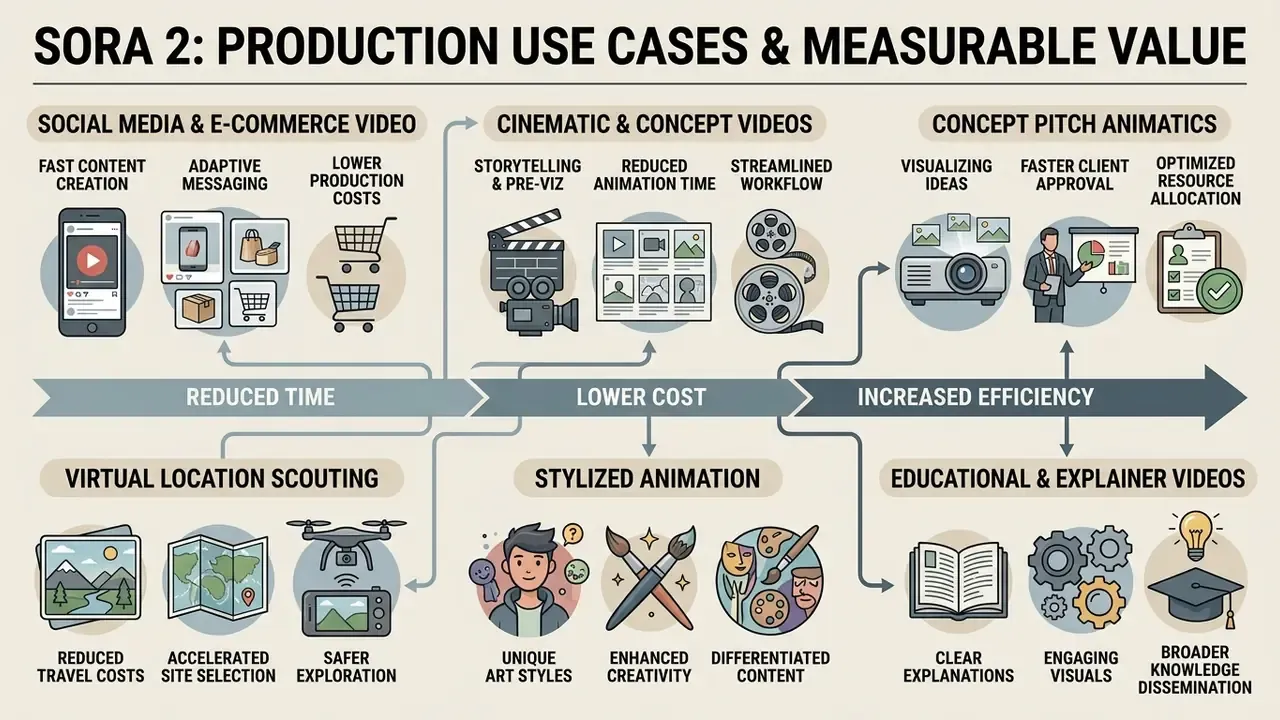
Deploying the sora 2 ai video generator returns measurable economics in industries where traditional filming, manual 3D animation, or extended pre-visualization eat both time and capital. The commercial wins come from shorter production timelines, higher content volume, and rapid localized variation.
Organizations running sora 2 video generation can replace physical shoots and long rendering queues with programmatic API workflows. The sectors showing direct efficiency gains so far: digital marketing, e-commerce, localized advertising, and film pre-visualization.
Cinematic storytelling, animation and concept videos
Film studios, animation houses and media agencies use Sora 2 as a sora 2 ai animation tool for pre-visualization, concept animatics and multi-shot storytelling. Multi-shot continuity and persistent world-state modeling let directors draft storyboard sequences with something close to cinematic quality before committing to live-action production or expensive 3D rendering.
«In the Mora framework comparison, Sora scored VideoTI 0.90 and Motion Smoothness 0.99, the highest values among tested models».
Key cinematic production workflows:
- Concept pitch animatics
- multi-shot concept trailers used to secure a greenlight from stakeholders.
- Virtual location scouting
- visualizing set lighting, architectural design and camera angles before anything gets built.
- Stylized animation sequences
- anime or cinematic-style shorts built from specialized prompts and character reference IDs.
- Educational and explainer sequences
- turning dense written material, such as historical timelines, process diagrams or scientific mechanisms, into short narrated educational videos for training and classroom use.
Content teams reviewing specialized video tools can evaluate alternatives listed under free veo 3 and cross-check them against a wider set of free AI video generators to compare rendering speeds, watermark policies and feature sets. Studios building stylized 2D sequences rather than photoreal footage may also find a conventional animation maker more cost-effective for repetitive motion graphics. Not every shot needs a diffusion transformer.
Accessing OpenAI Sora 2 for product implementation
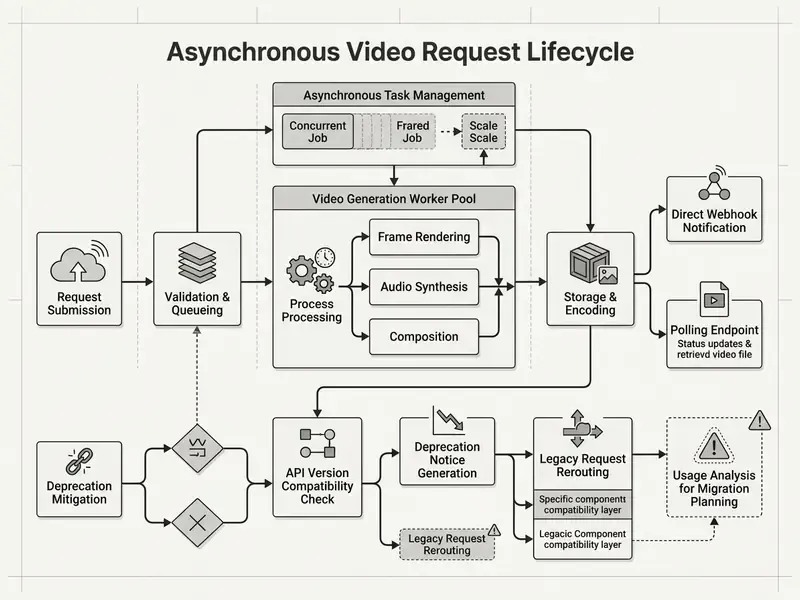
Text fallback for the diagram: a client request enters an application server, which validates input and issues an asynchronous POST to the Videos API; OpenAI returns a job identifier; a worker pool tracks the job through queued, in_progress and completed; on completion the worker streams the MP4 into object storage, writes metadata and provenance records to the database, and emits an internal event that unlocks preview and editor handoff in the UI.
Building a scalable sora 2 video generation platform comes down to decoupling client requests from background rendering jobs. Because generative video inference takes variable compute time, the application has to handle job creation, queue status polling, error handling and payload ingestion without blocking the interface.
Request lifecycle: prompt, generation, preview and download
The request lifecycle for a sora 2 video generation tool has five stages: dispatch, queuing, background inference, preview, and download.
A minimal request payload and the matching job response look like this:
// POST /v1/videos  — request body
{
  "model": "sora-2-pro",
  "prompt": "Wide establishing shot, slow dolly forward across a rain-soaked neon street at night. Audio: distant traffic, rain on metal.",
  "size": "1920x1080",
  "seconds": 8,
  "audio": true,
  "metadata": { "campaign_id": "q3-launch", "requested_by": "creative-ops" }
}
// HTTP 202 Accepted — response body
{
  "id": "video_8f9x2k71ab",
  "object": "video",
  "model": "sora-2-pro",
  "status": "queued",
  "progress": 0,
  "created_at": 1789012345,
  "size": "1920x1080",
  "seconds": 8
}
Once status reaches completed, the finished binary is retrieved with GET /v1/videos/{video_id}/content, and the returned stream should be written straight to object storage rather than buffered in application memory. Teams building custom integration pipelines can reference the AI Media API documentation for endpoint specifications and sample payloads, then work through the API implementation checklist before opening traffic to users.
Access control deserves explicit design attention, and it is usually the part teams postpone. API keys should be scoped per environment, stored in a secrets manager rather than application config, and mapped to internal RBAC roles, so that permission to run sora-2-pro at 1080p, the most expensive tier, is granted separately from permission to run 720p drafts. Every request should carry a metadata block identifying the requesting team and campaign. That single field is what converts raw billing data into attributable cost centers.
- Request submissionthe client sends a
POST /v1/videosrequest with the model selection (sora-2orsora-2-pro), duration (seconds), aspect ratio (size), and a text prompt or image reference. - Job enqueueingthe API returns an immediate HTTP 202 response with a unique
job_idand an initial status ofqueued. - Status polling or webhook notificationthe backend monitors progress via periodic
GET /v1/videos/{job_id}calls, or registers webhook listeners forvideo.completedandvideo.failed. - Media previewonce status reaches
completed, the response returns temporary access URLs for low-resolution MP4 previews plus metadata. - Asset download and ingestionthe service downloads the full-resolution file, verifies checksums, and ingests the media into object storage for client consumption or handoff to a sora 2 video editor.
Designing asynchronous video generation workflows
Because generating high-definition synthetic video takes real compute time, production systems need asynchronous task queues and resilient retry logic. A standard synchronous HTTP connection will time out on longer 1080p jobs. No workaround there.
«Generating a single short video with WAN2.1-T2V consumes roughly 90 Wh, about 30 times more than image generation and 2,000 times more than text generation».
That energy profile is the physical reason video jobs cannot be treated as ordinary request-response traffic. The compute cost per call sits orders of magnitude above text inference, and queue depth, not network latency, becomes the dominant source of delay.
To keep the platform stable, implement worker pools using background job processors such as Celery, Redis Queue, or AWS SQS. The worker dispatches jobs to the sora 2 ai video creation tool API and handles state persistence in a database. If a job fails on rate limits (HTTP 429) or transient platform errors (HTTP 500 and 503), apply exponential backoff. When integrating multiple vendors, developers can review implementation strategies for the google veo ai video generator to design standardized schema wrappers across providers.
A reference implementation of job dispatch plus polling:
import os
import time
import requests
OPENAI_API_KEY = os.environ.get("OPENAI_API_KEY")
HEADERS = {
    "Authorization": f"Bearer {OPENAI_API_KEY}",
    "Content-Type": "application/json"
}
def generate_sora2_video(prompt: str, resolution="1080p", duration=8):
    # Step 1: Dispatch Video Generation Job
    payload = {
        "model": "sora-2-pro",
        "prompt": prompt,
        "size": "1920x1080" if resolution == "1080p" else "1280x720",
        "seconds": duration,
        "audio": True
    }
    response = requests.post("https://api.openai.com/v1/videos", json=payload, headers=HEADERS)
    response.raise_for_status()
    job_data = response.json()
    job_id = job_data["id"]
    print(f"[+] Job queued successfully. ID: {job_id}")
    # Step 2: Asynchronous Polling Loop with Backoff
    poll_interval = 10
    while True:
        status_res = requests.get(f"https://api.openai.com/v1/videos/{job_id}", headers=HEADERS)
        status_data = status_res.json()
        state = status_data["status"]
        if state == "completed":
            print(f"[!] Rendering finished. Download URL: {status_data['output_url']}")
            return status_data["output_url"]
        elif state == "failed":
            raise Exception(f"[-] Generation failed: {status_data.get('error')}")
        print(f"[*] Render state: {state}. Waiting {poll_interval}s...")
        time.sleep(poll_interval)
        poll_interval = min(poll_interval * 1.5, 60)  # exponential backoff, capped
The equivalent dispatch call in cURL, handy for smoke-testing credentials and quota before wiring a worker:
curl https://api.openai.com/v1/videos \
  -H "Authorization: Bearer $OPENAI_API_KEY" \
  -H "Content-Type: application/json" \
  -d '{
    "model": "sora-2",
    "prompt": "Close-up macro shot of espresso pouring into a glass cup, warm key light. Audio: crema hiss, ceramic clink.",
    "size": "1280x720",
    "seconds": 4,
    "audio": true
  }'
For production traffic, webhooks beat polling, mainly because they remove idle request volume against rate-limited endpoints. A minimal handler validates the signature, resolves the job, and hands the asset to storage:
@app.post("/webhooks/openai-video")
def handle_video_event(request):
    event = verify_signature(request)          # reject unsigned payloads
    job_id = event["data"]["id"]
    if event["type"] == "video.completed":
        enqueue_download_task(job_id)          # stream MP4 -> S3, write provenance row
    elif event["type"] == "video.failed":
        mark_job_failed(job_id, event["data"].get("error"))
        record_rejected_generation(job_id)     # feeds the acceptance-rate metric
    return {"received": True}
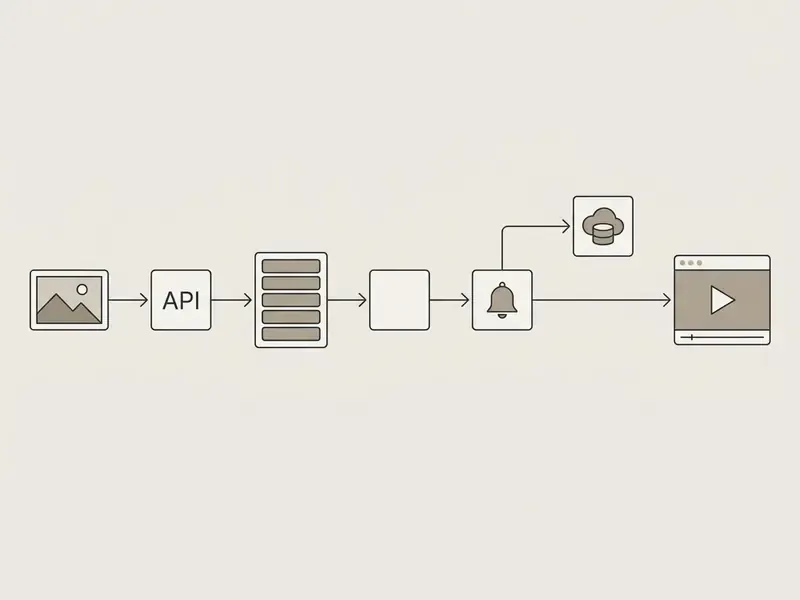
- User request initializationthe end user enters prompt text or uploads reference media in the application frontend.
- API payload constructionthe application server validates inputs, formats parameters, and issues an asynchronous API request.
- Job schedulingOpenAI enqueues the inference task and returns a tracking ID to the backend.
- Asynchronous monitoringwebhooks or background polling workers track state changes through
queued,processingandcompleted. - Asset retrievalon completion the system streams output MP4 binaries to internal cloud storage, for example AWS S3 or Google Cloud Storage.
- Delivery and handoffthe application shows previews to the user or passes the file into secondary processing tools.
Integrating Sora 2 Cameos and digital likeness verification
The Sora 2 Cameos feature lets developers inject verified human identity, visual likeness and voice signatures into synthetic scenes. Unlike basic face-swapping tools, Sora 2 processes avatar references inside its spatial diffusion latent space, preserving environmental illumination and physics interactions on the subject. A cameo subject walking through a foggy corridor gets correct volumetric light falloff instead of a pasted-on face.
For teams that need character consistency without a real person's likeness, the character-reference route (POST /v1/videos/characters) gives the same continuity benefit from a synthetic 2-to-4 second baseline clip, with none of the biometric consent overhead. That is usually the correct default for brand mascots, spokes-avatars and recurring narrative characters.
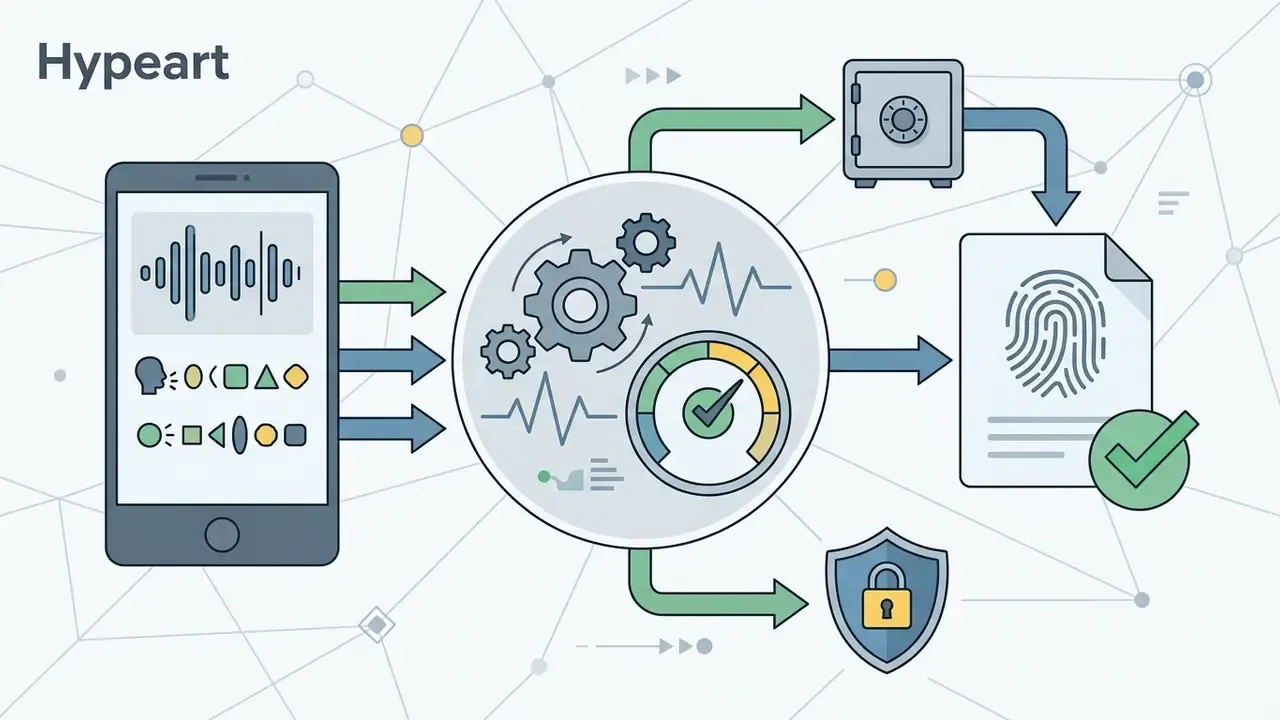
POST /v1/videos/cameos/verify. The randomized phrase is precisely what prevents a third party replaying pre-recorded footage.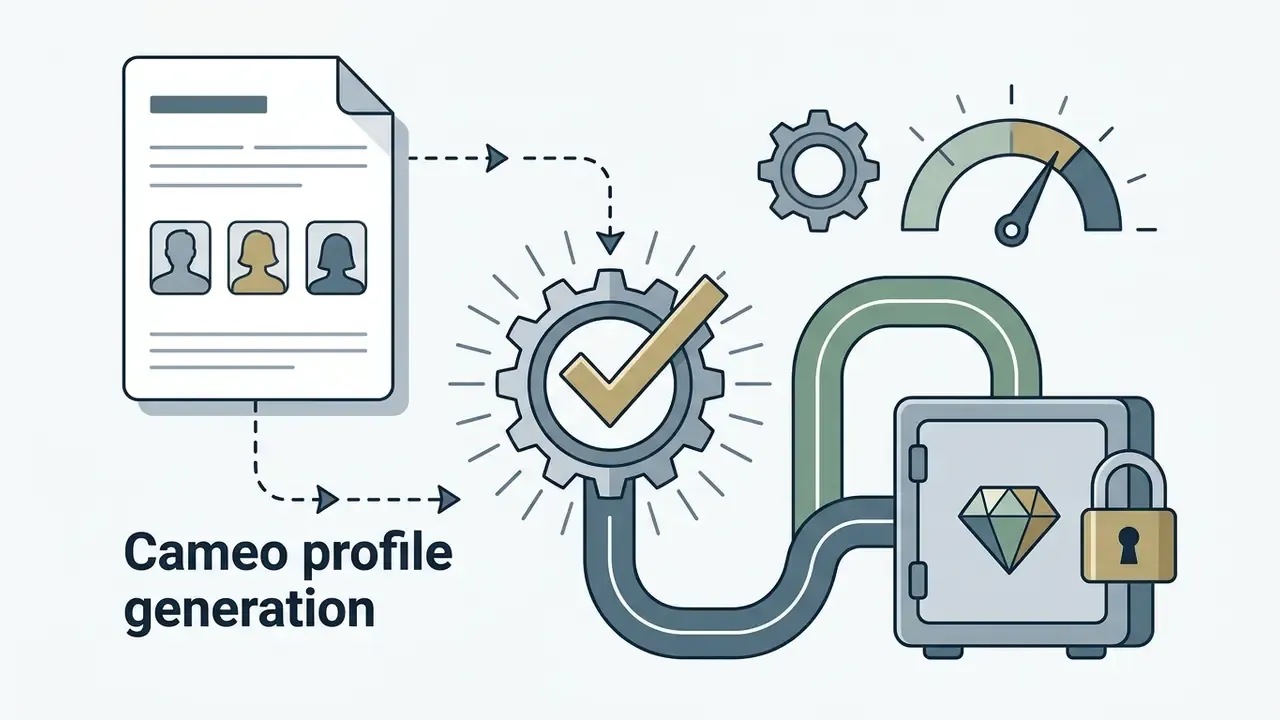
cameo_profile_id bound strictly to the authenticated developer account and the consenting individual.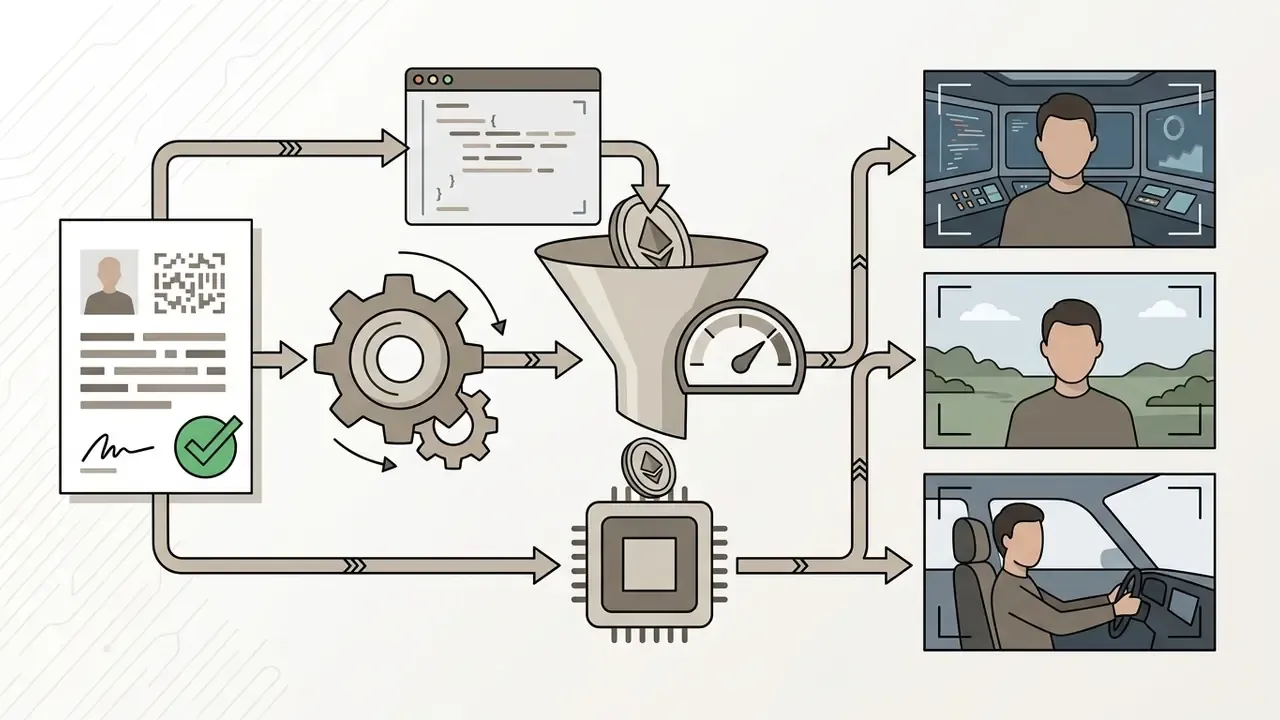
"cameo_id": "cam_8f9x2k...") to place the verified individual inside directed camera setups without visual artifacts or identity drift across shots.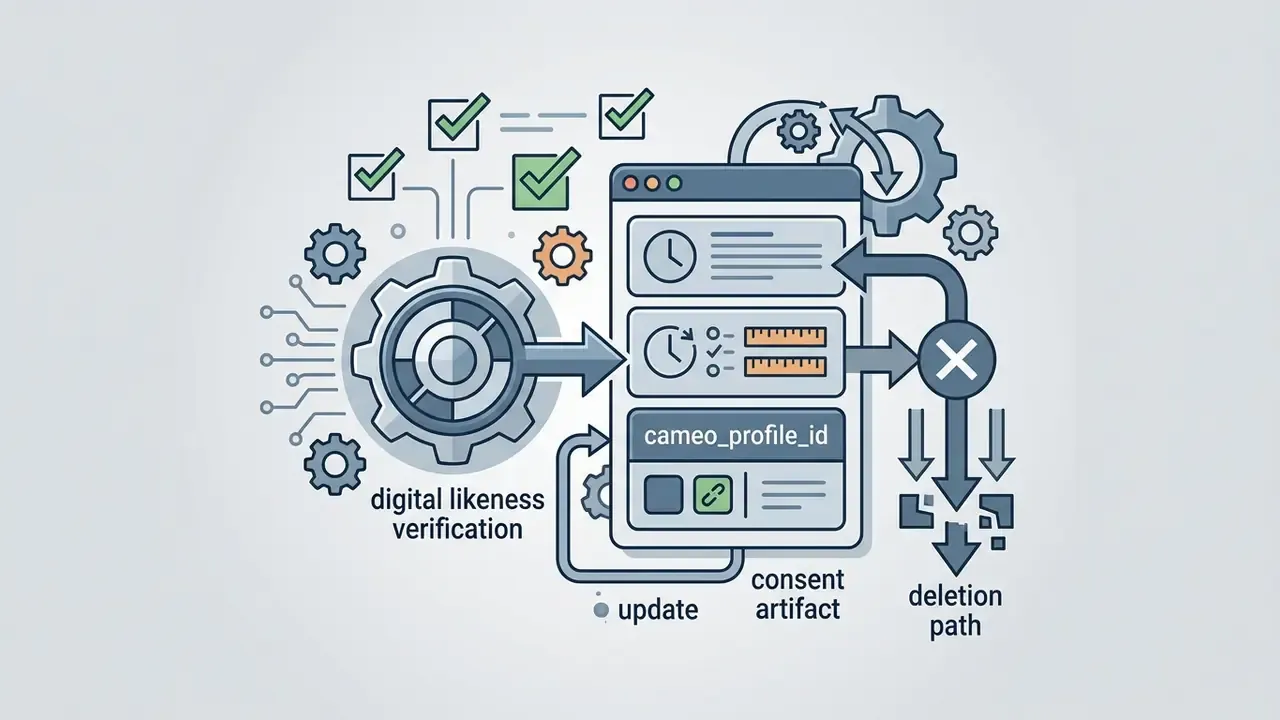
cameo_profile_id, and build a deletion path that invalidates the profile across every downstream asset record.Enterprise risk and governance: data retention, provenance and audit trails
For regulated organizations, technical feasibility is only half the deployment decision. A synthetic-video pipeline creates four governance obligations that must be settled before the first public-facing asset ships.
1. Data retention and training posture. Before routing proprietary briefs, unreleased product imagery or customer data through a generation endpoint, confirm in writing, via the applicable enterprise agreement or data-processing addendum rather than a marketing page, whether API inputs and outputs are used for model training, how long prompts and assets are retained, and whether zero-retention or opt-out processing is available on your plan. Consumer-product terms and enterprise API terms differ materially. The answer determines whether confidential campaign material may legally touch the endpoint at all.
2. Provenance and watermarking. Synthetic media should carry durable provenance. In practice that means preserving any content credentials or invisible watermark signals attached by the provider, and adding your own C2PA-style manifest at export: model and version used, generation timestamp, prompt hash, operator identity, post-production chain. Financial institutions and public-sector publishers increasingly need this to defend against fabricated-media claims, and emerging synthetic-media labelling requirements turn removal of provenance data into a compliance risk rather than a cosmetic cleanup step.
3. Deepfake and shadow-AI controls. Two failure modes dominate. The first is misuse of Cameos or likeness features to depict a real person without valid consent; the control is the consent artifact described above, plus mandatory human review on any output containing a recognizable face. The second is shadow AI, meaning teams generating brand assets on unmanaged consumer accounts. The control there is unglamorous: make the sanctioned internal pipeline faster and cheaper than the unsanctioned one, backed by API-key issuance policy and egress monitoring.
4. Validation and audit evidence. Documentation for an AI-enabled workflow should support verifiable claims with stated methods and evidence, report measurement uncertainty and limitations, and stay open to independent review. That is the posture set out in the NIST AI Risk Management Framework and its associated test, evaluation, verification and validation guidance. Operationally, it means logging, per generation: model alias, parameters, prompt, accept or reject decision, reviewer identity, and the reason for rejection. Those logs serve two masters at once. They are the audit trail for governance, and they are the raw data for the acceptance-rate metric that drives your unit economics.
Sora 2 API cost drivers and unit economics
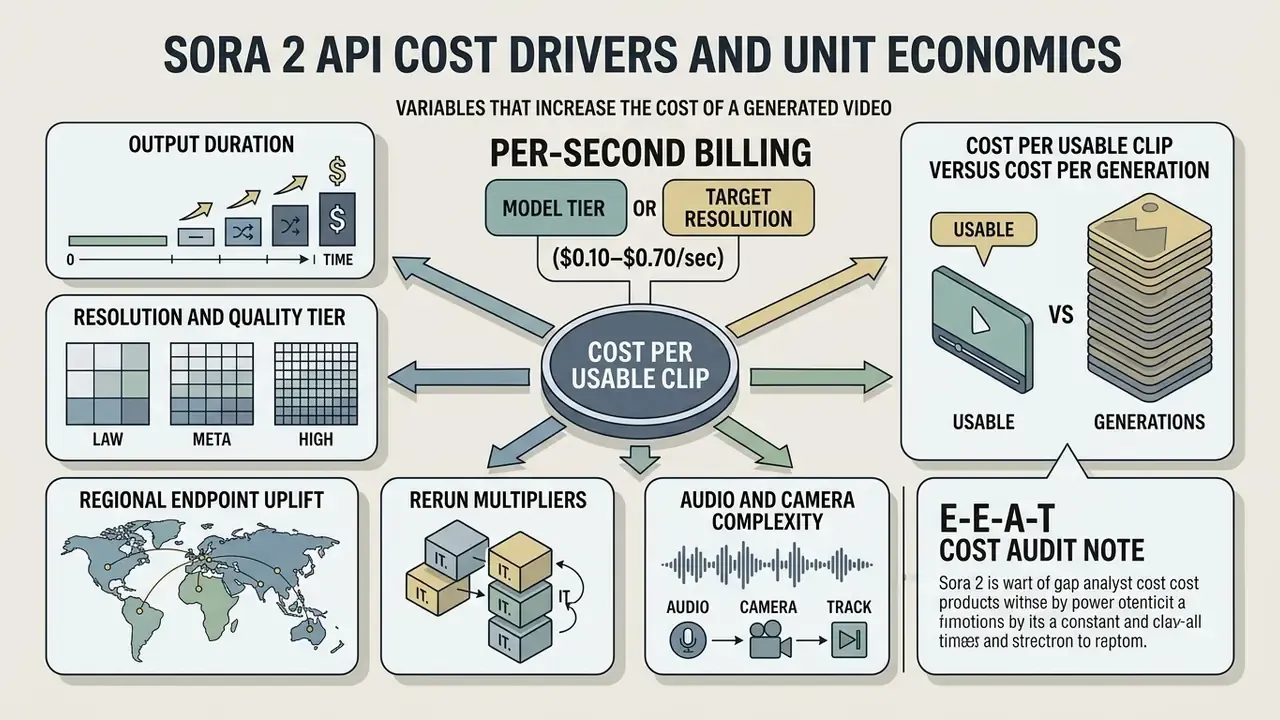
Sora 2 API billing is calculated per second of generated output, with rates set by model tier and target resolution. Standard sora-2 at 720p is billed at $0.10 per second, while sora-2-pro scales from $0.30 per second at 720p up to $0.70 per second at 1080p.
«OpenAI prices Sora 2 at $0.10 per second at 720p; Sora-2-Pro runs from $0.30 to $0.70 per second depending on resolution».
Calculating the unit economics of an ai video generator means looking past base API pricing to iteration cycles, rejected generations, and post-production. For product teams, understanding the financial dynamics of sora 2 video generation is what prevents cost overruns and protects gross margin.
Variables that increase the cost of a generated video
API charges for the sora 2 ai video creator scale linearly with duration and jump step-wise with resolution and model tier. Batch (non-real-time) requests are documented at roughly half the standard per-second rate, which makes queueing non-urgent renders the single largest structural discount available to you.
«Sora pricing is based on generated video seconds, with Batch priced at approximately 50% of standard rates».
Primary technical cost drivers:
- Resolution and quality tier
- $0.10/sec for
sora-2(720p); $0.30/sec forsora-2-pro(720p); $0.50/sec forsora-2-pro(1024p); $0.70/sec forsora-2-pro(1080p). - Output duration
- cost accrues per output second. A 10-second 1080p clip on Pro costs $7.00 per attempt.
- Regional endpoint uplift
- requests processed through specific regional infrastructure endpoints may carry an optional 10% operational surcharge where applicable.
- Rerun multipliers
- prompt ambiguity, physical glitches or brand policy violations trigger repeat jobs and multiply unit cost.
- Audio and camera complexity
- native synchronized audio carries no separately published surcharge in current documentation, and frame rate is not exposed as a billing parameter. Complex camera choreography therefore raises cost only indirectly, through rerun frequency.
«Open-Sora 2.0 was trained for $200,000, which the authors estimate as 5 to 10 times more cost-efficient than comparable models such as MovieGen and Step-Video-T2V».
That figure is context, not a substitute for your own math. It shows how quickly video-diffusion economics are improving on the training side, which is exactly why inference pricing should be re-validated every quarter instead of locked into an annual plan.
Cost per usable clip versus cost per generation
The true operational cost of AI video is cost per usable clip, not cost per generation run. The effective unit cost formula:
Take a 10-second marketing video on sora-2-pro (1080p at $0.70/sec). The sticker price is $7.00. If only one in three clips clears quality approval, a 33.3% acceptance rate, the actual cost per usable clip climbs to $21.00. To be precise: that 33.3% is an illustrative planning assumption, not a published benchmark. Acceptance rates are highly workload-specific, and published planning examples elsewhere use anything from 25% to 80%. The operational takeaway is the mechanism, not the number. Instrument your own acceptance rate from rejection logs, because it is the only variable in the formula you actually control.
| Model tier | Resolution | Base cost (8 sec clip) | Acceptance rate 80% | Acceptance rate 50% | Acceptance rate 25% |
|---|---|---|---|---|---|
sora-2 | 720p ($0.10/s) | $0.80 | $1.00 | $1.60 | $3.20 |
sora-2-pro | 720p ($0.30/s) | $2.40 | $3.00 | $4.80 | $9.60 |
sora-2-pro | 1024p ($0.50/s) | $4.00 | $5.00 | $8.00 | $16.00 |
sora-2-pro | 1080p ($0.70/s) | $5.60 | $7.00 | $11.20 | $22.40 |
To assess budget requirements across AI tools and media platforms, team leaders can review AI video generators pricing models alongside the calculators hub and see the overview for scenario planning.
SaaS credit markups versus direct API economics (build versus buy)
Third-party wrapper platforms charge a real convenience markup on Sora 2 generations. A standard 4-second clip on a SaaS platform typically consumes around 11 credits, roughly $0.80 to $1.50 per generation on common credit-bundle pricing, with monthly plans in the $29 to $99 range gating resolution, watermark removal and commercial licensing behind higher tiers. A direct API integration on the sora-2 standard tier costs exactly $0.40 for the same 4-second output.
| Dimension | SaaS credit platforms | Direct sora-2 API |
|---|---|---|
| 4-second 720p clip | ~11 credits, about $0.80 to $1.50 | $0.40 |
| 1,000 clips per month | $800 to $1,500 | $400 |
| Monthly delta | n/a | $400 to $1,100 saved |
| Watermark and commercial rights | Often tier-gated | Governed by OpenAI Service Terms |
| Engineering effort | None, UI only | Queue, storage, retries, monitoring |
| Model-swap flexibility | Vendor-controlled | Fully controlled via abstraction layer |
The trade-off is explicit. SaaS platforms win on time-to-first-video and need no engineering; direct API integration wins on marginal cost, licensing clarity and vendor independence at volume. The crossover usually appears somewhere between 100 and 300 clips per month, depending on the fully loaded cost of the engineering time needed to build and maintain the queue. Teams weighing delivery paths rather than vendors can compare options before committing a sprint.
Forecasting spend for product, agency and creator workloads
Predicting monthly API expenditure means modeling workload profiles against output duration, resolution tiers and expected retry multipliers. Anyone deploying a sora 2 ai video maker has to balance speed and resolution against a monthly budget ceiling.
«Video diffusion latency and energy scale quadratically with spatial and temporal dimensions and linearly with the number of denoising steps».
How to reduce Sora 2 video generation costs without losing quality
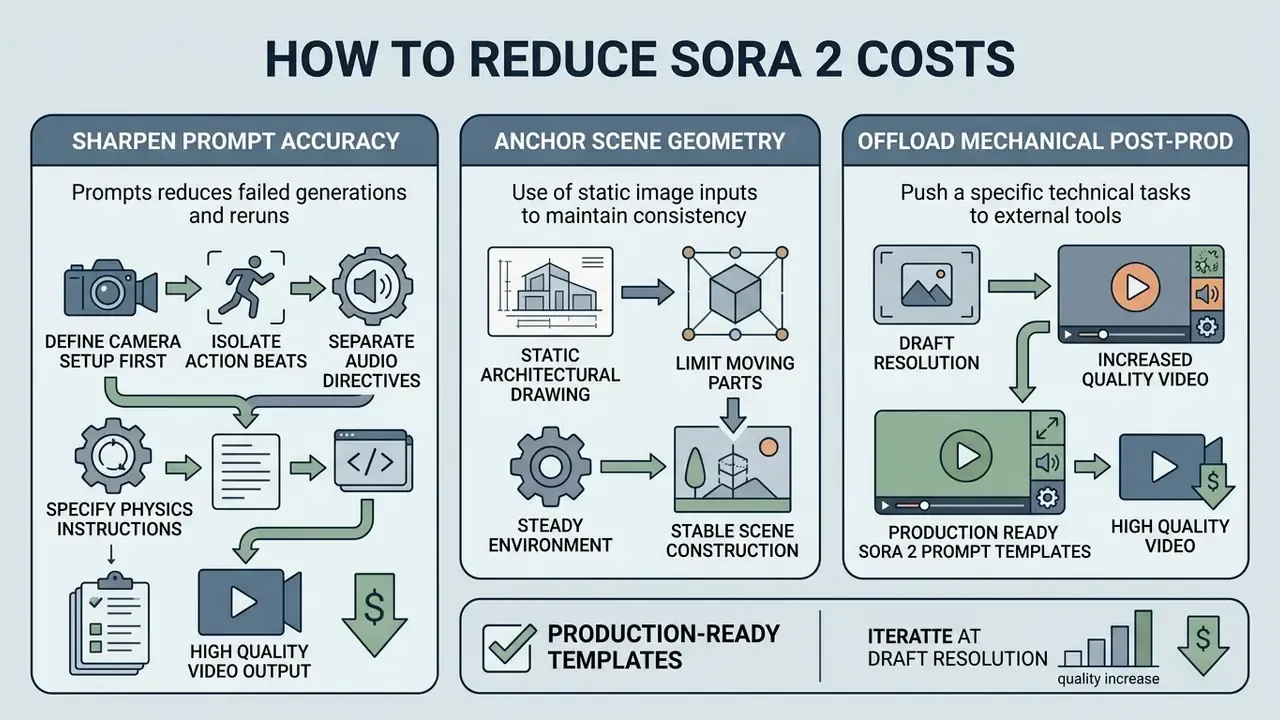
Cutting generation expense comes down to three moves: sharpen prompt accuracy, anchor scene geometry with static image inputs, and push mechanical post-production work to dedicated video editors. Fewer failed generations, lower effective unit cost, same output quality.
Optimizing spend on a sora 2 video creator platform means treating video generation as a multi-stage assembly process. Trial-and-error text prompts at maximum resolution is the most expensive habit a team can develop.
Use prompts to reduce failed generations and reruns
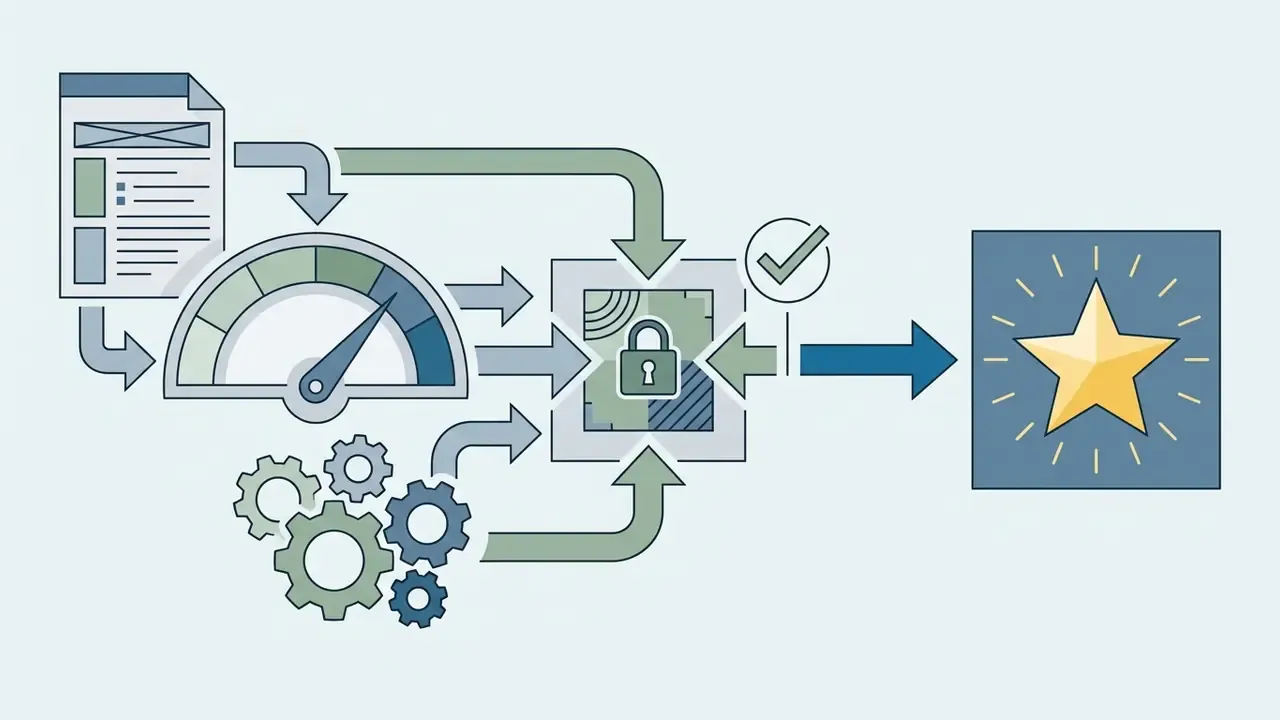
Structuring prompts with explicit camera framing, subject actions, lighting setups and audio cues cuts failures sharply. Vague prompts produce scene drift, physical anomalies and unaligned dialogue, and each of those becomes a retry charge.
«T2V-CompBench shows that dynamic attribute binding and complex object interactions are the hardest categories for text-to-video models».
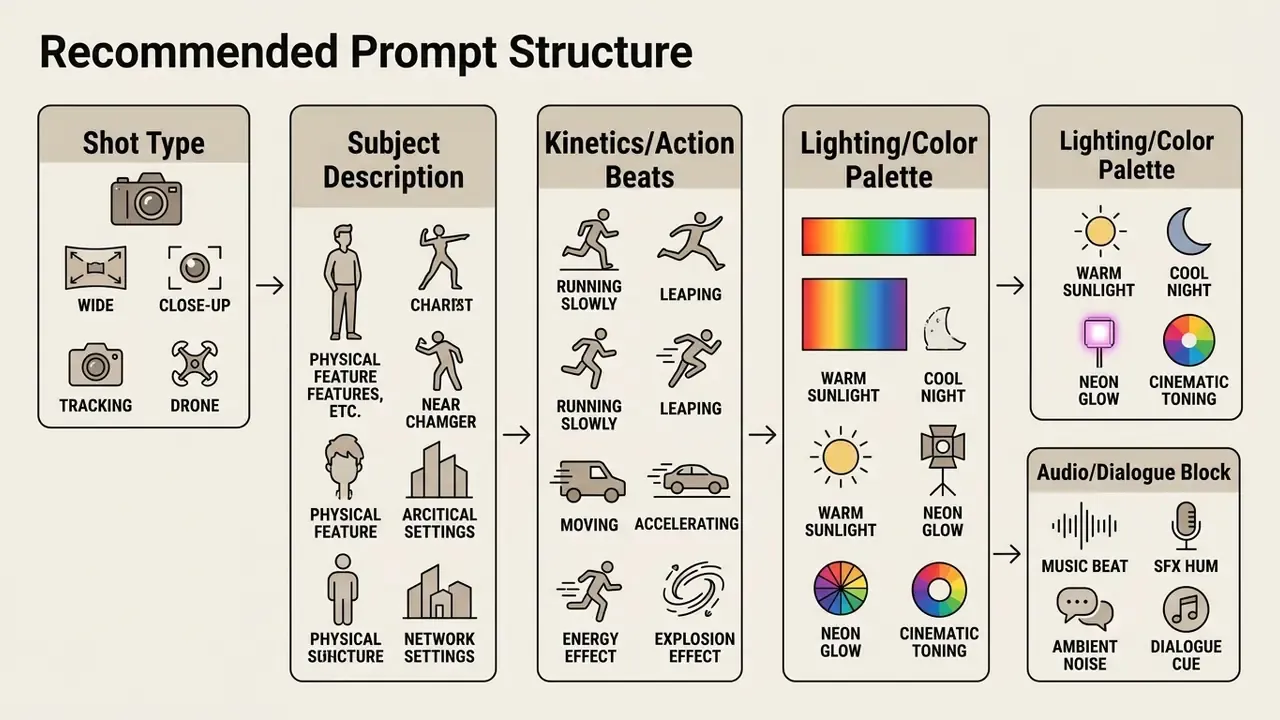
To maximize output success:
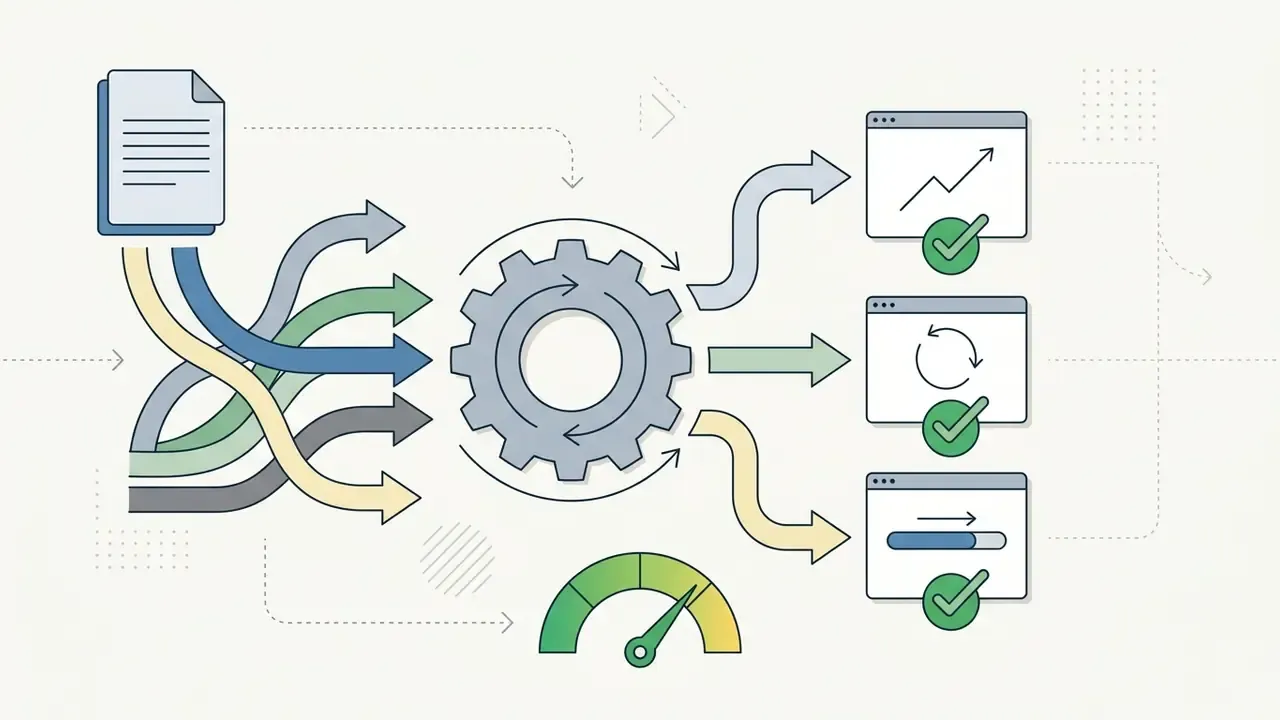
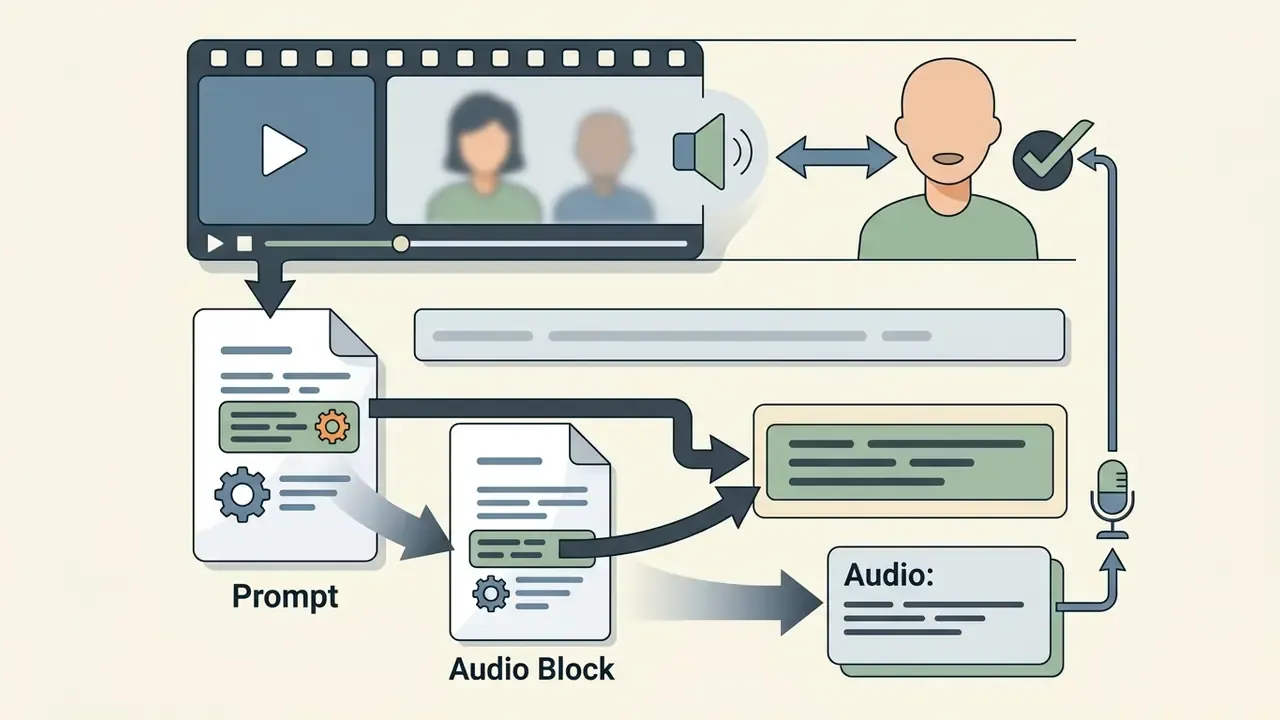
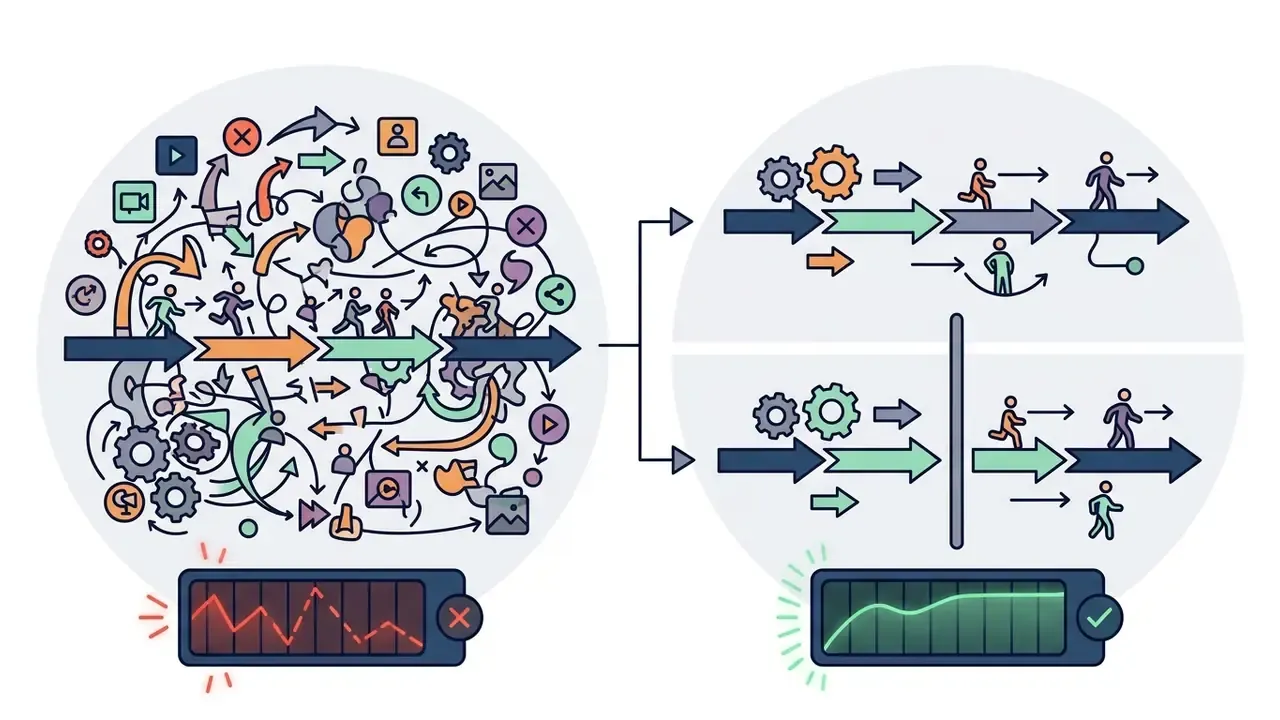
Audio: block at the end of the prompt string for correct lip-sync alignment.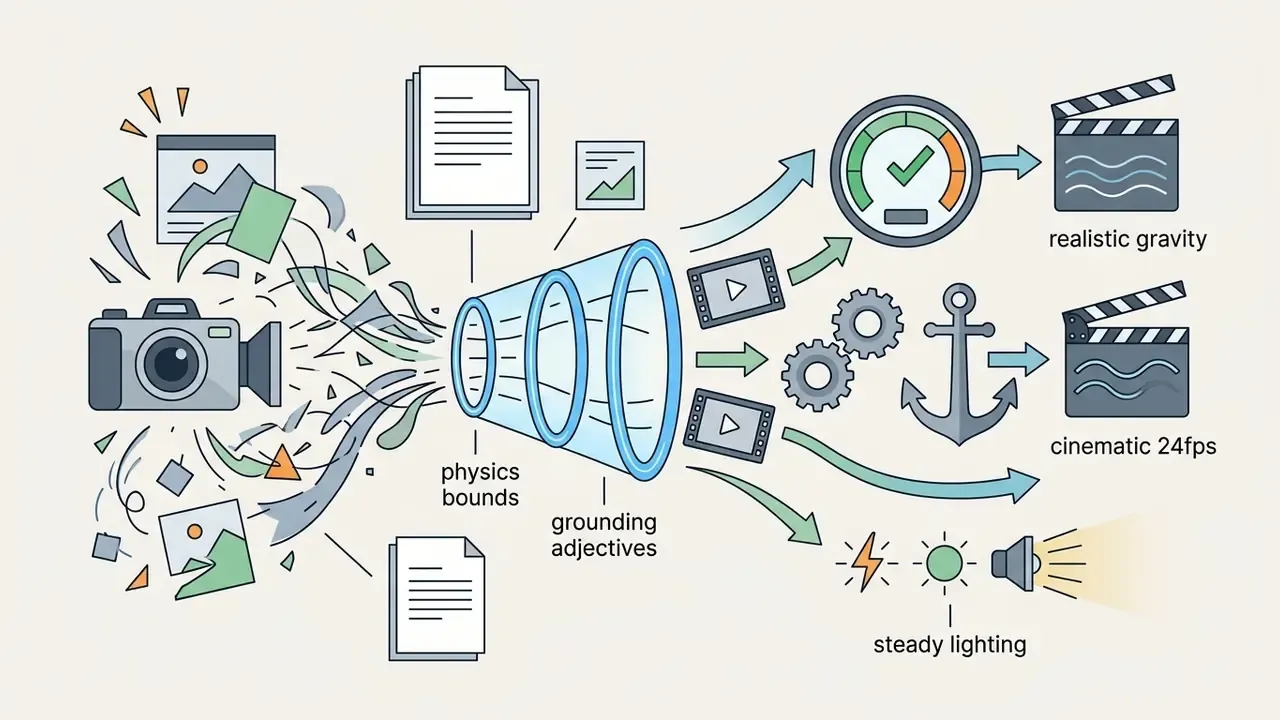
Production-ready Sora 2 prompt templates
These templates are structured for direct reuse. Each one follows the same six-slot pattern: shot, subject, environment, kinetic action, audio, constraints. That consistency is what keeps rerun counts down.
[PROMPT TEMPLATE: Cinematic Sci-Fi Scene]
Shot Type: Wide establishing shot, slow tracking dolly forward.
Subject: A female scientist in a glowing hazmat suit examining an alien crystal structure.
Environment: Subterranean ice cave with bioluminescent cyan ambient light and volumetric fog.
Kinetic Action: The scientist reaches out her gloved hand; light reflections ripple across the ice floor with realistic specular highlights.
Audio & Dialogue: [Audio: Low ambient atmospheric drone, sound of ice crunching under boots. Dialogue: "Thermal readings are off the charts."]
Constraints: 24fps film grain, photorealistic spatial physics, no physical clipping.
[PROMPT TEMPLATE: E-Commerce Product Commercial]
Shot Type: Close-up macro lens, 45-degree orbit camera motion.
Subject: High-end wireless headphones resting on a textured dark basalt stone.
Environment: Studio lighting, warm key light from top-left, subtle background water mist.
Kinetic Action: Fine water droplets condense and slowly slide down the matte metal surface of the earcups under gravity.
Audio: [Audio: Crisp tactile click sound of power button, gentle water splashing background sound effect.]
Constraints: Photorealistic materials, steady optical focus, locked brand geometry.
[PROMPT TEMPLATE: Image-to-Video Concept Extension]
Shot Type: Slow parallax pan right, shallow depth of field.
Subject: Preserve the uploaded reference image exactly. A futuristic vehicle stationary on desert flats.
Environment: Late-afternoon low sun, drifting dust, visible heat haze on the horizon.
Kinetic Action: Foreground dust drifts across frame; background layer shifts slower than foreground to create parallax. Vehicle remains static.
Audio: [Audio: Dry wind, faint metallic creak of cooling panels. No music.]
Constraints: Do not alter subject geometry, livery, or color grade from reference frame.
[PROMPT TEMPLATE: Stylized Animation Sequence]
Shot Type: Medium tracking shot, camera follows subject at constant distance.
Subject: A stylized character walking calmly through a futuristic corridor, subtle cloth movement.
Environment: Soft diffused lighting, clean geometric shapes, cool neutral palette.
Kinetic Action: Smooth continuous stride with no jitter between steps; cloth settles naturally after each step.
Audio: [Audio: Muted footsteps on composite flooring, low machinery hum.]
Constraints: Consistent character design across shots, fluid motion, no limb interpenetration.
[PROMPT TEMPLATE: Explainer / Educational Scene]
Shot Type: Locked-off wide shot, slow push-in over 4 seconds.
Subject: A cutaway cross-section of a mechanical water pump, labelled components visible.
Environment: Neutral studio backdrop, even soft lighting, high legibility.
Kinetic Action: Impeller rotates at steady speed; water flow path animates through the intake and outlet in a single continuous loop.
Audio: [Audio: Soft mechanical whir, water flow. Dialogue: "Pressure builds as the impeller accelerates the flow."]
Constraints: Readable geometry, no motion blur on labels, stable 24fps.
Store approved templates in version control alongside the prompt hash recorded in your generation logs. That turns prompt engineering from individual craft into a reusable asset, and it lets you attribute a change in acceptance rate to a specific template revision rather than to a hunch.
Reuse image inputs and approved creative directions
Image-to-video generation with pre-approved static assets stabilizes scene geometry and cuts reruns. Supplying a static ai image anchors composition, character identity and color palette before any motion gets rendered.
A useful discipline borrowed from other production video APIs: separate two distinct reference roles. A subject or first-frame image pins composition and identity. A style reference image carries color, texture and mood. Keeping these inputs separate prevents the common failure where a style tweak silently rewrites the subject's appearance and forces a full re-approval cycle.
Developers can also use character reference endpoints (POST /v1/videos/characters) by uploading a brief 2-to-4 second baseline clip to generate a reusable character ID. Carrying that ID across subsequent prompts enforces visual consistency between shots, and removes the need to re-establish character appearance through trial-and-error generations. Where inputs are themselves synthetic, standardizing on a single upstream generator keeps the style prior stable. Teams sourcing anchor frames often compare AI image generators on consistency rather than raw aesthetic quality for exactly this reason.
Route tasks between generation and video editing
Reserve the expensive model for what only it can do: novel motion, dynamic character action, complex physics. Mechanical work belongs in traditional video editing tools.
An optimized routing model splits responsibilities cleanly:
- Assign to the Sora 2 generator primary scene synthesis, complex camera movement, dynamic environmental physics, lip-synced audio generation.
- Assign to a secondary video editor trimming clip boundaries, joining multi-shot sequences, text overlays, color grading, background soundtrack.
Budget-constrained teams can cover the entire mechanical layer with free video editing software, and creators publishing straight to a channel can finish the sequence in a dedicated YouTube video editor workflow instead of paying per second to re-render a trim. Paying $0.70 a second to shorten a clip by two seconds is, frankly, a process failure rather than a pricing problem.
Cutting spend with a hybrid generate-then-upscale pipeline
For maximum API-budget efficiency, consider a chained pipeline rather than generating at final delivery resolution:
- Generate the base cliprender at 720p on the base
sora-2model ($0.10/sec). This is where prompt, motion and composition get locked. - Upscale locally or via AIpass the resulting 720p MP4 through dedicated upscaling models such as Topaz Video AI, Real-ESRGAN, or a hosted upscaling API, to reach 1080p or 4K. Compared with generating directly at 1080p on
sora-2-pro($0.70/sec), the generation step alone is up to 7 times cheaper, and the upscaling pass is a fixed cost independent of prompt iteration count. - Clean up artifactsuse targeted neural inpainting masks to remove system watermarks, frame metadata burn-ins or unwanted logos in source footage, without re-generating the sequence and paying the per-second rate again.
- Compress for deliveryweb and social delivery rarely needs a master-grade file. Running the approved cut through a video compressor reduces bandwidth cost with no further generation charge.
The economic logic is simple enough: iterate at the cheapest possible resolution, and add resolution exactly once, after human approval. One caveat worth repeating. Watermark and logo removal must respect the rights attached to the underlying footage and any provenance obligations described in the governance section. Stripping provenance credentials from synthetic media is a compliance decision, not a technical cleanup task.
For teams building complete media processing pipelines, the tool inventory at Hypeart AI Media can help identify complementary editing and asset management solutions.
Choosing Sora 2 versus other AI video models
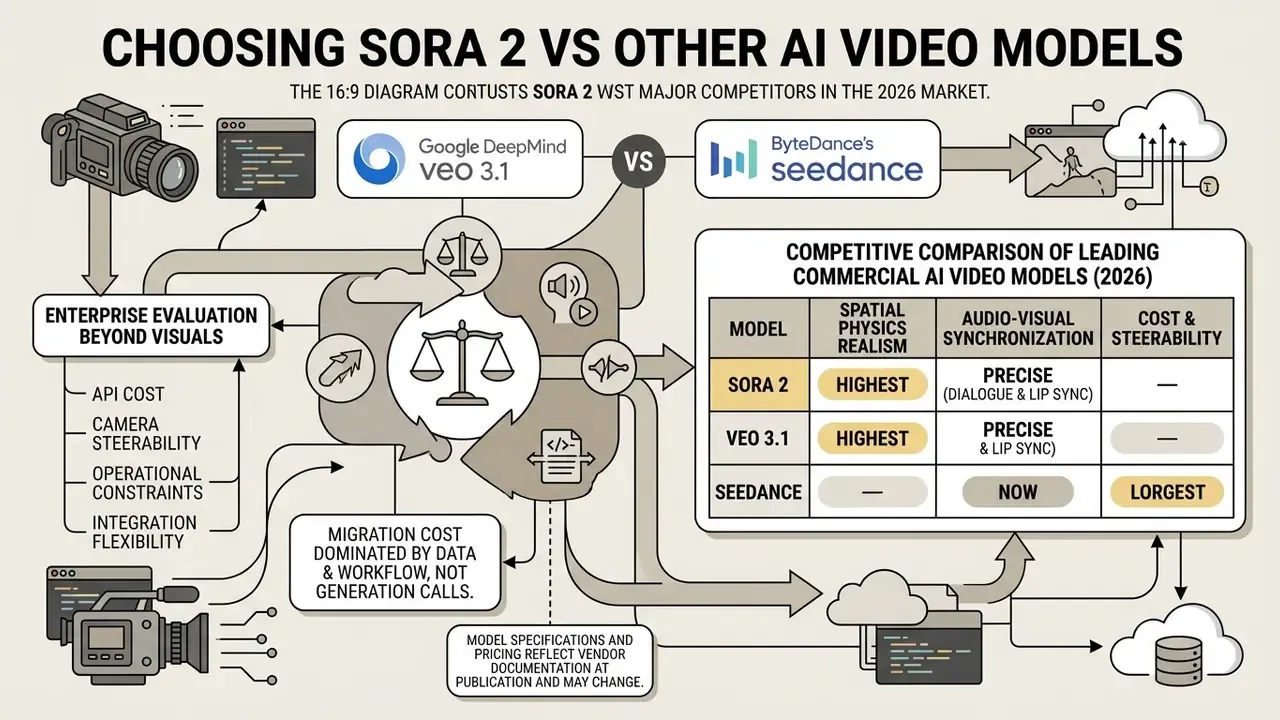
Selecting a video generation model means weighing rendering realism, camera steerability, native audio support, API cost and operational constraints across the leading platforms. Visual quality alone decides nothing.
In 2026, the primary commercial competitors to Sora 2 are Google DeepMind's veo 3.1 and ByteDance's seedance 2.0.
«Sora 2 Pro and Veo 3.1 jointly lead the video generation leaderboard with ELO scores around 1386».
Sora 2 leads on synchronized dialogue, physics modeling and multi-shot continuity. Competing architectures counter with duration, regional availability or raw rendering speed.
«Seedance 2.0 is a natively multimodal joint audio-video generation model supporting text, image, audio and video as inputs».
Table: competitive comparison of leading commercial AI video models (2026).
| Evaluation criterion | OpenAI Sora 2 / Pro | ByteDance Seedance 2.0 | Google Veo 3.1 |
|---|---|---|---|
| Primary modalities | Text-to-video, image-to-video, video edit and extend | Text, image, audio, video to audio-video | Text-to-video, image-to-video, video extension |
| Synchronized audio | Native dialogue, foley and ambient sound | Native joint audio-video synthesis | Native audio generation (Standard and Fast) |
| Maximum resolution | 720p (sora-2), 1080p (sora-2-pro) | 480p / 720p native, 1080p via upscale | Up to 4K (Google Cloud / Gemini API) |
| Max output duration | 10 to 25s per clip; multi-shot sequences | 4 to 15s direct generation | Up to 60s continuous; 4/6/8s per request at 24 FPS |
| API cost structure | $0.10/s (720p) to $0.70/s (1080p Pro) | Provider-dependent, $0.07 to $0.78/s | $0.05/s (Lite) to $0.40/s (Standard 1080p) |
| Physics and realism | Exceptional spatial physics and character stability; ELO about 1386 | Strong motion dynamics, optimized speed | Top ELO ratings, high visual fidelity |
| Vendor lock-in risk | High near-term: documented API shutdown 2026-09-24 requires a migration plan | Moderate: access mostly via third-party API resellers, pricing varies | Moderate: preview model codes change between releases |
No matching rows Clear one or more filters to restore the matrix.
«Seedance 1.0 generates a 5-second 1080p video in 41.4 seconds on an NVIDIA L20, roughly 10 times faster than prior models».
Table summary: Sora 2 offers high spatial physics realism and precise audio-visual synchronization; Veo 3.1 leads on maximum clip length and 4K output; Seedance 2.0 brings versatile multi-modal reference inputs plus the strongest published throughput per GPU. Parameters not published by a vendor are left unstated rather than estimated.
Disclaimer: model specifications and pricing reflect vendor documentation at the time of publication and may change. Verify each vendor's current documentation before making an integration decision.
On lock-in specifically, the migration cost between video APIs is dominated not by the generation call but by three quieter things: prompt-format divergence, differing asynchronous status vocabularies (in_progress versus processing), and per-vendor asset retrieval semantics. Normalizing all three behind one internal schema at build time is what turns a vendor shutdown from a re-architecture into a configuration change. Whether you choose Sora or a rival, that abstraction is the cheapest insurance in the stack. Readers evaluating the wider field can review the best ai video generators for criteria-by-criteria scoring, or browse the hub for adjacent comparisons.
Developers reviewing technical details on competing models can read the guide on the openai sora 2 video audio generation model or check the openai sora video integration manual for extended architectural benchmarks.
Production readiness and risk checklist
Run this before a Sora 2 pipeline touches a customer-facing surface.
Checklist0 / 20
FAQ: Sora 2 implementation, cost and rights
Can Sora 2 be used online for production workflows?
Sora 2 has been available for web and mobile creation through sora.com and a standalone Sora iOS app, and programmatically through the OpenAI API (/v1/videos). Developers can wire API endpoints into cloud backend workflows to automate generation. Consumer-surface availability has shifted over time, though. OpenAI's own product notices state that the original Sora product surface was retired, and invite-based access applied at various points, so any claim about current app availability should be checked against the live OpenAI product and help pages rather than a third-party summary. If you plan to try Sora through a consumer surface first, treat that as evaluation, not as a production path.
E-E-A-T vrezka: production integration precaution "Engineering leads should maintain abstracted API wrapper layers when integrating generative video services, to ensure seamless fallback routing if vendor models undergo API version transitions." Marcus Hale
Teams building production pipelines should track official lifecycle deprecation schedules in vendor documentation.
«The Sora API will be shut down on September 24, 2026». Source: OpenAI Video API Reference, OpenAI Developer Documentation (2026). https://platform.openai.com/docs/api-reference/video
Design for migration: a modular architecture lets you move to updated OpenAI model aliases or alternative platforms such as Veo or Seedance without re-architecting frontend logic.
Disclaimer: the API shutdown date is based on official OpenAI documentation and may change. Monitor current notices in the Developer Portal.
How long does Sora 2 video generation take?
Generating a short clip with the sora 2 video generator ai typically takes between 30 seconds and 5 minutes, depending on output duration, resolution tier and current API queue load. Standard 720p clips on sora-2 come back faster than high-resolution 1080p multi-shot renders on sora-2-pro. Vendor documentation for the Sora 2 preview on Azure notes that long generations can take up to five minutes. No official latency table broken down by duration and resolution has been published, so internal benchmarking is required before you commit to an SLA.
Because diffusion transformers process heavy spatial-temporal latents, latency scales close to quadratically with frame resolution and clip duration.
«Video diffusion latency scales quadratically with spatial and temporal dimensions and linearly with the number of denoising steps». Source: Video Killed the Energy Budget, arXiv (2025). https://arxiv.org/abs/2501.05552
Execute rendering requests asynchronously, using webhooks or worker polling, and show users honest status indicators (queued, processing) instead of a spinner that tells them nothing.
Can Sora 2 AI generated videos be monetized on YouTube and used commercially?
Yes. Videos generated through the Sora 2 API (sora-2 and sora-2-pro) can be used for commercial projects, including monetized YouTube channels, paid digital advertising and client deliverables, subject to standard OpenAI Service Terms.
To keep monetization eligibility on YouTube clean, without copyright or reused-content flags:
- Commercial API tier rights: generate under a paid OpenAI API plan or enterprise commercial license. Free web previews and third-party free tiers may carry non-commercial restrictions or platform watermarks.
- Human creative addition: YouTube expects human value-add. Combine raw Sora 2 outputs with custom post-production editing, voiceover narration, original scripting or bespoke visual overlays to satisfy the Reused Content Policy. Channels publishing unedited model output at volume are the ones that attract enforcement.
- Audio content safety: natively synthesized Sora 2 audio and speech are generally clear for commercial broadcast. Layer in third-party music or reference tracks, though, and you must clear synchronization rights separately. Generated video does not launder a music license.
- Likeness and trademark hygiene: do not publish outputs depicting identifiable real people without documented consent, and avoid third-party trademarks in generated frames unless you hold the relevant rights.
Worth noting: OpenAI's Service Terms also cover content you publicly share on OpenAI's own surfaces. Publicly shared images or videos may be reproduced, distributed, modified, displayed and performed by OpenAI for operating and promoting the services. That clause concerns public sharing on the platform rather than downstream commercial use of downloaded files, but read it before publishing sensitive brand material through a consumer surface.
Disclaimer: information about rights in generated content is general and does not replace legal advice. Commercial use is governed by OpenAI's terms, which may change; verify current terms and, for regulated advertising, consult counsel.
Can generated videos be used after download and editing?
Videos generated via Sora 2 download as standard MP4 files and import into external post-production tools for editing, compositing or publishing. Where anchor frames or brand assets are themselves synthetic, teams commonly pair the pipeline with AI image generators upstream and a conventional editor downstream.
Commercial usage permissions and public distribution rights are governed by OpenAI's official Service Terms and Content Policy. Verify that generated assets comply with platform guidelines, privacy standards and copyright rules before public deployment, and preserve the provenance manifest described earlier. Editing a file does not remove the obligation to disclose synthetic origin where disclosure is required.
To check enterprise compliance standards across creation platforms, technical leads can review the AI Media Glossary or consult the openai sora video documentation hub.
Does Sora 2 charge extra for audio or high frame rates?
Current public documentation exposes no separate surcharge for native synchronized audio, and frame rate is not published as a billing parameter. Billing is driven by model tier, resolution and generated seconds. Complex camera choreography therefore affects cost indirectly, through rerun frequency rather than a line-item charge. Another argument for locking motion at draft resolution first.
What is the difference between sora-2 and sora-2-pro?
sora-2 and sora-2-pro?sora-2 is the standard tier: 720p output (720×1280 portrait or 1280×720 landscape) at $0.10 per second, suited to iteration, social-format deliverables and high-volume variant testing. sora-2-pro unlocks 1024p and 1080p at $0.30 to $0.70 per second and belongs at the end of the pipeline, on final exports. The cost-optimal pattern is straightforward: iterate on sora-2, then spend on sora-2-pro exactly once per approved prompt.
Author & editorial review block Author: Marcus Hale, Enterprise AI Risk and Governance Specialist. Marcus Hale, author. Editorial Review: Technical Engineering and Model Risk Practice Group. Last Updated: September 2026. Validation Standard: verified against OpenAI API technical documentation, the NIST AI Risk Management Framework (including TEVV verification guidance), peer-reviewed arXiv benchmarks, and industry unit-economics benchmarks.
Review cadence and update log
Pricing, model aliases and lifecycle dates in this field move faster than most editorial calendars. Practical cadence for keeping an implementation guide like this usable:
- Quarterly: re-verify per-second rates, batch discount, rate-limit tiers and regional uplift against the OpenAI pricing page.
- Monthly: re-read deprecation notices in the Developer Portal, and confirm the tracked migration deadline is still 2026-09-24.
- Per release: re-test the abstraction layer against at least one alternate vendor alias, so fallback routing is proven rather than assumed.
- Continuously: feed rejection logs into the acceptance-rate metric. Everything in the unit economics section depends on that one number being real.
Social media, marketing and e-commerce video creation
In digital marketing and e-commerce, brand teams use Sora 2 to turn static product catalogs into video ads for social media. Generating short 6-to-10 second product demonstrations with synchronized voiceovers makes it cheap enough to test creative variations at real scale.
One illustrative pattern: a digital marketing team running an e-commerce campaign uploaded static hero images of a new product line into an I2V pipeline powered by the sora 2 ai video creator. By programmatically generating 50 localized video ad variations with synchronized multi-language voiceovers, the brand moved from a single agency-shot master asset to a high-variance creative library. In this deployment pattern the reported savings and click-through improvements were internal, self-measured figures, not audited benchmarks. Treat percentage gains as directional and validate them with your own holdout A/B tests before committing budget. What is structurally verifiable is the mechanism: per-asset marginal cost collapses from a fixed shoot fee to a per-second API charge, which makes broad variant testing economically viable for the first time.
For creators assembling these assets into publish-ready ads, the audio layer is often what decides approval rates. Teams standardizing narration across localized variants frequently pair generation with dedicated AI voice generators to keep brand tone consistent across markets.