An AI fantasy art generator is an artificial intelligence software system that converts text prompts into high-resolution fantasy illustrations, character designs, landscapes, and concept art using deep-learning models. These tools let game designers, authors, artists, and hobbyists turn imaginative descriptions into detailed visual assets in seconds, with no traditional painting skills required.
Key Takeaways
- Mechanism Fantasy art generators run text-conditioned latent diffusion. Gaussian noise is denoised step by step under guidance from CLIP or LLM text embeddings, so prompt precision directly controls output quality.
- Prompt formula Subject + Context + Lighting/Atmosphere + Composition/Framing + Artistic Style. Vague single-word inputs produce measurably weaker alignment than structured prompts.
- Tool choice Proprietary cloud APIs (Midjourney, DALL·E 3, Adobe Firefly) deliver instant polish and, in Adobe's case, indemnified commercial safety. Open-weight models (FLUX.1, SDXL, SD3.5) deliver data privacy, LoRA/ControlNet control, and local deployment inside a VPC.
- Sub-genres matter High fantasy, dark fantasy, grimdark, sword and sorcery, Ghibli/whimsical, steampunk, and cosmic mythic each require distinct palette, texture, and lighting anchors.
- Legal reality Purely AI-generated output is not registrable for copyright in the United States, and Article 50 of the EU AI Act requires synthetic images to be machine-readably marked.
- Enterprise risk Shadow AI, meaning staff pasting confidential lore, unreleased character bibles, or client briefs into public consumer generators, is the single most under-managed exposure in creative teams.
- Production pipeline Generate, then inpaint and refine, then composite in a layered editor, then upscale to 4K/8K at 300 DPI, then export PNG or 16-bit TIFF.
How to Use This Guide
This is a long read, so here is the shortest honest map of it.
If you only want to know what these tools are and how they work, the first two sections carry the technical explanation: diffusion, text embeddings, and why prompt wording changes output so sharply. If you are picking a tool, the selection metrics, cost-of-ownership table, and comparison matrix are where the buying decision actually gets made. If you already have a tool and need better output, jump to the prompt library and the production pipeline. And if you work inside a company that cares about audit trails, read the Shadow AI section first, then everything else.
One note before we start. Model names, plan limits, and licence clauses in this space change monthly. Treat every specific figure here as a snapshot to verify in the vendor's own documentation, not as a permanent fact. That caveat applies to pricing more than anything else.
What Is an AI Fantasy Art Generator?
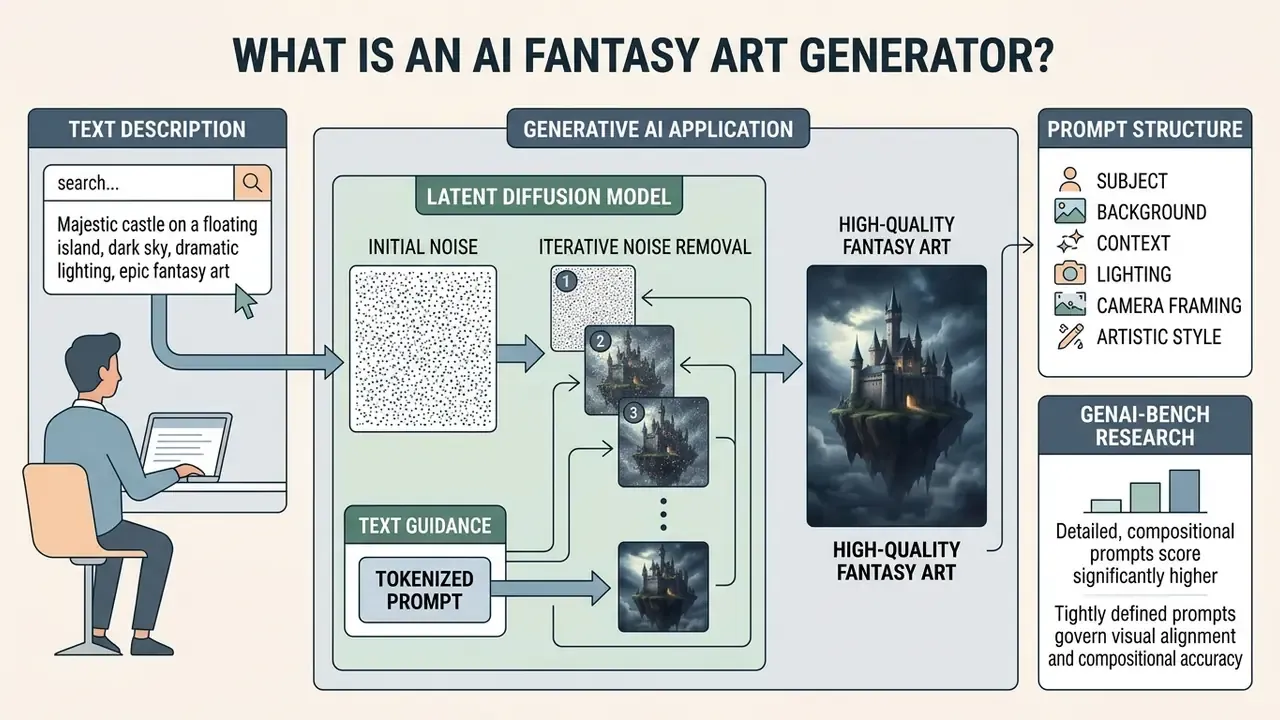
An ai fantasy art generator is a generative artificial intelligence application that synthesizes novel artwork from textual descriptions, leveraging text-to-image diffusion algorithms trained on massive multimodal datasets. By processing natural language inputs through semantic encoders, an ai fantasy image generator produces detailed ai fantasy images, mythical creatures, and otherworldly architecture without manual drawing. For a wider view of the tool category and how it overlaps with adjacent editing software, see our comparison of the best AI art generators.
Modern visual generation workflows rely primarily on latent diffusion models. Generative adversarial networks (GANs) are now relegated to niche tasks such as upscaling and narrow style transfer.
These algorithms start with Gaussian noise and iteratively strip random artifacts under the guidance of text embeddings generated by contrastive language-image pre-training (CLIP) or large language model (LLM) encoders. Stable Diffusion, for example, was trained on 512×512 crops from a LAION-5B subset using a frozen CLIP ViT-L/14 text encoder paired with an 860M-parameter UNet. The process enables ai generated fantasy art to render complex lighting, intricate armor textures, and atmospheric depth based purely on natural language descriptions. That is the whole trick. Statistics, not brushes.
How AI Turns a Text Description into Fantasy Art
Text-to-image synthesis transforms a prompt into a high-quality fantasy illustration through tokenization, semantic embedding, cross-attention conditioning, and iterative noise reduction. When a user submits a textual prompt, the system breaks the sentence into token embeddings, maps those tokens across a shared text-image semantic space, and directs a UNet or transformer architecture to denoise latent pixels step by step.
Research shows that prompt structure directly governs visual alignment and compositional accuracy.
Tightly defined prompts that specify subject, background context, lighting, camera framing, and artistic style yield higher aesthetic scores and fewer visual hallucinations than vague, single-word inputs. Google's Vertex AI image prompt guide formalizes this as subject + context/background + style, refined iteratively until the render matches the target. Adding explicit material cues, such as "burnished steel," "glowing arcane runes," or "volcanic embers," gives cross-attention layers precise anchors during latent denoising. Worth noting: these ai powered pipelines do not understand your world. They match statistical patterns to your wording, which is exactly why wording carries so much weight in art creation.
What Can You Create with AI Fantasy Art?
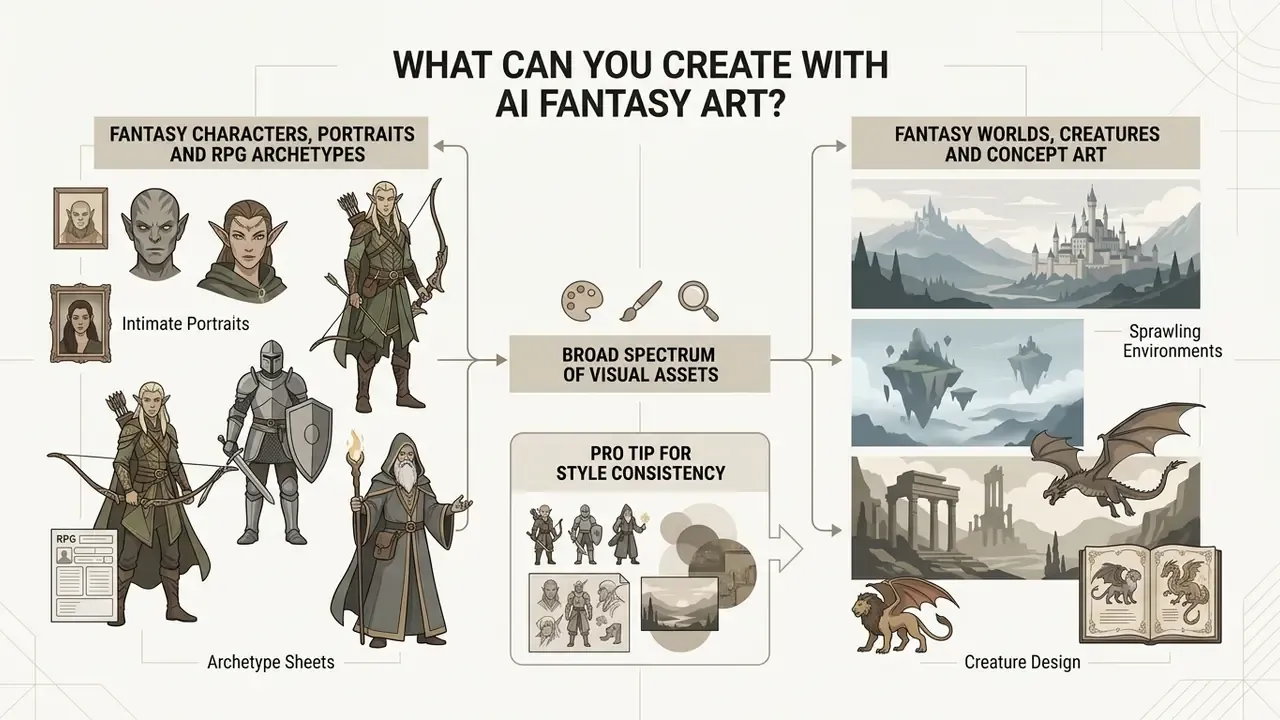
An ai fantasy picture generator produces a broad spectrum of visual assets, ranging from intimate character portraits to sprawling fantasy world environments. Creators use these ai image generation tools for fantasy art to produce digital assets across multiple subgenres, including high fantasy, dark fantasy, cyberpunk-magic hybrids, and mythological folklore.
Fantasy Characters, Portraits and RPG Archetypes
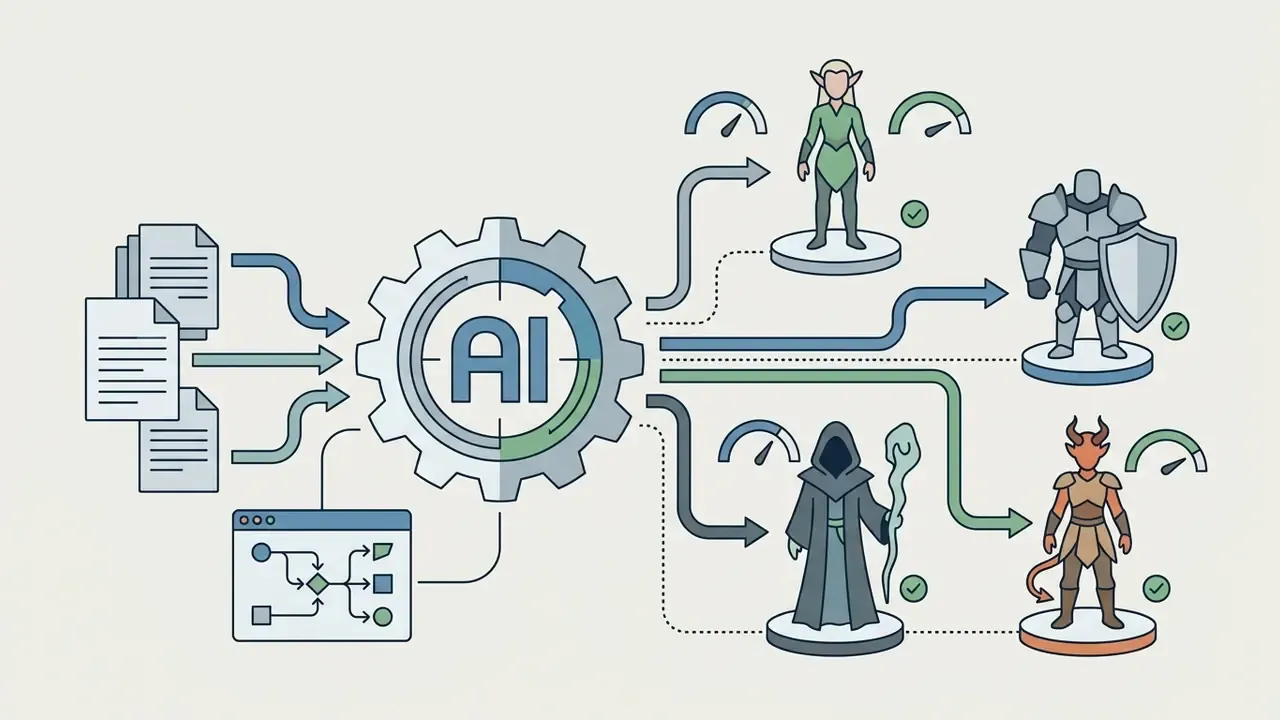
Generating fantasy character art and character portraits requires precise control over racial traits, class gear, facial expressions, and atmospheric lighting. TTRPG players and game masters frequently use an ai image generator fantasy tool to create visual tokens, non-player character (NPC) portraits, and party roster illustrations for campaigns. Specialized character tools can even parse a character sheet PDF or a D&D Beyond link to extract race, class, and gear before generating a matching portrait. Representation matters here too, and prompt vocabulary for inclusive casts is covered separately in our notes on a gay ai image generator and identity-specific prompting.
Achieving consistent characters across multiple generated scenes remains an operational challenge in prompt-only workflows.
To maintain visual identity across different action poses or environments, creators combine fixed identity descriptions with reference image seeding (image-to-image) or ControlNet depth adapters, preserving underlying facial structure and key equipment across sequential renders. The practical convention documented across character-art guides is simple: keep one base identity prompt, change only scene and pose, keep the same model and style mode, and repeat exact colour and feature references for hair, eyes, skin, and clothing in every generation.
Fantasy Worlds, Creatures and Concept Art
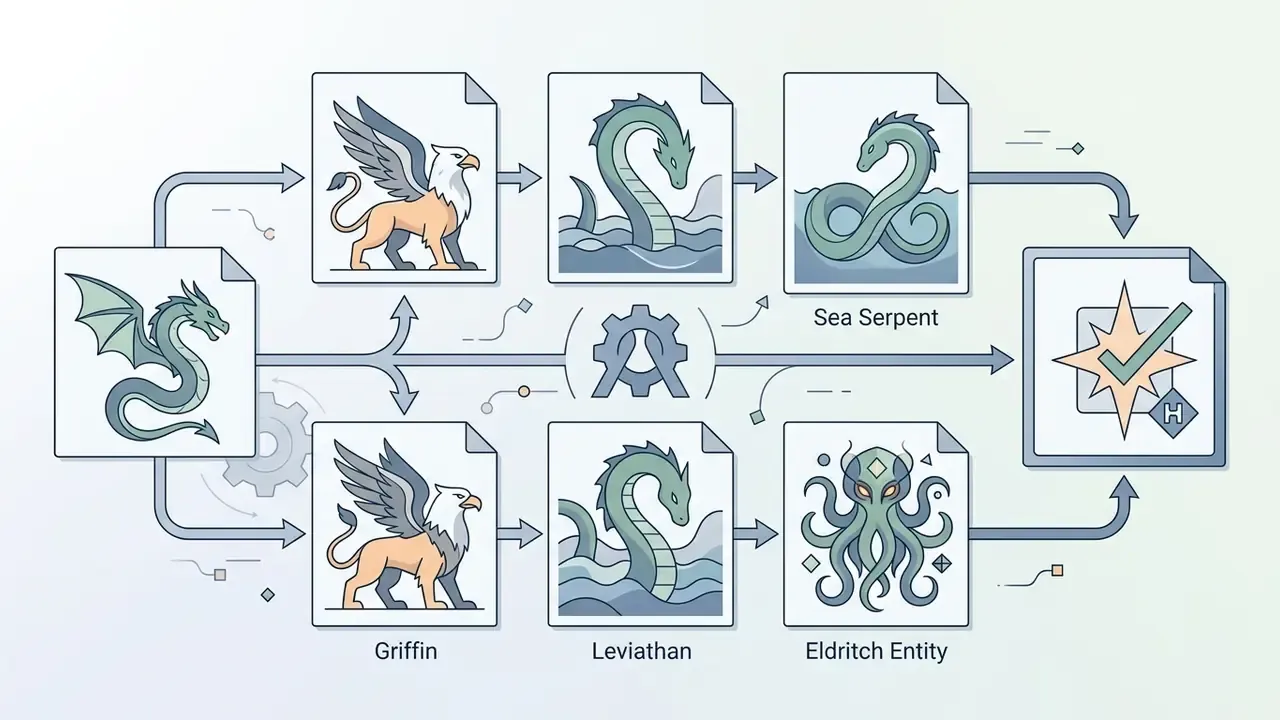
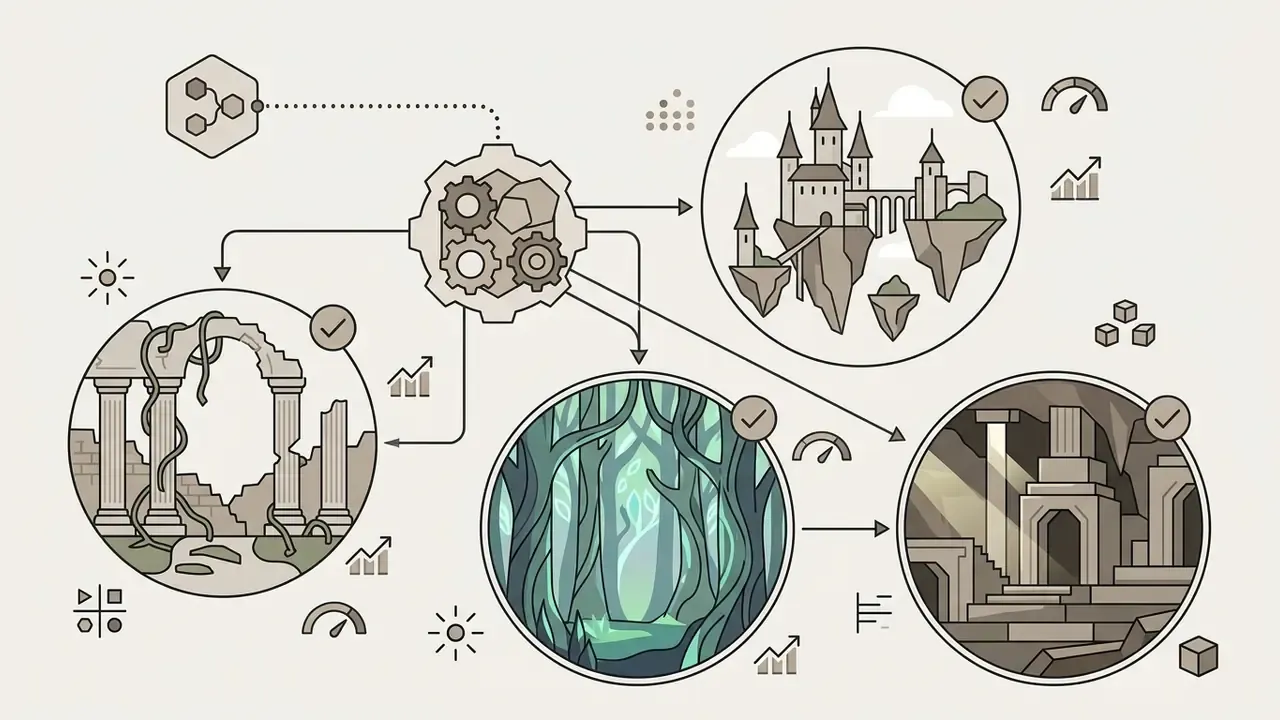
Generating ai fantasy pictures of expansive environments and mythical beasts demands advanced compositional reasoning and scale modeling. Concept artists use an ai fantasy generator free tier or a paid interface to sketch environmental mood boards, volcanic dragon lairs, or arcane academic towers in minutes. Vendor documentation for concept-art tooling lists environment art, character designs, prop concepts, vehicle designs, architectural visualization, and scene composition as standard output categories, and research pipelines now extend to feed-forward generation of 3D "fantastic creature" models (Muses, 2025).
Diffusion models handle environmental depth by synthesizing aerial perspective, volumetric fog, and directional light sources. Those effects are learned statistical correlations of the training distribution rather than any physical light simulation, which is precisely why explicit lighting vocabulary in the prompt changes results so sharply. Complex multi-object interactions, however, such as a specific count of dragons flying above a castle wall, frequently trigger compositional errors.
Writers and worldbuilders work around these limits by building scenes iteratively: generate the base environment layout first, then use inpainting to add targeted creatures or architectural details. Slower, yes. Far fewer six-legged horses.
Exploring Fantasy Sub-Genres & Visual Presets
Different fantasy projects need different visual languages. Leading tools now ship eight or more genre presets (high fantasy, dark fantasy, sword and sorcery, grimdark, Ghibli, D&D character, epic landscape, and cosmic mythic) that pre-seed palette, composition, and mythic era before the prompt runs. When prompting manually, lean on these specialized sub-style anchors.
- High & Epic Fantasy Heroic scale, gold and azure palettes, banner-heavy architecture, painterly rendering (e.g., "noble human paladin on a windswept ridge, burnished plate armour, sunlit banners, epic painterly concept art").
- Dark Fantasy Haunting atmosphere, cold desaturated blues, fog, decay motifs, low-key lighting (e.g., "cursed cathedral in a drowned graveyard, pale moonlight, creeping mist, dark fantasy illustration").
- Grimdark & Sword and Sorcery Muted palettes, heavy shadow gradients, armour wear, gritty realism (e.g., "weathered mercenary, scarred iron armour, rain-slicked battleground, desaturated tones, grimdark aesthetic").
- Ghibli & Whimsical Fantasy Vibrant pastel watercolours, soft line art, lush natural environments, nostalgic atmosphere (e.g., "floating spirit market inside a giant hollow oak, hand-drawn anime aesthetic, soft warm sunlight"). Style-specific tooling is covered in our guide to Ghibli-style AI image generators.
- Steampunk & Clockwork Fantasy Brass mechanics, leather straps, glowing vacuum tubes, Victorian architecture (e.g., "clockwork dragon with exposed brass gears, copper wings, steam exhaust, Victorian laboratory background").
- Cosmic & Eldritch Mythic Surreal geometry, bioluminescent tendrils, non-Euclidean structures, deep void hues (e.g., "astral entity floating inside a shattered star cluster, iridescent scale patterns, cosmic horror visual style").
- Fairytale & Storybook Flat illustrative shading, warm lantern light, exaggerated proportions for children's publishing and educational media.
Mixing two of these fantasy styles usually works. Mixing four rarely does, because the cross-attention layers start averaging palettes into mud.
How to Choose the Best AI Fantasy Art Generator
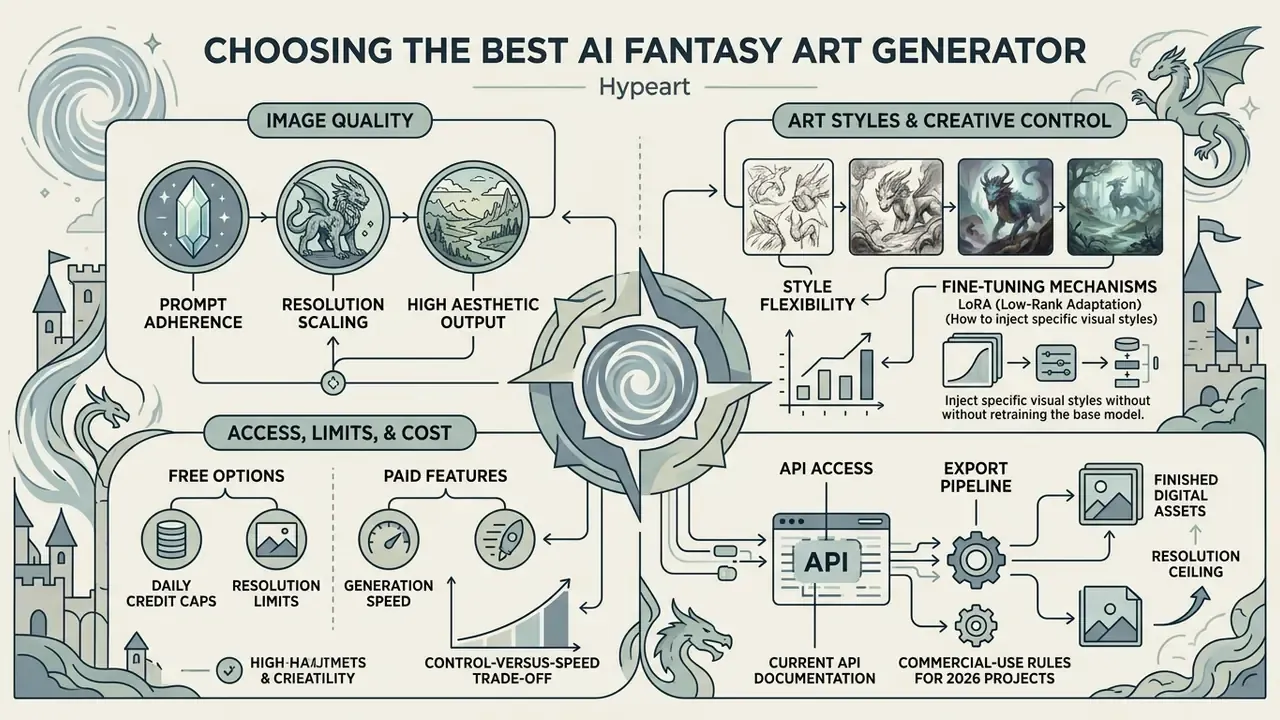
Selecting the best ai fantasy art generator means evaluating core performance metrics: prompt adherence, resolution scaling, style flexibility, generation speed, and commercial licensing terms. Judging an art tool across these dimensions keeps it aligned with professional game design or publishing requirements without introducing operational bottlenecks.
| Selection Metric | Key Evaluation Criteria | Technical Requirement |
|---|---|---|
| Image Quality & Resolution | Detail fidelity, absence of anatomical artifacts, high pixel density | Native output ≥ 1024 × 1024 px, upscaling support to 4K |
| Creative Control | Image-to-image support, ControlNet, seed retention, prompt weighting | Multi-modal conditioning, attention map editing |
| Generation Speed | Latency per image generation iteration | Under 5 seconds for real-time draft iteration |
| Licensing & Rights | Indication of training data sourcing, commercial deployment rights | Clear terms for monetization and copyright protection |
| Data Handling | Prompt retention, private rendering queues, local/VPC deployment | No training on customer prompts; self-hosting option for NDA work |
Image Quality, Art Styles and Creative Control
The best ai art tool for fantasy illustrations has to balance high aesthetic output with granular user control over artistic style and composition. Foundation models excel at broad aesthetic rendering. Fine-grained control over specific fantasy art styles, such as oil painting, watercolor, cel shading, or hyper-realistic 3D render, depends on model architecture and fine-tuning capability.
Fine-tuning mechanisms like Low-Rank Adaptation (LoRA) let operators inject specific visual styles or proprietary art directions into diffusion pipelines without retraining the core foundation model. That degree of control is what allows studio teams to hold one distinct, proprietary brand aesthetic across hundreds of generated images instead of chasing it prompt by prompt.
The control-versus-speed trade-off is now quantifiable. ControlNet keeps the base model frozen and adds a trainable branch, reported in its ICCV 2023 paper as roughly 23% additional GPU memory and 34% additional optimization cost versus plain Stable Diffusion training. Domain-specific ControlNet variants can be adapted with about 1,000 image pairs in under an hour on a single GPU, while the original ControlNet required roughly 6,000 GPU hours on 8× RTX 4090. On the inference side, distilled control-preserving systems such as SANA-Sprint-ControlNet report about 200 ms on an H100 and roughly 0.24 s for a 1024×1024 render on an A100, fast enough for live art direction sessions.
Free Access, Limits and Paid Features
Evaluating an ai fantasy image generator free option means checking daily credit caps, resolution limits, and feature restrictions. Many platforms offer free generation tiers with daily credit resets while reserving advanced features (high-resolution upscaling, private rendering queues, commercial usage rights) for paid subscription tiers.
Free tiers differ sharply in access friction rather than in raw capability. Documented examples include token-metered tools granting 2,500 tokens per day to anonymous users and 5,000 tokens per day to free accounts, with each generation consuming roughly 100 to 5,000 tokens and quotas resetting every 24 hours. Adobe Firefly grants free daily generations that reset each billing cycle with an Adobe account. Midjourney currently offers no free trial and requires a paid subscription to generate at all.
Paid tiers typically add faster processing, batch generation, private queues, and explicit commercial rights. So creators need to separate casual exploration credits from production-ready licences required for commercial publishing. Because plan terms change frequently, verify limits directly in the vendor's current documentation rather than in third-party summaries, including ours. Mobile-first options with no credit card requirement are tracked in our overview of the free ai image generator app landscape, and broader zero-cost model access is mapped in our guide to free generative ai tooling. Our roundups of free AI art generators and free photo editors go deeper on those limits.
Programmatic & API Access for Developers
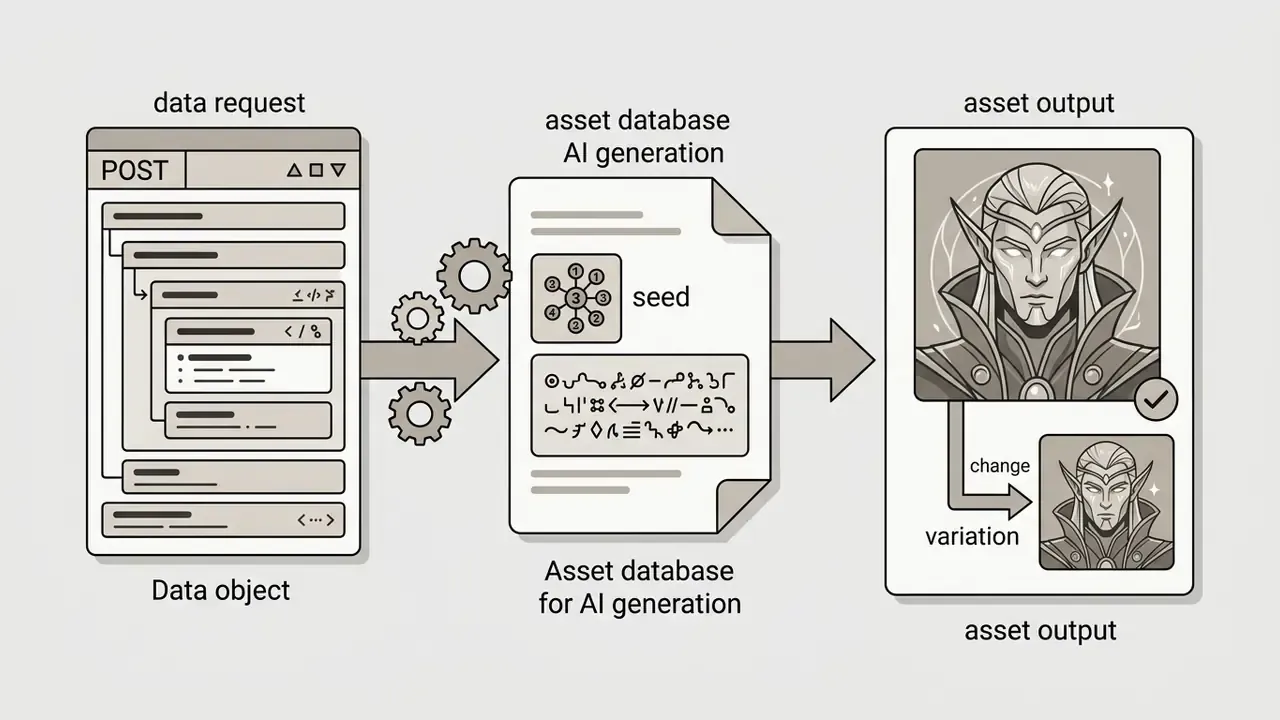
For indie developers and studio engineers wiring fantasy art pipelines into game engines or web apps, automated generation via REST API is essential. Most endpoints follow the OpenAI REST convention and authenticate with a bearer token, so existing client libraries keep working without modification. Below is a standard JSON payload format for generating high-resolution fantasy character assets.
curl -X POST https://api.yourdomain.com/v1/images/generations \
  -H "Authorization: Bearer YOUR_API_KEY" \
  -H "Content-Type: application/json" \
  -d '{
    "prompt": "High fantasy elven paladin, burnished silver armor, glowing runes, cinematic lighting",
    "style_preset": "high-fantasy",
    "aspect_ratio": "16:9",
    "width": 1024,
    "height": 1024,
    "steps": 30,
    "guidance_scale": 7.5
  }'
Most production platforms return a direct PNG asset URL or a base64-encoded string alongside latent seed data for reproduction. Three engineering notes for studio pipelines:
One more thing engineers tend to learn the hard way: log the model version, not just the model name. Silent version bumps change house style overnight, and without the version string you cannot explain why last quarter's approved assets no longer match.
Best AI Fantasy Image Generators Compared
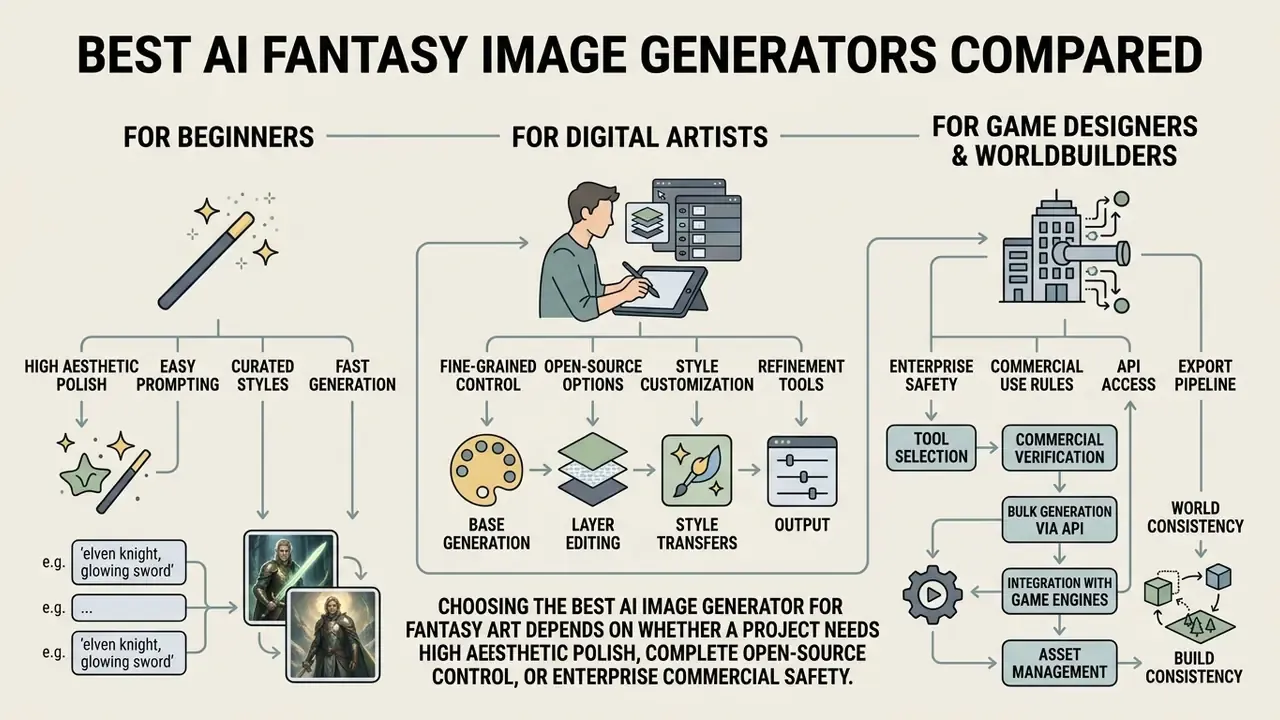
Choosing the best ai image generator for fantasy art depends on whether a project needs high aesthetic polish, complete open-source control, or enterprise commercial safety.
| Platform | Free Access Tier | Primary Rendering Strength | Prompt Adherence | Commercial Rights |
|---|---|---|---|---|
| Midjourney (v6) | Paid subscription only | Exceptional cinematic fantasy aesthetic | High | Allowed on paid plans (≥ $1M revenue requires Pro/Mega) |
| DALL-E 3 | Access via ChatGPT / Bing | Superior text prompt alignment & composition | Industry leading | Full commercial rights for generated outputs |
| Flux.1 | Open weights / API options | Top-tier image coherence & aesthetic score | Very high | Depends on licence tier (Dev vs Commercial) |
| Stable Diffusion (SDXL / SD3.5) | Open-source / local execution | Unlimited customization, LoRA & ControlNet support | High (with tuning) | Full commercial rights on open model weights |
| Adobe Firefly | Free plan with monthly credits | Commercial safety, indemnification, Adobe integration | High | Full commercial rights for non-beta features |
| Dreamina / ImagineArt | Daily free credits | Rapid social media asset generation | Medium | Varies by subscription tier |
| NightCafe Creator | Daily free credits, community queue | Multiple model backends, style-heavy fantasy output | Medium to high | Creator retains rights; check current terms per model |
| DeepAI | Free browser generations, low friction | Fast sketch-grade drafts, no credit card for entry tier | Medium | Paid tier documents commercial permissions |
No matching rows Clear one or more filters to restore the matrix.
The matrix highlights distinct operational trade-offs. Proprietary cloud platforms such as Midjourney and DALL-E 3 deliver immediate out-of-the-box aesthetic quality, whereas open-weight frameworks like Stable Diffusion and Flux.1 require technical setup but return complete data privacy and pipeline integration. Community services (NightCafe Creator, DeepAI, Dreamina, ImagineArt) sit between the two: fast, user friendly, generous on free credits, weaker on rights clarity. Adobe explicitly positions Firefly as trained on open-licensed and public-domain content with commercially safe output for non-beta features, which is why regulated and agency environments frequently default to it.
For a head-to-head breakdown of the most common aesthetic benchmark, see our analysis of Midjourney image generation versus competing tools, and for prompt-following workflows inside a chat interface, our review of ChatGPT image generation. Stock-library hybrids deserve a look too, since template-plus-generation stacks like the freepik ai image generator bundle licensing terms with the render.
One caveat for governance teams. Peer-reviewed literature still does not contain systematic comparative studies of platform licensing terms, so commercial decisions must rest on each vendor's current published documentation rather than on aggregated reviews.
Which Tool Is Best for Beginners, Artists and Game Designers?
Different creative roles need different toolsets, depending on technical expertise and production volume.
- For Beginners Web-based platforms with structured prompt suggestions and intuitive style presets offer the lowest barrier to entry, enabling quick generation without technical tuning. Several documented tools require neither a credit card nor a login at all. See our guide to free AI art generators with no sign-up friction.
- For Digital Artists Open-weight diffusion models combined with ControlNet and local image editing software give precision over linework, pose composition, and lighting layers. Survey work on professional game artists documents mixed stacks: ChatGPT, DALL·E, Leonardo.AI, Luma, and Midjourney used together with prompt templates and iterative upscaling.
- For Game Designers & Worldbuilders Tools with fast batch generation, image-to-image variations, and integrated 3D/asset exports streamline early-stage concept exploration and mood board creation. Empirical 2024 pipeline studies document Leonardo AI, Scenario AI, Alpha 3D, and Luma AI feeding concept art and 3D models into Blender and Unreal Engine 5.
Research presented at CHI Play 2024 on tools such as WorldSmith reinforces the same point: prompt-based generative interfaces are explicitly designed to help novice game developers visualize ideas during early design, before manual art resources get committed. To see how these use cases connect across tool categories, browse the hub of side-by-side comparisons.
Cost of Ownership: Paid SaaS vs Local Open-Weight Models
Finance and risk owners evaluating a fantasy art pipeline need a cost structure, not a feature list. The two viable postures have very different economics and control profiles.
| Cost & Control Dimension | Managed SaaS (Firefly, Midjourney, DALL·E 3) | Local / VPC Open-Weight (SDXL, SD3.5, FLUX.1) |
|---|---|---|
| Entry cost | Per-seat subscription or prepaid API credits; near-zero setup | GPU hardware or cloud GPU hours; MLOps setup time |
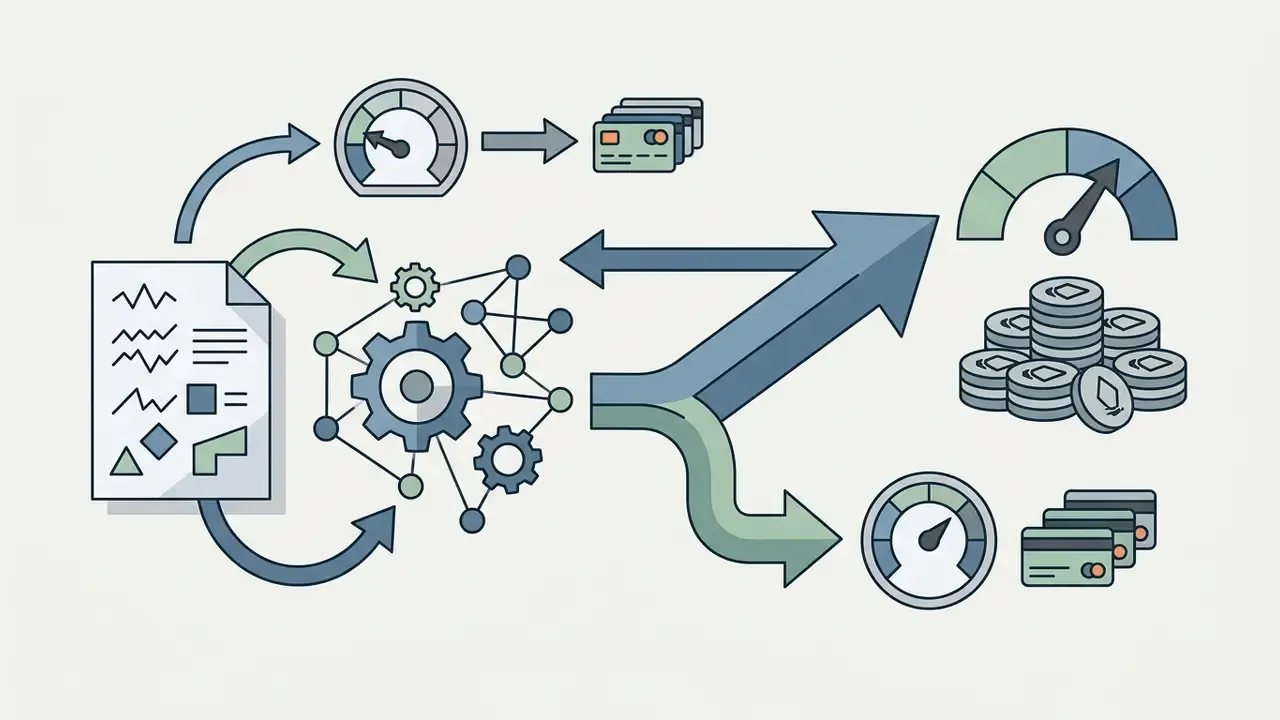
| Marginal cost per image | Metered credits/tokens; 4K upscales cost multiples of drafts | Electricity and GPU-hour only; effectively flat at volume |
| Break-even driver | Cheap below a few thousand renders per month | Favourable at sustained high volume and long project cycles |
| Prompt confidentiality | Depends on vendor retention policy; public queues on some free tiers | Full containment inside your own network or VPC |
| Style ownership | Limited fine-tuning; style locked to vendor presets | LoRA fine-tunes on your own art bible; portable weights |
| Indemnification | Available from enterprise vendors trained on licensed data | None, since you own dataset and output diligence |
| Hidden control cost | Vendor review, DPA negotiation, licence monitoring | GPU ops, model version control, NSFW/safety filtering, audit logging |
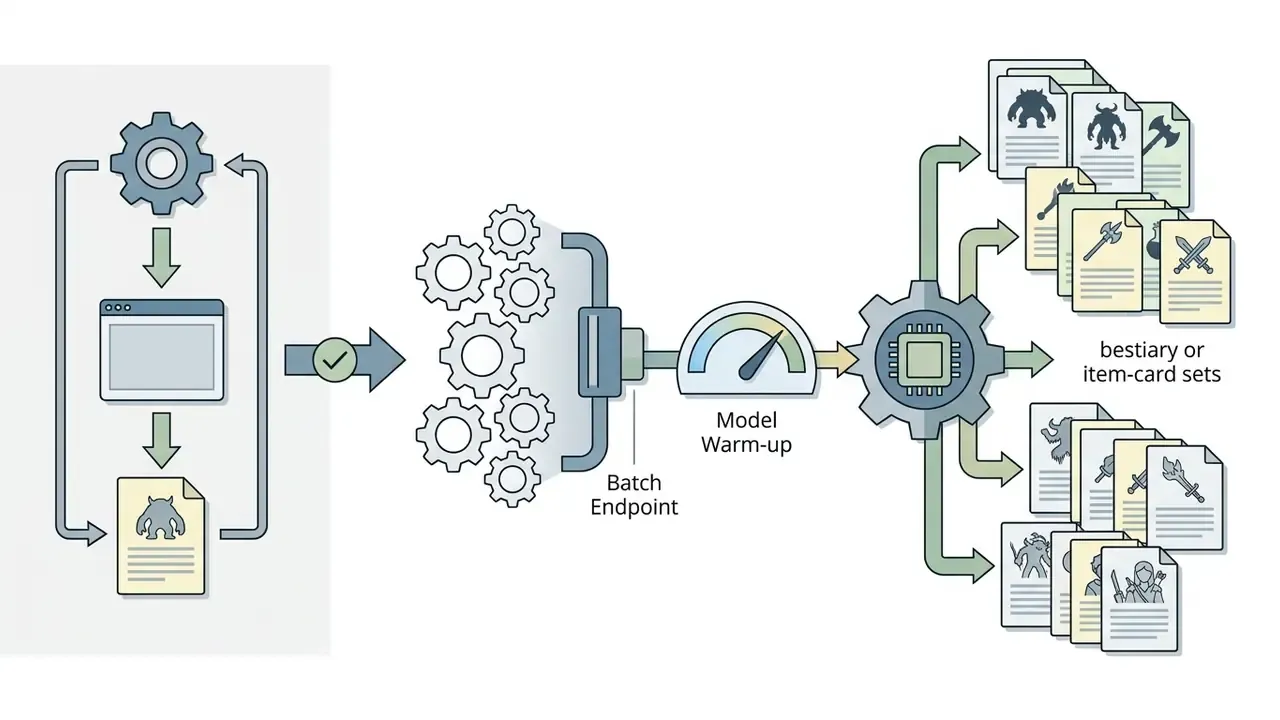
Practical guidance: pilot on managed SaaS to validate art direction and demand, then move recurring high-volume work (NPC batches, tile sets, item cards) to open weights inside a private network once monthly render counts stabilize. Keep one SaaS seat for indemnified client-facing deliverables.
The hidden control cost row is the one most business cases skip. Content filtering alone is real engineering work on self-hosted stacks, because open weights ship without the guardrails a consumer product bakes in. Teams that ignore it discover the gap the moment an unmoderated endpoint produces something that cannot be shown to a client. The adult-content end of the market illustrates how permissive open models can be when filtering is stripped out, as our reference notes on a free nsfw ai art generator and on the risk profile of a free ai porn image generator describe. For a studio, the lesson is narrow and practical: budget for moderation, logging, and an escalation path, not just for GPUs. Comparable pricing-confidence logic for adjacent creative tooling appears in our overviews of the Canva AI generator and Google's AI image generator terms.
How to Use an AI Fantasy Art Generator
Creating professional ai generated fantasy images takes a structured, step-by-step workflow from initial prompt formulation to final high-resolution export.
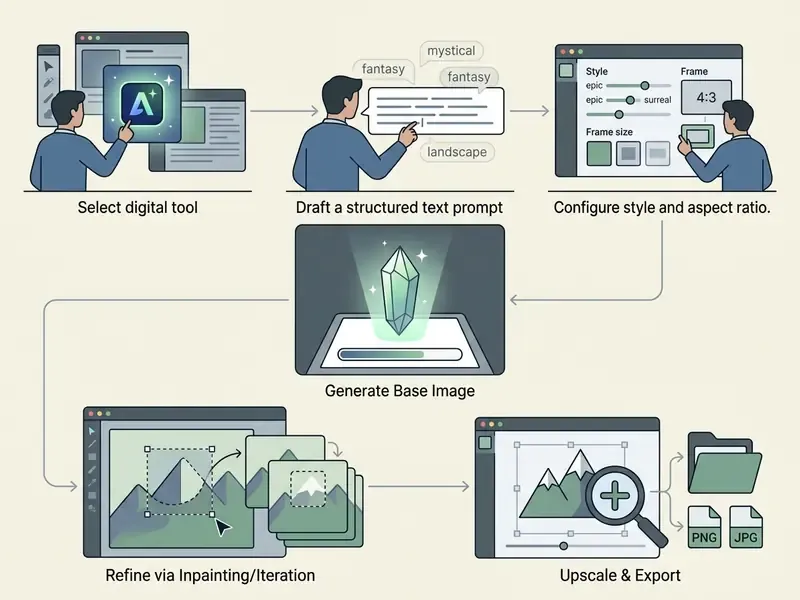
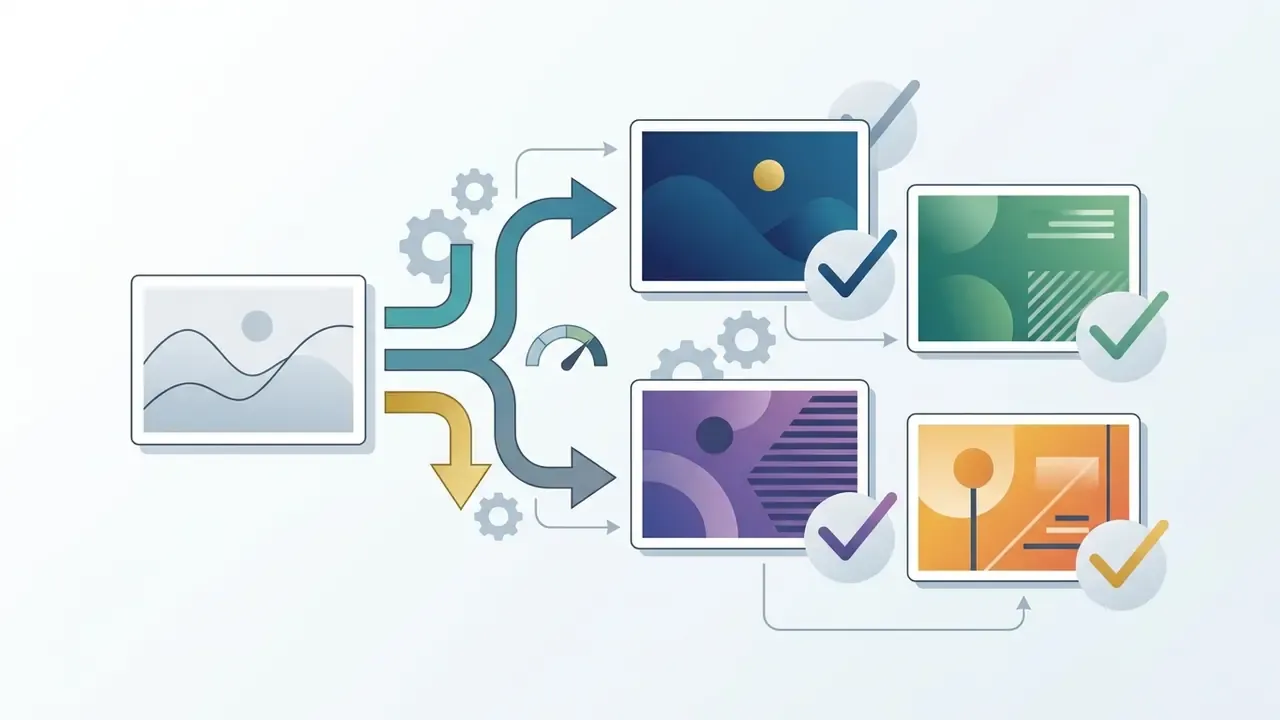
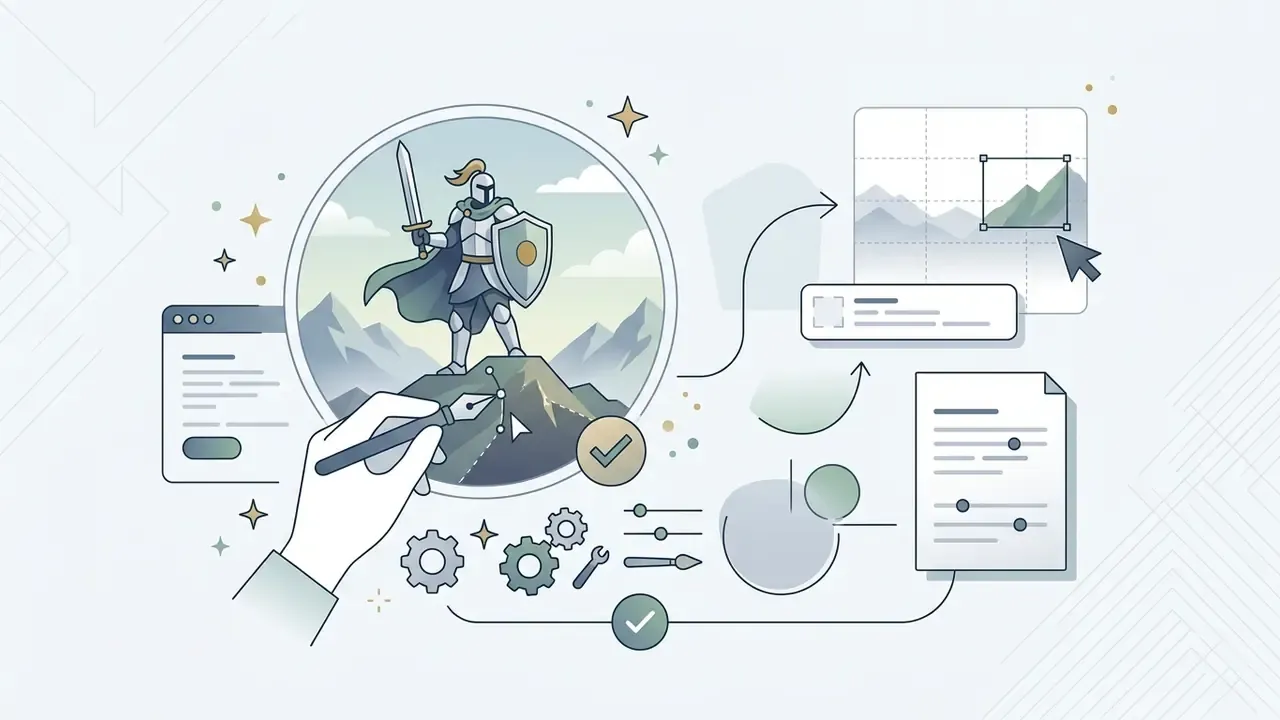
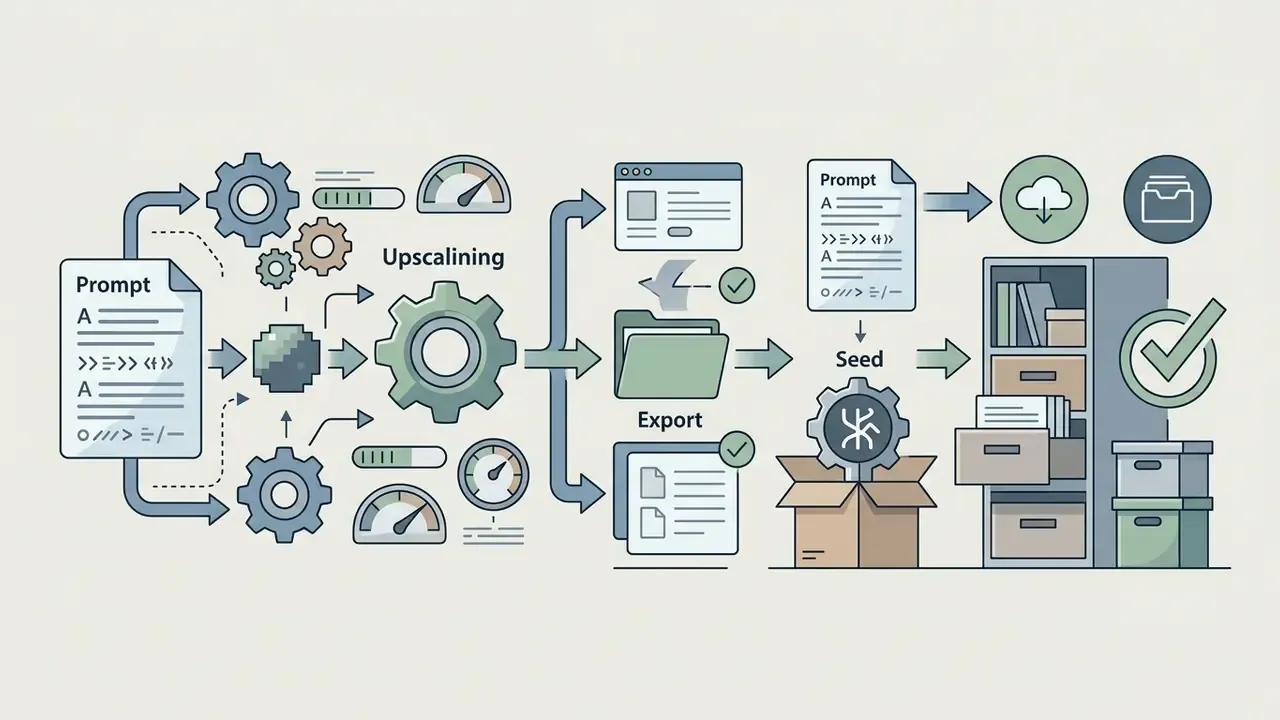
Step-by-step user workflow for AI fantasy image generation.
Write a Prompt with Subject, Style and Scene Details
A high-performing prompt follows a standardized hierarchical structure: Subject + Background Context + Lighting/Atmosphere + Camera Framing + Artistic Style. OpenAI's current image-prompting documentation orders the same elements as background/scene, then subject, then key details, then constraints, and recommends stating what must be preserved on each edit to reduce drift.
- SubjectState the primary focal point clearly (e.g., "An ancient elven archer with silver hair and intricate leather armor").
- Context & EnvironmentDescribe the surrounding setting (e.g., "standing atop a moss-covered ruin inside an enchanted twilight forest").
- Lighting & AtmosphereSpecify light sources and mood (e.g., "bioluminescent flora casting soft blue ambient light, light mist").
- Composition & FramingDefine shot angle (e.g., "medium full-body shot, eye-level angle, shallow depth of field").
- Artistic StyleDetail medium and texture cues (e.g., "detailed digital painting, high fantasy concept art style, vibrant color palette").
Google's Vertex AI guidance adds one counter-intuitive rule worth testing yourself: two or three tight phrases often outperform a single long paragraph, because short phrases reduce attention dilution and produce cleaner compositions. Shorter, oddly, can mean richer.
Generate, Refine and Download the Final Image
Once the initial render lands, review the output for compositional balance, anatomical accuracy, and lighting fidelity. If minor flaws exist, such as distorted hands or a missing background element, use localized inpainting or image-to-image masking to regenerate specific regions without disturbing the rest of the composition.
After refining, upscale the final output to print or production resolution using generative upscalers or deep-learning super-resolution models. Adobe's published Photoshop documentation for Generative Upscale describes 2× and 4× scaling delivered into a new document, with model-specific ceilings: restoration models handling low-resolution input up to 6144 × 6144 px, detail-preserving models up to 56 megapixels, and creative detail-adding models up to 9 megapixels. Academic work frames super-resolution itself as "repeated refinement" (SR3, 2021), which is why multi-pass upscaling often beats one aggressive jump. Upscaling raises pixel density up to 4K resolution while sharpening micro-textures in armor, hair, and environmental elements. Tooling options are compared in our guides to AI image expansion and outpainting and online photo editors.
AI Fantasy Art Prompts That Generate Better Results
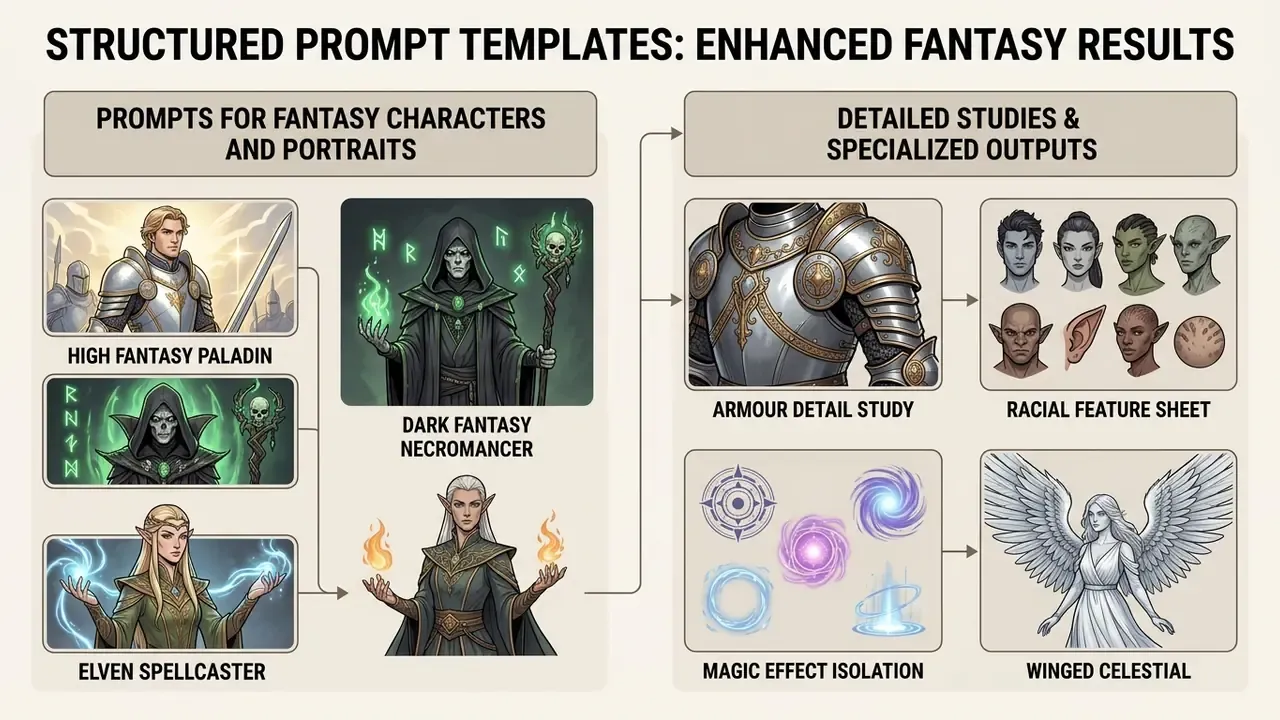
Structured prompt templates speed up generation workflows and cut trial-and-error iterations across different fantasy subgenres. Save the ones that work. A personal prompt library beats a public one within a month.
Prompts for Fantasy Characters and Portraits
- High Fantasy Paladin "Character portrait of a noble human paladin in polished plate armor with gold engravings, holding a glowing broadsword, stern expression, cinematic studio lighting, dark background, detailed digital art style."
- Dark Fantasy Necromancer "A shadowy necromancer wearing tattered black velvet robes, pale skin, glowing green eyes, holding an obsidian staff topped with a skull, swirling spectral spirits in the background, dark fantasy aesthetic, volumetric lighting."
- Elven Spellcaster "An elven sorceress casting a frost spell, swirling ice crystals around her hands, intricate silver circlet, elegant icy blue robes, serene expression, dramatic backlit lighting, crisp detail."
- Armour Detail Study "Close-up study sheet of dwarven runic plate armour, hammered steel with brass rivets, soot-stained pauldrons, engraved ancestral glyphs, neutral grey backdrop, three-quarter lighting, concept art detail callouts."
- Racial Feature Sheet "Front and profile portrait study of a tiefling rogue, deep crimson skin, curled obsidian horns, gold ear cuffs, amber eyes, soft rim light, consistent character reference sheet."
- Magic Effect Isolation "Isolated spell effect on black background, spiralling arcane sigil of violet and teal energy, embers and particulate sparks, high contrast, VFX reference art."
- Winged Celestial "Portrait of a battle-worn angel, storm-grey feathered wings, burnished halo ring cracked at one edge, gold-threaded linen armour, overcast light, solemn expression, painterly high fantasy style."
Prompts for Dragons, Magical Worlds and Book Covers
- Epic Dragon Scene "An immense red dragon perched atop a ruined stone castle tower, wings spread wide, smoke drifting from nostrils, stormy sunset sky with lightning bolts, epic scale, cinematic wide shot, detailed scales."
- Floating Island Environment "A sprawling fantasy landscape featuring floating landmasses with cascading waterfalls dropping into the clouds below, ancient elven towers, golden hour sunlight, majestic atmosphere, high fantasy concept art."
- Fantasy Book Cover Layout "Center composition fantasy book cover art featuring a mysterious dark tower surrounded by a swirling magical vortex, dramatic crimson and gold color scheme, clean central space for title typography, epic cinematic digital painting."
- Underwater Kingdom "A glowing underwater kingdom with emerald coral palaces, sapphire towers and golden magical light filtering through the water, sweeping establishing shot, painterly rendering."
- Mermaid Encounter "A mermaid resting on a basalt reef at dusk, iridescent teal scales, wet braided hair, bioluminescent jellyfish drifting above, refracted light shafts, cinematic underwater atmosphere."
- Drowned Ruins at Twilight "Ancient ruins submerged in a glowing emerald magical swamp at twilight, sapphire mist, amber torchlight, a lone figure standing on a mossy bridge, cinematic depth."
Ready-to-Use Prompts for Environments, Bosses & Maps
- D&D Battle Map Scene "Top-down tabletop RPG map of a ruined ancient temple altar, grid-aligned composition, mossy stone tiles, glowing magical circle in center, high detail, clean lighting."
- Epic Boss Encounters "Colossal sea serpent emerging from a stormy ocean during a lightning storm, towering waves, wooden warship facing the beast, cinematic scale, ultra-detailed water drops."
- Whimsical Fairy Forest "Glowing mushroom village under a starry night sky, tiny lanterns hanging from leaves, soft teal and violet ambient light, fairytale book illustration style."
- Grimdark Siege Aftermath "Aftermath of a failed siege at dawn, broken siege towers, mud and ash, crows on shattered palisades, desaturated palette, grimdark oil painting."
- Arcane Academy Interior "Vast library interior of a floating arcane academy, spiral staircases, levitating tomes, dust motes in shafts of amber light, one-point perspective, detailed architectural concept art."
Production Pipeline: Export Formats & Post-Processing Workflow
Turning raw AI generations into production-ready visual assets takes a structured post-processing workflow.
- Format SelectionAlways export initial renders as uncompressed PNG (the default download format across major generators, including Adobe Firefly) or 16-bit TIFF where supported, to preserve fine detail in foliage, spell effects, and skin textures without JPEG compression artifacts. Reserve JPEG and WebP for final web delivery only, and export PDF only for print-ready cover layouts.
- Layer Compositing & InpaintingImport generated PNGs into desktop editors (Photoshop, GIMP, Affinity). Use layer masks to combine elements from multiple renders, for example pairing an environment base plate with a separately generated character, or dropping an isolated spell-effect layer onto a portrait in Screen blend mode.
- Colour & Continuity PassApply a single shared grade (curves plus selective colour) across all assets in a set, so that a 40-portrait NPC batch reads as one art direction rather than 40 individual generations.
- Upscaling & Print PreparationPass final composited art through AI super-resolution models to scale assets up to 4K/8K at 300 DPI for print publications, tabletop maps, or marketing banners. Multi-step 2× passes usually preserve texture better than one 4× jump.
- Typography & Title SafetyFor covers, generate with deliberate negative space, then set titles in vector type in the editor. Never ask the model to render final cover text.
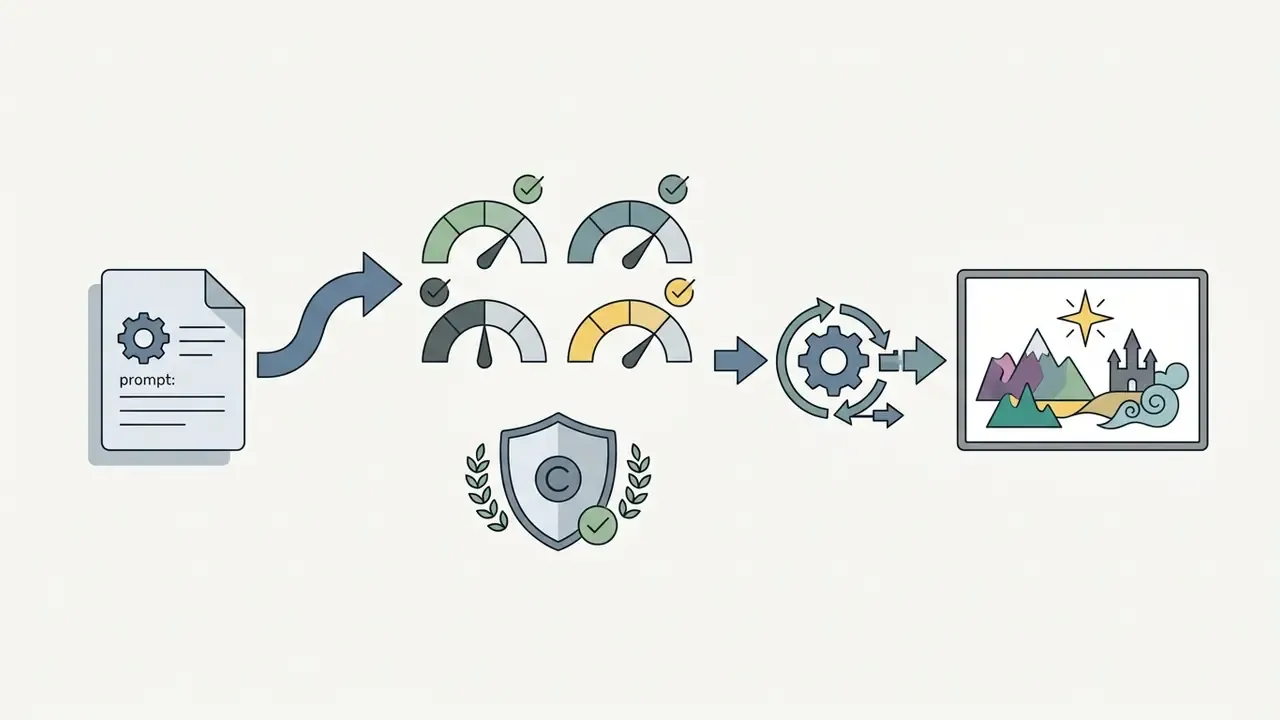
- Provenance & MetadataPreserve or embed content-credential metadata and keep the prompt, seed, model version, and post-processing steps in your asset record. That record is both a reproducibility asset and your compliance evidence trail.
Repeatable pipelines like this one are catalogued separately, so if you want variants for covers, tokens, or map sets, browse the hub of documented workflows.
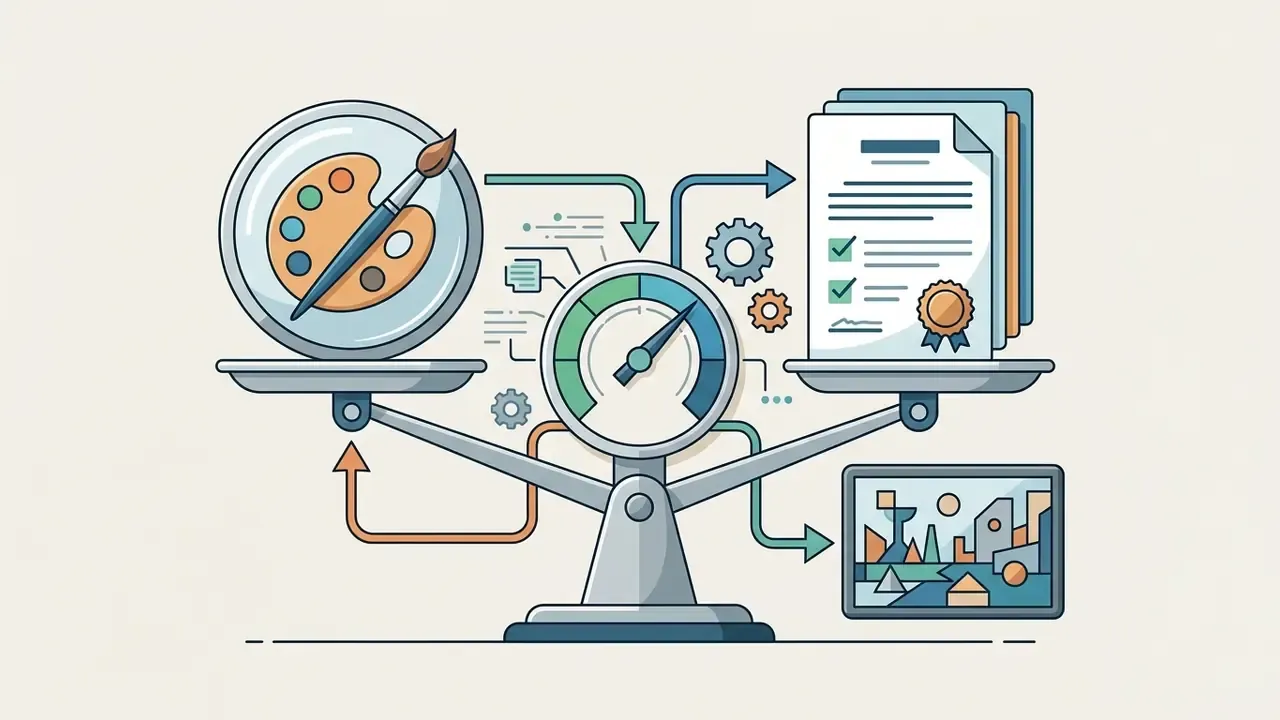
Can You Use AI-Generated Fantasy Art Commercially?
Commercial deployment of ai generated fantasy art means navigating evolving copyright regulations, platform licence agreements, and intellectual property requirements across jurisdictions. Our dedicated overviews of commercial-use terms for major AI image generators break down vendor-specific clauses in more depth.
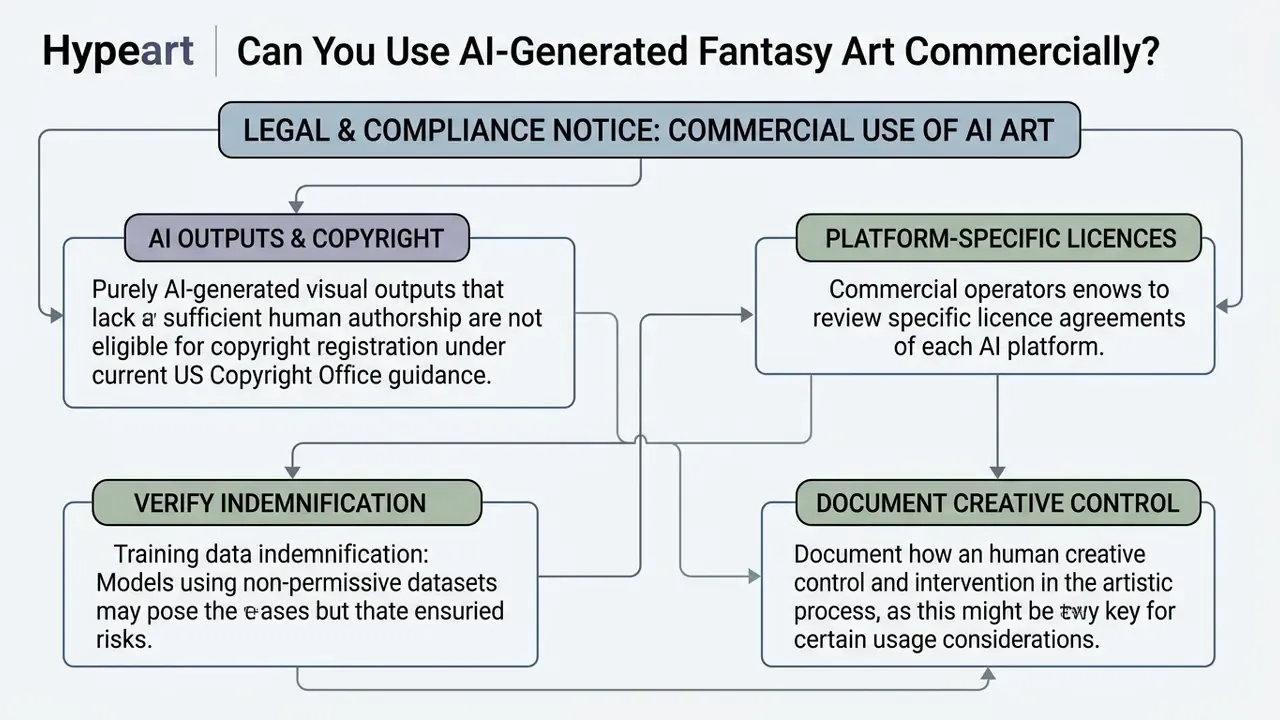
Check Licenses Before Using Images for Business
Shadow AI Risks & Enterprise Safety Checklist
The most common governance failure in creative teams is not licence misuse. It is Shadow AI: designers, writers, and contractors pasting unreleased character bibles, client briefs, NDA-protected concept art, or upcoming release names into consumer generators with public rendering queues and unclear prompt-retention policies. Once an unannounced antagonist design or a licensed IP brief has been submitted to a third-party endpoint, containment is no longer yours to manage.
Four controls materially reduce this exposure.
- Approved-tool register. Publish a short allowlist (one indemnified SaaS tool, one internally hosted open-weight endpoint) and block reimbursement for anything else.
- Confidentiality tiering of prompts. Define which asset classes may never touch a public endpoint: unreleased IP, client deliverables under NDA, likenesses of real people, and anything carrying third-party trademarks.
- Private deployment for sensitive work. Run open-weight models (SDXL, SD3.5, FLUX.1) inside a VPC or on isolated on-prem GPU servers, so prompts and outputs never cross your network boundary.
- Vendor diligence on training data. Prefer providers that document licensed and public-domain training corpora and offer indemnification, then record that evidence in your model register.
Owner, role, limits, escalation path, audit trail. No evidence, no autonomy.
Checklist0 / 9
Who Uses AI Fantasy Art Generators?
AI fantasy image tools serve a wide range of professional creative industries, speeding up ideation and reducing visual asset production costs.
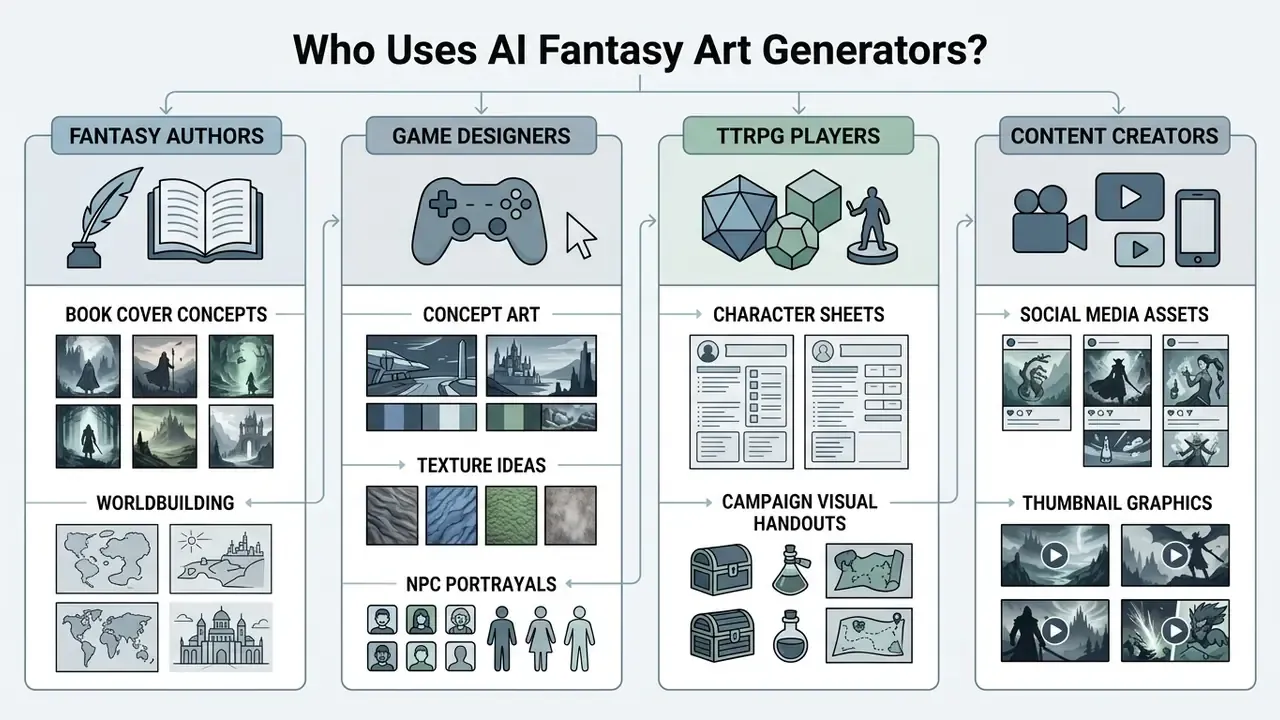
AI Fantasy Art for Writers and Book Cover Concepts
Fantasy writers and self-published authors use image generators to turn written lore into concrete visual representations.
Visual mockups help authors refine book cover concepts, design promotional materials, and communicate visual direction clearly to professional cover designers and publishers. Published cover-generation tooling asks for genre, plot motif, atmosphere, colour palette, title, and author name, then exports to JPG, PNG, or PDF for eBook mockups, print, and marketing assets. See Canva's AI book cover generator (2026, https://www.canva.com/ai-book-cover-generator/) and Media.io's book cover generator (2025, https://www.media.io/ai/text-to-image/book-cover-generator). Worldbuilding prompts run much longer by comparison, describing world, characters, creatures, magic system, atmosphere, and camera angle before a single render.
AI Fantasy Art for Games, RPGs and Content Creation
Indie game developers and tabletop creators use AI generation to compress pre-production timelines.
By rapidly producing mood boards, environment concepts, and character archetype sketches, game studios iterate on visual direction before committing manual design resources to final asset production. A 2025 ACM survey maps graphical asset generation across initiation, pre-production, production, refinement, and player-generated content, while a 2024 CHI PLAY study reports that solo and indie developers direct AI to produce the majority of their content, cutting the time needed for new assets. Budget-constrained teams frequently start creating on free AI art generators before committing to a paid pipeline. Terminology used across these workflows, from LoRA to outpainting, is defined in plain language if you open the hub of glossary entries, and editorial coverage of the wider category sits on Hypeart AI Media.
FAQ: Frequently Asked Questions About AI Fantasy Art Generators
Do You Need an Account, Drawing Skills or a Credit Card?
No traditional drawing skills or artistic experience are required to use an ai fantasy art generator free tool. The system generates images directly from natural language prompts.
«Participants with no prompting experience produced images with a median aesthetics rating of 6/7, above the 5/7 baseline, using mixed-initiative systems.» (PromptCharm: Text-to-Image Generation via Multi-modal Revision, 2024) Access conditions vary across web platforms. Many entry-level tools advertise instant generation with no sign-up and no credit card, while others require a free account to manage daily generation credits and store image history. For workflows that transform existing sketches or references rather than starting from text, see our guide to AI outpainting and image-conditioned generation.
What File Format Does AI Fantasy Art Download As?
Most generators deliver PNG by default, which is the correct master format because it is lossless and preserves fine detail in armour edges, hair strands, and spell particulates. Export TIFF where offered for print pipelines, and convert to JPEG or WebP only at the final web-delivery step. Keep the PNG master and the prompt and seed record archived alongside each published asset.
Can I Use a Reference Image to Guide the Style?
Yes. Image-to-image (or reference-image) conditioning passes an existing picture to the model alongside your prompt, so the output inherits composition, palette, or character identity. Set reference strength around 0.35 to 0.50 for style inheritance with fresh content, and higher for tighter reproduction. One legal caveat: if the reference contains an identifiable person or protected property, you need the appropriate release before commercial use.
How Do I Keep the Same Character Across Multiple Images?
Anchor a fixed identity block in every prompt (exact hair, eye, skin, and garment colours plus signature gear), change only pose and setting, keep the same model and style preset, reuse a saved reference sheet, and retain the seed. ControlNet depth or pose adapters lock facial structure further. Expect imperfect results: steerability benchmarks show reproduction attempts were judged unsatisfactory 60% of the time, and even five iterations matched the target in only 62% of cases.
Is My Prompt Data Private?
It depends entirely on the platform. Free tiers on some services place renders in public queues. Others state that data is processed but not permanently stored unless saved. Enterprise-grade plans typically offer private rendering queues and no-training-on-customer-data commitments, and locally hosted open-weight models keep prompts entirely inside your network. For confidential IP, treat private deployment as the default rather than the exception.
Do I Have to Label AI-Generated Fantasy Art?
Increasingly, yes. Article 50 of the EU AI Act requires machine-readable marking of synthetic image content, with a lighter disclosure route for artistic and fictional works so that labelling does not spoil the experience. Some public institutions go further, and NASA's interim directive requires AI-generated or AI-assisted media to be clearly labelled and permanently watermarked. Preserve content-credential metadata through your export pipeline instead of stripping it during compositing.
Can I Sell AI-Generated Fantasy Art?
Generally yes, subject to your platform's licence tier, but selling is not the same as owning. Under US Copyright Office guidance, only your human contribution is registrable and AI-generated portions must be disclaimed, so purely prompt-driven output has weak protection against third-party copying. To strengthen your position, document substantive human authorship: compositing, repainting, typography, and art-direction decisions recorded per asset. Rights, licences, and platform terms for every tool named here are tracked in our commercial use reference library.