Evaluating a free AI image generator app requires analyzing model architecture, daily generation quotas, commercial licensing terms, and data security controls. Modern image generation platforms leverage advanced diffusion models and multimodal architectures to turn written text prompts or reference photos into visual assets across diverse operational workflows. Three questions decide everything else: what can you generate, who owns the output, and where does your uploaded data go?
«Deploying generative visual models without verified control frameworks creates unmanaged operational and legal risk. An AI generator must be evaluated as a digital tool with explicit usage boundaries, verifiable copyright status, and strict data privacy controls before enterprise deployment.»
Executive summary
- Model access beats marketing copy. In 2026 the strongest genuinely free routes are Google Gemini (Nano Banana / Gemini Flash Image family), Microsoft Copilot / Bing Image Creator (OpenAI image models, 15 fast boosts per week, 1024×1024 square output), and locally deployed Stable Diffusion or FLUX builds, which remain the only truly unmetered option when you own the hardware. Cloud "unlimited" tiers are almost always throttled, queued, or watermarked.
- Commercial rights are contract-specific, not universal. OpenAI's terms assign output ownership to users, while Midjourney grants free users only a Creative Commons Noncommercial 4.0 Attribution license, and several smaller vendors restrict free output to personal evaluation. Copyright registration in the US still depends on demonstrable human authorship.
- Free access is frequently paid for with data. Anonymous and free tiers may log uploads for model retraining unless an opt-out exists, so never submit PII, customer imagery, or confidential brand assets to an unvetted public tool.
How to read this guide. The first half is practical: what these apps generate, how diffusion and autoregressive image models differ, how to write prompts that hold up across regenerations, and how free quotas actually behave once you pass the first ten images. The second half is governance: licensing, copyright registration, advertising disclosure, provenance, and the data-privacy questions that decide whether a tool belongs anywhere near customer material. If you only have ten minutes, read the comparison table and the commercial-use checklist. Those two blocks carry most of the decision weight.
What a free AI image generator app can do and which tasks it fits
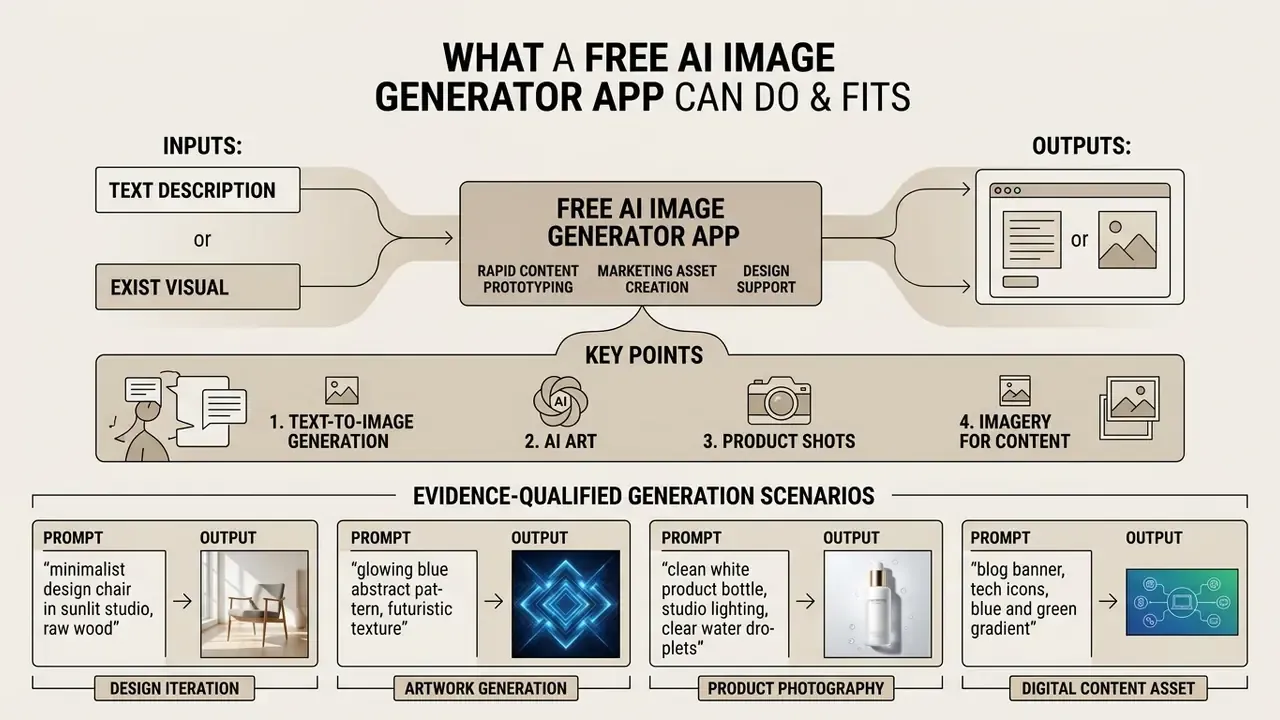
A free AI image generator app creates digital imagery from text descriptions or existing visual inputs to support rapid content prototyping, marketing asset creation, and design workflows. Free platforms allow users to generate synthetic assets across multiple artistic and photorealistic styles without upfront software capital expenditure. For small teams that is the whole appeal: no procurement cycle, no license negotiation, a usable asset in under a minute.
Text-to-image generation from written descriptions
Text-to-image synthesis enables users to generate a new image instantly by entering structured written prompts into a free AI image generator app. Modern diffusion models convert text descriptions into high-resolution visual outputs within seconds, matching complex prompt attributes with high fidelity.
«Diffusion models demonstrate very high image quality, high diversity and strong controllability compared with GAN and VAE architectures.»
High-performing platforms reliably process specific color attributions, subject placements, and atmospheric lighting conditions directly from written text prompt instructions. Where a tool struggles is usually not resolution but compositional logic: counting objects, spatial relationships, and legible typography inside the frame. Ask for "seven identical bottles on a shelf" and you will often get six. Or nine.
AI art, product shots, and imagery for content
Content creators use free AI image generation apps free of charge to produce concept art, blog post headers, social media graphics, and e-commerce product shot imagery. Synthetic image tools generate custom artwork and photorealistic images, allowing teams to source high-quality visuals without relying exclusively on traditional stock photos.
Evidence-qualified: for e-commerce product photography, uploading a reference item alongside clean lighting instructions can yield marketing-grade assets suitable for commercial campaigns. Canva documents an AI Product Photos flow that generates product photography from an uploaded product image plus a text prompt in seconds, and Adobe states that Firefly outputs deliver crisp lighting, accurate textures, and consistent visual style. Independent "studio-grade" parity with physical photography has not been established by peer-reviewed benchmarking, so treat vendor quality claims as directional rather than guaranteed, and always review outputs for material and reflection errors before publication. One detail that catches people out: brushed metal and glass often render convincingly at thumbnail size and fall apart at 100% zoom. Teams building repeatable retail pipelines can compare workflow depth in our overview of the Canva AI Generator.
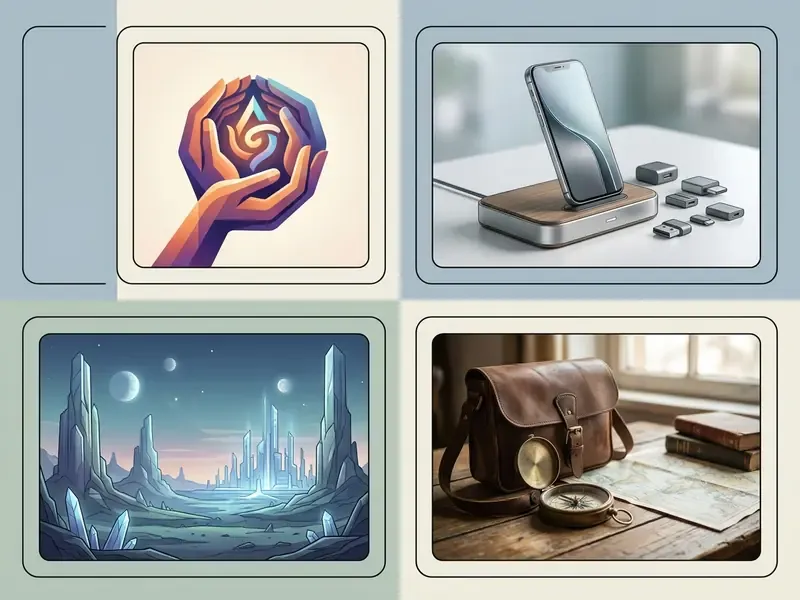
Four reference generation scenarios (prompt patterns and expected output)
| Scenario | Prompt pattern | Aspect ratio | Expected visual result |
|---|---|---|---|
| Social media ad | One hero product, bold complementary color contrast, bright even lighting, mobile-first framing, generous negative space | 1:1 or 9:16 | Immediate visual pop at thumbnail size, clean background, no competing detail |
| Studio product shot | Object on seamless backdrop, softbox key light plus fill and rim light, 85mm lens, sharp focus, subtle contact shadow | 4:5 or 1:1 | Premium e-commerce image with crisp material texture and controlled reflections |
| Fantasy concept art | Invented worldbuilding, dramatic atmosphere, stylized volumetric lighting, environmental storytelling, painterly rendering | 16:9 | Cinematic illustration prioritizing mood and narrative over literal realism |
| Photorealistic portrait | Subject description, 50mm lens, f/1.8, window light, realistic skin texture, natural falloff shadows | 4:5 | Photo-like micro-detail, lifelike depth of field, believable optics |
Each pattern is a template: swap the subject, keep the structural order of the clauses, and the model's behavior stays predictable across regenerations. Style vocabulary matters as much as camera vocabulary, so keep a shortlist of named looks from the catalogue of ai art styles and reuse the exact wording that worked.
How AI image generation apps work: text-to-image and image-to-image
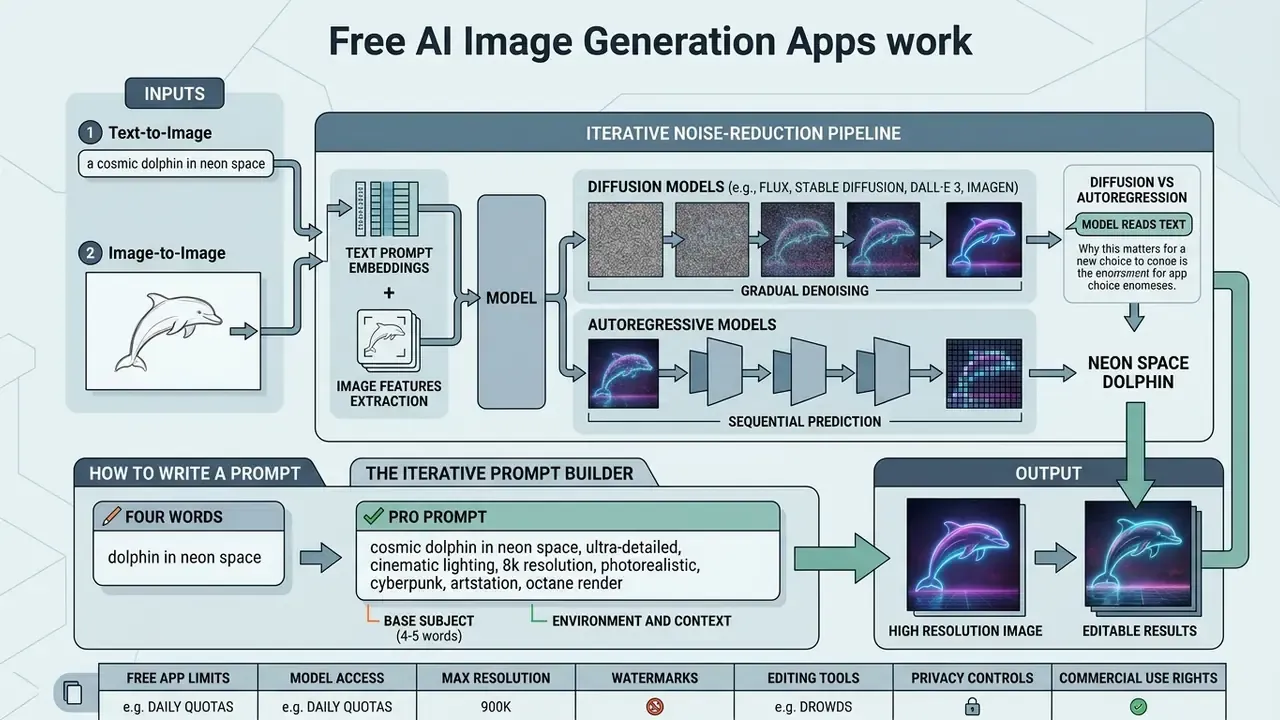
An ai image generation app free operates by passing text prompt embeddings or reference image features through iterative noise-reduction pipelines. Users configure generation parameters, such as dimensions, seed, negative prompts, guidance scale, and sampling steps, before initializing the synthesis process.
Diffusion vs autoregression: how the model "reads" your text
Modern free apps rely on one of two dominant architectural approaches, and the difference explains most of what you experience as speed, texture quality, and text accuracy.
- Diffusion models (FLUX, Stable Diffusion, DALL·E 3, Imagen). The process starts with a canvas filled with pure digital noise, essentially visual static. Across roughly 20 to 50 sampling steps, the network progressively removes noise, resolving silhouettes first, then structure, then micro-detail, guided at every step by the prompt embedding. Fewer steps means faster output and softer detail; more steps means slower output and tighter adherence.
- Autoregressive models. These generate the image in sequential chunks of tokens, much as a language model writes word after word, predicting the next fragment based on what has already been rendered. Autoregressive image models tend to be slower and often return a single image per request, but they are notably strong at rendering legible text and at following image prompts closely.
How to write a prompt for accurate results
Achieving consistent image quality requires structuring written prompts logically: subject first, followed by environmental context, art styles, camera settings, and specific constraints. Research on prompt engineering shows that breaking complex descriptions into structured clauses improves visual compositional accuracy.
«UAE reaches an overall GenEval score of 0.86 without prompt rewriting, leading on object counting (0.84) and color attribution (0.79).»
Vendor documentation converges on the same ordering. OpenAI's image prompting guidance (2026) recommends a fixed sequence: background and scene, then subject, then key details, then constraints, with short labeled segments for complex requests and explicit exclusions such as "no watermark" or "preserve identity and layout." Microsoft Foundry's image prompt engineering documentation (2026) adds that contextual specificity, worked examples, and step-by-step task breakdowns measurably improve output. Academic work reaches a similar conclusion: Design Guidelines for Prompt Engineering Text-to-Image Generative Models (CHI 2022) found prompts perform best when users concentrate on subject and style keywords and sample three to nine seeds to gauge variability.
Specifying visual details such as "50mm lens, softbox lighting, photorealistic" directs the underlying image generation models to produce clean outputs without visual artifacts.
The iterative prompt builder: from four words to a pro prompt
Do not attempt a fifty-word prompt on the first try. Build it in four passes and observe what each layer changes.
- Base subject (4 to 5 words)
A coffee cup on a wooden table - Environment and context
A coffee cup on a rustic wooden table in a sunlit cafe near a window - Style and camera
Photorealistic product shot, 50mm lens, f/1.8, soft bokeh background - Lighting and mood
Warm morning sunlight, visible steam rising, cinematic mood, 8K resolution
Final prompt:
Before and after in practice. A bare prompt (a dog) returns a generic centered animal with flat lighting and unpredictable breed, background, and crop. The layered version (a golden retriever puppy in a sunlit park, watercolor, soft edges, 4:5) returns a controlled subject, a defined medium, and a usable aspect ratio. Same model, different information budget. When a result is close but wrong in one respect, change one clause at a time and keep the seed fixed; changing three clauses at once makes the cause of the shift unreadable. That discipline is boring. It is also the difference between twelve regenerations and three.
How to use a reference image and photos as a base
Image-to-image workflows allow users to upload an image to serve as a visual anchor for composition, subject pose, or artistic style. An ai art generator from photo app evaluates the reference image while applying new style parameters from the text description, preserving structural geometry while transforming texture.
«Auxiliary networks such as ControlNet and T2I-Adapter integrate visual conditioning through edge maps and segmentation masks, preserving structural geometry while style changes.»
Adobe's own documentation states that image-to-image can preserve "structure, proportions, and composition" while altering style, lighting, and texture from an uploaded reference, and recommends describing subject, style, colors, and textures in the prompt after uploading (Adobe Firefly, Image-to-Image, 2026, https://www.adobe.com/products/firefly/features/image-to-image.html). Peer-reviewed work on reference-based restoration frames the task the same way: copy features and identity from the reference while maintaining semantic consistency with the input (Copy or Not? Reference-Based Face Image Restoration with Fine Details, WACV 2025).
The practical rule is to state explicitly what must remain fixed, such as identity, layout, product geometry, or exact text, and what may change. This approach ensures brand character consistency across marketing materials and social media graphics. A useful diagnostic step before you blame the prompt: run the source through a captioning tool that can ai describe image content and compare what the model sees with what you assumed it sees. To compare tools by limits and output quality, review our roundup of free AI image generators, and for reference-driven pipelines specifically, see the analysis of image-to-image generators.
- Image*, 2026,
- Adobe's own documentation states that image-to-image can preserve "structure, proportions, and composition" while altering style, lighting, and texture from an uploaded reference, and recommends describing subject, style, colors, and textures in the prompt after uploading (Adobe Firefly, Image-to-Image, 2026,
How to choose the best free AI image generator app
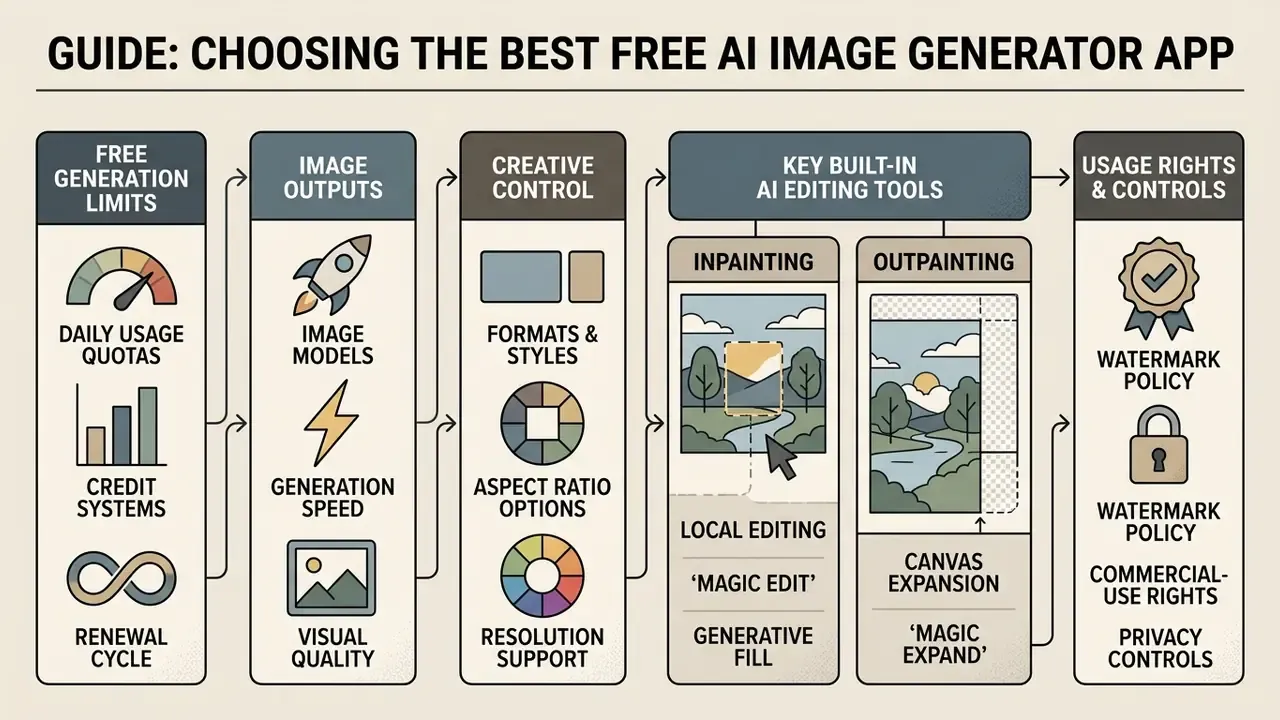
Selecting the best free ai platform involves auditing daily usage quotas, available image models, supported aspect ratio options, native editing tools, watermark policy, and authentication requirements. Enterprise users must additionally evaluate whether a free ai creation app includes built-in image upscaler tools and transparent commercial licensing.
| Platform / Criteria | Free quota / limits | Available AI models | Aspect ratio options | Max free resolution | Watermark on free tier | Sign-in required | Built-in editor & upscaler | Commercial use terms |
|---|---|---|---|---|---|---|---|---|
| Bing Image Creator / Copilot | 15 weekly fast boosts (standard-speed generation afterwards) | DALL·E 3 / OpenAI image models | Fixed 1:1 | 1024×1024 | No visible watermark | Microsoft account | Basic cropping, no upscaler | Personal use; commercial restrictions apply on free tier |
| Canva AI Generator | 50 lifetime generations on free tier; 3 uses for DALL·E and Imagen by Google Cloud | Proprietary and partner models | 1:1, 16:9, 9:16 presets | Design-canvas dependent | No | Canva account | Full design editor, basic scaling | Allowed under standard Canva design licence terms |
| Freepik AI | Daily tracked credits (24-hour reset) | Custom FLUX and SD variants | 1:1, 16:9, 4:3, 9:16 | Up to 2K with credits | Tier-dependent | Yes | Advanced Image Editor plus Creative and Precision Upscaler | Allowed with attribution or premium tier rules |
| Google Gemini / Nano Banana | Daily rate-limited free tiers via Gemini app and AI Studio | Nano Banana 2 / Gemini Flash Image, Nano Banana Pro | 1:1, 3:4, 4:3, 9:16, 16:9 | Model-dependent | Visible watermark reported on Nano Banana output | Google account | Native inline prompt editing | Educational and personal; audit platform terms for advertising |
| Adobe Firefly | Free daily generative credits with an Adobe ID; four options per prompt | Firefly image models plus partner models | Multiple presets | Upscale at 2× or 4× free | No | Adobe ID | Generative Fill, cropping, free upscaler | Commercial use permitted for out-of-beta features |
| Raphael AI / FreeAIGen | "Unlimited" basic tier (Fast Mode excluded); free daily credits when signed in | Open-source diffusion and routed third-party models | Standard presets (1:1, 4:3, 3:4, 5:4, 4:5) | 0.5K anonymous; up to 2K signed-in | Yes, on free output | No account needed to start | Limited post-processing tools | Free output governed by non-exclusive platform terms; paid plans for commercial use |
| Local Stable Diffusion / FLUX | Unmetered, hardware-bound | SDXL, SD 3.5, FLUX.1 variants | Fully configurable | GPU-bound (4K+ with tiling) | None | None (self-hosted) | Depends on the UI (A1111, ComfyUI) | Governed by the model licence, not a platform ToS |
To weigh free options against paid engines side by side, view the guide library, then review the comparison of leading AI image generators and the dedicated head-to-heads on Midjourney image generation and ChatGPT image generation.
Free generation limits, credits, and "unlimited free"
Free tiers typically enforce constraints using daily credit systems, hard daily image caps, or queuing delays. Documented examples of each model are easy to find: Leonardo.Ai allocates roughly 150 daily tokens that do not roll over, Recraft publishes 30 to 50 daily credits, Canva grants 50 lifetime generations, and Microsoft publishes 15 weekly fast boosts. While some landing pages market an ai generator app unlimited free experience, operational usage is generally governed by fair-use caps or reduced inference speed during peak hours. Free users should verify whether daily unused credits roll over or expire every 24 hours. In almost all documented cases, they expire.
Models, speed, and quality of generated images
Image generation models like FLUX.1, Stable Diffusion XL, and DALL·E 3 offer distinct trade-offs between inference latency and prompt adherence.
Benchmark-supported: distilled diffusion models now reach sub-second and even sub-quarter-second generation on mobile silicon, whereas cloud endpoints serving higher resolutions typically take three to ten seconds.
«MobileDiffusion generates a 512×512 image in 0.2 seconds on iPhone 15 Pro.»
«SD-Turbo renders in 1 step at 0.176 s; SDXL-Turbo in 4 steps at 0.616 s; aMUSEd in 12 steps at 0.489 s.» Source: ACM benchmark study of distilled text-to-image models (2024).
Step-distilled research models (SwiftBrush, UFOGen, both CVPR 2024) demonstrate single-step generation, with UFOGen reporting a CLIP score of 0.311 at one step. Vendor-facing 2026 comparisons place FLUX.1 Pro at two to five seconds to first image, DALL·E 3 at five to ten seconds, and Midjourney v7 at thirty to sixty seconds, with Midjourney rated highest on artistic quality and DALL·E 3 strongest on literal prompt adherence.
Reframed claim: benchmark performance is a screening signal, not a guarantee. Evaluating model performance on benchmark datasets narrows the field to tools that usually deliver sharp, photorealistic images, but it does not eliminate production artifacts. The same survey literature reports that on IDEA-Bench, a suite of 100 real-world design tasks, even the best general-purpose model scores only around 22.48 out of the available points. Always run your own five-prompt acceptance test on hands, typography, reflective surfaces, and brand colors before standardizing on a tool. Style-specific behaviour also diverges sharply; see, for example, how tools differ in the review of Ghibli-style AI image generators.
Formats, styles, and editing tools
Flexible ai image generator apps free offer customizable aspect ratio controls (such as 16:9 for blog posts or 9:16 for vertical social media) alongside built-in style presets. Google's Imagen documentation, for instance, exposes fixed ratio values of 1:1, 3:4, 4:3, 9:16, and 16:9 with 1:1 as default, while Midjourney sets the ratio through the --ar parameter appended to the prompt. Integrated editing tools allow creators to perform inpainting, background removal, and canvas expansion directly within the app interface.
Key built-in AI editing tools to look for
When shortlisting an app, verify that these four capabilities exist natively. Otherwise every correction becomes an export-and-reimport cycle.
- Inpainting (local editing, "Magic Edit", Generative Fill) brush over a region of a finished image and replace the object via a new prompt, swapping a cup of tea for coffee without disturbing the background, or removing a logo from a garment.
- Outpainting and canvas expansion ("Magic Expand") extend the frame edges while preserving style and lighting, instantly converting a square 1:1 asset into a 16:9 banner or rescuing a badly cropped shot. Tool-by-tool differences are covered in our review of AI outpainting tools.
- Generative eraser ("Magic Eraser") seamless removal of bystanders, cables, or stray watermarks with automatic reconstruction of the background texture.
- Precision upscaler resolution increase with generative reconstruction of micro-detail such as eyelashes, fabric weave or product grain, rather than naive pixel interpolation.
Evidence-qualified: an integrated image upscaler can raise native resolution from 1024×1024 toward 4K output with strong perceptual fidelity. Adobe documents free 2× and 4× upscaling with an Adobe account, Freepik documents Creative and Precision upscale modes, Ideogram documents up to 2× on generated or uploaded images, and the open-source Upscayl runs locally on Windows, macOS, and Linux. No vendor publishes a peer-reviewed guarantee of zero fidelity loss, and generative upscalers can invent detail that was never in the source, so verify faces, text, and product features after upscaling. Compare implementations in the guide to AI image upscalers.
Free app or freemium: which limits to check before installing
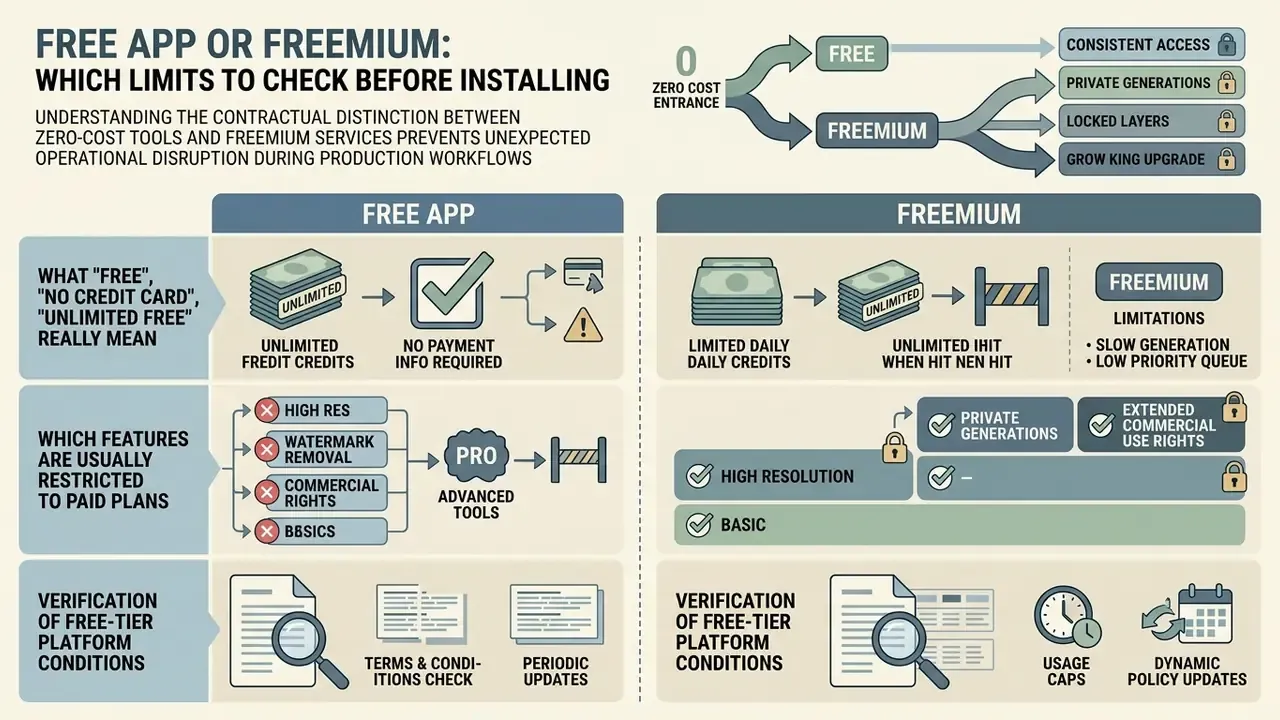
Understanding the contractual distinction between zero-cost tools and freemium services prevents unexpected operational disruption during production workflows. Users must review tier restrictions regarding account registration, paywalled advanced features, and recurring billing triggers.
What "free", "no credit card", and "unlimited free" really mean
Marketing terms like "free ai generator app" or "no credit card required" denote frictionless onboarding rather than unrestricted usage rights. The word "free" represents a price point, whereas "no credit card" indicates only that no payment instrument is required upon initial sign-up. "Unlimited free" is a technical-capacity claim that is meaningful only if limits are genuinely absent or explicitly disclosed with their reset windows.
«Free generative AI tools may monetize user data or use it for further model training without explicit consent.»
True "unlimited free" access is rare in cloud-hosted environments due to compute costs; most platforms enforce dynamic throttling or resolution caps once basic thresholds are met. Anyone testing anonymous services should read the practical breakdown of AI image generators with no sign-up before routing brand work through them.
| Type of platform claim | What the marketing promises | Real hidden constraints | Who it suits |
|---|---|---|---|
| No registration / guest access | Generation without email or password | Reduced resolution (often 0.5K), forced watermark, image-to-image disabled, no generation history | Fast, no-commitment testing |
| Unlimited basic tier | Unlimited number of generations | Low queue priority (waits up to roughly 60 seconds), rate throttling, basic models only, Fast Mode excluded | Non-urgent personal projects |
| Daily credit system | Access to flagship models (FLUX, DALL·E 3, Nano Banana) | Credits expire after 24 hours and do not roll over; enough for roughly 3 to 5 high-quality generations | Periodic, targeted use |
| Free trial labelled "free" | Full feature access at no cost | Time-boxed; card may be required to continue; outputs sometimes revoked or watermarked retroactively | One-off evaluation sprints |
Regulators have signalled that such labelling must match reality: the FTC announced enforcement activity against deceptive AI claims in 2024, meaning "free" and "unlimited" descriptions should reflect the actual tier structure rather than obscure it.
Which features are usually restricted to paid plans
Freemium apps frequently paywall premium image generation models, high-speed priority generation queues, native 4K export options, and advanced lossless image upscalers. Free users may also encounter visible watermarks on downloaded assets or face restrictions when attempting to export vector files. Vendor plan pages consistently gate four things: high-resolution output (1080p and 4K), HD upscaling, queue prioritization ("priority queue", "skip the queue"), and premium or partner model access. Testing feature availability early helps teams determine whether an upgrade is necessary for enterprise workflows. Users can explore the hub for detailed technical breakdowns, or compare the constraint patterns documented in our guide to free photo editors.
E-E-A-T fact check: verification of free-tier platform conditions
| Claim | Status | Verification source |
|---|---|---|
| Canva AI free accounts provide up to 50 lifetime generations, plus three uses each for DALL·E and Imagen by Google Cloud | Supported | Canva Help Centre and AI image generator page (2026) |
| Microsoft Copilot / Bing Image Creator offers free DALL·E-powered generation with 15 weekly fast boosts and 1024×1024 square output | Supported | Microsoft Copilot terms and product documentation (2026) |
| Midjourney suspended free trial access; free users receive a Creative Commons Noncommercial 4.0 Attribution licence, and businesses above $1M annual gross revenue require Pro or Mega for commercial use | Supported | Midjourney Docs and Terms of Service, updated 6 February 2026 |
| OpenAI / ChatGPT enables image generation for free accounts under dynamic capacity limits, with no published durable numeric daily cap | Supported | OpenAI policy and plan documentation (2026) |
| Adobe Firefly free accounts include daily generative credits and free 2× / 4× upscaling | Supported | Adobe Firefly product documentation (2026) |
| Google's current image model naming ("Nano Banana 2", "Gemini Flash Image", "Nano Banana Pro") | Needs external verification; model names change with each release cycle, so treat as "Google Gemini (Gemini Flash / Nano Banana model family)" | Google AI Studio and Gemini release notes |
For platform-specific depth, see our overviews of Bing AI image creation, the Microsoft AI Image Generator, and the Google AI Image Generator.
Governance and risk: commercial use, copyright, and data privacy
Where to verify rights to generated images
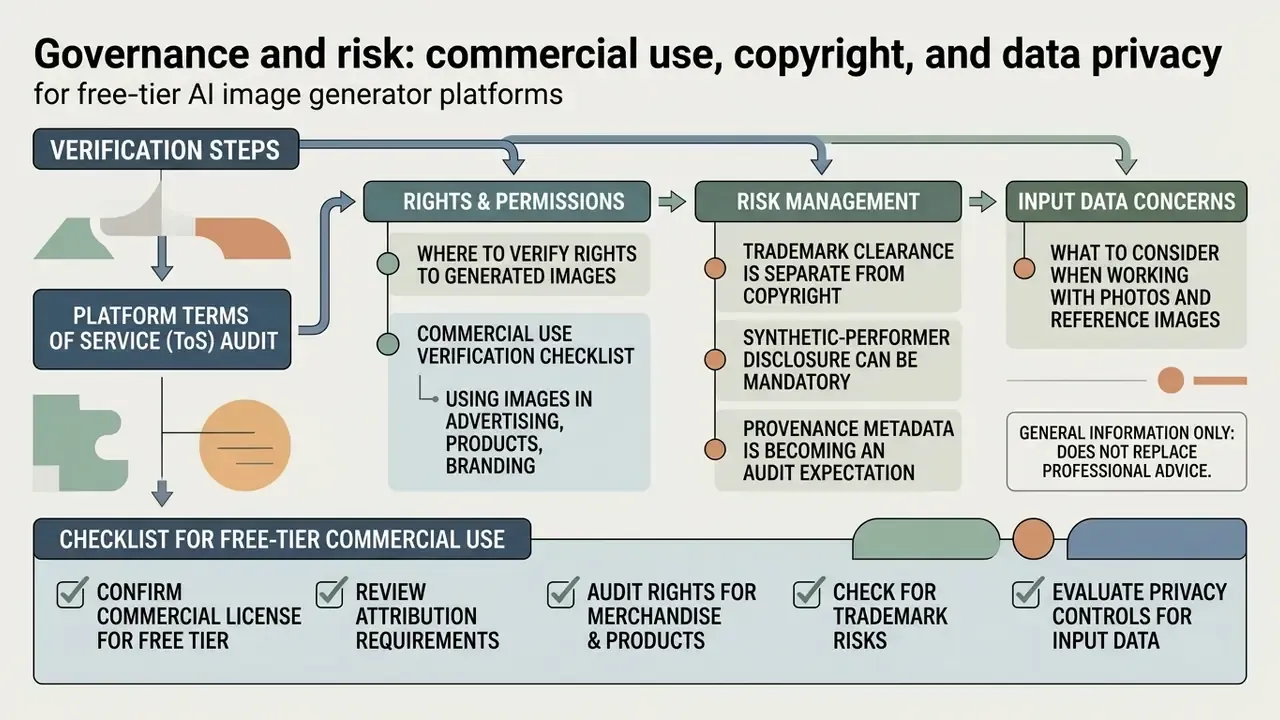
Users must review the official Terms of Service of the specific free ai image generation app before publishing assets commercially. Some platforms assign full output ownership to free users: OpenAI's terms state that the user owns the output and assign OpenAI's rights in it to the user. Others grant only a non-commercial Creative Commons licence unless a paid subscription is active (Midjourney Terms of Service, 2026, https://midjourney.com). Kittl restricts free-version output to personal, non-commercial use, and Suno limits free-tier output to internal, personal, non-commercial purposes with attribution. Additionally, human creative involvement remains a core requirement for copyright registration under US law (U.S. Copyright Office, Copyright and Artificial Intelligence, 2025, https://www.copyright.gov/ai/ai_policy_guidance.pdf).
«Copyright protection should be granted only to works with a sufficient level of original human intervention; purely AI-generated works do not meet the creativity criterion.»
The Copyright Office's 2023 registration guidance additionally requires applicants to identify AI-generated material and describe the human author's contribution, which means the audit trail of your prompts and edits has direct legal value. Keep it. A prompt log costs nothing and answers the one question a reviewer will ask.
Using images in advertising, products, and branding
Deploying synthetic visuals in paid marketing campaigns or product packaging introduces trademark and consumer protection considerations. Generated assets used for product shot renderings must accurately represent real physical products to avoid deceptive advertising violations. Three additional layers apply:
- Trademark clearance is separate from copyright. A logo or packaging mark must function as a source identifier and must be cleared against existing marks; the fact that a model generated it grants no protection and no defence.
- Synthetic-performer disclosure can be mandatory. New York General Business Law §396-b requires clear and conspicuous disclosure when a business knowingly uses a covered synthetic performer in commercial advertising, so a federally lawful image may still require an on-ad label.
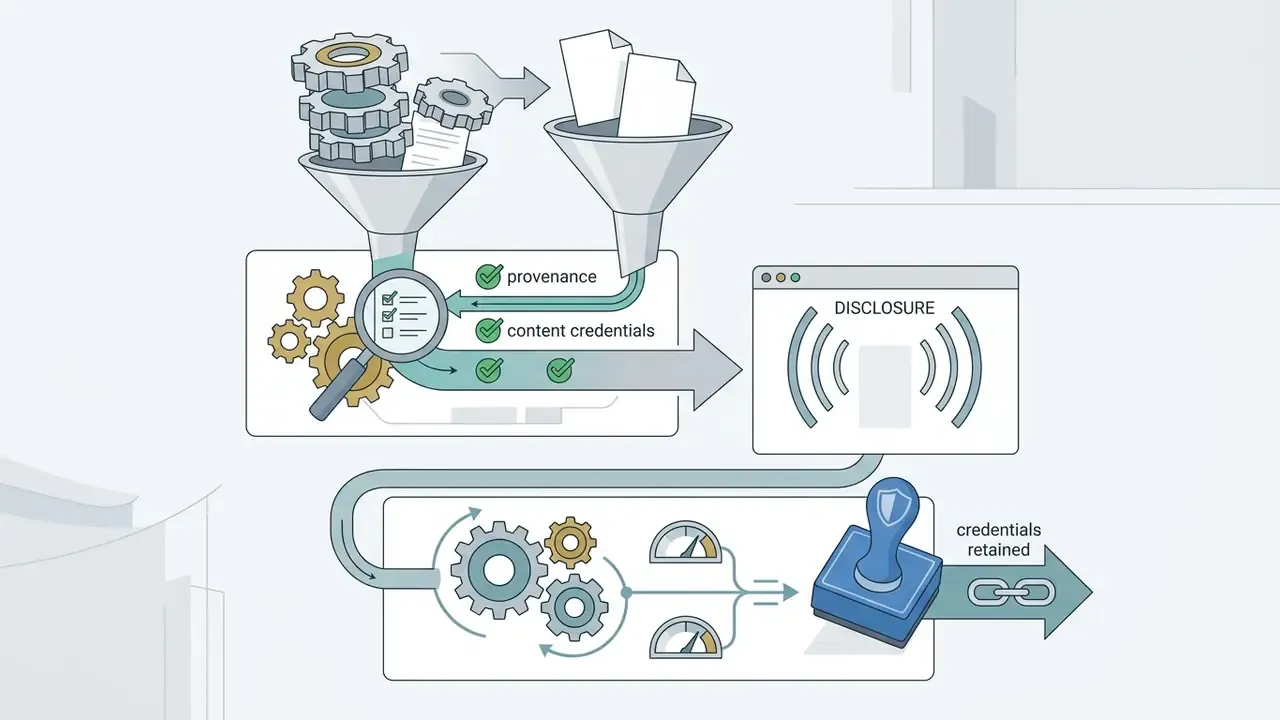
- Provenance metadata is becoming an audit expectation. C2PA Content Credentials embed tamper-evident provenance in the file, which supports compliance review, internal asset audits, and downstream platform labelling. Preserve those credentials through your editing chain rather than stripping them in export.
When launching a commercial campaign, team leads can review the specialized ai art generator resource to evaluate less restricted commercial models, or start from the broader overview of AI image generators and their usage rights.
What to consider when working with photos and reference images
«Stable Signature embeds invisible watermarks in diffusion-model images with over 90% detection accuracy at a false-positive rate below 10⁻⁶, even after cropping to 10% of the content.»
«Imperceptible adversarial perturbations can evade watermark detectors while preserving image quality better than JPEG compression or Gaussian blurring.» Source: Jiang et al., research on adversarial attacks against AI image watermarks (2023 to 2025).
The governance implication is straightforward: watermarks are useful evidence but not a control you can rely on alone, and the absence of a watermark is not proof of human authorship. To review legal precedents, examine the AI Litigation and Case Timelines overview; to trace where an image has already circulated, compare tools in the guide to AI reverse-image search.
Commercial use verification checklist
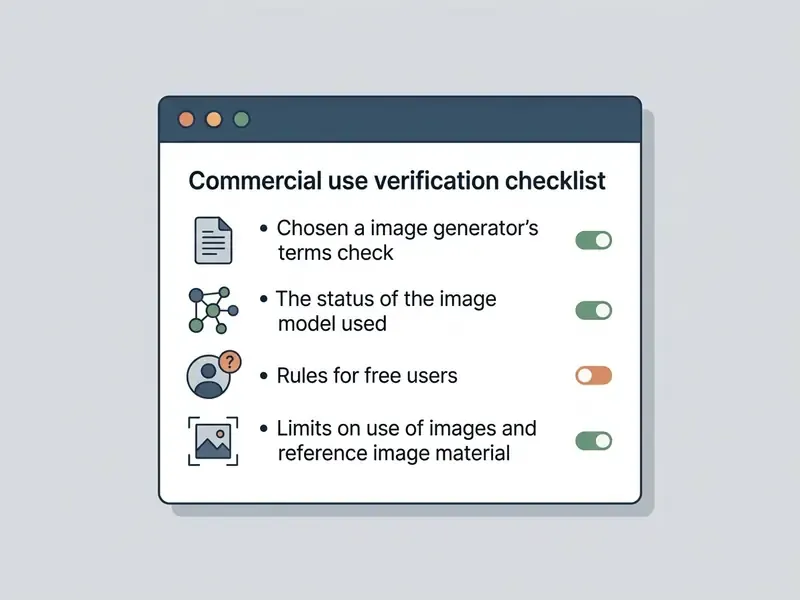
- Platform ToS audit confirm whether the free tier explicitly permits commercial use or restricts outputs to personal evaluation.
- Human authorship assessment ensure sufficient human creative direction (prompt iteration, post-editing) was applied if copyright registration is intended, and retain the prompt and edit log as evidence.
- Reference rights clearance verify that uploaded input images do not violate third-party trademarks, copyrights, or publicity rights.
- Synthetic disclosure compliance check state and federal advertising requirements regarding synthetic media and synthetic-performer disclosures in paid campaigns.
- Provenance integrity confirm C2PA Content Credentials survive your export pipeline and that no watermark has been removed from a third-party asset.
Data privacy, PII, and model-retraining opt-out
This information is general in nature and does not replace advice from a qualified professional.
Uploading personal photos or proprietary product images to a free ai generator app involves material data privacy considerations, and free tiers are where the weakest guarantees live. Public AI applications may log uploaded visual data to retrain future machine learning models unless strict opt-out settings are enabled.
«Generative AI datasets can contain personal data even when trained on public data; users are often unable to delete their information once it has been included in a training set.»
Official guidance across jurisdictions converges on three controls for any app that handles user photographs. WIPO's Data Protection in Mobile Applications (2021) treats photographs as personal data and requires clear, layered privacy notices before installation and during use. France's CNIL recommendation on mobile applications (2025) states that remote collection of images generally requires valid consent, advises assessing whether the full image is even needed, recommends selection or blurring tools, and says images sent to a remote server should generally not be stored unless there is a specific justified purpose. The EDPS mobile-app guidelines require collecting only strictly necessary data with informed consent. Australia's privacy regulator has separately advised against entering personal or sensitive information into publicly available AI chatbots, and OWASP's AI security and privacy guidance documents the wider threat surface around AI systems.
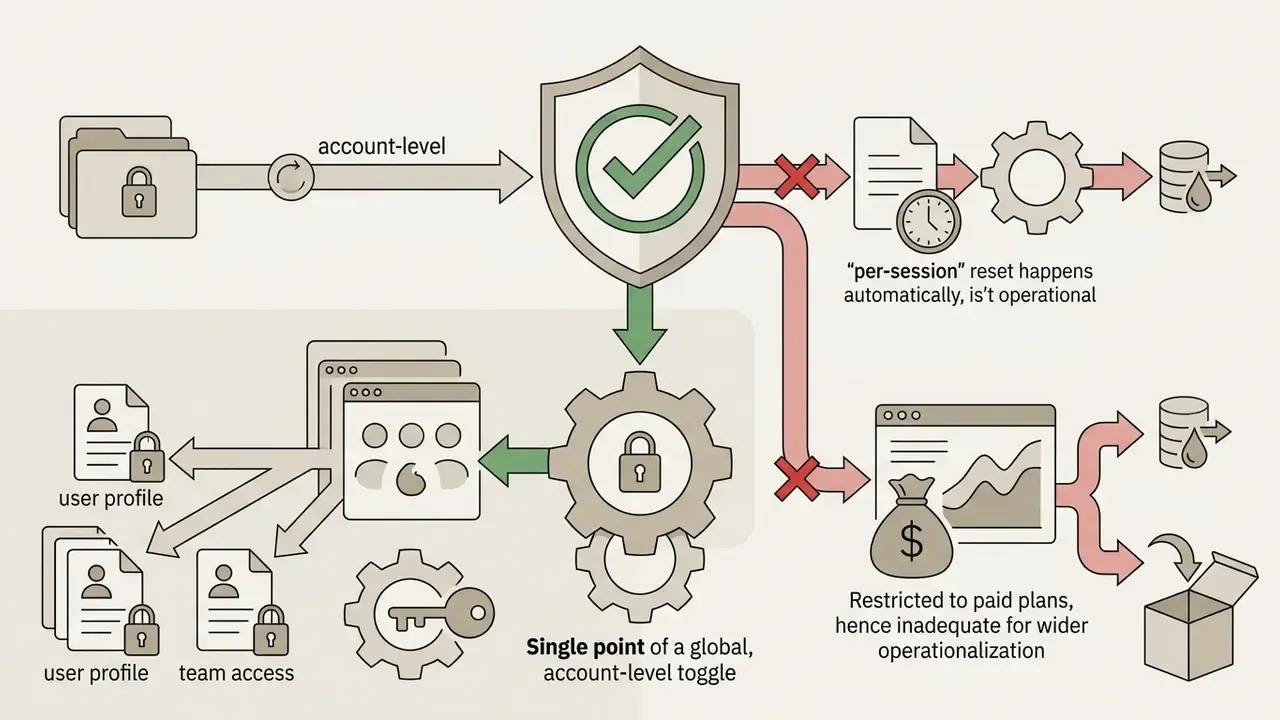
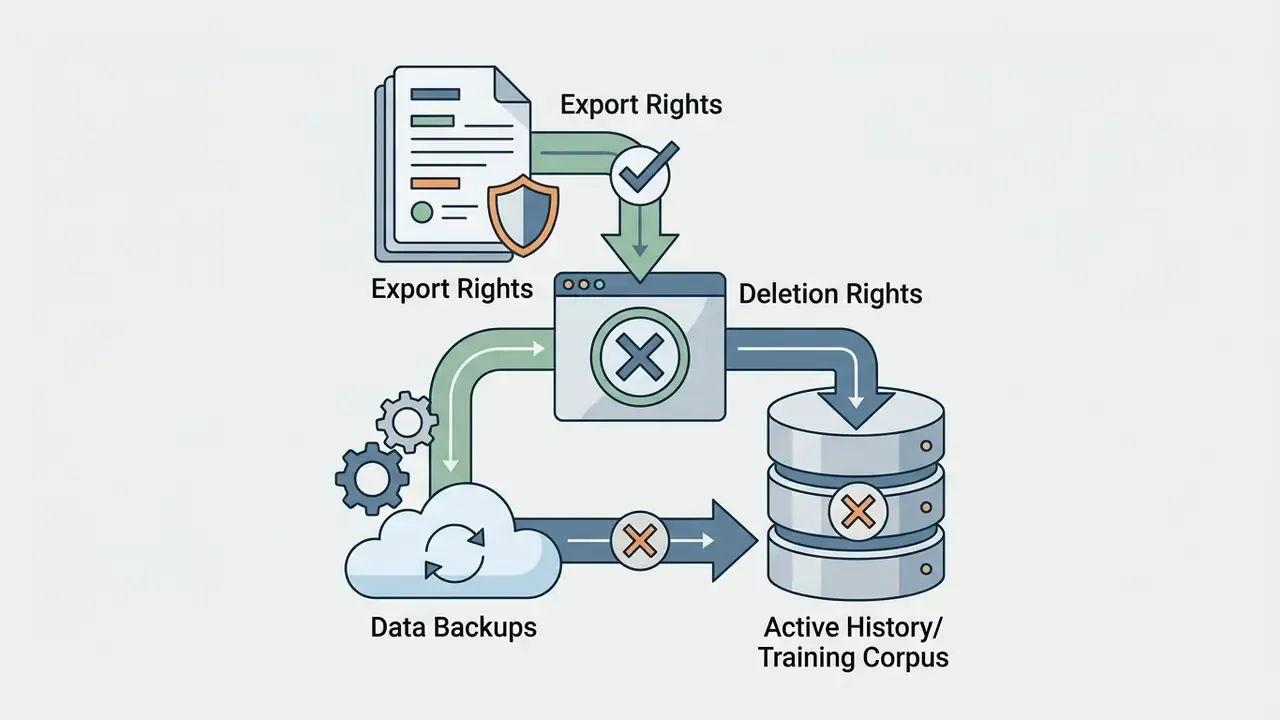

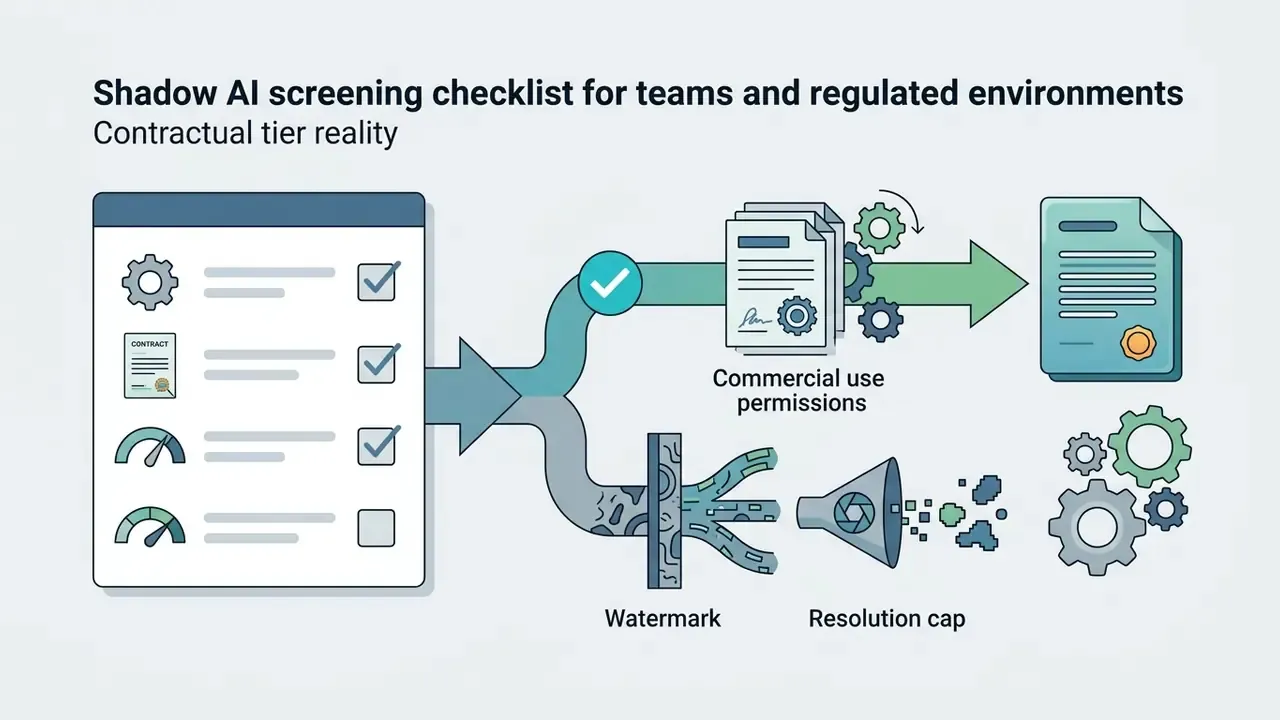
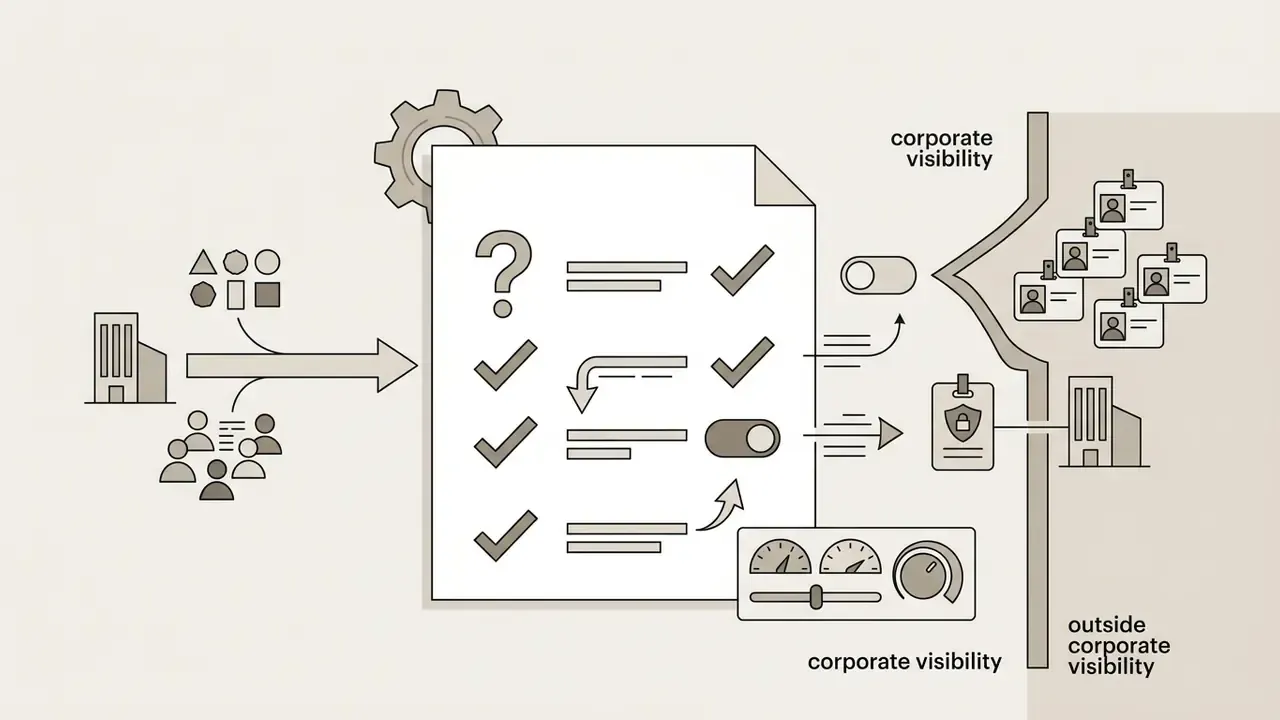
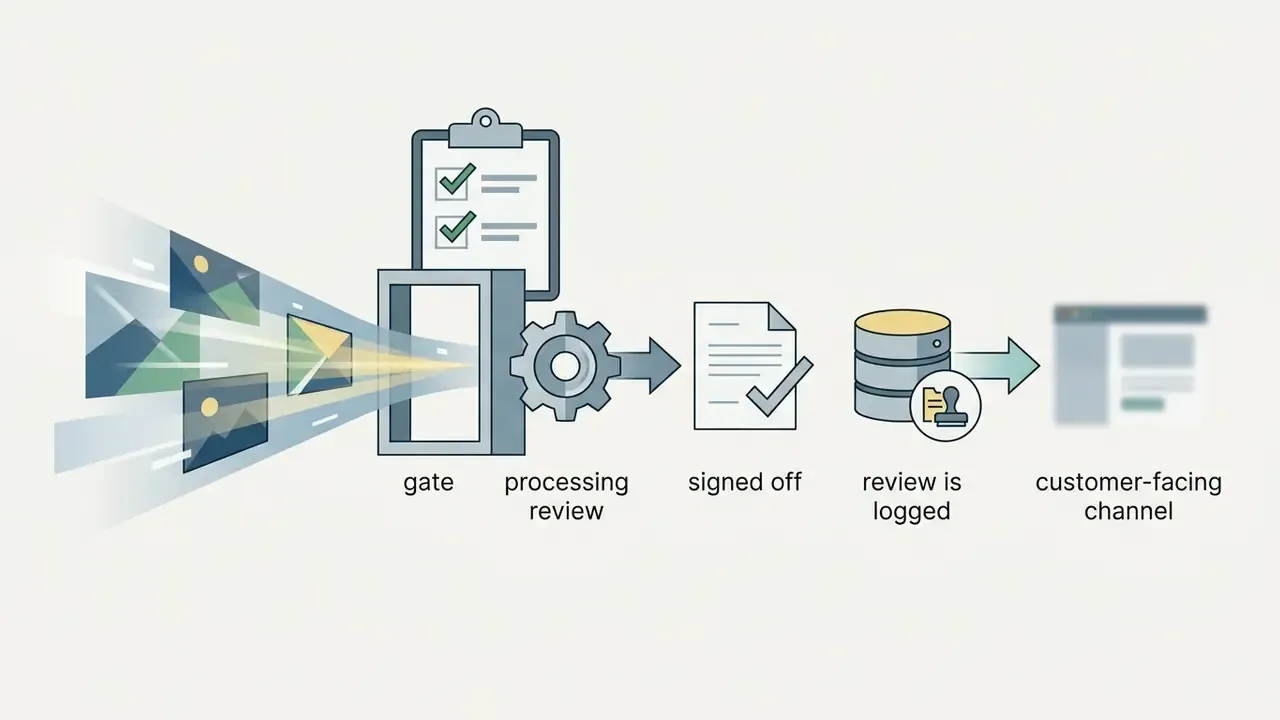
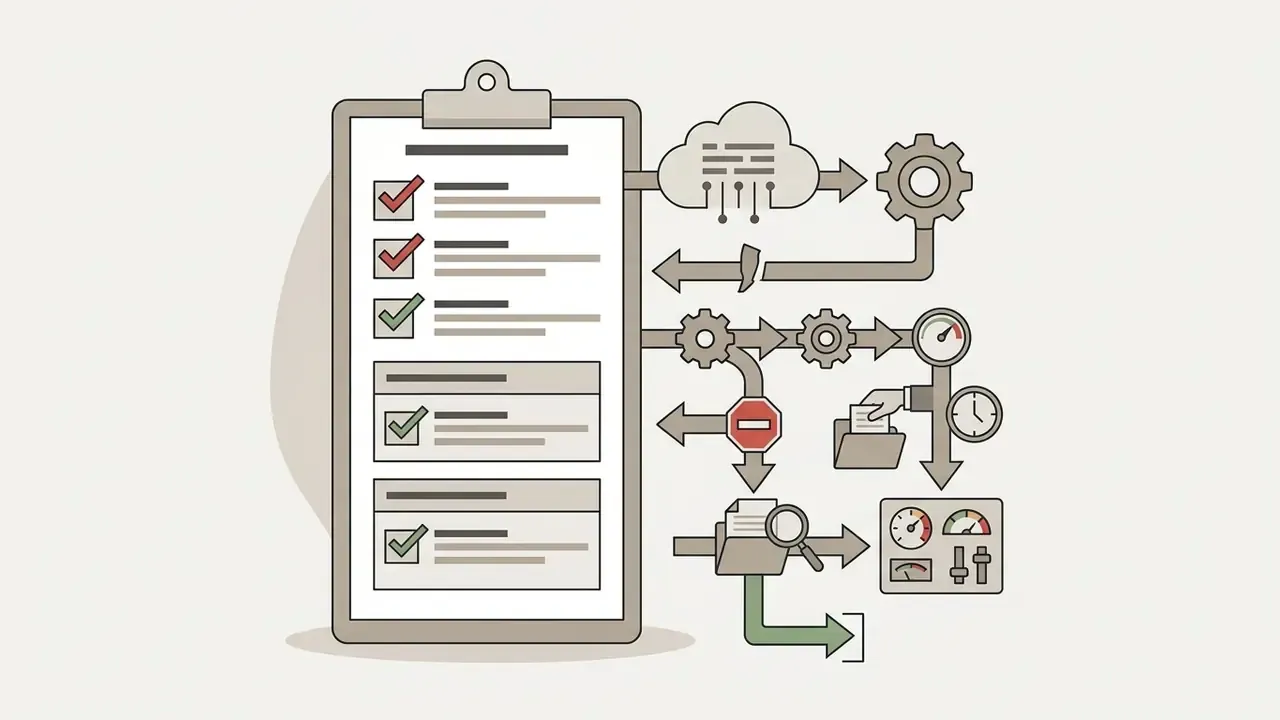
Shadow AI screening checklist for teams and regulated environments
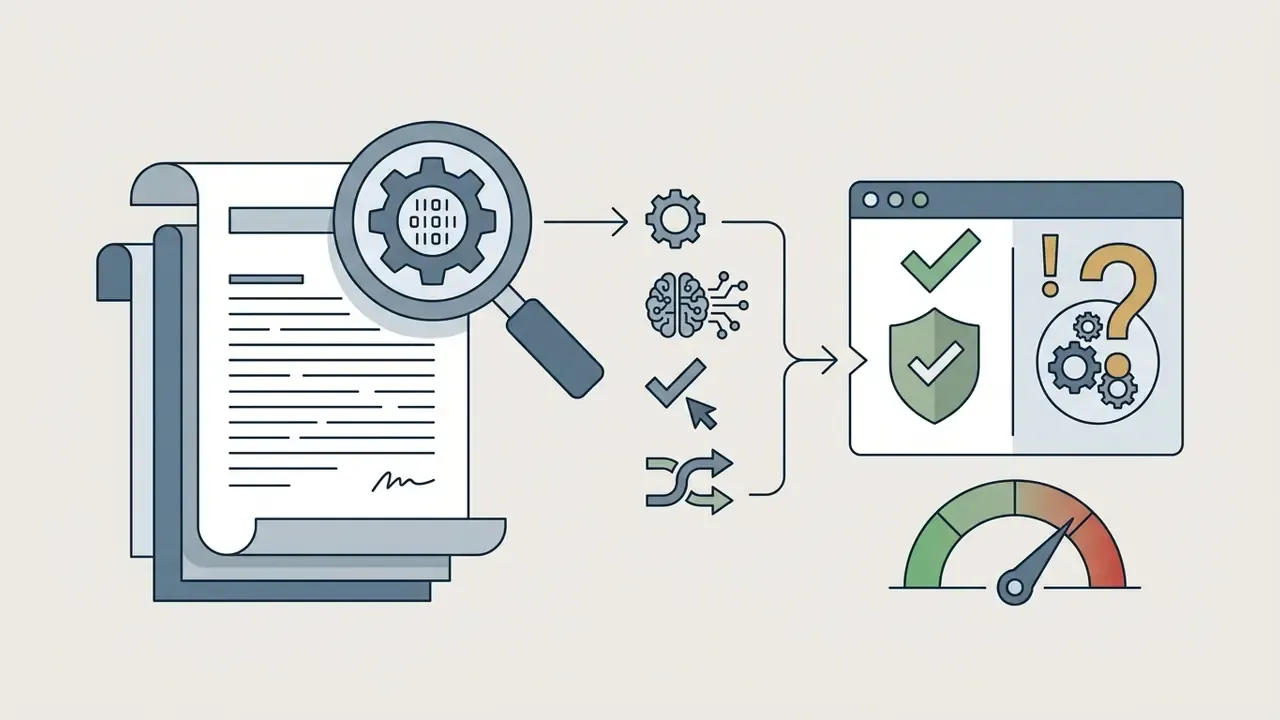
One practical note for regulated teams. The most common failure is not a bad model; it is an unmanaged personal account used on a deadline. Fix the access path first, then argue about model quality.
How to start creating AI images for free
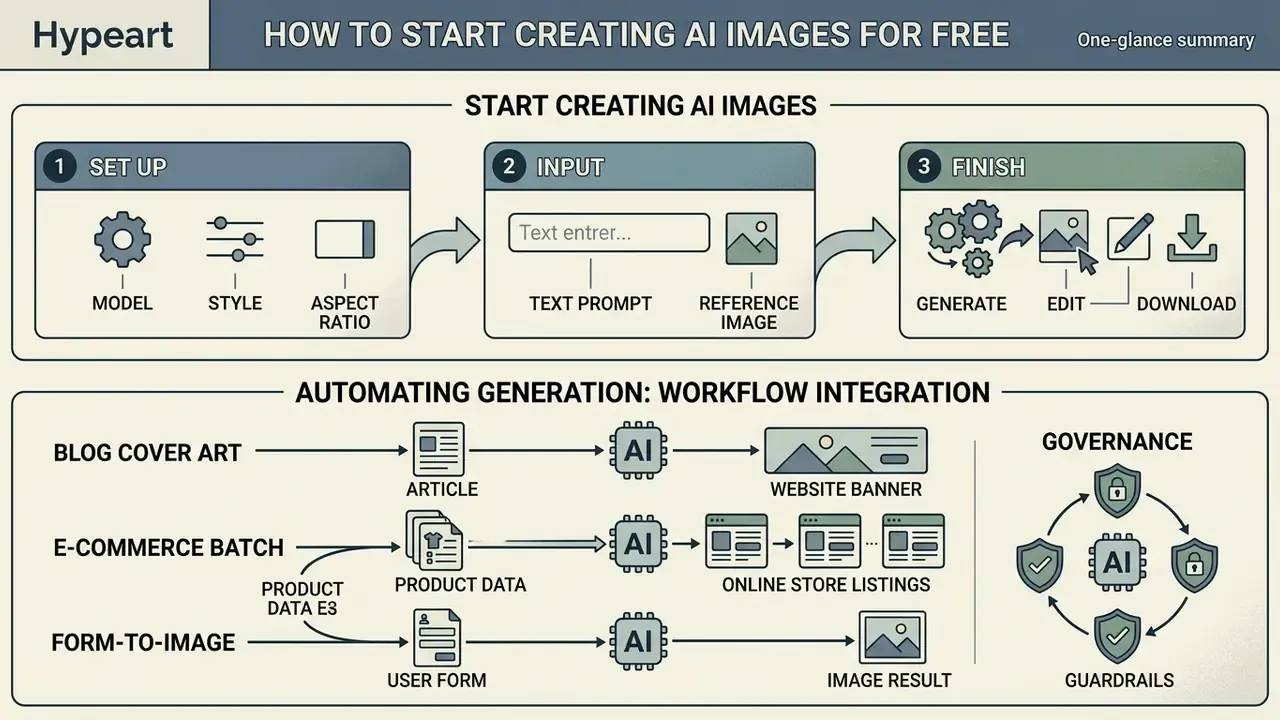
Generating high-quality synthetic imagery requires a systematic workflow from platform configuration through post-processing and download. Both Canva and Adobe Firefly document essentially the same four-to-six-step flow: open a project, enter a detailed prompt, set style and format, generate variants, refine, download.
Choose the model, style, and aspect ratio
Begin by selecting an appropriate image model suited to your project requirements, such as photorealistic rendering, vector artwork, or fantasy concept art. Configure the required aspect ratio (1:1 for Instagram, 4:5 for product cards, 16:9 for web banners, 9:16 for Stories and Reels) and select baseline visual art styles prior to executing the text prompt. Fix the seed if you need reproducible variants, and set a negative prompt to exclude recurring artifacts. For style-by-style comparisons and free-tier limits, review our roundup of free AI art generators; for a wider quality-first ranking, see the best AI art generators or open the hub to navigate the full library.
Add a text prompt or reference image
Enter a structured text description specifying the core subject, background atmosphere, lighting direction, and visual parameters, following the four-pass builder above. If visual consistency is required, upload a clean reference image and calibrate the image-to-image influence strength slider: low strength preserves the source geometry, high strength lets the prompt dominate. Google Cloud's image-editing guidance recommends a three-part formula for reference work, namely reference images, an explicit relationship instruction, and the new scenario. OpenAI's prompting guide advises saving representative production prompts and reference images, including hard cases such as faces, product geometry, exact text, and transparent assets, so your team has a regression suite when models update. Teams seeking advanced asset creation workflows can open the hub to study structured generation templates, or review portrait-specific constraints in the guide to AI headshot generators.
Generate, edit, and download the image
Click generate to produce initial visual options within seconds. Firefly returns four options per prompt, while autoregressive models typically return one. Review the resulting options, apply necessary adjustments using the built-in image editor and dedicated AI photo editors, then run an image upscaler to increase output resolution before downloading the final high-definition asset. The documented order matters: edit first, upscale second, export last, because upscaling before editing bakes artifacts into a larger file. To evaluate alternative generation engines, creators can compare ai creation tools for direct performance comparison, or review adjacent editing utilities in the guide to online photo editors.
Automating generation: connecting AI to your workflows
Free tiers, or API keys with a welcome balance, make it possible to automate visual production rather than generate one image at a time:
For video-adjacent pipelines, the same automation logic applies; see the YouTube video editor workflow guide and the comparison of free AI video generators.
FAQ: frequently asked questions about free AI image generator apps
Can I use an AI image generator without an account?
Certain free ai image generator platforms allow users to generate images directly in a web browser without creating an account or providing an email address; Raphael AI, DeepAI, Perchance, Ngini, and Creen AI all advertise no-signup access. However, anonymous tiers typically enforce lower daily usage limits, restrict high-resolution downloads (often capping output at 0.5K), apply visible watermarks, exclude Fast Mode, place requests in a shared queue, and disable advanced image-to-image controls. "No registration" also does not equal anonymity: personal information can still be collected, processed, or inferred during use, according to official privacy guidance.
Is it safe to upload photos to an AI image app?
Uploading personal photos or proprietary product images to a free ai generator app involves data privacy considerations. Public AI applications may log uploaded visual data to retrain future machine learning models unless strict opt-out settings are enabled (Congressional Research Service, Generative AI and Data Privacy: A Primer, 2023). Users should avoid uploading sensitive personal identifiable information (PII) or confidential business assets to unverified public tools, and should prefer local or enterprise-contracted deployments for anything covered by confidentiality obligations. Work through the opt-out procedure in the privacy section above before the first upload, not after.
Do these apps work on mobile devices?
Most major free tools run in a mobile browser, and several ship native iOS or Android clients, so generation on a phone is normal rather than a compromise. The practical limits are screen-size editing precision, smaller export resolutions on some mobile flows, and permission scope: check what photo-library access the app requests, and grant single-image selection instead of full-library access where the operating system allows it.
Is "unlimited free" generation ever real?
Genuinely unmetered generation exists in exactly one reliable form: a local Stable Diffusion or FLUX installation on hardware you control, where the only limit is your GPU. Cloud services marketed as unlimited usually restrict the claim to a basic model, exclude Fast Mode, impose queue waits, or cap resolution, and the disclosure is typically in the FAQ rather than the headline.
Can I remove the watermark from a free-tier image?
No. Removing a platform's watermark from output you received under a free licence generally breaches the Terms of Service and, where the watermark signals provenance, undermines compliance obligations. The supported route is to upgrade the plan, switch to a vendor that ships unwatermarked free output (Adobe Firefly and Microsoft Copilot currently do), or self-host.
Which free app is best for product photography?
For catalogue work, prioritize reference-image support, inpainting, and a precision upscaler over raw model prestige. Canva's product-photo flow and Freepik's editor-plus-upscaler combination cover the full loop, while Firefly adds free 2× and 4× upscaling. Validate on your own three hardest SKUs: reflective surfaces, transparent packaging, and any product carrying legible text.
How do I check whether an image was AI-generated?
Inspect embedded C2PA Content Credentials first, since compliant tools write provenance into the file. Where metadata has been stripped, use detection tooling as a probabilistic signal rather than proof. Research shows watermark detectors are accurate under ordinary transformations but can be defeated by deliberate adversarial perturbation.
Appendix: source verification and revision log
This log records the corrections applied during editorial review so readers can audit the evidence chain.
| Original citation | Issue identified | Action taken |
|---|---|---|
Yang et al., 2025, arxiv.org/abs/2501.00000 | Placeholder arXiv identifier, not resolvable | Hyperlink removed; source retained by title and year with metric-bearing quotation; identifier pending verification |
OpenAI, 2026, openai.com | Homepage link with a forward-dated year and no document | Replaced with GenEval benchmark metrics reported in the 2025 survey, plus named OpenAI and Microsoft Foundry prompting documentation and CHI 2022 research |
Adobe, 2026, adobe.com | Homepage link, no methodology | Replaced with ControlNet / T2I-Adapter conditioning evidence and the specific Adobe Firefly image-to-image documentation URL, supported by WACV 2025 |
FTC, 2024, ftc.gov | Regulator homepage without a named document | Supplemented with the Congressional Research Service privacy primer (2023); the FTC enforcement point on deceptive AI claims is retained in plain text |
OAIC, 2024, oaic.gov.au | Regulator homepage, jurisdiction-specific, no document | Replaced with the CRS primer (2023) and supported by WIPO (2021), CNIL (2025), and EDPS mobile-app guidance |
GAO, 2020, gao.gov | Outside the preferred recency window and off-topic for watermarking | Retained where it is on point (facial-image dataset privacy risk) and supplemented with Stable Signature (2023) and adversarial watermark-attack research for the watermarking discussion |
| "Sub-second mobile generation" (unsourced) | Performance claim without benchmark | Supported with MobileDiffusion (ECCV 2024) and distilled-model latency figures |
| "Studio-grade product assets" (unsourced) | Vendor-grade quality claim | Reframed as vendor-documented and directional, with an explicit note that parity with physical photography is unverified |
| "Upscaling without compromising fidelity" (unsourced) | Absolute quality claim | Reframed with documented 2× and 4× upscaling support and a caution about generative detail invention |
| "Benchmarks ensure distortion-free output" | Overstated inference | Reframed as a screening signal, with the IDEA-Bench score ceiling cited as counter-evidence |
| "Nano Banana 2 / Gemini 3.1 Flash" model naming | Release names change per cycle | Flagged in the fact-check table; readers advised to treat as the Google Gemini Flash / Nano Banana model family |