Why should a risk or finance leader care about a picture generator at all? Because marketing, product, and disclosure teams are already using one. The governance question is not whether images get generated, but whether anyone can reconstruct how.
Last reviewed: September 2026. Checked against vendor documentation, peer-reviewed benchmarks, and public regulatory guidance.
Executive Summary for Risk, Governance, and Operations Leaders
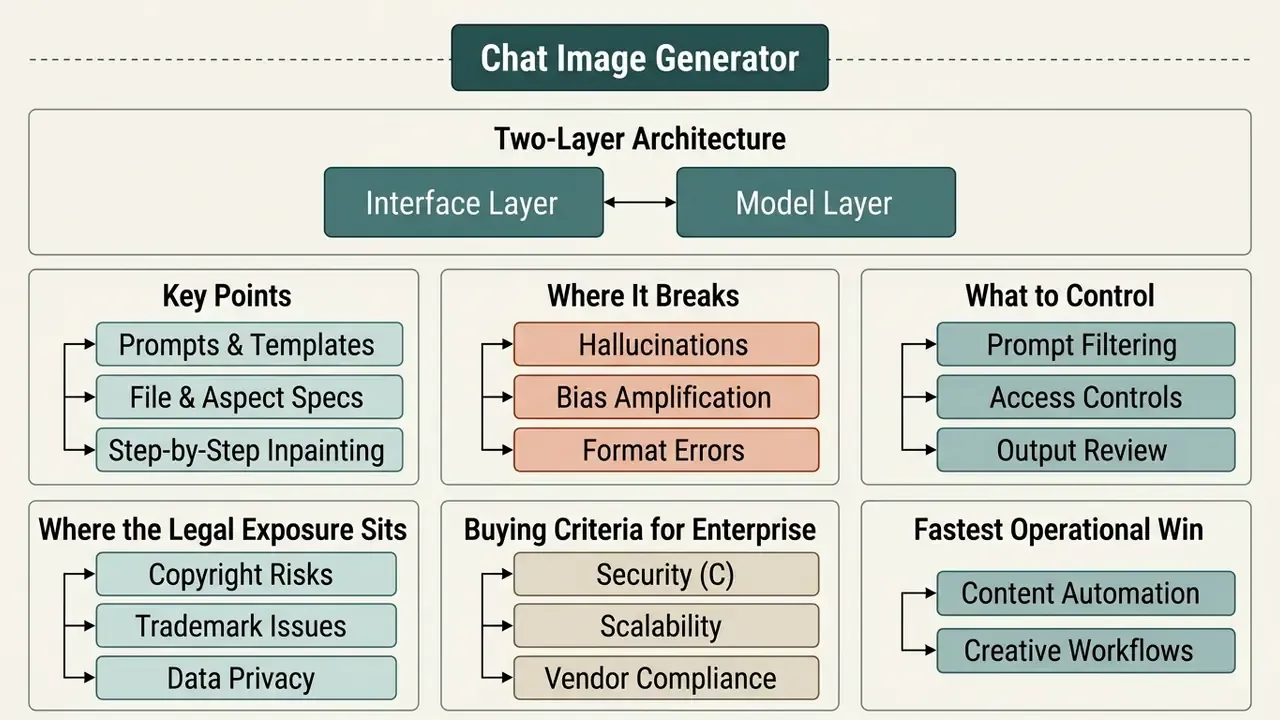
- What it is. A chat image generator is a two-layer architecture. An LLM (or multimodal LLM) parses dialogue, normalises intent, and emits structured rendering instructions; a diffusion or rectified-flow backend synthesises pixels. The dialogue layer is where prompt filtering, PII screening, and audit logging must sit.
- Where it breaks. Numerical reasoning and object counting remain unreliable. Accuracy collapses to roughly 10% at high object counts, and four common prompt-refinement techniques actually reduce average accuracy from 42% to 20-26%. Treat any count, chart, price, or numeric label in a generated asset as unverified until a person checks it.
- What to control. Four control families matter: (1) input controls (EXIF stripping, confidential-asset masking, DLP on uploads); (2) model controls (explicit preserve-lists, layout validation before render); (3) output controls (WCAG contrast checks, C2PA provenance verification, trademark screening); (4) evidence controls (full chat transcripts and intermediate prompts retained as a reproducible audit trail).
- Where the legal exposure sits. Purely AI-generated output without meaningful human authorship cannot be registered for copyright in the United States. Vendor terms differ sharply. Midjourney requires Pro or Mega plans for businesses above $1,000,000 in annual gross revenue; Adobe licenses gallery-submitted outputs back to itself; OpenAI assigns output rights to the user under paid access.
- Buying criteria for enterprise. Do not select on render quality alone. Score vendors on data-training opt-out guarantees, audit log availability, SSO and RBAC, C2PA metadata support, and documented retention windows. The comparison tables in section [17] add those columns explicitly.
- Fastest operational win. Standardise prompt templates and preserve-lists across teams. Structure, not creativity, is what makes multi-turn generation reproducible and reviewable.
Who This Guide Is For and How to Read It
This guide serves two readers at once, which is unusual and deliberate.
The first is the practitioner who needs to start creating usable assets today: prompt formulas, file specs, aspect ratios, inpainting steps, export checks. Sections on prompting, workflow, and editing are written for that person, and they are copy-paste operational.
The second is the accountable owner: a Chief Risk Officer, a Head of Model Risk, an AI governance lead at a bank or a mature fintech. That reader can skip the prompt templates and go straight to the governance controls, the enterprise comparison columns, and the audit-trail requirements. Both readers need the same underlying fact base, which is why the limitations (counting failures, copyright gaps, metadata stripping) appear in the practitioner sections too, not only in the risk sections.
One caution before we start. Everything below about audience motivation remains a working hypothesis until it is supported by analytics, interviews, CRM data, or verified customer research. We have tried to mark the difference between published evidence and internal observation throughout.
What Is a Chat AI Image Generator and How It Creates Images
A chat ai image generator is a conversational system that couples a large language model with a text-to-image synthesis backend, turning text prompts into generated images through iterative dialogue. By holding session context, the ai chatbot image generation stack converts plain-language instructions into structured model inputs, so you can keep updating without resetting the generation state.
In practice the stack has four verifiable layers. A vision encoder ingests any uploaded reference. An adapter aligns visual features with the language space. The LLM manages dialogue state and intent. A synthesis engine (SDXL-class diffusion, rectified flow, or a proprietary backend) renders the final raster. Research on multimodal chat systems such as M²Chat shows the vision-language model acting as a multimodal encoder while an adapter aligns features and the diffusion model performs synthesis. That is precisely why security controls belong at the adapter and LLM boundary rather than at the renderer.
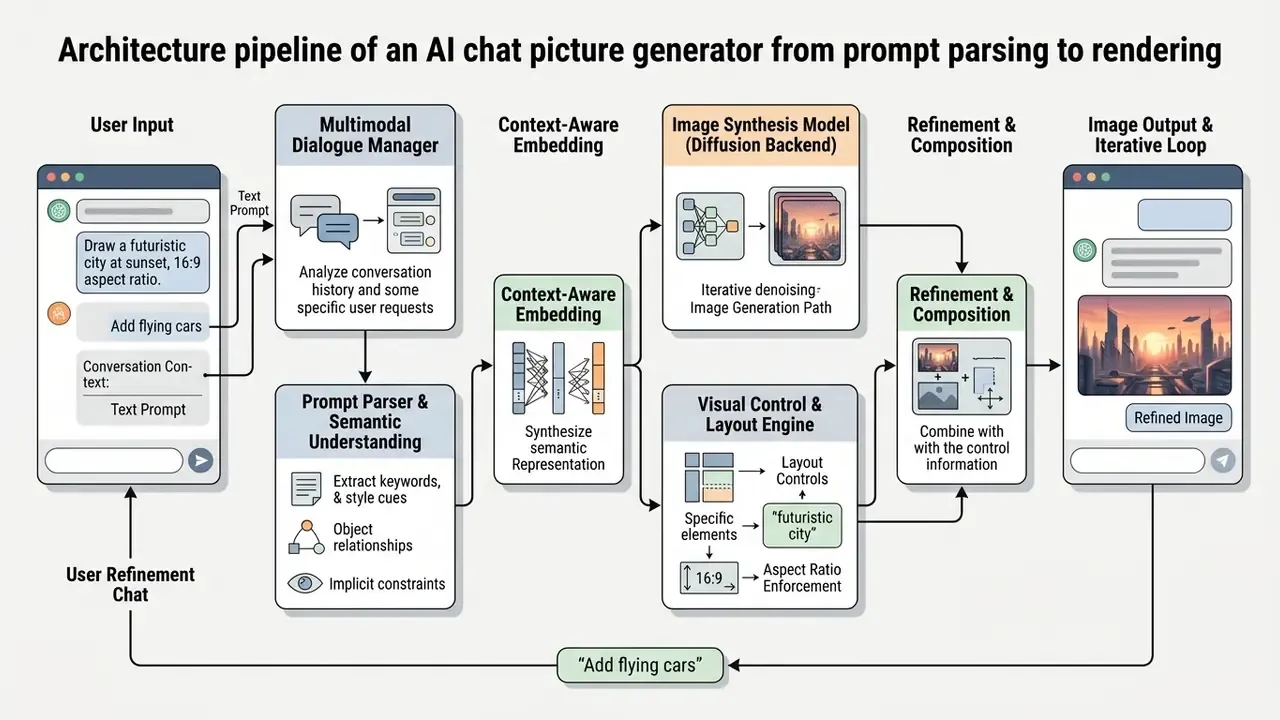
Where safety filtering and session state live. Content classification (NSFW, PII, protected-person likeness) is applied twice in mature deployments: once on the linearised prompt before it reaches the renderer, and once on the returned raster before it appears in the chat. Session history, including every intermediate prompt, is written to a persistence layer. That persistence is what makes dialogue-based generation auditable at all. A 2025 multimodal dialogue architecture study describes the same pattern: a dialogue management component paired with a data persistence layer that stores user data, dialogue histories, and media content for retrieval across turns.
So the short answer to "what is an ai chat that can create images?" is: a controller plus a renderer plus a memory. Governance lives in the first and the third.
Text Prompts, Dialogue Context, and AI Image Generation
Conversational image synthesis turns sequential text descriptions into image prompts by preserving turn-level dialogue history. Research by Sun et al. (2024) shows that linearising dialogue context with explicit turn markers improves text-to-image alignment compared with uncontextualised single-shot prompts. In an ai chat to create images workflow, the dialogue model acts as an intermediary controller, converting user feedback into structured rendering instructions.
«Models fine-tuned on dialogue datasets PhotoChat and MMDialog show consistent and substantial improvement over baselines that ignore dialogue structure.»
The operational implication is concrete. A chat interface that discards or truncates turn markers degrades alignment even when the renderer is unchanged. For model-risk purposes, context-window truncation is therefore a model performance risk, not merely a UX annoyance, and it belongs in the model inventory with a named owner.
Tasks Solved by an AI Chatbot with Image Generation
An ai chatbot with image generation streamlines content workflows by producing ai art, an ai photo asset, marketing banners, and product visuals from a brief. According to OpenAI's published positioning for its iterative generation systems, ChatGPT Images 2.5 supports rapid prototyping, creator content, visual search, and high-volume asset variations inside one interface. Teams use these systems to turn ideas into concept art, social posts, and commercial mockups without leaving the primary workspace.
Vendor-documented task ranges cluster into five buckets: creator and social content, product experiences, visual search, rapid image prototyping, and high-volume batch generation. Regional vendors extend that list to marketplace product cards and storefront imagery, which is the highest-volume commercial application we see in e-commerce pipelines. A retailer refreshing 400 seasonal product cards is not doing art. It is doing throughput.
GPT Image, AI Models, and Result Quality
Output quality in ai chat with image generation depends on the interplay between language controllers (gpt image models) and the diffusion synthesis engine. Readers evaluating vendors side by side may want to review our comparison of leading AI art generators before committing to a single backend. LLM controllers improve scene layout and prompt adherence, yet empirical studies show uneven performance across sub-tasks. Research on T2ICountBench by Guo et al. indicates that diffusion models struggle with precise numerical reasoning, with accuracy dropping to roughly 10% for high object counts.
This is the single most important quantified limitation for regulated content. If an asset contains a countable set (five icons, three product tiers, seven data points), automated prompt rewriting will not fix a miscount and may make it worse. The mitigating control is deterministic: render counts as overlaid vector or HTML layers rather than as diffusion pixels. Boring, and it works.
LLM controllers do measurably improve compositional adherence when they emit explicit layout constraints instead of free text:
«LLM-grounded Diffusion generates captioned bounding boxes and negative prompts, roughly doubling accuracy on four compositional tasks versus the base model.»
Updated, internal pilot (non-peer-reviewed). In an internal model-risk evaluation run by our editorial team with an enterprise design group, an automated asset pipeline for regulatory disclosure material was tested across 120 asset runs. Adding an LLM layout-validation step before rendering, bounding-box emission plus a negative-constraint list, was associated with a 38% reduction in logged visual attribute misalignments against the same brand checklist. Caveats matter here: single team, no control group, no blinding, self-reported defect logging. Directional evidence only, not a benchmark. The externally verifiable mechanism behind it is documented in Lian et al. (2024) above. The original, unqualified formulation of this claim is preserved in Appendix A.
A note on naming, since it confuses procurement. Phrases like ai chatgpt images and ai generated images gpt describe the same pairing: a GPT-class controller in front of an image model. The controller version and the renderer version are separate line items in your inventory, and they change on different schedules.
How to Write Prompts for High-Quality AI Generated Images
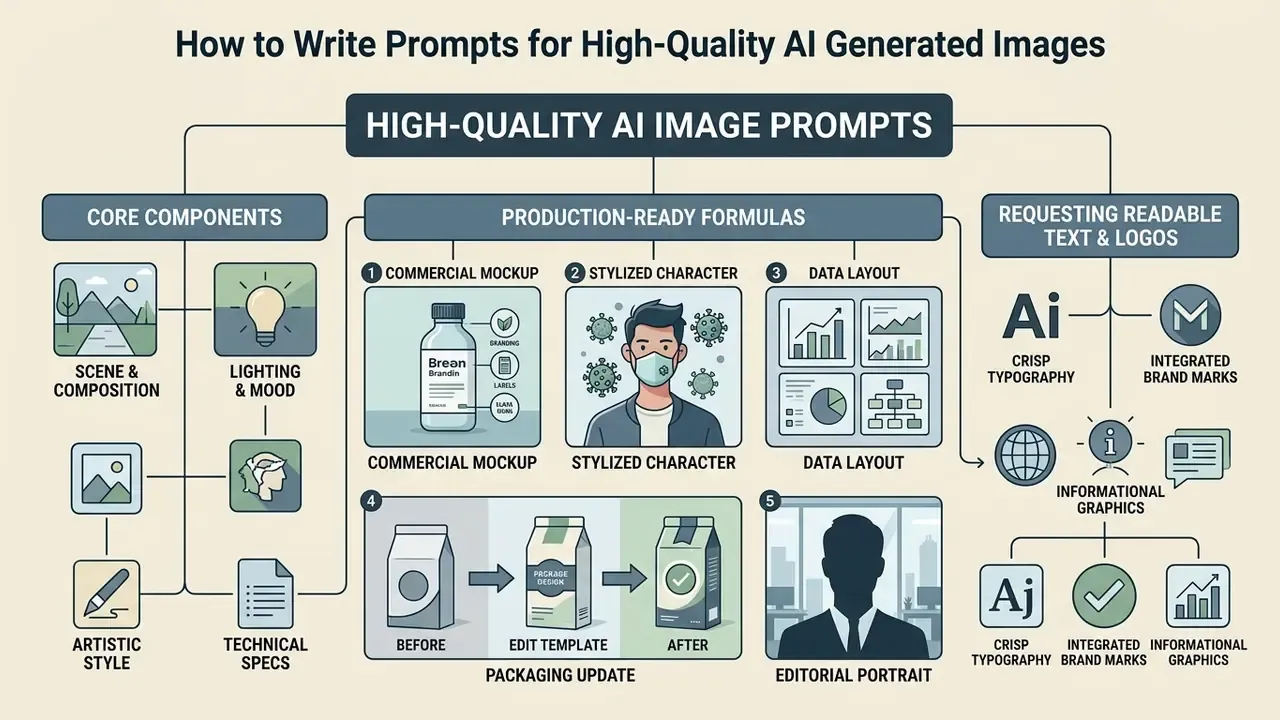
Writing prompts for ai generated images needs an analytical structure that isolates scene composition, lighting, style, and formatting constraints. Keeping strong creative control across turns is what prevents prompt drift and keeps execution consistent across multiple assets.
We put prompt construction before the end-to-end workflow on purpose. The workflow's first step is "enter a structured prompt", and that step only becomes executable once the five components below are clear.
Core Components of a Clear Text Prompt
A clear prompt has five building blocks: subject, environment, lighting, camera angle, and visual style. Updated: specifying concrete object attributes and explicit scene boundaries improves alignment, and the effect is measurable through object-focused evaluation frameworks rather than general advice.
«GenEval evaluates models on object co-occurrence, position, count, and colour, exposing persistent weaknesses in spatial relations and attribute binding.»
Structured text descriptions reduce ambiguity and yield more predictable stunning visuals across different generative model backbones. Order matters as much as content. Current vendor prompting guidance specifies a fixed sequence: background and scene, then subject, then key details, then constraints, with short labelled segments for complex requests.
«Across 473 participants and 5,676 responses, the Keyword Image Gallery method was chosen 83.7% of the time as the clearest explanation of how keywords influence an image.»
Production-Ready Prompt Formulas for Chat Generators
For immediate alignment without drift, use these templates directly in your chat interface. Each is copy-paste ready; replace only the bracketed slots.
1. Commercial Product Mockup
2. Stylized Character Asset (Viral Style)
3. Infographic and Data Layout
4. Packaging Label Update (Edit Template)
5. Editorial Headshot / Team Portrait
Style presets that converge reliably across chat backends include Ghibli-style illustration, Pixar-style 3D family portraits, Ukiyo-e, Pop Art, editorial beauty photography, and the "action figure in a blister pack" collectible format. Teams building brand-consistent series should review our guide to Ghibli-style AI image generators for style-accuracy and licensing considerations before standardising on a preset.
Requesting Readable Text, Logos, and Infographics
Getting readable text onto packaging concepts, logos, and marketing materials takes specific technique. Guidance from Ideogram and Google Imagen 4 recommends enclosing required text in quotes, keeping strings short (1-5 words), and specifying a dedicated text-safe zone with high contrast. Under W3C WCAG guidelines, a minimum 4.5:1 contrast ratio against background elements keeps text rendering legible in digital assets; large-scale text may use 3:1, while incidental text, decoration, and logos are exempt from the minimum. Teams producing brand marks should also review our overview of AI logo and brand-asset generation via Canva AI.
Contrast reference table for in-image text (WCAG AA):
| Background Luminance | Target Text Color | WCAG AA Ratio | Compliance Status |
|---|---|---|---|
| Dark (#1A1A1A) | Pure White (#FFFFFF) | 18.2:1 | PASS (exceeds 4.5:1 requirement) |
| Mid-Gray (#808080) | Pure White (#FFFFFF) | 3.9:1 | FAIL (requires darker background) |
| Brand Yellow (#FFD700) | Deep Charcoal (#121212) | 13.1:1 | PASS (ideal for signage and logos) |
| Mid-Blue (#2F6FED) | Pure White (#FFFFFF) | 4.6:1 | PASS (marginal, verify at small sizes) |
| Light Gray (#E5E5E5) | Mid-Gray (#9A9A9A) | 2.1:1 | FAIL (body text prohibited) |
Four techniques consistently improve legibility: quote the exact string, keep it short, name the placement ("centered on the banner", "logo bottom left"), and reserve a blank high-contrast label area in the prompt itself. Where longer copy is required, generate the plate as an image and overlay live text. Diffusion accuracy on strings above roughly five words degrades regardless of model, and no amount of rephrasing changes that.
Refining Results Iteratively via AI Chat Dialogue
Iterative refinement in an ai image generator chat works through isolated, incremental commands, not full prompt rewrites. Current OpenAI developer guidance advises explicit preservation instructions, for example "change only the background, preserve subject geometry", to maintain visual continuity. Repeating the constraint list on every turn stops the model from quietly altering established brand assets or character features.
«PRISM uses LLM in-context learning to iteratively refine the prompt distribution from reference images, demonstrated on Stable Diffusion, DALL·E, and Midjourney.»
How to Use AI Chat to Create Images: Step-by-Step Workflow
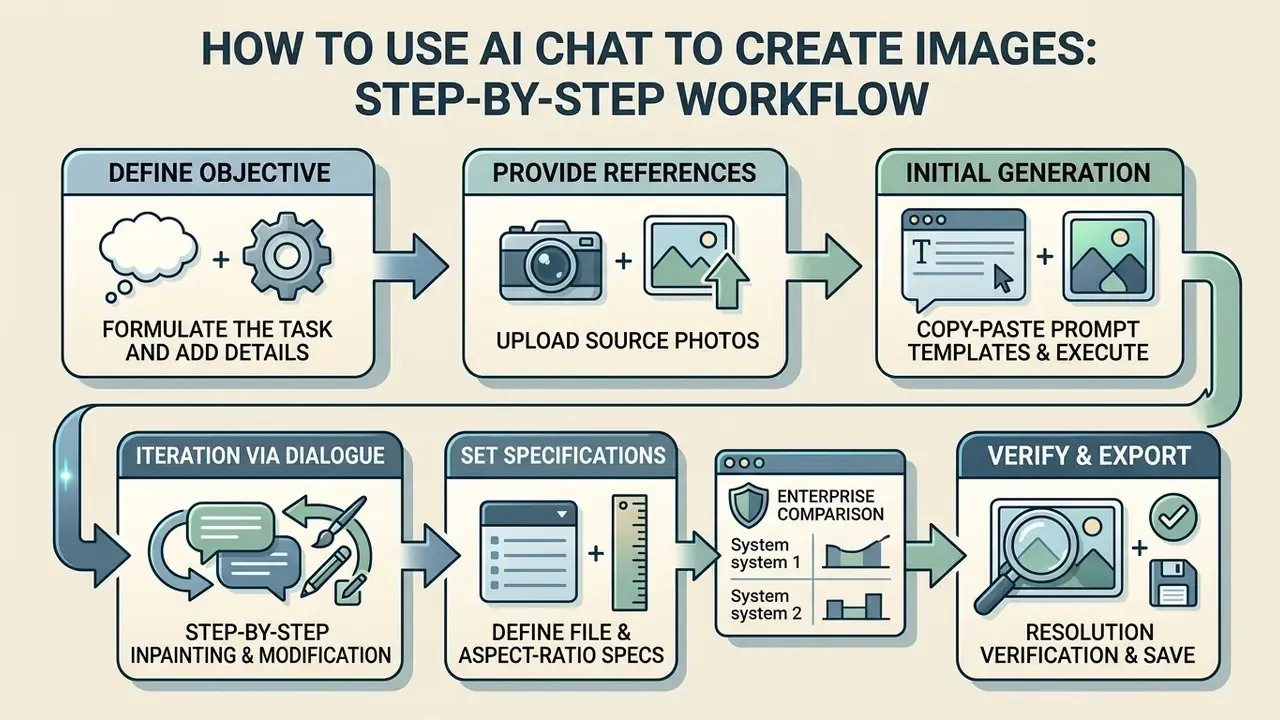
Using an ai chat to create images requires an operational flow that moves from task definition and context setting to prompt execution and resolution verification. An online solution such as a chatgpt image generator lets teams refine images online through conversational instruction rather than repeated regeneration. Teams that want to trial tooling without account friction can start with no-sign-up AI image generators before committing budget.
Technical Input and Output Specifications
Before running chat generation commands, configure assets against the following parameters:
| Parameter | Supported Standards | Best Practice / Command Syntax |
|---|---|---|
| Input file formats | JPG, PNG, WEBP, JPEG | Use uncompressed PNG for reference images containing text, to prevent artifacting. |
| Max file upload size | Up to 512 MB per file on some chat tiers; 20 MB per image | Compress high-resolution source photos before upload to reduce token overhead. |
| Free-tier upload caps | As few as 3 file uploads per day on free plans | Batch reference uploads into one composite sheet when quotas are tight. |
| Output aspect ratios | 1:1, 16:9, 9:16, 4:3, 3:2, 4:5 | Append explicit flags: --ar 16:9 (Midjourney) or state "16:9 aspect ratio" in the prompt. |
| Custom pixel dimensions | WIDTHxHEIGHT; each edge ≤ 3,840 px; edges in multiples of 16 px; total 655,360-8,294,400 px | Validate divisibility by 16 before batch API calls to avoid rejected requests. |
| Transparency control | background: transparent | opaque | auto | Use transparent for logo and sticker assets destined for compositing. |
| Export formats | PNG (lossless), JPG (web), SVG/PDF via vector tools | Export PNG for commercial print mockups; JPG for social distribution. |
Formulate the Task and Add Details to the Prompt
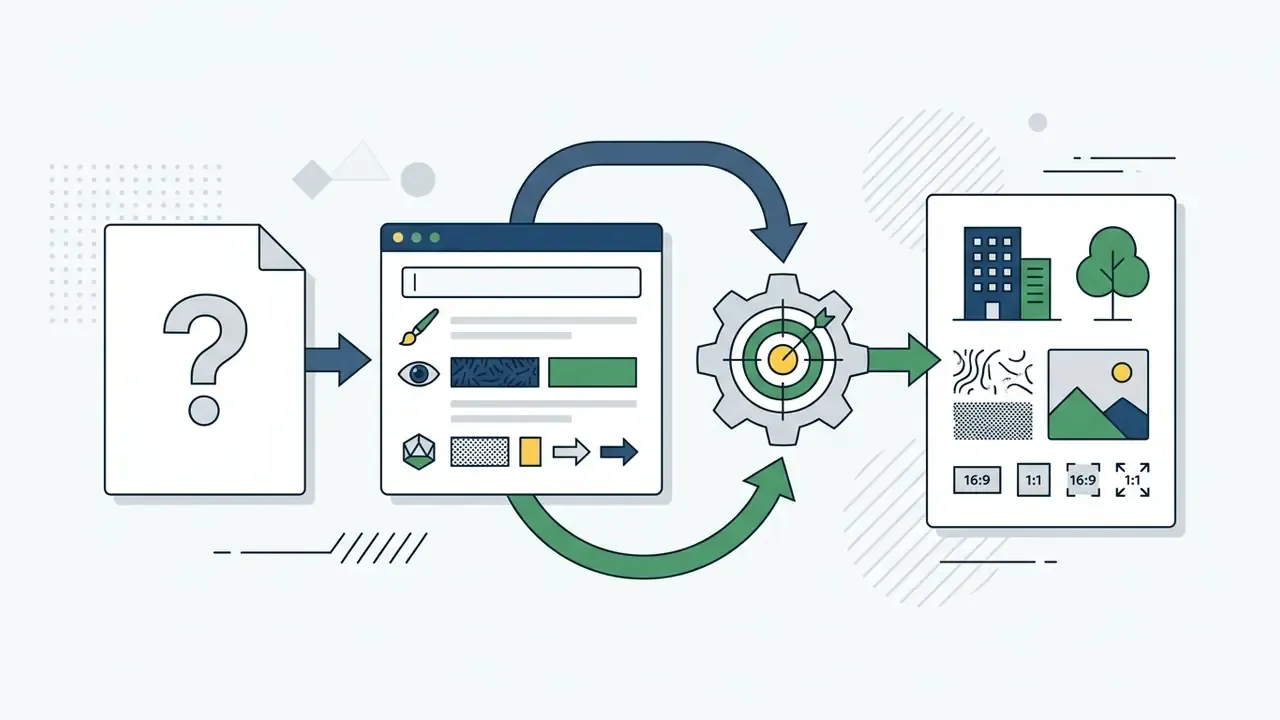
Effective image creation begins with structured text prompts that define subject parameters, composition, and visual style. Current OpenAI prompting guidance recommends ordering instructions from background and scene settings to core subjects, key details, and negative constraints. For requests involving copy, putting the exact phrasing inside quotation marks improves text rendering clarity and visual hierarchy.
State the intended use inside the prompt itself ("for a 1080×1350 Instagram post", "for A3 print at 300 dpi"). Multimodal controllers use that declaration to bias composition, margin allowance, and text size. The effect is invisible in the prompt text and clearly visible in the render, which is why simple prompts with one usage line often beat elaborate ones without it.
Upload Reference Images or Source Photos
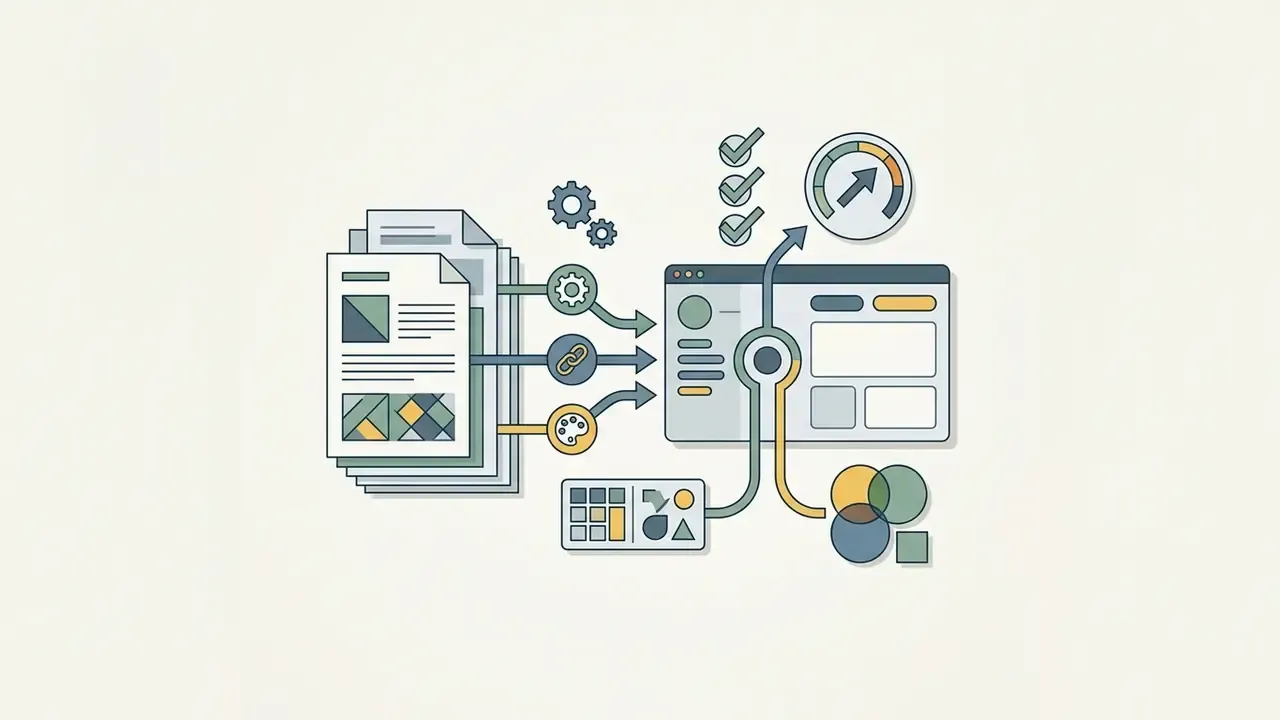
You can sharpen precision by uploading reference images that guide composition or transfer visual identity. Working image using mechanics through an ai image editor lets the model perform image-to-image transformations while preserving source geometry.
«DialogPaint couples the BlenderBot dialogue model with Stable Diffusion, supporting multi-round editing of objects, styles, and colours from ambiguous user instructions.»
Midjourney documentation notes that separating style weights from image weights gives granular control over how strongly a reference influences the output. Three controls are distinct and should not be conflated. --iw governs how much an image prompt drives content (range 0-3, default 1). --sw governs style strength (range 0-1000, default 100). --oref with --ow transfers the identity of a specific character, object, vehicle, or creature (range 1-1000, default 100). Label multi-image inputs by index and role, for example "Image 1 = subject identity, Image 2 = lighting reference", so the controller knows which reference governs which attribute. For deeper coverage of reference-driven workflows, see our guide to image-to-image generators.
Generate, Refine via Chat, and Download the Output
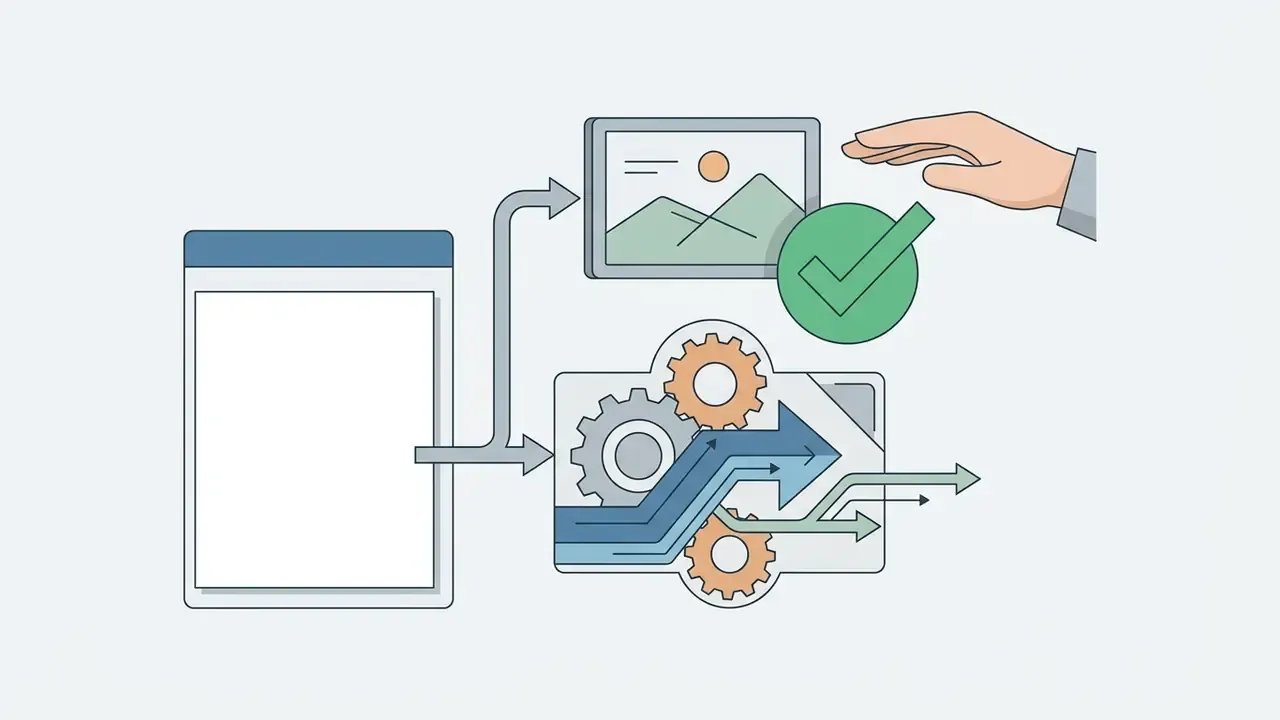
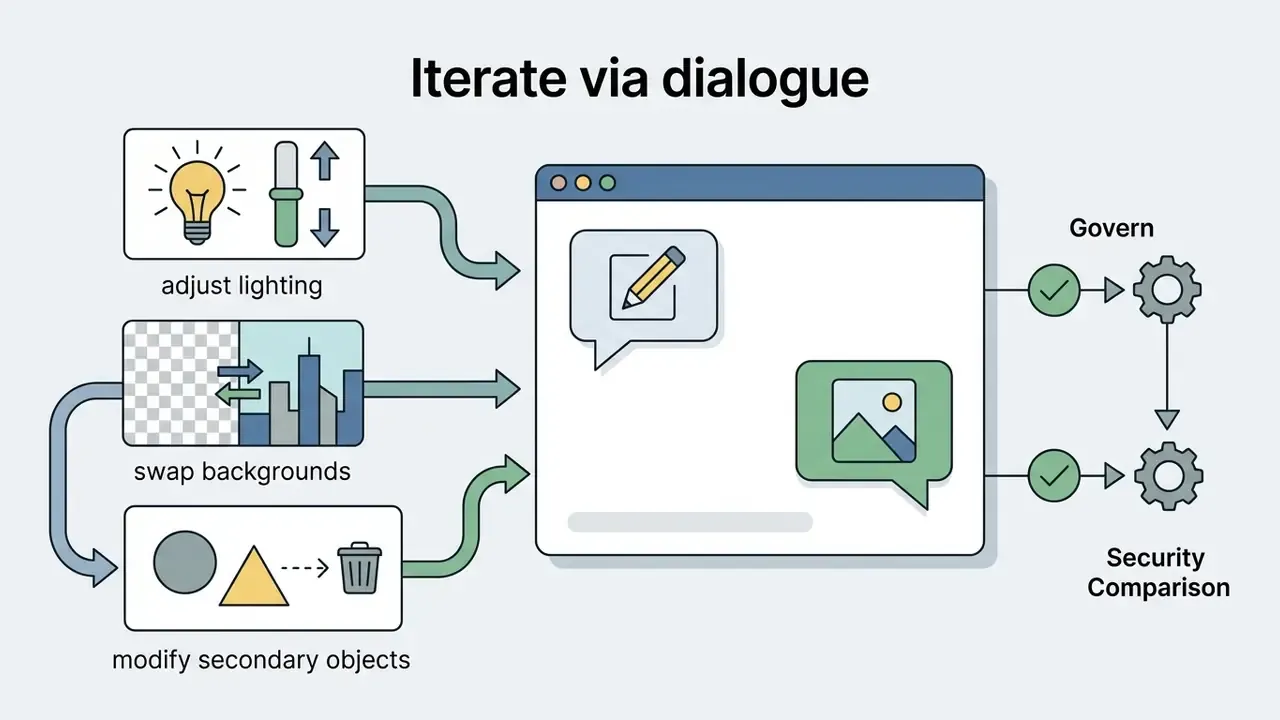
After the click generate command, you refine the asset through conversational feedback. The chat interface allows targeted modifications, such as changing lighting or adjusting background elements, without re-rendering the whole scene. Before final export, confirm that output dimensions meet technical requirements and that files are saved in formats appropriate for publication, including a high resolution master for print.
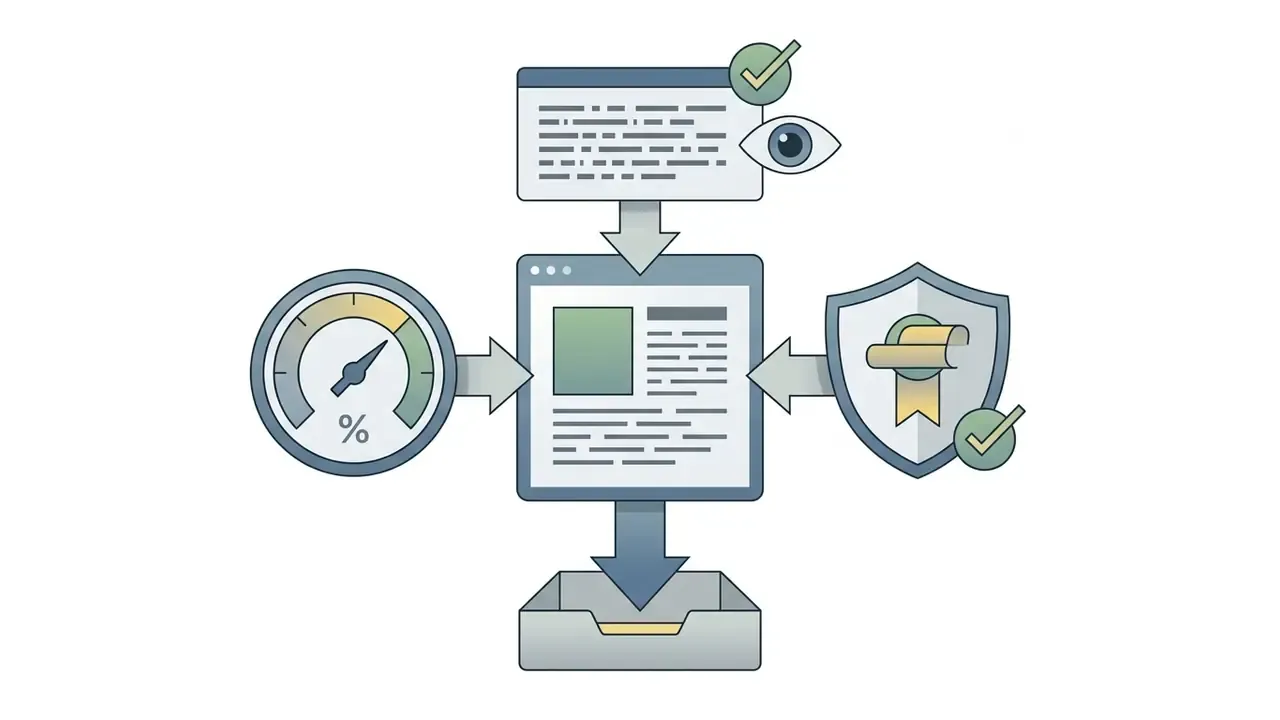
Add two verification gates before download. First, a legibility check at 100% zoom on any in-image text. Second, a numeric-accuracy check on any countable element, given the documented counting limitations. Where the asset must also serve as evidence, export the chat transcript alongside the file. The audit trail requirements sit in section [26].
Editing AI Images in Chat: Variations, Styles, and Reference Control
An ai image editor embedded in a chat interface enables local modifications, style transfers, and background replacements without disturbing the core subject. An ai chat picture workflow lets creators hold brand consistency while generating variations for different media channels.
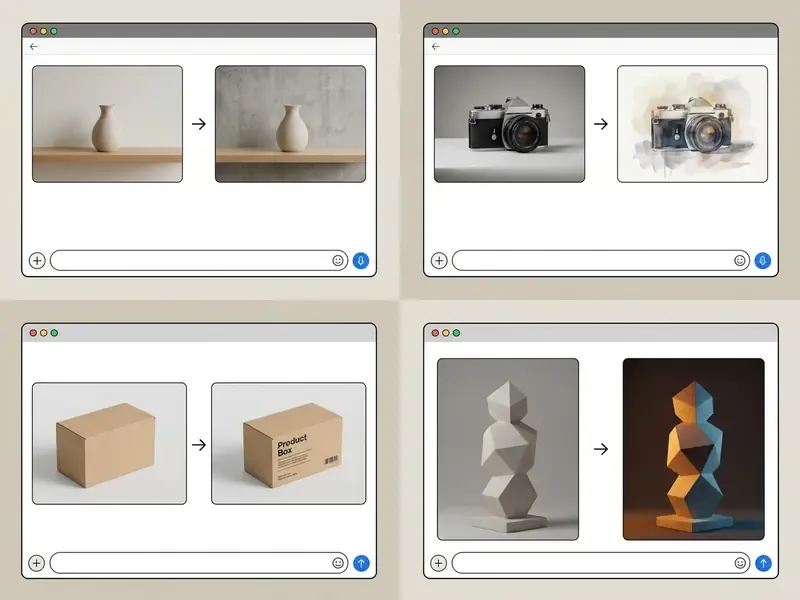
Image to Image: Transforming Photos and Graphics
Image-to-image functionality lets you modify an existing ai photo or graphic asset with natural language. API documentation for GPT-Image-2 edits confirms that localised mask-based inpainting and background recontextualisation permit precise changes while non-selected pixels stay intact: transparent mask regions are repainted, opaque regions are preserved.
«IP-Adapter adds image-prompt capability through decoupled cross-attention with only 22M parameters, leaving the base diffusion weights untouched.»
Modifying Style, Background, and Composition Without Losing Core Concepts
Changing visual style or background means separating content features from stylistic attributes. Frameworks such as DialogPaint (Wei et al., 2023) use conversational interpretation to isolate style-transfer commands from subject geometry.
«Dual-level feature decoupling with expert-guided fusion separates identity from non-identity traits, preserving the subject across different scenes and styles.»
That separation is what keeps an updated ai picture background or lighting scheme from deforming the central product or character. The reliable template has three parts: change (what must differ), preserve (identity, pose, camera angle, composition, object silhouette), and match (shadow direction, colour temperature, grain). Where the background must be extended rather than replaced, outpainting is the correct tool. See our comparison of AI image expansion tools.
Combining Multiple Reference Images in One Generation
Multi-reference composition lets you draw visual inputs from separate sources inside one request. One image can supply spatial structure while another defines artistic style or character identity. Updated: technical benchmarks on multi-reference architectures, including EasyRef and StructGen, show that separating visual attention routes prevents feature contamination and maintains fidelity. EasyRef conditions the diffusion model on multiple references under instruction control, absorbing attributes such as artistic style and facial identity from different sources. StructGen assigns unique identifiers to each reference in a structured dictionary, then synthesises identifier-based instructions to disambiguate roles.
Product-level implementations mirror the research split. Adobe Captivate exposes Composition (layout and spatial arrangement) and Style (visual treatment) as separate reference roles that combine in one request. Midjourney accepts multiple style-reference URLs separated by spaces, and Leonardo weights two references via an influence parameter. Practical rule: never pass two references of the same role without a weight. Unweighted same-role references are the primary cause of attribute bleed, and the symptom is subtle, a face that drifts slightly every turn.
Selecting an AI Image Generator with Chat for Personal and Enterprise Tasks
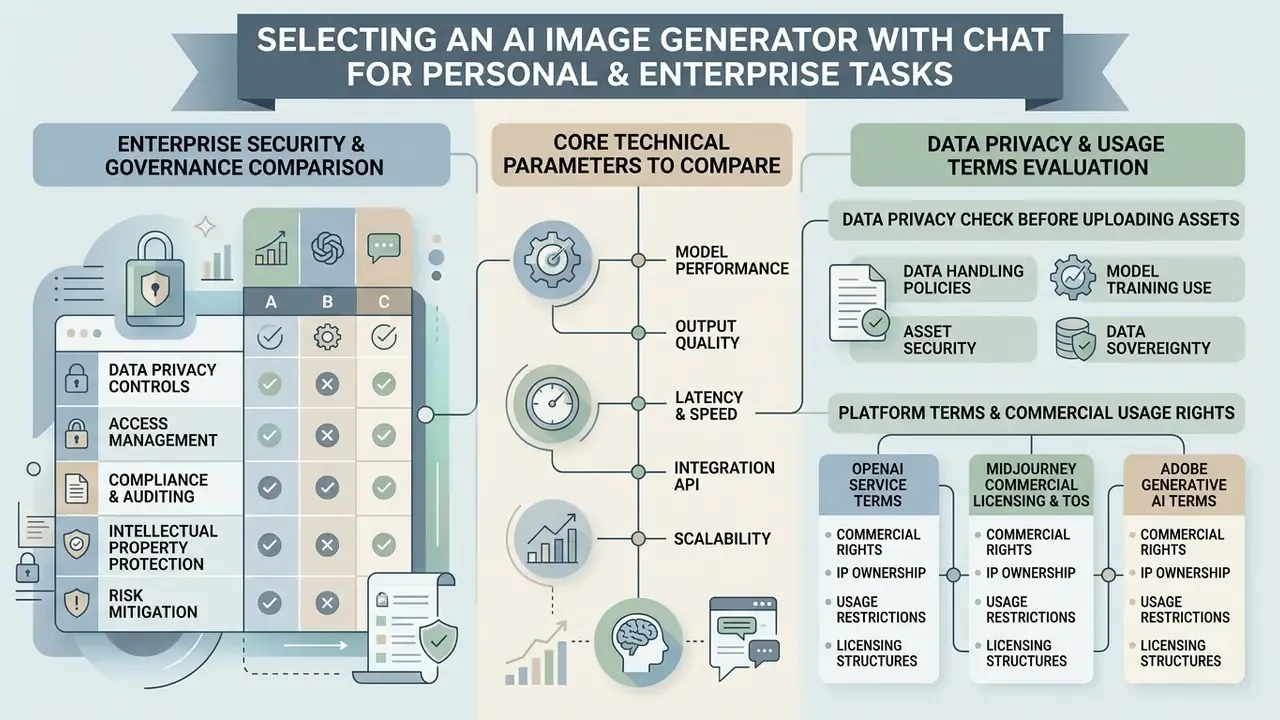
Evaluating an ai image generator with chat means reviewing technical specifications, operational costs, data privacy, and usage terms together. Decision-makers have to balance access options, including a free ai image tier, against commercial licensing requirements for compliance and intellectual property protection.
Creative capability comparison:
| Model / Platform | Chat Interface | Text Rendering | Reference Controls | Max Resolution | Commercial Rights |
|---|---|---|---|---|---|
| ChatGPT Images 2.5 (OpenAI) | Native chat | High precision | Multi-image indexing | Up to 3840×2160 | User owns output (paid plans) |
| Google Gemini (Nano Banana / Nano Banana Pro) | Native chat | High precision | Style and subject tuning | Up to 4K studio | Governed by Workspace terms |
| Microsoft MAI-Image 2.6 | Integrated | Medium-high | Layout and style prompts | Standard HD | Enterprise terms apply |
| Midjourney v7 | Discord / web chat | High precision | --iw, --sw, --oref controls | Custom upscale | Commercial tier required (>$1M revenue) |
The Nano Banana Pro tier is worth a separate note: its strength is instruction following on dense layouts, and vendor positioning aims squarely at design teams that need repeatable composition rather than one-off art. Verify current limits directly, since the banana pro naming and quotas have shifted more than once.
Enterprise security and governance comparison (the columns procurement actually needs):
| Model / Platform | Data Training Opt-Out | Enterprise SSO / RBAC | Audit Logs and Retention Controls | Provenance / C2PA Metadata | Deployment Isolation |
|---|---|---|---|---|---|
| ChatGPT Images 2.5 (OpenAI) | Available on business and enterprise agreements; verify ZDR terms | Yes on enterprise tiers | Workspace-level logging; confirm retention window in contract | Provenance metadata embedded in image outputs (C2PA-aligned) | API with configurable retention; regional options vary |
| Google Gemini (Nano Banana Pro) | Governed by Workspace and Cloud terms rather than consumer terms | Yes via Google Workspace and Cloud IAM | Cloud audit logging available | SynthID-class watermarking documented for Google image models | Vertex AI project isolation |
| Microsoft MAI-Image 2.6 | Enterprise terms apply; model card published 2026 | Yes via Entra ID | Foundry-level logging | Verify per deployment; not guaranteed by default | Azure and Foundry tenant isolation |
| Midjourney v7 | Broad content licence granted to Midjourney under ToS | No enterprise SSO documented | No enterprise audit log tier documented | Not documented as C2PA-compliant | Shared platform only |
| Adobe Firefly (multi-model hub) | Outputs submitted to Adobe galleries are licensed back to Adobe | Yes via Adobe enterprise admin | Admin console reporting | Content Credentials supported | Adobe cloud |
Three procurement notes follow from these tables. First, consumer and enterprise terms for the same model are different contracts, so never evaluate a vendor on its consumer policy. Second, a platform without audit logging cannot support model-risk evidence requirements, however good the renders look in a demo. Third, Midjourney's general Terms of Service grant Midjourney a perpetual, worldwide, royalty-free licence to content produced in the service, which is a separate question from whether you may use the output commercially.
For head-to-head evaluations, see our analyses of ChatGPT image generation versus alternatives and Midjourney image generation versus competing tools. Platform-specific access and licensing details sit in our overviews of the Microsoft AI image generator and the Google AI image generator.
Core Technical Parameters to Compare Across AI Models
When evaluating image models, technical leaders should assess maximum output resolution, generation latency, instruction-following accuracy, and text rendering capability. Updated: rather than trusting vendor-published scores, use object-focused automated benchmarks that decompose alignment into measurable sub-tasks.
«GenEval automatically checks object co-occurrence, position, count, and colour, correlating with human judgements and exposing weaknesses in spatial relations.»
Complementary public benchmarks measure readable-text length and legibility, style control under designer-level prompts, and reference-based editing categories such as style transfer, subject reference, face swap, background replacement, and hybrid actions. Which ai image generator gpt integration suits you depends on whether the workflow prioritises rapid conceptual ideation or high-resolution print output. Fix a five-parameter scorecard before vendor demos: resolution ceiling, median latency, instruction-following score, text-rendering score, and built-in editing depth. Then weight them by your actual asset mix, not by the vendor's showcase. A top tier score on artistic quality is close to irrelevant if 80% of your volume is product cards with legal copy on them.
Free AI Image Generators: Essential Verifications Before Use
Enterprise Data Privacy Check Before Uploading Source Assets
Checklist0 / 7
Commercial Purposes: Rights, Licences, and Compliance Rules
«OpenAI declined more than 250,000 requests to generate images of real political candidates in the month before the election, and embedded C2PA provenance metadata in DALL·E outputs.»
Enterprise teams must read provider terms line by line. Midjourney mandates specific commercial plans for businesses exceeding $1,000,000 in annual gross revenue. Adobe's Generative AI Product Specific Terms permit free use of non-beta Firefly outputs in client projects, but license gallery-submitted outputs and their corresponding inputs back to Adobe on a broad, perpetual, royalty-free basis, and separately prohibit using outputs to train AI or ML models. A full breakdown of licence tiers and permitted uses sits in our guide on AI Image Generator Commercial Use.
Verification of Platform Terms and Commercial Usage Rights
For compliance and intellectual property protection, verify vendor policies directly through official channels:
- OpenAI Terms of Use. Review output ownership and enterprise data privacy protections in the OpenAI Service Terms.
- Midjourney commercial terms. Verify tier requirements for commercial deployment in Midjourney commercial licensing.
- Midjourney Terms of Service. Review the content licence granted to the platform in the Midjourney Terms of Service.
- Adobe Firefly product terms. Confirm commercial licensing and gallery usage rules in the Adobe Generative AI Terms.
Governance Controls: Shadow AI, Provenance, and Audit Trail
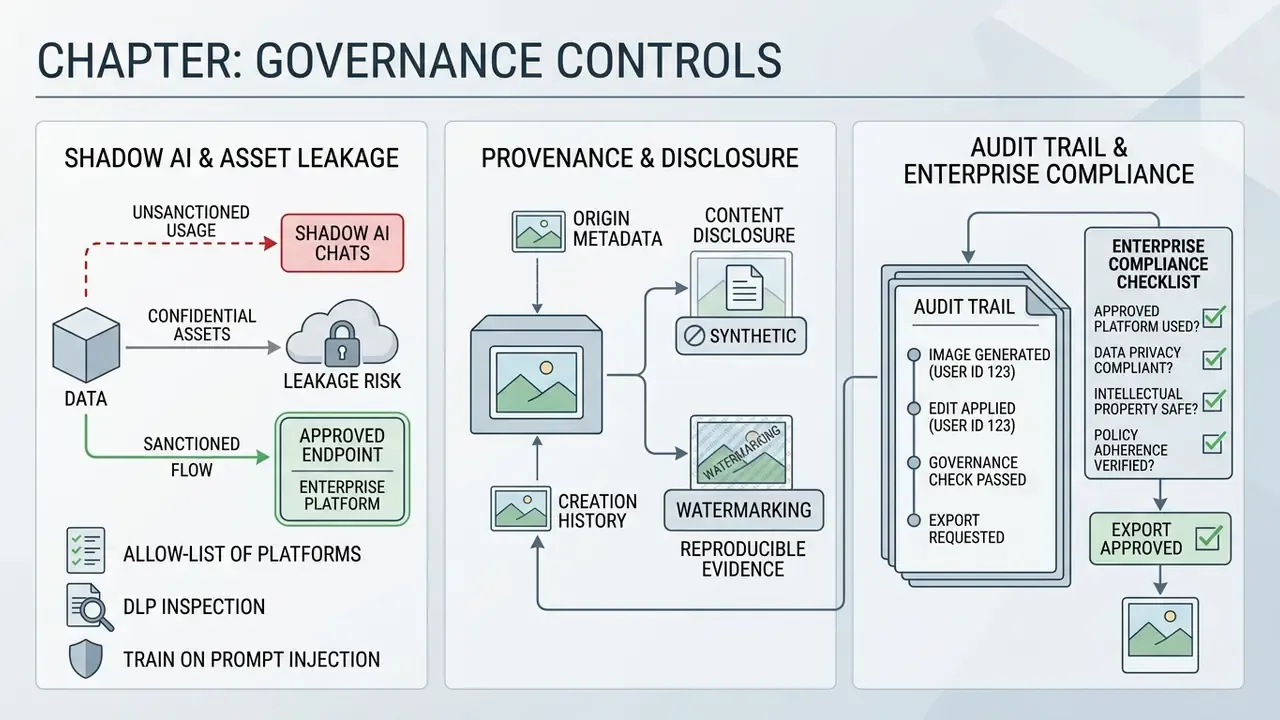
This section exists because the controls that make generative imaging defensible are organisational, not creative. It maps directly to the model-risk framing in the opening quotation.
Shadow AI and Confidential Asset Leakage
The dominant enterprise risk in chat-based image generation is not a bad render. It is an employee pasting an unreleased product photo, a customer document, or an internal org chart into a consumer chat interface with training enabled. Four controls reduce that exposure:
- Route generation through sanctioned endpoints.Private or enterprise API endpoints with contractual no-training terms, fronted by SSO, so usage is attributable to a person.
- Apply DLP inspection to uploads.Treat image uploads as file egress. Scan for PII, document scans, and classified markings before the request leaves the network.
- Publish an allow-list of approved platforms.Ambiguity drives shadow usage. A short, explicit list with a fast exception process drives compliance better than a long policy nobody reads.
- Train on visual prompt injection.Uploaded reference images can carry adversarial instructions rendered as text inside the picture, and multimodal controllers may read them as commands. Treat references from untrusted sources as untrusted input and, where possible, pre-process them to strip embedded text.
Provenance, Watermarking, and Synthetic-Content Disclosure
Reproducible Evidence and the Audit Trail
Enterprise Compliance and Governance Checklist Before Export
Checklist0 / 8
Application Scenarios for an AI Chat Picture Generator
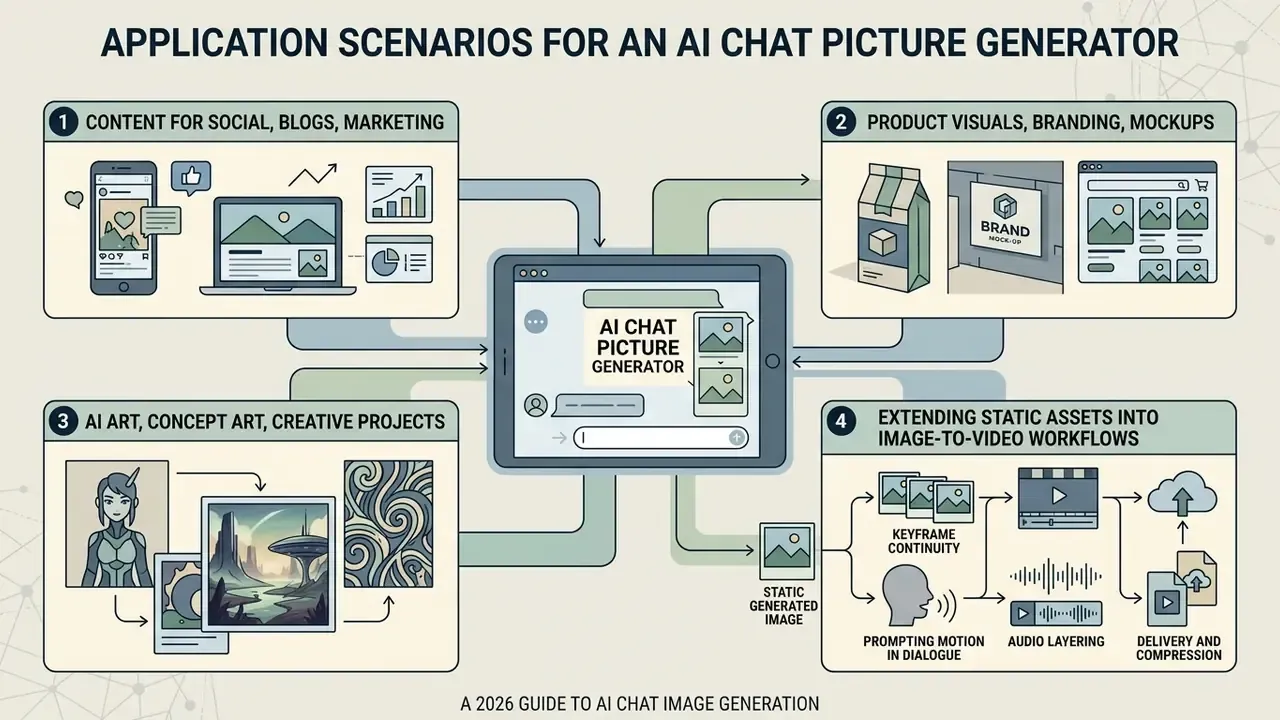
An ai chat picture generator supports a wide span of operational workflows. From automated content streams to concept art, conversational visual creation accelerates asset production across digital formats, and the use cases differ enough that one tool rarely wins all of them.
Product Visuals, Branding, and Commercial Mockups
Commercial design workflows lean on AI image chat tools to create product concepts, brand assets, and packaging options. Tools supporting style references and identity preservation let teams render new products in realistic environments. Conversational generation cuts the time and cost of physical studio photography during early testing, and it often replaces a generic stock photo that never quite matched the brand anyway.
Documented commercial outputs span product, clothing, packaging, and 3D-model mockups; logo application scenarios across packaging, letterhead, business cards, mugs, bags, and product displays; automatically assembled 8-12 page brand-guideline PDFs; and marketplace product cards with a main image plus supporting shots. For team and personnel imagery, compare options in our guide to AI headshot generators.
AI Art, Concept Art, and Personal Creative Projects
In creative industries, an ai art generator chatgpt workflow supports rapid ideation and concept art development. Updated: qualitative research on game development pipelines reports that visual asset generation accounted for roughly 60% of disclosed generative AI implementations, mainly early sketching and mood boards, which makes art pipelines the main entry point for generative AI in studios. Independent design-principles research describes text-to-image systems supporting concept artists in fast ideation, sketching, presentation, and feedback gathering, with prompt-driven outputs frequently reused as the basis for 3D modelling.
«Generative AI reshapes practising artists' perceptions of authorship and experimentation, transforming the relationship between an idea and its execution.»
Creative professionals use conversational iteration to explore aesthetic directions before committing to final digital art assets. For personal projects the calculus is simpler, since nobody audits a birthday poster. The habits still transfer.
Extending Static Assets into Image-to-Video Workflows
Modern enterprise visual pipelines rarely stop at a still frame. Once an image asset is approved in the chat interface, teams extend its lifecycle by feeding the visual as an initial keyframe into an ai video generator.
- Keyframe continuity. With models such as Sora 2 Pro, VEO 3.1, Runway Gen-3, Seedance 2.0, or Kling V3 Omni, the approved static chat output becomes Frame 0, preserving composition and brand palette into motion.
- Prompting motion in dialogue. Specify camera movement vectors directly:
"Animate keyframe image: smooth push-in camera track, soft wind blowing through hair, maintain 4k render fidelity."Motion prompts follow the same change, preserve, match discipline as still edits. - Audio layering. Combine generated clips with AI voiceover engines to finish social video ads inside one workspace. See our guides to AI voice generators and animation makers for licensing and export considerations.
- Delivery and compression. Verify export bitrate and file size before distribution. Our guide to video compressors covers quality-loss tradeoffs, and API-level economics are in our Google Veo implementation guide and our YouTube video editor workflow guide.
- Governance note. Video derivatives inherit the provenance and licence status of the source image. Extend the existing audit record instead of opening a new one, and re-verify that provenance metadata survives video encoding.
FAQ: Chat AI Image Generators
These are the questions we are asked most often by governance and content teams. Where the honest answer is "it depends on your contract", we say so, because among frequently asked questions this one gets the most confident wrong answers.
Can a chat AI image generator render readable text inside images?
Yes, and modern chat backends are markedly better at it than earlier diffusion-only tools. Reliability depends on technique: quote the exact string, keep it to roughly 1-5 words, name the placement, and reserve a high-contrast text-safe zone. Longer copy should be overlaid as live text after export.
Which file formats can I upload to a chat image generator?
JPG, JPEG, PNG, and WEBP are broadly supported. Use uncompressed PNG for references containing text or fine line work, since compression artifacts propagate into the render.
How do I edit only one part of an image without regenerating everything?
Use mask-based inpainting with an explicit preserve-list, following the five-step protocol in section [14]. Transparent mask regions are repainted; opaque regions are preserved. If elements outside the mask change, the platform performed a full re-render rather than a true inpaint.
Do I own the images I generate?
Output ownership is set by contract, while copyrightability is set by law. Those are different questions. Several vendors assign output rights to the user under paid access, yet purely AI-generated work without meaningful human authorship cannot be registered for copyright in the United States. Check your specific plan and document your human contribution.
Are free tiers safe for corporate assets?
Not by default. Free tiers commonly carry tight upload quotas, watermarking, and broader data-use terms, and the last of those is the real problem. Run the privacy checklist in section [19] before uploading anything proprietary.
Why does the model get counts wrong, and can a better prompt fix it?
Diffusion backends reason poorly about quantity. Accuracy falls to roughly 10% at high object counts, and four standard prompt-refinement techniques reduce average accuracy from 42% to 20-26%. Prompt engineering is the wrong instrument here. Render countable elements as vector or HTML overlays instead.
How many references can I combine in one request?
Multiple, provided each has a distinct declared role (structure, style, identity) and same-role references are weighted. Label inputs by index and role. Unweighted same-role references are the main cause of attribute bleed.
What should I archive for audit purposes?
The transcript, every intermediate prompt and preserve-list, model version, reference hashes, parameters, mask coordinates, reviewer identity, and the licence determination. Details in section [29].
Can I animate a generated image?
Yes. Supply the approved still as Frame 0 to a video model and prompt camera motion explicitly. Provenance and licence status carry over to the derivative, so extend the existing audit record.
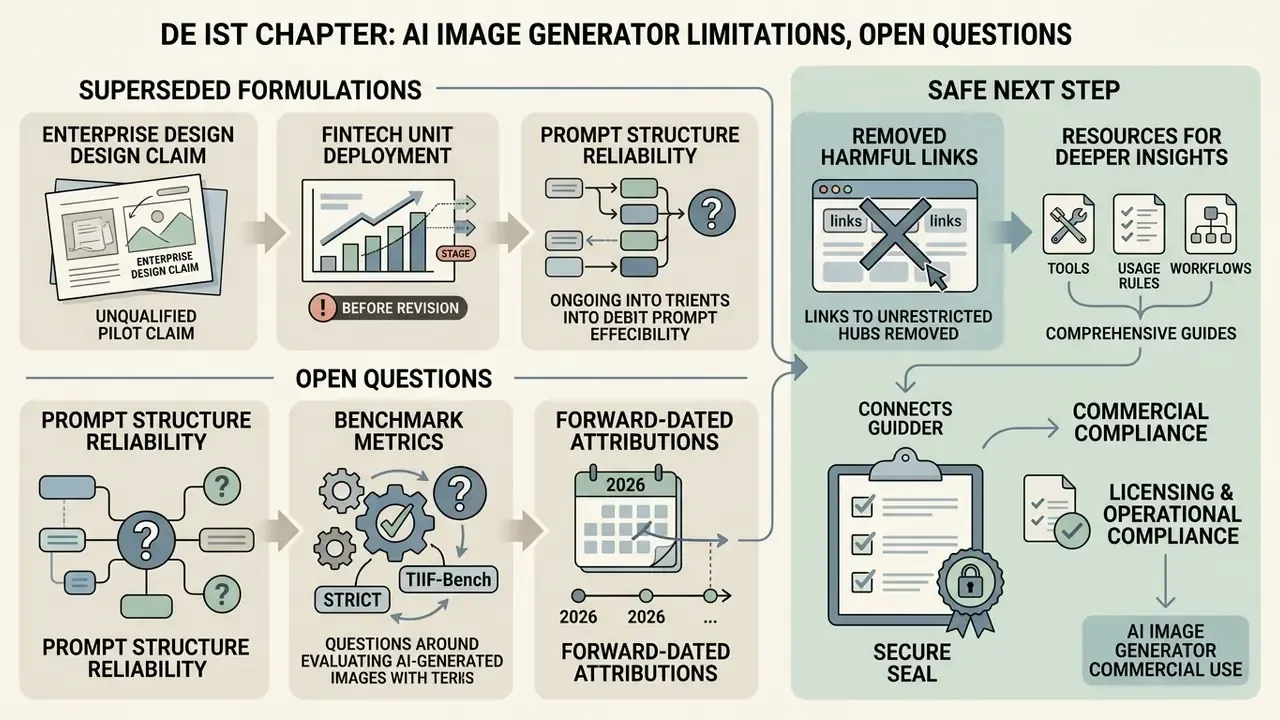
Limitations, Open Questions, and a Safe Next Step
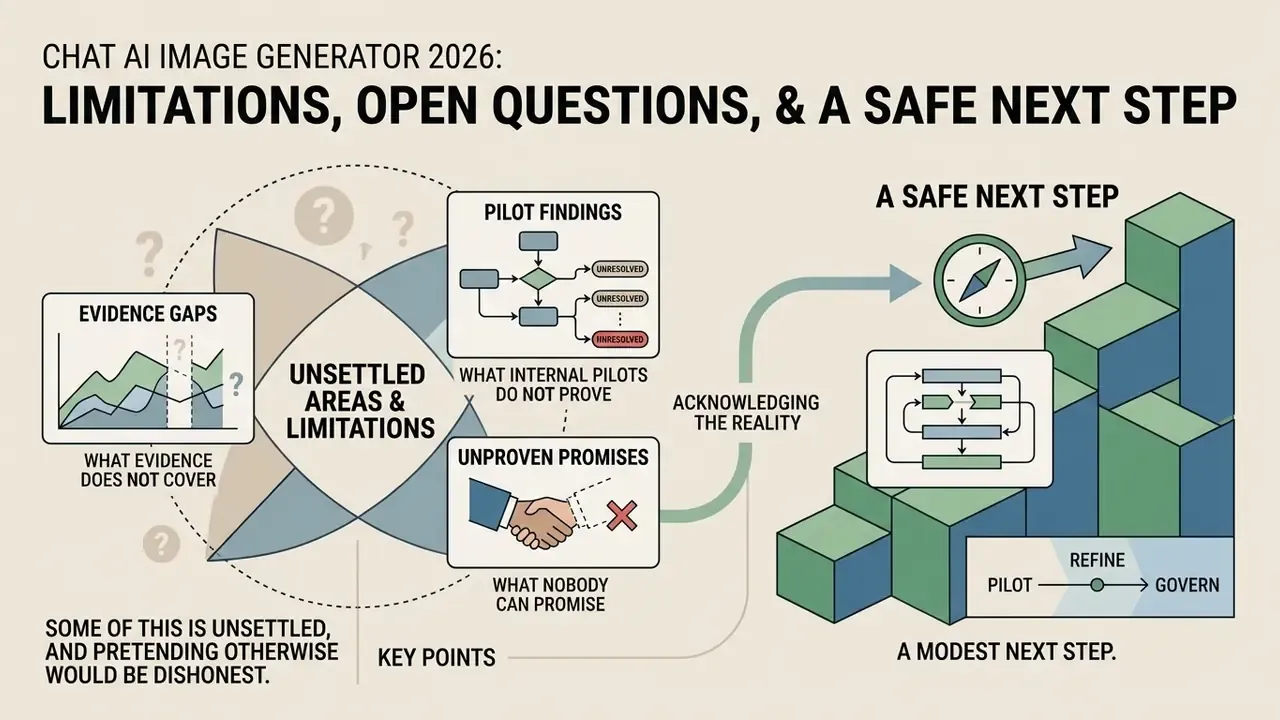
Some of this is unsettled, and pretending otherwise would be dishonest.
What the evidence does not yet cover. Counting and numeric fidelity are measured (Guo et al.), compositional grounding is measured (Lian et al.), alignment sub-tasks are measured (GenEval). We have no comparable public benchmark for governance performance: how reliably a platform's audit log reconstructs a disputed asset, or how often provenance metadata survives a real publishing chain. Both of those are testable in your own environment, cheaply, and worth testing before renewal.
What our internal pilots do not prove. The 38% misalignment reduction and the three-days-to-four-hours cycle-time figure are single-team observations without controls. They show a mechanism. They do not establish an average effect, and they should never appear in a business case as a projected benefit.
What nobody can promise you. Copyright status of hybrid human and machine assets continues to evolve, and synthetic-content disclosure rules differ by jurisdiction and channel. Treat current vendor language as a snapshot, not a settled position.
A modest next step. Pick one asset family with real volume, for example marketplace product cards or disclosure graphics. Run twenty assets end to end through the sanctioned endpoint with full transcript capture. Then ask internal audit to reconstruct three of them from the evidence alone. If they can, you have a control framework. If they cannot, you have a finding, and finding it yourself is considerably cheaper than the alternative.
Appendix A: Superseded Formulations and Revision Log