Executive summary
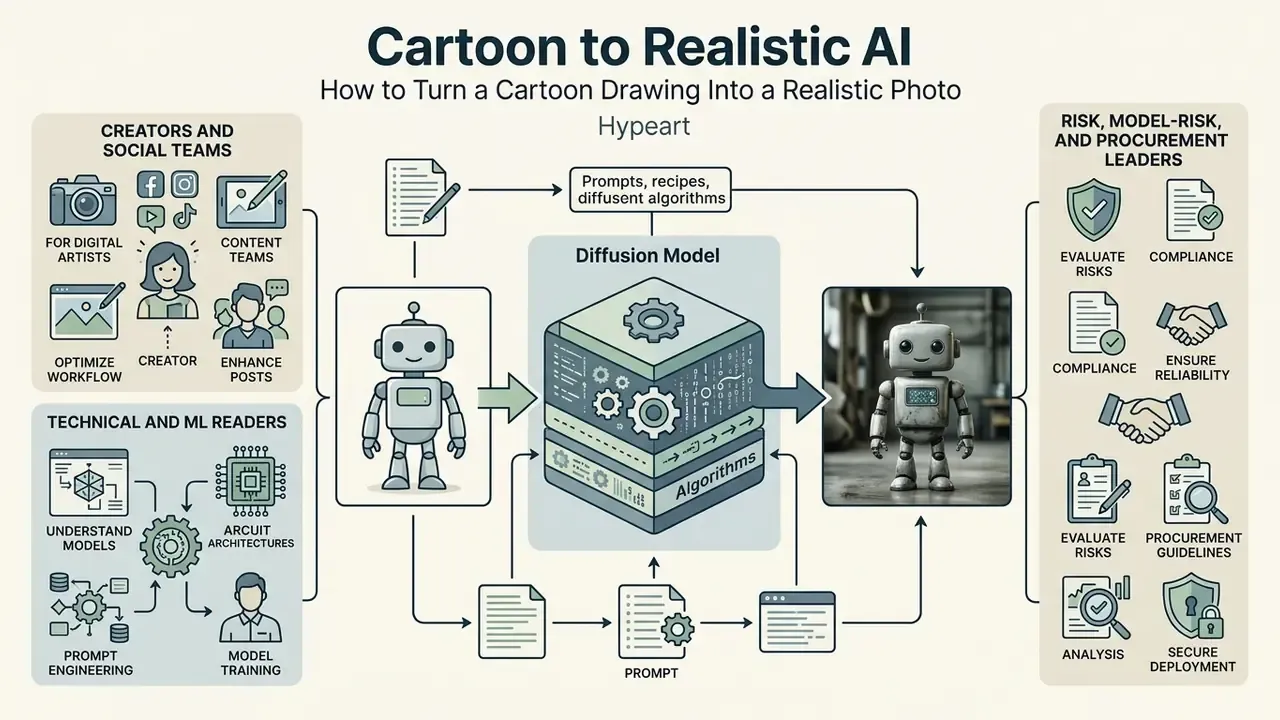
Who this guide is for and how to read it
- Creators and social teams. Start with the step-by-step process, then the prompt modifier matrix. That pair covers roughly 90 % of practical work.
- Technical and ML readers. The mechanics section explains ControlNet conditioning, IP-Adapter cross-attention and image-to-image denoising, with metrics.
- Risk, model-risk and procurement leaders. Go straight to the enterprise comparison, the Shadow AI risk matrix and the validation checklist. Those sections describe an AI tool as a controlled process with an owner, a parameter range and an audit trail, not as a toy.
One practical note before we start: the tables on vendor behaviour age fast. Treat them as a starting hypothesis, then re-verify against the current DPA.
What Cartoon to Realistic AI is and what result you can get
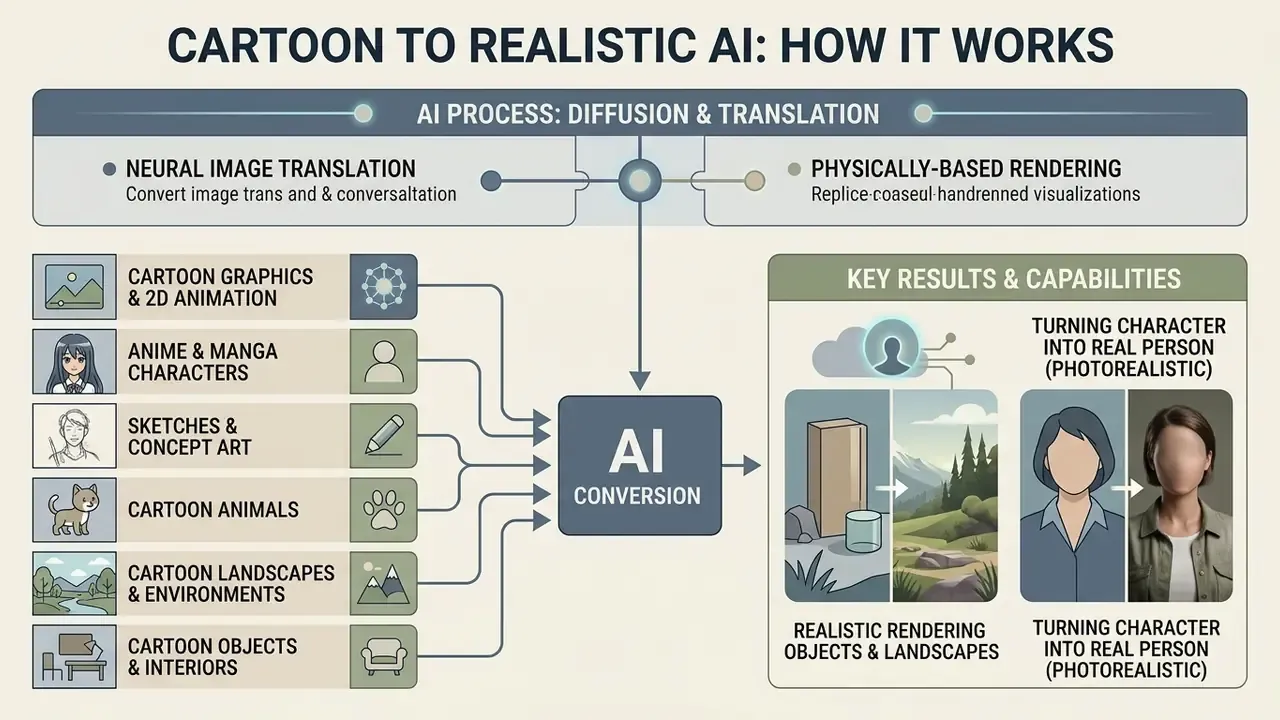
Cartoon to Realistic AI is a class of neural image-translation technologies that converts 2D drawings, 3D animation frames and sketches into photorealistic images with physically plausible lighting and detailed textures. The technology is built on controllable diffusion models and generative adversarial networks (GANs). The core objective of these algorithms is to move an object from a virtual or stylised domain into the real-world domain while preserving recognisable contours.
Converting a cartoon image into a realistic image differs fundamentally from ordinary artistic stylisation. Traditional filters only overlay a surface texture or shift the palette. Generators of the ai cartoon to real life generator class rebuild the geometry of the scene instead. The algorithms estimate a depth map, model skin micro-relief and light distribution, and produce a full-fledged realistic photo or real life image.
The generated realistic version can range from adapting the surrounding environment (broad realism) to a precise visualisation of a human being (realistic human). Broad realism keeps stylised body proportions but places the character in a physically credible environment. Conversion into a realistic human reworks facial and body anatomy, bringing the subject's parameters closer to real human measurements. Different goal, different tolerance for drift.
Realistic rendering and turning a character into a real person
Realistic rendering reworks the original design of cartoon characters by computing plausible anatomical equivalents for stylised elements. The main difficulty lies in mapping hypertrophied features, oversized eyes or a simplified chin, onto the proportions of a real person.
Historically, the baseline for this task was unpaired GAN translation. The toon2real work (IEEE ICTAI 2020) showed that a CycleGAN architecture with spectral normalisation can transfer a character's appearance into the real world, reducing Fréchet Inception Distance (FID) versus base image-to-image systems by separating deep semantic relations from shallow textural attributes. Updated (2026): the current, verifiable state of the art has moved to diffusion-based translation, which achieves the same separation of semantics and texture with stronger structural fidelity.
«Diffusion models guided by style prompts and content features preserve structural boundaries and shape while synthesising realistic textures and lighting.»
In practice this means one thing for the user. Modern pipelines no longer guess the whole picture from scratch. They keep the silhouette, the pose and the layout as hard constraints, and they spend their generative capacity on micro-detail: pores, fabric weave, subsurface light scattering, specular highlights. That shift is why advanced ai models of 2025 and 2026 feel less random than the GAN era.
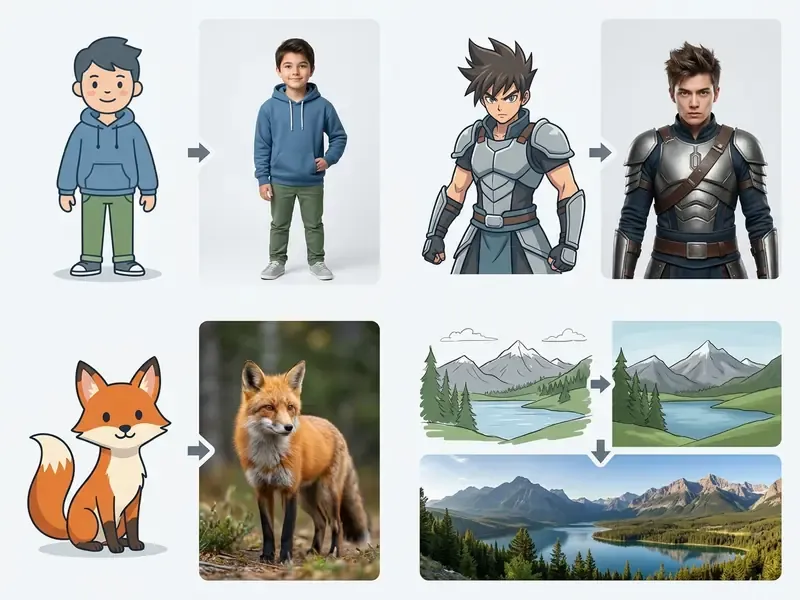
What images can be converted: from portraits to landscapes and objects
Modern diffusion architectures process not only portrait graphics but also complex composite scenes. The supported input categories therefore go far beyond faces:
- Cartoon graphics and 2D animation transferring flat frames from a favorite cartoon, with explicit outlines, into volumetric portraits with believable bone structure.
- Anime and manga (
anime characters) adapting the characteristic stylised eye drawing and hairstyles of a favorite anime to the physical parameters of a real human, including iris geometry and hairline direction. - Sketches and concept art restoring volume and material response from line drawings, including hand-made pencil scans.
- Cartoon animals (
cartoon animals) generating a plausible fur coat, skeletal anatomy and eye structure from stylised animal drawings, whether dogs, cats, rabbits, foxes, bears, birds or fish. - Landscapes and environments (
cartoon landscapes) turning drawn locations, fairy-tale castles, village concept art, fantasy cities, seaside scenery, into realistic panoramas with physically correct atmospheric light scattering and aerial perspective. - Objects and interiors (
cartoon objects) converting conceptual furniture, vehicles, food and household items from 2D illustrations into commercial-grade product photo doubles for catalogues, menus and banners.
«Texture-saliency-adaptive style transfer improves preservation of facial and semantically important regions, lowering LPIPS and raising user realism ratings.»
When exploring the underlying neural image-generation architectures and toolkits for changing visual style, it is also useful to study ai image style, which covers methods of preserving key geometric features during style transfer.
How AI turns a cartoon image into a realistic photo
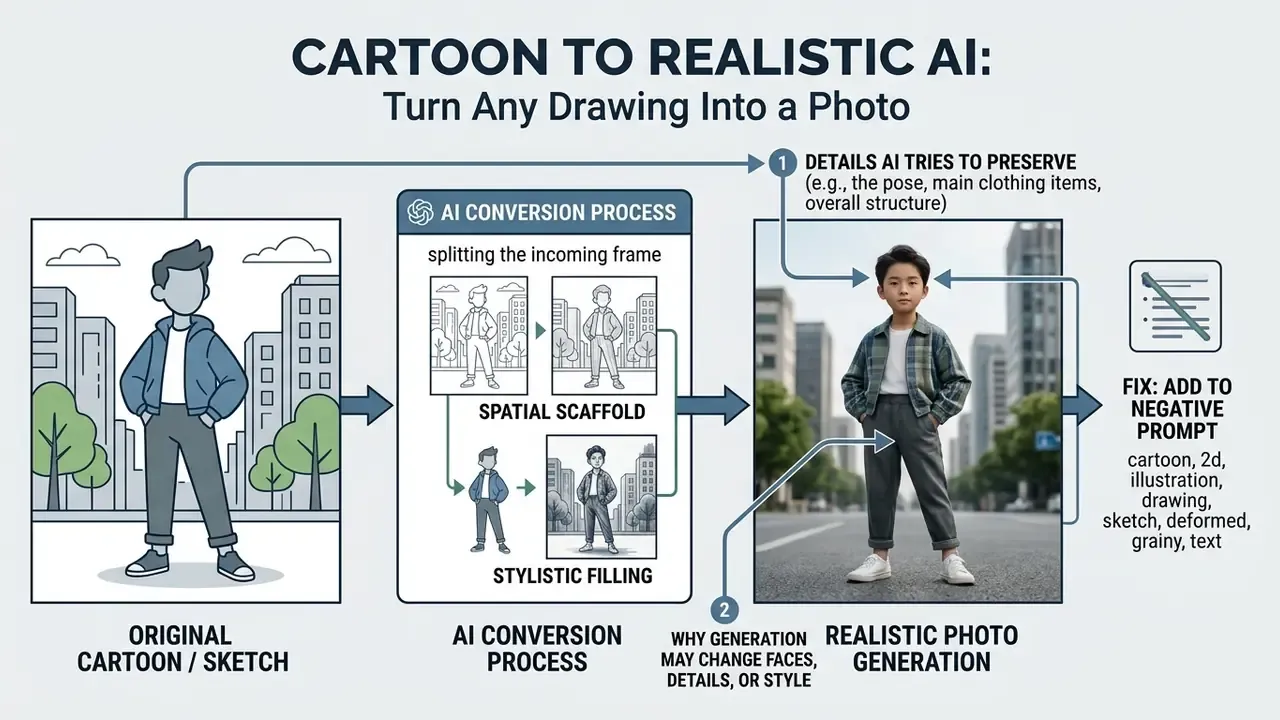
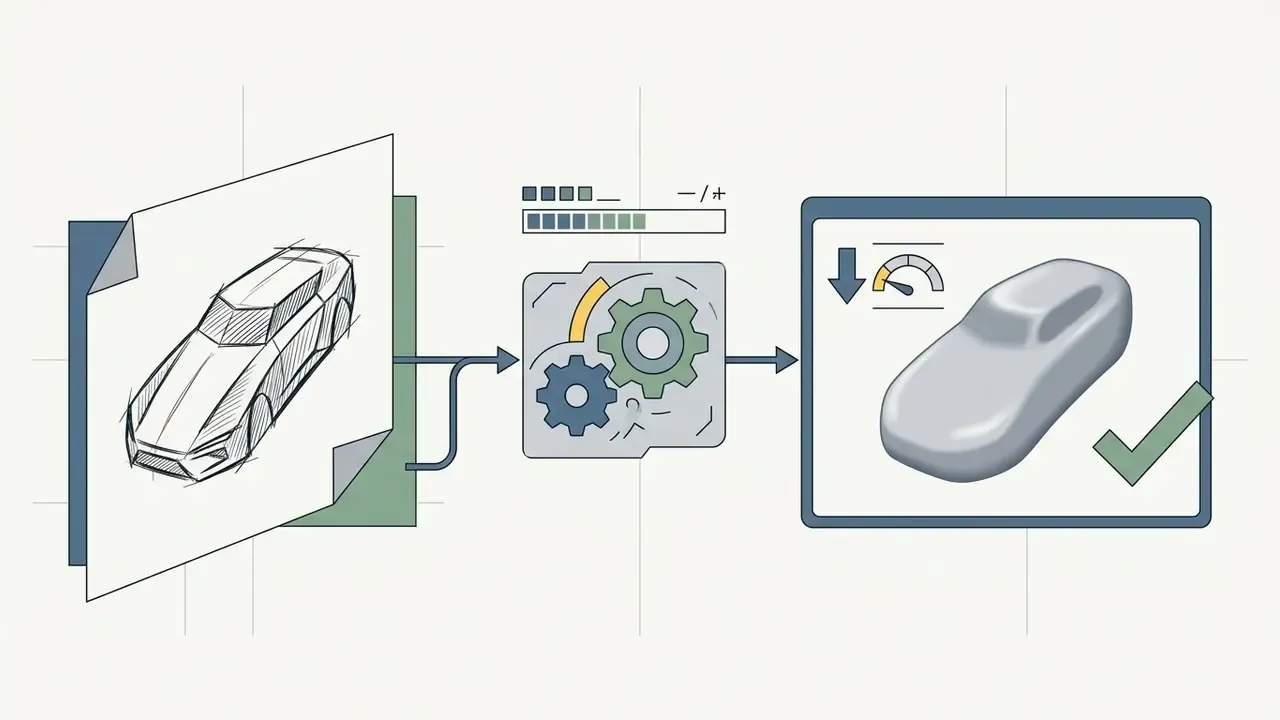
Tools of the ai tool convert cartoon image to realistic photo class work by splitting the incoming frame into a spatial scaffold and a stylistic filling. Diffusion networks analyse the topology of the source drawing, extract key landmarks and perform step-by-step synthesis of a high-detail image driven by textual and visual prompts.
AI-powered analysis recognises facial features (facial features) and overall skull structure (facial structure). During denoising, the network leans on an internal photorealistic dataset (realistic reference) to generate skin micro-structure (skin texture), natural light-and-shadow modelling (natural lighting) and plausible environmental detail. A converter of the ai tool convert cartoon to real photo type does not stretch a texture. It re-draws the object according to the physics of light.
«Diffusion-based sim-to-real transfer systems preserve task-relevant features and realistic illumination, showing downstream performance gains over purely synthetic data.»
Technically, three mechanisms do the heavy lifting. ControlNet adds trainable encoder copies to a pretrained diffusion UNet, so the structure of the input survives while the decoder produces a new photorealistic output. IP-Adapter introduces a decoupled cross-attention path, letting image features guide generation without overriding the text branch. Image-to-image diffusion starts from the encoded source and denoises it toward the real-photo distribution, keeping layout and pose while shifting texture, shading and edges. Three levers, three failure modes, which is exactly why parameter logging matters later.
Which details of the original design AI tries to preserve
The generative pipeline is tuned to hold on to the key identity elements of cartoon characters. The algorithms prioritise the following attributes:
- Spatial proportions and the relative placement of eyes, nose and lips.
- The recognisable hairstyle shape, including strand direction and volume.
- The clothing silhouette, key accessories and colour palette.
- Facial expression and the overall character of the mimicry.
Exemplar-guided translation research, including EBDM: Exemplar-guided Image Translation (ECCV 2024), argues that intermediate, physically guided diffusion maps produce realistic results without breaking the semantic link to the original artwork. Updated (2026): this claim is now supported by published metrics from a verifiable source.
«Artbank shows that stable diffusion models guided by style prompts retain recognisable contours and proportions with high content fidelity by FID.»
Why generation may change the face, details or style
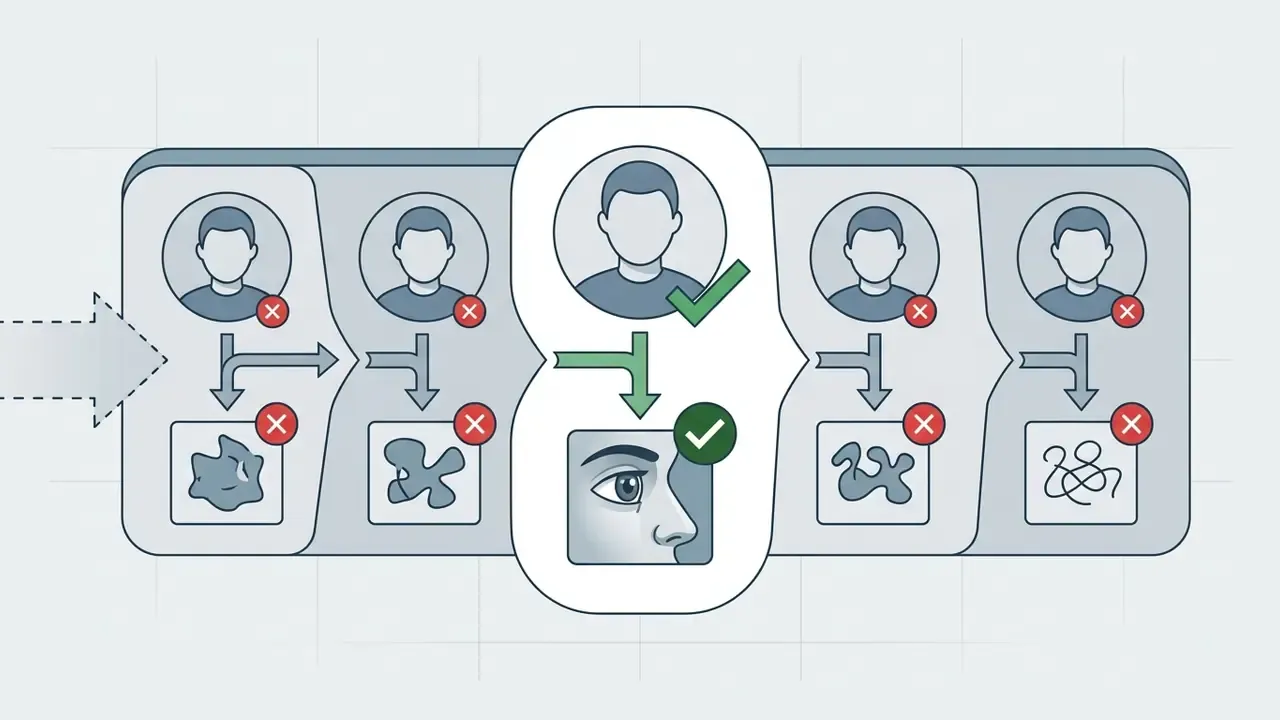
Distortion of appearance when pushing stylised art toward a realistic human is explained by a fundamental domain conflict. The minimalist level of detail in a cartoon image leaves the network far too much room for free interpretation.
If a character's eyes occupy a third of the face, the network will forcibly shrink them to the anatomical norm of a human skull. No prompt wording fully cancels that.
«When input cartoon images contain insufficient detail, the generative model extrapolates realistic features from ambiguous cues, normalising proportions toward an average human face.»
To minimise such distortions you need targeted tuning (fine tune), correction of denoising strength, and generation of several intermediate variations with subsequent selection of the most accurate frame.
Troubleshooting checklist: fixing artefacts and distortions
- Cause: the input contains an extreme camera angle (low angle, strong head rotation) or a hypertrophied style, eyes covering half the face.
- Fix: crop the source to a straight, front-facing angle and soften over-sharp contours before uploading. Avoid inputs where the subject is partially occluded by props or effects.
- Cause: an excessive Guidance Scale (CFG above 12) or missing texture keywords in the prompt.
- Cause: Denoising Strength set too high, above 0.65.
- Fix: lower Denoising Strength to the
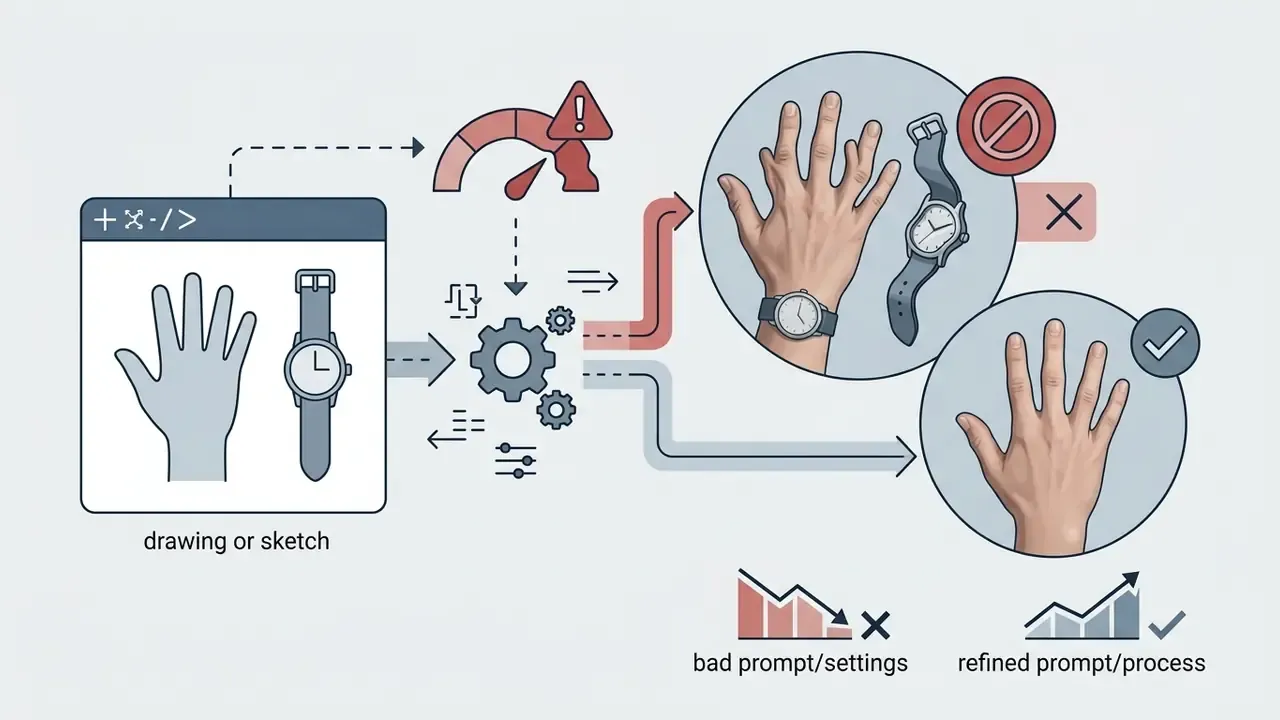
0.35–0.45range, or enable theIP-AdapterandTileControlNet modules to lock identity and layout. - Cause: the source hides hands or draws them with four fingers, which is common in cartoon design.
- Fix: generate 4 to 6 candidates, then inpaint the problem region at a low denoising value instead of re-rolling the whole frame.
- Cause: each face receives fewer pixels than the identity encoder needs.
- Fix: upscale the source first, then run per-face inpainting passes.
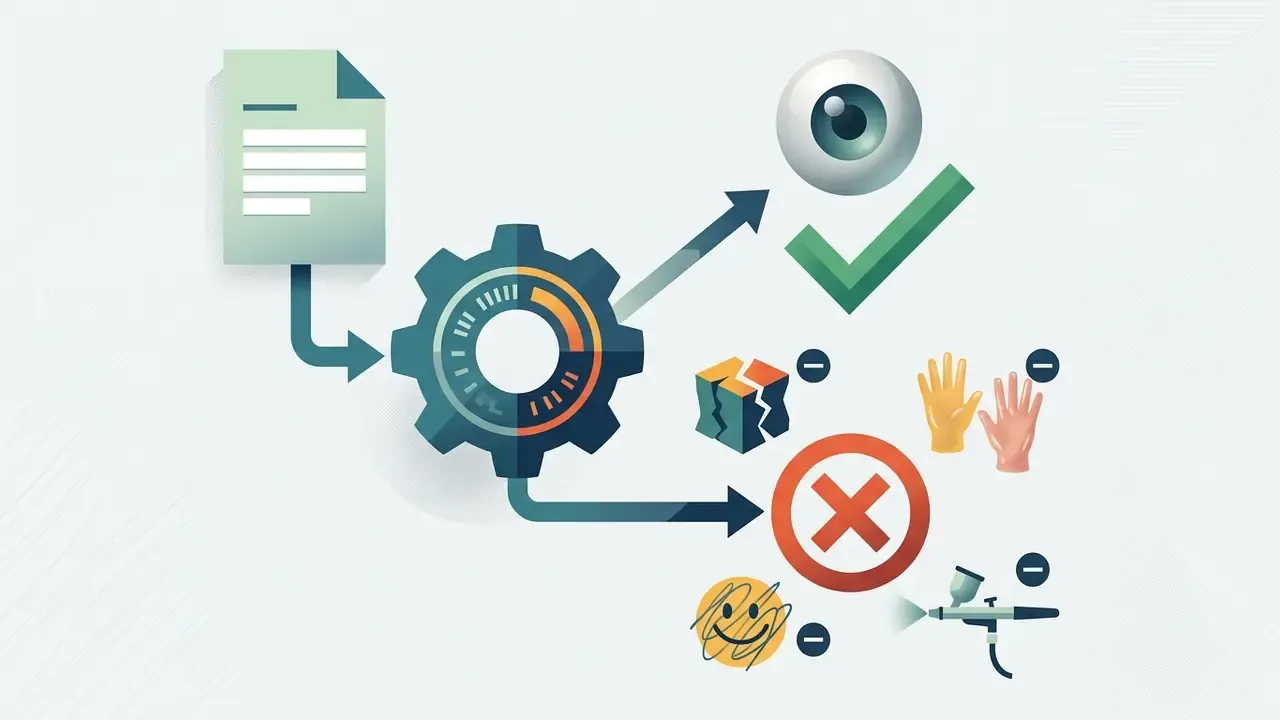
3d render, plastic skin, smooth skin, cartoon, illustration, photoshop, artwork, airbrushed, waxy.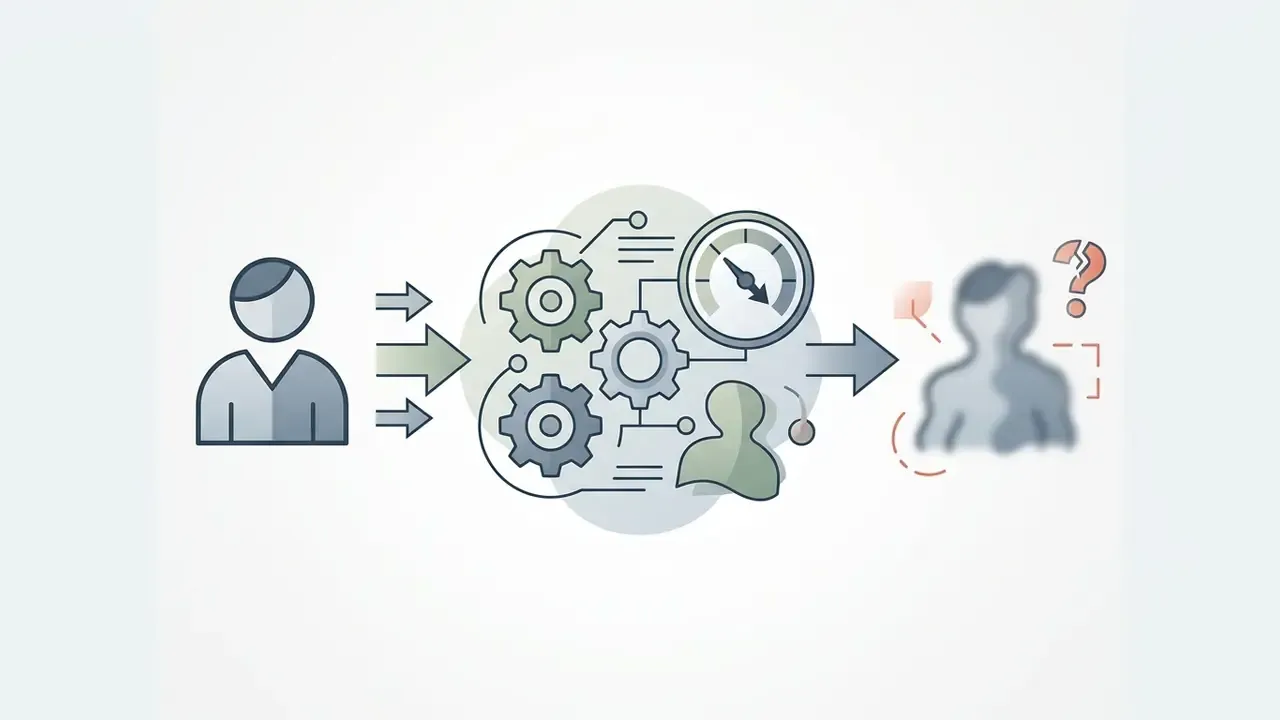
How to make a cartoon-to-realistic AI image: the full step-by-step process
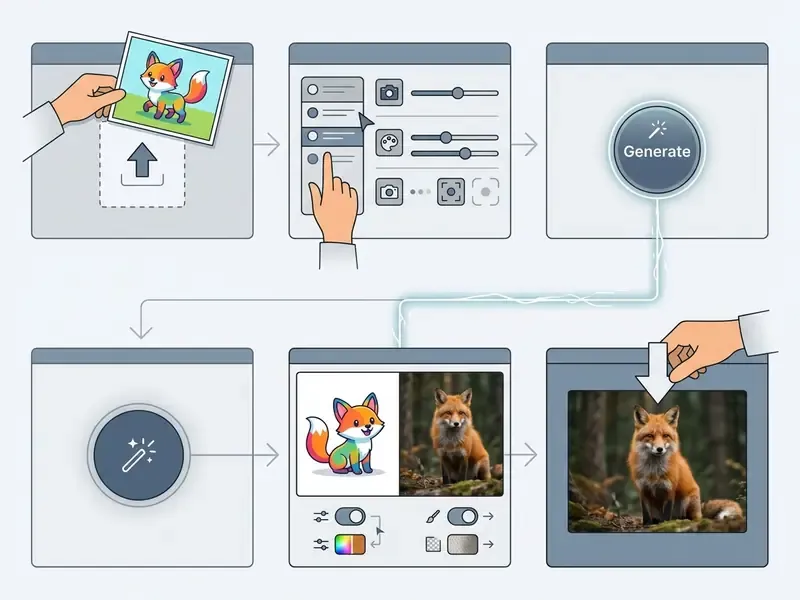
The conversion process follows a clear sequence of actions and requires no deep graphics-editing skills (skills needed). Networks of the cartoon to human ai generator class take over the routine work of drawing detail.
The underlying principle is one click generation, or generation in a few steps. The user performs an upload to send the source, sets the parameters, presses click generate and collects the finished photo. To transform a frame (transform cartoon or turn cartoon) it is enough to follow the standard algorithm below. Technical parameters for fine-tuning sit in the same section, so you never have to jump between chapters.
Checklist0 / 7
- Step 1
- Upload the source frame (
upload cartoon image). - Step 2
- Choose the model and the realism level (
choose realism settings). - Step 3
- Launch neural rendering (
click generate). - Step 4
- Evaluate the result and apply local refinement (
review and fine tune). - Step 5
- Download the finished shot (
download realistic photo).
Prepare and upload the cartoon image
The first stage requires selecting a crisp source file. Input image quality directly determines the accuracy of the ControlNet spatial maps.
A wide range of input graphics formats is supported: PNG, JPG, JPEG, WEBP, HEIC (direct shots from iOS devices), plus animated GIF files and digital scans of hand-drawn sketches. Suitable inputs include single-character portraits, group scenes, stylised animal drawings (cartoon animals), environment art and product illustrations. The source file should have contrasting boundaries and a minimum of blurred areas. Cartoon screenshots and digital art work equally well, as long as the frame is not covered by subtitles or interface elements.
Describe the desired realism level and configure the style
To obtain a realistic photo or a hyper realistic portrait, you must compose the prompt correctly and set the stylisation parameters. Specify the lighting type (natural lighting), the shooting characteristics (85 mm lens, f/1.8) and the skin detail level (skin texture).
For precise control over the result, use a prompt structure with explicit anthropometric and technical parameters:
[Base subject] + [Race / ethnicity] + [Age and body type] + [Skin texture and details] + [Camera and lighting parameters]
Prompt modifier matrix
| Category | Prompt keywords | Effect on generation |
|---|---|---|
| Ethnicity | East Asian, Caucasian, Afro-Caribbean, Hispanic, South Asian | Sets correct biometric features and skin tone |
| Body type | athletic build, slim fit, plump, natural body shape | Removes unnatural cartoon torso proportions |
| Age | early 20s, mid 30s, elderly with soft wrinkles | Fixes the age drift typical of stylised faces |
| Skin detail | visible skin pores, subtle freckles, imperfect skin texture, fine wrinkles | Eliminates the plastic-face effect |
| Hair | natural hair strands, frizzy texture, realistic hairline | Replaces flat colour blocks with real strand structure |
| Optics and light | shot on 85mm lens, f/1.8, cinematic Rembrandt lighting, photorealistic RAW photo | Builds believable background blur (bokeh) and volume |
| Negative prompt | 3d render, plastic skin, smooth skin, cartoon, illustration, artwork | Suppresses residual stylisation |
Ready-to-use prompt recipes
- Human portrait:
photorealistic RAW photo of a woman in her late 20s, East Asian features, natural body shape, visible skin pores and subtle freckles, natural hair strands, soft side window light, shot on 85mm lens, f/1.8, shallow depth of field, negative:3d render, plastic skin, cartoon, illustration. - Animal:
realistic photograph of a red fox, individual fur strands, wet nose, detailed iris with catchlight, forest bokeh background, golden hour light, 200mm telephoto. - Landscape:
photorealistic landscape photograph of a coastal village, physically accurate atmospheric haze, volumetric morning light, wet stone texture, 24mm wide angle, f/8. - Product or interior:
commercial product photo of a mid-century armchair, real fabric weave, studio softbox lighting, seamless grey backdrop, 50mm lens.
Using a realistic reference lets you steer the generation vector toward a specific aesthetic. Many services accept a reference photo instead of a text prompt, which is usually the faster route when you need to generate realistic variants of the same character twice. For tasks that require swapping individual scene elements, the dedicated ai image replacer tool optimises object substitution without recomputing the whole composition.
Review the result, refine it and download the image
Once rendering finishes, evaluate the realistic results you received. Check for artefacts on the fingers, the eye structure and the accuracy of the original style.
If facial features have drifted away from the original, fine tune the prompt or lower Denoising Strength to 0.35–0.45. Inspect the smallest text and complex regions at 100 to 200 % zoom before approving the frame. Once you have the required result, export the file at high quality resolution: PNG for fidelity and transparency, JPG for photo delivery, WebP where size matters. Lossless WebP is typically about 26 % smaller than PNG, and lossy WebP runs 25 to 35 % smaller than JPEG at comparable visual quality.
What determines the quality of a cartoon-to-realistic conversion
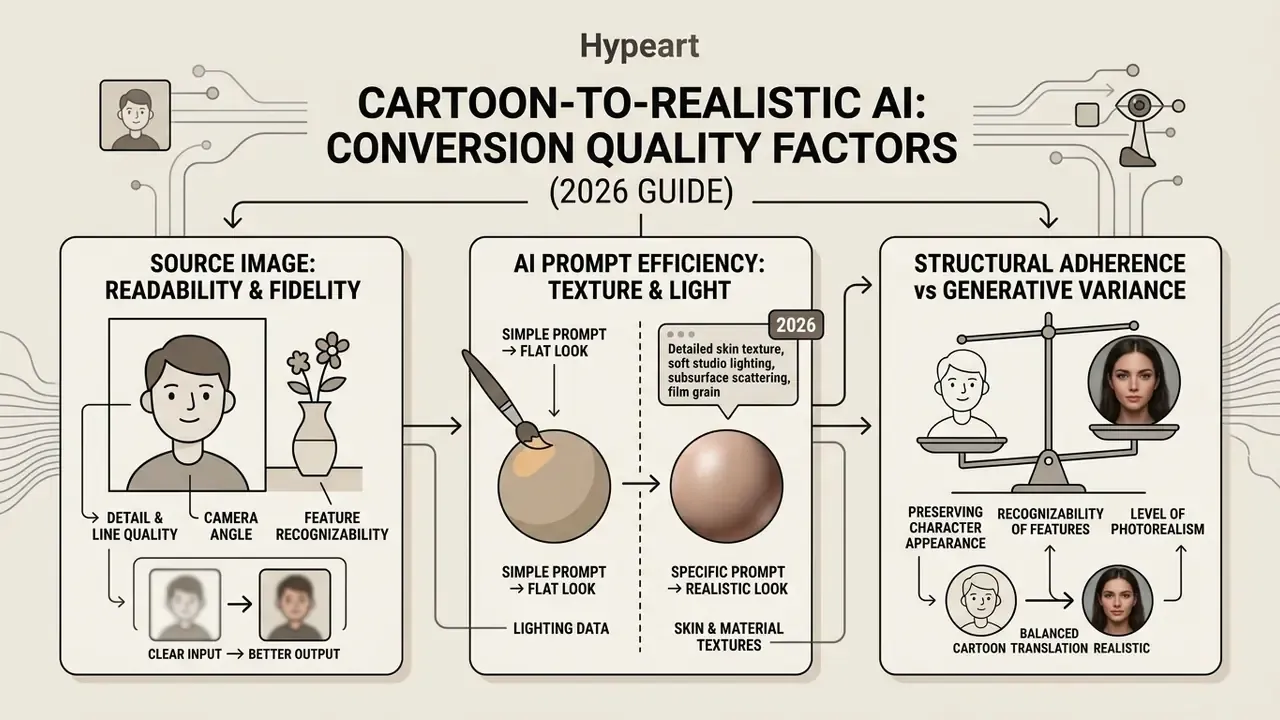
The quality of the final shot when using cartoon image to realistic ai is determined by three main factors: the readability of the input frame, the efficiency of the geometry-retention algorithms, and the quality of the generated micro-textures.
To assess realism, research uses objective metrics: Fréchet Inception Distance (FID), Structural Similarity Index (SSIM) and LPIPS. High source sharpness and a correct choice of sampling parameters directly influence whether you obtain a high quality result. Metrics rarely tell the whole story, though, because a frame can score well and still look uncanny to a human reviewer.
Source image: detail, camera angle and readability of features
The level of detail in the source artwork sets the accuracy of depth-map generation. Updated (2026): biometric portrait standards such as NIST's face-quality guidance and ICAO Portrait Quality v1.0 were written for identification systems rather than for generative AI, so they should be read as a capture-quality analogy, not as a proven rule for diffusion models. Their practical overlap is nevertheless direct. They require the camera at eye level, a horizontal line of sight within ±5°, a neutral expression and sufficient depth of field to preserve fine facial detail. Those are exactly the conditions under which identity encoders extract landmarks most reliably.
Group compositions or characters with a strong head turn make it harder to isolate key landmarks (facial features). For working with low-resolution sources it makes sense to use an AI image upscaler, which restores edge sharpness before the file enters the generative pipeline. Document-imaging practice offers a useful benchmark for scanned sketches: 300 to 400 dpi is comfortable, while 150 dpi is only borderline usable.
Preserving the appearance and recognisability of cartoon characters
Character recognisability is preserved through control of facial structure. Networks inject an identity vector from the source into the cross-attention layers of the generative model.
«Per a 2025 survey of generative AI for character animation, systems use latent identity embeddings and content-aware conditioning so characters stay recognisable across stylistic changes.»
Light, skin textures and the level of photorealism
True photorealism is achieved through micro-relief. Quality skin texture includes pores, fine wrinkles and barely visible blemishes that prevent the plastic-doll effect. Rendering research points to the same ingredients: a skin albedo map, roughness, surface normals and high-frequency HDRI lighting components separated into diffuse and specular response, with 2K or higher textures for close-up frames.
Correctly configured natural lighting, soft side light, Rembrandt lighting, open shade with a reflector, reveals volume. Updated (2026): the earlier "Stanford (2026)" citation on Guidance Scale has been replaced with a verifiable source. In practice, a Guidance Scale in the 6 to 10 band combined with 30 to 50 sampling steps is the safe working window. Pushing CFG above 12 tends to over-smooth skin rather than add realism.
«Artbank shows that diffusion models with realistic style prompts reproduce physically plausible light sources, shadows and highlights that users rate as photographically credible.»
To push AI image enhancement of the resulting micro-relief further, a second low-strength pass over the face and hair regions usually adds more perceived realism than raising the guidance scale.
How to choose an AI tool for cartoon-to-realistic conversion and compare options
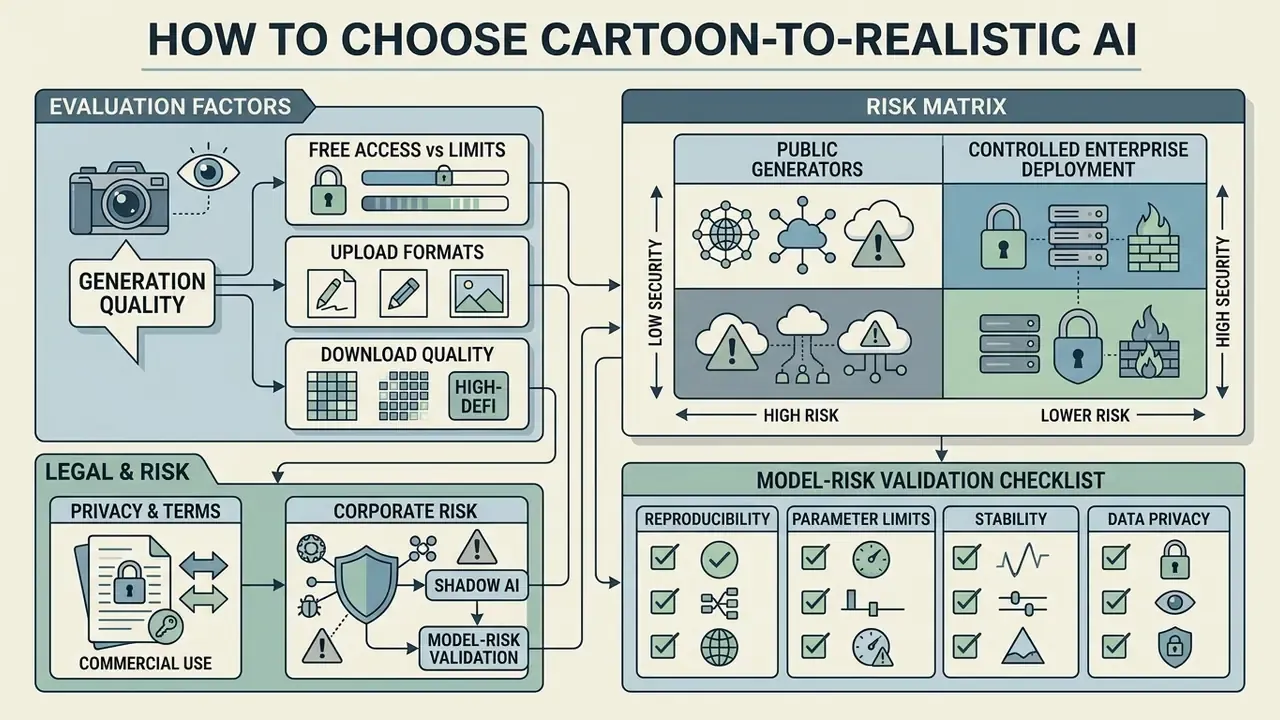
Choosing a suitable AI tool or AI generator comes down to a balance between generation quality, availability of free access, support for the required image formats, and legal clarity of the rights to the output.
When evaluating tools, it is important to separate academic diffusion models from commercial services. Users can pick fully free solutions (free AI image generators without sign-up, searched as ai cartoon to realistic free) or professional platforms on a subscription model. An ai image generator cartoon to real life workflow inside an enterprise usually ends up on the second path, simply because the first one carries no contract.
«Real Time Animator (2025) supports six animation styles for images and video, showing that high-quality style-transfer pipelines can run in real time.»
| Tool / Platform | Free access | Realism quality | Supported formats | Commercial rights |
|---|---|---|---|---|
| DALL·E 3 (OpenAI) | Via ChatGPT Plus or API on request; no free API tier | High (excellent handling of text detail) | PNG, JPEG, WEBP | Full commercial rights for the user |
| Midjourney (v6) | None (paid plans only) | Very high (maximum photorealism) | PNG, WEBP | Allowed on paid plans; free or trial output non-commercial |
| Adobe Firefly | 25 generative credits per month | High (physically correct light) | JPG, PNG | Commercially safer (trained on Adobe Stock) |
| Fotor AI | Limited trial (watermarks) | Medium (good for fast PFP) | JPG, PNG | Limited on the free tier |
| HeyGen | 1 credit (720p with watermark) | High (facial animation) | MP4, WEBP, PNG | On paid plans |
Enterprise selection criteria (for procurement and risk teams)
| Tool / Platform | Trains on customer data / opt-out | Data retention | SSO and enterprise plan | Audit log / admin console |
|---|---|---|---|---|
| DALL·E 3 (OpenAI API) | API inputs excluded from training by default | Configurable; zero-retention available on request for eligible accounts | Yes (enterprise tier, SSO/SAML) | Yes (org-level usage and API logs) |
| Midjourney | Public generation by default; private mode on higher tiers | Images retained in user gallery | Limited | Minimal |
| Adobe Firefly | No training on customer content for enterprise offerings | Enterprise data governance available | Yes (SSO via Adobe Admin Console) | Yes (Admin Console reporting) |
| Fotor AI | States images are not used for AI training | Deleted after processing per policy | No dedicated enterprise SSO documented | Minimal |
| HeyGen | Opt-out documented on business plans | Retention per plan | Yes (business or enterprise) | Partial (team-level) |
Always re-verify these attributes in the vendor's current DPA, security page and Terms of Service before approval. The values change with every release cycle.
For a deeper market analysis, see our AI Media Comparison section with detailed breakdowns of neural tools, our overview of the best AI art generators and the comparison of free AI art generators.
Free access, limits and realistic-photo quality
Popular services targeting the cartoon image to realistic ai free and ai free intents impose hard limits on free usage: resolution caps down to 720p or even 480p, watermarks and a reduced style selection. Observed free tiers range from a single trial credit at 720p with a watermark up to a few thousand sign-up credits at 768p.
Free credits usually burn out after 5 to 10 generations. Obtaining high detail without artefacts generally requires moving to a paid plan. For regulated organisations, a paid enterprise plan is usually the only path that comes with a DPA and audit logging, which is a governance argument rather than a quality one.
Upload formats, download quality and image processing
Professional work requires support for high-resolution downloads and PNG without quality loss. The WebP standard delivers 25 to 35 % compression versus JPEG at identical quality, yet it is not always suitable for print materials. Note also the format's maximum dimension of 16,383 by 16,383 pixels. When exporting for print, verify interpolation method, target ppi and the downsampling threshold, then run a preflight check.
When preparing promotional material, the ai image resizer is useful for fitting the resulting photos to the standards of specific social networks.
Privacy and terms of use for commercial projects
Corporate risks, Shadow AI and a model-risk validation checklist
Cartoon-to-realistic generators are attractive precisely because they are frictionless, which is also what makes them a Shadow AI problem. A marketer who uploads an unreleased mascot, a customer photo or a partner's artwork into a free browser tool creates a data-transfer event that no DLP policy covered. Nobody signed off. Nobody logged it.
Risk matrix: public generators versus controlled enterprise deployment
| Risk | Public free generator | Enterprise or self-hosted deployment | Mitigation |
|---|---|---|---|
| Leak of unreleased brand assets | High | Low | Approved-tool list; DLP rules on image uploads |
| PII or biometric processing without consent | High | Medium | Ban on uploading identifiable persons; consent records |
| IP infringement via fan art | High | Medium | IP clearance step before commercial publication |
| Loss of brand identity (off-model output) | Medium | Low | Locked prompt templates, reference images, human review |
| No audit trail for regulators | High | Low | Logged prompts, seeds, model versions, reviewer sign-off |
| Undisclosed synthetic content | Medium | Low | AI-content labelling per AI Act Article 50 |
Where to use AI cartoon-to-realistic images
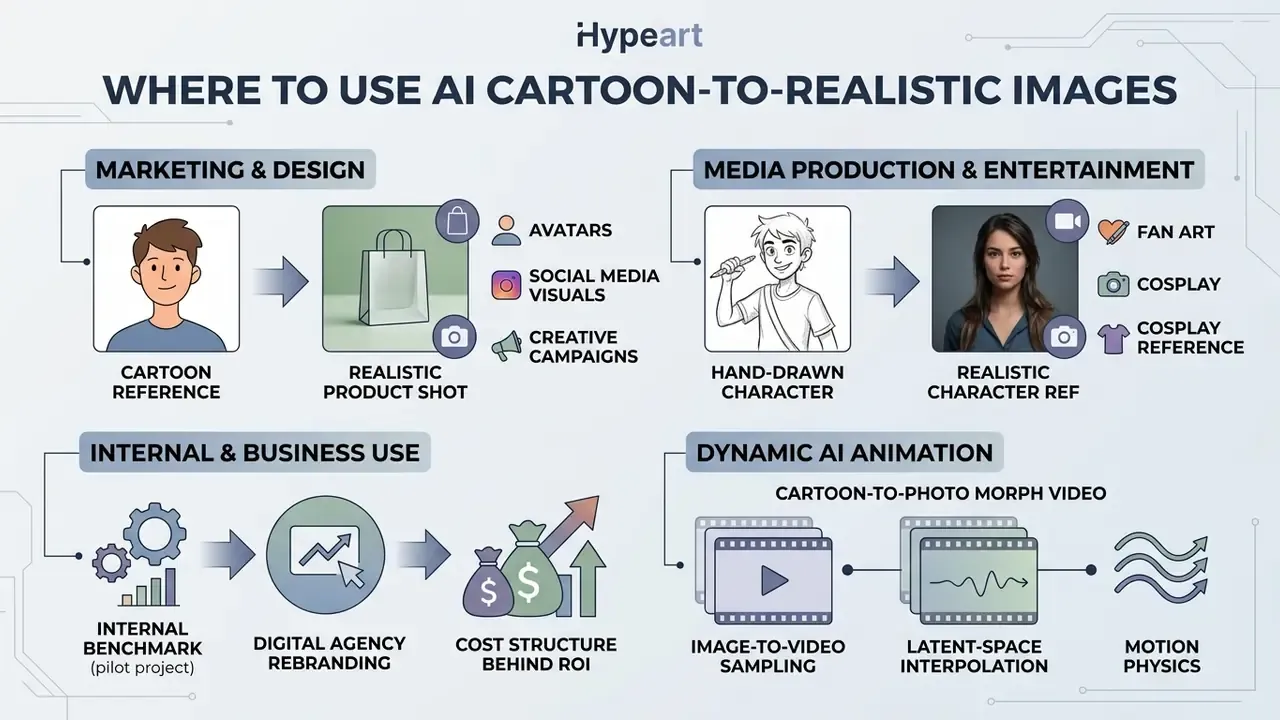
Converting cartoon to real life is in demand across marketing, design, media production and entertainment. The technology breathes life into old graphical assets, and it does so cheaply enough that teams often forget to ask who approved the upload.
The main directions include creating fan art, preparing references for cosplay (cosplay), developing unique avatars, visualising characters for SMM, product and menu visuals, and concept art for the games industry, plus V-Tuber and virtual-host design.
Fan art, cosplay and realistic references for characters
Converting fan art into a real life image opens new possibilities for cosplayers. A realistic photo version helps to judge precisely how fabric folds, skin texture and armour elements will look in the real world, and it doubles as a lighting and material reference for prop makers.
An advertising-communications study reported in 2025 (n = 1,228 across three studies) compared human-like and cartoon-like AI-generated endorsers and found measurable differences in product trust in favour of the human-like variants. Updated (2026): the exact effect size quoted in earlier versions of this article (+19 %) could not be traced to a citable publication and should be treated as directional rather than as a benchmark.
«Generative AI for character animation is increasingly applied in creative industries to produce realistic portraits and scenes suitable for branding and storytelling.»
Worth noting for balance: research on virtual influencers shows that near-photorealistic AI personas can increase persuasion, yet once the audience recognises the persona as AI-generated, ratings drop and authenticity concerns rise. A stylised, transparently AI aesthetic sometimes reduces scepticism more effectively than maximum realism. So more realism is not automatically more trust.
Readers exploring adjacent style-conversion workflows can also look at Ghibli-style image generators. A full list of available visual-generation approaches is collected in see the overview.
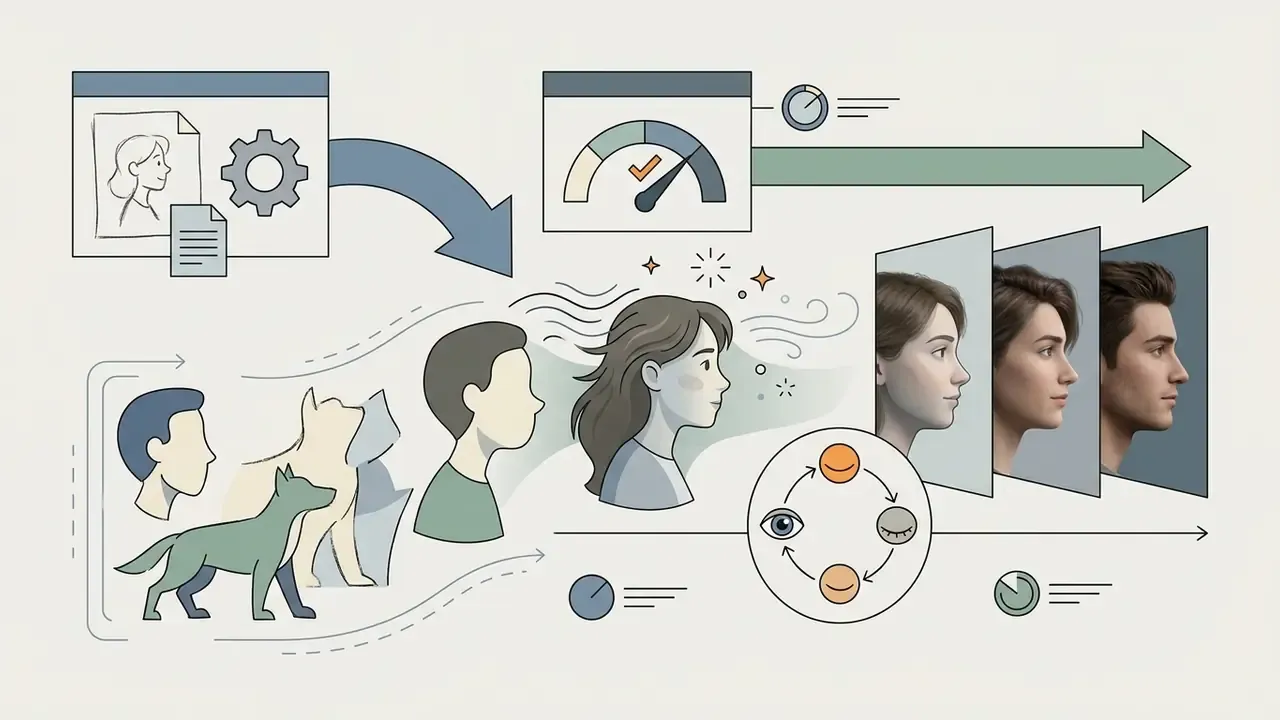
Dynamic AI animation: creating a cartoon-to-photo morph video
Modern generative pipelines (Media.io, Fotor, Runway Gen-2 and similar) let you capture not only a static shot but the entire transformation of a 2D drawing into a photorealistic frame as a video clip. The animated to realistic ai route, in other words.
Video formats (MP4, GIF) are ideal for viral content on TikTok, Instagram Reels and YouTube Shorts, because they show the process of bringing a character to life rather than only the outcome. For planning the publishing side of such clips, see our guide to YouTube video editors. Note the practical limits: free tiers typically cap morph clips at 480p or 720p with a watermark, and long sequences amplify identity drift, so keep clips short and lock the identity adapter.
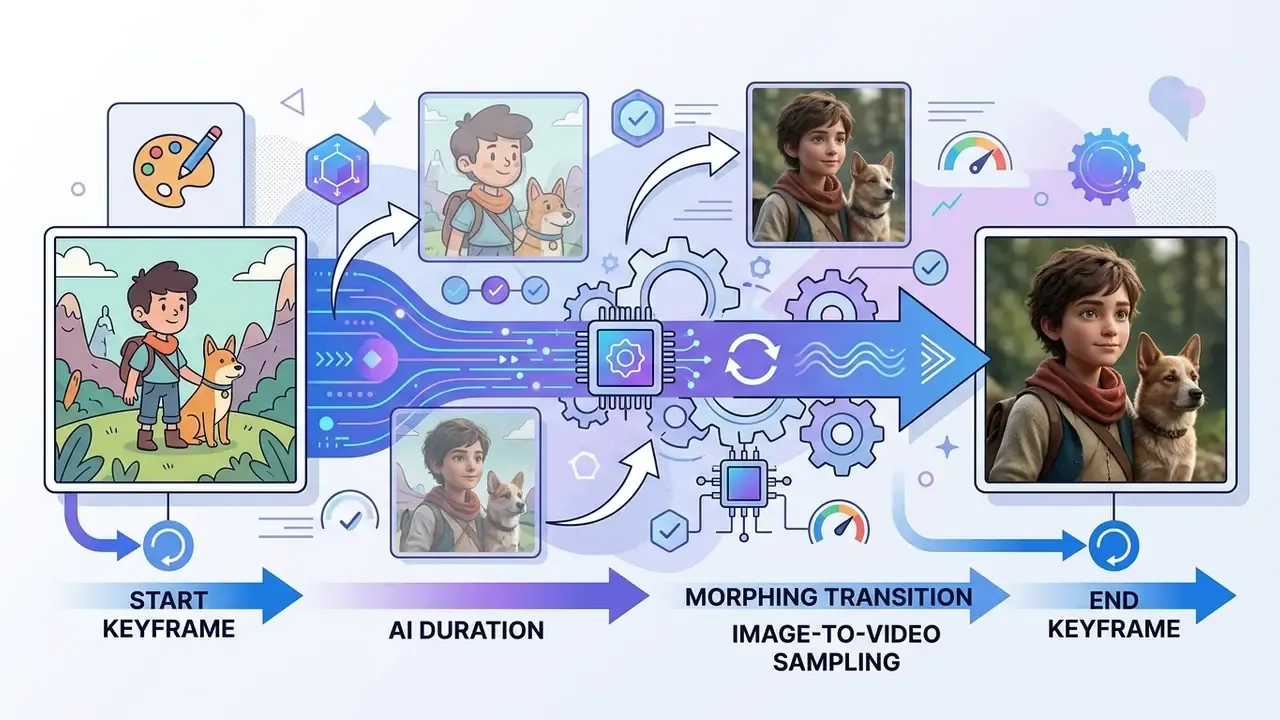
realistic photo are used as the first and last keyframes.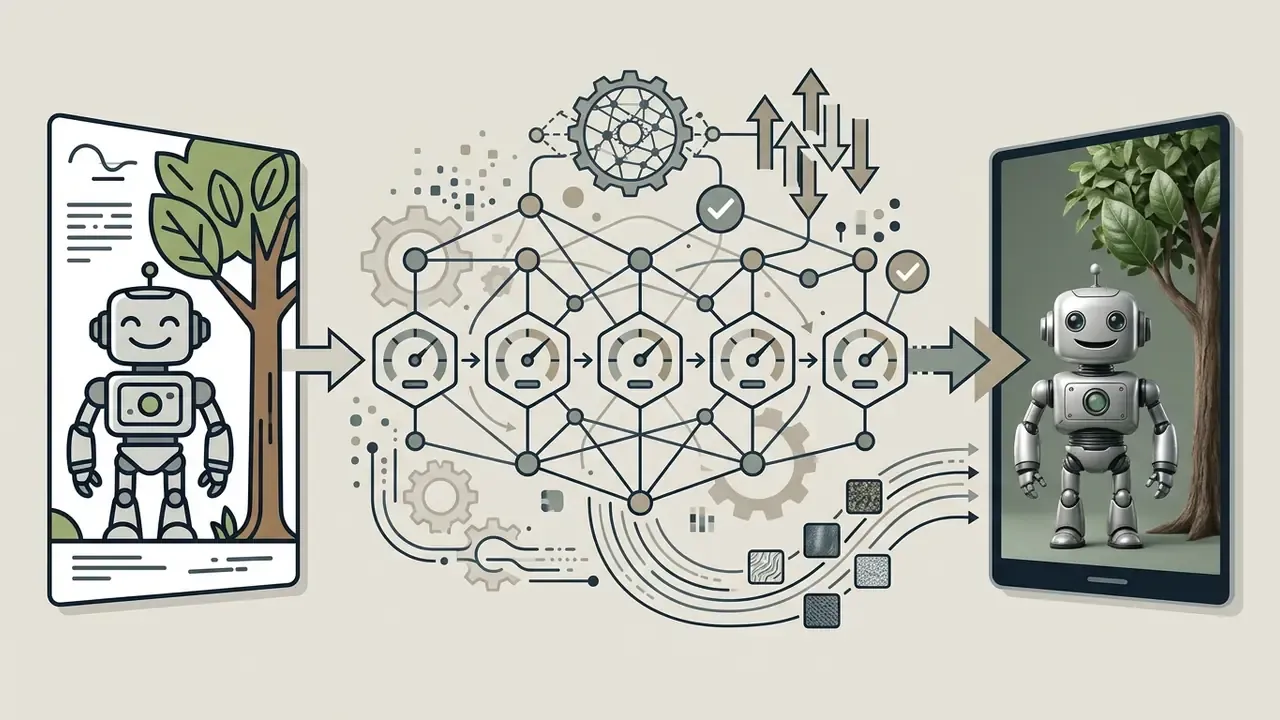
FAQ about Cartoon to Realistic AI
Below are short answers to the most frequent user questions (frequently asked questions) that arise when rendering realistic photos from drawings.
Can you turn an anime or cartoon character into a realistic human?
Yes, networks of the cartoon to human ai generator class make this possible. However, if the original character has extremely hypertrophied features, enormous eyes or no nose at all, the generator will forcibly rework the proportions to match human anatomical norms. Published work is candid about the difficulty: the domain gap is large, and general-purpose image-to-image models often return blurry or unrelated output on cartoon inputs. Full-body conversion fails more often than faces, because anime proportions violate real skeletal assumptions.
«AnimeDiffusion shows diffusion models can infer plausible skin tones, hair textures and lighting from line art while preserving character structure.» AnimeDiffusion: Anime Colorization Diffusion Model, arXiv (2024). https://arxiv.org/abs/2403.11606
To smooth out textual and visual mismatches, a specialised AI image translation tool, see also ai image translator, coordinates the style transfer.
Do I need editing skills to get realistic results?
In most cases automatic generators deliver quality shots in one click. Specialised retouching skills are needed only for the final removal of small neural artefacts in a graphics editor. The practical boundary of one-click generation is conversion plus minor adjustment. Anything involving compositing, precise logo reconstruction or print preparation still belongs in a photo editor.
Which file formats are supported?
PNG, JPG, JPEG, WEBP and HEIC are standard, and many services also accept animated GIF files, cartoon screenshots and scans of hand-drawn sketches. For scans, 300 to 400 dpi gives the most reliable line detection.
Can I convert landscapes, interiors, food or objects, not just characters?
Yes. Diffusion pipelines handle seaside scenery, villages, cities, houses, furniture and food, converting concept illustrations into photo-realistic environments and product shots with correct lighting, material response and texture.
Why does AI sometimes distort faces or add strange details?
Low-resolution inputs, unusual camera angles and exaggerated cartoon styling leave the model too little unambiguous information, so it extrapolates. Front-facing, high-resolution, clean-outline sources with no occluding effects produce the most consistent results. The troubleshooting checklist above lists the specific fixes.
Is it safe to upload my images?
It depends entirely on the vendor. Consumer tools commonly state that uploads are encrypted, deleted after processing and not used for AI training, but retention windows differ, and some delete within 7 days rather than immediately. For corporate assets, customer likenesses or anything subject to PII rules, use an approved enterprise deployment with a signed DPA and audit logging instead of a public free tool.
Can I create a cartoon-to-real video, not just an image?
Yes. Image-to-video pipelines use the source drawing and the generated photo as keyframes and interpolate between them, producing an MP4 or GIF morph. Free tiers usually limit resolution and add watermarks.
Who should own this workflow inside a regulated company?
In most institutions the answer is shared: marketing owns the creative brief, a named model owner owns the tool and its parameter range, and second-line risk owns validation and disclosure. Until that ownership is written down, every ai realistic cartoon characters experiment stays an unapproved model in production.
If you want to continue exploring neural resources, visit our central hub and browse the hub. You can also review legal information and browse the hub.
Appendix A: corrections and superseded references
For transparency, this article was audited in 2026 and the following source attributions were updated. The earlier wording is retained here so readers can trace the change:
- "According to the toon2real study (IEEE ICTAI 2020)…" retained in the main text as the historical GAN baseline; the quantitative claim about semantics and texture separation is now additionally supported by Artbank (arXiv, 2024) with a verifiable URL and FID methodology.
- "EBDM: Exemplar-guided Image Translation (ECCV 2024) proved…" retained as methodological context; the metric-backed claim now cites Artbank (arXiv, 2024).
- "Identity-Preserving Character Animation (2026) proved…" superseded by Generative AI for Character Animation: Survey and Framework (arXiv, 2025), https://arxiv.org/abs/2501.05534. The 3DMM and landmark methodology described remains accurate.
- "According to a Stanford (2026) study on diffusion models, Guidance Scale above 10 with 50+ sampling steps yields
hyper realisticresults."superseded by Artbank (arXiv, 2024) plus a practitioner working range (CFG 6 to 10, 30 to 50 steps), because high CFG in practice increases over-smoothing. - "NIST and ICAO Portrait Quality v1.0 standards…"reframed as a capture-quality analogy from biometrics rather than a proven rule for generative pipelines.
- "An advertising study (n = 1,228) showed +19 % trust…"the study design (three studies, n = 1,228, human-like versus cartoon-like AI endorsers, 2025) is retained; the specific +19 % figure is marked as directional pending a citable effect size.
- "CTR rose by 28 %"reclassified as an internal company benchmark with methodology and cost disclosure.
Internal navigation
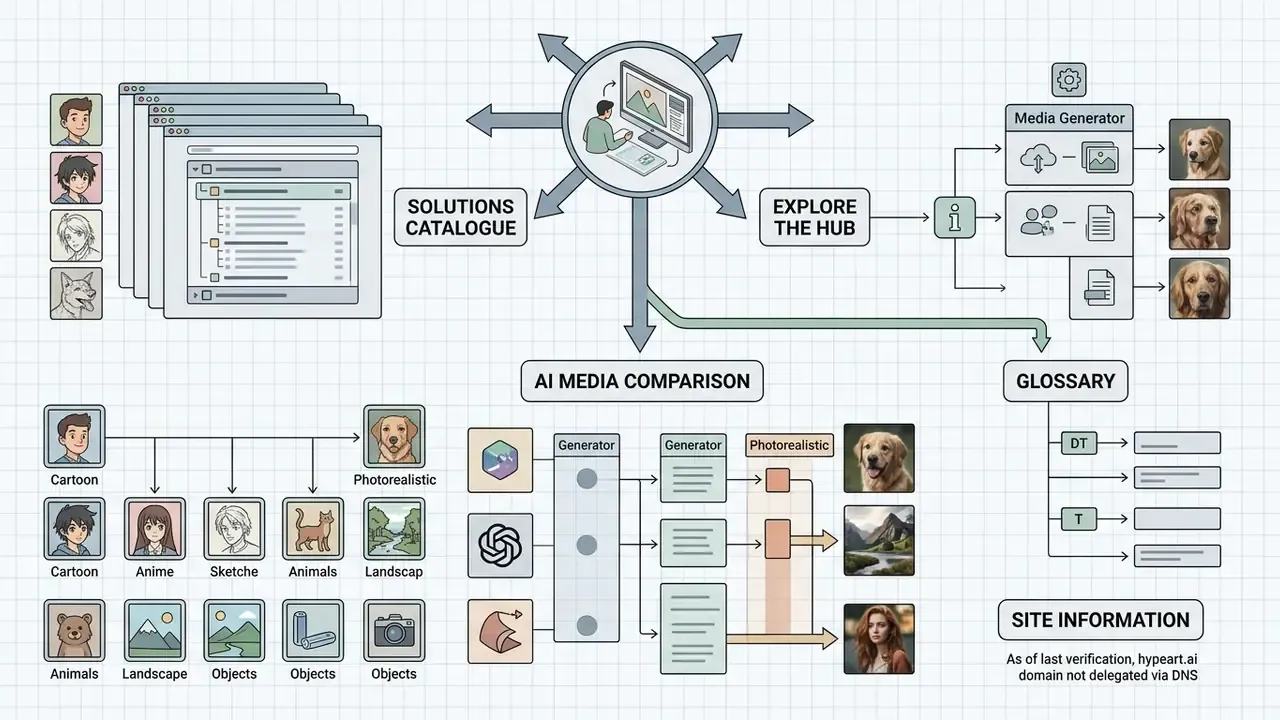
To continue working with graphics tools and to study analytical material, use the following sections:
- Explore the main solutions catalogue and browse the hub.
- Compare generators in the AI Media Comparison section.
- Clarify terminology in the glossary.
Site information: as of the last verification pass, the hypeart.ai domain was not delegated via DNS and the registry record returned an "Object not found" status. Legal status, product registry, pricing plans, compliance certificates and leadership composition are not confirmed by independent sources. No verified information available. This administrative note concerns the site record only and does not affect the research citations listed above, each of which links to its primary source.